#books-and-tutorials
1 messages · Page 1 of 1 (latest)
 light bay
 tardy kettle
I'm wondering if it's not supposed to say "not", e.g. 450mA if you are using the onboard NeoPixels.
light bay
Oh, thanks, I got it. I had to read it a few times.
tardy kettle
I'll update the guide and hope I'm right. 😄
Done! Sorry about the confusion and thanks for mentioning it!
light bay
It is actually right, just the wording confused me
tardy kettle
Ohhhhh
light bay
Regulator provides 500 mA, 300 mA can be consumed by a user or up to 450 mA with neopixels off.
 delicate frost
I'm a professor of ECE at Georgia Tech. I'm teaching ECE3400: Analog Electronics this semester and am putting material for it on this YouTube playlist: https://www.youtube.com/watch?v=TKl-aawWISM&list=PLOunECWxELQSbOv3ekzuwC4K8ygV-Jkiy&index=1&t=1s

OK, let's do this.
Support this channel via a special purpose donation to the Georgia Tech Foundation (GTF210000920), earmarked for my work: https://youtu.be/VBu-LST1p9c
0:00 -- Introduction
0:26 -- Related classes
1:17 -- Transistors in the raw
2:08 -- Leach's legacy
2:49 -- What to watch first
3:49 -- Superposition with dependent sources
5:...
Spiritually channeling Adafruit, the lastest lecture is a moment of zener. (BJTs are up next): https://youtu.be/RbKWp-VOdgo

Reference: https://leachlegacy.ece.gatech.edu/ece3050/notes/diode/diode.pdf
Support this channel via a special purpose donation to the Georgia Tech Foundation (GTF210000920), earmarked for my work: https://youtu.be/VBu-LST1p9c
0:00 -- Introduction
1:27 -- Voltage regulator
3:08 -- Choosing resistor value
4:33 -- Power check
5:58 -- Resistive ...
 bronze wraith
delicate frost
I'm a professor of ECE at Georgia Tech. I'm teaching ECE3400: Analog Electronics...
bronze wraith
delicate frost
I'm a professor of ECE at Georgia Tech. I'm teaching ECE3400: Analog Electronics...
Hey! I had you for analog circuits for music synthesis, made a Sallen-Key HPF and played it through your MS-20. Good times 🙂 Thanks for posting these 3400 lectures.
delicate frost
bronze wraith
Hey! I had you for analog circuits for music synthesis, made a Sallen-Key HPF an...
oh hello!
delicate frost
bronze wraith
Hey! I had you for analog circuits for music synthesis, made a Sallen-Key HPF an...
You might also enjoy my Guitar Amplification and Effects class, it's all about vacuum tubes: https://youtu.be/ahGiA_JCGT8

Support this channel via a special purpose donation to the Georgia Tech Foundation (GTF210000920), earmarked for my work: https://youtu.be/VBu-LST1p9c
Here is the class playlist: https://www.youtube.com/playlist?list=PLOunECWxELQS7JV_KeeTJJpgGjOftoaAH
 cunning chasm
Sort of a tangent, but now I want to build a bluetooth speaker (and optional white noise generator) in the shape of a mini vintage Fender amp.

 deft coral
Can anyone point me to some recommendations for books about circuit design?
 eternal rock
deft coral
Can anyone point me to some recommendations for books about circuit design?
eternal rock
deft coral
Can anyone point me to some recommendations for books about circuit design?
A classic is "Art of Electronics" by Horowitz and Hill. It's on the textbook side of things rather than super-friendly.
 worthy gale
Still it has a great index
 cosmic wigeon
deft coral
Can anyone point me to some recommendations for books about circuit design?
cosmic wigeon
deft coral
Can anyone point me to some recommendations for books about circuit design?
The textbook "Electronic Principles" by Malvino is one of the only textbooks I've found that talks about design thoroughly rather than just analysis. There are many editions of this book: the newer editions are more expensive, but you can probably find an older version cheaply. See if a library has it first, to see if you like it.
deft coral
Thanks!
 abstract spire
delicate frost
I'm a professor of ECE at Georgia Tech. I'm teaching ECE3400: Analog Electronics...
abstract spire
delicate frost
I'm a professor of ECE at Georgia Tech. I'm teaching ECE3400: Analog Electronics...
Amazing stuff! In the last month I've gone through design fundamentals and am now watching the analog circuits for music synthesis lectures. You've been filling the frustrating gaps in my knowledge of analog circuitry and for that, I am grateful. Looking forward to watching these when I'm done.
delicate frost
I designed a passive network to convert the 0 to 3.3 PWM output of a microcontroller (looking at the Grand Central M4) to the -90 mV to 90 mV needed by the frequency control been of the SSI2144 voltage controlled filter synthesizer chip, and documented the process here: https://youtu.be/RYA_k1I47l8
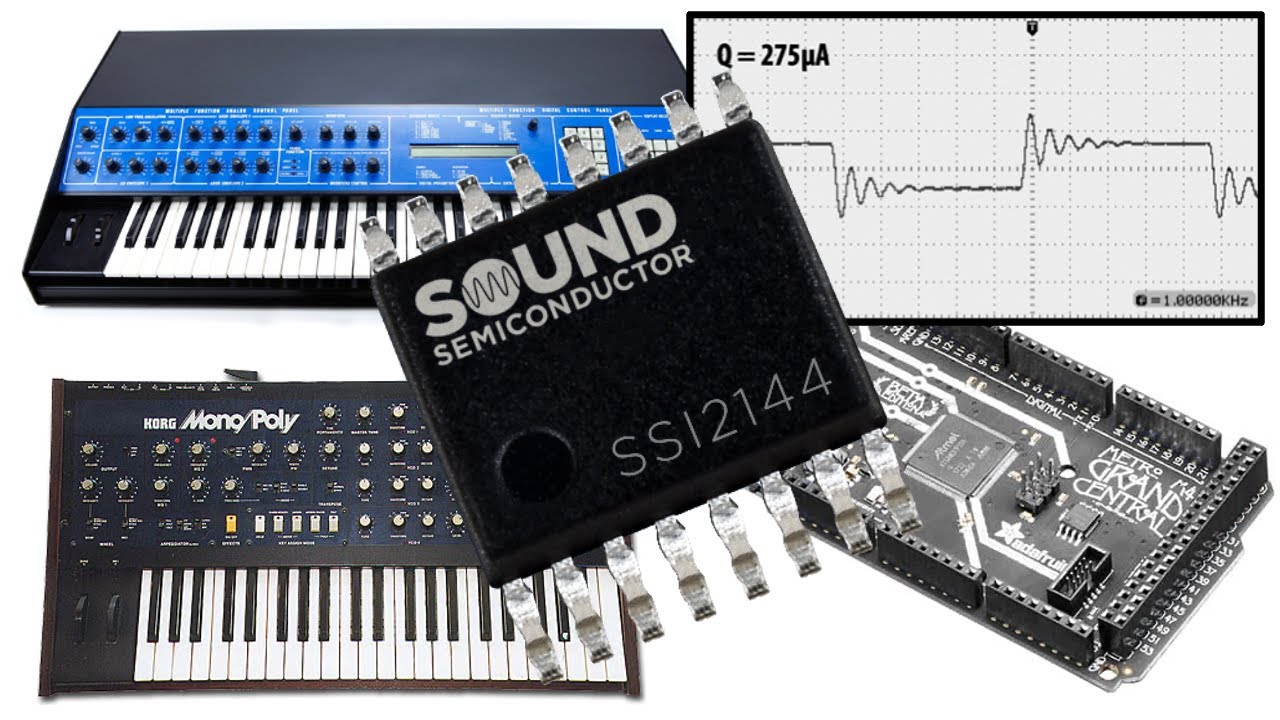
The SSI2144 is an improved version of the classic SSM2044 used in the PPG Wave 2.3 and several Korg synths.
Support this channel via a special purpose donation to the Georgia Tech Foundation (GTF210000920), earmarked for my work: https://youtu.be/VBu-LST1p9c
0:00 -- Introduction
2:26 -- Sketching sketchy schematic
4:45 -- Conductance viewpoi...
delicate frost
Followup to my last video -- here I talk about controlling the "resonance" aka Q of the SSI2144 filter chip via PWM: https://youtu.be/YlaD5hzDmFU

The SSI2144 is an improved version of the classic SSM2044 used in the PPG Wave 2.3 and several Korg synths. This is a follow-up to an earlier video in which I discuss cutoff frequency control: https://youtu.be/RYA_k1I47l8
Support this channel via a special purpose donation to the Georgia Tech Foundation (GTF210000920), earmarked for my work: ht...
 still crest
I'm noticing the latest Safari 16.2 under Ventura on a Mac is showing some Adafruit images (but not all) using the placeholder. Chrome does not do this (images below). When looking through Safari prefs I don't see a reason for this. Any idea what's happening here? I want to pass on advice for my students in case they encounter this. Thx!

 whole hollow
still crest
I'm noticing the latest Safari 16.2 under Ventura on a Mac is showing some Adafr...
whole hollow
still crest
I'm noticing the latest Safari 16.2 under Ventura on a Mac is showing some Adafr...
Gosh, another good reason to never open Safari. 🙄
 fleet harness
This also happens when I click a link on my iPhone in discord and it gives the preview browser, which I presume is Safari. Having it open in my primary (Opera) the images load
 tired marsh
yeah, i wonder if the images are being loaded via JavaScript instead of using proper img elements or something
(which is incidentally probably not great for accessibility)
 stable crypt
Today I’m excited to announce that I’ve released a book using CircuitPython on a Raspberry Pi Pico to make robots. “Robotics at Home with Raspberry Pi Pico”. https://packt.link/5swS2
I definitely want to thank the #help-with-circuitpython channel here for occasional help, and the CircuitPython devs like @cosmic wigeon for accepting my pull requests and fixing bugs.

Robotics at Home with Raspberry Pi Pico: Build autonomous robots with the versatile low-cost Raspberry Pi Pico controller and Python
stable crypt
stable crypt
Today I’m excited to announce that I’ve released a book using CircuitPython on a...
Oh and I should also call out @whole egret for their help too.
 umbral folio
stable crypt
Today I’m excited to announce that I’ve released a book using CircuitPython on a...
umbral folio
stable crypt
Today I’m excited to announce that I’ve released a book using CircuitPython on a...
that's really cool! esp. getting the BLE stuff in there!
 tawny lance
stable crypt
Oh and I should also call out <@252717193496756235> for their help too.
tawny lance
stable crypt
Oh and I should also call out <@252717193496756235> for their help too.
Oh, I missed this, this is very cool! Would you be interested in coming on my podcast, The CircuitPython Show, and talking about the book?
stable crypt
tawny lance
Oh, I missed this, this is very cool! Would you be interested in coming on my p...
Hello I would love to!
tawny lance
I'm just starting to plan out season 3, so I'm a couple weeks out. Can I DM you?
stable crypt
Yes - no problems.
umbral folio
@tawny lance I have something coming out next month which has some Circuit Python in there, although it's also got standard Python and MicroPython, so not sure if that goes a bit off-topic for your podcast - but feel free to ping me if you need more content
tawny lance
umbral folio
<@273162248615100417> I have something coming out next month which has some Circ...
It doesn't always have to be just CIrcuitPython on my podcast. 🙂 I'm always looking for interesting people or things to talk about - feel free to DM me if you'd prefer
umbral folio
tawny lance
It doesn't always have to be just CIrcuitPython on my podcast. 🙂 I'm always l...
ok - have sent a request
umbral folio
After several years running a code club for kids, the book is now available - there's more of a focus on scaling projects and group projects, including a lot of the backstory on how we solved various logistical challenges along the way https://link.springer.com/book/10.1007/978-1-4842-9197-9

 umbral citrus
For those looking to get started with the more recent Microchip ATtiny (eg attiny816, attiny1616, etc) - which happen to also power several of Adafruit’s STEMMA boards and their new seesaw boards - I’ve published a course with lessons, videos, and code (all under MIT open source license so you can use the code in your own projects).
Today I added code and an example for creating I2C client devices.

 sturdy vine
Is this the right channel to asks about book microtransctions to learn electronics ? (ie: which books I should buy vs what I want to do) ?
tardy kettle
sturdy vine
Is this the right channel to asks about book microtransctions to learn electroni...
Sure! I'm concerned that this channel doesn't get as much traffic as others, though, and I wonder if you'd be better suited to a different channel to be more likely to get responses. Perhaps #general-chat would be better? It's up to you though. Please pick one and stick with it. Thanks. Good luck!
 eager charm

turtl.co
Desktop GPUs drain batteries. Dr. Arm explains how mobile GPUs bring high performance and high efficiency together.
 still kayak
Free today https://libro.fm/audiobooks/9781732380394

Libro.fm
When a company's workers are literally dying on the job, and its business model relies on preying on local businesses and even their own companies, and its CEO is the richest person in the world while its workers make minimum wage with impossible quotas...wouldn't you want to resist? Danny Caine, owner of Raven Book Store in Lawrence, Kansas,...
 hazy heath
Hi
I have seen Scott's deep dive usb presentation and I taught that this book might be useful. I have used it while working on a commercial product some years ago. http://janaxelson.com/usbc.htm
eager charm
Well I'd say that last sentence dates this book pretty well.
https://media.discordapp.net/attachments/1010859141239144458/1135803405181386752/PXL_20230801_051627466.jpg

 wide canyon
Industrial design educator (Sweden) here. We have a bunch of beginner tutorials with heavily commented code (and of course many different Adafruit products), so that students can learn to understand and then successfully "steal" (adapt) sections for their own projects, and soon become independent https://www.youtube.com/playlist?list=PLgOQbP1Eit2WciqQTy2-mDqHSiy0tJvTl
Would be nice if more educators share their YouTubes/GitHubs so we have more resources to point our students to.

YouTube
 thorn ledge
@still crest had shared his tutorials (on Twitter)
 leaden folio

With semihosting I can use standard I/O function like printf() and I can read and write data on the host through the debug connection. If used with care, this is a great feature especially for unit…
 cosmic plover
https://adafruit-playground.com/u/dexter_starboard/pages/two-hand-mouse
New guide for adding extra mouse buttons using Feather RP2040 and NeoKey1x4.
cosmic plover
White Noise in your browser https://observablehq.com/d/f6e877b8d4ed6374.
 earnest ether
wide canyon
Industrial design educator (Sweden) here. We have a bunch of beginner tutorials ...
earnest ether
wide canyon
Industrial design educator (Sweden) here. We have a bunch of beginner tutorials ...
I went through a few of your tutorials. I think if you are going to make more videos, you should start with the demo, after the title page. I was totally lost on some of them until I saw the demo working.
cosmic plover
BDF Fonts in the Learning Guides
 pale lintel
Poking around Archive.org I found their "Collections" features; that bundles the manuals of vendors, i.e.
light bay
Hi,
The sample on page https://docs.circuitpython.org/en/latest/shared-bindings/i2ctarget/index.html is kind of incomplete and insufficient.
Also, there is an error in this page.
First the error in formatting of the line "I2CTargetRequest.read() ack=False." at the bottom of the page.
I believe it should be "I2CTargetRequest.read(ack=False)"
Second the sample code: It is of little practical value, to get one going. It is even incomplete.
For example: I try to connect an i2c master to a slave (i2c target with an address). The master is a microcontroller using a few lines in CircuitPython. The slave is a microcontoller using CircuitPython too. Both are on the same breadboard, same powerrail and i2c pins are interconnected, included is a pull-up resistor on each line.
What I think one expects in the sample, is a scan to check the connection health of the target slave on i2c bus. Next logical step a read of a value over i2c of a slave register.
What I think one expects next is a write of a value over i2c to a register in the slave.
The current sample code does not provide this.
Even worse, in the sample code given, "if not r.is_read" is used with little explanation. Short names and non-related generic names make this sample extra difficult to read. (b, r, device).
Longer and self-explanatory names like "busi2c" instead of device etc.
Also, little is explained when and why ACK or NACK should be used on the bus.
I know the i2c is quite complicated, I also know that to get it to work can be a headache. So two separate pieces of sample code that runs well between two microcontrollers using CircuitPython will be a good starting point for any coder interested in using CircuitPython "i2ctarget".
Now Linux (undefined) is used as a master, which is of little help for a CircuitPython coder interested in in i2c communication between devices.
Kind regards,
Xf
cosmic wigeon
light bay
Hi,
The sample on page https://docs.circuitpython.org/en/latest/shared-binding...
The documentation is stored in the source code. Could you open an issue here: https://github.com/adafruit/circuitpython/issues/new/choose and say what you did above? If you have an example, you could make a pull request, or include it in the issue. We would very much appreciate it.
light bay
cosmic wigeon
The documentation is stored in the source code. Could you open an issue here: <h...
Done
cosmic wigeon
light bay
Done
Thank you!
 jolly holly
Does anyone have a good video tutorial on how to make a rc car?
 livid cliff
jolly holly
Does anyone have a good video tutorial on how to make a rc car?
livid cliff
jolly holly
Does anyone have a good video tutorial on how to make a rc car?
Depends on what kind of car you want to make, like is it going to be a tiny little one that just drives around, or maybe a bigger car that has other sensors, or something in between. Usually an off-the-shelf acrylic chassis combined with BO motors and wheels makes for a great base, and then any microcontroller with a motor driver can drive them. But again, it depends on what you are trying to make. After you get a rough idea, you can start looking for videos.
jolly holly
What do u mean
 keen linden
Exactly what he asked; you didn't specify what kind of RC car you want to build. There are many different types out there, and your imagination is endless, so saying you want to build an RC car will produce multiple results. If we know what kind of RC car you'd like to make, you can be pointed in the right direction. A simple tiny one that can fit in the palm of your hand with no frills? Or, perhaps a bigger, beefier one that has sonar sensors on it that can detect a wall and not crash into it? Those are just a couple examples.
livid cliff
Another thing to consider is experience. Making a really small car needs a lot of skills and patience. A larger car is easier, in that sense. (not saying you don't have the experience/skills/patience, just pointing out that they can be significantly more frustrating)
That is one reason why I generally go for an OTS frame/motors, it's easy to build/maintain/upgrade, and I can focus on what I actually want to do, which is the electronics and software
 hollow rain
Not sure where to put this, I guess here?
In https://learn.adafruit.com/adafruit-clue/update-bootloader-use-arduino-ide
The link in the early paragraph:
If you have not already done so, set up Arduino IDE for nRF52, using the instructions in Arduino Support Setup.
...seems to be broken and leads back to the current page. Actually a tad worse than that, might have an issue with how it clones the section for different devices...

Get a clue with the Adafruit CLUE!
hollow rain
Also the section on using pip3, I feel like I'm hitting every stair on the way down with ubuntu. I had to specifically reinstall python3-pip to make pip appear, then the adafruit-nrfutil didn't seem to load until I used a --break-system-packages flag, now I'm hunting for a line on how to add that to the PATH. :).
(success in the end, what a journey! with a newer bootloader than the help page offers (0.9.0 vs 0.8.2))
cosmic wigeon
hollow rain
Also the section on using pip3, I feel like I'm hitting every stair on the way d...
were you using ubuntu 24.04? We need to document how to set up a venv.
 odd horizon
cosmic wigeon
were you using ubuntu 24.04? We need to document how to set up a venv.
odd horizon
cosmic wigeon
were you using ubuntu 24.04? We need to document how to set up a venv.
To me, it's less setting up the venv than comprehending or managing parallel Python installs. I finally gave up trying to keep 3.12 on Ubuntu (22.04, maybe?) alongside 3.10 because the libraries and package managers invariably ended up pointing in three different directions. All I wanted was to have a sequestered version I could supplement with all the CircuitPython goodness for a dedicated dev environment, including Blinka.
 noble lichen
That is part of the reason I have been using pipenv instead of venv. I can specify which python version to use when creating the virtual environment, and it 'just works' from then on. Unfortunately, the dependencies structure is different.
odd horizon
I'll have to take a look at pipenv - thank you for the suggestion
hollow rain
Strictly speaking I was using Kubuntu 24.04 installer DVD in demo mode in a virtual machine (so I was happy to throw around "break system" flags when needed, didn't care to do a number of the required steps on my base system)
 next zodiac
Project description: I watched a video [YouTube link: https://youtu.be/Bicjxl4EcJg?si=mHz] anhttps://github.com/chromalock/TI--32/].
I want to create a similar project but with lower costs. It's about bringing ChatGPT to a handheld calculator like the TI-84.
I want the calculator to have features like
Color
Animated
Multi-page responses
Chat history from
A larger menu (only 320x240 resolution
Support for lowercase characters and "Vietnamese" language
Documentation
Basic
HTTPS
Sending and reading emails
Wi
Video play
I need your advice to help me complete this project, specifically on programming and the electronic components that need to be purchased. I'll exch Gmail

don't let any of your teachers see this.
Keith Sachs: @KeithSachs
github: https://github.com/chromalock/TI-32/
patreon: https://patreon.com/ChromaLock
:)
Can you help me? I beg you, if you can, I will pay you.
eager charm
- This is the wrong channel.
- Haven't you basically just described a smartphone?
eager charm
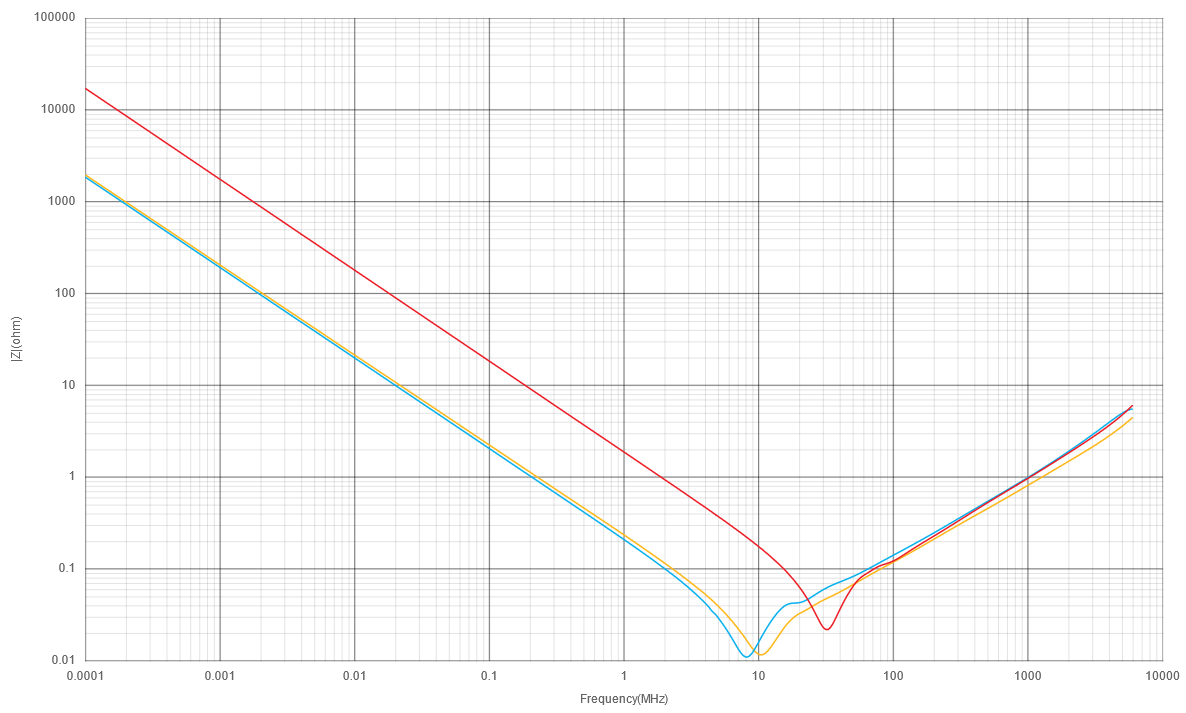
Ever wondered why 100nF is a go-to value for decoupling capacitors? This number has pervaded in datasheets and electronics advice going back to the 1980s, and is still widely present in the datashe…
 unique fossil
eager charm
https://codeinsecurity.wordpress.com/2025/01/25/proper-decoupling-practices-and-...
unique fossil
eager charm
https://codeinsecurity.wordpress.com/2025/01/25/proper-decoupling-practices-and-...
0.47uF is is where it’s at lol /s
 pastel mesa
If you are looking for a noob course on python, MIT open courseware has a nice one.
Not that old with good programming basics. Excellent professor and its free.
26+ hours of lectures
https://www.youtube.com/playlist?list=PLUl4u3cNGP62A-ynp6v6-LGBCzeH3VAQB

YouTube
Instructor: Ana Bell View the complete course: https://ocw.mit.edu/courses/6-100l-introduction-to-cs-and-programming-using-python-fall-2022/ *Note: Lectures ...
 near heath
pastel mesa
If you are looking for a noob course on python, MIT open courseware has a nice o...
near heath
pastel mesa
If you are looking for a noob course on python, MIT open courseware has a nice o...
Can highly recommend, have it in my saved courses.
Also Harvard has a great one on programming in general, they start with Scratch, move to C, then onto Python and some others. They also provide a dev environment and an AI chat bot to help you through the course for free.
https://youtube.com/playlist?list=PLhQjrBD2T381WAHyx1pq-sBfykqMBI7V4&si=CmMlGrymrkM9GyWk


YouTube
This is CS50, Harvard University’s introduction to the intellectual enterprises of computer science and the art of programming, for concentrators and non-con...

edX
An introduction to the intellectual enterprises of computer science and the art of programming.
 faint karma
near heath
Can highly recommend, have it in my saved courses.
Also Harvard has a great on...
faint karma
near heath
Can highly recommend, have it in my saved courses.
Also Harvard has a great on...
the Ben Eater breadboard computer was awesome I watched the first 60%
 undone rose
Foundations of Computer Vision from MIT is available online.
Modern, comprehensive, overview of applied computer vision available free online.
https://visionbook.mit.edu/

 wicked urchin
I'm interested in using a neopixel ring and diffuser to make an ambient lighting thing, but reading tutorials like the neopixel uberguide, I'm quickly running up against a lot of concepts I have low familiarity with like pins and soldering and electrical engineering terms like capacitors and resistors. Are there any good sources people recommend for getting a solid foundation to doing projects in the microcontroller/LED world?
cosmic wigeon
wicked urchin
I'm interested in using a neopixel ring and diffuser to make an ambient lighting...
We have a bunch of videos for elementary knowledge. https://www.youtube.com/playlist?list=PLjF7R1fz_OOXWHQhEVEI5Jqf18TQRr5Hu. These are very simple but they'll get you started.
After that something like https://www.makershed.com/collections/make-books-print/products/make-electronics-3rd-edition-print would be good. I'd suggest browsing the 621.381 section and nearby at your local library.
 hybrid dirge
What this tutorial describes seems perfect for something I want to incorporate into a Halloween costume, but having read through it, I'm struggling to understand where in this system the Feather RP2350 fits. Pi Pico for control and file storage, I2S stereo decoder for sound amplification, and the Feather for...?
I'm sure I'm misunderstanding something fundamental here, I've just looked at this tutorial over the course of a few days now and I'm still not sure how it works or which parts it's made of.
Thanks!

Polyphonic audio sound stage triggered by buttons & switches
tawny lance
hybrid dirge
What this tutorial describes seems perfect for something I want to incorporate i...
You can use the Feather or the Pico - either would work
If you're making a wearable, you might want the Feather instead as it can connect to a battery
hybrid dirge
tawny lance
If you're making a wearable, you might want the Feather instead as it can connec...
Thank you!
undone rose
AI at the Edge © 2023 O’Reilly
Solving Real-World Problems with Embedded Machine Learning
by Daniel Situnayake and Jenny Plunkett
Availble for free download with registration
https://edgeimpulse.com/edge-ebook
I remain a huge fan of this ML service after Qualcomm acquisition.
This practical guide gives engineering professionals, including product managers and technology leaders, an end-to-end framework for solving real-world industrial, commercial, and scientific problems with edge Al.
 valid comet
undone rose
AI at the Edge © 2023 O’Reilly
Solving Real-World Problems with Embedded Machine...
valid comet
undone rose
AI at the Edge © 2023 O’Reilly
Solving Real-World Problems with Embedded Machine...
Looks like data mining to me. Get set for the charges for the service just like all the others.
hybrid dirge
hybrid dirge
What this tutorial describes seems perfect for something I want to incorporate i...
I ordered all of the parts for this, downloaded the code, wired it to a guitar amplifier speaker, pressed a button, and... nothing happened.
Would anyone be able to help me troubleshoot it?
And first off, I used a Feather RP2350 instead of a Pi Pico, and it looks like the tutorial and code was written defaulting to the Pico.
Any chance that means I have to change things in the code, like pin names? I have no experience with Python yet
cosmic wigeon
hybrid dirge
I ordered all of the parts for this, downloaded the code, wired it to a guitar a...
yes, you will probably need to change the pin names. Ask about this in https://forums.adafruit.com or in #help-with-circuitpython , but take some time to try to learn something about CircuitPython first: https://learn.adafruit.com/welcome-to-circuitpython, https://learn.adafruit.com/circuitpython-essentials
still crest
Show the latest sports scores from the NFL, MLB, NHL, & NBA using this CircuitPython project & the free ESPN API. A two-panel 64x64 build modifying BlitzCityDIY’s original 4 panel goodness (thx Liz) & including a few more image tweaks.
https://youtu.be/cFCzCncy6Ps

GitHub Repo with code: http://github.com/gallaugher/espn-api-sport-score-display
Liz’s original build: https://learn.adafruit.com/led-matrix-sports-scoreboard
In this lesson we build a real-time sports scoreboard that displays data retrieved from the ESPN API. We build off of @BlitzCityDIY's excellent "LED Matrix Sports Scoreboard" - https://l...
cosmic wigeon
@still crest These days, I am not sure what to recommend to users with little or no programming experience who need to learn Python (and eventually CircuitPython). There are your CircuitPython School videos, but would you say they cover Python itself enough to learn the language, or do you have additional language learning resources you recommend? Thanks.
 spring citrus
cosmic wigeon
<@217065986384330763> These days, I am not sure what to recommend to users with...
spring citrus
cosmic wigeon
<@217065986384330763> These days, I am not sure what to recommend to users with...
I learned most of what I know about python from a combination of official Raspberry Pi tutorials and 'Learn Python 3 the Hard Way' by Zed A Shaw. I know some find the latter to be bit controversial and not everyone will like his style, but it worked for me. I've also been looking at some of the No Starch Press books on Python, Linux and C, see how I get on with them.
still crest
cosmic wigeon
<@217065986384330763> These days, I am not sure what to recommend to users with...
Hi Dan. I don’t assume any students in my class have coded before although in this age most have seen it in at least high school. Also we do get quite a few of management students who need to take Python, and CS students who likely have had the Python version of CS1. My courses introduce lots of topics as if someone is new: from simple print statements though those, lists, functions, loops, slices, conditionals. We don’t cover OOP in the course but if someone’s goal was start as a complete newbie and learn enough for IoT and simple robots then be able to branch out their own, then o hope they find they is needed in my course.
cosmic wigeon
still crest
Hi Dan. I don’t assume any students in my class have coded before although in th...
Thanks. Is your Python material online? I only see the videos.
... I see the PDF's in the BZAN217501 Google drive; that looks like a really good start.
I will start recommending those.
 sly lava
does anyone have recommendations on tutorials that break down how to go from datasheet to driver?
also @still crest nice resources! i was able to bust through all your circuitpython and pico stuff in 2 days... atleast everything excluding the matrix75 stuff. super helpful for learning and covering a broad selection of topics
even just having the "tip sheet" is a super fast way to cover alot of "oh yeah, this is how this works" real quickly
..... i should make my own....
still crest
sly lava
even just having the "tip sheet" is a super fast way to cover alot of "oh yeah, ...
So glad you liked the lessons! I'm in the process of updating some of the existing lessons for next semester, and I'll be adding new lessons and projects, soon, so stay tuned. Hack on!
still crest
Updated or created new lessons for the first seven lessons in CircuitPython School for the start of this semester (new class starts Wednesday). The intro lesson which manages to touch on variable naming conventions, input statements for electronics debugging, and AI help (in PyCharm & beyond w/good & bad examples of AI advice, plus prompt examples) may be especially helpful. Also, some of the SNAFUs that earlier CircUp & PyCharm installations faced are (hopefully) now fully addressed in the the install lessons. Educators - feel free to use in your own classes, independent learners always welcome. I do appreciate heaering from folks who find these helpful. More to come. Also - several new/updated CircuitPython School video lessons related to CircuitPython for the Beginning Electronics Maker. See the start of the playlist at https://bit.ly/circuitpython-school


YouTube
A Playlist containing all of the lessons and projects in Prof. John Gallaugher's course: Physical Computing: Art, Robotics, and Tech for Good.
 glass narwhal
still crest
Updated or created new lessons for the first seven lessons in CircuitPython Scho...
glass narwhal
still crest
Updated or created new lessons for the first seven lessons in CircuitPython Scho...
I thought I would give PyCharm a try. I ran into a problem with libraries that it got too late last night to spend much more time to figure out. Maybe you have a solution of the top of your head. Basically in the setting where you add the libraries I had no issues with most of the ones I was trying, although I jumped ahead of your vide and failed by picking “neopixel” from the list rather than “adafruit_circuitpython_neopixel” like I was supposed to, but two libraries I couldn’t find.
My code on the board I had plugged in while following your video (yeah I wasn’t using the code you used) has
from adafruit_display_text import label
from adafruit_io.adafruit_io import IO_HTTP
And I could not find either adafruit_display_text nor adafruit_io and as I said it was late, but I have to believe there is a way to find and load libraries that do not come up in the search?
EDIT: nevermind. Found them. Must have been too tired that last time. Although while I have "adafruit-io" added, it doesn't like it in my code still. Hmmm.
 nova silo
glass narwhal
I thought I would give PyCharm a try. I ran into a problem with libraries that i...
nova silo
glass narwhal
I thought I would give PyCharm a try. I ran into a problem with libraries that i...
Most of the libraries have circuitpython in the name, but for "reasons" the circuitpython/adafruit bit can be removed for brevity.
If you cannot locate a library, try adding circuitpython after adafruit if present or in the middle of the name (or as a beginning prefix).
e.g. Adafruit_CircuitPython_Display_Text from the bundle is located here: https://github.com/adafruit/Adafruit_CircuitPython_Display_Text
glass narwhal
Sorry @nova silo didn't mean to imply I was asking about finding libraries in general. It was a question specifically about PyCharm in @still crest 's video tutorial. My board has all the libraries already loaded (big fan of circup) and the code works fine. However PyCharm has a feature where in the settings you can tell it what boards & libraries you use and then when coding it will offer smart suggestions as you type. For example typing "board." will then pop up a list of all the pins available for your board (e,g, D1, D2, LED, etc.). Likewise if you set up the libraries in PyCharm when you type in "neopixel." it can suggest all the various options after the dot. However the flip side is if you don't have a library added to PyCharm, then it give you all these warnings on your otherwise good code because it doesn't understand the library calls you are making. Since I couldn't find those libraries listed in the PyCharm settings I couldn't set them up in PyCharm and I get a lot of little annoying "potential error" looking formatting in my code listing.
EDIT: nevermind. Found them. Must have been too tired that last time. Although while I have "adafruit-io" added, it doesn't like it in my code still. Hmmm.
glass narwhal
Looks like adafruit-io in PyCharm is their regular Python library. I can not find the CircuitPython version of IO in the PyCharm list.
Edited to add: @still crest if you want to reply to this, feel free to answer in https://discord.com/channels/327254708534116352/537365702651150357 and just tag me there. I realized this channel if for books and tutorials and while my questions were in response to your turorials, I don't want to derail this channel from being about pointing people to books and tutorials. Thanx
 main yacht
Book and tutorials channel! Complements of @whole egret no doubt. As requested by @autumn crypt and @viscid marsh
 crisp crown
Thanks guys, great job 👌
main yacht
If I can get a clear answer on sharing (if I can or not) my make magazine books that I purchased from a humble bundle, I'll share them here if allowed.
They are PDF's.
crisp crown
It would be great @main yacht
 autumn crypt
Here is my starting list:
If y'all add to the list I'll expand mine and then re-post and pin it.
Then, for programming....
Learning Python, by Lutz
 torn vault
Just to add variety... Exploring Beaglebone by Derek Molloy is a very good book covering BBB
 oak island
The Pocket Ref (black) by Thomas J Glover is an amazing amount of useful info in a tiny package (I think Adafruit sells it)
Making Things Move by Dustyn Roberts is good if you want to animate things (including robots)
Robot Builder’s Bonanza by Gordon McComb is cool if you want to build robots beyond the simple kits sold on electronics web sites
 slow bobcat
The Self-Taught Programmer by Cory Althoff -- for getting started in Python
Exploring Raspberry PI by Derek Molloy -- needed a PI encyclopedia/reference
Automate the Boring Stuff with Python by Al Sweigart -- light reading about some simple projects
Scoring the Screen by Andy Hill -- for my film music composer alter ego. Hacks used for soundtracks including Sixth Sense, Matrix, and Elfman's Alice in Wonderland. (A different maker-esque perspective, very few electrons or lines of code involved.)
 quartz hull
I like most anything by Simon Monk. He is very easy to follow and goes through everything very methodically.
 acoustic brook
@main yacht I would assume sharing the Make pdfs is a no, because they’re still copyrighted.
(At least publicly, maybe?)
😬
main yacht
@acoustic brook yeah, I figured as much. I mean on humble bundle they have a big deal about sharing "keys" and the keys are access to each item you purchase. So yeah, probably a big no no lol
Well they have make magazine humble bundles all the time, so Ya'll should keep your eyes out for them.
acoustic brook
Definitely! I’ve bought two of them I think, and the most recent one seemed to have duplicates, so there’s time for everyone else.
 cunning grove
You can always check the user column at the right; I guess that's only useful when they are here, though.
Actually, never mind, doesn't help where you'd need to use !seen
/seen @cosmic wigeon
crisp crown
It works @cunning grove ?
crisp crown
Okay thanks @cunning grove
cosmic wigeon
@crisp crown now online, on a train to NYC
crisp crown
Lol thanks for your answer @cosmic wigeon I hope it will be a good trip, it was just a question about Pickle project, I was wondering if the 470 ohm resistors are mandatory when using a raspberry
crisp crown
@cosmic wigeon Thanks a lot for your efforts nothing urgent about this issue
Okay
Give me a second
cosmic wigeon
I'm there but don't see a schematic with the resistors.
crisp crown
@cosmic wigeon Once everything is installed, wire your chip to the GPIO pins on your board using the pins you selected in your .pickle file. (Darron recommends putting a ~470 ohm resistor in series in each of the programming and Vpp lines to prevent damage in case you make a mistake.) Be sure to wire the ground line, too, as well as the 3.3V line if you device is not self-powered.
It's under "Checking Your Configuration"
cosmic wigeon
@crisp crown Got it. I was reading the same page. It's to prevent shorting the outputs to ground or similar and frying them. Do you just lack the resistors? Value is not critical. You could use a somewhat larger one or use two 1k in parallel, etc.
crisp crown
Okay thanks a lot @cosmic wigeon for your precious help
cosmic wigeon
you're welcome!
acoustic brook

Humble Bundle
Pay what you want for hacking books from No Starch and support charity!
acoustic brook
I got the $1 level for The Smart Girl's Guide To Privacy
 tawny copper
ah yes
 viscid marsh
Well, well, how about this. A room for books. Great. I love books. Actually, my Kindle HD with 350+ books. 😃
My latest gold-find as I call them is Programming with MicroPython Embedded Programming with Microcontrollers and Python Nicholas H. Tollervey
Anybody reading shtuff on this HOT topic???
viscid marsh
Have been reading Mr. O'Reilly's book What's The Future? and I think he has hit it on the head. We are at a time where embedded headless systems are about to infiltrate every aspect of our lives. What impresses us now will only become expected later. Envision the path's that technology's provide and take it into the future. A great read so far. 😃
@bold niche Thanks for the interview with Mr. O'Reilly. He's from "My Generation". ><>
torn vault
@viscid marsh That sounds about right. Also, as we start moving into lower energy consuming components, solar becomes more and more viable. Those solar LED lawn ornaments used to be really impressive, but now they're just a dollar or so each. Imagine what we will be doing in 10 years.
I'll have to check out that book now 😃
viscid marsh
@brad#6749 You got it. Someone saw an application and exploited it. Perfect example of capitolism working for a better standard of living. SOL, the main objective for any society of people. Thank Gawd our founding fathers saw the light and told the people your free to do as you please. And look at what's happened since then.
viscid marsh
I read this recently and thought it was a very good question to ponder.
What is the future of education when on-demand learning outperforms traditional universities in keeping skills up to date?
main yacht
Orderd the Tim O'Reilly book: W.T.F(sensord by bot) What's the Future and Why It's Up to Us
viscid marsh
@main yacht Yeah, the bot got me to. Let me know what you think of the "Introduction". I'd be most interested.
main yacht
@viscid marsh Haha nice. For sure, will do! If you go on Amazon your can read the book for 30mins for free btw.
For others that are curious.
viscid marsh
@main yacht Yes, I know about the 30min read. But, for the Kindle price, I usually get the book if I like the peek and comments.
main yacht
Right right. I was going to get the Kindle version last week. Checked today and the hard cover is only $3 more than the digital.
So I snagged the hard cover. Was never much of a reader, so this will be one of my only physical books laying around haha.
viscid marsh
@main yacht Until I got my Kindle, I'd buy a book a week. I got books that go back to 1980. Mostly all about software of some sort and used as references but the Kindle changed everything. I read books cover to cover now. And I have all 350+ in my hand whenever I need one.
I'm reading a book now on Regular Expressions. Need to brush up. What a thing to read about eh?. I know. I'm crazy.
autumn crypt
@viscid marsh Isn't that just a man page? 😃
viscid marsh
@autumn crypt Sorry???
autumn crypt
My former wife called me from work one day and said, "I'm on the UNIX server and I have this data file with six columns, and I need to rearrange the columns, change column three's format, etc. etc." I said, "open it in vi, then type s/..." followed by a string of apparently random characters. She was like, "seriously?" Magic happened when she hit enter. 😃
@viscid marsh RegExs. Isn't that just a man page describing them? I didn't know there was a RegEx book!
viscid marsh
There are many books on Regex or the "re" library. Thing is, there are so many flavors, I needed to know what might be specific to Python.
I'm also quickly remembering why I don't like them.
autumn crypt
But they're so powerful!
Of course, in Python I think there's a non-trivial performance hit, IIRC.
viscid marsh
Yes, they are very powerful and combined with Pythons data types I hope to come up with some very fast algorithms to parse spoken text so the intent of the speaker can be interpreted. Gradious I know, but hey, why not?
autumn crypt
Oh that's cool!!!!
viscid marsh
Some people like to blink LED's. I like to write cool algo's.
autumn crypt
I prefer the cool algorithms, too. 😃
viscid marsh
Imagine Phil, The MOVI will give me each word in a List that was spoken. This shield is very cool.
As spoken.
Figure out the nouns, verbs, adj and walla...
autumn crypt
That'll be awesome! Fantastic application. Are you going to use nltk as the stemmer and semantic analyzer?
viscid marsh
That's were things go haywire. I can't. The libraries are too big. Sure, they will work on my Desktop, but on an Arduino? Nope.
autumn crypt
Ahhhh ok, that makes sense.
viscid marsh
Which is why I'm also studying "sentence phrasing". Found a real cool book with an author who sends me stuff on sentence structures and layouts. Learning a lot. Hope to implement soon. Other projects in the way for now.
autumn crypt
Sentence phrasing sounds interesting. I will go read up. I like to take any sequence of stopwords or punctuation and turn them into carriage returns. This gives me unique phrases, one per line (after lowercase()) for analysis.
I usually feed them into a ML algorithm that calculates high-dimensionality Euclidean distance between documents, which gives me a "likeness" measure. Not really applicable to your project, though.
viscid marsh
Maybe not applicable, but it sure does sound cool. 😃
I just want to be able to converse which now brings "history" to the picture. How do I handle the history of the context of a conversation?
How do I know it's a question, a statement, an exclamation, or even a command that has been spoken to the system. Because now the system has to figure out how to respond intelegently. I can't even spell these days..
autumn crypt
I hear you on the spelling. No worries!
There are applications that use probability trees to track the history of "conversations". Building a tree might work for you.
viscid marsh
Yup, that's what I have been thinking as well. Either that or just a dict with specific labels for general topics at first.
autumn crypt
That would work too, @viscid marsh ....
(Sorry about the lag - meetings from you know where today)
viscid marsh
@autumn crypt Just reading some Arduino books on RF devices for local wireless. Heard the Dicord bleep. :)
No problem, your a busy guy.
autumn crypt
Oooh RF! Good stuff!
I use LoRa to transmit the GPS coordinates for my rocket tracking system....
 elfin quail
@viscid marsh Which books are those? I won two Lora breakouts from Adafruit a while back, and I've only used them as proof of concept for a project. Never really used them at their full potential...
viscid marsh
@elfin quail Howdy, Two books I'm reading at the moment are Arduino Workshop by John Boxall and Arduino Development Cookbook by Cornel Amariei. They both have good examples for RF projects.
It's not so much the hardware for RF since these days most everything is plug-n-play or code-n-go as I like to say. Which is what I really read these books for, the code.
elfin quail
@viscid marsh Thanks 😃
viscid marsh
YW
 raw hawk
Just saw this channel... My oldest software book is from '76: my old (and still references occasionally) data structures text by Horowitz & Sahni.
elfin quail
Good ol' Horowitz.
viscid marsh
@raw hawk I happened to find some old Heathkit construction manuals from 1974 when I bought and built the 15 Volt 5 Amp Power Supply. And even some of the old MIMS books from Radio Shack.
raw hawk
@viscid marsh I learned electronics from the pages of Mims.
viscid marsh
@raw hawk Ain't it the truth. His stuff just made sense.
raw hawk
@viscid marsh There was a fellow at my local Radio Shack who was a bit of a mentor (ok, he was also selling books and parts to me) directing me to what I should read next.
viscid marsh
@raw hawk Which is why we mentor now. Only we can reach around the world. Quite incredible if you ask me.
raw hawk
@viscid marsh Indeed.
viscid marsh
@main yacht You will enjoy it a lot. The intro is spot on.
raw hawk
@main yacht @viscid marsh I grabbed the kindle version when I saw the interview @cunning ridge did. Slowly getting into it (reading a couple other books at the same time) but it's good so far.
viscid marsh
@raw hawk Glad to hear it. The intro is quite interesting. Kind of sheds light on my personal view that too many things are upside-down. Bass ackwards as my Dad would say.
viscid marsh
Holy memory Batman! I finally read a good explanation of "Closures". With a good example of course. These things are pretty far out! Anybody ever use them?
viscid marsh
Ahhhh, sure, ok. Was wondering where and how they might be applied.
Still learning Python as you can tell.
There sure are some neat "Pythonic" ways of doing things.
And I thought I was an "rvalue" master. This is one high level language.
elfin quail
@viscid marsh Online article or book chapter on closures?
viscid marsh
@elfin quail It's an O'Reilly book.
Introducing Python by Bill Lubanovic
Lubanovic, Bill. Introducing Python: Modern Computing in Simple Packages (Kindle Location 2). O'Reilly Media. Kindle Edition.
Chapter 4. Py Crust: Code Structures
elfin quail
👍 Thanks @viscid marsh
viscid marsh
@elfin quail YW 😃
The thing is, I'm trying to design my own NLP, Natural Language Processor, and I want to see what, if, and how these high level abilities of Python can do for me. Comprehensions has already been a major help. But things like Closures confused me at first. Now I understand how they work and where I might apply them in my NLP.
And I also know who knows them a lot better then I do. Right @glacial fjord 😃
 glacial fjord
This is a really nice article about how to make programming easier to learn: http://worrydream.com/LearnableProgramming/
 lyric vine
Hi. I am a senior in high school and I want to get into electronics and how to build stuff. Where is a good place to start learning about everything?
tardy kettle
@lyric vine Hi! Welcome! Checkout https://learn.adafruit.com/ - there's all kinds of tutorials and projects. The #help-with-projects channel is a great place to ask questions as well. Do you have any idea what you'd like to do?
raw hawk
@viscid marsh closures as in the software construct (code carrying it's definition environment with it for later evaluation)?
lyric vine
@tardy kettle not anything specific really. just the basics I guess!
tardy kettle
@lyric vine I was there a few months ago! This is the board that really got me going: https://learn.adafruit.com/adafruit-circuit-playground-express/overview

Make faster and easier than ever with MakeCode, CircuitPython or Arduino!
main yacht
you might so want to learn some basic electrical/electronic concepts this is a good simulated way to do so: https://www.tinkercad.com/learn/ @lyric vine
 tardy kettle
@lyric vine It has a bunch of sensors, switches and lights built into it, but the pads around the outside also allow for connecting all kinds of other stuff too. The guide has a ton of info about it and some example projects it can be used for.
I'm thinking there might be better places to start before buying any boards though. Ask in #help-with-projects too, there's typically more traffic there than here. I'm sure there's a lot of others who will have some great ideas!
lyric vine
Ok! Thank you guys I really appreciate it.
viscid marsh
@raw hawk Your comment above is sort of on base. Correct me if my design thinking is off base here. In my NLP, I will need to get the history of the conversation. Example, "Computer, show me a picture of a butterfly." It will do that. Now say, "Computer, draw it with the laser engraver." Will the computer know what "it" is. Hopefully, a Closure can be used here. Yes/No perhaps?
@lyric vine Welcome to Adafruit Discord. I have a suggestion for you. Adafruit sells some small kits called Star Simpson's Circuit Classic's. They are perfect for learning the basics as you indicated. Here is a link to them. https://www.adafruit.com/?q=star simpsons
Good Luck on your endeavor. And remember, Adafruit is always here to help.
 oblique yarrow
i gotta lok at the humble bundle books section more offten https://www.humblebundle.com/books/cloud-computing-books

Humble Bundle
Pay what you want for technology ebooks and support charity!
viscid marsh
FYI - Just read this interesting topic on ASCII to Unicode. We started with 128 defined ASCII characters. Today, the Unicode Chart version 6.2 is said to have 110,000 defined characters. 128 in the '60s to 110,000 today,nearly 60 years later. How about that eh? ><>
PS- I can still name all 32 original control characters. Anybody know what "em" stands for??? Hint: 0x19
I probably shouldn't do this and I promise not to make a habit but here is a link that is a good tool to have.
http://www.unicode.org/charts/
acoustic brook
em dash?
viscid marsh
@acoustic brook Close, em stands for "End of Medium". It was used with "etx", End of Text and "eot", End of Transmission'. It was mostly used during the Teletype days to sound a warning that the punch-tape was about to run out.
 wind sorrel
0x07, aka "DING!"
viscid marsh
@wind sorrel Yup, that would be "bel" for bell. And it would literally fire a solenoid that struck a little metal bell inside the Teletype console.
light bay
Just wanted to thank the authors of the many Adafruit tutorials... I woud lbe nowhere without your helpful examples!
 signal fiber
Hey everyone, I'm looking for a book or even video series that can help me become more familiar with hardware. I've been doing projects here and there for a little over the year but I'm lacking fundamental concepts that are really holding me back. I'd like to be able to start doing more on my own instead of having to reference guides/learn tutorials. I'm sure this has been asked before, but does anyone have any recommendations? I'm an IT undergrad familiar with Python, some C, and some Java.
When I read through some guides and it's like "solder this to that" ,or "connect that to this", all I think is "why? What is really going on?" I'd like to be able to know why, and know what's really going on- and be able to come to the conclusion that i'd need to connect certain things on my own
tardy kettle
@signal fiber I haven't worked with it, but Kurt always recommends https://www.tinkercad.com/circuits. I I believe it lets you build various simulations of wiring and circuits and such, with some step-by-step explanations of how and why. Could be one place to start. Kurt's got other obligations at the moment or I'd ping him to explain it better. I think the site used to be circuits.io, Tinkercad bought them, and since it's been much better to use.
Tinkercad
Tinkercad is an easy-to-use 3D CAD design tool. Quickly turn your idea into a CAD model for a 3D printer with Tinkercad.
They also have 3D design, but it's separate from their circuit info. I'm not sure why the link defaults to the 3D design stuff.
signal fiber
Wow that is awesome! Thank you!!! I'll let ya know how it goes.
tardy kettle
You're very welcome! I hope it helps!
@signal fiber You can always ask on Discord as well. If you're going through a tutorial and wonder why a step is what it is, feel free to ask. #help-with-projects is always a good place to start.
 silent bramble
Has anyone else read through "Code: The Hidden Language of Computer Hardware and Software"?
It's exhaustive, but not dry. I guess I expected a faster pace; I'm several chapters in and it's explaining how long-distance telegraph lines function.
 foggy kiln
oh yeah, I have that book, its great
foggy kiln
Here's a neat article on the last few people on iron lungs: https://gizmodo.com/the-last-of-the-iron-lungs-1819079169

Gizmodo
Martha Lillard spends half of every day with her body encapsulated in a half-century old machine that forces her to breathe. Only her head sticks out of the end of the antique iron lung. On the other end, a motorized lever pulls the leather bellows, creating negative pressure that induces her lungs to suck in air.
light bay
@jaybk#7125 , I really liked Make: Electronics (Learning by Discovery) 1st Edition
by Charles Platt. Very basic, starts at the resister and capacitor level
viscid marsh
I'm presently reading about "string formatting expressions" in Python. I'm trying to build my own Natural Language Processing functions. I think using indirect access with conversion specifiers is a great way to create dynamic sentences for a verbal response to a spoken statement. Very cool stuff.
 uneven basin
@viscid marsh awesome! what kind of mic are you using?
viscid marsh
@uneven basin I have a MOVI shield on an UNO that provides its own electret mic. You know the type. The shield provides a string of the spoken statement. I then work with that. Each word is in a Python List and processed in various ways which I am studying now.
uneven basin
@viscid marsh ooh, no i have not heard of the movi shield .. sounds cool!
viscid marsh
The MOVI also provides Text to Speech. It's the response I'm building in the code.
You say "Hello"
It says "How are you?"
uneven basin
ooh, how is python interfacing with the generated stuff?
viscid marsh
And on and on....
Ahhhh, good question.
My pyBoard from micropython is conntected to the UNO via serial. It send the ASCII text to it. This project has many processors interconnected in various ways.
uneven basin
@viscid marsh awesome! have not used a pyboard before
viscid marsh
micropython, circuitpython's daddy ya might say, is the future in embedded processing when Arduino isn't enough. It's serious stuff and I think Adafruit is very smart going down that road with thier playground products.
When the M4 hits the street, look out, Python will be King.
glacial fjord
I just found out about this book: https://archive.org/details/nasa_techdoc_19880069935

Internet Archive
This book examines the computer systems used in actual spaceflight or in close support of it. Each chapter deals with either a specific program, such as Gemini...
wind sorrel
gemini instruction cycle = 140ms!!
viscid marsh
The computer only had 16 Assembly language instructions.
I was just perusing the book and it is Acronym Heaven. CCTS, MVS, MDIU, IVI, RNTY.... unreal!
 storm garden
Heh, I just finished reading The Apollo Guidance Computer, by Frank O'Brien. Initially it was supposed to have only a few instructions too, but they kept adding stuff on with bizarre traps (like trying to jump to the memory bank register).
 dark elk
.
light bay
https://www.adafruit.com/product/487
I was gifted a rat shack 50-in-1 (electronics) experimenter's kit enclosed in a wooden frame with a lithographed cardboard breadboard (using ordinary springs as the connection points) .. in 1969. Spent a lot of my Saturdays (and my pin money) on the parts rack at their store. We also had a Heathkit retail store nearby.

Discover Electronics Kit contains everything you need to learn the basics of electronics and make your own projects. It contains the most common electronics components as well as a ...
viscid marsh
@light bay I still use my Heathkits I built in the 70's and 80's for building my Arduino projects.
...and that's not all of them.
light bay
@viscid marsh The one on the lower left reminds me of the Schlumberger product line. I think they made good electrical meters for consumption measurement as well. Heath was associated with them iirc.
viscid marsh
@light bay Ya, that's the 15V 5A DC Variable Power Supply. Built it in 1974 when I was a Junior in High School.
One of the first things you learn in electronics is that "Power is everything"! It all works fine to this day.
light bay
@viscid marsh Got my Novice in 1974, then General about 6 months later. Same generation. /now_gone_afk
viscid marsh
Imagine if we had then what we have now. Boggles my mind.
Packer Game in T-15 minutes and counting... ><>
viscid marsh
Heads-up to everyone!!! Simon Monks book on the micro:bit is out and ity's pretty good. I recommend it.
Programming the BBC micro:bit: Getting Started with MicroPython 1st Edition by Simon Monk.
https://www.amazon.com/Programming-BBC-micro-Getting-MicroPython-ebook/dp/B076GGF5X2/ref=sr_1_3?s=digital-text&ie=UTF8&qid=1512323956&sr=1-3&keywords=microbit
I use a Kindle HD and it looks good on it.
 iron prairie
NOOB question - just got a 3D printer. Is there a good source of knowledge (book, tutorial, blog, etc.) to help me learn how to do 3D design and translate the design into a printed thingy?
uneven basin

Lets make some wires! Wiring up electronic components, do you need to model them? Here’s how I did, in fusion 360. Like screws, it helps find potential colli...
That's the Layer by Layer playlist , not just a single video x)
iron prairie
looks good, thanks. OBTW, the Adafruit tutorials are the best.
 mint raven
@foggy kiln random ... but very interesting article on the iron lung ... thanks mate
elfin quail

Humble Bundle
Pay what you want for maker books and support charity!
LadyAda is now in a Humble Bundle!
 wintry mist
Anyone have suggestions for a tutorial to present programming the Circuit Playground Express to a group of 7th grader kids with real minimal exposure to programming? I can make it a multi-hour (over several days) tutorial / lesson. Thanks!
viscid marsh
@wintry mist Have you considered MakeCode?
https://learn.adafruit.com/makecode

All you need to know to get coding with Microsoft MakeCode
wintry mist
Hey. Thanks! That is very helpful...
What is this CircuitPython?
Is it another way to operate the Playground Express?
viscid marsh
CP is a derivative of MicroPython which is a dirivative of CPython but scaled down to embedded micro level.
wintry mist
Is there a reference that tells you which pins are associated with which sensors on the Playground Express.
viscid marsh
Yes, it is another way to "program" the board.
wintry mist
I apologize for being so clueless. Last time I coded I was coding in Fortran and Pascal....
wintry mist
Yep. Fun stuff. I appreciate the pointers.
viscid marsh
No problem, happy to help. That's what this community is for.
wintry mist
TTYL
viscid marsh
In fact, I would highly suggest you introduce the kids to the Adafruit website. It is THE place for the maker community.
They have webcasts that are growing in popularity exponentialy.
cosmic wigeon
@left onyx This covers Pinouts, CircuitPython, intro to MakeCode on CPX, etc.: https://learn.adafruit.com/adafruit-circuit-playground-express/. More materials are in preparation.
Make faster and easier than ever with MakeCode, CircuitPython or Arduino!
viscid marsh
@cosmic wigeon Thanks Dan, was just about to..... ><>
cosmic wigeon
@viscid marsh Thanks for responding!
viscid marsh
@cosmic wigeon One other thing. Point @wintry mist to your recent Show and Tell project with the microphone. That was super impressive. VU's were one of the first things I thought about for mine when I got it.
cosmic wigeon
@left onyx @viscid marsh is talking about this: https://youtu.be/BT0OnlNehls?t=4m5s. Code available soon in the CPX Express library. Hacked up version attached (needs CircuitPython 2.2.0 rc1 or later).

Visit the Adafruit shop online - http://www.adafruit.com LIVE CHAT IS HERE! http://adafru.it/discord ----------------------------------------- Subscribe to A...
Thanks @viscid marsh
For more on CircuitPython, check out the #circuitpython-dev channel.
 bleak juniper
I teach 6 - 8th robotics
I just showed them make code yesterday, they really liked that
scratch is pretty good, code combat, code.org,
codeclubprojects is my favorite
Just saw the time difference. oops
viscid marsh
time dif? 9:59 here. where ya at?
bleak juniper
Well my computers clock is at 8. But I meant I saw that was posted like an hour ago lol
viscid marsh
oh, that's ok. the topic can carry.
bleak juniper
ah cool. Well hope it helps someone
wind sorrel
in honor of UKL, my recommendations:
- The Dispossessed (my fav, not sure why it doesn't get mentioned more)
- Left Hand of Darkness (it's a classic for good reason)
- any other Hainish novel
- Earthsea trilogy (very fast and fun reads, Tehanu is OK)
silent bramble
I bought it on discount from Laravel Online '18, but "99 Bottles of OOP" is pretty great so far.
Gun to my head, it's recite all the base OOP principles some days, and this made it crystal clear.
Sandi Metz
 mystic mortar
I first came on show and tell to talk about this project over a year ago, my Dalek. Lol well Dalek to be. Unfortunately it afford a major set back. I've been having issues of one sort or another sense about a month after I showed it on show and tell, well kind of fried the main board circuit board while trying to test it after installing a new part. 😦 R.I.P. Dalek.
That is until...
As we All know Daleks will always find a way to return. 😉
Oops, sorry. I did this on my phone & didn't realize that I selected this instead of show & tell
mystic mortar
Ok, copied it & put it Show & Tell. Where was supposed to be in the first place. 😃
 sullen pier

Control your TV, Cable box, DVD over Wi-Fi using IR output
cosmic wigeon
https://www.humblebundle.com/books/diy-electronics-books good for the next two weeks. I like the "Exploring Arduino" book in the $1 bundle. Thanks @eager furnace (from #general-tech)

Humble Bundle
Pay what you want for awesome ebooks and support charity!
 craggy slate
Hy good i think i just got to the right place lol cool
Not too long ago i got me the raspberry pi 3 and now today i learn that they came out with the p3 b+ i want to buy it
 faint jewel
I'm right there with ya. I have a RPi3 running my homebrew home automation setup, but I wish for a little better power and 5ghz performance 👍

 viral elbow
https://youtu.be/BvyniDJiFrk i made a video on how to to make a counter

4542 4510 How to make a 7 segment hex display counter. Uses circuitmaker student version 1998 ish - 2000
viral elbow
How to make a counter with 3 digits - digital logic
https://www.youtube.com/watch?v=eryfN21nD4c

4542 4510 How to make a 3 Digit 7 segment hex display counter. Uses circuitmaker student version 1998 ish - 2000 This was made to help students in my class w...
 brisk lynx
Hi I keep getting a GPG Error when adding the Adafruit Repository to my Pi 3, is it undergoing maintenance???
 amber shadow
why does my raspberry pi 3 keep crashing?
 ruby grail
uh....I don't know, why?
amber shadow
hmm
 mortal helm
Check out the new learning Python bundle at humble
https://www.humblebundle.com/software/python-dev-kit-bundle

Humble Bundle
Pay what you want for a bundle of Python resources and support charity!
 whole egret
thanks @mortal helm ! I'll add it to the newsletter
elfin quail
What are some good books/online tutorials outside of adafruit for basic introductory robotics? No age restrictions- general age audience.
light bay
The main thing to get right is the H-Bridge circuit, I think. Snubbers for relay coils. Stuff like that.
@elfin quail Been a while since I looked at this. I have bookmarks but that could have been two or three computers ago. ;)
H-Bridge w/Flyback:
https://electronics.stackexchange.com/questions/298439/h-bridge-fly-back
 harsh geode
This is something I wrote back in May, if you're using JavaScript for your projects and want some better RGB LED transitions this may be helpful.
https://www.hackster.io/IainIsCreative/smooth-rgb-led-transitions-with-johnny-five-e6127f

Hackster.io
A little tidbit on how to make smooth, step based colour transitions for RGB LEDs in Johnny-Five! By Iain.
 tribal geyser
New adafruit guy here. I've been playing with Arduino and avr stuff getting my appetite built up for some circuitpython.
I just saw https://www.humblebundle.com/books/programmable-boards-books . looks like a good addition to my kindle 😃

Humble Bundle
Pay what you want for awesome ebooks and support charity!
light bay
evening everyone, just finished the circuit playground tutorial on adafruit
viscid marsh
@elfin quail Regarding your question above posted back on May 7th, I have this book that you may be interested in. It's called "Androids - Build Your Own Lifelike Robots". It's on Amazon and I have the Kindle version. It starts out quite basic with an Arduino and takes a different approach by modeling real human like behavior.
elfin quail
@viscid marsh Thanks!
near heath
Humble Bundle has a programming bundle going, including a few Python books: https://www.humblebundle.com/books/learn-you-some-code-books

Humble Bundle
Pay what you want for awesome ebooks and support charity!
 wraith pivot
@near heath Thanks for the info might pick them up
near heath
I always choose to donate a majority to a local charity (don't forget, you can pick how much goes to the charity vs the publishers/humble bundle :))
near heath

StackSocial
Join the maker revolution with expert insight on creating DIY projects with 3D printers, wood carvers and more in this 12-ebook bundle.
light bay
Hey there! Any good tutorial/manual on PCB making? I wanna create my own badge for my local group and already have the schematics but I'm unable to find a good source of information regarding PCB creation (using KiCad or any other platform). Thanks!
storm garden
SparkFun offers this KiCad one https://learn.sparkfun.com/tutorials/beginners-guide-to-kicad
near heath
Make Bundle is up!!! Supporting MakerEd Org too, awesome bundle! Don't forget you can choose how much to give to charity vs publisher vs humble bundle! https://www.humblebundle.com/books/make-electronics-2018

Humble Bundle
Pay what you want for awesome ebooks and support charity!
light bay
Any suggestions on some more advanced books?
near heath
Advanced books for what, exactly? 😛
light bay
kindle is a fairly advanced book
light bay
was thinking of books more related to more advanced electronics
90% of the stuff i found online so far is pretty basic.
light bay
621.384
p. 944 (doc: 781) (uri: 779):
https://archive.org/stream/decimal19v1dewe/#page/n779
storm garden
I can offer recommendations on microelectronics, analog electronics, magnetics, audio circuits, vacuum tubes, etc. Advanced electronics covers a lot of ground, and there are some seriously good books out there.
light bay
From the 55 MB PDF file at archive.org
I used to just walk into (any) library, and go directly to the 600 aisle, and find 621.384 and shift left or right from there. ;)
You may be able to enroll in a single course at a local university, to gain a student ID and access to their library.
I used to visit a State University system school, no student ID, never questioned. Just to browse their book stacks.
Today they probably have basic procedures in place to verify people entering the building.
 candid flicker
with most state universities you can get a temporary ID through a local library card.
near heath
our local library includes Lynda.com and lots of other sites, and can even get tutors, pretty snazzy! Don't forget about OpenStax, free uni level subject books: https://openstax.org/subjects
light bay
I had no idea OpenStax exists. Thank you, @near heath
 bold flame
@light bay I can offer some book recommendations as well, but could you narrow down the field a bit?
light bay
@bold flame sure
light bay
Anyone got a good reference on coding for avr in ASM?
bold flame
I'll check, but I think my ASM coding book might be for the 68000
bold flame
Does anyone have a recommendation on a book that talks about production level RF testing? Specifically with a focus on complete device testing over the air. Thanks in advance.
whole egret
@bold flame @mighty hedge is the person who I think would know
light bay
i remember coding in pure asm for the pic 16fxx
bold flame
For the Assembly programming of the 68000 style chip
@light bay If you really want to program an AVR in ASM, there's a couple ways you could go about doing that.
- Write test code in C, compile it. Then see what the resulting Assembly code is. (It should be available as one of the files that is generated, but I'm not 100% certain). This would show you some efficient ways of coding in ASM.
- There should (hopefully) be manual with all the opcodes and what they do. I know I've found this in the past for PIC, but I'm not sure if it it exists in a readily available location for other processors.
light bay
@bold flame it's sad cuz i love coding this way,
Sure it's a slow process but the results are always wicked
bold flame
@light bay Fair enough. Best of luck!
@whole egret Thanks for referral. I've reached out to them.
light bay
Before Arduino was a thing i used to program PIC in pure asm,
i find it alot less limiting and the amount of space saved with code in no joke.
i was starting to get headway using asm on avr..
then i decided i want real torture so now i'm going barebone on the rpi
storm garden
ARM assembler is fairly reasonable. I used to program PICs in assembler, but as my projects got more complex, I started to miss the sort of things that can be done in a higher level language, so I transitioned to C+AVR.
near heath
Another DIY Make Humble Bundle is up, supporting Maker Ed Org again! (don't forget, you can set the total amount to donate to each participant! I generally do 80% charity then split remaining with Humble and the publishing company)

Humble Bundle
Pay what you want for awesome ebooks and support charity!
 hard fiber
Hey everyone, I'd like to use 18650 batteries that I have to power a 60W laptop on the go. I have enough batteries to make a 40 Ah battery, but I don't know how to turn that into a proper battery management system that can then power a single output for the laptop
but I have no idea how to go about this project
What can I read to get started?
storm garden
There's a nice introduction to balancing chargers (in my opinion, the trickiest and most important part to get right) here: https://learn.adafruit.com/multi-cell-lipo-charging/simple-balance-charger
Powering the laptop is fairly simple. Depending on whether the battery voltage is higher or lower than what the laptop needs, you'll need a boost or buck converter, cutoff circuitry to avoid over-discharging the battery, and (optionally) charge monitoring so the laptop will know how much runtime is left.
More advanced balancing chargers use arrangements of sensing nodes and parallel resistors and transistors to get the individual cells properly charged, and have thermal monitoring as well to make sure things stay in the safe zone.
light bay
"I have no idea how to get started" does not go well with playing with LiPo batteries. This is not a beginner's project.
light bay
If you do want to go ahead, the single-charger version madbodger pointed to is the better way to go, but it's only for two batteries, and will be slow to charge.
 sour lintel
PySimpleGUI..... Learn how to use PySimpleGUI at http://www.PySimpleGUI.org.
I saw PySimpleGUI was mentioned in the newsletter.
YouTube tutorials.... https://www.youtube.com/playlist?list=PLl8dD0doyrvHMoJGTdMtgLuHymaqJVjzt

 modest hare
Is there any good guides for making simple robotic arm?
 peak burrow
https://blog.adafruit.com/2016/09/26/build-a-robotic-arm-with-cardboard-and-arduino-arduinomonday/ ?

Adafruit Industries - Makers, hackers, artists, designers and engineers!
via ArduinoBlog According to the Maker, the design can be replicated in two hours using Arduino and four servo motors. Aside from the electronics, the project also calls for a piece of hardboard fo…
 keen horizon
Anyone have books that might deal with embedded C systems, specifically design patterns or such?
 late ingot

Interested in developing embedded systems? Since they don’t tolerate inefficiency, these systems require a disciplined approach to programming. This easy-to-read guide helps you cultivate a h...
@keen horizon
the author has a great podcast too http://embedded.fm
keen horizon
Yea, I listen to the embedded podcast, but I feel like they've been straying from the embedded topic to all sorts of barely-related things. They did a Shotspotter episdode awhile back, it was a system she worked on (to triangulate gun shots in cities) it turned me off they felt they needed a "warning, this episode has gun shot noises!" ... Typical California not realizing how California they're being. But occasionally there are nuggets of info on it.
 steep pecan
@late ingot good book if your intrested in becoming a embedded systems enginner?
late ingot
yes
mortal helm
New humble book bundle

Humble Bundle
Pay what you want for awesome ebooks and support charity!
 fair knot
Any suggestions on book for Fundamentals of Computer Science?
 ruby harbor
I've never seen a book on that topic that was bad but I can't really think of a good one. There is this outline https://en.m.wikipedia.org/wiki/Outline_of_computer_science what a book would give would be more focus. It would cut out about half of these topics and only cover each at a high level with simple example.
Computer science (also called computing science) is the study of the theoretical foundations of information and computation and their implementation and application in computer systems. One well known subject classification system for computer science is the ACM Computing Cla...
storm garden
Computer science covers a lot of ground, so you'd want to decide if you wanted an overall view, or did you want to concentrate on history, algorithms, data structures, hardware, programming languages, compiler design, operating system design, schedulers, or something else.
That said, some of the books from the dawn of the microprocessor age are good for history, hardware, and basic programming concepts. There's one called something like "The 6800 Gourmet Guide and Cookbook" that's pretty readable and informative.
fair knot
I want an overall view.
Then maybe concentrate on specific topics in the far future.
Thanks for the suggestions guys
storm garden
Knuth's book "The Art of Computer Programming" covers a lot of it, and I consider it one of the "Ur" texts in the field.
late ingot
it's not a book, but there's a few github repos like this one that give you a roadmap for self-studying computer science https://github.com/jwasham/coding-interview-university

GitHub
A complete computer science study plan to become a software engineer. - jwasham/coding-interview-university

GitHub
:mortar_board: Path to a free self-taught education in Computer Science! - ossu/computer-science
storm garden
Those look like excellent resources
late ingot
I think maybe computer science is too broad a topic for one book
also a reminder that computer science and software development are fairly different things to study
storm garden
I mentally group the field into three major branches: the theoretical (algorithms and data structures), programming (software development, compilers, UI), and hardware (electronics, PCBs, architecture, CPU design, memory management).
late ingot
I'd put memory management in programming
storm garden
I was thinking cache, page lines, segment registers, MMU and fetch logic, more than allocation, heaps, stacks, and the like.
late ingot
ok
storm garden
There is going to be a lot of overlap, naturally.
The hardware side of that has been on my mind lately, as the complexity of multilevel cache, combined with speculative execution and branch prediction led to Meltdown, Spectre, etc.
late ingot
mhm
elfin quail
EDX also has good self-paced college-level courses for Computer Science -- from Harvard and MIT.
If memory serves me right, the MIT course is language agnostic, and the Harvard one is Python-based. But they both focus on the concepts in a entry-level 101 course.
elfin quail
Humble Bundle Computer Programming Cookbook Bundle:

Humble Bundle
Pay what you want for awesome ebooks and support charity!
 runic bison
i'm not much of a fan of ebooks...but that is a steal for that whole library. 🤔
 elfin bronze
$1 a book is not at all shabby
I just bought them all and I don't even technically need to, I can access them through Safari
elfin quail
@runic bison Some books I prefer print, such as instructional/text books. Stuff I'm looking at for hours.
But for reference books, like programming cookbooks -- I'm fine with, just for searchability. Also, this price point is amazing.
elfin bronze
Indeed
runic bison
@elfin quail couldn't pass it up, so got the bundle today. also learned that they have MOBI format downloads, so now i can start using my Kindle Fire again. 😄
elfin quail
@runic bison I think you can cross-convert formats if you have free software called Calibre
runic bison
yeah, i read about that earlier. was happy i didn't need to add a step.
elfin quail
I actually have it for cross-converting, it's not that bad -- last time I used it, it was all automagic.
[i mostly consume books in PDF on my ipad, the larger screen + rich media makes it unbeatable]
elfin quail
Given the recent focus on Game Design, here's a link to the latest humble bundle of Game Development books:
https://www.humblebundle.com/books/break-into-game-industry-books

Humble Bundle
Pay what you want for awesome ebooks and support charity!
 spiral venture
https://www.youtube.com/watch?v=6WGKz2sUa0w
Found this interesting video, maybe someone get educated by this, so I just post this into here.

Part 2 - explainer video is here: https://www.youtube.com/watch?v=TGUteH93xNo LEDs and solar panels are both made of diodes. A diode is just designed to allo...
oblique yarrow

Humble Bundle
Pay what you want for awesome ebooks and support charity!
elfin quail
New Humble Bundle on Web Programming -- I'm not a web developer, so I'll ask this to those more knowledgeable --- Is this a good collection?
https://www.humblebundle.com/books/web-programming-oreilly-books

Humble Bundle
Pay what you want for awesome ebooks and support charity!
 formal moss
It’s a decent one. It appears to encompass a wide variety of web technologies of which many are current. The problem is that it’s such a wide field that you would probably end up only using a handful of the books. The collection does give a nice broad selection so no matter what your specific interests are, it’s probably mostly covered by this. The major downside of this collection is that it doesn’t include anything about CircuitPython. 
elfin quail
Lots of very good Python books in here. And the $20 level book has excellent reviews on how exactly Linux/Unix works....

Humble Bundle
Pay what you want for awesome ebooks and support charity!
late ingot
And the $15 book is 
 plucky urchin
I made a tutorial on how to program Attiny85 microcontrollers with the arduino IDE. Maybe it could come in handy to someone.
https://www.youtube.com/watch?v=axagDO8AKSI

- Links & Files are on github here: https://github.com/Jasdoge/Attiny85-Bootloader-Tutorial 2. Timestamps: 00:00 - Introduction 00:35 - Needed parts 00:56 -...
Since I only found fractured tutorials online
oblique yarrow

Humble Bundle
Pay what you want for awesome ebooks and support charity!
 rancid kayak
@elfin quail , the Coders bundle looks cool, I might grab this, even though I can browse online for free at work.
elfin quail
Humble Electronics Books Bundle -- including a book about Circuit Playground Express by our own @sharp oyster
https://www.humblebundle.com/books/electronics-3d-printing-make-books

Humble Bundle
Pay what you want for awesome ebooks and support charity!
 daring mango
Hello there, are there any tutorials for something like a light gun + an LED matrix? I found this example but was just wondering if there are more. https://www.cs.cmu.edu/~ehayashi/projects/lasercommand/
rancid kayak
I've purchased several HumbleBundles (NoStarch and Make) but I often prefer dead-tree docs. Is it possible/legal to have these printed & bound (that would also be useful for STEM instruction) or would it be cheaper to just purchase a hard-copy elsewhere?
cosmic wigeon
@rancid kayak I think you may find that giving a print shop the PDF to print and bind will be more expensive than buying the book. Also, many shops may not do the printing because you don't hold the copyright, and they may think it's a pirated copy.
rancid kayak
Thanks @cosmic wigeon , that was kinda what I thought but wondered if anyone had experience. Some of the books are a bit pricey only Amazon. I can always print it myself and loose leaf bind it. If I really like the book maybe I can bind it myself. Always wanted to try that.
cosmic wigeon
@rancid kayak Do a websearch for coupons, you may be pleasantly surprised, e.g. https://www.retailmenot.com/view/nostarch.com
storm garden
Also try bookfinder.com, which does a good job at finding inexpensive places to buy books.
oblique yarrow

Humble Bundle
Pay what you want for awesome ebooks and support charity!
late ingot
I'm not a big fan of packt
rancid kayak
@late ingot Can you elaborate, I'm interested in the subject matter in the above bundle so this is an honest question.
late ingot
@rancid kayak their books don't seem well written, they pump books out like hotcakes so I don't think they're doing a lot of editorial review, and then there was this incident https://medium.com/@kvnwbbr/copyright-on-medium-what-happens-if-youre-plagiarized-79bc242ae769
Medium
Does copyright law apply to articles published on Medium? No, it does not; not in the way that you assume it does.
it feels like the udemy of books
anyone can publish anything lol
that's just my impression
light bay
Don't like packt either but their unity books seems ok
Strategy is to subscribe to their book streaming service if you want to learn a subject quickly and your are old-school and still needs books
They used to have a free book once a day too
So if you are a patient you'll probably get a nice intro book for what you want to do
 wooden forge
Create your own XBOX360 controller with an arduino micro.
https://en.usini.eu/create_a_xbox360_gamepad_with_an_arduino/

Usini
Did you know you can emulate a XBOX360 controller with an Arduino Micro ?…
 plucky vapor
Anybody else buy up any Make: books recently in fear they'll go out of print?
 rigid thunder
plucky vapor
rigid thunder
plucky vapor
That I don't know
bleak juniper
Has anyone seen any Arcada library tutorials or examples for the Pygamer
 blissful tapir

Adafruit Learning System
Play your favorite retro games on Adafruit Arcada boards
formal moss
The Latest Humble Bundle includes Getting Started with Circuit Playground Express by @sharp oyster https://www.humblebundle.com/books/programmable-boards-make-books

Humble Bundle
Pay what you want for awesome ebooks and support charity!
light bay
After reviewing a number of firmwares, I found many people struggle to handle multiple events in microcontrollers. In the hope to pass some knowledge, I wrote an article how to write event-based firmware. It has two parts and introduce the basic concepts and techniques, using a series of small example applications. Here is the link to the first part: https://luckyresistor.me/2019/07/05/event-based-firmware-1/

In this article, I explain the event-based approach for writing an embedded firmware. While I use the term event-based, it is similar to events systems used for desktop application but much more st…
oblique yarrow

Humble Bundle
Pay what you want for awesome content and support charity!
 marsh arch
Can anyone recommend a well structured beginner book for CircuitPython?
late ingot
I think maybe it's changing a bit too fast to have a book out yet
marsh arch
@late ingot There are quite a few books on micropython already. My brain is best wired for processing the written word. Tutorial videos although good and enlightening just does not stay with me as well as what I read. My admittedly limited understanding is that CircuitPython is a subset of Micropython that is a subset of Python.
late ingot
you could have a look at the learn guides

Adafruit Learning System
New to CircuitPython? This is the place to start.
 marsh arch
Yeah I've skimmed over these and intend to go over the stuff on the site much better. But a ebook is handy to have on my kindle
late ingot
I think there might be a way to get a guide into a pdf
can you load that on kindle?
I think it's a bit early for a book, but there are a couple circuit playground express books, one coming out in japanese lol
 karmic yoke
@marsh arch I assume you have seen this -- especially the "CircuitPython Essentials" as noted above -- also as noted , there is a link to download the guide as a PDF.. https://learn.adafruit.com/adafruit-grand-central

Adafruit Learning System
This dev board is so big, it's not named after a Metro train, it's a whole freakin' station!
I put many such PDF's on my kindle.
marsh arch
@karmic yoke That's an excellent point thx.
 hazy dew
Hi! I'm having trouble finding information about handling noise. I've seen references in datasheets to guards, and I haven't been able to figure out what they are or how to use them. Can anyone point me in the right direction with resources I should read/watch?
To clarify, I mean handling noise in the context of PCB routing. The Adafruit Learning System article on ADCs was an excellent introduction to noise generally.
storm garden
Adjacent planes are useful, as is separation and avoiding shared loop paths with dirty signals. A guard ring is a grounded trace surrounding the circuitry you want to shield from noise. One example: http://e2e.ti.com/support/microcontrollers/msp430/f/166/t/312483?PCB-design-around-32768Hz-crystal-
hazy dew
Interesting. Thanks for the link! So adjacent planes help by lowering the length that the signal travels?
And thus limiting it's exposure to other signals & other signals exposure to it?
storm garden
Yeah, a ground plane helps out in a few ways, as shielding, a low-inductance path for return currents, and a little distributed capacitance.
hazy dew
Thanks for the help, knowing a little more helped jumpstart my research. This video was really helpful, for anyone who might be interested, & has a great bibliography at the end. https://youtu.be/t-reItrutMI

In this video we look at considerations when laying out a ground plane on a PCB when working with a mixed signal designs. If you want to ensure you are makin...
 blazing harness
Anyone got a resource for writing a library? (not very used to object oriented portion of C but I get the idea of OOP from Java)
 scarlet finch
@akir Do you mean creating a library of object files in C or C++? Here's a brief intro to using the ar command: http://www.delorie.com/djgpp/v2faq/faq8_22.html
C doesn't have objects btw. That's the biggest difference between it and C++. But you can use libraries with C. They can hold any collection of object code that you want them to.
blazing harness
@scarlet finch Yeah thats what i mean. BTW C does have objects, its just C's object oriented feature not as fully implemented as other languages.
BTW Thank you for that link ill check it out
 urban tusk
Does anyone have any good tutorials on python basics, I have a number of high school students coming over from Arduino and I'm looking for something that gives them a quick rundown on what's different with python
scarlet finch
@urban tusk This tutorial from Google is the most densely packed intro I've come across: https://developers.google.com/edu/python

Google Developers
Assorted educational materials provided by Google.
You'd have to tell your students to use parentheses in print statements though. That tutorial was written for Python 2 and doesn't use them. I thought it was pretty good otherwise.
 devout cloud
I am trying to get an Arduino Uno to accept input from a Nintendo Wii nunchuck. I mostly see tutorials on how to add the Wii adaptor to the Uno, but very few on the code. Does anyone know a good resource for the code for such an input? I would assume something like, for the analog stick, IF X>100 THEN do this command, but I can't find exactly how. I am using the Arduino app.
storm garden
devout cloud
@storm garden thank you
 sharp oyster
I am a Make author and have zero idea if they'll be kept in print
 smoky dew
@urban tusk
https://www.youtube.com/playlist?list=PLQVvvaa0QuDeAams7fkdcwOGBpGdHpXln
This guy helped me a good bit. I'm still extra new to this stuff but a lot better than I was 3 months ago.
 light bay
Hey everybody I am looking for tutorials on how to setup things like a UART or SPI or digitalWrite etc etc.
By that I mean low level stuff. Register stuff. I understand things like arduino make it easier to use.
I did look for some libraries from the arduino code. Also I have barebone Atmel328p chip with some hardware components to flash it.
I used Atmel Studio to flash it.
But I need some cool tutorials or a course that explains stuff about datasheets and on how to program stuff like this.
And by stuff like this I mean. Starting from sratch to learn on how to develop and code "drivers", drivers like writing to EEPROM or setting up SPI
Would be awesome if someone knew a good course or tutorial.
Most of the stuff on the internet makes it easier to program. But I want to learn more about under the hood.
I am a 4th year electrical engineer so yeah I know a bit of stuff.
light bay
You'll need an STM32F407 Discovery target board for USD $20 from digikey to work with that.
(Or you can use the Adafruit STM32 board with it - just use the SDA and SCL pins for the USART (instead of obeying the silcscreened suggested pin assignments).
The current online culture tends to (as you may have noticed) focus on C libraries and not reinventing the wheel, since many people have goals and are goal-oriented (as contrasted with, say, curiosity-driven? ;)
The term 'thumbulator' comes up fairly often; that may steer you towards repositories of code that in some way leverage assembler.
The SVFIG itself has a useful website:
http://www.forth.org/svfig/
storm garden
@light bay Might want to start with DigitalWrite and work your way up. DigitalWrite wraps port manipulation in some abstraction and error checking, but directly setting/reading the port and data direction registers is quite simple in Arduino, and gives visibility into how the internal chip registers control the I/O pins. https://www.arduino.cc/en/Reference/PortManipulation
Open-source electronic prototyping platform enabling users to create interactive electronic objects.
light bay
@storm garden hey madbodger I remember you from helping me around half year ago or something. You still here helping out people. God bless you bro. Thanks for the info. I will look at it right away
 desert coyote

Humble Bundle
Explore the world of DIY electronics with this bundle of ebooks!
i have to admit that seeing a book with an original RPi on the cover makes me worry a bit
 ornate sage
I wrote a tutorial on memory errors and leaks to help with debugging in C on Hackster.io:
https://www.hackster.io/wallarug/c-memory-leaks-and-errors-with-examples-dda71f

Hackster.io
A short guide written back when I was studying C for how to diagnose and fix Memory Leaks and Errors with Examples. By Cian B.
 sturdy shoal
Just a heads-up. HumbleBundle is having cool sales on tutorials about building games, apps, and websites, including HTML, CSS, JavaScript, Unity, Python, Java
https://www.humblebundle.com/software/learn-to-code-bundle?partner=limitedtimeoffer

 ashen sky
Hi everyone, I'm not sure being in the right place....
I have developped a platform for education based on the feather m4 express.
Most of my users speaks french and i'd like to begin a translation of the "circuitpython essentials guide" in french.
Is there a proper way to do it ?
thanks.
 civic flame
@sharp oyster do you help facilitate guide translation? ^
ornate sage
Creating Custom MakeCode Boards:
https://twitter.com/wallarug/status/1244226305744195584

Creating Custom MakeCode Boards guide on
@Hacksterio
#makecode #hardware #software #guides
 Twitter
 coarse birch
I just bought several physical python books but I am curious about pdf versions of books. Is there a reputable site to buy pdf versions of popular python books? I see many for sale on ebay but not sure if they are legitimate or not.
storm garden
Sometimes Humble Bundle has legit PDF versions for fair prices. Some of the authors will share books if you sign up for their mailing lists. You can check publishers' sites for ebook versions, too. I'd be pretty suspicious of the eBay ones, some of them are likely either pirated versions, or they're charging you for material that's available elsewhere for free anyway.
coarse birch
Thank you @storm garden yeah ebay seemed sketchy. The reason I started looking is because epub books or pdfs can be used to write notes with apple pencil on iPad with a reader but apple books and kindle can not something I was very surprised by. So I started looking for epub and pdf books and most sites seem very sketchy.
coarse birch
Anyone read “learn python the hard way” can anyone explain the math problem on lesson 3 to me. The % symbol threw me off and it wasn’t explained very well.
eternal rock
I don't have the book handy, but the % is the modulus operator, i.e. the remainder when you divide by the number. So 7 % 3 == 1 because 7/3 is 2 plus a 1/3 remainder.
coarse birch
@eternal rock yes thats right the order of operations is what really threw me it was something like 3 + 1 + 5 % 1 / 4 - 1. Let me find it ill post it shortly.
storm garden
I really like to use parentheses in expressions like that.
coarse birch
3 + 2 + 1 -5 + 4 % 2 - 1 / 4 + 6
coarse birch
So then 6 - 5 + 0 - .25 + 6
Then 1 - .25 + 6 = 6.75
Its a weird example to me but how do you do % calculations on a iPhone calculator?
eternal rock
Doesn't look like it's built in to the standard iPhone calculator, but I'm sure there are "scientific calculator" apps you can download which would.
coarse birch
While the calculator is open Rotating the iPhone to landscape does change it to an advanced calculator but not sure if the calculations type is one of the options as the % symbol just changes a given # say 2 to 0.02
eternal rock
Yeah on calculators it'd usually be labeled a MOD button instead, I think. The % thing is peculiar to programming languages.
storm garden
Some calculators have a % key, but it's often "percent" instead of "modulo" 🙂
coarse birch
coarse birch
So after more research there is no Mod button on the iOS calculator. Apparently you can do something like. 99 / 7 = 14.14285714285714 Then subtract the numbers in front of the decimal. Then times that number by 7
I say this to say that exercise 3 in “learn python the hardway “ is either a brilliant or terrible example.
I also purchased “Mission Python” “Python for Kids” and 3 other python books
storm garden
Might be able to use the "int" or "frac" functions (if the calculator has them) instead of manually subtracting the integer part.
 mellow lily
Hey, Can I use Pycharm to learn Python? The author of "Learn Python the Hard Way" says otherwise. Is it really a problem?
Is it really that big a difference?
 rapid hollow
PyCharm is a perfectly acceptable and powerful IDE with a lot of bells and whistles. That can confuse new programmers or not. It just depends on the person. IDE choices are almost always based on personal preference or a corporate standard to achieve consistency.
So yes you could totally do that.
If you find all the things overwhelming switch to something else.
mellow lily
I see, thanks for the info.
I don't see anything wrong with it rn. I'll just keep using it for the time being.
rapid hollow
Whatever makes coding enjoyable is all that matters right now. You’ll probably try many IDEs over time.
tardy kettle
@mellow lily I started with Atom and "graduated" to PyCharm. I keep considering looking at VS Code, and never doing it. I don't use a LOT of PyCharm's capabilities, and have a lot to learn there. The important thing is to not create more barriers for yourself - if you're comfortable with PyCharm, it makes a lot of sense to use it to learn Python because you're not also learning an editor. Like askpatrickw said, you'll probably try more than one eventually, and use what you're comfortable with.
 vivid plume
Um hi
 tidal gale
@vivid plume hi
vivid plume
@vivid plume hi
@tidal gale hello
tidal gale
@vivid plume What is the programming language you learn
vivid plume
Scratch
coarse birch
I also started with Atom then eventually, almost reluctantly, moved to pycharm. As a beginner pycharm may have been overwhelming for me but now that I understand it more its great. I would say when starting out keeping things simple is important.
vivid plume
@vivid plume It's a good start in programming
@tidal gale oki
coarse birch
On the subject of books before I started buying physical python books again, I first looked to download a book onto my iPad but realized that you cant write notes on the pages even with the apple pencil as I would have expected to be able to do. You can highlight but not handwrite. But there are apparently other applications besides apple books that will let you write but I believe the compatible formats are ePub and PDF. This brought me to the problem where I ultimately chose physical books. I could not find a reliable ePub or PDF book store online. I honestly felt most were likely illegal but I honestly don’t know. There were also a few references to digital libraries but again I couldn’t tell it the sources were reputable.
 pliant apex
have you tried goodreader ?
coarse birch
Looks like a good reader but where do you get pdf/epub books from. Does goodreader have a book store?
pliant apex
you can push pdf and epub in good readread with the connect button
try to learn the interface
tit'll give you an http server to upload documents
 summer fjord
sorry if this is already asked, but I would like to know if anyone has any recommendations for me what textbook I can read to learn more about electrical engineering?
I would like to learn enough to eventually be able to take a list of components and ics and then fabricate a circuit board based on those components doing the necessary research on datasheets and calculations for voltages
I have been following many online guides for arduino and I plan on purchasing a circuitpython enabled board from adafruit eventually, but I would like to understand circuits a little better before then
 rough patrol
Make: Electronics is a good intro book, @summer fjord
summer fjord
Thank you
 raw dock
y'know, imma check that out
 copper basin
Hi . Can someone recommended me a good course/site/book where I can study Data Science with Python 3
 gusty gale
Depends a LOT on what you already know. Give us some background. Have you tried anything you liked?
light bay
hey there, Can Anyone Suggest a Good book On electronics for beginners ( i already have "the art of electronics" but i feel it is to difficult for me until I learn some basic stuff)
eternal rock
I haven't read it myself, but Make: Electronics was recommended above as a good one. I agree that Art of Electronics is a lot to absorb...
 olive acorn
hello i am beginner , i want to learn java. any recommendation ?
storm garden
Thinking In Java is a fairly thick book, but it has a really good mindset for learning and using Java effectively.
light bay
If you are able to learn java then learing other languages will be easy
once you get java i am sharing my personal ex
eternal rock
For some reason I have been having a hard time gaining intuition about transistor circuits in all their different permutations... Can anyone recommend a good book that will finally make it all make sense?
storm garden
For a quick rundown, https://learn.adafruit.com/transistors-101 is good. For more detail, the book "Electronics Engineering 101" by Darren Ashby is good. For all the gritty details, there's https://www.adafruit.com/product/2356 for the theory and "Analog Circuit Design" (in two volumes) for the practice.
However, you did mention intuition, so I'll point to where I got a working intuitive feel for how transistors (and capacitors and lots of other things) actually worked: the Lectron learning set. Alas, it's expensive, the instructions are in German, and it's difficult to obtain in the United States, but it is my favorite learning set. However, Snap Circuits are really good too (very well written manuals), and just getting some transistors (bipolar, MOSFET, etc.) and playing with them on a solderless breadboard is instructive.
unique fossil
Microelectronic Design by Richard C Jaegar is pretty good
Goes into the calculus of it too
eternal rock
Thanks for the suggestions!
unique fossil
Digital systems verification is an important skill, and this book is a great resource for just that
unique fossil
Does anyone have any Udemy recommendations for high speed PCB design?
 left badger
Hm, looks like quite interesting night time reading, lol. So that is verifying FPGA design?
unique fossil
Hm, looks like quite interesting night time reading, lol. So that is verifying FPGA design?
@left badger yeah basically
light bay
any good book for self-learning basic analog electronics and another book for digital electronics?
storm garden
There are several recommendations above that should be helpful
 lavish oar
I found an awesome project that makes the Arduino turns into a computer that runs BASIC. It looks like I am creating my own Apple 2! https://www.instructables.com/id/Arduino-Basic-PC-With-VGA-Output/

Instructables
Arduino Basic PC With VGA Output: In my previous Instructable I have shown how to build a retro 8-bit computer running BASIC, by means of two Arduino, and with an output signal in B&W for a TV screen. Now I will show how to build the same computer, but with the output signal i...
light bay
⌨️ 💻
lavish oar
There was a guy who hooked up the wires and made the project monochrome, it looked like a PC from 70s.
 left badger
Hey could anyone help me with learning GSM, GPRS and EDGE, Geran
 half pebble
I've been wondering, without opening up a device to look at the traces and components, if there's a way to figure out what the various debug pads are tied to, or how to use them?
eternal rock
You can probe them on an oscilloscope while the device is in operation and you might be able to figure out some of what they are connected to... this is a clock, this looks like 115200 baud serial data, etc. If it's something like a JTAG port, though, it would be silent until you actively send signals to it, though.
half pebble
Awesome, thanks a lot for that info @eternal rock. Time to go hunting for a nice entry-level oscilloscope to add to the toolkit!
 paper hill
@half pebble You may want to consider the Rigol DS1054Z I'm sure there are many opinions on this topic.
half pebble
Thanks for the recommendation @paper hill. Looks like a really nice piece of kit, but probably a bit more than my current (no pun intended, but har har none the less) needs or capabilities.
 tall fractal
Hi there, I am totally new to circuit python and I was wondering (which it might sound silly as I am sure this has been answered before!!) if anyone can advise me a tutorial or books...
storm garden
You can get started here https://learn.adafruit.com/welcome-to-circuitpython
Adafruit Learning System
New to CircuitPython? This is the place to start.
tall fractal
thank you @storm garden . I am already reading that one, and you are right. I need to dig in more into it. I appreciate your help mate
storm garden
Other useful ones include https://learn.adafruit.com/circuitpython-essentials and Tony DiCola's "CircuitPython Basics" ones like https://learn.adafruit.com/circuitpython-digital-inputs-and-outputs
tall fractal
top advise mate...I will be watching the video . Tons of info, 🙂
ok I am off, thanks again @storm garden time for me to go to bed ....
 fierce lake
can anyone recommend resources on basics of state machine design? It's been a while, and i need to make my buttons smarter
specifically I need to make it so that holding the button down doesn't make the action repeat over and over
 tropic jewel
@fierce lake here is a cute video about the basic concepts of a state machine https://www.youtube.com/watch?v=t8YKCItVDlg

 slate kindle
any recommendations on books about apache hardening for a beginner ?
 timber ingot
Design pcbs and circuit boards ?
 inner turtle
Any good tutorials on firmware development flow?
 thorn marsh
timber ingot
Design pcbs and circuit boards ?
thorn marsh
timber ingot
Design pcbs and circuit boards ?
Define "design"
 sharp dagger
A good book for electronics intro that I still use is Electronics for Electricians. It's broken up into sections starting with the simplest semiconductor, diodes, and moves on to bjt transistors, different fet transistors and finally thyristors. Plus there are practice schematics with theory explained.
light bay
youtube
 nocturne aurora
I'd love to walk through the "Get Started with MicroPython on Raspberry Pi Pico" book with my 11 year old. Is there a list of recommended parts for all the tutorials in the book? I feel like that would make an excellent kit on the store...
half pebble
nocturne aurora
I'd love to walk through the "Get Started with MicroPython on Raspberry Pi Pico"...
That's a great question! I had a quick look, thinking since it's a "Getting started with..." type book, the board is all you really need. But apparently not! And there isn't a discrete list included either, which is unfortunate. The closest I see is Chapter 3, "Physical Computing", which shows some of the hardware you can connect to the Pico, and how the hardware and board could interact.
I'm looking it over now, and I'll have a got at trying to sort out what additional components are needed for later chapters. However, it appears that the first few chapters don't require anything but the Pico to get started and lay the foundation of getting started. That goes through about the first half of chapter 3, which works with the onboard LED, before adding more components.
nocturne aurora
Yes, that's what I've found in looking over the free pdf on raspi website. It does seem odd that the book doesn't have a component list.
half pebble
Wow, I think I just found it, rather burried in there. Certainly not called out. If you check the bottom half of page 41...
To complete the projects in this book, you should have at least:
A Raspberry Pi Pico with male headers attached
A micro USB cable
A solderless breadboard
A Raspberry Pi or other computer for programming
Male-to-female (M2F) and male-to-male (M2M) jumper wires
3 × single-colour LEDs: red, green, and yellow or amber
1 × active piezoelectric buzzer
1 × 10 kΩ potentiometer, linear or logarithmic
3 × 330 Ω resistors
At least one HC-SR501 PIR sensor
1 × SerLCD module
WS2812B LEDsYou will also find it helpful to buy a cheap storage box with multiple compartments, so you can
keep the components you’re not using in your project safe and tidy. If you can, try to find one that
will also fit the breadboard – that way you can tidy everything away each time you’re done.
Although I personally think that some of those numbers definitely need some padding. Just 3 LEDs and resistors will leave one high and dry in case an LED doesn't work, or (more likely) gets burnt out from lack of resistor.
It also doesn't call out the need for soldering equipment to solder headers onto the board. Though soldering them on is mentioned in chapter 1. So you'll want to make sure you have that, or know someone who has equipment who could help out
nocturne aurora
Thanks Hugo!
half pebble
Ok, this is huge! Some of you may know the book "The Pragmatic Programmer", and the publishing company setup by its two authors, Dave Thomas (no, not THAT (https://en.wikipedia.org/wiki/Dave_Thomas_(actor)) Dave Thomas. That one https://en.wikipedia.org/wiki/Dave_Thomas_(businessman) either!) and Andy Hunt.
They've apparently put up the complete "Pragmatic Bookshelf" on Medium, and formatted for Medium (haven't dug in enough to understand quite what that means). But the books they've published that I've read in the past all have high quality content. The only book missing, likely due to licensing with the original publisher, is the book "The Pragmatic Programmer" itself.
Note: You can see the directory of books here. A medium subscription is required to access these.
https://medium.com/pragmatic-programmers/directory-of-pragmatic-programmer-books-on-medium-6a5cbadbd4b4
delicate frost
I'm a professor of ECE at Georgia Tech. I've been teaching remotely because of Covid-19, and have been putting my lectures on YouTube so others could benefit. I have "ECE3084: Signals and Systems" (Fourier & Laplace transforms, PID control, etc.) and "GPU Programming for Video Games" from last summer, and this Fall I'm doing "Analog Circuits for Music Synthesis" and "ECE Design Fundamentals" (currently reviewing op amps). I also started series on Quantum Computing and Field Programmable Analog Arrays. If any of this sounds interesting, there's playlist for each course here: https://www.youtube.com/c/lantertronics

YouTube
Hi there! My name is Aaron Lanterman. I am a Professor of Electrical and Computer Engineering at Georgia Tech. When Tech switched to "distance learning" in March 2020, I decided to put the lecture videos I was creating for my classes here in the hopes that some folks outside of GT might find them useful. We'll see how things go from there.
The ...
 vivid onyx
Hi, I noticed a typo on the CAN tutorial. About halfway down the page, the address "0x408" in the instructions body does not match the one in the following code example (unless it's offset due to starting at zero versus one?) Not sure if this is the right place to post this.... https://learn.adafruit.com/using-canio-circuitpython/code-walkthrough
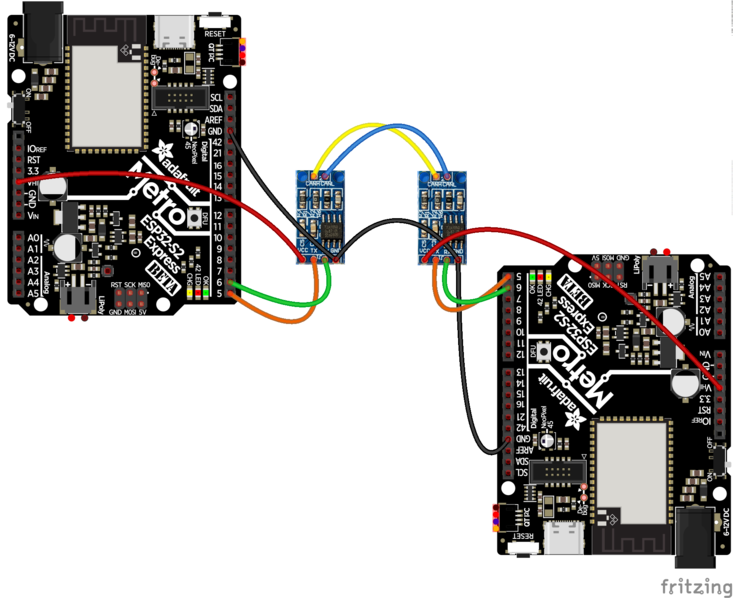
Adafruit Learning System
A Controller Area Network connects microcontrollers and sensors together.
tardy kettle
@vivid onyx No, this isn't the best place to post this. I would first ask in the #help-with-circuitpython channel since you're not sure whether it's an issue in the guide or a misunderstanding on your part. However, for future reference, you can click on the "Feedback" link in the Learn guide and leave a note there with guide-specific issues. Often guide issues reported on Discord get missed.
vivid onyx
👍
 analog saddle
vivid onyx
Hi, I noticed a typo on the CAN tutorial. About halfway down the page, the addr...
analog saddle
vivid onyx
Hi, I noticed a typo on the CAN tutorial. About halfway down the page, the addr...
Thanks, I think it was a simple typo and should be corrected now.
 rancid ferry
Does anyone have any recommendations for all-in-one kits for building a small joystick/gamepad that would be good for an 11 year old with no experience but with an interest in trying it?
 still mason
@rancid ferry there are definitely tutorials for that on youtube. I think you'd want to help the 11 year old with that kind of project. it's definitely doable but the frustration level might be high for understanding which jumpers hook up to what. The problem with a kit is, the parts in it will be not great
if you source the parts separate you'll get a bit of better build at the end
rancid ferry
Thank you
still mason

FIIIGHT! In this DIY video I will show you how to make a CUSTOM ARCADE STICK (fightstick). The goal is to make an affordable high quality arcade stick in the easiest way possible.
Build Details: http://terntek.com/blog/blog/2017/08/01/how-to-build-an-arcade-stick-for-pc-or-retropie/
There are lots of resources on DIY fightsticks and most of th...
rancid ferry
Thank you! That's perfect
 twin wolf
So, I have the CircuitPython Circuit Playground Bluefruit and the ItsyBitsy M4. Where can I go for some projects? I've done the Projects on codecademy already.
fierce lake
twin wolf
So, I have the CircuitPython Circuit Playground Bluefruit and the ItsyBitsy M4. ...
https://learn.adafruit.com/category/circuit-playground This has a bunch!
twin wolf
Thank you!!!
fierce lake
sure thing
 fiery osprey
Does anyone know any really good soldering tutorials?
half pebble
There are some good one on Adafruit's Youtube channel, specially if you look for Collin's videos. Good starting point: https://www.youtube.com/watch?v=QKbJxytERvg

Learn the basics of soldering from Collin Cunningham!
Adafruit guide to excellent soldering: https://learn.adafruit.com/adafruit-guide-excellent-soldering/
Entry level soldering iron: http://adafruit.com/products/180
Hakko FX-888 soldering iron: http://www.adafruit.com/products/1204
More Collin's Lab:
Breadboards: https://www.youtube.com/watch?...
fiery osprey
half pebble
There are some good one on Adafruit's Youtube channel, specially if you look for...
Thanks!
light bay
NASA should have something.
(I was once NASA-certified for soldering - or I have a paper/diploma thing that says so, anyway ;)
fiery osprey
NASA?
light bay
Yep.
half pebble
Digi-Key also has great tutorials: https://www.youtube.com/watch?v=tt3fKvrP8pk

The Resident Geeks from Digi-Key Electronics demonstrate how to solder using the Hakko FX888D soldering iron station.
Safety and preparation are two key takeaways for someone new to soldering. Topics covered today include: tip cleaning & tinning, component selection & sequence, using a board vice, making a good solder joint, and fixing a cold ...
half pebble
And if you look are related videos from those, you'll likely find members of the community in there as well, who have done a variety of solder work! 🙂
fiery osprey
Thanks so much guys
light bay
fiery osprey
Oh those are nice, thanks!
light bay
Yeah that's the one I was looking for. NASA. Bet you'd not have thought of them!
fiery osprey
Yeah!
light bay
I think my instructor mentioned that they don't want to carry extra weight into space, due to poor soldering, but I don't remember (it was in the early 1980's ;)
fiery osprey
That makes sense, especially since every ounce matters
light bay
The main things I remember were use of a 'spudging' tool to bend the component leads flat on to the circuit board - and cleaning with rubbing alcohol.
The crud from the flux is corrosive with time, and they didn't yet have organic water-soluble flux. (which my boss liked).
With water-soluble flux you can rinse it under tap water to remove all flux.
(after soldering)
light bay
Use a solvent that's not going to create a new problem.
I think they used IPA (rubbing alcohol).
I seem to recall something with freon as well, but I don't remember.
We weren't really that serious, then, about those what-cha-macallits that kill the ozone layer - refrigerant gasses.
We definitely used freon for something. I just don't remember what.
If I'm remembering correctly in the lab we used IPA to clean flux off the PCB after a soldering job (during the soldering class).
afaik everyone had to take that class.
fiery osprey
hmm I wish I had one of those classes, because of Covid all of my engineering classes had to skip the actual building
so we just learned about energy and mechanical ratios
instead of building cars and stuff
light bay
The factory I worked in prior to the Air Force (and that classroom) learned that I knew about soldering as a hobby, so that became my job at that factory, for a few weeks, anyway.
The class wasn't all that serious, in the long view (yeah we didn't fool around at all and everyone paid attention, but you don't learn soldering in two hours).
(just better than before the class)
fiery osprey
hmm, how long did it take you to learn soldering then after the class
light bay
Honestly I just learned a few things not to do, from the class.
The basics I already learned by experience.
You can tell - it sinks in after a while when it is wrong, because you get it right once in a while.
It's all about hot metal and melting that metal and cooling that metal.
So like if it's wrong it'll look wrong.
fiery osprey
Hmm, how would you practice? Im assuming you would still need something that actually needs solder to test?
light bay
Just use perfboard and resistors to start with.
Clean the leads with a pencil eraser and wipe clean with new coffee filters (paper).
Maybe use rubbing alcohol after that.
The resistor leads are apt to be nasty when you get them. ;)
Clean the tip of the soldering iron constantly.
Don't let it sit - turn down the temperature when you're not actively soldering.
Get a soldering station with a temperture control on the base - makes life a lot simpler.
fiery osprey
Got it. Any other tips/tricks?
light bay
I clean the solder itself with clean toilet paper.
Just a quick wipe - it'll leave a slvery mark on the paper. I think.
Stabilize everything. Your work should not budge 1/128" while the soldering is cooling.
If it moves as it cools it'll look wrong and sometimes perform wrong.
So mechanical stability similar to if you never even used solder.
Obviiously there are practical limits to that, but in general it should wiggle as little as practical.
special rules apply to components expected to dissipate heat, or are expected to act as a .. pendulum, I guess you could say .. when in motion (massive, center of mass some distance from the mechanical binding).
But for beginning work, get clad perfboard (close as you can find; larger pads are better).
And solder up a bunch of resistors (or just hookup wire).
fiery osprey
Got it. And what would you advise as a workstation? I dont want anything to catch fire.
light bay
I just tie off the AC cord so the iron can't be pulled off the table.
Don't leave the room.
Treat it like a fire you haven't yet put out. ;)
Indoor air quality issues need to be addressed, also, especially if you're no longer below age n, where n is some number. ;)
(I can't really solve indoor air quality issues where I live, easily enough, so I don't solder here in the home at all).
fiery osprey
Thanks so much for everything! You really helped a lot
light bay
Oh you're very welcome. Soldering's fun and there's no substitute for it, really (though I have a lot of work-arounds I use).
 teal sluice
@fiery osprey I’ve been working on a little “learn to solder” PCB + kit which demos how logic Gates work with LEDs. Eventually plan to sell them on my Tindie, but if you want to be an alpha tester PM me your address and I’ll send you one 🙂
 half pebble
That's very clever @teal sluice, great idea!
rough patrol
I saw a "learn to solder SMD" kit the other day but that didn't actually result in a working circuit. This is more fun 🙂
half pebble
rough patrol
I saw a "learn to solder SMD" kit the other day but that didn't actually result ...
Agreed. And then you also happen to "accidentally" learn about logic gates? That's just clever right there!
hollow rain
I'd be tempted to suggest transistor logic for most of those gates (I don't think xor can be compact enough)
but maybe too tight on space
then I realize you may actually be using three gates per chip mostly, so bad idea on my part :-)
teal sluice
half pebble
That's very clever <@!151485455622340608>, great idea!
Thanks! It's been a fun learning project for me too 🙂
teal sluice
hollow rain
I'd be tempted to suggest transistor logic for most of those gates (I don't thin...
Yeah I considered transistors but it started getting complicated for all those gates 🙂 74 series logic is pretty cheap & easy. There are a few cool similar projects on Tindie though using just transistors
 misty obsidian
Oh yeah that is really cool. Looked into some of those learn to solder kits myself but many like Sparkfun's DD-16418 were just random failed PCBs and components to solder on. I think there's something to be said about having it work in the end.
I've been watching those Colin Labs videos and he goes into soldering tips a bit there as well across some of the videos.
teal sluice
misty obsidian
Oh yeah that is really cool. Looked into some of those learn to solder kits myse...
thanks 🙂 TBH I now have PCBs and components to make up a few kits for these, but have been lacking the time to write instructions/documentation for them. Not very useful "intro to soldering" if it doesn't tell you what to do or how it works 🙂 hopefully will find the time in the next week or two.
 glossy axle
hey all, I'm trying to find a repository or book that contains a lot of 'fundamental' reference circuits. The closest I've come so far is the Encyclopedia of Electronic Components. However I want something that has a dozen different edge detectors built from transistors, op amps, and other simple components. Is this a thing that exists or is it a fundamental flawed idea given the way circuit design goes these days?
unique fossil
@glossy axle The Art of Electronics
It’s very popular and a solid reference manual
 graceful wolf
is that a good book to learn from, or just a reference?
elfin quail
Excellent Python books in the latest Humble Bundle: https://www.humblebundle.com/books/learn-you-more-python-books
[Pay what you want, $1-10-18 for various tiers]

Humble Bundle
No Starch Press is helping deliver a crash course in Python with ebooks like Automate the Boring Stuff with Python. Pay what you want & support charity!
 heady galleon
Hello lads, i wanted to ask for some help regarding learning electronics properly.
I am a university student currently and my university is not really a fan of teaching stuff the proper way, so im thrown mathematical types all day and then im somehow expected to use them in multisim and the likes, but ill be honest, i can barely remember 40% of the types im shown.
Im not completely a stranger to electronics, but similarly i always forget how to go with thevenin norton replacement and so on cause its not easy to remember strictly off theory and always theory
:/ i know this may be weird, but i am just struggling with electronics as a whole and i want to truly invest time in it, and learn it the right way
 slim rapids
Neroid, electroncs theory is a broad subject but i'm happy to share what i can remember from my formal navy training back in the 80's
wana start with the basic basics ie series vs parallel circuits using resitors, capacitors and coils
heady galleon
I understand its if not broad a huge subject, and i could never hope to learn everything off a single day ^_^.
Thats why i came to ask for suggestion regarding any book, reference or whatever you could propose so i can learn
i understand up to resistors no problem
i remember ohms laws, and how to calculate current in parallel and voltage in parallel as well (or in series)
capacitors is not my strong suit, besides knowing it holds power i struggle remembering its mathematical types for holding power
same for coils and how they affect voltage - current
slim rapids
electronics to me is about timinin. it all starts with a stable clock
heady galleon
oh what do you mean with that?
as in you need a stable groundwork, or something similar?
slim rapids
no a clock is a tank circuit
using resistors, caps, inductors and diodes you can provide +5, -5 volts at a chips frquency
heady galleon
inductors?
slim rapids
think in terms of a good ole KJ flip flop and the clock it needs to function
heady galleon
oh the coil things
slim rapids
inductors (coils)
slim rapids
do u have an O-scope?
heady galleon
i have multisim for any circuit creation so i can use an O-scope from it yea
heady galleon
okay how do i go about it?
(i also dont have bread boards i dunno how to set them up)
slim rapids
google tank circuit
heady galleon
(so ill use multisim to setup the circuit)
they really teach us nothing lol
anyway

something like that?
@_@ my head already is dizzy thinking about the possible questions one could make on this circuit
slim rapids
oh sorry i miss understood u.. you want to learn virturally. it's much better playing with physical components
lets look at the same info on line https://www.allaboutcircuits.com/textbook/alternating-current/chpt-6/parallel-tank-circuit-resonance/

Read about Simple Parallel (Tank Circuit) Resonance (Resonance) in our free Electronics Textbook
heady galleon
i would love to learn physically
i am so much better at learning stuff physically that just cramming 10000 mathematical types
like how uni does it so far
but i dont have a bread board too so ill guess ill fetch me some
but even so i dont have any oscilometer - multimeters and etc
slim rapids
in ref to that link the idea is to build a clock that you can use to pulse a chip
heady galleon
nor do i know soldering and etc
slim rapids
soldering is for after we learn the theory
bread boards make it possible to connect the components without soldering them
heady galleon
ah
i didnt know that
but im faced with a similar problem
i cant reliably remember the electronic types
i can make this clock no problem, and i can understand the circuit
but im always faced with a problem with remembering the types reliably
per example in this case i understand what im seing

but i cant remember it, cause im never faced with examples at understanding those
slim rapids
yup formulas are just formulas until you put the theory into practice
heady galleon
i understand that, but to put it gently i suck at comprehending types
its due to my educational upcoming, but i wont dig into that
so unless i somehow learn to understand 100% the types
i will never be able to reliably remember them
unless i put the theory into practice 100 times
(similarly to what ive done to mathematics and algebra)
slim rapids
welcome to the club. i'm just winging it here trying to remember from 30 years ago i will probably have to relearn it along with u
heady galleon
knowing that then let me put the circuit together no problem
slim rapids
maybe others much smarter then i will join the conversation
yah i think building a clock and pulsing a chip is a good start... of course there is the RF side to electronics which goes of into transistors for amplification
a good start is using just the 4 components, resistors, caps, inductors and diodes
then some inexpensive 8 mhz chips and toggle switches for setting the 5 volts to the chips pins so u can see slowly how things are working
or some LEDs are nice to use as well so we can see our shinny lit up results right away rater then monitoring the results on a multimeter only
 slim rapids
that looks like reactive cap forumla
heady galleon
reactive what
 slim rapids
looks like the degree symbol as in 90 degreees
heady galleon
yea that is usually somehow replaced with a euler type (but im bad at remembering types like i said so i dont remember the type)
something like i + something j
along with cos and sins
@_@ i mean no offense but i am somehow more confused
although i made the circuit
i dont get what this forum page explains
slim rapids
are u trying to learn electronics in order to pass some exam or cuz u want to learn in general
i'm not so good at helping do home work assignments
heady galleon

Nono
i dont wanna pass an assignment
i wanna learn electronics, to actually pass it in all my university classes
slim rapids
oh good u just want to learn
heady galleon
i can manage to pass all of my 50 classes, except the 5 remaining that have electronics
so i decided to spend all my time properly
to pass them and learn it
not just pass it, but comprehending it
cause atm im just frustrated
( i am majoring in informatics engineering thats why)
my strong suit is programming in software and etc
slim rapids
well dont be flustered. this stuff takes time and it helps to do theory and practice with real components in order to help make sense of it
heady galleon
So yea, its no point to help me pass an assignment, if i dont know what the freak im learning
yea i understand
what should i do with the circuit i made?
slim rapids
dont be offended i asked.... there are a bunch of kids asking for home work help and they really dont care past the point of finishing their homework assignments
slim rapids
hmmm my post disappeared
oh i think i typed to much
i was saying lets use DC 9 volt batteries and not mess with AC power supplies
dont want anyone getting hurt
 slim rapids
what's the resistor for
 slim rapids
are u drawing these circuits or copy past from somewhere
i think a good idea so we can both learn is you tube. and discuss one u tube video at a time. how do you feel about that approach
heady galleon
like i mentioned
i am using a simulator
to make these
its like a virtual breadboard
slim rapids
ok

ps i am not sure what can be done with your simulator but lets try to build a circuit using 5 volts DC and a cap and coil
and produce 8 mhz
heady galleon
i already added both

this is my board
i have a 9V DC Source
10mF Capacitance and a 100mH Inductor
i guess the resistance there is just as a low to show a general resistance, but i dunno
okay so 5 volts dc right?
what should i set my Cap and coil?
slim rapids
draw this one without the ground and without the resistor
 heady galleon
done
 slim rapids
sweet
ok using your software can u put an o-scope probe on the bottom line and see what it does
slim rapids
not sure what u mean (the A and B points)
heady galleon

where do i connect my oscilloscope
(i can see its results later on dont get confused by its "Virtual appereance")
i just dunno where to put it
just bellow?
slim rapids
place the probe here

 slim rapids
only use A and not B
slim rapids
ok no problem

 slim rapids
let's only focus on the A and simply ignore the be
B
what frequency does the A say it is
ie how many HZ
heady galleon
ehm no
slim rapids
u can connect both A and B but let's talk about the A
slim rapids
ok add a ground
 oblique surge
Because you must have AC source
slim rapids
hmm it seems like we just need to figure out how this software works
heady galleon
i dont really enjoy beer, more of a rum guy
but sure
okay so lamfe said something about an AC source
slim rapids
hmm i maybe the software requires an ac source but in physical practice you wouldn't need an AC source
the whole point of an tank circuit is to produce AC
heady galleon
uhm then yea i dunno
slim rapids
ok well let's not stop with that let's figure out how we can move forward
heady galleon
alrighty
slim rapids
maybe i can install the software and figure it out. where can i get it
slim rapids

This electronics video tutorial explains how the LC oscillator tank circuit works. The oscillations are created by the constant transfer of energy between the capacitor and inductor components of the circuit.
My Website: https://www.video-tutor.net
Patreon Donations: https://www.patreon.com/MathScienceTutor
Amazon Store: https://www.amazon....
slim rapids
at 5 min 15 seconds in that video above he notes the oscillations don't last forever and that this circuit needss to be constantly re-charged in order to maintain constant oscillations
elfin quail
Another awesome Humble Bundle with Python: https://www.humblebundle.com/software/python-development-software
 median hamlet
I wrote up an intro to DC basics: https://blog.demofox.org/2021/06/15/voltage-amps-resistance-and-leds-ohms-law/
I’ve taken up learning electronics during the pandemic, and have enjoyed it quite a bit. I’ve been programming for 25+ years, so it’s nice to have something different to learn and…
 teal umbra
hey, is there any beginner tutorial for using neopixel rgb led strip with a circuit playground express... I'm not sure if I need to cut the rubber off the strips to get it to contact with the metal on the board?
unique fossil
@teal umbra there is an Überguide on the learn.Adafruit.com site
teal umbra
ok thanks
teal umbra
ok, I need help with actually setting the strip with color.. the board I have learnt to program... and I connected the strip and the on light is turned on, but im not sure how to actually work with the leds on the strip... any help please
light bay
The only difference between the on-board NeoPixels of the CircuitPlayground Express and an external strip, is which pin they're on.
This is the wrong #topic for this.
teal umbra
ok where do I go to, please?
and yes I know we must specify the PIN but im unsure how to in the editor
light bay
You can call it projects or general - I don't think RGB LED's are specific enough to get a channel. What software will you control it with - CircuitPython or Arduino or Makecode or .. what?
The uberguide is 'the' tutorial and there are too many to list on learn.adafruit.com to mention here. ;)
teal umbra
I have gone through it my good sir, but it doesnt show me how to code the strip or how to import it
using Mu
with circuitpython
median hamlet
Wrote up a blog post on how to invert a button press
https://blog.demofox.org/2021/07/11/inverting-a-button-press-featuring-current-dividers/

 alpine orbit
where can I get a Tutorial on how to program the Adafruit Feather M0 in C with the Arduino IDE ( as if i know no C at all)
please ping me
 nova hawk
alpine orbit
where can I get a Tutorial on how to program the Adafruit Feather M0 in C with t...
nova hawk
alpine orbit
where can I get a Tutorial on how to program the Adafruit Feather M0 in C with t...
Which Feather M0 do you have ? You can search https://learn.adafruit.com/ for your specific board, and get the correct guide (https://learn.adafruit.com/adafruit-feather-m0-basic-proto/setup this is an example for the Feather M0 Basic Proto)/
 nova hawk
alpine orbit
please ping me
nova hawk
alpine orbit
please ping me
You can also find detailed guides about working with Arduino, like https://learn.adafruit.com/series/learn-arduino, and also more advanced projects
alpine orbit
good enouh. I know about the hardware ( i used Python for pretty complex projects) but the C language is kinda new to me (and there isn't just syntax but also builtin functions to learn)
nova hawk
The Arduino beginner lessons should be helpful then, they show what the syntax is, and how to use each component, and after that it's easier to figure out.
still crest
Suggesting a fix - was following build for Square NeoPixel Display with Black LED Acrylic - https://learn.adafruit.com/sqaure-neopixel-display-with-black-led-acrylic/code but code shown at: https://learn.adafruit.com/sqaure-neopixel-display-with-black-led-acrylic/code has code for 8x4 rather than 8x8. Change:
pixel_num = 64 # was 32

Adafruit Learning System
8x8 NeoMatrix and Feather M4 Express
and also fix the:
    pixels, 8, 8, helper.horizontal_strip_gridmap(8, alternating=False)
)
pixel_wing_horizontal = helper.PixelMap.horizontal_lines(
    pixels, 8, 8, helper.horizontal_strip_gridmap(8, alternating=False)
)``` were 8x4Use the "Feedback? Corrections?" link in the left sidebar for the guide if you have not already done so. That associates feedback with a particular guide. It is anonymous, though, so you won't hear when it's fixed.
 zinc sentinel
Made a beginner-level tutorial for making light-up accessories using sewable electronics/conductive thread. Includes some printable patterns/circuit examples 🥰 https://www.brittzay.com/blog/led-bracelet-necklace-e-textiles-tutorial

Brittzay
Simple sewable e-textiles project to make your own bracelet, bracer or necklace.
 trail lance
I think wearing the glowing spike collar would be very chic during Matariki fireworks!
zinc sentinel
haha it sure would! 🌟
 honest junco
Hello all! Does anyone know if there is a tutorial that demonstrates how to make the adafruit macropad wireless/Bluetooth?
tardy kettle
@honest junco I don't think so. I think everything's been wired so far. I'm not certain it's possible. You're better off asking in #help-with-circuitpython though, if that's the language you're hoping to use. More folks pay attention to that channel. We discourage cross-posting the same thing in multiple channels, but in this case, I'm suggesting it, so it's ok. I'm not sure anyone's done that yet. But someone in that channel might know!
honest junco
tardy kettle
<@!711332265308848258> I don't think so. I think everything's been wired so far....
Thank you for the response. I’ll post it over there. Wish me luck!
zinc sentinel
Finished another tutorial for beginner e-textiles project ideas, this time going over making a removable patch for clothing/toys/accessories 💖 Patterns are included! https://www.brittzay.com/blog/led-patches-plushies

Brittzay
How to make your own LED removable patch for clothing/accessories, or a LED plush toy - Free patterns included!
still crest
Checking to see if a guide needs an update, or if I've got something wrong. Learn guide for the CPB guided tour re: light sensor states: "This sensor is connect to analog pin A8 and will read between 0 and 1023 with higher values corresponding to higher light levels. A reading of about 300 is common for most indoor light levels." (see guided tour - https://learn.adafruit.com/adafruit-circuit-playground-bluefruit/guided-tour)
But when I run basic code:
import analogio
import time
# setup light sensor
light = analogio.AnalogIn(board.LIGHT)
while True:
    print((light.value,))
    time.sleep(0.2)```
I get values that look more like they max at two bytes ~ 65K+
Thanks!sounds like your readings are coming up SHORT! 
though that is an OPEN question which way it goes
now that I'm done punning on failure modes I'll see if I have one of those on hand to test (nope, just a CPX here)
I did not know that was a photo-transistor! I wonder if I can make that receive high speed binary signals...
so yeah, maxed out signal could be a short? or you live inside the sun
still crest
@hollow rain I've tried it on a few boards. I think the CPB definitely reports results as two bytes - about 65,000+. Sorry if I have this wrong, but I think the learn guide might need an update.
fleet harness
still crest
<@!166818440873639936> I've tried it on a few boards. I think the CPB definitel...
If you do find that it needs an update, you should fill in the form at the Feedback? Corrections? page at the bottom of the nav section
