#help-with-wippersnapper-and-adafruitio
100 messages · Page 5 of 1
 sacred depot
sacred depot
sacred depot
@sacred depot would you tell me is it a arduino program problem
 south gust
@royal rapids You have any thoughts on that IO Map block question or is it not doable? That's fine too.
sacred depot
@sacred depot I would suggest you break it down into chunks. Try sending test values to Adafruit IO and see if those come up, then try a test sketch to make sure you are reading local sensors ok, then third combine the first two
@sacred depot it just all the sensor data trapped in the uno side, none of them are transmit to esp8266. beside, the mqtt connection between io and esp8266 are ok now.
 eternal cliff
This is an asychronous serial link from the Uno to the ESP8266?
sacred depot
both set up are 115200
eternal cliff
I'll take that as yes. What I'd do next is verify the Uno is sending (a simple LED with a current limiting resistor should show traffic by flickering). If it's sending, then I'd see if the ESP8266 is receiving.
 uncut imp
Hello, I am curious if there's a way to remove the feeds data (let's say 300 data) without deleting the whole feed?
 royal rapids
hi @uncut imp , in short - yes! you can remove the data points.
However, removing a data point is considered an API action and subject to the data limits of your Adafruit IO plan. You may hit an error when attempting to automate/remove a large amount of data points at once.
uncut imp
@royal rapids I see. I'm trying to do data collection in different periods of time with using the same feed, and save the data (in certain period) in .csv files separately. My alternate solution is to delete and set up the same feed again every time I run the data. My goal is to not have accumulative data in my .csv file each time I save it.
royal rapids
@uncut imp Could you filter by data/dates in the CSV file? or use separate feeds for separate periods (feed_per1, feed_per2...)
uncut imp
@royal rapids I'll try it, thank you!
royal rapids
@uncut imp no problem, let me know if that works (or doesnt..) and I'll figure out some other options w/you
sacred depot
Is there a way to condense multiple aio.send_data operations into a single push? I'm trying to minimize the number of uploads/updates my script makes. My script minus the imports and AIO keys looks like this: aio.send_data(enclosurehumiditygrey.key, ehgrey) aio.send_data(enclosuretemperaturegrey.key, etgrey) aio.send_data(ambienthumiditygrey.key, ahgrey) aio.send_data(ambienttemperaturegrey.key, atgrey) aio.send_data(cputemperaturegrey.key, cputempgrey) time.sleep(30)
 abstract mica
it doesn't look like there is an API endpoint for submitting data to multiple feeds at the same time. You could upload multiple records to a single feed but that isn't what you want.
sacred depot
Thank you. I had looked over the example and didn’t see the option, I was hoping I had just missed it. I’ll probably go tweak my timings to save on data points.
royal rapids
@sacred depot There is an endpoint for sending multiple data points to one feed, you could also condense the data into metadata for that data point.
i.e: provide IO with a json-formatted data payload containing information about multiple sensors, in one io.send_data
then parse it (unless you want it on a dash.)
royal rapids
@sacred depot Also - thanks for creating a HUGE dashboard, I've been looking at it for inspiration for a few things. It's also a good example.
sacred depot
Thanks! Two questions- is there a way to submit multiple feeds at the same time, like ehgrey, etgrey? If I do, does that count as one upload or two on my IO+ cap?
One wishlist item is a radial/gauge that has two rings/values. All I really want is to compare ambient and enclosure temps
I couldn't get it working on CP the way I wanted, or else this would be a great Adafruit IO Thermostat 🙂
Let me know what you think @royal rapids
royal rapids
@sacred depot 1) is there a way to submit multiple feeds at the same time, like ehgrey, etgrey
That counts as two uploads, it creates two data points and performs two API actions.
An interesting way to think about IO is as a _ great_ API with a really nice web interface. For example, IO Web (like clicking around, etc) actually uses the MQTT API and creating feeds from there shows up like any client would.
The radial gauge is interesting, do you have any examples of this in other services/web designs/product designs? Adding new blocks is something I can request from the IO Web development team.
sacred depot
@royal rapids let me mock something up, but the wishlist item would be very compact, one radius gauge just like now, a smaller radius inside it, and a third value in the "value" field in the middle. My use case is to show two temps on the radial gauge, then the delta in the middle.
by the way @royal rapids you can see how some data sources are very unreliable, like the REST data from Octoprint. I know it's only one developer, but the value for print ETA is going to teach me better error handling 🙂
royal rapids
I did a multi-printer octoprint hub a while ago, it was unreliable but worked OK.
@sacred depot Ok, I like the dual-feed gauge idea. I filed a feature request for the IO team. These feature requests arent urgent and sometimes get added, sometimes dont. I can't guarantee its implementation
sacred depot
Thank you- that's cool either way... I would love to see it implemented. I'm almost done with this one and will probably make an ultra compact mobile-friendly view. What would be really awesome is the ability to embed a gauge into a different webpage. Imagine being able to share a single gauge via thumbnail on Twitter, etc. or just on a blog.
I'll end up cleaning up my scripts and writing a Learn article on this too- but I need to clean up my sloppy time.sleep statements so people don't blow through their update caps. Debug was 1s delay for the first pass, and
I changed that quickly
royal rapids
Yep, we've internally discussed doing embeds but only for blocks
If you want to write a learning guide about this project and aren't set up - feel free to email me (brent at adafruit dot com) and I'll point you in the right direction.
sacred depot
@royal rapidsu I am already set up- thank you. btw, there's an active print going on for the next ~5hrs so you can see the "black printer" doing a job. The grey printer is in a pile 🙂 https://io.adafruit.com/jdoscher/dashboards/back7-factory
Adafruit IO is the easiest way to get your projects onto the Internet of Things!
south gust
Can I use the momentary or toggle blocks to launch an external web page in its own browser window or tab? In my instance I want to launch a specific NOAA tide station that is in proximity to where my weather station would be located. NOAA has a section called CO-OPS where all that type of stuff resides and I'd like to find a way to integrate that in to the weather station IO Plus setup.
south gust
Here is one of the pages I am referring to.
description here
It has several formats such as json, csv but can I pull the data in to a line graph as another option
south gust
@royal rapids Are there any tutorials / examples of webhooks in IO that are real world rather than the API documentation to see if that can be applied to fetching data from NOAA and plotting it in line graph. Documentation implies it is possible.
royal rapids
@south gust There's a twitter webhook example
sacred depot
Hello and HELP:
I connected Gemma v2 with a USB2 cable, but I can't see an icon on my laptop (macOS High Sierra, 10.13.6) - it is not recognized!!!
For a workshop with kids I wanted to use Gemma aswell with Windows 7 / 10 - I have installed the driver but I and can't see the Gemma either... there is a sound when I plug in but I cannot see the Gemma in my devices,,,
What can I do??? Please HELP!!
Kind regards, Panzi
eternal cliff
The Gemma v2 is an older design which attempts to emulate USB in software, and the emulation is necessarily imperfect. More modern systems are likely to have issues with it.
As the product page https://www.adafruit.com/product/1222 states up top, in bold print: "Deprecation Warning: The Gemma bit-bang USB technique it uses doesn't work as well as it did in 2014, many modern computers won't work well. So while we still carry the Gemma so that people can maintain some older projects, we no longer recommend it."
Did you start the bootloader properly? It doesn't enumerate as a storage device like newer boards, it only shows up as a limited serial device when it is in bootloader mode.
sacred depot
Hello Madbodger, thanks for this info: I was buying the Gemma just last week and thought it is a new model - there are just v2 to buy here (I am living in Germany). Because I am quite new into adafruit: What exactly do you mean when you write if I started the bootloader correctly?
I wanted to program this with make code - https://learn.adafruit.com/neopixel-spats/code-with-makecode - but I do not understand how to download it to the Gemma V2 because it is not shown when I push the green button "klicken/click"... and in general: do you think this make code will only work with the Gemma M0?! 😦 I am a bit upset now...

Adafruit Learning System
Glad Rags for your Gams -- Be the Dame with the Bee's Knees
this is my Gemma 🙂
royal rapids
@eternal cliff @sacred depot Could this conversation continue in #help-with-makecode? This is the Adafruit IO channel.
 pastel flower
Hey, just posted on the forum too, but I have a weird issue with Adafruit.io
I got to get my AIO key, and its stuck in a perpetual loading state
Also I did look in my console just now and saw that:
These were being thrown
And they are from the redux implementation of adafruit.io (I checked)
royal rapids
heya @pastel flower Can you access the feedback page? https://io.adafruit.com/feedback
Adafruit IO is the easiest way to get your projects onto the Internet of Things!
pastel flower
Yes
royal rapids
@pastel flower ok, I've been able to replicate it from my end. I contacted the Adafruit IO Dev. team with this issue. I'll ping you with updates as it's repaired.
Thank you for reporting this bug
pastel flower
Thanks!
royal rapids
@pastel flower We just deployed a fix for this issue. You should be able to reload the page and get your key now.
pastel flower
Thanks!
 pastel citrus
hi, i have a general question about adafruit.io. I would like to get 5 things on my adafruit.io dashboard (live instagram/twitter count, gps-data (daily distance, distance from location) and possibly weather data. My idea is to utilise a Adafruit Flora + Bluefruit LE (Module & App). Thus, I will be using adafruit.io, with all these data on the dashboard.
I have found an example for youtube-subscriber counters (coded directly in Arduino, using wi-fi). However, I need to get all these social-counters + gps + weather on adafruit.io dashboard. I have followed the example of github webhooks & reviewed ifttt applets. What would you recommend on pushing GPS-data + socialmedia-counters?
pastel citrus
to be more specific, i need help with 'adafruit.io receiving external JSON' and pushing it on a dashboard
pastel citrus
I have tried Zapier integration, but for some reason I cannot work it out, even though I got the status to '200' on it, instead of IFTTT (which seems to have outdated tutorials, since I could not adjust much on webhooks anymore)
pastel citrus
I have decided to carry on, hoping somebody notices. I've managed to connect InstaJSON -> Google Sheets -> IFTTT -> Adafruit.io
No update though
Google sheet needs to be updated automatically, which is another challenge.
 languid frigate
Hmmm, trying to send a URL through the IO image formatter, and all I'm getting back is a JSON error, error: request failed - failed to load and process image
Other plain http and https URLs appear to work, but this one I need to use is generated, and the URL has parameters
I suspect it's the ? and & parameters tripping the IO service up but I'd appreciate clarification!
languid frigate
hmm, appending parameters to a known good URL still works. maybe the service is blocking IO?
pastel citrus
forums didn't help either. what's my best option for seeking adafruit.io help?
royal rapids
@pastel citrus Where was this posted on the forums?
OH, I just replied to it.
@languid frigate It's possible - Could you file a bug report over at https://io.adafruit.com/feedback with the URL you're trying to use and a description of the problem
Adafruit IO is the easiest way to get your projects onto the Internet of Things!
pastel citrus
@royal rapids Thank you very much for your kind answer. So far, I have progressed enough to 'post' a follower count to my Adafruit webhook, using Zapier's service. However, Zapier's webhook integration do not get updated every single time as you mentioned, requiring me to set it up for a time-span (hourly/daily). I would possibly set it up directly from Instagram and other services as you mentioned. I think this part of problem is solved. However, I'd have to say that I would be much more willing to pay for adafruit.io for recurring (or triggered) requests than other services. Do you have any recommendations/alternate methods to post data manually to adafruit.io? What would be your recommendation for getting the GPS data over Bluetooth App and to MQTT? Thanks a lot again for your time and informative answer.
royal rapids
@pastel citrus Right, Zapier takes a while to perform actions (anywhere from 15min to 1hr). You can use Adafruit IO's webhook capability directly and bypass Zapier.
What do you mean by "recommendations/alternate methods to post data manually to adafruit.io"?
We have two public APIs, the HTTP API and the MQTT API. I suggest using the HTTP API (https://io.adafruit.com/api/docs/#adafruit-io-http-api) for ease-of-use and creating new data using the endpoint (https://io.adafruit.com/api/docs/#create-data). We have samples on that page for using the API with cURL, Python, Arduino, or Ruby. Use whatever you're most comfortable with
What would be your recommendation for getting the GPS data over Bluetooth App and to MQTT?
Admittedly - I don't do a lot of bluetooth work with Adafruit IO. The supported method is connecting your BLE module to Bluetooth LE Connect and bridge it to Adafruit IO with your Phone (https://learn.adafruit.com/datalogging-hat-with-flora-ble/bluefruit-le-connect-settings). Your other option would be to use a WiFi-enabled board or breakout (do not need to rely on your Phone as a bridge between BLE and WiFi).
pastel citrus
I have already received (just today) my Circuit playground and Flora packages. The reason I went for non Wi-Fi alternates was being easy to sew. Huzzah seemed harder for that purpose. But, I might get that as well, if necessary. I'll try my best to get live GPS-data from iPhone (similar to GPS-distance showing Jacket example) to MQTT, which will be probably quite a challenge to find. I will probably get help from a back-end developer to set up a cloud service that posts my GPS-data as well as stats counters.
Thank you very much for your help.
royal rapids
@pastel citrus Are you able to post to Adafruit IO from your Flora and the BLE Connect app?
pastel citrus
@royal rapids I have connected my Flora & Bluefruit, I had the chance to update through the App. I only got stuck at the 'atcommand' sketch. As I cannot factory reset. as soon as I figure this out, I think I will be very close to say 'yes' to your question.
pastel citrus
@royal rapids I have managed to get to UART mode running (big leap so far)
pastel citrus
@royal rapids Yes, I did. I have an Insta-Follower slider which does not get updated continuously. Now, it is possible to see the numbers and control the sliders.
@royal rapids I need to be able to 'get' Instagram and Twitter follower-counts repetitively at the same time (to change colours of different neopixels) + one gps neopixel that receives lat-long from iPhone. Let's say I use Zapier for that. But, with the App I can only connect to a single feed. Is it possible to connect to multiple feeds?
Final Q: I can send my GPS-data in 'Controller' mode of the App. However, whenever I switch screens, the feed is killed. Is there a way to 'get' multiple feeds from adafruit.io using UART mode, and send GPS (lat-long, elevation) simultaneously?
pastel citrus
Current Status: I followed the tutorial here: https://learn.adafruit.com/bluefruit-le-connect/mqtt and i can in between iPhone & arduino, iphone & adafruit.io, but not "adafruit.io & arduino" (feed on macbook only receives from iPhone). the 'output' feed does not seem to work. This is an additional issue, next to my multiple-feed problems.
'
royal rapids
@pastel citrus Could we continue working through this on the forum topic, for now? I'm going into exam and proposal writing mode for the next week and possibly another moderator can pick this up
pastel citrus
@royal rapids sure, i’ll post the progress over there, thanks.
pastel citrus
@royal rapids I just realised the group.feed functionality, I will try to bugfix my set-up. Get the output done, maybe even try to use the group-feed and then write a message (probably around the weekend). I also seem to have a pretty busy uni. schedule 🙂 Thanks a lot!
royal rapids
@pastel citrus Good luck this weekend, post up in the thread so I can check up on any issues you're having
sacred depot
Hi, I recently setup account with adafruit to connect my rasp pi for subscribe/mqtt .......the dashboard is not displaying my publish, i think its because I am not using TLS, do i need to get the root certs off adafruit to connect for mqtt
sacred depot
Hello humans. I have successfully connected adafruit.io to google assistant with ifttt. but im trying to convert a colour value to hex for adafruit.io. I made some code for a ifttt filter but i cant seem to find an api to help me. the only function shown is adafruit.sendData.skip()
what do i use to actually send my data? ive tried all the logical things like adafruit.sendData(#FFFFFF) and adafruit.sendData.Data(#FFFFFF) but it always comes up with an error
help would be greatly appreciated
i spent a few hours searching so now its time to pleed for help
pastel citrus
@royal rapids I have updated the thread, with 3 new message to explain where I am at, and where I got stuck. I cannot get adafruit.io strings to flora. Thanks a lot.
sacred depot
who is the best person to probe about adafruit.io and ifttt api
 little siren
@sacred depot I'd try searching for RGB in the Adafruit Forum: Internet of Things: Adafruit IO
https://forums.adafruit.com/viewforum.php?f=56
And if that doesn't help, create a new topic in that forum with your specific question, including your code.
sacred depot
thanks @little siren ive searched a fair bit. good advice ill give that a try
sacred depot
 ornate kettle
Hi guys. I have a doubt regarding the ip addresses and the ports to unblock for adafruit io. I've got a couple of "IOT sims" and they require specific IPs to be whitelited, so any help regarding this will be appreciated. Thanks in advance. 🙂
pastel citrus
@royal rapids I ran into mqtt char limit (from ios app to ble received) as well, it might be your post. // Maximum length of data sent/recieved from Adafruit IO
#define AIO_DATA_LENGTH 45 Do you think this could be the reason for me to have clipped text from iPhone to BLE ? once it is passed on. Actually, adafruit.io seems to receive everything as well as iPhone App.
pastel citrus
@royal rapids Circuit Playground Express has the very same issue. However, functions way better than before. But I have the strange character limitation.
south gust
A while back I asked a question of an Adafruit forum, the gist of which was how to programatically create and assign feeds to a group. @royal rapidsu put in ticket and made a change https://github.com/adafruit/Adafruit_IO_Python/issues/104

GitHub
As of now, feeds created will be created in the "default" group. Instead of creating feeds in the default group, change the create_feed call to include a group kwarg: def create_f...
For the life of me I can't figure out how to make it work. I can create the feeds just fine but they go to the default group. Ive tried various variations on his forum example but can't get it to work
ornate kettle
Hi guys. I have a doubt regarding the ip addresses and the ports to unblock for adafruit io. I've got a couple of "IOT sims" and they require specific IPs to be whitelited, so any help regarding this will be appreciated. Thanks in advance. slight_smile
south gust
In IO+ can you put an upper & lower limit on a line chart? Having a static feed to create a high and low doesn't seem like the most viable way to do that.
 hushed sigil
@ornate kettle I see two IPs when I "dig io.adafruit.com"
io.adafruit.com. 240 IN A 52.7.124.212
io.adafruit.com. 240 IN A 52.72.201.158
I would whitelist those.
Those IPs are part of Amazon's AWS cloud. So the IPs might change if they do some backend maintenance with their virtual machines, and you'll be stuck with old IPs in your white list. Can you white list the domain name?
ornate kettle
@hushed sigil I tried whitelisting the domain name, and it only whitelisted the ports 80 and 443. Which led to partial loading of the main page. Now, when I asked them to whitelist the mqtt non secure port(1883) on the domain name, esp32 couldn't connect. The esp couldn't connect on the normal ports of 80 and 443 too for mqtt(this is what I tried first.)
P.S the esp32 can connect normally. The problem arises when people try to blacklist everything, and then try to whitelist one by one.
hushed sigil
@ornate kettle When you say "they" is this your work or university's IT department?
ornate kettle
@hushed sigil sorry I meant the SIM card providers. They have specific sims for IOT. For security reasons, they recommend blocking everything except the ones that are required. Actually not recommend, but forcefully do so. 😅
hushed sigil
I just did a netstat on my computer and I see a connection to ec2-52-7-124-212:8883 when I connect my python script to adafruit io. Maybe you just need port 8883 open for 52.7.124.212?
ornate kettle
@hushed sigil okay. I'll try that. But I'm using the non secure port, rn. I'll try using the secure one. Thanks for all your help.
abstract mica
non-secure would be port 1883, but you should use the secure if your board is capable of it
sacred depot
I solved my own issue with ifttt and adafruit.io. I made a simple mistake. https://forums.adafruit.com/viewtopic.php?f=56&t=158314
eternal cliff
Thanks for sharing the fix, that will help others in the future!
royal rapids
hi @south gust - I do need to get to that, I didn't initially write the Adafruit IO Python library so it'll take some time for me to unbundle the feed model.
royal rapids
(the IO CircuitPython library is more straightfwd in how it handles groups)
south gust
@royal rapids I tried every which way and couldn't get it to work. As a side note to that, I created the feeds and they are under the default as we talked about. There is a feature on the IO+ site that you can select a feed and move it to another group and I tried that but that does not seem to work. It seems like a straightforward process but nothing would ever transfer.
royal rapids
@south gust Were you trying from the library or the web client? Both?
south gust
I guess it would have been from the web client
royal rapids
IO Web has a small "add to groups" box for when you're creating a new feed. Seems to work.
@south gust hrmm, where did you find the "feature on the IO+ site that you can select a feed and move it to another group"
south gust
@royal rapids It's under the groups option. For me, I have a group titled WEATHER. If I select that group, then in the ACTIONS drop-down there is a selection to move a feed and all the feeds I've created are listed but if one is selected, ultimately nothing happens
royal rapids
@south gust here?
(I'm trying to figure out where the error is so I can report it to the web team)
south gust
No, let me grab a couple of images
royal rapids
Thanks! As much data as possible is helpful for filing issues.
south gust
@royal rapids
I can't recreate it completely now which may because I have the system shutdown. What I could do was to select WEATHER and it would come up with not the page I built but a very similar page as this but in the actions drop down there was an option to add a feed to the group.
@royal rapids I figured it out. Give me just a moment to grab those images
In Feeds, View All, then select the Group at bottom weather.
south gust
It's a well built bug. It would be nice if it worked but what little I've read and understood about feed keys it might be problematic
royal rapids
Submitting an internal bug report.
@south gust I'm going to document and submit it. I'll ping you when it's been resolved.
south gust
Okay. Thanks
royal rapids
Thanks for bringing it up, these issues are tough to find
royal rapids
@south gust re: "In IO+ can you put an upper & lower limit on a line chart? Having a static feed to create a high and low doesn't seem like the most viable way to do th" < Could you post this in the block suggestions thread so it'll get picked up when we sweep it for ideas? thanks! https://forums.adafruit.com/viewtopic.php?f=56&t=130408
@pastel citrus hi - I'm back. I posted up on the forum topic about the issue you're having along with a potential fix. I think the data length is the issue.
You may be able to resolve it without changing library code. If you run into a limit (this one is likely physical, because of the transport you're using) with sending large chunks of data to Adafruit IO - you could split the data up into chunks of data.
For example - instead of sending lots of data to a single feed - try performing multiple sends of <90chars to multiple Adafruit IO Feeds.
@ornate kettle Were you able to unblock the IPs related to Adafruit IO?
south gust
@royal rapids I'll do that. Seems like it would be similar to the high and low alerts you can set in the gauge block would be optimal. Setting a static number as a data point just another data point to upload.
royal rapids
Right, we could absolutely add it. Block features are some of the best suggestions to make for the service since they're easy-ish to implement 🙂
(I like the idea, at least 🙂 )
pastel citrus
@royal rapids I am really short on time, I hope to be able to find a solution with a workaround. The fix on the forum unfortunately does not work, and it was something I have tried before. I have also found a git issue that was not implemented on the MQTT library, and I could not figure out where the fix should be applied to. The link is: https://github.com/adafruit/Adafruit_MQTT_Library/issues/17

GitHub
there seem to be a couple issues with the publish packet length. currently the payload seems to be limited to 128 chars. i think the problem is related to length being stored as uint16_t, and sent ...
pastel citrus
Zapier is very frustrating with its limitations when trying send 2 values in an object or array. I am shocked by how much I struggled with sending 500 bytes of data, or filtering it to BLE device.
royal rapids
Hi
pastel citrus
Hi
royal rapids
Just got into the office
So it's possibly a few things, IoT projects are very hard to diagnose
pastel citrus
No worries, it's late night here down under. Tomorrow is the final demo day for my project.
royal rapids
Ok, so, what specifically, is not working at this point
pastel citrus
I cannot send anything other than 100~ characters from Bluefruit LE App to BLE
pastel citrus
iOS
royal rapids
Ok, I'm going to file an issue with the developer for the BLE App. It may be an app issue.
Unfortunately, that means this issue will need to be looked into by a developer and will take time (I dont work on Adafruit's iOS apps)
pastel citrus
I see it in the feed completely adafruit.io -> Bluefruit LE
OK, I see. But I think this sounds more like a MQTT problem (looking at the latest link I sent).
royal rapids
It looks like ladyada impl'd the fix and tested it?
I'm not sure exactly where the issue in the library is..
pastel citrus
I downloaded the MQTT lib from github. Maybe I am copying it at the wrong place
since it's been so long, i think arduino libraries must have been updated too
royal rapids
Oh, hmm I have an idea
GitHub
Arduino library for MQTT support. Contribute to adafruit/Adafruit_MQTT_Library development by creating an account on GitHub.
@pastel citrus have you tried increasing this?
pastel citrus
I'm testing it now.
royal rapids
worth a shot, it's the most relevant #define for what you're looking for (imo)
pastel citrus
didn't help.
royal rapids
Did you make the change while Arduino was closed, and open arduino ide after you made the change?
royal rapids
What did you increase the buffer size to?
pastel citrus
yes
royal rapids
Is there a way you could send less data, or is the GPS data very large?
pastel citrus
Yes, Zapier has a function to Catch webhook, and then it forwards a specific value, however I need to send 2 values at the same time. lat & long (at least 2).
Zapier does not support 2 values in one post (possibly to avoid multiple automations at once)
royal rapids
Dang, the buffer size is the main thing from the hardware side. I wonder if it's the packet is truncated by the MQTT client from the iOS app...
pastel citrus
I can test the ios app with MQTT.fx maybe?
royal rapids
not sure, I haven't used the iOS app before. dont have much experience with it.
pastel citrus
This is actually not testing it, but it might help me modify my feed
I think I made Zapier send me two values send two numbers with a comma separated value
Do you think it is possible to assign them to variables in Arduino?
(I am a newbie in coding)
This might be the workaround. I use "name/g/groupname/json" as subscription
royal rapids
What does the subscription look like?
pastel citrus
-12.1234567890,123.4567890
and the feed is: [Recv] {"feeds":{"latlong":"-12.1234567890,123.4567890"}}
I changed the numbers, but the format looks like this
I can't really get an array
the value zapier shows is this -12.1234567890,123.4567890
@royal rapids apparently the digit number is the same
this might solve it for me probably
royal rapids
Digit number? Do you mean the value?
pastel citrus
no, number of characters
it goes like this
12.345 , 123.45
so if i can divide the string into 2 strings, and then (maybe with string token or smth like that) i can float those 2 newly generated strings
and then assign vars and do the calc
i can't generate 2 separate strings from one
eternal cliff
What language? It's fairly easy to break up strings in C, Python, etc.
pastel citrus
Arduino
I have a string looking exactly like this
-12.1234567890,123.123456789
so I need to extract -12.1234567890 as var1 and 123.123456789 as var2
@eternal cliff minus sign makes things more complex though.
alternatively: I need smth that will take the characters as a float (or short) until the comma arrives, and the second number is as var2
eternal cliff
char * dp = strchr(data, ','); // find comma

*dp++ = '\0'; // terminate first string, move to second string

float num1 = atof(data);    // convert first number to float
float num2 = atof(dp);     // convert second number to float
That's assuming your string is a C style string, an array of characters. If it's a C++ style String object, it's slightly different
pastel citrus
Arduino got stuck at uploading stage
strangely
It works, but with a trick.
I an only get 6 digits, if i make it short, it would probably be solved, right?
eternal cliff
That's about as many digits as fit in a float. A short is an integer quantity, which is probably not what you want.
pastel citrus
then i'll want long
eternal cliff
On some CPUs, a double will have more digits, but many of these small ones, it's the same as float.
pastel citrus
i was thinking about single, i'm terrible : )
eternal cliff
long is also an integer. I suspect that double is the only built-in option for higher precision floating point (if it's not the same as float). Otherwise, you're in the realm of hand-coding numerical routines.
Why do you need all those digits? Sometimes it's possible to adjust your approach so you can work around the limitations of the environment more easily than hand-coding your own extended-precision math.
pastel citrus
it's a gps location (lat-long) that's why
i want to show distance from 2 different locations
with 2 LEDs
eternal cliff
And you need accuracy down to a few meters?
pastel citrus
if i am close to one location that LED is green. if not orange, if too far red.
No, 100m accuracy is good enough
But, the more precise the better, because averaging gives similar numbers
eternal cliff
It might be worth converting the integer and fraction parts separately, then subtracting the integer parts and applying the difference to the fractional difference.
That way instead of having to deal with (say) 181.338571 - 181.347562, you could scrape off the 181-181 part and then only have to subtract 0.338571 - 0.347562 so you don't waste mantissa on digits that don't enter into the calculation.
pastel citrus
I'll test it with double, let's see how it works.
I will probably do smth like that, first I need to understand how my movements reflect on color range.
eternal cliff
I may be wrong, but I'm assuming you're doing a Pythagorean approximation of a flat surface so distance = sqrt((lat2 - lat1) ^ 2 + (lon2 - lon1)^2)
pastel citrus
I still need to map 0 to 100 to HUE from Red to Green
eternal cliff
There are a few places you can just grab the hue mapping code.
pastel citrus
I will need this difference to become an integer in the end. Oh, I'll check that tomorrow morning during workshop (in 4 hrs). AU time is pretty late at the moment
no, double did not help
My code has another issue
Either atof function, or strchr somehow gets me shortened numbers
eternal cliff
strchr() just finds the comma, but atof() has limited precision.
Since you'll want an integer result ultimately, it might make sense to use integer math. You could do something like multiply the fractional part by as many digits of precision as you require and treat them as integers.
pastel citrus
The number is there, the serial print was the issue.
eternal cliff
Using the example I had above, you could do something like treat 0.338571 as the integer value 338571 instead and store it in a long variable.
Ah, good catch!
pastel citrus
one of my coordinates is AB.91
so that's why I was a bit scared of it, but for presentation purposes, I'll go with that method probably.
eternal cliff
I'm not sure what AB.91 is, maybe a Maidenhead grid square?
pastel citrus
no, no ... it is close to the next number
that's why i want to keep integers alive, just in case i move a lot
maybe also being able to set new parameters could be nice too
it will be a shoulderbag with led's showing distances from different locations
it's been too ambitious for a beginner project to go for BLE + iOS + ArduinoJSON + adafruit.io all at once, but it's been a pretty fun process so far.
And I can't thank enough.
eternal cliff
It's a tricky problem, as floating point numbers can have cumulative errors when doing calculations, but you have to do a bunch of bookkeeping if you use integer math (which doesn't have the cumulative errors).
It does sound like a cool project.
I did find this useful page for doing hue/saturation/value color calculations just using integer math http://www.vagrearg.org/content/hsvrgb
pastel citrus
I'll definitely check this. I am planning to use 4 neopixels and maybe fast led. I'll have a look at it after a 3hr nap, I am more or less ready for the demo.
@eternal cliff Thanks big time.
@royal rapids Thanks a lot, I have been working as a ux designer for quite some time and already took some notes for the Bluefruit LE App. If you'd like to have some feedback, I can supply my own user-stories for ux research, or help with some heuristic ui-related feedback as well.
pastel citrus
@eternal cliff I've got one final issue apparently, since I am struggling with debugging it.
I am using the same serial connection to get 3 ArduinoJSON deserialisations
const char* feeds_twitter = doc["feeds"]["twitter"]; // "49589" const char* feeds_insta = doc["feeds"]["insta"]; // "392" const char* latlong2 = doc["feeds"]["latlong"]; //actual latlong string
there's a loop and somehow the board gets stuck.
it happens to have problems with uploading too
pastel citrus
it probably looks for the comma and cannot find it
eternal cliff
The strchr() routine should return a pointer to the comma if it finds it and NULL otherwise. Probably the code should check for that.
pastel citrus
I solved it with an if/elseif/else loop for 3 conditions. Now, it seems to be good, but it's been a bit heavy on the board, it started to struggle for uploads. Restarted the computer, let's see how it goes. This could be the final logical iteration.
The rest will be colouring LEDs, which I am not worried about as much as this part.
I cannot see the port, it was making a sound. Now, I don't see the port. Is it possible that I messed the board, or my port?
Is there a way to check this?
eternal cliff
Which port, the serial port used to program the board? Or the port the GPS is connected to? Or something else?
pastel citrus
usb, serial board
I cannot see it after hard restart either
but the lights of the bluetooth & c playground blink, the energy comes
a mouse works as well (when i connect one)
arduino starts extremely slow as well, waits long at initialising packages screen
this looks really serious,
i will look through forum as well, but if it's a common issue, i'd appreciate any advice.
pastel citrus
solved it
eternal cliff
Oh cool!
Note that I simplifed the math somewhat with lat/lon to distance. While latitude has a (more or less) fixed distance per degree, longitude's distance per degree scales with the cosine of the latitude 🙂
abstract mica
hmm, double check your MQTT key, it might think you're trying to post to something else
maybe it thinks you're trying to publish to somebody else's feed
 ruby radish
I have a couple sensors that push a reading every 15 minutes to the site, but every couple of days (no obvious pattern) I can't seem to push for a 7 hour stretch. Is this just me?
The code is just a simple python while loop that would need to be manually restarted so it a crash that is causing this.
royal rapids
@ruby radish Did you notice the crash in the terminal?
i.e: what, exactly, was the crash about. I can help debug with that 🙂
ruby radish
@royal rapids there was no crash. I meant to type "so it can't be a crash"
royal rapids
@ruby radish Are you using Adafruit IO Python?
ruby radish
yup
ruby radish
I guess it could be an issue with the connection to the sensor if I am the only one having issues with pushing to Adafruit IO.
royal rapids
@ruby radish Could be - it's difficult for me to help diagnose without a log/error :\
ruby radish
@royal rapids Right, that's why I wondered if something had been happening with the AdafruitIO site, because as far as I can tell, my script is working, and I am getting sensor readings, but sometimes I just can't seem to push them to the site.
Thanks for your help!
south gust
@royal rapids Is there something in IO+ that if you delete all the feeds in a dashboard there are some sort of hidden artifacts (for lack of a better term) that impact layout of the dashboard when you add new blocks to that dashboard? I'm probably not describing this well but it seems like something is going on that manifests itself when adding a new block or rearranging block to optimize the view on a phone
royal rapids
@ruby radish if you get an error, lmk and we'll debug. i dislike bugs as much as you..probably more 😄
@south gust When you delete all the blocks in a dashboard, there are "invisible blocks"?
Do you have an example of this occurring or a screenshot?
south gust
The invisible blocks description is pretty accurate but I've gone nad deleted the old dashboards and started over with new since I sort of realized something wasn't quite right
@royal rapids A recent example is that I was using a combination of gauge blocks and trend blocks intermingled and when I deleted the trend blocks and positioned the gauges at top of dashboard on laptop where everything looked fine, on phone I would have to scroll way down page before I got to gauges. Deleted complete dashboard and redid with gauges at top on laptop, and they present on top on phone without having to scroll down.
royal rapids
hrm, that is odd. I'm going to try to replicate later this week and file a bug report to see if someone get sto it before I do
south gust
@royal rapids Is there a way to add other icons to the ones you can use in a gauge block on IO? Things like electrical symbols just as an example.
royal rapids
@south gust as of now it's fixed to the two icon sets we use (you can add an image block and customize that, though. same with the customized headers).
south gust
@royal rapids Is there a way to position the icons associated with the gauge block to position the icon more appropriately? I'm using gauge block for temperature and there is an icon w:Farenheit but unfortunately it positions to left of the numeric value rather than to right of value which is how temperature is typically written. Doesn't matter for picture type icons like a thermometer.
sacred depot
I'm making a project that uses the vs1053 adafruit shield to play music for a spinning christmas tree I made. I have LEDS attached to the tree, but I want them to interact with the music. For example, the lower tier of lights would pulse every time the bass is hit on a drum set in a song, and the upper tier would blink everytime the hi-hat is played. How would I got about doing this? In my head it seems simple but I don't know how to code it. Any help would be appreciated.
Here's a link to a resource for vs1053 Class Reference https://mpflaga.github.io/Arduino_Library-vs1053_for_SdFat/classvs1053.html
 small mural
@sacred depot The first thing that comes to mind is this NeoTrellis M4 sketch, which performs an FFT on incoming audio and visualizes the spectrum on NeoPixels. It wouldn't take much editing to run it on something like an ItsyBitsy M4 with the same processor and LEDs or NeoPixels off the board. https://github.com/adafruit/Adafruit_NeoTrellisM4/tree/master/examples/trellis_audio_fft
GitHub
Example sketches for the NeoTrellis M4 board. Contribute to adafruit/Adafruit_NeoTrellisM4 development by creating an account on GitHub.
sacred depot
I am trying to get values from adafruit_si7021 and it only succeeds some of the times. The error message that I get is:
Traceback (most recent call last):
File "sensors.py", line 52, in <module>
temp = sensorTemp.temperature
File "/usr/local/lib/python3.5/dist-packages/adafruit_si7021.py", line 137, in temperature
value = self._data()
File "/usr/local/lib/python3.5/dist-packages/adafruit_si7021.py", line 122, in _data
raise ValueError("CRC mismatch")
ValueError: CRC mismatch
What does that error message really mean?
sacred depot
...or where can I get a description on the different error messages?
sacred depot
I finally got what this was. The different sensors got too close to eachother and and messed with the results.
 wise hare
Hi I tried to desolder my micro usb connector but I have lifted a few pads is there any other points I can use instead? I read in the documentation the pins 3 and 4 is for the usb can I use those with ground and vbat?
 keen dirge
@wise hare take a look at this guide https://learn.adafruit.com/adafruit-trinket-m0-circuitpython-arduino/pinouts#power-pins-3-3 you can power it via the GND and USB or VBAT depending on the voltage source.

Adafruit Learning System
CircuitPython or Arduino IDE on this tiny little microcontroller board
wise hare
But I also need d- and d+
keen dirge
oh- oh
wise hare
I saw this
keen dirge
THis discussion should probably move to #help-with-projects or #general-tech since it is not adafruit-io related. I'm afraid I don't know how you can get to D+/- unless you can fid a place to tap into a trace
keen dirge
that is a different board -- trinket 5V
 neat wind
Hi all! I am new to Adafrui IO and I don't understand exactly what means that the free account has 30 days of data storage. Does this mean that if I create a feed, it will be removed after 30 days or that the free account lasts for 30 days? Thanks in advance 🙂
 fresh anchor
Hello, That means a-io will store the data you send to it for 30 days for like data for charts and what nots 🙂 have a great time with io meow.
abstract mica
the feed won't be removed, but the data you send to it.
if you only care about the latest value then it doesn't matter, it's just the history of previous values that is limited
neat wind
Okey, now I understand it, thank you 🙂
 gleaming valley
@royal rapids @south gust I have an example dashboard with the invisible blocks issue. I can reproduce the problem by viewing it in mobile, or by narrowing my browser.
south gust
@gleaming valley I don't think @royal rapids has resolved that yet. I don't know what your experience has been but in addition to the "invisible blocks" issue I've noticed that if you lay out a dashboard to optimize the space on a regular laptop or PC monitor and then view on a phone it will reorder the blocks like there is some sort of formatting taking place behind the scenes to reposition the blocks for phone screen. Roughly like if you lay out 4 blocks horizontally across laptop called B1, B2, B3, B4,
On phone you get
B1
B2
B3
B4
sacred depot
Hey all, I just posted some Adafruit IO sample code for updating IO with temperature sensor stats- but what's cooler is I am sharing a python library for parsing Octoprint REST and posting it to Adafruit IO. I hope you find it helpful! https://github.com/jdoscher/Stackable-3D-Printer-Enclosure/tree/master/Adafruit_IO Scripts
GitHub
Design files for stackable enclosures. Contribute to jdoscher/Stackable-3D-Printer-Enclosure development by creating an account on GitHub.
royal rapids
Adafruit Industries - Makers, hackers, artists, designers and engineers!
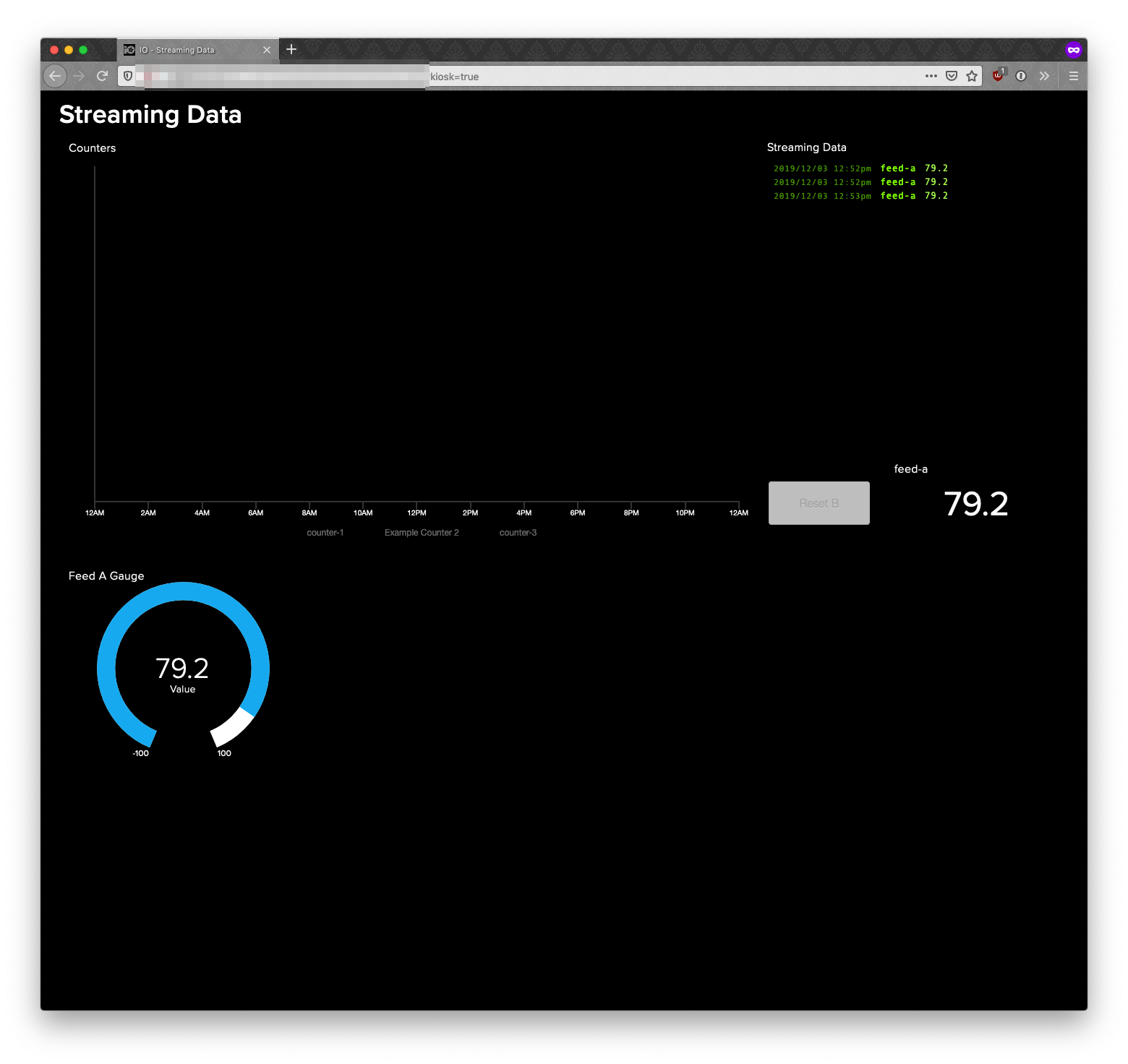
As of this morning, Adafruit IO Dashboards have a new “kiosk mode” URL that will launch the dashboard in a “no browsing mode” without any of the surrounding page. This is su…
 lament field
I have a trinket 5v, and i cant get it to show up as a usb drive to load the uf2 files. Been trying for a couple hours, is there a specific tutorial or driver that I'm not finding?
little siren
@lament field I don't think the Trinket 5V supports .uf2 files. Trinket 5V doesn't work with either CircuitPython or MakeCode. Not enough memory, storage, or horsepower.
What are you making?
lament field
was trying to use it with my nintendo switch. I'll just sent it back and get the m0. I didn't realize the 5v was different. thanks 🙂
 graceful pumice
Hello. I am still looking for help please .
I have no idea how to initialize and use two adafruit adxl345 in my arduino code that was made for two different accelerometers
little siren
@graceful pumice Are you using the Adafruit ADXL345?
https://www.adafruit.com/product/1231

Filling out our accelerometer offerings, we now have the really lovely digital ADXL345 from Analog Devices, a triple-axis accelerometer with digital I2C and SPI interface breakout. We added ...
graceful pumice
@little siren hi. Yes. I would like to use 2 adafruit adxl345 in my code above, in place of 2 accelerometers i am using. Would you please be able to help me? Please see the above code.
little siren
@graceful pumice I would read through the primary guide, and study the example code:
https://learn.adafruit.com/adxl345-digital-accelerometer/overview

Adafruit Learning System
Triple-axis accelerometer breakout with a digital interface.
Where is your example code from?
The code you provide references the MPU6050's gyroscope. The ADXL345 has no gyroscope.
graceful pumice
Hi @little siren . My code is not an example code. It is a code written for controlling gaming 's controllers potentiometers with accelerometers and pressure sensors. I have two mpu6050 that are used in that code.
So is there no way to use the adxl345 in place of the mpu6050 because adxl345 has no gyroscope?
Should i get 2 different accelerometers?
little siren
Getting 2 gyros, or IMUs that include gyros, is probably your best bet.
graceful pumice
I need something better than the mpu6050 because i in my code , i need to be able to clealy distinguish between calues that result in walking in games from values that result in running in games
millis() - timer > 750 , results in walking
millis() - timer < 700 results in running in game
'''if ((step == 1 || step == 2) && millis() - timer <= 700) { if (freq > 1) { servo.write(70 , 20); angle = 70; } else { servo.write(78 , 20); angle = 78; } freq++; } else if ((step == 1 || step == 2 && millis() - timer > 750)) { servo.write(78 , 20); angle = 78; freq = 0; } timer = millis(); '''
Pratically the servo rotates to an angle of 70 when my steps are fast and hence the millis timer is <700
Instead it rotates to 78 , when my steps are slow and hence millis timer is >750
The problem is that at times, even when walking, i get a few values that go <700 and the opposite. So there is at times no clear distinctiom between the 2 thresholds
eternal cliff
You can probably fix that in software, I suspect you'd have similar issues with other sensors.
 west grove
Help 🙂 I'm stuck...checked my secrets.py file and everything looks right created a new feed and checked in the code...I'm missing something because I'm unable to get the switch on the pyportal code to do anything in IO
using this learn https://learn.adafruit.com/pyportal-voice-controlled-smart-switch-and-time-display/adafruit-io-configuration

Adafruit Learning System
This PyPortal time display can also turn on and off lights or appliances with your voice.
seems to be connecting to the internet as its pulling the time...renamed feed to "tree" (to control christmas tree), I think it's passing "ON" and "OFF"
 tribal phoenix
Hi I'm not sure if this is the right channel if not sorry and just redirect me but I could use a little help with a charge circuit with 5v boost. I'm looking to install an internal battery to a dreamcast vmu any recommendations?
keen dirge
@tribal phoenix I'd suggest posting in #help-with-projects -- Good luck!
tribal phoenix
Thanks
 peak kraken
hi
my nodemcu is keep disconneting from the mqtt server
kinldy help me to solve it
sacred depot
hello
I have a Adafruit Feather 32u4 FONA and try to send SMS with but receive error even the Adafruit respond at AT commands .
is someone who could help me ?
royal rapids
cc @west grove I'll email the learn guide author about that later today, did you get it working?
eternal cliff
@sacred depot This might be better in #help-with-projects or #help-with-radio . You should probably also tell us what error you're getting. I've done some code sending SMS with a (different) FONA, might be able to help.
 clever meadow
can anyone help me with a esp32 crashing when i try to do a group sub-pub program.
i had it working until i tried to combine my subs with my pubs in a group and then group messagehandle and group get and group save
Rebooting...
ets Jun 8 2016 00:22:57
rst:0xc (SW_CPU_RESET),boot:0x13 (SPI_FAST_FLASH_BOOT)
configsip: 0, SPIWP:0xee
clk_drv:0x00,q_drv:0x00,d_drv:0x00,cs0_drv:0x00,hd_drv:0x00,wp_drv:0x00
mode:DIO, clock div:1
load:0x3fff0018,len:4
load:0x3fff001c,len:928
ho 0 tail 12 room 4
load:0x40078000,len:8740
load:0x40080400,len:5788
entry 0x4008069c
Connecting to Adafruit IOio.connect
Network disconnected.
Adafruit IO connected.
Guru Meditation Error: Core 1 panic'ed (LoadProhibited). Exception was unhandled.
Core 1 register dump:
PC : 0x400d23a8 PS : 0x00060c30 A0 : 0x800d1da9 A1 : 0x3ffb1f60
A2 : 0x3ffbad50 A3 : 0x3f4012aa A4 : 0x400d1cc0 A5 : 0xfefefefe
A6 : 0x00000001 A7 : 0x00000000 A8 : 0x800d5328 A9 : 0x3ffb1f40
A10 : 0x00000018 A11 : 0x00000016 A12 : 0x3ffbebfc A13 : 0x00000003
A14 : 0x00000001 A15 : 0x00000000 SAR : 0x00000020 EXCCAUSE: 0x0000001c
EXCVADDR: 0xfefefefe LBEG : 0x400014fd LEND : 0x4000150d LCOUNT : 0xffffffff
Backtrace: 0x400d23a8:0x3ffb1f60 0x400d1da6:0x3ffb1f80 0x400d62ab:0x3ffb1fb0 0x400883ed:0x3ffb1fd0
Rebooting...
i can give the source if you need
 visual fiber
Hello everyone. I have problem regarding the implementation of QoS level 1 using MQTT for python program. I have checked many sources and still couldn't get the method to do that. Any tips to tackle this problem? ^_^
clever meadow
still need help
 dusky shuttle
@visual fiber Which library are you using?
Actually, I'm not sure IO supports QoS. Perhaps someone with more knowledge of the broker side could chime in?
royal rapids
Adafruit IO supports a QoS of 0 or 1, it does not support a QoS of 2.
On the Python side, I'm merging and releasing a patch for Adafruit IO Python which adds support for subscribing with an indicated QoS (https://github.com/adafruit/Adafruit_IO_Python/pull/107) sometime today.
@visual fiber @dusky shuttle
@clever meadow It's quite hard to understand ESP exceptions. Could you install the ESP Exception Decoder (https://github.com/me-no-dev/EspExceptionDecoder) and let me know what the output from the core dump is?
dusky shuttle
@royal rapids Thanks! That's a great devlopment!
dusky shuttle
I just woke up. Still insufficient blood cafeine aand amphetamine levels for operating GitHub. 🙂
royal rapids
released in 2.4.0, will take some time to show up in pip https://github.com/adafruit/Adafruit_IO_Python/releases/tag/2.4.0
GitHub
Adafruit IO Python Client Library. Contribute to adafruit/Adafruit_IO_Python development by creating an account on GitHub.
dusky shuttle
Thank you! I'll probably tinker with it a bit later today.
 silver spoke
I've had success with pub and sub to adafruit IO through ESP8266, is there a way to use the AdafruitIO_Feed object to report the IP address it is connected as? All the WiFi is done "internally" within the MQTT library and I can't find methods to report it. (If I'm just using Wifi sketches the IP address is easy to find).
royal rapids
@silver spoke You can't use the Adafruit IO Arduino lib's methods to report the local IP Address.
Since Adafruit IO Arduino manages the WiFi client, you'd need to add it directly into the wifi interface here: https://github.com/adafruit/Adafruit_IO_Arduino/blob/master/src/wifi/AdafruitIO_ESP32.cpp
GitHub
Arduino library to access Adafruit IO from WiFi, cellular, and ethernet modules. - adafruit/Adafruit_IO_Arduino
Since each client is module specific, it'd be different per-board. Though I could probably expose them through an AdafruitIO_IP call.
If you want to file an issue, I can look into it https://github.com/adafruit/Adafruit_IO_Arduino/issues
GitHub
Arduino library to access Adafruit IO from WiFi, cellular, and ethernet modules. - adafruit/Adafruit_IO_Arduino
dusky shuttle
Hmmmm. I seem to have a difficulty with IO. I wrote some code to upload to a feed, and I kept getting an error about strings not having an encode method. I assumed I had misconfigured secrets.py, but on careful inspection it looked ok. Then I tried running adafruit_io_simpletst.py from the GitHub repo at Adafruit_CircuitPython_AdafruitIO/examples/mqtt/ and got the same errors. In order to try to figure this out, I just went to the REPL, created a string, and tried the encode method: ```
Auto-reload is on. Simply save files over USB to run them or enter REPL to disable.
code.py output:
Traceback (most recent call last):
File "code.py", line 93, in <module>
File "adafruit_minimqtt.py", line 121, in init
AttributeError: 'str' object has no attribute 'encode'
Press any key to enter the REPL. Use CTRL-D to reload.
Adafruit CircuitPython 5.0.0-beta.2-13-g7387f6092 on 2019-12-27; Feather STM32F405 Express with STM32F405RG
foo = "letsseehowlongastringIcanmake"
foo.encode('utf-8')
Traceback (most recent call last):
File "<stdin>", line 1, in <module>
AttributeError: 'str' object has no attribute 'encode'
So then I went to the bundle source and looked at adafruit-circuitpython-bundle-py-20191221/lib/adafruit_minimqtt.py and checked out line 121. It looks like this:
118 self.user = username
119 # [MQTT-3.1.3.5]
120 self.password = password
121 if self.password is not None and len(password.encode('utf-8')) > MQTT_TOPIC_LENGTH_LIMIT:
122 raise MMQTTException('Password length is too large.')
123 if client_id is not None:
looks like a bug or feature removed for space on that build
...but the STM32F405 shouldn't be that resource constrained
dusky shuttle
@abstract mica That would be unfortunate, since it means people wouldn't be able to use the STM32F405 with AdafruitIO....
abstract mica
it's an odd omission. I suspect encode() will be enabled in the STM build before too long
dusky shuttle
I raised an issue on the GitHub repo. Either I'm doing something horribly wrong or there's a problem to fix.
keen dirge
@dusky shuttle I've been digging through the code and it looks line MICROPY_CPYTHON_COMPAT is not getting enabled in the stm build. I think that is needed for encode to be available. I'm still not able to figure out how to turn it on though. still looking,
ah -- I think I found it -- posted to issue
keen dirge
no luck getting a build with it enabled -- need someone more familiar with the build structure.
going back to my "regularly scheduled program" 😉
dusky shuttle
Thank you, @keen dirge ! I appreciate your time. We'll see what happens as people wake up.
keen dirge
@dusky shuttle one possible workaround -- at least woth trying is to chnage this line in adafruit_minimqtt https://github.com/adafruit/Adafruit_CircuitPython_MiniMQTT/blob/master/adafruit_minimqtt.py#L121 from if self.password is not None and len(password.encode('utf-8')) > MQTT_TOPIC_LENGTH_LIMIT: to if self.password is not None and len(bytes(password,"utf-8")) > MQTT_TOPIC_LENGTH_LIMIT: It'll take me a bit to get set up to try it.
GitHub
CircuitPython library for MQTT support. Contribute to adafruit/Adafruit_CircuitPython_MiniMQTT development by creating an account on GitHub.
dusky shuttle
Thanks!
keen dirge
Nevermind -- there are lots more uses of .encode -- all have to be changed ...
but it may work
dusky shuttle
That's what I was going to check (and what I expected).
I would think building by supporting str.encode() would make more sense than a workaround, since I'd guess there are other things, perhaps subtle, that will be broekn, too.
keen dirge
idally yes, but with the the stm being so new, a workaround may be far more expedient. setting up to try it now
dusky shuttle
Ok, thanks again!
keen dirge
@dusky shuttle try this version -- seems to work -- I had to convert it to a .mpy
Adafruit CircuitPython 2.0.0-6036-g7387f6092 on 2019-12-28; Feather STM32F405 Express with STM32F405RG
>>> import minimqtt_adafruitio_wifi
Connecting to Adafruit IO...
Connected to Adafruit IO! Listening for topic changes on jerryn/feeds/onoff
Sending photocell value: 0...
Sent!
Sending photocell value: 1...
Sent!
Sending photocell value: 2...
Sent!
Sending photocell value: 3...
Sent!
Sending photocell value: 4...
Sent!
Sending photocell value: 5...
Sent!
Sending photocell value: 6...
Sent!
Sending photocell value: 7...
Sent!
Sending photocell value: 8...
Sent!
Traceback (most recent call last):
  File "<stdin>", line 1, in <module>
  File "minimqtt_adafruitio_wifi.py", line 115, in <module>
KeyboardInterrupt:
here is the .mpy
dusky shuttle
Oh, nice! Thank you, very much!
keen dirge
its better, but I may have missed something -- -- when I run you demo I get ```Press any key to enter the REPL. Use CTRL-D to reload.
Adafruit CircuitPython 2.0.0-6036-g7387f6092 on 2019-12-28; Feather STM32F405 Express with STM32F405RG
import minimqtt_demo
Connected to Adafruit IO! Listening for DemoFeed changes...
Subscribed to jerryn/feeds/DemoFeed with QOS level 0
Publishing a new message every 10 seconds...
Publishing 42 to DemoFeed.
Traceback (most recent call last):
File "<stdin>", line 1, in <module>
File "minimqtt_demo.py", line 121, in <module>
File "adafruit_io/adafruit_io.py", line 422, in publish
File "adafruit_minimqtt.py", line 374, in publish
IndexError: bytearray index out of range
Yep, that's what I get, too.
keen dirge
close, but no cigar... looking
dusky shuttle
Ok...
keen dirge
I'm getting lost in it -- guess it's not so simple....
dusky shuttle
That's ok. I appreciate the help. Maybe we can get some advice once people are awake and working.
keen dirge
@dusky shuttle fixed it
Adafruit CircuitPython 2.0.0-6036-g7387f6092 on 2019-12-28; Feather STM32F405 Express with STM32F405RG
>>>
>>> import minimqtt_demo
Connected to Adafruit IO!  Listening for DemoFeed changes...
Subscribed to jerryn/feeds/DemoFeed with QOS level 0
Publishing a new message every 10 seconds...
Publishing 1 to DemoFeed.
Feed DemoFeed received new value: 1
Publishing 39 to DemoFeed.
Feed DemoFeed received new value: 39
Publishing 68 to DemoFeed.
Feed DemoFeed received new value: 68
@dusky shuttle one more tweak needed -- let me know if you want it. seems to be working now
keen dirge
this has an adittional fix for another related issue with the stm -- working ok for me now .
dusky shuttle
@keen dirge Thank you! I'll give it a try right now. (Sorry about the lag - I haven't been sleeping well and dozed off.)
Tested and working! Thank you very much.
dusky shuttle
@keen dirge Works like a charm. Where do I leave alms? 😉
keen dirge
@dusky shuttle Glad it is working -- I opened an issue on the minimqtt repo and will put in a PR if requested.
dusky shuttle
Nice. Thank you!
 fallow vortex
hey guys, apologies I'm very new to this. A silly question about IO, so basically this is a plotting mechanism , i get that.
To feed the data, in to IO i need to somehow to convert the sensor output to MQTT and point to IO?
Basically I got a Enviro + sensor for Raspberry Pi and would like to plot the graphs or the temp, humidity ect ect.
Would the first step be to learn MQTT and use them to push the data to the IO feed?
abstract mica
are you reading your sensors in python?
abstract mica
south gust
@fallow vortex I found this project very helpful to sending information to IO. https://learn.adafruit.com/adafruit-io-air-quality-monitor

Adafruit Learning System
Build an internet-enabled environmental monitor to see what's in the air you breathe using Arduino or CircuitPython
fallow vortex
@abstract mica yes, i have a script from ages ago written in python, thank you!
@south gust thank you, I will have a look!
south gust
The good thin about that project is that you can use the base concepts for sending most any type of sensor data to IO. It creates the feeds and everything.
south gust
Is there a way to send NOAA CO-OPS data to IO? I took a look at the PyPortal tides project and it didn't really seem to fit the bill in that it appeared to be doing a bunch of the work that is already built in to IO. I'm guessing I need to do this via MQTT but have not succeeded in finding any examples of working through that process.
sacred depot
What is NOAA CO-OPS? Is there a regular server for it? Is it text based?
https://tidesandcurrents.noaa.gov/api/ like that?
sacred depot
Here's a quick wget based script to use that API:
https://termbin.com/p49b
(linux-centric approach; any unix-like shell that has wget should be able to run it)
(I have no idea how to enhance the data-getting URI; just followed the first example on that API doco page)
dusky shuttle
(Also UINX-centric approach: make it modular and default to stdin/stdout, then pipeline it with existing tools.)
sacred depot
;)
 pale tapir
hey I have a adafruit raspberry pi prototyping plate, and I could use some help soldering it. I have few questions.
- For one, the input pins to connect to the raspberry pi are very close to each other. When soldering i assume the goal is to make sure the solder does not touch the adjacent pin?
- I have a resistor that i will have to connect to the other side of an op amp. I see singular holes that are not touching other holes, unlinke the center ones that appear in parallel strips. The question is how can I connect the singular holes to each other? My plan put one resistor lead in the single hole, put a jumper in the adjacent hole, solder the two so they are touching(this is the part im most concerned over), finally solder the other jumper end to the other side of the op amp on a parallel strip. Does all of this make sense? for essentially connecting two ends of an op-amp through a resistor?
 ocean eagle
@pale tapir I'm not an expert on soldering, but 1) typically you don't want to solder adjacent pins together, 2) about half of that plate is configured similar to a regular breadboard (where rows and columns of holes are connected with copper), and the other half are all separated holes. As such, if you haven't already done a breadboard version of this circuit, I'd start there. That would require no soldering, and just some jumper wires from your Pi to the breadboard itself. Once you have it working on the breadboard correctly, it'd be a pretty simple jump to the plate.
Depending on prior experience, https://learn.adafruit.com/breadboards-for-beginners and https://learn.adafruit.com/adafruit-guide-excellent-soldering could be useful.

Adafruit Learning System
Diagrams, tips and tricks to take you from beginner to brilliant
 south gust
I don't have the slightest idea how to get JSON data in to IO as via this screen capture
In that PyPortal Tides project it shows the raw JSON data but then didnt seem to really show what they did with it plus there were a lot of dissimilarilities between drawing the graphics and fonts on a dedicated screen and all of that effectively already built in to IO.
@sacred depot If you go to the NOAA Tides and Currents Home Page that is really the best place to start from to see what I am chasing. https://tidesandcurrents.noaa.gov
Tides & Currents Home Page. CO-OPS provides the national infrastructure, science, and technical expertise to monitor, assess, and distribute tide, current, water level, and other coastal oceanographic products and services that support NOAA's mission of environmental stewards...
sacred depot
@south gust Thanks! I have spent quite a lot of time reading what NOAA publishes, on all kinds of sites, over the decades. ;)
This is my instant 'do I need to think about hurricanes today' graphic:
https://www.nhc.noaa.gov/tafb_latest/danger_atl_latestBW.gif

(the date will refresh when it's an active product in the Spring)
(they usually put a notice on saying that; not sure why this one just stopped on December 1st)
My favorite surface chart:
https://www.wpc.ncep.noaa.gov/sfc/lrgnamsfcwbg.gif


and FOUS51:
http://kamala.cod.edu/ct/latest.fous51.KALY.html
south gust
I've poked around with that tides and currents site a fair amount and have certainly poked around the IO site but in general I am a rank newbie at the software end of things. Hardware doesn't intimidate me but trying to figure out how to take disparate data systems such as NOAA's tides data and roll it over in to IO is pretty daunting especially when I haven't the slightest idea where to start.
I need like JSON or MQTT FOR DUMMIES or something similar.
sacred depot
Yeah I don't know either of those. This is the first time I've looked at a .json and was surprised it was ASCII ;)
I would probably start with perl myself, as I once knew it (some).
south gust
NOAA is a treasure trove of data sites of various types. You have no idea the depth and breadth of the science they are involved in
keen dirge
@south gust is this of any help https://learn.adafruit.com/adafruit-pyportal/parsing-json
sacred depot
If you get on 2 meter FM during a skywarn session (or just listen on a scanner) sometimes people will drop some interesting resources for weather you weren't aware of.
south gust
@keen dirge I took took a look at the PyPortal as a starting place because I had seen the tides project but I think it is ultimately a dead end. I'll post a couple of screen shots of progressive drill down of a station near me as an example
keen dirge
Just thought it might help with JSON -- a bit....
south gust
This is trying to aggravate me. (Trying to post the NOAA picture is what is aggravating) The NOAA site generates json itself. Shouldn't I be able to take the JSON direct from the NOAA site and send it to IO, we'll disregard the fact that I don't know how to do that yet.
The PyPortal is about that ESP32 hardware?? that I know nothing about?? I think for one thing
It's hard for me to sort out the JSON stuff from all the other hardware stuff that I am also unfamiliar with is the just the real quick pass look. I'll look at it in depth later.
@keen dirge I typed in JSON in the LEARN section adafruit and this is what I get. https://learn.adafruit.com/alltheiot-protocols/adafruit2-json

Where I fall down is in converting that to a usable feed that will draw the same sort of trend line that is resident in the the NOAA web site.
For some reason I was unable to paste the picture showing the web services button on the NOAA site that has the JSON data
south gust
I'll try and look for an external json feed example coming to IO
abstract mica
IFTTT might help get things into IO. I think it'll pull the JSON, extract the part you want, then post it into an MQTT feed
sacred depot
You could run a DigitalOcean droplet
south gust
@dusky shuttle how does your weather data get to weather underground?
dusky shuttle
@south gust Yes it does. https://www.wunderground.com/dashboard/pws/KWAREDMO165
Weather Underground provides local & long-range weather forecasts, weather reports, maps & tropical weather conditions for locations worldwide.
south gust
I meant what is the data transport mechanism? My system is disassembled right now but I'm trying to get a better understanding in general of how systems send and receive data. I set up to have a feed to WU but as I said it is in parts right now.
dusky shuttle
Ah! There's an API reference. You just use the urllib calls. You build a URL the submits all the collected data. I'll dig out the reference API for you.
south gust
I saw that in your github code. It's more of a process question for me in that I want to better under stand how my data is getting to IO+ in the same way
dusky shuttle
Uh oh. It looks like the upload protocol API docs aren't there anymore. I'm going to have to start looking for alternatives. The way I would do it in IO+ is to create a group. Then create a feed for each data element, and add that feed to the group. Then just use the AdafruitIO Python library to handle the connections and data submission.
Is that what you meant?
south gust
Well, I can create feeds and groups and send them to IO all day long. More just trying to get a better understanding as to whats going on under the hood as they say.
Kind of like most people dont't care about how the internal engine in their car works. they just want it to get them from point A to B when the key turns. I'm the one who wants to know how the engine works.
dusky shuttle
I actually don't know how AdafruitIO is architected. It would be very interesting to know. #I'llSignAnNDA
south gust
My assumption is that IO is more restrictive as to what data it will accept out of the box. Based solely on the weather station dropdown on WU and people who are not nearly as technically proficient who are expecting a plug and play interface to WU.
south gust
I can't speak to IBM but you should see the garbage customers have to put up with from GE Power.
 topaz viper
Is there an example of AdafruitIO_WiFi.h for multiple SSIDs ? Can’t find anything in Adafruit forums
abstract mica
I don't think there is. You'd have to scan for available SSIDs then pick the one you want to try.
 vagrant fossil
Is there any way that I can see or get alerts when my devices are offline
royal rapids
@vagrant fossil there is - navigate to the feed you want to monitor, then click Notifications
vagrant fossil
Thanks
 near summit
Hey guys- very simple question. Got an Adafruit Feather 32u4, and a lipo battery connected. There is a charging indicator light when the battery is charging. Does that light go off when the battery is full?
Or is it always considered 'charging' if connected to usb power
vagrant fossil
@royal rapids hi I look into that my devices unplugged for a couple days and the they still say there online
eternal cliff
@near summit that's not really an AdaFruit IO question, but here goes: the LED is connected to the "STAT" pin of the MCP73831 battery charging control chip
The data sheet for the chip states "STAT is an output for connection to an LED for charge status indication." which isn't particularly forthcoming
Your best bet may be to try it and see.
near summit
Oh, sorry if this was the wrong place. But thanks for that info, I'll just wait a while and see
royal rapids
@idle pine Can you attach a screenshot of the feed and the notification configuration?
royal rapids
@vagrant fossil it checks if the feed receives any new data every 30mins
 hollow crown
I have a fair amount of garbage hitting my MQTT server. I want to send '/weather/#' to adafruit.io. I have configured a bridge with the line 'topic /weather/# out 0 "" <username>/feeds' which as I understand it should publish to '<username>/feeds/weather/humidity', '<username>/feeds/weather/temperature' and so forth. I am seeing no errors, but likewise, I am seeing no data. I suspect it has to do with the 'composite' i.e. /weather/humidity name. I this the case?
hushed sigil
I don't think you can bridge directly from a broker to AIO. I think you have to use the API. This "how-to" uses a python script to pass the data over from the local broker to AIO: https://learn.adafruit.com/manually-bridging-mqtt-mosquitto-to-adafruit-io?view=all

Adafruit Learning System
Get sensor data from a local MQTT broker into Adafruit.IO
I also use a python script running in a docker container on a digital ocean droplet that acts as a bridge. But mine goes from AIO to my mosquitto broker. I can do things with IFTTT like, "Ok google, Light Red" and a light turns red....
Or is that what you mean by "bridge" a script reading your MQTT topics and sending them to the AIO feed?
hollow crown
What I am trying is discussed in the 'Broker-to-Broker Bridging' section of that article. I am aware that the example is not intended to be a working file (not the bridge_atetempt_unsubscribe option!) but rather a starting point. I know I am connecting and forwarding info because I can see the packets with wireshark. I can generate errors in the Monitor by sending malformed topic names. It is one of those SO close things.
hollow crown
Got a message through. The problem is that AIO expects 'weather/humidity' to be modified to 'weather-slash-humidity'
hollow crown
No, there were no errors. I was simply sending a topic that it didn't recognize.
hushed sigil
That's cool
what does your bridge config look like?
I have a local topic "test/" I'd like to send out to "xenophod/feeds/test/" do my "/" need to be change to "-slash-" ? "test-slash" and "xenophod-slash-feeds-test-slash" ?
hollow crown
connection adafruit
address io.adafruit.com:8883
bridge_cafile /etc/pki/tls/cert.pem
bridge_attempt_unsubscribe false
cleansession false
notifications false
remote_username username
remote_password goeshere
start_type automatic
try_private false
topic weather-slash-humidity out 0 "" username/feeds/
topic weather-slash-temperature out 0 "" username/feeds/
topic weather-slash-pressure out 0 "" username/feeds/
topic weather-slash-ambient out 0 "" username/feeds/
hushed sigil
very rad!
I get the message "MQTT ERROR: error saving data on xenophod/feeds/test, data missing required value" but that's easily hidden
I drew a cat:
Thanks @hollow crown for teaching me something new today! I didn't know we could "broker-to-broker" connect!
hollow crown
NP! Glad I was able to help.
 jolly nymph
Hi
Does "Toggle Blocks" on a Dashbord send messages to a listening device when clicked?
hushed sigil
@jolly nymph Yes, a toggle block will send a message to the feed, listening devices on that feed should get the message, and perform whatever logic they are programmed to do when they receive the message.
I have an "On/Off" toggle on a dashboard that will send "ON" or "OFF". What's cool is if something else sends "ON" or "OFF" to the feed, the toggle will dynamically update to show the correct status. Like a ghost flipping the switch!
I made a video showing how I used IFTTT to allow Google Assistant to access the AIO feed, and you can see the toggle on the Dashboard move when I tell google to turn it off/on https://www.youtube.com/watch?v=f61Fto8OgP8

This is an example of controlling an Omega2+ using Google Assistant's voice control. This is achieved by utilizing Adafruit.io (AIO) and IFTTT. A python script runs on the Omega2+, it listens to the mqtt feed on AIO. You can flip a switch on the AIO dashboard to send data to ...
royal rapids
Sweet! First time I've seen an omega2 with AIO
hushed sigil
I loooOOOooOOOOoooOOOOOve the omgea2 platform.
small, cheap, runs OpenWRT. I love anything with a shell really
sacred depot
Has anyone had success in doing a super light mobile dashboard for AIO? I’d like to have rows that are like this: Temp sensor #1 55.34
I’ve tried using a labeled text box but mobile on iOS and Android mess it up and make the text and value overlap.
I’ve also tried one box just for the label and another just for the value, but mobile browsers still mess them up.
dusky shuttle
@sacred depot If you just need to read, an IFTTT app might work. I use it to pull lightning distance data and pop up a notification on my iPhone.
 violet coyote
hello there i have a problem, can anyone help me?
i need code for esp8266 relay 1ch that can be used trough adafruit's feeds....for board i use only ch340 usb programmer on which i put esp-01 where i transfer code from pc
violet coyote
so is this forum on which we can ask about using adafruit platform? and how many hours, days, weeks we should wait for an answer?
eternal cliff
This is an appropriate place, but it's the middle of the night for many users. Generally someone will come by with helpful information within a day or two
violet coyote
oh soryyy......i didnt think about it....ok i will wait for answer...no prob
violet coyote
i need code for esp8266 relay 1ch that can be used trough adafruit's feeds....for board i use only ch340 usb programmer on which i put esp-01 where i transfer code from pc
hushed sigil
@violet coyote Do you have ESP8226 Arduino Core on your board? If so, I would think you could use the Adafruit_IO_Ardunio library to connect.
But I've never used an ESP board before so I don't know if it's too small for all of that.
Or you could use webhooks: https://io.adafruit.com/api/docs/cookbook.html#notify-webhooks
violet coyote
well i have only ch 340 USB programmer for transferring data fomr arduino IDE to esp-01 but with code that i found on internet i can only turn on/off esp-01 when i put esp01 on esp82866 relay board...on this link you can see code https://github.com/techiesms/Sonoff-using-ESP8266/blob/master/Sonoff_using_ESP8266/Sonoff_using_ESP8266.ino

GitHub
This is the code for making your own sonoff using esp8266 01 wifi module and relay.With this you can control your home appliances from anywhere in the world. - techiesms/Sonoff-using-ESP8266
esp8266 relay + esp-01
CH 340 USB programmer
hushed sigil
That looks like everything you need!
violet coyote
yes but i dont have code for esp8266 relay to be connected to adafruit
violet coyote
i thought this site is for helping people having problems in using adafruit....but 3 days i am waiting for simple code....that tells everything about relation btwn adafruit - user
i am very disappointed
 pliant tendon
@violet coyote this is a community discord, official help from Adafruit staff can always be gotten from the adafruit forums. most people here are just from the community.
keen dirge
@violet coyote I'm not sure I understand what you are asking for. Have you looked at this guide https://learn.adafruit.com/adafruit-io-basics-esp8266-arduino/overview
 prime bramble
Hey there. using feather huzzah. anyone knows why "delay" not working whilt on soft AP mode?
I'm in soft AP, and trying to connect to real Wi-Fi with ssid and password entered by the user in soft AP mode. but the delay inside "while WiFi.status() != WL_CONNECTED" is not working, and the feather crashes
no matter what length of delay I choose, even delay(5000) or delay(500) - there is no delay
violet coyote
yes @keen dirge but i am using CH 340 USB programmer no this Feather Huzzah....i am just looking for code to make connection relay with adafruit
keen dirge
sorry I am not familiar with the ch 340 USB programmer
eternal cliff
The CH340 is just a USB-serial chip, it should work like any serial programmer
keen dirge
That is what I thought- so I don't understand what the problem is.
violet coyote
yes i just dont use any board....like feather huzzah or node....so whats the code for relay to be able to control it from adafruit dashboard?
i found code here but its not working ..... https://github.com/techiesms/Sonoff-using-ESP8266/blob/master/Sonoff_using_ESP8266/Sonoff_using_ESP8266.ino
GitHub
This is the code for making your own sonoff using esp8266 01 wifi module and relay.With this you can control your home appliances from anywhere in the world. - techiesms/Sonoff-using-ESP8266
@keen dirge glad to hear that its not problem, so please give me full code how to turn on/off esp8266 relay from adafruit dashboard...thanks
hushed sigil
@violet coyote The full code looks to be on the Sonoff-using-ESP8266 repo you posted. I looked through the code and it looks like it has everything you need to connect to the Adafruit.IO site. Do you have specific errors?
violet coyote
yes when i upload the code to esp-01 and then put esp-01 on esp8266 relay board and press on/off in adafruit dashboard it only affects led diode on esp-01 which goes on/off but relay is not affected at all and it is always on (led diode of relay is turned on)
hushed sigil
Sounds like a problem with the relay board.
eternal cliff
Could be the power supply to the relay board is wrong, or you're using a different I/O pin than the relay board is configured for.
violet coyote
really? power supply is 5v....so what to change in code that affects chaning I/O pin?
and i also found code with #define relay D2, not like in previous code i sent you where it is written #define relay 2 (without D) and when i use this code with D2 error occurs with text 'D2' was not declared in this scope
eternal cliff
You'll need to find out which I/O pin your relay board uses, and how your ESP board defines that pin, and use that.
Also, most relay boards have a separate power supply input (or even two), if the the interface power input isn't connected, the LED and relay won't operate.
You're right about the #define: that is what you would need to change if your relay board uses a different I/O pin.
violet coyote
@eternal cliff on this page https://www.instructables.com/id/ESP0101S-RELAY-MODULE-TUTORIAL/ you will find in step 3 ESP8266 CONTROL RELAY.INO file, please download it and see.....about this file...with this file my relay is working perfectly but i can turn it on/off but from internet explorer (ip adress of the relay) but i dont know what i need to add in this code to be able to use it in adafruit dashboard....can you open this file and add what is missing for adafruit dashboard control?

Instructables
ESP01/01S RELAY MODULE TUTORIAL: Description This WiFi relay based on AI-Thinker ESP-01/ 01S WiFi module, we use the GPIO0 of ESP-01/ 01S to control the relay by low level. It’s easy to DIY your smart switch to any device by your phone anywhere with this smart relay.Specifi...
eternal cliff
I thought you said the ESP LED was coming on for the AdaFruit dashboard, so that part of it is solved. The problem then reduces into figuring out the difference between your dashboard code and the instructable code. That should be pretty easy, the relay control bit is all you need and that should only be a few lines.
violet coyote
yes but in 1st code...but just wanted to give you code that turns on/off relay normally to compare it becayse everything in code is spanish village for me
eternal cliff
You may just need this line: ```c
#define RELAY 0 // relay connected to GPIO0
so i need only to define relay 0 insted of 2?
eternal cliff
I'm guessing. I don't know enough about any of your project to be sure, but it's worth a try, especially since you said the instructables code (from which I pulled that line) did operate the relay.
violet coyote
ok, i will try it tomorrow and will update you..thanks 😉
violet coyote
hi @eternal cliff you were right....everyhing is working now like a charm.....problem was pin number....thanks a lot
eternal cliff
I'm glad you figured it out
 tulip gust
heya, I'm trying to set up a boolean feed on adafruit IO for a circuit python MQTT client I have.
I'm able to successfully send a range of data from a potentiometer, but when I try to send a button's state the data doesn't show in the feed on AIO.
That said, there is a reaction. Before I push the button and send the message the y values for the button feed show:
but once I push the button the values disappear
so it's like AIO received the message but something goes wrong. I was looking for an error log but I didn't see one. Is there a good way to figure out what's happening?
also, the state machine code I'm using to monitor the button looks like this:
    if (now - bigButtonLastNow > bigButtonCheckInterval):
        if bigButton.value != bigButtonStoredState:
            bigButtonStoredState = bigButton.value
            print("big button value: ", end="\t")
            print(int(bigButtonStoredState))
            mqtt_client.publish(feed_big_button, int(bigButtonStoredState))
        bigButtonLastNow = now
I was getting errors on the controller side when I tried to send booleans so i'm casting the bools to integers (don't know if that's a problem)
 fluid hollow
Greetings all
sacred depot
greetings
fluid hollow
I've been tweaking code to send temperature and battery level readings to Adafruit IO feeds. Those had been working for quite some time, but I was having trouble with the data seeming to be incorrect. I've tweaked the code to try to correct the data, but haven't touched the lines of code sending data to my feeds. BUT, I suddenly seem unable to send data to my feeds. I've tried deleting the feeds... I've tried restarting the code... nothing seems to work. Is there anywhere I can look to see if I'm actually getting a connection to AdafruitIO?
tulip gust
blergh, well the feed definitely received messages. I sent up a simple counter and forgot to slow down the interval 🤦♂️
still not sure why I'm not actually seeing the data on the dashboard
hmmmmmmm this is interesting, so I'm using adafruit IO to relay communication from a controller I'm building to a node server on my laptop. While the data doesn't show in the adafruit io dashboard it does come through to my node server mqtt_client
it would be nice to see it in the dashboard, but if the relay is happening I can at least move forward
royal rapids
@tulip gust Hi - are you still having this issue?
@fluid hollow You can visit the Monitor page to view live incoming data: https://io.adafruit.com/monitor
Adafruit IO is the easiest way to get your projects onto the Internet of Things!
tulip gust
hey @royal rapids. I'm not totally sure. Yesterday I stood up a node server and put a broker on it (the final version of the project I'm working on is going to be on a local network).
That said, when I get into the office in the afternoon I can swap it back and check to see if it's still happening. I'll let you know
royal rapids
@tulip gust Thanks, I will be around later today to assist. Ping me if it's still occuring 🙂
tulip gust
will do! thanks 🙂
 graceful adder
Hi, I have a value problem with spg30, using the example of "spg30test" terminal serie the values change but in my dasboard it remains the same using the example of the library "adafruitio_22_environmental_monitor . how can I make it work better?
royal rapids
@graceful adder Are the names of the feeds in your dashboard and the code the same?
fluid hollow
@royal rapids I deleted my feed and created a new one with a different ID and I got it to work. I don't know why it wouldn't work with the previous ID.
I apologize... I don't know my way around discord yet. The above is in reference to my post a few days ago regarding inability to reconnect to a feed.
Thanks for following up.
royal rapids
no problem, discord doesnt yet have threaded convos
glad you got it working, i'll be on here during the day if you have any other q's or issues 🙂
tulip gust
@royal rapids sorry, yesterday got away from me. I switched over to the adafruit io broker just now and it looks like the data is showing in the feed
a quick troubleshooting question: is a qos setting of 1 synchronous? Reading about mqtt it didnt' seem like it was (I thought the broker would message back down once it got the message from the client, but it didnt' seem like the client would wait), but in practice it seems like the client will wait for the broker to respond
is this expected?
(trying to make sure i understand all of the concepts and tools correctly)
violet coyote
hi there, i have USB programmer CH340 and ESP8266 ESP01 WiFI relay with 2 channels and dont know how to turn it on/off over adafruit...i cannot find code for this...pleae help
eternal cliff
@violet coyote You've asked this before. It seems possible that there isn't pre-existing code to do exactly what you're looking for, so you may have to combine code to retrieve actions with code to operate the relay. The CH340 isn't really part of the equation.
violet coyote
no, i asked for relay 1ch, but now i have 2 channels (2 relays) on the board.....
if someone knows what should i add to this code (i used this code for 1ch relay and it worked) https://github.com/techiesms/Sonoff-using-ESP8266/blob/master/Sonoff_using_ESP8266/Sonoff_using_ESP8266.ino
GitHub
This is the code for making your own sonoff using esp8266 01 wifi module and relay.With this you can control your home appliances from anywhere in the world. - techiesms/Sonoff-using-ESP8266
 azure nacelleBOT
This is the code for making your own sonoff using esp8266 01 wifi module and relay.With this you can control your home appliances from anywhere in the world. - techiesms/Sonoff-using-ESP8266
eternal cliff
The code modifications would depend on how you want the second relay to operate. If you just want both relays to do the same thing, it's a fairly easy change, just replicate the relay code and define a second relay pin. If you want independent control of each relay, you'll have to duplicate more of the control code as well.
violet coyote
@eternal cliff i want each relay to turn on/off lamps ( i have 2 lamps, one relay one lamp) but when i upload this code which was working with 1ch, nothing is going on....both relays dont react....i opened feeds on adafruit dashboard
eternal cliff
It may be that the new 2-channel relay board needs to be configured to the proper pin(s), or the code needs to be configured to send signals to the pins that the relay board uses.
violet coyote
probably...but i dont know how to do that...can you help me?
eternal cliff
I don't know. Do you have any information on the 2-channel relay board?
violet coyote

aliexpress.com
¡Compra fácil, vive mejor! Aliexpress.com
eternal cliff
As far as I can tell (that page isn't very informative), at least one of the relays on the 2-channel board should operate with the same code that worked with the 1-channel board.
violet coyote
yes, i think it should worked....but how to check that relay is working...maybe something is wrong with the relays on the board, like here, please watch video https://www.youtube.com/watch?v=OCWvhxCiyw4

ESP8266 relay hardware fix
so, i had the same situation with board with 1 relay and did the same way like on video and everything was working...before that nothing happend....so according to this video is it possible that i need to do something with this board with 2 relays? and what i need to do if i have to do?
eternal cliff
I can't watch videos (I'm at work)
violet coyote
sorry, on video is shown that pins VCC and CH-PD are connected (soldered) and R2 is taken out....and after that relay started to work
 quiet steeple
Hello new here. I followed the guide to setup the dht22 with a feather esp8266 and it worked great! Now the next question is can I sub the feather for a cheap esp8266 nodemcu from eBay.
graceful adder
@royal rapids yes the names are identical . the values remain fixed on 400 PPM and 0 PPB
eternal cliff
@quiet steeple Yes, but the I/O pins might be numbered differently.
violet coyote
so nobody wants to help or dont know how?
eternal cliff
We don't know how: all we know about the 1-channel relay board is guesswork, and we know next to nothing about the 2-channel relay board, so there's really not much to go on. The fix you did for the 1-channel board might work, we don't have any way to know. The fix in the video (whatever it is) might work, we don't have any way to know.
quiet steeple
@eternal cliff thank you for your help. I did realize the pins are different. That being said in the Arduino code it says data pin 2 does that mean pin 2 of the micro controller and I have to figure out what it’s broke out to?
eternal cliff
You pretty much have to figure out what it's broken out to. There's generally no correlation between physical pin numbers on the IC itself. Arduino arbitrarily numbers I/O pins 0, 1, 2, etc. but different board makers assign the numbering differently. Worse, some board makers (including many ESP boards) use different nomenclature like D0, D1, D1 instead.
quiet steeple
Yeah I was noticing that last night when I was playing with a cheap esp board. I’ve only used Adafruit stuff before so I have been spoiled with the great documentation
eternal cliff
Sometimes you end up having to write a program to send signals to various pins and write down which pin answers to which index. However, I usually just dig into the Arduino installation, find the pin definition file for that target, and read off the pins that way.
quiet steeple
That’s so smart. I was just going to try an example sketch that turn on an led or something like that and test each pin.
eternal cliff
Sometimes you'll find something like this, which tells you that it's mapped the D0, D1, etc. pins to numbers that are defined in another file (../generic/common.h), so there's another step to it
quiet steeple
Ok
quiet steeple
@eternal cliff I got it working today thank you for your help learned a lot.
eternal cliff
Well done!
 light flare
hi people, i'm making an iot light so my mom can turn on the lights with google home after her surgery, i already finish the switch and the code, and the lights are working fine, but after a while, (> than 5 minutes or so), the switch does not turn the lights when commanded, i'm using the adafruit.io MTTQ library, IFTTT and a nodeMCU that is ESP8266 based, can someone help me? here is a image of the switch and the code i'm using
circuit
it seems that the code is the problema because when testing with another node MCU that does not have anything conected, has the same behavior
light flare
i just can't find this problem on the internet, there is several people that has it, but can't find the solution
abstract mica
could be a firewall timing out the connection
light flare
oh right maybe a router firewall or something, let me see
nope, there is no firewall in my modem
 red glen
Is this image-formatter service that is available at this endpoint /api/v2/USER/integrations/image-formatter documented somewhere? I'm having trouble finding it in the API docs page here: https://io.adafruit.com/api/docs/#adafruit-io-http-api
royal rapids
@red glen It's not documented anywhere since it was built for Adafruit PyPortal's CircuitPython library and isn't really a public service (we could add it to /services down the road if it gets enough interest)
GitHub
CircuitPython driver for Adafruit PyPortal. Contribute to adafruit/Adafruit_CircuitPython_PyPortal development by creating an account on GitHub.
@light flare If you're timing out, make sure you're calling MQTT_connect() at the top of each loop to keep the MQTT connection active
light flare
@light flare If you're timing out, make sure you're calling
MQTT_connect()at the top of each loop to keep the MQTT connection active
@royal rapids ok let me see
quiet steeple
Hello I was wondering if there was a way to get Adafruit IO stuff into HomeKit maybe using home bridge. I have a dht22 sensor setup in adafruit io
sacred depot
Is there a way to programmatically create a feed in a group (specifically in the Python interface)? When I attempt to use the group subfeed naming scheme (groupkey.feedkey), it creates a feed with the key 'groupkey-dot-feedkey' instead. I tried setting the 'key' attribute of the feed separately from the name (f = Feed(name='SomeName', key='groupkey.feedkey') but when I used create_feed, it just ignored the 'key' setting and left the keyname as the groupname. Help!
south gust
Is it reasonable and/or feasible to use a Pi Zero W to JUST display IO+ data?
hushed sigil
I don't see why not.
south gust
I have a spare Zero and a spare 5" display. Thinking about building my father a desktop weather display similar to the Pyportal things I see on Adafruit site just not sure about forcing the IO display to come up only, and on things like a loss of power at his house. He's 85 and I periodically have to get his computer and smart TV out of the ditch already. Additionally, I've not really messed with browser in Raspbian and don't know what it is capable of as far as launching on boot and/or as a service
south gust
Reading that maybe setting up as a kiosk would be the way to go with this??
Just put in the IO+ http address??
royal rapids
@south gust Yep, you can use the IO Dashboard and kiosk mode. You may want to use the Staying Alive chrome extension with < 1min background requests.
vagrant fossil
I am using toggle button on my mqtt io for an auto or manual switch for lighting controller
Is there away after a reboot(arduino setup) that I can get status of switch state or automatically put it into auto.
sacred depot
Hi, I'm always getting a 'validation failed' with MQTT from an ESP8266 to AdafruitIO. I regenerated the AIO key, cleared the feeds, created them again, used different names... anything I try just gives me the szame error. I can connect fine. Any idea's?
offcourse I also adapted the code accordingly... Name has already been taken and Key has already been taken are the errors I get
sacred depot
Figured it out. (After a while)... thing is they (feeds) still won't show up in the edit dashboard section. Tried Chrome, Firefox.. no avail.
vagrant fossil
I am using toggle button on my mqtt io for an auto or manual switch for lighting controller
Is there away after a reboot(arduino setup) that I can get status of switch state or automatically put it into auto.
sacred depot
is there anyone who has the same issua that his/her created feeds don't show up in the dashboard create menu? I can't even create feeds from the dashboard nor can I look for them. Although they exist.
royal rapids
@sacred depot Do they show up on the feeds page?
royal rapids
@sacred depot Are you creating them from the Feeds page or from the "Choose Feed" button on the dashboard block?
sacred depot
I created the first on the feeds page...
i can't create them through the dashboard
it doesn't even show an error. and existing ones can't be searched
royal rapids
Can you post a screenshot of what you're seeing?
I attempted to replicate this from creating a feed on the Feeds page, then added a momentary button to the dashboard. Feed appears in "Choose Feed".
sacred depot
This one shows that there aren't any feeds to choose from when creating a new block
This one shows the available feeds from the feeds tab
royal rapids
Yep, I see that from here :\ that's a bug
sacred depot
i am able to replicate the problem...
sacred depot
I did have it working. Removing all my Data (except my account) of my feeds, dashboards and so on triggered this.
When I want to recreate the same feeds, it just stops working.
regenerating the key doesn't help either
I'm on a W10, firefox and chrome. same problem
i'll try IE 😩
royal rapids
Try IE, then I'll file a bug report for this account for you
sacred depot
this is IE... it does throw some errors. and the feed does exist as you've seen in my previous screenshot
if it exists, it should be listed.
royal rapids
Can you create a new group named "My Feeds"
sacred depot
group created
royal rapids
What about adding a feed to that group?
royal rapids
Something's up with that Default group, then
sacred depot
now they're all there...
royal rapids
MyFeeds the name of the default group for IO, not default. There might've been some naming conflict
🤷
sacred depot
guess so. notmally seen, you shouldn't have to mention the default group if you're writing the code.
This didn't work for me. I always had to put in the group name like (/feed/default.feed)
always = recently
royal rapids
Any feed in "My Feeds" is writable like: "https://io.adafruit.com/user/feeds/demofeed"
as "My Feeds" is the default group for IO - did it get deleted?
sacred depot
404
ehm... I deleted all data. including feeds and groups.
maybe those defaults groups should be excluded from the deletion process
or at least be automatically recreated
regarding 404: the page you sent isn't available
anyways... than you for the help!
royal rapids
No problem - ping me if you're having other issues.
sacred depot
👍
@vagrant fossil you can use the EEPROM as explained here in this link:https://arduino.stackexchange.com/questions/11941/how-to-remember-variable-values-after-rebooting-an-arduino-uno-r3-board

Arduino Stack Exchange
Is there any way to store the values of necessary variables somewhere (may be in a file that gets updated by the program at various events), which can be read back when program starts after rebooti...
vagrant fossil
@sacred depot thanks let try that
sacred depot
would it be possible to make the toggle button in AIO work in both directions?
For example: When you toggle it from AIO, it will ignite a lamp or whatever. But programmatorically turn it out after lets say a minute or when a certain temp. is reached and accordingly move the toggle to the right state (on or off).
you can't publish and subscribe to the same topic/feed.
but how to flip the toggle button online if the same toggle is used to turn the light on or off
royal rapids
@sacred depot The toggle element reflects the state of the feed. You can toggle it by writing to it the feed.
or by clicking the button, which writes to the feed
sacred depot
I know. But I also have a subcription of the button, SO I'm not able to publish to AND subcribe to the feed. It throws an error.
 sharp oriole
Hello I'm trying to connect my Bluefruit nRF52 Feather with a LSM9DS1(9dof) And I've done everything the 9dof works with my arduino uno just fine and the wires too i dont understand why it wont work i connected the SPI's properly and it wont detect it
 neat charm
Do you have an oscilloscope or logic analyzer in order to have a peek at the SPI signals to verify they are happening and look reasonable?
sharp oriole
No but the lsm9ds1 works with my other boards fine
though i connect a5-scl a4-sda for my uno board
but in nrf52 scl-scl sda-sda i also tried using a5-scl a4-sda for nrf nada
neat charm
I thought you said you were using SPI, not I2C.
Is the driver on the nRF using I2C?
There are a couple of CS pins on the LSM9DS1 to select the interface. Does your breakout board pull them properly to choose I2C mode?
sharp oriole
yes
neat charm
How is the power connected? The nRF is a 3.3V board, versus 5V on the Arduino.
sharp oriole
vin
neat charm
Okay, that all sounds reasonable. I guess the next step is to turn to the software side. How are you initializing and testing it?
sharp oriole
using the example sketch
via the library
i'm just making it work atm before fitting it to my project but it wont sdakdjsa
neat charm
Do you want sympathy, or do you want some advice? 😉
hushed sigil
@sacred depot You should be able to subscribe and publish to the same feed. I do it all the time. I have a python script that listens for "On" or "off", when it receives either, it turns on/off a relay. If it gets "On" it spawns a new screen session with another python script that waits 20 minutes, then publishes "Off" and kills the screen session. The listening script then receives the "Off" command and turns off the relay, my AIO Dashboard receives the "Off" command and the toggle goes to off...
This is an example of controlling an Omega2+ using Google Assistant's voice control. This is achieved by utilizing Adafruit.io (AIO) and IFTTT. A python script runs on the Omega2+, it listens to the mqtt feed on AIO. You can flip a switch on the AIO dashboard to send data to t...
(the example is a OLED display instead of a relay)
sharp oriole
advice sorry
sacred depot
@hushed sigil It's working now. thank you
 pallid bane
Noob to adafruit-io... Using Python I am able to insert data into a feed and use the data object sd = data(value=10, created_at'YYYY/MM/DD HH:MM:SS'). when I insert a datetime it converts it to UTC time. Is there a way to make it accept the time as it is entered or should I just plan for the conversion?
royal rapids
Hi @pallid bane - You should plan for the conversion, IO uses UTC time.
I could modify the created_at parameter in IO Python if you file an issue here with how you'd want to use specify the timezone to the data object: https://github.com/adafruit/Adafruit_IO_Python/issues
GitHub
Adafruit IO Python Client Library. Contribute to adafruit/Adafruit_IO_Python development by creating an account on GitHub.
pallid bane
@royal rapids Thanks for the reply. I see the value in having the ability to define the timezone you are posting for. I'll post an issue. Thanks again.
 cedar valley
I'm trying to understand how the following three ways of controlling brightness interplay:
- the brightness in
pixels = adafruit_dotstar.DotStar(clock, data, n, brightness=1.0)
- the color level (I think it's supposed to be a
UInt8so 256 discrete levels) in
pixels[0] = (0, level, 0)
- and the discrete levels of intensity in
pixels[0] = (0, level, 0, intensity)
Do you know what the set of possible values is for each of these three settings? And if we know them, are they simply "multiplicative"? Say brightness in the DotStar function can be any value in 0:0.01:1, color level is 0:1:255, and color intensity is 0:0.01:1, then, excluding brightness zero, do we therefore have 99 × 255 × 99 = 2499255 discrete brightness levels?
Any insight would be useful, thanks!
keen dirge
@cedar valley In the source code for the Circuitpython Dotstar library,
there are some comments that may be helpful.https://github.com/adafruit/Adafruit_CircuitPython_DotStar/blob/master/adafruit_dotstar.py#L145 https://github.com/adafruit/Adafruit_CircuitPython_DotStar/blob/master/adafruit_dotstar.py#L257 It looks like the "brightness" set at initialization is uses as an ovrerall "scale" factor on the actual "level' (see second link) where the "intensity' as you use it is used by the dotstar chip to adjust the PWM control as noted in the first link. I hope that helps.
 sterile sinew
Does anyone have experience with this touch screen: https://www.amazon.com/gp/product/B01C9S2TOU/ref=ppx_yo_dt_b_search_asin_title?ie=UTF8&psc=1
We are having a hard time getting the screen to respond to being touched
violet coyote
does anyone has experience with esp8266 smartconfig app which is not recognizing wifi ( it shows unknown ssid) how to fix this? It is the same problem on IoT smartconfig too
 tiny needle
@shell star @modern beacon I am trying to get the Adafruit Bluefruit LE app to subscribe to an MQTT feed on Adafruit.io. I have seen it mentioned that this can be done but have yet to find exsample code or info on how to do it. I have got it publishing to A.io without issue using the following guide: https://learn.adafruit.com/datalogging-hat-with-flora-ble
Can someone point me in the right direction of a guide or exsample of using MQTT subscribe with the BLE app?
 tiny needle
I have followed the information on this guide, but still can not get info from Adafruit.io to the Bluefruit LE app. Things I am not sure of are: do if phrase the feed as (UserName)/feed/(feed name) or (UserName)/f/(feed name)? Also, what is the Action section for under Subsctibe? I see the options for Local Only or Transmit. What needs to be selected? Do I need to be using SSL for this to work or will port 1883 work?
tiny needle
So I got data comming into the controller Arduino code by Setting the Subscribe topic using (UserName)/f/(FeedName) and the Action to Transmit.
Now I just need to figure out how to get the message from the UART buffer so I can use it in the loop.
vagrant fossil
Does the adafruit wifi library auto reset if it doesn't connect? And the retry.
@tiny needle look at some of the subscribe example
 shell star
@tiny needle I've never done it before but @royal rapids may know
tiny needle
@shell star and @vagrant fossil. I got it all figured out yesterday and now have it working for the Feather Blufruit LE, Huzzah ESP32, and the M5Stick-C
Basically this will make it so you can have a wearable device that connects to MQTT and IFTTT without having to use a mobile WiFi hotspot or a GSM/LTE module. I am hopping to do a learning guide on it soon.
shell star
great! sounds cool
sacred depot
Hi all from the UK! I’ve been putting together this display with the Adafruit MQTT library which displays data (originally from Adafruit IO but now a local combo of Mosquitto and Node-RED) from an array of BME280s.
This maybe a case of a lack of my understanding/what I want to do it’s possible using the library but worth a stab.
I’d like to be able to send/receive data (over serial) from the Nextion display while also keep an eye out for new MQTT messages from the broker.
My understanding is that if I’m not in this section of the code then I don’t hear messages – if true is there another library/technique that I might be able to use to keep an eye out for messages while still having a responsive display?
while ((subscription = mqtt.readSubscription(5000))) {….}
tiny needle
@sacred depot I tend to us the PubSubClient Library (https://github.com/knolleary/pubsubclient) when connecting ESP devices to Mosquitto servers. It is set up to recive messages rather like an interupt so the only time I miss a message is if the wifi is spotty, but then I can use QOS 2 and that works well in even the worst wifi. All of your message handeling is in the Callback section, but try to keep your code as minimal as possible otherwise you get a bit of lag. I tend to just pass the incoming message to a veriable that then gets prossessed in the loop.
I just got a Nexton display not long ago though I have yet to connect it to anything yet. If you have not heard of the HA Swich Plate project, I sugjest cheking that one out as it is along the same line and they could help guide you more. https://github.com/aderusha/HASwitchPlate

GitHub
LCD touchscreen for Home Automation. Contribute to aderusha/HASwitchPlate development by creating an account on GitHub.
sacred depot
@tiny needle oh that looks like a workable option cheers! Been having loads of fun with these screens - have another one doing GPS data and suchlike, certainly makes it very easy to do GUI.
Will have a stab at it and see where I end up - thanks!
vagrant fossil
Does anyone know if the esp8266 will auto reset if the connection if lost or didnt connect at startup
 safe valley
woah. jumped chats. sorry @cedar valley
royal rapids
@vagrant fossil Nope, you'll need to handle that in your code
 vapid juniper
Hi. (1st post!) Received my new M0 wifi uFL, plugged into Mac USB - but it only flashes red and yellow together, alternating with green. What am I doing wrong?
hushed sigil
Hi @vapid juniper ! Have you checked the faq? https://learn.adafruit.com/adafruit-feather-m0-wifi-atwinc1500/faq This channel is more for questions about Adafruit IO, the mqtt / web service hosted by adafruit: https://io.adafruit.com/

Adafruit Learning System
ARM Cortex M0+ with fast & fun wireless built in
Adafruit IO is the easiest way to get your projects onto the Internet of Things!
vapid juniper
Thanks, sorry, will do.
hushed sigil
No worries! we all help out where we can
sacred depot
@sterile hare here
 sterile hare
hi! I'm quite new in the adafruit and arduino world. I'm currently working on a school project, and I'm a bit stuck. I'm trying to get some feed values from adafruit io to be shown on my tft screen. I can get the values to be shown on the arduino serial monitor, but I'm having a hard time finding out how to have them displayed on my tft screen. Here's the code : https://gist.github.com/wa1tnr/83cd034168077fe3dcb71f55e94feefe

Gist
a program posted in arduino discord today 29 Feb 18:21 UTC - their_program_acfb7.ino
rows 306-318 is where I'm struggling, 317-318 is what I'm working on right now, and the only thing I can get on to my screen is the digit "1"
any help is appreciated
@sacred depot thanks!
sacred depot
@sterile hare You're very welcome. Welcome to the Adafruit Discord. ;)
Lots of folks here to help.
(at times, lol)
sacred depot
@sterile hare
I'm away.
https://gist.github.com/wa1tnr/83cd034168077fe3dcb71f55e94feefe#file-their_program_acfb7-ino-L345
🔹
https://gist.github.com/wa1tnr/83cd034168077fe3dcb71f55e94feefe#file-their_program_acfb7-ino-L359
The first cited line seems to have a typo, as does the second, though I don't see it in this view.
The other tab (revisions) shows the last line and I don't know what that means to have that symbol ending the program.
Looks like a Ø to me, in the 'green' view for revisions (line 359).
 gray sluice
Hi All, I am looking for something like this https://pypi.org/project/ublox/ for the feather m0

Also, is there ethernet modbus for feather m0, withe ethernet wing ?
gray sluice
Thanks
gray sluice
Anyone use modbus on the samd21 over TCP?
 sly niche
My huzzah esp8266 connects to the internet but returns network disconnected then after a few repeats, serial monitor returns disconnected from adafruit io. User ID and AIO key is good. I'm at a stand still!!! anyone have any idea?
royal rapids
@sly niche What library are you using to connect to Adafruit IO, if any?
 torn scroll
Hi. I'm new to this so excuse if I am posting in wrong area but does anyone have any experience using the adafruit 1.8" lcd on the pynq platform??
royal rapids
@torn scroll Hi, you'll get help for this type of issue in #help-with-projects
This channel is for Adafruit.io
torn scroll
Thanks. I’ll post there
 quaint zenith
Hey there, wondering if anyone might be able to let me know if this is feasible on adafruit-io.
I want to send a signal from multiple NodeMCUs, where it will keep track of which NodeMCU sent the info like a queue with a timer that keeps track how long this signal is sent.
 cyan ivy
I am trying to connect to adafruit io using mqtt dashboard app on play store , I am unable to connect to the broker.. what am I supposed to do???
 icy canopy
hello, first time adafruit IO user. I'm trying to setup a dashboard, but my feed doesn't show up to pick from. There is an active feed collecting data however. What am I doing wrong? @shell star
icy canopy
one sec
Screenshot of my feeds
Screenshot of the feed picker in Dashboards
I tried searching too but got no results
Ok I think I figured it out. I made another feed to test, and IO made a group called Default to put it in. When I went back to the Dashboard both feeds showed up. I guess I somehow deleted the Default group and the dashboard feed picker didn't like that?
royal rapids
@icy canopy @shell star It's a bug. I've seen that happen before, but wasn't sure how it occurred for the user. Thanks for taking good screenshots and details - I'm going to add an issue to our bug tracker to make sure it gets looked at.
icy canopy
@shell star Is is possible to use the gyro, mag and accel values on the Feather Sense to compute measurement.orientation or computed for me somewhere?
shell star
@queen reef may know. I've not done any of that
 queen reef
@icy canopy, yeah. There's a quaternion service available that will give you the orientation. I used it in a guide that I wrote here last week: https://learn.adafruit.com/bluefruit-dashboard-web-bluetooth-chrome. There's also some more implementation details in https://github.com/adafruit/bluetooth-low-energy.
icy canopy
@queen reef I downloaded the firmware for the Sense and installed it. But its for the nRF Express board when I look at the Info_UF2.txt file?
queen reef
Which firmware did you download?
icy canopy
the middle green button here https://learn.adafruit.com/bluefruit-dashboard-web-bluetooth-chrome/installing-firmware
queen reef
Ok, I compiled that one in arduino, so you can probably ignore that file.
It could be because I compiled it while it was so new.
icy canopy
ok is that file the bootloader?
queen reef
No, it is the Bluefruit Playground firmware. You can get the source from https://github.com/adafruit/Adafruit_nRF52_Arduino/blob/master/libraries/Bluefruit52Lib/examples/Peripheral/bluefruit_playground/bluefruit_playground.ino
GitHub
Adafruit code for the Nordic nRF52 BLE SoC on Arduino - adafruit/Adafruit_nRF52_Arduino
I should have asked if you are using Arduino or CircuitPython. If it's circuitpython, I'm not aware of an orientation service.
icy canopy
oops I was using CP but Arduino is fine. I'll learn either way
queen reef
Ok, sounds good 🙂
icy canopy
so my board was CP but with the UF2 installed its Arduino now?
queen reef
yes
icy canopy
I can just reinstall the CP UF2 though right?
queen reef
yes
icy canopy
ok thanks!
queen reef
no problem
shell star
not that the orientation stuff operates over a BLE connection rather than advertisements
icy canopy
not that the orientation stuff operates over a BLE connection rather than advertisements
@shell star wait what? can you explain?
shell star
the orientation example melissa linked to requires a BLE connection because it is much higher data rate
icy canopy
ah ok thanks for that
cyan ivy
I am trying to connect to adafruit io using mqtt dashboard app on play store , I am unable to connect to the broker.. what am I supposed to do??? @shell star
royal rapids
Hi @cyan ivy - which app are you trying to use?
Could you please provide a link to it?
violet coyote
hi there, i would like to send information (energy meter) from arduino uno through nodemcu 12E to adafruit.io....can someone help me with the code? here is the code for the arduino uno i am using...
#include "ACS712.h"
char watt[5];
ACS712 sensor(ACS712_30A, A0);
unsigned long last_time =0;
unsigned long current_time =0;
float Wh =0 ;
void setup() {
Serial.begin(115200);
sensor.calibrate();
}
void loop() {
float V = 220;
float I = sensor.getCurrentAC();
// Serial.println(I);
float P = V * I;
last_time = current_time;
current_time = millis();
Wh = Wh+ P *(( current_time -last_time) /3600000.0) ;
dtostrf(Wh, 4, 2, watt);
Serial.print( "\t Watt: " );
Serial.print(watt);
delay(10000);
Serial.println();
}
violet coyote
is it possible to publish data from Arduino UNO on adafruit.io?
violet coyote
i am getting values from sensor (ACS712) connected to UNO...these values i cannot see on adafruit...UNO and NodeMCU are connected as on picture..is this ok? is there any other way?
violet coyote
so adafruit forum is dead and nobodu wants to help..great support and commercial for adafruit
shell star
@violet coyote I don't know of any Learn guides that explain how to connect to IO from a NodeMCU. It isn't an Adafruit product so I wouldn't expect us to add one.
violet coyote
@shell star i got values on Arduino UNO how to publish them on Adafruit.io using NodeMCU?
shell star
I don't know anything about NodeMCU. Are you able to make web requests?
violet coyote
it is so strange that nobody knows how to publish data from UNO with NodeMcu on Adafruit server and this is adafruit forum
keen dirge
@violet coyote see this quide https://learn.adafruit.com/adafruit-io-basics-esp8266-arduino
It show syou how to use an esp8266 with adafruit -io -- as far as UNO to esp8266 -- I don;t know -- why not just run the sensor with the esp8266- Why do you even need the UNO?
violet coyote
because i have onlu one analog pin on NodeMCU and i have three sensors
 agile arrow
NodeMCU-32 seems to have two DAC pins, and 6 Analog in. And I'm sure many of the digital pins can do PWM to simulate analog output.
 hallow ridge
I am getting OSError: [Errno 19] Unsupported operation when I try to call i2c.readinto(buf) where buf is bytearray of 3. I am expecting a 3 byte return. What is this error?
neat charm
That seems to be ENODEV, i.e. "no device". Are you able to see the chip on the I2C bus with a scan?
hallow ridge
@neat charm never mind. I solved it. Thanks for the reply anyway.
eternal cliff
I'm curious what the fix was.
 umbral stirrup
hii i have question related to sending picture into the feed ...... i captured image with raspberry camera, then lower its quality, and then encode it with base64.b64encode command and when i try to aio.send that picture in to my feed i get raise TypeError(repr(0) + " is not JSON serializable" ) thanks for your help
neat charm
It sounds like you may be trying to send the raw base64-encoded data, whereas the library expects a higher-level data format. So you might need to put the image data as the value in a single-key dict or something.
umbral stirrup
import io
from Adafruit_IO import*
from PIL import Image
import base64
import picamera
aio = Client("xxxxxxxxxxx", "xxxxxxxxxxxxxxx")
camera=picamera.PiCamera()
picam_feed=aio.feeds('picam')
stream = io.BytesIO()
camera.capture(stream, format='jpeg', resize=(800, 600))
stream.seek(0)
print('> optimizing')
image = Image.open(stream, 'r')
optim_stream = io.BytesIO()
image.save(optim_stream, format='jpeg', quality=70, optimize=True)
optim_stream.seek(0)
print('> converting')
value = base64.b64encode(optim_stream.read())
if len(value) > 102400:
print ("image is too big!")
time.sleep(2)
aio.send(picam_feed,value)
here is the code
and error
Traceback (most recent call last):
File "uplodepicture.py", line 31, in <module>
aio.send(picam_feed,value)
File "/home/pi/.local/lib/python3.5/site-packages/Adafruit_IO/client.py", line 154, in send_data
return self.create_data(feed, payload)
File "/home/pi/.local/lib/python3.5/site-packages/Adafruit_IO/client.py", line 254, in create_data
return Data.from_dict(self._post(path, data._asdict()))
File "/home/pi/.local/lib/python3.5/site-packages/Adafruit_IO/client.py", line 126, in _post
data=json.dumps(data))
File "/usr/lib/python3.5/json/init.py", line 230, in dumps
return _default_encoder.encode(obj)
File "/usr/lib/python3.5/json/encoder.py", line 198, in encode
chunks = self.iterencode(o, _one_shot=True)
File "/usr/lib/python3.5/json/encoder.py", line 256, in iterencode
return _iterencode(o, 0)
File "/usr/lib/python3.5/json/encoder.py", line 179, in default
raise TypeError(repr(o) + " is not JSON serializable")
TypeError: b'/9j/4AAQSkZJRgABAQAAAQABAAD........ a lot of text.........j/2Q==' is not JSON serializable
if i read value of the image from feed that i just draged into the image block value is writen in raw base64 encoded data
neat charm
Looks like you need to send it as a string instead of bytes, so just insert: value = value.decode('utf-8')
umbral stirrup
thanks now i am getting this error
Traceback (most recent call last):
File "uplodepicture.py", line 33, in <module>
aio.send(picam_feed,image)
File "/home/pi/.local/lib/python3.5/site-packages/Adafruit_IO/client.py", line 154, in send_data
return self.create_data(feed, payload)
File "/home/pi/.local/lib/python3.5/site-packages/Adafruit_IO/client.py", line 254, in create_data
return Data.from_dict(self._post(path, data._asdict()))
File "/home/pi/.local/lib/python3.5/site-packages/Adafruit_IO/client.py", line 127, in _post
self._handle_error(response)
File "/home/pi/.local/lib/python3.5/site-packages/Adafruit_IO/client.py", line 108, in _handle_error
raise RequestError(response)
Adafruit_IO.errors.RequestError: Adafruit IO request failed: 404 Not Found - not found - that is an invalid URL, please check the API documentation at https://io.adafruit.com/api/docs to make sure your URL is correct
umbral stirrup
thanks @neat charm today i tried again and it worked, so i apriciate your help so much.
 high estuary
Hi, does anyone know how the “Map block” on io works, I am passing lat and long (0.00,0.00) co-ordinates but it doesn’t update to the co-ordinates location?
cyan ivy
@shell star I am using this https://play.google.com/store/apps/details?id=com.app.vetru.mqttdashboard

Mqtt Dashboard is a simple and beautiful tool to control your MQTT-enabled devices and manage your home automation system. It’s compatible with Node-RED, Tasmota Sonoff, all internet enabled Arduino board and much more…
If it has MQTT, it works with this app.
Features:
👉🏼 Cr...
gleaming valley
I am getting a lot of name resolution errors connecting to adafruit.io This started just yesterday or the day before (3/20). I haven't changed my code. Am I the only one? Anyone make a good work around? I'm kind of assuming there is some issue with the network that is out of control of Adafruit and myself until people go back to work.
eternal cliff
You could add an entry to your local name resolution file.
shell star
@gleaming valley still having issues?
gleaming valley
Hi, yeah, but I think there are wider network issues at my home. I don't think it's adafruit or my pi really. Two more people working from home on constant online conference calls...
shell star
@gleaming valley my name resolution just worked ok here in seattle
gleaming valley
Found it. My son made it home, and moved a google nest that put it just out of range of the pi. Need another ethernet cable here. LOL. I'd rather have him here and have to work around the network issue so, all good.
royal rapids
@high estuary re: "Hi, does anyone know how the “Map block” on io works, I am passing lat and long (0.00,0.00) co-ordinates but it doesn’t update to the co-ordinates location?"
The Adafruit IO map block uses lat, lon, ele metadata which you pass along with the value.
for reference: https://io.adafruit.com/api/docs/#create-data
let me know if you have any other q's or help 🙂
high estuary
@royal rapids the solution:
curl -H "Content-Type: application/json" -d '{"value": 42, "lat": 23.1, "lon": "-73.3"}', do you have any idea why a random value of 42 is passed?
royal rapids
@high estuary 42 doesn't hold any significance except as an example. Value is a required piece of data to send to the feed
lat lon and ele are optional
 supple turtle
Looking for a tidy way to run an adafruit.io dashboard as a kiosk on RPI 3B. Don't particularly want to make the dashboard public and want the kiosk to auto-load on power cycle. Is there a way to load kiosk mode with credential authentication, perhaps a bash/python script?
 lucid ferry
I have spent hours trying to get my raspberry pi camera to upload pics to adafruitio. I have a pro account with several feeds working. Pi cam works. I have followed instructions at https://learn.adafruit.com/cloud-cam-connected-raspberry-pi-security-camera but it seems to be outdated, I keep getting errors in the code about bad URL. I tried the fix I found here but does not work. Is there updated instructions some where. Thanks

Adafruit Learning System
Build a camera that detects motion and sends images to cloud services like Dropbox & Adafruit IO!
 normal sigil
Anybody have any recommended patterns for naming / organizing feeds and groups? I've built two environmental sensors, one for upstairs and one for downstairs, but it doesn't appear to be possible to differentiate the two when they're plotted on the same graph and the feeds differ by group but not name.
royal rapids
@normal sigil that'd be a good feature suggestion: https://forums.adafruit.com/viewtopic.php?f=56&t=139746
For now, I'd name the feeds "Downstairs-Humidity" to differentiate them on the graph key and mouseover
@lucid ferry Could you post up with what you're trying on the Adafruit IO Forum (https://forums.adafruit.com/viewforum.php?f=56) along with a detailed log of the errors you're receiving. That is an older tutorial and might have an issue/bug.
lucid ferry
OK, Thanks
 short arrow
Hi, i have a problem with my adafruit playground 😦 i can´t find the device as a drive in my explorer... I run Windows 10 so i don´t need a driver is that right?
eternal cliff
The Circuit Playground Classic doesn't appear as a drive, but the Circuit Playground Express and Circuit Playground BLE should. You may need to install a driver https://learn.adafruit.com/adafruit-circuit-playground-express/adafruit2-windows-driver-installation
short arrow
Thank you 🙂 that helped me a lot!
sacred depot
@royal rapids hope you are doing well. I am looking at a fresh project using Adafruit IO and a Feather. What's the preferred Feather board for AIO these days?
 sinful lintel
Hey team... I've been making headway trying to adapt John Park's Atari Fruit arduino code over to the Circuit Python Bluefruit.... and i was actually getting it to connect via bluetooth after using arduino ide and uploading the code... but now i've gotten to a point where i can't seem to connect via bluetooth anymore, and the board has gotten "fickle". Is there a way to reset this board to factory defaults? I would love to get back to where I was just a few hours ago. Thanks!
 rain garden
"Reset the board so you get a boardnameBOOT drive" i believe is done by double-clicking the reset button
royal rapids
hi @sacred depot - ESP32 Huzzah is still the flagship "IO Feather" unless you're running CircuitPython
for CircuitPython I suggest a Feather M4 + AirLift FeatherWing
 ruby elm
Hi, does someone has a link to help me understand how to get my adafruit.io data and show it on an HTML page?
 green hull
I was compiling the adafruitio_00_publish sketch for my TinyPico (ESP32-PICO dev board) and noticed the sketch, which is quite simple, uses 911090 bytes. That's awfully large. I'm using Arduino IDE.
Is is meant to be that large? Or am I loading other libraries I don't need without knowing it.
royal rapids
@green hull Adafruit IO Arduino is fairly large, but it also loads a few other libraries (Arduino HTTP, Adafruit MQTT, Arduino JSON)
If flash size is a concern, you could switch to the Adafruit MQTT library (see here for a MQTT+AdafruitIO+ESP32 Example: https://github.com/adafruit/Adafruit_MQTT_Library/blob/master/examples/adafruitio_secure_airlift/adafruitio_secure_airlift.ino)
@ruby elm It's quite difficult to display adafruit io data on other websites, though you can easily write to adafruit io using webhooks.
sacred depot
Hi. I have a sensor which I want to sample and plot using MQTT but I dont want to publish each data point separately. Is it possible to send larger data in each publish to a adafruit.io feed and then plot it by providing some kind of data seperators? Or another solution?
royal rapids
@sacred depot Adafruit IO doesn't have the ability to perform client-side packet parsing at this point
*the Graph API wouldn't support this, you could send data points with extra metadata to a feed
 forest void
Is it possible to have feed data displayed onto an OLED with a esp8266? All the tutorials are for sending data to a feed none for receiving
forest void
This is the closest iv found so far

Not 100% sure how to change it to just updated the display once. Every 5 min or so
sacred depot
sorry for the late reply @royal rapids but I did manage to grab an airlift add-on board, looking for a spare M4 which I should have a ton of. thanks for the info!
gleaming valley
Don't really need help, but my incubator cam is working! The chicks are hatching today https://io.adafruit.com/makeLively/dashboards/coopnanny-chickcam?kiosk=true
Adafruit IO is the easiest way to get your projects onto the Internet of Things!
royal rapids
@gleaming valley I'll tweet about it, seems they havent hatched just yet?
https://twitter.com/brentrubell/status/1246551850071056386 tweeted, hope the chicks will tweet too!

Quarantined? Watch chicks hatch🐣 in real-time on this shared @AdafruitIO Dashboard (They haven't hatched yet as of writing): https://t.co/VVweC5m5Gt
(thanks @susan on the @adafruit discord channel)
 Twitter
gleaming valley
Twitter
gleaming valley
Four have hatched! I was planning on having the rpi camera inside the incubator but they hatched a few days before I expected and I wasn't ready!
I was also hoping to do a raspberry pi Livestream, but haven't researched very far into it. Not appropriate for adafruit.io , so it will be a little bit of work. :)
 rugged ember
Hi! Is there a way to not use the built in config.h file and use my own wifi connector?
I would like to use wifimanager to control my wifi settings. Thanks.
green hull
The toggle switch in adafruit.io seems to publish on/off in mqtt only when pressed. What might we use to have a persistent on/off status published? If it's not persistent, then you have to keep listening for the event, and might miss it if you're doing something else (I tested it, missed it some times). Or am I not clear on the concept here?
 long summit
I have been trying to connect a micrometer from Insize (3539-253SA), that normally uses its own Bluetooth-dongle from the same company (7315-2) to communicate its measurements, with a Bluefruit Feather nRF52 via serial UART (115200 baud rate, 8 bit, one stop bit and no parity). In most of the attemts to get it to work I have tried to communicate via the hardware serial for both sending requests to the micrometer and receiving data, in the last attemts I tried with Software Serial that appearently doesn't cope with the 115200 baud rate. Non of the solutions worked. The icon on the micrometer display that normally turn on briefly when using the trigger button on the 7315-2-dongle turns and stays on from the time I send a request to the micrometer. Can anyone help me? I have some sort of documentation in a PDF from the manufacturer if anyone wants to take a peak...
Btw, got no data back from the micrometer.
royal rapids
@long summit You may want to post up in #help-with-projects , this is the Adafruit IOT channel.
long summit
Thanks for advice!
royal rapids
np!
@green hull The toggle switch is persistent, the momentary button is not persistent. Could you make sure Feed History is turned ON for the feed you've connected to the switch?
green hull
@royal rapids Thanks. What I expected. And feed history is on. I might be playing fast and loose with the code. With what you just pointed out, lemme review my code. Basically I don’t want to hang out listening - I’ve publishing and other things to do. Alas, won’t be able to get to it until later this evening if at all. Will be back if still unsatisfied with behavior. Thanks for insight!
royal rapids
Thanks! Let me know if you solve it, you may only want to unsubscribe from the feed (you can still publish but not listen)
 silent lake
Hello everyone, I've been messing around with a ESP32 and created an LED clock and wanted to add data from an adafruit.io MQTT topic to it. However all of the examples I found are blocking. Like a while loop that runs for 5 seconds and other such nonsense. Is there a non-blocking way to subscribe to a feed?
Or is this only possible due to the "retain" field that adafruit.io doesn't support?
royal rapids
@silent lake The Adafruit IO Arduino Library uses MQTT and is non-blocking.
GitHub
Arduino library to access Adafruit IO from WiFi, cellular, and ethernet modules. - adafruit/Adafruit_IO_Arduino
silent lake
Nice, so just dump the Adafruit_MQTT library and use that one instead.
It sucks that that library is SOO much bigger though.
royal rapids
@silent lake AIO_Arduino uses the Adafruit MQTT library under the hood.
Which code examples are you looking at?
silent lake
Literally all of them in the library. Example from mqtt_esp8266.ino
while ((subscription = mqtt.readSubscription(5000))) {
if (subscription == &onoffbutton) {
Serial.print(F("Got: "));
Serial.println((char *)onoffbutton.lastread);
}
}
 languid brook
Howdy! I want to get started with Adafruit IO on my Huzzah32 (ESP32). My project already uses Wifi and talks to a cloud service over https with HTTPClient. I notice that the Adafruit IO examples all seem to need SSID and PASS, but I've already got a WiFi conection using WiFiMulti (multiple sets of credentials). Is there some way to use the Adafruit IO libs/functions to establish a connection over the existing network?
I tried to do a bit of searching and finally ended up here to ask. 🙂
languid brook
After thinking about this a bit and digging through the libs, I hacked my own versions of AdafruitIO_ESP32.{cpp,h}. Since I'm working with just the one hardware device (for now), I coded the typedef into my adafruit_io_config.h along with my AIO Key. I wasn't quite ready to create a fully WiFiMulti compatible version, so my version removes the ssid and pass reference and has a stub for the _connect method, since my wifi connection is managed elsewhere in my program. It seems to be working just fine. 🙂
royal rapids
@languid brook Interesting, what network configuration do you have where you'd need multiple sets of credentials? Education?
languid brook
@royal rapids It's a portable device that I might take along to any of several locations with separate wifi (e.g. home, work, mobile hotspot, robotics club, maker space, etc...). Currently, that's not really the case, but it was part of my original plan when I started this project months ago. 😉
royal rapids
@languid brook Neat - I've had a request from anothe rcommunity member to do something similar with the lib. What are you using to do the multi. connections?
languid brook
I'm using WiFiMulti, which is in the Arduino examples section for "Examples for Adafruit ESP32 Feature" (WiFi category).

GitHub
Arduino core for the ESP32. Contribute to espressif/arduino-esp32 development by creating an account on GitHub.
Eventually, I intend to store the credentials in a SPIFFS file and write a simple interface to add/edit/delete credentials, so that they're not stored in the code (icky).
So... back on-topic... I was playing with Group Publishing last night, but did not have much luck. The data was actually sent to the appropriate Feeds, but then the core would panic and restart the device. The backtrace indicated it was an issue with the Group Callback function.
I didn't find any documentation on Group publishing, other than the example with the Adafruit IO libs. My expectation was that using a Group made it so that I could push all 3 of my Feeds with a single transaction, hoping this counted towards reducing my data publishing rate.
I didn't test this out with the pure Example, and I do have Tasks running on both cores, so I may have been introducing some complexity.
Currently, I have 3 separate Feeds publishing just fine, just like the Adafruit Temperature/Humidity example.
royal rapids
@languid brook Are the groups in your IO Account?
It's odd that it's panicking on the group callback.
My expectation was that using a Group made it so that I could push all 3 of my Feeds with a single transaction,
languid brook
Initially, I created them, but it also seems that they are auto-created when used (I changed the names to compliant characters and they were just created).
royal rapids
Yeah, AIO_Arduino auto-creates feeds and groups via the HTTP API
re: reducing the pub. rate, it won't that way. Groups just store feeds, youd need to publish to a feed within a group.
WiFiMulti is interesting, even if we only do it with ESP32 over here: https://github.com/adafruit/Adafruit_IO_Arduino/blob/master/src/wifi/AdafruitIO_ESP32.cpp#L18
GitHub
Arduino library to access Adafruit IO from WiFi, cellular, and ethernet modules. - adafruit/Adafruit_IO_Arduino
languid brook
I created new files and named mine "AdafruitIO_ESP32_ZenCow". 😉
My config.h was shorted to the IO credentials, plus:
typedef AdafruitIO_ESP32_ZenCow AdafruitIO_WiFi;
AdafruitIO_WiFi io(IO_USERNAME, IO_KEY);```It seems helpful to have it all in one place for when you only intend to use Adafruit IO, otherwise it would be helpful to decouple the wifi management with the Adafruit IO functions.
Since, WiFiMulti already validates ssid's and makes (or fails to make) a connection, I didn't need Adafruit IO to do that for me.
On the Group code, I was defining the Group object as:
AdafruitIO_Group *io_group = io.group("zenbbox01");
then was publishing with:
io_group->set("battery-avg", battery_running_average);
io_group->set("battery-max", battery_max);
io_group->set("battery-min", battery_min);
io_group->save();
The error line was: https://github.com/adafruit/Adafruit_IO_Arduino/blob/master/src/AdafruitIO_Group.cpp#L348
GitHub
Arduino library to access Adafruit IO from WiFi, cellular, and ethernet modules. - adafruit/Adafruit_IO_Arduino
royal rapids
Weird. That CB shouldn't fail like that
@languid brook Could you take out an issue in https://github.com/adafruit/Adafruit_IO_Arduino/issues, and include the traceback output along with the code you were running?
the group publishing syntax looks fine
languid brook
I'll see if I can isolate it and reproduce it with a smaller chunk of code. 😉
sacred depot
@sacred depot I tend to us the PubSubClient Library (https://github.com/knolleary/pubsubclient) when connecting ESP devices to Mosquitto servers. It is set up to recive messages rather like an interupt so the only time I miss a message is if the wifi is spotty, but then I can use QOS 2 and that works well in even the worst wifi. All of your message handeling is in the Callback section, but try to keep your code as minimal as possible otherwise you get a bit of lag. I tend to just pass the incoming message to a veriable that then gets prossessed in the loop.
I just got a Nexton display not long ago though I have yet to connect it to anything yet. If you have not heard of the HA Swich Plate project, I sugjest cheking that one out as it is along the same line and they could help guide you more. https://github.com/aderusha/HASwitchPlate
@tiny needle
Just a quick note @tiny needle just been playing with the PubSubClient library and loving it! Pretty much painless to get the feeds up and running just a case now of pushing that data to the screen now.
GitHub
LCD touchscreen for Home Automation. Contribute to aderusha/HASwitchPlate development by creating an account on GitHub.
languid brook
I like the idea of touch screens, but I hate the reality of touch screens. It's why I'm making my own lighting control box with physical control inputs. 😉
languid brook
Hmmm... I pulled out a fresh Huzzah32 and programmed it with the adafruitio_11_group_pub example code (all installed by the Arduino libs system) and I get the exact same panic as before. The only lines I changed were for my AIO and wifi credentials in the config.h file.
languid brook
Issue submitted with all the details.
 vagrant locust
Charts don't scale properly in full screen mode on mobile. I've tried setting it up a couple times and tested on Opera and Chrome. Thoughts on how to fix? It does look correct if viewing in kiosk mode however.
http://imgur.com/a/GIsqDx7.jpg
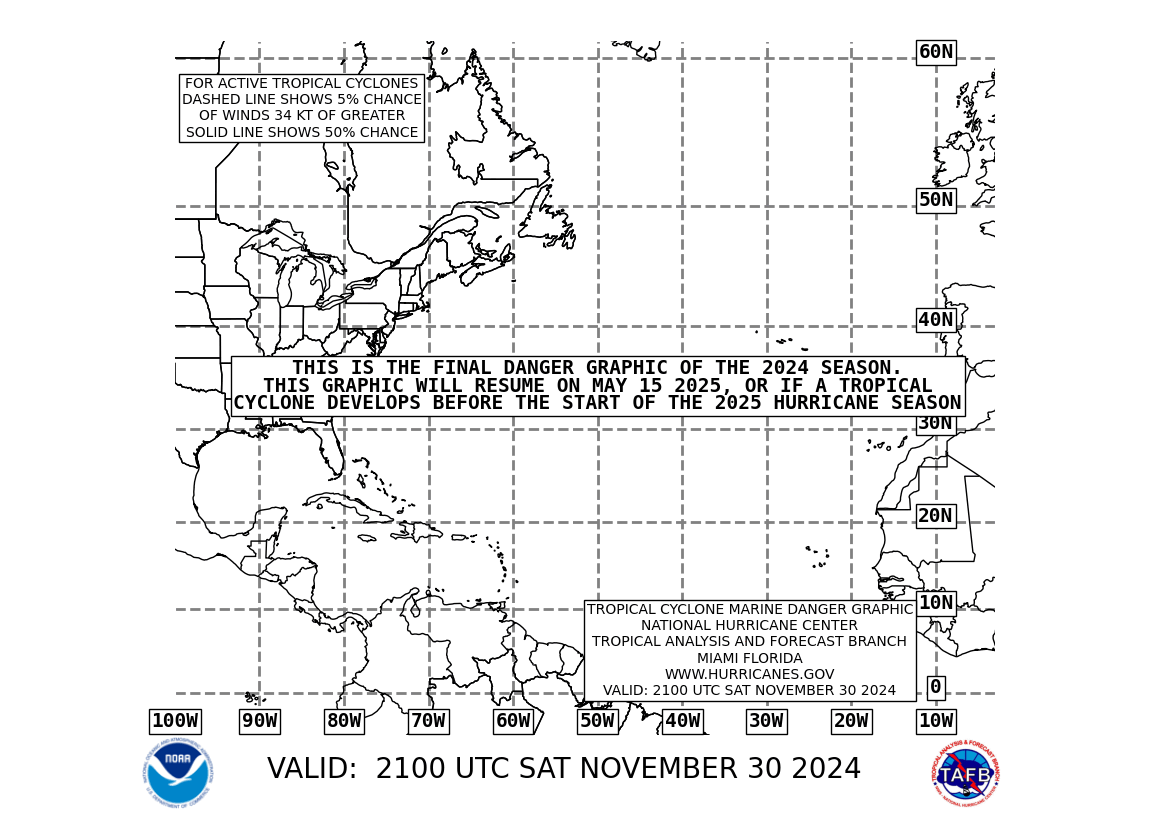
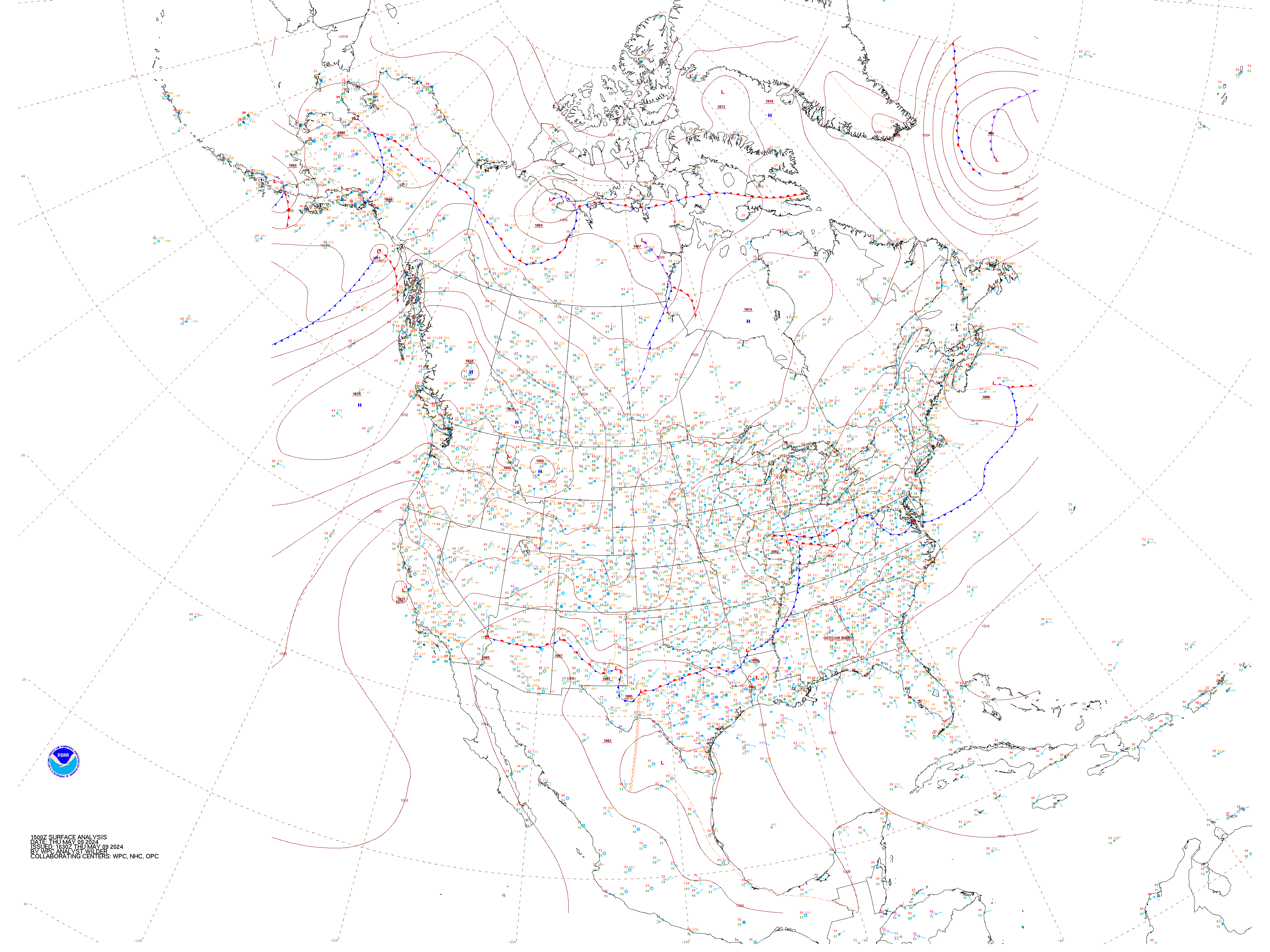


 lunar pelican
Hi guys! My fellow project members and I would like to know what is the best way to retrieve data from adafuitIO and feature that same data on an online website. I want to make it pretty, user-friendly and visible for out professors/friends to see. I've seen the API documentation but I'm not sure if that's the right way to do it. Any suggestions?
 iron viper
Well @lunar pelican I just started a small scale personal site to do that, and I am using react and material. (See create-react-app) In poking around the io.adafruit.com site it looks like they use chartjs themselves. I will probably look at that when I get to it.
Anyone else here create a website in browser JS only (static resources served, but no 'server' on the backend)? I am trying to figure out how to protect my AIO key. I am making calls right from the browser using fetch and the http api. I have it returning data, but it looks like all calls would need the AIO key. I see a webhooks API is started that could request a token, but that looks like it will only accept data, not pull data. The only thing I can think of at the moment is to put the site behind a sign in with the site chunked so the key isn't sent until a successful sign in. It feels like I need to do something, because a leaked key would enable anyone to delete data/feeds/dashboards, etc, right? Any other ideas?
lunar pelican
I guess a simpler question is how to feature your dashboard and blocks on a public website other than adafruitIO
iron viper
Yes, but I don't think that Adafruit exports images of the graphs. You would need to recreate them from the feed api.
 cyan aspen
I just had an idea for my pyportal and want to check if anyone has already done it. I would like to pull the Covid-19 stats for my state the new cases, those recovered kind of like a stock ticker, just not moving as fast