#learn-adafruit-authors
1 messages · Page 2 of 1
 ocean flare
 tough maple
it's every guide page I've tried. You can get to the guide site but not the guides themselves
 jovial idol
https://learn.adafruit.com/adafruit-gemma-m0 for example
ocean flare
works for me 😦
tough maple
oh, you're on cloudflare, it's probably different in different regions
jovial idol
huh.. definitely not working for me. Chrome, Safari, curl.
ocean flare
?? what is cloudflare?
tough maple
it's like a caching/dns service
jovial idol
Arizona here
ocean flare
ah --- chrome gives 500
tough maple
I did a dig learn.adafruit.com and tried checking the ip address directly to try to see what server the problem was on but that might not even be how it works if you're on cloudflare
tough maple
they might be hitting different servers though that would be odd
since dns is OS level
ocean flare
chrome on linux is OK
tough maple
not here it's not
ocean flare
ooh -- it works on chrome if I sign in to my adafruit account....
yup -- get 500 if not signed in -- OK if signed in --
same on safari
are you logged into an adafruit account?
tough maple
no
ocean flare
no idea why, but it seems to only allow access if logged in now. Hopefully a temporary glitch
tough maple
jovial idol
wierd ... guides work for me logged in also... but my shopping cart has 260 things in it 😮
tough maple
checkout
jovial idol
I mean, I love adafruit and all, but a $1,731.94 is a bit much even for my habit
jovial idol
all the items are things I have in my cart, but the quantities went bonkers. 21 featherwing tripler kits, 84 aligator clip packs...
tough maple
that's interesting
I need a hallowing C64 now
just saw the hallowing Mac guide
I guess it would be C64 + 1702
because screen
 jaunty cypress
I think my largest AdaFruit order was a little over $1,400.
 solid swallow
@jovial idol It's a known issue. The way to resolve it is to log out manually and log back in. Or it will resolve itself in 2 weeks when the session expires on its own.
 olive light
I noticed there is no Learning Guide for the RA8875 display. If I wanted to write a guide, what would I need to get started?
 cerulean pine
@olive light - contact PT and propose that you write a guide. If he approves, he'll refer you to me and I'll get you set up. DM me on Twitter if you need his address.
@jovial idol if you have issues with the shopping cart, email support@adafruit.com, screen shots might help, probably a glitch, they don't make you buy hundreds extra (that often!) 😅
olive light
Ok, thanks Mike. I've written him before, so I got it.
ocean flare
@cerulean pine FYI -- I had that same issue with my cart recently -- all the items in it suddenly had increased quantities.
 gray night
@cerulean pine Looking at https://learn.adafruit.com/bluefruit-nrf52-feather-learning-guide/nrf52-adc, and https://learn.adafruit.com/introducing-the-adafruit-nrf52840-feather/nrf52-adc, I think that
AR_INTERNAL_1_2 (0.6V Ref * 2 = 0..1.6V)
wants to be 0..1.2V instead.
Also, I'm not understanding how the nRF52840 Feather supports an AREF pin, since the board support package only allows for enumerated options for internal analog voltage references (plus VDD). (The nRF52832 Feather doesn't have an AREF pin.)
gray night
@jovial idol You had 260 items in your cart? Imagine my surprised when I logged in and saw that I had 12,012 things in mine. Hey, did you know if your order is, say, I don't know, maybe $199,679.48, you get a free Circuit Playground Express?
olive light
At least you'd get a free Circuit Playground Express and free shipping 😉
jaunty cypress
And a Smore magazine and a Perma Proto!
gray night
So close to $200,000… I should have tried adding something. What freebie kicks in at that level?
olive light
I think the CPX is the largest freebie as far as I know.
But for close to $200000, I'm sure you could work something out with them.
gray night
That would appear to be the case. A subscription to ADABOX would be a nice add-on up around $10-100K. Maybe dinner and drinks around the Adafruit pick-and-place machines, @fickle thicket setting the mood with his NeoTrellis.
olive light
😃
 fickle thicket
I'm up for it @gray night !
gray night
Sweet. Because after just thinking about assembling and soldering $200K of Adafruit goodies, I'd be ready for a little celebration.
solid swallow
@gray night Please email support@adafruit.com with your screenshot. It's a known issue, but they can still use examples.
gray night
@solid swallow Will do.
ocean flare
@brazen mortar I made some edits to the ESP32ATControl guide to discourage its use on ESP32 (except with the Argon) It promises a new guide for the ESP32SPI for ESP32 boards. Let me know if it looks OK of if you want more changes. If you want, I can add instrictions for loading the AT Firmare on an ESP32 via USB/Esptool to give folks the option of using it. It does work better than the ESP8266...
 smoky tusk
I promise I'll do a better job next time, @cerulean pine !
Thank you so much for the help!
cerulean pine
@smoky tusk you did great!
ocean flare
@fickle thicket Nice guide for the ble rover -- fun!
fickle thicket
Thanks @ocean flare !
ocean flare
@cerulean pine I am slowly updating portions of https://learn.adafruit.com/adding-a-wifi-co-processor-to-circuitpython-esp8266-esp32/at-setup-test -- when you have some pare time please review/comment/correct/question my updates. It's a "work in progress" now. I'll let you know when it is stable, but comments welcome anytime.

Surf the 'net with Blinka!
cerulean pine
Ok. Will do
solid swallow
@astral haven You requested access to a Learn guide to update it. Can you be more specific about the changes you'd like to make? Typically Learn guides are reviewed before being published, but any changes you make or have made will be live immediately, so I'd like to discuss your plans.
 astral haven
hi @solid swallow sorry my access to Discord is limited during the week. I'd like to modify the section around detecting serial ports on the Mac to be a little higher up in the guide so that the reader knows how to find their serial port before trying some of the other steps.
Listing serial ports should come before the bossac section.
solid swallow
@astral haven I agree. I can move that page below the other two, however, I don't think anything else should be moved.
We're encouraging people to use Mu editor, and that's why the pages involving finding serial ports are below the rest of the pages. It's considered "advanced" to be using screen or the like.
I reorganised the pages though to move the ESP8266 page below the Serial Console pages.
astral haven
What I had in mind was a short paragraph to explain how to list the tty's on a Mac and put it above the bossac section. The bossac example as-is does not work with modern Macs because Mac defaults to Bluetooth ports for many people
@solid swallow ah maybe it is too advanced, stumped me at first too 😃
solid swallow
So you want to edit the "CircuitPython on ESP8266" page?
astral haven
I already have learn access so I thought it would have been easier just to go in and add more info, but it sounds like you're involved with a larger editing/review process
The non-uf2 install page

New to CircuitPython? This is the place to start.
solid swallow
Ah ok. I understand now. We always appreciate more contributions 😃 I simply want to make sure that your update gets reviewed. Feel free to add more information but please let me know once you've completed it and I will make sure someone takes a look.
solid swallow
You're already on it! 😃
astral haven
Hi @solid swallow this is my first time editing someone else's already-published article. Do I need to submit my changes, or can you just go check them out?
solid swallow
You need to submit them before anyone can see them. That's why it's best to make sure someone can review it quickly if you're editing a live guide. 😃
gray night
@cerulean pine Love the blog post: Lulu Optic Fiber Swatches – Art using a Teensy and electroluminescent wire #ArtTuesday. However, I don't think any of the projects use EL wire. Maybe the headline could read: "Lulu Optic Fiber Swatches – Art using a Teensy to create electroluminescent-wire-like effects".
BTW, something like this might be a good product addition for working with NeoPixels/DotStars:
https://www.wiedamark.com/fiberopticsolidcoresideglow.aspx
LED and Fiber Optic Lighting by Wiedamark
Wiedamark is your one stop solution for LED and Fiber Optic Lighting Systems.
fiber optic cable - solid core - side glow
This page is full of DIY ideas for coupling 5050 NeoPixel LEDs with optical fiber. Some use 3D printed couplers that @main stream and @main ferry might find interesting:
https://www.flickr.com/groups/3908991@N25/pool/plusea
OK, I gotta do something with fiber optics now. [hashtag rabbithole]
gray night
@cerulean pine @brazen mortar 1988kramer in the Forums found an issue in a product description:
https://forums.adafruit.com/viewtopic.php?f=47&t=149598&p=738501#p738484
The DotStar Micro LEDs 100 pack ( https://adafru.it/3587 ) color/brightness in Technical Details don't look right. (I bet they were inadvertently borrowed from something like https://adafru.it/619 )
The similar 10 pack seems to match the datasheet better: https://adafru.it/3341

These incredibly small surface-mount LEDs are an easy way to add a lot of very tiny (but bright!) colorful dots to your project. They're mini versions of our digital ...

These surface-mount LEDs are an easy way to add a lot of colorful dots to your project. They're similar to the ones in our digital RGB LED strip, same size and shape. They are half a ...

These incredibly small surface-mount LEDs are an easy way to add a lot of very tiny (but bright!) colorful dots to your project. They're mini versions of the ones in our digital ...
cerulean pine
Ok we'll take a look, thanks
gray night
(Fixed my bad links.)
ocean flare
@radiant steppe Just a heads up - the code in the Hue controller Guide does not match what it in the Learning Guide repository -- https://github.com/adafruit/Adafruit_Learning_System_Guides/blob/master/PyPortal_Philips_Hue_Controller/code.py#L119

GitHub
Smaller programs and scripts to display "inline" in Adafruit Learning System guides - adafruit/Adafruit_Learning_System_Guides
@radiant steppe Other than that, I have it working -- Nice job! It occasionally gets confused on which button I am pressing, but I have not t had much experience with buttons yet. I got a bit confused since I have more have 2 lights but If I am reading it correctly, as written, you can only control 2 lights (room and lamp). If you want to add more, you ill have to add/ reconfigure the buttons, correct? Thats fine, I just got confused trying to assign the right light to each button. Now that I have done it, it makes sense.
 radiant steppe
@ocean flare Just modified, thanks for bringing that to my attention.
@ocean flare If you'd like to add more lights, you'd need to add more buttons (within prop_btn) to the interface. It's also possible to set a group instead of individual lights with the library - I created the chandelier lighting FX in the guide GIF by setting the group.
gray night
Interesting thread on figuring out which ADC pins work when Wi-Fi is active on HUZZAH32 Feather:
https://forums.adafruit.com/viewtopic.php?f=57&t=150742&p=744814
From the HUZZAH32 FAQ:
“Why can I not read analog inputs once WiFi is initialized?
Due to the design of the ESP32, you can only read analog inputs on ADC #1 once WiFi has started”
.
At first I misread this as pin A1, but it's actually referring to a group of analog pins. (Yeah, I know. 😃
OP says he tried pin 13/A12, which is supposedly on ADC #1; claims that docs may be incorrect, and that schematic shows it is actually wired to ADC #2, instead (which won't work when Wi-Fi is active).
Further, he notes that reading from pin 13/A12 seems to prevent Wi-Fi from starting, as well.
It would be clearer to me, if it read something like:
“Due to the design of the ESP32, you can only read analog inputs on ADC #1 once WiFi has started. ADC #1 includes A2, A3, A4, A7, and A9.”
(And possibly A12, if OP is wrong on it being part of ADC #2.)
@brazen mortar
 brazen mortar
@gray night i vageuly recall this was a bug/thing in ESP32 but i cant recall what pins
 native dirge
Is this an appropriate place to ask about authoring document features in the Learn system? I was interested in if there's an easy way to move text and images between pages?
radiant steppe
@native dirge You can copy a page's contents into another page, but there's no way currently to copy chunks of images or text between different pages
native dirge
That's what I've been doing. Would be nice to be able to drag sections onto another page to move or copy them.
radiant steppe
that would be a nice feature, though...especially when going back to old guides. I'm going to email some of the learn developers with this request.
native dirge
It's more painful for pictures, I've been re uploading those and then recaptioning
radiant steppe
@native dirge I just sent the learn development team this as a feature request, specifically the portion about moving images.
native dirge
Thanks
radiant steppe
I agree with you, though. I've moved a lot of images to another page before.
native dirge
One other thing I noticed. I used an animated gif for the first time for the index page thing for a guide. It looks good but I find it a bit distracting when you start using i.e. reading the guide. I wondered if there was some browser magic that could pause the animation of gif when the user scrolls down? Or perhaps there's a simpler solution to removing/minimising the distraction from this. I think this would be an RFE rather than anything a guide author could do.
astral haven
You can right-click on an animated GIF .. if there's any browser control it'll probably be offered in that context.
In Discord (only) if your mouse cursor is over the GIF it animates -- otherwise not at all.
Adafruit's website regularly crashes my web browser, from all those animations.
(try the neopixel uberguide as a test case)
native dirge
@astral haven thanks - I'd noticed that too, right click on Firefox presents a load of options - I'm not sure how much the average user uses that though
astral haven
I've been using 'NoScript' and it takes care of all this.
(in Firefox that is)
It's actually (very) annoying to use NoScript because it is so effective.
Totally changed my experience of Firefox, to work with NoScript enabled.
(but no more unexpected crashes from this kind of .. exposure, let's say)
I have no idea if using it is 'safe' or what-have-you.
NoScript does the job and hasn't given me a reason to uninstall it. ;)
I use 'chrome' in Linux when I want The Full Web Experience.
When I want a 'protected' experience (surfing to unknown websites) Firefox becomes my friend, for those excursions.
As this is not really on-topic I'll say no more here. ;)
native dirge
@radiant steppe @cerulean pine Are you aware of any bugs with two EMBED with animated gifs in a page. I have two very similar ones with identical resolution and top one gets slightly truncated on its left side. I can live with that but it looks like a bug. Chrome and Firefox both show it.
cerulean pine
Not aware but send me the link in an email and i can have the devs review
native dirge
I would be interested in any recent discussions on article tags about music/MIDI/audio/sound. There doesn't appear to be one that's relevant to this? I can appreciate there are always going to be issues with tag proliferation and niche cases not being covered but I think there are a fair number of MIDI projects now including the recent burst assocaited with launch of NeoTrellis M4 board?
gray night
@cerulean pine Tried to report some spam on the forums, but reporting feels broken. In this case, OP replaced their original, legitimate-seeming post with spam.
cerulean pine
Thanks, I'll pass it to the team!
cerulean pine
@gray night In process - and the reporting function is under repair, thanks again for letting us know.
gray night
Also, @cerulean pine, post editing has been broken for me for months. I can only delete and repost if I make a mistake on the forums.
cerulean pine
hmm, but the spammer used it, correct?
gray night
Yep. Editing a posted… er… post in the forums works for most people, but not for me. @solid swallow mentioned a while back that this was a known issue that was thought to have been fixed.
cerulean pine
Ok, I'll check on that also
solid swallow
Thanks for letting us know. I don't remember that though 😄
cerulean pine
@gray night what browser/OS do you have?
gray night
Usually Safari Version 12.0.3 (14606.4.5) running on macOS 10.14.3 (18D109), currently.
I can try it on Chrome and Firefox, but I think it's a backend thing.
ocean flare
@gray night Are you clicking to the left of the "warning" triangle -- works for me with Safari.
gray night
Delete and report are my only options. No edit.
Just tried in Chrome, and have the same problem.
cerulean pine
I just submitted it to the dev team
gray night
Same in Firefox. No editing for me.
ocean flare
gray night
Problem seems to be this CSS, with a wrong URL for the background-image:
@media screen, projection
.edit-icon a {
  background-image: url("https://forums.adafruit.com/style.php?id=4&lang=en");
}
Ok, I added this info to the report
gray night
Compare with CSS for the Delete icon:
@media screen, projection
.delete-icon a {
  background-image: url("https://forums.adafruit.com/styles/adafruit2013/imageset/icon_post_delete.gif");
}
FYI -- I also "don't see" "reply with quote" on the far right
gray night
Me either, @ocean flare !
@cerulean pine I did a bad copy and paste above from the CSS. Revised to reflect the actual code. I think.
cerulean pine
ok, thanks
gray night
So yeah, I'm missing both Edit post and Reply with quote icons, but the invisible buttons are otherwise functional.
Perhaps they're cached on some people's computers.
@cerulean pine Seems like there's a mix of using GIFS and icon fonts in the code. For accessibility, a lot of people are moving away from icon fonts, and towards SVG, anyway. If you're looking for another justification to make a fix. 😃
gray night
@cerulean pine @spiral tiger Spam spam spam on Forums.
gray night
<@&327289013561982976> This just posted in #general-tech looks suspicious.
jaunty cypress
I usually tag "community moderators" for suspicious things.
gray night
Gracias!
ocean flare
@pine wren I am trying to use the PYOA demo, but I don't have the correct font files on my system -- where can I find them? missing Arial-Bold-12
 pine wren
Oops. It wasn't in the examples with the lib. Will add it that asap.
@ocean flare PR submitted adding it. And guide tweaked to call it out with instructions.
ocean flare
@pine wren thanks -- I also opened an issue regarding the location of the fonts file -- shouldn't it be in fonts/ folder? No big deal but I was curious if there was a "standard" location https://github.com/adafruit/Adafruit_CircuitPython_PYOA/issues/6
GitHub
I tried running the demo for this and ran into 2 issues with this line https://github.com/adafruit/Adafruit_CircuitPython_PYOA/blob/master/adafruit_pyoa.py#L75 First, I don't have this font...
@timber pecan ah -- nice change to guide -- that clarifies the location -- you can just comment and close the issue if you want.
It seems like many of the demos used a fonts/ folder. As long as it is documented I am fine either way.
@pine wren uh oh -- the link to the font in the guide gives me a "404" -- maybe just because it has not been merged yet
I merged the PR and the link is OK now
pine wren
@ocean flare New PR in. Have a look and merge as appropriate. Then I'll release and tweak the guide.
ocean flare
@timber pecan Very nice! tested and merged. Ran from Files System and from SD Card!
pine wren
Is the guide editor messing up for anyone else? It's dropping embed tags for me.
ocean flare
@radiant steppe @pine wren the "cursor-conrolled" pyoa demo for the PyGamer is really nice -- ran it both from the SPI Flash and from an SD Card - works great! Thanks!
ocean flare
@pine wren just tried the PyPaint demo on a Pyportal but get this ```Press any key to enter the REPL. Use CTRL-D to reload.
Adafruit CircuitPython 4.1.0-beta.0-31-g3863a6ab8 on 2019-06-20; Adafruit PyPortal with samd51j20
import paint
495.423: DEBUG - Height: 240
495.424: DEBUG - Swatch height: 24
495.948: DEBUG - Creating a TouchscreenPoller
Traceback (most recent call last):
File "<stdin>", line 1, in <module>
File "paint.py", line 414, in <module>
File "paint.py", line 404, in run
File "paint.py", line 398, in _update
ValueError: too many values to unpack (expected 2)
Ah -- apparenlty adafruit_touchscreen is not in the "bundle" yet -ah - yes it is
pine wren
@ocean flare So it's working on the PyPortal for you now?
ocean flare
noy yet -- but checking soon -- looks liek adafruit_touchscreen is there, just missed it -- just a sec
@timber pecan no still not working after adding adafruit_toruchscreen
same error still on PyPortal -- sorry for the confusion...
pine wren
@ocean flare It's my bad. Remore the second return values on lines 83 & 85
I'll fix & put in a PR
ocean flare
@pine wren cool! it works! 👍
pine wren
@ocean flare Do you have review/merge rights on the learning guide repo?
ocean flare
I think so -- will try
approved -- will merge when Travis finishes
@pine wren apparently I am not so privileged 😉 I approved, but it is not sufficient and I can't merge- sorry.
pine wren
@ocean flare I see that @brazen mortar merged it. Thanks.
brazen mortar
@ocean flare lemme know if you want privs for learnrepo
ocean flare
@brazen mortar If you think it may be useful I'm happy to be able to help with review/merge. No special need at present.
ocean flare
@olive light the PyPortal Calculator is really nice. Thanks!
olive light
Thanks @ocean flare
radiant steppe
@pine wren > Take wing with your AirLift enabled board and get tweets using the official Twitter AP ?
wing/flight?
 hexed sluice
radiant steppe
hexed sluice
radiant steppe
@pine wren take flight is what most of the airlift copy uses
hexed sluice
(Minor tweak to the Python code for that project: you've got a one-liner description for the Halloween countdown project up front, not this Twitter API project)
gray night
Does https://forums.adafruit.com seem down for y'all? I'm getting a 504 Gateway Timeout.
cc: @cerulean pine
cerulean pine
Will check
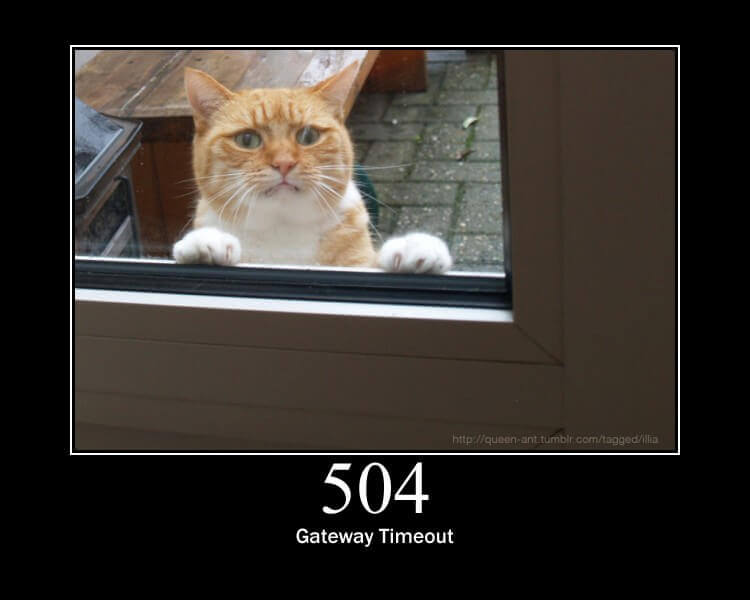 cerulean pine
Devs notified
gray night
Sweet! Is there a better handle to ping than yours, next time?
Maybe something like @website operations?
ocean flare
it's back
radiant steppe
@gray night the learn devs aren't on here iirc, but you could always ping me or mike
or any adafruit staff
gray night
@radiant steppe @cerulean pine Still getting 504 intermittently. I'm in forums on my laptop (success!), but on my phone, I'm getting 504 via CloudFlare.
ocean flare
FYI -- I get 504 now too. sometimes....
mostly on my mobile device (iPhone) computer seems to get through better, but also struggles.
gray night
Desktop and laptop are both struggling now. (San Francisco)
ocean flare
desktop is pretty good here ( New Hampshire) but the iPhone is still not working -- same network
ahh - not so much -- desktop is pretty unreliable as well.
when the desktop does connect, the last "new post" is few hours old -- may be cached.
ocean flare
Hmmm. Still cannot access forums from iPhone or iPad. @cerulean pine is there a known issue?
Apparently not.
hmm -- and accessing via desk top connects, but has not updated in the past 12 hours.
I sent an e-mail to support@adafruit.com
cerulean pine
Ok now?
ocean flare
@cerulean pine yes -- seems to be OK now.
cerulean pine
Good, devs are monitoring the issues
ocean flare
Thanks!
radiant steppe
@ocean flare @gray night thanks for reporting - looks up as of now.
gray night
All is well on my end. Thanks, @cerulean pine @radiant steppe !
cerulean pine
@distant sleet - the script for "Adafruit CircuitPython Library Download Stats" appears to have broken, pt's showing an exception and trace in the latest report. Kattni is out, would you have time to take a peak in the next couple days? Thanks.
 distant sleet
@cerulean pine can do!
Hmm. Yeah, two days in a row of timeouts to pypistats.org... that looks like a negative trend.
cerulean pine
Thanks for looking into it.
ocean flare
@fickle thicket Thanks for the PyGamer Neopixel controller demo -- worked great -- FYI -- as a simple setup you can just use board.NEOPIXEL and set the number of pixels to 5 and it works with the On-board neopixels. Quick and easy if you don't have a separate string of neopixiels available. Still fun to play with!
fickle thicket
Yes, good point -- I'm using those in the demo as well, but I will add a note to the guide that you can do it all without the external strip so more people can play along!
ocean flare
I was just referring to the CIrcuitPython demo
ocean flare
@pine wren the minesweeper game is very nice! Thanks -- one minor issue https://github.com/adafruit/Adafruit_Learning_System_Guides/blob/master/Minesweep/code.py#L219 does not work with the new audiocore split from audioio in 5.0 it needs to call auidiocore.WaveFile. Not sure how you want to handle it. see https://github.com/adafruit/circuitpython/pull/2010 for more info.
GitHub
Smaller programs and scripts to display "inline" in Adafruit Learning System guides - adafruit/Adafruit_Learning_System_Guides

GitHub
When nrf pwm audio is introduced, it will be called audiopwmio. To enable code sharing with the existing (dac-based) audioio, factor the sample and mixer types to audiocore.
INCOMPATIBLE CHANGE: N...
ocean flare
@pine wren easy fix posting a PR for minesweep
ocean flare
@pine wren PR https://github.com/adafruit/Adafruit_Learning_System_Guides/pull/795 in: I can't request reviewers in the repo so I'll leave it to you to decide if its the right way to go.
GitHub
Also backward compatible with CP 4.1.0
Tested on PyPortal with CP4.1.0 and current master 5.0.0-alpha.0-154-gbe52025d02
 silk delta
Hello Lady Ada and Adafruit. I am writing a book of CPX for Japanese beginners. I just translated the CPX Pinouts to Japanese. May I use it under CC License with the credit at the right below corner?
solid swallow
@silk delta Please send me an email at kattni@adafruit.com and I will get your question to the right folks.
gray night
@cerulean pine Unanswered "defective product" post (Aug 22) in Feather forum. I'd answer with how the flickering charge LED is normal, but I try to let Adafruit staff handle these, first. Not sure whom to ping on this, so I chose you. :-D
https://forums.adafruit.com/viewtopic.php?f=57&t=155564
solid swallow
@gray night As far as I know, the Forum system has a feature that shows posts that have not been answered by Adafruit Support even when they've been answered by community members. Feel free to weigh in any time.
ocean flare
@solid swallow @gray night I do hope that is the case, that they can tell if no "Adafruit Support" has responded. I have been concerned about this as well - although I have not restrained myself from jumping in as much as I probably should... 😉
 frozen willow
I'm not sure where to share this (I did ask ages ago but I forgot and can't find the answer) but I wrote a guide/narration of the TinyUSB MSC example. It is almost finished here https://docs.google.com/document/d/1dWAJ5UtsARpPgxzKY3wHMFXGbHnH5qbwW1UA55-JYz0/edit?usp=sharing
Perhaps it would be useful on learn.adafruit?

Google Docs
USB Mass Storage with Arduino Read and Write .txt Files This guide shows the use of Adafruit's TinyUSB Library for Arduino (available in the Arduino Library Manager) to use the on board flash of a Feather (m0, m4, or NRF52840) as a USB Drive! This is really handy for data lo...
solid swallow
@frozen willow Thanks for sharing! I've passed it along to our Learn folks. Might be a bit on a response, but they're aware.
 spiral tiger

Adafruit Industries - Makers, hackers, artists, designers and engineers!
The Adafruit Learning System has 2,000 guides! Thank you to our entire team, Justin, Tyler, Sheehan, and everyone at Adafruit who builds and makes learn.adafruit.com one of the best resources onlin…
hexed sluice
Looks like https://learn.adafruit.com/circuitpython-on-any-computer-with-ft232h/linux has a much larger animated gif than the other pages. Really freaks out the layout on mobile browsers.

Adafruit Learning System
Powerful computers can now use the power of CircuitPython libraries.
radiant steppe
cc @flint totem ^
 flint totem
@hexed sluice @radiant steppe thanks for pointing that out. gif should be fixed now.
gray night
@naive swallow writing in #general-tech suggested that the NeoPixel Überguide link to @fickle thicket 's article on level shifting for NeoPixels:
https://learn.adafruit.com/neopixel-levelshifter

Adafruit Learning System
Level shifters are like little bilingual translators for your electronics!
pine wren
Where's the best place to send aspiring learn guide authors?
cerulean pine
Here is my guide to looking to author guides for Adafruit. Note: I'm not management, so what I'm saying may be entirely bogus but I have a good feeling about this.
- Look to make a project, preferably using or showcasing Adafruit parts. Use a novel build, something useful, an interesting wearable, or combine hardware in ways not seen elsewhere. It's not the best idea to build something that's been done widely before, re. a general robot, a LED flasher, etc. Be creative.
- Write your project up. Use whatever platform you want - a blog, Instructables, Hackaday, your own web page, etc. It doesn't matter where. Be sure to take good photographs and consider video and/or YouTube posting. Circuit Diagrams or Fritzing.org layout are great. See other folks' work on the Internet for ideas.
- Post your build on social media. Twitter is a great place but Instagram, Facebook, and other places are good. Be sure to tag Adafruit, like Twitter @spiral tiger and maybe hashtags like #circuitpython-dev, #Feather, #CircuitPlaygroundExpress, etc.
- Consider coming on Adafruit's Show and Tell program. This is an excellent way to show your work in front of many Adafruit folks including decision makers. See the details at https://learn.adafruit.com/show-and-tell on how and tips to do it well.

Adafruit Learning System
Show us what you are working on weekly on Adafruit's Show and Tell broadcast
- Often on Show and Tell, they'll ask "Where can I find more info on this great project?" That's where you point to your write-up, videos, etc.
- If Adafruit is interested in your work for a possible tutorial/guide, they'll let you know. There are already existing authors but new ones are recruited as they come onto Adafruit's radar.
cerulean pine
- You should look to have your project(s) open source. It shows that you're giving back to the community that provides you with open source materials. FYI, GitHub is a great place to put code and even your tutorials.
Know there is no certainty in this process. No guarantee, nada. This is just how Adafruit had done things in the past. Many factors go into Adafruit's guide writing process so don't be discouraged if you don't have a hit on your first try. The best case is to keep making things, building your skills, and trying projects that stretch your a bit each time and are creative.
pine wren
Thanks @cerulean pine
cerulean pine
Hopefully this has been a good picture of the process. I'm a poor photographer so things may be blurry in areas. But so is life.
cerulean pine
Addendum - if you use Adafruit gear and CircuitPython and give talks at conferences or similar venues, that's good too.
 languid wraith
hi y'all, I was told this was the place to discuss this... if I go to the circuit python docs to erase my spi flash on my circuit playground express... https://circuitpython.readthedocs.io/en/4.x/docs/troubleshooting.html
and i follow the link to the adafruit_SPIFlash repo... (20ish lines down) I get to https://github.com/adafruit/Adafruit_SPIFlash/tree/master/examples/flash_erase_express and all there is an .ino file. I think there should be a uf2 file as it sez... "Download the appropriate flash .erase uf2 from" [that link]
GitHub
Contribute to adafruit/Adafruit_SPIFlash development by creating an account on GitHub.
i could be an idiot...this is very likely
tho i now realize there is a new way to do this with storage.erase_filesystem()
flint totem
@languid wraith thanks. probably an issue with having info in two locations. the info here is probably kept more up to date:
https://learn.adafruit.com/welcome-to-circuitpython/troubleshooting#circuitpy-drive-issues-20-21
the UF2's are there, but also as you mention, it's best now to use storage.erase_filesystem()
languid wraith
danke
flint totem
and just so you know - any of the read-the-docs information is generated from the main the circuitpython repo:
https://github.com/adafruit/circuitpython
so you could open an issue there, and even make a PR with fixes if you want :)
here's the source for the page/file you were reading:
https://github.com/adafruit/circuitpython/blob/master/docs/troubleshooting.rst
gray night
@cerulean pine Adafruit Infineon Trust M Breakout product description says, “Check out https://github.com/Infineon/optiga-trust-m for the Arduino library.” I don't think they've actually completed an Arduino library, yet. In their read me, I see “Arduino library (link is pending)”. I don't see an open issue for it, either.
(FWIW; I don't have an immediate need for this.)

GitHub
OPTIGA™ Trust M rev.1 Software Framework. Contribute to Infineon/optiga-trust-m development by creating an account on GitHub.
Someone asked about a CircuitPython driver; I poked around looking for an Arduino driver, to see how hard it would be to port. Also, a Forums member pointed out that the product page link frustrates those looking for Arduino support:
https://forums.adafruit.com/viewtopic.php?f=8&t=157648
ocean flare
@fickle thicket The CPB_Image_Transfer is nice! I ran into an issue in that it woks fine, but frequently disconnects - Have you seen this? I am using the IOS App. Also I was curious if the code for the project was going to be made available? Thanks for the project! hmm -- I tried the Android App and it is much more stable -- not seeing the frequent disconnects as on the IOS app....more info -- it is also stable on my iPad. so just seeing disconnect on the iPhone (IOS 13.1.3) iPhone 7 ... all using latest Apps available (3.5.0 on IOS) (3.2.0 on Android)
solid swallow
@ocean flare I have not had issues with it disconnecting, JP pinged me a bit ago saying he was having issues with disconnecting. He said he was getting about a minute before it disconnected. I'm not sure if he ever sorted that out or not. Major difference: I'm on Android, you're both on iOS.
ocean flare
@solid swallow yeah, Android and IOS in IPad seems fine. The time between disconnect on iPhone varied from seconds to minutes.
native dirge
@radiant steppe Your latest guide looks interesting, I've just started looking through it. There's something strange about the Code Setup page ( https://learn.adafruit.com/pyportal-iot-plant-monitor-with-aws-iot-and-circuitpython/code-setup) on the tablet presentation. It's fine on desktop but on an Android tablet on Chrome and Firefox I see a huge image at the top of the page which makes other parts of the page super wide (about 8 screen widths!). I doubt that's an article issue, more likely to be a problem with the Guide system. Curiously if I turn tablet to landscape orientation it doesn't do it, suggests width is a factor here. That tablet is 1920x1200.
fickle thicket
@ocean flare I look at it more closely soon (out of town until tomorrow) but I think I had frequent disconnects using the app for other BLE tests on CPB but not so much when doing the image transfer. Weird.
And yes, we’ll add Arduino source to the repo.
radiant steppe
Hi @native dirge , I fwd'd this to the learning system devs. Thanks for the report.
ocean flare
@fickle thicket is the code for the BLE image transfer demo posted ?
fickle thicket
@ocean flare thanks for your patience, I don't believe it's been put up on GitHub yet. Looking into it.
ocean flare
@fickle thicket Thanks!. No rush, I just wanted to make sure I had not missed it.
ocean flare
@fickle thicket any news on this ? (image transfer source code) -- just curious....no pressure
gray night
@spiral tiger @cerulean pine In #help-with-wearables, a student writes:
To mitigate support issues, perhaps https://adafru.it/1657 could include the same deprecation warning that https://adafru.it/1222 leads with:
Deprecation Warning: The Gemma bit-bang USB technique it uses doesn't work as well as it did in 2014, many modern computers won't work well. So while we still carry the Gemma so that people can maintain some older projects, we no longer recommend it. Please check out the Gemma M0 [ed: linked in original]. It has built-in USB, more capabilities, and is comparable in price!

Get started with Adafruit GEMMA with this lovely starter kit! Included is everything you need to make a basic project. There's a GEMMA board, four sewable bright RGB pixels, a ...

Deprecation Warning: The Gemma bit-bang USB technique it uses doesn't work as well as it did in 2014, many modern computers won't work well. So while we still carry the Gemma so that ...
Other kit products currently in stock also include the GEMMA V2.
For convenience, here's a bigger list of ATtiny kits, in CSV (I may be missing some):
1657, Gemma Starter Pack, in stock

1759, GEMMA Talking Toy Guts Sound Pack, out of stock
1849, Adafruit Gemma Sensor Starter Pack, out of stock
1850, Adafruit Gemma Sequin Starter Pack, in stock
2221, Trinket-Powered NeoPixel Goggle Kit Pack, in stock
2290, Getting Started with Trinket Book + NeoPixel Goggles Pack, in stock
2289, Getting Started with Trinket Book + Adafruit Trinket 5V Kit Pack, in stock
@gray night thanks for the note, @cerulean pine will look this week!
gray night
@spiral tiger Some diligent community sleuthing hasn't succeeded in fixing a Circuit Playground Express bootloader problem. Can someone take a look?
https://forums.adafruit.com/viewtopic.php?f=58&t=159127
jaunty cypress
With the driver removed, when you plug it in and put it into bootloader mode, do you still get "USB device not recognized"?
ocean flare
@fickle thicket Any new information on the source code for the CBP/Gizmo Image transfer demo?
fickle thicket
No new news @ocean flare
 formal heath
Question. I've built a system on top of a Sphero RVR. It's a Raspberry Pi 3 B+, a hand-built Proto-Pi-Hat (to pull out 3.3v, GND, SCL, SDA, TX, and RX), and a pan/tilt mast on a Pimoroni pan/tilt hat. On the pan/tilt mast, I have a Pi camera, a Maxbotix EZLV0 (I think - I'd have to go look again), and an ADS1115 ADC. The system will use TensorFlow to recognize "cat." It will then compute range-to-cat, convert it into heading, speed, and time, and then it will pause and repeat. It's an autonomous cat chaser. I have a GitHub repo for the code (not clean enough for visitors yet) and I'm still developing. When it's done, do you think this is something that I should write a guide about? It's pretty complex....
 median ocean
@solid swallow , or others: Does Adafruit have a MakeCode supported board that works with BLE downloading? Anything similar to the Micro:bit for MakeCode? Thx.
solid swallow
@median ocean Not that I'm aware of.
gray night
@formal heath That sounds pretty cool. Perhaps you can demo it on Show and Tell as a start. Works in progress are welcome!
formal heath
@gray night Ahhh, good idea. I'll try to do that!
gray night
@formal heath Show and Tell will be live in 15 minutes if you want to see how it works. (It's totally casual.)
https://www.youtube.com/adafruit/live

YouTube
To show and share your project at 7:30pm today, view the chat or in discord https://adafru.it/discord and look for the JOIN link to join. For best results b...
Will be available for replay later, too.
formal heath
Thanks, @gray night - familiar with it, just not a regular. I'll drop in today.
cerulean pine
The problem report link in each guide on the left should be used to flag issues
 civic marlin
Question. I'm trying to post the docs for a small CircuitPython library I wrote which imports adafruit_pyportal. In the requirements.txt file, I specify adafruit-circuitpython-pyportal (though I've tried other convolutions to no avail), but readthedocs gives this failure on build: ERROR: No matching distribution found for adafruit-circuitpython-pyportal. I'm stumped. Thanks for any help.
solid swallow
@civic marlin I believe requirements.txt is used only for PyPI deployment/testing purposes, and the PyPortal library is not on PyPI because there is no way for it to be used on a Linux computer as a PyPortal is a microcontroller already.
civic marlin
Thanks @solid swallow . I guess I get the logic of that. My module is a class that just overrides one method of PyPortal. I tried previously taking out the reference to pyportal in requirements.txt, but alas it still refused to build on readthedocs. Perhaps I don't want it to try to build from my code, but it doesn't seem to want to create the documentation without. This is my first time trying to use readthedocs, so I am lost on how the site is supposed to work!
solid swallow
It is... complicated at best, and impossible at worst. Takes a long time to learn and get used to.
I have been working with it for years and still struggle.
And when you say you tried other convolutions, you tried adafruit-pyportal as well?
Can you send me a link to the error you're getting? The error without it in requirements.txt
civic marlin
I am pretty sure I did try that. Ok, I'll take out the stuff in requirements.txt. It has Blinka in there too. Should I leave that in?
solid swallow
Leave that, yes. That's fine.
civic marlin
Ok, I'll make those changes, run it again and be back. Thanks.
solid swallow
You're welcome
@civic marlin Please tag me by username when you return as I may miss the message otherwise.
civic marlin
readthedocs build error
Hi @solid swallow see the file I just uploaded, which has a snippet of the build error now that the reference to pyportal is removed from requirements.txt.
solid swallow
@civic marlin Looks like it's erroring on hidapi - I just saw a PR go by to remove that from something because of an error. Let me find the link.
GitHub
Since having hidapi in requirements.txt causes anything with a Blinka dependency to fail that doesn't install libusb (see #202), the easiest thing to do is leave it out of requirements.txt,...
Taking hidapi out of requirements.txt apparently is the fix.
Also what are you using to build this? This doesn't look like what I'm used to seeing.
civic marlin
@solid swallow my requirements.txt has only Adafruit-Blinka in it. As to what I am doing to build, I followed the creating-and-sharing-a-circuitpython-library guide. The build error is coming from readthedocs; nothing that I am doing.
solid swallow
@civic marlin You're here? https://learn.adafruit.com/creating-and-sharing-a-circuitpython-library/sharing-our-docs-on-readthedocs

Adafruit Learning System
Share your code with the world
civic marlin
I'm looking at the all-on-one-page version, but yes, that's it, @solid swallow . Maybe I missed a step or something, but it's what I was trying to follow. I went on to add in the Travis integration, which produces almost identical error messages.
solid swallow
@civic marlin We're migrating to GitHub Actions. The guide hasn't been updated to reflect that. I have no idea how to set up Actions. This information is likely irrelevant to your issue though, the errors would probably still occur that way as well. Is the Travis output online? Or local?
civic marlin
Online @solid swallow at https://travis-ci.com/gmparis/CircuitPython_pyportal_multissid .
Travis CI enables your team to test and ship your apps with confidence. Easily sync your projects with Travis CI and you'll be testing your code in minutes.
solid swallow
@civic marlin Try taking Blinka out of requirements.txt.
civic marlin
@solid swallow got further, maybe. Here's the error now: Warning, treated as error: autodoc: failed to import module 'pyportal_multissid'; the following exception was raised: No module named 'adafruit_pyportal' The command "cd docs && sphinx-build -E -W -b html . _build/html && cd .." exited with 2. cache.2 store build cache
solid swallow
Ok, this I do know how to fix.
In /docs/conf.py there is a commented out line called autodoc_mock_imports or something close to that.
Basically Sphinx tries to use the imports in a library, and with the way CircuitPython is designed, can't find them.
so we automock them to make it deal.
Add adafruit_pyportal to the mock imports line, delete anything else in there.
civic marlin
@solid swallow I feel we are getting closer! 😄 Same kind of complaint is still stopping it, but it is pylint that is not happy. It was there before, but I only gave you the last error message. Here's what pylint has to say: ```$ pylint adafruit_pyportal.py
No config file found, using default configuration
************* Module adafruit_pyportal.py
F: 1, 0: No module named adafruit_pyportal.py (fatal)
The command "pylint adafruit_pyportal.py" exited with 1.
0.53s$ ([[ ! -d "examples" ]] || pylint --disable=missing-docstring,invalid-name,bad-whitespace examples/*.py)
No config file found, using default configuration
************* Module pyportal_multissid_simpletest
C: 29, 0: Trailing newlines (trailing-newlines)
E: 18, 0: Unable to import 'board' (import-error)
There is a default .pylintrc that we use, you can find it in any library.
olive light
@solid swallow, @civic marlin, the hidapi issue was fixed as of late last night.
civic marlin
@solid swallow with the .pylintrc in place, it no longer complains about no config file, but still complains about no adafruit_pyporrtal.py. Is there a way to fake it out like we did with sphinx? Hey, but good news, I just noticed that the readthedocs build now succeeds (probably after the conf.py change). It's only Travis that is not working. I wanted Travis just to automatically build the mpy file. I suppose that's a want more than a need.
solid swallow
I think your travis.yml file probably is forcing it to look for that file.
civic marlin
I'll research it some and see if I can figure it out. Thanks for your help @solid swallow .
solid swallow
You're welcome!
hexed sluice
@solid swallow https://learn.adafruit.com/adafruit-pyportal-titano/parsing-json has a too-wide layout on mobile. Looks like a too-large picture at the top of the page may be the root cause.
 solid swallow
@hexed sluice Please use the feedback link on the guide page or email support@adafruit.com to report issues with guides. Discord isn't a good way to report guide issues as messages can get missed.
ocean flare
@fickle thicket think I finally found the source for the Image Transfer program for the CPB/Gizmo - it was in the library examples the whole time 🤦 https://github.com/adafruit/Adafruit_nRF52_Arduino/blob/master/libraries/Bluefruit52Lib/examples/Peripheral/image_upload/image_upload.ino
fickle thicket
@ocean flare nice, I swear I looked for that and didn’t find it at first!
ocean flare
@solid swallow Nice job on the itsybitsy nr52840 guide -- lots of great information included 👍
solid swallow
@ocean flare Thanks! Glad you enjoyed it.
ocean flare
@fickle thicket Great job on the CPB AMS guide/demo! What a great demo! Thank you! -- I have noticed that the response to the Pause (A) button can be tricky to "catch" at times. Sometimes it works and sometimes not. May just be a timing issue. Minor issue for sure.
fickle thicket
Thanks @ocean flare Were the pause issues consistent in different media players?
ocean flare
so far I have only tried it with Apple Music.. will try others and let you know
fickle thicket
Oh, is there a chance you’re holding the button long enough to send the message twice?
@ocean flare try tapping it more quickly and see if that helps.
ocean flare
@fickle thicket I’ve tried lots of combinations. Fast and slow. Will keep trying. I take it you are not seeing this.? I can try a second system tomorrow.
ocean flare
@fickle thicket I tried it on another CPB/gizmo and that one responded much better. I think it is more of a mechanical issue on the first system. I'll poke at it some more, but I htink it's a non issue. Sorry for the false alarm. I really like the program!
fickle thicket
Ah that could be a bum button, right.
smoky tusk
Is there interest in me writing up the kalliroscope sphere design from Adabox 014? https://twitter.com/grajohnt/status/1214013888951463936?s=20


Sparkly base and lightning animation. It's probably just about done...whatever it is. Lightning in a...sphere? https://t.co/W1pQGDjh8y
 Twitter
gray night
Twitter
gray night
@spiral tiger I think the product name for this wants to read 800mA, unless there's a battery inside. :-D
https://www.adafruit.com/product/4489
Run two solenoids, or a single DC motor with up to 800mA per channel using the super-simple L9110H H-bridge driver. This bridge chip is an 8 DIP package so it's easy to fit onto any ...
 mortal mortarBOT
 gray night
@spiral tiger
solid swallow
@gray night You're probably better off emailing support@adafruit.com and they'll get it to the right folks.
gray night
Thanks! Will do, @solid swallow
astral haven
Good morning, I'd like to contribute a small update to the Adafruit Learn guide for the Pi Zero Gadget. I've already written it up on my site, and I already have a Learn account, but I don't seem to be able to contribute to the Adafruit guide. What's the process for contributing to an existing article? My guide is here: https://back7.co/home/weekend-project-portable-pi-zero-usb-gadget

BACK7.CO
Of all of my projects, this one is probably going to be one of the easier ones. This project is a little more open ended, but all you really need is the following: Raspberry Pi Zero W ( Adafruit ) Raspberry Pi Zero Case ( this one or this one , for example) Micro U...
solid swallow
@astral haven I've let Anne know. She'll handle getting you set up and let you know when everything is set.
cerulean pine
@astral haven which guide is it on learn.adafruit.com?
@astral haven I found it. I added you as contributor.
@astral haven - contact me at anneb@adafruit.com when the changes are done and I'll review and we can promote as an updated guide
astral haven
@cerulean pine done, and emailed. Thanks!
ocean flare
@olive light do you maintain the Blinka guide? This page (blue panel) https://learn.adafruit.com/circuitpython-on-raspberrypi-linux/installing-circuitpython-on-raspberry-pi should be updated to include RPI 4 -- caused some confusion today.
olive light
Thanks @ocean flare, I just usually update pages when I see they need updating, but nothing on a regular basis.
Ok, Blue panel updated
ocean flare
Thanks!
olive light
yw
gray night
@spiral tiger Someone on Forums believes the Particle Ethernet FeatherWing has SPI connections that are miswired, according to FeatherWing spec. I think OP is mistaken, but I haven't used these products. No one has replied to them, yet. Thread:
https://forums.adafruit.com/viewtopic.php?f=57&t=162801
spi detail - particle ethernet featherwing - eagle screenshot
 noble frigate
can anyone help with the nrf52840 feather? I bought 3 and only 1 is working. The other 2 does not respond to the reset button at all.
 runic grotto
@noble frigate please post on the adafruit tech support forums: https://forums.adafruit.com/
ocean flare
@olive light just tried the Chrome WEBBLE with a bluefruit_sense -- worked great! Very nice!👍
ocean flare
@olive light also trying it on a CPB -- working fine but no 3D model panel - Is that expected?
olive light
Yeah, it doesn't have the 9-dof sensor.
ocean flare
ah -- that explains it! Thanks!
ocean flare
@remote onyx just tried the ulab demos on a CLUE -- great job! they are working well -- even got my pulse right!
 remote onyx
@ocean flare awesome, thanks for the feedback. It gets my pulse fine, not my wife's.
ocean flare
@remote onyx yeah - it was very steady on mine -- a bit more erratic on my wife's -- smaller fingers maybe - plus she just ran up the stairs to see the new toy 😉
remote onyx
maybe somebody will figure out a tweak for it. It's a pity if it only works for larger body types. (It did work for me after some short moderate exercise, heart rate about 110)
(assuming that's even the pattern)
 dusk plank
@solid swallow There is a minor typo at the end of this line in the welcome to CP guide, troubleshooting page:
This may have been incorporated into the latest release. Please let us know in the forums if you test thi.s
solid swallow
@dusk plank Thanks for catching that! I've fixed it.
dusk plank

 honest quail
Hi everyone, I'm not sure being in the right place....
I have developped a platform for education based on the feather m4 express.
Most of my users speaks french and i'd like to begin a translation of the "circuitpython essentials guide".
Is there a proper way to do it ?
thanks.
solid swallow
@honest quail Welcome! Thank you so much for offering to translate the guide! For future reference, you only need to post your question in one channel - everyone can see all the channels and will reply as soon as possible. I believe your question has already been answered though.
honest quail
@solid swallow : sorry. Dant told me to email pt. I've done so.
solid swallow
@honest quail No apologies needed!
I simply wanted to let you know.
Glad to hear you've been connected with PT. 🙂
I'm really excited about getting guides translated.
honest quail
It's important also for me as I developed a hardware/software solution for French physics teachers based on the m4 express running circuitpython.
solid swallow
@honest quail That's great! Do you have any links to or pictures of it online? We have a newsletter we send out every Tuesday about Python on Hardware, and I'd love to see it included in the newsletter.
honest quail
I need to update the website to hardware v2 but I can post you a photo

@solid swallow : it uses feather m4 Express and oled featherwing and a home adaptor board to provide Arduino like, Grove and Jack connectors
solid swallow
Very cool!
honest quail
@solid swallow thanks!
honest quail
@solid swallow : I updated my github repo for this project -> https://olivier-boesch.github.io/CircuitPython-au-lycee/
fell free to tell me if you find something to change (typo btw!)
I need more work but first update...
CircuitPython-au-lycee
Les microcontrôleurs et python au lycée : matériel, logiciels et TPs
solid swallow
@honest quail I passed it on to add to our newsletter. Thank you!
honest quail
many thanks to you for adding this to your newsletter.
solid swallow
Thank you for sharing 🙂
dusk plank
@solid swallow Another minor typo. I think the word "all" is misplaced. This is in the cp esentials guide, in it's description.
"This guide provides examples all of the core modules"
dusk plank
@solid swallow And on built-in, not sure if "function-functions with lambda" is another.
solid swallow
@dusk plank The second one isn't a typo as far as I know. Thank you for catching these!
Fixed the first one.
dusk plank
Then what is it. I had trouble translating it.
Is it something like "you can write one function or many functions with lambda"?
Also, I started translating the Esentials guide. 5 pages ready.
I added the featured products to this one, which I didn't for the welcome one.
solid swallow
@dusk plank Please tag me directly in messages with questions - otherwise I'll miss them. I'm not sure how to translate it either - let me look into what is meant by it.
dusk plank
Sorry. Will do.
solid swallow
No apologies needed! I want to make sure I'm not missing your questions.
@dusk plank Ok I looked into it. It's a function that generates other functions. So can you translate it as "function-generating functions"?
dusk plank
Sounds do-able, will do. Thanks.
solid swallow
No problem. It turns out it's a really weird concept, so it's understandable that you ran into issues translating it.
honest quail
@solid swallow : I was wondering how to copy an entire guide at once. I 've found only how to copy a page...
It would be easier for me in order to translate the guide.
solid swallow
@honest quail I replied via email as well. There's no way to copy an entire guide - you must do it one page at a time. In the future, we hope to have a better option, but right now, that's the only way.
honest quail
@solid swallow : ok (I'm that stupid, "oufff")
thanks.
let's begin the work.
solid swallow
@honest quail It's not stupid at all! The Learn system can take some getting used to! Please don't ever hesitate to reach out with questions - we all started somewhere once, and we all had to learn how to use the system properly.
honest quail
Sorry @keatt
sorry @solid swallow , I wanted to say : I'm NOT that stupid (if I've haven't found, it's maybe because I can't do...). oups. sorry.
solid swallow
@honest quail I understand 🙂
@honest quail I have one favour to ask - please "reply all" if you communicate via email, even if you're only planning to ask me questions. Anne and Phil like to remain aware of what's going on.
honest quail
@solid swallow : understood.
honest quail
@solid swallow just a simple question : Can you view (and review) a page in "draft" mode? I 'd like to have your early opinion about the beginning.
solid swallow
@honest quail I can! I have access to all guides regardless of status. You can send me the editor link and I will be able to view it. Please send it via direct message or email.
honest quail
ok
solid swallow
I need to run an update on my laptop - I'll be unavailable for a few minutes while that runs.
honest quail
no problem. It's late in my country. Going to sleep...
solid swallow
@honest quail I caught something that needed to be updated and updated it - you had not started translation on that page yet. Please let me know if you find any typos or bugs.
honest quail
@solid swallow ok. thanks for the review.
honest quail
@solid swallow found a typo : in the page "installing circuitpython" ( https://learn.adafruit.com/welcome-to-circuitpython/installing-circuitpython ), it is said that we need a driver for windows 7 and don't need for windows 10. but what the user should do if he's running windows 8 ?
Adafruit Learning System
New to CircuitPython? This is the place to start.
solid swallow
@honest quail Nothing as far as I know. No drivers needed. No one ever asks that, so we haven't bothered to mention it, I suppose.
honest quail
@honest quail Nothing as far as I know. No drivers needed. No one ever asks that, so we haven't bothered to mention it, I suppose.
@solid swallow ok. I will add this in my version. just in case...
@solid swallow I published for final review the four first pages of the guide. going on translating...
solid swallow
@honest quail Sounds good. We'll have our moderator go through the guide when you've completed it - we don't typically review it page by page. However, I am happy to go through them as you do it. Let me know and I'll review it.
cerulean pine
Yes, once you two are happy, I'll go through for non-verbal copyedit. Then Limor always presses the final publish button
 brave flower
https://learn.adafruit.com/adabox001 <- on this page the first video "who are you?" is set to private and therefore not embedded as intended, I guess. I'm currently iterating through all the stuff I purchased, which includes the Ada Box 001 and this is why I stumbled upon that page. 🙂
 jaunty cypress
There's a "Feedback? Corrections?" link at the bottom of the left hand column, where you can submit information like that, which will be routed to the appropriate place.
brave flower
Ok, thanks.
 uncut gulch
Can individual pages within learn guides be "archived" or part way disabled for some users? In this guide: https://learn.adafruit.com/neopixels-on-raspberry-pi/raspberry-pi-wiring I see 2 extra pages (the Old PI ones) if I am logged in that are gone if not logged in.

Adafruit Learning System
How to control NeoPixel LEDs with Python on a Raspberry Pi!
solid swallow
@uncut gulch Please email me with this question, I will forget you sent it here.
uncut gulch
Okay will do.
astral haven
Hi there. I would like to contribute a tutorial but I'm not sure if learn.adafruit.com would accept it/benefit from it. It is a "sonos keyboard" which lets you choose music using a mini keyboard and a LCD. It runs on raspberry pi zero and uses a waveshare LCT and a Rii i8 mini keyboard (both not on adafruit shop). Here's the github repo including a GIF with the finished thing: https://github.com/philippkeller/sonos-lcd

GitHub
Play sonos through a mini LCD and mini keyboard. Contribute to philippkeller/sonos-lcd development by creating an account on GitHub.
runic grotto
@astral haven I recommend coming on Show and Tell to demonstrate it
astral haven
this is every Wed at 7pm, right? This is 1:00am here, which is not a time when I'm usually awake 🙂 the idea sounds nice (I would like to show this with my son with whom I built it) but the time is off…
runic grotto
@astral haven @fickle thicket has been doing show and tell on thursdays at 5:30pm eastern which is a bit earlier
radiant steppe
@ocean flare If you hate guide writing, I have no problem modifying the code in that guide
I'm not sure if we'd want a separate guide
What would the separate guide be?
ocean flare
No need as far as I am concerned. Let me take a crack at updating the guide — please post the link so I start in the right place. Should we just add a new example - two — one for addressing, one for “reliable data gram”
@radiant steppe is it this one? https://learn.adafruit.com/radio-featherwing/circuitpython-for-rfm9x-lora
 radiant steppe
@ocean flare I was thinking of updating

Adafruit Learning System
Build your own network of temperature nodes and routers using two Feathers and the Radio Bonnet
ocean flare
Ah — do you want to add the example or make the example use addressing and ACK?
I should also update the one I linked to, no? Add examples.
radiant steppe
@ocean flare (may be slow to respond after this, meeting then s&t)
You should update the text in what you linked
The CircuitPython module does not support advanced RadioHead features like guaranteed delivery or its internal node addressing scheme. Only the simple 'raw' RadioHead examples are supported (i.e. broadcasting a packet to all listening radios).
this isnt true anymore thx to your work 😄
ocean flare
Ok — will look at it.
ocean flare
@radiant steppe apparently, I'll need permissions to edit those guides. Can you arrange that?
radiant steppe
@ocean flare Could you DM me?
 azure vessel
Not sure if this is the right channel, but I stumbled on a link that leads to a 403 on this page:
https://learn.adafruit.com/bluefruit-playground-app/circuitpython
"Install CircuitPython on Circuit Playground Bluefruit
Download the latest version of CircuitPython from the link below. If you need detailed help, follow these instructions." has a link to https://learn.adafruit.com/admin/guides/2836/editor/these instructions
solid swallow
@azure vessel Thanks for catching these! For future reference, please use the Feedback link found on each guide page to provide feedback, or email support@adafruit.com with the issue. Things like this often get lost if posted to Discord and those two options will get where they need to go.
azure vessel
Didn't see that... Thank you !
solid swallow
I'm not getting a 403 on the first link.
even in a private browser.
Or are you saying the issue is the second link?
azure vessel
Go to that page... scroll down to "Install CP on a...." and the second link is bad
azure vessel
❤️
solid swallow
@azure vessel Please try it now.
azure vessel
Confirmed fixed!
I am doing a lot of reading lately and the Learn guides are really really good! Kudos to the whole team!
solid swallow
Thank you! Glad to hear it.
 fiery vault
Hey folks - I have a question on editing a guide. If I make changes to an existing guide do these go live immediately, or does it move to a moderation process? I can't find anything in the learning system guides and don't want to start making changes if this is going to break a live guide.
runic grotto
@fiery vault it goes live immediately I believe
ocean flare
It appears to -- new pages are in "draft state" but edits seem to go live.
@radiant steppe I did some edits to the exiting wording for the RFM69/9x and am slowly adding new pages -- working now on Advanced Usage page -- I assume you can see it. Take a look and let me know if it's headed in the right direction. Sorry for the delay.
radiant steppe
@ocean flare Could you link me? I'll take a look this AM
ocean flare
@radiant steppe I added you as a contributor -- should be able to see it now -- or was I supposed to do something else
ocean flare
Thanks -- I'll try to clean it up today and add a similar page for the RFM69.
ocean flare
@radiant steppe when you have a chance -- take a look at the new pages and let me know what is missing or confusing. https://learn.adafruit.com/admin/guides/1275/editor/19492
radiant steppe
@ocean flare looking now
@ocean flare some notes: It may be useful to add an graphic of the radiohead header if one exists. I feel the rest is good and not confusing to me,
Thanks for making it - do you want me to move this into moderation?
ocean flare
Thanks -- good idea. I'll add a graphic -- need to make it -- I'm not aware of one.
radiant steppe
@ocean flare Excel feels like a good tool for the header layout
if it doesnt exist - you'll be the creator 😄
ocean flare
@radiant steppe Are you editing the guide? you have it locked -- NP if you are, I can wait.
radiant steppe
@ocean flare should be off the page now, sorry, had it open
ocean flare
@radiant steppe I ahve a PDF with a graphic -- how can I get it to show up in the page instead of as a link?
radiant steppe
@ocean flare you'd need to convert that to a PNG or JPEG to use it as an image element
PDF rendering isnt supported by Learn
ocean flare
ah -- just figured that out -- inserting images now
OK done -- if you like it -- go ahead and move to moderation -- or let me know what to change.
radiant steppe
@ocean flare looks good, I'll make a todo for moderation
ocean flare
Cool! Thanks!
radiant steppe

Adafruit Industries - Makers, hackers, artists, designers and engineers!
UPDATED GUIDE: Adafruit RFM69HCW and RFM9X LoRa Packet Radio Breakouts We have updated the Adafruit Learning System Guide for the RFM69HCW and RFM9x LoRa packet radio breakouts to add advanced feat…
ocean flare
ooh! Just curious why the "RFM69 Test" page is still draft -- does it need to be tested or updated?
solid swallow
@opaque socket Hey, are you around? I have a request.
 opaque socket
@solid swallow yes! what's up?
solid swallow
@opaque socket Excellent! Hi. Do you have a short video of your MIDI robot xylophone? I don't see any source vids in the guide so presumably the only thing in the guide is embedded YouTube. I want to include it in the newsletter recap, but I don't think an image will do it justice. Sound doesn't matter since it'll get stripped out anyway for the voiceover.
opaque socket
i do! what would be the best way to share with you?
solid swallow
Depends on size! How big are we talking? You could post it here, or email it to me, if it's bigger, WeTransfer is a free file transfer service you don't need to sign up for.
Also, I love you heading off the "Well actually"-ers with this *Yes, technically this is a bell kit, or glockenspiel, and not a xylophone. However, most people will recognize instruments in the mallet family colloquially as xylophones. Xylophone is also comparatively easier to say and more commonly heard than glockenspiel or bell kit.
opaque socket
haha thanks! it's been a fairly constant comment.. i'll post up a video here in a few minutes- just need to cut it down
solid swallow
Keen, tag me when you do. Thanks!
opaque socket
@solid swallow here you go! it's got a few different angles. thanks for chatting about it in the newsletter 😺
solid swallow
Thanks for the clip! And of course! I normally only talk about two... but the three in the newsletter are all great this week so I figured why not. Plus I have high res stuff for all of them which makes it more appealing.
opaque socket
yay!  ⚡
⚡
solid swallow
I mean how can I not talk in a calming voice over an image of JP with that creepy sloth puppet.
IT'S TOO GOOD TO PASS UP.
opaque socket
that might be the highlight of my week hahaha lars is everything
dusk plank
@solid swallow Very minor typo on the essentials, analog-in. "If"
"Make sure you're running the latest CircuitPython! f you are not,"
solid swallow
@dusk plank Fixed, thanks.
ocean flare
@solid swallow a user just ran into this. In the CPB guide "digitalio" section https://learn.adafruit.com/adafruit-circuit-playground-bluefruit/circuitpython-digital-in-out#going-beyond-the-lesson-2919091-7 switch = DigitalInOut(board.SLIDE_SWITCH) switch.direction = Direction.INPUT switch.pull = Pull.UP should be switch = digitalio.DigitalInOut(board.SLIDE_SWITCH) switch.direction = digitalio.Direction.INPUT switch.pull = digitalio.Pull.UP
solid swallow
@ocean flare That's from a different base guide. I'll get it updated. Thanks.
ocean flare
@radiant steppe when you have a chance -- take a look at this line https://github.com/adafruit/Adafruit_Learning_System_Guides/blob/master/lorawan_sensing_network/lora_gateway.py#L97 I think it should be something like if packet is None or packet==prev_packet: as it , the or prev_packet only tests if prev_packet is True or False (something or None) -- When I ran it -- only the first packet would ever get processed.
radiant steppe
@ocean flare you're correct, it should have the strict comparison btween packet and prev_packet
ocean flare
BTW -- I have it running on my m0_rfm9x board!
radiant steppe
@ocean flare whoo! with the modified build?
ocean flare
yes -- rfm9x (with some size (not function) reductions and bus_device frozen bme280 not... I was able to restore neopixelwrite and analogio -- have about 200 bytes free in flash! Still more to do to reduce rfm9x more
dusk plank
@solid swallow, @cerulean pine I've just set for moderation the second translated guide for spanish, cpy essentials.
https://learn.adafruit.com/esenciales-para-circuitpython/
I had a hand injury that had me writing with one finger for a couple of months, but I am now quickly recovering and getting back to keyboard speeds.
So please let me know which will be the 3rd translation, and if this one needs anything.
solid swallow
@dusk plank Thank you so much! I'll let you know soon.
solid swallow
@dusk plank Ok. For the next one, you have two options. The first one, The Circuit Playground guide, we'll need to discuss it as it's a large guide, but includes "mirrored in" pages which means, pages that are linked to pages from another guide. That means you can mirror in a lot of it from the two guides you already translated, but you may have to translate pages from multiple guides for this one. The second one is a project guide, Piano in the Key of Lime if you'd like to translate a project guide instead. What do you think?
dusk plank
To be honest, I'll be happy to work on whatever is needed from me. But... for historical reasons (you first guide, right? 🙂 ), I'd love to do the Key of Lime. It should be a quick one, so I'll be ready for the CP one quicker.
(I'm regretting writing this... I just figure that the double meaning of "key of lime" will be certainly lost in translation... I'll do my best)
solid swallow
@dusk plank That was my first guide yes! I may be able to help with the translation.... music has different keys based on the letter names of the notes in a scale. So key of C, begins on the C note, key of D begins on the D note. The fruit used in the project were key limes, they're a type of lime that is smaller than typical limes. So the joke is "the key of lime", meaning a reference to music scale keys, and the limes being called key limes.
I can entirely see how it loses something in translation though.
Since "key limes" probably aren't directly translated.
dusk plank
I'm a musician-ish as well. I just don't know how I could put that in spanish :).
solid swallow
Fair enough 🙂
@dusk plank I'll let them know you're doing the Key of Lime guide first, and then we'll sort out the Circuit Playground guide next. Thanks again!
@dusk plank Apologies for explaining the joke... I just reread your message that you'd figured it out but had no idea how to translate it 😄
dusk plank
I'm also a cook an make a fine key lime pie (on sous vide btw), so if someone is in 🇨🇷 I'll be happy to share.
@solid swallow Thanks, I'll start working on it tonight
solid swallow
Sounds delicious!
dusk plank
I'm also happy about this.
afaik, there hasn't been any "publicity" of the translation. Would be cool to know if it's helping to reach new audiences.
solid swallow
@dusk plank I'm not sure how to tell that. There is data on views and so on, but there isn't really anything in place to determine who and why.
gray night
@solid swallow In this forum post, https://forums.adafruit.com/viewtopic.php?f=24&t=166315&p=815386&hilit=lsm6dsox#p815386, OP is worried that SDA and SCL are swapped, and don't match up with their Feather MCU. I think this is just a silk screen error (and if memory serves, happened on another board recently, too). If this is the case, maybe a note could be added to the pinouts section of the guide: https://learn.adafruit.com/st-9-dof-combo/lsm6dsox-lis3mdl-pinouts
Perhaps, “On the early version of the board, SDA & SCL silkscreen labels are swapped.”

Adafruit Learning System
Get moving with so many forms of 9-DoF motion sensing!
solid swallow
@gray night You seem to be right - they are definitely swapped on the silk. I need to see if they're actually swapped or not. I added it to my list. Today is dedicated to the newsletter video, so I can't deal with it today.
gray night
@solid swallow I love your CircuitPython newsletter videos! They're a great way to get a quick “Talk Soup” summary of what's going on in CircuitPython land.
solid swallow
Thanks 🙂 Still takes me most of the day to put together. I'm sure it'll get faster with time.
gray night
@solid swallow It takes effort to make something so concise, and it's appreciated here. Your voiceovers are super clear and well paced.
solid swallow
Thank you for the feedback 😊 It's still weird to listen to, and still SUPER weird if watching the live streams and then my own voice fills the room. Not sure I'll ever get past that 😄
gray night
My brief stint DJing college radio got me over hearing my own voice, but it still seems weird at times.
solid swallow
That would do it, yeah, hehe
gray night

Ironic, isn’t it? We hear ourselves literally talk all the time, yet we find these recordings of our own voices so strange and uncomfortably to listen to.
solid swallow
Hah!
solid swallow
@dusk plank Are you around by any chance? Anne reviewed your translated CircuitPython Essentials guide, and there are a few changes needed.
@dusk plank Please tag me if you get a chance to respond so I don't miss your message. Thank you!
dusk plank
@solid swallow sure. Glad to.
solid swallow
@dusk plank Excellent, give me a moment to gather the necessary changes.
dusk plank
And weird, almost all of the pages where in "published" state, and almost all are on draft now.
solid swallow
Yeah, so you publish them as you go, and then Anne unpublishes them for the review process. They'll all go back to published before it's released.
It's simply how Anne does it, personal preference.
solid swallow
Or really how Limor does it 😄
@dusk plank Here is the request from Anne:
there is a blue alert box on using SPI in English and the following heading here
https://learn.adafruit.com/admin/guides/2931/editor/19072
There is an english paragraph below the red alert box on
https://learn.adafruit.com/admin/guides/2931/editor/19076
Finally, I don't know if it matters but the URLs are still in English. This can be seen in selecting "Page Settings" on each page.
She made a few copy edits and punctuation fixes where she found them.
@dusk plank As well, so you know, there are some updates needed to the original CircuitPython Essentials guide that were caught while moderating your translation - when I get around to making those updates, I'll keep track of what I do and let you know so you can update the translation. This is simply for your information, not something to worry about right now.
dusk plank
Oh, I see about the URLs. I'm not linking my own translation...
I'll get this ready tonight.
@solid swallow about the other guide, I'm sadly thinking about calling it the translation for "Lime Piano" and then adding a "lost in translation" paragraph to explain the double sense :).
solid swallow
@dusk plank Given the difference in time zones - how long from now do you think you'll finish in hours? We need to know as there is a deadline on Wednesdays for guides - you don't have to meet it, but we need to know if you will.
@dusk plank That makes sense with Lime Piano. :).
dusk plank
Hmm, ok. I'll take a quick break from work and finish them off real quick.
solid swallow
@dusk plank Oh! If that's possible, that would be great, but don't do it if it's not reasonable.
dusk plank
@solid swallow done with the blue box, with the text after the red box, changed the URLs to spanish, and (not sure if I was supposed to do this) re-published the pages.
solid swallow
@dusk plank Ok, I'll let Anne know. Thank you so much! I'll get back to you if anything last minute comes up.
dusk plank
@solid swallow Please do, I can take another break if needed, would be cool to have it for the deadline.
solid swallow
@dusk plank Alright, thanks!
solid swallow
@gray night Guide has been updated with a warning. Verified that SCL/SDA are accurate on the board, the issue is only with the silk. Same issue exists on the other version of the 9-DoF FeatherWing. Thank you for bringing that to my attention and for your suggestion to update the guide. I replied to the forum post.
dusk plank
@solid swallow @cerulean pine I've been working on the electioncal project, and yesterday night I got a PyPortal working with processing the json and showing election dates for a configured state/county. I was wondering if I could use the learning system do add a guide for building this project?
solid swallow
@dusk plank I'll look into it and get back to you
dusk plank
@solid swallow Thank you very much.
solid swallow
@dusk plank Quick question - would this be your first new guide? Or have you written a new guide for us already? Can't remember if you've only worked on the translations.
dusk plank
@solid swallow only two translations so far.
solid swallow
@dusk plank Thanks!
dusk plank
@solid swallow Quick questions, how do find the description for the key lime guide?
Not sure how I got to see those details in the past for the other guides. I'll appreciate if you could share the guide settings to me.
I also couldn't find myself in the contributors, and I think I lost access to it again 😦
solid swallow
@dusk plank I'm not sure what your status is.
dusk plank
@solid swallow Status of what?
But for the last two translations I was added as collaborator so that I would have rw access to finish the translations.
solid swallow
@dusk plank Ah, I missed that. So you need to be a collaborator on the original guide?
dusk plank
Not for the original. But I think back in feb. I accessed the info myself somehow.
solid swallow
When translating, you create a new guide. You should have access to it because you're the author. Apologies, but I am apparently confused.
dusk plank
But for the translation, last time, I was also added as a colaborator to the translation guides I created.
dusk plank
And for translation, I set the author as kattni, and I add myself as contrib, but I could not find myself on the list.
dusk plank
Thank you.
solid swallow
For future reference, I'm fairly certain you can add yourself as a collaborator when you create the guide.
I could be wrong.
Try it next time and let me know, I will let the development team know if you can't.
Added!
@dusk plank Also, your ElectionCal guide has been approved. 🙂
dusk plank
@solid swallow excellent, I'll add the content in the afternoon or tonight, add one more change to the code con git, rebase, and pr it.
solid swallow
Alright. Anne said she was going to reach out to you to assist with the new guide, so be aware of that.
I can also help, but Anne is the one who handles guide moderation and authors.
dusk plank
No problem, I'm aware.
 arctic flax
Is this where I ask questions about learning CPy on my Playground Express?
 quiet brook
You probably want #help-with-circuitpython
solid swallow
@dusk plank My Spanish isn't awful, but I've more recently been exposed to Italian than I have Spanish, and I want to make sure I'm not conflating the two because there are some significant differences. In the word "Esenciales", the "c" is pronounced like an English "s", correct?
We included the translation in the newsletter which means I will be talking through it in the recap video. If you listen to the Ask an Engineer streams, you can give me feedback on my pronunciations after they play my video 😄
dusk plank
Yes, that would be the correct pronunciation. I'll be on the lookout.
solid swallow
Already embarrassed 😉
dusk plank
Not at all.
Look at it this way, we (es-speaking) have to speak on things like show and tell enough to show ideas and stuff.
I'm sure you will do fine. You already have your research done.
solid swallow
That is valid. Thank you 🙂
dusk plank
@cerulean pine @solid swallow I've just submitted the translation of the Piano in the key of lime, for moderation.
dusk plank
@solid swallow Oh, and minor bug here. I think that what it prints, is reversed.
If you touch A2 and not A3, the code prints, "Touched A3!", displays the given color and plays the given tone. If you touch A3 and not A2, the code prints, "Touched A2!", displays the given color and plays the given tone.
solid swallow
@dusk plank Huh. Presumably it's wrong in the guide then too?
dusk plank
Yes.
solid swallow
@dusk plank Bleh. Alright. I'll take a look. That whole guide could use an update, really. It still works, but we've updated the Circuit Playground library and so on. Haven't had time. So many new things to do.
dusk plank
The only outdated thing I found on the guide, is that is says that Circuitpython is designed for Adafruit boards... which .org clearly proves there are now more from other vendors than adafruit :).
But it holds up really well. I enjoyed translating it.
solid swallow
True!
Thank you 😊 I'm glad to hear it.
Speaking of new things! Do you want to do the ElectionCal guide next before doing another translation?
dusk plank
Correct, but would like to know that translation is next. I always like to re-read the guides a couple of days ahead to start thinking about words that might be tricky to translate.
@solid swallow for electioncal I'm waiting for a bug to resolve, and I still have to do a minor change to the code on my side, so I'm guessing the code will be ready about friday or so. And the guide/photos ready during the weekend.
solid swallow
@dusk plank Sounds good. The next translation will be the Circuit Playground guide. But it incorporates multiple guides into one, so we'll need to decide how we want to do the translation. You can still read through it and see how you feel about it. The "how" isn't going to affect the translation side of things if that makes sense.
solid swallow
@dusk plank I'm looking at the code for the Key of Lime guide, and it's printing properly for me. Can you point me directly to what you're saying isn't right? I don't see what you're seeing.
dusk plank
I noticed the error but on the text. The text says if A2 and not A3, it prints "A3". Should be A2.
solid swallow
oh! Not in the code.
dusk plank
Then it says if A3 and not A2, print "A2". Should be A3.
dusk plank
@solid swallow BTW, very nice pronunciation. If you tell me you lived in a spanish country for the last 10 years, I have no way to say you didn't. Both phrases were just on point.
I hope you keep doing it 🙂
solid swallow
@dusk plank 😊 Thank you! I really appreciate the feedback. I pick up languages pretty quickly when I'm around them, but I've never been in a Spanish-speaking country. I studied it in high school and haven't really since. I've been only to Italy and my Italian isn't all that developed... it's much more complicated than I found Spanish to be.
dusk plank
PyPortal Electioncal guide, in for moderation.
solid swallow
@dusk plank Excellent, thank you!
astral haven
Is the learn author "cybrog5" on here? I have a question about his latest tutorial, specifically arduino vs circuit python
solid swallow
@opaque socket Liz! Do you have a nice video clip of Blinka Jump Pybadge game for me for the newsletter?
opaque socket
@solid swallow yes! i can upload it here shortly 😺
solid swallow
Beautiful, thank you!
@astral haven They are though they're typically only around during the live streams, as far as I know. They go by cyborg5 here as well. You might be better off asking in one of the #help-with channels and getting assistance that way.
solid swallow
@opaque socket Thank you so much!
ocean flare
@solid swallow Thanks for the guide to the 1.3 inch TFT bonnet. I went through it and got my bonnet up and working. I ran into one thing that I found confusing. The example for the "stats" is actually the example for the minitft display and it needs to have the display configuration modified to work properly on the 1.3 bonnet. If you run it as is, it is rotated and does not clear the whole screen. In the next section on the "image" display usage it is made more clear that the example needs to be modified for the particular display- examples have commented blocks for the different display. It might be good to add some similar comments or possible optional configurations in the code for the "stats" example. I realize it's trick because these examples are linked from other guides.
solid swallow
@ocean flare I did the groundwork for the guide, @olive light did those sections.
olive light
Thanks @ocean flare, you're correct about where it came from. I'll take a closer look at it and adjust as necessary.
Oh, looks like it's a mirrored page, so the original needs a modification section. I think the original guide was supposed to cover the 1.3" mini PiTFT as well, so that should be fine.
ocean flare
@olive light I've run into something odd -- If I have just powered on my Raspberry Pi (4 in this case) with the 1.3 inch bonnet and I try to ru the stats or image demo, it does not work -- no errors, just no display. BUT if I run the tft button/joystick demo - it runs fine and then both stats and image work OK.... so it looks like the tft button/joystick demo initializes something that the others do not -- still looking at it, but wondered if you have ever seen this or anyone can reproduce it.
olive light
Thanks @ocean flare. I'm running into something else weird at the moment where displayio decided to completely stop working on the Pi.
ocean flare
😬
@olive light I think I found the problem. The tft demo turns on the backlight, but the others do not. If I turn on the backlight in the stats demo, it works after a power cycle. At least this time...
olive light
Ah ha. Thanks for looking into that.
ocean flare
np -- working now with backlight on -- I thought my bonnet had died....when I could not get the demos to run after power cycling it....
olive light
I figured out the displayio issue. Turns out I temporarily changed some pin numbers in my PyPortal library and forgot to change them back.
solid swallow
@dusk plank Apologies for not messaging you today about the new translation. It is on my list for tomorrow.
dusk plank
@solid swallow No worries, I had a crazy day here as well.
solid swallow
@dusk plank I am around for at least a couple of hours, maybe a few. Ping me if/when you have time to chat about guide translation.
dusk plank
@solid swallow Sorry, I got in early today to the dayjob, but got sucked into a bunch of meetings... I just had to run away in time for S&T.
If you are still available, let me know.
solid swallow
@dusk plank Understandable. I don't think I have enough time left today as I want to be able to spend enough time with you to go over what I think will work best. We can try again for tomorrow. I'll let you know when I'm around, and you can let me know what works for you.
dusk plank
@solid swallow I just ran out of the dayjob again. Let me know if you have time today.
solid swallow
Let me finish up what I'm doing and then I should have time, @dusk plank. Be about 15-20 minuters.
dusk plank
Exc.
solid swallow
@dusk plank Alright, I'm available. I dug into the Circuit Playground Express guide and I have worked up a plan.
dusk plank
Ok, all ears.
solid swallow
Alright. So I'm going to have you translate a different guide first, if that's alright with you. There's this concept in the Learn system called "Mirror"-ing, where you take a page or pages from another guide, and "mirror" them into the guide you're working on. This other guide is included in the Circuit Playground Express guide, so I'll have you do that one first, so we can get it published, then you can include it in the CPX guide.
As for the rest of the CPX guide, you'll either be translating new pages in the guide, a few pages that are mirrors but the whole guide isn't included so you'll only translate the one page, and mirroring in the Welcome to CircuitPython and CircuitPython Essentials guides as well. Which you already translated! So that works out well.
This is the guide I'd like you do do first. https://learn.adafruit.com/makecode/ I'll add you as a contributor so you can get all the information you need from it. I see there are GIFs in it, Anne or I can help you deal with those (it's a bit weird the way the Learn system deals with them).
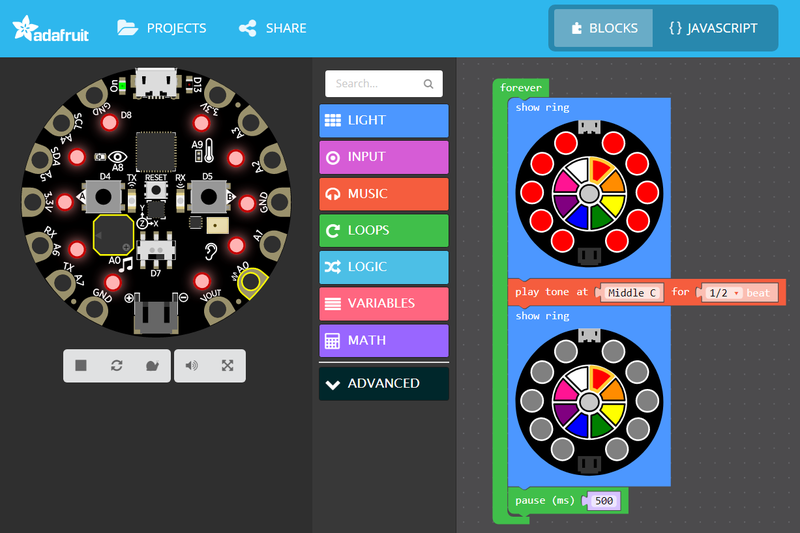
Adafruit Learning System
All you need to know to get coding with Microsoft MakeCode
Does that work for you? It's not CircuitPython, but it's crucial to the CPX guide.
dusk plank
Absolutely. I like and use makecode as well. Sounds like a good plan.
solid swallow
Excellent!
Ok, start with that. Once that's done, I'll go through the CPX guide with you to explain mirroring and identify specific pages you'll include from other guides and ones you'll create for yourself.
dusk plank
Nice. I'll start translating tonight.
solid swallow
Thank you so much!
dusk plank
Thanks for the help and designing a plan, should be easy enough.
solid swallow
If you run into issues with the GIFs, email Anne and she can help with that part of the process.
Learn stores them as MP4s so they have to be re-converted to GIF to be put in another guide. It's odd, but it is what it is.
dusk plank
🙂
solid swallow
You can include me on the email, but she'll be able to help better
dusk plank
Will do.
solid swallow
Turns out there's a way to get the GIFs. So when you're ready, email us and she'll explain it. I learned about it today 😄
dusk plank
For the previous translation I've used the copy page function in learning, and that handled images and layout for me, and I only edited the text in between.
solid swallow
Oh right, do I need to add you as a contributor to the guide you're translating?
Ah, I thought copy page didn't do images for some reason. Easy then.
dusk plank
There's two ways. You could add me only while I check the page config.
The other is that I only need a screenshot of the page config to look at the description and categories, products, etc.
solid swallow
I'll add you as a contributor.
dusk plank
ok.
solid swallow
(already had it up 🙂 )
dusk plank
And Anne told that for next translations, I should add myself as author. Which looks weird atrribution-wise, but it solves the me-loosing-permission problem.
solid swallow
Well, you did the translation. We want you to get credit for that, it's really important.
dusk plank
To me contributor is fine, as it look like I did the research about limes and cpx.
To be honest it would be nicer if it said author: kattni, translated by: fede2, contribs: ...
But since the translation count is low, it does not merit the code changes in learning 🙂
solid swallow
But we hope for more!
dusk plank
So contrib attrib-wise sounds ok for me.
solid swallow
What we really want is the ability to translate a guide, and then choose it from a dropdown or whatever, so it's not a separate guide.
dusk plank
Sure, I hope I can make many more.
solid swallow
But they haven't gotten to sorting that out yet.
dusk plank
Let pile them up then, to make it easier to sort that out :).
solid swallow
Exactly 🙂
dusk plank
(I'll create the new one, after the 🎙️ )
solid swallow
Sounds good. I'm emailing the Learn developers to remind them that we're starting to see more translations and to keep those features in the forefront of their minds.
dusk plank
Nice.
dusk plank
@solid swallow Makecode in spanish is supposed to even replace the text that appears on the block themselves. I just checked it and it is not complete enough for the animated gif to look ok.
I was thinking about translating just the strings needed for the screenshots,/gifs, run a local copy with those translations.
(And then get it to 100%-ES like I did for cpy)
dusk plank
Did some extra work with this, and sites like the microbit do have a partial translation to es. The adafruit makecode site does not appear to have the translation at all.
dusk plank
@solid swallow another thing to notice, is that the guide does not point to @fickle thicket's playlist or makecode show. Is it ok if I add it to the guide (en+es)?
solid swallow
@dusk plank Yes, please do.
As for the partial MakeCode translation, do your best. It's ok if the images/etc aren't translated.
dusk plank
In this case I think the adafruit hosted version of makecode needs to be modified to include the translations.
@solid swallow So for example the microbit makecode page does look (on the surface) well enough for screenshots.
solid swallow
I'm not sure where to submit a feature request for that.
dusk plank
Same here. During the weekend I played a bit with the guide for local hosting adafruit's makecode but ran into some problems so I couldn't test it.
@solid swallow btw, the en guide has updating-restricted.
dusk plank
On the top where is says the publishing status, it says "Page Status: Published. Updating Restricted."
solid swallow
Hmm.
Let me look into it.
Need to do one thing first.
@dusk plank Can you send me a screenshot please?
dusk plank
Yes.
solid swallow
I have different permissions than you, so I'm not seeing the same thing, I think. I will need to email Learn dev to figure out why you can't update it.
@dusk plank I included you on the email to Learn dev. We'll see what we find out.
dusk plank
Thanks for the help.
solid swallow
You're welcome!
dusk plank
Added an invitation to watch the playlist or live for MakeCode Live with JP, to both guides.
solid swallow
Excellent, thank you for thinking of that.
dusk plank
On the makecode issue. Digging a bit more, it's "hosted" but pxt.io, which points to microsoft.
solid swallow
So the feature request might need to be made to the MakeCode GitHub. I'm not sure though.
dusk plank
I don't see an open bug about it, but it feels like the right place.
https://github.com/microsoft/pxt-adafruit/

GitHub
Microsoft MakeCode editor for Adafruit Circuit Playground Express - microsoft/pxt-adafruit
solid swallow
That does seem like the place. If it's not, I'm sure they'll guide you to the right place.
dusk plank
I'll bug them (after work-hours).
solid swallow
@dusk plank Are you around for a question?
dusk plank
Yes.
Also, I think I'll finish the translation of the makecode guide this weekend, and have a bit of time to start another one. Which one is next? cpx-cpy or is there one before?
solid swallow
Hello! So the first step towards updating Learn to be more translation-friendly is to add a "Translated by:" attribute. Learn dev contacted me to find out if I thought it would make more sense to have it be on a guide-level, or on a page-level, and I wanted to get your input. Guide level means when you create the guide, you would fill in "Translated by:" and it would show up on the left side of the guide. Page level would show it per-page I assume, under author perhaps. Not certain about either of those, but that's the idea. What do you think?
dusk plank
And sidenote, no answer on the 'apply es to adafr.makecode' issue on github. I feel is not quite as attended as the github is for cpy. So I vote to keep the images as they are, and if in the future it gets applied, I'll re-do the images and gifs.
solid swallow
Also, I think I'll finish the translation of the makecode guide this weekend, and have a bit of time to start another one. Which one is next? cpx-cpy or is there one before?
@dusk plank The rest of the CPX guide will be next. Some of the pages are mirrored from other guides, but you'll create them as pages in the CPX guide and translate them within the new guide instead of translating that guide separately and mirroring them in.
And sidenote, no answer on the 'apply es to adafr.makecode' issue on github. I feel is not quite as attended as the github is for cpy. So I vote to keep the images as they are, and if in the future it gets applied, I'll re-do the images and gifs.
@dusk plank Alright, sounds good.
@dusk plank I suggested page-level, but I'm wondering if it should be entered at guide-level and then maybe show up on each page as well? I don't know. I want to make sure the translator is getting credit for everything, but that it isn't overwhelming the guide pages.
dusk plank
@solid swallow For my purposes I think guide-level looks fine. But seeing how the learning guides evolve, in the sense that a "new" pyportal guide published today has pages from different guides, some copied some mirrored. So I think for the whole system it does make sense page-level.
solid swallow
Fair enough! Thank you for the input!
dusk plank
Thank you for the consideration to ask.
solid swallow
@dusk plank I'm about to head out. I'll be around intermittently on the weekend if you have questions, but I don't expect to be doing much. Do you have any last questions before I go?
dusk plank
@solid swallow Noup, thanks a lot.
solid swallow
@dusk plank You're welcome! Ping me whenever, and I'll get back to you when I can. Otherwise, talk to you next week!
dusk plank
Have a nice weekend.
solid swallow
You too
dusk plank
@solid swallow The MakeCode guide is now in for moderation.
solid swallow
@dusk plank Excellent! Once it's published, you can mirror it into the CPX guide. Thank you so much!
dusk plank
@solid swallow Sorry for writing way off schedule. Do you mind if I do circuit playground made easy first?
Circuitpython-wise, and circuitplayground-wise, it's the one with the most interesing examples, and this one isn't mirrored, just linked too.
dusk plank
@cerulean pine I was loading the circuitpython countdown on my pyportal, and I think the BMP image is missing from github.
https://github.com/adafruit/Adafruit_Learning_System_Guides/tree/master/PyPortal_CircuitPython_2020
It only has code.py.
GitHub
Programs and scripts to display "inline" in Adafruit Learning System guides - adafruit/Adafruit_Learning_System_Guides
I save the image on the guide, and exported as BMP, and its working.
I also had to copy the font, which other guide include, as it might be helpful when downloading the zip from github.
@cerulean pine Also, very cool guide. It's putting the pressure on us to organize events.
(I also changed the time of the sleep to 60)
Oh, countdown_event.bmp is also missing.
solid swallow
@dusk plank Don't worry about messaging me at any time - I don't get notifications when I'm otherwise occupied. That would be fine. Please translate the CircuitPython Made Easy on CPX and Bluefruit before continuing with the CPX guide. Bear in mind that the Circuit Playground Express guide is one of the most popular guides we have and we would really appreciate having it translated, so we'd like it to happen eventually.
dusk plank
Yes, It is my priority as well. But it would have those two links to EN guides inside the ES translation.
It's, I think, following your suggestion on how the makecode one was handled.
I'll do my best to have them done quickly.
solid swallow
@dusk plank I understand. It makes sense. I simply want to make sure we're on the same track with the plan.
Don't rush it, take your time. 🙂
Or rather, take whatever time you need.
Please let me know if you find any issues - I'm certain you will, you always do 😄
dusk plank
Also, yesterday I created the "main" cpx guide, with my as author, and you and lady ada as contribs (as Anne's suggestion on a prev email).
solid swallow
Sounds good
dusk plank
But after I clicked save on the initial guide settings, it took me to the main learning web page.
Now I look for the guide and it does not show in my guides, and I can't find it or edit it.
solid swallow
@dusk plank Sounds like a glitch.
Let me see if I can find it.
@dusk plank Do you remember what you titled it?
dusk plank
La Circuit Playground Express de Adafruit.
solid swallow
@dusk plank I don't see it in the system. Please try to recreate it.
dusk plank
Will do, thanks.
solid swallow
@dusk plank Thank you for reporting the issue with the new countdown guide. Anne fixed it, uploaded the files, and update the guide.
dusk plank
@solid swallow Exc.
solid swallow
@dusk plank By the way, there is a new page in the CircuitPython Essentials guide that needs translating into your translation of the guide. the MP3 Audio page.
dusk plank
@solid swallow on it. How do you want to shuffle it in the priorities?
solid swallow
Hmm, good question. It should be really quick, so maybe do it first to get it out of the way?
dusk plank
ok., will do.
dusk plank
@solid swallow mp3 audio done. https://learn.adafruit.com/esenciales-para-circuitpython/audio-mp3-con-circuitpython

Adafruit Learning System
¿Nuevo a CircuitPython? Este es el lugar para iniciar.
I took a quick break from work, to get it in for the deadline.
solid swallow
@dusk plank Thank you!
@dusk plank For future reference, don't publish a new page in an existing guide until Anne gets to take a look at it and approve it. I'll leave it published for now so it doesn't mess with anything, but let us publish it once it's been looked over.
Because publishing the page in an existing guide makes it live immediately 🙂
dusk plank
Sure, will keep that in mind.
dusk plank
@solid swallow I've just sent in for moderation, the translation of Made Easy.
@solid swallow I'm already creating de product guide for cpx. But when I got to the guide settings to configure what product is it for, I cant find the CPX.
If I put in the PID (3333) it doesn't show anything (other than "Clear") and if I write a portion of the name, I get the "versions" like the 4H and other packs of CPX, but no the 3333 one.
@solid swallow I also tried mirroring the translated makecode guide into the cpx product guide. I was able to, but only individual pages. How to I make it so that it's all of the pages but nicely collapsed like on the en guide.
solid swallow
@dusk plank Ok. First, I'll take a look at the guide settings tomorrow for assigning a product. If I can't find it either, it's a bug. Second, mirroring is only individual pages always. However, if you click "Reorganise pages", and drag all the subsequent pages a bit to the right underneath the first page of the mirrored guide, it will appear nicely collapsed in the guide (but not in the editor). So preview it to see what it will look like in the end.
solid swallow
@dusk plank I tried to add the CPX to the guide and ran into the same issue. I have emailed Learn Dev with the issue. I'll let you know what comes of it.
dusk plank
@solid swallow Thanks.
smoky tusk
Hey - I just made a small/easy/relevant project with the PyRuler. Can whip up an Adafruit Learn guide, if there's interest? https://github.com/grajohnt/PyRuler-Video-Panic

GitHub
A simple project to turn a PyRuler into a video conferencing panic switch - grajohnt/PyRuler-Video-Panic
solid swallow
@smoky tusk Fun project! Have you written a Learn guide before?
smoky tusk
Yep!
solid swallow
@smoky tusk Excellent! May I DM you?
smoky tusk
Of course!
solid swallow
@dusk plank Regarding adding the CPX to your guide - turns out you can only have one main guide per product, so you can't add it to a second guide. I replied asking what we should do with translations, etc. They are discussing things in the next few days and will be determining what to do in the short and long term regarding translations. So not a huge update, but I wanted to let you know where things are at.
dusk plank
@solid swallow Ahh, I see. Makes sense. No problem, so I guess I'll just not add a product for now. Thanks.
solid swallow
@dusk plank You could add the "Circuit Playground Express Base Kit" if you wanted to add something, but waiting is a good option, as they may come up with a better solution.
dusk plank
I think it's ok without. I just wanted to have everything copied over from the original guide, as instructed by Anne. I guess me might see what happens. I'm trying to have it ready monday so that it can be checked in time for the deadline.
solid swallow
@dusk plank Sounds good. We can always add something later if Learn comes up with a different solution.
dusk plank
exc
smoky tusk
Just so I understand the process, I put in a PR yesterday, and the guide is done except the necessary links to github. As soon as the PR goes in, I can update it and move it to moderation. Does that sound right?
smoky tusk
It does - as it's working now. Hot tip - don't try to embed STL files in Github 🙂
 latent idol
Found a minor typo in the learn guide for the pin outs for the precision RTC featherwing. https://learn.adafruit.com/ds3231-precision-rtc-featherwing/pinouts
 solid swallow
@latent idol Please email support@adafruit.com, they'll get it to one of us to fix.
 simple flower
Wanted to point out something that bugs me about the pyportal related guides specifically, and then something about most guides.
-
Each pyportal guide includes a long page with code on the low level details of internet connectivity. For most projects this code is irrelevant - as the project often just uses a high-level function: Pyportal() to do what the application requires for connectivity. These guides should probably explain that function instead the low-level stuff that is not even visible in the project’s code.py. There could be a link to follow in the guide if you want to dive into lower level details.
-
It is a bit annoying to have to page through multiple pages of the exact same “boilerplate” detail pages on topics like setup or baseline info that have been copied into each guide, to finally get to the unique info on a particular project. Couldn’t that duplicated info be on pages that are only linked to within each guide, or else could there be a link at the beginning of the guide that skips to the unique details page(s) that are typically at the end after pages and pages of boilerplate?
BTW, the learning guides are super helpful - thanks so much for providing them.
ocean flare
@flint totem I have to say that the hurricane tracker has fast become my favorite PyPortal app.. Thank you!
flint totem
@ocean flare thanks. 🙂 really just leveraging all the hard work put into circuitpython and the pyportal library. the initial working version of that only took 10 minutes.
dusk plank
Is there a way to find out, from a mirrored paged, where was it mirrored from?
I'm working on the Circuit Playground big guide translation, and I would like to know from what guide are some pages like the arduino pages, and some other I can't find.
solid swallow
@dusk plank Should say at the top, something like "You cannot edit this because it is a mirror, if you want to edit it, here is the original page (link)". Maybe that only shows up if you have access to the original? See if that's there and let me know if it's not.
dusk plank
@solid swallow They show up, but only when editing the guide.
I was wondering if a couple of pages from the circuitplayground guide where a separate arduino guide, but they seem specific so my guess is not.
https://learn.adafruit.com/adafruit-circuit-playground-express/arduino-switches

Adafruit Learning System
Make faster and easier than ever with MakeCode, code.org CSD, CircuitPython or Arduino!
solid swallow
@dusk plank Yeah it's only available when editing. Otherwise it's seamlessly integrated into the guide.
uncut gulch
Somebody in asked yesterday in #general-tech a question that I am also curious about. For code that is shared within the learn guide system but not stored in the learn guide github repo. (i.e. the smaller embedded code blocks directly on the learn page, not the externally linked github embeds). Is that code released under any specific license? Anything in the learn guide repo I assume would fall under the MIT license that is included in that repo. But I didn't run across anything that mentioned learn guide code that's not in the repo.
solid swallow
@uncut gulch Guide was probably written before we pushed everyone to use the Learn repo. I would suggest assuming the same license as code in the repo.
uncut gulch
I will submit feedback on the guide page also, but making note here as well. In this guide: https://learn.adafruit.com/adafruit-bonsai-buckaroo/clue-and-circuitpython-usage I think we should add a warning box or something that lets the user know that a standard 3x AAA or AA battery pack will only power the bonsai buckaroo setup for some hours (I'm not sure of the exact time.) but probably not overnight / multiple days. We've had a few people in #help-with-circuitpython report fresh batteries dying overnight and causing the Circuit Python installation to get corrupted and need UF2 file reflashed in order to go back to working. Maybe we can recommend USB Wall adapter or a larger USB battery for long term usage.
solid swallow
@uncut gulch Please email support@adafruit.com with this one. Thanks!
ocean flare
@radiant steppe I ran into this yesterday and another user is having the same issue - for updating the esp32 airlift the Airlift-BitsyWing-FeatherWing-Passthru.UF2 does not seem to work. Using the sketch in the guide worked fine. https://discordapp.com/channels/327254708534116352/537365702651150357/753560171451646021
We were both trying to use the .uf2 with a feather M4 express and airlift featherwing
ocean flare
Also -- I found that the .UF2 file does work OK with an ItsyBitsy_M4 -- so just not with the feather_M4
FYI -- I just reconfirmed that on the feather_m4, the .uf2 fails, but the sketch works
perhaps the guide is just missing the link to the Feather_m4 .uf2 file
radiant steppe
@ocean flare Im going to be afk til the afternoon but I can re-generate a UF2 if you could test it?
ocean flare
sure -- any-time
radiant steppe
Unless you've already gen'd a uf2 if the sketch works fine
ocean flare
I don't know how to make a .uf2 from the sketch -- if you have instructions, I can do tat.
radiant steppe
ping me if it's not working, going afk for a bit
ocean flare
ok --thanks
@radiant steppe yup -seems to be working OK
but -- this new.uf2 works on feather_m4, but not on IB M4 -- guess two versions are needed.
radiant steppe
@ocean flare Hrm, looks like CS/RDY/RST are the same between the AirLift Feather and AirLift Itsy, but the Itsy uses a GPIO0 pin at D10
buuuut the #define in SerialESPPassthrough uses the D10, so it should be fine..?
ocean flare
"should"
but the #define is at compile time, correct?
so you need to compile two versions
radiant steppe
@ocean flare ok, yep. That's on me.
How do you feel w.r.t adding one for AirLift-Featherwing-Passthru.uf2 and one for AirLift-BitsyWing-Passthru.uf2
ocean flare
sounds good.
radiant steppe
kk, I'll do it later today and tag you in the PR
ocean flare
ok -- I guess it does not need to call out feather_m4 since it is OK for several feather_MCUS
not really though since they are different builds -- should it say it is for feather_m4 to be more clear.
radiant steppe
agreed.
I could provide two UF2s to support M4 platforms and add text to use the Arduino Sketch if you're using a M0/AVR platform
ocean flare
or nrf52840
radiant steppe
I always forget the NRF52840
ocean flare
😉
 silver mulch
Are there more detailed specs on feather boards beyond the info on https://learn.adafruit.com/adafruit-feather/feather-specification ?

 atomic ingot
Nope, those are pretty thorough
 brazen crag
It seems that the learn guide is greying out everything after "//" even if it is in Python3 code where slash slash is integer division. Found on this page (but might be everywhere): https://learn.adafruit.com/rgb-led-matrices-matrix-panels-with-circuitpython/example-conways-game-of-life

Adafruit Learning System
RGBMatrix creates brilliant light displays
 grave karma
Not urgent but "adafruit_matrixportal" is listed twice in the libraries for https://learn.adafruit.com/rgb-matrix-automatic-youtube-on-air-sign/code-the-on-air-sign

Adafruit Learning System
Everyone's streaming, from Zoom to Twitch to YouTube and more. This sign will let people know not to knock on your door when you're ON AIR!
ocean flare
@pliant token on the "BLE" guide. when installing adafruit-blinka-bleio on my mac. should it also have insatlled adafruit-circuitpython-ble (and all its requisites)? It did not for me and for the ble)uart_eval demo it was not clear from the guide that the client computer also needs adafruit-circuitpython-ble. Once I installed it, it was ok. You may want to add a note that is has to be installed on both the server and client. I have never installed blinka n my Mac!
Once all installed, it works great! Thanks ```[Jerry-desktop-mini:~/projects/ble] jerryneedell% python3 ble_uart_client.py
Trying to connect...
Connected
Eval: 2 + 2
4
Eval: 10/5
2.0
Eval: abs(-3)
3
Eval: sin(.5)
NameError("name 'sin' is not defined",)
Eval:
 pliant token
@ocean flare said:
@pliant token on the "BLE" guide. when installing adafruit-blinka-bleio on my mac. should it also have insatlled adafruit-circuitpython-ble (and all its requisites)? It did not for me and for the ble)uart_eval demo it was not clear from the guide that the client computer also needs adafruit-circuitpython-ble. Once I installed it, it was ok. You may want to add a note that is has to be installed on both the server and client. I have never installed blinka n my Mac!
I missed this a while ago. You are right, for the example it should say to install that. adafruit-blinka-bleio itself does not need adafruit-circuitpython-ble as a requirement (pre-req), but all the libraries do. But for the UART example, there are no other libraries needed (like, say, heart-rate). I'll change the directions to install both libs together. Thanks!
ocean flare
@solid swallow on the new Metro ESP32S2 guide in the product features WROVER module has FCC/CE certification and comes with 4 MByte of Flash and 8 MByte of PSRAM - you can have huge data buffers should be WROVER module has FCC/CE certification and comes with 4 MByte of Flash and 2 MByte of PSRAM - you can have huge data buffers The WROVER module only has a 2Mbyte PSRAM
solid swallow
@ocean flare Hmm good catch. Copied from the product page which appears to have been updated.
Fixed
ocean flare
Thanks! I ran into it a few days ago on the circuitpython.org page
solid swallow
Ah
ocean flare
It's fixed there as well.
 wanton hollow
I want to port a python code to adafruit pyPotal. It uses import xmldict, zeroconf.
Is there a way to use these libs?
runic grotto
@wanton hollow there is a small chance they'd work but most CPython libraries are too large to fit in microcontroller memory
 heady ice
what do guide authors typically use when creating the guides? i see the example repository on github but haven't spotted anything about the guides themselves.
runic grotto
@heady ice learn has its own web editing system
heady ice
thanks @runic grotto ... i'm working up a small batch kit project and the learn guides seem like a good template for the guide.
 jovial storm
Love the magtag. One thing that caught me though is the "pretend sleep" on USB - I uploaded the weather demo code, waited for it to restart/refresh, then unplugged from USB and stuck to my fridge. But then the battery ran out in less than a day because it wasn't really asleep. This is totally clear in the magtag learn guide but I am slow and it took me a while to figure out what I was doing wrong; it may be worth putting a reminder at e.g. https://learn.adafruit.com/magtag-weather/project-code and for similar projects? Anyway just a thought. Happy New Year. 🙂

Adafruit Learning System
Your local weather for the day, and in the future!
runic grotto
jovial storm
Love the magtag. One thing that caught me though is the "pretend sleep" on USB -...
Thanks for the feedback! We should be able to do it in the long term when we can correctly detect when USB is unplugged.
jovial storm
runic grotto
Thanks for the feedback! We should be able to do it in the long term when we can...
Oh cool! I don't think it's a big drawback honestly once I remembered to reset after unplugging.
 forest vine
Oh hello all. Has anyone got the MagTag Twitter project working properly?
I followed the instructions in the Learn Guide, but it keeps saying Authorization Required
I have set up a twitter developer account and so on, and pasted the bearer key into my secrets.py
 real shuttle
I noticed on the new pyportal/magtag google calendar project that when my meetings are in the noon hour, i.e. 12:30pm, it showed up on my pyportal as "0:30". I found the culprit in the "format_datetime" function that does the 12 hour clock conversion. It looks for when hours is >= 12 and sets hours to subtract 12. This results in a 0 for noon. So I have an "if hours == 12" after that to add 12 back. Now my noon meetings show as"12:30pm". Just thought I would share!
 inland haven
Nice catch @real shuttle! Something else that might work is replacing the >= 12 with > 12 in the original statement
real shuttle
Yeah I am thinking that through too. Will try it soon. For now, the above is working for me at least!
 sonic pecan
Is this only for adafruit authors? Or if I found an issue with a tutorial I would post here too (because of library updates) Or is there a better place?
inland haven
@sonic pecan I think you can mention the issue you found here, but you should also submit the issue from the page on the guide. If you look on the left-hand side, under the project image, there's a "Feedback? Corrections?" link (bottom of the image I've included)
sonic pecan
Oh, ok, right. I forgot all about that. I’ll do that.
 dark kettle
Are there instructions how to connect two matrix led boards to adafruit matrix portal ?
I followed the code on the website (eg having 5 addrpins), but I can’t control the second LED board
I’m using two 64x32 boards to make 64x64
remote onyx
@dark kettle Support for this was recently added in Arduino, and is coming in CircuitPython in the future. If you are on Arduino, you need to update the protomatter library and send in the new "tile" value, then "chain" your two matrices together with the ribbon cable. I do not think this is documented on the Learn system yet.
(so you'd send in a tile number of 2 for 2 panels, or -2 if the 2nd panel is rotated 180 degrees)
 eager stag
At the bottom of the CircuitPython section of the guide for the SGP30 air quality sensor, it says that the baseline values are accessible as sgp30.baseline_co2eq and sgp30.baseline_tvoc, when really it should be sgp30.baseline_eCO2 and sgp30.baseline_TVOC
https://learn.adafruit.com/adafruit-sgp30-gas-tvoc-eco2-mox-sensor/circuitpython-wiring-test#baseline-set-and-get-2980177-19

Adafruit Learning System
Detect a wide range of Volatile Organic Compounds (VOCs) and H2 and is intended for indoor air quality monitoring.
runic grotto
@eager stag on the left side of the guide there is a feedback link for corrections like this
if it's a code embed then you can propose a PR to github directly too
ocean flare
@flint totem Nice guide for the milk tester -- looking forward to trying it. I tried to see if I could detect when my cat liter box needed changing, but was not successful... may have to try again after your inspiration.
 ocean flare
Thanks for that!
flint totem
i also tried doing some multi-day data logging, reading only 1 per minute, and the values were a bit ??
that's what made me go into the datasheet and find that
the code was simple and just had a time.sleep
didn't try going back and having it sample at 1Hz and then log at a different rate
ocean flare
I had a 1 second time.sleep between samples then stored the max value over a minute but I did not look at the datasheet closely. I'll review it and retry. Glad you reminded me!
I'll need a good cat picture for it.... maybe a skunk...
solid swallow
ocean flare
<@!337989520962093057> Nice guide for the milk tester -- looking forward to tryi...
I wish it took a sensor to let me know the litter box needs changing.... the smell does not stay confined for long. Also, my cat does this thing now where she leaves something in there and then comes out and immediately starts yowling at the top of her lungs. So..... not sure there's much of a point in building something to beep at me when she is already yelling at me about it.
ocean flare
@solid swallow That is true, Consider it an indepndent verification.
solid swallow
She does yowl when there's nothing there as well, so you have a point.
flint totem
cats gonna cat
solid swallow
Exactly.
ocean flare
@flint totem The milk tester also need adafruit_bitmap_font and adafruit_imageload -- not in the list...
inland haven
solid swallow
I wish it took a sensor to let me know the litter box needs changing.... the sme...
Build something that meows back at her, twice as hard, twice as long, whenever she meows within x distance from the litter box?
solid swallow
inland haven
Build something that meows back at her, twice as hard, twice as long, whenever s...
I'd lose my hearing quite quickly at that decibel level.
inland haven
solid swallow
I'd lose my hearing quite quickly at that decibel level.
At which point, you reclaim the hardware, and move on to the next project? No problem, only opportunities, or something like that! lol
solid swallow
inland haven
At which point, you reclaim the hardware, and move on to the next project? No pr...
She also does it for no reason, in any room in the house, at any time of day or night. So I'd need them all over the place, and I'd never get anything done... or sleep....
inland haven
WE've got a cat who is like that, but when HE thinks it should be meal time. Then starts knocking stuff off tables. Cups, computer mouse, remotes, whatever's handy pawwy
ocean flare
Just brush her and pet her every time she meows -- whats the problem....
flint totem
@ocean flare thanks. updated.
solid swallow
ocean flare
Just brush her and pet her every time she meows -- whats the problem....
Tried that. Quiets her for a few minutes at most at least half the time.
inland haven
ocean flare
Just brush her and pet her every time she meows -- whats the problem....
I suspect after the first 4-5 hours, symptoms of Catpal Tunnel Syndrome would appear
ocean flare
@flint totem FYI -- the milk demo works fin with 6.2.0-beta.2 but something is messed up when I build a new version from the Tip of main - If you want to try from latest S3.
flint totem
Adafruit CircuitPython 6.1.0 on 2021-01-21; Adafruit CLUE nRF52840 Express with nRF52840
>>>
what i used for guide
ocean flare
the fonts seem to mess up when it tries to update
yeah that and up tp 6.2.0 beta.2 are OK - I can poke at it and open an issue --- just wanted to alert you.
flint totem
ok, thanks. i probably won't have time soon.
ocean flare
np
flint totem
but if it acts up with a release build, let me know
since that's what people will be using
a stable release build, that is 🙂
ocean flare
It's weird - the updates of eco2.text, tvoc.text and message.text don't work. the initial values work OK -- it just gives weird output when it updates....
the mouth update works fine....
ocean flare
@flint totem I'm baffled and don't have much time right now to dig into this either. I don't know enough about displayio to even file an issue. I am planning to work through your displayio guides -- perhaps I can narrow this down then and will create issue if I can come up with a coherent example.
flint totem
@ocean flare simple bug. looks like danh found/fixed. details over in #circuitpython-dev
ocean flare
@radiant steppe Just curious -- Why do you use VSYS and not VBUS to power the Airlift from the Pico in your new guide?
radiant steppe
ocean flare
<@!311339734339289090> Just curious -- Why do you use VSYS and not VBUS to power...
max on vsys is 5.5v but ranges
formal heath
I hadn't looked at Adafruit.IO in a while, so I when I was tinkering with the RP2040 Feather I went through the guides to set things up. I noticed two problems that I took a while to sort. First, the interface to the library changed, so the code in the "temperature and humidity" into guide doesn't run - it throws an "adafruit_io has no member Client" error. Second, I couldn't find any mention of groups in the intro to IO series, so it wasn't until I stumbled across the dot separator in another project guide that I knew how to do it, as in foo = io.get_feed("groupname.feedname") I've heard that the page feedback isn't the best way to point things out because it's hit or miss if the author sees it. What is the polite way to point out the problems?
astral haven
@formal heath If you can find it on github, I'd think filing an issue is good.
formal heath
Thanks! Good suggestion.
latent idol
Argh! I just accidentally clicked delete in a markdown entry in the learn guide (it didn’t ask to confirm). Is it gone, gone?
solid swallow
@latent idol Was it ever saved?
If you saved it at some point, whatever was saved might be in the history.
But if it was never saved, then, unfortunately, it's gone 😕
latent idol
I think some was saved. Can I look at the history?
solid swallow
I've run into issues viewing it. There is a "view" link in the history list, but half the time I can't see it. If you run into that, we can report it as a bug to Learn dev.
But there's also a "revert" and it reverts to whatever the previous version was. Which is safe if you know you have everything you might have done, etc.
Do you see where to view it?
If not, let me know. And I'll get a screenshot.
latent idol
I don’t see “view” or “revert” but maybe it doesn’t show while on my phone?
solid swallow
Oh hmm.
That I'm unsure of.
Hold on, committing to the newsletter, then I'll get screenshots
latent idol
Ok no problem. I’ll leave it alone until I see your notes and get back to my PC.
solid swallow
Ok you start here from the page you're working on.

Do you have that link?
Should look like this after clicking the link

With a "compare versions" button I've never used.
Top looks like this:

Perhaps it doesn't work on mobile.
solid swallow
latent idol
Ok no problem. I’ll leave it alone until I see your notes and get back to my PC.
Depending on when that is, I might not be around. Hopefully it works from your PC. If not... you may have lost work. I have done it multiple times, it's awful. And I'm sorry if that's the case for you. Hopefully some of it is saved in the history.
latent idol
No problem I suspect it’s mostly there in history. I don’t see the options on my phone but I remember seeing that on my PC. Thanks for the guidance and help. Just learning the system and will get through it!
solid swallow
latent idol
No problem I suspect it’s mostly there in history. I don’t see the options on my...
Thanks again for taking this on! I really appreciate it.
latent idol
My text was saved! Many thanks to all folks who thought ahead enough to know that users like me would accidentally delete things!
The history tab doesn't show up on mobile but back at my PC all the options you mentioned were there. 🥳
solid swallow
latent idol
The history tab doesn't show up on mobile but back at my PC all the options you ...
That's great!
 last hornet
How does one publish a guide on Adafruit..
I'm working with some students on using Stemma Soil Sensor with CircuitPython and Adafruit I/O. I just published a Stemma Soil Sensor 3D printed Case: https://www.prusaprinters.org/prints/63833-adafruit-stemma-capacitive-soil-sensor-cover
Which I also included the .f3d file if you all want to use it and replace our Team 4160 logo with the Adafruit Symbol (Feel Free).

