#help-with-3dprinting
1 messages · Page 26 of 1
 fiery pecan
0.3 of a millimeter yes for milling 😃
 versed wren
so about 12 thou, that's going to be tough to mill without binding
you might be able to use a drag knife, but that will throw a lot of accuracy out the window

I have always wanted to develop my own drag knife to cut cardboard, wood veneer, paper etc... In this video I 3D print and test a prototype and then mill the...
the forces will be a lot higher with tin, you'd want to make something a lot shorter, and maybe have a roller platform to resist tilting
fiery pecan
12? I want to cut 10 x 10 cm cheets, and I aim for detail.
versed wren
12 thou
fiery pecan
ty Geys, so two questions remain for me, what’s a roller platform, and what kind of binding options are there?
 coarse ruin
i think this overview explains some of the technique options. http://multicam.ca/consumables-for-the-digital-express/
0.3mm = ~ 0.012"
moving tin on a roller seems like a bad idea as it doesn't like to be flexed a lot.
versed wren
the roller platform would move over the tin on a table, the idea being to give the cutter head a tripod to distribute force and relieve the gantry
a drag knife cuts exclusively with tool force perpindicular to the spindle axis, while a spinning cutter mitigates much of that torque
the roller platform would stand around the spindle and apply a counter torque to support the gantry, reducing force A and B by creating forces perpindicular to the table, resulting in a reduction of Moment A and improving stability of the whole system
imagine you had this mounted to the spindle such that if the spindle tries to flex on a plane perpindicular to the gantry axis, one of the wheels will press down into the table
it will also to a degree resist flex on a plane parallel with both the gantry and spindle axis, but those are going to be a problem no matter what
the problem with cutting such thin tin is that the material doesn't have enough strength to resist being pulled up by the endmill, which would cause it to get dragged into and bind on the endmill. To mill it you would need a downward cutting endmill with a high pressure air clearing system because downward cutting endmills shove chips into the cut instead of clearing them, or you would need to adhere the tin to a sacrificial table somehow; The typical means are to own a vacuum table, or to glue it down. Glue can be a problem to remove and typically doesn't work well on metal
 leaden slate
No more printing services for me, my brother in law is getting a printer and offered to print anything I need out of petg 😁
coarse ruin
@versed wren the primary issue with any cutting accuracy on thin metal is tearout... so very high speed, very sharp tools (all of which are $$$ and wear out quickly). you might notice i been working on related methods for some time. (https://www.thingiverse.com/thing:104678)
for hold down i have used frostking tape, as it has just the right level of strength, very thin, doesn't compress, cost effective. But you have to cover the entire area to be cut. It also doesn't gum up the tool much when you go though it into a backer.
coarse ruin
flatness of the work piece and work surface... make a big difference in the quality of the result is several ways. Tape and glues don't help with consistancy in the ~.001" range.
 karmic brook
Cutting detail on thin metal is usually done with a laser, water jet, or plasma cutter.
versed wren
yea, but that's expensive
karmic brook
Laser and water jet is expensive (less so with the Wazer but still). Plasma heads can be fairly cheap.
coarse ruin
@karmic brook yes, laser being the best for accuracy in many cases, plasma being the worst. Plasma is generally the least costly and waterjet the most expensive.
karmic brook
For material that thin, you can also consider photoetching.
coarse ruin
you can figure it out by getting quotes from big blue saw
 night kraken
@coarse ruin https://www.youtube.com/watch?v=cbDS_ba_6j0

Testing a 2.5w laser diode on the HyperCube 3D Printer/CNC. If you would like to help support the creation of these videos, then head on over to the Tech2C P...
:>

Convert your 3D Printer into a light duty CNC mill! Here I show cutting acrylic with a Dremel style rotary tool attached to my HyperCube 3D Printer. ________...
coarse ruin
yeah.... i did that some time ago with my little roland CNC.... so yes somethings can be engraved / cut that way... but not (most) metal. Metal needs x100 the power of one of those modules to even start with.
also it dumb to have a laser of this power in the open with no guards as even a brief reflected beam can cause blindness.
 idle crest
3D Printing Live in 10 mins! Episode #203 – GEMMA Crown https://www.youtube.com/adafruit/live

YouTube
Multistreaming with https://restream.io/ This week’s #3DPrinting project on Adafruit Learning System https://learn.adafruit.com/bowsette/ GEMMA Crown http...
 violet needleBOT
Adafruit Industries posted 3D Hangouts – LED GEMMA Crown, LightSaber and GoPro Hero 7 case

Multistreaming with https://restream.io/ This week’s #3DPrinting project on Adafruit Learning System https://learn.adafruit.com/bowsette/ GEMMA Crown https:/...
 hushed aurora
Finally got my 3D printer working again, time to get started on the halloween projects 😛
 slate adder
Just got my new printer setup and tested. I am looking for a good intro level CAD software package to create new pieces. Any recommendations? Thanks in advance.
 gaunt shoal
@slate adder I would check out SketchUp for "entry level", but my go to recently has been FreeCAD.
IIRC, fusion360 has a community edition that's free
coarse ruin
but fusion360 isn't very "entry" level.... depends on yo skilz
 cobalt quarry
Trying out some new PLA filament from Adaftuit today.
 fiery idol
Tinker CAD is okay, that was my first CAD software. Now I use OnShape.
cobalt quarry
@supple stratus Just watched your snap fit tutorial. Enlightening.
@supple stratus Now to make it work on my project (which is a round enclosure).
violet needleBOT
Adafruit Industries posted Bowsette Crown // #3DPrinting #Cosplay #LEDs

Use a Gemma M0 and a couple of LEDs to make this Princess Peach / Bowsette inspired crown! Use Circuit Python to fade the 10mm LEDs inside the translucent fi...
violet needleBOT
Adafruit Industries posted Ghost Lamp #3DPrinting – Timelapse Tuesday @adafruit #adafruit
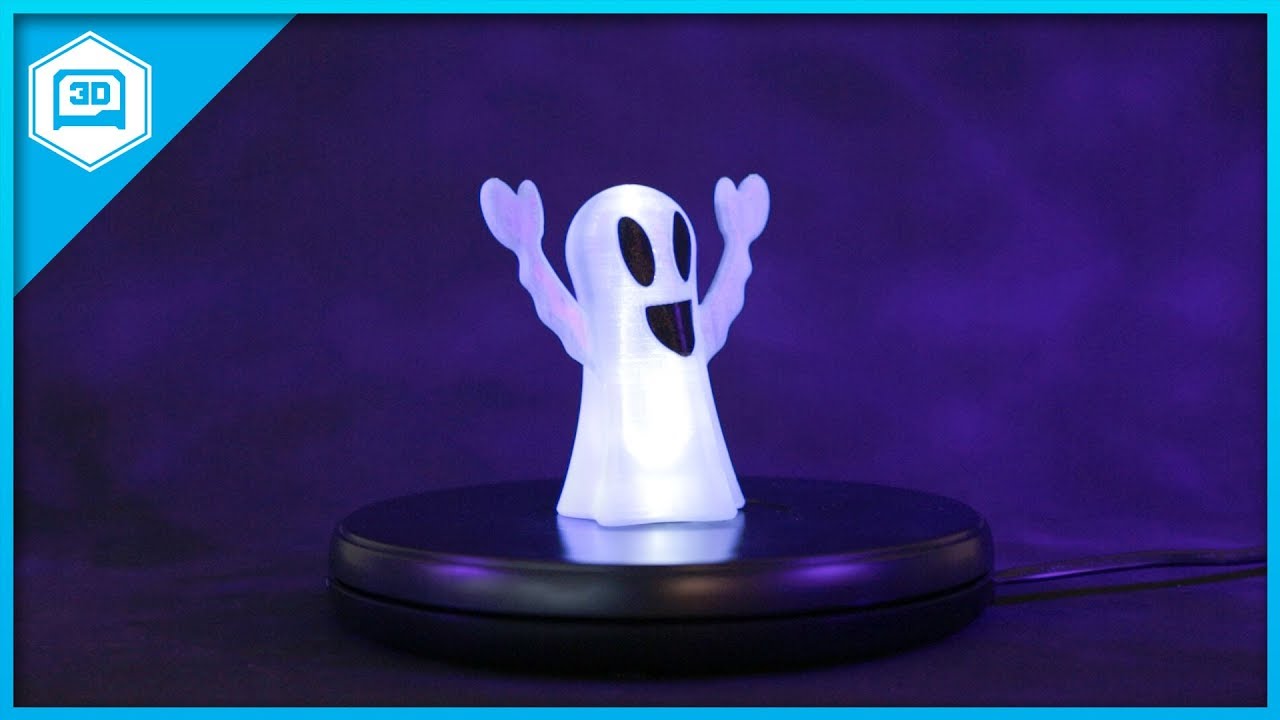
Every week we'll 3D print designs from the community and showcase slicer settings, use cases and of course, Time-lapses! Tea Light Ghost Lamp Greg Zumwalt ht...
cobalt quarry
I must say, the new filament from Adafruit is working perfectly. No bed adhesion issues 5 relatively large prints in.
coarse ruin
@cobalt quarry I've had some strange PLA adhesion issues after using the (PLA/PHA print in Z at adafruit ) on buildtak. Never have figured it out... just goes away after a bit of use /cleaning. I've had worse issues with HIPS and PLA, also never figure that one out, just stopped using HIPS (gave it away).
textured surfaces (buildtak) or PEI... has made a big difference to eliminate adhesion issue for my printers.
cobalt quarry
I'm using the smooth springsteel heated Prusa bed. I've had ongoing minor adhesion issues. Less over time as I figure things out. I think switching to this new filament coincides with more rigerous bed cleaning habits.
coarse ruin
Yeah, i have the PEI coated spring steal heated plate on the PRUSA i3. So far the only failures it has for adhesion have been when oil contamination happened. It's open so that happens a lot. I need to build a box for it.
on the buildtak plate the same oil contamination happens... just much less often (enclosed Rep2).
oil contamination = smoke, cooking, touching.
IPA cleaning or soap and water = fixed.
cobalt quarry
@supple stratus Yay! I found your circular snap fit tutorial!
cobalt quarry
@supple stratus Alas, I can't seem to get it to project from the inner surface. It always uses the outside surface.
 supple stratus
@cobalt quarry nice, happy to help! that circle one might be a little tricky. Can't remember which method I used in that but the dice roller project uses it a lot.
 jolly silo
I've been having a problem with my monoprice maker select recently. Only when printing using Cura (I tried Octoprint and Astroprint for a while but had to use my pi for something else), my printer will act strange. There are two types of things it will do when printing the first layer. 1. The nozzle will seemingly randomly go to edge of the bed and back and 2. when the printer is printing a corner it will slow down and retract and then extrude the filament for a second or so each. The first doesn't fail the print at all, but the second will cause the print to fail on the first layer if I have corners, as it will sometimes move the filament past the gears making the filament pop out of the top. Does anyone know what's wrong and what can be done to fix it?
cobalt quarry
@supple stratus I think I got it. Printing the first part now. Once the second is done, I’ll find out.
jolly silo
Update: I got past the first layer on a print and learned that the print head will randomly go to the sides of the build plate on all layers, not just the first.
coarse ruin
problem #1 sounds like a bad slice / bad model. Have you tried a test print?
problem #2 sounds like possibly a bad SDcard...
jolly silo
I'm not using an SD Card. The port doesn't work on my printer (probably should figure that one out...)
Every print I use does it @coarse ruin
Except I just figured out that it doesn't happened if I save the file as gcode and then load the gcode into cura and print from there
coarse ruin
so some connectivity issue with the usb.
SD card or print server is useful for long prints where having a computer connected for long time isn't useful.
jolly silo
I don't think it's with the USB. It works if I export to gcode and then print over USB @coarse ruin
coarse ruin
connectivity includes drivers and software... in this case very likely something is messing with the messages on the PC side.
 molten saffron
@jolly silo export gcode, load into cura and then print?
oh I see you said that earlier
coarse ruin
^ very likely there is something else running and messing with the port
or the printer firmware has bugs with handling the usb.
molten saffron
I was thinking flow control because of my experience with Repetier Host but if they can run an exported file fine...I dont know
I would recommend getting a Pi Zero and going back to Octoprint or Astro with the shortest USB cable you can get
cobalt quarry
@supple stratus Snap fit worked perfectly.
molten saffron
started print, nothing coming out, extruder going backwards...
no idea how I managed that
I need a 24v PSU, 600 watt, 5v standby and ps on support
 brittle oxide
@supple stratus and @idle crest if you're working on a housing for the MPRLS port, let me know so we don't overlap
 glad loom
Anybody have a buildtak setup? Considering it for the tevo tarántula but the website isn’t very specific.
coarse ruin
i use buildtak on my Rep2's
i use PEI on my Prusa... both work well.
find a sheet that is about the size you need or slightly larger....
The surfaces do eventually wear out but should last a long time.
They must be kept clean (washing or alchohol wipe).
coarse ruin
PEI requires heated build plate, Buildtak does not. PEI is supposed to work with all materials, buildtak works with PLA and PETG.
buildtak probably works with other materials when you have heated build plate
glad loom
@coarse ruin I’m curious what the buildtak is comprised of? Does it transfer the heat from the heated bed well?
violet needleBOT
Adafruit Industries posted 3D Hangouts – NeoTrellis, Saber Blades and Spooky Boxes

Episode #204 – NeoTrellis, Saber Blades and Spooky Boxes This week’s #3DPrinting project on Adafruit Learning System https://learn.adafruit.com/bowsette/ Tod...
coarse ruin
@glad loom I would guess some kind of textured vinyl with additives. I made the mistake of trying to clean it with acetone and it partly desolved. It does ok with the heat... most things do ok with heat transfer at moderate temps that don't involve gases.
glad loom
@coarse ruin any preference of the buildtak vs PEI for a cheap kit like the Tevo? I appreciate the help
coarse ruin
@glad loom they have a 5 pack for 45$ 203mm sqr, unless you print a lot this would last YEARs of PLA type printing.
i would say IF you are going to materials other than PLA... get a PEI kit from someone you can trust... other wise PLA / PTEG mostly get the buildtak
they list it works with the other materials... and it probably does... but i don't have personal exp with that....
either one of them is 10x better than blue tape...
makers muse did a vid on how to clean them...
@idle crest have you guys done a survey of your printer farm / video of what is the best practice for build plate adhesion?
i have less than 5K hours of run time on my Rep2's most of which is buildtak. only ~ 100 hours on my PRUSA MK3 i3 with PEI.
 simple fable
TAZ dual print head arrives tomorrow. I couldn't delay any more 😃
 pseudo tide
is 287 USD for a creality ender 3 a reasonable price?
Including shipping from china
I've been eyeing it for so long
 crude kettle
I would say the reguare Ender 3 works. The magnetic build plate on the Ender 3 pro(what you are proproble looking at) seems like it would go down eventually. Magnetism is lost because of heat and over time..............yeah. I been using glass on mine and AS LONG as I wiped it down with a wet cloth the first time prints stick and pops off once it cools down. For ABS I heard fogging (sanding the glass) helps.
@pseudo tide
pseudo tide
@crude kettle thanks! It's actually just the standard model
Shipping is about 100$
from China
To South America.
crude kettle
......What website are you using? I used gearbest. Then again I'm in North America @pseudo tide
crude kettle
hmmm.... is there different shipping option on their site or is it the import that happening.
@pseudo tide
pseudo tide
I live in colombia
it's the shipping from china
that costs that much
plus customs and all
 shy kelp
@pseudo tide i don’t recommend gear best
pseudo tide
why's that?
shy kelp
Well, for starters there were many peoples ordered taht have taken months just to process and there coustomer support is more than terrible
I would go with Banggood or aliexpress
shy kelp
If you order from Banggood you can also ask Rudy ( worker for Banggood...on his discord server) and he can give a coupon code
If you would like i can PM you an invite to Rudy’s coupon-asking discord
(He is a verified worker, the 3d printer discord and electronocity server has him as a “verified vendor”)
pseudo tide
I mean, I don't have 300$ on me to drop on a printer right now. But sure, go ahead
I might actually order one soon enough
violet needleBOT
Adafruit Industries posted Sugar Dog Skeleton Timelapse #3DPrinting @adafruit #adafruit
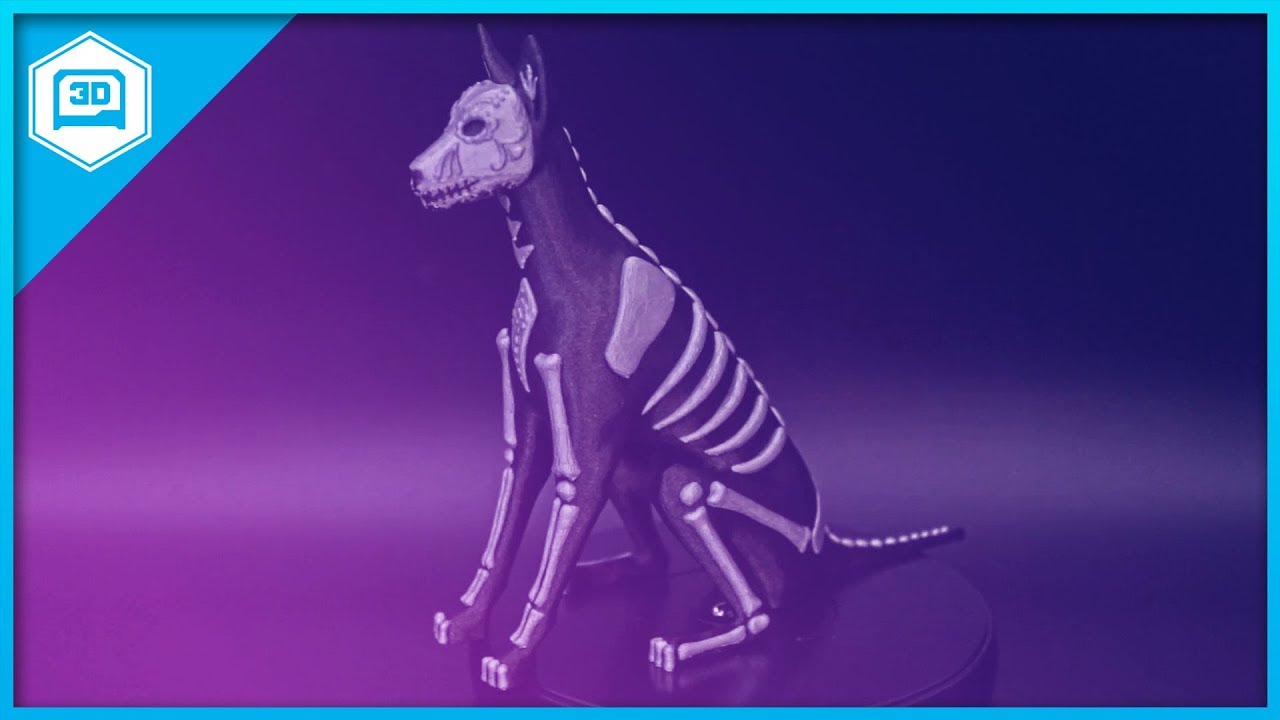
Every week we'll 3D print designs from the community and showcase slicer settings, use cases and of course, Time-lapses! Sugar Dog Mag-net https://www.thingi...
violet needleBOT
Adafruit Industries posted NeoTrellis Color Game @adafruit #3Dprinting #adafruit

Make a simple color matching game using Adafruit NeoTrellis and Feather M0 Express. Press to light up the 4x4 button pad using full color NeoPixel LEDs. Use ...
night kraken
how long does it take for you guys to get it from Gearbest?
It takes 4 weeks for me until it arrives
@pseudo tide
pseudo tide
no idea. Never ordered from them.
night kraken
ooh 😛
 stray spruce
@pseudo tide I also have ordered an Ender 3 :)
Yes, GearBest is not my favorite, I never order anything there.
Well, since you just ordered there I don’t want to make you feel nervous. I just trust BangGood more. Good luck.
Lots of yourubers get printers from GearBest
stray spruce
Don’t know what that is but I’ll say, cool!
 sonic plinth
Yep it is the bottom plastic part of the frame you are seeing there. Never used one lol.
stray spruce
Circles are really inefficient
sonic plinth
Probably.
stray spruce
So you are designing and making or just designing for fun?
sonic plinth
Both.
stray spruce
That’s logical....should have made that an option
sonic plinth
Gonna see if this could be something worth making for other people.
I am in the middle of a 20 hour 3D print.
sonic plinth
Yep lol.
stray spruce
Ok well, good luck
sonic plinth
Thanks!
fiery idol
@sonic plinth did you design that part in OnShape?
crude kettle
Yeah, Gearbest was not the best in shipping time. And two or three weeks I got it the price went down by 10 or 15 dollars. if you can get it on another site the has better shipping it would be good. Though I can't complain too much, other than their shipping time, they replaced my board that became faulty for free.
 eager juniper
Is there a way to get access to solidworks without paying out the actual behind? Just trying to beef up the CAD part of my resume... I would love to have a snoop around inside the software and eventually properly learn how to use it

 bronze wraith
You can put that in the rafters to scare the vermins away!
sonic plinth
Lol
 vast salmon
 warped hemlock
So I think I am going to try out wire printing to see if I can use it to test size solids before I go ahead with 3+ hour prints
eager juniper
@worn mason control software? Like a slicer? Cura is pretty widely used, though a handful of people prefer to use a combo of Repetier/Slic3r (though I can’t stand that). Since I primarily work with Flashforge and QIDI Tech machines, I use Flashprint, and I’m pretty satisfied with it for most of my printing tasks.
 worn mason
@eager juniper software for controling, not slicing. like pronterface or octoprint
eager juniper
Oh, don’t Repetier and Cura also do that?
Octoprint is commonly used too I know that
crude kettle
Yeah, cura has joggling in the new version @worn mason
worn mason
oh cool
violet needleBOT
Adafruit Industries posted Skull Waxy – Timelapse #3DPrinting @adafruit #adafruit
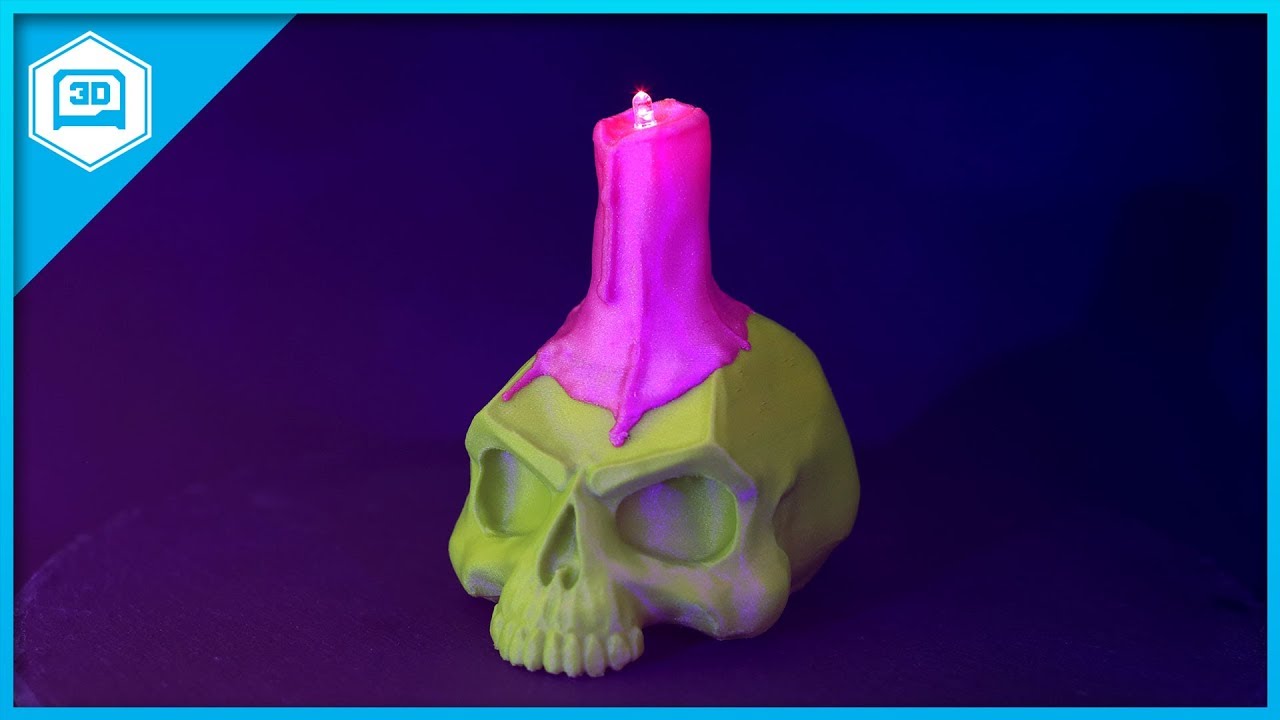
Every week we'll 3D print designs from the community and showcase slicer settings, use cases and of course, Time-lapses! SKULL - WAXY Designed by: Nicholas D...
 crisp wagon
on the Crickit Lego rover page they mention .25mm nozzle size. What do I do if I only have .4mm nozzle?
https://learn.adafruit.com/lego-crickit-rover

Make a two wheeled robot
 serene laurel
Why are 3d printers soooooooooo musical while printing????
crisp wagon
they like to whistle while they work
serene laurel
ive noticed. its great
serene laurel
I want to know everyone's favorite print to make! preferably smaller stuff
coarse ruin
no favorite... printing is best when it is a one off... but of late i have been mass printing snow flakes and snowmen prepin' for nashua nh holiday stroll / winter fest.
and strechlets as test prints...
versed wren
because, and I think this is great, sound is just the concept of things repeating at a pace
steppers step, but to do useful things most of the time they have to step repeatedly, and they can do so at a given pace, one step doesn't make a tone at all, but move around and suddenly it's a youtube channel reproducing videogame music by moving different directions at varying speeds
coarse ruin
not the printers that use the trinamic drivers...
versed wren
that is probably not true
just about every moving system emits sound, the trick is to make that sound inaudible
if you can microstep small enough, and increase the frequency of steps to over about 25kHz, most people won't hear anything at all
coarse ruin
the fans are louder than the stepping on the Prusa MK3 i3....
i.e. not musical anymore... still sound....
same is true for most 3+ axis CNC's... so loud you can't hear the music of the steppers.
 tardy fox
I've found certain movements on the Prusa MK3 produce a fun series of (subtle) tones...medium to large circular (XY) movements usually do the trick but only at the right speeds 😄
eager juniper
The Flashforge Finder at my work is hardly musical at all but my QIDI Tech I is beep boopin all day long... I kind of prefer the musical humming but only time will tell if it gets annoying or stays fun lol
serene laurel
question about filaments. If im looking on amazon for filaments what do you recommend looking for and what do you recommend steering away from? It also doesnt have to be amazon specifically.
eager juniper
For PLA I like hatchbox, Asani, AIO robotics, Esun, Flashforge...
Not much experience with any other filament types other than ultra-flexibles, which you’d need a specific extruder for. Ive heard generally you can’t go wrong with hatchbox filaments
versed wren
inland is microcenter's rebadge brand, not to knock it as I haven't tried it, but as with all rebadge brands there's a limited ability to say anything that will remain true
serene laurel
ahhhhhhhhhhh ok. so far Inland is working decently for me. but i havent done anything crazy yet.
How is proto-pasta? they have sparkly shiny glittery filament and it looks great
tardy fox
I've been using Inland's PLA for a while now. it's ok...if you spend some time tweaking your temperatures just a few degrees up or down you can get some nice results. be careful because not every spool of their PLA uses the same temperatures. I have a few spools labeled "190-210" but most others are marked "205-225" and yet a few others marked with temperatures somewhere in between those others. generally speaking I've found the first layer turns out best about ten degrees above the minimum and then I print the other layers at the minimum temp on the label. cooling fan at 100%, of course. YMMV
(this is on a Prusa MK3)
serene laurel
Interesting. I just recently got my first ever printer. so I dont know everything about them. but I will definitely look into that
tardy fox
I'm fairly new to this stuff, too...only had my printer about two months. in any event, honestly the Inland stuff is a great deal if you just want cheap. just be prepared to have to fidget with it a little bit because it's just not very consistent
serene laurel
Alright
tardy fox
that said, once you get it dialed in and are aware of the temp differences spool-to-spool, it'll turn out well. PLA is pretty easy 😄
as you're new to this...one thing to really dial in is the first layer. if that's not right, it'll fall apart on you quick. 😉
so pay close attention to that 😄
serene laurel
cool beans! at the moment im just printing crap to print hahahahahaha
crisp wagon
re-asking from above... on the Crickit Lego rover page they mention .25mm nozzle size. What do I do if I only have .4mm nozzle?
tardy fox
yeah that's what I did 😂
@crisp wagon unless it's got some crazy detail or something unusual you can probably just change the nozzle size to match what you're using in your slicer app
serene laurel
Im printing an articulated feesh right now
crisp wagon
it's lego, so size would be a bit sensitive
tardy fox
ah yeah, if it's a tiny figure or something, you might have trouble with the larger nozzle
crisp wagon
I haven't done any calibration prints to see how close it is
tardy fox
honestly I've only printed with the .4 mm one that shipped with the printer so I can't speak to different nozzle sizes much
but
if it's small, I say try it and see how it works
worst case, it's crap and you have to toss it. if it's small, it shouldn't be too much waste
crisp wagon
it'd still work as a mounting base, just might not fit legos
tardy fox
idk, I bet it'd still work...you just might lose some detail
serene laurel
da fudge????? benchy doesnt float
tardy fox
lol
crisp wagon
page says
    0.25mm nozzle for fine quality
    0.10mm layer height for LEGO studs/tubes
    0.38mm line width / 2 wall line count
    60mm/s printing speeds
kinda hard to get .38 lines with a .4 nozzle
tardy fox
benchy is sort of a demo model..."test your printer" kind of thing. I don't think it's intended to be a usable floating model 😄
crisp wagon
but I'll give it a try
serene laurel
i know......... but come on...... if youre gonna make a boat.... it should float.....
tardy fox
ah, yeah if you have to meet those numbers...might not work. I'd still give it a shot though
crisp wagon
a guy on youtube printed a RC boat, first try had to be sealed to keep water out
tardy fox
yeah printed objects aren't water-tight. you have to seal them if you want them to be
serene laurel
I saw a guy on thingiverse that made a giant benchy and made it remote controlled
tardy fox
haha that sounds like a fun project
versed wren
they can be
serene laurel
lemme find it
versed wren
you have to design them to exploit how the printer prints to create a solid hull
serene laurel

Radio controlled version of the famous #3DBenchy. All parts are 3D printed and you can get the files and instructions on Thingiverse: https://www.thingiverse...
versed wren
basically, the hull has to go up, if you print it horizontal like the boat will float, a lot of bad stuff happens to create gaps in the hull when going around any kind of curvature, but if you print it vertically then it all stacks really tightly
crisp wagon
I've noticed in videos of multicolor prints that they are pretty wasteful of filament
tardy fox
yeah, you have to (at very least) purge the extruder of the previous color which results in at least some waste
crisp wagon
a tower of waste
tardy fox
I've got the Prusa MMU 2.0 due to be shipped late this week or next...they have "wipe to infill" now so that can help reduce the waste if you have an object with any amount of infill
idk if you've seen any of their demo videos but it looks pretty sweet
serene laurel
Ok so what about Glow in the dark filaments??? i wanna make something that glows. not just in the green but maybe in another color if possible
tardy fox
I've heard most glow-in-the-dark filaments erode the nozzle away
serene laurel
realllly???? i just ordered some hatchbox glow in the dark. it had good reviews
tardy fox
so your .4 mm nozzle will turn into a 1 mm nozzle 😆
serene laurel
da fudge....
tardy fox
order a spare nozzle or two. just in case.
I honestly don't know for sure, it's just something that another...much more experienced...person told me not too long ago
serene laurel
actually, ive got my all metal upgrade kit to install too. so that will be an extra nozzle i gues.
@tardy fox
I wonder how the amazon basics filament is lol
tardy fox
not sure! I want to try it...one of these days 😄
serene laurel
between my dad and I we've tried a handful of amazon products, mostly the cables. but hey who knows, it could be worth a shot!
idle crest
3D Printing Live in 10 minutes! Episode #205 – Electronic Pumpkins https://www.youtube.com/adafruit/live
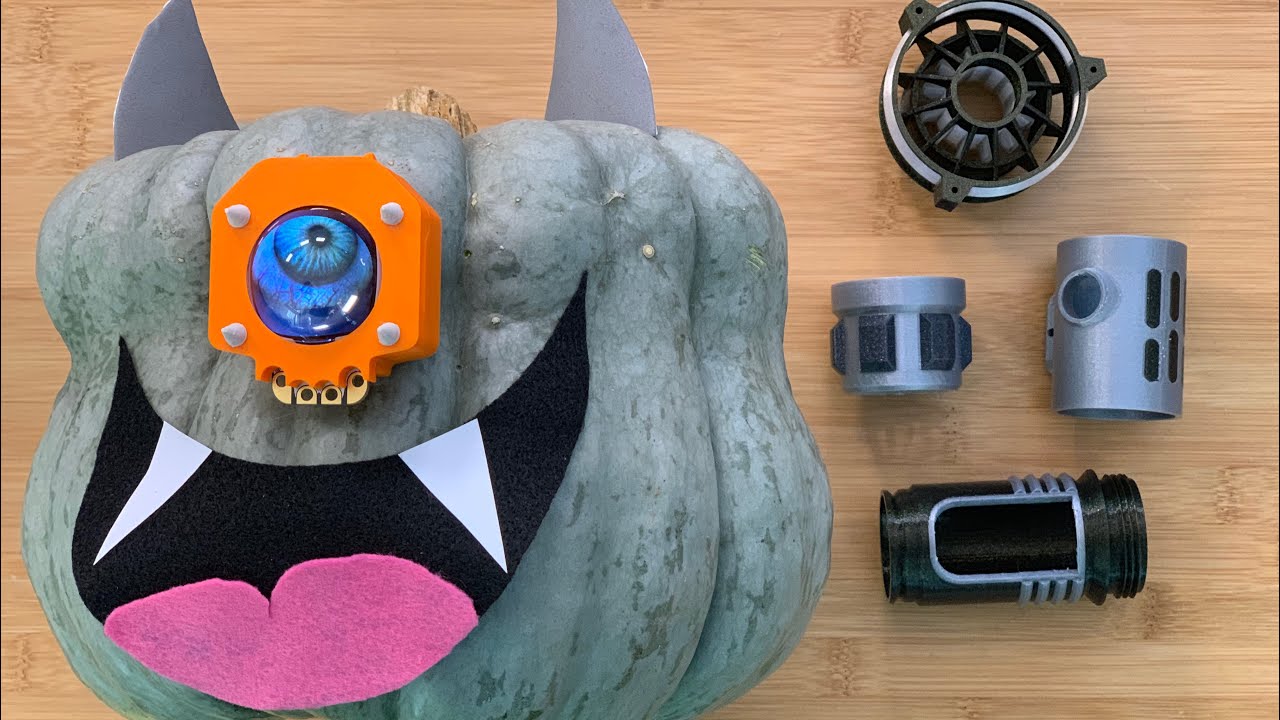
YouTube
This week’s #3DPrinting project on Adafruit Learning System https://learn.adafruit.com/hallowing-case Full learn gudie https://learn.adafruit.com/hallowing...
serene laurel
Wooo! i could actually print the project for once!!! as long as it fits
violet needleBOT
Adafruit Industries posted 3D Hangouts – Electronic Pumpkins and NeoPixel Lamps
Multistreaming with https://restream.io/ This week’s #3DPrinting project on Adafruit Learning System https://learn.adafruit.com/hallowing-case Full learn gud...
violet needleBOT
Adafruit Industries posted 3D Hangouts – Electronic Pumpkins and NeoPixel Lamps

Multistreaming with https://restream.io/ This week’s #3DPrinting project on Adafruit Learning System https://learn.adafruit.com/hallowing-case Full learn gud...
Adafruit Industries posted 3D Hangouts – Electronic Pumpkins and NeoPixel Lamps

Multistreaming with https://restream.io/ This week’s #3DPrinting project on Adafruit Learning System https://learn.adafruit.com/hallowing-case Full learn gud...
crisp wagon
maybe more OS than 3Dprintinng but...
from Cura I saved a couple gcode files last night to a folder (where I have others) but when using Explorer (or whatever Windows calls it now) I can't find them among the others previously saved. WhenI go back to Cura, the save dialog sees them in that same folder. WHAT IS GOING ON?
serene laurel
Princess UniKitty is making sure the printing is going just fine
crisp wagon
found my problem, Comodo had sandboxed my new version Cura. now I need to find how to get it out of the sandbox
 spice estuary
That would be amusing having a camera mounted inside of that to actually watch it to your computer
versed wren
Does anybody make filament with enough metal in it to print RF wave guides?
serene laurel
OMG I found a little cutting table mount for a dremmel tool!
brittle oxide
Totally psyched about my snap-fit Laptop Light - thanks @supple stratus and @idle crest for all the help w/snap fitting! https://www.youtube.com/watch?v=m9EwB-A2Jqg

An assembly video for the snap-fit housing for the Trinket Laptop Light
serene laurel
Trying to get a new spool holder started. but Im not having much luck actually getting it to start.
serene laurel
so im having a weird issue with some filament. I have 2 filaments right now. Both are Inland PLA with the same running temps. With my purple filament i was having no feeding issues at all. it feels kinda smooth. I was trying to make something with my blue filament and it started fine but it stopped feeding at some point. I felt my blue filament and its kinda rough feeling. Could that cause feeding issues? because it definitely seems to be having a feeding issue with the blue.
im running a print with the purple right now and theres no issues what so ever
tardy fox
@serene laurel I've been using the Inland PLA, too. double-check your temps. some of their PLA has higher/lower temps on it. I've even had a couple cases where the temps on the box do not match what's on the spool -- I go by what's on the spool.
most of my spools have 205C as the minimum temp, but at least a couple have 190C as the minimum temp
the light blue color I have is slightly more coarse-feeling than some of the other colors
serene laurel
See i was going by whats on the spool. but i just noticed that on the blue there is a sticker that is plastered over the original sticker on the box. it says the optimal temp is 215-225 C
Which blue is it? I got the Egyptian Blue
@tardy fox
i finished a print with purple succesfully. So i loaded up blue onto the same print file. but set it to a bit higher temp
tardy fox
yeah they have different temperatures for both PLA and PLA+. i’ll send a picture when I get home…I’m on my way there now lol
serene laurel
Woooo the print with the blue was mostly successful. it got a bit funky at the end though. but oh well
coarse ruin
ordered up some of the amazon filaments..... should be here thrusday (back ordered for a month).
serene laurel
Ohhhh please do let us know how they work for you @coarse ruin
tardy fox
which blue @serene laurel ? lol
coarse ruin
as a note about temperatures on filaments... each printer has a slightly different thermal path from the sensor to the actual plastic. It would be very easy to see for a 5C difference. I work with thermal sensors for one of the day jobs. Additionally the different head types will impact thermal transfer also. The end result is a setting that works for one printer will only be close to the setting for another printer.
serene laurel
@tardy fox I dont have any of those blues. I have "Egyptian Blue"
Now that I have my blue working. Im gonna make a better filament holder than the stock one
https://www.thingiverse.com/thing:2214740

I really liked terrago's "tush - ultimate spool" design and wanted to try it. so i added some clips to easily mount it to my wanhao duplicator i3 plus (other versions might work as well).
The spool holder consists of 2 parts instead of the original 1. One which has the clip o...
tardy fox
you can’t tell in the photo but that middle spool is sort of a translucent blue and it actually looks pretty cool after prints which is probably the only reason I bought it lol
serene laurel
lol
tardy fox
I have by far the most trouble printing that light blue on the top…it tends to not stick very well to the bed
serene laurel
I have white and glow in the dark filaments that are about to arrive in just a little bit hehehe
tardy fox
but yeah I saw the Egyptian blue last time I was there and it looked pretty cool 😄
nice haha
serene laurel
or right now!!!
tardy fox
lol yayyyy
serene laurel
ok so whats the recommended way of storing filaments when not being used?
in the baggies they come in I assume?
tardy fox
generally speaking, dry storage is recommended
serene laurel
ok.
tardy fox
most of the plastics will (slowly) absorb moisture which sort of ruins your ability to print with them
some are (much) more sensitive to this than others
I hear most nylon goes bad in hours
serene laurel
holy fudge
coarse ruin
PVA even faster
tardy fox
PLA will probably be good for at least a couple of weeks before it spoils.
serene laurel
im gonna have to get a new ziplock baggy for one of my spools then
tardy fox
honestly I've just been keeping them in the resealable bags with the silica gel packets
serene laurel
the spool of hatchbox i got doesnt have a resealable bag! so i gotta get a baggy for it
coarse ruin
PLA goes off after a year or so... if not in a dry box. At present count i have ~ 30kg of different PLA colors... so use it up or give it away....
serene laurel
geeeez
tardy fox
I mean, the good news is that I don't really care much if the super cheap Inland PLA goes bad. it's just not all that expensive. so far I've been pretty good at using it up so...
I've only printed PETG and PLA so far. I'll take a stab at ABS when I finish my enclosure 😄
serene laurel
all of my spools are inland. except for the glow in the dark Hatchbox i got today :3
coarse ruin
PETG and Nylon have a lot of overlap in use cases. PETG is easier to print. I still haven't printed 1 Kg of either.
tardy fox
the spool of PETG I have right now is Inland. it actually seems to print really nicely 😄
but yeah I haven't printed much with PETG. the main reason I've used it so far is when I need something that's a little less rigid than PLA
coarse ruin
PETG has a lot of nice properties and is much less difficult than most other materials. Tom S's filaween series does the best and talking about it. CNC kitchen does the best at showing and quantifying the difference.
less rigid but also has a better "plastic region". I use it for hardwearing mechanical parts that need to take impact. PLA doesn't do well with impact / shock.
tardy fox
definitely, yes 😄
coarse ruin
one of the best parts i did with nylon was the "rubber" part of a spider motor coupling.
tardy fox
I haven't tried anything nylon yet. perhaps someday 😃
serene laurel
ughhhhhhhhh my printer just doesnt like this blue filament
tardy fox
@serene laurel the Egyptian blue?
tardy fox
oh it’s jamming in the nozzle?
serene laurel
it jammed up in the nozzle.
tardy fox
did you try bumping the temp up a little bit? maybe 3-5 degrees?
serene laurel
not from the like 220 i was already running it at. but I will go and give that a try real quick
Actually, 225 is the max optimal temp of the filament
Well im giving it a shot at 224C
tardy fox
it's weird that it's getting jammed. I always print mine at the lowest temp on the label and I've never had problems with jamming
what kind of mechanism does it have? and is it jamming in the extruder or in the mechanism that feeds it into the extruder?
is it a bowden setup?
tardy fox
serene laurel
ohhhhhhh. nah it doesnt use that. the extruder motor is basically right on the hotend
tardy fox
hmmm, what printer is it?
serene laurel
Wanhao i3 plus. its the Powerspec version which is micro center's version of it. but its just a wanhao i3 plus with their name on it lol
tardy fox
seems weird that it's jamming
what happens when it jams? it just stops extruding? is it grinding down the filament with the gears?
serene laurel
yeah. ive got the all metal hotend upgrade for it too so i can do the higher temps/
And i think it is just grinding down on some of the filament when it jams because it just stops extruding. works just fine for the purple. I'll have to run a print with either my white or the glow in the dark to see if they jam at all
tardy fox
it's weird that it only happens with the one color
serene laurel
yeah. im about to run the glow in the dark on a test
crisp wagon
If I overlap 2 pieces in Cura (or any other slicer), will it print them as one piece as if designed that way or will it try to double print where they overlap?
serene laurel
Ok my cura it won't let you overlay 2 things
tardy fox
no idea...I've never tried haha
serene laurel
Well the glow in the dark seems to be printing much better than the blue
tardy fox
maybe I'll pick a spool of that egyptian blue up and see if it gives me any trouble, too 😏
although
I have
so. much. blue. 🤣
serene laurel
lol
on a good note though, the glow in the dark test print turned out great!!!
I held it under a lamp for maybe 30 seconds max.
tardy fox
sweet! 😄
crisp wagon
tried an overlap in Cura and it didn't complain when I lapped nor when I then sliced
(white) LED appears to charge as well or better than incandescent
UV would probably be best
coarse ruin
the filament might have some material in it that is ~ 0.4mm. I've found paint chips in some spools. But once jammed it usually stays jammed. (under extrude).
if it doesn't happen right away... i.e. takes 10's of minutes to jam, it could be pre-melt issues.... i.e. the fan on the heat brake, or to high temp.
and lastly... have you checked the diameter.... if it is undersized it might not feed. Check several places on the filament. I've had some spools that clearly got exposed to a lot of heat and made the filament oval.
there are several other options but the above are some of the most likely
serene laurel
im going to let one of my friends try the filament in his printer as well. see if he has any of those issues. But thank you very much you guys for helping this noob try to figure it out.
@coarse ruin I will probably try some of those things in a bit as well
serene laurel
What size touchscreen do you all use on a raspi running octoprint?
or what do you recommend for a screen size. my buddy says to get a 7 inch touchscreen because apparently touchUI is messed up and doesnt work so well with octoprint?? I was looking at getting the HyperPixel display once Adafruit got them back in stock
tardy fox
I don't have a touchscreen on my printer. I just use the octoprint UI on whatever computer I have near me 😆
coarse ruin
same... Rep2 and Prusa have simple displays. I've been looking for a graphical solution that does not involve much work, reasonable simple UX, not more than 100$ project cost... still haven't found it.
there are 3 main approaches: 1) web + server, so octoprint and a tablet old laptop, 2) direct connect... depends on the printer controller brains as to the solution, 3) other special solutions.
I've been trying to find #2 type options... but the #1 options seems to be the most likely.
sonic plinth

This are all prints I have done for clients or things I have designed myself. Enjoy!
versed wren
is there a most common size of timing belt used in 3D printers?
crisp wagon
Creating projects in Tinkercad, what's with the strange random names it gives us?
whatis a Terrific Amur-Snaget?
coarse ruin
common belt type GT2 2mm Pitch 6mm Wide Timing Belt
versed wren
thanks!
 small beacon
@crisp wagon Tinkercad probably needs a name placeholder to start off a new project in its database. You should be able to double-click the name and change it. I guess it's more interesting than a random string of characters that gets generated.
crisp wagon
This is odd... In Tinkercad I make a cone with top radiius of 50 (diameter 100) but when I make a cyllinder 100x100 it is smaller than the top of the cone (and yes, the workplane is set to the top of the cone, so it's not just perspective).
What is going on here?
eager juniper
Not sure specifically but tinkercad is pretty garbage in terms of precision design. After my first two designs I switched to Fusion 360 (did the thing to get it for free) and never looked back. Way better for when you need measurements to be on point.
coarse ruin
check if there is a taper option turned on somehow
violet needleBOT
Adafruit Industries posted 3D Hangouts – EL Wire, Spiders and Sabers

This week’s #3DPrinting project on Adafruit Learning System Full learn guide https://learn.adafruit.com/el-stick-figure/ EL Products https://www.adafruit.com...
coarse ruin
grey amazon filament just showed up.... It doesn't looooook evil.... we will see.
violet needleBOT
Adafruit Industries posted 3D Hangouts – EL Wire, Spiders and Sabers

Multistreaming with https://restream.io/ This week’s #3DPrinting project on Adafruit Learning System Full learn guide https://learn.adafruit.com/el-stick-fig...
serene laurel
Giant feeeeeeeesh
fiery idol
Cool.
serene laurel
its currently 4:15pm. it has been running for nearly 12 hours and its only 62% done
fiery idol
Dang.
serene laurel
Hey @coarse ruin how are the Amazon filaments for you?
coarse ruin
@serene laurel only have done the unboxing but haven't had time to print yet.
brittle oxide
Hey @supple stratus and @idle crest - I'd love it if @ionic heath stocked battery terminals like these... http://a.co/d/7gJG5Um .. but with consistent sizing and reasonable groupings. I can't be sure folks who use my Thingiverse files will get the right sizes 😕
coarse ruin
@serene laurel the test print is running right now... seems ok...
serene laurel
cool
coarse ruin
smells like popcorn... the usual...
serene laurel
hahahahahaha
Im waiting on a print to finish right now so i can go to bed....
oh thank god its done!!!
coarse ruin
i would keep an eye on some of the usual youtube reviewers like Tom S. and CNC kitchen, etc. to see a more detailed material property test if you care about quality.
coarse ruin
Amazon Grey snow men handouts for xmass test prints
serene laurel
Nice! they look good!
Soooooo quick question, ordered some filament not realizing it was ABS. my printer is in my bedroom, is that going to be an issue with ABS? ive never printed it before
coarse ruin
ABS is 10x worse for particals given off while printing (studies say).... also it smells like burning styrene (because it is).... it won't kill you... but you won't like it and it won't be good for you... so don't do it often.
if you can vent the room (open a window?) it might be ok.
note that the printing speeds and material properties of ABS vs. PLA are not even similar. Each has their uses and many parts could be either... but ABS is less than half the strength of PLA, but it is not brittle like PLA. Print speeds of ABS tend to be 2x slower than PLA.
For ABS you have to have a heated bed (for larger prints enclosed) to keep the part adhered to the print surface. Otherwise warping and peeling will be an issue.
 wicked shard
anybody here have any experience printing snap fit joints?
or maybe my question better fits in #help-with-projects
shy kelp
@coarse ruin bit of overextrusion, whats ur filament?
for ABS you also need al enclosure, however an open frame non-heated bed 3D printer could work with 3S-EEZ and a sticky surface
ABS is fine if you have an enclosure
ABS can also be printed at up to 100mm/sec, you just need the right extruder.
https://discord.gg/aSbjnA if you want to ask more advanced questions about 3D printing
tardy fox
yay 😄
 autumn dune
I have a CTC Formaker 4 in 1 3D Printer. It has worked great for a long while but now it is messing up. It will print fine for awhile and then the filament will stop coming out but the printer keeps moving like it thinks it is still printing. If I clear the print job and start over, it again prints fine at first but then I get the same end results. Please help me fix this problem.
coarse ruin
@shy kelp The image is from a prusa i3 MK3 that persistantly has low quality extrude control (over and under) due to a varity of factors.(mostly settings). I've been tweeking and improving it over time (see issue 602). The image is an example of test print with 20$ "amazon" filament no setting change... quality is "ok"
I've purchased a few more spools for testing.
shy kelp
Whats your slicer?
coarse ruin
both Cura and Slic3rPE...
coarse ruin
yep
shy kelp
Weird
coarse ruin
p.s. i will also do some testing on my old Makebot Rep2 with this filament when i get time (next week)...
coarse ruin
both
coasting is difficult to calibrate because it changes with temp and material.
with out coast the is MASSIVE over extrude....
i also need to update to cura 3.5
shy kelp
Disable any settings that arent critical to getting a finished print
Then add 3 or 4 features after every successful print
Also i recommend a 0.6mm nozzle, coasting disabled, linear advance on, combing on, and an extremely calibrated extruder
coarse ruin
"finished print"? all prints finish... poor word choice. I've been moving step by step for 2 months... I'm not a noob. I've been printing for 7 years now... from back when replicatorG was the interface.
shy kelp
I mean any features like coasting or any of curas expermental stuff
coarse ruin
also the prints shown are give aways... that i try to crank out at max speed and not my best quality settings.
coarse ruin
coasting is not expermental....
coarse ruin
coasting has been main stream in other slicers for years
coarse ruin
P.s. right machine and right setting for the job... at work i use a objet30.
at the makerspace we have (for FDM) a BFB, a Robo, a CR10 and a Rep2.... alll need different setting. each has it's uses.
coarse ruin
yeah the objet is good for very fine detail complex stuff.
coarse ruin
i just canceled the maintance contract on it because.... it was more than the cost of the form2.
no thanks...as you can see i already have enough work keeping the ones i have going and 2 other project printers i didn't even mention.
the PRusa Mk3 is my "high reliablity" long run, "strange materials" printer...
it "can" produce good quality stuff... when you spend the effort on tweeking settings.
the Rep2 produces above average stuff... but anything beyond 4 hours and the risk is high that it will fail.
I've modified the Rep2 a lot to increase reliablity... out of the box it would fail regularly.
here is a link to the mods i've made... http://wiki.makeitlabs.com/education/3d-making/d-different-than-rep2

p.s. that is from the class i teach
will be setting up the CR10 with a 0.6mm nozzle soon
 clever carbon
@tardy fox what's that you got there?
tardy fox
that’s the multi-material upgrade for the Prusa mk3 @clever carbon 😄
serene laurel
Anyone used color changing filaments????? They look really cool!!! Or hot. I dunno lol
night kraken
Does anyone know, why my extruder is extruding while the printing didnt even start
🤔
this does it at 190degrees celsius, when i put my extruder on 200 degrees celsius it doesnt do it
its frustrating because it wont print normally then on the bed
clever carbon
No luckie. That is not good. Do not run that machine unattended until you fix it.
night kraken
i've seen some videos about it, and everyone says remove the connectors and just solder the wires to the board
crude kettle
Does any know what grit sandpaper is necessary for a glass bed? I recently had to replace the glass on my 3d printer and the glass seems to be too smooth.
 formal relic
never heard about sanding the glass
crude kettle
I heard of printing on fogged glass (sanded) and I thought I should try it. I'm going to see if dishwasher soap fix the non stick issue. I used glass before and it was perfect adhesion.
formal relic
try cleaning with acetone
formal relic
and make sure it is getting hot
crude kettle
hmmm... I'll to do a deep clean and see what happens
tardy fox
I posted a pic the other day, but here is Prusa's MMU2 (multi-material upgrade) up close and in action! https://youtu.be/-bcLJG6WhMA

A quick little video of the MMU2 doing it’s thing on my MK3 as it prints one of the demo gcode files from Prusa
night kraken
When i navigate in my menu at my 3D Printer (Anet A8) when i hold down the down button or up, it speeds up my fans on my extruder?!
making this crackling noise
eager juniper
Cracking noise? What type of filament are you extruding?
Also for your earlier question does it extrude before you hit “print” or is it during the print, but at a point where it’s not supposed to be printing? (like the very beginning, during a pause or movement to another area, or if you have multiple extruders when the other one is supposed to be printing)
sonic plinth
Nuka Cola Gun so far from fallout.
versed wren
Looks good
sonic plinth
Thanks!
crude kettle
yeah, learned something today. After the a acetone clean on glass bed be sure to do a deep wipe down with a wite cloth till a squeak can be heard.
bought another glass for nothing.
glad loom
Anybody know where i can find a replacement screen for the record tarantula? Decided it’s time to finally take it out the doghouse and noticed the Screen light is burned out
Tevo *
glad loom
@crude kettle that's the one
crude kettle
It a generic LCD 2004 Graphic Smart Controller
usually for ramps boards. If you want to tinker there are seller that sells just the lcd. Desolder the old one and put on the new lcd. Though if you want a fast and simple way you can just buy the a new screen with the board pre-soldered.
@glad loom
I think there are also ways of using a i2c lcd
glad loom
thanks @crude kettle I'll check it out
crude kettle
Yeah, it's good that these things are off the shelf parts. Time to time I see someone selling parts of a market 3d printer. As in selling the knobs, springs, separating the extruder assembly and selling that individually. Then other times it's hard getting replacement parts.
@glad loom
night kraken
@eager juniper On the movement to another area its extruding, when my print starts, my extruder goes up, and then down to the center where it has to print, but it starts extruding BEFORE its on the center
crude kettle
@night kraken
Sounds like the extruder is priming before it prints. What slicer are yoi using.
night kraken
Ultimaker cura
 green pine
versed wren
green pine
versed wren
that looks real nice, but I'm very curious why you made it
also be careful mounting the power supply to that
crude kettle
@night kraken
Check the start code in the cura settings. I know i have mine to do a prim line on the side of my bed.
eager juniper
@Luckie12345 🐺 try slightly lowering the extruder temperature and increasing the retraction length and retraction speed. Seems like it may be melting out faster than it can suck it back up when it’s supposed to be waiting or traveling instead of actually extruding.
 strong idol
Hi guys, I have an odd problem, I want to use grbl firmware for cnc positioning of a sensor, but I want to sync the position of the sensor with other data from DAQ, how I go about doing that?
coarse ruin
you could time stamp x y position much like is done with xml GPS data.
output it to the DAQ as serial data.
assuming the data in the DAQ is timestamped you can get both in the same data set.
it assumes you will extend grbl with your own code for this process.
there are likely several other ways.
strong idol
There are discreet positions for the sensor that I will define and move the sensor with gcode, I need those positions onto the DAQ, DAQ only reads voltage.
I also want to use grbl controller, so one way of doing this could be writing some predefined voltage values after the g code has run and position is achieved. For this I will need to modify the grbl code? If you know the code part I will need to change, kindly let me know.
green pine
@versed wren more so a design challenge
versed wren
I think you passed
versed wren
Just make sure the power supply is resting on something, not hung cantilever off that back plate
idle crest
3D Printing Live in 5 mins! https://www.youtube.com/adafruit/live

YouTube
Multistreaming with https://restream.io/ ----------------------------------------- Visit the Adafruit shop online - http://www.adafruit.com Subscribe to Ad...
violet needleBOT
Adafruit Industries posted 3D Hangouts – Building Lightsabers
Multistreaming with https://restream.io/ Full learn guide https://learn.adafruit.com/lightsaber-featherwing/ Adafruit Feather M4 Express https://www.adafruit...
violet needleBOT
Adafruit Industries posted 3D Hangouts – Building Lightsabers

Multistreaming with https://restream.io/ Full learn guide https://learn.adafruit.com/lightsaber-featherwing/ Adafruit Feather M4 Express https://www.adafruit...
coarse ruin
i have a "star sword" and a 2 bladed "darth paul" that needs upgrading. I already got the prop-wings... this will just make it that much easier...
kyber crystal not inculded....
serene laurel
AHHHHHHHH!!!!! ITS SOOOOOO TINY!!!!! https://www.thingiverse.com/thing:3058424

Tiny benchy with attachment plate for resin printer.
night kraken
is it possible to 3d print an Atmega328 socket? 😛
versed wren
You'd need a good, well calibrated printer that can do pretty small precision; and a bag of those inserts
If you had a multimaterial machine and a conductive filament, AVRs might be able to deal with the poor electrical properties, but not much else will
stray spruce
So as my 3D printer nears it’s shipping date I’m starting to consider filaments. So far I’m planning on trying two spools of PETG filament instead of PLA. Should I start with PLA instead? They have similar properties but I hear PETG is stronger.
Amazon says, “offers the best of both ABS and PLA for a win-win alternative to choosing one or the other.”
Also PETG comes in nice colors including translucent.
Please feel free to tag me when you have an answer.
vast salmon
for having HTPLA what is good and what options are there for printing with it?
wanting to make Coffee Mug
coarse ruin
@vast salmon you might want to watch this... https://www.youtube.com/watch?v=WNvXFYG-C2s

We're making a high-temperature espresso cup - from PLA! Get 50% OFF your first order at Trade http://bit.ly/tradetoms3d and use my code toms3d Genuine Proto...
coarse ruin
so i think the method you could use to fix the warping he experienced is to use a method i use for glass... you pack it in a removeable material that is a powder...
the powder supports the thing that is melting...
i use silica for glass because the temp range.
but at these lower temps maybe just plaster powder would work.
tom gave a link to the material he used. but i generally don't think of the filament he uses as an option due to the euro shipping issues.
so it looks like proto-pasta is the main source... or at least to use that terminology.
coarse ruin
there are a lot more speciality filaments out there then i checked last time.
 viral solar
I just published the first file from my Halloween costume, the Parametric Paper Cup Dispenser: https://www.thingiverse.com/thing:3189698

This parametric paper cup dispenser will generate cup dispensers for any size paper cup. Just open the .scad and change the values in ALL_CAPS. It even includes a mounting bracket (which is also parametric!).
By default it's configured to generate a dispenser for 5oz Dixie ...
Still working on the vending mechanism .scad which is much more complicated
(it needs lots of cleaning up)
I suppose I should post the 6mm momentary switch arcade-like button holder thing next since that's also pretty simple
versed wren
is there some kind of UHMW or teflon filament?
Ultra-high-molecular-weight polyethylene (UHMWPE, UHMW) is a subset of the thermoplastic polyethylene. Also known as high-modulus polyethylene, (HMPE), it has extremely long chains, with a molecular mass usually between 3.5 and 7.5 million amu. The longer chain serves to tran...
or anything else that's exceptionally good at ignoring chemicals
not looking hopeful https://reprap.org/forum/read.php?152,81741
can you use uhmw? what is the thickest material you can use in a 3d printer? i am making a cnc mill out of a commercial ink jet printer i would like to use it for differant things. thanks ratt
seems like the big problem is 'molten' UHMW doesn't 'flow', so your extruder needs to be able to apply a very high pressure to move it through the nozzle
I did see some UHMW filament on something like aliexpress, but existing is not proof of suitability
stray spruce
Heads up fellow United Statesians. Creality Ender 3 is actually in stock shipping from the US warehouse on BangGood.
If you’ve been wanting to pick one up now might be a good time.
night kraken
so eh, i think i've been doing this wrong... hehe, when making something in Fusion, do you need to add 1.75mm? Because of the extruder size
coarse ruin
ah... no...
vast salmon
as I want to 3D print this kind of coffee mug https://img2.yeggi.com/images_q/1315763/mass-effect-andromeda-shotglass-by-landsharkxx

the other way i saw it in the game had outer-shell in bottom part the gray is like coating for black mug part
vast salmon
@coarse ruin because that video give me idea that making own coffee mug can be done
versed wren
can you just thread an M3 bolt into an appropriately sized 3D printed hole?
coarse ruin
i sometimes use heat-forming threads... i.e. metal screw upto 100C, thread it into the plastic.
it works best for smaller threads or fine pitch. If it is a long thread, back the screw out heat up again and repeat.
versed wren
this is for a little adjustable catch thing, so it would probably contact at two positions with a depth of about 3~4mm each
serene laurel
First time using petg. ive got a heated bed and its covered in painter's tape right now. first test (extruder: 235c, bed: 65c) started to stick fine but separated from the tape after a minute or two. second test (extruder: 240c, bed:75c) it never really stuck to the tape to begin with, it got stuck to the extruder at one point. Am I doing something wrong? should either the extruder or bed be hotter/colder?
coarse ruin
On the Rep2 i use buildtak and room temp bed... adhesion is fine. you are using a glass bed?
serene laurel
no its the original bed but i have painters tape on it
coarse ruin
original bed?
serene laurel
Yeah. i dont have a glass bed for it
coarse ruin
it = ?
serene laurel
my printer. i dont have a glad print bed on it
coarse ruin
blue tape is questionalbe at best. printed onto a alum surface will fail most of the time unless it is coated in PVA or something similar.
PETG is very much like PLA for adhesion... any oil on the print surface and it won't stick.
PVA = clear school glue / glue stick
heated bed between 65 and 75 helps most prints adhesion.
fiery idol
I just took the controller box apart on my 3D printer so I can repair the control board, the USB port is not working right. I broke the inside of the Mini B USB port on it. I got the inside piece glued back in, but it does not work 100% of the time, I think I discovered that the GND connection is not connected between the cable and the board. Hmm.... I hope I can fix it. Lol.
violet needleBOT
Adafruit Industries posted LightSaber CAD Overview – Fusion 360
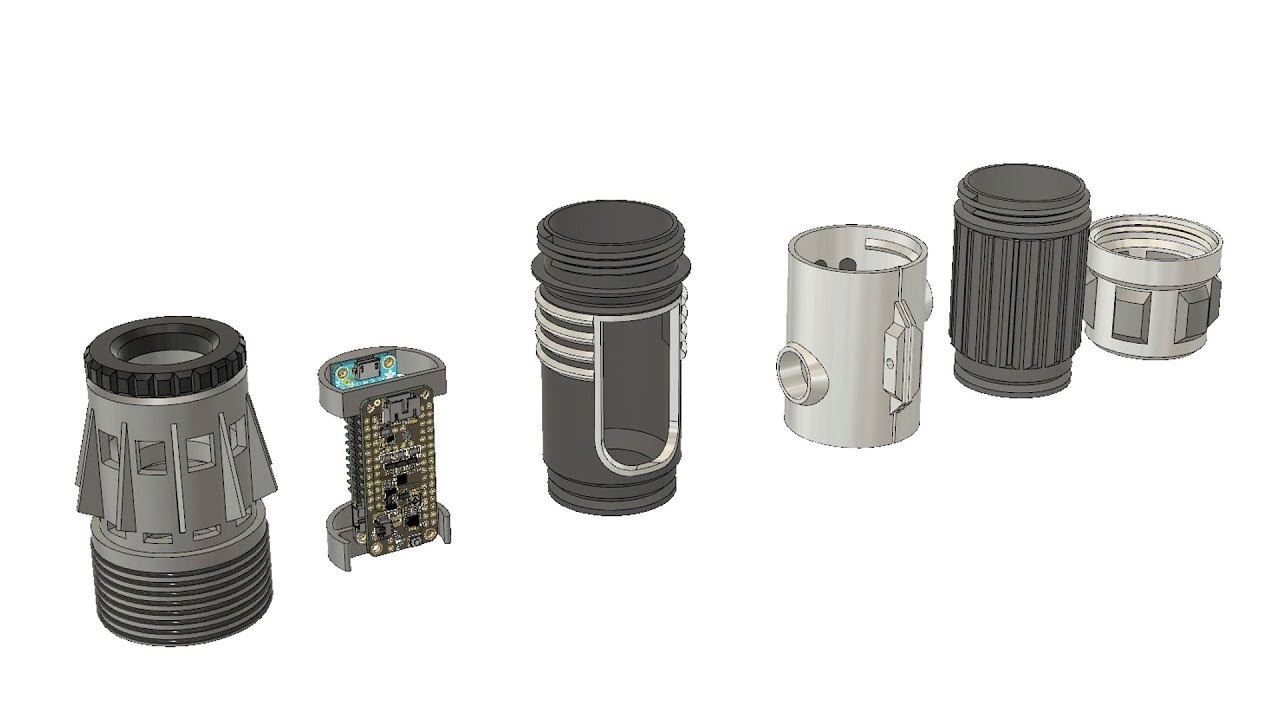
Here's a walkthrough of the hilt assembly we designed in Fusion 360. Most of the components used in the project are available to download in our 3D parts rep...
fiery idol
Ah ha! I fixed it. Yay, I can now use a USB cable with my 3D printer again!
stray spruce
@fiery idol which printer do you have again?
fiery idol
The Creality CR-10s I think.
fiery idol
Yeah, it just does not have auto leveling which would be nice. It is a big printer though. It has a 300mm x 300mm x 400mm print space.
stray spruce
I almost got the CR10 about a year ago
But decided against
Now I’m getting in for even lower price.
Just ordered some AmazonBasics pla to try
fiery idol
Lol, I use hatchbox and 3D Solutech PLA filament.
 lofty sigil
What is auto-leveling? I have not had time and $$ to get into 3-D printing yet
fiery idol
Auto leveling is a feature that some 3D printers have that level the print bed. It is called auto bed leveling. This is typically done with a proximity sensor and the bed (I believe) is leveled in the code. (Adjustments of how to print on the unlevel surface are tweaked on the software side to counter the unlevel surface). I could be wrong. Just google it to be sure.
versed wren
quarternions! the best of all gimbals!
use a prox sensor to measure the position of the bed in the reference frame of the gantry, compute that into a quarternion, then apply it as a base transform to all jobs and let the motion controller figure it out
fiery idol
Wow, those are big words. My head hurts.
fiery idol
Lol, okay.
fiery idol
Can I call it s?
versed wren
with a normal 3D gimbal, a system that is able to rotate on N dimensions
no s is seconds
fiery idol
How about m/s?
versed wren
uh... brain, witha normal 3D gimbal, you can rotate around all the spatial dimensions, and rotating around one moves the other two, but no matter what every axis is perpindicular to the plane formed by the other two axis
so there are positions you can put the system in where it becomes ambiguous how you would rotate it to get anywhere, and conversely how rotating it any way would result in it being
with 4 perpindicular spatial dimensions, this doesn't happen
don't imagine it too hard, you'll break spacetime
so then a transform is a change in position, say if you move one meter forwards, that's a translation, but a transform doesn't need to be limited to any particular kind of change, you could move a foot in several directions and spin about 5 times before landing on your face
if you assume the 3D printer's axis are perpindicular, which probably isn't true but you have to take the assumption, then it doesn't matter what angle the bed is at
what you need is the layers of the print to be parallel to the bed, so if you transform the print job to match the table, the print head will move up and down along the table's slope, and everything will work just fine (within limits)
imagine you have an object and you're holding it perfectly vertical; and you have a table that isn't perfectly horizontal, when you set it down, the object will transform via gravity to rest on the table. same thing
the only down side is that rotation along one axis in a 4 dimensional quarternion doesn't traverse a plane like rotation along one axis in a 3 dimensional cartesian coordinate system
sonic plinth

This is something I mostly designed myself in Blender but remixed it from a previous STL file I found on thingiverse. You can download my files I made here. ...
What do you think of my video?
stray spruce

Follow along as I build a dry box for my 3D printing filament, which keeps my PLA nice and fresh. Open the description for more info⬇️ tutorial: https://www....
Nice tutorial
fiery idol
I might make one of those at some point.
coarse ruin
I've been trying to find a small peltier dehumidifier for a more perm solution for all my filament... but yes i also use the pellets.
crude kettle
Who has seen the announcement of the Ender 5?
fiery idol
Has your printer arrived yet @stray spruce?
stray spruce
no
fiery idol
Bummer.
fiery idol
Nice.
stray spruce
all is good
fiery idol
What is the first thing you are going to print when you get it?
stray spruce
backplate for the lcd
fiery idol
Lol. Really, there isn't one on it?
stray spruce
no
stray spruce
ok
versed wren
I feel like this is going to have strength problems in the end, maybe add some metal corner brackets
green pine
might have to, using rather long screws in hopes it helps
motherboard tray's rather structural too
versed wren
small ones like this should help and be easy to hide https://www.amazon.com/Right-Angle-Stainless-Corner-Bracket/dp/B00GMYH4KW
oh yea without the motherboard tray it'd be a disaster
green pine
so far, even without the tray, it's rather stable
with a bit of weight in it too
haven't been able to move it about like a normal one yet though
we'll see tomorrow 😄
fiery idol
That is awesome!
green pine
ty
taken about 70-80 hours of printing so far
after the mobo tray's done, I think I'm about 1/2way
fiery idol
What's it printed out of?
green pine
pla+
well, started with PLA, for a couple panels, but ran out, rofl
so got the same color in pla+
fiery idol
How long did all of that take to print?
green pine
@fiery idol
taken about 70-80 hours of printing so far
this panel will take about 10-11
that's 1/2 the motherboard tray
fiery idol
Dang! The most amount of time I have had for a print was ~17 hours, it was just a small sized stoplight.
green pine
haha, yeah, gets insane once you start going past your printer size
biggest single print for me is 26 hours
fiery idol
Wow, my print bed size is 300mm x 300mm with a print height of 400mm.
fiery idol
I think I have the Creality Cr-10s.
fiery idol
Whoa, what is that?
green pine
fiery idol
Cool.
fiery idol
Wow, nice keyboard.
green pine
ty, I kinda spread into a couple hobbies.. /r/mechanicalkeyboards has captured me..
fiery idol
Well, I think I am going to go and finish working on the lights on my 3D printer.
green pine
green pine
kinda spent way too much time on it
xD
yeah man
enjoy printing those lights, they're not the best, but they work well
(I have the ones I think you're talking about)
stray spruce
@green pine that’s so cool!
Took a bit of a gamble on this stuff.
Hope it’s good.
Now I just need a printer 😂. Hurry up fedex.
green pine
@stray spruce which one mate? xD
oh, didn't know amazon had fillament
that's cool
even has a lil gauge thing
green pine
interesting
stray spruce
Can’t keep everyone happy with a hobby as complex as 3D printing
green pine
I hear such good things from them
stray spruce
Well it’s like 3.7-4.0 stars
All the professionally written and YouTube reviews are positive
green pine
cause I'm an aussie, https://3dfillies.com/ and https://hobbyking.com/ are awesome sources.

3DFillies
Australia's 3D Printer Filaments from $20.95. Free Shipping and Quality Guaranteed. Large colour and material options for ABS, PLA, PLA+, PETG and TPU Filaments.
Hobbyking
Hobbyking - the world's No1 Online Hobby Store. We stock a huge selection of RC products from Planes right through to Drones and all accessories. Visit Us Today.
fiery idol
I found the HatchBox Cool Gray Filament to be a little brittle on the spool, but the prints I have made with it are pretty strong.
@green pine do you design your own PCB?
green pine
pretty much lil led strip that has a couple arms that slot in the 2020 ?
fiery idol
I just slid some Led Strip lights in the 2020 slot. Yeah I think it is 2020, it's to small to be 2525.
fiery idol
It was a pain to get the light strip in on my printer because my light strips have some sort of rubber or silicone over the LEDs. I had a light strip in before, but I decided to redo the lights so I could have a longer strip in it.
green pine
why do I take so many photos..
fiery idol
Because a photo has a thousand words.
green pine
fiery idol
Ooooh, nice! My leds are in the top of my printer. I have not put any on the X axis yet.
I also 3D printed a little status light for my printer.
fiery idol
The T-Slot in the extrusion.
green pine
sorry, I mean electronically
fiery idol
The status light and the light strips tie into a mosfet board I made, that is then connected to a Arduino which is send commands from my computer. The computer sends the Arduino commands and the Arduino sets the color of the status light based on the received command.
fiery idol
I have to use OctoPrint though to get the status of my printer, which means that I have to use my printer over USB to use the signal light.
I'll send you a video in a little bit.
I still have to rewire the LEDs, I won't start a print yet, but I can still commands to the lights to get them to do stuff. I might send you a video of the whole system working while something is printing.
fiery idol
Yeah, but I haven't posted anything on it for quite some time.
fiery idol
Lol.
I love your custom keypad. Do you do all of the surface mount soldering, or do you have it done somewhere else?
green pine
I do it, I have a rework station though, so I do cheat a bit, lol
fiery idol
I'm thinking about getting a rework station to do some surface mount soldering. I have been able to surface mount neopixels, but I was using a copper wire that I used as soldering iron tip. Lol, this sould probably go in #general-chat, oh well.
Lol.
I'll be back in a little bit, I have to get some stuff done.
fiery idol
Then it's 3D Printer Time!
green pine
yeah, do reccommend the 858D
green pine
it's one of the cheapest hot air rework stations
fiery idol
I'll have to check it out.
fiery idol
Lol.
green pine
side note, I'm a hobbist, I just throw little bits of money at things to entertain myself.
fiery idol
Lol.
 sullen zinc
Hmmm continuous printing with an X axis belt and a triangle to give y+z (two thirds of a delta). Too bad I don't have the chops to design a printer from scratch. 💡
fiery idol
I really want to build my own 3D printer. I just don't have the money right now to buy the aluminum extrusion.
fiery idol
Because I could build it any way I want.
stray spruce
Wouldn’t it be better to start with a kit for the basic parts and then built off that
fiery idol
I would buy a control kit, but build the frame and everything else.
Or maybe I could build my own. Hmm... Nah, I'm too lazy to do that.
sullen zinc
I did this crazy 60 degree unsupported overhang just 'cause I could (ABS, approx 90mm tall semicircular tube, making it about 160mm overall length)
vase mode to boot
the one at "just" 45 degrees was necessary to get the length of tube I wanted for an LED diffuser
and here it is, running some 12V white LED strip apparently intended for automotive application
stray spruce

YouTube
In the 3D printing world, manufacturers are represented by two separate, and wholly unequal groups. The 3d printing suppliers who cut corners and those who p...
Loool. Stratasys.
You taking about makerbot over there?
This is the company that turned makerbot into what it is today.
Selling 3D printer extruders in 3 packs
This is the company that is against open source 3D printers and is patenting everything.
stray spruce
Yikes this whole series of commercials is awful.
Basically, there are two groups they say. It’s either Stratasys or it’s garbage.
coarse ruin
@stray spruce I can't dislike this video because for some this is their experience. It's not a direct lie. And you are correct stratasys is "helping" (praying on) the vast majority of people that "just want a part".
coarse ruin
edgy
fiery idol
@green pine is that the other part of your case?
green pine
yessir @fiery idol
fiery idol
It looks good
fiery idol
That's so cool!
violet needleBOT
Adafruit Industries posted Think-a-Dot Replica #3DPrinting Timelapse @adafruit #adafruit

Every week we'll 3D print designs from the community and showcase slicer settings, use cases and of course, Time-lapses! Think-a-Dot Replica Michael Gardi ht...
violet needleBOT
Adafruit Industries posted Prop-Maker LightSaber Build

The Path to Prop Maker Use your maker skills and become the Jedi you were meant to be! Construct your own lightsaber using 3D printed parts and electronics f...
spice estuary
Reasons why Noe & Pedro remain awesome
coarse ruin
prop wing needs a pdf schematic....
versed wren
pdf?
the prop maker wing doesn't to my knowledge have it's own learn page yet, I expect that will be a pretty sizable writeup given everything it does and how easy it is to break stuff when dealing with high power. Most of the schematics and such will become available at or after the learn page is published
in the mean time I believe these are the board and schematic files https://github.com/adafruit/Adafruit-Prop-Maker-FeatherWing-PCB

GitHub
PCB files for the Adafruit Prop Maker FeatherWing. Contribute to adafruit/Adafruit-Prop-Maker-FeatherWing-PCB development by creating an account on GitHub.
 distant dove
I think maybe those PCB repos should include PDFs
save everyone the need to download eagle just to have a look
distant dove
yeah, just a suggestion. Even the learn pages often don't have details like which mcu pin corresponds to which labelled pin
ie PA19 is D9 kind of detail
 versed wren
every product learn page has a downloads page and if they're allowed to, it has this stuff
distant dove
alrighty
fiery idol
Hmm... Cool, I was finally able to print on the glass build plate of my printer.
violet needleBOT
Adafruit Industries posted 3D Hangouts – Fancy LEDs, Prusa and Think-a-dot

Multistreaming with https://restream.io/ This week’s #3DPrinting project on Adafruit Learning System https://learn.adafruit.com/neopixel-headlight/ Code, Bui...
idle crest
#help-with-3dprinting Live in 5 mins! Episode #210 – Fancy LEDs https://www.youtube.com/adafruit/live #3DHangouts
YouTube
Hang out with Noe & Pedro Ruiz and discover 3D printing! Get your 3D news, projects, design tutorials and more each week! This week’s #3DPrinting project on...
violet needleBOT
Adafruit Industries posted @adafruit #adafruit

----------------------------------------- Visit the Adafruit shop online - http://www.adafruit.com Subscribe to Adafruit on YouTube: http://adafru.it/subscri...
serene laurel
Woooooooooo!!! got some TPU in the mail today :3
viral solar
I designed and printed a case for my Pixel 3 XL along with a matching Popsocket faceplate. It turned out so great I had to share 😄 https://i.imgur.com/Cl9iW7W.jpg
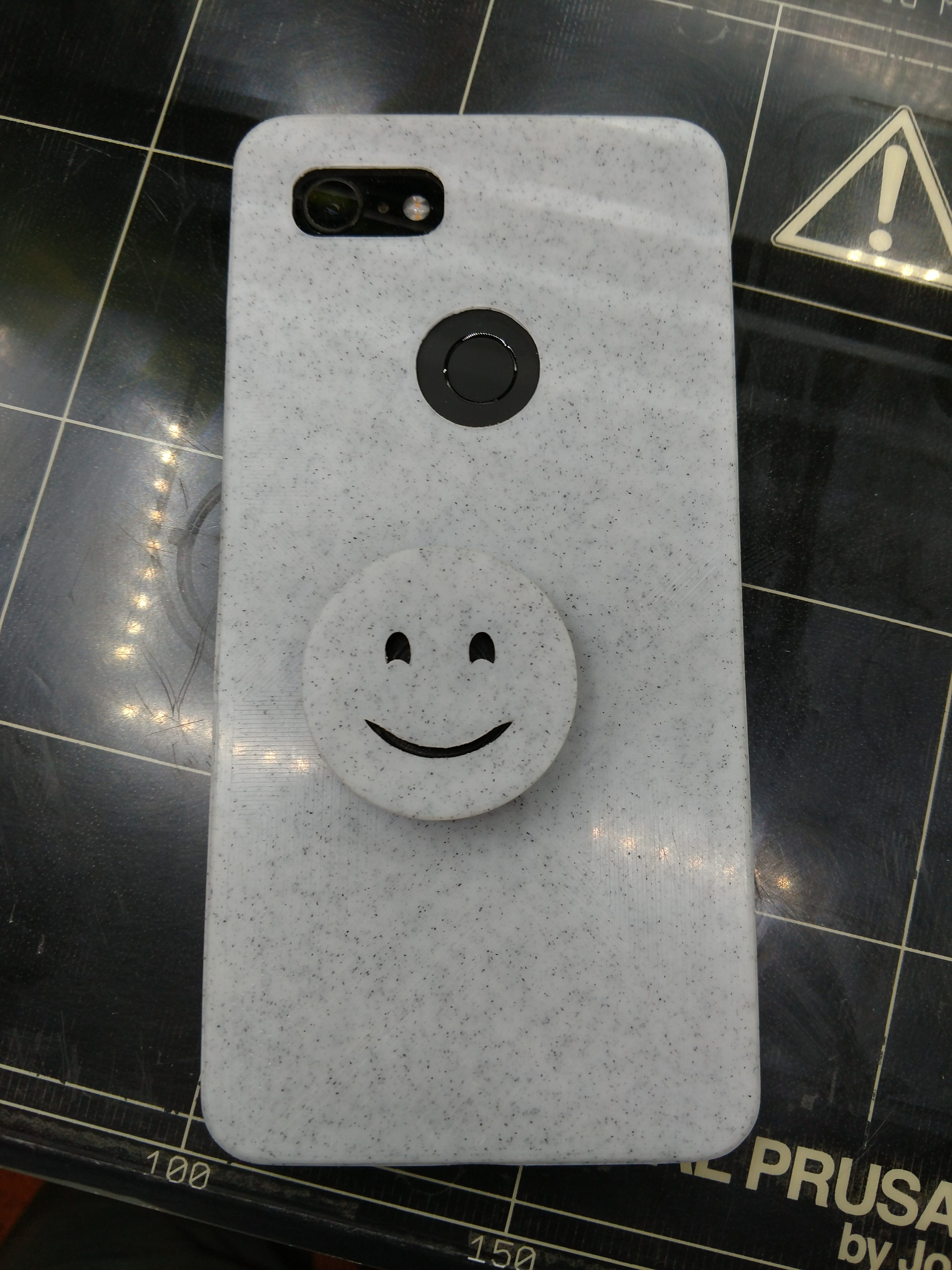


 coarse ruin
i haven't used up the 2 spools of the TPU i have in years... just don't have that much bounce in my life. What ya printin?
violet needleBOT
Adafruit Industries posted NeoPixel Bike Light #3dprinting #adafruit

Build a sci-fi inspired bike light using Adafruit Feather and NeoPixels. Use an RGB LED Button to cycle through different colors and animations. The button w...
serene laurel
Im assembling an ARMY!!!!! MWAHAHAHAHAHAHAHAHA
coarse ruin
world domination?
fiery idol
Hmm... I think octoprint is running pretty well on my Raspberry Pi 1 B+.
coarse ruin
running 1 or more printers?
fiery idol
@coarse ruin Who are you referring to?
coarse ruin
you
fiery idol
Oh, lol. I am running 1 printer off of it.
coarse ruin
there are people that run upto 4 with camera on one RPi. (2 or 3). I choose not to add it to my PRusa MK3 because i didn't see any value in it.
they suggest you can do it with a RPi zeroW (which i had purchased from adafruit for exactly that reason).
fiery idol
I just used the RPi 1 B+ because that is the only Raspberry Pi I have.
coarse ruin
we (makeitlabs) just got 10 printers donated... and likely will set them up as a 3D print farm so i'll likely use several RPi's with Octo.
coarse ruin
maybe.... with 10 of them... i have other things to worry about like.... bench space, power distribution, filament handling, etc.
fiery idol
True.
coarse ruin
very likely we will need to construct shelving.
fiery idol
My printer is on the floor of my room right now.
That would be cool to see a bunch of 3D printers on a shelf.
coarse ruin
I've seen some custom 8020 extrusion shelving systems people did to enclose their printer arrays... I think will likely build it out of 2x4's and plywood.
fiery idol
I LOVE 8020. My robotics team used it to build the lift system on our robot.
The price can add up pretty quickly though, but it is awesome stuff. Plus, they have CAD models of, I think, all of their parts.
coarse ruin
what # is your team? (i'm a mentor for #151)
 vital valve
can't remember if i said it here or not: 8020's "off cuts" store has some serious cost savings. used to be on ebay...not sure if its still there.
fiery idol
Hmm... Interesting.
vital valve
seems they've expanded the store a bit, but the "lots" are a good way to get some projects rolling for reduced price. they're basically the waste left over from larger orders. http://www.ebaystores.com/8020incgaragesale/
fiery idol
Hmm... Good to know. Thank you for the information @vital valve.
vital valve
so, turns out the "Lots" category isn't the only place for lots. they're kind of interspersed throughout.
stray spruce
I'm so confused
Fusion 360 just deleted an entire sketch and my extrusions
Was an easy fix but I can't figure out what went wrong
coarse ruin
you sure you didn't just roll back the history?
versed wren
cool bad idea, 3D printable 'joystick' with adjustable rubber feet and adjustable finger things, you adjust all the adjustments and sit it on top of your mouse, then a system of linkages transmit 2 triggers down to click the mousebuttons.
for when you use computers too much and need to not hold your forearm pronated that far all the time, without needing to buy a fancy, expensive, and probably not good vertical mouse
maybe having it sit next to the mouse with a couple of sliders of it's own and then rest as a tripod on the mouse's palm with some arms to 'clamp' onto the sides would work better, it'd certainly put your arm in a more horizontal position which is good
green pine
spice estuary
Interesting printer
green pine
@spice estuary (it was the case that has been printed)
spice estuary
Ah, very nice
serene laurel
Made my first 3d model tonight!!! lol. Its a tube, 32mm wide. and thats it hahahahaha. its to test my lightsaber to make sure that what im gonna make in the future is big enough for my electronics. and so i know my constraints.
stray spruce
Good job
serene laurel
Fusion 360 seems to be way easier than I thought it would be. At least for simple stuff
tardy fox
@serene laurel it is! I had a similar experience. and the more you use it, the more sense it'll make which makes it easier and easier to use.
stray spruce
@serene laurel Fusion 360 is awesome and I love it
Also with any cad program there’s always multiple ways to approach things
Once you learn the basics you can basically do anything, just not as efficient as someone super proficient and takes advantage of all the features.
serene laurel
Yup. That'll be me for sure
fiery idol
I use OnShape.
 weary lichen
@serene laurel That's one of the best things about 3D printing. Print something that's totally not worth buying, to check fits and the like
serene laurel
Woooo my tube finished successfully. Now i just gotta wait till I get home to see how accurate it is and if it actually fits inside my lightsaber hilt
coarse ruin
i use... cubify design because i've been using it for the longest, i use fusion360 because it has many capablities others don't (CAM, Simulation,$$$, eagle), I use solidworks... because my day job uses it.
AS welcome to world of fixtures... not all that impressive to most... but an easy to make things that help you make other things.
weary lichen
I use FreeCad because it is, well, free. Including commercial use. Design is also exactly how I think and do things, so that is really great too.
coarse ruin
i used a fixture today to make a hole in a box for a USB cable.... this one https://www.adafruit.com/product/3258

Check out this handy MicroUSB extension cable, which will make it easy for you to enclose a device that has a B type (micro USB host) port. Great if you need to extend the USB port for ...
for cutting the hole patern in a box for the usb bulkhead connector
if i was starting with a fresh box i would have CNC'd it into the box... but it was post assembly modify, so drummel tool and burr + template.
sullen zinc
TFW when your 3D printer is down and you have to mail-order the part
apparently on flashforge(-clones) the X axis wiring will eat itself sooner or later. Too bad I didn't run across the various drag-chain plans before the original motor cable broke.
barring the unforeseen I can finish printing thanksgiving napkin rings on my other printer 😜
violet needleBOT
Adafruit Industries posted Lizard #3DPrinting Timelapse @adafruit #adafruit

Every week we'll 3D print designs from the community and showcase slicer settings, use cases and of course, Time-lapses! Lizard tommy kong https://www.thingi...
versed wren
the layers really add to the look
formal relic
i want to add heated bed to my "printer"
coarse ruin
@sullen zinc this is an inherent design issue copied from previous versions... well known. Both of my Rep2's have been running for thousands of hours... before it happened to one. There are several ways to fix this that are reasonably easy, including just replace the cable.
sullen zinc
@coarse ruin indeed, I have a new motor cable on order and am looking at printable drag chain designs. Thanks for the reassurance that I'm not alone
violet needleBOT
Adafruit Industries posted 3D Hangouts – Giftbox, GPS, and Lizards

Code, Build Instructions, and Source Files: https://learn.adafruit.com/motion-gift-box/ Adafruit Circuit Playground Express https://www.adafruit.com/product/...
coarse ruin
@sullen zinc the nature of the failure is related to using cable and connector that isn't design for / rated for lots of flex. Cable management solves another issue which is pinching / min bend radius. The solution I used was to splice in a section of cable like this https://www.adafruit.com/product/3891

For those who are fans of our silicone-covered wires, but are always looking to up their wiring game. We now have Silicone Cover Ribbon cables! These may look a lot like squid ink noodles, ...
of course if you can source the cable complete... that would be better.
violet needleBOT
Adafruit Industries posted 3D Hangouts – Giftbox, GPS, and Lizards

Multistreaming with https://restream.io/ Code, Build Instructions, and Source Files: https://learn.adafruit.com/motion-gift-box/ Adafruit Circuit Playground ...
sullen zinc
@coarse ruin yeah sourcing the right housings, crimp-on connectors, and an effective-enough crimp tool is enough to run the hobbyist's month.
It also makes me understand why designs like delta and corexy get so much excitement, what with the reduced or eliminated count of wires that are flexing all the time. (well, motor and home switch wires anyway, unless you figured out how to run your hotend without wires)
what the heck, let's just treat it as a consumable instead
coarse ruin
have you seen the extreme wire support of the PRUSA i3 MK3...better than most. I would never recommend a human to crimp wires, robots only. the silicone wire splice would have to use the old crimps. p.s. I design electronics for the day job. I'll see if i can take a pic of the one i have done.
sullen zinc
so you keep the original connectors and make two sets of splices with the flex-rated wire?
coarse ruin
yeah... that is what i did for this one... not suggesting it is best... just what i could get done and would perm fix the issue.
overmolded with shrink tube and silicone glue.
PVC is to stiff, also the wire in high flex cable is different (smaller wires with a different alloy).
violet needleBOT
Adafruit Industries posted Cutting Corners – Fusion 360 Tutorial

In this tutorial I walk through cutting corners on a box using two different methods. I got inspired by the design of the control box on the Prusa i3 MK 2 3D...
Adafruit Industries posted Motion Gift Box @adafruit #adafruit

In this project we’re making a motion activated gift box using Adafruit Crickit and Circuit Playground Express and a PIR sensor! Full guide: https://learn.ad...
strong idol
guys anyone had a go with grbl code before? i want to take out current position out with PWM, I dont understand the code structure, if anyone has done anything similar, please let me know.
shy kelp
Grbl is for cnc's. 3d printers use GCODE
versed wren
CNCs use GCODE
it's in fact where GCODE comes from
first result for grbl on google [grbl is] an open source, embedded, high performance G Code parser
shy kelp
Wow. Didn't know that
As of right now l, however, grbl dominates cnc and gcode dominates 3d printers
shy kelp
No idea what a parser is but ok
Just stating what I know
Or what I think I know
You never know
versed wren
the parser takes g code and turns it into machine instructions
mono takes C# and makes the processor do stuff
shy kelp
Seems legit
versed wren
tldr, the servos on your 3D printer don't know what to do with G1 X19
coarse ruin
there are G codes that are specific to machine, and use... i.e. most CNC's don't have a nozzle heater PID, and most 3D printers don't have a tool changer. grbl can and is used for additive and subtractive systems. There are plenty of common G and M codes used for all machines (e.g. go to x, y, z)
versed wren
even on machines with machines that share 100% of their functionality, G code support varries an embarassing amount
used to work in a shop with 3 mills and 7 lathes, no two machines supported all of the same codes
coarse ruin
yep.... nothing "standard"... just very very similar...
and of course if that was not enough there are other machine interfaces that do the same thing... but change the syntax and encoding... like HPGL and RML1
(p.s. i really need a G-code to RML1 converter... can you say roland MDX)
stray spruce
shy kelp
Wobbly frame oof
stray spruce
@shy kelp perhaps....but my jerk settings were messed up
sonic plinth

This is a part two of this video. https://www.youtube.com/watch?v=kSX8zgljETw&t=3s This is me finishing up the print with a acrylic paint job. Enjoy!
What do you guys think?
versed wren
🎊
stray spruce
You don’t want to know what I had to go through to make it free
I was working at it for a solid 10-15 mins
versed wren
it's real neat, but if it weren't print-in-place you could finish it, some sanding, some clearcoat, I'm still tepid on the technique beyond novelty
 coarse thistle
Is there a way to convert from inch to millimeter in fusion 360?
Like a way to change the model if it’s made in inches
versed wren
is there any kind of elastomer filament that could be used to print custom elastomer pads for the trellis grids?
specifically I really like these hard top keys https://youtu.be/S4O9j2PTrHE

Making a track on the Teenage Engineering OP-1 using Cuckoo's "C-Mix" preset pack. Modular video synthesis visualizer by Brian Martin aka Jellyfish Nozzle (h...
I'm thinking elastometer key sheet with rigid plastic on top, probably rubber cemented together
ooo, maybe just 3D print a mold... http://www.industrialpolymers.com/products/truecast-series
versed wren
working on making molds out of the elastomer files, this looks cool
coarse ruin
There are a lot of silicone's to pick from when molding. PUR is cheaper but tends to stick to everything.
i can see some fine detail in the above image you will want to avoid for either 3D print or casting.
most rubbers have a high viscosity... so you likely will need to vac degas them to get a bubble free result.
PUR sticks to PLA... so maybe you could print on fabric, ninja flex, and top it off with PLA?
versed wren
the fine detail isn't super important
coarse ruin
in the image these are folds that make a flexible long travel button...
versed wren
the first image is the negative mold of the bottom of the elastomer sheet
easier to look at version
coarse ruin
yes... those little folds near the main central tower are where bubbles with get trapped.
versed wren
that won't impact functionality
the ring next to teh tower is there exclusively to hold the carbon rubber ring, if the space it goes in isn't that clean, it'll still work fine
tldr, they're not folds
TrueCast20 has a working life of 45+ minutes, so it would be reasonable to fill small details with a syringe for optimal results, the plan is for normal results to pour the resin into the bottom mold, shake it a bit, and then press in the top mold, the towers will be coplanar with the back of the top mold once assembled so depth can be set just by clamping flush, and XY wise there's .25mm play at each edge, so basic shims can be used to center
looks like standard aluminum soda cans are 0.1mm thick, so 2 layers of shim on each side, probably a pair of shims on either side of each corner, would ensure that the folds come out uniformly
serene laurel
@stray spruce Give me your shiny filaments!!!!! Or at least a url of where to buy them!!! I need Shiny cats!!!
stray spruce
@serene laurel 3D Solutech Green 3D Printer Ultra PLA Filament 1.75MM Filament, Dimensional Accuracy +/- 0.03 mm, 2.2 LBS (1.0KG) - 100% USA https://www.amazon.com/dp/B01B5KPNUK/ref=cm_sw_r_cp_api_OuX8BbCM5D59D
Some tips with this filament:
-layer adhesion is not great
-you’ll notice it’s a bit more flexible than normal PLA, on the spool. It’s not flexible filament but it just feels less brittle than normal PLA.
So print nice solid objects with inner infil
Not thin things
Also be sure it’s properly secured to the build plate....has a bit of trouble with that too
It’s pretty good if you consider the limitations
I’ve only had one failed print I think