I put this question in a while ago into forums: https://forums.adafruit.com/viewtopic.php?f=60&t=168026&hilit=+width
#circuitpython-dev
1 messages · Page 350 of 1
 simple pulsar
 manic glacierBOT

@tannewt are you looking for a VID/PID combination specific to CircuitPython? I think we can supply those.
I'll try and gather the other information when I can. Everything is still chaos laughing
Yes please! Are your boards currently available? If you point me to schematics I can add defs but not test them. Thanks!
For your gaming system the display chipset would be useful too so we can auto-init it.
Let's close for now. We can always open a new issue when we have additional specific improvements in mind.
 manic glacierBOT
Is this an existing CPython API? I've never heard of it.
Is there a corresponding MicroPython issue?
Please elaborate on how you are using it. There might be other ways to do it.
manic glacierBOT

I believe this is a CPython API as it is in the python 3 standard types here. This API allows for inspection/introspection of python functions. Here is a test program from python/cpython.
The corresponding MicroPython issue is #2084
I am using __code__ to be able to inspect th...
 tulip sleet

Adafruit Industries - Makers, hackers, artists, designers and engineers!
This is the first beta release of CircuitPython 6.2.0. Most notably, this release, 6.2.0-beta.0, provides preliminary support for the Raspberry Pi RP2040 chip, including the Raspberry Pi Pico and A…
manic glacierBOT

Thanks to @tannewt, he verified that the "Simple GPIO output" method is the way to proceed. Here is a link to a video of @tannewt's deep dive with related commentary on ParallelBus.
Also, in writing this code, I discovered a possible limitation of the ESP32-S2. It seems that the ESP32-S2 does not allow writes to the registers with data sizes < 32 bits. In section 10.3.3 of the technical reference manual, it indicates that the regist...
manic glacierBOT
This is an initial draft commit to add ParallelBus capability to the ESP32-S2 port (see issue #3600).
I would like feedback on two of the pin limitations in this current incarnation (I can implement updates to these if desired):
- Data pins must be byte aligned (e.g, starting pin 0-7, 8-15, 16-23, etc.) - I think this is ok to keep.
- Data pins must be pin numbers < 32.
- Write pin number must be < 32.
Special Note:
Due to what I think is a limitations o...

I ran into an issue trying to connect an MCP2515 CAN bus controller via SPI to a Teensy 4.0 (using adafruit_mcp2515) and might have a simple solution to this and possibly related issues #3763, #3055 and #3012.
After a few CAN messages transferred, there is an exception with the following information.
common_hal_busio_spi_read: status 400
Traceback (most recent call last):
File "code.py", line 49, in
File "code.py", line 44, in
File "/lib/adafruit_mcp2515/canio/__init__.... crimson ferry
@ionic elk Is there a difference between lwip and tls sockets in how they respond when they try to send and it's not successful? I'm now seeing Requests pass along ENOTCONN from native socket in 6.2.0-beta.0, and after four of those gets Repeated socket failures and is no longer recoverable. Probably something (maybe requests) not closing a socket properly?
 ionic elk
Maybe. I'm about to post a new PR draft that separates Socket and SSLSocket completely. I could try it out as a part of that
crimson ferry
I'll keep at it too and see if I can narrow it down.
manic glacierBOT

This PR removes the TLS implementations from Socket and moves them to a new object class, SSLSocket, which is created from a Socket object using SSL's contex.wrap_socket() function. This behavior more closely matches that of Cpython.
Opening as a draft as I've had a couple difficulties with this change and I'm still testing:
- The regular Socket class has a new LWIP-only implementation for
connect, but I've had issues making ...
ionic elk
@crimson ferry you can check out the above pr ^ and see if it has anything of use
crimson ferry
will do
crimson ferry
socketpool / socket never seem to close sockets on their own, we rely on libraries like Requests to close?
is (n/m I'll update my repo so I can grep)socket_reset ever called?
crimson ferry
I've narrowed it down to TLS, same error is returned for HTTP and HTTPS GETs (ENOTCONN), but HTTP is recoverable, HTTPS isn't ( Repeated socket failures). Something in Requests is treating them differently??
manic glacierBOT

I'm able to confirm this issue as well.
We really need the ability to upload code remotely, a webserver or maybe port WebREPL over from micropython.
My current idea is to host my code.py on a server, and have boot.py fetch the latest version on boot.
Otherwise any code changes requires a hookup to PC, and my project is out of reach without a ladder so any code changes are a pain.
 thorny jay
Took me time to find my Wii I2C connector, figured it was tested on the QtPy and S2, so I tried STM32 (because it has a StemmaQT connector) and it fail on me... not sure why yet. cc: @gloomy shuttle I'll check again but now it is time for Deep Dive.
 tidal kiln
@thorny jay thanks for testing stm32. i tested with an M4 today and it started acting up - it needed the delay added back in. but it only needed a very small delay. i'm (slowly) testing other platforms as well, like rpi, etc. also tagging @gloomy shuttle
 gloomy shuttle
tidal kiln
<@!681528999520108564> thanks for testing stm32. i tested with an M4 today and i...
gloomy shuttle
tidal kiln
<@!681528999520108564> thanks for testing stm32. i tested with an M4 today and i...
I would be interested to know if it acts up using the update() also without the sleeps
manic glacierBOT

@Cyphrz Check out the discussion in this issue https://github.com/adafruit/circuitpython/issues/3777
- It has a PR for OTA Support of the entire CP image
- It mentions an MicroPython FTP update library you might port and\or that you could update your local code via a CP script over HTTP.
If you're interested in other more IoT Cloud Infrastructure type approaches, ping me up on Discord.
BUT all this is doable.
thorny jay
gloomy shuttle
I would be interested to know if it acts up using the `update()` also without th...
If you link me to the lib and test file you want me to run, fine. But I tested without thinking, just copying the file and not checking the change done.
@stuck elbow I have just upgraded my uGame 10 to 6.1 and the drive is unamed. I mean, it does appear, but not as CIRCUITPYTHON. I will upgrade a few other board to see if this is unique to your board or ???
gloomy shuttle
thorny jay
If you link me to the lib and test file you want me to run, fine. But I tested w...
here is the latest for just nunchuk.py that I was working on - https://github.com/jfurcean/CircuitPython_WiiChuck/blob/main/wiichuck/nunchuk.py

GitHub
CircuitPython library for Nintendo Nunchuk controller - jfurcean/CircuitPython_WiiChuck
 stuck elbow
@thorny jay can you try erasing the filesystem on it?
thorny jay
stuck elbow
<@!681528999520108564> can you try erasing the filesystem on it?
Erase? remove everything? Format?
stuck elbow
@thorny jay make a copy of all your files, then do import storage; storage.erase_filesystem() in the REPL
thorny jay
stuck elbow
<@!681528999520108564> make a copy of all your files, then do ``import storage; ...
That solved it. Thanks.
stuck elbow
it's probably corrupted filesystem then
thorny jay
There was no "/lib"... now there is .
stuck elbow
yeah, it wasn't automatically created when I originally made ugame
and that filesystem was probably created back then
simple pulsar
Quick test gives me max 3.11V in 11bit mode from Arduino code on my new EWP32.
crimson ferry
Looks like that's about as good as it's gonna get
manic glacierBOT

Change from fixed-point integer arguments to floating point in EVE API functions
Changed calls: PointSize(), LineWidth(), VertexTranslateX() and VertexTranslateY()
Units for all the above are now pixels, not fixed-point integers. This matches OpenGL.
Docstrings updated accordingly
 marble hornet
@slender iron what do you mean by "execute bit" in the change request?
 slender iron
@marble hornet see how next to the filename it has 644 -> 755? that's a file permissions thing
marble hornet
Ohhhh. Literal but not figurative bit😅. Thank you
gloomy shuttle
I just went back and started to finish watching the deep dive. I was thinking the exact same thing when @slender iron said "for somebody that wants to learn how to use computers, this is a great [way] to wrap your head around the fact that computers are number machines." https://youtu.be/LXAwW2IYT7o?t=6809
To be able to experiment in low level code in such an accessible way is awesome!
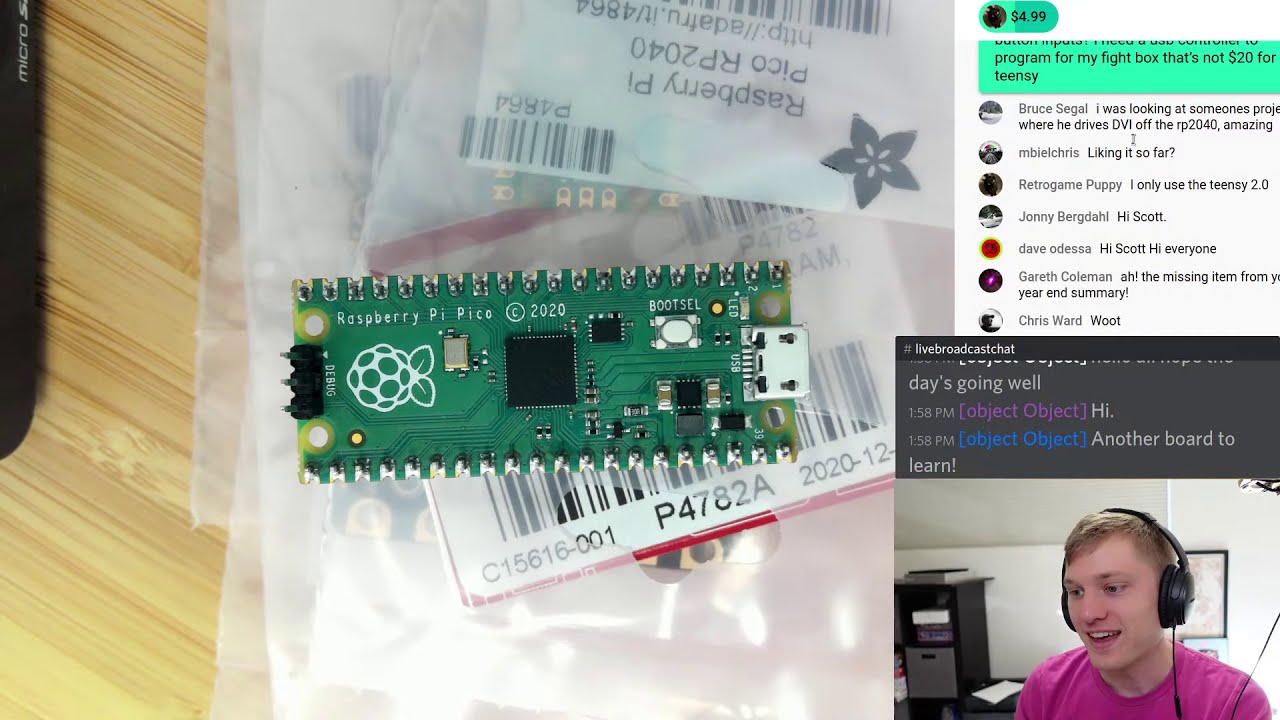
I’m sponsored by Adafruit to work on CircuitPython. Support them, and by extension me, by purchasing hardware from https://adafruit.com
Chat with me and lot of others on the Adafruit Discord at https://adafru.it/discord.
Deep Dive happens every week. Normally Fridays at 2pm Pacific but occasionally shifted to Thursday at 2pm. Typically goes for...
slender iron
😄
manic glacierBOT
It used to always return None.
Fixes #4035
manic glacierBOT

@tannewt the PicoSystem display is based on the ST7798V and we run it in the 12bit mode with RGB subpixel ordering - the LCD is 240x240.
Our full init sequence is:
st7789_command(st7789::SWRESET);
    sleep_ms(150);
    st7789_command(st7789::MADCTL,    1, "\x04");
    st7789_command(st7789::TEON,      1, "\x00");
    st7789_command(st7789::FRMCTR2,   5, "\x0C\x0C\x00\x33\x33");
    st7789_command(st7789::COLMOD,    1, "\x03");
st7789_command(st7789::GCTRL, 1, "\x1...@tannewt are you looking for a VID/PID combination specific to CircuitPython? I think we can supply those.
I'll try and gather the other information when I can. Everything is still chaos laughingYes please! Are your boards currently available? If you point me to schematics I can add defs but not test them. Thanks!
We'll be building our final (hopefully :D) production samples of TinyUSB and PicoSystem next week. If physical samples are useful to you then please drop me a li...
manic glacierBOT
Reopened and milestone moved to 7.0.0 to remind us to remove in that release.
manic glacierBOT
manic glacierBOT
Our efforts to shrink individual builds due to translation overflow are somewhat ad hoc. We also sometimes set RELEASE_NEEDS_CLEAN_BUILD = 1 which slows down CI.
Thoughts about making this simpler and more flexible.
- Set
SUPEROPT_VM = 0more uniformly for small builds. - Allow
-O2forCSUPEROPTinstead of-O3. - Split
CSUPEROPTsetting forSUPEROPT_VMandSUPEROPT_GC.
 lone axle
I will be streaming for a bit this morning if anyone is interested in hanging out. Working on some library development will post links in #livebroadcast in a moment.
crimson ferry
@ionic elk I think this is a Requests issue, but thought I'd make you aware of it https://github.com/adafruit/Adafruit_CircuitPython_Requests/issues/63 (odd to me that it happens after two exceptions rather than four)
ESP32-S2 bootloaders seem to be scattered in learn guides for only certain boards. Are they automatically built for each board and placed somewhere consistent? (no links on circuitpython.org like for SAMD)
manic glacierBOT

In addition to the BME280 tested with PCT2075, BH1750 and BNO-055 with busio.I2C and bitbangio.I2C. All work except the BNO-055 with bitbangio, but testing it with the python busdevice library the issue persisted so seems to be an issue with that library or bitbangio and not with this build.
 jaunty juniper
there are releases https://github.com/adafruit/tinyuf2/releases and artifacts, it includes the self update, but it does not seem to include a "combo" version, and I don't see instructions for flashing the 4-files version in any guide
manic glacierBOT
I evaluated the impact of bit manipulation to convert the 8-bit data into the 32-bit register. For everything I tried, I saw no significant impact on the performance. If you have any recommendations on speeding it up, I'll be glad to try them.
manic glacierBOT

Somewhere along the way, this got fixed.
Adafruit CircuitPython 6.2.0-beta.0 on 2021-01-22; FeatherS2 with ESP32S2
adafruit-circuitpython-bundle-6.x-mpy-20210122
r = requests.get("https://httpbin.org/status/200")
print(r.status_code)
print(r.reason)
print(r.headers)
print(r.text)
now gives:
200
bytearray(b'OK')
{'Server': 'gunicorn/19.9.0', 'Content-Type': 'text/html; charset=utf-8', 'Date': 'Sat, 23 Jan 2021 18:38:20 GMT', 'Connection': 'keep-alive', 'Access-Contr...
 dense grove
hello, im trying to install everything i need to use a NXP Precision 9DoF Breakout with my raspberry pi 4.
ive made it to the step where you check to see if 3 files are in the lib but i cant seem to find them even though it says they are already satisfied when i try to re install them
https://learn.adafruit.com/nxp-precision-9dof-breakout/python-circuitpython
thanks for your help

Adafruit Learning System
Getting up and running (literally?) with our high precision orientation breakout board.
tulip sleet
@dense grove I am going to answer you in #help-with-circuitpython ; that's where we do support like this
tulip sleet
np, just more people who can do support are in that channel. it's not wrong
 supple gale
jaunty juniper
there are releases https://github.com/adafruit/tinyuf2/releases and artifacts, i...
supple gale
jaunty juniper
there are releases https://github.com/adafruit/tinyuf2/releases and artifacts, i...
the command to flash the four files is something like this (on windows)
esptool.exe --chip esp32s2 --before=default_reset --after=hard_reset write_flash @flash_args
Where flash_args is a file containing the offset to write each segment. This is generated during the build but currently not uploaded as an artifact (I do in my fork)
Each board variant may have different memory sizes hence the different arguments.
For example the flash_args file for the UnexpectedMaker_FeatherS2 should be
--flash_mode dio --flash_freq 80m --flash_size 16MB
0x8000 partition_table/partition-table.bin
0xe000 ota_data_initial.bin
0x1000 bootloader/bootloader.bin
0x410000 tinyuf2.bin
Probably not exactly correct as this expects the files to be in the same folder arrangement as the build.
jaunty juniper
oh I know, I was assessing what information is available in the guides and circuitpython.org for those who wish to update their bootloader
supple gale
I guess its hard to do a generic guide. As the specific information is missing. A guide for each board?
jaunty juniper
I believe we need to update the circuitpython.org site with self update info for the ESP32S2 boards like there is for the samd ones
supple gale
True.
jaunty juniper
and I don't know where the combo bin file comes from, but it would be nice to have it in the tinyuf2 release I think
if I understand correctly that it combines the 4 files
supple gale
there is some python code in the circuitpython build that generates it i think. Maybe you can raise an issue in the tinyuf2 github repo 🙂
jaunty juniper
and the self update requires a separate file, so the site can link to it like it links to https://github.com/adafruit/uf2-samdx1/releases/download/v3.10.0/update-bootloader-circuitplay_m0-v3.10.0.uf2 for example
manic glacierBOT

FYI, I updated the UF2 to 6.2.0 beta 0 and the libs to the latest, and the results are the same. The good news is the system continues to collect and post data regardless of PowerOn or DSLEEP exit. This is not an issue for me but the NVM in alarm.memory would be useless.
 abstract pawn
Does anybody know of a library/example for a wifi site survey (list nearby access points) on a PyPortal (for example) or any other CPy board.
...and/or a multi AP connection manager?
 true onyx
Hi @river quest / Limor, thanks for your keynote, and explaining why circuitpython, when my first experience with it was "why a new language that is incompatible with circuitpython on my ESP32 and the conference badge, and all those lovely drivers I can't use"
 blissful spindle
Thanks for your keynote @river quest !
 gilded fern
Hi Limor, thanks for comprehensive history talk at lca2021, can we get a link to the slides? Thanks! 💯
true onyx
Obviously putting cirtcuitpython on my ESP32 would have fixed it, except there does not seem to be any (ESP32-S only which is a different chip)
So we're stuck with a conference badge that can't run your circuitpython and I had to use outdated drivers, and eventually switch back to arduino C++ because of how slow the drivers, were

Frame rate is only 5fps because the adafruit drivers aren't very fast, and SPI for SSD1331 is broken on ESP32. That said, it uses my Framebuffer::GFX driver and AnimatedGifs library.
Still, it looks fun. Next upgrade is to try https://github.com/moononournation/Arduino_GFX
is what I ended up doing in C++ since I could barely get 1FPS on SSD1331 with micropython
So, thumb up for circuitpython, but sad that I can't run it our conf badge's ESP32
And more generally, I think putting a very obvious "why circuitpython" and "why is it totally incompatible with micropython, so you can't use any of our drivers with micropython", would be very helpful to have. Now, you can even link to our LCA keynote talk 🙂
tulip sleet
We don't support plain ESP32 because it doesn't have native USB, so we can't provide the CIRCUITPY experience. We used to support ESP8266, but gave it up for that reason and because it has so few I/O pins.
@true onyx As to why we changed the hw APIs: at the time we started with MicroPython, there was not a standard HW api common across the supported boards., and there was disagreement about what the standard API might be. In addition, it has been MicroPython's philosophy to support as many features as possible on each chip, at the expense of cross-compatibility. We are more concerned with the latter. Our Blinka wrapper library does support the MicroPython hw API, so you can use CircuitPython libraries on MicroPython.
true onyx
@tulip sleet thanks for explaining. Agreed that ESP8266 is not worth the support any more. yes, it's true that the ESP32 doesn't give you direct USB access, but I'd have been perfectly happy using pyboard.py to upload and run my circuitpython code. Yes, i'ts not as convenient, but right now I'm so much worse off: I'm stuck with micropython, and the lack of drivers made it that I gave up on python altogether and went back to C++
Limor explained why it makes no sense for you to maintain drivers for micropython, I totally understand and respect that.
I didn't realize I could run blinka on top of micropython, I will have to look that up, thank you
 timber mango
Pycom run an FTP server on their ESP32 based devices to get micropython. Not the fastest experience and it runs painfully slow too
tulip sleet
you're welcome; blinka on top of micropython, i meant
similar to blinka on top of cpython, "regular" python
true onyx
yes, sorry, I wrote wrong, corrected, thanks
I'm not sure if there is a better way to advertise this, to someone completely new, it's confusing that there are 2 pythons, then you find that they are actually incompatible, and without this channel, would have had no idea blinka even existed, and moved on
@timber mango you're right it's not a great experience, it's not super fast, but well, for 10KB files, it's not terrible. Once you're already stuck with a chip, like I am right now and the 300 conference badges we made for linux.conf.au (where Limor just spoke), it's good to be able to use it instead of having to throw everything away, so yeah for blinka, and yeah for finding better ways to publicize it 🙂
tulip sleet
blinka has not been used a lot on micropython, so definitely file issues if you see problems
timber mango
I watched Limor's talk too 🙂
I come from an embedded background and running a python interpreter on a micro like this makes me want to cry sometimes [but I absolutely understand its place and will empower more people, I also felt the same about Arduino when it first came out]
I haven't seriously looked at the Con badge yet, I assumed it was just an ESP32?
true onyx
@tulip sleet will do, thanks
jaunty juniper
the raspberry pico might bring a new audience to Blinka 🤞 (and to CPY hopefully)
true onyx
@timber mango correct regular ESP32 lolin lite. http://www.openhardwareconf.org/wiki/Swagbadge2021_GettingStarted
timber mango
Excellent, thanks @true onyx !
true onyx
I was able to get about 14fps updating 2 SD1306 over I2C (sharing the same bus) with micropython: https://www.youtube.com/watch?v=LuYFG-w8C2Q&feature=youtu.be

Micropython is a new thing for me. Unfortunately it does slow things down, I only get about 14fps refresh instead of 2-3x faster with arduino C++, and the 2 screens are not quite in sync, but it was still a fun attempt.
Code:
https://github.com/geekscape/aiko_engine_mp/tree/master/examples/blinkeye
it's almost 4 times faster with arduino C++
timber mango
That's not terrible considering it's live interpreted
true onyx
that is using the obsolete adafruit micropython driver since I didn't figure out how to use the new circuitpython driver at the time
SSD1331 with micropython was more on the order of 2 secs per frame for a full frame refresh over SPI 😦 Right now I have 7fps with arduino, but I'm pretty sure it can do 30fps+, the adafruit C++ driver has a bug on ESP32 with HWSPI, so I'm using SWSPI which is slower. Once I switch to Arduino::GFX with HWSPI DMA, I should easily get more than 30fps.
I'll be curious to see if circuitpython has a more usable performance and whether I can go back to python
manic glacierBOT

@lowfatcode for the pico lipo - please add a qwiic/stemma QT (JST SH) connector? they're only a few cents and available in vertical or horizontal. people will like the board even more and we'd sell lots :) for lipo monitor you can use the LC709203, we have library code for it, works well enough.
lone axle
@onyx hinge is it alright with you if I work on adding your text wrapping function into display_text?
 onyx hinge
@lone axle I don't mind at all
the way I had to make it work with the magtag lib was a bit of a cheat (to access the font object)
lone axle
Thank you. Working on a GridLayout that will benefit from that as well because it will let user code resize the label more arbitrarily and have it still contain the text as best it can.
onyx hinge
cool, nice when things fit together
The code on my gist says CC0 but it's fine for you to place the matching license on it when you pull request it into display_text
tidal kiln
hey! sure. whats up.
 meager fog
lots of people want to show CO2 + Temp + Humidity for a room to verify ventilation
want to make a quick guide for a DIY CO2 meter?
using the SCD30
meager fog
oh its built into the SCD30
i think CLUE might be a good choice
altho i dunno
im torn 😄
pick whichever
tidal kiln
i can maybe do a quick something for each
it's basically just a SCD30 read out display
but can maybe have some fun with the UI
meager fog
yah
tidal kiln
like a canary in a cage
meager fog
lets not get too morbid!
but do notify folks when its too high using neopixels/text color 🙂
🐦
 fossil gorge
Feels like a matrix portal with the 64x32 could be a fun one for that data too
tidal kiln
ok. sounds good. i'll create a bc and can chat other details there.
@fossil gorge cool, yah, i'll also try it with the adabox 16 hardware
fossil gorge
tidal kiln
<@!361158808501747735> cool, yah, i'll also try it with the adabox 16 hardware
Cool! My opinion may be slightly biased since I'm staring at mine, with some data on it but want to add different data, and play with it more. It's just such a fun board!
(though, to be fair, they're ALL fun)
 mental nexus
Just closing out the question I had regarding writing to the GPIO registers on the ESP32-S2. I got some feedback on the Espressif forum that single byte writes are not allowed to most registers:
ESP_Sprite
Re: Single byte (8-bit) write to register GPIO_OUT_REG
PostSun Jan 24, 2021 3:42 am
There's very few registers in the ESP32 that can be read/written with anything else than 32-bit (UART FIFO comes to mind). GPIO, from what I know, is not one of them. You'll either have to do a read/modify/write or use the w1tc/w1tc registers.
manic glacierBOT

IMO WebREPL (together with its file transfer protocol) is much more useful than FTP, because it gives you the REPL. In Thonny, the user experience is the same no matter whether you connected over serial or over WebREPL (at least in principle. ESP32 has some quirks but I hope these get resolved soon).
@tannewt, have you considered WebREPL for CircuitPython?
slender iron
Saturday night food for thought: FIFO API for CP as a proxy for DMA: https://gist.github.com/tannewt/ecaed6ccb215a940f1b061763ef3737a
 manic glacierBOT

Totally untested, change request based on change made in #2581.
It might be my first PR in CircuitPython core...
Maybe this should be confirmed by @jamesbowman
Those are the two boards that seems supported:
- Metro M4 Express
- Metro nRF52840 Express
The only Metro that this PR concern:
- Metro M4 AirLift Lite
Other Metro I found and are maybe not supported:
- Metro ESP32-S2
- Metro M0 Express
- Metro M7 1011
 drowsy geyser
@tidal kiln My CO2 sensor is on a Raspberry Pi. It uses mysql.connector to write data into my central database RPi, then the display is through Graphana so I can easily merge data from multiple sources. Just thought I'd throw that out there, though I expect LadyAda would prefer something more Adafruit-centric. 🙂
manic glacierBOT

[adafruit/circuitpython] Issue opened: #4055 Re\-adding core modules for boards that don't have them
Hi,
I'm working on a project that will have a circuitpython board communicating with a rpi/pc over serial, and I wanted to send the data as json. This works with my m4 express airlift board, which the json library built-in.
But I now want to miniturise my set up by using a QtPy, and the json lib isn't present. Is there a guide to re-adding core modules?
I've compiled circuitpython with added modules before (e.g neopixel.mpy), but I can't find a json.mpy anywhere.
Also, is there a lis...
manic glacierBOT

In #4055, @yobmod observed that the built in json module doesn't appear in the support matrix or on circuitpython.org's list of supported modules.
This is because it is enabled/disabled by MICROPY_PY_UJSON in a .h file, rather than by CIRCUITPY_JSON in a .mk file.
It would be nice if either this was converted to work in the usual way, or docs/shared_bindings_matrix.py could learn how to find these kinds of modules too.
I don't have a full list of modules that are af...
Hi and thanks for your question.
I filed a separate bug for the documentation issue.
It looks like there's not enough available program (flash) capacity on the unmodified QT Py to allow the addition of the json built in module. I am not aware of a pure-python version (In CircuitPython, .mpy files are byte-compiled versions of .py files), though that doesn't mean one doesn't exist.
If you wanted to solder a flash chip on and transform your board into a QT Py Haxpress, it looks like i...
manic glacierBOT
Related: #1900 (move json to shared-bindings), #1901 (move re to shared-bindings), #1911 (fix docs)
manic glacierBOT
I do not fully master the Gameduino yet, but now I can run my test code without _eve.py and the benchmark goes much faster when using the artefact from this PR:
code.py output:
0.0922852
1000 points took 92.3 ms
VS what I have with the current firmware without this PR included.
code.py output:
0.454002
1000 points took 454.0 ms
Mmmh, looks like what I just typed, got lost. Let me try again.
ok, tried 7 times to send something, it got instant deleted 7 times 😦
jaunty juniper
watch for accidental forbidden words, I used 3 "x" as a generic method name once, in module.*** and that was deleted because it looked like a site url
true onyx
true onyx
Obviously putting cirtcuitpython on my ESP32 would have fixed it, except there d...
@meager fog : Limor, regarding your LCA keynote, if you missed my message above , definitely thanks for explaining the "why" of circuitpython: my initial reaction was "why must this all be different, not compatible with micropython, and bummer, all those great looking drivers, I can't use any of them on micropython and the ESP32 conference badge we all got, including you".
It's a bit late this time around for me to go back to python and try circuitpython on top of blinka which I didn't know about (I ended up switching back to C++ for required performance), but I definitely hope to have a look in the future since as you said, it's definitely quicker to write python than C++ 🙂
I'm curious though: is there a plan to make TFT drivers use C++ in the background so that they're arduino-C++ fast, and allow a python interface to them?
I'm seeing performances 5 to 10x slower (or worse) for full frame pushes between micropython and arduino C++ (I did some tests with a simple screen fill to avoid losing time with python loops pushing bits). Maybe the circuitpython drivers are a bit faster?
tidal kiln
@gloomy shuttle @thorny jay I think I've fixed the slow reads. Please checkout this PR if you get a chance:
https://github.com/adafruit/Adafruit_CircuitPython_Nunchuk/pull/20
It's already been approved, but I'll hold off on merging to give you a chance to test it if you want.
manic glacierBOT
Context manager exit seems to be in place for socket, but:
import time
import wifi
import socketpool

from secrets import secrets

pool = socketpool.SocketPool(wifi.radio)

print("Connect...")
wifi.radio.connect(secrets["ssid"], secrets["password"])
print("RSSI", wifi.radio.ap_info.rssi)

count = 0
packet = bytearray(1)
while True:
    count += 1
    print(count, end=" ")
    packet[0] = 0xFF
    with pool.socket(pool.AF_INET, pool.SOCK_DGRAM) as sock:
pri...Do you know who to send feedback to on the board and silent deletion of messages based on potentially an over-reaching word list? This is well meaning, but deleting something painstakingly typed with no warning of what was wrong, no way to fix it, and just throwing away everything that was typed, is quite harsh.
crimson ferry
a community moderator may be able to see what went wrong
tulip sleet
@true onyx Your diagnosis of what went wrong was correct. Unfortunately, that's just the way the discord moderation works. We are using a standard bot to do the moderation. The word in question is on the list, and we know it is on the list
true onyx
I see, so discord doesn't have a more friendly way to support this, that's unfortunate. Given that, and how bad deleting a carefully typed message, arguably is, I could suggest to prune the list somewhat and only keep very clearly bad words, but I'll leave that decision up to you
tulip sleet
Our choice of words is based on the audience, which covers a wide age range and many cultures, and also based on moderation experience from the past. There is guidance in the #code-of-conduct .
true onyx
Right, not sure what to say, making sure that no one can ever get offended, vs not deleting well meaning and non offensive messages. Anyway, just gave my feedback and you can decide if this ought to be tweaked a bit
In the meantime, I'll now know that this board is not very input safe and save every single message before I send in case it gets randomly deleted.
jaunty juniper
say Dan, do you know if the tinyuf2combo.bin for the MagTag is something that could be generated for each board, maybe from the tinyuf2 repository ?
simple pulsar
I may have just experienced a REPL tab completion bug in CP 6.0.0. Before I rummage through github or explore this further has this sort of thing happened before?
tulip sleet
when you do tab completion on a property, it calls the function in q, which is a pain
is that the bug
simple pulsar
I've got a clone ADS1115 board and it just seems to have frozen. I'll do some more experimenting.
tulip sleet
jaunty juniper
say Dan, do you know if the tinyuf2combo.bin for the MagTag is something that co...
sorry, I don't know, I'm not in the loop on that.
if it froze, then maybe it's because it was doing an I2C transacation that hung
I've tried to fix this, but it's deep in the MicroPython language code, and I wasn't successful
simple pulsar
I think it hasn't necessarily chatted over I2c at this stage but maybe i'm wrong
tulip sleet
it could be another bug, but I've been bitten by this several times, so that was my first thought
simple pulsar
Oh, executing of chan0.value took maybe 15 seconds, something else is clearly wrong here!
 cobalt grail
In https://github.com/adafruit/circuitpython/blob/main/ports/esp32s2/common-hal/socketpool/Socket.c#L0 - I found the error message Issue setting SO_REUSEADDR. It needs to be worded differently, "issue" is not used instead of "error" anywhere else in CP.
(And no, I will not do a PR as I am only working on the translations in weblate)

GitHub
CircuitPython - a Python implementation for teaching coding with microcontrollers - adafruit/circuitpython
onyx hinge
@ionic elk ^
@cobalt grail thanks! Even if you're not comfortable submitting PRs, please consider filing Issues in cases like this. Otherwise it relies on the right human seeing it and remembering it.
cobalt grail
onyx hinge
<@!519101478435291146> thanks! Even if you're not comfortable submitting PRs, p...
Ah, yeah that makes sense. Will keep that in mind.
manic glacierBOT

As a sign of life, here is the previous state rebased on current main. I have not checked yet whether the way I merged it with the sleep changes makes sense. Haven’t mustered the motivation to learn how sleep works yet, it looks complicated. I also haven’t made any of the other promised/planned changes yet.
As a sign of life, here is the previous state rebased on current main. I have not made any of the other promised/planned changes yet.
ionic elk
@cobalt grail @onyx hinge Thanks for pointing that out, the style on the Socket stuff is still kind of off especially for the errors. I'm giving it another pass in the SSL separation PR
cobalt grail
Well, given that there is neither a style guide, and a common vocabulary, the error messages are surprisingly in line with each other.
gloomy shuttle
tidal kiln
<@!517804297401008138> <@!681528999520108564> I *think* I've fixed the slow read...
@tidal kiln I just tested this on my FeatherS2 and QT Py and it is working. I think this should be merged. The example code is still much less responsive on the FeatherS2 than the QT Py, but I think this can be a separate discussion.
tidal kiln
cool. thanks for testing on S2 @gloomy shuttle
gloomy shuttle
tidal kiln
cool. thanks for testing on S2 <@!517804297401008138>
Ultimately, I still think you either will need to do the named tuple approach or just having a single update function that a user can call. Using the read_data() method for every property makes it slow for the end user. This doesn't have a really big impact on the nunchuk because there are only 4 things that you can read, but it is almost unusable implementing this on one of the other accessories that has 20 inputs (e.g. the classic controller). The named tuple approach isn't very clean for those other accessories either.
 ornate breach
is it normal for busio.SPI.try_lock() to ask for positional arguments?
the learn guide suggests not but it's throwing an error that it needs a an argument
tidal kiln
it shouldn't. could it be your syntax? busio.SPI vs. busio.SPI()?
gloomy shuttle
@tidal kiln also, very nice write up on the i2c sniffing. Since, the wii mote itself limits the polling to ~9.5 ms, wouldn't it be reasonable to limit the polling of the library to that. That would possibly relieve the slowness that I am seeing in some of the example code and could remove the need to use the update() function approach that the Arduino library uses.
 blissful pollen
I was going to echo the same, are you calling it on an instance of busio.SPI or calling it as you wrote?
tidal kiln
Adafruit CircuitPython 6.1.0 on 2021-01-21; Adafruit Trinket M0 with samd21e18
>>> import board
>>> board.SPI().try_lock()
True
>>>
@gloomy shuttle i think that 10ms is simply the wiimote's polling cycle. in my testing, i read from the nunchuk as fast as possible and it never complained. i.e., no 10ms delay. as long as the 200us delay between write/read was there, it seemed happy.
gloomy shuttle
tidal kiln
<@!517804297401008138> i *think* that 10ms is simply the wiimote's polling cycle...
Right, but the problem with the way it is written now is that it is polling the nunchuk for each value instead of polling the nunchuk once for all values. How long does a read/write take?
tidal kiln
around 1ms at 100khz SCL
that's about a 400us delay between the write and read in that case
and not sure what that is. just happened to still have a trace sitting here.
gloomy shuttle
tidal kiln
around 1ms at 100khz SCL
hmm? Here is gist of the example that I am using and an updated adafruit_nunchuk.py that limits the polling from the nunchuck to 9.5ms and it greatly improves performance on the s2
tidal kiln
"greatly" based on what?
i tested that analog mouse example with qt py, etc. and it ran very fast - could grab and move windows around swiftly, etc.
almost too fast for any kind of accurate mouse cursor placement
gloomy shuttle
tidal kiln
"greatly" based on what?
i tested that analog mouse example with qt py, etc. and...
The example in the gist displays the average time it takes for the while True loop to complete and without the polling delay it takes ~.0595 seconds to look. With the polling delay it is ~.0022 seconds. The performance on the nunchuk is also noticable.
The QT Py takes ~.0143 seconds without the polling delay and ~.0034 seconds with the polling delay. This one isn't as noticeable as the user.
tidal kiln
what S2 board are you using again?
gloomy shuttle
Unexpectedmaker FeatherS2, I tried the magtag the other day. I can try that again as well if you want that info.
When I tried the MagTag it had similar performance to the FeatherS2
tidal kiln
thanks. don't worry about trying magag. let me see if i can match your setup. or i'll just use magtag maybe. seems like maybe there's something with S2 worth looking into a little deeper.
gloomy shuttle
I did go ahead and test the MagTag and it is ~.018 seconds without the polling delay and ~.0045 with the polling delay. It is less noticeable than the FeatherS2 but you can still tell as the end user.
 lone sandalBOT
 thorny jay
Done and updated a bit.
tidal kiln
@gloomy shuttle does look like something odd and specific to S2. there's a 1.2ms delay even with setting i2c_read_delay=0.
Adafruit CircuitPython 6.1.0 on 2021-01-21; FeatherS2 with ESP32S2
>>> import board
>>> import adafruit_nunchuk
>>> nc = adafruit_nunchuk.Nunchuk(board.I2C(), i2c_read_delay=0)
>>> nc.joystick
(127, 128)
>>>
That makes sense for what I am experiencing then. Those 1.2ms will add up when reading for the multiple components, multiple times in a single loop.
tidal kiln
yah. it could. i haven't done a ton with S2 other than magtag. do you know if this is something known?
gloomy shuttle
No, I don't have much of a hardware background
thorny jay
Sorry @gloomy shuttle and @tidal kiln I am watching you progress, but I have no energy to bring out the hardware and start testing. 😦 At least you are in sync and working on it.
gloomy shuttle
Wouldn't it be reasonable to incorporate a default polling time to match the way the wii controller does it? This could an argument to the __init__ function that could be overridden for those that don't want it just like you did with the i2c_read_delay. No example code would need to change. In CP, would you ever really need to poll the state of the controller more than every 9.5 ms?
ornate breach
I’m terms of setting the baud rate, has anyone encountered where the SCK clock rate is 12.4MHz regardless of what you set the SPI baud rate?
import busio
import digitalio
import time


spi = busio.SPI(board.SCK, MISO=board.MISO, MOSI=board.MOSI)

while not spi.try_lock():
    pass

spi.configure(baudrate=400000, phase=0, polarity=0)
cs = digitalio.DigitalInOut(board.D5)
cs.direction = digitalio.Direction.OUTPUT
creset_b = digitalio.DigitalInOut(board.D6)
creset_b.direction = digitalio.Direction.OUTPUT
cs.value = False
creset_b.value = False
time.sleep(0.0000002)
creset_b.value = True

cs.value = True

time.sleep(0.001200)
result = bytearray(2)
spi.readinto(result)
print(result)
cs.value = False
busio.SPI.unlock```perhaps i don't understand what's happening under the hood
tidal kiln
@gloomy shuttle you'd handle something like that polling time in your user code - similar to whatever is running on the wiimote. but no reason to make that a part of the library unless it's inherent to the nunchuk (which it doesn't appear to be )
gloomy shuttle
tidal kiln
<@!517804297401008138> you'd handle something like that polling time in your use...
But that is not how the current adafruit_nunchuck.py is implemented. That is more like how the WiiChuck Arduino library is implemented with the update() function. If you look at the example code, it calls nc.button_Z which then calls the read_data you would have to write a lot of user code to manage the polling of data.
If you want this to be user friendly, I think you need to manage the polling/buffer updating in the library side. Likewise, you could use the update() method but this isn't that user friendly either, because if there are time.sleeps() in user code, it would require another call to update()
tidal kiln
so if you do something like set a polling parameter to 10ms, what's the behavior if you request data faster than 10ms?
gloomy shuttle
tidal kiln
so if you do something like set a polling parameter to 10ms, what's the behavior...
I can test on the various devices if you want, by I suspect that depending on your board it may be able to pull data faster, but on others, like the s2, as you approach 0ms your performance will get worse.
manic glacierBOT

Section 1 - Trying to find the Sparkfun board in I2C scan
Threw on yesterday's bootloader onto the Feather S2. Still no luck.
BUT...
If I put the https://www.adafruit.com/product/3243 on top of the Feather S2 while the Sparkfun board is connected, then I got (this was via the Arduino serial monitor because if the Feather S2 would crash, it would unmount and that made it hard to debug with the Mu serial console):
16:57:43.479 -> I2C addresses found: ['0x60', '0x70']
16:57:46.594...
gloomy shuttle
@tidal kiln There may be some ideal optimal maximum polling rate for the limiting case.
 pastel skiff
Adafruit Voice Bonnet - looking for code examples or documentation on how to monitor sound volume via the two on board microphones via CircuitPython
gloomy shuttle
Looking at standard input devices online. Standard mice usually poll at "125hz which is at most a 8ms" while "Gaming mice might go up to 1000hz which would be 1ms response time"
tidal kiln
circuitpython can only run so fast
gloomy shuttle
right, and it is doubtful that someone will using a device that requires the same performance as a gaming mouse.
lone sandalBOT
 manic glacierBOT
whats the datecode on the MCP9600 chip
I looked at the chip under my magnifying glass and on there is printed:
MCP9600
E/MX (something in a circle I can't make out)
203182E
If that's not what you need and there's a way to get it in code, I can try to do that with the QTPy.
gloomy shuttle
@tidal kiln from my experiments, it looks like the optimal polling time on the s2 is about ~8.5 ms and ~9.5ms on the QT Py.
manic glacierBOT
k yeah that date code is good, but the chip is generally super weird, it does not play well with i2c. i'd recommend going with another thermocouple amp.
tidal kiln
what determines "optimal"?
manic glacierBOT

I am attempting to compile the mpy-cross on Linux Mint 19 Cinnamon. Python version 3.6.9. No git installed.
With make getting error:
File "../py/makeversionhdr.py", line 72, in make_version_header
git_tag, git_hash, ver = info
TypeError: 'NoneType' object is not iterable
In ../py/makeversionhdr.py
Seems that on line 70:
info = get_version_info_from_docs_conf()
can return None, which then raises error on 72.
Line 57:
if line.startswith("version = release ...
gloomy shuttle
tidal kiln
what determines "optimal"?
The one that results in the minimum average time for a user code loop to run that is calling multiple properties back to back that should ideally be getting data from the same buffer instead of polling the device again.
tidal kiln
ok. i think we can get that by just adding a values or something that returns everything from the single call. i was thinking of doing that as the next PR.
gloomy shuttle
tidal kiln
ok. i think we can get that by just adding a `values` or something that returns ...
okay, that was what I thought was kind of the plan. I think there are three possibilities, the values approach, creating a readData() function like the Arduino WiiChuck library, or have a default polling speed to control updating the buffer.
void loop() {
  nunchuck.readData();    // Read inputs and update maps

  Serial.print("X: "); Serial.print(nunchuck.getAccelX());
  Serial.print(" \tY: "); Serial.print(nunchuck.getAccelY());
  Serial.print(" \tZ: "); Serial.println(nunchuck.getAccelZ());

  Serial.print("Joy: (");
  Serial.print(nunchuck.getJoyX());
  Serial.print(", ");
  Serial.print(nunchuck.getJoyY());
  Serial.println(")");
https://learn.adafruit.com/adafruit-wii-nunchuck-breakout-adapter/arduino-use

Adafruit Learning System
A fresh new way to use your Wii controller!
thorny jay
@tidal kiln I found CircuitPython code that handle Wii Classic Controler. This is from Gameduino 3X dazzler that has two such Wii connector. I don't fully understand that python syntax, but it seems to be a bit-packing definition of what bit mean what in the value returned in I2C. So maybe it can be useful for building API: https://github.com/jamesbowman/py-bteve/blob/256e835a6345a5454b16c65db9939daabc647a3c/bteve/gameduino.py#L142

GitHub
Python driver for BridgeTek's Eve GPU. Contribute to jamesbowman/py-bteve development by creating an account on GitHub.
The I2C part is not visible, as it is likely handle by the co-processor / fpga. But it is the decoding that is interesting.
gloomy shuttle
thorny jay
<@!337989520962093057> I found CircuitPython code that handle Wii Classic Contro...
It is basically what is being done in each property, but in a more consolidated way. It is pretty, but not as easy to read.
thorny jay
gloomy shuttle
It is basically what is being done in each property, but in a more consolidated ...
If it can be useful. Take it, else we have our way. If it's hard to read but give a good API for the user, then maybe it is not an issue.
gloomy shuttle
thorny jay
If it can be useful. Take it, else we have our way. If it's hard to read but giv...
What they are doing here is just pulling out the data off the buffer. I think this is equivalent either way. The problem, or at least as i see it, is with the timing on when data is read from the i2c device and the buffer is updated. The jamesbowman is doing it could be helpful if they decide to do the values approach. It would make it easier to pull all the data in one function. James is using a dictionary so it would have to be converted to a named tuple if that is what is decided to be used.
manic glacierBOT

I was trying to use the home assistant API and I ran into an issue using the homeassistant.local domain in the fetch request. This caused an OSError 0
Retrieving data...Traceback (most recent call last):
File "code.py", line 30, in
File "code.py", line 27, in
File "adafruit_magtag/magtag.py", line 174, in fetch
File "adafruit_portalbase/init.py", line 365, in fetch
File "adafruit_portalbase/network.py", line 523, in fetch_data
File "adafruit_portalbase/network.py",...
Does that mean it's not likely to be some quirk of the ESP32-S2 that is yet to be sorted out? I guess it's not the end of the world if I have to do my project in Arduino code since it seems to work fine there. But it 's a bummer that it works in the PyQt in Circuit Python, but not here.
Is there a K-type with the plug end (not bare wires), not MCP9600, and STEMMA QT that Adafruit sells that I just haven't seen in the store?

No, it's is an ESP32-S2 thing... but not a quirk - just an "I2C needs more work on the CircuitPython side" of things. This is not the only outstanding issue with I2C on the ESP32-S2, but this specific issue is pretty niche, so @ladyada 's suggestion of using a different device is so your project is not stalled any longer.
Thanks for that reply - this is the first time I'm using a cutting edge board with either Adafruit or Arduino and so I wasn't sure if the suggestion to use another chip was an indication of where development was going. Please don't take my previous comment as whiny or ungrateful. I just read something between the lines that wasn't there. Thanks again, both the CPY team and @UnexpectedMaker for your work on the board.
gloomy shuttle
@tidal kiln 👆
tidal kiln
@gloomy shuttle it could be that things will just get better w.r.t. S2:
https://github.com/UnexpectedMaker
seems like the current state of I2C is known to be in need of improvement
manic glacierBOT
all good, the MCP9600 really just isnt that great. we're hoping the MCP9601 will fix that (but it isnt available to purchase yet)
gloomy shuttle
Yeah, I am trying to follow along with the github issues. I think I linked to that one a couple days ago as well.
jaunty juniper
I noticed countio is not supported on the NRF52, are there plans or specific reasons ?
tidal kiln
@thorny jay that could be useful to help with the unpacking of the bytes. as @gloomy shuttle says, it's essentially the same idea as returning values. everything is eventually getting returned in a dictionary. their syntax is...pythonic. you get used to it after a while i guess.
jaunty juniper
hmm it looks like it was just not part of the PR that created it
slender iron
@jaunty juniper probably just unimplemented. it's one of the less common APIs
jaunty juniper
yup
manic glacierBOT
.local domains seem to resolve in general:
Adafruit CircuitPython 6.1.0-rc.1 on 2021-01-19; FeatherS2 with ESP32S2
>>> import wifi
>>> import socketpool
>>> from secrets import secrets
>>>
>>> pool = socketpool.SocketPool(wifi.radio)
>>> wifi.radio.connect(secrets["ssid"], secrets["password"])
>>> wifi.radio.ap_info.rssi
-51
>>> wifi.radio.ipv4_dns
1.1.1.2
>>> pool.getaddrinfo("desktop.local", 443)
[(0, 0, 0, '', ('192.168.1.32', 443))]
One possibility is a LAN DNS p...
gloomy shuttle
@tidal kiln I took what you did with the last PR and used it with the my classic controller code and the QT Py and it works great. I should have done that earlier. I think the i2c issue is just related to the s2.
gloomy shuttle
It worked great on an M4 express and even on a Trinket M0.
@slender iron circling back to a discussion you were having on f-strings either yesterday or Friday. I prefer f-strings for their readability, but I just noticed that they failed on the Trinket M0. Is it best practice in CP to switch to using the .format() method, so it is consistent?
slender iron
ya, probably. trinket m0 doesn't have the space for them
gloomy shuttle
Thanks! I figured it wasn't implemented in trinket m0 when I got a syntax error on that line of code.
manic glacierBOT
Hmm it's something about the homeassistant.local mdns query because other .local domains resolve
pool.getaddrinfo("wind.local",443)
[(0, 0, 0, '', ('192.168.1.201', 443))]
pool.getaddrinfo("homeassistant.local",443)
Traceback (most recent call last):
File "<stdin>", line 1, in <module>
OSError: 0
manic glacierBOT
Fixes #4056
Fixes #1911.
- Add
CIRCUITPY_BINASCII,CIRCUITPY_ERRNO,CIRCUITPY_JSON,CIRCUITPY_RE, switches to make these non-shared-bindingmodules be switchable like other features. - Bring documentation about
json,re, and other forrmeru*MicroPython up to date . - Make "Support Matrix" heading clearer.
manic glacierBOT

I have gone through the software fix as suggested by the Errata here:
https://github.com/raspberrypi/pico-sdk/blob/master/src/rp2_common/pico_fix/rp2040_usb_device_enumeration/rp2040_usb_device_enumeration.c
If I didn't get it wrongly, what it does is temporary turn the GP15 into an input and override its value as 1 (So that it will not be affected by the actual state of the pin) for 1ms during USB device enumeration.
This shouldn't have any bad impact to the external hardware connecte...
manic glacierBOT

Thanks for having Maker Pi Pico in the list.
We're testing it with CircuitPython. So far the only issue is GP15, as described here.

On a SAOLA WROVER
If I run the code below with time.sleep(15) it executes normally
but with time.sleep(60)
it executes normally for the first pass
throws and error ENOTCONN on the second pass but recovers
then fails on the thirds and subsequent passes
Am I doing something wrong?
has time.sleep() changed?
Adafruit CircuitPython 6.2.0-beta.0-3-g97f5d218a on 2021-01-24; Saola 1 w/Wrover with ESP32S2
Auto-reload is on. Simply save files over USB to run them or enter REPL to di...We are checking whether the errata fix interferes with later use or not, as you suggested. In the meantime, you can use an alternate name for the pin, for example
import digitalio
import microcontroller

gp15 = digitalio.DigitalInOut(microcontroller.pin.GPIO15). # this is the same as what board.GP15 would be
After being plugged in, and a serial connection made, it takes several seconds for the REPL prompt to appear on an nRF52840. Delay is much longer than on atmel-samd. Noticed on Ubuntu Linux 20.04.
May have to do with tud_task() call frequency. May be related to #3885.
 orchid basinBOT


Bumps nokogiri from 1.10.10 to 1.11.1.
Release notes
Sourced from nokogiri's releases.
v1.11.1 / 2021-01-06
Fixed
[CRuby] If libxml-ruby is loaded before nokogiri, the SAX and Push parsers no longer call libxml-ruby's handlers. Instead, they defensively override the libxml2 global handler before parsing. [#2168]
SHA-256 Checksums of published gems
a41091292992cb99be1b53927e1de4abe5912742ded956b0ba3383ce4f29711c nokogiri-1.11.1-arm64-darwin.gem...

Images automagically compressed by Calibre's image-actions ✨
Compression reduced images by <strong>61.1%</strong>, saving <strong>20.27 MB</strong>.
| Filename | Before | After | Improvement | Visual comparison |
|---|---|---|---|---|
| <code>assets/images/boards/large/adafruit_feather_rp2040.jpg</code> | 138.23 KB | 85.43 KB | -38.2% | [View diff](/adafruit/circuitpyt... |
 orchid basinBOT
Please escalate this request - I am in need of the site being updated for today's publishing of the Python on Microcontrollers Newsletter.
manic glacierBOT
Fixes #4034.
It looks like GP15 should be available after USB reset for general use.
lone axle
@onyx hinge i'm not certain of the meeting hosting schedule this week. But I have a work meeting running right up until the Circuit Python meeting. I may be rolling in a few minutes late. I probably will not be able to get news links today.
 turbid radish
?serverinfo
 digital shoreBOT
 adafruit
Owner
adafruit#3230
Region
us-west
Channel Categories
8
Text Channels
57
Voice Channels
6
Members
26873
Roles
34

ID: 327254708534116352 | Server Created
·
orchid basinBOT
After speaking with @kattni, I realized I was confused by the naming (and the fact I just woke up possibly). Also, here's a link to the actual failure: https://github.com/adafruit/circuitpython-org/runs/1762887363.
So is this a non-issue or it still needs repair - the boards on the website are still not displaying
Ok, trying to decrypt the error message, I think what it is saying is that the dependency versions under github pages don't match, so I likely modified this in the wrong place, so I'm reverting that one change I did manually.
Yay! This seems to have resolved the dependency issue!
Yay! I'll wait a bit and check the website again
Ok, I think I got the ones that are showing
https://github.com/adafruit/circuitpython-weekly-newsletter/blob/gh-pages/_drafts/2021-01-26-draft.md
On Thu, Jan 21, 2021 at 3:20 PM Melissa LeBlanc-Williams <
notifications@github.com> wrote:
This adds 7 new boards (though only 6 new ones are displayed due to lack
of info). I updated some board added dates to reflect when boards were
actually added to Blinka instead of to circuitpython.org. If an image
isn't available, an unknown image i...
Looks good thanks for your help in getting this added.
Thanks for your help so the newsletter will be up to date
On Mon, Jan 25, 2021, 12:08 PM Melissa LeBlanc-Williams <
notifications@github.com> wrote:
Looks good. Thanks for your help in getting this added.
—
You are receiving this because you modified the open/close state.
Reply to this email directly, view it on GitHub
https://github.com/adafruit/circuitpython-org/pull/623#issuecomment-766965614,
or unsubscribe
<https://github.com/notifications/unsubscribe-auth/AAOSY4HTRAG...
@dglaude could you check this again? I'm hoping #616 fixed the issue.

CP Bluefruit isn't alpha anymore, I think.
manic glacierBOT

Update Spresense SDK to 2.0.2.
The serial console is not available on Spresense after one of TinyUSB update. The issue is that the DTR bit is not changed to 1 after connection. TinyUSB update which is included in this PR fixes this bug.
 idle owl
@lone axle I'm hosting this week. No worries about joining late.
idle owl
CircuitPython Weekly Meeting in ~40 minutes. <@&356864093652516868> and everyone is welcome! Please add your hug reports and status updates to the notes doc. If you're lurking, please add your name in order so I know to skip over you during the meeting, it's super helpful! Hope to chat with you soon! https://docs.google.com/document/d/1TNTqjN_SQu8wvEgJO2zVFlPS5_vKXTF_gP7CUC9stUU/edit?usp=sharing

Google Docs
CircuitPython Weekly for January 25, 2021 Welcome to the CircuitPython Weekly meeting notes! Feel free to add your Hug Reports and Status Updates early. During the meeting, we go through them as a round robin sorted by username. If you can’t make the meeting and would still like to participate,...
onyx hinge
@lone axle OK, I'll get them until/unless you wanna take over, let me know!
orchid basinBOT
So current behavior is that both checkbox are at the same language, that language is French for me, when you change one, both change. If you close the browser and return, they keep the value you previously selected.
So this is as good as it can be, I don't have to worry anymore of downloading the wrong thing.
 modern wing
Happily lurking today -- notes doc updated, favorite donut preferences not yet updated (that'd be a "donnoli" -- a donut/cannoli hybrid).
idle owl
Finishing up internal meeting - we'll be there soon!
 old smelt
stuck elbow
old smelt
stuck elbow
alurking
turbid radish
lurking
turbid radish
I am a chipmunk
 solar whale
Late start @thorny jay -- should hear something now
thorny jay
First of the year.
onyx hinge
Add calendar to your calendar app: https://raw.githubusercontent.com/adafruit/adafruit-circuitpython-weekly-meeting/master/meeting.ical
View calendar online in your web browser: https://open-web-calendar.herokuapp.com/calendar.html?url=https%3A%2F%2Fraw.githubusercontent.com%2Fadafruit%2Fadafruit-circuitpython-weekly-meeting%2Fmaster%2Fmeeting.ical&title=CicuitPython Weekly Meeting Schedule&tab=agenda&tabs=month&tabs=agenda
https://youtu.be/LMfRA_k-EYQ https://www.youtube.com/watch?v=jIUV9gYLYpk https://www.raspberrypi.org/blog/raspberry-pi-silicon-pico-now-on-sale/ https://hackspace.raspberrypi.org/issues/39 https://blog.adafruit.com/2021/01/21/want-to-get-started-designing-a-pcb-with-rp2040-raspberry_pi-rp2040-adafruit/

https://adafruit.com/raspberrypipico2040
https://adafruit.com/feather2040
https://adafruit.com/itsybitsy2040
#raspberrypi #pico #rp2040
Visit the Adafruit shop online - http://www.adafruit.com
LIVE CHAT IS HERE! http://adafru.it/discord
Adafruit on Instagram: https://www....

Can you believe it was only Wednesday when the Raspberry Pi Pico/RP2040 was released? We'll chat about this chip and some of the board designs we've come up with over the last few weeks we've had with it. Also, we've got CircuitPython support available in our mainline branch. Come on by with any RP2040 questions ya got!
The Great Search - Solde...
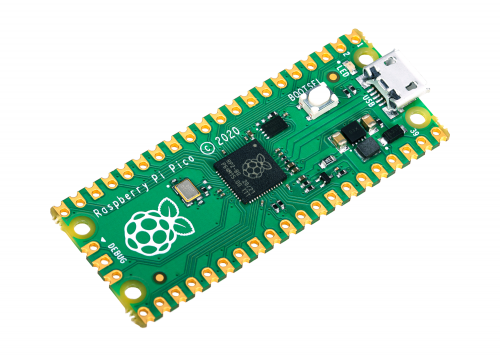
Today, we’re launching our first microcontroller-class product: Raspberry Pi Pico. Priced at just $4, it is built on RP2040, a brand-new chip developed right here at Raspberry Pi. Whether you’re looking for a standalone board for deep-embedded development or a companion to your Raspberry Pi computer, or you’re taking your first steps with a micr...

HackSpace magazine
Introducing Raspberry Pi Pico, the brand new microcontroller from Raspberry Pi. It’s got two cores running at up to 130MHz, a flexible I/O system and it only costs $4 (plus local taxes and shipping). Take a look in HackSpace magazine 39 to find out what’s going on inside Pico and how to get the most our of this new microcontroller board.
**Miss...

Adafruit Industries - Makers, hackers, artists, designers and engineers!
There’s a cool new kid in town, and everyone wants them over for a play date! The Raspberry Pi RP2040 is a fun bit o kit, and while we wait for chips to be available for purchase, we can star…
 vestal dock
quick question: I have a pyportal (new). uploaded a few sample codes. things were great. now the screen just shows output of code.py, and I do not see it as a device to update files
Any suggestions on a course of action?
onyx hinge
Adafruit Industries - Makers, hackers, artists, designers and engineers!
This is the first beta release of CircuitPython 6.2.0. Most notably, this release, 6.2.0-beta.0, provides preliminary support for the Raspberry Pi RP2040 chip, including the Raspberry Pi Pico and A…
slender iron
@vestal dock lets move to #help-with-circuitpython. this channel will be busy for the meeting
vestal dock
sorry ok
onyx hinge
https://www.adafruit.com/product/4884 https://www.adafruit.com/product/4888 https://blog.adafruit.com/2021/01/22/coming-soon-petite-pico-prototypes-qt-py-rp2040/ https://blog.adafruit.com/2021/01/22/coming-soon-peculiar-pico-paintings-portrait-of-a-pico-zero-as-a-young-board/

Coming soon! Sign up to be notified as soon as we get RP2040 chips to manufacture!A new chip means a new Feather, and the Raspberry Pi RP2040 is no exception. When we saw this chip we ...

Coming soon! Sign up to be notified as soon as we get RP2040 chips to manufacture!A new chip means a new ItsyBitsy, and the Raspberry Pi RP2040 is no exception. When we saw this chip we ...
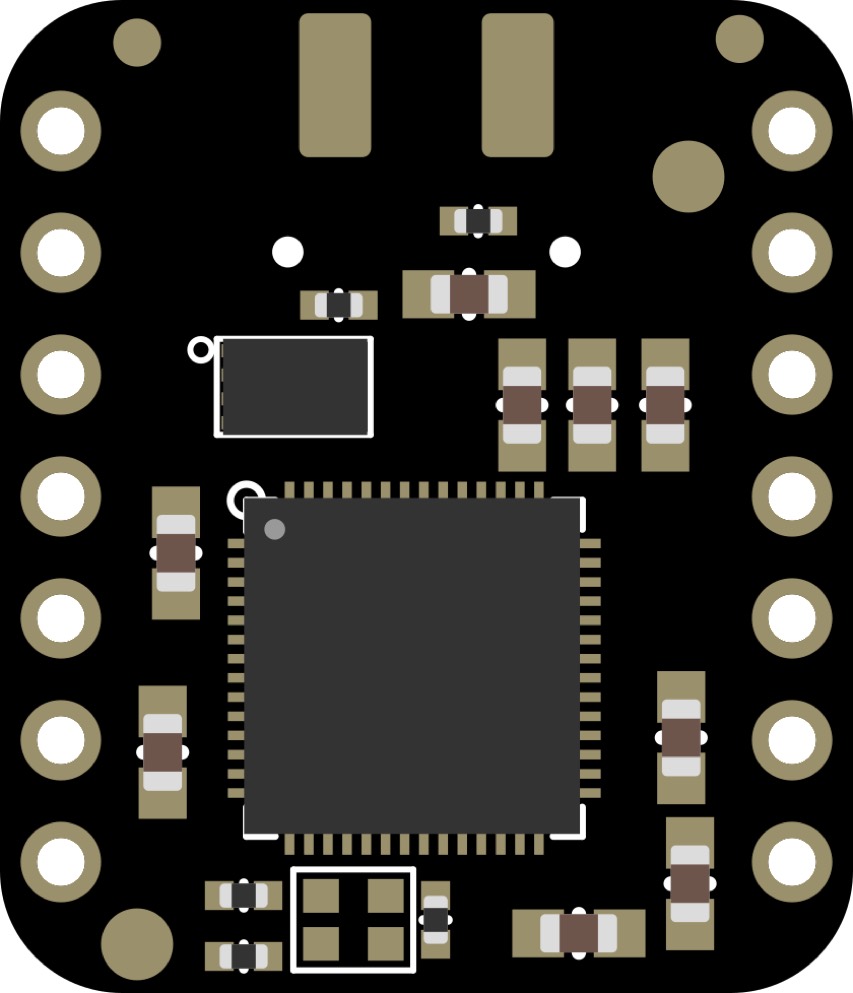
Adafruit Industries - Makers, hackers, artists, designers and engineers!
Can we squooosh an RP2040 into a QT Py shape? With double sided assembly and some 0402 resistors…yes! We stuck to 0805 and 0603 for the supply bypass caps, but went smol for the resistors and…

Adafruit Industries - Makers, hackers, artists, designers and engineers!
We sketched together this draft of a ‘Pico Zero’ a Pi Zero-compatiblish board that has an SMT Pico module routed to a classic 2×20 header. It uses every pin on the Pico, even the S…
https://www.nasa.gov/ames/v-r3x http://roboticexplorationlab.org/projects/pycubed.html https://www.spacex.com/rideshare/index.html

NASA
Swarming small satellites develop the next generation of communication and navigation tech.

☕

These three CubeSat satellites were deployed aboard today's @SpaceX #Transporter1 launch from Florida. Each is using a PyCubed board programmed in #CircuitPython!! My picture of today's launch from the living room window. #PythonInSpace #Python @CircuitPython @Adafruit https://t.co/P2YiFYnruk

 Twitter
·
Twitter
·


I finally updated my weather station monitor to the @adafruit MagTag and #circuitpython. Moving it let me easily add in graphics and future forecast updates. While this is all possible on Arduino the speed of doing it in circuitpython is amazing. And yes it is currently that cold
 Twitter
·
Twitter
·

(that's -7°F for those of you in the USA)
blissful pollen
Text only at the moment on a meeting but I put the code to my weather project up:
https://github.com/gamblor21/Weather_Monitor_MagTag
onyx hinge

Embedded
Thea Flowers (Stargirl, @theavalkyrie) creates open source and open hardware craft synthesizers that use Circuit Python for customization. She also writes about the internals of the SAMD21. Thea’s synthesizer modules are found at Winterbloom , including Castor & Pollux and the Big Hon

Adafruit Industries - Makers, hackers, artists, designers and engineers!
Developers working on Core Python, the project behind programming language Python, have released the first version of the language that supports macOS Big Sur natively on Apple silicon. Python main…
Edit and make apull request on github https://github.com/adafruit/circuitpython-weekly-newsletter/tree/gh-pages/_drafts or e-mail anneb AT adafruit.com or tweet @anne_engineer on Twitter

GitHub
Community newsletter for Python on Microcontrollers. Please feel free to put your current news, projects, etc. as a PR or Issue. - adafruit/circuitpython-weekly-newsletter
turbid radish
Thank you @idle owl
tidal kiln
hey. sorry. i'm totes not able to make meeting this week. i added notes.
turbid radish
This issue is VERY chonky
onyx hinge
@tidal kiln noted thanks
manic glacierBOT
The tinyusb update is newer than the current submodule commit we are using, and includes some RP2040 changes/additions, so we should do a smoke test with the artifacts here to make sure the RP2040 builds are still workign fine.
crimson ferry
are the stats auto-generated?
manic glacierBOT

@tannewt - We're jumping in and are going to take you up on the offer to help the port to our rp2040 boards. I'll follow-up via email with contacts/logistics on our end.
slender iron
@crimson ferry yup
turbid radish
Thank you @gilded cradle
 bleak tiger
manic glacierBOT
bleak tiger
manic glacierBOT
hi @kirk-sfe please do not email, stick to github, you an open a new issue!


Good to merge if CI is happy
tulip sleet
https://danhalbert.org if you want to see the Xerox video
idle owl
@tulip sleet Can you mute please?
tulip sleet
sorry!
 errant grail
just listening today
onyx hinge
anxiety inducing even 😰
fossil gorge
Just lurking/listening in for the company 🙂
manic glacierBOT
Hi @ladyada - cool. Our sw team will coordinate with Scott/this repo on the logistics to get this moving.
lone axle
@gilded cradle very rough cut version of it is here: https://gist.github.com/FoamyGuy/3d5826ede385554b54175b66c624113a and https://gist.github.com/FoamyGuy/d4e41f0158a0389222f395707c3c01fd one link for the module itself and one for the test code that uses it. Keep an eye out for the real repo though, when it gets published the "real" version will have improvements over this one. And there is some tinkering to be done inside display_text to make it play even nicer with this layout.
onyx hinge
As Cortex-M0+ lacks a floating-point unit, we have commissioned optimised floating-point functions from Mark Owen, author of the popular Qfplib libraries; these are substantially faster than their GCC library equivalents, and are licensed for use on any RP2040-based product.
That's interesting. Too bad this lib is not licensed for general use; If I understand correctly they're baked into the mask rom of the RP2040..
https://www.quinapalus.com/qfplib.html The usual license is GPL2 for anyone who is interested
turbid radish
Thank you @lone axle for the newsletter contribution
slender iron
@onyx hinge I know the bootrom source is on github
lone axle
@marble hornet Count me in for streaming circuit python GUI tinkering streams. I'd definitely be interested if you end up doing that.
slender iron

GitHub
Contribute to raspberrypi/pico-bootrom development by creating an account on GitHub.
onyx hinge
 * Raspberry Pi RP2040 device. No other use is permitted under the terms of this license.
 *
 * This software is also available from the copyright owner under GPLv2 licence.```
Gist
Circuit Python 2021: The year of the CircuitPython Retro Gaming Personal Computer - CircuitPython2021.md
this sounds amazing @lone axle
modern wing
What was that older alternative to the nordic power profiler? I'm in the same boat as you.... ⛵
slender iron
@tulip sleet ☝️
tulip sleet
modern wing
What was that older alternative to the nordic power profiler? I'm in the same bo...
Monsoon low voltage power monitor.
slender iron
@uncut nexus thanks for the long int PR for rp2040 too!
tulip sleet
@modern wing https://www.ebay.com/itm/FTA22D-MONSOON-SOLUTIONS-LOW-VOLTAGE-MOBILE-DEVICE-POWER-MONITOR-W-AC-ADAPTER/392822276004

eBay
Part Number:FTA22D. The PowerTool software and the Power Monitor hardware can analyze the power on any device that uses a single lithium (Li) battery. MONSOON SOLUTIONS INC. Includes Power Monitor hardware and AC power adapter with cord.
There are other sellers, but I bought from this one. Be careful, some are selling without the (unusual) power supply.
modern wing
@tulip sleet Thanks for the heads up and the info. 🙂
lone axle
fwiw I think displayio.Shape would be one to make a roundrect that is more memory light.
tulip sleet
modern wing
<@!329766224093249548> Thanks for the heads up and the info. 🙂
https://www.msoon.com/lvpm-product-documentation software runs on Windows: https://www.msoon.com/lvpm-software-download
i did run it on win10
i updated the firmware but that may or may not be necessary (note @ionic elk )
mental nexus
Thanks all! Meow! 🐈
onyx hinge
Thanks Kattni!
ionic elk
@tulip sleet haven't gotten it yet but will update when I do
modern wing
@tulip sleet What are your thoughts so far on the unit? Worth the cost/effort? Anything glaring you've discovered, aside from the unusual AC adapter?
 gilded cradle
Thank you
ionic elk
I think it's shipped now
lone axle
Thank you all 👋
modern wing
Time for lunch...eventually 🙂
tulip sleet
it works fine, it's bulky compared with the PPK. sw has an old look, but works. axis display range adjustment is actually easier than on the PPK. PPK's are showing mid-April ship date on some sites, so you could decide how important it is to have one now
onyx hinge
Are there any hobbyist/open source hardware designs to consider in this realm?
slender iron
joulescope is open protocol and open source software but not hardware
modern wing
And JS is...well, pricey.
I mean, I don't have one -- but from what I see says it's probably worth it, but it's just out of my budget.
ionic elk
I mean "worth it" varies on what you want to do
onyx hinge
I need a "why this is harder than it sounds" explainer video, I think
ionic elk
for low power?
idle owl
onyx hinge
I need a "why this is harder than it sounds" explainer video, I think
Don't we all.
slender iron
@modern wing if it isn't urgent then I'd just wait for a ppk2 to come back in stock
ionic elk
@slender iron unfortunately they don't come back in most places until late in april
modern wing
From my understanding, PPK2 is just for nordic chipsets right?
ionic elk
Shame the ucurrent is gone - I guess they just stopped producing it?
slender iron
I don't think it auto-ranges
ionic elk
This really seems like it should have more people in the space.
slender iron
(ucurrent that is)
tulip sleet
I think the Current Ranger is no longer made and the Gold is out of stock. They are too easy to fry.

During Deep Sleep, microcontrollers consume very low currents, and batteries live longer. Unfortunately is not easy to measure these small currents. Today we will check out two small boxes which promise to make this possible. And we will use the 10’000$ professional Keysight N6705C Power Analyzer to establish the reference.
The first contender ...
^^ has good explanations
it's not so easy to do this right and carefully
marble hornet
@lone axle do you know who wrote the initial implementation of RoundRect?
lone axle
marble hornet
<@!382939733107408897> do you know who wrote the initial implementation of Roun...
I do not, sorry.
pondering it a bit more over a quick walk just now I did think of a potential hurdle though. The current roundrect has options for fill and outline colors. I'm not sure if shape has a mechanism to affect the outline color though.
manic glacierBOT

MCP9600 really just isnt that great
I ran into this a lot when using my EZ Make Oven. It basically makes the oven unusable as the app hits this exception 100% of the time and kills the app. I hacked around it, but felt it was way too hacky to submit a PR for.
lone axle
Maybe make a slightly smaller 2nd one to layer on top to get the border visually?
idle owl
@slender iron Adafruit_CircuitPython_DisplayIO_GUI is the proper capitalisation of DisplayIO in a lib name? I think that's consistent....
slender iron
yeah, could we call it DisplayIO_Layout instead? GUI is pretty generic
idle owl
I think the plan is for it to be generic, but sure?
Layout works
@lone axle You know how to use cookiecutter etc, correct? To generate all the necessary lib infrastructure.
thorny jay
DisplayIO_Zero a bit like GPIO_Zero library. Something simple to use without worries.
lone axle
@idle owl I have done it once or twice. I usually end up having a few tweaks to make after I run it. But yep I think i've got the process down fairly well.
idle owl
@lone axle Ok, here's the repo. Please run cookiecutter to get everything you need and then add your module code into the templates generated. https://github.com/adafruit/Adafruit_CircuitPython_DisplayIO_Layout
GitHub
A Circuitpython helper library for display element layout using displayio. - adafruit/Adafruit_CircuitPython_DisplayIO_Layout
I'll file an issue on it sometime this week with all my feature requests and suggestions 🙂
lone axle
Sounds good. Will do.
idle owl
We'll hold off on bundling it and doing a release until we smooth it out a bit.
Thanks so much!
marble hornet
@lone axle to have an outline there would need to be two shapes / tilegrids in a group. one for the body and one for the outline.
idle owl
@lone axle Also feel free to do an initial PR before you feel like it's 100% ready so we have a place to start.
marble hornet
marble hornet
<@!382939733107408897> to have an outline there would need to be two shapes / t...
thus the suggestion of a lighter version
lone axle
I see.
marble hornet
tho there are optimizations one could do... with python trickery
lone axle
I am still in favor of adding it for use cases where the user doesn't need or want the outline. But might be good to add it as a new class SolidRoundRect or something that makes the difference clear.
idle owl
Here is the notes document for Monday’s CircuitPython Weekly meeting. It is at the normal time of 11am Pacific / 2pm Eastern here on Discord. Everyone is encouraged to attend! Please add your hug reports and status updates even if you’ll be attending the meeting - it’s super helpful! If you are unable to attend but would still like to include updates, feel free to include them in the notes and we’ll read them off during the meeting. Hope to see you there! <@&356864093652516868> https://docs.google.com/document/d/1W2OIZkZ6Rkrl7se8LjBNxb2orUtyb5SmK53AmiAZkrY/edit

Google Docs
CircuitPython Weekly for 1 February 2021 Welcome to the CircuitPython Weekly meeting notes! Feel free to add your Hug Reports and Status Updates early. During the meeting, we go through them as a round robin sorted by username. If you can’t make the meeting and would still like to participate, ...
idle owl
idle owl
Here is the notes document for Monday’s CircuitPython Weekly meeting. It is at t...
@tulip sleet Can you test something on Linux and Windows for me? Try holding down boot select on the Pico, plug it in, and keep holding it and make sure the RPI-RP2 drive appears while you're still holding the button down. It works on MacOS, and eliminates the need for counting the right length of time... simply hold the button until the drive appears and then let go. But I want to make sure it works on Linux and Windows the same way.
tulip sleet
yes, 3 seconds to appear on Linux. Next, Windows .... (I have to boot the Windows box)
idle owl
Thank you!
tulip sleet
windows was a lot faster: < 1 second
tulip sleet
yes
idle owl
Excellent.
tulip sleet
good observation!
idle owl
That's what I said to do in the instructions. That should alleviate any issues there.
Thanks!
manic glacierBOT
You'll need to remove the pin in use bit too. /me looks
@tannewt See my "review" comments for question re two places where top pin is assume to be 32 instead of 30.
And also above on line 58, should that be 30?
I'm not a fan of using FTP for this, as it's more complicated especially if you want it to be secure. Since Circuit python is designed for beginners it seems like having a web interface is more friendly.
I agree WebREPL is the best first step as it's already part of Micro, so it in theory should be less effort?
Thanks - I grepped for GP15, but not a bare 15.
manic glacierBOT
Ya, though it isn't urgent. We don't have objects with numbers higher.
Probably unrelated to the other issue, other than the general problem of "Hierophect is bad at sockets", ha ha. There's supposed to be a subsystem that tracks what sockets have been initialized and makes sure they shut down on reset or close, but that doesn't seem to be working here. I'll give it another spin with your code and see if I can pin it down.
Does anyone know what the actual issue is? Has anyone taken a trace of the I2C to find the issue?
I smoke tested on a Pico and the drive and serial work just fine still.
I have gone through the software fix as suggested by the Errata here:
https://github.com/raspberrypi/pico-sdk/blob/master/src/rp2_common/pico_fix/rp2040_usb_device_enumeration/rp2040_usb_device_enumeration.c
My concern with the current fix is that it overrides the mux setting but doesn't set it back after. So, you could be using a pin and it will stop working. Since this is a USB reset, CircuitPython will likely auto-reload the VM anyway though.
- The official guide book from Ra...
slender iron
@tulip sleet want to do the 32 -> 30 change or not? I have a #define somewhere for it too
tulip sleet
it's easy, I'll do it and look for the define.
@slender iron
sdk/src/host/hardware_gpio/include/hardware/gpio.h:34:#define N_GPIOS 30
?
gloomy shuttle
@slender iron per the Feather S2 i2c issue #3894. I was running into S2 i2c issues with the adafruit_nunchuk.py library. @tidal kiln did some i2c sniffing and found an unexplainable 1.2ms delay. #circuitpython-dev message. I am not sure if it is related or if this helps.
tulip sleet
i don't see anything in common-hal
marble hornet
@lone axle It could be both, a SolidRoundRect which subclasses TileGrid and RoundRect that subclasses group w/ two inner TileGrids
manic glacierBOT
I don't think this is a sleep issue. I think it has to do with @hierophect's socket changes changing the exception when a socket times out and closes. By increasing the sleep, you are giving the socket time to close. I suspect the fix is to make requests catch the error, not to change CircuitPython, because I know @hierophect did a bunch of work comparing the failure modes with CPython.
I'm not sure we have mDNS enabled.
Why not just install git?
slender iron
tulip sleet
<@252717193496756235>
```
sdk/src/host/hardware_gpio/include/hardware/gpio.h:34...
I have a rename for it so grep N_GPIOS
slender iron
gloomy shuttle
<@!252717193496756235> per the Feather S2 i2c issue #3894. I was running into S2...
Sounds suspect. it'd be good to figure out where that delay is coming from
tulip sleet
slender iron
I have a rename for it so grep `N_GPIOS`
no, I do not see it :
halbert@salmonx:~/repos/circuitpython$ ag -w N_GPIOS -l
ports/raspberrypi/common-hal/microcontroller/Pin.c
ports/raspberrypi/sdk/src/host/hardware_gpio/include/hardware/gpio.h
ports/raspberrypi/sdk/src/rp2_common/hardware_gpio/gpio.c
ports/raspberrypi/sdk/src/rp2_common/hardware_gpio/include/hardware/gpio.h
ports/raspberrypi/sdk/src/rp2_common/hardware_pwm/include/hardware/pwm.h
common-hal/microcontroller/__init__.h
32:#define TOTAL_GPIO_COUNT NUM_BANK0_GPIOS
@hierophect I don't think it's your problem. I probably never made exit call close. (It should automatically.)
Thanks @dglaude. Feel free to enable it on others in a follow up PR.
@igrr Have you seen any issues with 4.2 coming out of sleep as PowerOn when actually woken from deep sleep?
@tannewt no, it's my bad, I forgot to make Close de-register handles from the tracking array, only reset_sockets was doing it. I can fold the change into the SSLSocket PR.
Just one question and a request. Looks good overall. Thanks for taking this on!
What is the second part of the check doing? Seems like you should only need the first part.
Please remove these prints now that it's working.
Thank you! CI failures are unrelated boards so I assume they have been fixed separately.
@anecdata @tannewt I'm going to track the ENOTCONN problems in this thread since it's for Circuitpython as opposed to Requests which I'm not as familiar with. Currently ENOTCONN is thrown during failed send() calls, which is not the right application of that error. I'm not sure what to replace it with yet, Cpython isn't super clear on that front.
Is the failure of some send() calls a normal part of this application? If too many are failing, it might be the result of some of the non-blockin...
Would you mind changing it to do a fixed number of retries? I'm worried about a hang as-is. Thanks for looking into this!
Deleted and re-committed. Thanks for the feedback. I need to put "check for printf" on my pre-commit checklist!
Confirmed that raspberrypi and esp32-s2 builds still have json, etc. included.
Thanks for the link to the MP issue. I'd take Damien's word that it's not an API we should add.
It seems weird to me that you want to show info about a python function in a menu. I'd expect separate metadata for "plugins" or to simply call the new function for python code that imports it.
What do you think about moving them to shared-bindings properly? That'd mean the docs use stubs and would be in circuitpython-stubs too.
What do you think about moving them to shared-bindings properly? That'd mean the docs use stubs and would be in circuitpython-stubs too.
I want to do that in the long run:, #1899, #1900, #1901, and will come back to that. I started to do it a while ago but it turned out to be more than a half-day or one-day project. I think I have a branch stashed away. This is a good intermediate step and fixes the sad state of the doc.
Thanks for pushing your latest code! Sorry it overlapped with the deep sleep changes. I think we'll want to treat deep sleep like a successful run.
Ya, I think so. When deep sleeping we'll want to keep the same currently executing file.
Please don't use goto. It's hard to write and edit correctly.
I think it'd be ok to include deep sleep in this.
@tannewt, have you considered WebREPL for CircuitPython?
Not recently. I looked at it years ago. My impressions/feelings are:
- I've never had a good experience provisioning over WiFi and subsequently finding a device. S2 support does simplify the first connect issue though because you could use USB.
- When I looked last, MicroPython didn't have strong lifecycle management of WebREPL and soft reboots broke things.
- CircuitPython has moved to a "Network in the VM" model which me...
tidal kiln
@slender iron nice work on pico build. just got mine. went from shipping bag to led blink in like under a minute.
 tidal kiln
it is. and despite having thrown CP on many boards before. still amazing how quick and easy it is.
manic glacierBOT
Skimmed it and only see one thing to change. Thanks for following up with this!
Do this before the allocation above.
We rely on the fact that the ST7789 only requires you to issue
RAMWRonce and will automatically wrap back round to the start once you've written the entire framebuffer. This allows us to just put the display into data mode once initialised and hand over control of those pins to the PIO which actually performs the screen updates on PicoSystem. That may not be relevant to your concerns though!
Ah! We probably won't use that mode in CircuitPython because displayio tracks dirty areas an...
tidal kiln
@gilded cradle hey, do you have a copy of the BMP linked here?
https://learn.adafruit.com/adafruit-eink-display-breakouts/circuitpython-code-2#usage-3043177-13
gilded cradle
@tidal kiln probably. Let me take a look
@tidal kiln Here's a non-corrupt version: https://raw.githubusercontent.com/adafruit/Adafruit_CircuitPython_IL0398/master/examples/display-ruler.bmp
tidal kiln
cool. thanks. i'll use that to try and fix that page. the one linked there is broken for some reason.
gilded cradle
Yeah, I noticed that when you asked me about the file
manic glacierBOT
@lowfatcode Here is an example of how we init a display internally: https://github.com/adafruit/circuitpython/blob/main/ports/atmel-samd/boards/pygamer_advance/board.c#L40 I believe it's for an ST7789.
The CircuitPython driver is here: https://github.com/adafruit/Adafruit_CircuitPython_ST7789/blob/master/adafruit_st7789.py
tidal kiln
ah. just a url issue. wrong form for grabbing raw content from gh.
gilded cradle
You sure? I can't open the file in the IL0373 examples folder directly from my computer.
gilded cradle
Yeah, I think it's corrupt and needs to be recopied
tidal kiln
is it suppose to be the exact same BMP? as 398 one?
gilded cradle
yes
tidal kiln
ok. i'll PR it in real quick...
gilded cradle
thanks
tidal kiln
@gilded cradle https://github.com/adafruit/Adafruit_CircuitPython_IL0373/pull/20 if you're up for it
gilded cradle
Yep, done
tidal kiln
thanks
gilded cradle
yw, thanks for fixing
tidal kiln
np. thanks for pointing to a good copy.
ornate breach
What's the VID/PID approach for the RP2040? Still same as for other boards?
slender iron
yup
ornate breach
sweet, makes it simpler for sure 🙂
also, I'm sure no one here really know.. but has anyone heard a timeline on release of the RP2040?
I know preferred distributors will get access waaayyy sooner than regular makers
slender iron
a few months I think
ornate breach
seems about right. I'm just super eager 🙂
probably going to order prototype boards in anticipation of their arrival
fossil gorge
ornate breach
seems about right. I'm just super eager 🙂
Can always try desoldering/repurposing the chip from a Pico if you're game! 😉
ornate breach
haha, it's possible yes, but a potential $4 mistake if i'm not careful 😉
fossil gorge
Breaking the bank is a risk!
fossil gorge
gasp
ornate breach
especially with what I paid for shipping
fossil gorge
I've got 2 on their way... What's it worth to ya? lol
fossil gorge
Cha-CHING!
ornate breach
I honestly just need to get used to using the pico to prepare me for my RP Sapling build
fossil gorge
I probably should go swing by Micro-Center and see what they have in stock. Load up on a few parts, claim my free Flash/SD storage
fossil gorge
Yeah. My thinking is one for CP, the other to play around with and learn some PIO
Yeesh
The nearest one to me is only about 10 miles away. Scale of distance in Dallas is weird
ornate breach
Dallas is strange for sure road wise
people wise, might also be an apt comparison too (for the people I know there) lol
fossil gorge
Yeah, I've met some.... interesting folks
lone sandalBOT
 fossil gorge
Hecc, I'm even related to some 🤷 ... at least by marriage.
manic glacierBOT

Board: RP2040 Pico
Firmware: 6.2.0 beta and 20210126-a2ac2da build
OS: Ubuntu 20.04.1 LTS
The drive appears almost full but the files do not add up to used space. Reloading the uf2 file doesn't change the filesystem contents (I'm not sure if this should). Running "storage.erase_filesystem()" in the REPL causes the board to unmount (presumable reset) but does not auto re-mount. When unplugged and plugged back in the filesystem contents appear unchanged.
Here's output of df -h:
@lone axle would you be able to setup a mypy test for the learn guide code?
so we can find examples that use the old module layout for example
lone axle
I am willing to give it a try for sure. But not sure exactly what it would entail. Haven't done that before.
slender iron
I just heard you talking about mypy on your stream
you could chat with limor and pt about it. the need came up in our internal meeting today
lone axle
@slender iron hmm I don't have experience with mypy. I probably misspoke or flubbed the pronunciation of something. Just looking into mypy now. It's this type checker thing? https://github.com/python/mypy
slender iron
yup yup. no worries if you haven't. just thought you might
manic glacierBOT
It appears that running the 'nuke' example from the pico-sdk fixed this issue: https://github.com/raspberrypi/pico-examples/tree/master/flash/nuke
brett@panini:/media/brett$ df -h /media/brett/CIRCUITPY/
Filesystem      Size  Used Avail Use% Mounted on
/dev/sdb1      1004K  2.0K 1002K   1% /media/brett/CIRCUITPY
The bad thing is this may have erased any evidence of a bug but I'm happy to try and reproduce it if it would be helpful.
Thanks for the issue! It appears erase_filesystem may not be working.
My concern with the current fix is that it overrides the mux setting but doesn't set it back after. So, you could be using a pin and it will stop working. Since this is a USB reset, CircuitPython will likely auto-reload the VM anyway though.
If there is such concern, the pin settings can be saved prior to calling the fix function and restore it after. By the way, I'm not sure whether the fix is implemented because I can't seem to find where the function _rp2040_usb_device_enumeration_fix...
ornate breach
glad my RP Sapling doesn't utilize GPIO15
manic glacierBOT

Yes, this works. Sorry for the false alarm.
FYI: I use this to communicate at 1Mbps between an nrf52 and an esp32 (the latter with MicroPython). Without flow control I get (obviously) lots of errors. With I can send large binary strings without errors. Let me know if you like my code for testing.
A simpler test (that you probably though of also) is to send a message that's longer than the RX buffer of the receiver. This works even with loopback, except of course it just gets stuck since it's single threaded.
manic glacierBOT
This does what I thought it would have, plus some things I would have forgotten. I did spot one maybe-error, though. Give it a double check.
Seems weird that this one changed to CIRCUITPY_RE
jaunty juniper
is it correct to describe io/uio in the "not currently enabled in any CircuitPython build" when json requires it ? (and it's therefore enabled when json is)
tulip sleet
no, I should take that out.
@jaunty juniper actually, it's just non-obvious formatting. The list of libraries does not go with the previous paragraph. That pararagraph was only meant for the libraries in that paragraph.
jaunty juniper
maybe I don't get the diff view, the paragraph reads "These libraries are not currently enabled in any CircuitPython build, but may be in the future, with the u prefix dropped: uctypes, uhashlib, uio, uzlib."
tulip sleet
ah, you are right, I was blind to that
jaunty juniper
there's also a missing backtick
tulip sleet
But the list of all libraries could be moved up or given a header
put in the backtick; weirdly it did not cause a doc-build error
ok, pushed a new commit
jaunty juniper
by the way, in the "differences with micropython" page there's a samd.disable_autoreload() that should be supervisor.disable_autoreload() , but I don't dare do a PR for a single word
tulip sleet
i could fix that too 🙂
does the "doc" in your name refer to medicine or technical writing? 🙂
manic glacierBOT
Ah! We probably won't use that mode in CircuitPython because
displayiotracks dirty areas and only updates the relevant portions. Are you connected to the display over 8 bit parallel? We'd need to implement displayio.ParallelBus for that (should be easy with PIO.)
No we're only talking to it via SPI so it should work fine with your current setup. :-)
No need to send me stuff! I'm hoping you all will test CircuitPython on the boards. (I'm a bad tester anyway.) I'll update this issu...
manic glacierBOT

I'll mention @ghalfacree and @benevpi the authors of the Get started withMicroPython on Raspberry Pi Pico book which has the pin 15 example in case they're interested in this.

There has been one report of this: https://github.com/espressif/esp-idf/issues/6179. We haven't been able to reproduce this reliably. If you have a device where this happens, please try disabling the brownout detector in menuconfig and see if there is any difference in the behaivor.
manic glacierBOT

We used pin 15 in the book before it was being used by the USB fix. The USB fix doesn't interfere with the examples we use, but yes, best to avoid if possible.
Ben
I see that updating the code can be achieved with simpler means than WebREPL. It is exactly the wireless interactive REPL I'm missing.
I'd rather put Adafruit-funded dev effort into editing files over BLE so folks can edit from their phones and tablets
#1010, right? Reading this I found #3707, which mentioned "repl over BLE", which is as interesting as WebREPL.
In general, I'm suprised that given the educational goals of CircuitPython, the interactivity (both in entering commands a...
manic glacierBOT

@dhalbert yes, that is very useful. It returns a boolean, though, not the number of bytes. So a non-blocking read func has to look like
def non_blocking_read():
    i = ""
    while supervisor.runtime.serial_bytes_available:
        i += sys.stdin.read(1)
    return i
or is there a better way?
I'm using that method to interface with a desktop program on my DynOSSAT-EDU. That program opens the COM port and writes bytes to it, and the CircuitPython b...
manic glacierBOT
@ecasadod To get around this problem, we have near-term plans to add an optional secondary CDC channel that does not connect to the REPL: #3853.
manic glacierBOT
manic glacierBOT
For reference, this may well be of interest for this user and anyone who finds this question: How to do non blocking usb serial input in circuit python?.
manic glacierBOT
@dhalbert unfortunately this is failing a build due to lack of space --
Build simmel for fr took 25.47s and failed
make: Entering directory '/home/runner/work/circuitpython/circuitpython/ports/nrf'
Use make V=1, make V=2 or set BUILD_VERBOSE similarly in your environment to increase build verbosity.

245912 bytes used, -152 bytes free in flash firmware space out of 245760 bytes (240.0kB).
41592 bytes used, 89480 bytes free in ram for stack and heap out of 131072 bytes (128.0kB).
`...Update to a version of Protomatter that supports tiling. This requires https://github.com/adafruit/Adafruit_Protomatter/pull/32 be merged upstream.
Testing performed: None yet, just that the matrixfeather firmware builds.
If it builds, merge it! That should give plenty of headroom.

Added documentation for microprocessor module when chip has multiple cpus.
manic glacierBOT
Alternately, maybe .cpu should be the current CPU, and a new list property .cpus should be added. As it is, the way microcontroller.cpu is defined on rp2040 is a backwards incompatibility.
Add CO2 as a member name, and clarify the description of eCO2. (Wikipedia calls it estimated CO2 https://en.wikipedia.org/wiki/Carbon_dioxide_sensor#Estimated_CO2_sensor , and CO2-e is equivalent CO2 for purposes of global warming potential of emissions)
ionic elk
Could someone help me figure out this stubs generation error?
circuitpython-stubs/ssl/__init__.pyi:39: error: Name 'Socket' is not defined
circuitpython-stubs/ssl/__init__.pyi:46: error: Name 'Socket' is not defined
In the stub for the ssl module, I guess it isn't properly importing the Socket name, but I don't know why it only stopped with my new changes
idle owl
@tulip sleet What's our tightest language? I need to build it with a change to the Circuit Playground library to see if it fits still.
manic glacierBOT
idle owl
@onyx hinge Maybe you know? What the tightest language build is for CircuitPython?
onyx hinge
@idle owl usually it's de_DE but just today fr was the biggest in one case
onyx hinge
dan is fast
idle owl
Thanks!
tulip sleet
i stepped away to heat up lunch
onyx hinge
Looks like in the last build for circuitplayground_express, de_DE was the fullest build
idle owl
No worries. Appreciate the assistance whenever you're available.
onyx hinge
I looked at https://github.com/adafruit/circuitpython/runs/1765740109?check_suite_focus=true opened up the step titled "build" and just eyeballed all the numbers
tulip sleet
i am still puzzled why only fr overflowed in simmel. But it has many modules turned off, so there may be an idiosyncrasy about the remaining modules and their messages.
idle owl
Build was successful 251500 bytes used, 1940 bytes free in flash firmware space out of 253440 bytes (247.5kB). 10804 bytes used, 21964 bytes free in ram for stack and heap out of 32768 bytes (32.0kB).
Satisfactory?
tulip sleet
that's roomy
onyx hinge
PR it, CI will check everything -- looks good though
idle owl
Great!
onyx hinge
it was 2440 before this
idle owl
I can merge this incredibly responsive and patient person's PR. Because they ended up needing to wait for me to finish the Pico guide. I felt bad.
There's another change needing to be made so I won't PR the frozen update yet.
onyx hinge
might check the _displayio or _crickit builds too
onyx hinge
crickit had 844 bytes free, displayio had 2192 bytes free so it's probably fine
for _displayio, fr is fuller than de (1540 bytes free)
idle owl
Crickit is left with 340 bytes. Oi.
tulip sleet
that is ok, we have many with smaller margins than that
idle owl
alright. Excellent.
manic glacierBOT
timber mango
Hi, newbie question: where do I get displayio from? I can't find it in adafruit-circuitpython-bundle-6.x-mpy to copy it onto my board. Where can I get it?
tulip sleet
it's built into the firmware; not all board builds have it
timber mango
oh no
tulip sleet
which board?
timber mango
picoplanet https://circuitpython.org/board/picoplanet/
PicoPlanet is a procedurally generated series of PCBs. The three planets act as capacitive touch buttons. The board also has a RGB LED on top, a USB-C connector and 4 more pin pads on the bottom. The board’s brain is a powerful SAMD21. The design also has stars that are not covered by copper or ...
idle owl
Those boards are still so lovely.
tulip sleet
This is a very tiny build; there's not enough room, unfortunately
This page lists which modules are supported on which boards: https://circuitpython.readthedocs.io/en/latest/shared-bindings/support_matrix.html
timber mango
@tulip sleet thats very helpful, thank you!
tulip sleet
@slender iron I could do a beta.1 later today if you would like one
will be afk for a while due to housecleaning
manic glacierBOT
slender iron
@tulip sleet sounds good to me. The user exception should be included. I’m off on errands now too
tulip sleet
also I am done with the GP15 PR, just needs your reapproval
I pinged limor since your are out, or @onyx hinge if you have a minutes to approve and merge #4063, we can add it to backlog of queued builds. tnx
onyx hinge
.. looking
tidal kiln
@idle owl hey - can you help with changing repo branch name? master -> main?
idle owl
@tidal kiln Yeah. What's the situation?
tidal kiln
the nunchuk lib repo. just want to do like others and start using main instead of master. it's currently still using master.
idle owl
Alright, let me take a look. Then I'll walk you through it.
tidal kiln
thanks!
idle owl
@tidal kiln Ok, you have write access to that repo?
tidal kiln
yep
idle owl
Alright, you want to do this locally
Make sure your local copy is up to date with git pull adafruit master or git pull origin master depending on what you called your remote. Then run git branch -m master main. That copies all the history of master to main and creates the main branch. Then do git push -u adafruit main or origin main. The -u sets the upstream at the same time as pushing the main branch to the repo remotely.
Then go to the repo on GitHub, click "Settings", then "Branches" in the left column. Under "Default branch" it currently says master. Edit that, and make it the main branch you created and pushed.
For your own future reference, if there are PRs active on the repo, you need to update them to be attempting to merge with main instead of master, but you're not going to deal with that on this repo.
@tidal kiln And then depending on how thorough you're feeling, you can delete the master branch. We had to do that on CircuitPython because it was messing with folks. I would suggest deleting it, but it's up to you.
tidal kiln
thanks!
idle owl
You're welcome!
tidal kiln
can maybe wait to delete master branch? after letting this change propagate for a bit?
idle owl
@tidal kiln Absolutely.
tidal kiln
assuming i remember 🙂
idle owl
Remember, it's version control. You can always go back. 🙂
gloomy shuttle
@tidal kiln I just made a draft pull request for that library (after not getting it quite right several times) and I was able to switch that from master to main as well.
 idle wharf
I'll open a bug on Circup... gonna have to deal with main\master... I had been assuming master for all libraries because it was true so far..
tidal kiln
@gloomy shuttle yep. seeing that. and the diff looks cleaner than the one you closed. not sure what was happening with that one. will take a look and respond over there (at some point).
manic glacierBOT
@jerryneedell I get a TypeError: This library requires a WiFiManager object. when executing your code.
gloomy shuttle
@tidal kiln I messed something up trying to clean up my commits. I'm just figuring out how to properly use git/github for open source stuff.
idle owl
idle wharf
I'll open a bug on Circup... gonna have to deal with main\master... I had been a...
Ah good call. Thank you.
idle wharf
circup is my jam (I like the cli)
idle owl
I'm glad!
manic glacierBOT
It should also go without saying that this PR breaks the heck out of requests
It should also go without saying that this PR breaks the heck out of requests
Why? It shouldn't because this is the same API as CPython which requests works with.
idle owl
@slender iron So audioio is still needed for AudioOut on SAMD21, right?
slender iron
yes. audioio is used for DAC output
idle owl
Ok. Thanks
@slender iron Unless I'm missing something, the only thing that needs to be removed from the CircuitPlayground library is an import that mentions audioio as audiocore. It doesn't use pulseio or audiomixer. What other things was I supposed to be looking for? I think we already cleaned up the rest of the unneeded backwards compat code.
slender iron
do you also import audiocore?
idle owl
Yes I left that in there.
Is that not right?
Looking at shared bindings it seems right for 6x, or is that what I'm missing is that we're changing something there too
manic glacierBOT
@PaintYourDragon if you care to do testing: matrixportal-tiled.zip
Code for creating a 64x64 display from two 32x64 displays in serpentine arrangement:
import displayio
import board
import rgbmatrix
import framebufferio

width = 64
height = 64
bit_depth = 3

addr_pins = [board.MTX_ADDRA, board.MTX_ADDRB, board.MTX_ADDRC, board.MTX_ADDRD]
rgb_pins = [
    board.MTX_R1,
    board.MTX_G1,
...I tested it and actually it's working. The only concern is if GP15 is not initialized in the code, it will be output with logic high by default.
It should be reset like all other pins before the VM runs and after.
Looks good to me! Thanks for the update!
@jfabernathy do you want to try checking the brownout settings? I'm not sure if it's on or not.
I understand what you are saying about incompatibility; the current
implementation breaks microcontroller.cpu (i.e.
a script that works on other platforms will get errors on an MP2040). But
since there currently doesn't seem to be
a way to get the id of your current CPU, I'm not sure that using .cpu for
the current CPU is very useful - you won't
know which CPU you are looking at. Would it be possible to implement it so
that microcontroller.cpu always gives you
cpu 0, but if you want other cp...
simple pulsar
@idle owl pylint will tell you about unused libraries (imports) if that's relevant here but you probably know that...
idle owl
@simple pulsar It wasn't an unused import, it was a try/except to deal with a change. But indeed, I know it will 😄
I'm trying to make sure we don't have further backwards compatibility code that isn't needed.
simple pulsar
Oh, some of that must depend on what versions of CP you expect users to have/use.
idle owl
Not entirely with this library, because, at least for CPX, it's frozen in. So it'll always match properly.
It won't run locally on the board. Not enough memory.
And we're moving towards deprecating support for earlier versions.
Overall.
But this lib also works on CPB, so that has to be taken into account.
@slender iron I guess that's the only change needed then. I expected more 😄
manic glacierBOT
Overall looks good, the simmel build is full though.
I don't think this check is worth it. This is called through the stream api with len 1 almost always. Removing it will reduce the build size for the whole error string.
Why? It shouldn't because this is the same API as CPython which requests works with.
Yes, sorry, you're right. There was an error inwrap_socketthat I confused for being an incompatibility. Wrap_socket now accepts sockets with a valid LWIP number since they're used for the bind-listen-accept methods.
I shrank the simmel build a couple of hours ago in a different PR, so I think it should be small enough now.
I'm open to cpu or cpus. One thing to think about is controlling the second CPU from the first. My interest is to use SWD to control small assembly code running on the second core.
@DavePutz Thanks for updating these docs.
I like cpus because it down't overload the existing .cpu attribute.
There could be a new .cpu.index or .cpu.number property to tell you the number of the current cpu.
Looks good to me! Thanks for the update!
#1010, right? Reading this I found #3707, which mentioned "repl over BLE", which is as interesting as WebREPL.
Yup! #1010 is the related issue.
In general, I'm suprised that given the educational goals of CircuitPython, the interactivity (both in entering commands and observing debug output) is still considered optional.
It's optional for a number reasons:
- Requiring an IDE increases the complexity and time to get started.
- You can be interactive with an output on the board...
tulip sleet
@idle owl wanna try pre-commit locally? It's easy
tulip sleet
$ pip3 install pre-commit
$ cd the-repo
$ pre-commit install
Oh it needs to be done per repo?
Hmm that's mildly annoying. But I suppose for a good reason.
tulip sleet
now it will do a pre-commit check when you try to commit, or you can do:
$ pre-commit run
you need to do the pip3 just once. Yeah, you have to do pre-commit install per repo, since you might not want it.
i am thrilled by this
idle owl
Alright done for that repo!
Now I need to remember to make it part of my git clone routine.
tulip sleet
try pre-commit run for fun
i have not tried this yet on a library repo, just circuitpython
idle owl
[INFO] Initializing environment for https://github.com/python/black.
[INFO] Initializing environment for https://github.com/fsfe/reuse-tool.
[INFO] Initializing environment for https://github.com/pre-commit/pre-commit-hooks.
[INFO] Installing environment for https://github.com/python/black.
[INFO] Once installed this environment will be reused.
[INFO] This may take a few minutes...
[INFO] Installing environment for https://github.com/fsfe/reuse-tool.
[INFO] Once installed this environment will be reused.
[INFO] This may take a few minutes...
[INFO] Installing environment for https://github.com/pre-commit/pre-commit-hooks.
[INFO] Once installed this environment will be reused.
[INFO] This may take a few minutes...
black................................................(no files to check)Skipped
reuse................................................(no files to check)Skipped
Check Yaml...........................................(no files to check)Skipped
Fix End of Files.....................................(no files to check)Skipped
Trim Trailing Whitespace.............................(no files to check)Skipped```are you at the top level of the repo?
idle owl
Hmm yeah.
tulip sleet
or maybe it's because there are no files that need to be committed
they already were
tulip sleet
i am not sure. I don't run it by hand. I just try to commit
idle owl
I'm betting you're right on that one with there being no files to commit.
gloomy shuttle
@tulip sleet I used it a little bit earlier on a library repo and I think you have to have files staged
manic glacierBOT
I don't have any problem with adding attributes (such as .cpus or
cpu.index). The question remains,
though, about what to do with microcontroller.cpu on an multi-core chip?
Should it return cpu 0, the
current cpu, or throw an error?
On Tue, Jan 26, 2021 at 3:03 PM Dan Halbert notifications@github.com
wrote:
There could be a new .cpu.index or .cpu.number property to tell you the
number of the current cpu.—
You are receiving this because you were mentioned.
Reply to this email ...
@DavePutz Current cpu I think.
manic glacierBOT
@tannewt Not sure where in CircuitPython you would set brownout settings?
OK, I will work on a patch to implement things that way and see about
adding a microcontroller.cpus
attribute. Would you prefer microcontroller.cpus to take an argument for
cpu id or use an index?
On Tue, Jan 26, 2021 at 3:37 PM Scott Shawcroft notifications@github.com
wrote:
@DavePutz https://github.com/DavePutz Current cpu I think.
—
You are receiving this because you were mentioned.
Reply to this email directly, view it on GitHub
<https://github.com/adafruit/circuitpytho...
manic glacierBOT
@DavePutz index like I switched cpu to.
tulip sleet
gloomy shuttle
<@329766224093249548> I used it a little bit earlier on a library repo and I th...
Thanks! That makes sense. It will test exactly what will be commited.
onyx hinge
There's some way to ask for it to test all the files
pre-commit run --all-files ?
@idle owl ^
manic glacierBOT

Hey folks! This might be a heavy lifter, and I really wish I had enough C knowledge to even get started on a PR for this requested feature.
Currently, display.show() is the only available interaction with the group displayed on a DisplayIO device. If you want to interact with that group, you need to keep track of it somewhere. I'm working on a project that is split into multiple modules, and it's already messy enough to make sure all my code has access to the display object. It would be ni...
Closing this since we settled on a different resolution
slender iron
@onyx hinge you around?
onyx hinge
@slender iron yup
onyx hinge
On nrf yeah more or less
slender iron
starting with https://github.com/adafruit/circuitpython/blob/main/ports/nrf/common-hal/audiopwmio/PWMAudioOut.c
GitHub
CircuitPython - a Python implementation for teaching coding with microcontrollers - adafruit/circuitpython
onyx hinge
On nrf there is a limited selection of the PWM counting frequency, so instead we choose a "top" value that gets close to the sample rate
being exactly 8 bit would mean "top" was 255 (or 256 depending how you count)
onyx hinge
good question, I bet it's 16 bits but with the PWM counting frequency of 16MHz this case didn't seem to matter (would only come into play a bit below 8kHz sample rate)
onyx hinge
so your top values might range from 15625 at 8kHz to 2604 at 48kHz
which is 11 to 14 bits of resolution, nice
slender iron
kk, that makes sense
onyx hinge
Does M0 have a hardware multiplier?
uint16_t val = (uint16_t)(((uint32_t)rawval * (uint32_t)scale) >> 8);
slender iron
I thought I remember enabling phase correct improves audio but it halves frequency
onyx hinge
there's this bit, which transforms the sample value (in this case, in the 0..255 range) into the range from 0..TOP using 32 bit multiply, if you don't have fast multiply you'll need a different strategy
That could be! (phase correct)
slender iron
I think it does
it does have a hardware multiplier
I'm not sure how many cycles it takes though
ah, MULS 32x32 is single cycle
👍
slender iron
what does desired_frequency do?
I'd expect to compute the frequency based on the sample rate directly
onyx hinge
oh I think there's an element I forgot to mention yet
manic glacierBOT
Thanks @dglaude. Feel free to enable it on others in a follow up PR.
I don't have any other Metro board... I can try to write a PR, but no way to test the result.
Please advise if you want me to try.
blissful pollen
simple question, can I pull a build from a PR and if so where? or do I have to grab the PR and build it myself?
idle owl
@blissful pollen Artifacts, I think! Which PR?
onyx hinge
we want the "carrier frequency" of the PWM to be above the audible range. That's what F_TARGET is
blissful pollen
PR4068 so the protomatter update and i still have my 2 matricies hooked up so figured I can try
onyx hinge
I think this expression uint32_t desired_frequency = (F_TARGET + sample_rate - 1) / sample_rate * sample_rate; is finding a carrier rate that's F_TARGET or above, but also an exact multiple of sample_rate
idle owl
@blissful pollen Send me a link, let me see if I can find it.
slender iron
@onyx hinge that means the pwm will output a sample multiple times right? do you have a separate dma clock then?
onyx hinge
8000: top = 250 refresh = 7 [ 8000.0] this entry from the table says how at 8Khz we use a top of 250 but repeat each incoming sample 7 times
self->pwm->SEQ[0].REFRESH = self->pwm->SEQ[1].REFRESH = calculate_pwm_parameters(sample_rate, &top); this makes the nRF DMA module only update the value every REFRESH times the counter reaches TOP
slender iron
hrm ok. rp2040 doesn't have that
though I could clock the dma separately from the pwm
onyx hinge
there's no REAL reason why they even have to be in an integer multiple relationship, probably
except that's what nRF could do
slender iron
right right
idle owl
@slender iron I can't find it. Do PRs have build artifacts and if so, where are they? I thought they did.
I remember a dropdown...
slender iron
they do. you have to click into the build result
idle owl
Ahhh
onyx hinge
they move it around every 2 months in the web interface too 😛
blissful pollen
@idle owl I think I may have found it!
idle owl
Ooh nice!
I thought I did too but maybe not.
Also not sure which board you're looking for.
blissful pollen
Yeah I have a UF2 file, i'll find out quick enough if it is what I think it is. Thanks
idle owl
Excellent!
manic glacierBOT

I would like to look at porting the APDS-9930 python library to circuit python. I am building some boards for an automation project that will use the APDS-9930, I don't need RGB sensing and the 9930 is more that 2 times cheaper than the 9960. I am hoping I can use the 9960 library as a framework. Do "non Adafruit" hardware libraries ever get pulled into this repo? I am looking at using circuit python on the the main control uC's but wont be using Adafruit specific boards for sensors.
Have a look at our guide Creating and Sharing a CircuitPython Library. We'd love to see your library contributed to the CircuitPython "Community Bundle", which includes drivers written by 3rd parties for hardware Adafruit doesn't sell or support.
Consider dropping by our Discord or using the Adafruit Forums if you run into trouble. And ...
Tested using two 32x64 matrices with the Matrix portal. Worked fine in serpentine True and False. Reviewed the files and looks good to me.
onyx hinge
@slender iron if you're still around can you merge #4068? ^
slender iron
looks
onyx hinge
you had reviewed it positively earlier, but it needed a CI tweak
manic glacierBOT
Fixes #3986.
Before 6.0.0, there was alway a 1ms tick mechanism that ran a background task. The task include a call to tud_task(). Starting in 6.0.0, we turned off 1ms ticks all the time, and now we currently call tud_task()` only when there's an interrupt.
It appears we need to call it more often than that when USB writes happen, because some writes are not triggered by an interrupt.
So, this PR adds usb_background() back to the supervisor tick background task. And, when a write...
🐍 🐍 🐍 🐍 🐍
🐍 🐍 🐍 🐍 🐍
🐍 🐍 🐍 🐍 🐍
🐍 🐍 🐍 🐍 🐍
The general outlines of this make sense, in retrospect. No testing performed.
manic glacierBOT
I'm not convinced this is the correct fix. It's not clear to me that we've gotten to the point of understanding what we aren't doing but should be.
This actually has two main changes and we should only need one.
- It always runs
usb_backgroundin supervisor_background_tasks. This circumvents the callback queue that @jepler added. - It enables ticks during writes which limits sleep times to a tick period which then runs
supervisor_background_tasksmore frequently when sleeping. Is...
idle owl
@marble hornet We have a HackChat at 3pm I think. Looking at it, between 1pmET and 2:30pmET works best for audio/video. Otherwise, for text, yes, anytime other than 3 to I think 3:30 but it might be 4pm will work.
manic glacierBOT
I'm not convinced this is the correct fix. It's not clear to me that we've gotten to the point of understanding what we aren't doing but should be.
I don't think we actually disagree about this. We don't understand the root cause. I am fixing the symptom, and expect we can fix it more properly later. My goal is to make things work better for now, because this seems like a big support headache and regression otherwise. Then we can debug the root cause at our leisure. If you think this is ...
marble hornet
video|audio at 1:00 works for me
idle owl
Great! I'll put it in the calendar. Talk to you tomorrow!
marble hornet
Awesome! see you then.
manic glacierBOT
 onyx hinge
@idle wharf thank you! this looks super-awesome-duper! https://github.com/adafruit/circup/pull/69 and I didn't want to wait for 2 weeks from now hug reports to say it
GitHub
fixes #50
Alphabetized the imports
Alphabetize the functions (Sorry, I know this makes the diff big, but it was hard to find stuff)
New functions: clean_library_name(), get_dependencies(), librarie...
jaunty juniper
oh it's merged
idle wharf
Thanks @onyx hinge still one more bug 🐛 to go I know about which I’m going to fix tonight.
But it works most of the time. 😉
jaunty juniper
I feel like it shouldn't display the "Skipping" message for dependencies ?
jaunty juniper
I would do a pass on the arguments in install, so the user knows their mistake, but it seems every dependency pulls blinka and I get a wall of skipping blinka 
by the way I love it 👍
idle wharf
Good ideas! And thanks 🙏
 lavish saffron
Hi all, I have a question about an unhelpful error message in CircuitPython. "RuntimeError: SDA or SCL needs a pull up" is raised when I have a problem instantiating an I2C bus. This is never the reason. It can be that I'm off by one on my breadboard, I haven't powered up the I2C peripheral, etc. I'd like to change the message to read "I2C Init error. Check wiring, also SDA or SCL may need a pull up". This breaks a lot of translations so is it worth doing?
 low sentinel
marble hornet
<@!382939733107408897> It could be both, a SolidRoundRect which subclasses Til...
low sentinel
marble hornet
<@!382939733107408897> It could be both, a SolidRoundRect which subclasses Til...
Consider using vectorio rectangle and circle for O(1) memory cost instead of TileGrid which will cost O(L*W) memory
There is some very small size at which a tilegrid would be more memory efficient than 4 circles and a pair of rects. I haven’t done the math but iirc it will be dominated by vertical resolution. (Like probably 8px tall by 1px wide would match a vectorio shape collection’s memory)
slender iron
lavish saffron
Hi all, I have a question about an unhelpful error message in CircuitPython. "Ru...
You could tweak the english translation but leave the string in the code. We can discuss phrasing in the PR.
 lavish saffron
slender iron
You could tweak the english translation but leave the string in the code. We can...
lavish saffron
slender iron
You could tweak the english translation but leave the string in the code. We can...
Thanks. I’ll crack on then
marble hornet
low sentinel
There is some very small size at which a tilegrid would be more memory efficient...
I'll take a look into it. Thanks for the suggestion!!
manic glacierBOT

When creating an instance of an i2c bus with no wires connected, SCL / SDA wires crossed, no power to the board when SCL and SDA wires are correctly connected, CircuitPython raises the exception:
RuntimeError: SDA or SCL needs a pull up
This a confusing error message that is probably seen often, especially by beginners who are likely to be using an i2c breakout board with pull ups.
I suggest changing the message to:
Check your I2C wiring, also SDA or SCL may need a pull up
...
I agree the original could be phrased better. How about No pull-up detected on SDA or SCL; check your wiring?
turbid radish
?serverinfo
digital shoreBOT
adafruit
Owner
adafruit#3230
Region
us-west
Channel Categories
8
Text Channels
57
Voice Channels
6
Members
26938
Roles
34
ID: 327254708534116352 | Server Created
·
manic glacierBOT
I agree the original could be phrased better. How about
No pull-up detected on SDA or SCL; check your wiring?
Thanks for your suggestion, I like your phrasing better than mine
stuck elbow
@jagged bay I have some good news for you. I looked into code to see what exactly the SH1107_addressing parameter does, and it turns out it enables exactly the commands needed by the UC1701x chip, so you should be able to use the displayio with it
sadly, the commands are different for the nokia display, so that doesn't help us there
 regal token
I see that you can view/edit python code on maker.makecode.com. How does that compare to actually building it in circuitpython using Mu? Is it a different flavor of python, just limited to fit the shape-based programming approach? something else entirely?
 jagged bay
stuck elbow
<@!249295104282591233> I have some good news for you. I looked into code to see ...
jagged bay
stuck elbow
<@!249295104282591233> I have some good news for you. I looked into code to see ...
Oh, wonderful! I'll see if that lets me update stuff for partial screen refreshes instead of deleting the group and remaking it every frame lol
jagged bay
stuck elbow
sadly, the commands are different for the nokia display, so that doesn't help us...
Are you referring to the commands for initialisation? or the code that is run elsewhere when sh1107 addressing is true?
stuck elbow
the code that does partial updates
 oak yacht
regal token
I see that you can view/edit python code on maker.makecode.com. How does that co...
oak yacht
regal token
I see that you can view/edit python code on maker.makecode.com. How does that co...
Much easier to just install Mu, or if you need a bit more flexibility Thonny.
regal token
@oak yacht oh, I have Mu installed. I'm mainly asking because my son will be using this, and I'll have to explain the difference to him.
because he'll poke around into every nook and cranny 😄
gloomy shuttle
regal token
because he'll poke around into every nook and cranny 😄
I took a quick look and it is using a different flavor of python and then compiles it into a uf2.
jagged bay
stuck elbow
the code that does partial updates
Oooh, I was getting mixed up between the nokia convo and this. You're referring to the new lsb/msb split commands required for the custom lcd driver. So I would just need to find the init commands for uc1701 is all, ya?
thorny jay
lavish saffron
Hi all, I have a question about an unhelpful error message in CircuitPython. "Ru...
Actually, once it was really a Pull Up issue for me. I was trying to use Raspberry Pi HAT with MCU running Circuit Python. And apparently the Pi does the pull up where CP does not and it is the Stemma doing the Pull Up (could the total opposite). In the end with those pull up it worked better.
stuck elbow
@jagged bay yeah, and they are in the datasheet
jagged bay
jagged bay
Oh, wonderful! I'll see if that lets me update stuff for partial screen refreshe...
Fortunately I think trashing group every frame is actually working just fine
For the Nokia at least
jagged bay
stuck elbow
<@!249295104282591233> yeah, and they are in the datasheet
I need to find another random monochrome screen with that chip to play with in the mean time
gloomy shuttle
regal token
<@!572001780771323934> oh, I have Mu installed. I'm mainly asking because my son...
Their documentation on this is pretty sparse. https://maker.makecode.com/python
Microsoft MakeCode
The Microsoft MakeCode programming environment uses Python along with the JavaScript language.
jagged bay
@stuck elbow does adafruit have any LCDs which are closest to a reflective mono lcd and have i2c? My supplier just says their engineers can do anything in terms of drivers basically, so maybe it's easier to ask for a specific one from them. One that's already supported would be great to ask for. Still dunno if I should care about is it's spi or i2c(/which is better or easier)
solar whale
sigh -- confirmed that the issue with Linux crashing on board disconnect also now happens with RPi-pico... I have now seen it with esp32s2, samd51 and now with rp2040... Not every time, just when least convenient 😉
Also FWIW -- just tried using ampy to get/put a file to my rpi-pico running MicroPython and it works! https://github.com/scientifichackers/ampy
stuck elbow
@jagged bay I'm not aware of any, those are usually very old displays
marble hornet
This sunday at 1:00PM EST I'll be live streaming making an RGB color mixer with TG-Gui and, of course, CircuitPython on youtube.
If you are interested and have a pyportal you're invited to follow along!
jagged bay
stuck elbow
<@!249295104282591233> I'm not aware of any, those are usually very old displays
Ok. Thanks for all of the stuff you've helped me with the last few days! It's been wonderful and really appreciated ^_^
marble hornet
@lone axle I know you said you were interested, do you have any tips for a first time streamer?
manic glacierBOT
lone axle
@marble hornet I am still very new to it myself. But that's helpful too because it's all still fairly fresh in mind. I can put together a few tips I got and found helpful and some things I picked up as well. It'll be a bit later in the day though until I get some time to get it out of my head and down in words.
Very very high level to get started though technology-wise I use OBS and restream.io. once it gets setup it lets you just use the start streaming button in OBS and it takes care of both youtube and twitch streams (and others if you want)
marble hornet
Thank you, I'm sure any and all tips will be helpful!
 summer chasm
Hi! Does anybody have experience with the Adafruit BLE Library? I'm trying to parse out service data from advertising packets, but seem to be at a loss. I can get the raw bytes from the advertisement itself, but I thought it would be nice to narrow down to just the service data field. (https://circuitpython.readthedocs.io/projects/ble/en/latest/advertising.html#adafruit_ble.advertising.standard.ServiceData)
tulip sleet
@summer chasm here is an example of a central checking an advertisement for a particular service: https://github.com/adafruit/Adafruit_CircuitPython_BLE_Heart_Rate/blob/master/examples/ble_heart_rate_simpletest.py#L23-L24
summer chasm
Hey @tulip sleet 🙂 I'm able to filter advertisements based on the service I'm interested in, but I'm not actually trying to connect to the peripheral, the advertising packets themselves contain the data I want to parse. I have a packet capture from wireshark to make it easier to see what I'm trying to do:
I basically just want the data that's in the service data field, and wasn't sure if there was an easy way to parse out the same data from advertisements with the adafruit library
 lapis hemlock
@onyx hinge Jeff, is pystone used anywhere in circuitpython? There is an issue here https://github.com/v923z/micropython-ulab/issues/296: but I haven't the foggiest idea as to where ulab would play any role whatsoever. Any thoughts?

GitHub
a numpy-like fast vector module for micropython, circuitpython, and their derivatives - v923z/micropython-ulab
I presume, the code itself is this https://github.com/micropython/micropython-lib/blob/master/pystone/pystone.py, but I am not sure.
onyx hinge
@lapis hemlock that's an odd report, I don't know why it would make a difference.
lapis hemlock
pystone tests the language implementation itself, right?
onyx hinge
It doesn't use numpy/ulab
lapis hemlock
Well, then it is odd indeed. I have never used pystone before.
tulip sleet
summer chasm
Hey <@!329766224093249548> 🙂 I'm able to filter advertisements based on the ser...
do you want the uuid's? You get back a BoundServiceList from adv.services. There's no public interface to the services, but you can do bound_service_list._standard_services and bound_service_list._vendor_services to get a list of uuids, e.g.
>>> for a in ble.start_scan(ProvideServicesAdvertisement, timeout=10):
...     adv.append(a)
>>> sl = adv[-1].services
>>> sl
<BoundServiceList object at 20016cb0>
>>> sl._vendor_services
[]
>>> sl._standard_services
[<StandardUUID object at 20016f90>]
(a pruned version of a REPL session I just had)
summer chasm
Oh cool, I'll take a look in just a few minutes 🙂
tulip sleet
also you can just iterate through them:
>>> for s in sl:
...     print(s)
UUID(0xfff0)
that is the public interface, you don't need to use the private _ attributes, which might change
manic glacierBOT
E.g. msgpack will timeout if the buffer is less than 256 bytes.
As a compromise I've commented out the check.
I would just as soon change the original message, instead of just the translation. Many of our volunteer translators are pretty good at keeping up.
slender iron
regal token
I see that you can view/edit python code on maker.makecode.com. How does that co...
Make:code python is different from circuitpython. If you'd like block based CircuitPython check out https://edublocks.org/circuitpy.html
fossil gorge
marble hornet
This sunday at 1:00PM EST I'll be live streaming making an RGB color mixer with...
When you do go live, you might want to post in the #live-broadcast-chat, if that's acceptable. That way, others who aren't in this channel or have it muted but are interested might get to join.
slender iron
fossil gorge
When you do go live, you might want to post in the <#330406870256975873>, if tha...
Ok with me!
marble hornet
fossil gorge
When you do go live, you might want to post in the <#330406870256975873>, if tha...
Will do!
fossil gorge
Thanks @slender iron. @lone axle made me think of it when he posts his Saturday morning streams, and I thought it was brilliant!
turbid radish
?serverinfo
digital shoreBOT
adafruit
Owner
adafruit#3230
Region
us-west
Channel Categories
8
Text Channels
57
Voice Channels
6
Members
26953
Roles
34
ID: 327254708534116352 | Server Created
·
manic glacierBOT
You can get to menuconfig by doing make BOARD=<board name> menuconfig. It should be in the menu there somewhere. (Make sure you build the board once before running menuconfig and then clean after you do. It's a bit finicky.)
[adafruit/circuitpython] New comment on issue #4073: Add shown\_group property to DisplayIO\.display
I don't think we need to change CircuitPython for this. Instead, I'd recommend wrapping the display object in another class that does the grab and release tracking for you. That way the clock class can focus on rendering itself.
@dglaude No need. This is a good example for anyone who wants it on another metro. Thanks!
tulip sleet
@slender iron I am finishing draft 6.2.0-beta.1 release notes, including the latest PR you just merged.
manic glacierBOT
[adafruit/circuitpython] New comment on pull request #4077: Add support for Lilygo TTGO T8 ESP32\-S2
Is this for the version with a display or without? For the display it'd be great to init the display in board_init like the pygamer does.
oh no!, this sounds like I need to setup to build CP again, which is what hosed my Linux system last time. I might not be able to help you then on this part. BTW, I got my ESP32 Feather in Monday and quickly installed my Arduino version of my app and it's working flawlessly. I put in the loopcount test for NVM and it worked perfectly for 12 hours before I stopped. i'll probably use the Meto ESP32S2 for CP playing where deep sleep is not needed until this and other issues with WiFi get fixed,...
manic glacierBOT
It works from a cold boot, but after a Control-D reset, it doesn't find a device anymore until the next cold reboot. Tested with the ESP32-S2 Metro and SHTC3 using absolute Newest CircuitPython.
 upbeat plover
hey im having issue building CP
says "[Errno 2] No such file or directory: 'arm-none-eabi-gcc'"
was following tut from here https://learn.adafruit.com/building-circuitpython/build-circuitpython
anyone know what i did wrong?

Adafruit Learning System
How to build CircuitPython yourself on different platforms
slender iron
@upbeat plover what OS are you on?
upbeat plover
linux mint, i did "sudo apt update" and "sudo apt upgrade" and its doing stuff so ill try again after that finishs
slender iron
kk, you should be able to install arm gcc with it
tulip sleet
@upbeat plover if you want gcc10, you'll need to download the tar file, unpack it, and add it to your PATH.
upbeat plover
Ty, yeah I needed to add the path
tulip sleet
@slender iron beta.1 release is ready; anything you want to add, and makes sense to have a release now?
slender iron
looks
tulip sleet
oh, i gotta redo the contributors, I forgot. will take a minute
removed incorrect sentence about "stable" in a few days
slender iron
simmel is still 32 bytes over on the msgpack pr
tulip sleet
i think that is from an old set of builds? Do you mean https://github.com/adafruit/circuitpython/pull/4022
it is merged and all the recent other pr builds are fine. I fixed simmel several days ago as part of another pr
slender iron
sorry, I meant https://github.com/adafruit/circuitpython/pull/4018
tulip sleet
i'll check, ok by you to merge that when fixed? I'll add it to the beta
upbeat plover
now i get this error when i try build
../../py/gc.c:298:68: error: 'MP_QSTR___del__' undeclared (first use in this function)
  298 |                  mp_load_method_maybe(MP_OBJ_FROM_PTR(obj), MP_QSTR___del__, dest);
      |                                                             ^~~~~~~~~~~~~~~

../../py/gc.c:298:68: note: each undeclared identifier is reported only once for each function it appears in
make: *** [../../py/mkrules.mk:55: build-feather_m4_express/py/gc.o] Error 1```okay
slender iron
@tulip sleet release notes look good to me
tulip sleet
tnx, just getting the PR contributors. Then I will tag and build, and do the download counts.
slender iron
thanks! I'm very curious to see the pico numbers
orchid basinBOT

Automated website update for release 6.2.0-beta.1 by Blinka.
New languages:
- ko
- es
- nl
- sv
- hi
- cs
- fr
- el
- ID
- ja
- en_US
- fil
- de_DE
- pl
- it_IT
- zh_Latn_pinyin
- pt_BR
- en_x_pirate
upbeat plover
I deleted my CP folder and rebuilt, everything working now... i didnt back up my "feather_m4_minitft" board thing for testing Circuitpython-stage.... ill probably need deʃhipu's help in a bit
Everything working... No issues I can see with stage and "Adafruit CircuitPython 6.2.0-beta.0-55-gc1c1a5d03-dirty on 2021-01-27; Adafruit Feather M4 Express with samd51j19"
tulip sleet
@slender iron 120 downloads of pico build, 10 of feather rp2040 🙂
manic glacierBOT
upbeat plover
not sure what is causing this error every once and a while
Traceback (most recent call last):
  File "main.py", line 122, in <module>
  File "main.py", line 28, in update
  File "ugame.py", line 51, in get_pressed
  File "adafruit_seesaw/seesaw.py", line 222, in digital_read_bulk
  File "adafruit_seesaw/seesaw.py", line 439, in read
  File "adafruit_seesaw/seesaw.py", line 439, in read
  File "adafruit_bus_device/i2c_device.py", line 85, in readinto
OSError: [Errno 19] Unsupported operation```

has to do with this code in ugame...
```python
class GamePadSeesaw:
    mask = K_RIGHT | K_DOWN | K_LEFT | K_UP | K_SELECT | K_O | K_X

    def __init__(self, ss):
        ss.pin_mode_bulk(self.mask, ss.INPUT_PULLUP)
        self.ss = ss

    def get_pressed(self):
        return ~self.ss.digital_read_bulk(self.mask)
only error ive found, not sure what is going on, it happens when i press a button sometimes
manic glacierBOT
To do this, we can store the internal tick time that the vm starts up and subtract it from the current time before returning monotonic. This way the resolution will reset with the VM and also be agnostic to depending on the RTC value.