#circuitpython-dev
1 messages · Page 185 of 1
 raven canopy
correct. i think that is a difference between a serial output vs a uart output...
 small cypress
I thought one was a kind of another?
 fluid helm
Summer holidays for 6 weeks now. Which means I have time to finish EduBlocks for CPX! @idle owl @slender iron
 idle owl
@fluid helm Exciting!
raven canopy
@small cypress i don't think you'll need ord() at all. looking at the datasheet, 0xA5A5 is an ACK response for starting the measurement. your results seems to be two ACKs...
small cypress
yeah, I'd noticed that
raven canopy
and yes, UART and Serial are synonymous. However, on the RPi and most computers, Serial libraries convert the bytes to characters. That is why the library you're porting is using ord(); to convert them back to byte-like values (well, an integer/hex).
small cypress
ahh
if I comment out even just the first ord I get a series of readings, they're just not exactly super human readable 😉
b'@\x05\x04\x00\x10\x00\x11\x96'
small cypress
static stands and weeps at those bags 😉
raven canopy
awww. look at 'em all cute and lined up, ready to go on a field trip.  🚐 😄
🚐 😄
 manic glacierBOT

 stark wolf
Is there a general tutorial for setting up mqtt on an esp8266 feather and a coresponding server on a rpi?
stark wolf
My googlefu was failling me. Nevermind. I've found quite a bit of things in the tutorials. Was searching in completely the wrong way.
@timber mango You would probably get a lot more help over in #general-tech or #help-with-projects. This board is specifically for circuitpython.
 timber mango
well technicly i try to detect my circuitpython board on my mac throught USB :p
stark wolf
@timber mango Ok, but you wouldn't be using avrdude with circuitpython. You might be programming a circuit playground board with avrdude but you wouldn't be using the circuitpython programming language.
timber mango
ho! as a noob, i guess you're right. However regarding the tutorals i m trying to understand the whole thing, i need AVRDUDE to get my GEMMA V2 recognised by the comp' and then apply the python code... i'm gonna check that
stark wolf
@timber mango Your using a Gemma M0?
@timber mango You might want to look here for more info: https://learn.adafruit.com/adafruit-gemma-m0?view=all#circuitpython

The Gemma M0 will super-charge your wearables! Small, light, and it's easy to use, so you can do more.
 tulip sleet
@solar whale @raven canopy the compile warnings are expected in 7.2.1 and the bug that produces them was fixed in 7.3.1 or earlier, hence the difference. (I submitted that bug report -- it took a few months, but they did fix it.)
 sick creek
the Python extension for vs code is updated to recent release of vs code so it come with language server so in preferenses you could get circuitpython working
 solar whale
@raven canopy are you still having build problems?
raven canopy
@solar whale after the 2nd incantation you passed along, i do still get that warning. however, it doesn't seem to cause an issue with firmware; just warning flags.
solar whale
sounds good -- as Dan noted, those are expected for gcc 7.2.1
raven canopy
yep. i figured they were version related, since i vaguely remembered talk about the -flto flag and bug fixes. thanks for that other command though; it did allow some additional submodule updates.
solar whale
glad it helped -- there are still many mysteries to git.
 bronze geyser
Write up/code to get CP on an itsy bitsy to go into standby mode and wake up on an interrupt: https://github.com/BitKnitting/wakey_circuitpython/wiki
GitHub
Contribute to wakey_circuitpython development by creating an account on GitHub.
raven canopy
I think I've finally narrowed down the M4 FrequencyIn accuracy problem. The DFLL48 clock is left in open loop (default on reset), which appears to have some variability on its output frequency. This would explain why my readings never divide into 48MHz very well, and the range even drifts on each power reset. For comparison, M0 runs the DFLL clock in closed loop, which gives spot on results for FrequencyIn
@tulip sleet is there an underlying reason M4's DFLL is left in open loop? I don't want to make a breaking change; would be better to adapt my uses instead. Also, have we tested other things that use the DFLL (or GCLK_GEN_1 which uses DFLL as a source) to ensure they are producing accurate results?
And coincidentally, a few pages below that chart, it is not recommended to run USB Device with DFLL in open loop. I wonder if that is the reason for intermittent USB go/no-go connections on M4s (is anyone else experiencing this?)
/end DFLL novel 😄
nicely done @bronze geyser!!!
bronze geyser
@raven canopy thank you. I couldn't have gotten this far without your help/mentoring. I am very grateful for your kindness.
solar whale
@raven canopy What do you mean by intermittent USB go/no-go connections ?
raven canopy
@solar whale everyonce in a while, i get "USB device not recognized".
solar whale
hmm -- don't recall seeing that...yet
raven canopy
note: this is during debug, but a simple stop/restart fixes it with no changes to code. 🤷
solar whale
makes it hard to debug!
raven canopy
it does... 😆
manic glacierBOT
 tulip sleet
@raven canopy the DFLL closed loop mode is basically broken: See page 10 in the errata: http://ww1.microchip.com/downloads/en/DeviceDoc/SAM-D5xE5x-Family-Errata-0748C.pdf
we have tried enabling closed loop mode for the DFLL in various ways and have failed
raven canopy
Ahhh! I have read that a couple times, but somehow didn't connect it before typing. I knew that you'd have a very valid reason. Time to get back to work on using TC.COUNT... 😵
thanks @tulip sleet
 marble hornet
YAY! I just figured out why my entire board wasn't working
i soldered d+ and d- backwards to the usb-c connector
but D+ and D- on usb c!
yay
raven canopy
@tulip sleet any desire to have the FREQM peripheral working? should allow us to reference the actual frequency of DFLL and others.
marble hornet
can i ask ow to check heap size?
raven canopy
this will get you the heap and stack size (from REPL at least):
import micropython
micropython.mem_info()
thank you
tulip sleet
@raven canopy - have at it! maybe you can add it to the samd modules
but on a non-crystal board you'll have to use the internal 32k osc, I guess
raven canopy
yeah, that's what i was just pondering. the "source" clock has to be slower than the clock being measured...
tulip sleet
also gc.mem_free() and gc.mem_alloc() give specific values
on a crystal board use the XOSC32K
raven canopy
seems the long way to go about this, so if there aren't any other use cases, it's really just eating up space..
tulip sleet
you could try using the DPLL driven by one of the 32k oscillators instead of the DFLL - maybe or may not help
 main meteor
@marble hornet I had a similar problem on a board I had fabbed once: I had specified a "reverse" USB connector, but they didn't have any in stock, so they soldered on the standard style, which effectively reversed the pinout.
marble hornet
i'm having a problem with frozen libraries
here is my build:Jonahs-MacBook-Pro:atmel-samd jonahy-m$ make BOARD=trico04c Use make V=1, make V=2 or set BUILD_VERBOSE similarly in your environment to increase build verbosity. usage: mpy-tool.py [-h] [-d] [-f] [-q QSTR_HEADER] [-mlongint-impl {none,longlong,mpz}] [-mmpz-dig-size N] files [files ...] mpy-tool.py: error: too few arguments make: *** [build-trico04c/frozen_mpy.c] Error 2 make: *** Deleting file `build-trico04c/frozen_mpy.c' Jonahs-MacBook-Pro:atmel-samd jonahy-m$
raven canopy
yeah, i mistakenly used GCLK_GEN_0 once...which is above the max input (100MHz) for just about everything. 😄
tulip sleet
@marble hornet look at mpconfigboard.h and .mk for a board tht does frozen libs and duplicate that kind of setup. I don't have the source tree at hand at the moment.
that error I believe is omitting an arg needed for setting the kind or absence of longint support
turn on more verbosity to see the actual command line ; that will help a lot debugging
marble hornet
@tulip sleet thank you, i'm looking for the circuitplayground express .h and .mk .
i searched for froxen in.h and found nothing. i did set up the .mk like the playground though
hmmm.. i'll have to tinker more
@tulip sleet i looked, none of the m4 boards have frozen libraries
have you ever frozen libs into m4 cp?
successfully?
idle owl
@marble hornet The M4 boards don't have frozen libraries because we haven't run into memory issues with them yet. That's why they're frozen into certain M0 boards, because they're unusable if they're not frozen.
It should work though, we simply haven't needed to do it
marble hornet
@idle owl I just tried freezing soem and it gave an "error 2". I used the same format in circuit playground. MK for my file . Do you know what error two represents? the error says that it's missing an input get it matches the one in the playground file
idle owl
I don't. I haven't run into it. Someone likely has, it's simply the weekend and not everyone's around. A lot of people scroll back though and will answer if they know.
main meteor
It looks like the error 2 is triggered by this: mpy-tool.py: error: too few arguments
You could try make BOARD=trico04c V=2 to enable more verbose output, which might show the mpy-tool.py command it's trying to run.
I suspect @tulip sleet is right and you have to provide an argument to -mlongint-impl
tulip sleet
@marble hornet see LONGINT_IMPL here as an example. https://github.com/adafruit/circuitpython/blob/master/ports/atmel-samd/boards/circuitplayground_express/mpconfigboard.mk

GitHub
circuitpython - CircuitPython - a Python implementation for teaching coding with microcontrollers
manic glacierBOT

 near fulcrum
raven canopy
near fulcrum
raven canopy
@near fulcrum I'm working on a module similar to PulseIn that measures the period of a frequency, vs the pulse width.
 lone sandalBOT

 heady acorn
 opaque patrol
Is there a main.py file? This might be what you are seeing. The other thing to check is whether Mu is saving to the CircuitPlayground Express or to the computer
heady acorn
I have not seen that file. where does it resides. It says it is saving to the file associated with the CircuitPlayground Express. In some of my button pushing, i have saved programs. Then, I can't seem to replace that with something new.
solar whale
@heady acorn can you click on the "Load" button and post a screenshot of what it shows -- something like this :
or in the REPL enter import os os.listdir()
and post the output
main meteor
Have you set Mu to the proper environment?
heady acorn
yes, Mu is set to adafruit CircuitPython
I am on my laptop and am embaressed to say I don't know how to do a screenprint from this keyboard 😦 I am moving back to my office to do this.
solar whale
np -- I always have to search for it!
solar whale
ok - thats a good start -- is Mu loading from CIRCUITPY?
heady acorn
last night I did load a program and that seems to always run, even when I save a different code.py.
When I close everything and start over and load code.py it is my new program, but the old one is the one that runs.
solar whale
just - be sure -- you are hitting "save" to save the new version before.
heady acorn
These are not complicated programs. This is such a nice (and inexpensive) platform. I want my students to use it. When I 'hit save' it tells me I am saving to the g: drive, which is the one listed as the CIRCUITPY drive.
solar whale
OK - that all sounds as it should be. -- if you the load the code.py file from the CIRCUITPY drive (G:) is it the correct - new code?
heady acorn
The code is my new code; but, that isn't the one that executes. Another symptom is the Mu REPL panel doesn't always print output from the program. However, I can execute "command line" code
solar whale
OK -- I do need to see the output of the os.listdir() command
heady acorn
OK, I will move back to my office; an aside, I was required to sit in the kitchen to make sure the cats didn't get on the counter. 😃 Hang on a second.
solar whale
😉
solar whale
you can just cut/paste the text from the os.listdir() command
heady acorn
for some reason when I cut from the REPL it doesn't copy. I tried the same thing in PuTTY. I am in Windows, if that makes a difference.
raven canopy
sorry..lurking. in PuTTY, select the lines by click+drag, then hit Enter (yes, its wierd).
solar whale
ok - good - now can you close mu and open a putty session to the REPL and hit control-C to get to the python REPL prompt.
heady acorn
I used another "cutting app" in REPL, but that is help
Traceback (most recent call last):
File "code.py", line 4, in <module>
KeyboardInterrupt:
Auto-reload is on. Simply save files over USB to run them or enter REPL to disable.
Press any key to enter the REPL. Use CTRL-D to reload.
Adafruit CircuitPython 3.0.0 on 2018-07-09; Adafruit CircuitPlayground Express with samd21g18
that is from PuTTY as suggested by sommersoft
solar whale
ok -- now enter control-D -- is should reboot and say code.py output -- is it running th old or new code.py
heady acorn
Traceback (most recent call last):
File "code.py", line 4, in <module>
KeyboardInterrupt:
Auto-reload is on. Simply save files over USB to run them or enter REPL to disab le.
Press any key to enter the REPL. Use CTRL-D to reload.
Adafruit CircuitPython 3.0.0 on 2018-07-09; Adafruit CircuitPlayground Express w ith samd21g18
soft reboot
Auto-reload is on. Simply save files over USB to run them or enter REPL to disab le.
code.py output:
at this point the old program is not running. and it appears the new one is.
I have done, something similar many times, and didn't get these results.
I am not sure I understand what I just saw. When in CircuitPython, I was of the impression that it would run the program contained in code.py. How was it finding the other program?
solar whale
ok -- now closing it all down -- power cycle the CPX and reconnect via putty and see if it is running the new version
heady acorn
power down means disconnecting from the usb port and closing PuTTY?
solar whale
taht would be fine -- eject the CIRCUITPY drive first - or just pus the RESET button instead of disconnecting it
heady acorn
What does "Auto-reload is on" mean
heady acorn
OK, I pusted the reset button, in the past that has reloaded the old program. it didn't do that this time. now, should I reload PuTTY or Mu
solar whale
is it running the new program?
heady acorn
it appears to be. the old program lit many of the leds in sequence; the new program just addresses the switch and the red led. It works as it should and not as it shouldn't. What do think I did wrong?
solar whale
no idea -- ok so now see if opening mu - causes it to go backward -- it may still be a "mu" thing.
wait!!
heady acorn
One thing I did notice, if I made a syntax error or didn't load the correct library, I didn't get errors, it just didn't work. So, I may have pushed the wrong buttons. 😦 I will try Mu now. Thanks for hanging in there with me.
heady acorn
I have looked at code.py with another editor(without saving) and it looks correct. Even when it was executing the other code.
solar whale
I just want to make sure that if you restart mu, you don't lose it if mu does something odd.
then - try reconnecting with mu and see what it does,
heady acorn
the code isn't that big, but it seems to be working
solar whale
cool -- a real test now would be to make a minor change taht you can see and make sire it works -- when you save it - it should reboot to the new version immediately
heady acorn
I am going to try some of the exercises again; I suppose I could go to the Arduino IDE, but I want to be able to show the students python, and I think this is a good way. If I can master it. 😃
Now, it should start executing once I save it in Mu?
heady acorn
I made a small change that included printing to the REPL window and it worked; that had been a problem before. Any idea what I did to mess this up?
raven canopy
@heady acorn since you seem to be an educator (multiple references to "students"), i'd like to point out that we have the #classroom channel as a space for educators to discuss teaching all things "maker/STEM". Also, if you're interested in being identified as an educator on here, we have a role for that. No pressure on either, just wanted to make it known.
solar whale
I really can't guess why it happened -- it'll probably happen again 😉 Hopefully next time the path will be more clear.
opaque patrol
The only thing I can think is that you changed the code in Mu, but hadn't saved it...but that is a guess
heady acorn
sommersoft, yes, I teach physics and engineering at a private liberal arts college. I have exposed my ignorance, but I am working to be a resource for these students. I am an old guy who has found myself in yet another profession. I think the folks I have found (I lurk a bit as well) are a great resource as shown by this interchange. I thought this was probably the right channel for this question. But, I do hang out at the Classroom channel. I would be pleased to be listed as an educator. But, I am also a "learner".
opaque patrol
Aren't we all?
solar whale
Mu does some clever "caching" I recommend always exiting mu and making sure all work is saved before ejecting the CIRCUITPY drive and disconnecting the board.
raven canopy
@heady acorn 👍 @opaque patrol exactly what i was going to say!
solar whale
@heady acorn I "tried" being a physics teacher -- you have my utmost respect and admiration.
heady acorn
Thank you all again; I want my students to understand, "Engineers learn stuff so they can build things." That is what I see here.
and, Scientists build things so they can learn stuff. 😃 Its a synergistic system.
solar whale
and scientists and engineers make mistakes and learn stuff too!
opaque patrol
engineers figure things out
solar whale
"Experience is recognizing your mistakes - when you make them again""
opaque patrol
"Engineers try to make things more idiot proof, but the Universe keeps creating better idiots"
solar whale
@heady acorn the CPX must be a fantastic addition to the physics class. Good luck with it.
heady acorn
😃 @opaque patrol , Thank you all again; time for me to exercise my new found knowledge. I think I will make a point of hanging out at the Classroom; unless I need some of the other areas. I am a Ham Radio operator and we are trying to integrate that and robotics into our classes.
solar whale
73
opaque patrol
For robotics, you want to check out the Crickit
heady acorn
You can bet I will have questions on the Crickit as well. Thanks.
And, hopefully, you will see some of my students on here, asking questions, as well.
raven canopy
we hope so too! hard to have "Code + Community" without the second part. 😄
solar whale
💤 goodnight all!
small cypress
Random thing, but the good news is that with a friend's help, I finally seem to have the PM sensor working with CP. The bad is that MicroPython on my LoPy4 seems very disinterested in doing the same, and it's got the LoRa I need to stick this thing out in the city 😦
Thanks to @raven canopy for helping us to get there
 static yacht
hi guys does anyone know where i can the adafruit_sdcard.mpy file
there is nothing in the sdcard folder in the python master bundle
nvm got it
idle owl
@heady acorn @raven canopy Educator role assigned 😃
static yacht
maybe someone can help me out im trying to use circuitpython to allow use of the sdcard on a feather m0 adalogger board, the guide seems to suggest using spi is this what is needed?
any help is appreciated
main meteor
Yes, the usual way to communicate with SD cards is via SPI.
raven canopy
Thanks @idle owl! I tried, but that role wasn't an option for me.
idle owl
I went through the ridiculousness of doing it on mobile. Don't ever bother. 😄
solar whale
@static yacht Have you looked at this guide ?- https://learn.adafruit.com/micropython-hardware-sd-cards?view=all#tdicola-overview

Learn how to use a microSD card to store code & data with CircuitPython and MicroPython!
static yacht
ye thats the one i looked at, it starts off good enough (although im not sure why the featherwing has been added when the adalogger already has an sd slot) but then half way through it starts talking about wiring up a breakout sd card board which isnt necessary I just want to use the adalogger m0. the following code then seems to be directed at this and i ran the code anyway and everything worked except
storage.mount(vfs, "/sd")
which produced the error
File "<stdin>", line 1, in <module>
OSError: [Errno 19] ENODEV
solar whale
@static yacht the guide is for all of the possible boards -- the nice thing about the wing snd the breakout is you can add them to the "express" boards that have more Flash and RAM available. As to the error you are getting, it is likely a pin assignment error. Can you post the code you are running?
 slender iron
<@&356864093652516868> Here is the notes doc for the meeting in an hour: https://docs.google.com/document/d/1j3jqPFvpyAkTbmLoVRKhMngpJOoTNMF0hBUKVANpvpc/edit?usp=sharing

Google Docs
State of CircuitPython + Libraries * 16 pull requests merged * 5 authors - jerryneedell, deanm1278, hathach, kattni, sommersoft * 4 reviewers - tannewt, kattni, sommersoft, arturo182 * 4 new PRs, 3 authors - brentru, dhalbert, arturo182 * 11 closed issues by 6 people, 14 ...
solar whale
@static yacht also - what version of circuitpython are you running -- which file did you load your board?
@static yacht thinking about it more, you are past the interface tests at the point of that error -- what kind/size card are you using and how is it formatted?
solar whale
@static yacht FYI - I just put CP 3.0.0 on a feather M0 Adalogger and this scrupt works for me: ```jerryneedell@Ubuntu-Macmini:~/projects/feather_adalogger$ cat sdmount_lib.py
import adafruit_sdcard
import busio
import digitalio
import board
import storage
import sys
Connect to the card and mount the filesystem.
spi = busio.SPI(board.SCK, board.MOSI, board.MISO)
cs = digitalio.DigitalInOut(board.SD_CS)
sdcard = adafruit_sdcard.SDCard(spi, cs)
vfs = storage.VfsFat(sdcard)
storage.mount(vfs, "/sd")
sys.path.append("/sd")
sys.path.append("/sd/lib")
@static yacht This is a more recent guide that shows how to do logging, and there's not MicroPython stuff mixed in: https://learn.adafruit.com/data-logging-with-feather-and-circuitpython

It's log, it's log, it's big, it's data, it's good!
solar whale
anyone free for a quick mic test before meeting?
 tidal kiln
@solar whale go for it
 onyx hinge
hi @slender iron are you still on the road? I'll be idling as per usual, nothing to report that's CP related.
welcome home
slender iron
<@&356864093652516868> meeting time!
 umbral dagger
I'll just be watching the play by play on here.
fluid helm
Hug report this week to those who have been contributing to all the Circuit Python docs as they have come in very handy this week whilst doing work on EduBlocks for CircuitPython!
Got lots of work done this week!
raven canopy
@jerryn, @nis, @BravoDelta, @Radomir, and @cater (and anyone I missed) for the support they provided this week; it was busy on that front. Congrats to @HappyDay for getting sleep working, and hopkapi for getting a Python library ported over. And, previous_hugs += group_hug.
tidal kiln
😃
 errant grail
General group hug!
slender iron

GitHub
Easier to use helper classes on top of the current low level BLE library are required for the following: Peripheral Mode Core Classes GAP: Advertising GATT: Characteristic Wrapper GATT: Service Wra...
timber mango
<< no aduio even in receive (new system)
 prime flower

GitHub
Adding support for the MCP3008 analog-to-digital converter.
Establishing a base API (mcp3xxx)
Adding an internal MCP3008 class which inherits mcp3xxx
add value/volts reading for both single/differ...
solar whale
@timber mango audio ok here
timber mango
(discord wants pulse which isn't yet installed iirc) I have sound effects just no voice audio.
tommy doesn't know what day it is
errant grail
Wrapped up CPy FeatherM4Express Eurorack synth design. Gerbers are now parked on OSH Park but waiting for physical components to arrive to double-check mechanical fit.  Designed a simple rack power distribution module yesterday. Swiss-Army sequencer design in the formative phase. Front panel design to commence this evening. Will be trying a new technique for full-color panel graphics. If it works, I’ll let all y’all know. Oh yeah, and still clearing brush and landscaping despite the blistering sun – will these yard projects ever end?
Cool.
slender iron
want to type in stuff?
fluid helm
Work this week has been building EduBlocks for CircuitPython and getting more blocks in there as well as getting the Block transparency slider working that me and @slender iron talked about at PyCon where you can drag block or just drag text. I've also been doing my talk for EuroPython which is on Friday in Scotland which I'll talk about EduBlocks on Raspberry Pi and micro:bit as well as an update on CircuitPython! Also been working on micro:mag (https://micromag.cc) Issue 2 which is the micro:bit magazine, lots of micropython stuff in there which is exciting!
tidal kiln
@solar whale i think threebits mentioned wanting to try writing a TMP007 driver (fwiw)
raven canopy
FrequencyIn Module: spent the week playing with DFLL on the M4 to try and fix or verify my assumption on inaccuracies. Thanks to that, and finally stumbling on to the variability listed in a datasheet table for DFLL Open Loop, I'm 99.2% sure that is the culprit. As Dan pointed out to me yesterday, Closed Loop is inoperative from the factory. So I've started working on using the FREQM peripheral to try and measure the clock's actual frequency (internal use only, not brought out to the Python layer). Will probably still switch back to getting the TC.COUNT approach to work; though the math may still be adversely affected by the clock skew.
Adabot Library Patching: requested changes made; PR pending merge.
tidal kiln
@idle owl awesome! is there a link for that talk? or other info for cp newsletter?
solar whale
@tidal kiln thanks for the heads up -- I'm fine if he beats me to it.. Good learning experience either way.
I should at least get mine up on github as an example -- will do that ASAP
idle owl
@tidal kiln It's linked in the newsletter under upcoming events. It's here though: https://www.pyohio.org/2018/schedule/presentation/39/

PyOhio
PyOhio: The FREE Python conference in Columbus, OH July 28-29, 2018
timber mango
I think platformio does pylint.
I'm looking at trying to do USB primitives without ASF (just CMSIS) for SAMD21. ;)
tidal kiln
class Foo2(Foo1):
    def __init__(self, ???)
        super().__init__(???)
        #
        # blah, blah, new stuff here
        #
Thanks everyone! Have a great whats-left-of-Monday#1.
errant grail
Thanks!
tidal kiln
import rain, crypto
c = crypto.Crypto())
r = rain.Rain()
r.precipitation = c
r.start()
CircuitPython Meeting was filmed in front of a live audience.
 turbid radish
lol
errant grail
... and no laugh track.
tulip sleet
This ppa provide releases build for KiCad 5.0 branch.
To use it:
sudo add-apt-repository ppa:js-reynaud/kicad-5
sudo apt-get update
sudo apt install kicad
You should be interested to install also:
- kicad-libraries: a virtual package that will recommend you to install foot...
slender iron
Almost a year after the release of KiCad 4.0.7, the KiCad development team is proud to present a new and improved KiCad 5.0 release!
The stable release version 5.0.0 is made from the stable 5.0 branch.
KiCad binaries should be available now or in the very near future for do...
raven canopy
Battery...draining...quicky. must...shut...down. 👋 😄
errant grail
All guides should have an expiration/renewal date. Keeps things fresh.
timber mango
I've been looking at various approaches to bare metal programming for SAMD21.
github user pda has one good example:
https://github.com/pda/arduino-zero-without-ide ASF-based
Adafruit's seesaw is the other good example (and the two are quite different; one uses an ancient ASF and the other (seesaw for crickit cpx) uses CMSIS.
question
Are there any good examples of bare-metal programming for SAMD21 out there?
errant grail
Later!
slender iron
<@&356864093652516868> Video of today's meeting is here: https://youtu.be/1boOwIt5pP8
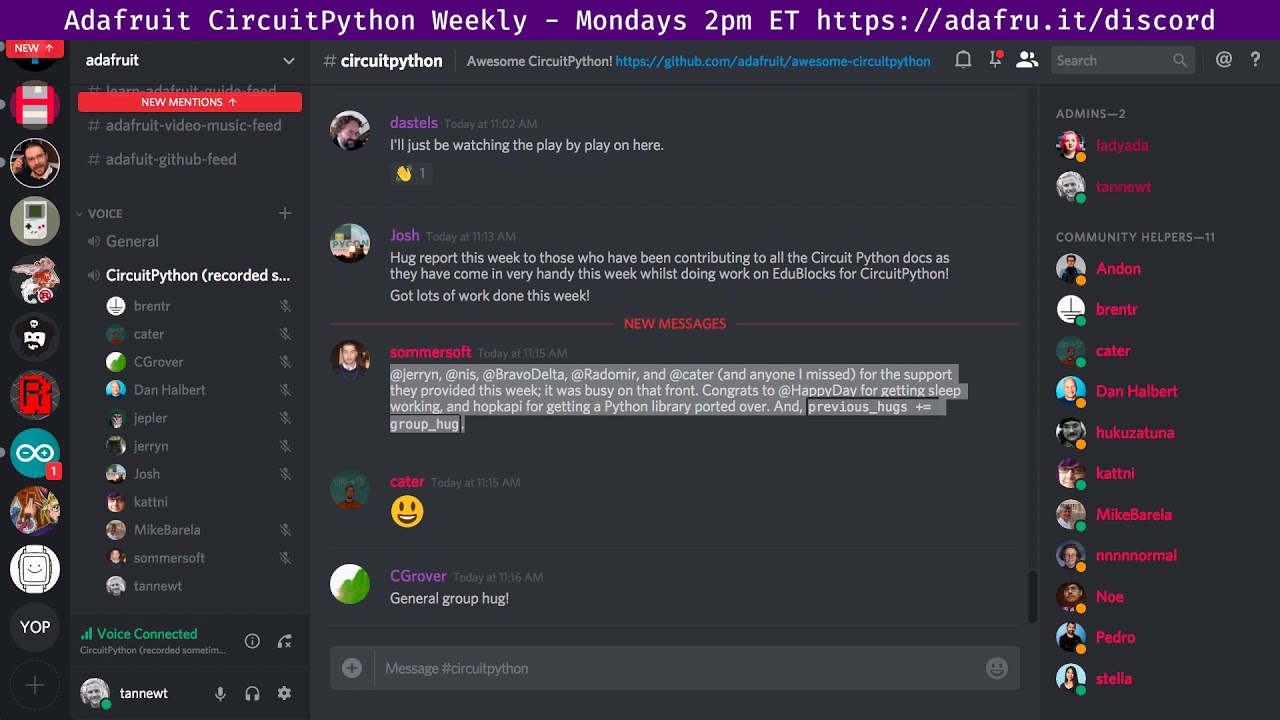
Notes with time codes are available here: https://gist.github.com/tannewt/332bd071dcbfed5f215306e4634a09ff Thanks to @kattni for taking notes! Join here for ...
solar whale
@prime flower FYI -- just for fun - I tried the Adafruit_circuitpython_SSD1306 library via Blinka. I had to also use the python framebuf.by from https://github.com/adafruit/micropython-adafruit-framebuf but it actually works! Unfortunately the Python framebuf does not support text but the bouncing ball demo is nice!! I am using it with an I2C PiOLED https://www.adafruit.com/product/3527
GitHub
micropython-adafruit-framebuf - Pure python implementation of MicroPython framebuf module. Useful for boards with limited flash memory that cannot use the native C framebuf module.

If you're looking for the most compact li'l display for a Raspberry Pi (most likely a Pi Zero) project, this might be just the thing you need!The Adafruit 128x32 PiOLED is ...
slender iron
@indigo wedge I'm back and curious what you think about my api proposal
 indigo wedge
I'm working towards it and will have something ready before I go for vacation next week 😉
slender iron
kk awesome
indigo wedge
I think it's mostly doable, nRF has a few limitations regarding order of doing things but trying to get around them by delaying some things
right now I can have a working battery service device in 9 lines of python 😉
slender iron
ooooh nice! what 9 lines?
indigo wedge
i also wrote quite a few examples for the stuff to test so will add those too
import bleio

p = bleio.Device()

s = bleio.Service(bleio.UUID(0x180f))
p.add_service(s)

c = bleio.Characteristic(bleio.UUID(0x2919))
c.read = True
c.notify = True
s.add_characteristic(c)

p.start_advertising()
I think we can wrap this in the API you suggested so make it even fewer lines
slender iron
kk. I realize the lowest level may be simpler
indigo wedge
i have working central, peripheral and scanning, been fixing ble uart today, mostly works now
solar whale
I'll bet Travis counts those blank lines ... nice work @indigo wedge
slender iron
👍
indigo wedge
i realized that this can't really be done ona PR-to-PR basis so I will push all my commits as one PR and then you can review and test
slender iron
k
indigo wedge
one thing i'm unsure is what should we call the high level API
the API you suggested
slender iron
ble_gatt?
indigo wedge
hmm, was thinking something more user friendly
manic glacierBOT

I'd prefer the separate module for separate availability.
slender iron
¯_(ツ)_/¯
manic glacierBOT

Progress report:
I'm done with the pytest plugin: https://github.com/notro/pytest-circuitpython
bus.I2CSlave are passing most tests.
smbuslave.py pass all tests.
ds1307slave.py pass tests.
at24slave.py pass tests.
The tests are run on a Raspberry Pi connected to a Feather M0 Express through usb and i2c. The slave is set up through the REPL and tested from Linux over i2c.
The hwclock command and the sysfs nvram file are used to test ds1307 and the sysfs eeprom file for the at24c0...
raven canopy
@tulip sleet while i wait for this firmware build, i was thinking (and listening) about the meeting earlier. specifically the pylint "use specific version", and Scott mentioning you having some insights. i assume that that'll be handled that through the .travis.yml in each repo?
tulip sleet
That's what I did here: https://github.com/adafruit/Adafruit_Learning_System_Guides/pull/255
raven canopy
ahh, ok. .pylint.rc added for good measure. once patching is merged...adabot to the rescue! 😄
tulip sleet
@raven canopy what did you add in .pylint.rc?
raven canopy
@tulip sleet I didn't change anything. I was referring to the diff on that PR: https://github.com/adafruit/Adafruit_Learning_System_Guides/pull/255/files#diff-d6d3d73911fd3ad6f39e4027f763b307 😄
tulip sleet
oh, yeah, that was reverting a change ladyada made to try to handle pylint 2.0.0, but there were other issues too so we just reverted to 1.9.2.
raven canopy
ohhhhhhhh. 😆
 solemn epoch
when @slender iron and @tulip sleet get a sec, I'd like to hear their thoughts on the current relationship between the ports/atmel-samd/asf_conf/samd51 files in circuitpython, the branch of asf4 used in the project (which relies on values in the conf files), and the samd-peripherals library (which seems to partially use asf4 and partially not, plus is also tied to micropython in its code, so not totally modular right now). Are the asf_conf files accurate given how boards like Feather M4 are wired, or only some parts of the hal have been configured and tested? And do you plan to ever refactor samd-periph so it's not tied to MP code? Thanks for sharing all this stuff on github, it made my life a lot easier moving from asf3/samd21 to a working asf4/samd51 build.
tulip sleet
the asf_conf files are semi_accurate. But they assume a fixed configuration: certain pins tied to certain peripherals with fixed settings. That is very much not what we are doing in CPy. We use the conf files as "prototype" instances to set initial values for the pins... (more in a minute - got a phone call)
slender iron
we do want the peripherals lib to be standalone but its not a high priority
tulip sleet
we've generally found asf4 to be not that helpful; for the more complicated peripherals the drivers lack functionality. We've used the hri_ or hpl_ level routines in some cases, but could use raw CMSIS in most cases too. In the long run we may try to get rid of asf4. Also it's very painful to update asf4 as it changes upstream: we have to use Atmel START to download a fresh copy and then examine the changes carefully. If they would just release it as a .zip...
but they don't 😦
for instance, the clock configuration is done in code, not via the conf files now.
solemn epoch
Yes! I basically got briefly excited about asf4 (the promise of "we refactored to reduce code size") and then realized how painful it was to have to configure a whole chip statically up front to generate a library. I'm not sure why they thought this was a good plan. I guessed that your samd-periph was a way to slowly escape asf4 back into more direct, simpler ARM interfaces. I'm also using FreeRTOS, so when you start reading Atmel's warnings that many of their drivers aren't thread-safe, seems like too much work to fix that code up.
the Atmel start generated stuff kept locking up my chip. It wasn't until I swapped it for your clock_init() routine that it worked. So that was my first painful lesson in asf4 awesomeness.
raven canopy
"asf4 awesomeness." 🔥 🤣
i've spent more time in /include/component than anywhere else.
solemn epoch
Makes sense to stay closer to the low level interfaces. Thanks for the clarifications on how you're using it. So anyway, you have a consumer/fan out there for samd-periph. I'll look at just writing routines I need closer to the CMSIS interfaces or fork from your lib. I looked at how Arduino ported to samd51, their startup routine and their CMSIS/ASF version... I guess they decided to stay put 😃
Can I safely assume that methods you've exposed in samd-periph that call into asf4 work correctly with the asf4_conf files in the repo? You have a number of modules in samd-periph, like dma, events, cache, etc. I didn't check to see if you're using all of them from circuitpython yet, and I get what you're saying about peripherals being dynamically configured at runtime.
manic glacierBOT
I don't like having two ways to do something. I also don't think setting one property should change another either.
Please make it easy to change the descriptor from C at runtime. I want to expose it from Python in the future.
Awesome! I'm excited to see a PR!
timber mango
@tulip sleet gcc is required to
https://learn.adafruit.com/building-circuitpython/build-circuitpython#build-mpy-cross-6-3
since it's not a cross-compiler, gcc for the Host PC's architecture is also needed.
Rather than just the ARM compiler. ;)
While building a new Debian 9 system, I tried to build mpy-cross before I'd installed gcc .. unmasking this issue (which never once occurred to me, prior!)
I was confused because I can already compile for ARM. ;)
$ sudo apt-get install build-essential
resolves this nicely.
manic glacierBOT

@tannewt no problem, I will make the hid report descriptor changeable dynamically (you will need to update the configuration descriptor for new length as well). However, to reduce amount of work, and get this done quickly, we will still implement it with fixed descriptor at first. When needed, we will change it with a separated PR.
manic glacierBOT

I want to add fname & lineno to my diagnostic messages. In normal python stackoverflow suggests I use the following: https://stackoverflow.com/questions/3711184/how-to-use-inspect-to-get-the-callers-info-from-callee-in-python
previous_frame = inspect.currentframe().f_back
(filename, line_number, function_name, lines, index) = inspect.getframeinfo(previous_frame)
return (filename, line_number, function_name, lines, index)
Original request posted in CircuitPython forum where tannew...
manic glacierBOT
@ladyada the shipping cost to me is like 3x the price of the board :( . Since it is not urgent, maybe the next time you send me the prototype of feather nrf52840, you could include this as well. Also please include the later revision of feather52832 ( need it for low power testing and coding tutorial https://github.com/adafruit/Adafruit_nRF52_Arduino/issues/165 )
manic glacierBOT
Fixed now is good. Later all should be dynamic, not just HID.
On Mon, Jul 23, 2018 at 10:07 PM hathach notifications@github.com wrote:
@tannewt https://github.com/tannewt no problem, I will make the hid
report descriptor changeable dynamically (you will need to update the
configuration descriptor for new length as well). However, to reduce amount
of work, and get this done quickly, we will still implement it with fixed
descriptor at first. When needed, we will change it with a...
manic glacierBOT
@tannewt just out of curiousity, we want to change hid report dynamically is to switch on/offf keyboard, mouse, gamepad etc right ? I ask since I always want to have a high level of api as much as possible for tinyusb. Those can be achieved at some level with predefined hid descriptor, though the full hid parser is too much for a device to support.
PS for configuration descriptor it is already dynamic supported by tinyusb, it will reconfigure endpoints based on parsing config desc when enume...
static yacht
@solar whale i followed the script you showed yesterday and got to the same point and I realised the card I was using wouldnt format to fat32 so I used another sd card a 16gb fat32 card and followed the steps again a new error was now produced when entering the line sdcard = adafruit_sdcard.SDCard(spi, cs) into the serial interface through mu editor
@solar whale the new error is Traceback (most recent call last):
File "<stdin>", line 1, in <module>
File "adafruit_sdcard.py", line 113, in init
File "adafruit_sdcard.py", line 147, in _init_card
File "adafruit_sdcard.py", line 203, in _init_card_v2
OSError: timeout waiting for v2 card
solar whale
@static yacht What version of CP are you running? - What brand/type of SD card are you using?
bronze geyser
@stuck elbow A bit ago you showed me what lines in main.c to change to create a flash erase .uf2 ...can you please show me what it was (again)? I apologize for forgetting.
static yacht
@solar whale cp 3.0.0 is being used. the card is a 16gb samsung
solar whale
@static yacht Not sure what to suggest -- can you try a different card?
static yacht
I only have a 64gb sandisk that wouldnt allow fat32 to be formatted on to it
do you have any sd card suggestions
@solar whale
solar whale
I have had good luck with SanDisk cards and mine are 8G or smaller.
static yacht
ok have to go out and order one of those when i get chance thanks
solar whale
Thats just what I have used -- perhaps others can give more advice -- I would try a smaller cardd. I am not aware of any problems with samsung cards. I'm looking for some old discussions on this.
static yacht
i see one discussion online about cp 2.0, the fix was to ensure that the chip select line is low between the read command but admittedly im not sure what this means
solar whale
as long as you are using the correct CS - it should be fine -- you are using board.SD_CS, correct?
static yacht
you mean in the commands?
solar whale
yes
static yacht
cs = digitalio.DigitalInOut(board.SD_CS)
solar whale
here is an old discussion --- lots of trials/confusion - not sure how relevant it is now. https://github.com/adafruit/circuitpython/issues/245

GitHub
Adafruit CircuitPython 2.0.0-rc.1 on 2017-09-01; Adafruit Feather M0 Adalogger with samd21g18 >>> import os >>> import adafruit_sdcard >>> import busio >>> impor...
static yacht
is what I put
solar whale
that should be fine.
static yacht
thats the discussion I was reading which ends with the make sure select line is low solution
solar whale
The python driver should take care of that for you. My suggestion is. Try a 4 or 8G SanDisk card if you can find one. If it works then experiment with other cards.
tulip sleet
@solemn epoch everything in samd-periph is code that was in use and was refactored to there. Some things like the ADC or DAC settings depend heavily on the asf4_conf files for the initial settings - some simpler peripherals are configured pretty completely dynamically.
static yacht
@solar whale all going well with a new sd card, is it possible for me to hook my 9-dof sensor through I2C and log the data (with the correct code ofc)
tulip sleet
another issue I have seen with asf4 is that some routines take arguments that are not used at all. You'll see comments to that effect ion various places
solar whale
@static yacht which 9-DOF sensor -- If there is a driver for it, it si certainly possible, BUT you may have to be concerned about the available memory to load the sensor driver and SD card Driver on a M0 Adalogger.
manic glacierBOT
 static yacht
im using the LSM9DS1 and got it working with the adalogger and both mpy files are sat on the adalogger right now
solar whale
the problem is not storing them on the board, but executing them at the same time. It should be OK and you shouuld be able to do it much like the example code - it uses an I2C sensor as well. Same setup, just different data. https://learn.adafruit.com/data-logging-with-feather-and-circuitpython/circuitpython-code
It's log, it's log, it's big, it's data, it's good!
static yacht
thanks
solar whale
in your test code for the LSM9DS1 just try adding import adafruit_sdcard and see if it give any memory alllocation error. No need to use it for this test.
static yacht
ok
@solar whale thanks final question before I leave you alone, I have 2 sensors the one I have mentioned which is a accelerometer, gyroscope and magnemeter and another which is a altimeter. im trying to create something that would alert when someone had fallen over for an elderly relative
which of these would you say would likely produce the best results
solar whale
hmm - my initial reaction is that the accelerometer will be the best sensor, especially in combination with the orientation.. I'm not sure what the resolution of the altimeter would be and if that would be sufficient. Still, it will be tricky, but hopefully fun, to come up with a good algorithm. You don't want an alarm any time the wearer lays down 😉 Orientation and acceleration seem like the best information to use.
or maybe as a first pass, orientation is all you really need
You can aloso tell a lot about the orientation, just from the acceleration. since "up" is such a big signal. a simple 3-axis accelerometer may do just as well.
main meteor
I'm toying with a similar idea, but for bikes. However, there are fewer confusing situations to deal with for bikes.
 crude blaze
I would like to advance the capabilities of the touchio class a bit by adding some of the functionality available in freetouch but not present so far in the cpy wrapper. Am I seeing that correctly that SAMD is the only plattform supported for touchio? My question would be how generic that class has to be or if it is ok if it contains functions that are specific to a device family? Is there any similar case in cpy/mpy that I could have a look at maybe?
solar whale
@static yacht just curious what you have in mind for the "alert"
static yacht
@solar whale well I was hoping one of these sensor would be able to tell me how close to the floor they are and then you can attach the sensor somewhere close the middle body that when the height will be pretty much the same when laying down and standing up, the acceleration could then be integrated to indicate how quickly they have gone down to the floor. then hopefully I would look at ways to push this data over wifi or bluetooth and into an application to alert that she is down and needs help asap
i wonder if two sensors could be used that would alarm when they get close to each other
that way you put one at ground level and if they close to each other the alert would fire
get close*
solar whale
@static yacht All good ideas. What altimeter do you have? My concern with them is that they tend to be dependent on the local air pressure for absolute readings. They are great for relative changes though and might be good in combination with the other information. The "pushing" information over WiFI or BLE is what I was wondering about. How will the Adalogger do that? Getting information from one board to another is always a challenge. Lots of ways to do it, but you may have to rethink the boards you are using to add more capabilities.
onyx hinge
I finally used my Metro M4 for a real project: using a GPS module as a frequency counter. It was so nice to have long ints available! https://emergent.unpythonic.net/01532398717
Superficially similar to the elecrow GPS shield at the time of writing it's available from ebay for around $20.
I chose this model because it has a ublox GPS module and a header with signals marke…
and awful wiring as usual
main meteor
That's a good idea, especially as the SAMD51 has frequency counting functionality built in.
static yacht
@solar whale i was thinking a BLE chip although I am aware adding more boards may not be good when the adalogger has minimal storage
do have any board suggestions
onyx hinge
@main meteor yes though in general the counter is going to be based on an inaccurate crystal oscillator with errors on the order of 1PPM. I'd like to successfully measure errors on the order of 1PPB in 10MHz OCXOs.
main meteor
I figured you were using the GPS for a 1PPS gate signal, although I suppose you could try to cobble together a GPS disciplined crystal oscillator in software somehow.
onyx hinge
@main meteor it's actually the GPS which is timestamping the test signal
solar whale
@static yacht BLE support in Circuit-python is coming, but it will require different boards. It won't work on the Adalogger. I don't want to sound discouraging at all.. this sounds like a great project. I just wanted to point out some possible problems as you build it up. There are some BLE devices that can be used to connect to the Adaloggers UART to allow you to communicate wit it. The BLE support is not provided by Circuit Python that way. I'm not necessarily recommending this, but it may be an option. I've jiust started toying with similar things myself.
onyx hinge
so you obtain from the module the GPS time of two rising edges and how many rising edges were between them, and find the frequency by some simple arithmetic
timber mango
I think your best bet for surveillance of a person at risk of a fall is to measure their weight in their usual sitting places.
If the chair is empty and if the bed is empty suspect they're active.
main meteor
Ah, you're using GPS for time stamps, not a time reference. The SAMD51 will do the counting for you: "FREQM counts the number of periods of the measured clock (GCLK_FREQM_MSR) with respect to the reference clock (GCLK_FREQM_REF)."
static yacht
@solar whale which ble devices are these and do you think for what I want to do I would be better sticking with arduino coding
main meteor
Adalogger has minimal storage? You can put a 16GB SD card in it, that's not enough?
onyx hinge
@main meteor I'm self taught on this so I am probably getting terminology wrong left and right
solemn epoch
@tulip sleet thanks for all the info on asf4 and the samd-periph library!
main meteor
I too am self-taught. I once read an exchange from a "time nuts" mailing list, and I understood maybe one word in ten.
onyx hinge
I'm turning into a bit of a time nut too, at least in terms of piling up junk related to timekeeping
solar whale
@static yacht I hate to steer anyone aawy from Circuitpython 😉 but, in my opinion, it is not a good choice for the M0 Adalogger. If you are going to use that board, I'd suggest staying with Arduino. That said, I'm curious why you want data logging anyway, especially if you plan to send the data out via wifi or BLE anyway. Better choices for working with CircuitPython are the Feather M4 Express. If you really need data logging, you can add an Adalogger Featherwing to it. To get BLE, you will have to wait for Circuitpython to support it on the Feather52 (NRF52832) or future boards that will support the NRF52840). You can use an ESP8266 now to send data via WiFI. It is tho only board that Circuit python supports WiFI for. There are many options ...
main meteor
I did pick up one of the rubidium frequency references when the market was flooded with cheap ones as cellular towers were being refitted en masse.
onyx hinge
@main meteor a friend of mine has one of those, probably from the same time. He's never powered his up. (he's a time nut too)
static yacht
@solar whale it might be a good idea for me to move back to arduino, i do have a wiced wifi feather board with me maybe that would be a better option to get the data to a computer, and like you said the data logging on the device isnt really necessary as I can log it on the compujter
solar whale
Some of the BLE - UART devices I am playing with are https://www.adafruit.com/product/2479 or this https://www.amazon.com/DSD-TECH-SH-HC-08-Transceiver-Compatible/dp/B01N4P7T0H but it is not "pl;ug and play" I don't have it working in any useable manner yet -- your mileage may vary 😉

Would you like to add powerful and easy-to-use Bluetooth Low Energy to your robot, art or other electronics project? Heck yeah! With BLE now included in modern smart phones and tablets, its ...
@static yacht As I said, the last thing I want to do is steer anyone away from Circuit python, but, again, in my opinion, it is not well suited for those boards. They are well supported under Arduino and it sounds like you have experience working in the Arduino environment. Others may have different advice. I hope they will chime in!
static yacht
@solar whale Personally i prefer python as a language as its easier to work imo but its not gonna be easier if the support isnt there so I will probably try arduino, although what I might do is used the wiced board I have and just use it to pass the data onto a computer. from here I can use whatever language I want as long as I output the data into a useable format. thanks for the help
solar whale
@static yacht Good luck!
manic glacierBOT
I would like to expand the capabilities of the touchio class a bit by adding some of the functionality available in freetouch but not present so far in the cpy wrapper.
Is there a best practice for approaching platform specific features in an otherwise generic class? Is there any similar case in cpy/mpy that I could have a look at maybe?
Lastly is there even an interest in that or were features like oversampling left out on purpose?
 weary spindle
Just received an m4 feather express. it came with 3.0rc and i want to update. pressing the button twice does proper sequence with LED and on windows 7 it changes to Adafruit Feather M4 Express Bootloader but there is never a FEATHERBOOT or any other boot drive showing up. when it is not in bootloader mode then a CIRCUITPY drive shows up and usb driver Feather m4 express was showing on a different comm port ( as expected) from the bootloader comm port. any suggestions on why i do not see the BOOT drive appear or how to get it to appear ?
tulip sleet
@weary spindle you installed the drivers, right, and if so, what version of the driver executable?
Do you have Kaspersky anti-virus installed?
weary spindle
yes i installed drivers from link in learn guides v 2.3.0.0 no Kaspersky but i do have symantec
tulip sleet
Driver version is good. I'm booting up my Win7 test machine to check and try to duplicate. Do try to disable symantec completely temporarily and see if it makes any difference.
weary spindle
Disabling what i could did not help. ill try on another computer that does not have the same virus protection and see if it works ok there
tulip sleet
@weary spindle Device Manager Ports section should look like this (though COMxx numbers will vary)
weary spindle
Thanks ... ill check ... i took the m4 to a windows 10 laptop ( the other was win7 and a work laptop so potentially a lot more security enabled. on Win10 machine even with its virus protection on all worked OK and i get the FEATHERBOOT drive and all works fine. So there is some incompatibility with the other laptop. But since it does normally work in other than boot mode on the win7 machine, i will just use the win10 laptop to enter boot and upgrade the firmware and then i should be able to use the device normally on either. thanks for the help.
tulip sleet
you're welcome. We have also seen issues with Acronis software. The ...BOOT drives only partially simulate a USB drive and may not look right in some wayto various protection programs.
weary spindle
OK thanks good to know.
manic glacierBOT

ok we are making the feather 52840 prototypes this week. when i have some ready we'll email together and get you a package with all the items :)
prime flower
Python-language related question: I'm writing into a buffer, which works, but the buffer is not returning it's filled value to the previous function call.
GitHub
Contribute to Adafruit_Blinka development by creating an account on GitHub.
similar to how the buffer is filled here: https://github.com/brentru/Adafruit_Blinka/blob/write_readinto/src/adafruit_blinka/microcontroller/raspi_23/spi.py#L65
GitHub
Contribute to Adafruit_Blinka development by creating an account on GitHub.
the correct value IS getting filled into buffer_in, but calling the function like spi.write_readinto(self.out_buf, self.in_buf, out_start=0, out_end=len(self.out_buf), in_start=0, in_end=len(self.in_buf))
isn't updating the new self.out_buf value
tidal kiln
>>> def foo(bar):
...   bar = 42
...
>>> bar = 23
>>> foo(bar)
>>> bar
23
>>>
is it that behavior that's getting you?
tidal kiln
there's this...
>>> def foo():
...   global bar
...   bar = 42
...
>>> bar = 23
>>> foo()
>>> bar
42
>>>
but generally should try and avoid
prime flower
yeah, I've been avoiding using global for circuitpython-related things
also it's a parameter and global already, right?
tidal kiln
also this maybe?
>>> def foo(bar):
...   bar = 42
...   return bar
...
>>> bar = 23
>>> bar = foo(bar)
>>> bar
42
>>>
that's generally how you should do it, use return
but more specific to your example, since it's a class function, maybe don't even pass it in?
still looking at it...
slender iron
you need to copy the values into it
idle owl
If the deinit()in this isn't acceptable, how do I write it using with: python def play_file(filename): print("playing file " + filename) wave_file = open(filename, "rb") wave = audioio.WaveFile(wave_file) audio = audioio.AudioOut(board.SPEAKER) audio.play(wave) while audio.playing: pass audio.deinit() print("finished")
This is from updating the CPX audio out page to the current API. It was still using 2.x
prime flower
wouldn't they be copied into buffer_in already? buffer_in = self._spi.xfer(list(buffer_out))
slender iron
@prime flower no that replaces buffer_in
@idle owl ```python
er
def play_file(filename):
    print("playing file " + filename)
    wave_file = open(filename, "rb")
    wave = audioio.WaveFile(wave_file)
    with audioio.AudioOut(board.SPEAKER) as audio:
        audio.play(wave)
        while audio.playing:
            pass
    print("finished")
Oh I had audio and the other half flipped. with audio as and that was a massive failure. Thank you
prime flower
OH
slender iron
do the same for wave_file too
idle owl
why?
prime flower
thanks @slender iron . Was wondering why the spi.readbytes data assignment followed by a bytes read
slender iron
makes sure the file is closed
idle owl
ok
tidal kiln
>>> def foo(some_list):
...   some_list[-1] = "the end"
...
>>> bar = ["hello", "world"]
>>> foo(bar)
>>> bar
['hello', 'the end']
>>>
that's what's happening here:
https://github.com/brentru/Adafruit_Blinka/blob/write_readinto/src/adafruit_blinka/microcontroller/raspi_23/spi.py#L65
prime flower
GitHub
Contribute to Adafruit_Blinka development by creating an account on GitHub.
updated it to copy the data to buffer_in
tidal kiln
but if you reassign it within the func, you lose the connection:
>>> def foo(some_list):
...   some_list = [42]
...
>>> bar = [23]
>>> foo(bar)
>>> bar
[23]
>>>
@prime flower buffer_in or buffer_out?
prime flower
in
 warm pelican
I need timed ADC input for one channel at 500K sps 1000 sample into an array -- like Micropython this for M4
tidal kiln
ah, i see it now. relative to master. "out" = out of master, "in" = in to master
i was thinking relative to slave for some reason
idle owl
@tulip sleet can you look at this, it's an update to a currently live guide and I already updated the guide text to match this PR's code. https://github.com/adafruit/Adafruit_Learning_System_Guides/pull/270
 prime flower
@tidal kiln ah , yeah. i made that mistake a bunch already so I dont think I'll do it again
@idle owl oh! I may have picked up one of those cool lamps from ikea your guide features the other day...
idle owl
@prime flower That's great!
prime flower
(gonna jam a ESP8266 and a neo ring in there for AIO)
idle owl
Nice 😃
prime flower
I feel I could do some type of glowy-notification-y thing with that too
idle owl
You're talking about the geometric one right?
prime flower
yeah! my apartment is old and the room is wired with like 3 outlets total, so i'm keeping wattage low
diff color = diff notifications via IFTTT
idle owl
Pro tip: pre-bend the plastic lamp shade pieces before trying to put it together or it's like trying to wrangle a bucket of wet otters. They keep slipping and flopping everywhere.
idle owl
Neither have I but I imagine it's difficult 😄
tidal kiln
@warm pelican 500Ksps -> 500kHz -> 2us timing. that might be tricky to do in circuitpython if you're just wanting to do it in software.
raven canopy
@idle owl a bucket of wet otters? 🤣
idle owl
@raven canopy Right, though? Think about it!
warm pelican
wonder if timed ADC input is the cards like Micropython interrupt timer driven
idle owl
@tulip sleet Don't worry about it. I tested it, I'll merge it. I don't want to leave the guide to code discrepancy hanging out there. inevitably it'll confuse someone.
tidal kiln
@warm pelican i would guess so, and circuitpython does not currently have user land interrupts
warm pelican
I am looking for the functionality of --- ADC.read_timed(buf, timer) - available on pyboard --
tidal kiln
@warm pelican appears to be a blocking call which just polls the supplied timer:
https://github.com/micropython/micropython/blob/master/ports/stm32/adc.c#L443
but at least it's doing this in C land
slender iron
@warm pelican https://github.com/adafruit/circuitpython/issues/487

GitHub
for some applications, we want to grab a chunk of samples from ADC at 'fast' (16KHz!) fixed periods. lets think of a way we can request an array of 16-bit values that will be popped off the...
idle owl
@tidal kiln Can you look at this / test it for me / review it for me? https://github.com/adafruit/Adafruit_CircuitPython_IRRemote/pull/14
I tested it, but another person testing would be good.
I changed it to make it more generic. Except for the CPX pin.
manic glacierBOT

We do want that but we also want the ability to enable and disable other functions such as mass storage, CDC, HID, audio and video. See #231, #672 and #1015 for background.
In general for CircuitPython we want a minimal C API that isn't timing sensitive. For example, for HID we construct the reports in Python because we can load that code dynamically and its not timing sensitive. C: https://github.com/adafruit/circuitpython/blob/master/ports/atmel-samd/common-hal/usb_hid/Device.c Python: h...
warm pelican
Great, so the concept has been brought up before and seems to be in the works. Any idea when 4.0 will be available? thanks tannewt
slender iron
when its ready 😃 will likely do it soon to support a project though
manic glacierBOT
If the feature is generic (check nRF52) then we can expand touchio. If not, a samd specific module thats like touchio could be added.
We left it out for simplicity but can add it if there is demand.
warm pelican
I am looking to move an existing project from pyboard to one of the smaller M4 boards - Feather or Itsy - it would be nice to have in the next month or so.
prime flower
for a pylint protected-access error (W:208,15: Access to a protected member _read_pin of a client class (protected-access)), is it ok to disable it?
idle owl
Why are you accessing it? Is there a different way to do it?
prime flower
Accessing it since it's a function implemented by the base class (https://github.com/brentru/Adafruit_CircuitPython_MCP3xxx/blob/mcp3008-work/adafruit_mcp3xxx/adafruit_mcp3xxx.py#L208)
GitHub
Adafruit_CircuitPython_MCP3xxx - CircuitPython library for MCP300x SPI ADC's, may later support MCP320x as well
They could be public, the only reason I kept them private was to prevent the names within the classes (since they're the same) causing issues
prime flower
https://docs.python.org/3/tutorial/classes.html#private-variables this is what I was trying to do, although it does work without them being private
idle owl
I see
I'll defer to Scott on this one. But I think if it can be worked without requiring pylint: disable it's better.
@slender iron Thoughts?
bronze geyser
(sorry if i missed this..) does CP have an equivalent to Arduino IDE's USBDevice.detach(); ?
slender iron
@prime flower why have separate classes?
you shouldn't call a private method from another class
prime flower
sep. classes for different devices using the same base (MCP3xxx is base, MCP3004/08 use the mcp3xxx class)
slender iron
why have analogin classes?
prime flower
ladyada wanted to mock how adc worked with analogin
slender iron
why not use a mcp class to do it?
raven canopy
@bronze geyser I don't recall there being any detaching functions being exposed. Maybe related to being USB slave only, so the host controls all of that. I could be wrong on that though. USB will most likely need some gentle touches for sleeping...
prime flower
@slender iron I was doing that originally, kinda. But the call she requested was changed to adc_single_ended = adafruit_mcp3xxx.AnalogIn(mcp,0). Possibly I could implement analogIn within the mcp class...
slender iron
@tidal kiln what do you think?
tidal kiln
@slender iron need to read scroll back....was checking out kattni's pr....hold....
tulip sleet
@idle owl sorry i am in and out today. Had to go to a services meeting for my son, will be out later for a few hours, back in later evening.
idle owl
@tulip sleet It's all good! I sorted it.
bronze geyser
@raven canopy Thank you (again and again). so i'm off USB. My (latest) challenge is multiple calls to putting the m0 into standby mode from a CP script. First time works fine. Second time does not (seem to get called). Is there some register goo and such i should reset prior to going into standby mode the second time? I'm wondering stuff like if the thread (context) is being lost?
tidal kiln
@slender iron is question about the separate classes? and the private access?
slender iron
api structure in general
idle owl
@bronze geyser I included your post about your module in the Adafruit Python for Microcontrollers newsletter this week. 😃
slender iron
I like this but non the differential stuff: https://github.com/adafruit/Adafruit_CircuitPython_ADS1x15/blob/master/adafruit_ads1x15/adafruit_ads1x15.py#L104
GitHub
Adafruit_CircuitPython_ADS1x15 - CircuitPython drivers for the ADS1x15 series of ADCs.
bronze geyser
@idle owl as always you are thoughtful. My concern is its lack of robustness. With that said, i was weirdly thrilled to get the darn thing working (well, once...) i'm wondering if its losing its context. This would be so typical. Code emulating life as we all lose context.
idle owl
@bronze geyser I don't think that's the case at all.
slender iron
I think differential would be better done as a .reference_channel property on each channel
roofer is here
prime flower
@slender iron that is what the AnalogIn class is based on
slender iron
leaves
idle owl
@bronze geyser Although I guess the thing I should have asked is, what do you mean by losing context?
raven canopy
@bronze geyser hmm. As I've mentioned before, the two major things I would be interested in knowing the status of after wakeup are the USB/serial and the filesystem. If all the appropriate clock's are being turned off, the firmware may start to lose statuses. This may not be helpful for all use cases, but you could try restarting the firmware at wakeup. Look in main.c for clues on the order and functions to do that.
bronze geyser
@idle owl (i have a lack of computer science knowledge...so..)...i'm in a While True: ... i get into standby. I shoot a HIGH to the interrupt. i get out of standby. continue in While True. Now try to get back into standby. I don't. i was thinking there is info transitioning between the main thread, the ISR, and other threads i don't understand. OR could be a @raven canopy notes, maybe because the clocks are off something wacky is going on w/ peripherals. A Watson, the games afoot!
bronze geyser
@idle owl as i understand m0 standby, all the peripherals are off...so all the clocks are off too. external interrupts don't need the clock to get out of standby. i am assuming the instructions after waking up starts the clocks and peripherals?
bronze geyser
@idle owl ....hmm..outside my wheelhouse too (makes me annoying but the learning opportunity....)...maybe there is some sort of api thingy that says...just wait around and let me know when you clocks and stuff are ready to move on...
idle owl
Sounds like it should be in a data sheet somewhere.
Which is a mire of craziness in its own right.
bronze geyser
@idle owl indeed. so back i go to the datasheet. i guess it is not respected by chip companies and the like to have writers work with the engineers to write the datasheets. i mean just parsing the English is hard...
tidal kiln
@idle owl ha! just hit the submit on the review.
idle owl
😄
tidal kiln
got a little side tracked by the ADC discussion
idle owl
blergh. The buttons on the CPX are backwards. That's the issue.
so it'll be backwards for a regular button regardless.
Or rather something will be.
Either the Pull or the loop.
tidal kiln
hmmmm. indeed. ok.
tidal kiln
if you want it to work as is with CPX, then what you did
for other boards, user will just need to set their button up correctly
idle owl
A lot of the API stuff has CPX specific stuff. We'll leave it as is I guess. If we get a bunch of feedback, then we change it
tidal kiln
sounds good. that's why i made it a question. 😋
idle owl
Now we wait on Travis.
onyx hinge
What's the voltage range of the M4 DAC?
tidal kiln
@idle owl do we have a link that could better explain the requirements for the actual data sent out in transmit?
idle owl
not that I'm aware of.
onyx hinge
ah I see 3.3v now in a guide
tidal kiln
like....would this work???
encoder.transmit(pulseout, [1])
to send a "one"??
main meteor
I've been playing with the M4 DAC. At first, I was having trouble getting much scope deflection, then I realized this was one of the times a 1X probe actually makes sense.
idle owl
@tidal kiln passed travis. NEC standard is 4 bytes, I see what you're asking. There will be a link when the guide I'm working on right now is published. I explain 4 vs 1 byte
@tidal kiln I mean it's not super explained, but it at least explains why you need 4 bytes
tidal kiln
cool. yah. that's what i was getting at.
idle owl
@tidal kiln Working on it 😃
slender iron
@prime flower it disables the lint check. I think you should copy the getitem portion too
idle owl
@tidal kiln It's ready to merge if you're happy with it.
tidal kiln
@idle owl added one last request
idle owl
ah crap I was halfway through that idea and gave up on it and forgot to delete it. This is why we have reviews, kids.
Should I even bother with it?
I don't think so.
I'm taking it out completely.
tidal kiln
i'm fine with that
it should be obvious that pull downs are being used and that the button needs to be wired appropriately
otherwise you'll end up trying to explain pull up/downs in the comment
tidal kiln
approved. woo. a lot of work for one print statement.
tidal kiln
@slender iron @prime flower I think this summarizes the current approaches. In general, I'm fine with whatever. The current ads1x15 approach is neat, but the proposed mcp3xxx syntax looks more like the core module.
# using core module
chan = AnalogIn(board.A1)

# using ADS1x15
ads = ADS1015(i2c)
chan = ads[0]

# using MCP3xxx
mcp = mcp3xxx.MCP3008(spi_bus, cs)
chan = mcp3xxx.AnalogIn(mcp, 0)
@tidal kiln the switch to the MCP3xxx implementation was to get it closer to an analogin adc impl. and away from channel (pin = channel)
slender iron
I like the second because you won't use anything else with mcp3xxx.AnalogIn
idle owl
@tidal kiln travis passed. can you merge it? if not I can do it.
tidal kiln
@idle owl ha! once again....just hit the button.
idle owl
@tidal kiln 😄 thanks
tidal kiln
i guess i'm fine with self merging though, once the review is done
idle owl
It's still weird to me, I simply didn't know if there was a reason you hadn't like for some odd reason you didn't have access
tidal kiln
gotcha. nah. just didn't follow through.
manic glacierBOT
raven canopy
@bronze geyser to "expand" on my thought process from earlier (was at work, and phone battery was hungry): when using an "RTOS" type program, such as when you program with Arduino, I don't think the point at which you've halted the program matters when the system wakes up. it simply starts at the next instruction after _WFI (peripherals/clocks may still be a factor). With CircuitPython, since we're essentially running a VM on top, it sets quite a few things up and mostly trusts their state beyond that. So, like in the case of USB, if the host has abandoned the connection because the stall has been so long since the clock & peripheral have been turned off, CircuitPython may not be handling that well. I'm fairly certain there is a way to handle all of this gracefully, I just don't know exactly what it/they are. I too am not "computer science" trained...barely above a "trained monkey" on that front. @slender iron, @tulip sleet, and some other higher educated folks may be able to address this in better more accurate, detail...
bronze geyser
@raven canopy Thank you. @slender iron @tulip sleet Wondering (hoping?) You have advice on how I should tackle the challenge of putting the m0 in standby mode multiple times from a CP script?
slender iron
I'd need to look more into the details to know
I'd suggest a sleep state that preserves ram
raven canopy
i haven't looked at the filesystem stuff much so far; can we unmount it during execution? this is kind of a rough order in my mind for "sleep goals"
idle mode (for "start where we left off" programs): keep minimum appropriate clocks running to maintain the VM and filesystem. USB can be abandoned, but need to ensure a clean dismount so that the filesystem isn't corrupted. somehow mark the VM re-entry point.

deep sleep (for short programs that run once at wakeup): dismount filesystem, turn off USB and any peripherals cleanly, and then reset CircuitPython upon wakeup and start over.
I have rarely used any MCU in sleep, so my usage and expectations could be way off the mark...
solar whale
Conjuring visions of sleep walking MCU 💤
raven canopy
haha. every time i would read the sleep walking descriptions in the datasheet, the scene in Top Gun with Tim Robbins saying "You want me to do what!?" popped in my head. 😄
slender iron
I wouldn't sleep when on usb
manic glacierBOT
Looks very likely to be a samd specific module, few to one of the settings seem to be available on the nrf52.
How would such platform specific module look like? Replicate the functionality of the current touchio and expand it with the samd specific things?
I am definitely very interested in having more capabilities present for touchio. Sure I can just go the C/C++ route but CPY is actually pretty interesting for some "advanced" projects even though it seems to be marketed as something tha...
tulip sleet
@bronze geyser We lose USB all the time in various circumstances. It's not the end of the world. Often when I'm debugging I leave the program stopped, and Linux times out the serial connection. I think most applications for sleeping are ones where power consumption is important because you're running on batteries, and a USB connection is therefore less likely.
I think we could implement some kind of sleep feature that had issues with USB, but it would still be useful. I wouldn't hold up adding the feature to make its behavior perfect.
idle owl
This works to slowly bring up the brightness on NeoPixels: python def pulse_up(): if cpx.pixels.brightness < 1: cpx.pixels.brightness += 0.01
I can't figure out how to do the opposite.
Start at full brightness and slowly go down.
Starting at full brightness, this works: python def pulse_down(): if cpx.pixels.brightness: cpx.pixels.brightness -= 0.01
But what I'm trying to do is making the LEDs pulse up and down. And I can't figure out how to do both of those together.
Because one condition there cancels the other, so it either does one or none.
raven canopy
@idle owl i'm trying to the think....but its not working well. are you calling each in a single step? or rolling through a loop?
idle owl
This doesn't work right, but with one commented out, it works: ```python
def pulse_up():
if cpx.pixels.brightness < 1:
cpx.pixels.brightness += 0.01
def pulse_down():
if cpx.pixels.brightness:
cpx.pixels.brightness -= 0.01
cpx.pixels.brightness = 1
while True:
cpx.pixels.fill((255, 255, 255))
pulse_down()
pulse_up()```
Because I'm not sure what you're asking
So I pasted it instead.
raven canopy
ok. so that is what I would "consider" a single step. do one. then do the other.
idle owl
well I really want it all to be in one thing
but I was trying to get each one to work separately first since I couldn't figure that out
raven canopy
is a .01 difference actually recognizable? (pure question...i don't know)
raven canopy
ok. that makes sense, b/c no delay...
idle owl
On white DotStars, 0.01 is very noticeable. Here, probably not so much if you're only going to change it.
Problem with all of this is that this isn't going to be the only code either. So other things might cause a delay. bleh.
So I might be heading entirely in the wrong direction with this.
How have we never pulsed NeoPIxels in CircuitPython?
raven canopy
i think you need another layer of looping. like you say, adding 1, then immediately subtracting 1 is 0...
maybe add a "duration" or "step" (psuedo inbound)
idle owl
Yeah that's kind of what I was thinking, but was trying to start simple
I mean it should all be math, but I can't find the right maths
raven canopy
writing it out makes things pop in mah head. no need for steps...
def pulse_up():
    while cpx.pixels.brightness < 1:
        cpx.pixels.brightness += 0.01
I keep thinking it's simply a matter of getting operators in the right order. but all the ones I do create dueling conditions.
the goal is def pulse() is one thing. but like I said I have no idea how it's going to act with other code with delays in it.
or even how to make it work 😄
raven canopy
well, what i put will obviously block during pulse_up until its at full brightness. so, no delay from other functions during that...
idle owl
wait that's what I had...
oh
you did while
I was so confused as to why you sent what I already had 😄
raven canopy
yep...i could've maybe elaborated or explained. but...no fun. 😆
idle owl
def pulse_up():
    while cpx.pixels.brightness < 1:
        cpx.pixels.brightness += 0.01

def pulse_down():
    while cpx.pixels.brightness:
        cpx.pixels.brightness -= 0.01

cpx.pixels.brightness = 1
while True:
    cpx.pixels.fill((255, 255, 255))
    pulse_down()
pulse_up()```Pulses up and down!
But it's blocking, as you say.
Which is a problem.
raven canopy
😦
idle owl
I need pulsing LEDs while doing a TON of other stuff.
But at least we got what I kind of thought should work working.
So I'm not totally crazy.
main meteor
You could add a direction flag, and add an else: to each if: to switch it at the extremes.
main meteor
    pulse_up()
else:
    pulse_down()
yeah, i was trying to think of it in terms of either state machine or ring buffer...
main meteor
Then in pulse_up() you could have: ```global brightening
while cpx.pixels.brightness < 1:
cpx.pixels.brightness += 0.01
else:
brightening = false
Or you should wrap the whole thing in a class, then have different instances of the class, each brightening and dimming a different LED at a different rate. But might be a bit much.
raven canopy
i think that would work. change it back to if though so that it only does a step at a time.
manic glacierBOT
 tidal kiln
@idle owl define "a TON of other stuff"
main meteor
Oh right, change that while to if (which is what I meant, but I copy-pasted the existing code without realizing that adding an else clause to while is bogus)
raven canopy
1. Fly to the moon
2. Make green eggs and ham
3. Cut the grass
I'm getting brightening not defined so I'm missing something somewhere.
tidal kiln
so ideally the neopixels would be "pulsing" in the background and you could do other stuff
idle owl
yes
ooh I made it work
No idea if this is what you were going for: ```python
def pulse_up():
global brightening
if cpx.pixels.brightness < 1:
cpx.pixels.brightness += 0.01
else:
brightening = False
def pulse_down():
global brightening
if cpx.pixels.brightness:
cpx.pixels.brightness -= 0.01
else:
brightening = True
brightening = True
cpx.pixels.brightness = 1
while True:
cpx.pixels.fill((255, 255, 255))
if brightening:
pulse_up()
else:
pulse_down()```or whether it's blocking or not.
tidal kiln
that's effectively blocking
main meteor
Yeah, that's what I was trying to get at. If I understand correctly, if you can stuff all your other functionality in the same while True loop, it would be effectively non-blocking.
tidal kiln
without interrupts, i think you'll have to do something like this approach:
https://learn.adafruit.com/multi-tasking-the-arduino-part-1
main meteor
Note you could pull the fill() call outside the loop, since that's invariant.
tidal kiln
you're essentially wanting to multi-task
idle owl
Also Pylint doesn't like globals.
right, isn't most of that about not using time.monotonic()? Or whatever the Arduino version is
main meteor
There are a couple of ways around using globals, such as passing variable references into the subroutines, moving the variable (and the rest of the logic) inside the subroutine, or wrapping it in a class with its own variables.
tidal kiln
which is the equiv of arduino delay()
raven canopy
@idle owl you could get around the global by having each function return a boolean..
idle owl
some of this is outside my knowledge
tidal kiln
the general progression is something like:
(1) blink LED using time.sleep()
(2) blink LED using time.monotonic()
(3) extend (2) to do other things using same approach
yes. it's one foot in "non trivial" land.
idle owl
Right, but the issue is it's not just blinking, I have that down with time.monotonic(), I'm great at that. It's pulsing that's weird.
main meteor
The code that draws this is the same sort of multitasking. It runs in a loop, and each time around, it checks to see if it's time to send a sample to the DACs, if so, it does. Then it checks to see if there's room in the DAC buffer for the next point, if so, it computes it. Then it checks to see if it has to do any other housekeeping (move to the next character, line segment, etc.). It just does those things over and over.
@tidal kiln speaks the truth
tulip sleet
have pulse_up and pulse_down return False when they reach the end of their travel. Otherwise return True. If brightening is True, call pulse_up. If it returns False, set brightening to False, and call pulse_down next time instead. When pulse_down returns False, set brightening to True. Then you don't need a global
idle owl
I.. only half follow that. I understood what @raven canopy meant by returning a boolean but now how to make it work.
tulip sleet
another way: https://www.arduino.cc/en/tutorial/fade
raven canopy
def pulse_up():
    if cpx.pixels.brightness < 1:
        cpx.pixels.brightness += 0.01
        return True
    else:
        return False

def pulse_down():
    if cpx.pixels.brightness:
        cpx.pixels.brightness -= 0.01
        return False
    else:
        return True

brightening = True
cpx.pixels.brightness = 1
while True:
    cpx.pixels.fill((255, 255, 255))
    if brightening:
        brightening = pulse_up()
    else:
        brightening = pulse_down()
yeah, but the principle is the same. Have the increment/decrement value flip sign when you get to the bottom. Don't have separate pulse_up and pulse_down routines. Just adjust brightness by the increment, which might be positive or negative
idle owl
@raven canopy That doesn't quite work.
@tulip sleet That's what I was picturing... But couldn't figure it out
raven canopy
argh. carbon copied the return booleans...needed to flip them. 😵
idle owl
Got it
tulip sleet
change = 0.01
cpx.pixels.brightness = 0.0
while True:
    brightness = cpx.pixels.brightness
    brightness += change
    if brightness < 0.0:
        change = 0.01
        continue
    if brightness > 1.0:
        change = -0.01
        continue
    cpx.pixels.brightness = brightness
    time.sleep(whatever)
i set a separate variable brightness because you'll get an error if cpx.pixels.brightness goes out of range.
raven canopy
this is the great thing about all of this. so many ways to skin a...wet otter. 😄
tulip sleet
edited above to fix a bug
tidal kiln
this all helps avoid use of global, but not the multi-tasking requirement
main meteor
Heh, I went in the same direction: ```cpx.pixels.brightness = 0
increment = 0.01
cpx.pixels.fill((255, 255, 255))
while True:
cpx.pixels.brightness += increment
if cpx.pixels.brightness >= 1 or cpx.pixels.brightness <= 0:
increment = -increment
nothing is happening.
tidal kiln
show()? sry. had to.
idle owl
natch.
raven canopy
@tidal kiln if the "TON of stuff" comes before or after the brightness update, it shouldn't necessarily be blocked? or am i not seeing what you're saying?
idle owl
@tulip sleet Nothing happens with your code. I added the pixels.fill so it's not that...
raven canopy
"TON" being inside the while True...
solar whale
we need an otter emoji!
tulip sleet
```
change = 0.01
cpx.pixels.brightness = 0.0
while True:
brightness = cpx.pixels.brightness
brightness += change
if brightness < 0.0:
change = 0.01
continue
if brightness > 1.0:
change = -0.01
continue
cpx.pixels.brightness = brightness
time.sleep(whatever)
``
tested amd wroks
idle owl
then I'm missing something.
tulip sleet
oops, pasted wrong thing
idle owl
😄
tulip sleet
from adafruit_circuitplayground.express import cpx
import time
change = 0.01
cpx.pixels.brightness = 0.0
cpx.pixels[0] = (255, 255, 255)

while True:
    brightness = cpx.pixels.brightness
    brightness += change
    if brightness < 0.0:
        change = 0.01
        continue
    if brightness > 1.0:
        change = -0.01
        continue
    cpx.pixels.brightness = brightness
    time.sleep(0.01)
hooray!
tidal kiln
@raven canopy nah. you're right.
tulip sleet
or like @main meteor said: if not (0.0 <= brightness <= 1.0): change = -change
tidal kiln
but if "TON of stuff" is more blocking and simply dropped in, then the pulsing won't be smooth
tulip sleet
from adafruit_circuitplayground.express import cpx
import time
change = 0.01
cpx.pixels.brightness = 0.0
cpx.pixels[0] = (255, 255, 255)

while True:
    brightness = cpx.pixels.brightness
    brightness += change
    if not (0.0 <= brightness <= 1.0):
        change = -change
        continue
    cpx.pixels.brightness = brightness
    time.sleep(0.01)
shorter
too bright
idle owl
Yah I agree, it's pointed at the desk on an angle away from me.
raven canopy
@tidal kiln agreed. so to your point, setting up the sections of code with controlled timing could handle smoothing (with possible detriment to other things).
main meteor
Thanks! I had a time getting all that working right, but by the time I was done, it only uses 2% of the storage in the M4.
It's not too hard to add a time delay without impacting other functions:```cpx.pixels.brightness = 0
increment = 0.01
delay = 0.05
next = 0
while True:
now = time.monotonic()
if now > next:
cpx.pixels.brightness += increment
if cpx.pixels.brightness >= 1 or cpx.pixels.brightness <= 0:
increment = -increment
next = now + delay
Just like the scope trace program, each time through the loop it checks to see if it's time to update the brightness.
tidal kiln
yep. that's the gist of that guide i linked.
main meteor
I realized I had a CPX right here (my Adabox arrived!) so I fired up Mu and tried it.
tidal kiln
the next parts then go into how to do it with interrupts
main meteor
I'll admit I've never played with interrupts in Python.
The scope trace program uses interrupts (it's in Arduino), but the interrupt routine does nothing but set a flag saying it's time to emit another sample.
raven canopy
random tip: if you're waiting for two clocks to sync, it helps if they are both running...
manic glacierBOT

This is a weird one, so I hope someone else can reproduce it.
I have a Metro M4 Express marked "beta", purchased from the Adafruit store on May 8. It's loaded with the 3.0 release: Adafruit CircuitPython 3.0.0 on 2018-07-09; Adafruit Metro M4 Express with samd51j19. Attached to it is a GPS shield which at power on starts sending NMEA sentences every second.
Normally, an 'echo' program will work properly, showing GPS packets to the computer via USB. While preparing a minimum test c...
main meteor
My only beef with the "doing more than one thing at once" tutorial is lines like if(currentMillis - previousMillis > interval) which perform the subtraction every time around. That's why I like to precompute the "next" value and then just do the comparison.
idle owl
ugh. It works ok with one set of code and not at all with another. I assume because it's try and excepts. I can't brain anymore tonight.
Thank you everyone for your help!
main meteor
I know that feel. I fought with a Jenkins job all day and simply can't make it run on the node I want. I decided to punt and just run the script manually.
onyx hinge
Are there any 5V-tolerant pins on the Metro M4 Express? I didn't see any called out, but it would be helpful to see it spelled out one way or the other. https://learn.adafruit.com/adafruit-metro-m4-express-featuring-atsamd51/pinouts#logic-pins-3-6

Choo! Choo! ARM Cortex M4 @ 120 MHz coming thru!
as expected, m4 datasheet says absolute maximum is Vcc+.6v to I/O pins
solar whale
I think they mean it All logic is 3.3V
onyx hinge
aha there's the line I overlooked, thanks @solar whale
I didn't let the smoke out yet! but I came close.
manic glacierBOT

I have reproduced this on a metro m4 express with an Ultimate GPS breakout: good_uart.py has the lines commented -- bad_uart.py has them uncommented
Press any key to enter the REPL. Use CTRL-D to reload.

Adafruit CircuitPython 4.0.0-alpha on 2018-07-20; Adafruit Metro M4 Express with samd51j19
>>>
>>>
>>> import good_uart
b'$GPGGA,023220.000,4308.5911,N,07055.3644,W,1,04,1.63,179.9,M,-32.9,M,,*5D\r\n$GPGSA,A,3,21,24,15,1'
>>>
soft reboot

Auto-reload is on. Simply save fil...Warning: running this test has makes the system unstable. In on instance, it just hung. In another , it eventually disconnected the USB port. Something is not playing nice....
 silver tapir
I'm getting the wierdest error. I'm making a mega_demo for CircuitPlayground, but in CircuitPython.
While moving the code to separate files to make it easier to read, I get:
ValueError: Pin PB23 in use
Oh, oh, I see what it is. I'm defining pixels by hand, and also importing the express library.
manic glacierBOT
FWIW - my normal GPS capture program runs just fine for extended time periods using the UART.
timber mango
@onyx hinge ItsyBitsyM4 Express has one 5V level-shifted output pin (D5) via 74HC125 (variant) part.
Metro M4 Express uses this level-shifter for something to do with USB Host enable (PB07).
 $ ag PORTB | various_filtering
82:  { PORTB, 7, PIO_COM, PIN_ATTR_DIGITAL, No_ADC_Channel, NOT_ON_PWM, NOT_ON_TIMER, EXTERNAL_INT_7 }, // USB Host enable

 $ pwd | cut -b16-99
arduino15/packages/adafruit/hardware/samd/1.2.1/variants/metro_m4
@tannewt I see, class dynamic enable/disable is already support by tinyusb. python only need to feed the correct config descriptor. So it is not a problem at all.
For HID, to construct report in Python, I feel like we don't need to dynamically change the report descriptor. I could be wrong, let's me get something running first to see what it turns out to be.
manic glacierBOT
 manic glacierBOT

For HID, we mean adding or dropping devices from the multiple report descriptor: https://github.com/adafruit/usb_descriptor/blob/master/adafruit_usb_descriptor/hid.py#L170. E.g. turn off keyboard, or allow a user to add another device with its own Report ID. As you mention, this affects the length field in the composite descriptor. (This stuff was clearly designed by two different committees: it would be a lot easier if the length were in the header of the HID Report Descriptor :frowning_face:)
manic glacierBOT
Thanks @jerryneedell I'm glad to see this problem confirmed by somebody else. I don't even know where to start debugging this, but I'll stick the SWD debugger on it next chance I get and work backwards from common_hal_busio_uart_read in the hopes something turns up. It may not be before the weekend.
I see that during the execution of a class statement, we do end up reaching into the "make long-lived" machinery: o->locals_dict = make_dict_long_lived(locals_dict, 10); I also plan to...
bronze geyser
@tulip sleet actually, my main challenge is to return from standby a 2nd (3rd... etc) time. I'm getting a grip on the m0. However, I do not have a great feel with how CP sits on top of it. When I come out of standby, i expect to go to the next instruction right after __WFI(). However, this may not be the case. I want to understand/learn what happens immediately after wakeup. As @raven canopy noted, since CP is not an RTOS, there is a layer of abstraction I wish I understood. Any guidance/advice greatly appreciated.
manic glacierBOT
Yes, neutering the long-lived machinery makes the badecho program work reliably.
diff --git a/py/gc.c b/py/gc.c
index 2c2354e4c..4d18c57dc 100755
--- a/py/gc.c
+++ b/py/gc.c
@@ -679,6 +679,7 @@ bool gc_has_finaliser(const void *ptr) {
 }

 void *gc_make_long_lived(void *old_ptr) {
+    if (1) return old_ptr;
     // If its already in the long lived section then don't bother moving it.
     if (old_ptr >= MP_STATE_MEM(gc_lowest_long_lived_ptr)) {
         return old_ptr;
```...@dhalbert thanks, I already got the idea, the C level should only need to implement a generic HID where user need to supply report descriptor and report, which I will added to the stack.
FYI, In my stack, originally it attempts to support higher API with both keyboard & mouse API. It is useful to user that is not familiar with HID and only want to use out of the box keyboard/mouse.
https://github.com/hathach/tinyusb/blob/develop/src/class/hid/hid_device.h#L65
fyi there's some stuff here for 'DIY' cellular commands
https://github.com/HologramEducation/AT-Workshop
I also try to support boot keyboard at stack C-level as well, so it is a bit confusing with option and things. Trying to nail it now :D
Yeah, I don't think we need boot keyboard support, but it could be moved out of the multi-device HID descriptor to its own endpoint. We have enough endpoints on the SAMD, at least.
tulip sleet
@bronze geyser It should continue immediately after the __WFI(). Is it working currently or are there some issues?
we rely on interrupts to do systick handling, so I think it may suspend time.monotonic(), which would not be terrible.
manic glacierBOT
It can still packed within the multiple report one interface. Normally OS that does not support report protocol will SET_PROTOCOL to boot mode, in which the device will behave as a single report keyboard. Though it could be non-consistent if python user e.g does not enable keyboard. I will try to get something running first, I will could tweak things later :D
Boot keyboard is only essential if we want device to work with a simpler host such us SAMD with host stack or bios etc..
manic glacierBOT
@dhalbert @tannewt do you have an simple python code, that I could paste into the REPL to run a usb hid test e.g sending 'A' repeatedly with keyboard profile.
static yacht
does anyone know how to uninstall the Adafruit_Windows_Drivers
manic glacierBOT
 bronze geyser
@tulip sleet...the While True: completes once. ```import board
import audioi
lowpower is a custom library I made. It can put the m0 into
standby mode (deep sleep) then wake up on an interrupt. This is
needed to cut down on battery consumption.
NOTE: NOT a good idea to put any print statements since going into
Standby mode messes with the USB/serial connection...
import lowpower
import time
############
Setup up LED
LED_PIN = board.D13 # Pin number for the board's built in LED.
led = digitalio.DigitalInOut(LED_PIN)
led.direction = digitalio.Direction.OUTPUT
on = True
Wait a bit....
led.value = True
time.sleep(10)
led.value = False
time.sleep(1)
while True:
for i in range(10):
led.value = on
on = not on
time.sleep(.2)
led.value = False
lowpower.sleep(board.D12)
for i in range(10):
led.value = on
on = not on
time.sleep(.5)```
idle owl
And this is why you sleep on it. I remembered I don't need the pulsing code to work with the part of the rest of the code it doesn't work with. Which is to say, it works with the part I need it to. 😃
Oooh I think I may have found a bug in the IR code.
main meteor
I was just going to play with that code, as I now have two CPX biscuits.
idle owl
We updated it a bit back to have the option to make read_pulses nonblocking. Which the docstring says "returns none if no pulses are received"- instead of blocking until it receives pulse. But, it's returning TypeError: object of type 'NoneType' has no len(). Turns out decode_bits uses len(pulses) in it's code, so I think that's what's causing it.
Or I could be way off. But that's my guess.
Works great if you don't set blocking in read_pulses.
manic glacierBOT

I would be interested in helping with the effort to bundle drivers to PYPI. I am not familiar with Travis. I do use Git and Github to track my personal work, but not much beyond that.
Thank you
Mark
manic glacierBOT
Note that you will not see this echoed in the REPL while it's running (if you just do >>> k.send(Keycode.A) you'll see it). But if you move the focus to another window you'll see 'a's being sent.
from adafruit_hid.keyboard import Keyboard
from adafruit_hid.keycode import Keycode
import time
k = Keyboard()
while True:
    k.send(Keycode.A)
    time.sleep(1.0)
Superb, thanks. Sorry for silly question, I haven't used cp much :(
You're welcome. https://circuitpython.readthedocs.io/projects/hid/en/latest/index.html has examples for other devices as well.
onyx hinge
@gentle bronze could have fooled all of us given how productive they are recently
manic glacierBOT
Up to you if you want to submit to the 3.x branch as well. I think we'll jump to 4.x alphas pretty fast though.
onyx hinge
@slender iron in https://github.com/adafruit/circuitpython/issues/1056 signs point to the long lived object pool as related or even the culprit. I would welcome your comments in there.

GitHub
This is a weird one, so I hope someone else can reproduce it. I have a Metro M4 Express marked "beta", purchased from the Adafruit store on May 8. It's loaded with the 3.0 release: Ad...
slender iron
haha, just clicked to open it
onyx hinge
jinx then
slender iron
try master with https://github.com/adafruit/circuitpython/commit/08def6b51ecb9853ccbe21fc6feecbb18cc3e387

GitHub
Prevent repetitive recursive scanning of dicts when making them long-…
onyx hinge
OK, with luck I can do that this evening
manic glacierBOT
@dhalbert just made a fix to this. It may help this problem too. https://github.com/adafruit/circuitpython/commit/08def6b51ecb9853ccbe21fc6feecbb18cc3e387
onyx hinge
I sort of wonder if this kind of object is simply not movable. ASF4's USART has a 'struct ringbuffer' which in turn has a 'uint8_t *buf'. Is "buf" within the space of Python objects? If so, moving the CP UART object by copying its bytes will move "the buffer" but has no way to re-point the ringbuffer buf
slender iron
I don't intend for globals like uart to move
it may recurse into the global dict and try to move it though
we shouldn't long live it
onyx hinge
so in the example, the class object 'F' should become long-lived, but the uart which is simply in the module globals should not ?
onyx hinge
doesn't something related to long-lived happen to the whole module when its import finishes too?
.. I'd have to go read the source to see
slender iron
yup. a similar call
onyx hinge
but (possibly after bug fixing?) that is still expected not to make uart long-lived?
is there a way for an object type to say "never make my instances long-lived"?
onyx hinge
(seems like not?)
slender iron
its meant to be implicit in where we call it
GitHub
circuitpython - CircuitPython - a Python implementation for teaching coding with microcontrollers
onyx hinge
oof, gtg
idle owl
@slender iron I think I found a bug with the non-blocking bit in IR remote. I'll file an issue, but I wanted to also let you know. I think it's because it returns None and then later decode_bits uses len(pulses) which is returning none, and none-type can't be len.
slender iron
shouldn't client code not call decode_bits in that case?
idle owl
Oh. Not sure. I guess I was trying to use it wrong.
I was messing with it trying to make a thing work that didn't matter in the end anyway and thought maybe the blocking was the problem, and when I changed it, it failed with that.
slender iron
what chooses to be non-blocking?
slender iron
you are I think in the call to read_pulses
therefore you need to manage the bits yourself
slender iron
😃
idle owl
That's unclear then 😉
Or it's clear and I simply don't get it.
More likely the second one.
slender iron
nah, its unclear
manic glacierBOT
The fix I made in 08def6b should not affect what gets long-lived or not: it's meant just to prevent redundant walking through dicts. So I don't think it will fix this problem.
The code to create the buffer is here and it's not long-lived. The second false says that. https://github.com/adafruit/circuitpython/blob/master/ports/atmel-samd/common-hal/busio/UART.c#L135.
Perhaps it should be long-lived, along with any other such dynamically allocated storage in other common-hal classes, b...
onyx hinge
@slender iron apologies for disappearing earlier. A colleague was suddenly adamant that we leave for lunch right now
slender iron
no worries!
onyx hinge
I think there's a good chance that making buffer long-lived when it is first allocated will make the problem much harder to reproduce. I bet a slightly different facet of the problem will still be lurking, but very low frequency/probability: if the relocation of the uart object itself is interrupted by a serial rx, then it could copy the fields within usart_desc in an inconstent fashion. Disabling interrupts during the move itself would fix that. Is there such a call that could be made from gc_make_long_lived? I guess that's common_hal_(enable|disable)_interrupts(). How bad a layering violation is it to add such calls in gc_make_long_lived? Well, it breaks the unix port build for one thing.
slender iron
anyone know why the minimum stack size on the 840 is 40k but the 832 is 2k?
@indigo wedge or @gentle bronze
 meager fog
@slender iron @prime flower haay wanna check on best way to implement MCP3xxx
i was mimicing how we did it with the seesaw/crickit
slender iron
voice chat will be faster than typing
meager fog
i cant right now :/
slender iron
kk
GitHub
Adafruit_CircuitPython_ADS1x15 - CircuitPython drivers for the ADS1x15 series of ADCs.
@tidal kiln and I did that
prime flower
chan = AnalogIn(board.A1)

# using ADS1x15
ads = ADS1015(i2c)
chan = ads[0]

# using MCP3xxx
mcp = mcp3xxx.MCP3008(spi_bus, cs)
chan = mcp3xxx.AnalogIn(mcp, 0)``` are the two impls. from yesterday being discussedwhats the big difference? just how you create the analog input object?
slender iron
ya. in the middle example the analogin class is essentially private/anonymous
meager fog
ok just so i know whats the benefit (breifly)
slender iron
I'm not sure what would be the best way
tulip sleet
@onyx hinge making it long-lived means it will not move. Things move from normal to long-lived but not back.
slender iron
I don't like having implementation code in two places
slender iron
I don't like this api: https://github.com/adafruit/Adafruit_CircuitPython_seesaw/blob/master/adafruit_seesaw/seesaw.py I'd rather split it into separate classes
GitHub
Adafruit_CircuitPython_seesaw - seesaw helper IC driver for circuitPython
meager fog
we ran out of memory when we tried, i recall
slender iron
it gets tricky with seesaw since pins can be used for more than one thing
meager fog
ok @prime flower now that SPI is working solidly, would ya be cool with undoing my request to make it like it was before 😄
with the API
slender iron
I almost want: ```
mcp = mcp3xxx.MCP3008(spi_bus, cs)
chan = mcp.AnalogIn(0)
there are classes like that in the seesaw library that duck-type the *io classes
slender iron
the question is how to init them
meager fog
@slender iron im cool with whatever, just wanna only have brent redo it once more time 😃
slender iron
@tulip sleet got time to chat it over?
tulip sleet
sure
idle owl
I'd like to listen in if that's ok
slender iron
ya. @prime flower to
prime flower
yep!
tulip sleet
not working
slender iron
GitHub
Adafruit_CircuitPython_seesaw - seesaw helper IC driver for circuitPython
mcp = mcp3xxx.MCP3008(spi_bus, cs)
chan = mcp3xxx.AnalogIn(mcp.P0)
mcp = adafruit_mcp3xxx.MCP3008(spi,cs)
chan = mcp3xxx.AnalogIn(mcp, 0)
diff: adc_diff = adafruit_mcp3xxx.AnalogIn_Differential(mcp, 0, 1)
tulip sleet
chan = mcp3xxx.AnalogIn(MCP3008.P0)
chan = mcp.AnalogIn(MCP3008.P0)
chan = mcp.AnalogIn(mcp.P0)
chan = mcp1.AnalogIn(mcp2.P0)
chan = mcp3xxx.AnalogIn(mcp, 0)
slender iron
chan = mcp3xxx.AnalogIn(mcp, MCP3008.P0)
tulip sleet
mcp1 = adafruit_mcp3xxx.MCP3008(spi,cs1)
mcp2 = adafruit_mcp3xxx.MCP3008(spi,cs2)
chan_a = mcp3xxx.AnalogIn(mcp1, MCP3008.P0)
chan_b = mcp3xxx.AnalogIn(mcp2, MCP3008.P5)
GitHub
Adafruit_CircuitPython_ADS1x15 - CircuitPython drivers for the ADS1x15 series of ADCs.
tulip sleet
class MCP3008:
    P0 = 0
    P1 = 1
import mcp3xxx.analogio
chan_b = mcp3xxx.analogio.AnalogIn(mcp2, MCP3008.P5)
GitHub
Adafruit_CircuitPython_MCP3xxx - CircuitPython library for MCP300x SPI ADC's, may later support MCP320x as well
prime flower

Google Docs
Adafruit MCP3xxx Interface.py (base class) Mcp3008.py Mcp3004.py Get rid of _readpin, etc, replace by calling read directly from AnalogIn: Analogin implements volts and value MCP3008/3004 only set the pin count Sample call: Mcp = mcp3xxx.mcp3008(spi_bus, cs) Chan = mcp.An...
tulip sleet
folks, all the cryptic stuff above was typed in during an audio chat, so it doesn't make a lot of sense standing alone
timber mango
I figured Kreskin knew what was goin' on..
tidal kiln
i'm just curious if there was resolution (and hopefully consensus)
prime flower
@tidal kiln see my linked google notes
tidal kiln
cool. will wait till your done to roll into ads.
manic glacierBOT
This allows for the heap to fill all space but the stack. It also allows us to designate space for memory outside the runtime for things such as USB descriptors, flash cache and main filename.
Fixes #754
 prime flower
@tulip sleet am I right in that the user should provide the spi_bus? the LCD library creates one using SCL/SDA?
tulip sleet
yes, you should probably take one as an argument, so it can be shared
the lcd library was written for my own devious purposes and i wasn't interested in using busdevice at the time due to space issues
prime flower
okay
prime flower
@merry turret so here's what I'm working with so far, but I'm not sure what to do with the MCP.analogin call since analogin would need an MCP instance for read() https://github.com/brentru/Adafruit_CircuitPython_MCP3xxx/blob/interface-impl/adafruit_mcp3xxx/AnalogIn.py#L42
GitHub
Adafruit_CircuitPython_MCP3xxx - CircuitPython library for MCP300x SPI ADC's, may later support MCP320x as well
I'm working out how you implemented the interface within lcd, but the interface (in this case mcp3xxx) was passed to the init. I'm not sure how a function call like Chan = mcp.AnalogIn(MCP3008.P0) would work...
tulip sleet
I think we decided to make it a true constructor: chan_b = mcp3xxx.analogio.AnalogIn(mcp2, MCP3008.P5)
prime flower
ok, that makes a LOT more sense. I was moving with the original one.
tulip sleet
or maybe not with analogio, but similar. So you pass in the mcp, and the AnalogIn will remember it in its __init__()
tidal kiln
them notes. they're changing!
prime flower
ha yah
tulip sleet
it's magic!
prime flower
yeah, that's what I was doing for the adc originally for AnalogIn. Ok.
If we're passing in the mcp, we can also access it's P#...(I think)
manic glacierBOT
Here is the one platform specific module: https://github.com/adafruit/circuitpython/tree/master/ports/atmel-samd/bindings
The following, when entered at the repl, consistently crashes CircuitPython on the line which attempts to create the second AnalogOut instance:
from board import A0, A1
from analogio import AnalogOut

fine = AnalogOut(A0)
print(fine)
coarse = AnalogOut(A1)
print(coarse)
The crash is "hard enough" that the CIRCUITPY drive cannot be accessed either until I use the reset button or re-plug the module.
Adafruit CircuitPython 3.0.0-2-g08def6b51 on 2018-07-25;...This change, which makes the buffer object as long-lived from the get go, does not fix the problem:
diff --git a/ports/atmel-samd/common-hal/busio/UART.c b/ports/atmel-samd/common-hal/busio/UART.c
index bcdeae7b5..e7aed11a6 100644
--- a/ports/atmel-samd/common-hal/busio/UART.c
+++ b/ports/atmel-samd/common-hal/busio/UART.c
@@ -132,7 +132,7 @@ void common_hal_busio_uart_construct(busio_uart_obj_t *self,
if (rx && receiver_buffer_size > 0) {
self->buffer_length ... torn grail
Is there any reason I cannot get neopixels to work on GPIO16? They seem to work fine on GPIO2. Running CP3.0.0 on ESP8266 . Thanks!
raven canopy
@torn grail i'd have to do some digging, but GPIO16 only has PULL_NONE and OPEN_DRAIN available. if PULL_UP/DOWN is required...not gonna happen (though techincally it has PULL_DOWN capability just not in ).
torn grail
So, better to try another pin, I expect
raven canopy
I meant internal pull. you could probably use an external if it's required.
torn grail
<--warms up soldering iron. Time to move it.
raven canopy
well...the library just sets the pin to Direction.OUTPUT; no pull mentioned. gotta look up the default pull real quick. also, what firmware version? GPIO16 didn't work well in 2.x (i think we discussed this before?)
manic glacierBOT
The mode on some of the files are changed from 0644 to 0755, which I suppose is unintentional.
torn grail
My problem is, however, that I have the through hole NeoPixel, so its GRB, not RGB, so my code is all messed up. LOL
raven canopy
so default will be PULL_NONE for GPIO16; PULL_UP for all others. I would try adding an external pull up, if you absolutely need it on GPIO16.
torn grail
Nope. That just happened to be the pin that the wire fell into before my soldering iron stuck it in place.
raven canopy
😆
raven canopy
yw!
prime flower
@tidal kiln I added the current branch (WIP) to the google doc for the MCP3xxx
I'll be working on it tomorrow a bit more, but the implementation is close to the function call. Any suggestion(s) would be appreciated.
tidal kiln
@prime flower thanks. will take a look...
manic glacierBOT
After re-plugging the module this works again. Some state must have survived the reset button(!) to cause the problems I reported. Given this, I don't know whether it's worth leaving this issue open.
 abstract pawn
"error: invalid command 'bdist_wheel'
Failed building wheel for tornado
Running setup.py clean for tornado
"
manic glacierBOT
manic glacierBOT
manic glacierBOT
1f3de51 Freeze Adafruit_CircuitPython_Crickit into cric... - dhalbert
f5df3d3 add Crickit library to docs/drivers.rst - dhalbert
d98701c updates crickit and motor frozn libs with lates... - dhalbert
6908eed Merge pull request #965 from dhalbert/3.x-crick... - tannewt
52a1154 fix OneWire timing and DigitalInOut.switch_to_i... - dhalbert
Hmm. This merge does not include the long-lived fix.
manic glacierBOT
@tannewt do you want to redo this to include the long-lived fix?
I did #1061 from my 3.x branch, not adafruit/3.x
There's something weird here, because most of these commits are already merged in, like 8bb363f7c4f537e90659bc98e1a1cd0097424d96, the gpio pull fix, which I merged in as part of #1031. And that commit is already in the commits in master. It won't hurt, but I would expect it to notice these are done already.
manic glacierBOT
ff0a6f4 Merge pull request #986 from tannewt/include_rt... - tannewt
53d8213 update Crickit library to fix stepper Drive issues - dhalbert
fba2d9f Merge pull request #993 from dhalbert/update_cr... - tannewt
8bb363f must set pull after setting direction with gpio... - dhalbert
85a5276 Merge pull request #1006 from dhalbert/3.x-fix-... - kattni
 gentle bronze
@slender iron for nrf52 stack size, I don't remember either. It must come from the original pca10056 that I based on. We should analyze memory usage for it later
slender iron
@gentle bronze kk, I'm making it dynamic anyway
 upbeat plover
import storage
storage.erase_filesystem()
i had issue with CPX where code wouldnt do anything. I had to use that in REPL
manic glacierBOT
btw, @tannewt do you decide the API to change the usb descriptor dynamically (enable/disable classes). If it is decided already, I will make it into the next PR as well.
Not sure what it will be. Static is ok for now. Thanks!
 crude fossil
Hi all! I've finally got to make a start with CircuitPython on the Metro M4 Express ... the device itself it working great, and I can flash new firmware to it with UF2 and I can hook up the jlink with GDB and can pause/step the running code and everything ... but when I try to load and reset new firmware from GDB it uploads and then just boots itself back into the UF2-loaded version. It's got to be something obvious but despite much forum searching I can't work out what it is!
static yacht
@solar whale hi mate bit unrelated but can you or someone confirm that a feather wiced board should appear as a COM device in the device manager as soon as you plug it in
solar whale
@static yacht I have never used a feather WICED and I don't have a windows system so I'm not very familiar with what you shoutd see. I assume you are trying to access it via the Arduino IDE? Have you followed the guide ? https://learn.adafruit.com/introducing-the-adafruit-wiced-feather-wifi?view=all#install-adafruit-windows-drivers-5-3 but I'm not sure if that is for Windows 7 or 10 or if it matters. I suggest posting a question to the Forums as well https://forums.adafruit.com/viewforum.php?f=57

Get your WiFi projects up and running quickly with the fast and flexible WICED Feather!
static yacht
@solar whale ye sadly Ive followed that guide, it shows as a libusb device but wont show as a com port so I cant use it on arduino cheers ill try the forum
solar whale
Good luck -- sorry I can't offer more help.
static yacht
np thanks
solar whale
@indigo wedge Nice - but it is I2C 😉 Have a great vacation !
solar whale
They are a bit strange - the documentation can be frustrating - as @raven canopy has noted !. What I think is fun is that you can actually use them just like a DHT22 or use them via I2C. Depending on if the SCL line is tied to ground or is used as a clock.
indigo wedge
i get that they are a bit fussy, but if they work with SAMD and not nRF then that needs to be fixed
nRF can't be worse than SAMD! 😋
solar whale
At least I think I understand why now -- just need to wake them up! Even the SAMD doesn't see them on a scan.
True though, can 't let the SAMD have any "bragging rights" over the nRF ..
@indigo wedge you have to be suspicious of any sensor that has this in its usage example except OSError: # These sensors are a bit flakey, its ok if the readings fail pass 😉
manic glacierBOT
And how is this then handled? Some makefile setup? Where and how is this samd clock.h then used? Does it replace an otherwise generic clocks.h that is used by other platforms?
upbeat plover
will this run on feather adalogger MO, with si7021 sensor?
import adafruit_sdcard
import adafruit_si7021
import board
import busio
import digitalio
import math
import microcontroller
import storage
import time

SD_CS = board.D4
i2c = busio.I2C(board.D21, board.D20)
sensor = adafruit_si7021.SI7021(i2c)
redled = digitalio.DigitalInOut(board.D13)
redled.direction = digitalio.Direction.OUTPUT
greenled = digitalio.DigitalInOut(board.D8)
greenled.direction = digitalio.Direction.OUTPUT
spi = busio.SPI(board.D4, board.D23, board.D22)
cs = digitalio.DigitalInOut(SD_CS)
sdcard = adafruit_sdcard.SDCard(spi, cs)
vfs = storage.VfsFat(sdcard)
storage.mount(vfs, "/sd")

def vpd():
    es1 = 0.6108 * math.exp(17.27 * sensor.temperature / (sensor.temperature + 237.3))
    es2 = 6.11 * 10**((7.5*sensor.temperature)/(237.3+sensor.temperature)) / 10
    es3 = 6.112 * math.exp(17.62 * sensor.temperature / (sensor.temperature + 243.12)) / 10
    es = (es1 + es2 + es3) / 3
    ea = sensor.relative_humidity / 100 * es
    vpd = es - ea
    return vpd

print("Logging to filesystem")

while True:

    with open("/sd/log.txt", "a") as f:
        redled.value = True
        cput = microcontroller.cpu.temperature
        print(vpd())
        print('Temperature: {} degrees C'.format(sensor.temperature))
        print('Humidity: {}%'.format(sensor.relative_humidity))
        print("Temperature = %0.1f" % cput)
        f.write("---This is another line!---\r\n")
        f.write(vpd())
        f.write('Temperature: {} degrees C'.format(sensor.temperature))
        f.write('Humidity: {}%'.format(sensor.relative_humidity))
        f.write("CPU Temperature = %0.1f\n" % cput)
        redled.value = False
    greenled.value = True
    time.sleep(10)
    greenled.value = False
I fear I will run out of RAM, dont have product to test it on yet...
main meteor
If you like, I can try loading it on an M0 and see how much RAM is left.
Er, I'd have to cable up an SD card reader first...
solar whale
@upbeat plover I have that hardware and will be happy to try it but it may not be until the weekend before I can do it.
@upbeat plover what version of CP are you using?
@upbeat plover BTW -- the I2C and SPI interfaces should be on board.SCL,board.SDA,board.MISO,board.MOSI,board.SCK,board.SD_CS if you are using the CP3.0 build for the m0 Adalogger.
upbeat plover
@solar whale I ordered the hardware, will be here around the same time.
latest version of CP and libraries,
the board pins should be correct.... i used https://cdn-learn.adafruit.com/assets/assets/000/046/243/original/adafruit_products_Feather_M0_Adalogger_v2.2-1.png?1504885273

the purple numbers are board.D"purple numbers"
I do that just to help me out, so i dont end up using the same pins or something for different stuff
solar whale
I'm lookoin at https://github.com/adafruit/circuitpython/blob/master/ports/atmel-samd/boards/feather_m0_adalogger/pins.c and it shows the pins as they will be named for import board I don't hink you wull find a D22
GitHub
circuitpython - CircuitPython - a Python implementation for teaching coding with microcontrollers
upbeat plover
board.D22 -MISO
tidal kiln
those would work if programming with Arduino
prime flower
I'm working on a library (https://github.com/brentru/Adafruit_CircuitPython_MCP3xxx/blob/interface-impl/adafruit_mcp3xxx/mcp3008.py#L30) and maybe I have the path wrong. I'm trying to do a function call like mcp = mcp3xxx.mcp3008(spi,cs) but keep getting module object has no attribute mcp3008
GitHub
Adafruit_CircuitPython_MCP3xxx - CircuitPython library for MCP300x SPI ADC's, may later support MCP320x as well
tidal kiln
@upbeat plover you can always do this to verify:
import board
dir(board)
I tried adding in an __init__.py as well, but I keep thinking the import/path from the subclass must be wrong...
upbeat plover
@tidal kiln is there a way to mount storage in CPX??? like if i want to save a .txt file to the flash memory.... a bit off topic but would help me get used to file system stuff before i get adalogger
tidal kiln
this one also, for a slightly different approach:
https://learn.adafruit.com/cpu-temperature-logging-with-circuit-python/introduction
upbeat plover
thank you
tidal kiln
you're going to be more like the first link using an adalogger
but the second link is neat also
upbeat plover
the second link i havent seen yet but first link is similar to https://learn.adafruit.com/micropython-hardware-sd-cards/hardware
Learn how to use a microSD card to store code & data with CircuitPython and MicroPython!
manic glacierBOT

The performance of print() in CircuitPython v3.0 is slower than in CircuitPython v2.3.1
Test case: On a Trinket M0, here's the time to print a string of 20 chars 1000 times on a Windows 7 PC
v2.3.1 0.99 s
v3.0.0 3.78 s
The test program (string20.txt) is attached
string20.txt
This adds a busio.I2CSlave binding and implements it on samd.
M4 is not tested yet, I want to see if the API needs to change before spending time on that.
I didn't use asf4 because it lacked smbus support (and the code looked fragile wrt misbehaving masters).
I2CSlaveRequest has 3 readonly properties and I wonder if there's a simpler way to implement those than to use accessor functions as I have done.
How do I make I2CSlave optional on other ports? Use a macro?
Example use:
@dhalbert the readthedoc link should list Adafruit_CircuitPython_HID as dependency instead of the core repo right ?
I've made a PR: https://github.com/adafruit/circuitpython/pull/1064
Comments are welcome. I haven't got much experience working with I2C devices.
never mind, I think you mean the dependency of the HID library. Sorry, misunderstand there.
 pallid cliff
anyone available to help with some circuit python/crickit issues I'
m running into?
idle owl
You can always ask and someone will get back to you when they can. 😃
upbeat plover
@tidal kiln i tired this example https://learn.adafruit.com/cpu-temperature-logging-with-circuit-python/writing-to-the-filesystem but i keep getting error
OSError: 30
tried with CP 2.2.0 and CP 3.0.0

Explore some new features in CircuitPython 2.0.0 with nothing but your board and one wire!
solar whale
@upbeat plover If I recall correctly erro 30 indicated taht the FS is write portected -- doi you follow the step to write enable it at boot?
upbeat plover
yes tried that with switch in both positions
found error...
was using pinout for Gemma M0
tidal kiln
that'd do it. so you just weren't using the correct pin w.r.t. what was being called out in boot.py?
upbeat plover
Hmm im still getting OSError 30
i guess im having issues getting boot.py to load....
upbeat plover
i put that in boot.py, hit reset button on CPX then tried
with open("/tmp.txt", "a") as fp:
fp.write("hello, world!")
in REPL but always get OSError 30
can i just do
import storage
storage.remount("/", False)
with open("/tmp.txt", "a") as fp:
    fp.write("hello, world!")
in REPL with nothing in CPX but the text file im saving too???
nope.... "RuntimeError: Cannot remount '/' when USB is active."
 torpid goblet
Back from my long weekend. Went to my uncles. We built a electronics workbench with a butcher block top made out of white ash we picked up rough cut from a sawmill. The bench is to replace https://www.samsclub.com/sams/lifetime-6-fold-in-half-table-white/prod2300068.ip?xid=plp_product_1_7 which had been serving me well for 20 years! I suggested we stop at home depot and get a sheet of hardboard for a fresh top for the table. He said "I got something you might like to see...." next thing I know we are getting a tour of a local sawmill while learning the pros and cons of kiln dried vs air dried lumber. I am now going to look at the mu editor code to see how it auto detects what type of board is connected.
Buy Lifetime 6' Fold-in-Half Light Commercial Grade Table, White Granite : Folding Tables at SamsClub.com
idle owl
@torpid goblet Sounds like a lovely weekend!
pallid cliff
Alright, I'm just testing the Circuit Playground Express with the Crickit board. Yesterday I was using the servo test code from the Adafruit Learning Guide. But now I'm getting only one servo movement then errors. Sometimes it's saying IO error because of no pullup on SDA SCL, which I think is a communication error with the seesaw chip. But now there's a different error
Now I'm getting the following error:
<Traceback (most recent call last):
File "code.py", line 12, in <module>
File "adafruit_motor/servo.py", line 112, in angle
File "adafruit_motor/servo.py", line 66, in fraction
File "adafruit_seesaw/pwmout.py", line 57, in duty_cycle
File "adafruit_seesaw/seesaw.py", line 302, in analog_write
File "adafruit_seesaw/seesaw.py", line 376, in write
File "adafruit_seesaw/seesaw.py", line 376, in write
File "adafruit_bus_device/i2c_device.py", line 102, in write
OSError: [Errno 5] Input/output error>
The code I'm running is:
<import time
from adafruit_crickit import crickit
print("1 Servo demo with custom pulse widths!")
crickit.servo_4.set_pulse_width_range(min_pulse=500, max_pulse=2300)
while True:
print("Moving servo #1")
crickit.servo_4.angle = 0 # right
time.sleep(1)
crickit.servo_4.angle = 180 # left
time.sleep(1)>
I have the newest firmware on the seesaw and the newest Circuit Python for Circuit Playground Express firmware with Crickit Library.
Any ideas?
tidal kiln
@pallid cliff sounds like you may have a loose connection(s) on the SDA/SCL lines. check the mounting bolts. they double as the electrical connection between the CPX and the Crickit.
@upbeat plover maybe i painted you into a corner :(
do you have any files stored on the CPX you want to save? like .py files you've written and not stored elsewhere?
pallid cliff
@carter, I tightened them down, no joy. Checked the battery pack and it was running low, but didn't help. Then hit reset on the seesaw and for some reason it's working now. Thanks for pointing out what I missed!
@tidal kiln *
tidal kiln
yeah! not sure what was up. maybe the seesaw chip was in a weird state? dunno.
pallid cliff
yeah, very weird. Next step is to convince Makecode to play nice with Crickit. Trying to give my students the option of how to program it.
upbeat plover
@tidal kiln im trying to get REPL with CPX to do anything at all with storage
Board storage nothing else
tidal kiln
@upbeat plover ok if we erase the flash on the CPX? we can restore all the CP stuff. but if you've got the-best-program-ever.py or something like that on there, back that up first.
upbeat plover
ive done that and already erase everything with
import storage
storage.erase_filesystem()
ok. that's what i was going to suggest.
that should erase boot.py and get you back to normal
upbeat plover
yup, i had to do this once thought i broke my CPX lol