#circuitpython-dev
1 messages · Page 174 of 1
 stuck elbow
 slender iron
the "all timers in use" error means for the specific pin
 tulip sleet
so catch the error and keep trying the rest of the pins
stuck elbow
catching the error, I got up to 9 pins
 manic glacierBOT

Interesting. I'm not sure if there's an equivalent for the '66 port, but there's possibly less need for it since communications are UART based ...
I was wondering about the pulse buffer overflow condition: perhaps it'd make more sense to pause if the ring buffer overflows and resume when you pop the ring buffer. At the moment it over-writes the earliest pulses, but quite often you're interested in the start of a packet ... and it'd also solve the swamping problem.
tulip sleet
@stuck elbow so that's more like what you'd expect, i hope
stuck elbow
yeah, but I had that crazy hope of having 12 :)
tulip sleet
maybe we should change the error msg: "All timers for pin in use"
stuck elbow
I think the error is fine
slender iron
@stuck elbow You should be able to use any pin with TCC or TC[1]s
if you can't then its a bug
stuck elbow
hey, got up to 12 by also using the analog pins
[(board.D1, <PWMOut>), (board.D5, <PWMOut>), (board.D9, <PWMOut>), (board.D11, <PWMOut>), (board.D12, <PWMOut>), (board.D13, <PWMOut>), (board.SDA, <PWMOut>), (board.SCL, <PWMOut>), (board.D0, <PWMOut>), (board.A2, <PWMOut>), (board.A3, <PWMOut>), (board.A4, <PWMOut>)]
looks like I can't use pwm on D5 and D6 at the same time
tulip sleet
ok, there you go. "Analog" is partly a fiction
stuck elbow
or D10 and D11
tulip sleet
arduino history. I'd like P1, P2, etc. but ...
stuck elbow
well, on Arduino you can also use the analog pins as digital
except A6 and A7 on the pro mini
tulip sleet
yah, just means "analog capable"
stuck elbow
so no surprise there
ok, so with 12 pwms I can ditch the PCA9685
this is going to be great
 idle owl
Would you call the pins on a rotary encoder ground and signal?
tulip sleet
@idle owl, they are A and B, and there's a common ground
idle owl
ok thank you
tulip sleet
and not to be confused with the push switch which is completely separate
idle owl
Right. Would you call that a ground pin and a signal pin?
tulip sleet
no cause it doesn't matter which end is which. I'll look up if they have names
tulip sleet
it's just like a tactile switch or whatever
idle owl
It closes a circuit. They're not specific.
tulip sleet
right
the pins are ACB, C is "common", I assume
for the encoder
tiny letters on the second page drawings
idle owl
oh ok yah.
I looked at that earlier and felt like I got nothing out of it. This is helpful.
 raven canopy
finalizing a cart is such hard work... 😄
 wraith tiger
@raven canopy Buy all the things!
raven canopy
haha. "Sold! To the sommersoft down front!" 😄
 manic glacierBOT
The DMA transfer in PDMIn occasionally seems to lose a trigger from the I2S peripheral, and stops transferring. PDMIn record would hang waiting for DMA to finish. This puts a counter "timeout" on the number of times we check for DMA not being done. If the counter is exceeded, we give up and try again.
It would be nice to know why the trigger is being lost, but this prevents a hang, which is a lot better than nothing.
Sorta fixes #879.
tulip sleet
@slender iron btw re #916, I did try some delays inside the event-checking loop, and that didn't help. The PR just gives up after a bunch of tries, which seems to work fine.
travis is doing really badly today. I've had to restart one or more subjobs in every adafruit/circuitpython build that happened today, sometimes more than once.
manic glacierBOT
Per the previous comment: The DMA transfer is triggered, per beat, by the I2S peripheral reporting that there's new data. Somehow a trigger fails to show up at the very beginning of a DMA, and then the DMA transfer stalls after just one word has been transferred.
tulip sleet
@idle owl I just had a chance to look at the new Made Easy guide! This is great!! I think I'll use several of these examples when I go to the Boston Python project night next Monday. For everybody else: https://learn.adafruit.com/circuitpython-made-easy-on-circuit-playground-express/
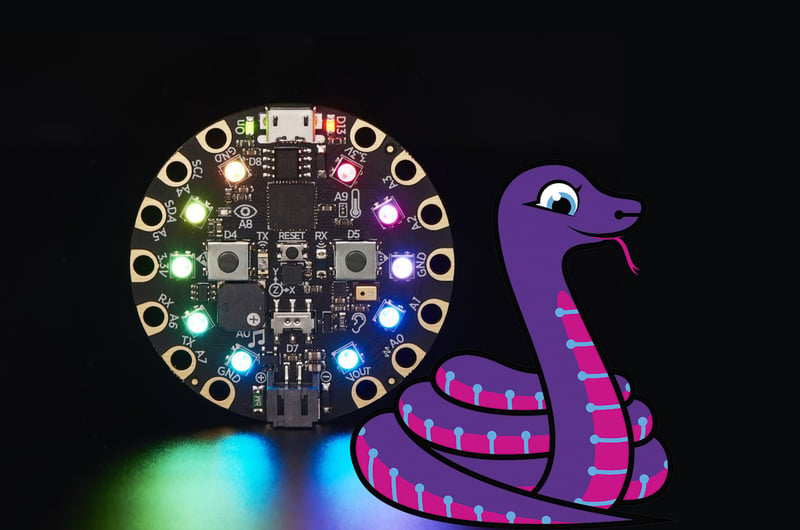
Get started with just a few lines of code!
manic glacierBOT
OK, PulseIn in that branch is looking pretty good now, and can reliably receive IR remote control signals and can be used by the adafruit_dht library to interface to a DHT11.
PulseOut is on ongoing effort mostly because of the terrible state of ESP8266 PWM and microsecond timers.
stuck elbow
Found the right size case!
manic glacierBOT

@jerryneedell Fantastic! Thank you. And thank you for the examples. I just had a chance to test and it is working perfectly! Now at least I can get going, I don't mind that it takes a while currently.
 solar whale
@tulip sleet FYI I built the current master this moring and the run of tools/build_adafruit_bins failed for the esp8266 ake[1]: Leaving directory '/home/jerryneedell/projects/adafruit_github/circuitpython_master/lib/axtls' cp ../../lib/axtls/_stage/libaxtls.a build/libaxtls.a QSTR updated GEN build/genhdr/qstrdefs.generated.h text data bss dec hex filename 601270 1100 64472 666842 a2cda build/firmware.elf Create build/firmware-combined.bin esptool.py v1.2 ('flash ', 35376) ('padding ', 1488) ('irom0text', 567042) ('total ', 603906) ('md5 ', 'c4bdf8c7f1be8fd5b208f55e7e1d8c63') make: Leaving directory '/home/jerryneedell/projects/adafruit_github/circuitpython_master/ports/esp8266' fatal: no tag exactly matches 'c01ce175bb63aab3f44a3efb31bcfd57a58b22bd' but if I then manaully go to to ports/esp8266 and do a make clean make it builds fine. I did run ```git pull
git submodule update --init --recursive
git submodule foreach --recursive 'git fetch --tags'
Tested on M4, which needs a larger counter limit because it's faster. But same hang happens on M4 as well.
manic glacierBOT
Next question - how do I get a file in frozen to run on boot? As Main.py in root does?
 marble hornet
@stuck elbow thanks for the info on the inductor (i have no experience with Ls and am glad to leave it off)
manic glacierBOT

This is a bit hacky, but you could create a main.py that imports it with:
with open("main.py", "w") as f:
    f.write("import yourfile")

never mind - I see what you did there ;-)
@deshipu suggestion works great!
then to remove it" control-c and enter REPL ```i
import os
os.remove("main.py")
nice!@solar whale I reproduced the build problem, but I see that the issue is that though tools/build_adafruit_bins.sh, it does not do a make clean (which you did by hand) which I think cleans up the lib/axtls build. I have to go out but will check further later.
solar whale
@tulip sleet thanks - no rush -- I just wanted to make sure your saw it.
 umbral dagger
Is anyone else having problems with the drive outputs on the CPX Crikit using CP? I have a known good led/resistor so that's not the problem. I'm using the info in the Crikit guide.
latest CPX/Crikit CP 3 build and latest seesaw firmware.
marble hornet
@umbral dagger what are the symptoms ?
umbral dagger
No response from the drive output. Anode to 5v, cathode to the drive outout.
I'm using the example from the guide
solar whale
@umbral dagger just tried the guide demo with a 5V solenoid on Drive 1 - worked fine.
manic glacierBOT
Really sorry for my ignorance here, but @deshipu - I created a main.py with the code you posted and I am just getting an error when I try to run it. I'm assuming I should be doing something different. Could you perhaps post an example as you did previously @jerryneedell ? I typed the command in directly, but no luck.
umbral dagger
@solar whale Hmmmm
manic glacierBOT
here is a demo:
Press any key to enter the REPL. Use CTRL-D to reload.

Adafruit CircuitPython 3.0.0-beta.0-75-gc01ce17 on 2018-06-08; Bluefruit nRF52 Feather with NRF52832
>>>
>>> with open("main.py","w") as f:
...     f.write("import blinky")
...
...
...
13
>>>
soft reboot

Auto-reload is on. Simply save files over USB to run them or enter REPL to disable.
main.py output:
LED is blinking
When the ... appears, do I just wait or press enter?
This is what I am seeing:
>>> with open("main.py", "w") as f: ... f.write("import blinky") ... ... ... Traceback (most recent call last): File "<stdin>", line 2, in <module> OSError: 5 >>>
hit enter 3 times to execute the write -- looks like you did that and got OSError 5 -- that is an I/O error.
No idea why.
Tried it with a different board just now - Feather52 instead of the RuuviTag - same problem (OSError: 5). Heading home and will check again. Thanks for the help so far.
FYI - I am using a feather52 as well. Good luck!
One difference - I am not using the BLE REPL -- using USB for the feather52. Not sure if or why it may matter.
umbral dagger
@solar whale You mean this ```from busio import I2C
from adafruit_seesaw.seesaw import Seesaw
from adafruit_seesaw.pwmout import PWMOut
import board
import time
print("1 Drive demo!")
Create seesaw object
i2c = I2C(board.SCL, board.SDA)
seesaw = Seesaw(i2c)
Create drive (PWM) object
my_drive = PWMOut(seesaw, 13) # Drive 1 is on s.s. pin 13
my_drive.frequency = 1000 # Our default frequency is 1KHz
while True:
print("Off")
my_drive.duty_cycle = 0 # off
time.sleep(0.5)
print("On")
my_drive.duty_cycle = 65535 # on
time.sleep(0.5)
# and repeat!
I did update from delivery version. CP was built in last few days. Cant check versions now. Be back home in a few hours.
Updated seesaw to GitHub repo.
I think seesaw is v1..1.2 latest release
umbral dagger
ok. I grabbed the latest CPX/Criket build and the latest seesaw from github.
the signal part works fine
solar whale
Is drive working now?
umbral dagger
thanks
when using servo I get one burst on the seesaw activity led when the code starts up. then nothing
manic glacierBOT
Well, you put it on the filesystem.
 prime flower
@umbral dagger are you using a 5V wall adapter for the cricket as well as the usb for the cpx?
solar whale
@umbral dagger I ran 4 servos a few days ago. No problems. I have 5V 2a plugged intoCrickit.
umbral dagger
@prime flower yes
@marble hornet I de/re soldered the drive connector. No change.
I think it's software, no activity light using drive/servo, but I do have activity light using signal.
I'll poke at it more later... into something else now.
manic glacierBOT
I just confirmed that when using BLE REPL - attempting to write fails with OSError 5
solar whale
@stuck elbow does it make sense to you why I can write to feather52 via USB REPL, but not via BLE REPL
stuck elbow
I think the ble repl has to be specially enabled
solar whale
I get REPL prompts via BLE but the write just gives OSError
It does have to be enabled - and if enabled, there is no USB REPL
stuck elbow
I never tried the nrf52 myself, so I really can't say much
solar whale
OK - thanks - I'll look at the code to see if the FS is handled differently.
 half sedge
Dear CP expert, I am looking for a way to emulate a USB HID keyboard from a full fledge Raspberry Pi (not a Pi Zero). So I was wondering if I could use one of my Trinket/Gemma M0 or Circuit Playground Express that can do that kind of thing, and communicate from the Pi. A program would run and wait for order (keystroke) to send. My question are on the electrical level (because the Pi is powered, and the M0 is plugged in the USB host, and maybe one is 3V while the other is 5V) and on protocol to communicate from a Pi to a M0. I you have any idea, suggest, warning on how you would do that... It would really help. Thanks in advance.
I might only need a very little number of key, so one communication could be "GPIO" based if I find a way to simulate from the Pi, the physical touch of a connector from the GEMA. But there also, communication is not clear to me.
stuck elbow
@half sedge you could just use the UART
both the pi and the trinket/gemma are 3.3V, so no problem there
just connect rx, tx and gnd from the pi
note that rx and tx should be crossed
half sedge
Make sense. And connecting the ground.
stuck elbow
then you can write to /dev/ttyS0 on the pi and read it from the uart on the CP
half sedge
And disable the "console" of the Pi to avoid interference.
stuck elbow
yes, there are guides for that
half sedge
I think it is reachable goal for me...
stuck elbow
let us know if you stumble upon any blocks
half sedge
Thank you. This will help with serial on the Circuit Python side: https://learn.adafruit.com/circuitpython-essentials/circuitpython-uart-serial

The next step in learning CircuitPython.
Is 3.0 beta still the latest?
solar whale
yes 3.0 Beta 0 https://github.com/adafruit/circuitpython/releases

GitHub
circuitpython - CircuitPython - a Python implementation for teaching coding with microcontrollers
 lone sandalBOT
 manic glacierBOT
It looks like there is some difference in the FS initialization when BLE REPL is enabled. I noticed that at some point in my testing, recreated the FS leaving only a lib folder. This done in supervisor/filesystem.h if no FS is found. SO wahtever is going on , when BE REPL is enabled, the FS appears to be read-only to python while via the USB REPL it is writeable. As I recall, this was a bit of a mystery anyway. Note
in the nrf build
CIRCUITPY_BOOT_OUTPUT_FILE is not defined.
//#def...Update from CP 3.0.0 Alpha 4 to CP 3.0.0 Beta 0.
manic glacierBOT

I'm actually re-opening because the root cause hasn't been found. I'll adjust the milestone though so this isn't a blocker.
idle owl
@slender iron That's supposed to address the filesystem hanging right?
slender iron
dan's fix? it'll fix any hangs that happen with PDMIn
idle owl
Ok. I'll rebuild with the potential updates to the CPX lib, because he thought that was what was happening there too.
slender iron
yup, seems reasonable to me
@stuck elbow you around still? I'm trying to build for my ugame and I think we're missing a frozen submodule in the repo
lone sandalBOT
 slender iron
hrm
stuck elbow
but yes, you also need the stage library
slender iron
would it have the sleep bug too?
stuck elbow
sure, however, it's not reproducible in recent builds
slender iron
k, even better
stuck elbow
so I guess it either went away, or randomly doesn't appear
slender iron
I'm going to close it and feel free to re-open if it happens again
do you have ugame10s in stock?
stuck elbow
thanks
slender iron
is there a trick to combining items for shipping? coudl pick up a pew pew fw too
stuck elbow
just put them in the basket and check out
if it counts shipping twice, I will refund it
slender iron
the pewpew gives me options and the ugame doesn't
¯_(ツ)_/¯
feel free to combine them
stuck elbow
well, I only ship ugame with tracking, because it's too expensive to send in a letter
slender iron
makes sense
stuck elbow
so no choice for it
slender iron
just thinking that may be why it didn't combine them
manic glacierBOT
@deshipu mentioned on Discord this is reproducible on newer builds so closing. Please reopen if it happens again.
marble hornet
@stuck elbow could i ask for some help with sending blocks of data on the rgb display?
stuck elbow
@marble hornet certainly, what's the problem?
manic glacierBOT
 marble hornet
i have NO understanding if the data format. i even tried copying the code inside of pixel and it didn't work
my pixel by pixel text is rather slow, could i buffer all of them and send them as a black?
stuck elbow
well, the data format is just 16 bits per pixel, arranged in rows
with RGB 565 bits inside that 16 bits
so R is 5 bits, G is 6 bits, and B is 5 bits
so in particular 0xffff is white and 0x0000 is black
stuck elbow
for instance, if you want to send a 8x8 block of pixels, you would do something like this:
buffer = bytearray(8 * 8 * 2)
index = 0
for y in range(8):
    for x in range(8):
        color = get_pixel(x, y) # calculate what pixel you need here
        buffer[index] = color & 0xff
        index += 1
        buffer[index] = color >> 8
        index += 1
does that make sense?
marble hornet
oh so the data is sent like for 4x2: (0,0) (0,1) (0,2) (0,3) (1,0) (1,1) (1,2) (1,3)? the order of the pixels
stuck elbow
x is inner, y is outer
marble hornet
inner? to the right ?
stuck elbow
(0, 0), (1, 0), (2, 0), (3, 0), (0, 1), (1, 1), etc.
marble hornet
so x first ?
marble hornet
thanks, ill try it.
stuck elbow
the inner loop executes all values for each rotation of the outer loop
I might have gotten the order of bytes wrong
I don't remember whether the little or the big one goes first
slender iron
@tulip sleet you around to review? https://github.com/adafruit/circuitpython/pull/901 has passed travis and rosie!

GitHub
We now track the last time the background task ran and bail on the
PulseIn if it starves the background work. In practice, this
happens after the numbers from pulsein are no longer accurate.
This a...
marble hornet
and x0,y0,x1,y1 ?
tulip sleet
@slender iron I am here until about 6pm ET. I'll get started. Then will be back about 8:15pm.
idle owl
Welp, I found a way to hang it. And hose my USB for a bit while the board crashes 😄
But it's not the same way it was hanging before.
slender iron
@tulip sleet it can wait until next week too. I'm switching my brain to game mode
idle owl
@tulip sleet sound_level will continue to print without hanging on its own with your fix.
tulip sleet
that's the idea, good!
idle owl
However, I did find a way to crash it really solidly. I wanted to put together a bunch of code from the cpx lib in an attempt to get a MemoryError because that's another thing that was happening with the sound_level code before. And I wanted to make sure that all of the sound-related bits worked together. They.. kind of do. Like loud_sound and play_tone/start_tone/stop_tone all work great. I added play_file, and I started getting DAC already in use errors, which makes sense. I THINK the thing that crashes it hard enough to take out my USB temporarily is that the file I added for play_file was loud enough to trigger loud_sound. Which means loud_sound is being triggered during the file being played. That's my guess anyway.
marble hornet
@stuck elbow what if i did not want to change a pixel in the block?
manic glacierBOT
stuck elbow
you can't
marble hornet
okay
tulip sleet
@slender iron reviewed with a teeny change.
stuck elbow
you would need to somehow remember what it was before and send the same value
marble hornet
thanks for all the help! i'm very excited
idle owl
@tulip sleet Also the build I made has all of the libs in it, including HID and my changes to cpx lib. So the reduction in size from your updates must have been enough because I couldn't build with my changes the first time I tried.
marble hornet
i can just have them put in a background color
slender iron
@tulip sleet thanks! fixed
idle owl
@slender iron Should we merge the CoC then? And replace the message in #code-of-conduct?
slender iron
I feel like we need broader review first
just give everyone here a final chance to chime in before merging and rplacing
idle owl
@slender iron So should I link it in here again or did you have something else in mind?
slender iron
I think we need a message in general with an everyone ping in it
idle owl
Bold. 😃 That's on you then, we can't ping everyone.
slender iron
kk, mind if I wait until monday?
slender iron
kk, remind me next week and lets plan on being available around it too
idle owl
Ok sounds good.
tulip sleet
@idle owl yes 😦 could you file an issue with an example?
idle owl
Should I add the firmware.uf2 with it built in? I'm not even sure express.py run not frozen without memory issues. I didn't try it this time.
I can add the express.py file as well.
half sedge
Is there a Gemma Default Zip for 3.0.0 ? <= This is the content of the Gemma M0 when coming from factory, it contain adafruit_dotstar.mpy neopixel.mpy and adafruit_hid ...
idle owl
They haven't shipped with 3.0. The default zip contains the files that the board ships with. So no there isn't one.
@tulip sleet In trying to replicate the crash again, I narrowed something down, the DAC already in use happens regardless of anything but play_file.
File plays once and then if you try to play it again it says DAC already in use. And it's not because it's already playing, I waited a while and tried it a second time and it fails.
Fixed the issue. Now I need to rebuild it because it won't run any significant amount of code with the lib local.
Found another issue. bleh.
manic glacierBOT
 idle owl
I was able to fix the issue for play_file by adding audio.deinit(), however I can't find a place to put a deinit() for start/stop_tone that doesn't result in an error saying that the object was deinitialised and can no longer be used. create a new object. But, it's not deinitialising on its own. If you run start/stop_tone and then try to play a file, it says DAC already in use..
raven canopy
@idle owl i thought i had a good explanation...but i ended up confusing myself and i'm not sure. 😄
the only difference i see in express.py is that play_file uses
while audio.playing:
    pass
which will call common_hal_audioio_audioout_stop if self->playing = true and the DMA has actually stopped. audioout_stop frees the DMA channel.
chasing the deinit problem is where i lost it. I tried... 😦
idle owl
play_file is happy with the deinit(). It's start/stop_tone that isn't letting go evidently. I thought about trying to deinit() before creating the object, but you can't use deinit() until the object is created to have a thing to deinit() and outside of start/stop_tone that object variable is initialised as "None", so the deinit() has to be somewhere specific... I fixed it!
I had to deinit() and then immediately set it back to None. Then everything else works as it's supposed to!
            if self._sample is not None:
                self._sample.deinit()
self._sample = None```I don't know where that should be, but I put it in play_file and it works!
I feel like it should go in stop_tone() in case something else is trying to use the DAC. (I don't know what else would, but something might eventually.)
It works in stop_tone() as well!
raven canopy
you could also try using context management, so that it deinits by itself
with audio:
    audio.play()
that's not how start/stop_tone works is the problem
That's how play_file works, so that would work in there.
but start/stop_tone uses sample generation and so on, so it's a little different.
No idea whether this can be turned into context management type code: python if sys.implementation.version[0] >= 3: self._sine_wave_sample.sample_rate = int(len(self._sine_wave) * frequency) if not self._sample.playing: self._sample.play(self._sine_wave_sample, loop=True)
it calls the initialisation from another method
Oh. wait, no that's only half of why it won't work, it doesn't call the end of the tone until you have stop_tone.
So it's all split into separate methods and functions.
I'm happy with this 😃
raven canopy
that's what is important.. 😄
idle owl
Now to build it in and see if it hangs with combining sound_level and this stuff or if the hanging was related to the failure to deinitialise the DAC. I'm betting it still hangs.
raven canopy
i need food, but i don't want to leave debugland.
idle owl
Also, thanks for the help 😄
raven canopy
you're welcome, of course!
idle owl
hmm.
If you do start_tone too fast, it does a weird static thing. So something isn't happening right.
raven canopy
🤦 🤦 i'm sitting here trying to figure out why my code changes aren't actually changing chip behavior. well, it helps to edit the correct file, and not a copy located in a different directory. yep. definitely need some Whataburger in my life...
idle owl
CPX... Don't know how to jlink it
It's using the CPX lib, so I can't simply transfer it to the Metro or something.
raven canopy
i think the pads are on the back. let me check the schem real quick.
idle owl
There are pads on the back...
3 of them.
I have no idea how you get from 3 pads to the SWD connector.
raven canopy
raven canopy
yep! cut off the end of a jumper wire, tin the wire, tin the pad, and attach with heat. 😄
Trinket was the first one I did...already had header pins on it too. it wasn't the easiest solder job. hehe
idle owl
Thanks for actually saying that, if I bothered to do this, I would have simply used wires and then had to be stabbing those into a breadboard instead of nice jumpers.
I haven't done jlink stuff in ages, and I'm not sure I've ever done the finding where or why things are hanging bit.
raven canopy
yeah, sacrificial jumpers are nice to have. i usually use the female->male ones, since they don't get used much with me.
idle owl
I just bought so many jumper wires for reasons like this.
like 80 of each size and end.
raven canopy
solid core wire works just as well
idle owl
That's what I would have used
raven canopy
unless it's a smaller guage. then yeah, it's fun to keep them in place. 😄
idle owl
nah it's 22. I use them for jumper wires for breadboarding.
I think it's 22. Whatever it is I use it for making little jumperwires.
raven canopy
ok. food run. bbinas.
idle owl
Ok!
Interesting. It only does the static thing while sound_level is printing.
And I can still get it to fail with DAC in use if I try to go back and forth between play_file and start_tone really fast. Basically I have one of each on the two buttons, and if I press them both rapidly, it fails. I realise this is an extreme usecase, and theoretically shouldn't work anyway because play_file is blocking. I could try adding the deinit() back to the beginning of play_file again. It needs to stay in stop_tone though in case something externally wants to use the DAC. So both I guess?
building now.
with that change.
I need to back out of this branch and I think include this fix in the actual release. I assume this issue is present in the current version as this issue is unrelated to the added sound_level code.
marble hornet
random question okay?
idle owl
Sure!
marble hornet
is there a way to export an mpy to replace the previous mpy?
idle owl
I'm not sure I follow. If you run mpy-cross again, it replaces the last one in the directory.
idle owl
SAMD21. Circuit Playground Express
So it breaks if you're playing a tone, and then you attempt to play a file. On both 2.x and 3.x. Breaks differently. It's time for food soon.
idle owl
Trying to fix a library. Not currently trying to make anything with it.
idle owl
Sure
raven canopy
hey @pastel panther. 👋
 pastel panther
it's been a while. I blame video games. 🎮
raven canopy
they happen. 😄
idle owl
@pastel panther hey!
pastel panther
hi @idle owl 😃
manic glacierBOT
Apparently there is a CircuitPython Guide for ItsyBitsy M0 too...
It just contain "kattni' in the name and I don't know if this is finished and similar to the other guide.
half sedge
Maybe that ItsyBitsy M0 Express guide should be double check to make sure everytime you say ItsyBitsy M0, you never omit Express.
For a bit of time I was super confuse, not knowing if there was two kind of ItsyBitsy or a single one.
 proven heath
I am working with a neopixel ring with 24 RGBW LEDs, when I try to pixels.fill(0, 0, 0, 255) I get an error function takes 2 positional arguments but 4 were given. Any advice?
stuck elbow
try pixels.fill((0, 0, 0), 255)
tulip sleet
@idle owl re DavidGlaude's README fix: is https://learn.adafruit.com/introducing-itsy-bitsy-m0/kattni-circuitpython supposed to be a mirrored page? We can change the link name to remove the "kattni-"
 ruby atlas
@proven heath pixels.fill((0, 0, 0, 255))
The second brackets ensure the value is a tuple
idle owl
@tulip sleet It's not supposed to be mirrored. It's specific to Itsy. We can still change the URL. I think there's a way in Learn to copy the contents of one page to another, and I think that's what Limor did and that's why my name is on it. Because I didn't actually write it, I edited it after she'd put it there. The URLs do weird things when they're duplicates of others, it puts the author in to make it different.
idle owl
That's what I was worried about. I feel like probably not though.
The page was created really recently.
tulip sleet
If I edit the page and then click Page Settings, the URL ("PERMALINK") is available to change.
idle owl
Right. Might as well change it. change it to itsybitsy-circuitpython since I don't think it'll let you do /circuitpython
You can always change those URLs though that series of steps.
Oh it redirects. Nice.
I just went to the original URL and it took me to the right page.
tulip sleet
https://learn.adafruit.com/introducing-itsy-bitsy-m0/circuitpython works, and the old https://learn.adafruit.com/introducing-itsy-bitsy-m0/kattni-circuitpython link redirects! Very nice!
we crossed
idle owl
Indeed
tulip sleet
I just went to the local photography store and got a 3-foot light tent for $20 on clearance. I wanted to take some project pictures.
idle owl
Nice!
tulip sleet
did you read up somewhere on taking these kinds of photos, or did you just know how already?
idle owl
I guess I kind of just knew. Photography came naturally to me.
tulip sleet
getting lighting right has been hard for me. Hopefully this will make it easy. I got a black piece of posterboard so it can be Adafruit black
idle owl
It's tough without diffusion and so on.
I've used paper towels over lamps before to get better lighting
Lightboxes make it a lot easier.
tulip sleet
I got a very old (like 2007) Nikon DSLR (APS-size sensor) from someone at work last year for really cheap. Good lenses, not that high resolution, but should be really good for this
idle owl
The lenses are a very important part. If you have good glass, you can get good photos for the most part. Should work out well
manic glacierBOT
Just pulled current master and esp8266 build fails
GEN build/genhdr/qstrdefs.generated.h
FREEZE modules
build/shared-bindings/pulseio/PulseIn.o:(.text.pulseio_pulsein_obj_get_paused+0x0): undefined reference to `common_hal_pulseio_pulsein_get_paused'
build/shared-bindings/pulseio/PulseIn.o: In function `pulseio_pulsein_obj_get_paused':
PulseIn.c:(.text.pulseio_pulsein_obj_get_paused+0x18): undefined reference to `common_hal_pulseio_pulsein_get_paused'
Makefile:250: recipe for targe...looks like this needs to be added:
jerryneedell@Ubuntu-Macmini:~/projects/adafruit_github/circuitpython_master/ports/esp8266$ git diff
diff --git a/ports/esp8266/common-hal/pulseio/PulseIn.c b/ports/esp8266/common-hal/pulseio/PulseIn.c
index 783442b..384000f 100644
--- a/ports/esp8266/common-hal/pulseio/PulseIn.c
+++ b/ports/esp8266/common-hal/pulseio/PulseIn.c
@@ -62,6 +62,11 @@ uint16_t common_hal_pulseio_pulsein_get_maxlen(pulseio_pulsein_obj_t* self) {
     return 0;
 }

+...
[adafruit/circuitpython] New branch created: jerryneedell\-patch\-2
Add stub for common_hal_pulseio_pulsein_get_paused to make ESP8266 build compatible with PR #901
manic glacierBOT
Since pause() does nothing, let's return false instead.
Should this change also be made for nrf?
I just copied it from the nrf portion of #901
Sure. It's all temporary code anyway, but at least let's make the semantics approximately right. Thanks.
2129bbe Update PulseIn.c - jerryneedell
[adafruit/circuitpython] New branch created: jerryneedell\-patch\-3
8150150 return "false" for stub call - jerryneedell
See #918 for discussion
solar whale
@tulip sleet Hope I got that right - fixed esp8266 and added an PR for nrf
 crude fossil
Oh cool, I'm just finishing off a PR for #716 so I'll make sure it handles get_paused while I'm at it ...
solar whale
I sure hope Travis is not paid by the hour 😉
Wow! Look whats in the shop!! https://www.adafruit.com/product/3800
What's smaller than a Feather but larger than a Trinket? It's an Adafruit ItsyBitsy M4 Express featuring the Microchip ATSAMD51! Small, powerful, with a ultra fast ATSAMD51 Cortex ...
manic glacierBOT
[adafruit/circuitpython] branch deleted: jerryneedell\-patch\-2
[adafruit/circuitpython] branch deleted: jerryneedell\-patch\-3
 bronze geyser
Hey @idle owl - we're learning CPX using your tutorial. The slide switch example seems to execute too fast for the print statement. The output on REPL appears frozen. Have you seen that?...we ended up putting a time.sleep(1)..but thought you'd like to know ...
idle owl
@bronze geyser You know what, I do remember seeing that and thinking it was me. Thank you for letting me know! I'll update the guide and code to fix that when I get a chance.
bronze geyser
@idle owl - thanks for looking at it. I bought my daughter the adabox 006...she's new to programming. It was interesting watching her trying to get this to work.
@idle owl - the other thing - I wish the mu editor was "more robust." i'd pay for it because it is for the REALLY NEWBIE. mu kept freezing when we ran into this...
marble hornet
@stuck elbow do you have tetris running on a ugame?
stuck elbow
@marble hornet only the pewpew version
idle owl
@bronze geyser That's great to hear about your daughter! As for Mu, that it was freezing should be a bug. It's meant to be super simple and meant for people who are just getting started, that is correct. By more robust do you mean you wish it had more features, or are you referring to the freezing? It's still in beta so they're still working out bugs. There's a lot that's been fixed in the "current" version, but that version hasn't been released yet, in the sense that it's available on GitHub but not in a stable release.
They're working on it though!
@bronze geyser What operating system are you using?
stuck elbow
µGame can emulate this device that I made earlier: https://www.youtube.com/watch?v=Ad4hccVy9C8
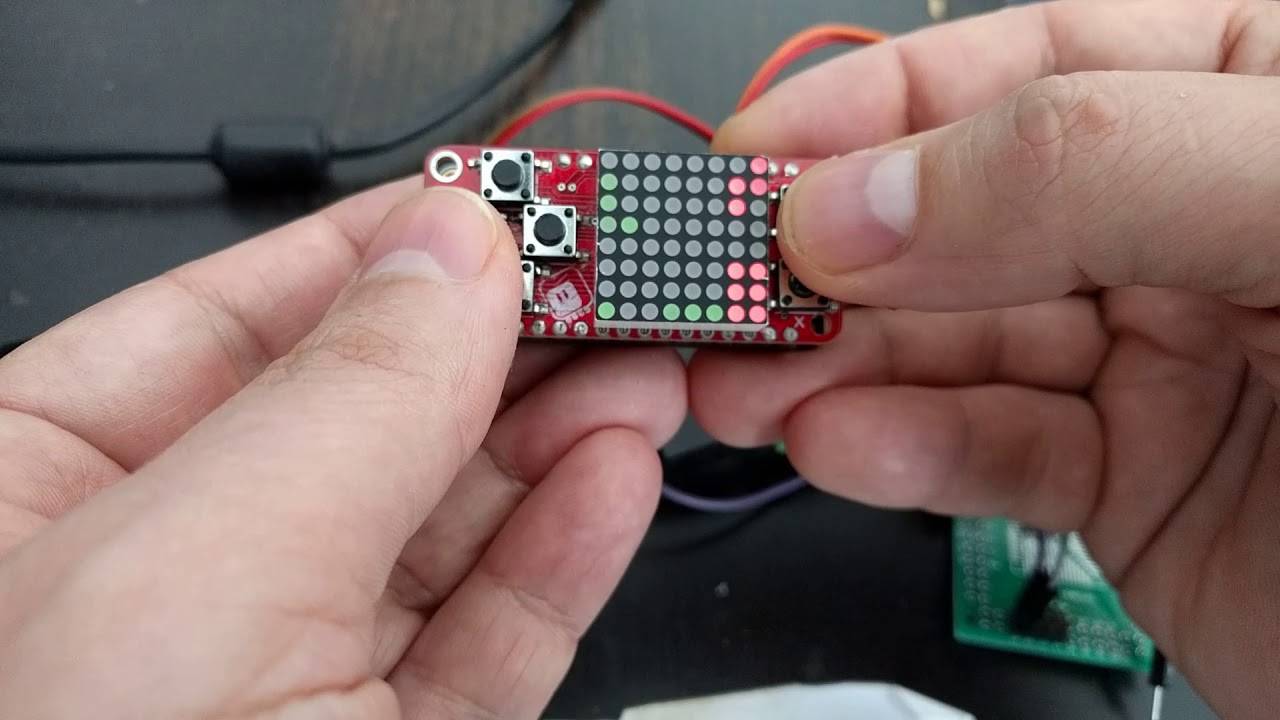
and there is tetris for it
very simple, of course
it's just a 8x8 screen
marble hornet
adapting to ssd1306 oled possible if i put in some time?
stuck elbow
sure, I made it also run on this: https://cdn.hackaday.io/images/6902141519384257666.jpg
it's a console a friend made, uses the nokia display, which is very similar to the oled display
the code for that is at https://bitbucket.org/thesheep/circuitpython-lameboy/src/default/
and the code for tetris is at https://github.com/pewpew-game/pewpew/blob/master/games/tetris.py
 marble hornet
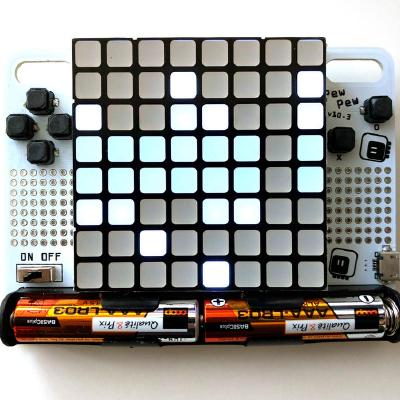
so pew-pew was the for-runner to the ugame?
stuck elbow
yes, pretty much
it still exists and I still sell it — it's easier to program than µGame, because no graphics to speak of
right now it only has snake and tetris, but I want to write sokoban, flappy bird, boulder dash and maybe some more
marble hornet
interesting, so thr brick objects are the pew.Pix.from_iter?
stuck elbow
Pix is basically an image
.form_iter() takes a list of lists with numbers corresponding to colors to create the image
bronze geyser
@idle owl re: Mu - we use Macs. as far as ROBUST, to me robust is all about always working and working as it should. Feature tend to get in the way of that. Now - it is really, really hard to be happily robust. The challenge my daughter initially has with Mu is she doesn't come from a programming environment (at all). She is not learning in school (in fact she is 24). She's more used to using apps on her phone or tablet. So now...she installs Mu...to me it makes sense - "oh -it's sorta like inkscape - not really written for the Mac..." to her, it's like - what is this command line goop? I'm curious - I should check into the demographics of the folks developing Mu. They are most smart and excellent. They remind me however of the team i was on when i was one of 4 women in a cast of about 1,000.... super smart...
marble hornet
thank you @stuck elbow i'll take a look
stuck elbow
@bronze geyser as far as I know @plucky flint worked with actual live teachers on the design, and they tested it on human subjects
not sure what commandline goop you mean, though
bronze geyser
@idle owl re: cmd goop. You know when you start Mu and it is like starting inkscape? There is a terminal window that runs stuff. In fact, there isn't a Mu icon..rather the terminal window. re: live teachers and human subjects. THat's wonderful...although we did the same when I worked at large software company. The challenge was the interpretation the engineers had on the feedback. But what a wonderful and important thing Mu is.
umbral dagger
Anyone with a MetroM4: This is the second time I've moved code from an M0 board to the M4 and seen it slow down significantly. Latest beta in both cases.
Well, latest as of yesterday.
stuck elbow
@bronze geyser I don't have a mac, so I have no idea what you are speaking about
sorry
@umbral dagger what part is slow in it?
bronze geyser
@stuck elbow here is the icon i click on that i put on the desktop:
bronze geyser
@stuck elbow here is the icon for Atom - i know what it is...
stuck elbow
I guess that's a question of packaging it properly.
bronze geyser
@stuck elbow here is an example of window goop:
umbral dagger
It's particularly noticeable where I read an onboard digital input and immediately use that con set a digital output. On the CPX it was instant, on the Metro there's a visible delay. Read the input, write the output, nothing between.
stuck elbow
@umbral dagger visible delay? like at least 10ms? that sounds like there is something horribly wrong
bronze geyser
@stuck elbow - Mu's UI then is simple . which is great! The challenge then comes in going between REPL and the code. Particularly when the code gets into an infinite loop. That's what I mean by robust. The hardest thing to figure out what to do is when something goes wrong.
umbral dagger
@stuck elbow My thought exactly. Multple 100s of mS in some cases. It's not completely consistant either.
stuck elbow
macs are not particularly friendly machines for developers, not if you are not using the "official" tools
@bronze geyser well, at some point you have to learn about the "magic" stuff like ctrl+c
it's such a shame that Windows re-purposed the standard shortcuts
@bronze geyser if you have time, I'm sure @plucky flint would be happy to hear your feedback — you could create an issue at github
umbral dagger
@stuck elbow Found the cause of my problem. Some weirdness with signal reading via the crikit.. it was also processing something that hardly ever happens (a switch closure) And processing it has a little delay in it.
It was strikingly similar to slow down behaviour I have seen earlier.
stuck elbow
ah, crickit is something completely different than a local pin
local pin toggles within µs, sending a command to crickit takes several hundred pin toggles, and some delays
it's like opening a local file versus opening it from network
umbral dagger
Yeah, IO get that. This is a different issue.
manic glacierBOT

My primary motivation is that in the recent past, it has occurred several times that the huzzah build has been broken for days before a developer discovers it themselves.
In jepler/esp-open-sdk, there is now a travis integration which uploads the toolchain to github. There's a release (which is just a date tag) with a toolchain attached that seems to work on trusty and on debian stretch. (it's built on trusty, same as circuitpython uses for its tr...
Possible problems and concerns include:
- The trust in the toolchain is attenuated a step or two further, by using more binary artifacts. This could be somewhat mitigated if adafruit forked esp-open-sdk, added my travis.yml, and used those binary artifacts instead of the ones from my fork.
- The original author of the esp-open-sdk scripts expresses some concerns: "redistributability of this build is unclear". Everything that is source is under the general umbrella of redistributable cod...
 plucky flint
@bronze geyser hi, all feedback most welcome. Mu was designed and created based upon the feedback given by teachers and beginners to the Raspberry Pi Foundation. Mu is far from perfect, but we certainly put the beginner at the centre of our development process. For example, I've sat through many beginner workshops that have used Mu (without the participants knowing I'm the author) just so we can see how to improve and work out the most serious bumps. Having said that, Mu won't be for everyone and there are likely to be other tools that may suit you or your daughter better. Nevertheless, if you'd like to help improve Mu, then you'd be welcomed with open arms... our approach and developer docs can be found here: https://mu.readthedocs.io/ Of course, the way we do things isn't to everyone's taste, and I'm a proponent of "let many flowers bloom" so perhaps Mu simply isn't for you (and that's fine!). 😃
@bronze geyser you must also realise that Mu is entirely developed by volunteers in their free time. If you know about packaging Python/QT5 applications as stand alone native apps, then feel free to step up and help out. You mention Window goop. In fact, we were asked specifically by the micro;bit foundation to emit the location of the log file since they found it helped them diagnose issues with school technical staff who couldn't find the log file.
@bronze geyser as for the icon... that'll be sorted when we've got OSX packaging done (see above). We're well on our way, but we all do this in our free time, and we make it very clear that this is pre 1.0 beta. When 1.0 final is out, we hope it'll have these kinks knocked out of it.
marble hornet
is heap supported up to 256 kb ram for 3.0 or 2.3.1 ?
stuck elbow
the 2.x doesn't work on anything that would have so much ram
slender iron
@marble hornet we don't have configurable heap sizes yet. Its 128kb on all m4 builds at the moment
manic glacierBOT
Yes, it's now just circuitpython, not kattni-circuitpython
manic glacierBOT
 unborn tulip
Im new here. Is this a good place to ask questions about using circuit python?
 agile plover
Yes.
unborn tulip
Cool. Im having difficulty understanding how to use circuit python. I thought I installed it properly on my raspberry pi but the python interpreter wont import busio or board. Am I misunderstanding something?
Will the circuit python libraries work with a python interpreter?
Im also unfamiliar with python. I work almost exclusively in C++
agile plover
I think that you should ask one of the CircuitPython Helpers.
I am not that experienced in this field yet.
unborn tulip
ok so I just message one of them directly?
agile plover
No problem.
marble hornet
@slender iron still 4x !! will there be configurable heap sizes eventually? I'd love to use all 256
raven canopy
@unborn tulip CircuitPython doesn't run on the Raspberry Pi. There is a Unix port for MicroPython (which CircuitPython is derived from), but I have no experience with that. Here are the current supported MCU/Boards for CircuitPython: https://github.com/adafruit/circuitpython#supported-boards
This is a link to the MicroPython project, if you want to look into using that on your RPi: https://micropython.org/
unborn tulip
@raven canopy Thanks for the tip. I suspected as much. Ill check out micropython instead. Worst comes to worst Ill just do it in C++ 😉
raven canopy
no worries. and the RPi has python available. python2 by default, with python3 available (last I used it, a while ago).
what are you trying to do/work with?
raven canopy
ahh...there is no CPython library.
it could most likely be ported to CPython (regular Python), just need to change the SPI and I2C communication parts. At least at first look. Might be easier to use the C++ libraries, though if you don't feel like taking that on.
unborn tulip
Yeah I really havent worked with python at all. Ill just stick to my realm of knowledge. Though the call to python is strong.
slender iron
@marble hornet never the whole 256 since we use some of it internally. I do want configurable heap sizes though in the longer term. It will just reduce the stack size (which impacts functions calling functions)
<@&356864093652516868> and everyone else interested. The CircuitPython weekly meeting will be tomorrow as normal here on Discord. It happens in the circuitpython voice channel and this text channel at 11am Pacific / 2pm Eastern time.
ruby atlas
i saw "See all the pins" and first thought "i wonder what pins on what boards that's is about."
raven canopy
"Introducing, the SAMDiscord810, 64-bit microcontroller"?
 timber mango
pinned
timber mango
itsybitsy_m4 is SAMD51G19A whereas metro_m4 is SAMD51J19A.
itsybitsy_m4 and the upcoming feather_m4 are both SAMD51G19A,
but -DCRYSTALLESS only for the itsybitsy_m4.
marble hornet
@slender iron is there a place where I can read or watch about how this memory management works? or about heap sizes / why they can't easy pease change.]? just curious and want to learn! could I hack a non-configurable version to support the atsamd51X20 with the 256 on chip?
 onyx hinge
@marble hornet as far as I can discern, the python heap is just statically allocated according to a compile time define: main.c:static char heap[PORT_HEAP_SIZE];
which is controlled in mpconfigport.h
for all the samd51 boards it is 128KiB, leaving the rest of the RAM for other uses like the stack and global C variables that can be modified
the amount of stack available in the metro m4 build looks like something between 50-60KiB, so you might try tweaking the Python heap up by 32kB and see what happens.
.. but you mentioned SAMD51x20 devices, which have 64KiB more ram than the 19s. If you're using the right linker scripts (I see they're in the source tree), then effectively all that extra RAM should be allocated to the C call stack by default. Just increase PORT_HEAP_SIZE by 65536 to use it for the Python heap instead.
you should be able to do this down at the mpconfigboard.h level
you'd have to tweak mpconfigport.h a bit (untested): ``` #define MICROPY_PY_SYS_PLATFORM "MicroChip SAMD51"
+#ifndef
#define PORT_HEAP_SIZE (0x20000) // 128KiB
+#endif
#endif
what does ifndef without an argument do?
stuck elbow
ah, I see
onyx hinge
@slender iron thanks for picking up that PR. That sums up my recent circuitpython activity, and due to other obligations I expect to remain quiet on the CP front this next week. I'll miss the weekly meeting as usual due to day job
slender iron
@onyx hinge no problem! I've been meaning to do that forever so I was happy to see it done
@marble hornet what jerry said plus you can search for "mark and sweep garbage collector" to learn about the method of garbage collection
 solar whale
@slender iron I’ll be listen only, probably read only, on a plane with spotty Wi-Fi. Group hug. Nothing specific to report.
slender iron
kk
raven canopy
I'll be in late.. post lunch traffic.
slender iron
<@&356864093652516868> meeting in three minutes or so
 cunning crypt
Thanks for reminding me, I almost completely blanked on what time it was
onyx hinge
ooh looks like I can at least listen to the meeting today, I will be only paying half attention though, so don't look for any updates from me.
cunning crypt
I guess people like horses, so that's why they go for the stable versions.
stuck elbow
sorry for being late
onyx hinge
oh I forgot about the stack thing
cunning crypt
Hug Report: Group hug! Nothing specific, I've had other things taking my time.
wraith tiger
Of course, there are always the niegh-sayers...
prime flower
got it scott
 hollow ingot
Aivar Annamaa - Developer of Thonny - doing great experiments with ESP + Integrated Editor/Shell suitable for VGkits Vanguard
Espressif ESPTool - Being open to accepting PRs for weird uses of the tool + GROUP HUG
prime flower
MQTT + AdafruitIO for CircuitPython by Mike Teachman: https://github.com/MikeTeachman/micropython-adafruit-mqtt-esp8266

GitHub
micropython-adafruit-mqtt-esp8266 - Using MQTT to Publish/Subscribe to adafruit io. MicroPython/CircuitPython implementation on ESP8266/ESP32
Jupyter Kernel for CircuitPython by Cwilling: https://github.com/willingc/circuitpython_kernel

GitHub
Contribute to circuitpython_kernel development by creating an account on GitHub.
 errant grail
Group hug to the awesome CPy team. Originally, I could only understand about 10% of the discussions. I’m now up to 20%. Exposure to the technical terms and approaches has helped to spur me to learn more. Focused hugs to @OldCrow for sharing his ModulePlayground work -- has changed my approach to MIDI control message handling for my CircuitPython microsynth project. Also to @split ocean who provided feedback and patiently endured my obsessed ramblings about the microsynth project and supporting PCBs. More importantly, he gave me some new vectors to pursue regarding the overall approach to music synthesis. I will need a bigger maker budget.
The gaming platform will be awesome!
hollow ingot
Was commenting on Aivar's work at https://bitbucket.org/plas/thonny-esp

Git repository hosted by Bitbucket.
stuck elbow
oh, a fellow mercurial user \o/
cunning crypt
I'm pretty sure that's not how you're supposed to caffinate
stuck elbow
always happy to be a rubber duck
wraith tiger
Although it is actually possible to absorb caffiene through the skin.
cunning crypt
It's less effective and less comfortable
timber mango
lol
wraith tiger
It's getting crowded in here. We're gonna need a bigger couch.
stuck elbow
@wraith tiger there are caffeinated shower gels — you save time
timber mango
definitely.
cunning crypt
So, despite being points, they're still point-less?
wraith tiger
@stuck elbow And bar soap.
timber mango
@raven canopy for pointing directly to the list of supported CP boards to a user (I need to start paying attention to README.md files!)
And to the the milieu for keeping me aware of ESP8266 enough to know it's supported in CP.
For the CircuitPython devs who dared to develop this Python very publicly, on Discord. ;)
raven canopy
Just a group hug this week.
cunning crypt
Status Update: I'm taking a poke at looking into the next version of my DigiBadges, and what I'll need to include a SAMD chip (Likely the 21) for CircuitPython on there. I'll definitely be looking at the super-sizing that @umbral dagger did a while back.
 meager fog
heres a leek
cunning crypt
Ooooooh, feathers!
umbral dagger
@meager fog Yes please!
meager fog
all that's left to test is the DAC and I2S
and ill send out PCBs tomorrow - eta 2 weeks
prime flower
stuck elbow
@meager fog I see the tiny flash is there to stay
hollow ingot
Resolved some screwy behaviours I encountered when testing miniterm on Windows.
This has led to a rollup pull request you can see at https://github.com/pyserial/pyserial/pull/351 which should hopefully fix miniterm for Windows 10 users in general.
Can be tested by installing the vgkits-vanguard tools which already incorporate the fix following https://vgkits.org/blog/vanguard-tools-howto/ and running just 'vanguard shell' which should auto-detect ESP8266 on all platforms.

GitHub
This pull should enable a working terminal on Windows 10 with all main control keys supported and proper console behaviours as demonstrated by connecting to a Micropython ESP8266 Vanguard board ( h...

This page shows how to install and configure the vgkits-vanguard tool. This tool allows you to connect over USB to your Vanguard board to learn python
meager fog
tiny flash is only thing that would fit
and still have some proto area
it is more expensive but not by a lot
cunning crypt
With the 64-pin chip required for I2S, I'm not surprised that the tiny flash won out.
I'm a little surprised that there's proto area at all
hollow ingot
This week I'll be taking care of William ( see top right corner of https://youtu.be/KJ45g0Bf6x8?t=12s )
Any ideas for cat-entertainer circuits driven by Circuitpython? Thinking servos, PWM beeps, mice appearing, disappearing.

Just received a copy of this video from my neighbour's CCTV camera! Watch in the top right corner from 10 seconds in as William drops from our third floor wi...
wraith tiger
In high school, my friend's cat jumped up on the window screen and the screen fell out of the window.
stuck elbow
there are automated laser pointers
umbral dagger
There are several iPad games for cats.
stuck elbow
a fishbowl
 tidal kiln
i'd say servo + lasers, but not for a broken leg 😦
errant grail
The cat channel on the tele.
wraith tiger
videos of mice...
errant grail
Mostly PCB revisions over the past week. The Trinket-based Rover family should be done after boards arrive next week, just in time to start looking at the ItsyBitsy/Feather M4 for the next generation of building blocks.
Had a breakthrough regarding the MIDI protocol stack issue I faced two weeks ago when trying to fill CPy lists with verbose MIDI message descriptors. The primary issue was the space consumed by unused and undefined message headers. Woke up this morning and decided to go back to simpler (but still verbose) dictionaries with a non-sequential index, leaving out unused definitions and letting Try – Except handle the missing elements. Duh.
Next week’s plan is to finalize the microsynth code and to assemble the Rover board family with my spankin’ new hot air station. Wish me luck.
hollow ingot
He likes youtube squirrels
wraith tiger
hollow ingot
The puzzle (for those on text) is he can't be encouraged to use his broken leg. So it has to be stuff he can see/hear and keeps his mental health.
umbral dagger
@hollow ingot Broken front or back leg?
hollow ingot
Front left
umbral dagger
Ah.. most of the ipad gam,es are probbaly out then. They involve poking at things.
hollow ingot
It's just a very dull life for him, especially if I'm away, and having some kind of automated, on-a-timer entertainment activity would keep him alert maybe.
Just thinking hanging something on a long string from a geared motor/continuous-hacked servo on the light-fixture could make an easy 'flying' thing when you turn it on. It'll be out of his reach but interesting to watch if it's only active rarely.
stuck elbow

Put screens on your jewelry.
idle owl
Yes!
stuck elbow

An easy to build spider robot kit.
slender iron
@meager fog do you ahve hug reports and status updates?
timber mango
expectations works very well in the written form .. nice work thinking this one out, @idle owl
meager fog
hi sorry im in and out
slender iron
np
wraith tiger
The next step in learning CircuitPython.
meager fog
no plans yet on the mega m4
but we'll probably saunter into it some time this month
feather crickit is out
cunning crypt
I like the idea of a Mega M4
meager fog
great for feather bots, could be used with m0 xpress or esp8266 for iot bots
hugs to everyone! kattni for rockin out the CPX guide, its excellent, dan fixing the pdm bug that bedeviled me, scott for diving into gaming thoughts, brent for writing some sweet guides
hollow ingot
I came across a decent resource on 'git flow' via Bitbucket https://www.atlassian.com/git/tutorials/comparing-workflows
Atlassian
A brief introduction to common Git workflows including the Centralized Workflow, Feature Branch Workflow, Gitflow Workflow, and Forking Workflow.
meager fog
and of course contributors: carter, cefn, sommersoft, deshipu, CG, jepler, jerryn... more more more i see all the great projects and commits they're awesome 😃
cunning crypt
@idle owl Your day tomorrow will be a bit... plane?
idle owl
@cunning crypt Hopefully as boring as ever, indeed.
meager fog
we still have l0ts of itsy m4's and i didnt put a limit on them cause i think they're solid - i know they were requested by many 😃
thats my n00z
tidal kiln
@cunning crypt TBD, it's kind of up in the air
slender iron
thanks @meager fog !
cunning crypt
@tidal kiln Hopefully they don't just wing it.
Not all audio files are a sound idea.
timber mango
Studying the uses of the H-Bridge (DRV8833) and trying to learn the heuristics of estimating which loads will be within the constraints of the Crickit at 5 volts --
trying to learn how to stay within the design goals of the Crickit system (rather than circumventing them).
Noticed that basically there's one set of four Darlington drivers (as with ULN2003A) which is good for a singleton Unipolar stepper, I think -- and one set of four H-Bridge terminals for the Bipolar stepper.
Note the easiest way to discern between them is that the one brings out +5V (the Darlington, as it completes the ground by sinking current) and the other (DRV8833) (the H-Bridge) brings out GND as its fifth terminal.
DRV8833 is available as its own breakout, if you're hunting more documentation.
meager fog
@timber mango there's a stepper page now

Make your robot pal who's fun to be with using Crickit!
which will answer all your uni/bipolar stepper Qs 😃
cunning crypt
Oooh, we can really step up our game now.
errant grail
The DRV8833 also has some internal protection, too.
meager fog
it has current limiting which we use
even though motor drivers have 'over temp' protection it doesnt always work, overcurrent with a resistor is guaranteed, so we lean on that
errant grail
It's been pretty foolproof for me so far.
meager fog
compared to the TB6612, the DRV8833s are much more reliable
but they are lower voltage, in this particular case its better
stuck elbow
I thought that steppers love high voltages
slender iron
@drowsy fox I can circle back to you after scott
hollow ingot
Oh, yes. Status: forgot, due to prepare an "audio object" workshop, based on the gubbins in https://forum.micropython.org/viewtopic.php?t=4347 hosted out of the More Music project (about 200m from my house) with a rough £15=$20 BOM and 10 learners with an open design process to invent any kind of sensor-driven-object which triggers a sound. Accessible guides for sourcing audio+foley e.g. extracting from Youtube, where to get Public domain samples would be very useful for that too. What's the cheapest Adafruit-flavour Circuitpython combo for playing .wav or .mp3
 drowsy fox
i was connected from the pc, with no mic. now i'm from the phone,
stuck elbow
@hollow ingot you can play audio on a trinket m0 or gemma m0 if you compile custom firmware for it, otherwise you need an express board
drowsy fox
@slender iron
slender iron
kk, will call on you after sdw. thanks!
stuck elbow
@hollow ingot that's the wav, for mp3 you will need an external module
there is an audio featherwing for that, but there is no driver for circuitpython for it yet
drowsy fox
cool
hollow ingot
Currently using Vanguard ( https://vgkits.org/blog/projects/vanguard ) driving a DFPlayer Mini with second UART with https://github.com/ShrimpingIt/micropython-dfplayer


GitHub
micropython-dfplayer - Micropython implementation of DFPlayer control using UART 1 (secondary Serial connection)
stuck elbow
welcome!
tidal kiln
@drowsy fox hi and welcome.
idle owl
Welcome, @drowsy fox! And, we all started programming somewhere 😄
errant grail
Welcome @drowsy fox !
meager fog
hi @drowsy fox welcome!!!
onyx hinge
@drowsy fox welcome! in another life I worked on an open source CNC, LinuxCNC.
solar whale
Yay, landing, going offline. Have a great day all,
tidal kiln
links! u need links! we have links....
timber mango
MakeCode is block oriented no writing code
stuck elbow
python makes it easier
tidal kiln
cunning crypt
CircuitPython makes a lot of things easier.
stuck elbow
you can also team up with someone here
idle owl
@drowsy fox That's when you make friends with someone who programs and doesn't know how to design the project!
hollow ingot
If there's something adafruity a bit more integrated than wiring 3.5mm jacks and jumpers between duponts to achieve an audio-sample-player, especially one having written support materials it might be better to use that for the workshop.
wraith tiger
I'm in NJ
raven canopy
High Frequency PulseIn: SAMD51 is working with the EIC/EVSYS, though it seems less accurate than SAMD21 in my testing. Maybe DFLL48 related (grasping at straws)?? Have started framework for using COUNT as an alternative, as suggested by @tannewt. Also started reading on nRF timer docs for implementation. Since the High Frequency PulseIn issue was closed, I was thinking of changing the Frequency counter issue to separate out the sensor that is requested into a different issue. < https://github.com/adafruit/circuitpython/issues/807>
Dismantled an old satellite surround speaker, to see if I can use it for a Little Leslie amp using  and Crikit. Planned to use an Adafruit box, but current speakers are too large. Still early days on this...
cunning crypt
I can sympathize with being more hardware minded than software minded. Programming is less fun than building things.
hollow ingot
I think there are a lot of folks like @drowsy fox out there for whom crafting is more natural than programming and I would love to succeed at opening up a hyperspace bypass between the two. That's what my work should all be about.
timber mango
leslie cabinets physically rotate a loudspeaker
wraith tiger
Ah, yes, they produce dopler effect tremolo.
hollow ingot
@drowsy fox what do you use servos/steppers for in your projects?
tidal kiln
nema24 servos? wow. that's not the typical hobby servo.
idle owl
That's how Adafruit started 😃
onyx hinge
@tidal kiln CNC servos are quite different to RC servos.
tidal kiln
you're in pid land
drowsy fox

The G320X is our popular, low-cost DC brush type servo driver. The G320X has a power range of 18 – 80VDC and 0 – 20A meaning it can drive larger servo motors with ease. An internally closed PID loop ensures your motor will maintain position and correct for lost steps whil...
wraith tiger
By the way, this is my local Maker Space in Bergen County, NJ: https://www.meetup.com/Bergen-Makerspace/members/134490182/
Bergen County Makerspaces’ mission is to develop, grow, and maintain a community in Bergen County dedicated to hands-on learning of all kinds.
Location Video: https://www.youtube.com/watch?v=1eIRa
tulip sleet
@drowsy fox check out the #help-with-robotics and #help-with-3dprinting channels here as well, and the Ruiz brothers videos: https://www.youtube.com/playlist?list=PLjF7R1fz_OOVgpmWevin2slopw_A3-A8Y
tidal kiln
@drowsy fox what motor(s) do you pair with that?
tulip sleet
also John Park's Workshop: https://www.youtube.com/watch?v=12FeLD6vjQ8&list=PLjF7R1fz_OOVvPjQU_KXsLPVB0pG_kdxW
and CRICKIT videos: https://www.youtube.com/user/adafruit/search?query=crickit
raven canopy
Thanks everyone!!
hollow ingot
Thanks all
wraith tiger
👋
errant grail
Thanks!
drowsy fox
@tidal kiln name34 dc servo
timber mango
@drowsy fox how do you control it without writing code?
drowsy fox
linux cnc controll it

High-Torque Stepper Motor, Stepper Motor, Driver, Stepper Motor kit, DC Servo Motor, DC Servo Motor kit, Stepper Motor Power Supply, CNC Router, Spindle, and other Components.
this is the kit i have on the cnc machine
timber mango
aha. Thank you. I'm oriented towards reinventing the wheel. It's nice to know where the wheel is kept. ;)
drowsy fox
it is much much larger scale then the name 17.. but i'm sure you can make it work with smaller motors.
timber mango
72 V 20A servo! /woot
 stuck elbow
I usually use the 4g sub-micro-servos
you could really make a robot that jumps with those
timber mango
KL34-180-90 (NEMA34) Dual Shaft, 1125 oz-in Peak 90V/40A
Do the lights dim in your appartment when it stalls?
This Discord has only been here about .. 20 months or less. It takes time to build a community. BRING A FRIEND. ;)
onyx hinge
@drowsy fox for people who approach CNC from the direction of 3D printing, they tend to think of motors that cost under 20USD and drivers that cost around 10USD, so the prices of "real" CNC parts tend to be shocking by comparison.
slender iron
?serverinfo
 digital shoreBOT
 adafruit
Owner
adafruit#3230
Region
us-west
Channel Categories
7
Text Channels
35
Voice Channels
6
Members
6319
Humans
6316
Bots
3
Online
804
Roles
19
Role List
@everyone, community helpers, admins, Dyno, Muted, world-maker-faire, seattle-mini-maker-faire, osh-summit, multiplayer-gaming, MissedTopicBot, circuitpython helpers, metro m4 testers, Show & Tell, ATMaker, Master Punner, MakingBot, Educator, stealth helper, digi-key

ID: 327254708534116352 | Server Created
·
slender iron
we're less than a year old!
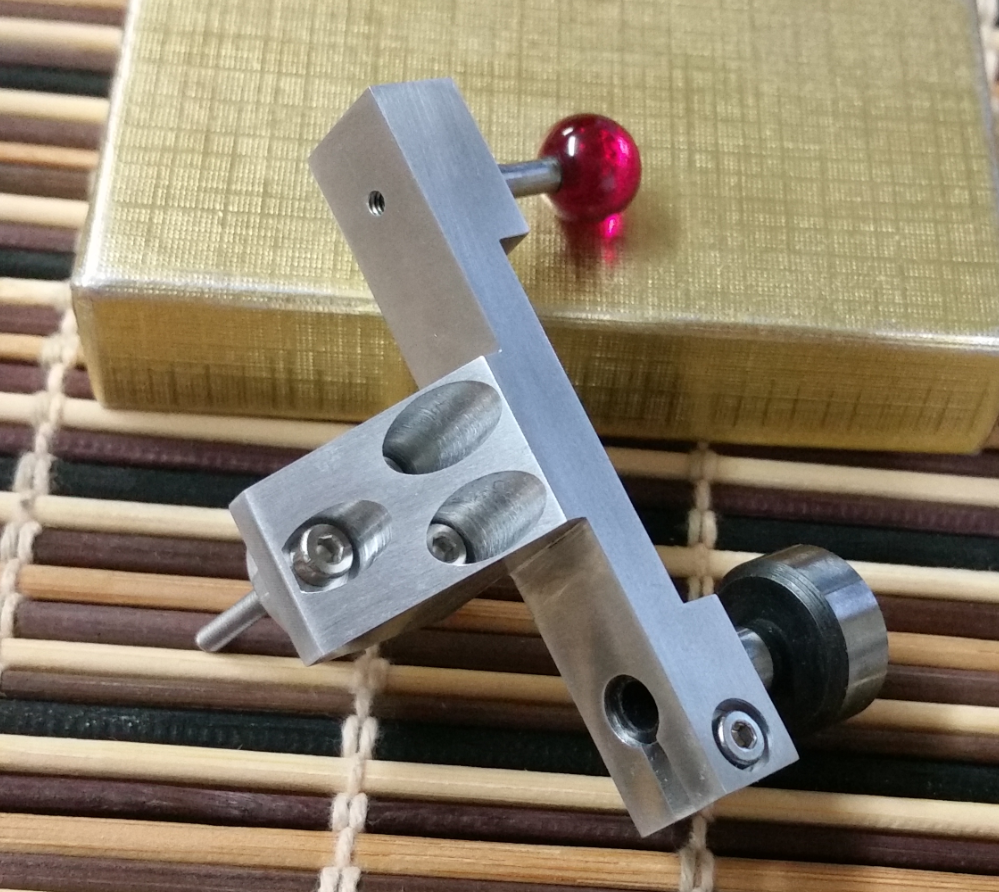
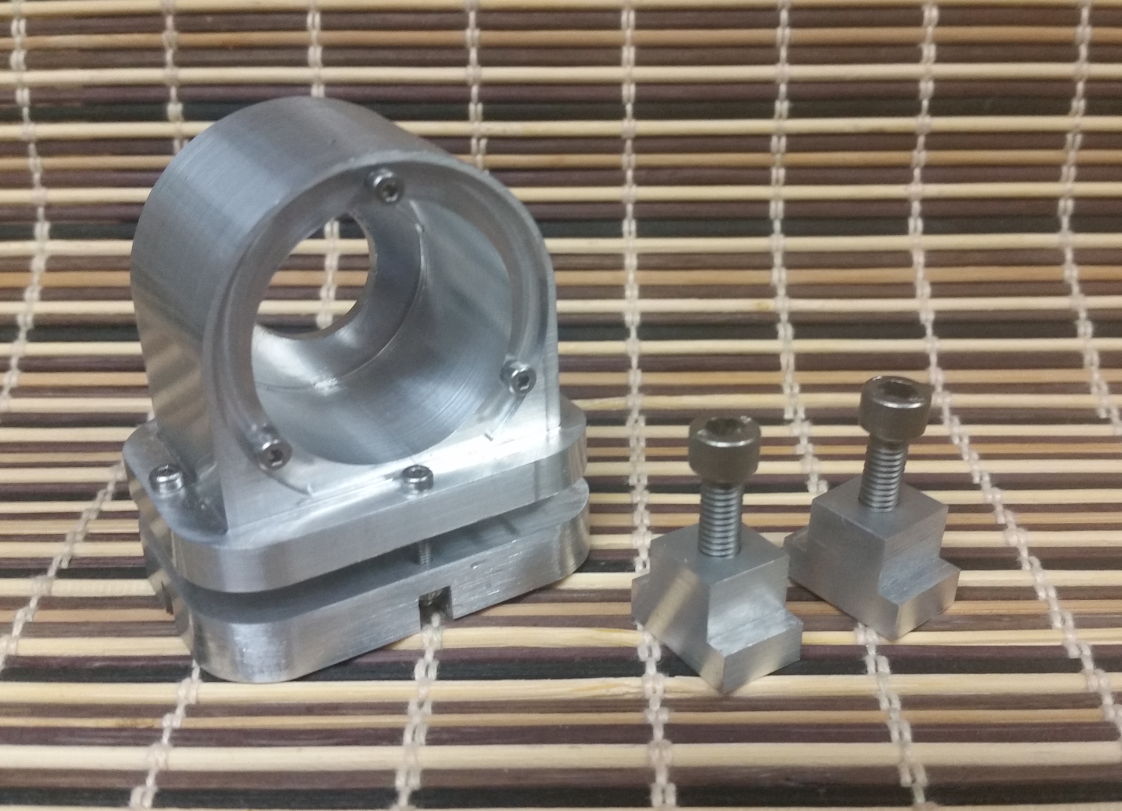 wraith tiger
I do a little with 3D printing and design.
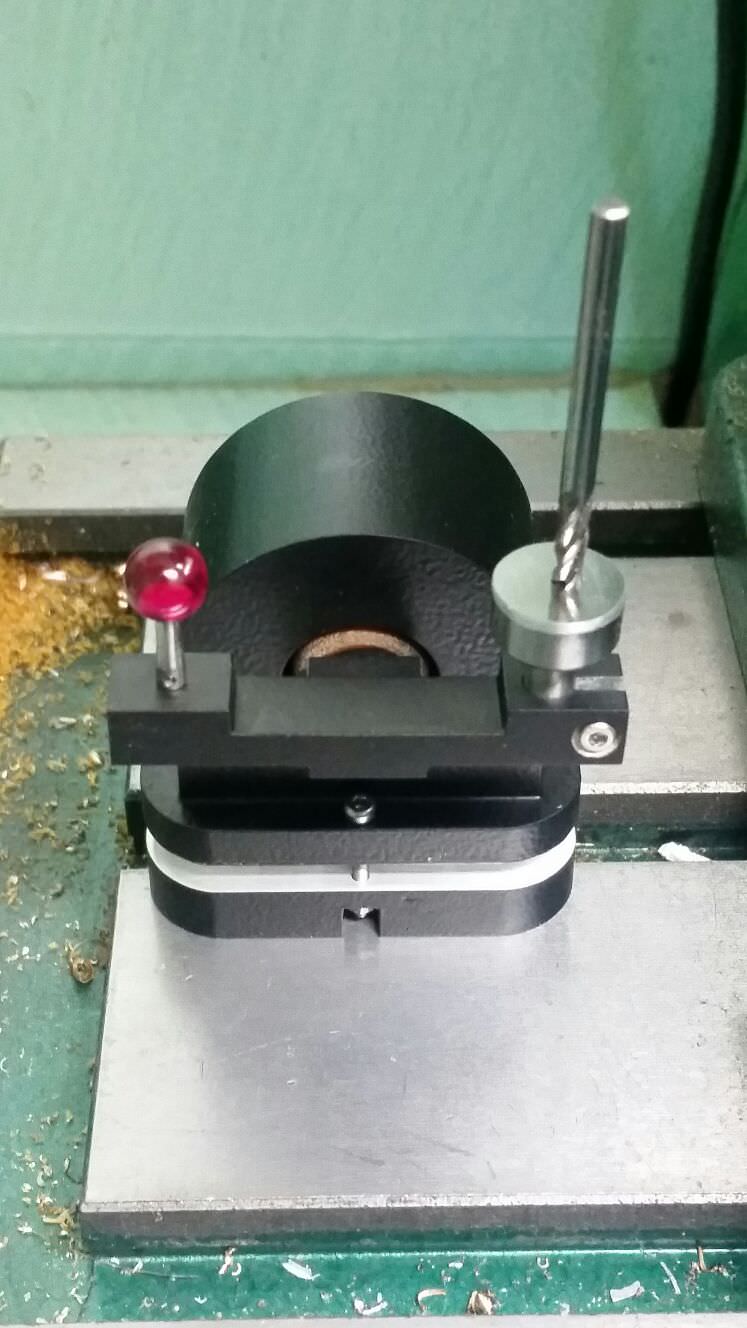
timber mango
That's very nice metal work.
wraith tiger
I got into it because I was interested in electronics and wanted to be able to make enclosures, etc.
raven canopy
Needs at least 4 levels of rougue... 😄
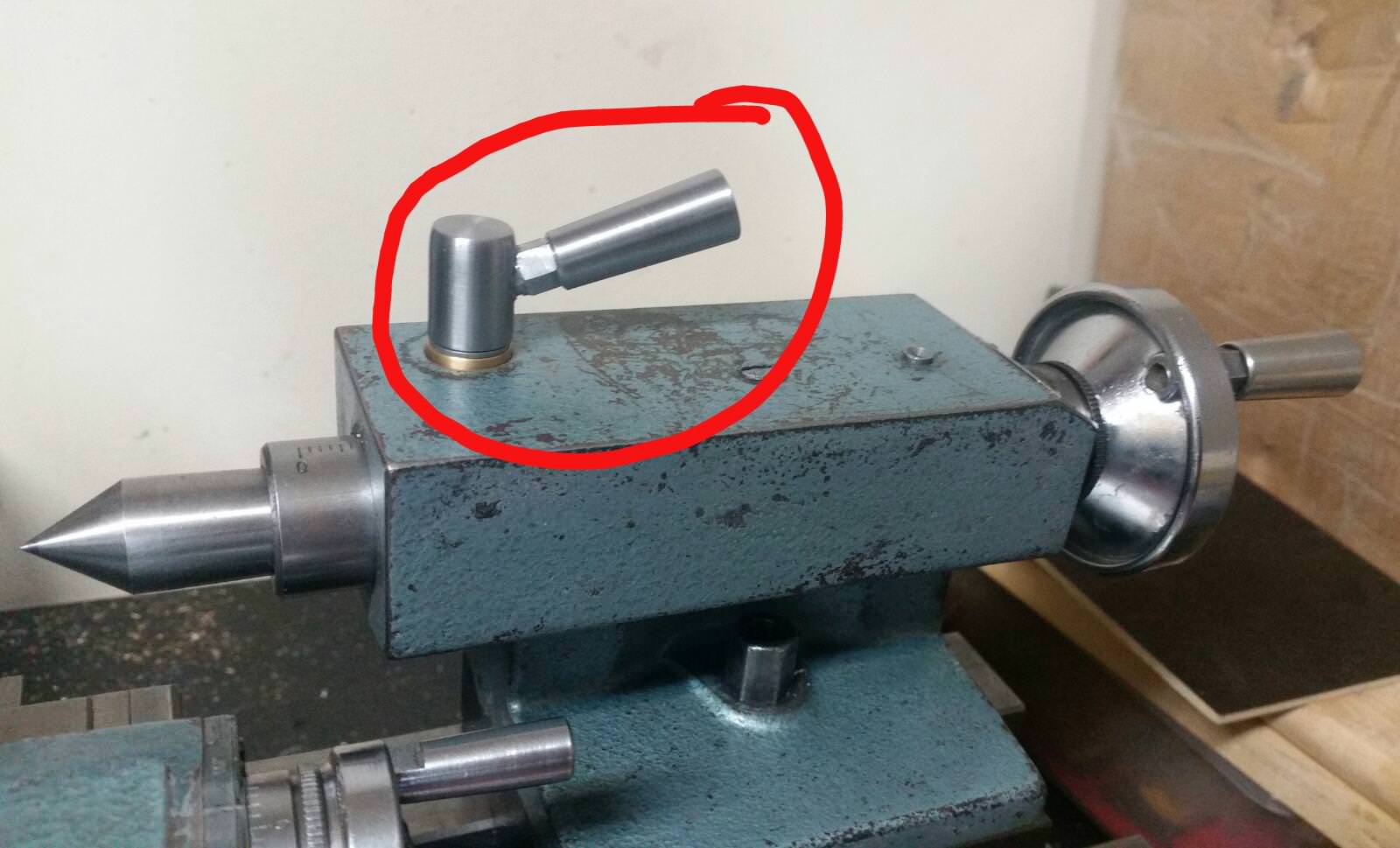
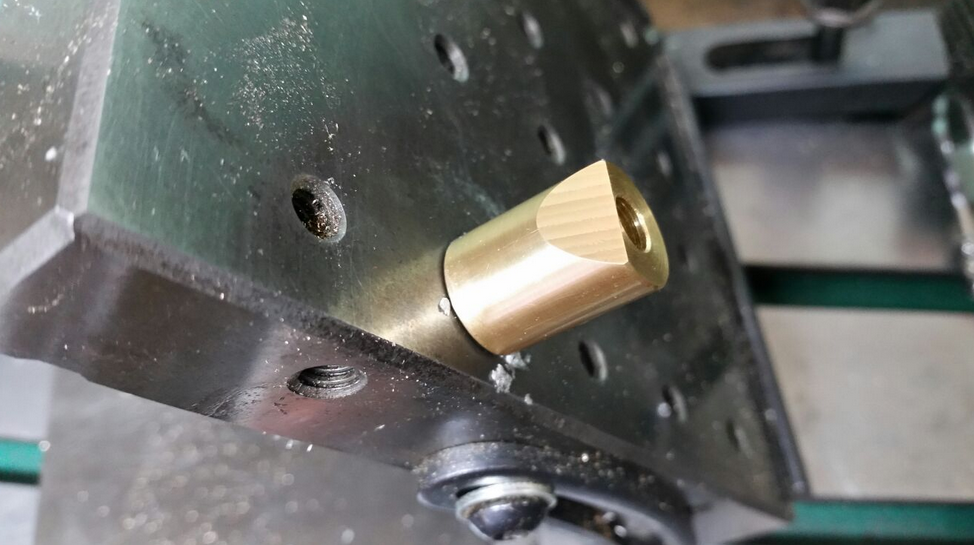 hollow ingot
I bought a hobby lathe (suitable for working plastic and very light metals) a long time ago - still in the box 😦
timber mango
That's a big billet of metal.
tidal kiln
schematic capture?
timber mango
what does the board do?
hollow ingot
Need a real-world meetup in a real-world workshop somewhere to make sense of it all. I had just hit enough stupid mechanical quality issues to know that I couldn't bodge with Lego but haven't really tackled the next steps of getting comfortable and familiar with machine fabrication.
timber mango
sounds like DC interconnects mostly.
tidal kiln
any photo / link to info on the board?
timber mango
You could probably cut mill copper clad board with CNC machine
wraith tiger
Yeah, thay have done a number of boards on the othermill.
stuck elbow
the tricky part with cnc-ing PCBs is with leveling the bed so that the tool only catches copper and not the fr4
tulip sleet

Custom two-sided PCBs
stuck elbow
by the way, if you find KiCad too hard, try Fritzing — it's much more limited, but easier to start with

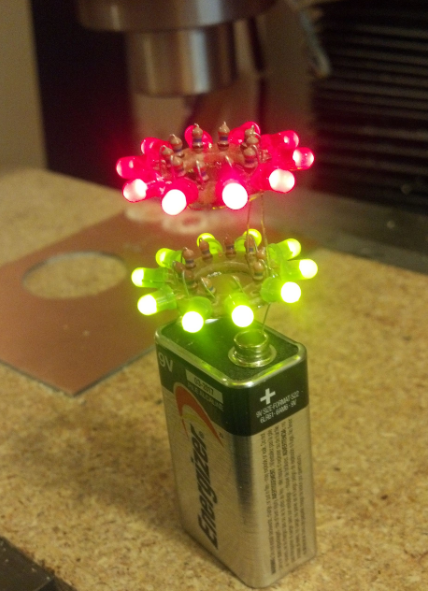 timber mango
That's about the same resolution as the old paint and etch PCB fabrication technique for home production.
drowsy fox
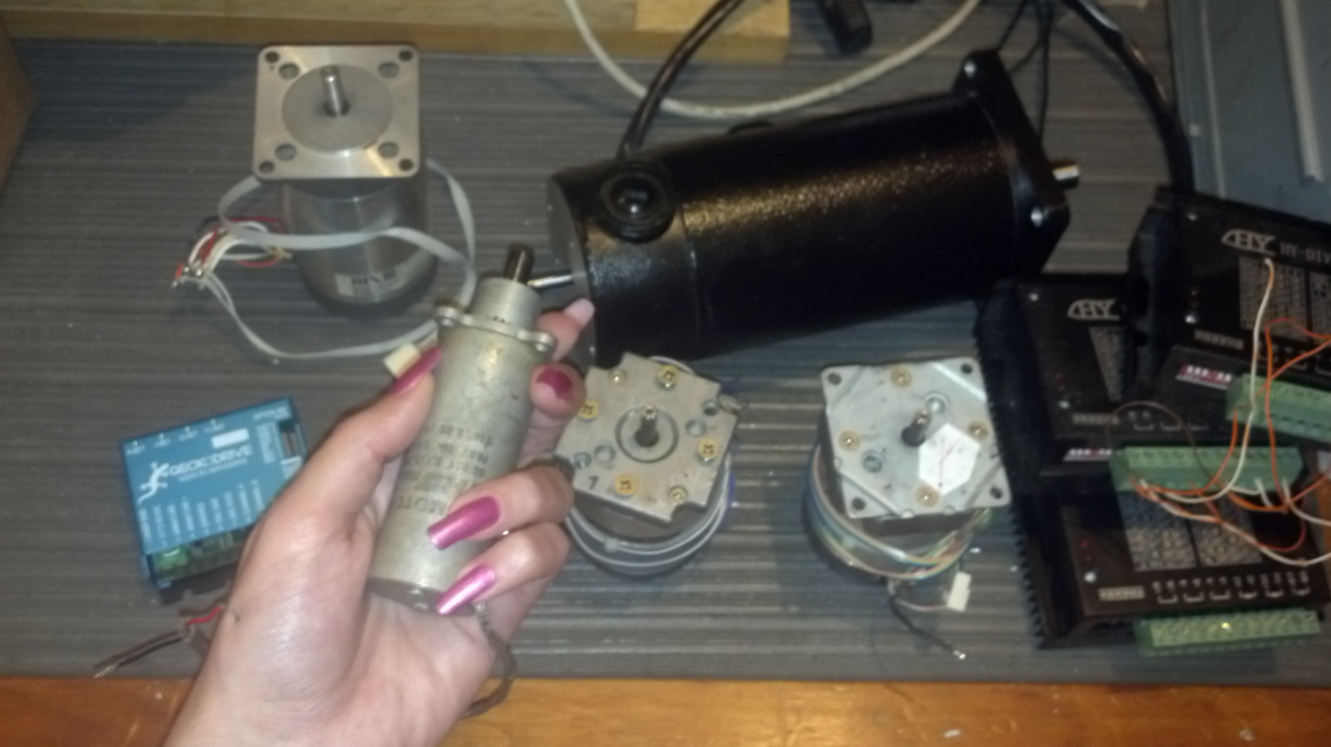 wraith tiger
Yeah, "pink vampire" could describe Lady Ada on Halloween.
stuck elbow
@drowsy fox by the way, I think I met you at #arduino on freenode previously
tidal kiln
isaac.wellish
timber mango
Yeah a good keg sized compost drum
stuck elbow
washing machine motor
timber mango
The last round of vacuum tubes were miniatures before they phased them out from retail stores, around 1976.
drowsy fox
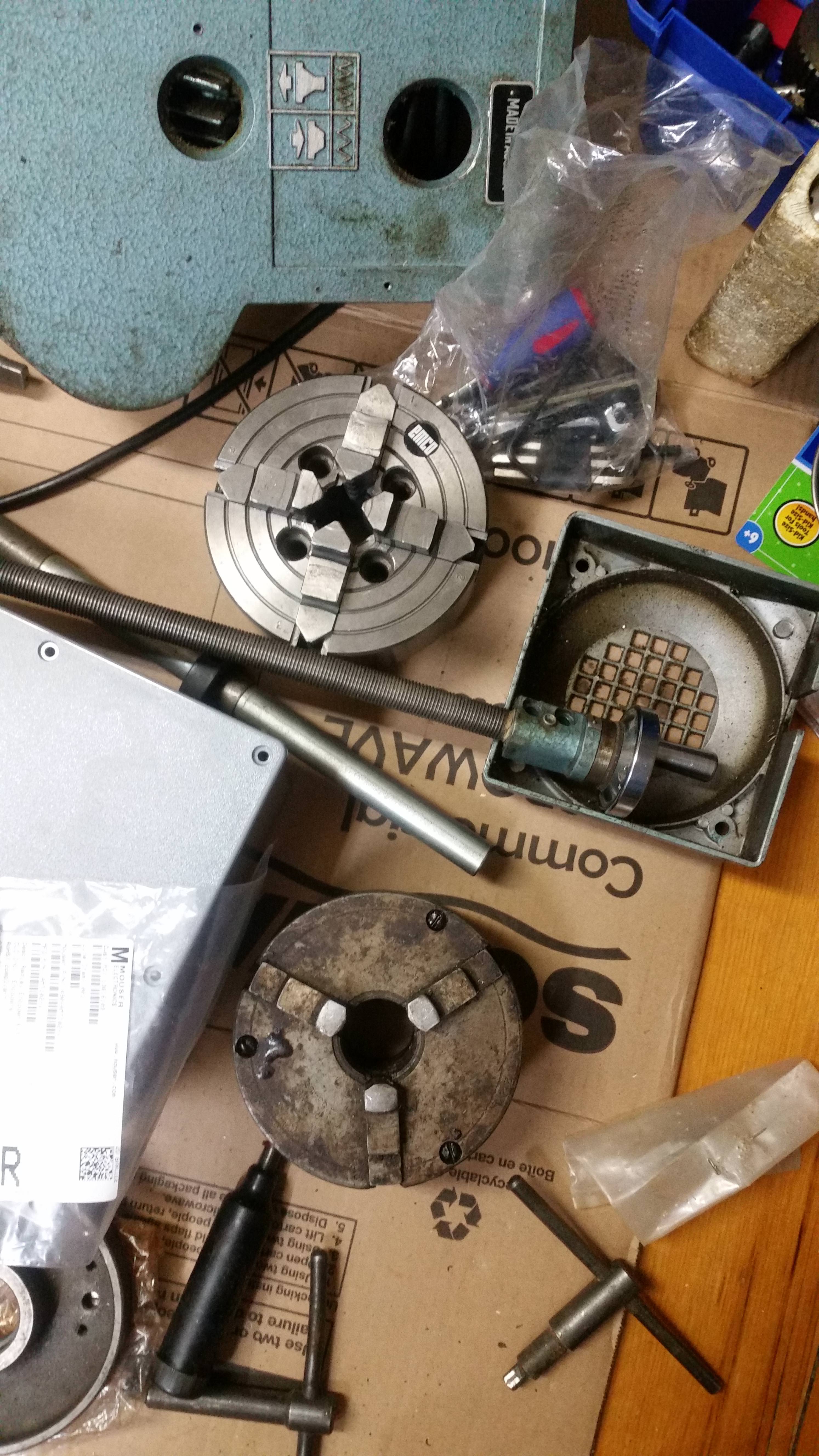 timber mango
Shake the house
tulip sleet
https://www.youtube.com/channel/UCb_v3Hwa40W7ZU-qgV8KOMA/videos Adam McCombs restoring scanning electron microscopes

 idle owl
@slender iron Are we meeting later?
 wraith tiger
There are also very rare devices called NIMO tubes.

Nimo was the trademark of a family of very small non-standard CRTs manufactured by Industrial Electronics Engineers around mid-1960s, with 10 electron guns with stencils which shaped the electron beam as digits. The Nimo tube operated on a similar principle as the charactron,...
idle owl
On the rotary encoder, each click of the knob is associated with one of each (A/B or B/A) of the signals being produced, right? As in each click involves both and A and B signal change. Gah, trying to write this out in a way that makes sense is not working. Both A and B change each time the knob clicks. The order in which they change is based on the direction the knob is being turned. Correct?
stuck elbow
correct
idle owl
Thank you
meager fog
@slender iron hey so testing m4 w/i2
do i need latest latest 3.0 beta?
AttributeError: 'module' object has no attribute 'RawSample'
slender iron
@meager fog latest would be best. what version do you have now?
meager fog
Adafruit CircuitPython 3.0.0-beta.0-85-gb2d98ed on 2018-06-08; Adafruit Feather M4 Express with samd51j19
drowsy fox

eBay
New Blue Display stand for Arduino Developers. New Green Display stand for Arduino Developers. 1602 Blue Display stand for Arduino Developers. 1602 Green Display stand for Arduino Developers. 0.96" Dual Stand for Arduino Developers. | eBay!
slender iron
@meager fog it might be misconfigured
tidal kiln
@idle owl what're you working with?
meager fog
ooh! ok
slender iron
nothing has changed that recently
slender iron
I definitely tested it on there
ah! rawsample is in audioio
the example is wrong
(I usually write them before I implement it)
slender iron
progress!
meager fog
ill report back shortly
slender iron
👍
idle owl
@tidal kiln Writing a guide using rotaryio. So I'm trying to write the overview.
@slender iron I think the issue I was having is a lib issue. Or a concept issue, but I don't think it's a core issue. I know, I know, you said stop thinking that way, but I think I might be right. Once I looked at it again.
Anyway I put in a PR for the CPX lib that fixes it.
slender iron
kk, I'll take a look tomorrow morning
tidal kiln
@idle owl which knob? this one? https://www.adafruit.com/product/377
raven canopy
@idle owl it may (or may not) help if you read up on "grey code".
slender iron
<@&356864093652516868> Here is the video recording from the meeting today. Thanks! https://youtu.be/L2R_GKuvFwM

Notes with timecodes are available here: https://gist.github.com/tannewt/71f00dd22e4151f7a99d942d96d257e8 Join here for the chat all week: http://adafru.it/d...
idle owl
The grey code is done in the background for rotaryio. So we're not explaining it in the CircuitPython bits of the guide.
slender iron
tidal kiln
@idle owl don't worry too much about what the clicks mean w.r.t. pulses. i think it's mainly there for feel. a lot of encoders don't even have any click. but you got the right idea about how the A/B pulses work.
idle owl
@tidal kiln I was sort of writing it for this encoder specifically, and it clicks, so I was using that. since the second example tracks the number of clicks to determine how much to change the volume. I dunno. I evidently understand how they work, every time I've asked to talk to anyone about it, I'm told I understand it. I am struggling to turn that into useful guide information for some reason.
tidal kiln
i think what can be confusing is if you're using quadrature, you'll get like 4 counts per click, since it does a full cycle per click.
which is just specific to that knob, in terms of what it's doing with each "click"
idle owl
I have this: "When rotating clockwise, the A pin connects first, followed by the B pin. When rotating counterclockwise, the B pin connects first, followed by the A pin. By tracking when each pin is "on", we can not only determine which way the knob is being rotated, we can also track each click of the knob. Each click of the knob is associated with a change in both A and B signals. The order in which they change is based on the direction the knob is being rotated."
It never says it's only one change in each.
tidal kiln
that's more or less it. do you know the diff between quadrature and non-quadrature?
idle owl
No. This one uses quadrature so I hadn't looked into non-quadrature.
manic glacierBOT
 wraith tiger
Well, I fixed test_uflash.py so "make test" no longer gives me errors. Now I'll have to figure out what new tests I ought to add.
cunning crypt
@wraith tiger Test your tests.
wraith tiger
Getting testy are we?
cunning crypt
No, that's your job right now
wraith tiger
Argh! Accidentaly zz'd my vim window. 🤦
cunning crypt
@slender iron I think you should get one of these: https://novelkeys.xyz/collections/frontpage/products/the-big-switch-series
Then connect it to a CP device with an RTC. When you press it, it acts as a keyboard and spits out the current time, so you don't have to do it manually.

NovelKeys, LLC
This is the NovelKeys Big Switch Series.
These switches are 4 times bigger on each side than a normal MX switch.
That comes up to 64 times bigger in volume.
These switches are fully functional.
All switches come with a matching keycap.
If you are in need of a Big Switch case...
Then we'd know when you're taking time stamps. Click click click click thunk
slender iron
😃 that'd be neat. I grab the time from OBS though not RTC
cunning crypt
Meeting time, not actual time. I'm sure you could program it in somehow.
cunning crypt
If it involves CircuitPython, yes! If it's for Arduino, then #help-with-projects might be better. There's also a #help-with-makecode if you're using that.
 frosty summit
thanks @cunning crypt. I'll check there 1st before coming back
cunning crypt
@frosty summit Regardless, it'll probably be the same people helping you, it's just a matter of keeping things on the correct topic.
frosty summit
@cunning crypt; yea, I get that. I'm already sufferring from comms-overload, so compartamentalising discussions seems appropriate
cunning crypt
It helps to go through an mute everything that's not relevant to you. Cutting down on the "Unread" notifications can help with comms overload, at least for me
slender iron
anyone have a huzzah handy?
stuck elbow
o/
hollow ingot
@slender iron I have one upstairs I think
slender iron
yeah, REPL is enough
stuck elbow
Adafruit CircuitPython 3.0.0-beta.1 on 2018-06-11; ESP module with ESP8266
>>>
👍 thank you!
stuck elbow
had to remember the esptool.py syntax
slender iron
😄 thats why I asked if anyone else had it handy
manic glacierBOT
 silver tapir
Some pins from oshpark.
slender iron
those look awesome! is there an oshpark link for it? will add to the newsletter
stuck elbow
slender iron
in this week's newsletter! (https://adafruitdaily.com)
hollow ingot
@stuck elbow @slender iron if you forget esptool config, try...
cefn-bionic-thinkpad:vgkits-vanguard$ virtualenv myenv
(myenv) cefn-bionic-thinkpad:vgkits-vanguard$ pip3 install vgkits-vanguard
(myenv) cefn-bionic-thinkpad:vgkits-vanguard$ vanguard see firmware
(myenv) cefn-bionic-thinkpad:vgkits-vanguard$ cp ~/Downloads/adafruit-circuitpython-feather_huzzah-3.0.0-beta.1.bin /home/cefn/Documents/shrimping/vgkits/git/vgkits-vanguard/myenv/lib/python3.6/site-packages/vgkits/vanguard/data/firmware/circuitpython-3.0.0-beta.1.bin
(myenv) cefn-bionic-thinkpad:vgkits-vanguard$ vanguard brainwash circuitpython
(myenv) cefn-bionic-thinkpad:vgkits-vanguard$ vanguard shell

Launching Miniterm to connect to Vanguard Python Shell
Running 'serial.tools.miniterm --raw  --eol CR --encoding ascii /dev/ttyUSB0 115200'
--- Miniterm on /dev/ttyUSB0  115200,8,N,1 ---
--- Quit: Ctrl+] | Menu: Ctrl+T | Help: Ctrl+T followed by Ctrl+H ---

Press any key to enter the REPL. Use CTRL-D to soft reset.

Adafruit CircuitPython 3.0.0-beta.1 on 2018-06-11; ESP module with ESP8266
>>>
--- exit ---
(myenv) cefn-bionic-thinkpad:vgkits-vanguard$
Man that's junked it. Will try a gist
hollow ingot
Still pretty junked at least on my machine because of the wrapping
https://gist.github.com/cefn/eecf86a244089f2949b20ad06c7fcdc7 a little better
Gist
virtualenv myenv
pip3 install vgkits-vanguard
vanguard see firmware
vanguard brainwash circuitpython
vanguard shell
That's the fundamentals anyway
'see firmware' just does a cross-platform file-explorer load of the folder containing the firmware so you can see it
stuck elbow
what is vanguard?
hollow ingot
I did a quick test on Feather Huzzah which worked on my machine with that sequence at least.
That's installed by the line pip3 install vanguard. It's https://pypi.org/project/vgkits-vanguard/
 stuck elbow
it seems very complicated compared to esptool.py --port /dev/ttyUSB0 write_flash 0 adafruit-circuitpython-feather_huzzah-3.0.0-beta.1.bin
hollow ingot
Except you already have a shell program installed, and you already know what your serial port is called, and you know how to use esptool. Adding the installation and configuration of a VT100 emulator on Windows into a single line 😃 Also you need to know how to source firmware, and use the terminal even to get in the proper folder. And you're lucky that esptool defaults to qio
Really all you need is...
vanguard brainwash circuitpython
vanguard shell```of course I already know all those things
hollow ingot
The aim is that same sequence should work for D1 Mini, NodeMCU, Vanguard, Feather Huzzah, and ESP32 also
meaning that people can be easily guided without lots of 'insider knowledge' needed to take account of their situation
stuck elbow
and the firmware has been given to me
so I don't actually need to fight with the tool to make it use a custom one
hollow ingot
'fight with the tool' ? is there something I could do to make it better?
stuck elbow
let me specify the path to the binay in the command, instead of having to copy it into some magical location?
hollow ingot
Thanks for the suggestion, @stuck elbow. I didn't show you the path to the binary way as I wanted to share the 'dumb user' way.
Usage: vanguard brainwash [OPTIONS] [TARGET]

Options:
  -r, --release TEXT
  -p, --port TEXT
  -b, --baud TEXT
  -e, --erase BOOLEAN
  -f, --flash BOOLEAN
  -d, --device TEXT
  -i, --input PATH
  --help               Show this message and exit.
ok
hollow ingot
I am a bit uncomfortable with having 'blessed' versions which are distributed in the bundle via PyPI but it certainly makes life easy.
I've found myself trying to simplify throughout to the use of named options 'input' and 'output' but it might be crazy compared to something more context-specific like --firmware.
However, I have arrived at a good name for the backup option I think, for the next version 🍦
vanguard brainfreeze --output mybackup.bin
manic glacierBOT

Making this a stand-alone issue. Derives from #516 & #807.
This module is for capturing the frequency period of an input signal.
@rafi021, I decided to separate the frequency counter part of this issue. I have working code for the SAMD, but it still needs polish and documentation.
raven canopy
@idle owl just looked at the Expectations guide. I see no issues with it. well done!!
idle owl
@raven canopy Thanks! I was more suggesting looking at it so you're familiar with what's there. That way you can refer people instead of duplicating any of the info in answering questions. Thanks for your suggestions for it!
manic glacierBOT
 raven canopy
ahhh. i think i was having an office discussion at that point. i usually re-watch later in the day to re-cement the discussions. loading YT now.. 😆
idle owl
I may not have made it clear in the chat either.
@raven canopy Anyway better you looked at it, could have had issues!
drowsy fox
someone know what is the programing language for the hsm express post processor?
it's look like Java script, but i can't make it push a string.
raven canopy
@drowsy fox never used it, so this is outside conjecture, but it does appear to be JavaScript. Found an Autodesk page that said post was "based on JavaScript", so it may not be a direct implementation. I'm looking at the Haas hass.cps, and it definitely looks like JavaScript; the var name = { is why i think that...
disclaimer: I am not a JavaScript programmer
raven canopy
for a "wider" audience, you might want to post the question in #help-with-projects.
raven canopy
yep. or restate it as a JavaScript question..
raven canopy
is anyone else plagued by constantly typing circuipython or circuitptyhon? it happens to me like 5 times a day... 😆
cunning crypt
My annoying habit is my right hand ends up one letter to the left on my keyboard, and I'll type a whole sentence without realizing it.
raven canopy
o cam see jpw tjat wpi;d get ammpuomg///
i can see how that would get annoying... 😄
cunning crypt
It's almost always the right hand, too. Although sometimes I'll just drop the ball entirely and both hands will be wherever they please. That's a fun one to look at
raven canopy
haha. i'm a "tapper", so i'm always looking for the home-row nubs. a former co-worker was overjoyed once they learned i wasn't actually typing as much as they heard; felt they were abhorrently failing to work as hard. 🤣
cunning crypt
I had the advantage of growing up with computers everywhere, so typing is just a thing I do. Usually well enough.
idle owl
@raven canopy I can't seem to type ItsyBitsy right on the first try to save my life.
raven canopy
whew. at least i'm not alone on all this...
idle owl
Oh no. Not at all.
 languid sage
Love this "off-topic" discussion. I call it dyslexic fingers. I once had access to several office assistants, none of whom could reliably type the word "vehicle"... not normally a problem, unless you're the IT manager for the Vehicle Inspection Program.
manic glacierBOT

we have an arduino library for these mindblasting pixels
https://www.adafruit.com/product/2741
i just made a short example that mimics NeoPixel's format but it needs a repo, splitting up into a proper module etc!
https://forums.adafruit.com/viewtopic.php?f=52&t=136796&p=677580#p677580
no rush on this one
see the circuitpy neopixel library for inspiration
https://github.com/adafruit/Adafruit_CircuitPython_NeoPixel/blob/master/neopixel.py#L78
if you can get it to cookiecutter+travis po...
crude fossil
I used "sqitch" on one job and it took a long time to learn not to type that 'u'...
raven canopy
and to validate the difficulty, i immediately thought "squitch is mispelled, even though it isn't a word". 😄
manic glacierBOT
 slender iron
@crude fossil are you waiting on me for anything?
crude fossil
Assuming you're generally happy, I'll put it into a PR this (gmt+10) evening ... was going to do it on the weekend but the weather was too nice :-)
slender iron
yup, no concerns from me. PR is the next step in my mind. nice weekend weather is definitely a priority
crude fossil
In Melbourne, in winter, if the sun comes out you go with it*
- bring a raincoat
slender iron
yeah, seattle is the same way
manic glacierBOT
while waiting for clock stretching.
Fixes #778
manic glacierBOT
Will validate that it matches CPython:
 read(size=-1)

    Read up to size bytes from the object and return them. As a convenience, if size is
unspecified or -1, all bytes until EOF are returned. Otherwise, only one system call is
ever made. Fewer than size bytes may be returned if the operating system call
returns fewer than size bytes.

    If 0 bytes are returned, and size was not 0, this indicates end of file. If the object
is...@fourfathom Please reopen if this happens with beta.1. It should go to a brownout specific safe mode now if it is a power issue. Thanks!
manic glacierBOT
Implements pulseio.PulseIn and pulseio.PulseOut for ESP8266 as per #716:
PulseIn:
- Tested to work with adafruit_dht library and DHT11.
- Tested to work receiving IR remote control codes from a IR demodulator
- Also includes fix for #918
PulseOut;
- Unfortunately very limited by the ESP's 1kHz-max software PWM.
- Tested on a 'scope and seems okay, within that limitation.
It also implements a generic gpio interrupt callback registration mechanism under microcontroller.Pin: this w...
marble hornet
@onyx hinge thank you for the help! i'll def be using that! excited !
also nice name
manic glacierBOT
I revisited this again, and found this interesting new accepted PEP, to be implemented in Python 3.7: https://www.python.org/dev/peps/pep-0564/. See below. The new functions defined in this PEP return integer nanosecond values. We could implement some of these: we still have a wraparound or overflow problem, but using these names allows compatibility with regular Python.
We could still have a single precise_time.time_monotonic() that could return a tuple of (seconds, nanoseconds), or m...
umbral dagger
Just looked at the Expectations writing you folks were mentioning... I thought you'd added a testing framework...
manic glacierBOT
Note that 2^30 nanoseconds is about 1 second, so on a non-longint built, the new PEP 564 functions aren't really helpful at all.
onyx hinge
I have an SPI-like signal (clock and data) I'd like to read. Can CP act as an SPI slave? Additional difficulty: no CS, have to wait for X microseconds of dead time on the clock input.
tulip sleet
@onyx hinge no builtin SPI slave capability. See if PulseIn would work for you. Arduino has no standard SPI slave library either, though I can find some examples of people trying to do it.
onyx hinge
Protocol and data format for a brand of digital calipers that sends two groups of 24-bit serial data through the calipers data output port. Includes timing and logic analyzer screenshots.
I think PulseIn will only read a single channel
tulip sleet
you can sample two at once and try syncing them up. Scott would have a better handle on this. You could also figure out the clock freq and then assume a frequency when decoding the data line.
onyx hinge
Or I could stick with arduino where I already have it working 😜
tulip sleet
I was looking at chips to do this: https://www.silabs.com/products/interface/cp212x-spi-to-i2c-bridges
onyx hinge
interesting chip to be sure
manic glacierBOT
Can we extend this to GPIO16? It is the only pin with gpio_function == SPECIAL_CASE.
Same here with GPIO16. Will need special handling since it doesn't work with PIN_FUNC_SELECT.
manic glacierBOT
Thought about this some more, and realized that synchronizing the turning on of the serializer with turning on DMA might solve the problem of lost triggers. The PDMIn clock to the microphone still runs all the time, to avoid microphone startup time (verified with Saleae), but the serializer is turned on and off as needed.
Tested on Metro M0 and M4, and works. I left in the hang prevention added in #916, because it's cheap, but tested with that temporarily turned off to make sure this new f...
More notes from testing done a few weeks ago:
-
This problem seems to happen even with an external CIRCUITPY filesystem, so doesn't seem likely it's filesystem code gone awry.
-
Maybe it's not circuitpython at all, but something in the UF2 bootloader. I tried putting in some simple checks for writing to 0x0, but there was a catch-22 of uploading the bootloader itself. Didn't have time to figure out how to disable the boot protection and load via J-link, or else put in fancier checking t...
@notro could you retest? Thanks. @tannewt redid the interrupt priorities so that Systick is now at the highest prio instead of the lowest (!) as it was before.
@tannewt does Rosie now working well mean this can be closed? I can't remember why I assigned this to myself.
manic glacierBOT
Yup, sounds good to me.
marble hornet
some i2c and spi slave libraries sound like a great enticer for people to join the platform ...
if i hadn't known python already would have joined just for that
slender iron
@marble hornet we have an issue to implement it
manic glacierBOT
@jerryneedell Closing for now. I believe this is a general Linux delayed-write problem.
slender iron

GitHub
One of the useful features of the Feather (and it's ilk) is that it can be used as one of many I2C slaves. It would be cool if the i2c drivers covered that case.
Thankyou for all the excellen...
 orchid crag
Hi all! Where can I find the latest #circuitpython-dev for ItsyBitsy M4 Express? Also cant seem to find the schematic/pinouts anywhere. Anyone knows where to find them?
slender iron
@orchid crag the latest version is here: https://github.com/adafruit/circuitpython/releases/tag/3.0.0-beta.1
GitHub
circuitpython - CircuitPython - a Python implementation for teaching coding with microcontrollers
orchid crag
Great! Thanks @slender iron I'll test it out. Also would you happen to know about the pinout?
slender iron
it doesn't look like the schematics are posted yet. The pin mapping is here in CircuitPython's source: https://github.com/adafruit/circuitpython/blob/master/ports/atmel-samd/boards/itsybitsy_m4_express/pins.c#L8
GitHub
circuitpython - CircuitPython - a Python implementation for teaching coding with microcontrollers
tulip sleet
Guide with pinout is not out yet, but you can use the M0 pinout: https://learn.adafruit.com/introducing-itsy-bitsy-m0/pinouts
@slender iron I'm out for a couple of hours around 1:50 ET or so.
slender iron
kk, are you working on sdcards?
tulip sleet
yeah, just started
slender iron
great! good job on the pdmin fix too! reviewing it now
will look at the esp stack issue today
manic glacierBOT
I'll look at this now. I don't think its sdcard specific and is just a matter of the stack protection settings that lead to the maxrecursion error.
Detective Dan unravels the mystery once again!
orchid crag
Thanks @slender iron and @tulip sleet for the pinouts!
manic glacierBOT
@rhooper may be interested to see this as he has been thinking about reorganizing the code underneath the rgb led libraries.

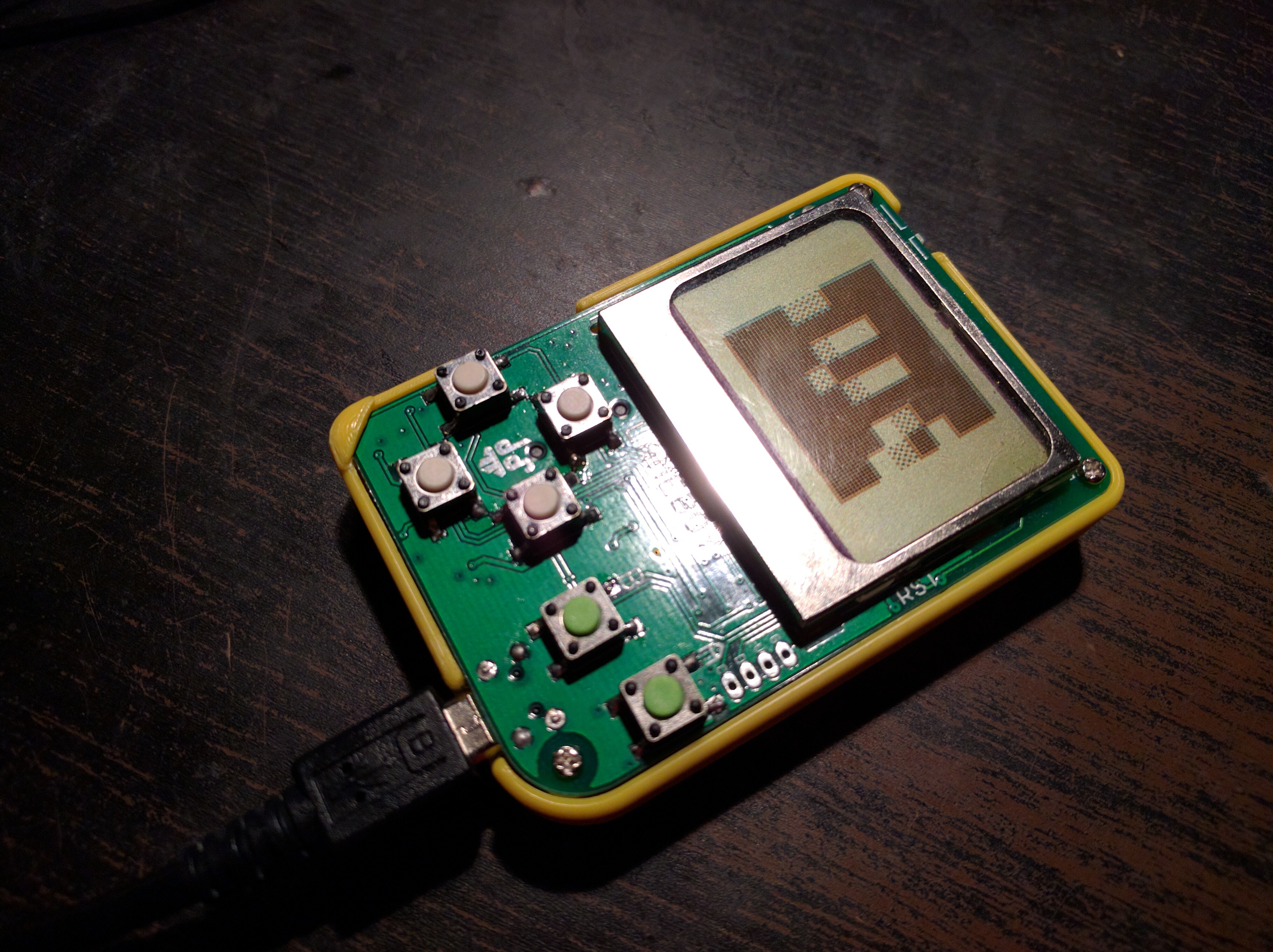


I'm still getting the same result.
Here's a stripped down version of my example:
import time

lt1 = time.localtime()
lt2 = lt1
m1 = time.monotonic()
while True:
    i = 0
    while lt1.tm_sec == lt2.tm_sec:
        lt2 = time.localtime()
        i += 1
        #time.sleep(0.1)
    m2 = time.monotonic()
    print("time: %s monotonic:%.6f iterations:%d" % ( str(tuple(lt2)[:6]), m2 - m1, i ))
    lt1 = lt2
    m1 = m2
Result with no sleep:
t...This is an issue in 2.3.1 as well.
The ESP8266 memory map is very complicated and the stack space is shared with the underlying RTOS that handles the WiFi side of things. So, I don't think we have any options here. If we increase the limit on stack size we risk starving the RTOS of stack space. We could dive into micropython's stack allocations but that's complicated.
So, I'm closing this. Please use a different board for SD card support.
Background post about ESP8266 memory is here:...
 sand salmon
@drowsy fox i was looking at the clear path servos they look really cool , https://www.youtube.com/watch?v=_SYhCRwacDs
ClearPath is a complete, brushless, servo motor system all in one, compact package. Models with peak shaft power from 1/8 hp to 8 hp are available online sta...
stuck elbow
should the uf2 bootloader work with the Arduino ide?
do I need to adjust something for a custom board name?
slender iron
yeah it should. I don't know if the board name matter
marble hornet
First PCB ever and m4 board. Time to get started ! Hug reports: deshipu. Jerryn. Siddacious danhalbert all CP crew.
sand salmon
if only there was app for neopixels as im really a noob at programming , but love leds
marble hornet
For When you know it will need fixing
stuck elbow
@marble hornet that right angle in the traces at bottom left triggers me...
does it work?
marble hornet
@stuck elbow I wasn't sure if the flash chip would be bringing over those traces. About to test
slender iron
is that usb-c connecter spot?
slender iron
😄 next order 😃
marble hornet
Yep. Cough. Or now
@stuck elbow it should be able to run the metro m4 firmware. I just also broke out the others. An updated version is available on github. About to power up
stuck elbow
fingers crossed
stuck elbow
close enough
marble hornet
I'm using a 4.7uf cap. I could change
stuck elbow
the application note recommends one 4.7µ and one smaller
to filter the smaller ripples
marble hornet
suggested Val for small ?
slender iron
I had issues with that once the clock was turned up to 120mhz
marble hornet
With what ?
stuck elbow
fortunately smd capacitors can be easily stacked on the same footprint ;)
slender iron
with not having enough capacitance on the core vdd
you should be ok though
I only had 100nf on it at all
stuck elbow
ouch
manic glacierBOT
This causes read to correctly return None instead of b''.
Fixes #874
stuck elbow
I use 1µF on the samd21, the samd51 recommends 4.7+100
slender iron
as you say, it was easy to stack 😃
yeah, I think an older version of the datasheet had 10, 1, 0.1 so thats what I put on
(all uF)
stuck elbow
now I really want to make a samd51 board
slender iron
I added spots for some of these on my latest board: https://www.digikey.com/scripts/DkSearch/dksus.dll?Detail&itemSeq=263365730&uq=636642804559173870
Digi-Key is an authorized electronic components distributor with thousands of parts in-stock and ready for immediate shipment!
so I can hook to signals more easily
manic glacierBOT
[adafruit/circuitpython] New comment on issue #466: SD Card unmount or remount fails on Adalogger M0
Finally getting around to this -- sorry for the delay!
I did some testing: the code below now works without an error on CircuitPython 3.0. Something has been fixed since this issue was filed.
sdcard = adafruit_sdcard.SDCard(spi, cs)
vfs = storage.VfsFat(sdcard)
storage.mount(vfs, '/sd')
input("remove card and press enter:")   # card is removed
storage.umount(vfs)    # no longer does OSError 22
So if you are still seeing a problem, let us know. I'll close this for now. Also,...
marble hornet
Okay. So I'm going to solder on a replacement port ( accounted for in board design, wow is USB c tiny). Could I then ask for some firmware expiring help? I'm getting a weird error
slender iron
yup, no need to ask to ask. just ask away
prime flower
USB C? NICE!
manic glacierBOT
Unfortunately, GPIO16 has no IRQ capability so we can't practically use it for PulseIn ... it's a bit of a lame duck pin.
... and the esppwm.c implementation doesn't support GPIO16 either (only pins 0, 2, 4, 5, 12, 13, 14, 15), so you can't get a PWM object for it and thus can't construct a PulseOut object either. There probably should be an explicit check for SPECIAL_CASE in common_hal_pulseio_pulseout_construct though, I'll add that in.
@tannewt and I discussed adding the ability to construct PulseOut around a DigitalInOut instead, which would be useful for external modulation and could be made to work on ...
[adafruit/circuitpython] New comment on issue #466: SD Card unmount or remount fails on Adalogger M0
There are some other problems with the sdcard library: see #301. The library doesn't do a good job failing when trying to read or write when the card is missing.