#circuitpython-dev
1 messages · Page 165 of 1
 idle owl
 raven canopy
yeah...that seems unnecessary to require the interrupt. but, i do remember the troubles you all had with it.
comment says Turn on int1 click output... https://github.com/adafruit/Adafruit_CircuitPython_LIS3DH/blob/master/adafruit_lis3dh.py#L287
 tidal kiln
but there's also the IA bit in CLICK_SRC
i'd think both would happen - the IA bit would get set and the INT1 output would get set
up to you which one you want to tie into
raven canopy
gotta run. have a good night everyone! 👋
idle owl
Night @raven canopy !
So... I guess update the example to use the interrupt pin for now
tidal kiln
yah. dunno. not seeing why that's needed.
idle owl
my thought is it works this way, it doesn't work the other way... I realise that's not fixing the issue, it's a workaround
But I'm not ready to head back down that crazy path at the moment.
idle owl
I forgot mine in the freezer, so I took it out and put it in a bag after I held the bag over hot water, and then closed up the bag and set it in the bowl of hot water so it's all humid in there.
leave it there for a bit, get it out, let it log on my desk for a bit and then tah dah I should have a fun graph.
@tidal kiln Do you mind looking at this? https://github.com/adafruit/Adafruit_CircuitPython_LIS3DH/pull/32
Travis hasn't passed yet.
It may not, I haven't setup a test environment yet, so I didn't test it locally.
tidal kiln
was this pr prompted by that issue (#28)?
idle owl
Yep that's it
tidal kiln
i still can't figure out why that's required
idle owl
¯_(ツ)_/¯
tidal kiln
the only way i see a true return happening is from here:
https://github.com/adafruit/Adafruit_CircuitPython_LIS3DH/blob/master/adafruit_lis3dh.py#L253
but i can't recreate that
 slender iron
@tidal kiln the IA bit gets clear once you read it. the interrupt line doesn't
tidal kiln
yep. but where's the true coming from? it's the IA bit, right?
slender iron
yeah I think so
tidal kiln
and not from reading the digital input tied to int1
slender iron
I don't have enough context to say
I was just trying to clarify the difference between the bit and the pin
tidal kiln
gotcha. yep. knew that.
slender iron
kk
tidal kiln
just not seeing why the code only works when int1 is defined
since it's using the IA bit
slender iron
are you thinking they should work the same way?
tidal kiln
i guess i see it as two ways
you can tie into the int1 (or int2) line if you want, and then monitor that
or check the status of the IA bit
some trade offs between the two approaches, but both should work
slender iron
there was some trickiness to having IA reset after a given amount of time versus on read
tidal kiln
i'm reading it in a tight loop
after, i think, configuring everything else same as driver does
idle owl
@tidal kiln Did you approve the PR or are you still trying to figure out the why
tidal kiln
the later 😦
idle owl
ah. ok
tidal kiln
here's what im testing with:
https://gist.github.com/caternuson/4ba7f6306cb4470b14df0b3224c703b0
the "does not work" one never exits the loop
slender iron
you are doing double tap right?
slender iron
it might use IA to determine if one tap has occurred
and by reading it you clear it before the second tap is detected
tidal kiln
so...might work for single....
slender iron
right
slender iron
its readign click_src not int1
but yes, we want latching of click so that we don't miss clicks but that means we need to read something besides click_src
tidal kiln
the actual driver code looks at both:
https://github.com/adafruit/Adafruit_CircuitPython_LIS3DH/blob/master/adafruit_lis3dh.py#L250
tidal kiln
interesting. see that. there's not much discussion about the difference between the two.
slender iron
actually, I don't think that will work
there is a difference between interrupt generators (int1, int2 and click) and the pin itself
ctrl_reg3 determines that mux
tidal kiln
true. but we're setting up for click. so that gets configured accordingly. in set_tap:
https://github.com/adafruit/Adafruit_CircuitPython_LIS3DH/blob/master/adafruit_lis3dh.py#L255
i see what you're saying. you can only setup the pin for one source.
but the IA in INT1_SRC will trigger for any of them
"one or more has been generated"
@idle owl running out of time. merged for now. left comment for future reference.
idle owl
Ok. Thank you.
tidal kiln
wow. there's been some discussion around this.
 solar whale
If anyone has time and experience with Windows7 can you help here:https://forums.adafruit.com/viewtopic.php?f=62&t=134742&p=668887#p668887
tidal kiln
make sure they installed the drivers
https://learn.adafruit.com/welcome-to-circuitpython/installing-circuitpython#windows-7-drivers
solar whale
I know nothing about pycharm...
idle owl
The way that plugin works is a total workaround.
They might be better off using PuTTY
Send them to the Advanced Serial REPL section for Windows in the guide maybe?
I need to head out.
Night all!
 agile plover
So could this work with python boards? goo.gl/YLzesz
 tawny creek
For:
https://learn.adafruit.com/micropython-hardware-ssd1306-oled-display?view=all#circuitpython
Is this accurate?
Note that not all boards support built-in text rendering. In particular the non-express boards like Gemma and Trinket M0 don't have the memory to build in text drawing. You can however on those boards load a separate Python text drawing library to draw text.

How to use a SSD1306 OLED display with CircuitPython boards.
@agile plover you mean circuitpython?
@agile plover https://github.com/adafruit/Adafruit_CircuitPython_GPS

GitHub
Adafruit_CircuitPython_GPS - GPS parsing module for CircuitPython. Meant to parse NMEA data from serial GPS modules.
tawny creek
I have not tried but looks like a generic library for GPS modules
agile plover
ok, thank you
tawny creek
they all use standard NMEA stuff on TX/RX
agile plover
nice! I will be sure to test it!
tawny creek
@agile plover you're likely to get this error btw:
Traceback (most recent call last):
  File "code.py", line 71, in <module>
  File "adafruit_gps.py", line 109, in update
  File "adafruit_gps.py", line 201, in _parse_gprmc
TypeError: can't convert NoneType to int
While the GPS unit is still finding itself.. but it fixes itself eventually, the library needs some adjustment for this particular case.
 manic glacierBOT

I want to be able to calibrate the OCS32K clock on the Circuit Playgorund Express in order to improve the RTC accuracy.
The factory set calibration value is 0x37 which gives me -8000ppm, changing to 0x36 gives -2000ppm.
As part of trying to understand the convoluted asf4 clock setup, I reworked it to be simple and explicit, encouraged by the comments in #777.
The reason I first have a patch that enables OSC32K the asf4 macro way, is so the rework patch doesn't introduce any functional ...
manic glacierBOT

 marble hornet
does anyone have knowledge in installing openocd on mac ? (im trying to use brew)
wait, just added a folder to usr/local/ that wasn't there before and may have solved the issue
up new error
in procedure 'script'
at file "embedded:startup.tcl", line 60
Error: Debug Adapter has to be specified, see "interface" command
embedded:startup.tcl:60: Error:
in procedure 'script'
at file "embedded:startup.tcl", line 60```any and all help would be much appreciated
manic glacierBOT

Should I also roll adc_in_use into this? Hardly takes any additional effort.
solar whale
DHT22 fix works --- ```Temp: 33.8 F Humidity: 18.6%
Temp: 33.6 F Humidity: 18.8%
Temp: 33.3 F Humidity: 18.9%
Temp: 33.1 F Humidity: 19.0%
Temp: 32.9 F Humidity: 19.2%
Temp: 32.5 F Humidity: 19.3%
Temp: 32.4 F Humidity: 19.4%
Temp: 32.0 F Humidity: 19.5%
Temp: 31.8 F Humidity: 19.7%
Temp: 31.6 F Humidity: 19.8%
Temp: 31.5 F Humidity: 20.0%
hmm DHT11 does not apper to read < 1 Deg C Is this correct.
solar whale
confirmed DHT11 range is only 0-50 C --- no sign bit!
manic glacierBOT
Now that PulseIn is in 3.0 (with updated tick_delay to boot), I decided to give this a run. I don't have a sensor available that will pulse >25kHz, so I used a Feather M0 Express with PWMOut.
Feather M0 Express was running this PWMOut script. 50% duty cycle, starting at 8kHz with incremental increases.
ItsyBitsy M0 Express (w/JLink) was running [this PulseIn script](https://gist.github.com/sommersoft/3b7a8fd6f8...
I'm still narrowing down where to look specifically, but something interesting is showing up. I've had the Feather PWMOut script halted, and the jumper removed, for over 20 minutes. When I pause the ItsyBitsy and step-over in Atmel Studio, the callstack shows that it's cycling through instances of
EIC_Handler. The REPL is also still unresponsive.
CORRECTION: I thought I had the jumper removed. After actually removing it, the calls to EIC_Handler subsided. REPL became responsive....
tawny creek
soo how easy is it to expose a pin that was previously 'unexposed' ?? -- am I right in assuming that pins.h file is the file-to edit, or are there other places I should look at.
solar whale
@idle owl @tidal kiln I have been reviewing the AM2320 and DHT data sheets lately and came across an interesting item. In the AM2320 document: Soldering Information Manual welding, at a temperature of 300 °C maximum contact time must be less than 10 seconds. I wonder is this is part of the problem Kattni is having. If this "welding" temperature refers to the soldering temperature, then it can easily be being exceeded. I have not soldered my sensors to any boards. i use them in breaboard sockets. Since I use lead-free solder at 400 C - I would imagine I'd violate this for sure. Even with leaded solder, typically the temperature is over 300 C. This is one difference between Kattni's boards and ther rest of us who have been testing it. HAs anyone else soldered one of these to a board? I assume that the time is more critical than the temperature but I'm curious what you think?
 modern grove
@solar whale I was planning to solder a am2320 tomorrow..
I've been soldering since I was twelve though, I'll be making contact for less than a second.
solar whale
@modern grove I would not expect it to be a problem, but I was surprised by the note. What temp do you set your iron to?
or if not temp controlled, just curious if you work with leaded or lead-free solder.
modern grove
Leaded, just well ventilated, my mother drilled that ventilation thing into me when I was a kid.
and I use a cheap iron, sometimes even a butane one if it's just a quick in place job.
In 30 years of playing with electronics, I've never owned a proper soldering iron!!
solar whale
@modern grove I just recently treated myself to a temp controlled iron and have switched to lead-free just to see how it goes. My first experience with it a few years ago was a mess, but I seemed to have gotten used to it now 😉 I suspect this is not a real problem for the am2320 if you are minimizing the heating time and especially at the lower temps for leaded solder. I only raised it because of some recent troubleshooting/headscratching we have been doing.
solar whale
Good luck - I have had no problems with mine. BTW - i do not mean to sound like an advocated for lead-free solder - I am not -- Especially for beginners - leaded is so much easier and good ventilation is necessary for both!
modern grove
It's off topic though.. but an mqtt console.. which already has a ds18b20 submersible on it for the fish tank..
solar whale
Very nice!
modern grove
The bedroom temp humidity comes from a Xiaomi ZigBee device in the bedroom.. home assistant publishes all state changes on all smart home devices to mqtt.
It's really off topic. It's written in C++ but uses the adafruit ili9341 library.
solar whale
If you are willing, I'm sure folks would like to see the details on #show-and-tell - I know I would!
modern grove
Yeah I will definitely do that. Still got a bit to code on my library.. the work in progress is up on my GitHub as I go. Need to implement swipe for multiple pages... And dialogue box with some basic widgets like brightness and a colour wheel.
It's designed to sit on my kitchen bench and replace an old school non connected 433mhz dumb weather station my girlfriend refuses to let go of because it's more convenient than opening home assistant and looking at the temperature
And then scope creep led to touch screen for the rest of the smart house
solar whale
Some battles are not worth fighting 😉 Sounds like a great project! good luck with it.
manic glacierBOT
The prescaler is not reset when setting the counter so we can be off by
as much as 1023/1024 seconds. Fix this by resetting the RTC module.
This is particularly important on my Feather M0 Express which calibrated (-44) can do +/-0.5ppm at room temperature! Quite impressive I must say, it's so impressive that I can't quite believe my own numbers :-)
I still have that bug though that it suddenly looses 3-4 seconds...
manic glacierBOT
Please wait with this one, I loose the calibration value when resetting, need to fix that.
slender iron
@tawny creek what do you mean by expose? Add to board? Thats what pins.c does.
@tidal kiln You should show me where you move the RPi questions: https://forums.adafruit.com/viewtopic.php?f=60&t=134908
manic glacierBOT
Version 2
Changes:
- Restore calibration value after reset
tidal kiln
@slender iron afk. will send u a link later. but also, im fine dealing with these when you find them. i can move and respond.
 edgy badge
Hey guys! If I needed help with an Adafruit Metro Mini and Arduino 1.8.5, is there a channel on discord for that?
raven canopy
@edgy badge #help-with-projects would be your best bet...
edgy badge
@raven canopy Thanks.
tawny creek
@slender iron so I can use the pin, or define which kind of pin it is :}
idle owl
@tulip sleet @solar whale I have the new lib on my board and now it's showing -3000 when it's below 0. Good news is, it ran for over a day. Bad news is, my data is still wrong.
 tulip sleet
make sure there's not an old .py version of the library hanging around, or an old version of the library that's not in lib. do ls -l on the library files and we'll compare sizes
idle owl
I'll deal with it tomorrow. I'll start with checking those things.
solar whale
Hopefully something simple. I should be available to help tomorrow.
manic glacierBOT

I also tested at 3.0.0-alpha.6-5-g396e4ffc3 and "GPIO16" now works for me as an input. Thanks @sommersoft !
Besides testing as an input, I also tested this:
>>> a = digitalio.DigitalInOut(board.GPIO16)
>>> b = digitalio.DigitalInOut(board.GPIO16)
Traceback (most recent call last):
File "<stdin>", line 1, in <module>
ValueError: Pin XPD_DCDC in use```
This is clearly what the code intends but I have to admit that I'm not sure *why*. onyx hinge
whew, it's nice to be home. I think I owe a test of the "pin16" fix to @raven canopy first of all
raven canopy
@onyx hinge welcome back! hope it was a good trip! please, put it through its paces... i'm known to break more than i fix. 😄
onyx hinge
@raven canopy everything was gorgeous. https://unpythonic.net/sw2018
 raven canopy
well framed shot!
onyx hinge
Zion National Park in Utah is my top pick from the whole trip. I wish we had had the time to do the part called the Narrows, though.
hmmm I bet main.py can't be main.mpy can it
solar whale
nope
raven canopy
nope. but, you can do some_other_name.mpy and import it in main.py. https://github.com/adafruit/circuitpython/blob/master/main.c#L145
onyx hinge
Right.
Actually my concern is that I have to special-case several filenames in my ampy-clone, when it comes to automatically running mpy-cross for you..
I wonder if there's a 'better' way to get the type of a generator object... ```def gen(): yield
gentype = type(gen())
https://github.com/adafruit/circuitpython/blob/master/py/objgenerator.c
but, need to check mpconfigport.h probably to see if it's used...
slender iron
@tawny creek the pins are all the same based on the MCU and defined here: https://github.com/adafruit/circuitpython/blob/master/ports/atmel-samd/samd51_pins.c The only thing that varies per board is the friendly names defined here for example: https://github.com/adafruit/circuitpython/blob/master/ports/atmel-samd/boards/metro_m4_express/pins.c Pins are always available by their MCU name in microcontroller.pin
GitHub
circuitpython - CircuitPython - a Python implementation for teaching coding with microcontrollers
GitHub
circuitpython - CircuitPython - a Python implementation for teaching coding with microcontrollers
slender iron
@raven canopy id your GPIO16 PR ready for re-review?
raven canopy
it is. was trying to let you have some weekend. 😄
slender iron
k cool. will look now. doing my pre-meeting work at the moment
manic glacierBOT

e70ece4 now checks for proper pin in is_pin_free; initi... - sommersoft
bd5a5da updated GPIO16 construct and handling - sommersoft
441ce2a reset GPIO16 to input on deinit - sommersoft
4e1f7d4 added exception for PULL_UP; corrected open_dra... - sommersoft
396e4ff implemented 'claim_pin' methodology; updated 'o... - sommersoft
Fixed by #780. Thanks @sommersoft, @jerryneedell and @jepler.
raven canopy
@slender iron while scrolling through looking for work, I noticed this is still open. think it can be closed: https://github.com/adafruit/circuitpython/issues/624
slender iron
k, go ahead and close
raven canopy
👍
slender iron
w00t
manic glacierBOT
It sounds like we're hitting the limit for how fast we can execute the interrupt handler. Are the pulse lengths close enough that we can determine the input frequency?
We could add another C class specifically designed to measure an input frequency. It wouldn't need interrupts, we could have a counter measure input edges or something.
tawny creek
@slender iron thats awesome! thanks! Looks like I have time to try this out tonight after all ^_^
slender iron
😄
manic glacierBOT
Overall, this is amazing!
I don't think it belongs in microcontroller because whats in there should be microcontroller family agnostic (I realize pins naming changes a bit between MCUs.) However, this would be awesome to have in a samd module specific to the family. We had this in 2.x but made its functionality generic in 3.x. So, here is how it was implemented: https://github.com/adafruit/circuitpython/tree/2.x/atmel-samd/bindings/samd
That's pretty much the conclusion I've come to today. I removed the pulsein.clear() from the script, thinking that the interrupt disabling was a culprit. That got me up to 64kHz before locking up.
Setting a breakpoint in Atmel Studio on pulsein_interrupt_handler proved interesting. With continuous output of total_diff, last_ms, and last_us, it shut down the serial comms to the terminal, but kept chugging right along past 128kHz. The only problem: total_diff never gets below 18...

Notes on filesystem issues with cache on:
Gets hung up here:
(gdb) bt
#0  0x0002099a in memcpy (dst=dst@entry=0x2002fd24, src=src@entry=0x4000000, n=n@entry=1)
    at ../../lib/libc/string0.c:35
#1  0x000218fc in spi_flash_read_command (command=<optimized out>, command@entry=53 '5',
    response=response@entry=0x2002fd24 "\310\020", length=length@entry=1) at external_flash/qspi_flash.c:66
#2  0x00021388 in external_flash_init () at external_flash/external_flash.c:229
#3  0x000...
Not sure if it's known or not, but this appears to be an issus still with 2.4.4 as well.
My setup is the development kit, with the 3 AAA batteries, battery case and CPX. Often enough if the battery switch is shut off, the code is lost and filesystem is reformatted it appears when the battery switch is turned back on.
tidal kiln
@slender iron this is the RPi forum:
https://forums.adafruit.com/viewforum.php?f=50
easiest way to move a topic is to use the "Quick-mod tools" drop down at the bottom of a post
 candid granite
Hi everybody, I've been doing a couple toy project with the trinket m0 and I think it's really good but I don't really know how to integrate my source control workflow with it.
I'd be interested to know how you guys approach it
Right now I keep editing the source code on my hard drive and then I run a cp to the trinket whenever I'm ready to run the code
manic glacierBOT

Sure, I've joined but haven't figure out how to push to asf4 for review (so far it seems needlessly complicated, like all things git).
Push the change to your own forked repo of asf4, in its own branch (a bugfix/enhancement branch), which you can delete later, after the PR is accepted. Then go to adafruit/asf4 in github and click "New pull request". If you have recently pushed, you will actually see a hint to do this. Set the branch to merge into to be adafruit:circuitpython. Then fill out the rest of the form and create the pull request.
Thanks, figured it out. I was trying to do it directly in the asf4 repo, but didn't have permissions I guess. I submitted it in my own fork now.
Great! We always create PR's in our forked repos even if we have the permissions. It's safer that way.
slender iron
<@&356864093652516868> Meeting in just over an hour here on discord
tulip sleet
restaert your app?
slender iron
<@&356864093652516868> three minutes or so until we get started
 turbid radish
Good afternoon
tulip sleet
@turbid radish click on the "CircuitPYthon (recorded..." down the left column
if you want to be in the audio chat
raven canopy
DUEL!!!
idle owl
@tidal kiln You're not muted 😃
tulip sleet
Updating your Metro M4 bootloader to protect it: https://learn.adafruit.com/adafruit-metro-m4-express-featuring-atsamd51/beta-notes
 cunning crypt
Just a general Group Hug. Haven't been terribly active here lately.
 hollow ingot
Hug Report for
...Espruino maintainers making available Javascript as an additional language on ESP8266 (multiple languages helps promote physical computing way of working for UK educators)
....Everyone who helped directly/indirectly with me understanding Vlogging - the necessary next step for VGKits Vanguard launch...
- Maintainers of FLOSS Flowblade (editor), Sozi (animation), Xephyr (desktop sizing), SimpleScreenRecorder (desktop recording), LosslessCut (trimming without transcoding)
- Public domain music sharers Kevin MacLeod, Komiku and Sikh Knowledge for intro and background music
- Tdicola for reference Micropython/Circuitpython videos
Any suggestions which other programming/making Youtube channels I should learn from?
turbid radish
Lazy Game Reviews (LGR) for Youtubbing
 stuck elbow
I'm grateful for the I2C clock stretching fixes, the RTC clock tuning, and the work on enabling code/data buffering.
tidal kiln
oh yeah. that neg temp thing! can't believe that's been in there as long as it has. good job.
stuck elbow
yeah, cache
raven canopy
@cater, @kattni, @Dan Halbert, & @jerryn for the blitzkrieg on the AM2320/DHT below freezing issue. @notro for the RTC addition and refinement. And, @Dan Halbert for the updated firmware build guide. Group hug!!
tidal kiln
@idle owl forgot to let you know - my logger did finally crash. after many hours. but due to something with file access. haven't investigated yet.
stuck elbow
\o/
idle owl
@tidal kiln Interesting. Mine has been failing in new an interesting ways this time around. After managing to run for something like 30 hours for the first time ever.
cunning crypt
Not really! Got the M4, but need to do stuff with it first.
tidal kiln

GitHub
Not sure if this is related to #2 or not. The traces look different, so maybe bitbangio is playing into it? It's failing before it even gets to the reset part.
Adafruit CircuitPython 2.2.4 on 2...
hollow ingot
Have a release 0.1.0 of VGKits vanguard repo, not yet pushed up to https://github.com/vgkits/vanguard
Logo and Graphic Animations through SVG and Sozi to support Vlogging Tweens https://vgkits.org/tmp/logo/text_16_9.sozi.html e.g. blending video tutorials with SVGs like https://github.com/vgkits/vanguard/blob/master/vector/cover.svg
Rendering Desktops for Vlogging (non-standard pixel ratios - e.g. Half 1080p to tile with Two cameras like TonyD) through Xephyr
So so looking forward to merging in demos of Adafruit-Blinka once the VGKits Rainbow kit and vlog launch process is over.

GitHub
vanguard - Repository to record the reference configuration of a Vanguard board
GitHub
vanguard - Repository to record the reference configuration of a Vanguard board
 errant grail
Have an M4 in-hand. Tested it against 3 existing CPy projects. No issues yet. Will probably work on some comparative benchmarks in my project space.
Working on PCB designs: 1) MIDI-DIN interface FeatherWing with integrated DSP-G1 synthesizer chip, designed for Feather M0 Express and CircuitPython. 2) Nuevo LiPo StringCar, ½ size of existing, LiPo charger, Trinket M0 and CircuitPython. 3) Various other PCB bits like LiPo charger breakout w/o USB, a mini DSP-G1 synth breakout (for inserting into an existing MIDI controller keyboard), and a panel-mount dual MIDI-DIN jack breakout with optional logic interface.
Obviously will have to start CircuitPython coding of a bunch of MIDI control code helpers and a custom analog-ish voice catalog now…
tidal kiln
@stuck elbow "I'm grateful for the I2C clock stretching fixes" <-- is this related to bno055 issue?
errant grail
Will do. OldCrow is very inspirational in this space.
Got a lot of ideas from John Park's Trellis synth, too.
hollow ingot
The process of writing code is called 'bugging'....followed closely by debugging 😃
stuck elbow
I'm working on a conference badge for Python conferences that's programmable in CircuitPython. I just got the first pixels displayed, I still need to fix the Python libraries for this, but I'm very happy with how they look. I'm also working on samd51-based version of the µGame handheld game console, for now making an Arduino-compatible shield with a display and buttons to test everything on the Metro M4. I also got the µGame 10 back in stock at Tindie again.
yes

The freshly assembled µGames arrived straight from @MacroFab and you can again get them from Tindie — there is a link at the top of this page. I will also take a few to #Hackaday | Belgrade 2018 — you can let me know in advance if you want...
hollow ingot
Have some 8pixel typeface scrolling from http://www.craftscouncil.org.uk/listings/makeshiftdo-with-shrimping-it-at-storey-gallery-lancaster/ but I recall you've rolled your own fonts and framebuffer logic @stuck elbow
We are the national development agency for the contemporary crafts in the UK.
raven canopy
"bizzare" is a very diplomatic adjective. 😄
stuck elbow
@hollow ingot thanks, yeah, I have 5x3 fonts with anti-aliasing and scrolling for this
hollow ingot
Love those 5x fonts https://forum.micropython.org/viewtopic.php?f=5&t=4346&p=26409&hilit=text+adventure#p25106 http://cefn.com/blog/files/avatap_screen.png

Compromised for our text adventure tho
they made the characters too small
turbid radish
@raven canopy I do diplomatic very well 😉
raven canopy
Thanks for your service @turbid radish!
ESP8266 GPIO16 - Done!
Started looking at SAMD high frequency Pulse in issue. Very likely an execution speed problem as discussed in the issue. Still researching possible alternatives.
Got farther on Windows+Atmel Studio SAMD debugging guide. Have a few more screenshots left to grab, and need to write the details of how to find and view information (breakpoints, traces, etc).
hollow ingot
What was the GPIO16 bug/feature? Is there an issue I can browse?
raven canopy
K
idle owl
@hollow ingot There sure is. https://github.com/adafruit/circuitpython/issues/753

GitHub
I have a Feather Huzzah and a project which will require all of the pins . . . so I need to use GPIO16 as an input . . . but, when I use the following lines of code in a python program or type them...
raven canopy
That's the one ^^^ (on my phone, so I'm slow)
tulip sleet
These are really old but I thought well done (as an example): Jermey Blum Arduino introduction series: https://www.youtube.com/watch?v=fCxzA9_kg6s&list=PLA567CE235D39FA84

New Episodes each Monday! You can download the parts list and the code from this episode on my website: http://jeremyblum.com/2011/01/02/arduino-tutorial-ser...
hollow ingot
Thanks!
tidal kiln
it's in simpleio
stuck elbow
micropython has ticks_ms or
ticks_us
I wonder if it would make sense to have a helper function that simply delays until a certain time passes from its last call
because that's what you usually use those ticks for
raven canopy
That would be extending wait_until...but, yeah. Interrupts...
tidal kiln
isn't that time.sleep()?
stuck elbow
well, I use it for keeping a constant frame rate
@tidal kiln not quite, time.sleep sleeps for a certain time, not until certain time passes since the last time
hard to do without callbacks
maybe with await
raven canopy
For SAMD, as I found with the pulseio, the Timer/Counter periph might be useful.
manic glacierBOT

Not 100% sure there is an issue here, but based on this:
https://github.com/adafruit/Adafruit_CircuitPython_BNO055/issues/9#issuecomment-384137352
it seems like something is not working when using bitbangio with an I2C device that clock stretches.
stuck elbow
the bitbangio has a copy of code and doesn't use extmod/i2c.c
well, the fix is that it doesn't use a hardcoded timeout anymore
but the default timeout should work in most cases
it's over 250µs
or to use code from extmod/i2c.h/.c instead of a copy
we will miss further fixes if we keep using a copy
hollow ingot
Is there any reference information about use of Webrepl in Circuitpython? I have found Adafruit tutorial resources for its use in Micropython
turbid radish
I've got another meeting, good to be with you all & see you next week.
slender iron
thanks @turbid radish !
raven canopy
Gotta run myself. Later peoples! Have a great day!
hollow ingot
Thanks.
stuck elbow
thanks
errant grail
Thanks!
slender iron
@stuck elbow how did you like working with macrofab?
stuck elbow
@slender iron I'm generally very happy with them. They gave me the best price on BOM among the fabs I tried (probably because they actually searched for the best sources), they helped me with a few design problems (but only after I pointed out there is something wrong), and they are reasonably fast (though you have to be aware of Chinese holidays).
slender iron
which name?
hollow ingot
@stuck elbow OMG yes, ordering in Golden week - my living nightmare
stuck elbow
it's not macrofab, it's makerfabs
slender iron
ah
stuck elbow
I never tried macrofab
slender iron
ok 😃
hollow ingot
Telling clients there's a 3 week lead time, then sweating and reclicking...reclicking on DHL tracking in vain hope - finally arrives with 24 hours to go...phew
stuck elbow
thanks for that, I fixed it :)
slender iron

Using GDB to better understand program state and history.
cunning crypt
Well, I am happy to say that the "Universal" blink program I made ~5 months (!) ago does indeed work with the M4
If anyone's curious, part of re-working the CP examples which... unfortunately fell by the wayside as Life happened: https://github.com/Andon-A/CircuitPython-Examples/blob/master/examples/Blink/main.py
GitHub
CircuitPython-Examples - New and updated examples for CircuitPython
hollow ingot
There's a discussion involving the CEx at https://forum.micropython.org/viewtopic.php?t=4503
Meant CxO - not sure what role @ndavenport has
Guessing it's a one-person hobby project, but not sure. Still, their 'getting started' resources might be a useful reference
solar whale
looks interesting. I was using AIO as an example just because it comes up often in discussions on the Forums and discord. It would be great to have additional examples to show.
idle owl

Triple Axis, Tap & Double Tap, & 3 ADCs!
hollow ingot
With the Huzzah as one of their two primary targets, it might be worth writing it up as a 'review' of a third party IOT service for interest, but not sure if that's the kind of content which Adafruit might host. It's orthogonal rather than competitive to AIO given the focus on management and remote code development rather than logging. Perhaps an AIO service can be deployed using Pozetron, proving how both development and logging target a remote device.
solar whale
@hollow ingot thanks - It's still nice to read up on it and play with it. I may not include in this guide but it may be a useful thing to be able to point people to. Or possibly a section with "other useful links"..
onyx hinge
Drat, work made me miss the meeting so I didn't get to send my hug reports for @raven canopy for fixing PIN16.
idle owl
See but you just did, that's the beauty of Discord.
onyx hinge
I think my trinket m0 became a cat toy while I was on vacation, I simply can't find it. Well, I can't blame my sweet little cat for being bored while we were gone though.
idle owl
Maker cat was bored.
onyx hinge
indeed
onyx hinge
itching to get out of the office. possible evening plans: fixing ubinascii and uhashlib for better python3 compatibility; working on purr, my ampy clone; and working on an openscad model for feather enclosures generally and for my oled clock specifically
idle owl
Excellent options
onyx hinge
seems like there's at least one other item I put on hold and promised @slender iron I'd get back to.
slender iron
<@&356864093652516868> Here is the recording from the meeting today: https://www.youtube.com/watch?v=N5o_iXw2KxI
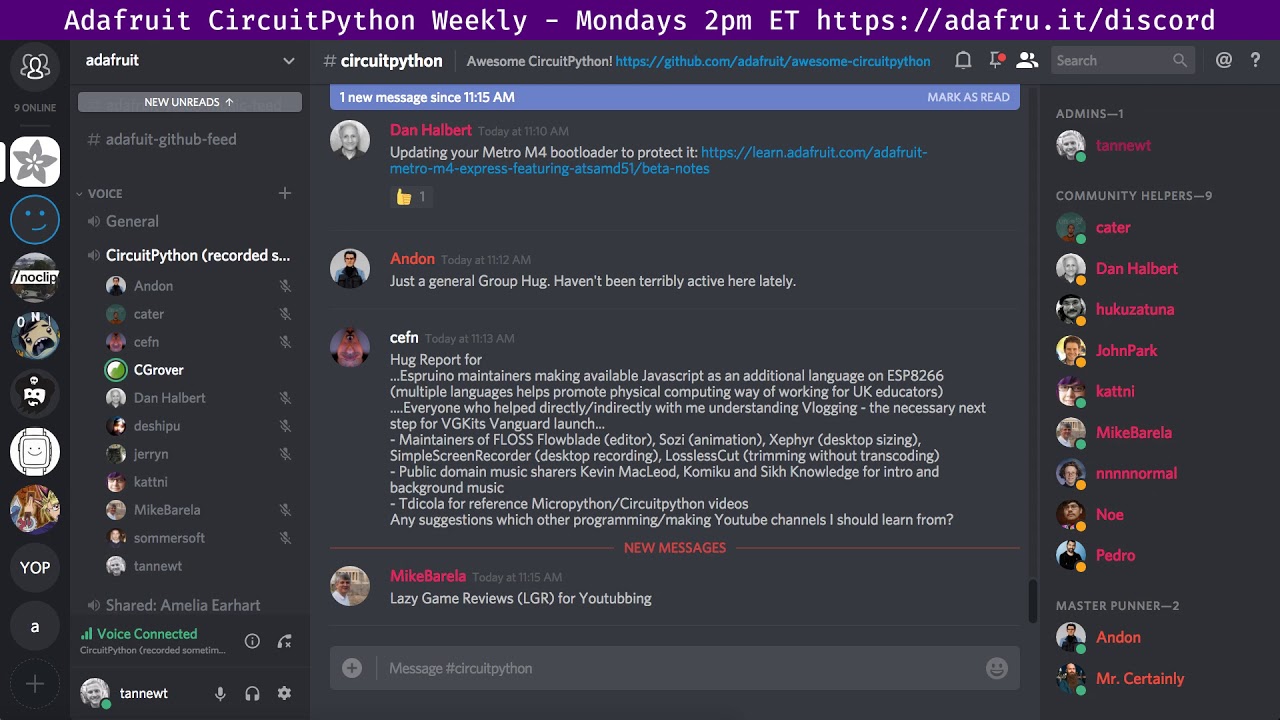
Notes with timecodes are available here: https://gist.github.com/tannewt/ae9c330afc2cdb347418af2f40600e20 Join here for the chat all week: http://adafru.it/d...
idle owl
Ok for the Gemma project, if we want rainbows, and we ALL want rainbows on everything, it's going to end up looking a lot like the Ikea lamp hacking code, which is handy because I already wrote that code. So I'm going to adapt it to this and change up what the modes are: rainbow, Python Colors back and forth probably, and something else.
slender iron
I bet that'll impress regular python folks
idle owl
Context: I'm writing up a quick guide for PyCon using the Gemma, with a piece of code you can put on it to do some fun things with the onboard LED. Then you can attach it to your swag bag or your badge and tah-dah, light up bag or badge. Or whatever you attach it to.
Yeah! Should be good
tidal kiln
@idle owl and using only what's on the gemma?
idle owl
Capacitive touch will be the inputs.
So it'll have a set speed for the cycle and brightness, so no state machine included to try to expand the 3 touch inputs beyond being 3 inputs.
Although if I follow the code, I won't need state machines to include changing speed and brightness. Realising that the Ikea lamp code only had 3 inputs in the end. The fourth one was shake to turn it off, and there's a switch on Gemma for that.
tidal kiln
the gemma switch is a power switch though, not like the cpx slide switch
idle owl
So I can have one pad cycle through modes, one pad cycle through a few brightness levels, one pad cycle through a few speeds.
Right
That's good. Means you can turn it off instead of the fake off I had for the lamp, which just turned the LEDs off.
tidal kiln
ah gotcha.
idle owl
Hah! Needed state machines after all. So that you don't skip through a bunch of modes each time you touch it.
 fresh knoll
@idle owl you should add a 'p' to the end of your user name :)
tidal kiln
@idle owl maybe you could get away with just adding some time.sleep() to debounce the touch?
idle owl
that messes with the rest of the code. It's all done with time.monotonic()
It's already done 😃
tidal kiln
yep. only works for simple use cases.
manic glacierBOT

 tidal verge
I am running circuit python on my Feather Huzzah and I am trying to interface a temperature sensor. When I run i2c.scan(), I get the following error
>>> print(i2c.scan())
Traceback (most recent call last):
  File "<stdin>", line 1, in <module>
RuntimeError: Function requires lock
has anyone encountered this one before? I did a quick web search and did not find a solution
I am running 3.0 alpha6
idle owl
You need to lock I2C before you can scan.

The next step in learning CircuitPython.
This goes into more detail: https://learn.adafruit.com/circuitpython-basics-i2c-and-spi/i2c-devices

Learn how to talk to I2C and SPI devices with CircuitPython!
tidal verge
ah thanks.. I was looking at this documentation: http://circuitpython.readthedocs.io/en/latest/shared-bindings/bitbangio/I2C.html?highlight=lock
I will check it out. Thanks
tidal verge
Thanks it worked out.
I have been testing an AM2320 sensor and the sensor seems to fail alternatively. I tried slowing down clock but it still seems to fail. For e.g.:
22.3
>>> sensor.temperature
Traceback (most recent call last):
  File "<stdin>", line 1, in <module>
  File "adafruit_am2320.py", line 117, in temperature
  File "adafruit_am2320.py", line 112, in _read_register
  File "adafruit_am2320.py", line 93, in _read_register
  File "adafruit_bus_device/i2c_device.py", line 102, in write
OSError: [Errno 19] ENODEV
that can happen. try using try/except blocks like the example here shows:
https://learn.adafruit.com/adafruit-am2320-temperature-humidity-i2c-sensor/circuitpython-usage

A I2C-friendly version of those popular DHT sensors
tidal verge
I wonder if it is because of the bitbanged i2c. Even initialization takes more than 1 attempt
tulip sleet
@tidal verge are you using bitbangio.I2C instead of busio.I2C?
tidal verge
no I am using bitbangio
tulip sleet
what board is it?
tidal verge
Feather Huzzah
tulip sleet
i can't remember, there's no hw I2C?
tidal verge
nope.. that's why I am using bitbangio
I tried setting the frequency to 500. I still have to init the device twice
 humble mural
Hello everyone please let me know when I can butt in.
tulip sleet
we've had erratic behavior with the AM2320 even with regular I2C. It can fail randomly, though not as often as yours. jerryn discovered that if you power it up with SCL grounded, it acts like a DHT22 and uses that device's protocol.
so you could try the DHT22 driver if you wish
tulip sleet
@compact solstice what's you q?
humble mural
Hi Dan, I am trying to replicate the Pitch Perfect Machine. Having some trouble with Mu editor. First when i reinstalled the program I got this error.
Image coming
Then when I try to save the program I get a message that I don’t have permission to save.
raven canopy
@humble mural did you try running as administrator?
tulip sleet
The CIRCUITPY filesystem on your board has become corrupted.
You need to erase and reformat it. What kind of board is it.
raven canopy
oh...nevermind. thought you were having an install problem... oops. thanks Dan! 😄
tulip sleet
Follow the instructions here for CPX: https://learn.adafruit.com/welcome-to-circuitpython/troubleshooting#for-the-circuit-playground-express-feather-m0-express-and-metro-m0-express. np @raven canopy!
humble mural
@tulip sleet and @raven canopy I just refreshed the CPX I am going to run Mu as admin. I'll keep you posted.
tulip sleet
you should not need to run as admin. sommersoft was just suggesting that to solve a different problem which you don't have
better not to
humble mural
Still showing the error message for permissions
tulip sleet
corruption message?
humble mural
ohhh the secon message never posted
tulip sleet
you mean it was left over?
humble mural
"Could not save file" "Error saving file to disk. Ensure you have permission to write file sufficient disk space"
tulip sleet
do you have a CIRCUITPY drive in an Explorer window?
quit and restart mu if you have not done that yet
humble mural
Dan, I close a Windows explorer window the was displaying CIRCUITPY and I restarted Mu. I restarted Mu and I still get the error.
Dan should I uninstall/reinstall?
raven canopy
@humble mural what Dan is saying, is that the filesystem on your CPX is corrupt.
you'll need to erase it. The link above he posted will help you with it.
humble mural
I wiped it and reinstalled it, double click on the reset, it went back to something else (i forgot) and then i dropped in the CPX .uf2 file and made a a CIRCUITPY agaain
raven canopy
that only installs the firmware. it doesn't touch the file system area.
humble mural
adafruit-circuitpython-circuitplayground_express-2.2.3.uf2 is the file correct??
ohhhhhhhh
let me go back and read that link that Dan gave me
humble mural
@tulip sleet and @raven canopy thanks that did the trick. the CPX and the Mu editor work wel now. I think there is something in the code that needs to be worked out. Otherwise, it done.
raven canopy
@humble mural yay! glad you're back in business.
tulip sleet
2.2.4 is the latest
actually 2.2.3 is fine 2.2.4 is only a fix for DotStar brightness on a few boards. Not an issue on CPX.
manic glacierBOT
This improves the python3 compatibility of the 'ubinascii' module as it relates to treatment of unicode (not bytes) inputs and aliases it as 'binascii'. It adds additional tests for bytes vs unicode behavior.
humble mural
@tulip sleet Awesome, we downloaded that on Friday, based on the date (March 7) we have the newest veriosn.Thanks again.
tulip sleet
glad you got it working again. 3.0 includes a much easier way to reformat the fileystem: you can do it from the REPL.
on Windows, make sure you Eject before pulling the plug on the board or pressing the Reset button. That will help prevent filesystem issues. The Mu editor is good about writing the whole file out at once; some editors are not.
humble mural
I'm very good at doing that but my students may not. Many still think that this an Arduino board that you can just close the IDE and pull out the USB cable.
manic glacierBOT

 vernal marsh
Help !!!
Well any one who is capable of helping me
Here is my problem the program get uploaded on adafriut HUZZAH32-ESP32 but it comes with warning that
"The architect of esp (32) may not compatible with architect of ESP (32)"
ALSO
after that programme was uploaded I tried to start the camera but the screen turn to only blue colour nothing else .
After that I even tried uploading simple led blink program but it failed . Since then it's not accepting any program.
I've followed each and every step as instructed on Adafriut website
This is regarding adafruits thermal camera
tulip sleet
@vernal marsh Could you ask this over in #help-with-projects or in the forums: https://forums.adafruit.com. We could use more details, such as exactly when you saw that architecture error, etc. Try pressing the reset button just before uploading.
vernal marsh
Sir I pressed the reset button too still the same
tulip sleet
Please let's move over to #help-with-projects.
 warped pendant
is anyone else having this happen that CPX is wiping itself down to boot_out.txt? i'm just doing a cap touch on it with alligator clips and i can see anywhere anything might be touching - have taped up the leads away from one another. this was happening prior to me taping up the leads) so thinking i'm shorting out somewhere and maybe someone stuck their hand inside my project over the weekend and maybe was fiddling with the wires. any idea would be appreciated. thanks
sorry prob should move over to projecthelp will do now
tulip sleet
@warped pendant are the LED's on during that 120 hours? battery life would be highly dependent on how much the led's are being illuminated. a full-on Neopixel with RGB all set to max brightness is 20ma per color , 3*20=60ma.
turbid radish
Just a note that Adafruit has done a gradual opening of the Twitter @CircuitPython account to provide information on our favorite programming language that can be more in-depth than the @river quest account. See https://twitter.com/CircuitPython and subscribe on Twitter. And no worries, Discord is still our #1 discussion place 😃

 tidal kiln
@solar whale can you link to the AM2320 data sheet you were reading? i could google it, but want to make sure i use the same one. i'm now getting lock ups and when it happens SCL is "stuck" low, so it might have something to do with that non-i2c mode
 brazen cedar
Hi, When I plugin my Metro M4 to Ubuntu the device is in read-only mode so I can't save any code files. How can I fix this? chmod didn't work
raven canopy
@tidal kiln the one at the bottom of the product page has the info, IIRC.
tidal kiln
@brazen cedar through GUI, command line, or both?
tidal kiln
unrelated, but worth pointing out since you have a metro m4:
https://learn.adafruit.com/adafruit-metro-m4-express-featuring-atsamd51/beta-notes#replace-and-protect-the-bootloader
brazen cedar
I just did that
I tried looking up what the neopixel color means but didn't get any hits
brazen cedar
yes it does and I can open files just cant write to it
/media/username/CIRCUITPY is there
tidal kiln
but same deal, read only?
brazen cedar
yep read only
tidal kiln
try just pressing reset, let it remount, and see if it changes
and try a couple of times
solar whale
@tidal kiln this is teh AM2320 datasheet I have been using: https://akizukidenshi.com/download/ds/aosong/AM2320.pdf
tidal kiln
i'm on ubuntu as well and have this issue from time to time, with any CP board
@solar whale thanks. also thanks @raven canopy i looked, but missed that little linky down there 😃
raven canopy
Yeah. The learn guide linked higher up is missing the datasheet..
brazen cedar
@tidal kiln I reset the board several times and the error persists
solar whale
for CIRCUITPY on Ubuntu I often find that I have to manually mount the drive byt clicking on the icon in the file manager, but then I cant't drag/drop to it. I can write to it via the command line just fine but no drag/drop. Sometimes restarting the filemanger helps.
tidal kiln
^^ same for me
brazen cedar
@solar whale I'll give that a try
tidal kiln
do you have a boot.py file?
tidal kiln
ok. not that then. (was wondering if something was remounting the fs as read-only)
 split ocean
Has anyone here run into a Errno 28 trying to launch Mu?
OSError: [Errno 28] No space left on device: '/Volumes/CIRCUITPY/images'
tidal kiln
@split ocean are you creating the /images folder? (there's a known bug for that)
solar whale
@brazen cedar whne CIRCUITPY mounts, check the output from "dmesg" and if it reports it as "read-only" then then, in my experience that usually means that the FS is corrupted.
split ocean
Ah. No @tidal kiln not intentionally.
I was doing some plotting any chance that creates an images dir?
solar whale
mu beta15 does that!
brazen cedar
@solar whale I'm a Ubuntu newbie, where do I find dmesg output?
split ocean
im in beta15 yes
tidal kiln
@split ocean https://github.com/mu-editor/mu/issues/358
what's in that folder?
@brazen cedar it's just a command, run it from prompt
solar whale
just type dmesg in a terminal session. if you jsut mounted the CIRCUITPY it should be in the last entries - post the last few lines here
brazen cedar
ok
tidal kiln
can do something like dmesg | tail -10
brazen cedar
@solar whale ah ha! corrupted directory (invalid entries) set to read-only
@solar whale so how do I fix it?
tidal kiln
split ocean
Interesting, looks like there were .csv files being saved to the CPX in a data_capture dir. here's the code I'm running on the board
import board
import time

light = analogio.AnalogIn(board.LIGHT)

while True:
    print((light.value,))
    time.sleep(0.1)
there is not an /images dir on the CPX
tidal kiln
mu might still be trying, and generating that message
and those .csv files have taken up all the space
split ocean
yes one of them is 1.7MB! is that even possible?
tidal kiln
are the csv files left over from something? like a data logging code you were running?
tidal kiln
weird. and they are in a folder named data_capture ?
split ocean
yes, it seems running plotter may be the cause
solar whale
@brazen cedar if you have CP3.0 on the M4 you can erase the FS from the REPL if you ahve access to the REPL.
storage.erase_filesystem()```OK, this is actually what I have running on the CPX
import board
import touchio

touch_A1 = touchio.TouchIn(board.A1)
touch_A2 = touchio.TouchIn(board.A2)
touch_A5 = touchio.TouchIn(board.A5)
touch_A6 = touchio.TouchIn(board.A6)

while True:
    value_A1 = touch_A1.raw_value
    value_A2 = touch_A2.raw_value
    value_A5 = touch_A5.raw_value
    value_A6 = touch_A6.raw_value
    print((value_A1, value_A2, value_A5, value_A6))
    time.sleep(0.1)
and if I launch the plotter in Mu nothing gets saved to disk, but when I close the plotter it saves a .csv file to the CIRCUITPY/data_capture dir
which seems kinda cool but opaque of Mu to do this
tidal kiln
lemme see if i can recreate...
split ocean
I deleted the files and it seems to all be happy again
split ocean
press "plotter" button again
BTW, this might not matter, but I was actually running that cap touch code I posted above on this CPX, not light level.
tidal kiln
hmmmm. haven't closed plotter yet, but i have an empty csv file sitting in a data_capture folder.
split ocean
interesting.
i'm on mac os and was just watching a finder window, not actively checking that dir
tidal kiln
closed plotter. and now it has size, and data in it
split ocean
just checked in a terminal and it doesn't seem to make my .csv until closing plotter
tidal kiln
looks like a bug
split ocean
Neat feature, but it would be nice to specify!
"yes save .csv file" vs. "no thank you to .csv file"
tidal kiln
not sure if it's intentional, or it's not cleaning up after itself
split ocean
I think I left one running a long while, closed it, it saved the 1.7MB file, and then my troubles began
tidal kiln
and all your space was taken, and thus that error message
split ocean
right
tidal kiln
when the other "feature" tried to create the alien image file and sounds
split ocean
what caused that? is there an alien feature
?
tidal kiln
that issue i linked above. has something to do with pygame.
split ocean
got it
solar whale
I think thge "alien" stuff is related to "pygame" but leaked into it.
split ocean
thanks for the help, I'm in good shape now to shoot a plotter vidoe!
tidal kiln
yeah. for now, just delete those csv files to get your space back.
i'm looking through the mu issues and not seeing anyone reporting this yet
i'm creating one
manic glacierBOT
Huh, I wonder if its reproducible with a AAA switch because there is bounce on the switch.
@croadfeldt Could you save file, load an arduino sketch and then switch it on and off. Its still not clear to us if this is a CircuitPython issue or a hardware/SPI flash issue.
solar whale
@brazen cedar on your M4 - have you updated the bootloader as recommended in the guide? https://learn.adafruit.com/adafruit-metro-m4-express-featuring-atsamd51?view=all#replace-and-protect-the-bootloader

Choo! Choo! ARM Cortex M4 @ 120 MHz coming thru!
tidal kiln
@split ocean https://github.com/mu-editor/mu/issues/458
@brazen cedar try adding the udev rules:
https://learn.adafruit.com/adafruit-arduino-ide-setup/linux-setup#udev-rules
@solar whale do you have that on your setup? (i do because of arduino)
solar whale
I don't think so -- checking to be sure -- may take few minutes
no - just these jerryneedell@Ubuntu-Macmini:/etc/udev/rules.d$ ls 99-jlink.rules 99-SaleaeLogic.rules I also use arduino on this machine
solar whale
but is is important for the user to be in the dialout group sudo usermod -a -G dialout $USER
tidal kiln
for file access? mine mounts with user:user ownership
solar whale
nevermind -- I was thinking about accesst to /dev/ttyACM0 or /dev/ttyUSB0
manic glacierBOT
Business cards shipped and should be to my place on Thursday.

Ordered Adabox 006 for the PyLadies auction, as well as NeoPixel rings as they were in stock. Will arrive tomorrow. Alligator clips and USB cables are already here. Prep will likely be happening next week.
Lets remove the MicroPython version so folks don't use it and break compatibility.
 idle owl
hahaha... no. No you won't.... lol.
slender iron
also dean from hipchat: "linter is gonna have a fit since it's from before we had standards"
@solar whale I'm going to do a beta stmpe610 release
GitHub
Adafruit_CircuitPython_STMPE610 - Adafruit CircuitPython driver for the STMPE610 resistive touchscreen controller
idle owl
Hello travis... lol
slender iron
😄
manic glacierBOT
The API is almost the same except the frequency attribute has been
renamed to sample_rate so that its less likely to be confused with
frequencies within the audio itself.
Fixes #263.
slender iron
@tulip sleet ok thanks I’m climbing now and may start touchio. That ok with you?
solar whale
Sounds like you need belayio 😉
tulip sleet
@slender iron I can either start touchio or do brownout next.
I’ll have a temperature PR tonight.
slender iron
I’d rather do touch
tulip sleet
@slender iron Go ahead. Check HipChat for decompiled library files Limor dropped there for me when we were in NY.
tidal kiln
there's a belayio module? does it support top rope and lead belays?
errant grail
status = belayio("on")
idle owl
I need help with a title. It's a quick project with Gemma, using capacitive touch and the onboard DotStar. Short version: you touch it and it changes the light. I called it "Interactive Gemma Light". I feel like I could do better with the title. Anyone have any better ideas?
brazen cedar
@tidal kiln @solar whale thanks for the help earlier I had to jump off and didn't mention the erase/reinstall procedure fixed things for me
tidal kiln
yay. glad that worked.
slender iron
climber.status = climb.BACK_TO_WORK
tidal kiln
hmmm. maybe a context manager might be a good idea for belay...
 silk pawn
anyone had any experience with the new bpi:bit boards? I've got micropython on it, but i am not having any luck getting the LEDs going. they are WS2812, so I can use the neopixel library, right?
 silent torrent
Hey Guys. Just looking for some basic advice on learning python. I've already been through the tutorial on adafruit and bought the Micropython book
Where should I start to understand the language form the beginning?
tulip sleet
@silent torrent do you have any previous programming experience?
@slender iron can I ask a couple of questions on the PDMIn PR?
silk pawn
@silent torrent https://www.reddit.com/r/learnpython/wiki/index has a lot of good resources
Reddit gives you the best of the internet in one place. Get a constantly updating feed of breaking news, fun stories, pics, memes, and videos just for you. Passionate about something niche? Reddit has thousands of vibrant communities with people ...
silent torrent
@tulip sleet other than Excel ;)...only what I've picked up through editing arduino code
silk pawn
@silent torrent MIT has a free course available online for introducing compsci and programming with python https://ocw.mit.edu/courses/electrical-engineering-and-computer-science/6-00-introduction-to-computer-science-and-programming-fall-2008/index.htm

MIT OpenCourseWare
This subject is aimed at students with little or no programming experience. It aims to provide students with an understanding of the role computation can play in solving problems. It also aims to help students, regardless of their major, to feel ...
silent torrent
Thanks @silk pawn
tulip sleet
SO bsx's reference is probably good, and also https://wiki.python.org/moin/BeginnersGuide/NonProgrammers. What you like will depend on your learning style. One problem is that once you get past the absolute basics, what you're learning may not be so applicable to CircuitPython in terms of libraries and applications. The basic language stuff is the same. But the projects in the beginner courses may take some framework or library as the thread for the examples that is not so relevant. I wish I could wholeheartedly recommend a particular book or course, but I've looked at a lot, and there's no clear standout. We sell the book "Python for Kids", and it's pretty good, but it's at more of a high school level or even above in terms of terminology sometimes. But it has a good pace.
silent torrent
Thanks @tulip sleet I've started with Programming with MicroPython: Embedded Programming with Microcontrollers and Python and even though some things are really basic, when he explains the code he uses some jargon that doesn't make sense
silent torrent
TO someone who dosnt know
manic glacierBOT
I did a rebase from master before this PR. Not sure why 681933f showed up, but its changes are already in master.
There is a little reorganziation of the ports/atmel-samd/*peripherals*.* files. I was able to delete one of the files completely: It was actually unused.
Some common ADC setup code that temperature needed was refactored from AnalogIn.c into samd?1_peripherals.c
warped pendant
@tulip sleet just to catch up here - my CPX board wasn't running anything but the lights on the board (green and red showing load ok and the one the changed colours based upon cap touch input - so there were 3 on board running all the time for um, say 45 hours which - yes the batteries are shot now I think for certain. So i didn't start getting the code wipe thing again after taping up leads away from each other - till around 43 hours of battery - so should reprogram to eliminate the on board light-up - would make it run a bit longer. but for perm install i would suggest wall wart or solar trickles if outside or port avail outside project for rechargeable battery or battery pack outside so it can be changed easily. --- although --- i could have still had people sticking hands inside and shorting it ou because it wasn't sealed up very well ===variables===kids sneaking a peek!!! 😉
tulip sleet
@warped pendant The little LEDs take very little current. It's the RGB ones that take a lot. 45 hours is impressive. We've discovered that the low-voltage ("brownout") warnings on the CPU chip might be off, and will try to fix that. Yes, wall wart or a big USB power pack is probably in order for two days of running. Thanks for the info.
warped pendant
@tulip sleet it's my recycle bin so it only spoke cap touch when someone opened it -- and it's still not full (after a week) working on arranging school visits in the upcoming weeks with her for some community education - so - fresh batteries (and tying her into the pickup better) she took a few spills coming home from earthday! lol I need to get better eyes done up though!
manic glacierBOT
 raven canopy
gotta take a break...my writing style is exhausting. at least when i ramble vocally, i don't have the ability to backspace it. 😄
manic glacierBOT

I have confirmed that this issue is still present with CP 3.0 Master. The first check of the configuration fails
https://github.com/adafruit/Adafruit_CircuitPython_RFM9x/blob/master/adafruit_rfm9x.py#L360
This appears to be a problem with basic write/read.
Note - the driver works under CP 2.2.4 and the RFM69 driver works under CP3.0 master.
I have also experienced several instances where the FIle System is corrupted while troubleshooting this.
I will hook up a Logic analyzer next and lo...
solar whale
@tulip sleet FYI - storage.erase_filesystem() has been very useful! I have used it several times on a feather_m0_express and a feather_m0_supersized while working on the LORA radio issue. Thanks!
manic glacierBOT

If I try to build circuitpython with current master (dd0f8689a), I get:
Use make V=1, make V=2 or set BUILD_VERBOSE similarly in your environment to increase build verbosity.
FREEZE modules
Traceback (most recent call last):
  File "../../py/makeversionhdr.py", line 108, in <module>
    make_version_header(sys.argv[1])
  File "../../py/makeversionhdr.py", line 70, in make_version_header
    info = get_version_info_from_docs_conf()
File "../../py/makeversionhdr.py", line 55, i...What board are you building CP for? What command are you executing to build it? What subdirectory are you executing it in?
Sorry, duh. My bad.
I'm building the esp8266 port, from ports/esp8266, and I am running make.
$ pwd
/home/lars/src/micropython/ports/esp8266
$ git log --oneline -1
dd0f8689a (HEAD, circuit/master) Merge pull request #786 from notro/rtc_set_datetime_precision
$ esp-sdk make
Use make V=1, make V=2 or set BUILD_VERBOSE similarly in your environment to increase build verbosity.
Traceback (most recent call last):
  File "../../py/makeversionhdr.py", line 108, in <module>
...Also did you execute
git submodule update --init --recursive
after cloning the repository?
If I patch py/makeversionhdr.py from this:
with open(os.path.join(os.path.dirname(sys.argv[0]), "..", "docs", "conf.py")) as f:
To this:
with open(os.path.join(os.path.dirname(sys.argv[0]), "..", "conf.py")) as f:
The build proceeds correctly.
I did run git submodule update --init --recursive, yes...although that shouldn't matter, because neither py/ or docs/ nor ports/esp8266 are submodules.
odd - it builds fine for me --- did you try running make clean first - just guessing.
I did that too. Very strange.
Can you confirm whether or not you have a docs/conf.py in your repository? If it exists, do you see it in the output of git ls-files docs/conf.py show?
I see you are running esp-sdk make -- what OS are you on? I just execute
make
on my Ubuntu 16.04 system.
the py/makeversionhdr.py script was looking for conf.py in the docs/ directory, but this was relocated in 46e7f8e.
Closes #791.
@jerryneedell reports that master builds correctly for him without this patch, but it seems to be necessary for me, and the current content of py/makeversionhdr.py looks demonstrably wrong. Hopefully someone else can comment.
esp-sdk is just a wrapper script that runs the build inside a docker container (https://github.com/larsks/docker-image-esp-open-sdk).
I'm pretty sure that build environment is not the problem; looking at the contents of py/makeversionhdr.py I think it looks incorrect. It's clearly trying to find docs/conf.py, which as you have verified does not exist.
Oh hey, I spotted the problem.
If you look at py/makeversionhdr.py, you find:
def make_version_header(filename):
    # Get version info using git, with fallback to docs/conf.py
    info = get_version_info_from_git()
    if info is None:
        info = get_version_info_from_docs_conf()
So it falls back to using docs/conf.py if git isn't available. It's not in my build environment, and obviously nobody ever tested the fallback path since making that change in...
Is there a difference in use or audience between the forums and the discord instance?
In my experience, discord is far more interactive and depending on time of day there are several people willing and able to help.
tulip sleet
@solar whale You're welcome - I added storage.erase_filesystem() because I was getting tired of doing it the hard way myself, and telling people how was complicated as well.
manic glacierBOT
Commit 6292f937da attempted to modify ports/esp8266/Makefile such that it would explicitly use python2 for running esptool.py. Unfortunately this commit only modified the build target but ignored deploy and erase.
Additionally, this change should be unnecessary: the standard Python install process should ensure that esptool.py is using the correct Python.
There are two specific problems:
- Because the change was incomplete, it may be possible for
maketo complete and t...
This commit replaces the literal calls to esptool.py with the
$(ESPTOOL) environment variable. This allows one to set the esptool
invocation on the Make command line:
make ESPTOOL="python2 $(which esptool.py)"
(or via an include file, etc)
Closes #793
tidal kiln
@split ocean (and anyone else here) - might help ntoll to provide some feedback on this mu feature:
https://github.com/mu-editor/mu/issues/458
manic glacierBOT
@tannewt Will do later this week when I have some time again.
Tried tannewt/pdmin3 on CPX:
Adafruit CircuitPython v1.9.3-1940-gcfea51ec6 on 2018-05-02; Adafruit CircuitPlayground Express with samd21g18
>>>
>>>
>>>
>>> import board, audiobusio
>>> p = audiobusio.PDMIn(board.MICROPHONE_CLOCK, board.MICROPHONE_DATA)
>>> b = bytearray(160)
>>> p.record(b, 160)
[hangs]
Also tried a 2000-byte buffer. Same thing.
manic glacierBOT

 brazen oxide
I looks like MQTT is not available on the CP ESP8266 port, v2.2.4. Is that right? MQTT is a built-in module for micropython on ESP8266. But, the same import on CP showed that MQTT is not built-in. I was able to work-around by adding the module from the micropython github library. Am I missing something? perhaps the built-in MQTT module has been re-named in CP?
manic glacierBOT
Thank you for the fix!
I'd recommend using git to keep your local copy up to date. I'll merge this though in the meantime.
4e977aa correct path to conf.py in makeversionhdr.py - larsks
61d3dd8 Merge pull request #792 from larsks/bug/791 - tannewt
slender iron
@brazen oxide It hasn't been renamed. I believe loading it from micropython-lib is the current way to go
manic glacierBOT
I'd recommend using git to keep your local copy up to date.
Oh, no worries; I do. Submitting PRs is difficult without it :). But I run my builds in a Docker container (https://hub.docker.com/r/larsks/docker-image-esp-open-sdk/), which simply didn't have git installed...which is why I was hitting this seldom used code path.
FWIW, I've updated the image to include git.
slender iron
@tulip sleet awesome! pinged you in the wrong channel. 😃
manic glacierBOT
Cool cool. Thanks for the fix!
tulip sleet
@slender iron I do that all the time
manic glacierBOT
3e35cbc allow esptool.py invocation to be set via make ... - larsks
41101bc Merge pull request #794 from larsks/bug/793 - tannewt
Thanks @croadfeldt! @dhalbert is looking into the brownout detector settings now too.
slender iron
@tulip sleet think its worth making a samd_friend library as an asf4 alternative?
move clocks, events, shared_dma, audio_dma there
tulip sleet
eventually, I think so. The stuff I have in samd<xx>_peripherals.c, you have elsewhere, etc. But maybe leave it in circuitpython until we've made it more complete and we're satisfied. If we really drop ASF4 we are going to add a lot of stuff.
slender iron
yup, a worthwhile first step might be to make a subfolder for it
with the idea that code there doesn't depend on micropython or asf4, only cmsis
manic glacierBOT
I'm used to .c files including their corresponding .h. Why did you change this?
Please comment on a PR when you want to me to take another look. Thanks for the quick fix!
manic glacierBOT
Oops, it was removed when I was debugging an #Include problem and forgot to put it back. Thanks!
slender iron
@tulip sleet feel free to merge! I'm gonna go for a run before I continue debugging 8 bit recording/playback.
manic glacierBOT
@larsks Discord can certainly be more interactive. One of the major differences between Discord and the forums is that Discord is primarily community driven and the forums have official Adafruit Support people available to answer questions. There is a little overlap with some of those people, but not much. We consider Discord to be faster, but with potentially less applicable responses, and the forums to be slower but with consistently more applicable responses. As well, in the event that you...
manic glacierBOT
Closing issue. If you run into problems again, please feel free to reopen the issue!
manic glacierBOT
681399f atmel-samd: RTC: Improve precision when setting... - notro
3a2b4af Implement microcontroller.cpu.temperature on '2... - dhalbert
e565282 fix minor comment typos - dhalbert
33b9c39 peripherals.c should include peripherals.h - dhalbert
449385b Merge pull request #790 from dhalbert/cpu_temp - tannewt
idle owl
Anyone using the plotter in Mu and finding it doesn't quite match the data you're getting in the REPL?
I have a potentiometer hooked up, and the pot maxes at 3.3 and the plot is sitting around 2.3 or something. I also just realised that the grid marks aren't quite right, at this scale, the first grid mark is 1 and the second one is 3. Which means the first space is 1 unit, and the second space is 2 units.
IF I have the pot at 1.9, it sits on the 1-line.
0 is correct.
idle owl
Filed an issue. https://github.com/mu-editor/mu/issues/462

GitHub
I have a potentiometer hooked up to a CPX, min 0, max 3.3. At potentiometer max, the plotter does two odd things:
It marks the equal grid lines as 1 and 3, so the first grid space would be repres...
tidal kiln
@idle owl yes. i get same.
idle owl
Ok
I tested it with the pot and simply printing numbers, it's inaccurate at lower numbers consistently. 125 seems accurate, and it slowly gets less accurate below that.
Thanks @tidal kiln
tidal kiln
something seems off by a factor of 2
solar whale
You want it fast or you want it accurate 😉
idle owl
But it gets less so as it gets higher.
That's what's odd.
It's not consistent. Also could simply be that as it scales larger ranges into the same visual space, it appears more accurate.
tidal kiln
yah. weird. dunno. issue filed so guess we'll see what happens.
idle owl
Yah. If you want to add to the issue, go for it.
You found pretty similar things to me though.
(So don't feel obligated was my point with that. You absolutely can if you want.)
tidal kiln
just read the issue. i think yours are enough.
idle owl
Ok keen
tidal kiln
speaking of mu... can anyone get it to run with a non-express board?
tidal kiln
i originally tried the above with a trinket m0, it couldn't start and complained about not enough space
idle owl
After it creates those extra directories.
tidal kiln
ok. same then.
idle owl
Yeah.
tidal kiln
yah. so maybe ok once that's fixed.
idle owl
Mah hah!!
Ok so I went into the directories and removed the contents
But not the directories
and reran Mu from the command line
and it worked
tidal kiln
cool. neat hack.
idle owl
Oh and Gemma LightTouch won for title 😃
tidal kiln
keen
manic glacierBOT
Ok thanks for testing it! I had only tested on the metros with 16-bit.
I'm looking into it now.
solar whale
@slender iron @tulip sleet did something change from 2..x to 3.0 regarding the default state for digitallio.Pull on an Input pin? I think this was the problem for the LORA driver - The way the initial RESET is done is a bit odd, it statrs with the pin as an inout then switch to output to pull it low. the code did not set the input to Pull.UP - on 2.x it seems to default to UP -- on 3.0 it does not. It works when I force it to Pull.UP
slender iron
@solar whale it possible we accidentally reset with pull up. I would expect it to be no pull by default
solar whale
I think that is correct, just wondering why it seems to work in 2.x
tulip sleet
In the 2.x code, it starts out with PULL_NONE and sets that again to PULL_NONE if you do switch_to_output. The drive mode is set to OPEN_DRAIN on switch_to_output() as well.
solar whale
is it different in 3.0?
tulip sleet
nope, looks functionally the same in 3.0. Both in common-hal/digitalio/DigitalInOut.c
stepping away for dinner but I'll look more in a little while
solar whale
In any case, it seems to work now - The REST was clearly not working the way it was. The whole reset scheme is strange and my be due to something odd about how it was working when it was written. It is very different from the rfm69 reset which looks more normal to me. Just sets it to output and drives it. For the rfm9x it sets is a an input the switches to output(low) then back to input. Tony's note just says it has to be done that way. I'll play with it.
@tulip sleet thanks - no need to spend time on it -- I'll poke at it.
anyway - major progress 😃
slender iron
good job @solar whale !
solar whale
@slender iron thanks - The Salea came in very handy!
slender iron
great! I love mine
manic glacierBOT
making progress: setting the RESET to Pull.UP at initialization fixes the driver for CP 3.0
diff --git a/adafruit_rfm9x.py b/adafruit_rfm9x.py
index d5afcef..72d5d93 100644
--- a/adafruit_rfm9x.py
+++ b/adafruit_rfm9x.py
@@ -30,7 +30,7 @@ http: www.airspayce.com/mikem/arduino/RadioHead/
 * Author(s): Tony DiCola
 """
 import time
-
+import digitalio
 from micropython import const

 import adafruit_bus_device.spi_device as spi_device
@@ -344,7 +344,7 @@ class RFM9x:
...Adabox 006 arrived today with the rest of the stuff we ordered for PyCon. Next week I'll be getting everything ready!
slender iron
@tulip sleet you read my mind. thanks for the review!
idle owl
That's why we all work together so well.
tulip sleet
i had 2 mins between shows (actually, I was testing during S&T).
slender iron
😃
manic glacierBOT
submitted PR https://github.com/adafruit/Adafruit_CircuitPython_RFM9x/pull/2 that , I hope, takes care of this. In any case, it appears to be a driver issue and not a CP issue.
OK to close?
slender iron
@solar whale feel free to close the issue. will look at the PR after the show or tomorrow morning
solar whale
no rush - thanks
manic glacierBOT
Yay! Business cards arrived and I have extra Gemmas.
slender iron
anyone with a Si4713 want to test https://github.com/adafruit/Adafruit_CircuitPython_SI4713/pull/3 ?
GitHub
As mentioned at adafruit/circuitpython#782 it will be necessary in CircuitPython 3.0 to import 'struct' instead of 'ustruct'. Use the import syntax suggested in that issue, tidying...
and if you have an MMA8451: https://github.com/adafruit/Adafruit_CircuitPython_MMA8451/pull/1
GitHub
As mentioned at adafruit/circuitpython#782 it will be necessary in CircuitPython 3.0 to import 'struct' instead of 'ustruct'. Use the import syntax suggested in that issue, tidying ...
solar whale
Why doesn't Travis just fix it's pedantic complaints and move on 😉
tulip sleet
"you're missing a colon here." "So, if you know that, why don't you put one in??"
manic glacierBOT
This was diagnosed as a Mu issue (see above): https://github.com/mu-editor/mu/issues/225 (fix in process). Closing.
manic glacierBOT
Raising brownout voltage limit to 2.77V did not fix the problem. After testing by turning various things off, adding delays, etc., I think that the usual reason for this problem is the boot_out.txt write that happens on every hard reset. If the write gets interrupted by a power fail (or reset?), the filesystem is damaged and will be re-created on the next startup. If I turn off the boot_out.txt write, I cannot reproduce the problem. If it's on, bobbling the power will cause it to happen i...
raven canopy
@solar whale @tulip sleet it synonymous to performance report routing. "I think you should use this word instead". "Ok, you have the digital copy, and it takes less time to change it than to suggest it to me, send it back, and review it again." 😵
manic glacierBOT
This will also save wear and tear on the flash.
raven canopy
@idle owl when you get a couple minutes free, can we chat about learn guide authoring?
raven canopy
k. @ or DM me when you're ready.
idle owl
Ok will do. Be back in a few
manic glacierBOT
@dhalbert @tannewt
Results
started w/ circuitpython 2.2.4 - running code.py - no usb connection, flop power switch on battery quickly results in wiped filesystem with just boot_txt
compiled code running raw - no usb connection, flop power switch has no effect on code, operation
redploy of circuitpython 2.2.4 - reinstall of files on filesystem restores code, persists through compiled code pushed from arduino IDE, this was a neat surprise when I put the 2.2.4 CP back on and my files ...

 manic glacierBOT
@croadfeldt Could you try a couple of things:
- Here is a test version of CircuitPython: cpx-2v7-no-boot-out.uf2.zip. The .uf2 file is in a .zip file because GItHub requires it.Could you unzip it and try this version? It will refuse to work if the battery voltage is <2.8v (instead of 1.7v). It also does not write
boot_out.txtwhen it starts up. If you still see aboot_out.txt, it is old. If the file...
manic glacierBOT
Building the esp8266 port from 9d484c493, I see the following when I boot my board:
#5 ets_task(40100394, 3, 3fff83f0, 4)
Performing initial setup
Traceback (most recent call last):
  File "_boot.py", line 12, in <module>
  File "inisetup.py", line 38, in setup
  File "inisetup.py", line 6, in wifi
ImportError: no module named 'ubinascii'
The inisetup.py module is looking for ubinascii, but only binascii is available:
>>> import ubinascii
ImportError: no m...in recent circuitpython builds, ubinascii is available as
binascii. This modifies modules/inisetup.py to use the same
import semantics as modules/websocket_helper.py: first try importing
ubinascii, and if that fails, fall back to importing binascii.
Closes adafruit/circuitpython#795
 bold agate
What is the recommended way to submit changes that are relevant both to circuitpython and upstream micropython? Upstream first, and wait for it to merge? Two pull requests? Some other model?
tulip sleet
@bold agate There's a large backlog upstream. Damien is very productive but it may take a while to show up. If you have a change you think is helpful to CircuitPython, by all means submit a PR directly to us.
onyx hinge
thank you @bold agate for fixing that fallout from my change.
@slender iron now I notice that we have docs/library/ubinascii.rst that documents ubinascii. I should clearly change the doc-internal references to ubinascii, would that include renaming ubinascii.rst -> binascii.rst ?
tulip sleet
yeah, it should all be consistent
onyx hinge
and whether to leave the 'unsupported in circuitpython' banner on that page? binascii module is still not in most ports, my recent changes didn't change that.
tulip sleet
There's the support matrix here: http://circuitpython.readthedocs.io/en/latest/shared-bindings/index.html which is where you'd indicate where it's available.
onyx hinge
@tulip sleet aha thanks, so delete the 'unsupported' banner and add/update the support matrix
tulip sleet
Also, here's an example of a warning about being unsupported in certain ports: http://circuitpython.readthedocs.io/en/latest/shared-bindings/index.html
onyx hinge
er is that table automatically generated?
tulip sleet
Yes exactly, thanks. ... Nope, it would be nice, but it's not. I think RST has a supported keyboard or something like that, but we don't parse all that.
and there aren't consistent warnings about supported/unsupported on the individual module pages -- it's just that someone bothered to write that for pulseio
The docs have an ongoing need for polish and consistency, but that's not as high a priority as working on the releases right now.
manic glacierBOT
manic glacierBOT
@dhalbert
Quick update.
-
Was able to test this quick this morning, in testing 2v7, I was not able to reproduce the filesystem wipe. Put 2.2.4 back on, wiped the filesystem within 30 seconds.
-
Will be able ot test with a multimeter later tonight.
Chris
manic glacierBOT
This commit modifies the Makefile so that it will load the file
local.mk if it exists. This permits one to persistently set things
like port, speed, and flash mode.
This is the same as micropython/micropython#3757.
In ports/atmel-samd/Makefile, we use mpconfigport.mk for this purpose, with -include mpconfigport.mk. Would that serve the purpose? We hadn't gotten around to adding it to ports/esp8266 yet. mpconfigport.mk does include long-term settings: it's not just for completely private local use.
@dhalbert I think it's helpful to have something that is strictly for private local use, because otherwise you're going to be committing "private local changes" by accident, all the time. Or losing them.
In that case, are you putting local.mk in .gitignore?
I hadn't thought about it, but that's a good idea.
Also! Should it be near the top of the file (e.g., at the same place as you have -include mpconfigport.mk in atmel-smd/Makefile)? Or near the bottom of the variable definitions?
Near the top, so it can influence stuff below. But can I ask, do you already have your own private repo that you're modifying, or are you using stock esp8266 most of the time? You can always make this change yourself and just merge from upstream as necessary.
I am not sure Damien would accept the change because he would suggest the above. Also one would want this across ports and it's only in esp8266 now.
I make local changes to Makefile all the time (like turning off inlining for debug...
manic glacierBOT
I just hate making private changes to files that are owned by the repository. But eh, I'm not going to fight for it :)
slender iron
@onyx hinge I'm torn because ideally the Python to C layer would be in shared-bindings
manic glacierBOT
This patch enables iface.config('essid') to work for both AP and STA
interfaces.
(cherry picked from commit d8fdb77ac91b578d851b873a004b530b42313cf1)
slender iron
actually, what I care about more is having the docs live inline with the module implementation
manic glacierBOT
Thank you for the help @croadfeldt !

I’m trying to play a .wav file on the CPX and the audio output is very weak. I believe I’ve properly enabled the speaker using
spkrenable = DigitalInOut(board.SPEAKER_ENABLE)
spkrenable.direction = Direction.OUTPUT
spkrenable.value = True
however the audio is still so quiet you can barely hear it. is there another way to ensure an audio file is played at max volume?

use audacity to make sure the file is loud
if you dont know how, ask john park to do this for you
tulip sleet
@slender iron got time for a video chat re smashed filesystem stuff? tnx
slender iron
sure!
onyx hinge
@slender iron which aspect about the docs were you torn about? Is there something I can do different/better when I tackle uhashlib -> hashlib ?
manic glacierBOT
amazing! that definitely makes it noticeably louder. I tried using the noise removal tool to clean up the audio clip too, still comes out of the speaker sounding a little muddy but is good enough for now.
slender iron
@onyx hinge I really want the docs inline with the code that implements the interface
but that pulls us further away from how micropython is implemented
@tulip sleet and I just briefly discussed whether we should move cpython modules out of extmod into their own directory with their docs.
@onyx hinge you didn't do anything wrong. I'm just trying to decide how we should everything structured
onyx hinge
@slender iron OK thanks for clarifying.
onyx hinge
fwiw I intend to look at https://github.com/adafruit/circuitpython/issues/636 tonight or saturday.

GitHub
I just tried using CircuitPython on a HUZZAH — I got the released binaries for 2.2.3 and used ampy to upload files to it. Everything works fine until you upload main.py, after that ampy is no longe...
 river quest
hi hi @slender iron
can you add the webhooky/GitHub bot here to display when awesome circuitpython is updated? it's not often, but will be useful so folks know about it and help make it better
slender iron
@onyx hinge awesome! I thought it'd be something you could tackle
@onyx hinge invited you as a collaborator so we can assign it to you. 😃
@river quest yup, will now
manic glacierBOT
onyx hinge
😊
 lone sandalBOT
slender iron
lone sandalBOT
slender iron
@river quest done
manic glacierBOT
@croadfeldt Here is a more sophisticated update:
cpx-2v7-smart-boot_out.uf2.zip. This file will write boot_out.txt only if the version information has changed or there is a boot.py file or equivalent, and it waits 1.5 seconds before writing the file. So the first time you use this, it will write the file (after 1.5 seconds), and then after that won't write the file, because it won't be different. T...
 opaque patrol
is _stage built into CircuitPython or does that require a custom build?
onyx hinge
@opaque patrol it's not listed in the "support matrix" so I guess not ? http://circuitpython.readthedocs.io/en/2.x/shared-bindings/index.html
slender iron
@opaque patrol I think its only on for the uGame build
manic glacierBOT
There's room for both Adafruit_CircuitPython_CircuitPlayground and Adafruit_CircuitPython_HID.
Updated all frozen modules to latest versions.
Added Adafruit_CircuitPython_HID and Adafruit_CircuitPython_CircuitPlayground to frozen CPX modules.
tulip sleet
@opaque patrol @onyx hinge @slender iron _stage is in all the builds, along with gamepad (not to be confused with HID Gamepad).
I checked in the 2.x Makefile.
slender iron
mpconfigport still may not map it in
opaque patrol
@slender iron You are correct, it is commented out in mpconfigport.h ```
// Disabled for now.
// { MP_OBJ_NEW_QSTR(MP_QSTR_touchio), (mp_obj_t)&touchio_module },
// { MP_OBJ_NEW_QSTR(MP_QSTR__stage), (mp_obj_t)&stage_module },
check 2.x too
bold agate
So...I wanted to add umqtt, umqtt.core, asyncio, and tm1637 as frozen modules (to match the config I've been using w/ upstream micropython), and I'm hitting region irom0_0_seg' overflowed by 1882 bytes. Any thoughts on where I can free up space other than in modules/`?
I'm taking an axe to modules/ right now.
onyx hinge
@bold agate turn off long int support ?
bold agate
@onyx hinge Thanks. I think I'm okay now after dumping the webrepl stuff and all the examples that the extra modules installed.
manic glacierBOT
Fixes #280.
- Do not write
boot_out.txtif there's noboot.pyor equivalent, and the version info inboot_out.txtwill not change. - If there is a
boot.py, wait 1.5 seconds before running it and writing its output toboot_out.txt. - Add
storage.erase_filesystem()for ease of erasing filesystem (already in 3.0).
This makes bouncy switched and plugged power connections much less likely to erase the filesystem.
The main.h file is a bit silly, but it's not worth refact...
bold agate
Why doesn't the esp8266 time module have the sleep_us method? I see what looks like a reference to it in modutime.c...
manic glacierBOT
I wanted to use this tm1637 module with CircuitPython, but it requires the utime.sleep_us method. I see this reference in modutime.c in the CircuitPython sources, but it doesn't appear to be available on the time module once the board boots.
slender iron
@bold agate time is a subset of CPython which doesn't have sleep_us. have you tried importing utime? I'm not sure if we turned that off
manic glacierBOT
According to what I'm seeing in the Makefile, neither modtime.c nor extmod/utime_mphal.x are used in the CircuitPython version. Like @tannewt alluded to in Discord, a lot of the time.xxx functions in utime are not CPython compatible...which goes against one of the goals of CircuitPython.
I do think we'll need to figure something out though. With attempting to bring pulseio functions to the ESP8266 port (Issue #716), we'll most likely need some microsecond counting mechanism. Mill...
idle owl
@tidal kiln Is there a way to do this without the i in range() code? Like is there a way to light up pixels 0-5 in one line of cpx.pixels[something] code?
while True:
    if cpx.button_a:
        for i in range(0, 5):
            cpx.pixels[i] = (0, 255, 0)
    elif cpx.button_b:
        for i in range(5, 10):
            cpx.pixels[i] = (255, 0, 0)
    else:
cpx.pixels.fill((0, 0, 0))```If there is, it's not clicking for me.
tidal kiln
to set a fixed number of pixels? (but not all)
idle owl
yes
without doing 5 lines of cpx.pixels[0] etc
or pixels, this question is irrelevant to use of the cpx lib.
tidal kiln
i think that's the way
idle owl
ok. That's what I thought.
Probably not going to do it then. More than I want to explain
tidal kiln
although...maybe you could use a slice....
idle owl
Eh slices were being jerks.
But I don't think I had it right
plus then have to explain slices
so
I'm not worried about it
I'll light up the LED next to each button.
tidal kiln
for p in cpx.pixels[0:5]:
    p = (0, 255, 0)
hmm. Good to know.
tidal kiln
try that. i'm shooting from the hip.
idle owl
ok
Doesn't seem to do anything.
Doesn't complain, but it doesn't light up
I've always had to do slices with math on the same line to keep it from complaining about slice sizes
manic glacierBOT
So, I should have looked before, but I was pretty confident there are some timers available...
delay_us is available from microcontroller. There are some additional delay/tick functions available at the C level in esp_mphal...
tidal kiln
is auto show on?
raven canopy
enumerate?
idle owl
I can't worry about this right now. 😄 Trying to get code finished up for my workshop this weekend. Wanted to make sure I wasn't missing something with the way the neopixel code worked.
I wasn't missing anything, apparently
tidal kiln
@idle owl that works. the key phrase is 'slice assignment'
the loop was essentially slice access
idle owl
the second slice not working so well
nm got it
the numbers are weird.
    if cpx.button_a:
        cpx.pixels[0:5] = [(255,0,0)] * 5
    elif cpx.button_b:
cpx.pixels[5:10] = [(0,255,0)] * 5```cpx.pixels[5:10] = [(0,0,255)]*5
idle owl
I keep thinking it should be the same as the NeoPIxel numbers
It's not, it's between.
or rather up to I guess?
tidal kiln
the right hand side needs to be the same size as the left hand side
idle owl
right but the pixels are 0-9. And one half is 0-4 if you use their number assignments.
tidal kiln
oh. yah. that's just python's way of doing indexing and slicing.
idle owl
ok
tidal kiln
>>> data = [0,1,2,3,4,5,6,7,8,9,10]
>>> data[0:5]
[0, 1, 2, 3, 4]
ohhhhhwait
it's starting point, and size
right?
not actual number.
Start at 0 and go up 5
which means getting to 4
so [5:10] means start at 5 and go to the 10th piece of data, which would be 9.
manic glacierBOT
@sommersoft, thanks for the feedback.
I see that microcontroller.delay_us is available, but it doesn't seem to work. That is, I would expect microcontroller.delay_us(1000000) to delay for 1 second, but it returns immediately. It's defined in terms of os_delay_us(), which I can't find anywhere.
tidal kiln
it's [start:end] but keep in mind the zero indexing
tidal kiln
a[start:end] # items start through end-1
a[start:]    # items start through the rest of the array
a[:end]      # items from the beginning through end-1
a[:]         # a copy of the whole array
stolen from here: https://stackoverflow.com/questions/509211/understanding-pythons-slice-notation
idle owl
yah I read all of that at some point, but I don't use it enough for it to have stuck apparently.
I read it for doing the Essentials guide.
Tons of slicing in the DotStar code. Maybe NeoPixel too.
tidal kiln
>>> data = [0,1,2,3,4,5,6,7,8,9,10]
>>> data[0:5]
[0, 1, 2, 3, 4]
>>> data[4]
4
>>>
It was faster than rainbow cycle.
bold agate
@slender iron it looks as if utime is disabled.
(...and just adding it back to the Makefile breaks in all sorts of ways. Currently investigating.)
raven canopy
@bold agate os_delay_us comes from the ESP SDK (user_interface.h).
tidal kiln
i wonder if we could make that easier in the cpx lib...🤔
bold agate
@raven canopy it doesn't appear to do anything...or at least it doesn't appear to do sleep_us 😃
any hints on re-enabling modutime.c locally?
It's failing on all the MP_QSTR_xxx macros, which in upstream micropython are generated at build time through some magic.
Maybe I need a 'make clean' first...
Yeah, that was it.
raven canopy
yes, QSTR only get created from a clean make.
sorry for the spotty replies. cooking dinner. 😄 😋
bold agate
No worries, just finished dinner!
idle owl
@tidal kiln Probably. But also, we just froze it. So while this doesn't preclude us from updating it, it isn't going to happen right now.
raven canopy
and dinner is done. followed by Gotham...bbl
bold agate
@raven canopy I have the utime module working now! 😃
idle owl
@bold agate Nice!
slender iron
@bold agate I'd suggest using time.sleep() instead you can give it a float
@bold agate the max clock speed of that chip is 2.5 mhz which we probably can't do from within python
(english datasheet is here: http://www.mcielectronics.cl/website_MCI/static/documents/Datasheet_TM1637.pdf)
bold agate
@tannewt it's somebody else's module... It seems to work with will with micropython.
I'm going to try it out later this evening with circuit python.
slender iron
you can replace the time.sleep_ms or us with time.sleep(0.00001) or whatever
tidal kiln
you can go that low now?
https://github.com/adafruit/circuitpython/issues/429
slender iron
I don't think it actually matters
the delays only matter if the python can toggle faster the clock line faster than 2.5 mhz
bitbanging from python is slow
bold agate
@slender iron mostly I am just trying to avoid modifying the tm1637 module more than necessary.
manic glacierBOT
@tannewt @dhalbert - you're welcome! Thanks for your work to make this all work so well. :)
More results:
-
cpu-2v7-smart-boot_out does NOT wipe the filesystem. boot_out populates if the file is missing on startup as well. So both seem to be as expected, no wipe and boot_out populates.
-
Voltage is 4.678 under moderate load, moderate being all 10 LEDs up and running. No LEDS is 4.8v.
@croadfeldt ok, thanks! This is going into the next release. Your testing and your ability to break it have been very helpful :smiley:
Your batteries seem better than mine!
@dhalbert You're welcome, glad to be of help. I saw the note on PR #802, I see others are working as well. Awesome, thank you sir!
manic glacierBOT
This is the 3.0 version of #802. Fixes #280 for 3.0. Fixes #651.
- Do not write
boot_out.txtif there's noboot.pyor equivalent, and the version info inboot_out.txtwill not change. - If there is a
boot.py, wait 1.5 seconds before running it and writing its output to boot_out.txt. - Change BOD33 brownout threshold to 2.7V for SAMD21 and SAMD51.
This makes bouncy switched and plugged power connections much less likely to erase the filesystem.
@danowall You set? Can we close this?
bold agate
Are the modules in the top-level frozen/ directory supposed to be included in the build? They don't seem to be available. E.g., I see there Adafruit_CircuitPython_Thermistor, which includes the adafruit_thermistor module, but that's not available when I import adafruit_thermistor.
manic glacierBOT
3.0 version of #801: freeze CircuitPlayground and HID libraries into CPX image.
All other frozen libraries updated to latest versions.
13k free bytes remaining after this. Note that CircuitPlayground library doesn't currently import because there's no touchio yet.
tagging
@ladyada
@kattni
tulip sleet
@bold agate those modules are only included in the CPX build, because it has onboard devices that use those libraries. Which libraries are frozen in which builds is configured in boards/*/mpconfigboard.mk.
bold agate
Thanks. Looks like there are no board definitions for ports/esp8266 (and the makefile doesn't reference one). I'll just move the ones I want into ports/esp8266/modules.
tulip sleet
right, the esp8266 Makefile and .mk files don't handle it in the same way. We haven't completely revised the esp8266 make structure to correspond to the atmel-samd one, which is more paramterized.
bold agate
Would you expect the adafruit_onewire module to work on an esp8266 board? Importing it I get a "Fatal exception 3(LoadStoreErrorCause):..."
manic glacierBOT
I have the utime module working now; the necessary changes are here. I would be happy to submit this as a pull-request if it's the sort of thing people would like, but I'm not sure what CP thinks about the u* modules in general...
We're discussing in issue #519 about how and where to add more time functionality. @tannewt has suggested adding a precise_time module for functionality above and beyond time.
We are trying to move away from the u* modules in favor of more descriptive ones with a more consistent API. We either provide a subset of or the same functionality provided by a CPython module, or we come up with a new module that has its own API, not necessarily derivative in terms of naming
manic glacierBOT
Version 2
Changes:
- Split out clock code into samd21 and samd51 source files to enhance readability when later adding lots of clock code
- Move the the clock representation from
microcontrollerto a newsamdmodule - Add SysTick to the clock representation
The CALIBRATE_CRYSTALLESS knob feels a bit backwards since all boards can be run without the crystal. Or is it just some left over cruft, I can't find that it's used anywhere. How about defining ```HAS_CRYS...
@tannewt yeah we're good here, thank you!
Thanks for all this work. CALIBRATE_CRYSTALLESS in part invokes code that adjusts the calibration by comparing it with the host USB clock (which we presume to be quite good). The code is commented out in ports/atmel-samd/supervisor/port.c in the master branch, but is functional in the 2.x branch in atmel-samd/main.c. But yes, that switch should probably be distinguished from flags that say whether or not to use an onboard crystal.
Re samd: since we are also supporting ESP8266, ...
@danowall please close the issue now that its done
(click the close button)
Never mind my last paragraph! I didn't read @tannewt's previous comments about a samd-specific module.
tulip sleet
@slender iron out until about 12 ET
 lethal abyss
is it possible to use circuit python on a feather M0 to behave like an Arduino Leonardo in the Adafruit Untz project ?
https://learn.adafruit.com/mini-untztrument-3d-printed-midi-controller/overview

Build a 16 button MIDI drum machine!
raven canopy
@lethal abyss there is a Trellis library available. But, CircuitPython will not respond as quickly as an Arduino, especially with the lack of interrupt services. It's not super slow or anything, but there is some latency, which is dependent on the length/complexity of your code.
I've been meaning to compare the "speed" on the M4 vs the M0, but haven't gotten around to it yet.
manic glacierBOT
lethal abyss
@raven canopy at first, speed won't be major issue? it will be used with kids to demonstrate device / code / music. I just wonders if the M0 can be seen as a USB device as the Leonardo and if CircuitPython has methods for that
slender iron
@lethal abyss We don't support USB Midi yet but we do support USB HID
hid -> keyboard and mouse
tulip sleet
@slender iron Shall I make a 2.3.0 release?
slender iron
sure!
tulip sleet
will do!
slender iron
thanks! great job fixing it
idle owl
Yay!
manic glacierBOT
I wouldn't be surprised if os_delay_us had a maximum time it will wait. Precise microsecond timing is whole different beast to timing out a second. Microsecond timing can only be done reliably with interrupts off while second level timing can leave them on.
Even if we did provide a way to measure 10 microseconds, the actual delay would be longer due to the speed of the VM. It does given you a minimum delay though.
manic glacierBOT
@tannewt while I understand your comments about timing accuracy, I will note that with the sleep_us function available, CircuitPython has no problem driving the TM1637 display.
Either the accuracy is "good enough" or the TM1637 is really lenient.
How about using macros to define the different clock types? It'll make this list more readable.
I don't think using the hri methods provides a lot of value. Mind switching these to the CMSIS struct form instead?
For example, this should be something like: SYSCTRL->DFLLCTRL.reg = SYSCTRL_DFFLCTRL_ENABLE;
Index of the bare index how about using the CMSIS macros? For USB its USB_GCLK_ID. defined in asf4/samd21/include/instance/usb.h
Devices that you clock yourself like the TM1637 are very flexible. You just
can't clock them too fast. However, clocking them slower makes the update
speed slower. They'll still work though. That's why I was suggesting
removing the sleep all together. :-) I doubt CircuitPython on the SAMD21
can bitbang faster than the 2.5 mhz maximum for the chip.
The SAMD51 might be able to though. I haven't measured it. In that case, a
delay is helpful to make sure it doesn't go too fast.
On Fri, May 4, 2...
 covert birch
good morning. can someone tell me if there is a way to close files that are open in mu. thx
tidal kiln
do you mean a program file that you are editting in mu? you can click the X on the tab
covert birch
there's no x in my tabs - i'm using the mu with the plotter
tulip sleet
@slender iron the RTD builds are failing some of the time, but the failed builds look very different from the successful builds. See https://readthedocs.org/projects/circuitpython/builds/7142136/ vs https://readthedocs.org/projects/circuitpython/builds/7141886/, for example. Not sure what is going on.
idle owl
@tulip sleet Does it take a bit for the uf2s to build and post to GitHub under the release?
tulip sleet
I do it by hand! In the works.
idle owl
Oh ok.
tulip sleet
I wrote the release first so I'd have a tag.
idle owl
Can I please get a CPX build then? 😃
I haven't finished loading the boards and I could do it with 2.3 if I have the official build
tulip sleet
almost there. the builds just finished. I'm doing a smoke test on CPX.
idle owl
Ok!
I finished CircuitPython code for Sophy's lasercut con badge and finished assembling it. So now I have an amazing thing to be wearing at con 😃
I think my slides are as done as they're going to be. Hopefully I actually got all the code up to GitHub. I realised I was making edits in the slides and not to the actual code at one point, which doesn't bode well for that having happened 😄
onyx hinge
@tulip sleet https://github.com/docutils-mirror/docutils/issues/13 looks like the same thing, so maybe a circuitpython contributor should "me too" and provide any additional information that we have

GitHub
I get the following error when using sphynx-js.
Exception occurred:
File "/home/jamrizzi/.local/lib/python3.6/site-packages/docutils/parsers/rst/init.py", line 171, in parse
inp...
tulip sleet
@idle owl ok, release files all present! The editing issue reminds me when I was working on the HID descriptors I was changing values in the comments (only) and wondering why they didn't change in the code.
@onyx hinge there is something weird going on, but also those two builds seem to be running completely different build scripts
tulip sleet
yah, we might have two build scripts going by accident
 jade shuttle
hello does some one know the power consumption of the circuitplaygound express if the leds are all on?
idle owl
@tulip sleet Thanks!!
tulip sleet
@jade shuttle at 5V a full-on NeoPixel takes 60ma, so at 3.3V they may take about 40ma each. The rest of the board is a lot less (like a few 10's of ma). But having all the LED's at full brightness is blinding.
tulip sleet

Adafruit Industries - Makers, hackers, artists, designers and engineers!
Get the 2.3.0 release on GitHub! Summary The 2.3.0 CircuitPython release fixes a longstanding issue of CIRCUITPY sometimes being erased when applying power or when batteries run down. It also adds …
 analog drift
If I need to communicate to a module over an SPI interface (given that I hooked up MOSI MISO SCK & CS), I would pull CS down and spi.write then pull up CS when I am done writing?
I would only need to configure it once with the following snippet? python while not spi.try_lock(): pass spi.configure(baudrate=5000000, phase=0, polarity=0)
Is spi.unlock() only used when you do not need to communicate to the module again without reconfiguring the SPI?
tulip sleet
@analog drift The locking is only there so that several devices can share the same SPI bus. You would pull the CS for a particular device down and then pull it back up when you're done. If you only have one device, you can leave its CS down, and not bother to unlock the SPI object.
Or even tie its CS line to ground and not bother to do CS changing in the program.
analog drift
Would holding the CS down prevent the device from receiving* data back?
tulip sleet
no, grounding it enables the device, so when you do a read, it's down as well.
the device will talk on MOSI and MISO, clocked by SCK, as long as CS is grounded
analog drift
Roger
tulip sleet
"CS" is "active low". If we had better typography, I would draw a line over it, indicating negation.
analog drift
Yea. I guess at this point I am blindly guessing in the dark attempting to communicate to an XBee module over the SPI communication protocol. Not sure if I set up the XBee wrong or I am just failing to communicate to the device. 😦
I am holding down that pin low though. So I have that going for me. Other than that I am trying to send \x7E\x00\x1D\x10\x00\x00\x00\x00\x00\x00\x00\xFF\xFF\xFF\xFE\x00\x00\x44\x6F\x65\x73\x20\x74\x68\x69\x73\x20\x77\x6F\x72\x6B\x3F\x6F if that is a proper frame for the XBee communication protocol. (it is a copy paste generate frame from their setup application)
tulip sleet
sorry - I don't know off the bat. have never used XBees before.
slender iron
@analog drift I'd recommend using SPIDevice to manage the chip select line: https://circuitpython.readthedocs.io/projects/busdevice/en/latest/adafruit_bus_device/index.html#module-adafruit_bus_device.spi_device
 ruby lake
hm, I need enough of the metro m4 schem to make sure I am using the right pins for i2s
oh, there it is 😉
covert birch
@tulip sleet here is the code i was trying to test my dotstar featherwing with - please note that it has worked for me before when i first tried it a few months ago - it is from @umbral dagger dotstar featherwing library/examples. i'm trying to get it running again because i want to use the featherwing in conjunction with my servo and pot which i have put together working code for and need to integrate the dotstar.
and here is the error the repl returned: Traceback (most recent call last): File "code.py", line 6, in <module> File "/lib/dotstar_featherwing.py", line 55, in __init__ TypeError: function takes 4 positional arguments but 6 were given
 umbral dagger
@covert birch I was playing with that... just a sec
covert birch
oh cool
umbral dagger
I was using CP 3.0 alpha 4
self.display = adafruit_dotstar.DotStar(clock, data, self.rows * self.columns, brightness=brightness, auto_write=False)
brightness and autowrite need to be named now it seems
covert birch
ohhhh, at first i thought what is that - should i be using that or stick with the 2 beta?
umbral dagger
What board?
covert birch
feather mo exp
umbral dagger
Stick with the latest 2.x for now IMO
covert birch
ok
umbral dagger
But look at the dotstar code. I think just autowrite needs to be named.
I was playing around with it using 3.0 on the Metro M4... much snappier 😃
covert birch
nice. how long do you think till 3 is ready? will i be able to use on my board?
umbral dagger
Does anyone know off the top of their head how to check whether a file (using sd/storage/os) is a directory or regular file? os.path doesn't seem to be there.
@covert birch I expect it will work fine. Not sure of timeline, it looks to be making good progress, though./
covert birch
cool. it sounded like it on aae this week
so, @umbral dagger , would the autowrite go in the () with the pins and brightness? like autowrite.True?
umbral dagger
@covert birch like I posted above. That was from my running code
covert birch
ok, i'll try it
i must not've been paying full attention to your code snippet - a little brain drained
tulip sleet
@covert birch The library will work with either 2.x or 3.0. You can still with 2.x for now.
covert birch
ok @tulip sleet . @umbral dagger , am i supposed to add that line of code or replace the wing line with it? i'm getting the same error as before and mu says everything is unnamed
umbral dagger
replace the previous 'self.display =' line
covert birch
from the library file?
umbral dagger
in dotstar_featherwing.py
covert birch
thank you. it works. like i said, i'm a little brain drained
excellent, now i just have to get my custom dotstar file to work by itself and then with the servo and pot code... i'm sure i'll be back...
umbral dagger
As for my is_dir question, I couldn't find anything so ended up writing it:
     try:
         os.listdir(path)
         return True
     except OSError:
         return False
@tulip sleet , thanks for your referral to Python for Kids. It's an excellent book and very well written. I'm already a 3rd of the way through and it explains much of the code I've already seen. Thanks again
slender iron
@umbral dagger os.path.isdir() in CPython. Not sure if we have it in CircuitPython. https://docs.python.org/3/library/os.path.html#os.path.isdir
manic glacierBOT
 manic glacierBOT


 umbral dagger
@slender iron I quickly found that in cpython. Couldn’t find os.path in CircuitPython.
onyx hinge
It's ugly, but I believe you can also detect a directory with: os.stat(path)[0] & 0x4000, again with error handling for the case where stat gets an exception due to the path not existing.
extmod/vfs.h:#define MP_S_IFDIR (0x4000)
.. but this constant is not exported to circuitpython
manic glacierBOT
@deshipu please try adafruit/ampy#46 and see whether that resolves your problem.
 fluid helm
Hey guys, got a Circuit Playground Express issue. Anyone round to help?