#tech-support
1 messages · Page 628 of 1
 lost badge
 frozen grove
-# Also 6.6.5 has never existed 
frozen grove
lost badge
oh sorry lol 1.1.1
Reinstall the launcher from #downloads
lost badge
frozen grove
-# Also 6.6.5 has never existed <:heehee:945800365457149992>
Ya see, I thought it was weird that my version could be ahead lol
frozen grove
lost badge
Ya see, I thought it was weird that my version could be ahead lol
6.5.1 was the last version before 6.6.0, it may have been 6.4.5
 jade orbit
i got this when an update popped up?
frozen grove
jade orbit
i got this when an update popped up?
There's no error here
 verbal timber
likely they are on the launcher and it is freaking out
frozen grove
More than likely
 south heart
had a feeling that's what you did.. odd. In anycase, extracting the original folder instead of putting it in a custom renamed folder, worked perfectly fine. I didn't even have to re-add the exe as a new steam game entry.
frozen grove
frozen grove
More than likely
But without an explicit issue, it's hard to tell them how to fix it
south heart
frustratingly illogical.. but at least it works for me now. Thanks for the help ❤️
 wooden berry
Hey, whenever I click the f8 button on the android version, nothing pops up and all i hear is a ding sound
frozen grove
wooden berry
Hey, whenever I click the f8 button on the android version, nothing pops up and ...
That means you just took a screenshot
 harsh epoch
📸
wooden berry
Oh ok, well I just restarted the game and it started working again lol
frozen grove
wooden berry
Oh ok, well I just restarted the game and it started working again lol
What started working again?

 spice nacelle
 harsh epoch
spice nacelle
harsh epoch
spice nacelle
common graphical issue for that place. just ignore it, or reenter the place if it blocks the path
 hazy phoenix
Where/ how can you add a sprite to the triple fusions? can't seem to find the folder
harsh epoch
should be in graphics > battlers > special
just replace the picture there with any other triple sprite
spice nacelle
harsh epoch
common graphical issue for that place. just ignore it, or reenter the place if i...
noted thanks
hazy phoenix
harsh epoch
should be in graphics > battlers > special
just replace the picture there with a...
thank you!
 ivory ginkgo
My game keeps saying that the update failed. Anyone know what to do?
harsh epoch
If you're on launcher ver 1.1.2, ignore it
if you are on 1.1.1 or older
?tag update
 pearl magnetBOT
How to Update to the Latest Version (Windows)
- If you're on or above 6.6.0 double click
INSTALL_OR_UPDATE.batto update. - If you're below 6.6.0 you must either reinstall in a NEW folder (since the updater won't work due to bugs) or use the New Launcher to update.
- Reinstalling doesn’t remove or require you to move any Save Files.
- If playing on a Randomized save, make sure to reshuffle after updating. Use
?tag reshuffleif you need help.
For Non-Windows devices (Android, Mac, Steamdeck, Linux, Chromebook): Check our extended guides post
ivory ginkgo
launcher version is 1.1.1 game version is 6.6.1
harsh epoch
wont work
gotta delete what you have and reinstall fresh with launcher options from #downloads
1.1.1 outdated
ivory ginkgo
so do i lose all my progress in my game?
harsh epoch
save files are stored elsewhere
they'll be fine
honestly recommend just using lightweight launcher if you can
less stress currently
ivory ginkgo
does using the lightweight still keep my saves?
ivory ginkgo
ok ill give the lightweight launcher a try
harsh epoch
just follow the guide and you should be good
 errant crane
what do I do if this happened

 granite apex
im new should i download option 1?
 fringe hound
errant crane
what do I do if this happened
fringe hound
errant crane
what do I do if this happened
your version is completed dont worry about that message
errant crane
ok
fringe hound
becuase i got the same message and now im just figuring out on how to add the new sprites
fringe hound
granite apex
im new should i download option 1?
i think i have had better chances with the download option 2 but that was just my laptop
ivory ginkgo
well my game doesn't want to launch now. Anyone got any ideas? I click play on the launcher and the game pops up for like a second and then closes
granite apex
u can play this mobile as well ?
harsh epoch
ivory ginkgo
well my game doesn't want to launch now. Anyone got any ideas? I click play on t...
you likely didn't delete the old files
?tag olddata
pearl magnetBOT
The most likely reason your game is opening and closing is due to improperly updated game files. We mention in #downloads to not update ANY files versions below 6.6.0.
If you're using the Launcher:
- Reinstall version 1.1.2 of the launcher from #downloads
- Open the settings tab
- Click "Reset Config"
NOTE: The original path that the launcher shows will be your old game folder. That folder should be deleted. The new game folder will be inPIFLauncher(#.#.#)/GameFiles/InfiniteFusion
If you're not using the Launcher:
Use the Lightweight installer guide to install in a NEW folder ➡️ Click Here⬅️
If you are on a non-Windows device, follow the [guide](#tech-support message) for your device to reinstall.
Reinstalling on Windows does not affect Save Files in any way.
harsh epoch
told to reinstall fresh, to a clean folder
 paper pike
Hi I would like to ask, If I start playing now and a update come, will I be able to save my progress, i saw you have to delete everything when reading the downloads stuff, how does updating the game work
frozen grove
paper pike
Hi I would like to ask, If I start playing now and a update come, will I be able...
?tag update
pearl magnetBOT
How to Update to the Latest Version (Windows)
- If you're on or above 6.6.0 double click
INSTALL_OR_UPDATE.batto update. - If you're below 6.6.0 you must either reinstall in a NEW folder (since the updater won't work due to bugs) or use the New Launcher to update.
- Reinstalling doesn’t remove or require you to move any Save Files.
- If playing on a Randomized save, make sure to reshuffle after updating. Use
?tag reshuffleif you need help.
For Non-Windows devices (Android, Mac, Steamdeck, Linux, Chromebook): Check our extended guides post
harsh epoch
paper pike
Hi I would like to ask, If I start playing now and a update come, will I be able...
your save is stored separately from game files
so now matter in what way or form you choose to update
your save will be fine
frozen grove
-# The bot response covers saves 
paper pike
Thanks this clears things up nicely
frozen grove
Normally you don't need to reinstall but 6.6 bork
 flint rampart
could anyone help me? I am trying to get this game on my Mac. I have the actual game installed but it will not open
frozen grove
Are you following our mac guide and, if so, which one?
ivory ginkgo
Ok my next question is it looks like I am missing a bunch of Pokemon Sprites. Did some get removed or is something wrong with my game?
frozen grove
ivory ginkgo
Ok my next question is it looks like I am missing a bunch of Pokemon Sprites. Di...
?tag resetcache
pearl magnetBOT
For missing sprites on the 6.6 update, talk to the help man in any Pokémon center and navigate to Advanced Options -> Other -> Reset -> Clear Sprite Cache. Video
flint rampart
frozen grove
Are you following our mac guide and, if so, which one?
yes I was following it I got an error message when trying to find something to open the game: I think I was trying to get homebrew
 frozen grove
flint rampart
yes I was following it I got an error message when trying to find something to o...
frozen grove
flint rampart
yes I was following it I got an error message when trying to find something to o...
The wine guide?
Can you show what you typed that gave this error?
And what step were you on?
flint rampart
I had only give the terminal my passsword and that popped up
 unborn lake
how do you fish
 serene flax
?tag reshuffle
pearl magnetBOT
After any new game update, you need to rerandomize the settings you have enabled.
If you have only pokemon randomized, you need to Reshuffle Wild Pokemon. If you have more options, reshuffle each.
This is done in the Pokemon Center -> Update Man (guy in black suit) -> Click Advanced Settings -> You will see the Reshuffle options
frozen grove
unborn lake
how do you fish
Go to #gameplay-help
unborn lake
oh sorry thx

 wanton star
It says my game version is 6.6.1
frozen grove
flint rampart
yes I was following it I got an error message when trying to find something to o...
Try running brew untap homebrew/homebrew-cask-versions and then run brew update and see if that forces it  (I haven't seen this error before so I genuinely don't know if this will work
frozen grove
wanton star
It says my game version is 6.6.1
Congrats, that means you're up to date
wanton star
its telling me its wrong
flint rampart
frozen grove
Try running `brew untap homebrew/homebrew-cask-versions` and then run `brew upda...
so do I just run those into the terminal?
frozen grove
wanton star
its telling me its wrong
As long as your launcher version is 1.1.2, you can ignore that
flint rampart
at the same time? or do I make those into one line?
frozen grove
flint rampart
at the same time? or do I make those into one line?
separate
run the untap, let it do its thing and then do the update
 jade bear
game wouldn't open and trying to update gave this error window, and this from the progress window in the launcher. What should I do about it?


running launcher v1.1.2
flint rampart
frozen grove
run the untap, let it do its thing and then do the update
I did that and it stated that it is up to date, now what?
frozen grove
flint rampart
I did that and it stated that it is up to date, now what?
Go onto step 2 of the guide
frozen grove
jade bear
game wouldn't open and trying to update gave this error window, and this from th...
Are you on 1.1.2 of the launcher?
harsh epoch
-# yes
jade bear
yes
frozen grove
Then send a screenshot of the settings tab
jade bear
 jade bear
 flint rampart
frozen grove
Go onto step 2 of the guide
flint rampart
frozen grove
Go onto step 2 of the guide
what is step two?
frozen grove
flint rampart
what is step two?
...are you not following our mac guide?
flint rampart
I do not think so
frozen grove
flint rampart
I do not think so
Where did you download from?
flint rampart
I am following the WINE guide that is linked in this server
I think
https://hackmd.io/@PIF-Tech/MacWineGuide is the link I am using
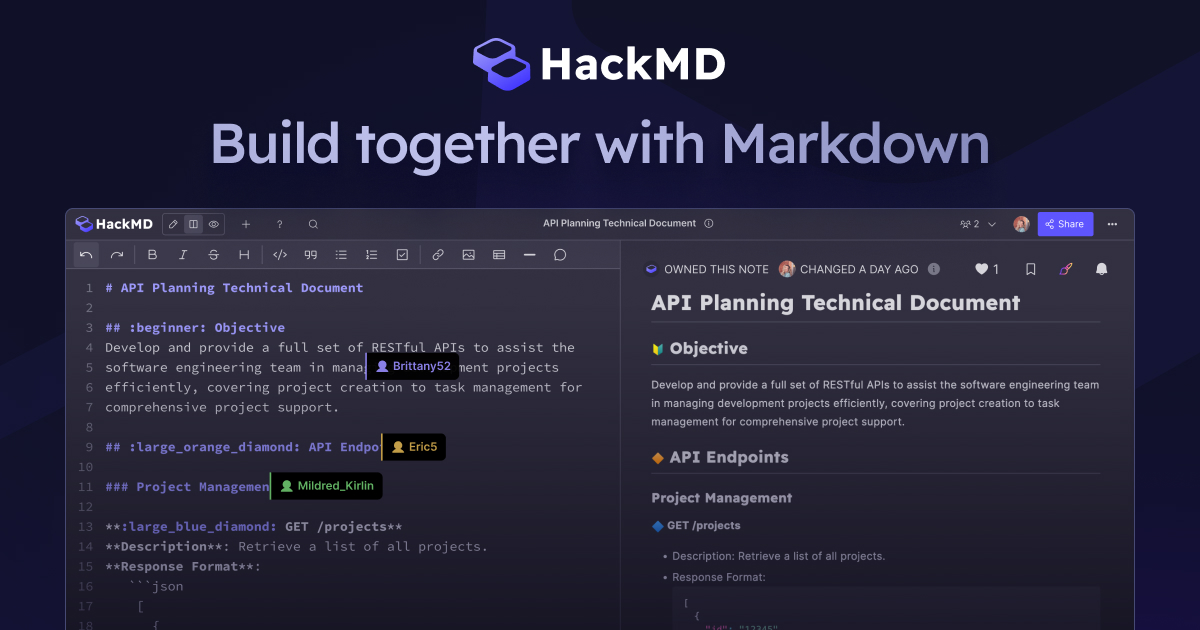
sorry to be a pain I am not great with computers
frozen grove
That's a guide, it goes step by step and the steps are labelled. Go onto step 2
frozen grove
flint rampart
https://hackmd.io/@PIF-Tech/MacWineGuide is the link I am using
rq, because this may be easier for you, do you know what CPU your mac has?
flint rampart
okay so I looked through the guide and did the installation over again and I am still stuck on step 2 I tried both versions, an error message is not popping up but nothing is happening
flint rampart
frozen grove
rq, because this may be easier for you, do you know what CPU your mac has?
 frozen grove
flint rampart
okay so I looked through the guide and did the installation over again and I am ...
frozen grove
flint rampart
okay so I looked through the guide and did the installation over again and I am ...
Send a screenshot please
 frozen grove
Okay this all looks fine (other than you doing the same commands twice) try doing step 4.


 slim tinsel
Just updated on my steam deck and it's giving me a black screen after the intro cinematic. The update says that it's complete
frozen grove
slim tinsel
Just updated on my steam deck and it's giving me a black screen after the intro ...
?tag wifi
pearl magnetBOT
Going to sound weird, but turn off WiFi/internet on your device and try again. For some reason, even though your internet might be working just fine, something about this game clogs it up. Once you are in game, if issue persists, turn off Download Data as well.
slim tinsel
That fixed it! Thanks
 whole hinge
it says that the latest version is 6.6.0, but Im on 6.6.1 and when I try to open the game it just crashes

 prisma radish
does missing sprites get fixed in new update?
whole hinge
this is my errorlog]
 astral oracle
Anyone else playing on linux? What you think about me replacing the .bat with a .sh? Any suggestions? It has some prerequisites of course but lmk
if [ -e ".git/shallow.lock" ]; then
  rm -f ".git/shallow.lock"
fi

currentFolder="${PWD##*/}"

if [[ "${currentFolder,,}" != "infinitefusion" ]]; then
  echo "ERROR: This script must be run from a folder named \"InfiniteFusion\"."
  echo "YOUR folder name: \"${currentFolder}\""
  echo "Please rename the folder to \"InfiniteFusion\" EXACTLY and try again."
  read -rp "Press enter to continue..."
  exit 1
fi

mgit="wine \"$PWD/REQUIRED_BY_INSTALLER_UPDATER/cmd/git.exe\""

eval "$mgit init ."
eval "$mgit remote add origin \"https://github.com/infinitefusion/infinitefusion-e18.git\" > /dev/null 2>&1"
if ! eval "$mgit fetch --depth=1 origin releases"; then
  echo
  echo "Failed to download update. Reverting to previous game version."
  read -rp "Press enter to continue..."
fi
eval "$mgit reset --hard origin/releases"

echo
echo "Installation Complete."
echo "If you do not see additional files in your folder, screenshot this window to #tech-support for further help."
read -rp "Press enter to continue..."```

If you're dependencies files try ```sudo apt update && sudo apt install -y wine winbind unzip git```Check our Official Android guide ➡️ HERE.⬅️ If you didn't follow this guide, DELETE and UNINSTALL everything.
All Android bugs/workarounds are in the guide. If your issue isn't listed, there's no fix. No dedicated mobile version of IF will be developed in the future.
Note: Android has not yet been updated to 6.6! Please be patient while we wait for a stable build.
 wheat leaf
So, I installed the game from downloads here. But game crashed after the intro... So I looked up, found the tip to turn off wifi and it helped. But when I tried to look at starters it died again... I guess it is something with loading sprites that crashes the game
 sleek shadow
Playing on Joiplay with RPG Plug In v6.5.1 on Android - already got my first Pokémon from prof. Oak and having trouble leaving the first town because of invisible walls.
Specifically playing on a Retroid Pocket 5
 signal tendon
whole hinge
it says that the latest version is 6.6.0, but Im on 6.6.1 and when I try to open...
signal tendon
whole hinge
it says that the latest version is 6.6.0, but Im on 6.6.1 and when I try to open...
Im not staff but for a few months I just had to uninstall(your save data is safe) and reinstall PIF without updating. There was some bug where it would just constantly crash if you let the launcher update and they are working on a fix ig. Happy hunting
 vocal jetty
uhhhh
what happens if my game crashes and I lose like 5 hours of progress?
omg there was an autosave option?
bruh
harsh epoch
vocal jetty
omg there was an autosave option?
?tag backup
pearl magnetBOT
 No tag
 backup found.
pearl magnetBOT
How to restore to a backup save
This only works if you had Auto Save turned on and using 6.4+
- Open your game folder
- Double click
SaveFile - Double click the folder named
backups - Double click the folder of the save slot you’re reverting. Ex:
File A - Rename the most recent file to
File A.rxdata(The letter will be different if you’re reverting a different save slot) - Copy the newly renamed file and paste it into the previous folder. (This will be the folder you had open after step 2) When asked to replace, click
yes.
Note: If you don't feel comfortable overriding the save, you can rename it to a different letter on step 5. Ex: File B.rxdata instead of File A.rxdata
https://cdn.discordapp.com/attachments/700790080175996938/1339332214110027796/image.png?ex=67ae55d3&is=67ad0453&hm=16145fc726c1cee190c94f4856722046e1b76e665b0b6f26611c8ed94617d7fa&
 harsh epoch
check if its here
vocal jetty
I didn't have auto save on 😔
 signal kite
Do you have any tutorial videos?
 honest sapphire
Dont know what went wrong xd
 signal kite
I need video tutorials. Do you have any?
 pale pine
honest sapphire
Dont know what went wrong xd
pale pine
honest sapphire
Dont know what went wrong xd
it says the installation is complete
honest sapphire
yet when i start it up it black screens and forces it self to close
 turbid terraceBOT
Hey @honest sapphire! Black screen in this game is the loading screen. The duration of the black screen depends on YOUR computer and YOUR internet.
- If you get the message below while opening the game, this means to stop clicking/pressing buttons on the screen as it is loading.
- If you get the message while in game, this means your computer is struggling.
- Use our performance tips to help your issues: [More Info](#tech-support message)⬅️⬅️
 pale pine
signal kite
I need video tutorials. Do you have any?
pale pine
signal kite
I need video tutorials. Do you have any?
we dont have any current video guides but theres a written guide thats very simple to follow
 scarlet sigil
some of my sprites for both fused and regular pokemon arent loading, I'm just getting question balls show up
anyone know what i can do?
harsh epoch
honest sapphire
yet when i start it up it black screens and forces it self to close
You updated old files
?tag olddata
pearl magnetBOT
The most likely reason your game is opening and closing is due to improperly updated game files. We mention in #downloads to not update ANY files versions below 6.6.0.
If you're using the Launcher:
- Reinstall version 1.1.2 of the launcher from #downloads
- Open the settings tab
- Click "Reset Config"
NOTE: The original path that the launcher shows will be your old game folder. That folder should be deleted. The new game folder will be inPIFLauncher(#.#.#)/GameFiles/InfiniteFusion
If you're not using the Launcher:
Use the Lightweight installer guide to install in a NEW folder ➡️ Click Here⬅️
If you are on a non-Windows device, follow the [guide](#tech-support message) for your device to reinstall.
Reinstalling on Windows does not affect Save Files in any way.
harsh epoch
you're supposed to install it in a clean folder
if you try to update pre-6.6.x stuff it breaks
pale pine
scarlet sigil
anyone know what i can do?
if u intend on trying to get the magic boots this run make sure u dont talk to the black suit guy after u have done this as certain paths of dialoge will cause ur save to be labeled as randomised and lock u out of getting them
 vernal ridge
Im on mobile and i get a black screen after the nidoran and gengar fight anyone know how to fix??
 turbid terraceBOT
Hey @vernal ridge! Black screen in this game is the loading screen. The duration of the black screen depends on YOUR computer and YOUR internet.
- If you get the message below while opening the game, this means to stop clicking/pressing buttons on the screen as it is loading.
- If you get the message while in game, this means your computer is struggling.
- Use our performance tips to help your issues: [More Info](#tech-support message)⬅️⬅️
harsh epoch
so your fix is just to delete the folder you have and run the installer again in a new folder
pale pine
vernal ridge
Im on mobile and i get a black screen after the nidoran and gengar fight anyone ...
?tag performance
pearl magnetBOT
Performance Issues - Freezing? Lag? Long Black/Loading Screens? [More Info](#tech-support message)
honest sapphire
i did a full reinstall just needed to restart my pc that worked out fine
scarlet sigil
pale pine
https://discord.com/channels/302153478556352513/302158319886532618/1380972246323...
my triple fusions still arent working properly, is their a fix for that?
pale pine
turbid terrace
Hey <@173810894206140416>! Black screen in this game is the loading screen. The ...
seems like this is ur issue @vernal ridge
 midnight hatch
anyone else getting this error out of curiosity?
 harsh epoch
you are on launcher 1.1.1
which is outdated
game wont update with that, and you shouldnt try to use it to update, itll just break the game
delete / move your game folder and make a new folder
vernal ridge
pale pine
seems like this is ur issue <@941976633378766859>
@pale pine what should i do then, just wait??
harsh epoch
install to fresh folder with files from #downloads
pale pine
vernal ridge
<@640175797038088202> what should i do then, just wait??
yeah when ur games opening just let it do its thing and it should load up
vernal ridge
Been waiting and this show up??
 vernal ridge
Been waiting and this show up??
vernal ridge
vernal ridge
Been waiting and this show up??
That just means, closed the app or wait
 hybrid birch
it could be possible it just isn't compatible with your phone
vernal ridge
hybrid birch
it could be possible it just isn't compatible with your phone
Im on samnsung galaxy a22
It said compatible on the link

Dayum
So i just cant play??
 cyan lotus
You can play it on PC.
 regal geyser
Where did you read that?
harsh epoch
please dont spread misinformation, plenty of people are still using android and other devices
pale pine
and even then u can even do it on a crappy laptop thats how i started
shit i didnt even see that message
hybrid birch
we got a lot of screenshots in the chat category for mobile playthroughs lol
harsh epoch
vernal ridge
Im on samnsung galaxy a22
It said compatible on the link
He's trolling you. It's likely just that your device is just struggling to load it for whatever reason.
hybrid birch
vernal ridge
Im on samnsung galaxy a22
It said compatible on the link
having said that, are you playing the current 6.6.1 version?
because i don't think the android version's been updated for that
harsh epoch
android hasn't been updated with 6.6.1, yeah
cyan lotus
Apologies. I was under the impression the mobile version wasn't getting updated anymore.
harsh epoch
its oudated, but being worked on
cyan lotus
Is that right? Huh.
harsh epoch
just takes more time
especially with all the bugs 6.6.x currently has atm
they want to fix a good amount of them first
hybrid birch
all we got are workarounds 😔
cyan lotus
I see, I see.
harsh epoch
" "
cyan lotus
Apologies again, I truly had no idea.
pale pine
cyan lotus
Apologies. I was under the impression the mobile version wasn't getting updated ...
i mean technically what u have is already more than was intended the game isnt made for mobile what you guys have now is smth unintended
 eager forge
bug report i thinks
 pale pine
eager forge
bug report i thinks
pale pine
eager forge
bug report i thinks
i let the other techies know thx for the help
vernal ridge
Nvm i can play it by waiting like 30mins, thanks for the help
 vale yoke
I'm on android and when it gets past the opening cut scene it all turns black
Can someone help?
verbal timber
vale yoke
I'm on android and when it gets past the opening cut scene it all turns black
that is your game struggling to load
?tag performance
pearl magnetBOT
Performance Issues - Freezing? Lag? Long Black/Loading Screens? [More Info](#tech-support message)
verbal timber
do what you can of steps 2-7
vale yoke
Thank you
 cold pike
I currently can't access floor 11 or 6 of silph co on mobile due to this

Can someone send me the files to download to fix this?
Or just help me out to get through this

This shows more of the issues
 vale tide
could someone help me find a way to fix this since only the basic/unfused pokemon sprites aren't loading but the fusion sprites are there
 vernal ridge
Guys can anyone help everytime i do something the game freezes like when i choose a starter and when i fight blue, im on mobile..
pale pine
vernal ridge
Guys can anyone help everytime i do something the game freezes like when i choos...
i think ur phone just cant run the game man unfortunately
?tag performance
pearl magnetBOT
Performance Issues - Freezing? Lag? Long Black/Loading Screens? [More Info](#tech-support message)
pale pine
you can try some of these steps but if they dont work u might have to find some other way
vernal ridge
Okay, and does infinite fusion 6.6.x only run oj windows 10+ in pc??
verbal timber
vernal ridge
Okay, and does infinite fusion 6.6.x only run oj windows 10+ in pc??
mobile just hasn't been updated to 6.6
verbal timber
cold pike
This shows more of the issues
yeah you're just outright missing a map
so, try reinstalling, but make sure you follow the android guide to keep your save
verbal timber
vale tide
could someone help me find a way to fix this since only the basic/unfused pokemo...
?tag missingsp
pearl magnetBOT
If you're encountering missing sprites
**If you just updated to 6.6, do the reset cache steps mentioned in this #announcements message post.
**The game comes with all sprites preinstalled, up until the February 2025 Pack.
The remaining packs will be downloaded as you play, as long as you have "Download Data" turned on and your device is connected to wifi. You do not need to do anything for them.
Keep in mind, the auto download does not have infinite speed or capacity and will not trigger if you are not actively encountering new sprites (ex; battling, checking the Pokedex, etc.).
After downloading X amount of sprites per time unit Y, it will be paused for a bit. We cannot adjust this limit and there is nothing you can do as the player to skip it or make it go faster.
The first time you encounter a base Pokemon, it will select a random one of all sprites, if it is a new one that hasn't been downloaded yet, it will show as missing.
The same goes for fusions but with a little more nuance. To keep it simple, think of it the same.
Again, nothing wrong with your game. You just hit a download cap.
Note: Updating your game resets all your auto-downloaded sprites. do not attempt to "fix" this with updating. It will just make everything start from the beginning.
If you would like to manually import the latest sprite packs, they are located in #spritepack-releases and further instructions can be found HERE
 wooden cobalt
I updated it, now it keeps crashing 😦 what did i do wrong?
pearl magnetBOT
The most likely reason your game is opening and closing is due to improperly updated game files. We mention in #downloads to not update ANY files versions below 6.6.0.
If you're using the Launcher:
- Reinstall version 1.1.2 of the launcher from #downloads
- Open the settings tab
- Click "Reset Config"
NOTE: The original path that the launcher shows will be your old game folder. That folder should be deleted. The new game folder will be inPIFLauncher(#.#.#)/GameFiles/InfiniteFusion
If you're not using the Launcher:
Use the Lightweight installer guide to install in a NEW folder ➡️ Click Here⬅️
If you are on a non-Windows device, follow the [guide](#tech-support message) for your device to reinstall.
Reinstalling on Windows does not affect Save Files in any way.
wooden cobalt
naah, i had 6.6.0, maybe its my PC's fault. i reinstalled it + updated it now its working
cold pike
verbal timber
yeah you're just outright missing a map
Kay, but will my data save?
cold pike
vernal ridge
Mandjtv mentioned???
We love Mickeyjtv
verbal timber
cold pike
Kay, but will my data save?
if you read the message right below that
 boreal coral
Was trynna download this game and following the instructions, then got curious and did a VirusTotal check, just to confirm is this safe?
 verbal timber
boreal coral
Was trynna download this game and following the instructions, then got curious a...
verbal timber
boreal coral
Was trynna download this game and following the instructions, then got curious a...
did you get the download from here
boreal coral
Yea from the #downloads
verbal timber
then you are good to go
regal geyser
That's not even the file, that's the link to the guide
boreal coral
aight then
regal geyser
If you don't trust the game, you can literally open the .bat file and the github repo 
 errant shadow
this is probably something you guys answer all the time but can I play the game on a linux based handheld like the anbernic ones?
 upbeat sage
errant shadow
this is probably something you guys answer all the time but can I play the game ...
upbeat sage
errant shadow
this is probably something you guys answer all the time but can I play the game ...
Yeah, sometimes
the compatibility is a crapshoot but you can try
try the linux guide
errant shadow
where can I find the guide because me is confuzzled
pale pine
errant shadow
where can I find the guide because me is confuzzled
?tag guide
pearl magnetBOT
No tag guide found.
verbal timber
?tag guides
pearl magnetBOT
All of our Official Guides to install the game are located here: [CLICK HERE FOR GUIDES](#tech-support message)
pale pine
damn it
errant shadow
tyy
pale pine
verbal timber
?tag guides
do u have me blocked if so what did i do to u to get blocked???
 lucid oxide
Installed the launcher and tried to play the game but if I try to save or activate auto save this pops up, does anyone know how to fix this? Would appreciate any help I can get
 verbal timber
lucid oxide
Installed the launcher and tried to play the game but if I try to save or activa...
verbal timber
lucid oxide
Installed the launcher and tried to play the game but if I try to save or activa...
?tag corrupted
pearl magnetBOT
The error you are having is due to a corrupted save in your save folder conflicting with your current save.
Note: Ensure you know which save file is corrupted before continuing. You can see the save slot on the save selection screen.
- Open your game folder
- Double click SaveFile
- Delete the save file causing issues.
- If you don't know which it is, you can remove the save 1 by 1 from this folder until you find it
If you want to revert your save to a backup, use ?tag backups for more info.
lucid oxide
verbal timber
?tag corrupted
That worked amazingly thank you! 🙏
 distant palm
pale pine
do u have me blocked if so what did i do to u to get blocked???
distant palm
pale pine
do u have me blocked if so what did i do to u to get blocked???
You wrote guide. He wrote guides. You are not the same.
 hard arrow
I want to transfer a save from one computer to another, how can I do it?
distant palm
?tag saves
pearl magnetBOT
No tag saves found.
pale pine
hard arrow
I want to transfer a save from one computer to another, how can I do it?
You can go into your saves folder and copy the files and on your new PC download the saves and replace the ones there
hard arrow
pale pine
You can go into your saves folder and copy the files and on your new PC download...
Ty!
 olive steppe
Can someone help me with this? I cant play the game
 verbal timber
olive steppe
Can someone help me with this? I cant play the game
verbal timber
olive steppe
Can someone help me with this? I cant play the game
you didn't follow the android guide exactly
 serene kite
I am getting an error stating my game is at 6.6.1 and the most recent version is 6.6.0
It gave me a error.txt firle to put here
regal geyser
olive steppe
Can someone help me with this? I cant play the game
Common error #1 in the guide 😄
serene kite
*file
regal geyser
serene kite
I am getting an error stating my game is at 6.6.1 and the most recent version is...
What version is your launcher?
serene kite
1.1.0
regal geyser
It's outdated, you need to reinstall the launcher
olive steppe
regal geyser
Common error #1 in the guide 😄
Im that stupid? 😭🥀
regal geyser
Just be sure to read everything in the guide, you need specific versions of apps apparently
 solar skiff
Where can I download the pc app?
regal geyser
?tag install
pearl magnetBOT
Windows Only! Select 1 Installer (not both)
Each blue link will take you to the guide on how to install using that specific installer.
Option 1. Lightweight Installer
- Simple script that will install or update your game to a folder.
- Full launcher with UI and Menu options for game installation, updates, change logs and more.
For Non-Windows devices (Android, Mac, Steamdeck, Linux, Chromebook): Check our extended guides post
 mossy gazelle
Where do i download all the sprites
cold pike
verbal timber
if you read the message right below that
Oh sorry
regal geyser
mossy gazelle
Where do i download all the sprites
?tag spritepacks
pearl magnetBOT
Sprite packs are not needed. When you install the game, it comes with the sprites. When new ones come out, the game automatically downloads them as you play.
If you play with no internet, here is a guide on how to install the sprites manually: No Internet Guide
 pliant carbon
so, my launcher is in 6.5.1, but its saying i am in 6.6.1, and cant update to 6.6.0
regal geyser
pliant carbon
so, my launcher is in 6.5.1, but its saying i am in 6.6.1, and cant update to 6....
Your game was 6.5.1, but chances are you need to reinstall your launcher then
pliant carbon
i opened it again and now it says 6.6.1
cold pike
Just confirming, the guide tells me to delete joiplay and joiplay plug-in, and this won't delete my save data?
verbal timber
cold pike
Just confirming, the guide tells me to delete joiplay and joiplay plug-in, and t...
the guide further down says what to do so you don't lose your save
cold pike
Ok, thank you, sorry for being so much of a bother
 full shadow
i cant get my game to start
i click on game it apears for a couple seconds and then it dissapears
 willow swallow
why did my lucario and greninja sprite go away
 regal geyser
full shadow
i click on game it apears for a couple seconds and then it dissapears
regal geyser
full shadow
i click on game it apears for a couple seconds and then it dissapears
?tag olddata
pearl magnetBOT
The most likely reason your game is opening and closing is due to improperly updated game files. We mention in #downloads to not update ANY files versions below 6.6.0.
If you're using the Launcher:
- Reinstall version 1.1.2 of the launcher from #downloads
- Open the settings tab
- Click "Reset Config"
NOTE: The original path that the launcher shows will be your old game folder. That folder should be deleted. The new game folder will be inPIFLauncher(#.#.#)/GameFiles/InfiniteFusion
If you're not using the Launcher:
Use the Lightweight installer guide to install in a NEW folder ➡️ Click Here⬅️
If you are on a non-Windows device, follow the [guide](#tech-support message) for your device to reinstall.
Reinstalling on Windows does not affect Save Files in any way.
regal geyser
willow swallow
why did my lucario and greninja sprite go away
?tag resetcache
pearl magnetBOT
For missing sprites on the 6.6 update, talk to the help man in any Pokémon center and navigate to Advanced Options -> Other -> Reset -> Clear Sprite Cache. Video
full shadow
regal geyser
?tag olddata
idk
 indigo kayak
I have been trying to set up the Chrome book version for my friend and have been guiding him through the process but he gets the message on terminal that it can't fi d the files although it is actually there in the Linux files
 vocal salmon
i am confused
indigo kayak
 full shadow
i dont see a version 1.1.2
 magic hinge
I get this error message whenever I get into an NPC battle in the Mahogany gym - is it something to do with the randomizer settings?
 regal geyser
full shadow
i dont see a version 1.1.2
regal geyser
full shadow
i dont see a version 1.1.2
The download should say 1.1.2
regal geyser
magic hinge
I get this error message whenever I get into an NPC battle in the Mahogany gym -...
Are you starting from a randomized file?
full shadow
all i see are versions 6.6.1
magic hinge
regal geyser
Are you starting from a randomized file?
I've been playing this file for about a week on/off now - every other gym is perfectly fine, just not this one. I do have randomizer settings in place.
full shadow
wheres laucher versions
regal geyser
Follow the guide in #downloads
upbeat sage
indigo kayak
Show me yr linux files
indigo kayak
It is my mates Linux files I will see if I can get them

This is his folder in rhe Linux files
 distant carbon
having a weird problem with missing sprites
updated to the latest update started getting missing sprites
cleared sprite cache
still have missing sprites
wiped files and reinstalled the entire game
still have misisng sprites
download data on/off same result
regal geyser
Are you running the game from the performance exe?
distant carbon
no
regal geyser
?tag missingsp
pearl magnetBOT
If you're encountering missing sprites
**If you just updated to 6.6, do the reset cache steps mentioned in this #announcements message post.
**The game comes with all sprites preinstalled, up until the February 2025 Pack.
The remaining packs will be downloaded as you play, as long as you have "Download Data" turned on and your device is connected to wifi. You do not need to do anything for them.
Keep in mind, the auto download does not have infinite speed or capacity and will not trigger if you are not actively encountering new sprites (ex; battling, checking the Pokedex, etc.).
After downloading X amount of sprites per time unit Y, it will be paused for a bit. We cannot adjust this limit and there is nothing you can do as the player to skip it or make it go faster.
The first time you encounter a base Pokemon, it will select a random one of all sprites, if it is a new one that hasn't been downloaded yet, it will show as missing.
The same goes for fusions but with a little more nuance. To keep it simple, think of it the same.
Again, nothing wrong with your game. You just hit a download cap.
Note: Updating your game resets all your auto-downloaded sprites. do not attempt to "fix" this with updating. It will just make everything start from the beginning.
If you would like to manually import the latest sprite packs, they are located in #spritepack-releases and further instructions can be found HERE
regal geyser
You could try importing sprites
distant carbon
did that. imported all of them manually and that still did not work.
apparently I have the one from march from the announcements, not the april one. ill give that one a try manually
well that did not help
not sure what happened with the latest update but its borked for me
cyan lotus
Clear the cache, I had the same problem.
Talk to the man in black in the Pokemon Center.
distant carbon
I've tried that maybe 10 times
cyan lotus
Hm.
regal geyser
Yeah it's weird that it doesn't grab the sprites that you downloaded already
Maybe a porygon can help you more
 scenic aspen
Don't know if this has been answered before, but which exe would be best to use on steam deck?
pale pine
scenic aspen
Don't know if this has been answered before, but which exe would be best to use ...
try infinitefusion.exe and see how it goes if that doesnt work great try the performance version
 shrewd crater
Hello, does anyone knows what to do?
 pale pine
shrewd crater
Hello, does anyone knows what to do?
pale pine
shrewd crater
Hello, does anyone knows what to do?
nothing ur fine its just that the launcher isnt fully updated
and thats not smth u need to do
shrewd crater
I see, thanks
pale pine
close the window and have fun
 outer lion
I've run into a bug where i can't catch pokemon. it says they're "impossible to catch". this started after I did the pinkan island quest.
 molten crystal
when i try to open the game after the update it just shows a balck screen and then closes
 vapid seal
me too
 teal gulch
Im having extremely long loading times. Like when entering a battle or entering and exiting a building.
pale pine
teal gulch
Im having extremely long loading times. Like when entering a battle or entering ...
?tag performance
pearl magnetBOT
Performance Issues - Freezing? Lag? Long Black/Loading Screens? [More Info](#tech-support message)
pale pine
do this checklist
fringe hound
i redownloaded the sprites but not the original sprites will not show up
 fading terrace
The game volume isnt going to my headset??
everything else is going to my headset but the game just isnt?
 warm echo
Hey don’t know if anyone can help but none of my sprites will load? Not even unfused pokemon will have sprites now? I’ve reinstalled the game and sprite pack from the start twice now and not sure how to fix this issue
fading terrace
fading terrace
everything else is going to my headset but the game just isnt?
I fixed it
upbeat sage
warm echo
Hey don’t know if anyone can help but none of my sprites will load? Not even unf...
warm echo
upbeat sage
<#302158319886532618>
TY!
 tulip ember
TECH SUPPORT!🗣🗣🙏🏻 does the update clears my download cap??🗣
warm echo
So I followed the directions on the announcements and it didn’t do anything, is there anything else I can try to do?
 pure sleet
gg
upbeat sage
warm echo
So I followed the directions on the announcements and it didn’t do anything, is ...
So tell me more
What specific sprites are missing
warm echo
Well my party aurouros came back but all wild Pokémon are still spriteless and it’s all unfused mons missing sprites I’ve seen so far
upbeat sage
warm echo
Well my party aurouros came back but all wild Pokémon are still spriteless and i...
Its all unfused pokemon missing sprites?
Not fusions?
warm echo
Yeah I saw a base kingler and it was just a shadow on the ground, same with monferno and jigglypuff and lit wick
upbeat sage
Do your fusions now work?
warm echo
Well the first rival fight had a fusion and that was also just a shadow
upbeat sage
warm echo
Well the first rival fight had a fusion and that was also just a shadow
?tag missingsp
pearl magnetBOT
If you're encountering missing sprites
**If you just updated to 6.6, do the reset cache steps mentioned in this #announcements message post.
**The game comes with all sprites preinstalled, up until the February 2025 Pack.
The remaining packs will be downloaded as you play, as long as you have "Download Data" turned on and your device is connected to wifi. You do not need to do anything for them.
Keep in mind, the auto download does not have infinite speed or capacity and will not trigger if you are not actively encountering new sprites (ex; battling, checking the Pokedex, etc.).
After downloading X amount of sprites per time unit Y, it will be paused for a bit. We cannot adjust this limit and there is nothing you can do as the player to skip it or make it go faster.
The first time you encounter a base Pokemon, it will select a random one of all sprites, if it is a new one that hasn't been downloaded yet, it will show as missing.
The same goes for fusions but with a little more nuance. To keep it simple, think of it the same.
Again, nothing wrong with your game. You just hit a download cap.
Note: Updating your game resets all your auto-downloaded sprites. do not attempt to "fix" this with updating. It will just make everything start from the beginning.
If you would like to manually import the latest sprite packs, they are located in #spritepack-releases and further instructions can be found HERE
upbeat sage
And you’ve done all of these steps
warm echo
I had the message about new sprites auto updating twice and said yes to it both times
What version is newest? As mines on 6.6.1
upbeat sage
That’s right
Yeah its probably just the download cap
I would just wait, and manually assign mons you catch in the summary menu
warm echo
Okay thank you
 lean nova
 regal geyser
Your launcher is oudated, you need to reinstall
 ancient dew
is it essential to keep the game in downloads? i don't use one-drive and want to just put it on my HDD, which I think would be fine but want to double check before I install
 proven forge
how do i use alt vesion of pokemon, with the update all the fusion became the first choice
regal geyser
proven forge
how do i use alt vesion of pokemon, with the update all the fusion became the fi...
?tag resetcache
pearl magnetBOT
For missing sprites on the 6.6 update, talk to the help man in any Pokémon center and navigate to Advanced Options -> Other -> Reset -> Clear Sprite Cache. Video
regal geyser
ancient dew
is it essential to keep the game in downloads? i don't use one-drive and want to...
Lightweight launcher at least you can put anywhere
You just need to put it inside a folder named InfiniteFusion
ancient dew
also...is there a guide anywhere in this discord if I want to do this run randomized?
 quasi abyss
just make a new save file while having a pre-existing one
the first save you make is always locked to classic
ancient dew
got it got it, thanks
proven forge
regal geyser
?tag resetcache
i did that, i see all sprites, but i can't choose again what alt i want...
regal geyser
proven forge
i did that, i see all sprites, but i can't choose again what alt i want...
If you go in the summary, can't you choose in the pokédex?
 dusk lake
Quests I've completed aren't showing up as complete...
Anyone know what might be going on?
For example, I talked to the chansey after finding her Trainer, and she gave me a Lucky Egg, and a textbox saying "Quest Completed!" popped up
But it still says it's incomplete in the Quest Journal, and the quest reward guy isn't registering them either
 ionic tendon
dusk lake
Quests I've completed aren't showing up as complete...
ionic tendon
dusk lake
Quests I've completed aren't showing up as complete...
Known bug, If you have specifics drop them here so we can relay it up https://discord.com/channels/302153478556352513/1383328728704221244
dusk lake
ionic tendon
Known bug, If you have specifics drop them here so we can relay it up https://di...
Thanks, is there a known fix yet?
 steel bridge
can someone help me step by step how to update my pokemon fustion its in verstion
6.2.3
warm echo
Just a quick question again, how long does the update for sprites in game usually take?
turbid terraceBOT
Hey @warm echo!
How to Update to the Latest Version (Windows)
- If you're on or above 6.6.0 double click
INSTALL_OR_UPDATE.batto update. - If you're below 6.6.0 you must either reinstall in a NEW folder (since the updater won't work due to bugs) or use the New Launcher to update.
- Reinstalling doesn’t remove or require you to move any Save Files.
- If playing on a Randomized save, make sure to reshuffle after updating. Use
?tag reshuffleif you need help.
For Non-Windows devices (Android, Mac, Steamdeck, Linux, Chromebook): Check our extended guides post
pale pine
steel bridge
6.2.3
we're on version 6.6.1 if u are on 6.2.3 u need to delete and reinstall ur game
steel bridge
ok
steel bridge
pale pine
we're on version 6.6.1 if u are on 6.2.3 u need to delete and reinstall ur game
look i beat the game before and i had eveyr signle pokemon in the game and it took me 4 weeks of grinding i facotry reset my pc and my progress is gone is there no way to get it back?
frozen grove
 steel bridge
frozen grove
steel bridge
frozen grove
but why i lost my stuff when i facotry reset my pc and i kept my files
frozen grove
Because your save is located in the appdata which is a windows folder
I thought you were saying reinstalling the game, not windows
?tag save
pearl magnetBOT
Your save files and backups are in: C:\Users\YOURNAME\AppData\Roaming\InfiniteFusion
- The game folder includes a shortcut to the location above named
Savefileyou can double click. Each save corresponds to a slot (e.g., Slot A saves as File A.rxdata). - To transfer, copy the save file to the same location on the new device.
- For non-Windows devices, refer to the workaround guide for your device: [HERE](#tech-support message)
https://cdn.discordapp.com/attachments/700790080175996938/1327016763719684226/image.png?ex=6781882b&is=678036ab&hm=f10dd293ef9e2c0e6a8b1944e6a5a2e0e5539ca0fe75de7a0f948414df861b88&
 frozen grove
But yea, if you reinstalled windows, the only way to find your save would be if windows backed up the old windows files. (Sometimes they can be found in the windows.old folder but each device/windows version is different)
steel bridge
hm let me see if i can find it]
steel bridge
frozen grove
But yea, if you reinstalled windows, the only way to find your save would be if ...
i think this is it how i retrive whats in it?
 frozen grove
steel bridge
i think this is it how i retrive whats in it?
frozen grove
steel bridge
i think this is it how i retrive whats in it?
That is not it
That's the old app which doesn't work anymore
Your save files are named "File A.rxdata"
(Or File B/C/D/E/F/G/H) depending on how many saves you had
steel bridge
ok let me see
frozen grove
IF Windows saved it, it would still be in a path similar to this C:\Users\YOURNAME\AppData\Roaming\InfiniteFusion
But that's a big if and I don't remember where windows.old starts in relation. I'd assume it would replace C:
steel bridge
chat were cooked
nothng popping up
my hard work of 4 weeks is gone welp
ig i gotta redo it again
how to install the new verstion
frozen grove
?tag download
pearl magnetBOT
Our Windows download links are in our installation guides in #downloads
For all non-Windows devices: [CLICK HERE FOR WORKAROUND GUIDES](#tech-support message)
steel bridge
frozen grove
?tag download
for the best expriance do i do option 2
becuase when i tried it was doing like a 3 gb download
frozen grove
It's really personal preference. They're both around 2-3GB zipped
 zealous fog
Hey question, after I updated my game after not playing for a while, some old sprites aren't shown for my fusions, like this one, is there any way to find and manually add them?
 frozen grove
zealous fog
Hey question, after I updated my game after not playing for a while, some old sp...
frozen grove
zealous fog
Hey question, after I updated my game after not playing for a while, some old sp...
?tag resetcache || Do this first
pearl magnetBOT
For missing sprites on the 6.6 update, talk to the help man in any Pokémon center and navigate to Advanced Options -> Other -> Reset -> Clear Sprite Cache. Video
zealous fog
Y'all are amazing, thx!
 verbal kestrel
Hi Folks, do you have to play through a base game to unlock Randomizer? I had an old save file but started from new on new files today.
Anyways I keep getting to the end of doing the rando settings, get tk the end and when it goes to the confirm screen it freezes. On Android
 gentle cove
I download the android version how do I add every sprite to the game
upbeat sage
verbal kestrel
Hi Folks, do you have to play through a base game to unlock Randomizer? I had an...
Nope! your game is just struggling to randomize the game
upbeat sage
gentle cove
I download the android version how do I add every sprite to the game
You already have them
gentle cove
upbeat sage
You already have them
What about the custom ones
verbal kestrel
upbeat sage
Nope! your game is just struggling to randomize the game
Any fix, or do I just try a bunch of times?
upbeat sage
gentle cove
What about the custom ones
You have them too
upbeat sage
verbal kestrel
Any fix, or do I just try a bunch of times?
Performance mode, reduce processing load
By closing other programs
verbal kestrel
upbeat sage
Performance mode, reduce processing load
Thanks a mill Luna, will give that a try 🫡
gentle cove
upbeat sage
You have them too
I'm confused why do yts say to download sprite packs then
upbeat sage
gentle cove
I'm confused why do yts say to download sprite packs then
You don’t need to unless you’re playing offline
gentle cove
Oh okay thx
frozen grove
gentle cove
I'm confused why do yts say to download sprite packs then
What says to download them?
gentle cove
frozen grove
What says to download them?
YouTube I thought that it meant u download custom sprites not in the game I haven't played the game yet so I didn't know
 tame osprey
im getting a message saying that the new version can't be installed through updating the game. says its gonna keep the last one. what should i do. it did give me an error log
frozen grove
gentle cove
YouTube I thought that it meant u download custom sprites not in the game I have...
Who posted the youtube video you downloaded from?
frozen grove
tame osprey
im getting a message saying that the new version can't be installed through upda...
What is your launcher version? (shows on top left of the window)
tame osprey
6.6.1
frozen grove
Launcher version, not game version
 cedar anchor
none of my sprites are loading, theyre all the "?". what can i do? i already relaunched the game, turned teh download sprites option on and off, and cleared the sprite cache with the debug guy
tame osprey
v1.1.1
frozen grove
cedar anchor
none of my sprites are loading, theyre all the "?". what can i do? i already rel...
What version shows on your title screen?
frozen grove
tame osprey
v1.1.1
Reinstall the launcher
tame osprey
ok ty
cedar anchor
frozen grove
What version shows on your title screen?
6.61
frozen grove
tame osprey
ok ty
You'll still get the error afterwards but you can ignore it. You'll likely need to reset config in settings after reinstalling
frozen grove
cedar anchor
6.61
?tag missingsp
pearl magnetBOT
If you're encountering missing sprites
**If you just updated to 6.6, do the reset cache steps mentioned in this #announcements message post.
**The game comes with all sprites preinstalled, up until the February 2025 Pack.
The remaining packs will be downloaded as you play, as long as you have "Download Data" turned on and your device is connected to wifi. You do not need to do anything for them.
Keep in mind, the auto download does not have infinite speed or capacity and will not trigger if you are not actively encountering new sprites (ex; battling, checking the Pokedex, etc.).
After downloading X amount of sprites per time unit Y, it will be paused for a bit. We cannot adjust this limit and there is nothing you can do as the player to skip it or make it go faster.
The first time you encounter a base Pokemon, it will select a random one of all sprites, if it is a new one that hasn't been downloaded yet, it will show as missing.
The same goes for fusions but with a little more nuance. To keep it simple, think of it the same.
Again, nothing wrong with your game. You just hit a download cap.
Note: Updating your game resets all your auto-downloaded sprites. do not attempt to "fix" this with updating. It will just make everything start from the beginning.
If you would like to manually import the latest sprite packs, they are located in #spritepack-releases and further instructions can be found HERE
cedar anchor
its only showing me the fused sprites, not the base pokemon
frozen grove
Then you hit the download cap. Only thing you can do is be patient and keep playing
cedar anchor
ah ok, thanks
cedar anchor
frozen grove
Then you hit the download cap. Only thing you can do is be patient and keep play...
everything is fixed now, thanks
tame osprey
i re-installed the launcher and its still saying it cant be updated and going to the current installed version
any idea what to try next?
and now the game wont run
 steep stag
Sorry if this is a silly question but thought I'd double check, on steps 3 on the Android installation extracting the files, where it says repeat for the PIFandroidplugins, is it literal and I click the top option for that also?
pearl magnetBOT
The most likely reason your game is opening and closing is due to improperly updated game files. We mention in #downloads to not update ANY files versions below 6.6.0.
If you're using the Launcher:
- Reinstall version 1.1.2 of the launcher from #downloads
- Open the settings tab
- Click "Reset Config"
NOTE: The original path that the launcher shows will be your old game folder. That folder should be deleted. The new game folder will be inPIFLauncher(#.#.#)/GameFiles/InfiniteFusion
If you're not using the Launcher:
Use the Lightweight installer guide to install in a NEW folder ➡️ Click Here⬅️
If you are on a non-Windows device, follow the [guide](#tech-support message) for your device to reinstall.
Reinstalling on Windows does not affect Save Files in any way.
steel bridge
frozen grove
Who posted the youtube video you downloaded from?
can you help me finsh installing this
i have the big ass 3 gb done and i extrated the file

what do i click
frozen grove
"InfiniteFusion" w/ the icon
 tiny beacon
do i just delete the PIFLauncher folder and then reinstall the launcher?
steel bridge
thanks i did it im playing now
 plucky osprey
where can I report a bug ?
Yes i've try #1142871804269052004 but I'm not alowed to publish
 brazen patio
how do you update whiskey PIF on mac?
ionic tendon
plucky osprey
where can I report a bug ?
Yes i've try <#1142871804269052004> but I'm not alo...
Here, what’s the bug?
 naive sonnet
Hi ! I fused two pokemons but the reversed fusion is more interesting for stats but i prefer the other sprite. I heard that you can exchange sprites of a fusion in game's files. Anybody knows how to do ?
plucky osprey
the camper that you talk to unlock flutes after have winning the town badge make me that :
 ionic tendon
naive sonnet
Hi ! I fused two pokemons but the reversed fusion is more interesting for stats ...
ionic tendon
naive sonnet
Hi ! I fused two pokemons but the reversed fusion is more interesting for stats ...
?tag importsp
pearl magnetBOT
To successfully import your own custom sprite, please follow these steps:
Sprite Requirements:
- Format: The sprite must be in
.pngformat. - Naming Convention: Name your sprite according to the game's dex numbering. For example, a fusion of Aegislash and Goodra should be named
329.446.png.
Importing Your Sprite:
- Ensure your sprite meets the criteria above.
- Open your game folder and navigate to
Graphics/CustomBattlers/Sprites to import. - Paste your sprite into this folder.
In-Game Instructions:
- Launch the game.
- The game will automatically detect the new sprites.
- If you have an existing sprite that you're replacing, select the option "Replace All the old sprites with the new ones" when prompted.
Once completed, you can view your custom sprite in-game from the Pokedex's Sprite tab.
frozen grove
plucky osprey
the camper that you talk to unlock flutes after have winning the town badge make...
Send it in #1381353032687681676
ionic tendon
frozen grove
Send it in <#1381353032687681676>
I hate that you watched me struggle and already did it, rude
brazen patio
brazen patio
how do you update whiskey PIF on mac?
Im trying to help a friend get through this
frozen grove
brazen patio
Im trying to help a friend get through this
For 6.6, they need to reinstall
brazen patio
what about save data?
tiny beacon
do i delete the whole folder then reinstall?
frozen grove
brazen patio
what about save data?
They'll want to backup the save data just to be safe. Guide goes over where it is
frozen grove
tiny beacon
do i delete the whole folder then reinstall?
That's how you reinstall, if that's what you're asking
 silk coral
what do i do about this? the game wont launch either
 frozen grove
silk coral
what do i do about this? the game wont launch either
frozen grove
silk coral
what do i do about this? the game wont launch either
?tag olddata
pearl magnetBOT
The most likely reason your game is opening and closing is due to improperly updated game files. We mention in #downloads to not update ANY files versions below 6.6.0.
If you're using the Launcher:
- Reinstall version 1.1.2 of the launcher from #downloads
- Open the settings tab
- Click "Reset Config"
NOTE: The original path that the launcher shows will be your old game folder. That folder should be deleted. The new game folder will be inPIFLauncher(#.#.#)/GameFiles/InfiniteFusion
If you're not using the Launcher:
Use the Lightweight installer guide to install in a NEW folder ➡️ Click Here⬅️
If you are on a non-Windows device, follow the [guide](#tech-support message) for your device to reinstall.
Reinstalling on Windows does not affect Save Files in any way.
naive sonnet
ionic tendon
?tag importsp
I think it doesn't work, I just want to change both sprites actually
silk coral
yeah but how am i in 6.6.1 if the most up to date version is 6.6.0?
shouldn't 6.6.1 not be a thing?
frozen grove
silk coral
yeah but how am i in 6.6.1 if the most up to date version is 6.6.0?
6.6.1 is the most recent version. Launcher doesn't realize that yet
regal geyser
pearl magnet
The most likely reason your game is opening and closing is due to improperly upd...
and do those steps
silk coral
cool thank you so much
naive sonnet
I prefer the sprite from fusion 1, but the stats from fusion two are better. So I wanted to know if I could put the sprite from fusion 1 to fusion 2. I heard we could do it by changing names in files but I don't know how to do it
frozen grove
naive sonnet
I prefer the sprite from fusion 1, but the stats from fusion two are better. So ...
You need to manually import them
With the correct numbers
You can't just switch the existing files anymore because the game uses spritesheets now
naive sonnet
That's what I tried by putting the correct numbers but the sprite is not available
naive sonnet
frozen grove
You can't just switch the existing files anymore because the game uses spriteshe...
okaaay I understand now why what I saw on reddit doesn't work
ionic tendon
I tagged the instructions for you
naive sonnet
ionic tendon
I tagged the instructions for you
Yep I tried it and the png is in the import folder, however the sprite isn't available, it is a white/nothing sprite in game
frozen grove
When you opened the game, did it say that a sprite was imported?
naive sonnet
yep !
 sturdy hollow
updated and this showed up
 frozen grove
Send a screenshot of the png and a screenshot of the pokedex page for it
frozen grove
sturdy hollow
updated and this showed up
What is your launcher version?
frozen grove
?tag olddata || Do that then
pearl magnetBOT
The most likely reason your game is opening and closing is due to improperly updated game files. We mention in #downloads to not update ANY files versions below 6.6.0.
If you're using the Launcher:
- Reinstall version 1.1.2 of the launcher from #downloads
- Open the settings tab
- Click "Reset Config"
NOTE: The original path that the launcher shows will be your old game folder. That folder should be deleted. The new game folder will be inPIFLauncher(#.#.#)/GameFiles/InfiniteFusion
If you're not using the Launcher:
Use the Lightweight installer guide to install in a NEW folder ➡️ Click Here⬅️
If you are on a non-Windows device, follow the [guide](#tech-support message) for your device to reinstall.
Reinstalling on Windows does not affect Save Files in any way.
frozen grove
Error will still show up but you can ignore it
sturdy hollow
gotcha thanks
tiny beacon
so i delete everything in the PIFLauncher1.1.1 folder?
ionic tendon
tiny beacon
so i delete everything in the PIFLauncher1.1.1 folder?
Yes, the entire folder
naive sonnet
frozen grove
Send a screenshot of the png and a screenshot of the pokedex page for it

 frozen grove
It's not named correctly
naive sonnet
frozen grove
It's not named correctly
Do I have to delete the "15e6" ?
OMG it worked
thank you so much !
tiny beacon
thank you both for helping
 radiant anchor
pearl magnet
The most likely reason your game is opening and closing is due to improperly upd...
radiant anchor
pearl magnet
The most likely reason your game is opening and closing is due to improperly upd...
i came for the same problem, already fixed thanks
 quick tiger
I finished all of the quests (legendary, hotel, and field), but the questman continues to say that I need 1 more quest (to get the GS ball) and a lot of the quests aren't showing as finished in the quest journal after I complete them. Someone said it was because I started them before updating to 6.6.1.
tiny beacon
Is there a helpman on Pinkan Island?
radiant anchor
radiant anchor
i came for the same problem, already fixed thanks
Um, sorry but all the custom sprites disappeared, what can i do?
ionic tendon
quick tiger
I finished all of the quests (legendary, hotel, and field), but the questman con...
radiant anchor
radiant anchor
Um, sorry but all the custom sprites disappeared, what can i do?
I think I did something wrong. The custom sprites don't appear, and some regular Pokémon sprites disappeared too 🥹
verbal timber
radiant anchor
I think I did something wrong. The custom sprites don't appear, and some regular...
?tag missingsp
pearl magnetBOT
If you're encountering missing sprites
**If you just updated to 6.6, do the reset cache steps mentioned in this #announcements message post.
**The game comes with all sprites preinstalled, up until the February 2025 Pack.
The remaining packs will be downloaded as you play, as long as you have "Download Data" turned on and your device is connected to wifi. You do not need to do anything for them.
Keep in mind, the auto download does not have infinite speed or capacity and will not trigger if you are not actively encountering new sprites (ex; battling, checking the Pokedex, etc.).
After downloading X amount of sprites per time unit Y, it will be paused for a bit. We cannot adjust this limit and there is nothing you can do as the player to skip it or make it go faster.
The first time you encounter a base Pokemon, it will select a random one of all sprites, if it is a new one that hasn't been downloaded yet, it will show as missing.
The same goes for fusions but with a little more nuance. To keep it simple, think of it the same.
Again, nothing wrong with your game. You just hit a download cap.
Note: Updating your game resets all your auto-downloaded sprites. do not attempt to "fix" this with updating. It will just make everything start from the beginning.
If you would like to manually import the latest sprite packs, they are located in #spritepack-releases and further instructions can be found HERE
verbal timber
?tag resetcache
pearl magnetBOT
For missing sprites on the 6.6 update, talk to the help man in any Pokémon center and navigate to Advanced Options -> Other -> Reset -> Clear Sprite Cache. Video
jade bear
Cleared the Sprite Cache, but I seem to still be having issues with this specific sprite. Thought it might be because it was shiny, so I checked a shiny I had on another file & that one seemed to be fine.

 radiant anchor
verbal timber
?tag missingsp
radiant anchor
verbal timber
?tag missingsp
Thank you!
jade bear
nevermind, flipping between them seemed to fix it
verbal kestrel
verbal kestrel
Hi Folks, do you have to play through a base game to unlock Randomizer? I had an...
Still having this problem! Any tips on how to get the randomizer working? Can you change it's settings once it loads?
turbid terraceBOT
Hey @verbal kestrel! To unlock randomized mode: Create a new game, save in Pallet Town, and create a 2nd new game. More options will appear since the 1st save is locked to Classic Mode.
Our randomizer doesn't offer true randomization meaning each Pokemon or item you find is **not ** going to be random each time. Instead we offer the below for Pokemon:
Global:
- Makes it so that if Pidgey was randomized to Pikachu on route 1, all Pidgeys on all routes are Pikachu.
Area:
- Better randomization than Global. Makes it so that each route has their own randomized set of encounters.
For more questions on other randomizer settings, checkout the Randomized Mode Wiki Page
verbal kestrel
verbal kestrel
Still having this problem! Any tips on how to get the randomizer working? Can yo...
So say changing very little in the settings and then changing it once the game loads?
 golden trellis
I see I see makes sense yee I fix the mod organization of sprights but still didn't work offline this makes sense why it wasn't working its bc nothing was there xD I'll have to manually install all the sprights at a later date
 sage fractal
i just got the glitch clothing which means my save is corrupted, is there anything i can do?
regal geyser
?tag backups
pearl magnetBOT
How to restore to a backup save
This only works if you had Auto Save turned on and using 6.4+
- Open your game folder
- Double click
SaveFile - Double click the folder named
backups - Double click the folder of the save slot you’re reverting. Ex:
File A - Rename the most recent file to
File A.rxdata(The letter will be different if you’re reverting a different save slot) - Copy the newly renamed file and paste it into the previous folder. (This will be the folder you had open after step 2) When asked to replace, click
yes.
Note: If you don't feel comfortable overriding the save, you can rename it to a different letter on step 5. Ex: File B.rxdata instead of File A.rxdata
https://cdn.discordapp.com/attachments/700790080175996938/1339332214110027796/image.png?ex=67ae55d3&is=67ad0453&hm=16145fc726c1cee190c94f4856722046e1b76e665b0b6f26611c8ed94617d7fa&
frozen grove
sage fractal
i just got the glitch clothing which means my save is corrupted, is there anythi...
Wut
 pearl sparrow
My game no longer has custom sprites why?
regal geyser
pearl sparrow
My game no longer has custom sprites why?
?tag resetcache
pearl magnetBOT
For missing sprites on the 6.6 update, talk to the help man in any Pokémon center and navigate to Advanced Options -> Other -> Reset -> Clear Sprite Cache. Video
frozen grove
sage fractal
i just got the glitch clothing which means my save is corrupted, is there anythi...
Send a screenshot as to what you're talking about
 ionic tendon
That’s a hat
sage fractal
oh so its not actually corrupted?
frozen grove
No
sage fractal
lmao okay
ionic tendon
Your save isn’t corrupted it just means you beat a mon that was a ? Sprite
sage fractal
thanks i was gonna be salty
 ionic tendon
What version is your launcher?
 noble marsh
Version 1.1.1 beta
ionic tendon
Reinstall your launcher, it’s out of date
 spice walrus
Not really a tech issue but how do I change my keys?
regal geyser
?tag keybinds
pearl magnetBOT
You can press F1 (FN + F1 on laptops) to change your keybindings!
Be aware, controllers will be auto mapped to buttons depending on which controller you plug in.
If you want to remap buttons on controller, you need to use Steam since this game doesn't support it. How to use Steam: [Guide](#tech-support message)
 sturdy hollow
you press F1 on the title screen i think
spice walrus
Thank you both
sturdy hollow
np
sturdy hollow
sturdy hollow
now i'm missing a bunch of sprites
how to download missing sprites
spice walrus
I was hitting F1 but it was just lowering volumne so was confused.
regal geyser
sturdy hollow
how to download missing sprites
?tag missingsp
pearl magnetBOT
If you're encountering missing sprites
**If you just updated to 6.6, do the reset cache steps mentioned in this #announcements message post.
**The game comes with all sprites preinstalled, up until the February 2025 Pack.
The remaining packs will be downloaded as you play, as long as you have "Download Data" turned on and your device is connected to wifi. You do not need to do anything for them.
Keep in mind, the auto download does not have infinite speed or capacity and will not trigger if you are not actively encountering new sprites (ex; battling, checking the Pokedex, etc.).
After downloading X amount of sprites per time unit Y, it will be paused for a bit. We cannot adjust this limit and there is nothing you can do as the player to skip it or make it go faster.
The first time you encounter a base Pokemon, it will select a random one of all sprites, if it is a new one that hasn't been downloaded yet, it will show as missing.
The same goes for fusions but with a little more nuance. To keep it simple, think of it the same.
Again, nothing wrong with your game. You just hit a download cap.
Note: Updating your game resets all your auto-downloaded sprites. do not attempt to "fix" this with updating. It will just make everything start from the beginning.
If you would like to manually import the latest sprite packs, they are located in #spritepack-releases and further instructions can be found HERE
 humble dock
hello! every time i try to run the update exe on my steam deck, it gives me this message? the folder is named correctly though, from what i can tell. sorry for the awful images, i dont know how to screenshot on my steam deck;;


 next mason
when i try to update to 6.6.1 i get this error log...
verbal timber
next mason
when i try to update to 6.6.1 i get this error log...
fresh install if your launcher is on anything aside from v1.1.2
verbal timber
humble dock
hello! every time i try to run the update exe on my steam deck, it gives me this...
for some reason your updater thinks your folder is named wrong
i'd recommend reinstalling [just make sure you follow the guide so you don't lose your saves]
humble dock
verbal timber
i'd recommend reinstalling [just make sure you follow the guide so you don't los...
figured it out! apparently what happened is that q4wine decided to....disappear entirely from my steamdeck? so i found it and fixed it!
 stuck fable
I don't know if this has been answered before, I'm new and I looked through the pinned.
I updated my game and it worked fine. Today i played it fine, logged off and went into town to do errands.
When I came back my internet/phone was out (long story, its still not fully fixed)
I was playing the game, albiet in ofline mode with loads of missing sprites and it was super slow
Now the internet it kinda back, but its very slow. Now my game won;t load past the loading screen, it freezes and crashes before it shows off my save slots
Is my game corrupted? I've tried to hard reset my laptop, i've loaded the game multiple times and each time it does the same thing.
verbal timber
stuck fable
I don't know if this has been answered before, I'm new and I looked through the ...
?tag performance
pearl magnetBOT
Performance Issues - Freezing? Lag? Long Black/Loading Screens? [More Info](#tech-support message)
verbal timber
?tag wifi
pearl magnetBOT
Going to sound weird, but turn off WiFi/internet on your device and try again. For some reason, even though your internet might be working just fine, something about this game clogs it up. Once you are in game, if issue persists, turn off Download Data as well.
verbal timber
it is possible your derp internet is causing the game to lag
but try steps 2-7 in the performance list first
stuck fable
Thanks, I will try

 grave depot
my quest log isnt updating. ive finished a good 5 quests and theyre all still in my log
 kindred crystal
Alright help me understand this. the triple fusions have alternate sprites, but they don't show up in the Pokedex. So how am I supposed to change the sprite
verbal timber
kindred crystal
Alright help me understand this. the triple fusions have alternate sprites, but ...
?tag triplealt
pearl magnetBOT
Triple Fusions are not meant to have alt sprites. You can only manually change their main sprite. For more info: ➡️ https://discord.com/channels/302153478556352513/1195043740855832586
 hasty drum
How to update on mac?
verbal timber
grave depot
my quest log isnt updating. ive finished a good 5 quests and theyre all still in...
verbal timber
hasty drum
How to update on mac?
follow the mac guide you used to install, likely covers updating
kindred crystal
Appreciate the help.
Since this is on mobile there is not a chance I'm going to dig through the files, but hey, small concessions.
tiny beacon
is there an update man on pinkan island?
kindred crystal
I hatched one of the fusion eggs given through the end game and it hatched with 1 HP
Idk how to fix that. It should have at least 12
If I revert it back to an egg, and then hatch it again, maybe that fixes it?
 somber axle
i updated my game to the new version and now it just closes and wont play
verbal timber
kindred crystal
If I revert it back to an egg, and then hatch it again, maybe that fixes it?
you can't do that unless you use a backup save
verbal timber
somber axle
i updated my game to the new version and now it just closes and wont play
?tag olddata
pearl magnetBOT
The most likely reason your game is opening and closing is due to improperly updated game files. We mention in #downloads to not update ANY files versions below 6.6.0.
If you're using the Launcher:
- Reinstall version 1.1.2 of the launcher from #downloads
- Open the settings tab
- Click "Reset Config"
NOTE: The original path that the launcher shows will be your old game folder. That folder should be deleted. The new game folder will be inPIFLauncher(#.#.#)/GameFiles/InfiniteFusion
If you're not using the Launcher:
Use the Lightweight installer guide to install in a NEW folder ➡️ Click Here⬅️
If you are on a non-Windows device, follow the [guide](#tech-support message) for your device to reinstall.
Reinstalling on Windows does not affect Save Files in any way.
kindred crystal
verbal timber
you can't do that unless you use a backup save
I can with the boots
But Idk if that will fix it or I'm jsut f*cked. I'll try in a sec
kindred crystal
This is the second time we've had this convo
I left the Discord, came back
Last year I think? idr
verbal timber
you expect me to remember every convo i had
verbal timber
not to my knowledge
kindred crystal
Oh good, another bug for me to report. Both on mobile .-.
verbal timber
you can't report it
unless it has already been reported, and then you can just add your info into the pile
kindred crystal
Barf
verbal timber
they got tired of people not reading the guideline on not just how to report a bug, but also checking to see if the bug had been reported already
lead to a LOT of duplicate reports
kindred crystal
Yeah that soudns about right
All it takes is a few to ruin it for everyone
Well making it an egg again didn't work. Which means making a duplicate of it won't either.
Of course, the thing I can't make more of is screwed up
Alright so how do I get a Porygon's attention
harsh epoch
what happens if you level it up
kindred crystal
I'm trying to tes that right now, gotta get something out of the box real quick
Oh even better, when it levels its HP goes up 0
SO this triple fusion is 100% certified garbage
And since it's Dex number is 7 digits, I can't even replace it
verbal timber
which triple?
kindred crystal
Kyodonquaza
verbal timber
hm
kindred crystal
I have 6 of the 13 triples on my team, I havent looked at the other 7 yet but I guess I should now to see if any of them are also trash
The other 7 have between 11 and 13 HP, so I guess they're good.
verbal timber
try fixing the game with help man and leveling it again
kindred crystal
Will do
verbal timber
if it still doesn't resolve it then yeah I'd say there's a chance for a new bug

 verbal timber
@loud sigil since you're one of the only active porygons atm
 quaint venture
Hi hello, sorry to bug, but I just downloaded the game from this one website, a friend of mine linked me. I know this friend well, his account was very much not compromised. Is this a phishing website? I got a warning on the copy of the game I booted and it told me to get over here.
Did I get got or is this OK?


 hybrid birch
get got, unforch
quaint venture
Aw no, that means he got got too.
hybrid birch
the game has no official website to download it off of
quaint venture
OK I'm uninstalling.
hybrid birch
-# (well technically this server links you to a site to download the game from, but you know what i mean)
but yeah, if you didn't download PiF from here, then your copy's illegitimate
quaint venture
Shall I link you guys to the website I used?
kindred crystal
I'm sure we know the one, it wouldn't matter, we can't do anything about it
#downloads get you the right one
quaint venture
Thanks guys, keep on rocking o7
 midnight bear
Just started a new run after updating to the new version, made a beeline for viridian city to see if my favorite collision bug finally got fixed.
kindred crystal
Okay I officially think I have cancer because it just happened to a second of my triple fusions AFTER leveling
midnight bear
It's still not fixed...

 harsh epoch
issues like that are likely to get pushed under or just not touched in lieu of other issues
kindred crystal
YO
harsh epoch
its like sure froggo can fix that, but it's such a small thing
or he could work on fixing some bugs like the current quests
kindred crystal
I FIXED IT
 nova brook
About how long should a fresh install with the lightweight installer take? The launcher wouldn't let me update to 6.6.1 so I uninstalled and switched to the other installer but its been taking quite a while so i'm just checking to see if something's wrong
nova brook
32%, it's been stuck around there for like 10 minutes now and all in all it's been about 40.
harsh epoch
would probably restart it and then let it do its thing mayhaps
delete the files you have and just redo
nova brook
Okay
harsh epoch
alternatively if the lightweight isnt working for you, the launcher should work
you just need the up to date launcher 1.1.2, from #downloads
kindred crystal
@verbal timber I found a fix. It happened to me again on a second triple fusion. So I looked them over, to see what they have in common. It's the Ability Wonder Guard. Both of them had it, as soon as I removed Wonder Guard for Pressure, and leveled them, they gained +13HP and then proceeded to level as normal.
verbal timber
kindred crystal
<@286309690261110795> I found a fix. It happened to me again on a second triple...
weird
make sure to note both triples this happened with
that way if/when a porygon comes in here you can let them know and they can log it as a new bug
nova brook
I restarted it and it took like 30 seconds this time lol
kindred crystal
Technically it's a self-made bug, becuase neither of them have the Ability Wonder Guard
verbal timber
ah
kindred crystal
I gave them that ability
verbal timber
thought it natually hatched that way
kindred crystal
Let me double check on the Kyogre one
Yeah no, Kyogre can only have Pressure or Air Lock
upbeat sage
So did you debug it to have that ability
upbeat sage
Okay so that’s not really a bug
upbeat sage
Cool, just checking
kindred crystal
Yeah that's a good thing. I;d rather the game act up from me being dumb than actually be broken
That is weird that an ability would do that though... I could see messing with stats doing that, at least that would make sense
upbeat sage
Otherwise shedinja fusions would be able to have really low hp and no wonder guard
OR you’d be able to make veritable meat shields
 open path
this keeps popping up every time i get into a trainer battle
 upbeat sage
open path
this keeps popping up every time i get into a trainer battle
upbeat sage
open path
this keeps popping up every time i get into a trainer battle
?tag randerror
pearl magnetBOT
When randomizing the game, you can only randomize Trainers and Gym leaders if you are playing Classic or Randomized Mode.
Randomizing trainers on Remix and Expert Mode will crash trainer battlers.
Steps:
- Go to a Pokemon Center and talk to Help Man (guy in black suit)
- Select Advanced Settings -> Randomizer Settings -> Turn Trainers/Gyms OFF
 kindred crystal
Let me guess, the one on Nugget Bridge?
verbal timber
going off what they said in general, brock
usually doesn't trigger that early, earliest i tend to see the randerror issue is route 3 or nugget bridge
kindred crystal
Where are you getting Brock? it says Bug trainer int he error
 viral elm
ive been playing fine on 6.6.0 fine as soon as i go to 6.6.1 I get this error
 upbeat sage
viral elm
ive been playing fine on 6.6.0 fine as soon as i go to 6.6.1 I get this error
upbeat sage
viral elm
ive been playing fine on 6.6.0 fine as soon as i go to 6.6.1 I get this error
?tag moreinfo
pearl magnetBOT
When asking for help, please be as specific as possible! We cannot help you if you don't give us the information we need!
Info we need:
- Explain the issue. Do not just say "Game won't work"! This does not help us at all!
- Where did you get the game files from? Discord, google doc from discord?
- Are you using the Launcher?
- Did you update to 6.4 from old files or install in a new folder?
- What version are you on? (Open the game, title screen says)
- What device are you playing on? (Windows, Android, Mac, etc.)
- Send a screenshot if applicable. Often times, it is hard to describe your issue. Send a screenshot so we can see what you are seeing. Especially if you are getting an error.
viral elm
- already did
- discord
- yes
- no
- already answered
6.pc - already did
ionic tendon
That answered none of those questions. Can you please elaborate more so we can help better?
viral elm
what more do you want
 viral elm
not cool
harsh epoch
attitude for what
viral elm
im just genuinely not sure what you want
harsh epoch
you want help, play nice
viral elm
im trying
harsh epoch
they want you to explain
ionic tendon
Elaborate on the answers to our questions, that will help greatly
harsh epoch
all we have is you sending that picture
viral elm
how can i elaborate?
i went to the launcher pressed update game and it finished i launched and loaded into my game and that appeared
game closed and thats it
ionic tendon
Okay, what version is your launcher?
viral elm
it updated from 6.6.0 to 6.6.1 so 6.6.1
harsh epoch
thats the game version
ionic tendon
Launcher, not game version
viral elm
 harsh epoch
launcher version is seen when you open the launcher
viral elm
idk
harsh epoch
top left
viral elm
1.1.2
harsh epoch
try going into that folder, Graphics > Characters
Scroll down to BW 72. Thats the image that seems to be having an issue
 harsh epoch
might have gotten messed up for one reason or another
ionic tendon
 topaz scaffold
I try to open the game and this appear, anyone knows how to fix it
topaz scaffold
I try to open the game and this appear, anyone knows how to fix it
Plug in headphones
harsh epoch
topaz scaffold
I try to open the game and this appear, anyone knows how to fix it
plug in an audio device
topaz scaffold
oh thanks, didn't notice
 harsh epoch
weird
 harsh epoch
it's (72) that is having an issue but
it sounds like somethin went weird while updating to 6.6.1
i don't have the launcher but mayb kitsu
can explain how 2 reset stuff
ionic tendon
?tag olddata || try this
pearl magnetBOT
The most likely reason your game is opening and closing is due to improperly updated game files. We mention in #downloads to not update ANY files versions below 6.6.0.
If you're using the Launcher:
- Reinstall version 1.1.2 of the launcher from #downloads
- Open the settings tab
- Click "Reset Config"
NOTE: The original path that the launcher shows will be your old game folder. That folder should be deleted. The new game folder will be inPIFLauncher(#.#.#)/GameFiles/InfiniteFusion
If you're not using the Launcher:
Use the Lightweight installer guide to install in a NEW folder ➡️ Click Here⬅️
If you are on a non-Windows device, follow the [guide](#tech-support message) for your device to reinstall.
Reinstalling on Windows does not affect Save Files in any way.
viral elm
i fresh installed 6.6.0 yesterday since i havent played in a while
harsh epoch
no issue at this point any background is lost
gotta reinstall fresh
clear your folder, then re-install
harsh epoch
ye
viral elm
wait does that mean saves too?
harsh epoch
saves r stored separately
they will b fine
savefile folder in the game files is just a shortcut to the actual save location
so feel free to delete w/e folder you have the game in
viral elm
unfortunate
harsh epoch
happens
 viral elm
i did the same thing yesterday it it went to 6.6.0 and on the launcher it says the most current version is 6.6.0 too
but yeah ill need it thanks
harsh epoch
once you get 1.1.2 launcher, just ignore the error saying its oudated
it works
dont forget to reset settings
harsh epoch
pearl magnet
The most likely reason your game is opening and closing is due to improperly upd...
.
viral elm
what are the chances that i just reextract the files and just replace the current ones i have if that works
but yeah thanks again both of you
harsh epoch
itll break
 worldly magnet
French guy is invisible and I can't talk to him

What do
I've tried interacting with all the spaces
 supple trellis
So I’ve had the sprites issue since 6.6.0 and haven’t gotten the sprites to work at all. I’ve tried clearing the cache at the help guy, adding all sprites again manually and even reinstalling the game. Nothing seems to work. Anything I’m missing here?
worldly magnet
worldly magnet
French guy is invisible and I can't talk to him
Ok I just went to the guest room and then back in to serve the food and after I finished serving it the french guy reappeared
ionic tendon
harsh epoch
itll break
-# thanks for taking over, I lost service
eager forge
bug when applying repel with haunter on me and while holding down after, full crash
 upbeat sage
supple trellis
So I’ve had the sprites issue since 6.6.0 and haven’t gotten the sprites to work...
upbeat sage
supple trellis
So I’ve had the sprites issue since 6.6.0 and haven’t gotten the sprites to work...
Party or wild mons
supple trellis
upbeat sage
Party or wild mons
I might be a dum dum, but I’ve just evaluated the start screen and the Pokédex.
upbeat sage
supple trellis
I might be a dum dum, but I’ve just evaluated the start screen and the Pokédex.
So the start screen is fully random
so lets focus on the dex
did those mons have sprites
supple trellis
upbeat sage
did those mons have sprites
Yes they did before the update.
upbeat sage
Unfused or fused mons
supple trellis
Almost all had sprites.
A few were blank before the update, but that was rare.
 upbeat sage
supple trellis
Almost all had sprites.
A few were blank before the update, but that was rare.
upbeat sage
supple trellis
Almost all had sprites.
A few were blank before the update, but that was rare.
But unfused or fused pokemon
ionic tendon
As long as your Launcher is 1.1.2
upbeat sage
 tired bloom
My launcher is 1.1.1 Beta
tired bloom
My launcher is 1.1.1 Beta
update yr launcher then
ionic tendon
tired bloom
My launcher is 1.1.1 Beta
Reinstall
upbeat sage
good catch Kitsu
supple trellis
upbeat sage
But unfused or fused pokemon
I‘m sorry, it’s been a long night here and I might be misunderstanding the question.
I’ve had the few missing sprites with both, fused and unfused Pokémon. I’m getting off my shift in a moment here. Let me get back to you in about 40 minutes if that’s fine and I’ll habe checked the Pokédex in it’s current state!
 sharp herald
can anyone help me update my game
turbid terraceBOT
Hey @sharp herald!
How to Update to the Latest Version (Windows)
- If you're on or above 6.6.0 double click
INSTALL_OR_UPDATE.batto update. - If you're below 6.6.0 you must either reinstall in a NEW folder (since the updater won't work due to bugs) or use the New Launcher to update.
- Reinstalling doesn’t remove or require you to move any Save Files.
- If playing on a Randomized save, make sure to reshuffle after updating. Use
?tag reshuffleif you need help.
For Non-Windows devices (Android, Mac, Steamdeck, Linux, Chromebook): Check our extended guides post
sharp herald
this shits confusing
ionic tendon
What is confusing?
sharp herald
i dont know what update im on havent plsyed in a while
ionic tendon
Just reinstall, It's gonna be your best bet
If you are on Windows your save won't be affected
sharp herald
ok good how do a start reinstalinng and would a delete the folfers
ionic tendon
Delete what you have, and redownload from #downloads
 fleet pier
I updated my PIF game to the newest version, and I see many custom sprites not loading, and some replaced with just the AI sprite. I am using MAC version Sequoia 15.3.1. I did the update using the INSTALL_OR_UPDATE.bat thing on whiskey.
ionic tendon
fleet pier
I updated my PIF game to the newest version, and I see many custom sprites not l...
- Not AI
- Did you reset cache?
ionic tendon
?tag resetcache
pearl magnetBOT
For missing sprites on the 6.6 update, talk to the help man in any Pokémon center and navigate to Advanced Options -> Other -> Reset -> Clear Sprite Cache. Video
harsh epoch
?tag resetcache
pearl magnetBOT
For missing sprites on the 6.6 update, talk to the help man in any Pokémon center and navigate to Advanced Options -> Other -> Reset -> Clear Sprite Cache. Video
harsh epoch
wonner
ionic tendon
Mine shows first on mine
sharp herald
the f i did everything up to 6 but no dice
 silk elbow
windows is detecting infinite fusion as trojan software
 forest depot
?tag debug
pearl magnetBOT
Magic Boots are an IN GAME reward for catching all 501 Pokemon in a non-randomized file (Dex number 1-501). After doing so, the Developer in Celadon will reward you with them. Putting them on will unlock DEBUG options that you can play with.
Use ?tag proof to see how you get the Dex Completionist Role for earning the Magic Boots in Discord.
silk elbow
silk elbow
windows is detecting infinite fusion as trojan software
any fix?
forest depot
?tag proof
pearl magnetBOT
Hey trainer! Are you trying to prove that your Pokédex is 100% full so you can get Pokédex Completionist role? Send an image where a moderator can see both the discord channel you are in and PIF with the game dev giving you the magic boots, just like in the picture. Don't forget to ping @ moderator! https://cdn.discordapp.com/attachments/700790080175996938/1237952585206468668/image.png?ex=67510e30&is=674fbcb0&hm=3578b328e18a0d5721dc8fdf0d50f2fe386e42bd75c4f12067e7bf8a774ffff1&
 vernal ridge
Are infinite fusion on pc only compatible with windows 10+??
silk elbow
 ionic tendon
silk elbow
ionic tendon
silk elbow
Where did you download from?
silk elbow
lightweight installer in #downloads
frozen grove
None of our files contain viruses. !ml at the end of the "Trojan" also usually means that the virus was "found" using machine learning which will show a lot of false positives.
fleet pier
Thanks resetting sprite cache seems to be fixing the sprites. The only issue is that it doesnt seem to do all the sprites at once so I keep having to do it multiples to fix some sprites at a time.
frozen grove
frozen grove
None of our files contain viruses. `!ml` at the end of the "Trojan" also usually...
Also, I just scanned the exact same files on my windows and got nothing
 silk elbow
frozen grove
None of our files contain viruses. `!ml` at the end of the "Trojan" also usually...
silk elbow
frozen grove
None of our files contain viruses. `!ml` at the end of the "Trojan" also usually...
im not saying it is containing a virus, im just asking if there is a fix
ik how aids windows is
frozen grove
Add it to windows defender. There's a link somewhere, gimme a sec
silk elbow
frozen grove
Also, I just scanned the exact same files on my windows and got nothing
i did a similar scan too with the same result as you
allbeit it thanos snapped my infinite fusion exe file
sharp herald
WHAT THE FUCK I TRIED REINSTALLING AND UPDATING SPENT AN HOUR
frozen grove
silk elbow
i did a similar scan too with the same result as you
?tag appblocked || Common issue #2 here has the steps. They were made for the launcher specifically but same concept
pearl magnetBOT
If you are having issues installing the App Installer, this usually means your Anti Virus is blocking the App.
- If you have Windows Defender, please check the "Common Problems" section of the Launcher Guide
silk elbow
i'll try it, ty
supple trellis
upbeat sage
But unfused or fused pokemon
So just checked. All base sprites show question marks but all fused sprites show the auto-generated ones.
sharp herald
can someone help me
silk elbow
um
 frozen grove
Maybe try explaing your issue rather than yelling a complaint. I have no idea what kind of help you're looking for.
frozen grove
silk elbow
um
Well that's new
frozen grove
Same
sharp herald
sorry its late and im not even doing this for myself but whenever i open the game im having pokemon disapearing not having sprites etc so i tried reinstalling and updating it still does it i have no clue why im on 6 6 1 if the game runs 6 6 0
frozen grove
sharp herald
sorry its late and im not even doing this for myself but whenever i open the gam...
Current version is 6.6.1
ionic tendon
6.6.1 is the correct version
ionic tendon
?tag restcache
pearl magnetBOT
No tag restcache found.
ionic tendon
?tag resetcache
pearl magnetBOT
For missing sprites on the 6.6 update, talk to the help man in any Pokémon center and navigate to Advanced Options -> Other -> Reset -> Clear Sprite Cache. Video
ionic tendon
Try that for the missing sprites
ionic tendon
Then you might’ve hit the download cap. Just keep playing and they will download
ionic tendon
No, The sprites download as you play, but theres a cap for how many at a time it will download. You likely reached the cap
sharp herald
would you know how long till the new cap
ionic tendon
No, It varies
sharp herald
you got to be crapping me i left the was fine when i came the games broken
this game aint worth the headache im sorry
ionic tendon
I'm sorry you're having issues, If you want further help I'm happy to help how I can I would just need more information
vernal ridge
Is inf fusion only available in windows 10+ on pc
harsh epoch
w10, some older versions, windows 11 but only a specific version
vernal ridge
So no windows 8??
 loud temple
Hello, it says my game is 6.6.1 but the latest version is 6.6.0 and told me to give this file in the discord for help:
sharp herald
i play the game with missing sprites because i hit the imiginary cap that doesnt seem to effect anyone else
harsh epoch
loud temple
Hello, it says my game is 6.6.1 but the latest version is 6.6.0 and told me to g...
it does effect other ppl
oops i didnt mean to ping that to you
harsh epoch
loud temple
Hello, it says my game is 6.6.1 but the latest version is 6.6.0 and told me to g...
what ver launcher do you have
top left corner when you open launcher
sharp herald
im having the same issue
loud temple
1.1.2, I just grabed it from the downloads here, the full launcher link
harsh epoch
just ignore it
ionic tendon
sharp herald
i play the game with missing sprites because i hit the imiginary cap that doesnt...
It affects a lot of people, hence why I explained and knew about it
harsh epoch
long as you have 1.1.2 you can safely ignore that error. just play
loud temple
Thank ya
sharp herald
just expect missing sprites
frozen grove
sharp herald
just expect missing sprites
You need to stop now.
harsh epoch
?tag missingsp
pearl magnetBOT
If you're encountering missing sprites
**If you just updated to 6.6, do the reset cache steps mentioned in this #announcements message post.
**The game comes with all sprites preinstalled, up until the February 2025 Pack.
The remaining packs will be downloaded as you play, as long as you have "Download Data" turned on and your device is connected to wifi. You do not need to do anything for them.
Keep in mind, the auto download does not have infinite speed or capacity and will not trigger if you are not actively encountering new sprites (ex; battling, checking the Pokedex, etc.).
After downloading X amount of sprites per time unit Y, it will be paused for a bit. We cannot adjust this limit and there is nothing you can do as the player to skip it or make it go faster.
The first time you encounter a base Pokemon, it will select a random one of all sprites, if it is a new one that hasn't been downloaded yet, it will show as missing.
The same goes for fusions but with a little more nuance. To keep it simple, think of it the same.
Again, nothing wrong with your game. You just hit a download cap.
Note: Updating your game resets all your auto-downloaded sprites. do not attempt to "fix" this with updating. It will just make everything start from the beginning.
If you would like to manually import the latest sprite packs, they are located in #spritepack-releases and further instructions can be found HERE
 glad rock
Sorry I did the install_or_update batch but it still shows as being 6.6.0 on launch. is it just a false notification or did i do something wrong?
harsh epoch
did you update from a version older than 6.6.x
 limber granite
how to transfer a save file from pc to android?
harsh epoch
or had 6.6.0, then tried updating to 6.6.1
harsh epoch
limber granite
how to transfer a save file from pc to android?
android guide should have this info
glad rock
no, I downloaded the game from the 6.6.0 one within the server downloads link
limber granite
i don.t know how to transfer the save file
pearl magnetBOT
Your save files and backups are in: C:\Users\YOURNAME\AppData\Roaming\InfiniteFusion
- The game folder includes a shortcut to the location above named
Savefileyou can double click. Each save corresponds to a slot (e.g., Slot A saves as File A.rxdata). - To transfer, copy the save file to the same location on the new device.
- For non-Windows devices, refer to the workaround guide for your device: [HERE](#tech-support message)
https://cdn.discordapp.com/attachments/700790080175996938/1327016763719684226/image.png?ex=6781882b&is=678036ab&hm=f10dd293ef9e2c0e6a8b1944e6a5a2e0e5539ca0fe75de7a0f948414df861b88&
harsh epoch
then put it wherever the android guide guides you
frozen grove
glad rock
no, I downloaded the game from the 6.6.0 one within the server downloads link
As long as your launcher is on 1.1.2, you can ignore the popup
glad rock
thank you!
harsh epoch
shouldnt it show 6.6.1 on launch though saph
i think he said its showing 6.6.1 on title
or i assumed anyway
harsh epoch
glad rock
Sorry I did the install_or_update batch but it still shows as being 6.6.0 on lau...
o
frozen grove
glad rock
thank you!
What version does it show on title screen?
(after launching the game)
glad rock
oh. it shows launcher 1.1.2 but it still shows it as 6.6.0
frozen grove
glad rock
v6.6.0
frozen grove
Launcher should still show 6.6.1
harsh epoch
o
limber granite
hey night why are some of my sprites still missing last time i fight brock he has the custom pidgey and geodude sprite but now i fight him again in a new run he doesn.t have the custom sprite
frozen grove
Try and update directly from the launcher
 rotund sedge
harsh epoch
what ver launcher do you have
rotund sedge
harsh epoch
what ver launcher do you have
what if i have 1.1.1 beta
 gray turtle


