#tech-support
1 messages · Page 624 of 1
 molten estuary
 low canopy
I got this when I tried to download the latest update
 cerulean phoenix
I assume this has been asked a million times but does reinstalling the game (to update) wipe your save files?
 spark wyvern
cerulean phoenix
I assume this has been asked a million times but does reinstalling the game (to ...
spark wyvern
cerulean phoenix
I assume this has been asked a million times but does reinstalling the game (to ...
Save files aren't stored in the game folder, so no.
 woeful orchid
Is there version 6.6.1 for android? If so, send me the download link
cerulean phoenix
spark wyvern
Save files aren't stored in the game folder, so no.
thought so just wanted to make sure
 pearl peak
ver 6.6.1 work?
 sacred spire
Does this imply that dont update to 6.6.0 if your version is below it?
 prisma radish
guys i was wondering are you supposed to download the sprites? cause i loaded the game and no sprites were loading not even normal unfused ones (just downloaded it)
 tepid comet
I just reinstalled my game folder and I can start the game and it works fine but a lot of my fusions are now missing their sprites and even a lot of baseform pokemon are missing their sprites. How do I solve this?
sacred spire
tepid comet
I just reinstalled my game folder and I can start the game and it works fine but...
Same
 topaz spade
tepid comet
I just reinstalled my game folder and I can start the game and it works fine but...
topaz spade
tepid comet
I just reinstalled my game folder and I can start the game and it works fine but...
Supposedly you're supposed to be able to clear the sprite cache and they'll just download as you play but I cleared my cache and played for hours and still haven't had any sprites download.
tepid comet
topaz spade
Supposedly you're supposed to be able to clear the sprite cache and they'll just...
I can try to clear the cache but I am also scared of remoivng all sprites and not having any of them download again
topaz spade
tepid comet
I can try to clear the cache but I am also scared of remoivng all sprites and no...
I don't blame you because that's pretty much what happened to me.
 rotund oar
Is 6.6.1 out for Android??
molten estuary
topaz spade
Supposedly you're supposed to be able to clear the sprite cache and they'll just...
Did you make sure download data was on?
tepid comet
topaz spade
I don't blame you because that's pretty much what happened to me.
Well I cleared the cache and it seems to have not worked that well some pokemon have their sprites some were missing their sprites and some fusions work but some dont work anymore.
topaz spade
molten estuary
Did you make sure download data was on?
I did. Still didn't work.
pearl peak
how to download ver 6.6.0?
molten estuary
molten estuary
I had download data off, I want to play offline. I was told the game came with m...
Anyone have any idea what to do, I am out
molten estuary
pearl peak
how to download ver 6.6.0?
6.6.1 is latest
molten estuary
6.6.0 is severely bugged
molten estuary
pearl peak
i can't start
Can you give more detail
tepid comet
pearl peak
but in 6.6.1 i got stuck
It does seem like many people have had issues with the new update so they might do a fix of some sort
pearl peak
idk what i do

 barren mountain
how do you clear the sprite cache?
rotund oar
I love how my game tells me to update but the update isn't even out for my platform
tepid comet
barren mountain
how do you clear the sprite cache?
yo go to the main in the suit in any pokemon center and go to other options to then clear cache
molten estuary
barren mountain
how do you clear the sprite cache?
?tag clearcache
 pearl magnetBOT
 No tag
 clearcache found.
molten estuary
Dang it
 frozen grove
rotund oar
I love how my game tells me to update but the update isn't even out for my platf...
frozen grove
rotund oar
I love how my game tells me to update but the update isn't even out for my platf...
Because the update checker doesn’t differentiate between OS. Android is just a workaround, the game was only ever developed for windows
barren mountain
tepid comet
yo go to the main in the suit in any pokemon center and go to other options to t...
thank you
topaz spade
barren mountain
how do you clear the sprite cache?
?tag resetcache
pearl magnetBOT
For missing sprites on the 6.6 update, talk to the help man in any Pokémon center and navigate to Advanced Options -> Other -> Reset -> Clear Sprite Cache. Video
 dense cobalt
is hackmdio down?
 frozen zealot
did you guys having a 504 time out error accessing to hackmd chromebook guide ?
ho
guess i've got my response
frozen grove
Yea, sites down rn
frozen zealot
luck runs out those last days 
 night hatch
Anyone know when it might be back up?
 mild ivy
i cant update the game, it says im missing the file (updater .bat)
 turbid terraceBOT
Hey @mild ivy!
How to Update to the Latest Version (Windows)
- If you're on or above 6.4.2, double click
INSTALL_OR_UPDATE.batto update. - If you're below 6.4.2, you must either reinstall in a NEW folder (since the updater won't work due to bugs) or use the New Launcher to update.
- Reinstalling doesn’t remove or require you to move any Save Files.
- If playing on a Randomized save, make sure to reshuffle after updating. Use
?tag reshuffleif you need help.
For Non-Windows devices (Android, Mac, Steamdeck, Linux, Chromebook): Check our extended guides post
 dull pewter
When I click the "Option 1. Lightweight Installer" link in downloads, it opens up browser to a "504 Gateway Time-out"
 fathom imp
dull pewter
When I click the "Option 1. Lightweight Installer" link in downloads, it opens u...
fathom imp
dull pewter
When I click the "Option 1. Lightweight Installer" link in downloads, it opens u...
The website is down
dull pewter
Didn't look before typing. Noticed afterwards. xD
frozen grove
They’re working on fixing it now.
 nocturne hound
lol just scrolled up nvm
 jolly current
the custom sprites for pokemon in my team are messed up, but all the fusions in my pc are fine


 spark wyvern
The hotel quests in Fuchsia City doesn't get marked as complete. I get the rewards from the quest givers, but they're still in my active quests log and the scientist won't count them for my reward. Quests in other cities work fine. I've updated the game, but that didn't help. Asking a Help Man to fix the game didn't fix it either. What can I do?
nocturne hound
jolly current
the custom sprites for pokemon in my team are messed up, but all the fusions in ...
Yeah I just had that issue aswell, if you go to the Help Man in the pokemon centre, you can go to other options and under reset options, there should be a Clear Sprite Cache button that you can press. It fixed my sprites so maybe give it a go :)
 upbeat sage
jolly current
the custom sprites for pokemon in my team are messed up, but all the fusions in ...
upbeat sage
jolly current
the custom sprites for pokemon in my team are messed up, but all the fusions in ...
 mighty blaze
the link for the downlaod don't work anymore ?
 vital grail
mighty blaze
the link for the downlaod don't work anymore ?
vital grail
mighty blaze
the link for the downlaod don't work anymore ?
it doesnt for me too 😢
mighty blaze
I see
 thick pike
mighty blaze
the link for the downlaod don't work anymore ?
thick pike
mighty blaze
the link for the downlaod don't work anymore ?
I have that same problem 😦
 fringe hound
all my sprites are gone like not even the non custom sprites its just nothing ad i have updated the game using INSTALL_OR_UPDATE
frozen grove
thick pike
I have that same problem 😦
They’re working on a fix right now, please be patient
frozen grove
fringe hound
all my sprites are gone like not even the non custom sprites its just nothing ad...
?tag resetcache
pearl magnetBOT
For missing sprites on the 6.6 update, talk to the help man in any Pokémon center and navigate to Advanced Options -> Other -> Reset -> Clear Sprite Cache. Video
fringe hound
frozen grove
?tag resetcache
did that but will wait for the fix thanks
 fierce linden
the download link seems to be working now
frozen grove
fringe hound
did that but will wait for the fix thanks
?tag missingsp
pearl magnetBOT
If you're encountering invisible sprites
**The game comes with all sprites preinstalled, up until the February 2025 Pack.
The remaining packs will be downloaded as you play, as long as you have "Download Data" turned on and your device is connected to wifi. You do not need to do anything for them.
Keep in mind, the auto download does not have infinite speed or capacity and will not trigger if you are not actively encountering new sprites (ex; battling, checking the Pokedex, etc.).
After downloading X amount of sprites per time unit Y, it will be paused for a bit. We cannot adjust this limit and there is nothing you can do as the player to skip it or make it go faster.
Attempting to view sprites that have not been downloaded through this feature yet will show them as invisible.
The first time you encounter a base Pokemon, it will select a random one of all sprites, if it is a new one that hasn't been downloaded yet, it will show as invisible.
The same goes for fusions but with a little more nuance. To keep it simple, think of it the same.
Again, nothing wrong with your game. You just hit a download cap.
Note: Updating your game resets all your auto-downloaded sprites. do not attempt to "fix" this with updating. It will just make everything start from the beginning.
If you would like to manually import the latest sprite packs, further instructions can be found HERE
 mint galleon
my game wont open after updating, i get a black screen that inmediately closes again
frozen grove
mint galleon
my game wont open after updating, i get a black screen that inmediately closes a...
?tag olddata
pearl magnetBOT
The most likely reason your game is opening and closing is due to improperly updated game files. We mention in #downloads to not update ANY files versions below 6.6.0.
If you're using the Launcher:
- Reinstall version 1.1.2 of the launcher from #downloads
- Open the settings tab
- Click "Reset Config"
NOTE: The original path that the launcher shows will be your old game folder. That folder should be deleted. The new game folder will be inPIFLauncher(#.#.#)/GameFiles/InfiniteFusion
If you're not using the Launcher:
Use the Lightweight installer guide to install in a NEW folder ➡️ Click Here⬅️
If you are on a non-Windows device, follow the [guide](#tech-support message) for your device to reinstall.
Reinstalling on Windows does not affect Save Files in any way.
 rose solar
I tried to download the game, but opening the download link says error 504 Gateway Time out
frozen grove
Ah, sites still down
rose solar
oh... thanks. I think we must wait :>
frozen grove
All we can do 
 glad sandal
The sprites are still not showing up, I'm getting those question marks for majority of the sprites. Is that going to be part of the general fix update coming, or am I going to have to redownload the whole game?
frozen grove
glad sandal
The sprites are still not showing up, I'm getting those question marks for major...
?tag resetcache
pearl magnetBOT
For missing sprites on the 6.6 update, talk to the help man in any Pokémon center and navigate to Advanced Options -> Other -> Reset -> Clear Sprite Cache. Video
frozen grove
Make sure you do that first^
 tawny spruce
Is it normal for images of in game locations to be in my gallery
 fading nymph
how do i move the save files
 snow frost
hey i have a problem i got stuck in slowpoke cave and i cant get out because big rock is blocking my way and i saved and i cant get out with escape rope or pokemon
fading nymph
how did you manage that bro💀
snow frost
 upbeat sage
snow frost
hey i have a problem i got stuck in slowpoke cave and i cant get out because big...
upbeat sage
snow frost
hey i have a problem i got stuck in slowpoke cave and i cant get out because big...
Debugger
snow frost
in other versions on yt this stone is not there and you can't get through it
upbeat sage
snow frost
in other versions on yt this stone is not there and you can't get through it
Ask about it in #ask-a-bot
in the meantime use the debugger key item
 arctic harness
I'm getting a bad gateway and then a 503 service temporarily unavailable when I try to update via the Mac whiskey link, is that just me or...?
snow frost
How do I ask them to give me such an item?
 inland sphinx
How can I download the game for Android?? These link it doesn't work
turbid terraceBOT
Hey @inland sphinx! You can download the game from: [#downloads](#downloads message)
If you need a guide, they are located: [HERE](#tech-support message)
snow frost
@upbeat sage
upbeat sage
snow frost
How do I ask them to give me such an item?
Its in your bag
snow frost
Sorry for ping
upbeat sage
arctic harness
I'm getting a bad gateway and then a 503 service temporarily unavailable when I ...
the guide hosting website is currently down
upbeat sage
inland sphinx
How can I download the game for Android?? These link it doesn't work
the guide hosting website is currently down
upbeat sage
Happy to
snow frost
and one more question, wonder trade doesn't work for me, it shows an error and throws me out, I have about 7 of them and I can't use them
@upbeat sage
Sorry for ping
:((
upbeat sage
snow frost
and one more question, wonder trade doesn't work for me, it shows an error and t...
Known bug
reupdate
it may still be busted
snow frost
I did it 4 times
snow frost
Oh, they started working after I preinstalled them 2 times
glad sandal
frozen grove
Make sure you do that first^
I've done that, didn't work
I also tried downloding the full sprite pack and reinstalling that and that didn't work either. The game even said it was parsing the files next time I opened it and they still don't load
fading nymph
ive got no sprites
 stark temple
The Android guide link doesnt work, can i get help
fading nymph
bow do i fix sprites
fringe hound
i think wait for the fix because thats what im doing
fading nymph
fringe hound
i think wait for the fix because thats what im doing
you mean for the sprites?
 drifting rose
Theres a new update to the game, do I have to re download the whole file or is there a way to autoupdate it trough already downloaded file?
fringe hound
fading nymph
you mean for the sprites?
yes because i can play i just cant see the sprites
 stone lily
yea clearing the sprites cache didnt work
upbeat sage
drifting rose
Theres a new update to the game, do I have to re download the whole file or is t...
you can just update with the file
 glossy zephyr
when you download from the launcher the game version is 6.6.1 this is normal
fading nymph
fringe hound
yes because i can play i just cant see the sprites
for me its just the porformance app that is spritless
drifting rose
upbeat sage
you can just update with the file
The one that says Install or Update?
upbeat sage
drifting rose
The one that says Install or Update?
yep!
drifting rose
Thanks, I thought as much just wanted to be safe
 fluid yew
is there a mod that adds more stuff like story, items, mechanics, etc
 dreamy edge
I’m updating my game and got a pop up that says my current version is 6.6.1 but the latest is 6.6.0, anybody know what that means?
 pine mulch
I tried downloading the game again after a long time but the links provided in the "Download" section are giving me time out errors. Is this a problem on my end? If it is, anyone knows what to do?
 spiral fox
Yeah me too
fringe hound
if i delete infinite fusion and do a clean install does it save my save files or does it delete them
dreamy edge
servers are down
spiral fox
do we have any idea when they might be back up? or is it just a random down on the server
dreamy edge
fringe hound
if i delete infinite fusion and do a clean install does it save my save files or...
its saved for me but i cant give a firm yes or no
dreamy edge
spiral fox
do we have any idea when they might be back up? or is it just a random down on t...
im not sure tbh\
spiral fox
ahh okay, thank you for letting me know!
fringe hound
dreamy edge
its saved for me but i cant give a firm yes or no
ok thank you
drifting rose
Could someone explain what super splicers do?
 worldly magnet
drifting rose
Could someone explain what super splicers do?
worldly magnet
drifting rose
Could someone explain what super splicers do?
Like regular splicers but better, use the best IVs and give extra levels
drifting rose
But the fusions stay the same?
worldly magnet
Yes
drifting rose
Alright thanks
 hexed summit
As i tried to update it, the game gave an error saying i was in version 6.6.1, as the latest version was 6.6.0. Now the game refuse to launch, and relaunch the update leads to the same result.
frozen grove
hexed summit
As i tried to update it, the game gave an error saying i was in version 6.6.1, a...
?tag olddata || site is still down tho so you’ll have to wait to reinstall
pearl magnetBOT
The most likely reason your game is opening and closing is due to improperly updated game files. We mention in #downloads to not update ANY files versions below 6.6.0.
If you're using the Launcher:
- Reinstall version 1.1.2 of the launcher from #downloads
- Open the settings tab
- Click "Reset Config"
NOTE: The original path that the launcher shows will be your old game folder. That folder should be deleted. The new game folder will be inPIFLauncher(#.#.#)/GameFiles/InfiniteFusion
If you're not using the Launcher:
Use the Lightweight installer guide to install in a NEW folder ➡️ Click Here⬅️
If you are on a non-Windows device, follow the [guide](#tech-support message) for your device to reinstall.
Reinstalling on Windows does not affect Save Files in any way.
hexed summit
ok thanks !
 wooden perch
How do I update on the Android?
 zinc salmon
i need help

 compact bone
my infinite splicers disappeared i have RED defeated and they were still there on a save from earlier today
zinc salmon
zinc salmon
i need help
guys what do i do
upbeat sage
compact bone
my infinite splicers disappeared i have RED defeated and they were still there o...
 violet nymph
zinc salmon
i need help
violet nymph
zinc salmon
i need help
me too :c
zinc salmon
zinc salmon
i need help
how do i fix this
 regal geyser
What's your updater version?
 cobalt scarab
is launcher useable after 6.6.0?
regal geyser
Yeah, the new launcher is
cobalt scarab
so reinstall it and it works?
regal geyser
It'll throw an error when you use it but you can still open the game, it just wasn't updated for version 6.6.1
If your launcher version is 1.1.2 it will work
cobalt scarab
thanks
 rustic gust
How do I update the game on Mac?
turbid terraceBOT
Hey @rustic gust!
How to Update to the Latest Version (Windows)
- If you're on or above 6.4.2, double click
INSTALL_OR_UPDATE.batto update. - If you're below 6.4.2, you must either reinstall in a NEW folder (since the updater won't work due to bugs) or use the New Launcher to update.
- Reinstalling doesn’t remove or require you to move any Save Files.
- If playing on a Randomized save, make sure to reshuffle after updating. Use
?tag reshuffleif you need help.
For Non-Windows devices (Android, Mac, Steamdeck, Linux, Chromebook): Check our extended guides post
drifting rose
btw is there a way to change genders in the game?
I want to evolve my Kirlia into Gallade but it seems the gender changed when I unfused from a previous fusion
regal geyser
Gender evos do not exist anymore
So you will be able to evolve your kirlia into gallade
rustic gust
does anyone know how I can fix this?

 undone slate
when using the lightweight, do i need to add the custom sprites?
 granite oasis
I'm having trouble with Sprites after the update. I think its only with unfused mons. I have done the clear sprite cashe a few times now and no fix
regal geyser
undone slate
when using the lightweight, do i need to add the custom sprites?
No, it still gets downloaded automatically 😄
undone slate
ty
 hardy sail
WHAT HELL IS THIS???
 cobalt scarab
also the file for the launcher when you extracted it says 1.1.0
 slate tiger
regal geyser
If your launcher is 1.1.2 that's fine
slate tiger
regal geyser
If your launcher is 1.1.2 that's fine
so what does one do if they're launcher is 1.1.1
do I have to reinstall the launcher?
2nd time this month 💔
granite oasis
granite oasis
I'm having trouble with Sprites after the update. I think its only with unfused ...
anyone able to help with this?
cobalt scarab
granite oasis
I'm having trouble with Sprites after the update. I think its only with unfused ...
try reapplying the sprites in pokedex
granite oasis
they are all question marks
cobalt scarab
granite oasis
they are all question marks
have you tried to reapply the sprites tho?
granite oasis
i figured when i go to do that and they are all empty that was the answer
 mossy gazelle
I haven't played this game in a year so what is happening
 granite oasis
they do seem the just come back after that so ty
regal geyser
mossy gazelle
I haven't played this game in a year so what is happening
Have you updated from an old version?
mossy gazelle
regal geyser
Have you updated from an old version?
Yes
cobalt scarab
also the autosprites replace the current equiped sprites regardless after updating
regal geyser
Then you probably need to reinstall
mossy gazelle
regal geyser
Have you updated from an old version?
I downloaded the latest one
 ionic tendon
mossy gazelle
I haven't played this game in a year so what is happening
ionic tendon
mossy gazelle
I haven't played this game in a year so what is happening
This is covered on the guide
 summer shale
I'm on my android tablet but the link isn't working to download. Does it not work for tablets?
 verbal timber
It can
cobalt scarab
also whats added by 6.6.1 to be worth updating? seems much more buggy to be worth it currently
 hollow jetty
Hi, i just updated to 6.1.1 but all of my fused sprites don't seem to work, they give the default ones or a blank or question marks
verbal timber
hollow jetty
Hi, i just updated to 6.1.1 but all of my fused sprites don't seem to work, they...
?tag resetcache
pearl magnetBOT
For missing sprites on the 6.6 update, talk to the help man in any Pokémon center and navigate to Advanced Options -> Other -> Reset -> Clear Sprite Cache. Video
regal geyser
cobalt scarab
also whats added by 6.6.1 to be worth updating? seems much more buggy to be wort...
6.6.1 actually fixes a lot of the bugs introduced in 6.6.0
hollow jetty
verbal timber
?tag resetcache
where do i put this?
regal geyser
So if you're on 6.5 you can wait, but if you're already on 6.6 you might as well update
verbal timber
No where just read the bot message
hollow jetty
oh, ok thanks
verbal timber
And do that
hollow jetty
it made all my sprites blank now, is this normal
cobalt scarab
so now that the game is on 6.6.1 i can uninstall 6.6.0?
cobalt scarab
hollow jetty
it made all my sprites blank now, is this normal
you go to dex and reapply the sprites
hollow jetty
how do i reapply it
cobalt scarab
alternative is the 4th tab when looking in summary and it bring the dex page up
regal geyser
cobalt scarab
so now that the game is on 6.6.1 i can uninstall 6.6.0?
You installed it in a separate folder?
cobalt scarab
regal geyser
You installed it in a separate folder?
new installation fully with installer
regal geyser
If it's in a new folder I think you can just delete the old one
hollow jetty
Its still blank, and the info about it is now missing
cobalt scarab
hollow jetty
Its still blank, and the info about it is now missing
odd
frozen grove
Yes, you can delete the old one. Although for 6.6.0 -> 6.6.1 you don’t need to do a full reinstall 
(Assuming 6.6.0 was opening)
hollow jetty
is there a way to redownload the sprites or something
rustic gust
if i reinstall the game and delete the old folder will i lose my saves?
frozen grove
hollow jetty
Its still blank, and the info about it is now missing
Did you reset the cache with the help man?
cobalt scarab
i did a lightweight install for 6.6.0 so i decided to install the launcher again
hollow jetty
frozen grove
Did you reset the cache with the help man?
yes
frozen grove
hollow jetty
yes
?tag missingsp || then you likely hit the download cap
pearl magnetBOT
If you're encountering invisible sprites
**The game comes with all sprites preinstalled, up until the February 2025 Pack.
The remaining packs will be downloaded as you play, as long as you have "Download Data" turned on and your device is connected to wifi. You do not need to do anything for them.
Keep in mind, the auto download does not have infinite speed or capacity and will not trigger if you are not actively encountering new sprites (ex; battling, checking the Pokedex, etc.).
After downloading X amount of sprites per time unit Y, it will be paused for a bit. We cannot adjust this limit and there is nothing you can do as the player to skip it or make it go faster.
Attempting to view sprites that have not been downloaded through this feature yet will show them as invisible.
The first time you encounter a base Pokemon, it will select a random one of all sprites, if it is a new one that hasn't been downloaded yet, it will show as invisible.
The same goes for fusions but with a little more nuance. To keep it simple, think of it the same.
Again, nothing wrong with your game. You just hit a download cap.
Note: Updating your game resets all your auto-downloaded sprites. do not attempt to "fix" this with updating. It will just make everything start from the beginning.
If you would like to manually import the latest sprite packs, further instructions can be found HERE
hollow jetty
how do i fix this then
frozen grove
Read the bot response^
hollow jetty
auto download is on already, its not the first time ive seen the pokemon as well
granite oasis
Keep in mind, the auto download does not have infinite speed or capacity and will not trigger if you are not actively encountering new sprites (ex; battling, checking the Pokedex, etc.).
from the bot response
its still going for me, might depend on how many youve come across
 feral stag
Uhm where did the download link for Infinite fusion go? Trying to download on steam deck and media fire says its gone.
 hot nova
what should i do i cant save and my save other savefiles are lost
 frozen grove
hot nova
what should i do i cant save and my save other savefiles are lost
frozen grove
hot nova
what should i do i cant save and my save other savefiles are lost
?tag corrupted
pearl magnetBOT
The error you are having is due to a corrupted save in your save folder conflicting with your current save.
Note: Ensure you know which save file is corrupted before continuing. You can see the save slot on the save selection screen.
- Open your game folder
- Double click SaveFile
- Delete the save file causing issues.
- If you don't know which it is, you can remove the save 1 by 1 from this folder until you find it
If you want to revert your save to a backup, use ?tag backups for more info.
pearl magnetBOT
How to restore to a backup save
This only works if you had Auto Save turned on and using 6.4+
- Open your game folder
- Double click
SaveFile - Double click the folder named
backups - Double click the folder of the save slot you’re reverting. Ex:
File A - Rename the most recent file to
File A.rxdata(The letter will be different if you’re reverting a different save slot) - Copy the newly renamed file and paste it into the previous folder. (This will be the folder you had open after step 2) When asked to replace, click
yes.
Note: If you don't feel comfortable overriding the save, you can rename it to a different letter on step 5. Ex: File B.rxdata instead of File A.rxdata
https://cdn.discordapp.com/attachments/700790080175996938/1339332214110027796/image.png?ex=67ae55d3&is=67ad0453&hm=16145fc726c1cee190c94f4856722046e1b76e665b0b6f26611c8ed94617d7fa&
 slate tiger
there it is
 abstract prism
hey sorry to be a pain but I'm encountering an exception that's causing consistent crashes in Lavender Town. should i ask in this thread or a different one?
hot nova
it wont allow me to open save files
 orchid pumice
I tried installing the game on chromebook but when i try to open it, it give me this 'Application could not be started, or no application associated with the specified file.
ShellExecuteEx failed: File not found.
 outer zodiac
I got this error message 3 times in the last 5 min

 humble cobalt
the game randomly gave me a "glitched mask", and "glitzer" item and can't find any information regarding them.
 desert sluice
Asked the wrong chat so im gunna ask here also
Trying to change my key-binds for my xbox controller (cuz its just easier playing with controller) and it won't allow me to bind "A B X Y" keys, like it just doesn't recognize them when I try to rebind with the F1 key in-game, is there a way to rebind them else-where or a config file I could even try to change?
hollow jetty
how do i download the sprites localy?
 visual tangle
I’m on 6.6.0 right now, on a Mac using Whiskey. Last time I ran the updater I had to reinstall the game completely and lost my save data cus it wouldn’t run. If I run the updater this time to get 6.6.1, will I have the same result?
Will 6.6.1 fix the bug of no bgm for towns?
 uncut flume
Does anyone know why all the custom sprites I used to have are now the auto generated ones?
regal geyser
Did you reset cache already?
hollow jetty
Does anyone know how to download the sprites from the sprite cashe localy?
regal geyser
?tag resetcache
pearl magnetBOT
For missing sprites on the 6.6 update, talk to the help man in any Pokémon center and navigate to Advanced Options -> Other -> Reset -> Clear Sprite Cache. Video
uncut flume
oh ok thx gng
regal geyser
hollow jetty
Does anyone know how to download the sprites from the sprite cashe localy?
Check #spritepack-releases it has instructions
abstract prism
disregard my previous question. i had an update once i did that it fixed the crash.
uncut flume
pearl magnet
For missing sprites on the 6.6 update, talk to the help man in any Pokémon cente...
wait so when i clear the cache does it auto redownload them?
 dark iris
I’m trying to download the game and when he told me to update it this popped up what should I do?
 regal geyser
dark iris
I’m trying to download the game and when he told me to update it this popped up ...
regal geyser
dark iris
I’m trying to download the game and when he told me to update it this popped up ...
What is your launcher's version?
 oblique rock
yo i just re-install the 6.6.1 version and most of the sprites are broken??
dark iris
1.1.2
regal geyser
oblique rock
yo i just re-install the 6.6.1 version and most of the sprites are broken??
?tag resetcache
pearl magnetBOT
For missing sprites on the 6.6 update, talk to the help man in any Pokémon center and navigate to Advanced Options -> Other -> Reset -> Clear Sprite Cache. Video
regal geyser
dark iris
1.1.2
Then you should still be good to play 😄
dark iris
Ok thanks
regal geyser
It's looking for 6.6.0 but it should have updated properly
orchid pumice
I tried installing the game on chromebook but when i try to open it, it give me this 'Application could not be started, or no application associated with the specified file.
ShellExecuteEx failed: File not found.
 runic mason
Just tried to update my game and it said the update failed. Anybody know why?
 sterile pivot
What is this ?

 loud sigil
sterile pivot
What is this ?
loud sigil
sterile pivot
What is this ?
?tag corrupted
pearl magnetBOT
The error you are having is due to a corrupted save in your save folder conflicting with your current save.
Note: Ensure you know which save file is corrupted before continuing. You can see the save slot on the save selection screen.
- Open your game folder
- Double click SaveFile
- Delete the save file causing issues.
- If you don't know which it is, you can remove the save 1 by 1 from this folder until you find it
If you want to revert your save to a backup, use ?tag backups for more info.
loud sigil
runic mason
Just tried to update my game and it said the update failed. Anybody know why?
?tag moreinfo
pearl magnetBOT
When asking for help, please be as specific as possible! We cannot help you if you don't give us the information we need!
Info we need:
- Explain the issue. Do not just say "Game won't work"! This does not help us at all!
- Where did you get the game files from? Discord, google doc from discord?
- Are you using the Launcher?
- Did you update to 6.4 from old files or install in a new folder?
- What version are you on? (Open the game, title screen says)
- What device are you playing on? (Windows, Android, Mac, etc.)
- Send a screenshot if applicable. Often times, it is hard to describe your issue. Send a screenshot so we can see what you are seeing. Especially if you are getting an error.
 pine sparrow
Hey sorry idk what to post this question in: option 2 the google drive is still a good way to download the game right, after I got it and ran the update.bat for the first time windows defender threw a warning. Just wanted to make sure
runic mason
loud sigil
?tag moreinfo
 loud sigil
runic mason
loud sigil
runic mason
reinstall your launcher its outdated but tahts fine it should have updated normally
runic mason
does the game still work without updating it
orchid pumice
I tried installing the game on chromebook but when i try to open it, it give me this 'Application could not be started, or no application associated with the specified file.
ShellExecuteEx failed: File not found., i tried reinstalling this three time
loud sigil
runic mason
does the game still work without updating it
what the game or the launcher either way your gonna need to update both
cause tehy will break at some point from being out dated
 mild kelp
 pearl magnetBOT
The error you are having is due to a corrupted save in your save folder conflicting with your current save.
Note: Ensure you know which save file is corrupted before continuing. You can see the save slot on the save selection screen.
- Open your game folder
- Double click SaveFile
- Delete the save file causing issues.
- If you don't know which it is, you can remove the save 1 by 1 from this folder until you find it
If you want to revert your save to a backup, use ?tag backups for more info.
orchid pumice
I tried installing the game on chromebook but when i try to open it, it give me this 'Application could not be started, or no application associated with the specified file.
ShellExecuteEx failed: File not found. I tried to reinstall it do i need to delete the sip file after i unpacked it
loud sigil
please stop spamming another pory will come and assist when they can (im not familiar with chromebook so i cant) try and back through the guide for it you can and make sure you followed every step
-# phone browsers throwing a fit currently so i also cant pull up out guides
orchid pumice
okay I will try again
 wanton whale
confusion
 meager tulip
?tag update
pearl magnetBOT
How to Update to the Latest Version (Windows)
- If you're on or above 6.6.0 double click
INSTALL_OR_UPDATE.batto update. - If you're below 6.6.0 you must either reinstall in a NEW folder (since the updater won't work due to bugs) or use the New Launcher to update.
- Reinstalling doesn’t remove or require you to move any Save Files.
- If playing on a Randomized save, make sure to reshuffle after updating. Use
?tag reshuffleif you need help.
For Non-Windows devices (Android, Mac, Steamdeck, Linux, Chromebook): Check our extended guides post
 flint torrent
Sorry but I tried updating my version (on Android) but it keeps coming up as the 6.5.1 version? I've directly downloaded it from the link provided to Android users here and deleted all other versions on my phone... Is anyone else having this problem? Thank you.
 pale arch
when updating is it supposed to say something about system 32?
 mighty spear
hi! :) i tried updating my game and it's not working 😭
i've tried using the current launcher, and also downloading the most recent one from #downloads so i'm not sure what to do
regal geyser
pale arch
when updating is it supposed to say something about system 32?
Do you have the logs of what it posted?
 dreamy spoke
flint torrent
Sorry but I tried updating my version (on Android) but it keeps coming up as the...
dreamy spoke
flint torrent
Sorry but I tried updating my version (on Android) but it keeps coming up as the...
Im not sure if the android version has been updated to 6.6 yet
regal geyser
mighty spear
hi! :) i tried updating my game and it's not working 😭
i've tried using the cur...
Are you running it from inside 7zip itself?
pale arch
regal geyser
Do you have the logs of what it posted?
it made a pop up with bits of code i just read the top of the box and saw system 32 so i closed it
regal geyser
Weird, lightweight launcher should reference where you're running it from
pale arch
could i need to reinstall the launcher if the version i have is too old?
regal geyser
Yeah you could try to delete the old launcher then reinstall
frozen grove
flint torrent
Sorry but I tried updating my version (on Android) but it keeps coming up as the...
Where did you download from?
flint torrent
frozen grove
Where did you download from?
I'm an idiot
It says it's not available... Omg... Bruh
I'm sorry
 faint atlas
whenever i hit launch, the game opens for about a second and then quickly closes again. Could it because it tried and failed to update, with error message "The game was not updated successfully. Your current version is: 6.6.1 but the latest version is 6.6.0"
frozen grove
faint atlas
whenever i hit launch, the game opens for about a second and then quickly closes...
?tag olddata
pearl magnetBOT
The most likely reason your game is opening and closing is due to improperly updated game files. We mention in #downloads to not update ANY files versions below 6.6.0.
If you're using the Launcher:
- Reinstall version 1.1.2 of the launcher from #downloads
- Open the settings tab
- Click "Reset Config"
NOTE: The original path that the launcher shows will be your old game folder. That folder should be deleted. The new game folder will be inPIFLauncher(#.#.#)/GameFiles/InfiniteFusion
If you're not using the Launcher:
Use the Lightweight installer guide to install in a NEW folder ➡️ Click Here⬅️
If you are on a non-Windows device, follow the [guide](#tech-support message) for your device to reinstall.
Reinstalling on Windows does not affect Save Files in any way.
faint atlas
ok
dull pewter
Download link fixed yet?
 harsh epoch
depends on what you're looking for, but both launcher options for pc in #downloads should work
 shut stag
i tried to install the new update and got the following message - any help?
 frozen grove
shut stag
i tried to install the new update and got the following message - any help?
frozen grove
shut stag
i tried to install the new update and got the following message - any help?
?tag onedrive
pearl magnetBOT
Onedrive causes many issues in and out of the game. If you see a status column in your game folder or your path has onedrive, that means your game folder is synching to OneDrive and will cause many issues.
To Fix:
- Move your
InfiniteFusionfolder to yourC:\Users\Your Name\Downloadsfolder - Open the .git folder (use screenshot below if you don't see it) and delete the file named
shallow.lock - Rerun
INSTALL_OR_UPDATE.batafterwards to redownload any files OneDrive deleted.
https://cdn.discordapp.com/attachments/308392115338084360/1335320045987041400/image.png?ex=679fbd34&is=679e6bb4&hm=88e8e747e55fe804d411ec1ca465fd4086297731bad9275b681ce2fa8ce168d8&
 dull pewter
harsh epoch
depends on what you're looking for, but both launcher options for pc in <#926866...
dull pewter
harsh epoch
depends on what you're looking for, but both launcher options for pc in <#926866...
Windows. Link was broken earlier today when I tried downloading
shut stag
pearl magnet
Onedrive causes many issues in and out of the game. If you see a status column i...
the only folder that is marked as shallow doesn't have the .lock at the end. Does that matter? Or should i just delete the on dignified as shallow?
 verbal timber
shut stag
the only folder that is marked as shallow doesn't have the .lock at the end. Doe...
verbal timber
shut stag
the only folder that is marked as shallow doesn't have the .lock at the end. Doe...
that entire folder is touched by onedrive
ionic tendon
shut stag
the only folder that is marked as shallow doesn't have the .lock at the end. Doe...
I recommended rereading step 1 in the message you tagged and moving the game
harsh epoch
that too
frozen grove
Yea, you gotta do step 1 before doing step 2 otherwise the same thing will happen
shut stag
i did move it to my downloads location though? sorry for the ignorance not really my forte
 harsh epoch
you made it a shortcut to the folder
frozen grove
You might need to completely re-extract because OneDrive is dumb
shut stag
frozen grove
You might need to completely re-extract because OneDrive is dumb
at that point should i just delete and redownload?

 weak breach
How do I report a bug?
When I try to create a post in bug-reports it tells me that I don't have the perms
 regal geyser
Because that's already a known bug
shut stag
frozen grove
appreciate it
weak breach
regal geyser
Because that's already a known bug
That doesn't answer why I don't have perms
(P.S Apologies if you were not addressing me.)
frozen grove
weak breach
How do I report a bug?
When I try to create a post in bug-reports it tells me th...
#1173685530484031518 for things like this (that has been reported however)
weak breach
frozen grove
<#1173685530484031518> for things like this (that has been reported however)
Thanks
frozen grove
weak breach
That doesn't answer why I don't have perms
(P.S Apologies if you were not addres...
Because we got too many duplicate reports or reports that didn’t follow guidelines because people wouldn’t read them
So for creating new reports, it’s locked to staff and tech support
Low effort reports that say “launcher don’t work” with zero other information is a waste of our time as volunteers.
And we would get around a dozen a week like that
shut stag
frozen grove
game is running well but no custom sprites - do i need to rerun that somewhere?
frozen grove
shut stag
game is running well but no custom sprites - do i need to rerun that somewhere?
?tag resetcache
pearl magnetBOT
For missing sprites on the 6.6 update, talk to the help man in any Pokémon center and navigate to Advanced Options -> Other -> Reset -> Clear Sprite Cache. Video
loud sigil
frozen grove
Low effort reports that say “launcher don’t work” with zero other information is...
-# remember the rock wont move report
frozen grove
Yes
 teal stag
Hey, i just downloaded the update to the game and all my fusions lost their sprites, any fix on that?
frozen grove
loud sigil
-# remember the rock wont move report <:heehee:945800365457149992>
On an non-movable rock
frozen grove
teal stag
Hey, i just downloaded the update to the game and all my fusions lost their spri...
Read three messages up
teal stag
frozen grove
Read three messages up
ah sorry, didnt notice, thank you
 iron charm
I've seen that if I have some lag it means it's unofficial, so I need to reinstall all or just download the last maj? (Sorry if it's dumb question, very tired here)
frozen grove
-# who said that lag = unofficial? 
regal geyser
Unofficial = likely lag, but the inverse may not be true
 drowsy kraken
I followed the directions to download the update on steamdeck but now the game closes as soon as I open it. I’m not sure what went wrong but any advice would be appreciated.
iron charm
regal geyser
Unofficial = likely lag, but the inverse may not be true
Ooooh, I see
frozen grove
drowsy kraken
I followed the directions to download the update on steamdeck but now the game c...
?tag olddata
pearl magnetBOT
The most likely reason your game is opening and closing is due to improperly updated game files. We mention in #downloads to not update ANY files versions below 6.6.0.
If you're using the Launcher:
- Reinstall version 1.1.2 of the launcher from #downloads
- Open the settings tab
- Click "Reset Config"
NOTE: The original path that the launcher shows will be your old game folder. That folder should be deleted. The new game folder will be inPIFLauncher(#.#.#)/GameFiles/InfiniteFusion
If you're not using the Launcher:
Use the Lightweight installer guide to install in a NEW folder ➡️ Click Here⬅️
If you are on a non-Windows device, follow the [guide](#tech-support message) for your device to reinstall.
Reinstalling on Windows does not affect Save Files in any way.
frozen grove
drowsy kraken
I followed the directions to download the update on steamdeck but now the game c...
Make sure you look at the steamdeck guide to properly reinstall and not lose your files
iron charm
Updating won't alter saves?
drowsy kraken
I followed the steamdeck guide.
frozen grove
drowsy kraken
I followed the steamdeck guide.
You need to reinstall fresh, not update
frozen grove
Mind sending a screenshot of your game folder and the properties tab in steam (the target path)
iron charm
frozen grove
-# who said that lag = unofficial? <:what:1205213936295743498>
I read it Somewhere that it could be if from a website and I don't remember if I downloaded it via web or this discord (btw thanks a lot for your help)
shut stag
frozen grove
?tag resetcache
after clearing the sprites cache now there are no sprites showing - just blank white
 jagged yoke
whenever i launch the game and after it says press any button and i do the screen turns to black for 15+ seconds, is there anyway to make it load faster? im on version 6.6.1 i think
 quasi abyss
shut stag
after clearing the sprites cache now there are no sprites showing - just blank w...
quasi abyss
shut stag
after clearing the sprites cache now there are no sprites showing - just blank w...
see if they'll download over time
quasi abyss
jagged yoke
whenever i launch the game and after it says press any button and i do the scree...
?tag performance
pearl magnetBOT
Performance Issues - Freezing? Lag? Long Black/Loading Screens? [More Info](#tech-support message)

 iron charm
Thanks again for the help, I found what I needed, I wanted to thanks you all for your patience ^^
And btw nice new art at the launch, it's cute !
 rich gale
Hi, just installed the newest update on Mac using Wine, now when I try to launch the game it just shows a black screen for a few seconds then closes?
turbid terraceBOT
Hey @rich gale! Black screen in this game is the loading screen. The duration of the black screen depends on YOUR computer and YOUR internet.
- If you get the message below while opening the game, this means to stop clicking/pressing buttons on the screen as it is loading.
- If you get the message while in game, this means your computer is struggling.
- Use our performance tips to help your issues: [More Info](#tech-support message)⬅️⬅️

 safe idol
hello guys, i imagine i'm not the first to ask about this, and sorry if it has been asked prevuoisly but it doesn't show me the previous msgs here idk why:
are there some reasons for the sprites going missing? am i missing something?
 clever axle
help?

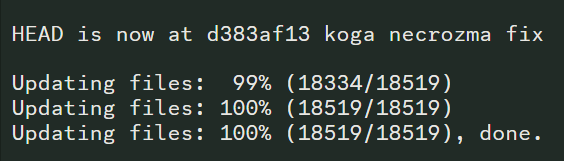 clever axle
oh, so im good?
 full forum
so I deleted the folder containing the game and am currently installing it rn did i do it right?
harsh epoch
if you followed the guide, yep
full forum
koolio
 barren oyster
Everytime I complete the long night part 4 quest this happens
 harsh epoch
necrozma quest been buggy
idk if the same workaround applies since you are at the end of the quest
gotta wait for a tech person
barren oyster
ok ty
frozen grove
barren oyster
Everytime I complete the long night part 4 quest this happens
It should’ve been fixed, update your game
barren oyster
frozen grove
It should’ve been fixed, update your game
It was that, tysm
rich gale
Can anyone help? Cannot open the game after updating on Mac the launcher tries to open then immediately closes
 strange hinge
i cant update pif i deleted everything now i just need the recent instaler
harsh epoch
You get updated launcher options from #downloads
 surreal mountain
is there a FAQ section about controllers? I have a controller that works for my PC but the A button is bound to B on the controller and idk where to locate the settings to change that
pearl magnetBOT
You can press F1 (FN + F1 on laptops) to change your keybindings!
Be aware, controllers will be auto mapped to buttons depending on which controller you plug in.
If you want to remap buttons on controller, you need to use Steam since this game doesn't support it. How to use Steam: [Guide](#tech-support message)
 surreal mountain
ty
 spring pollen
so I keep having this issue. I even completely deleted everything and reinstalled and I'm still getting this. I did replace the AppFiles folder but that didn't seem to do anything
 verbal timber
spring pollen
so I keep having this issue. I even completely deleted everything and reinstalle...
verbal timber
spring pollen
so I keep having this issue. I even completely deleted everything and reinstalle...
you didn't reinstall
because otherwise you'd have launcher v1.1.2
 quick onyx
Can someone give me 6.6.1
verbal timber
quick onyx
Can someone give me 6.6.1
?tag guides
pearl magnetBOT
All of our Official Guides to install the game are located here: [CLICK HERE FOR GUIDES](#tech-support message)
spring pollen
weird
verbal timber
spring pollen
weird
delete all your PIF Launcher files and get a fresh install
that "should" be fixed
spring pollen
I thought I did but I must have missed something
verbal timber
i mean just delete the zip and the launcher folder itself
 waxen totem
So quick question. All the customer sprites in my game are gone. What do? 🥺
verbal timber
waxen totem
So quick question. All the customer sprites in my game are gone. What do? 🥺
?tag resetcache
pearl magnetBOT
For missing sprites on the 6.6 update, talk to the help man in any Pokémon center and navigate to Advanced Options -> Other -> Reset -> Clear Sprite Cache. Video
spring pollen
verbal timber
i mean just delete the zip and the launcher folder itself
that's what I did
I seem to still have the issue though so I must have missed something
the only thing I kept a copy of was the save file folder. Maybe that's the issue?
spring pollen
oh really?
spring pollen
ahhh I didn't look in there
verbal timber
short of you manually deleting those, overwrighting them, or wiping your drive, they should endure [exceptions may apply in the event of shenanigans]
spring pollen
lol there's often shenanigans when it comes to computers
verbal timber
 spring pollen
https://hackmd.io/@PIF-Tech/LauncherGuide this is still where I download the launcher yea?
HackMD
Pokemon Infinite Fusion LauncherDeveloped by: megaman [Tech Manager for Pokemon Infinite Fusion]
orchid pumice
I tried installing the game on chromebook but when i try to open it, it give me this 'Application could not be started, or no application associated with the specified file.
ShellExecuteEx failed: File not found. I tried to reinstall it do i need to delete the sip file after i unpacked it
prisma radish
its been over 6 hours i resetted the sprite cache and waited for the sprites to load or download overtime like told there still not there.
 coral wedge
orchid pumice
I tried installing the game on chromebook but when i try to open it, it give me ...
coral wedge
orchid pumice
I tried installing the game on chromebook but when i try to open it, it give me ...
I ran into the same problem on my Chromebook. Two things to check:
- is the command you used wine InfiniteFusion.exe?
- Is there another folder layer between your Linux files category and the game folder itself?
verbal timber
prisma radish
its been over 6 hours i resetted the sprite cache and waited for the sprites to ...
you need to be playing the game
and have download data on
while using the mons with missing/? sprites
topaz spade
prisma radish
its been over 6 hours i resetted the sprite cache and waited for the sprites to ...
Same thing here. I did a fresh install, reset the sprite cache, and played for 4 hours; still no sprites. I've given up at this point and am just hoping for a hotfix.
verbal timber
?tag missingsp
pearl magnetBOT
If you're encountering invisible sprites
**The game comes with all sprites preinstalled, up until the February 2025 Pack.
The remaining packs will be downloaded as you play, as long as you have "Download Data" turned on and your device is connected to wifi. You do not need to do anything for them.
Keep in mind, the auto download does not have infinite speed or capacity and will not trigger if you are not actively encountering new sprites (ex; battling, checking the Pokedex, etc.).
After downloading X amount of sprites per time unit Y, it will be paused for a bit. We cannot adjust this limit and there is nothing you can do as the player to skip it or make it go faster.
Attempting to view sprites that have not been downloaded through this feature yet will show them as invisible.
The first time you encounter a base Pokemon, it will select a random one of all sprites, if it is a new one that hasn't been downloaded yet, it will show as invisible.
The same goes for fusions but with a little more nuance. To keep it simple, think of it the same.
Again, nothing wrong with your game. You just hit a download cap.
Note: Updating your game resets all your auto-downloaded sprites. do not attempt to "fix" this with updating. It will just make everything start from the beginning.
If you would like to manually import the latest sprite packs, further instructions can be found HERE
verbal timber
you prob hit the download cap
topaz spade
verbal timber
you prob hit the download cap
I didn't get a single sprite. How could I hit the cap?
orchid pumice
coral wedge
I ran into the same problem on my Chromebook. Two things to check:
- is the comm...
I used the command cd infinite fusion and then I used wine Game.exe and no there’s not another folder just a folder called infinite fusion
verbal timber
topaz spade
I didn't get a single sprite. How could I hit the cap?
you have download data turned on?
topaz spade
verbal timber
you have download data turned on?
I do and did the whole time.
coral wedge
orchid pumice
I used the command cd infinite fusion and then I used wine Game.exe and no there...
The game exe itself was renamed with the newest release, wine Game.exe won’t work anymore, you have to address it as wine InfiniteFusion.exe
verbal timber
topaz spade
I do and did the whole time.
not sure what to tell you then, you had to have been getting some sprites
verbal timber
coral wedge
The game exe itself was renamed with the newest release, wine Game.exe won’t wor...
there is a game.exe
Frog added one in as a temp fix for the launcher to work correctly
topaz spade
verbal timber
not sure what to tell you then, you had to have been getting some sprites
What folder do sprites download to? I can check if anything is there.
verbal timber
topaz spade
What folder do sprites download to? I can check if anything is there.
local_sprites
and then their respective indexed folders
coral wedge
Really? The wine game.exe command didn’t work when I tried to boot up the game, just InfiniteFusion.exe. Worth a try anyways.
orchid pumice
coral wedge
The game exe itself was renamed with the newest release, wine Game.exe won’t wor...
Still the same problem shows up
verbal timber
orchid pumice
Still the same problem shows up
double check to make sure you don't have an infinite fusion folder inside another infinite fusion folder
coral wedge
Might have to update your version of wine or update your Chromebook software. If those don’t work, sometimes just rebooting the Chromebook can help. I’ve found it can be temperamental.
verbal timber
or just not work at all
topaz spade
verbal timber
and then their respective indexed folders
I don't have anything in either the BaseSprites or indexed folders other than gitkeep files.
verbal timber
Chromebook has the least player count of all the installs for a reason
orchid pumice
verbal timber
double check to make sure you don't have an infinite fusion folder inside anothe...
There is another folder infinite fusion folder in the infinite fusion folder what should I do
verbal timber
orchid pumice
There is another folder infinite fusion folder in the infinite fusion folder wha...
there is your issue
coral wedge
orchid pumice
There is another folder infinite fusion folder in the infinite fusion folder wha...
Move your infinitefusion game folder that actually has the game files into your Linux folder, and then delete the extra folder.
After that, try wine Game.exe or wine InfiniteFusion.exe again. Removing that extra folder should solve the problem. I had the same thing happen to me.
Look at me, running tech support /j
topaz spade
verbal timber
and then their respective indexed folders
I don't have anything in either the BaseSprites or indexed folders other than gitkeep files. And that's after playing for 4+ hours.
verbal timber
topaz spade
I don't have anything in either the BaseSprites or indexed folders other than gi...
ok, you may need to mini reset your sprite pull
orchid pumice
coral wedge
After that, try wine Game.exe or wine InfiniteFusion.exe again. Removing that ex...
okay now for some reason its saying that the file dosent exist anymore
verbal timber
while in a save, go into your options and turn download data off
then back out off the menus, sit around for a bit and go back in and turn it on again
verbal timber
orchid pumice
okay now for some reason its saying that the file dosent exist anymore
because it is looking for the old path
which doesn't exist
since you moved it
I think you need to do it from scratch and this time make sure you only have 1 infinite fusion folder
orchid pumice
okay
topaz spade
verbal timber
while in a save, go into your options and turn download data off
then back out o...
Okay. I'll give that a try tomorrow. Hopefully that helps. Thanks!
coral wedge
orchid pumice
okay
If you give me a little while, I can show you how the game file should look in your files.
Just need to boot up my own Chromebook first
orchid pumice
coral wedge
If you give me a little while, I can show you how the game file should look in y...
sounds good
 glossy kayak
When I try to extract the launcher file it extracts but then the folder it extracts is empty?
 wild void
when i try to update my game it says the game was not updated successfully your current version is: 6.6.1 but the latest version is: 6.6.0
use errorlog.txt on ur desktop or progrees window to report to tech-suppor in discord
How would i fix this
drowsy kraken
I fixed the problem with downloading the update on steamdeck. The guide says you can just replace the folder you have with the new one but it only worked if I deleted everything first and then extracted the new file.
ionic tendon
wild void
when i try to update my game it says the game was not updated successfully your ...
If your launcher is on 1.1.2 ignore it
wild void
ionic tendon
If your launcher is on 1.1.2 ignore it
my launcher is 1.1.1 beta
am i supposed to update it
?
frozen grove
Reinstall fresh from #downloads
wild void
okie
 cunning grove
is my save bugged? the hats are unlocking but the outfits arent

 frozen grove
Not all hats have an outfit made
cunning grove
ohhh okay
coral wedge
orchid pumice
sounds good
The files should go Linux files > infinite fusion folder > game data with no other folders in between


 verbal timber
and then you pray it works
full forum
How do I fix this?
 upbeat sage
full forum
How do I fix this?
upbeat sage
full forum
How do I fix this?
?tag randerror
pearl magnetBOT
When randomizing the game, you can only randomize Trainers and Gym leaders if you are playing Classic or Randomized Mode.
Randomizing trainers on Remix and Expert Mode will crash trainer battlers.
Steps:
- Go to a Pokemon Center and talk to Help Man (guy in black suit)
- Select Advanced Settings -> Randomizer Settings -> Turn Trainers/Gyms OFF

 dull gale
Hey how do i resolve this?

 hardy idol
?tag onedrive
pearl magnetBOT
Onedrive causes many issues in and out of the game. If you see a status column in your game folder or your path has onedrive, that means your game folder is synching to OneDrive and will cause many issues.
To Fix:
- Move your
InfiniteFusionfolder to yourC:\Users\Your Name\Downloadsfolder - Open the .git folder (use screenshot below if you don't see it) and delete the file named
shallow.lock - Rerun
INSTALL_OR_UPDATE.batafterwards to redownload any files OneDrive deleted.
https://cdn.discordapp.com/attachments/308392115338084360/1335320045987041400/image.png?ex=679fbd34&is=679e6bb4&hm=88e8e747e55fe804d411ec1ca465fd4086297731bad9275b681ce2fa8ce168d8&
 undone cloud
frozen grove
Reinstall fresh from <#926866111948001341>
undone cloud
frozen grove
Reinstall fresh from <#926866111948001341>
Hi! I've done the fresh install but I'm still getting the same issue and I'm not sure how else to fix it
my current launcher is also the 1.1.0
orchid pumice
coral wedge
If you give me a little while, I can show you how the game file should look in y...
I tried redownloading it but it still ends up as two folders
ionic tendon
undone cloud
my current launcher is also the 1.1.0
You need to reinstall the launcher. Launcher should be 1.1.2
undone cloud
ionic tendon
You need to reinstall the launcher. Launcher should be 1.1.2
I downloaded the 1.1.2 launcher, but once I extract the files, it gives me 1.1.0
 frozen grove
undone cloud
I downloaded the 1.1.2 launcher, but once I extract the files, it gives me 1.1.0
frozen grove
undone cloud
I downloaded the 1.1.2 launcher, but once I extract the files, it gives me 1.1.0
Yea, that’s fine. Mega didn’t change the folder name
So what’s happening when you try and launch the game?
undone cloud
frozen grove
Yea, that’s fine. Mega didn’t change the folder name <:heehee:945800365457149992...
ahhh understandable, MEGA is a quirky one, I got it to work, thanks
I deleted all the older files then extracted the zip again
ionic tendon
frozen grove
Yea, that’s fine. Mega didn’t change the folder name <:heehee:945800365457149992...
-# oh my bad
dull gale
I do not have shallow.lock? I have index.lock but not shallow
topaz spade
verbal timber
while in a save, go into your options and turn download data off
then back out o...
This seems to have fixed the issue. My local_sprites subfolders are still empty but the spritesheets subfolders seem to be pulling in data. I still seem to be missing a lot of custom sprites from my team but I assume those will continue to pull in as I play and I may have just hit the cap for the time being. Thanks for helping!
 fathom rose
Hello, I have a question regarding this message after updating the game version from launcher v1.1.2
 ionic tendon
fathom rose
Hello, I have a question regarding this message after updating the game version ...
ionic tendon
fathom rose
Hello, I have a question regarding this message after updating the game version ...
Ignore it, youre fine
fathom rose
ionic tendon
Ignore it, youre fine
thank you
dull gale
pearl magnet
Onedrive causes many issues in and out of the game. If you see a status column i...
In ref to this i dont have the shallow . Lock, is there something else i should look for?
glossy kayak
I require assistance in installing the launcher
dull gale
Ngl i interrupted an update install because it was prompting me abt stuff that shouldve just gone thru but this was a mistake
glossy kayak
After I extract the zip file it just gives me a empty PIFLauncher1.1.0 folder what can I do about this?
frozen grove
dull gale
In ref to this i dont have the shallow . Lock, is there something else i should ...
He gave you the wrong tag but you should remove the folder from OneDrive regardless
OneDrive is likely the cause of whatever made you have to close out of it to begin with
?tag giterror
pearl magnetBOT
Git has locked your game folder from installing/updating. To fix:
- Open your game folder.
- Enable the setting to view hidden files. Screenshot below shows how to see that.
- Open the .git folder you will see in your folder now
- Delete the file named
shallow.lock - Update Again by double clicking on
INSTALL_OR_UPDATE.bator using the Launcher to Install/Update
https://cdn.discordapp.com/attachments/308392115338084360/1335320045987041400/image.png?ex=679fbd34&is=679e6bb4&hm=88e8e747e55fe804d411ec1ca465fd4086297731bad9275b681ce2fa8ce168d8&
dull gale
Gotcha, doing the process of shooting onedrive with a gun and obliterating the copy files and seeing if that makes it fix
 glossy kayak
After I extract the zip file it just gives me a empty PIFLauncher1.1.0 folder what can I do about this?
ionic tendon
glossy kayak
After I extract the zip file it just gives me a empty PIFLauncher1.1.0 folder wh...
If there’s nothing in the folder something might’ve gone wrong with extracting, try deleting it and reextracting. If that doesn’t work, reinstall the launcher and she’s if something went wrong with downloading initially
ionic tendon
 dry tulip
Ahm... This is not normal, right?
dry tulip
Ahm... This is not normal, right?
Go in game and reset sprite cache
?tag resetcache
pearl magnetBOT
For missing sprites on the 6.6 update, talk to the help man in any Pokémon center and navigate to Advanced Options -> Other -> Reset -> Clear Sprite Cache. Video
faint atlas
to uninstall the launcher do you delete the PIFLauncher1.1.0 folder or just the launcher application
 gentle plinth
Hi I’m having a problem with the PIF launcher like the person from earlier. But, it won’t allow me to open the game from the launcher or the files directly

 umbral marten
Friend's Poke-radar is only bringing these images up, despite the pokemon on the route not being fusions. Is this fixed by a Cache reset or something more elaborate?
 dry tulip
pearl magnet
For missing sprites on the 6.6 update, talk to the help man in any Pokémon cente...
dry tulip
pearl magnet
For missing sprites on the 6.6 update, talk to the help man in any Pokémon cente...
I did it, but it didnt work, i dont have to download something?
Or there i a download with the sprites included?
coral wedge
orchid pumice
I tried redownloading it but it still ends up as two folders
Copy and paste the actual infinitefusion game folder into your Linux files. Once it’s there, delete the extra folder it was in.
That way, you don’t delete the game along with the extra folder.
orchid pumice
coral wedge
Copy and paste the actual infinitefusion game folder into your Linux files. Once...
When I did that it showed that the file dosent exist anymore even tho I just took it out of the extra folder
coral wedge
Odd, because as long as it looks like my Linux folder does in the screenshot, it should work.
ionic tendon
faint atlas
to uninstall the launcher do you delete the PIFLauncher1.1.0 folder or just the ...
Delete the whole folder
ionic tendon
gentle plinth
Hi I’m having a problem with the PIF launcher like the person from earlier. But,...
What version is your launcher?
<@&306953740651462656>
 spiral snow
MR BEAST LMAO
orchid pumice
coral wedge
Odd, because as long as it looks like my Linux folder does in the screenshot, it...
I know tried it mutiple time but it keep saying the same about how it couldn’t find the file anymore even tho it’s named the same
dry tulip
So, how do i download the sprites? all the single pokemon and the custome are nowhere
coral wedge
orchid pumice
I know tried it mutiple time but it keep saying the same about how it couldn’t ...
To be clear, after deleting the extra folder, did you try wine InfiniteFusion.exe instead of wine Game.exe?
If you tried both and your files match mine without it working, there’s not much I can do.
dull gale
Tried killing onedrive stuff and welp im still getting that thing where it repeatedly makes me skip deleting individual sprites

Which causes a index.lock file to spawn
Do i just delete the sprites myself and then run this again? Or just follow it down? Until things go through?
orchid pumice
coral wedge
To be clear, after deleting the extra folder, did you try wine InfiniteFusion.ex...
yup i tried them both
 outer seal
when i try to use the links in #downloads none of them work, is there something I'm missing
harsh epoch
what do you mean by it doesn't work
be more specific
you are clicking either of these options right?
 orchid pumice
yup i tried them both
orchid pumice
orchid pumice
yup i tried them both
I got it to work nvm thank you for helping
 fading yacht
why won't the installer install modern version of the game
harsh epoch
Modern was renamed to Remix mode
remix (and other modes) are unlocked on your 2nd save
so make a save, go back to title screen, start another new game
and the options should come out
gentle plinth
ionic tendon
What version is your launcher?
Sorry for the late reply, it’s the PIFLauncher 1.1.2
 foggy cave
Hellooo, new here, how can I enable the randomizer?? It doesn't give me the option
turbid terraceBOT
Hey @foggy cave! To unlock randomized mode: Create a new game, save in Pallet Town, and create a 2nd new game. More options will appear since the 1st save is locked to Classic Mode.
Our randomizer doesn't offer true randomization meaning each Pokemon or item you find is **not ** going to be random each time. Instead we offer the below for Pokemon:
Global:
- Makes it so that if Pidgey was randomized to Pikachu on route 1, all Pidgeys on all routes are Pikachu.
Area:
- Better randomization than Global. Makes it so that each route has their own randomized set of encounters.
For more questions on other randomizer settings, checkout the Randomized Mode Wiki Page
ionic tendon
gentle plinth
Sorry for the late reply, it’s the PIFLauncher 1.1.2
You should be able to launch the game, that’s the correct version
 plain kettle
Trying to update the game through the PIFLauncher when it says theres a new version out, but it keeps giving me this error message?
 ionic tendon
As long as you’re on launcher version 1.1.2 you can ignore
 junior zenith
Hey my fusion icons wont show properly since the update, it only shows the head pokemon instead of half and half. I tried restarting the game and changing the fusion icon setting back and forth but so far nothing worked.
 turbid terraceBOT
Hey @junior zenith!
How to Update to the Latest Version (Windows)
- If you're on or above 6.4.2, double click
INSTALL_OR_UPDATE.batto update. - If you're below 6.4.2, you must either reinstall in a NEW folder (since the updater won't work due to bugs) or use the New Launcher to update.
- Reinstalling doesn’t remove or require you to move any Save Files.
- If playing on a Randomized save, make sure to reshuffle after updating. Use
?tag reshuffleif you need help.
For Non-Windows devices (Android, Mac, Steamdeck, Linux, Chromebook): Check our extended guides post
harsh epoch
junior zenith
Hey my fusion icons wont show properly since the update, it only shows the head ...
one sec, lemme grab the fix
go into your files,
go here:,
C:\Users\YOUR USER\Downloads\InfiniteFusion\Graphics\Pokemon\FusionIcons
delete all .png files. i kept the .gitkeep file just in case,
reload game - will be fixed
plain kettle
ionic tendon
As long as you’re on launcher version 1.1.2 you can ignore
The game won't open after attempting to update through PIF launcher. I haven't reinstalled as recommended in anouncements. If I reinstall, do I need to move my save files over manually?
turbid terraceBOT
Hey @plain kettle! Black screen in this game is the loading screen. The duration of the black screen depends on YOUR computer and YOUR internet.
- If you get the message below while opening the game, this means to stop clicking/pressing buttons on the screen as it is loading.
- If you get the message while in game, this means your computer is struggling.
- Use our performance tips to help your issues: [More Info](#tech-support message)⬅️⬅️
harsh epoch
plain kettle
The game won't open after attempting to update through PIF launcher. I haven't r...
means you tried to update using the old launcher
delete the files you have and install fresh using any of the options in #downloads
your save is stored separately, will be fine
your sprites will be reset, so do the fix from #announcements and then just play
or go into the pokedex and go through it
plain kettle
ok perfect, I'll do that then, thank you!
Is the game to be played through the "Game" or "InfiniteFusion" applications?
 harsh epoch
either works
 hallow wind
I got this error while wonder trading
 harsh epoch
hallow wind
I got this error while wonder trading
harsh epoch
hallow wind
I got this error while wonder trading
what version are you on, check title screen
hallow wind
V.6.6.0
junior zenith
harsh epoch
go into your files,
go here:,
C:\Users\YOUR USER\Downloads\InfiniteFusion\Graphi...
Thx bro you're a lifesaver
harsh epoch
hallow wind
V.6.6.0
Update. Might have been fixed in 6.6.1
frozen grove
harsh epoch
Update. Might have been fixed in 6.6.1
-# it has been
harsh epoch
we plebians don't get frogs shadow update patch notes.... 
frozen grove
I need to add them to the wiki changelog
I just haven’t yet
And I gotta redo megamans message in #downloads
frozen grove
Especially with a full time job 
I just got home from work like half an hour ago
I’m exhausted
hallow wind
Fixed thanks
gentle plinth
ionic tendon
You should be able to launch the game, that’s the correct version
I’m redownloading the launcher should the new download take 5 hours?
hallow wind
I lost a premium wonder trade ticket. Is there a way to get it back?
frozen grove
gentle plinth
I’m redownloading the launcher should the new download take 5 hours?
Depends on your WiFi. You can also try a VPN, some people have had luck with that
frozen grove
hallow wind
I lost a premium wonder trade ticket. Is there a way to get it back?
I don’t think you can tbh. There’s not really an easy way to check if you lost it or not to be able to give it back
hallow wind
No problem. Thanks anyways
 reef cliff
How do i fix my launcher saying i'm on the wrong version even though i'm very clearly not
frozen grove
reef cliff
How do i fix my launcher saying i'm on the wrong version even though i'm very cl...
As long as your launcher version is 1.1.2, just ignore it
 dapper sphinx
Quick question is there supposed to still be game.exe
 frozen grove
dapper sphinx
Quick question is there supposed to still be game.exe
frozen grove
dapper sphinx
Quick question is there supposed to still be game.exe
Not with that icon, no
reef cliff
frozen grove
As long as your launcher version is 1.1.2, just ignore it
but whenever I try to open the game, it just closes
frozen grove
Is your launcher on 1.1.2?
dapper sphinx
frozen grove
Not with that icon, no
Should I delete game.exe
shut stag
when i reset the cache sprites the wild pokemon are still coming up with no sprite
frozen grove
dapper sphinx
Should I delete game.exe
Does your game launch when you try and open it? (The InfiniteFusion.exe file)
reef cliff
frozen grove
Is your launcher on 1.1.2?
it was not, thank you, ill download the latest version of the launcher and see if that fixes it
dapper sphinx
frozen grove
Does your game launch when you try and open it? (The InfiniteFusion.exe file)
Yes
frozen grove
Then yea, you can yeet game.exe
dapper sphinx
Thank you for your help
frozen grove
shut stag
when i reset the cache sprites the wild pokemon are still coming up with no spri...
?tag missingsp
pearl magnetBOT
If you're encountering invisible sprites
**The game comes with all sprites preinstalled, up until the February 2025 Pack.
The remaining packs will be downloaded as you play, as long as you have "Download Data" turned on and your device is connected to wifi. You do not need to do anything for them.
Keep in mind, the auto download does not have infinite speed or capacity and will not trigger if you are not actively encountering new sprites (ex; battling, checking the Pokedex, etc.).
After downloading X amount of sprites per time unit Y, it will be paused for a bit. We cannot adjust this limit and there is nothing you can do as the player to skip it or make it go faster.
Attempting to view sprites that have not been downloaded through this feature yet will show them as invisible.
The first time you encounter a base Pokemon, it will select a random one of all sprites, if it is a new one that hasn't been downloaded yet, it will show as invisible.
The same goes for fusions but with a little more nuance. To keep it simple, think of it the same.
Again, nothing wrong with your game. You just hit a download cap.
Note: Updating your game resets all your auto-downloaded sprites. do not attempt to "fix" this with updating. It will just make everything start from the beginning.
If you would like to manually import the latest sprite packs, further instructions can be found HERE
 signal mirage
Tried downloading new version. Did not work. Goes game still work? How to fix it so it will update?
shut stag
pearl magnet
# If you're encountering invisible sprites
**The game comes with all sprites pre...
so basically just play without the sprites so it can download through time?
dull gale
dull gale
Tried killing onedrive stuff and welp im still getting that thing where it repea...
Still having this problem and also this is the err when i try to launch the game if it provides clarity
 harsh epoch
isnt that the old logo
dull gale
Is it? This is the one that usually works for me to open it
 compact smelt
Just downloaded the new launcher... it downloaded as "PIFLauncher1.1.2.zip", but the packed file is marked "PIFLauncher1.1.0". Sorry if this is known or I'm parroting irrelevant info, but it wouldn't let me update since I was on 6.6.1 and it's trying to update me to 6.6.0 out of that packed file.
frozen grove
compact smelt
Just downloaded the new launcher... it downloaded as "PIFLauncher1.1.2.zip", but...
The launcher folder didn’t get renamed w/ 1.1.2, and it’ll yell at you saying failed to update to 6.6.1 but it’s actually updating just fine
compact smelt
Ah okay, thank you @frozen grove , appreciate the quick response!
frozen grove
As long as the launcher version when you open it (top left) shows 1.1.2 and game version (top middle) shows 6.6.1, you’re good
compact smelt
I'll be sure to check it out, but I'm sure it's all good if this was a known thing. Appreciate what you guys do, and hope y'all have a good weekend coming up
 forest frigate
Hey so I downloaded it from .net and I just wanted to confirm that I didn't install malware
ionic tendon
forest frigate
Hey so I downloaded it from .net and I just wanted to confirm that I didn't inst...
?tag fakefiles
pearl magnetBOT
Beware of Unofficial Websites That Claim To Be Official.
The only official sources to download the game are here, the game's subreddit or the pokecommunity thread.
To clean out your computer:
- Delete all the save files from the fake files. It's not recommended to keep these, as they have bugs and fake data that the normal game doesn't have.
🔵 Your game folder has a shortcut that you double click namedSavefileto take you to the location to delete all save files. They are namedFile A.rxdata. - Delete any zipped/unzipped folders from there
- Run a virus scan
After doing all the steps, use #downloads to download the real files.
@quasi abyss ff
forest frigate
I did a virus scan, and it said Im clean, but is that website known to give malware? Or do yall not know. Because I know sometimes windows malware scans arent the best
frozen grove
It is known to have malware, yes
They rotate out their files so sometimes there is sometimes there isn’t
umbral marten
umbral marten
Friend's Poke-radar is only bringing these images up, despite the pokemon on the...
Anybody have an answer for this? Their quests also aren't updating, if that's relevant
frozen grove
umbral marten
Anybody have an answer for this? Their quests also aren't updating, if that's re...
Are they in randomizer and did they randomize static encounters?
 wooden owl
one day RPGMaker XP will run on my handheld
umbral marten
I'm unsure, my other friend playing through is playing rando with "Randomized by area, Legendaries randomized with legendaries, static encounters randomized" and their radar is working as it should be, though their static encounters aren't actually randomized.
wooden owl
one day....
frozen grove
Randomizing static encounters breaks the radar so
umbral marten
Well okay, that's a mystery solved, I feel like an idiot
frozen grove
Or maybe didn’t reshuffle after an update. I’d have to do more testing to see if that would be the case 
reef cliff
Why did my 1.1.2 launcher zip file extract to be 1.1.0??
harsh epoch
didnt rename it probably
dw about it
you will also likely get an error when dling, but ignore that
only thing that matters is that your launcher says 1.1.2 when you start it
reef cliff
Okay, then one more thing, why when I press play from my 1.1.2 launcher, nothing opens?
frozen grove
Send a screenshot of the settings tab of the launcher
reef cliff

 cosmic juniper
How do I update the game on Android?
frozen grove
cosmic juniper
How do I update the game on Android?
?tag android || you don’t rn
pearl magnetBOT
Check our Official Android guide ➡️ HERE.⬅️ If you didn't follow this guide, DELETE and UNINSTALL everything.
All Android bugs/workarounds are in the guide. If your issue isn't listed, there's no fix. No dedicated mobile version of IF will be developed in the future.
Note: Android has not yet been updated to 6.6! Please be patient while we wait for a stable build.
reef cliff
I clicked reset config, and it said the game had an update, but when I updated the game, I got this again
 frozen grove
reef cliff
I clicked reset config, and it said the game had an update, but when I updated t...
frozen grove
reef cliff
I clicked reset config, and it said the game had an update, but when I updated t...
Yea, you can ignore that
reef cliff
Ok
frozen grove
I’ve already pushed a fix but Megaman (the launcher dev) needs to approve it
But he’s technically retired from pif
reef cliff
this'll be the last thing from me, but, why have my really cool sprites been switched to ones that don't even exist in the infinite dex website??
frozen grove
reef cliff
this'll be the last thing from me, but, why have my really cool sprites been swi...
?tag resetcache
pearl magnetBOT
For missing sprites on the 6.6 update, talk to the help man in any Pokémon center and navigate to Advanced Options -> Other -> Reset -> Clear Sprite Cache. Video
reef cliff
Thank you so much
signal mirage
I updated my game to the new version. But when i go back into my safe file, sprites i was using in the past are not there anymore
frozen grove
signal mirage
I updated my game to the new version. But when i go back into my safe file, spri...
Read two messages up
signal mirage
YUSSSS THEYRE BACK thank you
 frail forum
I am getting instant crash when I try to load the game. I was told earlier this week, or maybe last week that I needed to re-install? Is that still the solution? I might be wrong but I remember something about deleting stuff but my save files are fine...
There was a fix, I think I remember it, but I don't remember what the steps were.
frail forum
so... EVERYTHING? like go into downloads and delete the PIF folder?
ionic tendon
Yes
frail forum
alright
plain kettle
I tried the recommended: If you're having sprite problems with the new update, you can fix them by finding the Update man in Pokemon centers and selecting Advanced Options > Other options > Reset Options > Clear sprites cache, however none of the sprites changed and community sprites still aren't available. Is there anything else I should try?
 cinder quiver
I just saw the previous messages, thank you!
 dawn cave
game black screens right after the intro movie plays
turbid terraceBOT
Hey @dawn cave! Black screen in this game is the loading screen. The duration of the black screen depends on YOUR computer and YOUR internet.
- If you get the message below while opening the game, this means to stop clicking/pressing buttons on the screen as it is loading.
- If you get the message while in game, this means your computer is struggling.
- Use our performance tips to help your issues: [More Info](#tech-support message)⬅️⬅️
 umbral adder
How can I get a magicarp
dawn cave
key binds
 median epoch
Having issues after coming back to the game with the newest patch. My game won't find all my files for sprites in the graphics/custombattlers folders.

I tried to turn the download sprites off and back on with no fix
 finite swallow
how do i update to version 6.6
harsh epoch
?tag update
pearl magnetBOT
How to Update to the Latest Version (Windows)
- If you're on or above 6.6.0 double click
INSTALL_OR_UPDATE.batto update. - If you're below 6.6.0 you must either reinstall in a NEW folder (since the updater won't work due to bugs) or use the New Launcher to update.
- Reinstalling doesn’t remove or require you to move any Save Files.
- If playing on a Randomized save, make sure to reshuffle after updating. Use
?tag reshuffleif you need help.
For Non-Windows devices (Android, Mac, Steamdeck, Linux, Chromebook): Check our extended guides post
harsh epoch
the 2nd dot is important
if you dont read it and listen to it you will come back here saying the game wont start
turbid terraceBOT
Hey @harsh epoch! Black screen in this game is the loading screen. The duration of the black screen depends on YOUR computer and YOUR internet.
- If you get the message below while opening the game, this means to stop clicking/pressing buttons on the screen as it is loading.
- If you get the message while in game, this means your computer is struggling.
- Use our performance tips to help your issues: [More Info](#tech-support message)⬅️⬅️
frozen grove
median epoch
Having issues after coming back to the game with the newest patch. My game won't...
?tag resetcache
pearl magnetBOT
For missing sprites on the 6.6 update, talk to the help man in any Pokémon center and navigate to Advanced Options -> Other -> Reset -> Clear Sprite Cache. Video
median epoch
I'll try that, thanks!
 broken tundra
 harsh epoch
ignore the errors
broken tundra
guide said to post here if i didn't see the "head is now" line
 crystal abyss
Would anyone know how to solve this problem?
 frozen grove
crystal abyss
Would anyone know how to solve this problem?
frozen grove
crystal abyss
Would anyone know how to solve this problem?
Where did you download from?
crystal abyss
@frozen grove Download it here whackahack.com
frozen grove
wtf is that
harsh epoch
LMAO
frozen grove
Well anyways
 brave knoll
About the 6.6.0 Update Issues: I play on a laptop, specifically the latitude 3340. I'm worried because I don't know how to check to make sure my save files are safely stored. Does the game only store saves in the save files folder, and if so, when it says delete every game file, does it mean everything in the folder that you extract after downloading the zip, including the save files?
frozen grove
Uh
harsh epoch
brave knoll
About the 6.6.0 Update Issues: I play on a laptop, specifically the latitude 334...
i got the saves
harsh epoch
brave knoll
About the 6.6.0 Update Issues: I play on a laptop, specifically the latitude 334...
Your saves will be fine. They are stored separately from the game files
frozen grove
-# Nights stole all the saves
harsh epoch
so if you are trying to update from an older verion than 6.6.0 and need to reinstall fresh, just delete whatever files/folder the game is in
 outer oak
?tag money
pearl magnetBOT
Ways to Make 💰
- Mankey paw resale [saffron city + crimson city, nerfed to hell, you will lose money before it is profitable]
- Coffee resale [celedon cafe + any pokemart] - Buy for 200, sell for 350
- Rock smash farming [Ruins of Alph best spot]
- Payday + amulet coin
- E4 Rebattling
- Rebattling the last trainer in rock tunnel or swimmer east of Knot Island (only these 2 rebattles give money)
- Fishing Contest in Vermillion (Every win after the first gives 10k and you can reuse the same Magikarp)
frozen grove
The “SaveFile” thing in the game folder is just a shortcut
frozen grove
outer oak
?tag money
Go to #ask-a-bot for tagging the bot please
outer oak
Ok sorry!^^
brave knoll
so are the saves actually stored in the appdata?
frozen grove
Yes
brave knoll
and when I delete the original game files to do a fresh reinstall, all my savefiles will automatically transfer to the savefiles shortcut in the game folder?
harsh epoch
yes because the game looks specifically for the save folder
which is stored in your app data, away from your game files
which is why deleting game files does nothing itself
brave knoll
alright thank you
I just deleted the game, went to my appdata folder and went into roaming, didn't scroll down far enough, had a mini heart attack and thought I lost it. I just needed to scroll past 3 more folders. Phew!!
 plush notch
 hardy idol
what thing of the autosaves did you try to activate?
 quasi abyss
you got something goin on in your saves folder
frozen grove
plush notch
even doing a regular save is borked it seems
Where did you download from and do you have multiple saves?
Also where are your game files located?
frozen grove
Would you mind sending a screenshot of that folder?
plush notch
wait i think i know the problem
when i did a clean install i didnt delete the old save folder.
i am going to try that
harsh epoch
plush notch
wait i think i know the problem
thats not generally an issue
save folder is fine, but your issue is likely that
and mayb saph will correct

 frozen grove
Don’t see anything wrong there. You may have a corrupted save in your save folder then
plush notch
its what i figured
frozen grove
Or some other files that shouldn’t be in there. (On rare occasions, screenshots in the save folder can mess with things too)
 teal furnace
what do i need to do to fix this?
 plush notch
frozen grove
Or some other files that shouldn’t be in there. (On rare occasions, screenshots ...
plush notch
frozen grove
Or some other files that shouldn’t be in there. (On rare occasions, screenshots ...
That fixed it
pearl magnetBOT
Sapphire (Tech/Mod) is AFK: I am the big Eepy  Bother Sino if you need help
  - 2 minutes ago
hot nova
i just deleted everything on my pc related to the game and redownloaded and this came up

 sharp seal
I have the same problem as Lucid_x_pax
already downloaded the 1.1.2 launcher. it doesn#t help
 tender dirge
One of the Gentops sprites isn't showing up in game, I have cleared the sprite cache but it still isn't showing up
sharp seal
problem solved.
I forgot to change the game folder in Launcher 1.1.2.
After updating again i got the same message but the game version is 6.6.1
pearl magnetBOT
No tag corrupt found.
 near gull
Hey! Just tried updating the game through the launcher. It downloads all the files then says it couldn't be updated successfully. I attached the error log, any help much appreciated! I'm sure it's a simple user error but I need a little guidance
Edit: when I try to start the game from the launcher the application opens briefly, then closes itself
hardy idol
?tag corrupted
pearl magnetBOT
The error you are having is due to a corrupted save in your save folder conflicting with your current save.
Note: Ensure you know which save file is corrupted before continuing. You can see the save slot on the save selection screen.
- Open your game folder
- Double click SaveFile
- Delete the save file causing issues.
- If you don't know which it is, you can remove the save 1 by 1 from this folder until you find it
If you want to revert your save to a backup, use ?tag backups for more info.
harsh epoch
near gull
Hey! Just tried updating the game through the launcher. It downloads all the fil...
What version launcher did you try using to update
when you open it, top left
near gull
harsh epoch
when you open it, top left
6.6.1
harsh epoch
thats the game version
 sleek furnace
1.1.1
sleek furnace
same problem here
harsh epoch
delete the files you have and download the new options from #downloads
then reinstall fresh
your saves will be fine
near gull
Ok, thank you!
 atomic quartz
can someone explain what happened here?
 sleek furnace
will i keep my game save if i delete the files?
harsh epoch
atomic quartz
can someone explain what happened here?
you also have the issue I just posted the the other 2
read right above you
you have launcher 1.1.1
atomic quartz
okay
harsh epoch
sleek furnace
will i keep my game save if i delete the files?
I just finished answering that
sleek furnace

atomic quartz
wait so i gotta delete every file of th eold launcher??
harsh epoch
just delete w/e folder your old files are in
then make a new one
basically installing brand new
follow the guide if you're confused on how to
atomic quartz
okay okay
harsh epoch
of course this convo is assuming all pc only
atomic quartz
im on a laptop
harsh epoch
Anything you need for android is in the android guide
but it's also stuck currently in the old version at the moment, not updated to 6.6.x yet
 keen crescent
Where is the android guide
harsh epoch
?tag android
pearl magnetBOT
Check our Official Android guide ➡️ HERE.⬅️ If you didn't follow this guide, DELETE and UNINSTALL everything.
All Android bugs/workarounds are in the guide. If your issue isn't listed, there's no fix. No dedicated mobile version of IF will be developed in the future.
Note: Android has not yet been updated to 6.6! Please be patient while we wait for a stable build.
 hasty breach
guys pls help since i have downloaded the new ver the game wont start up, it shows a black screen and just closes after a few seconds. anybody know what to do?
turbid terraceBOT
Hey @hasty breach! Black screen in this game is the loading screen. The duration of the black screen depends on YOUR computer and YOUR internet.
- If you get the message below while opening the game, this means to stop clicking/pressing buttons on the screen as it is loading.
- If you get the message while in game, this means your computer is struggling.
- Use our performance tips to help your issues: [More Info](#tech-support message)⬅️⬅️
hasty breach
i aint presing no buttons and it still closes
harsh epoch
hasty breach
guys pls help since i have downloaded the new ver the game wont start up, it sho...
what launcher version do you have
harsh epoch
there you go
you could scroll up like a couple messages before yours
outdated launcher, delete files, download new launcher from #downloads , install fresh
hasty breach
thanks a lot 
harsh epoch
?tag olddata
pearl magnetBOT
The most likely reason your game is opening and closing is due to improperly updated game files. We mention in #downloads to not update ANY files versions below 6.6.0.
If you're using the Launcher:
- Reinstall version 1.1.2 of the launcher from #downloads
- Open the settings tab
- Click "Reset Config"
NOTE: The original path that the launcher shows will be your old game folder. That folder should be deleted. The new game folder will be inPIFLauncher(#.#.#)/GameFiles/InfiniteFusion
If you're not using the Launcher:
Use the Lightweight installer guide to install in a NEW folder ➡️ Click Here⬅️
If you are on a non-Windows device, follow the [guide](#tech-support message) for your device to reinstall.
Reinstalling on Windows does not affect Save Files in any way.
 grim cosmos
I'm having random crashes. It's happened twice after opening the PC
grim cosmos
yeah used the discord, and went through the update guide to reinstall it
hasty breach
i dont have a clue then
hardy idol
grim cosmos
yeah used the discord, and went through the update guide to reinstall it
is there a error message you get when it happens?
 restive heath
Hi! Im currently updating from my android phone and Im wondering if I should delete the first version i downloaded or if i should keep it as is
hardy idol
restive heath
Hi! Im currently updating from my android phone and Im wondering if I should del...
6.5.1 is still current for android
grim cosmos
it's not my PC I'm running a 4070 Ti Super and a amd ryzen 9
no, the screen goes black and when it comes back on the game is no longer running
hasty breach
@harsh epoch i went on and clicked reset config and i updated the game again but it still wont budge
hasty breach
atomic quartz
can someone explain what happened here?
am getting the same message too now
oh nvr mind i understand it now
 digital linden
I believe i have discovered a bug with the team rocket uniform key item, i looked in the bug reports channel and it sauid to reach out here, i have screenshots and can give instructions for how to recreate the bug as well. i tried it on multiple saves in a few different ways to make sure it was recreatable
(i also looked and as far as i can see there is no pre exisiting ticket for it
harsh epoch
digital linden
I believe i have discovered a bug with the team rocket uniform key item, i look...
just post the bug instead of talking about it
a tech person will look at it when posted and then can move forward from there
digital linden
in here or in the other? it wont let me crete a bug ticket
harsh epoch
in here
digital linden
the error happenes whenever you are already wearing the team rocket uniform and attempt to use the rocket uniform key item. So if you change outfits using the outfits menu to manually go either to or from the rocket outfit, it causes any use of the rocket uniform key item to crash your game

i believe what likely may be happening is that whatever variable holds the true false for the key item, does not get changed if you put on the outfit manually in the outfits menu, so it attempts to put on the outfit again and crashes the game, but thats just my running theory
latest version and windows 10
i got the download from the link in the discord server with the installer
v6.6.1
harsh epoch
k whenever a pory or techmod is on they can take a look and add it to #1142871804269052004
thanks

digital linden
np! let me know if any more info is needed! id be more than happy to help!
 pastel anvil
Might be a dumb question but i lost my sprites sinse the new update, anywhere i can download them?
frozen zealot
?tag resetcache
pearl magnetBOT
For missing sprites on the 6.6 update, talk to the help man in any Pokémon center and navigate to Advanced Options -> Other -> Reset -> Clear Sprite Cache. Video
frozen zealot
try that
pastel anvil
Thank you
 slender lintel
so uh i dk what to do but im trying to download this fast since i shouldve been asleep 2 hours ago(woops)
 harsh epoch
slender lintel
so uh i dk what to do but im trying to download this fast since i shouldve been ...
harsh epoch
slender lintel
so uh i dk what to do but im trying to download this fast since i shouldve been ...
What does the 3rd to last line say
slender lintel
uh
harsh epoch
It's done. Just press any key.
 gleaming grove
is this all good?
 harsh epoch
gleaming grove
is this all good?
harsh epoch
gleaming grove
is this all good?
yes
ionic tendon
harsh epoch
yes
-# nights porygon when?
 reef kiln
harsh epoch
😤
reef kiln
harsh epoch
😤
Bro's getting tired
harsh epoch
no i just know i don't have the
whats the word
temperament personality
to b moderator
i want 2 sass ppl
reef kiln
harsh epoch
temperament personality
Ah. You don't have the patience ?
reef kiln
harsh epoch
i want 2 sass ppl
Lul
ionic tendon
Valid
I just see you in here a lot when the rest of us aren’t and helping hold down the fort
harsh epoch
if anything I thought I was closer to getting timed out or warned than getting modded

reef kiln
ionic tendon
Valid
Force upon him the porygon role, cuz he basically does the job lmao
harsh epoch
reef kiln
Force upon him the porygon role, cuz he basically does the job lmao
o i definitely dont
the actual pory's r the real ppl holding down the fort
lotta behind the scenes i bet
reef kiln
harsh epoch
lotta behind the scenes i bet
Let's chat general
harsh epoch
no i want to b a simple stardew farmer
 glossy falcon
Found a bug in the Fuchsia City gym. One of the trainers is invisible until you obtain the gym badge. PC version 6.6.1

 verbal timber
nah, he's a ninja
 echo pier
I am stupid, game told me there was an update but now it wont update and wont open, would love advice lol
verbal timber
echo pier
I am stupid, game told me there was an update but now it wont update and wont op...
fresh install
reef cliff
I've completed 11 quests, but my quest journal, and the quest guy who gives you rewards, both say i'm stuck at 9?
verbal timber
reef cliff
I've completed 11 quests, but my quest journal, and the quest guy who gives you ...
have to ask because you have the new here thing, where did you get your game files from
 robust osprey
Hello, just updated to 6.6.1 with a fresh install after a deleting the old files, now i cant find the launcher to download the sprite packages, auto download data is still enabled in the options but the sprites of the Pokémon i used are not there, what do i have to do?
reef cliff
verbal timber
have to ask because you have the new here thing, where did you get your game fil...
discord
this discord
verbal timber
robust osprey
Hello, just updated to 6.6.1 with a fresh install after a deleting the old files...

the launcher hasn't had the sprite download thing on it since 6.4
verbal timber
reef cliff
discord
visit the help man and have him fix the game
that "might" resolve it
robust osprey
verbal timber
the launcher hasn't had the sprite download thing on it since 6.4
Oh okay, but i cant even find the launcher in the extracted files, im starting the game via game.exe right now
When will the sprites be downloaded?
verbal timber
as you play
reef cliff
verbal timber
that "might" resolve it
I tried that and it sadly did not
verbal timber
robust osprey
So no more launcher at 6.6.1?
i didn't say that
i said the launcher doesn't have the sprite download thing on it
because the repo host changed, there is a limit on how many sprites can be downloaded by the game, megaman had to remove that option from the launcher
turbid terraceBOT
Hey @verbal timber! You can download the game from: [#downloads](#downloads message)
If you need a guide, they are located: [HERE](#tech-support message)
verbal timber
the game itself can still get sprites the same way it did before:
- title screen
- battles
- fusion
if you have download data turned on
robust osprey
verbal timber
i didn't say that
But where can i find it in the folder? What is it called now?
verbal timber
i don't know where you find it in your folder, you were the one who installed it
it should be in the PIFLauncher folder
if that is what you downloaded, extracted, and set up
robust osprey
Yes in aware of that, but in the extracted/installed files there is no piflauncher folder
verbal timber
then you didn't download the launcher
the only 2 windows installs are the lightweight and launcher
if there is no piflauncher folder then you probably grabbed the lightweight
 atomic plume
i cannot for the life of me figure out how to get the sprites loaded
is it my save?
verbal timber
atomic plume
i cannot for the life of me figure out how to get the sprites loaded
?tag missingsp
pearl magnetBOT
If you're encountering invisible sprites
**The game comes with all sprites preinstalled, up until the February 2025 Pack.
The remaining packs will be downloaded as you play, as long as you have "Download Data" turned on and your device is connected to wifi. You do not need to do anything for them.
Keep in mind, the auto download does not have infinite speed or capacity and will not trigger if you are not actively encountering new sprites (ex; battling, checking the Pokedex, etc.).
After downloading X amount of sprites per time unit Y, it will be paused for a bit. We cannot adjust this limit and there is nothing you can do as the player to skip it or make it go faster.
Attempting to view sprites that have not been downloaded through this feature yet will show them as invisible.
The first time you encounter a base Pokemon, it will select a random one of all sprites, if it is a new one that hasn't been downloaded yet, it will show as invisible.
The same goes for fusions but with a little more nuance. To keep it simple, think of it the same.
Again, nothing wrong with your game. You just hit a download cap.
Note: Updating your game resets all your auto-downloaded sprites. do not attempt to "fix" this with updating. It will just make everything start from the beginning.
If you would like to manually import the latest sprite packs, further instructions can be found HERE
verbal timber
?tag resetcache
pearl magnetBOT
For missing sprites on the 6.6 update, talk to the help man in any Pokémon center and navigate to Advanced Options -> Other -> Reset -> Clear Sprite Cache. Video
verbal timber
^try that
atomic plume
I'll give it a go, ty!
iron charm
I don't have most alt skins since the maj ;;;
 thick yoke
hi all, i just updated my game and now i cant even open it, any suggestions?
 cold heath
Any way to edit auto-save intervalls so it saves more often? Silly crash lost me 1h of playtime but I don't want to go and save whenever I do something
drifting rose
Can anyone help me out? Game won't load the save file screen
turbid terraceBOT
Hey @drifting rose! Black screen in this game is the loading screen. The duration of the black screen depends on YOUR computer and YOUR internet.
- If you get the message below while opening the game, this means to stop clicking/pressing buttons on the screen as it is loading.
- If you get the message while in game, this means your computer is struggling.
- Use our performance tips to help your issues: [More Info](#tech-support message)⬅️⬅️
drifting rose
Yeah it was my internet, thanks
verbal timber
thick yoke
hi all, i just updated my game and now i cant even open it, any suggestions?
?tag olddata
pearl magnetBOT
The most likely reason your game is opening and closing is due to improperly updated game files. We mention in #downloads to not update ANY files versions below 6.6.0.
If you're using the Launcher:
- Reinstall version 1.1.2 of the launcher from #downloads
- Open the settings tab
- Click "Reset Config"
NOTE: The original path that the launcher shows will be your old game folder. That folder should be deleted. The new game folder will be inPIFLauncher(#.#.#)/GameFiles/InfiniteFusion
If you're not using the Launcher:
Use the Lightweight installer guide to install in a NEW folder ➡️ Click Here⬅️
If you are on a non-Windows device, follow the [guide](#tech-support message) for your device to reinstall.
Reinstalling on Windows does not affect Save Files in any way.
verbal timber
cold heath
Any way to edit auto-save intervalls so it saves more often? Silly crash lost me...
turn auto save off then back on again, it'll give you more options
but tbh, the default of only autosaving during pokecenter heals is the best option
the other ones can interfear with stuff and possibly cause issues in weird ways
verbal timber
iron charm
I don't have most alt skins since the maj ;;;
same as what i told balakay, reset your sprite cache, make sure download data is on; as you play your game will grab sprites
 wary harbor
The game isn’t working for me since the update, i fresh installed but it’s just opening then closing immediately
cold heath
verbal timber
but tbh, the default of only autosaving during pokecenter heals is the best opti...
Oh, then the crash caused me to lose an auto save instance gg
 sturdy folio
How do i fix this missing sprite?
 cold heath
sturdy folio
How do i fix this missing sprite?
cold heath
sturdy folio
How do i fix this missing sprite?
?tag missingsp
pearl magnetBOT
If you're encountering invisible sprites
**The game comes with all sprites preinstalled, up until the February 2025 Pack.
The remaining packs will be downloaded as you play, as long as you have "Download Data" turned on and your device is connected to wifi. You do not need to do anything for them.
Keep in mind, the auto download does not have infinite speed or capacity and will not trigger if you are not actively encountering new sprites (ex; battling, checking the Pokedex, etc.).
After downloading X amount of sprites per time unit Y, it will be paused for a bit. We cannot adjust this limit and there is nothing you can do as the player to skip it or make it go faster.
Attempting to view sprites that have not been downloaded through this feature yet will show them as invisible.
The first time you encounter a base Pokemon, it will select a random one of all sprites, if it is a new one that hasn't been downloaded yet, it will show as invisible.
The same goes for fusions but with a little more nuance. To keep it simple, think of it the same.
Again, nothing wrong with your game. You just hit a download cap.
Note: Updating your game resets all your auto-downloaded sprites. do not attempt to "fix" this with updating. It will just make everything start from the beginning.
If you would like to manually import the latest sprite packs, further instructions can be found HERE
 keen tendon
My PIF on joiplay Android just told me to update to 6.6.1. Is it available or not yet? because on mega the file date from 03/2025
sturdy folio
The android one isn't updated
keen tendon
Ok thanks
wary harbor
Okay I got the update working but now there’s no custom sprites in the game at all?
regal geyser
?tag resetcache
pearl magnetBOT
For missing sprites on the 6.6 update, talk to the help man in any Pokémon center and navigate to Advanced Options -> Other -> Reset -> Clear Sprite Cache. Video
verbal timber
wary harbor
The game isn’t working for me since the update, i fresh installed but it’s just ...
?tag olddata
pearl magnetBOT
The most likely reason your game is opening and closing is due to improperly updated game files. We mention in #downloads to not update ANY files versions below 6.6.0.
If you're using the Launcher:
- Reinstall version 1.1.2 of the launcher from #downloads
- Open the settings tab
- Click "Reset Config"
NOTE: The original path that the launcher shows will be your old game folder. That folder should be deleted. The new game folder will be inPIFLauncher(#.#.#)/GameFiles/InfiniteFusion
If you're not using the Launcher:
Use the Lightweight installer guide to install in a NEW folder ➡️ Click Here⬅️
If you are on a non-Windows device, follow the [guide](#tech-support message) for your device to reinstall.
Reinstalling on Windows does not affect Save Files in any way.
 red frigate
hi, the launcher told me to download 6.6.0 but im on 6.6.1 now. i also got an error message and inside the game sprites arent loading properly. example: the sprite i was using on my moltres/volcarona, gardevoir/goodra and every other sprite i was using have become the default unsprited version fusion i dont know what to do to fix this at all. also the smaller sprites you see when looking at ur team/box look like the unfused version of one of the fused pokemon
upbeat sage
red frigate
hi, the launcher told me to download 6.6.0 but im on 6.6.1 now. i also got an er...
-
Can't fix that right now
-
Post a screenshot of the party icons

 pearl magnetBOT
To change a Pokemon's sprite to an alternative one, go to their Pokedex entry (this can be done from their summary screen) and go to the "Sprites" tab. Here you can scroll through the different available sprites.
https://www.youtube.com/watch?v=VOY_mxJ-Bx8
 red frigate
verbal timber
you can change the sprite the mon uses
red frigate
verbal timber
you can change the sprite the mon uses
oh yeah i know how to do that ive edited some of the sprites a bit even
verbal timber
as to why that happened, 6.6 reset sprites to autogens for some unknown reason
upbeat sage
verbal timber
not sure what is going on with your party/box sprites though
We tangled with this during prerelease
red frigate
verbal timber
as to why that happened, 6.6 reset sprites to autogens for some unknown reason
ahk
reseting the sprite cache fixed the custom sprites though it seems
 lofty scarab
Hi, I've been having a problem since the update to 6.6.1. The installation was done, but now when I launch Game.exe, the game opens its page and remains black, then turns off after a few seconds. Is this a known problem? (sorry for my broken English)
verbal timber
?tag olddata
pearl magnetBOT
The most likely reason your game is opening and closing is due to improperly updated game files. We mention in #downloads to not update ANY files versions below 6.6.0.
If you're using the Launcher:
- Reinstall version 1.1.2 of the launcher from #downloads
- Open the settings tab
- Click "Reset Config"
NOTE: The original path that the launcher shows will be your old game folder. That folder should be deleted. The new game folder will be inPIFLauncher(#.#.#)/GameFiles/InfiniteFusion
If you're not using the Launcher:
Use the Lightweight installer guide to install in a NEW folder ➡️ Click Here⬅️
If you are on a non-Windows device, follow the [guide](#tech-support message) for your device to reinstall.
Reinstalling on Windows does not affect Save Files in any way.
 inland hearth
Couple of issues:
1 - Since updating, the combined menu sprites are just the base of the fusion, very hard to find anything in the box
2 - I don't seem to be able to get the Magic Boots items from Celadon even though I have the base mons completed, is there any way to check specifically, or some custom text in place for anything else done wrong?
 tepid lance
I used the updater on whisky, and now my fusion will close stright after it starts
verbal timber
inland hearth
Couple of issues:
1 - Since updating, the combined menu sprites are just the bas...
for the second one, when you talk to the dev, what does he say
verbal timber
tepid lance
I used the updater on whisky, and now my fusion will close stright after it star...
see the bot message just above
inland hearth
verbal timber
for the second one, when you talk to the dev, what does he say
Randomized mode is fun, did I accidently turn this on at some point on the playthrough?
verbal timber
inland hearth
Randomized mode is fun, did I accidently turn this on at some point on the playt...
yes
tepid lance
verbal timber
see the bot message just above
thx
verbal timber
means you either started in randomized mode, looked at the randomization options in the help man [after he warns you not to] or activated randomizer via the help man
that save is now flagged and can no longer earn debug
turbid terraceBOT
Hey @verbal timber! Magic Boots are an IN GAME reward for catching all unfused 501 Pokemon in a non-randomized file (Dex number 1-501). After doing so, the Developer in Celadon will reward you with them. Putting them on will unlock DEBUG options that you can play with.
Use ?tag proof to see how you get the Dex Completionist Role for earning the Magic Boots in Discord.
pearl magnetBOT
New Game + is unlocked after beating the Elite 4. It allows you to transfer your Pokemon from the current save to a brand new save.
This option appears on the Title Screen under New Game and WILL NOT overwrite or delete your save. More info is located in the Wiki: HERE
 slender mesa
guys i need help i just playing and after save i accidently press close and when i reenter it only show black when i press to continue what should i do i already updated the game
turbid terraceBOT
Hey @slender mesa!
How to Update to the Latest Version (Windows)
- If you're on or above 6.4.2, double click
INSTALL_OR_UPDATE.batto update. - If you're below 6.4.2, you must either reinstall in a NEW folder (since the updater won't work due to bugs) or use the New Launcher to update.
- Reinstalling doesn’t remove or require you to move any Save Files.
- If playing on a Randomized save, make sure to reshuffle after updating. Use
?tag reshuffleif you need help.
For Non-Windows devices (Android, Mac, Steamdeck, Linux, Chromebook): Check our extended guides post
slender mesa
guys i need help i just playing and after save i accidently press close and when i reenter it only show black when i press to continue what should i do
regal geyser
If you can open your menu try using the debugger
slender mesa
regal geyser
If you can open your menu try using the debugger
i can only open key binding
 still pendant


