#tech-support
1 messages · Page 622 of 1
 fickle arrow
I'll try updating my game.
When will my sprite issue be resolved? I have the download option to 'on', and I've been playing for a while, but no change.
 verbal timber
did you do the spirte cache reset?
if yes, then you just hit the download cap
?tag missingsp
 pearl magnetBOT
If you're encountering invisible sprites
**The game comes with all sprites preinstalled, up until the February 2025 Pack.
The remaining packs will be downloaded as you play, as long as you have "Download Data" turned on and your device is connected to wifi. You do not need to do anything for them.
Keep in mind, the auto download does not have infinite speed or capacity and will not trigger if you are not actively encountering new sprites (ex; battling, checking the Pokedex, etc.).
After downloading X amount of sprites per time unit Y, it will be paused for a bit. We cannot adjust this limit and there is nothing you can do as the player to skip it or make it go faster.
Attempting to view sprites that have not been downloaded through this feature yet will show them as invisible.
The first time you encounter a base Pokemon, it will select a random one of all sprites, if it is a new one that hasn't been downloaded yet, it will show as invisible.
The same goes for fusions but with a little more nuance. To keep it simple, think of it the same.
Again, nothing wrong with your game. You just hit a download cap.
Note: Updating your game resets all your auto-downloaded sprites. do not attempt to "fix" this with updating. It will just make everything start from the beginning.
If you would like to manually import the latest sprite packs, further instructions can be found HERE
 full gulch
Good evening - I got an error stating "The game was not updated successfully. Your current version is: 6.6.1 but the latest version is :6.6.0
Use errorlog.txt on your desktop or Progress Window to report to tech-support in Discord"
fickle arrow
verbal timber
if yes, then you just hit the download cap
And if I have hit a download cap, can anything be done?
verbal timber
full gulch
Good evening - I got an error stating "The game was not updated successfully. Yo...
fresh install
 lament lichen
what files do i delete for a fresh install? i dont want to delete my saved data?
fickle arrow
verbal timber
if yes, then you just hit the download cap
Pardon my confusion, but does that mean I can't download any new sprites, like ever??
verbal timber
fickle arrow
Pardon my confusion, but does that mean I can't download any new sprites, like e...
no, just for an unknown period of time
eventually the cap will reset and you can get sprites again
fickle arrow
verbal timber
no, just for an unknown period of time
Ah. Many thanks.
 manic cloud
i know there was that bit in the announcements about clearing the sprite cache to fix that problem with sprites but now my sprites are all the ai generated ones and i even redownloaded the last sprite pack and seen the folders have the other sprites but they just arent showing in game for some reason
 quasi abyss
the download cap is just a temporary signal to the repo saying stop
lament lichen
so delete everyhting that isnt savefiles? what about data folder?
quasi abyss
lament lichen
so delete everyhting that isnt savefiles? what about data folder?
delete. everything.
verbal timber
lament lichen
so delete everyhting that isnt savefiles? what about data folder?
that is part of everything
verbal timber
manic cloud
i know there was that bit in the announcements about clearing the sprite cache t...
?tag alts
pearl magnetBOT
To change a Pokemon's sprite to an alternative one, go to their Pokedex entry (this can be done from their summary screen) and go to the "Sprites" tab. Here you can scroll through the different available sprites.
https://www.youtube.com/watch?v=VOY_mxJ-Bx8
 quasi abyss
press delete
manic cloud
@verbal timber sorry i dont really get what you are asking, if you are wondering if theres the alternate sprites along with the non ai genrated one then yes theres more than just one version of the sprites but it seems the game just wants to use the defualt or ai genrated ones, also tried removing the defualt triple fusion sprites and used some of the other variants but it didnt even work that way and it just reset the folder somehow idk
quasi abyss
p.s the japeal sprites are not ai
they're algorithmically generated, which is not the same thing
verbal timber
manic cloud
<@286309690261110795> sorry i dont really get what you are asking, if you are wo...
no i'm saying check your alts
if you are lacking alts
?tag missingsp
pearl magnetBOT
If you're encountering invisible sprites
**The game comes with all sprites preinstalled, up until the February 2025 Pack.
The remaining packs will be downloaded as you play, as long as you have "Download Data" turned on and your device is connected to wifi. You do not need to do anything for them.
Keep in mind, the auto download does not have infinite speed or capacity and will not trigger if you are not actively encountering new sprites (ex; battling, checking the Pokedex, etc.).
After downloading X amount of sprites per time unit Y, it will be paused for a bit. We cannot adjust this limit and there is nothing you can do as the player to skip it or make it go faster.
Attempting to view sprites that have not been downloaded through this feature yet will show them as invisible.
The first time you encounter a base Pokemon, it will select a random one of all sprites, if it is a new one that hasn't been downloaded yet, it will show as invisible.
The same goes for fusions but with a little more nuance. To keep it simple, think of it the same.
Again, nothing wrong with your game. You just hit a download cap.
Note: Updating your game resets all your auto-downloaded sprites. do not attempt to "fix" this with updating. It will just make everything start from the beginning.
If you would like to manually import the latest sprite packs, further instructions can be found HERE
manic cloud
thats what i was saying though im not missing any sprites or alternate ones they just arent registering in game, its like it just wants to use the ai genrated or defualt ones
verbal timber
then you imported them wrong
quasi abyss
hold on hold on
verbal timber
since you said you imported the full pack
manic cloud
i did the same way as all the other sprite packs as the previous months i never had this issue until this recent update
quasi abyss
did you do the full pack or just the recent monthly pack?
manic cloud
im pretty sure i downloded the monthly one but im not even seeing it on here anymore
idk anymore how would i fix it if i did click the full pack instead?
quasi abyss
no actually the full pack might just mess things up more, considering its size
but can you send a screenshot of the alts screen?
manic cloud
you mean when i pick a sprite in game? my main pokemon i use is mewtwo and mew fused but it shows 2 ai genrated version and a missiong one but when i look in the folder it has all the sprites there
manic cloud
custom battlers has all the sprites, i dont even know where sprites to import is
verbal timber
in that folder
quasi abyss
manic cloud
custom battlers has all the sprites, i dont even know where sprites to import is
it's where you put sprites you want to import...
verbal timber
you were putting sprites in the old way
manic cloud
ok sino like i said idk where that folder is, i dont keep up with this too often but i guess things keep changing
verbal timber
manic cloud
ok sino like i said idk where that folder is, i dont keep up with this too often...
it is in the custom battler folder
quasi abyss
?tag importsp
pearl magnetBOT
To successfully import your own custom sprite, please follow these steps:
Sprite Requirements:
- Format: The sprite must be in
.pngformat. - Naming Convention: Name your sprite according to the game's dex numbering. For example, a fusion of Aegislash and Goodra should be named
329.446.png.
Importing Your Sprite:
- Ensure your sprite meets the criteria above.
- Open your game folder and navigate to
Graphics/CustomBattlers/Sprites to import. - Paste your sprite into this folder.
In-Game Instructions:
- Launch the game.
- The game will automatically detect the new sprites.
- If you have an existing sprite that you're replacing, select the option "Replace All the old sprites with the new ones" when prompted.
Once completed, you can view your custom sprite in-game from the Pokedex's Sprite tab.
quasi abyss
it's literally in the custom battlers folder
verbal timber

if you don't have these 3 folders inside custom battlers, then you need to fresh install
since I don't know if running the updater will give them to you
manic cloud
at first it wasnt putting the folders above the sprite my b
verbal timber
yeah you were using the pre6.4 way of importing sprites
manic cloud
it was working b4 this update and never had issues but ill try this then
quasi abyss
 gleaming grove
I try to click play but it doesn't load the game at all, just opening the game and instantly closing it down, I pressed to Update the game but that doesn't work because I'm somehow on 6.6.1 instead of 6.6.0?
I am quite stupid- so any help would be appriciated
 verbal timber
gleaming grove
I try to click play but it doesn't load the game at all, just opening the game a...
verbal timber
gleaming grove
I try to click play but it doesn't load the game at all, just opening the game a...
get a fresh install of the launcher
it is now on v1.1.2
and 6.6.1 is the current version
gleaming grove
Thank you 🙏
 grave zephyr
Can you download on delta emulator
 turbid terraceBOT
Hey @grave zephyr! You cannot install this game on iPhone or iPad. This game is not a ROM Hack so Delta won't work and we are not planning to release an iOS version.
grave zephyr
Why not on iOS?
turbid terraceBOT
Hey @grave zephyr! You cannot install this game on iPhone or iPad. This game is not a ROM Hack so Delta won't work and we are not planning to release an iOS version.
verbal timber
the bot explains it well
 ionic tendon
grave zephyr
Why not on iOS?
ionic tendon
grave zephyr
Why not on iOS?
The game is made for windows. Everything else is a workaround
Honestly half the time it’s a miracle it works on some devices
 frozen grove
Because iOS is bad 
ionic tendon
Says the one with an iPhone
frozen grove
And I hate it lmao
 rose robin
The launcher says I have an update, but the 'In Progress' window shows an error message stating that my version is 6.6.1, while the latest is 6.6.0, and to contact tech support. Anything I should worry about???
frozen grove
Nah, just ignore it
 ionic tendon
 sterile aspen
Update your game, that was fixed in 6.6.1
rose robin
I tried to open the game, but it wouldn't open, so I tried to update it again, and the same message appeared as last time. The game isn't opening now
 sterile aspen
ionic tendon
Update your game, that was fixed in 6.6.1
sterile aspen
ionic tendon
Update your game, that was fixed in 6.6.1
Could you remind me how to 😅
ionic tendon
rose robin
I tried to open the game, but it wouldn't open, so I tried to update it again, a...
Reinstall the launcher, your launcher is out of date
ionic tendon
sterile aspen
Could you remind me how to 😅
#downloads there are instructions there
rose robin
ionic tendon
Reinstall the launcher, your launcher is out of date
Wait, how to reinstall the launcher? When I go into game files and do the install_or_update , it shows me this. I tried opening after it didnt work
 frozen grove
rose robin
Wait, how to reinstall the launcher? When I go into game files and do the instal...
frozen grove
rose robin
Wait, how to reinstall the launcher? When I go into game files and do the instal...
That’s not reinstalling, that’s incorrectly updating
Delete your folder and reinstall FRESH from #downloads
 grand grove
Is the launcher option good to get, or should we do the lightweight?
verbal timber
up to you
only real difference is the fact the launcher will tell you when there is a game update
which is helpful given Frog likes to shadow drop the mini updates
grand grove
Ok, so launcher says 1.1.2. Is that correct?
When on download page.
Ok.
I can click Play. But I wonder, if I click update again, will it mess up again?
manic cloud
so thanks for the help guys, the singular imports work just too many to do that way so i turned the auto import thingy on in settings and it took a minute for them to show, but the only thing the import folder didnt work with were the triple fusions so idk how ima get those how i had b4, ima just take a break on this for now cuz its taken too much time today anyways
 gilded portal
Does the android version also have the latest update?
ionic tendon
gilded portal
Does the android version also have the latest update?
Not yet
ionic tendon
grand grove
I can click Play. But I wonder, if I click update again, will it mess up again?
Update to 6.6.1 it hasn’t been added onto the launcher just yet
gilded portal
ionic tendon
Not yet
K thank you
frozen grove
manic cloud
so thanks for the help guys, the singular imports work just too many to do that ...
?tag triplealt
pearl magnetBOT
Triple Fusions are not meant to have alt sprites. You can only manually change their main sprite. For more info: ➡️ https://discord.com/channels/302153478556352513/1195043740855832586
 short sluice
My Pokeradar doesn’t show fusion sprites in random all fusions just wants normal suppose to be on the route
How do I fix that?
 viral agate
I don’t know what’s going on with my sprites but I’m missing quite a bit. I completely deleted the game and redownloaded it for the new update and I’m just missing a bunch of sprites now. How do I fix this?
 short sluice
viral agate
I don’t know what’s going on with my sprites but I’m missing quite a bit. I comp...
short sluice
viral agate
I don’t know what’s going on with my sprites but I’m missing quite a bit. I comp...
The fix it man in the pokecenter should be able to fix that
Advanced options>other options>reset options>clear sprite cache.
That’s at least what worked for me
viral agate
short sluice
The fix it man in the pokecenter should be able to fix that
Advanced options>ot...
It’s still not working. After I talk to the help man do I need to restart the game or should it have just fix as it’s there
verbal timber
?tag missingsp
pearl magnetBOT
If you're encountering invisible sprites
**The game comes with all sprites preinstalled, up until the February 2025 Pack.
The remaining packs will be downloaded as you play, as long as you have "Download Data" turned on and your device is connected to wifi. You do not need to do anything for them.
Keep in mind, the auto download does not have infinite speed or capacity and will not trigger if you are not actively encountering new sprites (ex; battling, checking the Pokedex, etc.).
After downloading X amount of sprites per time unit Y, it will be paused for a bit. We cannot adjust this limit and there is nothing you can do as the player to skip it or make it go faster.
Attempting to view sprites that have not been downloaded through this feature yet will show them as invisible.
The first time you encounter a base Pokemon, it will select a random one of all sprites, if it is a new one that hasn't been downloaded yet, it will show as invisible.
The same goes for fusions but with a little more nuance. To keep it simple, think of it the same.
Again, nothing wrong with your game. You just hit a download cap.
Note: Updating your game resets all your auto-downloaded sprites. do not attempt to "fix" this with updating. It will just make everything start from the beginning.
If you would like to manually import the latest sprite packs, further instructions can be found HERE
 vale olive
Okay got a little bit of a weird issue with my original save from a week ago. After I updated and start the game, it loads my save I see the game for maybe 2-3 seconds and then it fades to black. I can still move and interact with the world as well as access the start menu. I had this issue yesterday and left it running last night to allow it to load any assets it needed but still was black when I opened it up. I tried starting a new save and the new save looks to work.
ionic tendon
Did you try a fresh install?
vale olive
Yes I actually did. Both last night and today.
ionic tendon
Can you send a screenshot of your game
vale olive
I'm going to try one more fresh install. If it still does it I will try to get a screen recording and screenshot what it does.
ionic tendon
Actually, try playing on performance if you haven’t tried that
vale olive
I believe I tried it last night but will try again when I finish the fresh install.
Haven't grabbed the screen recording yet but here's what I get I can see the game load in normal and it just fades after a couple seconds.

Also just got this when trying to update my game.
 ionic tendon
vale olive
Also just got this when trying to update my game.
ionic tendon
vale olive
Also just got this when trying to update my game.
Ignore that, 6.6.1 is correct
 red carbon
game wont launch, after i updated it]
turbid terraceBOT
Hey @red carbon! Black screen in this game is the loading screen. The duration of the black screen depends on YOUR computer and YOUR internet.
- If you get the message below while opening the game, this means to stop clicking/pressing buttons on the screen as it is loading.
- If you get the message while in game, this means your computer is struggling.
- Use our performance tips to help your issues: [More Info](#tech-support message)⬅️⬅️
 red carbon
no like it opens for half a sec and then closes again
ionic tendon
red carbon
no like it opens for half a sec and then closes again
What version are you on?
red carbon
6.6.1 I believe since i just updated
i got the error message too but i saw that you said to ignore it
vale olive
ionic tendon
Ignore that, 6.6.1 is correct
I somehow fixed it??? I accidentally walked into a trainer battle and it started working but I went ahead and forfeited the match and taking me to the Pokemon Center the game started showing up again. Maybe after the map reload?
I had battled the trainer while having the issue and still had the issue after beating him.
ionic tendon
red carbon
6.6.1 I believe since i just updated
What version is your launcher?
red carbon
ionic tendon
What version is your launcher?
Im not sure honestly
should i just delete and reinstall?
ionic tendon
Try giving it a reinstall, that sounds like an issue that was resolved
red carbon
okay will do, thanks
 scenic lark
Tried updating but says it couldn't de updated
ionic tendon
On the launcher?
scenic lark
Yea
ionic tendon
As long as your launcher is on 1.1.2 you can ignore
If not, reinstall, reupdate and enjoy
scenic lark
 ionic tendon
Reinstall then reupdate.
grand grove
short sluice
My Pokeradar doesn’t show fusion sprites in random all fusions just wants normal...
It happens in random mode, from what I understand.
 midnight dragon
scenic lark
midnight dragon
scenic lark
this also happened to me, how do I fix it
 tawdry quail
Did anyone else's sprites mess up?
scenic lark
still not working
ionic tendon
The message will pop up after reinstalling and reupdating but as long as your launcher is on the right version you’re set and can play the game
scenic lark
ok but i press play and it doesnt pop up
 worldly magnet
Is sandstorm bugged? I'm pretty sure it's lasting for way longer than it should
 unreal moon
anyone get this error when trying to install?:
error: packfile .git/objects/pack/pack-113cf4102b5e486920ef273696ab7eab3e6abb99.pack does not match index
@ionic tendon
 coral iris
a bunch of my sprites are missing after updating the game
pearl magnetBOT
If you're encountering invisible sprites
**The game comes with all sprites preinstalled, up until the February 2025 Pack.
The remaining packs will be downloaded as you play, as long as you have "Download Data" turned on and your device is connected to wifi. You do not need to do anything for them.
Keep in mind, the auto download does not have infinite speed or capacity and will not trigger if you are not actively encountering new sprites (ex; battling, checking the Pokedex, etc.).
After downloading X amount of sprites per time unit Y, it will be paused for a bit. We cannot adjust this limit and there is nothing you can do as the player to skip it or make it go faster.
Attempting to view sprites that have not been downloaded through this feature yet will show them as invisible.
The first time you encounter a base Pokemon, it will select a random one of all sprites, if it is a new one that hasn't been downloaded yet, it will show as invisible.
The same goes for fusions but with a little more nuance. To keep it simple, think of it the same.
Again, nothing wrong with your game. You just hit a download cap.
Note: Updating your game resets all your auto-downloaded sprites. do not attempt to "fix" this with updating. It will just make everything start from the beginning.
If you would like to manually import the latest sprite packs, further instructions can be found HERE
 neon steppe
my games on the newest version and closes on its own like 2 seconds after opening it any idea on how to fix it?
frozen grove
neon steppe
my games on the newest version and closes on its own like 2 seconds after openin...
?tag olddata
pearl magnetBOT
The most likely reason your game is opening and closing is due to improperly updated game files. We mention in #downloads to not update ANY files versions below 6.6.0.
If you're using the Launcher:
- Reinstall version 1.1.2 of the launcher from #downloads
- Open the settings tab
- Click "Reset Config"
NOTE: The original path that the launcher shows will be your old game folder. That folder should be deleted. The new game folder will be inPIFLauncher(#.#.#)/GameFiles/InfiniteFusion
If you're not using the Launcher:
Use the Lightweight installer guide to install in a NEW folder ➡️ Click Here⬅️
If you are on a non-Windows device, follow the [guide](#tech-support message) for your device to reinstall.
Reinstalling on Windows does not affect Save Files in any way.
 rain idol
Game launmcher either doesnt open with a play button or when it does just shows a black screen. Have redownloaded the game but still doing the same thing
turbid terraceBOT
Hey @rain idol! Black screen in this game is the loading screen. The duration of the black screen depends on YOUR computer and YOUR internet.
- If you get the message below while opening the game, this means to stop clicking/pressing buttons on the screen as it is loading.
- If you get the message while in game, this means your computer is struggling.
- Use our performance tips to help your issues: [More Info](#tech-support message)⬅️⬅️
Hey @rain idol! You can download the game from: [#downloads](#downloads message)
If you need a guide, they are located: [HERE](#tech-support message)
 upbeat sage
rain idol
Game launmcher either doesnt open with a play button or when it does just shows ...
upbeat sage
rain idol
Game launmcher either doesnt open with a play button or when it does just shows ...
Did you fully reinstall, including deleting all old files
rain idol
yes fully deleted and redownloaded from the discord
upbeat sage
rain idol
yes fully deleted and redownloaded from the discord
Did you reset config
neon steppe
same thing with me did all that as well still not working
upbeat sage
neon steppe
same thing with me did all that as well still not working
show me your game folder
 cedar geode
Sorry if dumb question, but I trying to download a full version that doesn't require internet to keep download sprites while playing as I'm downloading on an old phone, where is the link to the most recent updated version that is the full version with all the updates and sprites? Again sorry if dumb question
upbeat sage
cedar geode
Sorry if dumb question, but I trying to download a full version that doesn't req...
?tag android
pearl magnetBOT
Check our Official Android guide ➡️ HERE.⬅️ If you didn't follow this guide, DELETE and UNINSTALL everything.
All Android bugs/workarounds are in the guide. If your issue isn't listed, there's no fix. No dedicated mobile version of IF will be developed in the future.
Note: Android has not yet been updated to 6.6! Please be patient while we wait for a stable build.
 lament arch
Can someone tell me why it won't let me in the game. I keep getting this message no matter how many times I delete the game and reinstall
 cedar geode
upbeat sage
?tag android
cedar geode
upbeat sage
?tag android
Thanks. I guess I meant I just need the most recent full sprite pack for manually updating sprites? The one that's shown in announcements apparently says it was last updated in March?
upbeat sage
cedar geode
Thanks. I guess I meant I just need the most recent full sprite pack for manuall...
Understood, yeah the one in #spritepack-releases
 peak whale
hi can someone provide me the Randomizer.exe or a version of the game with the randomizer included for Mac Whisky.
turbid terraceBOT
Hey @peak whale! To unlock randomized mode: Create a new game, save in Pallet Town, and create a 2nd new game. More options will appear since the 1st save is locked to Classic Mode.
Our randomizer doesn't offer true randomization meaning each Pokemon or item you find is **not ** going to be random each time. Instead we offer the below for Pokemon:
Global:
- Makes it so that if Pidgey was randomized to Pikachu on route 1, all Pidgeys on all routes are Pikachu.
Area:
- Better randomization than Global. Makes it so that each route has their own randomized set of encounters.
For more questions on other randomizer settings, checkout the Randomized Mode Wiki Page
cedar geode
upbeat sage
Understood, yeah the one in <#1347708775318159442>
Ash yes. Thank you. Sorry I'm dumb lop
Lol
Ahh*
lament arch
lament arch
Can someone tell me why it won't let me in the game. I keep getting this message...
May I receive help for this
upbeat sage
lament arch
May I receive help for this
I’m talking to the team about it
?tag moreinfo
pearl magnetBOT
When asking for help, please be as specific as possible! We cannot help you if you don't give us the information we need!
Info we need:
- Explain the issue. Do not just say "Game won't work"! This does not help us at all!
- Where did you get the game files from? Discord, google doc from discord?
- Are you using the Launcher?
- Did you update to 6.4 from old files or install in a new folder?
- What version are you on? (Open the game, title screen says)
- What device are you playing on? (Windows, Android, Mac, etc.)
- Send a screenshot if applicable. Often times, it is hard to describe your issue. Send a screenshot so we can see what you are seeing. Especially if you are getting an error.
upbeat sage
in the meantime
lament arch
I got the game from the discord link on here and I'm using the launcher on my computer that runs on Windows. I have redownloaded it thinking it would fix the problem and it did not
upbeat sage
lament arch
I got the game from the discord link on here and I'm using the launcher on my co...
which windows
lament arch
Windows 11
upbeat sage
lament arch
Windows 11
home or pro
lament arch
upbeat sage
home or pro
Home
frozen grove
lament arch
Home
?tag altdownload || try this. If it still doesn’t work, it’s an issue with something on your end
pearl magnetBOT
Alt Download
Use our alt download that has the game already installed for you without needing to run the installer. These files 100% work. No need to transfer files/saves to this at all. If these files are still giving you issues, the issue is on your end, not the game files: ➡️ More Info
frozen grove
-# these files are on 6.6.0 but see if you can at least launch the game before updating
 winged python
Uhhh I got a question
frozen grove
I might have an answer
upbeat sage
?tag save
pearl magnetBOT
Your save files and backups are in: C:\Users\YOURNAME\AppData\Roaming\InfiniteFusion
- The game folder includes a shortcut to the location above named
Savefileyou can double click. Each save corresponds to a slot (e.g., Slot A saves as File A.rxdata). - To transfer, copy the save file to the same location on the new device.
- For non-Windows devices, refer to the workaround guide for your device: [HERE](#tech-support message)
https://cdn.discordapp.com/attachments/700790080175996938/1327016763719684226/image.png?ex=6781882b&is=678036ab&hm=f10dd293ef9e2c0e6a8b1944e6a5a2e0e5539ca0fe75de7a0f948414df861b88&
 winged python
Like phone to laptop
frozen grove
Move from phone files to the file path shown above
 bleak sorrel
when starting the game i got an error message which said Error creating OpenAL context
frozen grove
bleak sorrel
when starting the game i got an error message which said Error creating OpenAL c...
Plug in headphones or speakers
short sluice
I get this crash message every time I enter Fuji’s house. I’m assuming it’s because of something with the bedroom key?
 ionic tendon
What version are you on?
 hardy shale
Okay, so, I'm trying to update to the new version through the launcher and I got this error message
 ionic tendon
hardy shale
ionic tendon
hardy shale
Your launcher is out of date, delete and reinstall. Then update the game again
hardy shale
Oh, okay! Thank you!
ionic tendon
The error will pop up again, but you can ignore it. 6.6.1 is the current
hardy shale
Okay, thank you
short sluice
ionic tendon
What version are you on?
6.6.0
ionic tendon
Update, that’s been fixed
hardy shale
I have a question. Is the most recent version of the launcher 1.2?
Because that is not the version of the launcher in the zip file
 wheat flame
got this error msg what do i do?
 ionic tendon
wheat flame
got this error msg what do i do?
ionic tendon
wheat flame
got this error msg what do i do?
What version is your launcher?
wheat flame
ionic tendon
What version is your launcher?
6.5.1
hardy shale
Version 1.1 is in the Zip File
ionic tendon
wheat flame
6.5.1
No, the launcher, not the game
wheat flame
ionic tendon
No, the launcher, not the game
oh my apologies haha, 1.1.1
ionic tendon
hardy shale
Version 1.1 is in the Zip File
It’s still 1.1.2 the name is different but the launcher is still 1.1.2
ionic tendon
wheat flame
oh my apologies haha, 1.1.1
Reinstall the launcher, you’re a version behind
You’ll get the same “error” when you update the game afterwards but you can ignore it, 6.6.1 is the most recent version of the game
wheat flame
ionic tendon
Reinstall the launcher, you’re a version behind
i ran the install_OR_update batch file and my game version is now 6.6.1 does that mean i no longer need to reinstall the launcher?
hardy shale
Okay, my problem is, is that it isn't in the OneDrive
 ionic tendon
If you have the lightweight installer and it is a fresh install then no, but if it isn’t a fresh install you’ll need to fresh install
wheat flame
alrighty yeah my game doesnt even open haha guess i cooked it
ionic tendon
hardy shale
Okay, my problem is, is that it *isn't* in the OneDrive
Is it in downloads?
hardy shale
It's on my desktop, but I also put it into the download folder too
ionic tendon
Keep it in downloads, it breaks outside downloads
hardy shale
Alright, thank you
 patent quarry
wheat flame
how do i uninstall the launcher?
patent quarry
wheat flame
how do i uninstall the launcher?
wondering that myself-
ionic tendon
Select the folder you downloaded, then press delete
winged python
wheat flame
wont my save be deleted?
nah
ionic tendon
Saves are stored separately, your saves won’t be touched
winged python
winged python
Like phone to laptop
can it be any file with numbers?
 oak pike
Hey, how are you all? Last night I asked about a problem within Wonder Trade, where it would crash and consequently steal my tickets. I was told it was a common problem, but I ended up forgetting to ask if there was a solution for this.
ionic tendon
oak pike
Hey, how are you all? Last night I asked about a problem within Wonder Trade, wh...
Yes, update your game it has been fixed
oak pike
oh ok
Will I get my tickets back?
ionic tendon
oak pike
oh ok
Will I get my tickets back?
I think so? At least one when you talk to the help man
wheat flame
kitsu ive just redownloaded it and ive gone into the launcher and it says my game files were moved, in the pif launcher i have 2 sets of game files which 1 do i link it to?
wait nvm i have app files and game files
im assuming game
frozen grove
You can also just click “reset config”
oak pike
ionic tendon
Yes, update your game it has been fixed
Wait, I have no idea how to update my game. I read the instructions, but I don't know which specific files I should delete.
turbid terraceBOT
Hey @oak pike!
How to Update to the Latest Version (Windows)
- If you're on or above 6.4.2, double click
INSTALL_OR_UPDATE.batto update. - If you're below 6.4.2, you must either reinstall in a NEW folder (since the updater won't work due to bugs) or use the New Launcher to update.
- Reinstalling doesn’t remove or require you to move any Save Files.
- If playing on a Randomized save, make sure to reshuffle after updating. Use
?tag reshuffleif you need help.
For Non-Windows devices (Android, Mac, Steamdeck, Linux, Chromebook): Check our extended guides post
ionic tendon
oak pike
Wait, I have no idea how to update my game. I read the instructions, but I don't...
None, you just click the install or update file
frozen grove
If you were already on 6.6.0, you don’t need to delete anything
-# I need to update the bot response
I just laid down, it’s a tomorrow problem now
wheat flame
do i need to do anything else before i start the game? i did reset config and everything was fine but ive loaded into my save and its just a black screen
 sharp basin
when i update, itr says im running 6.6.1 but current is 6.6.0 but i just redownloaded pif 1.1.2
frozen grove
sharp basin
when i update, itr says im running 6.6.1 but current is 6.6.0 but i just redownl...
That’s fine, just ignore it. You can still play
sharp basin
kk
frozen grove
wheat flame
do i need to do anything else before i start the game? i did reset config and ev...
Is it opening and then closing or just black?
wheat flame
frozen grove
Is it opening and then closing or just black?
just black
turbid terraceBOT
Hey @frozen grove! Black screen in this game is the loading screen. The duration of the black screen depends on YOUR computer and YOUR internet.
- If you get the message below while opening the game, this means to stop clicking/pressing buttons on the screen as it is loading.
- If you get the message while in game, this means your computer is struggling.
- Use our performance tips to help your issues: [More Info](#tech-support message)⬅️⬅️
ionic tendon
Did you just trigger the bot then delete your message and react to the bot?
 tawny ridge
Hello, sorry for cutting the discussion but i just want to ask a quick question.
I did a fresh install since i missed a lot of custom sprites update and took me 12 hours just for my laptop to try copy and overwrite the sprite from 1-113 sprite pack then fail.
Since i can't play online (turning on the auto sprite download or even the internet lags the game so much that it stuck in black screen and almost freeze the title screen), how to i get the base sprite? Tried to copy the one in Other subfolder in the sprite pack to local sprite still result in the 000.png being used for all pokemon.
frozen grove
tawny ridge
Hello, sorry for cutting the discussion but i just want to ask a quick question....
You don’t need the full pack, game comes preloaded with a good majority of sprites
?tag missingsp
pearl magnetBOT
If you're encountering invisible sprites
**The game comes with all sprites preinstalled, up until the February 2025 Pack.
The remaining packs will be downloaded as you play, as long as you have "Download Data" turned on and your device is connected to wifi. You do not need to do anything for them.
Keep in mind, the auto download does not have infinite speed or capacity and will not trigger if you are not actively encountering new sprites (ex; battling, checking the Pokedex, etc.).
After downloading X amount of sprites per time unit Y, it will be paused for a bit. We cannot adjust this limit and there is nothing you can do as the player to skip it or make it go faster.
Attempting to view sprites that have not been downloaded through this feature yet will show them as invisible.
The first time you encounter a base Pokemon, it will select a random one of all sprites, if it is a new one that hasn't been downloaded yet, it will show as invisible.
The same goes for fusions but with a little more nuance. To keep it simple, think of it the same.
Again, nothing wrong with your game. You just hit a download cap.
Note: Updating your game resets all your auto-downloaded sprites. do not attempt to "fix" this with updating. It will just make everything start from the beginning.
If you would like to manually import the latest sprite packs, further instructions can be found HERE
frozen grove
But also the “other” folder does nothing for the game files and is mainly for spriters
tawny ridge
frozen grove
You don’t need the full pack, game comes preloaded with a good majority of sprit...
Ah
oak pike
frozen grove
If you were already on 6.6.0, you don’t need to delete anything
Okay, but wait. I'm on version 6.6.0, which is the latest, right? So I just need to talk to the Help Man to retrieve the tickets and be able to use Wonder Trade normally?
oak pike
oh, so I just need to click on the Download part, without deleting anything from the game
 wheat flame
Okay i restarted my pc and loaded into the game, it showed the game for a second then it faded to black, i can open my settings and see that and go up and down the settings
tawny ridge
frozen grove
But also the “other” folder does nothing for the game files and is mainly for sp...
Ah, i see... Well this is a bummer... I can't play with online connection since the game will just freeze everytime i see new pokemon... especially since now all pokemon is new with the fresh install
Wait, i read it wrong
Hmm... still, i can't even see squirtle base sprite...
Well, let me redo the install
Thanks for the answer
wheat flame
wheat flame
Okay i restarted my pc and loaded into the game, it showed the game for a second...
I can also open my pokemon and bag just fine and have image for all of it just not the game
ionic tendon
This is gonna sound weird, but see if you can somehow start a battle
Someone earlier said that fixed it for them and I have no idea how
 cursive basalt
@frozen grove Just a Heads up, works well with Huawei Honor 10 lite
wheat flame
Yeah i just tested by saving and going to the title screen i load back in and have picture now, dont know what fixed it as i just ran upwards from laveder town into route 10
ionic tendon
Strange, but glad it worked!
 noble drum
i tried updating to 6.6.1 and it keeps getting stuck, thru the launcher
ionic tendon
What do you mean getting stuck?
cursive basalt
Hi, What is latest version for Android?
ionic tendon
wheat flame
Yeah i just tested by saving and going to the title screen i load back in and ha...
Quick question: are you on windows home or pro?
 harsh epoch
i think was the last latest
ionic tendon
Hi nights
harsh epoch
ionic tendon
Hi nights

wheat flame
ionic tendon
Quick question: are you on windows home or pro?
W11 Home, V 24H2
noble drum
 cursive basalt
@harsh epoch Thanks, yes that's the version I have
 radiant lance
Hey guys, I recently installed/updated the newest version of Infinite Fusions. But for some reason, my fusion sprites are ugly and not the custom versions that my previous version had?? I also am a different sprite than the usual trainer spirte instead.
frozen grove
noble drum
You can ignore that
ionic tendon
noble drum
If your launcher is on 1.1.2 ignore. If not, reinstall
frozen grove
radiant lance
Hey guys, I recently installed/updated the newest version of Infinite Fusions. B...
noble drum
frozen grove
You can ignore that
ok thanks for the help!
tawny ridge
tawny ridge
Well, let me redo the install
Yeah, redone the installation and the custom sprite, start a new save just to be sure (don't want to freeze suddenly).
Just the base sprite that invisible....


Have no idea what happen... Still playable i guess
ionic tendon
?tag missingsp
pearl magnetBOT
If you're encountering invisible sprites
**The game comes with all sprites preinstalled, up until the February 2025 Pack.
The remaining packs will be downloaded as you play, as long as you have "Download Data" turned on and your device is connected to wifi. You do not need to do anything for them.
Keep in mind, the auto download does not have infinite speed or capacity and will not trigger if you are not actively encountering new sprites (ex; battling, checking the Pokedex, etc.).
After downloading X amount of sprites per time unit Y, it will be paused for a bit. We cannot adjust this limit and there is nothing you can do as the player to skip it or make it go faster.
Attempting to view sprites that have not been downloaded through this feature yet will show them as invisible.
The first time you encounter a base Pokemon, it will select a random one of all sprites, if it is a new one that hasn't been downloaded yet, it will show as invisible.
The same goes for fusions but with a little more nuance. To keep it simple, think of it the same.
Again, nothing wrong with your game. You just hit a download cap.
Note: Updating your game resets all your auto-downloaded sprites. do not attempt to "fix" this with updating. It will just make everything start from the beginning.
If you would like to manually import the latest sprite packs, further instructions can be found HERE
ionic tendon
I think that’s the right tag
tawny ridge
Not the custom one. The custom for fusion is fine
 sturdy pond
Anyone else having trouble on android? I'm stuck on this screen after hitting "new game"
 noble drum
After the update all the cool custom sprites are gone, will it take some time for them to redownload
frozen grove
noble drum
After the update all the cool custom sprites are gone, will it take some time fo...
Did you do the steps in the latest #announcements post?
frozen grove
sturdy pond
Anyone else having trouble on android? I'm stuck on this screen after hitting "n...
What device is this?
wheat flame
Just wondering if anyone else has reported this, going into my pokemon box and trying to sort through it freezes every so often and then comes back and lets me organise again
frozen grove
?tag performance
pearl magnetBOT
Performance Issues - Freezing? Lag? Long Black/Loading Screens? [More Info](#tech-support message)
frozen grove
The pc boxes are very poorly optimized. DNA icons can help and keeping all fusions and base mons separate can help
harsh epoch
pc boxes just start laggin once you start getting like halfway full
wheat flame
I see
frozen grove
Me with only three empty boxes 
wheat flame
also is there any news on upgrading boxes?
harsh epoch
ya.....
 wheat flame
and are dna icons where it shows the base pokemon sprite fusion as top and then bottom for example pikachu top and machop bottom?
frozen grove
No, it literally shows a DNA icon
wheat flame
oh
wheat flame
Sorry for my silly questions, but i appreciate all the help
ionic tendon
Nah, you’re fine we’re here to help
 livid perch
how do I apply the custom sprites? I just downloaded the most recent version and idk where to go to turn on the sprites. I read in one of the channels that the game comes with the sprites so I just need to know how to activate them
turbid terraceBOT
Hey @livid perch! You can download the game from: [#downloads](#downloads message)
If you need a guide, they are located: [HERE](#tech-support message)
livid perch
oof
wheat flame
Nvm
Im asking so many questions haha i feel kinda bad
So after the update some of the pokemon in my parties sprite have changed and when i went to change it to the previous sprite it isnt there. Are they just not there anymore or am i missing something
ionic tendon
It’s possible you’ve reached the cap and it’s not downloading sprites right now. Just keep playing and it should download again later
ionic tendon
livid perch
how do I apply the custom sprites? I just downloaded the most recent version and...
They’ll appear in game as you play
wheat flame
Alright thankyou very much again
livid perch
will they not work if im using a save file I had before installing the latest game version?
ionic tendon
They should
livid perch
I have fusions that had custom sprites before and now its the basic sprites
should I try installing the sprite pack?
ionic tendon
livid perch
I have fusions that had custom sprites before and now its the basic sprites
#announcements did you try this?
livid perch
I tried the update man already
ionic tendon
livid perch
I tried the update man already
?tag missingsp
pearl magnetBOT
If you're encountering invisible sprites
**The game comes with all sprites preinstalled, up until the February 2025 Pack.
The remaining packs will be downloaded as you play, as long as you have "Download Data" turned on and your device is connected to wifi. You do not need to do anything for them.
Keep in mind, the auto download does not have infinite speed or capacity and will not trigger if you are not actively encountering new sprites (ex; battling, checking the Pokedex, etc.).
After downloading X amount of sprites per time unit Y, it will be paused for a bit. We cannot adjust this limit and there is nothing you can do as the player to skip it or make it go faster.
Attempting to view sprites that have not been downloaded through this feature yet will show them as invisible.
The first time you encounter a base Pokemon, it will select a random one of all sprites, if it is a new one that hasn't been downloaded yet, it will show as invisible.
The same goes for fusions but with a little more nuance. To keep it simple, think of it the same.
Again, nothing wrong with your game. You just hit a download cap.
Note: Updating your game resets all your auto-downloaded sprites. do not attempt to "fix" this with updating. It will just make everything start from the beginning.
If you would like to manually import the latest sprite packs, further instructions can be found HERE
ionic tendon
Try that
sturdy pond
frozen grove
What device is this?
Pixel 9 pro...it's in the "not supported section" I see...so I'm on my own to fix this I guess 😅
frozen grove
sturdy pond
Pixel 9 pro...it's in the "not supported section" I see...so I'm on my own to fi...
There is no fix, that’s the issue
The game is not compatible with that device at all
 velvet sigil
tried to enter the house at the bottom right of lavender town after the new update and it crashes the game and i get this error
 frozen grove
velvet sigil
tried to enter the house at the bottom right of lavender town after the new upda...
frozen grove
velvet sigil
tried to enter the house at the bottom right of lavender town after the new upda...
What version shows on your title screen?
wheat flame
velvet sigil
tried to enter the house at the bottom right of lavender town after the new upda...
this one?
velvet sigil
wheat flame
this one?
ye
velvet sigil
frozen grove
What version shows on your title screen?

i just redownloaded the entire game last night cuz updating it wasnt working
livid perch
ionic tendon
Try that
It worked, thank you!
ionic tendon
velvet sigil
Update
velvet sigil
oh no
 wheat flame
velvet sigil
oh no
wheat flame
velvet sigil
oh no
its okay just uninstall and re install
happened to me aswell
works just fine now
velvet sigil
;-; again?
wheat flame
I believe so as its your launcher that need to update
but
im not a support mod
so you can wait for someone with the smart pants to reply if youd like
velvet sigil
LOL
tawny ridge
@ionic tendon @frozen grove Forget to say Thanks! The Sprite finally visible. Still had no idea why none of the sprite was visible before even though the game supposed to have all the sprite already based on what the tag says... The CustomBattler was empty when i install it using the launcher. Had to manually import it for it to work(didn't read the "HERE" link the first time i was directed there by Sapphire)
ionic tendon
velvet sigil
;-; again?
If you did today already then ignore it
frozen grove
velvet sigil
LOL
If your launcher shows 1.1.2 in the top left, you’re good and can ignore that message
velvet sigil
okiiii ty
 topaz folio
frozen grove
If your launcher shows 1.1.2 in the top left, you’re good and can ignore that me...
topaz folio
frozen grove
If your launcher shows 1.1.2 in the top left, you’re good and can ignore that me...
Hi, what if it says 1.1.1? i have the same problem :)
topaz folio
will do, thank you :)
 rigid shuttle
something ive noticed the past few times ive been on the game is specifically in a small area in fuchsia city kinda near the mart and downwards the game starts stuttering when i walk? it isnt major at all, not game breaking or anything, but ive noticed it the few times ive played and thought i should say something lmao
rigid shuttle
cool cool
harsh epoch
been around for a long time but nothing major so
rigid shuttle
this makes sense
harsh epoch
there are other areas that do that as well
rigid shuttle
yeah it isnt major or anything just something i noticed so i thought it was worth reporting
its the first time ive encountered it thankfully
 naive coral
Yo I need help updating my game
ionic tendon
naive coral
Yo I need help updating my game
#downloads tells you what to do
naive coral
I’m trying to figure out how to uninstall so I can just reinstall on my windows computer
 twilit beacon
is it normal that the new update kinda removed sprites?
pearl magnetBOT
If you're encountering invisible sprites
**The game comes with all sprites preinstalled, up until the February 2025 Pack.
The remaining packs will be downloaded as you play, as long as you have "Download Data" turned on and your device is connected to wifi. You do not need to do anything for them.
Keep in mind, the auto download does not have infinite speed or capacity and will not trigger if you are not actively encountering new sprites (ex; battling, checking the Pokedex, etc.).
After downloading X amount of sprites per time unit Y, it will be paused for a bit. We cannot adjust this limit and there is nothing you can do as the player to skip it or make it go faster.
Attempting to view sprites that have not been downloaded through this feature yet will show them as invisible.
The first time you encounter a base Pokemon, it will select a random one of all sprites, if it is a new one that hasn't been downloaded yet, it will show as invisible.
The same goes for fusions but with a little more nuance. To keep it simple, think of it the same.
Again, nothing wrong with your game. You just hit a download cap.
Note: Updating your game resets all your auto-downloaded sprites. do not attempt to "fix" this with updating. It will just make everything start from the beginning.
If you would like to manually import the latest sprite packs, further instructions can be found HERE
naive coral
So I got it but it keeps just making my screen flash rapidly
harsh epoch
dont fullscreen it
ionic tendon
naive coral
So I got it but it keeps just making my screen flash rapidly
?tag fullscreen
pearl magnetBOT
Using the in-game option for Full Screen can strain your graphics card and lead to Graphics issues, flashing, green lines, and more.
We recommend setting the Screen Size option to a lower setting and dragging the corners of the window to make the screen larger instead for computers having issues.
 ionic tendon
But yea, don’t fullscreen like nights said
 tulip ember
I had a dream where Frog found a solution for the download cap 
naive coral
Thank you
frozen grove
tulip ember
I had a dream where Frog found a solution for the download cap <:Despair:8504683...
The solution would be to pay for it
tulip ember
frozen grove
The solution would be to pay for it <:heehee:945800365457149992>
I'm just a teenage jerk I can't 
 obtuse jolt
some gyms and cave load up just the people and rocks what does that mean
 whole prawn
Anyone get a runtime error when fighting the third trainer on the trainer bridge in cerulean city while using joiplay on android?

 quaint shell
whole prawn
quaint shell
whole prawn
?tag randerror
pearl magnetBOT
When randomizing the game, you can only randomize Trainers and Gym leaders if you are playing Classic or Randomized Mode.
Randomizing trainers on Remix and Expert Mode will crash trainer battlers.
Steps:
- Go to a Pokemon Center and talk to Help Man (guy in black suit)
- Select Advanced Settings -> Randomizer Settings -> Turn Trainers/Gyms OFF
 whole prawn
Ah I see I had expert mode on and randomizer. Thanks for the help!
 latent mirage
i cant seem to update
 umbral adder
Is there maybe an apk I can use
hardy shale
Okay, so, I'm not sure if this is a bug, but some pokemon that are supposed to have genders don't actually have them
obtuse jolt
why does it load like this

 short ravine
Its for an active quest?
short ravine
I remember there's a quest that you see everything as the screen
harsh epoch
umbral adder
Is there maybe an apk I can use
negative.
the only thing available is whats listed in the android guide (which is also outdated)
umbral adder
Thanks
harsh epoch
his entire tileset is missing
the only quests like that are the darkrai quest and the necrozma quests
both of which dont make it like that
short ravine
I don't want yo make a spoiler
short ravine
harsh epoch
the only quests like that are the darkrai quest and the necrozma quests
That's a possible reason
obtuse jolt
i have tried performance its every gym and forest doesnt fully load untill i battle then it loads
i guess my pc wont load the game cause my laptop loads it just fine its just kinda lags on my laptop but my pc doesnt lag but wont load all the grafics
harsh epoch
short ravine
That's a possible reason
It is not.
Not for his issue.
Those quests do not make the entire tileset disappear.
latent mirage
i cant update to the current version
 uneven herald
uhh

 frank bolt
don't really need support, going to just try a clean uninstall re install but thought this was a bit odd so posting it as user bug feedback

like it looks like it completed aswell acording to the error log
 harsh epoch
frank bolt
don't really need support, going to just try a clean uninstall re install but th...
harsh epoch
frank bolt
don't really need support, going to just try a clean uninstall re install but th...
known
no issue
harsh epoch
latent mirage
i cant update to the current version
?tag update
pearl magnetBOT
How to Update to the Latest Version (Windows)
- If you're on or above 6.6.0 double click
INSTALL_OR_UPDATE.batto update. - If you're below 6.6.0 you must either reinstall in a NEW folder (since the updater won't work due to bugs) or use the New Launcher to update.
- Reinstalling doesn’t remove or require you to move any Save Files.
- If playing on a Randomized save, make sure to reshuffle after updating. Use
?tag reshuffleif you need help.
For Non-Windows devices (Android, Mac, Steamdeck, Linux, Chromebook): Check our extended guides post
harsh epoch
generally if you can't update its because you're lower than 6.6.0, in which you shouldnt try to update anyway
delete what you have and install fresh from #downloads
 gusty roost
hey there, I'm trying to DL the update after being away for a while but somehow it requires me to have a github account. Is that normal ?
 rigid silo
gusty roost
hey there, I'm trying to DL the update after being away for a while but somehow ...
rigid silo
gusty roost
hey there, I'm trying to DL the update after being away for a while but somehow ...
you're on very old files then.
delete it all first and then redownload from #downloads
gusty roost
ok thank you very much
gusty roost
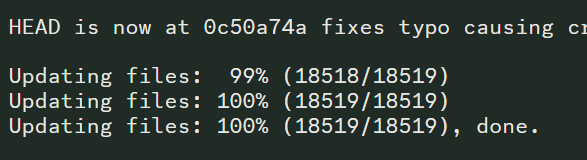
hey there back again. The game crashes after launching. After trying to update it in the launcher it gives me this error log
harsh epoch
 rigid silo
That looks perfectly fine for the install log.
make sure you delete everything before grabbing a new download from #downloads
instant crashes on launch are caused by updating/merging old files.
 inland peak
Hey, my game says its at version 6.6.1 and wont start properly, what should I do?
 elder axle
my game crashes every time i go into Fuji's house
 rigid silo
elder axle
my game crashes every time i go into Fuji's house
rigid silo
elder axle
my game crashes every time i go into Fuji's house
Yeah that is known, thanks though!
rigid silo
inland peak
Hey, my game says its at version 6.6.1 and wont start properly, what should I do...
delete all your files first.
grab a new download from #downloads .
Install that.
Done.
saves wont be affected.

 bronze flume
Difference between infinite fusion performance and infinite fusion normal
 regal geyser
Performance should only be used if you struggle to run the normal game
bronze flume
Thx
harsh epoch
?tag difference
pearl magnetBOT
Wondering what the different game files are?
- Game.exe is the normal game. You don't need sprite packs as they are downloaded automatically with the latest sprites as you play.
- Game-performance.exe is the lighter version of the game required to make it work on slower computers. It has long black screen start up and pc/party sprites are invisible until your next game restart. For new sprites, monthly sprite-packs must be downloaded manually.
pearl magnetBOT
 No tag
 controls found.
elder axle
rigid silo
Yeah that is known, thanks though!
Is there any fix? I can't remember if its critical to go in there.
bronze flume
bronze flume
Controls?
Is it possible to change controls
regal geyser
?tag keybinds
pearl magnetBOT
You can press F1 (FN + F1 on laptops) to change your keybindings!
Be aware, controllers will be auto mapped to buttons depending on which controller you plug in.
If you want to remap buttons on controller, you need to use Steam since this game doesn't support it. How to use Steam: [Guide](#tech-support message)
 bronze flume
How to like randomize everything and if there's a nuzlocke option
turbid terraceBOT
Hey @bronze flume! To unlock randomized mode: Create a new game, save in Pallet Town, and create a 2nd new game. More options will appear since the 1st save is locked to Classic Mode.
Our randomizer doesn't offer true randomization meaning each Pokemon or item you find is **not ** going to be random each time. Instead we offer the below for Pokemon:
Global:
- Makes it so that if Pidgey was randomized to Pikachu on route 1, all Pidgeys on all routes are Pikachu.
Area:
- Better randomization than Global. Makes it so that each route has their own randomized set of encounters.
For more questions on other randomizer settings, checkout the Randomized Mode Wiki Page
harsh epoch
No in-game nuzlocke option.
Thats more personal rules
 high tartan
hi, im experiencing crashes in the current version of the game, never had this issue before
bronze flume
What's randomness degree
pearl magnetBOT

 mortal bronze
?tag randerror
pearl magnetBOT
When randomizing the game, you can only randomize Trainers and Gym leaders if you are playing Classic or Randomized Mode.
Randomizing trainers on Remix and Expert Mode will crash trainer battlers.
Steps:
- Go to a Pokemon Center and talk to Help Man (guy in black suit)
- Select Advanced Settings -> Randomizer Settings -> Turn Trainers/Gyms OFF
 finite mirage

im doing the necrozma quests and this happens anytime i finish the third part
it then makes me close the app
it also completely disregards pokecenter saves
i kinda need this fixed or i need to use flash in half of kanto lol
 sterile pivot
Hello, I have encountered a weird bug when trying to catch a Froakie in the Viridian River using a Lure Ball.
I get this error message
[Infinite Fusion version 6.6.0]
Exception: ArgumentError
Message: Invalid argument passed to method.
Expected nil to be one of [Symbol, GameData::EncounterType, String], but got NilClass.
Backtrace:
004_Validation.rb:29:in validate' 001_GameData.rb:146:in get'
005_BallHandlers_PokeBallEffects.rb:180:in block (2 levels) in load_scripts_from_folder' 005_Event_Handlers.rb:199:in trigger'
005_BallHandlers_PokeBallEffects.rb:78:in modifyCatchRate' 001_PokeBattle_BattleCommon.rb:221:in pbCaptureCalc'
001_PokeBattle_BattleCommon.rb:153:in pbThrowPokeBall' 003_Item_BattleEffects.rb:325:in block (2 levels) in load_scripts_from_folder'
005_Event_Handlers.rb:199:in trigger' 001_Item_Utilities.rb:91:in triggerUseInBattle'
Oddly it only happens when using the Lure Ball specifically

 mild nacelle
is there any way to either force a download of missing sprites and dex entries after an update? i did a clean reinstall as recommended, cleared the sprite cache, but many sprites I was previously using in this save are missing still
verbal timber
mild nacelle
is there any way to either force a download of missing sprites and dex entries a...
?tag missingsp
pearl magnetBOT
If you're encountering invisible sprites
**The game comes with all sprites preinstalled, up until the February 2025 Pack.
The remaining packs will be downloaded as you play, as long as you have "Download Data" turned on and your device is connected to wifi. You do not need to do anything for them.
Keep in mind, the auto download does not have infinite speed or capacity and will not trigger if you are not actively encountering new sprites (ex; battling, checking the Pokedex, etc.).
After downloading X amount of sprites per time unit Y, it will be paused for a bit. We cannot adjust this limit and there is nothing you can do as the player to skip it or make it go faster.
Attempting to view sprites that have not been downloaded through this feature yet will show them as invisible.
The first time you encounter a base Pokemon, it will select a random one of all sprites, if it is a new one that hasn't been downloaded yet, it will show as invisible.
The same goes for fusions but with a little more nuance. To keep it simple, think of it the same.
Again, nothing wrong with your game. You just hit a download cap.
Note: Updating your game resets all your auto-downloaded sprites. do not attempt to "fix" this with updating. It will just make everything start from the beginning.
If you would like to manually import the latest sprite packs, further instructions can be found HERE
rigid silo
mild nacelle
is there any way to either force a download of missing sprites and dex entries a...
in game, no.
the auto-download has a cap. thats the only way we can have it remain free.
out of game, sure, with extra work.
the game comes with all sprites except the last 3 packs.
so you could follow those guides in #announcements
verbal timber
i think kiwi may have taken down the one pack they had plopped onto a google drive due to vacation
i tried to get it when i did the clean reinstall and the page never finished loading
tried on several browsers, all the same thing
 errant folio
this popped up after i went to talk to a nidorino at the pokemon appreciation club at kin island, it seems all the pokemon in that building gives this error
windows version 6.6.0

it does crash my game
 sudden walrus
Hello, my game wanted to make and update and i get this window + the game isnt starting anymore
 rigid silo

 steady lily
Hello, I want to ask about my new device, the Infinix Hot 20s. Can I play Pokemon Infinite Fusion?
pearl magnetBOT
Check our Official Android guide ➡️ HERE.⬅️ If you didn't follow this guide, DELETE and UNINSTALL everything.
All Android bugs/workarounds are in the guide. If your issue isn't listed, there's no fix. No dedicated mobile version of IF will be developed in the future.
Note: Android has not yet been updated to 6.6! Please be patient while we wait for a stable build.
regal geyser
@steady lily
finite mirage
can i get some help on this?
 steady lily
regal geyser
<@1213127180750692355>
steady lily
regal geyser
<@1213127180750692355>
Oke thanks for you help
rigid silo
finite mirage
can i get some help on this?
please describe your issue when asking for help.
 gray perch
I did a reinstall and a lot of my sprites went missing, can I get some help??
 rigid silo
?tag resetcache || also already explained in #announcements
pearl magnetBOT
For missing sprites on the 6.6 update, talk to the help man in any Pokémon center and navigate to Advanced Options -> Other -> Reset -> Clear Sprite Cache. Video
gray perch
Thank you
 last void
im having the same issue as @sudden walrus how do i clean install without losing my game progress?
verbal timber
last void
im having the same issue as <@341705044220968961> how do i clean install without...
your save is not tied to your game folder unless you are on android
last void
fantastic thank you
verbal timber
 finite mirage
rigid silo
please **describe** your issue when asking for help.
finite mirage
rigid silo
please **describe** your issue when asking for help.
Im doing the Necrozma quest and whenever i complete stage 4 i think it was when you go through the safari zone the game brings up the error and closes the game
verbal timber
finite mirage
Im doing the Necrozma quest and whenever i complete stage 4 i think it was when ...
update your game
 gloomy zephyr
hello my game is fully updated and whenever i go to launch it, it crashes immediately, ive tried reinstalling the game and its still doing it
 lime prawn
Hey guys, got this 2 times while trying to wonder trade
 upbeat sage
lime prawn
Hey guys, got this 2 times while trying to wonder trade
upbeat sage
lime prawn
Hey guys, got this 2 times while trying to wonder trade
Reupdate
lime prawn
lightweight version, right?
lime prawn
It worked! Thank u both! 
 lime prawn
I had this same message like 2 days ago. Try updating with the lightweight install instructions. If that does not work, Im at a loss 😦
finite mirage
all this for necrozma lol
verbal timber
finite mirage
what version is your launcher on
manic cloud
since i found out ive been doing thing the old way im planning on fresh install, the official launcher guide is alright to follow for that right?
finite mirage
verbal timber
it should be 1.1.2
it is
verbal timber
manic cloud
since i found out ive been doing thing the old way im planning on fresh install,...
yep, it might be a bit jank as 6.6 updates seem to disagree with it
finite mirage
 verbal timber
but it should be fine
manic cloud
alright might as well try it out since the triples are the only real reason i play anymore lol if i cant custom those sprites id be bored and i got a ton of new ones to find
verbal timber
manic cloud
alright might as well try it out since the triples are the only real reason i pl...
triples have customs they just aren't meant to have alts
finite mirage
verbal timber
try clicking play to see if it launches
it launches but the eroor still pops up when i go talk to koga to finish the quest
finite mirage
im kind of soft locked in the safari zone if i cant get the issue fixed
verbal timber
though that isn't the same error we were seeing before
alright, idea; will be a bit wonky
finite mirage
maybe the real necrozma puzzle was fixing the code all along
verbal timber
- go into the game files folder inside the launcher folder and run the install_or_update batch file
- once you load up your save, leave the safari zone and hit up a pokemon center
- talk to the help man and have him fix the game and see if the issue happens again
finite mirage
verbal timber
1) go into the game files folder inside the launcher folder and run the install_...
i cant leave the safari zone
cause the koga interaction starts as soon as i leave
manic cloud
yes i know but the triples sprites werent getting imported like the doubles so i fugred i should fresh install to see if it fixes it since ive had this for a while might as well
verbal timber
manic cloud
yes i know but the triples sprites werent getting imported like the doubles so i...
that's because triples are separate
they aren't downloaded like the normal fusion sprites
they only exist in the sprite packs
because the folder they are in isn't used by the game under normal circumstances
manic cloud
ok im confused then lmao
verbal timber
all triples only have 1 sprite
manic cloud
i know that lol
verbal timber
the extra sprites made for triples aren't meant to exist
so they get shoved in a folder that the game doesn't use
and that folder ONLY exists in the sprite packs
thus they won't get auto downloaded with the download data function
verbal timber
finite mirage
i cant leave the safari zone
save your game, bag, key items, debugger
verbal timber
verbal timber
thus they won't get auto downloaded with the download data function
a fresh install of the game won't get that folder either
manic cloud
so i cant change the triple fusions anymore?
pearl magnetBOT
Triple Fusions are not meant to have alt sprites. You can only manually change their main sprite. For more info: ➡️ https://discord.com/channels/302153478556352513/1195043740855832586
manic cloud
dang wish i had known this b4 doing the fresh install rotfl
 keen bluff
so i did an update that didnt work so i did a fresh install and now im getting this when i try to load up
 verbal timber
keen bluff
so i did an update that didnt work so i did a fresh install and now im getting t...
verbal timber
keen bluff
so i did an update that didnt work so i did a fresh install and now im getting t...
rerun your install
looks like something borked and you are missing a file
keen bluff
thank you
 chilly bay
How do you update the game?
turbid terraceBOT
Hey @chilly bay!
How to Update to the Latest Version (Windows)
- If you're on or above 6.4.2, double click
INSTALL_OR_UPDATE.batto update. - If you're below 6.4.2, you must either reinstall in a NEW folder (since the updater won't work due to bugs) or use the New Launcher to update.
- Reinstalling doesn’t remove or require you to move any Save Files.
- If playing on a Randomized save, make sure to reshuffle after updating. Use
?tag reshuffleif you need help.
For Non-Windows devices (Android, Mac, Steamdeck, Linux, Chromebook): Check our extended guides post
 verbal timber
chilly bay
verbal timber
chilly bay
that error is unique
finite mirage
verbal timber
1) go into the game files folder inside the launcher folder and run the install_...

it didnt work
verbal timber
it means one of the following is true:
- you didn't extract the files from the zip
- you only extracted the installer from the zip
- you extracted both but didn't keep them together
pearl magnetBOT
How to restore to a backup save
This only works if you had Auto Save turned on and using 6.4+
- Open your game folder
- Double click
SaveFile - Double click the folder named
backups - Double click the folder of the save slot you’re reverting. Ex:
File A - Rename the most recent file to
File A.rxdata(The letter will be different if you’re reverting a different save slot) - Copy the newly renamed file and paste it into the previous folder. (This will be the folder you had open after step 2) When asked to replace, click
yes.
Note: If you don't feel comfortable overriding the save, you can rename it to a different letter on step 5. Ex: File B.rxdata instead of File A.rxdata
https://cdn.discordapp.com/attachments/700790080175996938/1339332214110027796/image.png?ex=67ae55d3&is=67ad0453&hm=16145fc726c1cee190c94f4856722046e1b76e665b0b6f26611c8ed94617d7fa&
 chilly bay
verbal timber
it means one of the following is true:
- you didn't extract the files from the z...
chilly bay
verbal timber
it means one of the following is true:
- you didn't extract the files from the z...
Should I delete all files and redownload it?
verbal timber
chilly bay
Should I delete all files and redownload it?
i didn't say that
finite mirage
verbal timber
you have a new bug
Yippeee
chilly bay
verbal timber
i didn't say that
Ik im just asking because idk what to do
verbal timber
chilly bay
Ik im just asking because idk what to do
i told you what was wrong
you didn't follow the guide exactly
?tag guides
pearl magnetBOT
All of our Official Guides to install the game are located here: [CLICK HERE FOR GUIDES](#tech-support message)
verbal timber
finite mirage
Yippeee
unfortunately I think most of the porygons are offline/busy atm
 ebon vault
Me and my friend were playing and we both had an issue with wonder trades.. we would use the wonder trade but then the game would crash and we would lose our tickets.. anyone know how to fix this or is this simply just a bug in the game atm?
finite mirage
verbal timber
unfortunately I think most of the porygons are offline/busy atm
i think im ight just leave the necrozma quest until later lol
verbal timber
ebon vault
Me and my friend were playing and we both had an issue with wonder trades.. we w...
update your game
was fixed in 6.6.1
ebon vault
ohhh
oki ty
how do I update it.. . _.
It gave me the option last night while playing and it said that it did it, but I just did a wonder trade and it crashed anyways
It’s saying it’s in 6.6.1
in the top right of the menu screen
verbal timber
talk to the help man in a pokemon center and have him fix the game
ebon vault
alright
verbal timber
errant folio
there's a 6.6.1??
6.6.1 was pushed out to fix 2 big game breaking crashes
frog doesn't announce those
errant folio
ok
verbal timber
he only announces the big updates
keen bluff
hello me again back from another fresh install so i tried the launcher again same issue so i went into the files found the folder thats says was missing and tried to load it up using the exe and same message
 errant folio
so what i learnt is always update the game when you open the launcher
verbal timber
keen bluff
hello me again back from another fresh install so i tried the launcher again sam...
weird
ebon vault
verbal timber
talk to the help man in a pokemon center and have him fix the game
I did that.. should it be working now?
verbal timber
ebon vault
I did that.. should it be working now?
if it isn't screenshot the error and grab a screenshot showing you are on 6.6.1
errant folio
keen bluff
hello me again back from another fresh install so i tried the launcher again sam...
try restarting your computer or going into the newly installed folder that you just unzipped and open it from there
ebon vault
Well, it didn’t work
ebon vault
verbal timber
if it isn't screenshot the error and grab a screenshot showing you are on 6.6.1
okay
what now- •~•
keen bluff
errant folio
try restarting your computer or going into the newly installed folder that you j...
ill try the restart cus that screen shot is from trying to open it from the folder
 quasi plank
Hello i'm update my game on macOs but my connection is pretty bad rn so i want to do it later can i just cancel the download ? like will it harm the game ?
turbid terraceBOT
Hey @quasi plank! You can download the game from: [#downloads](#downloads message)
If you need a guide, they are located: [HERE](#tech-support message)
ebon vault
This is the error it’s giving me and then it closes the game afterwards

 verbal timber
ebon vault
This is the error it’s giving me and then it closes the game afterwards
verbal timber
ebon vault
This is the error it’s giving me and then it closes the game afterwards
go post those over in that channel
ebon vault
alright
verbal timber
quasi plank
Hello i'm update my game on macOs but my connection is pretty bad rn so i want t...
it might cause some issues
quasi plank
verbal timber
it might cause some issues
alright i'll just wait ig thanks !
manic cloud
so the fresh install ahs solved all my issues, thanks for that and the triple sprites are working like b4 but i did have one last question, the new triple fusions that have been showing in the recent sprite packs, are they even in the game cuz i tried getting that eeveelution triple fusion and the guy didnt say anything :/
quasi plank
maybe i never noticed it but there is a new file now infinitefusion.exe should i use this one instead of game.exe ?
 verbal mountain
so I took off the rocket-uniform in the rocket-hq of cerulean city, grunt kicks me out. He teleported me onto the city's hotel, causing a softlock
version 6.6
 verbal timber
manic cloud
so the fresh install ahs solved all my issues, thanks for that and the triple sp...
verbal timber
manic cloud
so the fresh install ahs solved all my issues, thanks for that and the triple sp...
no, only the stuff in the main triple fusion folder is in the game
the other triples just exist as sprites
verbal timber
quasi plank
maybe i never noticed it but there is a new file now infinitefusion.exe should i...
they are the same thing
verbal timber
verbal mountain
so I took off the rocket-uniform in the rocket-hq of cerulean city, grunt kicks ...
- bag, key items, debugger [if you are stuck]
- updoot your game [v6.6.1 is out]
verbal mountain
thank you ^^
manic cloud
man that sux i thought i was gonna be able to get all those other triples lol it really should be a thing and at least some of those get added to the game
 molten estuary
Still having base sprite issues as of 6.6.1 with them manually installed
verbal timber
molten estuary
Still having base sprite issues as of 6.6.1 with them manually installed
?tag missingsp
pearl magnetBOT
If you're encountering invisible sprites
**The game comes with all sprites preinstalled, up until the February 2025 Pack.
The remaining packs will be downloaded as you play, as long as you have "Download Data" turned on and your device is connected to wifi. You do not need to do anything for them.
Keep in mind, the auto download does not have infinite speed or capacity and will not trigger if you are not actively encountering new sprites (ex; battling, checking the Pokedex, etc.).
After downloading X amount of sprites per time unit Y, it will be paused for a bit. We cannot adjust this limit and there is nothing you can do as the player to skip it or make it go faster.
Attempting to view sprites that have not been downloaded through this feature yet will show them as invisible.
The first time you encounter a base Pokemon, it will select a random one of all sprites, if it is a new one that hasn't been downloaded yet, it will show as invisible.
The same goes for fusions but with a little more nuance. To keep it simple, think of it the same.
Again, nothing wrong with your game. You just hit a download cap.
Note: Updating your game resets all your auto-downloaded sprites. do not attempt to "fix" this with updating. It will just make everything start from the beginning.
If you would like to manually import the latest sprite packs, further instructions can be found HERE
molten estuary
Manually imported
They arent invisible, they are question marks, update man thing didnt fix. Doenload data is off
verbal timber
turn download data on
see if that fixes it
if not then 6.6. messed up sprites more than we realized
 exotic swallow
Wait, is 6.6 the latest or 6.1 ?
molten estuary
verbal timber
turn download data on
Im trying to play offline
Screenshots fir refrence, this has been happening since 6.5.0 atleast. It somehow briefly fixed in 6.5.1 then immediatly broke again when I got 6.6.0 from fresh install


 vale skiff
how to turn on download data on
 subtle mural
So this might be a stupid question but if I fresh install the game would I lose all my progress?
Like to update it to 6.6
molten estuary
subtle mural
So this might be a stupid question but if I fresh install the game would I lose ...
No, save data is stored elsewhere
subtle mural
Oh neat. Thanks
verbal timber
exotic swallow
Wait, is 6.6 the latest or 6.1 ?
6.6.1
verbal timber
molten estuary
Screenshots fir refrence, this has been happening since 6.5.0 atleast. It someho...
fresh install would have reset the sprites
exotic swallow
Thank you, I was so confused, I'm sure it said to update to 6.6 in the launcher, but then it was failing
verbal timber
exotic swallow
Thank you, I was so confused, I'm sure it said to update to 6.6 in the launcher,...
fresh install
exotic swallow
It is a fresh install - I thought 6.6.6 lol, in which case it's working fine I think
molten estuary
I did fresh install 6.6.0 and reinstalled all the sprites manually
verbal timber
molten estuary
I did fresh install 6.6.0 and reinstalled all the sprites manually
i understand that
but a fresh install of the game has all sprite packs up to feb 2025
so if you added on the full pack
you just effectively readded most of the sprites the game already had in its files
 tight coral
Hello, i dunno how, but after downloading the most recent update i lost some evolution sprites, an others are missing, can someone help me?
verbal timber
and, a fresh install would also reset the sprites back to autogen stuff or invis/? sprites
pearl magnetBOT
No tag spritecache found.
pearl magnetBOT
If you're encountering invisible sprites
**The game comes with all sprites preinstalled, up until the February 2025 Pack.
The remaining packs will be downloaded as you play, as long as you have "Download Data" turned on and your device is connected to wifi. You do not need to do anything for them.
Keep in mind, the auto download does not have infinite speed or capacity and will not trigger if you are not actively encountering new sprites (ex; battling, checking the Pokedex, etc.).
After downloading X amount of sprites per time unit Y, it will be paused for a bit. We cannot adjust this limit and there is nothing you can do as the player to skip it or make it go faster.
Attempting to view sprites that have not been downloaded through this feature yet will show them as invisible.
The first time you encounter a base Pokemon, it will select a random one of all sprites, if it is a new one that hasn't been downloaded yet, it will show as invisible.
The same goes for fusions but with a little more nuance. To keep it simple, think of it the same.
Again, nothing wrong with your game. You just hit a download cap.
Note: Updating your game resets all your auto-downloaded sprites. do not attempt to "fix" this with updating. It will just make everything start from the beginning.
If you would like to manually import the latest sprite packs, further instructions can be found HERE
verbal timber
^do that
molten estuary
So delete my sprites and try again? Manually installing any sprite packs not included?
tight coral
download data was always on
ok but thanks for remmembering the reset skin chache, that helped
verbal timber
molten estuary
So delete my sprites and try again? Manually installing any sprite packs not inc...
i did not say that
honestly i don't know what is wrong
i'm just a normal game helper who does his best to fill in while the porygons are offline/busy
you'd be better off waiting for one of them to come through
they will have a more in depth knowledge of how to help
molten estuary
Alright, thanks so much
 hallow pilot
How do I download the game for mobile? I'm on Android
turbid terraceBOT
Hey @hallow pilot! You can download the game from: [#downloads](#downloads message)
If you need a guide, they are located: [HERE](#tech-support message)

 chilly bay
what do I do?
chilly bay
chilly bay
what do I do?
idk why i got this
 normal halo
When I try to update the game, I get a popup saying my current game version is 6.6.1, but the latest version is 6.6.0, and makes a errorlog.txt file to share somewhere here? The top of the launcher says my version is 6.5.1 doh
regal geyser
?tag onedrive
pearl magnetBOT
Onedrive causes many issues in and out of the game. If you see a status column in your game folder or your path has onedrive, that means your game folder is synching to OneDrive and will cause many issues.
To Fix:
- Move your
InfiniteFusionfolder to yourC:\Users\Your Name\Downloadsfolder - Open the .git folder (use screenshot below if you don't see it) and delete the file named
shallow.lock - Rerun
INSTALL_OR_UPDATE.batafterwards to redownload any files OneDrive deleted.
https://cdn.discordapp.com/attachments/308392115338084360/1335320045987041400/image.png?ex=679fbd34&is=679e6bb4&hm=88e8e747e55fe804d411ec1ca465fd4086297731bad9275b681ce2fa8ce168d8&
 regal geyser
normal halo
When I try to update the game, I get a popup saying my current game version is 6...
regal geyser
normal halo
When I try to update the game, I get a popup saying my current game version is 6...
?tag olddata
pearl magnetBOT
The most likely reason your game is opening and closing is due to improperly updated game files. We mention in #downloads to not update ANY files versions below 6.6.0.
If you're using the Launcher:
- Reinstall version 1.1.2 of the launcher from #downloads
- Open the settings tab
- Click "Reset Config"
NOTE: The original path that the launcher shows will be your old game folder. That folder should be deleted. The new game folder will be inPIFLauncher(#.#.#)/GameFiles/InfiniteFusion
If you're not using the Launcher:
Use the Lightweight installer guide to install in a NEW folder ➡️ Click Here⬅️
If you are on a non-Windows device, follow the [guide](#tech-support message) for your device to reinstall.
Reinstalling on Windows does not affect Save Files in any way.
chilly bay
regal geyser
?tag onedrive
its in WinRaR tho
vale skiff
ok i wont ever ask foe help again thanks all i have been ignored twice now great community
regal geyser
chilly bay
its in WinRaR tho
wdym
chilly bay
regal geyser
wdym
my files
regal geyser
You should load it from your PC directly
chilly bay
 chilly bay
regal geyser
You should load it from your PC directly
chilly bay
regal geyser
You should load it from your PC directly
it says on the guide to open it with WinRAR tho
thats why im confused
regal geyser
The launcher .rar, not the executable itself
chilly bay
regal geyser
The launcher .rar, not the executable itself
what does that mean?
regal geyser
You open PIFLauncher 1.1.2, extract it somewhere on your PC, then follow step 3 from the guide
chilly bay
not the app/tab itself?
chilly bay
regal geyser
You open PIFLauncher 1.1.2, extract it somewhere on your PC, then follow step 3 ...
ohhhh ok ill try that rn
 novel beacon
vale skiff
i keep getting this while trying to load the game
novel beacon
vale skiff
i keep getting this while trying to load the game
Have you tried reinstalling the game?
Fully rip it out and reinstall it
My game was tripping out and I had to do that
vale skiff
it was working grand till i had the invisable sprites so i downloaded the updated sprites and did everything step by step and then when everything was done i got that error
novel beacon
Something similar happened to me and all I had to do was fresh reinstall everything
If that doesn't work then idk you'll have to see if anyone more tech inclined is online
vale skiff
thank sorry for earlier
novel beacon
Its all good
chilly bay
regal geyser
You open PIFLauncher 1.1.2, extract it somewhere on your PC, then follow step 3 ...
when I download the file it keeps downloading to Winrar tho
regal geyser
Then you need to extract the file on your computer
chilly bay
regal geyser
Then you need to extract the file on your computer
how if it keeps downloading to winrar?
 loud sigil
chilly bay
how if it keeps downloading to winrar?
loud sigil
chilly bay
how if it keeps downloading to winrar?
extract that winrar file
winrar does that but you can still extract it
also it should still be on your main computer i dont think winrar just keeps your files
loud sigil
vale skiff
stop clicking buttons let the game load
if thats still happening try the performance version of the game
chilly bay
loud sigil
extract that winrar file
where to I extract it to?
 loud sigil
chilly bay
where to I extract it to?
loud sigil
chilly bay
where to I extract it to?
where it has it currently
chilly bay
loud sigil
where it has it currently
winrar
loud sigil
extract it to there
chilly bay
alr
quasi abyss
chilly bay
where to I extract it to?
on this screen you can just hit "ok", generally
chilly bay
quasi abyss
on this screen you can just hit "ok", generally
alr
quasi abyss
it'll auto-create a place
 midnight bluff
I'm incredibly upset, my whole team went from being my band sprites to just ugly without any of my previous sprites being available.
chilly bay
I'll let yall know if anything happens
midnight bluff
Thank you @quasi abyss
quasi abyss
🫡
subtle mural
So I'm on the auto download and just waiting for my team to get their sprites back. Am I correct in thinking that if I simply wait for long enough then all the sprites will be reinstalled?
frozen grove
subtle mural
So I'm on the auto download and just waiting for my team to get their sprites ba...
Read a few messages above and make sure you do that first.
As for any that don’t show up after that, just sitting idle will not trigger the auto download, you need to be actively playing the game
subtle mural
Which messages am I specifically looking for?
quasi abyss
from batpiss' message to mine
subtle mural
Nevermind, my team got all their sprites back. Sorry for wasting your time
 quasi abyss
is it in that path?
chilly bay
quasi abyss
is it in that path?
how do I check?

 stone shale
guys where can i ping for a moderator about a glitch?
frozen grove
stone shale
guys where can i ping for a moderator about a glitch?
Moderators don’t deal with bugs, tech support does
So just put it here
stone shale
ok
frozen grove
frozen grove
Moderators don’t deal with bugs, tech support does
-# except me cause I’m both
 stone shale
quasi abyss
do not ping a moderator for glitches please, it is why porygons/managers are her...
stone shale
quasi abyss
do not ping a moderator for glitches please, it is why porygons/managers are her...
ok sorry
quasi abyss
at least you can nuke rude fuckers  no more just muting them
stone shale
in saffron city restaurant when you have no pokedollar you can have fancy meal for free and infinitely
chilly bay
quasi abyss
find your games, check the path (top of your screen)
I think i got it?
but i don't think it's the latest vers tho
stone shale
frozen grove
It would matter a little more if fancy meal worked in battle <:heehee:9458003654...
yeah but you can sell it for 600p so thats like free money
chilly bay
what vers is it currently?
frozen grove
New silph co money exploit 
stone shale
yay
frozen grove
-# we should report it but I kinda don’t want to
quasi abyss
chilly bay
what vers is it currently?
6.6.1
stone shale
and even you have money but not enough to pay it you still got fancy meal
quasi abyss
frozen grove
-# we should report it but I kinda don’t want to <:heehee:945800365457149992>
(SIGH)
ill do it
stone shale
frozen grove
-# we should report it but I kinda don’t want to <:heehee:945800365457149992>
lol
frozen grove
quasi abyss
(SIGH)
ill do it
Make sure you validate it please lmao
 frozen grove
stone shale
lol
frozen grove
stone shale
lol
(Not that we don’t trust you, we just need to validate them)
chilly bay
quasi abyss
im a good boy i promise
pause
stone shale
frozen grove
(Not that we don’t trust you, we just need to validate them)
yeah ik its better if you look at it
but if you already have money she would take your money
molten estuary
molten estuary
Screenshots fir refrence, this has been happening since 6.5.0 atleast. It someho...
Hey porygons that are presently here, any idea why this is still happening?
ionic tendon
molten estuary
Hey porygons that are presently here, any idea why this is still happening?
Did you update to 6.6.1, and do the help man thing Already?
molten estuary
ionic tendon
Did you update to 6.6.1, and do the help man thing Already?
Yep
frozen grove
molten estuary
Yep
Then it’s most likely you hitting the download cap
molten estuary
I have all the sprites manually downloaded and playing offline
stone shale
frozen grove
It would matter a little more if fancy meal worked in battle <:heehee:9458003654...
its working in battle for me
 frozen grove

stone shale
oh ok no i have a herror message
frozen grove
Okay lmao
ionic tendon
Okay, there it’s is
stone shale
rip the strat
quasi abyss
still a money maker
molten estuary
Ive been importing the full sprite pack but im being told thats overkill? Could that be an issue?
quasi abyss
but the dev HAS been informed so lets see how long it lasts
quasi abyss
molten estuary
Ive been importing the full sprite pack but im being told thats overkill? Could ...
i dont... think its an issue, per se, but it is heavy on hardware
if you have the rest of the packs imported, you only need the most recent monthly pack, really
molten estuary
So should I try deleting my sprites, reupdating/reinstalling and then just add the sprite packs the game doesnt come with?
quasi abyss
offline sprite issues are not my piece of cake, thats for sure
i would try it, see if it helps
stone shale
@frozen grove i have another glitch 
stone shale
idk if its normal but you see the rocks that suround all the sea?
ionic tendon
frozen grove
Perfect
-# this reads as excited to me but it’s so funny
stone shale
you can go outside of the rocks and travel as you like
frozen grove
Which rocks
 lament cairn
i tried to update my game, but it is staying as 6.6.0 and shows it updating then gives me an error message that it cant update to 6.6.1
stone shale
frozen grove
Which rocks
the rocks arount the sea
frozen grove
lament cairn
i tried to update my game, but it is staying as 6.6.0 and shows it updating then...
Need a screenshot of the error message
frozen grove
stone shale
the rocks arount the sea
There are a lot of rocks around a lot of sea
A screenshot would be helpful
stone shale
ok
lament cairn
 frozen grove
lament cairn
frozen grove
lament cairn
As long as your launcher is on vers 1.1.2, you can ignore that
lament cairn
ok how do i check the launcher version?
frozen grove
It shows in the top left corner of the launcher
lament cairn
no 1.1.1
frozen grove
Then reinstall the launcher from #downloads
stone shale
frozen grove
A screenshot would be helpful
here

here in chrono island you can activate surf

but i think your not supposed to
bronze flume
Is there some sorta cheats i can use i want to give myself masterballs for the nuzlocke
turbid terraceBOT
Hey @bronze flume! You can get a Master Ball during the Silph Co. events, completing 60 quests and collecting from the Hotel Assistant and one from the Goldenrod Radio Tower Lottery if you match 5 digits. Here are some repeatable ways to earn more:
- Goldenrod Radio Tower (Upstairs): Play the "Guess That Fusion" Quiz Show (Save beforehand in case of crashes). Scoring 25,000; 35,000; 40,000(A Perfect Game) points in a single run of the Advanced mode will each reward you with a Master Ball.
- Knot Island (Triple Battle Lounge): When the Lounge is Legendary-themed, winning a Triple Battle will earn you a Master Ball.
- Resort Gorgeous (Selphy's Requests): Complete Selphy's request to get a Master Ball, and earn another one every 10th request.
bronze flume
bronze flume
Is there some sorta cheats i can use i want to give myself masterballs for the n...
Cheats
 frozen zealot
bronze flume
Is there some sorta cheats i can use i want to give myself masterballs for the n...
frozen zealot
bronze flume
Is there some sorta cheats i can use i want to give myself masterballs for the n...
the only legit way is debug
?tag debug
pearl magnetBOT
Magic Boots are an IN GAME reward for catching all 501 Pokemon in a non-randomized file (Dex number 1-501). After doing so, the Developer in Celadon will reward you with them. Putting them on will unlock DEBUG options that you can play with.
Use ?tag proof to see how you get the Dex Completionist Role for earning the Magic Boots in Discord.
frozen zealot
if you want to talk about others method then it's a " we not gonna help here by rules " ^^
molten estuary
?tag cheating
pearl magnetBOT
Per Rules 23 and 24 in #rules, we will NOT assist with ANY code modifications or cheats. Modifying game files in any way VOIDS all tech and game support from us.
Attempting to edit code to enable debug will not work. Debug is only obtainable as an in-game reward for catching all 501 Base Pokémon.
The ONLY fix for your error is to delete your game folder and reinstall using the files linked in #downloads . Reinstalling will not affect your save files.
bronze flume
Aight my bad
 surreal locust
i wanted to ask i cant update my game its on 6.6.1 but only 6.6.0 came out how do i fix this?
turbid terraceBOT
Hey @surreal locust!
How to Update to the Latest Version (Windows)
- If you're on or above 6.4.2, double click
INSTALL_OR_UPDATE.batto update. - If you're below 6.4.2, you must either reinstall in a NEW folder (since the updater won't work due to bugs) or use the New Launcher to update.
- Reinstalling doesn’t remove or require you to move any Save Files.
- If playing on a Randomized save, make sure to reshuffle after updating. Use
?tag reshuffleif you need help.
For Non-Windows devices (Android, Mac, Steamdeck, Linux, Chromebook): Check our extended guides post
molten estuary
surreal locust
i wanted to ask i cant update my game its on 6.6.1 but only 6.6.0 came out how d...
What launcher version do you have?
surreal locust
1.1.1 beta
molten estuary
Get 1.1.2 from #downloads
surreal locust
understood how do i move my saves?
molten estuary
Saves are stored separately, they will be fine
surreal locust
ok
molten estuary
surreal locust
understood how do i move my saves?
You will get that message again but if you have launcher 1.1.2 you can ignore it
 trim mica
i just reinstalled the game because it wasn't working and almost all the sprites i had previously had returned to the basic non customized sprites. Any idea how to fix it?
frozen zealot
?tag resetcache
pearl magnetBOT
For missing sprites on the 6.6 update, talk to the help man in any Pokémon center and navigate to Advanced Options -> Other -> Reset -> Clear Sprite Cache. Video
frozen zealot
try that
trim mica
ah okay thank you
molten estuary
surreal locust
molten estuary
You will get that message again but if you have launcher 1.1.2 you can ignore it
got you thank you
frozen zealot
was quicker this time
molten estuary
trim mica
i just reinstalled the game because it wasn't working and almost all the sprites...
Oh theres a tag now
How tf did that reply, discord bad
 nova coral


 summer thicket
Hi, first time playing in about a year. I did a clean install. Does the game still auto-download sprites as you play?
regal geyser
summer thicket
Hi, first time playing in about a year. I did a clean install. Does the game sti...
Yeah
summer thicket
Thanks. does the pool of sprites it pulls from automatically update as new sprite packs are released? or is there something I have to do when that happens?
regal geyser
(Idk if it was fixed but you may need to reset cache if you notice that no sprites are in the game)
summer thicket
and is there any difference between running game.exe and infinitefusion.exe?
molten estuary
No
summer thicket
thanks
 stray forge
in the fusion calculator the frookie evo line doesnt show up it says it aint in game but i have it in my squad rn
any reason why?
 rose dagger
the game doesnt work at all i tried to update it didnt work then i updated my launcher version tried it again (didnt work) now it automatically closes when i start its just blackscreen
turbid terraceBOT
Hey @rose dagger! Black screen in this game is the loading screen. The duration of the black screen depends on YOUR computer and YOUR internet.
- If you get the message below while opening the game, this means to stop clicking/pressing buttons on the screen as it is loading.
- If you get the message while in game, this means your computer is struggling.
- Use our performance tips to help your issues: [More Info](#tech-support message)⬅️⬅️
rose dagger
no its not that it doesnt open past loading
ionic tendon
rose dagger
the game doesnt work at all i tried to update it didnt work then i updated my la...
Reinstall
 dark spindle
molten estuary
dark spindle
molten estuary
I've tried this and don't get back my sprite
what should I do?
rose dagger
i did i think
molten estuary
dark spindle
I've tried this and don't get back my sprite
what should I do?
What version are you on
dark spindle
I think the latest cause I've reinstall the game
molten estuary
Check title screen
ionic tendon
rose dagger
i did i think
Did you reinstall yesterday or today?
rose dagger
today


 ionic tendon
rose dagger
the game doesnt work at all i tried to update it didnt work then i updated my la...
ionic tendon
rose dagger
the game doesnt work at all i tried to update it didnt work then i updated my la...
Is it closing or is it black screen?
rose dagger
black and instant close
ionic tendon
rose dagger
black and instant close
?tag olddata
pearl magnetBOT
The most likely reason your game is opening and closing is due to improperly updated game files. We mention in #downloads to not update ANY files versions below 6.6.0.
If you're using the Launcher:
- Reinstall version 1.1.2 of the launcher from #downloads
- Open the settings tab
- Click "Reset Config"
NOTE: The original path that the launcher shows will be your old game folder. That folder should be deleted. The new game folder will be inPIFLauncher(#.#.#)/GameFiles/InfiniteFusion
If you're not using the Launcher:
Use the Lightweight installer guide to install in a NEW folder ➡️ Click Here⬅️
If you are on a non-Windows device, follow the [guide](#tech-support message) for your device to reinstall.
Reinstalling on Windows does not affect Save Files in any way.
molten estuary
dark spindle
v6.6.1
Are fusion sprites missing?
dark spindle
yes, all of them
ionic tendon
?tag missingsp || try this
pearl magnetBOT
If you're encountering invisible sprites
**The game comes with all sprites preinstalled, up until the February 2025 Pack.
The remaining packs will be downloaded as you play, as long as you have "Download Data" turned on and your device is connected to wifi. You do not need to do anything for them.
Keep in mind, the auto download does not have infinite speed or capacity and will not trigger if you are not actively encountering new sprites (ex; battling, checking the Pokedex, etc.).
After downloading X amount of sprites per time unit Y, it will be paused for a bit. We cannot adjust this limit and there is nothing you can do as the player to skip it or make it go faster.
Attempting to view sprites that have not been downloaded through this feature yet will show them as invisible.
The first time you encounter a base Pokemon, it will select a random one of all sprites, if it is a new one that hasn't been downloaded yet, it will show as invisible.
The same goes for fusions but with a little more nuance. To keep it simple, think of it the same.
Again, nothing wrong with your game. You just hit a download cap.
Note: Updating your game resets all your auto-downloaded sprites. do not attempt to "fix" this with updating. It will just make everything start from the beginning.
If you would like to manually import the latest sprite packs, further instructions can be found HERE
rose dagger
it worked now
pearl magnetBOT
Beware of Unofficial Websites That Claim To Be Official.
The only official sources to download the game are here, the game's subreddit or the pokecommunity thread.
To clean out your computer:
- Delete all the save files from the fake files. It's not recommended to keep these, as they have bugs and fake data that the normal game doesn't have.
🔵 Your game folder has a shortcut that you double click namedSavefileto take you to the location to delete all save files. They are namedFile A.rxdata. - Delete any zipped/unzipped folders from there
- Run a virus scan
After doing all the steps, use #downloads to download the real files.
@quasi abyss ff
 proper moon
wow
thx
which version do you recommend download the better? i want a full version the most complete posible
ionic tendon
Can you delete this to be safe?
ionic tendon
proper moon
which version do you recommend download the better? i want a full version the mo...
Either, they both come with the game, the launcher just tells you when an update is available
proper moon
oh okeyu
proper moon
theres no megaevolution right?
 coral apex
Can someone remind me how to do a clean install I forgor how to do it and I think the reason my game is bugging out so much is because the files weren’t updated properly
ionic tendon
Delete the folder, and reinstall
coral apex
Is that it? No special other instructions or anything? I just want to be sure
chilly bay
alr its working now thx
ionic tendon
coral apex
Is that it? No special other instructions or anything? I just want to be sure
Easy as that.
 stark fox
Could someone please help me with adding custom sprites to my game? I downloaded the newest version and the newest sprite pack but idk how to add them
frozen grove
The newest spritepack has a link to a guide that goes over how to import them
coral apex
Just like real quick y’all here in tech support are life savers frfr. That’s it, I don’t need help with anything else I just wanted to say that
molten estuary
Agreed ^
stark fox
frozen grove
The newest spritepack has a link to a guide that goes over how to import them
Thank you so much!
 lime geyser
where can i download sprite packs from? i'm feeling a bit disoriented sry xD
frozen grove
#spritepack-releases but you should only be downloading them if you’re strictly playing offline
lime geyser
cause all my sprites image a question mark right now
frozen grove
lime geyser
cause all my sprites image a question mark right now
Did you just recently reinstall/update?
lime geyser
yes i did
frozen grove
?tag resetcache || do this first
pearl magnetBOT
For missing sprites on the 6.6 update, talk to the help man in any Pokémon center and navigate to Advanced Options -> Other -> Reset -> Clear Sprite Cache. Video
lime geyser
thank you very much! 😄
 median spear
Hi! I've just update the game and says that its version 6.6.1, but it says its an error and I no longer can enter the game. What can I do?
 rugged bridge
Infinite fusion sprites try to work correctly challenge:
ionic tendon
median spear
Hi! I've just update the game and says that its version 6.6.1, but it says its a...
What version is your launcher?
It shows in the top left corner
median spear
ionic tendon
What version is your launcher?
1.1.1 beta
ionic tendon
Reinstall the launcher
median spear
Ok thanks!
 maiden ocean
so what now XD
 ionic tendon
What version are you on? Shows on title screen
maiden ocean
 ionic tendon
Update your game, that was fixed in the newest update
ionic tendon
Dev released an update yesterday
maiden ocean
a oke ty
 outer vale
Getting some issues, won't let me run the application. Tried updating but it gives me error message
 ionic tendon
Reinstall the launcher, your launcher is out of date
molten estuary
Need the new launcher update
outer vale
Tyvm
molten estuary
Curse you bad cell service delay
ionic tendon
molten estuary
Curse you bad cell service delay
I gotta afk a minute, ping me if you need
maiden ocean
ionic tendon
Dev released an update yesterday
so that did not help
 molten estuary
What version is your launcher
maiden ocean
6.6.1
molten estuary
The launcher, not the game
maiden ocean
 molten estuary
Oh, you used the lightweight installer
right now there seems to be an issue with manual full sprite pack installation
maiden ocean
molten estuary
Oh, you used the lightweight installer
that bad ?
rugged bridge
molten estuary
right now there seems to be an issue with manual full sprite pack installation
so the sprites are just completely fucked?
molten estuary
maiden ocean
that bad ?
Did you update from before 6.6.0 or did you fresh instal 6.6.0
Only for manual installation
maiden ocean
did fresh install few days ago
molten estuary
Then I have no idea why thats happening unfortunately
maiden ocean
ye i did something maybe thats why XD
ionic tendon
I let the dev know,
maiden ocean
its event that should be post game and i did by mistake did trigger early
ionic tendon
What do you mean?
molten estuary
Debug from magic boots?
maiden ocean
ye
quasi abyss
maiden ocean
ye
did you earn the boots?