#tech-support
1 messages · Page 463 of 1
 zealous sky
 frail lagoon
Is the game JoiPlay compatible?
 tough hound
frail lagoon
Is the game JoiPlay compatible?
tough hound
frail lagoon
Is the game JoiPlay compatible?
yes, but follow our mobile guide
?tag android
 pearl magnetBOT
Sprite Server is Down but the guide below has the Semi-Working version for Android. YOU WILL STILL HAVE MISSING SPRITES, but the best we can do until the Sprite Server is back up.
Check our Official Android guide HERE. If you didn't follow this guide, DELETE and UNINSTALL everything.
All Android bugs/workarounds are in the guide. If your issue isn't listed, there's no fix. No dedicated mobile version of IF will be developed in the future.
 fickle egret
how do you change your gamemode from random to remix or vice versa.... because for some reason mine did that... and I kinda didn't notice till now...
tough hound
fickle egret
how do you change your gamemode from random to remix or vice versa.... because f...
did you look in the suit mans menus?
fickle egret
oh. yeah I did
fickle egret
ah.... would my game still be in remix if I didn't change anything?
tough hound
the encounters are still remix, yes
just now on the save select screen itll say random
fickle egret
thanks was confused
 dreamy void
i am having problem actually getting preloaded
 quasi abyss
so, where did you download from?
dreamy void
the doc the bots gave me
quasi abyss
so here?
 dreamy void
yeah
quasi abyss
okay, can you show me your downloads folder?
 quasi abyss
and when you downloaded, was it a zip? 
dreamy void
no, just a file/folder
 bright fern
still having the same issue
quasi abyss
so, heres what i want you to do
go ahead and delete what you downloaded and try to re-download
dreamy void
give it a sec
quasi abyss

 tough hound
bright fern
still having the same issue
tough hound
bright fern
still having the same issue
then something on your pc is closing it
you can check your AV, but theres not much that we can do
dreamy void
while downloading, a got a file called unconfirmed
 analog patio
dreamy void
while downloading, a got a file called unconfirmed
analog patio
dreamy void
while downloading, a got a file called unconfirmed
completely normal - it will turn into the zip when its done
 blazing python
Go to the next step in the guide.
analog patio
dreamy void
now what
follow the document guide you got earlier - extracting is next.
 stable relic
The game freezes every start next to the Gengar Attack in the Intro , the i must start another app for 10 Seconds and go back to Joi Play
And than its a 10% Chance to unfreeze, please help
dreamy void
analog patio
follow the document guide you got earlier - extracting is next.
theres back to my og problem, it takes 3 hours
analog patio
dreamy void
theres back to my og problem, it takes 3 hours
that is based on your computer
quasi abyss
and you were told to use winrar, so are you doing that?
blazing python
Why weren’t you?
quasi abyss
what do you mean you couldnt?
blazing python
stable relic
The game freezes every start next to the Gengar Attack in the Intro , the i must...
Did you download the game from our google doc for android?
dreamy void
i mean it didnt let me, i had winrar and everything, followed instruction, but it just didnt work, im gonna try 7zip
blazing python
stable relic
Yes from here
Hard restart your phone and clear your joiplay cache in your phone settings. Other than that performance is just based on your device and Joiplay compatibility
blazing python
stable relic
What means hard restart?
Hold the power button and restart your phone
stable relic
Okay also a Restart?
blazing python
dreamy void
i mean it didnt let me, i had winrar and everything, followed instruction, but i...
It is better to describe “it just didn’t work”, since we have no idea what you mean
blazing python
stable relic
Okay also a Restart?
Yup
stable relic
Okay thanks , i will do it now
analog patio
dreamy void
i mean it didnt let me, i had winrar and everything, followed instruction, but i...
I saw in your screenshots you downloaded the installer for winrar, did you run it?
dreamy void
i dont really know how to, I had winrar downloaded and yes i did run it, i think i did everything right but when i went the extract the option wasnt there
analog patio
one sec
blazing python
dreamy void
i dont really know how to, I had winrar downloaded and yes i did run it, i think...
Did you enable the settings afterwards like on our screenshot?
But either way; the guide tells you what to do when you don’t see the options
dreamy void
wait, i figured it out i thin
blazing python
You can right click the zip and open with and select Winrar
dreamy void
ill come back if it dont work
 neon sky
i cant see some of my pokemon ive had for awhile

 late bane
neon sky
i cant see some of my pokemon ive had for awhile
late bane
neon sky
i cant see some of my pokemon ive had for awhile
?Tag spriterepo
pearl magnetBOT
The Sprite Server is currently down for everyone.
- This means you will have question mark sprites or invisible sprites for Pokemon until it is back up.
- We don't have an ETA on a fix, but we currently have a beta out to try and test the new server.
How to Fix Manually
Lightweight Installer with ALL Sprites + Guide
- Download, Extract to a new folder, Open Game.exe. Nothing else needs to be done.
- Don't merge or copy anything into it, this zip has everything setup and ready to play for you with ALL sprites.
- This carries over your save file, you don't need to move or download anything else.
stable relic
It freeze every time
 mighty ginkgo
are master balls and rare candies part of item randomization? or are they "key items"
stable relic
I Played the whole day
blazing python
mighty ginkgo
are master balls and rare candies part of item randomization? or are they "key i...
There is a section in your bag named key items.
stable relic
And now i cant play
blazing python
Balls are in its own section
dreamy void
i extracted the zip with winrar, now what
mighty ginkgo
so in a randomizer, they could be anywhere? even berry bushes and vendors?
blazing python
dreamy void
i extracted the zip with winrar, now what
Why don’t you use our guide?
dreamy void
oh right so sory
blazing python
It says step by step what to do
mighty ginkgo
im asking because a friend says they got it from bushes and im calling BS
blazing python
mighty ginkgo
so in a randomizer, they could be anywhere? even berry bushes and vendors?
Yup
mighty ginkgo
drat
blazing python
Also item randomizer is mapped meaning if your pokeball was randomized to master balls
All pokeballs you find are now master balls
So he should take advantage of that lol
mighty ginkgo
so he could have them at poke'marts?!?!
stable relic
Is there a way to bring the game on Standard without to Delete?
The unzip stole me 2 hours😅
late bane
stable relic
Is there a way to bring the game on Standard without to Delete?
The unzip stol...
what do you mean by on standard
blazing python
stable relic
To delete All Safes
The Android guide tells you where to find the save file
Save that somewhere and you can delete the game folder and extract the files again if you want
But this seems like a phone issue
stable relic
Yes the File_A******* but i dont find them haha
blazing python
Yeah it is in your game folder. If your android is “special/old” it might create a folder named like User Data where it is in
blazing python
4 years old
But this game isn’t meant to be played on Android. Joiplay is the only thing that makes it work, so if Joiplay doesn’t like your phone not much we can do
stable relic
Ah okay i understand the problem, ty
I think i will bought me tomorrow a new Phone 😅
blazing python
Our Android guide has a list of phones we confirmed worked as well
Flip 6 is there
 robust minnow
Why do I get this?
 blazing python
robust minnow
Why do I get this?
blazing python
robust minnow
Why do I get this?
?tag cheater
pearl magnetBOT
Per this server's #rules, we will not help you with **ANY **code changes or cheats. Game files with any modifications void any tech or game support from us.
Trying to edit code to enable cheats will **NOT **work. Magic boots are only available from in game rewards by catching the 470 Base Pokemon.
The only help we will provide to "fix" your issue is to give you the information to delete your game folder and reinstall using the files in #downloads message. This does not affect your save files.
robust minnow
blazing python
?tag cheater
I have activated debug mode like the tutorials and it gives me an error, how do I fix it?
mighty ginkgo
so, if i wanted to be a dork, i could re-roll items until a vendor gives rare candy/master balls? or is it only wild pickups?
late bane
robust minnow
I have activated debug mode like the tutorials and it gives me an error, how do ...
read the bot
blazing python
mighty ginkgo
so, if i wanted to be a dork, i could re-roll items until a vendor gives rare ca...
Depends how you configured the randomizer
But yes you can keep rerolling items
 frigid pewter
I was trying to catch entei with a lure ball as one does and got this
 blazing python
mighty ginkgo
[forgive me, not technically inclined]
blazing python
mighty ginkgo
[forgive me, not technically inclined]
But there are options like randomize items picked up, or tms, etc
blazing python
frigid pewter
I was trying to catch entei with a lure ball as one does and got this
Lure balls are broken
frigid pewter
It uses the ball but doesnt end my turn
frigid pewter
blazing python
Lure balls are broken
I see, i'll use love balls instead
blazing python
frigid pewter
I see, i'll use love balls instead
Do You know where you even found one?
blazing python
Kk yeah cause it has been broken for a while, thought it was removed
stable relic
Is it normal to unzip for 2 hours ?
blazing python
Depends on your device
mighty ginkgo
so you could reroll till a rare candy/Mballs is at the mart? or is that technically a "found items" only?
tough hound
rare candies are the only item, not in the pool
blazing python
mighty ginkgo
so you could reroll till a rare candy/Mballs is at the mart? or is that technica...
Yeah I don’t remember which specific setting does what. Usually this question is answered in #gameplay-help
mighty ginkgo
gotcha
stable relic
But i have deletet the Save data and the game doesent starts
The whole day was littel Problems but i can play
So my only way rhat i tink is the third time to reinstall
blazing python
Yeah that sucks, but just seems like your phone is struggling to play the game.
stable relic
Is there anyway to boost my Phone?
 blazing jungle
Ran into this error while attempting to leave digletts cave, it happens every time so im softlocked unless its fixed
 blazing python
blazing jungle
Ran into this error while attempting to leave digletts cave, it happens every ti...
blazing python
blazing jungle
Ran into this error while attempting to leave digletts cave, it happens every ti...
Where did you get the game files from?
blazing jungle
i followed the guide from the discord, the cave used to work until just a few minutes ago
blazing python
blazing jungle
i followed the guide from the discord, the cave used to work until just a few mi...
?tag olddata
pearl magnetBOT
Old data in your Game folder is crashing or causing issues with your game. To fix:
Lightweight Installer:
- Open your Game Folder
- Delete your Data folder (This will not delete your saved data)
- Double click INSTALL_OR_UPDATE.bat
App Installer:
- Open the App -> Click Settings -> Click Open Game Folder
- Delete your Data folder (This will not delete your saved data)
- Go back to the App -> Installation Menu -> Update Game
Afterwards, reopen the game.
blazing python
blazing jungle
i followed the guide from the discord, the cave used to work until just a few mi...
Delete the file it is complaining about and then use the steps above
 native phoenix
I've got that invisible type Charmander
 blazing python
native phoenix
I've got that invisible type Charmander
blazing python
native phoenix
I've got that invisible type Charmander
did you download and follow my guide in my post in #downloads ?
The sprites only work if you get the game from that post and configure the setting in game like in the guide
blazing jungle
blazing python
Delete the file it is complaining about and then use the steps above
Thanks! it worked
native phoenix
blazing python
did you download and follow my guide in my post in <#926866111948001341> ?
I guess I was a little confused your post mentioned the lightweight installer so I downloaded and used the one above your post.
 upbeat sage
native phoenix
I guess I was a little confused your post mentioned the lightweight installer so...
upbeat sage
native phoenix
I guess I was a little confused your post mentioned the lightweight installer so...
well there’s the problem
native phoenix
So this preloaded one then in the guide?
 frozen grove
native phoenix
I guess I was a little confused your post mentioned the lightweight installer so...
frozen grove
native phoenix
I guess I was a little confused your post mentioned the lightweight installer so...
You need the file that’s inside the guide
native phoenix
Gotcha, thank you.
 wicked crown
hi my game keeps crashing at random times i play in windowed mode
 frozen grove
wicked crown
hi my game keeps crashing at random times i play in windowed mode
frozen grove
wicked crown
hi my game keeps crashing at random times i play in windowed mode
Where did you download from?
native phoenix
My Charmander lost his invisibility cloak 🙂

 little iris
why wont the sprits work in the game
native phoenix
Did you download the preloaded version from the guide?
little iris
yeah
blazing python
little iris
yeah
?tag fix
pearl magnetBOT
If you are having issues with sprites after using our new zip, this means you did not set it up correctly. Reasons it didn't work:
- You didn't use our 2.6 gb zip download from megaman's post in #downloads
- You forgot to turn off download sprites and restart your game
- You extracted it on top of an existing InfiniteFusion folder. These files are your
newgame folder. Don't mix them with your old files. - You are opening it from your old game files or shortcut. You need to open it within the new folder that was extracted with the 2.6 gb zip
If you did ALL above, share a screenshot of you doing step 6 of the guide to show us your game files.
 lilac pier
Why do the pokemons have questionsmarks around them?
frozen grove
lilac pier
Why do the pokemons have questionsmarks around them?
?tag spriterepo
 ripe summit
lilac pier
Why do the pokemons have questionsmarks around them?
ripe summit
lilac pier
Why do the pokemons have questionsmarks around them?
?tag spriterepo
pearl magnetBOT
The Sprite Server is currently down for everyone.
- This means you will have question mark sprites or invisible sprites for Pokemon until it is back up.
- We don't have an ETA on a fix, but we currently have a beta out to try and test the new server.
How to Fix Manually
Lightweight Installer with ALL Sprites + Guide
- Download, Extract to a
new folder, Open Game.exe. TurnDownload Spritesoff from in game settings and save. - Don't merge or copy anything into it, this zip has everything setup and ready to play for you with ALL sprites.
- This carries over your save file, you don't need to move or download anything else.
ripe summit
I saw my message take a second to load, so it probably sent 2nd
 frozen grove
Discord shenanigans
lilac pier
thx friendos ^^
 late bane
blazing python
Updated the message in <#926866111948001341> . More big words lol
late bane
blazing python
Updated the message in <#926866111948001341> . More big words lol
you forgot the big words of ignore downloads from any other people who posted earlier downloads
blazing python
late bane
you forgot the big words of ignore downloads from any other people who posted ea...
someone was posting downloads?
frozen grove
Think looker is talking about the post from frog
 lofty glen
Any idea when the sprite server will be back up
blazing python
lofty glen
Any idea when the sprite server will be back up
no date on it
frozen grove
lofty glen
Any idea when the sprite server will be back up
The old one - never
New one - whenever frog is happy with it
blazing python
frozen grove
Think looker is talking about the post from frog
that is why I said directly below if that is the case
late bane
blazing python
someone was posting downloads?
no but there are download posts from paya and frog that people download instead of yours
blazing python
yeah that is why i said the only download that works is directly below
frozen grove
-# Goes back to expanding the reading tag 
blazing python
yeah can't expect everyone to read, but if they didn't that is on them lol so can only do so much
I just know from this discord, when i make my own game, im going to put in somewhere to recap what to do since seems like most ppl just mash A
late bane
this is why i think we need a tag similar to reading for people who mash the confirm key through text that basicially tells people look we understand you may have played pokemon before but sometimes npc text tells you where to go or what to do for things not in the main official games so if you are just going to mash through it understand you wont know what to do or where to go
blazing python
but the point is not to punish ppl that don't read. We are there to help
 hasty crescent
can't you just talk to the npc again to for a recap?
frozen grove
Not all of them
hasty crescent
damn
frozen grove
Like your rival in pokemon tower, he leaves
blazing python
or npcs that disappear right after
frozen grove
And that is the most common case of people not reading and getting confused
late bane
then there are the npcs for quests that dont leave but people read what they want them to say instead of what was actually said and that also causes problems
frozen grove
blazing python
I just know from this discord, when i make my own game, im going to put in somew...
Megaman game confirmed? 👀
blazing python
frozen grove
Megaman game confirmed? 👀
 frozen grove
Godot engine 
blazing python
having wild thoughts of making a tile map engine and translating pokemon essentials to godot. Will see where it takes me 
blazing python
yeah really easy to use though, but def needs more upgrades
frozen grove
It is extremely easy to use. Just.. outdated
-# like why can I not reorganize maps by just dragging them around. Why do I have to nest them into empty maps
blazing python
seems like they are focusing on console rpg maker updates though
frozen grove
Which makes sense with the current state of the game industry
frozen grove
I would agree to an extent. I think it’ll kinda depend on where Nintendo ends up going with their new console
But I’d also say that Nintendo really is the only one who holds stake in the console market since pretty much all Xbox/PS games are available (and run better) on pc
blazing python
yup, nintendo is just the exception
better to focus on PC RPG maker and just do a port for consoles vs focusing on console only. You would hit all the markets anyways
frozen grove
Completely agree lmao
late bane
yeah the one thing i like bout nintendo is they arent like a whole thing of you nust have an internet connection to play this game like i feel most games are going now adays and thus its good for power outages or trips where you can play without needing internet at all times
frozen grove
Focus on pc, port later
 idle swift
So I just downloaded and booted up the game, ive played it once before, and started a randomized world immediatly, I have a Nideoesta fusion, with no sprite?
late bane
?Tag spriterepo
pearl magnetBOT
The Sprite Server is currently down for everyone.
- This means you will have question mark sprites or invisible sprites for Pokemon until it is back up.
- We don't have an ETA on a fix, but we currently have a beta out to try and test the new server.
How to Fix Manually
Lightweight Installer with ALL Sprites + Guide
- Download, Extract to a
new folder, Open Game.exe. TurnDownload Spritesoff from in game settings and save. - Don't merge or copy anything into it, this zip has everything setup and ready to play for you with ALL sprites.
- This carries over your save file, you don't need to move or download anything else.
idle swift
Oh
 eternal wadi
Hey friends, my game crashed, I have autosave turned on. How do I load up the autosave?
late bane
just load the game
eternal wadi
Yeah that didn't work, it took me back to my previous save which is like 2hrs behind lol, wasn't sure if theres another way
late bane
yeah saddly auto save only works if you heal in a pokemon center
eternal wadi
Fair enough, ty 🙂
frozen grove
eternal wadi
Yeah that didn't work, it took me back to my previous save which is like 2hrs be...
There are settings for autosave that you can get to by turning the option off then back on again. Just be careful because if the game closes during an autosave, you risk your save being corrupted.
 rich wren
Most of the pokemons is this. idk whats wrong

 young cosmos
rich wren
Most of the pokemons is this. idk whats wrong
young cosmos
rich wren
Most of the pokemons is this. idk whats wrong
?tag spriterepo
pearl magnetBOT
The Sprite Server is currently down for everyone.
- This means you will have question mark sprites or invisible sprites for Pokemon until it is back up.
- We don't have an ETA on a fix, but we currently have a beta out to try and test the new server.
How to Fix Manually
Lightweight Installer with ALL Sprites + Guide
- Download, Extract to a
new folder, Open Game.exe. TurnDownload Spritesoff from in game settings and save. - Don't merge or copy anything into it, this zip has everything setup and ready to play for you with ALL sprites.
- This carries over your save file, you don't need to move or download anything else.
rich wren
ty<3
 ebon vine
Quick question: does the manual download also include the AI-generated sprites or are some fusions just going to be circles with question marks?
quasi abyss
it includes the autogens
frozen grove
ebon vine
Quick question: does the manual download also include the AI-generated sprites o...
Yes, it includes every sprite
ebon vine
Excellent, thanks. That is the problem I had running the older version (I had only customs pre-downloaded.)
 graceful spear
Got the game running on my android device. It pauses for about 30 seconds between the opening cutscene and main menu but after that all is Gucci.
Dunno who to point this at
 frozen grove
graceful spear
Got the game running on my android device. It pauses for about 30 seconds betwe...
frozen grove
graceful spear
Got the game running on my android device. It pauses for about 30 seconds betwe...
You just wanting it to add to the list of working devices?
graceful spear
Ye
frozen grove
graceful spear
Ye
Thank you, I’ll let Megaman know
 dapper tangle
no game sprites loading, its just a shadoq
frozen grove
dapper tangle
no game sprites loading, its just a shadoq
?tag spriterepo
pearl magnetBOT
The Sprite Server is currently down for everyone.
- This means you will have question mark sprites or invisible sprites for Pokemon until it is back up.
- We don't have an ETA on a fix, but we currently have a beta out to try and test the new server.
How to Fix Manually
Lightweight Installer with ALL Sprites + Guide
- Download, Extract to a
new folder, Open Game.exe. TurnDownload Spritesoff from in game settings and save. - Don't merge or copy anything into it, this zip has everything setup and ready to play for you with ALL sprites.
- This carries over your save file, you don't need to move or download anything else.
 somber relic
I have come back and thank god the guid worked.
But I have a problem.
Infinite fusions on joiplay keeps downloading 5.76mb Pngs of stuff over and over and currently I'm deleting 511 Pngs.
Is there a way to fix this?
And how?
frozen grove
It shouldn’t be downloading anything afaik if it’s all already downloaded and you followed the guide
frozen grove
What are the pngs? Are they sprites
 frozen grove
I’m not super familiar with androids file setup. They almost look like screenshots
somber relic
I don't know but I'm deleting them.
Their taking up 50% of my tablet space.
Anyways bye.
quasi abyss
alrighty then
frozen grove
Oh I see
My assumption: They tried to active Joiplay cheats with F8 which also screenshots
And then it didn’t work so the continued spamming it
Hence a literal butt-ton of random screenshots
 hardy idol
yea
i turned my joipay cheats off as i dont care to use them for my game
theres a reason my persian is a scrappy miltank fusion XD
tough hound
why do they have it nested in so many folders
hardy idol
horrid folder sorting from the looks of it
quasi abyss
folder ception
 mighty pier
what do i dooooo 
 quasi abyss
mighty pier
what do i dooooo <:Despair:850468339955924993>
quasi abyss
mighty pier
what do i dooooo <:Despair:850468339955924993>
is it fully extracted?
show me a screenshot of your game folder
 quasi abyss
typically, we see this error when someone is trying to run the game out of the zip, theyve isolated the game from the folder (aka. moved it out), or theyre trying to run the game from an incomplete folder
is that the full folder?
mighty pier
maybe....
quasi abyss
so your folder does not look like this?
 tough hound
they are missing things
mighty pier
nope
quasi abyss
yep
mighty pier
yup crap
mighty pier
nope
quasi abyss
7z or winrar?
mighty pier
i downloaded winwar and did all of it
late bane
then you shoud disable your av as it can also slow extraction times
quasi abyss
disable your antivirus, that speeds up extraction
 harsh epoch
just throwing it out there before you go and disable antivirus
quasi abyss
quasi abyss
7z or winrar?
the reason i ask is because someone was using 7z earlier and my memory is dogshit, wanted to make sure lmao
mighty pier
k
harsh epoch
where did you dl the game from
mighty pier
wait how
quasi abyss
there's guides online. we only help with game issue stuff
quasi abyss
you're good, dw
 azure compass
Most of the sprites weren't loading after I updated my game. So I checked and realized that the CustomBattlers file was missing. So I used the link in the downloads part of the discord to redownload the file and followed the instructions in said link. After unzipping the file and trying to move it to the graphics folder, all it said was working on it and froze.
Now I'm having issues opening file explorer
quasi abyss
you were probably better off doing a fresh reinstall
 loud sigil
okay okay what exactly was going on with your sprites im assuming question marks. but what did you download?
quasi abyss
if you downloaded a sprite pack. Whoopsies
azure compass
Now I'm trying to erase any trace of the game off of my computer and can't delete the newly downloaded custombattlers folder so thats great
quasi abyss
okay so, answer JD: what specifically did you download?
azure compass
I guess I was automatically scrolled down all the way on the downloads channel for some reason and downloaded the sprite pack not seeing the "Don't use the sprite packs in the post below" as for some reason it started me at the bottom of the channel instead of the newest post.
quasi abyss
well, the bottom of the channel is the newest post. but besides the point
like i said, i would just suggest doing a fresh install
dreamy void
yeah
when i extract with winrar and try to open game-default, it says i still need to extract
Image
azure compass
I was finally able to delete everything
quasi abyss
good, so go ahead and download from megamans post
loud sigil
dreamy void
yeah
when i extract with winrar and try to open game-default, it says i still ne...
okay 1. dont use game defualt use game and 2. make sure you arent trying to open with winrar and are opening from the extracted folder
quasi abyss
dreamy void
yeah
when i extract with winrar and try to open game-default, it says i still ne...
- did it finish?
 vital bobcat
Any guides on how to change controls for steamdeck like adding the 2x speed button?
dreamy void
quasi abyss
1. did it finish?
yeah
quasi abyss
vital bobcat
Any guides on how to change controls for steamdeck like adding the 2x speed butt...
@frozen grove are you alive
quasi abyss
dreamy void
yeah
refer to JD's message, he did more than me
i pressed enter too early anway
loud sigil
from there image in general it looks like they are trying to open from the zipped file still
 quasi abyss
good job
dreamy void
EVEN DUMB BOIS CAN DOWNLOAD THIS GAME
 turbid terraceBOT
Hey @dreamy void! You can download the game from: [#downloads](#downloads message)
If you need a guide, they are located: [HERE](#tech-support message)
dreamy void
NOT NOW YANMEGA
its feels so good to not have question circles, thank you Sino, megaman and jaden for saving my life
frozen grove
I was driving, please hold
frozen grove
vital bobcat
Any guides on how to change controls for steamdeck like adding the 2x speed butt...
Oh. You just need to bind one of your buttons to “Q”
late bane
vital bobcat
It's not doing anything
make sure its set to toggle and not hold in the settings. if its set to hold you need to hold the button down for speed up
vital bobcat
I'll try it
late bane
i mean the in game settings not the steam deck setting
graceful spear
Android version. Trying to setup Bluetooth controller. Turned on overrides.
Joiplay keybindings menu doesn't have options for keyboard arrow keys
Joiplay small button f1 isn't opening up the pc keybinding menu. I have a Bluetooth keyboard but it doesn't have function keys?
late bane
we dont troubleshoot joiplay here sorry
graceful spear
Was worth a shot.
vital bobcat
It's not working it. I mapped through steam deck the left bumper to be Q and did the toggle for speed up.
pearl magnetBOT
You can press F1 (FN + F1 on laptops) to change your keybindings!
Be aware, remapping controllers does not work outside of Xbox Controllers. You need to use a 3rd party app like Steam or JoyToKey to remap your controller to keyboard presses.
How to setup Controllers via Steam: [Guide](#tech-support message)

 noble delta
Could someone please help me understand this text box and how to get past it?
 loud sigil
noble delta
Could someone please help me understand this text box and how to get past it?
loud sigil
noble delta
Could someone please help me understand this text box and how to get past it?
?tag randerror
pearl magnetBOT
When randomizing the game, you can only randomize Trainers and Gym leaders if you are playing Classic or Randomized Mode.
Randomizing trainers on Remix and Expert Mode will crash trainer battlers.
Steps:
- Go to a Pokemon Center and talk to Help Man (guy in black suit)
- Select Advanced Settings -> Randomizer Settings -> Turn Trainers/Gyms OFF
 noble delta
Ok thank you
 crisp storm
who wants to help me fix my game.
frozen grove
Depends on the issue
crisp storm
- most of the base sprits are invisible. 2. most of the fusions show a white spot.
frozen grove
crisp storm
1. most of the base sprits are invisible. 2. most of the fusions show a white sp...
?tag spriterepo
pearl magnetBOT
The Sprite Server is currently down for everyone.
- This means you will have question mark sprites or invisible sprites for Pokemon until it is back up.
- We don't have an ETA on a fix, but we currently have a beta out to try and test the new server.
How to Fix Manually
Lightweight Installer with ALL Sprites + Guide
- Download, Extract to a
new folder, Open Game.exe. TurnDownload Spritesoff from in game settings and save. - Don't merge or copy anything into it, this zip has everything setup and ready to play for you with ALL sprites.
- This carries over your save file, you don't need to move or download anything else.
graceful spear
?tag android
pearl magnetBOT
Sprite Server is Down but the guide below has the Semi-Working version for Android. YOU WILL STILL HAVE MISSING SPRITES, but the best we can do until the Sprite Server is back up.
Check our Official Android guide HERE. If you didn't follow this guide, DELETE and UNINSTALL everything.
All Android bugs/workarounds are in the guide. If your issue isn't listed, there's no fix. No dedicated mobile version of IF will be developed in the future.
graceful spear
graceful spear
Android version. Trying to setup Bluetooth controller. Turned on overrides.
Jo...
Trying to work around this by changing keybinds on a pc install for updownleftright to ikjl saving taking the keybindings file from appdata on pc and putting it in data on Android (where equivalent was by default) and launching but the keybinds have not changed. Made sure to replace original file and that names were the same.
turbid terraceBOT
Hey @graceful spear! You can press F1 (FN + F1 on laptops) to change your keybindings!
Be aware, remapping controllers does not work outside of Xbox Controllers. You need to use a 3rd party app like Steam or JoyToKey to remap your controller to keyboard presses.
How to setup Controllers via Steam: [Guide](#tech-support message)
frozen grove
graceful spear
Trying to work around this by changing keybinds on a pc install for updownleftri...
Did it work?
 quartz saffron
yo whats the latest version
late bane
6.2.4
frozen grove
6.2.3/4
quartz saffron
thank you
graceful spear
frozen grove
Did it work?
No. Android version isn't using the changed keybinds. Not sure why. Have tried in both 1st and 4th slot in the f1 menu.
 verbal timber
graceful spear
No. Android version isn't using the changed keybinds. Not sure why. Have tried i...
verbal timber
graceful spear
No. Android version isn't using the changed keybinds. Not sure why. Have tried i...
that's cause joiplay has a completely different keybind setup
if it isn't covered in the guide for android, you'll need to hit up the joiplay discord server for help
graceful spear
Can you send me a link to said discord? When i do a Google I find joiplay .net .org and .com and don't know which is legit
verbal timber
i don't have it
frozen grove
Ditto
quasi abyss
ditto? where?
 verbal timber
looks like the joiplay.net variant is the legit site
graceful spear
Tyty
 quiet steeple
I put the entire sprite package onto my phone my game has now sat at that screen for over an hour, did I do something wrong or is my phone really slow
Black screen*
turbid terraceBOT
Hey @quiet steeple! If your screen is stuck on black at startup, don't worry, it's normal. The duration of the black screen depends on YOUR computer. Especially if you just imported sprites. The game needs time to process the hundred of thousands of sprites you imported.
Performance Issues - If you want to improve your performance, read the information in our guides: [More Info](#tech-support message)
Do not click on the window during this, otherwise you'll get the error below and the game will close.
https://cdn.discordapp.com/attachments/308392115338084360/994274889055875142/Capture.PNG
 tough hound
quiet steeple
I put the entire sprite package onto my phone my game has now sat at that screen...
tough hound
quiet steeple
I put the entire sprite package onto my phone my game has now sat at that screen...
the mobile files already came with all the custom sprites
but as for the black screen, you just made your phone sort all the sprites
quiet steeple
So i should keep letting it do what it does and hope it's done in the morning
quasi abyss
nnnno
tough hound
you should reinstall
quiet steeple
So wait I didn't need to install the sprite package like it said I needed to do in the downloads tab it mentioned these versions were unavailable and to manually update my sprites
quasi abyss
 pearl magnetBOT
Sprite Server is Down but the guide below has the Semi-Working version for Android. YOU WILL STILL HAVE MISSING SPRITES, but the best we can do until the Sprite Server is back up.
Check our Official Android guide HERE. If you didn't follow this guide, DELETE and UNINSTALL everything.
All Android bugs/workarounds are in the guide. If your issue isn't listed, there's no fix. No dedicated mobile version of IF will be developed in the future.
 visual void
Hey guys I’m wondering which version i should use? There is a game- default game-preloaded and regular game
quasi abyss
?tag difference
pearl magnetBOT
Wondering what the different game files are?
- Game.exe is the normal game. You don't need sprite packs as they are downloaded automatically with the latest sprites as you play.
- Game-default.exe is just a copy of the above.
- Game-preloaded.exe is the lesser version of the game just to make it work on slower computers. It requires ALL sprites to be local on your computer to work properly, but has long black screen start up and pc/party sprites are invisible until your next game restart.
quasi abyss
generally you'll wanna load game.exe
visual void
Alr
 odd crypt
my game wont load like i havent gotten into the actual game it just black screens then loads forever
turbid terraceBOT
Hey @odd crypt! If your screen is stuck on black at startup, don't worry, it's normal. The duration of the black screen depends on YOUR computer. Especially if you just imported sprites. The game needs time to process the hundred of thousands of sprites you imported.
Performance Issues - If you want to improve your performance, read the information in our guides: [More Info](#tech-support message)
Do not click on the window during this, otherwise you'll get the error below and the game will close.
https://cdn.discordapp.com/attachments/308392115338084360/994274889055875142/Capture.PNG
odd crypt
nvm bro the whole time i just had to press space
 raven coyote
anyone able to help me understand this error?
 tough hound
raven coyote
anyone able to help me understand this error?
tough hound
raven coyote
anyone able to help me understand this error?
dont use f12, outside of battle
also if you are gonna use it, then turn off autosave
raven coyote
it happened when creating new game and before when just running around a town
 ripe junco
I can't connect my ps4 controller to the game anymore 😦
frozen grove
ripe junco
I can't connect my ps4 controller to the game anymore 😦
?tag controller
Oh yea
Deino borked
frozen grove
ripe junco
I can't connect my ps4 controller to the game anymore 😦
Anything outside of Xbox controllers generally requires a third party app. See the linked message for a little more detail
ripe junco
I have played with it before, yesterday i played with it 🤔
frozen grove
Then it’s something on your end. Nothing we’d be able to diagnose for you
ripe junco
frozen grove
Then it’s something on your end. Nothing we’d be able to diagnose for you
I did downloade the app but it dont wanna work after i downloaded the app
frozen grove
Again, you’ll probably need to use a third party app or something. PS controllers aren’t natively compatible
ripe junco
frozen grove
Again, you’ll probably need to use a third party app or something. PS controller...
Okej i see
 wintry lotus
Could someone that plays on joiplay share their keymap layout? Mine is all jacked up 😩
 untold fable
I didn't download joiplay Can you help me please
frozen grove
untold fable
I didn't download joiplay Can you help me please
?tag android Follow the Android guide
pearl magnetBOT
Sprite Server is Down but the guide below has the Semi-Working version for Android. YOU WILL STILL HAVE MISSING SPRITES, but the best we can do until the Sprite Server is back up.
Check our Official Android guide HERE. If you didn't follow this guide, DELETE and UNINSTALL everything.
All Android bugs/workarounds are in the guide. If your issue isn't listed, there's no fix. No dedicated mobile version of IF will be developed in the future.
frozen grove
It has everything you need
untold fable
frozen grove
?tag android Follow the Android guide
Thanks you 👍🏼
 grand knot
So, I'm aware the sprite server isn't working, but does that mean anything without a custom sprite just has to be a big question mark?
I'm not seeing specifically any of the Japeal default sprites. I have all the custom ones.
frozen grove
grand knot
So, I'm aware the sprite server isn't working, but does that mean anything witho...
Depends. What are you playing on?
grand knot
PC
pearl magnetBOT
The Sprite Server is currently down for everyone.
- This means you will have question mark sprites or invisible sprites for Pokemon until it is back up.
- We don't have an ETA on a fix, but we currently have a beta out to try and test the new server.
How to Fix Manually
Lightweight Installer with ALL Sprites + Guide
- Download, Extract to a
new folder, Open Game.exe. TurnDownload Spritesoff from in game settings and save. - Don't merge or copy anything into it, this zip has everything setup and ready to play for you with ALL sprites.
- This carries over your save file, you don't need to move or download anything else.
frozen grove
Follow that guide for ALL sprites
 red delta
Is it normal that when I enter a home or a place or when I finish from a fight I have to wait 8~12 seconds of seeing a black screen then It will let me play?
turbid terraceBOT
Hey @red delta! If your screen is stuck on black at startup, don't worry, it's normal. The duration of the black screen depends on YOUR computer. Especially if you just imported sprites. The game needs time to process the hundred of thousands of sprites you imported.
Performance Issues - If you want to improve your performance, read the information in our guides: [More Info](#tech-support message)
Do not click on the window during this, otherwise you'll get the error below and the game will close.
https://cdn.discordapp.com/attachments/308392115338084360/994274889055875142/Capture.PNG
frozen grove
red delta
Is it normal that when I enter a home or a place or when I finish from a fight I...
Check the performance tips in the bot response
red delta
Thanks
 frozen grove
untold fable
frozen grove
untold fable
#2 common issue on the Android guide
 cloud wind
Why my PC Pokemon have all Pokémon of my other Save ?
young cosmos
cloud wind
Why my PC Pokemon have all Pokémon of my other Save ?
Did you press new game+?
cloud wind
young cosmos
Did you press new game+?
Ah it's for thaaat ?
young cosmos
?tag ng+
pearl magnetBOT
New Game + is unlocked after beating the Elite 4. It allows you to transfer your Pokemon from the current save to a brand new save.
This option appears on the Title Screen under New Game and WILL NOT overwrite or delete your save. More info is located in the Wiki: HERE
cloud wind
My bad I didn't know
 scarlet prairie
I am playing in PC but sometimes sprites that i used to see now appears as big interrogation marks, I have updated the game various times but it still persist, any help?
 tropic root
Hello, I need some helps ... When I want to launch the game, I've got an error (Script '001_GameData.rb' line 102 Errno::enoent occured)
Some solutions pleade...
 clear hamlet
I need help, I keep trying to download the preloaded version but whenever it reaches 100% it freezes and then gives an error, is there another way to download? maybe utorrent
verbal timber
clear hamlet
I need help, I keep trying to download the preloaded version but whenever it rea...
no
verbal timber
scarlet prairie
I am playing in PC but sometimes sprites that i used to see now appears as big i...
?tag spriterepo
pearl magnetBOT
The Sprite Server is currently down for everyone.
- This means you will have question mark sprites or invisible sprites for Pokemon until it is back up.
- We don't have an ETA on a fix, but we currently have a beta out to try and test the new server.
How to Fix Manually
Lightweight Installer with ALL Sprites + Guide
- Download, Extract to a
new folder, Open Game.exe. TurnDownload Spritesoff from in game settings and save. - Don't merge or copy anything into it, this zip has everything setup and ready to play for you with ALL sprites.
- This carries over your save file, you don't need to move or download anything else.
verbal timber
tropic root
Hello, I need some helps ... When I want to launch the game, I've got an error (...
nothing else to the error? can you grab a screenshot fo it and post it
tropic root
 verbal timber
tropic root
verbal timber
tropic root
?tag cheater
pearl magnetBOT
Per this server's #rules, we will not help you with **ANY **code changes or cheats. Game files with any modifications void any tech or game support from us.
Trying to edit code to enable cheats will **NOT **work. Magic boots are only available from in game rewards by catching the 470 Base Pokemon.
The only help we will provide to "fix" your issue is to give you the information to delete your game folder and reinstall using the files in #downloads message. This does not affect your save files.
 sterile pivot
I think I messed up. I installed the game from the .net webssite which had a 6.3 (public beta test V2?) ver and when I updated using the app to 6.2.4, one of the pokemons I had fused (Gardevoir and Delphox) which got corrupted. My question is, should I upgrade it back to 6.3 (can I have a download link to that ver) or stick with the current ver and wait for 6.3 to come out?
young cosmos
sterile pivot
I think I messed up. I installed the game from the .net webssite which had a 6.3...
Well for one you had fake files, and for 2, Delphox isn’t in 6.2.4, hence the corruption. You should delete everything you downloaded (save file included) and run a virus scan. If you want to get the official beta, there’s a role in #roles you can get that leads to a download for it
sterile pivot
I see. Thank for the help
 restive ridge
Hey, is there a way to view fusions for Pokemon in the beta?
verbal timber
restive ridge
Hey, is there a way to view fusions for Pokemon in the beta?
nope
restive ridge
Okay.
verbal timber
since those mons aren't out yet the calc cand daena don't have them in yet
restive ridge
Yeah, that's why I asked here since they obv don't have them lol
verbal timber
bout the only other way would to be start rolling through the posts in #sprite-gallery
or check #1050404143807873157
restive ridge
Alright, thanks.#
 low dragon
Game's bugged with a(n already reported) glitch that makes it so that genesect doesn't respawn after dying to it, anyone mind fixing my file manually? dm me and I'll send you it
verbal timber
low dragon
Game's bugged with a(n already reported) glitch that makes it so that genesect d...
the only fix is beating the e4
at least twice
low dragon
verbal timber
the only fix is beating the e4
No, that's not the issue. Certain legendary pokemon do not respawn afterwards
I can try
But if it doesn't work I'll come back and whine some more
verbal timber
low dragon
No, that's not the issue. Certain legendary pokemon do not respawn afterwards
genesect is one of them
 low dragon
verbal timber
genesect is one of them
low dragon
verbal timber
genesect is one of them
Yeah, due to a glitch it doesn't respawn
verbal timber
low dragon
Yeah, due to a glitch it doesn't respawn
then ng+
cause there's nothing a pory can fix for that
 still sleet
uh yeah idk what to do tbh

I did everything in the guide but it isnt 3 gbs and still has sprite issues
verbal timber
?tag fix
pearl magnetBOT
If you are having issues with sprites after using our new zip, this means you did not set it up correctly. Reasons it didn't work:
- You didn't use our 2.6 gb zip download from megaman's post in #downloads
- You forgot to turn off download sprites from in game settings, save your game, and restart your game
- You extracted it on top of an existing InfiniteFusion folder. These files are your
newgame folder. Don't mix them with your old files. - You are opening it from your old game files or shortcut. You need to open it within the new folder that was extracted with the 2.6 gb zip
If you did ALL above, share a screenshot of you doing step 6 of the guide to show us your game files.
verbal timber
still sleet
uh yeah idk what to do tbh
this looks like either you used the wrong download, or something got corrupted
still sleet
verbal timber
this looks like either you used the wrong download, or something got corrupted
probably the second
cuz I followed everything exactly 1 to 1
verbal timber
delete the folder and the zip [even from your recycle bin]
restart your pc, and try a clean install
still sleet
download links n everything
verbal timber
if the issue happens again, something on your end is causing a problem
 shut brook
?tag proof
pearl magnetBOT
Hey trainer! Are you trying to prove that your Pokédex is 100% full so you can get Pokédex Completionist role? Send an image where a moderator can see both the discord channel you are in and PIF with the game dev giving you the magic boots, just like in the picture. https://cdn.discordapp.com/attachments/700790080175996938/1237952585206468668/image.png?ex=663d84b0&is=663c3330&hm=614edc09763cd28388e26a64aee66ed4d72212aefd7eced5eb0e612bfacfe4a0&
 shut brook
How do I see the pokedex to see which I need still so I can get the magic boots and also where do I find the game dev
turbid terraceBOT
Hey @shut brook! Magic Boots are an IN GAME reward for catching all unfused 470 Pokemon in a non-randomized file (Dex number 1-470). After doing so, the Developer in Celadon will reward you with them. Putting them on will unlock DEBUG options that you can play with.
Use ?tag proof to see how you get the Dex Completionist Role for earning the Magic Boots in Discord.
verbal timber
shut brook
How do I see the pokedex to see which I need still so I can get the magic boots ...
you see your pokedex by having the pokedex
the dev is in celedon, in one of the apartments
shut brook
verbal timber
you see your pokedex by having the pokedex
Thx
frozen grove
verbal timber
genesect is one of them
https://discord.com/channels/302153478556352513/1237204269032280092 || yea there are a few that are borked. Not sure if any have been fixed in the beta yet
verbal timber
frozen grove
https://discord.com/channels/302153478556352513/1237204269032280092 || yea there...
yeah forgot he was one, which is why i then suggested ng+
stable relic
Soo i have orderd me an Samsung Galaxy S24 Ultra extra for PIF 😎😎😁
Monday or tuerday has it to arrive per delivery
upbeat sage
stable relic
Soo i have orderd me an Samsung Galaxy S24 Ultra extra for PIF 😎😎😁
Monday or...
Uhh
you could have just gotten yourself a steam deck
upbeat sage
and had a much better time
 full jackal
can someone tell me why alot of the fusion sprites are just question marks?
upbeat sage
This game isn’t designed for mobile and may become incompatible at any time, if it’s really just for PIF I cannot stress enough you should go for a steam deck instead
upbeat sage
full jackal
can someone tell me why alot of the fusion sprites are just question marks?
?tag spriterepo
pearl magnetBOT
The Sprite Server is currently down for everyone.
- This means you will have question mark sprites or invisible sprites for Pokemon until it is back up.
- We don't have an ETA on a fix, but we currently have a beta out to try and test the new server.
How to Fix Manually
Lightweight Installer with ALL Sprites + Guide
- Download, Extract to a
new folder, Open Game.exe. TurnDownload Spritesoff from in game settings and save. - Don't merge or copy anything into it, this zip has everything setup and ready to play for you with ALL sprites.
- This carries over your save file, you don't need to move or download anything else.
stable relic
What is a steam Deck?
verbal timber
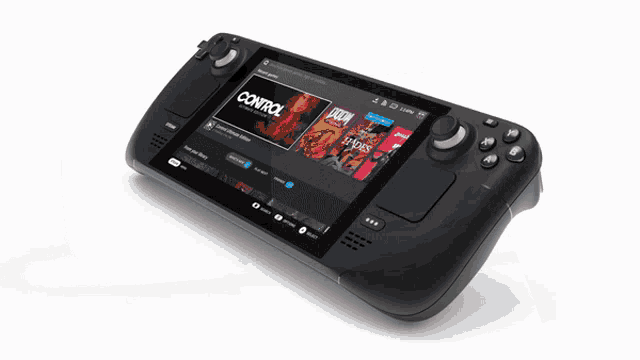 upbeat sage
stable relic
Im Only play Ps5 or Mobile 😅
upbeat sage
stable relic
Im Only play Ps5 or Mobile 😅
Playing this game on mobile is always on borrowed time
stable relic
But what does its Costs? 600€?
upbeat sage
A steam deck is the most reliable mobile way to play outside of those handheld windows pcs and little fake gameboys that run on linux
upbeat sage
stable relic
But what does its Costs? 600€?
that depends on region and price
verbal timber
cheapest one is $400 USD
upbeat sage
I just can’t in good faith tell you to buy a phone for this game
stable relic
Where are u all from ?
verbal timber
not sure what the math for that is on your end
upbeat sage
I can’t really advise you on how to spend your money
But buying a phone for PIF is a bad idea
stable relic
upbeat sage
I just can’t in good faith tell you to buy a phone for this game
My Microphone on My föip3 ist still destroyed for 2 years 😅
Its was time for an new Phone
upbeat sage
Especially with a new update launching soon, and every update risks compatibility
upbeat sage
stable relic
My Microphone on My föip3 ist still destroyed for 2 years 😅
Its was time for an...
That’s fair then, as long as it’s not a dedicated purchase for PIF
turbid terraceBOT
Hey @stable relic! Sprite Server is Down but the guide below has the Semi-Working version for Android. YOU WILL STILL HAVE MISSING SPRITES, but the best we can do until the Sprite Server is back up.
Check our Official Android guide HERE. If you didn't follow this guide, DELETE and UNINSTALL everything.
All Android bugs/workarounds are in the guide. If your issue isn't listed, there's no fix. No dedicated mobile version of IF will be developed in the future.
upbeat sage
Also I think the S24 Line is known to not run the game well
verbal timber
upbeat sage
~~Also I think the S24 Line is known to not run the game well~~
that may be due to the partial sprite variant download we have for mobile
stable relic
The worker in Shop says The ultra is multiple was better than The normal 24
verbal timber
we're not 100% sure
upbeat sage
stable relic
The worker in Shop says The ultra is multiple was better than The normal 24
Better is subjective when your game is running on a decade old engine
 elder girder
guys how to download this game
turbid terraceBOT
Hey @elder girder! You can download the game from: [#downloads](#downloads message)
If you need a guide, they are located: [HERE](#tech-support message)
upbeat sage
Fallout New Vegas runs better on older PCs because new graphics cards can cause an overflow error by allocating more RAM to graphics than the game’s maximum allocation
So too, for PIF
verbal timber
not 100% true
if the pc is too old the game won't run at all, or run optimally [i.e., las]
upbeat sage
verbal timber
if the pc is too old the game won't run at all, or run optimally [i.e., las]
That’s why I said subjective
but yes also true
verbal timber
also the game engine this was built on...more than a decade old
RPG Maker XP is coming up on 20
verbal timber
upbeat sage
bloody hell it is isn’t it

 willow spade
I downloaded the Full Sprite pack September. Where do I put the Sprite Credits?
verbal timber
willow spade
I downloaded the Full Sprite pack September. Where do I put the Sprite Credits?
ok, and why did you download that
when there are 2 messages saying to NOT do that
upbeat sage
verbal timber
ow
verbal timber
yeah
upbeat sage
I have felt so youthful until I joined this server and started regularly interacting with teens
@loud sigil this is YOUR fault
 noble rock
upbeat sage
I have felt so youthful until I joined this server and started regularly interac...
noble rock
upbeat sage
I have felt so youthful until I joined this server and started regularly interac...

loud sigil
upbeat sage
<@937420858782253116> this is YOUR fault
aw shucks
willow spade
verbal timber
when there are 2 messages saying to NOT do that
I do not see these messages (only just opened this chat)
upbeat sage
willow spade
I do not see these messages (only just opened this chat)
the messages are in the download page
that you definitely looked at
Because you downloaded
verbal timber
they downloaded the beta at minimum
verbal timber
willow spade
I do not see these messages (only just opened this chat)
they are over in #downloads


since you are in the beta, you don't need the packs as the beta has access to the new sprite repo
so your game will grab sprites as long as the download data option is on, during battles
willow spade
The ? icons are still showing up
verbal timber
you either then hit the cap for the time being or that fusion lacks a sprite
i think frog isn't using autogens in the beta for new mons, so if there is no custom sprite, there is no sprite period
frozen grove
Nah, there are still autogens. It just takes longer than the old repo and people are impatient
willow spade
I am not impatient but I agree I should have waited a bit longer
 marble dome
Hi, do you know if it's possible to install if on a switch?
verbal timber
marble dome
Hi, do you know if it's possible to install if on a switch?
no
marble dome
okay but do yo have a way to play at two on split screen or oder thing like that
frozen grove
marble dome
okay but do yo have a way to play at two on split screen or oder thing like that
Wym split screen? It’s not a multiplayer game?
marble dome
yes but we want to play with a friend in a soulink
restive ridge
marble dome
okay but do yo have a way to play at two on split screen or oder thing like that
No.
upbeat sage
marble dome
yes but we want to play with a friend in a soulink
Play with two devices
marble dome
upbeat sage
Play with two devices
thats th e prblm
upbeat sage
But do play a soul link they’re very fun
frozen grove
There’s a whole plethora of issues there
frozen grove
stable relic
Soo i have orderd me an Samsung Galaxy S24 Ultra extra for PIF 😎😎😁
Monday or...
Also just saw this but we’ve seen mixed compatibility with the S24 ultra specifically on the latest update. It’s been pretty 50/50 whether or not they’ve actually worked
stable relic
Wish me luck Please 🙈
frozen grove
So I just went through and checked and have had close to a dozen people in the last 30ish days not able to get it working on their S24/S24 ultra so. Good luck 
verbal timber
will reiterate, more than likely the partial sprite filled download is the reason
upbeat sage
verbal timber
will reiterate, more than likely the partial sprite filled download is the reaso...
Also true, but we also don’t know how 6.3 will do on new devices
verbal timber
but we have no way of knowing since no older versions have the mobile compatibility stuff with them that the current does
upbeat sage
Either way buying a phone is a bad investment for PIF
verbal timber
upbeat sage
Also true, but we also don’t know how 6.3 will do on new devices
that is what we need to wait for unfortunately
frozen grove
We also don’t really have an eta for 6.3. I mean February at the latest I hope but if frog doesn’t feel it’s ready by then 
So it still could be another 2-3 months of this
 hallow pasture
why donsent it work?
 young cosmos
hallow pasture
why donsent it work?
young cosmos
hallow pasture
why donsent it work?
?tag spriterepo
pearl magnetBOT
The Sprite Server is currently down for everyone.
- This means you will have question mark sprites or invisible sprites for Pokemon until it is back up.
- We don't have an ETA on a fix, but we currently have a beta out to try and test the new server.
How to Fix Manually
Lightweight Installer with ALL Sprites + Guide
- Download, Extract to a
new folder, Open Game.exe. TurnDownload Spritesoff from in game settings and save. - Don't merge or copy anything into it, this zip has everything setup and ready to play for you with ALL sprites.
- This carries over your save file, you don't need to move or download anything else.
 celest gust
I'm having issues with maps not loading properly, only trainers and items are showing up everything else is black. how do i fix it?
verbal timber
celest gust
I'm having issues with maps not loading properly, only trainers and items are sh...
what device
celest gust
windows 10 pc
verbal timber
where did you get the game files from
celest gust
the website
pearl magnetBOT
 No tag
 fakefilesd found.
verbal timber
?tag fakefiles
pearl magnetBOT
Beware of Unofficial Websites That Claim To Be Official.
The only official sources to download the game are here, the game's subreddit or the pokecommunity thread.
If you did download from a fake site, go through these steps:
- Delete any zipped/unzipped folders from there
- Run a virus scan
- Delete all the save files from the fake files. It's not recommended to keep these, as they have bugs and data that the normal game doesn't have.
Your game folder has a shortcut that you double click named: Savefile
Each save file represents the save slot you saved into. Example: If you saved into Slot A, your save is named File A.rxdata
After doing all the steps, follow one of our guides to redownload. [>>>GUIDES HERE<<<](#tech-support message)
upbeat sage
celest gust
I'm having issues with maps not loading properly, only trainers and items are sh...
If the proper files don’t fix this you have a graphics card issue
Come back and we can discuss after you delete everything, run antivirus, and reinstall
celest gust
sounds good
 velvet bear
why does my save file say Classic when i am playing on Remix mode?
upbeat sage
velvet bear
why does my save file say Classic when i am playing on Remix mode?
?tag moreinfo
pearl magnetBOT
When reporting an issue, please provide as much info as you can so we can accurately help you.
Info we need:
- Where did you get the game files? Did you use our [Installation Guides?](#tech-support message)
- What version are you on?
- Send a screenshot. Often times, it is hard to describe your issue. Send a screenshot so we can see what you are seeing. Especially if you are getting an error.
upbeat sage
Specifically number 3
loud sigil
velvet bear
why does my save file say Classic when i am playing on Remix mode?
thats a visual bug
or well text bug
 crude prairie
When the sprite server comes back on will I have to redownload anything or will it automatically fix itself
loud sigil
crude prairie
When the sprite server comes back on will I have to redownload anything or will ...
you'll just have to turn download sprites back on when it comes back
verbal timber
loud sigil
you'll just have to turn download sprites back on when it comes back
sidebar
the old one will never come back
6.3 is a completely different repo
its why frog is beta testing it because he constantly changing the number of sprites that can be downloaded and how often they get downloaded
 vapid tinsel
everything was working yesterday, today all i get are ? icons for basically everything, DO i have to redownload or something?
quasi abyss
did you download the preloaded version?
vapid tinsel
i followed the official guide on here
pearl magnetBOT
If you are having issues with sprites after using our new zip, this means you did not set it up correctly. Reasons it didn't work:
- You didn't use our 2.6 gb zip download from megaman's post in #downloads
- You forgot to turn off download sprites from in game settings, save your game, and restart your game
- You extracted it on top of an existing InfiniteFusion folder. These files are your
newgame folder. Don't mix them with your old files. - You are opening it from your old game files or shortcut. You need to open it within the new folder that was extracted with the 2.6 gb zip
If you did ALL above, share a screenshot of you doing step 6 of the guide to show us your game files.
verbal timber
^check against this
 kind vessel
 quasi abyss
?tag randerror
pearl magnetBOT
When randomizing the game, you can only randomize Trainers and Gym leaders if you are playing Classic or Randomized Mode.
Randomizing trainers on Remix and Expert Mode will crash trainer battlers.
Steps:
- Go to a Pokemon Center and talk to Help Man (guy in black suit)
- Select Advanced Settings -> Randomizer Settings -> Turn Trainers/Gyms OFF
celest gust
upbeat sage
Come back and we can discuss after you delete everything, run antivirus, and rei...
still having the issue
verbal timber
celest gust
still having the issue
double check your GPU has the latest drivers
that's more of a your end thing so we can't help with that
celest gust
it has the latest that are compatible with it, but its like a decade old
verbal timber
ok, assuming you have the 6.2.4 preloaded file, try using game-preloaded to launch the game
celest gust
ok
verbal timber
might take a bit to load up, but that "should" be better
celest gust
thanks
verbal timber
if the issues persists, then your device is just too old to properly run the game
and you'll need to make some upgrades or buy something newer outright
celest gust
ok, sounds good
 bitter moon
If I want to swap a charizard/aegislash sprite from one typing to another, how do I go about that? is that possible?
tough hound
make a copy of the sprite, rename it, and move it to right place
bitter moon
?tag importsp
pearl magnetBOT
To successfully import your own custom sprite, please follow these steps:
Sprite Requirements:
- Format: The sprite must be in
.pngformat. - Naming Convention: Name your sprite according to the game's dex numbering. For example, a fusion of Aegislash and Goodra should be named
329.446.png.
Importing Your Sprite:
- Ensure your sprite meets the criteria above.
- Open your game folder and navigate to
Graphics/CustomBattlers. - Paste your sprite into this folder.
In-Game Instructions:
- Launch the game.
- The game will automatically detect the new sprites.
- If you have an existing sprite that you're replacing, select the option "Replace All the old sprites with the new ones" when prompted.
Once completed, you can view your custom sprite in-game from the Pokedex's Sprite tab.

 tardy quail
I am confusion
 loud sigil
sterile pivot
loud sigil
sterile pivot
?tag spriterepo
pearl magnetBOT
The Sprite Server is currently down for everyone.
- This means you will have question mark sprites or invisible sprites for Pokemon until it is back up.
- We don't have an ETA on a fix, but we currently have a beta out to try and test the new server.
How to Fix Manually
Lightweight Installer with ALL Sprites + Guide
- Download, Extract to a
new folder, Open Game.exe. TurnDownload Spritesoff from in game settings and save. - Don't merge or copy anything into it, this zip has everything setup and ready to play for you with ALL sprites.
- This carries over your save file, you don't need to move or download anything else.
 vivid gust
sterile pivot
vivid gust
sterile pivot
im having the same problem
tardy quail
loud sigil
all three of you look at the bot message
okay but I literally just grabbed the beta from here a lil while ago, unless that doesn't have all the sprites already loaded into it ???
loud sigil
tardy quail
okay but I literally just grabbed the beta from here a lil while ago, unless tha...
oh okay you’re on beta you mightve just hit the repo cap
tardy quail
and i can go into the dex and see their sprites just fine
loud sigil
or you device just doesnt like whatever sprite the game chose for that mon and didnt load
loud sigil
tardy quail
and i can go into the dex and see their sprites just fine
yeah just an issue with loading that specific sprite then
ive had that happen to me
tardy quail
weird
oh wait yeah no there's no default sprite selected for it in the dex tho, that's goofy
quasi abyss
tardy quail
oh wait yeah no there's no default sprite selected for it in the dex tho, that's...
thats the effect of gitlab nuking our repo
 halcyon atlas
Hey there! Every time I get an encounter in the safari zone my game completely crashes on steam deck. Any known fixes or work arounds?
loud sigil
just hard crash or is there an error?
halcyon atlas
It errors something about a battle. Let me proc it again with the exact wording
sterile pivot
There was no Game.Exe folder so which one am I supposed to open
loud sigil
sterile pivot
There was no Game.Exe folder so which one am I supposed to open
wdym?
game.exe (or just game) should be in your IF folder
sterile pivot
I mean file not folder
There was “Game” and “Game.default”
Also I turned download sprites off and it still doesn’t work
Another thing is every time I enter a building and run I’m stuck on a black screen for like 10 seconds
turbid terraceBOT
Hey @sterile pivot! If your screen is stuck on black at startup, don't worry, it's normal. The duration of the black screen depends on YOUR computer. Especially if you just imported sprites. The game needs time to process the hundred of thousands of sprites you imported.
Performance Issues - If you want to improve your performance, read the information in our guides: [More Info](#tech-support message)
Do not click on the window during this, otherwise you'll get the error below and the game will close.
https://cdn.discordapp.com/attachments/308392115338084360/994274889055875142/Capture.PNG
loud sigil
sterile pivot
There was “Game” and “Game.default”
game is the one you want to launch
sterile pivot
loud sigil
game is the one you want to launch
Ah ok
loud sigil
sterile pivot
Another thing is every time I enter a building and run I’m stuck on a black scre...
?tag performance
pearl magnetBOT
Performance Issues - Freezing? Lag? Long Black/Loading Screens? [More Info](#tech-support message)
halcyon atlas
This is the error every time in Safari zone
 halcyon atlas
Sick! I tried searching for it before asking but probably didn't know the magic keywords
 serene pollen
Is it possible to install it on Android?
loud sigil
serene pollen
Is it possible to install it on Android?
?tag android
pearl magnetBOT
Sprite Server is Down but the guide below has the Semi-Working version for Android. YOU WILL STILL HAVE MISSING SPRITES, but the best we can do until the Sprite Server is back up.
Check our Official Android guide HERE. If you didn't follow this guide, DELETE and UNINSTALL everything.
All Android bugs/workarounds are in the guide. If your issue isn't listed, there's no fix. No dedicated mobile version of IF will be developed in the future.
loud sigil
halcyon atlas
Sick! I tried searching for it before asking but probably didn't know the magic ...
okay so im not sure what the person did to fix it. Is this happening every time you go to safari or did it only do this once?
halcyon atlas
loud sigil
okay so im not sure what the person did to fix it. Is this happening every time ...
Every time. I've only tried zone 1 so far but it's been every time out of about 5 attempts
 loud sigil
sterile pivot
loud sigil
sterile pivot
?tag fix
pearl magnetBOT
If you are having issues with sprites after using our new zip, this means you did not set it up correctly. Reasons it didn't work:
- You didn't use our 2.6 gb zip download from megaman's post in #downloads
- You forgot to turn off download sprites from in game settings, save your game, and restart your game
- You extracted it on top of an existing InfiniteFusion folder. These files are your
newgame folder. Don't mix them with your old files. - You are opening it from your old game files or shortcut. You need to open it within the new folder that was extracted with the 2.6 gb zip
If you did ALL above, share a screenshot of you doing step 6 of the guide to show us your game files.
sterile pivot
Oh brother
loud sigil
halcyon atlas
Every time. I've only tried zone 1 so far but it's been every time out of about ...
okay lemme send some of yhe other porygons your error and see if one of them knows cause im not quite sure
sterile pivot
I might just not even bother then
 glossy night
why it is not showing me the pokemon sometimes and appears a white dot with an interrogant?
loud sigil
glossy night
why it is not showing me the pokemon sometimes and appears a white dot with an i...
?tag spriterepo
pearl magnetBOT
The Sprite Server is currently down for everyone.
- This means you will have question mark sprites or invisible sprites for Pokemon until it is back up.
- We don't have an ETA on a fix, but we currently have a beta out to try and test the new server.
How to Fix Manually
Lightweight Installer with ALL Sprites + Guide
- Download, Extract to a
new folder, Open Game.exe. TurnDownload Spritesoff from in game settings and save. - Don't merge or copy anything into it, this zip has everything setup and ready to play for you with ALL sprites.
- This carries over your save file, you don't need to move or download anything else.
loud sigil
halcyon atlas
This is the error every time in Safari zone
@quasi abyss were you on when this error was sent before? And do u know a fix cause i have no clue
quasi abyss
same issue, this is how they resolved it
just try a fresh reinstall
@halcyon atlas
save files wont be effected, yada yada
loud sigil
ty sino discord is dumb on phone so i couldnt scroll up and find it
quasi abyss
np
 hallow jackal
if i open the zip file in the doc without winray does it overload my pc
quasi abyss
windows extractor is known to crash at ~75%
halcyon atlas
quasi abyss
just try a fresh reinstall
Roger, if you don't hear back from me it's because you're a wizard and your idea fixed it
quasi abyss
hooray!
upbeat sage
It’s what we do here on the show
 silver flax
hello there ! my game is incredibly slow >< every time I enter or leave a building, there's a 5 seconds pause, as well as each time I leave a battle. I tried to launch the game with the alternate launcher, but it doesn't work :/ any solution ?
upbeat sage
silver flax
hello there ! my game is incredibly slow >< every time I enter or leave a buildi...
?tag performance
pearl magnetBOT
Performance Issues - Freezing? Lag? Long Black/Loading Screens? [More Info](#tech-support message)
silver flax
thx !
loud sigil
upbeat sage
?tag performance
darn beat me to it
tardy quail
okay so for importing a new sprite... how do I get it into the folder correctly? it tries to rename it as the fusion numbers and then " - copy"
upbeat sage
tardy quail
okay so for importing a new sprite... how do I get it into the folder correctly?...
If you’re on beta you shouldn’t do that
quasi abyss
gasp!
loud sigil
upbeat sage
If you’re on beta you shouldn’t do that
they’re trying to add something from the gallery i think like an alt or something
loud sigil
tardy quail
okay so for importing a new sprite... how do I get it into the folder correctly?...
put an a in the name so it doesnt register as a copy
tardy quail
well, fusiondex shows theres an alt sprite, but the game file doesnt have it
silver flax
is it normal that the game-preloaded file takes more than 5 minutes to open ? :o
loud sigil
also why are you launching preloaded van you not run the normal game?
silver flax
bc my game is laggy
upbeat sage
loud sigil
they’re trying to add something from the gallery i think like an alt or somethin...
Aha
This was unclear
loud sigil
silver flax
bc my game is laggy
?tag performance
pearl magnetBOT
Performance Issues - Freezing? Lag? Long Black/Loading Screens? [More Info](#tech-support message)
loud sigil
upbeat sage
Aha
yeah i was talking in general early about how new stuff was constantly being added to gallery lmao
silver flax
loud sigil
?tag performance
I followed the advice, that's why I'm launching it with the preloaded file :o
upbeat sage
silver flax
I followed the advice, that's why I'm launching it with the preloaded file :o
Yeah so preloaded preloads content
So you load longer at the start and less in gameplay
upbeat sage
Some bleeding edge hardware kinda outsmarts the game and causes it to run worse
quasi abyss
it haates usss wwaauuaaaa
silver flax
my pc isn't made for gaming, maybe that's why
upbeat sage
silver flax
my pc isn't made for gaming, maybe that's why
This would also do it
quasi abyss
i have a rog strix which is a fairly powerful gaming laptop and while my loading times arent long, they arent instant
upbeat sage
This game is most needy on RAM and CPU performance
tardy quail
okay next question, do the files go into the custom battlers folder or the battlers folder?
quasi abyss
?tag importsp
pearl magnetBOT
To successfully import your own custom sprite, please follow these steps:
Sprite Requirements:
- Format: The sprite must be in
.pngformat. - Naming Convention: Name your sprite according to the game's dex numbering. For example, a fusion of Aegislash and Goodra should be named
329.446.png.
Importing Your Sprite:
- Ensure your sprite meets the criteria above.
- Open your game folder and navigate to
Graphics/CustomBattlers. - Paste your sprite into this folder.
In-Game Instructions:
- Launch the game.
- The game will automatically detect the new sprites.
- If you have an existing sprite that you're replacing, select the option "Replace All the old sprites with the new ones" when prompted.
Once completed, you can view your custom sprite in-game from the Pokedex's Sprite tab.
tardy quail
quasi abyss
?tag importsp
oh heckin dope, ty
upbeat sage
tardy quail
okay next question, do the files go into the custom battlers folder or the battl...
Only exception being bases and triples
tardy quail
whoa that was super easy, it even said "hey we find a new sprite"
silver flax
also, I have another problem lol are the september 2024 sprites not working with the game preloaded file ?
 upbeat sage
silver flax
also, I have another problem lol are the september 2024 sprites not working with...
upbeat sage
silver flax
also, I have another problem lol are the september 2024 sprites not working with...
Delete that specific image
the one listed in the error code
silver flax
okay 👌 thx again
 upbeat sage
 wise tulip
?tag randerror
pearl magnetBOT
When randomizing the game, you can only randomize Trainers and Gym leaders if you are playing Classic or Randomized Mode.
Randomizing trainers on Remix and Expert Mode will crash trainer battlers.
Steps:
- Go to a Pokemon Center and talk to Help Man (guy in black suit)
- Select Advanced Settings -> Randomizer Settings -> Turn Trainers/Gyms OFF
quasi abyss
beat me to it, dammit
late bane
the error doesnt lie
upbeat sage

glossy night
why it doesn't show me on the app the sprite menu? is that normal?
 marsh ocean
Does anyone know what bug is this?
 upbeat sage
marsh ocean
Does anyone know what bug is this?
upbeat sage
marsh ocean
Does anyone know what bug is this?
where’d ya get those files
Like where did you download the game
 broken lily
how to solve the long loads bug
marsh ocean
The link where the guide to download is posted
upbeat sage
broken lily
how to solve the long loads bug
?tag performance
pearl magnetBOT
Performance Issues - Freezing? Lag? Long Black/Loading Screens? [More Info](#tech-support message)
upbeat sage
marsh ocean
The link where the guide to download is posted
As in from this discord?
marsh ocean
Yea
upbeat sage
Ok cool
marsh ocean
The docs
broken lily
?tag performance
pearl magnetBOT
Performance Issues - Freezing? Lag? Long Black/Loading Screens? [More Info](#tech-support message)
upbeat sage
broken lily
?tag performance
Yeah click the more info highlighted in blue
broken lily
bruh, theres no way to solve this without a better computer?
upbeat sage
broken lily
bruh, theres no way to solve this without a better computer?
There are several answers provided in the more info tag
upbeat sage
marsh ocean
The docs
New one for me so I’ll run it up the chain
upbeat sage
broken lily
bruh, theres no way to solve this without a better computer?
Try restarting your pc, clearing background processes
broken lily
how to clear background processes
upbeat sage
or using preloaded
upbeat sage
broken lily
how to clear background processes
That’s a basic PC function, google it
broken lily
sure ty
quasi abyss
upbeat sage
New one for me so I’ll run it up the chain
fun fact, the only other person that ever had this issue wasnt responded to and also that was in july 2023
upbeat sage
quasi abyss
fun fact, the only other person that ever had this issue wasnt responded to and ...
See that’s what I found
quasi abyss
yep... thats the worst part of looking up fixes
upbeat sage
@marsh ocean Hold tight, we’re going to investigate this internally
Congrats, you found a new one
quasi abyss
we're goin into da metaverse 👽
upbeat sage
(At least to the two of us)
quasi abyss
yeah megaman or ymir might know more
loud sigil
marsh ocean
Does anyone know what bug is this?
what were you doing when this happened?
upbeat sage
Or perhaps adonis
quasi abyss
may hap!
marsh ocean
loud sigil
what were you doing when this happened?
in the dragon gym
i think it happened because of the syncronyze ability
marsh ocean
marsh ocean
in the dragon gym
blackthorn gym
loud sigil
marsh ocean
i think it happened because of the syncronyze ability
Ive never had an issue with syncronyze
loud sigil
marsh ocean
in the dragon gym
theres like rocks and latters in that gym right?
ladders*
marsh ocean
yea
tough hound
https://discord.com/channels/302153478556352513/1275620260841787476
synchronize report
they can add on to that
upbeat sage
Oh worm thanks Adonis
quasi abyss
ive used synchronize SO much
loud sigil
then again i never got affected with status’s that much
marsh ocean
yea just so happens that the first run i have i get one shiny and a bug (thats rare apperently)
loud sigil
you should be good to just restart your game again and shouldnt get that error again
as long as the same preaffects dont accur to cause it
ripe summit
loud sigil
im surprised i never ran into this
Same
upbeat sage
I bet it’s only when it’s an ability that blocks it
loud sigil
im sure a poison type gettong syncronized with poison would cause it as well
 proven crescent
Are sprites on back?
upbeat sage
proven crescent
Are sprites on back?
?
proven crescent
The server i mean, the sprite server
upbeat sage
proven crescent
The server i mean, the sprite server
No
proven crescent
Does that kind of maintenance happen usually?
ripe summit
No it got nuked
 quasi abyss
gitlab HATES us!!!!!
verbal timber
rinse and repeat:
old server is dead and gone, will not return
new server will come with 6.3 [no eta on that, best guesstimate is Dec-Feb]
proven crescent
So the server was the friends we made on the way i see
ripe summit
The spriterepo tag should be updated to say that it's dead and that a new one is being tested in the beta
quasi abyss
its like i can still hear the repos voice
upbeat sage
ripe summit
The spriterepo tag should be updated to say that it's dead and that a new one is...
loud sigil
ripe summit
The spriterepo tag should be updated to say that it's dead and that a new one is...
it does say theres a new one
 ripe summit
Yeah but the big text says that it's down
upbeat sage
loud sigil
it does say theres a new one
loud sigil
ripe summit
Yeah but the big text says that it's down
because it still is for base game
beta is not base game
there for the sprite server is still down
ripe summit
I know, but saying it's down gives people the idea that one is coming back
It's not just down it's dead
blazing python
I think the 2nd bullet point sums that up
loud sigil
ripe summit
I know, but saying it's down gives people the idea that one is coming back
because it is coming back bc theres a new one
 quiet hollow
blazing python
I think the 2nd bullet point sums that up
quiet hollow
blazing python
I think the 2nd bullet point sums that up
Bold of you to assume that people read
ripe summit
blazing python
I think the 2nd bullet point sums that up
How many people do you think read the small text
blazing python
quiet hollow
Bold of you to assume that people read
Not my job
loud sigil
blazing python
I think the 2nd bullet point sums that up
also hi megaaaa! 
quasi abyss
fair enough
quiet hollow
quasi abyss
they only see BIG BOLD BIG BIG BOLD text
Why did you just say big bold big big bold lmoa?
quasi abyss
BIG BOLD
tardy quail
yeah im not convinced my beta download has all the available sprites
blazing python
It does
ripe summit
skill issue
quiet hollow
 sterile pivot
Jaden I downloaded the media file from mega man like it said to but it’s been loading for 10 minutes
blazing python
sterile pivot
Jaden I downloaded the media file from mega man like it said to but it’s been lo...
Loading? What do you mean by that
tardy quail
okay so, fusiondex shows 5 variants for combusken, game only showing 1
sterile pivot
I downloaded it and it worked. Then when I tried opening it, it started loading and has been for 10 mins
blazing python
sterile pivot
I downloaded it and it worked. Then when I tried opening it, it started loading ...
Our guide says specially not to open it
sterile pivot
blazing python
Our guide says specially not to open it
Damn
blazing python
It says to right click it and extract with winrar, please read the guide closely
sterile pivot
I guess my problem is just I’m dumb as bricks
ripe summit
tardy quail
okay so, fusiondex shows 5 variants for combusken, game only showing 1
It probably just downloaded one before it reached the limit
blazing python
ripe summit
How many people do you think read the small text
We provide people all the necessary tools for them to follow. If they don’t read, that is on them. Like the person above
tardy quail
sterile pivot
I guess my problem is just I’m dumb as bricks
pbffft, felt
tardy quail
ripe summit
It probably just downloaded one before it reached the limit
what limit?
quasi abyss
tardy quail
what limit?
sprite repo has an ever-changing limit of downloads
it's the cap
upbeat sage
We are Experimenting with It
quasi abyss
basically the repo saying "ENOUGH " for a sec
blazing python
Essentially just wait and it will download over time. That is just how the new sprite server is. Won’t be instant depending on the Pokémon you encounter
tardy quail
I want EVERY sprite
quasi abyss
then be PATIENT
glossy night
how can i get rare candy?
turbid terraceBOT
Hey @glossy night! Are you looking for Rare Candies? You can buy them at the Battle Tower on Kindle Road for 3 tokens. They are also a potential prize at the Triple Battle Lounge on Knot Island. You can also get them from Resort Gorgeous by completing Selphy's request. All of these are repeatable.
tardy quail
blazing python
Beta is just for testing, not meant to be your main game
but i want my absol babies 
 quasi abyss
tardy quail
but i want my absol babies <:Despair:850468339955924993> <:gentlyholds:110299999...
quasi abyss
tardy quail
but i want my absol babies <:Despair:850468339955924993> <:gentlyholds:110299999...
absol is in 6.2.4
aka the current main release
tardy quail
quasi abyss
absol is in 6.2.4
i meant kommo-o, im just ungodly tired, please dont ask how i mixed that up
quasi abyss
fair enough
tardy quail
i dont have the answers
quasi abyss
either way, you win some, you lose some
sterile pivot
Did I mess up again lol
 quasi abyss
you want all the sprites immediately? play main release
you want the new mons? play beta
quiet hollow
tardy quail
i meant kommo-o, im just ungodly tired, please dont ask how i mixed that up
How did you mix that up?
blazing python
sterile pivot
Did I mess up again lol
Yeah you didn’t install winrar like the guide said
quasi abyss
quiet hollow
How did you mix that up?<:heehee:945800365457149992>
-# you little sh
sterile pivot
blazing python
Yeah you didn’t install winrar like the guide said
Brooooo
blazing python
It is step by step man lol
tardy quail
quiet hollow
How did you mix that up?<:heehee:945800365457149992>
see wha ha happen was...
sterile pivot
Im sorry bro 💀😭
blazing python
Anyone want to make bets he is going to not do the last step?
sterile pivot
I’ll bet that I miss all them
upbeat sage
quasi abyss
thats my bet
You really need to not be let into a casino
loud sigil
blazing python
It is step by step man lol
why is it terrifying to see you say lol
upbeat sage
quasi abyss
thats my bet
Casino’s Luck? More like casino’s property🫵
loud sigil
who needs a casino when there gambling games
quasi abyss
upbeat sage
You really need to not be let into a casino
LMAO
LET ME IN LET ME IN I CAN BE TRUSTED WITH MY COLLEGE FUNDS
sterile pivot
Megaman I like how u emphasized for like 10 seconds straight how u CANNOT open the file and I still did it 💀
upbeat sage
Average Tech Support chatter
loud sigil
upbeat sage
Average Tech Support chatter
at least hes self aware
upbeat sage
 elder moat
hi
elder moat
hi
what’s up
elder moat
...
tardy quail
loud sigil
at least hes self aware
that makes it scarier me thinks
blazing python
sterile pivot
Megaman I like how u emphasized for like 10 seconds straight how u CANNOT open t...
I tried my best
upbeat sage
elder moat
...
?tag moreinfo
pearl magnetBOT
When reporting an issue, please provide as much info as you can so we can accurately help you.
Info we need:
- Where did you get the game files? Did you use our [Installation Guides?](#tech-support message)
- What version are you on?
- Send a screenshot. Often times, it is hard to describe your issue. Send a screenshot so we can see what you are seeing. Especially if you are getting an error.
quasi abyss
elder moat
hi
we're here for support, so just say your issue
tardy quail
so, if i sit here long enough, will the sprite eventually appear? or do i need to just wait and then check dex later to see if more have finally been loaded?
quasi abyss
you have to play the game
loud sigil
tardy quail
so, if i sit here long enough, will the sprite eventually appear? or do i need t...
you have to be moving
and getting encounters
quasi abyss
basically, how it works is that the repo will check every once in a while (once/min?) what fusions youve seen
then itll download those fusions' sprites
tardy quail
ahhhk
silver flax
it's me again! is it normal that the loading is really slow (again)?
 upbeat sage
silver flax
it's me again! is it normal that the loading is really slow (again)?
upbeat sage
silver flax
it's me again! is it normal that the loading is really slow (again)?
did you press enter
silver flax
ofc
upbeat sage
silver flax
ofc
You’d be amazed how often they don’t
silver flax
I'm not that dumb lol
upbeat sage
silver flax
I'm not that dumb lol
you’d be so amazed
blazing python
tardy quail
how does it handle base sprites then?
Yup, but the download happens when you encounter the Pokémon or use them in battle
 amber spindle
Could someone help me out because im trying to launch infinite but for some reason after i get through the first two screens my games screen is black and i cant do anything
silver flax
okay nvm!
upbeat sage
silver flax
okay nvm!
Did you forget to press enter
blazing python
amber spindle
Could someone help me out because im trying to launch infinite but for some reas...
Black screen is the loading screen. Duration depends on your pc.
quasi abyss
we all sound tired today huh lmao
silver flax
I was worried
amber spindle
blazing python
Black screen is the loading screen. Duration depends on your pc.
ok i was just wondering because ive played it before, but i just reinstalled it and its taking longer than normal
blazing python
amber spindle
ok i was just wondering because ive played it before, but i just reinstalled it ...
You should try restarting your pc
?tag restart
pearl magnetBOT
If you are having sudden performance issues out of nowhere, restart your computer (no joke). Don’t shut down the computer as it just puts it to sleep. Use the restart option to free up processes on your computer.
This has fixed this issue for many people
amber spindle
blazing python
You should try restarting your pc
ok ill try that
sterile pivot
Mega man I did it. Let’s goooo
Thanks for the great tutorial bro, that’s my bad for being impatient and trying to figure it out on my own
upbeat sage
Have fun 🙂
sterile pivot
Thank you
blazing python


 silver flax
also, are the fusion starters only available once you've unlocked the DNA thing?
blazing python
Starters aren’t fused
You do have an option to give yourself a custom starter, but you have to create a second save file
silver flax
oh ok
blazing python
Unless you taking about the end game ones
silver flax
idk, I already saw screenshots of ppl showing their starters, and the 3 of them were fusions
blazing python
Yeah that is endgame
silver flax
okok!
tardy quail
how long does unfusing inside the pc usually take?
blazing python
Like 2 seconds
But press enter on the text
It makes it seem like it is loading/waiting but you press enter to go through the text
tardy quail
oh
 river glade
Yoo whats up guys! Can anyone tell me why my game has almost no sprits? I play the Randomizer and i put it to the maximum bit the sprites are not loading and my game is overall pretty laggy. Can anyone help me?
blazing python
river glade
Yoo whats up guys! Can anyone tell me why my game has almost no sprits? I play t...
Where did you get the game files? Seems like you didn’t get the right ones
river glade
i downloaded them from the browser i think
late bane
if you get the game from megas post you have all the custom sprites
blazing python
My post in #downloads says they do 🙂
river glade
ok i will just reinstall the game thank you!
amber spindle
so i restarted my Pc and i had the same issue
blazing python
Unfortunate cause you need to follow all the steps in the guide lol
late bane
well you should learn to read. its very helpful in this game
blazing python
amber spindle
so i restarted my Pc and i had the same issue
Double check the tips we have below
?tag performance
pearl magnetBOT
Performance Issues - Freezing? Lag? Long Black/Loading Screens? [More Info](#tech-support message)
silver flax
I guess it was already asked 654268468 times but is it normal that some sprites are invisible like that?
ripe summit
silver flax
I guess it was already asked 654268468 times but is it normal that some sprites ...
?tag spriterepo
frozen grove
silver flax
I guess it was already asked 654268468 times but is it normal that some sprites ...
?tag spriterepo
pearl magnetBOT
The Sprite Server is currently down for everyone.
- This means you will have question mark sprites or invisible sprites for Pokemon until it is back up.
- We don't have an ETA on a fix, but we currently have a beta out to try and test the new server.
How to Fix Manually
Lightweight Installer with ALL Sprites + Guide
- Download, Extract to a
new folder, Open Game.exe. TurnDownload Spritesoff from in game settings and save. - Don't merge or copy anything into it, this zip has everything setup and ready to play for you with ALL sprites.
- This carries over your save file, you don't need to move or download anything else.
silver flax
 upbeat sage
silver flax
upbeat sage
silver flax
?tag fix
pearl magnetBOT
If you are having issues with sprites after using our new zip, this means you did not set it up correctly. Reasons it didn't work:
- You didn't use our 2.6 gb zip download from megaman's post in #downloads
- You forgot to turn off download sprites from in game settings, save your game, and restart your game
- You extracted it on top of an existing InfiniteFusion folder. These files are your
newgame folder. Don't mix them with your old files. - You are opening it from your old game files or shortcut. You need to open it within the new folder that was extracted with the 2.6 gb zip
If you did ALL above, share a screenshot of you doing step 6 of the guide to show us your game files.
silver flax
thx!
ripe summit
I probably sent it 2nd didn't I

 brisk steppe
Wanted to try debug mode for shits and giggles and whenever I reload my game and start it up, it gives me this error message:
[Infinite Fusion version 6.2.4]
Exception: Errno::ENOENT
Message: File No such file or directory @ rb_sysopen - PBS/ribbons.txt not found.
Backtrace:
001_Compiler.rb:221:in initialize' 001_Compiler.rb:221:in open'
001_Compiler.rb:221:in pbCompilerEachPreppedLine' 002_Compiler_CompilePBS.rb:844:in compile_ribbons'
001_Compiler.rb:714:in compile_all' 001_Compiler.rb:835:in main'
999_Main.rb:144:in mainFunctionDebug' 999_Main.rb:54:in block in mainFunction'
003_Errors.rb:78:in pbCriticalCode' 999_Main.rb:54:in mainFunction'
Any ideas? not too good when it comes to understanding this type of stuff
 ionic tendon
ripe summit
I probably sent it 2nd didn't I
ionic tendon
ripe summit
I probably sent it 2nd didn't I
First on mine
quasi abyss
ripe summit
I probably sent it 2nd didn't I
you were first on mine
frozen grove
brisk steppe
Wanted to try debug mode for shits and giggles and whenever I reload my game and...
?tag cheater