
#support
1 messages · Page 124 of 1
 sharp belfry
 fervent gorge
tyvm
 coral hawk
safemode for me didn't fix bank tag layouts
 gilded kayak
coral hawk
safemode for me didn't fix bank tag layouts
gilded kayak
coral hawk
safemode for me didn't fix bank tag layouts
the plugin failed to build
 warped mango
Like just hittin export tag tab and re-importing that?
coral hawk
gilded kayak
the plugin failed to build
is there anything I can do to fix it?
 round jacinth
You wait
gilded kayak
coral hawk
is there anything I can do to fix it?
no, just have to wait
 buoyant robin
Turning off item charges improved made my fps go from ~30 fps to ~45
Weirdly enough I have it installed on my other client that isn't having issues
I'm kind of confused why that plugin is causing issues
coral hawk
ah okay ty
gilded kayak
buoyant robin
Turning off `item charges improved` made my fps go from ~30 fps to ~45
Weirdly e...
IMPROVED
we only review the hub plugins to make sure they wont hack you, not that they wont lag the client
so could be code doing something dumb
round jacinth
warped mango
Like just hittin export tag tab and re-importing that?
The real steps is:
when hub layout is working.
You right click export the bank tag layout hub plugin’s layout.
Then turn it off.
Then import it while core is on.
Then repeat for all layouts
Then you can uninstall the hub plugin
buoyant robin
i even checked all the settings and they matched the other client, and even clicked reset and neither improved it
warped mango
round jacinth
The real steps is:
when hub layout is working.
You right click export the bank...
ohhh darn so can't actually do it without it being active, the export part atleast
buoyant robin
we hit 60 fps boys
turning off item charges improved and daily tasks made me go from 30 fps to 60 dont ask why im so fucking clueless why those lmao
 wide anvil
What happened to the bank tag plugin on this latest update? Before the update, I had a totally open window (free from all those lines separating items into different categories it seems). Does anyone know how to get back to that? I had all of my tabs on the left sorted in a very particular way.
 wide anvil
Oh, I c. My bad. Thank you!
round jacinth
you can convert it to core layout after to avoid this happening again
Because core supports layouts
Steps here: #support message
round jacinth
Yes and supports potion storage
wide anvil
Awesome. I will for sure do that once it's back up.
round jacinth
So it’s just better lol
wide anvil
Definitely sounds better.
 hardy pollen
Why is it that I dc everytime I play
23 ping
not on a single other game I have this
Discord voice I don't lagg either
not downloading anything either
 rustic wraith
hardy pollen
Why is it that I dc everytime I play
rustic wraith
hardy pollen
Why is it that I dc everytime I play

 plain ridge
any idea how to fix this
 mortal pond
plain ridge
any idea how to fix this
mortal pond
plain ridge
any idea how to fix this
disable the broken hub plugin 🙁
hardy pollen
round jacinth
Your internet is not behaving
3 IQ
round jacinth
Runelite doesn’t impact your connection
So if you’re disconnecting it’s not runelite
 dire flume
eta on blindfold xd
plain ridge
mortal pond
disable the broken hub plugin 🙁
how do i know which one it is
round jacinth
dire flume
eta on blindfold xd
I hope it never comes back personally
It’s a hub plugin so nobody here knows.
dire flume
eyo??? rude XD
round jacinth
I’m a known hater of that plugin tho
 lavish geyser
happening to me as well
round jacinth
Turn off camera smoothing
dire flume
round jacinth
I’m a known hater of that plugin tho
how come it's really nice at doom?
round jacinth
dire flume
how come it's really nice at doom?
Skill issue I’m afraid
 dark forge
lavish geyser
happening to me as well
dark forge
lavish geyser
happening to me as well
I left a bug report on github for the creator. Hope it gets fixed soon.
mortal pond
plain ridge
how do i know which one it is
I'm guessing it's resource packs, you'll need to disable it and relaunch the game
If that doesn't work disable something else
There's no easy way to track it down unfortunately :/
dire flume
i do 30+ deeps with or without, just prefer blindfold
round jacinth
dire flume
how come it's really nice at doom?
 dire flume
that's wild lmfao
plain ridge
mortal pond
I'm guessing it's resource packs, you'll need to disable it and relaunch the gam...
its fixed for whatever reason loll thanks for the help i appreciate it!
round jacinth
anyways just wait
dark forge
lmao that is wild
round jacinth
There where is my hub plugin askers look like that to me sry
dire flume
not even close but i know some who play like that XD
round jacinth
look at all that qol
dire flume
i only play like this is it bad?
 round jacinth
Ok ok let’s ban this let’s ban this guy with our moderator abilities
buoyant robin
is this what its like being color blind
 ionic canopy
is there a fix to the bank tags?
dire flume
buoyant robin
is this what its like being color blind
color deaf
 formal escarp
new gpu plugin seems to not be z-buffered at all in runelite 1.11.26 on linux
 mossy swan
that looks like it is but that bit is just bugged
formal escarp
it looks fine with gpu disabled
 oblique plume
thats because the 1.11 gpu is the not z buffered gpu plugin
formal escarp
ah didnt catch that it was reverted for a prif crash
 covert willow
arrows are off for clue scroll puzzles for anyone else?
 round jacinth
it at least works until the real fix is released
Nah just a tiny bit of brain power use
covert willow
just making sure itw asnt some setting i had on after update
round jacinth
No jagex broke it and update just needs to be released
covert willow
kk thx have a good day
 fleet ocean
any one else's bank tag layouts get messed up after today's update?
 hushed lynx
fleet ocean
any one else's bank tag layouts get messed up after today's update?
hushed lynx
fleet ocean
any one else's bank tag layouts get messed up after today's update?
the plugins down bro, hoping it gets fixed or its a quit job ngl haha
round jacinth
huh
 amber thunder
Any reason I might be getting this at Demonics?

 rigid steppe
i need bank layout hahaha
round jacinth
it'll be back later today when the hub dev fixes it
 ionic epoch
This has probably been asked a few times; roofs broken for people?
 twin scroll
round jacinth
you can convert it to core layout after to avoid this happening again
twin scroll
round jacinth
you can convert it to core layout after to avoid this happening again
Any chance there could be some in-Runelite warning telling folks to do this? I feel like hardly anyone knows that switch was made, and using the hub one makes Potion Storage misbehave.
I think a Runelite message letting people know to switch and how to do it would be great.
I did it ages ago but I’m constantly seeing folks complain about Potion Storage not working with bank tags on Reddit, and it’s always because they don’t know about the integration of it with core Runelite.
round jacinth
i dont think that would be appropiate to do lol
people can and already use the client with a trillion hub plugins and telling them not to just causes backlash
because ideally you'd have 0 hub plugins
🙂
 paper jackal
Weird one here but any time I go to mount karuulm and in its proximity, my RuneLite crashes. Every time. Are there any known causes or fixes for this? Thanks in advance.
twin scroll
round jacinth
i dont think that would be appropiate to do lol
Isnt the hub plugin deprecated though? I kinda thought y’all collab’d with its dev or something.
round jacinth
EVScape and other creators make it confusing for people because they call every plugin a hub plugin
hub developers are not core developers
the hub plugin is deprecated in the sense core does it but removign it would make 1000000000 users mad
left click dropper (my hub plugin) can be removed because core does it but it would impact the people who like it
so it's still there
 rocky tiger
paper jackal
Weird one here but any time I go to mount karuulm and in its proximity, my RuneL...
rocky tiger
paper jackal
Weird one here but any time I go to mount karuulm and in its proximity, my RuneL...
What RuneLite version are you on? Click at ℹ️ icon at bottom of sidebar to see. Also does it still crash with GPU plugin off?
twin scroll
round jacinth
the hub plugin is deprecated in the sense core does it but removign it would mak...
Removing it ya as they’d presumably run into issues getting to their layouts. But it’s basically a plugin that will forever cause undesired behavior and that gets blamed on Potion Storage itself.
It’s just a funky limbo, not really an easy solve either way, but I’d guess like 80% of RL users are still unaware and are having a bad time. The impact of today’s update kinda enforces that too imo.
paper jackal
rocky tiger
What RuneLite version are you on? Click at ℹ️ icon at bottom of sidebar to see. ...
I am sure I should be fully up to date version for RL. I'm not at my laptop now, so will confirm later and try with GPU plugin off. Sorry should have asked when I was more help myself :)!
round jacinth
many mains will never get potion storage and thus no reason to switch to core
twin scroll
Wait, why would mains not get Potion Storage 🤔
rocky tiger
paper jackal
I am sure I should be fully up to date version for RL. I'm not at my laptop now,...
Sure. If you know how to check the logs folder see if there are any ERROR lines in the client log after the crash.
round jacinth
because we like this

#runescape for more about this convo i think
thjis is no longer a #support topic
paper jackal
rocky tiger
Sure. If you know how to check the logs folder see if there are any ERROR lines ...
Thanks. I'll check later and should be able to find the logs folder for it.
 fossil pendant
Any updates on bank layouts?
round jacinth
you wait for it to work
 wintry hull
Anyone else having trouble with hops patches?
They are all stuck on weeds, even though stuff was planted there before the update
 charred wind
probably not a runelite issue
rocky tiger
@wintry hull Farming patches that appeared unweedable should now be fixed. If you were logged in before the fix, interact with the patch - it’ll show weeds, but they can now be raked normally. from newspost.
wintry hull
rocky tiger
<@821467473093328906> `Farming patches that appeared unweedable should now be fi...
I did see that. I've since restarted RL and tried again - still nothing
rocky tiger
If weeding isn't doing anything will have to right click report and send a bug report. They might have missed some patches. Edit: Could try using a rake on the patch. Might work different from left click option.
wintry hull
Yeah I've just logged in on the vanilla client to check/report it. Thanks though
 placid jewel
Today's update, from Jagex and possibly Runelite, have completely fixed whatever random issue I was having. Hopefully that's the end of that.
 zealous cedar
its not really fixed, we just reverted the gpu plugin
your issue isnt screen tearing it is instead just corrupted vertex buffers it looks like
id like to know more about your system
 molten epoch
any fix for the puzzle plugin ?
round jacinth
it's fixed for next release and currently the arrows/dots are offset
so you can still solve it with the helper its just not centered
 dull sage
adam the goat
molten epoch
ok perferct thank you
 pulsar iron
Probably not the first but bank tag layouts are broken
 crisp dune
If you were using the hub plugin, it's broken and needs an update from the author
 bronze condor
pulsar iron
Probably not the first but bank tag layouts are broken
bronze condor
pulsar iron
Probably not the first but bank tag layouts are broken
Some people in my CC said theres is working fine
but mine reset and looks like this now

I'm in shambles and am too regarded to be able to do clues now
round jacinth
the people with it having work fine
are because they're using core's variant of bank tags
bank tag layouts**
not the hub, the hub version is broken
bronze condor
Oh theres 2 different versions
pulsar iron
bronze condor
but mine reset and looks like this now
exactly like me
 onyx badge
i just started rs where i mine tin ore?
pulsar iron
onyx badge
i just started rs where i mine tin ore?
try searching for them. with the search function
round jacinth
sorta, the hub came out first and people dont need to switch to core because they don't have to but if you're using potion storage you'd use core
round jacinth
onyx badge
i just started rs where i mine tin ore?
bronze condor
round jacinth
sorta, the hub came out first and people dont need to switch to core because the...
Whats the name of the core version
round jacinth
just bank tags
bronze condor
 round jacinth
core added bank tag layouts when potion storage came out or around that time
it's not on hte hub at all..
bronze condor
Cause this is the Hub version your referring to im assuming
round jacinth
core means built into the client
bronze condor
Ahhhhh
round jacinth
yes that is the one you rely on to work and is broken
round jacinth
it won't
 rocky prairie
how do i put a core on ??
round jacinth
This is my bank tag layout today through core's bank tag layout and you can convert from hub to core pretty easily but only when hub's version is working again
pulsar iron
bronze condor
for the love of god author god pls update it. i can't play without it
round jacinth
the developer woke up and is fixing it probably right now
 wheat cipher
Are my eyes having a day off, or is text more blurry after the update? Colors, text and textures feel off to me
pulsar iron
wheat cipher
Are my eyes having a day off, or is text more blurry after the update? Colors, t...
are you using GPU or the HD plugin? Either way find scaling and try the options.
 rustic palm
round jacinth
https://discord.com/channels/301497432909414422/334801290645209099/1435653019890...
rustic palm
round jacinth
https://discord.com/channels/301497432909414422/334801290645209099/1435653019890...
do you have steps for a brainlet like me how to make the switch over to core bank tag layouts, i think i saw u link it before but i dont rmb if it was this channel or #runelite
pulsar iron
wheat cipher
Are my eyes having a day off, or is text more blurry after the update? Colors, t...
my scaling is set to Hybrid after it came out with 117 HD
Try Catmull if using GPU plugin
round jacinth
I wrote them earlier but i can type them again and @ you in general
rustic palm
would appreciate that tyvm
pulsar iron
I would love it too but maybe it's fixed in a little bit
wheat cipher
@pulsar iron Thanks I actually reinstalled 117 HD and it looks better now 🙂
 clear stratus
if you switch your hub plugin tag tabs over to the core (i.e. base runelite) version - you should never temporarily lose them again when the game has an update
so, once the hub plugin version is working again-- maybe consider doing that if you logged in today and literally could not play the game without them there
pulsar iron
clear stratus
if you switch your hub plugin tag tabs over to the core (i.e. base runelite) ver...
but how does the core runelite have the plugin? Which plugin is that?
clear stratus
never mind i guess
round jacinth
lol
round jacinth
pulsar iron
but how does the core runelite have the plugin? Which plugin is that?
regular bank tags supports layouts.
as stated about a million times today by me lol
pulsar iron
sorry wasn't here xd what about the auto preview feature that takes the inventory and gear straight in there?
round jacinth
The steps to switch from hub to core you can follow these steps #general message
 spice night
my bank tab layouts have reset 🙁
round jacinth
i cba
people will just type instead of reading what is already being actively talked about
 humble oasis
rookie, do you have to have bank tag layouts uninstalled for core bank tags to work?
i have both plugins installed
 quasi thunder
Bank tags ztill not working?
humble oasis
well obviously core bank tags since it's runelite
the author of the plugin is working to fix it
 vast bone
you dont need to uninstall it
but i don't know if it autoconverts tabs to core layouts format
should be fixed in a few minutes though. #development message
humble oasis
thank you!!!
 rancid pilot
gm team hope all is well, still seeing this post update btw, not a problem just wanted to let you know
 bronze condor
Do we know if puzzle box solver is actively being worked on as well
 torpid hazel
How to fix banktags layout?
 opal lynx
progress bars not showing for me?
crisp dune
rancid pilot
gm team hope all is well, still seeing this post update btw, not a problem just ...
is this after restarting your client?
 empty minnow
I would say both the <col> tags and the message are unexpected imo
oblique plume
well the message is a config option they enabled
the col tags are just how jagex makes npcs look like objects
empty minnow
For a regular NPC yeah but it's weird for something like the forestry event things. However that might just be cause they are actually NPCs so not much we can do
crisp dune
the tags are what should be fixed, the message itself is "intended", to some extent
rocky tiger
Those started showing up when server npc loot was added.
 verbal tulip
Anyone know if there’s any way to prioritize highlighted ground items? #support message
vast bone
custom menu swaps has such a feature
oblique plume
crisp dune
the tags are what should be fixed, the message itself is "intended", to some ext...
yes but is that actually what they say the problem is
cuz chances are they just want to disable the message
crisp dune
the fix for that is just to set the limit to be loot worth >=1gp
empty minnow
Yeah I suppose Jagex should just not send that loot lol
rocky tiger
The setting description says "when receiving loot" so it should not show a message if loot is 0.
rancid pilot
crisp dune
is this after restarting your client?
yes!
 earnest venture
Can core bank layouts be enabled by default over hub bank tag layout?
oblique plume
it already is
 crisp dune
the fix is on master, but we didn't remember to put it on that release branch
so it's actually not released yet 🙃
rancid pilot
haha no worries no worries I just wanted to let you know 🙂
crisp dune
next next week then lol
rancid pilot
❤️
earnest venture
vast bone
i think you have to go through tab by tab
I mean for new tags being made. I see the default option for Bank Tag Layouts but not for the core version, I think. I'd need to manually enable layout for any new tags
vast bone
earnest venture
I mean for new tags being made. I see the default option for Bank Tag Layouts bu...
ah, then I guess it's probably not possible.
 humble oasis
the good news is the solver is still accurate, its just offset
empty minnow
It will be fixed in the next update
humble oasis
so you can still solve, its just not perfectly aligned with the squares
 naive anchor
i see ty ❤️
 deep epoch
did the ground object hider get removed
round jacinth
 deep epoch
what do I do now
round jacinth
you wait for the plugin author to fix it
empty minnow
Play without it till it's fixed
round jacinth
servido this conversation happens every game update
deep epoch
it was working earlier today
verbal tulip
crisp dune
the fix for that is just to set the limit to be loot worth >=1gp
Wait what
empty minnow
In loot tracker set the loot limit to be 1 or more
And then you won't get messages for 0 loot stuff
verbal tulip
Oh I thought they were responding to what I sent
I just want the ground items I highlighted to appear on top but they won’t
empty minnow
Oh, no I think someone else responded to you saying use custom menu swaps
verbal tulip
For highlighted items? How do I do that? I have a ton of highlighted items
empty minnow
I think there is a setting in custom menu swaps to just prioritize all highlighted items
But I don't have RL open to confirm
rocky tiger
Just checked there is not a setting to prioritize highlighted items. Only a setting to only show highlighted. (In ground items)
There is a nice setting to deprioritize hidden items so you can left click without picking up the bones/iron arrows.
vast bone
empty minnow
I think there is a setting in custom menu swaps to just prioritize all highlight...
It's explained in the tooltip of the text box in the ground items section.
empty minnow
vast bone
It's explained in the tooltip of the text box in the ground items section.
@verbal tulip
 normal pumice
I was reading something on hub runelite vs core runelite or something?
It sparked my interest, any way I can learn more? the differences? the pros/cons?
rocky tiger
Oh I misread. Custom menu swaps the hub plugin can do it. This worked for me.
 empty minnow
normal pumice
I was reading something on hub runelite vs core runelite or something?
It sparke...
empty minnow
normal pumice
I was reading something on hub runelite vs core runelite or something?
It sparke...
Any plugins installed by default are considered "core". Any plugins installed from the hub plugin tab are hub
Hub plugins are not tested for stability but they do not break the rules
normal pumice
How can I tell a certain plugin is core/hub? I barely install anything new but it's been setup for ages so I'm sure some are core, some are hub
 solid mesa
If you right click the plugin and it says Uninstall it is hub
You can also search your plugins for "hub" to show all hub plugins
mortal pond
some how every item in my bank was added to my artio, colosseum, yama, and doom tag tabs
right clicking the items has an option to remove the tag, but if i right click -> edit tags, the items don't have any tags listed...
exporting the tag tab exports my whole bank, too 😭
mortal pond
no luck
rocky tiger
@mortal pond If you were using the bank tag layouts from the plugin hub try clicking remove and reinstalling. Settings are not deleted.
verbal tulip
vast bone
It's explained in the tooltip of the text box in the ground items section.
Oh sweet thanks
mortal pond
still broken
whatever it's just four tabs, i'll remake them
rocky tiger
I would recommend uninstalling the hub plugin and right clicking the tag tabs and clicking "enable layout" and "auto-setup" when you remake. Layouts are supported by default plugin.
mortal pond
i actually do use the default plugin, i only turn the hub plugin on very briefly when making a new tab so i get the zigzag layout option, then i turn it back off
and the last time i did that was weeks ago
 alpine cairn
is bank tags fixed ?
solid mesa
Bank tags has always been fine. But yes Bank Tag Layouts is fixed
wide anvil
Did something change with Runelite to where when I hop worlds, it now resets my zoom to a pretty zoomed in state. Pre update, this never happened. Any help is much appreciated. Ty.
zealous cedar
I think one of the camera pluginhub plugins is causing it
 fast shuttle
nope, nothing here
 thin surge
wide anvil
Did something change with Runelite to where when I hop worlds, it now resets my ...
thin surge
wide anvil
Did something change with Runelite to where when I hop worlds, it now resets my ...
Turn off camera smoothing #support message
 thin sluice
mahogany homes not taking planks from sack
empty minnow
That would be a Jagex bug if that's the case
fast shuttle
How does one get the hatched effect on your true tile?
wide anvil
thin surge
Turn off camera smoothing https://discord.com/channels/301497432909414422/442492...
Damn. I really like this plugin. Since it's not an official plugin, it won't get fixed?
fast shuttle
nvm, found it
empty minnow
wide anvil
Damn. I really like this plugin. Since it's not an official plugin, it won't get...
It's up to the author of the plugin to fix it
wide anvil
empty minnow
It's up to the author of the plugin to fix it
Got you. Thanks for the help.
normal pumice
Inventory setups is broken still >.<
 nova grove
I can't log in, even though all my details are correct.
 charred wind
Jagex launcher
nova grove
open
 covert plaza
Has anyone seen this visual bug at TOB? It goes away when I turn off the low detail plugin
 round jacinth
normal pumice
Inventory setups is broken still >.<
round jacinth
normal pumice
Inventory setups is broken still >.<
it should be working fine
 haughty pumiceBOT
Support for hub plugins should be directed to the author of the plugin.
You can find the support link by searching for the plugin in the Plugin Hub panel and clicking the ? button on the plugin, or by right-clicking the plugin in the plugin panel and clicking the Support menu option.
nova grove
charred wind
You should be launching it through the Jagex launcher
I did it, thank you.
 hollow raven
covert plaza
Has anyone seen this visual bug at TOB? It goes away when I turn off the low det...
hollow raven
covert plaza
Has anyone seen this visual bug at TOB? It goes away when I turn off the low det...
Hi Mine, what visual bug?
covert plaza
See carpet, my skybox is poking thru
hollow raven
I recommend using the GPU (Legacy) plugin until sailing settles down
round jacinth
The GPU version available on release is the old GPU plugin.
oblique plume
I don't see skybox poking through
round jacinth
so you can just use normal gpu again, the new renderer will be fixed in time and re-released
covert plaza
The blue stripes
round jacinth
 charred wind
oblique plume
I don't see skybox poking through
charred wind
oblique plume
I don't see skybox poking through
The outer stripes on the carpet
round jacinth
eye ball plugin
oblique plume
Oh it looked so nice I thought that's just what it was lmao
round jacinth
⚓
oblique plume
Its a nice accent color
round jacinth
be kind to alex he only does tob the 2nd week of any temp game mode once every 14 months and never again until next one
oblique plume
Its true
 regal oxide
skilling progress bars are missing
gilded kayak
the plugin needs to be updated cuz of boats
it probably wont be updated until tonight tho
regal oxide
thought so tyy
fast shuttle
is the dashed effect for better npc highlight not working?
 leaden trail
Better NPC Highlight being broken would not surprise me
 compact pewter
naive anchor
https://cdn.discordapp.com/attachments/985349268678254656/1435665177143148655/cl...
compact pewter
naive anchor
https://cdn.discordapp.com/attachments/985349268678254656/1435665177143148655/cl...
same issue
 whole bloom
Is there a way for me to test my plugin locally? Im utilizng the plugin hub.
I also want to note that I have developer tools enabled, if that helps any
 modern furnace
thanks everyone working on fixes today 🙏
round jacinth
compact pewter
same issue
yes but it still works, just offset of the actual solution.
and is fixed in next release
compact pewter
round jacinth
and is fixed in next release
no hotfix for that?
compact pewter
guess i'll have to do it the old way because its very confusing
round jacinth
its offset
compact pewter
hard to tell which tile i should actually move
round jacinth
naive anchor
https://cdn.discordapp.com/attachments/985349268678254656/1435665177143148655/cl...
this is an extremely offset thing but you can see its shifted
gilded kayak
is it?
round jacinth
 compact pewter
To me at least
round jacinth
its clearly this
compact pewter
i just wont do clues for a while. I dont wanna have to account for offset indicators
round jacinth
ok
compact pewter
The clogs will wait
 grizzled grotto
Hello guys, after updating to Windows 11 from W 10, Runelite sound allso ingame sound aren't working. All other apps work and show in my Volume Mixer only Runelite dosent. Can someone know the issue?
gilded kayak
is it windows 11 N
 grand kernel
Hello all, I'm looking for some support. I recently reinstalled runelite, and my profile with plugins, or settings isn't showing. I signed in to runelite in the hopes that my cloud backup would import, but it hasn't been doing that. Is there somewhere else I can view my runelite profiles? Thank you!
gilded kayak
in what way did you re-install it
is this the same computer
or is this actually a fresh install, but you played previously
grand kernel
Fresh install, but I've played previously with a cloud profile that I was hoping would import
gilded kayak
if you see
default
default``` in the  tab, those are different profiles balmy quiver
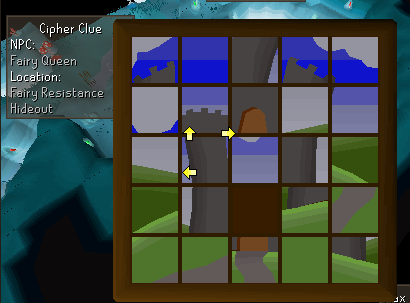 gilded kayak
it's off centered yeah
grizzled grotto
gilded kayak
is it windows 11 N
Yes mine is W 11 Pro N
gilded kayak
if you imagine the arrows are actually next to the empty spot, you can still solve it
gilded kayak
grizzled grotto
Yes mine is W 11 Pro N
the windows N versions intentionally exclude old audio systems, which this early 2000s game still needs
 snow leaf
yeh someone sent me photo as well
 grizzled grotto
gilded kayak
the windows N versions intentionally exclude old audio systems, which this early...
grizzled grotto
gilded kayak
the windows N versions intentionally exclude old audio systems, which this early...
Is there any solution?
gilded kayak
yes 1 sec
If you are using an N version of Windows (e.g. Windows 11 Pro N), you need to install the optional feature 'Media Feature Pack' through Settings, restart and the audio should work.
grizzled grotto
but weird cause Normal OSRS client sound works
grand kernel
Is there a way to login online and see my profiles and potentially redownload it that way?
gilded kayak
grand kernel
Is there a way to login online and see my profiles and potentially redownload it...
the first part of your question is yes, but there's no way to export the datathat's there, for the client, it would just load
 sour oxide
stuttering issues on runelite after patch. linux, amdgpu+cpu. crosschecked gpu/117 plugin. vscync off, unlock fps off, capping fps to 50, anti aliasing off, offing 117 completly, tested windowed/fullscreen. my drivers and system all up to date. yet it is stuttering. when i move my camera in 360° it looks almost pulsating with the missing frames. have video proof incase. any suggestions or just drink tea and sit back?
grand kernel
gilded kayak
the first part of your question is yes, but there's no way to export the datatha...
Can I see all my cloud profiles?
normal pumice
round jacinth
it should be working fine
These portions are what si setup with inventory setups

and they're correct - but it's filled with junk for others ;D
 waxen gust
normal pumice
These portions are what si setup with inventory setups
waxen gust
normal pumice
These portions are what si setup with inventory setups
Yeah, this is what I'm experiencing. I got rid of "Bank Tab Layouts" a year ago so that's not the issue
normal pumice
ye I also don't have Bank Tab Layouts installed 🙂
snow leaf
normal pumice
These portions are what si setup with inventory setups
if you figure fix out lmk plz lol couple of my setups also suffering from this now
waxen gust
The only tabs that got affected were the ones I opened before today's RuneLite update. So I'm manually redoing those, but the rest are fine
Can't think of a better solution
snow leaf
ive had the issue before today's update
 viscid lantern
normal pumice
These portions are what si setup with inventory setups
viscid lantern
normal pumice
These portions are what si setup with inventory setups
restart your client
 dark pumice
are some plugins not working currently? trying to use the clue puzzle solver and its glitched
 timid mason
dark pumice
are some plugins not working currently? trying to use the clue puzzle solver and...
timid mason
dark pumice
are some plugins not working currently? trying to use the clue puzzle solver and...
yes, the addition of sailing content has broken a lot of plugins
crisp dune
Yes, Jagex resized sliding puzzles today so the arrows/dots are not positioned correctly. We have a fix, but it's not released yet
dark pumice
ah okay makes sense
grizzled grotto
@gilded kayak Mate you are a lifesaver ❤️ . The sounds are working now, thank you.
 rocky kestrel
Its funny how a few misaligned arrows make me completely dumb in using the clue helper 😆
round jacinth
think people realzie how much they take runelite for granted
 muted stirrup
These misaligned arrows gave me a siezure, my brain couldn't handle it (epilitic btw)
*epileptic
normal pumice
viscid lantern
restart your client
That does not fix it.
@snow leaf What @waxen gust said was correct.
Only the setups I opened while the updates were rolling in are bugged - just redo'ing those affected seems the only option 🙂
 manic sinew
is the skill progress bar under maintance?
manic sinew
fair enough
 stray roost
Don't know if only I have this but my text/font on runelite looks very thin or pixelated, dunno how to describe it or if you can notice it. I could swear it wasn't like this before, did I break something perhaps? I can live with it but I am just wondering
 haughty pumiceBOT
Graphical artifacts? Try disabling hardware acceleration: https://github.com/runelite/runelite/wiki/Disable-Hardware-Acceleration
 old yarrow
stray roost
Don't know if only I have this but my text/font on runelite looks very thin or p...
old yarrow
stray roost
Don't know if only I have this but my text/font on runelite looks very thin or p...
could try that. not entirely sure if that is going to be the cause or not though. Worth a shot until someone else who's more knowledgeable than me gets here if that doesn't fix it
 proud sundial
trying to migrate from bank tag layouts to runelite default, but i dont see an option for import or rather i dont know where to find the option.
old yarrow
proud sundial
trying to migrate from bank tag layouts to runelite default, but i dont see an o...
I believe @round jacinth has outlined some steps before
Step 1. Right click bank tag with a layout on it & click export.
Step 2. Disable the bank tag layout hub plugin.
Step 3. Import that same copied bank tag layout directly back in by right clicking the + icon, this will import it into the default bank tag plugin with the layout applied.
Step 4. Repeat until all layouts are done.
Step 5 (optional): remove bank tag layouts (hub) or just disable it.
You may want to keep ti around just to enable zigzag to a layout
 clear fiber
old yarrow
I believe <@179369590902489088> has outlined some steps before
Step 1. Right cl...
clear fiber
old yarrow
I believe <@179369590902489088> has outlined some steps before
Step 1. Right cl...
You don't need to disable the plugin
proud sundial
old yarrow
I believe <@179369590902489088> has outlined some steps before
Step 1. Right cl...
Hey much appreciated it! I was trying to import via the tag tab that I exported itself. Thanks!
clear fiber
but no point in using the plugin hub one since it's not core
proud sundial
Yep why I want to export
paper jackal
rocky tiger
What RuneLite version are you on? Click at ℹ️ icon at bottom of sidebar to see. ...
Coming back on this late. GPU was not activated but I activated it and this worked... no issues yet.
Is the quest guider gone?
gilded kayak
no you probably still have the client open from before it was fixed
which would match up with your other issue
paper jackal
Makes sense. Cheers
the mount K issues been going on for a month.
Fixed now tonight randomly
gilded kayak
and you didn't report it for a month ?
paper jackal
I only started playing this game again like three months ago after stopping in like 2008. I didn't know i could solve issues here. Didn't have much of a need to go there at the time
but thanks anyway
 tired crystal
@timid rock do you maintain the ground object hider and if so would you be able to update it so that it works? 🙏
 old yarrow
Not the first time I've seen that one mentioned. If nobody is currently available to make it compatible, I might take a crack at it
 timid rock
tired crystal
<@222820662564093953> do you maintain the ground object hider and if so would yo...
timid rock
tired crystal
<@222820662564093953> do you maintain the ground object hider and if so would yo...
errm, is this with a newly launched client?
tired crystal
yea just launced a fresh runelite and its not working
old yarrow
thats on the site itself I believe, but my client shows incompatible as well
timid rock
ill look into it, didnt know this was the case
tired crystal
thank you
deep epoch
timid rock
ill look into it, didnt know this was the case
thank u
empty minnow
Adam pinged all the authors but maybe he only pinged 1 per plugin
 silent sun
i could well be imagining it, but is there an option in a plugin to hide the "Tab N" shortcuts that got removed or flipped? could have sworn they weren't there recently when i searched
 solid mesa
It changed with today's update
silent sun
nice i feel a lot less crazy now lol
timid rock
@old yarrow@deep epoch@tired crystal #development message
rocky tiger
@timid rock I can confirm plugin does work on latest snapshot.

 ember leaf
crisp dune
Yes, Jagex resized sliding puzzles today so the arrows/dots are not positioned c...
ember leaf
crisp dune
Yes, Jagex resized sliding puzzles today so the arrows/dots are not positioned c...
sounds great!
 proud cosmos
The clue scroll puzzle solver isnt working
 ember leaf
a hard time for now too
old yarrow
It's a known issue and being worked on
crisp dune
crisp dune
Yes, Jagex resized sliding puzzles today so the arrows/dots are not positioned c...
We know, it'll be fixed in a later release
proud cosmos
ah perfect ty
 robust birch
https://prnt.sc/AZj-dHzUkocv well i did 😛
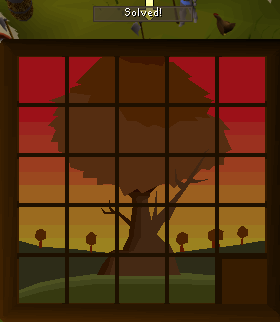 ember leaf
pausechamp!
 normal mantle
feelsbad just want banked xp back
 devout cobalt
skill progress bars are not working, not sure if its been brought up
crisp dune
we know; you'll need to wait for the plugin author to update it
 gentle orbit
Any idea on why my alt tab wont hide ground items? It is set in the plugin, time is 3ms, and it makes the items flash and stuff where you can + or - them, but it wont hide it completely
crisp dune
You need to double-tap Alt within 3ms for them to be hidden, that is probably not what you want
gentle orbit
Yea, I know that, but it will not work whatso ever
crisp dune
That sounds to me like it's working as intended? Set the delay to something higher like 1000ms, and double-tap Alt after that
they'll be hidden
crisp dune
yeah 3ms is tiny lol
gentle orbit
THANK YOU!
crisp dune
The default is like 250ms (a quarter of a second) I think?
 normal stone
Hello, im not sure if this is correct place but it seem clue scroll puzzles are kinda fugd up, arrow placement is wrong so you can't really use them to solve, arrows are between the tiles. Can you fix it?
gilded kayak
you definitely can use them to solve
as long as you're using arrows and not dots
they're just slightly off-center
 quartz iris
my game wont boot up, its just black and it says loading 2% forever
normal stone
I mean i just tried it but arrows are slightly off, never had this problem be4
So my guess is that it is client side
I have done them before
gilded kayak
yes Jagex changed the clues today and we haven't pushed the fix
normal stone
And this is first time i had problem
gilded kayak
but you absolutely can use this broken state to solve them still
 river nacelle
skills progress bar not working for anyone else?
 hasty tiger
river nacelle
skills progress bar not working for anyone else?
hasty tiger
river nacelle
skills progress bar not working for anyone else?
not for me either
old yarrow
It's a known issue, I believe the dev is working on it
river nacelle
old yarrow
It's a known issue, I believe the dev is working on it
thank you
 odd scarab
my runelite is logged into my ex wifes laptop and I can't seem to be able to disconnect it remotely
any tips?
rocky tiger
@odd scarab Do you mean your RuneLite account for syncing settings/drop log or that she can login to your account in game?
@odd scarab If you mean the RuneLite account you will need to DM your email address to @haughty pumice and ask them to invalidate all sessions.
If you mean the game open account at the dropdown at the top right of Jagex launcher then click this button at bottom of page.


 paper garden
devout cobalt
skill progress bars are not working, not sure if its been brought up
paper garden
devout cobalt
skill progress bars are not working, not sure if its been brought up
damn fuckin rip
I love that plugin
 weak delta
my puzzle solver is not working is there any fix to this? I tried resetting the plugin and also logged out and logged back in.
 gilded kayak
it's broken yes
but it's broken in a way where it's actually just off-centered
so imagine the arrows are slightly further bottom right
and u can read it
ie the piece directly to the left of the empty space, is your next click
then the one to the left of that, then up one
weak delta
Thank you!
 silver owl
i tried to look and havent seen any support for this but i might have missed it. anyone know a fix for hunter/con/sailing behind the ttl number?
 silver owl
thank you very much
normal stone
I thought sailing was coming at 19.11? So it said at login screen
solid mesa
It's coming on the 19th but they added all the content to the game today it just isn't playable
 short swallow
is 1.11.26 still the current build? (I am still sad about my dumb butt not beign able to do slide puzzles)
old yarrow
short swallow
is 1.11.26 still the current build? (I am still sad about my dumb butt not beign...
Yes.
You can check on the homepage of the runelite site and it'll show the latest release
short swallow
thanks :(
 teal rain
does anyone know why my right clicks on minimap are going like halfway down my mouse and not on the pointer?
 wide gate
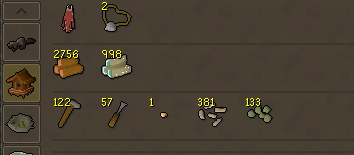
does anyone know how to get bank tabs to be in one line, if that makes sense
i know its a setting but i cant find it
old yarrow
wide gate
does anyone know how to get bank tabs to be in one line, if that makes sense
If you use the built in bank tags, there's a setting in the config called "remove tab separators"
wide gate
thanks
old yarrow
or do you normally use the "bank tag layouts" hub plugin?
odd scarab
rocky tiger
<@519667599936847873> If you mean the RuneLite account you will need to DM your ...
thank you, I did message them and it said it created a ticket in this support but I dont see it, will i see it when someone responds to it?
correction, says it created a "Support Thread" that I can't see at this moment.
rocky tiger
I'm not a mod here sorry. I assume they reply. If you do not get a reply by tomorrow ask Adam. I found this post about the last time someone needed this done.
leaden trail
Replies will just show up as a DM from the RuneLite bot for you
solid mesa
You sent it to mod mail. When you get a reply it should just be a DM from Runelite
odd scarab
okok ty all!
 pearl verge
Anyone knows or would know how to fix the sailing page with RESSOURCE PACK Plugin ? Since update the colors aren't rendered anymore so it's basic brown color just for the skilling page


 plain bison

 crude heron
discord isnt detecting runelite on the "add game" list (i have the plugin enabled and already tried restarting), any ideas on how to fix?
haughty pumiceBOT
If your Discord activity status is not showing properly follow these steps:
- Make sure your Discord plugin is enabled.
- Make sure RuneLite is not manually added as game to Discord game list.
- Enable
Share your detected activities with othersin Discord settings. - Make sure both RuneLite and Discord are NOT running as admin.
 split goblet
so my chambers of xeric plugin. when i enter a raid it doesnt show the rooms for when im scouting
gilded kayak
did you enter a cm
solid mesa
Or a large layout raid
split goblet
im doing 2+1
it works when i join someone elses raid but when i try to scout it wont show
solid mesa
Check the raid board you probably have it set to CM or large layout
 quasi pilot
My Puzzle helper has the arrows misplaced
 thick panther
quasi pilot
thick panther
quasi pilot
anything known to fix it or has it just not been updated yet?
gilded kayak
it's been fixed but we haven't pushed the update yet
it's not really a critical bug since the arrows still work
they're just offcenter
quasi pilot
alright thank you
 chilly palm
im back to ask for help with my runelite not being able to launch
jagex launcher can open the official client, and it can be manually opened
but can't open runelite, through launcher or manually
round jacinth
What does happen
chilly palm
the outline of the client pops up for a moment then closes
my discord app isn't working as well for some reason, forced onto the browser version
haughty pumiceBOT
@chilly palm To find the logs, you can do one of the following:
- If your client failed to open, click the
Open logs folderbutton. - Open the screenshot directory by right-clicking 📷
Camerabutton, navigate 1 directory up, then open logs folder. - Navigate to
%userprofile%\.runelite\logson Windows or$HOME/.runelite/logson Linux and macOS.
Upload the log files named client and launcher by dragging them to Discord. If there are files prefixed with jvm_crash dated from today, upload them too.
chilly palm
someone yesterday said the client isnt recognising the crashes
running windows defender with no VPN
haughty pumiceBOT
run this command in cmd, then show us the displayed output through a screenshot.
"%localappdata%\runelite\runelite.exe" -c -v --console -- --debug
 round jacinth
So client used to crash and now it doesn’t even load?
chilly palm
i've been unable to launch it whatsoever since yesterday, never really had a crash
seems like its trying to open then insta closing
any ideas?
tried uninstalling and reinstalling a few times now, did a system update, checked for random AV programs and have done a full shut down and restart
 novel wraith
Seems like exp rates/xp per hr is mixed at wintertodt for firemaking?

Although 16.2k doesnt seem right either for xp gained
solid mesa
Probably need to reset your XP/hr or turn off XP Tracker > Save between sessions
 mint hollow
gilded kayak
disable `skills organizer`
mint hollow
gilded kayak
disable `skills organizer`
ty for this, also just logging out and back in fixes positions once disabled so no need for restart ♥️
novel wraith
Will reset all and change save between sessions to see if it changes
novel wraith
solid mesa
Probably need to reset your XP/hr or turn off XP Tracker > Save between sessions
Fixed thank you 🙂
 edgy locust
Is the clue scroll solver broken for anyone else?
gilded kayak
yes
but it's just off-center not completely broken
so if u look at it you can still figure it out
the arrows are still all pointing in the correct direction, starting at the blank spot
 gleaming agate
Few days ago i got massive performance increase in places like fossil island and priff. I guess there was some changes with gpu plugin(?). Anyways now after sailing update its terrible again. So my question is if anyone have some ideas if i can do something to make it better meanwhile waiting for that gpu update that maybe got reverted or something.
gilded kayak
gleaming agate
Few days ago i got massive performance increase in places like fossil island and...
it did get reversed yes
it will be back as soon as Adam has time to fix it crashing in priff
gleaming agate
ok thanks!
 vapid pagoda
can someone help me ?
i have a 27 day memebership but for some reason im still not a member
cant even switch worlds
coz there is no worlds showing

 tepid robin
Hi guys! i have a question do someone know how to fix the timer on the spawn marker?
 gilded kayak
vapid pagoda
gilded kayak
vapid pagoda
this is an issue connecting Jagex's world hopper, try the RuneLite one on the sidebar
vapid pagoda
gilded kayak
this is an issue connecting Jagex's world hopper, try the RuneLite one on the si...
im using runelite
gilded kayak
ok
i was fairly sure of that, that's why I told you to use the one on the RuneLite sidebar
 lean phoenix
hey guys anyones bank tag tabs not working?
 vale wren
yeah bank tag tabs just put everything in every tab as of yesterdays bank update & the price comparison selectors also broken
vale wren
vapid pagoda
you can use runelite's world selector in the sidebar i had this issue happen a few times usually because of ISP or something but runelite works, also you can do ::hop 310 to hop to a world (Replace 310 with the world you want to go)
lean phoenix
vale wren
yeah bank tag tabs just put everything in every tab as of yesterdays bank update...
damn guess have to wait for the author to update the plugin
vale wren
yeah not sure what did jagex do to break it since they just increased the bank slots or so
lean phoenix
ahh yeah just noticed they buffed the bank space quite a bit nice
rigid steppe
when want update Ground object hider?
 leaden trail
When the author updates it
 brazen dirge
ionic epoch
brazen dirge
ionic epoch
What's the plugin for hiding prayers again? In the prayer tab, for instance Smite no longer being there
 harsh laurel
has anyone else been having issues with the puzzle solver plugin?

the arrows are all over the place
(tried reloading client, tried turning the plugin off and on)
thin surge
ionic epoch
What's the plugin for hiding prayers again? In the prayer tab, for instance Smit...
Right click Prayer > Enable prayer reordering, then right click a Prayer > Hide
thin surge
harsh laurel
has anyone else been having issues with the puzzle solver plugin?
Known issue, is fixed already. Will be available in the next runelite update.
But arrows are simply offset, so you should still be able to use the arrows to solve it
wide anvil
Would there by any reason that my tagged NPC isn't saving? I've tagged and colored the tool leperchaun, but whenever I have to close and reopen my client, the client isn't remembering that I've tagged it.
oblique plume
you have to tag all
leaden trail
Tags only persist if you use tag all
 exotic dragon
anyone elses RL laggy as hell and the plugins not working properly?
 royal nova
exotic dragon
anyone elses RL laggy as hell and the plugins not working properly?
royal nova
exotic dragon
anyone elses RL laggy as hell and the plugins not working properly?
Yes, this update cooked my shit.
 full kindle
hello i am having issues with my mouse on runelite client on macbook air m1. but the official client is working fine.
rustic palm
damn actually same ^
when my mouse is hovered over an npc or object its true to the mouse if i click but my character movement is like mega screwed
zealous cedar
do you have an example?
rustic palm
can get a screenshot yes sec
full kindle
zealous cedar
do you have an example?
i can make a video
zealous cedar
i just need an example really, like what is it you cant click on that you expect to be able to?
rustic palm
tiles to move
full kindle
zealous cedar
i just need an example really, like what is it you cant click on that you expect...
the true tile doesnt follow your mouse
rustic palm
for me at least
full kindle
its different
zealous cedar
i see
 rustic palm
yup exactly same for me
round jacinth
np
zealous cedar
the update is rolling back now
snow leaf
Edit: still broke the release was reverted
Puzzle Solver is fixed (moves left goes off screen for some client sizes but w/e). Restart your client.
@harsh laurel @quasi pilot @weak delta @robust birch @proud cosmos @dark pumice @balmy quiver @round jacinth @naive anchor @covert willow @astral fractal @frosty mist
zealous cedar
do you want me to ban you
full kindle
what ?
round jacinth
not you
full kindle
ok
i should also say
that all the interfaces are working true to mouse
but the tiles on map are not working true to mouse
 south coral
i found the issue went away when i toggled GPU plugin
 bitter jackal
my character doesnt move to the right tile (about 2 tiles down from where i clicked) disabling gpu plugin fixes it. Any other solutions?
zealous cedar
restart
full kindle
zealous cedar
restart
thank you it is fixed now
also i dont think i had gpu on at all
rustic palm
works for me too now thank you
full kindle
actualyl wait i did have it on
snow leaf
zealous cedar
do you want me to ban you
what? I'm tagging people that had this exact issue and informing them it is fixed?
zealous cedar
its not actually fixed, even if it was its basically obnoxious
 edgy leaf
still struggiling with a lot of features not working yet since update. anything you recommend Ido mostlx legacy plugins of runelite.
zealous cedar
I guess it depends on which features, but there are multiple ongoing issues atm that we are aware of
naive anchor
snow leaf
Edit: still broke the release was reverted
Puzzle Solver is fixed (moves left g...
Tyvm for letting us know
❤️
zealous cedar
(its not really fixed)
edgy leaf
drops dont highlight anymore
I can 'alt' select ground items
the clue puzzle solver also is broken
zealous cedar
yes, that is known
 mystic idol
bank tag layouts seems to have broken for me again, specifically just 3 of them while the rest are fine, same issue where its displaying the entire contents of my bank inside the tab
gilded kayak
I think someone said if you interacted with that layout before we patched rl, it will be broken?
Were you playing right when the game update came out yesterday
mystic idol
yeah, but I didn't interact with any of them as I didn't do any content after the update
mortal pond
gilded kayak
I think someone said if you interacted with that layout before we patched rl, it...
I think that theory is right. I logged in immediately after the update, opened my bank, checked my doom tab, and saw my whole bank in that tab. Then I clicked a few more tabs and saw they were broken, so I went to do other stuff.
I'm pretty sure the tabs I checked were the ones that stayed broken and I ended up remaking those tabs to fix it
gilded kayak
Mmm x2
mystic idol
well, sounds like just remnants of the issue from yesterday then, easy to recreate the setups
 stoic cairn
snow leaf
Edit: still broke the release was reverted
Puzzle Solver is fixed (moves left g...
stoic cairn
snow leaf
Edit: still broke the release was reverted
Puzzle Solver is fixed (moves left g...
I've restarted, tried multiple client sizes, turn off stretched mode, nothing
 solid mesa
The release had to be reverted
 frosty mist
full kindle
frosty mist
full kindle
my brudda is dat ubuntu
 safe kelp
Is it just me where the mini map icons are missing? Sorry if it was already asked
gilded kayak
some hub plugins break minimap icons but afaik nobody else has reported it being more widespread
 marsh topaz
why can't i log in with my valid account, it said i need to upgrade something, but i don't understand it at all
 hollow olive
new(er) accounts are jagex accounts and you have to launch runelite through the jagex launcher
though idk what your specific error message is
marsh topaz
i enter the correct data, and i am told that i have to upgrade something on jagex, but i don,t understand what at all
 gilded kayak
You probably need to install the Jagex launcher, use your username/password to log into it, and click the play button in there
click where it says official client in the jagex launcher, and select runelite instead, before clicking play
hollow olive
 gilded kayak
it looks like you already have it installed
marsh topaz
it worked thankyou very mush for your help
 cedar zodiac
stoic cairn
I've restarted, tried multiple client sizes, turn off stretched mode, nothing
cedar zodiac
stoic cairn
I've restarted, tried multiple client sizes, turn off stretched mode, nothing
same here lol
 cedar zodiac
is that plugin down or something
gilded kayak
if you imagine the blank spot as the starting spot, you can still follow the arrows
left, left, up
round jacinth
I answered you in the other chat already saying it’s broken but offset
Working *
It’s the same answer here
hollow olive
no imagine only fix
gilded kayak
it's not imagining tho i solved it for him
left left up
better answer than zom gave
cedar zodiac
nvm i got it guys
 unkempt compass
is the bank tags plugin not working for anyone else?
my tags were fine yesterday now all of them are like this.
 royal nova
New update broke just about everything
gilded kayak
that's objectively not true
there's thousands of things in the game
like maybe 10 of them are broken
solid mesa
Me when 7 of 1,232 plugin hub plugins fail to build "EVERYTHING IS BROKEN"
 last lily
I noticed a small error in one of the World Map plugin tooltips*. Is that the sort of bug I should post on the Github discussions page linked in #suggestions through the #faq? I'm new to all this and just want to make sure I'm posting properly and not clogging up others' support channels with minor things.
* = In northern Auburnvale (Varlamore), the Hunter training icon tooltip mistakenly lists the spot as having Common kebbits (3). It actually has Wild kebbits (23) and Ruby harvest (15) butterflies. Just checked there this morning to confirm.
solid mesa
You can post an issue on Github https://github.com/runelite/runelite/issues
last lily
Thanks!
 livid frigate
My floor is normally black here. So my eyes dont bleed when speedrunning.
The new GPU thing cooked it and reverted it the other day; I fixed it by turning back to legacy.
But today its not working even on Legacy GPU? Pls help

 stark flax
Hi, just want to say that the Puzzle solver plug-in isn't working for me anymore. Any suggestions?
ember leaf
hollow olive
round jacinth
the solution is just offset from the image a bit
stark flax
ember leaf
What does this mean tho
ember leaf
gilded kayak
if you imagine the blank spot as the starting spot, you can still follow the arr...
tbh this helped me
ember leaf
stark flax
What does this mean tho
scroll up harder
full kindle
stark flax
What does this mean tho
The latest update for runelire has been rolled back
 tepid thorn
I'm experiencing significant framerate dips when the skybox is in view, using apple silicon and the gpu plugin
it's due to extended map loading
I had it set to 3, even just 1 or 2 decreases it similarly
oblique plume
rendering more stuff takes longer than rendering less stuff 
 quartz lotus
anyone else have this issue with ground object hider?
 oblique plume
everyone
clear stratus
would "Plugin is broken and needs author to fix it" fit in that lol
 hot mural
adam added a new limit of 1,400 to the "expand inner zoom limit" on the "camera" plugin, how can i adjust it? i don't see a variable / i can't zoom in to that full 1,400 limit
oblique plume
its not released
hot mural
gotcha, thanks
 copper acorn
is it posible to use a custom runelite plugin with jagex account??
haughty pumiceBOT
 fervent hemlock
Anyone know when Ground Object Hider will be back? I use it a lot
empty minnow
Whenever the author gets around to it
charred wind
Fairly certain the author said they’re not touching it because GPUe will be restored in short order
For long term
 manic magnet
anyone have any idea why the letters s and l are not working in my osrs atm? Checked the key binds party pings, none are remapped to anything
haughty pumiceBOT
If one of your keys isn't working in game, you've most likely bound it to a feature of a plugin. The Debug Helper hub plugin can show what keys are bound to what plugins.
 fringe cedar
Is the puzzle sovler in runelite broken?
gilded kayak
it's off-centered but it still solves it
fast shuttle
Which one to collapse everything into one?
 solid mesa
Chat Filter > Collapse Game Chat
fast shuttle
tyvm. looking in all the wrong places for the right thing lol
 proper bane
Anyone having trouble with the puzzle solver in runelite?
 lapis geode
i lost my profiles when freshly installing windows, it lets me sign into runelite and shows all the accounts ive used but profiles wont show up any way to fix this?
solid mesa
Did you turn on cloud sync for those profiles?
solid mesa
You needed to have made those profiles orange prior to reinstalling windows
lapis geode
ahh 🙁
 true swift
Hi there. Idk if it was reported already, but the puzzle solving for clues has an issue. Is it me or a problem in general?
 stray grove
we just released a fix for it, restart your client
true swift
Ah I see someone else has the problem too
Thanks ❤️
You guys are awesome. Have a good one
 brazen sluice
inventory set ups not filtering in bank properly is that a fix coming or am i missing something sorry if so
solid mesa
Did you turn on filtering for that setup?
 solid mesa
Working for me on runelite 1.12.3.1
 brazen sluice
where do i find the version
solid mesa
 on the sidebar (Turn on Info plugin if you don't see it)
brazen sluice
yer im on the same version as you
haughty pumiceBOT
Get support for the Inventory Setups Plugin Hub plugin here: https://runelite.net/plugin-hub/show/inventory-setups.
You can also find the support link by searching for the plugin in the Plugin Hub panel and clicking the ? button on the plugin, or by right-clicking the plugin in the plugin panel and clicking the Support menu option.
brazen sluice
thank you
 drowsy lichen
Hi my friend got a new GPU (a better one, he had a really shitty one). Now runelite is laggy, especially with GPU or HD117 plugin. He struggles to get 20-30FPs
He uses GPU Intel Arc b580
He had an old and bad nvidia card before this
solid mesa
Try restarting RuneLite for 1.12.3.1 which was just released and has GPU with better performance for most people
drowsy lichen
He just reinstalled the runelite client
gilded kayak
well that's not what cooper said
drowsy lichen
gilded kayak
well that's not what cooper said
Oh sorry, isnt reinstalling also restarting the client?
gilded kayak
i mean technically yes, but Adam just released a version that changes the GPU plugin to the new magic one for sailing
drowsy lichen
gilded kayak
i mean technically yes, but Adam _just_ released a version that changes the GPU ...
just as in how long ago? We tried it like 30 min ago
gilded kayak
it was 40 minutes ago, have them check the tab
and you want runelite version 1.12.3.1
gilded kayak
oh i didn't see you posted the gpu, i have never heard of that
drowsy lichen
Its quite a nice GPU, not that uncommon though
gilded kayak
i would think its the driver version he's on, as the currently deployed GPU plugin is basically magic
everyone got a huge fps gain for ????
my 2070 super went from 550fps to 750 for no reason
drowsy lichen
But its weird that the FPS drops to bad levels like 20. Even though he can now play many modern games on ultra/high settings with good FPS
The drivers are up to date
gilded kayak
yeah updated drivers are not what you want for this browser game
drowsy lichen
Oh lol
gilded kayak
whatever dumb shit they have to do for the latest game, very often causes people issues in osrs
drowsy lichen
Does the runelite auto-update?
In the background or something? Because my friend does report increase in performance now
gilded kayak
it checks for updates when u start it yeah
drowsy lichen
The GPU plugin now runs better, but the 117HD does not, still like 10 FPS lo
gilded kayak
117 is on the not magic version still
it probably only gets updated on the 19th when sailing comes out
for real
drowsy lichen
Oh nice! We will try that, at least the GPU plugin now runs better. Was there a fix for that in this update or is it just coincedence?
gilded kayak
not a fix persay, it's just that the changes needed for sailing just randomly gave a huge fps boost to like everyone
magic as I mentioned before
drowsy lichen
Oh lol, thats weird hahah. Not sure what sailing is though
crisp dune
it's not just randomly, it's that the changes for sailing required more or less a completely different way of rendering, which happens to be much faster
It's the new skill that's releasing in 2 weeks: https://oldschool.runescape.wiki/w/Sailing
drowsy lichen
new skill?
gilded kayak
boring answer i like mine better
drowsy lichen
Ah yes
So the GPU plugin uses this update for sailing, but the 117HD does not yet
Still weird that his old Nvidia GPU (super shitty GPU :P) run the game better then his new good GPU 😛
 spice bone
For the custom curser plugin does the file have to be below a certain file size? Or the image a certain pixel size?
haughty pumiceBOT
Place the files for the feature you want in %userprofile%\.runelite on Windows or ~/.runelite/ on Linux/OSX
The names and type for the files are:
- Custom cursor:
cursor.png - Custom default notification sound:
notification.wav - Custom specific notification sound:
<name>.wavin.runelite/notifications, then select<name>in the notification sound dropdown - Custom login screen:
login.pngImage size 765 x 503 recommended, larger images will be (simply) scaled down automatically.
gilded kayak
ig not
spice bone
Dam
 ripe pendant
Is there any known issues with the new AMD drivers? works fine if i roll back the driver.
 gilded kayak
i'm not aware of it but i believe you
gilded kayak
drowsy lichen
Oh lol
ping because what I said before just happened xd
latest drivers are our enemy xd
ripe pendant
Gotta love it haha, thanks for the reply ❤️
drowsy lichen
gilded kayak
latest drivers are our enemy xd
Yeah I understand since its an old game but it should work with up to date drivers😜
crisp dune
updated drivers shouldn't break the way we render the game, but that's the way things go
Generally speaking, driver updates will tend to focus more on fixes and improvements to AAA games, not for osrs
so breakages are not uncommon
drowsy lichen
Yeah at least now with the new update my friend reports good 80 fps and about 60% GPU usage. Sometimes at the water fps still drops. However its an improvement since the GPU usage was 100% and fps was about 20
rocky tiger
drowsy lichen
He uses GPU Intel Arc b580
Intel Arc GPUs do not have any hardware support for OpenGl or DirectX 9. They are only decent for modern DirectX/Vulkan games. RuneLite has to go through some translation layer. Nivida GPUs always had the best windows opengl support.
With OpenGL games he might have better performance on Linux.
 vivid leaf
I wiped my pc and reinstalled windows, kept everything on my D drive. I've managed to import my profile, but data for flipping/loot tracking etc is all gone. Is there a way to import this?
 gilded kayak
for loot tracking you should import the $rsprofile in that same folder
leaden trail
Flipping utilities has its own folder in .runelite
gilded kayak
indeed
vivid leaf
How do i go about importing them?
gilded kayak
copy the folder from the same spot on the old computer to your new one
i assume it will just read it
round jacinth
If it asks to overwrite you want to say yes so your old stuff replaces what it made instead which contains no data
round jacinth
Screenshots.
You may like to keep some and throw away the rest
The screenshot folder can be omitted or put on a NAS or relocated to another directory for you clean up later
You really only need the folders that are obvious for the job that isn’t profiles2.
vivid leaf
Yeah ok, but needs to be on C for it to recognize it?
Oooooo they're back

tyty
Appreciate the help, I'll move screenshots over to my D drive
 quasi leaf
ahh nice my feet are disappearing again
pretty sure this isnt a runelite issue though
solid mesa
Its a jagex zbuf issue
quasi leaf
its been happening for the past two-three weeks
vivid leaf
have u talked to oziach
wait u mean ur in game feet
I had that at cox bank, but it was my friends feet
 cloud berry
Bank tags (core) seems to not work? From my searches it seems like this plugin should work?


 round jacinth
i think jagex broke something
cloud berry
gonna be annoying having to search for every item in the meantime
copper acorn
can i get an NPC name from client.getNpcs() list? because when i call .getName(); on a single npc it errors
empty minnow
You probably just need to be on the client thread
Further dev discussion goes in #runelite
copper acorn
ah oki thxx
regal oxide
still no skilling progress bars
zealous cedar
are you sure? i think it got updated earlier
gilded kayak
it did indeed
regal oxide

talking about the ones under the skill i re installed it seeing if that helped did not
regal oxide
i opened it less then 40mins ago
gilded kayak
what does the plugin say, in the  tab
tab
regal oxide
says nothing
gilded kayak
can you screenshot it
regal oxide
 gilded kayak
that's the working version, which the people who reported it being broken, said fixed it
so i dunno
works for me 🤷
 regal oxide
ahhh recently some plugin stoped working few mouths back like equipment inspector
could it be the clint it self?
nope that wasn't it well guess ill just deal
ty for the help tho
 tardy falcon
My info boxes currently grow horizontal and downwards. Is there a way to change this so that it's horizontally and upwards? If not, is there a way to set a maximum number of info boxes allowed in a group?
 pliant spruce
Anyone know what this means or how to get runelite to launch?
 solid mesa
Does your windows username have a strange character like an emoji or something?
pliant spruce
Just letters and numbers
haughty pumiceBOT
To find the logs, you can do one of the following:
- If your client failed to open, click the
Open logs folderbutton. - Open the screenshot directory by right-clicking 📷
Camerabutton, navigate 1 directory up, then open logs folder. - Navigate to
%userprofile%\.runelite\logson Windows or$HOME/.runelite/logson Linux and macOS.
Upload the log files named client and launcher by dragging them to Discord. If there are files prefixed with jvm_crash dated from today, upload them too.
 raw ibex
I have noticed a strange issue with the GPU plugin that has lasted a really long time. When entering into my poh, especially with a lot of pets, I get a massive frame drop where I hover below 100 fps which is the lowest at any location in the game. With so many pets rendered on screen, it makes sense. However, if I enter my POH and toggle my GPU plugin on and off, I jump back to over 200 FPS and maintain regular performance until I leave the POH once again.
Even changing my settings in the GPU plugin such as extended map loading has no positive effect on this. Any ideas what could be causing the GPU (both new and legacy) to act like this?

 charred wind
Can you get a video of that with your fps counter visible in the top right
Preferably recording display and not game capture
 final axle
drag and drop the file onto discord to upload them, screenshots don't show the whole picture
pliant spruce
gilded kayak
i was under the impression that, that error means your hard drive is dying
but one guy had it and then just said "nvm I fixed it" but not what the issue was
raw ibex
After more testing, this FPS drop happens without pets in the space as well but the delta between the FPS gets even higher. From 250+ to 90-110 FPS again between toggles.

This video displays going from the GPU with the plugin enabled, entering, toggling the plugin, and then performing the test once again.
Definitely isnt unplayable, I just am curious why the significant drop in FPS only when entering the POH. Usually I keep my frames capped at 144 but opened it to showcase. If you need my PC specs I can share.
tardy falcon
My info boxes currently grow horizontal and downwards. Is there a way to change this so that it's horizontally and upwards? If not, is there a way to set a maximum number of info boxes allowed in a group?
crisp dune
tardy falcon
My info boxes currently grow horizontal and downwards. Is there a way to change ...
I believe they act that way only when the infobox group is in one of the snap corners near the bottom of the client. It's also not possible to limit the number of boxes in a group, no
 twin vault
Is there a way to have the screen flash when a random event occurs? I can't seem to find an obvious plugin
crisp dune
Use the Random Events plugin
twin vault
Why the hell didn't I see that?!
 solemn star
Is there a way to see what an item is used for if you have the item id?
solid mesa
Not just from the cache no. The wiki could help though if it has the info
solemn star
Thank you! I was going through some of the new sailing items and was wondering what it would be used for
 coarse sorrel
why like that ? cannot install

 gentle scarab
the reason is right there
twin vault
Is there a way to hide NPC's death animations on the xp drop? Entity hider seems to go off of their HP bar/when the hit lands
leaden trail
No
 frosty relic
Is there a setting or something I'm missing that will allow me to move infoboxes further down alongside the inventory? While also keeping them pinned to the inventory so that if the screen resizes, closeing a side pannel or general window resizing for example, they arn't left out in la la land.

 solemn star
I have a timed link to the vod on twitch when he had something similar happen when he was in lassar undercity, but I don't think im allowed to send links?
solemn star
Will do!
zealous cedar
it doesnt look like it includes how he got there either
zealous cedar
oh really

Twitch
mr_mammal went live on Twitch. Catch up on their Old School RuneScape VOD now.
this is from an instance -> another instance?
mm
 heavy pumice
Since the last update, I've noticed a few minor graphical bugs... Im gonna assume it's on Jagex's end, but gotta ask if any plugins are known to be causing issues such as this....
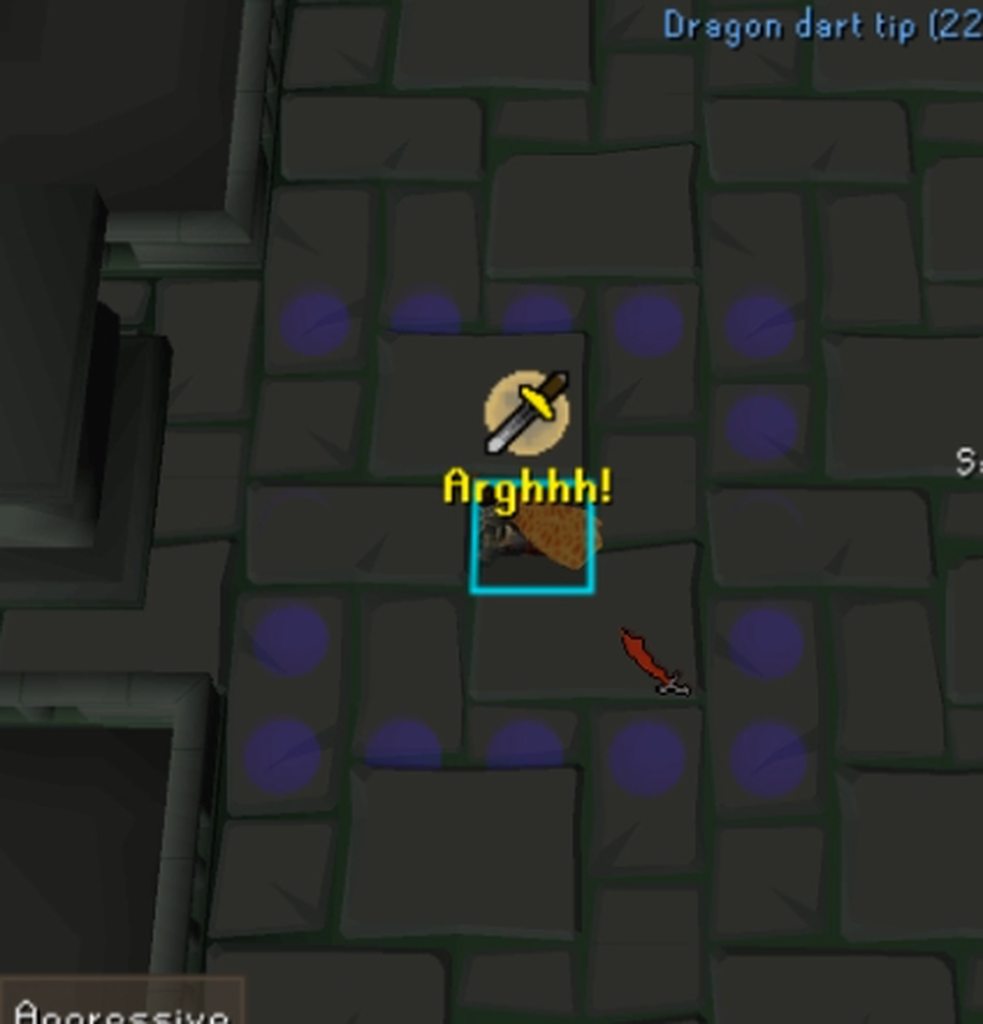 solemn star
zealous cedar
it doesnt look like it includes how he got there either
solemn star
zealous cedar
it doesnt look like it includes how he got there either
I also sent a link to the clip in the stranglewood that shows how he got there
zealous cedar
is the map correct both times and instead hes just on the wrong level?
solemn star
I think he's also offset by a couple of tiles chunks
empty minnow
I don't think so, in the strangle wood he's seeing the chunk that's north of him
Wonder if there are any easy to replicate instance -> instances
solemn star
In the stranglewood clip you can see the strangled lynx, so he's off by a couple chunks
old yarrow
empty minnow
Wonder if there are any easy to replicate instance -> instances
I don't know if it's the same or not, but maybe raids? I tried in toa and couldn't replicate it but maybe cox or tob
I'm still trying to learn the whole coordinate system/instances/planes though so take it with a grain of salt
 slim spire
Hello, does someone have a recommendation on how to create a new OSRS accoutn without Jagex link such that I can use it to log into developer version of runelite 😅
solid mesa
You can’t
haughty pumiceBOT
 quick mango
Does anyone have any idea what causes the background of my inventory look like this?

 oblique plume
Im pretty sure that's just transparent inventory
charred wind
dunno if it's been reported yet but astral altar zbuf issue :(

 elder osprey
Hello! can anyone help me with the profit tracker
 haughty pumiceBOT
Get support for the Profit Tracker Plugin Hub plugin here: https://runelite.net/plugin-hub/show/profit-tracker.
You can also find the support link by searching for the plugin in the Plugin Hub panel and clicking the ? button on the plugin, or by right-clicking the plugin in the plugin panel and clicking the Support menu option.
 warm rover
When I try and use runelite from the jagex launcher it keeps saying “failed to connect to server” I can log in using the official client and on mobile. Any suggestions
round jacinth
does jagex show that error or runelite's window idk if it matters; seems your device is having bad connection to jagex
warm rover
When I click the play now button it shows up in client. I can log into the official client just fine

 delicate bobcat
warm rover
When I click the play now button it shows up in client. I can log into the offic...
delicate bobcat
warm rover
When I click the play now button it shows up in client. I can log into the offic...
did you open RuneLite by clicking the play button in the Jagex launcher?
 uncut meteor
checking in, is there a fix yet for ground object hider and blindfold?
 amber plover
Has anyone seen this issue with the puzzle solver?
 gilded kayak
amber plover
Has anyone seen this issue with the puzzle solver?
gilded kayak
amber plover
Has anyone seen this issue with the puzzle solver?
restart your client
 turbid thicket
Anyone has an idea why my fps suddenly went from 50+ to 10 on 117HD? I restarted pc and restarted my drivers
haughty pumiceBOT
Visit 117's HD plugin discord (https://discord.com/invite/U4p6ChjgSE) for support, issues & feedback
fringe cedar
I have a visuel glitch with shadows in Toa and at Demonic gorrila's. Is this a known issue?
It is specific with rock falls btw
crisp dune
Yes, though it is probably a bug jagex needs to fix
If you turn off the GPU plugin does it still happen?
fringe cedar
Tried to install the Legacy GPU, that didnt work. The off/on option didnt also work.
crisp dune
fringe cedar
I have a visuel glitch with shadows in Toa and at Demonic gorrila's. Is this a k...
I'm confused, do you have the gpu plugin on or off when this happens?
 drowsy jay
yama shadows also causing me huge fps drops. maybe something shadow specific
zealous cedar
the shadows might not be showing, but they wouldnt cause fps drops
drowsy jay
sorry i meant shadow abilities not necessarily shadows. i saw a post about a mobile user lagging in shadow realm, toa shadows and demoncs per chris, and my personal fps dropped since last night during yamas floor shadow waves ability
zealous cedar
oh the shadow waves thing, hmm
drowsy jay
also 117hd i should add, will test with just gpu
drowsy jay
haughty pumice
Visit 117's HD plugin discord (<https://discord.com/invite/U4p6ChjgSE>) for supp...
it looks like this is being discussed in the general chat here
ty for the help and gl boys
zealous cedar
if you use normal gpu it should be ok i think
 molten aurora
Did you find a fix for this? Same thing happening to me ever since new graphics update happened. PC freezes for a few seconds.
 barren oar
Guys, anyone can help me? I don't know if its the best place to ask
I play OSRS using Jagex Launch + Runelite. Yesterday everything was normal, but today my client isn't working well.
My game window is flicking alot, like a visual issue, and when I turn off my 117 HD, my client works well. But I reaaaaaly want to play on my 117 HD.
Anyone know how to fix it? I played it for three years straight without a single problem and randomly today I got this one
 haughty pumiceBOT
Visit 117's HD plugin discord (https://discord.com/invite/U4p6ChjgSE) for support, issues & feedback
barren oar
thank you sir!
 digital haven
Hi guys, I have a problem with one of runelite plugins (profit tracker). I came back after break, before was all good, and now its always write error to me. Can I solve this somehow?
haughty pumiceBOT
Get support for the Profit Tracker Plugin Hub plugin here: https://runelite.net/plugin-hub/show/profit-tracker.
You can also find the support link by searching for the plugin in the Plugin Hub panel and clicking the ? button on the plugin, or by right-clicking the plugin in the plugin panel and clicking the Support menu option.
 deep field
i've been getting a weird issue causing misclicks recently. noticed it a lot starting last weekend. can't say for sure if it existed beforehand but it was definitely happening more frequently if so. basically clicking and then moving my mouse fast enough causes me to go to a different tile than where my yellow x is displayed. i have been able to replicate it both in safe mode and with all plugins disabled, but have not gotten it to happen on the official jagex client.
zealous cedar
did you try the jagex java client?


 left crane
anyone else banks tags still kinda broken? my first four tags are fine but after my fourth one they just show my whole bank with the layout items on top basically
 hazy meadow
zealous cedar
that isnt the same problem at all
hazy meadow
zealous cedar
that isnt the same problem at all
You're right, just checked the official client and it's having minimap issue too. Sorry for the confusion there
zealous cedar
you could report it using the in-game bug report thing and maybe itl get fixed
solid mesa
Lenny acknowledged it on reddit at least
deep field
zealous cedar
did you try the jagex java client?
is this the legacy java client in the jagex launcher? can't get that one to launch right now for whatever reason
can only do official client and runelite
zealous cedar
im not sure if it is in the jagex launcher or not still, maybe not