#support
1 messages · Page 55 of 1
 haughty pumiceBOT
 solid mesa
If you want to transfer from one pc to another
 polar crypt
Ok thanks, I'll try to copy the folder over.
I went through a lot of trouble trying to sync it and it just didn't work. I had to unplug from new pc to old pc countless times. (Can't exactly remember but on my new PC I logged into my Runelite account and logged into my OSRS account, and nothing loaded on the loot-tracker. I checked the Runelite site, logged in on it and nothing was there either but it had my HCIM loot-tracker logged. I booted up old pc, started up Runelite and then loaded the site then it popped up. Saw that it was on the site so I then booted up the new PC, launched Runelite and nothing popped up. I'm assuming it was just overriding each other? I even tried killing a NPC (took advice from what I saw online) to let it load, however when I boot up my old pc I see the new loot-tracker of the NPC I killed which was a goblin. Despite all this, would copying the folder over still work or did me killing the goblin just overwrite my old loot tracker?

 ornate kite
 zinc brook
What exactly is the problem?
zinc brook
What exactly is the problem?
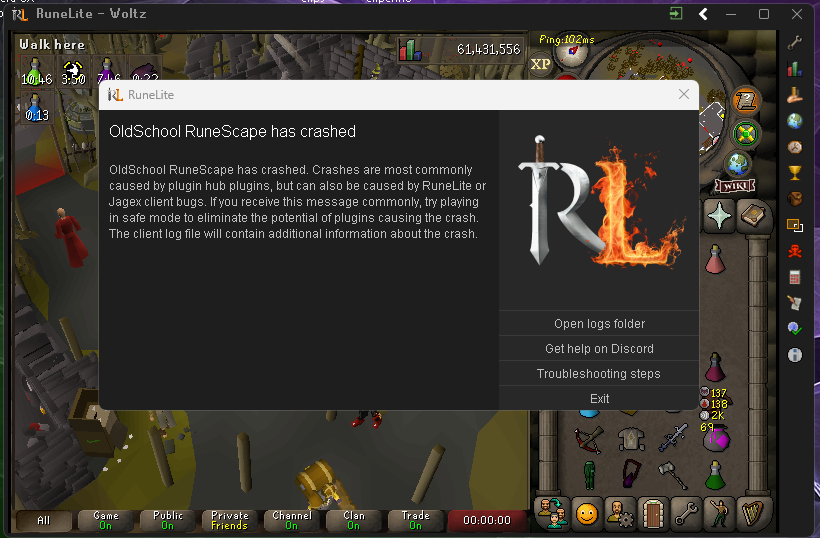
read the client log file
zinc brook
ornate kite
read the client log file
Where is this?
ornate kite
zinc brook
Where is this?
idk somewhere in the folder where your runelite is installed
but that log file will have the reason your client crashed, maybe someone with more patience will help you out!
zinc brook

 gilded kayak
there's an open logs folder button on that crash prompt
zinc brook
gilded kayak
there's an `open logs folder` button on that crash prompt
Can you explain more about the cause of the problem?
haughty pumiceBOT
To find the logs, you can do one of the following:
- If your client failed to open, click the
Open logs folderbutton. - Open the screenshot directory by right-clicking 📷
Camerabutton, navigate 1 directory up, then open logs folder. - Navigate to
%userprofile%\.runelite\logson Windows or$HOME/.runelite/logson Linux and macOS.
Upload the log files named client and launcher by dragging them to Discord. If there are files prefixed with jvm_crash dated from today, upload them too.
 crisp dune
Those are screenshots, not logs


 leaden trail
Drag the whole file into discord
zinc brook
zinc brook
Until now I cannot log in. What is the problem? Is there any help?
zinc brook
@crisp dune
 simple tangle
Hi,
The update earlier this week, is it known to have broken a few features? Such as the bank tags?
Following the update earlier this week, heaps of things arent working right in my client. Such as notifications and bank tags. The scroll up and down icon is there , but no icons or anything are there.
Seems the flashing red notification for idle is also not working.
haughty pumiceBOT
leaden trail
Try that probably
 leaden aurora
i'm trying to use the "quest helper" plug-in but it's not working. I tried removing and installing the plug-in, and when I do it just get's stuck at the "removing" or "installing" if i were to exit out from the plug section. Anyone got any fixes?
zinc brook
leaden trail
Try that probably

 frosty otter
is the best way to get wildy weapons to do wildy slayer or just camp revs
leaden trail
zinc brook
That wasn't directed at you
leaden trail
frosty otter
is the best way to get wildy weapons to do wildy slayer or just camp revs
 warped comet
Anyone know how to get RuneLite settings for plugins to save reliably? Plugins that have settings or variables saved outside of the RuneLite settings interface seem to save unreliably.
Like Radius Markers, I import some markers and then upon using RuneLite the next day everything has reset to how it was before
haughty pumiceBOT
To find the logs, you can do one of the following:
- If your client failed to open, click the
Open logs folderbutton. - Open the screenshot directory by right-clicking 📷
Camerabutton, navigate 1 directory up, then open logs folder. - Navigate to
%userprofile%\.runelite\logson Windows or$HOME/.runelite/logson Linux and macOS.
Upload the log files named client and launcher by dragging them to Discord. If there are files prefixed with jvm_crash dated from today, upload them too.
leaden trail
Post your logs, sounds like you probably have some file permissions issues though
warped comet
 viscid lantern
dont turn stuff like that on if you dont know what they do

this log is a pain to read because of it
warped comet
oh sorry, I've turned it off now
viscid lantern
as for your settings not saving reliably, are you using 1 profile for multiple accounts at the same time?
warped comet
yeah I do have that setup, but sometimes forget to switch the runelite profile on the alt
viscid lantern
you can link them so it auto switches
warped comet
i had previously tried that and it didn't seem to work. I'll try again
viscid lantern
you can link them after you log in
 warped comet
I'll do that, thanks for your help 🙂
 obsidian cape
Hi all, has anyone got experience with runelite on a dell precision laptop with intel graphics or nvdia quadro card??
 scenic prawn
using the jagex launcher anyone else have an issue with menu entry swapper and construction skill?
 round jacinth
It shouldn’t matter how you launch it
haughty pumiceBOT
The Menu Entry Swapper, through various config options, allows you to hold shift+right click on items/NPCs/objects and configure new default left and shift click options on them.
 round jacinth
You can do this on the build spots
 hybrid path
heyo, i mucked with some settings a while back trying to make my minimum window size as small as possible, whatever i did worked but upon restarting my client the ui on runelite was made so small its nearly illegible if anyone knows what i did id greatly appreciate it!
 haughty pumiceBOT
leaden trail
haughty pumiceBOT
leaden trail
Set the scale parameter to a bigger number, probably
hybrid path
thank you! that worked!
 dire grotto
@oblique plume
 sonic birch
try deleting C:\Users\andre\.runelite\jagexcache\oldschool\LIVE
can also try restarting your pc
dire grotto
Ive never had Issues with Runelite , and last few days its been a constant issue
Ive restarted my pc , let me try deleting that
 zealous cedar
do you have kaspersky?
dire grotto
yea
zealous cedar
i think it breaks runelite
dire grotto
ohhh , okay but ive had Kaspersky for like 2 -3 years now
First time running into an issue like this
zealous cedar
i thought I heard at one point the us had classified it as part of the russian intelligence stuff
lol
dire grotto
Bettttttt , alright well i did unistall it because of the whole switch to ultra av
leaden trail
zealous cedar
i thought I heard at one point the us had classified it as part of the russian i...
This sounds familiar yeah
dire grotto
And i restarted and now Runelite works fine , but why did the issue only start now ?
viscid lantern
realistically windows defender is all you need 
leaden trail
Something Kaspersky did probably
dire grotto
I mean tbh if Russian Goverment wants my runlite and black ops clips im cool what that
XD
zealous cedar
In 2022, after the Russian invasion of Ukraine, the US government warned American businesses that the risk of using Kaspersky software had increased and the FCC added Kaspersky to its list of threats to US national security.
In April 2024, it was reported that the US Department of Commerce was considering a general ban on Kaspersky from offering its products in the country.[166] On 20 June 2024, Secretary of Commerce Gina Raimondo announced that Kaspersky Labs would be prohibited from selling or providing updates for its software to customers in the United States.
yeah seems not great
viscid lantern
oh yikes
leaden trail
Yeah I mean third party AV in general tends to be a "more harm than good" sort of deal in 2024 but that's kinda triply so for Kaspersky
dire grotto
lol so this is off topic , what would you recommend for anti virus ?
leaden trail
viscid lantern
realistically windows defender is all you need <a:NODDERS:788415598290927666>
.
That's the option least likely to break your stuff as well tbh
dire grotto
Wow okay , well shoot thank you guys im go cancel my subscription it was gonna renew next month
viscid lantern
yeah I would cancel and just go back to windows defender personally
saves you some money as well which is always nice 
 ornate field
heyoo, been messing with dragging UI elements around and I seem to have gotten the element reserved for minigame panels stuck in the bottom of my screen (by the inventory) and not working properly or be able to be dragged above the level of the chat box
see image for an example of the pest control box by the inventory missing the portal logos/activity bar
second screenshot there is a cut off box line where the LMS overlay should be, etc.
have turned off and on all plugins and no dice, it did show properly with a different RL profile
let me know if there's anything to try or reset!

 viscid lantern
you cant move the xp tracker down
since that will push a lot of other widgets down, so alt+rightclick it to reset its position and as a result all those other ones will pop back into place
ornate field
viscid lantern
since that will push a lot of other widgets down, so alt+rightclick it to reset ...
that did it, thanks so much!
sonic birch
Maybe we should write an exception for the xp tracker at some point
 jovial vigil
Can anyone tell me what's up with these glitch bars/graphical anomalies in the draw distance?


I had another friend say he's seen the same thing on his system. Trying to get him to send some screenshots also.
zealous cedar
does it happen when using the normal gpu plugin?
jovial vigil
If there's nothing that can be done then it is what it is, but I know it isn't my computer.
It actually does NOT happen with the regular GPU plugin. The standard GPU plugin is glitch-free.
This issue seems to be exclusive to the HD plugin.
zealous cedar
maybe you want to ask in the hd discord then
haughty pumiceBOT
Visit 117's HD plugin discord (https://discord.com/invite/U4p6ChjgSE) for support, issues & feedback
jovial vigil
I thought that's where I was, thanks for the link.
zealous cedar
this is the runelite discord
jovial vigil
I don't guess I knew the two were in separate Discords, but yeah I'll see what they say. Thanks again.
zealous cedar
117hd is a 3rd party plugin for runelite
 obsidian chasm
How come RuneLite always prevents shutdown on Windows 10 for me?
gilded kayak
probably audio from the login screen?
obsidian chasm
Huh, I've always had it muted.
gilded kayak
just close rl before u turn your computer off, you're more likely to run into issues if u don't anyway
zealous cedar
i dont think runelite prevents shutdown
obsidian chasm
It didn't tell me this when I started playing, and it clearly tells me it does. But haven't had issues yet with not closing it luckily, I just force shut it down.
zealous cedar
have you tried running runelite in safe mode?
haughty pumiceBOT
To enable safemode
Windows
Run the RuneLite (configure) shortcut from the windows start menu
Tick the Safe mode box, save, launch RuneLite the way you normally do.
Mac
In Terminal, run
/Applications/RuneLite.app/Contents/MacOS/RuneLite --configure
Tick the Safe mode box, save, launch RuneLite the way you normally do.
zealous cedar
am just curious if it happens in safe mode
obsidian chasm
Ah, just got in bed, I'll try it tomorrow.
 atomic kelp
Hey guys my Item Stats plugin isn't working for gear in base game or Leagues. I deleted the plugins I downloaded
 stone parcel
You might need to equip a piece of gear for it to work, think there might be an issue atm.
atomic kelp
round jacinth
If it doesn’t check your settings
All boxes are ticked
round jacinth
!safe
haughty pumiceBOT
safemode: To enable safemode
Windows
Run the RuneLite (configure) shortcut from the windows start menu
Tick the Safe mode box, save, launch RuneLite the way you normally do.
Mac
In Terminal, run
/Applications/RuneLite.app/Contents/MacOS/RuneLite --configure
Tick the Safe mode box, save, launch RuneLite the way you normally do.
round jacinth
Show it not working in safe with items on then I guess
round jacinth
Then it’s either a hub plugin OR it’s not broken when you have gear on after all
atomic kelp
So how do I test it? Go through 1 active plugin at a time
gilded kayak
leave safe mode, open the client normally, type the word hub into the 🔧 tab search, do half maybe instead of 1 at a time
or maybe start with the plugins u don't actually use, and remove them
gilded kayak
the issue itself is we accidentally made the plugin check the equipped items container, when it might not actually exist
so assuming you are telling the truth about wearing gear, maybe it can fail differently?
atomic kelp
Works in both base and Leagues
gilded kayak
idk it'll be fixed in the next RuneLite update so whatever has caused your different sounding issue, will be gone
atomic kelp
gilded kayak
so assuming you are telling the truth about wearing gear, maybe it can fail diff...
Tbh I have no idea
atomic kelp
gilded kayak
idk it'll be fixed in the next RuneLite update so whatever has caused your diffe...
Sweet
But yeah I was wearing gear
I tested it on an Amulet of Strength while wearing a Glory and a Addy Longsword while holding a Dragon Longsword
Idk if this helps but I don't have anything in my arrow slot and Iron arrows show that they'll add +10 Range Strength
So everything is back to normal
gilded kayak
i've unironically replied "equip any item" to everyone who's asked, and before now nobody has said it didn't work
shrug
atomic kelp
Yeah idk what to tell ya
gilded kayak
same
atomic kelp
I mean I try not to come to people with a problem if it's something painfully fucking obvious like equip an item lol
round jacinth
Well it’s just bugged as felan said
So you need something on for it to work
Normally ir works without gear on
 sly sigil
how do i get runelite to not constantly play windows notification sounds? im not sure if this is windows being dumb despite the setting being turned off, or if its something that runelite forces through.
 round jacinth
i think runelite plays what you have as system unless you tell it to play a different sound
check runelite cog
sonic birch
Also, you can enabled to show the notifications in the game chat in the runelite config
That way you can find out what plugin is sending notifications usually
sly sigil
round jacinth
i think runelite plays what you have as system unless you tell it to play a diff...
interesting. so then its not windows that initiates the sound notification, but runelite pulling the default sound, and playing it itself?
sly sigil
sonic birch
Also, you can enabled to show the notifications in the game chat in the runelite...
this wouldnt help me since runelite tends to get hidden behind other programs lol
leaden trail
sly sigil
interesting. so then its not windows that initiates the sound notification, but ...
If a custom sound is used, RuneLite plays it. Otherwise it tells windows to fire a notification
sonic birch
sly sigil
this wouldnt help me since runelite tends to get hidden behind other programs lo...
Uhm, you can check the game chat afterwards? It's not like the message gets deleted
So e.g. 30s after the notification, you can still read "You are now idle" in the game chat.
Then you know it's some idle related plugin
 wet hare
Hi guys Ive been doing gwd for the first time and when i hit the dungeon talked to the knight read his letter and went down the dungeon but the minigame frozen door was still broken
I killed kree twice and got no keys
Then i went back to the knight searching him found the letter read it again then enter and as soon as i entered it disappeared now I can't get keys from bosses to the ancient prison and i keep searching the knight but it says nothing there what should be the solution?
The minigame itself is broken
The frozen door
The mini game frozen door is still lagged on the first messege like I haven't read it but i read it twice and now the letter is gone
Can someone help me pls?
zealous cedar
this is a question for #runescape
 opal stream
Is there a way to make !kc work again after using a runelite profile on another computer
I used my laptop while away for christmas and came home and now none of my !kcs work lol
round jacinth
gotta sync the profiles
 eager star
Hi Guys i need some help with the use of GPU in runelite, i did see the following post and i got all the reqs but i can't use it. When i turn it on my runelite closes, i have all the drivers updated, and all the requirements...
https://github.com/runelite/runelite/wiki/GPU-FAQ

GitHub
Open source Old School RuneScape client. Contribute to runelite/runelite development by creating an account on GitHub.
zealous cedar
If it closes when toggled on that most likely is a driver crash
eager star
what can i try to do, i have a gtx 1060 6gb and i did try a lot of different drivers
opal stream
round jacinth
gotta sync the profiles
I have cloud sync on on my pc, maybe its not on on the laptop...
stone parcel
eager star
what can i try to do, i have a gtx 1060 6gb and i did try a lot of different dri...
Might be worth trying version 522.25.
of GPU driver.
eager star
will try this kalil
stone parcel
Good luck! 😄
eager star
@opal stream what do cloud sync do?
@stone parcel did you hear any problem with GPU for 566.XX versions?
stone parcel
Not personally, but if you end up finding that version causes issue it would be cool to let us know.
eager star
nice, i let you know if 522.25 work
im trying to fix this for months...
and my game is so lagged without GPU plugin
@stone parcel while i download this version, do you know how can i check my openGL version?
stone parcel
In my Nvidia app it tells me, but I use a weird one. Maybe somewhere in there though.
stone parcel
I'm glad to hear it! 😄
eager star
with the version you tell, it work
stone parcel
Awesome! 😄
eager star
im so gratefull bro
ty so much
so, we have some problems with recent drivers
566.XX
stone parcel
No problem, thanks for noting that. 🙂
eager star
np, cya mates
 jolly swan
On a similar note, my game runs well with it on however if I load a profile that has the GPU turned off, the game freezes
Any tips?
zealous cedar
if you turn the gpu plugin off does the game freeze?
jolly swan
Been a while since I tried but from memory yes
zealous cedar
that is a known bug with some driver versions, i forget which ones, but there is a github issue about it
best thing to do is to downgrade to a known good driver version
jolly swan
GPU driver?
zealous cedar
yes
jolly swan
Sweet thanks mate
 jolly hazel
i think this one helped. thank you ❤️
 inland steppe
round jacinth
inland steppe
round jacinth
!logs
haughty pumiceBOT
To find the logs, you can do one of the following:
- If your client failed to open, click the
Open logs folderbutton. - Open the screenshot directory by right-clicking 📷
Camerabutton, navigate 1 directory up, then open logs folder. - Navigate to
%userprofile%\.runelite\logson Windows or$HOME/.runelite/logson Linux and macOS.
Upload the log files named client and launcher by dragging them to Discord. If there are files prefixed with jvm_crash dated from today, upload them too.
round jacinth
I imagine if it was wide spread it would be a fire here. You probably just have a bad hub plugin
 loud jewel
I'm having difficulty with the NPC aggression timer, it only intermittently calibrates
round jacinth
It should always calibrate, if you’re teleporting from spot A to B, it’s calibrated at B but if you teleport back to A it sees it as uncalibrated. Run around region B for 3 refreshes and A will be good again
Ie run from varrock center to the rune shop then teleport back to where you were at and it’ll be good to go
There might be a less dumb way but that’s at least bulletproof.
loud jewel
It does seem I can "force" it to recalibrate with the multiple refreshes. Was it changed recently? Seems it was a lot more responsive previously
 mossy swan
nothing has changed for a very long time on that plugin
loud jewel
Must be on my end then. Thanks
round jacinth
Just do what it says to do, teleport away and come back
 smoky bramble
Anyway to debug easily whats wrong with a profile? My profile all of the sudden stopped working. Looking at the logs i see
2024-12-27 10:01:28 EST [RuneLite] ERROR n.r.client.config.ProfileManager - unable to read profiles
com.google.gson.JsonSyntaxException: java.lang.IllegalStateException: Expected BEGIN_OBJECT but was STRING at line 1 column 1 path $
    at com.google.gson.internal.bind.ReflectiveTypeAdapterFactory$Adapter.read(ReflectiveTypeAdapterFactory.java:226)
    at com.google.gson.Gson.fromJson(Gson.java:927)
    at com.google.gson.Gson.fromJson(Gson.java:865)
    at net.runelite.client.config.ProfileManager$Lock.load(ProfileManager.java:89)
    at net.runelite.client.config.ProfileManager$Lock.<init>(ProfileManager.java:82)
    at net.runelite.client.config.ProfileManager.lock(ProfileManager.java:232)
    at net.runelite.client.config.ConfigManager.mergeRemoteProfiles(ConfigManager.java:639)
    at net.runelite.client.config.ConfigManager.load(ConfigManager.java:508)
    at net.runelite.client.RuneLite.start(RuneLite.java:338)
    at net.runelite.client.RuneLite.main(RuneLite.java:284)
    at java.base/jdk.internal.reflect.NativeMethodAccessorImpl.invoke0(Native Method)
    at java.base/jdk.internal.reflect.NativeMethodAccessorImpl.invoke(Unknown Source)
    at java.base/jdk.internal.reflect.DelegatingMethodAccessorImpl.invoke(Unknown Source)
    at java.base/java.lang.reflect.Method.invoke(Unknown Source)
    at net.runelite.launcher.ReflectionLauncher.lambda$launch$0(ReflectionLauncher.java:61)
    at java.base/java.lang.Thread.run(Unknown Source)
Caused by: java.lang.IllegalStateException: Expected BEGIN_OBJECT but was STRING at line 1 column 1 path $
    at com.google.gson.stream.JsonReader.beginObject(JsonReader.java:385)
    at com.google.gson.internal.bind.ReflectiveTypeAdapterFactory$Adapter.read(ReflectiveTypeAdapterFactory.java:215)
    ... 15 common frames omitted
I'm assuming something in the profile im loading is not valid JSON, but i cant easily see which
zealous cedar
your profiles.json is corrupted
smoky bramble
{"profiles":[{"id":-1,"name":"$rsprofile","sync":true,"active":false,"rev":13346,"defaultForRsProfiles":[]},{"id":266784789199,"name":"default","sync":false,"active":false,"rev":-1,"defaultForRsProfiles":[]},{"id":2734585721800,"name":"harrybunghole","sync":false,"active":true,"rev":-1,"defaultForRsProfiles":[]}]}
that looks ok, it will re-write a valid one if it is corrupted though so maybe it did that
smoky bramble
if I manually import the profile, it erases it
so something seems wrong with the .properties
zealous cedar
i dont think that can happen
smoky bramble
¯_(ツ)_/¯
imported it again, it creates a new "imported profile" with nothing in it
zealous cedar
then maybe you are importing an empty profile
smoky bramble
i'm not
zealous cedar
it certainly wouldnt erase profiles.json
zealous cedar
ok, so that is an empty profile. so you are importing an empty profile.
smoky bramble
the file has 1k lines in it that im importing
zealous cedar
does the import log any errors?
smoky bramble
looking
2024-12-27 11:30:11 EST [pool-3-thread-1] INFO n.r.client.config.ConfigManager - Finished importing 0 keys
But i can clearly see like 1k lines in the files
I'm assuming something is wrong with the format
zealous cedar
well, it clearly thinks that there are no keys in it
are you importing a crafted config you made, or from some other non-runelite application?
smoky bramble
fwiw, i lost power while playing and then this happened when i logged in
it was from runelite pre- lost power
my assumption is something is partially written, causing the .properties to be invalid
just not sure if theres an easy way to debug that :/
zealous cedar
the file is probably corrupted in some way, maybe debug logs would show more info
smoky bramble
can you direct me to how i can enable that please?
zealous cedar
in runelite(configure) enable debug logging
smoky bramble
thank you
 feral jasper
Hello which rl plugin for outlines @here
 still badger
feral jasper
Hello which rl plugin for outlines @here
still badger
feral jasper
Hello which rl plugin for outlines @here
object markers
does anyone know how to turn off discord messages popping up on the runelite client itself?
 hollow olive
interact highlight maybe? idk be more specific
hollow olive
still badger
does anyone know how to turn off discord messages popping up on the runelite cli...
maybe its discord overlay? i dont use overlay so im not sure. check the actual discord settings
still badger
hollow olive
maybe its discord overlay? i dont use overlay so im not sure. check the actual d...
will check this thanks
hollow olive
not too sure sorry

 tranquil apex
I am having random crashes aswell as a clan member and we crash at the exact same time not being on the same worlds or zones
haughty pumiceBOT
To find the logs, you can do one of the following:
- If your client failed to open, click the
Open logs folderbutton. - Open the screenshot directory by right-clicking 📷
Camerabutton, navigate 1 directory up, then open logs folder. - Navigate to
%userprofile%\.runelite\logson Windows or$HOME/.runelite/logson Linux and macOS.
Upload the log files named client and launcher by dragging them to Discord. If there are files prefixed with jvm_crash dated from today, upload them too.
tranquil apex
Pastebin
Pastebin.com is the number one paste tool since 2002. Pastebin is a website where you can store text online for a set period of time.
Pastebin
Pastebin.com is the number one paste tool since 2002. Pastebin is a website where you can store text online for a set period of time.
Oh upload
solid mesa
You don't have any jvm_crash logs?
tranquil apex
tranquil apex
Its just weird because me and my clan member crashes at the exact same moment but he is running 2 other accounts where it doesnt happen on
zealous cedar
id try updating your gpu drivers maybe
tranquil apex
They are updated
stone parcel
Might be worth trying older gpu drivers then. 🤷
tranquil apex
I was just hoping that it was a bad plugin or something xd
 steep ore
not sure if this is the place for this, but for the last few days i've been having some major issues with both the jagex launcher and to a lesser extent (but probably related) runelite. The jagex launcher has frequently not launched, citing connection problems (but im on ethernet and not having any other connection issues). Now, its launching successfully, but when I try to launch runelite it's either failing to launch or if it does launch, failing to log into a world. Any help would be appreciated
round jacinth
logs do seem to indicate your connection is bad
or some stuff is blocking stuff
your connection to the internet (google, speedtest, etc) is not the same as the one to jagex, you could try a vpn and see if its better
 sonic nimbus
RL keeps crashing after a couple hours
Im on mac

should I update it or something?
solid mesa
Runelite updates every time you open it
haughty pumiceBOT
To find the logs, you can do one of the following:
- If your client failed to open, click the
Open logs folderbutton. - Open the screenshot directory by right-clicking 📷
Camerabutton, navigate 1 directory up, then open logs folder. - Navigate to
%userprofile%\.runelite\logson Windows or$HOME/.runelite/logson Linux and macOS.
Upload the log files named client and launcher by dragging them to Discord. If there are files prefixed with jvm_crash dated from today, upload them too.
 idle inlet
hi! uh, I have a simple question.
Is there any way to use a Jagex account on the flatpak version of RuneLite?
or the AUR repo, but i imagine that that one is likely unofficial
mossy swan
sonic nimbus
should I update it or something?
you could try reinstalling, not sure if that’s the most recent launcher
!download
haughty pumiceBOT
Download from the link in #welcome or from the link from the Old School RuneScape home page
mossy swan
idle inlet
hi! uh, I have a simple question.
Is there any way to use a Jagex account on th...
check if bolt has support for either of those
idle inlet
where can I find this bolt?
mossy swan
google probably
viscid lantern
should be able to find it through here: https://help.jagex.com/hc/en-gb/articles/13413514881937-Downloading-the-Jagex-Launcher-on-Linux
idle inlet
viscid lantern
should be able to find it through here: <https://help.jagex.com/hc/en-gb/article...
I see, thank you!
steep ore
round jacinth
your connection to the internet (google, speedtest, etc) is not the same as the ...
i'll try getting one here tonight, and see if that helps
idle inlet
hmm.. bolt supports runelite, but I cant tell if it's running the flatpak runelite or like
something through wine
zealous cedar
I think it downloads the runelite jar and just runs it
zinc brook
How to be the first choice to wear instead of moving
 haughty pumiceBOT
The Menu Entry Swapper, through various config options, allows you to hold shift+right click on items/NPCs/objects and configure new default left and shift click options on them.
 swift nimbus
How do i make it so it shows GE price in my inventory? Shows in bank...
 sonic birch
Probs uninstall the plugin you got that disables it
viscid lantern
or uncheck this in Item Prices
 swift nimbus
Omg it was the hide tooltip. Thanks guys 🙂
steep ore
steep ore
i'll try getting one here tonight, and see if that helps
found the issue, it was at&t activearmor
 worthy bobcat
Does anyone use DisplayFusion?
Having an issue but not entirely sure if it's that, or Runelite
[10:55 AM]
I got some Virtual monitors, on 2 of my RL clients when I open the plugins, or settings etc, they will stay contained within that monitor. This is what I want.
On my 3rd client, it extends out of the virtual monitor and no ideas what's causing it.
 verbal tulip
Is there any way to find out what a sound is? Everytime I go to the G.E. there's a super annoying sound that irritates me to all hell, and I have the annoyance mute plugin and none of the options seem to mute whatever sound it is
worthy bobcat
verbal tulip
Is there any way to find out what a sound is? Everytime I go to the G.E. there's...
Yeah there's a plugin for that. Sound ID or something similar.
verbal tulip
worthy bobcat
Yeah there's a plugin for that. Sound ID or something similar.

any of these?
sonic nimbus
solid mesa
Runelite updates every time you open it
I don’t think it does.
How does a Daddi fix his issue?
round jacinth
It pulls updates every time you reload yes
worthy bobcat
verbal tulip
visual sounds
verbal tulip
worthy bobcat
visual sounds
oh ok thank you
 real comet
anybody know where auto layout zig-zag went for bank tags?
gilded kayak
that was a feature of bank tag layouts
real comet
I'm pretty sure it was in the default bank tags plugin tho? I stopped using layouts because it didn't work with the potion storage or else I'd still be using it. I like them both they just are slightly better at different things.
Maybe what I was doing is making the layout in layouts then exporting it over lmao
 ornate bramble
Keep getting this annoying notification. Anyway to stop it notifying me about run energy?
 solid mesa
Disable High energy notification in Idle notifier
ornate bramble
Thanks
 light galleon
Hey, I'm having a problem when going to the plug-in hub it has an error message that reads "Downloading the plugin manifest failed"
java.net.UnknownHostException: No such host is known (repo.runelite.net)```

I'ave uninstalled and reinstalled, removed caches and the obivous trouble shooting steps I'm stumped hahah... pls helpThat means your DNS is not working. It's a network issue, an ISP blocking it, or a misconfiguration of your PC network settings or router
light galleon
okay thanks!
 viscid kelp
help why is it not possible to equip a chisel?
sonic birch
you need to interact with dr stone first

Hypixel SkyBlock Wiki
Chisel is a COMMON item. A Chisel can be forged at ⏣ The Forge with 64x Tungsten and 1x Bejeweled Handle. A Chisel is also given by interacting with Dr. Stone for the first time. A Chisel can be...
leaden trail
Because there's no room on Chisel right now
 humble juniper
When using intellij, how can i login to two seprate accounts with a jagex account? is there a way to login as account 1 and then as account 2 with the credentials.properties?
 delicate kraken
Does anyone know why I get this message when I try to login when launched via Intellij? I get the error message:
2024-12-28 12:37:36 GMT [Client] ERROR injected-client - Client error: Login authentication error. Response code: 401 Unauthorized Response body:
I'm trying to log in via Jagex account
 mossy swan
does it work using jagex client?
delicate kraken
mossy swan
does it work using jagex client?
I can log in normally, even with Runelite via the Jagex launcher
It's just via IntelliJ for some reason
mossy swan
maybe try regenerating your creds
delicate kraken
Hmm how do I do that?
mossy swan
... the way you generated them the first time?
delicate kraken
I don't follow
mossy swan
are you just trying to cheat 
mossy swan
you followed the guide on how to develop using a jagex account right?
delicate kraken
I must have missed that one, where can I find it?
mossy swan
how tf did you get to the point of failing to login if you didnt follow that
delicate kraken
I'm trying to make a plugin, so I was following the readme on github for that
mossy swan
did you try to login using your username and password or something?
delicate kraken
No, just how I normally log in with a Jagex account
Oh wait, I'm with you now. It's been so long since I set up Runelite with a Jagex Accuont that I forgot you had to do something different for it
mossy swan

we are a little suspicious here since 99% of the people with this issue are cheating
(and you dont have any hub contributions or anything)
mossy swan
nah my bad, i missed the fact that you had asked that before lol
haughty pumiceBOT
 delicate kraken
Thanks :3
delicate kraken
mossy swan
pls contribute good plugins to hub <:MikuLove:838402791668056114>
Yay! I intend to
sonic nimbus
heeeelp
 mossy swan
sonic nimbus
heeeelp
mossy swan
sonic nimbus
heeeelp
try turning off "compute shaders" under the gpu plugin
delicate kraken
mossy swan
maybe try regenerating your creds
This worked, ty!
zinc brook
What is the name of this component?

 light trellis
If im running 2 clients simultaniously, And i want both of them to save changes to settings in each runelite account. Do i want cloud sync on or off.
round jacinth
That doesn’t matter. Cloud sync just helps you sync devices
You probably want to use profiles rather than multiple gmails
light trellis
okay, i ask because in the past when i use to to dual account i know it caused the clients to not save settings if it was turned on
i use 2 diff gmails and 2 diff runelite accounts
haughty pumiceBOT
round jacinth
You could combine them under one roof
If you aren’t syncing then idk why you would use multiple gmails either
But as of Feb 2023 you can use 1 Gmail with multiple different syncing settings/profiles and also link a specific profile to a specific character so you have an an Ironman profile load aith an Ironman or a league profile load when you load leagues up
light trellis
Ty for all the info ❤️
swift nimbus
It says i can use menu swapper to use 1 click tp in wilderness. I changed it so its now "rub." But its not one click still. I have to click the jewellru in my inventory then wait for the tp options to come up then click that. How do I make it truly one click?
round jacinth
If it’s in your inventory you can’t
Gotta rub first then pick
If it’s equipped it has the menu options for teleporting tho so equip it I think?
swift nimbus
So its just 2 clickM
round jacinth
Yes there is no way to add those teleports because you gotta rub first
swift nimbus
There has to be a way im guessing? If you google one click teleport wildy everyone says to use menu swapper
leaden trail
It's one click if you wear it
swift nimbus
When i wear it it just says "remove"
swift nimbus
round jacinth
Shift right click and change the menu options
That worked to change it, thank you!!!
 harsh spire
round jacinth
harsh spire
round jacinth
You can hide NPC 2d in entity hider but it also will hide their protection prayers if they have them
viscid lantern
and hitsplats
 floral furnace
What setting should I be looking at to disable the 'untradable drop' notification:
 viscid lantern
 viscid lantern
np!
 west spire
is infobox wrapping configurable? I thought it was but am not seeing where i'd think it would be
haughty pumiceBOT
You can configure horizontal/vertical orientation, infobox groups or split infoboxes into new groups with the menu options opened with Shift + right-click. https://runelite.net/img/blog/1.6.28-Release/infobox.gif
 west spire
that doesnt modify the wrapping though
viscid lantern
hold alt+drag edge to resize
west spire
tyvm :)
 sturdy kernel
Is there a way to use Runelite with the PIA VPN service? I have it in the VPN client to use a split tunnel, and the Official Client works fine, RL just doesn't wanna work. I can't tell if it's using some other program to connect, or whatnot. I have the Jagex Client + Runelite in the split tunnel interface.
round jacinth
Split tunneling doesn’t worn
Work *
There is some GitHub topic about it, I don’t have it handy
But it’s very hit and miss mostly a miss
sturdy kernel
Yeah, obviously lmao. I'll look for the GitHub thing
 calm aurora
Yo. Under the Runelite Plugin there's an option to resize the client size. for whatever reason i swear when i reboot my PC the size scales back down to original while the box is still checked. Only change to my setup was 2 new 1440p monitors
sturdy kernel
round jacinth
But it’s very hit and miss mostly a miss
I got it to work, thanks. Following this stuff:
Assuming you are using Windows and default options,

Start Menu > RuneLite Folder > RuneLite (configure) > In the JVM arguments input -Djava.net.preferIPv4Stack=true and Save.

Open your File Explorer, enter %localappdata%/runelite/ in the address bar > open config.json > input "-Djava.net.preferIPv4Stack=true", under vmArgs. Save it > right click config.json and click properties then click on Read-only under attributes and Apply.
 pallid juniper
worthy bobcat
pallid juniper
worthy bobcat
Does anyone use DisplayFusion?
Having an issue but not entirely sure if it's that, or Runelite
[10:55 AM]
I got some Virtual monitors, on 2 of my RL clients when I open the plugins, or settings etc, they will stay contained within that monitor. This is what I want.
On my 3rd client, it extends out of the virtual monitor and no ideas what's causing it.
ornate kite
Hello I've had this issue for a few days, not really sure what to do. Every 30 seconds or so my Runelite will freeze up and stutter for 1-2 ticks.
Idk if it matters but I also have the "Unresponsive Cursor" plugin that flicks on during the stutters.
haughty pumiceBOT
Many plugins from the pluginhub break the client in subtle or not-so-subtle ways, including causing issues like client freezes. We do not support pluginhub plugins because we do not make or quality control them, and do not recommend their use.
Run the RuneLite (safe mode) shortcut, or with a Jagex account, first run the RuneLite (configure) shortcut and tick the Safe mode box, then launch RuneLite via the Jagex launcher.
This temporarily disables the GPU plugin and all hub plugins which will allow you to confirm the issue is caused by one of those plugins and isn't a core RuneLite issue.
If the issue is caused by a hub plugin, you should isolate which plugin it is and then uninstall the plugin.
leaden trail
worthy bobcat
Does anyone use DisplayFusion?
Having an issue but not entirely sure if it's tha...
I briefly did but it's so weird half the time I stopped
sonic birch
calm aurora
Yo. Under the **Runelite** Plugin there's an option to resize the client size. f...
You can set the size in the runelite config and it should save it. You can test in safe mode to be sure
!flow
haughty pumiceBOT
flowchart: Please refer to this flowchart for further troubleshooting.
sonic birch
The 1440p stuff might have some scaling enabled on those monitors but I think that might be a red herring in your story until I see the problem happening in safe mode in a video
calm aurora
sonic birch
You can set the size in the runelite config and it should save it. You can test ...
appriciate it, will trial this!
calm aurora
sonic birch
You can set the size in the runelite config and it should save it. You can test ...
oo may have figured out the issue, the properties never changed on the dimensions when i enlarged the client so it always defaulted to what they were
sonic birch
Enlarging the client by dragging is bad IMO (at least, I dislike it). I always lock the window size and set the values manually in the config
calm aurora
Yeah, I had always played at the smallest size anyway on my 1080p 23" monitor and that was plenty of space, after scaling to 27" 1440p it looked too small
pallid juniper
hey
 calm magnet
i lagged in the same spot twice during warden, if i upload clip would anyone maybe be able to tell me the possible cause is?
stone parcel
There are people around here that are pretty good at determining what is happening based on a clip, probably worth a shot yeah.
calm magnet
 violet berry
Hey guys been having this problem for a few days, At the top left of my screen i cannot click not sure whats causing it
solid mesa
Someone had the issue 3 days ago. They said it was happening on chrome too and not a Runelite bug. Someone suggested it could be windows notifications on the top left. Not sure if they solved their issue or not
violet berry
Chrome seems to be fine
solid mesa
Not sure if @warped comet solved their issue or not. They might have an answer
violet berry
Ill wait for him to respond then thanks <3
@warped comet You figured it out?
ornate kite
!flow
haughty pumiceBOT
flowchart: Please refer to this flowchart for further troubleshooting.
ornate kite
!safe
haughty pumiceBOT
safemode: To enable safemode
Windows
Run the RuneLite (configure) shortcut from the windows start menu
Tick the Safe mode box, save, launch RuneLite the way you normally do.
Mac
In Terminal, run
/Applications/RuneLite.app/Contents/MacOS/RuneLite --configure
Tick the Safe mode box, save, launch RuneLite the way you normally do.
 wispy raven
I need help figuring out how to 'right click' items on my macbook track pad. In the regular OSRS client I just hold down my 'Cotrol' key, click my mouse pad, and it acts as a 'right-click'. However, when using runelite, holding down the 'control' key does nothing - and my mouse pad stays acting as a left-click
zealous cedar
I think you have to put 2 fingers on the track pad
solid mesa
You can change it in System Settings > Trackpad
 wispy raven
It's only when I am using Runelite.
In every other function on my macbook I can hold down the control key and click to make it function as if I used a two fingure click. If that makes sense? Using two fingers on the mousepad is annoying lol.
solid mesa
Well the game interpets Control + Click as meaning Control and Clicking, not right clicking. So if you want to right click you need to change your secondary click option.
wispy raven
The game or the Runelite client? Because in the normal osrs client the control + click functions as right clicking.
I've only had this issue while using Runelite
 wispy raven
It did not. This is annoying lol. It's only in the Runelite client. It has to be some option to change in one of the plugins. Because if I press the Option key + click an item it will search it in the GE plug in
solid mesa
What happens in safe mode?
haughty pumiceBOT
To enable safemode
Windows
Run the RuneLite (configure) shortcut from the windows start menu
Tick the Safe mode box, save, launch RuneLite the way you normally do.
Mac
In Terminal, run
/Applications/RuneLite.app/Contents/MacOS/RuneLite --configure
Tick the Safe mode box, save, launch RuneLite the way you normally do.
wispy raven
I copy paste that, right?
solid mesa
Yep copy paste it into terminal
wispy raven
in safe mode now. Still not acknoledging the ctrl key though.
I'm going to turn off all plug ins
solid mesa
Safe mode disables all hub plugins
round jacinth
instead, download the debug helper plugin
haughty pumiceBOT
If one of your keys isn't working in game, you've most likely bound it to a feature of a plugin. The Debug Helper hub plugin can show what keys are bound to what plugins.
wispy raven
Let me try that real quic
Gahhh that's so weird! It will let me use the ctrl Key function on the runelite client plugin lists, but if I move my cursor over to the game, it stops functioning
We may be at a lost cause boys.
I downloaded the debug helper and its only configs are 'reset' and 'back' lol
 round jacinth
wispy raven
Gahhh that's so weird! It will let me use the ctrl Key function on the runelite ...
round jacinth
wispy raven
Gahhh that's so weird! It will let me use the ctrl Key function on the runelite ...
that is because the side panel is not where things get remapped/consumed for a plugin's feature
wispy raven
Ohhhh. It's the set of keys used in the world hopper key binds
Is there a plug in to creat a key bind?
round jacinth
what do you mean? you click a keybind spot and type in the keybind you want
or right click the text next to it and reset
wispy raven
Like key bind my ctrl key to a rick-click instead
round jacinth
no, i do not think you want that either
you right click a lot in this game
you can have additional mouse buttons map to a specific key and those keys are mapped in runelite's hotkeys for stuff
IE) I have F24 on my mouse be my push to talk in discord, and F23 being mapped to ESC in menu entry swapper, and F23 is also on my mouse.
F13-F24 are retired keys that used to exist on some IBM keyboard so they're really safe to use for stuff
wispy raven
I've never used my macbook track pad until this week. At home I have a gaming mouse with the bottums rerouted like yours. I just don't have my mouse with me on vaacation. And the ctrl key has always worked fine. I downloaded Runelite this evening and it just doesn't work in the game when Runelite is running.
I'll accept my fate. lol. Macs were never meant to be gaming friendly lol.
 shut hamlet
Not sure this is the proper channel because I can't reply in #development, but I was reading #development message
Can confirm I got the issue before, and I can confirm the issue is fixed if I enable IPv4 in RuneLite (configure)
round jacinth
What VPN do you have
shut hamlet
mullvad, and I personally experienced it a ~ year ago which is why I thought to try testing it
zealous cedar
shut hamlet
Not sure this is the proper channel because I can't reply in <#41989170988397364...
are you sure that the version I gave fixed it? i.e. the normal runelite launcher / or the launcher with ipv4 off both give the fatal error, but with ipv4 on it works?
 junior cedar
Anyone having issues with "collection log" plugin? its not updating my collections, and i cant do !pb at most things?
shut hamlet
zealous cedar
are you sure that the version I gave fixed it? i.e. the normal runelite launcher...
Yes. I made sure I can reproduce on my previous runelite. I've also toggled IPv4 on/off multiple times after installing the provided version. It being on fixes the issue for me
zealous cedar
neat okay thanks
ornate kite
I was wondering if anyone else has experienced something similar to this. I have gone through my plugins and it happens when GPU is enabled. https://streamable.com/eagpae

 quaint pulsar
Out of curiosity, is it possible to flip the side toolbar from the right to the left side?
round jacinth
no
quaint pulsar
ty
sonic birch
ornate kite
I was wondering if anyone else has experienced something similar to this. I have...
What happens
sonic birch
Oh, that is quite hard for me to tell on mobile. I don't think I see a client freeze, so it is probably network or server related, but you could try safe mode and gpu only to be sure
!flow
haughty pumiceBOT
flowchart: Please refer to this flowchart for further troubleshooting.
west spire
!safemode
haughty pumiceBOT
To enable safemode
Windows
Run the RuneLite (configure) shortcut from the windows start menu
Tick the Safe mode box, save, launch RuneLite the way you normally do.
Mac
In Terminal, run
/Applications/RuneLite.app/Contents/MacOS/RuneLite --configure
Tick the Safe mode box, save, launch RuneLite the way you normally do.
 river spoke
For some reason my cox layout is also shown inside olm room and looks messy (like tekton, tekton, tekton, vasa, vasa, vasa). I am using mac and cox scouter eternal plugin (issue also happens with normal cox plugin). What could be a fix for this?
sonic birch
river spoke
For some reason my cox layout is also shown inside olm room and looks messy (lik...
!flow check if you can recreate in safe mode
haughty pumiceBOT
flowchart: Please refer to this flowchart for further troubleshooting.
sonic birch
If so hit us up with the video in safe mode as described in the chart and we can take a further look
I expect this to just be a hub plugin thing though
 pulsar vessel
im having a hard time remmebering my password for my account and cant find a way to recover it for rtunelite
sonic birch
!new rl doesn't have anything to do with your password. You can ask in the official discord for the game
haughty pumiceBOT
newplayer: If you are new to OSRS, make sure to follow this excellent guide on OSRS wiki: https://oldschool.runescape.wiki/w/New_player_guide. You can also join the official OSRS Discord here: https://discord.gg/osrs
 rapid shadow
did dynamic inventory tags plugin bug regarding magic weapons on long range attack style being registered as melee weapons get fixed yet?
sonic birch
we have no idea
round jacinth
Idk check
sonic birch
you should ask the author and/or check yourself
haughty pumiceBOT
Get support for the Dynamic Inventory Tags Plugin Hub plugin here: https://runelite.net/plugin-hub/show/dynamic-inventory-tags.
You can also find the support link by searching for the plugin in the Plugin Hub panel and clicking the ? button on the plugin, or by right-clicking the plugin in the plugin panel and clicking the Support menu option.
leaden trail
Follow the "report an issue" link on that page and ask there^
 drifting fog
hey all, logged in this morning and all my plugin settings have been reset. The plugins are there the settings have just been wiped. any help?
round jacinth
!lost
haughty pumiceBOT
drifting fog
yeah that doesnt help my situation for some reason
that top file is the largest in the folder but when i import it, the settings are still wiped
 round jacinth
You didn’t seem to try default-0
It’s the largest one there, the $rsprofile is not it.
drifting fog
yeah i tried importing all those files and nothing works
round jacinth
If it’s none of those then you’re SOL, they were last modified today, so how much out of date could they be
sonic birch
try importing all again, starting with default-0. Also properly switch to them by double clicking the >. Do not have the bank interface open. Tag tabs dont update without closing the bank
If none of those work then it's gg no re
drifting fog
not sure, everything was fine last night, turned the computer on this morning to this
 daring mauve
Kerly
drifting fog
so im screwed then lol
sonic birch
first do as I say
drifting fog
i did what you said before i came here
daring mauve
Kerly
sonic birch
99% of users can get it back doing that. they think they can't, but they actually fucked up
they all say they did it before coming here
we tell them to do it again and suddenly it works
it it does not work, then ur fucked
drifting fog
yep im fucked lol\
sonic birch
i highly doubt you imported all profiles though
I see 3 non-imported profiles and 1 imported profile in that list, plus the rsprofile
round jacinth
If you said you did before that screenshot then the screenshot is snitching that you didn’t do it before
drifting fog
because i made a copy of the file before i started doing everything

i said i did it before coming here not the screenshot
round jacinth
And be sure you’re actually changing to the profile
drifting fog
yes i changed the profile. settings are just gone lol
round jacinth
rip
You can help prevent this from happening by using cloud sync
Sign in using a Gmail and click the 
Gl 🙂
drifting fog
cloud sync has always been on though im so confused
zinc brook
How to cancel it
 round jacinth
World hopper I think? It’s a config option there
zinc brook
Can I remove all components and start over
leaden trail
Make a new profile
 proper void
hey guys, need some help
for some reason my dclaws are muted
I have sounds and area sounds on
I've looked through my annoyance mute pluggin and I don't have anything there that would mute it, and the claw spec is still muted even with that pluggin off
I didn't have this issue before, and I can still hear burning claws and my dclaw scratch
just not the special attack
it's kinda fucking me up pvming
haughty pumiceBOT
To enable safemode
Windows
Run the RuneLite (configure) shortcut from the windows start menu
Tick the Safe mode box, save, launch RuneLite the way you normally do.
Mac
In Terminal, run
/Applications/RuneLite.app/Contents/MacOS/RuneLite --configure
Tick the Safe mode box, save, launch RuneLite the way you normally do.
viscid lantern
do they work in safemode?
proper void
didn't try that, will give it a go
viscid lantern
if it works then its narrowed down to a hub plugin at least
proper void
yeah, good idea
hmm, they're still muted in safemode
this is so weird
when I used visual sounds before it was registering the 4 dclaw spec sounds that are meant to play
but they are just fully silent for some reason
and I can still hear the normal dclaw auto, can hear other specs including burning claws
that's a clip showing the spec not making sound
viscid lantern
uhm, I have never seen this before I think
proper void
someone is telling me sounds are bugged now? they can't hear xarp spit on the corners apparently
are you guys able to hear the dclaw spec? wonder if it's just me like
viscid lantern
I dont have claws so I cant check 
 rustic void
For some reason the vardorvis axes with ID 12227 wont show up when I put it into "True Tile IDS" in the Better Npc Highlight plugin
Anyone got a idea why ?
proper void
oh no did safemode just turn off all my pluggins 💀
zinc brook
Graphic / I have a weird one that's not like normal
 fresh cosmos
is there a plugin that changes my run colour to look like i have a stam boost 24/7?
 round jacinth
I mean why would you want to display misinformation to yourself is my point
The shots fired side of me is “you come here often enough that you’d ask why your run energy says you’ve got stamina pot active at all times despite not having one active” in a few weeks lol
fresh cosmos
i asked why my run energy orb looked like i drank a staminia potion, at all times. i wanted to get rid of this because i wanted to know when i had a staminia boost active, and when i did not. im sorry.
i also forgot that i installed the 'Resource packs' plugin.
again, im sorry.
round jacinth
I thought you were asking for it showing what you wanted and not that you did have it already
I can’t believe I was accidently right about it tho
Go figure tho
🙌
fresh cosmos
no. i was asking why it looked like i had a staminia boost active, when i did not. thanks though brother, turning off the Resouce packs plugin solved my issue 😎
ornate kite
!flow
haughty pumiceBOT
flowchart: Please refer to this flowchart for further troubleshooting.
 uneven birch
Why is my freez timer delayed?
Anyone else got freez timer delayed its not exact time, for example it says 10secs and after 10 secs needs more like 2-3secs
 whole ingot
cant figure out how to get my custom .wav sound to play...
i've tried different files, restarting client, etc. but when i switch my notification to custom it just plays the "default" custom sound

 sonic birch
make sure it's not actually called .wav.wav
gilded kayak
that file is named notification.wav.wav
you have .fileextensions hidden, but .dat is not a valid one in windows' eyes
u can tell because the json is not called .json
round jacinth
But the dat file is named .dat
gilded kayak
 sonic birch
it only hides what it sees as common extensions
gilded kayak

 round jacinth
or I guess files that have a program to open them
 quasi thunder
Hi, why does zoom-out range sometimes become restricted? When I check the GPU plugin it remains unchanged at 180 but every now and then it just becomes restricted.
round jacinth
camera plugin does zooming
whole ingot
thank you for your help folks
quasi thunder
round jacinth
camera plugin does zooming
Thank you, camera was turned off. What is draw distance?
round jacinth
gpu
quasi thunder
round jacinth
gpu
What does it do?
 sly flame
Good evening, anyone having issues with the bank atm? I have zero access to the first 3 tabs of my bank right now without scrolling down through the entire bank. Tabs are not clickable
zealous cedar
no, there are no issues with the bank
 barren lake
Anyone have any experience with the client freezing randomly until I alt tab out and back in? This is on Linux using Wayland and KDE Plasma.
 thorny musk
i am having an outrageously difficult time logging in for some reason
 fierce nexus
my pc just blue screened and reset all my runelite settings. how do i restore my previous settings?
haughty pumiceBOT
fierce nexus
ty ❤️
ornate kite
!flow
haughty pumiceBOT
flowchart: Please refer to this flowchart for further troubleshooting.
sonic birch
barren lake
Anyone have any experience with the client freezing randomly until I alt tab out...
!flow give this a try, but maybe it is a weird linux thing
haughty pumiceBOT
flowchart: Please refer to this flowchart for further troubleshooting.
ornate kite
when following the flowchart I'm still having issues with all pluginhub plugins disabled. Should I try the same thing with the base Runelite plugins or are those usually fine
sonic birch
those should be fine. you can post a vid as the flowchart instructs
i think you were the person with likely network lag though
ornate kite
Is there a way to specifically test for that? The issue has been happening at the same part of the raid everytime
sonic birch
if it happens in safe mode with the side bar closed, it's basically guaranteed to be network
ornate kite
sonic birch
if it happens in safe mode with the side bar closed, it's basically guaranteed t...
Doesn't seem to happen with safemode. Does happen with hub plugins off / gpu enabled or disabled
 oblique plume
plugins off and gpu disabled should be the same as saffemode
sonic birch
safe mode is no hub plugins with gpu off so that can't be the case
 stoic stirrup
how do i reset my password osrs without a jagex account
sonic birch
via the official website
!new feel free to hit up the official discord for more support
haughty pumiceBOT
newplayer: If you are new to OSRS, make sure to follow this excellent guide on OSRS wiki: https://oldschool.runescape.wiki/w/New_player_guide. You can also join the official OSRS Discord here: https://discord.gg/osrs
sonic birch
we just support the RL client
 subtle depot
hey the shift click to walk through option on menu entry swapper, is there a way to swap what key does this? having an issue with my keyboard where left shift is triggering the up arrow so whenever i shift click walk through it turns my camera straight up. can i disable arrow keys working for camera or change the shift key to say caps lock?
oblique plume
you can key remap the camera movement
might have to also remap up arrow to something random though to make it stop also working for camera
dont think you can change the shift key for menu swapping
oblique plume
it do be like that
subtle depot
and i dont have like £80 spare rn
subtle depot
ewww
i mean earlier on it was hittinga ll the arrow keys when i type
so my sentence kept going back to the start so i was typing backwards
oblique plume
lol
subtle depot
but its kinda dried up now, im mid bingo tho lol, im tryna max eff this :kekw
ight im downloading some software off a microsoftanswers page from 2012
gl me, didn't think of just disabling the key
oblique plume
you keyboard didnt come with software?
now a days it seems like even doorknobs have their own apps
cant get away from software controlled hardware 
subtle depot
oblique plume
you keyboard didnt come with software?
idk its a keychron 75% never looked for it, i can change the lights from a key in the top right, dont think i need software for anything else
 oblique plume
i love spacebar heating
subtle depot
spacebar heating?
my spacebar got a heater in it? could use it in this weather my hands cold
 fast berry
Wondering if there's any way to fix this. Not a big deal but was curious. I go back and forth between an old laptop and new desktop I built. So I read about creating a runelite profile so my account settings and such stay synced. On my desktop was my more current loot tracker with much more stuff. On my laptop was some random stuff. I made the mistake of clicking sync cloud on the laptop first then signing in on the desktop. all my settings/tiles and stuff from my desktop transferred to my laptop, but the laptop loot tracker was what appeared for the now default profile I use
 muted jay
Would it be against 3p client guidelines to create a plugin which does all of the math in Solo Volcanic Mine at this timestamp? The plugin would and just tell the player what to do with text on screen, no highlighted tiles.
https://youtu.be/i72MyZMkRaU?si=YJwxo5bE5_-amY3E&t=714

00:34 - Requirements
01:30 - The basics
04:04 - Easy method (4 vents)
07:06 - Medium method (3 vents)
10:06 - Hard method (1 vent)
14:15 - Noob method
15:24 - Conclusion
 charred wind
I don’t think Jagex considers it a boss, but it definitely is a fine line. #runelite better for this discussion as well
 crystal quest
I lost access to my google account that was connected to my RuneLite account, and I recently wiped/reset my PC. I exported my RL profile data, imported it, but the Loot Tracker data seems to be missing. Is there any way I can recover this Loot Tracker data connected to my google account that I'm not able to access anymore?
 flat wagon
muted jay
Would it be against 3p client guidelines to create a plugin which does all of th...
flat wagon
muted jay
Would it be against 3p client guidelines to create a plugin which does all of th...
I think ultimate volcanic mine already does some of this math
 lament pumice
so I moved my .runelite file to a different drive then deleted my one on my c drive since it was taking up too much space....but now I can't figure out how to have the runlite go to what I had my files set to. how do i do so?
solid mesa
You would need to create a symlink from where it is supposed to be on your C drive to where you moved it to
lament pumice
gotcha, I think I got it figured out, but for some reason my side bar (inventory area) is really tiny now. How can I resize that to make it larger? I can't find the thing for that either
haughty pumiceBOT
lament pumice
solid mesa
Or stretched mode plugin for in-game inventory
thanks, too bad I have NO IDEA how to do a symlink lol. guess I'll just have to manually move the files over then delete when it fills up too much
 crystal bloom
🤏
 wheat elk
Hey, does any1 know why my runelite clients dont have names?

Before i've had my rsn showed up in here.
Had to ask from here before reinstalling runelite
 wheat elk
crystal bloom
please go into Runelite settings > Show display name in title
wheat elk
crystal bloom
please go into Runelite settings > Show display name in title
Thank you Jxnas!
 leaden iris
Hey, the official (mobile?) client has an option to put the minimenu (right click/Choose Option) over your cursor, as in when you right click your mouse would be hovered over the left click option for that object. Is that possible to do on RuneLite? I can't really find anything about it
It'd save me a lot of wrist movement doing mining tick manip
leaden iris
leaden iris
Hey, the official (mobile?) client has an option to put the minimenu (right clic...
It does indeed exist on the desktop official client; I'm also curious if the minimenu spacing options have an equivalent on RuneLite

 oblique plume
sure
haughty pumiceBOT
 pulsar gust
is anyone able to help with the group bronzeman plug in?
haughty pumiceBOT
Get support for the Group Bronzeman Mode Plugin Hub plugin here: https://runelite.net/plugin-hub/show/crabman-group-bronzeman-plugin.
You can also find the support link by searching for the plugin in the Plugin Hub panel and clicking the ? button on the plugin, or by right-clicking the plugin in the plugin panel and clicking the Support menu option.
pulsar gust
I've done all of the steps on there, but I'm not getting any active unlocks
leaden trail
Reach out to them via the "report an issue" link on that page.
We don't maintain that plugin so we can't provide support for it
 slender gazelle
A few of us have noticed the default world plugin is not working anymore.
I tried changing my default world in the "Default World" plugin but it still logs me into my old Default.
Not sure what to do
zealous cedar
it works for me. who is "us"
drifting fog
every time i open the client, my "overlay color" settings reset to default in the RuneLite tab. i remember having this problem a few years ago but dont remember the fix. any help?
jk i found it
slender gazelle
zealous cedar
it works for me. who is "us"
half my clan who i asked generally "anyone having this issue?"
and ab 50% responded "yeah its been a bug for a while"
so i decided to be productive and bring it to the attention of the relevant people
oblique plume
can you like take a vid of it not working
perhaps youre logging in and its switching profiles, to one with a different world set
so it looks like its not working
but when you log in its too late to change worlds
slender gazelle
My only problem with providing a video recreation of the bug is that it requries me to log out of osrs
viscid lantern
fwiw its been working fine for me for the entire league so far
round jacinth
Yeah, if you load profile=main, then login to a league world with a league profile, the default world of the league profile is only on that profile, so it switching on login isn't going to look like it's working because the main's profile is set to the original default
are you loading a profile from a shortcut or just loading the game
if it's jagex launcher tied to a profile and you're playing leagues with a different profile, you will never have default world set
slender gazelle
round jacinth
Yeah, if you load profile=main, then login to a league world with a league profi...
Okay this is clearly the issue.
How or why is my Jagex account tied to a profile?
oblique plume
the chain link icon on the profile
round jacinth
i do not think this specific thing can be fixed either
oblique plume
just dont have one linked
oblique plume
then itl use the most recent
round jacinth
o true
slender gazelle
So the solution is to change ur main profile default world instead of ur league one as the league one does not work bc of that interaction
neat
round jacinth
but only useful if you only play on 1 acc, otherwise loading an unlinked acc will use that other acc
slender gazelle
lol so much salt in here
round jacinth
slender gazelle
So the solution is to change ur main profile default world instead of ur league ...
no, just unlink the account and it'll reload the most recent profile
but only useful if you play on only 1 acc
slender gazelle
Okay, so the linking is bugging out the default world.
And the solution is to not use the linking feature (bug) or to change default world on ur main game account if u want to use linked feature
oblique plume
its not a bug
round jacinth
there is no bug
oblique plume
its working as intended
round jacinth
it's loading the linked profile
 slender gazelle
Okay it's not a bug. >_> Default world just doesn't work for the average user if they are using linked feature
slender gazelle
Yes, you get the intended function if you deactivate linked or set the default world in your main game account.
I don't understand what we're arguing about?
oblique plume
you said its a bug, i explained its not
slender gazelle
🧂
round jacinth
jagex launcher on clicking login sends <profile1_rsn> secret value and runelite sees it as load THAT profile. That profile is not your leagues profile, it is your main profile.
You can link/relink the league profile or just unlink the profile so that it uses the most recent profile
it doesn't matter how you skin the cat
but there is no bug
you've configured runelite to load a profile on launch for a jagex account and it's clearly working
idk why you're saying we are salty when we are explaining what is happening and different ways to solve it
you came to us lol
 lucid quest
Happy Holidays boys, take it easy 
 soft horizon
Hey, I've noticed an issue that when i go to eat or sip a pot it removes the status bars from the side of my inventory as well as the item stats (how much food will heal etc) not showing

 oblique plume
equip something
 wild sierra
Hello, I am having an issue with what I think is runelite related but not entirely sure. In the middle/top of my rune-lite clients ( 2 atm ) i am experiencing dead clicks. where I click and i get no action. I've closed the clients and re-loaded and nothing. Any other ideas?
oblique plume
thats been a semi common question lately and afaik its not a runelite issue
since some other guy said it was happening in any window they were in
so maybe some sort of windows update
wild sierra
interesting. mine is fine, in any other window
 rain oasis
what should i do ?
 oblique plume
probably make a jagex account and launch rl with that
rain oasis
i need be on normal acc
rain oasis
oblique plume
probably make a jagex account and launch rl with that
any solution ?
oblique plume
no
rain oasis
must make jagex acc ?
oblique plume
yes
rain oasis
ty
 winged fiber
im logged into the correct account, runelite website shows my plug ins and timers, yet the actual client shows i have no plugs in, tho im logged in on plug in side too, any help?
hollow olive
open the profile tab and select the right profile
winged fiber
omgomgomg ty
 rigid hedge
hello my runelite crashed
and i relogged back in but my runelite setting reconfigured
haughty pumiceBOT
rigid hedge
ty
 rancid aurora
This has been happening quite frequently anyone have any first steps I should take?
 oblique plume
disable compute shaders in gpu plugin
rancid aurora
Okay I unticked that box
oblique plume
make sure to restart the plugin for it to take effect
rancid aurora
went ahead and turned off the gpu plugin and turned it back on... quite literally that might be the fix Alex?
 oblique plume
yes the error report says it was something to do with opencl which is not used if compute shaders are off
rancid aurora
I sincerely thank you for your help! I hope I don't have to return!
 celest herald
is this private UI thing a bug, been like this for awhile now
 zealous cedar
that isnt how its supposed to look/isnt how it actually looks
leaden trail
It's a resource packs issue iirc
haughty pumiceBOT
Many plugins from the pluginhub break the client in subtle or not-so-subtle ways, including causing issues like client freezes. We do not support pluginhub plugins because we do not make or quality control them, and do not recommend their use.
Run the RuneLite (safe mode) shortcut, or with a Jagex account, first run the RuneLite (configure) shortcut and tick the Safe mode box, then launch RuneLite via the Jagex launcher.
This temporarily disables the GPU plugin and all hub plugins which will allow you to confirm the issue is caused by one of those plugins and isn't a core RuneLite issue.
If the issue is caused by a hub plugin, you should isolate which plugin it is and then uninstall the plugin.
Please refer to this flowchart for further troubleshooting.
rain oasis
can i open 2 different jagex acc at same time ?
 tender iron
why does only one of my accounts lets me make the profile default?

no option for this on one of my clients
ornate kite
https://github.com/runelite/runelite/issues/11240
i bought new laptop and my runelite is doing this

GitHub
Searched existing issues, nothing found. Minor issue really although this only started a day or two ago... steps below. RuneLite app already open. Issue arises when idle. PC/laptop is inactive for ...
please help!!!
i am able to log in and everything but right when i click the big red play button my computer froze for a bit and goes black and when it comes back on, runelite is frozen and screen is white just like that picture showed in github
my laptop is amd ryzen 5
i figured it out... i have to turn off the GPU on my runelite. anyone know why that is the case?
 willow merlin
What do I do? I'm using a macbook pro
 solid mesa
Please check your internet connection.
 stuck oracle
If I turn off gpu plugin my game instantly freezes until I turn it back on. I want to test to see if I can run the game via cpu because I been trying to test my pc since i been having some crashing issue lately and trying to test different things in games

Normally it should not freeze which in the past it has not for me
but soon as i shut it off boom the game freezes until i switch it back on
pallid juniper
hi
round jacinth
stuck oracle
Try with compute shaders off?
stuck oracle
I am turning gpu off though
that should not even be a part of it
right now its on once i shut it off is when my issue starts nromally when you run it with gpu you get low end graphics
the minimum
round jacinth
Oh read the opposite was happening
It was freezing in turning it on
!logs maybe, not sure
haughty pumiceBOT
To find the logs, you can do one of the following:
- If your client failed to open, click the
Open logs folderbutton. - Open the screenshot directory by right-clicking 📷
Camerabutton, navigate 1 directory up, then open logs folder. - Navigate to
%userprofile%\.runelite\logson Windows or$HOME/.runelite/logson Linux and macOS.
Upload the log files named client and launcher by dragging them to Discord. If there are files prefixed with jvm_crash dated from today, upload them too.
stuck oracle
so it works if i restart runelite but now if im playing and try it
it use to before
 pastel oriole
after 3 years i am haveing problems with my runelite
round jacinth
State what you’re having issues with
stuck oracle
Can anyone see any issues here?
I notice the word CRASH but not sure if it means anything
ornate kite
has anyone else had to restart their clients recently? I keep having this issue where, if I drag my mouse wheel it will stop mid camera turn cuz of a weird lag, as well as the bank being super laggy with inputs.
pastel oriole
The file permissions of C:\Users\funfa.runelite, or a file within it, is not correct. Check the logs for more details...... this is the error i get but i just reinstalled it just to make sure it was not just the update
round jacinth
stuck oracle
I notice the word CRASH but not sure if it means anything
the word crash is only in there because it's defining where a real crash file would be created
round jacinth
pastel oriole
The file permissions of C:\Users\funfa\.runelite, or a file within it, is not co...
run runelite once as admin then close and try to run it normally
sonic birch
ornate kite
has anyone else had to restart their clients recently? I keep having this issue ...
!flow
haughty pumiceBOT
flowchart: Please refer to this flowchart for further troubleshooting.
round jacinth
it almost always is a hub plugin
sonic birch
99.9% of problems people have with rl are pluginhub plugins, gpu drivers, or bad internet
pastel oriole
i think my firewall is blocking mine but i cant find the way to unblock it
sonic birch
no, that's not the case. your file permissions are just fucked. might be your antivirus technically
do what zom said
pastel oriole
i did i still get that erroe
sonic birch
!logs
haughty pumiceBOT
To find the logs, you can do one of the following:
- If your client failed to open, click the
Open logs folderbutton. - Open the screenshot directory by right-clicking 📷
Camerabutton, navigate 1 directory up, then open logs folder. - Navigate to
%userprofile%\.runelite\logson Windows or$HOME/.runelite/logson Linux and macOS.
Upload the log files named client and launcher by dragging them to Discord. If there are files prefixed with jvm_crash dated from today, upload them too.
sonic birch
interested in launcher log
pastel oriole
how do i get to the screenshot directory
sonic birch
it says it in the message...
but you probs can't open RL so just do the first or last bullet
pastel oriole
this is the only one i have because i reinstalled
sonic birch
do you have some antivirus?
sonic birch
what if you uninstall it/turn it off, then run RL as admin again once
pastel oriole
ok ill turn it off for a min and restart ill brb
that seemed to work i mean at least it boots up now
so i have to add an exception in my firewall or antivirus/maleware software
sonic birch
not firewall, but antivirus
if you properly add an exception, you don't have to launch RL as admin anymore
btw what antivirus is this?
pastel oriole
its iobits maleware fighter and i had to add an exception under the ransomeware
for some reason it blocked it when i installed the software so i had to go in and make an exception in the correct spot
sonic birch
oh, idk if I would use the iobit stuff. enfin, now I know what it is in case it pops up again
pastel oriole
i have used it for years and it works great but i just renewed my license for it and then had problems
anyways thx for the help
 warped totem
How do I get my steam character logged in ?
ornate kite
hey folks, brainfart moment, setting up my new pc, i forget where i slap my old .runelite folder... i thought it was %appdata% but i don't see it there...
oh i found it, it's in c:\users\myuser
sonic birch
warped totem
How do I get my steam character logged in ?
#faq gotta convert to a jagex acc first
ornate kite
btw, if you're on windows, there's a tool called "everything" and it is SO good for finding things - basically instantly search any filename on your system
warped totem
sonic birch
<#417057577633841172> gotta convert to a jagex acc first
I already did the website Keep on denying me though.
sonic nimbus
I've been DM'd by a scammer who only shares this server with me
Where do I report this?
sonic birch
you can dm @haughty pumice with proof
sonic birch
warped totem
I already did the website Keep on denying me though.
!new can ask in the jagex server if needed
haughty pumiceBOT
newplayer: If you are new to OSRS, make sure to follow this excellent guide on OSRS wiki: https://oldschool.runescape.wiki/w/New_player_guide. You can also join the official OSRS Discord here: https://discord.gg/osrs
warped totem
sonic birch
!new can ask in the jagex server if needed
I’m playing on runelite I got it
 half swift
does anyone know why id lost all my runelite settings and plugins?
power flashed pc turned back on rl wiped clean
am signed into profile
haughty pumiceBOT
half swift
ty boss
 bronze fjord
hey, how do i get runelite+ paid feature for better plugins
runelite vip
my friend says he can help me get vip if ii download it
like toa plugins
zealous cedar
runelite+ isnt a real thing, your friend is trying to scam you
bronze fjord
i met him on toa, i played with him for weeks he seems good why would he do that
hollow olive
search up toa scam on reddit or google or wherever you'd like. it's a scam so don't fall for it.
mossy swan
!secure
haughty pumiceBOT
You've downloaded a fake client, and your account has been compromised. Remove the fake as soon as possible to minimise further damage.
The following actions should be performed from a secure computer or secure mobile device:
- Change your RuneScape password
- Remove and re-add Authenticator to RuneScape
- Change your RuneScape bank PIN
- Change your email's password
- Add 2FA to your email if you haven't got it enabled
- Check for any linked accounts by accessing the account settings page (https://www.runescape.com/account_settings)
Some fake clients also install malware, only a fresh install of your operating system can guarantee the total removal of any unwanted software.
You might also want to change any email password if you reused the same as your RuneScape account password.
Once your computer is secure, you should download RuneLite from the link available at the #welcome channel.
zealous cedar
if you haven't run it yet you might be ok, you would know if you ran it yet because your account will be cleaned
 rotund path
I logged in my runelite today and my account profile is gone. all settings reverted back to normal. Any way to find and get all them back
haughty pumiceBOT
rotund path
haughty pumice
<https://github.com/runelite/runelite/wiki/FAQ#my-plugins-are-gone-or-my-config-...
thank you very much.
was worried for a bit that I might have to remake all my settings
 livid aspen
hey my runelite just crashed it said fatal error/bug, am i allowed to post client.log here?
the message said its commonly caused by plugins and its true i did install like 1-2 new ones could somebody take a look at client.log
zealous cedar
yes
livid aspen
zealous cedar
I cant tell which plugin caused this crash
livid aspen
A second before the crash, i used custom menu swapper to swap left click on ferox gate to be "walk here" so i dont go through by accident, then it crashed. also, ive never seen that before.. i will post here again if it happen
 calm zephyr
my runelite menu on the right is super tiny. is there a way to increase the ui scaling?
 haughty pumiceBOT
calm zephyr
haughty pumiceBOT
calm zephyr
so that changed the scale of the whole application not just the menu. now runelite is like 3x the size of my desktop. is there a way to change only the menu size?
calm zephyr
oh okay i'll try that
 nova rapids
whats the plugin that shows the damage you hit next to the xp drop?
leaden trail
Customizable XP drops
 vagrant wolf
Has anyone else noticed fps issues with the GPU plugin recently? I havent played in 1-2 months, but I noticed my fps sits at 5-6 with the GPU plugin on now (same goes for the 117 hd plugin too). If I turn the gpu plugin off, I get 50 fps which I would expect with the plugin being off preventing fps unlocking. I have a 3080 ti and last time I played I was getting 200+ with the plugin on. I did a new 240hz monitor recently, but I dont know why that would make a difference?


 leaden trail
vagrant wolf
Has anyone else noticed fps issues with the GPU plugin recently? I havent played...
leaden trail
vagrant wolf
Has anyone else noticed fps issues with the GPU plugin recently? I havent played...
If you play league or valorant, close them and kill the process for vanguard
leaden trail
Go to "RuneLite" and look for "custom window chrome" and check it if it's unchecked and uncheck it if it is, and I think that should do it
Idr which is which
 jade dirge
That’s it! Thanks!!
Wooohooo
Also last question since I’m here, everytime I use 117hd change the settings and turn off computer the next day it resets is there a way to save the plugin
All the other plugins are saved
zealous cedar
vagrant wolf
Has anyone else noticed fps issues with the GPU plugin recently? I havent played...
Check the logs and see if the plugin is using your gpu
vagrant wolf
zealous cedar
Check the logs and see if the plugin is using your gpu
I restarted my computer as I dont think I've shut it down and turned it back on since getting a new monitor and everything looks to be working as intended now
 jade dirge
Also last question since I’m here, everytime I use 117hd change the settings and...
jade dirge
jade dirge
Also last question since I’m here, everytime I use 117hd change the settings and...
Any help is appreciated
charred wind
jade dirge
Any help is appreciated
Make sure you close Runelite specifically before shutdown/reboot. If you’re already doing this, it might be a permissions issue. I can’t help with that because I’m a nub. If someone helps you confirm the permissions, then the last course of action is to hit up the HD discord
sonic birch
If you want to ensure it's not a permission issue, you could do the following:
!launcher
haughty pumiceBOT
Download and install the updated RuneLite launcher from the website link in #welcome. You don't need to uninstall your current version. You will not lose any settings or plugins.
sonic birch
Then run runelite as admin once. You can close it when you reach the login screen

 haughty pumiceBOT
Get support for the Hunllef Helper Plugin Hub plugin here: https://runelite.net/plugin-hub/show/hunllef-helper.
You can also find the support link by searching for the plugin in the Plugin Hub panel and clicking the ? button on the plugin, or by right-clicking the plugin in the plugin panel and clicking the Support menu option.
 sonic birch
Thanks for letting us know
We don't make or maintain that plugin
Click the link gamma posted and create an issue
It's likely PEBCAK though
viscid lantern
Probably not inside of the gaunlet so the panel doesn't show, just based on the first config option
sonic birch
Shhhh don't spoonfeed them that much. They gotta find the pebcak themselves
jade dirge
sonic birch
If you want to ensure it's not a permission issue, you could do the following:
Where do I type this
sonic birch
I just typed it so the bot would do the command
Do what the command says, then what I wrote below it
jade dirge
Running as administrator once seems to work! Thanks! @sonic birch also thanks @charred wind
zinc brook
viscid lantern
Probably not inside of the gaunlet so the panel doesn't show, just based on the ...

I'm inside
viscid lantern
thats the lobby, not the gauntlet
viscid lantern
haughty pumice
Get support for the **Hunllef Helper** Plugin Hub plugin here: <https://runelite...
but also this



 viscid lantern
haughty pumice
Get support for the **Hunllef Helper** Plugin Hub plugin here: <https://runelite...
viscid lantern
haughty pumice
Get support for the **Hunllef Helper** Plugin Hub plugin here: <https://runelite...
.
zinc brook
viscid lantern
.
Windows updated after this no longer works
haughty pumiceBOT
Get support for the Hunllef Helper Plugin Hub plugin here: https://runelite.net/plugin-hub/show/hunllef-helper.
You can also find the support link by searching for the plugin in the Plugin Hub panel and clicking the ? button on the plugin, or by right-clicking the plugin in the plugin panel and clicking the Support menu option.
viscid lantern
read that ^
leaden iris
leaden iris
Hey, the official (mobile?) client has an option to put the minimenu (right clic...
any updates on this?
sonic birch
It's currently not possible, I'd have to check the code to see what is required to make that possible. You can make a #suggestions I'd also include a video of the behaviour with the setting on/off on EHC
leaden iris
Right on. I made a thread
 crystal ocean
I’ve been having an issue where I’ll get fully disconnected from the game when entering a new area (sometimes a teleport, or entering a boss instance). Internet is fine (still streaming, playing second online game on 2nd monitor, discord voice etc). I decided it might be a plugin so I deleted my runelite profile and started playing on a new one but the issue persists. Has anyone ever heard or something like this? Tried playing with VPN on&off.
sonic birch
!flow I'd try safe mode to be sure
haughty pumiceBOT
flowchart: Please refer to this flowchart for further troubleshooting.
sonic birch
If it also happens in safe mode, I'd expect it to be your connection
None of those things you mentioned are actually connecting to jagex's servers
crystal ocean
I see. I’ll give it a go. Could also be OS issue so might just wipe to try on a fresh windows install too. Wouldn’t be that big of an issue if it didn’t get me killed constantly lol. Thanks
sonic birch
I'd try safe mode first. if it happens in safe mode, ping the server you are on and check if it times out or becomes hella long when you dc
haughty pumiceBOT
open command prompt, type this in: ping -t oldschoolXXX.runescape.com where the XXX is your world minus 300, for example world350 = 50
mossy swan
reboot your router before you start destroying shit lol
crystal ocean
it's been weeks since this started, it's been rebooted plenty of times by now. basically everything has been restarted since
 topaz quartz
how do i get rid of the red
 crystal ocean
skybox plugin probably
topaz quartz
crystal ocean
skybox plugin probably
thanks thats it
topaz quartz
got another ? when in farming guild i hear ur farming or max cape is not equiped
round jacinth
Almost certainly a hub plugin