#support
1 messages · Page 51 of 1
 sonic birch
 weary talon
Okay, yeah, that was it. I'm just retarded. I knew it had to be something super simple 'cause I couldn't find google results for it. One of those things you just overlook 'cause you see it so often I guess. Thanks.
 zealous cedar
this is just part of the game fwiw, its not a runelite thing
weary talon
zealous cedar
this is just part of the game fwiw, its not a runelite thing
Yeah I see that now. That's where my confusion stemmed from
 verbal tulip
Anyone know why when I only select normal, it still shows skill total worlds?


What am I doing wrong
zealous cedar
normal includes skill total
verbal tulip
zealous cedar
normal includes skill total
Any way of hiding skill total?
Im on a low level ironman
zealous cedar
i dont think so
verbal tulip
zealous cedar
i dont think so
Aw ok thanks
 light rock
Attack styles plugin: Bludgeon has a combat style called 'smash' that gives str xp, but once you select it or missclick it all mauls will switch to the defensive combat style that gives def xp. So limited accounts with attack and def combat options hidden using the plugin will be able to ruin their account very easily. Could that specific option get hidden as well? (without hiding str options) It doesn't offer any additional bonuses
 round jacinth
The attack styles plugin can put overlay as a warning when not using a style you want already
 junior prism
hey i have heard of a way to export the settings of a logged out runelite, but i can't find anywhere. is there a way to copy the settings it had when i am logged out?
 vast bone
wdym. do you mean duplicating a profile in the profile panel?
 haughty pumiceBOT
junior prism
haughty pumiceBOT
junior prism
ty
 wanton flame
hey, trying to build runelite in intelliJ and after running runelite in runelite-client/src/main/java i get this error. any ideas?
 zealous cedar
 slender quail
I'm getting that same error as Dany, but I have a little more insight, any idea how I can force it to use ANTLR version 4.13.1? Intellij installed temurin-11.0.25
 slender quail
I'm getting that same error as Dany, but I have a little more insight, any idea...
slender quail
slender quail
I'm getting that same error as Dany, but I have a little more insight, any idea...
fixed this by downloading temurin jdk v11.0.22 - maven install still shows the eror but atleast i can run RuneLite.main() now
 solid brook
Hi, I reset my computer and my Runelite is now vanilla. Have I lost all my years of settings or am I doing something wrong?
 mossy swan
!lost
haughty pumiceBOT
mossy swan
what do you mean by reset though?
solid brook
I wiped my computer
mossy swan

slender quail
🤣
 gilded kayak
that's where your settings are saved
mossy swan
that does wipe all your settings too if you didnt back them up or use runelite cloud sync
solid brook
Im pretty sure i had the cloud sync enabled
mossy swan
then just login to your runelite account and select the profile
solid brook
well hot damn, looks like I fucked up
 static basin
hello ear friends, logged on rl today and noticed all my profiels are gone, is there any way i can get them back? they where sky saved but i had to format my pc so i dont have the export files : (
mossy swan
!lost
haughty pumiceBOT
sonic birch
Gotta ask Lucy to pull them back from the sky with diamonds
(in all seriousness, do what the link says - probs just needs to swap to the right profile or reimport them)
static basin
i can see my prtofiles on the runelite site, is there a way to download them?=
static basin
damn.. had so many of them gonna take me ages to get them back
sonic birch
we recommend installing as little hub plugins as possible
static basin
#support hello, woke up today to see that all my profiles were deleted, tryd couple of things on the faq page but couldnt find them, is there a way i can get them back?
sonic birch
uhhh
mossy swan
????
static basin
ffs sry im high af
sonic birch
maybe tackle this issue when you're not high af anymore lol
mossy swan
did you get high and format your pc or the other way around? lol
sonic birch
Try step 2 from that link
if that does not work, try restarting the client, then step 2 again when you're not high
if that does not work, then rip profiles
static basin
tryd but didnt work :
mossy swan
you got a screenshot of the stuff?=
static basin
profiles?
mossy swan
yea
static basin
 mossy swan
and none of those worked?
mossy swan
and you are actually logged in to runelite?
static basin
haha yes 😄 been playing too long
mossy swan
then you probably didnt mark them as cloud sync 
 candid sleet
hello my runelite will not launch and has a fatal error. what should i do?
haughty pumiceBOT
To find the logs, you can do one of the following:
- If your client failed to open, click the
Open logs folderbutton. - Open the screenshot directory by right-clicking 📷
Camerabutton, navigate 1 directory up, then open logs folder. - Navigate to
%userprofile%\.runelite\logson Windows or$HOME/.runelite/logson Linux and macOS.
Upload the log files named client and launcher by dragging them to Discord. If there are files prefixed with jvm_crash dated from today, upload them too.
 leaden trail
post your logs here
 heady badger
Is there any way to make the text when I’m hovering over the farming contract more readable? This is the time tracking plugin btw
 candid sleet
round jacinth
heady badger
Is there any way to make the text when I’m hovering over the farming contract mo...
candid sleet
round jacinth
heady badger
Is there any way to make the text when I’m hovering over the farming contract mo...
Move the infobox some where else
 heady badger
Oh awesome ty!
 tawdry agate
Hello, I've just gotten a new pc and in the past when I'd log into rl it would import all my plugins and settings but for some reason it's not done so this time, what do I have to do to sync things up?
mossy swan
!lost
haughty pumiceBOT
sonic birch
!transfer if you still got the old pc
haughty pumiceBOT
 magic kiln
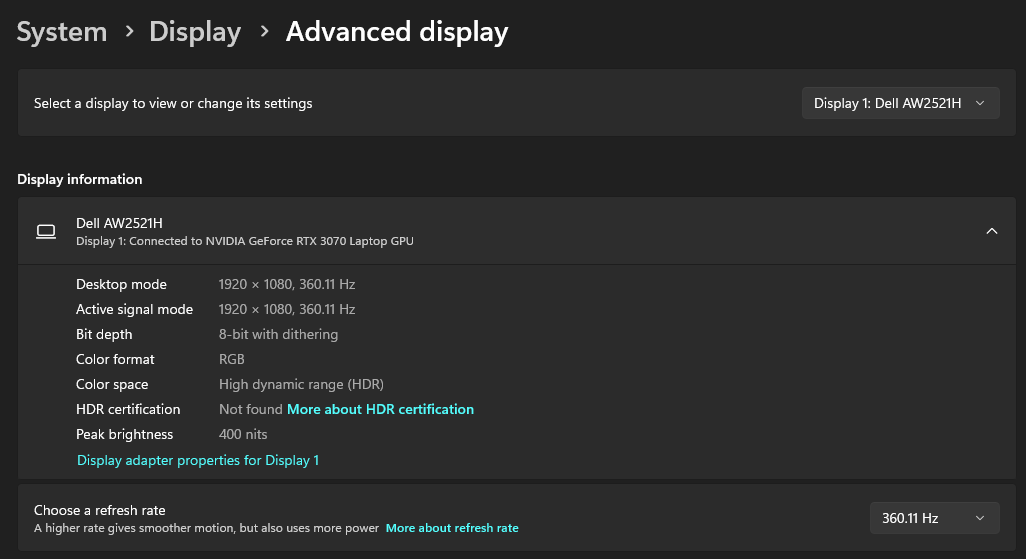
My mouse cursor used to be a higher refresh rate than my game (360hz) but now it follows the refresh rate of the game, would anyone know the reason why? I'd like it to be high again
 lucid talon
Ever since I left tob 2-3 days ago, my character outfit changed, my hair style and hair color. Additionally, I cannot change any of it and my worn items do not show excluding my amulet / weapon and cape. Everything else that is equipped is completely invisible, leaving only my outfit that is changed and can not be changed back to how I originally had it. Any suggestions outside of restarting client, restarting pc? I have tried these 2 things
sonic birch
lucid talon
Ever since I left tob 2-3 days ago, my character outfit changed, my hair style a...
!flow
haughty pumiceBOT
flowchart: Please refer to this flowchart for further troubleshooting.
sonic birch
magic kiln
My mouse cursor used to be a higher refresh rate than my game (360hz) but now it...
rl does not control your mouse refresh rate. maybe your monitor's refresh rate changed
magic kiln
sonic birch
rl does not control your mouse refresh rate. maybe your monitor's refresh rate c...
It's still the same, but I'm 90% sure it's runelite bc my cursor refresh rate changes dynamically with the fps in the game https://i.imgur.com/VmBCTnm.png
When it's 60 fps the cursor is laggy, when it's 120+ it's smoother and it's super noticeable
 dusk iris
Hi, I am on a Mac w/ Sonoma 14.4 and my Runelite(v2.7.2) will periodically crash with a vague - Termination Reason: Namespace GUARD, Code 5 - and a long error list to follow. I have tried giving it all permissions and a few other things but I can't seem to get it to stop crashing. I also can't seem to reliably recreate the error due to the randomness of it happening. Any thoughts?
leaden trail
Can you upload the apple crash log here?
dusk iris
leaden trail
Can you upload the apple crash log here?
I have a few more logs from different times i can link to as well, not sure if its helpful since neither java or arm64 is my strong suit, but it seems like different threads crash
zealous cedar
never seen this before. interestingly both are crashing in spin locks which is weird
a little googling of _SafeFetchN_fault finds https://youtrack.jetbrains.com/issue/JBR-6802/Crash-EXCBADINSTRUCTION-from-ObjectMonitorTrySpin-on-macOS-14.4 which references https://support.apple.com/en-us/109035 which says to update to 14.4.1 to fix "Apps that include Java may quit unexpectedly"
dusk iris
I will try that! Thank you sir
 alpine siren
any have this pop up trying to open client
 sonic birch
!logs
haughty pumiceBOT
To find the logs, you can do one of the following:
- If your client failed to open, click the
Open logs folderbutton. - Open the screenshot directory by right-clicking 📷
Camerabutton, navigate 1 directory up, then open logs folder. - Navigate to
%userprofile%\.runelite\logson Windows or$HOME/.runelite/logson Linux and macOS.
Upload the log files named client and launcher by dragging them to Discord. If there are files prefixed with jvm_crash dated from today, upload them too.
alpine siren
i got note pad of the logs
leaden trail
Drag the file here
sonic birch
Try restarting your pc
alpine siren
ive done that didnt work ive uninsttalled and reinstalled
sonic birch
If that does not work, delete: C:\Users\mattc\.runelite\jagexcache\oldschool\LIVE\
sonic birch
Idk, smth is using that file
alpine siren
well if anyone can think of something lmk wont work still
 pastel oar
Anyone know this plugin that makes me only pick slayer for lamping? i tried installing lamp lockout, still not working

 pastel oar
Thank you!
 clever thunder
is there a way to make idle notifier continually make sounds until I go back to being active again
sonic birch
probs not but it can keep flashing
 lavish linden
😦

 gilded kayak
those are objectively not the same words
lavish linden
IOException is not the same word as IOException?
gilded kayak
IOException An existing connection was forcibly closed by the remote host is not IOException:Server returned HTTP response code: 403 yes
the issue you have is most commonly caused by a firewall
 sonic birch
!launcher
haughty pumiceBOT
Download and install the updated RuneLite launcher from the website link in #welcome. You don't need to uninstall your current version. You will not lose any settings or plugins.
sonic birch
then run runelite as admin once
 sonic birch
!logs
haughty pumiceBOT
To find the logs, you can do one of the following:
- If your client failed to open, click the
Open logs folderbutton. - Open the screenshot directory by right-clicking 📷
Camerabutton, navigate 1 directory up, then open logs folder. - Navigate to
%userprofile%\.runelite\logson Windows or$HOME/.runelite/logson Linux and macOS.
Upload the log files named client and launcher by dragging them to Discord. If there are files prefixed with jvm_crash dated from today, upload them too.
leaden trail
Turn off your antivirus probably
 sturdy vault
my antivirus are all off
 solid glacier
Maybe try to boot with Admin
sturdy vault
 sonic birch
drag that in here
sturdy vault
sonic birch
hmmmm, still a couple files that can't be written to for some reason
try this
!fileperm
haughty pumiceBOT
filepermissions: If you got permission problems, open Command Prompt (cmd) as administrator and try executing the following commands while testing if the problem is solved between every step. Make sure RuneLite is closed when executing commands!
mkdir "%userprofile%\.runelite"icacls "%userprofile%\.runelite" /grant:r *S-1-1-0:F /inheritance:r /tattrib -r -a -s "%userprofile%\.runelite\*.*" /d /s
sturdy vault
how do i open cmd again
sonic birch
by googling
gilded kayak
or by typing it into windows start menu search
 lofty elm
idk if this is the right spot for asking for help on this problem but please help😭 🙏
 sonic birch
lofty elm
idk if this is the right spot for asking for help on this problem but please hel...
sonic birch
lofty elm
idk if this is the right spot for asking for help on this problem but please hel...
does runelite open outside of the launcher?
lofty elm
no but the original launcher works when i try to open it through the jagex launcher
gilded kayak
if runelite doesn't open when you double-click runelite.exe then re-install runelite
the link to the website is in #welcome
sturdy vault
do u want me to send the cmd in?
gilded kayak
if you run those commands as admin, runelite should start
if it doesn't then we probably have no idea
gilded kayak
gilded kayak
if you run those commands as admin, runelite should start
the next time you run it*
lofty elm
so just go to cmd prompt and put runelite.exe in?
 lofty elm
i deleted runelite and redownloaded it and i still cant open it
gilded kayak
what happens when you double-click runelite.exe
is it nothing
or does a prompt pop up
lofty elm
nothing happens
gilded kayak
can you try doing this instead
haughty pumiceBOT
run this command in cmd, then show us the displayed output through a screenshot.
"%localappdata%\runelite\runelite.exe" -c -v --console -- --debug
 haughty pumiceBOT
To remove the Java memory limit on your PC follow https://github.com/runelite/runelite/wiki/Remove-java-memory-limit
gilded kayak
this is not the same error but the instructions there should be the same
 gilded kayak

i guess for this error it's system variables
i said the instructions weren't for this error
lofty elm
alr so i deleted _java_options so ima restart my pc rq
 vale path
hey sorry for being that guy that just joins a discord for asking a maybe dumb question
Basically, any of my minigame trackers look like this. (this one is shades of morton)
I tried toggling all of my plug ins and adjusting the game client layout but still seeing the same thing
 gilded kayak
!safe does it happen in safe mode?
haughty pumiceBOT
safemode: To enable safemode
Windows
Run the RuneLite (configure) shortcut from the windows start menu
Tick the Safe mode box, save, launch RuneLite.
Mac
In Terminal, run
/Applications/RuneLite.app/Contents/MacOS/RuneLite --configure
Tick the Safe mode box, save, launch RuneLite.
lofty elm
still cant open runelite vro
 viscid lantern
vale path
hey sorry for being that guy that just joins a discord for asking a maybe dumb q...
viscid lantern
vale path
hey sorry for being that guy that just joins a discord for asking a maybe dumb q...
did you move your xp tracker? this one:
 gilded kayak
the xp tracker thing causing this seems like the worst outcome
for any issue it can cause
gilded kayak
lofty elm
still cant open runelite vro
run the cmd command again and post the screenshot
lofty elm
 gilded kayak
same error
lofty elm
quite sad
haughty pumiceBOT
To find the logs, you can do one of the following:
- If your client failed to open, click the
Open logs folderbutton. - Open the screenshot directory by right-clicking 📷
Camerabutton, navigate 1 directory up, then open logs folder. - Navigate to
%userprofile%\.runelite\logson Windows or$HOME/.runelite/logson Linux and macOS.
Upload the log files named client and launcher by dragging them to Discord. If there are files prefixed with jvm_crash dated from today, upload them too.
zealous cedar
there are not going to be any logs because its unable to create a jvm...
you need to delete _JAVA_OPTIONS
zealous cedar
but they also posted a picture showing how they obviously didnt do that
lofty elm
gulp so i deleted it again and it seems to of worked guys
whoopsie daisy
thank you felanbird
vale path
viscid lantern
did you move your xp tracker? this one:
i did
zealous cedar
zealous cedar
there are not going to be any logs because its unable to create a jvm...
if it cant create a vm, then no java code is able to run, and all of the launcher and logging code is java
vale path
also it did the same thing in safe mode but then when i pulled the xp tracker up it started showing up. thats nuts
 viscid lantern
alt+rightclick the xp tracker to put it back to its default location and it should all be good again
 safe lake
i cant use my hotkeys bc i am perma typing in chat lol im in need of helpl
sonic birch
use the key remapping plugin
safe lake
i have it i just dont want to perma type in chat
 honest dome
so I take it the missing profiles thing is known?
 long onyx
My runelite is totally freezing up whenever I swap to a leagues world, I thought this might have to do with a new plugin I installed in my leagues profile but I removed it and the issue persists. Logs below.
2024-12-08 18:54:49 EST [AWT-EventQueue-0] INFO  dekvall.notempty.NotEmptyPlugin - Not Empty started!
2024-12-08 18:54:49 EST [AWT-EventQueue-0] INFO  com.easyEmpty.EasyEmptyPlugin - Easy Empty  started!
2024-12-08 18:54:49 EST [pool-3-thread-1] INFO  n.r.client.discord.DiscordService - Discord RPC service is ready with user swampcave.
2024-12-08 18:54:50 EST [AWT-EventQueue-0] INFO  n.r.taskstracker.TasksTrackerPlugin - Tasks Tracker started!
2024-12-08 18:54:50 EST [AWT-EventQueue-0] INFO  net.wiseoldman.WomUtilsPlugin - Wise Old Man started! (v1.3.25)
2024-12-08 18:54:51 EST [AWT-EventQueue-0] INFO  com.zalcano.ZalcanoPlugin - Zalcano plugin started
2024-12-08 18:54:51 EST [AWT-EventQueue-0] INFO  xyz.evaan.InfernoTrackerPlugin - Inferno Tracker started!
2024-12-08 18:54:51 EST [RuneLite] INFO  net.runelite.client.RuneLite - Client initialization took 9563ms. Uptime: 10791ms
2024-12-08 18:54:52 EST [Client] INFO  n.r.client.plugins.gpu.GpuPlugin - Using device: NVIDIA GeForce GTX 1080/PCIe/SSE2
2024-12-08 18:54:52 EST [Client] INFO  n.r.client.plugins.gpu.GpuPlugin - Using driver: 4.6.0 NVIDIA 566.36
2024-12-08 18:55:25 EST [Client] WARN  n.r.client.config.ConfigManager - switching to already-active profile!
2024-12-08 18:55:27 EST [Client] INFO  n.r.taskstracker.TasksTrackerPlugin - processVarpAndUpdateTasks: all
2024-12-08 18:55:36 EST [Client] INFO  n.r.client.config.ConfigManager - Switching profile to: broke - leagues (393346079211800)
2024-12-08 18:55:36 EST [Client] INFO n.r.client.config.ConfigManager - Profile 'broke - leagues' is up to date```OH
is it? I was just asking about that
My runelite is auto swapping profile when I swap to league world
long onyx
Hm, guess I will cutmy league profile to another location till this is fixed, maybe wont break when it auto switches
zealous cedar
if runelite is freezing then a pluginhub plugin is freezing it. you could use safe mode and then it will work
long onyx
I assumed that to be the case, there was only a single new plugin and the logs were showing me which one. I have since removed it and the problem still happens.
sonic birch
Can also happen with updated plugins or old plugins that just don't like leagues worlds
!flow
haughty pumiceBOT
flowchart: Please refer to this flowchart for further troubleshooting.
leaden trail
task tracker breaks on leagues worlds doesn't it?
sonic birch
it is a likely candidate, yes
alpine siren
@sonic birch i managed to get the client to work but deleted all previous settings it looked like my anti virus was doing something to it
sonic birch
that was to be expected
 coarse pagoda
when crops grow my entire runlite and game freezes. log back in no problem but if growth happens i freeze up again. any way to hide the growth or somthing so i dont freeze?
leauges world
sonic birch
!flow
haughty pumiceBOT
flowchart: Please refer to this flowchart for further troubleshooting.
alpine siren
Thank you for the help wouldnt of known where to look without what you said
 vernal wing
anyone else having issues connecting to servers? happened 2 days ago and they resolved it but it's happening again, like their website also not loading for me

 unborn folio
Same
vernal wing
I noticed it loads if I switch to an austrailian server like world 388
 pulsar sparrow
yeah just got kicked out
sonic birch
are y'all cox?
pulsar sparrow
Yup, its the same thing that happned on Saturday morning?
sonic birch
yh probs
pulsar sparrow
:D
 scarlet cairn
classic cox issues
sonic birch
just wait patiently
feel free to discuss it in #general
it's not a runelite issue
can use mobile internet to circumvent it
 atomic hamlet
i want my old school graphics (not HD) to expand the view way beyond what is showing. How do i increase that? i had it that way before
 grand light
Good to know it's not me. love you guys and everything you do
sonic birch
atomic hamlet
i want my old school graphics (not HD) to expand the view way beyond what is sho...
gpu plugin
vernal wing
I have OneNet which is my university's isp
atomic hamlet
I love ytou
sonic birch
vernal wing
I have OneNet which is my university's isp
they probs use cox as their back end / for their routing
atomic hamlet
on my bank tags, can i make it so my barrows items are always tagged without them degrading?
currently i have 100 tagged. if it degrades to 75, it is not
anything i can do?
sonic birch
add an * or shift drag them into the tab tab
atomic hamlet
add an asterisk where?
sonic birch
edit tags -> after the tag
grand light
outage is over
 limpid river
ty
 sleek folio
hey yall, new to the server but hoping someone here can help. since Friday, my interface bar has been acting weird. kind of looks like they are laying over each other like the mobile update 😂

but when I open up one of the runelite side bars, it fixes itself

any ideas suggestions how to fix this?
sonic birch
alt+right click that stuff to reset the position
 torn badger
can anyone help? i got dc'd from the game and now runelite wont go past this. my internet never dc'd at all just the game. i have tried restarting pc. uninstalling and reinstalling. even deleted one of the folders another post suggested to help. that didnt work either
 round jacinth
I think a lot of stuff is having issues apparently
Don’t delete folders Google tells you to delete, people here are more helpful btw
 mellow tangle
torn badger
can anyone help? i got dc'd from the game and now runelite wont go past this. my...
mellow tangle
torn badger
can anyone help? i got dc'd from the game and now runelite wont go past this. my...
im having same issue, been trying to figure it out
I can't even connect to oldschool.runescape.com
 dire solar
i was litterally about to post about this
unborn folio
Everything but osrs and Twitter is working fpr me lol
 random hinge
good if it was just me i was going to be mad
 stone parcel
Reading above looks like it might be an issue with Cox, if you use that.
dire solar
the only way i got osrs to work was on my phone disconnected from my wifi
torn badger
looks like we were just the unlucky few. i finally got back in
@mellow tangle bruh i have cox too.
dire solar
ok im relieved (slightly) now
torn badger
and immediatly dc'd again lmao
mellow tangle
torn badger
and immediatly dc'd again lmao
yeah i managed to get back in a couple times and immediatly dced
dire solar
all i can think of is the south park episode of the comcast guy rubbin his nips sayin "jeez thats too bad" "oh wait... were the only cable company arent weeeeeee" rofl
welp time to get on strinova then.
nvm, guess ill just die.
/s
random hinge
i guess someone say something in here when its back working
 steep wind
Glad I'm not the only one -I'm over here resetting all wifi settings
dire solar
wtf is happening xD i tried 3 different games and i cant connect to any game server lmao
steep wind
Cox hates gamers
stone parcel
Might be worth complaining to Cox, a higher support volume might make the issue seem more severe.
dire solar
did i accidently turn on child lock 🤣
steep wind
fwiw I also can't log into the Cox app
 mild cape
I’m kind of an idiot with technology, but why does everything else with Cox work, but not gaming?
dire solar
probably because the game servers arent local? idk. a rat chewed on their cord going out.
stone parcel
Different pipes lead to different places.
dire solar
maybe at&T ddosing cox to get us gamers on their fiber
round jacinth
Why are you asking when I provided an answer
The session is the login session for Gmail
What more do you need you can read the code presumably
Every session is unique so that’s a uuid
torn badger
this sucks lmao
dire solar
torn badger
this sucks lmao
sleep time i guess
round jacinth
I won’t pretend I know how the Google Gmail sync works but that’s the purpose afaik? Check other repos and look I guess
zealous cedar
its for these counters.
 round jacinth
Ty Adam
zealous cedar
i wish you would stop providing answers to things you dont know anything about
torn badger
im really not smart with this stuff but im assuming using a vpn would not help this issue? maybe i just connect to my phones hotspot since its at&t for now
 winged nymph
torn badger
im really not smart with this stuff but im assuming using a vpn would not help t...
winged nymph
torn badger
im really not smart with this stuff but im assuming using a vpn would not help t...
Hotspot would work. Idk about vpn
torn badger
phone hotspot seemed to work, got back in first try
dire solar
torn badger
im really not smart with this stuff but im assuming using a vpn would not help t...
hotspot will work, as i said before when i turned off wifi on my phone i had no problems logging on in the app.
torn badger
i dont play on mobile tbh
dire solar
i do, lol i need sometihng to do when i get the by when im at locals playing yugioh
 tough sluice
I got "fatal error starting runelite" and everytime I click it freezes on downloading bootstrap? any idea how to fix?
mellow tangle
you have cox wifi?
dire solar
tough sluice
i do
theres a few of us. its cox.
dire solar
apparently the coxcommunication subreddit is in shambles xD
unborn folio
I'm able to play osrs with cox communications
 steep bobcat
My runlite seems stuck on
 steep bobcat
This is OS x, latest version M2. Reboot didn't fix it
 terse geode
Hi, I have a question here, How do I launch runelite through steam account?
mossy swan
terse geode
Hi, I have a question here, How do I launch runelite through steam account?
you can’t use steam account, see #faq
 graceful violet
yo guys, anyone have an idea why during every cutscene i have the word "accurate" is showing int he middle of my screen? so anoying
 mossy swan
you have "attack styles" plugin enabled
graceful violet
ohhh thats it yeah, thanks!
atomic hamlet
what is the plugin that shows aggression areas
mossy swan
have you tried searching "aggression" or something like that
 cyan fjord
anyone know what might have changed for this to happen since league hit? basically if I log out the client will sometimes scale weird vertically and can't be repositioned without my typical client alignment script, I have these settings:
Also using Stretched Mode
 cyan fjord
 oblique plume
its sidebar makes the window taller
oblique plume
its sidebar makes the window taller
opening quest helper does not seem to reproduce any issue not sure if it could still be causing issues on logout?
oblique plume
it is
youre like the 16th person saying the same thing
i would be impresed if it was not the same
cyan fjord
I know quest helper already resizes horizontally as you start a quest, but this stretches the client vertically even without the helper open or active, do you still think it can be the same then?
I will try to reproduce it
yeah that's it lol
wth
interesting 🤔
static basin
anyone else profiles dissapear or is it just me? 😮 been doing everything in my power to restore them but no luck 😦
round jacinth
!lost
haughty pumiceBOT
static basin
loot tracker still there
i tryd everything on that page but ether im dum or it just doestn work.. :/
round jacinth
loot tracker is a different thing from profiles
it's tracked on account type not by the profile you're on
static basin
the plugins and markers and item marking the ones pissin me off
yeh i can see it in the account im using
round jacinth
double check you're doing #4 properly
static basin
everything from loot tracker
round jacinth
i am not talking about loot tracker, i am talking about your profile
My plugins are gone or my config profile is missing
is the section
static basin
where that part on the site? ;o
round jacinth
im not sure if you're reading the links im sending you
static basin
oh so u mean the folder ?
round jacinth
what website are you talking about
static basin
round jacinth
haughty pumice
**lostsettings**: <https://github.com/runelite/runelite/wiki/FAQ#my-plugins-are-...
i linked you this, it never mentions to go to runelite's site
it's a file you're trying to find
static basin
i mean
ok from the start
formated pc yesterday and reinstalld game today, dont have any profiles file there
are they backdup somewhere?
round jacinth
if you reformatted the computer and didn't sync the settings to online
there is nothing to pull
round jacinth
if you never enabled the cloud icon, they weren't synced
are you on the correct profile then?
 round jacinth
 i think you didn't have this enabled then
and you lost everything because you reformatted without it enabled
static basin
trust me, anywhere i went to play i had everything i had put from plugins
ffss
dum stonehead -.-
u might be right but i usualy dont change profiles
round jacinth
you're either using the wrong gmail or you didn't enable cloud sync
round jacinth
no, if there was something to pull down it would've
static basin
tryd contact support maybe they can figure something out
round jacinth
this is support lol
static basin
lmao
hope u dont notice im maybe a littlle stoned
is there somekinda place i can donwload "ready" profiles like atleast the basic shit on it so its not from begenning
leaden trail
no
round jacinth
no, profiles cannot be shared with others
if they could be, you'd not know/not like soemthing they configured and have no clue how to fix it
static basin
ok ty for the help<3
 static prairie
hey, im looking for a plugin that makes selling to shops easier for pc?
trying to be able to single click sell 50 chaos runes at a time at the Tz-haar rune shop
round jacinth
the menu entry swapper does this
haughty pumiceBOT
The Menu Entry Swapper, through various config options, allows you to hold shift+right click on items/NPCs/objects and configure new default left and shift click options on them.
 round jacinth
you can do this in a shop interface
 storm hawk
Can anyone help me figure out why I'm not getting notifications when I stop pickpocketing?
I have idle notifier turned on, send notifications when active turned on, but its not working
 solid mesa
Notify when focus on?
sonic birch
ohhh idk exactly how that one works; if it's animation based, we don't have the anim for that
but might also be interaction based, idk. would have to look into the code and how the game works
 signal rover
anybody know what plugin this is? wont go away. dont have any clues

 charred wind
solid mesa
charred wind
solid mesa
Turael Skipping
 zealous estuary
anyone else having issues with the f keys on runelite? or on leagues? For some reason my F keys are bugging out quite recently... I assume it might be runelite issue or something? They have worked just fine all leagues (yes, I did set them up again, I know they are reset on league accounts at the start)
and yesterday for seemingly no reason my keys stopped working on being rebound to numbers 1-9 and went back to being the F1 keys aka the "normal basic ones" and almost nothing I did worked (changing the keybinds in runelite settings, changing what F key does what in osrs settings, restarting my pc, restarting runelite) and then again for almost no apparent reason they started to work again on their own when I just continued playing... the same issue is happening right now for some reason again to me....
edit: this time around just closing runelite and reopening it seemed to do the trick.... no idea what caused it and why it got fixed now but not yesterday....would be nice to know if someone else has experienced that also and has found some fix for it or cause!
 desert salmon
is there a way to keep my prayer book looking like this while also removing the "filters" button? incredibly annoying to misclick it instead of augury when pvming

but also dont want to have preserve showing when its not unlocked because it also stalls you if misclicked
 mortal pond
desert salmon
is there a way to keep my prayer book looking like this while also removing the ...
mortal pond
desert salmon
is there a way to keep my prayer book looking like this while also removing the ...
right click the prayer tab (the "button" you would click to switch to your prayer tab), then click "disable prayer filtering"
desert salmon
but then it looks like this

and if you misclick preserve it stalls your character, also incredibly shit
mossy swan
why not just move preserve all the way up there so you dont misclick it
mortal pond
or right click the prayer tab again, click "enable prayer reordering", and right click -> hide the prayers you don't want to see
mossy swan
alternatively if you want filtering, move the prayer up a row also
viscid lantern
cant you just right click hide it?
desert salmon
moving it works well for now cos i'll want it when its unlocked
mossy swan
oh, is filters a jagex thing, but runelite can do that and move them?
viscid lantern
yup
mossy swan
bleh
viscid lantern
the filters are mostly useless
 quasi condor
For some reason, whenever I expand the XP tracker tab my game starts constantly skipping frames. When I minimize it the game goes back to normal. Nothing fixes this, and on my other PC I don't have the same issue. Any ideas?
haughty pumiceBOT
Graphical artifacts? Try disabling hardware acceleration: https://github.com/runelite/runelite/wiki/Disable-Hardware-Acceleration
vast bone
maybe that
 cedar epoch
Can anybody help me diagnose a problem every time that I get an ore or catch a fish with my echo harpoon or any sort of action I get a notification through runelite. I can't get it to stop. Even with muting the sounds through windows. I have to change the profile back to default in order to get it to stop. I have gone through and tried to nitpick every single thing that I could imagine would give me a notification and everything's turned off as far as I know so I don't understand at all what's going on here. there's times where it does this and other times it doesn't it's very confusing.
mossy swan
cedar epoch
Can anybody help me diagnose a problem every time that I get an ore or catch a f...
turn on this setting and see whats causing it
 cedar epoch
 mossy swan
the one i highlighted in orange
 pine lynx
why is it when i copy a bank tag it adds the 3/2/1 doses with the 4 doses
cedar epoch
mossy swan
the one i highlighted in orange
Life saver man. No herb for jekyll & Hyde
 hollow olive
i haven't tried it yet
 cursive pewter
Sir, I need Help
Runelite is just keep on stucking for me for last couple of days, Whenever I ask my Butler to bring planks for me, I tried re installing and closing couple of times, Runelite totally frozen but using cpu and memory as usual like its working fine. Someone help me out please


It's day 5 and it's still happening to me
@zealous cedar
haughty pumiceBOT
Many plugins from the pluginhub break the client in subtle or not-so-subtle ways, including causing issues like client freezes. We do not support pluginhub plugins because we do not make or quality control them, and do not recommend their use.
Run the RuneLite (safe mode) shortcut, or with a Jagex account, first run the RuneLite (configure) shortcut and tick the Safe mode box, then launch RuneLite via the Jagex launcher.
This temporarily disables the GPU plugin and all hub plugins which will allow you to confirm the issue is caused by one of those plugins and isn't a core RuneLite issue.
If the issue is caused by a hub plugin, you should isolate which plugin it is and then uninstall the plugin.
zealous cedar
try safe mode.
cursive pewter
how can i do that?
I have jagex launcher and I'm pretty coob in this kind of stuff idk how to run safe mode
gilded kayak
!safe
haughty pumiceBOT
safemode: To enable safemode
Windows
Run the RuneLite (configure) shortcut from the windows start menu
Tick the Safe mode box, save, launch RuneLite.
Mac
In Terminal, run
/Applications/RuneLite.app/Contents/MacOS/RuneLite --configure
Tick the Safe mode box, save, launch RuneLite.
cursive pewter
here?
 gilded kayak
read the instructions
we changed them to be the jagex-launcher-friendly instructions only
cursive pewter
In cc
What if i don't do this, coz I don't even know what to do and uninstall all plugins?
gilded kayak
you could do that instead sure
cursive pewter
I've un installed 50+ omg, I wasn't even using those
 burnt tiger
small question:
is there a way to remove this message?

or just configure to never show up
burnt tiger
wouldnt that turn off alot of other stuff?
oblique plume
yes
you can prob do the custom notifications thing for just screenshots
and turn it off there
burnt tiger
how>
oblique plume
the gear next to the checkbox
burnt tiger
gear?
 round jacinth
Dm @haughty pumice
 lime cairn
ty
 opal gull
How does runelite handle multiple clients running at once with the settings sync, if I'm changing plugin settings on both concurrently? (e.g my laptop and pc, I keep them running and forget to close them pretty often)
 zealous zodiac
Getting black screen when enabling 117HD/GPU plugin and then clicking on the RuneLite settings icon. After turning them off, screen stays black. Any help is much appreciated

 fathom kraken
Yeah, GPU plugin seems broken atm
 wide pebble
not sure if I'm the only one but RL crashes on login for me
 viscid lantern
turn off the gpu plugin for now
fathom kraken
wide pebble
not sure if I'm the only one but RL crashes on login for me
Turn off GPU
 late viper
ty
 warped furnace
fathom kraken
Turn off GPU
warped furnace
fathom kraken
Turn off GPU
It's a 50:50 if i want to play w/o gpu 😄
 jaunty nexus
 buoyant bramble
anyone elses runelite keep crashing today and forcing close?
warped furnace
buoyant bramble
anyone elses runelite keep crashing today and forcing close?
turn off gpu
 sweet gyro
buoyant bramble
anyone elses runelite keep crashing today and forcing close?
sweet gyro
buoyant bramble
anyone elses runelite keep crashing today and forcing close?
read everything above
 thick oasis
I also had to uninstall the plugin hub collection log plugin fwiw
viscid lantern
turn off the gpu plugin for now
buoyant bramble
ty guys
 molten badger
playing without gpu? yeah im out
 fast shuttle
i can't even turn it off. just instantly crashes
sweet gyro
molten badger
playing without gpu? yeah im out
117 still works

 cunning raptor
me too
fathom kraken
 shrewd swan
after update
shrewd swan
after update
read
fast shuttle
Yes, learn to read up
sweet gyro
shrewd swan
anyone know anything?
yes you see the whole chat above your message
 calm thicket
shrewd swan
after update
calm thicket
shrewd swan
after update
same
fathom kraken
literally scroll up 1 screen
 sage ice
shrewd swan
after update
sage ice
shrewd swan
after update
scroll up jesus
 quaint creek
reading is hard ig
cunning raptor
i dont have a scroll wheel sorry
 fickle owl
ok sure gpu off works but my other client i never closed works with gpu on 😄
 frail solar
i see a lot of people that didnt maxed 99 reading yet XD
shrewd swan
le sigh, I've read it tried in safe mode not working
 covert quiver
does 117 work?
shrewd swan
or i wouldn't post 🥲
fickle owl
 warped furnace
not helping if we all spam responses so the answer is above 100 posts
 analog abyss
covert quiver
does 117 work?
analog abyss
covert quiver
does 117 work?
yes
 fierce plover
TURN OFF GPU - it will not crash
cunning raptor
i cant even this game without gpu tho
shrewd swan
fierce plover
TURN OFF GPU - it will not crash
thats fixed it, thank you
late viper
how long will we have to play without GPU ?
calm thicket
just use hd lol
 hallow tiger
mine is still crashing with gpu turned off?
 hazy canyon
OldSchool RuneScape has crashed. Crashes are most commonly caused by plugin hub plugins, but can also be caused by RuneLite or Jagex client bugs. If you receive this message commonly, try playing in safe mode to eliminate the potential of plugins causing the crash. The client log file will contain additional information about the crash.
molten badger
warped furnace
not helping if we all spam responses so the answer is above 100 posts
the answer was literally 2 post above but ye
warped furnace
turn off all plugins and enable one by one, some other plugin can cause the issue too, but the gpu is confirmed not to work
calm thicket
hazy canyon
OldSchool RuneScape has crashed. Crashes are most commonly caused by plugin hub ...
turn off gpu
 pulsar briar
ah so the gpu thing is known already
fathom kraken
How people decide to type instead of read first is beyond me.
warped furnace
hallow tiger
mine is still crashing with gpu turned off?
was response to this one, if the game crashes gpu disabled, it must be some other plugin
sage ice
are they working on a fix already? my laptop overheats on cpu and 117 is too glitchy on linux
analog abyss
hallow tiger
mine is still crashing with gpu turned off?
open logs, click the file with the most recent timestamp, open up the file, scroll to the bottom and read what the last process was. should see "ERROR" followed by a plugin that failed, turn that plugin off, try again.
 umbral aspen
ty for info here ;)
fast shuttle
fathom kraken
How people decide to type instead of read first is beyond me.
2024 bro. Also, just use 117 for a bit nodders
 leaden chasm
oof, no GPU plugin you say, oh well, better then no osrs, even if it is just barely 😛
Thanks !
molten badger

leaden chasm
Shutting up is an expensive endevour
 rain prawn
someones a bit angry they cant use runelite
 bleak fog
hahaha
sweet gyro
deleted the comment doesnt even have confidence
 wicked narwhal
what's wrong with the GPU plug-in
fast shuttle
textures
viscid lantern
Its being fixed right now
 wintry ridge
anyone elses client keeps crashing when trying to login?
 formal belfry
do they have an eta?
bleak fog
wintry ridge
anyone elses client keeps crashing when trying to login?
turn of gpu plugin
 novel geode
wintry ridge
anyone elses client keeps crashing when trying to login?
novel geode
wintry ridge
anyone elses client keeps crashing when trying to login?
turn off gpu plugin then try again
leaden chasm
formal belfry
do they have an eta?
somewhere in the next few weeks, probably
fast shuttle
SoonTM
 thick nymph
damn
sweet gyro
leaden chasm
somewhere in the next few weeks, probably
big if true
 gaunt sedge
wintry ridge
anyone elses client keeps crashing when trying to login?
gaunt sedge
wintry ridge
anyone elses client keeps crashing when trying to login?
Yes mine
 agile gate
of all the plugins to crash runelite, it has to be my beloved gpu 😦
leaden chasm
sweet gyro
big if true
well, thats why i added "probably", then i can always claim that you just had bad luck ;P
 tame loom
Worst plug in to break 😦
 lucid lava
oh turning off gpu does fix it hehe
thick nymph
117 hd works tho
sage ice
agile gate
of all the plugins to crash runelite, it has to be my beloved gpu 😦
you mean the most likely plugin to cause problems on updates? i wonder why
gaunt sedge
How do we get around it?
bleak fog
Damn the game looks so shit without it hahaha
wintry ridge
gaunt sedge
Yes mine
turn off gpu plugin
 stray oak
anyone elses client crashing when logging in?
sweet gyro
gaunt sedge
How do we get around it?
turn of GPU, turn on 117
fast shuttle
gaunt sedge
How do we get around it?
have you tried turning it off?
 median rune
117 HD works
viscid lantern
Either turn off the GPU plugin for now or try 117 HD.
 raven night
this chat gna be straight asking duhhh my rl keep crashing
leaden chasm
I never tried 117HD, might give a try, never hurts to try something new
 fresh sparrow
wintry ridge
anyone elses client keeps crashing when trying to login?
fresh sparrow
wintry ridge
anyone elses client keeps crashing when trying to login?
same
 viscid lantern
Either turn off the GPU plugin for now or try 117 HD.
late viper
TURN OFF GPU
sage ice
leaden chasm
I never tried 117HD, might give a try, never hurts to try something new
this will tho
 obsidian palm
sweet gyro
turn of GPU, turn on 117
obsidian palm
sweet gyro
turn of GPU, turn on 117
where?
calm thicket
turn off gpu turn off gpu turn off gpu turn off gpu turn off gpu turn off gpu turn off gpu turn off gpu turn off gpu turn off gpu turn off gpu turn off gpu turn off gpu turn off gpu turn off gpu turn off gpu turn off gpu turn off gpu turn off gpu turn off gpu turn off gpu turn off gpu turn off gpu turn off gpu turn off gpu turn off gpu turn off gpu turn off gpu turn off gpu turn off gpu turn off gpu turn off gpu turn off gpu turn off gpu turn off gpu turn off gpu turn off gpu turn off gpu turn off gpu turn off gpu turn off gpu turn off gpu
sweet gyro
leaden chasm
I never tried 117HD, might give a try, never hurts to try something new
it's pretty nice to be fair, still has GPU features so draw distance for example
 devout bolt
you guys rock
 dapper lynx
fresh sparrow
same
dapper lynx
fresh sparrow
same
same
 long minnow
thanks guys
wicked narwhal
I'm just using my GPU plug-in anyway
leaden chasm
sweet gyro
it's pretty nice to be fair, still has GPU features so draw distance for example
Oh god yes, thats the most important thing i miss when GPU is off lol
warped furnace
leaden chasm
I never tried 117HD, might give a try, never hurts to try something new
i launched official client, very responsive compared to java, but hurts my eyes
 faint sky
I wonder if the player count dropped due to the plugin being broken
sweet gyro
obsidian palm
where?
on the plugins area
 slim raft
faint sky
I wonder if the player count dropped due to the plugin being broken
slim raft
faint sky
I wonder if the player count dropped due to the plugin being broken
very likely
fast shuttle
Can someone pin it? KEKW
zealous zodiac
zealous zodiac
Getting black screen when enabling 117HD/GPU plugin and then clicking on the Run...
Is my black screen related to this GPU issue though? Because I get the same issue when turning om 117 or Stretched mode unfortunately.
leaden chasm
warped furnace
i launched official client, very responsive compared to java, but hurts my eyes
Haha, yeah ,i can imagine
 warped furnace
Im not sure if they read pins if they can't read 1 message above
 dark jay
why is the Gpu plugin crashing client though, also thanks for fix
 spring radish
since gpu plugin is fucked does anyone have an idea when it will work again cus my game looks awful without it lmfao
fast shuttle
viscid lantern
# Either turn off the GPU plugin for now or try 117 HD.
Can you make it bigger? xDD
viscid lantern
nope thats as big as it lets me 
stray oak
use 117 HD instead for now
viscid lantern
dark jay
why is the Gpu plugin crashing client though, also thanks for fix
They added more textures, gpu plugin didnt expect that and crapped out 
dark jay
spring radish
since gpu plugin is fucked does anyone have an idea when it will work again cus ...
i feel you, it feels disgusting
dapper lynx
problemturn gpu off if clien crash
 ornate kite
 leaden chasm
Holy hell, Mount Karuulm is covered in snow now
I'll give 117 a legit go for a while, even tho i usually prefer the less "HD" textures, it might not be so bad still
viscid lantern
Either turn off the GPU plugin for now or try 117 HD.
 upper marsh
gpu off worked for me
 pine notch
ornate kite
pine notch
ornate kite
same shit
sweet gyro
ornate kite
this is peak osrs
 sharp fable
Either turn off the GPU plugin for now or try 117 HD.
 royal sinew

 fallen tiger
viscid lantern
# Either turn off the GPU plugin for now or try 117 HD.
fallen tiger
viscid lantern
# Either turn off the GPU plugin for now or try 117 HD.
Tim for a pin
wicked narwhal
I left on GPU, and it's working fine
 potent egret
off gpu works
 jolly coral
gpu fixed?
stray oak
if you dont like the snow then in 117 HD settings > environment > seasonal theme > summer
slim raft
viscid lantern
They added more textures, gpu plugin didnt expect that and crapped out <:YEP:910...
its the normal christmas shit
 frozen sedge
viscid lantern
# Either turn off the GPU plugin for now or try 117 HD.
frozen sedge
viscid lantern
# Either turn off the GPU plugin for now or try 117 HD.
YEP WORKED TY!
 stray pivot
GPU PLUGIN OFF WORKS
ornate kite
not just me?
sweet gyro
ornate kite
not just me?
yes it's just you having issues ignore everyone else
 regal quarry
royal sinew
regal quarry
royal sinew
How is this fixed?
 pure skiff
Gpu plugin problems?
leaden chasm
Oh hell yeah, i can turn off the season snow looks in 117! i love it now
fast shuttle
regal quarry
How is this fixed?
read
dark jay
turn off gpu
obsidian palm
can someone tell me where the plugin area is?
warped furnace
obsidian palm
can someone tell me where the plugin area is?
 stray oak
ok enjoy this channel, back to grinding
sweet gyro


 sharp merlin
me playing without GPU plugin

 vagrant fulcrum
literally
tame loom
LOL
 blissful ridge
viscid lantern
# Either turn off the GPU plugin for now or try 117 HD.
blissful ridge
viscid lantern
# Either turn off the GPU plugin for now or try 117 HD.
Give it to a spam bot lmao
regal quarry
Nice thanks guys
sharp merlin
👀
ornate kite
what is 117 hd?
viscid lantern
Either turn off the GPU plugin for now or try 117 HD.
 astral kernel
so gpu off to work right?
 blissful jewel
hello anyone have same problem my runelite keeps crashwin after update when i want to login ?
sweet gyro
ornate kite
what is 117 hd?
passion project from an absolute chad that makes the whole game high def
dark jay
turn off gpu
 zealous jackal
blissful jewel
hello anyone have same problem my runelite keeps crashwin after update when i wa...
zealous jackal
blissful jewel
hello anyone have same problem my runelite keeps crashwin after update when i wa...
ye
 heady granite
blissful jewel
hello anyone have same problem my runelite keeps crashwin after update when i wa...
heady granite
blissful jewel
hello anyone have same problem my runelite keeps crashwin after update when i wa...
literally 2 messages above your message
pulsar briar
how do I make 117hd not as diamondy

 north whale
I joined this server for the gpu issue, didn't eeven have to ask, yall are on it
astral kernel
shadow quality setting
leaden chasm
Looks good ❤️
 ornate kite
sweet gyro
passion project from an absolute chad that makes the whole game high def
ornate kite
sweet gyro
passion project from an absolute chad that makes the whole game high def
ty
sweet gyro
north whale
I joined this server for the gpu issue, didn't eeven have to ask, yall are on it
yet some people are asking what's happening when the answer is 2 messages above haha
pulsar briar
ty
 crimson tulip
20 fps with 117hd
sage ice
north whale
I joined this server for the gpu issue, didn't eeven have to ask, yall are on it
omg someone who can read 😮
obsidian palm
Thanks guys
 spice pike
north whale
I joined this server for the gpu issue, didn't eeven have to ask, yall are on it
spice pike
north whale
I joined this server for the gpu issue, didn't eeven have to ask, yall are on it
very well designed application for real. glad it had a direct link to this server after a crash
 prisma pelican
those are rare, thanks for the fix btw
 uncut storm
sage ice
omg someone who can read 😮
uncut storm
sage ice
omg someone who can read 😮
are you playing on a TI-89 calculator?
ornate kite
I can't see past 17 tiles is that normal?
blissful jewel
okay gpu seems to be work now
 vagrant jolt
runelite is not working for me 😦
 thorny mortar
same
prisma pelican
ornate kite
I can't see past 17 tiles is that normal?
change settings
astral kernel
TURN OFF GPU PLUGIN
sage ice
uncut storm
are you playing on a TI-89 calculator?
wrong @ i guess?
leaden chasm
ornate kite
I can't see past 17 tiles is that normal?
thats how it works in osrs normally
 oak rapids
Copy and paste for anyone:
Runelite Crashes temporary:
- Start RuneLite. Do not click login.
- Open settings. Turn GPU off or use 117 HD for now.
- Then login.
sweet gyro
ornate kite
I can't see past 17 tiles is that normal?
you can make changes here
 ornate kite
leaden chasm
thats how it works in osrs normally
ornate kite
leaden chasm
thats how it works in osrs normally
how will I see what's coming? I can't play like this I'm quitting
vagrant jolt
tyty
weary talon
blissful jewel
okay gpu seems to be work now
Wrong
north whale
leaden chasm
thats how it works in osrs normally
ew
thorny mortar
runelte wont work eithr
royal sinew
does anyone know how to change the right click on everything (npc, items, etc) intsead of clicking to walk there? it seems to keep changin on me
leaden chasm
ornate kite
how will I see what's coming? I can't play like this I'm quitting
you never played before runelite? or before rs2 as well? it is how the game is designed 😛
 torn hearth
royal sinew
does anyone know how to change the right click on everything (npc, items, etc) ...
torn hearth
royal sinew
does anyone know how to change the right click on everything (npc, items, etc) ...
menu entry swapper, shift right click on whatever you'd like to change for the menu
ornate kite
sweet gyro
you can make changes here
ty
 gaunt patrol
runelite is not working for me
viscid lantern
Either turn off the GPU plugin for now or try 117 HD.
oak rapids
Runelite Crashes temporary:
- Start RuneLite. Do not click login.
- Open settings. Turn GPU off or use 117 HD for now.
- Then login.
ornate kite
leaden chasm
you never played before runelite? or before rs2 as well? it is how the game is d...
I'm a 25 tile seeing range locked account
leaden chasm
ornate kite
I'm a 25 tile seeing range locked account
sounds like a you problem
 slow elbow
never had this happen be4, now i can't launch the game after the update
 oak rapids
Runelite Crashes temporary:
- Start RuneLite. Do not click login.
- Open settings. Turn GPU off or use 117 HD for now.
- Then login.
north whale
I really take RuneLite for granted, what's the best way to support the creators?
sweet gyro
slow elbow
never had this happen be4, now i can't launch the game after the update
It's just you buddy
fast shuttle
facepalm
 copper jetty
slow elbow
never had this happen be4, now i can't launch the game after the update
copper jetty
slow elbow
never had this happen be4, now i can't launch the game after the update
Turn Off GPU
thorny mortar
it worked i turned it off now im onnn
astral kernel
Copy and paste for anyone:
Runelite Crashes temporary:
Start RuneLite. Do not click login.
Open settings. Turn GPU off or use 117 HD for now.
Then login.
royal sinew
torn hearth
menu entry swapper, shift right click on whatever you'd like to change for the m...
thats not really what i was looking for, but potentially helpfull. thank you
dark jay
i reckon you just freeze chat and put a big ass picture saying turn off gpu, it might stop the repeats 😄
 shadow lava
@astral kernel I dont wanna disable it u jerk
fast shuttle
well then
warped furnace
if gpu crashes, turn off login and launch literune
 ebon marsh
does anyone know how to resolve the rendering issue where it does not show some floor paths on agility or bridges etc...?
astral kernel
runelite wont work unless u disable it?
 bright jungle
GPU plugin seems to be working again after restarting the client
oak rapids
`
Runelite Crashes temporary:
- Start RuneLite. Do not click login.
- Open settings. Turn GPU off or use 117 HD for now.
- Then login.
`
Woops, better copy and paste is here
 broken sphinx
astral kernel
Copy and paste for anyone:
Runelite Crashes temporary:
Start RuneLite. Do not ...
broken sphinx
astral kernel
Copy and paste for anyone:
Runelite Crashes temporary:
Start RuneLite. Do not ...
ty
torn hearth
royal sinew
thats not really what i was looking for, but potentially helpfull. thank you
What's the issue?
 cinder flame
can you turn gpu back on once logged in?
viscid lantern
If you restart now it should be OK again 
dark jay
no
sage ice
cinder flame
can you turn gpu back on once logged in?
try
 stark shell
likely no
sharp merlin
cinder flame
can you turn gpu back on once logged in?
Yes. But it will crash you
astral kernel
Use 117hd in the meantime Copy and paste for anyone:
Runelite Crashes temporary:
Start RuneLite. Do not click login.
Open settings. Turn GPU off or use 117 HD for now.
Then login.
sweet gyro
Never knew this discord channel could be so entertaining
fast shuttle
sweet gyro
Never knew this discord channel could be so entertaining
everytime osrs has an update lmao
warped furnace
sweet gyro
Never knew this discord channel could be so entertaining
ikr, this is the most fun ive had in weeks (i dont have fun much as u can see)
ornate kite
how do I make the black walls go away?
 barren lion
GPU works again after restart
sweet gyro
ornate kite
how do I make the black walls go away?
In game or IRL?
 chilly prism
It's always like this whenever theres an update or any issue - all the 50 IQ cavemen come out of their holes to spam nonsense
sage ice
chilly prism
It's always like this whenever theres an update or any issue - all the 50 IQ cav...
NONSENSEEEEEEEEEEEEEEEEEEEE
ornate kite
sweet gyro
In game or IRL?
irl
cinder flame
both work when you turn back on once logged in
fast shuttle
barren lion
GPU works again after restart
don't troll kappa
sharp merlin
chilly prism
It's always like this whenever theres an update or any issue - all the 50 IQ cav...
You're being generous with the 50 IQ.
barren lion
i'm not lol
 lone jetty
GPU is back
 swift junco
barren lion
GPU works again after restart
swift junco
barren lion
GPU works again after restart
need to restart the client?
sweet gyro
ornate kite
irl
not sure sorry dont spend much time there
astral kernel
Use 117hd in the meantime Copy and paste for anyone:
Runelite Crashes temporary:
Start RuneLite. Do not click login.
Open settings. Turn GPU off or use 117 HD for now.
Then login.
chilly prism
sharp merlin
You're being generous with the 50 IQ.
50 iq is the average, some of them are way below that
 tiny flame
Does anyone know how to get InstantDamageCalculation to work on leagues (or the name of the appropriate plugin plz)?
barren lion
swift junco
need to restart the client?
yeah just restart client and update
lone jetty
Yes just restart the client and it works again
royal sinew
torn hearth
What's the issue?
i have to right click for every interaction. otherwise i walk there or ontop of an npc
sharp merlin
chilly prism
50 iq is the average, some of them are way below that
Exactly my point.
oak rapids
GPUUUU fixed legit ❤️
chilly prism
huh this is the first time i try the 112 one, actually looks quite alright
sage ice
Thank you devs ❤️
swift junco
good work man! that was incredible fast
 dense plinth
omg thanks!
stray pivot
ornate kite
not just me?
Thanks devies
tiny flame
I'd go to war for the RL devs
ornate kite
stray pivot
Thanks devies
im not dev o.O
cinder flame
117hd and Gpu are back
viscid lantern
k guys, back on the league grind 
north whale
That was fast, I'll ask again, what's they best way to support the RL creators?
vagrant jolt
its working normal now
sweet gyro
molten badger
<:11:1278436114775937168>
got a DM from this guy
haughty pumiceBOT
If you are looking to support RuneLite, you can do so through our Patreon: https://www.patreon.com/runelite
lone jetty
Imagine playing osrs on 50 fps locked no gpu 😄
sharp merlin
I CAN READ AGAIN!
 cinder flame
RL Devs = 🐐
chilly prism
What was source of the crash?
tiny flame
lmao what a child
sage ice
chilly prism
What was source of the crash?
you
 frail raft
chilly prism
What was source of the crash?
frail raft
chilly prism
What was source of the crash?
im cant read either dw
viscid lantern
ty
chilly prism
Too lazy to read through commits rn gg
fast shuttle
chilly prism
What was source of the crash?
me 🙂
lone jetty
java.lang.ArrayIndexOutOfBoundsException: Index 256 out of bounds for length 256
viscid lantern
restart
dense plinth
where can i contribute?
sweet gyro
tiny flame
lmao what a child
Yea bizarre
north whale
dense plinth
where can i contribute?
I just saw that there is a patreon
 granite ingot
Still not working for meeee. 😦
 edgy rover
anyone else having trouble logging in, everytime I log in it crashes, yday it worked fine
chilly prism
dense plinth
where can i contribute?
github link is in channel descrption
lone jetty
just close client and re launch it
 green hull
runelite still crashes during the christmas event. right after you deliver all the letters. tried with Gpu plugin on and off
granite ingot
lone jetty
just close client and re launch it
done that about 8 times. lol
warped furnace

 velvet needle
this seems to happen after every update
anyone know why this happens?
 sage ice
velvet needle
this seems to happen after every update
anyone know why this happens?
sage ice
velvet needle
this seems to happen after every update
anyone know why this happens?
because the login packet malformed
frail raft
sage ice
because the login packet malformed
interesting
quaint creek
velvet needle
this seems to happen after every update
anyone know why this happens?
try logging in with a correctly formed login packet
mossy swan
velvet needle
this seems to happen after every update
anyone know why this happens?
connection issues, your internet may be misbehaving. try restarting your router and pc
granite ingot
ok... For me being a chunk account, it's the "region locker gpu" plugin.. Can log in fine with that one off
 viscid lantern
yeah they will have to update as well
 final heart
lone jetty
java.lang.ArrayIndexOutOfBoundsException: Index 256 out of bounds for length 256
final heart
lone jetty
java.lang.ArrayIndexOutOfBoundsException: Index 256 out of bounds for length 256
Have you tried using index 255 :|
lone jetty
final heart
Have you tried using index 255 :|
Someone asked what was the issue 😄
warped furnace
I always hate when my indexes go out of their bounds
granite ingot
ewww, gross frames with no gpu plugin.
ebon marsh
Anyone know how to resolve this render issue?
 haughty pumiceBOT
Low Detail plugin causes some ground/roof textures to be missing or black. To solve this issue, disable Low Detail plugin.
viscid lantern
or wait thats an hd thing
haughty pumiceBOT
Visit 117's HD plugin discord (https://discord.com/invite/U4p6ChjgSE) for support, issues & feedback
ebon marsh
it is disabled
viscid lantern
then its an HD issue and you will have to ask over there
 plucky grotto
Any idea why this isnt loading
 viscid lantern
connection issues, you cant load the link from github for some reason
 deep gulch
pog 1.10.46 crash
2024-12-10 12:46:35 GMT [Client] ERROR injected-client - Client error
java.lang.ArrayIndexOutOfBoundsException: Index -4739 out of bounds for length 104
    at jc.jz(jc.java:5006)
    at mn.mf(mn.java:11578)
    at mn.mf(mn.java:11609)
    at np.ma(np.java:11473)
    at client.km(client.java:4763)
    at client.bj(client.java:1187)
    at bo.bt(bo.java:421)
    at bo.er(bo.java)
    at bo.run(bo.java:21030)
    at java.base/java.lang.Thread.run(Unknown Source)
```error 404 not found
 plain locust
Is there any staff that can help me with my account info if at all possible im having trouble trying to remember my account im logged into for the client for the website and been trying to get in
 tawdry jetty
is there any way to change the highscore boss icons back?
viscid lantern
we arent jagex so we cant help with any account related issues
plain locust
no no its runelite related not account itself
the account u login to the runelite client not the actual jagex account
plain locust
cause i have years of loot trackers tile imports and such on this runelite account and im logged in on the game client for it but cant get into the account online
i know its google account i cant remember what account i have so many accounts and its all weird and confusing
viscid lantern
deep gulch
pog 1.10.46 crash
````
2024-12-10 12:46:35 GMT [Client] ERROR injected-client -...
what did you do? 
plain locust
if i sent u a list of my account char names on the account can help me atleast the email name if possible
ill be able to know my own password
deep gulch
viscid lantern
what did you do? <:GASP:979760981897003099>
it happens repeatably when entering a cutscene in the event
GPU and 117, testing without either now
fast shuttle
blame jagex. ez kekw
deep gulch
deep gulch
GPU and 117, testing without either now
no crash when both gpu and 117 are disabled
I quit out so I can repeat the cutscene to test though
viscid lantern
^ @stray grove event's cutscene seems to crash
plain locust
ill take that as a no i guess
 stray grove
yeah I am looking at it
viscid lantern
plain locust
if i sent u a list of my account char names on the account can help me atleast t...
are you logged in on the client?
deep gulch
log also has thousands of null pointer exceptions but I think its the crowdsourcing plugin?
viscid lantern
go to the  panel and your email is right there if you are
 viscid lantern
well cant help with that one, we are very much not google
oblique plume
the old profile system would write the email name to a directory in %userprofile%/.runelite/profiles
if its not a gmail then you prob cant ever sign into it again i think
plain locust
how do you find this? @oblique plume
oblique plume
find what
stray grove
deep gulch
I quit out so I can repeat the cutscene to test though
are there multiple cutscenes?
plain locust
im on file explorer and came up empty when i put it in
oblique plume
then you maybe dont have a .runelite with the v1 config system in it
plain locust
im so confused rn haha im sorry for this btw
deep gulch
stray grove
are there multiple cutscenes?
yes, this happened on the second I think? After matching people with the dogs
plain locust
was able to login to my account before idk why its all weird now
oblique plume
google changed stuff and they report gmail emails only now afaik
and rl uses the reported email to link you with
which for some people before wasnt a gmail
plain locust
hmm
buoyant bramble
117 not working for me now :S
plain locust
im happy now i fixed it somehow
deep gulch
stray grove
are there multiple cutscenes?
okay I made a clean profile and just enabled GPU and it doesn't crash, so it's a combination of things 🤔
stray grove
it didn't crash when I tried
deep gulch
fun
stray grove
I think it might be semi random if it crashes or not
stray grove
if you want to dm it to @haughty pumice that would be good
deep gulch
sure
 gray nexus
Hello. New here. I've never used runelite before, as I'm primarily a rs3 player. I'm checking out osrs, and was curious about plugins. I attempted to get the region locker plugin but it says an update is required, rendering it unusable. Does this happen often? How long does it usually take to fix?
solid mesa
It is up to the plugin author to fix.
 hexed echo
Is there a way to revert the new hiscores boss icons?
viscid lantern
no
round jacinth
No
hexed echo
sad
round jacinth
It’s the official icons from jagex now
gray nexus
@round jacinth Thanks
 velvet crest
Hello boys!
So, i've upgraded my GPU some time ago and since I installed it myself im not able to use the GPU plugin nor the 117's HD plugin. Im thinking RL isnt recognizing my GPU. Can someone help me on this, please?
viscid lantern
Did you plug in your monitor into the gpu? And did you install drivers for the gpu you installed?
 lilac chasm
just joined, getting IO Exceptions this morning, RL was working fine last night. is there a specific channel for this kinda thing
velvet crest
viscid lantern
Did you plug in your monitor into the gpu? And did you install drivers for the g...
Yessir. All of them
viscid lantern
velvet crest
Yessir. All of them
!logs can you try turning on the gpu plugin and then upload your client.log file
haughty pumiceBOT
To find the logs, you can do one of the following:
- If your client failed to open, click the
Open logs folderbutton. - Open the screenshot directory by right-clicking 📷
Camerabutton, navigate 1 directory up, then open logs folder. - Navigate to
%userprofile%\.runelite\logson Windows or$HOME/.runelite/logson Linux and macOS.
Upload the log files named client and launcher by dragging them to Discord. If there are files prefixed with jvm_crash dated from today, upload them too.
viscid lantern
lilac chasm
just joined, getting IO Exceptions this morning, RL was working fine last night....
what exceptions?
velvet crest
viscid lantern
!logs can you try turning on the gpu plugin and then upload your client.log file
Should I send here or on ur dm?
viscid lantern
can just send it here
velvet crest
2024-12-10 11:39:27 BRT [Client] ERROR n.r.client.plugins.gpu.GpuPlugin - Error starting GPU plugin
java.lang.UnsatisfiedLinkError: C:\Users\Paulo Andr�\AppData\Local\Temp\1472741617432960792rlawt.dll: Can't find dependent libraries
at java.base/java.lang.ClassLoader$NativeLibrary.load0(Native Method)
at java.base/java.lang.ClassLoader$NativeLibrary.load(Unknown Source)
at java.base/java.lang.ClassLoader$NativeLibrary.loadLibrary(Unknown Source)
at java.base/java.lang.ClassLoader.loadLibrary0(Unknown Source)
at java.base/java.lang.ClassLoader.loadLibrary(Unknown Source)
at java.base/java.lang.Runtime.load0(Unknown Source)
at java.base/java.lang.System.load(Unknown Source)
at net.runelite.rlawt.AWTContext.loadNatives(AWTContext.java:92)
at net.runelite.client.plugins.gpu.GpuPlugin.lambda$startUp$1(GpuPlugin.java:297)
at net.runelite.client.callback.ClientThread.invokeList(ClientThread.java:119)
at net.runelite.client.callback.ClientThread.invoke(ClientThread.java:101)
at net.runelite.client.callback.Hooks.tick(Hooks.java:226)
at client.gj(client.java:30423)
at client.bu(client.java)
at bo.qn(bo.java:391)
at bo.on(bo.java)
at bo.run(bo.java:60039)
at java.base/java.lang.Thread.run(Unknown Source)
round jacinth
entire file
 ornate cipher
it cant find the dll that it says
velvet crest
round jacinth
i can read what a snippet says but we ask for entire log file(s) because there is often more to a stack
gamma is this because of their username
or is that not an issue anymore
viscid lantern
not sure 
 muted dirge


 round jacinth
velvet crest
round jacinth
velvet crest
do you have a windows user that isn't named:Paulo Andr� Paulo André but has no special characters?
so admin or just paulo
round jacinth
you cna't just rename it
it doesn't rename the folders
it's more complicated than that
round jacinth
velvet crest
U think its bc of this?
i think so, yes
 quaint notch
Does anybody know how to fix runelite stuttering issues? Seems like the game pauses for 1 tick every 20 ticks or so
mossy swan
quaint notch
Does anybody know how to fix runelite stuttering issues? Seems like the game pau...
got a video clip?
quaint notch
just a sec
velvet crest
round jacinth
it's more complicated than that
What should I do, then?
round jacinth
just make a new user profile
ornate cipher
has this issue just started? @velvet crest
velvet crest
ornate cipher
has this issue just started? <@208218374768033806>
Nope. Been like this since I changed my GPU
But just now im looking for help
round jacinth
so the answer is yes that it just happened post changing your gpu
lol
or w/e
anyways can you try what i suggested
ornate cipher
by changing your GPU do you mean you enabled the GPU plugin or you changed your hardware?
quaint notch
velvet crest
If so, ill send everything from this user to the other one
quaint notch
included my gpu settings also
round jacinth
you can just check to see if it works and then worry about migrating it all
but you can just enable sync and call it good
ornate cipher
i have a funny feeling zom may be onto something with the user profile name
velvet crest
ornate cipher
by changing your GPU do you mean you enabled the GPU plugin or you changed your ...
Changed hardware.
Had a 1050ti, now i have a Radeon RX 6600
ornate cipher
wondering if it has anything to do with this Pointer ptr = ipHlpAPI.IcmpCreateFile();
round jacinth
quaint notch
included my gpu settings also
can you recreate this video with ONLY the gpu on? make a new profile and only have GPU on
quaint notch
Make a new runelite profile you mean?
round jacinth
yes just make a new clean profile, turn on gpu plugin and see if the same stutter happens at a loading
quaint notch
okay
round jacinth
ornate cipher
wondering if it has anything to do with this Pointer ptr = ipHlpAPI.IcmpCreateFi...
this is entirely unhelpful
copy pasting code that may or may not be anything of use does not help end users understand what is happening
round jacinth
can you make a new profile and reload runelite
quaint notch
okay
round jacinth
because hub plugins do not care about turniung off some times
round jacinth
quaint notch
works fine in vanilla client
you cannot compare runelite and jagex's official client, they're different.
quaint notch
round jacinth
you cannot compare runelite and jagex's official client, they're different.
Yeah, I know, I was just making sure it's the problem on Runelite's side, and not RS/my PC
default gpu settings and new client without any plugins
round jacinth
i see, not sure what's going on then, figure it was hub plugin stuff
plucky grotto
viscid lantern
connection issues, you cant load the link from github for some reason
any idea how to fix that?
 proper pasture
Even with the gpu plugins off, my client keeps crashing
haughty pumiceBOT
@proper pasture To enable safemode
Windows
Run the RuneLite (configure) shortcut from the windows start menu
Tick the Safe mode box, save, launch RuneLite.
Mac
In Terminal, run
/Applications/RuneLite.app/Contents/MacOS/RuneLite --configure
Tick the Safe mode box, save, launch RuneLite.
 ember terrace
as u can see from the armour thats not what im wearing. Logged into the main game it looks like this still. log into mobile my char looks normal again.... any help?
 flint cosmos
Even before update this morning , my Runelite client has been crashing at random all last week. Anybody else been having this issue?
round jacinth
ember terrace
as u can see from the armour thats not what im wearing. Logged into the main gam...
you probably have some transmog plugin doing stuff
ember terrace
round jacinth
you probably have some transmog plugin doing stuff
just not sure how it's been fine for 2 weeks. Enter WT for 5 games and look like this after. i tried removing all the "transmog" pluggins i could find... ALso deleted runelite and redownloaded and didn't help.
haughty pumiceBOT
To enable safemode
Windows
Run the RuneLite (configure) shortcut from the windows start menu
Tick the Safe mode box, save, launch RuneLite.
Mac
In Terminal, run
/Applications/RuneLite.app/Contents/MacOS/RuneLite --configure
Tick the Safe mode box, save, launch RuneLite.
ember terrace
round jacinth
you probably have some transmog plugin doing stuff
Fixed! found 1 more fashion scape
that was hiding in the list of pluggins.
round jacinth
reinstalling runelite should never do anything becauase it picks up the same settings as you had
ember terrace
fixed ty !
 frozen sorrel
Hello, would anyone have any ideas why RL would pin my gpu to 100%? I have a watercooled 3080 and no other games use 50%. Locking the fps to 50 sits me around 60% and stutters. Tried updating drivers and clearing caches. Tried reverting to older drivers. New profile doesn't change anything either. Running multiple clients haven't been an issue but no it's almost impossible. Thank you in advance.
quaint creek
identical plugin settings, identical ingame settings, yet on one account both consumeable item stats and status bars breaks when hovering consumeables


i'm stumped
round jacinth
One you have item stats on for consumables and one you don’t?
quaint creek
nope, on for both.
round jacinth
Show me?
quaint creek

 round jacinth
I mean the item stats settings for the profile it’s not working on
quaint creek
thats the one
they're identical on both the one its working on and the one it aint
two ingame accounts through jagex launcher but running on the same rl profile
gilded kayak
what does the tab say
quaint creek
same on both

Hm, disabling item stats and hovering consumeable still breaks the status bars too
show restores is broken i guess, still cant get any hover-info on consumeables though
gilded kayak
fwiw this status bars setting works fine for me
quaint creek
yeah idk tested with a third account, same profile and all, it all works
same on a completely new profile, which to me screams ingame settings, but they're all the same too? this is somewhat frustrating
 jolly falcon
Hey, since yesterday i have a wierd issue on osrs.
Every time login timer reaches 27:30-28:30 mins its freezes and I must restart. Doesnt matter where im at or what i do when it happens. Wtf could cause this issue lol? Random af.
gilded kayak
my normal guess would be something from the hub
i would also normally say "does this happen in safe mode" and then post the safe mode instructions, if you're willing to play 28:30 minutes without any hub plugins
!safe
haughty pumiceBOT
safemode: To enable safemode
Windows
Run the RuneLite (configure) shortcut from the windows start menu
Tick the Safe mode box, save, launch RuneLite.
Mac
In Terminal, run
/Applications/RuneLite.app/Contents/MacOS/RuneLite --configure
Tick the Safe mode box, save, launch RuneLite.
gilded kayak
if you're not, just start removing every hub plugin u don't use and hope it works
gilded kayak
cuz that's the time range they said their problem happens
quaint creek
ah fair fair
my issue persists in safemode
at what point do i just burn the account to the ground and thank jagex
gilded kayak
probably pretty far from that
quaint creek
is there any like account-based cached files?
got my profile synced through cloud so at this point i mean, what can i delete without just uninstalling and reinstalling rl
round jacinth
That wouldn’t fix or change anything
Or shouldn’t rather
Can you show the issue present in safe mode in a video and show the settings, I’ll try to recreate it
gilded kayak
can u click the remux recordings setting in obs and convert to mp4