#support
1 messages · Page 41 of 1
 oblique plume
 boreal maple
thats what i was going to do, problem is my old ssd is failing, and im struggling to move windows to the new one
was hoping to run totally off the new one cache and all
oblique plume
you cant change it
boreal maple
oblique plume
you cant change it
even if i dont care about starting a new file? like losing what i have
oblique plume
yep
boreal maple
rip but ty
 vale dome
Can you try going up to one of the unkown patches, get as close as possible, log off then log back in
oblique plume
im pretty sure its just saying its ready because the bins are ready to be filled
 round jacinth
Yeah I think that is it.
The check is to see if the complete time eta - now is <= 0, if a state is unknown the estimate time is -1, -1 subtracting now is always <= 0 which means it is Ready
some other check is happening though on login screen prior to all the times loading, cause prior to loading they're all unknown but not ready
farm tracking is complicated lol
oblique plume
i feel like a && prediction.getCropState() != CropState.EMPTY would prob do it here https://github.com/runelite/runelite/blob/master/runelite-client/src/main/java/net/runelite/client/plugins/timetracking/farming/FarmingTracker.java#L443
it kinda seems like it should have that, since if you pass that check it sets the flag saying not everything is empty
but you can pass it by being in CropState.EMPTY lol
 wicked elk
Hi can someone help me
 stone parcel
Maybe, we would need more to go on.
wicked elk
I just got hacked
Guys sent me a runelite plugin to download, and it just hacked my acc
 haughty pumiceBOT
You've downloaded a fake client, and your account has been compromised. Remove the fake as soon as possible to minimise further damage.
The following actions should be performed from a secure computer or secure mobile device:
- Change your RuneScape password
- Remove and re-add Authenticator to RuneScape
- Change your RuneScape bank PIN
- Change your email's password
- Add 2FA to your email if you haven't got it enabled
- Check for any linked accounts by accessing the account settings page (https://www.runescape.com/account_settings)
Some fake clients also install malware, only a fresh install of your operating system can guarantee the total removal of any unwanted software.
You might also want to change any email password if you reused the same as your RuneScape account password.
Once your computer is secure, you should download RuneLite from the link available at the #welcome channel.
stone parcel
The idea with fresh install is whatever you downloaded might be after more accounts than just your RS. Be careful.
stone parcel
Some people use their PCs for banking and such, just a thought.
stone parcel
There could still be a chance you can get it back, we can't really help much with that, but I'd hate to see you lose your account. 🙁
 crystal meteor
item charges and item charges improved are both broken for the herb sack? charges shows me no overlay and charges improved always shows 0 🤔
 young flare
Keep getting random logouts while playing with "Failed to Login" "Please Try Again" displayed on the RS login screen. Log shows the following error: 024-10-28 18:37:43 EDT [Client] ERROR injected-client - Client error: Login authentication error. Response code: 400 Error servicing REST query: auth.runescape.com Response body: Any idea what this might be or how to fix? Tks!
 tight bison
vale dome
Can you try going up to one of the unkown patches, get as close as possible, log...
tight bison
vale dome
Can you try going up to one of the unkown patches, get as close as possible, log...
just did it, updated my 2 seaweed patches and went from unknown to "done" (they're empty)
but the special patches status is the same (ready)
vale dome
Look at alex' reply
 twilit plank
Whenever I use a plugin that opens sockets, such as WikiSync or Hub Party Panel, I start randomly disconnecting every once in a while, with "Malformed Login Packet" error. Any way to fix this?
 humble oasis
it has always worked until recently too... also impacted is another alch plugin called "No Bad Alchs" and it stopped working at the same time that Item Prices stopped
 stone parcel
If you are looking to have the prices show when hovering over items in your inventory, you want that "Hide Tooltips on Inventory Items" off.
humble oasis
stone parcel
If you are looking to have the prices show when hovering over items in your inve...
when i go to high alch, it doesn't show the prices anymore
and it used to go GE value and HA value when I would hover over it with high alch selected
stone parcel
Maybe a plugin is interfering with it, it seems to show GE and HA value while I am trying to high alch for me.
haughty pumiceBOT
Windows
Run the RuneLite (safe mode) shortcut, or with a Jagex account, first run the RuneLite (configure) shortcut and tick the Safe mode box, then launch RuneLite via the Jagex launcher.
Mac
In Terminal, run:
/Applications/RuneLite.app/Contents/MacOS/RuneLite --configureTick the Safe mode box. Launch RuneLite.
If it's not working, download and install the updated RuneLite launcher from the website link in #welcome. You don't need to uninstall your current version. You will not lose any settings or plugins. Then try running safemode again.
stone parcel
Assuming you already tried removing that other plugin you mentioned that was also having issues.
humble oasis
They stopped working at the same time, so I thought they may be connected
I can try removing it and see
stone parcel
Seems possible.
humble oasis
so it works when i am in my bank interface
i'll try restarting RL now that i've uninstalled
No luck
stone parcel
Dang, I guess try safe mode.
stone parcel
See if the issue persists.
humble oasis
how do you run the "Runliete (Configure)" shortcut? I have a Jagex account
oh nvm i have located it
humble oasis
stone parcel
See if the issue persists.
issue does not persist in safe mode. I assume this means a plugin is interferring?
stone parcel
Correct. 😄
 tender ocean
how do i do this on windows, i wanna try to get the no bad alcs plugin to work
humble oasis
tender ocean
how do i do this on windows, i wanna try to get the no bad alcs plugin to work
please let me know if you find a way, mine is broken too
tender ocean
i sent a msg to the dev, thats where im at lol 😭
humble oasis
tender ocean
i sent a msg to the dev, thats where im at lol 😭
are your alch prices showing when you hover over them with high alch selected?
kalil, any idea where to start? i've uninstalled all plugins related to alching
tender ocean
humble oasis
are your alch prices showing when you hover over them with high alch selected?
before selecting the alc option it does, but when i go to alc it doesnt show the price anymore
humble oasis
tender ocean
before selecting the alc option it does, but when i go to alc it doesnt show the...
this is my exact issue too
stone parcel
Best I can do is searching "Plugin hub" in the plugins will show all hub ones haha
humble oasis
oh gosh haha i have soooo many
tender ocean
yeah, anothe person said the plguin was working for them so i thought its on my end
i tried installing it on a fresh profile and no luck
humble oasis
let me know if you find a fix!
tender ocean
humble oasis
let me know if you find a fix!
you asell haha
tender ocean
humble oasis
let me know if you find a fix!
in the meantime im using the "high alc Profit" plugin as an alternative
humble oasis
i feel like im going crazy 😦 i turned off every single Plugin Hub and it still doesn't work, but it does work in Safe Mode
i've restarted Runelite, Jagex Launcher and my computer too
Is it possible the "no bad alchs" plugin messed up something in the Item Prices plugin, even though it's now uninstalled?
 gilded kayak
i would be more willing to bet you have 2 problems
- item prices are failing to load
- the bad alchs plugin is broken
the second one is backed up by the other guy with that same problem
!logs
haughty pumiceBOT
To find the logs, you can do one of the following:
- If your client failed to open, click the
Open logs folderbutton. - Open the screenshot directory by right-clicking 📷
Camerabutton, navigate 1 directory up, then open logs folder. - Navigate to
%userprofile%\.runelite\logson Windows or$HOME/.runelite/logson Linux and macOS.
Upload the log files named client and launcher by dragging them to Discord. If there are files prefixed with jvm_crash dated from today, upload them too.
gilded kayak
yup
i didn't even have to open the logs
first line item prices failed to load
hehe
tho that probably explains why no bad alchs isn't working
gilded kayak
well it depends since this error is from this morning and u haven't had it again
i don't know if we cache item prices
humble oasis
is there a way to get a more recent client log or is it only when the error runs?
(sorry i am noob with code stuff)
gilded kayak
its all the logs from today up until u opened the client 6 minutes ago
it's just that the error is only here once
humble oasis
ohhh okay okay
gilded kayak
normally i'd just say "it's an internet problem" but since it's only here once i'm not sure
i'm just gonna assume yes and suggest you delete the cache folder next to the logs folder
humble oasis
will do
gilded kayak
have closed the client before that and then start it again
humble oasis
ohh okay good catch
gilded kayak
it should either work or error again
humble oasis
and just delete the entire cache folder?
gilded kayak
ye
humble oasis
humble oasis
just logged in
humble oasis
gave me an error the first time though
gilded kayak
ah
humble oasis
if it helps, the plugin works in bank interface, it's just when high alching
and if i toggle off the hide tooltips, then it shows up as well
but not for high alchs
gilded kayak
oh
not sure, it works fine for me

all my thoughts came from the data just not loading, which was backed up by your logs
but if u can clearly see the values, in the bank, then idunno
gilded kayak
it's gonna be fun to figure out what plugin is "breaking alching" when u already got rid of the alch plugins
:--)
humble oasis
i know 😢
i turned off all my "plugin hub" plugins and it was still not working
it's going to drive me crazy
gilded kayak
a broken plugin tends to not turn off correctly
humble oasis
ah, so a true uninstall?
gilded kayak
but if it works in safe mode then its one of them, since safe mode uses all the default plugins (except gpu but it's not gpu)
or a restart after each one
humble oasis
oh gosh
well, thank you again so much for your help!
i'll let you know if i find it haha
humble oasis
you will neverrrrr guess which one it was
gilded kayak
i might but i would start with the hub plugins the people who are active here make
and they might get offended
so it might be easier if u tell me
humble oasis
hahaha okay imma pm you real quick
 crisp dune
Hub quality™️, as always
 stray mountain
So I posted the other day about bank/inventory lag after clicks and freezes/stutters. Turns out it was the side menu being open caused this. Mainly the data heavy ones (plugins, Xp gains, loot, etc). Is this known and is there something I can do to fix this?
haughty pumiceBOT
Graphical artifacts? Try disabling hardware acceleration: https://github.com/runelite/runelite/wiki/Disable-Hardware-Acceleration
crisp dune
I know your issue isn't graphical artifacts, but we typically find that disabling hardware acceleration will fix that type of lag also
stray mountain
True, it felt like issues I've had before in browsers without HWA enabled. Interesting it needs to be disabled in this case.
But I did notice FPS would dip to like 120-130 instead of the steady 144 during the issues
So it makes sense that it would be graphics related
crisp dune
sort of. Swing isn't always good at being efficient in its draws for the client ui
stray mountain
Hopefully it fixes the problem. The tooltips feel crispier after disabling but that may just be placebo lol
stray mountain
Tooltips would get stuck moving my mouse across my bank and catch up a couple seconds later. Almost like teleporting from the item it got stuck on to a different one on the other side of my bank. But now the tooltips are instantly updating as I move my mouse and hover items
Thanks for the help!
gilded kayak
@tender ocean you using normal ancient teleports?
tender ocean
gilded kayak
<@624738798504378407> you using `normal ancient teleports`?
that was it
 ocean vigil
hi guys! trying to install but im getting this popup when i run the .exe file. already tried changing my windows username multiple times to omit any special characters but it still doesnt stop giving me this pop up. thanks in advance for any help
 gilded kayak
unfortunately the "changed" name is just cosmetic
windows does not actually change from the original name you gave it
you need to make a brand new profile to bypass this 20 year old Java bug
gilded kayak
gilded kayak
you need to make a brand new profile to bypass this 20 year old Java bug
brand new windows profile/username/whatever
ocean vigil
gilded kayak
brand new windows profile/username/whatever
oh my, thank you! so like i need to make a new local account/user acct or smth like that
gilded kayak
yeah
or re-install windows but that seems like an overreaction
but u never know people who come here for support are sometimes giga willing to reinstall windows for any reason
🤷
ocean vigil
LOLOL i don't think i'm quite ready to reinstall windows haha, i'll try the user account thing first
thank you!
 heavy epoch
does runelite still launch from the runelite app while using the jagex launcher? im trying to disable hardware acceleration and i used to do it thru the 'win key +r --mode off' method but now with the jagex launcher im struggling
haughty pumiceBOT
 dense sierra
How do I put in a thingy to let someone know if something is not working with a plugin?
It looks like the duel arena part of "easy teleports" isn't working because it hasn't been updated to include the fortis colosseum option
 mortal pond
dense sierra
How do I put in a thingy to let someone know if something is not working with a ...
mortal pond
dense sierra
How do I put in a thingy to let someone know if something is not working with a ...
Right click the plugin and choose "Support", then "Report an issue" on the page that opens (it will take you here https://github.com/LlemonDuck/easy-teleports/issues)
You'll need a github account to post an issue
 autumn imp
Trying to go onto the Beta Worlds, but even if I restart the client over and over it will always tell me "RuneScape has been updated, Please reload this page." Any ideas as to why?
 sleek ibex
gilded kayak
you need to make a brand new profile to bypass this 20 year old Java bug
sleek ibex
gilded kayak
you need to make a brand new profile to bypass this 20 year old Java bug
been doing that for the past 3 months, i wish there was a fix.
 patent cloak
Hi friends, the last week or so runelite began randomly spiking my GPU usage to 40%+ PER CLIENT from the usual 10% (using 117HD). I got that fixed, but ultimately decided to delete the plugin as the client began to lag and crash when loading chunks and after 2-3 hours of gameplay. I thought that would fix it, but it didn't. Each client will lag to the inevitable point of crashing when loading chunks and I have no idea where to start to troubleshoot.
The crash also doesn't produce the usual "runelite has crashed" box, it just black screens the client and refuses to close without using task manager
editing to add I have used runelite for like 5 years with no issues like this 😦 i event removed recently installed plugins and the same continues to happen
haughty pumiceBOT
@patent cloak Visit 117's HD plugin discord (https://discord.com/invite/U4p6ChjgSE) for support, issues & feedback
oblique plume
sleek ibex
been doing that for the past 3 months, i wish there was a fix.
not even close to related to what you replied to lol
twilit plank
Whenever I use a plugin that opens sockets, such as WikiSync or Hub Party Panel, I start randomly disconnecting every once in a while with "Malformed Login Packet" error. Any way to fix this?
 sullen girder
anyone know how to get rid of the firemaking orb ?
its stuck on firemaking, dont change at all and is there all the time, even on mobile.
is there a setting to 'stick' it or something that i can remove ?
 haughty pumiceBOT
We are using vanilla XP drops. To configure them: https://github.com/runelite/runelite/wiki/XP-Drop
oblique plume
its that interface
sullen girder
omg thank you lol was driving me nuts ! ❤️
patent cloak
haughty pumice
<@539633869117456404> Visit 117's HD plugin discord (<https://discord.com/invite...
i literally just said it's not an HD problem because it's uninstalled now
let me rephrase then:
runelite crashes when loading chunks after a couple hours of gameplay. 117HD and GPU plugins are not the root cause as the issues persist when they are uninstalled and turned off.
haughty pumiceBOT
@patent cloak To find the logs, you can do one of the following:
- If your client failed to open, click the
Open logs folderbutton. - Open the screenshot directory by right-clicking 📷
Camerabutton, navigate 1 directory up, then open logs folder. - Navigate to
%userprofile%\.runelite\logson Windows or$HOME/.runelite/logson Linux and macOS.
Upload the log files named client and launcher by dragging them to Discord. If there are files prefixed with jvm_crash dated from today, upload them too.
 cerulean ibex
I've recently started getting stutters while playing. Typically it gets really bad after my client has been open for a few hours. Started doing COX recently and and after I finish the raid it CTD as soon as I leave the instance. Using the debug plugin and dump threads, copiedo a file
 zealous cedar
the stack dumps are only useful if you can get it while the clientis frozen
cerulean ibex
The stutters are happening very frequently right now, within every 2 seconds or so. Should* I try to 1 tick the dump threads button while it's freezing?
*Spelling
I ususally play at steady 75 fps, but three days ago I've been getting really bad stutters that after a few hours devolve into this where it gets progressivly worse to a point where it's unplayable.
sorry if this is just the same file, but I decided to teleport away shortly after how it was like in my video and I immediately got a crash this I coppied the dump thread again,
zealous cedar
if you take a short profile while it is doing that (like no more than a few seconds) we can probably figure out which plugin it is from that
zealous cedar
click the start profiling button
zealous cedar
yeah, is this from when the client is lagging?
cerulean ibex
yes it's fully crashed, I just havn't closed it yet
zealous cedar
that isnt useful, it needs to be from when it is lagging like from the video
oblique plume
what about we just look at the client.log
cerulean ibex
alright then, unfortunately it* does take a few hours to reproduce, I'm going to bed soon so I'll have to post again sometime when I can catch it. I really apricate the help though.
oblique plume
cerulean ibex
I ususally play at steady 75 fps, but three days ago I've been getting really ba...
cuz this might be custom vital bars in the middle of the screen there (dunno what they actually look like)
which im pretty sure causes memory exhaustion
cerulean ibex
I did just install that plugin just a few days ago too
where can I copy the client.log for you
haughty pumiceBOT
To find the logs, you can do one of the following:
- If your client failed to open, click the
Open logs folderbutton. - Open the screenshot directory by right-clicking 📷
Camerabutton, navigate 1 directory up, then open logs folder. - Navigate to
%userprofile%\.runelite\logson Windows or$HOME/.runelite/logson Linux and macOS.
Upload the log files named client and launcher by dragging them to Discord. If there are files prefixed with jvm_crash dated from today, upload them too.
cerulean ibex
oblique plume
yea theres a heap space error there
i would reckon its custom vital bars doing it
can try without that andsee
otherwise get the profile from when its lagging and we can have another look
cerulean ibex
alrighty thank you guys, will let you know later tonight 👍
 fossil bough
Are plugins/settings stored locally anywhere?
My plugins/setting seem to have disappeared so I'm really hoping there is a backup somewhere
haughty pumiceBOT
fossil bough
Thanks a ton, that was it. Fuck me that was spooky, do you have any idea what causes a new profile to be launched/loaded?
round jacinth
if you have a shortcut telling it to load a profile, it will load that profile or make it on loading
crisp dune
We're not entirely sure how settings get forgotten like that
round jacinth
Bit goblins
fossil bough
An easy fix nonetheless, and I just uploaded my settings to the cloud just in case anyway
Thanks ❤️
crisp dune
even without the account plugin, your settings can never be deleted, just forgotten by the client
at least, not deleted by the client
 exotic jungle
my world ping was horrible out of no where and it wasn't my internet, i restarted internet 3 times and didn't fix it, but once i restarted RL it fixed it. has anyone had this issue or know why this happens?
 leaden trail
It probably was in fact your Internet
 honest basin
Doen anyone have any idea why my discord activity doesnt show what i am doing? It only says i have runelite open and the time its open
 mossy swan
!discord
haughty pumiceBOT
If your Discord activity status is not showing properly follow these steps:
- Make sure your Discord plugin is enabled.
- Make sure RuneLite is not manually added as game to Discord game list.
- Enable
Share your detected activities with othersin Discord settings. - Make sure both RuneLite and Discord are NOT running as admin.
honest basin
- enabled
- not sure how do i check
- is enabled
- both are NOT running as admin
gilded kayak
discord settings
and it's very likely 2, since we can see you "playing runelite" which is what the default discord game matcher does
honest basin
how do i fix that?
round jacinth
Go to User Settings
Select Activity Settings
Go to the Registered Games menu
Disable the game you want to remove
a quick google gave me that as results
honest basin
round jacinth
Go to User Settings
Select Activity Settings
Go to the Registered Games menu
Dis...
when i remove it it gets added automaticly again when i open runelite. but then it still only shows that.

now it shows up when i open my runelite
 gilded kayak
what if you click the 👁️
honest basin
then it is like this

i do use the jagex launcher but so do friends of me.
and restart the game and now its not saying anytnig at al
 zinc sonnet
how do i import old tile markers from old pc? ive logged into runelite on the client on the new pc
stone parcel
You might want to transfer all your settings, in which case this would be helpful.
haughty pumiceBOT
honest basin
gilded kayak
what if you click the 👁️
its like not showing anything then
 thick junco
When opening runelite , i get stuck on downloading bootstrap. Resulting in fatal error starting runelite
 timid barn
hey, everytime i complete the gnome agility course on my hcim my client crashes
haughty pumiceBOT
To find the logs, you can do one of the following:
- If your client failed to open, click the
Open logs folderbutton. - Open the screenshot directory by right-clicking 📷
Camerabutton, navigate 1 directory up, then open logs folder. - Navigate to
%userprofile%\.runelite\logson Windows or$HOME/.runelite/logson Linux and macOS.
Upload the log files named client and launcher by dragging them to Discord. If there are files prefixed with jvm_crash dated from today, upload them too.
oblique plume
this has yesterday in it which is indicative of permissions issues in the directory
launch as admin once and itl try to fix those
then you can launc h normal again
as for the crash i dont see one
are there any jvm_crash logs from today
honest basin
haughty pumice
If your Discord activity status is not showing properly follow these steps:
1. M...
Oke all of those are how they should be
But its still not working
 celest vault
looking for help, every time i try to open runelite it instantly gives me the fatal error message not being able to start up. i haven't found a solution. if anyone can help, thanks.
zealous cedar
what error?
celest vault
 zealous cedar
click open logs and upload the launcher and client log file here
celest vault
zealous cedar
not sure what is happening here. if you rename or delete .runelite it would probably fix it
celest vault
that worked, is there a reason for that? I'm just curios
zealous cedar
i think it has to be an i/o error trying to read from disk
the logging the launcher does is not detailed enough for me to tell
celest vault
ahh okay, i appreciate it man
 still shard
Hello i seem to not be able to connect with a vpn from the jagex launcher i havent tried to directly from the app
 final axle
If you have split tunneling on, it causes issues
still shard
oh ok
i tried doing that to solve it ill turn it off i guess
i allowed it through my firewall just now still havign problems
final axle
you might have to close and reopen jagex launcher and the game, I know if I have to change my vpn at work to play it makes me do that before I can log back in
still shard
eh that didnt work i cant connect to runelite even without the launcher
Thanks for trying to help
 rich pebble
shortest path just stopped working all of a sudden. anyone else have this problem by chance?
 solid mesa
1.16.4 broke it which got released a bit over an hour ago
gilded kayak
did anyone tell him
solid mesa
Multiple people in his discord brought it up
gilded kayak
very good
 vapid ridge
For some reason, right click is also moving the camera, despite that setting being disabled.
If I enable right click menu blocks camera then it works fine, but if I have all of the mouse settings disabled it behaves the same as if I have right click moves camera on.
Camera Plugin Settings -

Still moves camera with right click
gilded kayak
i know there's a reason but i don't really remember
when you use both the move camera and the block camera settings, u can move the camera when targetting nothing and not move it when targetting something with a menu
when only right click moves camera is enabled, u can move the camera while interacting with something that has a menu
vapid ridge
Ye it does that when right click camera is disabled for me
With settings as in the screenshot, right clicking pops menu up and lets me move the camera
And with settings like this, right clicking doesn't pop up menu no matter what I press it on

Unless I shift+right click
gilded kayak
 vapid ridge
Yeah that's not working for me lol
gilded kayak
did u try safe mode
actually i can see small spots on this bank booth where i can't get a menu
weird
vapid ridge
How do I launch safe mode via jagex launcher?
vapid ridge
Yup, still happens in safe mode
gilded kayak
idk does it matter
if u toggle on a setting your problem goes away
does this specific outcome matter
vapid ridge
I guess not lol
gilded kayak
i know this isn't a new issue but i think there hasn't been a complaint about it in a pretty long time
i think 1 guy noticed after the change that would have caused this conflict
but other than him its just u now
🤷
i think this was an intended side effect
vapid ridge
Was just wondering if this was a known bug feature or I did something wrong
gilded kayak
ya i think it's known broken
vapid ridge
lol
 wet zenith
is there any way to fix the way the lava at the edge of the screen renders in? on 117HD the "expanded shadow draw" option fixes this, but im wondering if there are any methods to fix this with the default gpu plugin? included screen recording for reference
for additional context i am using the standard gpu plugin and render distance / other plugin settings dont change anything, and this behavior is also present on a few of my linux machines as well as this apple silicon mac
 safe fog
does anyone know the plug in for raids that tells you your dry streak?
 coral ice
Hello, i am having an issue with runelite, i am hoping to fix this issue by logging out every runelite that is linked on my google account, is there a way to do this ?
coral ice
leaden trail
What's your actual issue?
long time ago i was on internet coffee and apprenetly my runelite is still there, and its messing up my settings
leaden trail
What
coral ice
i signed in with runelite which was linked with my google account, and somebody that plays runescape on that specific PC is accessing my runelite
I know their RSN, becuase i can see on my runelite account "Profiles"
leaden trail
I don't know why you'd have done that, but click the door icon in the upper right
oblique plume
it wont sign out the coffee machine though
coral ice
i need a better solution becuase i do not have access to that pc anymore.
thats why i wanted to try something to logout on every device
oblique plume
if you msg @haughty pumice with the email and ask to have all of its sessions invalidated i think adam can do that manually
coral ice
oblique plume
if you msg <@454996275201572864> with the email and ask to have all of its sessi...
Thanks i will try that
 covert cipher
i've tried everything (to my knowledge) to get this not blurry and smoothed out and nothing works

everything besides text is smooth
 dull bear
covert cipher
i've tried everything (to my knowledge) to get this not blurry and smoothed out ...
dull bear
covert cipher
i've tried everything (to my knowledge) to get this not blurry and smoothed out ...
either use a scaling method other than xbr, or turn on integer scaling in the stretched mode plugin
covert cipher
dull bear
either use a scaling method other than xbr, or turn on integer scaling in the st...
the integer method works thank you but it changes inventory and globe way too big. Is there a way to resize them without changing the scaling?
dull bear
no
covert cipher
In Runelite settings?
oblique plume
thats what integer scaling already does
covert cipher
Integer scaling makes it look great but then the map and inventory are huge
thick junco
can someone tell me why this my runelite wont load it get stuck on :
downloading bootleg
then get this messagge:
RuneLite encountered a fatal error while downloading the bootstrap.
Exception: IOException
Message: HTTP/1.1 header parser received no bytes
zealous cedar
probably its a firewall blocking runelite
 grim badge
Why is there no option to add notes to the clue after right clicking with shift, am I stupid?

 mortal pond
grim badge
Why is there no option to add notes to the clue after right clicking with shift,...
mortal pond
grim badge
Why is there no option to add notes to the clue after right clicking with shift,...
you need to shift+right click the overlay
 grim badge
mortal pond
you need to shift+right click the overlay
grim badge
mortal pond
you need to shift+right click the overlay
I love you
 candid pilot
This might not be a Runelite problem, but I just wanted to check in case anyone knew. Does anyone know why my xp drops are no longer blue when having piety on?
oblique plume
What are you attacking with
 thorny wharf
Can anyone help me on a issue
haughty pumiceBOT
Dont ask to ask. https://iki.fi/sol/dontask.html
thorny wharf
So I swapped my Runelite file from my SSD to my HDD drive, but I lost all my Runelite settings
like the plugins I downloaded and etc
oblique plume
candid pilot
melee
Is the xp drops plugin on
candid pilot
oblique plume
Is the xp drops plugin on
It was in fact turned off, I must have done that by mistake, thank you so much!
leaden trail
nvidia stuff in general doesn't really like RuneLite very much for whatever reason
 rare flame
Been getting some weird fps lag recently, was something changed?
Afterawhile my clients fps just fucking tanks
leaden trail
probably a bad hub plugin
rare flame
Anyway to find out?
leaden trail
Try safe mode
haughty pumiceBOT
Windows
Run the RuneLite (safe mode) shortcut, or with a Jagex account, first run the RuneLite (configure) shortcut and tick the Safe mode box, then launch RuneLite via the Jagex launcher.
Mac
In Terminal, run:
/Applications/RuneLite.app/Contents/MacOS/RuneLite --configureTick the Safe mode box. Launch RuneLite.
If it's not working, download and install the updated RuneLite launcher from the website link in #welcome. You don't need to uninstall your current version. You will not lose any settings or plugins. Then try running safemode again.
rare flame
I mean like can I find out what plugins are using the most performance?
This the most up-to-date yeah?
 haughty pumiceBOT
Please refer to this flowchart for further troubleshooting.
leaden trail
You can try following that but it's a bit of a process
leaden trail
Correct
You can make a fresh profile and that would basically be like running safe mode plus GPU though
rare flame
Hmm yeah might be worth doing this
Turning a plugin hub plugin off is no different to unisntalling right
Except for the space/its in the list
like RE: performance lol
leaden trail
Restart your client after doing that
Some hub plugins don't shut down quite the way they should
 tough magnet
Hi,
Runelite menu is not showing when i open Runelite. It looks like official client. No option to sign into runelite in top right corner.
No wrench icon to install plugins..
Tried opening in safemode.
Reinstalling runelite from official site.
MacOS: Sonoma 14.6.1
Runelite version: 2.7.2
Please help me 🙂
 gilded kayak
hover your mouse on the right side of the client
 viscid lantern
fn+ctrl+f11
viscid lantern
there is a very small arrow button in the top right of the client, but it only appears when your cursor gets close to it
you can either click that to toggle the sidebar or use the keybind
 ornate kite
what is the plugin called that will actually notify you if you a drop over a certain value?. like a sound or makes my screen different color
viscid lantern
Ground Items -> Notify Tier
 worldly stirrup
anyone know how to remove the thing on the top right??

the kebbit icon thing wth lol
worldly stirrup
yeah
solid mesa
Probably Hunter Rumors plugin
solid mesa
Restart runelite
viscid lantern
did you restart your client after removing the plugin?
worldly stirrup
im a sped
solid mesa
Some plugins don't shut down properly when removing
viscid lantern
not all plugins properly clean up after themselves
worldly stirrup
nah didnt restart plug in
ill try that ttyvm
lolo
weird question but does anyone like chess?
theres a game like it i play ill post it
ornate kite
one last question where do i find the notifcation for low pray again? also how do i limit my notify
found it
rare flame
leaden trail
You can make a fresh profile and that would basically be like running safe mode ...
So it does seem this is the issue, a rogue plugin somewhere lol, can I import plugins with settings I already have set to simplify another setup/profile? thanks
leaden trail
Did you figure out what plugin it was?
 subtle minnow
anyone know if this https://github.com/MarbleTurtle/DontKickHim plugin will be updated?
leaden trail
🤷
solid mesa
This means probably not "No longer supported, if you'd like to take ownership of the plugin send me a message in the RL dev channel so that they are aware and it can be trasnfered"
subtle minnow
who trya take it over tho XD
solid mesa
Zom probably needs another plugin to fix
subtle minnow
thx, wonder who i can talk to about making the same plugin
leaden trail
It's more likely someone would take over the existing one
 nova acorn
looks like the only thing wrong with it is the kick prompt is "Kick user" instead of "Kick"
minus the outdated build.gradle
 marsh viper
it keeps crashing on trying to start the client. I've tried launching in safe mode but it gave the same errors
 rare flame
leaden trail
Did you figure out what plugin it was?
rare flame
leaden trail
Did you figure out what plugin it was?
No mate, but making a new profile with 117 seems fine and way better lol
zealous cedar
marsh viper
it keeps crashing on trying to start the client. I've tried launching in safe mo...
click open logs and upload the launcher and client logs here
haughty pumiceBOT
@marsh viper To find the logs, you can do one of the following:
- If your client failed to open, click the
Open logs folderbutton. - Open the screenshot directory by right-clicking 📷
Camerabutton, navigate 1 directory up, then open logs folder. - Navigate to
%userprofile%\.runelite\logson Windows or$HOME/.runelite/logson Linux and macOS.
Upload the log files named client and launcher by dragging them to Discord. If there are files prefixed with jvm_crash dated from today, upload them too.
marsh viper
zealous cedar
if you delete the file named jagex_cl_oldschool does that fix it?
marsh viper
where would I find that file?
gilded kayak
next to the logs folder
marsh viper
nvm
marsh viper
yeah I tried and it did the same thing
zealous cedar
1min
rare flame
Adam is there anyway to find out what plugin is aboslutely raping my fps periodically? It's started about 3 days ago, new profile fixes it if I just use 117, but the other one knocks my frames down constantly from like 300 avg to 30.. in about 20 minutes
zealous cedar
not unless you happen to be an expert in java debugging
rare flame
😦
zealous cedar
marsh viper
this is definitely some sort of cache i/o error
gilded kayak
rare flame
😦
either remove some plugins u don't actually use, or start again from a fresh profile
rare flame
gilded kayak
either remove some plugins u don't actually use, or start again from a fresh pro...
Can I import plugins I do actually use though?
So my settings save
zealous cedar
marsh viper
you could try deleting jagexcache maybe and see if that fixes it
gilded kayak
rare flame
Can I import plugins I do actually use though?
depends on the plugin, some of them have importing systems
 lime jacinth
How do I sync my runelite profile on laptop/pc so they're always tracking the same information
gilded kayak
if you don't want to lose settings, uninstalling plugins until it stops working is the approach
rare flame
Wtf. I just changed my profile lol
And even now, I go from 300+ fps to below 30
I can change back, and it's fine
so something is just utterly shagging it
gilded kayak
gilded kayak
if you don't want to lose settings, uninstalling plugins until it stops working ...
until it starts* working
gilded kayak
lime jacinth
How do I sync my runelite profile on laptop/pc so they're always tracking the sa...
rare flame
Entity Masker...
That appears to be one of the mega fuckeriess after going into the profile and removing stuff
lime jacinth
Entity Masker destroyed my runelite fps lol
marsh viper
zealous cedar
you could try deleting jagexcache maybe and see if that fixes it
It did work, thank you!
Another thing to note, it wouldn't let me delete the cache cause it said the files were being used by a program, and when I opened Task Manager to check it out I had... 6 runelite apps open even though there were none on taskbar or visible on screen and I'd closed all windows and jagex launcher first.
Once I ended those processes and deleted the cache it worked. Thank you!
rare flame
Yeah it was literally taking me from 300+ to 30 in 10-15minutes
Just constantly removing fps lol
lime jacinth
yeah its a plugin for hiding snakes and spiders and stuff
lime jacinth
gilded kayak
<https://github.com/runelite/runelite/wiki/FAQ#i-want-to-transfer-my-settings-to...
Okay I'm actually logged in to my actual RL account on my laptop now. Will I need to restart the client to sync my info?
I would just do it but im in the middle of a colo run xd
gilded kayak
if you clicked the ☁️ on your PC and it's now orange, yeah restart the client on the laptop
lime jacinth
im not at my pc atm I thought since the information was tracked through the website that it would appear on my laptop as well
gilded kayak
well i'm wording it specifically like that just so u dont override your settings
lime jacinth
ah, I clicked the cloud on my laptop
gilded kayak
well i would unclick that or your laptop settings will override your computer settings
and u might be very upset
or mildly upset
depends
lime jacinth
I indeed unclicked it
so i will just have to wait until I am home to sync my pc profile to my laptop
gilded kayak
yes
lime jacinth
and whatever device is cloud synced second will get settings synced meaning I didnt absolutely fuck up by syncing on my laptop first (yet, since I unclicked it)
gilded kayak
orange cloud means settings go to the cloud and any account you log into after that will load them from the cloud
no need to click it afterwards
lime jacinth
yeah im asking if I already fucked up by clicking the cloud on my laptop even tho I unclicked it
gilded kayak
if you're worried I would maybe make a copy of your .runelite/profiles2 folder when you get back to your computer
usually this only happens when people claim they did x, but they actually did y
but
you'll likely feel better if you take a copy of your settings
lime jacinth
I signed into the Runelite account associated with my account signed in on my PC at home, then once I was signed in I clicked the cloud icon on my laptop, and unclicked after you told me to
But Runelite is still open at home
I'm just not there rn
gilded kayak
yes I know the question you're asking I don't have the specific answer to it so i'm giving you the workaround if the bad outcome happens
i don't use the cloudsync
I know that what you did won't automatically update the open client
go home, go to .runelite folder, copy paste profiles2 folder, close runelite, open runelite, if the settings are there, cool, if they aren't
!lost
haughty pumiceBOT
gilded kayak
import the settings again from the backup
lime jacinth
alright alright I see
I did check the runelite website and it seems my boss log from my laptop is there now instead of my actual boss log
gilded kayak
then if it is overriden, you'll re-import the good settings you took a backup of before the client was closed, ☁️ sync them and everything will be cool
this would also work if the client was closed on the computer
backup before you start it
 distant thistle
Switched from chrome to brave browser, Wiki DPS calc doesnt recognize my runelite? i have the wikisync plugin installed.
leaden trail
I think Brave kinda causes weird issues in general
crisp dune
I'd guess there's some browser setting inhibiting it from working as expected
gilded kayak
probably
solid mesa
Brave blocks connections to localhost by default which you have to disable
crisp dune
Yeah that sounds about right
distant thistle
yeah i tested with firefox and it works :/
distant thistle
yeah i disabled brave shields, it works now
ornate kite
Anyone know why in ground items plugin, my highlighted items dont save into the plugin, and when/if they save, they do not highlight at all?
solid mesa
Does it happen in safe mode?
haughty pumiceBOT
Windows
Run the RuneLite (safe mode) shortcut, or with a Jagex account, first run the RuneLite (configure) shortcut and tick the Safe mode box, then launch RuneLite via the Jagex launcher.
Mac
In Terminal, run:
/Applications/RuneLite.app/Contents/MacOS/RuneLite --configureTick the Safe mode box. Launch RuneLite.
If it's not working, download and install the updated RuneLite launcher from the website link in #welcome. You don't need to uninstall your current version. You will not lose any settings or plugins. Then try running safemode again.
solid mesa
"run the RuneLite (configure) shortcut and tick the Safe mode box, then launch RuneLite via the Jagex launcher."
ornate kite
Ok cool the markers now work
Does safe mode not let you use external plugins?
like 117
gilded kayak
yes
safe mode is to prove your issue is coming from a hub plugin
like 117 (probably not 117)
ornate kite
I see, thank you. Im gonna mess with the plugins and try to find the issue then
solid mesa
That means you have a plugin causing the issue, not an issue with ground items
You can disable half, restart runelite, and check to narrow it down the fastest
ornate kite
Hmm, right when I went back to off safe mode its working fine now
Didnt have to mess with any plugins at all, thank you
gilded kayak
that happens sometimes since safe mode turns off all the hub plugins
so it probably turned it off which turned off whatever was breaking it
or it bashed it upside the head
whichever
 wanton latch
@solid mesa So after adding JVM arguments to add 2G of ram, i hadn't crashed for about two three days maybe and i just did. I have the memory heap dump and a jvm tool to analyze it, however just like the logs I am unsure what to specifically analyze. Any help? can add screeshots if needed
zealous cedar
typically the best thing to do is sort by number of objects and/or their size
(or retained size, sometimes)
wanton latch
I am using the VisualVM tool to read the HPROF file, plenty of data to review here but any idea what I'd look for to see whats making me crash? the heap dump plugin was recommended to me but like most of us in here its a lot of coding and types of files im unsure what means what
I see an XX:ErrorFile which looks intriguing
zealous cedar
that is just the file it writes jvm crashes to
wanton latch

this is a new one, prior crashes just said out of memory
I changed JVM argument to -Xmx2G as well, unsure what other arguments to add or if i need to add any to client
oblique plume
You can just upload it to like drive or something then send the dl link to @haughty pumice and we could take a look
wanton latch
Im only confused as to like what drive and which link
solid mesa
Google drive or dropbox would work
wanton latch
may be easy but unsure where to look yknow
ah ok ok, and which files should i send in?
wanton latch
yea i suppose ill upload client launcher and heap dump file
 tepid orchid
not sure if i have something wrong, spindels lair didnt populate... spindel did but not the background, nothing but black screen
tepid orchid
 vast bone
maybe you turned on low detail plugin.
vast bone
maybe you turned on low detail plugin.
i saw it was on, i dont remember turning it on but ill see if it helps
 spring swallow
Hey my runelite has been crashing pretty frequently, making it pretty difficult to raid
When it crashes the screen freezes, I can still interact with stuff on the runelite sidebar but not the game
Last time I was here they asked me to turn on debug mode and export stuff, how should I do that?
I see attachments are blocked
round jacinth
attachments arent blocked
spring swallow
I mean how should I upload the files**, I have them exported
haughty pumiceBOT
@spring swallow To find the logs, you can do one of the following:
- If your client failed to open, click the
Open logs folderbutton. - Open the screenshot directory by right-clicking 📷
Camerabutton, navigate 1 directory up, then open logs folder. - Navigate to
%userprofile%\.runelite\logson Windows or$HOME/.runelite/logson Linux and macOS.
Upload the log files named client and launcher by dragging them to Discord. If there are files prefixed with jvm_crash dated from today, upload them too.
round jacinth
discord has a file size limit
oblique plume
I don't think it's possible to have a heap dump that discord would even accept to upload
spring swallow
This happens when I run runelite from source as well
And I have downloaded multiple appimages in case that was the problem
round jacinth
if you upload the heap dump to google drive you can dm the runelite bot @haughty pumice the download so the people can see it
ornate kite
i'm using my jagex launcher - when i change my settings on one character, when i open another those settings are there - how do i make it so they stay seperate? back in the day i used to use a command line but now it's launched with the jagex launcher so i can't do that
stone parcel
You probably want to utilize profiles.
haughty pumiceBOT
stone parcel
And I think the 🔗 icon to link to a character.
ornate kite
oh i see - yes i used that before - i think it was actually --config but now it looks like they've been upgraded and made into profiles, but yeah it was on the command line - but now i see, very useful, thank you
stone parcel
Yeah I think that sounds right. 😄
 tough dock
gm, I did a quick search but was unable to find anything exactly related to my problem.
I am running NixOs and have a Jagex account for OSRS. The Runelite client starts right up but I can't log in bc of the Jagex account. I've tried to install the Jagex Launcher through Steam (Runelite isn't an option in that launcher) and through Lutris. Lutris gets me almost all the way there, but the exectuable it tries to run when choosing Runelite, is the RuneLite.AppImage which appears to be dynamically linked. Since NixOs doesn't like dynamically linked things, I've hit a wall. What am I missing?
haughty pumiceBOT
For support with using Jagex accounts on Linux, visit 7ormRS's Discord https://discord.gg/aX7GT2Mkdu
solid mesa
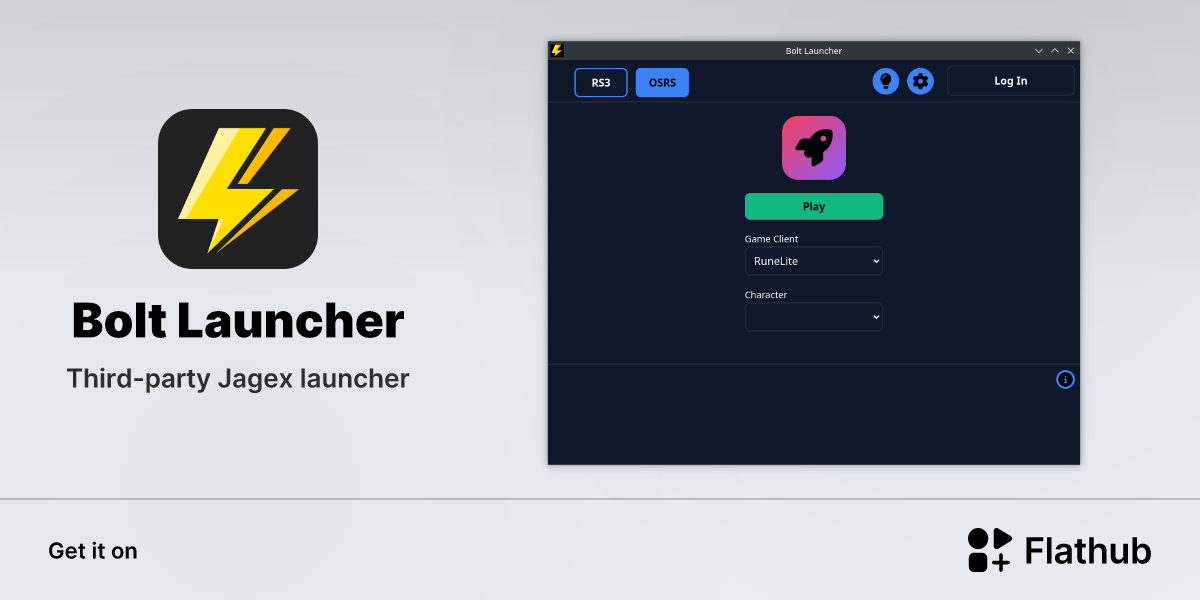
I think you can use the Bolt launcher on Linux?
stone parcel
Yeah probably want to use Bolt, there are other options mentioned in that 7ormRS's discord too.
haughty pumiceBOT
Using Jagex accounts on Linux is not officially supported by Jagex, but there are some third party community guides to make it work https://help.jagex.com/hc/en-gb/articles/13413514881937-Downloading-the-Jagex-Launcher-on-Linux
tough dock
I had never heard of bolt. Thank you both
stone parcel
haughty pumice
Using Jagex accounts on Linux is not officially supported by Jagex, but there ar...
Thats what I meant to link. 😅
spring swallow
spring swallow
Hey my runelite has been crashing pretty frequently, making it pretty difficult ...
also with this it seems to happen when I get a combat achievemen
round jacinth
can you share your regular client.log
spring swallow
So I just restarted my client, but here it is
Yeah it looks like its from the new stuff
Ill get it after it happens again
round jacinth
have you thought of reducing the number of hub plugins you've got..? you've got 213 of them lol
spring swallow
Is there a way I can determine specifically what plugin is causing it?
spring swallow
Is it enough to disable them or do I need to uninstall completely
round jacinth
if you disable you should restart client too
in either case you dont lose settings if you remove a plugin

plugin settings persist between removing thep lugins
if you search Plugin Hub you'll see the list of all the ones you use
split tunneling doesn't work
no afaik
stone parcel
This doesn't work for most people, but personally this works for me. https://github.com/runelite/runelite/issues/15098#issuecomment-1796518159
tough dock
stone parcel
Yeah probably want to use Bolt, there are other options mentioned in that 7ormRS...
To help others searching for the answer here, I was able to install Runelite on NixOs with a Jagex Account through Bolt and Flatpak
Add the flatpak service to your NixOs config
services.flatpak.enable = true;
Rebuild nixos
sudo nixos-rebuild switch
Use Flatpak to install the Bolt Launcher
flatpak remote-add --if-not-exists flathub https://flathub.org/repo/flathub.flatpakrepo
flatpak update
flatpak install flathub com.adamcake.Bolt
flatpak run com.adamcake.Bolt
Helpful Lnks:
https://nixos.wiki/wiki/Flatpak
https://flathub.org/apps/com.adamcake.Bolt
 wet zenith
are the game size values in window settings still relevant in full screen mode or is it just using the display resolution?
 spark sigil
Hi, for the last few weeks I'm having regular issues with the client loading and getting stuck at 'starting external plugins'. I've booted in safe mode and it's fine, but via Jagex Launcher and direct via Runelite launcher I get the same issue. I've been through and removed plugins until I identified the ones that were causing issues, it worked for a couple of days and now it's regularly failing again and I'm stuck constantly removing more and more plugins. I've reinstalled runelite and removed and reinstalled plugins via safemode so far. Looking for how I can fix this as it's incredibly frustrating! I've attached my most recent client log for reference.
leaden trail
Can you attach your most recent launcher.log as well?
spark sigil
leaden trail
I don't see anything that sticks out in either of these.
 sweet maple
There a way to minimize the client with shortcut key in mac?
leaden trail
Does command-M not work?
 chilly hornet
Morning all,
Just wanted to stop by and ask if anyone is experiencing this weird issue that I keep getting, every time I go to the Ardougne Monastery. So TLDR, I keep getting this one particular blue/cyan circle-shaped pixel which just hovers around the UI/Scene regardless of the camera position(?), and I don't know why but it only seems to happen at the Monastery, nowhere else from what I've seen/experienced.
Note: Apologies in advance if the pixel is hard to see in the video, My monitor/etc.- is set to 4k resolution 😅 🤷♂️

 leaden trail
Does it occur in safe mode?
haughty pumiceBOT
Windows
Run the RuneLite (safe mode) shortcut, or with a Jagex account, first run the RuneLite (configure) shortcut and tick the Safe mode box, then launch RuneLite via the Jagex launcher.
Mac
In Terminal, run:
/Applications/RuneLite.app/Contents/MacOS/RuneLite --configureTick the Safe mode box. Launch RuneLite.
If it's not working, download and install the updated RuneLite launcher from the website link in #welcome. You don't need to uninstall your current version. You will not lose any settings or plugins. Then try running safemode again.
chilly hornet
Once or twice, but yes regardless
Oh and I should note that this is in RuneLite itself, not via the Jagex Launcher, idk if this is relevant but ya know, just in case
leaden trail
Can you get a video of it happening in safe mode, with the title bar of the window visible?
chilly hornet
I can try yeah sure, can't guarantee ya that I can reproduce it, it just seems to happen every now and then
I'll finish My farm run(s) and upload a vid here in about 5-10 mins
leaden trail
You just said it happens every time you go to the monastery though. Is that the case or is it intermittent?
chilly hornet
Intermittent ^
Also, how do ya run the standalone RuneLite client in Safe Mode on Windows 10 again?; I forgot how to do it, its been a while, like a week almost lol
leaden trail
Search "RuneLite" in the start menu and run "RuneLite (safe mode)"
chilly hornet
chilly hornet
Once or twice, but yes regardless
Ok now it seems to be gone, whilst playing in safe-mode
Weird 🤔 nvm what I said earlier, no it doesn't happen in safe mode 😅
Ok now it's not showing in the usual (non-safe-mode) RuneLite
leaden trail
In that case it's almost certainly a hub plugin
I'd guess something isn't clearing an overlay correctly or something like that
chilly hornet
That was My first thought too, yea
Hmm ok, I guess I'll have to ignore it then, cos I have a bunch of plugins installed like most people do, and it'd take ages to find the culprit 😆 Thanks anyways, I appreciate it
round jacinth
i didnt know that could error, maybe make an issue on it on https://github.com/runelite/runelite.net about it

GitHub
RuneLite website. Contribute to runelite/runelite.net development by creating an account on GitHub.
for what reason are you trying to reset the account anyhow, cause the data is just going to be resent?
i dont think the name of it matters, it can delete w/e
just make an issue about it on github probably
 near saddle
runelite crashed on me while I was setting up shamans, next start up, got this error. Did my runtime get swapped or something??

I've been experiencing extremely laggy loading lines, like it goes down to single digit fps. I have an expensive setup, so it's not my pc
is there a way I can profile what could be causing this?
zealous cedar
It means that something is preventing you from downloading runelite, maybe a firewall
or alternatively maybe your hard drive is broken
near saddle
zealous cedar
It means that something is preventing you from downloading runelite, maybe a fir...
hmm, interesting
I installed a new antivirus in the last couple months
I wonder if that could be flubbing it?
 hybrid plank
Is there a known bug with profiles at the moment? I've been having issues with mine recently and a quick ctrl f shows a lot of people mentioning them
stone parcel
Anything specific that has been happening to you?
hybrid plank
Well I regularly play two accounts and I have two profiles set up each with one account linked to it. I've had it that way for months with no issues, it'd auto switch profile whenever I logged in. But lately it hasn't been switching profiles automatically, and when I manually switch profiles it'll start lagging so bad that I have to restart my client for it to be playable
oblique plume
does it happen in safemode
hybrid plank
I haven't tried. Is there a way to do that through the jagex launcher?
haughty pumiceBOT
Windows
Run the RuneLite (safe mode) shortcut, or with a Jagex account, first run the RuneLite (configure) shortcut and tick the Safe mode box, then launch RuneLite via the Jagex launcher.
Mac
In Terminal, run:
/Applications/RuneLite.app/Contents/MacOS/RuneLite --configureTick the Safe mode box. Launch RuneLite.
If it's not working, download and install the updated RuneLite launcher from the website link in #welcome. You don't need to uninstall your current version. You will not lose any settings or plugins. Then try running safemode again.
hybrid plank
using safe mode I just had the same issue of not automatically switching profiles, but manually switching them didn't cause lag like I've had in the past
oblique plume
could they have been unlinked somehow
i dunno if the client log would have anything but we can take a look
haughty pumiceBOT
To find the logs, you can do one of the following:
- If your client failed to open, click the
Open logs folderbutton. - Open the screenshot directory by right-clicking 📷
Camerabutton, navigate 1 directory up, then open logs folder. - Navigate to
%userprofile%\.runelite\logson Windows or$HOME/.runelite/logson Linux and macOS.
Upload the log files named client and launcher by dragging them to Discord. If there are files prefixed with jvm_crash dated from today, upload them too.
hybrid plank
I already switched back to normal non safe mode client. Do I need to reload into safemode before sharing logs?
also when I switched back and turned gpu plugin back on one of my clients crashed
oblique plume
nah
hybrid plank
oblique plume
ERROR n.r.client.config.ProfileManager - unable to read profiles
this prob means they got unlinked
hybrid plank
hmm
whenever I've found it not auto switching I manually switch and relink. done that a couple times this week
so its weird that it isn't saving that
 hasty agate
Having the GPU or 117HD plugin breaks streaming of runelite to discord. Anyone any idea what could cause this?
viscid lantern
change the discord capture mode
oblique plume
only thing i know is what you were told last time
hasty agate
(I reposted because I discovered that it was the GPU/117HD resulting in the failure to stream)
Altering capture mode does not impact this problem
gilded kayak
i would assume forcing runelite to use your gpu, causing discord to not be able to use your gpu, is a gpu problem
hasty agate
Im reinstalling my drivers atm to see if that has any effect
gilded kayak
or discord if it's only runelite it can't stream anymore
hasty agate
Reinstalling drivers did not work. It is only runelite I have this issue with 😦
 charred wind
All the experimental crap discord comes with like injecting their DLL to get sound or whatever, turn it all off
Don’t stream Runelite until after you log in
 regal sail
Are any plug-in settings saved across devices if you use the Jagex Launcher, but aren't signed into runelite?
oblique plume
the only way to sync settings across devices is using the sync feature
regal sail
Is this possible without logging into runelite?
oblique plume
no
gilded kayak
no, runelite settings are saved on runelite and only available to sync through runelite's syncing
regal sail
So if I launch runelite through the Jagex Launcher (without logging into a runelite account or profile), and then subsequently do the same on a separate device, none of the settings will be reflected on the new device?
oblique plume
jagex isnt runelite
gilded kayak
^
oblique plume
so a runelite feature isnt something jagex will give you
gilded kayak
the jagex launcher's involvement with RuneLite is more or less them clicking RuneLite.exe for you
still shard
Im having trouble connecting with my VPN on
gilded kayak
connecting to the game or opening runelite
still shard
Opening runelite
i can connect to the jagex launcher if i split tunnel but i cant with runelite
gilded kayak
does it work if you turn off split tunneling
still shard
no it doesnt work when split tunneling is off
regal sail
oblique plume
jagex isnt runelite
@oblique plume does the cloud sync feature work without being logged in (like saving based on rs account or jagex account)
viscid lantern
The only way to use the cloud sync feature is by logging in with a Google account.
regal sail
Sorry, I'm on mobile, didn't mean to
regal sail
I figured out the issue, it was the Google account (which was logged into on the computer, but not explicitly associated with runelite) that was syncing configs
oblique plume
what
its definitely a deliberate action to sign in to runelite
it doesnt just "happen"
 ornate adder
I appreciate im not the first nor last, i cannot seem to get RL on the jagex launcher? any assistance?
ive uninstalled both and reinsatlled both and thats kind of as far of my computing knowledge goes
and its now saying after downlaoding RL through the jagex launcher like 4 times i still need to install RL
marsh viper
marsh viper
it keeps crashing on trying to start the client. I've tried launching in safe mo...
I'm having this same issue again. I've been able to play but I have to delete the cache and the data file every time I try to launch the game or else it won't work. I've even uninstalled and reinstalled runelite from the computer and its having this issue still.
haughty pumiceBOT
@ornate adder If you're getting an error while trying to install RuneLite in the lines of unable to find unins000.exe that means you have a previous RuneLite version that didn't uninstall cleanly. To fix that you need to delete the following windows registry key: Computer\HKEY_CURRENT_USER\SOFTWARE\Microsoft\Windows\CurrentVersion\Uninstall\RuneLite Launcher_is1
leaden trail
Maybe try that then reinstalling?
wet zenith
does anybody have any idea how to fix the way the lava texture loads in the distance in the following clip?
viscid lantern
you cant, they just do that
wet zenith
i know with 117HD you can fix it with expanded shadow draw toggle so i was wondering if theres a way to fix it maybe with experimental gpu plugin or something
viscid lantern
nah there is no such thing for gpu
hd makes it work by rendering more of the world than visible to generate those shadows which means those tiles get culled further out
wet zenith
even when i zoom in super close to the character the lava still does this at the edge even if it's like 10 tiles away, is this also expected behaviour?
viscid lantern
what does it do if you disable the gpu plugin
marsh viper
leaden trail
Maybe try that then reinstalling?
It did not help.
viscid lantern
maybe jagex fixes that terrain at some point then 
wet zenith
Yeah I don't think I've ever noticed it anywhere else
viscid lantern
it happens in some places ingame but its pretty rare
wet zenith
Do they consider liquids like the lava a shadow or something
viscid lantern
nah, the game has no concept of liquids
wet zenith
Because I notice that when it's glitching like that, the little areas of land won't load all weird like that
So it's definitely just some shitty looking lava textures I guess
viscid lantern
fwiw the experimental gpu plugin seems to render those tiles just fine, but I also advice against using that. Future looks bright for those tiles at least
zealous cedar
yeah, i expect it to be fixed by the new gpu stuff really
leaden trail
viscid lantern
fwiw the experimental gpu plugin seems to render those tiles just fine, but I al...
It fixes those but at what cost? 😛
viscid lantern
may cause crashes and render things incorrectly
that cost
leaden trail
indeed
 odd torrent
Anyone else have their time tracking (and by extension time tracking reminder) for farming patches screwed up?
My farming cycle occurs 9m after the hour but the plugin started thinking it happens 10m after the hours, and is off by 19 mins frequently.
leaden trail
hey I wanted to be the one to forward an old #support message for once
now that I can actually forward
odd torrent
That worked, thanks
 fleet fossil
hey guys runelite is running at 14 fps in safe mode with hardware acceleration off and windows acceleration off as well but the steam client runs at full frames
zealous cedar
safe mode doesnt use gpu, so it will run slow. although that is really slow
fleet fossil
yeah with both on and gpu on i hit 60 but i keep dipping down to the 20s even just standing still
my pc is more than capable
turned off all plugin hub plugins, no difference
fleet fossil
its like it refuses to use more power
stone parcel
Maybe you could try older or newer gpu drivers.
Wouldn't explain the safe mode part though.
stone parcel
What about if you try with a new (blank) profile, just curious.
fleet fossil
no difference
stone parcel
Dang.
fleet fossil
no pc
ive had this issue with multiple driver versions now
gpu plugin only brings me to 40 fps
any known issues with the rtx 2070?
 lapis elm
no
oblique plume
People not plugging their monitor into it
fleet fossil
idk what then. plugin hub isnt the issue. windows and runelite hardware accelleration both off and still getting low fps
turned them off and my fps went down, turned them back on my fps didnt go back up
i was getting 60 and then going down to 20 ish
 dense tendon
how come disable npc 2d isnt removing hitsplats like it does for player?
 sharp mountain
anyone have any idea what might be causing stutters when running around
like, for the past month or so itll just stutter, character go backwards, that type of stuff, testing vanilla client and not getting it
so i believe its a plugin i probably put on
gilded kayak
that's a great assumption because it's almost certainly correct
something you installed from the hub
sharp mountain
yeah im just not sure what
gilded kayak
not sure, i'd probably start with the ones u barely use
sharp mountain
i have so many 😭
solid mesa
That might be part of the problem
sharp mountain
yea, i need to go through and cut down a bunch that i dont use
 hybrid orchid
I accidently clicked an option on my blisterwood a few weeks ago, and a charge infobox appeared, I can press delete, and all it does is change location, I cannot remove it
Is there a fix?
 viscid lantern
its some hub plugin, I see multiple things in that screenshot so idk which one you mean
hybrid orchid
The little infobox with the yellow
viscid lantern
its probably part of remaining casts then
hybrid orchid
I can delete other little boxes, but this one is stuck, I can pin other things to a box
I cannot delete it, nore find the infobox plugin
viscid lantern
its probably part of remaining casts, or another hub plugin
 jolly coral
hello, is it possible to make it show date there instead of session time at all times?
 viscid lantern
you can configure it in the report button plugin, dont think date is is an option though
oblique plume
it is
viscid lantern
oh nice
 half slate
Hiya I found a memory leak at gotr interacting with a plugin
just not sure which plugin it is
 light trellis
Anyone have a clue what could be causing my idle notifier to stop working on skilling tasks and require me to reload the client everytime i log back into my PC, Yet it works perfectly fine for everything else without requiring a client restart?
haughty pumiceBOT
Many plugins from the pluginhub break the client in subtle or not-so-subtle ways, including causing issues like client freezes. We do not support pluginhub plugins because we do not make or quality control them, and do not recommend their use.
Run the RuneLite (safe mode) shortcut, or with a Jagex account, first run the RuneLite (configure) shortcut and tick the Safe mode box, then launch RuneLite via the Jagex launcher.
This temporarily disables the GPU plugin and all hub plugins which will allow you to confirm the issue is caused by one of those plugins and isn't a core RuneLite issue.
If the issue is caused by a hub plugin, you should isolate which plugin it is and then uninstall the plugin.
light trellis
Is idle notifier not a stock plugin within the runelite client lol?
im just confused on how it will stop working if i put my work laptop into sleep mode and then log back in later on. Yet any other 3rd party plugin that also pulls from the notification settings within the runelite plugin, doesnt get effected.
leaden trail
It's probably something interfering with it
light trellis
its only idle notifier though which is the confusing part
leaden trail
Regarding the sleep mode thing, sleeping your computer with the client open tends to break things, and we recommend closing your client whenever you aren't actively using it anyway
light trellis
it also only happends on my work laptop which is a mac vs my windows pc , if thats relevant at all
light trellis
leaden trail
Regarding the sleep mode thing, sleeping your computer with the client open tend...
Must be a mac issue i suppoe in regards to client being open while pc is slept
leaden trail
No I think it happens on windows too
light trellis
again weird though it only effects idle notifier and no other notification plugin
light trellis
leaden trail
No I think it happens on windows too
this has never happened on my home pc which is a windows pc
and i do the exact same thing
leaden trail
I'm talking about issues caused by sleeping with the client open in general
light trellis
yeah and im saying i sleep my home pc with the client open and i never have to reload the client for idle notifier to start working again, but i have to for my mac.
im just curious why it only happends on my mac and why it only effects like 1 of 10 plugins i use that pull from the same notification settings in runelite, aswell as the 1 plugin is stock and the other 9 are 3rd party. just a confusing situation.
 zenith tide
Having some issues with my client crashing at seemingly random times.
Error message says it ran out of memory, which doesn't make sense and directs me to ask for assistance here.
Anyone have any experience with this?
zealous cedar
can you show the error message?
zenith tide
Don't have it at hand, but i can paste from the logs if that works?
2024-11-01 15:02:51 CET [Map Loader] ERROR rs117.hd.HdPlugin - Ran out of memory while loading scene (32-bit: false, low memory mode: false, cache size: 512)
java.lang.OutOfMemoryError: null
at org.lwjgl.system.MemoryUtil.nmemAllocChecked(MemoryUtil.java:246)
at org.lwjgl.system.MemoryUtil.memAllocInt(MemoryUtil.java:288)
at rs117.hd.utils.buffer.GpuIntBuffer.ensureCapacity(GpuIntBuffer.java:103)
at rs117.hd.model.ModelPusher.pushModel(ModelPusher.java:206)
at rs117.hd.scene.SceneUploader.uploadModel(SceneUploader.java:231)
at rs117.hd.scene.SceneUploader.upload(SceneUploader.java:338)
at rs117.hd.scene.SceneUploader.upload(SceneUploader.java:92)
at rs117.hd.HdPlugin.loadSceneInternal(HdPlugin.java:2346)
at rs117.hd.HdPlugin.loadScene(HdPlugin.java:2327)
at rl3.xo(rl3.java:63986)
at rl3.run(rl3.java:24825)
at java.base/java.util.concurrent.Executors$RunnableAdapter.call(Unknown Source)
at java.base/java.util.concurrent.FutureTask.run(Unknown Source)
at java.base/java.util.concurrent.ThreadPoolExecutor.runWorker(Unknown Source)
at java.base/java.util.concurrent.ThreadPoolExecutor$Worker.run(Unknown Source)
at java.base/java.lang.Thread.run(Unknown Source)
zealous cedar
i think this is a native malloc() failure so I guess you are just out of memory
zenith tide
This one also repeats several times a few minutes before the crash:
2024-11-01 15:00:45 CET [Client] WARN n.runelite.client.eventbus.EventBus - Uncaught exception in event subscriber
java.lang.NullPointerException: null
at com.collapsiblemodernchat.collapsiblemodernchatplugin.updatePlugins(collapsiblemodernchatplugin.java:73)
at com.collapsiblemodernchat.collapsiblemodernchatplugin.onScriptPostFired(collapsiblemodernchatplugin.java:44)
at net.runelite.client.eventbus.EventBus$Subscriber.invoke(EventBus.java:70)
at net.runelite.client.eventbus.EventBus.post(EventBus.java:223)
at net.runelite.client.callback.Hooks.post(Hooks.java:202)
at client.hu(client.java:18809)
at tt.ak(tt.java:59276)
at ca.aw(ca.java:787)
at ch.ci(ch.java:5438)
at client.jn(client.java:29907)
at client.ht(client.java:3234)
at client.bc(client.java:1237)
at bz.ax(bz.java:394)
at bz.id(bz.java)
at bz.run(bz.java:4293)
at java.base/java.lang.Thread.run(Unknown Source)
zealous cedar
but im not 100% sure on the way the lwjgl alloc stuff works
zenith tide
right, thanks
is there a way to enable low memory mode? Logs says it's turned of, but i can't find it in any settings
zealous cedar
i dont know what that is, it is an 117hd specific setting
zenith tide
ok, i'll look around. Thanks again
zealous cedar
pretty sure this is a malloc() fail reading the lwjgl code
you could use normal gpu mode instead of 117 and it might work better
zenith tide
I'll experiment with it a bit and see what works
 silent bloom
Hi, apologies if this isnt the correct place to post this general, non technical question...
Is there any way for me to re-size the sidebar so I can use up some of my "dead" screen space please?
Im trying to write notes, but its super compact
 crisp dune
no, it's not resizable
silent bloom
Alrighty, is it something that you've seen any demand from? I saw request from 2020 in github
crisp dune
not any substantial amount, no
silent bloom
Fair enough, thanks!
 grim mist

Question for you guys anyone else ever have this screen just be black after trying to load up runelite?
my jagex launcher is working but when i launch it with the runelite client its just a black screen no login screen to play my character'
Anyone can help me fix this please?
haughty pumiceBOT
Windows
Run the RuneLite (safe mode) shortcut, or with a Jagex account, first run the RuneLite (configure) shortcut and tick the Safe mode box, then launch RuneLite via the Jagex launcher.
Mac
In Terminal, run:
/Applications/RuneLite.app/Contents/MacOS/RuneLite --configureTick the Safe mode box. Launch RuneLite.
If it's not working, download and install the updated RuneLite launcher from the website link in #welcome. You don't need to uninstall your current version. You will not lose any settings or plugins. Then try running safemode again.
oblique plume
try that
 steel stag
Hello, so i have a osrs steam account and i want to play on runelite but cant seem to login with my steam account. It says "account has been involved in serius rule breaking" when i log into the account on runescape servers it says gz your account are no acctive offenses
 stone parcel
There is a post in #faq about Steam accounts, not sure but maybe that would be helpful?
 noble adder
Having same issue. HD and GPU cause screen to go black. Used in Safe mode and works but the graphics are worse. Unistalled/reinstalled, cleared cache, ect.
 stone parcel
Mmmmm don't suppose restarting PC helps?
noble adder
Done that as well. Checked pc for update driver etc.
stone parcel
Does the gpu work* using a fresh (blank) profile?
 mighty steppe
is there any command how to check instruction how to transfer plugins to new pc?
stone parcel
!transfer
haughty pumiceBOT
noble adder
stone parcel
Does the gpu work* using a fresh (blank) profile?
Tried, still issue. Not sure what it is but wasn't a issue till yesterday.
stone parcel
I see it has been recommended in the past for a similar issue to try older gpu drivers, but might want to wait for a more knowledgeable opinion. 😅
noble adder
Going to try updating my amd driver to see if that resolves.
Seems to of worked! If anyone has similar issue to mine regarding it. I had to update my AMD driver due to it conflicting with the HD plugin. 🙂
stone parcel
Sweet! Glad to hear it, thanks for letting us know! 😁
 steep veldt
Is there a way to move the default screenshot folder? I would like it in a different drive
round jacinth
you can set up a symlink or just periodically move them as a batch manually
oblique plume
symlinks!
round jacinth
i move mine periodically manually to my nas because im lazy
round jacinth
google what it is, it's a generic thing not runelite specific
idk how to explain it
but it's what you want
 long abyss
im not sure why but last few days my client has been closing for no reason just compleatly closing down any insite on this matter?
haughty pumiceBOT
@long abyss To find the logs, you can do one of the following:
- If your client failed to open, click the
Open logs folderbutton. - Open the screenshot directory by right-clicking 📷
Camerabutton, navigate 1 directory up, then open logs folder. - Navigate to
%userprofile%\.runelite\logson Windows or$HOME/.runelite/logson Linux and macOS.
Upload the log files named client and launcher by dragging them to Discord. If there are files prefixed with jvm_crash dated from today, upload them too.
round jacinth
More than likely you’ve just got bad hub plugins tho
long abyss
haughty pumice
<@486554011944615937> To find the logs, you can **do one of the following**:
- I...
do i need to send these logs to anyone?
its happen twice in the last 10 mins
solid mesa
You can just post them in this channel
long abyss
 sly zodiac
long abyss
im not sure why but last few days my client has been closing for no reason just ...
sly zodiac
long abyss
im not sure why but last few days my client has been closing for no reason just ...
im having this issue too
long abyss
sly zodiac
im having this issue too
hopefully we can get to bottom of it
 leaden trail
You can try disabling "Core Performance Boost" in BIOS maybe
And do let me know if that resolves it. There are a couple different issues that look similar, and I'm trying to compile crash logs for the ones where it does help vs where it doesn't so I can try and figure out what they have in common
sly zodiac
my pc also blue screens after runelite crashes, not sure if that tells you anything more
leaden trail
You probably have something else going on as well then. I'd take a look at Event Viewer and see if anything sticks out
sly zodiac
uh, idk what id be looking for in Event Viewer. not a computer wiz
leaden trail
Big angry red things that say error with a timestamp around the time of your system bluescreening
sly zodiac
no angry red things from what i can see but i may not be looking in right spot
 mortal pond
sly zodiac
no angry red things from what i can see but i may not be looking in right spot
mortal pond
sly zodiac
no angry red things from what i can see but i may not be looking in right spot
click "System" over on the left side
sly zodiac
 sly zodiac
leaden trail
You can try disabling "Core Performance Boost" in BIOS maybe
sly zodiac
leaden trail
You can try disabling "Core Performance Boost" in BIOS maybe
hey, how do i do this? i cant seem to find it, sorry
fleet fossil
is there a way to force runelite to use my gpu more?
if im in a new runelite profile, turn off all plugin hub plugins, then set fps counter to aim for 150, should it not be aiming for 150? im still sitting at 60 but under process manager my gpu and cpu are being used at like ~10% each
itll spike up to the 80s and 90s for half a second and then stay around the 60s 50s and 40s
stone parcel
sly zodiac
hey, how do i do this? i cant seem to find it, sorry
Boot your PC into bios (often pressing delete at boot), then hopefully your bios has a search function to search "core performance", and you should be able to disable it.
sly zodiac
so turn pc off and turn it back on while spamming the 'delete' key?
stone parcel
Right after turning on your PC it should tell you which keys to press to enter bios, but probably yes.
Sometimes its like F12 or something too.
sly zodiac
huh ok... is it once its done booting or during the MSI screen thing when its still doing all its stuff before i sign in?
sly zodiac
ok thank you i will try that. how do i get out of that bios mode thing after i disable?
stone parcel
There should be a save and exit option somewhere. Each bios is different :/
sly zodiac
ok gotcha. thanks for the help ill try that out
stone parcel
No problem, good luck! 😁
sly zodiac
that was some hackerman type shit... thanks for the help, found it and disabled it!
stone parcel
Glad to hear it! Hopefully it helps.
 dapper oar
Hi all,
Running into a bit of a weird one. I'm not a java developer so might be simple.
So, I have created a simple plugin, which builds and runs fine locally - I'm trying to compile it to a .jar so I can send to my friend but javac and mvn package are bringing up dependency issues - any advice?
Using intellij IDE if that makes it any easier to solve
haughty pumiceBOT
Run gradle shadowJar to generate a runnable jar in build/libs/*-all.jar. You can run the jar with java -jar -ea jarName.jar. If you run into problems, update build.gradle to the latest plugin template version.
 elfin jackal
Is there a repository of in game sound effects? Looking for a few from Xarpus (his spit sound, wing flap and the exhume sounds)
I have all the sound IDs but I was also wondering if there was an easy way to grab the corresponding sound file
elfin jackal

Old School RuneScape Wiki
This category contains audio files related to OGG and MIDI extensions. Use Template:Listen to embed audio. This category is automatically added by Template:Non-free audio.
I checked here and it doesn't have the ones I'm after unfortunately
I'm guessing it's not automatically updated or anything
leaden trail
There isn't really a way for us to update it
elfin jackal
leaden trail
There isn't really a way for us to update it
Yeah I figured that was the case
Oh well, thanks for your help! I can just use custom sounds so its not the end of the world
round jacinth
This is what Andrew gower wanted
 upper spade
Cant be exactly sure if this is a runelite issue, but it resolved upon restarting RL. My game sounds randomly started causing loud static. Only stopped if i muted in game sounds... Any idea of the cause?
zealous cedar
this is impressive
leaden trail
What the actual fuck.
You absolute legend.
stone parcel
Oh wow its the same person, thats awesome!
leaden trail
@viscid kelp better deliver or we riot
viscid lantern
idk how you survived those lag spikes
vast bone
why don't I see rainbow rave? Are the defaults to have stuff disabled?
leaden trail
I'm mostly impressed you didn't oom
final axle
leaden trail
I'm mostly impressed you didn't oom
dedodated wam
viscid lantern
pay up cook!
leaden trail
final axle
dedodated wam
Proof that there's an inflection point where IQ starts increasing again with number of plugins installed
viscid lantern
I am surprised it runs at all 😂
solid mesa
Clearly runelite should change the default heap to 4G so nobody crashes due to out of memory anymore
final axle
now inferno 
vast bone
is there anything that you can't do (besides not being able to see well)
I don't even recognize 95% of them XD
also where is nekos
viscid lantern
I think its time to take it out of its misery and just kill it
haughty pumiceBOT
Many plugins from the pluginhub break the client in subtle or not-so-subtle ways, including causing issues like client freezes. We do not support pluginhub plugins because we do not make or quality control them, and do not recommend their use.
Run the RuneLite (safe mode) shortcut, or with a Jagex account, first run the RuneLite (configure) shortcut and tick the Safe mode box, then launch RuneLite via the Jagex launcher.
This temporarily disables the GPU plugin and all hub plugins which will allow you to confirm the issue is caused by one of those plugins and isn't a core RuneLite issue.
If the issue is caused by a hub plugin, you should isolate which plugin it is and then uninstall the plugin.
leaden trail
(sorry I had to)
viscid lantern
vast bone
also where is nekos
00:41
vast bone
I see it now
it only lags when it changes image.
so if you set it to change rarely it's probably ok, iirc?
 brave wind
this might be related to a plugin you have running, could you give a list of the plugins you're using
hand-typed preferably
leaden trail
I have to ask, how many attempts did this take?
vast bone
@waxen ferry someone has a problem with your plugin 😂
lapis elm
how bigs the stack
you didn't have to increase your client stack sizE? color me surprised
leaden trail
"why aren't my plugin icons one row?"
solid mesa
This is why we need to be able to rearrange our sidebar icons
vast bone
"WELCOME BACK TO THE BOG" NO WAY
viscid lantern
I love seeing that fps tank 😂
vast bone
that's perfect
leaden trail
"Why is my RuneLite slow?"
viscid lantern
zealous cedar
how much heap did you have to give it for that to run?
here @lapis elm
lapis elm
you can legally extort cook now
leaden trail
Please don't give reddit ideas
"I saw this on the front page and wanted to try it and now my game is acting weird"
That's all support will be for weeks 🤣
viscid lantern
I think its art 
round jacinth
afaik only they were promised a reward and the amount of warnings you have to accept before getting most means we get to instantly mute people
Lmao
😂
viscid lantern
oh some will break your client
or get stuck in an infinite loop, those are always fun
round jacinth
Some hub plugins don’t store in config they store in their own files
Have fun with that 🙂
leaden trail
👀
zealous cedar
we have to fight with people to even make it end up this relatively organized
viscid lantern
oh oh
do you still have the client logs? 
that sounds likely yes
oh god
its all the same log 
killed by the snail 
that poor little client
round jacinth
idk seemed big to me
 hot oasis
I see some plugins turned off. Do it again but force it to have conflicted plugins at the same time
leaden trail
@feral imp I see you have a branch that stops your plugin from doing this. Can you consider updating the version of your plugin that's on the hub to include those changes? It came up in someone's not-shitpost log (in addition to this one) the other day and got in the way of addressing their actual issue
 feral imp
