#support
1 messages · Page 5 of 1
 sand star
 safe fossil
I have a hard time seeing the color difference for the floor tiles for the CG boss. I want to recolor them with a small custom plugin. Is there a way to select the floor active floor tiles in the runelite API?
 round jacinth
some one is working on something that does that or something similar to that
i think they might be close idk
 gilded kayak
it's in the queue
similar but not what you said specifically
safe fossil
That seems to have the functionality to recolour the floor tiles. Where can I find that?
round jacinth
it is in the queue to be a hub plugin
gilded kayak
safe fossil
Cool yeah, this seems to work well. Thank you
 crisp dune
gilded kayak
https://cdn.discordapp.com/attachments/301497432909414422/1237868705732366520/20...
crisp dune
gilded kayak
https://cdn.discordapp.com/attachments/301497432909414422/1237868705732366520/20...
what happens if it makes it grey like the non-glowing walls lol
monochrome gauntlet
 hollow tusk
To see if it’s less blurry?
gilded kayak
hollow tusk
To see if it’s less blurry?
do what I suggested below that instead
hollow tusk
Yea that sounds like a plan but bigger windows good
 frail anchor
Is There a way i Can usé the runelite 64 bits directly from jagex launcher?
 mossy swan
frail anchor
Is There a way i Can usé the runelite 64 bits directly from jagex launcher?
mossy swan
frail anchor
Is There a way i Can usé the runelite 64 bits directly from jagex launcher?
yes, simply select runelite instead of the official client in the drop-down
frail anchor
Thats what i do but i think its Still using the 32 version
gilded kayak
The Jagex launcher starts the version of RuneLite you have installed, it doesn't pick one
if you have the 32 bit launcher installed it will use that
frail anchor
Oh, thanks let me check that
mossy swan
frail anchor
Thats what i do but i think its Still using the 32 version
check in task manager, if it says (32bit) you should uninstall and install the 64bit runelite launcher
 fallen tiger
crisp dune
what happens if it makes it grey like the non-glowing walls lol
fallen tiger
crisp dune
what happens if it makes it grey like the non-glowing walls lol
The vid is from an earlier version which only shifted hue, so making it grey would not have changed much 😛
Current version hue shifts some colors and shifts brightness/saturation on others. Making it grey with Hue shifted to blue will result in something like this:

making it white with the same hue will look like this:
 crisp dune
ah ok
 open locust
Hello, could anyone help me with that?

 green jacinth
Is the grand exchange search feature broken atm? Whenever I search for a f2p item, I'll get the result(s), but p2p items yield nothing. The loading wheel just constantly spin, even if I click on the red x. I'd have to search a different item that is f2p. I have tried re installing runelite, but I'm getting the same bug.
 compact spear
are you searching in a f2p world?
 storm bridge
Hmm.


 viscid lantern
the game is down for the weekly update
 reef notch
@storm bridge first time? after updates runelite takes a bit of time to sync to it. normally 30mins+
storm bridge
Ah, fair enough. I wasn't aware there was an update. I'm usually working on wednesdays ;D
reef notch
storm bridge
Ah, fair enough. I wasn't aware there was an update. I'm usually working on wedn...
Dw mate, shouldnt normally take too long. And mark your calendar, every wednesday 11:30 am bst there is a game update 😄 (unless osrs twitter/discord) announces it is/will be postponed which happens like once every few months
 tropic vine
Issue with the fishing plugin in aerial fishing, it sometimes leaves the spot icons up even after the spot has moved. Had to disable the plugin because of this. Reseting the plugin won't remove the "false" markers
 oblique plume
known issue, dunno why it happens
 exotic sigil
One message removed from a suspended account.
One message removed from a suspended account.
round jacinth
How is your connection to that world you’re trying
exotic sigil
One message removed from a suspended account.
 haughty pumiceBOT
To find the logs, you can do one of the following:
- If your client failed to open, click the
Open logs folderbutton. - Open the screenshot directory by right-clicking 📷
Camerabutton, navigate 1 directory up, then open logs folder. - Navigate to
%userprofile%\.runelite\logson Windows or$HOME/.runelite/logson Linux and macOS.
Upload the log files named client and launcher by dragging them to Discord. If there are files prefixed with jvm_crash dated from today, upload them too.
exotic sigil
One message removed from a suspended account.
viscid lantern
your client doesnt fail to open so try one of the other options
exotic sigil
One message removed from a suspended account.
One message removed from a suspended account.
round jacinth
Are you using the rsn name changed
Changer plugin
And having it set to a name the same as the one your alt is already named?
exotic sigil
One message removed from a suspended account.
round jacinth
If you just turned it off restart client because idk if that thing turns off properly
Or better yet just uninstall it
exotic sigil
One message removed from a suspended account.
One message removed from a suspended account.
round jacinth
Go figure
exotic sigil
One message removed from a suspended account.
One message removed from a suspended account.
 sturdy pond
Is there a way to "save" your runelite profile? For the past month or 2 every time I close and reopen RL, it does not remember any recent plugin changes I made. I am using the correct profile
 thorn crane
How do i get the authenticator to activate? Just downloaded runelite
oblique plume
sturdy pond
Is there a way to "save" your runelite profile? For the past month or 2 every ti...
is it synced, and you cant push updates up?
round jacinth
or they lost write permissions
oblique plume
thorn crane
How do i get the authenticator to activate? Just downloaded runelite
are you saying you have an authenticator set but didnt set one?
or that you type auth code every time
sturdy pond
oblique plume
is it synced, and you cant push updates up?
Sorry, how can I check this?
oblique plume
the profile, if it has the cloud active or not
sturdy pond
Yes
 oblique plume
then you prob cant connect to the cloud to push new changes up to it
and when the client starts it will pull down what the cloud has
which isnt updated
sturdy pond
Is there any way to fix that or manually update?
oblique plume
uncheck the cloud option or fix your network connection
the client log might have more clues
haughty pumiceBOT
To find the logs, you can do one of the following:
- If your client failed to open, click the
Open logs folderbutton. - Open the screenshot directory by right-clicking 📷
Camerabutton, navigate 1 directory up, then open logs folder. - Navigate to
%userprofile%\.runelite\logson Windows or$HOME/.runelite/logson Linux and macOS.
Upload the log files named client and launcher by dragging them to Discord. If there are files prefixed with jvm_crash dated from today, upload them too.
thorn crane
I get here then I am stuck. Looks like I need to download the microsoft authenticator app to my phone?
 oblique plume
if you didnt setup the auth on your account that means someone else did
thorn crane
This is my first time logging in on runelite. I have been using the Jagex client.
oblique plume
this has nothing to do with RL, its a security feature on RS accounts
round jacinth
did you not use jagex launcher to launch then?
 viscid kelp
oblique plume
this has nothing to do with RL, its a security feature on RS accounts
viscid kelp
oblique plume
this has nothing to do with RL, its a security feature on RS accounts
wait is my password not just a runelite password
 austere jetty
Can you get a boss pb that wasn't gained on runelite to show up on runelite? While on my last deployment I cleared the colosseum. Now that I am how on my pc the pb doesn't show up on runelite. I have tried looking through my poh adventure log and the combat achievement log as some people suggested online and it updated my kc to show in runelite, but not my pb.
austere jetty
Yes it shows in the counters page of the adventure log.
austere jetty
It does, but it doesn't show for sol heredit... which it does show on my ironman.
austere jetty
What do you mean?
austere jetty
Like if I type !pb sol heredit and !pb fortis colosseum on my iron it shows both and the same time.
oblique plume
the game says one thing but we make it so you can say multiple things for that one thing
you prob looked at the counters page then
austere jetty
Yeah I did on both accounts.
oblique plume
or the game gives your pb twice when you do it
austere jetty
I'm not super techy so I guess I'm just not understanding. I did the colosseum on 2 of my accounts. One on my home pc and 1 while away on a deployment on a different pc. I checked the timers on both accounts at home trying to figure this out. On both accounts I type !pb fortis colosseum and !pb sol heredit. On the one I did at home it shows both and both times as the same. On the one I did away it shows for fortis but not for sol. It shows nothing for sol. Why is it different?
oblique plume
because the game never told runelite you had a pb for sol
runelite reads the game messages
austere jetty
I see. So I have to do it again to get the pb to show up?
austere jetty
Ah. Is there somewhere that I should report it to be fixed?
oblique plume
austere jetty
Thanks for the help.
oblique plume
if you want to make the issue call it [chatcommands] Add shorthands for sol-heredit/fortis colosseum
or however you spell sols name
austere jetty
Are you saying to copy/paste what you just put in the suggestions area along with the reasoning for it?
I just want to be sure that I'm doing it right lol.
oblique plume
the title of the issue
austere jetty
Got it.
oblique plume
most people would say something like pb doesnt work
and then we gotta actually figure out what to do
where as this title is basically everythign you need to know
then the description can go into more detail
austere jetty
I see. Again thank you for the help.
 nova breach
It's not really anything groundbreaking, just kinda more annoying than anything. But for some reason on my 6 accs only on one account every time I open client and login the XP tracker sidebar always has my total experience until I reset it every session. It's only on my gim and all settings are the same
Like it has every skill and my total xp for each skill on the tracker
 leaden trail
nova breach
It's not really anything groundbreaking, just kinda more annoying than anything....
leaden trail
nova breach
It's not really anything groundbreaking, just kinda more annoying than anything....
Does it happen in safe mode?
haughty pumiceBOT
Windows
Run the RuneLite (safe mode) shortcut, or with a Jagex account, first run the RuneLite (configure) shortcut and tick the Safe mode box, then launch RuneLite via the Jagex launcher.
Mac
In Terminal, run:
/Applications/RuneLite.app/Contents/MacOS/RuneLite --configureTick the Safe mode box. Launch RuneLite.
If it's not working, download and install the updated RuneLite launcher from the website link in #welcome. You don't need to uninstall your current version. You will not lose any settings or plugins. Then try running safemode again.
nova breach
I would assume not, but since it's not a huge deal I didn't want to try safe mode
It's just annoying having to reset all the client positions etc after
Was just kinda curious if anyone else had the issue before
oblique plume
for some reason multiple people have been getting this but its inconsistent
 indigo wolf
anyone know who bepzi is? https://runelite.net/plugin-hub/show/low-detail-raids
oblique plume
you can /whois them
nova breach
Ok good to know others have gotten it. The only consistency I have found is it's ont he same account and same profile every time
haughty pumiceBOT
[ https://github.com/bepzi ] [ @lone talon 341697005053018116 ] hemalurgic#0
nova breach
But all settings and plugins the same on 3 of the profiles
indigo wolf
oh, ty
oblique plume
does that profile have a default world set that is some non standard world, and or is it linked to the rs account
indigo wolf
@lone talon would it be ok to add room specific configuration for the low detail raids (in toa at least)?
nova breach
I have 3 profiles that are the exact same just named 3 different things linked to 3 diff accs to keep client position, all default worlds set to 305
nova breach
Don't have any beta world accs. I do appreciate your time though! It's not an issue more of a QOL thing
Wish I could provide you more info
leaden trail
oblique plume
i know beta worlds can mess with the exp tracker
The one set of debug logs I saw only ever had one rsprofile so I don't think it was that. The tracker was initializing with 0xp and then bumping to their actual xp
leaden trail
nova breach
Wish I could provide you more info
Can you share your logs, just so I can see what plugins you have and see if there's a common thread somewhere?
haughty pumiceBOT
To find the logs, you can do one of the following:
- If your client failed to open, click the
Open logs folderbutton. - Open the screenshot directory by right-clicking 📷
Camerabutton, navigate 1 directory up, then open logs folder. - Navigate to
%userprofile%\.runelite\logson Windows or$HOME/.runelite/logson Linux and macOS.
Upload the log files named client and launcher by dragging them to Discord. If there are files prefixed with jvm_crash dated from today, upload them too.
leaden trail
Just the client.log
nova breach
Yeah 1 min
leaden trail
Could have you do a bit more but that's up to you
nova breach
One question, if I share the client.log is that for the last opened client?
Or the client that I opened the file from
leaden trail
I think it's for them all
oblique plume
its everything for the day
leaden trail
If you're down to do a bit more, can you now delete the client.log from the folder, launch in debug, make the issue happen, and then send the new client.log?
haughty pumiceBOT
leaden trail
I'm curious if you'll have the same thing going on that I saw a few weeks back
nova breach
Will launching in debug reset client size and position like safe mode?
oblique plume
no
nova breach
Ok 1 sec lemme log out from wt
Watch it not happen after it's happened 4 days in a row lol
So just type --debug in the arguments line
oblique plume
or the tickbox in the configuration window
nova breach
Hmmm, I don't get the configure option on start menu like I did on laptop
leaden trail
If you go to the link in #faq and reinstall without deleting anything it'll update your launcher
nova breach
Ok, it won't log me out of my profile or anything right
leaden trail
You shouldn't lose anything, no
nova breach
Dang I gotta log out of all my clients
Splashing for some people on ardy knights, let me swap to my laptop on that acc first
leaden trail
I have to get going but just @ me when you pop the debug log so I can find it easily once I'm free later
nova breach
Ok sounds good thank you
If it was something only effecting me I wouldn't go through all the trouble since it's not a big deal. But if it's to help figure out why for others I'll do it
leaden trail
Plus there's zero chance I'm poking through a debug log on my phone lmao
nova breach
😂
So when I go into debug mode I'll open through jagex client normally right
So it's in the same account
Ok I think I figured out what it is. I can consistently recreate it @oblique plume @leaden trail
If I open the client and change world from my default world (in this case default is 305 I change to 307 for WT before logging in) it populates the XP tracker sidebar after logging in
If I log in to 305 default world it never happens
But as soon as I log into 307 as the first world it happens. I can't get it to happen on any other world. I tried 15 other worlds and 307 is the only world it happens on
 minor warren
can anyone help me figure out what all this snow is on my screen?
 round jacinth
you dont need to ask in multiple channels
but it is some plugin you installed that is doing it
minor warren
well i was deleting the other since it said questions in support...
round jacinth
people treat em all the same dw
minor warren
i think its 3d weather
round jacinth
or you're in the naruto universe and throwing stars are wildin
leaden trail
nova breach
If I open the client and change world from my default world (in this case defaul...
But it still doesn't happen in safe mode?
nova breach
Yep W307 is the only world I can get it to happen on
I didn't try safe mode, I mean I can I just really hate to reposition clients 😦
I have an ultrawide monitor and have all 6 perfectly between my web browsers
But I'll try it for the sake of helping
leaden trail
Can you drop that debug log as well if you don't mind?
leaden trail
nova breach
I have an ultrawide monitor and have all 6 perfectly between my web browsers
In the future client resizer on the hub might be helpful for you fwiw
nova breach
Well that's good to know after already going into safe model ol
It DOES happen in safe mode when changing world to 307 before logging in
I tried 10 other worlds restarting client each time nothing
Only 307 WT world
nova breach
Stay in safe mode while staying in debug?
I have debug disabled again
Or get the log outside of safe mode?
leaden trail
A new log of it happening in safe mode and debug would be ideal
nova breach
Ok
leaden trail
Just delete client.log before you start please
nova breach
It started me on W377, and I switched to 307 BEFORE logging in.
Happens every time like that

I didn't wanna switch through every world and try it but I tried 10-15 non total worlds and happened on none only on W307
gilded kayak
2024-06-12 11:31:47 EDT [Client] DEBUG n.r.c.p.xptracker.XpTrackerPlugin - World change: -1 -> -9035855237811661874, <unknown> -> NORMAL
god I wonder if this has anything to do with it
nova breach
I can't read chinese
round jacinth
gilded kayak
2024-06-12 11:31:47 EDT [Client] DEBUG n.r.c.p.xptracker.XpTrackerPlugin - World...
this is normal though, it's meant to skip the xp drops for the first game tick on login on an acc change
some other guy had this issue a week or two back but the code seems to work/read okawy
oblique plume
And doing this procedure it only doesn't work with one account
nova breach
Happened on W309 too, WT world
oblique plume
Or is it any account, now that you've figured out what to do
nova breach
1 sec lemme try other accs
leaden trail
oblique plume
Unknown world type isn't normal though
I thiiiink that's from the world being -1 at first, I think I saw it in my own log trying to reproduce this
round jacinth
oblique plume
Unknown world type isn't normal though
unknown is just what it defaults to if it's null firstNonNull(lastWorldType, "<unknown>") in that debug line, it then sets the type from XpWorldType
nova breach
OK
It did not happen when I was outside of WT
It only happens if inside WT when you log in
On a WT world
 leaden trail
gilded kayak
2024-06-12 11:31:47 EDT [Client] DEBUG n.r.c.p.xptracker.XpTrackerPlugin - World...
leaden trail
gilded kayak
2024-06-12 11:31:47 EDT [Client] DEBUG n.r.c.p.xptracker.XpTrackerPlugin - World...
Does it init to 0xp and then tick up to the right amount?
oblique plume
This is getting deep
gilded kayak
yes
2024-06-12 11:31:48 EDT [Client] DEBUG n.r.c.p.xptracker.XpTrackerPlugin - Initializing XP tracker with 0 overall exp
nova breach
Before logging in it shows nothing
leaden trail
gilded kayak
2024-06-12 11:31:48 EDT [Client] DEBUG n.r.c.p.xptracker.XpTrackerPlugin - Initi...
This is what I was seeing in the other person's as well
But not my own
nova breach
I wonder if it happens on other activity worlds when inside the activity
round jacinth
gilded kayak
this is the actual blame line
right, i saw that in the old log but it should always have access to it because you're logged in
so it doesn't make sense 😦
 quick dagger
Having trouble launching runelite on my Mac does anyone know how to fix it?

 balmy glen
Not finding it in any pins / readMes / blog updates, but does anyone know ~ how long it takes for a plugin update to be merged?
Wasn't sure if the RL devs are just busy right now and not accepting PRs, or if there's a process to request a review on a PR other than just opening it and waiting
gilded kayak
anywhere between 10 minutes and a while
nova breach
Hmmm, can't test any other minigames since you can't hop worlds inside any others
gilded kayak
if it's a hub plugin make sure the PR has a ✅ next to it
❌ is bad
ok I can finally replicate what's reported
if I login inside wintertodt on the wintertodt world I get the issue
too many people I guess
nova breach
That's what I came to
round jacinth
just lag related?
gilded kayak
I'd assume so yeah
round jacinth
i thought the issue was happening because the guy had a crap laptop
nova breach
I'm no coder, I am just good at noticing common occurrences 😂
nova breach
I'm glad @leaden trail pushed me to further try things
balmy glen
gilded kayak
anywhere between 10 minutes and a while
got it, so that is normal. First update was ~ a week of waiting, and was starting to get worried I did something wrong now that its been almost a month for update #2 😂
Appreciate the answer :,)
nova breach
On an unrelated note, does anyone know how to copy client size of 1 client to another? 😂
I put in the client size from 1 but it changed nothing
Well guess I can just unlock and resize manually
gilded kayak
you have the size locked and you're wondering why it's not changing?
nova breach
No, when I went into safe mode it makes my client way bigger. I wanted to make it the size it previously was so I copied the game size from another profile/client and it didn't change
Even unlocked. But I guess I overthought it and just didn't resize manually
 timid rock
gilded kayak
you have the size locked and you're wondering why it's not changing?
timid rock
gilded kayak
you have the size locked and you're wondering why it's not changing?
locked still changes if u change via settings!
nova breach
I must've changed the wrong settings I just copied "game size" in window settings under Runelite
I downloaded the client resizer but it seems to be complicated at first glance
 delicate olive
since when was the slayer plugin able to track tasks gained on mobile lol
gilded kayak
since it was swapped to a varbit
now the client will just tell the plugin what task you have
delicate olive
sick
leaden trail
gilded kayak
I'd assume so yeah
Would waiting a tick after game state changes to LOGGED_IN help maybe, then?
I don't know the inner workings of xptracker tbh
 leaden trail
I can take a peek a bit later
 placid flame
How can i filter active plugins?

 lapis elm
there isn't a search term for that
placid flame
too bad 😕
 brittle vine
with which key combination did u move the inventory chatbar etc in runelite??
placid flame
alt
brittle vine
thanks:)
placid flame
I have this weird thing when i pan down my camera. I have turned off all plugins but it keeps happening

 vapid ridge
Where is "Deposit Items" in menu entry swapper used?
 zealous cedar
placid flame
I have this weird thing when i pan down my camera. I have turned off all plugins...
zealous cedar
placid flame
I have this weird thing when i pan down my camera. I have turned off all plugins...
try resizing the window?
round jacinth
vapid ridge
Where is "Deposit Items" in menu entry swapper used?
Which config option is this? the "Bank Deposit Shift click"?
vapid ridge
It's Deposit Items
 round jacinth
if you hover the Deposit Items it provides context
if they have a talk-to option && a deposit item option, it will swap them
vapid ridge
Yeah it just says it swaps Talk to with Deposit-items
round jacinth
Correct
round jacinth
the seer guy in frem
round jacinth
comes to mind
vapid ridge
that's useful then, ty!
 timber meteor
how do i disable this run energy tooltip?
 viscid lantern
turn off the Run Energy plugin
timber meteor
ty
 viscid lantern
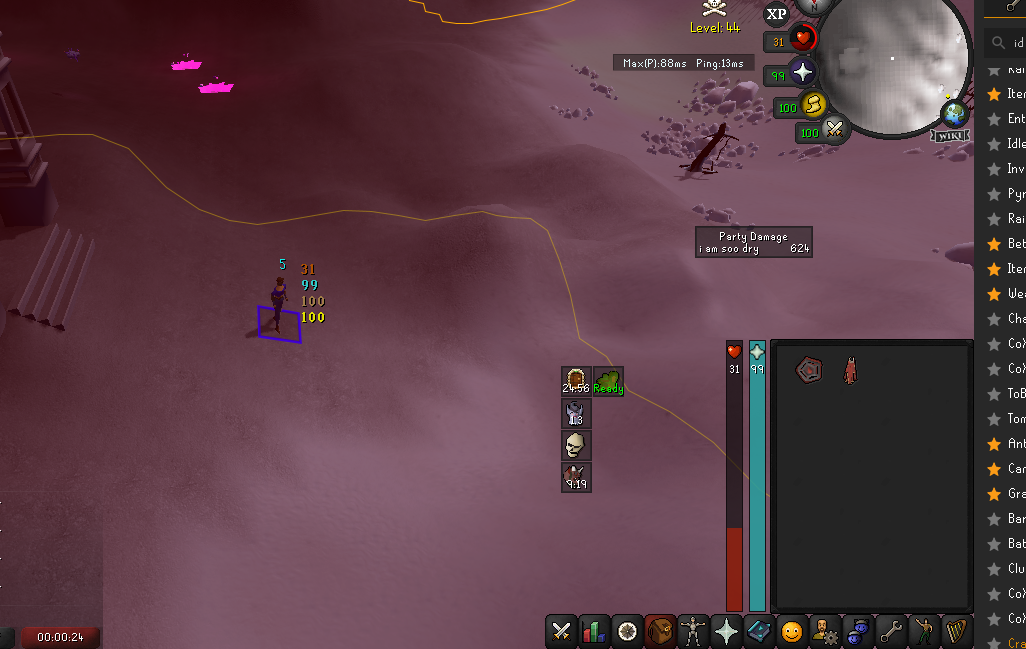
yup thats a jagex bug
or its a dragon sword thats really feeling like a crossbow/bolt!
delicate olive
wonder if it has the property of if its just a text bug lol
 flat wagon
all of these have it

 kind orbit
thats off
viscid lantern
no idea then
kind orbit
yeah its soo werid
viscid lantern
could search for Plugin Hub in your plugin list and start disabling stuff and hope the plugin properly shuts down and removes it
kind orbit
yeah
 ocean fiber
i can't seem to get the Party plugin to display 'ask to join' even when starting my own party
the discord plugin displays everything fine
 silent nimbus
Hey guys
i have a question
whenever i try to log into runelite it says theres too many log in attempts? But i can log in on other machines?
gilded kayak
on other machines or other clients
 bold surge
Solved the issue by just buying a new pc lmao
 hollow olive
best approach
bold surge
Everything works fine now, imagine that 🤣
quick dagger
Can anyone help me with this issue por favor

 reef vessel
I'm getting random crashing, does anyone know the best way to diagnose via the dmp crashdump files?
 stone parcel
I might be wrong, but I think you would want to see if anyone here can find anything in your logs before checking the dmp.
haughty pumiceBOT
To find the logs, you can do one of the following:
- If your client failed to open, click the
Open logs folderbutton. - Open the screenshot directory by right-clicking 📷
Camerabutton, navigate 1 directory up, then open logs folder. - Navigate to
%userprofile%\.runelite\logson Windows or$HOME/.runelite/logson Linux and macOS.
Upload the log files named client and launcher by dragging them to Discord. If there are files prefixed with jvm_crash dated from today, upload them too.
 wise dust
Hi I don’t know if it’s a runelite error or server error but has anyone came across the “Malformed packet login error” ? Super laggy and then gets disconnected
quick dagger
Not all at once now
gilded kayak
We can't really help because jagex bounces back literally worthless errors
"unknown error code" tells us literally nothing
does RuneLite start normally? if you run it via the app instead of through the Jagex launcher?
quick dagger
I can load it up but it won’t let me login says I need to use the jagex launcher and then I keep getting that
gilded kayak
then I have no idea, like I mentioned "unknown error code" is an absolutely worthless error and tells me nothing about what issue you are having
which is not your fault, it's Jagex's
you could maybe try re-installing RuneLite but making sure you install it to the applications folder like it suggests
normally that error displays as the Play button being stuck on Install but that's my only guess
!new otherwise you'll need to ask in the osrs discord
haughty pumiceBOT
newplayer: If you are new to OSRS, make sure to follow this excellent guide on OSRS wiki: https://oldschool.runescape.wiki/w/New_player_guide. You can also join official OSRS Discord here: https://discord.gg/osrs
quick dagger
Alright I’ll check in with them because I’ve tried everything but appreciate the help
gilded kayak
sorry Jagex just offers no useful info when their launcher doesn't work
 scenic heath
How do you clear your cache? randomly getting malformed login packet error. thanks
leaden trail
that's probably just jagex's servers going derp
scenic heath
just sketchy cause with my luck itll happen when bossing. but thanks for the reply
wise dust

I even connected Ethernet to computer Internet working fine. Website says oh update and reset your web browser, did that cleared all caches and history and no avail
gilded kayak
look 1 message up
wise dust
I uninstalled the jagex launcher, and runelite too, I think this is jagex swrvers being dumb
gilded kayak
so do we
leaden trail
that's what I had said, yes
 molten aurora
guys what is this orange X?? it doesnt do nothing when click it

 shut jacinth
for some reason my 1 key does not work in runelite but outside runelite it works fine...
hollow olive
molten aurora
guys what is this orange X?? it doesnt do nothing when click it
looks like the logout button? it opens the logout panel where your inventory is.
should be to the top right of your minimap. alt right click to reset it back there if it is
hollow olive
shut jacinth
for some reason my 1 key does not work in runelite but outside runelite it works...
some plugin has it as its keybind
molten aurora
hollow olive
looks like the logout button? it opens the logout panel where your inventory is....
i think it's because i didn't restart the client from the update today.. very weird. it had "Loading please wait" in the top left aswell as the orange X in the chat box and wouldn't allow me to move at all but after client restart it's good.
 ornate kite
This is small but impactful for new accounts not in the know, (also sorry if this is the wrong place to put this) the lumby/draynor achievement diary states 10 agility is required for the lap around draynor agility course, this is no longer the case.
Easy diary*^
zealous cedar
ah yes thanks
 balmy lantern
is runelite down?
round jacinth
no
gilded kayak
does it say anything else
balmy lantern
runelite is unable to connect to a required server while downloading the bootstrap
gilded kayak
ah well that would be an issue with your connection to our website
maybe try using your phone data as a hotspot and see if you can open the client then
balmy lantern
i added the jagex launcher to the split tunnel on my vpn could that be the issue
 icy coral
Can anyone help me fix this? My client is incredibly small, even if I try to resize it. I'm playing on Linux Mint Cinnamon
 gilded kayak
toggle off lock window size in the RuneLite plugin
icy coral
That let's me resize the client but a lot of things are still tiny
 gilded kayak
!config
haughty pumiceBOT
gilded kayak
ctrl+F scale and do that
oh right scale has a box nvm just put 1.5 or 2 into that box
idk what your path is on mint but run whatever it is in the terminal to open that config window
icy coral
Okay, I will try that now 👍🏼
icy coral
I have the path to my runelite folder, but when I try to run the path inside of the terminal with the --configure option, it gives me an error message saying "<path>: Is a directory"
icy coral
icy coral
I have the path to my runelite folder, but when I try to run the path inside of ...
omg I feel so dumb. There's literally a configure button on the Bolt launcher 😂
 gilded kayak
ah u didn't mention u were using bolt
icy coral
Yeah that's my bad, I should of prefaced with that. The client looks good now for the most part after setting the scale to 2.0, but my mouse cursor stays extremely small when I move it into the client window. Any idea how I can fix that issue?
gilded kayak
I am not sure for that actually
icy coral
No worries! Thank you for the help on this.
 drowsy mural
were you able to fix it? im having the same issue since sunday iirc
gilded kayak
if you scroll down a bit you can see hooder suggest they downgrade their drivers
 grand light
So my default profile/the one i use for my main is no longer showing up in the client. It looks like its still in the profiles folder but idk whats going on
I have other profiles in there that have disappeared too
i guess thats what import is for huh
i got it i just had to talk it out 😉
 teal charm
Question before I even start getting into it, is it possible to make a plugin that will show the gp amount of the lunar chest from moons of peril? because base runescape does not show the worth upon opening it,
Is a plugin like this possible or does the game not allow it?
oblique plume
You can do that
teal charm
Okay sick, might check that out then. Plugins are in python right?
 vast bone
Java
haughty pumiceBOT
How to develop plugin-hub plugins: https://github.com/runelite/plugin-hub/blob/master/README.md
teal charm
ah ffs, I hate java. ah will have to do then
 cosmic socket
hi, im getting bracelet of slaughter crumbled tray notifications and i cant find atall where or what plugin its coming from
its not the slayer plugin, its not the item charges plugins

im guessing its coming from the bottom red text which seems separate from the default message
but i cannot find wtf that red text is from
oblique plume
the joy of installing plugins that you dont know behavior for
cosmic socket
oblique plume
the joy of installing plugins that you dont know behavior for
yea someone has a notification in a plugin that doesnt come up on search with every single possibly buzzword i could possibly think of related to slayer, charges, notifications
viscid lantern
do you have Item Charges Improved?
cosmic socket
viscid lantern
do you have Item Charges Improved?
yes but already checked to see for notification setting? is that what its coming from
viscid lantern
well its that plugin
cosmic socket
why is there a non consensual notification in an item charges plugin
yea thats epic
viscid lantern
ask the author 
cosmic socket
maybe if i just disable the overlay for the bracelets the notification wont fire too?
idk ill try, but appreciate it
yea- it doesnt, how cringe
well that plugin is getting deleted sad
teal charm
Wait are plugins open source or not?
Because I can find the wiki of a plugin but not the actual code
fallen tiger
They are open source. You could click on the „issues“ button on the wiki to get to the github page
Or you just go through the plugin hub repository
teal charm
fallen tiger
They are open source. You could click on the „issues“ button on the wiki to get ...
https://github.com/runelite/runelite/wiki/Barrows-Brothers I get to this page then, which is the wiki of the plugin. It might just be me but I cant find the actual plugin
timid rock
teal charm
https://github.com/runelite/runelite/wiki/Barrows-Brothers I get to this page th...
heres code for runelite built in plugins:

GitHub
Open source Old School RuneScape client. Contribute to runelite/runelite development by creating an account on GitHub.
vapid ridge
Is there any way to give a teleport item the individual destination right click options when it's not worn?
Like, if you have ring of duelling equipped you can directly click to teleport to ferox, but if you have it in your inv you can only wear or rub
Is there any way to change that?
 opaque torrent
Has the Only show own items setting for the Ground Items plugin been fixed for raid items (like CoX) and item spawns yet? I really want to use this as an iron but I didn't want to risk having it miss random stuff that should be mine. Last thing I can find on the Github is from a month ago. Ty for the read
round jacinth
vapid ridge
Is there any way to change that?
No
oblique plume
opaque torrent
Has the `Only show own items` setting for the Ground Items plugin been fixed for...
try it out
opaque torrent
can confirm its still hiding item spawns at least
oblique plume
hmm i was pretty sure it didnt anymore
or maybe the influx of complaints reverted that
people were very mad when it was made better
opaque torrent
🤔
seems like a thing where a toggle would be good, i would prefer to see the spawns but the spawns arent a very big deal. will need to get a friend to test if the raid-specific consumes work properly tho
 nova bone
Is it safe to use runelite plugins that request my IP address?
I noticed with some plugins like collection logger it says it needs access to my IP and I wasn’t sure if it was a reason for concern
timid rock
nova bone
I noticed with some plugins like collection logger it says it needs access to my...
I believe it says it will have access to your IP, because thats how the internet works if you connect to their/external servers.
 strange hatch
So I think the basic gpu plugin is causing some issues near the new(ish) fortis herb patch for me.
Idk if I should share info in another channel or if this qualifies as a client issue.
leaden trail
Whatcha got? Here is fine
strange hatch
I get huge frame drops when I approach the herb patch from the south and it crashed for the first time about 20 mins ago. I don't experience the lag when GPU plugin is disabled.
I copied this from my logs file, but I can share more if this isn't what caused the crash.
zealous cedar
your client is running out of memory. you could uninstall some pluginhub plugins or increase the memory limit
haughty pumiceBOT
zealous cedar
this tells you how to increase the limit
strange hatch
I don't have the configure app, it seems my launcher is out of date but my RuneLite version is up to date. Do I need to download RuneLite again?
zealous cedar
Read the first paragraph of the page the bot linked you
strange hatch
Yeah I figured, just was checking.
Not to nitpick, but perhaps the splash page could show the launcher version as well, not just the client version?
zealous cedar
what do you mean?
strange hatch
Does the launcher self-update now?
zealous cedar
it can, sometimes, but the splash screen displays neither the launcher nor the client version so I do not really understand what you are referring to.
 zealous cedar
this is the website
the splash screen is the thing which shows right after you run runelite
either way, the launcher version is shown in the info panel 
strange hatch
ah I kinda thought splash page was applicable for websites too
oblique plume
i can see it being useful on the website at least before autoupdating was a thing
strange hatch
Yeah I checked my info panel to see that it was out of date compared to the page you linked to me.
But I didn't realize that you added an auto-update feature now
I was just thinking if someone wanted to check if their client version is up to date, it's easily compared from info panel to home page of the website. But to verify the launcher is up to date doesn't seem as obvious.
zealous cedar
both the launcher and client versions are shown on the info panel
leaden trail
If someone thinks their client is outdated they can just close it
Which they should be doing anyway in general
strange hatch
Yeah you can see the versions on the info panel, but that doesn't tell you the launcher is up to date, you need something to compare it to.
Anyway I'm grateful for the help fixing the gpu crashing, I don't wanna take any more of your time.
zealous cedar
https://github.com/runelite/runelite/wiki/RuneLite-Launcher-Configuration this page says 2.6.3 specifically, so you can compare it to that and tell
that is why it says 2.6.3
strange hatch
leaden trail
If someone thinks their client is outdated they can just close it
and yeah that makes me think it's kinda useless info on the websites home page...unless it's important for some reason that I'm not seeing
I just remember years ago I had an out of date launcher and it was causing my client to lag super hard at demonics and I had to use some beta gpu until I realized (thanks to Adam) my old launcher version was causing issues with OpenGL or something (hard to remember).
delicate olive
how do i split up infoboxes?
haughty pumiceBOT
You can configure horizontal/vertical orientation, infobox groups or split infoboxes into new groups with the menu options opened with Shift + right-click. https://runelite.net/img/blog/1.6.28-Release/infobox.gif
 crisp dune
Use the "Detach" option
delicate olive
thanks
 waxen mirage
had a question ive been having this happen for a while whenever i do ! commands like kc and stuff my other clan mates can see it but i can not see my own anyone had this issue and know a fix? ive opened clog multiple times and updated it and ive re installed runelite and used to clog plugin and set it up correctly
leaden trail
Can you see theirs if they do it?
 leaden trail
Post your "chat commands" plugin settings
 leaden trail
Are they seeing the correct KC for you when you do it?
waxen mirage
yes they are
leaden trail
If yes it might be RSN hider breaking things because it does that
 cunning anchor
Hey i think i lost my runelite settings/account can anyone help me recover it?
haughty pumiceBOT
 wet tangle
I have a friend with photo sensitivity, who wants to use runelite, but the flashing arrows associated with many plugins gives them headaches. Is there any way to make all the flashing arrows static instead rather than disabling them entirely?
crisp dune
there isn't
wet tangle
disapointing, thanks for the response.
cunning anchor
Thanks for the link, but it didnt help
gilded kayak
can you screenshot that profiles2 folder it mentions
 gilded kayak
oh you'll need to click that top right button since you're using the inclient version
it hides the file sizes by default
 tame night
hey, my runelite is running laggy/choppy on my new laptop is there any suggestions on how to fix?
oblique plume
plug it in/toggle gpu plugin
tame night
the gpu helped but i feel like its not as clean as it should be
gilded kayak
is it plugged in like the other part of Alex's suggestion
 tame night
yeah its plugged in
oblique plume
is it not 107
gilded kayak
are you assuming they are from today because of the date
because yeah like alex said it's probably 107550275...
cunning anchor
yeah
gilded kayak
make sure you double-click to swap to the profile after you import it, the bar on the left will be orange to show what profile you're on
 steady arrow
Hey just a question, i'm using runelite and have the wiki plugin enabled but don't see the "view dps" tab on my inventory screen - any idea on what i'm doing wrong?
*equipment screen
here's what it looks like atm
 zealous cedar
I think it doesnt show in f2p
steady arrow
zealous cedar
I think it doesnt show in f2p
That must be it then, thank you!
 solar raven
I've had to uninstall the 117 hd plugin because my game will instantly close when it's active, please help
haughty pumiceBOT
Visit 117's HD plugin discord (https://discord.com/invite/U4p6ChjgSE) for support, issues & feedback
 dapper loom
any1 know how to get the hp percentage above olm's hands etc?
 spark shuttle
Hello, anyone know why everytime i type certain stuff on the cc / winning on a pvp arena runelite suddenly freeze?
indigo wolf
dapper loom
any1 know how to get the hp percentage above olm's hands etc?
monsted hp percentage
dapper loom
indigo wolf
monsted hp percentage
tysm!
haughty pumiceBOT
@spark shuttle Many plugins from the pluginhub break the client in subtle or not-so-subtle ways, including causing issues like client freezes. We do not support pluginhub plugins because we do not make or quality control them, and do not recommend their use.
Run the RuneLite (safe mode) shortcut, or with a Jagex account, first run the RuneLite (configure) shortcut and tick the Safe mode box, then launch RuneLite via the Jagex launcher.
This temporarily disables the GPU plugin and all hub plugins which will allow you to confirm the issue is caused by one of those plugins and isn't a core RuneLite issue.
If the issue is caused by a hub plugin, you should isolate which plugin it is and then uninstall the plugin.
spark shuttle
Whats the difference of Safemode and Regular RUnelite?
zealous cedar
safe mode disables plugins which might crash runelite
spark shuttle
It works for me, Client doesnt freeze. So when i open regular runelite again with plugins will it start to freeze again?
zealous cedar
maybe so
 sonic birch
Means your freezes are caused by a hub plugin or gpu; most likely a bad hub plugin
 carmine summit
Can I make it so Runelite saves without closing? I just lost like 2 weeks worth of stuff because of that
sonic birch
We recommend closing your client daily, but it does save every couple of minutes iirc.
zealous cedar
runelite actually saves without closing, typically every 5mins.
carmine summit
It surely does not
I lost 2 weeks of stuff
Clue tabs was done in may
And I've had cloud sync on for years
sonic birch
haughty pumiceBOT
oblique plume
I've seen people who can't connect to our api to push changes to the cloud have issues with "not saving"
 narrow wedge
Anyone have any idea why the XP on the side looks fuzzy but game looks fine?

 delicate bobcat
it's because of DPI scaling, I think
the sidebar doesn't have the same kind of fancy scaling stuff applied to it
narrow wedge
I see, so thats PC side not runelite side?
sonic birch
!config set scale to 1.0 here
haughty pumiceBOT
delicate bobcat
kind of both. You can change DPI scaling to 100% system-wide, and the issue would go away
but then you also would have smaller windows everywhere
what Yves suggested is probably a better solution
narrow wedge
sonic birch
!config set scale to 1.0 here
Did this
sonic birch
Show your rl configure and drop your client.log
narrow wedge
 haughty pumiceBOT
To find the logs, you can do one of the following:
- If your client failed to open, click the
Open logs folderbutton. - Open the screenshot directory by right-clicking 📷
Camerabutton, navigate 1 directory up, then open logs folder. - Navigate to
%userprofile%\.runelite\logson Windows or$HOME/.runelite/logson Linux and macOS.
Upload the log files named client and launcher by dragging them to Discord. If there are files prefixed with jvm_crash dated from today, upload them too.
delicate bobcat
looks like some kind of permission issue
do we have commands lined up for that? 👀
haughty pumiceBOT
Download and install the updated RuneLite launcher from the website link in #welcome. You don't need to uninstall your current version. You will not lose any settings or plugins.
sonic birch
Then run RL as admin once.
narrow wedge
Will try, ty!
sonic birch
Not sure if it'll fix your sidebar issue, but it'll at least fix your permission issue.
narrow wedge
Wasn't even aware I had a permission issue, did not notice 😄
sonic birch
(client.log is supposed to only contain info from 1 day, but this clearly did not create a new file after 11 June)
narrow wedge
I might have not closed the window since then loololol
sonic birch
(also a couple IO exceptions)
sonic birch
narrow wedge
I might have not closed the window since then loololol
Doesn't matter; it'll make a new client.log anyway, even if the client is open
narrow wedge
Gotha, I will update it and update here
narrow wedge
sonic birch
Doesn't matter; it'll make a new client.log anyway, even if the client is open
Downloaded a new one, still blurry
sonic birch
narrow wedge
Downloaded a new one, still blurry
I expected that; we can maybe try some things next. Could you drop your launcher.log just so I can see if it changed the permissions?
gilded kayak
did you set it to 1.5 when yves told you to set it to 1.0 the other day
narrow wedge
gilded kayak
did you set it to 1.5 when yves told you to set it to 1.0 the other day
nope, i posted a screenshot of it set to 1
narrow wedge
narrow wedge
interesting. my launcher log is showing scale at 1.5
@sonic birch i reset the config again to 1.0 and it seems fixed 🙂
sonic birch
narrow wedge
<@164496095794167809> i reset the config again to 1.0 and it seems fixed 🙂
Nice! Could you still post launcher.log so I can check if it did the privileges thing?
narrow wedge
sonic birch
Nice! Could you still post launcher.log so I can check if it did the privileges ...
sonic birch
narrow wedge
Looks like you need to run it as admin once still, then post launcher.log again
So just rightclick on RuneLite, then (shortcut can be found in the start menu) and hit run as admin -> Yes. Then you can close that again when it's on the login page.
narrow wedge
sonic birch
So just rightclick on RuneLite, then (shortcut can be found in the start menu) a...
sonic birch
narrow wedge
Looks good; can close that RL window now and keep using it as normal (not as admin)!
narrow wedge
sonic birch
Looks good; can close that RL window now and keep using it as normal (not as adm...
thanks for all your help!
narrow wedge
sonic birch
Looks good; can close that RL window now and keep using it as normal (not as adm...
ok, last question, when i set scale to 1.0, it seems like even stretch mode won't make the game bigger? am i just bad at this? 😄
sonic birch
It does make the game in fixed mode, and it can still upscale the UI elements! Can you give a screenshot of what you want bigger/what is not getting bigger?
narrow wedge
sonic birch
It does make the game in fixed mode, and it can still upscale the UI elements! C...
Give me a few, stepped away, but essentially I like stretched mode to make the UI close together, when I scaled it up in the stretch mode plugin nothing got bigger or moved
sonic birch
It 100% gets bigger for me when I play on resizable
delicate bobcat
you might just have to increase the scaling factor in the stretched mode plugin
narrow wedge
sonic birch
It does make the game in fixed mode, and it can still upscale the UI elements! C...
Oh wait, did you say it defaults it to fixed mode, not resizable?
sonic birch
In fixed mode it does not increase the UI size, it just scales the whole fixed mode game
Because fixed mode is actually fixed
narrow wedge
sonic birch
In fixed mode it does not increase the UI size, it just scales the whole fixed m...
Yes yes, I meant does changing the scaling to 1.0 put the game into fixed if it was on resizable before?
sonic birch
No, only the game settings can do that
haughty pumiceBOT

 sullen stratus
I'm having some issues connecting to the runelite client with a proxy
I have a reverse proxy setup so I can play from my home IP while using my laptop
I have confirmed it works in proxfiier (the proxy software im using) and in firefox/chrome
However, when I start runelite I get connection not allowed by server. in my proxy software
I have tried running in a VM, different local user, different laptop
Anyone got an idea on this?
narrow wedge
sonic birch
No, only the game settings can do that
scaling seems to work after a reset, now this is clean, just seems small but i can live with it

i mean the text
@sonic birch example, not sure if it even seems small in the pic, maybe im losing it
 sonic birch
What do you want to increase, the UI (invent, chatbox etc) or the client size?
Can just up the client size in the settings
sonic birch
Oh, sadly sidebar is only doable by increasing scale in rl (configure). Maybe 2.0 (so an integer value) looks better than whatever you were using previously, but it might look blurry or weird.
narrow wedge
sonic birch
Oh, sadly sidebar is only doable by increasing scale in rl (configure). Maybe 2....
honestly it looks very clear, the font is just like size 7? lol
sonic birch
Think it's bigger but I can imagine it being small on e.g. a 4k display, assuming you mean the font size of the sidebar.
narrow wedge
sonic birch
Think it's bigger but I can imagine it being small on e.g. a 4k display, assumin...
yeah, monitor is a 4k, 32 inch
sonic birch
So you could try setting scale to 2.0 and checking how that goes. If it's not to your liking, you can set it back to 1.0
The ingame UI elements (chat, invent etc.) you can change in size using the stretched mode plugin though.
timid rock
sullen stratus
I'm having some issues connecting to the runelite client with a proxy
I have a ...
try starting runelite before proxying? or is that not viable
narrow wedge
sonic birch
So you could try setting scale to 2.0 and checking how that goes. If it's not to...
Would 2.0 differ from 1.5 and the blurriness problem
sonic birch
2.0 is integer scaling. Based on the algorithm that is used, it might be more crisp/less weird since it can just double all the pixels
Just give it a try and see if you like it or not
sullen stratus
timid rock
try starting runelite before proxying? or is that not viable
no, because a program can only be directed over the proxy if started with the proxy active
Also, I'd be connecting to the runescape servers with an IP not associated with my account. This is what I'm trying to avoid
this worked until about a week ago, so i'm confused
timid rock
sullen stratus
no, because a program can only be directed over the proxy if started with the pr...
seems a bit strange to me that you're concerned about this, especially even before logging in. with proxifier u can specify pid to proxy no?
 north gale
im having an issue with the jagex launcher can anyone hlep me
gilded kayak
depends what the problem is but possibly no
north gale
ok well it says there was a fatal error starting runelite
it was unable to verify certificate of a required server while downloading the bootstrap
gilded kayak
does it also say "this can be caused by a firewall, antivirus, malware, internet service provider, or a proxy"
north gale
yes
gilded kayak
did you check those things to see if they are causing your problem
north gale
not sure how to do that on a mac lol
gilded kayak
you could try that and also try turning it back off if that doesn't work
in previous situations users with firewall issues have reported turning it on and back off resolving them
north gale
ok let me try
nnope didnt work. any other solutions?
do i have to have an updated version of runelite for the launcher to work?
through the jagex launcher
gilded kayak
nah
someone was on a giga old version of the rl launcher earlier(yesterday?)
some day
but the other solutions would be what's listed tho you mentioned
you could use your iPhone data as a hotspot for the "internet service provider" problem
 uneven minnow
anyone working on the item charges plugin? it is not showing some of the new items
gilded kayak
which new items
gilded kayak
ring of pursuit isn't new tho just nobody ever cared about it before
but i don't think so no
I did the whistle PR but it was fairly bare bones due to the fact that jagex doesn't bounce back a chat message when you obtain charges
meaing we'd have to read the inventory and calculate how many charges you got
which is dumb and i didn't want to do that lol
uneven minnow
ring of pursuit does chat messages
gilded kayak
yeah that would be possible but like i said nobody has ever cared about it
uneven minnow
puches do also when checked
uneven minnow
gilded kayak
yeah that would be possible but like i said nobody has ever cared about it
actually decent xp with rings
seems like 100% reveal rate
gilded kayak
yeah they made it 100% in some blog post last month
i'm not saying it shouldn't be added, i'm just saying nobody has asked for it before you now
and since it was an item nobody cared about before rumors nobody really ever cared to add it
uneven minnow
can u add it?
gilded kayak
probably not but if you open a discussion in #suggestions someone probably will
as for your other request, i believe there was a hub plugin to show how much meat/fur was in your pouches
but we asked for them to make 1 change before approving the plugin, and that change was never made
 mortal saddle
anyone else having fps lag, even though fps is high rn?
 crystal merlin
after i tried to install this plugin, after it didnt work properly
i uninstalled and now just dont get anything popping up, any ideas on what to do?
 haughty pumiceBOT
Get support for the Notification Panel Plugin Hub plugin here: https://runelite.net/plugin-hub/show/notification-panel.
You can also find the support link by searching for the plugin in the Plugin Hub panel and clicking the ? button on the plugin, or by right-clicking the plugin in the plugin panel and clicking the Support menu option.
vast bone
crystal merlin
after i tried to install this plugin, after it didnt work properly
i uninstalled...
check settings in "runelite" plugin? that's where notification settings are.
 weak rock
hi, How Can I custom the dir position of $HOME/.runelite ?
weak rock
two runelite in different dirs, Can application data be completely isolated?
viscid lantern
no
weak rock
run multi clients is a normal behaviour? Is there a problem with sharing the same data catalog sometimes?
 vital patrol
hi, all my plugins just disappeared yday, i checked my profile but my iron and main were gone, i tried to import an old profile but it was really old, is there a way to get the recent one back? and why did all my settings disappear to begin with?
weak rock
vast bone
there is only one runelite
u mean run one instance is a good idea?
vast bone
is this the mac thing where it only lets you open one runelite at a time?
haughty pumiceBOT
weak rock
vast bone
is this the mac thing where it only lets you open one runelite at a time?
Im confused. I mean if I run Runelite client twice, the running instances share the some data dir $HOME/.runelite, Does this create something problem?
vast bone
you can open 2 runelites at once and it's fine
 void crow
Anyone having an issue with runlight loading?
I open the app, it loads the game window, then closes itself.
Ive tried uninstalling/reinstalling 2-3x and no change
haughty pumiceBOT
To find the logs, you can do one of the following:
- If your client failed to open, click the
Open logs folderbutton. - Open the screenshot directory by right-clicking 📷
Camerabutton, navigate 1 directory up, then open logs folder. - Navigate to
%userprofile%\.runelite\logson Windows or$HOME/.runelite/logson Linux and macOS.
Upload the log files named client and launcher by dragging them to Discord. If there are files prefixed with jvm_crash dated from today, upload them too.
 digital parcel
anyone know how i can move runelite to my second monitor?
oblique plume
drag it
oblique plume
turn off hd
haughty pumiceBOT
Windows
Run the RuneLite (safe mode) shortcut, or with a Jagex account, first run the RuneLite (configure) shortcut and tick the Safe mode box, then launch RuneLite via the Jagex launcher.
Mac
In Terminal, run:
/Applications/RuneLite.app/Contents/MacOS/RuneLite --configureTick the Safe mode box. Launch RuneLite.
If it's not working, download and install the updated RuneLite launcher from the website link in #welcome. You don't need to uninstall your current version. You will not lose any settings or plugins. Then try running safemode again.
oblique plume
prob gotta launch it in safemode and uninstall
void crow
how do I launch in safe mode
I tried holding CTRL while opening and that does nothing, is there another way to open in safe mode?
oblique plume
did you read what i sent you
void crow
to turn off hd?
void crow
I dont know where to find the Runelite (configure) shortcut. I have my Runelite shortcut but theres not configure
oblique plume
that would mean youre on an old launcher
haughty pumiceBOT
Download and install the updated RuneLite launcher from the website link in #welcome. You don't need to uninstall your current version. You will not lose any settings or plugins.
void crow
I did that 20 minutes ago
oblique plume
the shortcut is in the start menu then
void crow
ok found it
ok, safe mode worked
is that the permanent solution, to run in safe mode?
void crow
everything seems to work as normal
void crow
what is hd?
void crow
the HD minimap?
oblique plume
no
void crow
the 117 HD plugin? remove that?
oblique plume
yes
oblique plume
does gpu work
void crow
yep
oblique plume
then i think itl have to be an hd specific issue
haughty pumiceBOT
Visit 117's HD plugin discord (https://discord.com/invite/U4p6ChjgSE) for support, issues & feedback
oblique plume
can talk to them, about it
 rapid shadow
is it possible for some plugins to not work on m1 mac? i remember the gauntlet plugin have issues on m1 mac a while back, not sure if that issue still exists.
zealous cedar
I guess it is possible but it is unlikely
there were some mac specific issues awhile ago but that was actually due to a java upgrade and not because of just macs specifically
but i think those have been mostly sorted
delicate bobcat
void crow
Anyone having an issue with runlight loading?
I open the app, it loads the game ...
some Intel GPUs aren't too happy with the recent changes, but it's likely because you're using pretty outdated drivers. Update to the ones found here, and it should work https://www.intel.com/content/www/us/en/download/776137/intel-7th-10th-gen-processor-graphics-windows.html
Intel
This download installs Intel® Graphics Driver 31.0.101.2128 for 7th-10th Gen Intel® Core™ Processor Graphics, and related Intel Atom®, Pentium®, and Celeron® processors.
 fresh cosmos
everything okay with rl? Just launched through the jagex launcher and none of my plug-ins loaded. restarted pc but want to know if it's a me problem
 lone talon
indigo wolf
<@341697005053018116> would it be ok to add room specific configuration for the ...
lone talon
indigo wolf
<@341697005053018116> would it be ok to add room specific configuration for the ...
It's definitely possible! The current solution just checks that you're "in TOA", without any granularity about what room you're in, so that would need to be reworked a bit.
zealous cedar
the class is generated by maven, so you either arent using maven or your ide isnt picking up the classes written by maven. try reimporting?
fresh cosmos
anyone else cant use their middle mouse button and right click on rl through the jagex launcher? been in another country for a week 😦
 calm marten
hey i was curious if anyone happens to know what would cause my rl to freeze anytime i turn off the gpu setting?
zealous cedar
there are some broken nvidia drivers that will do that, a driver upgrade fixes it
calm marten
hmm been this way for a few months through alot of updates is that the only cause?
zealous cedar
https://github.com/runelite/runelite/issues/16496 these are the known bad and good driver versions
calm marten
thanks brother
fresh cosmos
any plugin that disables me from using my middle mouse button or right clicking? i cant do either in rl via the jagex launcher, but can on the default client... halp?
haughty pumiceBOT
Windows
Run the RuneLite (safe mode) shortcut, or with a Jagex account, first run the RuneLite (configure) shortcut and tick the Safe mode box, then launch RuneLite via the Jagex launcher.
Mac
In Terminal, run:
/Applications/RuneLite.app/Contents/MacOS/RuneLite --configureTick the Safe mode box. Launch RuneLite.
If it's not working, download and install the updated RuneLite launcher from the website link in #welcome. You don't need to uninstall your current version. You will not lose any settings or plugins. Then try running safemode again.
viscid lantern
Does it happen im safe mode?
fresh cosmos
negative sir. I can use both my middle mouse button and right click in safe mode. @viscid lantern
viscid lantern
So it doesn't happen in safemode?
haughty pumiceBOT
Please refer to this flowchart for further troubleshooting.
fresh cosmos
thought it was a plugin, so i signed out of rl. problem persists
hollow olive
i dont think signing out changes your plugins
fresh cosmos
i thought they were linked with your account?
 mossy sable
I'm trying to develop a plugin that will show a popup in-game when a checkbox is checked on the plugin panel. I'm getting an error because I'm accessing the client from the plugin panel thread. Is there a way around this?
 crisp dune
Use clientThread.invokeLater()
mossy sable
Easy enough 🙂 Thanks!
leaden trail
fresh cosmos
i thought they were linked with your account?
It affects syncing but that's about it
 muted nebula
I just log back after a fresh instal of my computer and i lost all my plugins
There is a way to get them all back ? ( was connected with my gmail )
haughty pumiceBOT
sonic birch
Oh, you mean that you formatted your pc?
Assuming you don't have the data anywhere else, I'd try lostsettings indeed, but there's a chance that you hadn't cloudsynced the profile.
 stable kelp
is the compute shaders and draw distance infobox text outdated? currently have extended draw distance without compute shaders enabled. Have restarted the plugin multiple times.
zealous cedar
yes
stable kelp
this actually changes everything thank you
 surreal lily
any idea what I'm doing wrong here? (for the vm options)

tried with <>'s, without -snapshot too.
 winter lion
After a while of playing certain entities like olm flame wall, baba boulders, zebak waves, and p3 warden skulls cause my client to freeze for 1-3 seconds. Resetting the client fixes this issue and it seems the freeze is worse the longer my client has been running. Changing between profiles also seems to cause the freezing to happen sooner. I've tried finding the problem or a solution but I've had no luck
sonic birch
winter lion
After a while of playing certain entities like olm flame wall, baba boulders, ze...
!flow
haughty pumiceBOT
flowchart: Please refer to this flowchart for further troubleshooting.
surreal lily
surreal lily
any idea what I'm doing wrong here? (for the vm options)
I've been able to build plugins etc just fine, just can't figure out the plugin hub bit 🙂
surreal lily
surreal lily
any idea what I'm doing wrong here? (for the vm options)
got this working, change it to the current RL version, not the one you're building.
 stoic tree
so ive been using custom drop sounds for weeks, and for some reason they have just stopped working today?
ive reinstalled the plug in etc but still nothing, relocated the sounds too.. its really bugging me.
haughty pumiceBOT
Support for hub plugins should be directed to the author of the plugin.
You can find the support link by searching for the plugin in the Plugin Hub panel and clicking the ? button on the plugin, or by right-clicking the plugin in the plugin panel and clicking the Support menu option.
 rancid carbon
1whats the plugin that shows how long your invent like your cooking takes ages
sorry i asked this yesterday and didnt save profile ;o
hollow olive
action progress
rancid carbon
hollow olive
action progress
tyty
 weak panther
Quick question, how do I view an update for a plugin that was recently updated? The new TOA plugin popped up when I opened Runelite, but disappeared before I could read it.
 small musk
Enter toa lobby
weak panther
Wow lol, thank you
stoic tree
can somebody test custom drop sounds/ C engineer sounds/boaty sounds and see if it works?
ive just had a friend test and none work for them either
haughty pumiceBOT
Place the files for the feature you want in %userprofile%\.runelite on Windows or ~/.runelite/ on Linux/OSX
The names and type for the files are:
- Custom cursor:
cursor.png - Custom notification sound:
notification.wav - Custom login screen:
login.png. An image size of 765 x 503 is recommended, but bigger images will be (simply) scaled down automatically.
stoic tree
theyve been working for me for weeks, until today
haughty pumiceBOT
Get support for the Custom Drop Sounds Plugin Hub plugin here: https://runelite.net/plugin-hub/show/custom-drop-sounds.
You can also find the support link by searching for the plugin in the Plugin Hub panel and clicking the ? button on the plugin, or by right-clicking the plugin in the plugin panel and clicking the Support menu option.
stoic tree
i just wasnt sure if it was related to runelite.
my friend installed the plug in and the defaults dont even work
fresh cosmos
anyone know the plugin that allows you to place items, in bank tags anywhere, no matter what tab their in?
gilded kayak
bank tag layouts
fresh cosmos
not evactly, but thanks anyway
fresh cosmos
im trying to find out what plugin allows you to put the items anywhere in the tag, regardless of the actual place in the bank
gilded kayak
yeah I know
and my bank tags will suggest that the plugin I told you is the correct one
fresh cosmos
ok
icy coral
I have a weird issue with RuneLite on Linux Mint that I can't seem to fix. Every time I move my client around on my 1080p monitor, the entire game gets blurry. If I increase/decrease the 'Game Size' field of the RuneLite plugin, the client seems to become crisp again. This issue doesn't happen at all on my 4k monitor. Any idea what could be causing this? I attached screenshots of my GPU and RuneLite plugin settings.

 sonic birch
!config Set scale to 1.0 probably
haughty pumiceBOT
sonic birch
Also, msaa x16 is overkill and I can't see the difference with e.g. x4
(that won't cause blurriness though)
 charred wind
fresh cosmos
ok
charred wind
fresh cosmos
ok
Right click the tag on the left and then select enable tag layout
 coarse sorrel
strange but custom drop sound seems to stop working today or yesterday idk
gilded kayak
you aren't the first person to say that, the author just updated it 2 days ago so I guess they broke it
I don't think the previous person reported it to the author tho
haughty pumiceBOT
Get support for the Custom Drop Sounds Plugin Hub plugin here: https://runelite.net/plugin-hub/show/custom-drop-sounds.
You can also find the support link by searching for the plugin in the Plugin Hub panel and clicking the ? button on the plugin, or by right-clicking the plugin in the plugin panel and clicking the Support menu option.
coarse sorrel
coarse sorrel
strange but custom drop sound seems to stop working today or yesterday idk
@vestal knoll
 feral umbra
hey there
I set my game to run at 100% scale so I can get sharper images
but now the sidebars are so small
is there a way to fix that?
sonic birch
no, you can set scale to 2.0 for maybe better results than e.g. 1.25
also make sure in GPU your UI scaling algo is set to catmull-rom
feral umbra
it was at 2
feral umbra
sonic birch
also make sure in GPU your UI scaling algo is set to catmull-rom
yes I had that too
sonic birch
Then no. 1.0 will be best, if there is a second best then it'd be 2.0
 buoyant umbra
Hey - I've having an issue with my RuneLite idle notifications. Lately, I was playing my 2nd account very low effort, and set up red flashing in the settings whenever I trigger my idle threshold. Now that I am back to playing my 2nd account, I disabled flashing but yet, whenever I his threshold, I still have the screen flash red. I disabled flash in the RuneLite settings and tried using other settings, but nothing worked. Is there any resolution this issue? Any ideas?
I checked the existing issues, but did not find anything similar, so I am sorry if this issue was already covered and fixed.
indigo wolf
lone talon
It's definitely possible! The current solution just checks that you're "in TOA",...
Yeah, I meant more like do you want me to add it
stoic tree
coarse sorrel
strange but custom drop sound seems to stop working today or yesterday idk
I thought it was broken but it isn’t!!! They have just updated it so that the sounds are only triggered when receiving a drop, not dropping the items yourself 😅
stoic tree
gilded kayak
you aren't the first person to say that, the author just updated it 2 days ago s...
I didn’t report it because it isn’t broken. Just took me 2 hours to figure out 😅
 gusty reef
im trying to find the plugin that marks the tile of npcs that i am currently attacking, does anyone know what it is? it looks like this
 gusty reef
does it have the same function where it will remove the tile if i switch to a new target?
oh
its exactly that one
thank you
brittle vine
how d u turn off prayer options in runelite?
viscid lantern
What do you mean?
brittle vine
in the prayer menu u got all those prayer u can turn on
but ive seen people that only have prayers that they use
and the rest is not there
viscid lantern
Ah yeah, right click the prayer button and enable reorrdering, then adjust your prayers by dragging them/right click hiding them and disable reordering to lock in your changes
Not home atm but this blog also has a video on it: https://runelite.net/blog/show/2023-07-01-1.10.6-Release/
 brittle vine
viscid lantern
Ah yeah, right click the prayer button and enable reorrdering, then adjust your ...
brittle vine
viscid lantern
Ah yeah, right click the prayer button and enable reorrdering, then adjust your ...
thanks 🙂
 hallow helm
i just found an account i never even seen in my "flipping utilities" plugin, there may be some bug with it

it doesn't show up on hiscores so it's probably either banned or a scout bot
 cyan wadi
hey guys, can someone help me ? component id is missing
 oblique plume
hallow helm
i just found an account i never even seen in my "flipping utilities" plugin, the...
oblique plume
hallow helm
i just found an account i never even seen in my "flipping utilities" plugin, the...
there was a bug one engine update that would mistake your local player name with another and it probably saved that instead
haughty pumiceBOT
@cyan wadi https://cdn.discordapp.com/attachments/419891709883973642/807078538187505744/more_maven.jpg
 hallow helm
oblique plume
there was a bug one engine update that would mistake your local player name with...
hallow helm
oblique plume
there was a bug one engine update that would mistake your local player name with...
any way to remove that other account?
haughty pumiceBOT
Support for hub plugins should be directed to the author of the plugin.
You can find the support link by searching for the plugin in the Plugin Hub panel and clicking the ? button on the plugin, or by right-clicking the plugin in the plugin panel and clicking the Support menu option.
 oak bane
whenever i gear swap in my inventory my frames drop... its really annoying
why is it happening?
my game just freezes for 0.5 seconds while swapping
it stutters
zealous cedar
probably a pluginhub plugin is freezing
zealous cedar
yes
oak bane
how can i figure out which 1 it is
zealous cedar
uninstall some of them
fallen tiger
Turn half of them off, if its still freezing you know its in that half. Narrow it down to 1 plugin
 iron drift
stretched mode isnt working anymore? Any tips on what may be conflicting with it?
Since it's built in I can't really uninstall it or anything
zealous cedar
it is working
iron drift
for me it is not
zealous cedar
maybe you have it misconfigured
iron drift
I've been playing with it for about 20 mins now, no luck messing around with settings
OK
I just hit reset on it and it worked
Thanks
 zealous cedar
you probably have a jagex account. use the jagex launcher to launch runelite instead.
 normal jewel
Is it possible to launch only runelite without the official launcher? I can change my account settings if I need to, I just don't know which ones
zealous cedar
not with a jagex account
normal jewel
I last played a year ago and there was no problem with runelite, and now it's making me install the official launcher 😦
I have always logged in using gmail acc
I don't like this change, but if there is nothing that can be done about it, so be it. Thank you for your reply.
timid rock
normal jewel
I don't like this change, but if there is nothing that can be done about it, so ...
if u havent migrated to jagex acc urself you might have a bigger problem
normal jewel
timid rock
if u havent migrated to jagex acc urself you might have a bigger problem
Maybe I did, but I had no idea that in the future it would involve forcing players to download two apps instead of one in order to play normally. Previously runelite alone worked normally for me :/
fallen tiger
though thats probably a really really bad idea
normal jewel
fallen tiger
though thats probably a really really bad idea
Bad idea because it risks a ban or something else you have in mind?
fallen tiger
Bad idea because it's very insecure to have a file on your pc that grants access to your account
leaden trail
normal jewel
Maybe I did, but I had no idea that in the future it would involve forcing playe...
If you did, you would have immediately had to start using the launcher
zealous cedar
we don't usually recommend this to people because if you blindly follow the guide and don't know what it is doing you lock yourself out of being able to use any other accounts
which introduces additional confusion later and they typically come back
fallen tiger
I see, won't mention it again!
normal jewel
fallen tiger
I see, won't mention it again!
but thank you for showing this possibility, I will read about it and find out more about the risks. thanks again
 shell token
Hi, I have an question: My region Locker plugin says that " plugin is incompatible and requires it author to update" Restarting my computer still comes up with the same thing. Yet others says it working fine with them. What can I do?
zealous cedar
you have a newer runelite version than the others you are talking to
lone talon
indigo wolf
Yeah, I meant more like do you want me to add it
Absolutely okay with that, if you want to! Send a pull request and I'll review it
shell token
zealous cedar
you have a newer runelite version than the others you are talking to
ah, so nothing I can do until the author updates it?
zealous cedar
correct
indigo wolf
lone talon
Absolutely okay with that, if you want to! Send a pull request and I'll review i...
sure, sounds good
shell token
Thanks for the help 🙂
 pine grove
anybody know when region locker will be back up?
gilded kayak
probably when hooder has time to do the changes for the author
but he's busy keeping 117 from exploding so that could be some time
fresh cosmos
do you know the plugin that allows you to place items anywhere inside bank tags?
eg. if an item isnt in the 5th bank tab, but you want it far enough down, you can put it down and it wouldnt change where the items are in your bank
pine grove
dang. i just died on my lvl 3 skiller chunk whatever thing on mobile to a scorpion, logged into pc to start over and ill just have to wait lol
leaden trail
fresh cosmos
do you know the plugin that allows you to place items anywhere inside bank tags?...
Someone answered you yesterday, also support isn't really the channel for this
gilded kayak
I promise you that's the plugin
fresh cosmos
@leaden trail need support
gilded kayak
no matter how many times u follow-up it's still going to be the plugin
you should try using it and you'll get exactly what you want
fresh cosmos
show me where please im blind
 gilded kayak
I don't think the author could make a setting that would move the items to exactly where you want them
you just move them


my mortar and pestle is in my tab 8 and is in the very first spot in my bank tag
i just moved it there
fresh cosmos
oh i might have the wrong plugin installed. what is yours called?
gilded kayak
bank tag layouts like I told you yesterday
viscid lantern
and it works for sure
did you enable layouting after selecting the bank tag by clicking the button bottom right?
fresh cosmos
let me record whats happening so you understand
gilded kayak
did you do what Gamma just asked
with the button that mysteriously appeared in your bank after you installed the plugin
fresh cosmos
oh thanks og @viscid lantern
viscid lantern

 gilded kayak
honestly I installed that plugin so long ago I forgot that was needed
fresh cosmos
is k i got it all set back up
gilded kayak
since u press it once and then never again
viscid lantern
yup
fresh cosmos
fair
viscid lantern
probably my fav hub plugin 
 viscid lantern
I think you switched cape and blessing 
 mystic sandal
Hey has anyone else had the issue of using different RL profiles with the some plug ins being the same but not functioning properly? i was trying to use better loot discord plug in and also clan events plug. I switch between the two different profiles for different plug in setups. but it will always clear the plug in info I put in whether its the webhook or the event password
leaden trail
it's probably just hub plugins handling things poorly
mystic sandal
darn, so id assume an it is what it is situation then
delicate olive
has something changed with the algorithm used to smooth animations?
delicate olive
things feel less janky, used to hate the plugin but now im somewhat warming to it
viscid lantern
the gpu plugin now uses floats instead of ints (or smth like that )
 vestal knoll
coarse sorrel
<@191616326890946561>
vestal knoll
coarse sorrel
<@191616326890946561>
It used runelite loot plugin now so if I don't use that it doesn't work. So dropping things manually also don't work anymore
Set value to 0 and kill a man to test
 true niche
Hey guys, I've installed the Butler Info plugin. All boxes are ticked. no interface is coming up?
 haughty pumiceBOT
Get support for the Butler Info Plugin Hub plugin here: https://runelite.net/plugin-hub/show/butler.
You can also find the support link by searching for the plugin in the Plugin Hub panel and clicking the ? button on the plugin, or by right-clicking the plugin in the plugin panel and clicking the Support menu option.
fresh cosmos
did there a plugin that allows me to mark objects, such as trap doors?
or do i just have to mark tiles?
fresh cosmos
thanks
 frank vortex
Is there a way for me to check runelite logs (for crashes) after my pc restarted?
It has happened a few times that my pc randomly reboots while playing on the runelite client (can't say for sure it's runelites fault but if it has some logs that could help pinpoint my issue, that would be great)
Any other tips/advice is also welcome
Issue I have: screen freezes, audio works fine for 2 more seconds. Screen turns black and audio stops. Pc reboots (it skips the shut down part).
gilded kayak
I would check windows event viewer, it's much more likely to have the computer crashing info
frank vortex
Would it be useful to share the errors from there in here?
fresh cosmos
sorry friends i lost access to my old account but i disabled 'mouse tooltips' and im still seeing the item info... https://i.imgur.com/1IhOiSc.png







 viscid lantern
item stats plugin
fresh cosmos
g
gilded kayak
frank vortex
Would it be useful to share the errors from there in here?
it's almost certainly not runelite crashing you so probably not