
#support
1 messages · Page 1 of 1 (latest)
 sharp marsh
I normally don't have these ping spikes, and I notice my world selector is froze even though my ticks feel fine at tob.
The firewall advice is no avail.
 gilded kayak
that comes from jagex
i assume you firewalled runelite
that wouldn't do anything to help that
but this is probably an internet problem not a firewall problem
but it could be a firewall problem
the ping spikes seem clearly to be internet
sharp marsh
Nothing has changed on my network however
gilded kayak
you work at your ISP?
 untold hornet
sharp marsh
untold hornet
sharp marsh
Hey just went through the various RS discords. Started experiencing the same ping spikes about an hour ago as well
gilded kayak
sharing your ISP and or geographical location will probably answer this for the both of you
e.g us east not having to say a state*
untold hornet
Im east coast US, typically play on eastern servers. Spikes started happening an hour or so ago on eastern servers. Playing on western serveres seeeems to have resolved it?
sharp marsh
I have a different issue though than just ping spikes.
my client wont load some times
this image
untold hornet
That is indeed different. Im not having any true connection issues other then some random lag spikes / dropped packets.
Are you east coast tho? US?
sharp marsh
Yes
untold hornet
Could be something going on ISP / infrastructure related.
If you do get logged in, try a west US world and see if the spikes dissapear. They did for me, altho it still seems a bit laggy, whcih makes me think somethings goin on, somewhere lol
My guess is itll end up resolving itself over the next few hours. Just a hunch though
 fiery ginkgo
I've started noticing that when I get an idle notifier when it brings runelite to focus, it sends a ctrl + V command and pastes whatever is on my clipboard into whatever im working on.
I vaguely remember Adam saying that Windows doesnt like it when apps force focus and there was some work around he found to get it to work, but seems odd that this would be it. Anyone else notice the same?
 vagrant kettle
does anyone know of a way to change the language on runelite? I Have been having trouble with runelite profiles and now my settings are all kind of screwed and my game is now in spanish?

 final axle
has to be some hub plugin you installed
vagrant kettle
wish you could sort them by recent plugins, I've got like 200+ to scale through 😭
final axle
a quick search is probably the best place to start
 vagrant kettle
bro you are a legend, thank you


 viscid lantern
Read the channel topic  If its for pluginhub development you can use #runelite
dura go to bed 😂
 leaden trail
A lot of channels are read only as well
leaden trail
viscid lantern
dura go to bed 😂
I started work two hours ago
viscid lantern
ah, goodluck with work 
leaden trail
I'd love to go to bed lmfao
 crisp gorge
I want to start developing plugins but had some questions so I figured #development was the place to do it
crisp gorge
So #development is a reserved channel?
viscid lantern
it intended for core development
crisp gorge
Ah
 silk wren
Anyone know why runelite custom chrome becomes fully the same color (all options dissapear) and the entire game bugs out when turning on shadowplay?
leaden trail
Shadowplay breaks a lot of things
silk wren
Ye it used to work normally for me before. But after i downloaded the fullscreen plugin it stopped working even after i removed it again
 mighty flame
I have a runelite account, I signed into my account on my new PC, but none of my plugins have carried over (the profiles are all there though?) do I need to do anything to force the sync?
 royal moon
Anyone else getting "Error connecting to server"?
 strange oasis
royal moon
Anyone else getting "Error connecting to server"?
strange oasis
royal moon
Anyone else getting "Error connecting to server"?
Server updates
It just booted me for em
royal moon
Weird, I dont see anything on the status page
strange oasis
Yeah I logged in and had a 5 minute timer on it above the chat box. It just ran out, I joined this server in the down time
fiery ginkgo
fiery ginkgo
I've started noticing that when I get an idle notifier when it brings runelite t...
Anyone got any ideas about this one please?
 signal crescent
this is a quite big update so expect downtime tbh
strange oasis
Finally open the game after 2 weeks. Play for five minutes. Kicked for updates. RIP. ¯_(ツ)_/¯
royal moon
strange oasis
Finally open the game after 2 weeks. Play for five minutes. Kicked for updates. ...
(╯°□°)╯︵ ┻━┻
strange oasis
It do be that way some times
royal moon
it do
 lapis grove
 sterile grove
play xdefiant new free shooter in the meantime
sterile grove
play xdefiant new free shooter in the meantime
damn thanks didnt know about that game
 severe lagoon
wish they at least updated the status page to show the status
it said online the whole fucking time
 rotund thorn
Read the bottom of that page
 ornate kite
least addict osrs player
severe lagoon
rotund thorn
Read the bottom of that page
? they changed the big bolded status to "currently undergoing maintenance" or w/e other weeks
and they of course should do that every time rather than leaving it to footnotes
rotund thorn
Maintenance != weekly update
severe lagoon
don't get how that means they shouldn't have that page showing the game status
strange oasis
Game is up
rotund thorn
Services were online, game servers were completing weekly update. Fairly certain they don't change the status for standard weekly updates unless there's extended downtime expected outside of the scope on the bottom of the page.
royal moon
Games back up boys
severe lagoon
rotund thorn
Services were online, game servers were completing weekly update. Fairly certain...
thx for the info
 viscid lantern
thats just the normal size for resizable
viscid lantern
probably full screen then

I get 14.5
more if I disable stretched mode
the bank interface will be as tall as possible
ornate kite
yeah bet then ui become so small
and the text box..
oh
im dubm
found the wya
streched has settings i forgot..
 slender cobalt
hey all
Still havent had a response here - provided logs and everything - is there any reason why?
 zealous cedar
what problem are you having?
slender cobalt
@zealous cedar
zealous cedar
I don't understand this question
slender cobalt
Why am I getting 10-15fps on 117HD / why am I getting mad fps drops on GPU, when PC can handle ultra on more intensive games then OSRS
Ive tried reinstalling Runelite etc, nothing
 haughty pumiceBOT
Visit 117's HD plugin discord (https://discord.com/invite/U4p6ChjgSE) for support, issues & feedback
slender cobalt
Okay thanks for sharing - , but its the same as GPU as well?
When I zoom out I get like 20 FPS
zealous cedar
can you provide your client log file & also screenshot your gpu plugin config?
slender cobalt
Currently away from PC, so cannot provide screenshots as of yet
If nothing shows in logs, I can share through after
Ty for the response I appreciate it
Do you want me to share PC specs?
zealous cedar
no, I want you to screenshot your gpu plugin config
slender cobalt
I will try this eve 🙂
 torpid elk
is there a plugin or something that allows you to make the client size smaller than what is cappable with the vanilla resizing?
actually leveling up some afk bankstanding skills so something like 50x50 client would fit perfect
 round jacinth
not really no
vagrant kettle
constantly having my runelite profiles being deleted or malformed from having 2 clients open logged into the same runelite email account, problem is also occurrent when having 2 seperate email accounts for each of the clients, any word or acknowledgement of this bug? I thought the profile settings were meant to be synced to the cloud? not just locally stored and overwritten by whichever client closes in X order? not to mention the profile names are deleted constantly too, I've lost a lot of RL settings because of this issue and there seems to be barely any info about it on reddit or online
zealous cedar
I dont think we are aware of any bug like that
the only thing I am aware of similarly is if you lose power runelite will sometimes lose its profiles
vagrant kettle
Yeah it's happened so many times in the past few days to the point where not comfortable booting up the second client anymore, I launch both RL clients from jagex launcher, so I'm not sure if that makes a difference
zealous cedar
I do not think this is a very wide spread issue
vagrant kettle
I'll be building a RL exe from source in the coming days, because I believe there is some program arguments that can force the clients to be ran as their own instance or w/e, and I can't force those arguments when launching from Jagex Launcher
when closing multiple RL clients, which order does it persist local RL client changes, the first client that is closed or the last client?
zealous cedar
there isnt a simple direct answer to that
i would not mind looking into what is happening if you are able to provide information about the issue
vagrant kettle
what information do you need and how do I get it?
zealous cedar
but because it doesnt happen to me, I am going to need more than just "it doesnt work"
ideally something like the minimal possible steps required to cause it to delete a profile & the associated clietn logs.
vagrant kettle
there is also an issue where if I have client 1 open logged into RL acc 1, and then I launch client 2, client 2 is obviously launched logged into RL acc 1, but if I then log out of acc 1 from client 2 and log into acc 2, the profiles that display on client 1 now also change to those that now display on client 2
I was hoping that by syncing the profile to the cloud that it would shift its dependence from local storage and then I could rest assured that I would never lose it, but that doesn't seem to be the case, I'll have a look on some logs tomorrow and see if I can help
zealous cedar
that isn't actually an issue or a bug, that is intended behaviour
it is possible you just don't understand how profiles work and are misusing it, and are interpreting it as a bug or something
vagrant kettle
if you've got a link to more information on it I'll happily read it
zealous cedar
you should be using profiles https://github.com/runelite/runelite/wiki/General-Features#profiles instead of multiple RL accounts
synced profiles belong to accounts and so if you logout of the account those profiles go away and stop syncing
 pulsar bay
anyone ever had an issue where ground items keep resetting to this very specific list?
 zealous cedar
its from one of the BA pluginhub plugins
zealous cedar
you should remove the pluginhub plugin
pulsar bay
ah okay, didnt think pluginhub stuff was even allowed to change default plugin settings
zealous cedar
they can, though it isnt very common
most people avoid it because it is just really confusing ux
we can maybe stick a warning on the plugin maybe
 solemn scroll
keeps crashing saying plugin hub plguins
round jacinth
What? are you crashing? I don't see a previous convo for you
haughty pumiceBOT
To find the logs, you can do one of the following:
- If your client failed to open, click the
Open logs folderbutton. - Open the screenshot directory by right-clicking 📷
Camerabutton, navigate 1 directory up, then open logs folder. - Navigate to
%userprofile%\.runelite\logson Windows or$HOME/.runelite/logson Linux and macOS.
Upload the log files named client and launcher by dragging them to Discord. If there are files prefixed with jvm_crash dated from today, upload them too.
 candid bison
Hey sorry if this is a stupid question, but I can't find a solution online. I have this visual bug with all other players holding staffs and similar weapons. Is there known fix for this?
 candid bison
ahh gotcha, thanks!
 celest oak
how do i turn off safe mode runelite
round jacinth
same way you turned it on
celest oak
cant remember
round jacinth
runelite (configure) in the start menu
haughty pumiceBOT
Windows
Run the RuneLite (safe mode) shortcut, or with a Jagex account, first run the RuneLite (configure) shortcut and tick the Safe mode box, then launch RuneLite via the Jagex launcher.
Mac
In Terminal, run:
/Applications/RuneLite.app/Contents/MacOS/RuneLite --configureTick the Safe mode box. Launch RuneLite.
If it's not working, download and install the updated RuneLite launcher from the website link in #welcome. You don't need to uninstall your current version. You will not lose any settings or plugins. Then try running safemode again.
round jacinth
you werent meant to run safe mode full time, it was to make sure base line runelite works
and if it did then remove the hub stuff to get back t oa working state
 safe oriole
hey anybody know how i can tell if im on the 64bit version of runelite?
round jacinth
i think task manager would say
you can make sure also by uninstalling what you do have and installing the 64 bit version, or just install the 64bit version overtop
but if it works fine you also dont need to change anything
there should be no improvement for 32vs64 bit
safe oriole
round jacinth
i think task manager would say
i tried looking that way but idk its not showing up there, i feel like my 117hd is running way worse than it should be on a 66600xt lol

 heady swallow
For the "Attack styles" plugin, warn/hide warned styles doesn't work for the Keris Partisan. Here's a screenshot of regular Keris attack menu with attack/defence hidden:
 haughty pumiceBOT
@safe oriole Visit 117's HD plugin discord (https://discord.com/invite/U4p6ChjgSE) for support, issues & feedback
safe oriole
i see my jagex launcher is 32 bit could that mean anything?
round jacinth
no
safe oriole
gotcha so its seperate entirely
round jacinth
similar to how steam here is 32bit it launches the games as what ever the game is
jagex is launcher to what ever runelite you've got
heady swallow
And here's a Keris partisan:
 safe oriole
thank you
round jacinth
heady swallow
For the "Attack styles" plugin, warn/hide warned styles doesn't work for the Ker...
you are hiding attack / def?
stab & block are the attack/def options and lunge/slash are the strength options
keris partisan is a different item than the keris
which i guess isnt added to the plugin to work
heady swallow
Yes I am; I have it configured in the plugin:
 round jacinth
yes i see that i can replicate your issue
i read keris not keris and keris partisan
heady swallow
Thats what I figured, is that due to the weird "category" at the bottom it doesnt replicate
Is there a place I can submit for that to be changed, as it's kind of a big deal for 1 def mains who want to TOA
round jacinth
i think they shuffled the id of the keris stuff recently so the attack style isnt known anymore
a month or more back they did some changes to what weapons were idk why
heady swallow
Gotcha
So is there a place other than here to bring it to the attention of someone who can fix it?
round jacinth
ill take a look into it right now
heady swallow
(Didn't mean to sound rude, just wanted to double check this is the right spot for that)
round jacinth
#suggestions is where you'd post bugs/feature requests
search to see if others reported it first if not then post
heady swallow
Would you like me to toss it in there as well?
round jacinth
sure if you want
heady swallow
Thanks mate!
 ruby estuary
32 bit = 4gb ram max
 crisp dune
@heady swallow @round jacinth Keris partisan attack styles is a known issue, caused by a Jagex bug
crisp dune
we recently changed the plugin to source the attack styles from cache, however the cache doesn't have data for partisans--this bug also exists in ehc
round jacinth
classic lenny
crisp dune
so yes, blame lenny
round jacinth
#support message i said this cause i recalled another person mentioned it but thtas about it
heady swallow
Understood, as long as its a known issue I'm happy! Thanks y'all for the responses
crisp dune
https://github.com/runelite/runelite/issues/17623 is where it's currently tracked

GitHub
Type Incorrect behavior OS Version win10 Bug description Equipping a non-upgraded Keris Partisan with the Attack Styles plugin enabled does not work. It shows all the regular attack styles. This we...
but as mentioned, we're in a bit of a holding pattern there since we'd much rather it be fixed on Jagex's side instead of applying a band-aid fix on ours
zealous cedar
we should probably just fix it at this point
I think it is lost in the internal jagex jira
slender cobalt
zealous cedar
no, I want you to screenshot your gpu plugin config
Hey mate, Thanks for bearing with me
 zealous cedar
try enabling compute shaders
slender cobalt
ty - 2s
a slight improvement, i go from 70-75FPS to 20-30 FPS when zoomed out fully
zealous cedar
that is odd
slender cobalt
yeah man im rly not sure what it is
For vis this is avg FPs on other games on high - ultra

When GPU and 117 HD turned off, consistent 50 fps with no drops at all
also starting to think its a hardware issue, this is GPU performance when I zoom out on GPU and average 15-25fps
 zealous cedar
try updating your driver maybe?
slender cobalt
think its more hardware related if im honest mate, ty for your help though
Everytime I zoom out and in I can see GPU usage go from 100% to like 20% lol

 sonic birch
Try upgrading or rolling back your drivers.
slender cobalt
its been a thing from all previous driver updates, been an issue since around feb - march time (probably when i noticed it)
gpu upgrade time 😦
likely an AMD thing as well lol
 oblique plume
whats cpu cores look like
slender cobalt
CPU is at like 10% usage lol
oblique plume
each core
slender cobalt
 sonic birch
i dont see any cores there
slender cobalt
im not too sure where to find that in adrenalin mate
oblique plume
task manager
slender cobalt
 leaden trail
slender cobalt
When GPU and 117 HD turned off, consistent 50 fps with no drops at all
leaden trail
slender cobalt
When GPU and 117 HD turned off, consistent 50 fps with no drops at all
If you play a game that uses Vanguard (League, Valorant, maybe others idk?) kill that process and then try seeing how GPU runs
This is consistent with that particular issue
slender cobalt
i think thats completely fixed it bro
no fps drops on gpu
ty very much @leaden trail
 coral cape
I get a sound bite of the old guy smacking his gums saying nice when I get an untradeable drop and can’t figure out what is causing it, does anyone know?
leaden trail
You probably have one of a ton of sound plugins out there installed
ornate kite
does anyone use chat color plugin? cant find the setting on it to change chat color
 sonic birch
Check the ingame settings and the chat color plugin again. If it still doesn't work, force recolor can probs recolor it
 sweet monolith
a few weeks ago in a QnA with jagex they mentioned they were allowing max cape ui to be changed by plugin developers allowing shortcus to tele to poh or crafting guild for example. Is anyone working on creating something? feels like it slipped under the radar a bit
leaden trail
It was added within a couple hours of that change
sweet monolith
ah i had no idea, ty vm
ornate kite
can the special attack plugin work with seercull
crisp dune
sure, see #suggestions
 opal stream
Is there any way for the client to remember where I move something if its not on a snap point, or is it better to just adhere to the snap points (i often change client size when afking/putting client on a different monitor while playing other games etc)
 lone sundial
somnething very strange just happened - i opened my laptop, connected to hospital internet, hit login on two different clients, one of them crashed with a NPE immediately, and another crashed after chopping a couple logs - different stack traces both time
restarting clients seems okay for both it was just... super awkward
one of them crashed when i used my touch screen but i tried it on both clients and i think it's unrelated
haughty pumiceBOT
To find the logs, you can do one of the following:
- If your client failed to open, click the
Open logs folderbutton. - Open the screenshot directory by right-clicking 📷
Camerabutton, navigate 1 directory up, then open logs folder. - Navigate to
%userprofile%\.runelite\logson Windows or$HOME/.runelite/logson Linux and macOS.
Upload the log files named client and launcher by dragging them to Discord. If there are files prefixed with jvm_crash dated from today, upload them too.
lone sundial
you want the whole log or just the relevant stack traces since i got to the hospital
leaden trail
Full logs
lone sundial
 golden sierra
Anyone else getting a Loadlibary error 126?
leaden trail
A what
golden sierra
getting a pop up opening RL stating Loadlibary failed with error 126
lone sundial
you got two different graphics cards?
golden sierra
One
leaden trail
Share your logs as well
golden sierra
zealous cedar
can you screenshot the error message?
 zealous cedar
what operating system do you have?
golden sierra
Windows 10
haughty pumiceBOT
run this command in cmd, then show us the displayed output through a screenshot.
"%localappdata%\runelite\runelite.exe" -c -v --console -- --debug
run this
zealous cedar
can you show what the console shows?
 wet reef
So at first I was wondering whether there was a way to turn off these green chat messages while inside the gauntlet, as they seem kind of redundant... But now I'm wondering whether they can even be recolored at all outside of using the Force Recolor plugin? Not withstanding my name being recolored via the Chat Notifications settings.
 golden sierra
zealous cedar
can you show what the console shows?
golden sierra
zealous cedar
can you show what the console shows?
 zealous cedar
this seems fine. I dont understand what is showing that error message then
is it the gpu plugin?
golden sierra
Turned it off and now it works. Thanks
sonic birch
opal stream
Is there any way for the client to remember where I move something if its not on...
Snap points are better if you are often changing client size
opal stream
sonic birch
Snap points are better if you are often changing client size
Thanks! I now just wish there was a snap point right of the chatbox 🫡
sonic birch
We might add some more ways to put stuff not on snap points but still link it to e.g. the right side of the screen in the future
opal stream
The problem I'm having is I like my boosts above my chatbox, but when I get DMs from friendslist it covers up my boosts
sonic birch
But the UI design for that is quite difficult
opal stream
so I was contemplating moving them to the right side of my chatbox, but then they move all weird when i resize or reload client
opal stream
sonic birch
But the UI design for that is quite difficult
How monumental would it be to make the snap points movable?
sonic birch
The difficult part is dedicing what happens with the points when you resize the client
opal stream
yeah thats fair
sonic birch
If you wake the client wider, should the points move to the right? To the left? Stay at the exact same spot? etc. What if you make it wider and taller etc.
opal stream
could they anchor to UI elements?
that would only introduce problems if UI elements overlaps
sonic birch
We might implement it at some point. Ron has done some work on it.
Till then it's best to just use the currently available options and wait patiently
opal stream
For sure, appreciate the shout
untold hornet
Is anyone on the US east coast getting this kind of ping (time outs) on US eastern worlds? The same thing was happening last night too. Non US-east worlds don't have this behavior. Wondering if there is a node somewhere along the connection path thats getting nightly maintanence or something?

I'd have assumed it was within my home network but since I have no other internet issues and western worlds do not have these lag spikes, I'm assuming its something outside of my control
 leaden orbit
Does it happen on other devices?
untold hornet
Suppose I can try my steam deck. one sec
Interestingly, no it doesnt seem like it does.
Steam Deck over wifi obviously has a bit less consistent ping just due to it being..wifi. Hardwired PC has the lag spikes
leaden orbit
I assume you're on windows?
untold hornet
Yes.
This issue occured last night, but didnt happen during the day today. And like I said, if I log into a western US world, I do not ssee the timeouts
gilded kayak
untold hornet
I'd have assumed it was within my home network but since I have no other interne...
outside of your control would be my assumption as well
 hollow olive
my east worlds consistently looks like that on most devices i own so..
untold hornet
I hadn't tried the steam deck last night to see if it experienced the same. But tonight it seems like it doesnt experience it? But I do not know how the plugin handles timeouts exactly. The steam deck obviously had higher ping due to being wireless on my home network, but I never saw the plugin list a timeout. Itts very strange lol
hollow olive
ive given up trying to fix it. sometimes its stable sometimes its not. west worlds have a higher ping but its just more consistently stable
just as fyi anyway
leaden orbit
If it's with a certain set of servers I guess that makes sense. You could try doing a Traceroute to see if a node has high pings
untold hornet
do you know the cmd off the top of your head, and how I'd go about tracing a specific world connection out
That would help identify to make sure its at least outside my home network (got a bit of a complex setup and I always assume somethigns screwed up interanlly)
leaden orbit
You can try using wireshark to figure out the outgoing connections
untold hornet
hollow olive
ive given up trying to fix it. sometimes its stable sometimes its not. west worl...
Thats what I've noticed the past couple of nights but interestingly, I've never had issues like this... well ever lol
leaden orbit
And the command should be tracert [ip or hostname]
Normally wireshark has quite a decent filtering system
It also helps to not have too much other connections open
untold hornet
I may have found it but I am not sure
Okay interesting

I have Spectrum/Charter. It does appear to be timing out at one of the spectrum nodes
Am I reading this correctly?
And again. Same thing. Times out into the path

 robust finch
Has anyone heard of an issue where the client stutters when certain entities spawn in or do something? I'm in a ToA right now and have noticed a clear half second stutter whenever:
- baba dung balls spawn
- kephri dung bombs appear or explode
- path of het shadow balls spawn
I've got a video of it I could post if anyone is curious. I'm trying to narrow down the issue but I haven't had any luck just by toggling off various plugins
haughty pumiceBOT
Many plugins from the pluginhub break the client in subtle or not-so-subtle ways, including causing issues like client freezes. We do not support pluginhub plugins because we do not make or quality control them, and do not recommend their use.
Run the RuneLite (safe mode) shortcut, or with a Jagex account, first run the RuneLite (configure) shortcut and tick the Safe mode box, then launch RuneLite via the Jagex launcher.
This temporarily disables the GPU plugin and all hub plugins which will allow you to confirm the issue is caused by one of those plugins and isn't a core RuneLite issue.
If the issue is caused by a hub plugin, you should isolate which plugin it is and then uninstall the plugin.
robust finch
I might try safe mode if I can find something to repro on outside a raid, not feasible right now
leaden orbit
untold hornet
And again. Same thing. Times out into the path
Yeah, that seems like a clear one. Can't do much about that I'm afraid.
untold hornet
leaden orbit
Yeah, that seems like a clear one. Can't do much about that I'm afraid.
Yeah I figured not. Havent touched wireshark since networking classes in college so I appreacte the help lol
Weird how it only seems to be happening in the evenings, at least the past couple of nights.
I just wanted to confirm there wasnt anything weird going on in my own home network lol.
untold hornet
You mean my home network?
gilded kayak
people tend to play on the us east servers at night time usa east
untold hornet
well that makes .. a lot of sense now lmao
I appreciate that ! makes sense they drop pings since they are unimportant during peak load times
Just weir I've never noticed it before lol
 dawn pilot
Does anyone know why the Runelite side panel looks really pixelated?
 swift fox
https://www.youtube.com/watch?v=0MFVTaiQ910
i have a bug/glitch where everytime i move my camera over an object and then out of my runelite window, my camera gets sent flying and snaps back immediately. it's a very annoying occurrence that i can't seem to figure out a fix for. i thought it was mac os related, but it doesn't seem to be after doing a ton of research. any ideas/fixes for this? could it be a plugin?
please skip to around 0:30 in the vid

 willow prawn
Is it possible to run runelite on an ipad? or an android tablet without the need to install windows?
sonic birch
Windows, MacOS or Linux only
sonic birch
swift fox
https://www.youtube.com/watch?v=0MFVTaiQ910
i have a bug/glitch where everytime...
You are moving it with the mouse and holding MMB, I assume?
I've discussed this with someone before on discord
zealous cedar
swift fox
https://www.youtube.com/watch?v=0MFVTaiQ910
i have a bug/glitch where everytime...
probably its just a pluginhub plugin? use safe mode
sonic birch
I think previously someone managed to recreate in safe mode, and during my own testing this only happened when another window then became active because you hovered over it with MMB down?
swift fox
sonic birch
You are moving it with the mouse and holding MMB, I assume?
yea that's right. i have tried testing if it only happens when hovering over a different window next to it when moving, but it also happens when there is an empty desktop in the background
i will try safe mode and report back
(how can i launch safe mode from jagex launcher, do you know?)
haughty pumiceBOT
Windows
Run the RuneLite (safe mode) shortcut, or with a Jagex account, first run the RuneLite (configure) shortcut and tick the Safe mode box, then launch RuneLite via the Jagex launcher.
Mac
In Terminal, run:
/Applications/RuneLite.app/Contents/MacOS/RuneLite --configureTick the Safe mode box. Launch RuneLite.
If it's not working, download and install the updated RuneLite launcher from the website link in #welcome. You don't need to uninstall your current version. You will not lose any settings or plugins. Then try running safemode again.
swift fox
thanks
it still happens in safe mode. however i can confirm that it does not happen when there is a black space between the window edge and the game frame
okay i can confirm that it is likely an issue with the "lock window size" option. i can consistenly reproduce it when turned on, and consistently avoid it when it's turned off
sonic birch
That sounds... weird. Does your camera still rotate with it off while your cursor is out of the game screen?
swift fox
yup, the expected camera behaviour is identical but it doesn't jump/jerk around when i have the option unchecked
only when checked it does this
it also only seems to happen when there is an object on the edge of the gameframe, not when done in an empty area (say a field of grass, or desert with no clickables around)
sonic birch
Idk, you can create an issue of it happening in safe mode (video with the title bar included, and probably where your mouse is moving on your screen) + logs, if it doesn't exist yet
swift fox
i will do that, thank you (and others) for always being so willing to help out. i appreciate it
one thing i'm wondering, and have yet to test, is if the game size could be related to this issue. i play on a higher resolution than listed in the settings. perhaps the game tries to enforce this resolution and snaps back when it realises it can't do so. just a thought, might be completely unrelated
 robust finch
Has anyone heard of an issue where the client stutters when certain entities spa...
robust finch
robust finch
Has anyone heard of an issue where the client stutters when certain entities spa...
if anyone encounters this issue: the offending plugin is NMZ Optimal Points. Disabling it solved my issue
 deft plank
client is stuck launching - reproed on a separate jagex / rl account on a separate machine on the network, but my connection stats seem fine
 hollow olive
try a diff network, hotspot or whatever
deft plank
weird, must have been some routing nonsense
 haughty jackal
i got an issue where my client froze - is there a log/txt file I can see where i might get some hints about what caused it?
it happens randomly, so i cant test it
haughty pumiceBOT
@haughty jackal To find the logs, you can do one of the following:
- If your client failed to open, click the
Open logs folderbutton. - Open the screenshot directory by right-clicking 📷
Camerabutton, navigate 1 directory up, then open logs folder. - Navigate to
%userprofile%\.runelite\logson Windows or$HOME/.runelite/logson Linux and macOS.
Upload the log files named client and launcher by dragging them to Discord. If there are files prefixed with jvm_crash dated from today, upload them too.
 vapid ridge
What is the fake xp drop delay setting in xp drops plugin for?
gilded kayak
drops at 200m and ironmen in LMS/theotherone IIRC
vapid ridge
Isn't that taken care of by the fake drops setting in the basegame xp drops?
gilded kayak
well yes but since the setting is fake xp drop delay i would say it's for the delay between fake xp drops
 vast bone
isn't it that weird feature that makes xp drops when you aren't getting xp?
is it like a metronome?
gilded kayak
i have no idea maybe
vast bone
iirc it's super weird.
 drowsy zealot
Can anyone help? RL Settings/plugins of my friend has been gone. It's like it crashed and it restarted. But he's signed in to his account in RL and the loot tab is still intact. It's weird.
haughty pumiceBOT
drowsy zealot
haughty pumice
<https://github.com/runelite/runelite/wiki/FAQ#my-plugins-are-gone-or-my-config-...
Thanks a lot! it worked!
 dense sierra
Does anyone know if the "Rooftop Agility Improved" plugin has been reported as not working? I don't really understand how the plugin hub works https://runelite.net/plugin-hub/show/tictac7x-rooftops
 gilded kayak
the unstable note was set manually by Adam due to the plugin causing client crashes
dense sierra
ah heck, just discovered that plugin and was loving it and then it was taken from me 😢
thanks for the info!
 hollow socket
Anyone knows if there's a plugin which alerts you when a pker attacks you? So not when a player walks near you like 'Wilderness player alarm', but only when you are attacke
 rain crane
anyone use jagex launcher and is registered? i can not log in on my 2. account first i linked a new account in the launcher but i didnt see there was import account can i delete the new account?
 fluid sun
is there a plugin i can use to remove stuff displaying when i hover over it?
 viscid lantern
you can disable the mouse tooltips plugin
viscid lantern
rain crane
anyone use jagex launcher and is registered? i can not log in on my 2. account f...
Not sure what you mean but we cant help with account related issues, you can try the official osrs discord:
haughty pumiceBOT
If you are new to OSRS, make sure to follow this excellent guide on OSRS wiki: https://oldschool.runescape.wiki/w/New_player_guide. You can also join official OSRS Discord here: https://discord.gg/osrs
fluid sun
i cant find it
viscid lantern
turn this off
 fluid sun
ohh thanks
 sudden fossil
stuttering 30 fps with gpu plugin, stable 50 fps with 117hd what could be the issue?
viscid lantern
do you have compute shaders enabled in the gpu plugin?
viscid lantern
enable that one
your performance will be awful without them with a high draw distance
 supple gust
Is there a way i can find out the exact loot tracker i have on a specific account?
 proven vigil

 charred wind
Would you happen to be running Windows 7?
And do you have Service Pack 1 installed? I think I recall something about W7 needing SP1 for RL to function
proven vigil
charred wind
Would you happen to be running Windows 7?
And do you have Service Pack 1 install...
yes window 7
charred wind
Yeah this looks like the solve from before. #support message
Download SP1 and install it.
proven vigil
okay sir
proven vigil
charred wind
Download SP1 and install it.
Working ✅
 olive socket
The item stats plugin isn't showing the new magic str % values on equipment since the rebalance yesterday (e.g. occult is still 10%), is there something I can do to force it to refresh or do I just need to wait for plugin itself to be updated?
leaden trail
You'll just need to wait for the update to go out afaik
So just make sure you're restarting your client regularly
olive socket
cool, thanks
round jacinth
supple gust
Is there a way i can find out the exact loot tracker i have on a specific accoun...
Not automatically you need to export from the site and then work the json yourself I think
oblique plume
why export it, just look at it on the site
 stark harness
Anyone know how to export all of your tile/ground markers?https://github.com/runelite/runelite/wiki/Ground-Markers
My profile syncs the loot tracker info but no tags or tile markers. I have the data in an active profile but want to move it over all at once to a new profile. Should be able to just download from runelite.net on my profile page, but not appearing. It is sync'd.
I've searched through the message history and the advice looks to be 'delete duplicate profiles on runelite and make sure you're sync'd', which I am and have.
I have access to the profile on this machine and felt like my old profile was corrupted, so made a new fresh profile on the same Jagex account/RSN - BTW, noticible difference in responsiveness after making the new profile. Had many plugin hub plugins running 😅 and duplicated the same profile for over a year.

GitHub
Open source Old School RuneScape client. Contribute to runelite/runelite development by creating an account on GitHub.
oblique plume
duplicate the profile
oblique plume
the settings are in the profile, if you want to make a new one with the same settings, duplicate the profile
stark harness
My aim is to not use that corrupted profile and duplicating will pull that forward
stark harness

do tilemarkers not appear here?
according to the info on the runelite github, I should be able to "To export all tile markers, sign in to RuneLite and enable cloud sync on the profile that has the tile markers, then visit https://runelite.net/account/tile-markers and click "Export Tile markers"." https://github.com/runelite/runelite/wiki/Ground-Markers

GitHub
Open source Old School RuneScape client. Contribute to runelite/runelite development by creating an account on GitHub.
oblique plume
that wasnt changed to pick them up from the profile system
i looked at it myself once but couldnt figure it out
so i made an issue
but db doesnt really maintain the website anymore so its mostly stagnated
stark harness
what about if I duplicate the profile and then sign in on another account, non-Jagex account. Would that address the profile system concern, or is that essentially the same thing.
stark harness
it's just sluggish. It's not "broken"
I did this as a test, making a fresh profile and reenabling only the plugins I wanted to use. It's notably faster and more responsive
Wasnt really expecting to notice anything because the old profile was still playable. But it's worth the effort to switch
oblique plume
you can export tiles in game for each region
and import
works with tag tabs too
but its all individual and manual
stark harness
good call. I started going through the profile json and copying all the ground marker text. assuming that should work as well. might just take bit to make sure I'm going region by region
stark harness
infoboxlayer.ChargesImprovedPlugin_ChargedItemInfobox_12019=RCLapTrackerPlugin_jwowWriteableCounter_1711433717844
groundMarker.region_10077=[{"regionId"\:10077,"regionX"\:32,"regionY"\:49,"z"\:1,"color"\:"\#FFFFFF00"},{"regionId"\:10077,"regionX"\:59,"regionY"\:18,"z"\:1,"color"\:"\#FFFFFF00"},{"regionId"\:10077,"regionX"\:59,"regionY"\:25,"z"\:1,"color"\:"\#FFFFFF00"},{"regionId"\:10077,"regionX"\:50,"regionY"\:32,"z"\:1,"color"\:"\#FFFFFF00"},{"regionId"\:10077,"regionX"\:40,"regionY"\:63,"z"\:2,"color"\:"\#FFFFFF00"},{"regionId"\:10077,"regionX"\:17,"regionY"\:35,"z"\:2,"color"\:"\#FFFFFF00"},{"regionId"\:10077,"regionX"\:23,"regionY"\:59,"z"\:2,"color"\:"\#FFFFFF00"},{"regionId"\:10077,"regionX"\:1,"regionY"\:30,"z"\:1,"color"\:"\#FFFFFF00"},{"regionId"\:10077,"regionX"\:40,"regionY"\:32,"z"\:2,"color"\:"\#FFFFFF00"},{"regionId"\:10077,"regionX"\:6,"regionY"\:15,"z"\:2,"color"\:"\#FFFFFF00"},{"regionId"\:10077,"regionX"\:12,"regionY"\:43,"z"\:2,"color"\:"\#FFFFFF00"},{"regionId"\:10077,"regionX"\:32,"regionY"\:58,"z"\:1,"color"\:"\#FFFFFF00"},{"regionId"\:10077,"regionX"\:50,"regionY"\:32,"z"\:2,"color"\:"\#FFFFFF00"},{"regionId"\:10077,"regionX"\:32,"regionY"\:53,"z"\:1,"color"\:"\#FFFFFF00"},{"regionId"\:10077,"regionX"\:57,"regionY"\:23,"z"\:2,"color"\:"\#FFFFFF00"},{"regionId"\:10077,"regionX"\:39,"regionY"\:61,"z"\:1,"color"\:"\#FFFFFF00"},{"regionId"\:10077,"regionX"\:44,"regionY"\:61,"z"\:1,"color"\:"\#FFFFFF00"},{"regionId"\:10077,"regionX"\:49,"regionY"\:61,"z"\:1,"color"\:"\#FFFFFF00"},{"regionId"\:10077,"regionX"\:57,"regionY"\:4,"z"\:2,"color"\:"\#FFFFFF00"},{"regionId"\:10077,"regionX"\:44,"regionY"\:32,"z"\:2,"color"\:"\#FFFFFF00"},{"regionId"\:10077,"regionX"\:46,"regionY"\:32,"z"\:2,"color"\:"\#FFF100FF"},{"regionId"\:10077,"regionX"\:22,"regionY"\:45,"z"\:2,"color"\:"\#FF9DA39C"}]
groundMarker.region_10075```

For example, just copying this and importing into the new profile? Is there a risk in that?if you do it wrong
stark harness
ok thanks for the warning. appreciate your help
and btw, to clarify, I'm not performing a transplant. I'd present to the new profile in game and attempt to import through the minimap. Wasn't planning on performing surgery on the new profile by pasting in
oblique plume
idk if its formatted the same when exporting or copying from the profile file directly
but if it imports correctly then i suppose it is
and thats a viable way to import them
stark harness
it looks a bit different but i think i can trim the fat if it doesnt accept. Just trying to find a solution that doesnt involve bouncing around the world copying from one to the other. Honestly wouldnt be the worst to quickly hop to the old profile, export, logout/login to the new one and import
 river spoke
Would it be possible to add new elder maul to spec counter plugin with macos client?
oblique plume
Just have two clients open, one loading each profile
 timid rock
stark harness
it looks a bit different but i think i can trim the fat if it doesnt accept. Jus...
timid rock
stark harness
it looks a bit different but i think i can trim the fat if it doesnt accept. Jus...
i would make a copy of the profiles, so u can have a backup if u break smth
stark harness
timid rock
i would make a copy of the profiles, so u can have a backup if u break smth
done 🫡
oblique plume
river spoke
Would it be possible to add new elder maul to spec counter plugin with macos cli...
Why would mac matter, it'll get added when it can, it just came out
 rotund fractal
hello is there option to switch between deposit x1 with deposit all in exchange?
oblique plume
the bottom of the window
ohh wait you mean the ge?
idk
if its a note itl do all iirc
rotund fractal
i mean when i exchange with other player i have to right click and chose all in every items and this so annoy
oblique plume
ahh in a trade
rotund fractal
yeah
rotund fractal
i didnt find in swap only have to swap for each items in game 1 by 1
leaden orbit
If you use a jagex account but use Linux, you have to run a jagex client that needs wine/proton on linux?
haughty pumiceBOT
Using Jagex accounts on Linux is not officially supported by Jagex, but there are some third party community guides to make it work https://help.jagex.com/hc/en-gb/articles/13413514881937-Downloading-the-Jagex-Launcher-on-Linux
leaden trail
That stuff is basically what your options are^
 cloud dome
tried looking is there a way turning where my pics get saved to being said into my chat still want the pics saved tho
 hollow olive
??
no i dont think you can change the screenshot location. you can symlink the directory if you know what you're doing
leaden trail
You would have to make a symlink
cloud dome
sorry so i mean it gets posted into my runescape chat i was wondering if its a way of not having it post into chat
leaden trail
Screenshot plugin probably
cloud dome
ill take alook
 rough hinge
rotund fractal
i didnt find in swap only have to swap for each items in game 1 by 1
rough hinge
rotund fractal
i didnt find in swap only have to swap for each items in game 1 by 1
Custom menu swaps,
 wheat juniper
is there a resizable client size that works with xbr?
leaden trail
You have to use integer scaling for xbr to look good, from what I hear
round jacinth
i think it just likes more screen to work with
i can have xbr look great when its my full screen but its bad when its 1/4 size, catmul farms
wheat juniper
if using fixed at 1530x1006 xbr is amazing but ive been trying out resizable and i was wondering if i could get xbr to work with it cause now everything besides xbr looks bad hahahaha
 neat gorge
anyone able to help me please? my account has always had members but now went to log in and was unable to go into a members world. Checked my account status and is says that my membership is "attempting payment" what do i do? the money always comes out a couple of days after i get paid every month. Been a memeber for years and never had this happen
final axle
We aren't Jagex, we can't help with billing issues
neat gorge
i know jusst seeing if anyone had any ideas what could cause it thats all
final axle
This channel is for support for the runelite client
neat gorge
fair
 terse sequoia
Sorry if this has been asked before, but does anyone else have issues swapping between progiles using the side bar? It will merge settings and resize the client differently than what it should.
zealous cedar
I dont think changing profiles ever resizes the client
terse sequoia
I use multiple shortcuts to launch the profile directly, so this isn't an issue currently. However, if I ever want to use a Jagex account this is going to be an issue,
It definitely does resize the client when i swap between two profiles that have different client sizes in the Runelite plugin
zealous cedar
try using safe mode and switch between the profiles
terse sequoia
Ok, I'll try that when I'm back at my computer.
 burnt shuttle
Every couple Pest Control games Runelite crashes as the matches finish. Took a look at the log and removed some plugin hub plugins that were throwing errors but the problem persists. Even getting crashes in safe mode.
crisp dune
Do you have any jvm_crash_pid files?
burnt shuttle
If they're in the same folder as the logs then no
crisp dune
hmm this does look like a bug possibly, we'll look into it
burnt shuttle
The crash doesn't seem to be very consistent in how often it happens, but every time it has happened was right at the victory jingle of a Pest Control match.
 pine cedar
I've also been experiencing crashes just while doing agility. It's a bit irregular but like every 10-15 min of having RL open
 dry flume
Im trying to load runelite with my custom plugins enabled, but keep getting this error. Anyone know how to resolve in intelliJ?
 vast bone
did you do what it said to do?
vast bone
google has plenty of guides on it. idr how to do it in intellij exactly
dry flume
ive been looking but cant find any guides lol
dry flume
well am I wanting to pull or just update my branch?
i guess its the same thing
ok I was able to git pull, but now theres a bunch of files giving me errors that I've never touched or made changes too before
 empty basin
Hey guys anyone know how to log in with steam
 hollow schooner
anyone know why the 'fc spawn predictor' is not working?
it used to show next wave spawns but i can't get it to work
vast bone
go ask in damen's discord server. F2mfSvcnaj
(don't say it yves. that's a discord invite code. I don't need to see if I can raise my arms to the same height)
nor am I sending you a pic of my smile
hollow olive
:caught:
hollow schooner
thanks for the help 🙂
leaden trail
vast bone
(don't say it yves. that's a discord invite code. I don't need to see if I can r...
👀
Ohhhh
 fresh torrent
My runelite client tool bar lags pretty bad when the client is selected. If I have a another window selected and for example scroll through plugins, it scrolls flawlessy, once I select runelite client again its laggy and stutters. I turned off gsync and hardware acceleration suggested on other forums, but no change in behavior. Any ideas what might be causing this?
leaden trail
!flow
haughty pumiceBOT
flowchart: Please refer to this flowchart for further troubleshooting.
 urban jungle
to anyone this has happened to:
its the Jagex launcher. it has shortcuts to pop open various browser pages when you press certain keys
 vast bone
mouse tooltips plugin
 olive star
Thank you
ornate kite
Which event can be used to tell when special attack energy is drained? I'm trying to add a weapon to the special counter plugin.
Will ProjectileMoved event work, or does that occur after it is created? It's a varp
zealous cedar
Look at how the special counter plugin does it
 wild vessel
What weapon are you trying to add? For ranged weapons the way it works is that each value in the enum has a distance function that corresponds with the hit delay, there's a description here:
and you should be consistent with how the other weapons are done

GitHub
Open source Old School RuneScape client. Contribute to runelite/runelite development by creating an account on GitHub.
 shy patio
can someone help me? My runelite through the jagex launcher keeps coming up as a fatal error. checked the logs and the first thing that stands out to me is it says "Failed to apply patch" but i'm unaware as to how to force an update to runelite and I can't uninstall Runelite through my windows control panel
zealous cedar
can you provide the client log?
 zealous cedar
probably either your hard drive is full or your temp dir is not writable
shy patio
hard drive is not full for a fact, but what's a temp dir?
zealous cedar
usually its located at localappdata\temp
shy patio
is there anything in particular I should look for in the temp folder?
round jacinth
Check to see if it’s read only or has bad permissions
shy patio
so, I don't have anything regarding runelite in the Temp folder specifically, but it's still in its own folder under local
round jacinth
sonic birch
You can get them to check read only attribs and icacls %temp% zom
It doesn’t matter how often some one posts the results I don’t know what they mean
lol
There is some magic thing that fixes permissions of folders but idk how it works and idk how to tell you to do it to make it work if it’s applicable @shy patio
shy patio
you're telling me. I don't do computer speak. I know just enough to navigate around, but I can't read client info and disect it. haha, and the perms folder won't let me interact with it
zealous cedar
you could try deleting your temp folder maybe
shy patio
the whole folder?
shy patio
yea, won't let me. Saying a file is open in another program
which, nothing else is open at the moment
vagrant kettle
Yeah so because I launched a 2nd client yesterday while the 1st was still open, and then closed the 2nd client, a day later I then close the 1st client (that had all the plugin config I wanted) and once again all my plugin config have been blasted away back to the SAME config as the 2nd client was at the time of closing it. I even tried exporting the profile of the 1st client before closing it and what do you know, it exported the profile of the 2nd client. This is beyond a joke
hahaha simply closing and reopening 1 client seems to be enough to ruin the profile
so far it seems that enabling cloud sync is the main problem, as with it disabled i don't have my profile deleted/ corrupted from opening and closing 1 client, is there a way to manage the profiles synced to the runelite account and manually delete them?
delete all profiles, import an existing profile, enable cloud sync on it, close runelite, open runelite, cloud sync disabled?
also the logout of runelite button sometimes just does not appear at all despite being logged in to the runelite account
booting runelite manually (not from jagex launcher) boots with the logout button there, I'm thinking this issue of persistence may be from launching RL from the jagex launcher tbh
after logging out of runelite account and no longer having issues I've concluded -> do not login to runelite account if you care about your plugin config and just opt to export the profile manually and xfer between computers the old fashion way, hopefully the info I've provided at least begs some interest towards the area to maybe add more tests around it or manually investigate it, because its clearly no small bug
vapid ridge
In the quest helper plugin, what does "always highlight needed items" do?
haughty pumiceBOT
Visit Zoinkwiz's Quest Helper plugin discord (https://discord.com/invite/XCfwNnz6RB) for support, issues & feedback
 tame garden
Last time I played OSRS was about one and a half months ago. Back then my setup was a 13700k, 32GB RAM and a 1080 Ti. Running on Windows 11.
Booted up OSRS for the first time since then today having upgraded from the 1080 Ti to a 7900 XT in the meantime. Old Nvidia drivers got wiped with DDU.
For some reason now when I boot up Runelite the GPU plugin is forced off, and trying to turn it back on turns it off again. When I look into the logs there's a bunch of entries about 2024-05-31 11:12:29 EEST [Client] ERROR n.r.client.plugins.gpu.GpuPlugin - Error starting GPU plugin java.lang.RuntimeException: unable to set pixel format (2000)
Reinstalling Runelite didn't work, and neither did trying a fresh config.
Already went into Windows System/Display/Graphics and forced RuneLite.exe to run on the 7900 XT.
Running Runelite as an admin didn't help.
Launcher config looks like this in case that's relevant:
 leaden trail
tame garden
Last time I played OSRS was about one and a half months ago. Back then my setup ...
leaden trail
tame garden
Last time I played OSRS was about one and a half months ago. Back then my setup ...
What if you set hardware acceleration to auto?
tame garden
Huh, seems like that made it work
Thanks, I knew I was missing something obvious
leaden trail
Why was it set to opengl in the first place?
tame garden
No idea, I don't recall changing it but if that isn't a default I probably did at some point
hollow socket
Would a plugin that notifies you when you are in combat with another player break any of the rules?
I would like to be notified when I am being attacked
 peak bloom
mighty flame
I have a runelite account, I signed into my account on my new PC, but none of my...
peak bloom
mighty flame
I have a runelite account, I signed into my account on my new PC, but none of my...
did you find a fix for this? i have exactly the same issue
mighty flame
peak bloom
did you find a fix for this? i have exactly the same issue
i went back to my original pc, made a copy of the 'default' profile, and then used that copy
peak bloom
ah ok yeah i might have to resort to that too. can't see why the plugins aren't syncing though when the profile is loaded on the new pc. thanks#
mighty flame
yeah its a bit cooked
leaden trail
Do you have the profile actually set to sync?
peak bloom
yeah i've toggled it multiple times on both computers and restarted runelite on both as well
actually it seems to have synced in the wrong direction now so the original computer is missing all its plugins =/
that's easy to fix at least
ok interesting. reimporting from file on PC1 then syncing that to PC2 worked 🙂
leaden trail
I believe you only want to enable it on the old computer
 sleek summit
is it possible to use fixed mode on non-16:9 aspect ratio monitors without either black bars or stretching?
i.e. either increasing the amount of game display or the width of the runelite bar
sleek summit
runelite menu as well?
oblique plume
the sidebar is also a fixed width
sleek summit
ty
 fair tiger
Is elder maul spec implemented into the defence tracker/party plugin yet?
leaden trail
There's a PR but I don't think it's been merged yet
 fluid burrow
so when i launch runelite why does it not go into fullscreen???
 mossy swan
because runelite does not have fullscreen?
fluid burrow
oh
 dim gazelle
just closed the client and reopened and now my runelite doesnt have a maximize button, and it's not stretching or following the runelite size parameters i have set? any ideas?
round jacinth
in runelite config did you set the "lock window size" ?
dim gazelle
yea, i have checked and unchecked it
ah, i got it, ty, i had it locked at full size last night, and first thing this morning it worked fine and opened fully, but i guess it just opened this time and locked to the login screen size
 wild ravine
The "Boosts information" plugin's boost threshold feature does not work for me. If I set it to a value other than 0 it just always shows yellow boost text and the notification doesn't fire if I enable it. It may have to do with f2p since f2p boosts work a bit differently and get reset on world hops.
 oblique plume
that value is for how many boosted levels it is
so youre saying let me know when its +100
 clear hinge
i have a question about the "chat color" plugin. i tried using the wiki page but can't find a developer. Just trying to figure out how to match the name of the automated messages (blue) to the typed messages (green).
 oblique plume
i think those just havent worked
clear hinge
dang. looks kinda outta place
wild ravine
oblique plume
that value is for how many boosted levels it is
ah lol I see, thanks. I thought it meant level threshold. the help text is a bit ambiguous. I think this means that it won't support alerting at full drain then? only at +1? since 0 disables the feature
oblique plume
correct
wild ravine
dang i wanna notify at full drain :L
seems like it could be fixed with a new bool param called "Enable boost threshold" and then 0 boost threshold would be respected when it's enabled
 rare oak
stupid question, is there anyway to get my plugins back after a fresh install of windows?
oblique plume
you had to have previously manually saved them or set them to sync through a RL account before resetting
rare oak
sorry im abit of a boomer with this stuff, how would i know if id syncd them?
oblique plume
do you have a RL account
rare oak
im not sure ive connected my google acc to rl so maybe thats it?
 tab
oblique plume
tab
oblique plume
you mean you wernt syncing anything?
clear hinge
i've never logged into rl and at this point i'm too scared to try
oblique plume
why
clear hinge
doesn't it reset settings if you log in?
oblique plume
nope
clear hinge
does it auto sync to your account?
 sturdy tundra
anyone else been experiencing increased random bouts of lag since update this week?
my internet is not the problem, i have gig speed internet, >20ms ping, up to date drivers, etc.
sturdy tundra
well what can i do to fix this? i play every day 100% on my computer and have never had problems until this week. is there any troubleshooting i can do?
leaden trail
Try worlds in a different region
sturdy tundra
ugh, just bothers me knowing that something has changed but not knowing what that is lol
ran a speedtest during the same session i experienced lag in and was getting 1000mbps
leaden trail
Speed tests are not run between you and Jagex's servers
sturdy tundra
so wonder what would cause an issue now after 1000s of days of no issues
oblique plume
solar flare
leaden trail
A problem anywhere between your house and Jagex's servers, over hundreds of miles of cable
 amber grove
I am having some issues with the time tracking plugin, it simply tracks my trees wrong. I just planted them not even 10 minutes ago and the plugin says they are done already. I tried to do the ::resetfarmingtick and watched the tree grow a growth stage but that didnt help. Any other suggestions please?
oblique plume
havent heard of that before
haughty pumiceBOT
Windows
Run the RuneLite (safe mode) shortcut, or with a Jagex account, first run the RuneLite (configure) shortcut and tick the Safe mode box, then launch RuneLite via the Jagex launcher.
Mac
In Terminal, run:
/Applications/RuneLite.app/Contents/MacOS/RuneLite --configureTick the Safe mode box. Launch RuneLite.
If it's not working, download and install the updated RuneLite launcher from the website link in #welcome. You don't need to uninstall your current version. You will not lose any settings or plugins. Then try running safemode again.
oblique plume
does it happen in safemode
sturdy tundra
well hopefully it gets back to normal soon. sucks bossing and worrying about lag spike and dying
1st world probs i guess lol
amber grove
oblique plume
does it happen in safemode
I just wanted to doublecheck if you were responding to me? I know you were chatting with the other guys before I wrote so I assume it wasnt for me, but I just gotta be sure :p
 wanton edge
Are there any way to clear all the data Runelite already saved to my google account? I want to sign in to back things up, but I don't want it to load the plugins that are already backed up on the google account 😛
oblique plume
amber grove
I just wanted to doublecheck if you were responding to me? I know you were chatt...
It's you
oblique plume
wanton edge
Are there any way to clear all the data Runelite already saved to my google acco...
If you unsync then delete the profile that might do it
amber grove
oblique plume
It's you
Alright thanks, i'll tick safe mode and check next farming cycle. I just went to all tree patches and updated the timer so its at least accurate for this tree run.
timid rock
is there a way to enable debug on a launched client?
oblique plume
click the debug box in the conffiguration
timid rock
oh does that enable it for already launched clients, will do
oblique plume
no
wanton edge
oblique plume
If you unsync then delete the profile that might do it
How do I unsync? 😮 I was also thinking I could backup the runelite folder I have on the pc, log in, let it sync, then copy back the folder to let it sync? Would that work as well you think?
leaden trail
wanton edge
How do I unsync? 😮 I was also thinking I could backup the runelite folder I hav...
You can sync multiple profiles
wanton edge
leaden trail
You can sync multiple profiles
Yeah but the profile already synced is a earlier version of the one I use now. Like way early. Would that not overwrite the one I use now if I log in?
oblique plume
i dont understand
just use the profile you want to use and dont use the profile you dont want to use
wanton edge
oblique plume
just use the profile you want to use and dont use the profile you dont want to u...
Maybe I don't understand how the logging in works? I thought that if I log in, runelite would load whatever is backed up. If it does that, then it loads old plugin settings from the same profile I use now. Like it would overwrite my newer settings. Is that not what happens if I log in?
 unreal copper
Hi I am trying to play but keep getting this message I have tried to uninstall but get this message please help

 oblique plume
you dont have access to your temp directory
unreal copper
oblique plume
you dont have access to your temp directory
I do have access but that file is not in my temp directory
oblique plume
that makes sense because it says it cant make it because it doesnt have access
unreal copper
oblique plume
that makes sense because it says it cant make it because it doesnt have access
just cleared my temp dir but still giving same messages
leaden trail
Reboot
 crystal talon
So can I use runelite if I have a steam account? I can launch runelite through steam but how do I login?
round jacinth
crystal talon
So can I use runelite if I have a steam account? I can launch runelite through s...
 unreal copper
leaden trail
Reboot
unreal copper
leaden trail
Reboot
rebooted still get fatal error but can hear rs login music
leaden trail
Try redownloading RuneLite from the link in #faq (you won't lose any settings) and running it as admin once
crystal talon
Maybe its not possible using runelite on steam 😦
unreal copper
leaden trail
Try redownloading RuneLite from the link in <#417057577633841172> (you won't los...
done but still getting access to temp dir denied
round jacinth
crystal talon
Maybe its not possible using runelite on steam 😦
no steam doesnt launch runelite, but you can use a steam made acc on runelite
crystal talon
I can launch runelite from steam using launch option just can't log into the account on runelite
The upgrade thing is not working for me although I have it linked with my Google account
 rough tusk
Im stuck at the bee keeper and it will not let me click confirm or leave the area. tried everything!!
viscid lantern
can you screenshot what you are seeing atm? its been a while since I was in there
rough tusk
how do you screenshot on pc?
viscid lantern
windows key+shift+s and then drag the area you want to screenshot
 glossy flume
how do i add discord overlay to runelite during a voice chat
viscid lantern
probably a setting in discord somewhere
 rough tusk
i wont let me click confirm
zealous cedar
you have to drag the parts of the beehive from the left to the right
rough tusk
no fckn way
omg im so sorry i thought you just switch the parts lmao
sorrry guys
thanks for the help , im new here lol
glossy flume
is there a way to hide the side bar and/or plugin panel in fixed mode with lock screen size without the runelite game window repositioning and no black background?

 crisp dune
Set Resize type to "Keep game size"
 unique grove
Does anyone know when the elder maul will be added to the spec tracker in party plugin? Thanks in advance
crisp dune
In our next release, probably in this coming week
glossy flume
holy...
 jaunty roost
when logged in and out of runelite i make this color to 0 opacity and when i log out and reload runelite it doesnt save

plug-in "runelite"
viscid lantern
disable the option in resource packs that replaces it
unique grove
crisp dune
In our next release, probably in this coming week
Thanks for your answer mate. Do you guys typically do patch releases on a specific day during the week
jaunty roost
ty
leaden trail
unique grove
Thanks for your answer mate. Do you guys typically do patch releases on a specif...
When it's ready
jaunty roost
 timid rock
i had an issue where i couldn't type in game, until i turned off key remapping plugin. it's been happening quite a bit but can't reproduce it.
jaunty roost
this @viscid lantern ?
viscid lantern
yup
jaunty roost
tysm
crisp dune
unique grove
Thanks for your answer mate. Do you guys typically do patch releases on a specif...
There's not much of a pattern. It's more often that we do releases on the weekend, or on the same day as game updates
unique grove
crisp dune
There's not much of a pattern. It's more often that we do releases on the weeken...
Okay thanks mate appreciate the answer very professional
jaunty roost
tysm @viscid lantern ngl ive been stressing and finally broke to asking
viscid lantern
no worries!
 thorn sigil
!flow
haughty pumiceBOT
flowchart: Please refer to this flowchart for further troubleshooting.
sharp marsh
I'm back with more information about my error starting Runelite 7/10 times and World Hopper page stuck on loading.
I tested with my phone hotspot, and everything worked perfectly
So, I am looking to the router config. Here is firewall packet filter rules I found. Would any of this be affecting?

Here's this?

Here is the error:

Firewall settings suggested have been done on the PC
zealous cedar
are you using a vpn?
sharp marsh
Negative
zealous cedar
probably it is a firewall when blocking runelite
 zealous cedar
this probably isn't your pc firewall, but is a firewall on your router maybe
sharp marsh
Correct, the images I am sharing are router configs. Do you think I need to config Windows11 Firewall settings instead?
 zealous cedar
yes
sharp marsh
As with the screenshot above, I've added the Runelite exception. I use Jagex Launcher, possibly it needs it as well?
zealous cedar
you could try it i guess
sharp marsh
No avail. I restarted after adding Jagex also
 astral moon
Hello everyone, I'm getting this message when attempting to login

i haven't even logged in today
sharp marsh
Try the website
sharp marsh
Here's a clip of what happens sometimes when the client does manage to open
sharp marsh
Final Update. I factory reset my ATT Fiber router, and the issue seems fixed.
sonic birch
unreal copper
done but still getting access to temp dir denied
what does icalcs %temp% show in cmd?
sonic birch
crystal talon
I can launch runelite from steam using launch option just can't log into the acc...
You have to upgrade to a Jagex account though. You then have to open RL via the jagex launcher, not via steam
 merry wyvern
are rendered game objects included in the WorldView? found them
crystal talon
sonic birch
You have to upgrade to a Jagex account though. You then have to open RL via the ...
I see maybe I can open Jagex launcher through steam then and maybe it will work let me work on that
sonic birch
No, using steam will do nothing.
At least nothing different than launching without steam
Convert to a jagex account on their website, then log in to the jagex launcher
gilded kayak
it's one of the settings when you click filters
you can't have large spells in PvP areas
 ember socket
Hello. Does anyone encountered this error? This morning till now in the afternoon I encountered this error, I use Jagex launcher,RuneLite and when I pressed on RuneLite itself without using Jagex launcher,I still encountered this error.
Firewall setting I have clicked allowed.

Re-install on RuneLite from Runelite.net&un-install since I am not able to fully un-install so I clicked on repair Jagex launcher still I am getting this error,tried also reset my computer too delete everything etc after that still encountered this error. Yesterday and before I have not encountered this error message.
@haughty pumice
 brazen urchin
Im getting crashes everytime a game of LMS ends
charred wind
ember socket
Hello. Does anyone encountered this error? This morning till now in the afternoo...
!logs
haughty pumiceBOT
To find the logs, you can do one of the following:
- If your client failed to open, click the
Open logs folderbutton. - Open the screenshot directory by right-clicking 📷
Camerabutton, navigate 1 directory up, then open logs folder. - Navigate to
%userprofile%\.runelite\logson Windows or$HOME/.runelite/logson Linux and macOS.
Upload the log files named client and launcher by dragging them to Discord. If there are files prefixed with jvm_crash dated from today, upload them too.
charred wind
brazen urchin
Im getting crashes everytime a game of LMS ends
Probably a pluginhub plugin but post your logs too
 ripe totem
ember socket
Hello. Does anyone encountered this error? This morning till now in the afternoo...
ripe totem
ember socket
Hello. Does anyone encountered this error? This morning till now in the afternoo...
getting the same issue as well
logs
actually it launched successfully after like 7 tries
ember socket
gilded kayak
well
u both have the same not american time zone
so I have a feeling what the problem is
charred wind
are you thinking it's ISP related? Makes the most sense to me if they haven't changed anything
ember socket
What's the solution to fix? I can log in but consistently will get this error when using multiple account/single account using Jagex Launcher,RuneLite,error started since today.
gilded kayak
wait probably
unless you want to explain to the person at your ISP that runescape isn't loading
ember socket
Okay,will wait. Thanks to the both of you.
gilded kayak
thanks to singapore for naming their timezone after themselves, made it very obvious that you both actually-for-real had the same issue
 jade spire
anyone know why my shift one click dont work on chase cat - works fine for my con when i do it
gilded kayak
probably some cat related hub plugin you installed
jade spire
na i dont
only kitten tracker
that shouldnt mess with it i tried turning it off too
gilded kayak
shouldnt and doesn't are not the same thing
haughty pumiceBOT
Windows
Run the RuneLite (safe mode) shortcut, or with a Jagex account, first run the RuneLite (configure) shortcut and tick the Safe mode box, then launch RuneLite via the Jagex launcher.
Mac
In Terminal, run:
/Applications/RuneLite.app/Contents/MacOS/RuneLite --configureTick the Safe mode box. Launch RuneLite.
If it's not working, download and install the updated RuneLite launcher from the website link in #welcome. You don't need to uninstall your current version. You will not lose any settings or plugins. Then try running safemode again.
gilded kayak
try safe mode
jade spire
how i do that
viscid lantern
disable this option in the ingame settings
 gilded kayak
mmmmmmmmmm
jade spire
viscid lantern
disable this option in the ingame settings
that worked thank you
 simple anvil
I logged in this morning and all my settings are screwed 😦 Im so sad
How do i get my old settings back
mossy swan
simple anvil
How do i get my old settings back
!lost
haughty pumiceBOT
 violet patrol
hi when i have jagex account it takes off the setting bar, i want to add the notes on the side bar
leaden trail
Press the > button near the top right
 brittle vine
Hi, ive forgot where the setting is for youre sidebar health and prayer. does anyone know?
leaden trail
Status bars
brittle vine
Thanks:)
 noble python
Hey, is there a way for me to select multiple items with the bank tags plugin? I see this gets brought up in issue #4426 (link: https://github.com/runelite/runelite/issues/4426), and gets marked as completed, linked to the bank tags plugin, but from reading the how-to of bank tags, I can't figure out how to do it.

GitHub
Open source Old School RuneScape client. Contribute to runelite/runelite development by creating an account on GitHub.
 quiet harness
quick question. is the runelite client size resolution tied to the runelite account or player profile? like lets say my main is how it is, but i wanna launch my alt and keep it at a spesific window size for the client without changing it back and fourth.
charred wind
pretty sure you can tie the window size to a RL profile.
haughty pumiceBOT
oblique plume
noble python
Hey, is there a way for me to select multiple items with the bank tags plugin? I...
this says to use tag tabs
noble python
oh is that all it's saying? i.e, the issue was never solved?
oblique plume
it was closed as completed in #5351
which added tag tabs
you can also tag inventory/equipment
noble python
I mean more in the sense that the original issue, the ability to select or tag multiple items in the bank with f.x. shift-clicking, was never implemented.
viscid lantern
tag inventory probably the easiest way to quickly mass tag a bunch of items
oblique plume
you dont shiftclick
noble python
viscid lantern
tag inventory probably the easiest way to quickly mass tag a bunch of items
How do you tag inventory?
viscid lantern
the deposit buttons bottom right of the bank have a right click tag option
so you can tag the respective thing(inventory or worn items)
noble python
viscid lantern
so you can tag the respective thing(inventory or worn items)
Amazing, yep, that's really good. thank you so much.
It'd still be great to be able to select a bunch of items to drag them to tabs or tags, but that's really fast. Thanks!
unreal copper
still cant log in to runelite 2024-06-01 16:43:03 BST [RuneLite] INFO net.runelite.client.RuneLite - RuneLite 1.10.31.2 (launcher version 2.6.10) starting up, args: none
2024-06-01 16:43:04 BST [RuneLite] INFO net.runelite.client.RuneLite - Java VM arguments: -XX:+DisableAttachMechanism -Drunelite.launcher.blacklistedDlls=RTSSHooks.dll,RTSSHooks64.dll,NahimicOSD.dll,NahimicMSIOSD.dll,Nahimic2OSD.dll,Nahimic2DevProps.dll,k_fps32.dll,k_fps64.dll,SS2DevProps.dll,SS2OSD.dll,GTIII-OSD64-GL.dll,GTIII-OSD64-VK.dll,GTIII-OSD64.dll -Xmx768m -Xss2m -XX:CompileThreshold=1500 -Dsun.java2d.d3d=true -Dsun.java2d.opengl=false -Drunelite.launcher.version=2.6.10 -XX:ErrorFile=C:\Users\miles.runelite\logs\jvm_crash_pid_%p.log
2024-06-01 16:43:06 BST [Preloader] INFO net.runelite.client.rs.ClientLoader - Using cached vanilla client
2024-06-01 16:43:06 BST [Preloader] WARN net.runelite.client.rs.ClientLoader - Cached patch hash mismatches, regenerating patch
2024-06-01 16:43:06 BST [Preloader] ERROR net.runelite.client.rs.ClientLoader - Unable to apply patch despite hash matching
java.io.FileNotFoundException: C:\Users\miles\AppData\Local\Temp\gfbfv112774879331535113366old (Access is denied)
leaden trail
unreal copper
still cant log in to runelite 2024-06-01 16:43:03 BST [RuneLite] INFO net.runel...
Can you actually upload the full log?
unreal copper
leaden trail
Can you actually upload the full log?
at java.desktop/java.awt.EventQueue.dispatchEventImpl(Unknown Source)
at java.desktop/java.awt.EventQueue$4.run(Unknown Source)
at java.desktop/java.awt.EventQueue$4.run(Unknown Source)
at java.base/java.security.AccessController.doPrivileged(Native Method)
at java.base/java.security.ProtectionDomain$JavaSecurityAccessImpl.doIntersectionPrivilege(Unknown Source)
at java.desktop/java.awt.EventQueue.dispatchEvent(Unknown Source)
at java.desktop/java.awt.EventDispatchThread.pumpOneEventForFilters(Unknown Source)
at java.desktop/java.awt.EventDispatchThread.pumpEventsForFilter(Unknown Source)
at java.desktop/java.awt.EventDispatchThread.pumpEventsForHierarchy(Unknown Source)
at java.desktop/java.awt.EventDispatchThread.pumpEvents(Unknown Source)
at java.desktop/java.awt.EventDispatchThread.pumpEvents(Unknown Source)
at java.desktop/java.awt.EventDispatchThread.run(Unknown Source)
leaden trail
unreal copper
at java.desktop/java.awt.EventQueue.dispatchEventImpl(Unknown Source)
at jav...
Just pasting this isn't that helpful
 fluid swan
Is socketexception issue a common issue?
leaden trail
unreal copper
Redownload RuneLite from the link in #faq and run it as admin once
haughty pumiceBOT
To find the logs, you can do one of the following:
- If your client failed to open, click the
Open logs folderbutton. - Open the screenshot directory by right-clicking 📷
Camerabutton, navigate 1 directory up, then open logs folder. - Navigate to
%userprofile%\.runelite\logson Windows or$HOME/.runelite/logson Linux and macOS.
Upload the log files named client and launcher by dragging them to Discord. If there are files prefixed with jvm_crash dated from today, upload them too.
leaden trail
fluid swan
Is socketexception issue a common issue?
Post your full logs
fluid swan
I will do so probably much later, turned off the PC. Happened occasionally today
Thanks
unreal copper
leaden trail
Just pasting this isn't that helpful
sorted it finally chaged temp file access to anyone lol
 umbral mango
hi, my partner has just bought me a new laptop, I downloaded RS and RL, and i really struggle to get more than 30 FPS, sometimes its as low as 8. my new laptop has better specs then my old one, and i have spent hours trying to fix it. One thing I know is that when im using the officil client,the FPS is fine, when i use runelite, it slows right down
leaden trail
Do you have the GPU plugin enabled?
umbral mango
i tried to use that, and even the its 30 fps
viscid lantern
is your laptop plugged into power?
umbral mango
yeah
viscid lantern
does it have an nvidia gpu?
umbral mango
amd radeon 610m
leaden trail
Do you play any games that use Vanguard for AC?
viscid lantern
in the amd radeon software somewhere is something that can limit your fps, worth checking that. and gpu plugin will improve your fps by quite a bit. you can also play around with the settings in there and see fi you can get some more fps
umbral mango
yeah, i have tried messing with the AMD settings, but it just does not seem to change anything
viscid lantern
what settings do you have selected in the gpu plugin?
umbral mango
just the default ones, i have not really messed with that too much, tried reducing the draw distance and a couple of other settings, but did not seem to make a difference
viscid lantern
what cpu do you have?
umbral mango
ryzen 5
viscid lantern
it could be windows powerplan settings as well maybe, I see you are in prif which is a brutal place in general
viscid lantern
I would definitely enable the gpu plugin though, without knowing what settings you have in there I cant really suggest anything more
haughty pumiceBOT
Get support for the Flipping Utilities Plugin Hub plugin here: https://runelite.net/plugin-hub/show/flipping-utilities.
You can also find the support link by searching for the plugin in the Plugin Hub panel and clicking the ? button on the plugin, or by right-clicking the plugin in the plugin panel and clicking the Support menu option.
umbral mango
alright, ill have a look, im actually on my old laptop atm, so when i get back on the other, i will have a look
its just a shame the 117 ain'y working 😦
viscid lantern
I think it should be able to run, so if it doesnt that might point towards the problem
haughty pumiceBOT
Visit 117's HD plugin discord (https://discord.com/invite/U4p6ChjgSE) for support, issues & feedback
viscid lantern
you can try that server and see if they can help you out with 117
charred wind
umbral mango
its just a shame the 117 ain'y working 😦
The gpu you have doesn’t have a lot of beef.
umbral mango
ahh, i did not even realise there was a whole discor, thank you, I will have a look 🙂
umbral mango
charred wind
The gpu you have doesn’t have a lot of beef.
neither does my old laptop, but it holds 50 firm, even in prif haha
 hybrid fable
I'm having this issue as well, where the NPC Aggression Timer shows a question mark in the upper left corner, but the plugin is not listed either in the Configuration tab or the Plugin Hub tab. The question mark has been around for about a week, and I was just waiting until it was fixed, as I knew the update threw some things off. I just checked to try to do something about it today and realized that it's not even in my plugins. How could I go about retrieving and sending client log?
zealous cedar
I managed to get logs already from someone else
 lusty fossil
ill post it in the right channel for once, for some reason i cant type the letter P in the client, ive ran it in safemode and not sure whats going on, i did some updates on my pc today for my gpu and windows to fix a different issue with colours in menus but now this as well lmao https://streamable.com/47808j
 viscid lantern
you probably set it as a hotkey in a plugin, you can download the debug helper plugin from the hub to check the current keybinds
lusty fossil
im not sure if the updates i did earlier caused it or not, no idea when this started i was just doing slayer and a guy started talking to me
lusty fossil
viscid lantern
you probably set it as a hotkey in a plugin, you can download the debug helper p...
hmm, ive had p for pollnivneach on my max cape since geheur updated to have custom keybinds in one of his plugins
but thats not been an issue
viscid lantern
if it happens in safe mode thats unrelated, try what I suggested
lusty fossil
can i install plugins in safe mode, its jsut stuck on "installing" for the debug helper
viscid lantern
no, launch runelite without safemode, install the plugin and check where you bound it
 grave torrent
Anybody else having latency problems when having multiple clients open? have reset router twice, computer twice, reinstalled runelite. Every time i have 2 clients open they lagspike to 1000ms every few seconds
Hmm, seems to have stopped for the time being
 silk vigil
how can you tell if you are using the 64 bit i think the jagex launcher is launching the 32 bit
 fickle tundra
Is there a way to reorder spellbooks the same way reordering prayers works? (Prayer reordering allows you to swap individual prayers around without moving all the other prayers around and spellbook reordering works differently and does some push/pull reordering making it hard to switch spells around quickly/easily without moving all the other spells back to their original spots)
leaden trail
silk vigil
how can you tell if you are using the 64 bit i think the jagex launcher is launc...
Does it say 32 bit for RuneLite in Task Manager?
silk vigil
it does thank you
gilded kayak
fickle tundra
Is there a way to reorder spellbooks the same way reordering prayers works? (Pra...
no Jagex kept the resizing rule in place and supporting the same concept but also not breaking the resizing rule would probably be really awful
fickle tundra
I'm talking about reordering not resizing. Like swapping spells spots around
gilded kayak
I know
and I said allowing it to work the same way as prayers, but also respecting the resizable rule would probably be really awful to do
fickle tundra
I dont think what i'm trying to do breaks jagex rules on it. I'll post a pic soon showing a example
gilded kayak
I'm saying from a coding aspect doing what you're suggesting would not be fun to do
 slim ore
hi! the "hide unrelated areas" part of the GPU plugin isn't doing anything, any fixes?
gilded kayak
yeah i think ur the first person to report it
slim ore
oh! well ok then i can see all the unrelated areas i believe
leaden trail
I can get a PR together for that in like 10
gilded kayak
can u do blast furnace also my issue has been open since jan 3rd xd
gilded kayak
17333
leaden trail
Gotchu
I did one recently so I get how to do it so idm doing it
Wait why is yours tagged bug? 👀
gilded kayak
idk maybe that's what he thought he'd tag them with back then
leaden trail
Ah thought I was gonna open the file and see it already listed or something
 marsh pebble
Is it possible to make everything appear in the "compact view" on boost information? (Everything that appears in the normal view)
Also - hide the normal view if the previous is possible^
leaden trail
That doesn't seem very compact
marsh pebble
Well its like a quarter of the size and seethru 🥲
 fickle tundra
gilded kayak
I'm saying from a coding aspect doing what you're suggesting would not be fun to...
fickle tundra
gilded kayak
I'm saying from a coding aspect doing what you're suggesting would not be fun to...
Example, my goal is to swap Tele block and Fire surge placement around.
Pic 1 is starting layout
Pic 2 is after I switch Tele block with Fire surge (notice how it just pushed Fire surge and everything else to the right 1 spot)
Pic 3 is after I move everything back to it original position to achieve my goal of swapping Tele block and Fire surge around
Am i understanding correctly its just hard to code it to swap two icons around without moving everything else and not worth the effort?
 leaden trail
Yes, felan is saying that implementing it would be a pain
 finite bone
Hi, last 3 days my Runelite takes about 5 mins to open getting stuck like this https://puu.sh/K812t/1c0a591825.png eventually opens. I cannot choose a world to login to and have to login to whatever random server it gives me. Also cannot hop worlds ingame using the jagex world hopper https://puu.sh/K812G/e120fd775d.png

 gilded kayak
those would all be connection issues to Jagex's servers
i assume runelite's world hopper works fine?
finite bone
Yeah also using the ::hop command works too
round jacinth
finite bone
Yeah also using the ::hop command works too
That’s runelite’s world hopper I think, I don’t think vanilla offers ::hop
 warped schooner
I have huge issue with runelite, i cant zoom at all using the mouse wheel?
Happened out of nowhere when i logged to new account
leaden trail
Have you restarted lately?
warped schooner
yeah i just restarted my pc and the issue still happening
haughty pumiceBOT
@warped schooner Many plugins from the pluginhub break the client in subtle or not-so-subtle ways, including causing issues like client freezes. We do not support pluginhub plugins because we do not make or quality control them, and do not recommend their use.
Run the RuneLite (safe mode) shortcut, or with a Jagex account, first run the RuneLite (configure) shortcut and tick the Safe mode box, then launch RuneLite via the Jagex launcher.
This temporarily disables the GPU plugin and all hub plugins which will allow you to confirm the issue is caused by one of those plugins and isn't a core RuneLite issue.
If the issue is caused by a hub plugin, you should isolate which plugin it is and then uninstall the plugin.
warped schooner
The account had the zoom toggled off, didnt even know u could have that. So it wasent runelites fault

yeah it was that lol
 small herald
gilded kayak
small herald
gilded kayak
dats not heat
leaden trail
At least you're not Jay-Z. He has 99
 acoustic birch
xp globes not working with pyramid plunder? P.S: XP Tracker is active + Pyramid Plunder plugin too ( idk if it interferes)
and hi*
zealous cedar
xp globes are working

 idle junco
https://i.imgur.com/CsTlcVv.png yo my colosseum splits wont appear, any ideas?
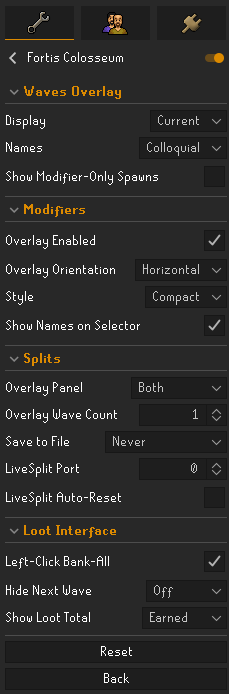 zealous cedar
xp globes works for thieving, and all other skills




 zealous cedar
oh that is strange
acoustic birch
yeah well i guess i helped xd
zealous cedar
ill look into it
 chilly agate
For as long as I can remember the GPU plugin has some kind of issue that causes deadclicks on my computer. To the point where one in 3 clicks cause no reaction from the red or yellow x.
Normally I'd fix this by quickly turning the plugin off/on. I've been doing this for the last... 5 years or so. Lately the issue has started to become incredibly frequent to the point that dead clicks will begin occuring in as little as 1 minute after applying my workaround. Is there a more permanent workaround or fix for this?
 vast badge
Hey all,
Im having fps issue with my PC (Running a EVGA 3090 and a i9-9700k) and my client is sitting at base 60 with random drops. Any assistance/ideas? Im trying to get my game to be nice and smooth and my pc should be able to handle RL at high framerates (and was for a while, but has randomly dropped below 70)
zealous cedar
If it is having random drops and not running consistently slow, it is probably from pluginhub plugins
zealous cedar
chilly agate
For as long as I can remember the GPU plugin has some kind of issue that causes ...
ive never heard of this, if the client is still rendering ok during the time the clicks are frozen i think that can't happen
maybe your mouse is broken or something
chilly agate
This issue has carried through several mouses including my wireless mouse for bed skilling
Yeah the client renders everything perfectly.
It's just after a while of playing the dead clicks start appearing.
Turning off/on that plugin specifically (Vsync is off per a recommendation on google) fixes it.
It used to fix it for like 20 minutes+ but now it's coming back more and more and more.
Also these dead clicks only occur in Runelite
I just set OpenGL rendering to my card per another recommendation on google, we'll see what happens with that little change as well.
zealous cedar
I would try playing with some of the plugin settings and see if anything affects it, like compute shaders
chilly agate
Another suggestion I found is setting my monitor refresh rate to a cap because gsync might be doing something to the client...
zealous cedar
gsync tends to play poorly with runelite in general, can you turn it off?
glossy flume
cant access GE history on the runelite website for a deleted gmail acc?
oblique plume
Sounds reasonable
glossy flume
workaround?
oblique plume
Go back in time and don't delete something you want to use
 viscid kelp
@oblique plume I was on runescape.com GDPR form and selected "Remove your personal data and permanently disable your account"
now my runelite will not log in
@mossy swan ?
@sand star your my last hope
mossy swan
dude cmon i’m lost at sea
viscid kelp
me too, metaphorically speaking
vast bone
are you on a boat?
viscid kelp
no i said metaphorically speaking
can anyone help with my runelite problem? stay on topic
vast bone
One useful strategy is to install plugin hub plugins. There are so many that there is a high chance one solves your problem.
mossy swan
vast bone
are you on a boat?
no i’m at SEA
crisp dune
Oh at SEA? You should come visit me then
vast bone
unmoon you just been called out
mossy swan
sorry just passing through
crisp dune
Sadge
vast bone
maybe nfc can go outside and you can wave down to him
oblique plume
viscid kelp
<@97115422100291584> I was on runescape.com GDPR form and selected "Remove your ...
God damn it man
viscid kelp
oblique plume
God damn it man
help ?
 bronze current
Getting the following message when trying to build Runelite with Maven, any ideas on how to fix? I pulled a fresh copy of the source:

One of the actual errors it's hitting is an NPE on in.trim() in FloatingDecimal.java

 green star
Any idea why this plugin randomly stopped working for me?

