#sonar
1 messages · Page 33 of 1
 small stag
Im having the sanme problem
 rocky kelp
who got the best EQ settings for media and music? thank ya
 placid moat
Anyone have issues with GG simply not opening every time an update is pushed out?
 high fable
I tried updating my headset but it didnt work. It is not even starting to update once I press "Update Now" Anyone knows how to fix?

 cobalt saffron
high fable
I tried updating my headset but it didnt work. It is not even starting to update...
cobalt saffron
high fable
I tried updating my headset but it didnt work. It is not even starting to update...
delete and install
 untold sigil
nova pro wireless owner - is it possible to configure the DAC wheel to affect the master slider in Sonar?
currently it only handles the GAME channel
 sturdy widget
How do I return a deleted clip from a program?

 buoyant scroll
sonar has been crashing alot anyone konw a fix? just gets stuck in an infinite loop
untold sigil
untold sigil
currently it only handles the GAME channel
whi makes it impossible to regulate volume at all when using fallback device
 slender relic
Is anyone else figure out a way to set a permanent default audio output every time I wake from sleep or a screensaver it changes my audio output and I have to go into sonar and change every audio output again
untold sigil
slender relic
Is anyone else figure out a way to set a permanent default audio output every ti...
look for fallback device
slender relic
Please explain
untold sigil
 slender relic
Thank you I was literally getting ready to sell this headset
 keen fossil
my steelseries mic doesnt get recorded in discord anyone got an solution for that?
When i test it in sonar it records fine but no audio output for discord
untold sigil
make sure you configure sonar to use that mic, and then configure discord to use sonar
keen fossil
May i ask what you mean by configure discord to use sonar?
untold sigil
 keen fossil
It says discord cant get output over that mic but like i said in sonar it works fine
 silent edge
someone can help me with this? no load
 keen fossil
ok fixed it had to reset my mic settings completly on windows
 patent sandal
silent edge
someone can help me with this? no load
patent sandal
silent edge
someone can help me with this? no load
Same problem here. Hope a fix comes around soon.
 wise torrent
Hello, I have a problem with the sonar, I recently bought the Mirco Shure MV7 and the sonar detects it well, only when I enter "Microphone-steelseries", on other applications, like discord or obs, they do not detect any sound


 undone heron
hi guys, I have a problem, the ambient audio returns to my headphones, how do I solve it?
 past hazelBOT
Many SteelSeries headsets come with Sidetone, which allow you to hear yourself through the headset’s mic for better clarity when talking.
For most headsets, the volume of the Sidetone can be lowered in SteelSeries Engine, which is part of GG. GG can be downloaded here: https://steelseries.com/gg
If you have a “Playstation” version of a headset (such as the Arctis Nova 7P) then your headset may have a physical wheel on the headset for turning the sidetone down.
For analog headsets that use the 3.5mm headphone port, sidetone may be generated by your on-board audio devices. Please refer to your computer manufacturer’s support for more help
undone heron
I have gg engine but I can't find the setting
 formal furnace
How can I route my game to the game mixer in sonar, everytime i drag it it gets sent back to chat
past hazelBOT
In order for apps to output to the other devices in Sonar, you'll need to route the apps to the specified device. Routing can be done in one of two ways:
-
Use the routing drag and drop interface underneath the audio outputs to simply move any apps playing sounds to the required output
-
Open the Windows sound device by going to Settings > Sound > App Volume and Device Preferences. From this settings menu you can use the dropdown to route any app.
If you are having issues with routing not working or apps moving back to another device after dragging them, you may need to check the app itself for any sound output settings. Some apps like Discord, Spotify, and Apple Music may need to have their outputs changed within their app settings rather than done through Sonar.
 wispy crow
I have a really good suggestion for Sonar. Make a mobile app where you can use your phone to controll the mixer. Mute your mic, control volume levels and route apps. This would be really cool to see!
 dense kestrel
It just stopped booting today
 bronze tusk
hello, i just used steelseries sonar. I want to ask, how do I change the output device? because I want to change from my gaming mic to my headset mic
 icy moss
Hey when i have steelseries sonar On i don't have any song but when i turn it off it work how can i solve that problem ?
 vale rose
Audio keeps leaking into my mic for somereason
 violet grail
wispy crow
I have a really good suggestion for Sonar. Make a mobile app where you can use y...
violet grail
wispy crow
I have a really good suggestion for Sonar. Make a mobile app where you can use y...
Suggest it in #1070392859125104660 :)
 lost hedge
For some reason sonar isn't picking my mic on discord anymore, anything I can do about it?
Without sonar it's picking up my neighbours breathing
 hidden junco
guys how do i let my steelseries apex pro sound thocky
 waxen bramble
Hi! I'm using Nvidia Instant Replay for my gaming funny moment videos and I save a lot of clips during the day. But sometimes my friends are talking too much and I can't mute their audio during the game so my clip is going to be useless because of that. I want to seperate my both game, Discord and microphone to 3 audio tracks so I can mute them whenever I want. What should I do? I tried to use Steelseries Sonar and Steelseries Moments together but I can't use 3 audio tracks when I try to open clips in Premiere Pro! The seperations are only in the Moments!

 quaint marsh
hey everyone, why since today my mic is detected by the sonar but sonar can't relay my voice
 delicate burrow
hello i dont have app to device rooting


at left its me and right official video from steelseries
 velvet walrus
the video is out of date, you can just route apps using the app list under each VAD.
delicate burrow
yes but discord wont be slided (sry for my english im french)
velvet walrus
change the output in the discord settings
 opal grove
is it possible to make it so when i scream the audio gets compressed (i have no idea what im doing and enabling this doesnt do much

 hybrid karma
hi guys i got a problem in my ss gg sonar that it got endless loading i tried using older version of windows and the gg software but noth the ive noticed that my sonar outputs were disabled then i enabled them and still got nothing
silent edge
hybrid karma
hi guys i got a problem in my ss gg sonar that it got endless loading i tried us...
x2 plz help
 hollow trout
aight thanks
hybrid karma
np
hybrid karma
silent edge
x2 plz help
try reinstalling it again
it worked for me
delete it from the control panel
and then reinstall it
silent edge
hybrid karma
and then reinstall it
i try this and still no load
 winged plank
Is the right place for me to ask Sonar tech support questions? Because man I'm having an endless stream of problems with it.
 crude pasture
I have a problem, I'm playing spotify rn and it doesn't show up on Sonar, so I can't move it to the media tab. Anything I can do abt it? Alr tried restarting spotify, pc, and steelseries

This same thing where the apps don't show up applies to every single app I run
and mymic isnt working either
opal grove
crude pasture
I have a problem, I'm playing spotify rn and it doesn't show up on Sonar, so I c...
route it fron windows
hybrid karma
crude pasture
I have a problem, I'm playing spotify rn and it doesn't show up on Sonar, so I c...
go to settings-system-sound-volume mixer and check if the output device is ss sonar
if its not change it
and it should appear
crude pasture
hybrid karma
go to settings-system-sound-volume mixer and check if the output device is ss so...
It is
 winged plank
I guess that's a yes. So I'm routing Sonar into OBS. My mic input volume keeps changing without my input. I've also been noticing that there is some audio distortion that happens when I talk over game volume.
 hybrid karma
crude pasture
It is
hybrid karma
crude pasture
It is
they are default?
hybrid karma
crude pasture
not this go down
crude pasture
hybrid karma
they are default?
yes
hybrid karma
go there and check thre
hybrid karma
crude pasture
oh just change them all from there instead of manually moving the apps?
for once or twice then it'll be fixed
velvet walrus
winged plank
I guess that's a yes. So I'm routing Sonar into OBS. My mic input volume keeps c...
I don't think Sonar really has any function to change this, so I usually tell people to check other apps that could be touching it. Look for "auto-gain control" in other apps like discord and see if they need to be turned off
crude pasture
hybrid karma
for once or twice then it'll be fixed
yeah its all set to various sonar channels
hybrid karma
this new update got some bugs but ig it'll be fixed
crude pasture
I set my main to Media and GG is screaming at me but wtv
 hybrid karma
click it
crude pasture
not the best software but ¯_(ツ)_/¯
crude pasture
hybrid karma
click it
no it changes back to sonar - gaming then
winged plank
velvet walrus
I don't think Sonar really has any function to change this, so I usually tell pe...
WHich is something to check out, but when I have only OBS, Honkai Star Rail, Twitch, and Sonar open then my audio still changes itself.
crude pasture
hybrid karma
click it
Tho why is my microphone channel not working either
When its all routing to mic
hybrid karma
crude pasture
Tho why is my microphone channel not working either
like how?
crude pasture
hybrid karma
like how?
When I'm talking, it doesn't actually register that audio is being input
My normal mic stream works
 zealous oar
Hi Guys. I have a Maono pd200x Mic and I'm using sonar application. What is the best eq settings for pd200x that can give bass and clarity to my voice ?
 tidal mulch
can someone give me the best sonar settings to hear enemys for warzone?
 spice portal
hi, someone can help me?

i have this issue w sonar
if someone speak spanish or no haha
its a CODEC issue
i can see the video but i cant hear
nvm
i fix this shiy
TY HAHA
 thorn loom
spice portal
i fix this shiy
thorn loom
spice portal
i fix this shiy
How did you fix it?
I don't see the point in this Discord. Sonar stops working after every Windows or Nvidia update. I keep having to reload an old sonar db that worked. Now the old db won't load. Did steelseries stop supporting the software?
spice portal
thorn loom
I don't see the point in this Discord. Sonar stops working after every Windows o...
i just changed the output here
 thorn loom
oh, you're not using sonar.
spice portal
thorn loom
oh, you're not using sonar.
just for the output
spice portal
thorn loom
oh, you're not using sonar.
bc i just use sonar for the mic
thorn loom
spice portal
bc i just use sonar for the mic
They need to fix this; these headphones are only worth owning with that software.
spice portal
thorn loom
They need to fix this; these headphones are only worth owning with that software...
fr even MOMENTS has a lot of bugs, sound delay on the clip
thats why i uninstall the first time
but i just want to use it for the mic
 autumn dagger
Hey guys, if someone can please help me, I have an annoying issue that I don't know how to fix. If I leave my pc for say 30 minutes, my arctis nova pro wireless will turn off and when i come back, even though i turn the headset on, i have to manually go to sonar to put it back as the main audio channel. I also already tried using the device priority list but my headset then goes to the bottom of the list when i turn it on even though I had put in on top. Any help would be much appreciated.
velvet walrus
autumn dagger
Hey guys, if someone can please help me, I have an annoying issue that I don't k...
check your fallback settings
past hazelBOT
SteelSeries Sonar has “Device Fallback” that will automatically switch the outputs on Sonar.
Fallback can be triggered when a device is unavailable (such as when booting your PC or unplugging a device), or it can switch outputs if it detects if a Nova headset is turned off, and automatically switch to speakers.
This fallback functionality can be adjusted or turned off by going into the settings in GG. You can find it under Settings > Sonar > Backup Device Switch.
You can also adjust the order in which devices fall back to. This can be adjusted in the same options menu. Simply scroll down to see the full list of devices.
velvet walrus
or er, rather, just turn fallback off completly if you don't want it changing at all
autumn dagger
basically what i would love to have it, if my headset is on, use it, if my headset is off, use my speaker
those are my settings

i've played with it but i dont seem to be able to achieve this simple feature
velvet walrus
what you're saying should be a feature, I'm not sure why it wouldn't work. Maybe it's because the wireless option is off?
 autumn dagger
ill be honest, im not a native english speaker so i dont really understand what this option is about
but i can try turning it on
what does it mean plugged in but not powered on? my wireless is never plugged in cuz it is on battery. does it only apply if you put the cable?
ok i think that did the trick @velvet walrus , thank you very much
velvet walrus
autumn dagger
what does it mean plugged in but not powered on? my wireless is never plugged in...
"plugged in" generally refers to the transmitter/base station, not the headset itself. but glad to hear it seemed to help.
 eternal pawn
anyone know how to stop screen echo on discord when sharing the whole screen and using sonar
spice portal
HAHA now i have a new issue
i can hear my voice in audio test, but i cant speak in call
 hollow leaf
I am unsure if this is a problem with my computer or with sonar - the last two days I have had to completely reinstall the program in order to get my mic to work through sonar. It shows that it is playing, it detects it and I can hear myself when I do a test- but if I try to use it for discord or any other game/program, no one can hear me. It is set to steelseries sonar mic on all of these programs. restarting my computer, restarting the app, rerouting the mic on various programs does not fix it. the ONLY fix is completely reinstalling steelseries. i love using steelseries for sonar + clips, but i dont want to have to reinstall every day 
 rose arrow
Someone help me I cant hear anything in my headphones
@velvet walrus
They just randomly stopped working
 hallow nest
rose arrow
Someone help me I cant hear anything in my headphones
hallow nest
rose arrow
Someone help me I cant hear anything in my headphones
switch your output to anything else and then back to steelseries gaming for your personal mixer or whichever channel if your talking about a specific application instead of windows
hallow nest
hollow leaf
I am unsure if this is a problem with my computer or with sonar - the last tw...
switch your output to anything else and then back to steelseries chat and do the same for your input, switch to any other input then back to steelseries mic. happenes everytime for me with discord and xbox game bar party chat @spice portal
 ebon grotto
some one help me please. What should i do now?
 rose arrow
hallow nest
switch your output to anything else and then back to steelseries gaming for your...
rose arrow
hallow nest
switch your output to anything else and then back to steelseries gaming for your...

This is what it says when I unplug and re plugin my wireless thingy in my pc
How did it randomly stop working bro what
Istg steelseries is ass
holy fk
rose arrow
rose arrow
@wild hazel my old friend
help me out
My mic is working but I cant hear anything
 wild hazel
rose arrow
My mic is working but I cant hear anything
wild hazel
rose arrow
My mic is working but I cant hear anything
HELLO
So
Wirless headset again yea
Change the inputs on all channels
 wild hazel
Lol
wild hazel
rose arrow
holy
It happens every pc update or whatever
 fast lake
help meee It's been going like this for 2 hours
 wild hazel
fast lake
help meee It's been going like this for 2 hours
wild hazel
fast lake
help meee It's been going like this for 2 hours
Reinstall
 opaque igloo
ty for this

 inland sinew
Can anyone help, I can hear my voice echo in my headset and its only while I have streamer mode enabled
 hallow sedge
inland sinew
Can anyone help, I can hear my voice echo in my headset and its only while I hav...
hallow sedge
inland sinew
Can anyone help, I can hear my voice echo in my headset and its only while I hav...
u have to turn off your personal mix under mic

the one on the left
inland sinew
hallow sedge
u have to turn off your personal mix under mic
Thank you!!!
 naive bridge
can this program stop breaking? now the program isn't outputting any sound from my mic to any program, despite steelseries gg showing it works
i'm getting so fed up with it
 bronze lake
Hey ! is there a way to disable sonar from automatically changing sound output ? it automatically changes every time i restart my computer and i always need to re-set it to the correct output or else i don't hear anything
(talking of this as output)
 past hazelBOT
SteelSeries Sonar has “Device Fallback” that will automatically switch the outputs on Sonar.
Fallback can be triggered when a device is unavailable (such as when booting your PC or unplugging a device), or it can switch outputs if it detects if a Nova headset is turned off, and automatically switch to speakers.
This fallback functionality can be adjusted or turned off by going into the settings in GG. You can find it under Settings > Sonar > Backup Device Switch.
You can also adjust the order in which devices fall back to. This can be adjusted in the same options menu. Simply scroll down to see the full list of devices.
violet grail
Check that @bronze lake
bronze lake
violet grail
Check that <@301297797792137216>
Okay, i'll try, thanks !
violet grail
yw :)
 spark sequoia
i need help when i press one of the sonar options my audio goes to my monitor instead of my headset
fixed it i think
my music and game audio are playing from the correct source now
 tacit pecan
I can see the sonar picking up the audio, but no sound is coming out. can anyone help me pls
 red kestrel
anyone have a sonar preset for the game called Wayfinder?
 patent fossil
why didn`t show any app inside the circle, already try reinstall
 past hazelBOT
In order for apps to output to the other devices in Sonar, you'll need to route the apps to the specified device. Routing can be done in one of two ways:
-
Use the routing drag and drop interface underneath the audio outputs to simply move any apps playing sounds to the required output
-
Open the Windows sound device by going to Settings > Sound > App Volume and Device Preferences. From this settings menu you can use the dropdown to route any app.
If you are having issues with routing not working or apps moving back to another device after dragging them, you may need to check the app itself for any sound output settings. Some apps like Discord, Spotify, and Apple Music may need to have their outputs changed within their app settings rather than done through Sonar.
 quiet nymph
can anyone help me? the sliders arent changing the volume on anything. this has never happened before and i havent changed anything.
quiet nymph
nvm i just restarted my pc and it fixed it
 sterile breach
Does anyone know how to fix the issue with when screensharing on discord people can hear themselves and yourself as well
 silk merlin
Why does Sonar take 5+ minutes to load every single time I restart my computer
hallow nest
ebon grotto
i use win11
yes it works on windows 11, heres my full setup install guide

I do my best to go through the entire process from downloading so setting up and assigning inputs and outputs for casual users as well as the full setup for streamers and how to add it to your streaming software plus a bonus how to do audio ducking
dense kestrel
Ever since the update the other day, my sonar has just refused to boot
hallow nest
Uninstall through windows settings ; apps
Preserve files on Uninstall if asked
Reinstall
buoyant scroll
why is it everytime my PC restarts i need to reinstaall sonar?
 bold turret
just wondering how to set the arctis nova pro wireless as the default device every time i start up steelseries gg

because everytime I start it up I gotta manually change each one of the channels to the arctis nova
past hazelBOT
SteelSeries Sonar has “Device Fallback” that will automatically switch the outputs on Sonar.
Fallback can be triggered when a device is unavailable (such as when booting your PC or unplugging a device), or it can switch outputs if it detects if a Nova headset is turned off, and automatically switch to speakers.
This fallback functionality can be adjusted or turned off by going into the settings in GG. You can find it under Settings > Sonar > Backup Device Switch.
You can also adjust the order in which devices fall back to. This can be adjusted in the same options menu. Simply scroll down to see the full list of devices.
violet grail
Check that @bold turret
bold turret
okay mate thank you, wiwll have a look
 😅
bold turret
😅
bold turret
you know it bossman
@violet grail it says im not authorised to view the page
but ill follow it from what its showingin the chat rn
should be right
violet grail
Should be :)
bold turret
yeah i got it
thanks mate
i just switched off the backup device switch
that means arctis nova will be the primary source no matter if its on or not when i start up pc yeah?
 old seal
When I select a different driver for the speaker (one that is not part of Sonar), Sonar normally turns off and the speaker plays. Now, this isn't working and I don't know why. it s like sonar can t detect if it s enabled or disabled :I
 old seal
bold turret
just wondering how to set the arctis nova pro wireless as the default device eve...
old seal
bold turret
just wondering how to set the arctis nova pro wireless as the default device eve...
this is what you need in settings 🙂 (maybe don t check link all output channels if you want to use another device)
 old seal
When I select a different driver for the speaker (one that is not part of Sonar)...
old seal
old seal
When I select a different driver for the speaker (one that is not part of Sonar)...
this is how I fixed it but I don t think its user friendly 😄

 native escarp
HI , how to ensure that the headset always has priority because each time it starts it plays the audio from my screen
 past hazelBOT
SteelSeries Sonar has “Device Fallback” that will automatically switch the outputs on Sonar.
Fallback can be triggered when a device is unavailable (such as when booting your PC or unplugging a device), or it can switch outputs if it detects if a Nova headset is turned off, and automatically switch to speakers.
This fallback functionality can be adjusted or turned off by going into the settings in GG. You can find it under Settings > Sonar > Backup Device Switch.
You can also adjust the order in which devices fall back to. This can be adjusted in the same options menu. Simply scroll down to see the full list of devices.
 hushed dune
Anyone having issues of Sonar randomly closing out your sound devices? The only way for me to get them back up and running is running the windows fix tool. It happens almost every time my steelseries headset is turned off or sleeps. This is really annoying.
 brisk badger
I could not install the microphone of the new headset I bought on the desktop. So the microphone is not working, how can I activate the microphone now? (arctic nova 1x)

 atomic canyon
is it just me, or can i not configure the order in which the backup playback devices get picked anymore? i dont need sonar connecting to my controller speakers when i turn off my headset to listen on my actual speakers.
 velvet walrus
atomic canyon
is it just me, or can i not configure the order in which the backup playback dev...
velvet walrus
atomic canyon
is it just me, or can i not configure the order in which the backup playback dev...
what version of GG do you have installed?
 shrewd stag
If I use Sonar as my mic in Discord my friends can barely hear me, whereas just setting it to the normal mic input it's fine. Any ideas on a fix?
Acric Nova Pro with DAC
old seal
native escarp
HI , how to ensure that the headset always has priority because each time it sta...
 old seal
shrewd stag
If I use Sonar as my mic in Discord my friends can barely hear me, whereas just ...
old seal
shrewd stag
If I use Sonar as my mic in Discord my friends can barely hear me, whereas just ...
artic nova 7 set up I use for discord
 old seal
atomic canyon
is it just me, or can i not configure the order in which the backup playback dev...
old seal
atomic canyon
is it just me, or can i not configure the order in which the backup playback dev...
I would check updates
 shrewd stag
old seal
artic nova 7 set up I use for discord
shrewd stag
old seal
artic nova 7 set up I use for discord
This is what I had, just absolutely no volume even with it set to 100
old seal
shrewd stag
This is what I had, just absolutely no volume even with it set to 100
even if you turn off sonar ?
 shrewd stag
old seal
even if you turn off sonar ?
shrewd stag
old seal
even if you turn off sonar ?
If I use the highlighted, it's super quiet

If I use what is selected it's fine
old seal
shrewd stag
If I use the highlighted, it's super quiet
is test in sonar working ? if yes: I would try discord settings if no : I would try reset
 old seal
or duplicate and then reset if you don t want to lose settings
 versed juniper
anyone else having problem with drag and drop feature for f1 24 game?
 cobalt geyser
hello anyone else have problem with sonar in discord screen sharing?
im using sonar for mic clearcast ai setting and when i share screen in the discord my voice goes twice my friends hear me from channel and from screen sharing
 slim viper
gg takes 10 min to load up its crazy tried uninstalling and re installing
 safe coral
I am using ARCTIS NOVA PRO and I cannot make any settings. I'm just playing a game and the name of the game was on the small screen but it doesn't appear anymore. Any chance you can help me?
 tropic pulsar
Is it possible to improve the steps in PUBG Mobile through this program?
 dusty sparrow
Hello everyone...I need help setting up the GG app, specifically saving the created settings. Every time I turn off my computer, all my settings are not saved. And on a new start everything is completely different. thanks for your help...
past hazelBOT
SteelSeries Sonar has “Device Fallback” that will automatically switch the outputs on Sonar.
Fallback can be triggered when a device is unavailable (such as when booting your PC or unplugging a device), or it can switch outputs if it detects if a Nova headset is turned off, and automatically switch to speakers.
This fallback functionality can be adjusted or turned off by going into the settings in GG. You can find it under Settings > Sonar > Backup Device Switch.
You can also adjust the order in which devices fall back to. This can be adjusted in the same options menu. Simply scroll down to see the full list of devices.
dusty sparrow
ok very thnx...👍
 hollow oyster
Anyone have the best EQ setting for Rust? Artic Nova Pro wireless headset. Or is the using the Rust preset ok to use? and i imagine using HI-FI Rust preset would be better then non HI-FI?
violet grail
 clear citrus
**SteelSeries Sonar as a DeckyLoader plugin**
clear citrus
**SteelSeries Sonar as a DeckyLoader plugin**
Smells like a #1070392859125104660 to me :D
But just like Linux support I don't see it happening any time soon
And having Sonar work outside of GG? I don't see that happening ever
But that's just imo :)
clear citrus
:c
clear citrus
Being able to switch sonar profiles thru the quick access menu would be neat
 proven solar
Guys , why does my Sonar always change the audio output device in all my mixer once my headphoes disconect or shut down, its very frustrating to always have to change all of the outputs manualy to my arctis 7 wenever i come back to the pc
past hazelBOT
SteelSeries Sonar has “Device Fallback” that will automatically switch the outputs on Sonar.
Fallback can be triggered when a device is unavailable (such as when booting your PC or unplugging a device), or it can switch outputs if it detects if a Nova headset is turned off, and automatically switch to speakers.
This fallback functionality can be adjusted or turned off by going into the settings in GG. You can find it under Settings > Sonar > Backup Device Switch.
You can also adjust the order in which devices fall back to. This can be adjusted in the same options menu. Simply scroll down to see the full list of devices.
 limber sandal
where do i route discord to in the mixer
past hazelBOT
In order for apps to output to the other devices in Sonar, you'll need to route the apps to the specified device. Routing can be done in one of two ways:
-
Use the routing drag and drop interface underneath the audio outputs to simply move any apps playing sounds to the required output
-
Open the Windows sound device by going to Settings > Sound > App Volume and Device Preferences. From this settings menu you can use the dropdown to route any app.
If you are having issues with routing not working or apps moving back to another device after dragging them, you may need to check the app itself for any sound output settings. Some apps like Discord, Spotify, and Apple Music may need to have their outputs changed within their app settings rather than done through Sonar.
limber sandal
is there tutorials for specific mics?
 dense nimbus
Why does my sonar not load and when I go into settings it says sonar is starting, and when i wait nothing happens. I left my pc for about 3 hours and it never loaded.
 limpid sierra
dense nimbus
Why does my sonar not load and when I go into settings it says sonar is starting...
limpid sierra
dense nimbus
Why does my sonar not load and when I go into settings it says sonar is starting...
currently having the same issues
 teal cloud
dense nimbus
Why does my sonar not load and when I go into settings it says sonar is starting...
teal cloud
dense nimbus
Why does my sonar not load and when I go into settings it says sonar is starting...
Welcome to steel series where support dont support and software breaks 24/7
limpid sierra
sonar is back up and running!!
delicate burrow
Can somone help, i just bought steelseries arctis nova 1 headphones, and the sound is working but i cant get my mic to work someone help pls.
 eternal yacht
why is my steelseries arctis nova pro wireless mic dosen't sound good, i just buy it
can anyone help ?
violet grail
teal cloud
Welcome to steel series where support dont support and software breaks 24/7
Sir this is a community server
(I hope that the reference comes through) 😅
Reach out to support for... Support. Crazy idea, I know
 sinful plover
help me setting mic pleaseeeeeee
is there anyone who can help me set up the mic i beg you
 latent pumice
my arctis nova 1x mic is dont working
 radiant hinge
my arctis nova pro wireless mic doesn't have sounds
 merry walrus
Hey, anyone else not getting device switching to work anymore?
Unable to go between my Nova 7 and my speakers when powering my nova 7 on
But when powering it off it seems to work fine (switches to speaker without intervention)
I've noticed that after a while this feature just seems to stop working, like it did before it was patched recently, without any settings changes on my end
 abstract leaf
Hey all, anyone know how to set a default mode per program? Everytime I launch Call of Duty, it puts the application under "Sonar - Chat" intead of the "Sonar - Gaming" columns in configuration. See screenshots for issue
 violet grail
abstract leaf
Hey all, anyone know how to set a default mode per program? Everytime I launch C...
violet grail
abstract leaf
Hey all, anyone know how to set a default mode per program? Everytime I launch C...
Might have to change it in the game settings
Can also try through Windows
past hazelBOT
In order for apps to output to the other devices in Sonar, you'll need to route the apps to the specified device. Routing can be done in one of two ways:
-
Use the routing drag and drop interface underneath the audio outputs to simply move any apps playing sounds to the required output
-
Open the Windows sound device by going to Settings > Sound > App Volume and Device Preferences. From this settings menu you can use the dropdown to route any app.
If you are having issues with routing not working or apps moving back to another device after dragging them, you may need to check the app itself for any sound output settings. Some apps like Discord, Spotify, and Apple Music may need to have their outputs changed within their app settings rather than done through Sonar.
abstract leaf
violet grail
Might have to change it in the game settings
Game settings are set

"Sonar-gaming"
violet grail
Try Windows then :)
Sonar isn't actually handling the routing, it's just a front to Windows routing it
abstract leaf
Also windows is set

When the game launches it is momentarily in the "Game" column, but when it hits the main menu it hot swaps and never goes back.
Is there a way to force an app into a default
violet grail
Is it correct in Windows after launch?
violet grail
Weird
And is it actually outputting to Chat when ingame? Or is it just showing it wrong in Sonar?
abstract leaf
and it's the only fix
violet grail
Reach out to support if you don't find a fix
abstract leaf
Where is that? lol
violet grail
Look for the black chat icon
It will try to help you before letting you contact support
 wicked dragon
lf1 to have a full quad
warbandits 2x, wiped an hour ago
at least 1.5k hrs
 dim niche
my sonar is just not working, it will not load, tried everything it said, closed, ran with admin, retsrated pc, even reinstalled GG, made a whole new account, now its stuck on the setup screen.
anyone help 🙏
 whole lily
mine hasn't worked all day either
 fickle flicker
best profile for siege?
hollow leaf
hallow nest
switch your output to anything else and then back to steelseries chat and do the...
this didnt fix it. i have no option to change the mic input on sonar.
the only option it shows is the headset mic, even if i change everything else

im going to try plugging in something else with a mic to see if that makes me able to swap it
it's weird because it was fine for a few days and now its doing it again lmao
hallow nest
hollow leaf
this didnt fix it. i have no option to change the mic input on sonar.
Not in sonar. In whichever application you're trying to get audio from. Discord, xbox, steam, ect
hollow leaf
I have done that as well
okay so i think it is something conflicting with icue (corsairs program, which i do NOT recommend lmao)
hallow nest
hollow leaf
okay so i think it is something conflicting with icue (corsairs program, which ...
guaranteed. i believe icue has system level privilege for sound and input as well as obviously system monitoring and rgb. idk if theres a setting in Icue you can disable for any audio enhancements or something. or go into control panel sound settings and into playback and record devices and disable any non sonic devices
 random plover
@opal tiger My bluetooth headphones disconnected and they are part of the media virtual output and now that they've reconnected they are still not being used. Instead it is using the fallback device I setup, the bluetooth headphones are grayed out in the backup device switcher and they don't appear in the mixer
Please assist
Resolved: issue was with my bluetooth dongle, needed to be plugged in and out
 graceful stone
why we cant use keyboard media keys to control master volume control? Who designed this piece of crap?
you need to fire this person, because this is non sense. Its not even working with steel series keyboard... this is pathetic
this crap is going back to seller....
violet grail
The bot is not clever enough to understand any of that, also no need for shouting or cussing people out. Reach out to support for help from SteelSeries and have a break from here :)
 gritty badge
Would anyone be willing to share their music EQ for Arctis Nova 7+ ?
 full lance
 silk quarry
does anyone have a pop equalizer for the media channel
cobalt geyser
I don't want to use sonar gaming audio output, every restart on pc audio output auto switches to gaming sound and re enables the other virtual audios, im just using the mic clearcast ai noise cancellation, is there no way to stop the program re enable gaming and media and other outputs?
just want to clearcast tech on my mic and use the default output of my headphone not gaming or any mode
 tidal oak
Hello, chrome browser keep switching from Media channel to Game channel, what i can do with it?? i tried to pick the right channel from Windows settings not only from Sonar but keep switching back to Game channel
 gleaming grove
tidal oak
Hello, chrome browser keep switching from Media channel to Game channel, what i ...
gleaming grove
tidal oak
Hello, chrome browser keep switching from Media channel to Game channel, what i ...
Got exact the same behaviour - media is set as my "default" - but my win 10 - or different programs keep switching it back to "gaming".
I want to know how to fix that. 🙂
 polar gust
new here, anyone experience an issue with Sonar where your virtual devices disappeared? I have been chatting with a customer service representative for 2 weeks and hes been providing basically the same troubleshooting advice and I am not really getting anywhere
I have the Nova Pro Wireless, also get like intermittent drops in connection with the headset
 devout marsh
updated software and now sound doesnt work at all
 vernal maple
I know this isn't Nahimic but, is there a bug with the audio?
My left speaker would cut-out and go onto the right speaker, (It's not audio effects I promise, happens with most audios)
I'm using a Lenovo laptop, and Sonar and Nahimic does the same thing. When I turn them off, it doesn't happen anymore
 devout zealot
hi is there a way to get these sliders in current sonar version?

 empty sand
how to make a montage
?
whole lily
is anyone else's sonar down mines been down since yesterday morning and cant get it back up
hushed dune
It is an absolute mess of a program. When it wont load, I try to close out of it in task manager, if that doesnt work I just have to fully reboot.
whole lily
ended up having to uninstall and reinstall to get it to finally work such a pain
 tacit axle
Just turned on sonar for the first time - everything working fine except anything i put under game audio is silent, should i just reinstall? The chatmix bar doesn't do anything for it, and AFAIK the arctis nova 5 doesn't have a game/chat physical mixer anywhere on it that im missing..
 iron nebula
Whenever I'm listening to a music bot in discord and it gets too loud part of the song all of my discord sound gets turned down very low anyone know how to fix this
 quasi python
iron nebula
Whenever I'm listening to a music bot in discord and it gets too loud part of th...
quasi python
iron nebula
Whenever I'm listening to a music bot in discord and it gets too loud part of th...
Check for the new AI noise cancelling in Sonar.
iron nebula
where
quasi python
Mine does the same where if someone is too high or too low it’ll chop it
If you go into sonar and go into the chat audio (I’m assuming you have chat set to discord) it’ll show the settings for equalizer there
Below that will be the AI noise cancelation.
delicate burrow
servus gibt es hier deutsche ?
gleaming grove
Ja zuchti - aber offenbar schert sich keiner von Steelseries um diesen Channelö
-ö
 honest roost
hey i have some arctic 9's i have my whole sonar setup porperly as far as i can tell but my headset still uses the terrible headset quality audio when i connect to anything using my mic instead of the nice headphone audio does anyone have a fix for that?
 scenic wraith
is the compressor on the alias mic new?
 small light
Sonar no working  how fix?
bronze tusk
Suggestions for aux settings for listening to music
 weak dove
tacit axle
Just turned on sonar for the first time - everything working fine except anythin...
weak dove
tacit axle
Just turned on sonar for the first time - everything working fine except anythin...
Make sure that the Game Playback device in GG is the same as the one in Windows System - Sound... makes sure the volume in there is full...I had the same problem a while back, if I set it to chat it gave me sound, otherwise nothing, I ended up uninstalling and reinstalling, but even now it still messes up from time to time, and it will reset everything everytime you install new Nvidia drivers if you have a GPU on Nvidia?
weak dove
small light
Sonar no working <:thump:502940218152976424> how fix?
More details needed.... Are the devivces set in GG? Do you have the relevant devices in Windows - Sound settings?
hallow nest
I do my best to go through the entire process from downloading so setting up and assigning inputs and outputs for casual users as well as the full setup for streamers and how to add it to your streaming software plus a bonus how to do audio ducking
 little echo
everything here but mic isn't working

at the beginning my mic was working but i wasn't earing and after that i changed something to be hearing ppl
and now the mic isn't working
 rocky mural
can these mfs make anything that works bro
its like 4th time my arctis nova pro wireless stopped capturing sound, 4th time without knowing the cause of it, and 4th time not knowing how to fix it. The sonar captures the sound
 candid linden
PUBG recommends sound Settings
Do you have any brothers to recommend to me the setting of PUBG
I need help.
little echo
rocky mural
can these mfs make anything that works bro
its like 4th time my arctis nova pro ...
fr
def gonna ask a refund and take something else
 novel sail
Anyone having an issue where the "Turning Sonar on..." is stuck with the spinning wheel?
tidal oak
Hello everyone, is it possible to make Media channel the default channel?? or any other channel other than Game channel??
 fair yarrow
is not letting me route discord 😠
 dark cosmos
hallow nest
fair yarrow
is not letting me route discord 😠
dark cosmos
hallow nest
fair yarrow
is not letting me route discord 😠
go into discord audio video settings and select sonar game for output and sonar mic for input
hallow nest
tidal oak
Hello everyone, is it possible to make Media channel the default channel?? or an...
not currently as far as i know
 muted token
yo my ss sonar / ss engine doesnt work somehow
just started my pc this morning and my headset just wont go on (arctis 7 nova)
steelseries engine says "reconnect headset" and in my sonar nothing works, i cant even change the chat / game volume on the right side of my headset
please help me
i already uninstalled anything
 upbeat sluice
when i install steelseris.gg i don't have any sound anymore
 timid gazelle
Hi. Is there any way to stop SteelSeries GG from constantly switch the output to others devices?
 vale rose
Does anyone else have a problem with audio leaking
 kindred mirage
My Sonar setup works great everywhere. But when I stream a game on Discord nobody can hear the game audio. Does anyone know what setting is causing it?
 whole kraken
could we get an extra bar in here for the media channel so i can not share whatever music i was listening to as the clip was made?
 tidal oak
timid gazelle
Hi. Is there any way to stop SteelSeries GG from constantly switch the output to...
tidal oak
timid gazelle
Hi. Is there any way to stop SteelSeries GG from constantly switch the output to...
try this, go to Settings > Sonar > Backup device switch and turn it OFF
tidal oak
hallow nest
not currently as far as i know
thanks for the reply
kindred mirage
kindred mirage
My Sonar setup works great everywhere. But when I stream a game on Discord nobod...
Disabling Sonar completely and reverting to Windows sounds makes Discord streaming work at the correct volume again. This seems to be an issue with Sonar and Discord somehow.
 astral scaffold
anyone know why my sonar dont want switch whenever i using my bluetooth headset or plugin headphone its always force me switch them manual
 tribal iron
How do I stop GG from overriding my default audio device in windows? I have the windows default set to "Sonar - Media" and when I launch Sonar, it automatically switches to "Sonar - Gaming" in the windows settings
 strange sentinel
idk if this is the right channel but i just got a steelseries 7+ headset and i keep trying to drag overwatch into the game channel on sonar and it just ends back up in master
 thorny sphinx
strange sentinel
idk if this is the right channel but i just got a steelseries 7+ headset and i k...
thorny sphinx
strange sentinel
idk if this is the right channel but i just got a steelseries 7+ headset and i k...
I'm having the same issue with World of Warcraft, but it's stuck in "chat" and not "game"
strange sentinel
im guessing that you dont know of any ideas to fix it
thorny sphinx
strange sentinel
im guessing that you dont know of any ideas to fix it
Not a clue 😅
strange sentinel
dang
velvet walrus
@strange sentinel @thorny sphinx usually when dragging doesn't work, it means the app/game itself has it's own audio settings that are overriding Sonar, so you need to go into the app/game and change the output there.
timid gazelle
tidal oak
try this, go to Settings > Sonar > Backup device switch and turn it OFF
Thanks I will try. This was driving me mental 😬
strange sentinel
now i feel dumb for not thinking about that earlier but it worked thank you so much.
thorny sphinx
velvet walrus
<@684748255665455135> <@230452731804909569> usually when dragging doesn't work, ...
Ahhh well that brings me to my follow up question. My PC default is set as the Steel Series Sonar - Gaming, but I also see options for Chat, Media, Aux and Microphone. Is there a specific master one or is it better to set the default to the Artic Nova Pro Wireless?
velvet walrus
the default in windows should be Game. if you set it to anything else then Sonar will throw an error like this:
 thorny sphinx
velvet walrus
the default in windows should be Game. if you set it to anything else then Sonar...
thorny sphinx
velvet walrus
the default in windows should be Game. if you set it to anything else then Sonar...
Ok one more silly question, for other apps like discord, would I set that to something more specific like chat? I just realized I wasn't hearing discord notifications this whole time either, and when I've been using the chat feature I notice people get quiet talking then loud all of a sudden haha.
velvet walrus
i would just leave it on chat. i think discord notifications ignore the output in the settings and tend to use gaming instead, no idea why.
for the quiet/loud audio in chat, try turning off the noise cancelling on the chat device in the sonar settings.
thorny sphinx
velvet walrus
i would just leave it on chat. i think discord notifications ignore the output i...
Sounds good! Thank you
 somber basin
I have a Nova 5, what is the best sonar eq for it?
 torpid stirrup
how do i make it so that the media setting is whats used by default
the default when i boot up my computer is gaming
placid moat
Can they NOT push an update that breaks everything? Update? Breaks entire program. Goes into Discord, detects mic UNTIL i get into a call then suddenly stops working and have no audio at all.
 haughty summit
heeeey everybody i discovered something! our sonar "broke" right? so no sound was coming through the headset at all unless we turned off sonar. so it occurred ot us (after 2 days of no sound because duh, right?) to look at sonar settings. and every single setting had been changed to use our monitor for sound, so sonar wasn't outputting to anything useful! now we fixed it all back to our headset, and sonar works again. so next time sonar "breaks" .. check settings.
hallow nest
upbeat sluice
when i install steelseris.gg i don't have any sound anymore
I do my best to go through the entire process from downloading so setting up and assigning inputs and outputs for casual users as well as the full setup for streamers and how to add it to your streaming software plus a bonus how to do audio ducking
hallow nest

I do my best to go through the entire process from downloading so setting up and assigning inputs and outputs for casual users as well as the full setup for streamers and how to add it to your streaming software plus a bonus how to do audio ducking
reuploaded with missing audio
 bright rampart
Anyone have a hyper x quast microphone and have some config to make the voice more studio like?
 quartz cedar
can anyone help me?

 quick jewel
bright rampart
Anyone have a hyper x quast microphone and have some config to make the voice mo...
quick jewel
bright rampart
Anyone have a hyper x quast microphone and have some config to make the voice mo...
I have hyper X quadcast S
 paper pasture
can someone help me? discord is not detecting any input from my mic, ive tried everything and still dont work
im using arctis 1 wireless
 rocky musk
someone can help me? when i put discord audio in the chat it returns back in the main
 past hazelBOT
In order for apps to output to the other devices in Sonar, you'll need to route the apps to the specified device. Routing can be done in one of two ways:
-
Use the routing drag and drop interface underneath the audio outputs to simply move any apps playing sounds to the required output
-
Open the Windows sound device by going to Settings > Sound > App Volume and Device Preferences. From this settings menu you can use the dropdown to route any app.
If you are having issues with routing not working or apps moving back to another device after dragging them, you may need to check the app itself for any sound output settings. Some apps like Discord, Spotify, and Apple Music may need to have their outputs changed within their app settings rather than done through Sonar.
tidal oak
timid gazelle
Thanks I will try. This was driving me mental 😬
you are welcome, and good luck 🫶
 ancient patio
rocky musk
someone can help me? when i put discord audio in the chat it returns back in the...
ancient patio
rocky musk
someone can help me? when i put discord audio in the chat it returns back in the...
Have you the right settings in discord ? Ypu have to have it on the sonar input for your headset and mic
rocky musk
thanks man i fixed it
 proper garden
tidal oak
try this, go to Settings > Sonar > Backup device switch and turn it OFF
proper garden
tidal oak
try this, go to Settings > Sonar > Backup device switch and turn it OFF
thank you! I came here to find an answer to this. 
 sharp shell
HI, i want to use my base station to control CHATMIX instead of the software, how can setup?🙏🏼

 tall depot
anyone who got problems with the CHATMIX ? - csgo and other games is in "game" and discord in "chat" . but it wont mix - its all ways 50/50 when ever or not i do 100 % gaming or 100 % chat :S
sharp shell
tall depot
anyone who got problems with the CHATMIX ? - csgo and other games is in "game" a...
Did you try the base station ?
 rocky moon
Something is very wrong with the Sonar app for some reason
it keeps closing and not sure why
it's very disruptive when trying to listen to audio or play games
tall depot
sharp shell
Did you try the base station ?
yes 😦 cant do it in software, as the base station overrules it, i can see it change in software as per base station, but it wont
prioritize
 mystic gale
why mic sounds so different in moments and discord compared to sonar, when I listen to my mic on sonar it sounds good, but at discord and on moments videos its much worse
is there a way to fix it or should i just accept this?
 cyan sentinel
hey so replug my headset alot everyday but it dosent autoconnect it just goes to my laptop speakers is there a way to make it always go on headset when it gets connected?
past hazelBOT
SteelSeries Sonar has “Device Fallback” that will automatically switch the outputs on Sonar.
Fallback can be triggered when a device is unavailable (such as when booting your PC or unplugging a device), or it can switch outputs if it detects if a Nova headset is turned off, and automatically switch to speakers.
This fallback functionality can be adjusted or turned off by going into the settings in GG. You can find it under Settings > Sonar > Backup Device Switch.
You can also adjust the order in which devices fall back to. This can be adjusted in the same options menu. Simply scroll down to see the full list of devices.
 rich pond
past hazel
SteelSeries Sonar has “Device Fallback” that will automatically switch the outpu...
rich pond
past hazel
SteelSeries Sonar has “Device Fallback” that will automatically switch the outpu...
about that, doesn't seem to work? When my higher priority device comes online. It doesn't switch.
Or is that not the purpose?
delicate burrow
hello eveyone i ordered a steelseries arctis nova 1 it came today i downloaded the gg app it seems to pick up my mic and game audio (the bars are moving) yet when i talk to people on disc they say they cant hear me and i cant hear any in game audio i have everthing set up right and ive spent the last 4 hours of my life trying to sort it out but have gotten nowhere
hallow nest
@violet grail @mighty estuary - Hardlock FIX - if you are stuck at sonar loading and never opening and your motherboard is ASRock, MSI, Lenovo or any of the brands listed in this image. then you need to completely uninstall steelseries by opening file explorer, navigate to 'C:\Program Files\SteelSeries\GG' and click the program "uninst.exe" run that and fully uninstall it. then backout to 'C:\Program Files' and delete the steelseries folder. then back out to 'C:' click "view" at the top middle of file explorer, hover over show and make sure hidden items is selected. now you can navigate to 'C:\ProgramData' and find the steel series folder and delete it. go to your desktop and right click and empty your trash bin. once youve done all of that. all you need to do is download Nahimic from this link. its the same as gg but includes the audio driver that those computer manufacturers use. and setup as per normal or follow my youtube tutorial

I do my best to go through the entire process from downloading so setting up and assigning inputs and outputs for casual users as well as the full setup for streamers and how to add it to your streaming software plus a bonus how to do audio ducking
for discord settings i didn't screen record as it showed personal information, but it is an easy ...
 wary star
Hello, my GG client keeps saying that my headset needs to updated before I can access Sonar but when I click "Update Now" with headset plugged in, nothing happens. Any help?
 rugged roost
how do i change the mixer for discord in sonar's mixer to chat instead of mixer. it is also grayed out and when i try to move it it results back to mixer and not chat
velvet walrus
change it in the discord output settings
past hazelBOT
In order for apps to output to the other devices in Sonar, you'll need to route the apps to the specified device. Routing can be done in one of two ways:
-
Use the routing drag and drop interface underneath the audio outputs to simply move any apps playing sounds to the required output
-
Open the Windows sound device by going to Settings > Sound > App Volume and Device Preferences. From this settings menu you can use the dropdown to route any app.
If you are having issues with routing not working or apps moving back to another device after dragging them, you may need to check the app itself for any sound output settings. Some apps like Discord, Spotify, and Apple Music may need to have their outputs changed within their app settings rather than done through Sonar.
rugged roost
thanks
wary star
wary star
Hello, my GG client keeps saying that my headset needs to updated before I can a...
Just completely reinstalled GG, still asking to update the headset.
 waxen kernel
hey ! i have problem with chatmix with my new arctis pro wireless
when i try to get only the discord sound on the "chat" output it mute discord and not media, game and aux but it's mutting discord 🥲
i try on the sonar app and on the wireless transmiter but on sonar it's does't change anything and on the WT it muting discord and not my game, etc, and also
the steelseries sonar entry disapear in sonar only and it's on windows
i tried to reboot
make a clean install of GG still broken sadly it as working only 1/2h...


and yes my discord is on the right output
 velvet walrus
can you send a full screenshot of your sonar mixer page? the arctis pro wireless is an older headset that predates Sonar, so it has on-board chatmix, so you need to configure sonar in a specific way to make it work as expected
waxen kernel
velvet walrus
can you send a full screenshot of your sonar mixer page? the arctis pro wireless...

oh ok
so how i make to work again with on board ?
velvet walrus
set the chat output to be the "Arctis Pro Wireless - Chat" output, and everything else to "Arctis Pro Wireless - Game"
 velvet walrus
there should be as long as your base station is up to date and set to "PC" output mode.
waxen kernel
i have only the "headset" output on sonar
velvet walrus
in that screenshot you have both. The other one is called "casque pour telephone"
velvet walrus
sonar outputs are supposed to not show in sonar. otherwise you could set sonar to output to itself
waxen kernel
it's stupid I found being able to choose sonar in sonar more practical than just the headset
velvet walrus
how so? setting sonar to output to itself would just mean you wouldn't get any audio
waxen kernel
well when I put the sonar outputs in sonar it worked perfectly well even better than now!
 delicate sun
sorry to sound entitled here, but this has become a bigger issue than it really should be.
i absolutely require that GG/sonar stops reassigning my audio devices on startup.
disabling backup device switch does not stop it.
disabling all unused sonar devices forces them to be re-enabled and set to default next startup.
all attempts to limit which sonar devices are available have failed. this is causing problems every time i reboot my PC.
i require only one sonar device: the microphone. all others are useless to me.
is there a setting i have overlooked? do i need to dig into the registry to forcefully break this "feature" that is causing problems?
velvet walrus
delicate sun
sorry to sound entitled here, but this has become a bigger issue than it really ...
unfortunately sonar isn't really designed to be used piecemeal like that. if you want to use the mic output, the other stuff will also be on. there's no way around it. there's a recent post somewhere in #1070392859125104660 about it if you wanted to add your own voice.
delicate sun
velvet walrus
unfortunately sonar isn't really designed to be used piecemeal like that. if you...
i dont particularly care if the virtual devices 'exist'. what i care about is that when i have my VR headset or my desktop speakers set to be the default device, sonar feels the need to change the selected active device to a sonar device, instead of the one i had enabled and set to default in my windows settings, when i shut my PC down.
though the ability to disable the virtual devices selectively would also be nice
waxen kernel
velvet walrus
how so? setting sonar to output to itself would just mean you wouldn't get any a...
so no more help ? i need to keep my broken chatmix ?
velvet walrus
waxen kernel
so no more help ? i need to keep my broken chatmix ?
did you make the setup i said above with setting the sonar chat output to "Arctis Pro Wireless - Chat"?
waxen kernel
i can't since i can't put "chat" output in sonar
velvet walrus
can you show me what devices you have available under the "chat" device?
waxen kernel
in sonar or in windows ?
velvet walrus
in sonar
waxen kernel
 velvet walrus
it's the last option on the list. the one that says "Casque pour telephone (Arctis Pro Wireless Chat)"
velvet walrus
i believe bluetooth shows up as something slightly different. plus it wouldn't even show up unless the bluetooth is on and actively connected.
velvet walrus
once you have it setup the way i described, sonar will disable the software chatmix, so you can just use the chatmix on the headphones directly.
waxen kernel
with "casque pour téléphone" ? 🤨
velvet walrus
yes, give it a shot
waxen kernel
nah not working
keep muting all the sound on chat
when i put the onboard chatmix to chat output
velvet walrus
does the sonar mixer show discord outputting to the chat device?

 velvet walrus
okay i'm gonna say it again
waxen kernel
and when i put all the way like this there is no more sound
 velvet walrus
set the chat output to be the "Arctis Pro Wireless - Chat" output, and everything else to "Arctis Pro Wireless - Game"
once it's setup this way, the chatmix in sonar will be greyed out. that's ok, since we're using the hardware chatmix
 velvet walrus
yes it looks better now
so now, use the chatmix on the headset. there should be a wheel on the headset to change it. you might need to press in on it to click it to switch from volume to chatmix.
 hybrid plaza
Anybody ever had issues with Device Backup settings not working? For the past month or so, my audio source is not changing when a device is on/off like it should. I have to manually go in and change it every time I change from speakers to headset.
velvet walrus
what device do you have?
hybrid plaza
Arctis Pro Wireless
velvet walrus
the on/off detection is only for nova headsets
hybrid plaza
Sorry, that's what I meant. I do have the Arctis Nova Pro Wireless
velvet walrus
is the headset on the top of the priority list?
hybrid plaza
Ahh maybe that's the issue. I though it went by if the device was on or not.
velvet walrus
if something else has a higher priority then sonar would just try to pick that first before checking the headset's status
hybrid plaza
Ok thanks for the info
tidal oak
proper garden
thank you! I came here to find an answer to this. <:happyfacehands:1094906952708...
you are very welcome 🫶
 solemn kite
hallow nest
waxen kernel
hey ! i have problem with chatmix with my new arctis pro wireless
when i try t...
solemn kite
hallow nest
waxen kernel
hey ! i have problem with chatmix with my new arctis pro wireless
when i try t...
your discord input needs to be set to steel series mic not your arctic. in sonar set mic to your arctic
hallow nest
hybrid plaza
Ahh maybe that's the issue. I though it went by if the device was on or not.
turn off backup device in settings in gg under sonar. then itll keep your devices wether they turn off or not
waxen kernel
hallow nest
your discord input needs to be set to steel series mic not your arctic. in sonar...
thx but it's already fixed !
hallow nest
wary star
Hello, my GG client keeps saying that my headset needs to updated before I can a...
press windows key, type device manager. look for your headset either under audio devices, apo's, or sonar usb or something like that. once you find it right click and select update driver and pick let windows search
 hot horizon
im qurius if im only person but this hapens to me quite often

(it just keeps loading foever)
hallow nest
hot horizon
im qurius if im only person but this hapens to me quite often
what kind of motherboard pc do you have?
hot horizon
hallow nest
what kind of motherboard pc do you have?
rog strix z490-f gaming is the motherboard
hallow nest
have you done a clean uninstall and reinstall?
 plucky moon
Every time i start my PC i have to recofig my Sonar mixer audio routing.
Is that a bug of some way?
It only happens when i turn off my PC and start it again. not when restarting.
It would be nice to be able to lock the audio source in the mixer?
Or is it a Windows thing that disturb the audio mixing routing on startup?
hot horizon
plucky moon
Every time i start my PC i have to recofig my Sonar mixer audio routing.
Is that...
im not shure but i normaly turn on stream mode and it stays
plucky moon
hot horizon
im not shure but i normaly turn on stream mode and it stays
Ok. thanks, I will try that. 👍
plucky moon
hot horizon
im not shure but i normaly turn on stream mode and it stays
I have activated streamer mode now.
and I still get this message as before.
but it seems to keep my audio sources now when i Turn off my pc and start it again.
 hot horizon
plucky moon
I have activated streamer mode now.
and I still get this message as before.
but ...
hot horizon
plucky moon
I have activated streamer mode now.
and I still get this message as before.
but ...
im not shure becuse for me it started saving them after a while of only using my gaming headphones
plucky moon
hot horizon
im not shure becuse for me it started saving them after a while of only using my...
Okey, then I think it is a windows error/bug then, that mess up the routing on startup maybe.
 hollow cosmos
ok, so I finally set up sonar; holy shorts! Minecraft with directional sounds enabled makes it a completely different game.
shouldn't of waited so long. 
 rigid olive
is there anyway to disable either the chat or game tab so it both goes into one
violet grail
rigid olive
is there anyway to disable either the chat or game tab so it both goes into one
Not currently, no. You can disable media and aux though. #1070392859125104660
hallow nest
violet grail
Not currently, no. You can disable media and aux though. <#1070392859125104660>
technically cant you put game chat as your output ingame for chat?>
violet grail
hallow nest
technically cant you put game chat as your output ingame for chat?>
Of course but it doesn't disable the chat VAD
 coral hare
guys im using sennheiser ie
ie100pro and i download steelseries gg to change the sound because the ie100pro is too noisy when i play games
is there anyone else using products from sennheiser can u teach me how to mix the sound in sonar?
 frozen wharf
hey guys so i need help with something. I paired my headphones with my pc and i arranged everything but whenever i switch to valorant my sonar output goes from arctis nova 4 to thx spatial audio. How can i fix that
 whole notch
Random question. just got alias pro, and i am not able to change/edit the other knobs/button. Not sure if i am doing something wrong or not
 violet grail
whole notch
Random question. just got alias pro, and i am not able to change/edit the other ...
violet grail
whole notch
Random question. just got alias pro, and i am not able to change/edit the other ...
Switch Sonar to streaming mode
I believe that's what it's referring to with "while Sonar is in Gamer Mode"
whole notch
violet grail
Switch Sonar to streaming mode
Well thats weird but alright lol
hallow nest
violet grail
Of course but it doesn't disable the chat VAD
No but if you did that you could unselect personal and stream incorporation for chat which would be as close as currently possible to disabling it.
hallow nest
frozen wharf
hey guys so i need help with something. I paired my headphones with my pc and i ...
do you have backup devices turned on in sonar settings? do you use thx for anything or do you keep with sonar?
hallow nest
plucky moon
Every time i start my PC i have to recofig my Sonar mixer audio routing.
Is that...
do you have backup devices turned on in sonar settings?
hallow nest
hot horizon
did it like 2 months ago
worth a try. usually when sonar hangs on loading loop is due to an out of date, missing, or corrupted driver path. if windows update or armoury crate or realtek, ect.... pushed or requested you to update recently its possible the new update has a slight change in location directory or naming so when sonar looks to boot it thinks youre missing a driver.
use this method for a clean install to correct drivers as well.
Uninstall steelseries by opening file explorer, navigate to 'C:\Program Files\SteelSeries\GG' and click the program "uninst.exe" run that and fully uninstall it. then backout to 'C:\Program Files' and delete the steelseries folder. then back out to 'C:' click "view" at the top middle of file explorer, hover over show and make sure hidden items is selected. now you can navigate to 'C:\ProgramData' and find the steel series folder and delete it. go to your desktop and right click and empty your trash bin. once youve done all of that. then download and install/setup GG/Sonar from this link
hot horizon
hallow nest
worth a try. usually when sonar hangs on loading loop is due to an out of date, ...
I just did im a reset and try later
hallow nest
hot horizon
I just did im a reset and try later
okay, i spent about 4 hours in a Discord call yesterday troubleshooting with someone having the same issue but on an MSI. found windows uninstall from apps doesnt remove all drivers. and neither delete application files in the 2 locations mentioned. onces cleaning that way it loaded up immediately on install after about 5 failed installs without deleting folders or runing uninstall app
 native dirge
Does anyone have somewhere i can find presets for sonar?
velvet walrus
native dirge
Does the sonar work with all steel series headphones? if i use a preset for nova 7 will it affect it any different with my headphones? ( Arctic Nova Pro Wireless)
 trail anchor
hey I have a configuration in my game channel i want to put into my media how do I do that?
plucky moon
hallow nest
do you have backup devices turned on in sonar settings?
i´m not sure what you mean by that...
Can you can send me a DM?
 warm rampart
I start the sonar but nothing changes, I don't get any errors, can anyone help?
 abstract tulip
Anyone come across this issue? it feels like my high frequencies are constantly peaking. Its almost like they become 8 bit sounding
this happens with or without sonar
 wind geyser
Any chance we ever get a sonar preset for Black Desert Online (Black Desert) ?
 lyric ice
Hey, I’ve got the issue with sonar, every time I turn on my pc sonar automatically switch my device to Bluetooth with soundbar and then I gotta manually switch my devices per audio output, how I can turn off to not connect with Bluetooth?
 elder mulch
Hey are there any profiles share links available to import?
violet grail
elder mulch
Hey are there any profiles share links available to import?
There's lots in #1209138827571232819 ?
 royal turtle
This may be kind of a longer message, but I was wondering if there would be a way to have Sonar/Steel Series GG access the paring menus of the base for the Nova Pro Wireless. If it can be done already, then I would love to know how.
I'm only asking this because although I love the headset, it has disconnected from the base twice now.
Sure it's easy for you all to go to the base, press and hold down the volume knob, scroll to Wireless, then to 2.4GHZ, and reconnect the headset. As a totally blind person, I can't do that, and had to call a family member both times on Facetime to get assistance. If I could access the pairing menus from a program while the base was connected to my computer, it would make everything so much easier.
 sour lake
Can anyone help me, my steelseries arctis 9 headphones only work on the right side, however when I pull the right side off, the left side starts working. Can anyone tell me what they think is happening?
haughty summit
why do i have to change my sonar settings back to the headphones every single time i boot the pc? it changes all the settings to my monitor every time. even if i turn the monitor on before i boot the pc. and i tried saving it as defaults and it still does it. so how do i fix this i only want sonar in my headphones i dont even use my monitor why would i even want to do that? as a sound source it's terrible
velvet walrus
haughty summit
why do i have to change my sonar settings back to the headphones every single ti...
check your fallback settings
past hazelBOT
SteelSeries Sonar has “Device Fallback” that will automatically switch the outputs on Sonar.
Fallback can be triggered when a device is unavailable (such as when booting your PC or unplugging a device), or it can switch outputs if it detects if a Nova headset is turned off, and automatically switch to speakers.
This fallback functionality can be adjusted or turned off by going into the settings in GG. You can find it under Settings > Sonar > Backup Device Switch.
You can also adjust the order in which devices fall back to. This can be adjusted in the same options menu. Simply scroll down to see the full list of devices.
 round idol
does steelseries GG need to be launched for me to get war thunder mixed audio?
 honest snow
Anyone know why when I play any game my audio goes backwards until I restart steelseries?
haughty summit
@velvet walrus thank you so much i was losing my mind over the settings changing it was really causing me to have anxiety because i always had to switch back to the headset. thank you for helping meeeeeeeeee
 tepid crow
Is it just me that sonar works really bad? Changes the audio path by itself and the sound stops working out of nowhere. Any setting you have to fix or is it just sonar that is useless? I have the Arctis Nova Pro Wireless
haughty summit
McFeast, sonar isn't useless, it is a very cool thing, WHEN it works. but sometimes it just doesn't
tepid crow
haughty summit
McFeast, sonar isn't useless, it is a very cool thing, WHEN it works. but someti...
The thing is that Sonar kind of never works
haughty summit
yeah it workds for me most of the time, but dont know really how to fix it when it doesn't work it's kind of a lets hope it works today .. anyway i gotta go, hpe yours works for you soon
 hasty rover
tepid crow
Is it just me that sonar works really bad? Changes the audio path by itself and ...
hasty rover
tepid crow
Is it just me that sonar works really bad? Changes the audio path by itself and ...
What's not working for you? Had some minor issues myself when I started to use Sonar last year but it has come a long way now and I feel with all the new updates coming out regularly and you set it up properly from the start it has been working really good for me! Also using Nova Pro Wireless which have been the best headset I ever used! Have/had a few 😉
tepid crow
I have a problem with sonar changing the sound, I can select my headphones but then when I start the computer a few hours later, sonar has chosen my screen instead. I have also selected them in settings but it still doesn't work.
hasty rover
Have you been into fallback devices and set your preferred audio sources and maybe removed some?
tepid crow
Where do I find this?
hasty rover
Settings -> scroll to Sonar and you'll see backup device switch
you can set a priority list for which audio source to open with which Sonar Device.. Me for example have my headset as prio on most but not on AUX and Media where I have my soundbar instead
tepid crow
Okey. But how should I set up? I put my headphones as the highest priority
hasty rover
if that is how you want it yes.. But they need to be on for Sonar to choose them, but Sonar should switch when you turn them on if they have highest prio! Another small heads up where you see it say filter make that on only active devices
tepid crow
I select Only active devices
hasty rover
Do you only use headset as a source or do you use anything else
tepid crow
Only headset
But sometimes I use my sonos speaker but it is not connected to the computer
How do I remove? Thought I could remove my monitors because I never use sound for them anyway
hasty rover
You should be able to exclude all the devices you don't need or use if yousee them in the list
hasty rover
tepid crow
How do I remove? Thought I could remove my monitors because I never use sound fo...
that you can disable in windows sound settings.. first thing I did
tepid crow
There is one called Cable input (VB-Audio Virtual Cable) and then I have one called Speakers (Voice Changer Virtual Audio Device (WDM)), What is it?
hasty rover
Sounds like an installed virtual sound device
hasty rover
in the Playback devices there should just be the one's that you use
tepid crow
It is now
hasty rover
I have 3 with my headset, soundbar and an external mic
tepid crow
Okay, I only have my headphones so it's only them in the list now
hasty rover
Cool, I hope that will work for you now then 🙂
tepid crow
Thanks for the help :), I also hope it will work now. How did you set the sound? I mean with bass and other things? I'm not good so I ask.
hasty rover
One other small thing mate, go to General and Auto-run steelseries on comp. startup
just one caviat.. need to set that every time you do an update which is annoying AF 😉
 gritty spade
gays need help my sonar dont open
tepid crow
I'm running Sonar Game but when I select them in Discord voice & chat I don't hear anything but if I select regular Arctis Nova Pro then I hear. @hasty rover
Should it be so?
hasty rover
tepid crow
Thanks for the help :), I also hope it will work now. How did you set the sound?...
that all depends what you're using it for? check the #1209138827571232819 for tips and trix I can add my AUX tune which is made by @pale pumice which is a great tune for most of my normal YT, twitch etc.
hasty rover
tepid crow
I'm running Sonar Game but when I select them in Discord voice & chat I don't he...
you need to set this in Discord settings as well or the chat could also be the game but I would split it up


 hasty rover
change them
tepid crow
But now I hear nothing in voice channels
hasty rover
tepid crow
But now I hear nothing in voice channels
something else that need to be set then..
tepid crow
I don't know?
hasty rover
in the fallback devices that i told you about
velvet walrus
check the mixer page in sonar and make sure the various outputs are set to your headset
 hasty rover
did you only do the gaming one?
tepid crow
Yes
hasty rover
you have 4 more tabs to do
velvet walrus
each output has a dropdown like the one i showed in my screenshot so make sure they're all set to the headset
hasty rover
velvet walrus
each output has a dropdown like the one i showed in my screenshot so make sure t...
That too 🙂
tepid crow
Things like this make me lose my mind haha
hasty rover
the good thing.. you do it once hopefully
tepid crow
So if I choose sonar chat in the discord settings then can I run the sonar game in the windows settings as sound?
hasty rover
yes
tepid crow
Now I hear
hasty rover
 tepid crow
Thank God
hasty rover
you see I have both my headset and soundbar as preferred on my different tabs
As Lago mentioned
hasty rover
Hopefully not other then find some good configs which is kinda personal.. But you can always tweak it you're self if needed..
check #1209138827571232819 if you looking for a good config that someone created for a game you play etc.
tepid crow
Okay, thanks for the help. But before we wrap up so to speak, if I understand correctly I'm listening to Sonar Game but hearing audio in Discord on Sonar Chat? So I hear both at the same time if I talk to someone in the voice channel but watch YouTube at the same time?
velvet walrus
yep, sonar will handle the mixing and combine all the outputs into one audio stream to send to your headset
you can use the mixer page to raise/lower the volume of various parts, and use the chatmix dial on your headset to mix it on the fly
hasty rover
I choose chat bc I want clean audio when i'm speaking, but you can always change it to one of the other tabs if you like
tepid crow
@velvet walrus Wow, I didn't realize that until now :). So it's like a GoXLR in the computer?
tepid crow
hasty rover
I choose chat bc I want clean audio when i'm speaking, but you can always change...
Yeah
hasty rover
only thing can be if you're viewing someone's stream in discord it might be a bit quiet bc of the chat channel.. or that depends how you set it up but yeah
tepid crow
hasty rover
only thing can be if you're viewing someone's stream in discord it might be a bi...
Okey nice. Thanks for the help
hasty rover
tepid crow
Okey nice. Thanks for the help
You're most welcome.. I hope you find great settings now! Bc it's the best headset I've used 🙂
@tepid crow check this video out and that will give some more understanding on how to use Sonar 🙂 https://www.youtube.com/watch?v=-FILxDJtR1U&pp=ygURc3RlZWxzZXJpZXMgc29uYXI%3D

CONNECT
Twitter: https://www.twitter.com/steelseries
Facebook: https://www.facebook.com/SteelSeries
Instagram: https://www.instagram.com/steelseries
Discord: https://www.discord.gg/steelseries
Twitch: https://www.twitch.tv/steelseries
Blog: https://steelseries.com/blog
0:00 Engine v Sonar
1:29 Initial Setup
2:16 Mixer Setup
3:59 Game Setup...
 brittle ravine
Will Sonar ever be available for MAC OS?
hallow nest
hybrid plaza
Anybody ever had issues with Device Backup settings not working? For the past mo...
yes, device manager never worked for me yet, i leave all 3 options off in settings and never have issues with losing connection to my headset or mice. they are my only sound devices now. i dont use speakers.
turn off the device fall back settings
hallow nest
tepid crow
I have a problem with sonar changing the sound, I can select my headphones but t...
turn off device fall back. all 3. havnt had luck getting it to work consistently for me. so i dont use that feature. sonar works amazing tho
hallow nest
tepid crow
There is one called Cable input (VB-Audio Virtual Cable) and then I have one cal...
type in control panel on windows task bar search. open it. click hardware and sound, click manage audio devices under "sound". under playback find your monitors or any devices that you dont use and right click and select disable. besides your sonos, headphones, steelseries anything, realtek and or Nahimic.
I do my best to go through the entire process from downloading so setting up and assigning inputs and outputs for casual users as well as the full setup for streamers and how to add it to your streaming software plus a bonus how to do audio ducking
for discord settings i didn't screen record as it showed personal information, but it is an easy ...
 floral garden
artic nova pro wireless isnt connecting properly, 2.4gz doesnt work. only bluetooth and has weird audio like echoing. also if i have to have a video playing to get game sound, very weird
hasty rover
floral garden
artic nova pro wireless isnt connecting properly, 2.4gz doesnt work. only blueto...
Check out this video how to pair/re-pair your headset to the base station.. Hope that helps 🙂 https://youtu.be/pBiE3YYYJUw
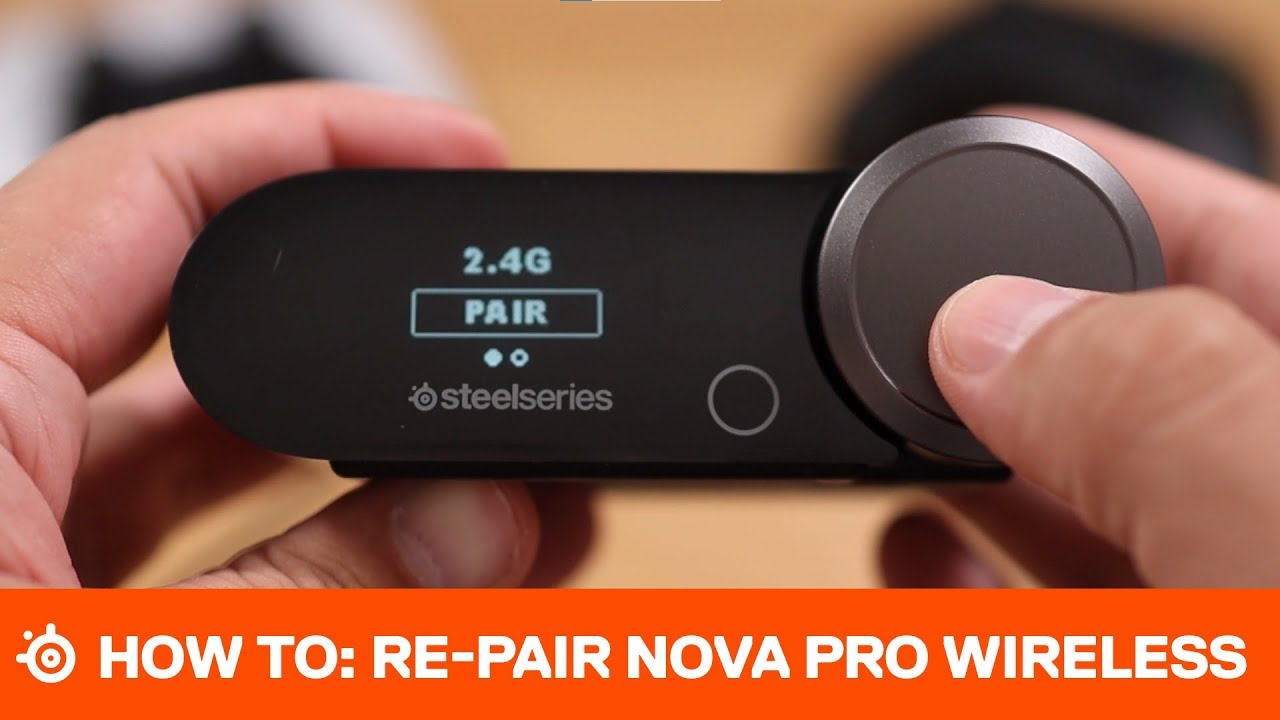
CONNECT
Twitter: https://www.twitter.com/steelseries
Facebook: https://www.facebook.com/SteelSeries
Instagram: https://www.instagram.com/steelseries
Discord: https://www.discord.gg/steelseries
Twitch: https://www.twitch.tv/steelseries
Blog: https://steelseries.com/blog
floral garden
hasty rover
Check out this video how to pair/re-pair your headset to the base station.. Hope...
appericiate it but this doesn't fix it. tried alot of these methods. headphone is a headache to get right
hasty rover
Sounds like some sort of hardware issue then if you can't pair the headset! So I would refund and get a new pair of headset.. One question, did you uninstall / reset the bluetooth connection (base station) before you tried re-pair? Try that or refund, sorry 😦 @floral garden
 glad drift
my microphone doesn't pick up in sonar after the latest update
hasty rover
where? Discord or just in general? @glad drift
glad drift
hasty rover
where? Discord or just in general? <@166993882423361538>
shadowplay
not to mention that steelseries sonar takes a while to load when booting up pc
is there a fix to it?
@hasty rover
just restarted pc and it picks up mic in shadowplay but the bar isn't moving
hasty rover
Never used Shadowplay, but I would guess you need to use streamer mode? Ask in the channel #archive-sonar-for-streamers if anyone in there can advice?
glad drift
hasty rover
Never used Shadowplay, but I would guess you need to use streamer mode? Ask in t...
what about the loading times cuz when i boot up pc it takes a while to load
hasty rover
That could be anything.. Personally I have never experienced that myself.. Have you checked if your Sonar is booting up with the PC after you did the upgrade?
glad drift
looks like it
 hasty rover
Nice, I have to tick that in after every upgrade
I would go through the list of all programs that auto-start with the PC and de-activate until you see any difference..
hasty rover
glad drift
shadowplay
You can check this video and see if that can help you with your Shadowplay issue? https://youtu.be/d34AMAGFblo
This guide will show you two ways to fix the notorious issue with shadow play not recording in game audio.
There are two methods included in the video, also watch till the end for some bloopers :D.
#shadowplay#geforceshadowplay #fixshadowplay #shadowplayaudio
glad drift
hasty rover
You can check this video and see if that can help you with your Shadowplay issue...
i just restarted pc
hasty rover
where it's THX for him it should be Sonar - Gaming for you
hasty rover
glad drift
i just restarted pc
You can check this out as well.. https://youtu.be/E5HqskT7f38

Shadowplay recordings can sometimes capture with no audio. This is usually because of an audio device issue within the game your playing, or GeForce experience overlay. To ensure that the audio will be recorded correctly open up the sound properties on your computer, and make sure the default output device is set to the headset or speaker you us...
gleaming grove
Hey there - where may I find the option to set the Sonar - Media as default profile ?
hasty rover
gleaming grove
Hey there - where may I find the option to set the Sonar - Media as default prof...
Not as of yet, Gaming is the default one if you don't wanna see that message all the time! But that shouldn't matter if you set everything where you like to have it.. Chrome, Edge to AUX/Media same with Apps. Discord you need to set correct inside discord settings.
 modest frost
Hello! i got an issue with sonar. I have a scroll wheel for increase or decrease the sound, but when I'm using it, it onlyu affect the game sound and not the master as i want, do you know how to fix it?
 slim plaza
bro? i just updated to newest ver and this happen?


 violet grail
slim plaza
yup, and my moments are screwed up
violet grail
slim plaza
yup, and my moments are screwed up
Tried rebooting or installing GG again?
Is anything else acting weird?
slim plaza
violet grail
Tried rebooting or installing GG again?
done ady with the rebooting one
slim plaza
violet grail
Is anything else acting weird?
nah, just cant capture val in 16:9 again idk why
but in 4:3 its normal?
violet grail
Weird
 oblique knot
Is there any way to merge game, chat, and mic into one thing or something similar? I want to basically be able to mix the sounds and stuff for my mic, and be able to lower volume down from in-game VC from the mixer all while staying in SteelSeries Sonar - Gaming.(I'm using headphones with a mic btw)
velvet walrus
oblique knot
Is there any way to merge game, chat, and mic into one thing or something simil...
i'm not 100% sure what you're asking, but maybe streamer mode will help? it'll let you combine all the sonar VADs into one output that you can use to send to OBS, or use as a mic so you can play music over your mic to others
 cedar escarp
Hi, Anyone else having problems updating firmware for nova pro wireless?
 slate breach
iam 😦
the issue is its not connecting to my dac
i try reconnecting and doesnt work
@cedar escarp i just fixed it i think
i put cables out of my dac and put them in again
and i have sound again
 crimson pawn
why i cant hear my discord friend when i do some clip?
 split herald
am i also able to disable the chat channel
oblique knot
velvet walrus
i'm not 100% sure what you're asking, but maybe streamer mode will help? it'll l...
ok ty
I'll try it out
 dusty gulch
why when i see clips it wont capture my mic but it will capture everything else on my computer, i tried to fix it in settings but it still doesnt work
there is no orange bar

 dusk sorrel
Hi, I just got my first SteelSeries headset! Just curious if anyone knows why sonar changes my audio devices every time I start my pc? I got an arctis nova 5x btw.
past hazelBOT
SteelSeries Sonar has “Device Fallback” that will automatically switch the outputs on Sonar.
Fallback can be triggered when a device is unavailable (such as when booting your PC or unplugging a device), or it can switch outputs if it detects if a Nova headset is turned off, and automatically switch to speakers.
This fallback functionality can be adjusted or turned off by going into the settings in GG. You can find it under Settings > Sonar > Backup Device Switch.
You can also adjust the order in which devices fall back to. This can be adjusted in the same options menu. Simply scroll down to see the full list of devices.
dusk sorrel
Ty <3
 tacit loom
They finally added the possibility to remove channels??? I HAVE BEEN WAITING FOR YEARS FOR THAT
Thank you
 blazing talon
did they really just add the functionallity to hide and enable channels.. but not add your own channel?
feels like that could go hand in hand but im not a dev there so i have no idea
 dark kernel
Hey Steelseries. Please get your s**t together with the Sonar Software. i need to restart my PC several Times to get this abomination to work. how is this not stated as an Alpha or Beta Software. Its beyond me.
sincerely
unfortunately a Steelseries User
violet grail
dark kernel
Hey Steelseries. Please get your s**t together with the Sonar Software. i need t...
Contact #official-support :)
 unborn egret
Is there a way to set a keybind to toggle through all all the sonar sound parts, (game , media ,chat etc) ?
and turn the volume down on that respective one selected
I can only see a device keybind, not like a keybind for filtering through all the channels
to then use a volume down / up keybind on the selected one
 foggy flower
Hi . I really need a feature added to the Sonar auto changing device from speakers to headset nova pro wireless. It would be extremely helpfull if it was possible to add a default configuration to speakers and then could add a default profile to the headphone as well, so when the autoswitch is done I dont have to go in and change the profile everytime this happens.
violet grail
foggy flower
Hi . I really need a feature added to the Sonar auto changing device from speake...
 rotund wigeon
why is sonar reducing my mic gain automatically?

can i stop sonar from doing that?
rotund wigeon
rotund wigeon
why is sonar reducing my mic gain automatically?
OK i fixed it.. It was chrome doing that. Chrome was reducing mic volume if it was clipping. Do disable that
- Goto chrome://flags in your browser's URL input
- Search for "microphone"
- For the option labeled "Allow WebRTC to adjust the input volume.", change the value of the dropdown from "Default" to "Disabled".
I appologise for doubting sonar
violet grail
rotund wigeon
OK i fixed it.. It was chrome doing that. Chrome was reducing mic volume if it w...
Thanks for sharing the fix
rotund wigeon
😅 no problem.
 amber cove
Hello, is there any way to: I have two devices switching in betwen in day and have two diferent EQ, is there any way to automaticly swith game EQ in sonar with one specific devices?
tepid crow
@hasty rover Hi again:). Can I set Sonar Media to default ? I have tested but it becomes Sonar Game automatically so I thought if Game was always default but I would like to have Media as default as I mostly listen to music but want other sound settings when I play. Sorry if I explain poorly, otherwise Sonar works fine since you helped me 🙂
hasty rover
Hey Feast.. Not at this moment. Game is the default one if you don't wanna see that message all the time! But if everything is setup correct it shouldn't matter 🙂 @tepid crow
dark kernel
@violet grail i dont try to be rude, but how will this fix my Problem? i know several Workarounds for this Sonar Stuff. but ultimately the current state of the Software simply isnt consumer Friendly. And the Steelseries Support wont fix this im afraid.
tepid crow
hasty rover
Hey Feast.. Not at this moment. Game is the default one if you don't wanna see t...
Okey, But is there a way to play audio to friends in discord via Sonar? Type sound effects and other things
unborn egret
Is there a way to set a keybind to toggle through all all the sonar sound parts, (game , media ,chat etc) ?
and turn the volume down on that respective one selected
I can only see a device keybind, not like a keybind for filtering through all the channels
to then use a volume down / up keybind on the selected one
violet grail
dark kernel
<@112973716362645504> i dont try to be rude, but how will this fix my Problem? i...
Not rude at all. Support is the best way to reach the dev team :)
 manic grove
is it possible to use my volume scroll wheel on my apex pro keyboard to control the sonar master volume?
i cant bind it like normal button
 lapis tundra
When I turn my PC on // change the headset battery // turn it off and back on // The playback for every single one keeps switching to the steam streaming speakers

how do I change the default to the headset?? it is annoying opening SGG everytime I turn PC on // change batteries
past hazelBOT
SteelSeries Sonar has “Device Fallback” that will automatically switch the outputs on Sonar.
Fallback can be triggered when a device is unavailable (such as when booting your PC or unplugging a device), or it can switch outputs if it detects if a Nova headset is turned off, and automatically switch to speakers.
This fallback functionality can be adjusted or turned off by going into the settings in GG. You can find it under Settings > Sonar > Backup Device Switch.
You can also adjust the order in which devices fall back to. This can be adjusted in the same options menu. Simply scroll down to see the full list of devices.
violet grail
lapis tundra
When I turn my PC on // change the headset battery // turn it off and back on //...
Check this 👆
lapis tundra
violet grail
Check this 👆
awesome. thank you
violet grail
lapis tundra
awesome. thank you
You're welcome ☺️
hasty rover
tepid crow
Okey, But is there a way to play audio to friends in discord via Sonar? Type sou...
As long you just streaming normal they should be able o hear your stream fine.. Guess that depends on their settings as well
tepid crow
hasty rover
As long you just streaming normal they should be able o hear your stream fine.. ...
So I can't play sound like in voicemod or discord soundboard for example?
sound effects in other words
hasty rover
No clue mate, you have to test that out yourself 😉
 spark glade
Do you have sonar settings for GTA FiveM
 hard lake
spark glade
Do you have sonar settings for GTA FiveM
hard lake
spark glade
Do you have sonar settings for GTA FiveM
Why would you need them
 nocturne abyss
Hello guys, i have this weird issue on the Sonar (version 65.0.0 and Windows 11), with my Artics Pro Wireless headset.
When i get a notification my headset starts whistling for the duration of the notification and as soon as it ends the headset starts beeping for a few moments and then stops.. i don't know what to do can someone help?
 tardy wing
Hi guys! I have this issue when I wanna configure my apps in Steelseries Sonar, where I can't move Discord to the chat window. How do I fix this?
I've tried a couple different approaches like messing about with the output/input options, restarting, reinstalling. None have worked.

 vale crow
i have this issue where the mic and the chat services go stupid, tried uninstalling and reinstalling steelseries gg, yet no sucess

 lime quest
anyone having issues sonar not detecting mic
 stuck mirage
Hello!
So I have an issue which is while I speak with someone in Discord and in the same time I watch or play something with a little too load audio the video or the game that it is in the background can be heard by the others in the call for some reason. I tried with noise suppression and other stuff like regulating my audio settings but still it doesn’t worked.
 spice crystal
anyone know why it wont let me route my discord into my general mix so my stream can hear people in discord talking
my discord is muted in my master volume mixer in sonar and i cannot unmute it or move it to a different channel so it can be heard
 opaque magnet
I have really bad mic bleeding on my arctis nova 1 headset, is there anyway to fix this? I've tried the headset on several different pc's and still nothing has changed, oh and also why can I hear myself talking into my mic if I put it too close to my mouth?
 eager valve
how do i disable sonar please
 fickle isle
The keyboard shortcut options are a step in the right direction, but still does not satisfy my needs
Basically I need a way to completely switch to "profiles" based on the keyboard shortcut
E.g. Alt+U will set the headset (game, communication and mic) as default, Alt+I iwll set the monitor as the default for game and communication and set the mic to the webcam, etc

 near iron
Hey, does anyone know why in the dropdown menu in Game, it shows only Headphone (GameDac Chat) sometimes and not Game?
 uneven nebula
Hey soo when I give email to the website for a download link.. It doesn't send me email. I've tried resending email, different email, I did login and even verified my email with the steelseries still it just doesn't send me the download link
Anyone know any third party site to download sonar?
 past roost
hi! someone has a preset for gears of war 5?
 celest cypress
hi does anyone know airstrike parameter? to lower the volume
velvet walrus
uneven nebula
Hey soo when I give email to the website for a download link.. It doesn't send m...
sonar is PC only so you need to open the sonar page on a PC to get the link. if you open it on a mobile phone it'll just show the e-mail thing. https://steelseries.com/gg
SteelSeries
GG helps create better connections with your gear, your people and your game through apps like Sonar, Engine, Moments and 3D Aim Trainer.
uneven nebula
velvet walrus
sonar is PC only so you need to open the sonar page on a PC to get the link. if ...
yeah that worked thanks!
 covert narwhal
anyone know how to prevent sonar to forcefully redirect my sound? I have speaker and headset and they are always forcefully sending all sound source to headset even if i change my default sound.
 fiery venture
Hi when i stream my fullscreen on discord the viewers can hear my voice double both from mic and stream
how do i prevent that from happening
violet grail
covert narwhal
anyone know how to prevent sonar to forcefully redirect my sound? I have speaker...
Check your fallback settings
past hazelBOT
SteelSeries Sonar has “Device Fallback” that will automatically switch the outputs on Sonar.
Fallback can be triggered when a device is unavailable (such as when booting your PC or unplugging a device), or it can switch outputs if it detects if a Nova headset is turned off, and automatically switch to speakers.
This fallback functionality can be adjusted or turned off by going into the settings in GG. You can find it under Settings > Sonar > Backup Device Switch.
You can also adjust the order in which devices fall back to. This can be adjusted in the same options menu. Simply scroll down to see the full list of devices.
covert narwhal
violet grail
Check your fallback settings
where do i find that
violet grail
covert narwhal
where do i find that
Check the message above :)
violet grail
past hazel
SteelSeries Sonar has “Device Fallback” that will automatically switch the outpu...
This one
 calm warren
does anyone here know the sonar drag and drop well enough to help me out? i started using apple music and i cant switch the node for it from gaming over to aux and i dont know why. ive tried in the sound settings and disabling and re-enabling. ive tried restarting and rerouting multiple times but nothing seems to work, anyone got any idea?
covert narwhal
violet grail
Check the message above :)
oh sorry my bad
well it seems what u are talking about is only when my headset or speaker is not on
that is not what i needed 😦
i have them on all the time
i just need to be able to switch between them.
 obsidian python
ok so how do i make it so when i turn down volume via this, it also turns down everything else including chat

its set to gaming right now
if i set it to speaker its sounds really weird
what do i do
the software is insanely complicated
calm warren
calm warren
does anyone here know the sonar drag and drop well enough to help me out? i star...
i fixed it nvm
calm warren
calm warren
does anyone here know the sonar drag and drop well enough to help me out? i star...
turn on lossless audio in your apple music settings and it switches automatically if anyone else has the issue
 solid ferry
guys i set my cs2 output to steelseries sonar gaming
but i cant get any audio
but when i put it on aux or media it works
how do i make it work
ping me
oh nvm i got it
 primal crane
Hi! Every time i reboot my headset i need to set the device in sonar


2nd image headset is rebooted and default device won't change
 cinder tree
Hello, I think the update of sonar 65 is faulty because the message download failed always appears
 brisk wasp
theres no sound on my arctis 5 nova wireless?
 echo moon
Any idea how to use Sonar in OBS to add volume filter and then keep using it as a mic output?
It cannot be done within the app itself so I am trying to find work around as I prefer using it
 tender patio
I’m getting like a static or zapping sound in my Arctis 9 whenever I’m watching a video or show. I don’t hear it when I pause the video or while I’m playing a game ? Has anyone else experienced this
 near mesa
Sonar process won't start for you, I had this issue a month or two ago
the only way to fix it for me was to completely uninstall app via Revo Uninstaller (so it clears all logs and leftovers of the SS) and then install it.
Without Revo Uninstaller I wasnt able to fix it.
 spare cloak
Hello, I have a problem with sonar, I put in the microphone input sonar, my microphone, I make my changes on it so I change the noise etc. ...
And I have two problems, when I stream my screen on discord they hear me twice (I put as input device sonar microphone and not my microphone) as if the sonar application rebroadcast my voice, and the other problem is that in the nvidia clip capture tool they do not hear me even though I have the correct sonar microphone device.
Thanks for the help
 frosty yew
hey recently the volume of my friends from discord has been going up and low. I found that its caused by sonar.
I wonder if its some sort of auto-sound level balance causing this issue that i can turn off?
 burnt bane
Hey Guys, i´m looking for good Settings for my "Rode NT-USB" but nothing sounds really good, any ideas?


My mates told my, the sound is a little bit rough...
What does the "Level" mean

on 100% they mean, the sound is rough
and better with +/- 65%
obsidian python
not using sonar rn but i need help
whenever i play roblox it sounds really low quality, punchy, no bass, amd quiet, so what do i do to make it sound better?
 lunar olive
i jsut turned on my pc and sonar doesnt seem to be working right, it doesnt pic up audio from my mic and its not sending arudio to my headphones, but if i go into discord and stop using sonar for my audio and connect directly to the headset/mic they work.
so im pretty sure it is an issue with sonar
any ideas?
delicate burrow
my sonar just broke too
like
for discord, voicemod, and clownfish they work just fine
but for games like vrchat, fortnite, or apex legends, it doesn't put any sound thru the mic into the game whatsoever and no matter what i try i can't fix it
yayyyy
i love when i use an eq software for my mic for it to essentially mute it permanently
 remote egret
when i stream my screen the people watching my stream can hear my voice in the stream along with me in the discord channel. i figured out that is was the SteelSeries Sonar - Microphone (Virtual device). when i disable it they cant hear me in the stream but then i also cant use the mic channel in the app to change my microphone levels and sound and all that. i was wondering if there is a fix so i can use that device and stream so they only hear the game and not me echoing.

 tidal lagoon
I also have problems with sonar! It somehow doesn't recognize the chat, game, media and mic channels set up now and has reverted to redirecting the audio just straight through my headphones. This completely circumvents sonar entirely

 indigo linden
remote egret
when i stream my screen the people watching my stream can hear my voice in the s...
indigo linden
remote egret
when i stream my screen the people watching my stream can hear my voice in the s...
I have this exact problem too..how can I solve it?
remote egret
indigo linden
I have this exact problem too..how can I solve it?
you can disable the sonar virtual one and that takes care of your voice in the stream but cant make changes to the mic in steelseries
oblique knot
how can I set Sonar to make Discord under chat in the mixer and not under mic?
 upper bobcat
my sonar isnt working after i updated to windows 11, anyone know of a solution?
spare cloak
remote egret
when i stream my screen the people watching my stream can hear my voice in the s...
i got the same probleme ! If u have fix this bug can u say to me how do this?
frosty yew
oblique knot
how can I set Sonar to make Discord under chat in the mixer and not under mic?
discord and output voice to voice
 rain whale
Good morning
I have a problem that happens regularly. A window opens to display an error 0xe0434352. I no longer have any sound and I have to restart the PC. sorry for my English

 pallid kiln
I would love to switch between my two microphones by hotkey. Is there a feature like that in planning? Would be pretty useful for playback devices too (I am aware of the backup device switch, I am asking especially for a switch when I would like to by hotkey)
violet grail
pallid kiln
I would love to switch between my two microphones by hotkey. Is there a feature ...
pallid kiln
violet grail
<#1070392859125104660> :)
I'm amazed I take it back, I looked into the settings and the feature is already implemented by adding hotkeys for "Mikro - Next device"/"Previous device"
They implemented for everything hotkeys and I did not see it :))))
violet grail
pallid kiln
I'm amazed I take it back, I looked into the settings and the feature is already...
Ah nice! :)
 crimson stag
sonar isnt updating, it just sit there "installing"
 hard cloak
how much latency does sonar add to audio?
 daring sand
hey guys i need help with sonar
i am on the steelseries gg application
but the sonar tab will not load no matter how long i leave it to run
 naive flicker
the free nitro still exist ?
 regal folio
my microphone doesn't work through sonar, on all applications i have to set the input device straight to my headphones mic instead of through sonar. I did the mic test on sonar and it does pick up my mic but it doesn't send it to my applications
delicate burrow
hello everyone, sorry for my English, I am Belgian and don't speak English at all so I have to go through googletranslat, could someone advise me on the optimal settings for Arma Reforger please?
 blissful lake
Any help with Sonar? It feels like every time I turn off my headset and turn it back on later I have to go back into Sonar to change the settings of each channel from speakers back to the headset. It also feels like some of the apps are routed wrong
 golden notch
blissful lake
Any help with Sonar? It feels like every time I turn off my headset and turn it ...
golden notch
blissful lake
Any help with Sonar? It feels like every time I turn off my headset and turn it ...
Settings > Backup device switch > Change the order to put your headset at the top of the list
 astral torrent
Help my sonar keeps crashing, probably 100 times today and I don't know why
how can I fix this
 brazen cosmos
Can anyone tell me why, even though i move Discord over to Media it moves back to Game, very annoying:

 ornate wagon
im having the same issue. please help
 river abyss
Change the audio output device in discord to the channel specific one. I have mine in chat.
 barren sparrow
my audio sounds like its low end and coming from a tin can, im using arctic nova 7 faze edition
all my sounds settings sound the same, pls help i want to hear good audio not bad sounding audio when listening to music and vids. this is what i have enabled:

 marble summit
updatded to windows 11 and now my mic is not working, gone through all the settings and still nothing. sounds seems to work and when i join a discord chat i can see the discord label on the mic mixer in sonar but its not picking up my voice?
delicate burrow
marble summit
updatded to windows 11 and now my mic is not working, gone through all the setti...
try install realtek audio console if you have in support drivers your computer
and uninstall sonar
 oblique shale
Does anyone have a configuration for warzone?
violet grail
oblique shale
Does anyone have a configuration for warzone?
There are tons and tons of options in #1209138827571232819
Use the search function :)
marble summit
delicate burrow
and uninstall sonar
tried everything at this point. just went to best buy and got something else lmao
 hardy zodiac
I'm needing help with my Sonar. It seems to not be picking up my headphones and I forgot how I got it to work at first.
 humble vigil
Having a very strange problem
When I was tweaking some sound settings for R6, I noticed that there were different "guided frequency lists" or whatever you may call it. After selecting the Rainbow Six Siege dropdown, all audio completely shut off.
I've tried going back to default settings, disabling sonar, reinstalling sonar, checking and praying that there would magically be new audio drivers. Restarting audio services, trying different UBS ports, restarting and completely turning off my PC, selecting different enhancements, advanced formats, and even trying to enable windows sonic for some ungodly reason, but there is just 0 audio. I've done quite literally everything aside from ordering a new headset which I feel like is my only option soon lmao. Did some internet sleuthing, doesn't seem like anyone else has ever encountered this problem before. Any and all ideas/potential fixes would be very appreciated as my next best idea is to just buy a headset off amazon tomorrow although I know my current one isn't broken because the little chinese lady still says my bluetooth works (PC doesn't support bluetooth)
Using Sennheiser Epos GSP 670's if its any help

windows troubleshooting says its a driver error, but all my drivers appear to be up to date, so this is leaving me more confused than before
 humble vigil
got a third party app to update drivers, there was an nvidia audio driver that needed updating but even that didn't fix my issue
modest frost
hello, i got an issue, every time i shut down my pc and turn it on, my son outpout change for my monitor speaker instead of my usb heahdphones, do you know how to fix it ?
past hazelBOT
SteelSeries Sonar has “Device Fallback” that will automatically switch the outputs on Sonar.
Fallback can be triggered when a device is unavailable (such as when booting your PC or unplugging a device), or it can switch outputs if it detects if a Nova headset is turned off, and automatically switch to speakers.
This fallback functionality can be adjusted or turned off by going into the settings in GG. You can find it under Settings > Sonar > Backup Device Switch.
You can also adjust the order in which devices fall back to. This can be adjusted in the same options menu. Simply scroll down to see the full list of devices.
violet grail
modest frost
hello, i got an issue, every time i shut down my pc and turn it on, my son outpo...
Check your fallback settings :)
modest frost
violet grail
Check your fallback settings :)
i've change all backup device to exclude everything except my headphones, ig it'w gonna work, thank you
violet grail
modest frost
i've change all backup device to exclude everything except my headphones, ig it'...
You're welcome :)
 glad kelp
Hello, I'm experiencing issues with sonar while playing The First Descendant. A part of the sound keeps topping off and the sound is cutting all the time. Is there someone with a similar issue ?
delicate burrow
im so stupid i turned something on and when my friends says something my game mutes how to fix that
 buoyant robin
for some reason my sonar audio is slow motion?
 valid iron
Is there an option in Sonar to set sound limits?
 white scarab
Am I still able to use specific EQs from the Engine tab for different games when using Sonar? Or would Sonar need to be turned off
 indigo root
ive had the arctis nova 1p for a few months now it and the mic was good in the beginning but my friends say its very bad now and idk why
hasty rover
brazen cosmos
Can anyone tell me why, even though i move Discord over to Media it moves back t...
Don't know if you got help for this yet but you need to set discord inside discord settings..

 gusty spindle
Confused on why I am unable to put Discord back into the Master tab?

Discord being in Chat makes the join/leave and deafen/mute sounds like really quiet for some reason
 pale pumice
Nothing like doing a GG update and losing all but one of my custom Sonar EQ profiles. Months of work and profiles lost. ugh
indigo root
ive had the arctis nova 1p for a few months now it and the mic was good in the beginning but my friends say its very bad now and idk why
 agile gust
hey guys i just installed the sonar application and i would to control spotify on the media tab without changing the volume of the entire syustem
nvm i got it this an amazing app btw kudos to steelseries
cyan sentinel
hey so on discord the join, mute, leave and deafen sounds are only in the left ear? (talking is on both ears)
 misty rivet
Hey gang - Artics nova pro wireless - Every time I turn on I have to adjust every channel in sonar instead of steel just changing it and automatically detecing. I know its something silly, what am I doing wrong?
cyan sentinel
misty rivet
Hey gang - Artics nova pro wireless - Every time I turn on I have to adjust ever...
its in the settings
i had the same problem
misty rivet
What do I change?
 pale remnant
misty rivet
What do I change?
pale remnant
misty rivet
What do I change?
Settings > Backup Device Switch 
 candid sandal
Guys i need help with my sonar Spatial audio, Spatial audio have worked for me berfore doing what i should do and that is to make Front left or right sounds like it coming from those direction that shows, but now it wont work and i hear front left and right, side left and right in center and rear left, right i hear just behind me. So can anyone help me? I have 7.1 on with my artics 7+, It has worken before
 eager patrol
pale pumice
Nothing like doing a GG update and losing all but one of my custom Sonar EQ prof...
eager patrol
pale pumice
Nothing like doing a GG update and losing all but one of my custom Sonar EQ prof...
hey, I am so sorry about that, are you happy to share more? This is not supposed to happen and sharing more will help us understanding what happened and fix the problem.
 obtuse patrol
Hi. When input device is selected as Sonar-Mic there is a noticeable delay between when I talk and it registers. Any help ?
obtuse patrol
how do I put chrome and stuff to media ?
 woven shuttle
Greetings, I can hear the discord connect and disconnect sounds but I can't hear anyone else's or soundboard sounds, what is the reason for this? Discord output device is selected as Sonar AUX.


 molten orbit
Hi , how can I reset all of the sonar settings ??
 modest stream
@eager patrol @pale remnant Hi, when I choose the Steelseries Sonar - Chat its make reduce the sounds how can I fix that issue ?
 obtuse patrol
I get a very noticeable mic delay when using nova 3 mic
doesnt matter if its sonar or not
anyone help ? or do I just refund ?
 digital haven
Guys, Sonar doesn't detect every game I'm activating. But program sees all of them. What should i do? Please help me
But it detects discord and chrome. But no games
Lames pleeeeease help, if you know what a hell is going on
 noble mesa
for me, sonar won't load proper, and the mic and headset won't pick up VC on discord, in spite that discord saying that it has it. I personally not sure what is going on, but I would try reset (pc/gg programme, which ever works best) or unplug and plug in the base station (if you use a wireless headset)
I for one just leave it be until it sorts itself out, because unlike the VC on discord, I can hear things well on everything else, and can always talk to people on VC another time.
obtuse patrol
noble mesa
for me, sonar won't load proper, and the mic and headset won't pick up VC on dis...
This is so common I almost think that everyone has this problem. I also have it and my mic has a delay normally and almost 2x worse when using sonar and I just bought my headset yesterday. Really frustrating. Might even refund but I dont have many choices in my country
 small steeple
hey does anybody know how to fix the physical chatmix dial of the Arctis 7x+ not working on PC?
 lone dawn
has anyone figured out how to rout discord to the chat option in the sonar app
 zenith gust
does anyone have good eq settings for asseto corsa for the artic nova pro?
 sand mason
remote egret
when i stream my screen the people watching my stream can hear my voice in the s...
sand mason
remote egret
when i stream my screen the people watching my stream can hear my voice in the s...
Ever find a fix for this?
 crisp owl
hello everyone. I can hear sound in the media tab, but there is no sound in the game tab. What could be the reason?

 sand heron
Guys I really n I d some help
Need some help
hey, ive got steel series 4 headset i just dont think the audio is great ... can i set it up to use on PS5 on the config or anything?? i used my GFs brothers Logitechs on PS5 and i could hear foot steps far away , there 7.1 also but these just dont seem to even sound half as good. is there a wat to set these up ????
any help or advice be greatly appreciated, thank you.
obtuse patrol
How can I import an eq from game to media ? do I just change it manually ?
 mental solar
Hello everyone. I bought the Steelseries Arctis Nova Pro Wireless.
First you have to get to grips with all the settings etc. I won't have discovered all the functions yet, but that will come.
I have discovered one thing that really bothers me.
Every time I start the PC, I have to reassign all the audio outputs in the app, namely to my headset.
Is there a setting that saves the setting so that I don't always have to reassign all outputs and inputs?
 queen raven
I haven't figured it out myself aswell. It really annoys me about that. Almost every time I turn on my PC, it changes to my monitor-speakers, instead of my Arctis Pro's.
golden notch
@queen raven@mental solar
Settings > Backup Device Switch > Change the device priority list
past hazelBOT
SteelSeries Sonar has “Device Fallback” that will automatically switch the outputs on Sonar.
Fallback can be triggered when a device is unavailable (such as when booting your PC or unplugging a device), or it can switch outputs if it detects if a Nova headset is turned off, and automatically switch to speakers.
This fallback functionality can be adjusted or turned off by going into the settings in GG. You can find it under Settings > Sonar > Backup Device Switch.
You can also adjust the order in which devices fall back to. This can be adjusted in the same options menu. Simply scroll down to see the full list of devices.
queen raven
Woho! Thanks dude! :)
mental solar
Thak you very much 🙂 !!!
golden notch
NP
 errant sand
Has anyone been experiencing issues with sonar? My Sonar literally won't load every other part of GG works just sonar wont load at all...it only works when is run steelseries gg as an administrator...how do I fix this?

 compact gulch
sonar stock here

 onyx wren
its bugged?
compact gulch
yes
onyx wren
wich solution i do have now with this bug? to reset or put chrome back to master any idea?
 turbid nebula
look I realize this may be a stupid question, but can anyone help me understand the way Sonar is "meant to be used" for people who listen both through their speakers AND through their headsets at different times?
I have found it to be incredibly frustrating to use because I have to put the % level so low when playing through my speakers or it'll blow my damn eardrums out, and then when I use the headphones I keep having to go adjust it, etc...
maybe I'm just doing this wrong -- for those using Sonar both for PC speakres AND a headset -- how are you setting your settings/mixer?
 shy basin
SteelSeriesGG 65 and Sonic Studio 3 cannot coexist, resulting in frequent crashes when using Sonic Studio 3. We hope the official will correct it.
PS: To use Sonic Studio 3, I need to close SteelSeriesGG to run Sonic Studio 3😮💨

 scarlet wing
why wont my firmware update start
 weak nebula
shy basin
**SteelSeriesGG 65 and Sonic Studio 3 cannot coexist, resulting in frequent cras...
weak nebula
shy basin
**SteelSeriesGG 65 and Sonic Studio 3 cannot coexist, resulting in frequent cras...
there is absolutely no reason to have any Asus applications or software on your pc or. all of Asus software is bloatware and straight up ballcap, SteelSeries software is literally all u need for audio. you shouldnt have anything asus on your PC your only using up vital performance to have anythign Asus running on your PC dont believe me? look it up
weak nebula
scarlet wing
why wont my firmware update start
how the heck is anyone supposed to answer this question that is happening on your PC somewhere in the entire world? lets use our brain here a bit and ask how is this question direct enough for someont ot try and trouble shoot for me? way to general of a question my dude. your best bet is google and youtube to find out any kind of answers to PC problems not forums
shy basin
weak nebula
there is absolutely no reason to have any Asus applications or software on your ...
The Sonic studio 3 software corresponds to my motherboard chip (C8H). The sound effect it provides is very good, and I have only used it for the screen speakers, while the Nove 7 headphones are only used for Sonar. I have installed Sonar since I bought the Nova7 headphones. It conflicts with Nahimic Service.exe.😮💨
nocturne abyss
nocturne abyss
Hello guys, i have this weird issue on the Sonar (version 65.0.0 and Windows 11)...
someone can help?
echo moon
Any way to boost volume of sonar beyond "100%" my mic is way too quiet
Volume up filter from OBS would be amazing but no idea how to make them work together as a voice output
delicate burrow
can anyone help me with my sonar settings i think i messed something up
it would be better if i am able to screenshare it cause I have some questions
 thick arch
can anyone help i cant hear ppl in fivem but they can hear me
obtuse patrol
my sonar just stopped working lol
 simple zealot
obtuse patrol
my sonar just stopped working lol
simple zealot
obtuse patrol
my sonar just stopped working lol
same
obtuse patrol
simple zealot
same
try opening it as administrator
simple zealot
obtuse patrol
try opening it as administrator
will try
obtuse patrol
thats what worked for me at least
simple zealot
obtuse patrol
thats what worked for me at least
didnt work ):
still loading
The Sonar wont turn on....
Nice
obtuse patrol
its stuck on loading right ?
simple zealot
Yes
obtuse patrol
thats what happened to mine. Like I said I opened and closed it a couple of times and decided to run as admin and it worked.
simple zealot
Trust me i tried and didnt work
obtuse patrol
I'm not saying I didnt trust u lol just told what worked for me
simple zealot
Okay haha but thanks for the advice tho
Maybe the last solution is going to uninstall and install again...
obtuse patrol
I'd try restarting my pc before uninstalling since that would mean losing my eq profiles
simple zealot
obtuse patrol
I'd try restarting my pc before uninstalling since that would mean losing my eq ...
also tried restarting xd
like 4 times
lmao
obtuse patrol
that sucks then lol
simple zealot
it does!
obtuse patrol
well I hope you can find a solution that doesnt include u losing ur eq profiles but uninstalling seems like the only option lol
simple zealot
obtuse patrol
well I hope you can find a solution that doesnt include u losing ur eq profiles ...
yea... it does sadly
simple zealot
obtuse patrol
well I hope you can find a solution that doesnt include u losing ur eq profiles ...
reinstalled but works now tho
obtuse patrol
nice. sucks if you had a lot of custom profiles tho
simple zealot
obtuse patrol
nice. sucks if you had a lot of custom profiles tho
nah i dont really have custom profiles so its fine for me
 arctic river
I have problems using Sonar. If it is turned on in GG, i won't have audio from games and Spotify. I've tried to change source in Windows Setting, but i am still strugling... Anyone that have had the same problem?
cyan sentinel
hey so when i use sonar and go on discord all the discord sounds insanly loud and distorted is there a way to fix this?
arctic river
i've uninstalled GG. Everything is back to normal!
 uncut moon
arctic river
i've uninstalled GG. Everything is back to normal!
uncut moon
arctic river
i've uninstalled GG. Everything is back to normal!
u need to set audio device in stettings of steelseries gg sonar
 scenic trellis
sonar used to work flawlessly for me until i did a clean wipe of my computer and tried installing it again
now it is stuck on this infinite starting loop
i have already tried:
- restarting the computer
- reinstalling sonar (did it for 4th time and counting...)
- installing sonar with windows defender (the only antivirus i have) disabled (it's still the same)
- checked for latest update (it is latest version)
i didn't find absolutely any results on the internet

 long plover
hi, when i do a screen stream on discord, my friends hear themselves on the stream... How can i fix this pls ? $
hasty rover
turbid nebula
look I realize this may be a stupid question, but can anyone help me understand ...
Question for you then, which headset are you using? I have Nova Pro Wireless which means I have a base station with a volume wheel and I know where to put it before switching from 'Game' to 'AUX' for me at most times. And my Soundbar also have it's own volume wheel. But the only 2 channels in Sonar that have 100% is Master and Game, the others are between 75-65% which works really good for me! Neither headset or soundbar is on max volume for me on their separate volumes. So I would start with that if you have that for your speakers. It's always easier to adjust on the fly directly on the speakers, headset etc.
turbid nebula
hasty rover
Question for you then, which headset are you using? I have Nova Pro Wireless whi...
I've got the Nova Pro Wireless also, and Kanto tuk speakers - though I had the same problem with my other speakers prior (Logitech gaming speakers.
When I set sonar's peak to 40%, even having game down at like 25% is quite loud, and there's almost no granularity to volume control. Then, if I put on my headset, 40% is too quiet and I have to max out the headphones, but if I want a little more oomph, I have to tab over to Sonar and up my 40% higher.
That's my beef, really. I can't seem to find a good happy medium that offers:
- good range of volume both in the headset and speakers
- actual fine-ish control of volume rather than each "notch" being so far apart in loudness
- and bonus: FFS let me control MASTER instead of GAME with my freakin' keyboard... but that's a separate issue
hasty rover
turbid nebula
I've got the Nova Pro Wireless also, and Kanto tuk speakers - though I had the s...
So you use your speakers for gaming as well by the sound of it? BTW you can make shortcuts for you Master and assign keys volume up/down and mute if that would help? When I game I only use my HS so personally i haven't had any issues there. And my max so to speak would be -14 on DAC/Base station and 100% in Game tab. But depending on the tune you have set for that specific game might have even more sounds due to either spatial audio or volume boost..
If you use both HS and speakers for games you might wanna do different tunes for them or switch between headphone/speaker mode and see if that makes a difference?
turbid nebula
hasty rover
So you use your speakers for gaming as well by the sound of it? BTW you can make...
yeah, I'm not your average gamer by any stretch. My primary use cases for the speakers: listening to music, generally doing work, doing electronic music production, and playing games that I'm not using voice chat.
for the headphones: late night gaming, gaming with voice chat, maybe a game where spatial audio might help.
I can't seem to find a seamless way to switch back and forth between them without messing with Sonar's % next to the device. I wish it'd save per device - problem would be at least partially solved - minus the poor granularity for volume control of my speakers.
(the "Level: %" specifically)
hasty rover
Don't believe I can help anymore but I hope you find your best settings for you! I would use the best setting for what you use the most out of the two though that would be the best advise I can give.. GL mate
turbid nebula
yeah appreciate the response - and yeah that's what I do, mostly it sits at 40%, it's just annoying when I move to the headset. ah well. Doesn't seem the sonar devs are doing much with it these days that's not streamer focused
 outer lotus
Howdy, So my sonar keeps reseting to my headset mic every like 20/40 mins this happend only when i upgraded my wireless pro to the arctis 7 anyway have an idea why this happens or how i can fix it?
With reset i mean the input device goes back to arctis headset even when i select my streamer mic
 lament leaf
can someone help me set up my mic for no background noise
 fallen frost
Greetings, every time when i use my webcamera(with nvidia broadcast) sonar change output and input devices from gamedac high tec(output) to nvidia broadcast speakers and my mic to nvidia
Can i avoid this?
violet grail
fallen frost
Greetings, every time when i use my webcamera(with nvidia broadcast) sonar chang...
Check your fallback settings
past hazelBOT
SteelSeries Sonar has “Device Fallback” that will automatically switch the outputs on Sonar.
Fallback can be triggered when a device is unavailable (such as when booting your PC or unplugging a device), or it can switch outputs if it detects if a Nova headset is turned off, and automatically switch to speakers.
This fallback functionality can be adjusted or turned off by going into the settings in GG. You can find it under Settings > Sonar > Backup Device Switch.
You can also adjust the order in which devices fall back to. This can be adjusted in the same options menu. Simply scroll down to see the full list of devices.
 cinder grail
Guys a little help..
When i activate the sonar i start having the sound of sync on the videos, YouTube, Netflix, Twitch etc etc...
when i go on software and turn the sonar off everything work perfect...
Anyone know how to solve this?
I only have Realtek driver installed, even the ASUS software for sound i did a uninstall and the problem keeps going every time i turn sonar on ...
fallen frost
violet grail
Check your fallback settings
a lot of thanks
violet grail
fallen frost
a lot of thanks
You're welcome ☺️
 fresh pebble
when i click mic and select the mic option it refuses to put it on
This now like its silly

 opaque rock
Hello, my Game tab for sonar has anything inside of sound robotic, every other tab sounds fine but any app routed to Game has the problem
 boreal pike
Anyone know if Sonar is getting a fresh overhaul anytime soon? I have a different issue with it and my headset almost every day now and its really starting to get to me
I cant even get my own headset to show up in sonar anymore I am genuinely so sick of using this program
 forest gull
windows automatically reduces my mic volume on sonar (i already unchecked everything in advanced in sound settings) any solutions?
i think it happens in google meet and roblox specifically but im not sure
nvm i found out it was chrome and fixed it by disabling "Allow WebRTC to adjust the input volume." in chrome://flags
velvet walrus
 smoky mango
surely there is just a button somewhere in some menu
smoky mango
surely there is just a button somewhere in some menu
settings > about
smoky mango
lol thank you!
 red acorn
is there any reason sonar wouldnt start? happens every so often and usually a restart fixes but nothing seems to be doing it this time, already force closed it, ran in admin, and restarted pc but sonar would like.. turn on
red acorn
redownloaded and it fixed
boreal pike
red acorn
is there any reason sonar wouldnt start? happens every so often and usually a re...
Happens to me all the time, usually a full kill from task manager fixes it. Ive had that for months now and it happens basically every day, idk how it hasnt been fixed
Theres multiple Sonar programs that have to be killed for it to actually work after reopening though
Sometimes it outright wont open unless all the related tasks are killed too
violet grail
boreal pike
Happens to me all the time, usually a full kill from task manager fixes it. Ive ...
I have no way of knowing since I don't work for SteelSeries but I would recon that it only affects a small amount of users and probably is difficult to fix
That's my theory at least