#sonar
1 messages · Page 5 of 1
 whole loom
 wind igloo
Does the same to me 👍
Maybe there was a bug in the update so they reverted it to fix it
whole loom
yup, most likely
 sharp bison
Anyone able to help me get Sonar Clearcast AI to work? Ive joined the beta. but its still grayed out.
 fierce summit
sharp bison
Anyone able to help me get Sonar Clearcast AI to work? Ive joined the beta. but ...
fierce summit
sharp bison
Anyone able to help me get Sonar Clearcast AI to work? Ive joined the beta. but ...
I believe it’s only available in certain headsets like the Nova, but someone may chime in with an official or at least researched answer lol
 golden stratus
Wag 1
Guys why my mic makes some noice
I checked everything and it shouldn’t
But when I’m using sonar and I do the check
 serene orbit
sharp bison
Anyone able to help me get Sonar Clearcast AI to work? Ive joined the beta. but ...
serene orbit
sharp bison
Anyone able to help me get Sonar Clearcast AI to work? Ive joined the beta. but ...
I'm pretty sure the Clearcast AI for the mics is only available on the Nova 3, 7, and Pro/Pro Wireless headsets
golden stratus
I can hear some noise
sharp bison
Got the Arctis Pro wireless headset
serene orbit
Yeah you need to have one of the new Nova series of headsets to use Clearcast
 clear citrus
Sonar keeps disabling itself when I put my PC to sleep

My discord input/ouput keeps changing
And this section down here was filled with like 20 SS icons

And my games default audio devices get reset to default, as well
Smh
This started with the recent update, too
 west trench
Good evening, dear colleague, I recently bought a sonnar headset and I’m trying to configure the audio effects as, for example, an audio configuration especially for Warzone. So I created several configurations of different game but I can not find those configurations that I did on my PC in my dack game... Do you have a solution for me, friends?
 surreal pulsar
hi guys, does anyone have a good preset for warzone 2 with sonar software and artic nova pro headphones? pc game thanks
 modern sun
hi guys, i just got steelseries arena 7 speakers..and does anyone know how to control the rgb brightness ? prob i cant adjust rgb brightness..even gg apps...sad
 tribal flare
Sonar keeps reassigning the Playback device...
 rose pivot
I have the wired Nova Pro, play WZ 2.0, using Sonar...anyone have the settings dialed in for Warzone 2.0? There is a preset for it on sonar....anyone verify that's the best, or can be dialed in more?
Need to hear those footsteps!!!
 polar igloo
So the latest patch notes said both game and chat should be running at 96K but only my game is, chat is stuck at 48K. Any tips to fix?

 mighty dove
i need help if someone doesnt mind helping dm me
 jolly tundra
Why I cant find my arctis on the microphone ?
 fierce summit
jolly tundra
Why I cant find my arctis on the microphone ?
fierce summit
jolly tundra
Why I cant find my arctis on the microphone ?
Do you have it disabled under the windows sound devices?
fierce summit
polar igloo
So the latest patch notes said both game and chat should be running at 96K but o...
Link?
jolly tundra
fierce summit
Do you have it disabled under the windows sound devices?
I didn't
fierce summit
jolly tundra
I didn't
I’ll send you a dm maybe help you troubleshoot real quick
jolly tundra
Thanks
 jolly kindle
The new updates to the Mixer page are more frustrating than useful. Now a user has to click even more times to change an audio device. Please add more functionality to the Mixer page instead of hiding it behind settings buttons and more menus.
 zinc urchin
Is sonar only for pc gaming? If I use the headset for console gaming i need to play with the equalizers?
fierce summit
zinc urchin
Is sonar only for pc gaming? If I use the headset for console gaming i need to p...
Sonar is only accesible on PC, gg engine EQ and settings will save on some headsets though so depending on which one you may still be able to tweak and use those
zinc urchin
fierce summit
Sonar is only accesible on PC, gg engine EQ and settings will save on some heads...
I have a 7P+ so I have to find somewhere or someone sharing engine settings 😅
Oh lawd
fierce summit
zinc urchin
Oh lawd
There’s a ton of reviews on YouTube; I would go down that rabbit hole and try some set up tips
jolly tundra
Anyone can help me ? My speaker is working but my arctis 3 is not working I cant hear sounds

 scarlet kindle
hi help me set up the sonar
I'm talking on the translator so I'll answer for a long time)
guys?
 dapper hollow
updated to 28.1.0 and now sonar will not load anymore
 merry eagle
I got issues with Sonar as well, the equalizer shows that audio is coming through, but i cant hear any of them (using the latest version)
 copper ivy
why wont it load after the new update and how do i fix it?
 cloud narwhal
I havent read stuff above. But i just wanna ask if any other people have issues with sonar. I can access the whole GG program. But when i press on sonar it just turns gray and been sitting like that for hours now without anything happening. Ive reinstalled this bull** program 10x times NO JOKE. And i still cant resolve the issue. Ive even went into my firewall giving Steelseries rights etc. But it still wont resolve... This is REALLY frustrating cause ever since sonar stopped working. The chat audio is trash, i have to increase peoples volume on discord to 200% to even be able to hear something of what people are saying. Its not like theres only 1 person ive tried the audio on. But everyone! I have to increase their volume to 200%. Please someone help me with this!
This is what it looks like when i press on Sonar

 narrow gale
Why do I need to keep reconnecting my dock of the Arctis nova pro to use the chat mixer? It works on the dock, but it doesn't move the slider in Sonar. Only after reconnecting the dock. This has been an issue for months for me and it is very annoying
 delicate burrow
hello, is there a difference between using chat or game output?
fierce summit
narrow gale
Why do I need to keep reconnecting my dock of the Arctis nova pro to use the cha...
It’s a glitch, it does that after an update
fierce summit
delicate burrow
hello, is there a difference between using chat or game output?
Yes, besides the sampling rate you also have a parametric EQ for the game output plus other ai features in sonar for the game audio. Game should be your main audio output; and chat should be for comms apps if set up properly
fierce summit
cloud narwhal
I havent read stuff above. But i just wanna ask if any other people have issues ...
If you are using a VPN or your firewall is blocking access, it will do cause that sometimes. If neither of those two things you can just reinstall, take screenshots of all of your settings so that you can go back and set everything back
narrow gale
fierce summit
It’s a glitch, it does that after an update
So there is no fix yet?
 tender wasp
Will there be an option to disable automatic set default audio on program launch? I still want to use sonar
fierce summit
tender wasp
Will there be an option to disable automatic set default audio on program launch...
Like device fallback or actual windows settings?
tender wasp
windows audio default
 thorn portal
ohh, there is sonar special place to talk about it. Guys i was wondering if any1 else is having problems setting up "game" output device in sonar?
 fresh timber
thorn portal
ohh, there is sonar special place to talk about it. Guys i was wondering if any1...
fresh timber
thorn portal
ohh, there is sonar special place to talk about it. Guys i was wondering if any1...
Yes, the new update broke it for me too
Guess I gotta game without Sonar for now
thorn portal
fresh timber
Yes, the new update broke it for me too
YAY i m not alone with this problem
I mean. I m sorry😅
thorn portal
fresh timber
Yes, the new update broke it for me too
You can switch to chat device tho. I think. You wont be able to use chatmix, but besides that it should be at least functional
cloud narwhal
fierce summit
If you are using a VPN or your firewall is blocking access, it will do cause tha...
This did not work. I did everything exactly how it said in the thread. I was able to remove the whole program etc. Redownloaded it. Still the same issue
fierce summit
cloud narwhal
This did not work. I did everything exactly how it said in the thread. I was abl...
And you’re not using a VPN? And made sure your firewall is not blocking access?
cloud narwhal
fierce summit
And you’re not using a VPN? And made sure your firewall is not blocking access?
No im not using a VPN. And ive given the program access in the firewall
fierce summit
cloud narwhal
No im not using a VPN. And ive given the program access in the firewall
No idea then, if you don’t get an answer here you can always try Reddit or their website and open a ticket?
 sharp talon
with last update volume changes random XD nice one
cloud narwhal
fierce summit
No idea then, if you don’t get an answer here you can always try Reddit or their...
Dude ever since these last 2 updates. The whole program has gone to sh**ts
sharp talon
sharp talon
with last update volume changes random XD nice one
not to mention 200$ headset can't handle a function that 2$ chinese crap headset can
cloud narwhal
sharp talon
not to mention 200$ headset can't handle a function that 2$ chinese crap headset...
100% agree! When you spend this much money on a "Quality Headset" you dont really expect the headset to be complete trash without having its own program to function.
sharp talon
they released arctics 7+ and gave 0 support from launch
even the firmware update wasn't working on release
fresh timber
thorn portal
You can switch to chat device tho. I think. You wont be able to use chatmix, but...
Well not for the game presets or just your sonar templates in general
 obsidian walrus
Bought artics + today after getting 1 broken artics pro and returning it,,,
But my problem is i cant see the choice of 7.1 Surround sound in the sonar Thing
am i stupid ooooor
 fresh crater
ii guess its called spatial audio
obsidian walrus
Well one thing is for sure i wont be havin that stuff on
Didnt sound good at all
sharp talon
obsidian walrus
Bought artics + today after getting 1 broken artics pro and returning it,,,
But ...
they don't have it 🙂
obsidian walrus
sharp talon
they don't have it 🙂
my headset or the sonar app
obsidian walrus
so this shiii dont have 7.1 even do it says?
sharp talon
you got the 7+?
obsidian walrus
sharp talon
you got the 7+?
YE
sharp talon
yeah don't have it
but the non + have it 🙂
business moves
they removed functionallity to add usb c ahah
sharp talon
yeah but is a worse version than a dolby for example
obsidian walrus
Nah imma go back to my broken 7
sharp talon
you can activate it here
 sharp talon
and the fact that chat and game audio are separated by software is just useless, razer nari has chat and gaming audio and it doesn't require software
obsidian walrus
sharp talon
and the fact that chat and game audio are separated by software is just useless,...
Yes my 7 was soooo good ngl
 rose beacon
why does sonar reset all my settings every update?? Its so annoying
 broken cosmos
@fierce summit @inner dove @velvet walrus @abstract slate So little bit of an update, just spent 3 hours on a remote session with dell support, they were not able to find a solution as yet, they said that they will be trying to find a solution, and I will contact them on Wednesday again. So here's to hoping something good comes from it
 abstract slate
The fact that they stayed engaged is promising, hope it gets fixed soon mam
broken cosmos
aye , lets hope
 inner dove
Awesome news
 lament citrus
I see sonar updated and it's showing "Hi-res 24 bit / 96 kHz", but my Nova Pro Wireless base is showing "48 kHz / 24bit".
what's up with that? Does it require a firmware update or something?
fierce summit
lament citrus
I see sonar updated and it's showing "Hi-res 24 bit / 96 kHz", but my Nova Pro W...
Sonar’s sampling rate is upscaled for the virtual game sound device to 24 bit/96khz. The hardware is still 24bit/48khz though
fresh timber
thorn portal
YAY i m not alone with this problem
reinstalling solved it for me
 placid ginkgo
Hello SteelSeries staff
Just joined this discord to congrats you about Sonar
The soft is insane
Keep up the great work !
 fickle cipher
guys I'm playing warzone COD with sonar and I need the frequencies to turn down engine sounds and turn up footsteps. I have the preloaded COD Warzone already going and things are "better" but I need to know how to adjust this further
Thanks in advance
fierce summit
fickle cipher
guys I'm playing warzone COD with sonar and I need the frequencies to turn down ...
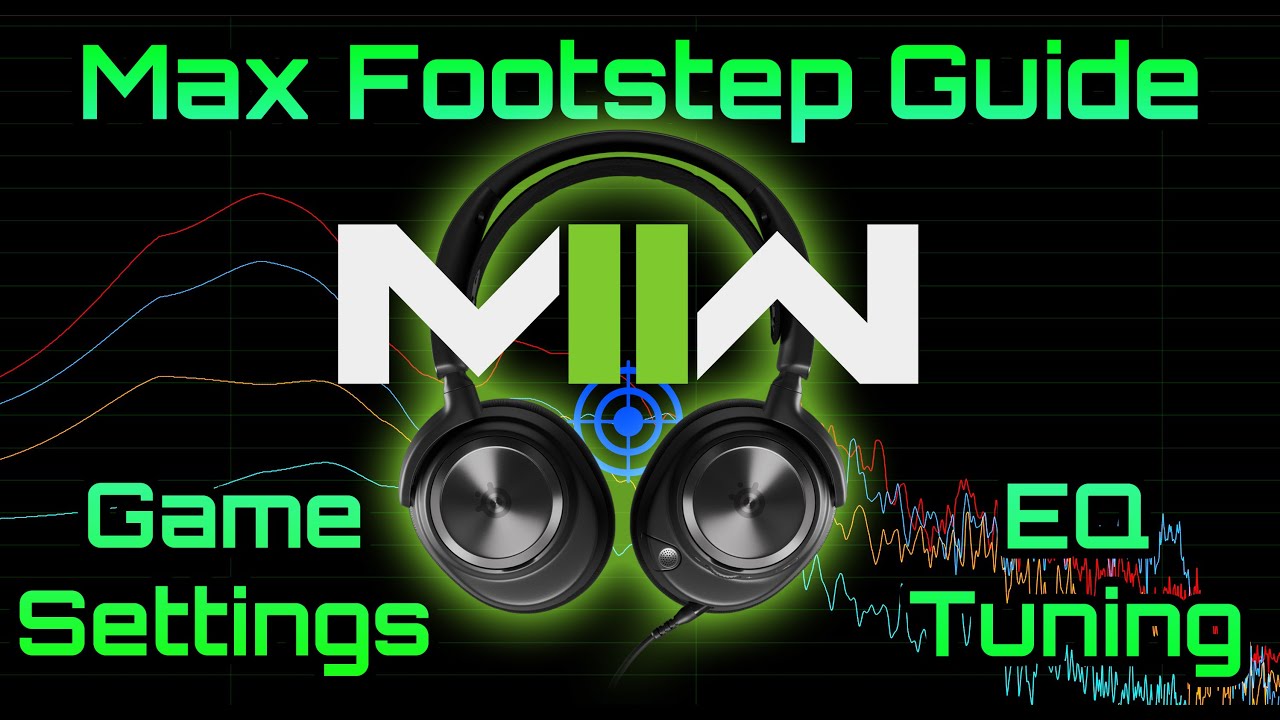
After days of testing since launch, I am finally ready to share my analysis of Modern Warfare II (MW2) audio settings to get the most out of your game play. I include frequency assessments, audio settings in the game itself, custom EQ tuning and more! This video will help you understand a lot about MW2 audio in order to make the most of it. P...
thorn portal
fresh timber
reinstalling solved it for me
Thanks, was trying to solve it with @fierce summit for an hour or so. Reinstalling helped me as well ❤️ Thanks guys!
 crystal mango
Hey do you need to have Sonar installed to make the chatmix work on the Arctis Nova Pro?
the wired ones, that is
serene orbit
Yeah, you need Sonar for ChatMix on all the Nova headsets
 hidden sphinx
I cant put in any playback device in the game section but I can for chat and mic for some reason
fierce summit
hidden sphinx
I cant put in any playback device in the game section but I can for chat and mic...
Try a reinstall?
hidden sphinx
okay thanks
 polar frigate
I've got the infinite loading bug for Sonar again, not sure what's wrong this time though
Plus the sonar tab in the GG settings has disappeared
 twilit phoenix
Hi all. Are there any instructions for the new Genshin Impact profile in Sonar? Not sure if I should enable Spatial Audio in Sonar and leave surround off in Genshin settings, or what the optimal is
 full mountain
Uh hello
Recently I got a Steelseries Arctis 3
I googled a bit about it since I wanted to set up my noise cancellation on it but it doesn't seem to work, then I realized it's not supported on Engine anymore, does that mean I should just not use engine at all?
 devout shell
Hi, anyone has a fix for this sonar not loading problem?
 humble whale
hey, my sonar is broke the gaming sonar or the chat sonar give no sound on deafault arctis 5 set in windows i hear sound but its terrible
 ocean pendant
Hello I just installed Sonar and I wanted to know if someone has the best settings for my microphone which is a Fnatic React and in addition the best settings to listen to people on discord with macimal quality
 rotund wagon
I don't know much about microphone settings since mine's a yeti nano (and I have to go through ghub to use it 🤢), but I always tend to go with the Music: Deep Bass preset for Sonar, it pairs really well with my DAC and HyperX Cloud II's
If you have good quality headphones and/or a DAC to use them with, that will give you a very "punchy" and "deep" sound to any bass-heavy music you might be listening to, whether it be EDM, Drill, Trap, Hardstyle, etc.
ocean pendant
Yes I know thank you but I am looking for settings for my microphone not the sound I listen to but my own voice
rotund wagon
Not sure if it's the same, but for my mic in Ghub, I always go with the "Broadcaster" preset. Might help to snag an audio recording program or OBS and do a few test recordings to see which one you like best. Sadly I can't really provide any advice beyond that, as it's something that would purely be a preference. It does have stuff like a noise gate and noise reduction if you have a lot of background noise issues though, so that might be something to adjust if needed, and if Discord's noise reduction just isn't enough.
Sonar does have a way for you to do a test recording in it though, so a third party program might not be necessary to test it.
ocean pendant
can we import XML presets from voicemetter to sonar to keep our settings?
 vernal rune
Sonar aint loading for me, any tips?
 blazing wharf
For mee too
 safe gust
Hi. i am using sonar on my artics 7 but for some reason my chat mix slider is no longer working . please help
fierce summit
vernal rune
Sonar aint loading for me, any tips?
It can do that if you’re using a VPN, or if the firewall is blocking access. If neither of those things is the cause, it can be glitched and if you so you can try to uninstall, reboot, download gg from ss website, install again, make sure you are logged in and then try sonar again. Screenshot all of your settings as you will need to set up everything again
@blazing wharf same as above
 modest flint
So I downloaded sonar, i changed my settings, but when i use my mic on stream it hasn't changed at all. i was trying to add a noise gate but it's not working at all
Is there like a "Save" or "Apply" button you need to do first?
Never I figured out why, in Streamlabs I needed to select "Steelseries" my microphone. It adds a new microphone option for you with the Sonar settings
fierce summit
modest flint
So I downloaded sonar, i changed my settings, but when i use my mic on stream it...
In whatever app you are using, sonar mic needs to be selected as the input as that is the virtual device where those settings and presets are reflected
modest flint
fierce summit
In whatever app you are using, sonar mic needs to be selected as the input as th...
Thank you, that was it
 vagrant mountain
quick question , i have a static from my mic i hear in my heaset. only really noticnly when it is quiet and goes away completely when muted. is there a fix for this?\
i have the nova 7 if that helps
 boreal tide
my sonar just randomly wont load today when I fired it up. I restarted the process and my pc. Neither helped.
fierce summit
boreal tide
my sonar just randomly wont load today when I fired it up. I restarted the proce...
It can do that if you’re using a VPN, or if the firewall is blocking access.
If neither of those things is the cause, it can be glitched and if so you can try to uninstall, reboot, download gg from ss website, install again, make sure you are logged in and then try sonar again. Screenshot all of your settings as you will need to set up everything again
boreal tide
fierce summit
It can do that if you’re using a VPN, or if the firewall is blocking access.
I...
its just that i cant access the settings in sonar.

infinity loading
fierce summit
boreal tide
its just that i cant access the settings in sonar.
Yes, my comment is regarding that
fierce summit
boreal tide
its just that i cant access the settings in sonar.
If you are using a VPN that can be one cause, if your firewall is blocking access that can be another cause, or it can simply be glitched
 latent lagoon
Damn, my ears hurt after wearing the nova pro wireless.
 tropic bison
latent lagoon
Damn, my ears hurt after wearing the nova pro wireless.
tropic bison
latent lagoon
Damn, my ears hurt after wearing the nova pro wireless.
Are you using sonar?
tropic bison
Everyone have other ears
For other people maybe it's perfect
But for you not
And it's Sonar -general
latent lagoon
I think that Sonar-general is a good place for complaining about a part of a product ,in line of very few products that have this function.
Sexpecialy since there have been people here before me, complaining about the same thing.
tropic bison
latent lagoon
Sexpecialy since there have been people here before me, complaining about the sa...
I think #💬-general is better channel for this
 hasty axle
so is everyones sonar not working?
 forest plover
Hey Guys - just got the Arctis Nova Pro Wireless downloaded Sonar. On my previous Steel Series I noticed now that I didn't hear my voice when I spoke while I do now on the Nova Pro. I'd imagine there's a setting to adjust this. Any idea which one?
 surreal umbra
hasty axle
so is everyones sonar not working?
surreal umbra
hasty axle
so is everyones sonar not working?
ever since the update to 28.1.0, when turning off the headphones it clears out the headphones in the mixer tab instead of just switching to the wired speakers. it's easy enough to fix (just re-select the Arctis Nova Pro Wireless headphones), but it's annoying to have to do this now. Hopefully it'll be fixed soon.
 latent ferry
forest plover
Hey Guys - just got the Arctis Nova Pro Wireless downloaded Sonar. On my previou...
latent ferry
forest plover
Hey Guys - just got the Arctis Nova Pro Wireless downloaded Sonar. On my previou...
Turn off sidetone
 tiny lintel
For those of you who want 48000hz quality on the Game VAD, I'm going to spend some time tonight trying to edit some of the files for Sonar to see if I can get the option again. I have a feeling I'll need to replace some of the files, most like the audio driver. I'll keep you updated
forest plover
latent ferry
Turn off sidetone
My man! I'll try that
forest plover
latent ferry
Turn off sidetone
Is it under the 'microphone' option?
fierce summit
forest plover
Is it under the 'microphone' option?
It’s in the gg engine settings for the headset, not in sonar itself
 lapis oxide
surreal umbra
ever since the update to 28.1.0, when turning off the headphones it clears out t...
lapis oxide
surreal umbra
ever since the update to 28.1.0, when turning off the headphones it clears out t...
Came here to mention the same things, glad to see it's just a firmware bug and not an issue with my pc audio configuration.
delicate burrow
hey, im trying out sonar for the first time and I was wondering if I could play audio through my microphone like I can with voicemeeter
forest plover
fierce summit
It’s in the gg engine settings for the headset, not in sonar itself
Thanks man
Any advice for Audio settings for Day-Z?
delicate burrow
delicate burrow
hey, im trying out sonar for the first time and I was wondering if I could play ...
I realize that I can go into the windows audio mixer and change the output of my audio source to "SteelSeries Sonar- Microphone" and it'll play though the mic but if I do that, I can't hear it
 exotic portal
Hello Im having some trouble with sonar picking up the sonar audio channels. When choosing the audio setting all I see is Artics 7+ was wondering if anyone else had this issue and if were able to resolve it. Thank you inadvance!
 golden basin
how do i setup sonar for discord?
 sinful rivet
Yeah cant make it work with discord anymore since the last update. Whenever i choose the virtual mic there is no input in discord.
tiny lintel
I've figured out how to use the old Sonar driver with the newest GG version. My Game VAD now shows 48000 hz and allows be to use Dolbv spatial audio again
tiny lintel
I'm in the process of creating a python script that will do this automatically for those who want it. Right now its limited to windows
 pastel canopy
has sonar stopped working with latest update as i have sound and it is showing it but nothing out of speakers or headset
 mortal osprey
Hey, is it possible to automatically switch to a game profile depending on the game?
tropic bison
mortal osprey
Hey, is it possible to automatically switch to a game profile depending on the g...

GitHub
Contribute to adirh3/Sonar.AutoSwitch development by creating an account on GitHub.
 rustic shell
surreal umbra
ever since the update to 28.1.0, when turning off the headphones it clears out t...
rustic shell
surreal umbra
ever since the update to 28.1.0, when turning off the headphones it clears out t...
So Sonar does switch the audio device if you turn off your headset?
Because in the change log to the last update within GG there's a mentioning of a new feature saying that Sonar now falls back to the next available device when you unplug your primary audio device. I tried it but it sadly doesn't seem to work.
Do I have to set up anything to get it working or does this only work with certain devices?
tender wasp
is there a way for sonar not switch audio sources, for example headphone to speaker. i dont want sonar to route my audio especially since i use voicemeeter and already have a macro to switch from speaker to headphone
these updates are beneficial for some but it can be not favorable for some people from what i have read in this chat, there's no options to select for what you want from sonar..
apparently the fallback is on nova headphones only? it might be a bug that my headphones are falling back on speakers, i'm using arctis 7+, it wasn't doing this before the update
update, i found the setting to disable device fall back, hope it doesn't do it again
rustic shell
tender wasp
apparently the fallback is on nova headphones only? it might be a bug that my he...
That's strange! I'm also using the Arctis 7+ but in my case the fallback doesn't happen, even so I wish it would 😅
There's a setting in GG where you can enable/disable the fallback
However, it's activated in my settings but it doesn't work
rustic shell
But with every new update of the GG software I've to select the in- and output devices again. Is this normal?
surreal umbra
rustic shell
Because in the change log to the last update within GG there's a mentioning of a...
that's how it used to work before 28. If you turned off the headphones, it would default back to the line out (for instance). Now, if you turn off the headphones, it clears the connected device completely. Something in the new version of Sonar is broken. Hopefully it's rolled back/fixed soon.
rustic shell
surreal umbra
that's how it used to work before 28. If you turned off the headphones, it woul...
Hmkay, but I didn't noticed this feature even before update 28
And in my case Sonar doesn't change anything after the update when I turn off my headset
It just behaves like before
rustic shell
Does this feature maybe currently only work in the Beta version of GG?
 glacial echo
I have the arctis pro wireless. It has the Dac of course. When I use Sonar, does it override the EQ settings on the DAC?
 eager patrol
sharp talon
nono it is 7.1
eager patrol
sharp talon
nono it is 7.1
Hello, thank you for your feedback. I would like to hear more about why you feel that way about Sonar Spatial
surreal umbra
rustic shell
Does this feature maybe currently only work in the Beta version of GG?
I'm not part of the beta program (although I'm thinking of turning it on just to get a new build), so it's not the beta software.
surreal umbra
in fact, it's always gone to the line out when I've turned off my headphones since the 26 software (when I got my Arctis Nova Pro)
 drowsy monolith
Hey, so after the last update, Sonar won't load for me. it is just stuck buffering. I've tried turning it on and off again in the settings, but nothing seems to work. My computer has been reset, and I've done everything I can think of except re-installing. I have a few custom EQ presets I really don't want to lose.

Does anyone know a fix for this?
tropic bison
drowsy monolith
Hey, so after the last update, Sonar won't load for me. it is just stuck bufferi...
Reinstall gg
uninstall gg yes uninstall to do this goto search type control panel enter control panel top right if it says catagory drop it down and select large icons this will show the proper control panel apps then scrollto find and click "programs and features" then in the window scroll until you find steelseries and highlight and click uninstall then click back until your in control panel again and click "explorer file and folder options" then select "show hidden files, folders and drives" click apply and ok close goto c drive and delete steelseries from "programfiles" and " programfiles (x86) " and "programdat" unplug your device reboot and before you plug back into a different port install gg login to your account plug your device back in and activate sonar ....... it should then work properly
drowsy monolith
Alright, thanks... it's a shame to lose those EQs, but I'd rather have the software working.
 heady vine
New EQ for warzone 2 looks crisp! thanks SteelSeries!! best gaming gear
rustic shell
surreal umbra
in fact, it's always gone to the line out when I've turned off my headphones sin...
Ah okay, so I guess it probably doesn't work with speakers connected via Toslink to PC?!
surreal umbra
that I can't say. I've got my speakers plugged into the back of the Arctis Nova Pro base station in the line out port. Before software version 28, whenever I turned off my headset, sound would immediately play through my PC speakers. Now, whenever I turn off my headset, it clears the headphones from Sonar every single time and I need to re-add them. Once I do that, sound plays through the speakers with no issue.
 eternal ether
ee
rustic shell
surreal umbra
that I can't say. I've got my speakers plugged into the back of the Arctis Nova...
Ah okay. Would be great if someone of the devs could answer some questions about this feature as I couldn't find any detailed info about it
 sacred orbit
How do I make it so my google chrome isn't considered part of the SteelSeries - Game component?
fierce summit
sacred orbit
How do I make it so my google chrome isn't considered part of the SteelSeries - ...
In windows 10 you were able to do it and set an app as part of the communications device list. Not sure if you can windows 11, you can Google it but it would be a windows settings or chrome itself
 magic sigil
how do you change the shelving from high to low?
fierce summit
magic sigil
how do you change the shelving from high to low?
Click where it says shelving, I believe it lets you chose there
delicate burrow
Was hoping I could end up switching over to sonar but its just lacking too many features as of now.. back to voicemeeter
 vivid pumice
Does anyone experience so low sound in videos after switch to sonar?
 olive cradle
Does anyone have any problems with there Steelseries Arctis 7P+ Wireless Headset?
 atomic sierra
having issues with the chat channel being very low volume wise on my Nova Wireless pros. Seems like with this update, when using discord and setting the chat to go through the chat channel, the volume is extremly low. I have adjusted the chat mix on my headset and dac to lean more towards the chat mix but this is till proving to be very low. When I choose the output setting to be Nova Wireless pros in discord, the chat volume is loud, but I then cannot adjust the volume on my headset or dac. Very frustrating, any tips?
vivid pumice
I have probably same thing with arctis 5
delicate burrow
I updated windows and now sonar won't work
 wide thicket
I have a question, is it possible so that whenever my headphone isnt connected, sonar outputs sound thru speakers?
 fierce summit
 oblique current
my sonar isn't loading at all, can anyone help?
oblique current
my sonar isn't loading at all, can anyone help?
It can do that if you’re using a VPN, or if the firewall is blocking access.
If neither of those things is the cause, it can be glitched and if so you can try to uninstall, reboot, download gg from ss website, install again, make sure you are logged in and then try sonar again. Screenshot all of your settings as you will need to set up everything again
 flat kindle
anyone know why sonar game sound isnt working on gg 28.1.0?
also, pro tip, for the ^ instructions above it's easier to consume if it's bulleted list for directions
I went through all those steps and the Game Virtual Driver is still not playing sound. Audio works if I set things to chat but any time I set device to Game it's like sending my audio into a black hole
delicate burrow
I have the problem that the chat or in-game sounds are so loud that you can hear them outside the headset so they can be heard through the microphone. So my friends hear their own voice, my in-game sound and so on. Any ideas?
flat kindle
Did you use sonar and adjust the volumes/
you can adjust the total output and the balance of the sounds

the vertical blue bars are the volume level for a specific channel
How many device drivers should sonar have? i expected 2 and I only see 1 after reinstalling
delicate burrow
hello since a few hours my sonar has been telling me the sounds of my games in my microphone (this one is mute directly on the helmet for the screen) it also echoes voices on discord etc... what to do??

 frail loom
I bought the arctis nova pro a couple days ago and I am on the verge of returning them. The software is SO godawful unintuitive and they're not worth the pain to make them work properly. Is there some huge thing that I'm missing, or have others had similar experiences?
Not to mention they're very poorly constructed....like 85% plastic. I mean really, at that price point you couldn't use a little more metal on high stress parts?
 crimson stream
Anyone considered using Sonar on the Valve Index?
I wonder if the spatial audio would make things better.
delicate burrow
I have the problem that the chat or in-game sounds are so loud that you can hear them outside the headset so they can be heard through the microphone. So my friends hear their own voice, my in-game sound and so on. Any ideas? (Ps4)
sacred orbit
fierce summit
In windows 10 you were able to do it and set an app as part of the communication...
how do i do that in windows 10?
 torpid dock
Hey there, since about the last recent update Sonar istn't able to recognize any output devices anymore? It started with Sonar loading forever, then I reinstalled and now when setting it up in the dropdown menu there aren't any output devices to choose from. Anyone having similar troubles?
 unborn kayak
Hello guys, I am trying to contact to bmongol to say something particularly about the software that can have very potential in to a solution. I sent in DM but I don't know if someone need to warn him or something.
fierce summit
torpid dock
Hey there, since about the last recent update Sonar istn't able to recognize any...
You may need to either reconnect the usb as sometimes unplugging for 10 secs (even better using a different usb port) can reset the driver or do a clean uninstall/reinstall
 pale remnant
unborn kayak
Hello guys, I am trying to contact to bmongol to say something particularly abou...
pale remnant
unborn kayak
Hello guys, I am trying to contact to bmongol to say something particularly abou...
Hey EnricoRico, you can contact me ✌️
 crude blade
fierce summit
It can do that if you’re using a VPN, or if the firewall is blocking access.
I...
crude blade
fierce summit
It can do that if you’re using a VPN, or if the firewall is blocking access.
I...
Why would it need internet access to make my audio work?
fierce summit
crude blade
Why would it need internet access to make my audio work?
Have you tried to use Sonar without being logged in?
unborn kayak
pale remnant
Hey EnricoRico, you can contact me ✌️
Ok!
 cunning gazelle
delicate burrow
hello since a few hours my sonar has been telling me the sounds of my games in m...
cunning gazelle
delicate burrow
hello since a few hours my sonar has been telling me the sounds of my games in m...
do you happen to have this device in your windows settings set as a default comm device or anything by any chance?
 cunning gazelle
delicate burrow
hello since a few hours my sonar has been telling me the sounds of my games in m...
cunning gazelle
delicate burrow
hello since a few hours my sonar has been telling me the sounds of my games in m...
Also check your 'recording' devices in the windows settings and make sure the sonar microphone 'playback through this device' is set to 'default'
delicate burrow
yes I have this set by default (screen)
 cunning gazelle
THAT one is fine... the screen shot above was from the 'playback/output' list, it's like a weird line-in virtual device that sonar installs.
what headset do you have?
copper ivy
how do I fix sonar not loading with new update?
delicate burrow
@cunning gazelle in my sound settings it is configured like this too, for my helmet I have a razer black shark v2
crude blade
fierce summit
Have you tried to use Sonar without being logged in?
I mean to say why should a firewall rule or vpn matter in order to load audio processing?
Seems like something that shouldn’t require internet as checking for updates would be a different part of the application
fierce summit
crude blade
Seems like something that shouldn’t require internet as checking for updates wou...
In order to access sonar you need to be logged in, their servers have an issue with some or all VPNs And if you’re firewall is blocking access this will also cause a login issue.
Or the newest update issue, it’s just glitched and you’ll need to completely uninstall and reinstall gg. One of the 3
delicate burrow
I don't understand that nothing comes out of the microphone in the sound tab of windows, however the sonar sound comes out of the microphone, see screenshot @cunning gazelle
 cunning gazelle
that's wild i had a similar issue with my razer nari ultimate whre the mic would echo audio coming through the headset as well. :(
i could mitigate it with echo cancellation
but it sucked
delicate burrow
cella would come from the mark I pence the only solution that I have found is to reduce the microphone by 50%

I believe that I have just found a solution which is the following, put the microphone at 100% my activate the noice gate no more echo after that thank you for your advice

 cunning gazelle
yeah that's the sort of finagling i needed to do with my razer :)
got a steelseries arctis 7 two years ago and never went back!! just got a nova pro wireless too... life is good
 summer tulip
my sonar wont let me select the game it lets me use the Chat and microphone perfectly but on the game any help or solutions?
 narrow hazel
I'm having a problem. Any speakers that I connect to the line out port on my Arctis Nova Wirless Pro DAC have a clear and constant popping noise coming out of them, and I have no idea how to make it stop. I actually went and bought another headset to see if that was the issue and I bought new speakers, and the problem persists.
crude blade
fierce summit
In order to access sonar you need to be logged in, their servers have an issue w...
Just still not understanding why internet is required to load audio processing. It makes me a bit uncomfortable, actually.
In a way that makes me unsure of trusting the application.
fierce summit
crude blade
In a way that makes me unsure of trusting the application.
You don’t have to use it, headsets work perfectly fine with it and you still have the standard EQ in the engine. You would have to ask steeelseries why they do that
 proud hazel
Hey can someone help me i am not able to activate surround sound (steelseries arctis nova pro wired)
 mental niche
Hi folks, I have an Arctis 9x (Xbox/PC version). I play on PC and when I first used my headset via Bluetooth I couldn't talk and hear at the same time. If I spoke through the microphone the sound cut out. Is this normal or did I have something not set right in my game?
I currently connect it via Bluetooth as well as an Xbox adaptor to my pc, so my sound is configured to use Sonar via Bluetooth, however the microphone is set to use 'xbox controller 2' (headset).
Am I just being stupid? It should work via bluetooth only right so I don't have to go through this rigmaroll every time I turn my PC on?
Also why does Sonar always reset the headset volume to 50% every time I turn my PC on? Thanks!
narrow hazel
narrow hazel
I'm having a problem. Any speakers that I connect to the line out port on my Arc...
Anyone else have this issue?
fierce summit
narrow hazel
Anyone else have this issue?
Try a different cable or make sure that the plugs are all the way in?
narrow hazel
fierce summit
Try a different cable or make sure that the plugs are all the way in?
I've tried different 3.5 mm cables, different usb cables, and I can't push them in any farther.
fierce summit
narrow hazel
I've tried different 3.5 mm cables, different usb cables, and I can't push them ...
Not sure man, I use speakers with nova pro wireless through the line out in streamer mode and in speakers with the headset off and no issues. Is your sonar set up correctly? #1044045472945418303
narrow hazel
fierce summit
Not sure man, I use speakers with nova pro wireless through the line out in stre...
Streamer mode? Why not "speaker mode?" When I am in streamer mode, I get horrible feedback in my headset.
fierce summit
narrow hazel
Streamer mode? Why not "speaker mode?" When I am in streamer mode, I get horribl...
If you get that it’s because you may be too close to the speakers with the mic/headset? Lol
narrow hazel
fierce summit
If you get that it’s because you may be too close to the speakers with the mic/h...
I'm really not sure I have any of this set up right. I wish I could return the headset and DAC.
surreal umbra
so far, the solution to the issue of the headsets clearing from Sonar on 28.1.0 is to just turn off Sonar. everything works normally (sound going from headphones to wired speakers and back) with sonar disabled.
hopefully the next iteration of the software will fix Sonar.
glacial echo
glacial echo
I have the arctis pro wireless. It has the Dac of course. When I use Sonar, do...
anyone?
proud hazel
ok thanks for nothing
 lofty lily
narrow hazel
I'm really not sure I have any of this set up right. I wish I could return the h...
lofty lily
narrow hazel
I'm really not sure I have any of this set up right. I wish I could return the h...
RIGHT i've got the steel series arctics 7x+ wireless they SUCK with all audio settings WORST gaming headset ive ever owned, not to mention the 180 dollar price tag, should have bought the astros
surreal umbra
glacial echo
I have the arctis pro wireless. It has the Dac of course. When I use Sonar, do...
I think Sonar takes precedence.
copper ivy
How do i fix my sonar not loading after the new update?
 lost river
I bought the Arctis 9x just to use with xbox, how do I update the sounds settings? I tried connecting to PC to update with the app, but doesn't seem to update when I go back to Xbox. Am I missing something?
 static lark
Is there any way to disable working with discord? It made lag on my games
Even though I set input and output options to sonar's configuration
 brisk widget

 livid kindle
PC reboot fixed it
broken cosmos
broken cosmos
<@585308457939501066> <@741294428739600487> <@78316152614301696> <@3359318964859...
I done did it! i got it working at last!
broken cosmos
broken cosmos
I done did it! i got it working at last!
SO, it was the Neptune intelligo that was preventing sonar from being able to work, and after telling dell it was an issue and them saying it doesnt ship with their update and it's not a part of their software, i had to obviously unistall neptune, then do a full unistall of GG, and reboot, etc.. follow the steps, and then it worked!
i can finally use the headset and sonar properly!
 small trellis
i've got arctis 3 headgear, today suddenly my mic stopped working and i checked steelseries engine and saw sonar. i installed it set my drivers and started working again. after restarting my computer my mic stopped working again and i cant fix it via sonar or sound control panel. can anyone help me with this issue
 prisma linden
For the few couple days sonar hasn't loaded in for me at all. Could someone help me out?
fierce summit
@safe reef see @broken cosmos comment above regarding his Alienware laptop/sonar
 safe reef
Will Test, thanks!
Was also playing around with Neptune, but didn’t think about reinstalling GG after uninstalling Neptune 😅
broken cosmos
I also deleted reg entires aswell, rebooted before installing gg with my devices not connected
only connected afterwards
safe reef
Reg entries for GG?
safe reef
Did you do something with the APO in device manager?
broken cosmos
after i uninstalled neptune, i was able to unistall the apo without a problem]
 violet grail
Please use #1047622297382567936 for help from others with Sonar :)
 slate shard
Can anyone recommend a good setup for darktide with sonar?
delicate burrow
Can't download SteelSeries from mobile? How if we can download?
 bleak raptor
 errant badge
Does Sonar stays on the headset, for example I wanna play on my PS5 does my EQ setting will stay
tiny lintel
For anyone who wants to revert their audio quality back to 48000hz from 96000hz. I made a quick exe that replaces the new driver with the old one.
If you lost Dolby spatial audio and were upset about it, this is likely for you.
https://github.com/LilJess13/Sonar-Driver-Replacer/releases/tag/v1

GitHub
First version of this quick script. Just download and extract the files from the rar archive to the same folder and run the exe.
fierce summit
tiny lintel
For anyone who wants to revert their audio quality back to 48000hz from 96000hz....
You should post this in #1047622297382567936 so you can reference back to it and just # the title of the post
tiny lintel
fierce summit
You should post this in <#1047622297382567936> so you can reference back to it a...
Great idea. Thanks!
fierce summit
errant badge
Does Sonar stays on the headset, for example I wanna play on my PS5 does my EQ s...
Sonar does not, I believe some headsets do save the engine eg though
fierce summit
tiny lintel
For anyone who wants to revert their audio quality back to 48000hz from 96000hz....
@pale pumice would you go back to Dolby spatial audio or other programs that only work in 48000hz ?
 brittle light
chatmix dial doesn't work on my arctis 9, the slider in the sonar tab works, any ideas?
 dusk ice
i have a problem... the the loading circle is spinning for ever and i cant enter the settings... anyone know how to fix this ?
fierce summit
brittle light
chatmix dial doesn't work on my arctis 9, the slider in the sonar tab works, any...
Unplug the usb from the pc and then replug
 fervent egret
please help
i have been trying to get my sonar working for so long and it cant detect any devices since yesterday
it was working fine and suddenly stopped
 final rain
Anyone else having issues with Cpu temp monitoring? The temp shows 104 Celsius but bios and another monitoring app show temps in the 30-40 Celsius range. Is this a bug with 13600k cpu and or msi z690 mobo?
serene orbit
Not a Sonar issue, but there's a bug with System Monitor in GG v28.1 that reports higher than normal temperatures on some Intel CPUs. Hopefully it'll be fixed in the next update
 gray basalt
Hello, May I ask something? For the nitro trial one month thing. Is the computer needed? Mine is. broke
fervent egret

it has been stuck on this for awhile, i cant select a device because it gives me no options
final rain
@serene orbit thanks dude
 rough mango
hey so i downloaded sonar and only for the use of the mic eq settings. it seems tho like even when i've turn eq off for all the ouput sources, it still affects my audio somehow in valorant. has this kinda thing happen to anyone else?
fierce summit
rough mango
hey so i downloaded sonar and only for the use of the mic eq settings. it seems ...
If you are able to select the sound output device in valorant, chose the headset itself and not Sonar gaming
rough mango
fierce summit
If you are able to select the sound output device in valorant, chose the headset...
yes i thought that would do that trick too, but infuriating enough it won't do :/
it's not like all the eq settings are messed with either, but it's like when i hear characters talk, or like the bomb ticking, the audio cuts out.
this haven't happen before i downloaded sonar
and footsteps too
fierce summit
rough mango
yes i thought that would do that trick too, but infuriating enough it won't do :...
Does valorant have a hz/but settings sample rate? Set it to 96k/24 bit?
 grim fog
The EQ doesn't seem to have an effect on bluetooth music, why is this?
fierce summit
grim fog
The EQ doesn't seem to have an effect on bluetooth music, why is this?
Bluetooth is controlled by the engine EQ I believe
grim fog
ah okay
rough mango
fierce summit
Does valorant have a hz/but settings sample rate? Set it to 96k/24 bit?
sorry my smooth koala brain didn't quiet get that. is it like an eq setting ur referring to?
fervent egret
Hello, does anyone have a fix for sonar not being able to detect my audio devices
 robust cipher
fierce summit
rough mango
sorry my smooth koala brain didn't quiet get that. is it like an eq setting ur r...
robust cipher
fierce summit
rough mango
sorry my smooth koala brain didn't quiet get that. is it like an eq setting ur r...
No I was wondering if maybe the game itself has a sample rate setting, if it did it would be in the audio settings for sampling, audio quality, etc
rough mango
fierce summit
No I was wondering if maybe the game itself has a sample rate setting, if it did...
hmm okay, is it an ingame setting, or in sonar i can find this?
fierce summit
rough mango
hmm okay, is it an ingame setting, or in sonar i can find this?
In game, if you don’t see it then that game doesn’t have it. I was just trying to think what else it could be
Maybe someone else that knows that game will chime in
rough mango
hopefully im bouta go ooga booga
 true sorrel
Hi folks; I'm trying to download Sonar but my download stopped pretty quick, and now its just this...can't X out of it, can't right-click exit it, nothing to approve of/click. Just kinda...there. It's been over 10 minutes. Anyone ever have this?
 violet grail
Please use #1047622297382567936 for help from others with Sonar :)
 deft granite
Hello, I am unable to verify my steelseries account, can you help me?
 rancid ferry
is sonar getting split audio sources?
 desert fossil
Hey all. I just upgraded to the Arctis Nova Pro Wired headset the other day. I'm noticing that sonar appears to be picking up echo either through the app or windows itself. I did tons of searching the other night and could see it was potentially a common issue with no fix. I'm on PC. When I watch the GG app interface, when my friends talk I can see their voice reverb back up through the "microphone" display in GG app and they can hear themselves. This happens even if I mute the mic on the headset, so it doesn't seem to be the speakers echoing back out through the mic. Any thoughts?
I've tested the Xbox PC chat app and discord, and the issue appears to be isolated to the Xbox App. 😄
 brave oasis
Hey so I was using Sonar, but for whatever reason evberything decided to FUBAR tonight, like stream was hearing double, one of my audio output captures was set to sonar and the other to just the headphones, the past couple of days I was able to play music through the headphones and audio output capture would grab it but not everything else.. well today, audio output capture is capturing everything
 woeful dust
Microphone doesn't work since the latest steelseries gg update, stuck on this but when i test my microphone i can hear myself

discord doesn't pick up any input
and if i change discord input to my microphone without sonar it works just fine
 orchid musk
yo i need help again please. i try to make content from games, and one big part of that is my voice audio and my friends. i’ve noticed when i’m in discord and i clip something via geforce experience, i can’t hear my friend speak. only tbe game and i. does anyone know what i need to do. please help
 lime bane
orchid musk
yo i need help again please. i try to make content from games, and one big part ...
lime bane
orchid musk
yo i need help again please. i try to make content from games, and one big part ...
with gforce experience i dont think there is a solution to this other than you have to use your headset "normally" where you cant use the chatmix. so every audioinput has to come through the same port if you understood
orchid musk
lime bane
with gforce experience i dont think there is a solution to this other than you h...
ah dang ok thanks
 velvet walrus
yeah this is a limitation of geforce where it can only record two audio streams (game audio and mic input) but you need a third to record chat
conveniently, moments from within GG does have the ability to record three audio streams...
orchid musk
velvet walrus
yeah this is a limitation of geforce where it can only record two audio streams ...
ok sounds good, thanks do u know if i just turn off the chat mix or turn it default it’d work? and if i did that would it still b possible to use all of the other things? like the game audio configurations for games ?
or i guess is there a way to turn just that off, and keep the other things for sonar in use
velvet walrus
you can always just go to discord and set it's output to the game audio stream so both your game audio and discord audio are on the same channel
that does make chatmix a bit useless but it's probably the easiest
plus you can switch it back when you're not gaming
orchid musk
ok thank you. appreciate y’all’s help 💚
 wanton pond
cant choose a device

also if i deactivate sonar an reactivate it, it loads in an infinite loop
rancid ferry
is sonar getting split audio sources?
 polar skiff
hi, any of you have compared positional audio with 2.1 + Sonar vs 5.1 headsets? I play PUBG and Warzone 2
 rose osprey
i have had the nova pro for just 2 days but i'm beyond tempted to just refund it by this point because this software is rubbish
breaks when you slightly change any setting, lower the sound of an application on the sound mixer? let me just go ahead and stop audio coming through your microphone because that makes sense
turn off sonar briefly and then turn it back on again? you gotta restart entirely because the on button does not work
at this point i'm on the verge of outright believing the only reason for them to limit the headset settings to the gg application is just another excuse to have you download their software
flat kindle
I am having the same issue!
like wtf is wrong with this and there is no support for it
i like the hardware but the software is trash at best
everything works to an acceptable amount but the Game Virtual driver and nothing seems to fix it
@rose osprey Are you getting an Windows Event ID 411 for the Game driver start?
 severe heart
wanton pond
cant choose a device
severe heart
wanton pond
cant choose a device
I'm getting this same issue.
wanton pond
severe heart
I'm getting this same issue.
reinstalled win11..now its workin
severe heart
You had to do a full OS install just to get the feature working?
velvet walrus
chances are that the reinstall caused you to uninstall something that was interfering with Sonar
severe heart
Seems a lot of people are having the issue according to #1047622297382567936
velvet walrus
i've heard that other APO software can cause these kinds of issues with Sonar. this included dolby, DTS, Neptune intelligo (installed on Dell/Alienware machines), etc
severe heart
I have nothing like that installed on my PC. It's only been an issue since the most recent update. I was using it before, but when I tried to go in and change the settings after the update I got the config setup page and it wouldn't allow me to select my audio devices
velvet walrus
your OEM can sometimes send audio driver updates through Windows Update without prompting you, so sometimes it can be a red herring that one program updated when in reality both did. realtek does this often
tiny lintel
severe heart
I'm getting this same issue.
I had this happen too. I fixed it by reinstalling the sonar drivers.
I built a program that does this, but it reinstalls the driver from version 24.0.0 which was before the 96khz update.
Let me update it to install the newer version and ill send it to you
@severe heart @flat kindle @rose osprey Give this a try. It should reinstall the driver for you in case something went wrong. Ignore the fact that it says older driver at the end. I just replaced the files it installed but didn't edit the code
Just extract the files, make sure they are all in the same location, then run the exe. This is also open source on github in case you are hesitant that it might malicious software
flat kindle
trying now
after running that i have twice as many drivers and no sound still on the game channel
This is me leaving and going to get the astro a 50s
this is bs that the drivers suck so bad and no official support
 native stump
can anyone help me out im having a wierd issue where my mic is not being picked up on sonar/steelseries till i open my sound settings ive tried plenty of things including uninstalling and installing the software again but nothing has helped or fixed it
 charred wagon

 fallow umbra
anyone else having issues with the new update? basically i have no sound when it is set to sonar, and now when i change it to the headset (as seen on the image ) i cannot turn down the volume under 100%

 steady quest
hey all. Can someone point me to where I can set up my audio to run on XBOX. 7x+ headset. Thanks
 dusty arch
hopefully I did the process correctly
now im just waiting to for it to finish downloading
Oh thank you, it works for me now
 dusk flicker
I've tried that several times. I'm using Nova Pro Wireless. And Sonar can't still detect Target Devices. Just showing Select. No Definitive fix in the community support either. And we have people who haven't found a fix for this for 2 months.
 sly cedar
are these the correct settings to use sonar

if so i couldnt hear any audio coming from my arctis 7
fallow umbra
sly cedar
are these the correct settings to use sonar
same thing is happening to me since the update yesterday, i can see the volume meter working but no actual sound is coming through
dusk flicker
Yeah they need to release an update ASAP. Tried the following:
-Tried this #how to uninstall reinstall gg properly multiple times.
-Tried both @tiny lintel's previous drivers.
-Tried plugging via USB and wired.
Still can't detect device. I'm using Nova Pro Wireless btw. One did mention here that he had to reinstall OS to fix it.
This needs to be fixed. Help us please@oak topaz @tender sigil
 winged temple
Hi, maybe someone has their own Sonar settings for the Rust game?
 fathom tangle
plss i need claim the nitro
 quartz heron
Ask your parents
 steady spruce
so did they get rid of the gaming/chat options for sound devices and now they are rolled into just the main sound output selections?
 hallow jolt
i need help for my sonar is someone can help me
my headset microphone is not recognized on the software
 topaz prairie
I cannot use my artics nova 1 with sonar
 obtuse sequoia
its spreading, help

 fierce ridge
I swear i saw them tease the ability to add games and audio things to this, like add spotify as an entire new audio line to tweak in program at one point am i imagining it,? It was like a "would you liek this feature" thing
 late dirge
Been using sonar for a while, even since last update. 30 mins ago Sonar has cut off all audio. I turn sonar off in the main settings and it comes back on
Reinstalled and fixed
 patent canopy
Hi...i search the option to change audio balance in sonar. i need more volume for the left ear.
 lyric nova
hi my mic does not work when using sonar as a default mic how can i fix that
 onyx spear
is there a way to reduce the latency that sonar gives?
 untold pivot
my GG is not even opening
 uneven carbon
Any idea how i get the level to stop changing to 50% everytime my headset reconnects? It was easy to change it before they release the new version!
 thorny geyser
hello there guys, anyone has a good settings for valorant ? i can't find any on internet
 lost agate
what do you all use to tune audio? i cant decide if i should be using the sonar mixer, chat or game wheel on arctis 9, or just tuning everything manually
violet grail
Please use #1047622297382567936 for help from others with Sonar :)
 north swan
hello, my sonar software isnt booting up along with my steelseries gg software, it just shows me a spinning circle to identify loading, and its rendering my arctis nova 7 basically useless
 tight fjord
I'm adjusting the settings of my microphone in sonar yet all the settings sound the same? is there a way to fix this
 vernal cairn
i cant get my sonar or spatial to work can someone help
 teal eagle
is it just endlessly loading?
cause mine is doing that to
its probably everyone is having so it might be fixed soon but i dont know
tight fjord
the microphone settings do change my voice in sonar, but when im in game my voice sounds the same
 sour yarrow
tight fjord
sour yarrow
tight fjord
where
oh wait
alr ill tyr it
nope still doesnt work
am i supposed to have more options?

or is this realtek audio what im supposed to be using for microphone
fierce ridge
Depends realtek audio is normally there if youre on a laptop
tight fjord
in windows setting and in game settings are both at steelseries sonar- microphone and my voice still sounds the same no matter what mode/setting i have it at
fierce ridge
But looking at the options its likely the correct option
 fierce ridge
That would be sonars output. Yu do not want that as your mics input for sonar
It would cause a loop
tight fjord
are you talking about sonar settings or windows
fierce ridge
Sonar
fierce ridge
What game is having this issue
tight fjord
it used to have steelseires sonar- microphone as an option in sonar
tight fjord
fierce ridge
What game is having this issue
every game
fierce ridge
Windows 10 or 11
 fierce ridge
Ok im on 11 so my settiongs are a little different
tight fjord
anywhere else, even when im not gaming and doing desktop capture its still the same
fierce ridge
But in your windows settings. You should be able to go to sound
tight fjord
yeah
 tight fjord
to find for what
fierce ridge
you can find input

 tight fjord
so both output and input should be sonar
tight fjord
fierce ridge
When you test the mic there does it change?
how do you hear your own voice
it just shows me if it picks up my mic or not
fierce ridge
Ok well push comes to shove it seems like a windows issue run the troubleshooter
It might help might not
tight fjord
fo rinput right
fierce ridge
Yes
But thats the extent of my knowledge for the issue
#1047622297382567936 may be able to help more as thats the correct place to ask for help
tight fjord
bruh it just says couldnt fix the issue
wait
if sonar has my input option as realtek(r)
shouldn't every other option (in game, windows settings) be set to realtek too?
tight fjord
bro....
i finally fixed it
its because THIS WASNT SET TO SONAR

😭😭😭😭
i've been doing this for the past hour
 oblique falcon
Under Settings > General. Turn off Sonar if you want to use the Engine EQ.
 rustic shell
tight fjord
its because THIS WASNT SET TO SONAR
rustic shell
tight fjord
its because THIS WASNT SET TO SONAR
You may have to set up again the in- and output devices for all your chat software every time when GG gets an update
 rustic shell
 nocturne coral
Did you try to reinstall GG?
 red sapphire
Hello, I'm curious on the effect of noise reduction and noise gate when applied within the chat settings? Thanks.
teal eagle
its still doing the loading thing for me
 buoyant pivot
I just got my 7+ and am a bit frustrated by sonar. Is there any way to utilize the chat/game output feature similar to how the standard Arctis 7 did? Maybe returning this equipment if not.
teal eagle
is the endless sonar loading happening for anyone else?
 valid hemlock
I had the same issue and I don't know if the resolution would be the same but I just turned sonar off, closed gg, reopened and then it worked
 golden harness
tropic bison
golden harness
<#303962546539462656>
golden harness
tropic bison
golden harness
<#303962546539462656>
 slow eagle
Hi. I have an Arctis 7+ and for some reason Sonar is defaulting to monitor output as opposed to the headset. It worked with the headset for a couple days but now it's malfunctioning and not sure how to best troubleshoot
 cerulean juniper
is there any way to make it so that when i open a game it switches to Game instead of Voice? like I like Voice for general stuff, but when i hop on valorant, i'd rather have the sonar valorant settings, but that means going into the system and switching my audio output to SteelSeries Sonar Game, which is annoying to do
 kind hemlock
Hello all, does anyone know how to set up Sonar to work with the Twitch Studio desktop app?
Before enabling and setting up Sonar, my audio came through the Twitch Studio desktop app fine, but now with Sonar, it only picks up the microphone, not the game/desktop audio.
I'm using a Arctis 5 headset.
teal eagle
does anyone know how to fix the sonar endlessly loading?
 orchid abyss
In your Sound Settings There are the Steelseries Sonar Virtual Audio Device and the Normal HeadSet Audio Device
If I set a program to Output to the Normal Headset Audio Device Will it use the Engine settings? Or will Editing the settings on the Engine, like have 7.1 surround, Mess with the Steelseries Sonar Virtual Audio Device?
velvet walrus
Engine controls the on-board audio settings, and Sonar is an extra layer of advanced audio settings. So Engine settings will always be applied to any audio playing over the headset, and Sonar will only apply when Sonar is actively setup and running. This does mean that if you made changes in Engine and also make changes in Sonar, both will apply (and may cause some audio issues)
orchid abyss
Thanks
 hexed magnet
i need help
 normal pumice
hi guys, i have arctis 1 headset. whenever I turn off my computer or disconnect the cable from the computer, the SONAR system turns off and the sound does not go away. I can't turn on sonar again. How can I fix?
 radiant fox
normal pumice
hi guys, i have arctis 1 headset. whenever I turn off my computer or disconnect ...
radiant fox
normal pumice
hi guys, i have arctis 1 headset. whenever I turn off my computer or disconnect ...
does sonar still select your device?
sometimes the actual application (GG) will forget your device is selected for sonar
 rain geyser
I have the Arctis 7+ and all of a sudden Windows is now showing SteelSeries Sonar - Microphone as not the headset and some other kind of sound device. any ideas?
Nothing changed in the software
Windows is listing the Sonar microphone as a speaker
delicate burrow
Guys my arctis 7+ wireless says reconnecting but when I talk into the mic i can hear myself my output device is my arctis 7+ what doo I do?
delicate burrow
oh my gosh now it is making a razor blade sound
 broken quail
Does anyone know why when im mic testing my headphones sound good, but once I join a call on Discord the quality is really bad. I have the steelseries arctic nova 7 wireless
serene orbit
broken quail
Does anyone know why when im mic testing my headphones sound good, but once I jo...
Turn off all the voice processing stuff like echo cancellation, auto-gain control, and noise suppression in Discord Voice & Video settings
red sapphire
Hello, I'm curious on the effect of noise reduction and noise gate when applied within the chat settings? Thanks.
 molten iron
For some reason when I turned Sonar on it made my clips cut out game audio... Have any idea what the problem with that is ?
normal pumice
radiant fox
does sonar still select your device?
yeah
 oak saffron
is there a place i can find Sonar presets for games that arent on the list? i wanted to see the one based on war thunder and test it out vs others
sly cedar
why is it when I use sonar gaming my whole audio goes mute
and when I transfer to normal headphones they'll get fixed but when i get ingame (any game) the audio goes very bad
someone help this has been bothering me for weeks
 onyx gazelle
Hello everyone,
i bought a Arctis Nova 7 Wireless like 5 days ago.
the sound is insane, i´m coming from a hs70.
there is just one big problem i cant get rid off..
the sound/bass is kindoff left sided when im sitting straight infront of my monitor, when i turn my head left it gets wors, like pressure on my ear.. unbearable. when i turn my head right, i feel it going to the other side...
i turnd everything off in the gg-program. or on. no matter what i do the problem is always there.. i dont know what to do anymore.. i cant find help via google reddit youtube .. pls help the sound and everything is insane, i dont want to return it
 calm dome
kind hemlock
Hello all, does anyone know how to set up Sonar to work with the Twitch Studio d...
calm dome
kind hemlock
Hello all, does anyone know how to set up Sonar to work with the Twitch Studio d...
I have never heard of anyone who uses the twitch studio app
 autumn ferry
Hey guys. I have a question. Is Sonar is for only steelseries headsets ? Can I use this program with my not steelseries headset ?
 little oracle
my sonar mic isn't working in discord but it's detecting inputs in the actual program, anybody know what to do?
and then if you switch the input to the mic that's being used in sonar it just stops sonar but now the discord audio works
but then that creates the issue of no mic audio in clips
me staring at the windows input settings that randomly set to 0

disregard
delicate burrow
is anyones sonar literally breaking? ive uninstalled and reinstalled but nothing is working at all. idk if its some bug but i cant use headphones option as an input. then after a while it just crashes idk what to do
 scarlet loom
 rose flame
hi guys, sonar constantly changes my audio output settings, any way to solve this ?
 brisk sphinx
guys in Sonar got any option to use my Dolby license on PC or i need to swap to the normal headphone that time?
 remote ravine
hi guys..
anyone can help me? it's been a while like this

i've updated my steelseries gg to 28.2.0 ver
 forest copper
rose flame
hi guys, sonar constantly changes my audio output settings, any way to solve thi...
forest copper
rose flame
hi guys, sonar constantly changes my audio output settings, any way to solve thi...
i got the same proplem ^^
 shut trout
my headset got no connection, whyyyyyyyy

 cyan mist
Hey all, maybe some-one can help me figure this out, enabled sonar for my arctis wireless pro's, When my PC boots up it changes the default device, I have a optical out going to a speaker setup so when my headset isn't on it auto-switches over to the optical out. However with the sonar-gaming set as the default it never sends any output to optical out.
forest copper
heey i have the same proplem noo plan ^^
delicate burrow
why yall having issues with sonar it works perfectly for me
 sturdy quartz
 cyan mist
omg flip, I feel so dumb now. Didn't realize these menus were drop down.
Thanks a bunch @sturdy quartz fixed it immediately.
 ashen cave
Am I the only one experiencing that chatmix doesn't work after the pc has been turned off? I can only solve it by unplugging the base station and plugging it back in 😦
I have a Arctis Nova Pro btw
static lark
In case anyone got stutter in game with SONAR, you can permanently set cpu priority with this regedit key below
`Windows Registry Editor Version 5.00
[HKEY_LOCAL_MACHINE\SOFTWARE\Microsoft\Windows NT\CurrentVersion\Image File Execution Options\SteelSeriesSonar.EXE]
[HKEY_LOCAL_MACHINE\SOFTWARE\Microsoft\Windows NT\CurrentVersion\Image File Execution Options\SteelSeriesSonar.EXE\PerfOptions]
"CpuPriorityClass"=dword:00000003`
 tropic zodiac
Hey guys I am new to Sonar and was wondering what you guys think about it
I am using a g pro x ehadset
 opal spoke
headset straight up isnt picked up by steelseries, even though it is a steelseries device. could this be related to my other issue of my discord calls not being picked up in steelseries clips? it makes me look a freak talking to myself but its just the calls not being picked up

 gritty fjord
hey all. question. i have the steel series software and i changed my settings for my arctis nova 7x for xbox. however, i just bought a pc and i am going to use for pc as well. do the settings i set up for the headset still work when i plug into pc or do i need to download sonar?
 upbeat sun
Hi does anyone know why my clips are so choppy and stutter when exported? They are completely fine when viewed in Sonar. Thanks for your help!
serene orbit
upbeat sun
Hi does anyone know why my clips are so choppy and stutter when exported? They a...
Sonar is the audio EQ app. Moments is the gameplay clipping app, that would be a questions for #moments

 barren bobcat
how do u turn off sonar?
 worldly sluice
Go in settings and it’s there
barren bobcat
oh ty
 obsidian anvil
Is there anyway to get sonar to work on a Mac at the moment?
 winter temple
obsidian anvil
Is there anyway to get sonar to work on a Mac at the moment?
winter temple
obsidian anvil
Is there anyway to get sonar to work on a Mac at the moment?
it already works on Mac
 gloomy token
does anyone knows why my steelseries sonar is constantly closing itself/crashing (ik it is the whole SteelseriesGG application but idk where to ask). On some days it happens less and on some it happenes often..
 past sage
 little flint
just got the nova 7 wireless. havent dug into sonar yet but i turned it on and couldnt hear anything. are there any presets? i didnt see any. but again i didnt spend to much time on it
 tardy meadow
is sonar down? wont load up for me
little flint
tardy meadow
is sonar down? wont load up for me
can you update the firmware? it says to update then when i go to click update it doesnt let me
tardy meadow
little flint
can you update the firmware? it says to update then when i go to click update it...
i went to settings and deactivated sonar then re activated it now its back to normal
obsidian anvil
winter temple
it already works on Mac
I am only able to connect via Bluetooth, but cannot open sonar or get the full customized options. So I can't use the chatmix feature. Unless I'm missing something. Thanks for the help.
little flint
tardy meadow
i went to settings and deactivated sonar then re activated it now its back to no...
is your sound good? i just got the nova 7 wireless. and when i turned on sonar i could barley hear anything. i did the presets to mw2. does that mean ill only have sound during that game? the amplified sound where i can hear something louder than a whisper
tardy meadow
little flint
is your sound good? i just got the nova 7 wireless. and when i turned on sonar i...
for game sound i also use mw2 but only have sonar selected in the mw2 sound settings for game. discord i dont use sonar for hearing just my stock artic pros
little flint
tardy meadow
for game sound i also use mw2 but only have sonar selected in the mw2 sound sett...
gotcha. so in game have sonar on. when not playing turn it off.
little flint
tardy meadow
for game sound i also use mw2 but only have sonar selected in the mw2 sound sett...
so only have it enable in game? is that what you mean? you can have it automatically turn on in game?
tardy meadow
little flint
so only have it enable in game? is that what you mean? you can have it automatic...
join the voice channel real quick
little flint
thanks for showing that
little flint
tardy meadow
join the voice channel real quick
when i watched twitch it was really low? how do i correct that is it one of those settings i must have on? for sonar to be activated all the time
 visual terrace
 lavish verge
Does anyone know how the Link Out > Audio Output > Stream settings work? I can't find any information on what audio is / isn't included in the channels listed as "Main" + "Aux" + "Mic"
Using the Arctis Pro Wireless Xbox version
 trail hare
My Mic just randomly stopped working with Sonar, the built in mic with the headset doesn't work either for some reason.
 trail hare
tardy meadow
i went to settings and deactivated sonar then re activated it now its back to no...
trail hare
tardy meadow
i went to settings and deactivated sonar then re activated it now its back to no...
Thanks for this, it fixed my issue.
 tulip glade
Hello I just unboxed my arctis nova pro and after I set it up on to my pc, the sound is only working on the left side of the headphone. I have been checking every single thing but found no solution. can someone help me?
 tender lynx
return it imo
tulip glade
damn
tender lynx
idk what could do that
tulip glade
my older headphone works fine
tender lynx
have you messed with the software
tender lynx
did it work b4
tender lynx
sounds like somethings wrong with the hardware
tulip glade
maybe
tender lynx
i juuust got the same one myself
tulip glade
nice
tender lynx
yeahhh
thats odd
keep lookin and askin aroound
idk where ya got em but if its a quick switch just ddo it
lmao
tulip glade
I have been using this way for the past hour trying to figure out how to fix this problem and now my left ear hurts
i bought it through the main website
tender lynx
oh i went to best buy locally
tulip glade
oh
tender lynx
its a gamble
tulip glade
man this is tough
tender lynx
was it a good deal tho
tulip glade
so frustrating
tender lynx
less than 350?
tender lynx
dangg
tulip glade
around 240
tender lynx
oh
tulip glade
its for pc
tender lynx
nice
tulip glade
can any support team help me out here?
tender lynx
go to their official site you got em from
check for support there
they might need your order number and stufff
tulip glade
okay
 next birch
your mic level bar isn't going to move around unless you're actively using something that uses your mic. join a channel in discord and try again
 final wedge
I need help
I put my headset mic on sonar level 100
but it resets and goes back to 0
it reacently started to happen
It doesn't allow me to talk
 unique marsh
I have a question; every time I get on my computer my sonar input/outputs have changed. is there a way to just lock it? I never disconnect my headset so it shouldn't be losing those :/
 broken orbit
Hi everyone, I updated to sonar and my arctis 5 headphones are cycling through random colours, how do I set the colours back to normal/solid
 limber notch
Soo why does sonar Inputs and outputs dont have "Certified" tag in discord? Maybe it doesn't matter but would give me comfort
rose beacon
anyone know where i can find the discord settings for sonar?
 limpid blade
final wedge
It doesn't allow me to talk
limpid blade
final wedge
It doesn't allow me to talk
same
final wedge
I FIXED IT
dude
somehow its fixed now
I opened my pc 1 hour ago and now its working fine
try reset your headphones it didn't work for me but it could work for u
 cerulean musk
hi, if i turn on my sonar, will it be applicable only when i am in a game, or will it also work when i am watching youtube/netflix etc? is there a way to set so that my sonar will only turn on when I am in a game? or is there a way to automatically set different sonar depending on which games/ apps I am in?
 mint nacelle
Can anyone help me? Just got the arctis nova pro wireless headset. Connected all the cords but when I go to install new firmware, Step 2 of connecting the headset to pc via type c cord wont register. Like I have it plugged in but says status not connected. Anyone got any solutions?? thank you
 surreal zealot
I have my left ear louder than my right ear help "Artics 7"
 untold barn
guys, anyone have issue with sonar
showing that music is played
but no sound is forwarded to headset?
for some reason
i manage only discord voice chat
but no system sound
to have
delicate burrow
Hello guys is there any way i can make my voice deeper in microphone thingy?
delicate burrow
delicate burrow
Hello guys is there any way i can make my voice deeper in microphone thingy?
if u go to sonar then microphone and then configuration u can select deep voice setting
 faint robin
Hello, I bought the nova 1 pro model today, I can only see the main speaker and microphone in the headphone setup, I can't see the others, can you help?

 lyric tree
does anyone know if you can disable sidetone with sonar activated? its so annoying to hear his own voice :D
faint robin
lyric tree
does anyone know if you can disable sidetone with sonar activated? its so annoyi...
i heard it too :p
lyric tree
i know you can change it inside engine configuaration, but thats useless unless you would disable sonar :D
faint robin
yeah
lyric tree
actually i was wrong :D you can go to Engine and then hit your device (in my case Arctis Nova Pro Wireless). A second steel series window appears in which you can slide the mic sidetone to off, which actually affects sonar as well
faint robin
i tried but it still doesn't work
 dusty wasp
can you get bassboosted audio?
faint robin
what
orchid musk
is there a way to have my friends discord audio in my clips? for some reason i can’t hear them no more. jus me or the game chat audio
i clip on geforce experience!
 meager panther
Hi. I am new with steelseries. but how to completely deactivate the Noise Canceling of the mic. so as not to hear fan or exterior noise like my voice. -SteelSeries New Arctis Nova 7X
 plush musk
ya'll why it keep telling me to select a target device?? tf
 vale schooner
I've been using sonar since the beta and havnt had a problem with it but all the sudden I cant hear sound from chrome, I dont know if this even is a sonar problem but I can hear games and sound from edge. Anyone know why?
 empty tide
BRO. for some reason sonar wont work today. got the gaming output on a game but aint no audio, working when its on regular arctis 7 audio.
sonar chat works as usual. got it for discord and music
 hollow kettle
Sonar wont let me use my mic. when I change in game settings and audio settings in windows my game party cant hear me. Any help? Audio works fine just the mic is the problem. I have Arctis Pro Wireless btw.
 vagrant perch
does anyone know if I am able to configure the settings I want to use in Sonar and then connect my headset to my PS5 if those same settings actually work; or is it only compatible via pc gameplay?
fierce summit
vagrant perch
does anyone know if I am able to configure the settings I want to use in Sonar a...
Sonar is only available on PC, they don’t save onto the headset
vagrant perch
Dang. Thx!
 patent ibex
hey, i got the arctis nova pros and im looking for sonar settings for games like god of war
 wispy vapor
empty tide
BRO. for some reason sonar wont work today. got the gaming output on a game but ...
wispy vapor
empty tide
BRO. for some reason sonar wont work today. got the gaming output on a game but ...
I recently started having the same problem. I opened up windows audio and turned on mono then turned it off and it works now
 hushed wasp
my sonar isnt working, please help me
everything was set same when it was working, now i turned on computer and it stopped working, headset is working
 small birch
who can help me
ive enabled sonar but it wont show up on the left side


ive tried to relaunch it many times but the issue wont fix itself
has anyone gone through this or knows anything about this and is able to help me?
wtfu
violet grail
Please use #1047622297382567936 for help from others
 round wagon
Yes, Sonar Gaming is not working at all.
Is there a way to download older Steelseries GG versions?
cerulean juniper
anybody know how to fix Sonar just simply NOT working?
every once in a while it won't work, doesn't matter what configuration i change, audio is exactly the same, even if i completely fk around with the equalizer, nothing changes
round wagon
Literally read every support article on Steelseries site + open a ticket. It just does not work.
I see myself as being technically knowledgeable, but it is just not working
 shadow eagle
hi i am using sonar and discord when i set output to gaming it doesnt work is this nomal i have to set to chat ?
 uncut jacinth
Would anyone know why my sonar isnt working but when i dont have my headset in sonar they work audio all good?
 wise eagle
Sorry I should ask here, how do I turn off Sonar?
 oak verge
How does one get Sonar to work with discord
 leaden mirage
Am I the only one who can no longer do a microphone test on SONAR? It cuts me off when I click play...
 hot ermine
hi guys , i need set steeseries sonar for hyperx quadcat
orchid musk
am i able to have sonar on just for my game audio and everything else off
 supple ridge


 queen sleet
Hey everyone, I mainly play valorant and just got the wired arctis pro. I wanted to ask what sonar settings you guys use. Or if the 1 babybay has is the default 1 everyone uses. thanks.
 brittle obsidian
Is it possible to stop Steelseries sonar changing the default audio device on boot without disabling Sonar?
orchid musk
so can’t hear disxord at all with sonar on in clips ?
 hardy sapphire
brittle obsidian
Is it possible to stop Steelseries sonar changing the default audio device on bo...
hardy sapphire
brittle obsidian
Is it possible to stop Steelseries sonar changing the default audio device on bo...
Looking for a solution for that since ages...... never received an answer
errant badge
Daily Reminder that if God exist why does he let this happen
 dusty lark
queen sleet
Hey everyone, I mainly play valorant and just got the wired arctis pro. I wanted...
dusty lark
queen sleet
Hey everyone, I mainly play valorant and just got the wired arctis pro. I wanted...
I'm pretty new with the sonar app but I also tried the babybay pre-set and in my opinion is much better for valorant may be copy it as a base and tweek it on your own liking
 lofty lodge
Sonar is very broken and have tested it a lot with both my Arctis Wireless pro and my new Arctis Nova Pro Wireless X
Dolby Atmos for Headphone enhancements die when turning on Sonar.
The only useful function of Sonar is the Microphone ANC, pity can't disable the other features and just have that, and also pity the Sonar app does not exist on Xbox Series X so the enhanced Microphone ANC functions could work there.
Really not good enough for a headset that retails for $730 AUD.
Apart form all that the speaker quality is amazing it's a pity they are dragged down by the above complaints.
wise eagle
wise eagle
Sorry I should ask here, how do I turn off Sonar?
Figured out how to turn sonar off, honestly I'm surprised I missed it, I perused the settings like 3 times. For those with the same issue: https://support.steelseries.com/hc/en-us/articles/10003539036685-How-do-I-disable-Sonar- 😮💨 😌

Support
Navigate to GG Settings -> General, you will see the option to disable Sonar.
When you disable it, you will then see the disable icon on the main page.
 deep viper
I'm honestly gutted they ruined their headsets by forcing us to use sonar. For YEARS I used normal arctis 7's I had 2 pairs infact because I loved them so much
the last pair broke so I went to 7+
Had nothing but audio balancing issues, mic sounds like complete dog doo doo on discord and I cannot get rid of a static noise when talking.
ANYWAY currently My issue is
as of 2 days ago sonar stopped picking up the audio channels and defaulted to "Arctis 7+" so I cannot use any of the sonar features to even improve quality at all.

All flows through one channel. Yet discord still lets me use the Sonar- Chat and Sonar - Microphone set ups but without it being able to be selected in the software its just completely pointless.
Windows still has them so I assume its steelseries software issue

They just do not display at all in the app. Has anyone figured out any fix for this as I have tried everything I found on the web. Including uninstalling all drivers and software and reinstalling it all again
round wagon
I opened a ticket, but not solved yet
I have exact the same issues
It is unfortunately a very buggy piece of SW
delicate burrow
how come my sonar doesnt detect my arctis nova 1
round wagon
Sonar is in a buggy state right now
orchid musk
lofty lodge
Sonar is very broken and have tested it a lot with both my Arctis Wireless pro a...
agreed.
 civic heath
Hey guys, do You think if You gamedac dims partly sometimes, it is a fault of a software or a hardware problem? After using the knob it relits on whole screen
 round wagon
queen sleet
Apparently there was just an update minutes ago
round wagon
queen sleet
Apparently there was just an update minutes ago
yes. Chat is working fine with sound, but Game and Media have no sound still
queen sleet
Sadge
round wagon
idk what it is
 final flax
this is new? what is this for?

 snow torrent
final flax
this is new? what is this for?
snow torrent
final flax
this is new? what is this for?
just another audio source for music or any other media, chrome, spotify, etc. so you dont have to lump it in with game audio or voice chat audio
final flax
snow torrent
just another audio source for music or any other media, chrome, spotify, etc. so...
i do streaming on youtube
will it capture other apps or i did not understand what is it for
will it effect to obs?
snow torrent
final flax
will it effect to obs?
only if you want it to, you can set it up to only receive music or something, so if you'd like to listen to music without it going to your stream you can send music to the media source but not send the media source to OBS
final flax
that realtek audio is used by nothing actually. can i just let it so and enjoy the app like before?
snow torrent
final flax
that realtek audio is used by nothing actually. can i just let it so and enjoy t...
yes
final flax
how is this working? i have steelseries headset but since i bought this headset im not able to use it.

this is the one which i have
 serene orbit
final flax
how is this working? i have steelseries headset but since i bought this headset ...
serene orbit
final flax
how is this working? i have steelseries headset but since i bought this headset ...
ClearCast noise cancellation is only available on the new Nova line of headsets. Not the old Arctis line
oblique falcon
Anyone with the Nova Pro Wireless. Have you had your Ability to adjust the Chatmix vanish after a few days of having the headset? It worked fine for the first couple days. Then i had to plug in my powered USB hub o use my larger keyboard and it hasnt worked since, even with replugging the DAC into my x13's usb a port as i had originally.
Also, anyone know how to get rid of the "warning" message on setting defaults.....even if they already are and the auto set link does do anything? (windows 10)
thanks for any help.
 round wagon
I Guess I found the problem:
my GameDac is not switching to 96kHz / 24bit, despite having it configured:

That's why I get sound with Chat, but not with Game or Media
round wagon
so basically, every playback device which supports 48kHz 24bit works fine
that why Game and Media does not work


and my GameDac basically did not adjust
 torn minnow
Anyone who could help? When I connect my HB Reverb G2 Sonar Virtual Audio devices stop working. I need to switch sound to normal headphones output and I can hear sounds.
In Sonar I can see that in settings when virtual audio device is selected the sound indicator shows but no sound can be heard.
I have Sonar Arctic Nova Pro wireless.
I have detached Reverb headphone and want to use my Arctic ones
 mighty oxide
trying to setup chat mix on my new arctis nova 7, Sonar doesnt list chat though?
 serene orbit
The Nova 7 only has one hardware audio output, not a separate game and chat output like the old Arctis 7 had. Sonar creates virtual audio devices to separate the game and chat audio. So you set the Nova 7 for the playback device for all the sonar audio outputs. Then it works the same as the old Arctis 7 and you just set which programs you want to run on which output then you can use the chatmix wheel on the headset to mix the volume between the two Sonar channels
mighty oxide
serene orbit
The Nova 7 only has one hardware audio output, not a separate game and chat outp...
I just figured that out. I just made sure my discord output was set to chat and game set to game and boom. thanks ❤️
 granite lark
Does anyone know if all the fluff surrounding the new "media" output actually means anything special? don't all the fluff words surrounding media also apply to gaming?
 sleek sky
Has anyone else been reporting the critical update causing bricking on Arctis Nova Pro Wireless headsets?
sleek sky
civic heath
Hey guys, do You think if You gamedac dims partly sometimes, it is a fault of a ...
there is a setting in the display settings for it that allows dimming after a certain time id go have a look to see if you have this active. good luck
oblique falcon
sleek sky
Has anyone else been reporting the critical update causing bricking on Arctis No...
i updated earlier today and havent had any issues.
 lime quest
any good sonar mic settings?
 sour junco
my sonar is not working at this moment
everytime some sort of audio comes out, it buzzes for a small duration of time while that sound is being outputted
i have my headphones set up and am using the game audio so it should be working but it's just buzzing
 crimson stag
how do i set the Arctis Nova Pro (Headphones) in sound settings to default without Sonar GG wanting to switch it back to SteelSeries Sonar - Gaming (SteelSeries Sonar Virtual Audio Device)????
 barren orchid
Any one can help with setting for artics 7plus to increase footsteps sound on mw2
 worthy forge
I'm a little confused with the media channel. I get that now you can set a separate EQ for the audio coming out of your web browser, Spotify, etc. but how do you listen to both the media channel, and the gaming channel at the same time? That is... what do you set for sound output in Windows sound settings?
Or does it all get absorbed into the gaming VAD?
granite lark
Oooops I forgot to send my mic eq when someone asked :o
granite lark
lime quest
any good sonar mic settings?
I'll ping you in #config-discussion to answer this
 sage cairn
I'm having issues getting my mic to work on gamebar. I can't hear anyone in chat and no one can hear me talking. Everything works properly in discord but not gamebar. If this is the incorrect place to look for assistance please let me know where I should post.
 real ravine
should i be using the warzone or mw2 preset for warzone2?
sage cairn
I just got a new pair of Nova pro wireless
severe heart
Not a huge fan of the new media control in Sonar. On paper it sounds amazing as now you can finally not have discord/system/music etc sounds be in spatial audio. However, it does mean you need to go into your sound mixer and manually change every program to the media output. Then if you want to use another audio output (I sometimes use my speakers) you need to go back into volume mixer and change everything back to default.
tl;dr it's useful but not very user friendly if you use multiple audio outputs and/or spatial audio
granite lark
I honestly don't mind it. I'm just gonna assign Brave (my browser) and iTunes ~~yes I'm weird ik  ~~ to it so it's not much of an issue. It's a pretty nice idea in my opinion. I just wish all my audio configs transferred. I wasted 25 minutes that shouldn't have needed to be wasted
severe heart
I'd like it if I could save the individual apps too, but doesn't seem like that can be done
If I solely used my headset it wouldn't be an issue, it's just the swapping between that's the biggest problem
 elder marten
I love new firmware update for Nova Pro Wireless X especially for Power Saving feature. Thank you Steelseries.
pale remnant
worthy forge
I'm a little confused with the media channel. I get that now you can set a separ...
Hey Drew, everything that you don't link manually to your Media channel in the Volume mixer stays on Default. Default means it either ends up in Game channel or Chat channel depending on the app. Windows classes softwares into two categories and dispatches them accordingly : communication (such as discord, skype, teams etc) > we send those to the CHAT channel and anything else > we send those to GAME channel. Let me know if that helps to understand it better.
 ornate girder
Hello, I have a question when it comes to the sonar sound outputs....
How i'm supposed to set every output. I decided to set things like this, but im not sure is this is the correct way to do it.
Game Output => Steelseries Sonar - Gaming
Discord Output => Steelseries Sonar - Chat
Discord Input => Steelseries Sonar - Microphone
Windows default output => Artic 7+
Windows default input => Steelseries Sonar - Microphone
This is correct? And if it is, why is Sonar app telling me to set as windows default option the Steelseries Sonar - Gaming.
 pale remnant
ornate girder
Hello, I have a question when it comes to the sonar sound outputs....
How i'm su...
pale remnant
ornate girder
Hello, I have a question when it comes to the sonar sound outputs....
How i'm su...
Hey, I hope this will help https://support.steelseries.com/hc/en-us/articles/5615383411085-Having-trouble-with-audio-input-and-output-on-your-headset-
Support
Whether you cannot hear any audio coming to the headset or your friends do not hear audio input from your microphone, here are some helpful tips to make sure your setup is correct:
Step 1: Check th...
 worn stump
ornate girder
Hello, I have a question when it comes to the sonar sound outputs....
How i'm su...
worn stump
ornate girder
Hello, I have a question when it comes to the sonar sound outputs....
How i'm su...
Windows default output => Artis 7+ Steelseries Sonar - Gaming
And configure Steelseries Sonar - Gaming to go through your Arctis 7+
or just click yellow banner, does the same
 shut summit
Hey.
A Media channel has appeared out of nowhere into Sonar.
Is that meant to be used as default then?
severe heart
You can check #876900856803520523 for information on it. It's basically a new channel that you can add system/apps to so they don't have all the EQ that your game would have
shut summit
Alright.
New channel is always nice. Can come in handy. I always have spotify going all day. But didnt really had anything to send it to. So I had it just straight to speakers. Bypassed sonar. Can use this one then
 cursive kettle
severe heart
Not a huge fan of the new media control in Sonar. On paper it sounds amazing as ...
cursive kettle
severe heart
Not a huge fan of the new media control in Sonar. On paper it sounds amazing as ...
change the output device within GG to switch to your speakers, you only need to set the per-app output device the once.
worthy forge
pale remnant
Hey Drew, everything that you don't link manually to your Media channel in the V...
Yeah, that makes sense. So leave it on GAME then in Windows sound output. That's good to have the auto-default notification in Sonar!
crimson stag
So with the media channel update. How would you adjust the volume of the media so it doesn't overpower the game channel? Let's say if you are playing a game and listening to YouTube/Spotify/etc. Yes I know you can't adjust the volume on YouTube and whatnot. But I wanna know how you can do it via sonar with the gamedac
severe heart
crimson stag
So with the media channel update. How would you adjust the volume of the media s...
You can either turn the whole slider down to turn everything down, or use windows volume mixer to adjust the volume of individual applications just like you normally would
crimson stag
Yea thought so.
 frail hamlet
Can someone help me if i click on sonar it loads like 10 minutes and nothing happens, already tried to reinstall but i still wont work
shut summit
Sonar part is grey with circle? Could be firewall issue. I have had it. Even made a whole ticket in the support page
shut summit
Mine updated kinda secretly. Didn't even see it. I just opened it up today and saw a whole new channel for media
 wise wyvern
added a useless feature broke the most important one
static lark
I'm getting DPC_VALIDATION_ERROR bsod when I use sonar with laptop, I got memory dump is there anyway to send sonar team?
 pure yew
Good evening just bought arctic nova pro and I have after updating it does not turn on wherever I press the buttons on the headphones just do not work sound is only when I connect through a 3.5 mini-jack
wise wyvern
fix sonar no?
 faint hound
So i just got the arctis nova 7 wireless and it says it has a critical update i press it and this pops up and i cant get it to work

What is happening in general?

i am using them rn
rose beacon
recent update break discord for anyone? i cant hear anybody in calls
wise wyvern
fix the sonar omg
rose beacon
wise wyvern
fix the sonar omg
facts
cerulean juniper
anybody know why sonar doesn't want to work sometimes? equalizer doesn't change anything
no matter how much i fk up the equalizer
cerulean juniper
I have valorant set to Sonar - Gaming


i can see valorant audio is coming through the Game channel
because the bar is going up and down with the game audio
HOWEVER
no matter what I do:

i can change the equalizer completely crazy, it doesn't change the audio AT ALL
even if i do something absurd like this:
 frail hamlet
Sonar still wont work for me
frail hamlet
cerulean juniper
Just click on the yellow text
wise wyvern
@daring monolith fix the sonar ffs
should have just went with damn logitechs or smth, it takes 2 days to fix a critical bug...
wise wyvern
is there a way to stop GG from autoupdating since 29.0.0 works just fine
 bold pebble
hey, do someone know witch is better between nahimic and steelseries sonar ? they are both from steelseries
wise wyvern
both buggy asf, sonar has better control over your sound tho, nahimic a little more stability
bold pebble
okk thx
 drowsy scroll
is sonar bug didn't fix yet?
wise wyvern
drowsy scroll
is sonar bug didn't fix yet?
They not rushing, it's just a small critical bug that renders their headphones useless, who cares right
wise wyvern
fcin hell
FIX THE SONAR THE APP UPDATED ITSELF AND IT BROKE AGAIN
OR LET ME KEEP 29.O.O
@fathom siren @daring monolith @bronze folio
cerulean juniper
frail hamlet
Just click on the yellow text
i did, it doesn't work
cerulean juniper
wise wyvern
They not rushing, it's just a small critical bug that renders their headphones u...
what's the bug? is it the same bug i'm having problems with, where equalizer doesn't work AT ALL for gaming? (it does for media/chat, but doesn't at all work for the gaming channel)
worn stump
wise wyvern
fcin hell
sent u a DM
worn stump
 vast holly
Hello who speack french here?
vast holly
Hello who speack french here?
yup, go DM?
cerulean juniper
anybody know how to fix the game configurations? Chat works for things going through chat, but Game doesn't change ANYTHING on the equalizer, been trying to figure this out for days now?
it used to work fine
worn stump
does it happen only on valorant?
cerulean juniper
even when using TEST SOUND, and messing around with the EQ, nothing changes
this when I press play on TEST SOUND

is exactly the same as
 worn stump
ok ok, will DM you
cerulean juniper
which there's no way it should sound similar
 sage sapphire
wise wyvern
They not rushing, it's just a small critical bug that renders their headphones u...
sage sapphire
wise wyvern
They not rushing, it's just a small critical bug that renders their headphones u...
I solved this, do you need help?
wise wyvern
sage sapphire
I solved this, do you need help?
would be nice
sage sapphire
I will DM you in a sec
velvet walrus
@sage sapphire please don't hide solutions from other people, please just post it here.
start a thread in #1047622297382567936 if you're afraid of posting something too long
sage sapphire
I already shared it there
I just sent @wise wyvern a DM because I was unsure if he/she had seen the thread
delicate burrow
why does my microphone sound so trashy since the last update??
 sharp comet
Anyone else having issues getting Sonar to open? Mine is constantly loading. Might have to just reinstall at this point
 rancid ferry
there's a media spit, finally
wise wyvern
sharp comet
Anyone else having issues getting Sonar to open? Mine is constantly loading. Mig...
No proper fix yet I suppose, someone said that doing a clean uninstall with headphones plugged into a different port, rebooting and then installing a version prior to 29.0.0 will fix it, it should work even after it auto updates to 29.1.0
rancid ferry
how does the number correlate for smart voice?
i used the brick limiter on voicemeeter and kept my voice at 10 and now for smart voice idk how i should set that
sharp comet
wise wyvern
No proper fix yet I suppose, someone said that doing a clean uninstall with head...
it worked! thank you. i actually just did an reinstall with success. now i have to fiddle with my settings and figure out why my headset sounds like death after install though 😂
rancid ferry
is there any way to put a mute button om my mic in sonar on to my keyboard?
 visual dragon
Is there the ability to add the new media section of Sonar to the gamedac or something? I'd love to turn that down seperately from game and chat without needing to tab out or anything when in games 😄
 verbal granite
Sonar is broken for me sometimes it randomly stops outputting sound lol
 frigid drift
Any way to stop Sonar from changing the default audio devices?
delicate burrow
I didn't find yet
molten iron
for some reason whenever i turned on sonar I had no game audio in my clips it was only my mic i could hear and it only happened after i turned on sonar can anyone help??
frigid drift
molten iron
for some reason whenever i turned on sonar I had no game audio in my clips it wa...
what software are you using to capture clips?
rose osprey
i swear to god sonar actually sucks, worst software i've had the displeasure of being forced to use
rancid ferry
visual dragon
Is there the ability to add the new media section of Sonar to the gamedac or som...
yeah, i want that on my keyboard. would be nice to be able to do

 frail cloak
could try cleaning out the temp file i guess
dunno why it would try to write to that
granite lark
 tough seal
Do you still need help with this? If so, close out of the installer, then go into file explorer. In the top bar (I'll send a screenshot of what I mean) type
%temp%
and honestly just delete every single item in that folder. Don't delete the actual "temp" folder, just everything in it and open the installer back up again
 frail cloak
^ 100% this
tough seal
granite lark
Do you still need help with this? If so, close out of the installer, then go in...
tysm
granite lark
tough seal
tysm
Your welcome! if this doesn't work or you have more issues feel free to ask 
 delicate burrow
granite lark
Your welcome! if this doesn't work or you have more issues feel free to ask <:th...
granite lark
tough seal
when i hit select none of my devices come up
delicate burrow
granite lark
Your welcome! if this doesn't work or you have more issues feel free to ask <:th...
granite lark
tough seal
when i hit select none of my devices come up
 uh- if you click the X in the tip right, click on your task bar's hidden items button (screenshot), right click on the steelseries icon and click on quit and open it back up does this still persist?
if it does persist. What device are you using and what audio device do you intend to use with sonar? like is it your computer's built in realtek audio drivers? or do you have a device like steelseries' nova pro's or something.
tough seal
its still not showing
im using a blue yeti and a pro x wireless
im just gonna try to reinstall it
granite lark
tough seal
im just gonna try to reinstall it
Yea try that. If that doesn't work you can let me know because I do know a way to directly fix it, it can just be a little complicated or tedious for people who aren't familiar with it
tough seal
ok
tough seal
granite lark
Do you still need help with this? If so, close out of the installer, then go in...

its happening again
what one do i delete again?
frail cloak
just clear the whole thing
granite lark
tough seal
~~ignoring how messed up my "straight" highlight line is  ~~
~~
basically reference what this says in your first screenshot, the very last thing after the last \ is what your looking for. So if it's the same as your previous screenshot, the nse{some stuff} folder. but tbh this is all delete-able anyways, everything in the temp folder

wow actually major correction of that, your looking for the nse folder, but more specifically the processes.dll file inside of it
tough seal
tough seal
so delete everything ?
granite lark
yea honestly just delete everything in the temp folder. nothing in there is of use
 frail cloak
yep
tough seal
ok
granite lark
Yep all those files in that screenshot you can delete.
frail cloak
they're temporary, so those files end up not being used or are not important for a program to work
helps clear up the important stuff that is being used
 granite lark
tough seal
granite lark
tough seal
Does the steelseries installer run as administrator when you run it?
this shouldn't matter for this specific case but I'm just making sure
tough seal
yes
granite lark
tough seal
yes
When you cleared out your temp folder, did you also delete all the folders and not just the files?  I've never seen this issue
 tough seal
yes i fixed it
tough seal
granite lark
When you cleared out your temp folder, did you also delete all the folders and n...
tysm
granite lark
tough seal
yes i fixed it
Ok thank goodness I was worried there for a sec. So as of for the original issue, is sonar now also picking up the right audio devices? or are they still gone
frail cloak
👍
granite lark
Bet ok good your welcome a bunch of odd issues here but at least they're ruled out now
livid kindle
Is it 'right' that any outputs assigned to the new Media channel will no longer play over speakers when the headphones are turned off ? (Arctis Pro Wireless) I can see the bar jumping up and down still but no sound from speakers. Game channel works switching between the two, but media channel doesnt. Bug or expected behaviour?
granite lark
livid kindle
Is it 'right' that any outputs assigned to the new Media channel will no longer ...
Is the volume assigned correctly in both Windows audio mixer, and sonar?
https://support.steelseries.com/hc/en-us/articles/11507873720717-Setting-up-Sonar-Media-
Support
We are so excited to introduce the new Media track to the Sonar mixer, you'll be able to add any source of media to this option whether it's from Spotify, iTunes, or even from a web browser with th...
livid kindle
Aye, all set up exactly like that. So its 'supposed' to switch streams playing on the Media VAD to speakers connected to the DAC when the headphones are off ?
 safe totem
 umbral chasm
I can't seem to hear the tests I make via Sonar - Microphone after the update, is this a known issue with the update? I tried rebooting my pc after the update but still the same. I also tried reinstalling the client by downloading a new one from the website then rebooted my pc afterwards but still the same. Anyone else have this issue?
PS: I'm using windows 11 and arctis 9 wireless if that counts.
safe gust
Hi, I have the artics 7 and using sonar but i am being told in games that my keyboard sounds are very bad. i have played witht the settings but cant seem to rectify this. this headset is great but this is a massive issue for me. can anyone help
worn stump
safe gust
Hi, I have the artics 7 and using sonar but i am being told in games that my key...
have you tried using "clearcast AI noise cancellation"?

 silent sorrel
hi, i've the Apex Pro keyboard, and i was wondering if it was possible to move the wheel on media and not in game in Sonar ?
safe gust
worn stump
have you tried using "clearcast AI noise cancellation"?
i don thave that option on mine
i have the original artics 7
worn stump
silent sorrel
hi, i've the Apex Pro keyboard, and i was wondering if it was possible to move t...
you can try the following. In windows, define "Steelseries Sonar - Media" as default audio endpoint. Then in your game, configure "Steelseries Sonar - Game" as audio output. This could work (haven't tried yet)
worn stump
safe gust
i have the original artics 7
mb, thought you got the arctis 7+ :/
silent sorrel
worn stump
you can try the following. In windows, define "Steelseries Sonar - Media" as def...
why didn't I think of this before lmao, thx you very much
i have an errror message in Sonar but it should be fixed by steelseries late :)
worn stump
talking about the yellow banner?
silent sorrel
Yep