#sonar
1 messages · Page 3 of 1
 ocean flicker
 sleek dome
im having the same issue at the moment idk what to do
 delicate burrow
sleek dome
im having the same issue at the moment idk what to do
delicate burrow
sleek dome
im having the same issue at the moment idk what to do
turns out
i had an outdated version of windows
i had like
1709
its really old since i used a custom ISO
sleek dome
mine is up to date and is doing this
delicate burrow
i installed an updated one and its fixed
sleek dome
yeah i deleted the older one and resinstalled it and im having this issue still not sure what to do
sleek dome
\
 delicate burrow
Tf i got the same 1
sleek dome
bruh yeah dude this is real annoying it was running just fine back then but now when i need to listen to sum music it does this
sleek dome
delicate burrow
Tf i got the same 1
just realized this thing installing sooo might work after this

its taking forever
 wintry kelp
I need some help after reinstalling Steel Series GG to fix sonar, I can hear my self talk though my mic I dont know how to fix it I went to my sound settings and its nothing in their causing it
 sleek horizon
@wintry kelpopen engine in gg and double click configuration on top right of that page
 frail blaze
What is going on with sonar I keep getting cracking noises me and my friends, it's horrible and goes away when it's shut off!
 patent halo
I have a question, whenever I'm playing and listening to music or have a video on in the background It overpowers myself and the game, is there a way I can completely mute Spotify or chrome, etc from even clipping?
 kind knot
Hi All, so i'm pretty bad when it comes to sound on my PC, i have a artics prime, i went through hell just to connect it and now when i linked it to sonar i cant hear anything, like chat is good but game isnt working
delicate burrow
how do i put on loudness equalization ?


 devout ginkgo
ok cool is there anything i can do to make games sound better because they are very loud and have way to much bass
and some times when noting is playing or a very quite noise is playing it will make a little static noise

should i use this
its in windows settings
kind knot
Idk i have same issues
kind knot
devout ginkgo
should i use this
Deponds on what you want, this will make it hard to hear footsteps etc
 kind night
i enabled sonar and it broke the mic what should I do
 tropic mirage
anyone using arctis 7+? Chatmix switch already centered but the chatmix in sonar doesn't seems like centered.
 sleek horizon
@frail blazeunplug reboot plug into a diff port or jack
@patent halook so you have to set the sound level in those apps and hit the sweet spot with your game
@delicate burrowgg engine double click configuration
patent halo
sleek horizon
<@869175832847994880>ok so you have to set the sound level in those apps and hit...
Just through settings? Or should I be looking someplace in steelseries?
sleek horizon
@kind nighttest by connecting to your mobile phone and making a call
@patent halono in the different apps so you want background music but want to hear your game set your in game sound level then goto spotify and set that to the level you want i don't know of any other way
@tropic mirageopen gg then engine double click configuration
patent halo
sleek horizon
<@869175832847994880>no in the different apps so you want background music but w...
Ohhh no no, what I want is to know if there’s a way to only clip game audio, instead of it clipping my game and anything in the background.
sleek horizon
@patent haloobs ?
tropic mirage
sleek horizon
<@183909553962876928>open gg then engine double click configuration
does double click configuration reset the chatmix?
sleek horizon
@tropic mirage did u open it to see the configuration utilities ? does it show the chatmix off center if no then open sonar check the chatmix does that show it off center if no then see steelseries guide on resetting your headset and also your dac/base unit
@patent haloi am not very good when it comes to game clipping but if you look up OBS and give that a try
 quartz laurel
Is anyone's mixer changing the selected playback devices every time the PC wakes up from sleep? This is a new issue for me
 subtle ember
Is there a settings to setup hotkeys for different mic profiles?
I normally use low pitch, but would like to change to walkietalkie and back with a press of a button?
 patent ibex
Hey, I got a Problem where Sona can’t find Game/Chat/Mic everything was fine 1 hour ago someone has an solution?


 runic mesa
patent ibex
Hey, I got a Problem where Sona can’t find Game/Chat/Mic everything was fine 1 h...
runic mesa
patent ibex
Hey, I got a Problem where Sona can’t find Game/Chat/Mic everything was fine 1 h...
Delete sonar
It blows
I had to completely delete it for my headset to function properly again
patent ibex
someone recommended me to unplug the deck for 10 seconds, will try that out first then delete sonar thanks!
 neat flame
Where did the old audio settings for sonar go? I used them for music
(btw my pfp isnt me its my friend I like to make fun of)
sleek horizon
@neat flamethey are there did your sonar mess up ?
 steady spruce
so is the random crackling you get cause of Sonar or something else with the Arctis Nova...my PC usage is only 30% which the only fix ive found besides is keeping pc load below 80%, ive done all the updates to my pc and firmware and im still getting the crackling issue even after closing and restarting my GG software
 exotic bloom
According to Exique, Dolby Atmos is the better solution, at least when it comes to EQ settings for listening to footsteps. Unfortunately, the problem is that you have to deactivate Sonar and thus lose the chat mix on the Game DAC. ☹️ ---> https://www.youtube.com/watch?v=DVFbI2_7nnU

Hello Exique here! Welcome to my Channel.You are currently watching BEST EQ Settings to
Improve Footsteps for COD Warzone, MW2, and Vanguard! (SteelSeries).
Be sure to subscribe to my Channel: ➡️➡️SUBSCRIBE: https://bit.ly/Exique
Footsteps are one of the most important sounds in a game like Call of Duty. They can
let you know when someone is s...
 fierce summit
exotic bloom
According to Exique, Dolby Atmos is the better solution, at least when it comes ...
fierce summit
exotic bloom
According to Exique, Dolby Atmos is the better solution, at least when it comes ...
What harasser? On the nova pro, if you deactivate sonar you can still use chatmix on the DAC
 lean siren
Hey all, I’ve got a question about the nova pro wireless headset: my current headset is an Astro A50. One feature I really love is the dual inputs (usb & optical); general system is one, and my discord is another. From there, both play simultaneously and I can control the balance of them both right from the headset. Do the Novas have anything similar?
fierce summit
lean siren
Hey all, I’ve got a question about the nova pro wireless headset: my current hea...
Yes it is called chat mix, it is accesible in both Sonar Or just the standard engine settings if you’re not using Sonar.
lean siren
fierce summit
Yes it is called chat mix, it is accesible in both Sonar Or just the standard en...
Thanks. Is the volume mix controlable via hardware buttons (either on the headset or the base station), or just in software?
 rugged stone
How should arctis 9 equalizer settings be?
fierce summit
lean siren
Thanks. Is the volume mix controlable via hardware buttons (either on the headse...
Hardware button on the DAC, and also the volume wheel on the headset. Both have to be pushed in once to access the chat mix dial
fierce summit
lean siren
Hey all, I’ve got a question about the nova pro wireless headset: my current hea...
Be aware though, you mentioned optical. This DAC does not have an optical input
exotic bloom
fierce summit
What harasser? On the nova pro, if you deactivate sonar you can still use chatmi...
hm ... then I'm doing something wrong! as soon as I deactivate sonar in the GG software, I can only change the volume. When sonar is activated, I can switch from volume control to chat mix with a single press on the big wheel!
fierce summit
exotic bloom
hm ... then I'm doing something wrong! as soon as I deactivate sonar in the GG s...
Sorry, I meant what headset?
exotic bloom
i use the SteelSeries Arctis Nova Pro (wired)
sleek horizon
ah i have the wireless
and yep know what you mean it's to make sure you use their softwareand features not their hardware and features with other software
lean siren
fierce summit
Be aware though, you mentioned optical. This DAC does not have an optical input
Thanks, ya, I know it doesn't have Optical. Use that right now because of how the A50 works, having 2 input sources. Using Dual-USB for input would be fine. But I don't know with the Nova's if I set my chat to be a different output then the standard system output. Which brings me to a second question; PC5 or XBox version. My primary use case is with my desktop PC. I don't have either a PS or XBox right now, and don't have any plans for one though it could happen with enough of a compelling reason. Should I get the Xbox for future proofing, or do I get the PS version because I'll need to dual USB inputs for the split volume?
fierce summit
lean siren
Thanks, ya, I know it doesn't have Optical. Use that right now because of how th...
No the software splits the two audio sources as virtual devices. So basically you have have just the USB to the PC and be able to chatmix because the software controls it
lean siren
fierce summit
No the software splits the two audio sources as virtual devices. So basically yo...
Great, thanks. So I might as well get the XBox version, since I don't see any use case where I'll have a second system plugged into it while it's at my PC. I'd be unplugging and moving it to something else in that setup. Has a chance to try using them with Bluetooth to a Steam Deck yet?
fierce summit
lean siren
Great, thanks. So I might as well get the XBox version, since I don't see any us...
I havent, just BT to phone
fierce summit
exotic bloom
i use the SteelSeries Arctis Nova Pro (wired)
I just tried and turned off Sonar and it does turn off chatmix, for some reason I thought it didnt or used to but I may be thinking of my arctis pro when I used those. Basically on those the GG engine had two virtual devices like Sonar does now, but on the Nova pros with Sonar off the only device is Headphones.
sleek horizon
@fierce summityep limitations steelseries are not going to help you use their features with other software
 slate tartan
Hey everyone, does the sonar preset automatically set once I have configured it inside gg? Or is there additional steps I need to take?
I’m playing on pc and configured my preset to be COD warzone will this automatically apply in game ?
 honest magnet
You need to select the preset manually
And it works only on PC. So if you made a preset on sonar and you want to use it on your console, it won't work
slate tartan
honest magnet
And it works only on PC. So if you made a preset on sonar and you want to use it...
Cheers, I am on pc just new to the software so wanted to know how it works
honest magnet
You select or make a custom preset
But you have to manually switch them. So if you want to play warzone, you switch to the one you made. Once you are done you switch to the default or whatever preset you want
 opaque violet
Hi guys i wonder if any one else have a problem with sound using sonar, when i play apex i can hear sound like "poping/white noise" at high frequency, example when i open a box i can hear this sound someone else have this problem? using dolby atmos the issue is gone
mi headset is a arctis nova pro wireless
exotic bloom
honest magnet
You select or make a custom preset
It's really a pity that you can't link the eq settings to the games! Before the Nova Pro I had one from Logitech, and it was a matter of course that the desired settings were activated automatically when the game was started. I hope that Sonar will be improved here!
honest magnet
Many people suggested that feature
I hope it will get implemented
They have moments that automatically recognizes the games and makes shorts of gameplays
I’m pretty sure they could reuse some of its code and use it to recognize what game is played to then automatically set the eq
 sonic locust
hey guys a have un pb with sonar does anyone can help me? overwatch 2 just launched and when sonar is by default i don't have any sound on the game but everything else works fine, thx
 icy hornet
hello, wanted to ask, on sound output, what should i be picking? steelseries sonar or arctis nova pro
i believe the sonar one is a virtual audio device and the other one is hardware
sonic locust
by default sonar and on sonar chose nova pro
icy hornet
sonic locust
by default sonar and on sonar chose nova pro
thanks!
 prisma mortar
Hi, I would like to enable spatial audio but it doesn't work? How can I do
 prisma mortar
no, but I would like to enable it, unless to enable spatial audio I need 360 music?
 cursive umbra
prisma mortar
Hi, I would like to enable spatial audio but it doesn't work? How can I do
cursive umbra
prisma mortar
Hi, I would like to enable spatial audio but it doesn't work? How can I do
Dump 60$ on a cheap arctis nova
 ember wyvern
prisma mortar
Hi, I would like to enable spatial audio but it doesn't work? How can I do
ember wyvern
prisma mortar
Hi, I would like to enable spatial audio but it doesn't work? How can I do
You need to choose either one, Performance or Immersive, the mid doesnt make much difference.
 civic heath
Is there anyway to use sonar with dual pc setups without an xlr sending audio from pc to the other via wifi
 versed crown
Hi, friends. I have a question. If I use sonar, can I not use Dolby atmos?
exotic bloom
i dont think so
sleek horizon
@versed crownok as a piece of info ....: gg/sonar dolby atmos nahimic windows sonic for headphones ....... all the do the samething and therefore you can only select them one at a time otherwise they would conflict with each other and you would end up with a chaotic mess a bit like playing 2 songs at the same time
 river frigate
my sonor is loading and i dont know why because its loading like forever?
(steelseries arctis 7+)
 wide ingot
Hi, I have a Arctis Nova pro wireless, and I have enabled "device fallback", but when I disconnect the headset it does not change playback device. I have to do this manually every time. Any idea how to fix this?
sleek horizon
this will only work if you have another sound device it can fallback to
wide ingot
I have that
sleek horizon
@river frigateunplug your device let sonar load plug your device back but in a different port
ok am opening a voice chat so you can join and come chat about your problem
river frigate
sleek horizon
<@949424917038907392>unplug your device let sonar load plug your device back but...
it's still doesn't work?
sleek horizon
@river frigatedoes your headset work ?
sleek horizon
@river frigateok come join again i re paired my headset lets see if i can hear you now
sleek horizon
@wide ingotok so here is what you do unplug and connect your device into a different port then see if fall back works
@river frigatelet me know when it has reinstalled and you have activated
 violet grail
river frigate
my sonor is loading and i dont know why because its loading like forever?
violet grail
river frigate
my sonor is loading and i dont know why because its loading like forever?
Try uninstalling GG, reboot then install it again
 elfin geyser
Question: I'm given the option to increase the volume on usb 1 and 2, I have Sonar, and I am using the arctis Nova Pro with gamedac. Can I find a way to increase the line in port that I'm getting from my GoXLR? Because I'd like my mic monitoring that I'm getting from there to be louder.
 long coyote
How can I deactive Sonar without Deinstalling Steel Series. Cause I use Voicemeeter.
 serene orbit
long coyote
How can I deactive Sonar without Deinstalling Steel Series. Cause I use Voicemee...
serene orbit
long coyote
How can I deactive Sonar without Deinstalling Steel Series. Cause I use Voicemee...
GG settings --> first toggle under Sonar
 steep basin
Just bought Arctis Nova Prow wired and I cant get the mic to work at all.
Posted a reddit thread here
https://www.reddit.com/r/steelseries/comments/y2emhg/arctis_nova_pro_not_working/
delicate burrow
hi please can someone help me when im trying to use sonar it doesnt show my game output and microphone input
long coyote
serene orbit
GG settings --> first toggle under Sonar
well, There isnt a option to turn it off. Theres only Device Fallback
fierce summit
delicate burrow
hi please can someone help me when im trying to use sonar it doesnt show my game...
Most, if not ALL of the issues we see it’s because it wasn’t setup correctly or there was an update and somewhere along windows/gg/app changed the audio device settings.
You need to make sure the devices are selected correctly.
IF you are using Sonar then first you need to follow this:

Support
Whether you cannot hear any audio coming to the headset or your friends do not hear audio input from your microphone, here are some helpful tips to make sure your setup is correct:
Step 1: Check th...
serene orbit
long coyote
well, There isnt a option to turn it off. Theres only Device Fallback
Sorry, I meant under General. I forgot they added the other Sonar tab on the menu bar.
 long coyote
serene orbit
Sorry, I meant under General. I forgot they added the other Sonar tab on the men...
long coyote
serene orbit
Sorry, I meant under General. I forgot they added the other Sonar tab on the men...
no problem Thanks for your help. I hadn't found that (idk how)
 brave oasis
Question
My defaults through Sonar keep changing every time I turn my PC on
Is there any way to stop it from changing
For some reason it keeps changing to my monitor
Obviously I want the sound to be coming out of my headset
Or is it just something I have to put up with?
(it's a minor inconvenience I know)
fierce summit
brave oasis
Question
My defaults through Sonar keep changing every time I turn my PC on
Is t...
You can turn off device fallback in the GG settings
brave oasis
My headset is wired though, does that matter?
Like I have the Nova Pro Wired
I'll turn it off and see if that fixes it, ty I was lkooking at that setting too
 trim spire
question
the sonar app worked perfectly, but always after i download the nvidia drivers, i cannot hear anything, what can i do?? i dont want to always rewmove steelseries program and downoload it again
anyone can help me??
 random granite
Hi I have a problem I can't deactivate sonar how do you do it?
fierce summit
trim spire
the sonar app worked perfectly, but always after i download the nvidia drivers, ...
NVIDIA is probably installing an audio driver and resetting your playback and or recording devices in windows.
You can check that they are all selected as default correctly by following the link below:
Support
Whether you cannot hear any audio coming to the headset or your friends do not hear audio input from your microphone, here are some helpful tips to make sure your setup is correct:
Step 1: Check th...
 naive geode
That is one of the major reasons why I only install the actual graphics driver and not the add-ons.
 steep folio
Question: my Sonar microphone configurations doesn't seem to have effect on Discord, others don't hear a difference. I have selected it as the microphone input in Discord. Any solutions to my problem? Thanks! 🙂
fierce summit
steep folio
Question: my Sonar microphone configurations doesn't seem to have effect on Disc...
Make sure all of your input/output devices are selected correctly in windows, sonar, and discord. The FAQ page for your headset should be helpful
steep folio
fierce summit
Make sure all of your input/output devices are selected correctly in windows, so...
I'll check it out! Thanks
 clear citrus
When will I be able to add Sonar to the engine thing? I hate having to manually go back in to change my presets. Especially when Sonar occasionally black screens my PC errytime I try to click on it
 upbeat cloak
any time i go to sonar in steelseries gg its just a loading circle. i used it yesterday just fine but ever since i booted up my computer(without my headphones plugged in) ive gotten no audio input or output. Is there any fix?
 wraith garden
Anybody found a perfect sound profile for the cycle frontier ? Having issues
Or any preference on what ppl use for the cycle frontier
 quick kiln
Hi, did anyone have such a problem when I turn on the game Insurgency Sandstorm when logging on the server, I get an error MMDevApi.dll when I turn off steelseries sonar everything works fine
 verbal linden
Hello everyone! I need some help. Just received my new Arctis nova pro wireless and I'm having an issue using sonar. I have no output in my headphones when I select sonar gaming as my audio device. But when I select just headphones, there is sound. I created a whole EQ on sonar and am disappointed that I'm having trouble using it. PLEASE HELP!
 lean jackal
does sonar have an audio compression feature
opaque violet
verbal linden
Hello everyone! I need some help. Just received my new Arctis nova pro wireless ...
did you in sonar select arctis novas as output? sorry for the dumb question
wraith garden
which frequency do i raise for footsteps?
struggling with the cycle frontier, everything seems to be louder then the footsteps
any help would be appreciated
 inner mason
I have an issue with sonar when I turn off my nova pro headset, it switches my output source in sonar to another audio device I have connected to my computer rather than leaving sonar set to nova pro and using the speaker output. I'm running windows 11 and GG version 25.0.0
fierce summit
inner mason
I have an issue with sonar when I turn off my nova pro headset, it switches my o...
Hello. Yes, In the GG settings under device fallback.
inner mason
I have fallback enabled
I should disable it?
I have multiple audio devices is there a plan to allow the user to specify which fallback device to use?
fierce summit
inner mason
I have fallback enabled
I don’t have other audio devices so mine just stays on, you can play wth it off. I don’t know how to target a specific device
 fallen dirge
verbal linden
Hello everyone! I need some help. Just received my new Arctis nova pro wireless ...
fallen dirge
verbal linden
Hello everyone! I need some help. Just received my new Arctis nova pro wireless ...
Having the same problem here, only I've had them for a little while. I'll be watching this channel for answers, haha
- It's not the computer, since my other headphones take audio just fine
fierce summit
fallen dirge
+ It's not the computer, since my other headphones take audio just fine
Support
Whether you cannot hear any audio coming to the headset or your friends do not hear audio input from your microphone, here are some helpful tips to make sure your setup is correct:
Step 1: Check th...
fallen dirge
verbal linden
Hello everyone! I need some help. Just received my new Arctis nova pro wireless ...
Unplug it and plug it back in. Just did it, it worked...
Unplug -> restart -> Plug in -> Power on
 solid cairn
Anyway to disable sonar?
fierce summit
Lol, that should be just the sidetone setting in the gg headset settings. Turn it off if you don’t like it in there
fierce summit
solid cairn
Anyway to disable sonar?
Sure. Just disable it in the gg settings lol
fierce summit
Oh ok. It sounded like you were describing side tone.
Below is @serene orbit’s recommendation to another user:
“If you're using a headset mic I'd recommend setting a custom EQ for it first. This works pretty well for cutting out the slight hiss that SteelSeries wireless mics tend to have. Although for a female voice I'd probably reduce the low end and raise the midrange for better vocal clarity.
For actually cutting background noise, set a noise gate that activates at your normal speech volume and doesn't cut out your words if you pause to take a breath (the auto-noise gate feature can work depending on the environment). For cutting out your BF's voice play around with the background noise reduction. .25-.3 is pretty good for cutting out A/C noise. Something like .5-1 should be enough to cut out another voice in the room depending on how loud he talks without making your voice sound too terribly processed”

 buoyant ingot
what why ?
 edgy osprey
how do i disable sonar?
 toxic meadow
Hi, I'm new here
I just started using Sonar on my Arctis 9X (paired via bluetooth mode) and whenever I launch a game if I have a video on youtube running in another window it loses sound and sometimes the game will have sound and sometimes it wont.
delicate burrow
Hello is there a way I can have a music tab in the sonar?
wraith garden
any help with sonar for the cycle frontier, everything is louder then footsteps
fierce summit
toxic meadow
Hi, I'm new here
I just started using Sonar on my Arctis 9X (paired via bluetoot...
Support
Not a fan of reading? Check out our How-To video below!
To set up your Arctis 9X to your Xbox:
Press and release the connect button on your Xbox One.
The button is located on the left sid...
toxic meadow
fierce summit
https://support.steelseries.com/hc/en-us/articles/360027341652-Arctis-9X-Setup-X...
Thanks but I’m using it on my PC not my Xbox. And pairing it isn’t the issue. It appears that certain applications take priority over the audio output instead of letting both go to the output simultaneously. (At least that’s what I suspect).
fierce summit
toxic meadow
Thanks but I’m using it on my PC not my Xbox. And pairing it isn’t the issue. It...
Gotcha, I don’t know I just use Bluetooth for my phone other than that I’m connected via 2.4

 fierce summit
 hollow kelp
i cant select devices
hollow kelp
i cant select devices
Unplug the USB from the computer for 10 secs or try a new USB plug then reopen GG and see if that works
hollow kelp
What usb
fierce summit
hollow kelp
What usb
What headset do you have? Does it connect via USB to the computer?
hollow kelp
Beyerdynamic DT 1990 Pro Open Studio
fierce summit
hollow kelp
Beyerdynamic DT 1990 Pro Open Studio
I don’t know what that is but it’s via usb then try that, if not maybe uninstall gg and all remaining folders, reboot, then reinstall
fierce summit
fierce summit
I don’t know what that is but it’s via usb then try that, if not maybe uninstall...
Ah nvm they’re 3.5mm, yea I would try to reinstall
toxic meadow
My device Steelseries Sonar - Gaming is not working, but Steelseries gaming - Chat is working
any ideas on a fix? I am using a Arctis 9x paired via bluetooth to my windows PC on windows 10 Version 21H2
and if i try and play game audio through Steelseries gaming - Chat the sound quality is atrocious
 ember forum
anybody know how to make noise serpression work? I have an Arctis 3 headset
 lusty bridge
Anyone know a work around to having to unplug and replug the nova pro wireless dac to get the chat mix to work?
its like it doesnt connect when you boot up
fierce summit
lusty bridge
Anyone know a work around to having to unplug and replug the nova pro wireless d...
You can try to re-pair the headset to the DAC via the DAC settings
fierce summit
toxic meadow
My device Steelseries Sonar - Gaming is not working, but Steelseries gaming - Ch...
You need to follow this guide exactly, there’s also a set up for discord in the FAQS.
But basically you need to follow the guide below and then make sure the game or app you are using is pointing to the correct input/output
Support
Whether you cannot hear any audio coming to the headset or your friends do not hear audio input from your microphone, here are some helpful tips to make sure your setup is correct:
Step 1: Check th...
lusty bridge
fierce summit
You can try to re-pair the headset to the DAC via the DAC settings
Doesnt fix it
I reinstallted the app and the drivers
ill see next time if that fixed it
fierce summit
lusty bridge
I reinstallted the app and the drivers
That’s how I get around mine when it does it, mine doesn’t really do it unless there’s an update or something though
lusty bridge
Yeah TBH now that i think about it i dont remember resetting everything when i moved from my 7p's (which were horrible lmao)
neat flame
sleek horizon
<@604123448956157956>they are there did your sonar mess up ?
there used to be way more options but when I updated theres spatial audio, templates, and a couple audio options
 serene orbit
It's personal preference really, but the one by Ubisoft is going to be the most accurate to how the developers intend the game to sound
 potent aspen
which looks better

 sleek horizon
bottom one
 slow totem
hello.. does anyone have a custom equalizer setup on sonar for pubg mobile?
 royal peak
slow totem
hello.. does anyone have a custom equalizer setup on sonar for pubg mobile?
royal peak
slow totem
hello.. does anyone have a custom equalizer setup on sonar for pubg mobile?
pubg mobile on pc?
 frigid crater
does anyone else have to re install this gg software every time for sonar to work?? im running out of patience with this software sonar just fails to load every time

 dawn hamlet
how do i get rid of this
 exotic ermine
ever since i enabled sonar, my headphones havent played any audio :/
violet grail
dawn hamlet
how do i get rid of this
Of Sonar? Turn it off? (look in settings)
violet grail
exotic ermine
ever since i enabled sonar, my headphones havent played any audio :/
Make sure you have it setup correctly. Using the right device in Windows and Sonar
exotic ermine
violet grail
Make sure you have it setup correctly. Using the right device in Windows and Son...
thats what has happened, it changed my input and output randomly
violet grail
Okay
 swift shoal
is there a way to install it to a specific drive/folder?
 tropic bison
swift shoal
is there a way to install it to a specific drive/folder?
tropic bison
swift shoal
is there a way to install it to a specific drive/folder?
I don't think so
 scenic edge
does anyone have a good preset for CSGO please ? so i can hear the footsteps clearly
 edgy saffron
My Sonar does not leave this screen. If I close and open it again, no device appears


 astral robin
best setting for dayz?
fierce summit
edgy saffron
Close GG, unplug the device from the PC and wait 10 secs then plug it back in or better yet use a different USB port.
edgy saffron
fierce summit
Close GG, unplug the device from the PC and wait 10 secs then plug it back in or...
doesn't work, any audio device on my computer should appear, for example, go xlr connections, on my other computer it works
 placid plover
Hey yall, sonar seems to be messing with my clips, it captures all background noise (even when i have background noise cancelling on) and the audio balance levels are messed up. Anyone else have this problem?
 rigid stone
placid plover
Hey yall, sonar seems to be messing with my clips, it captures all background no...
rigid stone
placid plover
Hey yall, sonar seems to be messing with my clips, it captures all background no...
little late, but i'd make sure that in the moments settings that the mic is your sonar mic rather than the default or something else
placid plover
rigid stone
little late, but i'd make sure that in the moments settings that the mic is your...
yep, its been set that way the whole time
 storm bloom
Is there sonar setting for overwatch 2
 gentle matrix
anyone got a good microphone EQ for stream?
cursive umbra
gentle matrix
anyone got a good microphone EQ for stream?
Yes, it’s called use voicemeeter.
 tired venture
So Arena 3 must be connected to pc via bluetooth if i want to use Sonar EQ.
Is there other audible cons with bluetooth connectivity vs 3.5mm analog?
Does anyone have any equalizer settings for arena 3? (Music, general.. not gaming)
royal peak
gentle matrix
anyone got a good microphone EQ for stream?
there is no "good" eq. everything depends on your needs, your hardware and software. you should just try the pre-made settings and test them to see which you like the most
 shut meteor
Hi there, I am searching for help here because all of the FAQ articles I read through didn't help me. Eversince this morning my Sonar stopped working. Everytime I started SteelSeriesGG I just get an infinite loading screen on my Sonar tab. I reinstalled Steel Series twice now and also restarted my device multiple times but nothing helped. now I'm stuck with an infinite loading screen I cannot fix. I'd be very happy if someone helped me out.
"My Sonar Tab:"
 fierce summit
edgy saffron
doesn't work, any audio device on my computer should appear, for example, go xlr...
fierce summit
edgy saffron
doesn't work, any audio device on my computer should appear, for example, go xlr...
Uninstall and deleted all related folders, reboot and then install again?
@shut meteor same as above
 trail egret
xD
shut meteor
fierce summit
Uninstall and deleted all related folders, reboot and then install again?
Still doesn't work :/
fierce summit
shut meteor
Still doesn't work :/
Do you have a GG account?
shut meteor
Yes, of course
fierce summit
shut meteor
Yes, of course
Close, GG, Try disconnng the USB end from the PC for 10 secs or another USB port on the PC and see if maybe that resets it?
shut meteor
No, i've tried that too. The problem is that Sonar won't even load up properly. It's just stuck in an infinite loading screen
fierce summit
shut meteor
No, i've tried that too. The problem is that Sonar won't even load up properly. ...
Try searching the discord for “loading” or something similar, maybe someone with that issue had another recommendation or tip to try
shut meteor
fierce summit
Try searching the discord for “loading” or something similar, maybe someone with...
I'll try finding something. Thank you for the help so far
fierce summit
shut meteor
I'll try finding something. Thank you for the help so far
If you figure it out tag me so I know what to try next time lol 🤘🏽
 dense crane
can someone help me ? i got some issue with my arctis prime
i cant chose the headset in the mixer
royal peak
shut meteor
I'll try finding something. Thank you for the help so far
you could check whether you had a windows update or drivers update
 patent island
how do i enable Noise Cancelling clearcast al
 mystic river
@patent island what headphones do u use?
mystic river
I think Noise Cancelling clearcast work only with mic on SS headphones
patent island
ah ok
mystic river
Arctis 3 bt, 5, Pro, 7, 1
patent island
do you have any background on how do reduce background sounds or noise cancellation for this hyper x quadcast
mystic river
 patent island
still getting tv sounds
patent island
ok thanks 👍
 dreamy dock
i have a question i literally just bought steelseries artic nova pro wireless and im wondering if i can hear from my pc and ps5 at the same talk (i wanna talk in ps5 party chat but hear on both console and pc)
i see you can switch between usb quick tho
 serene cloak
hey, whenever I clip with steelseries there is always a grainy buzz in the background, none of my friends say they hear it in discord. It's only audible when I clip something.
 neat tapir
is there a way to turn off the loud beep when i mute my arctis 7 nova?
 hidden phoenix
does anyone know why the DAC for the Nova Pro Wireless doesn't reflect the "24-bit/96kHz" its still shows "24-bit/48kHz"
For Context: https://techblog.steelseries.com/2022/09/29/GG-notes-25.0.0.html
serene orbit
hidden phoenix
does anyone know why the DAC for the Nova Pro Wireless doesn't reflect the "24-b...
The NPW can only do 24 bit/48khz over wireless. To get 24 bit/96khz it needs to be plugged into the base station with the 3.5mm cable. Sonar shows the maximum bitrate the virtual audio device can handle, which is now 24 bit/96khz, but you're not actually getting that if the device Sonar is feeding audio through can't do that resolution.
cursive umbra
serene orbit
The NPW can only do 24 bit/48khz over wireless. To get 24 bit/96khz it needs to ...
You don’t have to plug it into the station if your motherboard supports hi-res though
serene orbit
Yes, but my point still stands
cursive umbra
Ik
hidden phoenix
cursive umbra
You don’t have to plug it into the station if your motherboard supports hi-res t...
I am assuming if the motherboard supported hi-res, i would need to plug it in via the line in/out to the my motherboard correct?
cursive umbra
hidden phoenix
I am assuming if the motherboard supported hi-res, i would need to plug it in vi...
You still have to plug it into a jack though
hidden phoenix
cursive umbra
You still have to plug it into a jack though
Correct, maybe i was not clear. i would need to plug in the DAC to the MB using a line in/out
ex:
 cursive umbra
hidden phoenix
Correct, maybe i was not clear. i would need to plug in the DAC to the MB using ...
cursive umbra
hidden phoenix
Correct, maybe i was not clear. i would need to plug in the DAC to the MB using ...
So I’m assuming yours doesn’t support it?
hidden phoenix
cursive umbra
So I’m assuming yours doesn’t support it?
I dont think so sadly.
cursive umbra
hidden phoenix
I dont think so sadly.
You running windows?
hidden phoenix
cursive umbra
You running windows?
yes
cursive umbra
The best way to check is to go to the audio section
And just find a device and check the max bit rate and hz
If they all peak at 24-bit/48khz then it doesn’t support hi-res
hidden phoenix
cursive umbra
If they all peak at 24-bit/48khz then it doesn’t support hi-res
this is my MB


 cursive umbra
So it does support it
hidden phoenix
cursive umbra
So it does support it
\o/
So i am assuming ALL i would need to do is plug in the SteelSeries receiver into my PC correct?
cursive umbra
hidden phoenix
\o/
So i am assuming ALL i would need to do is plug in the SteelSeries receiver ...
3.5mm audio cable from your headphones directly into your pc
hidden phoenix
cursive umbra
3.5mm audio cable from your headphones directly into your pc
Gotcha! So regardless you will need to plug it in as per @serene orbit statement above, because cannot hit the rate by going wireless
cursive umbra
hidden phoenix
Gotcha! So regardless you will need to plug it in as per <@275046673917673472> s...
You can never hit hi-res via wireless with today’s tech atm
hidden phoenix
cursive umbra
You can never hit hi-res via wireless with today’s tech atm
Understood! Thank you for taking the time to educate me on this one. Likewise @serene orbit 🙏🏾

 full thicket
hey all just got my nova pro wired's today, just wondering how to import the custom warzone preset to use on my PS5?
 storm zenith
I have some bug while playing minecraft and have audio enabled and music its changing the audio to buggy sounds
there is a fix?
fierce summit
full thicket
hey all just got my nova pro wired's today, just wondering how to import the cus...
You cannot access sonar on PS5, you can use the EQ on the DAC or the EQ in the GG headset engine and it will save to the headset but not sonar.
For a good baseline EQ for that headset I would check out @pale pumice YouTube vid on them
Right at the 6:15 mark:


The SteelSeries Arctis Nova Pro Wired headset is loaded with features and performance. In this review, I cover everything from compatibility to objective measurements with EQ tuning. Use the chapters if you're concerned with a particular area!
If this is the right headset for you, you can purchase it here (and support the channel!):
PC/PS5/PS...
fierce summit
storm zenith
I have some bug while playing minecraft and have audio enabled and music its cha...
Are you using Sonar?
storm zenith
yes
fierce summit
storm zenith
yes
What headset and can you try it on another device like your phone just to see if it’s still doing the same thing?
full thicket
fierce summit
You cannot access sonar on PS5, you can use the EQ on the DAC or the EQ in the G...
legend thankyou
fierce summit
full thicket
legend thankyou
Anytime, enjoy!
storm zenith
fierce summit
What headset and can you try it on another device like your phone just to see if...
arctis pro game dac
fierce summit
storm zenith
arctis pro game dac
Assuming all of the connections are good, and the device is set up correctly in Windows, Sonar, and in the app or game you are using I would start to trouble shoot with the following:
-
Try the headset on a phone if possible see if it does the same thing.
-
See if it doesn’t do it when Sonar is off. If it doesn’t do it when Sonar is off (you can disable it in the GG engine settings) then it’s something with the device config in either windows, sonar, or app/game.
You can follow the guide below for Sonar, and the link after that for Discord. In some games you will also need to make sure the audio input and output is pointing to the correct devices.
IF you are using Sonar then first you need to follow this:
Discord set up:
https://support.steelseries.com/hc/en-us/articles/4412048537869-How-do-I-setup-Sonar-on-Discord-
Support
Whether you cannot hear any audio coming to the headset or your friends do not hear audio input from your microphone, here are some helpful tips to make sure your setup is correct:
Step 1: Check th...
Support
Step 1: Set your headset as the output device in Sonar
Step 2: In Discord, set your input device as SteelSeries Sonar - Microphone
Step 3: Set your output device as SteelSeries Sonar – Chat ...
 maiden girder
Hey does anyone have a steel series arctis prime and use the sonar in steelseries GG? I need settings if anyone can contact me please.
specifically for the microphone as I am having some issues with mine.
 trail wing
whats the difference between these two?
 fierce summit
Just in case you guys didn’t see the #876900856803520523 channel:
**Update 26.0 is out! ** You'll be automatically updated within the next day or so, or manually update from Settings -> About
Sonar
•Adding game presets for Overwatch 2 and the upcoming Call of Duty Modern Warfare 2
•Fixed a bug where some UI elements where still accessible when Sonar was disabled
•Fixed a bug where Spatial Audio UI elements were disappearing after a resetting a preset •Fixed a bug where resetting a preset was leading to incorrect EQ Values
 frail sphinx
Hey Sonar team i had a tech question,
i recently got a usb mic and currently use the nova pro wireless
does side tone work if i plug a aux cable from the mic into the DAC?
 grim valve
ty steelseries for making the most useless slider 🤡

I can only set chatmix from the headset, and its not working from the headset
 serene orbit
If you're using a wireless headset unplug the dongle from the PC and plug it back in. The ChatMix dial on your headset should start working again
grim valve
the dial works, and the circle comes up
but when i slide it all the way to drown out game
it doesnt change at all
serene orbit
grim valve
the dial works, and the circle comes up
Yeah, it's a bug that happens when GG updates. Unpluging the receiver from the PC and plugging it back in should get the ChatMix to actually work again.
full thicket
fierce summit
Anytime, enjoy!
my headset isn't showing on GG when i select engine, not sure where to go from here, hard to find anything on it
 pale shuttle
anyone have good eq settings for Arctis 7 wireless Microphone?
 fierce summit
full thicket
my headset isn't showing on GG when i select engine, not sure where to go from h...
fierce summit
full thicket
my headset isn't showing on GG when i select engine, not sure where to go from h...
I would try closing GG, unplugging the USB from the PC for 10 secs or even better trying a different usb port.
You can always uninstall GG and any remaining folders, reboot and then reinstall ?
full thicket
fierce summit
I would try closing GG, unplugging the USB from the PC for 10 secs or even bette...
thanks will try that now
fierce summit
full thicket
thanks will try that now
Hope it works for you 🤘🏽
 velvet coyote
should I have sonar and dac presets with steel series artic pro on warzone?
fierce summit
velvet coyote
should I have sonar and dac presets with steel series artic pro on warzone?
Once you activate sonar it overrides the EQ settings in the DAC, if you go to the EQ profiles in the DAC you will see that it says Sonar
velvet coyote
ok thanks
 exotic cosmos
i have a queation how do you get rid of black bars on steelseries gg clips?
 oblique finch
Hello! I just updated to SteelSeries GG 26. After the update, when I click sonar, nothing appears. It just keep loading.
 iron garden
oblique finch
Hello! I just updated to SteelSeries GG 26. After the update, when I click sonar...
iron garden
oblique finch
Hello! I just updated to SteelSeries GG 26. After the update, when I click sonar...
Same
 weary river
does anyone have good equalizer settings for the k 678 microphone?
sleek horizon
@oblique finch@iron garden hiya try this
uninstall gg yes uninstall to do this goto search type control panel enter control panel top right if it says catagory drop it down and select large icons this will show the proper control panel apps then scrollto find and click "programs and features" then in the window scroll until you find steelseries and highlight and click uninstall then click back until your in control panel again and click "explorer file and folder options" then select "show hidden files, folders and drives" click apply and ok close goto c drive and delete steelseries from "programfiles" and " programfiles (x86) " and "programdat" unplug your device reboot and before you plug back into a different port install gg login to your account plug your device back in and activate sonar ....... it should then work properly
lusty bridge
i swear these nova's have been a dissapointment. everytime i boot my PC i gotta unplug and replug, i did the reinstall and everything and it only worked for the next reboot
now my mic cuts out ALOT missing a good chunk of what im saying i WANT to keep them but these are breaking issues
 karmic spire
How to remove mic noises?
iron garden
sleek horizon
<@487509394351849472><@281822025134243841> hiya try this
uninstall gg yes uninst...
Thanks for the advice but it did not work, still stuck in an endless loading screen
 velvet walrus
lusty bridge
i swear these nova's have been a dissapointment. everytime i boot my PC i gotta ...
velvet walrus
lusty bridge
i swear these nova's have been a dissapointment. everytime i boot my PC i gotta ...
for the unplug/replug issues, i'd check that fast startup is turned off on your PC, as well as any other USB power settings that may be giving power to the USB ports when your PC is off. turning all of those power settings off should help fix USB freezing issues.
 jaunty kite
accidentally turned it on how do i turn it off again 😭
 mild heath
Hello, I'm french and I have a little average english.. I just got an arctis 9x for my xbox series x and my pc. on xbox no problem but on pc I have a microphone problem. no problem at stake but when I want to use the microphone, the sound saturates. on the photo everything is ok but when I select the input "microphone on helmet" all the sound of the helmet saturates .. any idea?

I am desperate
I don't have an xbox dongle on my pc. the problem comes from there?
fierce summit
mild heath
Hello, I'm french and I have a little average english.. I just got an arctis 9x ...
If you are using Sonar please see the pinned post, it’s under PINS if you tap #archive-user-support and there’s a guide for Sonar as well as discord if needs
 daring lily
So, just updated, and now my microphone wont pick up.
fierce summit
daring lily
So, just updated, and now my microphone wont pick up.
It’s just the set up, a device probably got reset.
If you are using Sonar please see the pinned post, it’s under PINS if you tap #archive-user-support and there’s a guide for Sonar as well as discord if needs
 autumn ocean
Hey there, is there a fix now for the sonar tap loading indefinitely? The same happens when I try to launch GG, I have to close it and run it as admin, thought the new update would fix it but it removed sonar from my output option altogether. I already tried to reinstall it, to no avail
fierce summit
You can try this from @sleek horizon for a clean reinstall:
“@wicked kayakhiya try this
uninstall gg yes uninstall to do this goto search type control panel enter control panel top right if it says catagory drop it down and select large icons this will show the proper control panel apps then scroll to find and click "programs and features" then in the window scroll until you find steelseries and highlight and click uninstall then click back until your in control panel again and click "explorer file and folder options" then select "show hidden files, folders and drives" click apply and ok close. goto c drive and delete steelseries from "programfiles" and " programfiles (x86) " and "programdat" unplug your device reboot and before you plug back into a different port install gg login to your account plug your device back in and activate sonar ....... it should then work properly”
daring lily
fierce summit
It’s just the set up, a device probably got reset.
If you are using Sonar pleas...
I tried the trouble shooting, on the website. No devices were reset. It just simply won’t work.
It shows in my interface it’s working fine.
Works fine with discord when I’m not in sonar.
Then when I use sonar it just stops.
And the sonar microphone is active and set to default in my Pc.
fierce summit
tropic bison
<@585308457939501066> were did you get it
Get what? Lol
 empty glen
After selecting the Overwatch 2 Sonar preset, what are the best in-game audio settings? Dolby Atmos or Sonar Spatial? What about in-game Audio Mix?
 ember condor
Hey, Anyway to seperate discord and game using sonar?
serene orbit
ember condor
Hey, Anyway to seperate discord and game using sonar?
You do that through Discord itself. In voice settings select Sonar Chat as your output. Your main Windows audio output should be set to Sonar Game by default so everything else except Discord will go through that channel
lusty bridge
Nope these nova pros are getting returned
My mic keeps cutting out
no matter what i do
Always near the end of my sentence
sleek horizon
@iron garden how old is your computer ?
@lusty bridgethat could be your settings thats causing that
tropic bison
fierce summit
You can try this from <@258390859714658304> for a clean reinstall:
“<@982731288...
@fierce summit
lusty bridge
sleek horizon
<@366369515803508736>that could be your settings thats causing that
i have all the recommended settings
even played around with the settings
Always cuts out mid sentence
 tribal flare
My Steelseries Nova Pro Wireless sometimes "hangs" causing the audio to stay stuck on the headset, while the DAC disconnects and continues to play audio through the speakers. Is this a known issue? It works again after turning the headset on and off
 bleak thicket
hello all, I am trying to setup spatial (sonar) with my pro wireless but am unlucky.. When I enable spatial audio it does nothing and says "advanced settings not available for your device" any ideas ?
headset is set to stereo in the engine
autumn ocean
Still no fix for sonar endless loading and for having to run GG as admin to have it launch properly? I'm gonna start to ask this everyday
iron garden
sleek horizon
<@281822025134243841> how old is your computer ?
Not even half a year old (3080TI with 12700k)
 red plinth
hey guys i have sonar on my PC with win11 if use sonar and playing a song or a game the Gamechannel shows me sound but i cant hear a sound i and my volume is on 100% on headset and on PC if i change it to Chat on win i get sound but its not a good sound
 night rune
my sonar isn't working it won't open what can i do
 nocturne depot
I have a little problem my sonar is only loading and not shwoing any screen i tried: restart soanr and restart PC and all other features a loading only solar doesnt work
 cerulean garnet
hey guys sonars not really loading any ideas?
nocturne depot
cerulean garnet
hey guys sonars not really loading any ideas?
same prob
cerulean garnet
weird
nocturne depot
just sonar doesnt work right?
cerulean garnet
yeah the rest of gg is fine
nocturne depot
yep thats exactly the same prob i have
hmm wierd if i deisable Sonar it shows all and if i enable all again its loading
nocturne depot
cerulean garnet
exactly
just install the new version and let it overwrite the old one it worked for me
nocturne depot
nice
 west knoll
I have the Arctis Pro Wireless and the sonar chat mix refuses to work. Retarting my pc, steelseries gg, and the headset itself doesnt fix it. It says to use the DAC for it but it doesnt work. Sometimes it doesnt even bring up the chat mix option when clicking the dial. I havent gotten this to work in months
 mint sapphire
I have the Arctis Pro Wireless and the sonar mic setting refuses to work? worked fine yesterday then it quit working today.
sleek horizon
@iron gardencasn you try it in a different computer i would be interested in seeing if the same happened
ok hands up all those having problems with gg installing or otherwise i have for other reasons had to rewrite my backup to the harddrive so gg has never ever been installed on this windows if you would like to watch me do this i will be in a voice channel here in steelseries i will wait 5 mins before starting
 old cedar
Hi , silly question from a newbie to this. I got the nova pro wireless and have sonar installed etc. I set the sonar to the tarkov preset too. Am I supposed to have my sound output set to sonar virtual audio device or just to nova pro wireless. it doesnt work if set to sonar so not sure if the preset works still if I am listening to the nova pro's if that makes sense
 proven elbow
what output do i choose
 night rune
what can i do my sonar isn't opening it just loads
 lunar cloak
same problem here since the new update.. just a greyscale .. de installed and re installed it ... nothing.. can anyone help?
night rune
me too it didn't help when i reinstalled it
lunar cloak
Ok interesting .. i tried to install V18.10 - same issue now ... maybe a problem with the last win10 update?
fierce summit
old cedar
Hi , silly question from a newbie to this. I got the nova pro wireless and have ...
Follow the guide below for Sonar, and the link after that for Discord. In some games you will also need to make sure the audio input and output is pointing to the correct devices.
IF you are using Sonar then first you need to follow this:
Discord set up:
https://support.steelseries.com/hc/en-us/articles/4412048537869-How-do-I-setup-Sonar-on-Discord-
Support
Whether you cannot hear any audio coming to the headset or your friends do not hear audio input from your microphone, here are some helpful tips to make sure your setup is correct:
Step 1: Check th...
Support
Step 1: Set your headset as the output device in Sonar
Step 2: In Discord, set your input device as SteelSeries Sonar - Microphone
Step 3: Set your output device as SteelSeries Sonar – Chat ...
@mint sapphire same as above 👆🏼
mint sapphire
fierce summit
<@602211890080514076> same as above 👆🏼
thanks going to look into this here shortly.
lusty bridge
SteelSeries needs to address the MANY issues in the nova pro wireless, a 500$ cad headset should not have this many breaking issues. i LOVE the headset but the dac not working until u unplug and replug (yes i have reinstalled and turned off fast launch) and the mic cutting out everytime mid sentence. if the mic stops cutting out then the Dac unplug is bearable but should also be addressed. anyone know if their even looking into this stuff
 elfin siren
is equalizer meant to be combined with spatial audio? or only 1 turned on at a time?
 spring otter
how to off sonar ?
 rotund socket
Ever since the last SteelSeries GG app update the "Device Fallback" feature is not functioning anymore... My deskstop speakers used to turn on whenever I turned off my headphones... Is this is a known issue or is there a fix?
velvet walrus
rotund socket
Ever since the last SteelSeries GG app update the "Device Fallback" feature is n...
what headset do you have? I assume the fallback worked before?
shut meteor
fierce summit
If you figure it out tag me so I know what to try next time lol 🤘🏽
Hey, You asked me to tag you if I found a solution. Support told me this
 rotund socket
velvet walrus
what headset do you have? I assume the fallback worked before?
rotund socket
velvet walrus
what headset do you have? I assume the fallback worked before?
yea it worked before the update - I have the arctis nova pros
old cedar
fierce summit
Follow the guide below for Sonar, and the link after that for Discord. In some g...
Thank you ❤️
 lilac sleet
it has been over a month, is there any solution to this?
sonar should not be forcing me to route audio they way it wants to. currently if i want the surround sound gaming features that i paid nearly $400 for, i have to open steelseries, enable sonar, immediately go to sound settings and reset my default audio devices back to my user choice
then, in order to keep things from breaking, i must disable sonar at the end of my gaming session
as any update to steelseries GG, computer restart, etc. will just switch my audio devices back to sonar
i have used many audio engines over the years (voicemeter, voicemod, equalizerapo, other competing headset EQ, logitech, razer, etc.) and none of them have had the audacity to demand that they be default
it blows that the feature is actually good, and improves gaming performance. the implementation is just absolutely abysmal
 polar drum
hey everyone, so my sonar audio and mic will go out and i cant hear or speak until i choose the devices themselves in the sound settings, thoughts?
 dapper storm
Arctis nova pro just brought it brand new yesterday. I can't get the mic to work. It's not muted on either setting. I've done all of the suggestions on the website but nothing is working. For a $250 headset I would have expected a much more streamlined experience with setting it up.
Very broken. I'm messing with the app and everybody that is trying to speak to me sounds like a whisper
Yet all of the audio for the games are perfect
funny enough its balanced between chat and game audio so its not that.
even when i turn it all the way towards chat audio everyone still sounds like a whisper
night rune
anyone happen to know when new version of steelseries GG is coming it would be great because sonar isn't working
 fringe axle
why does overwatch drop my mic to 50%
whenever i am in any other window my mic level is 100% but when i go to ioverwatch it drops to 50% and my friends cant hear me
fierce summit
@polar drum @dapper storm
and anyone else having Sonar/audio source issues:
@everyone
Most, if not all of the audio/sonar software related issues we see here is because the set up is not correct or has been updated by some device, program, or update.
Follow the guide below for Sonar, and the link after that for Discord. In some games you will also need to make sure the audio input and output is pointing to the correct devices.
IF you are using Sonar then first you need to follow this:
Discord set up:
https://support.steelseries.com/hc/en-us/articles/4412048537869-How-do-I-setup-Sonar-on-Discord-
Support
Whether you cannot hear any audio coming to the headset or your friends do not hear audio input from your microphone, here are some helpful tips to make sure your setup is correct:
Step 1: Check th...
Support
Step 1: Set your headset as the output device in Sonar
Step 2: In Discord, set your input device as SteelSeries Sonar - Microphone
Step 3: Set your output device as SteelSeries Sonar – Chat ...
 heady thicket
how can I use virtual surround system with gamedac gen2 and nintendo switch?
I need help if anyone knows
dapper storm
Support instructions have been followed. Still having issues.
game audio is fine but communication sounds like a whisper and mic is not working at all. Its not muted.
fierce summit
dapper storm
game audio is fine but communication sounds like a whisper and mic is not workin...
can you post screenshots of the following 3 things
-
Sonar page showing game/chat/mic
-
Windows sound panel > playback devices
-
Windows sound panel > recording devices
dapper storm


 fierce summit
dapper storm
Support instructions have been followed. Still having issues.
fierce summit
dapper storm
Support instructions have been followed. Still having issues.
Is the problem people talking sound quiet or you talking is quiet?
And also, in what app is it happening. Discord?
dapper storm
people sound very quiet when they talk and my mic doesn't work at all
fierce summit
dapper storm
people sound very quiet when they talk and my mic doesn't work at all
In a game or a certain app?
dapper storm
Everything. When I test it in sonar. When I test it in the control panel. Discord. In game

volume is at a 100
Tone is deafening when i test it in sonar gaming on control panel but quiet when i test it with sonar chat
fierce summit
dapper storm
Everything. When I test it in sonar. When I test it in the control panel. Discor...
You can re-choose all of the 3 devices as defaults in windows to make sure nothing is hung up, you will have to default another random device then go back to the sonar ones.
Besides that, I would maybe unplug from the PC for 10 secs to reset the driver and the replug the USB.
I had to mess with some of the discord settings for users and voice to get it right but that was more of discord set up.
Assuming you’re using sonar presets for the game, chat, and mic and didn’t manually change the EQs etc.
Once all that is figured, you can check out reviews/tune suggestions on YouTube for example like the one below to get your EQ baseline for your model of headset
The SteelSeries Arctis Nova Pro Wired headset is loaded with features and performance. In this review, I cover everything from compatibility to objective measurements with EQ tuning. Use the chapters if you're concerned with a particular area!
If this is the right headset for you, you can purchase it here (and support the channel!):
PC/PS5/PS...
dapper storm
I'll try these and get back to you. Thanks for the suggestions.
fierce summit
dapper storm
I'll try these and get back to you. Thanks for the suggestions.
Good luck!
 scenic ferry
what are the best sonar settings for youtube/ movies
dapper storm
Yeah I didn't have any luck fixing the issue. I even reinstalled the software.
 sharp flare
Hey, I have huge issue with Sonar, I have Arctis pro + gamedac and when I am turning on Sonar, in CS GO start screen I have huge fps drop from 117 to 15 - 20 and when I am dead in game it has same problem drops from 400 to 15 - 20. + When I am launching game it has weird background sound like headset would be broken and has like scratchy 3d sound. Sometimes game just crashed down and stacking completely. Sometimes mouse is just lagging and moving with huge lags. Is there any suggestions what to do? When I turned off Sonar - everything works very good.
In game (CS GO) sometimes when I am alive it has same issue with fps drops 400 - 120 (it feels terrible, when it happens).
Just to reduce all lags I turned off moments and Sonar. But my pc can run cs go with fps 700 -800 and I am kind of scared of using Sonar and moments to record videos because of those fps drops and PC stacking...
fierce summit
sharp flare
Hey, I have huge issue with Sonar, I have Arctis pro + gamedac and when I am tu...
Try sonar without moments?
 snow stump
after setting the sound settings for default for sonar being the default audio the message saying to set it as default is not going away?
is there something i might have done tht would cause tht? plus i have issues with it causing audio to lag behind video when watching something thru chrome... either on youtube and or paramount
fierce summit
snow stump
after setting the sound settings for default for sonar being the default audio t...
Not sure but you can follow the Sonar and windows set up guide pinned on the main page of #archive-user-support under PINS
snow stump
i think for the audio lagging issue i have been having i think it started after the update for it.. i didnt notice the issue till after then..
also i am running windows 11.. so i am not sure if tht might have anything to do with it or not also
fierce summit
snow stump
i think for the audio lagging issue i have been having i think it started after ...
A lot of us are on W11, I would start by following the set up guide and make sure all of the device settings are correct so you can at least start to eliminate that as a possible issue and move on with your troubleshooting
 thorn yoke
Question: Is it possible to use different EQ settings based on app you running? Like automatically switch to Overwatch EQ when starting that game and then switching again when closing the game?
Also is it possible to have 2 different EQs at the same time? Like if I playing overwatch I want an EQ for footssteps, while listening to spotify I want music EQ for that app? 😛
fierce summit
thorn yoke
Question: Is it possible to use different EQ settings based on app you running? ...
Automatically no, has to be done manually in Sonar in order to change the EQ settings for each channel.
I guess technically you can use the chat channel as your music channel and tune the EQ for music, you may have to make the music app point to the Chat virtual device though
thorn yoke
but the EQ for the chat is not very good
is just very simple
and designed for voice
kinda dumb EQ if I have to manually switch it lol
there are better ones then, like peace
cant be that hard to detect exe files when they run and then switch profile
delicate burrow
I have a problem with my artics 9x. The headset is connected and plugged in with usb cable. I've installed the software for it and it says its connected and everything is fine, but i cannot hear anything coming through the headset, neither i can restart the headset through the pinhole because nothing happens. Anyone know the fix please. It also seems like my windows isnt registering it when i plug it in.
 elfin kraken
Is there a way for Sonar to change config autoMAGICly depending on what game you start?
rotund socket
I have the arctis nova pros on pc and I use the gg app. The mixer used to work properly with the fallback feature meaning whenever I turn off my headsets the mixer would automatically switch to my desktop speakers... This is no longer happening. Is this a known bug or is there a fix for this?
lilac sleet
just gonna keep bumping this until i get an answer/solution to why sonar defaults to itself all the time
to reiterate, sonar sets its own audio devices to default every time you: enable sonar, start steelseries GG, launch your PC, change your audio devices, steelseries GG updates, sonar updates
thus completely overriding the user's chosen default audio devices very frequently
and no, being default does not affect the audio routing performance.
fierce summit
lilac sleet
to reiterate, sonar sets its own audio devices to default every time you: enable...
It’s designed to do so
 fierce summit
Bump away little buddy
lilac sleet
or patch this behavior in any way
fierce summit
lilac sleet
thanks genius <:stare:1000512839355727933>
Sure, turn off Sonar
lilac sleet
so the answer to terrible UX is to just not use the product i paid for
well i appreciate getting a response this time so i don't drive myself insane looking for the fix
fierce summit
lilac sleet
well i appreciate getting a response this time so i don't drive myself insane lo...
Sonar is free 🙂
lilac sleet
the headset is $350~, advertised as having features that only sonar unlocks
so yes i would expect the software-enabled features for my expensive hardware to work as generally expected
it's not really a feature requests it's more like a... basic user experience request. the operating system lets you set default devices, sonar decides to override this for no apparent reason, removing user choice
either let us choose your audio routing for you- or dont use the features advertised?
now that i know this intentional i can at least feature request a change
fierce summit
🤷🏽♂️
 copper rivet
Hi ! I've a question, do I need the dac of the arctis nova pro to enable custom position and distance of spatial audio options or an arctis nova 1 would work too ?
 heady cargo
Hi to all, I've heard that soon we will get an update that will feature a community share EQ and want to know if it's true, thank you
sleek horizon
@lilac sleetl if it's not letting you do what you want here is what i would do access bios check if there is a bios update .... update bios if needed then set optimized defaults no overclocking or anything then boot back into windows and see if it then allows you to make the choices you want 🙂
@heady cargodon't know don't listen to rumours
lilac sleet
sleek horizon
<@133659303373570048>l if it's not letting you do what you want here is what i w...
what the heck are you talking about lol?
has nothing to do with bios or overclocking
sleek horizon
@lilac sleetyou sure because alot of software choices are impinged because of hardware settings and they are only unlocked by bios and windows alike and if they are wrong so it would follow is gg and sonar
lilac sleet
dunno how u got that contributor role my brother in christ
delicate burrow
hey anybody else having an issue with Sonar echoing their mic?
sleek horizon
@delicate burrowhave you got two things activated causing the echo ?
delicate burrow
my sonar not loading
 vital blaze
I have the nova pro wireless, I don't have a chat mix unless I use sonar, is that for real? I don't want to use sonar because I'm having issues when it is enabled. Even my arctis 7s have a chat mix channel without sonar...
delicate burrow
yo guys not sure if anyone will help out here was just wondering what the best sonar settings would be for music? This is my current settings. I want to be able to hear the instruments rather clearly, which is a lot better now than it was without the eq, but thought if i can get better may as well go for it. Not that great with sound stuff, any advice'd be nice.

 gaunt latch
delicate burrow
yo guys not sure if anyone will help out here was just wondering what the best s...
gaunt latch
delicate burrow
yo guys not sure if anyone will help out here was just wondering what the best s...
The sonar engine has some specific music options you can pick if you scroll down, in case you haven't seen yet
delicate burrow
gaunt latch
The sonar engine has some specific music options you can pick if you scroll down...
I'm using a modified version of Clear Vocals.
delicate burrow
i just downloaded gg and now i cant hear anything i made sure i have the right input and output devices in
fierce summit
delicate burrow
i just downloaded gg and now i cant hear anything i made sure i have the right i...
Follow the set up guide pinned in the #archive-user-support channel’s main page under “Pins” and go through windows and sonar settings to double check everything is set up correctly.
fierce summit
delicate burrow
yo guys not sure if anyone will help out here was just wondering what the best s...
Depends on your headset and ear tbh, you can search YouTube, Google, or Reddit for reviews or sonar set up for your specific headset and use some of that as a baseline.
If it’s a Nova Headset, chances are @pale pumice has a video on them and usually includes a good overall baseline you can start to tweak to your liking etc

YouTube
This channel focuses on audio, gaming, computer hardware, automotive, and of course gadgets! I cover it all and speak what's on my mind. Unbiased opinions with in-depth reviews of whatever I get my hands on.
gaunt latch
delicate burrow
i just downloaded gg and now i cant hear anything i made sure i have the right i...
You've got to make sure you've got the right playback devices too
 tame mist
Hi, I have an arctis 9 which I use for PC gaming.
Which has better sound quality? DTS:X 7.1 which I can enable in the SteelSeries engine. Or Sonars 7.1 spatial audio?
 split quail
Hey guys, is there some way I can change volume of "master" channel?
It only changes "game" volume, but not "chat"
 pale remnant
heady cargo
Hi to all, I've heard that soon we will get an update that will feature a commun...
pale remnant
heady cargo
Hi to all, I've heard that soon we will get an update that will feature a commun...
We will be working on this feature soon. 🫡
delicate burrow
fierce summit
Depends on your headset and ear tbh, you can search YouTube, Google, or Reddit f...
this is kinda funny, im using speakers 😅
daring lily
So, my microphone is aimed right at my mouth, my gains as high as it can be, and my noise suppression is off but my move still too quiet. Both on my interface, and my windows setting everything is set as high as it can be. I suggest a decibel slider so we can make our move louder or quieter.
 pale pumice
pale remnant
We will be working on this feature soon. 🫡
pale pumice
pale remnant
We will be working on this feature soon. 🫡
I would love to make a database to help with some headset base tuning profiles
sharp flare
fierce summit
Try sonar without moments?
Sonar is the problem
oblique finch
Best microphone settings for sonar to remove all/most of the background noise?
 sturdy sorrel
Ok sorry I have a question, I set up my mic and when I did the audio test it played back my voice no problem but when I went into discord and set my mic to Steel Series Sonar, and did the mic test, it didn't play anything back
sturdy sorrel
Hello bot
 craggy flame
hi there, i hope this is the correct way of communication for this: i can't use (most) of the advanced settings of sonar with my arctis wireless pro. when i click on how to figure out how to use advanced features like some of the spatial settings it just sends me to a nova pro wireless kind of advertising website, does that mean advanced features can only be officially accessed with the new nova pro wireless?
and btw, do you know you can eventually access some of those greyed out options by just pressing TAB, is this intended?
 harsh walrus
Am i the only one if i dont open steel series on start up it breaks all my audio
fierce summit
harsh walrus
Am i the only one if i dont open steel series on start up it breaks all my audio
If sonar/windows is not set up correctly to work as intended for sonar then yes. If you don’t use Sonar you can always disable it in the main settings
harsh walrus
alright
fierce summit
harsh walrus
alright
If you do want to use Sonar, there’s a set up guide in the pinned post on the #archive-user-support main page. If you need help make a post again there’s plenty people here and also tons of posts with tips/troubleshooting
 tiny pewter
is sonar a good eq for game audio
delicate burrow
scammy scammy scamster
 bold notch
anyone know how to make this work with artic 7 headset dual output?
 pale remnant
tiny pewter
is sonar a good eq for game audio
pale remnant
tiny pewter
is sonar a good eq for game audio
my absolutely impartial answer is yes.
 cerulean surge
yooo,
i want to use sonar only for better mic quality so how can i disable sonar for headphones cause they change my sound and i dont like it 😦
 tawdry epoch
hello. in my arctis 5 my right channel is is much quieter than the left channel. Can someone help me?
its only in sonar.
pale pumice
cerulean surge
yooo,
i want to use sonar only for better mic quality so how can i disable sonar...
In Windows, assign your audio output directly to the headset instead of Sonar. OR, you can you set the Sonar EQ to flat.
cerulean surge
pale pumice
In Windows, assign your audio output directly to the headset instead of Sonar. ...
and flat means?
pale pumice
In Sonar, set your output EQ to Flat profile. Meaning it's not altering the sound/frequency response of your headset
pale pumice
sweet
 sleek cradle
So sonar latest update just means that the app registers audio but it wont play through my arctis 5s, anyone have any ideas?
sleek horizon
@sleek cradleso you updated and now nothing works uninstall and reinstall
dapper storm
Hey I just wanted to provide a quick update on what ended up working for me after going through a bunch of troubleshooting with my Nova Pro. I was having issues with only hearing other people as if they were whispering and the mic not working. I went ahead and replaced the headset. Everything works perfectly now.
So I'm going to write the problem off as a defective headset
 wise siren

um
Someone might want to look into this..
I have a dump file if one of the devs need it
@junior fossil
It using 21.5GB of ram is uh kinda an issue lol
 hard tundra
Hello, when I go to Sonar in SteelseriesGG there is only a loading screen and I can't adjust anything.
What can I do? I have already reinstalled
 cloud narwhal
Anyone else having Issues with the mic on Arctic Sonar 7+. Ive got quite dark voice and it feels like the mic isnt picking up my voice unless i speak really loud
pale remnant
cloud narwhal
Anyone else having Issues with the mic on Arctic Sonar 7+. Ive got quite dark vo...
Set your Equalizer back to zero in the Microphone tab in the first place. Check your Noise gate or Smart voice setups equally. These two options can impact your output audio.
Are you using any other audio output modifier software ? There might be a conflict.
Let me know if your problem is solved. 👋
cloud narwhal
pale remnant
Set your Equalizer back to zero in the Microphone tab in the first place. Check ...

this is what my microphone tab looks like
pale remnant
cloud narwhal
this is what my microphone tab looks like
Hmm, you could check in Engine if your headset setup is not messed up. And finally a little trip to Windows sound settings to check if levels are set correctly.
If the problem persists, please contact our support team via : https://support.steelseries.com/hc/en-us
fierce summit
wise siren
https://i.rcart.cc/i/CqF5Y3fjJc7J.png
I’ll check today or tomorrow what mine is utilizing, was this during normal load or in a game? Just want to replicate it on my end
 inner tendon
Do yall know how to set default devices on sonar? because everytime I open sonar up it always gives me an issue and i have to keep setting the devices over and over again because it keeps reseting.
fierce summit
You can turn device fall back off/on, also make sure your device settings are correct in Sonar and windows. There’s pinned post in the #archive-user-support channel’s main page
fierce summit
wise siren
https://i.rcart.cc/i/CqF5Y3fjJc7J.png
 wise siren
While playing destiny 2
Was using 21ishGB
I saved the dump file
Never had it happen before so idk without inspecting the dump file idk
 pale cypress
why didnt these idots put a screen turn off, or screensaver option on this $400 headset???? ITS COMMOON SENSE WITH OLED SCREEN BURN IN
 slate anchor
pls help just got the arctis nova pro's 🙏🏻
and i keep getting a error code when trying to download sonar
and then when it downloads when i press ignore it never opens
just loads with the circle
slate anchor
i fixed it
delicate burrow
wise siren
https://i.rcart.cc/i/CqF5Y3fjJc7J.png
W vivaldi user
fierce summit
delicate burrow
W vivaldi user
That may be causing the memory leak 😋😂 jk
 steel kraken
Hi is it possible to put 3 audio tracks on sonar? because I would like to have the games track, the voice chat track and the music track ?
fierce summit
steel kraken
Hi is it possible to put 3 audio tracks on sonar? because I would like to have t...
Not yet, but it has been hinted as an upcoming feature
 surreal bear
Anyone else having issues with Sonar not running/loading since last Windows update?
fierce summit
surreal bear
Anyone else having issues with Sonar not running/loading since last Windows upda...
You can try a CLEAN uninstall, reboot and then install again
 serene swallow
If anybody has some issues with version 26 of GG (cannot pick your interface for mic, red icon all the time) uninstall SS device from Device Manager, check uninstall software, and install version 24
https://engine.steelseriescdn.com/SteelSeriesGG24.0.0Setup.exe
Not sure about 25.
The issue probably happens for old Windows 10 build and since SS driver was updated to support 24 bit.
Occasionally, SS Microphone can get disabled by accident in Control Panel>Sound. Enable it manually if you see it disabled.
delicate burrow
why is there just slight popping noises when i use Sonar
delicate burrow
anyone got some good audio settings for footsteps but lower gunshots in apex legends???
 open ice
Anyone think that ANC of the nova pro is not aggressive enough?
 pulsar jackal
Hi everyone, so I have an Arctis 7+ gaming headset and it's been pretty frustrating. I've been getting choppy and muddy audio in feedback. It sounds like I'm not saying the hard consonants, like s's and t's, and it sounds like I am lisping through the recording. And sometimes it sounds like the volume's been fluctuating. I've been trying adjusting the mic close to my mouth and it does the same thing. Sonar settings don't work. Adding filters in OBS doesn't work. Restarting the drivers doesn't work. Making this the default sound device doesn't work. I don't know what I am supposed to do. I've been experimenting with this for a long time now and I don't know what I can do to make my voice sound less muddy and incoherent.
 twilit frigate
open ice
Anyone think that ANC of the nova pro is not aggressive enough?
twilit frigate
open ice
Anyone think that ANC of the nova pro is not aggressive enough?
i think its mostly good although I wish it had levels like the transparency mode cause it doesnt do a good job of blocking out certain noises like traffic and deeper sounds
 golden lantern
delicate burrow
why is there just slight popping noises when i use Sonar
golden lantern
delicate burrow
why is there just slight popping noises when i use Sonar
I think I got a similar issue, can you describe little bit more when this happening?
 proven hornet
Anyone have a configuration of a mix between Warzone and Footstep? pls
fierce summit
Sonar overwrites GG engine headset EQ settings profile
fierce summit
proven hornet
Anyone have a configuration of a mix between Warzone and Footstep? pls
Depending on the headset you may be able to look up a review or tune recommendation that you can use as an all around EQ profile and then tweak your in game sound by using boost low, high, or midnight which seem to work the best.
Every headset is different and everyone’s ear also so you may just have to experiment
Ok 👍🏼
proven hornet
fierce summit
Depending on the headset you may be able to look up a review or tune recommendat...
Arctis 7 Wireless
fierce summit
proven hornet
Arctis 7 Wireless
YouTube or Google overall settings for your specific headset and tweak from that baseline to your liking and needs
golden lantern
golden lantern
I think I got a similar issue, can you describe little bit more when this happen...
any suggestion on how to improve intermittent robotic voice or sound using the Nova Pro Wireless? (already tried multiple usb port (USB 3.0, USB 3.2) also changed speed and range mode on the 2,4 GHZ setting. I was using Arctis Pro Wireless before and I never had that issue. tried with and without sonar and I got the same issue (GG Version 26.0.0)
 bronze ingot
How do i get ride of sonar
violet grail
bronze ingot
How do i get ride of sonar
If you're looking for a setting to turn off Sonar, look in... settings? :p
golden lantern
golden lantern
any suggestion on how to improve intermittent robotic voice or sound using the N...
ok I got it fix it was related to my network card and 2,4 ghz
pale pumice
Finally analyzing footstep audio in MWII
 fierce summit
pale pumice
Finally analyzing footstep audio in MWII
fierce summit
pale pumice
Finally analyzing footstep audio in MWII
For what headset?
exotic bloom
i hope for the nova pro wired! 😅
pale pumice
fierce summit
For what headset?
Technically all of them. It will make more sense after the video drops!
Was hoping to release tonight but may be tomorrow. Just depends how well it comes together
violet grail
Yeah, any headset since it's sound directly from the game that's being analyzed before it reaches any output
Is it with or without Sonar @pale pumice?
Looking forward to seeing what you cooked up :)
pale pumice
violet grail
Is it with or without Sonar <@246670271354765313>?
I will be using Sonar to discuss! That is my official recommended tuning platform on PC now.
violet grail
Nice :)
pale pumice
The frequency for footsteps doesn’t change at the game level, but headsets need to be tuned differently to properly isolate them, that’s all. So people will have somewhat unique profiles
Do you know if the sonar presets are made against flat FR or a reference headset?
violet grail
No clue, sorry
pale pumice
I assume flat. And if that’s the case will there ever be a compensation setting to adjust the preset by model? The Arctis 1 sounds very different than the Nova Pro for example, so each preset will sound different
No worries thank you
violet grail
Someone who works for them would be a better way to get that info :)
pale pumice
I have a couple email address now 😁
violet grail
👍
 scenic island
idk why but it's MUCH better now. also i did a test of Discord vs discord.com webapp and to little surprise the windows program offers less delay
now i only get like a standard 200ms or so delay totally acceptable
 naive birch
is there a resource for how to set up for game and chat mix but also use a usb mic like a yet
 obtuse coral
I need help I cant hear anything and im using the Arctis Nova 1 Steelseries headset i can talk i just cant hear can some one please help me with my problem
naive birch
I thought I had it set up correctly but it keeps switching back to the steel series headset mic Any help would be appreaciated
pale cypress
Be nice to have some screen burn in protection. ITS COMMON SENSE WHEN YOU PUT A OLED SCREEN IN YOUR PRODUCTS!!!
 unique orchid
delicate burrow
why is there just slight popping noises when i use Sonar
unique orchid
delicate burrow
why is there just slight popping noises when i use Sonar
I have same problem,some help??
sleek horizon
@pale cypressok can you explain this as i am a user i have the arctis nova pro wireless which has a base unit/dac and i see no evidence of screen burn are you on about the monitor or the actual base unit ?
@unique orchidyou sure it's sonar ?
unique orchid
sleek horizon
<@265547389912219652>you sure it's sonar ?
yes,when I dissable it then its perfect
sleek horizon
@unique orchidtry this uninstall gg yes uninstall to do this goto search type control panel enter control panel top right if it says catagory drop it down and select large icons this will show the proper control panel apps then scrollto find and click "programs and features" then in the window scroll until you find steelseries and highlight and click uninstall then click back until your in control panel again and click "explorer file and folder options" then select "show hidden files, folders and drives" click apply and ok close goto c drive and delete steelseries from "programfiles" and " programfiles (x86) " and "programdat" unplug your device reboot and before you plug back into a different port install gg login to your account plug your device back in and activate sonar ....... it should then work properly
unique orchid
sleek horizon
<@265547389912219652>try this ...
still the same poppings
and yes,its because sonar,its really weird
sleek horizon
@unique orchidwhich headset you got ?
unique orchid
sleek horizon
<@265547389912219652>which headset you got ?
artics nova pro wireless
pale cypress
@sleek horizon sure. All oleds over tome will get screen burn in from still images. All oled products like tvs monitors, even oled switch has burn in protection. The dac wont have issues right away, it happens usually over time. Some people have already reported burn in on their dac. If the image isnt moving you will eventually have burn in if you play hours at a time. The old arctis pros have a screen saver, and a option that turns screen off after a desired time to prevent the burn in. The nova pro doc has no screen saver option and auto turn off that doesnt turn the screen off. There is no protection on your $400 headset. The reason im mad is cause they should know better.
sleek horizon
@unique orchidthis could be pc related as i get no popping whats so ever as i have the same headset
unique orchid
sleek horizon
<@265547389912219652>this could be pc related as i get no popping whats so ever ...
but its strange,if it was pc related when I dont use sonar would sound same and not,its just when I enable sonar
sleek horizon
@pale cypresswould it have cost them more to use qled ?
@unique orchidcould you try this access bios and set optimized defaults and try again pls also connect to your phone and see if it does the same
pale cypress
@unique orchid i had the issue on my 1st pair of niva pros, i returned them and got a 2nd set with no issue. Sounds like your speakers blown or gonna blow from the high pitch popping when people are talking regular? Or are they just popping even with no sound coming thru
@sleek horizon i have no idea costs. They could use led and id be happier if they dont add protection. Noone wants a burn in issue after their warranty is up. And thats why im frustrated. I pay $400, i want them to last, and i want them to be damn near perfect . $400 is a very high premium price, so they should be treated as such on my end and on their end
unique orchid
pale cypress
<@265547389912219652> i had the issue on my 1st pair of niva pros, i returned th...
its more around low frequency,but its not always,when no sound coming thru its ok
pale cypress
Thats how mine were, i dont know what frequencys it happened most at, but i was upset. My 2nd pair dont have the issue i had with the 1st set
sleek horizon
@unique orchidsounds like it's a return and replace
 dreamy musk
could someone help me? the other day my headset unpaired. i re paired it...now i get no sound in or out on discord....I have the arctis 7x+ and i use sonar....never had an issue before
rotund socket
Is it more or is the ChatMix feature not working on the headsets since the last update (26.0.0) . I have sonar set as my default and when i use the mixing feature there is no change in the volumes. I have the arctis nova pro wireless.
dreamy musk
everything shows as working properly on the gg software....but i get nothing in discord. and no one can hear me.
i also contacted support on thursday and i havent gotten anything back yet
fierce summit
dreamy musk
everything shows as working properly on the gg software....but i get nothing in ...
You need to re-select the input device (sonar mic) and output device (sonar chat) in discord again, you can click on the #archive-user-support channel page and see the set up guide under the “Pins” post
dreamy musk
@fierce summit i made sure all of that was right....thats why im so confused as to why its not working
pale cypress
@dreamy musk its done this to me a couple times, i uninstalledand reinstalled and it worked fine after. If its the same issue everyones having that would be the thing to do, i found out from some users here and it worked both times i had to do it.
dreamy musk
@pale cypress uninstall discord or gg? or both?
pale cypress
@dreamy musk gg
dreamy musk
okay ill try that real fast
pale cypress
@dreamy musk once you install it again, it will run thru the setup, should start working
dreamy musk
okay ill be back with an update momentarily lol
pale cypress
@dreamy musk 🙏
dreamy musk
hopefully this works....tarkov is a little hard to play with no team comms lol
pale cypress
@dreamy musk hust when it will happen, i was wondering why i couldnt hear people and they could hear me , even thought it said i was connected
dreamy musk
currently still not working
pale cypress
@dreamy musk thats after the uninstall? Have you tried without sonar?
dreamy musk
no i havent.
pale cypress
@dreamy musk im new to discord so i dont know all the settings on here. See if the headset works on the game without discord party. I know in apex i had to change it to push to talk because peolle were hearing double, but they still heard me, so i wish i could be more help
dreamy musk
youre fine. it wasnt an issue til my headset unpaired. then it wouldnt re pair the rihgt way so i had to power reset it...now im having issues
alright when i turn off sonar and try to just use the mic and headset no one can hear me. just loud static noises
i finally got it to work....idk what i did but its working. so im just gonna leave it be
fierce summit
**Update 26.1 is out! ** You'll be automatically updated within the next day or so, or manually update from Settings -> About
Engine
• CloudSync has been temporarily disabled as we work through recently identified issues
• Fixes a small number of UI stability issues across multiple devices
from the #876900856803520523 channel
 drifting crag
Hey!
I need some help with my Arctis pro Wirless headset.
Correct me if i do something wrong.
But the Steelseries sonar - Gaming is my deafault playback device in windows.
I put the Sonar Chat thing in teamspeak as default and i can hear my friends without a problem. But when i try to watch a YouTube video with the Sonar Gaming, im just hearing silent noises but no sound at all

I was curios if the frequency could be the problem
If i use Sonar Chat as Playback device for example at chrome, i get sound. 'But i thought thats not the way to do it ^^
ChatMix also set in the middle
fierce summit
drifting crag
If i use Sonar Chat as Playback device for example at chrome, i get sound. 'But ...
It should be under sonar gaming, if you click on the speaker icon make sure that is selected as your current audio device.
For a complete set up guide please click on the #archive-user-support channel page under “Pins”
 torn raven
Hi all,
I just stopped by to let everyone know how much a regret purchasing the Steel Series Arctis 7+ headset.
I've been a long time Arctis 7 user having owned 3 of them over the years, but the Arctis 7+ has tarnished my opinion of Steel Series.
Here is why:
- With the Arctis 7+, there is extremely limited range to just in front of your computer before it totally cuts out. The previous model, I could walk around my house without it cutting out.
- Sonar constantly crashes silently, and I don't know until I open up the GG app. When this happens, Discord defaults to non-mixed output without me knowing.
- The power button on the headset requires long/hard presses in a sequence to get it to turn on.
- There was one recent problem where the headset wouldn't turn on and I had to take off the ear piece to stick a paper clip into a hole to reset.
- There are times when I am talking or my gaming friend also with an Arctis 7+ talks on discord and the microphone cuts out for 3 seconds and we are constantly having to repeat ourselves to each other.
Steel Series, this product isn't ready for primetime, and you should immediately stop selling it until you fix all of the problems above. I want my old/reliable Arctis 7 back.
Additionally, I've stopped recommending Steel Series to my gaming friends and have been adamant they do not buy this product as a result. The quality and reliability at Steel Series went out the door with this new product line.
Please SteelSeries, get your act together.
torn raven
pulsar jackal
Hi everyone, so I have an Arctis 7+ gaming headset and it's been pretty frustrat...
The Arctis 7+ isn't ready for prime time. It has horrible issues, see my post above.
 narrow lark
Hello, can anyone give me a pic of warzone settings for Nova Pro? thanks
fierce summit
narrow lark
Hello, can anyone give me a pic of warzone settings for Nova Pro? thanks
@pale pumice baseline EQ and or Sonar preset for that headset worked pretty good wit midnight mode in game as the audio preset. you can look up the review and set up in his youtube channel. He is also releasing a MW2 specific video soon if you also play that
narrow lark
can you send me the link of the video?
fierce summit
narrow lark
can you send me the link of the video?
Do you have the nova pro wired or wireless?
narrow lark
wired
fierce summit
narrow lark
wired
The SteelSeries Arctis Nova Pro Wired headset is loaded with features and performance. In this review, I cover everything from compatibility to objective measurements with EQ tuning. Use the chapters if you're concerned with a particular area!
If this is the right headset for you, you can purchase it here (and support the channel!):
PC/PS5/PS...
narrow lark
thanks
 digital condor
anyone know why my sonar mic settings wont save/stick when i minimize/close it?
 quiet bough
Hi! I have come from a Pro Wireless to the Nova Pro Wireless - outside of the 'adjustment' phase, I am having issues that I didn't have before with audio bleedthrough for the microphone. If I use the virtual Sonar microphone for Discord, it starts bleeding through anything going on in the virtual Game mode.
 dreamy dove
Will be looking for best eq settings for PS5 on 7p+, both for SP immersion and fps for footsteps etc mw2, thanks on advance
pale pumice
dreamy dove
Will be looking for best eq settings for PS5 on 7p+, both for SP immersion and f...
Video dropping today to help explain this all. Just wrapping up prep before I film. Only a couple frequencies to target so it's pretty simple, but there's a lot more behind that to get the most out of it
dreamy dove
pale pumice
Video dropping today to help explain this all. Just wrapping up prep before I f...
Awesome thanks! Any direction on what setting I should choose for the headset on the PS5 settings is helpful also, I know I need to turn volume all way up, but as far as like Dolby, dts, bitstream etc or anything else on the console feel free to share also thanks so much look forward to video
pale pumice
On Sony just tempest 3D w pcm. On Xbox, use Atmos — Performance Game mode if you have Atmos license. Otherwise stereo is fine.
dreamy dove
Perfect! Thanks looking forward to the new video
delicate burrow
can someone explain to me how this spatial audio thing works and why it messes up the way i hear my friends on discord
naive birch
Seen a few posts reading thru channels about the mic issues not saving settings etc. It seems those concerns questions get ignored. I boxed up my headset today planning to return the nova pro wireless. Seems no one cares about the issues or there is no fix. Returning due to issues. My old set up is not such a pain
 hasty axle
sonar doesnt want to work for me like it wont let me turn it on
pale pumice
hasty axle
sonar doesnt want to work for me like it wont let me turn it on
Uninstall Sonar. Reboot. Re-install
 main snow
Hi, I can't seem to get Sonar-Gaming and other Sonar working. It doesn't show as an output device on the Sonar dashboard
pale pumice
Please follow message just above yours
main snow
I have uninstalled it multiple times 😦
The Sonar-Chat works. It's just Sonar-Gaming that doesn't
 snow geyser
Hello, I would use sonar and voicemeeter, someone know if it's possible ? Because I can't do it
 obtuse pollen
how do i get game chat to run through the chat side and not game side discord works just fine its only in game chat
 vocal prawn
Hey so why does my arctic nova pro wired sound like garbage compared to a 100$ headset
i cant figure out why it is like this
also my gaming sonar is the right output and my chat sonar has no audio at all
serene orbit
obtuse pollen
how do i get game chat to run through the chat side and not game side discord wo...
Depends on the game but usually games with voice chat allow you to change the output in settings
main snow
I really want my 7+ to work on my laptop. Something is not making it work. I have a windows 10 PC (Headset works fine) and an Alienware X17 R2 w/ Windows 11. It won't work on the Laptop.
Can anyone help me fix this? 😦
 nocturne ferry
Did something happen to Device Fallback after the update? It was working fine yesterday, now it doesnt switch automatically anymore
 floral olive
Anyone having issues where people say discord screenshare volume is very quiet even though everything is completely maxed? Didn't have this issue with my Arctis 7, but started happening as soon as I got my Nova 7 and Sonar.
delicate burrow
Correct me if im wrong.. but to choose Sonar.. you gotta go select it at volume and bottom right? right? no turning on or off at GG?(eq is on)
and the Steelserie GG Engine EQ wont interact with sonar's EQ?
fierce summit
delicate burrow
Correct me if im wrong.. but to choose Sonar.. you gotta go select it at volume ...
Sonar is its own audio suite within the steelseries gg app, it uses virtual devices for its two different output channels as well as its input channel.
You can turn sonar on/off in the main settings of the gg app.
If everything is selected and set up correctly then yes you would chose Sonar Game as your main audio source on the bottom right of your desk stop for windows (the speaker icon).
 graceful tide
main snow
I really want my 7+ to work on my laptop. Something is not making it work. I hav...
graceful tide
main snow
I really want my 7+ to work on my laptop. Something is not making it work. I hav...
I've previously submitted a ticket because I'm having the identical problem with an Alienware X17 R2 with Nova Pro Wireless. According to the information I learned from steelseries' Reddit post, Alienware is not compatible with this Steelseries GG Gaming Sonar. Funny enough, Gaming Sonar works just well with my old Alienware 17 R4 running Windows 10.
 tidal slate
Guys i need help i wanna get the brawlhalla keyboard sword code but it keeps saying that i need to verify my email can somebody help me out i dont know how?
pale pumice
 fathom condor
its in a constant loop loading
fathom condor
its in a constant loop loading
Happened once when I corrupted the database making my own EQs. If you uninstall Sonar and reboot, then reinstall, it should help. BUT you'll want to delete the files in your AppData folder before reinstalling. C:\Users{YOUR_USERNAME}\AppData\Roaming\steelseries-gg-client. Also delete your database if for some reason it's still there before you re-install. C:\Program Files\SteelSeries\GG
Keep in mind this is a clean install and you will lose all of your settings and login stuff
Not sure if you want to deal with all that. There may be other solutions but it's all I had time to type out
tidal slate
pale pumice
Happened once when I corrupted the database making my own EQs. If you uninstall...
Can u help me with my problem it looks like u know alot about it
tidal slate
Guys i need help i wanna get the brawlhalla keyboard sword code but it keeps saying that i need to verify my email can somebody help me out i dont know how?
fathom condor
everything else works its just sonar not loading
tidal slate
Pls
pale pumice
tidal slate
Guys i need help i wanna get the brawlhalla keyboard sword code but it keeps say...
I don't know anything about the game code side sorry 😦 I'm just an audio guy
tidal slate
pale pumice
I don't know anything about the game code side sorry 😦 I'm just an audio guy
Oh ok dont worry do u know anybody that does know about the game codes?
Or where i should ask my questiin
pale pumice
tidal slate
Oh ok dont worry do u know anybody that does know about the game codes?
Honestly I'm not too sure. Someone here may eventually respond but you would want to post in #archive-user-support
Best of luck
tidal slate
Oh okey thank u! u to :)
pale pumice
thx
delicate burrow
is it possible to automatically use a sonar eq config for specific games?
so that when i open trackmania it start using that eq
rotund socket
Hey - My ChatMix feature in sonar is no longer working/functioning properly.... I have the right channels in discord and in the app but when I use the wheel on the headset (disabled in sonar for some reason) not volume change at all
fierce summit
rotund socket
Hey - My ChatMix feature in sonar is no longer working/functioning properly.... ...
What headset?
 fierce summit
rotund socket
arctis nova pro wireless
fierce summit
rotund socket
arctis nova pro wireless
It glitches when you update GG, you can re-pair the headset to the DAC or unplug the USB from the PC for 10 secs
rotund socket
ah had no idea - so just unplug the base for 10 seconds and that should reset it?
fierce summit
rotund socket
ah had no idea - so just unplug the base for 10 seconds and that should reset it...
Yea, or re-pair the headset through the DAC settings
rotund socket
nice! the unplugging worked thank you @fierce summit
does that work for the fallback device feature also? or is that just pugged ha
polar drum
so my sonar wont load, it just spins the blue circle
fierce summit
rotund socket
does that work for the fallback device feature also? or is that just pugged ha
I think it’s bugged since the last update but that’s just going off comments here
rotund socket
polar drum
so my sonar wont load, it just spins the blue circle
I've right-clicked it in my taskbar tray and just close it and reopen it
rotund socket
fierce summit
I think it’s bugged since the last update but that’s just going off comments her...
okay - as long as im not the only one having the issue i guess haha
fierce summit
polar drum
so my sonar wont load, it just spins the blue circle
Uninstall and delete all remaining steelseries folders, reboot, and reinstall if that doesn’t work
polar drum
rotund socket
I've right-clicked it in my taskbar tray and just close it and reopen it
that didnt work sadly, i think it's a bug , cause it showed while it was turned off then when i clicked turn on it started spinning
 carmine finch
Has anyone had issues with inconsistent audio? I'll keep 'master' at max, 'game level' at 100, and use my "game" slider to control audio... and with the same exact settings the volume one day is deafening but quiet the next day.
 harsh pollen
Anyone have any issues with sound cutting out upon launching a game? Can't hear anything til I close the game (MW2)
 errant badge
harsh pollen
Anyone have any issues with sound cutting out upon launching a game? Can't hear ...
errant badge
harsh pollen
Anyone have any issues with sound cutting out upon launching a game? Can't hear ...
This happened to me with other headset, maybe check your audio settings and try to change up a bit
 tardy prairie
Is there a way to make sonar ALWAYS use my headphones? There is literally never a moment when I want it to use my PS5 Controller headphone jack. But every time I use that controller, Sonar changes all the settings to use that output, so I have to manually reset the output BACK to my headphones. Is there someway to make it never change the output?
pale remnant
tardy prairie
Is there a way to make sonar ALWAYS use my headphones? There is literally never ...
Hello,
Thank you for your comment. Our fallback device system is automated for now, there is no manual way around it. It is definitely something we will be looking into hopefully in the near future (fallback device order/preferences).
 static hatch
pale remnant
Hello,
Thank you for your comment. Our fallback device system is automated for n...
static hatch
pale remnant
Hello,
Thank you for your comment. Our fallback device system is automated for n...
but maybe if they disable the ps5 controller audio in windows, sonar wouldnt recognize it, am I wrong?
pale remnant
static hatch
but maybe if they disable the ps5 controller audio in windows, sonar wouldnt rec...
That's a nice work around. 👍 In win11 if you go to System>Sound>Properties (of the hardware of your choice) you can disallow the device. Sonar recognises that config and removes the device from the list in the Mixer tab (so won't try to connect to it). Thanks @static hatch !
rotund socket
fierce summit
I think it’s bugged since the last update but that’s just going off comments her...
Just FYI when I unplugged the charging dock for the 10 seconds it also fixed the device fallback issue.
 lethal marsh
need some sonar help please and thanks if anyone could help
static hatch
hi, I put some music on and I've notice that when somebody speaks in my discord call, the music volume goes down... is it because of sonar? i haven't experienced this before
id like to disable it
rotund socket
static hatch
hi, I put some music on and I've notice that when somebody speaks in my discord ...
I'm not 100% certain but did you check your sound setting in windows? Check the communication tab and make sure its on "Do Nothing"
 shut meteor
Uhm, help.. Sonar is gone 

 shut summit
My Sonar also has issues. Everything else there works. But Sonar is just gray with spinning circle.
static hatch
rotund socket
I'm not 100% certain but did you check your sound setting in windows? Check the ...
ok it's probably that, i'll try it
 soft halo
STEELSERIES SONAR HAS SCREWED ME OVERRR
its not even working now
Just a SPINNING CIRCLE
i love their headsets but damn the software is Azz
shut meteor
soft halo
STEELSERIES SONAR HAS SCREWED ME OVERRR
Its an issue that is being worked on. I have this for roughly 2-3 weeks now and i'm just waiting for updates. you will have to live without it for now
soft halo
BRUH IT WAS WORKING EARLIER
shut meteor
I have already contacted support and was told to wait
shut meteor
Just have patience and if it's just for the Surround sound, windows Inbuilt surround sound works well enough too
Or DTS sonic
shut meteor
I mean, All it does is seperate Chat's like Discord, TS etc. from your main audio output (game)
fierce summit
shut meteor
Its an issue that is being worked on. I have this for roughly 2-3 weeks now and ...
lol no, please uninstall along with any remaining folders then reboot and re install
shut meteor
fierce summit
lol no, please uninstall along with any remaining folders then reboot and re ins...
I did, never worked
shut meteor
Contacted support, they told me to wait for an update
soft halo
it could vary for other people
shut meteor
Possibly
soft halo
Ima try and ima keep yall posted
bruh i punched in my smart tv and broke it because of my anger issues because of this
shut meteor
All I have
 soft halo
steelseries owes be a brand new tv /J
fierce summit
TRY THIS from @sleek horizon: try this and follow this exactly
uninstall gg yes uninstall to do this goto search type control panel enter control panel top right if it says catagory drop it down and select large icons this will show the proper control panel apps then scroll to find and click "programs and features" then in the window scroll until you find steelseries and highlight and click uninstall then click back until your in control panel again and click "explorer file and folder options" then select "show hidden files, folders and drives" click apply and ok close goto c drive and delete steelseries from "programfiles" and " programfiles (x86) " and "programdat" unplug your device reboot and before you plug back into a different port install gg login to your account plug your device back in and activate sonar ....... it should then work properly
shut meteor
soft halo
i just reinstalled and it worked
Perfect, I wish this worked for me but im glad it did for you
static hatch
rotund socket
I'm not 100% certain but did you check your sound setting in windows? Check the ...
didnt work
soft halo
static hatch
didnt work
Try uninstalling and reinstalling
soft halo
soft halo
Try uninstalling and reinstalling
Did it work?
soft halo
static hatch
didnt work
Did it work?
static hatch
i didnt try, will i lose my clips and everything?
soft halo
Oh idk
 lyric pine
Anyone know why my game sounds different when I'm connect to discord?
 arctic hamlet
what do you guys think of sonar cod mw2 settings? is it good or nah
shut summit
So this spinning circle is a bug? I have that same exact thing . But has not been replied in the ticket yet.
Someone asked for logs as well yesterday.
I also discovered a lot of net runtime errors in event viewer but not sure if they from installs or regular use.
 cloud sleet
I have an interesting issue with sonar. The game/chat mix wont sync with what the wireless base station unless I unplug and replug the base
This happens every time my pc is restarted
Once i unplug and replug it works as it should
The base is plugged directly into the mb of my pc
 final flax
the old problem + steelseries sonar gamedac problem persist

last time i reported this 6 months ago i think
i can build headset with my feets much better then steelseries
on every live stream i do i inform my audience "not to buy anything from steelseries" 🙂
and i see on discord only questions like 6 months before 😄
no one is answering any solutions kjwbgkweg
cloud sleet
I wouldnt go that far. The only issue so far is having to replug a usb. More of and inconvenience than a dont buy steelserie" issue
final flax
cloud sleet
I wouldnt go that far. The only issue so far is having to replug a usb. More of ...

replug issue
😄
very nice solution
cloud sleet
Oh im talking about my issue not yours
fierce summit
cloud sleet
I have an interesting issue with sonar. The game/chat mix wont sync with what th...
I would re-pair the headset to the DAC instead as a solution, it seems to happen mostly when there is a GG update although it hasn’t happened to me the last couple of updates.
If the problem persists I would uninstall SS completely along with any remaining folders, reboot, and then re install.
fierce summit
final flax
on every live stream i do i inform my audience "not to buy anything from steelse...
Damn bro how many viewers is that?
cloud sleet
final flax
also check yours
I did have that but went away after a restart and moved usb ports around and now the issue is completely gone
final flax
cloud sleet
I did have that but went away after a restart and moved usb ports around and now...
click to hidden devices for enable
they are maybe just hidden 😄
cloud sleet
fierce summit
I would re-pair the headset to the DAC instead as a solution, it seems to happen...
I dont think there was a gg update. But ill try those other solutinos if it comes again
cloud sleet
final flax
they are maybe just hidden 😄
Nope not there
final flax
if u pay for gold but get silver for it, it only can be named as one thing i will not type it here
cloud sleet
Though I have devices for my arctis 7 headset which is strange
pale remnant
Hello fellow Sonar users,
Our team needs your help with naming our soon to be released new channel ! 

Answer our 1 question survey here : https://steelseries.typeform.com/to/DrqpEnoy
Thanks 🙌

Help us improve Sonar
sleek horizon
@static hatchyes unless you save them to a different place
 uncut stump
is there any way to only use sonar for microphone and not for audio? I just want to use it as mic but it keeps switching my audio to its own output
 civic heath
pale remnant
Hello fellow Sonar users,
Our team needs your help with naming our soon to be re...
civic heath
pale remnant
Hello fellow Sonar users,
Our team needs your help with naming our soon to be re...
Done!
final flax
do i need to uninstall nahimic?
 vapid imp
pale remnant
Hello fellow Sonar users,
Our team needs your help with naming our soon to be re...
vapid imp
pale remnant
Hello fellow Sonar users,
Our team needs your help with naming our soon to be re...
How is this gonna work with balancing between the sound channels on the Nova Pro Wireless? At the moment you can adjust between the 2 with the wheel, but I don't know how that would work with 3 channels
 tough idol
Is Sonar worth using without a SteelSeries headset or should I skip that?
 storm python
Is sonar down my sonar isnt even loading at all
delicate burrow
Is it possible to reset sonar, just copped some nova pros
its not working with my chatmix so im just trying to troubleshoot if anyone knows
fierce summit
delicate burrow
Is it possible to reset sonar, just copped some nova pros
You can re-pair the headset to the DAC or unplug the USB from the PC for 10 secs
 shy heart
how does the "chat" feature work? i just dont understand
 vague bane
fierce summit
NVIDIA is probably installing an audio driver and resetting your playback and or...
vague bane
fierce summit
NVIDIA is probably installing an audio driver and resetting your playback and or...
Had the same issue after updating Nvidia drivers and this saved me from going down a huuuuge rabbit hole....thanks so much man!!!
 stark marsh
Is there a way to turn Sonar off completely?
I don't want to use it so I'd like to revert all the changes it made when I opened it
Terribly sorry for not checking the support page, it's in the settings, General tab.
sleek horizon
@tough idolif you want to unlock all features of your headset yes if not no
@final flaxnope as nahimic will notice your using another sound programme and disable itself
 past hawk
guys
im using arctis 7+, is it normal for it to be... idk how to explain it like, youre constantly in a voice call with yourself where you can hear yourself talking and typing and all
im wondering if its caused by sonar or what. I just got the headset today
vapid imp
past hawk
im using arctis 7+, is it normal for it to be... idk how to explain it like, you...
If you look in the engine tab and click on your headset there will be an option "Sidetone" or something which is how much you hear your own voide when talking.
past hawk
ohhh thank you!!
 zinc bramble
can you guys help me with sonar?
so when I test my voice in the settings of Discord, I can hear myself but in voice calls others can't hear me
what did I do wrong
tough idol
zinc bramble
can you guys help me with sonar?
so when I test my voice in the settings of Disc...
Make sure to put Sonar as your Input AND Output device on discord
tough idol
sleek horizon
<@352413292658163712>if you want to unlock all features of your headset yes if n...
Okay thanks mate. Can you recommend any SteelSeries headset up to 200€? Rn for sound I'm using the Beyerdynamic DT880 for my sound
fierce summit
zinc bramble
can you guys help me with sonar?
so when I test my voice in the settings of Disc...
There’s a set up guide for sonar/windows and discord pinned in the #archive-user-support channel main page under “Pins” that should help 👍🏼
zinc bramble
fierce summit
There’s a set up guide for sonar/windows and discord pinned in the <#73732344390...
I could fix my issue thank you
fierce summit
zinc bramble
I could fix my issue thank you
Enjoy!
sleek horizon
@tough idolthe only one i have experience with is the arctis nova pro wireless which is way more than the 200 but imo worth it as it is the best piece of hardware in headphones i have ever had the pleasure to use
 old igloo
Hey i need help, i don't have sound in valorant when i am using the gaming sonar, can someone help me ?
 hoary briar
hi, is the being able to mix between chat and game just no longer a function?
fierce summit
hoary briar
hi, is the being able to mix between chat and game just no longer a function?
It is, what headset do you have?
fierce summit
hoary briar
I've got the nova pro.
You can unplug the usb from the PC or simply re-pair the headset to the DAC, it glitches out sometimes
hoary briar
fierce summit
You can unplug the usb from the PC or simply re-pair the headset to the DAC, it ...
Okay I'll try that, thanks. Would that also be why it stopped switching from headset to speakers when I turn them off?
fierce summit
hoary briar
Okay I'll try that, thanks. Would that also be why it stopped switching from hea...
Yes the fallback feature also glitches out for some reason, seems to be whenever there’s an update but tbh it hasn’t happened to me as much
hoary briar
Okay thanks. I'll see what I can do then.
 brittle vale
So I have just bought the nova 7 wireless headphones and I am wondering if anyone could help me. I’ve managed to get everything coming through the headphones but no matter what I do, my music refuses to. Does anyone know why?
 jolly bronze
Sonar changing windows audio settings on every reboot is absolutely annoying! Makes me thing to give my Nova Pro Wireless back
pale pumice
If you disable Sonar it won’t do that. If sonar is enabled, you select the correct audio out within Sonar, and it will be assigned to that every time, as windows would.
 solar lark
Hello guys, I wanted to know why i can't lower the chat volume regardless of the game volume here's what the software tell me

My physical scroll wheel just lower the general volume
sleek horizon
@solar larkdid you read the instructions on the box ? have you seen the pinned messages for this channel ? did you read your instructions guide ? did you read the gg instructions on steelseries website and completed and done everything as instructed and searched google for solutions before deciding whether you have an issue or not and posting here ?
 sage zinc
@solar lark Are you on the Arctis Pro Nova? I've had the same issue and put in a support ticket a couple months ago. I went back and forth really in-depth with support. I've sent them client and system logs and video of both the dac and all relevant audio software etc.
They last contacted me telling me it was likely a software issue and that investigation would take a while. My ticket's been on hold for a few weeks now with no update.
sleek horizon
ah i c well you can lower the chat volume or the game volume on the dac/base unit but it's one or the other so i tend to use the game set the volume then use the dac/baseunit to tweak
sage zinc
Here's a copy of my discussion with them, for anyone else having a similar issue in the future. Edited for privacy.
 sleek horizon
yep nobody can read that
sage zinc
It's a really large image. If you click on it and "open original" you'll be able to view it at full resolution.
sleek horizon
@sage zincdid you follow my uninstall reinstall instructions ?
or just the steelseries ones ?
fierce summit
@solar lark @sage zinc you have your “chat” app (i.e discord) set up correctly?.
The app needs to be using Sonar Chat for the output in order for chat mix to be able to balance between the two channels.
Basically Sonar gaming and sonar chat is the two channels that the chat mix balances out, if everything is set up correctly then it will work.
The only instance where chat mix does not work sometimes because of a glitch seems to be on SS headsets that have a DAC, this usually happens to people when there is an update. If that happens, it’s an easy fix you just unplug the USB from the PC for 10 secs.
There’s a guide pinned in the #archive-user-support channel main page under “Pins” for sonar/windows and discord
delicate burrow
Hello guys, i need some help with sonar, i would like the gaming thing to work with my internet navigator (when i use twitch for exemple) but this doesn't even work for my PC
What is the probleme and can you help me ?
 sleek horizon
@delicate burroweh ?
delicate burrow
The gaming part doesn't work and i want it to work on all my cpu
fierce summit
delicate burrow
Hello guys, i need some help with sonar, i would like the gaming thing to work w...
Do you mean you wan to hear sound from your browser (internet navigator?) through the gaming channel?
fierce summit
Please follow the set up guide pinned in the #archive-user-support channel’s main page under “Pins”. This should help you with the initial set up or at least to verify everything is correct.
delicate burrow
@fierce summit The point is, when i select sonar gaming i don't hear anything at all
like it's not working at all on my cpu
fierce summit
delicate burrow
<@585308457939501066> The point is, when i select sonar gaming i don't hear anyt...
Yes because there’s something off with the set up
delicate burrow
wdym
fierce summit
delicate burrow
wdym
Means your sonar/windows settings are not correct therefore you’re not hearing the gaming channel as the main channel
fierce summit
delicate burrow
wdym
If you follow the guide and everything is set up right then it should work
delicate burrow
thats for sure, but what is the problem since i checked the support thing you told me too and it's still don't
hi
delicate burrow
fierce summit
If you follow the guide and everything is set up right then it should work
is it the pinned comment ?
 fossil glen
delicate burrow
<@585308457939501066> The point is, when i select sonar gaming i don't hear anyt...
fossil glen
delicate burrow
<@585308457939501066> The point is, when i select sonar gaming i don't hear anyt...
i had the same poroblem a few times and it was that. maybe its the same problem, you have to change "game playback"
 fierce summit
delicate burrow
is it the pinned comment ?
fierce summit
delicate burrow
is it the pinned comment ?
The pinned comment in the #archive-user-support channel main page under Pins has the set up guide
delicate burrow
fossil glen
i had the same poroblem a few times and it was that. maybe its the same problem,...
well it worked but idk how lmao
i changed it and went back to the og's and it worked
thank you i guess ?
fossil glen
np my man
delicate burrow
 delicate burrow
 elfin talon
Good evening, I've recently started using the Steelseries GG desktop app and am actively playing Hunt Showdown. does anyone have a good setting for this game?
I would like to have a different experience
solar lark
Hey guys general question, does someone know how can I change the exit source of spotify 11, I have it as Game mix but i want it as Chat mix but i can't find anything
fierce summit
solar lark
Hey guys general question, does someone know how can I change the exit source of...
I think in windows you can designate if the app falls under communications device as this would route it to the chat channel if that virtual device is set up as default comms device
solar lark
fierce summit
I think in windows you can designate if the app falls under communications devic...
yeah i found that on windows 10 but on windows 11 this windows in the windows that was on windows 10 doesn't exist anymore
fierce summit
solar lark
yeah i found that on windows 10 but on windows 11 this windows in the windows th...
There’s a new feature being worked on for a third channel basically meant for media, hope to see it soon
fierce summit
solar lark
yeah i found that on windows 10 but on windows 11 this windows in the windows th...
There’s a new feature being worked on for a third channel basically meant for media, hope to see it soon
solar lark
fierce summit
There’s a new feature being worked on for a third channel basically meant for me...
Will be great ! But will be hard to change it in the Dac tho
elfin talon
Good evening, I've recently started using the Steelseries GG desktop app and am actively playing Hunt Showdown. does anyone have a good setting for this game?
I would like to have a different experience
fierce summit
elfin talon
Good evening, I've recently started using the Steelseries GG desktop app and am ...
I would search for an overall EQ for your headset if you can’t find a game specific EQ. You may be able to Google or YouTube your specific headset and get some good set up recommendations
 ivory walrus
I have a question for Steelseries arctis nova 3 is the headset a 7.1 or dts
i try to find a good headset with good hearing footsteps sound
 queen zinc
hi i just bought a nova pro
but I dont get any sound using the sonar
when I look at windowns sound settings I do see the headset is picking up sound
but I can not hear anything
nvm found it
delicate burrow
yo sonar is broken for me
i have the nova 1
but the mic in sonar is bugged
its just extremally loud white noise
 cedar parrot
Hey guys, is there a known bug of the Sonar Device Fallback Setting (Active Nova Wireless)? It worked fine the first couple of hours after i installed Sonar but right now the fallback is not working anymore.
fierce summit
cedar parrot
Hey guys, is there a known bug of the Sonar Device Fallback Setting (Active Nova...
Unplug the USB from the PC for 10 secs then plug back in, it’s worked for that as well as the chat mix not changing the balance between the two. It seems to happen when there’s an update

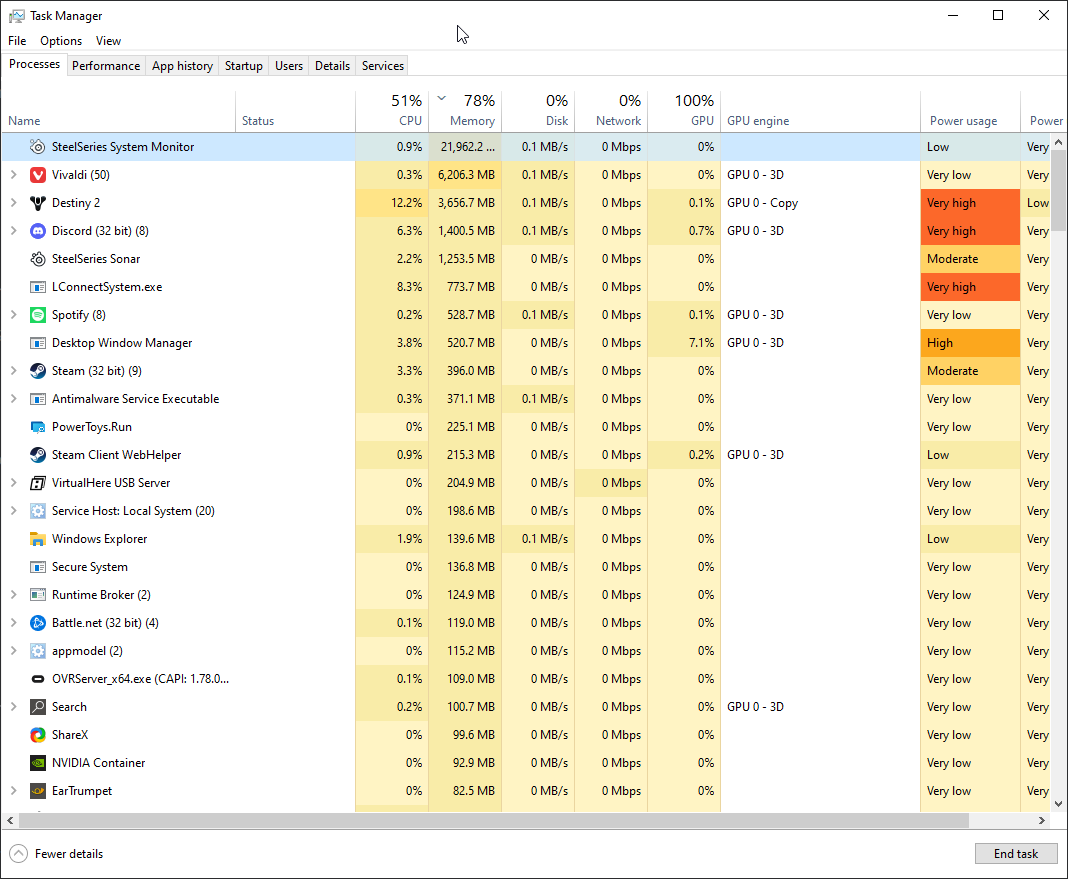 fierce summit
delicate burrow
Hey i cant load sonar in the steelseries app can you please help me
fierce summit
delicate burrow
Hey i cant load sonar in the steelseries app can you please help me
Solved in #archive-user-support (for anyone with a similar issue)
 whole kraken
hey so i got a steelseries arctis 9 like 3 days ago, 1st two days was fine but now whenever i boot my pc i get no audio, and when i look into the sonar settings screen (for playback wich fixed it this morning) there isnt the Gaming nor Chat output
found it, appearantly my dongle didnt power on with the rest of the pc
thanks for the help anyways
fierce summit
You found it before i had time to type 🤪
whole kraken
also i just now found the firmware update screen
rotund socket
is there a way when i use Bluetooth to connect my phone to have the audio come through the chat channel and not the game channel?
 glass python
Hey, when I play a sound test, and also at all other PC sound the equalizer is not applying, its still the same eq as the one it was as I startet my PC. Can someone help me?
 nova frigate
just bought a 7+ headset and have no 7.1 option in Sonar?
 errant prism
twitch studio and sonar DO NOT work together. sonar eliminates all audio from twitch studio
is there a way to just use the sonar mic function?
fierce summit
rotund socket
is there a way when i use Bluetooth to connect my phone to have the audio come t...
Bluetooth is in a way it’s own channel, you can control the volume from your phone
rotund socket
fierce summit
Bluetooth is in a way it’s own channel, you can control the volume from your pho...
appreciate it - wasnt sure if i could force it through chat channel to use the headset wheel to adjust the mix
 half cloud
Continuing the convo in feature req's
This is a hard question to word for me lol, sorry if you're repeating yourself
If I have Opera outputting music through Arctis Chat, and CS:GO outputting through Sonar Game, will an EQ set in Engine alter the way CS:GO sounds?
I want to be sure an EQ made for music doesn't alter my CS:GO sound profile
fierce summit
half cloud
Continuing the convo in feature req's
This is a hard question to word for me lol...
Once you have Sonar enabled, the EQ in engine is not active. Only the sonar EQs
fierce summit
half cloud
Continuing the convo in feature req's
This is a hard question to word for me lol...
And as stated earlier, the chat channel will only give you so much control for EQ. You don’t want your music on there, you want music being controlled by the game channel which is a parametric EQ giving you wider range of control. Assuming you care what the music sounds like lol
half cloud
Either way I won't use the sonar device for music, I'd have to ditch two EQs tuned well for both to have one that works for both. I don't notice any poor audio quality on engine's chat device, so I was hoping I could have an Engine EQ with chat for my music and a Sonar Game EQ for CS:GO. Unfortunately I see now how that isn't possible given Sonar disable's Engine's EQ...
I appreciate the info and help :)
fierce summit
half cloud
Either way I won't use the sonar device for music, I'd have to ditch two EQs tun...
I guess technically you can through windows 10, not sure in windows 11 let’s you chose if the app/browser falls under communications device. Then you can have chat and game as two different channels for your game and music and accomplish the same thing if you don’t feel like sonar chat sounds bad
half cloud
Sonar Chat sounding bad is the issue, I was hoping to use the normal Chat with an Engine EQ and Sonar's Game EQ at the same time. Is there some way to not have Sonar totally obstruct Engine's EQ? Maybe setting both Sonar outputs to the same device?
fierce summit
half cloud
Sonar Chat sounding bad is the issue, I was hoping to use the normal Chat with a...
Ah no, its either all sonar or no
half cloud
Unfortunate, thank you for the help anyhow :)
 grizzled pewter
I am trying to adjust things in sonar but it is continuously loading
 high sentinel
is it down?
delicate burrow
Is there a way to make it stop hijacking my audio devices?
I use an EQ with PEACE for my headphones and Sonar is just for my mic
But Sonar keeps setting the default device in Windows to Sonar.
 tepid ice
hi guys, just got my Arcits 9 but I cant manage to set device fallback to come back to my monitor speakers after I turn off the headset, any advice?
 gloomy prairie
I cannot setup my Siberia 840 with Sonar. I used to have a split between spdif input for audio and usb for chat. Since I have installed Sonar it's no longer possible. I guess I have tried every combo in Sonar and Windows settings, nothing works.
 lilac otter
Im having an issue that when i get a phone call, everything will work normally, but randomly and frequently throughout the call, my phone will swap off of my headset as an audio source, and i have to tap it back to my headset. This is the only device my phone does this with. Any help? Arctis Nova Pro
 silent gyro
hi there. Is there a way to export and backup my custom microphone, game and chat settings? Thanks
 tidal delta
can you use 2 mics with sonar?
 tepid canopy
Anyone have experience editing or creating presets? I'd like to do some editing to a preset but I'm complete noob with sounds. Message me if you wanna help.
violet grail
tidal delta
can you use 2 mics with sonar?
At the same time? Not without mixing them together outside of Sonar I don't think
violet grail
tidal delta
thanks <@112973716362645504>
You're welcome :)
You might be able to do it with something like voicemeter banana
 tiny lintel
violet grail
You might be able to do it with something like voicemeter banana
tiny lintel
violet grail
You might be able to do it with something like voicemeter banana
Im not sure this works. I used to use banana and it wasnt compatible with Sonar
 spring tree
.
 floral ledge
Hey guys, do you have an issue loading sonar? The menu seems does not want to load.
Keeps loading ...

Loading sonar module as admin, I have the following error

 weak sail
Hello, I'm sorry but I think I'm encountering a strange bug, sonar only applies its eq settings when it records audio through its mic test, but for other applications like OBS/audacity, it doesn't seem to apply them at all or make them staticy
fierce summit
weak sail
Hello, I'm sorry but I think I'm encountering a strange bug, sonar only applies ...
Those apps would need to point to the Sonar Gaming virtual device as input
fierce summit
weak sail
Yes
I don’t know enough about those to help but maybe these will help:

In this video we show how to add Sonar on Dual Pc Stream PC Setup. With this setup you will able to use the feratures of Sonar from steelseries on the gaming PC while able to monitor your stream as well. Any question let me know into the comments below and thank you for watching.
#ndi #sonar #obsstudio
Sonar website link- https://steelseries....

This is a video on the @SteelSeries Arctis Nova Pro with tips on how to set it up for streaming on Twitch or YouTube with settings for Windows, SteelSeries GG and OBS Studio or Streamlabs OBS that'll help you get the best sound.
You can use these tips to get great sound for your content, but also to separate audio so you can capture clips wit...
harsh walrus
Clip Captured stuck on my screen
serene orbit
harsh walrus
Clip Captured stuck on my screen
That's a #moments-report-a-bug issue, not a Sonar issue, but you can disable the overlay or specific parts of the overlay like the "Clip captured" notification in GG settings
harsh walrus
oh my bad
 median heart
hi i understand i can"t connect my discord to sonard
fierce summit
@keen tapir if you’re talking about sonar there are some good reviews on YouTube that can help
fierce summit
median heart
hi i understand i can"t connect my discord to sonard
There’s a set up guide for sonar and discord pinned in the #archive-user-support channel main page
 keen tapir
fierce summit
<@298257248625491969> if you’re talking about sonar there are some good reviews ...
keen tapir
fierce summit
<@298257248625491969> if you’re talking about sonar there are some good reviews ...
I am talking about Sonar however I'm having a lot of problems getting it to work regardless
my desktop and game audio gets picked up on my mic
I don't hear my desktop audio at all
the noise cancellation doesn't seem to affect anything
 short horizon
anyone having issues with mw2? I had it working fine but seams like nothing is working now... there was a big update and new drivers for the game just now.
sleek horizon
@grizzled pewteruninstall gg yes uninstall to do this goto search type control panel enter control panel top right if it says catagory drop it down and select large icons this will show the proper control panel apps then scrollto find and click "programs and features" then in the window scroll until you find steelseries and highlight and click uninstall then click back until your in control panel again and click "explorer file and folder options" then select "show hidden files, folders and drives" click apply and ok close goto c drive and delete steelseries from "programfiles" and " programfiles (x86) " and "programdat" unplug your device reboot and before you plug back into a different port install gg login to your account plug your device back in and activate sonar ....... it should then work properly
@short horizonreboot
 radiant fox
weird, whenever i use Sonar, my sound doesn't work. windows is recognizing sound being played but i cannot hear it?
keen tapir
I have that same issue
 tacit pawn
radiant fox
weird, whenever i use Sonar, my sound doesn't work. windows is recognizing sound...
tacit pawn
radiant fox
weird, whenever i use Sonar, my sound doesn't work. windows is recognizing sound...
sonar was working for me, until i did todays windows update
idk how to fix it

whats the point of an Official SS discord if you cant get any help from an actual SteelSeries tech support person
violet grail
tacit pawn
whats the point of an Official SS discord if you cant get any help from an actua...
It's a community server :)