#archive-user-support
1 messages · Page 21 of 1
 uncut roost
@frigid cedarok so when you install version 24 of gg you should ignore any and all firmware update notifications in engine as what it is wanting is for you to upgrade gg to latest version you do not and cannot downgrade the firmware within the base unit and headset what it will do is allow you to use the headset in 48000hz instead of hires 96000hz
 frigid cedar
Yea, but my problem was that the display is always on not the connection type
uncut roost
@frigid cedarif you don't want the display on unplug the unit and connect to pc etc via bt
frigid cedar
The reason why I bought this headset was, that it is able to connect to multiple devices at the same time and play the sound simultanuosly (smartphone via bt and pc via dac) so thats also no solution. Before that I had the Arctis Pro Wireless. There was an Option to turn the Screen off after a timeout and it was then also off, if the PC was shutdown
uncut roost
@orchid scrollyou'll need to contact #official-support and submit a ticket
@frigid cedari think that has been explained all you can do is submit a ticket this is user support if this was a magical world i would wave a magic wand for you but it isn't so i cannot so please contact the makers of the device i have tried to give you a solution I DO NOT WORK FOR STEELSERIES none of us do
frigid cedar
 uncut roost
@frigid cedarNOBODY HERE can HELP you with this contact support
frigid cedar
@uncut roost I really want to thank you for all the support you gave me. honestly you where really nice.
I already created a ticket and did all the steps they told me, even if they are nonsens (they wanted me to reinstall the software to the newest version, like my version is brick even if it was obvious a "feature" that they introduced). But I also clariefied this with them and they rooted it to the softwaredepartment with the sentence:
"can not, however, promise that this feature will be implemented in a future release of the GG Engine software, but I can assure you that it will be considered!"
"We added in the feature to keep the base active as long as there's power so that the battery continues charging."
Where I can not see why the screen need to be lightend to charge the battery.
Because of this I came here to the discord to seek help from others suffering from the same problem. Also requested the feature in the the feature request channel
And I have to say that I really have to thank you: you responded, you explaind things to me that help me to understand the problematic much better, and you really tried to help me fix the problem so I really do not want to blame you for this! you did a great job here.
uncut roost
imho i like the screen being on i can see the levels of the battery etc so am not a fan of it being off so this is wasted on me@frigid cedar and that is my final word on this
@keen parrot try #1043928169784287342
frigid cedar
@uncut roost thank you for staying with me that long 👍
I still wanted to write my result so that some other who want it the same way as I can read what I already tried
 pastel wasp
Hello! Anyone else's PC not going to sleep after the recent Steelseries GG update? I managed to fix Steelseries GG preventing sleep way back using command prompt stuffs, but I can't seem to manage to do it now after the recent GG update around a week ago.
uncut roost
@tender rapidscheck the pinned messages in here ☝️
 uncut roost
@tender rapidscall me
 heavy forum
help with sonar
uncut roost
@pastel waspplease contact #official-support and submit a ticket
 whole ether
yes nova pro. steelseries software sonar literally overrides my entire windows admins permissions and has automatically sets the default audio output. every time i try to change it even in control panel it goes back to what sonar has set the default audio output to. i’ve looked this up & apparently this is an issue steelseries likes to avoid and has no resolution. tried completely resetting my pc & that worked until i redownloaded the separate software that sonar
keeps changing the default audio to, and my issue came back. so now i am returning my pc & getting a new one because this is now a software issue. people said only way around this was to run scripts. i’m not running scripts on a brand new desktop i just bought. how about steelseries needs to stop hijacking software before they get a lawsuit
uncut roost
@whole etherok so tone it down this is user support not steelseries employee support. maybe you should start with your pc make and model and cpu
whole ether
reddit
13 votes and 28 comments so far on Reddit
reddit post that exactly describes my issue ^
whole ether
uncut roost
<@461737158659801088>ok so tone it down this is user support not steelseries emp...
that has nothing to do with it but a rtx 3060 & a 12th gen i7 can definitely do the job
uncut roost
@whole etheryou ever heard of turn off auto updates ?
pastel wasp
uncut roost
<@253124333822672896>please contact <#303962546539462656> and submit a ticket
will do, thanks!
 naive python
I think you need to change mic input in windows settings
whole ether
uncut roost
<@461737158659801088>you ever heard of turn off auto updates ?
yeah except my issue continues to happen without me updating. i literally completely reset my pc twice and redownloaded software and this problem still persists
uncut roost
@agile monolithyou select in sonar your headphones for games and chat and the headphone mic for the mic then in discord you select the sonar headphone mic and the sonar headphone output
@whole ethergo into gg on the left open settings then scroll down until you see fallback turn that off
 agile monolith
uncut roost
<@415035903204130816>you select in sonar your headphones for games and chat and ...
agile monolith
uncut roost
<@415035903204130816>you select in sonar your headphones for games and chat and ...
this? but still not detecting mic
 whole ether
uncut roost
<@461737158659801088>go into gg on the left open settings then scroll down until...
whole ether
uncut roost
<@461737158659801088>go into gg on the left open settings then scroll down until...
let me check now
 rich yoke
yes i rebooted and even reinstalled the GG software
 amber vortex
 tender rapids
Now the ChatMix doesn't work again
tender rapids
Now the ChatMix doesn't work again
Check #1043929254141898762
uncut roost
@rich yoketry reinstalling this way #1043928169784287342
amber vortex
agile monolith
this? but still not detecting mic
It’s showing you have the mic as input and mic as output, it should be sonar chat as output 1st, if it’s still not detecting the mic it may not be set up in windows or something else is going on?
 pure mason
i believe the wire from my pc to my gamedac (usb micro to usb a) has been broken when it dropped of my table am i able to use any type of the same wire or do i have to go find a steelseries replacement?
 hollow smelt
can someone help? my arctis 3 console just came in for my PC. hearing is OK, but Mic doesnt seem to appear in the GG / or it doesnt work..
rich yoke
uncut roost
<@263284408511889409>try reinstalling this way <#1043928169784287342>
Brought me a bit further, Thanks for that. But now sonar cant detect a device on setup. Whilst my headset is definitely working
 uncut roost
@hollow smeltis it wired ?
hollow smelt
uncut roost
<@1021421427167072346>is it wired ?
yes sir
uncut roost
@hollow smeltdid it come with a splitter cable ?
hollow smelt
No it didnt, But found one from my house
uncut roost
use that and see if it works
hollow smelt
Im using it right now, doesnt seem to even detect the Mic in the steelseries app.
uncut roost
does it detect in windows ?
hollow smelt
ive been playing around with the mic settings for an hour now, so ive tried alot of stuff

Yes.
uncut roost
wrong
hollow smelt
Eh, thats all i got.
uncut roost
show me the headphone part
@rich yokecan you make sure the headset is detecting in windows
hollow smelt
 uncut roost
@hollow smeltuninstall gg
hollow smelt
The steelseries app?
uncut roost
yep
hollow smelt
👍
uncut roost
then see if your headset detects in windows or not
hollow smelt
Ok
i can hear, but theres no more "chat" and "Gaming" options

The basic Headphones is left.
uncut roost
thats good now when you reinstall gg login and activate sonar selecting for game and chat that headphone option and the headphone microphone for the microphone
rich yoke
uncut roost
<@263284408511889409>can you make sure the headset is detecting in windows
All can be found.
 hollow smelt
uncut roost
thats good now when you reinstall gg login and activate sonar selecting for game...
hollow smelt
uncut roost
thats good now when you reinstall gg login and activate sonar selecting for game...
ok.
uncut roost
@rich yokeright open sonar and show me pic
rich yoke
uncut roost
<@263284408511889409>right open sonar and show me pic
It does the same for all three options
 rich yoke
uncut roost
<@263284408511889409>right open sonar and show me pic
rich yoke
uncut roost
<@263284408511889409>right open sonar and show me pic
And blocked the Game On option
 uncut roost
@rich yokeright close it and leave the headset connected. ok instead join my voice channel
 uncut roost
join my voice channel
hollow smelt
i can hear.
 supple knoll
Hey guys, just got my arctis pro and downloaded the gg software but it wont let me create an account to use sonar anyone else have problems creating accounts?
hollow smelt
i can hear
 scenic chasm
does anyone have any tips for sonar sound? i always have to put the volume on like 8 or my ears will bleed. any way i can make it so its not deafening but i can still have the sound on like 20?
scenic chasm
scenic chasm
does anyone have any tips for sonar sound? i always have to put the volume on li...
i got a temp fix
hollow smelt
mostly yes
So i need to download the 23.0 Version right?
ok
ok. got it
Sure. will do that. Thank you very much
Ok for sure.
yeah
Thanks!
uncut roost
@supple knollgoto https://steelseries.com/signup
@scenic chasmdo you have a dac or base unit ?
rich yoke
Problem stayed even after reverting back to version 23.1.0
uncut roost
@rich yokeyour gonna have to submit a ticket to #official-support
 amber stag
My Apex 7 TKL Keyboard's Arrow Down key is stuck on the color purple when I change that key's illumination to white, any workarounds for this?
 cedar silo
Hey I have a Problem with Steelseries Sonar
amber stag
amber stag
My Apex 7 TKL Keyboard's Arrow Down key is stuck on the color purple when I chan...

Is the LED stuck or smth?
cedar silo
Please Help for Steelseries GG Sonar
 oblique oxide
Engine Vs GG, whats the Diffence ? with the Artic Pro work fine on Both ?
rich yoke
uncut roost
<@263284408511889409>your gonna have to submit a ticket to <#303962546539462656>
Alright, thanks for the help
 ripe otter
Hello, I have a problem, I have Arctis 9 headphones, when I turn them on, the red LED flashes quickly and turns off. When I connect the charging cable, the green LED lights up but they do not connect to the computer Please help
uncut roost
@cedar silo yep and ?
 slow sphinx
My headset is vibrating when i play music, Only on the left earcup where the mic is. Even tho i am not playing very loud music. Is it somthing in sonar settings? or am i actually just playing too loud music?
amber vortex
slow sphinx
My headset is vibrating when i play music, Only on the left earcup where the mic...
lol that may be a little too loud
slow sphinx
Man, but its only when i play bass music
I had max sub bass on sonar. Could be the reason i dont know
amber vortex
amber vortex
slow sphinx
I had max sub bass on sonar. Could be the reason i dont know
Yes, max bass will do that and you should probably not listen that high to protect your hearing
cedar silo
uncut roost
<@895353739542659143> yep and ?
Steelseries sonar not working
@uncut roostI installed again, but the device will not connect and i can not select anything
uncut roost
try it this way @cedar silo#1043928169784287342
 lost echo
any talks about sonar coming to console?
 slow sphinx
tender rapids
hello .
I need help it's not working !
slow sphinx
tender rapids
hello .
I need help it's not working !
Bro, does it happen when you start a game or just whenever?
tender rapids
slow sphinx
Bro, does it happen when you start a game or just whenever?
no idea but it's the first time happen to me
 tender rapids
i just restart the pc all good now
tender rapids
i think that happen bcz the new driver i install today
cedar silo
I did everyting, but not working
uncut roost
@tender rapidsyep you need the local taxi driver not the uber 🙂
slow sphinx
😂
tender rapids
uncut roost
<@456226577798135808>yep you need the local taxi driver not the uber 🙂
what ?
cedar silo
Its a bad joke I think
uncut roost
@cedar siloif that didn't work your gonna have to contact #official-support and submit a ticket
slow sphinx
tender rapids
what ?
Just a joke i think
tender rapids
i didn't get it tho
uncut roost
driver
tender rapids
uncut roost
driver
 uncut roost
@tender rapidsyep that would interfere with it
cedar silo
SteelSeries Support is closed to observe Thanksgiving Day, November 24th-28th.
Support closed
Why this new update so bad
and support bad
slow sphinx
There is new update?
slow sphinx
The software?
cedar silo
yea
slow sphinx
Yes i factory resetted my entire pc and cleaned all driver, and reinstlaled windows. Now everything works fantastic
tender rapids
cedar silo
Kevin said
no no i install driver for the mother bord
cedar silo
a ok kevin
tender rapids
yeah yea
cedar silo
slow sphinx
Yes i factory resetted my entire pc and cleaned all driver, and reinstlaled wind...
Yes I want do that to, but it take a little bit time
slow sphinx
Ma pc so fast, it only took like idk 30 mins
cedar silo
Because you have to reset your pc every year
tender rapids
hamza
slow sphinx
cedar silo
Because you have to reset your pc every year
No you dont?
tender rapids
can u come vc ?
cedar silo
Vc?
tender rapids
voice chat
slow sphinx
"voice chat"
cedar silo
why
tender rapids
i will try to help u
cedar silo
ok
 twilit dust
Hello! Anyone else experiencing issue with GG not detecting MSI Optix MPG27c Monitor?
slow sphinx
twilit dust
Hello! Anyone else experiencing issue with GG not detecting MSI Optix MPG27c Mon...
What do you mean?
slow sphinx
twilit dust
Hello! Anyone else experiencing issue with GG not detecting MSI Optix MPG27c Mon...
When using moments?
 weak stream
on a daily basis, randomly, I start getting crackling sound. Once it starts it repeats every ~15sec. Attaching sample.
I think it starts only if I'm on discord voice. Closing discord does not stop it. If I close steelseries gg, it stops.
Tried clean reinstalling gg, fiddling around with windows/discord/gg settings. Nothing helps.
Nova wireless pro
Anyone else getting this?
twilit dust
@slow sphinx no I can't use the software to control my rgbs since the software won't detect my monitor anymore.
slow sphinx
Uh, you tried unplug and plugin?
slow sphinx
weak stream
on a daily basis, randomly, I start getting crackling sound. Once it starts it r...
I get it sometimes
I just deal with it lmao
twilit dust
Sure did. I've tried uninstalling and reinstalling both Engine 3 and GG v27.1, unplugged replugged, tried both display ports and 3 different hdmi ports on the back. Weird thing is that the monitor still retains the last profile of rgbs that I set up.
slow sphinx
Outdated cable? or maybe its broken?
twilit dust
Nope, the monitor works just fine still. Software just won't detect it anymore. Even uninstalled and reinstalled the msi monitor driver.
slow sphinx
Thats really weird. You tried plugging it in a different port in ur graphics card?
@twilit dust
twilit dust
Sure did
slow sphinx
I suggest contacting support. If you have tried all that. Or buy a new monitor? Or get a new cable
twilit dust
I submitted a ticket. I honestly think this is more of an MSI issue since their rgb light control system is trash. Plus it's an MSI monitor that partnered with steel series when they launched game sense using engine 3 running through an MSI pre-built. Thnx for the help though, I hope your having a happy holiday if celebrating today.
 next mountain
Having some odd problems with my Apex Pro, and its media key and wheel. The volume wheel only mutes/unmutes my computer rather than changing the volume, the actual mute button from pressing the wheel does nothing, the multimedia button also mutes my computer instead of play/pause, and the steelseries key next to the windows key will also mute/unmute as well when pressed. Have tried reseting the keyboard, reinstalling gg, different computers (same issue for each one) and different usb ports. Any other suggestions that might help with this?
slow sphinx
@next mountain Ever gotten water or soda on it? (accidently)
next mountain
Not in any recent months from what I can recall. The issue only started in the last few weeks. If it was just the wheel and multimedia button, I'd believe that it could have been something like that, but with the steelseries key doing it too, I'm not sure. Holding the multimedia key pops open the menu on the keyboard fine too, and I can scroll through it with the wheel, but short pressing the multimedia button still mutes the computer so I can't do anything with it. I'm kinda wondering if its a software/firmware issue since all the buttons still at the very least *seem * functional
slow sphinx
So you have done a factory reset?
next mountain
Yeah the one with holding the media and wheel down while replugging it
 regal pawn
Ive tried that. I have always had it set up for USA and and ive tried reseting it with no luck
 west trellis
hey my arctis nova pro mic is really quiet and ive messed with settings and everything and it wont get better anyone know anything?
i also tried repositioning it has to practically be in my mouth to get much volume
 tacit locust
I have the artic 7 headphones and recently they just stopped working, I checked the SteelSeries app and it says Reconnect Headset, i searched up online how to do this and i tried holding my transmitter button for 6 seconds and then turning my headphoens on and it doesnt work can anyone help me
I also factory reset it and waited like 10 minutes and it still didnt work
slow sphinx
tacit locust
I have the artic 7 headphones and recently they just stopped working, I checked ...
Is it fully charged? have you tried connectin using only the cable?
tacit locust
slow sphinx
Is it fully charged? have you tried connectin using only the cable?
it doesnt turn on at all but i tried my charger and it didnt work and my brother who has the same headphones charger and it didnt work there
tacit locust
around a year
west trellis
hey my arctis nova pro mic is really quiet and ive messed with settings and everything and it wont get better anyone know anything? yes i've repositioned and i can't really take them back as they're only a couple days old and i don't think they're broken since they're only quiet
slow sphinx
tacit locust
around a year
Same problem happend to me 2 days ago. I bought the arctis 9 recently. It sounds just like my issue. in my case it was just completely broken 😦 maybe its just served its time you know. Maybe its time to invest into new headphones who knows (I had arctis 7)
west trellis
west trellis
hey my arctis nova pro mic is really quiet and ive messed with settings and ever...
i've taken on and off pop filter too is it clogged or something
amber vortex
west trellis
i've taken on and off pop filter too is it clogged or something
You can check out gadgerytech’s channel below for some good set up videos for your specific headset, if everything else is set up correctly then you need to adjust the individual app settings like mic volume etc in discord or in game

YouTube
This channel focuses on audio, gaming, computer hardware, automotive, and of course gadgets! I cover it all and speak what's on my mind. Unbiased opinions with in-depth reviews of whatever I get my hands on.
west trellis
okay thank you
it's definitely set up right cuz it worked yesterday and before and all that and it's not the app cuz even in my windows setting it's 1% 2% volume when it's an inch away from my mouth
the weird thing is it worked last time i used it
everything in google leads nowhere
 violet magnet
Gday i bought the arctis nova pro wired for my PS5, just about evrytime i turn it on to play my mic is muted and i have to plug and inplug until it starts working, is there something i should be doing so this doesn't happen?
west trellis
nvm i had no problem i was just like muted
 unreal heart
so my artic 7+ are not connected to my pc and when i try to turn it off to reconnect
it doesnt let me what do i do?
 upper sluice
Hi, I recently bought arctis pro wired headset, and everytime i talk, the mic echos myself and pc audio which is annoying, anyone know a fix.
 pastel plume
hii i have the wireless arctis 7+ and theyve stopped connecting to my pv? just have a flashing yellow light, ive factory reset them to try fix but hasnt worked :((

 tough raven
does the Prism pudding keycaps fit in the new Apex Pro TKL Wireless?
 ivory marsh
 green hatch
Hello, my arctis 7p+ doesn’t turn on. I already did the power reset and charged it for 30 mins, but still it won’t turn on.
tender rapids
does dual actuation even work for the legacy apex pros?
 rose sparrow
does anyone know how to fix rival 3 wireless everytime i turn it on it turns purple please dm me if you know how to fix thanks.
weak stream
am I blind or they removed create ticket button? can't find it anywhere
 hollow elbow
Hello, i want to buy ARCTIS NOVA 7 WIRELESS but I know there is 7/7X/7P so I want to know which one to buy and of one can be better than other, thank you
 mint furnace
Does anyone know if I can replace my Steelseries mouse USB cable, and where to find the right cable? (Sensei 310)
I lost 3 Steelseries mice now due to my cat eating the cables, and I'm wondering if I can revive them with a simple cable replacement. I tried ordering a cheap cable through aliexpress but that didn't work out.
 tender rapids
mint furnace
Does anyone know if I can replace my Steelseries mouse USB cable, and where to f...
tender rapids
mint furnace
Does anyone know if I can replace my Steelseries mouse USB cable, and where to f...
Time to replace the cat, not the cable.
 worn sonnet
As a citizen of the EU. I'd like to make use of my right to repair my Apex Pro TKL myself (because no warranty once Thanksgiving is over, and they are making holidays now and disabled support - great timing, great customer care). But Steelseries doesn't offer any replacement parts.
Has anyone in here found good replacements for the lights sitting on top of the switches? 2 of my keys LED's lost their blue spectrum. And that makes any color effects on the keyboard aesthetically unpleasing.
Factory Reset through the key press combo, factory reset through the options menu and reinstalling drivers (all the methods you find when googling for faulty LED) didn't help. The LEDs are definetly broken/burned out.
Edit: I don't want to buy a new keyboard just to fix lights on my old one
worn sonnet
amber stag
If a factory reset doesn't resolve the issue. The LED sitting on top of the switch broke for you as well. You can "confirm" the later after you tried a factory reset by changing the colors of all keys to white. The ones that will light up yellow are broken.
Old message and I forgot to ping. @amber stag
But if you still got warranty you might be lucky and could get a replacement.
amber stag
worn sonnet
Old message and I forgot to ping. <@249554058375856129>
But if you still got wa...
Thanks, but I guess I've no warranty. Is there any way to open it up and find a replacement led?
worn sonnet
thats what I am looking for as well
amber stag
It's only half-broken, I can still use any color except white, though it does give lighter shades to some colors because the stuck purple is always present.
worn sonnet
Oh a specific color is stuck?
amber stag
I haven't even had the keyboars for 2 weeks and it happened, really weird.
amber stag
worn sonnet
Oh a specific color is stuck?
Yea, it always goes to a purple, just that 255, 255, 255 is white so it highlights the error better than any other color.
worn sonnet
Are you sure it's not just that the blue is broken for you as well?
That it looks pink could be caused that your red is working just fine
amber stag
I'll check for you rn, I can give you some pics aswell
worn sonnet
Like see the F8? It can't display all colors because the blue part of the led node is dead/weak.

 worn sonnet
I think you can see it better when you go through all the base colors: red, green, blue
If none of them light up weak. You are probably fine.
amber stag
Blue's fine, Yellow turns to orange, orange turns to red.
amber stag
worn sonnet
I think you can see it better when you go through all the base colors: red, gree...
Those work perfectly fine for me.
worn sonnet
Yea I think yours is a software issue then
See that D?

Thats how it should look like if the LED was broke
amber stag
Tried Factory Reset anyway, It didn't do so much for me.
worn sonnet
Did you use the one using the settings or did you use the key combination?
worn sonnet
amber stag
Blue's fine, Yellow turns to orange, orange turns to red.
Sounds like green is the issue. Can you confirm?
amber stag
0, 255, 0 works great.
worn sonnet
amber stag
Tried Factory Reset anyway, It didn't do so much for me.
There was a third troubleshoot I have seen which mentioned something about SSE.
You basically uninstall GG, uninstall the device driver and something.
amber stag
I think I tried re-installing too, but not the drivers.. still think its more of a hardware issue.
If you find that there's an led replacement part somehow do tell me.
worn sonnet
I wish. I only have found the same led type for the razer keyboards. Which are confirmed to not work on the Steelseries one.
e.g: https://shopee.sg/Keyboard-Accessories-4pcs-4-pin-RBG-led-for-Razer-blackwidow-Chroma-Gaming-Mechanical-Keyboard-i.365115136.9872858472 (not compatible!)
so yea. we can only hope for SteelSeries to offer something in that regard. otherwise, the only other options are buying a broken/used (just because it is cheaper) apex pro off ebay and ripping it apart to use the stuff on it for yours. since my warranty is over anyways, I will try to dismantle mine over the weekend and see how the pins are solded to the pcb. if I see that I can fix it by resolding it again, I probably can fix it myself. if not. I leave it as it is. I expected to keep this keyboard for longer than 2 years.
 fervent brook
Hello, I want to buy the "Apex 9 TKL" keyboard in French version, but I can't find "PrismCaps" in French version in the shop, the French version does not exist? Thank you in advance for your answers
 north geyser
can someone help me with steelseries gg my microphone doesnt work ive seen my clips my microphone doesnt pick up
uncut roost
@fervent brookplease submit a ticket #official-support
@north geyserdo you speak english ?
north geyser
ye
uncut roost
come join me in voice
north geyser
word
uncut roost
try this #1043928169784287342
amber stag
fervent brook
Hello, I want to buy the "Apex 9 TKL" keyboard in French version, but I can't fi...
Don't buy ur LED will die lel
amber stag
worn sonnet
I wish. I only have found the same led type for the razer keyboards. Which are c...
Tell me how your soldering was and ping me on here while you're at it.
worn sonnet
amber stag
Don't buy ur LED will die lel
that is to be expected with any keyboards LED. but they could at least provide kits for them or the switches (together with the LEDs). which they sadly don't do.
< and you can still use the keyboard itself, the switches themself will last way longer, just its aesthetics turn unpleasing when you can't use the light effects you want. which is a huge negative point for me. because I use the gamesense API to color my most used hotkeys for the application in the foreground. >
then no one would have to buy a whole new keyboard (100-200€) just to fix 1-2 RGB lights on your keyboard (which probably would be worth less than 1$ in material - I would still pay 20-30$ for a replacement kit because it makes me able to use the keyboard for 10+ years). I still don't know how Steelseries hasn't come up with the idea to sell their switches yet.
worn sonnet
amber stag
Tell me how your soldering was and ping me on here while you're at it.
still @ work. but I will if I actually can do it (some things just can't be repaired by reconnecting pins - if it even is the pin in this case of LED failure).
tender rapids
I really need help rn
I just bought and recieved an Arctis 7x, however upon use my friends tell me its sounds like crap and then in voice messages it sounds much better?
I’m using it on the xbox series s
 viscid kite
do all Arctis 7s use Sonar now? or are some available still with dual audio devices?
my two previous 7s had separate audio channels and they worked great, but voicemeter will not point to or receive from Sonar. If anyone has managed to get the Sonar balance rocker working, please hit me up ❤️
tender rapids
hey! i have the nova PRO wireless headset but i can't connect it to the stealseries app could you help me ( ping me )
viscid kite
tender rapids
hey! i have the nova PRO wireless headset but i can't connect it to the stealser...
have you connected the usb cable to the headset and PC? it needs to pair... maybe
tender rapids
yeah
I make them
when i connect the headset it makes it normal but when i watch the sound it is not dectect

I'm just an idiot I didn't put the right cable
 rough raven
i have a problem with this mouse how do i fix it? (firmwear update)
 worn sonnet
amber stag
Tell me how your soldering was and ping me on here while you're at it.
worn sonnet
amber stag
Tell me how your soldering was and ping me on here while you're at it.
It didn't look damaged nor did feel loose. That's why I think the LED itself is damaged. I didn't unsold it because I have no replacement. Will look out for a RGB LED with power on the second/third pin and try them out as a project I guess.

 warm mortar
I am assuming there was an update to the GG drivers as nothing works today. 'Lil help?
@warm mortar
 dusk yoke
hello, i got my arctis 7+ today but my my microphone sound like chicken butt, i tried fiddling with all the settings and nothing seemed to make it much better
warm mortar
Is there anyone here who can help me get my audio back? Any techs from Steelseries???
 ashen tulip
I recently just bought the Steelseries Arctis 7P+. But the mic doesn't work. I've got no clue why
dusk yoke
ashen tulip
I recently just bought the Steelseries Arctis 7P+. But the mic doesn't work. I'v...
doesnt work at all? mine works but very poorly
 meager dome
Hi guys, you know if you can use an external sound card to connect the 3.5 cable of the Artics 1?
dusk yoke
ashen tulip
I can't even find it in the SteelSeries app<@308278805489778689>
did you check the sounds setting to see if its perhaps disabled
ashen tulip
dusk yoke
did you check the sounds setting to see if its perhaps disabled
Yea, it's not disabled
amber vortex
ashen tulip
Already tried that
Doesn't work
I don't understand why this headset refuses to work
Sound comes through. But the mic absolutely sucks
 harsh heath
Yo how do i keep my mouse lightning on when i move it with my hand. Cuz i turned off Illumination smart mode and it still dosent work
 frosty bluff
My artics 7+ mic lags like hell in discord but outside discord it works just fine, any ideas?
dusk yoke
frosty bluff
My artics 7+ mic lags like hell in discord but outside discord it works just fin...
Same issue
frosty bluff
My friend has nova 7 and his works just fine, so it feels like it has to do with just the 7+ model? maybe needs an update to work with the software?
Will probably return it if it dosen't get solved..can't spend 200£ on something that dosen't work
frosty bluff
glad im not alone atleast 😛
dusk yoke
hopefully there is a solution
ashen tulip
@frosty bluff At least yours just lack. Mine straight just doesn't work
frosty bluff
and no supports in the "support chat" trying to solve our issue, great 👍
 celest ocean
I need help I'm on console and I don't now how to get the software to change the colar for my apex pro mini
Can anybody help me plz
 molten sail
Hi I have a question, so I have an arctis pro with the gamedac and I play on ps5 but for some reason my friends can hear my gun and my gameplay, any ideas? I’ve tried lowering mic sens and lowering volume on the gamedac and through the ps5 but at this point I’m just lost
 coral violet
I've got my aerox 3 wirless and want to know, what the heck is the wireless extension adapter exactly for???
why is there an extension when theres dongle already
 carmine helm
Anyone know what would classify as a valid "receipt" when doing an RMA? I provided my best buy online receipt and they said they can't accept it because it says "order details" and doesn't say "receipt". It fits all the requirements laid out in their proof of purchase guide; retailer name, product purchased, and date purchased.
uncut roost
@carmine helmhow did you pay ?
carmine helm
uncut roost
<@329317233706926083>how did you pay ?
paypal
uncut roost
put in a dispute with paypal first , hope it came of your creditcard
carmine helm
uncut roost
put in a dispute with paypal first , hope it came of your creditcard
Paypal credit
uncut roost
ack ok you have a 50 50 chance
@carmine helmraise a dispute tell them what has happened and what is going on they should help oh and make sure you speak to someone at paypal credit not just text
carmine helm
uncut roost
<@329317233706926083>raise a dispute tell them what has happened and what is goi...
Thank you, I didn't even think about going through paypal - keep forgetting that's an option. The support person said oh, it's under warranty we'll do an RMA, you have until the 29th to do these things.... I did them and they said "I need a receipt, can't accept what you sent". I print it to get it to say receipt, but it has to be a screenshot. They're closed until the 29th and the support person seems to be in a different time zone so I only get one response per 24 hours.
 hot grove
I have the arctis nova pro wired and people having trouble hearing me. they have to increase my volume to 200%. everything in all my settings is maxed, and I sound fine in game and in the mic test in sonar. Is there something I am missing in discord? I use PTT
uncut roost
@hot grovecall me
hot grove
The "discord certified" input or the sonar input makes no difference
uncut roost
@frosty bluffjoin me in voice channel
@dusk yokejoin me in voice channel
@ashen tulipjoin me in voice channel
ashen tulip
Already fixed it
uncut roost
@ashen tulipah good how about the others did they get sorted ?
uncut roost
@dusk yokecome chat i opened a voice
tender rapids
anyone know why artics nova 1p mic not working on pc?
 limber pendant
just got an apex 5 keyboard today and i cant for the life of me get the oled display to show system stats or the music when i play it can anyone help me?
it just shows the steel series logo on it and i cant get it to show anything else
 sullen turret
Hello. I'm looking into buying the Arctis Nova Pro Wireless, for PC and Playstation. However I noticed there 2 different versions of the PC/Playstation which is confusing me. Why is there a PC/Playstation set? And a Playstation/PC set? What is the difference?
 carmine helm
limber pendant
just got an apex 5 keyboard today and i cant for the life of me get the oled dis...
carmine helm
limber pendant
just got an apex 5 keyboard today and i cant for the life of me get the oled dis...
If you have the GG app, you can go into Engine -> Apps and then turn Tidal on (if you have Tidal)
limber pendant
carmine helm
If you have the GG app, you can go into Engine -> Apps and then turn Tidal on (i...
if by the gg app you mean the steel series app thn yes i have that what is tidal?
carmine helm
limber pendant
if by the gg app you mean the steel series app thn yes i have that what is tidal...
Some kind of music streaming app, I do not have it though.
limber pendant
carmine helm
Some kind of music streaming app, I do not have it though.
i have the system monitoring enabled but the only thing the led shows is the steel series logo and nothing else
carmine helm
limber pendant
i have the system monitoring enabled but the only thing the led shows is the ste...
Do you have these selected?
 limber pendant
carmine helm
Do you have these selected?
limber pendant
carmine helm
Do you have these selected?
yes they were the defaults but the display doesnt show anything
carmine helm
limber pendant
yes they were the defaults but the display doesnt show anything
Then I am not sure. I will look around in the settings to see if I see anything in mine, but I just went to Engine -> Apps -> Then on the list of all the Apps is where I had to do the enable it. It for some reason never worked when I went in to that particular app and tried it.
limber pendant
carmine helm
Then I am not sure. I will look around in the settings to see if I see anything...
yeah ive done that and disabled and re enabled them but it still only shows the steel series logo on the display i am very confused as to hwy it wont work
carmine helm
limber pendant
yeah ive done that and disabled and re enabled them but it still only shows the ...
Well...mine was working, I apparently just broke it. It now says it is on, but it is stuck at just steel series logo.
limber pendant
carmine helm
Well...mine was working, I apparently just broke it. It now says it is on, but ...
oh no im sorry T.T
carmine helm
limber pendant
oh no im sorry T.T
haha no worries.
 dim kindle
I need help. i have a arctis 7P. i cannot find the reset button under the earcup. the mic light is stuck on solid red. holding the power button does nothing. plz help
carmine helm
sullen turret
Hello. I'm looking into buying the Arctis Nova Pro Wireless, for PC and Playstat...
The only real difference I have ever been able to find, is that the Xbox one allows you to connect to a dedicated Xbox port and the others won't let you. Other than that, I have never been able to find a difference in the PC & Playstation or Playstation & PC. Someone else might know better though.
sullen turret
That would make sense if they had 2 different versions. PC/Playstation. Then just Xbox. I would understand that. But every single website I visit for the headset has a PC/Playstation. And a Playstation/PC. That's extremely confusing.
I wouldn't really care if they were not so expensive. $350 bucks. Like, need to know what's the difference between the two
carmine helm
I just went through it with the Nova 7 wireless headset. I only have PC though so that is the one I got. Just the only difference I ever found between pc and playstation was packaging.
 hot summit
yo i just bought arctis nova 1p and the mic doesnt work? can y'all help?
sullen turret
So Bestbuy literally has 5 of these Arctis Nova Pro Wireless headsets. All with 100+ reviews. Each one has a difference model numbel #.
PC/Ps5/PS4 model number: 61520
Xbox model number: 61521
PS5/PS4 model number: 61522
PC/Ps5/PS4 model number: 61527
hot summit
wwwww
carmine helm
sullen turret
PC/Ps5/PS4 model number: 61520
Xbox model number: 61521
PS5/PS4 model number: 6...
61527 is wired.
amber vortex
sullen turret
Okay, that makes more sense.
If you have an xbox and may use the headset with it, get the xbox version. Other wise get the pc/ps5
sullen turret
That's the problem. There's 2 different PC/Playstation model numbers. 61520, and 61522. 61522 says it's for PS5 and PS4, but if you check the packaging, it says it also works for PC on the box.
So I'm confused why there is 2 different PC/Playstation.
amber vortex
sullen turret
That's the problem. There's 2 different PC/Playstation model numbers. 61520, and...
There’s only pc/ps5 and xbox
Don’t pay attention to the model numbers
carmine helm
For the nova 7, i'm pretty sure the only difference was packaging. Possibly a marketing thing really.
sullen turret
Okay. I wonder why there's two different model numbers. I guess in this instance going for the 61522 is the better bet? Lol. Higher number, newer model.
amber vortex
sullen turret
Okay. I wonder why there's two different model numbers. I guess in this instance...
There are only two models
sullen turret
amber vortex
There are only two models
I appreciate both of your help. These are just expensive and I wanted to make sure I made the right decision.
amber vortex
sullen turret
I appreciate both of your help. These are just expensive and I wanted to make su...
Anytime, if you don’t have an Xbox or if you’ll ever only use these with a pc then it doesn’t matter what model you get. Get the one that’s on sale
sullen turret
I got my girlfriend's son the Xbox Series X for Christmas. Maybe I'll get him the Xbox version later. Anyways, thanks for your help guys.
sullen turret
So like 9minded stated, there is only one version of the PC/Playstation. There is just exclusive packaging for either system.


 pale wren
My mouse keeps flashing red telling me it needs an update, although it will not update when I try, and it always fails
 fallow hollow
i think the servers for creating an account are down
both the app and the website say that the server didnt respond

:/
i just wanna use the equalizer thingy
 hot summit
steelseries is kinda rippin me off rn the mic doesnt work arctis nova 1p
i even have sonar installed
 empty gull
 crimson prism
Im majorly pissed at the fact they took away the ability to speak to an agent. Need immediate support yet i cant talk to an agent straight from the website as i use to be able to? Big time bs. I need to cancel an order yet i dont have an account.
 proven perch
Anyone know how to fix power button light not working? Arctis 7+
 zenith estuary
So I just played 1 game of valorant and exited the game and steelseries gg core is taking up 30%-50% of my CPU and then 10 minutes later, it dies down to normal.
Is there a fix for this by any change?
frosty bluff
@dusk yoke found a solution?
 spice grotto
Why does it say that my arctis 5s isent connected to steelseries GG ?
 feral thicket
hi all @everyone i got my steelseries nova pro wireless yesterday and got them nice and crisp but today ive popped the headset on and all my audio has gone to shot?? not sure how come because all my settings and eq look the same pls halp
 hardy bane
carmine helm
The only real difference I have ever been able to find, is that the Xbox one all...
hardy bane
carmine helm
The only real difference I have ever been able to find, is that the Xbox one all...
FYI this is the only difference - something to do with needing a particular security chip to comply with the xbox security things
crimson prism
ez dont use sonar. Sonar 6ucked my audio, took me weeks to fix it.
 gilded wharf
hello
i need help plz can someone help with my headset i can't speak in discord and in game the sound just fade away then suddenly come back i have been on it for hours
i got arctis pro wireless
 humble ibex
The Steelseries Sonar - Gaming applications isn't picking up any sound from the gaming sonar on my new laptop, the Alienware X17 R2, despite my best efforts to fix the problem. I could hear sound from my laptop if I choose the Headphone (Arctis Nova Pro Wireless) as the output source sound, and the chat and microphone worked as they should when enable gaming sonar. Are they a solution to fix this issue?
 wooden pike
Hey everyone, i got a Problem regarding my arctis pro wireless, since, i guess 2 Weeks, the Sound from some applications is fading out. So for example if there is a more silent Part in a Song from Youtube, my Sound is slowly getting more silent until it finally fades completly out. But it comes back asa the Song is getting louder again. That happens for everything that runs with any sounds. Sadly i couldnt find anything about it on Google how to fix it. Did anyone had the same Problem or got a hint for me ?
 pine marten
Hi everyone!
I just recently received my Arctis Nova Pro Wireless that I got from a great deal at black friday.
I love it so far, however I have noticed that whenever ANC is turned on and I move my head around (or stand up and walk around, moving my head up and down) there are these weird "popping" noises. Whenever ANC is turned off it is not there anymore. I have not experienced similar things happening with my WH-1000XM3 which I mainly used beforehand.
Anyone had similar experiences? Is this just how it is with Steelseries´ ANC implementation?
Thanks!
 deft meteor
Hey my Apex3 Is not showing imageSync does anyone know why?
 zenith oxide
Moments Question
When I share my video it doens include the "Chat sounds" why?
I need the chat sounds to prove a point to a friend 🙂
deft meteor
I have 2 options which might work. I dont have the headphones btw. 1. Run as Administrator 2. Reinstall GG
you dont have to reinstall if you have presets
 outer dome
i'm following these movements but if sonar doesn't accept what should i do
 zenith oxide
How do I make the texts smaller in Moments editor?
 novel peak
hello, I want to know if this ARCTIS 7+ USB-C TRANSMITTER is also suitable for ss if I have lost the other case
when I order
uncut roost
@outer domewhy are you trying to update your devices
@zenith oxidecould you show a picture of what you mean pls
@novel peakcould you explain clearer pls as it don't make sense
@rich creektry unplugging waiting 10-20 secs then replug different usb
novel peak
@uncut roost
I lost this ARCTIS 7+ USB-C and I don't know if it will work if I order a new one

its the same as I order a new one
uncut roost
@novel peakdid i chat with you awhile back ?
novel peak
you just wrote and stabbed me
zenith oxide
uncut roost
<@373217617118232609>could you show a picture of what you mean pls
That one. Can I resize it somehow
 novel peak
I don't speak English very well, I use translations to write to you, and otherwise I speak in Estonian
uncut roost
@novel peakaha well you just told me i stabbed you lol.......... in all honesty it should work if you can purchase thru amazon you will have an easier time if it doesn't work
novel peak
😄
uncut roost
😉
novel peak
I don't buy the face, so I hope it works
I didn't say that, but if and how the translations are used, you can somehow read them out there
uncut roost
so basically have you already ordered it ?
novel peak
sorry, I'm not very good at English
novel peak
okey
uncut roost
that was a joke
novel peak
I haven't ordered it yet
uncut roost
then order it if you can thru amazon
uncut roost
hold on what model is it ?
novel peak
SteelSeries Arctis 7+ / Must / WRL
ARCTIS 7+ USB-C TRANSMITTER
where can you get this model
uncut roost
steelseries themselves thats it i just did a full search and that is the only place
novel peak
well, I hope it works when I order
uncut roost
@zenith oxideok your going to have to ask that in the #moments sorry i am not that good with moments
zenith oxide
uncut roost
<@373217617118232609>ok your going to have to ask that in the <#7196135408011837...
okey, do you know why all sound edits disapear when I export?
uncut roost
@pine martennope try this navigate to system on your base unit and select reset in the headset remove battery wait 30 secs and replace with the other battery turn it back on and see if it cures it if not then i suggest returning them to where you purchased and have them replaced immediately
@wooden pikeok try this unplug the base unit wait 10-20 secs replace in a different usb then see if it happens
@gilded wharfunplug the base unit from the pc wait 10-20 secs replug different usb
@humble ibex unplug the base unit from the pc then replug after 10-20 secs then try
gilded wharf
uncut roost
<@642427424331792436>unplug the base unit from the pc wait 10-20 secs replug dif...
i unplugged the game dac waited for 30 sec reconnect nothing happened i tried all the sonar things (game + chat) i cant speck in discord not detecting any input
 daring sable
got the steel series 9x. is there anyway to adjust the eq in sonar for the xbox or am i limited to the 4 presets?
 floral wigeon
Hey, i bought a Arctis7P+ and everything is working well expect one thing, I don't have sound in my games
 dire salmon
When using Sonar spatial audio does surround or stereo has to be enabled in the ingame settings?
daring sable
WTH that is silly. Ty pandabear. Mw2 on Xbox the footsteps are not as ideal as they should be. I have tried all 4 presets. Preset 3 and 4 are the best but still not very good. Any suggestions to a better headset?
uncut roost
@daring sablelook up @hexed night
daring sable
To talk to?
uncut roost
@daring sableyes message him
@floral wigeonyou have sound in windows but not in your games ?
@dire salmonto control the games sound i would play with it to find out ...... fortunately we can perform miracles ...... unfortunately for you this comes under performing the impossible which ....... we cannot do
floral wigeon
uncut roost
<@689882155936907472>you have sound in windows but not in your games ?
Hm I didn't explain it correctly, my problem is that the 'Gaming' Chat isn't working for some of my games like rocket league, when I put gaming chat I don't have any sounds
 ancient sorrel
Quick question,
Is the nova 7 wireless worth the extra money over the arctis 7+
or should I get another headset?
Right now I have the 2019 Arctis 7
uncut roost
floral wigeon
Hm I didn't explain it correctly, my problem is that the 'Gaming' Chat isn't wor...
is that feature available for that headset ?
dire salmon
uncut roost
<@484717102712881153>to control the games sound i would play with it to find out...
I think you understand me wrong. Does sonar do some kind of processing to make surround sound like 5.1? In that case it's best to use stereo in game wright? So that sonar receives unprocessed audio? Instead of using 5.1 (surround) settings in game.
floral wigeon
uncut roost
is that feature available for that headset ?
Well I don't have any problem when it comes to Valorant, MW2 or CSGO
uncut roost
dire salmon
I think you understand me wrong. Does sonar do some kind of processing to make s...
as stated you may have to play with that to find out and i cannot do that for you
dire salmon
Alright thanks
uncut roost
floral wigeon
Well I don't have any problem when it comes to Valorant, MW2 or CSGO
that could be a setting within the game have you checked ?
floral wigeon
uncut roost
that could be a setting within the game have you checked ?
Yea I already checked but nothing
floral wigeon
uncut roost
that could be a setting within the game have you checked ?
I had sound when using gaming chat with my last headset which was a logitech
uncut roost
floral wigeon
I had sound when using gaming chat with my last headset which was a logitech
have you checked to make sure the chat setting in game still isn't set to your old headset
 tepid narwhal
Does anyone know why all of a sudden my Apex Pro Mini Wireless keyboard’s caps lock and windows lock indicators aren’t working? Caps lock doesn’t turn white and with the windows key, instead of it turning white, the comma key turns white. Like, I could live with it, but absolutely not with a device this expansive. I have the Nordic variant and also have other minor illumination glitches with the keys not on the English variant. I don’t even know how to factory reset the damn thing. Reinstalled GG already, didn’t help. Problem occurring in wireless and wired mode.
uncut roost
tepid narwhal
Does anyone know why all of a sudden my Apex Pro Mini Wireless keyboard’s caps l...
i am no good with the keyboards beyond referring you to submit a ticket thru #official-support
 wide fiber
does anyone know why my arctis nova pros wont play any audio or mic feed? i have changed all the settings to what they need to be, reset them, changed them to non sonar settings, reset them played with volume up and down on each input and output i am so upset with this process and am so ready to go back to my astros
everything has the most recent firmware and updates
floral wigeon
uncut roost
have you checked to make sure the chat setting in game still isn't set to your o...
chat setting is on new headset, I made sure to do so
 nocturne knot
does anyone know why my steelseries arctis 3's microphone is sending the sounds of my computer so much in discord and any other games ? if you can help me please dm me cause i'm from turkey and turkey isn't a good country for buying these steelseries products because it's so expensive
 violet pond
hey is anyone having issues with getting sonar to boot? I've had it for a little bit and I tired running it as admin like 10 times and I'm after 2 reinstalls. I'm not quite sure what my issue is. I've went and added it as exceptions to my AV just incase. somehow had it functional last night but not anymore
 terse urchin
I have the Arctis pro wired, and whenever I use the chat mix, it outputs a horrible crackling sound
how do I fix it?
hollow elbow
Hello, I just buy some steelseries arctis nova 7x, but i have no idea how to put them in my head, beacuse it have this thing that you can take out and have like 3 pins and also than you can turn it up or down
 wanton matrix
Hello Folks, I have the problem that I can not select the created audio outputs ( Gaming and Chat ) in Sonar.
In Windows, the outputs are available.
Discord recognizes the created outputs.
thank you for your help.
King regards, Snyider
 amber vortex
wanton matrix
Hello Folks, I have the problem that I can not select the created audio outputs ...
amber vortex
wanton matrix
Hello Folks, I have the problem that I can not select the created audio outputs ...
Press the default message in yellow, in sonar the device for gaming and chat has to be the headset (arctis 7) and mic (arctis 7) for mic
wanton matrix
amber vortex
Press the default message in yellow, in sonar the device for gaming and chat has...
nothing happens when I click on the yellow message.
I have also started the software as administrator.
hollow elbow
Hello, i have some arctis nova 7 and i heard my own voice, what i do??
tender rapids
Guys I have Arctis Nova 1 and I just got it. I put it in and downloaded the sonar software. But before I did everything, when I plugged my headset in, it started making this low static sound? Any way to fix this?
amber vortex
wanton matrix
nothing happens when I click on the yellow message.
I have also started the soft...
Is windows set up correctly? #1044045472945418303
 robust prism
Good evening, I have just received the Arctis 7+ headset, it does not charge, as soon as I press the power button, it does not turn on either...
wanton matrix
amber vortex
Is windows set up correctly? <#1044045472945418303>
I check your guide settings. All correct, problem still the same. :/
 dreamy thicket
i have new windows installed and new motherboard and some stuff
now i have issue with my arctis 9 wireless
i'm not getting sound in the headset at all.... worked for some seconds then sound disappeared.... everything is fine in windows sounds
and in GG sonar but i'm not getting any sound

not a single sound coming out of my headset then it turns off because of inactivity
i did a hard reset also
i restarted the PC... sound work in headset for about 1 min then disappear
 knotty yew
I have the Arctis Prime headset and I installed the steelseries GG software, and now I hear myself, how do I turn that sidetone off?
dreamy thicket
knotty yew
I have the Arctis Prime headset and I installed the steelseries GG software, and...
 frosty bluff
My artics 7+ mic lags like hell in discord but outside discord it works just fin...
frosty bluff
frosty bluff
My artics 7+ mic lags like hell in discord but outside discord it works just fin...
Any soloution on this yet?
hollow elbow
Hello
can someone help me?
I just got some nova 7x but when i play its super load
loud*
frosty bluff
turn the volume down??
hollow elbow
yeah but the problem is like playing csgo i put it down i only heard gun shoots only that
Btw, what is the different btw changing sonar audio and from the headset?
 hallow raft
pls help I can't select any device

 exotic jacinth
Folks, I have just purchased a Nova Pro Wireless Headphone and they arrived 30 minutes ago. They will not power on? Am I missing something? The DAC is ine, the spare battery is 3/4 charged and the other one is in the headset, nothing seems to be turning the headset on.
I currently have the headset plugged in via 1 of the USB-A > USB-C cables. It flashes the light rapidly. Although my PC shows this;
 exotic jacinth
Also, to add to the problem I am having, when I connect it manually (USB-A > USB-C) headphones > PC, I get this random pop up;

As if to say my headphones are a "drive" in my PC
 jaunty dove
hello, I am thinking of upgrading my headset from arctis 7 to nova 7, my only issue is that i got use to the auto switch from headset to speaker and vice versa (on the arctis 7 you connect the speaker to the dongle), but i don't know how it will work on the nova 7 since it does not have connection on the dongle (as far as i know), i have seen some explanation here on the chat history how to manage that, so i said lets try to mimic it on my arctis 7 (to connect the speakers directly to the pc instead of the dongle) and try to achieve that with sonar, so far... it does not seems to work, sonar does not switch from headset to speakers automatically (the sonar output on windows sound settings does not disappear when headset turn off), maybe is it because i can't mimic it with the arctis 7 dongle?, can someone please share some information that can help me with that?
 real jacinth
Do Xbox versions of headsets like nova pro wireless also work compeltely fan for pc
dreamy thicket
okay i need somebody to seriously answer me this !!!
Does Arctis 9 wireless have specific USB port requirements ???
i was writing earlier because i have issue getting sound on my headset
it worked on some USB and didn't work on others... even though it's powering up fine !!!!
 old dawn
Every device has power require
 tulip totem
jaunty dove
hello, I am thinking of upgrading my headset from arctis 7 to nova 7, my only is...
tulip totem
jaunty dove
hello, I am thinking of upgrading my headset from arctis 7 to nova 7, my only is...
when device fallback is used (device fallback is the name of the feature that switches) it doesn't change your sound in Windows, it'll just change the output in Sonar. So Windows will always say "Sonar - Gaming" but in Sonar you can watch it switch between headphones/speakers.
old dawn
Requirements
old dawn
dreamy thicket
okay i need somebody to seriously answer me this !!!
Does Arctis 9 wireless hav...
It could be that port is dead or faulty
dreamy thicket
old dawn
It could be that port is dead or faulty
it's new Mobo....and it's on multiple ports.. and i tried even plugging my gaming keyboard or mouse to these slots and seem alright !!
unless the headset physically hate that port and picky where it get plugged i don't think something is wrong with it 😄 !!!!!!
 reef oracle
Hey guys I'm having an issue with my Arctis 1 Wireless headset; I'm hoping it's just user error though.
It won't turn on.
I just bought it, unpackaged it, and plugged it in as I read the manual (it's blinking green)
I've held the power button anywhere from 1 second, 3 seconds, to even 30 seconds.. nothing
I've tried it with the USB plugged in, and without it plugged in.. nothing
I've taken the ear cup off and held the reset button for 3 seconds and tried again... nothing
I've downloaded GG and attempted to check for an update under the engine tab, but it says it doesn't see any "gear". I've tried every USB port on my laptop, it blinks green for maybe 10 seconds and stops.
I've tried everything in the manual, I've looked on their website, I've checked reddit and other forums, I have absolutely no idea what's wrong with it - unless it's an internal issue like a damaged circuit or something?
I'm lost - any help is greatly appreciated
 left frigate
I have a Steelseries Apex 5 keyboard, and my spacebar, the first 4 letters of each row, enter, 1, 2, 4, Tab, ESC, and Steelseries keys are all not working. They just all stopped out of nowhere and I have noticed a couple of them trying to work. I have tried reinstalling the firmware, reinstalling the software, different USB ports, cleaning the keyboard, factory resetting it, restarting the pc, and connecting it to a different device.
uncut roost
@wide fiberif your on do you speak english ?
uncut roost
dreamy thicket
okay i need somebody to seriously answer me this !!!
Does Arctis 9 wireless hav...
try connecting to your phone and test then if that works out update usb drivers on pc
uncut roost
exotic jacinth
Also, to add to the problem I am having, when I connect it manually (USB-A > USB...
you need both headset and base unit connected to update firmware
 lime nexus
Hey I've got a new pair of nova pros and my friends are all reporting that I'm quiet. suggestions?
tried with and without sonar, same issue
wide fiber
yes i do speak english
 boreal vessel
i am running a macbook pro and am unable to open GG. i have uninstalled 4x. i have restarted, reinstalled, tried to load from the dock and from the launchpad. anyone else have this and found a solution?
 opaque pecan
why can i not configure my apex pro gamesense for anything, it says plug in a compatiable steelseries device when i have my keyboard plugged in?
lime nexus
lime nexus
Hey I've got a new pair of nova pros and my friends are all reporting that I'm q...
my issue is teh default hardware mic volume was 1 / 10. lol. so look at the nova pro base options
 golden holly


 slow trail
So did they make it impossible to submit a support ticket on the steelseries website? It just loops back to the same page
uncut roost
boreal vessel
i am running a macbook pro and am unable to open GG. i have uninstalled 4x. i ha...
did you allow in the firewall ?
uncut roost
slow trail
So did they make it impossible to submit a support ticket on the steelseries web...
you talk to the bot open the chat option bottom left or right
uncut roost
opaque pecan
why can i not configure my apex pro gamesense for anything, it says plug in a co...
is that option available for the apex pro look it up
opaque pecan
i think so
 placid nova
Anyone know on this?
I have recently picked up an Arctis 7+ Wireless headset and am having some trouble with it.
The previous Arctis 7 I had from years ago I was able to use the chatMix on the right side and I was able to unplug the headset and windows would automatically default to my speakers.
However, ATM, I have to pick one or the other.
Either I set my default to "Headphones Arctis 7+" and it will swap back to my speakers just fine when unplugged but the chatMix wheel does not work at all
or
I set it to "SteelSeries Sonar - Gaming" and then I am allowed to use the chatMix wheel.... but I have to manually swap to the speakers every time I unplug the headset (and back to the headset every time I plug it in again....)
I am unable to get the chatMix wheel to work what-so-ever without SteelSeries GG application....
 polar cradle
For the best audio, what should my windows setting be for the audio, and what should be settings in the solar panel be?
polar cradle
polar cradle
For the best audio, what should my windows setting be for the audio, and what sh...
Please @ me the response/help
polar cradle
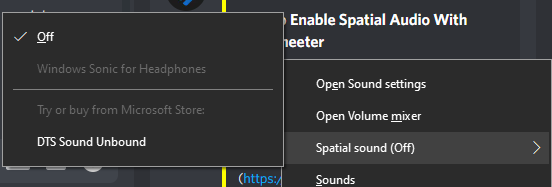
https://i.imgur.com/7E3WZhH.png Looks proper?

theres so many options which 1 should my windows setting be set @ ?

https://i.imgur.com/ALuqPJC.png now my dolby atmos gone?
 wispy patio
my wireless rival 650 right click is broken. whenever I use it, it doesnt right click right away and then double right clicks. This only happens in games. when I'm on chrome and right click no issues occur. Wondering why and am desperate for support (I've done everything that ive read online said to do)
 lucid spindle
why do i have prismsync in my task manager
lucid spindle
lucid spindle
why do i have prismsync in my task manager
so that was a lie
 hollow elbow
Hi guys, what is the difference btw Engine and sonar?
knotty yew
All i know is that sonar is usable by every device but engine is only for a few of their products
 cunning lark
Hey please can someone help,
i have the Nova Arctis Pro since launch and im really getting to the point where i feel like i will just have to get rid of this headset because of Sonar!
So everytime i go to load Sonar it just get stuck in a loading cycle, (as per the picture)
- my GG software is up to date ( 27.1.0)
- My GPU is upto date (someone mentioned to update gpu dont know why this would affect Sonar, anyways its up to date)
-Windows up to date - Tried to uninstall and reinstall many times works then just goes back to the same loop
i dont know what else to try i must say i am very dissapointed after spending £300+ on headset for the software to not work with them properly.
please can someone help i really dont want to get rid of this headset.
 cunning lark
tried many times 😦
cunning lark
ok thanks
 robust adder
np buddy 🙂 i hope it turns something insignificant
 main timber
Hey, everyone. My Arctis 9 disconnects and reconnects each time the configuration is switched. I have the default with gaming settings and then when I will watch a movie, another configuration is defined. Switching between these two automatically causes the headset to disconnect
Thoughts?
I can hear the changes in the settings. I don't understand the disconnect part after a few seconds after the settings have been applied and running
robust adder
only between those 2
main timber
Is that message for me? If yes, I only have two Configs at the moment.

When the app switches from one to another, the headset will disconnect after 5-7 seconds despite the settings have applied (I can tell since the Base will change).
I disabled the auto-switch. The headset does not disconnect. Manually switching Configuration does not have this disconnection issue.
That's a bummer.
 granite void
help pleas??

 elder lintel
When I activate SONAR, the sound is very quiet even though it is set to maximum. does anyone know why? Unfortunately, SONAR is not usable for me. I don't want to send the headset back.
 unkempt panther
Any ideas why Arctis 7+ wireless doesn't show up as discord certified but advertise it on the box?
 frosty bluff
@unkempt panther does your mic lag in discord aswell?
unkempt panther
frosty bluff
<@117386817480818693> does your mic lag in discord aswell?
nope, seems to be okay
frosty bluff
Hmm okey...mine and some others mic's are "cutting" like hell
Just on the 7+ model it seems
knotty yew
dreamy thicket
I don't have that
 ebon cedar
Hi guys, I cannot hear any sound on the sonar gaming channel. On the chat channel it works...
Any Idea how to fix it?
boreal vessel
uncut roost
did you allow in the firewall ?
So apparently it was because of my Mac version. I had to update to Ventura and had no idea there was an update. I still can’t update the firmware though. The Dongle and the headphones have to be plugged in at same time right ? Can’t do one at a time ? Because the damn dongle blocks both ports on my mac
 tight spade
just constantly loading bruh

 abstract merlin
Hi, My mouse (Wireless 650) has a problem in wireless mode: My movements are jerky ... What should I do ?
uncut roost
placid nova
Anyone know on this?
I have recently picked up an Arctis 7+ Wireless headset and...
have you tried setting the fallback option in gg settings ?
uncut roost
boreal vessel
So apparently it was because of my Mac version. I had to update to Ventura and h...
how about usb-c to usb-c hub or usb-c to usb-a hub so that it don't block the ports
uncut roost
abstract merlin
Hi, My mouse (Wireless 650) has a problem in wireless mode: My movements are jer...
oil your mouse ? unplug try a different port is it fully charged ?
uncut roost
tight spade
just constantly loading bruh
tryb this and follow it exactly #1043928169784287342
abstract merlin
"oil" my mouse ? 🤔
uncut roost
@abstract merlinthat was a joke
abstract merlin
uncut roost
<@331856685088112640>that was a joke
Okay ahah
uncut roost
frosty bluff
Hmm okey...mine and some others mic's are "cutting" like hell
ok in discord got settings voice and video find "input sensativity" turn it off and set the bar to -65 db that shopuld stop cutout or lag
abstract merlin
I think my problem is solved with a new port but it's weird because my both port are 2.0
uncut roost
abstract merlin
I think my problem is solved with a new port but it's weird because my both port...
glad that solved it
😉
abstract merlin
uncut roost
glad that solved it
Thanks ^^
uncut roost
ebon cedar
Hi guys, I cannot hear any sound on the sonar gaming channel. On the chat channe...
do this and follow exactly #1043928169784287342
 covert dagger
abstract merlin
Hi, My mouse (Wireless 650) has a problem in wireless mode: My movements are jer...
covert dagger
abstract merlin
Hi, My mouse (Wireless 650) has a problem in wireless mode: My movements are jer...
the exact same thing happens with my prime wireless as well. i think it has some stuff to do with power consumption for my case because i use a laptop and all 3 usb ports have hubs connected to them which are all full 😅
uncut roost
covert dagger
the exact same thing happens with my prime wireless as well. i think it has some...
surprised the national grid hasn't contacted you lol for over consumption hehehe
 atomic olive
Hi! I saw that others wrote about this earlier but does anyone know why the Arctis 7+ doesnt show up as Certified on Discord? I also have a problem with bad mic quality on this headset specifically on Discord. When i test the mic in Steelseries GG however, the audio is great. Does anybody know a fix? 🙂 (I had bad mic issues with the Nova wireless aswell and other wireless headsets so im wondering if somethings going on with my pc)
uncut roost
i am running a macbook pro and am unable
tight spade
uncut roost
tryb this and follow it exactly <#1043928169784287342>
i just restarted my pc and it worked so next time someone has a similar issue just tell them to restart their pc
uncut roost
tight spade
i just restarted my pc and it worked so next time someone has a similar issue ju...
sometimes that hasn't worked ....... but am glad it did for you 🙂
uncut roost
atomic olive
Hi! I saw that others wrote about this earlier but does anyone know why the Arct...
would you like to call me and i'll try and help you go thru a few settings to see if it fixes it
abstract merlin
Finally my problem of jerking is still present when I make fast movements
I think I'll re-install GG but the cloud don't work ...
uncut roost
abstract merlin
Finally my problem of jerking is still present when I make fast movements
erm have you checked the mouse sensor ? and the mouse mat
abstract merlin
Yes is not that
uncut roost
abstract merlin
Yes is not that
are you on a laptop or desktop ?
abstract merlin
Desktop
atomic olive
uncut roost
would you like to call me and i'll try and help you go thru a few settings to se...
Yeah sure
uncut roost
abstract merlin
Desktop
check the power saving and set it accordingly
abstract merlin
uncut roost
check the power saving and set it accordingly
Where you found that ?
 delicate moon
Arctis Nova 7 Wireless not sensing outputs for Sonar
 daring glacier
I ordered "Arctis 7+" headphones and did not receive a confirmation email
uncut roost
daring glacier
I ordered "Arctis 7+" headphones and did not receive a confirmation email
submit a ticket thru #official-support
frosty bluff
uncut roost
ok in discord got settings voice and video find "input sensativity" turn it off ...
Ive already tried that, i even disabled noise cancellation and such
uncut roost
frosty bluff
Ive already tried that, i even disabled noise cancellation and such
call me
frosty bluff
think you have to accept my friend request
 tacit bough
Been running into an issue with my Aerox 3 Wireless. It will not charge nor hold a charge and will not be detected via USB-C. Any ideas?
 patent kayak
Hey guys, I just plugged my Arctis 7+ USB and doesn't show up Arctis 7+ / Sonar for headset from my speaker list


 night ginkgo
hello i just bought the artics 1 wireless, it sounds nice but when i try the mic it only records static
what i can do?
 strong drift
hi, how can i hard resetr my Arctis nova pro wireless? I cant find anithing about that on the internet
placid nova
uncut roost
have you tried setting the fallback option in gg settings ?
where/what is this?
 gritty mortar
why wont my mic work on arctis nova 7 wireless?
 graceful plover
night ginkgo
hello i just bought the artics 1 wireless, it sounds nice but when i try the mic...
graceful plover
night ginkgo
hello i just bought the artics 1 wireless, it sounds nice but when i try the mic...
honestly i just started tweaking stuff in sonar till it stops
night ginkgo
But when I try the headsets on my phone I have the same problem
 fringe fossil
I recently bought an Arctis Nova 3 and there is a crackling sound when listening to something, is it a manufacturing defect or not?
boreal vessel
uncut roost
how about usb-c to usb-c hub or usb-c to usb-a hub so that it don't block the po...
yes i went and luckily found like the last usb a female to usb c at best buy
anyone, how do i make the custom eq the default when i connect to xbox?
uncut roost
night ginkgo
But when I try the headsets on my phone I have the same problem
return immediately from where you purchased it and get a refund or replacement it is faulty
uncut roost
boreal vessel
anyone, how do i make the custom eq the default when i connect to xbox?
that is open gg then click on settings then scroll down till you find fallback and turn it off then go set your settings and they won't or shouldn't change unless you unplug etc
uncut roost
placid nova
where/what is this?
that is open gg then click on settings then scroll down till you find fallback and turn it off then go set your settings and they won't or shouldn't change unless you unplug etc
uncut roost
strong drift
hi, how can i hard resetr my Arctis nova pro wireless? I cant find anithing abou...
ok you cannot hard reset the headset but you can do a reset on the base unit then remove battery in headset then wait for 30 secs and replace it with the other one and put that one to charge
boreal vessel
I don’t see “fall back”
uncut roost
gritty mortar
why wont my mic work on arctis nova 7 wireless?
there maybe a few reason please tell me are you on a laptop or desktop have you plugged it directly into pc if so remove it use and extender cable then retry
gritty mortar
i fixed it
 river juniper
Evening folks. Im trying to use steelseries certified output audio here on discord but it dosent work. any solutions?
uncut roost
@river juniperyou using sonar ?
river juniper
on discord?
uncut roost
no are you using sonar ?
river juniper
maybe?
 timber lance
Apex Pro TKL Wireless 2023 vs Apex Pro TKL 2023 which one is better?
Does keeping the Apex Pro TKL Wireless 2023 keyboard plugged in have any effect on its battery?
uncut roost
@river juniper well if your using sonar-gaming then you need to set that for output in discord and also sonar -microphone for input
uncut roost
timber lance
Apex Pro TKL Wireless 2023 vs Apex Pro TKL 2023 which one is better?
Does keepin...
miracles i can perform the impossible take a lot more time and sometimes doesn't work in otherword i haven't a clue as for the batter yes you need to let the battery deplete completely 2-3 times and fully charge the same amount to get full capacity out of the battery that goes for any rechargeable battery
river juniper
uncut roost
<@313119770553745408> well if your using sonar-gaming then you need to set that ...
how do i turn of sonar?
uncut roost
river juniper
how do i turn of sonar?
open gg open settings it's there on the right
uncut roost
well i am about to eat so you'll have to wait for me to help more

 lost meteor
is your sonar off?
 river juniper
yes
lost meteor
you try your output to the arctis 7 certified also?
river juniper
if i pick certified output i dont get any audio
bruuhhhh
i just plugged in and out
and it works...
lost meteor
the famous "turn it off then back on" lol
placid nova
uncut roost
that is open gg then click on settings then scroll down till you find fallback a...
oh that was already on
It says "Arctis Nova Wireless headsets only"
lmao so they forced this app on 7+ and nova but only added back the functionality it breaks to the nova -.-
 atomic rapids
Hey I got an artic 7p+
and apparently my mic sounds crackly can anyone help me out?
naive python
Arctis 7x voices are echoey
atomic rapids
naive python
Arctis 7x voices are echoey
but apparently it sounds terrible
like a mcdonalds mic
naive python
atomic rapids
but apparently it sounds terrible
yea idk
I havent tried the mic yet
I just have problems with echoey voices
when I'm listening to stuff
frosty bluff
@atomic rapids try moving the dongle up to your desk using the usb-c extander
 timber lance
uncut roost
miracles i can perform the impossible take a lot more time and sometimes doesn't...
timber lance
uncut roost
miracles i can perform the impossible take a lot more time and sometimes doesn't...
ok so which one to choose? Apex Pro TKL Wireless 2023 Apex Pro TKL 2023 ?
frosty bluff
So it should look like this when using the extender
 atomic rapids
frosty bluff
So it should look like this when using the extender
atomic rapids
frosty bluff
So it should look like this when using the extender
yh i moved it closer
it sounds clear and nice to me
on the side tone playback
but it sounds worse on discord to other people
so im not sure what the issue there is
frosty bluff
This is the settings i use, try replicate it


 fringe fossil
I recently bought an Arctis Nova 3 and there is a crackling sound when listening to something, is it a manufacturing defect or not?
atomic rapids
frosty bluff
This is the settings i use, try replicate it
thank you
frosty bluff
Did you solve it?
 analog notch
my headset is arctis 5 and ever time I try to download the additional software is says:

 weary fractal
Anyone know how to fix this issue when creating an account?
https://prnt.sc/Y1F_sQuCwDOU

^also getting an error when creating an account on website (PC) and on (Phone)
 solemn thicket
my headset is arctis 1 and all of my audio including people's voices are playing through my microphone
 sly willow
I recently bought an arctis 7x and when i try and use it it only has one channel i was wondering if anyone know how to fix this
uncut roost
@weary fractaldownload opera install opera in settings of opera activate the vpn then try to sort the account
weary fractal
could it be due to the login issue? that they still havent fixed
just searched around their twitter and forums and found that issue aswell
uncut roost
@weary fractalwell how come i can login then ?
uncut roost
@weary fractalmake sure it connects to uk london
uncut roost
sly willow
I recently bought an arctis 7x and when i try and use it it only has one channel...
ok and what type of pc ?
uncut roost
nope@sly willow thats the operating system not the type of pc
uncut roost
sly willow
its a desktop
ok so you installed it ? did you install manufacturers drivers ?
 marble lion
hey,when i wanna play some games and i listen to music on spotify or youtube music(does not matter) my steelseries app(the sonar) lowers the volume from music,any ideeas how to like fix this?
sly willow
uncut roost
ok so you installed it ? did you install manufacturers drivers ?
i have steelseries gg how would i get that?
uncut roost
marble lion
hey,when i wanna play some games and i listen to music on spotify or youtube mus...
ok i need to know the ins ands outs of your machine you didn't even mention your device
uncut roost
sly willow
i have steelseries gg how would i get that?
ignore the headset for the moment i was asking about the desktop ........ you installed it ? did you install the manfrers drivers
sly willow
uncut roost
ignore the headset for the moment i was asking about the desktop ........ you in...
Do you know where i would get the drivers
marble lion
uncut roost
ok i need to know the ins ands outs of your machine you didn't even mention your...
like i am on pc and i have steelseries GG and when i turn on sonar and play any game my volume from music lowers and for in i have steelseries arctis 5 game and for out steelseries arctis 5 chat
analog notch
uncut roost
ignore the headset for the moment i was asking about the desktop ........ you in...
can you help me please?
 uncut roost
marble lion
like i am on pc and i have steelseries GG and when i turn on sonar and play any ...
uncut roost
marble lion
like i am on pc and i have steelseries GG and when i turn on sonar and play any ...
your not chatting at the sametime are you ?
marble lion
uncut roost
your not chatting at the sametime are you ?
no,when i turn off the sonar the problem is fixed but i dont have the gain and bass anymore and yeah
like i m just playing and the game is loud and the music just lowers volume
uncut roost
marble lion
like i m just playing and the game is loud and the music just lowers volume
did you check the game settings ?
analog notch
uncut roost
did you check the game settings ?
help please
marble lion
uncut roost
did you check the game settings ?
yeah,it seems to be from the sonar and i dont know what settings should i make
uncut roost
sly willow
Do you know where i would get the drivers
what make of motherboard is it and model ? if you built it then that would be on the motherboard box
uncut roost
analog notch
can you help me please?
check the download site with your phone
uncut roost
marble lion
yeah,it seems to be from the sonar and i dont know what settings should i make
can you post this question in #sonar thank you
 spice berry
The "Engine" section of the SteelSeries GG app isn't detecting my Arctis Pro Wired. I have it plugged in via 3.5mm as I don't have the GameDAC.
tulip totem
that's normal, engine can only detect and modify devices over USB
spice berry
@tulip totem That sucks, it's another £90.00 just for the GameDAC. Not sure it's worth just to enable the RGB.
tulip totem
the version without the gamedac should have come with a chatmix wheel that looks like this: https://steelseries.com/gaming-accessories/arctis-5-chatmix-dial This device is USB and should also allow the RGB to work.

SteelSeries
spice berry
@tulip totem Thanks 😊 Can't believe I missed that, I'm such an idiot 😂 I'm new to the brand as I bought the Arctis Pro to replace and old set of Sony headphones that I'd been using for years, only one of the wires became loose and I can no longer purchase that particular headset.
 vast path
Can not update the firmware
https://i.imgur.com/SIcqEV8.png
https://i.imgur.com/3dodamf.png

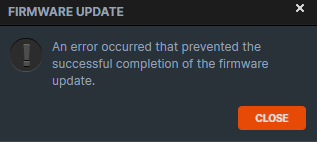 uncut roost
vast path
Can not update the firmware
https://i.imgur.com/SIcqEV8.png
https://i.imgur.com/...
uncut roost
vast path
Can not update the firmware
https://i.imgur.com/SIcqEV8.png
https://i.imgur.com/...
is that headset wireless or wired ?
vast path
wired
uncut roost
can you connect to the website and login ?@vast path
vast path
yes
uncut roost
@vast pathunplug reboot try a different port or jack
vast path
worked at a different port ,USB 3.0 did not work
thx
sly willow
uncut roost
what make of motherboard is it and model ? if you built it then that would be on...
MSI MPG Z390 GAMING PRO CARBON
humble ibex
uncut roost
<@283389331136053249> unplug the base unit from the pc then replug after 10-20 s...
Unfortunately, that didn’t work. I’m still not hearing audio through my headphones, if I enable sonar.
 unique pilot
cunning lark
Hey please can someone help,
i have the Nova Arctis Pro since launch and im real...
unique pilot
cunning lark
Hey please can someone help,
i have the Nova Arctis Pro since launch and im real...
any update to this? i have the exact same problem. it just wont start up, and without sonar i cant configure my chat/game sounds
 swift cypress
tulip totem
unique pilot
any update to this? i have the exact same problem. it just wont start up, and wi...
swift cypress
tulip totem
unique pilot
any update to this? i have the exact same problem. it just wont start up, and wi...
do you happen to have any other audio programs on your computer that could be interfering? voicemeter? dolby/DTS? realtek related programs?
placid nova
placid nova
Anyone know on this?
I have recently picked up an Arctis 7+ Wireless headset and...
anyone know on this?
I don't understand why this 7+ comes with required software that breaks basic functionality that the 7 already had working perfectly...
I shouldn't have to choose between device fallback and chatmix wheel working.
 shy knoll
oh sweet ive been having issues with my arc7 since like two days ago and it looks like people are just having the same issue
placid nova
Yeah I had a arctis 7 for years and it never had any issues with chatmix nor device fallback.
However, I ordered a 7+ last week and it does. I have to pick.
Either I don't use Sonar and the chatmix wheel simply doesn't work what-so-ever
or
I don't use Sonar and when I unplug my headset it swaps to my speakers automatically
tulip totem
placid nova
anyone know on this?
I don't understand why this 7+ comes with required software...
unfortunately there's nothing that can be done about it. new SS headsets from the 7+ and newer will use Sonar for chatmix.
if you want to stick with SS, return the 7+ and get a Nova headset. That activates device fallback within Sonar so Sonar will autoswitch from the headset to the speakers when the headset turns off
placid nova
It's irritating that I have to use a dumb application to allow me to use a feature they already had on previous headsets.
HOWEVER I am fine with using it as long as I can actually get device fallback working at the same time
it's extremely stupid that I have to pick
shy knoll
sonar worked properly for all of a week now i can choose to either have my mic work or hear stuff lmao
unique pilot
tulip totem
do you happen to have any other audio programs on your computer that could be in...
nope. ive removed unrelated old programs. the thing is this new headset wont allow the chatmix to work without sonar. i used to have the older 7 version but when i replaced it because of hardware problems, 7+ is all they could offer me, they didnt had the old one in stock. id do anything for the chatmix to work without software lol because its the sole reason i have need for sonar to be working.
(edit edit) i dont have to explain that to you it seems, its just irritating...
unique pilot
placid nova
It's irritating that I have to use a dumb application to allow me to use a featu...
100% agreed.
tulip totem
unique pilot
nope. ive removed unrelated old programs. the thing is this new headset wont all...
just to check, did you reinstall GG after getting the new headset? DTS gets automatically installed for the older Arctis 7, so if you haven't reinstalled and restarted your PC then DTS could still be running and interfering.
placid nova
I GOT IT
I figured it out
work around until they (hopefully at some point ffs) fix this
for my issue, if you just close the SteelSeriesGG application, the audio device doesn't exist without the application running so windows will fallback to speakers.
Like, in the system tray, you have to completely exit it. Not just minimize it
unique pilot
tulip totem
just to check, did you reinstall GG after getting the new headset? DTS gets auto...
ive had a fresh install since, yes.. it stopped working after i turned it off to check if my audio issues came from sonar, good thing is i got those issues solved. but sonar refuses to start up, forever loading. i have not however tried to reinstall it yet
unique pilot
unique pilot
ive had a fresh install since, yes.. it stopped working after i turned it off to...
like 3 days ago
jaunty dove
tulip totem
when device fallback is used (device fallback is the name of the feature that sw...
I see, and also it is say that the fallback feature is for nova headsets only, so i can’t test it on my arctis 7, but is there a way to select the fallback? To make sure when it happens it will pick the correct speakers? (Windows detect a few more outputs such as my tv or screen that connected to my pc and have speakers)
uncut roost
@unique pilotcheck your internet connection to the website using your mobile phone
@jaunty doveyes disable those you don't want it falling back to
tulip totem
uncut roost
<@211278575544958977>check your internet connection to the website using your mo...
please stop suggesting that people check their internet when certain things don't work. internet isn't required for Sonar to work, you just need to be logged in to be able to turn it on for the first time. it's the same for firmware updates.
tulip totem
placid nova
for my issue, if you just close the SteelSeriesGG application, the audio device ...
why not just leave sonar running and switch your sonar output to your speakers?
 placid nova
I don't want to have to open my sound settings and switch the output device every time I want to use my headset (and again when I want to stop using it)
that's super annoying
much easier to pin the GG app to start or desktop shortcut, whatever
open it to use headset
exit it to stop using it
then I don't even have to unplug it
tulip totem
well you're sort of already doing an annoying workaround by having to close the application? plus you can still use the chatmix slider when sonar is open so you can turn up/down chat if you happen to just be listening to things on the chat output
tulip totem
placid nova
then I don't even have to unplug it
you wouldn't need to unplug it with this method either, just switch between speakers and headset when needed.
placid nova
Let me clarify,
with my arctis 7 that I used for years my process was this:
- Turn on headset via power button
- Plug in transmitter (dongle? Whatever people are calling it)
Windows automatically detected it and we're good to go. Chatmix works, device fallback works as soon as I unplug the dongle later
With this 7+
I have to set the audio device to Headset (Arctis 7) for device fallback to work --- but chatmix doesn't work now.
OR
I can use GG app for Sonar and chatmix works, but device fallback doesn't
So now I can set the output device default to the virtual audio device from Sonar and simply close and open the GG app, no unplugging or anything else
now I'll just have to do step 1 and then step 2 will just be changed to opening/closing the GG app
Seems much more annoying for step 2 to be: right-click sound in the system tray, go to Sound Settings, change output device
tulip totem
placid nova
Seems much more annoying for step 2 to be: right-click sound in the system tray,...
just a side FYI not related to the Sonar thing, you don't need to go into the sound settings menu in Window 10, you can just open the volume menu and then click on the name to open a dropdown of devices.

 placid nova
tulip totem
just a side FYI not related to the Sonar thing, you don't need to go into the so...
placid nova
tulip totem
just a side FYI not related to the Sonar thing, you don't need to go into the so...
oh that's neat --- I definitely never do that. Old habits I guess
shy knoll
I have done an entire reinstall, reset the soft on the headset through the funny little reset button under the left earcup. I have removed all program files and deleted all my drivers, and I still cannot have all three things work. I can either have microphone and no sound at all whatsoever, or I can have sound and my mic doesn’t work. Dunno what happened with sonar in the last few days but it had completely fallen apart.
I genuinely do not know what to do, I’ve changed the default devices to be sonar stuff, I’ve gone and made sure the devices were setup for the proper channels, I’ve done all of the troubleshooting possible. I can’t just turn sonar off anymore because for whatever reason, when when all the devices are disabled, windows no longer recognizes the non sonar parts of the headset and they don’t show up, is there a solution? Probably. But this has been three days of troubleshooting something that shouldn’t be this complex. Why this headset doesn’t just work is a baffling conspiracy.
tulip totem
shy knoll
I have done an entire reinstall, reset the soft on the headset through the funny...
which headset are you referring to? there's multiple versions of the arctis 7
there's the arctis 7, arctis 7 2018 version, arctis 7p, arctis 7x, arctis 7+, arctis 7p+, arctis 7x+, arctis nova 7, arctis nova 7p, arctis nova 7x
unique pilot
uncut roost
<@211278575544958977>check your internet connection to the website using your mo...
works just fine
shy knoll
tulip totem
which headset are you referring to? there's multiple versions of the arctis 7
Box says Arctis 7 pimp I dunno what more you want from me
uncut roost
@unique pilotreason why i mentioned it is because users have been having trouble logging in when they reinstall
shy knoll
Arctis 7 wireless is what it says, don’t think it’s a headset issue seems like a sonar issue tbh
tulip totem
that headset predates sonar, you don't need to turn it on if you don't want to use it
shy knoll
Sure wish you were right because it just doesn’t work if I don’t have it on
uncut roost
@shy knollis the dongle plugged direct into pc ?
shy knoll
Yep, straight into a USB3 in the board
tulip totem
shy knoll
Sure wish you were right because it just doesn’t work if I don’t have it on
can you send a screenshot of all your audio devices? If you have two devices named "arctis 7 game" and "arctis 7 chat" then you probably have the older version with chatmix on board
you can also check this
 unique pilot
uncut roost
<@211278575544958977>reason why i mentioned it is because users have been having...
unique pilot
uncut roost
<@211278575544958977>reason why i mentioned it is because users have been having...
i see. however, just seems like the software itself refuses/is unable to load
just now ive tried to log in again, it says sonar is off and if i want to turn it on, i clicked to turn on and its back loading again.
shy knoll
tulip totem
that headset predates sonar, you don't need to turn it on if you don't want to u...
Like I wish this were correct but windows doesn’t properly handle the chat and game channels, it has the wheel it just doesn’t handle them as two separate channels without running sonar. Even if I attempt to force it to handle them separately it just views the headset as one output. And sometimes stuff gets assigned to the “chat” output, and it just doesn’t play any sound at all from there
 hoary shell
@uncut roost please use threads instead of DMs
tulip totem
shy knoll
Like I wish this were correct but windows doesn’t properly handle the chat and g...
does your wireless dongle look like this? https://steelseries.com/gaming-accessories/arctis-7-transmitter

SteelSeries
uncut roost
hoary shell
<@258390859714658304> please use threads instead of DMs
@hoary shellno i get attacked by other users for advice i give stop that and i might use the threads
shy knoll
tulip totem
does your wireless dongle look like this? https://steelseries.com/gaming-accesso...
Yes. It does. The chat wheel on the headset does nothing
tulip totem
shy knoll
Yes. It does. The chat wheel on the headset does nothing
ok, if you have that transmitter, then that definitely means you have the older arctis 7 headset that predates sonar, so you don't need sonar running for chatmix or anything like that to work. i'd recommend checking the image i posted with some help on uninstalling DTS and checking if you have a VPN installed, since it can cause issues. you might also need to check if there's other programs like DTS installed interfering with things. (things like dolby, voicemeter, or any other EQ programs)
also worth plugging the transmitter into another USB port (the device is only USB 2.0 so USB 3 is not required) and to avoid using any USB hubs if you can
uncut roost
unique pilot
i see. however, just seems like the software itself refuses/is unable to load
j...
well for my next trick can you follow this exactly please :....... #1043928169784287342
unique pilot
uncut roost
well for my next trick can you follow this exactly please :....... <#10439281697...
ive actually resorted to just uninstalling and reinstalling a minute ago, and lo and behold. it boots just fine, thanks!
shy knoll
On the topic of reinstalling, why is engine always in Japanese when I reinstall it, none of my hardware is set to be that region or anything
No idea what the solution was, if it was @tulip totem or @uncut roost it’s doing what it’s supposed to for now. I hope it continues to work but this headset hasn’t exactly been the most reliable piece of kit I’ve owned so I’m sure y’all will hear from me again soon.
Just a recap,
Arctis 7, guess it’s the old one, audio channels not working with sonar, which I didn’t setup on this reinstall.
I uninstalled my VPN, I uninstalled engine, reinstalled engine, reset my headset before connecting it again, reinstalled drivers for the wireless dongle. When engine reinstalled I did not reinstall DTS which is usually prompted.
Tldr: don’t know the fix, literally did everything I could.
 queen zenith
i have a question does anyone know how to get rid of static sound in a artic 9x headset?
uncut roost
@queen zenithi may have a working theory on that as it worked with the arrctis 7+ wireless
queen zenith
oh cause im using a brand new arctic 9x headset and here and theres static that comes and goes
uncut roost
queen zenith
oh cause im using a brand new arctic 9x headset and here and theres static that ...
can you tell me what type of wireless dongle it has pls
queen zenith
its a Microsoft wireless dongle
uncut roost
queen zenith
its a Microsoft wireless dongle
not what i meant is it a disc in shape on a lead or is it short rectangular with usb-c plug
queen zenith
ig short rectangluar with usb and a long cord that is also usb
uncut roost
 queen zenith
nope nothing like that
uncut roost
picture pls
queen zenith
its this but also came with a long cord
 uncut roost
please use the long cord with it and tape it or crocodile teeth it to a shelf away from pc then see if you have interference also plug into usb2 to test these walk to other end of room away from dongle@queen zenith
 dapper kestrel
Hi, I bought an Arctis Nova Pro Wireless a little over a month ago and all of a sudden, I'm starting to get popping/crackling sounds when listening to music. Nothing about my setup, whether it be configuration, ports, audio levels, equalizer (it's turned off in the gg app) has changed. Issue seems to go away for a bit if the headset is powered off then back on, but comes back within 5 minutes. Tried connecting it to my phone via bluetooth and listened for a while and it didn't occur, but I can't figure out how to get it to stop happening when just connecting to the DAC like normal. Found other posts online from ppl complaining about this and they said lowering windows volume to below 50%, turning off equalizer (or tweaking it) helped. Nothing for me. Someone also mentioned disabling audio enhancements in Windows, but if I do that I just lose all audio (also they've been on the entire time yet I'm just now getting this problem)
queen zenith
uncut roost
please use the long cord with it and tape it or crocodile teeth it to a shelf aw...
ok does the stealseries app that i downloaded have a effect on anything?
uncut roost
queen zenith
ok does the stealseries app that i downloaded have a effect on anything?
sound in games sound in discord sound overall even your voice sound to others it's like dolby atmos app from microsoft but more advanced and in someways i think better but each to their own opinion so do ask others and above all your own experience with it
lucid spindle
lucid spindle
why do i have prismsync in my task manager
bump — still no option to turn it off and not even ending the task gets rid of it, I’d rather not have something I’m not even using eat up my processing power
uncut roost
lucid spindle
bump — still no option to turn it off and not even ending the task gets rid of i...
if it is doing that you may need to contact support and submit a ticket as it's beyond my windows and app knowledge
uncut roost
@dapper kestreli can take a look at your settings but to do this you will need to call me
dapper kestrel
Ok, I can't do a call right now but I seem to of temporarily "resolved it" by just closing the GG app entirely and using the default "Headphones" device instead of the sonar one. I'll follow up some other time, likely not today though.
 vernal umbra
Hey all I'm not sure if this has been answered or not but my back button didn't work for the longest time, started working again for about a week then just completely gave up. I have the arctis pros with the game dac.
 wintry wyvern
I have the Discord game-sense on and when a key changes color, it turns off afterwards instead of returning to its original color. Is there a way I can fix this? I just bought the Apex Pro which is what I am referring to.
uncut roost
vernal umbra
Hey all I'm not sure if this has been answered or not but my back button didn't ...
hiya try resetting it if that don't work try changing usb port
 rotund dune
hi i have an arctis 7+ headset. it randomly stopped working, the on and off button isn't blinking, the microphone is red because it was muted (can't unmute it) and i can't turn them on/off. help
vernal umbra
uncut roost
hiya try resetting it if that don't work try changing usb port
I’ve factory reset the DAC already and nothing.
uncut roost
@vernal umbradid you unplug and replug in a different usb port ?
vernal umbra
I have, I’ve also used it with different computers and the same issue is present.
uncut roost
@vernal umbraif you have an option to return the headset i would do so if not contact steelseries support and submit a ticket #official-support
 slender sequoia
hey guys, I just got the nova pro wired, I cannot for the life of my get the mic to activate
uncut roost
@rotund dunehave you tried taking the left earcup off and hard resetting the headset ?
@slender sequoiahave you tried all the usb ports ?
slender sequoia
I have it plugged into a usb switcher
like a KVM kinda
old headset/mic worked fine
uncut roost
try plugging direct to pc @slender sequoia
slender sequoia
Sonar/discord/windows all can see the mic and it's enabled and default device
ok I'll try that
should the mute button on the headset be pressed in or out?
uncut roost
in
slender sequoia
yea plugged directly into pc, still doesn't work
I've followed multiple steelseries guides
it's unmuted on the dac
even sonar is showing a moving decibel meter
uncut roost
ok @slender sequoia right now try this remove the dac out of the equation and connect headset direct to pc using audio jack
slender sequoia
ok
slender sequoia
uncut roost
ok <@244117687154900992> right now try this remove the dac out of the equation a...
just hearing weird robotic noises when I talk now
nothing recognizable
almost like static
it's plugged into the front of my PC in the Mic/headset port
uncut roost
does it have a sound out as well as a mic input ?
slender sequoia
yeah I hear sound like normal
tulip totem
vernal umbra
Hey all I'm not sure if this has been answered or not but my back button didn't ...
I replied to the wrong person, lmao
uncut roost
do you have a splitter cable ?
tulip totem
wintry wyvern
I have the Discord game-sense on and when a key changes color, it turns off afte...
this is just how the app works, it isn't a bug
wintry wyvern
tulip totem
this is just how the app works, it isn't a bug
Is there a way I can change it?
tulip totem
slender sequoia
even sonar is showing a moving decibel meter
wait, if sonar is showing the mic decibel meter moving, then it sounds like the physical mic is working fine? what apps are you testing the mic with?
slender sequoia
all of them
uncut roost
@slender sequoiaok try connecting your headset to your mobile phone and testing the mic
slender sequoia
ok lol
phone isn't recognizing the headset at all, galaxy s9
let me try my work laptop
I can get sound on another laptop fine
it doesn't recognize a mic but that might be the laptop not having a mic in
uncut roost
@slender sequoiawhats the setup on this computer ie motherboard cpu windows etc
uncut roost
@slender sequoiado you have option for an adapter cable to do that or go to usb-a from the dac
slender sequoia
oh actually let me try the headset in the old hyperx usb to aux dongle
tulip totem
just a quick sanity check, your Sonar looks like this with the headset selected for everything? (Mine is a Nova 7 so your would say Nova Pro) and your Windows settings look like this?


(this would need to be tested with the DAC involved over USB)
slender sequoia
ok I got the mic working on the hyperx usb to aux dongle
so it's something with the dac or my pc
also, kinda weird thing, but the 3.5mm needs to be like very specifically pushed in to make stereo work
if I push all the way in it's mono only
thats in the dac or the dongle or any port
tulip totem
you're definitely plugging in the right end into the headset correct? the cable is different on each side
uncut roost
@slender sequoiai am gonna go with a adapter cable for the dac ..... and yes my audio cable did that on the pc but not an extender cable erm the crooked end goes to the pc
slender sequoia
hmmm
tulip totem
slender sequoia
the crooked side is plugged into the headset
I think the crooked side is supposed to go into the dac...
 slender sequoia
oh dang...
let me try that lol
It works!!!
wowwwwwww
backwards cable... never considered that
You guys are awesome, thanks for the help
tulip totem
glad it was something simple 👍
wintry wyvern
How do I add Minecraft Java to the registered games list?
gritty mortar
My rival 650 wont charge
 swift summit
why wont sonar work for my headset
 cosmic dagger
Hi guys, I bought an Aerox 9 over the weekend but since this morning ( on two devices ), when i press the left row of numbers, it inputs the whole row, example if i press 1, it'll input 1,2 and 3, the same with 4 ( presses 4, 5, 6 ) and the other left row keys. Is this some weird config i've somehow enabled by any chance or something?
One tested machine has custom settings via steelseries gg app, but the other was just plug n play USB into my work laptop
 inland palm
Hello dear Steelseries community, ive got problem with my rival 3
very often my mouse starts to lag so I cant track my enemies properly in shooter games
I read its because of angle snapping so I turned it on minimum but still I got these lags
is there anyway to disable angle snapping completly?

 reef galleon
Hello everyone, i have an issue with my Arctis 7+, it was working fine until this week, it says my Arctis isn't connected but everything is suppose to be working, and even when i try to pair it again it won't work either, i don't really know what to do i even tried to uninstall and install GG again but nothing seems to happen. I don't know what to do anymore cause i didn't change anything and it stoped working by itself 

 pearl phoenix
hello everyone, I recently bought a new Arctis prime and it's great!! but there's a problem that when I start talking my voice is repeating and causing spam.
 forest kite
reef galleon
Hello everyone, i have an issue with my Arctis 7+, it was working fine until thi...
forest kite
reef galleon
Hello everyone, i have an issue with my Arctis 7+, it was working fine until thi...
i have the same problem but with my arctis 9
 maiden belfry
 upper violet
Anyone with arctis nova pro wireless noticed if you are using 2.4Ghz, and connect with bluetooth to another machines. Even if you have "lower my game volume by 12dB during calls" checked in.. it's not working... every time when I turn on the headphone, and connect via bluetooth to any device I have to go to steelseries gg engine and change that to "mute my game..." and back to "lower my game volume"... and only after that doing what is checked.. so looks like my settings are not saved...

additionally.. if I uninstall steelseries GG it's work properly but do not have sonar for EQ...
strong drift
im Fixed my problem. My Nova pro wireless was shown all the time in my sonar Mixer. But when i frist plug and played it also showed the chat and Game options in my mix the same like in my windows settings. The next Morning the Sonar Chat and Game Options were gone in my Sonar Mixer App.
Reason : Steel series has had a windows Update over night. The game / Chat sonar options were only shown because the Windows SS Update wasnt ready. This caused me some brain damange while thinking about the problem. After 2 new Windows Installations Ive seen that there is a major Windows Update that caused the Switch to only Shown Nova Pro wireless on my Sonar Mixer. Everything was working fine. All the Time! Sometimes the Problem sits in Front of the PC
strong drift
never mind. Still the same problem. it just stoped working. I cant switch bitween Chat and Game audio.
when im in game Sonar vitual Game audio is selected. but when i turn the button to chat audio on my station, nothing happens
need Help!
 main pelican
does the steelseries arctis nova 7 has a side tone similar to the arctis nova 7p?
i have the 7p, so i'm thinking about buying a 7 for my pc too... hate switching between ps5 and pc

 inner apex
please someone
rotund dune
uncut roost
<@1022842005920940063>have you tried taking the left earcup off and hard resett...
I'll tru
try
inland palm
is there a way to turn of angle snapping on steelseries mice completly?
tender rapids
what would be the cause of my nova 7s sounding like the speakers are blown out when i connect them first time to my laptop, (laptop turned on before or off when i turn on the headset) like the bass is crackling , but when i restart the laptop with the headset turned on while it restarts the issue disappears , otherwise cant be more satisfied with the headset and sonar


 inner apex
ty
 dense swift
No audio with GG and Arctis 9X
uncut roost
inland palm
is there a way to turn of angle snapping on steelseries mice completly?
don't know i am not familiar with the steelseries mic you may need to contact support and submit a ticket after going thru their troubleshooting info
uncut roost
main pelican
i have the 7p, so i'm thinking about buying a 7 for my pc too... hate switching ...
don't know might be info on the steelseries support and troubleshooting page for that
main pelican
 west brook
Thanks, that was my missing info 😉 the arctis 7 will have this as well i think. Second one ordered 😉
tulip totem
inland palm
is there a way to turn of angle snapping on steelseries mice completly?
if the slider is all the way down then it's completely off.
 lean coyote
can anyone tell me why my mic wont work on discord
i downloaded sonar and it stopped working it was working before
it picks up when testing mic but in a call it doesnt work
uncut roost
lean coyote
can anyone tell me why my mic wont work on discord
i downloaded sonar and it sto...
which device ?
inland palm
tulip totem
if the slider is all the way down then it's completely off.
My mouse still lagg when the slider is down...
tulip totem
inland palm
My mouse still lagg when the slider is down...
then the problem isn't with the software. check your windows mouse settings or try checking/closing other programs to see what's causing your mouse to lag. or even try a different mousepad
 wise holly
Are the Arctis Pro with the Gamedac worth using over the Beyerdynamic DT880 Pro? Talking about sound as I'm using a Rode mic
inland palm
tulip totem
then the problem isn't with the software. check your windows mouse settings or t...
I actually bought new mouse + mousepad just to fix this problem, nothing helped...
and idk what to check in windows mouse settings
lean coyote
uncut roost
which device ?
arctis 1
 hybrid hawk
Hello , I don’t really have much knowledge in headphones but there’s this white Friday sale I’ve noticed

Which is approximately 137 dollars
What do you guys think? I’m in need of a new headset
uncut roost
lean coyote
arctis 1
have you set the headset settings for input output in discord ?
uncut roost
lean coyote
Yea
and it still don't work ?
lean coyote
uncut roost
and it still don't work ?
yes i just uninstalled the software to see if it works and it still doesnt
what should i do?
uncut roost
hybrid hawk
Hello , I don’t really have much knowledge in headphones but there’s this white ...
before purchasing please goto the steelseries website and compare features of the other series then you can get more of an idea also check reviews of the headsets do a bit of research also the compatibility with your hardware
robust adder
@lean coyote did you try the switch on and off button ? xD
 lilac flame
hey, i just bought arctis pro wireles and my windows doesnt recognize it at all, any tips you could share?
tender rapids
For me when I plug it in steweries recognizes it but when I use sonar it doesn’t
uncut roost
@lean coyote#1043928169784287342
uncut roost
lilac flame
hey, i just bought arctis pro wireles and my windows doesnt recognize it at all,...
laptop or desktop ... make and model
 boreal stratus
i have this problem
https://cdn.discordapp.com/attachments/907930209964158997/1046165587799326740/trim.A6CAF85C-0854-47F0-AC03-E416029EE102.mov plz help me
lilac flame
Desktop, windows 11, Model only says Arctis pro wireles
tulip totem
lilac flame
Desktop, windows 11, Model only says Arctis pro wireles
try resetting the base station and try a different USB plug for the base station?
boreal stratus
tulip totem
try resetting the base station and try a different USB plug for the base station...
it does not work
tender rapids
Anyone know why it won’t show for sonar?
Laptop is an envy x360 on windows 11 2H22
tulip totem
9X doesn't send audio over USB cable, you need it to be wireless or use a 3.5mm cable. USB cable is only used for firmware updates/changing settings.
tender rapids
Oh okay. I’m at my dorm so when I try to connect via Bluetooth my headset has like the weakest connection and will either now show in the flood of Bluetooth devices nearby or connect for a second then it’ll say paired but won’t let me use it for audio
Think I got a 3.5 to 3.5 somewhere at home
frigid cedar
where can I ask, If I have questions about gamesense-developing?
tulip totem
tender rapids
Think I got a 3.5 to 3.5 somewhere at home
bluetooth is best, FYI https://support.steelseries.com/hc/en-us/articles/360050722472-Can-the-Arctis-9X-be-used-wired-

Support
Welp, sort of. While the 3.5mm SharePort on the 9X will provide audio, there will be no mic functionality.
This also applies to the Arctis 9 headset.
Your teammates can't hear you - Go snag a head...
abstract merlin
Hi,
Anyone know where I can found the _RECOVER_RIVAL_650.bat file ?
tulip totem
abstract merlin
Hi,
Anyone know where I can found the **_RECOVER_RIVAL_650.bat** file ?
ask the #official-support team
tulip totem
frigid cedar
where can I ask, If I have questions about gamesense-developing?
I think there's contact info on the developer page: https://steelseries.com/developer
Information, documentation, and resources to help game & app developers easily add GameSense integration.
boreal stratus
tender rapids
tulip totem
bluetooth is best, FYI https://support.steelseries.com/hc/en-us/articles/3600507...
Well ig I gotta wait til I’m home a d there’s not a million Bluetooth devices arounf
 orchid bough
Hi. I have a question about the ss software: I have arctis pros's wired and ive been trying to get my side tone and bass boost settings to actually take effect and work for my headset. Any time i make any changes to the settings and hit save nothing happens and my settings never get applied to the headset. Any ideas what is causing this issue?
tulip totem
orchid bough
Hi. I have a question about the ss software: I have arctis pros's wired and ive ...
try some of these steps

 winged sapphire
Hey good people! Got my 2023 Tkl and noticing some Lighting issues and OLED gif issues
Anybody else having these issues?
tulip totem
is your KB plugged into your PC directly or through a dock/hub?
winged sapphire
Pc directly
tulip totem
do you have a lot of other USB devices connected that could be interfering?
tulip totem
hmm, I'm just asking since I did have this issue when plugged into a usb hub, but it cleared up once it was moved to it's own port
winged sapphire
Hmm I’ll give that a go when I get home and have it hooked it alone. Running out of usbs haha. Thank you for the response. I posted in Reddit and nothing so at least I can try something!
Up*
orchid bough
tulip totem
try some of these steps
so i did the following steps and the sidetone issue i was able to fix 👍 but the bass enhancement part is still not working as it should. If I follow the first step and do not click that banner to install additional software i cannot control the bass or any of the speaker settings for the headset so is there another way to do that or something?
tulip totem
just to be sure, you checked the VPN stuff as well?
orchid bough
yea i checked all vpn's are uninstalled from my pc
tulip totem
it's possible the issue was fixed with the VPNs being uninstalled, so you can try reinstalling DTS to see if it's gone away. You should also restart your PC after installing it since the issues don't usually come back until a restart.
orchid bough
should i restart my pc first before installing DTS software or install first then restart?
 loud ermine
Hey guys !!! I have an issue that my phones notifiations are way louder than my game, is there any was to lower the volume, Im using an iphone.
tulip totem
orchid bough
should i restart my pc first before installing DTS software or install first the...
i'd install DTS then reboot, just for the sake of testing
tender rapids
Anyone know why my laptop says my arctis 9x is paired but I can’t change my input to my headset on windows
It still has the connect button come up but when I press it, it just says paired
I see it connects for a sec sometimes then disconnects
orchid bough
tulip totem
i'd install DTS then reboot, just for the sake of testing
yea that seems that fixed my problem! Thanks for the help much is appreciated 👍
 obsidian thorn
Wassup guys, i have an arctis 7 headset but whenever i put the output on headphones (arctis 7 game) in stead of (arctis 7 chat) my pc starts lagging and the audio doesn't work. Anyone has an idea on how to fix this?
 indigo cypress
arctis nova 7 completely unresponsive
my arctis nova 7 headset's power button is constantly green and the microphone light is on as well however there's no audio, holding the power button or Bluetooth button does absolutely nothing, toggling the mic doesn't change anything, trying to get a connection from USB, audio jack, or Bluetooth all do absolutely nothing. It's just completely frozen and I have no clue how to fix it
uncut roost
indigo cypress
arctis nova 7 completely unresponsive
my arctis nova 7 headset's power button i...
remove the left earcup and using a pin or paperclip gently push into pinhole until you feel it click and hold it for 6 seconds then release
 wanton pasture
Hello,
My friend got a nova pro headset today and tried to connect he's headset with Bluetooth, it worked first, but then when he removed the headset from his phone BC he did not want the headset to auto connect to his phone. now the headset still tried to connect to it the phone even though it was removed from his phone and now he can not pair his headset to anything. Anyone know why?
and yes he have tried this:
https://youtu.be/rDUBV2UVTZ4?t=113
 glacial swallow
the steelseries gg software of sounds are impacting on the frame rates on warzone 2
 wheat pilot
My sonar does not allow me to select Game or Chat audio in the chat mix ?????? like it cant even see its own device
 indigo cypress
uncut roost
remove the left earcup and using a pin or paperclip gently push into pinhole unt...
indigo cypress
uncut roost
remove the left earcup and using a pin or paperclip gently push into pinhole unt...
I’ve already looked for a pinhole like that on both ear cups, this is the nova 7 though not just the Arctis 7 so this one doesn’t have it (atleast not one I could find)
tulip totem
wheat pilot
My sonar does not allow me to select Game or Chat audio in the chat mix ?????? l...
this is normal. in this screenshot you posted you're using the dropdown to select what the "Sonar - Game" output is going to, and in the dropdown to the right you select what the "Sonar - Chat" output is going to. For your headset, both would be the same thing
 left mauve
arctis 3 headset plugged in, pink into pink, green into green, headset works + detected by software, but mic doesn't get detected nor work on anything like discord
steelseries gg engine required for mic to work?
windows 11 OS btw
uncut roost
indigo cypress
I’ve already looked for a pinhole like that on both ear cups, this is the nova 7...
yep well in that case it maybe you will need to submit a ticket to support
 austere carbon
so my aerox 5 wireless of a 5ish months just broke while i was playing warthunder