#General Wiki Discussion
2656 messages · Page 3 of 3 (latest)
 pine leaf
 drifting aspen
alr
 valid osprey
Added ton of pictures and details regarding enemies, resources and settlements. Going through it slowly. But if people wanna help thats totally welcome 😄
https://trailmakers.wiki.gg/wiki/Pioneers
Trailmakers Wiki
Greetings, Recruit, and welcome to Trailmakers, an elite unit of the galaxy's finest engineers. Armed with the trusty Maker Tool, we venture out to help civilization build a better tomorrow. Your rookie assignment will be out of harm's way, on the other side of the galaxy. You will deliver a shipment...
pine leaf
valid osprey
Added ton of pictures and details regarding enemies, resources and settlements. ...
nice
i'll do something if i ever get the motivation to do some wiki stuff again
 delicate isle
valid osprey
Added ton of pictures and details regarding enemies, resources and settlements. ...
delicate isle
valid osprey
Added ton of pictures and details regarding enemies, resources and settlements. ...
fuel and repairing section is technically incorrect because the emergency repair exists, right?
pine leaf
can we put one of those "this page contains spoilers" thing here (the quote can stay, though moved below the spoilers text)
 pine leaf
added and edited a few

the ones that don't have a node form i just put pictures of their drop form

i should say that we should put 2 sections in each resource (that has a node form), one for the small and one for the large node variant
the dropped form can get a loot table from different enemies since i think you can get more drops from certain enemies (i got 7 from a flak pod compared to 4 from an artillery pod but this might just be dumb luck)
what does this do?
 valid osprey
pine leaf
can we put one of those "this page contains spoilers" thing here (the quote can ...
valid osprey
pine leaf
can we put one of those "this page contains spoilers" thing here (the quote can ...
I was considering it; but I dont think we have any spoiler tag yet.
valid osprey
delicate isle
fuel and repairing section is technically incorrect because the emergency repair...
Yes, it was quickly done but feel free to correct it. Plenty of info being incorrect as it is just from top of my head or in a rush
valid osprey
pine leaf
i should say that we should put 2 sections in each resource (that has a node for...
I was thinking that as well but I found it a little too verbose. What people are mostly curious about is just how they look to find them (in my experience)
valid osprey
pine leaf
what does this do?
no clue 🤷♂️
 halcyon mesa
pine leaf
what does this do?
halcyon mesa
pine leaf
what does this do?
just send a thank, there isnt really a way to communicate in the wiki so thats teh way to thank a contribution
valid osprey
:>
 halcyon mesa
is there a way to add a larger spacing between lines?
when there are many bug fixes it becomes really hard to read due to all the mess, a larger spacing might help
 valid osprey
You could try <br/>, but depends on what you need
halcyon mesa
i dont think it works inside syntaxhighlight
valid osprey
Ah, when it is list it is defined in the style. Not much we can do other than do a site-wide change.
pine leaf
valid osprey
:>
ooh
halcyon mesa
valid osprey
Ah, when it is list it is defined in the style. Not much we can do other than do...
is there any place i can find the different fonts listed, like markdown is one right
valid osprey
Markdown is more like a text layout language.
What do you mean with the different fonts listed? Like the available fonts to choose from or?
halcyon mesa
so what does the layout language do to a text
valid osprey
# this is a headline
~this is spoiler~
> this is quote
a way to write plain text with markdown tags, and then you have a text renderer that knows how to read markdown and then format them different based on the tags.
halcyon mesa
would it be possible to make something similar to syntax highlight that doesnt limit it in all format options?
i found how to change the font but idk if its possible to make the square
 lofty pendant
halcyon mesa
when there are many bug fixes it becomes really hard to read due to all the mess...
lofty pendant
halcyon mesa
when there are many bug fixes it becomes really hard to read due to all the mess...
If you mean what you are doing here, that's a monospaced block, usually intended for formatting code
halcyon mesa
i see
this could work

i dont like how the subbullet point looks like (on the New Trailmakers Manual), any suggestions?
 halcyon mesa
i might go with this

final iteration, now ill have to go through the painful process of converting all 47 updates into this format
 halcyon mesa
updated with the new format up to 1.8, it goes quicker than i thought but its still a lot
drifting aspen
@valid osprey do you want me to get only the completed settlements
 valid osprey
@drifting aspen I would prefer start state but anything is ok 🙂 Also needs name as I dont remember them! (This Tungburg right?)
drifting aspen
valid osprey
<@1141394066869862470> I would prefer start state but anything is ok 🙂 Also nee...
oh ok, since ive got mostly completed and half completed
also yes that is tungburg
valid osprey
But yeah; just take the screenshot in a way that it is recognisable where it is. I think you did really well with this one! looks like it is top of the hill
Maybe actually a side of the hill might be better.
drifting aspen
alr
valid osprey
Oh yeah, and preferable during day-time
drifting aspen
valid osprey
Oh yeah, and preferable during day-time
i dont have much time rn, but ill get it done after im done with classes
valid osprey
drifting aspen
i dont have much time rn, but ill get it done after im done with classes
dont sweat it 😄
do studies~
drifting aspen
will do
valid osprey
@upbeat marsh
 upbeat marsh
valid osprey
<@757987860237385920>
upbeat marsh
valid osprey
<@757987860237385920>
will get to work asap sir 🫡
drifting aspen
@valid osprey i tried to include some of the area around each town, but i might have missed a few towns


if you want i can re-take the photos
pine leaf
drifting aspen
<@904666716032868364> i tried to include some of the area around each town, but ...
the other skytree settlement
drifting aspen
also i tried to keep my vehicle out of frame, which was difficult
pine leaf
drifting aspen
also i tried to keep my vehicle out of frame, which was difficult
just leave the town
drifting aspen
pine leaf
the other skytree settlement
wait, here
 pine leaf
drifting aspen
wait, here
pine leaf
drifting aspen
wait, here
that's certainly something
valid osprey
i haven't gotten to the skytrees in my own campaign, wtf are their name lol
drifting aspen
valid osprey
i haven't gotten to the skytrees in my own campaign, wtf are their name lol
cloudpoke and overtrunk
 elder belfry
Should I post my photo here too? Just to keep it all in one place
pine leaf
iirc overtrunk is the one nearby understump and cloudpoke is the one near skytree valley i think
drifting aspen
pine leaf
iirc overtrunk is the one nearby understump and cloudpoke is the one near skytre...
correct
drifting aspen
elder belfry
Should I post my photo here too? Just to keep it all in one place
yeah
pine leaf
it feels wrong the fact that tungburg is closer to the withered heights area than overtrunk
elder belfry
Understump
 pine leaf
the center of them at least
drifting aspen
elder belfry
Understump
I might try to change my graphics, i already did for those pictures, my pc does not like it tho
but i did what i could
drifting aspen
thanks
for some reason i felt like taking pics on space sector was easier than this
elder belfry
We have all the towns now, right?
drifting aspen
elder belfry
We have all the towns now, right?
i think so
elder belfry
Alr, cool 
valid osprey
which one was this?
 drifting aspen
valid osprey
which one was this?
drifting aspen
valid osprey
which one was this?
Derogs pond
drifting aspen
elder belfry
Iirc
can confirm, right there in game as we speak
valid osprey
❤️
elder belfry
frog music starts playing
drifting aspen
btw did we get pictures of all the enemies yet
valid osprey
No missing the dogfigthers, I got some pictures of the white artillery ones
drifting aspen
valid osprey
No missing the dogfigthers, I got some pictures of the white artillery ones
ill get those
valid osprey
Get them super close, and preferable single unit in a frame with neutral background (eg. sky or whatever) 😄
drifting aspen
valid osprey
Get them super close, and preferable single unit in a frame with neutral backgro...
ill try my best
drifting aspen
drifting aspen
btw did we get pictures of all the enemies yet
because i took these aswell

 valid osprey
Added the settlements ❤️
 elder belfry
Yippie!
drifting aspen
is this good?
 valid osprey
wtf what a banger
drifting aspen
wait i hope i got it right-side up
elder belfry
Looks nice!
drifting aspen
thanks
halcyon mesa
valid osprey
wtf what a banger
@full pewter sent me a few yesterday that could work too

 valid osprey
This looks HOT
 drifting aspen
valid osprey
This looks HOT
drifting aspen
valid osprey
This looks HOT
hell yeah
halcyon mesa
also i just finished updating the patchnotes wiki page with the new format
is there any way to do a half tab stop, like : does a full one, is it possible to make half of it
pine leaf
valid osprey
This looks HOT
oh my
halcyon mesa
halcyon mesa
is there any way to do a half tab stop, like : does a full one, is it possible t...
putting spaces now does something interesting so id rather avoid that
pine leaf
i'll take some bismuth pics rq
and maybe some powerful laser crystals if i can acquire any
pine leaf
valid osprey
This looks HOT
sorry for the ping but what is the drop range of Powerful Laser Crystals?
valid osprey
I wish I could look these up myself but I don't have the ability 💔
halcyon mesa
halcyon mesa
putting spaces now does something interesting so id rather avoid that
I figured out how to change margins, life's good
Also I changed the name of the wiki page from Patch notes to Patch Notes, I hope that doesn't cause any issues on other parts of the wiki (I have included a redirect link)
pine leaf
are we gonna include level 2 and level 3 enemies?
halcyon mesa
You could try using tabbers for that
pine leaf
if only i knew how to
valid osprey
think it is a good idea! I can do it, just need more pictures and more info on locations, etc.
pine leaf
hell yeah
halcyon mesa
pine leaf
if only i knew how to
I saw the website earlier, I'll try getting it
Explained pretty well how to make tabbers

 lofty pendant
Iirc lukkram was working on that
halcyon mesa
halcyon mesa
I saw the website earlier, I'll try getting it
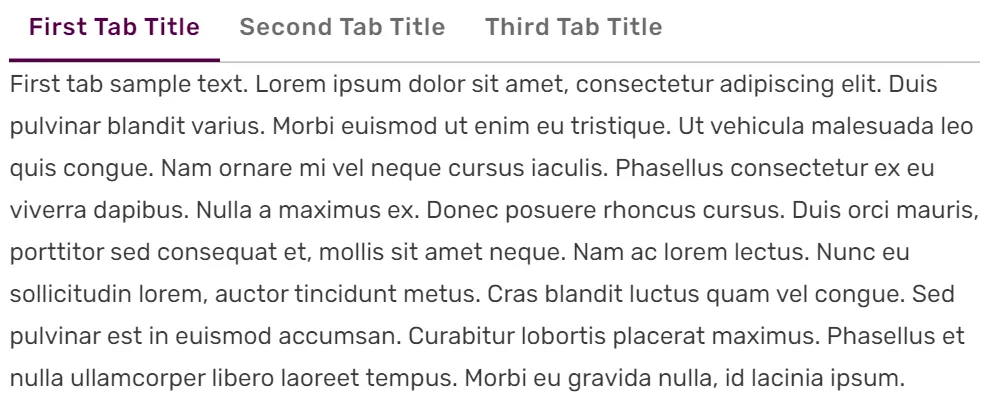
Community Central
This extension is enabled by default on Fandom. Tabber allows you to add multiple tabs to a section of content, which can be toggled without having to reload the page. Note that Tabbers do not...
pine leaf
is it time to copy some paste?
valid osprey
tabbers example here
https://trailmakers.wiki.gg/wiki/Achievements
Trailmakers Wiki
There are currently 22 Achievements in Trailmakers. 2 in Danger Zone, 3 in Race Island, 6 in Treasure Island, 3 in Rally Mode, 4 in Stranded in Space & 4 that aren't map dependent. Here you'll find a list of what they are and how to get them. For ease of use, they are grouped together if they depend...
halcyon mesa
there are also tabbers on the blocks wiki page, which with the new builder it could have an update on how theyre organized
pine leaf
as i was saying ^\
halcyon mesa
okay nvm it already got updated
i think the expand should be a custom button cuz its so small
 pine leaf
i got the tabber to work i think
halcyon mesa
kinda hard to click on
pine leaf
should i just label it "Level 1" "Level 2" and "Level 3" or what
what are they officially called
halcyon mesa
what is this black magic
 pine leaf
just some random thing, i accidentally put D replacing M in mining drone and got
Dining drone
pine leaf
i mean
 valid osprey
pine leaf
i mean
valid osprey
pine leaf
i mean
epic
pine leaf
where can i find a level 2 hovertank that isn't chilling underwater
or is this good enough, i cornered a hovertank

nevermind i got a better angle
halcyon mesa
halcyon mesa
also is there a way to make the content box be collapsed by default?
its very much in the way when you have almost 50 headers
pine leaf
the contrast kill sme

does a level 2 artillery pod even exist 😅
it's so damn unfortunate that the level 3 enemies only spawn in the swampy or withered areas where it's dark asf
just now i realize the level 2 pods are the one with shields for some reason
this means that the flak pods are actually level 3
augh
 valid osprey
halcyon mesa
valid osprey
halcyon mesa
I would probably just split them into "major" sections instead. So One for 1.9, one for 1.8, etc. And the rest are just bolded sections. Then you wont have such a verbose list AND visibility is adhered
halcyon mesa
i would have to reorder it completely
pine leaf
minor issue
i haven't saved the page and it's now frozen
halcyon mesa
there isnt a way to move the contents or anything right
valid osprey
halcyon mesa
i would have to reorder it completely
I believe you only have to remove the === from the ones you dont want included in the list? 🙂
halcyon mesa
yea but if anything id want them inside their major respective update
valid osprey
Ah fair - I see.
halcyon mesa
they managed to move it down on this wiki, but it doesnt seem to have any special code that does it

i think i now what happened there, still idk if theres any way to change this, unless theres somee setting in the page itself to do so
pine leaf
what
 valid osprey
pine leaf
what
valid osprey
pine leaf
what
those 4k pictures are sometimes too big, has to be less than 10mb afaik
pine leaf
valid osprey
those 4k pictures are sometimes too big, has to be less than 10mb afaik
aaaaaaaaa
compressing time
valid osprey
you can always just convert it to jpeg, think that usually works fine
pine leaf
oh, i already compressed it
halcyon mesa
I'm researching on how I can do custom namespaces, I'll have to learn to do some coding unless I find an already built one
halcyon mesa
halcyon mesa
I haven't found yet any custom namespaces but by the looks of it this is a namespace
So I hope I'm on the right track
There's also something called navigation box (navbox), but idk what exactly they do
The more I think about it the more it seems like a change that would apply to all wiki pages, not only mine
valid osprey
So what is it exactly you wanna do right now?
Ignoring the technical part; what do you want to achieve?
halcyon mesa
So you see the content box, I wanna get rid of it and introduce a custom one that starts in a collapsed state
valid osprey
Why?
halcyon mesa
Cuz my page has almost 50 headers so it takes up a massive space
valid osprey
Why not just have less headlines?
The meaning of Table of Contents is to quickly be able to jump somewhere else. It would defeat its purpose.
halcyon mesa
Having less headlines is an option, I just wanna see if there's other alternatives
valid osprey
Understandable 🙂 Just think any other way, then you will have to fuck with the built in functions. Which means you will just be fighting the systems instead - aka. going non-standard route.
halcyon mesa
The custom namespaces are not exactly built in
So I'll have to check some policies and tos
valid osprey
I guess what I am trying to get at; I think these are much more advanced and complicated solutiions compared to simple wanting something a little shorter. And I am trying to argue maybe there is a much simpler solution that is just reduce the headlines 🙂
halcyon mesa
Yea
valid osprey
Could I make an example for you quickly?
halcyon mesa
Ye
If we're going for less headlines you'll have to delete the template page I was starting to mess with on this rabbit hole
 low helm
Hello peeps
valid osprey
@halcyon mesa will you crucify me with this change? 🙂

Each actual update patch note is then just a paragraph with bigger text!
 halcyon mesa
valid osprey
<@699672560559849472> will you crucify me with this change? 🙂
halcyon mesa
valid osprey
<@699672560559849472> will you crucify me with this change? 🙂
Did you reorder all of the things?
valid osprey
It is already sorted correctly as if you scroll from the bottom and upwards it goes from earliest to latest
halcyon mesa
How does a hotfix look like
valid osprey
 valid osprey
Go in and copy your own as it is a big update 😉
I think it might be nice to back it up as I did make a few creative changes to naming for the sake of consistentcy
valid osprey
halcyon mesa
U can save it, sorry for being stubborn about it earlier
Dont think you were! Sometimes we get good ideas , mine was also shit as it took me way too long lmao
halcyon mesa
It's always possible to undo changes by going into the history
valid osprey
Ah forgot lmao
Boom submitted
I'll go off now though so I might first answer later if you have any questions
halcyon mesa
Okie, goobai
valid osprey
halcyon mesa
Impressive, I like it
Also, this page is impressive!! crazy amount of work must have gone into it.
halcyon mesa
valid osprey
Dont think you were! Sometimes we get good ideas , mine was also shit as it took...
Tbh this wiki page is so long changing something about format usually takes me multiple hours
halcyon mesa
valid osprey
Also, this page is impressive!! crazy amount of work must have gone into it.
Indeed, I was even considering on adding prelaunch updates but I think that's going a bit too far
 tidal atlas
halcyon mesa
what is this black magic
tidal atlas
halcyon mesa
what is this black magic
4h late but yeah, that took soooo long. I just made a bunch of templates to make editing the block sections easier
Still gotta do some stuff but I've been quite busy so I haven't gotten around doing it. Things I still have to do is getting pics and info for the ones that are missing it and filling them out. And remaking some pages like the Logic one or Soundmakers one to be more incorporated to the new layout
valid osprey
halcyon mesa
Tbh this wiki page is so long changing something about format usually takes me m...
get it; you can always ask for help as well, but yeah holy moly haha
This wiki is slowly coming along, makes me so happy people wanna help!
halcyon mesa
ye, once the patch notes are done ill def wanna progress on some other stud
delicate isle
standard car wheel is missing from https://trailmakers.wiki.gg/wiki/Wheels
Trailmakers Wiki
Wheels are blocks in Trailmakers. They are used to make something move better on the ground. Wheels are rounded objects even though they have an square hitbox in build mode. Wheels can be un-powered and roll freely, or you can link an Engine to them to power them. Wheels can function underwater, but...
tidal atlas
delicate isle
standard car wheel is missing from https://trailmakers.wiki.gg/wiki/Wheels
That page is gonna be repurposed as everything is in the Blocks page now. It's in my long list of things to fix but I just haven't had the time
Not that there is any info on the car wheel infobox. Bc again, haven't had the time
halcyon mesa
kinda glad im doing these changes cuz i found a criminal typo (there shouldnt be a 5 there)
 halcyon mesa
i think i improved overall how the patch notes look now, theres something weird about margins so i had to work around it
you cant </div> a <div style="margin-X: Xpx"> if theres a line breaker in the way even tho the line breaker doesnt get rid of the added margin
low helm
I see CSS & HTML, me like
halcyon mesa
💔
 low helm
halcyon mesa
💔
low helm
halcyon mesa
💔
Summer
halcyon mesa
low helm
Summ**e**r
Blame Frans, I didn't do that typo 
valid osprey

Melvin is now a physical object, changes to Advances Pulse Miner, reduced respawn time and much much more!
halcyon mesa
valid osprey
<@699672560559849472>
https://store.steampowered.com/news/app/585420/view/52984...
on it, thanks for notifying btw
 thin plank
Damn, good job on the patch notes page @halcyon mesa
halcyon mesa
thin plank
Damn, good job on the patch notes page <@699672560559849472>
thank u ^^
valid osprey
some hardcore trivia being added lol
 pine leaf
credit brute for naming him melvin or whoever it was
halcyon mesa
valid osprey
some hardcore trivia being added lol
trivia normally goes at the bottom above references right
pine leaf
who said
valid osprey
yeah i know just didnt care too much for it
halcyon mesa
pine leaf
who said
most wikis that includes it
halcyon mesa
valid osprey
some hardcore trivia being added lol
also i dont think a comma infront of 'Melvin' is necessary
valid osprey
feel free to change it! I am generally not good at writing 🙂
halcyon mesa
whats the page?
pine leaf
i think it's the space sector page
valid osprey
Trailmakers Wiki
Chirpos are bird like, alien creatures that first appeared in the Airborne map released with the Airborne DLC.
They reappeared for the second time in the Space Sector map. They are often shown in multiple colors depending on the area they were born in and are sentient enough to form societies.
halcyon mesa
valid osprey
feel free to change it! I am generally not good at writing 🙂
i can tell
pine leaf
oh nvm
will froggits have their own page or will it just be bundled in with the pioneers page?
halcyon mesa
halcyon mesa
~~i can tell~~
 valid osprey
I think it would make sense to move the chirpo section into Airborne page actually.
pine leaf
also maybe including photos of melvin in the 2 other maps would be a decent idea
valid osprey
But I am not strongly opiniated about it
halcyon mesa
but chirpos arent airborne only so
halcyon mesa
valid osprey
But I am not strongly opiniated about it
are you supposed to drive terry to his home or drive 'you' home?
 drifting aspen
pine leaf
credit brute for naming him melvin or whoever it was
drifting aspen
pine leaf
credit brute for naming him melvin or whoever it was
it was me
halcyon mesa
updated the Melvin section with some more lore and fixed some grammar mistakes

 full shale
"Aaccording"
pine leaf
halcyon mesa
updated the Melvin section with some more lore and fixed some grammar mistakes
"very high weight value" isn't it like 1200kg
pine leaf
meh weight
halcyon mesa
i mean its the heaviest moveable asset by far
pine leaf
at least he isn't like 50kg or something
low helm
The people spoke
It was a choice of 50, 75, 100, or 150+ (i.e. 50 being the weight of a container)
pine leaf
i hoped it was 1200 ngl
 quaint nacelle
pine leaf
i hoped it was 1200 ngl
quaint nacelle
pine leaf
i hoped it was 1200 ngl
150kg in the physics engine is 750 in buildmode kg iirc
tidal atlas
quaint nacelle
150kg in the physics engine is 750 in buildmode kg iirc
Yes. I like to call the coding units to avoid confusion
halcyon mesa
Why would there be 2 different measurements btw
quaint nacelle
halcyon mesa
Why would there be 2 different measurements btw
physics engines dont like heavy things and it probably higher in build mode so you builds feel more impressive
halcyon mesa
Oh wow

 low helm

drifting aspen
valid osprey
w h a t
pine leaf
valid osprey
extract some info
halcyon mesa
valid osprey
<:DoggoScream:1220352564684390510>
https://www.reddit.com/r/trailmakers/comment...
i mean to be fair the hovertank is not even centred in the image

it is right above sand which makes it slightly blend in
something ive seen on other wikis was having a gallery section by the bottom below trivia above references, there could be a handful of images for each botnak over there
halcyon mesa
im reworking on this section on pioneers cuz the vocabulary was very poor and repetitive
 halcyon mesa
updated the progression section, removed the gameplay first paragraphs (they belonged to progression anyways), updated the first paragraphs of fuel and repairing
https://trailmakers.wiki.gg/wiki/Pioneers
Trailmakers Wiki
Greetings, Recruit, and welcome to Trailmakers, an elite unit of the galaxy's finest engineers. Armed with the trusty Maker Tool, we venture out to help civilization build a better tomorrow. Your rookie assignment will be out of harm's way, on the other side of the galaxy. You will deliver a shipment...
also centred the text inside these tables cuz they felt very wrong
 halcyon mesa
placed the mechanical subcategorie on the right spot now, also wtf lukkram why did it take like a whole minute to save changes, the preview didnt even work
https://trailmakers.wiki.gg/wiki/Blocks
Trailmakers Wiki
Blocks are the main materials in Trailmakers.
Made from physical building blocks, each block has unique features like shape, weight and functionality. They can be broken off, refitted and used to build something new. Individually the blocks are fairly simple, but combined the possibilities are endless...
tidal atlas
Idk, I guess bc of all the stuff it was trying to load? Since technically speaking all the things are on the same page
 honest forum
tidal atlas
Idk, I guess bc of all the stuff it was trying to load? Since technically speaki...
honest forum
tidal atlas
Idk, I guess bc of all the stuff it was trying to load? Since technically speaki...
What does captain wiki mean
tidal atlas
honest forum
What does captain wiki mean
It's just that I started the wiki thing here in the discord with the devs and did a bunch of groundwork on the wiki.gg
honest forum
tidal atlas
It's just that I started the wiki thing here in the discord with the devs and di...
OoOo sounds interesting and fun.. tedious too id think
tidal atlas
Yeah, extremely tedious
halcyon mesa
hmm
 tidal atlas
Dang it, I'll go fix it
Aight it should be fixed now, it might take a bit for it to show the change though.
 shut pagoda
tidal atlas
Idk, I guess bc of all the stuff it was trying to load? Since technically speaki...
shut pagoda
tidal atlas
Idk, I guess bc of all the stuff it was trying to load? Since technically speaki...
If i add a ton of stuff to the wiki would i become Sargent wiki
delicate isle
pretty sure racing seat thumbnail was taken with the clean block skin, nubs aren't visible

car seat and racing seat are missing weight and aero rating
tidal atlas
I'll get to the wiki next week. I'm in a sort of exam week and can't work on it
tidal atlas
shut pagoda
If i add a ton of stuff to the wiki would i become Sargent wiki
I'm not sure, it would be up to johannes, but it would mean another role to be made and the like. So I wouldn't get my hopes up
halcyon mesa
how does one put tables on a tabber, im currently trying to get 3 tabbers each with a table but first tabber is the only one showing the table
apparently the 2 and 3 tabbers just wont show anything at all
halcyon mesa
wha
okay nvm apparently the preview was just broken
it works perfectly
Cleaned it a little overall but it still needs work
halcyon mesa
@valid osprey i wanted to create columns into the wiki and it says this text has to be added to a special:CSS, which they also say that someone with admin needs to do it so
actually i might be able to do it without this
halcyon mesa
took a lot of trial and error but i think this can work

better

I wanted this specifically to work on phone...

I'm not gonna bother tbh cuz the templates aren't mine
lofty pendant
That seems like a good candidate for a table
halcyon mesa
Is it possible to make tables without borders?
lofty pendant
Not sure, would have to look into it
tidal atlas
halcyon mesa
Is it possible to make tables without borders?
Yeah, the on the original blocks page, the buttons to switch between the category pages were in an "invisible" table
halcyon mesa
tidal atlas
Yeah, the on the original blocks page, the buttons to switch between the categor...
I didn't see any tables on that one, just templates
tidal atlas
halcyon mesa
I didn't see any tables on that one, just templates
It was in a template. I think it was BIcons and AIcons. Let me go check
https://trailmakers.wiki.gg/wiki/Template:BIcon here is one. Although looking through my phone I don't know what I did to make it invisible. I forgor.
Trailmakers Wiki
Usage:
Copy and paste the following snippet to add the Quick Link Box above.
{{BIcon}}
halcyon mesa
tidal atlas
https://trailmakers.wiki.gg/wiki/Template:BIcon here is one. Although looking th...
It looks like you didn't include class="wikitable" to the table
So it could be that
tidal atlas
True
halcyon mesa
Or
U used the {{flexstart}} {{flexed}} templates
But idk if that would work for multiple lines of text
I'm not sure cuz it talks a lot about collapsibles
lofty pendant
Flex is for a different thing
halcyon mesa
Would removing the class="wikitable" make it work? Or just make it an infobox
lofty pendant
You can try
halcyon mesa
ill do soon
halcyon mesa
it was about the class="wikitable"

but when you type it out raw itll put a default padding of 0
so you have to manually add margins on every line
should i include a website recommendation to know if your components are meeting the requirements or not?
and if so could i include a link to the one i think is most reliable
valid osprey
halcyon mesa
but when you type it out raw itll put a default padding of 0
You can change pr column or row padding, just can't remember how ✨
if you leave it be maybe i can look up later
halcyon mesa
yea like this way of making a table is NOT ideal
|<div style="font-size: 10pt">MIMIMUM:</div>||<div style="font-size: 10pt ; margin-left: 20px">RECOMMENDED:</div>
|-
|<div style="margin-left: 10px">Requires a 64-bit processor and operating system || <div style="margin-left: 30px">Requires a 64-bit processor and operating system
|-
|<div style="margin-left: 10px"><span style="color:darkgray;">OS:</span> Windows 10 64 Bit || <div style="margin-left: 30px"><span style="color:darkgray;">OS:</span> Windows 10 64 Bit
|-
|<div style="margin-left: 10px"><span style="color:darkgray;">Processor:</span> i5-4440 (3.1 GHz quad-core) || <div style="margin-left: 30px"><span style="color:darkgray;">Processor:</span> i7-7700K
|-
|<div style="margin-left: 10px"><span style="color:darkgray;">Memory:</span> 8 GB RAM || <div style="margin-left: 30px"><span style="color:darkgray;">Memory:</span> 16 GB RAM
|-
|<div style="margin-left: 10px"><span style="color:darkgray;">Graphics:</span> GTX 660 || <div style="margin-left: 30px"><span style="color:darkgray;">Graphics:</span> GTX 1080
|-
|<div style="margin-left: 10px"><span style="color:darkgray;">DirectX:</span> Version 11 || <div style="margin-left: 30px"><span style="color:darkgray;">Network:</span> Broadband Internet connection
|-
|<div style="margin-left: 10px"><span style="color:darkgray;">Network:</span> Broadband Internet connection || <div style="margin-left: 30px"><span style="color:darkgray;">Storage: 10 GB available space
|-
|<div style="margin-left: 10px"><span style="color:darkgray;">Storage:</span> 8 GB available space || <div style="margin-left: 30px">
|-
|}```people dont like using tables this way TwT
 halcyon mesa
@stone wyvern do you know what the Quality setting is set as default when first opening the game, im doubting between middle road or a system that bases it off of your computer specs
low helm
Wut
low helm
halcyon mesa
<@834346999800528916> do you know what the Quality setting is set as default whe...
Did you mean to ping that person
halcyon mesa
halcyon mesa
<@834346999800528916> do you know what the Quality setting is set as default whe...
@valid osprey
valid osprey
I dont; I would assume Middle road. I am quite confident we don't have any system to auto adjust
halcyon mesa
valid osprey
I dont; I would assume Middle road. I am quite confident we don't have any syste...
i just found someone that got the game yesterday on steam, they didnt have middle road, rather pretty and slow and they have a high end pc so there has to be a system that auto adjusts
halcyon mesa
still a WIP but im quite happy how its looking
https://trailmakers.wiki.gg/wiki/Graphics
Trailmakers Wiki
[Work In Progress]
If you're on the Steam version of the game, in the Settings tab you will find the Graphics Settings, where you can customise the graphics to your preference. They will change the way you see Trailmakers, usually also having an effect on the performance. It is suggested to have your...
shut pagoda
halcyon mesa
still a WIP but im quite happy how its looking
https://trailmakers.wiki.gg/wiki...
Btw this may be something to consider that on mobile the image doesn't fit properly unless you zoom out (i still need to fix it on the decal stuff i added its just smth to consider)
 halcyon mesa
shut pagoda
Btw this may be something to consider that on mobile the image doesn't fit prope...
halcyon mesa
shut pagoda
Btw this may be something to consider that on mobile the image doesn't fit prope...
Im aware and tried fixing it but uh yea it's not very possible
Making that image smaller on pc makes it unreadable
halcyon mesa
shut pagoda
Btw this may be something to consider that on mobile the image doesn't fit prope...
If U wanna help on that page U can include the prompt that appears when holding above each setting on advanced graphics
shut pagoda
Im not going to have access to my pc until Thursday so it eill be a while untill i can make edits because editing the wiki on mobile sounds like torture
shut pagoda
halcyon mesa
Im aware and tried fixing it but uh yea it's not very possible
It may not be a great fix but its a fix split each collum into a section and stack them vertically
halcyon mesa
shut pagoda
It may not be a great fix but its a fix split each collum into a section and sta...
It could be possible if I split the image into 3 that is true
But it would be a bit weird on certain screen ratios and it would take up a massive space too
shut pagoda
True
Which is why i said its not a great fix
Could you split it into 3 and then have a thing that opens each section up
So you have a general, camera, and world button
halcyon mesa
shut pagoda
Could you split it into 3 and then have a thing that opens each section up
I might make a collapsed image or just remove it as a whole
Could also try to find a way for the image to adapt in size depending on the screen res
I think the latter option is not possible but who knows
shut pagoda
halcyon mesa
I might make a collapsed image or just remove it as a whole
Could also try to fi...
I think having the image is good so getting rid of it may not be great
halcyon mesa
shut pagoda
I think having the image is good so getting rid of it may not be great
Problem is like lets say the screen ratio forces there to be 2 columns on row one and one column on row 2, which would look kinda weird
shut pagoda
True
halcyon mesa
Maybe if I make a double collapsible that collapses a small image and expands a collapsed big image on the same click
To simulate a expand image function, which isn't normally possible on the wiki
shut pagoda
I haven't tried to mess with buttons yet on the wiki so i cant offer advice on that
lofty pendant
halcyon mesa
I think the latter option is not possible but who knows
It should be, it's how it's done everywhere
halcyon mesa
lofty pendant
It should be, it's how it's done everywhere
I thought it's fixed to the resolution of the image, I did put a res of like 450px cuz it was very small, would that be the issue?
lofty pendant
I would have to check the syntax of the default template, but at least from the css side it should be possible to set max-width: 90vw
halcyon mesa
Issue with max-width would be that it'd be also set on desktop mode making it too small, if i didn't set a fixed width would the size of the image adapt to the resolution of the device?
Cuz if that's the case I'd probably be able to upscale the file and not have to put a fixed width value
Hoping that doing so wouldn't increase the storage the image takes since it should just be duplicate pixels
lofty pendant
In css you can wrap it in a media query that only enables it for thin resolutions (phone). Also, 90vw means 90% of the width of the screen
low helm
I do!
halcyon mesa
fps warning is awful :p

i cant get rid of it no matter what i do, and no i cant take a f8 screenshot cuz i need this res
low helm
halcyon mesa
fps warning is awful :p
 pine leaf
watermark
 halcyon mesa
low helm
Watermark gone
halcyon mesa
low helm
Watermark gone
Wha-
delicate isle
halcyon mesa
fps warning is awful :p
whats this for?
halcyon mesa
The graphics wiki page
delicate isle
ah
valid osprey
New page for filmmaking, there is some more stuff to come from me but I just needed the basis up
Trailmakers Wiki
Trailmakers has a growing community of Filmmakers making various productions such as original storytelling, videos based on real-life events, fictional companies and more.
This page shows some of the tricks and tools filmmakers can use to help them make high production videos and content.
On any of the...
delicate isle
valid osprey
New page for filmmaking, there is some more stuff to come from me but I just nee...
I found that depth of field and player following having the same binds (x is used by both) is really annoying
delicate isle
I forgot which exactly (I think it was focus distance) but dof settings could use more precision too
delicate isle
valid osprey
New page for filmmaking, there is some more stuff to come from me but I just nee...
updated:
- Bye bye "Reply gifs"
- added Ctrl+U / Hide user interface section
- Has is now Have
 delicate isle
I forgot which exactly (I think it was focus distance) but dof settings could us...
delicate isle
delicate isle
I forgot which exactly (I think it was focus distance) but dof settings could us...
movement speed as well. also it seems follow player strength is a scroll wheel bind but overlapping with movement speed scrolling
I was thinking of doing slow cinematic camera movements but I found that 1.0 movement speed is still too fast. another thing, I find the smoothing on camera movements and rotation very annoying especially with high movement speed
valid osprey
delicate isle
I was thinking of doing slow cinematic camera movements but I found that 1.0 mov...
Sounds like a suitable discussion for not here :p
delicate isle
valid osprey
Sounds like a suitable discussion for not here :p
yeah, saw filmmaking and cinematic camera and remembered all my hatred for it
valid osprey
delicate isle
updated:
- Bye bye "Reply gifs"
- added Ctrl+U / Hide user interface section
- H...
I joked about in a private channel that the burden of you helping me is immense. But, just wanna reach out and say I highly appreciate your help 🙂
I am ass at writing; but I have the motivation.
delicate isle
valid osprey
I joked about in a private channel that the burden of you helping me is immense....
haha cheers
 mental venture
delicate isle
updated:
- Bye bye "Reply gifs"
- added Ctrl+U / Hide user interface section
- H...
mental venture
delicate isle
updated:
- Bye bye "Reply gifs"
- added Ctrl+U / Hide user interface section
- H...
dang maybe i should just read through the entire thing and look for mistakes
halcyon mesa
delicate isle
updated:
- Bye bye "Reply gifs"
- added Ctrl+U / Hide user interface section
- H...
personally for Replay Gifs i would type it like this
The hotkey F6 saves a replay of the last 8-10 seconds in a GIF format, which can be located at <i>C:\Users%UserName%\Documents\TrailMakers\Replay Gifs</i>.
Note that when saving a Gif you will not be able to use F6 until it has finished doing so, replays are not being recorded while one is being saved, this means that if you save a replay right after the previous was saved it will only record from the moment the last one finished saving.
i should jus add it myself tbh
halcyon mesa
is this too much?

also i would suggest to change the name of the wiki page from Flimmaking to FilmMakers
valid osprey
halcyon mesa
personally for Replay Gifs i would type it like this
The hotkey F6 saves a repl...
%USERPROFILE% Automatically resolves on Windows, hence why I wrote it like that
But yes, I think it looks good the rest
halcyon mesa
valid osprey
%USERPROFILE% Automatically resolves on Windows, hence why I wrote it like that
...
i updated the wiki u should check it
also yea ill change it to that
low helm
delicate isle
updated:
- Bye bye "Reply gifs"
- added Ctrl+U / Hide user interface section
- H...
technically consoles can also take 4k screenshots. At least new gen can.
pine leaf
did the loot table for the metal scrap get changed? i'm getting more pulse crystals and seemingly no mechanical parts (or i'm very unlucky, will update if i find one)
 halcyon mesa
low helm
*technically* consoles can also take 4k screenshots. At least new gen can.
halcyon mesa
low helm
*technically* consoles can also take 4k screenshots. At least new gen can.
but is it an in-game tool
low helm
halcyon mesa
but is it an in-game tool
I mean not really?
You can still take 4k screenshots tho
halcyon mesa
yea, but honestly i dont think for making films screenshots are really all that useful
low helm
You can record the last few minutes of gameplay too
delicate isle
should the 4 missing topics in modding be ported from atlassian docs?
 lofty pendant
Yeah
delicate isle
will work on some rn
nvm i don't have permission to create pages
nvm pt2 im not signed in
delicate isle
audio should be live- audio event list is also up to date
https://trailmakers.wiki.gg/wiki/Modding:Audio
Trailmakers Wiki
Sounds will be spawned in the game world, meaning that all players will also hear the sound.
There is currently no option to play a sound for a single client, or non-diegetic (Ex. UI sound).
The sounds are emitted to Wwise, meaning some of the sounds have dynamic components making them sound different...
delicate isle
all missing topics in modding are ported from atlassian docs- some with more potentially incorrect formatting than others
my favorite has to be ModStructure
 low helm
@valid osprey heya Frans.
About this interactive map... how do i begin? Im assuming i should make a new page for the map
Or i could stick it on the actual stranded page
tidal atlas
I'd say experiment with it in the testing ground and when it's working the maps pages could possibly be updated to be a single page with tabbs for each map. With the ones that need an interactive map having one and the ones that don't could just have the static image that the current pages have
low helm
tidal atlas
I'd say experiment with it in the testing ground and when it's working the maps ...
getting somewhere
 low helm
Need to add these

 low helm
@tidal atlas is this alright? Redid the entire map page.
Trailmakers Wiki
This content is a stub. You can help by expanding it.
Trailmakers has several maps you can play on in both single- and multiplayer. Each map can have multiple game-modes to choose from being Campaign, Sandbox, Peaceful Sandbox, Dethrone Racing
the campaign maps will all be interactive maps. i feel like thats the best way to go about that
so there will be standard images for sandbox, and interactive maps for campaign
lofty pendant
looks good
low helm
Ty!
lofty pendant
not sure if it's a me issue, but ctrl+scroll doesn't zoom despite having a message saying it does (it just scrolls the entire page)
low helm
Zooms for me
tidal atlas
low helm
<@547215028181401601> is this alright? Redid the entire map page.
https://trail...
hell yeah! It's all working for me
low helm
i added all the salvage drones.
 tidal atlas
one thing that could be done to organize it a bit more is to have tabs in tabs, so it doesn't display a campaign map, a sandbox map and an others map at the same time
low helm
tidal atlas
one thing that could be done to organize it a bit more is to have tabs in tabs, ...
idk how to do that so i might leave that to you if thats ok?
or is it literally just adding another tabber inside a tabber
tidal atlas
ye, that's ok. But just so you know, it is literally just adding a tabber inside the parent tabber
low helm
ye I understand what u mean now. i can do that rn
also, how much salvage scrap is there? imma have to write out each one and put its lat/lon
(and the gold. i thought i might as well do gold too.)
wait how do i add a tabber inside another one?
tidal atlas
where you would put the text or stuff inside a tab, place a tabber instead
lofty pendant
probably
<tabber>
|-| name=
<tabber>
|-| nested
</tabber>
</tabber>
not sure, haven't done stranded in a long time
low helm
tried that but its writing it as content rather than making a tabber
tidal atlas
strange
make sure you wrote the tabber correctly, I tend to write it wrong sometimes. might as well check
 lofty pendant
low helm
also, how much salvage scrap is there? imma have to write out each one and put i...
lofty pendant
low helm
also, how much salvage scrap is there? imma have to write out each one and put i...
iirc ~160
tidal atlas
ye I looked and saw that. Weird though, I remember doing it just as is
low helm
tidal atlas
ye I looked and saw that. Weird though, I remember doing it just as is
okay i've nested the tabs
low helm
the lava area is done.
 delicate isle
@low helm they are called Recovery Drones

and also Salvage
and also the gold are called Gold Pickups
in order:
- Recovery Drone
- Salvage
- ✅ Power Core
- Gold Pickup
 delicate isle
low helm
Done
delicate isle
low helm
Done
im still blind btw
 low helm
delicate isle
im still blind btw
low helm
delicate isle
im still blind btw
Yes. I don't think i can change the colours. I think thats a thing only admins can change in the Vector file
lofty pendant
fixed, now pray it hasn't broken anything
could probably make the theme integrate better with the rest of the wiki's theme instead of always being black text on white background, might attempt that tomorrow
valid osprey
low helm
[Trailmakers - Stranded Interactive Map (WIP)](<https://trailmakers.wiki.gg/wiki...
this be cray cray
halcyon mesa
low helm
wait how do i add a tabber inside another one?
wait u need to do something special, lemme look it up
|-|Tabber One=
{{#tag:tabber|1=
Content 1

{{!}}-{{!}}2=
Content 2

{{!}}-{{!}}3=
Et cetera.

}}
|-|Tabber Two=
{{#tag:tabber|4=
Content 4

{{!}}-{{!}}5=
Content 5

{{!}}-{{!}}6=
Et cetera.

}}
</tabber>```Yeah i already did it
lofty pendant
lofty pendant
could probably make the theme integrate better with the rest of the wiki's theme...
got this (mostly) working
 low helm
Lovely
delicate isle
lofty pendant
got this (mostly) working
eurostile font would be a nice to have, makes it feel more trailmakers like
pine leaf
random thing but i fixed the https://trailmakers.wiki.gg/wiki/Dethrone_Island page like 2 days ago because when i made it the first time, i didn't actually know how dethrone worked so the description was completely wrong
not sure about the new format tho
delicate isle
pine leaf
random thing but i fixed the https://trailmakers.wiki.gg/wiki/Dethrone_Island pa...
i didn't actually know how dethrone worked
CRAZY WORK
It takes a player 1:30 (one minute and thirty seconds) of crown holding time to win the round
1:40 to win.
While holding the crown, players are unable to leave the seat, repair / redirect, and enter the builder.
realign*
pine leaf
alright
done
to be fair, i don't even know how to start a game of dethrone so...
btw did you read the original dethrone page lol

 pine leaf
btw, the line on the original version read "as the name suggests, you play King of the Hill on this capture point" talking about the center circle 😭
not sure how i correlated dethrone to king of the hill
delicate isle
pine leaf
not sure how i correlated dethrone to king of the hill
its literally called king of the hill via the audioids
 pine leaf
oh
delicate isle
and the crown prefab too
 low helm
pine leaf
random thing but i fixed the https://trailmakers.wiki.gg/wiki/Dethrone_Island pa...
low helm
pine leaf
random thing but i fixed the https://trailmakers.wiki.gg/wiki/Dethrone_Island pa...
I think the goal is to have all of the maps on the "Maps" page. I did a whole redesign of it to allow for it. I think it would be better than to have each page separate
Though for now its good 👍🏻
pine leaf
low helm
I think the goal is to have all of the maps on the "Maps" page. I did a whole re...
neat
low helm
delicate isle
its literally called king of the hill via the audioids
I was debating whether to call it King of the Hill or Dethrone on the maps page lol
Kept it to Dethrone bc thats the map name
lofty pendant
king of the hill is only the internal name, so there is no good reason to use it. Same reason why dragon engines are called dragon engines instead of ninja engines
valid osprey
lofty pendant
king of the hill is only the internal name, so there is no good reason to use it...
This 🙂
pine leaf
lofty pendant
king of the hill is only the internal name, so there is no good reason to use it...
that's the internal name for dragon jets? the hell?
that's one interesting piece of trivia you can put in the dragon jet section ig
tidal atlas
pine leaf
that's one interesting piece of trivia you can put in the dragon jet section ig
In case you are interested the bulldawg is called basic engine
tidal atlas
pine leaf
that's one interesting piece of trivia you can put in the dragon jet section ig
Here's a pic with some internal names. most of them are pretty similar but there are some funny ones
 halcyon mesa
reeferseat?
delicate isle
tidal atlas
In case you are interested the bulldawg is called basic engine
olschool is raw engine too
crazy writing ngl

i think dethrone (gamemode) should be its own section ngl
halcyon mesa
delicate isle
i think dethrone (gamemode) should be its own section ngl
Or just make a section for gamemodes
delicate isle
halcyon mesa
Or just make a section for gamemodes
eh, theres really only sandbox, Dethrone, racing, campaign
and only Dethrone can really be explained in detail
halcyon mesa
delicate isle
eh, theres really only sandbox, Dethrone, racing, campaign
and only Dethrone can...
And peaceful campaign
low helm
I think we're gunna get rid of all the map pages and keep it to one single page with everything on it
I just haven't moved all the info across bc imma leave that to Lukkram or Alva
pretty cool feature with the map tbh. (i need to add more)
 delicate isle
low helm
pretty cool feature with the map tbh. (i need to add more)
delicate isle
low helm
pretty cool feature with the map tbh. (i need to add more)
peak cheating
low helm
real
there is a warning on the page so
is it worth making interactive maps for the other 2 campaigns
delicate isle
low helm
is it worth making interactive maps for the other 2 campaigns
i mean you might as well, would be weird to only have it for stranded
low helm
like locations of gold or npc side quests
not really much i can do for the airborne one
delicate isle
low helm
like locations of gold or npc side quests
location names (e.g. Skylands), POIs (chirpo town things, etc...)
delicate isle
actually can you add the location names to stranded too, i like them and it helps give a sense of "yeah im over at brownwood" instead of "im over somewhere here there maybe"
low helm
delicate isle
actually can you add the location names to stranded too, i like them and it help...
i'll see. i could probably give the Recovery Drones names for the locations
(if i cant add text that is)
delicate isle
low helm
(if i cant add text that is)
well cant you just do what you did for recovery drones or make it a picture if you cant just add text (this isnt ideal for translation)
delicate isle
low helm
what would the pictures be though
pictures that are just text (e.g. instead of the salvage icon its text that says "Brownwood")
low helm
delicate isle
pictures that are just text (e.g. instead of the salvage icon its text that says...
i mean, pins work
 delicate isle
low helm
i mean, pins work
delicate isle
low helm
i mean, pins work
i suppose
low helm
could you ss the locations?
delicate isle
low helm
could you ss the locations?
sigh fine
starter island

top right grass area

mud area

island belt

volcano island
 delicate isle
halcyon mesa
reeferseat?
delicate isle
halcyon mesa
reeferseat?
VIP seat
low helm
delicate isle
volcano island
tada
 delicate isle
low helm
tada
delicate isle
low helm
tada
ehhh but its the best you can do i imagine
low helm
i mean it doesnt look that bad tbf.
delicate isle
looks out of place
low helm
i can shrink them if thats any better
and change the colour
gimme a good HEX value for the colour
delicate isle
low helm
gimme a good HEX value for the colour
honestly i dont really think its color thats the issue but ill get the text color for the place names
do yellow fill with black outline maybe
delicate isle
#ffcd2a
low helm

a lot better

i think anyway
okay so with the search feature you can actually search for POIs.
say you told me where the tubes are, on Pine Island. i can search Pine Island and it takes me there
pretty neat
delicate isle
low helm
a lot better
lowk can you make the yellow a bit brighter, it blends in with the recovery drones
low helm
aight
delicate isle
maybe #ffde73
low helm
hows this
 delicate isle
d9bd62?
yellow is a bit too neon now lol
also i feel like thats missing 2/3rds of the salvage
and wheres da sky islandss
low helm
delicate isle
also i feel like thats missing 2/3rds of the salvage
yes, i know.
low helm
delicate isle
and wheres da sky islandss
don't think they're actually on the map
delicate isle
low helm
don't think they're actually on the map
not on the ingame one
low helm
i feel like this is good
 delicate isle
low helm
i feel like this is good
delicate isle
low helm
i feel like this is good
sure
but i feel like something is missing-
dethrone ingame tutorial

crown holder is called kings, and you "claim" the crown
low helm
uh huh
delicate isle
low helm
uh huh
saving that for later btw
low helm
what
delicate isle
im editing the dethrone island page with better details
low helm
ah
delicate isle
low helm
ah
i finished editing the dethrone page
pine leaf
delicate isle
crazy writing ngl
i have no clue how to introduce it, it was gonna be something about minigame but i decided not
delicate isle
pine leaf
i have no clue how to introduce it, it was gonna be something about minigame but...
dont worry i mostly fixed it
 pine leaf
thanks
upbeat marsh
low helm
tada
if you could help me understand how to make interactive maps too i already have everything ready for danger zone at the least and icos and markers png's all ready too
valid osprey
You all doing such fucking cool job. I really love to see you all working together
Have a double 2x XP on your Wiki Contributor roles
upbeat marsh
double xp on what?
low helm
valid osprey
You all doing such fucking cool job. I really love to see you all working togeth...
This is what a community should be 🙏
low helm
upbeat marsh
if you could help me understand how to make interactive maps too i already have ...
You can take a peak at the interactive map code for stranded if u want.
All interactive maps are made in a "Map:" page
upbeat marsh
yeah no im not that into coding yet imma need you to break it down 
lofty pendant
It's essentially a json config, you don't actually need to code anything
upbeat marsh
jesus i did javascript in school i already forgot everything
lofty pendant
You can copy/paste the stranded map json and modify the data, it's fairly self explanatory
upbeat marsh
Yesyes, will try and f around with it a bit when i get home
upbeat marsh
so uuuhhh i wanna start working on the danger zone map and found this lukkram's message #1225368357398642750 message about being able to experiment in "the testing ground", where is said page?
nevermind i found it im just blind
tidal atlas
Xd
upbeat marsh
upbeat marsh
Yesyes, will try and f around with it a bit when i get home
FINALLY finished the danger zone interactive map, let me know what you think and if i have to adjust anything
think it came out quite wonderfully considering i havent ever touched javascript before
delicate isle
upbeat marsh
https://trailmakers.wiki.gg/wiki/Map:DangerZone
fire
upbeat marsh

lofty pendant
waypoint => spawnpoint would probably make more sense
low helm
I should really finish the stranded map
delicate isle
low helm
I should really finish the stranded map
hey I noticed only 1/3rd of the salvage on the map /j
upbeat marsh
waypoint mishap fixed, am i greenlit to link it to the map page?
 lofty pendant
Yeah
delicate isle
should glyphs in the modding api (<sprite index=*N*>) be in their own page, or under PlayerUI?
or perhaps should they be under a greater rich-text-tags page?
lofty pendant
i would say make a rich-text-tags subsection in PlayerUI
valid osprey
TerrorSoul made a new page the other day with names
https://trailmakers.wiki.gg/wiki/Modding:Sprite_Icons
Could make something similiar to Spawnables with pictures for each - as in an extra column :p
https://trailmakers.wiki.gg/wiki/Modding:Spawnables
delicate isle
high seas is just completely missing from https://trailmakers.wiki.gg/wiki/Maps ?
Trailmakers Wiki
This content is a stub. You can help by expanding it.
Trailmakers has a wide variety of different maps to play and explore, and they also come with Campaign or Sandbox modes. Maps like Dethrone, Race Island, or Rally only have one game mode.
WARNING! This page contains spoilers that may affect your playthrough...
i see that https://trailmakers.wiki.gg/images/1/10/High_seas_no_waypoints.png?718d56=&format=original has the wind lines, but nowadays those are missing?


theres also no salvage or checkpoints? how do you do that
upbeat marsh
Ill see about making it interactive like stranded or danger zone but its a fucking chore so i might take a long time
low helm
Uh huh
upbeat marsh
What
low helm
upbeat marsh
What
I was agreeing
I still need to finish the Stranded map
But i cant be bothered to sit and write out all locations for scrap
low helm
upbeat marsh
i did it for just waypoints and pois i cant imagine doing it for scrap
I stopped at like 50 scrap and theres like 149

 smoky wind
I did a thing because the old decal image thing i did was ugly
 valid osprey
smoky wind
I did a thing because the old decal image thing i did was ugly
valid osprey
smoky wind
I did a thing because the old decal image thing i did was ugly
Nice!!!
delicate isle
valid osprey
Nice!!!
whats the story behind the java programmer status?
smoky wind
valid osprey
Nice!!!
It took me too long to figure out tabbers
valid osprey
i haven't touched them yet, but from the looks of it they are quite fiddely 🙂
smoky wind
If i make the DLC decal section could i get wiki contributor on this account too
smoky wind
I will actually upload the images later but idk what i will do for that as i dont own all the dlc decals to get photos of them without things looking bad


 shut yew
again?
smoky wind
I have a different account @shut pagoda however cant actually use it for reasons so again
shut yew
smoky wind
I have a different account <@1056919769170858004> however cant actually use it f...
boop
smoky wind
Yay
shut yew
You lost access to your old acc?
 frosty plank
Can I edit the wiki or should I wait till i get permission?
lofty pendant
anybody can edit the wiki
 lone knot
i changed the salvage count (to be correct) and added a sentence about the gold/credit drops around the map. https://trailmakers.wiki.gg/wiki/Stranded the first section of the page
Trailmakers Wiki
Stranded (Previously known as Stranded in space) is the first campaign map featured in Trailmakers, serving as the core of the single-player experience.
The players objective is to collect all the 164 salvages in order to rebuild their spaceship and escape the planet. It also has 100 claimable credit...
 novel orchid
2 seconds later :
so we added lua screenshot request support
also wheres dethrone on the sandbox gamemodes
i dont-

oh its hidden somwhere on the text on multiplayer, thats not exactly easy to spot
we ought to update Multiplayer to show Deathmatch and Dethrone
if only i was any good at wiki editing id sign up to complete all of these
valid osprey
novel orchid
if only i was any good at wiki editing id sign up to complete all of these
not that hard honestly! it has some quirks but you can quickly figure out the system by editing other pages and just see how they do stuff
novel orchid
I mean yea thats what i also tend to do when i adjust websites that dont exactly are pleasing to my eyes but im talking like adding new pages etc, knowing how html js and css is structured itll be difficult to keep track (especially when im still searching for a code editor that doesnt take 5 buissnessdays to update its frame, curse you microsoft studio)
frosty plank
novel orchid
I mean yea thats what i also tend to do when i adjust websites that dont exactly...
you dont use html, js neither css to edit the wiki. it uses wikitext
Wikitext, also known as wiki markup or wikicode, is the markup language used by the MediaWiki software to format pages. (Note the use of lowercase spelling for these terms.)
To learn how to view and edit wikitext, and how to save changes, see Help:Editing. In most cases, markup can be copied and pasted without the need to write new code. A quick...
 slender dove
can someone with the perms delete https://trailmakers.wiki.gg/wiki/Hinge_Glitch_(disambiguation)?redirect=no seeing as there is only one hinge glitch now?
lofty pendant
There are still 2, the thrust one should be kept for historical purposes
slender dove
lofty pendant
There are still 2, the thrust one should be kept for historical purposes
I feel like it would make more sense to list it under "splitter engine", now that the only currently functional "hinge glitch" is the weld phasing. Obviously adding a section to the "hinge glitch" page with a link to the "splitter engine" page.
lofty pendant
again, it makes more sense to keep it as is due to historical reasons. It being fixed doesn't mean its name has changed.
slender dove
lofty pendant
again, it makes more sense to keep it as is due to historical reasons. It being ...
but it does mean from now on, when referencing "hinge glitch", the majority of players will be refering to Hinge/piston Glitch.
lofty pendant
doesn't matter. The name is still the same and there will always be confussion, which is why there is a disambiguation page
 desert cipher
slender dove
I feel like it would make more sense to list it under "splitter engine", now tha...
desert cipher
slender dove
I feel like it would make more sense to list it under "splitter engine", now tha...
#general-trailmakers message hinge glitch/splitter engine is back