#🔧︱dev-tools
1 messages · Page 12 of 1
 terse sparrow
yeah you could do that
 raven lava
Can I make a zip in the dl2 source folder
terse sparrow
wdym
raven lava
Send the mod to that
terse sparrow
my guy
yeah
and then rename it to .pak
because the game won't read .rar or .zip
raven lava
Making sure, I don’t want to reinstall this mod again it takes like 2 hours
terse sparrow
 raven lava
Just making 120% sure, I send it to this zip, it’s empty
 terse sparrow
wtf
okay I try to be more clear
where are the .scr files which you have changed
first
raven lava
In the right tab
raven lava
terse sparrow
no, show me the .scr files you have changed
Player variables
 terse sparrow
okay , make a copy of that .scr file outside of the rar
doesn't matter where, it should be in a plain folder
raven lava
Right click<send to< compressed(zipped) folder?
terse sparrow
yep
raven lava
Ok, then add that in source?
 terse sparrow
no
first you have to enable so that you can change file extension names
which you can do
fuck my windows is in hungarian
so

then on show
and it will show, file extension
enable it
le hybrid system
 terse sparrow
new change the name to data4.pak
it should be data4.pak nothing else
show a ss when done
 raven lava
Ty again I know that was pure aids for you
terse sparrow
there is always a lurning curve
but the modding wiki will come and less problem for us
terse sparrow
welp this is how you add stuff mostly
raven lava
You’re the messiah
raven lava
I’m showing you the funny run
terse sparrow
that way the game can update and not fuck over your mod
raven lava

Tired of broken mods every time your favorite game updates? Well, did you know that you can actually block Steam auto updates for any game, ensuring your mods stay intact with every new update? Meaning no more broken mods for Skyrim, Fallout 4, Cyberpunk 2077, or any other game!
SUPPORT THE CHANNEL
Become a Member: https://www.youtube.com/Apo...
I did this
terse sparrow
I mean
you could just rename the dl2 folder
to dl2 e3 def mod
and steam won't be able to update it
🗿
terse sparrow
welp gl and hf with modding
raven lava
Ty again it’s almost flawless
terse sparrow
don't thank me, thank the guys who made the mod
raven lava
The animation is bugged after 8 seconds but that’s not fixable issue that’s since it’s old
raven lava
It was from the 2019 gameplay demo yeah, corners
 karmic brook
whats the stash called in DL1 devtools
 pallid jacinth
good morning, can someone help me with dl2 dev tools please? i wanna make a char mod,but cant figure out how to even spawn someone
 alpine lynx

mod.io
Learn how to create your own texture mods or custom maps with custom textures
alpine lynx
karmic brook
whats the stash called in DL1 devtools
Change mesh class to DepotContainer
pallid jacinth
alpine lynx
https://mod.io/g/dying-light-2/r/how-to-create-visual-mods
yeah i struggle already with it,where do i find the char meshes and textures? i want to change aidens skin texture for some tattoos and overhaul some of the clothing pieces
alpine lynx
pallid jacinth
yeah i struggle already with it,where do i find the char meshes and textures? i ...
From asset browsers mesh tab, as shown in the video
pallid jacinth
alpine lynx
From asset browsers mesh tab, as shown in the video
where exactly?
alpine lynx
huh, elaborate
pallid jacinth
i dont know where to find aidens mesh
the video covers the how to extract textures, but not where i can find aiden and his textures
i checked characters, i checked player in the prefab browser and i didnt find anything
alpine lynx
In the video I select mesh from asset browsers mesh tab. Do the same, but select different mesh
pallid jacinth
so i can just take any asset? like a trash can and turn that into a aiden mesh? im a bit confused, sorry for being dumb here
alpine lynx
No, you select mesh you want to retexture. Once its been selected you can extract its textures
alpine lynx
Search aiden or player
pallid jacinth
care to join me in voice perhaps? that makes things easier
alpine lynx
Nope
pallid jacinth
alpine lynx
Search aiden or player
in which search bar,exactly?
alpine lynx
Watch the tutorial please. It shows the process step by step 
You replace any mesh texture just like that
doesnt matter is it aiden or cargo container
pallid jacinth
look,i watched the video already this is why im asking
i cant find any search bar i cant find aiden and the video covers almost nothing i need to know
id like to send a screen rn,but my prefab browser is empty
when i look for aiden,there is nothing shown,the same with player.
alpine lynx
Okay this is basic tutorial how to navigate in DL2DT https://m.youtube.com/watch?v=LSz6XRW4gWk&list=PLSjLjgn6LsguLRhmCKNvZLmus8VDm62Y7&index=4&pp=iAQB

In this video, we’ll talk about transform tools and how to add new objects to the map.
Developer Tools on Steam
https://store.steampowered.com/app/2217480/Dying_Light_2_Stay_Human_Developer_Tools/
Developer Tools on EGS
https://store.epicgames.com/en-US/p/dying-light-2-stay-human--developer-tools
Mod.io Dying Light 2 Stay Human maps
https:...
pallid jacinth
ahhh okay,this helped, finally found aiden,or his parts at least.
do you happen to know which parts cover the skin? there is like a tpp and a fpp model
there are multiple meshes that are naked,are all of these useable technically or does it have to be a specific one?
i tried the tattoos v3 mod, and this applied to every outfit,so i want my tats to apply to every outfit as well
right now i found stuff named berserker,does that work?
alpine lynx
pallid jacinth
ahhh okay,this helped, finally found aiden,or his parts at least.<:RisitasLaugh...
Edit fpp for now. That one is visible from players pov
pallid jacinth
alpine lynx
Edit fpp for now. That one is visible from players pov
got it,thank you 🙂
alpine lynx
pallid jacinth
there are multiple meshes that are naked,are all of these useable technically or...
Dunno. You can open their project in Devtools and check what mesh textures they have edited
pallid jacinth
is there a way to include multiple textures? it seems like there is only one arm in the berserker tex which seems to apply to both arms,but i want different tattoos on both arms if that is possible
pallid jacinth
alpine lynx
Dunno. You can open their project in Devtools and check what mesh textures they ...
oh,how?
alpine lynx
Subscribe their project and it will appear on Devtool startup window
In that window wheres list of all projects
Click install -> open
alpine lynx
pallid jacinth
is there a way to include multiple textures? it seems like there is only one arm...
If textures have been mirrored then theres no way to do that
pallid jacinth
alpine lynx
If textures have been mirrored then theres no way to do that
got it
pallid jacinth
alpine lynx
If textures have been mirrored then theres no way to do that
okay apparently the player hands of that mod have a A and a A_B diff,so it might work
 boreal willow
alpine lynx
https://mod.io/g/dying-light-2/r/how-to-create-visual-mods
boreal willow
alpine lynx
https://mod.io/g/dying-light-2/r/how-to-create-visual-mods
Perfect)
pallid jacinth
@alpine lynxmanged to upload it, thank you for your help! 😄
how long does it usually take til a mod gets approved by moderators?
 pallid jacinth
https://mod.io/g/dying-light-2/m/customtattoos?preview=6d62078cdb05d9c6659d53e4ce21b92c if anyone wants to test it so it gets approved faster, here

mod.io
Support mods on PC, console and mobile with mod.io, a platform which makes it easy to grow, manage and integrate UGC in-game, using our API, SDK and plugins for Unity, Unreal Engine and more.
raven lava
Anyone know what these grapple enemy prompts are called in Data0.pak\Gui\Hud_pc ?

 pallid jacinth
https://mod.io/g/dying-light-2/m/caligulasbotique?preview=81f518d0e2923e6f9e6c32eae35d2eb8 new clothing retexture i made if anyone wants a preview
mod.io
Support mods on PC, console and mobile with mod.io, a platform which makes it easy to grow, manage and integrate UGC in-game, using our API, SDK and plugins for Unity, Unreal Engine and more.
 uncut bobcat
hello does anyone have Dying Light 2 on Steam? I need the datapl.pak file
 past canopy
uncut bobcat
hello does anyone have Dying Light 2 on Steam? I need the datapl.pak file
past canopy
uncut bobcat
hello does anyone have Dying Light 2 on Steam? I need the datapl.pak file
Why, do you got the game on epic or steam?
or for free cracked somewhere, we need more information to help you
 potent holly
i have some suggestions for dl the beast
 hazy depot
how does 1 get dev tools on dl2
hazy depot
hazy depot
how does 1 get dev tools on dl2
i have figured it out...
 wanton onyx
Hey does anyone have the doom shotgun that they can give me or something
 surreal egret
anyone have a save editor here thats working? my save got bugged and i dont wanna do everything all over again.
pallid jacinth
wanton onyx
Hey does anyone have the doom shotgun that they can give me or something
you wanna try getting a mesh in? or do you mean dl2´s doom shotgun?
 runic bridge
Are you able to extract assets from DL2 using the dev tools?
I've never really played around with the tools, so I figured it would be worth asking about it here.
 leaden rock
can someone make the dl beats crane outfit?
raven lava
Anyone know what the names for the grapple enemy hud is called? I’m guessing it’s in Datapak0<GUI<Hud_Pc but I can’t find it

 runic bridge
Are you able to extract assets from DL2 using the dev tools?
runic bridge
runic bridge
Are you able to extract assets from DL2 using the dev tools?
Does anyone really know about this, or nah?
past canopy
runic bridge
Are you able to extract assets from DL2 using the dev tools?
No, only textures
runic bridge
past canopy
No, only textures
Thanks.
karmic brook
Guess who got on a official dying light vid
 karmic brook
 stiff kestrel
You made that?
stiff kestrel
You made that?
It was made by bub who is basically the god of devtools
past canopy
You forgot the second "o" in "god"
alpine lynx
karmic brook
Guess who got on a official dying light vid
desert furry lets go 

 past canopy
alpine lynx
shut up C.R.A.P
past canopy
alpine lynx
shut up C.R.A.P

 tender plinth
¿Does someone have an explanation as to why on console you can only have 5 Visual Mods enabled?
 torn trout
So random question, but can the ui be changed?
past canopy
torn trout
So random question, but can the ui be changed?
Yes it can get changed
But only what's available in devtools
terse sparrow
tender plinth
¿Does someone have an explanation as to why on console you can only have 5 Visua...
probably some freaky shit with how they load mods, if you mod the fuck out of the game on pc, the game can get stuck on a loading screen, idk if that happens with multiple texture mods, probably not, but if so that is the problem
past canopy
terse sparrow
probably some freaky shit with how they load mods, if you mod the fuck out of th...
actually why even adding a limitation? if i want 10 weapon skins, i need 10 visual mods
creators wont put 20 skins into a single mod otherwise people must watch out what is already used and what not
literally stupid
terse sparrow

we got png replacements after 3 years idk my man
but I know for a fact the game hogs more ram then ever before
base game is running around 7 gigs of ram
 remote zodiac
That's not even that bad
torn trout
So, theoretically, could someone change the ui and environment to look like e3
 tight reef
 leaden veldt
torn trout
So, theoretically, could someone change the ui and environment to look like e3
leaden veldt
torn trout
So, theoretically, could someone change the ui and environment to look like e3
I'm trying to figure this out too, maybe a kind soul could make a visual mod for consoles that only changes the textures, and the filter, so it looks like in E3
past canopy
leaden veldt
I'm trying to figure this out too, maybe a kind soul could make a visual mod for...
That is not possible since most UI elements are in rpacks which i dont think are supported by the texture override system
leaden veldt
past canopy
That is not possible since most UI elements are in rpacks which i dont think are...
ah yes, I'm not really talking about UI elements, but rather textures like those of buildings, roads, windows, ropes... those things
or maybe I misunderstood what you meant
past canopy
Well, what do you mean?
Player HUD elements?
leaden veldt
past canopy
Well, what do you mean?
Player HUD elements?
no, nothing to do with the interface, I'm talking about the game itself, I was asking if it was possible to have this kind of graphics and textures on console now that the visual mods are available, buildings that are gray, quite yellow vegetation, just like the E3 2019 graphics!
like this
 past canopy
leaden veldt
no, nothing to do with the interface, I'm talking about the game itself, I was a...
past canopy
leaden veldt
no, nothing to do with the interface, I'm talking about the game itself, I was a...
Yes, thats possible
But can take alot of time
leaden veldt
past canopy
But can take alot of time
okay, I wanted to be sure it was possible, hope is important, thank you very much for the answer! good day
 jagged orbit
If I wanted to make a mod that replaces the music in the tower raid mode, is that even possible?
pallid jacinth
past canopy
creators wont put 20 skins into a single mod otherwise people must watch out wha...
actually,i do 😅
but i feel like if people get more of a bigger package in terms of visuals,that leaves more options for customization= happy players 😄
guys,whats ur opinion on my botique mods anyway? any room for improvement? any wishes? 😄
 lone dirge
Mod support for console?
leaden veldt
lone dirge
Mod support for console?
only visual mods for now, and only for next gen consoles from what I've heard
 tepid moss
leaden veldt
only visual mods for now, and only for next gen consoles from what I've heard
tepid moss
leaden veldt
only visual mods for now, and only for next gen consoles from what I've heard
Yep. Only next gen.
 leaden veldt
tepid moss
Yep. Only next gen.
leaden veldt
tepid moss
Yep. Only next gen.
Thanks for the confirmation!
lone dirge
Bruh what the heck
pallid jacinth
https://mod.io/g/dying-light-2/m/caligulasbotiquevolume3?preview=36cdb29da466e64e3567bc85e944a3fe can a mod please check and approve this mod? its not getting accepted since almost 3 days by now
mod.io
Support mods on PC, console and mobile with mod.io, a platform which makes it easy to grow, manage and integrate UGC in-game, using our API, SDK and plugins for Unity, Unreal Engine and more.
 waxen wyvern
past canopy
But can take alot of time
waxen wyvern
past canopy
But can take alot of time
Everyone wanted the old DL2 so... it would be very good for ppl

past canopy
pallid jacinth
https://mod.io/g/dying-light-2/m/caligulasbotiquevolume3?preview=36cdb29da466e64...
Why no preview images and some screenshots, people mostly dont know what you did
Its like i give my teacher back a blank piece of paper and telling him "now its your time to figure it out"
pallid jacinth
past canopy
Why no preview images and some screenshots, people mostly dont know what you did
true,but will dev tool screens do so too?
since i cant do ig screens bc i cant even test it myself
nvm,its online now,will get screens asap 😄
 steel ember
leaden veldt
okay, I wanted to be sure it was possible, hope is important, thank you very muc...
steel ember
leaden veldt
okay, I wanted to be sure it was possible, hope is important, thank you very muc...
Please tell me your a modder
leaden veldt
steel ember
Please tell me your a modder
nope sorry
past canopy
pallid jacinth
nvm,its online now,will get screens asap 😄
Everything that you can edit can get placed into devtools as a mesh
steel ember
leaden veldt
nope sorry
I have no hope
tepid moss
pallid jacinth
https://mod.io/g/dying-light-2/m/caligulasbotiquevolume3?preview=36cdb29da466e64...
3 days? Ahah. My mods are reviewed by week. So you're not that bad.
pallid jacinth
past canopy
Everything that you can edit can get placed into devtools as a mesh
are custom meshes possible perhaps?
there is a gun and a outfit id like to get ingame,but idk if that works
past canopy
@alpine lynx
alpine lynx
Custom meshes in maps are possible but not officially supported
@past canopy #🔧︱dev-tools message
past canopy
pallid jacinth
https://mod.io/g/dying-light-2/m/caligulasbotiquevolume3?preview=36cdb29da466e64...
It's live
steel ember
Anyone doing mods to remodel bandits and renegades?
tepid moss
steel ember
Anyone doing mods to remodel bandits and renegades?
Who knows?) Check on the nexus.
tepid moss
steel ember
If I had Nexus I'd be on e3 Definitive
In any case, you can only install maps and visual mods on the console. Visual mods are just a change of color and pattern. No modification of the model.
steel ember
Idk why they went that route
Hopefully they expand mod tools for consoles. Until then I'm stuck waiting
tepid moss
steel ember
Idk why they went that route
It was the fastest option to promote visual mods. Let's hope that in the future there will be mods that change models and provide more functionality to create your own visual.
For example, I would like to be able to make a night version on any model. But this feature is available only for models that have this feature.
alpine lynx
just contact your local modder
if you see cool mod on Nexus (that is based on texture swap, not .model swap) you can ask author to port it on consoles
its very easy process for them
steel ember
I feel like I'm bothering you guys and that's not it. I'm just trying to enjoy all these mods you boys made
I will take that advice though bub
torn trout
So out of curiosity, if you guys don’t mind, do you know if the ui could be changed to look like e3
past canopy
I tried editing several UI meshes which are for the menu/inventory background and it always failed with misaligned textures or breaking them, so no
steel ember
torn trout
So out of curiosity, if you guys don’t mind, do you know if the ui could be chan...
Don't think it's possible for mod io tho
 echo harness
How to get a key for Dying Light The Beast to test the game and give feedback before it is released and Xbox and Playstation
torn trout
Could the e3 outfit be made to actually look like the e3 outfit
Like with the glove and the mark on the back
And the mask
steel ember
Possibly
 alpine grove
how do i select the items the player can start with?
 elder ravine
is there any way to edit the dying light 2 main map on dev tools?
the main map with no missions just the map
alpine lynx
alpine grove
how do i select the items the player can start with?
You gotta do it in story editor with SetPlayerPreset or GiveItem nodes
check pinned messages for tutorials
elder ravine
alpine lynx
You gotta do it in story editor with SetPlayerPreset or GiveItem nodes
thanks
 turbid hemlock
Am I here right for modding help?
terse sparrow
what you need help with
turbid hemlock
nvm i gave up,
you add one mod, you insta die
you add a mod, you have no gear at the beginning
next one deletes your whole gear from the save file.
reinstalled game, just one mod which adds items to stash.
you di and have no gear....
 glass pewter
Scam^
 hoary topaz
glass pewter
Scam^
hoary topaz
glass pewter
Scam^
Cheers
terse sparrow
turbid hemlock
nvm i gave up,
you add one mod, you insta die
you add a mod, you have no gear at...
outdated mods do be like that
turbid hemlock
terse sparrow
outdated mods do be like that
Somehow there are no up to date mods...
The game is dead
 elfin whale
I don’t mod myself but for any modders who are listening could we get a mod to give base aiden the zombie appearance from the zombie rahim skin and if so could you also port it to consoles please
turbid hemlock
is there a mod where a vendor sells all items?
 hollow oak
is anyone have this player or only me? the 3 map game said for event all of them are broken especially fury the car doesn't exist and my bounty didn't count
 wicked marsh
How do i upload my dying light 1 custom map?
leaden rock
torn trout
Could the e3 outfit be made to actually look like the e3 outfit
making it now
well just uploadint it someone else made it
torn trout
leaden rock
making it now
You uploaded it?
 fathom osprey
Would you guys say modding DL2 is easier than 1? I haven't started googling that question, but AFAIK DL1 was really difficult and there wasn't much that was able to be done. Should I still expect the same for DL2 as I get started on these tools?
 twin falcon
the download depots for dl2 v12.1 (i think) is taking so long
i feel like ts ain’t actually downloading
fathom osprey
Does anyone know how to change the player's stats/skills in your level?
 serene wharf
can someone please add a hair mod to mod.io consoles that gives aiden long/medium length hair it would be cool to be able to customize ur character with different hairstyles
leaden rock
serene wharf
can someone please add a hair mod to mod.io consoles that gives aiden long/mediu...
We only have texture support hair is another mesh it impossible officially for consoles
leaden rock
if anyone wants to make a project together that restores e3 textures dm me
 hollow plume
anyone willing to help me learn dev tools dl1 i know a okay amount the now but dnno how to work dialogue trees n such as i can only follow guides that are available
 unborn flare
Is the Console Modding going to go further than only Visuals?
Like changing code, lighting, animations, models, adding things, etc
and will the max mod limit of 5 change?
all I'm looking for is Yes or No
 lament spindle
unborn flare
<@&496201383524171776> Most likely in every channel too 👆
lament spindle
unborn flare
<@&496201383524171776> Most likely in every channel too 👆
thx
 void agate

unborn flare
leaden rock
New overhaul mod on modio by me


 slow iris

 lapis swallow
Just found out i have the most visual mods downloads out of anyone else's visual mod portfolio. im sitting at 68k unique downloads, 17k ahead of hackerstalker who is in second place. Thank you everyone who is enjoying my mods. I feel so amazed!
i should note that CREX and Bub would beat me but in terms of visual mods downloads, i am highest right now. im in shock lol
past canopy
We can change that real quick
past canopy
lapis swallow
Just found out i have the most visual mods downloads out of anyone else's visual...
Well, nobody ever is going to be run boy run
lapis swallow
I didn't mean to sound competitive, I just wanted to show my appreciation.
past canopy
I was joking too, of course you can be proud of it
 green citrus
lapis swallow
Just found out i have the most visual mods downloads out of anyone else's visual...
green citrus
lapis swallow
Just found out i have the most visual mods downloads out of anyone else's visual...
You dropping
lapis swallow
green citrus
You dropping
What do you mean
leaden rock


 green citrus
lapis swallow
What do you mean
green citrus
lapis swallow
What do you mean
Nvm mind
 hollow schooner
guys, i try opening the dev tools and it loads the game but not the tools
any way to fix this?
lapis swallow
 lapis swallow
hollow schooner
guys, i try opening the dev tools and it loads the game but not the tools
lapis swallow
hollow schooner
guys, i try opening the dev tools and it loads the game but not the tools
If you are on steam, click settings > general > launch options.
Set selected launch option to ask when starting game.
hollow schooner
what do i type?i havent used steam before
 slow portal
Whenever I open up community maps and mods it keeps saying
“The network connection to mod.io services has been lost.”
 white veldt
Is there a way to play the two maps for the challenges on xbox? They don’t seem to be downloading for me
lapis swallow
hollow schooner
what do i type?i havent used steam before
Should be a drop down menu
leaden rock


 lunar current
Tryna open up dev tools and download a community map but won’t download when I double click it or right click it for options
leaden rock
since my devtools dont work if anyone can test stuff for me ill credit you
elder ravine
I'm having trouble with the Fish Hunt ugc quest. I'm subscribed in game, and I have all my mod.io accounts linked. I can FIND it in the dev tools menu, but can't DO anything with it. Anyone else having issues?
slow portal
In general modio is being weird on my end mods and maps only load if I’m signed out
elder ravine
Weird. Yeah. I had to authenticate like three times, but it finally started working. Entirely unclear why.
slow portal
Mane I’m just trying to play with some sick ass mods😭
leaden rock


 elder ravine
leaden rock
since my devtools dont work if anyone can test stuff for me ill credit you
elder ravine
leaden rock
since my devtools dont work if anyone can test stuff for me ill credit you
Did you ever get your thing tested?
leaden rock
elder ravine
Did you ever get your thing tested?
Nope
 crude python
Hello guys, we have troubles playin fish hunt for the UGC fest. Does anybody have a solution?
past canopy
crude python
Hello guys, we have troubles playin fish hunt for the UGC fest. Does anybody hav...
@alpine lynx
alpine lynx
past canopy
<@336123339410112513>

slow portal
Aries let me install mods and maps and my soul is yours
Is there a way to try and fix the connection issues on console because I’m now starting to lose mods that I’ve already had installed
crude python
past canopy
<@336123339410112513>
Thanks for the help, appreciate it
unborn flare
Is the Console Modding going to go further than only Visuals?
Like changing code, lighting, animations, models, adding things, etc.
I see huge potential but if they implement it right
This amount of potential if they do it right...
https://youtu.be/98oJYDRblLI?si=RwnGUv0k7c8T7U3s
or
https://youtu.be/QR4tJDcYCTY?si=XRaEivOX6H6txhUo

See how your choices will decide the fate of a decaying City in the Gameplay World Premiere footage of Dying Light 2.
#YourChoices #YourWorld #DyingLight2 #E3 #XboxE3 #gameplay
Subscribe to our channel for all the latest Dying Light 2 trailers and announcements: http://bit.ly/Dying_Light_Subscribe_YT
Follow us:
Web: https://dyinglightgame.co...
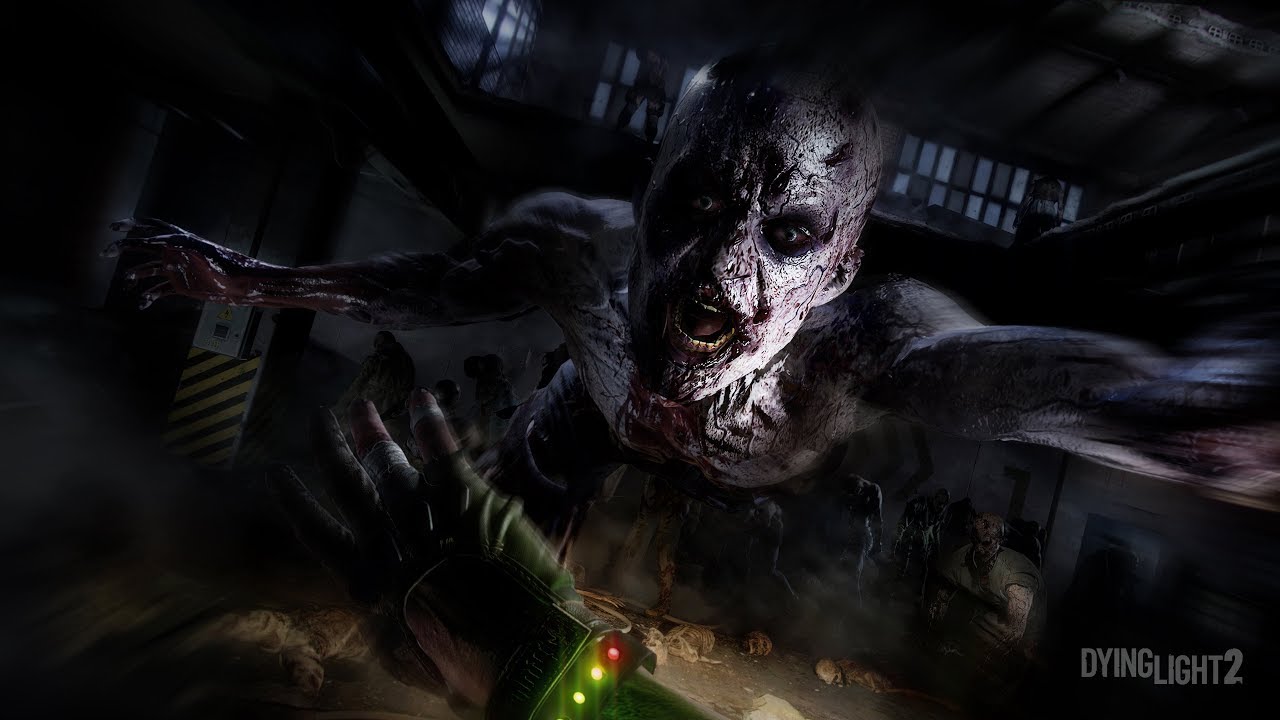
This is the Dying Light 2 gameplay demo that was previously only shown behind closed doors at E3 and Gamescom 2019. https://www.play-asia.com/search/Dying+Light+2?tagid=4148793
past canopy
unborn flare
Is the Console Modding going to go further than only Visuals?
Like changing code...
We got visual texture override after 3 years, i doubt the rest is coming soon
unborn flare
past canopy
We got visual texture override after 3 years, i doubt the rest is coming soon
 lapis swallow
past canopy
We got visual texture override after 3 years, i doubt the rest is coming soon
lapis swallow
past canopy
We got visual texture override after 3 years, i doubt the rest is coming soon
all i want at this point is Normal maps to be exported
instead of having to dig through game files
lapis swallow
past canopy
Hm?
In the Dev Tools, when you export texture files it doesn't export normals maps.
past canopy
lapis swallow
In the Dev Tools, when you export texture files it doesn't export normals maps.
DDS or PNG
lapis swallow
PNG
lapis swallow
PNG is the only one I can use with my art software 😭
past canopy
DDS plugin
FreeConvert
DDS to PNG converter. Best way to convert DDS to PNG online at the highest quality. This tool is free, secure, and works on any web browser.
past canopy
lapis swallow
PNG is the only one I can use with my art software 😭
Write a email to your manufactor making a dds support update
 lapis swallow

 quaint socket
Having issue with setting up simple waypoint with indicator where to go. Any advice on how to setup pojnt_marker to make it happen?
 thorn yew
quaint socket
Having issue with setting up simple waypoint with indicator where to go. Any adv...
thorn yew
quaint socket
Having issue with setting up simple waypoint with indicator where to go. Any adv...
Yeah
It will have to wait till it fixed soon
quaint socket
thorn yew
Yeah
It will have to wait till it fixed soon
There is a global issue with setting up waypoints?
thorn yew
Way point is ok for now
alpine lynx
quaint socket
Having issue with setting up simple waypoint with indicator where to go. Any adv...
You must define distance in the GoTo node
otherwise it wont be completed
point_marker should work
I think I've only used area.prefabs w/ goto
If you just want to marker that disappears exactly when you want it to disappear, you can use ShowIndicator & HideIndicator nodes hooked to point_marker
past canopy
alpine lynx
You must define distance in the GoTo node
Start ->
-in
m_Entity Bub
m_distance 999.0
m_IndicatorType "None"
m_IndicatorObjective "Stay way"
-out
-> End
m_IsFinnishing "True"
slow portal
None of the maps I need for the event are downloading literally only one has been able to download is there a fix to this I’m on console?
alpine lynx
past canopy
Start ->
-in
m_Entity **Bub**
m_distance 999.0
m_IndicatorType "None"
m_Indicat...

lapis swallow
it just works, huh?
 inland halo
does anyone know how to disable moon light in DL1? I've been looking around with agent ransack but cant figure it out
alpine lynx
inland halo
does anyone know how to disable moon light in DL1? I've been looking around with...
weather.scr -> sun_brightness_night_weight and maybe f_pp_moon_opacity
inland halo
alpine lynx
weather.scr -> sun_brightness_night_weight and maybe f_pp_moon_opacity
thanks, i couldn't find sun_brightness_night_weight but i did find vec3 shading_sun_color_night = [0.075, 0.075, 0.075] * weight_night; and changed all the values to [0.0, 0.0, 0.0] and it worked turning off the moon light completely
leaden rock
how can i edit the motion when running in dl1 like the motion sickness to make it more un steady
wicked marsh
How do i fix "FATAL ERROR No chunk object's class name!" i dont want to lose my map pls
thorn yew
Greetings everybody.
I missed dying light 2 e3 2019 skins mod when it's on pc.
Not on consoles now.
 neon spoke
Hello everyone, i have an issue. The enemy's weapon position is way off, i tried different enemies/behaviors and but all the same, is there any solution for this?
I followed these steps: I created humanai and behaviorplace. I copied and pasted their location, then In behaviorplace i chose the behavior then in humanai i chose the difficulty tier, preset and lastly i chose initial set up-behaviorplace that i created.
past canopy
If the weapon starts glitching out of their hand or is visible through walls that means techland didnt cared fixing this issue since launch for the past 3 years
neon spoke
I see, thank you for your answer! Yeaah sad, nothing i can do i guess
wicked marsh
How do i fix "FATAL ERROR No chunk object's class name!"
elder ravine
unborn flare
Is the Console Modding going to go further than only Visuals?
Like changing code...
i doubt it
 unreal olive
Hi all. First of all, is there any official DL2 Dev Tools documentation? I had tried searching for one but did not manage to find any mention of it. Also, is there any way of adding stairs so that the mesh skin can be changed? So far I've only managed to do it by adding a simple mesh, not prefab etc. and still I only have 5 skins available there. When adding from prefabs or presets I can see there are a lot more options available but it doesn't allow me to change it. The droplist itself just as any other fields are greyed out but I can open it if I'm persistent enough and keep clicking on it.
past canopy
unreal olive
Hi all. First of all, is there any official DL2 Dev Tools documentation? I had t...

Dying Light Wiki
"The rollout of official custom map support comes together with a free PC DLC allowing fans to create, download, and share custom maps for the PC version of Dying Light 2 Stay Human."
"The free Map Editor included in the DLC empowers Creators with Techland’s tools, allowing them to upload and share their...
I created the entire wiki and bub rephrased/added/edited most of the stuff
unreal olive
Oh, this one actually did come up but I assumed it was for DL1 only. Thanks, maybe I'll find something of use there.
alpine lynx
unreal olive
Hi all. First of all, is there any official DL2 Dev Tools documentation? I had t...
https://www.youtube.com/watch?v=anMDEMV0-o0&list=PLSjLjgn6LsguLRhmCKNvZLmus8VDm62Y7
https://www.youtube.com/playlist?list=PLSjLjgn6LsgsOk1uRvFcVs0Eykq7373Bo
Also check pinned messages in this channel.
If you use prefabs you gotta right click it in Scene -> Save as & Replace
Now you can open the prefab with right click and edit its contents
often times its easier to just work with meshes
unreal olive
I've seen all of those but didn't know there was a yt playlist for the unofficial ones, thanks. In my original message I meant any official documentation apart from those video tutorials. I was unclear, my bad.
 patent cosmos
Someone knows why i can't find dying light 1 in the ps store ?
wicked marsh
Does anyone know how to fix "FATAL ERROR No chunk objects's class name!" it wont let me continue creating my map
past canopy
wicked marsh
Does anyone know how to fix "FATAL ERROR No chunk objects's class name!" it wont...
What was the last thing you did on your map?
 eager smelt
patent cosmos
Someone knows why i can't find dying light 1 in the ps store ?
eager smelt
patent cosmos
Someone knows why i can't find dying light 1 in the ps store ?
U should be able to everyone else can
patent cosmos
eager smelt
U should be able to everyone else can
But I can't its only showing me dl2 and the beast
 latent stream
My map keeps crashing every time I try to load it in the editor after I clicked on something called load from level source or something. Checking the crash logs the only thing I find is that it failed loading libxess_dx11.dll
 raven flint
Anyone have any idea what's happening to the mod support on PS5? Been down now for a few days and yet to hear anything about it from Techland... unless I have missed something lol
latent stream
raven flint
Anyone have any idea what's happening to the mod support on PS5? Been down now f...
I just downloaded it again on consoles so I thought it just wasn’t on there. Damn they can’t stop breaking things..
alpine lynx
wicked marsh
Does anyone know how to fix "FATAL ERROR No chunk objects's class name!" it wont...
Try recover latest backup from data\maps\mapname\mapname.exp.ba1
rename it to mapname.exp
alpine lynx
latent stream
My map keeps crashing every time I try to load it in the editor after I clicked ...
Do you have story set up
latent stream
alpine lynx
Do you have story set up
Yeah I do
alpine lynx
Try load the source level if you havent already
right click level in scene window -> load source
latent stream
Alright I’ll try that
Oh shit wait like, I can’t even open the scene window or anything. Basically the moment I open the level and it loads up, it crashes.
alpine lynx
latent stream
Oh shit wait like, I can’t even open the scene window or anything. Basically the...
Okay, well go to DevTools\projects\local\AxeAndMachete\source\data\Maps\MAPNAME
- Remove mapname.prefab
- Rename mapname_nonflt.prefab to mapname.prefab
- Launch editor
also make backup of your project before doing this
eager smelt
patent cosmos
But I can't its only showing me dl2 and the beast
Contact Sony support ig then
latent stream
alpine lynx
Okay, well go to `DevTools\projects\local\AxeAndMachete\source\data\Maps\MAPNAME...
Alright, I’ll go try this
latent stream
alpine lynx
Okay, well go to `DevTools\projects\local\AxeAndMachete\source\data\Maps\MAPNAME...
It Didn’t seem to work 😭
alpine lynx
latent stream
It Didn’t seem to work 😭
Try replace that yourmapname.prefab with this one
just rename it
if that results in crash on map load, try recovering one of the backups in same folder
 alpine lynx
okay your mapname.prefab is broken then. You can send me both mapname.prefab and mapname_nonflt.prefabs and I'll take a look
right now your map shows assets I have placed
latent stream
alpine lynx
okay your mapname.prefab is broken then. You can send me both mapname.prefab and...
Sent you them
alpine lynx
gotcha ty, looks like both of these files are exactly the same and they shouldn't be
latent stream
Oh oof 😭
wicked marsh
alpine lynx
Try recover latest backup from data\maps\mapname\mapname.exp.ba1
rename it to ma...
Where do i find those files?
latent stream
I have no idea how that happened 😭
alpine lynx
wicked marsh
Where do i find those files?
project folder
C:\SteamLibrary\steamapps\common\Dying Light\DevTools\workshop
or were you talking about DL2
latent stream
alpine lynx
gotcha ty, looks like both of these files are exactly the same and they shouldn'...
Is it possible to fix it?
wicked marsh
alpine lynx
C:\SteamLibrary\steamapps\common\Dying Light\DevTools\workshop
I cant find the devtools folder
past canopy
wicked marsh
I cant find the devtools folder
steamapps\common\Dying Light 2\DevTools\
wicked marsh
past canopy
steamapps\common\Dying Light 2\DevTools\
I dont have dying light 2 devtools only dying light 1
alpine lynx
latent stream
Is it possible to fix it?
I managed to recover some but I'm not sure what the original looked like. This one got all spawners and other logic assets
wicked marsh
Dying light 1
latent stream
alpine lynx
I managed to recover some but I'm not sure what the original looked like. This o...
Tysm! I’ll try it out!
alpine lynx
I think the actual map is gone unless you manage to find backups of that mapname.prefab somewhere
you need non-flattened version of it. It can be opened and inspected in notepad, unlike the flt one
latent stream
Ooh alright
latent stream
alpine lynx
I managed to recover some but I'm not sure what the original looked like. This o...
Also do I rename it back to my map name?
alpine lynx
yup correct
latent stream
Alrighty,
latent stream
alpine lynx
you need non-flattened version of it. It can be opened and inspected in notepad,...
Also I found one that I could open in notepad
alpine lynx
From Maps/mapname folder?
latent stream
Yeah
alpine lynx
does it have suffix _nonflt..?
or just mapname.prefab
File itself should look something like this
 latent stream
It’s just mapname.prefab theres also one with the suffix but the text is messed up in notepad
latent stream
alpine lynx
File itself should look something like this
Yeah
alpine lynx
not this
 latent stream
It looks like that
alpine lynx
Delete that messed up file and rename that readable file to mapname.prefab and try load map again
so theres only one prefab in mapname folder
the_store.prefab
latent stream
The readable file is already named that though, the unreadable one is the nonflt
I’ll try it out though
alpine lynx
okay, if that doesn't work, send me the readable file in dms. Maybe it got some corrupted asset or some shit
boreal willow
hello chat! Is there any way how to make smooth transition between two varlists? Or transition from varlist to normal view?
unreal olive
When modelling interiors, what am I supposed to be using in the place where there are windows on the other side? I tried using the same mesh but there are curtains visible "outside". Also, no sunlight comes in.
The windows covered with shutters do not look half bad but I also have some partially or not covered at all.
boreal willow
unreal olive
When modelling interiors, what am I supposed to be using in the place where ther...
Do you use envprobes?
unreal olive
I meant to add them after I'm completely done with the building. Should I add a regular window mesh and then envprobes?
boreal willow
i think it doesn't matter.. but not sure
unreal olive
That wouldn't make the windows transparent though, would it?
unreal olive
Okay, gonna continue with the building and after I'm done I will copy and paste 180 rotated window meshes and add envprobes.
unreal olive
I don't have a ceiling yet so wouldn't tell a difference anyway.
 bleak jacinth
Hi, I want to ask?
alpine lynx
boreal willow
hello chat! Is there any way how to make smooth transition between two varlists?...
Varlist_blend_area.prefab got blend time in its attributes
unit is milliseconds
boreal willow
alpine lynx
unit is milliseconds
I've got it some hours ago, thx)
Just didn't know it was in milliseconds xD
boreal willow
What's the max size of DL2 maps?
thorn yew
It shows empty on cosmetic mods in dying light 2.
No idea what happened.
latent stream
So spawn points randomly stopped working. I have them connected to spawn number.prefab and everything like my other spawns but it just won’t spawn anything.
thorn yew
Sorry to hear that
latent stream
I have no idea whats wrong with it lol
latent stream
Are env probes even necessary or do you just need to use room boxes?
boreal willow
latent stream
Are env probes even necessary or do you just need to use room boxes?
i think room boxes are already using envprobes
latent stream
boreal willow
i think room boxes are already using envprobes
Ohh lol, I wasn’t sure cuz in the tutorial videos they used both a roombox and env probe together and idk if that’s necessary or not
boreal willow
I'm using both too on my map, so.. your choice
alpine lynx
latent stream
Ohh lol, I wasn’t sure cuz in the tutorial videos they used both a roombox and e...
Envprobes can be used for blending transition outiside roombox, e.g. in doorways. Thats how it was probably used in tut
alpine lynx
latent stream
So spawn points randomly stopped working. I have them connected to spawn number....
try rebuild navmesh and move spawnpoints in some open area temporarily
latent stream
alpine lynx
Envprobes can be used for blending transition outiside roombox, e.g. in doorways...
Oooh, I’m not too sure if I need them for my map or not because it looks pretty good without them right now.
latent stream
alpine lynx
try rebuild navmesh and move spawnpoints in some open area temporarily
Also I’ll try that, I managed to get them to work by turning on always spawned in attributes but I’m pretty sure I shouldn’t have to do that.
alpine lynx
latent stream
Also I’ll try that, I managed to get them to work by turning on always spawned i...
Well, if it works 👍 I remember having to play around with alwayspawned, force xform and move to dynamic root too
specifically with spawners that were not placed in level root
latent stream
alpine lynx
specifically with spawners that were not placed in level root
Oof alright, I’ll try that next time I place spawners, I think turning on always spawns automatically places it in root level
boreal willow
Guys, does anyone know why does my rock_shelf models suddenly became non-collision? (But it's turned on in settings)
unreal olive
Does anyone know what is the purpose of occluder_eraser? I stumbled upon it in an atlas where it was fit into void window frame along with the envprobe but I don't know what it's supposed to be doing.
slow portal
thorn yew
It shows empty on cosmetic mods in dying light 2.
No idea what happened.
I just want mods to work for longer than a month 💔
All jokes aside try deleting the game
Cuz that’s what ima do
I’m not on pc so that’s my only option
latent stream
So I guess there’s no fix for the weird weapon texture bugs?
boreal willow
latent stream
So I guess there’s no fix for the weird weapon texture bugs?
Wdym?
latent stream
boreal willow
Wdym?
Well for some reason you can see weapons through certain textures in the custom maps, including on human enemy textures so it looks really weird and messed up.
latent stream
same omfg
latent stream
What does generate hq reflections do? Its an option for room boxes and also env probes I believe
latent stream
Oh also how do I blend two different room boxes, for example theres another room inside a large room?
Everything I do looks like crap, it leaves this weird lighting anomaly in the form of just a straight line where you can see a a difference in lighting change on either side. I’ve tried using env probes but it just makes things look even worse lmfao.
boreal willow
latent stream
Oh also how do I blend two different room boxes, for example theres another room...
That's good question, I also don't like that light anomaly, when you exactly see where the env probes ends
If I make stuff like that I'm just using env probes. One in first room, second in another. Just slowly scaling them to be against each other.
But if using env probes makes things worse in your game - idk what to do
alpine lynx
latent stream
Oh also how do I blend two different room boxes, for example theres another room...
Scale room_boxes as close together as possible without any overlap.
Add envprobe between robos, enable blending and change blend direction from attributes (or just rotate the envprobe)
adjust envprobe with scale
also in scale tool, press Q to enable face select mode. It helps with room box fine adjustments
unreal olive
Since we're talking about this, every room needs its seperate roombox or can I place one, containing entirety of a house?
Also, I used itemspawner to spawn a hook. When I pick it up in the game though, it reappears immediately after picking it up and does not end up in my inventory. I wanted to have players pick up a hook and a rope, detect both are present in the inventory at the same time, consume them and unlock a grappling hook. Is that feasible?
boreal willow
Does anyone knows how to make npc patrol certain area? I mean, i tried to use NPC + patrol_bp but it doesn't works. And when i'm trying to use NPC GOTO node = he just stand at the last point (despite the fact that bps are connected)
alpine lynx
boreal willow
Does anyone knows how to make npc patrol certain area? I mean, i tried to use NP...
Heres one example patrol setup
alpine lynx
unreal olive
Since we're talking about this, every room needs its seperate roombox or can I p...
I dont see why not. If it looks good, go for it
alpine lynx
unreal olive
Also, I used *itemspawner* to spawn a hook. When I pick it up in the game though...
Hook is not normal item and probably not intended to be spawned with itemspawner.
Idk is it possible to do the thing you described locally, but you can do it in story editor. TakeItem -> quest_object.prefab (rope) -> TakeItem -> quest_object.prefab (hook) -> GiveSkill (grapple skill)
unreal olive
Great, I'll experiment with that. Thanks.
boreal willow
alpine lynx
Heres one example patrol setup
thx!
boreal willow
alpine lynx
Heres one example patrol setup
can't i make it by myself with bps?
alpine lynx
boreal willow
can't i make it by myself with bps?
ofc, that is just one working example
boreal willow
alpine lynx
ofc, that is just one working example
So what i need to do is just place npc (for example volatile), then patrol_bp or bp with patrol type.. but what next? The npc still just standing on his place
alpine lynx
I mean, place this prefab in your project folder and add that prefab in your level
inspect how its done and compare it to your own setup
or use that as a template
boreal willow
okay, thx a lot!
latent stream
alpine lynx
Scale room_boxes as close together as possible without any overlap.
Add envprob...
Oh damn ty
latent stream
alpine lynx
Heres one example patrol setup
Ooo would this work for screamer? I want them to actually move around lol
alpine lynx
latent stream
Ooo would this work for screamer? I want them to actually move around lol
maybe, though I'm not sure do they have any roam behaviour
latent stream
alpine lynx
maybe, though I'm not sure do they have any roam behaviour
Oof that sucks. They would be a much bigger threat if they actually roamed around.
Anyways I managed to get the lightning looking good thanks to your advice, tysm!

 boreal willow
latent stream
Anyways I managed to get the lightning looking good thanks to your advice, tysm!
boreal willow
latent stream
Anyways I managed to get the lightning looking good thanks to your advice, tysm!
Yooo that looks insane!
How did you make it?
Using room boxes?
latent stream
boreal willow
Yooo that looks insane!
Ty!
latent stream
boreal willow
Using room boxes?
Yeah, two different room boxes and several env probes. Honestly it was kind of a pain in the ass to get it looking just right
boreal willow
latent stream
Yeah, two different room boxes and several env probes. Honestly it was kind of a...
env probes working strange, ngl
unreal olive
alpine lynx
Hook is not normal item and probably not intended to be spawned with itemspawner...
I managed to get it done, although with books as pickups for the time being - even with this method the hook kept reappearing and did not go into my inventory. It simply does not register as being picked up for the purpose of the quest. But, I also had to make it a separate quest, otherwise the grappling hook became the reward for the main one. I've hooked up (pun not intended) the hook side-quest to the start node in the story root but I don't want the quest to begin at the start of the level. Is it possible to start a quest from within a different one? I seem to have found a node just for that but it doesn't let me set up anything.
alpine lynx
unreal olive
I managed to get it done, although with books as pickups for the time being - ev...
So players objectives are:
- find rope
- find hook
-> player will get functional grappling hook as a reward
-> quest ends
unreal olive
Actually, I wanted it to be more like:
- Find either rope or hook (as they are in different parts of the map)
- Find the other one
- Quest ends with a hook as a reward
I think I got it to work, but it's still not perfect.
Output of TakeItem node with both of the items as entities in the main quest sends a Signal outside of the quest, which becomes the start of the subquest.
The only thing I don't like is that the Objective for step 2. do not show up properly.
alpine lynx
unreal olive
The only thing I don't like is that the Objective for step 2. do not show up pro...
<Node type="Actions::Node" uid="7538873431197105661">
    <Logic type="Story::GiveSkillLogic">
        <Attribute name="m_SkillId" value="GrappleHook"/>
        <Object name="m_ObjectiveData" type="Story::SObjectiveData">
            <Attribute name="show_indicator" value="1"/>
            <Attribute name="indicator_type" value="Default"/>
            <Attribute name="objective" value="Default"/>
        </Object>
    </Logic>
    <Editor>
        <Position x="12" y="-101"/>
    </Editor>
</Node>
<Node type="Actions::Node" uid="7538873374648274752">
    <Logic type="Actions::AllLogic">
        <Input name="In" count="2"/>
    </Logic>
    <Editor>
        <Position x="-210" y="-90"/>
    </Editor>
</Node>
<Node type="Actions::Node" uid="7536303562676144112">
    <Logic type="Actions::EndLogic"/>
    <Editor>
        <Position x="300" y="-90"/>
    </Editor>
</Node>
<Node type="Actions::Node" uid="7538873267057432527">
    <Logic type="Story::TakeItemLogic">
        <Object name="m_ObjectiveData" type="Story::SObjectiveData">
            <Attribute name="show_indicator" value="1"/>
            <Attribute name="indicator_type" value="Default"/>
            <Attribute name="objective" value="Default"/>
        </Object>
        <Output name="Entity" count="0"/>
        <Entities name="m_Entities"/>
    </Logic>
    <Editor>
        <Position x="-585" y="-270"/>
    </Editor>
</Node>
<Node type="Actions::Node" uid="7538873285258652585">
    <Logic type="Story::TakeItemLogic">
        <Object name="m_ObjectiveData" type="Story::SObjectiveData">
            <Attribute name="show_indicator" value="1"/>
            <Attribute name="indicator_type" value="Default"/>
            <Attribute name="objective" value="Default"/>
        </Object>
        <Output name="Entity" count="0"/>
        <Entities name="m_Entities"/>
    </Logic>
    <Editor>
        <Position x="-585" y="45"/>
    </Editor>
</Node>
<Node type="Actions::Node" uid="7538873216514979005">
    <Logic type="Story::StartObjectiveLogic">
        <Attribute name="m_ObjectiveId" value="0"/>
        <Object name="m_ObjectiveData" type="Story::SObjectiveData">
            <Attribute name="show_indicator" value="1"/>
            <Attribute name="indicator_type" value="Default"/>
            <Attribute name="objective" value="Default"/>
        </Object>
    </Logic>
    <Editor>
        <Position x="-990" y="-75"/>
    </Editor>
</Node>
<Node type="Actions::Node" uid="7536303563232687435">
    <Logic type="Actions::StartLogic"/>
    <Editor>
        <Position x="-1140" y="-60"/>
    </Editor>
</Node>
<Connect start="7536303563232687435" output="Out" input="In" end="7538873216514979005">
    <Start class="Actions::StartLogic"/>
    <End class="Story::StartObjectiveLogic"/>
</Connect>
<Connect start="7538873216514979005" output="Out" input="In" end="7538873267057432527">
    <Start class="Story::StartObjectiveLogic"/>
    <End class="Story::TakeItemLogic"/>
</Connect>
<Connect start="7538873216514979005" output="Out" input="In" end="7538873285258652585">
    <Start class="Story::StartObjectiveLogic"/>
    <End class="Story::TakeItemLogic"/>
</Connect>
<Connect start="7538873267057432527" output="Out" input="In:0" end="7538873374648274752">
    <Start class="Story::TakeItemLogic"/>
    <End class="Actions::AllLogic"/>
</Connect>
<Connect start="7538873285258652585" output="Out" input="In:1" end="7538873374648274752">
    <Start class="Story::TakeItemLogic"/>
    <End class="Actions::AllLogic"/>
</Connect>
<Connect start="7538873374648274752" output="Out" input="In" end="7538873431197105661">
    <Start class="Actions::AllLogic"/>
    <End class="Story::GiveSkillLogic"/>
</Connect>
<Connect start="7538873431197105661" output="Out" input="In" end="7536303562676144112">
    <Start class="Story::GiveSkillLogic"/>
    <End class="Actions::EndLogic"/>
</Connect>```copy this text and paste it in Story Editor
I would do it like that
just click empty area anywhere in story editor where you got nodes and hit ctrl+v
So basically player just has to pick up both items in any order before signal gets through All node, giving player Grappling hook
unreal olive
That's mostly what I'd come up with, but still learned a thing or two. Thanks a lot.
unreal olive
Are there any meshes/prefabs of two lane streets, that would fit into crossroad meshes like ce_crossroad_8_180_8_half_a? I cannot find any but it'd be strange to provide crossroads without any matching roads wouldn't it?
Found it! road_profile_15x30_a
boreal willow
Does StoryTextBoard node have a limit of time? Or it's shows forever until the player skip it?
latent stream
boreal willow
env probes working strange, ngl
They really do, I don’t even understand what they’re trying to blend half the time lol
boreal willow
latent stream
They really do, I don’t even understand what they’re trying to blend half the ti...
Ah ye, the main part of them that I don't understand is that bright part of them (despite the fact that the room is closed by walls and ceiling + shadowcasters outside + dummies)
latent stream
boreal willow
Ah ye, the main part of them that I don't understand is that bright part of them...
SAME IT MAKES NO SENSE 😭
boreal willow
latent stream
SAME IT MAKES NO SENSE 😭
because of them, i think that the light will be broken on my map
but.. i've tried my best
latent stream
Yeah that’s alright, one thing that I noticed is if you make it long enough sometimes it’ll fix that weird bright lighting, it’s how I got it to stop in that one corner of the store I showed.
boreal willow
Ye, I have one place where it is bright because I scale it
Oh, I have a role now
Finally
alpine lynx
boreal willow
Ah ye, the main part of them that I don't understand is that bright part of them...
I usually use varlist_area with e.g. varlist_indoor_a.scr. This blocks all the global lighting and basically gives me a clean slate to start building the lighting
without it global lighting always bleeds from somewhere no matter how many shadowcasters you add and cause issues in bake
boreal willow
alpine lynx
I usually use varlist_area with e.g. varlist_indoor_a.scr. This blocks all the g...
Oh, okay, will take this advice
boreal willow
Btw if there are people that used devtools music, please tell me What's happening..
I use devtools music in one dialogue (and it's working) like in sound 2D row. Then, in another dialogue I paste the dev music too (it's working in editor), but.. if you're in game - the music is not working.
Plus, If you will click on that dialogue node and "play from here" - in that dialogue the music will work..
What the hell is that?
past canopy
boreal willow
Btw if there are people that used devtools music, please tell me What's happenin...
Tools that havent been updated regularely without the actual important fixes
boreal willow
past canopy
Tools that havent been updated regularely without the actual important fixes
understand
past canopy
boreal willow
understand
how would you define it to be a bug?
boreal willow
past canopy
how would you define it to be a bug?
i mean the music itself is working when i'm using it in the area in game, but in the dialogue - nothing
or wdym?
leaden rock
Why is my ps5 modio saying empty list?
 normal crypt
NAH
torn trout
I was thinking, maybe someone could make the Protective Mask, into the white mask seen in old dl2 concept art
torn trout
leaden rock
Why is my ps5 modio saying empty list?
Same for me
unreal olive
When one uploads their map to mod.io, do you only need to create the mod profile, followed by clicking "Upload Mod Data..."?
Asking cause it fails at 4% for me.
 past canopy
unreal olive
When one uploads their map to mod.io, do you only need to create the mod profile...
past canopy
unreal olive
When one uploads their map to mod.io, do you only need to create the mod profile...
Yup, only these 2 steps are required
past canopy
unreal olive
Tried restarting?
unreal olive
Yup, that happened yesterday. No change today and there even was an update waiting for me when I logged in.
Maybe my pc is too old for this stuff. 😅
The tools crash during the navmesh build 100% of the time as well..
boreal willow
how can i fix it? That's the reason why does my dialogues aren't working - just black screen

i'm using the same actor for all these dialogues
alpine lynx
boreal willow
how can i fix it? That's the reason why does my dialogues aren't working - just ...
Name your assets
if that doesn't help, check that you have right story and map assigned in Campaign Properties
boreal willow
alpine lynx
if that doesn't help, check that you have right story and map assigned in Campai...
i found a way.. i replaced Buddy actor with Nameless 1-4
and that works, they still have Buddy model
but thx
latent stream
Mods are still broken on console lmfao
Even after the recent update, whatever that did
leaden rock
latent stream
Even after the recent update, whatever that did
I just want it to work
latent stream
Same
 blazing anchor
hey so basicly, im making one of the areas shown in one of the dying light the beast trailers but in the dev tools, all my objects are stuck in the sandbox category and i cant take them out so i cant see them in game. Does anyone know how to fix this? please help
blazing anchor
nevermind, i just had to restart the dev tools. The app glitched
boreal willow
blazing anchor
nevermind, i just had to restart the dev tools. The app glitched
Maybe you made them untouchable (you can make it by clicking on the mouse button near the object name in scene)
unreal olive
Does anyone know if there is a mesh for small windows of ce_wt_ext_module_sidetower_btm_1x1h_mid_dr_a? I've tried searching by many different keywords in meshes, prefabs, collections and in atlases but no luck. I've noticed that it's basically wt_ext_windowframe_a without the middle part, so I tried resizing it, but as expected the results are poor.
 blazing anchor
boreal willow
Maybe you made them untouchable (you can make it by clicking on the mouse button...
blazing anchor
boreal willow
Maybe you made them untouchable (you can make it by clicking on the mouse button...
possibly
boreal willow
blazing anchor
possibly
just try to click that button next time if something like that happens 🙂
blazing anchor
ok thanks! i think i did that to thesandbox thing
this is very early on but this is what im working on

 blazing anchor
does anyone know if theres a model in the game that looked closer to the one shown here.
i couldent find one cuz there is alot of building models
boreal willow
blazing anchor
this is very early on but this is what im working on
What are those particles all over the road?
boreal willow
blazing anchor
this is very early on but this is what im working on
But looks awesome!
boreal willow
blazing anchor
does anyone know if theres a model in the game that looked closer to the one sho...
What exactly do you need?
boreal willow
past canopy
Effects
I know, I meant which one effect exactly
blazing anchor
boreal willow
What are those particles all over the road?
rain cuz the weather doesent change when i selet rain in invironment it doesent show in game.
blazing anchor
boreal willow
What exactly do you need?
a building that looks closer to the one in the 2nd picture cuz the one i have rn is bad
i mean technically someone could recreate dying light the beast completely in the dev tools since its in the same engine as dl2. Just wouldent be able to play as crane but still they could remake the entire map if they added models into game files from dl the beast.
i mean ik there is no point but still it would be fun to do
blazing anchor
anyone know how to fix this? im using hideout zones but they show in game.
 boreal willow
blazing anchor
anyone know how to fix this? im using hideout zones but they show in game.
boreal willow
blazing anchor
anyone know how to fix this? im using hideout zones but they show in game.
Just use regular hide area, it doesn't appear in game
boreal willow
blazing anchor
a building that looks closer to the one in the 2nd picture cuz the one i have rn...
I think you can recreate it using different types of walles/windows, etc. I mean piece by piece
boreal willow
do we have steering wheel mesh? Cuz all cars are without it...
torn trout
Does anyone need ideas for a cosmetic mod?
blazing anchor
boreal willow
Just use regular hide area, it doesn't appear in game
i did it still shows, idk unless im just doing the wrong one or smth but...
blazing anchor
boreal willow
I think you can recreate it using different types of walles/windows, etc. I mean...
probably, i tried this before like last year when i was trying to make something but i failed miserably. Could you possibly help me out on a vc or smth?
even if you dont wanna talk i can just screenshare and u can type to me. I have 2 monitors
i just realized that ur timezone is probably super different to mine since you have been mostly talking at 1 AM for me.
torn trout
I was wondering if it was possible to change the color of the protective mask, to look like the e3 white mask, like the one shown in the concept art. As well as making the color and texture of the pilgrim gear to look like the shirt and stuff under neath the e3 outfit
Well underneath the accurate e3 outfit
blazing anchor
if you install the E3 definitive mod than yea
unreal olive
Is there a way to permanently increase stamina cap at the start/during the level without using SetPlayerPreset? I'm making a short, more exploration/adventure oriented level and wanted the player character to be as weak as possible so that every enemy encounter and parkour section matters. The level ends with a longer climb though and upon testing, I found out that I'd not have enough stamina to finish the climb. I've managed to find a workaround in the form of ApplyBuff with BuffId of Potion_StaminaUsageReduction but it shows up in the HUD which I'd rather avoid. Not to mention, if the player misses a jump and falls down to their death, the buff is gone and there no longer is any way for them to complete the level. Any suggestions or should I remodel the end of the level or "secretly" buff the player with SetPlayerPreset in the last section?
Also, I've already tried out a stamina boost pickup, but even the level 4 one was not enough. IIrc, there were 3 or 4 levels more to it but even that one was marked as a legendary loot.
past canopy
unreal olive
Is there a way to permanently increase stamina cap at the start/during the level...
Do you also mind infinite stamina and then later on disabling it?
unreal olive
I'd rather not tbh. I wanted players to be able the roof just barely to make it more exciting.
I've already modified the route a bit not to include a ledge jump and to simply scale the wall so if you have no other ideas that's fine as well.
I'll leave it as is.
past canopy
You could test how many of these lines to include in player.scr to determine the exact stamina needed for him to finish just barely.
Skill("AntizinCapacityUpgradeStamina");
@alpine lynx no
alpine lynx
unreal olive
Is there a way to permanently increase stamina cap at the start/during the level...
Healing_zone.prefab can apply any buff when player enters inside its area. This ensures player will always get the buff even if they die.
To hide the buff icon you probably have to make your own buff in buffs.xml
Latest update added infinite parkour stamina, you can probably utilize that. The way its applied in main game is via story variables.
In story editor, open variables window, click small gear icon, close variables window. Now you can add story node SetVariable -> InfiniteParkourStamina = true
Third option is to make your own custom player preset in default_player_setup.scr and apply that with SetPlayerPreset node
alpine lynx
past canopy
<@336123339410112513> no
facts
past canopy
You can also use nodes to give him stamina and remove it afterwards, requires alot of them but you can disable the questlog for collected things and the reaction

Its the same strategy like player.scr but without using player.scr
past canopy
Thats not his idea
unreal olive
I see, thanks guys. I'll experiment with that later on.
past canopy
You are missing the topic right there
alpine lynx
past canopy
Thats not his idea
its king idea
past canopy

missing the topic..
sequence with cutscene him climbing up
better idea
99% desktop tool
alpine lynx
or just TeleportPlayer node ez
alpine lynx
trampoline with custom jump height
 alpine lynx
past canopy
What are you even trying to argue
alpine lynx
past canopy
What are you even trying to argue
localportal is not easier wtf. Teleport node requires basically nothing
past canopy
^ brainrot node
alpine lynx
past canopy
Zipline onesided uphill
past canopy
doesnt require any thinking
alpine lynx
past canopy

Create Profile, do not even upload anything
10/5 beyond rating system
unbeatable
terse sparrow
leak private modio map names >
alpine lynx

past canopy
terse sparrow
leak private modio map names >
leak irl names from project folders
terse sparrow
no way
terse sparrow
that is crazy
 past canopy

terse sparrow
user local account = peak
alpine lynx
thats highly classified information
past canopy
Yea, especially techland screenshotting your system to find out what you use
what rafal showd us
Bub #1 target
alpine lynx
imagine if crex had 970gtx and not 4080 and it was exposed via custom map log
biggest anime betrayal
past canopy
50xx rtx is crap series
ANCIENT techology
says the one having golden "brass" pipes
alpine lynx

past canopy
Seboli
alpine lynx
past canopy
Seboli
Hes og french dl btz player
past canopy
and?
past canopy
ok
alpine lynx

 near furnace
past canopy
<@815561162027958304>
near furnace
past canopy
<@815561162027958304>

boreal willow
past canopy
You can also use nodes to give him stamina and remove it afterwards, requires al...
I thought GiveSkill node wasn't working
boreal willow
700 messages btw lol
boreal willow
past canopy
What, it doesnt work?
When I tried to give a player slide skill - it doesn't appear
So I think it doesn't work
Still wondering is there any way how to make restrictions for player like in Tower Raid..
past canopy
which restrictions
boreal willow
In Tw like: Zombies get 20% less damage, etc
past canopy
What has it to do with restrictions?
boreal willow
I mean.. that's a restriction, right?
boreal willow
Kinda buff for zombies?
past canopy
or AI level
boreal willow
Understand
past canopy
You can set AI level Difficulty from 1-9
boreal willow
Tire 1, 2, etc?
past canopy
Tire?
 alpine lynx
boreal willow
When I tried to give a player slide skill - it doesn't appear
alpine lynx
boreal willow
When I tried to give a player slide skill - it doesn't appear
I think you gotta also give player the previous skill in the skill tree
which would be sleek runner
TR gameplay modifiers are basically buffs, they should be available in ApplyBuff node
boreal willow
alpine lynx
TR gameplay modifiers are basically buffs, they should be available in ApplyBuff...
so literally there's no way to make them randomized?
alpine lynx
boreal willow
so literally there's no way to make them randomized?
I don't know how they work in TR, but I guess you can use RandomizerStart with multiple output pins to different ApplyBuffs
unreal olive
alpine lynx
I think you gotta also give player the previous skill in the skill tree
I think you're right. I've been experimenting with giving player different skills myself the last two days and it seems to be the case. Even Fast Climb wouldn't unlock because it requires the very first parkour skill.
boreal willow
alpine lynx
I don't know how they work in TR, but I guess you can use RandomizerStart with m...
hm... i think i can try it
thx!
karmic brook
how do i make a working UV lamp in dl1 devtools like the one around safezones
alpine lynx
karmic brook
how do i make a working UV lamp in dl1 devtools like the one around safezones
Gameplay modifier area
set infection uv zone or uv supplied in gma attributes
elder ravine
Ok
karmic brook
alpine lynx
Gameplay modifier area
Hold on can you make a vid for it i cant find it
boreal willow
karmic brook
Hold on can you make a vid for it i cant find it

it's in classes folder and in prefabs folder
karmic brook
boreal willow
I’m talking about dl1 devtools
alpine lynx
karmic brook
I’m talking about dl1 devtools
welp, I also thought you were talking about DL2
try search safezone or hubzone
karmic brook
I have a safe zone set up I just need the uv lights
alpine lynx
Add spotlight with blue colour..?
 alpine lynx
Safezone doesnt work?
karmic brook
It does I just want some uv lights around it
alpine lynx
Is there some downside in adding small safezones front of UV lights
karmic brook
Like the uv from the uv traps or the ones around zeras lab
alpine lynx
karmic brook
Like the uv from the uv traps or the ones around zeras lab
Oh yeah you cant use safezone because it blocks all enemies at all times. Idk, maybe aiescapearea or flashlightarea could work
karmic brook
The uv flashlight in the item spawned is called super flashlight so maybe it’ll be called something like super light
Also do you still use dl1 devtools?
alpine lynx
sometimes, but mostly for dl2 modding purposes
blazing anchor
Hello. I am new to the dev tools and am a bit confused. How do I use grass? I feel like im doing it wrong spwaning a grass strip mesh and pasting it all around. Is there a brush tool for grass?
blazing anchor
also how do i fix this?
 alpine lynx
blazing anchor
also how do i fix this?
alpine lynx
blazing anchor
also how do i fix this?
Generate satellite textures. Its option in terrain editor or build menu
blazing anchor
thanks bub
blazing anchor
alpine lynx
Generate satellite textures. Its option in terrain editor or build menu
also, how do i use grass for my map? Cant figure it out.
the ground in stuck like this.
 alpine lynx
blazing anchor
also, how do i use grass for my map? Cant figure it out.
alpine lynx
blazing anchor
also, how do i use grass for my map? Cant figure it out.
Did you try what Rabid suggested
blazing anchor
Hey bub, how do i rebuild terrain meshes?
blazing anchor
also do you know why enemies that i spawned arent attacking me?
alpine lynx
blazing anchor
Hey bub, how do i rebuild terrain meshes?
There should be an option in build menu
alpine lynx
blazing anchor
also do you know why enemies that i spawned arent attacking me?
You need navmesh for your latest geometry. Windows -> navmesh -> build everywhere or just around camera
blazing anchor
Ok thanks bub
blazing anchor
Idk if anyone knows how to fix this but recently i just tried loading into my project and when it says creating viewport it gets to like 80% and is stuck like that for like 10 seconds and then the dev tools just close. What should I do? is my map broken?
alpine lynx
blazing anchor
Idk if anyone knows how to fix this but recently i just tried loading into my pr...
Try open some other project
blazing anchor
Ok I will try in a bit when I get on my pc and I’ll tell u what happens
 alpine lynx
blazing anchor
then it just closes
alpine lynx
blazing anchor
then it just closes
okay rip you probably have some corrupted prefab in your project
unreal olive
Does anyone know how to make a scripted chase sequence? I wanted to have the player enter a room full of enemies who immediately notice them all at once and begin the chase and surrender once the player leaves the building. I've tried using dynamic spawner ai_spawn_point_init as per tutorial with both StartChase and FakeChaseStart/Stop but no luck. Nothing happens in the first case while the second is only for UI it seems.
unreal olive
Do I still need that ai_spawn_number zone and assign the point to it or what?
blazing anchor
alpine lynx
okay rip you probably have some corrupted prefab in your project
so i have to restart right...
past canopy
unreal olive
Does anyone know how to make a scripted chase sequence? I wanted to have the pla...
Place activatorsensor slightly far away or around corner to make enemys spawn on before seen, this way they trigger always at the same moment without using the storynode system,
Activator = m_enable -> aispawnboxnumber can get scaled for making AI spawn at different places within the area [requires "generate" and set 20 infected for example]
Uncheck m_enable at spawner to use the sensor
and build navmesh
unreal olive
Thanks a lot, gonna give it a try after I finish the room this is supposed to take place in.
boreal willow
past canopy
Place activatorsensor slightly far away or around corner to make enemys spawn o...
I made a chase sequence with chase start/end nodes + spawners like really close to the player, so Ai can see him + night + dark area
boreal willow
past canopy
Activator = m_enable -> aispawnboxnumber can get scaled for making AI spawn at d...
But that sounds easier i think..
past canopy
- You can use the activator sensor with storynode "waitforsensor" to enable any other things
boreal willow
Feel dumb now... Didn't know we could make smth like that without scripts
Oh, btw, do we have a limit of Ai in sensor/spawner?
past canopy
Devtools 1 had activator as well
64 total for AI
Spawners will clamp or wait once total amount is below 64
boreal willow
past canopy
64 total for AI
Huh.. then why does spawner can't spawn sometimes about 15 zombies..? Sometimes I have like 7 zombies instead of 15 (the area is large btw, so it can fit that much infected)
boreal willow
is that okay that for some reason my dev tools is laggy? But when i'm setting 7AM FPS became normal? Any ideas how to fix it?
blazing anchor
i had to restart cuz my project corrupted but in my new project i can go to any time and it doesent lag anymore
unreal olive
unreal olive
Is steamapps\common\Dying Light 2\DevTools\projects\local\PROJECT_NAME the only directory containing all of the work on the project? I'm still getting the error and was considering game reinstall in the hope of fixing it.
blazing anchor
if you do reinstall game, backup the project because it deletes the dev tools folder which holds your project.
i learned that the hard way a while back
unreal olive
Yeah, that's why I'm asking. I want to backup absolutely everything related to the project.
blazing anchor
yes, just go to "dying light 2/ DevTools / projects / local / and copy the folder of your project. Or if you want be even safer just copy the projects folder in the dev tools folder and place it somewhere
also do you know how to make npc's respawn after going a certain distance away from the spawner?
unreal olive
Okay, thanks. And sorry I don't - I'm not using any human npc in my project.
Non-enemy ones at least.
Just basic encounters in mine.
blazing anchor
oh ok thanks tho
i was just curious cuz i have zombie spawners around and after killing them they never respawn and i want them too
 sleek orbit
i kind of needs help with this
player_variables.scr doesnt work and only that file doesnt give changes to the game
i want to change the gravity and other stuff since i almost neutralize the air control from jump_parameter but player_varibles.scr doesnt give changes to the game. it was fine but after the 1.24 update it just wont do anything
i already tried to change the one in data0.pak
leaden rock

 alpine lynx
sleek orbit
i kind of needs help with this
> player_variables.scr doesnt work and only that ...
alpine lynx
sleek orbit
i kind of needs help with this
> player_variables.scr doesnt work and only that ...
Try Steam offline mode to disable any possible game events. Those tend to have higher priority than mods
sleek orbit
alpine lynx
Try Steam offline mode to disable any possible game events. Those tend to have h...
already told by someone else yes thank u
is there any way to make it not taking priority?
also where can i change this height when jumping off a zombies?
tried to change it in jump_parameter looks like doesnt change the height
same with that survivor trampolin jump
alpine lynx
sleek orbit
also where can i change this height when jumping off a zombies?
tried to change ...
custom_moves.scr, search trampolin or airbag
I dont know about that zombie jump
I dont know how to bypass that event other than going offline
sleek orbit
tried to change the height of BounceOffHead doesnt do nothing in jump_parameter
sleek orbit
how do i multiply speed for normal jump so it still have the same horizontal gap reach while keeping the jump height lower?
terse sparrow
there should be a min and maxspeed variable you can change those
jump_params.scr afaik
 sleek orbit
terse sparrow
there should be a min and maxspeed variable you can change those
sleek orbit
terse sparrow
there should be a min and maxspeed variable you can change those
tried to change the maxspeed and also adding speedmultiplier yet nothing happen other than height
sleek orbit
nope
heres mine
Jump("Normal")
    {
        Height("NormalJumpHeight");
        JumpHoldTime("NormalHoldJumpTime");
        Prepare(0.1);
        BeginAnimation("Jump_Begin");
        LoopAnimation("Jump_Loop");
        AnimationVariants(2, 2.3);
        MinSpeed(0.0);
        MaxSpeed(12.8);
        //MaxSpeedInputInfluence(6.8);
        Acceleration(8.0);
        Deceleration(11.5);
        SpeedMultiplier(3.5);
        LookAngles(180,90,-180,-70);
        LookState("Jump");
        AllowDoubleAndFarJump(false);
        BlockWhenExhausted(false);
        MoveDirChangeTime(0.6);
        AutoStepHeight("JumpAutoStepHeight");
        ClearPhysics(true);
        BeforeHangTime(0.2);
        EnableCameraAnimations(true);
        ProgressionAction("JumpOnLow", 0.8);
        ExtraGravity(8.45);    //2.8
        ExtraGravityDelay(0.0);    //.4
        ExtraGravityOnlyWhenFalling(true);
        SpeedPostProcess(0.2, 1.0);

        AdvancedParkour()
        {
            AllowVelocityMod(true);
            MaxSpeed("MoveSprintSpeed");
            ExtraGravity(-8.55);
            ExtraGravityDelay(0.0);
            ExtraGravityOnlyWhenFalling(false);
            Height("@ClearMapping");
            Height("AdvancedParkourNormalJumpHeight");
            JumpHoldTime("@ClearMapping");
            JumpHoldTime("AdvancedParkourNormalHoldJumpTime");
        }
    }
extra gravity also looks like doesnt even change in this jump
however normalnitro works with speed multiplier and gravity
terse sparrow
imma update the game real fast and see it
terse sparrow
yep it works
I will send you my jump param.scr take a look at it and well yoink the changes,
"AdvancedParkour" is physical parkour and yeah, everything works, you can even set the minimum speed even when it's not defined just set it to something, if you want speed to carry over from running first you'll have to change player_variables.scr as that contain how fast the player moves
and yeah
sleek orbit
terse sparrow
I will send you my jump param.scr take a look at it and well yoink the changes,
...
oh i thought advanced parkour was that assist type movement
thank u
terse sparrow
 sleek orbit
what "@ClearMapping" does?
terse sparrow
based on context 0 clue, probably clears the old value?
just considering they clear the value and set it to another value
sleek orbit
terse sparrow
I will send you my jump param.scr take a look at it and well yoink the changes,
...
what about bounceoffhead?
is there anyway i can change the height?
theres no advancedparkour for it
terse sparrow
afaik if there is no advanced parkour it should just use the default values
so if you change those, on paper it has to work
sleek orbit
terse sparrow
so if you change those, on paper it has to work
it doesnt for me
terse sparrow
try defining advancedparkour then
sleek orbit
already put it on 0 still able to gain height
terse sparrow
and also are you sure you change the correct skill?
sleek orbit
terse sparrow
and also are you sure you change the correct skill?
yeah well doesnt see anything relating to the jump on zombie skill since its called bounceoffhead and also the same goes to common_skills
sleek orbit
terse sparrow
seems to work
looks like putting speedmultiplier doesnt work for normal jump
i dont wanna increase the speed by using the minspeed as it make the speed so sudden high in a single press without acceleration
sleek orbit
terse sparrow
yeah it will does that if u put minspeed close to maxspeed
terse sparrow
sleek orbit
yeah it will does that if u put minspeed close to maxspeed
yeah just showing it works
maybe bounceoffhead is not called and it just uses the normal jump
seems like the case
sleek orbit
terse sparrow
maybe bounceoffhead is not called and it just uses the normal jump
really?
sleek orbit
also are u literally bouncing off head
terse sparrow
yeah
sleek orbit
i meant the skill when u darting and goes jump on zombie
terse sparrow
otherwise the jump would fail
wdym by that
sprint and use the jump button
so the player launches themselves from the zombie
sleek orbit
terse sparrow
so the player launches themselves from the zombie
yeah
sleek orbit
terse sparrow
so you want the speed multiplier from that?
no for the bounceoffhead i just want the height lower and as the normal jump i want boosted speed some kind like from half life 2 style where u sprint u jump further
oh wait a minute
i think its working
sleek orbit
terse sparrow
lemme see what does what
forget about the normal jump its bounceoffhead issue only now
terse sparrow
okay I think tl broke autosprint
terse sparrow
sleek orbit
forget about the normal jump its bounceoffhead issue only now
okay so the dash jump is called
sleek orbit
terse sparrow
okay so the dash jump is called
in jump_parameter?
terse sparrow
 sleek orbit
this is?
 terse sparrow
here it is I just put a huge as fuck number to test
i do not fucking know what bounceoffhead is then, doesn't seem to be used
sleek orbit
terse sparrow
oh it uses double jump height
sleek orbit
terse sparrow
i do not fucking know what bounceoffhead is then, doesn't seem to be used
common_skills.xml and player_varibles.scr

 terse sparrow
turn off auto sprint
does the game still auto sprint?
I would guess they tried to make a system where you could bounce between npcs
but yoinked it and used the normal jump values
sleek orbit
terse sparrow
does the game still auto sprint?
no
terse sparrow
terse sparrow
does the game still auto sprint?
considering this breaks, multiple speed params
could be steam fucking up the update then
terse sparrow
then it's on my end thanks
sleek orbit
where do i change of how many volatiles will chasing me during chase?
unreal olive
Does anyone know if there's a way to disable parkour for a specific object? I've tried disabling various Collision Mask and Collision Callback Mask settings but barely any seem to be changing anything. Only "Player" one is doing what I expected of it, which is allowing me to pass through it.
past canopy
unreal olive
Does anyone know if there's a way to disable parkour for a specific object? I've...
Disable parkour in which terms?
Climbing, jumping?
unreal olive
As in disabling climbing a specific fence for example.
past canopy
sleek orbit
where do i change of how many volatiles will chasing me during chase?
I dont think that is possible to limit
past canopy
unreal olive
As in disabling climbing a specific fence for example.
In a area or in general?
unreal olive
Specific mesh/object, in general.
past canopy
You can use collision boxes or barriers to prevent the players going out of bounce
unreal olive
I think placing a collision barrier just before it might work.
Yup, that's what I thought.
sleek orbit
past canopy
I dont think that is possible to limit
but i saw a mod there in nexus where it increases volatile spawn or something
past canopy
unreal olive
Yup, that's what I thought.
If you try to cover an entire place to bruteforce it, use restricted area
m_disable jump
past canopy
sleek orbit
but i saw a mod there in nexus where it increases volatile spawn or something
Which spawner are you using
sleek orbit
none right now
past canopy
is it a scripted gameplay or roaming around
Are you talking about custom maps or modded campaign
@unreal olive restricted_area.prefab

Attributes only work being inside the area
unreal olive
Oh, nice. Thanks a lot.
sleek orbit
sleek orbit
none right now
this is what i found but not see the files yet https://www.nexusmods.com/dyinglight2/mods/447

Nexus Mods :: Dying Light 2
Ru| Этот мод улучшает погони в игре.Моя цель была в том, что бы сделать погони в игре более частым событием и
past canopy
Campaign or custom map
sleek orbit
past canopy
Campaign or custom map
the regular main one? campaign, story idk?
past canopy
So campaign, i think trying this mod could work
sleek orbit
also i was wondering if theres any way for jump_parameters so that my jump will keep going straight if i move my camera/mouse to the right/left direction
sleek orbit
past canopy
So campaign, i think trying this mod could work
the problem is the mod are not being update or changed for 2 years or something
unreal olive
past canopy
Place activatorsensor slightly far away or around corner to make enemys spawn o...
I also have questions regarding this part. I left it for later until after I'm done with the map and build the navmesh. Now I tried placing both sensor and spawner but I cannot see the fields you're talking about. Unless I'm using the wrong prefabs, cause the names slightly differ. It's ai_spawner_number and sensor_activator you're talking about, right?
Also, to give you a better idea of what I'm after: the player's in a room and drops through a hole in the floor to the one below, which is filled with enemies who start chasing him. As I imagine, the spawner should fill the bottom room. Where should the sensor go? In a place the player lands after the fall or upstairs just before this happens?
blazing anchor
hey guys, how would i make it so that volatiles roam around my map. When I use a spawner they just sit there till they see me.
blazing anchor
unreal olive
Also, to give you a better idea of what I'm after: the player's in a room and dr...
in the air while the character would be falling would be best I think
as long as the player cant see them spawning it should be fine
unreal olive
So they'll all spawn at once when the player touches the sensor? Wouldn't that cause performance spike drop? Also, how to connect the spawner and sensor? I cannot find an option to do that. There's one field at spawner that could be used for that but I cannot do anything with it.
 past canopy
unreal olive
So they'll all spawn at once when the player touches the sensor? Wouldn't that c...
past canopy
unreal olive
So they'll all spawn at once when the player touches the sensor? Wouldn't that c...
They all spawn at once, and there is no performance drop.
only uncheck [ENABLED]
go into activator sensor and look for -> Switch -> m_ControlledObjects "+" (select your renamed Spawner)
unreal olive
Man, I already had this menu expanded but wasn't sure if I should risk and add the spawner. Wouldn't need to have bothered you. Thanks, will test it out now.
Works better than expected. Scared the crap out of me.
They do not stop chasing me after the point I wanted to though, since it's not a scripted chase anymore I guess.
They should stop after the player climbs to the rooftop through a hatch though. I'll either try to despawn the enemies after the player goes through the hatch or automatically close it after the climbing animation finishes. This I believe I should manage by myself. Thanks a lot for your help.
blazing anchor
blazing anchor
hey guys, how would i make it so that volatiles roam around my map. When I use a...
^
past canopy
blazing anchor
hey guys, how would i make it so that volatiles roam around my map. When I use a...
generate navmesh
bottom right corner -> redbuild button -> checkmark only "build navmesh"
unreal olive
blazing anchor
^
Alternatively Window > NavMesh > Click on "Entire Map" list and change to "100m around" > Build & Save and repeat after moving around the map a bit. Building NavMesh for entire map at once using rebuild method crashes my editor every time. Probably my pc is too old for this...
 ionic sable
I am looking for a way to disable the mouse sensitivity reduction when using the binoculars. Not sure if this is the right place but i dont really see any other modding related channel in this server. i appreciate any help in this matter
unreal olive
How can one make a new checkpoint? As I understand, the method with point of interest from the unofficial tutorials is for making shortcuts for testing? What about official means for actual gameplay? I added MissionCheckpoint node but it requires a respawn point. I tried adding point, point marker and spawnpoint prefabs but each of them is marked as "Invalid group" when added there.
past canopy
unreal olive
How can one make a new checkpoint? As I understand, the method with point of int...
Use activator to disable and enable new objects, even spawnpoints, you can increase the size of it and cover an entire area
I did this in my harran prison map
And check mark all spawnpoints with _m-respawn but disable all incoming checkpoints after the first one
You can also add area.prefabs to any spawnpoint.
If the player dies inside this area, he then gets respawned with the aligned spawnpoint.prefab
past canopy
unreal olive
Alternatively Window > NavMesh > Click on "Entire Map" list and change to "100m ...
Do 500m instead always entire map
unreal olive
So I can use an activator to disable the default MapStart and enable the next spawnpoint right?
I assigned a checkpoint_marker to the node and it was still marked as "Invalid group" and did not disappear when I approached it but I did respawn there upon dying.
past canopy
unreal olive
So I can use an activator to disable the default *MapStart* and enable the next ...
Yes
you can use activator prefab zones to toggle on and off any spawnpoint, parallel or simultanously
unreal olive
Okay, I will experiment with that. Thanks.
unreal olive
Are you able to unlock a skill with GiveSkill node, as per official yt tutorials? It worked fine when I wanted to unlock Grapple Hook but no skill from the tree that I've tried unlocks with this method. I originally thought that it didn't work because you need to have the previous ones unlocked but I'm not even able to "Give" the very first one, High Jump.
 summer galleon
unreal olive
Are you able to unlock a skill with *GiveSkill* node, as per official yt tutoria...
summer galleon
unreal olive
Are you able to unlock a skill with *GiveSkill* node, as per official yt tutoria...
Idk bro
past canopy
unreal olive
Are you able to unlock a skill with *GiveSkill* node, as per official yt tutoria...
I don’t think the giveskill nodes ever worked. Instead, place a defaultplayer.scr file with an “unlock all” preset in the project folder
\DevTools\projects\local\PROJECTNAME\source\data
and then select the playerpreset node with "GIVE_ALL"
If you want to remove anything from the Preset, open it with notepad++ and at the very bottom remove any scripts you might not require
unreal olive
Ok, thanks will try it out.
unreal olive
past canopy
I don’t think the giveskill nodes ever worked. Instead, place a defaultplayer.sc...
I've created my own preset in the file and everything works perfectly, thanks once again.
That "give_all" could come in handy some day, preferred not to overwrite it.
unreal olive
past canopy
Use activator to disable and enable new objects, even spawnpoints, you can incre...
For some reason, it didn't work. I was sure I hooked up every spawn pawn to a corresponding activator but only the default MapStart and the middle ones worked. I mean apart from MapStart there were 3 more spawn points but only the second one worked and not even upon hitting its activator. When I passed a certain point on the map (not even sure what that was), the respawn point changed from MapStart to spawn point 2 and stayed that way. It happened even before hitting any activators at all, not even the one for spawn point 1. Anyway, I managed to get it working using GoTo prefabs and Enable/Disable nodes.
More importantly, I think I finished the map but I'm still getting the "error accessing file" during upload to mod.io. It happened always on 4%. I reinstalled the game but it only made it stop at 5% instead. Today, I did a clean reinstall instead to no effect. I also compared the contents of source/data with my first project I created to follow the yt tutorials but there were no missing files. Is there anything I could do?
Are there any files responsible for saying what object goes where on the map? I've been thinking about creating a new project, copying those files along with the custom prefabs directory from my original project, effectively recreating it there. Is that possible?
lapis swallow
upload keeps stopping at 15 percent with HTTP error
past canopy
unreal olive
More importantly, I think I finished the map but I'm still getting the "error ac...
That's mod.io issue, nothing you can fix on your own
Keep trying it
past canopy
unreal olive
Are there any files responsible for saying what object goes where on the map? I'...
Elaborate Objects?
Yes you can copy prefabs to another project
sleek orbit
can someone help me to show of where i can change the jump height when jumping over zombie while dash/darting
tried to change the value in jump_parameter seems not work but others like speed can be modified
unreal olive
past canopy
Elaborate Objects?
Meshes, prefabs, gfx. lights, any entity really. There needs to be a file saying "this goes to location XYZ and is of rotation XYZ and size XYZ". I want to create a new project, copy my prefabs directory and these files, in order to try recreating the map and uploading it once again.
I've found a file specifically for terrain, so at least that should be copyable.
terse sparrow
sleek orbit
tried to change the value in jump_parameter seems not work but others like speed...
you sure you do it correctly?
onenemydash uses the doublejump's height
sleek orbit
terse sparrow
you sure you do it correctly?
i already fix it
terse sparrow
yeah just remove the doublejump and the height var should kick in
sleek orbit
used the @clearmapping does make it work
terse sparrow
quick tutorial
- what to do
- with what height
you can remove the 2. part and code in the height manually
 sleek orbit
terse sparrow
1. what to do
2. with what height
you can remove the 2. part and code in the he...
sleek orbit
sleek orbit
terse sparrow
1. what to do
2. with what height
you can remove the 2. part and code in the he...
i know about that just want stay with it own parameter itself
because double jump itself already been tweaked
alpine lynx
unreal olive
More importantly, I think I finished the map but I'm still getting the "error ac...
Never had this error. Try run devtool as admin
or contact TL support
sleek orbit
is it possible to change the speed of a specific animation?
like vaulting
blazing anchor
is it possible to use the monkey bar animation on a branch or something? maybe with custom move object? My map is mostly forest and I want to incorporate parkour into it but is difficult without being able to swing on branches and stuff.
past canopy
blazing anchor
is it possible to use the monkey bar animation on a branch or something? maybe w...
Try to give the monkebar prefab a invisible mesh and place it inside the branch, create a prefab from both for easier placement
blazing anchor
thank you, i will try this out in a few.
also is there a way to get better preformance with so many trees cuz i had to delete alot since I was only getting like 30 fps.
how do i give it a invisible mesh?
unreal olive
I think they meant going into "Mesh skin" and picking one that is invisible? I'm not sure it's intended but for me at least there are a lot of those on the objects I'm using.
past canopy
^
past canopy
blazing anchor
also is there a way to get better preformance with so many trees cuz i had to de...
Generate LODs or use occluder_planes to hide stuff behind them, should get placed into objects
blazing anchor
unreal olive
I think they meant going into "Mesh skin" and picking one that is invisible? I'm...
the only mesh skin there is for monkey bar is "default"
blazing anchor
past canopy
Generate LODs or use occluder_planes to hide stuff behind them, should get place...
and thank you


