#modding-discussion
1 messages · Page 57 of 1
 dense wigeon
 torn mango
i agree, i think like 75% of my group has completed the game so it's just a few homies who will need some help.
dense wigeon
No one who has never played the game before can be competitive in a game like runners vs hunters imo
torn mango
Throw em to the wolves and have them learn on the job kind of thing
dense wigeon
They'll be checking a map while everyone else just runs circles around them lol 
torn mango
Yeah and then I'll laugh at them and keep saying skill issue
 covert estuary
And your route (obv as it's from the 5 hour speedrun) doesn't even include buying things like maps and compass
torn mango
covert estuary
And your route (obv as it's from the 5 hour speedrun) doesn't even include buyin...
anyone got a better guide I can look at?
covert estuary
Yeah it's 'playing through the game naturally'
torn mango
covert estuary
Yeah it's 'playing through the game naturally'
fair
covert estuary
?tag noping btw
 fathom wigeonBOT

 hybrid turret
is there any mod that shows me the remaining things i got to do for 112% run?
covert estuary
You can use a save analyser

A simple open source tool for checking what you missed for your Game Completion Percentage.
hybrid turret
thank you
 foggy nest
hey guys. just get luma fly?
 pale sandal
?tag virus
fathom wigeonBOT
Windows won't let me open the Mod Installer
- If there's a Pop Up that says "Windows Protected your PC", then click "More Info" (on the left), and then a "Run Anyway" button will appear to click.
- This happens because Windows automatically blocks apps that don't pay Microsoft and go through the process to have their app Verified by Windows.
Installer vanishes after downloading / loads a blank screen
This is commonly because one or more issues:
- The installer was left in a .zip or in the Download folder. (It's recommended to put it on your Desktop or on the same Harddrive as your game installation)
- The installer may need to be run as Administrator (Right-Click it, and select "Run as Administrator")
- The installer is being blocked / removed by built-in security software, such as Windows Defender
- The installer is being blocked / removed by third-party security software (Avast / Norton / MacAfee / etc)
- If you are not sure how to create Exceptions in your Security software for programs, then you can see this guide or you may need to google how to do it for the software that you use.
 dry snow
So....probably dumb question. Are there like... written guides to the charms added in Fyrenest or Pale Court? Picked up 2 random charms out of nowhere idk how or why I got them
 vagrant orbit
dry snow
So....probably dumb question. Are there like... written guides to the charms add...
vagrant orbit
dry snow
So....probably dumb question. Are there like... written guides to the charms add...
Fyrenest: 
Pale Court: 
Pale Court charms you will know why you got them
Fyrenest gives some for "actions" (like achievements)
 dreamy creek
hiya! щ(ʘ╻ʘ)щ
need some help <3
is there a way that i can change a boss theme in hollow knight? i dunno via options or files...
( •̀ ω •́ )y
 split elm
I think thats not possible, you need to mess with the code
 zinc nest
someone help how do i start this
 lucid thicket
zinc nest
someone help how do i start this
lucid thicket
zinc nest
someone help how do i start this
I assume you meant to post a screenshot or something?
lucid thicket
?tag pins
fathom wigeonBOT
 lucid thicket
?tag lumafly
fathom wigeonBOT
Lumafly
Lumafly (formerly known as Scarab+) is a mod installer for 1.5 based on Scarab, but updated based on community feedback to fix problems that commonly occur in Scarab, as well as adding additional features.

Official website of Lumafly, the mod installer and manager for Hollow Knight. Hosts important links and shareable Lumafly command links.
 mighty elbow
I tried installing a skin and I have a Custom Knight mod installed but the skin doesn't work. I think I messed up something when installing the skin. Can someone help me? I got my game via gamepass and I use Windows 11

Here are all the mods that are currently running
lucid thicket
A few things that can be seen from your modlist:
- You shouldn't use Fast Travel, since that mod is really buggy
- You shouldn't use WeaverCore and HKTool together (so that includes mods that take dependencies on them) because that tends to break things too
- I don't know how intentional that is but hkmpPouch is failing due to the fact that you don't have HKMP, which is its dependency.
That being said I doubt that any of this is tied to your current issue, so check the common issues and the troubleshooting section of the bot's message below:
fathom wigeonBOT
Custom Knight
This is the mod for reskinning The Knight and other things in the game
Resources
- Comprehensive Skin Doc by ColetteMSLP
- [Public Skins not yet on the Doc](#modding-discussion message)
- Video Tutorial 🎦 by fireb0rn
- [How to use Enemy/Boss Skins](#modding-discussion message)
Common issues
- If your skin isn't working, go to Options > Mods > Custom Knight > Advanced > Fix My Skins. After this, you may need to use the Reload option in the previous menu.
- If The Skin List is covering up other mods, you can toggle it with
Del. You can edit this Keybind in the Custom Knight menu. - Make sure that you apply skins from the Pause Menu when you have your save file loaded. If you apply a skin from the Main Menu, it will only be used for new files.
- If you have White Boxes ◻️, restart your game. You may also need to try applying the skin in a small/empty room, like a stag station.
Troubleshooting
If your problem isn't fixed from the Common Issues section above, then please create a post in #1057825333841240104 with the following
You must post a screenshot that shows:
- Where you installed the skin
- With the directory bar visible
- With the skin images themselves visible
- Example screenshots (yours should look like this):
 mighty elbow
thank you I will try that @lucid thicket
 shadow hare
Are there any good charm mods other than transcendence? I know abt the pale court charms, but are there others?
dense wigeon
There are several other charm mods. You can search "charm" in lumafly to see them all
Also Lost Artifacts, which aren't exactly charms (so likely won't show in the search) but are similar
 haughty swallow
hi does anyone knows if mods from scarab works for mac?
 lunar root
Yeah but lumafly is still reccommended
haughty swallow
alright thank you alot, i needed only that information to buy it on steam lol
cuz im a ps5 player normally
i never modded anything lel
lunar root
Have fun then
 teal pawn
im playing inferno king grimm, but when i try to record the fight everything becomes slow motion is this a mod issue or a recording issue😭
i tried recording manually instead of hitting the button to see if it was a keybind the mod added but that didnt do anything
vagrant orbit
teal pawn
im playing inferno king grimm, but when i try to record the fight everything bec...
If you're using Debug, you may be hitting a key bound to adjusting Time Scale
 nocturne summit
oh my god bro WHEN will they finally finish
the grub skin
like genienly
it's been 2 years or something
FINISH THE GRUB CUSTOM KNIGHT SKIN
SOMEONE PLEASE
for the love of GOD
 nimble oyster
never
iirc the creator just made the sprites they needed for a video or something like that
so there is no plans to finish that skin
nocturne summit
then we need to find someone capable of doing it
instead of the og dude
or girl
i dunno
 nocturne summit
i guess im good then
i ain paying this much for a skin in a game that is
surviving off of
literal mountains of copium
waiting for sequal
i have the right to say that cus im a day one and im with yall on that
nimble oyster
beyond paying for just a skin youre also paying for someones time to make it
nocturne summit
😭🙏
nimble oyster
and skins take lots of time to make
nocturne summit
nimble oyster
beyond paying for just a skin youre also paying for someones time to make it
yeah i get that
ik ik
it is difficult
i tried
ended up
crashing out mid way
hell naw
dense wigeon
Also most legitimate artists aren't going to want to work on someone else's skin without permission, and it's not easy to contact the chinese artists. So a complete grub skin could likely mean starting from scratch.
 red plinth
Grub also doesn't follow knight anatomy, which means you'd have to completely redraw all the sprites. $500 for a full skin would be too low.
 meager juniper
dense wigeon
Also most legitimate artists aren't going to want to work on someone else's skin...
meager juniper
dense wigeon
Also most legitimate artists aren't going to want to work on someone else's skin...
hey Colette could you make a paint master sheo skin?
nimble oyster
😭
dense wigeon
meager juniper
hey Colette could you make a paint master sheo skin?
Why in the world would you ping me about that? I'm not an artist lmao. Also one already exists
nimble oyster
meager juniper
hey Colette could you make a paint master sheo skin?
i showed u where the skin is 
meager juniper
oh
meager juniper
dense wigeon
Why in the world would you ping me about that? I'm not an artist lmao. Also one ...
oh sry
nimble oyster
dense wigeon
meager juniper
oh sry
You are too you for discord and will likely get banned from this server. Also
?tag noping
fathom wigeonBOT
nocturne summit
ayo, i made my last save a bench warp deployed bench
what i do now
oh mb it ain help
 snow nacelle
should I use lumafly or Scarab?
I just starting to get into modded hollow knight
covert estuary
Lumafly
snow nacelle
ok
teal pawn
vagrant orbit
If you're using Debug, you may be hitting a key bound to adjusting Time Scale
I tried disabling debug and that didnt work
the mods i have on rn are custom knight, hkmp, hkmp pouch, inferno king grim, satchel, and weavercore
dense wigeon
If you want to troubleshoot you should make a #1057825333841240104 post, after reading the faq
teal pawn
oh ok i assumed that was meant for help creatinng mods thanks
 candid anchor
snow nacelle
ok
candid anchor
snow nacelle
ok
fyi lumafly is just an updated version of scarab with less bugs and a few more mods (i think)
snow nacelle
ok
covert estuary
Lumafly and scarab have the same mods
candid anchor
ok
nimble oyster
erik 
dense wigeon
it may appear to have more mods because unlike Scarab, Lumafly will show anything that's been manually installed
 tawny summit
My new custom trial is hellish
 primal wren
i accidentally added max mask shards can i remove them or nah
 dusty cobalt
erik is back 
primal wren
alr bro
 umbral saddle
chat i found a glitch with customknight. for some reason when i try to use specifically thunder knight it just switched to default skin but says i have thunder knight on. i dont know why this is happening has this happened to yall? (sorry if i cant discuss this lol)
fathom wigeonBOT
Custom Knight
This is the mod for reskinning The Knight and other things in the game
Resources
- Comprehensive Skin Doc by ColetteMSLP
- [Public Skins not yet on the Doc](#modding-discussion message)
- Video Tutorial 🎦 by fireb0rn
- [How to use Enemy/Boss Skins](#modding-discussion message)
Common issues
- If your skin isn't working, go to Options > Mods > Custom Knight > Advanced > Fix My Skins. After this, you may need to use the Reload option in the previous menu.
- If The Skin List is covering up other mods, you can toggle it with
Del. You can edit this Keybind in the Custom Knight menu. - Make sure that you apply skins from the Pause Menu when you have your save file loaded. If you apply a skin from the Main Menu, it will only be used for new files.
- If you have White Boxes ◻️, restart your game. You may also need to try applying the skin in a small/empty room, like a stag station.
Troubleshooting
If your problem isn't fixed from the Common Issues section above, then please create a post in #1057825333841240104 with the following
You must post a screenshot that shows:
- Where you installed the skin
- With the directory bar visible
- With the skin images themselves visible
- Example screenshots (yours should look like this):
vagrant orbit
primal wren
i accidentally added max mask shards can i remove them or nah
If you haven't saved more than 3 times since doing it, you can revert an Auto Backup.
If you did, then there should be an option to remove masks with Debug
fathom wigeonBOT
Save Files
What do save files looks like?
- Each Hollow Knight save file is a
user#.datwhere#is the save slot for the file - You can rename
user3.dattouser1.datto set it to your first save slot - You can keep a copy of all of your save files by copy and pasting them into a different folder on your computer
Reverting Backups
- Automatic backups are called
user#.dat.bak#, where the first#is the save slot, and the second#is the backup number. You will usually have your last three backups - You restore a backup by deleting the main file, and then removing the
.bak#part of the backup version
Modded Saves
- A modded save may also have a
user#.modded.json(and similarly named backup). This file and theuser#.datare part of the save
Where are the files?
- On windows, the default path for Save Files is:
%appdata%\..\LocalLow\Team Cherry\Hollow Knight\- You should just copy and paste that path directly into the File Explorer path bar at the top.
- For other operating systems (and Xbox Games), type
?tag savesinto chat
I need a specific type of save file
- Various save files can be found in the "Saves" section of this page: https://www.speedrun.com/hollowknight/resources
- If the file you download is a
.raror other archived format, then you will need to extract it with something like 7zip
- If the file you download is a
Editing save files
- MoreSaves: With the MoreSaves mod installed, you can edit save files from the Menu, by going to Options > Mods > MoreSaves
- QoL: Opening a save with QOL installed will create an extra save file called
user#.json, which can be edited using Notepad or a similar text editor - DebugMod: While not an intended purpose, you can edit some parts of your save file using Debug, such as Nail Damage, and those changes will remain even after uninstalling the mod
- Website: https://bloodorca.github.io/hollow/
 hearty marlin
guys
i made a huge mistake
i said a very bad word in hkmp and may have gotten banned 💀
is there anyway i can be unbanned?
snow nacelle
Oh
 lean steppe
Man
fathom wigeonBOT
Verify that you are using the correct installer and patch!
- For normal modding you should use a current patch installer (such as Lumafly or Scarab) and you must have Steam Betas set to "None"
- Pirated
 copies / Unofficial ports are not supported
- Pirated
- Modding on 1.4.3.2 using "Mod Installer" / "Mod Installer 2" is no longer supported.
- 1.2.2.1 Modding does not have an installer.
- You can type
?tag 1221for info on it.
- You can type
How to check your Steam Beta options:

 covert basin
might have just made an indestructible aspid hatchling
 echo sluice
CKC won't open on my Mac, I've looked through my privacy settings and it simply refuses to open.
I got it to open once, and it won't again.
Any tips to try and fix it?
vagrant orbit
If it opened once, then you most likely set an invalid folder that time. You normally fix this by resetting the memory file for it, but idk where that is on MacOS
?tag ckc
fathom wigeonBOT
Reset CustomKnight Creator Memory
This should fix errors that prevent the program from opening.
- Windows
- Press the
WindowsKey+Rat the same to time to bring up the "Run" window, then enter%appdata%\..\..\CustomKnight Creatorand pressEnter. - Delete the
savestate.jsonfile. - Run CustomKnight Creator again
- Press the
- MacOs
- In the Finder, press
command+shift+Gat the same time, then enter~/CustomKnight Creatorin the window that appears and pressEnter. - Delete the
savestate.jsonfile. - Run CustomKnight Creator again
- In the Finder, press
echo sluice
vagrant orbit
If it opened once, then you most likely set an invalid folder that time. You nor...
Omg it worked!
Thank you so much!!
snow nacelle
Where is the pale court
 unique kindle
?tag palecourt
fathom wigeonBOT
Starting Pale Court
- Install it using Lumafly
- You must have ||All dreamers||
- You must have ||defeated a specific boss:|| ||White Defender||
- You must then find the location that connects each Knight to the world. You can watch the Launch Trailer if you want directions where to go.
Known problems with Pale Court
- MAKE SURE YOU ARE USING THE LATEST UPDATED VERSION
- AdditionalMaps, Randomizer 4, Extra MenuBackgrounds, EssenceAlways (and any mod that attempts to force Essence drops) aren't compatible, and will prevent you from being able to enter fights.
- Using a BenchWarp Deployed Bench in new areas will break the file
- If you accidentally do this, then close the game, disable Benchwarp, then open the file again. Get off the bench you spawn at, and sit down again. Then save+quit, and you should be able to enable Benchwarp again.
- Alternatively, you can open your
user#.modded.jsonfor that file, and edit"atDeployedBench": true,->"atDeployedBench": false,. You can type?tag savefaqfor more information.
- HK Vocalized may prevent you from accessing fights
- (This appears to not be consistently reproducible, but if you can't enter fights, then try disabling it)
- Skill Upgrades will prevent Charms from working correctly
- Hollow Point will not work if Pale Court is installed
- Any mod that adds new Charms may prevent Charms from working.
If you're having other issues, then please read #1090079233520451714 and create a #1057825333841240104 post with the requested info and any details. Be aware that Pale Court was not designed to be compatible with other mods, and you will usually need to choose between using either Pale Court or the other mod(s).
snow nacelle
Thx
nimble oyster
modding discussion users must be watching this channel 24/7 🙏
snow nacelle
Yeah
 acoustic veldt
i have like every skin on the list so which one should i use while doing godhome idc which one you say
 weak plinth
Default
red plinth
Chibiterasu
covert estuary
Graig skin
acoustic veldt
graig?
nimble oyster
one to avoid however is the grimm skin. no disrespect to the creator, as the art is good, however anything grimm related will change how you act not for the better
acoustic veldt
nimble oyster
one to avoid however is the grimm skin. no disrespect to the creator, as the art...
equips grimm skin
idk what you mean, grimm is a tall sexy man and i would let him t-
unequips grimm skin
AHHHHHHHH
acoustic veldt
nimble oyster
one to avoid however is the grimm skin. no disrespect to the creator, as the art...
hows it compare to this one
 nimble oyster
good art but i wouldnt use it
acoustic veldt
nimble oyster
good art but i wouldnt use it
wait i have two grimm skins
which one is the bad one
this one?
 nimble oyster
both tbh but thats mostly just a joke
acoustic veldt
alr
nimble oyster
acoustic veldt
this one?
shrubb used this in his attuned 1.0 clear
red plinth
pubby

 raven terrace
help so uhh scarab keeps crashing when i try to open it
nimble oyster
?tag crash
fathom wigeonBOT
Hollow Knight Crashes upon opening after installing mods ⚠️
This error can happen for several reasons. Read through all of the common ones below to see which might apply to you.
- "Hollow Knight isn't responding"
- This isn't actually a crash, you just need to wait and let the game load. This is common with mods that have a lot of Pre-loading (like Pale Court, Enemy Randomizer, WeaverCore, and mods that load a lot of skins/audio).
- Your game patch doesn't match your installer
- Modding is now done on patch 1.5.78+, required by all current installers. If you're on Steam, make sure your Beta is set to "None"
- "Mod Installer" (Zote) and Mod Installer 2 work with version 1.4.3.2, and should no longer be used. Tutorials saying to use these are outdated.
- There aren't installers for other patches, like 1.2.2.1. For speedrunning mod help, type
?tag 1221into chat for more info.
- Something didn't install correctly
- Right-Click the installer, and select "Run as Administrator"
- Ensure that the installer isn’t in a
.zip file(if you got it as a.zip, you'll need to Extract it) - Make sure that the Installer is out of your Downloads folder
- You're on Linux/Steamdeck
- Add
-force-openglto the steam launch options.
- Add
- Your game is cracked/pirated
- Piracy is not supported in most communities for games, and discussing it is against Discord Community Guidelines. Mods aren't considered compatible with pirated copies, which will not get support in the main servers.
- Modding is only supported on the official computer versions from Steam/GoG/Xbox Games.
- If you do not have a supported version, please get one and you will get support with modding. Requesting help with unsupported versions may result in moderation action.
- Hollow Knight goes on sale regularly, and you can keep an eye on this website for when it is: https://isthereanydeal.com/game/hollowknight/
raven terrace
nimble oyster
?tag crash
no scarab crashed not hk
nimble oyster
make a #1057825333841240104 post and read the FAQ before posting
lunar root
Should we make the faq red big letter saying READ BEFORE POSTING and if you dont you cant mske a post
nimble oyster
bro did not read the post 🙏
raven terrace
nimble oyster
bro did not read the post 🙏
well hold on i just joined theres so many channels lol im tryna read them all
nimble oyster
at the top of the modding help channel theres a post which includes what info u need to add to the post. fortunately this time the solution was easy however for future reference make sure to read it
raven terrace
i will tnx lol
acoustic veldt
how do i get rid of this thing on the right side of the screen when im paused
 red plinth
turn it off in the custom knight options menu , or hit delete.
echo sluice
When making a skin for the Knight, can drawn elements go outside the hitbox and still show up in game? Or is the hitbox the cutoff for the sprite?
acoustic veldt
red plinth
turn it off in the custom knight options menu , or hit delete.
whats it called in the options menu
and i dont see a delete button
weak plinth
Look down
red plinth
acoustic veldt
whats it called in the options menu
Enable Pause Menu UI.
or, as Mickely said, just look down and hit your delete key.
vagrant orbit
echo sluice
When making a skin for the Knight, can drawn elements go outside the hitbox and ...
- The Red Box on the Knight Sprites is a Bounding Box, not a hit box. If your sprites go out of it, they will be cut off.
- You should read HBKit's guide to creating CK Skins, which is in the Pins
 barren nova
https://medal.tv/games/hollow-knight/clips/iQJmOQmd7_htDgQeP?invite=cr-MSxKYTAsMjAwMzE3MjMwLA is there some setting i have on that randomises charms every screen transition or is something just fucked

Watch why is this happening :( and millions of other Hollow Knight videos on Medal, the largest Game Clip Platform.
Nvm I found it
 idle python
@ancient vine
dense wigeon
Whyyyy would you leave ping on foe that?
 minor hawk
red plinth
Chibiterasu
minor hawk
red plinth
Chibiterasu
 taunting us
 dull reef
?tag 1221
fathom wigeonBOT
Current 1221 Modding Resources
The Modding API is not allowed to be installed for most runs. This is used for practice purposes.
- HK Speedrun Community Discord
- Video Guide 🎦
- [Basic Installation Instructions](#modding-discussion message)
- Resources Repo
Assembly Files
You can only use one of these
- Modding API: https://cdn.discordapp.com/attachments/822611561427370054/835911691703156746/Assembly-CSharp.dll
- Modding API with Adjustable Screenshake: https://cdn.discordapp.com/attachments/1098732512844456016/1102778898430824559/Assembly-CSharp.dll
- MiniSaveStates: Github
- Note: MiniSaveStates is not compatible with other 1221 mods, but it is allowed for IL runs.
- Adjustable Screenshake: https://cdn.discordapp.com/attachments/1098732512844456016/1100137284667445408/Assembly-CSharp.dll
- Note: This Adjustable Screenshake is not compatible with other 1221 mods, but it is allowed for runs.
Common Mods for 1221
A ModdingApi must be installed to use these
- Debug: Github
- Benchwarp: https://cdn.discordapp.com/attachments/822611561427370054/835455873212088360/Benchwarp.zip
- HKTimer: Github
snow nacelle
where can I find blackmoth
vagrant orbit
Blackmoth was never ported to latest patch
You can technically down-patch to play it, but you can't use any current-mods while down-patched. For information on that, are the last pin in the channel pins here
(imo, it's not really worth it though. Blackmoth was a novel idea, but not really all that fun, and I don't think it's worth the effort needed to play it)
vagrant orbit
?tag extramods
fathom wigeonBOT
Commonly Requested Mods that aren't on Scarab / Lumafly
Note: if you don't know how to manually install mods that aren't on the installer, type ?tag install into chat.
- Any Radiance for 1.5: https://cdn.discordapp.com/attachments/610754780461006848/956039971381329970/Any1578.dll (Requires Satchel)
- Type
?tag anyradinto chat for more versions
- Type
- Lightbringer for 1.5: GitHub Download
- Bonfire for 1.5: GitHub Download
- Daughter of Hallownest for 1.5: GitHub Download
- Mods List (Extensive list of mods that aren't on Scarab / Lumafly)
snow nacelle
?tag install
fathom wigeonBOT
How to manually install mods on 1.5.78
- Download the mod (it'll be either a
dllfile or a.zipthat you need to Extract. *Extraction tutorial: * https://cdn.discordapp.com/attachments/910762350267744276/1135824458041540629/image.png). - Go to your
/Modsfolder and create a folder with the name of the mod. - Note: You can use your installer to Open the Mods Folder
- Move the mod file(s) into the newly created folder.
- Launch the game.
Example of an installed mod:
 red plinth
minor hawk
<:beastcry:802036818572738561> taunting us
red plinth
minor hawk
<:beastcry:802036818572738561> taunting us
I did post an early access version somewhere, just not the full public version yet
 frail sparrow
anyone got a good mod that adds bosses, charms or a new area? (i have pale court alrady)
is there a mod that allows you to replay path of pain?
nimble oyster
frail sparrow
is there a mod that allows you to replay path of pain?
QoL
frail sparrow
nimble oyster
QoL
alr
fathom wigeonBOT
nimble oyster
youll get eaten alive for reply pinging here
frail sparrow
i left zote to die, is there a mod that maeks ti so i can fight gpz in my main save?
fathom wigeonBOT
Editing save files
You can edit various values of save files. Below are different available methods.
- MoreSaves Mod | Install
- With the MoreSaves mod installed, you can edit save files from the in-game Menu. Either from the Main Menu or Pause Menu, go to Options > Mods > MoreSaves to edit save files in game.
- QoL mod | Install
- If you open a save file with QoL installed, you'll have an extra file called
user#.json(where#is the file number), which can be edited using Notepad or a similar text editor. If you do not know where your saves are located, type?tag savesfor more information
- If you open a save file with QoL installed, you'll have an extra file called
- DebugMod | Install
- While not an intended purpose, you can edit some parts of your save file using Debug, such as Nail Damage, and those changes will remain even after uninstalling the mod.
- Website
- Find the Save File, upload it to the website, and make the edits. It will Download as save file for Slot 1, so rename it if needed. If you do not know where your saves are located, type
?tag savesfor more information
- Find the Save File, upload it to the website, and make the edits. It will Download as save file for Slot 1, so rename it if needed. If you do not know where your saves are located, type
dense wigeon
Not for an existing file, no
nimble oyster
i mean u just have to edit like 2 values
dense wigeon
Or just fight him in a different save 
frail sparrow
i wanted to try it in my main with all my stuff
nimble oyster
make a godseeker save then
 wanton narwhal
i have the little radiance mod installed right now
but most of the little radiance stuff isnt working
anybody available rn?
 cosmic wedge
nimble oyster
youll get eaten alive for reply pinging here
cosmic wedge
nimble oyster
youll get eaten alive for reply pinging here
got it I won’t do that
dense wigeon
wanton narwhal
i have the little radiance mod installed right now
Its just a skin, not a mod - make sure the folder structure is correct as shown below, if you need more help make a #1057825333841240104 post and include a screenshot of the install
?tag ck
fathom wigeonBOT
Custom Knight
This is the mod for reskinning The Knight and other things in the game
Resources
- Comprehensive Skin Doc by ColetteMSLP
- [Public Skins not yet on the Doc](#modding-discussion message)
- Video Tutorial 🎦 by fireb0rn
- [How to use Enemy/Boss Skins](#modding-discussion message)
Common issues
- If your skin isn't working, go to Options > Mods > Custom Knight > Advanced > Fix My Skins. After this, you may need to use the Reload option in the previous menu.
- If The Skin List is covering up other mods, you can toggle it with
Del. You can edit this Keybind in the Custom Knight menu. - Make sure that you apply skins from the Pause Menu when you have your save file loaded. If you apply a skin from the Main Menu, it will only be used for new files.
- If you have White Boxes ◻️, restart your game. You may also need to try applying the skin in a small/empty room, like a stag station.
Troubleshooting
If your problem isn't fixed from the Common Issues section above, then please create a post in #1057825333841240104 with the following
You must post a screenshot that shows:
- Where you installed the skin
- With the directory bar visible
- With the skin images themselves visible
- Example screenshots (yours should look like this):
 steady fulcrum
guys how can i download the mod installer
dense wigeon
?tag pins
fathom wigeonBOT
 magic carbon
Quick question is there a mod to enable the compass to be free specifically? I just want permanent compass as my sense of direction is pretty bad lol
Already beat the game so this is more of a QOL thing than anything at this stage haha. I think I saw a mod or two online but they seem to be outdated?
 bright lance
hey yall, so I was wondering, are there any mods yall would reccomend for me?
I'm looking for something that adds some spice without changing the difficulty too much (not easier, not harder)
not interested in any randos, bingos, or anything like that.
It also must be able to be played on an active save file, I don't want to start a new game over again
covert estuary
This is not what you asked for but I must say Milligolf
 azure saddle
why is immortal light not active? I have it on, aswell as the 2 depedencies

and they are up to date
nimble oyster
what patch are you on
nimble oyster
latest?
nimble oyster
depending on the version of immortal light you need to be on 1.4
nimble oyster
did you have nightmare and void on at that time
azure saddle
no
nimble oyster
the mods most likely conflict
nimble oyster
you should make a modding help post then, make sure to read the FAQ!! 
however i am fairly sure that its related to nightmare and void being on
covert estuary
You not being answered probably is due to the vague nature of the question
IE, I have no idea what you are asking
nimble oyster
does bonfire work with lumafly
what does work with mean
snow nacelle
does it allow bonfire to work to its intended functionality (Upgrading with geo)
it did mnot work for me
red plinth
Lumafly doesn't affect how mods work. It just manages the installs.
red plinth
Make a post in #1057825333841240104 after reading the faq
covert estuary
You don't need to download any api, lumafly does that for you
snow nacelle
bonfire wasn;t working
covert estuary
Then do what HBKit said
I'm just letting you know in advance that installing the api does not do you any favours
red plinth
Xy problem
covert estuary
Re-install windows just to be safe
snow nacelle
I did the verify files thing and nothing happened
(steam)
should I manually delete the files?
covert estuary
 unique kindle
Bonfire sent an update porting to 1.5 very recently (minutes ago)
snow nacelle
ok
unique kindle
So I think it should be up in Lumafly pretty soon
snow nacelle
Ill get it when it shows up then
 fierce flame
thats if the person porting it got permission
covert estuary
unique kindle
Bonfire sent an update porting to 1.5 very recently (minutes ago)
Wasn't it on 1.5 for a while already? Just not on lumafly
fierce flame
yeah its part of extramod tag
unique kindle
fierce flame
thats if the person porting it got permission
Yeah, haven't really checked the detail on the request
nimble oyster
covert estuary
🐊
bright lance
bright lance
hey yall, so I was wondering, are there any mods yall would reccomend for me?
I...
just askin again
dense wigeon
You've kind of dismissed all the main big mods and have a pretty narrow definition of what you are interested in. Other modded content almost always makes the game harder. I'd suggest Glimmering Realn but that requires a new save so there honestly might not be anything like what you want
bright lance
is fyrenest any good?
 icy sigil
hi, do you guys know how/where can I download the chara 3.0 skin?
icy sigil
thanks!!
 honest compass
Hey, so I was playing modded and I had a mod that puts purchasable charm notches at the mask maker, I bought them all, and now I have infinite charm slots, how do I undo it? XD
nimble oyster
probably with save editing to edit the notch slots. or debug might have an option for notches
honest compass
Tried debug, but no matter how many times I clicked "Decrease notches" it didnt work
weak plinth
Do you have infinite notches installed
honest compass
I do not
dry snow
where is the skin channel?
lunar root
?tag ck
fathom wigeonBOT
Custom Knight
This is the mod for reskinning The Knight and other things in the game
Resources
- Comprehensive Skin Doc by ColetteMSLP
- [Public Skins not yet on the Doc](#modding-discussion message)
- Video Tutorial 🎦 by fireb0rn
- [How to use Enemy/Boss Skins](#modding-discussion message)
Common issues
- If your skin isn't working, go to Options > Mods > Custom Knight > Advanced > Fix My Skins. After this, you may need to use the Reload option in the previous menu.
- If The Skin List is covering up other mods, you can toggle it with
Del. You can edit this Keybind in the Custom Knight menu. - Make sure that you apply skins from the Pause Menu when you have your save file loaded. If you apply a skin from the Main Menu, it will only be used for new files.
- If you have White Boxes ◻️, restart your game. You may also need to try applying the skin in a small/empty room, like a stag station.
Troubleshooting
If your problem isn't fixed from the Common Issues section above, then please create a post in #1057825333841240104 with the following
You must post a screenshot that shows:
- Where you installed the skin
- With the directory bar visible
- With the skin images themselves visible
- Example screenshots (yours should look like this):
 hushed violet
anyone wanna play?
 rough heron
any mods that I should do and I could beat in a couple of hours
I already finished
IKG
DoH
Mantis Gods
Pale Court
 opaque vapor
does the buffer considered a cheat?
fathom wigeonBOT
 No tag
 omega found.
fierce flame
 i saw that
 hexed nimbus

 hollow bronze
Does adding a mod that adds new areas/charms/equipment after already creating a save without said mod have issues?
Like, would the mod's items spawn correctly if it spawns in a vanilla area? (Ex. The artifacts mod spawning collectibles in vanilla areas, if I enabled the mod after making a save, would the items spawn correctly?)
If you answer me please @ thanks 🙏
lucid thicket
hollow bronze
Like, would the mod's items spawn correctly if it spawns in a vanilla area? (Ex....
That depends on the mod. Mods that have ItemChanger as a dependency require new saves, such as Lost Artifacts, but Pale Court doesn't for example
hollow bronze
Alright, thanks
 barren dagger
Um so I’m looking to play with my friend but we don’t know what mod we should get do you have any recommendations?
 prime copper
?tag hkmp
fathom wigeonBOT
HKMP (Hollow Knight Multiplayer)
- Easy Setup Guide (Important to read!)
- Video Guide 🎦
- How to use Skins | **Example Image: ** https://cdn.discordapp.com/attachments/910762350267744276/910765152725524480/HKMP_Skin_Example.png
- HKMP Discord (Dedicated space for finding people to play HKMP with)
How it works
HKMP puts a copy of each player into each other players world.
Enemies have separate health and will usually be in different places; Items/abilities must be collected separately; and Breakable objects must be broken by each player. Player attacks happen in each player's world, damaging any enemies/players it comes in contact with. A player is only hurt by the enemies in their own world. This page explains how you can use other mods and addons to synchronize some aspects, and improve your experience.
Public Servers:
General use (PVP enabled)
IP: hkmp.org
PORT: 26950
Requires HkmpPouch```
```ml
Co-op (PVP disabled)
IP: hkmp.org
PORT: 26951
Requires HkmpPouch```
```ml
Infection Tag
IP: tag.hkmp.org
PORT: 26950
Requires HKMP Tag and at least three players```
*Important note: "Invalid Addons" means that you have extra HKMP addons that can't be used on the server. Pouch servers can have any Addons that say that they require Pouch, but you otherwise cannot use others!* keen turtle
quirrel in godhome (it should exist)
 jaunty totem
can i get help adding a skin
fireborn said there would be a skins directory in custom knight but there isnt
fathom wigeonBOT
Custom Knight
This is the mod for reskinning The Knight and other things in the game
Resources
- Comprehensive Skin Doc by ColetteMSLP
- [Public Skins not yet on the Doc](#modding-discussion message)
- Video Tutorial 🎦 by fireb0rn
- [How to use Enemy/Boss Skins](#modding-discussion message)
Common issues
- If your skin isn't working, go to Options > Mods > Custom Knight > Advanced > Fix My Skins. After this, you may need to use the Reload option in the previous menu.
- If The Skin List is covering up other mods, you can toggle it with
Del. You can edit this Keybind in the Custom Knight menu. - Make sure that you apply skins from the Pause Menu when you have your save file loaded. If you apply a skin from the Main Menu, it will only be used for new files.
- If you have White Boxes ◻️, restart your game. You may also need to try applying the skin in a small/empty room, like a stag station.
Troubleshooting
If your problem isn't fixed from the Common Issues section above, then please create a post in #1057825333841240104 with the following
You must post a screenshot that shows:
- Where you installed the skin
- With the directory bar visible
- With the skin images themselves visible
- Example screenshots (yours should look like this):
 soft torrent
Hey How can I get custom skins to work on Mac
dense wigeon
soft torrent
Hey How can I get custom skins to work on Mac
Look at the post just above yours. It's the same as on PC.
nimble oyster
soft torrent
<@297873349537955840>
dont ping specific users for help
post a question and someone in chat will help
soft torrent
well
am confused on how
skins
work on mac
since
when I drag the file into the
skins
it does not work
nimble oyster
what does "does not work" mean
nimble oyster
shift + control 🙏
 vagrant orbit
fathom wigeon
## Custom Knight
*This is the mod for reskinning The Knight and other things in ...
vagrant orbit
fathom wigeon
## Custom Knight
*This is the mod for reskinning The Knight and other things in ...
Refer to this message for CK help
soft torrent
no am confused still
Ok so I open up skins foldor drag my skin into default noting happens
soft torrent
How o I ad on skins?
vagrant orbit
But if you want help, then create a #1057825333841240104 post, like the Dyno message says
This is not a Help channel
soft torrent
vagrant orbit
You don't put skins into skins
where I put them then that is all I need to know
dense wigeon
The message above literally has a picture example of where you put them.
... what mod?
red plinth
I think they're a troll, just giving a quick glance at their post history. Best to ignore.
nimble oyster
hbkit
dense wigeon
red plinth
I think they're a troll, just giving a quick glance at their post history. Best ...
I was confused because that seems to be their first post in here, so I wonder where they've been requesting mods LOL
 distant stump
minor hawk
distant stump
minor hawk
From what I’ve seen it’s a pretty extensive mod that adds a lot of stuff
Haven’t played it but it looks like a fine way to replay the game in a somewhat fresh way
 frank sedge
red plinth
I think they're a troll, just giving a quick glance at their post history. Best ...
frank sedge
red plinth
I think they're a troll, just giving a quick glance at their post history. Best ...
Oh hi, i've been using your radiance skin for more than 400 game hours
 woven viper
Do any of these mods interfere with the Pale Court Mod ?, I'm trying to enter Drya but it just sends me back 😭
 dense wigeon
woven viper
Do any of these mods interfere with the Pale Court Mod ?, I'm trying to enter Dr...
dense wigeon
woven viper
Do any of these mods interfere with the Pale Court Mod ?, I'm trying to enter Dr...
?tag palecourt
fathom wigeonBOT
Starting Pale Court
- Install it using Lumafly
- You must have ||All dreamers||
- You must have ||defeated a specific boss:|| ||White Defender||
- You must then find the location that connects each Knight to the world. You can watch the Launch Trailer if you want directions where to go.
Known problems with Pale Court
- MAKE SURE YOU ARE USING THE LATEST UPDATED VERSION
- AdditionalMaps, Randomizer 4, Extra MenuBackgrounds, EssenceAlways (and any mod that attempts to force Essence drops) aren't compatible, and will prevent you from being able to enter fights.
- Using a BenchWarp Deployed Bench in new areas will break the file
- If you accidentally do this, then close the game, disable Benchwarp, then open the file again. Get off the bench you spawn at, and sit down again. Then save+quit, and you should be able to enable Benchwarp again.
- Alternatively, you can open your
user#.modded.jsonfor that file, and edit"atDeployedBench": true,->"atDeployedBench": false,. You can type?tag savefaqfor more information.
- HK Vocalized may prevent you from accessing fights
- (This appears to not be consistently reproducible, but if you can't enter fights, then try disabling it)
- Skill Upgrades will prevent Charms from working correctly
- Hollow Point will not work if Pale Court is installed
- Any mod that adds new Charms may prevent Charms from working.
If you're having other issues, then please read #1090079233520451714 and create a #1057825333841240104 post with the requested info and any details. Be aware that Pale Court was not designed to be compatible with other mods, and you will usually need to choose between using either Pale Court or the other mod(s).
unique kindle
Probably a couple of those. Mainly HK tool dependent mods
woven viper
dense wigeon
?tag palecourt
Thanks, Ill turn off bench warp and Randomizers
unique kindle
Also AdditionalMaps is known to cause conflict with the Dryya fight
woven viper
unique kindle
Also AdditionalMaps is known to cause conflict with the Dryya fight
Thanks I'll turn that off too
prime copper
woven viper
Thanks, Ill turn off bench warp and Randomizers
Weavercore too iirc
 woven cape
Hey guys, I was reading the Hollow point page and it said that I needed the QoL mod by 56 for it to work, but on the lumafly page I only found one from Vasi. Did the creator change names or something?
red plinth
The one on Lumafly is by 56. Vasi is a dependency mod, not an author.
dry snow
Does anyone know how to show an animation as if a mask were broken?
 kindred patio
should i play palecourt on a differet save or can i do it on a save which i have 112%
unique kindle
You can play (and are likely intented to) play it on a 112%
As always with modding, make sure you make a backup on your file
I don't think Pale Court in particular has ever caused problems that aren't quickly fixable, but it's a good practice and if using other mods they can affect your files
 toxic gyro
after reinstalling HK, scarab doesnt work anymore (as in ingame, the app boots up and works as usual), even after reinstalling it. the mods are still there tho. how can i fix this? have a mod called ''disabled'' in my mods list, thats probably scarab, how do i enable it?
covert estuary
?tag lumafly
fathom wigeonBOT
Lumafly
Lumafly (formerly known as Scarab+) is a mod installer for 1.5 based on Scarab, but updated based on community feedback to fix problems that commonly occur in Scarab, as well as adding additional features.
Official website of Lumafly, the mod installer and manager for Hollow Knight. Hosts important links and shareable Lumafly command links.
covert estuary
In lumafly, press launch modded
toxic gyro
fixed it
 hollow rose
GUYS. i finally beat anyrad!!
i'm goin' on a small ego trip right now is it cool if i post a link?
or is this maybe the wrong channel for that idk
i mean. modded boss and all but like, i don't wanna be a bother
frank sedge
hollow rose
GUYS. i finally beat anyrad!!
Well hi, some people in the any rad discord server saw your clear, you could come in there
 ionic igloo
hi guys who know any radiance 3.0
vagrant orbit
There's a dedicated AnyRad discord
fathom wigeonBOT
Any Radiance
- AnyRad Discord
- 1.5.78 (Latest Patch)
- **Any Radiance - No DDark glitch: **GitHub Download (requires ModCommon) | Install
- **AnyRad 2.0: **GitHub Download (requires ModCommon) | Install
- type
?tag installfor information on manually installing mods on 1.5
- 1.4.3.2 (Requires Downpatching)
- **Any Radiance: ** https://cdn.discordapp.com/attachments/674421399892525079/814621429555003432/Any_Radiance.dll (requires ModCommon: Drive Download)
- AnyRad 2.0: https://cdn.discordapp.com/attachments/283680756159741953/907126089317494844/AnyRadiance2.dll (requires ModCommon)
- **AnyRad 2.0 (Normal Eyes): **Drive Download (requires ModCommon)
kindred patio
unique kindle
As always with modding, make sure you make a backup on your file
ah thank you, could you perhaps tell me where to find my files?
 fiery creek
 nimble oyster
kindred patio
ah thank you, could you perhaps tell me where to find my files?
nimble oyster
kindred patio
ah thank you, could you perhaps tell me where to find my files?
?tag saves
fathom wigeonBOT
Important paths
Notes: These are for Steam's default locations. For GoG, locate your hollow_knight.exe folder and follow from there. The Saves folder also contains Global Settings and your ModLog.txt. Some mod installers such as Lumafly can open these folders for you.
-
**Windows except XBox Games ** 🪟
- Save Files:
%APPDATA%\..\LocalLow\Team Cherry\Hollow Knight\ - Game Files:
C:\Program Files (x86)\Steam\steamapps\common\Hollow Knight\ - Mod Files:
C:\Program Files (x86)\Steam\steamapps\common\Hollow Knight\hollow_knight_Data\Managed\Mods\ - To find Saves folder:
- Press
[WindowsKey]+[R] - Copy & Paste the Save Files path
- Press
[Enter]
- Press
- Save Files:
-
XBox Games 🎮
- Save Files:
%AppData%\..\Local\Packages\- Find a folder in here with
Team Cherryin the name
- Find a folder in here with
- Game Files:
C:\XboxGames\Hollow Knight\Content\ - Mod Files:
C:\XboxGames\Hollow Knight\Content\hollow_knight_Data\Managed\Mods\ - Note: Microsoft manages this install weirdly and syncs its files to inaccessible folders, so changes may need a few minutes to take effect and bugs with (un)installing mods can occur.
- Save Files:
-
Mac OS 🍎
- Save Files:
~/Library/Application Support/unity.Team Cherry.Hollow Knight/ - Game Files:
~/Library/Application Support/Steam/steamapps/common/Hollow Knight/hollow_knight.app/ - Mod Files: Right-click
hollow_knight.app, select "show contents", then go to:contentsᐅresourcesᐅdataᐅmanagedᐅmods - To find Saves folder:
- In the Finder, click "Go" in the top menu and select "Go to folder"
- Copy and paste the Save Files path and press
enter.
- Save Files:
-
**Linux ** 🐧
- Save Files:
~/.config/unity3d/Team Cherry/Hollow Knight/ - Game Files:
~/.local/share/Steam/steamapps/common/Hollow Knight/ - Mod Files:
~/.local/share/Steam/steamapps/common/Hollow Knight/hollow_knight_Data/Managed/Mods/
- Save Files:
vagrant orbit
Also, the newest version of Lumafly now has new commands to help with #1057825333841240104 spaces and for general convenience:
- Open Mods Folder
- Open Saves Folder
- Open Modlog
- -# URL: https://themulhima.github.io/Lumafly/redirect/?link=scarab://location/modlog
- -# Note: this opens the modlog file, but in theory if someone tries to copy and paste it into discord, discord should convert it into a text file upload. This doesn't seem to actually work for everyone though.
There's a plan for the website to have buttons for these eventually too.
 scarlet briar
Hey all.. my son is asking for "Pantheon of Blood" mod.. anyone know what this is / where to find it? He might have the name wrong.
unique kindle
I haven't heard about that one, but the most likely scenario is that someone did create it using the CustomPantheon mod
 vernal sluice
anyone wanna play multiplayer with hamachi? i'm bored
nimble oyster
idk any 'pantheon of blood', probably has the name wrong
the popular pantheon mods are pantheon of nightmares, pantheon 6, and pantheon 7
vernal sluice
if anyone wants to play multiplayer join id hkmp-server1 and password 1111 on hamachi
nimble oyster
u should use the HKMP server for that as it has a dedicated channel for finding ppl to play with
nimble oyster
?tag hkmp
fathom wigeonBOT
HKMP (Hollow Knight Multiplayer)
- Easy Setup Guide (Important to read!)
- Video Guide 🎦
- How to use Skins | **Example Image: ** https://cdn.discordapp.com/attachments/910762350267744276/910765152725524480/HKMP_Skin_Example.png
- HKMP Discord (Dedicated space for finding people to play HKMP with)
How it works
HKMP puts a copy of each player into each other players world.
Enemies have separate health and will usually be in different places; Items/abilities must be collected separately; and Breakable objects must be broken by each player. Player attacks happen in each player's world, damaging any enemies/players it comes in contact with. A player is only hurt by the enemies in their own world. This page explains how you can use other mods and addons to synchronize some aspects, and improve your experience.
Public Servers:
General use (PVP enabled)
 IP:    hkmp.org
 PORT:  26950
Requires HkmpPouch```
```ml
Co-op (PVP disabled)
 IP:    hkmp.org
 PORT:  26951
Requires HkmpPouch```
```ml
Infection Tag
 IP:    tag.hkmp.org
 PORT:  26950
Requires HKMP Tag and at least three players```
*Important note: "Invalid Addons" means that you have extra HKMP addons that can't be used on the server. Pouch servers can have any Addons that say that they require Pouch, but you otherwise cannot use others!*if you don't mind telling them i said thanks for the offer i'd appreciate that, but no thank you. I literally just uninstalled the game lol, i just wanted to post 'cause i was happy i was done.
don't wanna join a server just to post a single link :P
<3 though!
frank sedge
hollow rose
if you don't mind telling them i said thanks for the offer i'd appreciate that, ...
👍
 manic tangle
hey, is there a mod to remove the intro cutscene from absrad? asking for a friend
nimble oyster
QoL
manic tangle
thanks 🙏
 gray quiver
Is there a mod that brings back wcs (wall cling storage)? I want to see where I can do it on current patch
nimble oyster
it was never taken away
the only difference from older patches to now is the ability to chain them together
lean steppe
what are custom modlinks?
lucid thicket
modlinks are where the installers get every info they need about the mods they can install (you can see what the actual file looks like at https://github.com/hk-modding/modlinks/blob/main/ModLinks.xml). If for whatever reason you want your installer to be able to install other mods and if you have a file with the same structure you can use it instead through the custom modlinks option. Imo it's also useful when you want to add a mod to the installers to check that your changes work before making a pull request to the official modlinks
you can also use it for jokes like this if you suck at editing pictures, to get the installer to display this directly
 lean steppe
 thanks Wangoat
 limber tree
!wiki soul eater
 manic vigilBOT
 mellow lintel
hey how come the health bar mod wont work for NKG?
nimble oyster
what does "wont work mean"
mellow lintel
it wont show the health bar on NKG
dense wigeon
If you mean a modded version support depends on if the modder included it. If you mean the regular version you should make a #1057825333841240104 post after reading the FAQ
 proper hare
Peak Pale Court gameplay

 twin marsh
wheres the modinstaller 2 download?
vagrant orbit
twin marsh
wheres the modinstaller 2 download?
Mod Installer 2 is no longer used. Whatever you're looking at is old
twin marsh
Oh alr
vagrant orbit
proper hare
Peak Pale Court gameplay
this looks like what happens if you're using Proton instead of the native Linux build
 dim mauve
Are the item sync and multiworld servers down?
I am currently stuck on the "connecting" for both the main url and 147.185.221.16
vagrant orbit
They are currently down, yeah
 lofty dirge
Can you mod hk from pc game pass??
nimble oyster
?tag gamepass
fathom wigeonBOT
Modding "Xbox Games" versions (Gamepass / Microsoft's App Store):
Note: this is for Desktop/Laptop. You cannot mod the game on Xbox consoles
- Use Lumafly (it has additional support for this version that other installers currently don't have)
- Download: https://themulhima.github.io/Lumafly?download
- Make sure that the Lumafly's exe isn't in Downloads. Ideally put it on your Desktop.
- Right-Click the Lumafly.exe and select "Run as Administrator"
- It should automatically find the install and ask if it's correct. If it doesn't find it, then you will need to link it to the
Hollow Knight.exefound inC:\XboxGames\Hollow Knight\Contentby default.
- It should automatically find the install and ask if it's correct. If it doesn't find it, then you will need to link it to the
- After installing / installing any mods, wait about a minute before launching the game (this is because Windows does a weird thing for Xbox Games things, and it makes copies of files)
If you have further issues, then please see #1090079233520451714 and create a #1057825333841240104 post if needed.
lofty dirge
Ty!!
nimble oyster
alastor pfp
 uncut sluice
Boss mods suggestions?
lunar root
zaliants surprise
 fathom portal
uncut sluice
Boss mods suggestions?
fathom portal
uncut sluice
Boss mods suggestions?
Any Radiance 3.0
uncut sluice
already installed
fathom portal
Personally I can't install mods cuz I play on Nintendo switch. So sad...
unique kindle
Any Radiance 3.0 with Abskoth and Biblically Accurate Lasers
uncut sluice
lunar root
zaliants surprise
Why
lunar root
Iirctbhiirc
uncut sluice
Pale prince may have been a bad fight to start on
Oh and I lost all my pale court progress
unique kindle
Did you switch pc?
uncut sluice
No
nimble oyster
uncut sluice
Boss mods suggestions?
Any Radiance 1.0
dense wigeon
uncut sluice
Oh and I lost all my pale court progress
Generally progress shouldn't be lost unless you specifically delete the mod's files
uncut sluice
nimble oyster
Any Radiance 1.0<:grubomg:371947505606459392> <:grubomg:371947505606459392> <:gr...
How do I download that one since current is 3.0
unique kindle
?tag anyrad
fathom wigeonBOT
Any Radiance
- AnyRad Discord
- 1.5.78 (Latest Patch)
- **Any Radiance - No DDark glitch: **GitHub Download (requires ModCommon) | Install
- **AnyRad 2.0: **GitHub Download (requires ModCommon) | Install
- type
?tag installfor information on manually installing mods on 1.5
- 1.4.3.2 (Requires Downpatching)
- **Any Radiance: ** https://cdn.discordapp.com/attachments/674421399892525079/814621429555003432/Any_Radiance.dll (requires ModCommon: Drive Download)
- AnyRad 2.0: https://cdn.discordapp.com/attachments/283680756159741953/907126089317494844/AnyRadiance2.dll (requires ModCommon)
- **AnyRad 2.0 (Normal Eyes): **Drive Download (requires ModCommon)
uncut sluice
Thanks
 rotund flame
@vagrant orbit did u find the ori skin? that one from xTeper
i saw u talked abt it like 7 months ago
fierce flame
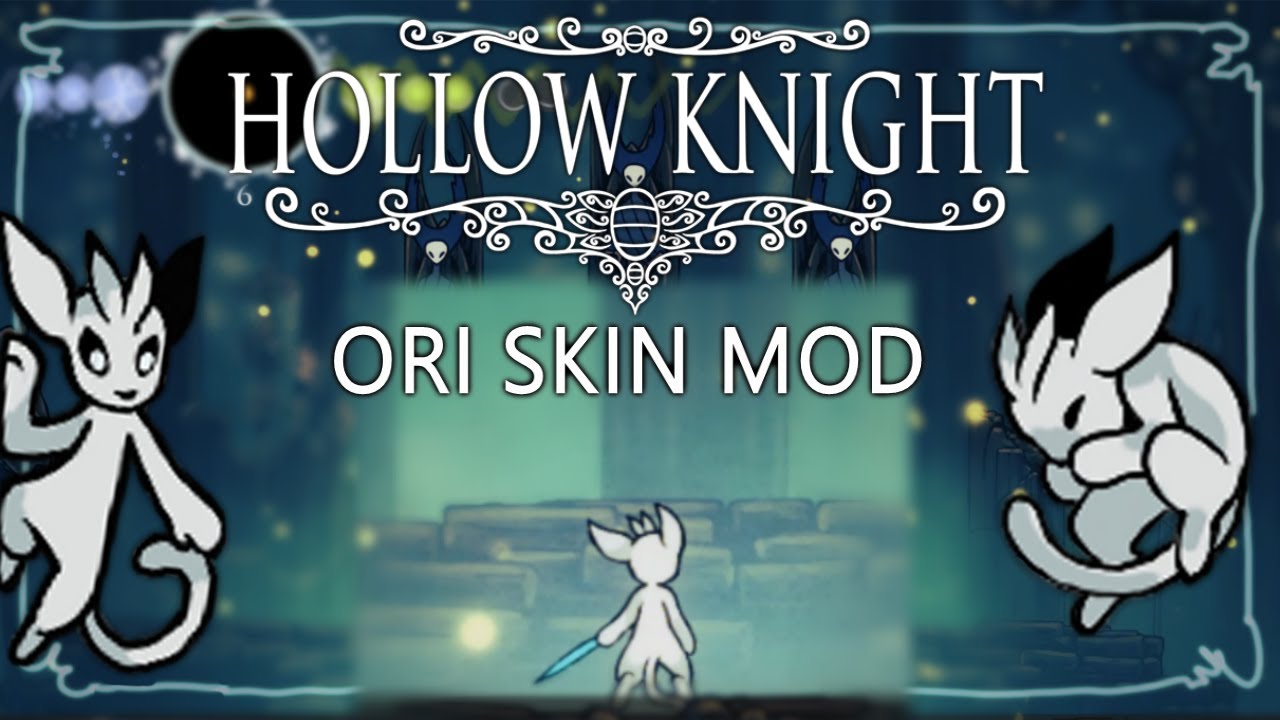
I have been working on this since October - and it's finally done! The Ori Skin mod for Hollow Knight. Take the form of a small white creature and explore the vasts of a fallen kingdom!
link to the mod - https://github.com/dplochcoder/HollowKnight.Sein
(the mod can also be downloaded through Scarab or Lumafly, the name is simply Sein)
I didn't...
not the one by teper since that one is incomplete and only has the knight sheet
https://drive.google.com/drive/folders/1CTn9es6VO_EQ9Hl258EQvTRROgnKnZ_Q here it is if you want to use it
vagrant orbit
There's also a dedicated Ori skin mod
Sien I think it's called
Oh wait, that's probably what the showcase is
Lol
fierce flame
the youtube video links to it yeah
rotund flame
vagrant orbit
Sien I think it's called
that one just dont seems to work for me
i tried reinstalling and etc
vagrant orbit
?tag noping
fathom wigeonBOT
nimble oyster
 _ _
_ _
vagrant orbit
You're more than welcome to create a #1057825333841240104 post with the required information from #1090079233520451714
proper hare
vagrant orbit
this looks like what happens if you're using Proton instead of the native Linux ...
I don’t have proton on
 fading wedge
?tag anyrad
fathom wigeonBOT
Any Radiance
- AnyRad Discord
- 1.5.78 (Latest Patch)
- **Any Radiance - No DDark glitch: **GitHub Download (requires ModCommon) | Install
- **AnyRad 2.0: **GitHub Download (requires ModCommon) | Install
- type
?tag installfor information on manually installing mods on 1.5
- 1.4.3.2 (Requires Downpatching)
- **Any Radiance: ** https://cdn.discordapp.com/attachments/674421399892525079/814621429555003432/Any_Radiance.dll (requires ModCommon: Drive Download)
- AnyRad 2.0: https://cdn.discordapp.com/attachments/283680756159741953/907126089317494844/AnyRadiance2.dll (requires ModCommon)
- **AnyRad 2.0 (Normal Eyes): **Drive Download (requires ModCommon)
proper hare
I have QOL disabled (setting wise) but it still skips cinematics, cutscenes, and the walking animation for the stag station
dense wigeon
If you want to disable a mod it's better to do so from the installer, a lot of the in-game toggles don't work quite right
vagrant orbit
Yeah, don't disable mods from the in-game menu
minor hawk
The QoL toggle notoriously works whenever it wants to, whether you want to enable it or disable it
 cursive laurel
lean steppe
cursive laurel
lean steppe
Because ghosthunter
 scenic comet
where are the save files stored?
lean steppe
?tag saves
fathom wigeonBOT
Important paths
Notes: These are for Steam's default locations. For GoG, locate your hollow_knight.exe folder and follow from there. The Saves folder also contains Global Settings and your ModLog.txt. Some mod installers such as Lumafly can open these folders for you.
-
**Windows except XBox Games ** 🪟
- Save Files:
%APPDATA%\..\LocalLow\Team Cherry\Hollow Knight\ - Game Files:
C:\Program Files (x86)\Steam\steamapps\common\Hollow Knight\ - Mod Files:
C:\Program Files (x86)\Steam\steamapps\common\Hollow Knight\hollow_knight_Data\Managed\Mods\ - To find Saves folder:
- Press
[WindowsKey]+[R] - Copy & Paste the Save Files path
- Press
[Enter]
- Press
- Save Files:
-
XBox Games 🎮
- Save Files:
%AppData%\..\Local\Packages\- Find a folder in here with
Team Cherryin the name
- Find a folder in here with
- Game Files:
C:\XboxGames\Hollow Knight\Content\ - Mod Files:
C:\XboxGames\Hollow Knight\Content\hollow_knight_Data\Managed\Mods\ - Note: Microsoft manages this install weirdly and syncs its files to inaccessible folders, so changes may need a few minutes to take effect and bugs with (un)installing mods can occur.
- Save Files:
-
Mac OS 🍎
- Save Files:
~/Library/Application Support/unity.Team Cherry.Hollow Knight/ - Game Files:
~/Library/Application Support/Steam/steamapps/common/Hollow Knight/hollow_knight.app/ - Mod Files: Right-click
hollow_knight.app, select "show contents", then go to:contentsᐅresourcesᐅdataᐅmanagedᐅmods - To find Saves folder:
- In the Finder, click "Go" in the top menu and select "Go to folder"
- Copy and paste the Save Files path and press
enter.
- Save Files:
-
**Linux ** 🐧
- Save Files:
~/.config/unity3d/Team Cherry/Hollow Knight/ - Game Files:
~/.local/share/Steam/steamapps/common/Hollow Knight/ - Mod Files:
~/.local/share/Steam/steamapps/common/Hollow Knight/hollow_knight_Data/Managed/Mods/
- Save Files:
scenic comet
thank you
 open tangle
aye i could become a mod pls ill do anything
weak plinth
Okay cool. Here's your test: leave the server and never come back
Then you can be mod
open tangle
pls bro
unique kindle
That's... Not the kind of modding discussion I'd expect here
open tangle
aye fam im not a dumbass pardon my french
weak plinth
But you are a liar then
open tangle
explain
lunar root
"ill do anything"
weak plinth
With the give mod command
lunar root
Duh frfr
lunar root
Prove youll do it and we will go through
weak plinth
Sad. Not dedicated enough to be mod
lunar root
Yeah not committed
open tangle
alr bet i got u
lunar root
We want people that do this with passion and committment
open tangle
put it on ur life u will if i do leave
weak plinth
Don't forget the second part
open tangle
can i say my goodbyes first
lunar root
No
open tangle
please
lunar root
One goodbye
prime copper
I don’t think you will get modded with 120 messages
Plus you ping random people for no reason
And you pinged mods for no reason too
covert estuary
prime copper
I don’t think you will get modded with 120 messages
This is a lot like that novel from Orwell
dense wigeon

prime copper
Hi
dense wigeon
Do people still not know asking for mod is the fastest way to never get mod
minor hawk
Considering it’s two weeks old account who joined the server the day it was created
covert estuary
Besides that, thinking you'll get mod in a server with 240k people with no actual activity is a little strange
minor hawk
minor hawk
Considering it’s two weeks old account who joined the server the day it was crea...
It’s not worth thinking about it
unique kindle
I just find it funny that they popped into a modding discussion channel to talk about actual server modding
dense wigeon
I'm assuming they're gone now but y'all should have asked what their first mod action would be 
unique kindle
Was easy enough for me
 covert estuary
 unique kindle
Yeah I kind of exposed my timezone and language, might get doxed
covert estuary
prime copper
Fake it’s 8:55
20:55 iirc
prime copper
unique kindle
Yeah I kind of exposed my timezone and language, might get doxed
48.858093, 2.294694
prime copper
covert estuary
20:55 iirc
20:57
 ashen spade
What is the name for the multiplayer hk mod
dense wigeon
?tag hkmp
fathom wigeonBOT
HKMP (Hollow Knight Multiplayer)
- Easy Setup Guide (Important to read!)
- Video Guide 🎦
- How to use Skins | **Example Image: ** https://cdn.discordapp.com/attachments/910762350267744276/910765152725524480/HKMP_Skin_Example.png
- HKMP Discord (Dedicated space for finding people to play HKMP with)
How it works
HKMP puts a copy of each player into each other players world.
Enemies have separate health and will usually be in different places; Items/abilities must be collected separately; and Breakable objects must be broken by each player. Player attacks happen in each player's world, damaging any enemies/players it comes in contact with. A player is only hurt by the enemies in their own world. This page explains how you can use other mods and addons to synchronize some aspects, and improve your experience.
Public Servers:
General use (PVP enabled)
IP: hkmp.org
PORT: 26950
Requires HkmpPouch```
```ml
Co-op (PVP disabled)
IP: hkmp.org
PORT: 26951
Requires HkmpPouch```
```ml
Infection Tag
IP: tag.hkmp.org
PORT: 26950
Requires HKMP Tag and at least three players```
*Important note: "Invalid Addons" means that you have extra HKMP addons that can't be used on the server. Pouch servers can have any Addons that say that they require Pouch, but you otherwise cannot use others!* whole flare
does anyone know how I can play 1.0 or some other old verison of the game?
dense wigeon
Answering the questions in your support post would probably help
whole flare
dense wigeon
Answering the questions in your support post would probably help <:zote:56235811...
mb 😭
uncut sluice
if in the debug mod the bench names are red does this mean they're like, not unlocked?
if so how can i just. unlock them
nimble oyster
red ones arent unlocked. theres a setting option that says something like 'unlock all'
unique kindle
Benchwarp has the option to unlock all benches in the settings
uncut sluice
okay idk when but it seems i have a skin list mod and that just covers the bench options
thanks
dense wigeon
You can turn the skin HUD off in the custom knight settings, or with the Del key
(Also "it seems I have a skin mod" is hilarious to me because the only way you'd have it is if you installed it LOL)
uncut sluice
i was referring specifically to the list on the right of the screen
since i didnt remember having it last time i played
i guess i just randomly click on del
uncut sluice
last i played was like pale court release
covert estuary
Then it is very new for you
uncut sluice
i somehow made myself invincible
despite invincibility being turned off in debug
not even resetting debug settings worked
nvm going back to main fixed it
dense wigeon
there are lots of vanilla ways to get invincibility
 subtle axle
is there a way for lightbringer to not change your custom skin ? like delete or change some files ?
lucid thicket
(answered in hkmodding)
 supple nymph
haw i can mode ? i cant understand any thing is there any help or any link pleas ?
lucid thicket
?tag lumafly
fathom wigeonBOT
Lumafly
Lumafly (formerly known as Scarab+) is a mod installer for 1.5 based on Scarab, but updated based on community feedback to fix problems that commonly occur in Scarab, as well as adding additional features.
Official website of Lumafly, the mod installer and manager for Hollow Knight. Hosts important links and shareable Lumafly command links.
lucid thicket
?tag pins
fathom wigeonBOT
 swift cedar
@severe cedar
fierce flame
this skin really is cursed
it was meant to have an update at some point but the author stopped and moved on from skin making to making emote packs
dense wigeon
Why do people keep replying pinging instead of just sending their friends a link or forwarding???
prime copper
swift cedar
<@685227297174847520>
2 people at once, about to hit a jackpot
 gaunt rain
i need help please
I just installed Lumafly, but I can't find any mod that silences the sound of Salubra's Blessing
weak plinth
Isn't that part of QoL
gaunt rain
weak plinth
Isn't that part of QoL
i'm new to this so i don't know
well someone just reacted with  so i guess that's the answer
is there any mod that silences grimmchild too?
oh and also zote in dirtmouth
gaunt rain
gaunt rain
is there any mod that silences grimmchild too?
found one for this
dense wigeon
Yiu could remove or change almost any game sound with Custom Audio
unique kindle
I think there's a mod called Stfu Grimmchild or something like that
Which does what one imagines
gaunt rain
unique kindle
I think there's a mod called Stfu Grimmchild or something like that
yeah that was the one i found
 sand yacht
hello all I was sent here to ask my question.....I am in need of help looking for florist blessing charm repair....I have been to lake of Unn on either side of its hut and its not there I have also been to resting grounds to the Grey Mourners hut and theres nothing on either side of its hut as well any help would be appreciated thanks
unique kindle
I think you can also find the repair in Godhome
sand yacht
ok thanks ill go look there
I also have 1 more question.....is there a charm for this spot?

if so what is it and where can I find it?
 winter moth
sand yacht
I also have 1 more question.....is there a charm for this spot?
winter moth
sand yacht
I also have 1 more question.....is there a charm for this spot?
what mod is that?
sand yacht
that is Transcendence Mod
 steady cipher
sand yacht
I also have 1 more question.....is there a charm for this spot?
steady cipher
sand yacht
I also have 1 more question.....is there a charm for this spot?
That looks like abyssal bloom found in the abyss. It's from pale court
sand yacht
ok ill check there thank you all
gaunt rain
i don't understand how to use the customaudio mod to delete certain sounds
is there a video tutorial for it?
or the mod itself?
 graceful thunder
I am too broke to afford the real hollow knight so I got beta anyone know how to mod it?
lunar root
graceful thunder
I am too broke to afford the real hollow knight so I got beta anyone know how to...
beta??
wdym beta
the pre release?
lunar root
and why do you think a version so old would even have mods made for it
lunar root
that doesnt relate at all to what i said?
graceful thunder
no
sorry
It isn't thattt old
you can go to green whatever its cold
and mossgrass added a mod that added some extra places to it
lunar root
its literally before the game even released its old
there are no mods for that version
graceful thunder
yeah well on the youtube video he added a mod ddin't show but did
you can download and see for yourself
not forcing
if you don't trust it
lunar root
there literally are no mods for that version
graceful thunder
ok
when I was on scurable or whatever It let me add mods it worked but not in game
lunar root
if you ever do ge tthe game you can mod that but theres none for the beta sorry
graceful thunder
ok
thank
you'
But I too broke to afford the game
you have the game?
you can't even save a world in beta
lunar root
uh yeah
graceful thunder
wait
here is the video
go to the adding mods or whatever part if you have time of course
thanks for your time
enjoy your day
unique kindle
?tag pirate
fathom wigeonBOT
**If your game is cracked / pirated **
- Piracy is not supported in most communities for games (including this one), and discussing it is against Discord Community Guidelines. Mods are not considered compatible with pirated copies, and you will not get troubleshooting support in any of the main community servers for them.
- Modding is only supported on the official computer versions from Steam, GoG, or Xbox Games. (Console versions, and unofficial versions are not supported)
- If you do not have a supported version, then please get one and then you will get support with modding the game. Asking for assistance with unsupported versions may result in moderation action.
- Hollow Knight goes on sale regularly, and you can keep an eye on this website for when it is: https://isthereanydeal.com/game/hollowknight/
dense wigeon
(the beta is something that TC has made available, not a pirate version, if that's what the tag was in reference to)
 unborn dawn
smh beta pirate
 storm falcon
Whenever I try to use the little grimm skin, it doesn't work. Does anyone know what to do?
fathom wigeonBOT
Custom Knight
This is the mod for reskinning The Knight and other things in the game
Resources
- Comprehensive Skin Doc by ColetteMSLP
- [Public Skins not yet on the Doc](#modding-discussion message)
- Video Tutorial 🎦 by fireb0rn
- [How to use Enemy/Boss Skins](#modding-discussion message)
Common issues
- If your skin isn't working, go to Options > Mods > Custom Knight > Advanced > Fix My Skins. After this, you may need to use the Reload option in the previous menu.
- If The Skin List is covering up other mods, you can toggle it with
Del. You can edit this Keybind in the Custom Knight menu. - Make sure that you apply skins from the Pause Menu when you have your save file loaded. If you apply a skin from the Main Menu, it will only be used for new files.
- If you have White Boxes ◻️, restart your game. You may also need to try applying the skin in a small/empty room, like a stag station.
Troubleshooting
If your problem isn't fixed from the Common Issues section above, then please create a post in #1057825333841240104 with the following
You must post a screenshot that shows:
- Where you installed the skin
- With the directory bar visible
- With the skin images themselves visible
- Example screenshots (yours should look like this):
nimble oyster
make sure you followed the video tutorial
unborn dawn
*follows the channel
nimble oyster
nimble oyster
make sure you followed the video tutorial
if it still doesnt work make a #1057825333841240104 post
 minor spire
is therr a trigger or something to edit in files in order to let the bosses in Pale Court show up immediately in HoG instead of fighting them in the normal world first?
vagrant orbit
minor spire
is therr a trigger or something to edit in files in order to let the bosses in P...
I believe it saves that info to either the user#.modded.json or as part of the savefile itself ( user#.dat ), although I'm not sure the values offhand. If they aren't there without visiting them, it shouldn't take too long to visit them all with Benchwarp + Debug
minor spire
It's located in user#.modded.json
both these values need to be set to true (this is an example for isma)

Thanks DwarfWoot!
 stray thistle
hello guys ive been playing modded hollow knight on scarab for about 4 months but apparently i need to download lumafly, shoul i delete scarab first?
dense wigeon
you don't need to, but it has been the recommended installer for some time as it's less buggy. It doesn't matter if you delete scarab
dense wigeon
They're just installers. Scarab will only show stuff it installed tho, while Lumafly will show anything installed
stray thistle
im just gonna delete scarab, idk why i would need it anymore
 slow loom
I request somebody to make an HK skin that replaces the weaverlings with Ghost (AKA The Knight)
 stark panther
guys where i can dowload the ECLIPSE RADIANCE skin?
lucid thicket
stark panther
guys where i can dowload the _ECLIPSE RADIANCE_ skin?
Eclipse by DeadBlack1
- Download: Original | Rainbow Pack
stark panther
thanks 😭
graceful thunder
anybody know about beta hollow knight?
I can download mods for it but it won't start in game
lucid thicket
Why do you want to mod this version? As far as I know the only thing that exists for the beta is a basic version of DebugMod, and you won't find any tutorials for it here
 unkempt merlin
Can someone send me the skin link Anomaly Beta by 燚之虚
 teal wedge
is it possible to set enemy hp with debug?
or ig a way to set nail dmg, like to lower nail levels
unkempt merlin
I also wanted the skin Tianlu by 小猫Giovanni if possible
lucid thicket
unkempt merlin
Can someone send me the skin link Anomaly Beta by 燚之虚
?tag skins
fathom wigeonBOT
Custom Knight Skins
- Comprehensive Skin Doc by ColetteMSLP
- [Public Skins not yet on the Doc](#modding-discussion message)
- Video Tutorial 🎦 by fireb0rn
- [How to use Enemy/Boss Skins](#modding-discussion message)
Other Skin Resources:
lucid thicket
You'll find both in the 1st doc
lucid thicket
teal wedge
or ig a way to set nail dmg, like to lower nail levels
Debug allows you to edit your nail damage, you'll find the option in its binds menu. Press f1 in game to enable it, and in the menu the arrow next to an action triggers said action, and the white dot allows you to bind it to the key you want
unkempt merlin
@lucid thicketTianlu [HUD, Knight, OrbFull, Sprint, VoidSpells, Weaver, Wraiths] by 小猫Giovanni it would be this skin
and Anomaly Beta [HUD, Knight, OrbFull(x3), Sprint, VoidSpells, VS] by 燚之虚
lucid thicket
I'm aware, that's why I linked the doc which contains the links to download them
unkempt merlin
okay
lucid thicket
They're both linked in Colette's skin doc
 astral sandal
hi is there any chance that a hollowknight skin based off bubbles exists??
lucid thicket
Although I can't think of any you should still check the skin resources linked here #modding-discussion message to see if you can find one, since it's totally possible that I forgot
astral sandal
thanks
 lethal narwhal
what even goes on in this channel
hexed nimbus
Discuss mods & modding ideas pertaining to Hollow Knight.
covert estuary
But more often than not it's #1057825333841240104
covert estuary
?tag support would truly be the most used tag if we were very strict on it
fathom wigeonBOT
No tag support found.
covert estuary
?tag info support
fathom wigeonBOT
No tag support found in category info.
 covert estuary
Can't have shit
hexed nimbus
is this detroid?
nimble oyster
covert estuary
Can't have shit
zal removed a lot of the tags a bit ago iirc
frank sedge
Can't have mods in modding discussion
 main grove
Looking to download a randomizer, does anyone have any recommendations on some good ones? Thanks!
prime copper
Wdym download a randomizer
main grove
I dunno i just got into putting on different skins in game and thought randos looked cool?
I'm sorry I haven't really modded anything in the past and this is my first time doing smth like this
lucid thicket
Randomizer 4 is the main one, the other randos are addons. It's also recommended to get RandoMapMod to see which checks are reachable. For a 1st run you should probably stay with the default settings, which are pretty good for this. It's also recommended to read their readmes because they contain useful info
main grove
thanks so much, just downloaded ranodmizer 4 and beginning a playthrough now!
lucid thicket
Have fun!
 nova girder
hi does anyone know a mod that makes u have 1 mask and it gives u fury of the fallen?
dense wigeon
FuryMod
 oak dirge
wish there was a mod that added more synergies between charms, nail, spells etc
dense wigeon
There are several, just search "charm" on Lumafly
 manic wigeon
is the scarab app named lumafly now i searched for it and it said its named lumafly
lucid thicket
?tag lumafly
fathom wigeonBOT
Lumafly
Lumafly (formerly known as Scarab+) is a mod installer for 1.5 based on Scarab, but updated based on community feedback to fix problems that commonly occur in Scarab, as well as adding additional features.
Official website of Lumafly, the mod installer and manager for Hollow Knight. Hosts important links and shareable Lumafly command links.
lucid thicket
Scarab still exists but Lumafly is recommended
 native lintel
lucid thicket
Scarab still exists but Lumafly is recommended
native lintel
lucid thicket
Scarab still exists but Lumafly is recommended
I was just gonna ask that yay, does it get updated tho?
lucid thicket
If by updated you mean receive new mods, both installers pull mods from the same source, they have the same mods. If you're talking about the app itself, Lumafly's latest update was 3 weeks ago, whereas Scarab's last update was almost a year ago, and its dev isn't really active anymore
native lintel
lucid thicket
If by updated you mean receive new mods, both installers pull mods from the same...
Oooo alr thank you
 trim sable
hello, i had a question about the Hallownest Vocalized mod. does anybody happen to know if it alters or add anything to my vanilla save file?
vagrant orbit
Offhand I don't know, but since it does change a couple of things about vanilla, there's a good chance that it affects the save file
It is recommended to make a backup of saves before Modding games anyway
?tag savefiles
fathom wigeonBOT
Save Files
What do save files looks like?
- Each Hollow Knight save file is a
user#.datwhere#is the save slot for the file - You can rename
user3.dattouser1.datto set it to your first save slot - You can keep a copy of all of your save files by copy and pasting them into a different folder on your computer
Reverting Backups
- Automatic backups are called
user#.dat.bak#, where the first#is the save slot, and the second#is the backup number. You will usually have your last three backups - You restore a backup by deleting the main file, and then removing the
.bak#part of the backup version
Modded Saves
- A modded save may also have a
user#.modded.json(and similarly named backup). This file and theuser#.datare part of the save
Where are the files?
- On windows, the default path for Save Files is:
%appdata%\..\LocalLow\Team Cherry\Hollow Knight\- You should just copy and paste that path directly into the File Explorer path bar at the top.
- For other operating systems (and Xbox Games), type
?tag savesinto chat
I need a specific type of save file
- Various save files can be found in the "Saves" section of this page: https://www.speedrun.com/hollowknight/resources
- If the file you download is a
.raror other archived format, then you will need to extract it with something like 7zip
- If the file you download is a
Editing save files
- MoreSaves: With the MoreSaves mod installed, you can edit save files from the Menu, by going to Options > Mods > MoreSaves
- QoL: Opening a save with QOL installed will create an extra save file called
user#.json, which can be edited using Notepad or a similar text editor - DebugMod: While not an intended purpose, you can edit some parts of your save file using Debug, such as Nail Damage, and those changes will remain even after uninstalling the mod
- Website: https://bloodorca.github.io/hollow/
manic wigeon
how do i mod the enemy hp bar thing
 nimble jacinth
dense wigeon
nimble jacinth
dense wigeon
Rando 4 isn't for enemies. You need Enemy Rando for that
Also be aware they are not considered compatible and you should have debug for emergencies
astral sandal
hi does anyone know which mod it is that makes hollowknight really difficult
with saws and platforming
dense wigeon
That sounds like Decorations Master, which has many custom maps such as Impossible Any%
astral sandal
yeah thats the one i want thanks (impossible any percent)
dense wigeon
The Drive with maps is linked in Pins
 nimble delta
what am i meant to do in the champion's call from pale court when there's literally zero chances to heal even with quick focus, just face tank it?
dense wigeon
Don't get hit & you won't need to heal 
(Although I'm pretty sure there are healing windows)
unique kindle
The only boss where it's almost impossible to heal is Dryya. The rest have windows at some attacks.
 hasty lava
stark panther
guys where i can dowload the _ECLIPSE RADIANCE_ skin?
hasty lava
stark panther
guys where i can dowload the _ECLIPSE RADIANCE_ skin?
Meow
hasty lava
lucid thicket
Eclipse by DeadBlack1
- Download: [**Original**](<https://drive.google.com/file/...

trim sable
vagrant orbit
Offhand I don't know, but since it does change a couple of things about vanilla,...
thanks for the answer. i looked into it, and it looks like it does since the mod adds additional achievements. hopefully these mod-exclusive achievements store their save data in a separate file or something.
dense wigeon
I'm not sure what you mean by a seperate file - modded & vanilla share the same save slots. If you want a vanilla file to remain untouched you need to not enter it modded or back it up
lunar root
 sand geyser
the grub skin is finished???{
sand geyser
the grub skin is finished???{
nope and it most likely never will
lunar root
sand geyser
hey guys, someone had de download link to grub skin?
?tag ck
fathom wigeonBOT
Custom Knight
This is the mod for reskinning The Knight and other things in the game
Resources
- Comprehensive Skin Doc by ColetteMSLP
- [Public Skins not yet on the Doc](#modding-discussion message)
- Video Tutorial 🎦 by fireb0rn
- [How to use Enemy/Boss Skins](#modding-discussion message)
Common issues
- If your skin isn't working, go to Options > Mods > Custom Knight > Advanced > Fix My Skins. After this, you may need to use the Reload option in the previous menu.
- If The Skin List is covering up other mods, you can toggle it with
Del. You can edit this Keybind in the Custom Knight menu. - Make sure that you apply skins from the Pause Menu when you have your save file loaded. If you apply a skin from the Main Menu, it will only be used for new files.
- If you have White Boxes ◻️, restart your game. You may also need to try applying the skin in a small/empty room, like a stag station.
Troubleshooting
If your problem isn't fixed from the Common Issues section above, then please create a post in #1057825333841240104 with the following
You must post a screenshot that shows:
- Where you installed the skin
- With the directory bar visible
- With the skin images themselves visible
- Example screenshots (yours should look like this):
hushed violet
anyone wanna play multiplayer?
prime copper
hushed violet
anyone wanna play multiplayer?
you will have more luck in the hkmp server
?tag hkmp
fathom wigeonBOT
HKMP (Hollow Knight Multiplayer)
- Easy Setup Guide (Important to read!)
- Video Guide 🎦
- How to use Skins | **Example Image: ** https://cdn.discordapp.com/attachments/910762350267744276/910765152725524480/HKMP_Skin_Example.png
- HKMP Discord (Dedicated space for finding people to play HKMP with)
How it works
HKMP puts a copy of each player into each other players world.
Enemies have separate health and will usually be in different places; Items/abilities must be collected separately; and Breakable objects must be broken by each player. Player attacks happen in each player's world, damaging any enemies/players it comes in contact with. A player is only hurt by the enemies in their own world. This page explains how you can use other mods and addons to synchronize some aspects, and improve your experience.
Public Servers:
General use (PVP enabled)
IP: hkmp.org
PORT: 26950
Requires HkmpPouch```
```ml
Co-op (PVP disabled)
IP: hkmp.org
PORT: 26951
Requires HkmpPouch```
```ml
Infection Tag
IP: tag.hkmp.org
PORT: 26950
Requires HKMP Tag and at least three players```
*Important note: "Invalid Addons" means that you have extra HKMP addons that can't be used on the server. Pouch servers can have any Addons that say that they require Pouch, but you otherwise cannot use others!* waxen temple
Does Lumafly mod app work with steamunlocked HK
fathom wigeonBOT
**If your game is cracked / pirated **
- Piracy is not supported in most communities for games (including this one), and discussing it is against Discord Community Guidelines. Mods are not considered compatible with pirated copies, and you will not get troubleshooting support in any of the main community servers for them.
- Modding is only supported on the official computer versions from Steam, GoG, or Xbox Games. (Console versions, and unofficial versions are not supported)
- If you do not have a supported version, then please get one and then you will get support with modding the game. Asking for assistance with unsupported versions may result in moderation action.
- Hollow Knight goes on sale regularly, and you can keep an eye on this website for when it is: https://isthereanydeal.com/game/hollowknight/
hushed violet
thanks
 sour stump
waxen temple
Does Lumafly mod app work with steamunlocked HK
sour stump
waxen temple
Does Lumafly mod app work with steamunlocked HK
<@&283547423706447872> questionable name
 fathom sphinx
 robust timber

nimble oyster
give them a funny name 
sand yacht
hello all I would like to ask in regards to florists blessing....currently the charm is broken I am seeking in game to replace it.....I have heard as long as you have enough geo, you can replace it as many times as you want but the replacement is not showing up next to the hut in resting grounds I have also looked in lake unnn I have also checked queens garden just in case it could where you delivered the delicate flower I have also looked in god home it is not showing up there as well.....any help would be appreciated
 prisma cradle
does anyone know how to download modded bosses, like any radiance?
unique kindle
Most of them you find on an installer like Lumafly
Any Radiance is not there though, you can follow instructions here:
?tag anyrad
fathom wigeonBOT
Any Radiance
- AnyRad Discord
- 1.5.78 (Latest Patch)
- **Any Radiance - No DDark glitch: **GitHub Download (requires ModCommon) | Install
- **AnyRad 2.0: **GitHub Download (requires ModCommon) | Install
- type
?tag installfor information on manually installing mods on 1.5
- 1.4.3.2 (Requires Downpatching)
- **Any Radiance: ** https://cdn.discordapp.com/attachments/674421399892525079/814621429555003432/Any_Radiance.dll (requires ModCommon: Drive Download)
- AnyRad 2.0: https://cdn.discordapp.com/attachments/283680756159741953/907126089317494844/AnyRadiance2.dll (requires ModCommon)
- **AnyRad 2.0 (Normal Eyes): **Drive Download (requires ModCommon)
 analog lake
i know that mods like debug mod deny steam achievements but do skins also deny achievements?
fathom wigeonBOT
Modding and Achievements
- Mods do not normally prevent you from getting Achievements.
- If you want to prevent them, you can use the Disable Achievements mod.
- If a mod changes/removes something that's part of an achievement trigger, then you won't get that achievement.
- In many cases, achievements are still earned, but the pop-ups do not come up when modding.
- In some rare cases, players report not getting achievements when modding. While this is not normal, it should be mentioned that it can happen.
- This is often tied to them doing something like skipping something with QoL (such as credits), and thus skipping the actual trigger for the Achievement.
- Some mods that rely on SFCore such as Hallownest Vocalized can sometimes prevent achievements from working.
analog lake
lunar root
No mods should deny achievements
Oh ok, thank you
hushed violet
is additional maps good to download?
vagrant orbit
If you want the additional maps, then sure
nimble oyster
fathom wigeon
## Any Radiance
- [**AnyRad Discord**](<https://discord.gg/ZuQhsPjNS3>)
- **1.5....
anyrad
frank sedge
Notice how 3.0 is not mentioned 
 acoustic jetty
O
so*
how do I get a randomiser running
any basics video?
nvm got it
thanks
vagrant orbit
See pins of #randomizer for additional info, btw
 gentle plinth
How to focus on dreamers with hollow point mod?
dense wigeon
You don't. You need QoL to skip that scene
 long relic
what do i do when my screen is freezing?
covert estuary
long relic
what do i do when my screen is freezing?
Well as it can happen for a lot of varying reasons, make a post in #1057825333841240104 after reading #1090079233520451714
rough heron
?tag anyrad
fathom wigeonBOT
Any Radiance
- AnyRad Discord
- 1.5.78 (Latest Patch)
- **Any Radiance - No DDark glitch: **GitHub Download (requires ModCommon) | Install
- **AnyRad 2.0: **GitHub Download (requires ModCommon) | Install
- type
?tag installfor information on manually installing mods on 1.5
- 1.4.3.2 (Requires Downpatching)
- **Any Radiance: ** https://cdn.discordapp.com/attachments/674421399892525079/814621429555003432/Any_Radiance.dll (requires ModCommon: Drive Download)
- AnyRad 2.0: https://cdn.discordapp.com/attachments/283680756159741953/907126089317494844/AnyRadiance2.dll (requires ModCommon)
- **AnyRad 2.0 (Normal Eyes): **Drive Download (requires ModCommon)
 trim jackal
fathom wigeon
## **If your game is cracked / pirated <:hollowpirate:726997469724016712> **
- ...
trim jackal
fathom wigeon
## **If your game is cracked / pirated <:hollowpirate:726997469724016712> **
- ...
most of us play on crack 😭
 serene bone
My screen is stuck. Is there anything I can do?
lucid thicket
You gave 0 info, so we don't know 
For troubleshooting you can create a post in #1057825333841240104, where you should provide the info requested in https://discord.com/channels/283467363729408000/1090079233520451714
serene bone
Oh I am in the middle of playing and I suddenly lose every input control I have
so I kind of need a way to regain it or to quit the game without lossing progress
lucid thicket
As I said please see https://discord.com/channels/283467363729408000/1090079233520451714 where you'll find useful info
serene bone
Okay. Thanks.
 inland raven
Any place where I could learn what a Mod does to the Game? Like a Manual on what the mods from the installer do
nimble oyster
basically all mods contain a readme which details what they do
or u can visit the mods github page
inland raven
Yeah. There's that option. But my lazy-ass find it a hassle lol. If there isn't any, guess I could just do manual checking
I asked cuz I just downloaded a Rick Roll mod
unique kindle
Usually the rick rolls aren't too descriptive of what they do because... Well, that's the point
But for most mods checking their readmes on Lumafly or their github pages should give you a good idea of what they do
inland raven
There's some mods without a very good description. But well... I'll probably just try those stuff out
unique kindle
Yeah, well, the readme is made by the mod devs, some have great detail, others find documenting to be annoying and thus don't really expand too much on the readmes. If any of those mods that doesn't provide too much default data does catch your interest feel free to ask about it
inland raven
I guess I got one last question before I sleep.
Why do some charms (Pale Charms specifically, get their descriptions and names replaced after restarting the game?)
The charm names are basically Charm_1_etc. And the description of the charms also go oomph-Byebye
Anyway I could fix that?
unique kindle
That is usually caused by incompatibilities between mods - Pale Court usually has a lot of conflict with other charm-editing mods
So if you have them active at once I think it starts causing weird behaviour such as that one
inland raven
Ahhh. Gotchu. I'll probably figure it out tomorrow if I got the time. I think it might be because of the Fyrenest mod lol.
I'll test it out tomorrow.
For now I gotta sleep
Thx again!
prisma cradle
After i downloaded a boss on weavercore, how do i fight him?
lucid thicket
Depends on the boss. Some are in Hall of Gods, some spawn in the overworld and must be defeated there before becoming available in HoG
 steep quartz
Hello guys, I'm new here. Can I ask questions here on how to mod the game on a Steam deck?
nimble oyster
?tag steamdeck
fathom wigeonBOT
Fixing Common issues on Linux/SteamDeck
- Controller Doesn't Work / [Some Mod] isn't working!
- By default (especially on SteamDeck) Steam may be using Proton and installed the Windows version of the game. This can have problems on it's own, but also causes issues because the Mod Installers will install the Linux version of the ModdingAPI, which isn't fully compatible with the Windows version.
- How to Fix: Go to the HK Library page, select Properties -> Compatibility, check "Force the use of a specific steam play compatibility tool", and select "Steam Linux Runtime" (Note: not the sniper or soldier versions)
- After this you'll need to select "Change Paths" in your Mod Installer and change it to the new install path (which you can get by using the "Browse Local Files" option in Steam, then reinstall your mods.
- Game crashes when when starting / while playing!
- Add
-force-openglto the steam launch arguments. Note: This can be a problem even if playing Vanilla, but it is commonly seen when Modding because of the greater resources used.
- Add
- Mods not saving correctly / loading correctly
- This can happen if the Permissions in your Hollow Knight install get messed up. You can fix this by making sure that the current user (or all users) have permissions for the Hollow Knight install directory and subdirectory & files. If you are unfamiliar with how to do this, then you can open terminal, use
CD "~/.local/share/Steam/steamapps/common/"to get to the Steam Apps directory, and then usesudo chmod -R 777 "Hollow Knight"to update the permissions for the install so that all users can access it.
- This can happen if the Permissions in your Hollow Knight install get messed up. You can fix this by making sure that the current user (or all users) have permissions for the Hollow Knight install directory and subdirectory & files. If you are unfamiliar with how to do this, then you can open terminal, use
nimble oyster
steep quartz
Hello guys, I'm new here. Can I ask questions here on how to mod the game on a S...
u can ask, u dont have to ask to ask
 errant lance
 nimble oyster
chances are if u just asked the question to begin with someone would have answered it already
errant lance
nimble oyster
not quite what i thought would be in that tag
guh
errant lance
guh
frank sedge
Thanks anika
 hard shale
I have not played hollow knight in a year, and when I last played, I was in the pale court mod, now that it out dated, I can't play hollow knight, can someone help me pls 
dense wigeon
?tag palecourt
fathom wigeonBOT
Starting Pale Court
- Install it using Lumafly
- You must have ||All dreamers||
- You must have ||defeated a specific boss:|| ||White Defender||
- You must then find the location that connects each Knight to the world. You can watch the Launch Trailer if you want directions where to go.
Known problems with Pale Court
- HKTool and WeaverCore are not compatible with Pale Court (or each other)
- AdditionalMaps, Extra MenuBackgrounds, EssenceAlways (and any mod that attempts to force Essence drops) aren't compatible, and will prevent you from being able to enter fights.
- Using a BenchWarp Deployed Bench in new areas will break the file
- If you accidentally do this, then close the game, disable Benchwarp, then open the file again. Get off the bench you spawn at, and sit down again. Then save+quit, and you should be able to enable Benchwarp again.
- Alternatively, you can open your
user#.modded.jsonfor that file, and edit"atDeployedBench": true,->"atDeployedBench": false,. You can type?tag savefaqfor more information.
- HK Vocalized may prevent you from accessing fights
- (This appears to not be consistently reproducible, but if you can't enter fights, then try disabling it)
- Skill Upgrades will prevent Charms from working correctly
- Hollow Point will not work if Pale Court is installed
- Any mod that adds new Charms may prevent Charms from working.
If you're having other issues, then please read #1090079233520451714 and create a #1057825333841240104 post with the requested info and any details. Be aware that Pale Court was not designed to be compatible with other mods, and you will usually need to choose between using either Pale Court or the other mod(s).
dense wigeon
Probably see the benchwarp section
If that doesn't help resolve it make a support post in #1057825333841240104
 thick tusk


 fathom wigeonBOT
**If your game is cracked / pirated **
- Piracy is not supported in most communities for games (including this one), and discussing it is against Discord Community Guidelines. Mods are not considered compatible with pirated copies, and you will not get troubleshooting support in any of the main community servers for them.
- Modding is only supported on the official computer versions from Steam, GoG, or Xbox Games. (Console versions, and unofficial versions are not supported)
- If you do not have a supported version, then please get one and then you will get support with modding the game. Asking for assistance with unsupported versions may result in moderation action.
- Hollow Knight goes on sale regularly, and you can keep an eye on this website for when it is: https://isthereanydeal.com/game/hollowknight/
 winged swan
just a small question when the mod says "1.5" does it mean all 1.5?
hexed nimbus
i mean, there is only one 1.4.3.2 and one 1.5
lunar root
winged swan
just a small question when the mod says "1.5" does it mean all 1.5?
What do you mean exactly?
fierce flame
i have one idea and it has something to do with the thing above the message
 green gull
is there any 100% sync mods for hollow knight multiplayer?
dense wigeon
Depends on what you're counting as 100%. Including the enemy sync that's on the hkmp devs patron I think it's pretty close at this point
green gull
dense wigeon
Depends on what you're counting as 100%. Including the enemy sync that's on the ...
so you gotta pay?
fierce flame
for the enemy sync yeah since its still being worked on
green gull
... ok thanks
fierce flame
if you wait and the dev doesn’t give up i’ll probably be out for free but who knows when that’ll be
green gull
well then whats the point in playing with a friend if we cant defeat the enemies together?
dense wigeon
You can still defeat them together
Just not the same copy
Ghost Hunter & ESoul Link are made for that
dense wigeon
Also there's tons of other coop stuff to do that doesn't involve enemies
dense wigeon
green gull
if its not the same enemy how do we do it together?
Ghost hunter let's you see where other people's enemies are so you can attack them. ESoul scales health based on number of people
green gull
sounds complicated
im leaving this server now so dont bother writing anything else to me 🙂
unique kindle
fierce flame
green gull
dense wigeon
 lost meteor
any1 know a mod that shows georocks/lore/ and eggs
 sick karma
||guys, i am doing a binggo for hollowknight with my friens, i am a noob, how do i get to mask make as quick as possible from mantis lords??||
lost meteor
sick karma
||guys, i am doing a binggo for hollowknight with my friens, i am a noob, how do...
mask make?
sick karma
||mask maker||
lost meteor
sick karma
||mask maker||
||give me a second to check my route. Do you know the map well or do i have to draw it||
unique kindle
lost meteor
any1 know a mod that shows georocks/lore/ and eggs
VanillaMapMod shows them on the minimap. RandoMapMod does as well for rando saves
lost meteor
sick karma
||mask maker||
||map is in dms||
lost meteor
unique kindle
VanillaMapMod shows them on the minimap. RandoMapMod does as well for rando save...
thanks
 coral flax
is it safe to mod the game?
unique kindle
It is safe. I personally recommend making a backup of your save just in case, as some mods can affect your save in ways you may not be desirimg
unborn dawn
de-siri [gravitational force]
 karmic wave
Is there a way to start with a specific charm in randomizer? I'd like to start with Sprintmaster
nimble oyster
save editing methinks
dense wigeon
karmic wave
Is there a way to start with a specific charm in randomizer? I'd like to start w...
RandoZoomZoom mod
karmic wave
dense wigeon
RandoZoomZoom mod
Thanks! I'll take a look
 shell prism
Hola soy nuevo, me pueden ayudar con link de descarga de la skin little assaing porfa
 coral stirrup
server language is english only
shell prism
Excuse me, if you can help me with the download link please
coral stirrup
@sour stump can help you
shell prism
thank you so much
sour stump
So little assassin skin? Most skins are in colettes doc in the pins
unique kindle
?tag ck
fathom wigeonBOT
Custom Knight
This is the mod for reskinning The Knight and other things in the game
Resources
- Comprehensive Skin Doc by ColetteMSLP
- [Public Skins not yet on the Doc](#modding-discussion message)
- Video Tutorial 🎦 by fireb0rn
- [How to use Enemy/Boss Skins](#modding-discussion message)
Common issues
- If your skin isn't working, go to Options > Mods > Custom Knight > Advanced > Fix My Skins. After this, you may need to use the Reload option in the previous menu.
- Upgraded Dream Shield breaks Custom Knight’s default skin generation, a necessary step which only happens once on Custom Knight’s first launch after its 3.0 update. To use both mods at the same time, disable Upgraded Dream Shield, open a save with only Custom Knight and wait until it stops lagging. You can then close the game and enable Upgraded Dream Shield again.
- If The Skin List is covering up other mods, you can toggle it with
Del. You can edit this Keybind in the Custom Knight menu. - Make sure that you apply skins from the Pause Menu when you have your save file loaded. If you apply a skin from the Main Menu, it will only be used for new files.
- If you have White Boxes ◻️, restart your game. You may also need to try applying the skin in a small/empty room, like a stag station.
Troubleshooting
If your problem isn't fixed from the Common Issues section above, then please create a post in #1057825333841240104 with the following
You must post a screenshot that shows:
- Where you installed the skin
- With the directory bar visible
- With the skin images themselves visible
- Example screenshots (yours should look like this):
dry snow
hi i want to download little grim skin how can i download it
sour stump
From colette's doc in the message right above yours
 fossil marlin
question, i installed mods using fireborns guide, and it worked, untill i uninsalled the game, since then they haven't been working, i re did the whole procces reinstalled hk, the mods themselfs, i swear evrything and nothing, help
dense wigeon
fossil marlin
question, i installed mods using fireborns guide, and it worked, untill i uninsa...
If you're using Scarab switch to Lumafly, if you still have trouble make a #1057825333841240104 post after reading the faq
 topaz tinsel
hey I'm new to using mods, could anyone reccomend some mods that I could use. I would like to do randomisers and also maybe hunters vs speedrunners if I could find some people to play with. Some other qol or just general mods would also be good.
Thanks in advance.
dense wigeon
There's a website linked in the #randomizer Pins that has tips for getting set up with that. Basic QoL is a rando dependency, if there's something else in particular you're looking for you can use Lumafly's search function to see if it exsists, most mods have good descriptions.
If you're looking for people to play with there's the HKMP server for that kind of multiplayer, and the Speedrun/racing server for like Itemsyc stuff
topaz tinsel
Ok thanks for the help
unique kindle
For manhunt you'll want to check for the HKMP server, since it's impossible to play alone. For randomizers you can check the pinned post, but the only requirement is to install Randomizer 4 and its dependencies (Lumafly does it automatically)
 minor sage
so before i installed mods ||hornet was spawning at the black egg temple but after she doesnt spawn anymore. i do have all the requirements but now she wont i dont know what to do. ||
help
steady cipher
Can you give more information like which mods you were using and what you have tried?
Also you are 100% sure you have the voidheart
dense wigeon
minor sage
so before i installed mods ||hornet was spawning at the black egg temple but aft...
You don't need to spoiler anything in the modding channels
dry snow
sour stump
From colette's doc in the message right above yours
The only appeared link is the discord link and I can't download it
covert estuary
Wdym can't download
Cant find the message, can't press the download button, the download fails etc
dry snow
how can i download this
dry snow
covert estuary
Cant find the message, can't press the download button, the download fails etc
cant find the download button
covert estuary
?tag noping fwiw
fathom wigeonBOT
covert estuary
I'm not at my pc atm but it should pop up when you hover over the file
vagrant orbit
 long relic
 deleted user
fierce flame

 shut rock
Chat
Bomber knight mod ain't working
I definitely installed it
But it just isn't there
Nvm
I found out it only works in new saves
 radiant vortex
hey guys i just wanted to ask is anybody heard about undertale yellow if yes then ill let you guys know that i have the idea of making a hollow knight skin based on martlet like when she do the crystal dash shes gonna turn into the zenith form and stuff but i still need a few things to like even start but if i can make it i will try to put it up to this server
lost meteor
I'm using scarab and i'm on windows. Does any1 have any idea why custom skins still don't show up? I'm confident I set it up correctly. I can give you more info if you need it


 red plinth
They're not in your mod folder.
lost meteor
this is the mod folder?
 fathom wigeonBOT
Custom Knight
This is the mod for reskinning The Knight and other things in the game
Resources
- Comprehensive Skin Doc by ColetteMSLP
- [Public Skins not yet on the Doc](#modding-discussion message)
- Video Tutorial 🎦 by fireb0rn
- [How to use Enemy/Boss Skins](#modding-discussion message)
Common issues
- If your skin isn't working, go to Options > Mods > Custom Knight > Advanced > Fix My Skins. After this, you may need to use the Reload option in the previous menu.
- Upgraded Dream Shield breaks Custom Knight’s default skin generation, a necessary step which only happens once on Custom Knight’s first launch after its 3.0 update. To use both mods at the same time, disable Upgraded Dream Shield, open a save with only Custom Knight and wait until it stops lagging. You can then close the game and enable Upgraded Dream Shield again.
- If The Skin List is covering up other mods, you can toggle it with
Del. You can edit this Keybind in the Custom Knight menu. - Make sure that you apply skins from the Pause Menu when you have your save file loaded. If you apply a skin from the Main Menu, it will only be used for new files.
- If you have White Boxes ◻️, restart your game. You may also need to try applying the skin in a small/empty room, like a stag station.
Troubleshooting
If your problem isn't fixed from the Common Issues section above, then please create a post in #1057825333841240104 with the following
You must post a screenshot that shows:
- Where you installed the skin
- With the directory bar visible
- With the skin images themselves visible
- Example screenshots (yours should look like this):
lost meteor
dense wigeon
Yes
is it not already in the mod folder? I'm not sure what you mean
dense wigeon
Ping isn't needed thanks. The screenshot you posted of the skin, shows its not in there
This one, you apparently just made an extra custom knight folder on your c drive https://media.discordapp.net/attachments/610754780461006848/1300176666781290716/image.png?ex=671fe361&is=671e91e1&hm=c08a13fe11599b75e025634ae03564a861f8977dbe941d8f26ae3e3653e46689&

 lost meteor
and I would fix this by?
dense wigeon
By moving the files to where the example shows
If you need additional help probably make a post in #1057825333841240104 since this channel isn't really for troubleshooting
lost meteor
alright thanks
 inland blaze
quick question - would having fryenest and pale court conflict? Ive never used either so I'm not sure what they change
dense wigeon
Probably. Pale Court doesn't play well with most other mods.
inland blaze
Gotcha. Which would you recommend running throgh first? Also, would they work on a randomizer seed?
dense wigeon
Pale Court is compatible with rando but not integrated (none of the items will be randomzied). I'm not sure if fyrenest is compatible, never used it
inland blaze
Pale court it is 👍
 desert dock
hey i was wondering if anyone wants to play hollow knight multiplayer mod if someone has it and wants to play @ me if you have custom knight mod would be great too
vagrant orbit
Fwiw, Custom Knight doesn't work for seeing other skins in multiplayer
You may want to actually read the guide
fathom wigeonBOT
HKMP Skins
For the HKMP Skin guide:
https://geroyuni.notion.site/Using-skins-in-HKMP-a162084b994e4c87976c2c20c8e3195f
Skin not working?
Please post a screenshot that shows:
- Where you installed the skin
- With the directory bar visible
- With the skin images themselves visible
Note: HKMP Skins do not use the HUD or Spells, and they only appear when connected to a server.
Example what an installed skin looks like:
https://cdn.discordapp.com/attachments/824387591415529513/958898277573611551/HKMP_Skin_Example_cropped.png

 desert dock
vagrant orbit
You may want to actually read the guide
desert dock
vagrant orbit
You may want to actually read the guide
oh ty im new to moding so it helps
 verbal python
Does anyone know if its possible to use Lumafly with pirated Hollow knight
fathom wigeonBOT
**If your game is cracked / pirated **
- Piracy is not supported in most communities for games (including this one), and discussing it is against Discord Community Guidelines. Mods are not considered compatible with pirated copies, and you will not get troubleshooting support in any of the main community servers for them.
- Modding is only supported on the official computer versions from Steam, GoG, or Xbox Games. (Console versions, and unofficial versions are not supported)
- If you do not have a supported version, then please get one and then you will get support with modding the game. Asking for assistance with unsupported versions may result in moderation action.
- Hollow Knight goes on sale regularly, and you can keep an eye on this website for when it is: https://isthereanydeal.com/game/hollowknight/
verbal python
oh alright my bad
 untold field
hello! i'm trying to play with my friend using hkmp, but when we're trying to connect (tried both ways) it says that we have invalid addons, but both of these mods visiually identical in files/etc, is there something i didn't noitce or there's some kind of error?

 dense wigeon
It's telling you what the incompatible mod is. You need to disable that to play on that server. If you need more help after removing that make a #1057825333841240104 post after reading the FAQ
 split flame
hey, so i'm not sure how easy is this and i'm not sure if i'm right to assume it's easy but how do i make a custom skin, like just the knight as a moving png
dense wigeon
?tag ck
fathom wigeonBOT
Custom Knight
This is the mod for reskinning The Knight and other things in the game
Resources
- Comprehensive Skin Doc by ColetteMSLP
- [Public Skins not yet on the Doc](#modding-discussion message)
- Video Tutorial 🎦 by fireb0rn
- [How to use Enemy/Boss Skins](#modding-discussion message)
Common issues
- If your skin isn't working, go to Options > Mods > Custom Knight > Advanced > Fix My Skins. After this, you may need to use the Reload option in the previous menu.
- Upgraded Dream Shield breaks Custom Knight’s default skin generation, a necessary step which only happens once on Custom Knight’s first launch after its 3.0 update. To use both mods at the same time, disable Upgraded Dream Shield, open a save with only Custom Knight and wait until it stops lagging. You can then close the game and enable Upgraded Dream Shield again.
- If The Skin List is covering up other mods, you can toggle it with
Del. You can edit this Keybind in the Custom Knight menu. - Make sure that you apply skins from the Pause Menu when you have your save file loaded. If you apply a skin from the Main Menu, it will only be used for new files.
- If you have White Boxes ◻️, restart your game. You may also need to try applying the skin in a small/empty room, like a stag station.
Troubleshooting
If your problem isn't fixed from the Common Issues section above, then please create a post in #1057825333841240104 with the following
You must post a screenshot that shows:
- Where you installed the skin
- With the directory bar visible
- With the skin images themselves visible
- Example screenshots (yours should look like this):
dense wigeon
Hmm, I thought the skin making guide was linked there
https://docs.google.com/document/d/1Zjc8Nh_6u4zBtJ22r_8YunRgP24_1UQBPabFiG8PZ5A/edit?usp=sharing this covers the process pretty thoroughly

Google Docs
Intro and Prep This guide is best viewed on PC. Some parts may be difficult to read on mobile Discord links may require you to be part of the Hollow Knight Modding Discord Knowing how to create mods isn’t required to make your very own custom Hollow Knight skin. The mod already exists, all yo...
It's certainly not easy but not hard either if you're an artist. But there are several hundred sprites to edit for even a basic skin
dense wigeon
If you mean of the default knight, that's very different than making a custom skin
split flame
replace the default knight, by a picture, of my choice, i don't know how or where to access
is it as easy as replacing the knight's png with mine?
dense wigeon
If you want to change anything about the Knight, we're back to the guide I posted above
split flame
thank you
 copper adder
hi guys if i remember correctly there is a mod for the room randomizer that shows if you entered a certain room or not what is it called
dense wigeon
(answered in modding)