#archived-modding-help
1 messages · Page 370 of 1
 final prism
 native ice
1.5.75.11827 is
final prism
speedrun community consideres 1432 to still be cp since 1.5 really didnt change much
anyway
i cant find a 1432 glass soul mod
native ice
?pins
 dense shuttleBOT
Check the pinned messages for more information - https://cdn.discordapp.com/attachments/187137504393035776/823796522751623168/unknown.png

 mental radish
is there a mod that shows hp
final prism
theres a health bar mod
native ice
mental radish
is there a mod that shows hp
EnemyHPBars
 hot edge
is there a mod that removed the cost of using dream gate
and a mod that makes Grimmchild charm cheaper?
native ice
hot edge
is there a mod that removed the cost of using dream gate
No and no but you can reduce the charm cost with save editing
hot edge
do you have a recommended editor by chance?
and does it edit the game or do I need to already have the charm
native ice
Either using "Qol" mod or this website https://bloodorca.github.io/hollow/
It'll edit the cost of the charm for that specific save
native ice
yea
native ice
If you don't have the charm yet, you can change it's notch cost and it should be reduced when you get it
native ice
uh, i don't think so but I can look for something
hot edge
if you find anything please let me know
hot edge
Ive already done a full run of the game, I just wanna mess around
 real jacinth
You can also just give yourself a ton of essence with save editing if 1 essence is too much
native ice
you can give yourself like 5000 essence
hot edge
look, I saw a mod for it like a year ago, and im just trying to find it again
real jacinth
You're gonna spend more time looking than killing xero once
Or save editing like 99999 essence
hot edge
Im making certain things easier, while using every boss buff mod I can find
also I dont need to edit a save for that
I can install the debug mod
whats the name of the save files
dense shuttleBOT
Saves
Windows File Paths: (Assumes Default Steam Install Path, Adjust accordingly for DRM Free or Non-Standard Steam Path)
Game Files: C:\Program Files (x86)\Steam\steamapps\common\Hollow Knight\```
** **
Mac File Paths:
```Save Files: ~/Library/Application Support/unity.Team Cherry.Hollow Knight/
Game Files: ~/Library/Application Support/Steam/steamapps/common/Hollow Knight/hollow_knight.app/```
** **
Linux File Paths:
```Save Files: ~/.config/unity3d/Team Cherry/Hollow Knight/
Game Files: ~/.local/share/Steam/steamapps/common/Hollow Knight/```
hot edge
thank you
I have about 6 files with that
but only 1 save in the game
how do I know which one
native ice
hot edge
but only 1 save in the game
The one you can edit is a .json
hot edge
theres 2
a 1 and a 2
ill assume 1 is slot 1 and 2 is slot 2? tho its stranfe because theres no 3 or 4
strange*
native ice
The number represents the save slot it's in. 1 is top 4 is bottom
native ice
wait
hot edge
it was the other file
native ice
If you're editing with QOL just open the .json file
hot edge
the DAT file
native ice
If you're editing with the website, give it the .dat
native ice
use ctrl + f
 hot edge
it costs 2?
native ice
Yes
hot edge
was it a mod messing with it before
native ice
Possibly
hot edge
my last play it cost 5 at full power
native ice
yes
native ice
That's probably SFCore
native ice
most likely
hot edge
btw thanks for that charm number list
native ice
it's in the pins
native ice
Near the bottom, if you need it for future reference
hot edge
I gotta dip, but thanks for the help
 frail knot
so i looked though this chat for help with input lag and clearing the registry worked but now my controls are resetting
native ice
frail knot
so i looked though this chat for help with input lag and clearing the registry w...
change them on the main menu page, or in game if you've been doing it on the main menu
frail knot
thanks!
 covert crest
is randomizer updated to 1.5?
native ice
covert crest
is randomizer updated to 1.5?
no
 craggy shuttle
how do you stop lagging if vsync is turned off
 karmic tinsel
sorry but i need more help i dont know why but in my enemy rando the enemies dont change if i come back into the room again
chaos mode maybe?
native ice
karmic tinsel
sorry but i need more help i dont know why but in my enemy rando the enemies don...
On the main menu, go to the options menu, there'll be a settings page at the bottom. I believe it's called Chaos mode
karmic tinsel
doest work chaos mode doesnt work either
native ice
did you try re randomizing?
karmic tinsel
how do i do that?
native ice
close the game, reopen it, press the randomize button
 manic marsh
is ModInstaller 2 online anywhere? or has it only been posted in this discord
native ice
manic marsh
is ModInstaller 2 online anywhere? or has it only been posted in this discord
Uh, it probably has a github or something. Why?
manic marsh
Was gonna send it to my buddy but i got it to him it's all g now thanks tho!
 oblique harbor
hot edge
I assume "NailBros" are oro and mato
oblique harbor
hot edge
I assume "NailBros" are oro and mato
and sheo
native ice
oblique harbor
and sheo
No
native ice
 novel bronze
my mod installer doesnt seem to run
novel bronze
my mod installer doesnt seem to run
Can you explain what's happening? And what os are you on? Also all the links are in the first pinned message
novel bronze
native ice
Can you explain what's happening? And what os are you on? Also all the links are...
windows. when i tap on icon, there's a loading on cursor and nothing else
loading is for 2 seconds and thats all
native ice
novel bronze
windows. when i tap on icon, there's a loading on cursor and nothing else
On your desktop, is there an "AU" file anywhere?
novel bronze
yes
native ice
then try this
Or download mod installer 2
Or you could use scarab if you're on current patch
 crude delta
isnt there infinite geo on this?
 novel bronze
Hello, one of my friends are having issues with the "Enemy randomizer" mod on the mod loader, and no matter what she does it seems to end up being consistent enemies, is there any ways to not make it consistent?
crude delta
crude delta
isnt there infinite geo on this?
is this normal? i only have one mod installed

 austere lintel
crude delta
is this normal? i only have one mod installed
austere lintel
crude delta
is this normal? i only have one mod installed
depends on gpu as well ig
crude delta
 austere lintel
thats cpu
crude delta
i dont have a gpu
austere lintel
oh
 feral dragon
Hey all. So the Hollow Point Glitch. The thing in the PIN Fix isn't fixing the issue. Heals are back to 33 from their old values, but I can also apparently heal at a rapid speed. I can get four heals off in the time it normally took two Quick Focus heals. With Quick Focus actually on it's coming out of the gate 0=100 within like 2-3s. What parameter in what file controls casting speed?
austere lintel
crude delta
is this normal? i only have one mod installed
then most it is
most probably*
feral dragon
Been on this mission a few days now, wold be a big help. Seems a few others floating about looking for this specific question. I've looked through user1.json, and no focus or mp parameter mentions speed. Basically what value does Quick Focus change for example? Is it encrypted or a hidden value?
Like is it a debug tool thing or hex? I'm not sure why I'm healing in fast forward if a mod was able to do this. It should be reversible nu?
crude delta
crude delta
is this normal? i only have one mod installed
weird its not really changed when ive uninstalled mods and deleted the mod menu

but there was very clear lag with mods on
 narrow cipher
How do I actually get the Daughter of Hallownest Skin to work? And where do I put it?
It's got a bunch of asset stuff and it's throwing me off.

It even comes with mods?

 tranquil lodge
where do i find the mod installer?
narrow cipher
tranquil lodge
where do i find the mod installer?
Check pinned messages first. If it's not there, search it up on Nexus.
narrow cipher
You mean, downgrading it so you can use mods? One second.
Open Steam > Go to Library > Right Click Hollow Knight > Click Properties > Click Betas > Select 1.4.3.2 - 32-bit compatibility from the dropdown option.
1.4.3.2 is preferred for mods btw. I think. Unless they did something to update it.
 earnest fox
Hey guys, i saw some videos on youtube of people playing the rando but with cursed notches/masks. I would love to try this out myself but i dont have those options. I do have the split cloak/claw /nail option though. Anybody who can help me out?
3
Item/room
Yes? Is there something else
Oh just a sec imma look now
I think its 1.4.3.2
No
It has the cursed nail/cloak/claw under the cursed option
I have benchwarp, ill check now if i have a serecore but i think i do
Laptop
Wait
It just asked me if i want to update the rando
 marble sail
i need help, when i try to install mod installer it tells me this installer requise the most recent stabe version to run. how can I do?
earnest fox
That might habe been it but why did it take so long to do that?
Anyway thank you so much for your time Moxxie you're awesome!
 toxic oak
sorry if this is a dumb question but im trying to mod for the first time and when i try to open modinstaller it just shows this
marble sail
how do I change the version of the installation?
toxic oak
 marble sail
toxic oak
sorry if this is a dumb question but im trying to mod for the first time and whe...
marble sail
toxic oak
sorry if this is a dumb question but im trying to mod for the first time and whe...
it says the same to me
but I have the 64-bit version, does something change?
 spark fractal
i dont think so
marble sail
ok thx
 compact hatch
if i have game not in steam i can put modinstaller?
spark fractal
yes
compact hatch
i cant find installation file
spark fractal
you have to select the folder which has hollow_knight_data in it
compact hatch
i do but not work
compact hatch
...
 long flume
just to clarify
is there a new mod to the modinstaller?
ok i checked good no
but for some reason custom knight is not working
when i select skins i want it won't work
it just shows the knight's sprites as white rectangles
 ancient stone
can someone pls help me with the procces of getting a skin ?
i have the thing downloaded
and mod
 alpine remnant
I tried to switch up the enemies in Path of Aspid to, idk, Mantis Petras or something, just to see what would work. Mod failed to load, and when checking the mod log I got this:
[WARN]:[API] - Could not find object "Mantis Heavy Flyer" in scene "Deepnest_East_07", requested by mod "PathOfAspid"
Either I can only use Crystal Hunters / Primal Aspids, or I also need to change the scene?
 neon marten
You need to change the scene
alpine remnant
Is there any list somewhere of what I would need to change it to for a given enemy? Cause if I leave the scene alone it works just fine with both Hunters and Aspids
And no idea what I would change it to for something else
 fair briar
get debug, go to a scene with a mantis petra, look at the scene name in the big box, enter that scene name

 tight sail

 wheat orchid
Which mod
spark fractal
this
wheat orchid
Do you mean mod installer?
 ?
wheat orchid
?
wheat orchid
Yes you can mod 1.4.3.2 with mod installer 1 (also called 8.7.1) or mod installer 2
spark fractal
oh nice
wheat orchid
1.5 has it’s own set of mods (includes some of 1.4.3.2’s mods)
1.4.3.2 is probably more well known
 west crow
How does one get started with mods?
 grim basalt
I'm getting this message when I attempt to install the mod installer. My game, as far as I know, is completely up to date. I wish to install skins.

 gloomy coral
@feral dragon #archived-modding-development message
what other mods you have installed
 grand tide
for when it asks for the installation route is it the plain hollow knight folder or is it the hollow knight data folder?
ancient stone
ancient stone
can someone pls help me with the procces of getting a skin ?
pls help
i would love to have 2 bat babies
 steady rover
how do you get skins
 spice vine
steady rover
how do you get skins
spice vine
steady rover
how do you get skins
#archived-modding-help message read the pins when in doubt
 long elm
I'm trying to set up multiworld, and I'm having trouble getting RandoMapMod to function properly with it, does anyone know how I could fix this?
hot edge
I have a question about a modded skin
its the demon slayer one
I got the file from fireborn but its missing alot of sprites
I think I found one
 fallen dew
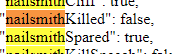
question, can i spawn in like nailsmith somehow?
 pliant lantern
long elm
I'm trying to set up multiworld, and I'm having trouble getting RandoMapMod to f...
pliant lantern
long elm
I'm trying to set up multiworld, and I'm having trouble getting RandoMapMod to f...
Current RandomMapMod doesn't work with it.
You can use this old version of it (attached to this message), which does work, but is missing a lot of the newer features.
Edit: Also, this one should work :https://github.com/syyePhenomenol/HollowKnight.RandoMapMod/releases/download/v1.0.5/RandoMapMod.zip
It's a newer one, that has Spoiler-features as well. I haven't tested it.
fallen dew
i, ehm, ||killed|| him. so i thought i could just reload a save but the game, being the bitch it is, decided that it has to save at that point
fallen dew
willing to learn/research how
hot edge
tho killing him doesnt affect the game
fallen dew
i just want the happy end achievemnt
hot edge
oh right that
fallen dew
yeah
fallen dew
i was thinking it could be done with debug menu? no?
hot edge
no
its editing the save
the only thing debug can revive is NKG
and I think the false knight
here ya go
pliant lantern
If you're on 1.5, MoreSaves also has Save-Editing features, fwiw
hot edge
oh, didnt know that
pliant lantern
?saves
dense shuttleBOT
Saves
Windows File Paths: (Assumes Default Steam Install Path, Adjust accordingly for DRM Free or Non-Standard Steam Path)
Game Files: C:\Program Files (x86)\Steam\steamapps\common\Hollow Knight\```
** **
Mac File Paths:
```Save Files: ~/Library/Application Support/unity.Team Cherry.Hollow Knight/
Game Files: ~/Library/Application Support/Steam/steamapps/common/Hollow Knight/hollow_knight.app/```
** **
Linux File Paths:
```Save Files: ~/.config/unity3d/Team Cherry/Hollow Knight/
Game Files: ~/.local/share/Steam/steamapps/common/Hollow Knight/```
hot edge
correct, thats your first save slot
fallen dew
the only save i have rn
 hot edge
anytime, tho I only knew this cuz I asked yesterday
fallen dew
that's pretty solid
hot edge
I request help
Im using Custom knight
but the spells arent changing for the skins
I checked to make sure the image sprite files were there and they are
but the spells dont change
fallen dew
no clue, haven't really modded much else sadly in hk
hot edge
but why answer if dont know -w-
fallen dew
🤔
long elm
pliant lantern
Current RandomMapMod doesn't work with it.
You can use this old version of it (a...
tysm I will try this after this multiworld we're doing rn
novel bronze
how to add a mod that is not on Scarab ?
 jaunty surge
has anyone had it that when casting VS the spell gets shot behind them?
pliant lantern
novel bronze
how to add a mod that is not on Scarab ?
most 1.5 mods are on Scarab.
So first verify that the mod you want to add is for 1.5
If it is, then open your Mods Folder, create a folder for the Mod, then put the .dll into that folder.
 hidden falcon
i need help, when i try to download the mod it says "unable to locate game files. Please make sure the game is intalled and then try again"
 rough plover
hey guys, I was just watching a stream where the streamer had a HK mod installed that made all collectibles show up in the map
anyone knows which mod is it? it would be good to have it for a randomizer run
 harsh moth
i believe it's the RandoMapMod, i was about to ask if anyone knows if it is supported with last game version yet ?
rough plover
ooo ok I'll try downloading that one, thanks!
harsh moth

GitHub
Contribute to CaptainDapper/HollowKnight.RandoMapMod development by creating an account on GitHub.
rough plover
the name isnt very intuitive, oops
modinstaller has it so I'm downloading it right away
fallen dew
is there a way to figure which mask shard i'm missing? i need only 2, delicate flower and 1 unknow, i checked lists but i got no clue
rough plover
well if you didnt track which you collected, and you dont have a way to tell which collectibles you still gotta get, I dunno...
fallen dew
scrap that, it was the seer
rough plover
I see
I tried installing the map mod but its not working, apparently
nothing shows up
harsh moth
talked 3 times to elder bug ?
rough plover
do I need to talk three times to him?
harsh moth
yeah
harsh moth
if it's still not working, try downloading latest dll from the github, fixed it for me
rough plover
nope, not working
problem is, I dunno how to install the thing without ModInstaller
harsh moth
 fallen dew
i don't have mods installed, how do i get rid of the mod thing in the top left corner? 🤔
 sick ledge

 ancient ore
fallen dew
https://i.imgur.com/C6Foaj4.png
ancient ore
fallen dew
https://i.imgur.com/C6Foaj4.png
how'd u do it?
fallen dew
"turn off api" in scarab
ancient ore
what's scarab
real jacinth
patch 1.5 modinstaller
 limber egret
rough plover
perhaps I need the quill or something?
limber egret
rough plover
perhaps I need the quill or something?
Can you screenshot your mods folder and your main menu?
rough plover
its ok tamijo, I reinstalled the mod and it works now ^^
 timber salmon
What if I want a mod that isn't included in ModInstaller? Specifically MiniSaveStates Assembly from the speed running tools page on speedrun.com.
novel bronze
uhhmm, what's the difference between modinstaller, modinstaller2, and scarab?
pliant lantern
 pliant lantern
novel bronze
uhhmm, what's the difference between modinstaller, modinstaller2, and scarab?
pliant lantern
novel bronze
uhhmm, what's the difference between modinstaller, modinstaller2, and scarab?
Mi1 and Mi2 are both for 1.4.3.2 modding. They have different UIs, but do essentially the same thing.
Scarab is for Current Patch.
pliant lantern
timber salmon
What if I want a mod that isn't included in ModInstaller? Specifically MiniSaveS...
If the website doesn't have info on how to use it, join the HKSC Discord (linked on the website). It should have more info in the resources channel there.
timber salmon
Which website? the one in the pinned post?
 ripe musk
ok i have nothing i want to get the multiplayer mod with my friend how do we get the mod
 broken iron

 cosmic knot
Whenever I install the mod loader for 1.4.3.2, I cant make or continue my saves, and it just says loading. it was working before, but then just started doing this. has anyone else ran into this problem? if so, then please help.
 cosmic knot
It also happens in mod installer 2
 crystal helm
hey are there any ways to add mods on switch?
real jacinth
No
real jacinth
cosmic knot
It also happens in mod installer 2
Read the pins
There's one specifically about this
 jaunty shoal
im having the same issue as the other guy earlier
whenever i open HK with mods it just gives me this image and crashes

can anyone help?
 near herald
^ thirding on this issue, tried wiping out all mods/reinstalling modinstaller and still no dice
gonna check pins quick tho
jaunty shoal
update: i actually managed to fix that issue and now im running into a completely seperate issue
you have to move the file named Assembly-CSharp.dll from the managed folder to the mods folder
but now my game is just booting up and being a complete black screen]
native ice
jaunty shoal
you have to move the file named Assembly-CSharp.dll from the managed folder to t...
do not do that
native ice
jaunty shoal
This usually happens when you're using the wrong mod installer for the version of the game you're on
jaunty shoal
ohhhhh
native ice
@near herald
near herald
gotcha
jaunty shoal
so i'm on 1.4.2.4
native ice
jaunty shoal
so i'm on 1.4.2.4
Buy the game
native ice
Oh, using depot downloader?
jaunty shoal
yeah
 jaunty shoal
and that should make my mods work?
native ice
yes
jaunty shoal
thank you for the help mate
ripe musk
i neeed hellp
native ice
explain your issue then
ripe musk
my gaem crashes whene i try to open it
native ice
any more details?
ripe musk
it says threr is a crash report and just closes
i got rid of the mods and still dont open
thats it
native ice
When it's loading do you see a loading bar?
ripe musk
nope it donset open
native ice
What game version are you on? And what installer do you have?
ripe musk
i have the scarab installer and im in 1.4.3.2
native ice
that's your problem
get mod installer 1/2
But first verify the integrity of your game
Go to your steam library > right click HK > properties > local files > verify integrity of game files
 hot edge
am I able to use a save editor to repair the broken charms?
like to full power as if I payed Divine
found it nevermind
dense shuttleBOT
Reminder: The mod installer (https://radiance.host/mods/ModInstaller.exe) and other modding resources can be found from the pinned messages. 
native ice
ripe musk
then
there's a download for 1.4.3.2 hkmp in the tutorial linked in the pins. Or you can update to 1.5 and use scarab since hkmp is on there. Or you can use the worse multiplayer mod on mi1
ripe musk
how do i update it i dont see any updates? [sorry]
novel bronze
hamach e
ripe musk
how to get 1.5
novel bronze
Are you running steam version
novel bronze
Nice, check beta versions
real jacinth
1.5 is normal version
novel bronze
Oh wait
real jacinth
set beta to none
ripe musk
oh o kthanks
novel bronze
Hamach e
 supple quiver
is there a mod that unlocks godseeker content?
ripe musk
hello why cant i join the multiplayer it says it cant connect
i haev the ip and the port
supple quiver
where do i open modinstaller?
@proper pendant hey sorry to ping but do you know why zerotier wont open?
 proper pendant
supple quiver
proper pendant
supple quiver
figured it out thanks
novel bronze
my corrupted kin mod seems to be not working for some reason
re-installed it a few times as well
error says its missing despite the dll file literally in the mods folder
 stiff spruce
Y'all how do I get scarab to work on mac
 hoary falcon
@plucky kestrel i need help with the enemy randomizer
 winged bough
Hello I'm new to modding, sorry if my question is dumb but where do I put the mods once I have installed them? I'm on 1.5 with scarab.
 light garnet
How do I disable QoL mod in Hollow Knight 1.5 scarab? simply putting it to "off" does not appear to be working because the text is still skipped
native ice
novel bronze
error says its missing despite the dll file literally in the mods folder
Do you have WeaverCore?
novel bronze
yeah
native ice
novel bronze
yeah
What's the error?
novel bronze
hold on let me look at the specifc text
native ice
light garnet
How do I disable QoL mod in Hollow Knight 1.5 scarab? simply putting it to "off"...
Do you want all mods off or just qol. If you want all you can verify game integrity. If you want just qol, you can try pressing the "Open Mods" button and looking for the qol dll and deleting it.
light garnet
Ok, I will try
native ice
hoary falcon
<@!258594278979272715> i need help with the enemy randomizer
What's the problem?
light garnet
It seems to be working! Thanks for the advice!
native ice
winged bough
Hello I'm new to modding, sorry if my question is dumb but where do I put the mo...
Are you asking to manually install mods? If not then scarab will do the whole process for you, just click the box enxt to "Installed?"
winged bough
OK I will try but the last time it didn't seem to work
native ice
stiff spruce
Y'all how do I get scarab to work on mac
Download it, unzip it, open the folder, run the scarab application
stiff spruce
It just shows blank...
native ice
winged bough
OK I will try but the last time it didn't seem to work
In what way?
stiff spruce
And I have mods and stuff too
winged bough
native ice
In what way?
When I clicked on installed
native ice
winged bough
When I clicked on installed
Yes but what happened?
winged bough
Nothing
ripe musk
@native ice thank you for your help ❤️
 novel viper
Which script is for movement I'm using dnSpy?
limber egret
#archived-modding-development has links in the pins for help on creating mods
Also you'd get better answers there
limber egret
winged bough
Nothing
Screenshot scarab
hoary falcon
native ice
What's the problem?
nvm i figured it out
 agile needle
hey the compassalwayson doesn't work for me tried uninstalling i'm using scarab 1.5 any ideas?
limber egret
And it's simply not showing you on the map?
agile needle
yea
agile needle
pc windows
limber egret
Not sure then. Have you tried just restarting your game? Not heard of it simply not working before
agile needle
ye i did uninstalling the mod as well still got nothing
it's fine if it doesn't work thanks anyway for your time
native ice
have you tried maybe like putting compass on and taking it off or somethin
agile needle
ye i did i thought at first i needed to have it
winged bough
i downloaded scarab again it worked. Thank you !
 unique imp
is modded only 1.5 or is it all 1.5 versions?
native ice
unique imp
is modded only 1.5 or is it all 1.5 versions?
1.5.75.11827
Are you using hollow point?
It changes stuff if you've had it on while using a save one time
^
And even if it didn't, this'll still probably fix it
novel bronze
DecorationMaster will soon be present in Scarab?
 shell mist
I'm on 1.4.3.2 and my custom knight isn't working
native ice
You put the dll in your mods folder, or run the program to place it automatically.
native ice
shell mist
I'm on 1.4.3.2 and my custom knight isn't working
not working in what way?
shell mist
The skins do show up but they dont work
 shell mist
this is my screen and if I click on one of the names of skins it does not do anything
 native ice
shell mist
this is my screen and if I click on one of the names of skins it does not do any...
native ice
shell mist
this is my screen and if I click on one of the names of skins it does not do any...
Then check that the file structure is correct
shell mist
ok
native ice
screenshot the inside of one of the skin folders and include the file path
 native ice
and inside one of those folders?
shell mist
that are the skins
shell mist
none of them was working
native ice
then take a picture of any of em
shell mist
ok
I'm an idiot
inside is another folder
thanks I think I get it now
evrything works now thanks to your advice
 sly bone
is mod installer still not working?
 ocean tartan
is the 1.15 modinstaller out?
native ice
sly bone
is mod installer still not working?
It's never not worked
dense shuttleBOT
Check the pinned messages for more information - https://cdn.discordapp.com/attachments/187137504393035776/823796522751623168/unknown.png
sly bone
since 1.5 its never been able to detect my game..
apparently down patching sorts it so im doing that now
native ice
sly bone
since 1.5 its never been able to detect my game..
What mod installer do you have? And have you downpatched?
sly bone
down patching now as said and i have the latest installation
sly bone
doesnt detect my game 🤷♂️
native ice
Scarab?
sly bone
thats what im trying in a minute after ive down patched
native ice
Don't use scarab on a downpatched version
sly bone
okay
native ice
Scarab is for 1.5, mod installer 1/mod installer 2 is for 1.4.3.2
sly bone
noted, sorry im quuite uneducated with hollow knight modding
native ice

 azure pelican
grassy knight won't disable
 sage notch
Does anyone know how I can set the HollowTwitch mod up?
native ice
sage notch
Does anyone know how I can set the HollowTwitch mod up?
did you read the readme

Google Docs
Contains Readmes for all the mods in the installer.
Also contains modding help FAQs
Made by Mulhima, Ruttie and DwarfWoot
sage notch
native ice
did you read the readme
I wasn't able to read it x)
novel bronze
Hey can someone help me, my installer is not opening
 rustic rose
i wanted to install a randomizer mod but all i could find on youtube didnt work, does someone have a guide on how to install the rando?
native ice
rustic rose
i wanted to install a randomizer mod but all i could find on youtube didnt work,...
- Downpatch your game (Check the 3rd pinned message)
- Get mod installer 1
- Download Randomizer 3
?i
dense shuttleBOT
Reminder: The mod installer (https://radiance.host/mods/ModInstaller.exe) and other modding resources can be found from the pinned messages.
rustic rose
oh so i have to downpatch
native ice
yes
rustic rose
alright thanks
azure pelican
grassy knight won't disable.
azure pelican
multiple skins like void knight won't work
 runic heron
I never used any skins just haven’t played in ages just wanted to play some rando
azure pelican
man i'm looking for help
runic heron
How do skins not work tho 
novel bronze
So I made a mistake. I installed both mod managers, and now both are broken. I can’t add mods from either one, it shows me that they are installed but they aren’t. The loading bar does not appear when I launch it and in the top corner it says “modding api”. Is there any way to make it possible for me to mod hollow knight again?
 neon marten
?pins
dense shuttleBOT
Check the pinned messages for more information - https://cdn.discordapp.com/attachments/187137504393035776/823796522751623168/unknown.png
neon marten
Also, what is that window? Windows 1.0?
 open tree
when you use mutiplayer mod how to do u find the ip to join?
 prime moss
neon marten
Also, what is that window? Windows 1.0?
prime moss
neon marten
Also, what is that window? Windows 1.0?
It's a virtual desktop
neon marten
open tree
when you use mutiplayer mod how to do u find the ip to join?
that depends. Are you on the same network on a different one?
open tree
neon marten
that depends. Are you on the same network on a different one?
diffrent one
neon marten
Then you'll need something like hamachi or ngrok they will also give you an ip for your freind to connect
ngrok secure introspectable tunnels to localhost webhook development tool and debugging tool
neon marten
@prime moss I think it's this one
prime moss
neon marten
<@!657951530296803328> I think it's this one
That's not the same error though is it?
I've already had to do that to fix vasi
open tree
neon marten
Then you'll need something like hamachi or [ngrok](https://ngrok.com/) they will...
how do i use this
prime moss
neon marten
<@!657951530296803328> I think it's this one
That hasn't fixed it

 neon marten
@open tree are you trying to join a server? Or is someone trying to join you?
open tree
joine me
neon marten
Then give him the ip
open tree
i have
 inland fern
does modinstaller 1 have the multiplayer mod
open tree
 wheat orchid
inland fern
does modinstaller 1 have the multiplayer mod
wheat orchid
inland fern
does modinstaller 1 have the multiplayer mod
Yes, but there’s a better one you can get
Also why not check yourself?
novel bronze
is there a good modinstaller to use rn
inland fern
wheat orchid
Yes, but there’s a better one you can get
is the better one the one on modinstaller2 or is it a seperate thing?
novel bronze
bc the one im using was the one without multiplayer
wheat orchid
novel bronze
is there a good modinstaller to use rn
Wdym by good installer
wheat orchid
inland fern
is the better one the one on modinstaller2 or is it a seperate thing?
They both have the same mods
wheat orchid
novel bronze
and randomizer is missing
That isn’t updated to 1.5 yet
novel bronze
oof
wheat orchid
Also look for a mod called HKMP (hollow knight multiplayer) idk if it’s on the scarab installer, but it has been updated
novel bronze
alrighty
wheat orchid
Pinned message about multiplayer
It’s about the one on the 1.4.3.2 installers (mod installer 1 and 2)
If you want to use HKMP which actively gets updated, click the link in that message
novel bronze
ok
also
how do i use daughter of hallownest and stuff
some custom skins dont work
like the grimm one and stuff aswell
i put them on but they show as defult
wheat orchid
Are you using the new skin menu?
novel bronze
new?
wheat orchid
Also show your folder structure for them
novel bronze
like from the 1.5 menu
wheat orchid
Yeah that’s the new menu?
novel bronze
wheat orchid
Also show your folder structure for them
ok ill do that now
wheat orchid
Way different from how it used to be
wheat orchid
?
novel bronze
thats totally cool
my mod installer just disappeared
ffs
someone probs messed with my pc
welp
wheat orchid
Where did you have the installer stored
novel bronze
ima just restart with new one again
novel bronze
wheat orchid
Where did you have the installer stored
desktop
wheat orchid
Also you don’t need it to view skins folders?
@ me if you send a screenshot of the skin folder structure
novel bronze
wheat orchid
Also you don’t need it to view skins folders?
i know
but still
i cant even find that
im searching my pc for custom skin
but it no work
wheat orchid
novel bronze
im searching my pc for custom skin
Can you explain what you’re doing?
wheat orchid
That’s probably not gonna work and will take way too long
novel bronze
ok
wheat orchid
Where did you purchase hk?
novel bronze
recommend a faster way -_-?
novel bronze
wheat orchid
Where did you purchase hk?
steam
wheat orchid
And how did you put skins in in the first place
novel bronze
like 80% of people
novel bronze
wheat orchid
And how did you put skins in in the first place
i downloaded custom skins from the mod installer
i then went to the folder
zipped the skin files
and dragged them in
80% of em worked
wheat orchid
novel bronze
i then went to the folder
How did you do this?
novel bronze
daughter of hallow nest and grimm night wouldnt
bc they were in 3 different sections
actually 4 technically i tried them together and all 4 individually
still didnt work
wheat orchid
Repeat whatever steps you did to get to that folder?
novel bronze
i went to the cusom knight in mod installer
and pressed file location
it was there
wheat orchid
Oh, guess that’s a new feature
wheat orchid
Go to steam, right click hk, click properties, click local files, click browse
novel bronze
i went into settings mods and chose skins
novel bronze
wheat orchid
Go to steam, right click hk, click properties, click local files, click browse
ok
Here
I’m doing it on my phone bc I’m too lazy to crop my screenshot

@wheat orchid
novel bronze
yup
eh

it works now
nani
i reinstalled mod instsller
now its fixed
nani
welp
thx for the help?
wheat orchid
You could test that in game in that amount of time?
novel bronze
wheat orchid
You could test that in game in that amount of time?
yeah
i just opened game
wheat orchid
novel bronze
thx for the help?
You’re welcome I guess?
novel bronze
wheat orchid
You’re welcome I guess?
yeah?
agile needle
harsh moth
https://github.com/CaptainDapper/HollowKnight.RandoMapMod
if i wanna install this but it's not on scarab do i just copy all files into the mods folder?
 random condor
i cant heal with the hollow point mod
agile needle
limber egret
This mod is for randomiser
ok thanks for clarifying
 alpine cloak
soo, i installed hollow point, but every time i try to swap to my gun, i instead just focus

any idea what ive been doing wrong?
supple quiver
screw winged nosk bro boss is trash
limber egret
alpine cloak
any idea what ive been doing wrong?
Have you followed the setup instructions in the readme?
alpine cloak
limber egret
Have you followed the setup instructions in the readme?
installed ModCommon now, i can equip the gun now, but i can only shoot once before i have to unequip and requip the gun and it cant actually affect enemies in any way
oh nvm, loading another savegame worked somehow
 pearl grove
would anyone be willing to hop on call and help me install some mods
wheat orchid
pearl grove
would anyone be willing to hop on call and help me install some mods
Can’t hop on a call but it’s as easy as downloading a mod installer, putting it in your desktop folder, then running it
If you changed where hk is installed from the default location then you might have to direct it there though
 rancid night
i was trying to reload my save and the game crashed, when i reloaded the save was gone and it doesnt show the mod info in the top left anymore, any idea what to do about it?
wheat orchid
Try going to your save files path in file explorer and deleting all files with globalsettings in their names (don’t delete anything else though)
?saves
dense shuttleBOT
Saves
Windows File Paths: (Assumes Default Steam Install Path, Adjust accordingly for DRM Free or Non-Standard Steam Path)
Game Files: C:\Program Files (x86)\Steam\steamapps\common\Hollow Knight\```
** **
Mac File Paths:
```Save Files: ~/Library/Application Support/unity.Team Cherry.Hollow Knight/
Game Files: ~/Library/Application Support/Steam/steamapps/common/Hollow Knight/hollow_knight.app/```
** **
Linux File Paths:
```Save Files: ~/.config/unity3d/Team Cherry/Hollow Knight/
Game Files: ~/.local/share/Steam/steamapps/common/Hollow Knight/```
wheat orchid
rancid night
does reverting back to unmodded delete save files
No
wheat orchid
rancid night
i cant seem to find any saves
So you reverted to unmodded and your saves are still gone? They don’t say something like “loading”?
 wheat orchid
How is that scuffed?
rancid night
i cant find anything like it
wheat orchid
What operating system are you on
rancid night
windows
wheat orchid
Copy the save files path from the bot message a couple messages up, press windows key + r, paste, press enter
That’s the game files…
 pearl grove
when i try to install the mod installer is says update to most recent but i just redownloaded it
pliant lantern
pearl grove
how do you down pach your game
pliant lantern
pearl grove
how do you down pach your game
 maiden ledge
Does the Item Randomizer work in 1.5?
 vague cypress
Where is the skin folder? help

 thorny pine
How can i use scarab it tells me to put it in hollow knight data folder and when i do it it just doesnt open
does it work on this version?

or it not the good patch
novel bronze
how do we do mods via gog
real jacinth
You use the installer
 woeful ice
hello there, im sorry to bother yall but im having issues using mods. it worked before but now itsnot working?and when i load up thething it shows this? and idea how to help?

an i am in the 1.4.3.2 patch
wheat orchid
woeful ice
hello there, im sorry to bother yall but im having issues using mods. it worked ...
Click the orange box on the ModdingApi item to update it
woeful ice
ok
wheat orchid
thorny pine
does it work on this version?
Don’t pirate the game 
wheat orchid
vague cypress
Where is the skin folder? help
That is most likely a memory issue, try switching skins in smaller rooms like stag stations
woeful ice
hm, it still doesnt work. the loading bar the used to appear isnt there and now it wont let meplay the game. when i try to play a save it is stuck loading
I’ll figure it out sometime later, I feel like it’s my computer being the issue but thanks for the initial help :)
 primal frigate
yo im trying to add skins using custom knight and i used the fireb0rn guide but it doesnt work
 jagged wagon
primal frigate
yo im trying to add skins using custom knight and i used the fireb0rn guide but ...
jagged wagon
primal frigate
yo im trying to add skins using custom knight and i used the fireb0rn guide but ...
Maybe I can help
What is your issue?
In what is it not working?
primal frigate
well i add the skins and they dont work in game
i followed the fireb0rn guide but i dont get the option to use them ingame
jagged wagon
primal frigate
well i add the skins and they dont work in game
Can you send a pic of ur active mods in the modinstaller
primal frigate
i have debug , benchwarp and customknight active
jagged wagon
primal frigate
i have debug , benchwarp and customknight active
hmm
there is a mod called mod ____
i dont remember the other word since i didnt use it for a while
primal frigate
mod common ?
primal frigate
its not active no
primal frigate
oh wait no it was alr on
jagged wagon
restart Hollow Knight
jagged wagon
its not this
primal frigate
ok
jagged wagon
i dont know
but maybe mods arent compatible with 1.5.2
i havent checked in a while
primal frigate
jagged wagon
but maybe mods arent compatible with 1.5.2
im on the other version
jagged wagon
primal frigate
im on the other version
1.4?
 slow token
So I tried the mod installer a couple days ago. It all seemed to work fine until I went into the game. In the option menu the option ''mods'' appeared, but it was empty, no matter how many mods I installed. Any idea what the problem was?
primal frigate
and i restarted the game and still dont workj
jagged wagon
Sorry but I cant help further
I do have 0 knowledge of modding
Sorry again 😦
We shall wait one of the modders to check on us xd
primal frigate
ok
real jacinth
primal frigate
and i restarted the game and still dont workj
Screenshot your title screen
 jagged wagon
OMG Our saviour Mickely is online
primal frigate
oh legendary mod god help us
real jacinth
Screenshot your pause screen in game
primal frigate
?
 jagged wagon
real jacinth
So what's the issue
jagged wagon
real jacinth
So what's the issue
look at his sprite
primal frigate
ye but
real jacinth
slow token
So I tried the mod installer a couple days ago. It all seemed to work fine until...
jagged wagon
Poor ghost is a literal white rectangel
primal frigate
i add the skins and they dont show up on the left
real jacinth
Then you put them in the wrong place
slow token
Thanks for the link, I'll try to follow those instructions
primal frigate
i go where i put the installation path , i go in steamapps then common then the custom knight section with the default and skin
real jacinth
Did you unzip it
jagged wagon
Mickely, I downloaded the Scarab link to get the 1.5.2 modinstaller but i cant even open it
primal frigate
real jacinth
Did you unzip it
wdym
real jacinth
Did you unzip it
 cursive tusk
how do i get the debug mod for hollow night i keep on getting stuck in walls
dont ask
primal frigate
real jacinth
Did you unzip it
how do i do that
real jacinth
Debug is on the installer
Screenshot where you put the skin
Also, Google exists
Unzipping is pretty basic computer stuff
 real jacinth
That's wrong
Very wrong
Skins go in data, managed, mods, customknight
Just like the Google drive pins says
So like I said, you're putting them in the wrong place
jagged wagon
Mickely how does the 1.5 modinstaller work its very weird
cursive tusk
im trying to open the hollow knight folder but it keeps on opening the game
limber egret
Done
real jacinth
You open it. And press install boxes
jagged wagon
limber egret
Done
where do i put it
limber egret
Anywhere
jagged wagon
what
jagged wagon
do i need to download the zote installer after that
primal frigate
so i go in data , managed , ods and then customknight and the skins are there
 jagged wagon
I open the scarab?
 primal frigate
 limber egret
jagged wagon
I open the scarab?
limber egret
jagged wagon
I open the scarab?
You need to extract this folder
 limber egret
Okay now click scarab
You can put all those files in a folder called scarab if you don't like them all being in your desktop
cursive tusk
im trying to open the hollow knight file to mod it but it keeps on opening the game and idk what to do
 limber egret
cursive tusk
im trying to open the hollow knight file to mod it but it keeps on opening the g...
limber egret
cursive tusk
im trying to open the hollow knight file to mod it but it keeps on opening the g...
This sounds like you're clicking your game not the installer
jagged wagon
Can i assemble everything in one folder now ?
cursive tusk
how do i open installer?
limber egret
Download the installer -> click the installer
limber egret
jagged wagon
Can i assemble everything in one folder now ?
Yep
cursive tusk
how do i do that?
jagged wagon
Thanks TamiJo!
limber egret
You're going to need to use Google if you don't know how to click on things
I can't help you with that
cursive tusk
is the installer in pinned messages
jagged wagon
I'm gonna miss Zote icon tho 😫
limber egret
cursive tusk
is the installer in pinned messages
Yes the first pinned message
cursive tusk
-Scarab (patch 1.5, all platforms): #archived-modding-help message this one?
limber egret
jagged wagon
I'm gonna miss Zote icon tho 😫
I believe you can change the icons on your folders on Windows. Have a Google and see how to do it.
limber egret
cursive tusk
-Scarab (patch 1.5, all platforms): https://discord.com/channels/283467363729408...
Yes
jagged wagon
And it works just like Zote Mod Installer
 misty knot
Hi! For some reason I can open scarab fine on my mac, but on my PC, (which is where I want to use it,) scarab will open up and I can install mods and everything but when I launch Hollow Knight, it'll open as normal and it wont register scarab at all. And yes, I'm on 1.5.
limber egret
cursive tusk
it says linus.zip
Are you on Linux?
limber egret
misty knot
Hi! For some reason I can open scarab fine on my mac, but on my PC, (which is wh...
Screenshot scarab
cursive tusk
the taab says im on github
jagged wagon
Yes!
jagged wagon
cursive tusk
ok i downloaded it and its in my this pc folder
Nice job so far
Open the scarab that got downloaded
cursive tusk
application or PBD
misty knot
umm... how do you screenshot on windows?
jagged wagon
misty knot
umm... how do you screenshot on windows?
Windows Button + Shift + S
limber egret
Now go in the new folder and click scarab
misty knot
and how do i acsess my screenshots?
 misty knot
ok thx
cursive tusk
its not microsaoft verifide
misty knot
wait i dont see it there
limber egret
cursive tusk
it says get apps from the store
Screenshot whatever it is you see and send it here
cursive tusk
or change my app recommendation settings
limber egret
misty knot
wait i dont see it there
I use the clipping tool on Windows for this.

 misty knot
umm its not showing up there'
cursive tusk
try clicking on the little speach bubble on the lower right hand sid of ur screen
limber egret
cursive tusk
Click change and then go through the options to allow stuff
cursive tusk
ok what do i change?
i clicked anywhere
ok its running now
its installing and enabling things is that good?
when do i stop it?
jagged wagon
cursive tusk
its installing and enabling things is that good?
send screenshot
cursive tusk
 jagged wagon
cursive tusk
jagged wagon
cursive tusk
is it automatically filling those in?
cursive tusk
should i stop clicking on things?
jagged wagon
just click on the mods you want to try out
cursive tusk
ok
jagged wagon
I think those mods are too much
jagged wagon
Unless you want to have Deepnest dark effect whilst playing the whole game
jagged wagon
cursive tusk
should i stop clicking on things?
What do you want to do with mods
jagged wagon
cursive tusk
i just want to not be stuck in walls
What?
You are stuck in wall without using any mods
jagged wagon
then use debug mode
cursive tusk
ok


 jagged wagon
cursive tusk
should i open hollow knight now?
jagged wagon
cursive tusk
should i open hollow knight now?
Yes
 low flower
The installers says that I need the latest version to run, which I do what now?
jagged wagon
low flower
The installers says that I need the latest version to run, which I do what now?
which installer
is it the one with Zote icon?
low flower
Yes
limber egret
low flower
The installers says that I need the latest version to run, which I do what now?
Unless you're trying to use Randomiser, use Scarab
jagged wagon
limber egret
Unless you're trying to use Randomiser, use Scarab
There are no randomizers on Scarab T-T
limber egret
If you're trying to use Randomiser you'll need to downpatch
Both scarab and how to downpatch are in the pins
limber egret
Randomiser
long flume
long flume
but for some reason custom knight is not working
Helps
I tried asking this yesterday but nobody helped
 mortal ember
could someone help me with customknight?
 queen smelt
installing the mod installer and im getting a windows pop up saying that windows protected my pc, does the modinstaller 2 have a virus of some sort?
real jacinth
No
 languid cobalt
link for mod installer?
novel bronze
?pins
dense shuttleBOT
Check the pinned messages for more information - https://cdn.discordapp.com/attachments/187137504393035776/823796522751623168/unknown.png
pearl grove
how do i get different skins i downloaded custom knight but there is only default
pliant lantern
pearl grove
can you rply to the pin i have looked and could not find it
 fresh marten
is there a reason that any radiance is not working. I have the mod installed and the title says any radiance however the fight is just normal absrad
nvm it works now
 reef peak
hey @light frost a question, it would not be better if instead of downloading the mod-installer you put an option to be able to modify skins for which we cannot modify with the mod
xd
 smoky skiff
Graig the modding expert
reef peak
a