#archived-modding-help
1 messages · Page 263 of 1
 bleak oriole
 native ice
Gimme a minute
So, Valkyrie, I'm assuming you uninstalled and reinstalled Debug already. Is benchwarp menu showing up in game?
 royal forge
incoming wall of text sorry
the thing with exaltation is just that there are a few issues that are annoying to work around
- the version in the installer is not the newest version, it has the same version number as the github one but is missing sagesoul and primal womb, and not all the charms are gotten via the same methods as in the glorification list on said github.
- i discovered a new bug today with lifeseed lantern (glorified compass) where if you have the lifeblood mask that it gives you, then any hit that does more than one damage will get magnified, i tested it on the fourth white defender fight where he does 4 damage to you, when you have the extra mask it makes you take 7 damage, but then any hits after that go back to 4, it made ascended absolute radiance to 7 damage to me as well.
- steel tempest is a downgrade over quick slash imo, but thats more a gripe rather than a bug/issue, as it reduces damage for uncapped swing speed, however bosses do get some i-frames and cant be hit as often as you can now swing, and so your overall dps goes down
 hybrid lagoon
I deleted bent warp
bleak oriole
so i tried going to the place the pin sends me to and it dosent show up
native ice
royal forge
incoming wall of text sorry
the thing with exaltation is just that there are a ...
You can try manually installing the github one, or maybe sagesoul and primal womb are just broken. Steel tempest does seem like a bit of a downgrade but eh, and it's just a small modder i assume so bugs are bound to happen. I get your complaints but gotta keep in mind mods are usually put out fast and made by small teams. But yea maybe try lightbringer, not purely charm based but it was neat and changed some charms
hybrid lagoon
My room is barely lit
bleak oriole
so i tried copy pasting the location in the pin and searching and nothing came up
bleak oriole
yea
native ice
hit win+r
native ice
and paste in "%APPDATA%..\LocalLow\Team Cherry\Hollow Knight\ "
native ice
np
royal forge
royal forge
incoming wall of text sorry
the thing with exaltation is just that there are a ...
well nvm turns out the second point isnt exclusive to exaltation, i just tested out lifeblood heart on an exaltation free file and 5th white defender did 9 damage, so it has something to do with lifeblood masks and taken damage. is that some bug that is known or could one of my other mods be doing that? im only using these other mods
 native ice
I think even just the modding api makes minor changes so it could be any of em like sfcore vasi qol modcommon, or it could be vanilla.
royal forge
is there any kind of known bugs list for the vanilla game? i can't find anything on the wiki or through google
royal forge
makes lifeblood masks pretty awful to use, but i feel like its not a hard bug to run into, so it seems hard to believe noone is talking about it if its vanilla, which makes me think its a mod problem
native ice
or nobody uses lifeblood lol
royal forge
well i just did some testing, i removed everything but the moddingapi and it still happened, so i guess its a vanilla bug,
it only seems to happen when you take a hit of 4 or more, so only like ascended pure vessel, 4th and 5th white defender, ascended nightmare grimm, and ascended absolute radiance, but still, makes using lifeblood masks seem pretty awful
native ice
and any ascended boss with 2 mask damage like sly
and it may be a moddingapi thing not sure if thats how it works but
royal forge
i doubt it, but im more suprised at how noone has caught or talked about this bug, it seems super easy to run into, and this discord server alone has 100,000 people in it, but its hard to find any info anywhere of people encountering this
native ice
dont think people doing ascended bosses need lifeblood
by that point they're probably familiar enough with bosses that they can take minimal hits
royal forge
yeah, but youd think atleast one person would have maybe had this issue before. makes me feel like im crazy or its something on my end
 pine tartan
I may need help figuring out how to play with the randomizer. I've done everything I can think of/find and it isn't showing up anywhere in my game's main menu. Idk what I'm doing wrong.
 wind vine
so im trying to mod but it wont let me select the mods i want. its only allowing me to sellect hell mod...
pine tartan
My mod installer also isn't showing any of the mods I have right now, idk if that's weird
native ice
pine tartan
I may need help figuring out how to play with the randomizer. I've done everythi...
You have the game on steam right?
pine tartan
Yes
native ice
Can you navigate to the files for the game?
pine tartan
Yes, the mods folder for it is open right now since I'm trying to see if I can find anything out of place
native ice
Is it empty?
pine tartan
No, there's plenty in it, including the .dll for the randomizer
native ice
Are any of the mods working in game?
pine tartan
Some of them, but only the ones I installed some time ago.
native ice
Hmm, have you updated the mod installer recently? And did you make sure you have the pre-requisite mods like mod common, sfcore, vasi, etc.?
If it's only mods from some time ago maybe try uninstalling and reinstalling mod common and such
pine tartan
I don't know where to get all the prerequisites. I searched them by name so I would sure hope I have them, but I could have missed something...
native ice
Check the readme of rando 3
pine tartan
Okay
native ice
It should have the pre reqs in them
pine tartan
I can't find SereCore anywhere, I tried and what I ended up with was SeanprCore.dll
native ice
Hmmmm, might mean your modinstaller is out of date
pine tartan
I just redownloaded it... hold on.
I redownloaded it again from the link on the wiki. I still don't have SereCore
native ice
there's a link in the discord
https://radiance.host/mods/ModInstaller.exe was this the link?
pine tartan
That was the link
wind vine
ok i fixed my first problem... but now my mods are not loading up in game?
native ice
pine tartan
That was the link
Okay so, maybe try putting serecore in manually from the google drive in pins
native ice
wind vine
ok i fixed my first problem... but now my mods are not loading up in game?
Can you elaborate?
wind vine
how do i actually have the mods turn on? like they are not on i think? i have them downloaded and even installed them but they are not working at all.
native ice
Does it say anything in the top left of your main menu?
wind vine
nope
native ice
hmm, can you navigate to your mods folder?
wind vine
yea
just so this is clear this is my first time modding HK so something might be wrong but as far as im aware of i think i did everything right...
pine tartan
It seems to be working for me now. Thank you.
native ice
wind vine
just so this is clear this is my first time modding HK so something might be wro...
I'm also not the most well acquainted with modding and technical things but I've picked up a lot from lurking and my own experience so I'll do my best
native ice
pine tartan
It seems to be working for me now. Thank you.
No problem. Good luck
wind vine
i click the mod installer (found it in the pins) click maunualy instal a mod. instal the mod i want. (im choosing a randomizer cause i think i should be able to see the difference right away without having to open too much and start a world.) but it doesnt actually do anything... when i open hollowknight its just regular HK. is there something im missing?
native ice
Yea so, assuming you installed randomizer 3, you need a couple pre requisite mods
Specifically, SFcore, SereCore, QoL, Modcommon, and Vasi
wind vine
i have those downloaded as well.
native ice
Hmm
wind vine
ok im deleting all my mods and restarting from scratch. what do i do?
native ice
Why are you installing them manually btw?
wind vine
because the installer doesnt want to do it not automatically...
 warm tinsel
I've been searching here myself for a bit cause I've been having the same "ModInstaller2 crashes when disabling a mod" problem as some others (thanks ctrl+f) and after inferring from TamiJo's comment that there should be a "disabled" folder in the "Mods" folder because it wasn't automatically created, I simply made one and disabling mods via the installer works perfectly. Hope this helps!
Error from log to help future searches:
System.IO.DirectoryNotFoundException: Could not find a part of the path.
Edit: I've found now that this does not apply to the API mod itself.
native ice
wind vine
because the installer doesnt want to do it not automatically...
Uhh, should probably fix that. What does it tell you when that happens?
 wind vine
 wind vine
i tried what they said earlier. didnt work. i dont have the folders that they say to delete. and such
native ice
Which file is missing? The mods folder?
wind vine
hollow_knight_data
native ice
Can you send a picture of your mods folder then?
wind vine
WTF?!?! its there now?!?!
native ice
I don't see how it couldn't be there unless something was severly wrong
wind vine
nope didnt do it.
native ice
The modinstaller is on your desktop and you ran it as administrator?
wind vine
yep
native ice
And it still gave you the error?
wind vine
yep
native ice
did you do that reset the installer step?
wind vine
yep
native ice
Hmmm
wind vine
ok im deleting everything and redoing it completly...
native ice
Yea probably the best choice
Verify the game integrity on steam before you start again too
native ice
uh what?
wind vine
 native ice
You just deleted the mods folder and mod installer right?
Or did you delete the entire hollow knight folder
wind vine
just mod foulder and mod installer
native ice
Hmm okay
wind vine
now i just uninstalled hk because of this... UGH... this better be worth it...
native ice
go to steam, right click hollow knight, hit properties, hit local files, and verify game integrity
wind vine
ive been playing it for about 6 months and this was the first game i ever bought when i got my debit card. i can already garrenty its integrity.
though i cant say the same for my spelling LOL
native ice
thats not what that means
im not saying you have a fake game, verifying the integrity just makes sure everything is there thats supposed to be there
wind vine
i was playing it moments ago. how could there not be?
native ice
it just helps, and it essentially resets it to vanilla because theres a little bit more stuff in a different file
wind vine
fair. well im reinstalling HK all together since i couldnt even open the game after that...
native ice
that doesnt change the stuff in the other file
wind vine
i uninstalled everything and am now reinstaling it from scratch. it would have to create all those files wouldnt it?
native ice
There's also the "moddingapi" in the saves, ever noticed how reinstalling doesnt ruin your saves?
wind vine
it worked.
native ice
Oh nice
wind vine
i deleted that. (i had a problemt with corrupt save on a different game. i know a little about where i have to go
wind vine
ok it says something new...
native ice
Aw damn, what's it say?
wind vine
a new error...
native ice
Pic?
wind vine

i find it funny cause you did mention that.
do i have to run the game before i can do this? i never did start up HK after reinstalling it/
native ice
It might help
wind vine
well either way something did change. it actually had all my mods ready now and i didnt need to manuly add them. so its good enough 🙂
native ice
So is it working or no?
native ice
Fixed?
wind vine
yep
wind vine
basicaly i just needed to not be a dumba** LOL
 raven totem
Hi all, for some reason the randomapmod from the mod installer does not work. I installed it but do not see it in game. (all other mods work fine). Am I missing something? thanks a lot!
native ice
raven totem
Hi all, for some reason the randomapmod from the mod installer does not work. I ...
Do you see it in the top left of the main menu?
native ice
hmmm
raven totem
Maybe it is there until I get the first set of map?
native ice
It might not work on pre existing saves, try making a new one
raven totem
Ok, I will try it. Thanks a bunch!
native ice
Np
 violet fulcrum
Is it possible to mod hollow knight on pc if you installed it from Xbox gamepass ?
native ice
violet fulcrum
Is it possible to mod hollow knight on pc if you installed it from Xbox gamepass...
I don't think so
violet fulcrum
alright thank you
 pliant lantern
raven totem
Hi all, for some reason the randomapmod from the mod installer does not work. I ...
pliant lantern
raven totem
Hi all, for some reason the randomapmod from the mod installer does not work. I ...
The one on the installer is activated by talking to Elderbug, but it won't work if you've already talked to him in that save.
That being said, it's a really out of date version: this is the current version https://cdn.discordapp.com/attachments/836256114659033098/837547403258626088/RandoMapMod.dll.
With the newer version, you can give yourself the maps with Ctrl + M
 wide goblet
Hiya, having some troubles with the mod installer. I just tried to install QoL
 pliant lantern
wide goblet
Hiya, having some troubles with the mod installer. I just tried to install QoL
pliant lantern
wide goblet
Hiya, having some troubles with the mod installer. I just tried to install QoL
It's because of Vasi.
Go to your /Mods folder, and extract the vasi.dll from the vasi.zip folder, then delete vasi.zip
If you need more help with it, lmk
 wide goblet

 real jacinth
close installer and open it again
wide goblet
real jacinth
close installer and open it again
I was just about to say that this was exactly what fixed it
thanks ^w^
pliant lantern
I didn't think to say that lol
I forgot that that didn't auto close it when it gave that exception

 fair briar
?saves
 dense shuttleBOT
Saves
Windows File Paths: (Assumes Default Steam Install Path, Adjust accordingly for DRM Free or Non-Standard Steam Path)
Game Files: C:\Program Files (x86)\Steam\steamapps\common\Hollow Knight\```
** **
Mac File Paths:
```Save Files: ~/Library/Application Support/unity.Team Cherry.Hollow Knight/
Game Files: ~/Library/Application Support/Steam/steamapps/common/Hollow Knight/hollow_knight.app/```
** **
Linux File Paths:
```Save Files: ~/.config/unity3d/Team Cherry/Hollow Knight/
Game Files: ~/.local/share/Steam/steamapps/common/Hollow Knight/```
fair briar
ok so the file paths for mac and linux point to the location of the steam install, how would i get to the mods folder? (for windows i know)
oh for mac i found something from DwarfWoot ^^
now only linux...
wide goblet
Okay, one last question: if I wanted to make my custom knight the default, would i simply delete the default folder? rename it?
 limber egret
You can rename the default folder to something else and rename the one you want as default, that will work, yes
I suggest you don't delete the default skin, though
You may need it at another point to help fix other skins
 rain jetty
Heya, i got a question: somehow my healing speed got lowered (probably because of a mod), how do i set it back to normal?
rain jetty
limber egret
If so there is a fix in the pins
the pins?
fair briar
?pins
dense shuttleBOT
Check the pinned messages for more information - https://cdn.discordapp.com/attachments/187137504393035776/823796522751623168/unknown.png
 rain jetty
thanks
 plush schooner
I have a little problem with my randomizer. When I start a new savefile, I get sent into Kings Pass, but I can't see my character and can't use any buttons. Does anyone know why this is?
limber egret
Sounds like modding dependency mods
fair briar
QoL
plush schooner
I had mod common, serecore, benchwarp. I read on a forum, that that was all that was needed
But thanks 🙂
 fickle parrot
Always check the mods readme mate it has needed info
fair briar
fickle parrot
Always check the mods readme mate it has needed info
ah yes
Randomizer 3 requires SereCore.dll and Modding Api version 53 or greater to run. These are both automatically downloaded by the ModInstaller.
 analog plover
im new to modding (im on mac btw), and when i open the game my inputs aren't going through. it detects my controller (switch pro controller) but nothing i do does anything. i've read the pinned comments and tried following the instructions but they didnt work either
anyone able to help?
fair briar
 dawn python
ok,ok jeez
analog plover
no luck
 prime saddle
does anyone know why mantis gods wont work?
i got it from the mod list and it dosent seem different
 gloomy coral
prime saddle
i got it from the mod list and it dosent seem different
gloomy coral
prime saddle
i got it from the mod list and it dosent seem different
Are you in godseeker mode?
prime saddle
ye
prime saddle
ah
also on the console mod can you force equip charms like carefree or will it equip grimmchild?
gloomy coral
I mean you can but like just close the game and save edit
prime saddle
save edit?
i meant the mod that gives you a console to change nail damage and stuff not a mod for the console version
gloomy coral
Yea editing the save file cuz it's easier
native ice
is this it? https://bloodorca.github.io/hollow/
gloomy coral
From the console to equip carefree you could try PlayerData.instance.grimmChildLevel = 5
And then
PlayerData.instance.equippedCharm_40 = true
gloomy coral
native ice
is this it? https://bloodorca.github.io/hollow/
You could use this or QoL mod
fair briar
why not use debug
 wicked mesa
Hello, I have a question. Is it possible to mod hollow knight on cracked? I'm just asking I have it on steam but I just wonder can you guys tell me if you know?
 neon marten
Ok. So you have it on steam. Why would you want to mod a cracked version?
Let’s just state it like this. With knowledge it is possible. Without it is very hard. Also, don’t expect anyone here to help with modding a cracked version
wicked mesa
Okay thanks
neon marten
gloomy coral
Don't give hope
Sorry
 vernal rain
there's also that one pin saying
- I pirated the game and want to play with mods.
+ Buy the game. Don't waste everyone else's time by lying or complaining that ModInstaller doesn't work.
Oh my god, stop telling people they can mod the pirated game
FFS
That encourages people to pirate and mod it
Just tell them they can't. Problem solved.
I would legit ask a mod to delete every message indicating it's possible (including these ones)
neon marten
limber egret
Oh my god, stop telling people they can mod the pirated game
Well, given that they pirated the game my guess is that they don’t have any experience making games/programming. Otherwise they would understand how much work it is and they would pay for it. Following that logic it is safe to say that it is possible since they will never be able to do that
vernal rain
me just gonna remove most my messages from the past few things, edit: done
 jovial adder
How exactly would I replace the Shade music in the game with something else?
 wheat orchid
jovial adder
How exactly would I replace the Shade music in the game with something else?
wheat orchid
jovial adder
How exactly would I replace the Shade music in the game with something else?
#archived-modding-development probably replacing some stuff in a Fsm or audio snapshot stuff
jovial adder
Sorry, I didnt read the channel description. I'll go to that channel more often, thanks! Also, thanks for the advice as well
 leaden comet
hi there. I have installed randomizer 3 through the mod installer and it works and then in its readme i found the link to the randomizer map
https://github.com/homothetyhk/RandomizerTracker/releases
I have downloaded the zip but I don't know what to do with the files.

GitHub
An automatic map tracker for Hollow Knight area and room randomizer - homothetyhk/RandomizerTracker
wind vine
Having problems using skins in HK. I did everything I was supposed to but it won't change the skin.
wheat orchid
wind vine
Having problems using skins in HK. I did everything I was supposed to but it won...
Well you didn’t do everything you were supposed to then
Screenshot the pause menu
wheat orchid
leaden comet
hi there. I have installed randomizer 3 through the mod installer and it works a...
If you extract it is there a .dll file?
wind vine
You know what... Fair enough... Should have seen that response coming.... I can't take a screenshot cause pc is acting up. But when I have the pause menu it gives me access to a list of skins and at the top it says "change skin" and "default" but if I click default it turns my entire sprite into a white block. And if I click any other skin it doesn't update it. I just stay at my default skin.
leaden comet
here's a list of the files it contains @wheat orchid
 wheat orchid
wind vine
You know what... Fair enough... Should have seen that response coming.... I can'...
wheat orchid
wind vine
You know what... Fair enough... Should have seen that response coming.... I can'...
Well you kinda need to screenshot if I am to help you
wheat orchid
leaden comet
here's a list of the files it contains <@!566029907264667657>
¯_(ツ)_/¯
real jacinth
Did you try running the exe
leaden comet
yes, i'll send a screenshot of what happens
real jacinth
Pretty sure you just extract everything to like desktop and run the exe
And the map gets built as you play
leaden comet
@real jacinth this ui pops up
 real jacinth
So what's the issue
leaden comet
@real jacinth oh so i just need to start the game and run the exe?]
real jacinth
It build a map while you play room randomizer
leaden comet
since everything's blank i thought there's something wrong
wheat orchid
...well there’s nothing for it to track yet
leaden comet
real jacinth
It build a map while you play room randomizer
OHHH!
real jacinth
Yeah. It's not receiving any data. So why would it make anything. Lol
leaden comet
😅
 lethal scarab
So... i was trying the mods, then i realise my nail is not giving any damage, can anyone help ?
wheat orchid
lethal scarab
So... i was trying the mods, then i realise my nail is not giving any damage, ca...
Did you use debug mod and lower your damage
lethal scarab
i check that, nope
wheat orchid
What mods did you use
wheat orchid
It doesn’t matter if you still have mods or not
Nail damage is stored in your save files
So if it’s changed at all by any mod, it doesn’t matter if you uninstall the mod
lethal scarab
but never changed that
real jacinth
Inb4 "debug"
wheat orchid
They said they didn’t....
lethal scarab
i checked my nail damage too
lethal scarab
okey wait a minute
real jacinth
lethal scarab
i mean i ddint change the nail damage
On purpose
lethal scarab
 wheat orchid
It says 0
lethal scarab
i am pressing the + but still not effecting
wheat orchid
lethal scarab
(-) works tho
How do you know?
lethal scarab
 wheat orchid
So pressing = does nothing?
lethal scarab
doing nothing
 west bane
try rebinding i guess and then go from there
wheat orchid
Click the white dot next to it on the binds menu and press the key you want to be for increasing nail damage
lethal scarab
is it normally 1
 sinful lance
how i install de brumms white palace?
wheat orchid
You install the decoration master mod and put the .json files for the rooms in the data folder for it
sinful lance
where i install the decoration master mod?
wheat orchid

Here's my guide on installing and using the DecorationMaster Mod, a mod which lets you both customize levels and play other people's customized levels! Credits to Sawyer and shoutouts to 56.
DOWNLOADS:
https://github.com/a2659802/HollowKnight.Decoration/releases
Under "Assets", download DecorationMaster.dll.
sinful lance
how i use the modinstaller 2 to manually install mods?
gloomy coral
You can't
Just open the mods folder manually
Game files -> hollow_knight_Data -> managed -> mods
sinful lance
so i just put in there?
gloomy coral
Put the dll in there and then open the game to generate the folder
sinful lance
okay
gloomy coral
Then close it and put the JSON files from #modding-discussion pins into the folder
 thick fern
So i have this problem that since i got mods for hollow knight my healing broke so now i heal 10 mask with 1 soul vessel i already did everything delete mods deleted and installed hollow knight but nothing works
thick fern
thanks man
pliant lantern
thick fern
thanks man
There are methods to fix it in the pins btw 
 subtle knoll
i need help
im trying to reset the modinstaller bc for some reason i cant heal in the phantoms anymore after i downloaded mods
and it says it cant find the vanilla hollow knight folder
how do i manually delete the mods
wheat orchid
Resetting the installer doesn’t help that....
What mods did you use in the save where you can’t heal
subtle knoll
im really not sure
i downloaded hollow point, grassy knight and QoL
and somehow it downloaded other stuff for me
wheat orchid
I blame Hollow point
Also it downloaded other stuff since hollow point and Qol depend on modcommon and Vasi to work
wheat orchid
Look in hollow point’s readme on how to fix the healing
subtle knoll
k
pliant lantern
There's a whole pin about fixing healing
subtle knoll
thought it would be easier to ask
wheat orchid
With Qol it’s slightly easier(you don’t need to go online for a save editor, you can just go to your save files and edit json files in a text editor)
subtle knoll
oki thanks
wheat orchid
subtle knoll
thought it would be easier to ask
Well at first you should have explained that then
pliant lantern
wheat orchid
With Qol it’s slightly easier(you don’t need to go online for a save editor, you...
The easiest method these days is Mulhima's mod, that just automatically fixes it lol
wheat orchid
Oh, I forgot about that
 dawn python
AMONG US
 novel bronze
anyone know how i can download the modinstaller?
gloomy coral
?I would do it from the link below
dense shuttleBOT
Reminder: The mod installer (https://radiance.host/mods/ModInstaller.exe) and other modding resources can be found from the pinned messages. 
 pliant lantern
novel bronze
anyone know what this means?
pliant lantern
novel bronze
anyone know what this means?
Did you use mods a long time ago?
novel bronze
yeah
pliant lantern
It's from bad mod installer memory from the old installer
There's a few pins about it
You'll need to reset your mod installer data (I posted a .bat that's pinned that will do that automatically for you), and you'll need to delete your /Mods folder
After you do both things, relaunch the installer that you just downloaded
 rugged copper
also works fo me, thanks!!!
 ripe crystal
For Hollow Point, it's not letting me switch to the gun, apparently you're supposed to switch with the cast button, so i'm not sure if i need vengeful spirit or this is just a bug, thanks!
real jacinth
Read the readme
 wispy jewel
r there any mods that make the white palace harder (not pain of the path)
real jacinth
Chaos mod
gloomy coral
Decomaster mod
wheat orchid
wispy jewel
can u accses it if u already beat white palace
Yes
As long as you can get to the room before pop then you can do it
You should also read it’s readme
fair briar
well yes
but its not very informative
This mod adds a platforming section to the White Palace.
This platforming section is called "Test of Teamwork".This mod is build quest-like, with it's start being a conversation with someone familiar in and around Dirtmouth.
with a typo
SFG fix your readme the word "plaforming" needs to be "platforming"
wispy jewel
This mod is build quest-like, with it's start being a conversation with someone familiar in and around Dirtmouth.
who
 royal bison
i'm trying to open the mod installer and it won't let me open it
it says: Unhandled exception has occurred in your application if you click continue, the application will ignore this error and attempt to continue. If you click Quit, the application
Sequence contains no matching element
does anyone know what to do
wheat orchid
Pins
 white dawn
Anyone know a modinstaller version for hollow knight 2.4.1.4?
 willow lichen
So when I open Modinstaller on my M1 Mac it instantly closes. I'm using the download in the pins. What should I do?
gloomy coral
willow lichen
So when I open Modinstaller on my M1 Mac it instantly closes. I'm using the down...
Put on desktop, right click and open package contents. Then open the executable named modinstaller
willow lichen
ok ty
 queen arch
can someone pls tell me how to make custom knight work with the multiplayer mod foreborn uses?
real jacinth
You cant
 sand imp
has anyone found a workaround for the dream realm respawn bug with the easy mode mod? I've tried using the debug mod to give myself a new spawn but that didn't seem to work :/
royal bison
i'm trying to do multiplayer with my friend and when i hit connect it just doesn't work does anyone know whats going on?
 dusk tundra
can someone give me the link for hollow point
real jacinth
?pins
dense shuttleBOT
Check the pinned messages for more information - https://cdn.discordapp.com/attachments/187137504393035776/823796522751623168/unknown.png
 unique kite
curious, is there a mod that disables the dream nail speech of enemies?
novel bronze
I have been trying to install pale champion again and again with modinstaller 2, it got to like 99% and the modinstaller crashed
novel bronze
I couldnt run the first modinstaller, that's why i used modinstaller 2 in the first place
unique kite
thats an interesting case, what error(s) did you get from the first one?
novel bronze
it just didnt launch
i can literally install every single mod except for pale champion
pliant lantern
queen arch
can someone pls tell me how to make custom knight work with the multiplayer mod ...
Fireb0rn is using HKMP, which had it's own built-in skin system, similar to Custom Knight (although it currently only supports two of the sprite sheets).
Here's a link to the page for it, which also had a link to a support server if you need help: https://github.com/Extremelyd1/HKMP
dusk tundra
why will hollow knight not load when i try installing mods on mod installer
wind vine
what does it say?
dusk tundra
the game crashes everytime i load it up
wind vine
one sec
dusk tundra
this message appears when i load up mod installer
 wind vine
go to steam, right click hollow knight, hit properties, hit local files, and verify game integrity
dense shuttleBOT
Check the pinned messages for more information - https://cdn.discordapp.com/attachments/187137504393035776/823796522751623168/unknown.png
wind vine
i had that problem before. thats how you sove it
real jacinth
There's one that addresses that error
 void pagoda
I need help...
Everytime I installed a mod,HK loads up with no music,no save files and the achievements are kinda weird...
Help?
real jacinth
?pins
dense shuttleBOT
Check the pinned messages for more information - https://cdn.discordapp.com/attachments/187137504393035776/823796522751623168/unknown.png
real jacinth
.
wind vine
can i have help with the custom night mod? i have all the skins but they are not applying to my knight
(love how someone is super quick to point out to look in pins but doesnt help when something is not in pins... just saying...)
real jacinth
Ah yeah because the only thing I exist to do is help random people on the internet
Either you're missing modcommon, or your file structure of the skins is wrong
wind vine
neither. thats the problem
wind vine
 real jacinth
Now your file structure
wind vine
 real jacinth
Well you have them zipped
wind vine
 real jacinth
Your file structure is wrong
wind vine
that sbecause i have been trying to get one to work. and NONE are working
wind vine
so. simply because the stupid thing opened them liek that.... god i hate unziping files...
dusk tundra
this message appears everytime i try to run mod installer

im done with mod installer
vernal rain
have you tried the pin having a fix for that?
<#archived-modding-help message>
dusk tundra
ive tried resetting it but my device blocks it apparently
 short mantle
how can i replace sound effects? i am stupid so im asking for help
vernal rain
i don't think that there's a mod for that
 steady oak
 jovial kite
?saves
dense shuttleBOT
Saves
Windows File Paths: (Assumes Default Steam Install Path, Adjust accordingly for DRM Free or Non-Standard Steam Path)
Game Files: C:\Program Files (x86)\Steam\steamapps\common\Hollow Knight\```
** **
Mac File Paths:
```Save Files: ~/Library/Application Support/unity.Team Cherry.Hollow Knight/
Game Files: ~/Library/Application Support/Steam/steamapps/common/Hollow Knight/hollow_knight.app/```
** **
Linux File Paths:
```Save Files: ~/.config/unity3d/Team Cherry/Hollow Knight/
Game Files: ~/.local/share/Steam/steamapps/common/Hollow Knight/```
 spiral scroll
my sprite packer don't open and i don't know why
 grim storm
I hope this is the right place to ask, but I want to install the Hollow Points mod for Hollow Knight (Steam Edition), but I haven't modded this game at all (and most of my modded games are via the Workshop), so I'd like someone to help walk me through this?
 fallow pilot
First, I suggest you check out the hollow point readme and read it through fully. There are a few gotchas that you need to be aware of
Next: look at the room topic and download the ModInstaller.
grim storm
Downloaded the modinstaller.
fallow pilot
It's actually somewhat straight-forward and I think you'll get it for the most part. You run ModInstaller and enable the ModdingAPI then install all pre-requisite mods as well as hollow point.
grim storm
Is that so? I know some mods are highly complicated, and my friend said this one might be, so I wanted an extra hand.
fallow pilot
That's what I meant by read the README, this one can be confusing in how it works in-game
Not necessarily for installation
grim storm
Ah. I see. I'll try to keep that in mind.
fallow pilot
Caveat here is that I've never installed it. But enough people have come in with questions about it that I have some idea of what to suggest
grim storm
Thanks. Running the game now.
Seems to be running smoothly. I can figure out the rest from here. Wasn't expecting the modinstaller to have it there already.
Thanks for your help.
I'll actually play the mod when my friend gets home.
fallow pilot

leaden comet
anyone knows what this "MapMod" is? I thought it was the RandoMapMod but they are completely different. The screenshot is from fireb0rn's recent vid "fireb0rn plays Cursed Hell Mod Randomizer (Steel Soul)"

 sour crag
Hey! I wanted to ask if there is a skin for the Knight similar to the one in this video. https://youtu.be/7SlwcLtntGs
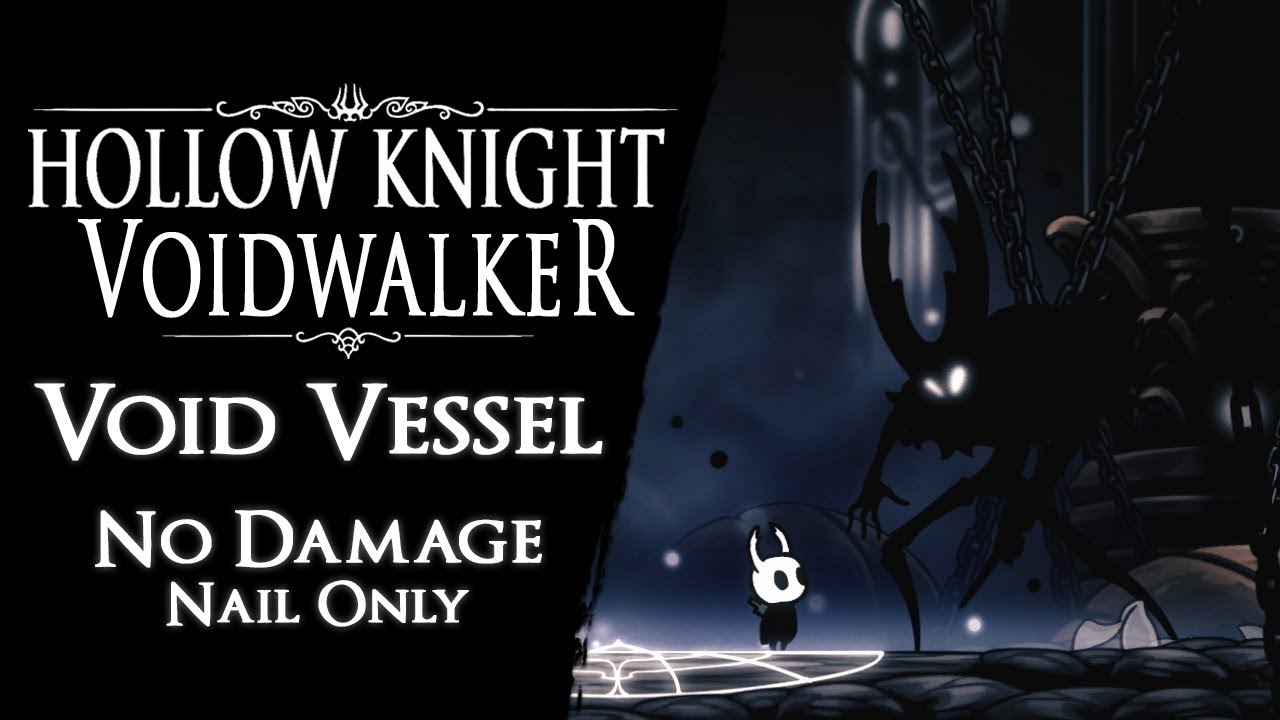
Void Vessel defeated without taking any damage and using magic. It's one of the bosses (Pure Vessel) i have modified for my mod in progress "Voidwalker".
❖ Support the Channel: https://paypal.me/Aeraloth
❖ Changes to Game & Boss:
◆ Game is faster by 25% (Voidwalker setting),
◆ Soul i...
 lime basalt
dose anyone know how to get a hollow knight multiplayer server working
pliant lantern
lime basalt
dose anyone know how to get a hollow knight multiplayer server working
If you're using the Multiplayer mods that are on Mod Installer, then check the pins for the Troubleshooting info.
pliant lantern
pliant lantern
If you're using the Multiplayer mods that are on Mod Installer, then check the p...
I would personally recommend using HKMP instead ( https://github.com/Extremelyd1/HKMP ) though. There's info on the page I linked, and it has a support server if you have Qs about it
lime basalt
thank you
 lapis laurel
sour crag
Hey! I wanted to ask if there is a skin for the Knight similar to the one in thi...
lapis laurel
sour crag
Hey! I wanted to ask if there is a skin for the Knight similar to the one in thi...
Probably no. The creator of this mod is giving up few years ago.
sour crag
lapis laurel
Probably no. The creator of this mod is giving up few years ago.
alright, thanks for letting me know!

 gloomy coral
In the in-game settings, open the mods option and screenshot
fair briar
In the in-game settings, open the mods option and enable QoL
 mint mango
Ah thx
 topaz fable
not sure if it's modding related but, is there a way to change some keybinds actions ?
i wanted to try to play with keyboard and bound my attack to left click, jump to right click, and the rest on normal keys
after that i couldn't close menus in godhome (when entering a pantheon)
left click would close menu and right click would be the select button (which is unplayable and i don't want to get used to this)
gloomy coral
use movement keys + enter to naviggate through menus
cuz jump is also a select button i think
topaz fable
but enter is no where near my hands, it doesn't feel right at all
and it doesn't change the fact that i cant close some menus
gloomy coral
close menus is focus
topaz fable
i tried everysingle keys, it didn't work
i didn't change my focus key, but after resetting keybinds to default, i could close menus again
i checked the beta patch, i guess it will be fixed eventually https://puu.sh/HGOIO/9a74749d24.png
 topaz fable
qol means invalid runs though
fair briar
so, dont have to close menu's
topaz fable
quotting my initial question " is there a way to change some keybinds actions ?"
topaz fable
so i can't make the select button be left click
topaz fable
enter?
fair briar
you can only change the keybinds found in the options menu
topaz fable
well rip then, i'll stick with controller
fair briar
but if jump is right click then why not use right click
topaz fable
because the game should adapt to my needs and not the reverse
left clicking to enter is universal, i don't want it to be right click out of nowhere, it doesn't feel right and it's annoying
fair briar
well then go complain to team cherry
gloomy coral
you could bind enter to a key you're confortable with using a program like autohotkey
topaz fable
fair briar
well then go complain to team cherry
will post a comment in the beta thread yes
topaz fable
🤷♂️
gloomy coral
Screenshot how you put the skin
fair briar
the mod or the skin
 tame abyss
How do I install mods?
Hollow Knight isn't part of Nexus I think, nor is there a Steam Workshop.
vernal rain
?i
dense shuttleBOT
Reminder: The mod installer (https://radiance.host/mods/ModInstaller.exe) and other modding resources can be found from the pinned messages.
tame abyss
Thanks
 rugged socket
I have mods installed, but when I open hk they arn't there.
vernal rain
sounds like multiple hk installations
rugged socket
how would I fix that?
 visual garden
Hi, I was wondering if the mod installer works on Mac computers or just PC?
limber egret
There is a Mac installer in the pins
visual garden
Ah, thanks, I probably should have checked those
gloomy coral
rugged socket
how would I fix that?
Delete the multiple installs
rugged socket
That has not seemed to work
gloomy coral
Screenshot installer
rugged socket
which part?
pliant lantern
rugged socket
which part?
The whole installer
If you have/had multiple installs, then Mod Installer was most likely looking at a different one than what you were launching.
When you first run it, it has you confirm that it's using the correct path, which is you didn't check, was probably not the one you wanted.
If you deleted the other installs (which, you can have multiple installs, although it only really matters for downpatching), but it's still not working, then you'll need to reset the installer.
rugged socket
 pliant lantern
Did you install and enable Modding API?
rugged socket
 fair briar
benchwarp
pliant lantern
Benchwarp shouldn't make the game run vanilla
It just causes a loading bug, right?
rugged socket
What do you mean?
pliant lantern
Or was it causing a no mods to show up bug too?
pliant lantern
rugged socket
What do you mean?
There's a pinned message about some bugs, including Benchwarp occasionally doing weird things for people
rugged socket
ah, it did that once, but I fixed it.
pliant lantern
Personally, I think you need to reset the installer to fix the path. Try closing the installer, and resetting it.
You can easily reset it by downloading and running the .bat file in the pins. If you prefer to Manually do it, there's a pinned message about how to reset it.
If you want to be thorough, you can go to your saves folder and delete the Benchwarp global settings as well, in case it is that.
 thorn merlin
randomap mod doesn't work

 potent leaf
Idk if it counts, or if this is the right chat for this but, I've seen a video where people played hollow knight in multiplayer, I would really like to try that out with my friends (or siblings) , and since I'm new to this whole hollow knight thing, how do I do, anything?
thorn merlin
you first have to download the modinstaller
potent leaf
Ok
gloomy coral
potent leaf
Idk if it counts, or if this is the right chat for this but, I've seen a video w...
thorn merlin
 gloomy coral
Check the mods option in in-game settings
pliant lantern
thorn merlin
randomap mod doesn't work
What do you mean by "it doesn't work"?

 mortal helm
I was trying to revert back to unmodded but this came up and I dont know what to do
 limber egret
Do as it says
Well, apart from the last bit
Go to your install on Steam or Good Old Games and verify the integrity of game files
But then don't reopen the installer because that will make it modded again
limber egret
Somebody should change that pop-up it's actually kind of garbage
mortal helm
I was just little confused bc after I relaunched it was modded again
mortal helm
limber egret
Somebody should change that pop-up it's actually kind of garbage
yea...
limber egret
It sounds like a general fail, and also tells you to do something that would undo verifying the game files
 somber sedge
can someone help me or know whats wrong in the gun mod my gun does no damage
limber egret
Did you read the readme
thorn merlin
pliant lantern
Without knowing **why** it's "not working", there's not much to do
idk
I have it in the files
thorn merlin
but it doesn't shows up in game
limber egret
What are you doing? What is the expected result? What is the actual result?
limber egret
No that's not a thing
gloomy coral
thorn merlin
it doesn't
limber egret
What are you actually doing in game?
 limber egret
Are you pressing jump?
thorn merlin
limber egret
Tell us what you are doing
a
limber egret
Do you have maps?
thorn merlin
yes
limber egret
Have you picked them up?
thorn merlin
yes
limber egret
Okay, thank you
thorn merlin
I bought them
limber egret
The maps just show the regular in game maps?
thorn merlin
yes
pliant lantern
Are you playing a new Randomized World?
gloomy coral
Ctrl m?
thorn merlin
pliant lantern
Are you playing a new Randomized World?
yes
pliant lantern
Can you screenshot your map?
thorn merlin
gloomy coral
Ctrl m?
what does that do
gloomy coral
Magic
thorn merlin
pliant lantern
Can you screenshot your map?
it is a map
limber egret
Ctrl+M gives you all maps
pliant lantern
gloomy coral
Ctrl m?
Fwiw, that only works on the newest version, that's not on the installer yet
gloomy coral
Rip
limber egret
The ones from the channel or the ones from the installer?
thorn merlin
the one from the speedrun community discord
gloomy coral
So ctrl m should work
thorn merlin
do I need every maps for the mod to work ?
gloomy coral
No
limber egret
They said they have maps that's not helpful
I would say that you should delete and then redownload it from the main channel.
Also, you may have accidentally hidden the pins?
Try pressing ctrl+p
thorn merlin
limber egret
I would say that you should delete and then redownload it from the main channel.
did it twice
I'll try ctrl+p
 hasty pewter
so my multiplayer mod isn't working and i've been trying all i can think of is there any way you can help my mortal existence?
wheat orchid
hasty pewter
so my multiplayer mod isn't working and i've been trying all i can think of is t...
Pins
hasty pewter
i did what the pins said it would not work
 hardy geyser
hello guys , ive just installed the multiplayer mod , how do i get each player to have their own custom skins
hasty pewter
enable customknight with the multiplayer server mod I'm sure (i think idk)
hardy geyser
did , both players just have the same skin
 meager fulcrum
Where is the modding installer thing
hardy geyser
idk got it from a video

A guide that explains how to install the CustomKnight mod and add your very own custom sprites to the game!
ModInstaller: https://radiance.host/mods/ModInstaller.exe
CustomKnight Skins: https://drive.google.com/open?id=1VlXmvI6KT2vzsGItY2w3rHjeCFx8DN0n
CustomKnight Skins (The White Palace Group): https://drive.google.com/open?id=16BUDS5e4_5eRI...
meager fulcrum
dense shuttle
**Reminder:** The mod installer (<https://radiance.host/mods/ModInstaller.exe>) ...
Found it
wheat orchid
hardy geyser
hello guys , ive just installed the multiplayer mod , how do i get each player t...
You can’t with the mod installer’s multiplayer mod
wheat orchid
hasty pewter
i did what the pins said it would not work
Tell me the steps you went through then
 thorn reef
Hey so just yesterday I had to verify my hollow knight files integrity and now my skins wont appear in game can I have some help
wheat orchid
thorn reef
Hey so just yesterday I had to verify my hollow knight files integrity and now m...
Verifying integrity removed mods
hasty pewter
wheat orchid
Tell me the steps you went through then
do you have to join a hamachi network because i forgot to try that
wheat orchid
thorn reef
Hey so just yesterday I had to verify my hollow knight files integrity and now m...
So open the mod installer again and it should reinstall it
hardy geyser
wheat orchid
You can’t with the mod installer’s multiplayer mod
do i need some other mod ?
wheat orchid
hasty pewter
do you have to join a hamachi network because i forgot to try that
Yes or else you port forward
Don’t tell people you followed all the directions when you haven’t
hasty pewter
wheat orchid
Don’t tell people you followed all the directions when you haven’t
i didn't see
wheat orchid
hardy geyser
do i need some other mod ?
HKMP has skins but doesn’t use the CustomKnight mod
hardy geyser
alright thanks
 lost crest
What extra things do you need to run the randomizer mods?
wheat orchid
Modcommon, serecore, Vasi
hasty pewter
wheat orchid
Yes or else you port forward
how to i join thru hamachi?
wheat orchid
Qol is required for skips
wheat orchid
hasty pewter
how to i join thru hamachi?
You follow the directions in the pins
 proven star
im trying to get the seanpr core mod but the drive is down
wheat orchid
That’s the old drive link
wheat orchid
Also you can get Serecore(the new ver) from the installer
thorn reef
wheat orchid
So open the mod installer again and it should reinstall it
My files broke again when i reinstalled the installer
wheat orchid
They say loading?
thorn reef
yep
wheat orchid
Look in the pins
thorn reef
what am I looking for
wheat orchid
A pin that explains the problem you’re having
thorn reef
is it the top pin
lost crest
I can't open my map. Is there a mod that can cause that or no?
hardy geyser
wheat orchid
N o
Hey , i downloaded hkmp and we now have different skins but i cannot see his one
other player is still default
same on his screen
gloomy coral
Probs wanna ask on the hkmp server
fair briar
hardy geyser
other player is still default
did you do what the readme said?
hardy geyser
ye i didnt , i know what to do now dw
its asking for some skin ID
but still not sure what that means
 scenic glacier
So, I'm a newbie to HK modding, and I'm running into an issue when I die occasionally.
I'm using Benchwarp, CustomKnight, DebugMod, and Easy Mode. And about once every three deaths, instead of just going back to the bench, my screen shows the dream area and I can't interact with the game at all.
The Knight isn't on the screen, but I can hear it when I swing my nail, however, no other inputs work, including trying to pause or pull open my inventory
And it requires a hard restart to become playable again
fair briar
try disabling easy mode
 visual spoke
hey uh i have a really silly question
but in the white palace what triggers the ability to sit on the throne?
because i invincibilitied the second half (after the last bench) and when i reach the throne room there is no sit option
fair briar
dont pick up the king charm
after you pickup the white fragment then you cant sit anymore
novel bronze
anybody willing to take a screen share to help me see what i goofed bc i have HKrando working but not multiworld
visual spoke
i only have the queen's half tho
 restive barn
uhh so i download HKMP mod i clicked start hosting and it says invalid port
i put 26950 port
fair briar
enter a port
restive barn
on the console thingy
fair briar
make sure that the port you enter in the console is the same as in the mod ui
restive barn
where can i see it ?
restive barn
ok.
novel bronze
?
i have randomizer working and added multiworld files to folder but when i open HK i get no multiworld option not sure where im goofing up any advice?
gloomy coral
Did you follow the pinned message in #randomizer
 slow tiger
how do you setup multiplayer?
gloomy coral
?pins
dense shuttleBOT
Check the pinned messages for more information - https://cdn.discordapp.com/attachments/187137504393035776/823796522751623168/unknown.png
slow tiger
we have installed the mods but we cant get it to work
gloomy coral
Did you follow the multiplayer setup procedure in the pins?
gloomy coral
yes
slow tiger
okay thanks
 brave thistle
Hey I've been struggling to get customknight to work I've installed modinstaller and enabled a variety of other mods, and all of them have worked so far. However, customknight hasnt been showing up for me with custom skins, and I was wondering if there were any common problems that I would need to fix
brave thistle
yes
also yes
unless it uninstalled itself since my rando race this morning
nope ive still got it
fair briar
beware that the path for your skins needs to be: mods(folder) -> Custom knight(folder) -> skinname(folder) -> png's(skin images)
brave thistle
yup
 tulip yarrow
i have a lil problem
i have a thing called binds on the side of my screen
i dont know how to turn it off
fair briar
F1
tulip yarrow
thank you
fair briar
debug mod
fair briar
yep
novel bronze
I've been trying to get the multiplayer mod to work for the last 2 hours, I have hamachi installed, we but connect and we can't see each other. Every guide I've looked up tells me to get the client.dll but they never say where to get it. I have modcommon installed and everything, what am I doing wrong?

 rich parrot
Hey I have a quick question
Will the ModInstaller work for the Windows Store version of the game?
:(
 plush flower
?i
dense shuttleBOT
Reminder: The mod installer (https://radiance.host/mods/ModInstaller.exe) and other modding resources can be found from the pinned messages.
plush flower
Does anyone know why this happens? i tried re-installing the launcher and it still gives the same error (if i click continue it just opens an empty modlauncher)
 dense shuttleBOT
Check the pinned messages for more information - https://cdn.discordapp.com/attachments/187137504393035776/823796522751623168/unknown.png
 main rain
Hello. I am not much of a discord person. But I was told that this was the place to come for help on Hollow Knight Mods. I have installed only the Unnofical patch, but now I find that pressing F12 on my steam installation of it with the patch installed no longer takes screenshots. how can I get screenshots of the fixed Pure vessel Statue in Godhome?
 bleak mica
can someone help me with installing nekomata skin
limber egret
You need to get Custom Knight and Mod Common
Then download the skin, and navigate to your Custom Knight folder in your game files. Paste the skin there, making sure the file structure matches exactly to the default skin.
 deep schooner
hey ya'll, I'm trying to use the debug mod for invincibility (im not skilled enough for the white palace) and i cant figure out how to use it. any help would b appreciated
main rain
Once you figure out which key opens the debug interface, I think the rest was easy. But if you don't get the game paused first, I remember it was really frustrating.
 real jacinth
Verify your game integrity
 zenith wolf
how?
deep schooner
main rain
Once you figure out which key opens the debug interface, I think the rest was ea...
now my game wont even open 😂 its such on the title screen
I can get the debug interface open, but i cant use it for anything
wait nvm I think i figured it out
zenith wolf
once i verify the integrity it still gives me the same message
if i just delete the installer will my nail damage reset to normal?
vernal rain
zenith wolf
if i just delete the installer will my nail damage reset to normal?
no, that has to be done through either save editing or debug mod
real jacinth
Just verify game files and stop there. That makes your game vanilla
 fleet flower
rn it's doing the "unable to locate game files. please make sure the game is installed and then try again"
it is installed (i can play, ill check rq if it just needs to load it to find the files), however the actual steamapps folder is in a different storage space than it used to be when i first got the installer. i can't find the option to re-locate where the installer is searching for the game files
yeah i loaded the game and its still doing it 
the game also has different saves than it does on the other computer i usually use, and doesn't show mods i had previously installed
saves issue is most likely due to playing while on offline mode a while back. oops
zenith wolf
what's the base damage for a fully upgraded nail?
novel bronze
21
zenith wolf
thanks
vernal rain
disconnect controller, reconnect once main menu loads
novel bronze
I don't even play on controller, I play on keyboard
vernal rain
then idk
novel bronze
I send crash file?
Oh one thing, maybe bad but I have cracked hollow knight, that affects?
I just love the game but I don't have money for games xDDD
real jacinth
Buy the game
novel bronze
yikes
I can't mod it without buying it?
I love it and I would buy it if I'd have money
I'm a kid, man
real jacinth
Don't care
We don't endorse thievery
Especially on the official discord. Y'know.... Where the devs are
pliant lantern
novel bronze
Oh one thing, maybe bad but I have cracked hollow knight, that affects?
Unfortunately, that version isn't moddable. Only the Steam and GOG versions are.
You can keep an eye on this site for a sale on a compatible version: https://isthereanydeal.com/game/hollowknight/info/ (note that many sites like Humble Bundle sell the games on the form of steam keys)
It goes on sale for about $8 USD pretty frequently
visual garden
back again, sorry I downloaded the Randomizer 3 mod on ModInstaller 2, and I think it's kind of breaking the game? Basically whenever I sit at a bench the movement controls stop working, and when I die it just stays as a black screen? Not sure if it's just because I'm on Mac or if it's conflicting with other mods I have on
pliant lantern
visual garden
~~back again, sorry~~ I downloaded the Randomizer 3 mod on ModInstaller 2, and I...
Do you have all of the decencies installed and enabled? (ModCommon, and Vasi)?
visual garden
ModCommon, Vasi, and SereCore are all installed and enabled
pliant lantern
Are you playing on a new file (made with Randomizer)?
visual garden
That I am, I've tried it around three times (albeit only with the Dirtmouth bench) and it's always the same
pliant lantern
You may want to try closing it completely, uninstalling Vasi and reinstalling it.
That sounds like the kind of issues that happen when vasi isn't installed.
visual garden
I'll give that a shot, brb
Should Vasi be showing up in the top left corner of the main menu? The ModInstaller says it's enabled and whatnot, but it's not showing up there
visual garden
Sure, let me see if I can find the lil ctrl+shift+g thing to copy/paste real quick
pliant lantern
?saves
dense shuttleBOT
Saves
Windows File Paths: (Assumes Default Steam Install Path, Adjust accordingly for DRM Free or Non-Standard Steam Path)
Game Files: C:\Program Files (x86)\Steam\steamapps\common\Hollow Knight\```
** **
Mac File Paths:
```Save Files: ~/Library/Application Support/unity.Team Cherry.Hollow Knight/
Game Files: ~/Library/Application Support/Steam/steamapps/common/Hollow Knight/hollow_knight.app/```
** **
Linux File Paths:
```Save Files: ~/.config/unity3d/Team Cherry/Hollow Knight/
Game Files: ~/.local/share/Steam/steamapps/common/Hollow Knight/```
visual garden
Thanks
pliant lantern
Mod .dll files go here:
.. Hollow Knight -> hollow_knight.app -> content -> resources -> data -> managed -> mods
visual garden
Can you post that as a full command so I can copy/paste?
pliant lantern
~/Library/Application Support/Steam/steamapps/common/Hollow Knight/hollow_knight.app/content/resources/data/managed/mods
visual garden
Thanks, sorry for the trouble
pliant lantern
Idk mac stuff super well, so I'm unsure if that works perfectly
I'm not used to a tilde being in a path
visual garden
That just brings up the app

 pliant lantern
Did you attempt to manually install some mods at one point?
visual garden
I have not, no
pliant lantern
I'm gonna test something really quick, 1 min
visual garden
Coolio
pliant lantern
Definitely delete these...
I need to figure out who to ping about Charm Overhaul, because it is putting the entire source code in the folder for some reason, and as far as I can tell, not the dll at all
 real jacinth
Probably a good idea to get rid of better charms and bonfire too.
visual garden
pliant lantern
Definitely delete these...
I need to figure out who to ping about Charm Overhau...
Ah, gotcha
real jacinth
Generally not a good idea to have multiple mods on that make huge changes at the same time
visual garden
Noted
visual garden
Changes have been made
pliant lantern
Mickely, idk if you wanna check when you're able to next, but I just tested adding Charm Overhaul with MI1 and MI2, and I definitely just get the SOURCE folder, which contains the csproj files.
That seems like not something that should be in the mods folder, although IDK if the API actually sees them or not (I only worry about it considering vasi.zip breaks things lol)
visual garden
Any other things I should do, or should I fire it up and give it a go?
real jacinth
It also puts the better charms dll there too tho right
The api doesn't see sub folders or try to run them
visual garden
Vasi still ain't showing up on the main menu for some reason
pliant lantern
Apparently I was wrong, and Vasi is too good to be in the corner text 
visual garden
Fair enough, fancy mod 
pliant lantern
||I feel like this is a flaw ಠ_ಠ||
visual garden
||Perhaps||
Mmkay gonna go try sitting at a bench again
Hollow Knight please work I just want a drop of entertainment streaming in vc
raven totem
Hi all, does somebody has the map mod? I kind of want the plain vanilla with all the stuff rather than the randomap one that spoils the fun. Thanks!
pliant lantern
What does "Map Mod" do?
visual garden
Well dying works now at least
real jacinth
If you want regular maps, uninstall randomapmod
raven totem
Just tells you where everything is, even if the game is randomized if in place A there is a geo rock it shows a geo rock even if in reality there is claw due randomizer
real jacinth
That's all the mod does.
Adds the pins
If you don't want that, don't use it
So, unsure what your question is
pliant lantern
RandoMapMod uses different types of pins to signify what the "check" originally was in vanilla.
Which corresponds to different tihngs that you can randomize.
visual garden
aaaa the benches work
Thank y'all so much 
pliant lantern
pliant lantern
Which corresponds to different tihngs that you can randomize.
So all check areas that were originally grubs, will have Grub pins on the map, but the actual item there isn't necessarily a grub
raven totem
Alright, makes sense, thanks DwarfWoot and Mickely 🙂
real jacinth
And the pins dynamically change based on what you can currently reach
Based on your randomizer difficulty settings
And current items
It's to help people learn what they can get and to not think they're stuck
pliant lantern
For what it's worth, AFAIK the version on ModInstaller is still not updated (they are testing out updates).
This is the current version (that works with current Randomizer and MultiWorld):
https://cdn.discordapp.com/attachments/836256114659033098/837547403258626088/RandoMapMod.dll.
With the newer version, you can give yourself the maps with Ctrl + M
 small shore
hello can i have some help real quick
 mystic maple
sure whats the problem
 wooden mirage
U can ask but I know nothing about modding
small shore
i had mod installer on my old harddrive and have been hearing about mod installer 2
which one should i get
 runic ember
2
mystic maple
2
runic ember
?pins
dense shuttleBOT
Check the pinned messages for more information - https://cdn.discordapp.com/attachments/187137504393035776/823796522751623168/unknown.png
mystic maple
click up there and scroll
small shore
okay sick. thank you
mystic maple
find the download link
its updated to the fullest
if you run in to any problems on the way let us know
small shore
sounds good. thank you
mystic maple
np
small shore
whats the difference between 1 and 2
real jacinth
UI
real jacinth
It's the preferred one, imo. UI more intuitive
 woeful ermine
hello guys where I can get the infinite notches mod
small shore
the mod installer has it
mystic maple
?pins
dense shuttleBOT
Check the pinned messages for more information - https://cdn.discordapp.com/attachments/187137504393035776/823796522751623168/unknown.png
mystic maple
its on the mod installer if you dont have it
if you do have it, open it and find it on the list
mystic maple
if a problem happens, describe it or show a screenshot and we will try to help you ^^
novel bronze
can someone give me a godseeker save i need to test something out
also ping me to give it to me cuz i will be afk
west bane
Go to speedrun.com for that
pliant lantern
small shore
whats the difference between 1 and 2
Each has a notable advantage over the other:
- 2 lets you see Mod Descriptions
- 1 lets you see any mods you manually installed (which don't show up on 2)
Overall, I like 2 more, but I use 1 more often because I have a few mods that aren't on Mod Installer.
small shore
Right. Thank you for the description.
I didn't know you could have both installed at once


 pliant lantern
What do you mean?
novel bronze
west bane
Go to speedrun.com for that
thanks
dense shuttleBOT
Mods
Google Drive with Mods - https://drive.google.com/drive/u/0/folders/1lnjtSYMfRe1LyA_qSq2CoXKI6NRm_I-e
Installer - https://radiance.host/mods/ModInstaller.exe
Mod Summaries - https://docs.google.com/document/d/1cz5tcggpGofrBcM90XyTkMWjMelDHzugvQM6HpB13Ew
fair briar
with the summaries
novel bronze
help how to implement the godseeker save into my file of saves
it's in .rar and when i tried converting it didn't work
does someone have a godseeker save in .dat
fair briar
right click it and press extract
novel bronze
i'm on a mac and that doesn't show up
fair briar
download a app to extract it
novel bronze
what kind of
fair briar
idk i dont use mac
 hoary aspen
Where can I find the version of Customknight that displays the icons in the menu?
fair briar
probably a old version somewhere
 faint orbit
idk if this is the right channel but i'm trying to use multiplayer mod with my friend and he doesnt appear
limber egret
The icons were removed because they were causing issues with the game
hoary aspen
oh i see
 ivory aurora
limber egret
The icons were removed because they were causing issues with the game
ivory aurora
limber egret
The icons were removed because they were causing issues with the game
How could some simple images cause such a big problem though?
@ redfrog please tell me customknight+ will have something like those again
vernal rain
afaik it caused a lot of lag and potentially induced more vram-related crashes
novel bronze
oh yeah is there a way to edit sprites of inventory items
ivory aurora
vernal rain
afaik it caused a lot of lag and potentially induced more vram-related crashes

limber egret
You can edit charms
I dunno believe you can edit things like Claw etc
Through custom knight, at least
fair briar
not through customknight
but its possible
someone asked for it in #archived-modding-development but Redfrog fixed it via dm's with that person
 ruby shore
i downloaded the room randomizer and everything that came with it. I had made a bench with the benchwarp thing and saved on it. now the problem is none of my save files are saving not even the other ones that arent room randomised. for example i wake up on my main save file in royal waterways and go to sit at a bench in fungal wastes. when i close the game and come back its still in the waterways. now i cant even press the exit to main menu because it just doesnt work. i tried reinstalling the game but still no luck. i have the game on steam. if anyone has a solution i would be very happy. or if there is a way to completely reset the game let me know. also if i create a new save it works until the bench in dirthmouth. sorry for any grammar mistakes.
pliant lantern
ruby shore
i downloaded the room randomizer and everything that came with it. I had made a ...
You can clear out your Benchwarp settings in case that's the culprit, I'm not 100% sure that that'll fix it, but it's probably the best place to start.
If you use MoreSaves- there's a a bug that some people experience where one save overwrites a different one entirely.
 oblique stratus
what mods do i need to get so i can do multiplayer
Multiplayer Client and Multiplayer Server?
pliant lantern
oblique stratus
what mods do i need to get so i can do multiplayer
I would recommend using HKMP for Multiplayer these days: https://github.com/Extremelyd1/HKMP
It's actively being developed, not to mention it is more intuitive, and more stable than the one in Mod Installer. There's a link to a dedicated support server on that page if you have questions about it.
Otherwise, if you want to use the mod installer version, then read the multiplayer pinned message.
oblique stratus
ok ty :)