#archived-modding-help
1 messages · Page 226 of 1
 latent silo
is there a specific mod that causes that? Also, do you still want the log considering it seems to be working?
 nocturne vapor
having troubles with the multiplayer mod and specifically the shade soul spell being a "dud" in a sense (where it does the animation but no soul is used and no shade soul projectile is cast). Any fixes besides uninstalling?
 gloomy coral
When did you download the modinstaller?
?I Delete that and redownload it from the link below
 dense shuttleBOT
Reminder: The mod installer (https://radiance.host/mods/ModInstaller.exe) and other modding resources can be found from the pinned messages.
 runic oriole
read this message
nocturne vapor
nocturne vapor
having troubles with the multiplayer mod and specifically the shade soul spell b...
anyone know a fix?
nocturne vapor
 jovial hatch
iron pizza check if the other player has pvp on
jovial hatch
iron pizza check if the other player has pvp on
they dont and i dont either
jovial hatch
oh
 pliant lantern
latent silo
is there a specific mod that causes that? Also, do you still want the log consid...
pliant lantern
latent silo
is there a specific mod that causes that? Also, do you still want the log consid...
There's not a specific mod- it's a quirk with some systems/controllers and the moddingApi
pliant lantern
nocturne vapor
having troubles with the multiplayer mod and specifically the shade soul spell b...
You may want to check with the multiplayer mod server (there's a link to it in fireb0rn's guide to the mod). That's not an issue I've heard of, but they would be more knowledgeable.
At any rate, the first thing I would try would be to have all players close their game, then re-open them and reconnect (host first, ofc).
nocturne vapor
pliant lantern
You may want to check with the multiplayer mod server (there's a link to it in f...
we did that but it seems to be something with he mod itself. im in fireborns disc and ill check that server out in a sec its fixed currently but idk if itll come back
pliant lantern
The current multiplayer mod has a lot of issues, and they get worse the longer you play. At least one newer one is in development, which hopefully will continue to be supported until it's in a pretty successful state :)
 sick rose
Hi, having issues with modinstaller
Followed those steps and managed to open Modinstaller.exe normaly, but all the mods I had installed are still there when I open the game. Should I uninstall them manualy or is there a simple way?
(Win10, game bought through steam v1.4.3.2, Mod manager v8.7.1)
 real jacinth
 sick rose
Already did that
No success
Feels like the 'new' Modinstaller has nothing to do with the previous one
real jacinth
?

 real jacinth
and if you're just trying to go back to vanilla, leave the installers alone and verify game file integrity in steam/GoG
so.... to me this means you have 2 game installs
or you set up the installer to the wrong file location
sick rose
Wow
the issue was I had an external HDD that i forgot to unplug after backing up, and modinstaller used its path to hollow knight as the default (I didn't double check it, my b). Reinstalled and its fine now
sick rose
real jacinth
so.... to me this means you have 2 game installs
thx Mickely, nice call
 sacred widget
Is there a way to give skins icons?
real jacinth
?
sacred widget
In some of the folders of skins I have, there is a file called icon.png but I dont know what it does
real jacinth
nothing?
sacred widget
 real jacinth
don't think that does anything
or if it does, you have to use the customknight dll that came with that whole pack
sacred widget
Oh
 cosmic light
my mods arent working
real jacinth
unfortunate
cosmic light
does anyone know how to help
real jacinth
not with zero info
sacred widget
Do you have modcommon?
cosmic light
i will show you whats happening
pliant lantern
sacred widget
In some of the folders of skins I have, there is a file called icon.png but I do...
Iirc I've read that as old version of Custom Knight used icons too, but that removed.
cosmic light
 real jacinth
 cosmic light
thanks
pliant lantern
real jacinth
I appreciate that you still have this lol
cosmic light
umm
 gloomy coral
more info -> run anyways
 fallen shadow
hey how do i change the way my ghost looks
fallen shadow
ok thanks
 tribal stump
how to edit charm stats?
 thorn merlin
tribal stump
how to edit charm stats?
thorn merlin
tribal stump
how to edit charm stats?
#archived-modding-development I guess
pliant lantern
@halcyon narwhal Fwiw, problems with the installer should be in here, so as not to clog-up #modding-discussion .
After downloading the new Installer, did you move it to your Desktop, and try launching it as an Administrator?
 halcyon narwhal
tried that just now and i get the same results
pliant lantern
Also, what OS are you on?
And have you changed anything since the last time you used the Installer? (Did you make a copy of the game, or change harddrive, or opt into the beta updates?)
halcyon narwhal
Im windows 10
the only thing I did to hollow knight was copy the game and downpatch it to do some stuff on older patches
but those havent effected the original install
 zinc juniper
hi im trying to learn unity and playmaker, is there anyway to view the hollow knight fsms so I can see how they set up certain things?
halcyon narwhal
pliant lantern
Also, what OS are you on?
And have you changed anything since the last time you ...
nevermind, you're magic. i tried running it as admin after you told me, not the first time i tried, and it works
pliant lantern
@zinc juniper Check the pins in #archived-modding-development , and if you don't see anything helpful, ask there
zinc juniper
thx
 idle osprey
Im getting this error while trying to open Modinstaller (version 1 in Windows). It has worked before. Anyone know how to fix it?

Pressing Quit obviously quits the application, and pressing Continue just opens a bugged Modinstaller as just a blank window
I tried changing the permission for that file, still getting the same error. Also running as admin doesn't help
 vocal dock
So I've tried to open the Mod Installer after a week or two, it opens the Mod Installer Updater, then instantly closes. In the folder I store the Mod Installer in, is a new app called "AU.exe". It's properties list it as "ModInstallerAutoUpdater". Deleting this AU.exe, deleting the Mod Installer, and deleting all the mods manually has not fixed the issue. Could anybody help?
pliant lantern

 nocturne tendon
how do i get sekiro thunder wolf skin
 limber egret
Skin icons have been disabled as they were causing problems
 fair briar
 sage canopy
someone know why dont appear the icons?
sage canopy
someone know why dont appear the icons?
that feature was removed due to lag
nocturne tendon
how do i get this skin https://www.youtube.com/watch?v=pwaH8Z6Nd7Q
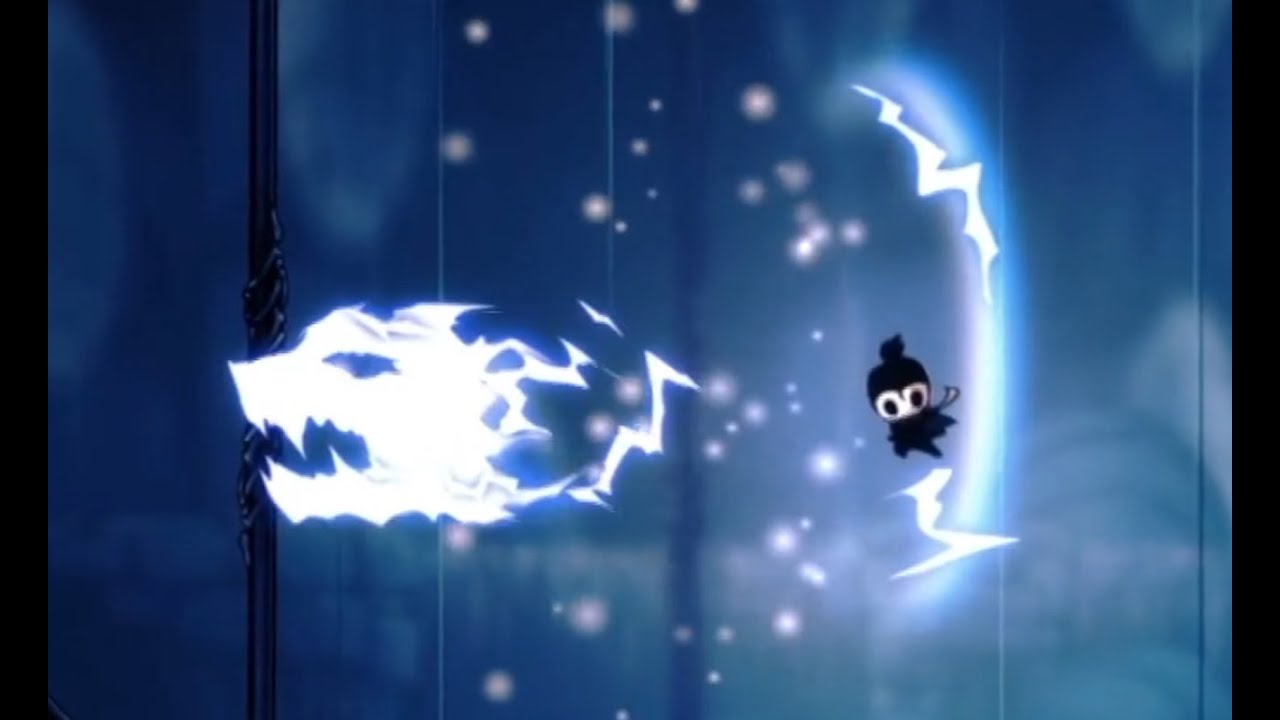
A new skin made by Lazycat (TWP), but as it's a private skin there won't be links about how to download it here. The knight was made with the theme of Sekiro, and the effects with the theme of Thunder Wolf. This vedio was made by Lazycat, and reprinted by authorization. You can find it here. https://www.bilibili.com/video/BV17a4y1x7bb
According...
limber egret
The challenge for this skin I don't believe has been released.
But you can check.
Over in the pins for #modding-discussion
 ancient crown
I'm sorry, how can i change the directory of mod installer 2?
idle osprey
 exotic sandal
how can i install ModInstaller2?
exotic sandal
how can i install ModInstaller2?
There's a link in the pins
exotic sandal
OH THANKS
 vernal basin
any solution to this problem when installing modinstaller. Can't find hk in the usual steam/commons placement
 idle osprey
Go into steam, right click hollow knight, press properties, there you should see the path which it is installed to
idle osprey
no problem! :)
 soft geyser
heyyy
where can i get the latest version of glass soul mod?
 pale plume
Why i cant see my friend moving in hollow knight multiplayer mod?
 sick ledge
ok so I just defeated inferno king grimm
where are his other attacks?
Like the one where he floats in the air with his cloak open shooting fireballs at a certain pattern?
and aren't there more color changes?
I'm confused
pale plume
pls someone help me
exotic sandal
Guys
I cannot see my friend move when we are in multiplayer mod
@idle osprey pls answer
@safe canopy plss
Answer
 jagged olive
do you use hamachi?
jagged olive
maybe try disconnecting then reconnecting
jagged olive
oh well, i can't help you sorry
exotic sandal
...
 dim stump
I cannot open modinstaller1/2
jagged olive
exotic sandal
...
have you tried restarting the game?
exotic sandal
Hmm no
jagged olive
did it work?
idle osprey
Make sure the host goes in first, then the others
pale plume
idle osprey
Make sure the host goes in first, then the others
yes i have goes first (i am the host)
 prime willow
@pale plume you might wanna try a newer version of the Multiplayer mod that I have been working on, it's a lot more stable in my opinion. Here is the Github repo: https://github.com/Extremelyd1/HKMP
GitHub
Hollow Knight Multiplayer. Contribute to Extremelyd1/HKMP development by creating an account on GitHub.
pale plume
prime willow
<@!521022094503444485> you might wanna try a newer version of the Multiplayer mo...
work like the normal multiplayer mod?
prime willow
It offers multiplayer if that is what you mean. Some things are slightly different and it contains more features.
pale plume
ok
 rustic sun
how do i clear my browser file cache 🥴
 wheat orchid
Look it up?
 odd zenith
how do i fix this if anyone knows

if i try to instal a mod it says its succesfully installed and this doesnt change
 wide glade
follow instructions to reset modinstaller in the pins
odd zenith
Ok
rustic sun
so um, i followed the instructions yet the installer still refuses to open, it tries to load and then stops entirely
wheat orchid
rustic sun
so um, i followed the instructions yet the installer still refuses to open, it t...
Where did you get the installer
rustic sun
top message of pins
wheat orchid
Does it show any messages?
rustic sun
no
wheat orchid
Are you on windows?
rustic sun
ye
wheat orchid
Where is the installer located on your device?
rustic sun
downloads
wheat orchid
Try moving it to your desktop
rustic sun
still not working
wheat orchid
Is the game currently open
rustic sun
no
wheat orchid
Try right clicking it and clicking run as administrator
rustic sun
already tried

 rustic sun
steam
 lapis saddle
Can I manually install mods on modinstaller 2?
dense shuttleBOT
Saves
Windows File Paths: (Assumes Default Steam Install Path, Adjust accordingly for DRM Free or Non-Standard Steam Path)
Game Files: C:\Program Files (x86)\Steam\steamapps\common\Hollow Knight\```
** **
Mac File Paths:
```Save Files: ~/Library/Application Support/unity.Team Cherry.Hollow Knight/
Game Files: ~/Library/Application Support/Steam/steamapps/common/Hollow Knight/hollow_knight.app/```
** **
Linux File Paths:
```Save Files: ~/.config/unity3d/Team Cherry/Hollow Knight/
Game Files: ~/.local/share/Steam/steamapps/common/Hollow Knight/```
 pliant tree
Does the mod installer only work with steam?
gloomy coral
Steam and gog
gloomy coral
gloomy coral
You can manually install mods by putting the dll file in the mods folder
Go to game files -> hollow Knight data -> managed ->mods
 tranquil path
Hello, how do I use debug
 placid escarp
what is the HollowPoint ReadMe
 final widget
i lost the customknight default folder can someone sned me it?
placid escarp
I can't access it
wheat orchid
placid escarp
I can't access it
What does it say?
wheat orchid
Wdym
gloomy coral
placid escarp
what is the HollowPoint ReadMe
GitHub
A Hollow Knight gun mod. Contribute to TTacco/Hollow-Point development by creating an account on GitHub.
placid escarp
thx
gloomy coral
Read this
wheat orchid
Doesn’t hollow point’s readme on the installer work now?
If it’s saying there isn’t an app to open it, just select to open it with notepad
gloomy coral
tranquil path
Hello, how do I use debug
Press f1
final widget
i lost the customknight default folder can someone send me it?
wheat orchid
Uninstall and reinstall the mod
final widget
oh ok thanks
 willow basin
Hello, I have a question . I just installed yesterday mod installer and started to use debug. However,I don’t know why always appears on my laptop screen when I’m playing, I’m not really sure but I think to the options are supposed to hide while I’m playing . It’s there like an issue or something that I can do to fix that I’ll really appreciate the help
limber egret
Press F1
willow basin
Oh ok thank you very much @limber egret . You are best
limber egret
I can agree with that 💜
placid escarp
HollowPoint keeps updating the same update over and over
 sharp garnet
Question: what're the hotkeys for turning invisible and taking away the UI in debug mod? Also, when you're invisible, enemies can't hurt you, right?
fair briar
sharp garnet
Question: what're the hotkeys for turning invisible and taking away the UI in de...
f1 and no if you are invisible you're not invincable
there's a different button for invincibility
sharp garnet
Alrighty. Is there an easy resource for all the hotkeys?
real jacinth
It's on the screen
In the keybinds menu
Click the page box to go through the pages
 hoary rivet
when I use the Pure Vessel skin the geo turns invisible
sharp garnet
Is there a hotkey for taking away the UI? It's not on the list.
 vernal rain
using debug, one of the buttons above the arrow keys
sharp garnet
Pageup and Pagedown seem to take away the vignette, but I don't want to hit Delete until I know what I'm doing.
Oop. It's delete.
Thanks guys. 😄
 strong thunder
Not actually a question involving mods but I got sent here regardless: Has anyone had a problem with this game insisting on using your integrated GPU on top of a dedicated one?
pliant lantern
I thought vanilla Qs went to #hk-help .
That being said, I have the majority of channels (including that one) hidden, so 
strong thunder
yeah thats where I was sent from hah
pliant lantern
I have read of that being a general issue regardless, not just from HK, but from many games in general
real jacinth
strong thunder
Honestly I didn't plan on asking on the disc but I cant find anyhting online
fair briar
strong thunder
yeah thats where I was sent from hah
ye saw that otherwise i would have sent you there too
real jacinth
 strong thunder
pliant lantern
I have read of that being a general issue regardless, not just from HK, but from...
strong thunder
pliant lantern
I have read of that being a general issue regardless, not just from HK, but from...
hmm maybe I should do a more general search
real jacinth
First result in google
 graceful fulcrum
lol
strong thunder
yeah it is set my man
the issue is that regardless of what graphics card its set on, it still uses the integrated one on top of the dedicated one
I get activity in both, regardless of what anything is set to priority-wise
this is in pretty much all facets too: nvidia control panel, steam, whatever the right-clicking on the .exe one sends me to
 noble hazel
hello guys

would anyone have an idea about what could cause this error ?
should i check if a mod is not working by disabling them one by one ?
or would it be a specific error from "weaver mod" ?
pliant lantern
hoary rivet
when I use the Pure Vessel skin the geo turns invisible
Copy the geo.png(name might slightly different) from the "default" skin into the pure vessel skin folder.
Also, switch skins in a room without enemies (ideally a small room, like a stag station).
The Geo fails to load for a variety of reasons, and switching in a small empty room seems to consistently prevent it from breaking in my experience.
hoary rivet
Will do, thank you
pliant lantern
noble hazel
should i check if a mod is not working by disabling them one by one ?
Are any of your mods actually not working?
A screen shot of the full main menu is more helpful. I'm unfamiliar with weaver core dependant mods in general, but I know there was some updates related to them a week or two ago, fwiw
 pliant lantern
strong thunder
this is in pretty much all facets too: nvidia control panel, steam, whatever the...
pliant lantern
strong thunder
this is in pretty much all facets too: nvidia control panel, steam, whatever the...
Iirc you can also set your default card in your bios. Other than that, I would just recommend looking up more possible fixes. I know minecraft is a game where a lot of people have that issue, and there's a lot of discussions for fixes specifically "for minecraft", but they apply to anything.
noble hazel
maybe i shouldn't load infernogrimm and infinitegrimm at the same time ?
infernogrimm seems to be the one mod dependant on weavercore
pliant lantern
noble hazel
Nothing appeared to fail to load, so I wouldn't worry about it unless something doesn't work right.
noble hazel
hmm... the game did start
but the red error message stays on the screen
maybe there is a shortcut to hide weaver mod console
errr
pliant lantern
Well, that error of probably from mod console
Iirc The console stays on the screens
noble hazel
no way to hide it ?
is any mod dependant on it then ? or should i just uninstall console mod ?
pliant lantern
Afaik it's for testing stuff. If you're not testing anything, then don't enable the mod :P
strong thunder
pliant lantern
Iirc you can also set your default card in your bios. Other than that, I would j...
Appreciate the help 🙂
 smoky knoll
Hello. Newbie to modding here. I’m having problems with the Custom Knight mod. Apologies for the long post…
I’ve installed ModInstaller on my Mac and I can see it works with the other mods I’ve installed so far.
HK is installed in the standard Mac Steam directory and the CustomKnight dll and image folder are installed like this:
—>hollow_knight_Data
—>Managed
—>Mods
—>CustomKnight
—>Default
—>[26 png files]
—>[folders for other skins e.g. CustomKnight 3]
—>CustomKnight.dll
I ran ModInstaller to install the dll but when I ran the game and open the menu, I see no options to change the skin.
I’ve been following a guide on Steam, which includes a video (https://steamcommunity.com/sharedfiles/filedetails/?id=2301964840). The guide says there should be 8 ‘sprite sheets’ in the Default folder, and I have no idea what a sprite sheet is but I’m guessing they’re the pngs in which case the 8 specified are included in the 26 mentioned above. In the video, they start a save file, open the menu, and the skin mod is on the left. When I perform the same steps the mod doesn’t appear at all.
I didn’t see any extra information in the readme.
Does anyone know of anything I may have missed or screwed up the file path for? Any help would be much appreciated!
 spring bane
The folders for other skins need to be in the CustomKnight folder
Actually, if nothing's showing up, you need to install Modding API and Modcommon from the installer as well
no apologies needed, we appreciate having all necessary info 
smoky knoll
Ah, silly me. The additional skins are in the CustomKnight folder - I added too many spaces when I was typing out the file structure! Edited.
Hmm... ModInstaller shows they were installed when I ran it initially, but I'll uninstall and reinstall to see whether it makes a difference.
 vocal pebble
hi, how do I use a controller WITH mods?
 dense kraken
hello!
where is the multiplayer mod
or the multiplayer.ddl
dll**
the client and the server
 ivory aurora
Modinstaller
ivory aurora
Ok so what's the problem?
dense kraken
isnt there an actual mod for it like a separte mod?
ivory aurora
For what?
dense kraken
to play multiplayer?
ivory aurora
I don't get your question
Did you read the pinned messages?
"Multiplayer Procedure", fourth pinned message from top
dense kraken
so after i download both of those what am i supposed to do
ohhhh
ok 1 sec
ok its working
thank yoiu
vocal pebble
vocal pebble
hi, how do I use a controller WITH mods?
.
caaaaaaan... someone reply to me?
real jacinth
You start the game
real jacinth
smoky knoll
Hello. Newbie to modding here. I’m having problems with the Custom Knight mod....
 ivory aurora
Wait only 26 in the Default?
real jacinth
The dll goes in a different spot on mac than windows
Skin png folders should be in this spot on mac
spring bane
Oh yea forgot about that 
 sharp urchin
Got an issue, that I'm guessing is Custom Knight related?
Whenever I play Pantheon 5, at some point, Vengeful Spirit stops working and won't work until I restart the game, until some point it stops working again.
I've only been using Custom Knight since today, all the other times I've played with mods on I've been using ModCommon, Modding API, MoreSaves and the two Multiplayer Mods.
I might need to double check if that it is Custom Knight related by not using it next time I play
(I've figured it out, the conflict of mods used together was to do with the MoreSaves and another one on the list, so I uninstalled MoreSaves)
real jacinth
It's probably multiplayer
Custom knight does not touch the code for spell function at all.
sharp urchin
Ah alright
 novel bronze
how2make custom knight skins
 rocky pulsar
its definitely not customknight
rocky pulsar
novel bronze
how2make custom knight skins
redraw these sprites

the ones u redraw will change
sharp urchin
Make a custom folder so you can switch between the different ones
 rocky pulsar
lol
sharp urchin
You can also install ones that others have made
smoky knoll
@ivory aurora
I have these: Baldur, Birthplace, Cloak, DreamArrival, Dreamnail, Fluke, Geo, Grimm, Hatchling, Hornet, Hud, Icon, Knight, OrbFull, Quirrel, Shield, Shriek, Sprint, Unn, VoidSpells, VS, Weaver, Webbed, Wings, Wraiths.
@real jacinth
The customknight dll is in the same place as all the other working mod dlls on my machine - in the Mods folder. Maybe that's wrong, but I'd assume the ModInstaller wouldn't recognise it if it were? :/ Are you able to point me in the right direction?
@spring bane
Thanks for pointing out an error in the file path - I corrected my post to show the correct structure 🙂 Uninstalling and reinstalling both the API and ModCommon made no difference, unfortunately 😦
ivory aurora
Damn, I like you
So you're missing... all the charms, I guess?
That should be 47 missing
Hm
Then another four, I think
Not sure
smoky knoll
Wow, I'm missing quite a lot! Hmm... Maybe I somehow downloaded an old version... I will check.
spring bane
smoky knoll
<@!427473606725861397>
I have these: Baldur, Birthplace, Cloak, DreamArrival, D...
no, do what mickley said for the filepath, i forgot it was different on mac
you don't need all the spritesheets for stuff to work! if it's still not working, must be sth else
real jacinth
smoky knoll
<@!427473606725861397>
I have these: Baldur, Birthplace, Cloak, DreamArrival, D...
I said what I was trying to say very poorly. The customknight dll should be put in the right spot by the installer, but the sprite sheet folders should not be next to the dll files
on windows, it does go by the dll files, but on mac it does not
the sprite sheets need to be at the location in the screenshot I posted
smoky knoll
Oh, cool. Thanks. I'll do that and give it a try 🙂
real jacinth
what
dense kraken
at first when u download mod installer
it says put the path
for hollow knight
where will i find that
real jacinth
yes. so you select where your game is
dense kraken
yes where will i find that
real jacinth
¯_(ツ)_/¯
I can't tell you where you installed the game on your pc
do you have it on steam?
dense kraken
yeye
real jacinth
right click the game -> properties -> local files -> browse
that should take you to where your game files are
smoky knoll
You can also check the pinned comments [deleted] @dense kraken
I installed it today following this. minus weird Mac issues for custom skins it's worked well.
 prime turtle
has anyone tried to replace environment textures?
real jacinth
can't really endorse things that aren't from this discord
but pins will have appropriate instructions/information
smoky knoll
Oh, fair enough. I'll delete that then 🙂 didn't realise it was a rule.
real jacinth
not really a rule for non-staff
you can post what you want, but if it doesn't originate from us or this discord, it can't be considered.... current or super reliable
it might work, but it's second hand info
smoky knoll
That makes sense 🙂
real jacinth
yeah. wasn't an attack on you. sry if it came off that way
was just trying to say that "official" info will be from this discord/pins
smoky knoll
Nah, didn't come off as an attack - i'm very new to this discord and want to follow the rules, is all 🙂 No need to make waves less than an hour after the first post 😄
 vivid coyote
hello, i need some help with what i need to install and how
 iron laurel
?i
dense shuttleBOT
Reminder: The mod installer (https://radiance.host/mods/ModInstaller.exe) and other modding resources can be found from the pinned messages.
iron laurel
vivid coyote
hello, i need some help with what i need to install and how
^
Download this. It should automatically come up with the mod list
iron laurel
?mods
dense shuttleBOT
Mods
Google Drive with Mods - https://drive.google.com/drive/u/0/folders/1lnjtSYMfRe1LyA_qSq2CoXKI6NRm_I-e
Installer - https://radiance.host/mods/ModInstaller.exe
Mod Summaries - https://docs.google.com/document/d/1cz5tcggpGofrBcM90XyTkMWjMelDHzugvQM6HpB13Ew
iron laurel
vivid coyote
can i also find a list what all the mods do?
^
vivid coyote
ah cool thnx!
smoky knoll
@real jacinth Thanks a lot for your help - it works now. My computer is still somewhat of a mystery to me, so it took a while to work out where the Contents folder was 😁 But it's done and now my knight is pink. Happy days! 
ivory aurora
Woo, bravo!
thorn merlin
I need that, the skin separated can't help me about where I have to place my bees
 fiery whale
I cant disable the mods it just crashes the mod software when I do
vivid coyote
i have that with some mods, i think it might be because it's needed for other mods to work, but i dont know much of this
gloomy coral
fiery whale
I cant disable the mods it just crashes the mod software when I do
Don't use that. If you want the mods, install it. If you don't want it, uninstall it
 torn cipher
when i tried to run modinstaller i got the error "Sequence contains no matching element"
gloomy coral
Read the first pinned message
torn cipher
i tried that
gloomy coral
try using modinstaller 2
torn cipher
ok
 subtle leaf
i accidentally set load save state to mouse0 (left click) how to i set it to something else?
gloomy coral
Check the pins
subtle leaf
thank you very much!
dense shuttleBOT
Mods
Google Drive with Mods - https://drive.google.com/drive/u/0/folders/1lnjtSYMfRe1LyA_qSq2CoXKI6NRm_I-e
Installer - https://radiance.host/mods/ModInstaller.exe
Mod Summaries - https://docs.google.com/document/d/1cz5tcggpGofrBcM90XyTkMWjMelDHzugvQM6HpB13Ew
 velvet forum
now it says, purchase the game before attempting to mod it
but i bought it
i have it
do i have to have steam open?
iron laurel
download modinstaller 2. its in the pins
velvet forum
where are the instructions?
wide glade
pins
smoky knoll
Hello again. So I have several mods installed now (yay) but my controller doesn't work. I was testing the mods using keyboard.
The pinned comment says that the most consistent way to get round this is to plug the controller in after the game has loaded. Unfortunately, my controller is bluetooth and I don't have a cable. I tried switching off bluetooth, loading the game and then switching it on again, but it made no difference.
Has anyone else got a different technique that they've found has helped? Unlikely, I know, but I have to ask before I start uninstalling things 
velvet forum
how do i heal with hollowpoint?
 small rain
constistantly shoot things without getting hit and without using adrenaline
you have to get max adrenaline then it will start healing after that
 dusty stream
does anyone know how to re-choose the direction to the game in mod installer 2 ?
velvet forum
small rain
constistantly shoot things without getting hit and without using adrenaline
also the starter gun doesn’t shot
small rain
it should be like cast or something that switches from nail to gun, and then the attack button to shoot (when gun equipped)
or it's not installed correctly
real jacinth
read the readme
velvet forum
i installed the modcommon
 ripe frost
okay quick question, when im in the game sometimes my vengful spirit will just not fire any options to fix this?
even with only QoL it happens
 worn moon
seems like running QoL causes Enemy Randomizer to stop working, is this a known issue? didn't realize they might not be compatible.
real jacinth

worn moon
oh well that's interesting, pulling QoL out and running causes Enemy Randomizer to once again function, and now it's fine with it loaded back in. wonder if there's another sort of conflict here.
lets see if i can reproduce that broken state
ripe frost
my problem still happens with QoL off, maybe something to do with modcommon? anyone know?
worn moon
doesn't seem related to QoL, just something else finicky with that mod in particular
suppose this is somewhat unrelated with modding support, but while i'm knee deep in logs and debugging
hollow knight doesn't really have a way to select a particular audio device to output to, does it?
real jacinth
ripe frost
my problem still happens with QoL off, maybe something to do with modcommon? any...
if you give a complete picture of what your machine/game state is, people could actually help you
real jacinth
worn moon
suppose this is somewhat unrelated with modding support, but while i'm knee deep...
no. outputs to default
worn moon
lame, well guess i can "trick" it by setting the audio device i want to default before starting, and switching back. but that feels like it should just be a modern game thing at this point. oh well.
worn moon
oh trust me, i'm sure i've seen worse
wide glade
are you sure you're sure
 velvet trench
Hello, I've been using the nucleus coop mod but now when I try to open hollow knight through steam it opens in windowed mode instead of fullscreen
Any ideas how to fix?
real jacinth
nucleus?
wide glade
alt + enter forces the game to fullscreen
nucleus is a split screen coop app layer iirc
not technically a mod but go ahead
worn moon
wide glade
are you sure you're sure
senior devops engineer thats been involved in a fair number of hack-a-thons and game jams.. trust me :P
wide glade
 worn moon
bwahahah
velvet trench
wide glade
alt + enter forces the game to fullscreen
thank youuu
real jacinth
have you seen worse code from a muti year game that's had millions in income and had contractors back out from awful code?
they literally tried to hire a team to get switch release out the door, and they backed out
cuz it was so bad
worn moon
is Mod Installer 2 the planned way forward? was finding myself tempted to do a Pull Request or two with the first one to polish out a few annoyances. as much as i think it's fun that i can click and drag the window, and have it "buffer" the movement to play in slow motion.
wide glade
feel free to do prs to either, both are currently used
real jacinth
PRs to either can be done by anyone
worn moon
excellent, i'll look into that later
 vital shuttle
Can i get some help, The Mod Installer Wont Detect the game i have images if required.
wheat orchid
where did you buy the game
vital shuttle
Steam
wheat orchid
follow the instructions in the pins to reset the installer
ripe frost
real jacinth
if you give a complete picture of what your machine/game state is, people could ...
after a random time of playing, my spells wont work. the animations still play as if its working but they wont come out. ive tried deleting all the mods i had and it still happens
wide glade
multiplayer mod?
ripe frost
thats stilll on
wide glade
that's whats causing it
 neat jewel
thanks a lot to the coders behind that mod installer and the debug mode, you guys are godsent for the speedrunning community and the guys holding the foundation of it!!
 latent palm
I just started using the deathcounter and room rando mods and now my nail can't deal damage. Reloading and deleting saves doesn't fix it, and niether does quitting out
 spare tide
Ive been launching with mods all day but suddenly after restarting my pc if I try to launch with any mod it either fails to load or crashed the game
 cunning eagle
i cant use the mod installer for some reason, every time i try to use it, it has wierd effects and makes the game unplayable. Firstly, the mod installer doesnt load when the game opens. Second, none of my save files ever show up, and instead perpetually load (see screenshot). There are no mods shown as installed on the top left corner of the title screen, and if you try to go into the mods tab in options the game will softlock.
I have tried reinstalling the game, reinstalling the launcher, validating files and even deleting the game outright in the steamapps>common folder. If i disable the launcher, the game runs normally without mods. I have no mods installed.

If anyone has had this problem before let me know!
cunning eagle
Thanks!
 tired ether
what do we do if our mod installer isnt opening
wide glade
first pin
wide glade
no
mod save data is kept in save files themselves
mod settings are kept in their own settings files
cunning eagle
Thanks for the help! It works fine now.
 plush thicket
hey I already bought hollow knight and now how do I change the path to the mods?
???
real jacinth
so buy it
plush thicket
is already bought
plush thicket
real jacinth
so buy it
...
vernal rain
> hey I already bought hollow knight [...]
> I didn't already buy it
> is already bought
pick one?
plush thicket
the first
wide glade
if you were caught pirating then bought the game, follow instructions to reset the installer in the pins
if you still haven't bought the game and are lying, buy the game
plush thicket
I already bought it :/
wide glade
follow instructions to reset the installer in the pins
gloomy coral
Custom knight
plush thicket
okey
gloomy coral
Then download the daughter of hollowness skin
 tulip folio
Can you use the mod loader on GForce?
novel bronze
I’d assume so yes
gloomy coral
tulip folio
Can you use the mod loader on GForce?
Where did you buy the game from?
tulip folio
Steam
gloomy coral
Then you can use it
 manic finch
nocturne tendon
how do i get this skin https://www.youtube.com/watch?v=pwaH8Z6Nd7Q
manic finch
nocturne tendon
how do i get this skin https://www.youtube.com/watch?v=pwaH8Z6Nd7Q
i want this skin too ! i'll do any challenge for it
 minor lynx
When I use Sharp Shadow and I break multiple objects in the game with it my game gets a major lag spike, and when I dash through ||Failed Champion's shockwave|| attacks my game freezes for a whole 5 seconds before coming back. I have a good computer so I thought maybe it would have something to do with a mod somehow? I have QoL, Unofficial Hollow Knight Patch, and CharmOverhaul enabled
tranquil path
Hello, how do I reopen debug menu
gloomy coral
F1
 opaque quest
real jacinth
opaque quest
real jacinth
Check pins
 round scroll
can someone help me with hollow knight mutiplayer i am having some trouble
real jacinth
check the pins
 azure burrow
does anyone know how i can set hotkeys for debug mod so i don't have to pause the game every time i need to adjust something?
 sleek viper

 nimble sapphire
oh
I tohught it was the other way around
😔
the RNG I have gotten is truly cursed
 dapper ravine
On item randomizer, the third seer item that you need essence for soft locks my game
Idk why
I’m trying to access spoiler log to see if it’s anything important or not, how can I access spoiler log on Mac
 quiet flower
For some reason, when I try to change something in the modinstaller 2 for mac, it immediately crashes. Anybody know what to do?
It lets me download new mods, but whenever I try to change something already ticked, it crashes.
nvm
figured it out.
I was trying to click on out of date mods. I needed to update them first.
Is there a way to modify easymode so that maybe only the no shade thing is active, or is there a mod that only removes the shade? Something like that?
 severe eagle
is there a mod that shows all item/boss locations on map
pliant lantern
severe eagle
is there a mod that shows all item/boss locations on map
If you're playing randomizer, then there is- but it doesn't work without randomizer on.
If you're not using Randomizer, then you can check out:
https://scripterswar.com/hollowknight/map
It's not a mod, but it does have everything.
pliant lantern
quiet flower
Is there a way to modify easymode so that maybe only the no shade thing is activ...
Some mods have a configurable file located in the folder that your saves are in. I've never ran with easy mode, and I can't check this moment, but that's where it'd be if it does have that ability. I didn't see anything about it in the readme though, so I'd lean towards thinking that it doesn't. I'm not aware of any other mods that remove shades either. I think if you want that feature, you may have to make it yourself 
pliant lantern
dapper ravine
I’m trying to access spoiler log to see if it’s anything important or not, how c...
Assuming it's the same as on Windows, your spoiler log should be in your save file folder
?saves
dense shuttleBOT
Saves
Windows File Paths: (Assumes Default Steam Install Path, Adjust accordingly for DRM Free or Non-Standard Steam Path)
Game Files: C:\Program Files (x86)\Steam\steamapps\common\Hollow Knight\```
** **
Mac File Paths:
```Save Files: ~/Library/Application Support/unity.Team Cherry.Hollow Knight/
Game Files: ~/Library/Application Support/Steam/steamapps/common/Hollow Knight/hollow_knight.app/```
** **
Linux File Paths:
```Save Files: ~/.config/unity3d/Team Cherry/Hollow Knight/
Game Files: ~/.local/share/Steam/steamapps/common/Hollow Knight/```
pliant lantern
As far as seer not working though, that's really weird. Did you start the run, then change anything about your mods before resuming?
dapper ravine
@pliant lantern thanks, no I haven’t touched the mods since starting the run. I think I’ll just hope that that seer item is like a wanderers journal
I think it’s a mask shard
So not useless, but not too useful
Also I got 2 void hearts (I.e 4 pieces to create void Heart instead of 3) is this normal?
Nvm duplicate major items is on
 plucky cairn
um i have a problem
my modinstaler is broken and i cant uninstall it cus of some kinda bug
gloomy coral
read the first pinned message
 rustic jewel
What is the difference between ModInstaller 1 & 2 ? Should I download them both? Since I cant seem to download mods(Even after redownloading it) and an error message keeps popping up when I want to download a mod .
I managed to download the benchwarp mod tho
rustic jewel
nvmnd restarting the pc did it
new question , what is the chaos mod? from the ModInstaller .
limber egret
?mods
dense shuttleBOT
Mods
Google Drive with Mods - https://drive.google.com/drive/u/0/folders/1lnjtSYMfRe1LyA_qSq2CoXKI6NRm_I-e
Installer - https://radiance.host/mods/ModInstaller.exe
Mod Summaries - https://docs.google.com/document/d/1cz5tcggpGofrBcM90XyTkMWjMelDHzugvQM6HpB13Ew
rustic jewel
Thx
 dense prawn
I'm fairly new to the game but I would like to create some basic cosmetic mod (for the Knight obviously) just for the fun of learning to do something new but I don't know where to start. Are there any guides that could lead me in the right direction?
 rose dew
my friend on mac wanted to uninstall mods (he uses modInstaller 2) but he don't have the button "revert back to unmodded" and if he tries to uninstall mods he can't uninstall modding api.
he is afraid that when he does the final pantheon it wont give to him the archievement
if you have mods installed you can obtain archievements?
rocky pulsar
dense prawn
I'm fairly new to the game but I would like to create some basic cosmetic mod (f...
are you looking to make customknight skins?
dense prawn
Yes
limber egret
rose dew
if you have mods installed you can obtain archievements?
Yes on Steam
rocky pulsar
dense prawn
Yes
so, you need to download custom knight first
go to this route

copynpaste the default file and rename the file to the skin u want to make
and redraw the sprites

if you want to put the sprites into individual frames and compile them later, refer to this https://youtu.be/B3bV9SFryfg
ENG
You asked me a lot of times how I do skins so I decided to make a video about it.
I used Google Translate because the english is not my language.
SpritePacker: https://drive.google.com/open?id=1L0MNDMQE6s40zVF132zjwYjc-bSaBYDv
Sprite folder: https://drive.google.com/drive/folde...
what do you need help with
 rustic coyote
i dont know how to use the mod installer
dense prawn
Thank you
limber egret
rustic coyote
i dont know how to use the mod installer

All the information you need is in the pins
 wheat orchid
Did you get the game on steam?
velvet forum
yes
wheat orchid
Go to steam
Right click hollow knight
Click properties
Click local files
Click verify integrity of local files
Don’t open mod installer until you want mods again
velvet forum
 wheat orchid
Good
That’s supposed to happen
It detected the modded file and is returning it to normal
 hybrid wadi
ok guys to revert to unmodded i just disable all mods including common and api, right?
wheat orchid
Just disabling api works
hybrid wadi
ok, ty
 fair briar
its bugged
wheat orchid
velvet forum
Yes but if it asks again ignore
fair briar
it infinitly updates for some reason
velvet forum
wheat orchid
Yes but if it asks again ignore
it asks everytime i open
wheat orchid
fair briar
it infinitly updates for some reason
The checksum wasn’t put in right I think
So it always thinks it’s outdated
wheat orchid
velvet forum
it asks everytime i open
Yeah, if it happens more than once you can ignore it
velvet forum
i clicked "rever to unmodded" and it said it couldn't find holllow kight files and closed itself
limber egret
What exactly are you trying to do, sorry?
If you want Hollow Point on, you don't want to do that.
If you want to disable your mods you can just click verify integrity of game files and it will be unmodded.
Opening the installer again will often reenable mods, so don't do that.
dense prawn
I'm trying to install the ModInstaller but it keeps giving me this message
 rocky pulsar
dense prawn
I'm trying to install the ModInstaller but it keeps giving me this message
rocky pulsar
dense prawn
I'm trying to install the ModInstaller but it keeps giving me this message
did u use modinstaller 1 or 2
rocky pulsar
weird
modinstaller can sometimes be weird for mac
where did you get hollow knight?
dense prawn
Steam
 runic kayak
does anyone know how to get atomic radiance mod?
gloomy coral
dense prawn
I'm trying to install the ModInstaller but it keeps giving me this message
Which file did you download?
 cloud dome
The charms dont work
gloomy coral
cloud dome
The charms dont work
Which mods did you download?
cloud dome
1
cloud dome
ok sry lemme ss u
dense prawn
@gloomy coral I downloaded this one
 wheat orchid
dense prawn
<@!724954591602671628> I downloaded this one
wheat orchid
dense prawn
<@!724954591602671628> I downloaded this one
Hmmm pinged 56
dense prawn
wheat orchid
~~Hmmm pinged 56~~
what?
wheat orchid

 gloomy coral
it doesnt show on mobile
wide glade
wtf why doesn't it show on mobile 
wheat orchid
I’m on mobile
fair briar
ah lol
wheat orchid
It shows
wide glade
why doesn't it show on different versions of mobile 
dense prawn
not really sure why you see something different
 wide glade
the @ means you pinged them
wheat orchid
Yeah
gloomy coral
its a ping reply
 wheat orchid
Name/color different bc discord didn’t load it yet
velvet forum
wait, there are 2 modinstallers?
fair briar
ye
velvet forum
does it change something between them?
fair briar
the ui
velvet forum
what's the modinstaller 2 UI?
fair briar
its dark them so i use it lol
runic oriole
2 is better for non windows
wide glade
modinstaller2 is intrinsically accessible on mac, whereas modinstaller1 is build on windows forms, so requires a compatibility layer to run outside of windows
dense prawn
Should I try ModInstaller 1 since ModInstaller 2 isn't working for me?
runic oriole
Yes
gloomy coral
they have a mac
gloomy coral
dense prawn
I'm trying to install the ModInstaller but it keeps giving me this message
^^
dense prawn
If I try to start it it says that it is damaged
fair briar
mod insteller isn't required tho
velvet forum
?saves
dense shuttleBOT
Saves
Windows File Paths: (Assumes Default Steam Install Path, Adjust accordingly for DRM Free or Non-Standard Steam Path)
Game Files: C:\Program Files (x86)\Steam\steamapps\common\Hollow Knight\```
** **
Mac File Paths:
```Save Files: ~/Library/Application Support/unity.Team Cherry.Hollow Knight/
Game Files: ~/Library/Application Support/Steam/steamapps/common/Hollow Knight/hollow_knight.app/```
** **
Linux File Paths:
```Save Files: ~/.config/unity3d/Team Cherry/Hollow Knight/
Game Files: ~/.local/share/Steam/steamapps/common/Hollow Knight/```
fair briar
iirc you can manually do it
dense prawn
how?
gloomy coral
dense shuttle
> **Saves**
> ** **
> Windows File Paths: (Assumes Default Steam Install Path, A...
the message says GoG but the only thing that should be different is the hollow_knight.app file path. The steam file path can be found from the above message
dense prawn
thank you
quiet flower
How do you find your saves folder for hollow knight on mac?
limber egret
?saves
dense shuttleBOT
Saves
Windows File Paths: (Assumes Default Steam Install Path, Adjust accordingly for DRM Free or Non-Standard Steam Path)
Game Files: C:\Program Files (x86)\Steam\steamapps\common\Hollow Knight\```
** **
Mac File Paths:
```Save Files: ~/Library/Application Support/unity.Team Cherry.Hollow Knight/
Game Files: ~/Library/Application Support/Steam/steamapps/common/Hollow Knight/hollow_knight.app/```
** **
Linux File Paths:
```Save Files: ~/.config/unity3d/Team Cherry/Hollow Knight/
Game Files: ~/.local/share/Steam/steamapps/common/Hollow Knight/```
quiet flower
The save files aren't there. Only the game icon
wide glade
open hollow_knight.app
quiet flower
When i click on it, it just tries to open the game, and then it crashes.
gloomy coral
Which file are you clicking on?
quiet flower
The only thing inside my hollow knight folder.
gloomy coral
Which hollow Knight folder
wide glade
control click hollow_knight.app and select "Open..."
gloomy coral
Hollow Knight.app is game files iirc
wide glade
oh darn i am dumb 🥴
quiet flower
Its the hollow knight folder inside the Common folder
gloomy coral
Do you see a unity.teamcherry.hollow knight
quiet flower
no
gloomy coral
Mac File Paths:
Save Files: ~/Library/Application Support/unity.Team Cherry.Hollow Knight/
Did you go here?
wide glade
quiet flower
found it
darn theres no config for easy mod
Is there really no other mod that just lets me disable the shade?
gloomy coral
Idt there is
quiet flower
ptooie
tulip folio
Did the mod loader update?
cloud dome
wheat orchid
Wdym
I mean the ability that we get from charms dont work (I am newbie)
wheat orchid
Which charms?
cloud dome
all
wheat orchid
Can you screenshot the charms menu
cloud dome
ok
 turbid current
is there anyway to get the data from my PS4 File, and plug it into a % checker
so I know what the fck went wrong 
wide glade
this is a pretty good manual checklist i used when i was first finishing the game https://hollowknightchecklist.com/

Hollow Knight Completionist Checklist
A 112% completion checklist for the game Hollow Knight
cloud dome
wheat orchid
Can you screenshot the charms menu
 wheat orchid
Have you tried equipping the charms?
cloud dome
yep
wide glade
at a bench?
 topaz vapor
hey i have a question, is the hollow knight mod installer still working ?
wide glade
check first pin if modinstaller1 has broken for you
there was a faulty update that broke further automatic updates
topaz vapor
thanks!
 north zodiac
i have modinstaller2 and have equipped modding api, now i cant do damage with my nail. and also whenever i turn it off it just crashes and when i uninstall modding api it still is there. how can i get rid of the mod?
gloomy coral
Did you use debug mod?
novel bronze
hey uhhh, how do I uninstall the installer?
north zodiac
i used debug mod once or twice
wide glade
likely set nail damage to 0 using debug
wide glade
novel bronze
hey uhhh, how do I uninstall the installer?
it doesn't "install", just delete the exe
gloomy coral
Which nail upgrade do you have?
quiet flower
What mods are required in order to run basically any mod?
north zodiac
i have pure nail
gloomy coral
quiet flower
What mods are required in order to run basically any mod?
Modding api
quiet flower
Alright thx
novel bronze
wide glade
it doesn't "install", just delete the exe
it still says the thingy in the top left and it bugs me
gloomy coral
north zodiac
i have pure nail
if you had the QoL Mod already installed:
- go to save files
- locate userX.json (with X being the save slot number from 1 - 4)
- ctrl+f "nail_Damage"
- set the value to 21
if you don't have the QoL Mod: - https://bloodorca.github.io/hollow/
- go to save files
- locate userX.dat (with X being the save slot number from 1 - 4)
- upload that to the website
- ctrl+f "nail_Damage"
- set the value to 21
- download encrypted (PC)
- rename it to the original name (will be downloaded as user1.dat, rename if you want slot 2, 3 or 4 to be edited)
- put it back to the save file folder
Or you could download debug again and change nail damage
novel bronze
I deleted the exe but it still says it's active :')
gloomy coral
novel bronze
I deleted the exe but it still says it's active :')
What is still active?
wide glade
that's not the mod installer
that's modding api
you can disable it by verifying game files in steam, or the "revert to unmodded" button in modinstaller1, or by disabling Modding API in modinstaller2
north zodiac
gloomy coral
if you had the QoL Mod already installed:
- go to save files
- locate userX.json...
im still trying to figure out how to get to the save file. i have a feeling its something super obvious and im just dumb, but do i open the game or open the game files?
wide glade
?saves
dense shuttleBOT
Saves
Windows File Paths: (Assumes Default Steam Install Path, Adjust accordingly for DRM Free or Non-Standard Steam Path)
Game Files: C:\Program Files (x86)\Steam\steamapps\common\Hollow Knight\```
** **
Mac File Paths:
```Save Files: ~/Library/Application Support/unity.Team Cherry.Hollow Knight/
Game Files: ~/Library/Application Support/Steam/steamapps/common/Hollow Knight/hollow_knight.app/```
** **
Linux File Paths:
```Save Files: ~/.config/unity3d/Team Cherry/Hollow Knight/
Game Files: ~/.local/share/Steam/steamapps/common/Hollow Knight/```
wide glade
save files location
north zodiac
that works thank you
wide glade
user1.dat = 1st slot, user2.dat = slot 2 etc
quiet flower
Is there any way to just make there be no shade? I have someone whos trying to play the game, but its a little too hard and they want to get rid of the shade, but the easymode mod makes it easier than they want. Is there anything that could solve this?
 ocean bough
Suddenly, none of my saves are working or loading, and the modlist isn't showing up on the top left, is there a solution for this?

 fair ibex
6th pin
 gloomy coral
ocean bough
I don't have any files with "modding.api.globalsettings" in them
gloomy coral
ocean bough
I don't have any files with "modding.api.globalsettings" in them
Press win + r and then paste this
%AppData%\..\LocalLow\Team Cherry\Hollow Knight
check here
ocean bough
ah thanks
novel bronze
soo a mod I uninstalled a month ago called lightbringer like a month ago is starting to affect me today, it turned my voidheart charm into a ''lightbringer'', I have it uninstalled so I don't understand
is there a way to remove a mod out of a save file
or am I doomed

 gloomy coral
 west kayak
follow instructions of the first pinned message
west kayak
mk
novel bronze
novel bronze
soo a mod I uninstalled a month ago called lightbringer like a month ago is star...
'
anyone??
ocean bough
ok, I deleted the file that made my save files unloadable, and now I can't cast vengeful spirit and I'm getting a ton of visual glitches
novel bronze
ocean bough
ok, I deleted the file that made my save files unloadable, and now I can't cast ...
which files did you remove
gloomy coral
ocean bough
ok, I deleted the file that made my save files unloadable, and now I can't cast ...
which mods did you download
screenshot the main menu
novel bronze
anyways mulhima should I test and see if it's only the name that changed
ocean bough
 novel bronze
by killing ||THK||
novel bronze
ocean bough
why do you have a dabbing mod...
idk if it's affecting the game but just why
ocean bough
novel bronze
why do you have a dabbing mod...
it's funny for multiplayer I guess
gloomy coral
ocean bough
its a multiplayer issue
novel bronze
Mulhima
should I test and see if the charm is normal, just the name a bit.. different?
gloomy coral
reinstall multiplayer mod ig
novel bronze
ocean bough
I can't even collect soul at this point
as mulhima said it may be the multiplayer thing
ocean bough
"ModdingApi.GlobalSettings"
novel bronze
novel bronze
should I test and see if the charm is normal, just the name a bit.. different?
@gloomy coral
gloomy coral
ocean bough
the file I removed is in the pins
the instructions you followed fixed the saves problem. the current problem you are facing is a issue with multiplayer mod
gloomy coral
novel bronze
<@!724954591602671628>
you can do it if you want
novel bronze
gloomy coral
you can do it if you want
k, should I ping you with the results?
quiet flower
Can anyone answer my question?
novel bronze
quiet flower
Can anyone answer my question?
what is your question
gloomy coral
no one can if you dont ask it
quiet flower
Is there any way to just make there be no shade? I have someone whos trying to play the game, but its a little too hard and they want to get rid of the shade, but the easymode mod makes it easier than they want. Is there anything that could solve this?
novel bronze
quiet flower
Is there any way to just make there be no shade? I have someone whos trying to p...
just get good at hitting stuff and the shade won't be a problem
novel bronze
novel bronze
just get good at hitting stuff and the shade won't be a problem
or should I say, GITGUD

 glacial furnace
quiet flower
Is there any way to just make there be no shade? I have someone whos trying to p...
glacial furnace
quiet flower
Is there any way to just make there be no shade? I have someone whos trying to p...
I think easy mod removes shade
novel bronze
glacial furnace
I think easy mod removes shade
they said it's too easy with easy mod
and are asking for another mod which removes the shade I think?
quiet flower
yeah
glacial furnace
Except manually coding it or just hoping that someone has made a mod like that, I don't think it is possible
novel bronze
glacial furnace
Except manually coding it or just hoping that someone has made a mod like that, ...
would the mod panel work btw?
(mod panel mod)
glacial furnace
I'm not sure but Debug Mod might allow you to kill your Shade
novel bronze
glacial furnace
I'm not sure but Debug Mod might allow you to kill your Shade
I'm using debug mod
I can check if you want
glacial furnace
novel bronze
would the mod panel work btw?
Idk, never used mod panel
novel bronze
it was too confusing for me so I uninstalled it
glacial furnace
novel bronze
I can check if you want
Yeah, check if you have time
novel bronze
don't see anything about killing a shade
I just noticed a feature I never saw before
setting a spawn
gonna test that after killing the final boss
glacial furnace
quiet flower
Is there any way to just make there be no shade? I have someone whos trying to p...
I know Benchwarp has a "Deploy Bench" Feature, so that might help you until we find a way to solve the problem
novel bronze
glacial furnace
I know Benchwarp has a "Deploy Bench" Feature, so that might help you until we f...
I also have bench warp it's very useful for me along with debug
you can warp to any bench by unlocking all benches in settings of it
gloomy coral
glacial furnace
I know Benchwarp has a "Deploy Bench" Feature, so that might help you until we f...
@quiet flower if you are low on health, you can deploy a bench to heal to full
novel bronze
wait benchwarp has a deploy bench?
I don't see a ''deploy bench'' button unless you mean teleporting to benches
OH I FOUND IT
ima deploy bench infront of final boss
lmfao
glacial furnace
gloomy coral
<@!440957053285171201> if you are low on health, you can deploy a bench to heal ...
You respawn on the deployed banch as well
quiet flower
I don't think being able to put a bench anywhere is exactly what they want. They want something like not having a shade or having save states. They don't want it to be too overpowered.
 winged ocean
Anyone know why Benchwarp would be breaking the modinstaller?
gloomy coral
When did you download modinstaller?
runic oriole
quiet flower
I don't think being able to put a bench anywhere is exactly what they want. They...
Isn't putting a bench wherever pretty much the same as save states?
 vagrant nimbus
where do i download the mods?
runic oriole
?i
dense shuttleBOT
Reminder: The mod installer (https://radiance.host/mods/ModInstaller.exe) and other modding resources can be found from the pinned messages.
vagrant nimbus
ty
 gloomy vector
so i'm coming back to play hollow knight mods again after a long time. i followed the steps in the pinned post, and it was updating all of my old mods, but when it tried to update the item/room randomizer, it crashed with this message. what does this mean, and how can i fix it?
 runic oriole
first pin
gloomy vector
i followed the steps in the pin already
novel bronze
i am new to the thing about modding and i am on mac and it downloaded and it decompressed the file and it says that it can't open the app because it may be damaged or incomplete
pliant lantern
gloomy vector
i followed the steps in the pin already
Just to confirm, what steps did you do?
pliant lantern
novel bronze
i am new to the thing about modding and i am on mac and it downloaded and it dec...
I don't know much about Mac stuff, but make sure this is the installer you're using:
#archived-modding-help message
 hybrid galleon
 tender geode
Does the modding api disable full screen on / off?
real jacinth
no. just the button for it
vernal rain
alt+enter for similar (if not exact same) effect
 scenic portal
Hey guys do you know a way to put my health to only 1HP/mask
I need it for a hitless hollow knight playthrough
tender geode
thanks sfgrenade
fiery whale
hey how do I setup a multiplayer sercer me and my friend did all the steps but it doesent work
real jacinth
do all the steps correctly
 restive trout
im having the same probelm but i did all the steps correctly
fiery whale
real jacinth
then you didn't do it correctly
I did though I followed every single thing that frireborn tutorial to the dot and have tried it again like 10 times
 rotund tiger
so, my friend is using modinstaller2 this time but when he open the game, the mods just doesn't load

his OS is windows 10
mods: custom knight, mod common, modding api, multiplayer client
he's playing w steam
runic oriole
That's just the progress bar for loading the mods in the game
Also you should really activate your Windows
real jacinth
fiery whale
I did though I followed every single thing that frireborn tutorial to the dot an...
check the pins
 brazen grail
Can you mod the game on Mac or is it Windows only?
real jacinth
yes
brazen grail
Can you please give me the link to the installer?
real jacinth
check the pins
brazen grail
ok thanks!
gloomy vector
gloomy vector
so i'm coming back to play hollow knight mods again after a long time. i followe...
okay i'm back at my computer again and trying to do this again. every other mod updates fine, except for this one, which crashes the installer every time. should i install the mod manually?
also i followed all of the steps in the pin
rotund tiger
runic oriole
That's just the progress bar for loading the mods in the game
yes but that bar doesn't load
it just stays there
so he can't play
rotund tiger
runic oriole
Also you should really activate your Windows
i will tell it to him
gloomy vector
i'm just gonna manually install it. where can i find the link to the randomizer 3 mod?
dense shuttleBOT
Mods
Google Drive with Mods - https://drive.google.com/drive/u/0/folders/1lnjtSYMfRe1LyA_qSq2CoXKI6NRm_I-e
Installer - https://radiance.host/mods/ModInstaller.exe
Mod Summaries - https://docs.google.com/document/d/1cz5tcggpGofrBcM90XyTkMWjMelDHzugvQM6HpB13Ew
limber egret
?mods
 limber egret
No, you want Rando 3
 elfin jasper
Randomizer 3 isn't hosted on the drive.
gloomy vector
i can't find it on there?
 elfin jasper
That's an outdated version several updates behind the one on the installer.
limber egret
Sure
gloomy vector
does anyone have a link to the up-to-date version?
limber egret
The other option is to grab it from #randomizer
elfin jasper
The current version is here: https://github.com/homothetyhk/HollowKnight.RandomizerMod/releases/tag/v3.10(992)
gloomy vector
okay cool
i'll give that a shot
nope it's still not working
it asks to update grimmchild upgrades, successfully does that, then gives the crash message
real jacinth
so don't update that
what version do you have of the installer, and where did you put the exe
gloomy vector
i have whatever version is linked in the pin, and i put it in a folder that i keep some hollow knight stuff in
real jacinth
what number
real jacinth
what is the version number of it
and you should move the installer to desktop
and run as admin
 vivid nebula
hi, i need a little help, i don't know if this is supposed to be like that, but a few days ago i got a list of mods and now just this
 gloomy vector
where can i see the version numebr?
real jacinth
vivid nebula
hi, i need a little help, i don't know if this is supposed to be like that, but ...
did you move your game
 vivid nebula
No
gloomy vector
i moved it to my desktop and ran it as administrator but it still crashes
real jacinth
vivid nebula
No
did it give any errors when opening it? did you read/do the first pin?
gloomy vector
i can't get actually get to the main screen to check the version number, because it crashes before i get there
real jacinth
gloomy vector
i moved it to my desktop and ran it as administrator but it still crashes
You should redo the pinned instructions again. just to be sure. and don't skip the step for clearing browser cache
gloomy vector
i already redid it including clearing the cache, but i can try it again
vivid nebula
Sometimes not open and a program appears on the desktop called "Au"
real jacinth
vivid nebula
Sometimes not open and a program appears on the desktop called "Au"
read the first pin
gloomy vector
i redid all of the steps, but it still crashes after grimmchild upgrades
real jacinth
and you said no to updating it?
real jacinth
did you try saying yes?
and you could try that
though I just tried it with grimmchild and it worked fine for me
gloomy vector
alright yeah i just tested it again and it crashes either way, so i'll take it out of the folder
nope, now it just gives the error right away
this is so weird
real jacinth
you did the step to clear the installer memory too?
when redownloading?
what version of windows do you have
and you could always try installer 2
real jacinth
check the pins
gloomy vector
what's installer 2?
 fathom patio
how to download a mod?
real jacinth
check the pins
real jacinth
gloomy vector
what's installer 2?
just a different installer
does the same thing, but might work
gloomy vector
where can i get it?
real jacinth
check the pins
real jacinth
no
gloomy vector
okay cool i'll give that a try
is it normal for it to take a really long time to launch?
real jacinth
no
gloomy vector
hmm
i'm gonna close it and launch the game real quick to see if i just need to run the game first or something
real jacinth
shouldn't matter
gloomy vector
it actually did open now
not sure how that helped, but maybe i can get it to work now
once i've picked out the mods i want, do i just launch the game like normal?
aaand my computer’s partially frozen
it’s been having problems anyway though so i doubt hk is the reason
 lapis laurel
Hello
I found that the Hollow Point Mod in ModInstaller is a bit outdated
Can anyone tell me where to download the 1.0.0.2 version?
novel bronze
?moff
gloomy coral
lapis laurel
I found that the Hollow Point Mod in ModInstaller is a bit outdated
If it asks you to update hollow point, ignore it
lapis laurel
why?
gloomy coral
Bug
lapis laurel
No I mean the latest version of hollow point is 1.0.0.2
but the version installed is 1.0.0.1
 night mantle
would anyone be able to help me with installing the poorly translated mod? it's the only one that's currently giving me an error, and I can't seem to figure out how to get it to work based on the advice given to others for the same issue in this channel

that's the error i'm getting. i tried to follow someone else's advice and rename the poorlytranslated zip to poorlytranslated.dll but that gives me the same error, i dont know how to actually change the file type
 gloomy coral
lapis laurel
No I mean the latest version of hollow point is 1.0.0.2
gloomy coral
lapis laurel
No I mean the latest version of hollow point is 1.0.0.2
Iirc 1.0.0.1 Is the current version
lapis laurel
But in the change log the latest is 1.0.0.2
wide glade
night mantle
that's the error i'm getting. i tried to follow someone else's advice and rename...
open the zip, take the dll out
gloomy coral
night mantle
would anyone be able to help me with installing the poorly translated mod? it's ...
Where did you download this installer from?
night mantle
the description of someone's youtube vid, lemme try to find it
also i dont seem to be able to unzip it but i'll try again
wide glade
8.7.1 is the most recent version, should be fine
hoary rivet
I can still get Steam achievements if all of the mods I installed are disabled, right?
gloomy coral
Mods don't affect steam achievements
hoary rivet
oh I thought they did
just asking because I didn't want to complete PoH just to not get the achievement, thx
night mantle
wide glade
open the zip, take the dll out
IZarc is telling me the file type is unsupported and won't open it for me
night mantle
the software i use to unzip files
trying to open the zip
"extract here" doesn't work, just double clicking doesn't work

I just get this error message
 real jacinth
Yes. Because it's not a zip
gloomy coral
@night mantle download the dll from the link below and put it in the mods folder
real jacinth
It's a dll named as a zip