#archived-modding-help
1 messages · Page 199 of 1
 night cloak
 real jacinth
Then maybe
 gray cipher
are save states not a thing for mac
real jacinth
Sounds like you grabbed the wrong file
real jacinth
 dapper vortex
Hi, I'm trying to use the chaos version of the enemy randomizer but I don't know how to switch it from the default
 novel bronze
“unfixed” menu drop
what is this referring to in QoL readme
 narrow oracle
Hello, when I use the mod manager and open the game the mods wont have loaded in, is there any way I can fix this
 minor quartz
I need help with locating the idle animations on the Knight.png spritesheet
minor quartz
I personally like using the sprite sheet
 spring bane
suit yourself
https://mobile.twitter.com/jocat105/status/1192333513636425728?lang=en this exists, don't know how accurate it is

Ever wanted to make a custom vessel for Hollow Knight but the sprite sheet was just too hard to decode? Thanks to Seanpr, a modder from Speedrun . com here are the sheets with color coded labels and numbered order! in psd png and pdn formats https://t.co/7dr1qe4tzc
Likes
375

 Twitter
·
minor quartz
Twitter
·
minor quartz
Thanks
 fair ibex
novel bronze
>“unfixed” menu drop
what is this referring to in QoL readme
fair ibex
novel bronze
>“unfixed” menu drop
what is this referring to in QoL readme
speedrunning technique in which you open your inventory while falling to fall faster
it was patched in an update but qol adds it back
 gentle loom
ive been having fun with the hollow point mod. Anyone know how you are supposed to use spells? like the dive?
 pliant ingot
how do i heal with hollow point
 limber egret
Read the readme
pliant ingot
it hieroglyphics mate
gentle loom
basically you kill things you get adrenaline. They are white circles on your screen. If you have 3 and keep killing you will be healed
if you get hit, you loose adrenaline
does anyone know how to do the dive ability in hollow point?
real jacinth
quick cast
gentle loom
quick cast? what keybind is that.
real jacinth
look in the keybinds in game
gentle loom
isnt that the same as focus?
real jacinth
focus: can also heal, spells cast on button release
quick cast: can't make you heal, spells cast on button press
 grave aspen
how do i use modinstaller2..?
what even is this ui
cant disable any of the "enabled" mods
spring bane
you check the checkbox next to 'installed' to 'install' them
spring bane
installing downloads them
grave aspen
its been a while since ive played modded hollow knight
spring bane
?saves
 dense shuttleBOT
Saves
Windows File Paths: (Assumes Default Steam Install Path, Adjust accordingly for DRM Free or Non-Standard Steam Path)
Game Files: C:\Program Files (x86)\Steam\steamapps\common\Hollow Knight\```
** **
Mac File Paths:
```Save Files: ~/Library/Application Support/unity.Team Cherry.Hollow Knight/
Game Files: ~/Library/Application Support/Steam/steamapps/common/Hollow Knight/hollow_knight.app/```
** **
Linux File Paths:
```Save Files: ~/.config/unity3d/Team Cherry/Hollow Knight/
Game Files: ~/.local/share/Steam/steamapps/common/Hollow Knight/```
spring bane
gamefiles path, Managed, Mod, Customknight
grave aspen
ty
spring bane
...unless you're on mac it's a little different and I forgot what it is 
grave aspen
things have changed a lot
well at least with my new setup ill finally be able to play at 144hz 😎
game legit runs at like 400 fps
 sharp orchid
Hello, Im trying to find Hollow Knight files on Mac (Big Sur)
I am aware of the path in pinned msg (~/Library/Application Support/Steam/steamapps/common/Hollow Knight/hollow_knight.app/), but there is a problem: In Application Support, there is no Steam folder. (Ofc I have it installed and open rn)
thx ❤️
grave aspen
wheres the mods folder 
thank you
ignore my laziness
custom knight mod folder does not exist
did tick the box... i think
oop it literally uninstalled
maybe because i closed it instantly after ticking it
ok its not just me
*i did refresh
rookie numbers
okay im checking again
new folder appeared
but not the one i wanted
real jacinth
did you install enemyhpbar
grave aspen
why is my game in spanish
grave aspen
real jacinth
did you install enemyhpbar
yeah
real jacinth
you have to give it time to download everything
downloads aren't instant
also, since you're on windows, installer 1 might be more your style
grave aspen
real jacinth
also, since you're on windows, installer 1 might be more your style
i do miss it
my game is now in spanish
still tho why is my game in spanish how do i fix it
real jacinth
just cuz you don't understand it doesn't mean it's spanish
grave aspen
oh its not spanish
grave aspen
ah.
real jacinth
with what
grave aspen
uhm it might just be me but im pretty sure i have never ticked some of those mods
real jacinth
they are part of art mods
real jacinth
yes
grave aspen
ah okay
real jacinth
disabling the mod will cause the dll to not be there
real jacinth
are you waiting?
grave aspen
np you helped me too c:
real jacinth
if you're disabling instantly, you're probably interrupting
or even within like a minute
it's probably downloading still
are you windows too?
or no
?i
dense shuttleBOT
Reminder: The mod installer (https://radiance.host/mods/ModInstaller.exe) and other modding resources can be found from the pinned messages.
 tame dust
so wanna try hollow point i opened a new save and i dont have a gun and i have gun in old saves but i cant use it?
real jacinth
did you read the readme
sharp orchid
guys please where do i find game files on Mac? provided pinned paths dont work on Big Sur
tame dust
yes but ı literally dont have a gun
real jacinth
did you read the readme
grave aspen
i miss old modinstaller 😔
 royal plank
guys, custom knight mod used low quality skins or what?
 wheat orchid
(I think the readme is broken still)
@royal plank only low quality when using lower resolutions
royal plank
oh\
grave aspen
found it
royal plank
😦
dense shuttleBOT
Reminder: The mod installer (https://radiance.host/mods/ModInstaller.exe) and other modding resources can be found from the pinned messages.
real jacinth
it's this one
grave aspen
oh
but some of the mods there are broken (were like a year ago when i used it with cracked hk)
grave aspen
hm
real jacinth
the UI is just different
grave aspen
what was the translation mod
thing
also how come theres no loading bar for the download that would be very nice
real jacinth
a mod that translates through like 3 languages
grave aspen
real jacinth
a mod that translates through like 3 languages
yes
the google translater
real jacinth
grave aspen
also how come theres no loading bar for the download that would be very nice
b/c installer 2 doesn't have one
installer 1 does
grave aspen
weird
i love missclicking chrome and literally opening after effects for no reason
do i have to unzip custom knight skins?
okay thanks
narrow oracle
Hello, when I try to play with mods my saves wont load, is there a way to fix this
spring bane
mod license on the opening screen?
 west bane
what about it
spring bane
that comes with decomaster and it shouldn't bother you when you are actually playing a save.
narrow oracle
There are no moddingapi files
spring bane
that comes with decomaster and it shouldn't bother you when you are actually playing a save.
west bane
narrow oracle
There are no moddingapi files
then you're either 1, not looking in saves, or 2, your issue doesnt pertain to modding
 rigid ice
oof
wheat orchid
the readme shows how to fix it
rigid ice
oh
srry
i cant find the right part of the file
it says i need to go to the part to change the focus amount
limber egret
Just ctrl f for "focus"
rigid ice
i used the hollow point mod and now that i unistalled it my healing is buged
so im trying to fix it
it heals to fast and costs like nothing
if anyone can find of vid of how to fix this it would help cus somehow i cant find one
west bane
the readme shows how to fix it
rigid ice
im smoll brain so i cant figue out how to use the save editer or find the focus cost file
west bane
Just ctrl f for "focus"
limber egret
Did you download the QoL mod?
rigid ice
limber egret
Did you download the QoL mod?
no
limber egret
There's your issue. Download QoL mod and vasi, then open the file you've got the issue on.
Quit out, then you'll have a new JSON file that you can actually parse as opposed to the dat file which you cannot
rigid ice
ok i dont get any thing and im sorry if im annoying you but im gonna say whats happening and if you want to help tell me what to do step my step
after unistalling the hollowpoint mod my focus has bin healing me to fast and costs to little
the read me is telling me to go in a save editer so i did and didnt know what to do
it also told me to find a file that has the line focusMP_amount:
and i dont know where it is
west bane
open the modinstaller. Download QoL mod and vasi, then open the file you've got the issue on. Quit out, then you'll have a new JSON file in your saves that you can actually open in a text viewer and edit it as opposed to the dat file which you cannot
wheat orchid
rigid ice
ok i dont get any thing and im sorry if im annoying you but im gonna say whats h...
they are telling you how to fix that
rigid ice
i cant find the files that have the problems on
wheat orchid
inside the JSON file they mentioned is the line
west bane
?saves
dense shuttleBOT
Saves
Windows File Paths: (Assumes Default Steam Install Path, Adjust accordingly for DRM Free or Non-Standard Steam Path)
Game Files: C:\Program Files (x86)\Steam\steamapps\common\Hollow Knight\```
** **
Mac File Paths:
```Save Files: ~/Library/Application Support/unity.Team Cherry.Hollow Knight/
Game Files: ~/Library/Application Support/Steam/steamapps/common/Hollow Knight/hollow_knight.app/```
** **
Linux File Paths:
```Save Files: ~/.config/unity3d/Team Cherry/Hollow Knight/
Game Files: ~/.local/share/Steam/steamapps/common/Hollow Knight/```
rigid ice
where do i find the JSON file?
 modern parcel
does the mods work with the gamepass version
rigid ice
where do i find the new JSON file from the QoL mod?
dapper vortex
Does anyone know how to activate the chaos version of the enemy randomizer? I can't figure out how to access that part of the menu
real jacinth
you click on it
dapper vortex
on the mod itself?
real jacinth
in the options menu, yes
go into game options at the title screen
enemy rando is on the list
dapper vortex
it just shows on/off, not chaos randomizer
dapper vortex
oh weird, it won't let me click on it
it just makes the click noise and does nothing
nvm fixed it, thank you :>
rigid ice
after using the QoL mod how do i get in the JSON file
wheat orchid
go to the save files path
wheat orchid
did you edit it
rigid ice
no
rigid ice
what path is save one?
wheat orchid
?saves
dense shuttleBOT
Saves
Windows File Paths: (Assumes Default Steam Install Path, Adjust accordingly for DRM Free or Non-Standard Steam Path)
Game Files: C:\Program Files (x86)\Steam\steamapps\common\Hollow Knight\```
** **
Mac File Paths:
```Save Files: ~/Library/Application Support/unity.Team Cherry.Hollow Knight/
Game Files: ~/Library/Application Support/Steam/steamapps/common/Hollow Knight/hollow_knight.app/```
** **
Linux File Paths:
```Save Files: ~/.config/unity3d/Team Cherry/Hollow Knight/
Game Files: ~/.local/share/Steam/steamapps/common/Hollow Knight/```
wheat orchid
gtg
after saving the file open it in the game and make the game save
then you are free to disable qol if you want
gtg
rigid ice
ok
modern parcel
no one answer question
west bane
your question was already answered in the pins
gentle loom
i cant quick cast in hollow point
west bane
did you read the readme
gentle loom
yes but i dont understand what im doing wrong
west bane
did you start a new save with Hollow point enabled
gentle loom
yes, when i first started my playthrough i had it enabled
just trying to get through areas where i need the dive, just trying to do the dive
west bane
you need to start a save without the mod, then quit, then go back into the save witht he mod enabled
novel bronze
Im having the same problem
gentle loom
i dont think that is my issue @west bane it isnt my first save with this mod, for some reason i doesnt let me do the dive. Ive restarted twice
i just want to be able to progress idk what im doing wrong
west bane
do you have modcommon
gentle loom
i use the mod installer. Is that what you mean?
novel bronze
I do have it but it still doesn’t work
west bane
start a new save without the mod, exit, enable the mod, go to new save, try to see if it works there
 fading knot
hello im trying to install the debug mod and i followed the instructions on the site but when i launch my ggame it fails to load past this screen
gentle loom
@west bane I do have modcommon
west bane
fading knot
hello im trying to install the debug mod and i followed the instructions on the ...
is there a loading bar youre crashing on? or does it just give you a main menu like that without any menu
west bane
go to your saves folder and delete anything with moddingapi.globalsettings in the name
?saves
dense shuttleBOT
Saves
Windows File Paths: (Assumes Default Steam Install Path, Adjust accordingly for DRM Free or Non-Standard Steam Path)
Game Files: C:\Program Files (x86)\Steam\steamapps\common\Hollow Knight\```
** **
Mac File Paths:
```Save Files: ~/Library/Application Support/unity.Team Cherry.Hollow Knight/
Game Files: ~/Library/Application Support/Steam/steamapps/common/Hollow Knight/hollow_knight.app/```
** **
Linux File Paths:
```Save Files: ~/.config/unity3d/Team Cherry/Hollow Knight/
Game Files: ~/.local/share/Steam/steamapps/common/Hollow Knight/```
fading knot
done and same thing
oh weird when i launch the game it instanly puts the files back
just to be clear i only delete the last 2 correct?>
west bane
yup, you can try to delete the debug ones as well
fading knot
nope same screen
;-;
i guess worst case i cant get this running and ill just practice with real runs
west bane
can you screenshot this folder
C:\Program Files (x86)\Steam\steamapps\common\Hollow Knight\hollow_knight_Data\Managed
west bane
 never seen this before
fading knot

west bane
try verifying the integrity fo game files on steam, it should say "failed to acquire 1 file" yada yada, launch the game, it will acquire the 1 file (it will be vanilla at this point) then exit out, re-run the installer
fading knot
i havent done anything except for copying the modding stuff into the folder
ye i have done that already
and then redid the install
 wise oak
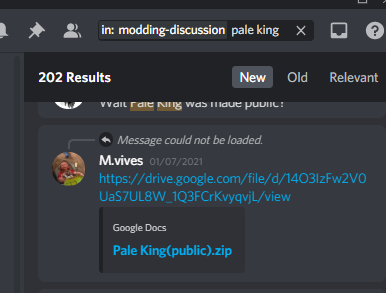
Is the Pale King skin completely unavailable now
west bane
no just search has:file pale king in like here or #modding-discussion youll find it
west bane
hmmmmmm https://i.imgur.com/HiQuLDH.png
 west bane
fading knot
and then redid the install
west bane
fading knot
and then redid the install
if i had to guess, maybe muljtiple installs are interfering?
fading knot
maybe
novel bronze
How do I open mod manager after closing it?
novel bronze
Ok so i figured out you just open up mod installer
But does anyone know what mods I can use to record cinematics without the knight?
west bane
debug
novel bronze
ty
novel bronze
how mod hk on steam
wheat orchid
windows, mac, or linux?
novel bronze
windows
wheat orchid
?i
dense shuttleBOT
Reminder: The mod installer (https://radiance.host/mods/ModInstaller.exe) and other modding resources can be found from the pinned messages.
novel bronze
pog
wheat orchid
download this, move it to your desktop, right click run as administrator
wheat orchid
that's it
novel bronze
k
wheat orchid
install mods as you please
novel bronze
poggies
 sacred jackal
Are there any mods that allow you to use mouse buttons/bind multiple keys to the same action? Smth like NAIOM for automata
wheat orchid
No
 shut steppe
Is there a mod that people have complained that makes their geo invisible
I have this problem
wheat orchid
shut steppe
Is there a mod that people have complained that makes their geo invisible
Copy the geo.png from the default folder into the skin folder you are using
shut steppe
wheat orchid
Copy the geo.png from the default folder into the skin folder you are using
oh wise
sacred jackal
wheat orchid
No

 steady mirage
Hi guys, I need help getting the hollow twitch mod to work
minor quartz
steady mirage
Hi guys, I need help getting the hollow twitch mod to work
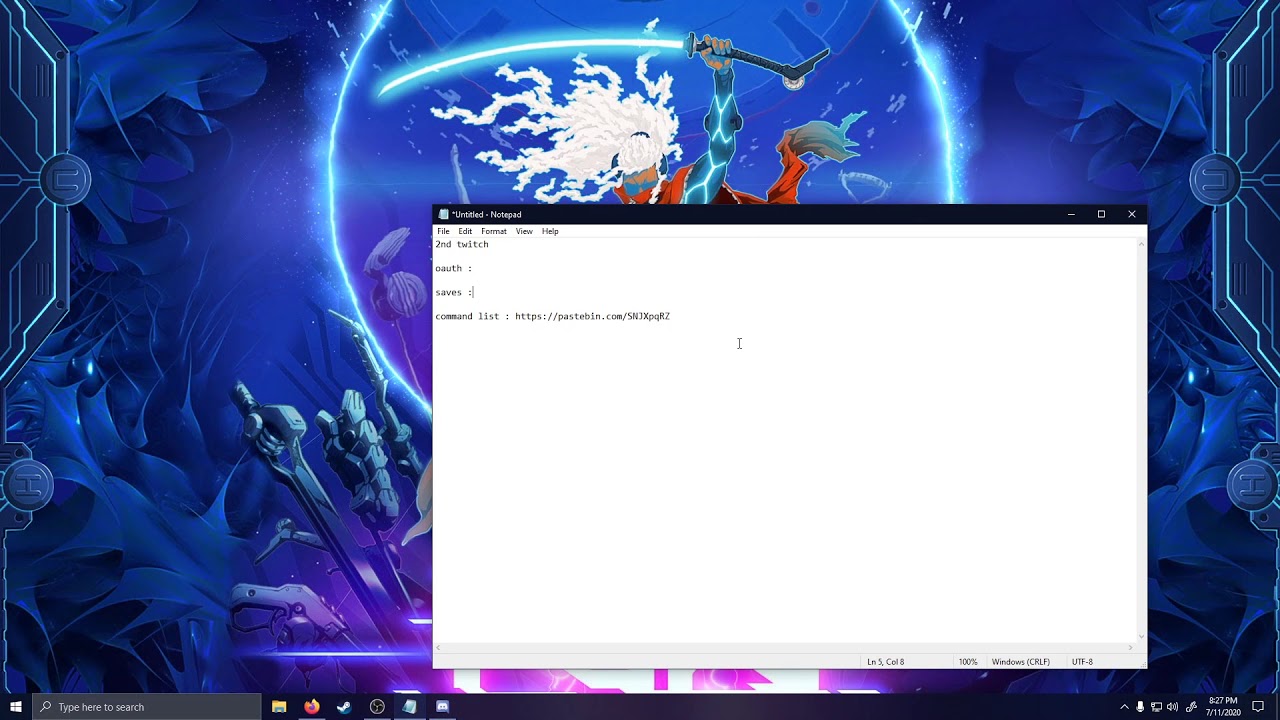
MAKE SURE YOU GRAB THE AUTH FOR YOUR 2ND TWITCH NOT YOUR MAIN
commands list : https://pastebin.com/SNJXpqRZ
steady mirage
I did copy the oath part too, so let me try it again I guess
Yeah, so the twitch token, username and channel just disappear from the TwitchMod file everytime I open the game
I'm following the readme as well, but the command list file doesn't generate and the token, etc get erased every time I open it
Oh wait does it have to be in quotes?
Yep, alright I think I fixed it
 main shale
Does having more skins in your CustomKnight folder make it use more memory? I'm playing a randomized run and the Mantis Lords are invisible, and I don't even have Benchwarp enabled (since I'm used to CustomKnight and Benchwarp rendering THK invisible when both are enabled.)
 sacred barn
@main shale Have you tried adding the flag -noheap? I haven't had any invisible bosses since I tried it out.
main shale
like, in the steam Launch Options? I haven't done anything with flags and HK so I just want to check where you intend for me to use them.
sacred barn
Yeah, add that as a launch option and see if it helps. 🙂
main shale
I'll give it a shot.
Just to check, that's just adding -noheap to the Launch Options, right? No quotation marks or other markers?
sacred barn
Yupp, straight up: -noheap
novel bronze
hey uhhh my modding stuff aint working
none of the mods do idk why thats why i am askin for elp
novel bronze
nah they seem all fine
limber egret
Where did you get Hollow Knight?
 ember prairie
The debug mode glitches out every time I click with the mouse (wich makes it impossible to use it) by appearing in a room that is called Sly_Storeroom, and bringing me back to where I was, also resetting enemies and stuff that was there...
 solid lance
So, I'm having a weird problem. I had custom knight, mod common, vasi, QoL, and seanprcore installed. I had decided to install the impossible maps- something I hadn't tried doing before and had just installed custom decorations when everything went sideways. The game suddenly stopped loading at all, so i tried uninstalling the mod. No luck. I uninstalled and reinstalled Hollow Knight, okay, working, but tried reinstalling mods...it only boots vanilla now, refusing to boot the modding api for some reason. Does anyone have any idea what's going on and some suggestions?
ember prairie
the modding API replaces a dll file called Assembly-CSharp.dll file for the modded one
try looking if it is the vanilla one or it isn't
also, if you are on steam, theres an option to check the game's files integrity
solid lance
I checked the files integrity- it came back clean.. though... I might've found the problem then?
I know very little about modding, so I can't quite tell if those are the files they're supposed to be.
ember prairie
I don't know, I'm on steam, and I don't have Assembly-CSharp.mod, but I cannot tell if it something about the version or why is it
solid lance
I'm also on steam, so that at least helps.
ember prairie
are you using the radiance modinstaller?
solid lance
yeah
ember prairie
then I don't know, when you open it, it opens the menu where you can install the mods and everything?
i mean the modinstaller
solid lance
Yes.
I even reinstalled it after another hollow knight reinstall, it wasn't installing the new files.
ember prairie
what version of the modinstaller are you using?
solid lance
8.6.0
ember prairie
I use it too, and instead of a button that says "Enable all Installed Mods" I have one that says "Revert back to unmodded"
solid lance
Both are there, I tried enabling and disabling just to see if Hollow Knight would do something on bootup..nope.
"unmodded" = all mods disabled. still refuses API.
ember prairie
Maybe I could send you my modded Assembly-CSharp, and you could try to overwrite it, to see if it is something of the modded file or if it is something else
solid lance
That might work, I'm willing to give it a shot.
ember prairie
solid lance
Somehow..that made it worse?
ember prairie
how?
solid lance
xD menu is gone?
ember prairie
what???
that's why I always keep a vanilla backup of the Assembly-CSharp xD
Vanilla one
still you can check the files integrity, but this is easier and most importantly, faster
but that's honestly weird
I'm also quite new to modding, but I know a bit of programming
solid lance
The game runs now, guessing I should run modinstaller again?
ember prairie
I guess
solid lance
Having to restart steam.
There's...a unique issue now. Modinstaller isn't seeing that this is vanilla to install a new API?
ember prairie
solid lance
There's...a unique issue now. Modinstaller isn't seeing that this is vanilla to ...
So it thinks it is already modded?
solid lance
Yeah, even with the vanilla file in place.
ember prairie
I think now you should check the files integrity
solid lance
Will do, just a moment.
limber egret
@ember prairie You need to go and delete the file listed modding api global settings.
When you restart the game it will build a new one for you from scratch which will solve your problem
You likely assigned load save state to mouse 1
ember prairie
and where is it that file?
solid lance
Ah...
limber egret
?saves
dense shuttleBOT
Saves
Windows File Paths: (Assumes Default Steam Install Path, Adjust accordingly for DRM Free or Non-Standard Steam Path)
Game Files: C:\Program Files (x86)\Steam\steamapps\common\Hollow Knight\```
** **
Mac File Paths:
```Save Files: ~/Library/Application Support/unity.Team Cherry.Hollow Knight/
Game Files: ~/Library/Application Support/Steam/steamapps/common/Hollow Knight/hollow_knight.app/```
** **
Linux File Paths:
```Save Files: ~/.config/unity3d/Team Cherry/Hollow Knight/
Game Files: ~/.local/share/Steam/steamapps/common/Hollow Knight/```
ember prairie
ok thanks
solid lance
Giving it a shot
ember prairie
limber egret
Should be in one of those two locations
and how is it called?
limber egret
It's called that but with some full stops
solid lance
It isn't recognizing it as vanilla still.
ember prairie
Then, I'm sorry, but I don't know
solid lance
I...Um, fixed it.
Remember that file that you pointed out was there that you don't have?
...That wasn't supposed to be there apparently.
Thank you. @ember prairie @limber egret
ember prairie
Really?
solid lance
Yep.

 wise fossil
I want to play a room rando, which mods do I need for it to work?
limber egret
Randomiser 3, Benchwarp, QoL, mod common, vasi, sfcore, and Seanprcore.
sharp orchid
Hello, is the ModInstaller 2 with the mushroom icon the one we should be using currently?
Gotta be this one right?
 vernal rain
yes
sharp orchid
I have no idea how to use it, after watching 30mins of tutorials and reading pinned messages
Ticking the boxes does nothing
What am I missing please? (I even duplicated some files to be in both folders just to be sure)
Tried with EnemyHP
limber egret
That looks like they are where they are supposed to be.
Which ones are the original and which are the ones you duplicated?
spring bane
Have you installed the modding api?
wise fossil
limber egret
Randomiser 3, Benchwarp, QoL, mod common, vasi, sfcore, and Seanprcore.
Thank you so much!
sharp orchid
limber egret
Which ones are the original and which are the ones you duplicated?
They are all the same, just CtrlC, CtrlV, since I wasnt sure which folder I should put them in
sharp orchid
spring bane
Have you installed the modding api?
Yes, but I am going to repeat the process just to be sure
limber egret
Yes, but which folder were they originally in?
They should just be in managed\mods.
You shouldn't need the extras, though it shouldn't stop them working either
sharp orchid
The Assembly files from API are as provided on the Drive, so according to the original
And the rest was all originally under Mods folder
the game basically doesnt recognize that anything happened, no Mods section under Options, no API overlay in the top left, no alternated loading etc.
So I imagine the problem maybe is not with the files, but I am doing something wrong with the ModInstaller? Which ones should be ticked for a start and when I tick them, nothing happens? I must be doing something wrong
sharp orchid
 plucky scaffold
i can*
plucky scaffold
i can*
pinned messages, first two, top right button
 fallow pulsar
hey!! i came across a funky glitch from when i uninstalled and reinstalled the debug mod (it wasn’t let me click on any of the cheats). i lost.. 2% off my save file (110% -> 108%). none of what ive done in the game has changed, it didbt rollback anything, it’s just not showing the right percent antmore and it’s making me unsure if ill get the achievement for getting 112%
it might have something to do w/ switching from Xbox game pass to steam bht.. it showed the correct percent then so im not sure
wheat orchid
Are you sure you didn’t have any other mods on?
fallow pulsar
i did, but it seems that it’s what caused it since i wasn’t having any other issues until then
wheat orchid
So you only uninstalled debug?
fallow pulsar
yeah! i did disable some mods but im pretty sure debug is the only one i uninstalled
wheat orchid
Disabling does pretty much the same thing
Except it doesn’t delete the mod. The difference is invisible to the game
What mods did you disable
fallow pulsar
i don’t remember because it was a few.. i remember disabling exaltation, redwing/redwing assets, fragile strength for nail arts..
let me open my pc to find the rest, hold on
i also disabled bonfire and NG+ (for NG+ i only downloaded, read the information for it and then disabled sk i can play with it later. didn’t open HK)
fallow pulsar
alright, thank you for trying to help ^^
novel bronze
can I use mods in the game pass hollow knight?
vernal rain
sadly no
novel bronze
a few days ago i asked how to get redwing spells, im a bit dumb, and was told i get them like other spells and nailarts, next question, where
 summer warren
Is there any way for me to have invisible knight? Not sure if it's right channel to ask
 nimble sky
Yeah, to an extent
novel bronze
Grimming cant open modinstaller 2, and i am an idiot
limber egret
summer warren
Is there any way for me to have invisible knight? Not sure if it's right channel...
You can use custom Knight and then just replace all of the files with empty PNG images
nimble sky
summer warren
Is there any way for me to have invisible knight? Not sure if it's right channel...
Two ways. Either you use debug mod and turn off your sprite, or you use customknight and make all your pngs empty
best is to combine both, since debug can remove your hero light also, but custom knight is more comprehensive
Here's an invisible knight skin
summer warren
Oh, that is way easier than i thought, thanks
nimble sky
there's probably a way to remove particles and dust effects, but you'd need to find what the assets are called
nimble sky
 spiral echo
whenever i open the modinstaller 2 and choose the file path, it just crashes
spiral echo
whenever i open the modinstaller 2 and choose the file path, it just crashes
are you on Mac?
Should mention, turning your sprite off with debug works great and all, but it comes back if you get hit
novel bronze
im not sure grimming's in the channel
nimble sky
Awesome, guess they no longer need help
novel bronze
sorry, im an idiot
if they put me in a battle of wits against a baby, id go home crying
ill leave
 flat tide
how do i bring back the mod installer menu?
spiral echo
nimble sky
are you on Mac?
yea im ona mac
flat tide
i have mods but idk how to uninject xD
spiral echo
11,1
wheat orchid
flat tide
how do i bring back the mod installer menu?
You open mod installer again
spiral echo
lmao
flat tide
but the exe is gone
wheat orchid
Did you delete it
wheat orchid
Because it’s wherever you left it
I don’t believe that
Mod installer doesn’t delete itself
nimble sky
New feature for modinstaller where it just deletes itself and leaves a .txt that tells you to go to hell
wheat orchid
nimble sky
if you really think it was deleted, you can always check the recycling bin
spiral echo
this is what happens
wheat orchid
If it’s in recycling bin then you deleted it though
spiral echo
lmao stop roasting this guy
wheat orchid
¯_(ツ)_/¯
wheat orchid
Hold on let me find the link
nimble sky
that's not the file path is it?
spiral echo
it is
wheat orchid
Pretty sure it is
nimble sky
oh, nvm
flat tide
found it, guess i moved it
spiral echo
just shortcutted
spiral echo
ok
wheat orchid
Then do this in terminal or whatever it is on Mac
cd ~/Downloads/publish; chmod +x ./Modinstaller2; ./Modinstaller2
nimble sky
bookmark
spiral echo
kk it worked
??
woah its finished?
last time i opeend this there was this randum "button"
huh
when i un-enable any mod the modinstaller crashes again
is that supposed to happen?
 swift plank
i need help bc my game is just broken and i dont know how to explain it
it wasnt this. this is something new
my game doesnt even load anymore
west bane
What mods
swift plank
i dont know
west bane
So you weren't using any mods
 proud sky
?saves
dense shuttleBOT
Saves
Windows File Paths: (Assumes Default Steam Install Path, Adjust accordingly for DRM Free or Non-Standard Steam Path)
Game Files: C:\Program Files (x86)\Steam\steamapps\common\Hollow Knight\```
** **
Mac File Paths:
```Save Files: ~/Library/Application Support/unity.Team Cherry.Hollow Knight/
Game Files: ~/Library/Application Support/Steam/steamapps/common/Hollow Knight/hollow_knight.app/```
** **
Linux File Paths:
```Save Files: ~/.config/unity3d/Team Cherry/Hollow Knight/
Game Files: ~/.local/share/Steam/steamapps/common/Hollow Knight/```
west bane
You don't know where you download things to? 🤔
swift plank
wdym
spring bane
Modinstaller is just an .exe file. It is probably in the default location you download files to.
swift plank
k
i just tried to open it but it said it was unable to locate game files
and i need to make sure its installed or something
novel bronze
Can somebody send me some Hollow Knight skins?
nimble sky

west bane
There's a pinned message on how to reset it
novel bronze
so I tried the thing with hollow point where I make a save with it disabled, and then enable it, but the spells still arent working
nimble sky
novel bronze
Can somebody send me some Hollow Knight skins?
check #modding-discussion pins, there are two google drives with plenty of skins
novel bronze
Ok thxx
swift plank
sorry i had to go do something where is the pinned message
west bane
Top right icons
swift plank
that wasnt installed so thats probably what it is
west bane
If the API wasn't installed then your issue doesn't have to do with modding
novel bronze
hey uhhh none of mods work
nimble sky
do you have any more information
nimble sky
The pins?
 scenic glade
ok
novel bronze
novel bronze
so I tried the thing with hollow point where I make a save with it disabled, and...
so is there nothing I can do about this or,
novel bronze
nimble sky
do you have any more information
not really its just they dont work
west bane
Any modlist. What mods don't work. Where. When. Modlogs. Did you look up similar things?
 echo bramble
novel bronze
echo bramble
novel bronze
charm overhaul enemyHPbar infinite notches mod common
charm overhaul, enemyHPbar, infinite notches, mod common
thats my mod list
novel bronze
west bane
What spells didn't work on the new Save
none of them do
nimble sky
@novel bronze how do you know they don't work. This question sounds stupid, but it's not. Describe what you see that makes you go "wow, this isn't working"
novel bronze
welp 1 the infinte notches dont work because well no infinte notches. the enemy hp bar for the same reason i dont really know what mod common is , and i also dont think charm overhaul works
rigid ice
where do i find my save file in the games files
vernal rain
?saves
dense shuttleBOT
Saves
Windows File Paths: (Assumes Default Steam Install Path, Adjust accordingly for DRM Free or Non-Standard Steam Path)
Game Files: C:\Program Files (x86)\Steam\steamapps\common\Hollow Knight\```
** **
Mac File Paths:
```Save Files: ~/Library/Application Support/unity.Team Cherry.Hollow Knight/
Game Files: ~/Library/Application Support/Steam/steamapps/common/Hollow Knight/hollow_knight.app/```
** **
Linux File Paths:
```Save Files: ~/.config/unity3d/Team Cherry/Hollow Knight/
Game Files: ~/.local/share/Steam/steamapps/common/Hollow Knight/```
west bane
novel bronze
welp 1 the infinte notches dont work because well no infinte notches. the enemy ...
Screenshot main menu
 terse gate
one of my friends got an SSL error, any idea what that means?
west bane
Are they on windows 7
terse gate
"it looks like windows 7 but its windows 10 compatable"

and then they confirmed it is windows 7
west bane
Try modinstaller 2. But I've had some reports that it doesn't work either for people that have that error on win 7
rigid ice
ok when trying to find the save files on windows i put in %appdata% and then i try to find LocalLow but cant find it
 open osprey
hello, i'm trying to use the mod installer but i've been having some problems, i think my friends mentioned it, i used the regular mod installer and it said it had an ssl issue, so i tried the mod installer 2 but that just opens a command prompt window when i run it
oh nvm it loaded a different window
novel bronze
west bane
rigid ice
ok when trying to find the save files on windows i put in %appdata% and then i t...
Copy paste the entire directory from the bot list
novel bronze
here iis my menu
west bane
Are you using modinstaller 1 or 2
novel bronze
2
west bane
You probably don't have modding API installed and enabled
rigid ice
ok so im using the QoL mod and i went to the save files file part to get the JSON but idk what its called of if its even there
novel bronze
ima go try the other mod installer
west bane
Did you run the game with qol and vasi installed
rigid ice
yes
west bane
There should be a user#.json file
rigid ice
wait am i suppost to go threw
%APPDATA%..\LocalLow\Team Cherry\Hollow Knight\
cus its not there
novel bronze
i tried the other mod installer but this showed up
west bane
rigid ice
cus its not there
screenshot the folder
novel bronze
I'm trying to revert back to unmodded hollow knight but this error pops up every time I try. I've launched the game and closed. If I delete hollow knight and redownload it will mod installer break if so what should I do?
west bane
verify integrity through team
 stiff tundra
Are the skins in the pins the only ones?
 frosty grail
what does the redwing mod do?
stiff tundra
I think that makes things have fire attacks
west bane
?mods
dense shuttleBOT
Mods
Google Drive with Mods - https://drive.google.com/drive/folders/0B_b9PFqx_PR9Um9MeFZMV21oWGs
Installer - https://radiance.host/mods/ModInstaller.exe
Mod Summaries - https://docs.google.com/document/d/1cz5tcggpGofrBcM90XyTkMWjMelDHzugvQM6HpB13Ew
west bane
^summaries
stiff tundra
So installing skins, do they have to be in a folder or can they be in zips
wheat orchid
Folder
frosty grail
So i ended up trying the redwing mod and i have infite soul, is this normal?
stiff tundra
I downloaded a bunch from a drive and quite a few dont have a folder
wheat orchid
Put all the png files inside a folder
wheat orchid
frosty grail
So i ended up trying the redwing mod and i have infite soul, is this normal?
Yes
wheat orchid
Yes
frosty grail
Lil op but ok
stiff tundra
Is there a skin mod that affects just the hud? Maybe making the default health/soul bar look like Steel Soul?
stiff tundra
Oh okay, it wouldnt cause issues?
 vague marsh
Excuse me, do you know how to install the Impossible mod?
wheat orchid
stiff tundra
Oh okay, it wouldnt cause issues?
Nope
wheat orchid
vague marsh
Excuse me, do you know how to install the Impossible mod?
It’s not a mod. It’s a map pack for the decoration master mod
Fireb0rn has a tutorial on decoration master
vague marsh
Ok thx
 boreal sedge
hey, im trying to mod hollwo knight and downloaded a mod installer, but it can't find the installation path
any tips
dense shuttleBOT
Saves
Windows File Paths: (Assumes Default Steam Install Path, Adjust accordingly for DRM Free or Non-Standard Steam Path)
Game Files: C:\Program Files (x86)\Steam\steamapps\common\Hollow Knight\```
** **
Mac File Paths:
```Save Files: ~/Library/Application Support/unity.Team Cherry.Hollow Knight/
Game Files: ~/Library/Application Support/Steam/steamapps/common/Hollow Knight/hollow_knight.app/```
** **
Linux File Paths:
```Save Files: ~/.config/unity3d/Team Cherry/Hollow Knight/
Game Files: ~/.local/share/Steam/steamapps/common/Hollow Knight/```
boreal sedge
it's not steam so that doesn't work
vernal rain
if you have it on gog, you can go the game, then the option thing at the top (right), configure installation, then show folder, that should be the one to point the modinstaller to
boreal sedge
thanks i'll check it out
no i think the problem is that i have it on pc gamepass
i think microsoft got their greedy fingers on it
vernal rain
oh yes, sadly gamepass doesn't work
boreal sedge
that sucks
 true pendant
I saw the pinned message abt the Enemy Randomizer Freezing Loading
i couldnt fix the glitch, is there any other way to fix it or nah?
 glass vessel
oh hello people umm can someone please help me with the hk skin mod?
i seem to have kinda forgotten how to do stuff
limber egret
Please describe your problem so people will know if they can help
 tough cradle
glass vessel
oh hello people umm can someone please help me with the hk skin mod?
~~i seem t...
tough cradle
glass vessel
oh hello people umm can someone please help me with the hk skin mod?
~~i seem t...
Check fireb0rns guide
 viral quiver
yeah thats probably the best wat
make sure u have modcommon installed btw
and make sure that the folder in the custom knight pack is the folder containing the pictures
i made both those mistakes thats how i know lol
glass vessel
well, the thing is-
i do have the modinstaller, i do have the skin i wanna use downloaded, and i even watched fireb0rn's video, in which he said to drag the image into the hollow knight files (or something along this meaning), but here's the lowkey thing...i don't think i really know how to access the hk files
gosh i feel so stupid asking for help like that
well, the thing is-
i do have the modinstaller, i do have the skin i wanna use downloaded, and i even watched fireb0rn's video, in which he said to drag the image into the hollow knight files (or something along this meaning), but here's the lowkey thing...i don't think i really know how to access the hk files
gosh i feel so stupid asking for help like that
well, the thing is-
i do have the modinstaller, i do have the skin i wanna use downloaded, and i even watched fireb0rn's video, in which he said to drag the image into the hollow knight files (or something along this meaning), but here's the lowkey thing...i don't think i really know how to access the hk files
gosh i feel so stupid asking for help like that
limber egret
?saves
dense shuttleBOT
Saves
Windows File Paths: (Assumes Default Steam Install Path, Adjust accordingly for DRM Free or Non-Standard Steam Path)
Game Files: C:\Program Files (x86)\Steam\steamapps\common\Hollow Knight\```
** **
Mac File Paths:
```Save Files: ~/Library/Application Support/unity.Team Cherry.Hollow Knight/
Game Files: ~/Library/Application Support/Steam/steamapps/common/Hollow Knight/hollow_knight.app/```
** **
Linux File Paths:
```Save Files: ~/.config/unity3d/Team Cherry/Hollow Knight/
Game Files: ~/.local/share/Steam/steamapps/common/Hollow Knight/```
limber egret
You're looking for game files
viral quiver
yup
limber egret
Your mods will then be in managed\mods
 swift spruce
hi, i'm trying to install customKnight, however I'm getting this menu screen with the mod installer
when I validate integrity of game files it goes back to normal
viral quiver
do you see a loading bar when u start it up? cuz im experiencing the same issue and it used to work but now it doesnt
swift spruce
i'm unable to create a new gane or do anything, just blank menu buttons
viral quiver
do you see a loading bar when u start it up? cuz im experiencing the same issue and it used to work but now it doesnt
swift spruce
nope, no loading bar
viral quiver
yeah same
swift spruce
dont know honestly, i didnt keep it on for long
viral quiver
k
swift spruce
oh wait
viral quiver
yeah im having the same issue
 placid panther
So I don't know how to word this so apologizes if this doesn't make any sense, but I've had the mod launcher for a little while and suddenly it stopped working yesterday. It'll try to download something (I believe to be the mod api), make a corrupted zip file, then bring up this error screen. I've tried uninstalling and reinstalling the game/mod launcher, restarting my computer, deleted mod files, verified the game files and it still won't work. Is there any way I can fix this? Thank you!
swift spruce
yep it just said loading
swift spruce
yeah same here
glass vessel
so here's a little update on my situation, i managed to get into the hollow knight files (a massive thanks for helping me), but now how do i actualy transfer the image file into the hk file? (i'm really sorry if i'm asking stupid questions but i'm really dumb with computers and other technical things please forgive me)
west bane
swift spruce
hi, i'm trying to install customKnight, however I'm getting this menu screen wit...
delete moddingapi.globalsettings both .json and .bak in your saves folder
?saves
dense shuttleBOT
Saves
Windows File Paths: (Assumes Default Steam Install Path, Adjust accordingly for DRM Free or Non-Standard Steam Path)
Game Files: C:\Program Files (x86)\Steam\steamapps\common\Hollow Knight\```
** **
Mac File Paths:
```Save Files: ~/Library/Application Support/unity.Team Cherry.Hollow Knight/
Game Files: ~/Library/Application Support/Steam/steamapps/common/Hollow Knight/hollow_knight.app/```
** **
Linux File Paths:
```Save Files: ~/.config/unity3d/Team Cherry/Hollow Knight/
Game Files: ~/.local/share/Steam/steamapps/common/Hollow Knight/```
glass vessel
west bane
delete moddingapi.globalsettings both .json and .bak in your saves folder
the thing is i don't even have them in my saves folder
swift spruce
west bane
?saves
ok, will try that
swift spruce
west bane
delete moddingapi.globalsettings both .json and .bak in your saves folder
@viral quiver
west bane
screenshot your saves folder
glass vessel
like, my hollow knight safe folders? (steam>steamapps>common>hollow knight)?
west bane
west bane
copy paste the paste
true pendant
Im attepting to run Randomizer mod in the setting "Item + Room Randomizer" but everytime i start this happnes
I cant move neither pause
west bane
true pendant
Im attepting to run Randomizer mod in the setting "Item + Room Randomizer" but e...
you dont have the dependencies
true pendant
You mean the required mods right
i do have
all of em
I installed it trough ModInstaller slo i should have them all
Oh i see
QOL mod couldnt load
glass vessel
i have no idea how did i do that but i got the skin to work
and i think i did it by accidentaly replacing the original knight files
west bane
what mods do you have installed mr. deadd
spring bane
true pendant
QOL mod couldnt load
Get vasi
viral quiver
west bane
delete moddingapi.globalsettings both .json and .bak in your saves folder
thanks! it worked
 sacred breach
so with custom knight i have this issue where when the soul meter is full its customized just fine, but when its anything less than full it reverts back to the normal one. ive checked videos with the skins im using and they stay custom in the videos so i dunno whats wrong with mine.
spring bane
You can only customize a small part of the nonfull orb, so a lot of skins have a big difference between full and partial
What skins?
sacred breach
i mostly use pink bow, laurel, and star bunny
i swap between them sometimes
 ivory aurora
viral quiver
do you see a loading bar when u start it up? cuz im experiencing the same issue ...
ivory aurora
viral quiver
do you see a loading bar when u start it up? cuz im experiencing the same issue ...
A white, chunky loading bar?
Ah, never mind, your problem solved
 mossy owl
only other thing i have opened is the mod loader
sacred breach
spring bane
You can only customize a small part of the nonfull orb, so a lot of skins have a...
ah nvm, its working now it seems (dunno how)
thanks for trying to help though!
rigid ice
ok so my healing broke from the hollow point mod a while ago but it has bin updated so it will not break it so does that mean if i download the updated versen it could fix itself?
 clever night
If I have the game pass version of the game, can I still use ModInstaller?
limber egret
You cannot
ivory aurora
Mods only work on Steam ans GOG iirc
limber egret
Hollow point changes your save data to change how healing works. If you put hollow point back on your healing will be for hollow point again
rigid ice
after you unistall it the read me says your healing breaks but it updated and said that it shouldent break it when you unistall it
 void ridge
how do I install custom maps?
limber egret
Pretty sure this problem has not been fixed
void ridge
like the impossible any% mod
ivory aurora
rigid ice
after you unistall it the read me says your healing breaks but it updated and sa...
You shouldn't play a Hollow Point savefile without Hollow Point
limber egret
void ridge
how do I install custom maps?
I believe you need decoration mod
ivory aurora
Fireborn has a tutorial iirc

Here's my guide on installing and using the DecorationMaster Mod, a mod which lets you both customize levels and play other people's customized levels! Credits to Sawyer and shoutouts to 56.
DOWNLOADS:
https://github.com/a2659802/HollowKnight.Decoration/releases
Under "Assets", download DecorationMaster.dll.
Should be this
@void ridge
void ridge
thank you
nimble sky
void ridge
thank you
make sure you get QoL if you're going to be playing impossible any%
nimble sky
vague marsh
Ok thx
You too, make sure you install QoL if you play impossible any%
void ridge
ye ik
nimble sky
Just making sure bc quite a few people did not know that when they started
void ridge
damn
 woven zinc
im a little confused. i got a 3:55 game time split for vengeful spirit, but it popped up at 4:00. when i go into edit splits, it says 3:55. why would this happen?
limber egret
You are swapping between real and in game time
Make sure everything is set to game time. Thankfully because of the way it works you will have game time all saved and everything, it just wasn't displayed.
woven zinc
i'd rather have it set to game time (unless that's not allowed). how do i show the display to game time?
limber egret
Just go into layout and anywhere you see anything that is saying "real time" change it to "game time".
You want game time anyway to submit your runs or you'll be at a big disadvantage
novel bronze
this is what happens when i try to install poorly translated
spring bane
?mods
dense shuttleBOT
Mods
Google Drive with Mods - https://drive.google.com/drive/folders/0B_b9PFqx_PR9Um9MeFZMV21oWGs
Installer - https://radiance.host/mods/ModInstaller.exe
Mod Summaries - https://docs.google.com/document/d/1cz5tcggpGofrBcM90XyTkMWjMelDHzugvQM6HpB13Ew
spring bane
yoink from google drive and use the manually install button to install it
novel bronze
ok
 atomic estuary
Can someone help me install mods on 1.2.2.1?
novel bronze
thank you
novel bronze
Does anyone know whether or not there'll be some sort of update for the Bindings mod, so that each Binding can be toggled, rather than having all four at once?
I plan on playing through the game with the mod on, just for funsies, but there are Charms that are necessary for certain quests—Kingsoul and Grimmchild respectively, if I recall correctly—and I don't really want to have to disable it just for their sakes.
I mean, I guess the issues can be circumvented in some way, like only having up to the Channelled Nail, only using SOUL when at max, and deliberately bringing myself down to four masks,
but I'd really rather not have to go through such tedium.
(Sorry if I'm interrupting anything, by the way.)
fair ibex
probably not unfortunately
 lusty pebble
does anyone know if it is possible to have multiplayer mod and randomizer running at the same time?
west bane
yes
spring bane
 dense trout
but anyway to get mods to run/work on linux?
dense trout
but anyway to get mods to run/work on linux?
people have done this. i think you just run the installer thru mono
lusty pebble
it works just install the randomizer after the client mods
 tribal sphinx
could anyone give me the link to download the pure vessel skin?
west bane
check pins
 restive harness
I tried to get custom knight to work on my mac but the files where im supposed to put the skins dont appear. Can anyone help?
 young cove
uuuuh i tried to run mod installer
fair ibex
more info -> run anyways
dense trout
i got hollow knight modded on linux, although it was not through running the instaler, but rather manually installing the needed files
but i have a new issue now, and that is hollow knight is not picking up any input from my controllers
it is detecting them, as when i unplug it, it shows no controller is connected, but its just not recieving any inputs. i know linux is recieveing the inputs though, as running a test shows its picking up all the button presses and etc. this only happens when i have the game modded
 stark saddle
I'm using the custom knight mods and the hollow knight skin by emray, is there a way to get the horns to not move? they kind move back and forth a little while standing still
tribal sphinx
is multiplayer mod and skin mod compatible?
 misty light
im trying to see if my end of multiplayer works cause whenever i get someone to play with we cant do it because their end isnt working
pliant ingot
this keeps happeniong when i try to uninstall hollow point
and when i hit update it always gets stuck like this
wheat orchid
Try running the installer as administrator
Right click then click open as administrator
pliant ingot
same thing
wheat orchid
¯_(ツ)_/¯
pliant ingot
damn
spring bane
If you go into the mods folder and take the dll out of disabled and put it elsewhere, will the installer consider it uninstalled?
wheat orchid
It should
 pseudo hinge
hello
wheat orchid
Hello
pseudo hinge
the modding api (1.2.2.1-39) just stops any save from loading
wheat orchid
Are you on patch 1.2.2.1
pseudo hinge
i was trying to get help from the guys in #speedrunning and they sent me here
pseudo hinge
wheat orchid
Are you on patch 1.2.2.1
yea
wheat orchid
Is a controller connected
pseudo hinge
yea
wheat orchid
Try unplugging before launch until you get in the save
wheat orchid
Hmmm
In the controllers menu in the options menu, is there a controller input beta option
In the controllers menu in the options menu, is there a controller input beta option
wheat orchid
Hmmm
Try going to your save files path and deleting all files with ModdingApi in their name
?saves
dense shuttleBOT
Saves
Windows File Paths: (Assumes Default Steam Install Path, Adjust accordingly for DRM Free or Non-Standard Steam Path)
Game Files: C:\Program Files (x86)\Steam\steamapps\common\Hollow Knight\```
** **
Mac File Paths:
```Save Files: ~/Library/Application Support/unity.Team Cherry.Hollow Knight/
Game Files: ~/Library/Application Support/Steam/steamapps/common/Hollow Knight/hollow_knight.app/```
** **
Linux File Paths:
```Save Files: ~/.config/unity3d/Team Cherry/Hollow Knight/
Game Files: ~/.local/share/Steam/steamapps/common/Hollow Knight/```
pseudo hinge
nothing
just a black screen with the menu music and the modding api text
i opened modlog.txt and theres an error
wheat orchid
pseudo hinge
just a black screen with the menu music and the modding api text
Do the controller trick again
wheat orchid
pseudo hinge
i opened modlog.txt and theres an error
What’s the error
pseudo hinge
debug
wheat orchid
Is it the 1.2.2.1 ver
pseudo hinge
but i was trying without it earlier and was doing the same thing
wheat orchid
Hmmm
pseudo hinge
wheat orchid
Is it the 1.2.2.1 ver
idk i got it from the same place i think it is
wheat orchid
Try seeing if there are any other 1.2.2.1 ModdingApi versions. I know I was able to play it at one point
pseudo hinge
i got it from a google drive and theres a windows, mac, linux and gog version
im using windows, tried GOG and got the same result
wheat orchid
idk sorry ¯_(ツ)_/¯
dense trout
does anyone know why installing mods makes my controller stop giving the game inputs on linux?
 idle leaf
I tried downloading hollow point and it caused several issues. One, weird visual glitches in the foreground of the screen like flashes and darkenings. Two, I can't actually switch to the gun, i have tried all the button imputs. Three, when i take damage i become invisible for a couple seconds. Four, my soul meter isn't draining as if i have infinite soul - debug installed. Five, when i pause the game the menu is messed up, the left half of the selecting cursor is missing and screen doesnt darken like it normaly does. And six, my game is extremely laggy. I have tried unintalling and reinstalling the game, the mods, and the mod installer multiple times.
 river widget
can you tell me how to save state?
 gloomy coral
river widget
can you tell me how to save state?
gloomy coral
river widget
can you tell me how to save state?
use debug mod
and then bind the save and load to keys and then use it
novel bronze
i have problems with hollow point. thee menu is mixed up in the same place and my shots dont work
river widget
@gloomy coral how do i bind the save and load to keys?
gloomy coral
river widget
<@!724954591602671628> how do i bind the save and load to keys?
press pause and look for the tab for binding keys it should be on the first page
limber egret
pseudo hinge
i opened modlog.txt and theres an error
Head over to resources and about about the fifth message up there is a new assembly c sharp file you will need to download and replace your current one with for 1221 debug mod to work
limber egret
river widget
it say unbound what do i do?
When you click it you then press whatever button you want to make it
river widget
thanks
 lone echo
Is there actually no way to mod the windows store version of hollow knight?
limber egret
No
lone echo
Rip
vernal rain
lone echo
Is there actually no way to mod the windows store version of hollow knight?
there possibly is a way
novel bronze
novel bronze
someone can help me?
???
vernal rain
lone echo
Rip
you can use a tool called PsExec from microsoft's Sysinternals Utilities (https://docs.microsoft.com/en-us/sysinternals/downloads/), which you can then use to let the system execute a command psexec –i –s CMD (open PowerShell or cmd as admin in the same folder as the psexec.exe is), which will open another cmd, but that one has system priviliges (you can verify that with the cmd command whoami, which will say {computer name}\{username} as admin, but nt authority\system as system). then just use that system cmd to start the modinstaller executable.
then just open the modinstaller from the system cmd, and maybe that works with the gamepass version.
i have not tested it myself as i don't have hollow knight on gamepass, so it might not work.
novel bronze
Someone can help me? When i instal custom knight my game doesnt open
 zinc zenith
I am playing item randomizer and triggered the infected crossroads before getting to ancestral mound. Is there a way to get in it now?
 autumn sky
I'm having an issue where I start a new game and after skipping past the opening scenes I'm greeted by a screen with this room and I cant move around or do anything other than pause the game
limber egret
novel bronze
appears like a loading bar and then makes an error noise
Where did you get Hollow Knight
limber egret
zinc zenith
I am playing item randomizer and triggered the infected crossroads before gettin...
Go from where Cornifer usually is
novel bronze
steam
autumn sky
The only mods I have installed are Modding API windows and Multiplayer client
limber egret
autumn sky
I'm having an issue where I start a new game and after skipping past the opening...
What mods have you got?
Make sure you have all the necessary mods to make multiplayer work. Check the readme or the fireborn setup video
autumn sky
autumn sky
I'm having an issue where I start a new game and after skipping past the opening...
Correction: Apparently I cant pause the game
zinc zenith
limber egret
Go from where Cornifer usually is
Is it open now? I haven't hit the switch yet and I can't reach the switch either.
limber egret
novel bronze
steam
What other mods do you have installed?
novel bronze
just custom knight
limber egret
zinc zenith
Is it open now? I haven't hit the switch yet and I can't reach the switch either...
Yes, it opens that transition when you infect crossroads
zinc zenith
Alright thank you.
limber egret
novel bronze
just custom knight
Download Mod Common, and potentially Modding API if you're using modinstaller 2
novel bronze
error
novel bronze
limber egret
Download Mod Common, and potentially Modding API if you're using modinstaller 2
that doesnt work
limber egret
Same thing?
limber egret
Screenshot your Mod Installer for me
novel bronze
limber egret
Screenshot your main menu
novel bronze
limber egret
That's a good thing, then. Your Modding API and Mod Common are both on.
Close the game, then click uninstall on Custom Knight. Wait about ten seconds, then click install and wait for about a minute before clicking enable.
novel bronze
error again
limber egret
Okay so your issue is with custom knight for some reason
novel bronze
how do i fix this?
novel bronze
wat is vasi and qol?
lone echo
vernal rain
you can use a tool called `PsExec` from microsoft's Sysinternals Utilities (<htt...
I tried using psexec -i -s cmd but I get this error
Error creating key file on Desktop-MLF0U:
The network path was not found.
Mods on the mod installer
novel bronze
i disble custome knight?
novel bronze
limber egret
Please stop pinging me
srry
vernal rain
lone echo
I tried using `psexec -i -s cmd` but I get this error
```
Error creating key fi...
hm, never seen that before and sadly i actually do not know how to fix that
limber egret
Disable QoL and vasi, reenable Custom Knight, and then. Close everything (twitch etc) and see if HK still won't load.
lone echo
I'm trying running it as system using process hacker atm
vernal rain
haven't heard of that program yet, but if it works, i can write that down if anybody else needs a workaround for gamepass hk
limber egret
This is p rad
lone echo
Which folder should I select for ModInstaller btw?
limber egret
Please don't call me dude.
Try downloading Custom Knight from the mods list manually
?mods
dense shuttleBOT
Mods
Google Drive with Mods - https://drive.google.com/drive/folders/0B_b9PFqx_PR9Um9MeFZMV21oWGs
Installer - https://radiance.host/mods/ModInstaller.exe
Mod Summaries - https://docs.google.com/document/d/1cz5tcggpGofrBcM90XyTkMWjMelDHzugvQM6HpB13Ew
lone echo
vernal rain
haven't heard of that program yet, but if it works, i can write that down if any...
Got ModInstaller running as system but when I try selecting my hollow knight path I get this error.
vernal rain
hm, that is because it's running as system, but i have no idea how to fix that, maybe gamepass hk is only moddable from linux
 median marten
how do i reset the soul healing property thingy
my healing is all messed up now lol
limber egret
Download QoL
median marten
i used the hollow point mod btw
limber egret
Open the file with the healing issue
vernal rain
1 sec
median marten
limber egret
Download QoL
already using it
median marten
mhm
vernal rain
median marten
my healing is all messed up now lol
if you had the QoL Mod already installed:
- go to save files
- locate
userX.json(with X being the save slot number from 1 - 4) - ctrl+f "focusMP_amount"
- set the value to 33
if you don't have the QoL Mod: - https://bloodorca.github.io/hollow/
- go to save files
- locate
userX.dat(with X being the save slot number from 1 - 4) - upload that to the website
- ctrl+f "focusMP_amount"
- set the value to 33
- download encrypted (PC)
- rename it to the original name (will be downloaded as
user1.dat, rename if you want slot 2, 3 or 4 to be edited) - put it back to the save file folder
median marten
oh thanks
novel bronze
have some way to switch the skin without custome knight?
limber egret
Sadly not
novel bronze
oh
limber egret
I assume you tried manually downloading a new custom knight?
novel bronze
yup
limber egret
Then I'm not sure
median marten
it worked thanks :)
novel bronze
;-;
lone echo
vernal rain
hm, that is because it's running as system, but i have no idea how to fix that, ...
Yea I think it's only possible with linux, even when running ModInstaller2 as system it still says the access to Assembly-CSharp.dll is denied
vernal rain
appears like that
 sleek tiger
?saves
dense shuttleBOT
Saves
Windows File Paths: (Assumes Default Steam Install Path, Adjust accordingly for DRM Free or Non-Standard Steam Path)
Game Files: C:\Program Files (x86)\Steam\steamapps\common\Hollow Knight\```
** **
Mac File Paths:
```Save Files: ~/Library/Application Support/unity.Team Cherry.Hollow Knight/
Game Files: ~/Library/Application Support/Steam/steamapps/common/Hollow Knight/hollow_knight.app/```
** **
Linux File Paths:
```Save Files: ~/.config/unity3d/Team Cherry/Hollow Knight/
Game Files: ~/.local/share/Steam/steamapps/common/Hollow Knight/```
 gilded rune


 slate berry
how do i get to the 2nd page of saves in the MoreSaves mod
 fiery rapids
the debug mod isn't working but HK and other mods are working fine, i used modinstaller2 so..
nimble sky
Qawn, are you sure you want that mod
nimble sky
It is known to corrupt savefiles
slate berry
oh no
nimble sky
There's another way to get extra files, if you must
slate berry
nah ima just delete some
nimble sky
I'm just going to mention that you can take the files from your saves folder and them store them elsewhere if you want to.
nimble sky
modinstaller
slate berry
it gives me an error
limber egret
Go to your mods file and just delete it
fiery rapids
can anyone help me?
slate berry
ok
limber egret
fiery rapids
can anyone help me?
Nobody knows if you don't tell us the problem.
I have a really good curry recipe if that's what you're struggling with.
nimble sky
I have a good egg recipe
fiery rapids
limber egret
Nobody knows if you don't tell us the problem.
oh sorry, i was having a problem with the debug mod, it wasn't appearing, but everything else waas working
 warped urchin
I installed the enemy randomizer mod, and when i closed the game and opened it again my saves just vanished. I couldn't create more saves, and when i get to the mods tab on the options i just couldn't go back to the main title. I already tried to uninstall hollow knight, mod installer and all of the mods manually and then install them again, but when i install modinstaller the bug just appears, and i am really worried about that someone pls help me
wheat orchid
fiery rapids
oh sorry, i was having a problem with the debug mod, it wasn't appearing, but ev...
Press f1
wheat orchid
warped urchin
I installed the enemy randomizer mod, and when i closed the game and opened it a...
Go to your save files path and delete all files with ModdingApi in their name
?saves
dense shuttleBOT
Saves
Windows File Paths: (Assumes Default Steam Install Path, Adjust accordingly for DRM Free or Non-Standard Steam Path)
Game Files: C:\Program Files (x86)\Steam\steamapps\common\Hollow Knight\```
** **
Mac File Paths:
```Save Files: ~/Library/Application Support/unity.Team Cherry.Hollow Knight/
Game Files: ~/Library/Application Support/Steam/steamapps/common/Hollow Knight/hollow_knight.app/```
** **
Linux File Paths:
```Save Files: ~/.config/unity3d/Team Cherry/Hollow Knight/
Game Files: ~/.local/share/Steam/steamapps/common/Hollow Knight/```
warped urchin
i already tried this
but every time i install the modinstaller the files just come back
warped urchin
yes
wheat orchid
Does it fix it
warped urchin
thank you so much it worked
 vital mountain
when I load hollow point the riffle turns into someting that can shoot every 5ish seconds and in the mod launcher thing it said hollow point outdated?
gloomy coral
vital mountain
when I load hollow point the riffle turns into someting that can shoot every 5is...
Ignore the outdated thing
Which charms do you have equipped
Cuz the charm affects the gun
 opaque birch
Hey anyone there to help me solve an issue with making hollow knight skins?
pseudo hinge
limber egret
Head over to resources and about about the fifth message up there is a new assem...
didnt work, same thing happens
the error in the log is different tho, i think
 smoky skiff
press Replace
 hearty path
Where i can get the gun mod
wheat orchid
It’s called hollow point. You can find it on the mod installer
hearty path
Oh lol rly
vital mountain
in hollow point its broken and turns into a gun that shots every 5ish seconds havent found out whay
vital mountain
yes
vital mountain
tried
wheat orchid
Go back in
Load the save
R u sure
It breaks on save creation. Loading a save fixes it
 proud orchid
The mod 'Charm Overhaul' is not working for me, but I may be doing something wrong. I see it in the top left, but it does not work. Do I have to do something before to let it work?
wheat orchid
Like the effects in game don’t work, or in the top left it says it doesn’t work?
proud orchid
I know that the effects do not work, but I have to check the top left again to check
hearty path
Did it work before?
vital mountain
Focus is broken and i cant heal
wheat orchid
After uninstalling hollow point or is it on?
wheat orchid
If hollow point is on: being unable to focus is normal. Healing is changed
Not on: hollow point changes your save to make healing faster
opaque birch
smoky skiff
press Replace
Thank you so much