#archived-modding-help
1 messages · Page 190 of 1
 spring lichen
download the entire folder
 novel bronze
i can't open this archive
spring lichen
open it as notepad
 lofty trout
how do you change your keybinds for debug mod
lofty trout
ok
 clear nymph
is this different from the stream key
 real jacinth
yes
clear nymph
tokens seem to be a dev-focused feature. what sort of token do i need to get?
clear nymph
ah, mustve missed it on the past nine readthroughs lol
thanks brah
I just need to copy the password it generates and paste it into the file
?
clear nymph
ya thats what i meant
 spring bane
Yeah, so go to Benji's SpritePacker post in #modding-discussion pins, and download either the sprites in the post or the sprites in the video linked in the post.
 misty lodge
spring bane
Yeah, so go to Benji's SpritePacker post in <#610754780461006848> pins, and down...
misty lodge
spring bane
Yeah, so go to Benji's SpritePacker post in <#610754780461006848> pins, and down...
ok. thank you ^^
 untold timber
Does anyone know of a mod that can give me infinite soul?
 limber egret
Debug mod
untold timber
Thank you
 south torrent
uh so i just opened my downpatched version of hollow knight (1221) and it just opens to a black screen with only the cursor. no music or anything. anyone heard of this?
the current patch works fine
spring lichen
when i try to go back to unmodded its says '' "Unable to locate vanilla Hollow Knight. Please verify integrity of game files and relaunch this installer."
how i fix this??
 low abyss
Every time that I open the Mod Installer, this shows up, does anyone know how to fix this
spring lichen
low abyss
Every time that I open the Mod Installer, this shows up, does anyone know how to...
click ''select your hollow knight installation path'' and select your hollow knight folder
 wheat orchid
Try reading the message first
south torrent
still not fixed. any suggestions? tried restarting pc, disabling debug mod, and changing resolution so far
south torrent
uh so i just opened my downpatched version of hollow knight (1221) and it just opens to a black screen with only the cursor. no music or anything. anyone heard of this?
the current patch works fine
it worked before
spring lichen
hmm
wheat orchid
Are you trying to use mod installer on the Downpatch
spring lichen
try updating your drivers? or just reinstall it
south torrent
no not modinstaller
yeah guess i'll try again. just a pain to get the downpatch from steam y'know
wheat orchid
Are you using a controller
south torrent
keyboard
wheat orchid
¯_(ツ)_/¯
spring lichen
south torrent
yeah guess i'll try again. just a pain to get the downpatch from steam y'know
i actually dont know
south torrent
yeah ok guess i'll reinstall it. that usually works
south torrent
yeah doesn't work
well anyways, thanks for trying to help
hopefully reinstalling works, if not guess my nonexistent speedrunning career is over
spring lichen
south torrent
hopefully reinstalling works, if not guess my nonexistent speedrunning career is...
good luck
south torrent
👍
spring bane
spring lichen
help
Steam, right click game or something, verify integrity
Then don't actually relaunch the insyaller
spring lichen
spring bane
Steam, right click game or something, verify integrity
i am not playing it in steam
i am using gamepass
spring bane
Uhhh redownload the game or something, I don't know gamepass
spring lichen
this will take a long time
its so hard to make gamepass suport mod
i think i will just disable mods
 quick frost
How do I download the Sapphire skin it's all in like japanese and I don't know where to downlaod
 tight lake
can someone help? I was trying to play the multiworld item rando mod with a friend of mine, except none of their mods are working, not even customknight. this is the inside of their mods folder
nvm, we fixed it lol
 vital cedar
hey guys what are you suppose to type into the ip address slot for hollow knight multiplayer? I know that an address has to go in there but i dont know what address goes in there
 ivory inlet
spring lichen
ivory inlet
spring lichen
Friend of mine had same problem and he solved it by buying hollow knight from steam (he had a pirated version) I don’t know if that’s your case, but still.
 stiff turtle
Where can i find the app where you download the mods after i have closed it or do i need to download it again.
limber egret
It will be wherever you downloaded it
 blissful dune
Is there a mod which grants you charms? i banished the Grimm Troupe from Hallownest before getting the unbreakable strength. Is there a way i can still get it?
 west bane
debug
 foggy fjord
Hey so after i installed hollow knight mods, they just don't show up in the game, I followed a guide and all
novel bronze
i need help im downloading the modinstaller and download the customknight but in game there is say no mods :(
what i can do about it
helpp
🥺
 lament sundial
Hey, I'm trying to play a hollow knight randomizer with randomized items and enemies. Everything works except that every moth has turned into the same enemy and so on and so forth. The thing i want is that every single moth is randomized to their own enemy. What should i do?
 sleek tiger
lament sundial
Hey, I'm trying to play a hollow knight randomizer with randomized items and ene...
sleek tiger
lament sundial
Hey, I'm trying to play a hollow knight randomizer with randomized items and ene...
go edit around the enemy randomizer options
lament sundial
but where is the options?
 dense shuttleBOT
Saves
Windows File Paths: (Assumes Default Steam Install Path, Adjust accordingly for DRM Free or Non-Standard Steam Path)
Game Files: C:\Program Files (x86)\Steam\steamapps\common\Hollow Knight\```
** **
Mac File Paths:
```Save Files: ~/Library/Application Support/unity.Team Cherry.Hollow Knight/
Game Files: ~/Library/Application Support/Steam/steamapps/common/Hollow Knight/hollow_knight.app/```
** **
Linux File Paths:
```Save Files: ~/.config/unity3d/Team Cherry/Hollow Knight/
Game Files: ~/.local/share/Steam/steamapps/common/Hollow Knight/```
sleek tiger
if there's a .json there
if there's nothing in-game
though I think there should be
lament sundial
ty im going to test it
it looks like this for me, but i cant change anything at the enemy randomizer
west bane
drag it in disabled, drag it back out
verify integrity of game files on steam
reinstall the mod
novel bronze
nope nothing changed
 violet oriole
how do I get my controller to work with mods on? I tried the solution on the pinned message but it didnt work
 rustic sun
how do i make poorly translated have different words
west bane
violet oriole
how do I get my controller to work with mods on? I tried the solution on the pin...
are you stuck on it crashing? if so, unplug, then launch the game, get to title screen, then plug it back in
violet oriole
No my game isnt crashing. I try to use my controller with mods on and it doesnt work but I can still play with the keyboard. I tried doing the plugging back in thing but it still didnt register me using my controller
rustic sun
what does chaos mode do on enemy rando
spring lichen
ivory inlet
Friend of mine had same problem and he solved it by buying hollow knight from st...
actually mine version is a copy of gamepass version, that i made using a program, so this explain a lot, but tx
spring lichen
violet oriole
No my game isnt crashing. I try to use my controller with mods on and it doesnt ...
some mods dont work with controller, you should try playing it with keyboard
what mod are you using
violet oriole
Custom Knight, QoL, Debug, Decorationsmaster
violet oriole
spring lichen
some mods dont work with controller, you should try playing it with keyboard
I tried but I really suck on keyboard and have no idea what I should map it as
violet oriole
spring lichen
the mods have a menu or something?
Wdym
west bane
i mean your controller should still work minus some mod hotkeys
violet oriole
No it just completelt doesnt work. Cant go through menues or anything
Xbox one s controller
Running it through an xbox 360 controller app on mac
west bane
is the controller native thing on or off
spring lichen
did you try to turn computer on with the controller plugged?
violet oriole
spring lichen
did you try to turn computer on with the controller plugged?
Tried both ways
spring lichen
violet oriole
Running it through an xbox 360 controller app on mac
if i know, xbox one s controller have native support
like, just connect and play
west bane
you can also try other 3rd party software
violet oriole
spring lichen
like, just connect and play
Yea but to play games on mac with it u need that app thing
The controller and software work on other games btw
spring lichen
its work on unmodded?
violet oriole
Yes but sometimes the menue and inventory dont work for some reason
west bane
spring lichen
but i recomend you change the app
violet oriole
Search up "360controller github" and it should be the first result
west bane
you can try joytokey as well
 timid merlin
My mods aren't working, whenever I start the game with them one nothing appears on the top left but the mods option is still on the configs tab, nothing on it though, and can't close it whenever opened
I believe it could be something related to the modding api because it starts installing every single time I open the mod manager, but nothing really installs
west bane
try running it as admin
timid merlin
didn't work
is there any download link to the modding api or something if it is even related to it
west bane
can you show your mods folder real quick
 languid scarab
Hey guys! I've been following this video guide (https://www.youtube.com/watch?v=AKx9Hqzy1OM) to get a skin installed, and i've run into a problem. When trying to install CustomKnight, i get this error:
"An unhandled exception occurred in the application. If you click Continue the application will ignore this error and try to continue. If you click Close. the application will terminate immediately.
Corrupt central directory."
I've already tried running the ModInstaller as admin, but no luck. Does it seem familiar to anyone?

A guide that explains how to install the CustomKnight mod and add your very own custom sprites to the game!
ModInstaller: https://radiance.host/mods/ModInstaller.exe
CustomKnight Skins: https://drive.google.com/open?id=1VlXmvI6KT2vzsGItY2w3rHjeCFx8DN0n
CustomKnight Skins (The White Palace Group): https://drive.google.com/open?id=16BUDS5e4_5eRI...
I'm not seeing the error in the pinned posts.
 sterile garnet
I ususally get that message when I try to install a mod/change a mod while the game is running
Try closing the game/make sure it's closed over task manager and then try again maybe 🤔
languid scarab
I hadn't started it up today, so that can't be it. I am seeing some clues on google that it's the downloaded file that's the problem.
as in, the CustomKnight file
I'll try temporarily disabling my antivirus. maybe it's a false positive.
nope, no luck
timid merlin
west bane
can you show your mods folder real quick
took some time because I was eating
 halcyon ibex
Is there a HK modding application for Mac Catalina?
real jacinth
languid scarab
Hey guys! I've been following this video guide (https://www.youtube.com/watch?v=...
which installer are you using and where is it right now
languid scarab
real jacinth
which installer are you using and where is it right now
I used the ModInstaller linked in the video's discription and i'm running it from my Downloads folder
real jacinth
move it to desktop
languid scarab
good idea, but that gives the same error
real jacinth
screenshot your installer and the mods folder in the game files
halcyon ibex
real jacinth
https://discord.com/channels/283467363729408000/462200562620825600/6863290027675...
Poggers.
languid scarab
I don't have a mods folder. The guide didn't mention i needed to make one
halcyon ibex
It says it can't run.
languid scarab
and what do you mean by screenshotting the installer? just a screenshot of the desktop icon?
real jacinth
no. run it. screenshot the menu that comes up
real jacinth
halcyon ibex
It says it can't run.
move it to desktop
real jacinth
languid scarab
I don't have a mods folder. The guide didn't mention i needed to make one
if you don't have a mods folder, then the installer never worked at all. it should make it on it's own at hollow_knight_data -> managed -> mods
languid scarab
real jacinth
no. run it. screenshot the menu that comes up
here's that:
 small heron
nvm
languid scarab
real jacinth
if you don't have a mods folder, then the installer never worked at all. it shou...
found it:
halcyon ibex
Still not working. The only options are delete the application or cancel.
real jacinth
?
are you saying when you download it?
click the question mark
then say download anyways
languid scarab
real jacinth
then launch the installer again
same error, and the zip file is back. the file is 0 kb as well, i've noticed. i'll try to see if i can install something else
Benchwarp installs and uninstalled succesfully
halcyon ibex
Ok, I clicked open anyways,
It just stopped...
Let me try again
You're sure this mac catalina application is safe?
real jacinth
we wrote it
 void stone
Having the same issue as nestrus. Tested to see if other mods were working, and they work fine. Infinite notches and hp bar works atleast.
real jacinth
?mods
dense shuttleBOT
Mods
Google Drive with Mods - https://drive.google.com/drive/folders/0B_b9PFqx_PR9Um9MeFZMV21oWGs
Installer - https://radiance.host/mods/ModInstaller.exe
Mod Summaries - https://docs.google.com/document/d/1cz5tcggpGofrBcM90XyTkMWjMelDHzugvQM6HpB13Ew
halcyon ibex
It opened.
real jacinth
go to google drive. download customknight. and use the manually install button
halcyon ibex
Alrighty! Downloaded custom knight.
Very excited to try it out!
Thanks very much, @real jacinth
void stone
So it's no longer an unopenable .zip and is a .dll. now that i've gotten it like the other mods, how do I install the custom skins
real jacinth
what you downloaded should have come with a readme
 heavy ivy
does exaltion break saves?
void stone
AH ok, thanks
languid scarab
real jacinth
go to google drive. download customknight. and use the manually install button
okay, i think that worked. it says it succesfully installed, but doesn't show up in the ModInstaller list as an installed mod. Is that normal?
languid scarab
upon opening it, it asked me if i wanted to update the modinstaller. i said yes, and i immediately got the same error as before.
real jacinth
when did you download the installer
it shouldn't be asking for you to update the installer
languid scarab
real jacinth
when did you download the installer
about an hour ago. i didn't get the update prompt until after i manually installed customknight
wait, let me try something
nvm. same error
it keeps trying to redownload the broken zip.
void stone
Could we try extracting the custom knight file to the mod file
real jacinth
wouldn't make a difference
languid scarab
this is what the folder looks like now:
languid scarab
the zip, which i downloaded from the google drive link you posted
real jacinth
that's probably why
you need to choose the .dll
after you extract what you downloaded
languid scarab
right. i'll try that.
languid scarab
real jacinth
you need to choose the .dll
you mean the dll inside hollow_knight_data/managed/mods, inside the extracted folder, right?
real jacinth
i mean.... when you downloaded the zip the first time, should just extract it to wherever, like desktop or downloads. and choose the .dll that is inside it
you could just delete the extra shit you have in there now though. the .dll that's in your mods folder should work
just don't say yes when the installer asks you to update it
and delete these two zips
languid scarab
yeah, that seems to work. i should just never accept any updates to it from now on, i guess
sterile garnet
Sorry one more thing! So with enemy randomizer:
Chaos mode makes it so that anything can spawn anywhere basically, even bosses, but also when you exit and enter a room the enemies get refreshed.
Is there a way to keep the effect of chaos mode on (a.k.a. that any mob of any difficulty may spawn anywhere without proper balancing xD), while also NOT refreshing rooms when you re-enter them? I swear I saw something like that in videos before hand but I just can't get the hyper randomizer without room resetting to work >.>
sterile garnet
Yeah but if I turn chaos mode off, no matter what other options I turn on, it'll spawn more low-level enemies It feels like
And the mod page said something like that chaos mode takes off that more "balanced" randomizer
real jacinth
pretty sure that means the size adjustment part of it
¯_(ツ)_/¯
did you read the readme
there's only room mode and chaos mode iirc
so you should have both settings on
sterile garnet
yeah, and if you activate room mode then enemies refresh anytime you re-enter a room
But if I disable room mode and enablke chaos mode
it still refreshes
.<
real jacinth
did you relaunch the game when you changed settings
I dunno if settings take effect in real time for the randomization type
if they do, then sounds like no. can't do what you're asking
sterile garnet
They take effect in real time, you can even change the settings while ingame and the difference is noticeable
Aw dang, okay :c
 tacit kraken
hey everyone, quick question, does anyone with a mac can play the steam version modded with a controller ?
tried 3 different apple devices (2 big sur and 1 catalina) and everytime I install a mod my controller support just breaks
languid scarab
@real jacinth thank you so much, it works now 😄
and i know it's off topic, but it's so fucking cute
 night kraken
Hey, I’m currently attempting a randomizer run and I’ve hit a total dead end in where to go, does anyone know a way of giving yourself an ability without having to search?
 shy fable
how to heal while using hollow point
sterile garnet
Read the readme
Tho TL;DR: You see those 3 small notches right beneath your masks?
You charge those up by dealing damage without taking damage, called adrenaline or soemthing like that. When they are full, dealing damage heals you
So, do damage withotu taking damage, and you get the healz
shy fable
ok thanks
sterile garnet
^~^
limber egret
night kraken
Hey, I’m currently attempting a randomizer run and I’ve hit a total dead end in ...
Have you checked the Helper Log?
night kraken
@limber egret how do I find that?
limber egret
?saves
dense shuttleBOT
Saves
Windows File Paths: (Assumes Default Steam Install Path, Adjust accordingly for DRM Free or Non-Standard Steam Path)
Game Files: C:\Program Files (x86)\Steam\steamapps\common\Hollow Knight\```
** **
Mac File Paths:
```Save Files: ~/Library/Application Support/unity.Team Cherry.Hollow Knight/
Game Files: ~/Library/Application Support/Steam/steamapps/common/Hollow Knight/hollow_knight.app/```
** **
Linux File Paths:
```Save Files: ~/.config/unity3d/Team Cherry/Hollow Knight/
Game Files: ~/.local/share/Steam/steamapps/common/Hollow Knight/```
night kraken
Oh wow tysm!
limber egret
In your saves path there should be a file called "RandomizerHelperLog" as well as a spoiler log you can use to find exact locations of items
limber egret
You can also get the map mod which will highlight checks on the in game map for you
limber egret
It's very useful when you're still figuring it out
night kraken
Yeah, I’ve already completed my first run of the game but I thought randomiser would add a lot to it
@limber egret I can't find anything in the files relating to a randomiser log?
 lament ruin
Does anyone have the link for the gun mod?
night kraken
this good?
limber egret
lament ruin
Does anyone have the link for the gun mod?
You can get it in the mod installer in the pins. It is called Hollow Point
Go into data, check there. If not then into managed and check. Then if not into mods and then check. I don't remember exactly how far down in the folder chain it is to be honest
I just always go there without thinking
night kraken
ohhhh okay that makes more sense
limber egret
Ah, that will be it.
night kraken
I'll look in saves
real jacinth
tacit kraken
hey everyone, quick question, does anyone with a mac can play the steam version ...
the API requires xinput to read controller inputs. what controller do you have
tacit kraken
I have a 8bitdo sn30 pro and a ps5 controller
real jacinth
neither of which are xinput i don't think
real jacinth
change the controller settings for the game thru steam to have all controller options unchecked
 gentle harness
Good morning! I managed to bind Mouse0 to Kill Self. Now, I can't unbind it because every time I click in the debug menu, my little dude (genderless being) dies and resets the room. Any tip on how to reset the bindings?
real jacinth
gentle harness
Good morning! I managed to bind Mouse0 to Kill Self. Now, I can't unbind it beca...
go to saves. delete debugmod.globalsettings files
?saves
dense shuttleBOT
Saves
Windows File Paths: (Assumes Default Steam Install Path, Adjust accordingly for DRM Free or Non-Standard Steam Path)
Game Files: C:\Program Files (x86)\Steam\steamapps\common\Hollow Knight\```
** **
Mac File Paths:
```Save Files: ~/Library/Application Support/unity.Team Cherry.Hollow Knight/
Game Files: ~/Library/Application Support/Steam/steamapps/common/Hollow Knight/hollow_knight.app/```
** **
Linux File Paths:
```Save Files: ~/.config/unity3d/Team Cherry/Hollow Knight/
Game Files: ~/.local/share/Steam/steamapps/common/Hollow Knight/```
night kraken
aw, i think my randomised run has reached its end
the mantis claw is in an area I can't reach without it
real jacinth
the logic exists so all runs are possible
gentle harness
That's perfect. Thank you so much!
tacit kraken
real jacinth
change the controller settings for the game thru steam to have all controller op...
just uncheck all boxes in steam controller config ?
tacit kraken
ahah ok
real jacinth
if that doesn't work, you could always use a controller to keyboard mapping program
night kraken
wait i think i can get it, just with difficulty
real jacinth
like joy2key or similar
shy fable
what does the shapes next to the nail sign do hollow piont
real jacinth
read the readme
real jacinth
tldr: read the readme
shy fable
it's so long
shy fable
okey it's not that long
real jacinth
you're going to waste far more time asking specific questions over and over here when you could just read the manual for that mod
shy fable
sorry for the trouble
halcyon ibex
Hey, I downloaded the mod installer successfully, and also downloaded the Custom Knight mod, but I can't figure out how to use it in game.
real jacinth
did you install the list of mods in the post too
real jacinth
halcyon ibex
Where can I find some?
real jacinth
pins
halcyon ibex
What do you mean by pins?
real jacinth
real jacinth
look at what i circled top right
halcyon ibex
I have the mac OS version.
real jacinth
wheat orchid
Wdym
 iron mist
is there a list of what each mod actually does?
wheat orchid
?mods
dense shuttleBOT
Mods
Google Drive with Mods - https://drive.google.com/drive/folders/0B_b9PFqx_PR9Um9MeFZMV21oWGs
Installer - https://radiance.host/mods/ModInstaller.exe
Mod Summaries - https://docs.google.com/document/d/1cz5tcggpGofrBcM90XyTkMWjMelDHzugvQM6HpB13Ew
wheat orchid
Summaries
iron mist
thanks
halcyon ibex
How come I don't have access for the Google drive
real jacinth
you just click the link
what shows when you do
it's set to open access
so dunno what you're doing
wheat orchid
Yeah
halcyon ibex
Well I click the link
limber egret
night kraken
wait i think i can get it, just with difficulty
How's it going? Did you manage to figure out your claw issue?
night kraken
@limber egret i mean i did but it’s in crystallised mound and i have no lantern😭😭
halcyon ibex
And it just says I don't have access
limber egret
What settings did you pick when starting? It shouldn't be like that at all. Unless you picked random start?
wheat orchid
I have access and I’m not even signed in 
night kraken
I picked random start but it was in the stag nest so it wasn’t an issue at first haha
I clearly need to read things before I dive straight in
halcyon ibex
I tried my normal accoutn ANd my alt account. Neither work.
wheat orchid
¯_(ツ)_/¯
limber egret
night kraken
I clearly need to read things before I dive straight in
Does your helper log definitely say you have access to Crystallised Mound, or did you just find out that's where you're claw is?
halcyon ibex
I'm gonna try Hollow Point, see if that works.
wheat orchid
Don’t see how that’s related but ok
night kraken
It says that’s where the claw is
halcyon ibex
If it works, then the Custom Knight mod should also work.
wheat orchid
You are having trouble accessing the google drive... not problems with the mod...
night kraken
The lantern is in the abyss which I was able to reach, but it’s in the lifeblood core so I need all of the charms
OH WAIT SLY HAS JONIS BLESSING
so that’s the path i needed?
night kraken
oh, really?
real jacinth
yes. randomizer change
wheat orchid
halcyon ibex
If it works, then the Custom Knight mod should also work.
Also hollow point and CustomKnight are different, so if one works, there is no guarantee that you made the other work
limber egret
Yeah, Rando only needs you to have 1 lifeblood mask to enter
night kraken
Ahh okay tysm!
limber egret
Also
You can give yourself the ?Randomizer Racer roll if you'd like to talk about it over on that channel
halcyon ibex
So neither work.
night kraken
Tbh I don’t join the chats tons here, I’m either in a voice call or if I need anything asking questions
wheat orchid
Are you using mod installer or mod installer 2?
night kraken
But ty anyway!
wheat orchid
Did you install the ModdingApi
halcyon ibex
What?
wheat orchid
It’s on the list
halcyon ibex
I don't think so.
wheat orchid
Required for anything to work
halcyon ibex
I thought you meant the modinstaller, sorry.
real jacinth
wheat orchid
Bruh
halcyon ibex
Can you link the modding API?
halcyon ibex
A-OK!
timid merlin
Should there be a modding api.dll arquive on the mods folder or does it install somewhere else because the mod manager doesn't seem to be downloading it properly
halcyon ibex
It's working!
real jacinth
it's put in a different game file location
timid merlin
mods aren't working
real jacinth
screenshot your installer
timid merlin
and every time I open the mod manager it says it's installing the modding api but never does
real jacinth
what OS are you on
timid merlin
windows
real jacinth
are you using installer 1 or 2
halcyon ibex
Something buggy going on with the GUI. Other than that, it works!
real jacinth
do you have benchwarp on too
after you've moved the installer to desktop. try uninstalling benchwarp and then launching the game
see if mods show up top left
halcyon ibex
Hey, I have an idea. You guys can open the skins drive, right?
real jacinth
so can you
halcyon ibex
How? It doesn't really work for me.
real jacinth
screenshot what you're seeing
halcyon ibex
OK.
halcyon ibex
Here.
halcyon ibex
Huh...
timid merlin
I moved to desktop and benchwarp was already disabled (it got installed with the item/room rando), but still nothing
nothing appears on the top left but there is a mods tab on the configs, but whenever I open it I can't close it back and have to close the game
real jacinth
go to your saves location and delete 2 files that have moddingapi.globalsettings in them
?saves
dense shuttleBOT
Saves
Windows File Paths: (Assumes Default Steam Install Path, Adjust accordingly for DRM Free or Non-Standard Steam Path)
Game Files: C:\Program Files (x86)\Steam\steamapps\common\Hollow Knight\```
** **
Mac File Paths:
```Save Files: ~/Library/Application Support/unity.Team Cherry.Hollow Knight/
Game Files: ~/Library/Application Support/Steam/steamapps/common/Hollow Knight/hollow_knight.app/```
** **
Linux File Paths:
```Save Files: ~/.config/unity3d/Team Cherry/Hollow Knight/
Game Files: ~/.local/share/Steam/steamapps/common/Hollow Knight/```
halcyon ibex
Try gmailing the doc to me.
i messaged my gmail to you.
By that I mean to @real jacinth
timid merlin
alright I've removed both the moddingapi.globalsettings.json and the moddingapi.globalsettings.json.bak
 tranquil copper
where can i find "TwitchMod.GlobalSettings.json"? (trying to set up hollow twitch)
west bane
saves
tranquil copper
im not seeing it and im here
real jacinth
did you run the game with it installed
tranquil copper
i guess thats the problem
halcyon ibex
Mickely, did you send the link to my gmail?
real jacinth
yes
tranquil copper
is that intended
halcyon ibex
Rejoice.
west bane
ye that's intended
tranquil copper
alright
west bane
itll either be unknown or a ver #. otherwise itll just say "FAILED TO LOAD"
halcyon ibex
Ok, how do I download these sprite packs into my game?
rustic sun
put one of them in the custom knight folder
halcyon ibex
OK.
west bane
iirc you're on mac i think i read somewhere so your directory will be diff
halcyon ibex
Yeah, I don't really have a folder.
heavy ivy
which charms get exalted in the exaltion mod?
halcyon ibex
What do I do on the mac version?
heavy ivy
look in the pins
halcyon ibex
OK,
halcyon ibex
Ok,
I found the path in the pins!
Bad news,
I have no idea what it means.
Here.
timid merlin
oh ok it is working now thank you mickely
real jacinth
that's where your game is
halcyon ibex
What do you mean?
real jacinth
that's a file path
halcyon ibex
What?
real jacinth
your game app is at the end of that path
rustic sun
is there a search in mac file explorer
real jacinth
file paths are like a tree
halcyon ibex
Ok, don't explain, just tell me what to do.
halcyon ibex
So, in this case, Steam?
tranquil copper
is this right or does it need to be ["godmode"]
halcyon ibex
SO then what do I do?
halcyon ibex
OK.
real jacinth
then put the skin folder at the right spot
halcyon ibex
Ok, so how do I see the files?
 steel tide
where do i find the skin drive?
tranquil copper
pins
tranquil copper
they do
steel tide
no they dont
halcyon ibex
@real jacinth How do I access the files?
real jacinth
are you at the app location
steel tide
i cant find the google drive 😦
halcyon ibex
Where's the app location? WHAT is the app location?
steel tide
how do i acces that link
 wide glade
steel tide
i cant find the google drive 😦
wide glade
steel tide
i cant find the google drive 😦
fourth pin
real jacinth
halcyon ibex
Where's the app location? WHAT is the app location?
this path is the app location
halcyon ibex
So I just drag the google crive onto it?
real jacinth
what
wide glade
top right
real jacinth
wide glade
if on mobile swipe from right
halcyon ibex
I don'tunderstand what i'm doing
real jacinth
get to the file path first
then screenshot when you do
use your file explorer program

Browsing files on your Mac is easy. We'll teach you how to create folders, organize files and much more that will make you a more efficient Mac user.
halcyon ibex
Where is the file explorer
real jacinth

Learn how to browse through all the files and folders on your Mac. Read the full article for FREE: http://www.macforbeginners.com/osx-guide/browsing-through-files/
steel tide
it did not work
when i loaded into the game
it said it failed to load
can somebody help
real jacinth
then you're missing a dependency
steel tide
whats that
real jacinth
a mod required for others to run
real jacinth
steel tide
i need other mods on to
you need modcommon for customknight
halcyon ibex
The tutorial didn't help at all.
steel tide
whats mod common
halcyon ibex
I already knew this.
tranquil copper
a mod
halcyon ibex
I still don't know what to do.
real jacinth
?saves
dense shuttleBOT
Saves
Windows File Paths: (Assumes Default Steam Install Path, Adjust accordingly for DRM Free or Non-Standard Steam Path)
Game Files: C:\Program Files (x86)\Steam\steamapps\common\Hollow Knight\```
** **
Mac File Paths:
```Save Files: ~/Library/Application Support/unity.Team Cherry.Hollow Knight/
Game Files: ~/Library/Application Support/Steam/steamapps/common/Hollow Knight/hollow_knight.app/```
** **
Linux File Paths:
```Save Files: ~/.config/unity3d/Team Cherry/Hollow Knight/
Game Files: ~/.local/share/Steam/steamapps/common/Hollow Knight/```
real jacinth
halcyon ibex
I still don't know what to do.
Game Files: ~/Library/Application Support/Steam/steamapps/common/Hollow Knight/hollow_knight.app/
steel tide
i know what to do know
real jacinth
you go to this spot
if you don't know basic computer file navigation, google other tutorials
once you get there, then we can proceed with next steps
but you need basic computer navigation knowledge to start
 ancient adder
Hey, is there a general guide for debug mod functionality somewhere?
real jacinth
did you read the readme
ancient adder
Yes. I have it installed and working. I'm just wondering if there's any documentation for hotkeys etc
real jacinth
debug has savestates
ancient adder
?oh? on 1.2.2.1
real jacinth
the 1.2.2.1 version with savestates is in #resources
ancient adder
thanks mickely
real jacinth
yeah
 ivory aurora
Hm
Can I keep multiple that aren't 1~4 and then swap out the names when I want or will it cause problems?
real jacinth
sure
ivory aurora
Cool
real jacinth
any description
tranquil copper
its not working just
im streaming to twitch
and ive put my auth code and stuff
real jacinth
anything
if you're saying it's not working.... what did you do
what does your settings file look like
what mods do you have
did they all load properly
tranquil copper
i see 1 problem, i filled out the settings file for the 2nd time but when i go into it again its all null
these are my mods
real jacinth
well for 1, you shouldn't use moresaves
and make sure you're editing the proper json file
and not the bak one
real jacinth
the bak is generated from the json
there's no need to edit both
moresaves breaks other mods, especially ones with UI elements
tranquil copper
does it break hollow twitch or anything else im using
real jacinth
debug for sure
tranquil copper
in what way does it break?
real jacinth
can't use it
tranquil copper
i literally did today though
tranquil copper
well yes that was a problem but
i just put stuff on a hotkey
and then it worked
@real jacinth my bak file didnt change after i edited the normal file?
real jacinth
did you run the game after editing it?
just ignore the bak file
it's literally a backup
that's what bak means
real jacinth
so your settings syntax is wrong
tranquil copper
whats the syntax i dont understand
real jacinth
how things are written
spring lichen
customknight need any other mod like modcommon/etc?
limber egret
Yes it needs mod common
spring lichen
tx
 raven badger
what things do i need to install to get other mods working?
 meager cedar
all you need is this https://radiance.host/mods/ModInstaller.exe and a copy of hollow knight on steam
raven badger
im meaning like in the modinstaller it self do i need to download modcommon and those stuff
raven badger
ok
west bane
some mods may require modcommon it's always safe to have
raven badger
ok
real jacinth
that installer should auto-download mods that others need to run
 vernal saddle
is there a list of controllers using xinput that work consistently on macos? (or, at least, does anyone have a suggestion that they've tested working?) I know of 3 so far that aren't working, but have a very short list of 0 that are 🙂
 onyx cliff
So is there a way to have an item randomizer with core elements of game play like dash or level 1 spells kept as normal? I ask because before I got stuck and literally couldn't progress (I had bench warp)
 neat pendant
Daughter of Hallownest skin
 nimble marsh
Is there a mod that shows me stuff I've missed in the map?
neat pendant
idk
neat pendant
neat pendant
Daughter of Hallownest skin
nvm
 sour bough
https://www.youtube.com/watch?v=bcwI308b-qc Does anyone know the custom knight skin fireborn uses in this video?
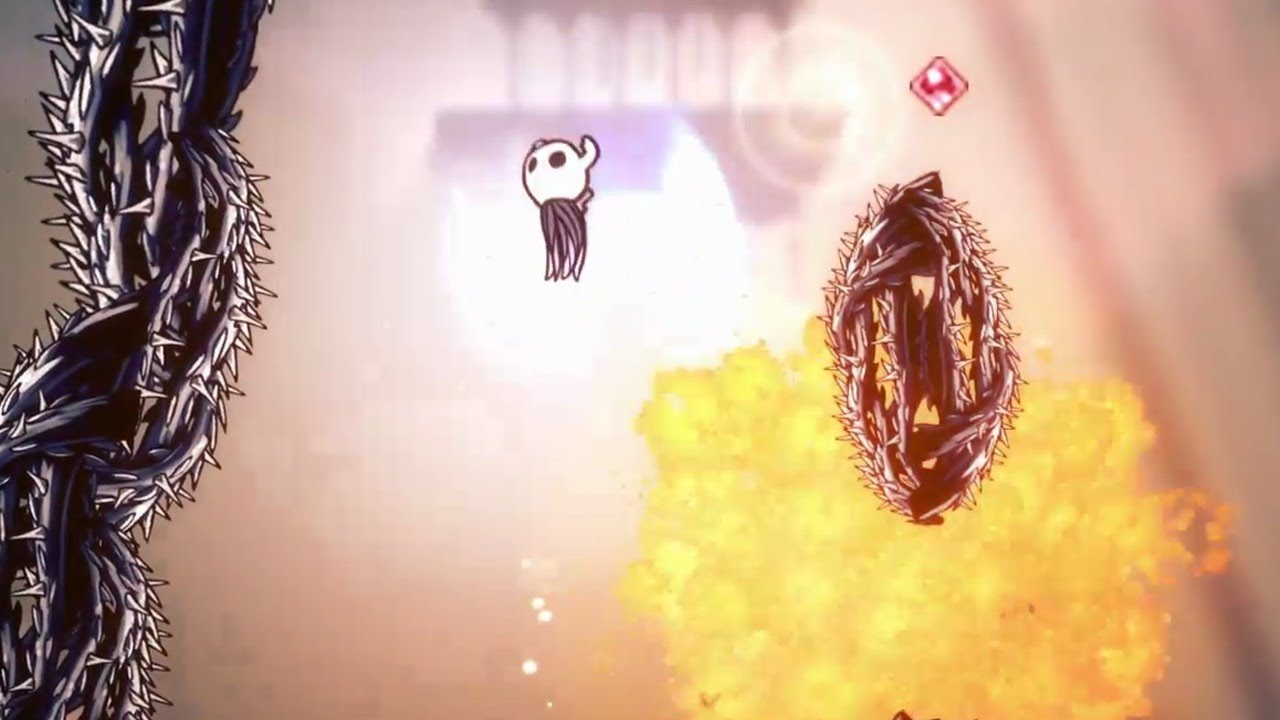
Today, I'm doing my first YouTube stream, and it's going to be of Impossible Any%. I will probably go for a few hours and see how far I can get.
You might see me using Debug Mod for infinite HP. This is because you can heal to full without consequence everywhere using the statues, so I'm just doing this to save myself a couple hours of hitting ...
nimble marsh

Showcasing the Sapphire skin created by LOATR of the White Palace group of custom knight artists for the Custom Knight mod. This lifeblood themed skin has some very beautiful animations for spells, healing, and nail swings. The ghostly blue vengeful spirit and the butterflies for abyss shriek are particularly awesome.
There are no changes to we...
sour bough
I just assumed that it was related to the broken vessel
neat pendant
o
real jacinth
onyx cliff
So is there a way to have an item randomizer with core elements of game play lik...

limber egret
onyx cliff
So is there a way to have an item randomizer with core elements of game play lik...
Check your helper log. Scroll up to where I told somebody else where it was earlier
 tight sentinel
anyone have a guide on how to make a spritesheet/skin? (i'm on mac)
I want to get into making skins
 rocky pulsar
hey so uh i kinda need help with sprite packer
it doesnt work
and idk how to reskin the knight without using sprite packer soo uhhh anyone help?
neat pendant
i need help with a mod
 hidden sinew
i accidentally set my bind toggle to my click someone please help
west bane
In debug or
hidden sinew
yeah debug
 verbal hound
my rando mod wont work it says "failed to load
dense shuttleBOT
Saves
Windows File Paths: (Assumes Default Steam Install Path, Adjust accordingly for DRM Free or Non-Standard Steam Path)
Game Files: C:\Program Files (x86)\Steam\steamapps\common\Hollow Knight\```
** **
Mac File Paths:
```Save Files: ~/Library/Application Support/unity.Team Cherry.Hollow Knight/
Game Files: ~/Library/Application Support/Steam/steamapps/common/Hollow Knight/hollow_knight.app/```
** **
Linux File Paths:
```Save Files: ~/.config/unity3d/Team Cherry/Hollow Knight/
Game Files: ~/.local/share/Steam/steamapps/common/Hollow Knight/```
hidden sinew
uhh
west bane
Make sure you have all the dependencies for rando
west bane
Copy paste the paths
 abstract patrol
Im having issues figuring out how to download the saphire skin. The link from fireb0rn's video brings me to a chinese website, and i can't locate the download link, even when translated using google translate.
west bane
Pins. TWP drive
abstract patrol
thanks!
rocky pulsar
anyone can help me with spritepacker?
west bane
Screenshot your saves folder
hidden sinew
west bane
These are game files. Need save files
west bane
You did to game files yes
west bane
You should see it once you're in there
hidden sinew
ok i deleted it what now
west bane
Just re launch. Will bring all the binds back to default
hidden sinew
the file or the game?
west bane
The game
hidden sinew
alright
rocky pulsar
sorry for asking again but does anyone here know how to use spritepacker and help me with stuff?
west bane
You might have better success in the channel below and or art discussion
 fair ibex
i don't, but there's a guide in #modding-discussion pins
also you could ask basil
rocky pulsar
well it just doesnt wanna launch
hidden sinew
the binds are still all weird
oh wait i deleted wrong file oops
bruh the binds are still not fixed
west bane
What binds are screwed
tight sentinel
anyone have a guide on how to make a spritesheet/skin? (i'm on mac)
I want to get into making skins
spring bane
In terms of software: you could do what nesquack suggests here in order to use SpritePacker: #modding-discussion message
Or you can check out super sprite editor advanced which I just linked in discussion
Or you can just kinda edit the put-together sprite sheets, there is a reference somewhere for which sprites are in which animations but you may have trouble getting things to flow
 bleak shell
Does anyone know how the multiplayer in hollow knight works?
 trim sage
I downloaded an old patch and am having many visual bugs, is there a way to fix the sprites?
spring lichen
trim sage
I downloaded an old patch and am having many visual bugs, is there a way to fix ...
try to restore it? i dont know how old patchs work, and why using it , but try to restore it
 wind vine
soo... quality of life... i need help LOL
 mild wadi
hi, new hear but i wanted to ask if anyone have a mod installer for mac ?
 grizzled oak
someone from here tried the hell mod?
(sorry if my english is bad)
i'm argentinian lol
 slate crater
So i was using mods, and i cant heal at all. I uninstalled everything, and reinstalled the game twice. My focus is still broken and i cant figure it out. Can someone help me please?
 opaque birch
hey so i want to make my own hollow knight skin but the "Hollow Knight Sprite packer shows this. PLSSSS HELP
 nimble nacelle
Hi i wanted to mod my game and installed the modinstaller. Do i stil need to manually download the mods from nexus or if i click on "Installed?" they will be added automaticall?
 coral sun
i installed the gun mod and had some issues with it so i uninstalled it, after restarting the game i couldnt heal anymore
ive tried uninstalling my mods and verifying game files and uninstalling and reinstalling the game
only one save file seems to be affected
ok looks like this has already been documented on the gun mods github
using a save editor fixed the issue
novel bronze
Hey, this is a simple seeming one so I may be stupid for not knowing how to fix this but I'm trying to install the kakyoin skin thing. I have the actual skin part working but when I use the dll provided for custom text it doesn't work. The dll just sits in the mods folder and doesn't create its own folder.
if you want the link (and links are hopefully allowed) it's https://drive.google.com/drive/folders/1FyC1z98lWlujwcSpd7Wbw75UsEi-mHg4
either way thanks for reading this even if you don't know how to help, @ me if you can :)
west bane
fireb0rn has a youtube tutorial
heavy ivy
does exaltation glorify charms after pantheon of hallownest?
hidden sinew
my bind toggle for debug is my click and i keep trying to fix it and it wont work someone please help ;-;
 sick ledge
How do I remove these from my screen?
west bane
f1
sick ledge
thanks
 woven zinc
(sorry if this is the wrong channel) but how do you downpatch Hollow Knight on Steam? I watched a fireb0rn video but it doesn't work anymore.
west bane
#speedrunning has a guide in the pins of the channel
tranquil copper
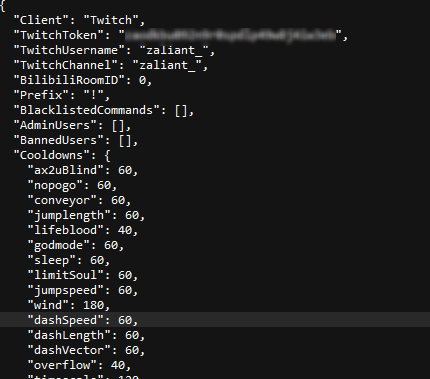
i fill in my data to the "TwitchMod.GlobalSettings" file, but when i go ingame, the commands dont work. after opening the file again, its all null like i didnt fill it
this happens to both me and my friend
 nimble ivy
guy what should i do with this error
every time want to instal customknight from mod instaler this error show up
thid happening just for custom knight mod
west bane
@tranquil copper make sure instead of "null" some of the fields are "[]" and ofc remove the "oath:" part of the token https://i.imgur.com/YW18LuS.png
@nimble ivy try moving the modinstller to desktop or running as admin
 nimble ivy
i just done things you said but still same just cant download custom knight mod
spring lichen
nimble ivy
thid happening just for custom knight mod
restart your pc and run as admin? it worked for me
nimble ivy
thanks but i fix problem by tell my friend install the mod and send me this file CustomKnight.dll
i copied this file and my problem solved
 river widget
I can't use dbug mod on 1221 because I don't have the mods folder in the 1221 hollow knight data what can I do?
 stoic urchin
Any invisiblity mods on the mod installer?
 vernal rain
debug can make you invisible
 steel cosmos
How do I change my keybinds on debug mod? I accidentally made hazard respawn the mouse and can't click anything now
 rancid canyon
 steel cosmos
Ope never mind solved my problem
wheat orchid
river widget
I can't use dbug mod on 1221 because I don't have the mods folder in the 1221 ho...
You need to install the 1.2.2.1 ModdingApi first
Then make the mods folder
novel bronze
how i can delete keybinds for debug mod
vernal rain
locate saves, locate globalsettings.debugmod.json (or at least something with globalsettings and debugmod in its name [without bak]), open it in any text editor, remove a line in the "binds" section which corresponds to the function you want unbound, save file, done
?saves
dense shuttleBOT
Saves
Windows File Paths: (Assumes Default Steam Install Path, Adjust accordingly for DRM Free or Non-Standard Steam Path)
Game Files: C:\Program Files (x86)\Steam\steamapps\common\Hollow Knight\```
** **
Mac File Paths:
```Save Files: ~/Library/Application Support/unity.Team Cherry.Hollow Knight/
Game Files: ~/Library/Application Support/Steam/steamapps/common/Hollow Knight/hollow_knight.app/```
** **
Linux File Paths:
```Save Files: ~/.config/unity3d/Team Cherry/Hollow Knight/
Game Files: ~/.local/share/Steam/steamapps/common/Hollow Knight/```
 flat hill
Can anyone help, I'm trying to get custom knight to work. I've installed a skin using the tutorial on fireb0rn's channel and have dragged it into the folder and stuff. When i go into the game and try to equip the skin the menu on the side is there are just the names of the skins, no background images etc. When i click on the skin i want the menu goes away and my character flashes white then nothing happens. What do I do?
real jacinth
show where you put the skin files
sounds like they're either not structured properly, or you're missing modcommon
flat hill
real jacinth
and inside that folder
flat hill
real jacinth
okay. so you're probably missing modcommon then
flat hill
oh ok ty
real jacinth
 clever ginkgo
how can I delete this
clever ginkgo
how can I delete this
delete what. Do you want to hide that menu? How did you put it there? API settings? Debug?
this looks like debug to me
 dark tree
hi guys, i want to install room randomizer, looking through the Drive page all i find is enemy randomizer and "randomizer" by Serena & Firzen
real jacinth
?i
dense shuttleBOT
Reminder: The mod installer (https://radiance.host/mods/ModInstaller.exe) and other modding resources can be found from the pinned messages.
real jacinth
download this. move to desktop
dark tree
yes it seems to be the same one
dark tree
great thanks
 austere trellis
How do you play with people on hollow knight multiplayer?
real jacinth
Connect with people in hamachi.
host: has server and client mods. connects first to their own IP
guest: has only client mod. connects second to the host's IP
IP being the IP listed in hamachi
clever ginkgo
real jacinth
delete what. Do you want to hide that menu? How did you put it there? API settin...
yeah i got it, uploading my video rn
anyways, thank you
it was the Debug mod i guess
real jacinth
yeah. you can hide the different menus with function buttons. from F1 through like F6 or something
F1 does all
clever ginkgo
much pain huh
clever ginkgo
real jacinth
yeah. you can hide the different menus with function buttons. from F1 through li...
I deleted mode, it is way easier, but thanks again
 oblique bluff
Would editing my save file through https://bloodorca.github.io/hollow/ stop GOG Achievements?
real jacinth
dunno. but probably not
 vague yew
Hey, someone knows what file to delete to install the Kakyoin Noriaki skin because I just replaced it and it doesn't work and I don't understand what file to delete
real jacinth
"what file to delete to install" makes no sense
wheat orchid
vague yew
Hey, someone knows what file to delete to install the Kakyoin Noriaki skin becau...
You don’t need to delete files for skins....
 ebon yew
Anyone know how to fix Hollowpoint? I’ve tried a million different things and the gun just isn’t firing correctly. It’s not even coming into contact with enemies
According to the mod loader the mod is outdated
wheat orchid
Ignore the constant outdated thing
Btw to update outdated mods click yes to the message on the original installer and click the checkbox next to the text on mod installer 2
Are you starting a new save or loading I’ve
west bane
with the mod on?
ebon yew
Ye
west bane
read the readme
wheat orchid
Start it then exit and reload the save
ebon yew
Weird thing about that is that the readme doesn't download when I install the mod via the loader...
I just get the changelog and the mod file
I'll try that @wheat orchid
wheat orchid
GitHub
A Hollow Knight gun mod. Contribute to TTacco/Hollow-Point development by creating an account on GitHub.
west bane
ill do you one easier
ebon yew
Thank you and thank you
 chilly dock
my game closes on startup when trying to load it with either bench warp or randomizer 3
west bane
are you using a controller
chilly dock
yes
west bane
unplug, then once you hit the title screen plug it back in
ebon yew
Just putting the Hollowpoint folder in the mods folder didn't work lol. Is there something else I'm supposed to do?
wheat orchid
....
ebon yew
I'm new to modding HK btw lol sorry
wheat orchid
You are supposed to put .dll files in there
ebon yew
Oh lo
wheat orchid
Why can’t you use the mod installer
ebon yew
The mod is outdated according to the installer
wheat orchid
It’s a bug
ebon yew
Hmm
wheat orchid
Plus when it says that it’s asking you to update it
wheat orchid
On the original installer click yes
On mod installer 2 click the check mark next to the outdated text then wait until it disappears
If neither of those are the case, screenshot
If anyone needs me @ me
 analog fog
where are the manually installed mods at
like where do you find the ones you installed
because hollow point wont update for me for some reason
west bane
It's updated it's just a bug
ebon yew
@wheat orchid @west bane Soooo apparently all I had to do was just reload the same save hehe 
Thank you for your help though!
analog fog
I uninstalled and reinstalled hollow point to try to fix it but now it wont work
nvm fixed it
steel cosmos
Can anyone help with Custom Knight on Mac? I have modinstaller and it's worked for my other mods. I have Modcommon downloaded and in the mods folder, as well as Custom Knight. I also have two skins downloaded and in the Custom Knight folder (and I made sure they were the folders with the pngs in them). When I'm in the game, Modcommon and Custom Knight are listed as being active in the upper left hand corner of the screen, and when I go to "Mods" in the pause menu, I can toggle Custom Knight on and off. However, no sidebar shows up with options to change my skin, even to default. Any idea what's up?
For reference here's this
fair ibex
skins are in the wrong file path
the CustomKnight folder is currently in hollow_knight.app/Contents/Resources/Data/Managed/Mods
move it to hollow_knight.app/Contents/Managed/Mods
if it doesn't exist, then create the folders
@steel cosmos
steel cosmos
Okiedoke, I'll do that and report back. Thanks!
fair ibex
np
steel cosmos
Worked perfectly. Thanks again!
fair ibex

 azure widget
hello. what would be the easiest way to read out the metadata (hp, phases, properties) of certain enemies/bosses? I just want to extract them from the game files. I had a look at the Assembly already, but apparently it is not stored there? Anyone can point me in the right direction? thanks!
west bane
you will probably have a better time in the other channels this is just for help installing mods
azure widget
oh, so development I guess?
west bane
yeah
azure widget
alright thanks!
 idle cloud
where is the mod installer for mac?
heavy ivy
how do I find the randomiser seed of an already started save
novel bronze
ok, so is the fennel fight in the indie crossover mod supposed to put you in a damage loop where you just die
wheat orchid
steel cosmos
For reference here's this
Why is Assembly-CSharp in the mods folder
steel cosmos
wheat orchid
Why is Assembly-CSharp in the mods folder
I legit have no idea, I know next to nothing about coding and modding and I just dragged everything from the downloads into the folder
wheat orchid
Did you use mod installer?
steel cosmos
Yeah
wheat orchid
Why did you manually drag everything then
steel cosmos
Modinstaller wouldn't work without the api I think
I really have no idea what I'm doing but it worked
steel cosmos
👍
wheat orchid
But if it works it’s fine
steel cosmos
I do appreciate the help
When it comes to stuff like this I instantly become a hermit who's never seen a computer before
 soft warren
hihi
im trying to download a skin, do i just follow the steps shown on fireb0rn's video?
im always scared to download stuff haha
real jacinth
Nah. Just do random shit. He just made that video for fun and not to educate
heavy ivy
fr tho how do I get the seed of an already started run in randomizer
real jacinth
check the logs
heavy ivy
ah thank you
real jacinth
they aren't permanent tho
so if you've started the game or another save since then, they gone
heavy ivy
ah well then the seed is lost to time
would be handy to have it recorded in the tracker so you can share a funky or overall a good seed with a friend
heavy ivy
cool will now download those for the next run with room/area rando
real jacinth
again, it's not permanent storage. but it'll be on any video you have when you do it
if you're recording/broadcasting it
real jacinth
you could also just save the seed number when you start
heavy ivy
yeah should have taken a screenshot
 grim trout
When using the Charm Overhaul mod via the mod installer, do you have to start a whole new file for it to take effect?
real jacinth
no
grim trout
hrmm... Cuz It's just not kicking in on my file
like I have it in the list at the top left of the screen but there's no changes I can see
real jacinth
did you read the readme
grim trout
I thought I did, but let me check.
I read... all of the readmes on all of the mods when I first got the installer so I have no idea how much I actually absorbed
YEah the readme is just a list of changes but from what I can see none of those changes have taken effect
real jacinth
are there any error messages top left?
did you try it on a new save? or before you pick up a charm?
grim trout
Have not tried on a new save, no error messages
Okay, I disabled all the other mods so Overhaul is the only one active and NOW it's giving me an error message
"Failed to load! Check Modlog.txt"
Okay, that error was because I disabled Modcommon
So now I have no more error message but still no changes to the charms
 plucky mortar
HK mods on mac?
How tho
How do you install hollow knight mods on a mac edit:ily
Please help if you can
and @me so i dont reply late pls and thx alot
 rustic mantle
Trying to install impossible any% 1.1 and I have no idea on how..
plucky mortar
@west bane ily thx
Yo
When I start it up it says choose file path
I do
But it closes immediately doing nothing
on mac ofc
 obsidian mulch
hi, I have user1.dat and user1_1.4.3.2.dat, do I copy both of them or just one?
 vestal depot
I thin you can just go to the folder winch has the images for the health bars and delete the images of the health bars you don't want
 upbeat basalt
When I install custom knight I get an error says.. The process cannot access the file "\tmp\hollow_knight_data\manged\mods\CustomKnight\default/baldur. Png' because it is being used by another process
Does anyone knows how to fix it
obsidian mulch
does Team Cherry help with the modding stuffs
or just people figuring out the game files on their own?
 unique crest
when ever i try to add item/room rando new it doesnt add into the game, the top left doesnt list it as a mods and the content isnt there. I have tried to uninstall and reinstall the mod installer and run the mod with no other mods (beside the required ones) but nothing works for the new room/item rando
 rough zenith
How can I shoot in hollow point mode
limber egret
Read the readme
tranquil copper
can i somehow see the entire sentence
rough zenith
If I hold attack button while using nail, it fires bullets
limber egret
So you can shoot?
limber egret
What does the readme say about shooting?
rough zenith
I could not read properly because my English is not very good, but I did not see anything for such a problem.
limber egret
?mods
dense shuttleBOT
Mods
Google Drive with Mods - https://drive.google.com/drive/folders/0B_b9PFqx_PR9Um9MeFZMV21oWGs
Installer - https://radiance.host/mods/ModInstaller.exe
Mod Summaries - https://docs.google.com/document/d/1cz5tcggpGofrBcM90XyTkMWjMelDHzugvQM6HpB13Ew
rough zenith
give me 1m, im uploading a video for proof
limber egret
Do you have Soul?
rough zenith
limber egret
Do you have Soul?
yes
tranquil copper
hollowpoint automatically regenerates soul so
rough zenith
i've recorded a video, probably it helps
tranquil copper
upload it to a streamable