#game-development
1 messages · Page 95 of 1
 frank fieldBOT
8. Do not help with ongoing exams. When helping with homework, help people learn how to do the assignment without doing it for them.
 dawn quiver
!rule
frank fieldBOT
The rules and guidelines that apply to this community can be found on our rules page. We expect all members of the community to have read and understood these.
 raven sedge
frank field
raven sedge
frank field
@restive chasm
 golden tinsel
I'm trying to use 'pip install pygame' to try my hand at game development, but the command prompt keeps saying "'pip' is not recognized as an internal or external command, operable program or batch file."
I've checked my computer and it says windows is up to date. The version of python that I'm running on is 3.9. Is there something I'm doing wrong? I can't seem to figure out why it's not working.
 long monolith
Where do you write code? (Anaconda, ...)
 cold storm
type 'python'
I think @golden tinsel
oh wait
pip I think gets added to the path if you install py correctly
cold storm
 mighty plank
how do you clone a surface in pygame?

 fast grove
that's probably not allowed on this discord
 sly linden
Can anyone explain how Element tree works in building a discord py MMO?
or is there any extension for developing MMO game in discord
reply ping me
 royal hawk
i'm having some big trouble with implementing chess in python
i can't seem to weave the mechanics (the grid, the piece) into different, organized files without corrupting each other's attributes.
there would always be some sort of codependency between the 2 concepts
would someone suggest an architecture for chess, or at least some source code?
and the source code here should be having the implementations of the rules and mechanics of chess itself
 kind dew
 viscid salmon
cold storm
viscid salmon
cold storm
do you make this using pygame?
dawn quiver
I think im gonna take a break from trying to make an ecs. I think its hurting more than helping me getting wrapped up in how to make one. I want to go for a simpler appraoch. Im cloning games like mario and pacman so i dont think i need a whole ecs just yet.
Anyone interested in reading over my ecs framework?
frank fieldBOT
Pasting large amounts of code
If your code is too long to fit in a codeblock in discord, you can paste your code here:
https://paste.pydis.com/
After pasting your code, save it by clicking the floppy disk icon in the top right, or by typing ctrl + S. After doing that, the URL should change. Copy the URL and post it here so others can see it.
frank fieldBOT
Hey @dapper rain!
It looks like you tried to attach a Python file - please use a code-pasting service such as https://paste.pythondiscord.com
 dapper rain
dawn quiver
dapper rain
dawn quiver
Hello @dapper rain 
dapper rain
Hi
dawn quiver
dapper rain
Hi
you probably want to define your water_snake function outside of the loop.
dawn quiver
dapper rain
Its repeat again
https://paste.pythondiscord.com/ujivavefol.py
this will work just as fine and makes more sense. You define it once then call it several times in the loop. If you run this program i think you get reasonable results
 dawn quiver
 round pawn
yeah
round pawn
okay
do I use update or flip?
I see a lot of tutorials some use display and some use flip
dawn quiver
round pawn
okay
try not to stress about the small stuff. Becuase then you will end up making nothing.
round pawn
alright
dawn quiver
clone a bunch of games that way you will learn skills for when you want to make your own game.
or want to work on a team.
 rose bane
round pawn
I see a lot of tutorials some use display and some use flip
rose bane
round pawn
I see a lot of tutorials some use display and some use flip
flip() is what I'd use
 regal bridge
Is there a way to make sprite could collide with something but to not be visible in Pygame?
dawn quiver
yes use pygame.colliderect on a rect and a sprite.
the reason why it works on a sprite in the first place is becuase Sprite inherits from Rect though it might be called Image.
dawn quiver
regal bridge
Is there a way to make sprite could collide with something but to not be visible...
^
regal bridge
hmm
dawn quiver
so just make a Rect and do collision tests with the sprite and the rect
regal bridge
thanks i guess?
dawn quiver
sorry did i not help?
pygame.Rect.colliderect
its actually this
you have to manually code in the collision response though.
regal bridge
nah, probably you have helped, but i just saw that i have erased some parts of code that could use it and will have to make it again, so i cant check it yet
dawn quiver
might be able to get away with mixing in your sprites with Rects in this function pygame.sprite.spritecollide() https://www.pygame.org/docs/ref/sprite.html#pygame.sprite.spritecollide
 velvet hatch
is there any good guide about writing movable camera in pygame? I can make the one that works with static objects, but when objects need to move - everything falls apart, coz their new position gets calculated based on center of screen and not center of scene/background :/
 calm thistle
velvet hatch
is there any good guide about writing movable camera in pygame? I can make the o...
calm thistle
velvet hatch
is there any good guide about writing movable camera in pygame? I can make the o...
You need to convert between screen and world coordinates
Convert from world coordinates to screen coordinates when drawing, convert from screen to world when doing things like clicking with the mouse
velvet hatch
calm thistle
You need to convert between screen and world coordinates
and how do I get world coordinates? If I understand correctly, its coordinates of object's rect in relation to world's rect, right?
cold storm

PROOF OF CONCEPT = Wrectified [2021]
I use a ECS for my components / weapons
@dawn quiver
frank fieldBOT
Hey @cold storm!
Uh-oh! It looks like your message got zapped by our spam filter. We currently don't allow .txt attachments, so here are some tips to help you travel safely:
• If you attempted to send a message longer than 2000 characters, try shortening your message to fit within the character limit or use a pasting service (see below)
• If you tried to show someone your code, you can use codeblocks
(run !code-blocks in #bot-commands for more information) or use a pasting service like:
cold storm
Pastebin
Pastebin.com is the number one paste tool since 2002. Pastebin is a website where you can store text online for a set period of time.
dawn quiver
cold storm
https://www.youtube.com/watch?v=VFGqZx827x0
lol nice music. What kind of ecs did you make? Did you make it in python?
oh now i see it
sorry
calm thistle
velvet hatch
and how do I get world coordinates? If I understand correctly, its coordinates o...
Objects should use world coordinates internally. To convert to screen coordinates, subtract the position of the camera
dawn quiver
cold storm
https://pastebin.com/9Lmwpw3d
i see so you just loop over the objects and call all these methods on them and via duck typing they get processed.
cold storm
it stores a list of components to call one time on init
the same code that runs the vehicles runs the weapons too
it will also run doors / turrets etc
(I can add functions to call as I please now that the framework is established)
I have a controller object that processes input and pipes it to a actor
this way I can use 1 system for joystick, mouse / keyboard / VR input
and 'filter' the input and pipe it
this also runs the ui
(well, creates and updates its pos / rot when you zoom)
I am not using a UI layer atm
dawn quiver
cold storm
it stores a list of components to call one time on init
hey could i ask you about something ecs related?
dawn quiver
well whats your opinion on this kind of ecs. An entity is made up of components. Evertime an entity adds/removes a component it searches through a systems manager and attaches processes that match the entities components.
the components would assign themselevs to the entity like an attribute with setattr function.
it might not actually do it everytime components are added. maybe there would be a finalize method to update the systems an entity is subscribed to.
after all the component adding and removing has been done

i fear i may have lost you
do your systems processes entities regardless of what components they have. You just loop through all the objects and run all the systems on them. and you check object attributes and perform logic if it has the attributes
nevermind im just tired
cold storm
I am here
I just was coding etc
I would make a 2d kdtree
Store where everything is by its location rounded to a grid
The kdtree is the same grid
You can get points in a radius from a kdtree in order of distance
You only update these
(object owned by location near the player)
@dawn quiver
 lament condor
writing a text based game and these constructors are getting out of hand lmao

 vague cove
@dusty orbit you can put message outside your loop now
import pygame

pygame.init()


display = pygame.display.set_mode((640, 480))
display.fill((255, 255, 255))

def message(msg, width_location, height_location, size):
    mesg = pygame.font.SysFont("Corbel", size).render(msg, True, (120,120,120))
    display.blit(mesg, (width_location, height_location))

run = True
message('Welcome to our Snake game!', 307, 50, 32)
while run:
    for event in pygame.event.get():
        pygame.display.update()
        if event.type == pygame.QUIT:
            run = False
np
 dusty orbit
sorry for the premature closing of ticket lol
vague cove
i knew i wouldn't get there fast enough haha
I saw you typing and was like "NOOO they are going to beat me to it!"
dusty orbit
😂
dawn quiver
dusty orbit
okay that makes sense onw
Theres a better way to do that
def message(window,msg,size,x,y,color,font='samsungsans'):
    font = pygame.font.SysFont(font,size)
    text = font.render(msg, True, color)
    text_rect = text.get_rect(center=(x, y))
    window.blit(text, text_rect)
put where you want to put it, the message, the size, the x and y and the color (you can also change the font)
Also, I need some help with classes in pygame. I never use them because I dont know what to use them for, if someone can make a class where it can make a custom square/rect for me to show what it does that would be nice.
 uneven oak
<@&267628507062992896><@&409416496733880320><@&831776746206265384> anbyone can make a game in pygam
i need it like mario planets
 shut onyx
!mute 888530879851401236 I just told you
frank fieldBOT
:incoming_envelope: :ok_hand: applied mute to @uneven oak until <t:1632358384:f> (59 minutes and 59 seconds).
dusty orbit
dawn quiver
Theres a better way to do that
```py
def message(window,msg,size,x,y,color,font...
ty :D
so this makes a box around the text if im not wrong right
 proven jolt
Is there a way to way to unload images in pygame, currently every time I load let's say a level, it takes up more of my RAM. (I don't know for sure if it's the images that do this.) Any help is welcome :)
dawn quiver
proven jolt
Is there a way to way to unload images in pygame, currently every time I load le...
you probably want to load only a portion of the level at a time. Like if its tile based load it in chucks.
proven jolt
dawn quiver
you probably want to load only a portion of the level at a time. Like if its ti...
Yeah I'm doing that, with csv files. However I was wondering if there's like a .unload method.
dawn quiver
finally settled on something i like. Its probably terribly inefficient but its simple and its mine.
might want to loop over all entities then the systems. that way im not doing multiple passes on the entities
and have processes have priortiy so that rendering processes get done last.
🥲 im happy
 nova venture
@dawn quiver this is much code. What does this game does
dawn quiver
nova venture
<@456226577798135808> this is much code. What does this game does
well its just a framework for a game. Right now all it does is make a player with a collision rect and allow it to move across the screen
you can run it if you have pygame and numpy
nova venture
Well not bad
dawn quiver
ive made tetris before. Im really happy with this though
 solemn shale
nova venture
That was pretty cool though
solemn shale
nova venture
That was pretty cool though

nova venture
Oh that's cool
dawn quiver
yeah i teamed up with some junior developers but they are too new to python to understand what my code does, I think they should try making snake or pong first.
they want to make a multiplayer zelda like game with python
nova venture
I am more into artificial intelligence And I can't do pygame so well
dawn quiver
its fun but it takes me a while to get into the groov.
what kind of ai do you study?
nova venture
Object recognition. I am trying to make an ai that scans a film and says me the The company names of the things that were in this film
Sorry for my English
dawn quiver
sounds advanced. Like youd need to come up with a good algorithm or somehow train an ai to do it. But of course you got to write the ai which i have no clue how to do
nova venture
There are like libraries like opencv and tensorflow and with them I can do image recognition
Pretty cool
And I'm like 14 years old and have to study for school and don't have much time for python
 true cedar
how to get the position of the mouse
like not when clicked but just all the time
i need to know where it is hovering
dawn quiver
@waxen elbow Do u know anything about pygame
Any good tutorials?>
 waxen elbow
dawn quiver
<@!682937669583372298> Do u know anything about pygame
Any good tutorials?>
waxen elbow
dawn quiver
<@!682937669583372298> Do u know anything about pygame
Any good tutorials?>
yes
waxen elbow
dawn quiver
<@!682937669583372298> Do u know anything about pygame
Any good tutorials?>
i dont know pygame but i know someone who knows
dawn quiver
ping himmm
dawn quiver
dusty orbit
so this makes a box around the text if im not wrong right
No but it centers it with the x and y values you put
cold storm
I recommend everyone here try upbge fork of blender
Mysticfall just did a bunch of work on pycomponents

 crystal bluff
What's is the math needed for game dev?
cold storm
vector math is handy
knowing falloff's is nice too
like inverse square
slerp, lerp,matrix math
dot product is nice for texturing or knowing if a surface is a wall / cieling etc
normalizing a number range to be between 0-1 is nice sometimes
especially when mixed with easing functions
 sick shard
Doe anyone know how to load a PIL image for a sprite for arcade.Sprite?
 indigo pewter
So weird question of the day, when developing a game starting fresh from scratch...What is one of the first things you do coding wise?
 proud remnant
The examples and the docs
And there are some basic pre requisites i suggest before trying to learn Pygame.
Or rather use Pygame.
OOP, List comprehensions, Dictionaries, JSON decoder and encoder and iteration and loop skills
These are some tools that i often use in my games
- It also shows that you know enough Python to be able to implement a basic feature yourself.
Examples -> https://github.com/pygame/pygame/tree/main/examples
Docs -> https://www.pygame.org/docs/
 viral latch
@modest forge #python-discussion message
 modest forge
viral latch
<@!212644551926611969> https://discord.com/channels/267624335836053506/267624335...
modest forge
viral latch
<@!212644551926611969> https://discord.com/channels/267624335836053506/267624335...
So you didn't post the problem in this channel. Which is what I was suggesting. You linked to a message in python-general
Post it here and you're more likely to get help
viral latch
ok
I am having a problem with pygame. I am trying to remove an object when it hits the player but it gives me an error which is
pygame.Rect has no attribute called "remove"
Here is my code
import pygame
import os
from random import randrange
import time

pygame.init()

#### CONSTANTS ####


WIDTH, HEIGHT = 1000, 600

WIN = pygame.display.set_mode((WIDTH, HEIGHT))

BACKGROUND = pygame.transform.scale(pygame.image.load(os.path.join('Assets', 'Background.jpg')), (WIDTH, HEIGHT))

MAIN_CHARACHTER = pygame.transform.scale(pygame.image.load(os.path.join('Assets', 'Main_sprite.png')), (70, 90))

COG_WHEEL = pygame.transform.scale(pygame.image.load(os.path.join('Assets', 'cogwheel.png')), (130, 130))

MAN_HIT = pygame.USEREVENT + 1
###################

pygame.display.set_caption('Cog runnr')

def draw_window(man, cogwheel, keys_pressed):
    WIN.blit(BACKGROUND, (0, 0))
    WIN.blit(MAIN_CHARACHTER, (man.x, man.y))
    WIN.blit(COG_WHEEL, (cogwheel.x, cogwheel.y))
def handleCog(man, cogwheel):
    if man.colliderect(cogwheel):
        pygame.event.post(pygame.event.Event(MAN_HIT))
        cogheel.remove(cogwheel)
        print('hit')

def main(fps):
    man = pygame.Rect(350, 375, 70, 90)
    cogwheel = pygame.Rect(randrange(0 + 130, WIDTH - 130), 10, 130, 130)
    gameLoop = True
    clock = pygame.time.Clock()

    while gameLoop:
        fps += 0.1
        clock.tick(fps)
        for event in pygame.event.get():
            if event.type == pygame.QUIT:
                gameLoop = False
                pygame.QUIT
            elif event.type == MAN_HIT:
                print('You have been hit')
        draw_window(man, cogwheel, keys_pressed)
        handle_movement(keys_pressed, man)
        handleCog(man, cogwheel)
        cogwheel.y += 5
        pygame.display.update()

if __name__ == '__main__':
    main(FPS)
I want to remove an object. Some variables are removed due to discord word limit
 simple elk
there isnt a Rect.remove() , the easy solution is to redraw everything except the rect you want removed
@viral latch
 plush sluice
dawn quiver
viral latch
I am having a problem with pygame. I am trying to remove an object when it hits ...
plush sluice
dawn quiver
viral latch
I am having a problem with pygame. I am trying to remove an object when it hits ...
maybe use fill so win.fill(color)
royal hawk
i'm trying to install sdl2 in order to pip3 install pygame
however everytime i try it there is an error
In file included from src_c/gfxdraw.c:33:
    In file included from src_c/pygame.h:32:
    src_c/_pygame.h:216:10: fatal error: 'SDL.h' file not found
    #include <SDL.h>
             ^~~~~~~
    1 error generated.
    ---
where do these source files include from?
such that i can copy the contents of sdl2 there
viral latch
simple elk
there isnt a `Rect.remove()` , the easy solution is to redraw everything except ...
well then how did this work?
(This is the tech with tim pygame in 90 minuits tutorial code)
def handle_bullets(yellow_bullets, red_bullets, yellow, red):
        for bullet in yellow_bullets:
            bullet.x += BULLET_VEL
            if red.colliderect(bullet):
                pygame.event.post(pygame.event.Event(RED_HIT))
                yellow_bullets.remove(bullet)
            elif bullet.x > WIDTH:
                yellow_bullets.remove(bullet)
 tardy slate
I know this little bit of code info I wanted to share about programming that will drastically improve how clean your code is when programming with c#.
Its called Expression-bodied members for the example I am going to be using unity to explain this lets say you have a function that loads a scene in unity lets say for a pause menu.
How many lines do you think this would take including the function at least four lines seems reasonable.
How about only 1 line of code
public void mainMenu() => SceneManager.LoadScene("Title");
Please @ me if this has helped you. Also here is a link to the documentation have a good day. https://docs.microsoft.com/en-us/dotnet/csharp/programming-guide/statements-expressions-operators/expression-bodied-members

Learn about expression-bodied members. See code examples that use expression body definition for properties, constructors, finalizers, and more.
dawn quiver
So I am making a simple ping pong game with a bit of lore and a twist for a game jam but I am getting this error.py Traceback (most recent call last): File "c:\Users\braed\Downloads\PongTest\main.py", line 66, in <module> wn.update() File "C:\Program Files\WindowsApps\PythonSoftwareFoundation.Python.3.9_3.9.2032.0_x64__qbz5n2kfra8p0\lib\turtle.py", line 1304, in update t._update_data() File "C:\Program Files\WindowsApps\PythonSoftwareFoundation.Python.3.9_3.9.2032.0_x64__qbz5n2kfra8p0\lib\turtle.py", line 2647, in _update_data self.screen._incrementudc() File "C:\Program Files\WindowsApps\PythonSoftwareFoundation.Python.3.9_3.9.2032.0_x64__qbz5n2kfra8p0\lib\turtle.py", line 1293, in _incrementudc raise Terminator turtle.Terminator PS C:\Users\braed\Downloads\PongTest>
 crisp wraith
@wide ermine You might wanna ask here
 fiery dove
what robots
 dark valve
Don’t randomly ping
fiery dove
do ballons count
balloons
yeah
yeah
do those count
yeah do balloons count
do balloons count
kk
then you get a ballon
tape a camera too it
let it float and use python to analyze the image data
as well as the altitude of the balloon
yes sketch up
or autocad
 hazy mountain
i will be making a game but on js...🙂
dawn quiver
Hey everyone! I am currently looking for people aged 13 - 15 that are new to coding and want to start game development. Dm me if so.
 teal ember
clear the screen each frame, its drawing on the previous frame
# add just below game loop
screen.fill((0, 0, 0)) # (0, 0, 0) is black color```yeah
true cedar
yo can someone explain why my code here when i hover my mouse over a button that i made it just flickers

btw i made a class for button
 keen bison
how to make simple ping pong game
keen bison
keen bison
how to make simple ping pong game
can somebody post the code
dawn quiver
If you are new to coding and want to get into game dev please dm me (uk only) (13 - 15)
 potent ice
@dawn quiver What is this for?
dawn quiver
potent ice
<@456226577798135808> What is this for?
I am looking for someone to work with to get better at coding
 normal silo
Clear the screen and then draw stuff, not the other way around.
 midnight locust
so i am trying to serialize a level made in a level editor for pygame, and JSON keeps raising a serialization error for a Surface class, but none of the things im trying to serialize are pygame Surfaces? I printed out the class name for each of the items and none should not be json serializable
    def save(window):
        level = window.level
        directory = directory_prompt(level.name, '.m2l')
        obj = {"LevelLength": level.length, "LevelHeight": level.height, "LevelName": level.name, "LevelPieces": level.piece_dict, "LevelData": level.floor_pieces}
        for x, i in obj.items():
            print(i.__class__.__name__)
        json_data = json.dumps(obj)
        with open(directory) as f:
            f.write(json_data)
``` This is what I am using, and the output of the print is `int int str dict list`Also i am aware that using Json is not a good way to do this, this is only a temporary solution
 round obsidian
@midnight locust the last one is a list. A list of what? And a dict containing what as the values?
you might have Surface objects lurking in those things.
 shell scroll
stoked to release this! <3(:
https://harmony-hunnie.itch.io/tinycrate

itch.io
Throw Crates And Reach The Portal! (: Puzzle-Platforming Action! <3
midnight locust
round obsidian
you might have Surface objects lurking in those things.
Oh! Thanks
That would be it
dawn quiver
I respected both
 stray canyon
Would panda3d or pyside6 (python bindings for qt6) be better for making a 2d game?
Or pygame, arcade.....
 tranquil girder
panda3d will probably be best performance wise
dawn quiver

 earnest root
hey im new to python can someone help me with user inputs
i want to make it so it gives you a different statement based off the number you put in
example (0-5) gives you this answer, (6-10) gives you this
etc
 little sand
earnest root
example (0-5) gives you this answer, (6-10) gives you this
little sand
earnest root
example (0-5) gives you this answer, (6-10) gives you this
hi
a=int(input("1st Num "))
b=int(input("2st Num "))
print(f"Sum is {a+b}")```use if statements to achieve that
earnest root
little sand
use if statements to achieve that
how do i put code like that
little sand
earnest root
how do i put code like that
what should ur code do?
earnest root
im trying to make a code that gives you a different print statement based off of the number you enter
little sand
a=int(input("1st Num "))
if a==0:
    print("I know its zero")
else:
    print(f"oww, i missed it but i know its {a}")
use if else statement
if ur new to python
i recomend you to learn python
little sand
then use it
earnest root
how do i paste code like that ill show you what i have written down
little sand
wdym?
earnest root
one sec
if number == [1, 2, 3]:
    print("Pretty low")
if number == [4, 5, 6]:
    print("Mid ranged")
if number == [7, 8, 9, 10]:
print("You're at the end of the rainbow.")```heres what i have so far yeah
but whenever i input a number it doesnt print anything
little sand
mate ur input is not a list
but with if statements ur asking it to verify a list
so it will never check for that condition
and also u can use elif statement
if u are going with multiple if
earnest root
so what should i write for the other ifs
little sand
number = int(input('Enter a number on a scale of 1-10: '))
if 1<number<4:
    print("Pretty low")
elif 4<number<7:
    print("Mid ranged")
elif 7<number<11:
    print("You're at the end of the rainbow.")
this might work what u expect
earnest root
ooh that makes a lot more sense
little sand
but if u input a number more that 10 it will print nothing
earnest root
so if i input a number more than 10 how would i make it print something
little sand
use else at last
earnest root
ok let me try something
little sand
number = int(input('Enter a number on a scale of 1-10: '))
if 1<number<4:
    print("Pretty low")
elif 4<number<7:
    print("Mid ranged")
elif 7<number<11:
    print("You're at the end of the rainbow.")
else:
    print("going insane")
thank you so much
dawn quiver
Could anyone make an estimate on how long it would take to develop a MU* game engine?
MU* meaning like a mud, a text based game that works on text input in a web browser.
I am an intermediate programmer, self taught, and it's quite an ambitious goal because my skill level isn't quite there to make something that complex, but it's my passion and I want to try.
stray canyon
potent ice
Depends what you hare making of course
2d shooter, no fancy graphics (scaling, transparency and layering are the only remotely complex things i can think of, no lighting, shaders, etc.), runs on windows, linux and mac, maximum 150 sprites on screen at once (+ui)
potent ice
Can use arcade/pygame for that
dawn quiver
Where is that rule?
I have don’t that when staff were commenting and they were fine with it and there isn’t even a rule
tranquil girder
they're looking for a study partner, that's not the same...
cold storm
upbge is the easiest way to do most games
as you can create / adjust / edit art inside blender / the editor for the game
upbge has a new node for eevee to animate sprite sheets
drive the frame number with object color and you get unique animation data per instance
and you can play a sprite action using play_action actuator or py
 smoky axle
the game im making is more of a text based game, using print and if mostly
i’m not great at python, but doing it in my spare time is really helping my computer science skills (one of the options i picked)
stray canyon
With arcade, is there a way I can make a VideoPlayer class (for example), and make it worth both standalone and integrated into different things?
The way I think it should work (correct me if theres a better way to do this) is that you can call VideoPlayer("./path/to/video") and thats the only thing the program does, but also do something where there is a video on screen, but you can do/see other things as well
smoky axle
i don’t understand a word you’re saying LMAO
stray canyon
I think pyside/qt has a similar system?
you could define a widget and make that the whole window
or you could include in some other widget
smoky axle
confusement
stray canyon
suppose you made a graph widget
you could make the whole screen a graph
or it could be next to a data input widget
the code for the graph widget doesnt change
dawn quiver
!rule 9
 wooden ember
print("Hit")
else:
print('Umm')```Can someone please help I have tried for so long to get this pygame code to work but it never does I have looked everywhere for a fix and nothing is helping I just cant get it to work it just keeps printing hit and my images are the right size so I don't know why it is saying that when the two images are no where near each other please help! delicate spruce
Ok bhai
 void spire
potent ice
void spire
potent ice
Playing around with adding compute shader support in Arcade
Example: https://github.com/pythonarcade/arcade/blob/development/arcade/experimental/examples/compute_texture.py
 potent ice
It's your fault, @teal ember 🙂
teal ember
hahaha
potent ice
I still need to add SSBO support, but that should be quick enough
Trying to come up with a simple example using SSBOs. Bouncing balls maybe?
teal ember
potent ice
Trying to come up with a simple example using SSBOs. Bouncing balls maybe?
SSBO's are larger uniforms right
potent ice
@teal ember They are just normal buffers
struct Ball
{
    vec4 pos; // x, y, 0, radius
    vec4 vel; // x, y (velocity)
    vec4 col; // r, g, b (color)
};
layout(std430, binding=0) buffer balls_in
{
    Ball balls[];
} In;
layout(std430, binding=1) buffer balls_out
{
    Ball balls[];
} Out;
oh
bouncing balls sound good for that for simplicity
maybe something like boids for a bigger example
potent ice
The advantage of those is that they can be up to 2TB while UBOs can only be 16->64kb usually
Later gl versions also support reading and writing to those in frag/geo/vertex shaders I think, but I have never tried or needed that. Data textures are still very efficient
teal ember
potent ice
The advantage of those is that they can be up to 2TB while UBOs can only be 16->...
👀 2tb, do gpus even have that much
potent ice
Nah, but you also have system memory
teal ember
oh, gpu to ram is slow but the other way around is quite fast
 vital crypt
so for example if i have an object Action that needs to access some props/values from the current round object Round, in general is it better to explicitly pass in the params needed from round to action or is it better to just pass in a reference to the whole Round object and access the props value i need from there eg
def get_action(self, round: Round):
  current_player = round.current_player
or
def get_action(self, current_player: Player):
  current_player = current_player

get_action(current_player=round.current_player)
oops sorry cut the intro
vital crypt
vital crypt
so for example if i have an object `Action` that needs to access some props/valu...
hey this is just a question about general game design/best practice. thanks!
 untold sentinel
I need a high level, attractive, full bodied game engine
2d and 3d graphics, and more-or-less easily distributable
Recommendations?
 orchid locust
use panda3d or pygame
smoky axle
did someone say panda?
potent ice
I don't thing pygame fits those requirements, but it's very good at what it does
untold sentinel
PyGame has a special place in my heart, probably as with the most of us
But it's not built for a serious project. Is Pandas suitable for games though? I thought it focused more on data visualization
tranquil girder
pandas != panda3d
potent ice
untold sentinel
But it's not built for a serious project. Is Pandas suitable for *games* though?...
It really depends what you are creating to be honest.
for what purpose and requirements in general
There are games using pygame on steam even
potent ice
Got compute shaders with buffers working in Arcade. It's processing a buffer of positions, velocities and colors every frame and we visualize it with geo shader. @teal ember Example: https://github.com/pythonarcade/arcade/blob/development/arcade/experimental/examples/compute_ssbo.py
 potent ice
It's a very underwhelming example, but at least it works
dawn quiver
anyone knows where i can get assets for my 2d rpg style game
cold storm

Wrectified 9/29/2021 - AI using custom pathfinding + dialed in aiming system
Redid A* in py using a redblob games file as a template
teal ember
potent ice
Got compute shaders with buffers working in Arcade. It's processing a buffer of ...
nice!
true cedar
hello everyone i need help from someone that knows how to use mask collisions for chrome dino game that im making with pygame i got the mask but i don't know what to do with them
dawn quiver
What framework would work best for a mixture of classical RPG and platformer?
 rapid gazelle
wassup
normal silo
dawn quiver
What framework would work best for a mixture of classical RPG and platformer?
2D?
 echo valve
Guys im new into game development. Need help. Which language do you guys think is best to start with???
 primal anvil
wait is there a python game?
dawn quiver
normal silo
2D?
pretty much, but with the option of having gravity in either the y or the z axis
Parts of the game should be like bomberman and parts like mario basically, well the general gameplay, details will differ greatly
Lighting should also be part of the engine
Should I detail the idea a little bit more?
I don't want to spam the channel with a full write up of our video game idea. It's basically telling a story about a traveling friend group that is being chased down by some mysterious beeing. The RPG parts will have puzzles but also fights akin to The legend of zelda. There will be chasing scenes in sidescrolling jump and run levels.
Shadow mechanics will be a key feature and you will have hiding spots that you can use to avoid enemies (some need to be avoided).
There's going to be an item and inventory system, possibly and equipment and level system but we will boil the feature set down to a core to get a working Game to develop on up and running asap.
normal silo
dawn quiver
pretty much, but with the option of having gravity in either the y or the z axis
Use godot, it's uses godot script which is not python but very similar.
Actually, it seems that arcade has lights too, so can use that.
dawn quiver
Thanks, I'll have a look at these
 versed storm
Does anyone know of a good programming software?
cold storm

@normal silo upbge has gravity per object
it's a vector
so you could set it all on frame 0 and have sphere planets etc
has CCD too
this project is like around 3k lines of code I bet
maybe a bit more now with A* in py
orchid locust
can anyone answer this stackoverflow question - https://stackoverflow.com/questions/69399998/check-if-collision-on-one-background-was-the-same-collision-hit-on-the-other-bac

Stack Overflow
I am trying to check if the collision on the first background was with the same image as the collision on the second background. If this does happen, I want it increase the score, if it doesn't, it
 acoustic arch
can someone explain these lines of code for me, i want to create a pygame timer and i dont really know what a timer is
timer = pygame.USEREVENT + 2
pygame.time.set_timer(timer, 500)
 royal lodge
acoustic arch
can someone explain these lines of code for me, i want to create a pygame timer ...
royal lodge
acoustic arch
can someone explain these lines of code for me, i want to create a pygame timer ...
here we are making a userevent
and it gets triggered in every 500 sec
timer = pygame.USEREVENT + 2 ---> Making a user event
pygame.time.set_timer(timer, 500) --> setting and timer of 500sec then trigger the userevent(timer)
acoustic arch
royal lodge
timer = pygame.USEREVENT + 2 ---> Making a user event
what does +2 mean in ```python
pygame.USEREVENT + 2
as far as I know, its just like an I'd. it's to differentiate between user events
i am not a pro in pygame
but I know
a lil
acoustic arch
royal lodge
but I know
anyway, tks for ur help
royal lodge
np
 potent ice
dawn quiver
Game devolper from Android
potent ice
dawn quiver
Game devolper from Android
What's this random ping about?
dawn quiver
How can I make app from Android
potent ice
Kivy
dawn quiver
potent ice
You might want to look at Kivy
For rep.l
I buyed hacker plan
I can't understand kivy
potent ice

Open source Python framework for rapid development of applications
that make use of innovative user interfaces, such as multi-touch apps.
 jolly sundial
hi guys talk just create games purely in python?
potent ice
Must at least be somewhat python related
cold storm

Wrectified - [2021] - Inventory working 100% - next is a inventory atlas texture so I can use UV to texture each inventory cell
Inventory, Mischief managed,
(I am turning objects into data, and back into objects :D)
is this starting to look like something you might want to play?
(enemy robot / vehicle models incomming but thinking about starting early access)
cold storm
upbge
@drowsy shoal
it's like a game editor / coding system combined
I code in the text editor in it

it starts with logic bricks / learning about them and extending them in py
and evolves into you extending the engine itself using py
 honest abyss
what you playing at this time ?
 rare delta
Quick question im making a pygame working on jumping and then making the char come back down
This is my code and all it dose is when i hit my up arrow as i should its going down more then i need it to how can i make it so that it only runs this part once in my loop?
import pygame


pygame.init()

gameDisplay = pygame.display.set_mode((800, 600))


pygame.display.set_caption("Think of name")


#player

playerImg = pygame.image.load('main.png')
playerX = 370
playerY = 520
playerX_change = 0
playerY_change = 0
jump = False

def player():
    gameDisplay.blit(playerImg, (playerX,playerY))


running = True
while running:

    gameDisplay.fill((225, 225, 225))

    for event in pygame.event.get():
        if event.type == pygame.QUIT:
            running = False


        if event.type == pygame.KEYDOWN:

            if event.key == pygame.K_LEFT:
                playerX_change = -.5
                print("Left working")
            if event.key == pygame.K_RIGHT:
                playerX_change = .5
                print("Right working")

            if event.key == pygame.K_UP:
                playerY_change = -.5
                jump = True

            if event.key == pygame.K_DOWN:
                playerY_change = .5


        if event.type == pygame.KEYUP:

            if event.key == pygame.K_LEFT or event.key == pygame.K_RIGHT:
                playerX_change = 0
            if event.key == pygame.K_UP or event.key == pygame.K_DOWN:
                playerY_change = 0

        if jump == True:
            playerY_change = .5


        else:
            continue
The main part is where you see the keyup and where you see if jump == true
please ping me if you can help
 drowsy shoal
cold storm
upbge
drowsy shoal
cold storm
upbge
thanks
cold storm

Changing mouse icons contextually now in inventory, Thanks RandomPanda!

 blazing hound
I figured it out
Rendered the image at 12000x12000 and then antialiased it down to 4000x4000
AFTER changing the way I colored the image. Instead of having sections filled in with a color, it's a gradient, so it slides from color to color

Looks much smoother
potent ice
Yup. That's a pretty common trick
Same when doing headless rendering with vulkan/gl. If multisampling is not supported you can render twice the size and scale down to kind of get something MSAA x 4 ish
blazing hound
@potent ice Oh hey, you're the ModernGL guy
I understood very few of the terms you just said
So rendering twice the size is probably good enough? I'd only need to do 8000x8000 then maybe?
Or would I multiply by sqrt(2) to get twice the area
potent ice
blazing hound
So rendering twice the size is probably good enough? I'd only need to do 8000x80...
Depends on the image, but I think for fractals the higher resolution the better 🙂
Double the width and height of an image will give 1:4 pixel ratio. That's pretty much the same as MultiSample AntiAliasing (MSAA) x 4
Just to make the terminology clear. 4, 8 and 16x are not uncommon to use.
Then you have the more modern alternative, but that doesn't really apply much to static images : https://en.wikipedia.org/wiki/Temporal_anti-aliasing
blazing hound
Ah, so if I wanted 16x I'd have to 1:16 the pixel ratio. Which would be 4x the side length I think
Whoa
Would that be for videos and whatnot?
potent ice
Yep
blazing hound
I might check out if ffmpeg can do that
potent ice
blazing hound
Ah, so if I wanted 16x I'd have to 1:16 the pixel ratio. Which would be 4x the s...
That would be 16x
blazing hound
Cool
potent ice
It's more used with video games because you have the depth information as well
Knowing the view position of every pixel gives you a lot of power
blazing hound
By any chance, do you know the math behind how I would take a 2D array of values and display that as a 3D object?
The fractals are basically that, except I've been mapping the values to color rather than height
I just don't know how I'd project that onto a screen at a different angle or something
potent ice
hmm some kind of shadertoy stuff?
potent ice
Not anything I have played with for a long time
blazing hound
I've never done anything with shadertoy or webgl
potent ice
Can always browse around on https://www.shadertoy.com
There are simple and complex examples you can play around with right away.
blazing hound
Yea I looked for a bit
I always found stuff like that super cool
Diving into computer graphics stuff is one of the best things I ever decided to do
Even though I still have a ton to learn
One thing I was trying to do a while back was take an image and make it bulge away from the camera
Couldn't figure it out though.
Imagine taking a camera and putting it in a sphere, and then taking the inside of the sphere and drawing an image on it
Some kind of effect like that
Cause I couldn't figure out how to do the 3D projection thing I mentioned earlier, but I wanted to have some sort of 3D-esque effect
 plain lynx
Hey guys, I had an idea for a project, that unfortunately as of right now I can’t accomplish on my own due to my restricted knowledge in python programming (i’m a beginner). This project would be creating an iOS app using python, the purpose of this app I won’t talk about in this message, but please if you are interested, or want more information, and think you have enough knowledge, please dm me.
cold storm
check amd super resolution
it can up the resolution and provide MSAA2x for free
as a side effect
 tepid wadi
any ideas how i can improve in pygame ?
 lean mirage
 proper sun
I don't have a degree in computer science, but I have a question about statistics when it comes to games. there is a game like 5x5 moba that a computer can't beat
tranquil girder
And what's the question?
 sterile bloom
anyone know whats this error with godot engine?
SCRIPT ERROR: GDScript::load_byte_code: Parse Error: Expected end of statement ("var"), got Identifier ("Character") instead.
   At: res://game/unit/unit.gdc:23.
pingme if someone answers
 gusty light
In pygame, why is my bullet shooting my player instead of my mouse?
sterile bloom
sterile bloom
anyone know whats this error with godot engine?
```
SCRIPT ERROR: GDScript::load...
ok just tellme which line inmy code has error?
as it seems unit.gd line 23 is empty
here is my code
extends KinematicBody

const Weapon = preload("res://game/items/weapon.gd")
const MeleeWeapon = preload("res://game/items/melee_weapon.gd")
const RangeWeapon = preload("res://game/items/range_weapon.gd")
const Items = preload("res://game/items/items.gd")

signal died
signal attacked(unit)
signal equipped(item)
signal damaged(amount, from)

var health
var type
var remote_id:int = 0
var unit_name = "unknown"
var unit_team = ""
var weapon:Weapon = null
var height = 2.0
var died = false

onready  var character = $Characteras Character

func _init(itype, iname, ihealth):
    health = ihealth
    type = itype
    unit_name = iname
uptill where it says error
potent ice
sterile bloom
as it seems unit.gd line 23 is empty
Not the right place to ask about gdscripts
potent ice
No worries
orchid locust
Can anyone help answer this question? https://stackoverflow.com/questions/69399998/check-if-the-collisions-on-one-scene-was-the-same-as-the-other-in-pygame Ik its closed, if you have an answer you can maybe create a repl and share it with me.
Stack Overflow
I am trying to check if the collision on the first background was with the same image as the collision on the second background. If this does happen, I want it increase the score, if it doesn't, it
 finite solar
Are python web games a thing? If so how to make?
round obsidian
@finite solar Python doesn't run in the browser, so not really
you could have something that runs as a website, with Python generating HTML on the backend, but not in the browser
tranquil girder
You could use Brython
tranquil girder
For example: https://pokepetter.github.io/ursina_css/
 strong jolt
@tranquil girder
did you made this game then i found a bug which is the game will continue to play even after the player wins and when i did this i also notced that it said player x wins and then when ckick another it said player y wins and so on untill all the places are filled
plain lynx
Is kivy the best library to create a python iOS game?
frank fieldBOT
:incoming_envelope: :ok_hand: applied mute to @hexed beacon until <t:1633252910:f> (9 minutes and 59 seconds) (reason: duplicates rule: sent 4 duplicated messages in 10s).
tranquil girder
strong jolt
<@!247461552888741888>
did you made this game then i found a bug which is the ...
Yes, I know :P
 lone skiff
Pressing the space bar isnt doing anything in the pycharm window
    if event.type == pygame.KEYDOWN:
        if event.key == pygame.K_LEFT:
            playerX -= 0.7
        if event.key == pygame.K_RIGHT:
            playerX += 0.7
        if event.key == pygame.K_SPACE:
            print('ye')
            fire_bullet(playerX, bulletY)
'ye' isn't being printed when I press space
 eternal plover
hi all quick question. for someone who wants to start with programming (from zero) and is interested in computer games. would this book be a good start? or do you recommend something else? Invent Your Own Computer Games with Python by Al Sweigart https://inventwithpython.com/invent4thed/
 violet jolt
how do make fortnite with c++
rose bane
lone skiff
'ye' isn't being printed when I press space
have you tried focusing the console?
drowsy shoal
where is a good spot to start learning to program for games
 jolly hornet
hi, i just finished my first simple game, and
oh
hmm
what sort of levelish are you at, i can help if its real basic
jolly hornet
ah, like me then, i know the basics from school but have literly today just tried to make a game
usefull sites are stack overfllow, geeks for ggeeks and youtube
jolly hornet
actually if i can remember how to paste code into here you can have a look at the basic one i just made
im using "thonny" atm, its capable and the error messages are easy to understand
jolly hornet
its an ide, so like "mu" or pythonidle3 if you know them
drowsy shoal
ok
jolly hornet
proberbly best to start off making a text based game , then to move up to using "turtle" and making a game with simple graphics
do you have an ide installed?
jolly hornet
should do the trick, ive tried using it in the past but found it quite complicated but if you know how to use it then yea, i do roccomend thonney tho cause its nice and easy , at least i founnd
frank fieldBOT
:incoming_envelope: :ok_hand: applied mute to @jolly hornet until <t:1633306869:f> (9 minutes and 59 seconds) (reason: newlines rule: sent 105 newlines in 10s).
frank fieldBOT
Hey @cold storm!
It looks like you tried to attach file type(s) that we do not allow (.blend). We currently allow the following file types: .gif, .jpg, .jpeg, .mov, .mp4, .mpg, .png, .mp3, .wav, .ogg, .webm, .webp, .flac, .m4a.
Feel free to ask in #community-meta if you think this is a mistake.
cold storm

Blender Artists Community
A_star_2_5_vertex_pathfind_obstacle_sim(standalone).blend (627.6 KB) A_star_vertex_edges_3_0_obstacle_sim.blend (974.9 KB)
rewrote A* to use blender vertex / edges to map connectivity
vert = node , edge = path
lone skiff
rose bane
have you tried focusing the console?
Meaning?
rose bane
that the running python game might not receive keyboard input events if its console window (where program text/graphics goes) is selected
rose bane
lone skiff
```py
if event.type == pygame.KEYDOWN:
if event.key == pygame.K_LEFT...
though I'd want to see more of how this if/else is set up/entered to be sure things are getting routed. do left and right work, but just not space?
lone skiff
@rose bane it's just the space that's not working.
# Game loop

running = True
while running:
    # screen.fill((135, 206, 235))
    screen.blit(background, (0, 0))
    for event in pygame.event.get():
        if event.type == pygame.QUIT:
            running = False

    if event.type == pygame.KEYDOWN:
        if event.key == pygame.K_LEFT:
            playerX -= 0.7
        if event.key == pygame.K_RIGHT:
            playerX += 0.7
        if event.key == pygame.K_SPACE:
            print('ye')
            fire_bullet(playerX, bulletY)
    if event.type == pygame.KEYUP:
        if event.key == pygame.K_LEFT or event.key == pygame.K_RIGHT:
            playerX += 0
Do you need the rest of the while loop?
 fringe moth
I title this screenshot, "It's my project and I get to decide the stars are bisexual"

(open link to view in full res)

 sick junco
fringe moth
sick junco
fringe moth
nice
sick junco
 cursive cedar
Any tips to begin as a game developer?
cursive cedar
Any tips to begin as a game developer?
tuts
then make your first no tut shitty game
then make the next
lone skiff
no. It's a .png file
cursive cedar
sick junco
tuts
what is "tuts"

 ocean valve
lmfao
dawn quiver
Is there a website for pygame 2d models (its for education), like enemies or characters and as such
dawn quiver
dawn quiver
Is there a website for pygame 2d models (its for education), like enemies or cha...
or even free to use models
cold storm
 cold storm

Inventory of vending machine now dynamic / added some FX tinting
 north geyser
:))
lone skiff
It's really big, should I text you the code?
 simple fern
 supple fulcrum
https://paste.ofcode.org/xe8g5xVXFLgyKmvzbQpvtc
why is this saying the variable that's collecting my input() is undefined? I'm trying to guess a letter using input() but line 17 is getting an error saying the guess is not defined
round obsidian
this doesn't seem gaming related
I'll ask the <@&831776746206265384>
they'll give you a better answer than I can.
 olive grotto
what is going on here?
 tropic lantern
is that your game?
olive grotto
please stop this behaviour, it is unwanted
tropic lantern
!pban 889175612793712690 Only here to troll
frank fieldBOT
:incoming_envelope: :ok_hand: applied purge ban to @signal bloom permanently.
supple fulcrum
olive grotto
what is going on here?
Yeah it's a hangman game @tropic lantern
probably too basic for this channel lol
tropic lantern
supple fulcrum
Yeah it's a hangman game <@!562601836591185930>
We were referring to a different user.
TBH, your question isn't a great fit for this channel (not because it's "too basic" 😄 ). A help channel would be more suited for your question ( #❓|how-to-get-help )
cold storm

Vending machine UI in game+working - (not getting it's inventory from a machine yet/ just testing)
cold storm

 lethal falcon
can someone tell me why is this happening
 teal ember
you are most probably not clearing the screen each frame, though relevant code will help
lethal falcon
import pygame
from pygame.locals import*
pygame.init()
x_axis = 800
y_axis = 500
screen = pygame.display.set_mode((x_axis,y_axis))
player_x = 400
player_y = 250
running = True
img = pygame.image.load("spacesh
ip .png")

def spaceship(x,y):
    screen.blit(img,(x,y))

while running:
    player_x += 0.1
    for event in pygame.event.get():
        if event.type == pygame.QUIT:
            running = False
    pygame.display.set_caption("Spaceship Game")
    pygame.display.set_icon(img)
    spaceship(player_x,player_y)
pygame.display.update()```heres the code
teal ember
while running:
screen.fill((0, 0, 0)) # (0, 0, 0) is the black color in RGB```ohh okay thanks
teal ember
this fills the previous frame with the black color, so you wont be drawing on top of the previous frame
lethal falcon
i got you thanks!
potent ice
 wanton needle
i cannot install pygame in python 3.10...
wanton needle
i cannot install pygame in python 3.10...
There are no binary distribution for 3.10 yet. You will have to compile it yourself looking at pygame developer docs. If you check pygame on PyPI you see that latest stable release was December last year : https://pypi.org/project/pygame/#history
It can take weeks or possibly 2-3 months for some packages to provide releases for new python versions depending on where they are in the development cycle. That's just the reality of community driven projects.
I have not done python 3.10 releases for a few of my projects yet for example. It requires a bit of work and there are only so many hours in a day.
dawn quiver
why use python for make a game? just use game engine like Unity or something
round obsidian
dawn quiver
why use python for make a game? just use game engine like Unity or something
it's easier to get started with for newcomers to programming than Unity
speaking of which, I just published an update to my game:
https://xtaloid.itch.io/xtaloid
 cold storm
@dawn quiver also python can be a scripting language
wielding compiled C or cuda etc
so it's merely conducting , and the compile code is doing the heavy lifting
People who tell me not to use python typically don't actually make games

this project is like 95% py
world generation, pathfinding, state machines, weapons, input handling etc
you can actually use python in a compiled / optimized state , there is also JIT compilers like pypy
Nuitka
but basically py is the language of science, and is very verbose
round obsidian
@cold storm that's looking real good
 bleak reef
royal lodge
round obsidian
it's easier to get started with for newcomers to programming than Unity
bleak reef
royal lodge
round obsidian
it's easier to get started with for newcomers to programming than Unity
TRUE, I very much agree with this
round obsidian
royal lodge
TRUE, I very much agree with this
yeah, Unity is not for people who don't really know programming yet
royal lodge
round obsidian
yeah, Unity is *not* for people who don't really know programming yet
it does have visual scripting but you must have some programming logical thinking
in order to use that
 sinful sphinx
Stack Overflow
whenever i run my pygame code on 2 configurations for 2 players they dont update the positions so my 2 configurations/players are separate and not in sync. i move the positions for the first
round obsidian
royal lodge
it does have visual scripting but you must have some programming logical thinkin...
right, and it helps to know about things like project organization and some basic programming abstractions, etc.
stray canyon
Is there something built into arcade that allows be to have a player consisting of multiple sprites that move independently?
If there isnt, what would be the best way to implement it?
Theres going to be 20 max on screen
cold storm
@stray canyon there is armatures in blender
upbge is a game engine based on blender
you can parent planes to armatures to make a COA rig
(CUTOUT animation rig)

Available at:
https://github.com/ndee85/coa_tools
CoaTools, Cut Out Animation Tools, is a open source completel free 2D bone based animation system for Blender. It just hit it's 1.0 release and it's an incredibly cool animation system you should check out. Also has support for exporting to the Godot game engine, and GIMP+Photoshop exporters.
 vocal cape
@cold storm whoa how'd you do that? What are you using?
vocal cape
eternal plover
hi all quick question. for someone who wants to start with programming (from zer...
NO, do not start programming with doing a large project like games. You need to do tasks using basic tools of programming. You may for example know what a WHILE LOOP is but can you use it to solve a super small problem fast? you need to use things and understand when to use the tools.
the BIGGEST problem with books is that they dont TEACH you, you just follow along with the SINGLE task path set out before you. So never will you think or understand how to tackle a problem. You need to start on small problems Just using basic tools, FOR LOOPS, WHILE, BREAKS, FUNCTIONS, CLASSES. I "understood" programming from youtube havign watched entire series. But when i did an intro course at UNI i couldnt do a damn thing.
never rely on books. ive found books to be all bad, you need (like math) to just sit down and do lots of tiny question problems again and again, then do a small project of pulling the tools together (like a simple game of checkers). And for this game you must do it yourself without any resource but the tools you know of in your own head.
game of checkers example
| O | O |
| O | O | this is a 2x2 notice its a duplication of: | O pieces. so a 2x2 is : | O | O and then i finish a line with a |
I would not be able to notice this unless I understood FOR/WHILE loops
lone skiff
Hi, for some reason, only the arrow keys are being accepted as input. Help is appreciated
cold storm

 stray kelp
stray canyon
stray kelp
stray canyon
Is there a way to group sprites in arcade?
Like you can switch between treating them as one sprite (eg moving the block of enemies in space invaders) and as multiple sprites (hiding an enemy when its hit)
stray canyon
https://realpython.com/lessons/sprite-groups/ this kind of thing, but with arcade

In this lesson, you’ll learn about using sprite groups. pygame includes a class called the sprite.Group. It’s a very useful class. It allows you to hold and manage multiple Sprite objects. It also includes methods for collision detection and makes…
 ruby peak
so im trying to make a mod for a game, so i think this fits here best. so im modding a character for a fighting game, and for me to start modding, i need to extract the bin file into a py file or something like that so i can edit it in notepad. the application is already premade and everything, for some characters, there is an "asterror" that i need to fix manually. so, of course, i chose a character that has an asterror. so i know barely anything about python so i need help. what does this mean?
 frank fieldBOT
Hey @ruby peak!
It looks like you tried to attach a Python file - please use a code-pasting service such as https://paste.pythondiscord.com
ruby peak
https://paste.pythondiscord.com/urudawipuq.py here is the script if it helps at all
cold storm
@stray canyon parent them all to a single object
moving it should move the whole swarm
we can create a parent relationship ourselves with code too
local_pos= parent.worldTransformMatrix.inverted() @ child.worldPosition
local_rot = parent.worldOrientation.inverted() @ child.worldOrientationMatrix
to create the relationship
and
child.worldPosition = parent.worldTransformMatrix @ local_pos
child.worldOrientation = parent.worldOrientation @ local_rot
to update the child pos / rot
 wicked zephyr
Location
stray canyon
cold storm
local_pos= parent.worldTransformMatrix.inverted() @ child.worldPosition
local_ro...
I can find any mention of worldTransformMatrix in the docs
 vague turret
can anyone help me with how to create a board using kivymd?
 late fog
hi guys i need some help is there a channel for that
potent ice
late fog
hi guys i need some help is there a channel for that
You just ask the question. No need to ask about asking because you rarely get a response that way. If it's game dev related (read channel description) you are in the right place for that. There is also #❓|how-to-get-help for more generic questions. The #welcome channel also have lots of info about getting help and how to go about it.
It's something everyone should read then joining this server, but sadly very few does. It gives the a pretty rough start on this server.
stray canyon
Is there a way to scale sprites (in arcade), but wider/not uniform/not along both axes/changing aspect ratio?
 frozen knoll
Not that I know of. Internally it uses a 'scale' amount and assumes the sprite is going to keep the same aspect ratio.
potent ice
stray canyon
Is there a way to scale sprites (in arcade), but wider/not uniform/not along bot...
What's the use case?
cold storm
 wicked zephyr
Please help me I studant class link
dawn quiver
 versed turret
What's the name of the app your usiny
versed turret
What's the name of the app your usiny
blender
just search for it "blender 3D design"
me too


 hexed inlet
 stable loom
Hello, anyone know why it´s not working?
stable loom
Hello, anyone know why it´s not working?
you might have not installed the module
stable loom
 hexed inlet
have you added it to environment variables?
stable loom
mmm, no
hexed inlet
then that might be the issue
check youtube you'll easily find multiple videos of interest
hexed inlet
no Python
stable loom
I have there Python and PyGame also. Still not working
Don't know what to do.. :d
Wait, it means that it's working?

 wooden wren
stable loom
Wait, it means that it's working?
wooden wren
stable loom
Wait, it means that it's working?
it works?it should pop up new window
stable loom
oh, that is not happening
I have Python and PyGame downloaded, both in environment variables but still not working
cold storm

 hearty bluff
cold storm
hearty bluff
cold storm
nice
 sinful sky
if x == food.coordinates[0] and y == food.coordinates[1]:
    global score

    score += 1

    label.config(text="Score:{}".format(score))

    canvas.delete("food")

    food = Food()
im trying to make snake game
its not eating the apple
 potent ice
PyGame 2.0.2 was just released : https://github.com/pygame/pygame/releases/tag/2.0.2

GitHub
Pygame 2.0.2 - O2 release
Hello everyone! 2.0.2 is finally here!
🔷🔬 💧📘💙🌌❄️💎 🔷🔬 💧📘💙🌌❄️💎
🟦 pip install pygame --upgrade
🌌❄️💎🔷 🔬 💧📘💙🌌❄️💎 🔷🔬 💧📘💙
How do you summarize over 10 months of development, with...
 median finch
 iron sequoia
potent ice
iron sequoia
potent ice
What kind of game?
dawn quiver
hi, Im using Ursina engine. I am trying to make a little copy of minecraft. But have a problem about character block placing distance. How can I restrain chars placing distance
@potent icecan u help me
potent ice
Don't ping people
dawn quiver
sorry didnt know that
potent ice
It's basic discord etiquette 😉
potent ice
I am not really familiar with Ursina (yet), so I would not be able to answer you
dawn quiver
okay thanks
potent ice
dawn quiver
I mean there is no such a thing but ok
What if you got 100 random pings while you were working about questions do did now know anything about? In addition you have 30+ people DM you for the same reason every day. How would you feel about being on this server? 🙂
We have a lot of members here. On smaller server it's very different
tranquil girder
dawn quiver
hi, Im using Ursina engine. I am trying to make a little copy of minecraft. But ...
You can use raycast() and give it a distance argument
from camera.world_positionin direction camera.forward
dawn quiver
tranquil girder
You can use raycast() and give it a distance argument
thanks a lot m8!
 sterile blaze
Hello. I am looking forward to creating a game, in python using tkinter (which I know well). I have 6 weeks to create a game, which doesn't really exists yet (not something like snake/space invaders...). I would like the game to be able to contain an AI against which the user would "fight", and which would become stronger as the game goes on. I don't have any idea of game, even though I am currently thinking hard. If anyone does, it would be a pleasure. My skills in python are pretty good, so the complexity of the AI algo or game itself shouldn't be a problem. The idea itself is for me haha
 devout pelican
hi, im making a zork 1/2/3 kind of style game, and i was wondering why i keep on getting this error
Traceback (most recent call last):
File "c:\Users\maxim\Desktop\Main Game\main.py", line 3, in <module>
intro()
File "c:\Users\maxim\Desktop\Main Game\difs.py", line 68, in intro
scene1intro()
File "c:\Users\maxim\Desktop\Main Game\difs.py", line 72, in scene1intro
scene1()
File "c:\Users\maxim\Desktop\Main Game\difs.py", line 92, in scene1
scene1()
File "c:\Users\maxim\Desktop\Main Game\difs.py", line 92, in scene1
scene1()
File "c:\Users\maxim\Desktop\Main Game\difs.py", line 113, in scene1
if lanternhave == 0:
UnboundLocalError: local variable 'lanternhave' referenced before assignment
so my game works on lots of while scene == 0: / while scene == 1: loops and i was trying to find the error. my ide (visual studio code) couldnt find why it wasnt working. if you would like to see the entire code, dm me and i will dm you the entire file.
Thanks in advanced!
@devout pelican
 lime iron
cold storm
lime iron
cold storm
the subject interests me,where I can find some documentation on the subject ?
frank fieldBOT
Hey @cold storm!
It looks like you tried to attach file type(s) that we do not allow (.blend). We currently allow the following file types: .gif, .jpg, .jpeg, .mov, .mp4, .mpg, .png, .mp3, .wav, .ogg, .webm, .webp, .flac, .m4a.
Feel free to ask in #community-meta if you think this is a mistake.
cold storm
import bpy, mathutils

def main():


    plane = bpy.data.objects['Plane']
    # get what edge loops each vertex owns
    vertex_dict = {}
    for loop in plane.data.loops:
        if loop.vertex_index not in vertex_dict:
            vertex_dict[loop.vertex_index]= [loop]
        else:
            verted_dict[loop.vertex_index].append(loop)


    nodes = {}
    #round each vertex to a grid and use this to see if faces are connected or not
    #for pathfinding later*
    for poly in plane.data.polygons:
        verts = poly.vertices
        for vert_i in verts:
            vert = plane.data.vertices[vert_i]
            pos = vert.co
            pos[0] = round(pos[0]*20)/20
            pos[1] = round(pos[1]*20)/20
            pos[2] = round(pos[2]*20)/20
            if tuple(pos) not in nodes:
                nodes[tuple(pos)] = [poly.index]
            else:
                nodes[tuple(pos)].append(poly.index)
    connected = {}

    Map = {}
    scale = 2
    #sample random noise per face and catagorize by noise
    for poly in plane.data.polygons:
        s1 = abs(mathutils.noise.cell(poly.center*scale))
        s1= round(s1*6)/6
        #s1 = abs(mathutils.noise.hetero_terrain(poly.center*scale, .2, 1.1, 20, .1))
        if s1 not in Map:
            Map[s1]=[poly.index]
        else:
            Map[s1].append(poly.index)
        color = plane.data.vertex_colors.active

        for vert in poly.vertices:
            for loop in vertex_dict[vert]:
                color.data[loop.index].color = [s1,s1,s1,1]
    #remove first set of faces from dictionary
    bpy.ops.object.select_all(action='DESELECT')
    keys = Map.keys()
    keys2=[]
    for key in keys:
        keys2.append(key)

    faces = Map[keys2[0]]


    bpy.ops.object.mode_set(mode = 'OBJECT')
    obj = plane
    bpy.ops.object.mode_set(mode = 'EDIT')
    bpy.ops.mesh.select_mode(type="FACE")
    bpy.ops.mesh.select_all(action = 'DESELECT')
    bpy.ops.object.mode_set(mode = 'OBJECT')
    for face in faces:
        plane.data.polygons[face].select = True
    bpy.ops.object.mode_set(mode = 'EDIT')
    bpy.ops.mesh.separate(type = 'SELECTED')

main()
@lime iron
this colors each face a color and groups them by color
then it pops off a color at a time
(as 1 object)
I could instead inset them / extrude them with code
(I probably will!)
megacity generation 2 - city along curve
 untold sentinel
I'm having a devil of a time making a goldberg polyhedron in Unity
I know its not Python, but could someone help me out?
potent ice
untold sentinel
I'm having a devil of a time making a goldberg polyhedron in Unity
I would think the unity community is better for this?
cold storm
Wrectified Tools - 1_click_mega_city

import bpy, mathutils


def main():


    plane = bpy.data.objects['Plane']
    bpy.ops.object.select_all(action='DESELECT')
    bpy.context.view_layer.objects.active = plane
    bpy.ops.object.mode_set(mode='EDIT')
    bpy.ops.mesh.select_all( action = 'SELECT' )
    bpy.ops.mesh.edge_split(type='EDGE')


    vertex_dict = {}
    for loop in plane.data.loops:
        if loop.vertex_index not in vertex_dict:
            vertex_dict[loop.vertex_index]= [loop]
        else:
            vertex_dict[loop.vertex_index].append(loop)


    Map = {}
    scale = .25
    gap = .25
    i=0
    values = []
    for poly in plane.data.polygons:
        s1 = abs(mathutils.noise.cell(poly.center*scale))
        s1= round(s1*6)/6
        #s1 = abs(mathutils.noise.hetero_terrain(poly.center*scale, .2, 1.1, 20, .1))
        if s1 not in values:
            values.append(s1)
            v = i
        else:
            v= values.index(s1)
        if v not in Map:
            Map[v]=[poly.index]
        else:
            Map[v].append(poly.index)
        """
        color = plane.data.vertex_colors.new(name='Color_1')

        for vert in poly.vertices:
            for loop in vertex_dict[vert]:
                color.data[loop.index].color = [s1,s1,s1,1]
        """
    bpy.ops.object.mode_set(mode='OBJECT')
    bpy.ops.object.select_all(action='DESELECT')
    keys = Map.keys()
    keys2=[]
    for key in keys:
        group = plane.vertex_groups.new( name = str(key) )
        keys2.append(key)

        faces = Map[key]


        for face in faces:
            for vert in plane.data.polygons[face].vertices:
                group.add( [vert], 1, 'REPLACE' )

    for group in plane.vertex_groups:

        bpy.ops.object.mode_set(mode='EDIT')


        # Set the first vertex group as active:
        plane.vertex_groups.active = group

        # Deselect all verts and select only current VG
        bpy.ops.mesh.select_all( action = 'DESELECT' )
        bpy.ops.object.vertex_group_select()

        bpy.ops.mesh.remove_doubles(threshold=0.0001, use_unselected=False, use_sharp_edge_from_normals=False)
        bpy.ops.mesh.inset(use_boundary=True, use_even_offset=True, use_relative_offset=False, use_edge_rail=False, thickness=gap, depth=0.0, use_outset=False, use_select_inset=False, use_individual=False, use_interpolate=True, release_confirm=False)
        bpy.ops.mesh.extrude_repeat(steps=1, offset=(0.0, 0.0, values[int(group.name)]*10), scale_offset=1.0)
        bpy.ops.object.mode_set(mode='OBJECT')
    bpy.ops.object.mode_set(mode='EDIT')
    bpy.ops.mesh.remove_doubles(threshold=0.0001, use_unselected=False, use_sharp_edge_from_normals=False)


main()
You'd think, but its dead over there
dawn quiver
Anyone familiar with unicurses here?
dawn quiver
Anyone want to make a game with unicurses?😅
 patent axle
nope
 willow canopy
any game engine for python coz pygame just blows my mind
potent ice
willow canopy
any game engine for python coz pygame just blows my mind
Depends what you are making
 queen dagger
is there a default way to import the 3 rotation matrix or i have to write them myself.
potent ice
queen dagger
is there a default way to import the 3 rotation matrix or i have to write them m...
It's hard to know the context of that question. You're talking about 2D or 3D rotations? For what use case and library?
queen dagger
3d rotation i just want the matrixes its kinda hard copying them from wikipedia for every single project
normal silo
queen dagger
3d rotation i just want the matrixes its kinda hard copying them from wikipedia ...
Make a python module that contains all the things you typically use in a project. Then install it globally with pip.
I do this for every programming language, it's my own sort of personal standard library.
queen dagger
thanks a lot @normal silo @potent ice
potent ice
queen dagger
3d rotation i just want the matrixes its kinda hard copying them from wikipedia ...
You can use an existing matrix library like pyglm or pyrr. It will produce matrices for you
They do have most of the matrix operations you would need
 stable lodge
!mute 192839367788724224 6h You have already been told before that we do not allow advertising of any kind here, as our #rules very clearly state. Don't let it happen again please.
frank fieldBOT
:incoming_envelope: :ok_hand: applied mute to @cold storm until <t:1634093350:f> (5 hours and 59 minutes).
untold sentinel
In Unity, when its said that faces are visible outwards if the vertices of the face are in clockwise order
That means clockwise relative to the center of the face and its normal?
willow canopy
Can we use unity for python?
 lavish oak
willow canopy
Can we use unity for python?
lavish oak
willow canopy
Can we use unity for python?
No
willow canopy
Oh :(
lavish oak
At the start of my game, there's a main menu, and once clicking start, a fading function should run, then it goes into the main game function. Once clicking start, the application just stops responding.
Fading function :
def fade():
    global width, height
    fade = pygame.Surface((width,height))
    fade.fill((0,0,0))
    for alpha in range(0, 300):
        fade.set_alpha(alpha)
        screen.blit(fade, (0,0))
        pygame.display.update()
        pygame.time.delay(6)
        game()
Game function:
def game():
    while True:
        clock.tick(FPS)
        pygame.display.set_caption("Snatched")
It's probably the vertex order. https://learnopengl.com/Advanced-OpenGL/Face-culling
Learn OpenGL . com provides good and clear modern 3.3+ OpenGL tutorials with clear examples. A great resource to learn modern OpenGL aimed at beginners.
Face culling on the GPU are looking at the relative positions between the vertices to determine the triangle's winding in order to keep or discard it (We don't want to render triangles not facing the camera)
Normals has nothing to do with it
 stray ember
don't use python for game development
i'm not screwing or shitposting
just don't
it doesn't work well
it CAN
but only for small products
potent ice
stray ember
but only for small products
It depends what you are making and how you are using it
The most common reason for failure is using the wrong tools
potent ice
Panda3D?
potent ice
Can you share your experience? What did you try to make and what libraries did you use?
@stray ember
potent ice
stray ember
not good
I was more looking for a specific personal experience about a project you personally took part in making
potent ice
That doesn't answer my question
Unless you provide a specific example here I'm going to assume you are just parroting something someone else claimed and have little experience with game development in python. Game dev in python is definitely not perfect, but I always ask for specifics when people make these claims.
cold storm
I was able to generate a city and unwrap it

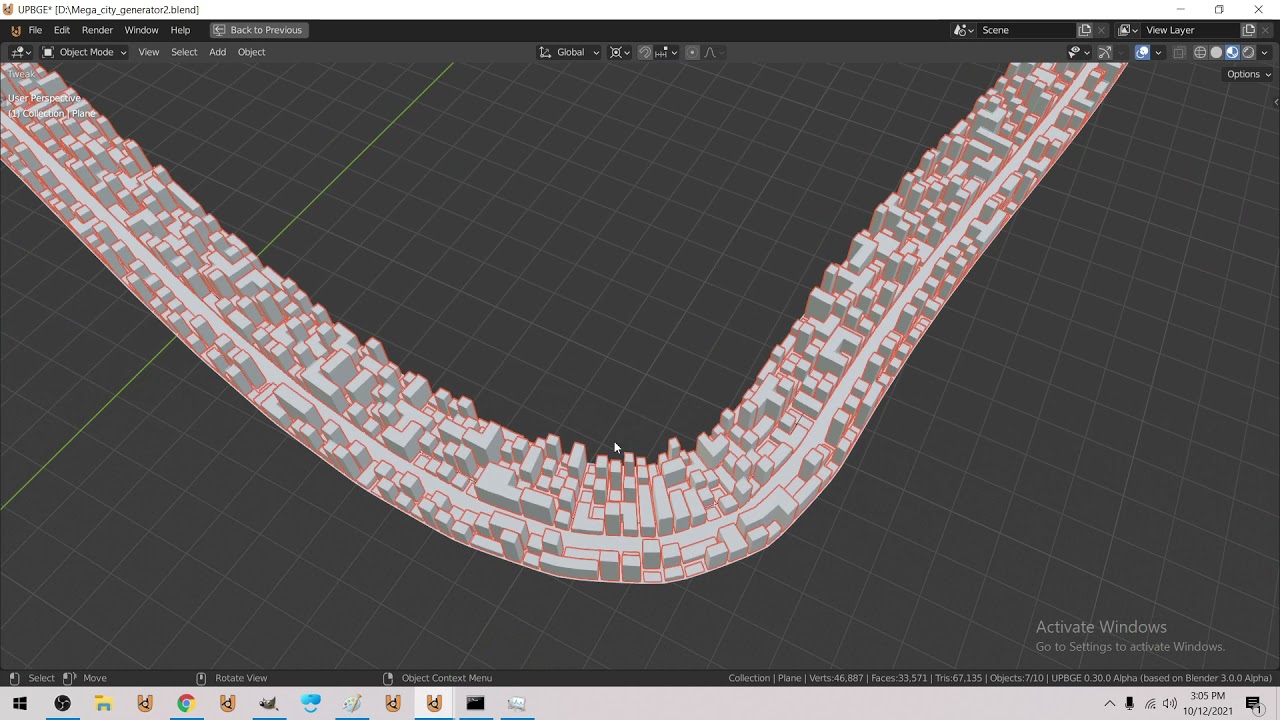
Wrectified Mega City Generator - City Track - for racing games etc
it's this same setup - but + uv maps
next I was thinking off having a offset per building set on the UV sheet
(so we get a bunch of building types) steel outside, brick, stucco etc)
lavish oak
This game is stolen from a PolyMars video lol
 austere rapids
guys i am making chess and it is running but i can't play can you help me
there is coming an error
brother can you send the code
austere rapids
File "C:\Users\WIN10\PycharmProjects\Chess\chess.py", line 1361, in <module>
if not isOccupiedby(board, x, y, 'wb'[player]):
File "C:\Users\WIN10\PycharmProjects\Chess\chess.py", line 262, in isOccupiedby
if board[y][x] == 0:
TypeError: list indices must be integers or slices, not float
lavish oak
austere rapids
File "C:\Users\WIN10\PycharmProjects\Chess\chess.py", line 1361, in <module>
...
x and y are floats
austere rapids
ok
lavish oak
if they don't look like floats, just convert them to integers
lavish oak
austere rapids
should i send you the code
pls dont its 2am and i gotta go to school lol
lavish oak
x = int(x)
y = int(y)
lavish oak
austere rapids
why
because sleep gives you energy
austere rapids
ok
cursive cedar
yo
Is it possible that any of you got time to help me making an adventure game in pycharm (text form)
lavish oak
cursive cedar
Is it possible that any of you got time to help me making an adventure game in p...
just make it
its a bunch of if else statements and input
if u get an error, you can google it pretty easily
cursive cedar
That didn't help me a bit
austere rapids
hi may i ask a doubt
Traceback (most recent call last):
File "C:\Users\WIN10\PycharmProjects\Chess\chess.py", line 1382, in <module>
if ((dragPiece.pieceinfo[0] == 'K') and (isCheck(position,'white') or isCheck(position,'black'))):
AttributeError: 'NoneType' object has no attribute 'pieceinfo' the error
if ((dragPiece.pieceinfo[0] == 'K') and (isCheck(position,'white') or isCheck(position,'black'))):
None
else:
listofShades.append(Shades(greenbox_image,(x,y))) the code
i am trying to make a chess game
round obsidian
@austere rapids dragPiece is None. it wasn't set to whatever it needs to be set to.
austere rapids
i am getting the same respone from everyone
may i send you the code to let you know where is the error
round obsidian
@austere rapids well, if you're getting the same response, that means the error should be self-evident. You're treating dragPiece as if it was one thing, when it's in fact another. Check to make sure you've set it to what you want it to be when you initialize it in the code.
wicked zephyr
Will you give me online classes??!
wicked zephyr
round obsidian
<@!897117630937301023> `dragPiece` is `None`. it wasn't set to whatever it needs...
Will you give me online classes??!
round obsidian
wicked zephyr
Will you give me online classes??!
no
@wicked zephyr I can answer questions but I can't do one on one tutoring
tepid wadi
is it bad to download windows 11 on unsupported device?
round obsidian
!ot @tepid wadi
frank fieldBOT
Off-topic channels
There are three off-topic channels:
• #ot0-psvm’s-eternal-disapproval
• #ot1-perplexing-regexing
• #ot2-never-nester’s-nightmare
Their names change randomly every 24 hours, but you can always find them under the OFF-TOPIC/GENERAL category in the channel list.
Please read our off-topic etiquette before participating in conversations.
dawn quiver
Hi im a intermediate level programmer interested in working with a team to make a game. Im mostly interested in role playing games. My dms are open if youd like to talk.
I work with mostly python and lua.
potent ice
A little video on my small voxel project. Still very early in the project. All logic happens on the gpu. World generation + chunk reduction takes 0.2s in total. It should be fast enough to generate/load new chunks on the fly. It seems to work pretty well so far and the world is reduced to a reasonable amount of polys running smooth on AMD integrated. In the video we're just inspecting the geometry seeing that it's properly reduced. Chunk size is 16 x 16 x 256. World is 16 x 16 chunks : https://www.youtube.com/watch?v=nx5CJ-FZA74

Starting playing around with a traditional voxel engine using geometry. How fast can we make it in python and how much work can we offload to the GPU? The world is generated on the gpu in 0.2 seconds. We when generate the minim amount of polygons (on the gpu) by looking at the neighbor blocks in the current and neighbor chunks.
royal hawk
In dire need of assistance with debugging a project of Chess
To provide some more context about the project, it's one I'm coding up using pure Python and no libraries that actually implement the game
Specifically, I'm in need of help with debugging a method is_attacked(), along with other methods it references and calls.
https://hastebin.com/isiwakiwen.yaml
You can disregard everything that goes get_somepiecename_moves() and all the preceding utility function
and this is the snippet I'm wanting to debug
def get_directional_moves(self, pos: ChessConsts.Pos, directions: list[tuple[int, int]]) -> ChessConsts.Moves:
        moves: ChessConsts.Moves = []
        for direction in directions:
            for offset in range(1, 8):
                new_pos: ChessConsts.Pos = (pos[0] + offset * direction[0], pos[1] + offset * direction[1])
                if self.comp_piece(new_pos, ChessConsts.Empty):
                    moves.append(new_pos)
                else:
                    if not self.comp_piece(new_pos, ChessConsts.Invalid):
                        if not self.are_allies(pos, new_pos):
                            moves.append(new_pos)
                        break
return moves```The method starts from its position, searches towards a path, stops when it goes out of bounds or when it encounters a piece
def filter_valid_moves(self, pos: ChessConsts.Pos) -> ChessConsts.Moves:
        moves: ChessConsts.Moves = self.get_piece_moves(pos)
        king_pos: ChessConsts.Pos = self.get_unique_name_pos(ChessConsts.King[self.side_to_move])
        original_name_board: list[list[str]] = deepcopy(self.name_board)
        original_move_count_board: list[list[int]] = deepcopy(self.move_count_board)

        def king_safe_after_move(move: ChessConsts.Pos) -> bool:
            self.move_piece(pos, move)
            result: bool = not self.is_attacked(king_pos)

            self.name_board = deepcopy(original_name_board)
            self.move_count_board = deepcopy(original_move_count_board)

            return result

return list(filter(king_safe_after_move, moves))```def is_attacked(self, pos: ChessConsts.Pos) -> bool:
pawn_attacking_pos: ChessConsts.Moves = (
[(pos[0] - 1, pos[1] - 1), (pos[0] - 1, pos[1] + 1)],
[(pos[0] + 1, pos[1] - 1), (pos[0] + 1, pos[1] + 1)]
)[self.side_to_move]
knight_attacking_pos: ChessConsts.Moves = [
(pos[0] + row_offset, pos[1] + col_offset)
for col_offset in [-2, 2] for row_offset in [-1, 1]
] + [
(pos[0] + row_offset, pos[1] + col_offset)
for col_offset in [-1, 1] for row_offset in [-2, 2]
]
diagonal_directions: list[tuple[int, int]] = [
(-1, -1), # Northwest - NW
(-1, 1), # Northeast - NE
( 1, -1), # Southwest - SW
( 1, 1) # Southeast - SE
]
bishop_attacking_pos: ChessConsts.Moves = self.get_directional_moves(pos, diagonal_directions)
axial_directions: list[tuple[int, int]] = [
(-1, 0), # North - N
( 0, 1), # East - E
( 1, 0), # South - S
( 0, -1) # West - W
]
rook_attacking_pos: ChessConsts.Moves = self.get_directional_moves(pos, axial_directions)
queen_attacking_pos: ChessConsts.Moves = bishop_attacking_pos + rook_attacking_pos
king_attacking_pos: ChessConsts.Moves = [(pos[0] + row_offset, pos[1] + col_offset)
for col_offset in range(-1, 2)
for row_offset in range(-1, 2)]``` attacking_side: int = int(not self.side_to_move)
piece_attack_ranges: dict[str, ChessConsts.Moves] = {
ChessConsts.Pawn[attacking_side]: pawn_attacking_pos,
ChessConsts.Knight[attacking_side]: knight_attacking_pos,
ChessConsts.Bishop[attacking_side]: bishop_attacking_pos,
ChessConsts.Rook[attacking_side]: rook_attacking_pos,
ChessConsts.Queen[attacking_side]: queen_attacking_pos,
ChessConsts.King[attacking_side]: king_attacking_pos,
}
for piece, attacking_range in piece_attack_ranges.items():
for attacking_pos in attacking_range:
if (self.is_piece(attacking_pos)
and self.comp_piece(attacking_pos, piece)
and not self.are_allies(pos, attacking_pos)):
return True
return False
def move_piece(self, org: ChessConsts.Pos, dest: ChessConsts.Pos) -> None:
(self.name_board[org[0]][org[1]],
self.name_board[dest[0]][dest[1]]) = (ChessConsts.Empty, self.get_name(org))
(self.move_count_board[org[0]][org[1]],
self.move_count_board[dest[0]][dest[1]]) = (-1, self.get_move_count(org) + 1)```
What's going wrong here is that everything works normal, except that the is_attacked() method is not working correctly as expected with get_directional_moves() calls.how to make chess
i gues i need to move on to learning more python then
gosh i only learned all the basics
lolo
and i started python 3 months ago
potent ice
royal hawk
```py
attacking_side: int = int(not self.side_to_move)
piece_att...
Maybe better to move all that code into : https://paste.pythondiscord.com/
This is a lot to read and understand without knowing more about the project. I would probably start to pick the program apart setting up some simple unit test and/or step debug a specific condition.
dawn quiver
ok sorry to disturb
anyone interested in making an rpg with me? I do solely programming so ill need others to provide ideas about gameplay.
dawn quiver
austere rapids
and i started an year ago
you want to make an rpg with me?
dawn quiver
well im only a programmer. We would need someone who could lead us. Someone who has a vision.
austere rapids
yes
i also don't have much knowledge
just did 1 course
completely
but not of game development
dawn quiver
maybe you could try searching for people in a game dev server.
i know there is a couple. Try to search online for game dev discord servers
I loved playing pokemon growing up
austere rapids
ok
cold storm
@austere rapids @dawn quiver pick up a engine and start tinkering
there is no better way to get started
sometimes making stuff on paper helps
like paper maps you then remake digitally
dawn quiver
cold storm
thanks. ive experiemented with game engines like godot and unity. Im just not very good at coming up with ideas. I like cloning games becuase the design decisions have been made and its just programming knowledge from there.
i need someone with a vision to help me make a game.
cold storm
I can do literally anything coding wise, and am getting there with art
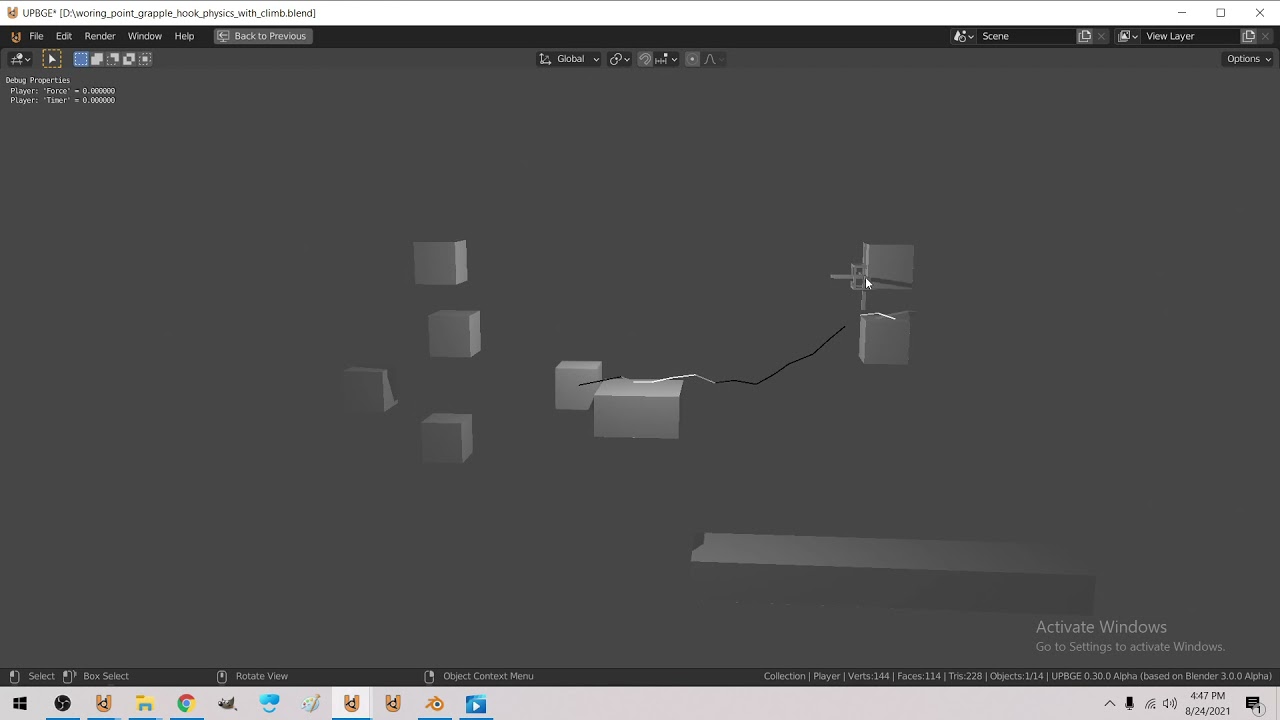
here is a grapple hook / climbing physics sim I did

Wrectified [ Spawned agent copies / agent swap working 100% ] [2021]
this is my current project
it's a RTS
dawn quiver
nice. i want to make an rpg like pokemon.
cold storm
I would instead tinker around with game mechanics on paper or as a dnd session almost
like you make a game on paper -> play through it and describe how it will be different
instead of how it will be the same
the implimentation of such a game is not too tricky
it's doing something original from it that would be hard
dawn quiver
yeah that could work. Just not something im all that excited about. Just at a point in my life where i want to shift my priorities.
cold storm
yeah a clone of a project for getting your feet wet is a good idea the first few times
but its not good to sell them
after you tinker a bit, just start blocking out stuff
if it is not fun with minimal art it won't be fun filled in
 floral smelt
So I have an world represented by state vectors and an agent that has to pick from a number of actions.
The world is DCSS (an opensource roguelike game) which I can interact with, via the awesome dcss-aiwrapper.
https://github.com/dtdannen/dcss-ai-wrapper
However I'm not planning on doing reinforcement learninig, at least for now.
I am interested in rule based systems.
But I don't want to write a bazzilion elifs, like for example the qw bot does.
Unfortunatly I hardly did any theoretical informatics so I know little about grammars and automatons and stuff.
So I thought I'd ask for directions here: Is there a Python package that let's you define rules for how to interact with a world represented by state vectors?

GitHub
An API for Dungeon Crawl Stone Soup for Artificial Intelligence research. - GitHub - dtdannen/dcss-ai-wrapper: An API for Dungeon Crawl Stone Soup for Artificial Intelligence research.
If you are interested, this is the repo of the game:
https://github.com/crawl/crawl
And this is an example of a rule based implentation:
https://github.com/gammafunk/qw/

GitHub
Dungeon Crawl: Stone Soup official repository. Contribute to crawl/crawl development by creating an account on GitHub.

GitHub
The DCSS-playing bot qw. Contribute to gammafunk/qw development by creating an account on GitHub.
dawn quiver
Will I get any advantage if I Cythonise my Pygame code?
cold storm
@dawn quiver it can help quite a bit for speed
however numpy can solve many problems quick enough
what bottleneck are you hitting?
like say pathfinding is the slow part - cythonize that
frozen knoll
You can get some of the biggest speedup by using the GPU more.
cold storm
that is usually a good idea, a bit harder to do in some engines / frameworks than others
like I wish could get GPU armature skinning working in upbge
but it's a huge project and kinda scary to tinker with
 tough glacier
Hi
 north glacier
i'm new at pygame i guess, how i can make a image "extend" with a controller's X axis?
round obsidian
dawn quiver
Will I get any advantage if I Cythonise my Pygame code?
it all depends on how you do it. I got a 500x speedup for some things in my game because I used Cython, but only because the problems in question were highly amenable to being turned into pure C with no dependencies on the runtime. If you haven't done this already, profile your application to find out where it's slowest -- that is, if it is even slow enough at this point that it merits such a superoptimization
dawn quiver
Oh thanks :)
potent ice
Yup. There are many optimizations that are purely about techniques and would not require moving to lower level solutions
dawn quiver
floral smelt
If you are interested, this is the repo of the game:
https://github.com/crawl/cr...
wow this eye creature is really cool. Very menacing.
potent ice
If it's just OOP in general there are many tutorials out there. It's really something you need to play around with to understand
It can be hard to wrap your head around in start, but once it clicks it opens up a lot of possibilities.
dawn quiver
anyone need a programmer for their game? I program in python and would like to help develop a game.
dawn quiver
dawn quiver
anyone need a programmer for their game? I program in python and would like to ...
you use ursina?
dawn quiver
dawn quiver
you use ursina?
i havent but i could try to use it.
dawn quiver
dawn quiver
you use ursina?
what kind of game are you making?
dawn quiver
dawn quiver
what kind of game are you making?
im not making games at all
dawn quiver
dawn quiver
im not making games at all
oh i thought you wanted someone to help make a game
what do you want to help with @dawn quiver
programming a game
how
can you help
well i have made tetris in lua before
its ok nevermind
dawn quiver
dawn quiver
how
like i think i could help make a game. Like code it. Its just i lack motivation to make my own things. I like helping others and being told what to do.
i like it when i have to come up with a solution to a problem. instead of making design decisions
 soft geyser
!e
import os
money = open("mones.txt", "w+")
if os.stat("mones.txt").st_size > 1:
    print("Ruh Roh! You dont have an account, lets start one with $50")
    money = 50
monstr = str(money)
print("You have $" + str(money))
tix = int(input("How Many Tickets Do You Wanna Buy (1T=$1)? "))
if tix > money:
    print("Nice try, cheater!")
    exit()
fundsleft = int(money) - int(tix)
fundsstring = str(fundsleft)
money = open("mones.txt", "w+")
money.write(fundsstring)
money.close()
@soft geyser :x: Your eval job has completed with return code 1.
001 | Traceback (most recent call last):
002 |   File "<string>", line 2, in <module>
003 | OSError: [Errno 30] Read-only file system: 'mones.txt'
ah shit it wont work in this
potent ice
dawn quiver
anyone need a programmer for their game? I program in python and would like to ...
I'm making a voxel engine currently (minecrafty) and could need some help adding some features. I'm very picky about performance and try to find the fastest way to do things, so it does involve a lot of trial and error + profiling. It's not public yet, but soon. It will just be an MIT licensed project.
It might be things like finding the block you are looking at or standing on.
The idea around the project is finding out how much we can squeeze out of a voxel game in python
It's a very gpu-focused engine
dawn quiver
potent ice
I'm making a voxel engine currently (minecrafty) and could need some help adding...
thats sounds like itd be tough. I dont know a lot about 3d. I could give it a shot. I promise not to share your code.
dawn quiver
well for dtatecting what a 3d raycast interesects with
like for looking at which block
potent ice
It's still a lot simpler with minecrafty block stuff
dawn quiver
really how would you detect which block the player is looking at?
potent ice
That is the question 😄
dawn quiver
oh
well one of the first steps in performance in these types of games would be chunks
loading and onloading chunks
potent ice
Yeah there are chunks. 16 x 16 x 256 ones.
dawn quiver
trying to think of a different way other than raycasts
idk id try the raycast approach and see if that hurts performance
for detecting what block your looking at
if its just block placing than you can limit your search to blocks within a slice of the chunk
or even within the range of the player
potent ice
Can also just stepwise look up blocks from the player position within the interaction radius
dawn quiver
yep
potent ice
You just index into a spatial hash with chunks etc
This is the basic engine for now : https://www.youtube.com/watch?v=nx5CJ-FZA74
Starting playing around with a traditional voxel engine using geometry. How fast can we make it in python and how much work can we offload to the GPU? The world is generated on the gpu in 0.2 seconds. We when generate the minim amount of polygons (on the gpu) by looking at the neighbor blocks in the current and neighbor chunks.
dawn quiver
music reminds me of earthbound
potent ice
The raw block byte data is located in each chunk so it easy enough to index into that checking for 0 = air or solid block
dawn quiver
yeah im not sure if i can help. sorry. im more interested in 2d games. but if you show me the code ill try to make sense of it