#game-development
1 messages · Page 82 of 1
 lilac mirage
lilac mirage
lilac mirage
2d
 potent ice
Maybe just start with arcade because it's simpler / higher level : https://arcade.academy/
lilac mirage
ok thanks
potent ice
Just like pygame, pyglet etc etc
lilac mirage
👍
potent ice
Maybe more accurate to call it a python package.
 last moon
Sorry I feel like I’m missing something here, the primitive sent to the fragment shader as it’s input? Is that what’s used to draw them or is there another process in between
potent ice
last moon
Sorry I feel like I’m missing something here, the primitive sent to the fragment...
The fragment shader runs per pixel for the primitive (for example a triangle).
What happens from the vertices leaves the vertex shader and the execution of the fragment shaders are out of your control really
(At least in OpenGL. Vulkan and other lower level APIs have a more fancy pipeline)
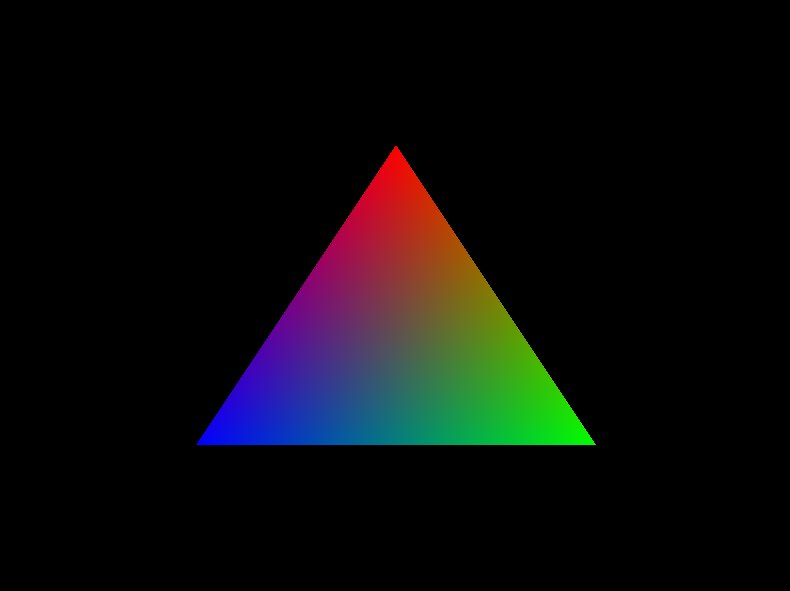
If you are rendering a triangle with 3 different colors per vertex the color value arriving in the input (frag shader) will interpolate by default.
This is common to see in the OpenGL "hello world" RGB triangle

Three vertices as input and rendering using triangles mode. Each vertex has a different color
This interpolation makes more sense when we are using texture coordinates and normals
last moon
potent ice
(At least in OpenGL. Vulkan and other lower level APIs have a more fancy pipelin...
Ah ok I was just going to ask about vulkan
potent ice
Barycentric coordinates are used under the hood.
last moon
So the fragment shader takes in the properties of each vertex and the gpu interpolates + returns the colours to send to the screen?
potent ice
With lower level APIs like vulkan you kind of "build" your own pipeline. In OpenGL the pipeline is more fixed with optional features.
Example: You can add a geometry shader to the program what will be a proxy between the vertex and fragment shader. It can create or destroy geometry on the fly. It takes primitives and input instead of vertices
.. and tessellation shader that can dynamically subdivide the primitives if needed
This pipeline works pretty well, but it less flexible.
Lower level APIs can simplify a lot more. You have a concept of "mesh shaders" for example that are much more flexible than the geometry and tessellation stages.
You can set up the exact GL pipeline in Vulkan if you want. Not a problem
Even use the same GLSL shaders you used in OpenGL
 mortal dragon
That's actually pretty neat idea :)
potent ice
mortal dragon
That's actually pretty neat idea :)
I think kids are super creative if you just get them started on ideas. Just have to try to boil it down into something that can be created
We just used arcade for that project. It was under 100 lines.
The built in collision detected makes it super simple
last moon
That was my understanding of vulkan that you have to set up the pipeline in the first place but the trade off was that the custom pipelines allow you to stream/render geometries without having to stray into ram/streamlining the vram used
mortal dragon
potent ice
We just used arcade for that project. It was under 100 lines.
Ok cool will see what can think of
potent ice
last moon
That was my understanding of vulkan that you have to set up the pipeline in the ...
More or less that + wider platform support + can use threads and more.
The OpenGL context belongs to a process/thread. Access from any other location is forbidden
.. but shared contexts can be created ... BUT only primitive objects such as buffers and textures are synced between them. No container objects such as vertext arrays and framebuffers
It's a huge advantage to know OpenGL pipeline well before moving to vulkan imho
last moon
And that’s what can cause a bottleneck? Or does it restrict more than just speed?
That’s my plan tho, I’m thinking of doing a 2D engine in python to get the basics, doing one in gl and then doing on with vulkan if I haven’t given up by then
potent ice
That and call overhead. With a more flexible pipeline you have more freedom to optimize and cause less round trips between cpu and gpu
last moon
Maybe one in rust too
potent ice
In gl you can use the indirect draw commands to avoid a lot of the overhead
 royal nymph
hey im new to python pygame
last moon
I’m assuming the regular ones call the indirect commands?
potent ice
Nope
glDrawArrays/Elements are separate draw calls. It can handle instancing at least.
 grim abyss
what's the easiest way to get into 3d with python?
last moon
I should stop assuming thing I think I’m like .5-8 at this point
potent ice
While the indirect draw commands can have thousands of draw call parameters packed into a buffer on in vram instead
@grim abyss Probably Ursina
last moon
What’s the overhead that’s being avoided then?
potent ice
The call overhead in drivers
We're talking about things on the nanosecond scale here. Consider someone playing a game in 244hz. You don't have much time
last moon
potent ice
The call overhead in drivers
From calling it through the cpu?
potent ice
Yep
last moon
Ohh ok but the way the gpu handles those calls can’t be changed with gl?
potent ice
Yeah you just have these functions exposed and no other control. It's up to the drivers what happens.
OpenGL is also a giant state machine. There are probably a lot of sanity checking and whatnot done by these commands.
Instancing was the first step to get rid of overhead.
then indirect draw...
Indirect draw means you have to prepare absolute everything before issuing the draw call of course. This can be done asyc while the gpu is rendering the previous frame for example. It's a double win in many cases.
last moon
So back to this, they don’t explicitly send anything to the gpu, gl handles that?
potent ice
Ah no you do write data to buffers in gl as well. But only when they need updating. A static 3d object only needs to be written once
The challenge in gl in implicit sync causing stalls. If you read or write to a buffer the gpu is currently working on the entire apolication will stall until the the gpu is done
 lost stirrup
I am very new to python can anyone help me how to make a code run for a certain amount of time and then stop?
 true seal
There is a time module I believe
potent ice
lost stirrup
I am very new to python can anyone help me how to make a code run for a certain ...
That needs a lot more context
lost stirrup
potent ice
That needs a lot more context
I mean pygame srryy
potent ice
You can of course use time.sleep(10) to wait 10 seconds, but this stalls everything else. How this is done really depends on the context
 azure mantle
How is there an error here
https://prnt.sc/10o2ymm
 potent ice
azure mantle
How is there an error here
https://prnt.sc/10o2ymm
potent ice
azure mantle
How is there an error here
https://prnt.sc/10o2ymm
It's just vscode not finding pygame. Click the "Python 3.7.2 64-bit" in the lower left corner and see what appears
 potent ice
lost stirrup
I mean pygame srryy
potent ice
lost stirrup
I mean pygame srryy
In pygame you would have a main loop. You can import time and use time.time() to get the current time when the program starts and measure how many seconds have elapsed using time.time() - start_time
Add some print(..)s to see what is happening
azure mantle
me?
lost stirrup
potent ice
In pygame you would have a main loop. You can `import time` and use `time.time()...
thank you man I will try
potent ice
the program runs without error?
potent ice
hmm. Just restart vscode maybe?
lost stirrup
potent ice
Add some `print(..)`s to see what is happening
Can you give me an example pls I don't really understand
potent ice
lost stirrup
Can you give me an example pls I don't really understand
import time in the top and print(time.time()) in your draw loop
potent ice
azure mantle
i made a display and it doesn't display and error
It's just vscode not understanding what pygame is I guess. It does not affect your program at time time
azure mantle
alright thanks
potent ice
azure mantle
alright thanks
You could see if the pylance mod (different language server) handles it better.
azure mantle
alr
potent ice
or you might need to do something special if you have anaconda installed
Give vscode a minute to initialize everything properly
azure mantle
alright
import pygame

#starting pygame
pygame.init()

#creating screen
screen = pygame.display.set_mode((800,600))


running = True
while running:
    for event in pygame.event.get():
        if event.type == pygame.QUIT():
            running = False```

Still same errors and it actually does fuck up the codeYou could create a virtualenv for your project. That might fix it. I always use a virualenv so I have not seen this problem before.
 wet folio
I'm trying to use pygame and pynput to create a little program. I basically use pygame for the GUI as I'm more used to use pygame then tkinter/pyqt. I set up a mouse listener with pynput but whenever I click on pygame window's title frame the program freezes for 1-2 seconds.
from pynput.mouse import Listener as ms_listener
pygame.init()

win = pygame.display.set_mode((300, 300))


def on_click(x, y, button, pressed):
    print("Clicked")


mouse_handler = ms_listener(on_click=on_click)
mouse_handler.start()


running = True
while running:
    for event in pygame.event.get():
        if event.type == pygame.QUIT:
            running = False

pygame.quit() ``` shrewd sundial
Is it possible to move the (0,0) point to another corner?
And make y go up when going up?
 young vault
My game in linux gets around 59 fps usually but in windows it only gets 50 fps average (on the same machine)
any way to fix this?
I am using arcade library
 frank fieldBOT
:incoming_envelope: :ok_hand: applied mute to @gusty mirage until 2021-03-17 17:22 (9 minutes and 59 seconds) (reason: duplicates rule: sent 4 duplicated messages in 10s).
potent ice
Spamming messages is annoying for those having notifications enabled here.
last moon
potent ice
The challenge in gl in implicit sync causing stalls. If you read or write to a b...
can you not just use futures to deal with that?
 abstract light
quick question. Has anyone ever used a tile map editor and combined it into pygame?
 mint zenith
Yes
If you mean implement the editor into the game, then no. But using a map exported by the editor, yes.
 peak tangle
I am a student and I was wondering if someone can do a rock paper scissors project or if someone has already done it
 shrewd patio
@peak tangle Here's a tutorial on how to make a simple text-based game: https://realpython.com/python-rock-paper-scissors/

In this tutorial, you'll learn to program rock paper scissors in Python from scratch. You'll learn how to take in user input, make the computer choose a random action, determine a winner, and split your code into functions.
 waxen ocean
rock paper scissors is a cool project
 woeful brook
😂
 lethal hinge
I had an idea for a command line based puzzle game, but I can't figure out a way to hide the answers such that the player can't open the python file and just find the answers right away. Any suggestions of how to hide this stuff? It'd be like basic text passwords (Or the most advanced idea I have, it creates a .wav file with a message hidden in the spectrogram in a steganography like way)
 proper peak
lethal hinge
I had an idea for a command line based puzzle game, but I can't figure out a way...
proper peak
lethal hinge
I had an idea for a command line based puzzle game, but I can't figure out a way...
Right away? Just encode them in some way. base64 would be one solution, though you can also use actual enctyption (in which case the cheating player will need to find the data, find the key, and write a program to decrypt the data with the key).
lethal hinge
Maybe I was over thinking it, I was imagining complicated ways to do it and that wouldn't have made much sense. But won't I need to include a way to decode it in my own code? Or would that be too complicated for a cheater to extract easily?
proper peak
Yes, you would
So another way to extract would be to use a debugger to extract the decoded phrases at runtime.
There's no way to make it even hard to extract the phrases, really, you're just filtering out people who can't read Python code.
lethal hinge
proper peak
There's no way to make it even *hard* to extract the phrases, really, you're jus...
Hrm, alright then. That makes sense, I'll just go for some almost tedious route to weed out any cheaters and then it'll be for ease for me. Thanks!
proper peak
lethal hinge
Hrm, alright then. That makes sense, I'll just go for some almost tedious route ...
well, actually there is a foolproof way to hide the answers if your answers need to be exact
like, if a question has one or several possible answers which need to match exactly and there's no fuzzy matching whatsoever
In that case, you can instead of storing the answers, store the hashes of the answers.
lethal hinge
Oh the closest it'll be will be str.lower() so no fuzzy
proper peak
then yeah, you can totally do that
lethal hinge
So what's a hash? That's a new term to me
proper peak
Most generally, a hash function is a function that generates a fixed-size output from arbitrary-size input
Usually you also want it to have certain cryptosecurity qualities, but that's the general one
This transform is not reversible - it's not one-to-one, either (obviously), but for modern hash functions there doesn't exist a good method of determining data by hash(data) without bruteforcing all possible inputs until you find one the hash of which matches.
lethal hinge
So say my password is abcd and someone guesses abc, their hash would be like 6 but the answer is 10 (assuming It's letters having values?)
proper peak
So if you store, say, SHA256 hashes of your answers, you can check an answer by calculating its hash and comparing it to the stored ones - but you can't tell what the answers are by the hashes without tons of bruteforce
lethal hinge
Is a hash not comprehensible by a person when written down?
proper peak
It's a random-looking (literally: cryptographically secure hash functions tend to produce outputs with close to perfect entropy) binary string, so yeah.
lethal hinge
Like say the possible inputs are one of [Apple, Banana, Cherry] I'm trying to figure out what I'd have to put into the code.
To put an answer in a set in the code I might, say, run print(hash('apple)) and then I copy that in as an answer into my actual code?
proper peak
!e
import hashlib
res_hash = hashlib.sha256("dasdas".encode("utf-8")).digest()
# this is a binary string:
print(type(res_hash), res_hash)
# hexadecimal representation of it (that's how the hashes are usually presented, as this is human-readable)
print(res_hash.hex())
@proper peak :white_check_mark: Your eval job has completed with return code 0.
001 | <class 'bytes'> b'.\xd4m{\xed\xc1z\xba\x184>\xacq\xe2\x16H\xb1\xafP\xff\xf72\xaf~3\x80u\xcd\x0e\xd1Vz'
002 | 2ed46d7bedc17aba18343eac71e21648b1af50fff732af7e338075cd0ed1567a
But you can't tell, having 2ed46d7bedc17aba18343eac71e21648b1af50fff732af7e338075cd0ed1567a, that it is the hash of dasdas without bruteforcing the SHA256 hashes of various inputs up the to length of 6.
proper peak
lethal hinge
Like say the possible inputs are one of `[Apple, Banana, Cherry]` I'm trying to ...
Nah, the hash function from Python is...different - it produces very "obvious" results for simple objects, you want something cryptosecure.
lethal hinge
So that last string of random looking numbers is what I'd put in
answers = [abitrary string of SHA256 res_hash.hex()]
And then
if hashlib.sha256(input_).hex() == answers[0] and that should work?
And yeah the hashlib does look more cryptosecure I'll agree
proper peak
!e
import hashlib
ans_lst = ["Apple", "Banana", "Cherry"]
hashes_list = [hashlib.sha256(ans.lower().encode("utf-8")).digest().hex() for ans in ans_lst]
print("List of hashes of lowercased answers:")
print('\n'.join(hashes_list))
print()

attempts = ["ApPle","bananan","cherry","adjasodas"]
for ans in attempts:
    print(f"Attempted answer:{ans}")
    ans = ans.lower()
    print(f"Lowercased attempt:{ans}")
    ans_hash = hashlib.sha256(ans.encode("utf-8")).digest().hex()
    print(f"SHA256 hash:{ans_hash}")
    if ans_hash in hashes_list:
        print(f"This hash is in the list!")
    print()
@proper peak :white_check_mark: Your eval job has completed with return code 0.
001 | List of hashes of lowercased answers:
002 | 3a7bd3e2360a3d29eea436fcfb7e44c735d117c42d1c1835420b6b9942dd4f1b
003 | b493d48364afe44d11c0165cf470a4164d1e2609911ef998be868d46ade3de4e
004 | 2daf0e6c79009f9234ed9baa5bb930898e2847810617e118518d88e4d3140a2e
005 |
006 | Attempted answer:ApPle
007 | Lowercased attempt:apple
008 | SHA256 hash:3a7bd3e2360a3d29eea436fcfb7e44c735d117c42d1c1835420b6b9942dd4f1b
009 | This hash is in the list!
010 |
011 | Attempted answer:bananan
... (truncated - too many lines)
Full output: https://paste.pythondiscord.com/vuhowitute.txt
proper peak
here's an example of calculating the hashes of correct answers and checking an answer
the hashes_list is what you'd put in your program
lethal hinge
Ooh ok. Thanks a bunch! I'll definitely use that
proper peak
(Well, hashes_list here is a list of valid answers for a single question. So in total you'd have a list of lists - a sublist of valid answers for each question (maybe 1-element))
lethal hinge
Yeah, I may even end up with them buried in a json of answers but idk if I'll have enough for that to be worth it
I've gotta go to bed now, but thank you for helping me figure that out. Goodnight/good time appropriate phrase!
 sharp thistle
hey any suggestions for a school project ? ty in advance
 drowsy rampart
How to make window resize menu in pygame for example like that?
 sharp thistle
drowsy rampart
How to make window resize menu in pygame for example like that?
sharp thistle
drowsy rampart
How to make window resize menu in pygame for example like that?
which gui are you using via that in a drop down list and these buttons each button will resize the main window
 dense ether

Made my own paint with pygame, storing pixel color and pos to list is probably bad idea because its so slow, shoud i use dictionarys or numpy arrays or something else?
drowsy rampart
sharp thistle
which gui are you using via that in a drop down list and these buttons each butt...
can I make it in pygame itself?
sharp thistle
no idea never tried it
 tawny jolt
Hii
 dawn zinc
just wanted to ask a question
tawny jolt
I need a help
dawn zinc
is it possible to use flutter with python?
tawny jolt
Can anyone tell me how to extract any game files or open the game project in unity?
dawn zinc
i dont know sorry :/
tawny jolt
Okay sir!!
abstract light
@mint zenith how do you do it
Woah wait
Who is using Unity with Python
Are they using a third party?
 crisp junco
abstract light
Who is using Unity with Python
crisp junco
abstract light
Who is using Unity with Python
Whoa! Can you do that?
was Mark doing that?
dense ether
dense ether
if u guys wanna check, here is the code. I'd love to hear feedback and learn what I could have done better.
code: ||https://paste.pythondiscord.com/ezeyafocin.yaml||
 shell snow
Anyone had any font issues with libtcod?
Trying to load from a TTF is causing artifacts when drawing a frame
loading it from a texture file works better but exporting the TTF's glyphs is a little more tedious so I want to avoid that if I can
mint zenith
abstract light
<@!137073073168973824> how do you do it
Using pytmx
 restive lantern
What is the best game that you have seen on python and what tools do they used?
Post links
 scenic spindle
.bm 821657972341866497 Pipeline intro
@fervent rose do you mind trying .bm 821657972341866497 Pipeline intro in this specific channel?
 fervent rose
.bm 821657972341866497 Pipeline intro
 severe saffron
dense ether
Made my own paint with pygame, storing pixel color and pos to list is probably b...
severe saffron
dense ether
Made my own paint with pygame, storing pixel color and pos to list is probably b...
Wait so you have a dict of pixels?
But like
You need a pixel value for every pixel
So why not have a list of every pixel on the screen then just change the one you want
dense ether
severe saffron
Wait so you have a dict of pixels?
I stored them in list ((x),(y),color)
Oh yeah so thats just what i did
dense ether
dense ether
if u guys wanna check, here is the code. I'd love to hear feedback and learn wha...
U can read / test it
Id love to have comment
potent ice
Just simple 2D stuff?
 dawn quiver
Most likely as a start so yea... I wanna start 2d and maybe when used to it go 3d
potent ice
Could start light with arcade? https://arcade.academy/
dawn quiver
Okay I'm at work but got like a hour and 30 min, but do I need py.game?
severe saffron
dense ether
Oh yeah so thats just what i did
no, i'm saying store them in order
potent ice
What is py.game?
severe saffron
if your resolution is 300x300, then a 90000 long list/array of colours
in your case, you have to lookup in an entire list of pixels for the one you want
dense ether
potent ice
What is py.game?
Pygame is pythons 2d game library
potent ice
dawn quiver
Okay I'm at work but got like a hour and 30 min, but do I need py.game?
If you mean pygame, then no. Arcade is a higher level 2D game library. You should be able to easier pick up pygame after playing around with arcade first.
potent ice
If you want to test out some higher level 3D stuff later you can try Ursina
potent ice
Pygame is if course also an option, but arcade is much simpler to start with
dawn quiver
Okay
dense ether
severe saffron
no, i'm saying store them in order
I have them stored in list in order. I not sure what u meam.
For i in range(width);
   For j in range(height):
      Pixels.append((i,j))
but why do you need to store the pixel coordinate with the colour
a pixel buffer is normally just a list of every pixel value in order
no lookup, no extra data stored
dense ether
potent ice
Pygame is if course also an option, but arcade is much simpler to start with
U meam ppl should learn/ start using arcade and after that use pygame or just skip
dense ether
severe saffron
a pixel buffer is normally just a list of every pixel value in order
Ah okey, i see
severe saffron
so to access pixel at x,y
dense ether
I didtn even think that
severe saffron
you do something like pixelbuffer[y*row_width + x]
potent ice
dense ether
U meam ppl should learn/ start using arcade and after that use pygame or just sk...
That really depends on what kind of games they want to make and for what platforms. Arcade is a great introduction. I assume they will have more knowledge later to pick the right library for their projects.
dense ether
What u would think, should i move from pygame to arcade?
potent ice
Depends. It's higher level and might have some limitations because of it. Also it's using the gpu making it harder to run on older hardware.
The nice thing with pygame is the compatibility.
The positive with arcade is that it's using the gpu and can be a lot more powerful
It's all about pros and cons 😉
azure mantle
The enemy is duplicating instead of just moving can somebody please help fix that?

Code:
import pygame
import random

pygame.init()

screen = pygame.display.set_mode((800, 600))

pygame.display.set_caption('Space Invaders')
icon = pygame.image.load('ufo.png')
pygame.display.set_icon(icon)

player_img = pygame.image.load('player.png')
playerX = 370
playerY = 480
playerX_change = 0

enemy_img = pygame.image.load('enemy.png')
enemyX = random.randint(0, 800)
enemyY = random.randint(50, 150)
enemyX_change = 0.3
enemyY_change = 0

def player(x, y):
    screen.blit(player_img, (x, y))


def enemy(x,y):
    screen.blit(enemy_img,(x,y))


running = True


screen.fill((0, 0, 0))

while running:
    for event in pygame.event.get():
        if event.type == pygame.QUIT:
            running = False

        if event.type == pygame.KEYDOWN:
            if event.key == pygame.K_LEFT:
                playerX_change = -0.5
            if event.key == pygame.K_RIGHT:
                playerX_change = 0.5
        if event.type == pygame.KEYUP:
            if event.key == pygame.K_LEFT or event.key == pygame.K_RIGHT:
                playerX_change = 0

    playerX += playerX_change

    if playerX <= 0:
        playerX = 0
    elif playerX >= 736:
        playerX = 736

    enemyX += enemyX_change

    if enemyX <= 0:
        enemyX_change = 0.3
    elif enemyX >= 736:
        enemyX_change = -0.3


    player(playerX, playerY)
    enemy(enemyX, enemyY)
pygame.display.update()```Please mention me if you know the solution.
dawn quiver
Can someone program a tank game for me in scratch?
 unkempt wren
dawn quiver
Can someone program a tank game for me in scratch?
unkempt wren
dawn quiver
Can someone program a tank game for me in scratch?
what is scratch?
remember, if you need something done, the goal is to learn how to do it yourself. And people here will help you learn.
dawn quiver
Yeah thats true, its a Program like for beginners to "program" with most done commands, like you can make mini games without a "real" code
 gilded grove
Isn't this server for Python
unkempt wren
dawn quiver
Yeah thats true, its a Program like for beginners to "program" with most done co...
this server is for learning Python
gilded grove
not Scratch
unkempt wren
@gilded grove please do not mini-mod
dawn quiver
Oh okay sry
abstract light
mint zenith
Using pytmx
How does it work?
 ruby flame
does anyone know how to make a scrolling background in pygame
mint zenith
abstract light
How does it work?
That's a broad question and I'm not sure what kind of answer you're expecting. The docs show examples, so you can start there. I used it with pyscroll which took care of rendering the map for me, but you may not want to use that if you're not building a side scrolling game.
abstract light
ok so '
forget about unity because I want to stick wtih Pygame
My main question right now is that
I have a file made in a program called TILED. And I want to bring it into pycharm and read it
it's a map
how do I do this
abstract light
but somepeople said
csv
file
and I'm building a game that is anyway scrolled if you know what I mean.
Like the player will always be in front of the screen. He will move forward or whatever and the background will also move
or the camera
the camera will always be facing him.
I need help on making this
@mint zenith
mint zenith
Okay, then look into pyscroll
It can load maps through pytmx
I don't know what csv files have to do with this
abstract light
that's how some people loaded the map
dawn quiver
for event in pygame.event.get():
    if event.type == pygame.KEYDOWN
the event.type comes from the pygame.event.get() which the first parameter is type, no?
dawn quiver
pygame.event.get()
get events from the queue
get(eventtype=None) -> Eventlist
get(eventtype=None, pump=True) -> Eventlist
abstract light
are you trying to make a hot key?
dawn quiver
So I saw this code in the documentation of pygame:
for event in pygame.event.get():
if event.type == pygame.KEYDOWN
like if k pressed then do this
dawn quiver
And I wan't to know what's doing the type? like where it comes from
abstract light
as far as I have understood pygame I'm pretty sure it means the keys
like what type of key
k or j or something
that's what I took it as
dawn quiver
yeah so basically pygame.event.get gets the hotkeys yeah?
abstract light
yeah
dawn quiver
event spams each input/output of the keys yeah?
dawn quiver
oh yes sorry
dawn quiver
and then the type process the current key pressed and compares it with the keydown?
abstract light
yeah
if you want the event key a
then you do key_a or something and then do a collon
wait let me show you
this is what I did
dawn quiver
yeah ik that
I'm just wondering
if event.type == pygame.KEYDOWN:
if event.key == pygame.K_LEFT:
if event here is taking a parameter that's inside of the pygame.event.get()
which seems like it's doing
bcs a event.type will be keydown
abstract light
yes
dawn quiver
and the specific one which is key will be, K_LEFT
abstract light
yeah
abstract light
keys = pygame.key.get_pressed()
if keys[pygame.K_LEFT]:
self.speedx = -5
if keys[pygame.K_RIGHT]:
self.speedx = +5
if keys[pygame.K_UP]:
self.speedy = -5
if keys[pygame.K_DOWN]:
self.speedy = +5
dawn quiver
oh
that's really good as well
basically u put all the keys inside of a list? and if theyit matches do x
no?
dawn quiver
do u know how the data is structured in pygame.key.get_pressed, so u can use a list as an identifier?
abstract light
while run:
#put the screen
keys = pygame.key.get_pressed()
        if keys[pygame.K_LEFT]:
            self.speedx = -5
        if keys[pygame.K_RIGHT]:
            self.speedx = +5
        if keys[pygame.K_UP]:
            self.speedy = -5
        if keys[pygame.K_DOWN]:
            self.speedy = +5
#update player
this will be the main game loop
it will keep on running
dawn quiver
yeah, looks good
abstract light
i try
dawn quiver
I had this one
abstract light
meaning
dawn quiver
for event in pygame.event.get():
            if event.type == pygame.QUIT:
                game_over = True
            if event.type == pygame.KEYDOWN:
                if event.key == pygame.K_LEFT:
                    x1_change = -snake_block
                    y1_change = 0
                if event.key == pygame.K_RIGHT:
                    x1_change = snake_block
                    y1_change = 0
                if event.key == pygame.K_UP:
                    y1_change = -snake_block
                    x1_change = 0
                if event.key == pygame.K_DOWN:
                    y1_change = snake_block
                    x1_change = 0
nice
dawn quiver
I'm just breaking down the code of a snake game and figuring out how it works
abstract light
smart
dawn quiver
I want to see how the pygame.event.get is structured
any idea on how I can look into it?
abstract light
I like how everyone just makes games by following tutorials but has no idea what the functions do
well not everyone
what do you mean?
dawn quiver
so basically
in pygame.event.get
there's a certain type and keys, so I want to see how they are arranged
and which dataset they r using etc...
abstract light
oh here wait
this shows the keys and explains
@grim abyss do you have experience in pytmx
dawn quiver
and is there anyway that I can check inside of the pygame library in my computer? to see how they implement the hotkeys and everything?
abstract light
you mean you want to see how they made those K-left things?
abstract light
I don't really know how to look into the pygame library and see how they made up the K_left thigs, but your best bet is going to the pygame.org
grim abyss
@abstract light never heard of it before. I was just looking at the pytmx site/docs though. seems like a useful tool...
abstract light
Do you know how to put a map in Pygame? Like an easy way? And one that does not fully occupy the screen? I want the player to explore the word
Wolrd*
Not see the whole thing in one sec
@grim abyss
grim abyss
@abstract light you need a scrollable map. Check here for an example: https://github.com/bitcraft/pyscroll

GitHub
make scrolling games with animated maps in pygame. Contribute to bitcraft/pyscroll development by creating an account on GitHub.
oh that's not an example. it's a module.....
well it's both haha
@dawn quiver hey buddy. what is it your trying to discover about pygame?
grim abyss
ok i got the 'i made a map' part parsed but after that my parser crashed...
abstract light
It’s something to make sprites and stuff
So when I make how do I export it and use it with Pygame
@grim abyss
grim abyss
you're asking me?
abstract light
Yeah
grim abyss
we have something for this in our language. It's this ---> ?
abstract light
Do I use csv format or something
grim abyss
ummm
what options does tiled give you for export?
besides csv
i honestly don't know...i've never used Tiled and I haven't used much of pygame
abstract light
I remember just that
Have you ever made a tile map and used it in Pygame
@grim abyss
abstract light
K
abstract light
@silk zephyr Have you ever made a tile map and used it in Pygame
 silk zephyr
not in Pygame, sry
abstract light
Ok
@lucid matrix Have you ever made a tile map and used it in Pygame
@quick jay Have you ever made a tile map and used it in Pygame
@valid wadi Have you ever made a tile map and used it in Pygame
 valid wadi
I have used pygame once ever, and didn't make a tile map.
Please don't ping random people.
valid wadi
please don't ping random helpers, either.
potent ice
abstract light
I’m asking people in the helper group
Anyone can answer these questions. No need to ping. People answer when they have time. Using tile maps is also a very narrow subject most people don't have much experience with.
 burnt ingot
i want to make art, what graphics module should i use to get moderate detail
 keen willow
burnt ingot
i want to make art, what graphics module should i use to get moderate detail
keen willow
burnt ingot
i want to make art, what graphics module should i use to get moderate detail
for artistic applications i would recommend p5, its really nice and high level
 dawn quiver
import pygame
from pygame.locals import *
from sys import exit
from random import randint
pygame.init()
pygame.mixer.music.set_volume(0.1)
pygame.mixer.music.load('BoxCat Games - Tricks.mp3')
pygame.mixer.music.play(-1)
sound_col = pygame.mixer.Sound('Mario-coin-sound.mp3')
sound_col.set_volume(0.2)
largura = 640
altura = 480
x_cobra = int(largura / 2)
y_cobra = int(altura / 2)
x_maca = randint(40, 600)
y_maca = randint(50, 430)
pontos = 0
fonte = pygame.font.SysFont('Algerian', 30, True, False)
tela = pygame.display.set_mode((largura, altura))
pygame.display.set_caption('Get the PS5!')
relog = pygame.time.Clock()
def aumenta_cobra(lista_cobra):
    for XeY in lista_cobra:
        # XeY = [x, y]
        # XeY[0] = x
        # XeY[1] = y
        pygame.draw.rect(tela, (0, 255, 0), (XeY[0], XeY[1], 20, 20))
lista_cobra = []
while True:
    relog.tick(50)
    tela.fill((255, 255, 255))
    msg = f'Pontos: {pontos}'
    txt = fonte.render(msg, False, (0, 0, 0))
    for event in pygame.event.get():
        if event.type == QUIT:
            pygame.quit()
            exit()
        '''
        if event.type == KEYDOWN:
            if event.key == K_a:
                x = x - 20
            if event.key == K_d:
                x = x + 20
            if event.key == K_w:
                y = y - 20
            if event.key == K_s:
                y = y + 20
        '''
    if pygame.key.get_pressed()[K_a]:
            x_cobra = x_cobra - 20
        if pygame.key.get_pressed()[K_d]:
            x_cobra = x_cobra + 20
        if pygame.key.get_pressed()[K_w]:
            y_cobra = y_cobra - 20
        if pygame.key.get_pressed()[K_s]:
            y_cobra = y_cobra + 20
        cobra = pygame.draw.rect(tela, (0, 255, 0), [x_cobra, y_cobra, 20, 20])
        maca = pygame.draw.rect(tela, (255, 0, 0), [x_maca, y_maca, 20, 20])
 if cobra.colliderect(maca):
            x_maca = randint(40, 600)
            y_maca = randint(50, 430)
            pontos += 1
sound_col.play()
Dear fellow coders, i am looking to design an app prototype that can be used in conjunction with COVIDsafe and i have a few questions in regards to the usability design part of it. Since i want to make my app accessible to everyone, information transparent and easy to use. how are some of the steps to start when creating such an app, how do i go about gathering data from the users to understand requirements and what should i focus on from a users perspective?
what"
potent ice
dawn quiver
Dear fellow coders, i am looking to design an app prototype that can be used in ...
#user-interfaces fits better maybe?
 pallid raft
Is there any tip to learn C++??
 unique plover
pallid raft
Is there any tip to learn C++??
unique plover
pallid raft
Is there any tip to learn C++??
I think you'll get more luck in off-topic channels
!o-t
frank fieldBOT
Off-topic channels
There are three off-topic channels:
• #ot0-psvm’s-eternal-disapproval
• #ot1-perplexing-regexing
• #ot2-never-nester’s-nightmare
Their names change randomly every 24 hours, but you can always find them under the OFF-TOPIC/GENERAL category in the channel list.
Please read our off-topic etiquette before participating in conversations.
pallid raft
Thanks
 eager socket
i need help with my code can someone help
pallid raft
with what part?
eager socket
pallid raft
with what part?
can u d m me?
 violet kraken
hello guys, Hope you're all good, do you think that pygame is a viable option to create a small RPG game, or should i use something else?
 flint surge
violet kraken
hello guys, Hope you're all good, do you think that pygame is a viable option t...
flint surge
violet kraken
hello guys, Hope you're all good, do you think that pygame is a viable option t...
Pygame is great for 2d games, I'n pretty sure that you can have online gameplay with pygame, python is not really meant for game develoment. I reccomend you try Unity
violet kraken
flint surge
Pygame is great for 2d games, I'n pretty sure that you can have online gameplay ...
Thanks, i want to make a pixel art rpg game but im a complete beginner, and since i know python i was trying to check if it was good
 fathom helm
drowsy rampart
fathom helm
drowsy rampart
If you already know python syntax then
First this https://www.youtube.com/watch?v=jO6qQDNa2UY

In this Pygame for beginners video, we'll be making a game in about 90 minutes. I'm going to cover a lot of stuff about Pygame in this video, including sound effects, images, moving objects, collision, most of the fundamental things you need to make a basic game. We'll be making a simple 2 player game to showcase how everything works in Pygame i...
and then when you try to do your own game your only friend is Stack Overflow
simpliest way, good luck
more advanced way is learn in pygame site itself and read its documentation...and also there is not only pygame library but Arcade as well
dense ether
In pygame library used mainly for 2d game, how should i make walls? Should i make them py coordinates or mayby backaround img pixel color, these are ideas that i found, is there beter way to do this? Thanks for reading
 mental sorrel
yeeea
dense ether
Banda3d for 2D dev?
 frozen knoll
@violet kraken You might also look at Arcade at another option. Https://Arcade.academy
dawn quiver
Hello everyone, does someone know 2d game written with tkinter? without pygame or other gameframework?
 cold storm
hey all
please share Gif etc
too much text - show some of that game dev 😄

this is in upbge using forces and physics only
 mental sorrel
🙂 haha
 velvet ice
I have some question
Can you make 3d game using python
How well you can make a game using it ??
and where to learn it?
potent ice
velvet ice
Can you make 3d game using python
Take a look at Ursina as a starter
It's based on Panda3D
ruby flame
does anyone know how to make a scrolling background because I have tried almost everything and still couldn't actually do it
ruby flame

Game Development Stack Exchange
I'd like to create a moving background in my Python game, with an image, that moves up until it reaches the end, then it goes back to its first position. I'm still in my learning process and this is
silk zephyr
I think i've seen you on VC, want to talk about it on there?
 gray umbra
restive lantern
gray umbra
restive lantern
What do you mean you cannot enter?
And why would you do that?
You mean like a private class or something like that?
 nimble cloak
Where do you get sprites at?
Mugen archive is doing an event where only vip members can download sprites
restive lantern
is arcade more powerful than pygame?
 thorny oak
hey im making a game
im having some problems
1 is that theres duplicate letters in the board
and the second is that the game isnt working meaning its not accuretly telling me if the letter i landed on is p1s or p2s and isnt being replaced with a dash
the goal of the game is you roll dice
dice are a coullum and a row point
so 3,4
would be 3rd row and 4th collum
if it lands on p1s letter it get replaced with a dash
if on p2s replaced with a dash but then its p2s turn
@restive lantern
restive lantern
Yea?
thorny oak
would you be able to help
import random
import string
def drawPlayers(player_one_name, player_one_letters, player_two_name, player_two_letters):
  print("--------------------------------------------------------")
  print((player_one_name), end="")
  for ch in player_one_letters:
    print(ch, end="")

  print('\n')
  print((player_two_name), end="")
  for ch in player_two_letters:
    print(ch, end="")


  print("\n--------------------------------------------------------")

def print_letter(letters):
  for row in range(6):
    print(*letters[row:row + 6])
  # for i in range(6):
  #   print(letters[i:i+6])

letters = list("ABCDEFGHIJKLMNOPQRSTUVWXYZ")
random.shuffle(letters)

player_one = input("Player 1, please enter your name: ")
player_one_letters = letters[0:13]
player_one_letters = sorted(player_one_letters)
player_two = input("Player 2, please enter your name: ")
player_two_letters = letters[13:27]
player_two_letters = sorted(player_two_letters)

drawPlayers(player_one, player_one_letters, player_two, player_two_letters)


letters = [i for i in string.ascii_uppercase]
for i in range(10):
    letters.append('-')
random.shuffle(letters)


while True:
  roll = input( 'press R to roll (Q to quit):')
  if roll == 'Q':
    break
  elif roll != 'R':
    print("Invalid input")
    continue

  dice1 = random.randint(1,6)
  dice2 = random.randint(1,6)
  print('you rolled', dice1, dice2)

  replace_index = 6 * (dice1-1) + (dice2-1)
  replace_letter = letters[replace_index]
  letters[replace_index] = "-"

  print_letter(letters)


  if replace_letter in player_one_letters:
    print('Congratulations',player_one,'...your letter was removed!')
  elif replace_letter in player_two_letters:
    print('Sorry...you landed on player2s letter... bad luck')
  else:
    print('your turn was skiped')
this is my code
 primal hound
I created a simple game using python... How I can convert this windows game into a apk so that It can run on android also.
restive lantern
thorny oak
would you be able to help
bro just change your print_letters function to:
def print_letter(letters):
for row in range(6):
print(*letters[row * 6:row * 6 + 6])
just multiply the row by 6
 molten prairie
hey guys
i need some ideas. I want to make a terminal game but i dont have any ideas
molten prairie
please
last moon
an rpg/roguelike with persistence is always a decent place to start
molten prairie
oh thats a cool idea
 quasi frigate
you can get the guild's channels using guild.text_channels
 grand valve
Is there a chance I can run my Python codes on a new engine like Unreal?
potent ice
grand valve
Is there a chance I can run my Python codes on a new engine like Unreal?
Unreal has a python api : https://docs.unrealengine.com/en-US/PythonAPI/index.html
grand valve
Say if I do "import unreal?"
potent ice
grand valve
Say if I do "import unreal?"
Played with it only briefly. Probably better to look in the official docs https://docs.unrealengine.com/en-US/ProductionPipelines/ScriptingAndAutomation/Python/index.html
Describes how to use Python in the Unreal Editor to script content production tasks.
there are also tutorials out there
dawn quiver
Hey, I'm writting small game to play with friends, using sockets and tkinter, acctualy to update my character position i use root.quit() and agaim main_game_loop which is soooo slow that the label barealy moves, can someone help me to speed this up?
 normal silo
dawn quiver
Hey, I'm writting small game to play with friends, using sockets and tkinter, ac...
normal silo
dawn quiver
Hey, I'm writting small game to play with friends, using sockets and tkinter, ac...
Don't use tkinter to make games, this is an XY problem.
potent ice
Yup. Use a game/graphics library instead
I will be orders of magnitude faster
Can of course make very simple games with tkinter
 true basin
Can someone show me how to make a simple rock paper scissors game thats best out of 3 and uses a list
 wraith vapor
normal silo
Don't use tkinter to make games, this is an XY problem.
wraith vapor
normal silo
Don't use tkinter to make games, this is an XY problem.
What's an XY problem?
wraith vapor
potent ice
Yup. Use a game/graphics library instead
Could you recommend a game/graphics lib please?
normal silo
wraith vapor
What's an XY problem?
The XY problem is a communication problem encountered in help desk and similar situations in which the person asking for help obscures the real issue, X, because instead of asking directly about issue X, they ask how to solve a secondary issue, Y, which they believe will allow them to resolve issue X.
However, resolving issue Y often does not r...
wraith vapor
normal silo
https://en.wikipedia.org/wiki/XY_problem
Thanks!
normal silo
wraith vapor
Could you recommend a game/graphics lib please?
2D, 3D, or both (requires effort on your part to do the rendering how you want it)?
wraith vapor
normal silo
2D, 3D, or both (requires effort on your part to do the rendering how you want i...
What's a good 2D lib and what's a good 3D lib?
normal silo
wraith vapor
What's a good 2D lib and what's a good 3D lib?
2D: pygame / arcade / pyglet 3D: ursina / panda3D / moderngl (with moderngl-window).
Probably forgetting something, but those are not bad.
Note: Ursina is built on top of Panda3D with the aim of simplification (small layer on top of it).
wraith vapor
normal silo
2D: pygame / arcade / pyglet 3D: ursina / panda3D / moderngl...
Great, thanks for the recs!
ruby flame
I am just curious how do you unblit something in pygame
normal silo
ruby flame
I am just curious how do you unblit something in pygame
Define "unblit".
ruby flame
normal silo
Define "unblit".
like unrender something from a screen
normal silo
Define "unrender".
ruby flame
remove a image
normal silo
You paint over the image with whatever the background (predicted values) behind that image would be.
ruby flame
well wouldn't it cause the issue of lag
normal silo
That depends, in almost every case someone can't preemptively tell you whether or not it will lag (there is no information to go off of).
ruby flame
well isn't there anyway other way instead of painting over
normal silo
It depends on how the image that you want to modify is represented.
If it's an array of pixels values, then no.
ruby flame
it is this thing
 normal silo
To modify the image.... you need to modify the image...
ruby flame
well I want to create a lazer on press then remove it when it hits something like a projectile
normal silo
So it's an XY problem. Should have just asked for that in the first place.
The answer is that you clear the entire screen (or whatever surface you are doing this on) every frame, and then just paint the things that exist in the scene (if the laser hits something, remove it from the scene).
ruby flame
what function is where you clear the screen
ruby flame
you said "The answer is that you clear the entire screen "
what is the function for that in pygame
normal silo
Just fill the screen with a solid color.
ruby flame
okay but I don't want to complety remove the background I already have
just the lazer
normal silo
just draw the background again
ruby flame
maybe give me example code
normal silo
fill screen
draw background
draw laser and other stuff
um in python
normal silo
pygame documentation: A simple 'game'
ruby flame
I already made a game I am just adding the firing feature
also here is my code
!paste
frank fieldBOT
Pasting large amounts of code
If your code is too long to fit in a codeblock in discord, you can paste your code here:
https://paste.pydis.com/
After pasting your code, save it by clicking the floppy disk icon in the top right, or by typing ctrl + S. After doing that, the URL should change. Copy the URL and post it here so others can see it.
normal silo
Oh so your question is about detecting input and then spawning a laser which does collision detection?
ruby flame
yeah
ruby flame
also how do I now when to remove the lazer
normal silo
question 1: how to detect input, question 2: how to spawn a laser (and keep track of it) and question 3: how to do collision detection.
This will be long, so open a help channel.
 blissful depot
Why do you use pygame and stuff instead of just using turtle?
Turtle can load images, can measure distance etc.
mint zenith
Turtle is far more basic in terms of graphics. I don't think it was designed for games. It's also quite clumsy to use for something as complex as a game.
blissful depot
Hmmm...
mint zenith
If you look at the feature set of something like pygame, you'll see it has many more facilities that are useful for creating games
Like getting user input, playing audio, sprites, etc.
blissful depot
Oh. Ok.
mint zenith
I imagine turtle's performance would also be quite poor for games, but maybe I'd be proven wrong. Haven't tried for myself.
blissful depot
Ok. Thanks @mint zenith
 shrewd copper
Anyone else chillin here while they mess around with pygame
 true dagger
?
shrewd copper
true dagger
?
I have 0 experience with turtle, but I believe you'll need to set the perimeter for the turtle by having a statement that changes the turtle's movement when it reaches the border you want to set. For instance,
turtle.change_x = 0```
Missing required argument
package
blissful depot
shrewd copper
I have 0 experience with turtle, but I believe you'll need to set the perimeter ...
I think that that would work
@abstract light said something similar too
abstract light
Yeah @blissful depot I did
dawn quiver
blissful depot
Why do you use pygame and stuff instead of just using turtle?
@blissful depot Turtle = graphics library for beginners. as mark said, its too clumsy and isnt fit for game dev. pygame allows you to load images and measure distances too. ive tried turtle and got it the hard way. believe me do not try turtle for game dev.
true basin
Can someone show me how to make a simple rock paper scissors game thats best out of 3 and uses a list
 obtuse swan
true basin
Can someone show me how to make a simple rock paper scissors game thats best out...
obtuse swan
true basin
Can someone show me how to make a simple rock paper scissors game thats best out...
Use random and a list of [rock, paper,scissors] then take the input from the user and use random to select an option from the list, then next one is basically compare and tell the results
true basin
ty
 blissful cape
Hey is there anyone who could help me with saving data in pygame and then loading it back when the game is activated again so highscores will be saved?
dawn quiver
blissful cape
Hey is there anyone who could help me with saving data in pygame and then loadin...
Hey, do you want to save it for only one user or for multiple users?
blissful cape
right now for only one user
dawn quiver
blissful cape
right now for only one user
Okay so for one user you can just save it in a simple .txt files, when tracking multiple users / or data to track I'd recommend json file format.
hs = 200
with open("highscore.txt", "w") as file:
    file.write(str(hs))
to save it
with open("highscore.txt", "r") as file:
    hs = int(file.read())
to read it
blissful cape
anything else i should do? Because i copy pasted this in to my code and it doenst save it yet? I sent you a friend request, if you dont mind i can screen share in dm?
dawn quiver
blissful cape
anything else i should do? Because i copy pasted this in to my code and it doens...
Are you sure the code is executing? It works on my system
blissful cape
Yeah im sure like it creates the file and the file says 200 but it doenst do antything with the stats saved in my code, could be my problem but i dont know how to save my stats to the file
dawn quiver
oh right, 200 is just a random number I chose. you'd need to change hs to the variable you're using
Do you use a integer or something else to track the highscore?
blissful cape
def update_score(score, high_score):
    if score > high_score:
        high_score = score
    return high_score
high_score_surface = game_font.render(f'High score: {int(high_score)}', True, (255, 255, 255))
        high_score_rect = high_score_surface.get_rect(center=(288, 850))
        screen.blit(high_score_surface, high_score_rect)
dawn quiver
!code 👇 btw you can format your code like this
frank fieldBOT
Here's how to format Python code on Discord:
```py
print('Hello world!')
```
These are backticks, not quotes. Check this out if you can't find the backtick key.
blissful cape
def update_score(score, high_score):
if score > high_score:
high_score = score
return high_score
high_score_surface = game_font.render(f'High score: {int(high_score)}', True, (255, 255, 255))
high_score_rect = high_score_surface.get_rect(center=(288, 850))
screen.blit(high_score_surface, high_score_rect)
so yeah can just change hs to high_score and add the code I send you to your update_score function
You'd read the highscore in the file, compare it like you already do and if the score is higher you can overwrite the current high score in the file
If you have any question about the syntax or what's not understandable feel free to ask
blissful cape
Could i show you in dm?
dawn quiver
I'd rather not dm
blissful cape
alrihgt
i change it but it still doenst seem to do it
i could be wrong and my english issnt really good so that might be the problem, not understanding it but here is the code now
high_score = 200
with open("highscore.txt", "w") as file:
    file.write(str(high_score))

with open("highscore.txt", "r") as file:
    high_score = int(file.read())
Wait a sec I'll @ you in another channel, a help channel
#help-mushroom so we don't spam this channel any more lol
blissful cape
alright :)
abstract light
Has anyone ever used the Tile map software TILED and implemented it in pygame?
dawn quiver
May I get some help understanding this code?
dis = pygame.display.set_mode((dis_width, dis_height))
def Your_score(score):
  value = score_font.render("Your Score: " + str(score), True, yellow)
  dis.blit(value, [0, 0])
I'm having a hard time how set_mode can pass the parameter blit, and then value and [0,0]
I checked the documentation and didn't find anything of blit in the set_mode
proper peak
presumably set_mode returns a display
pygame.display.set_mode()
Initialize a window or screen for display
set_mode(size=(0, 0), flags=0, depth=0, display=0, vsync=0) -> Surface
yup, returns a Surface.
and Surfaces have .blit:
https://www.pygame.org/docs/ref/surface.html#pygame.Surface.blit
abstract light
Has anyone ever used the Tile map software TILED and implemented it in pygame?
mint zenith
Didn't I answer you a few days ago. Do you have more questions about it?
You should try to be more specific with your question. What is your actual question?
 unreal river
Can someone help me how to make a load bar in pygame?
And also how do you collide the player with platforms?
 brittle nacelle
is it worth developing games with a pi 4?
unreal river
I want some graphics to the load bar :v
brittle nacelle
give it an x position and increment it or use images in an array
unreal river
brittle nacelle
give it an x position and increment it or use images in an array
I want the load bar to be animated and moving like the installer but thx it give me an idea xD
brittle nacelle
loadbar += 1 or you can use animation frames lots of ways 🙂
normal silo
unreal river
Can someone help me how to make a load bar in pygame?
Do you know how to make a moving object?
dawn quiver
Hey, does someone make a character customization in pygame?
blissful cape
Anyone who is able to help me with some moving objects ?
If so, please tag me or dm me!
 teal ember
how do i select characters from a single spritesheet
basically access a part of an image?
in pygame
frozen knoll
I'd recommend taking a look at the Pillow library, which has functions for manipulating images.
blissful cape
anyone here who is able to help me with object movement up and down?
 merry ravine
Pygame library
I am trying to make test_rect change color when player_rect collides
Code
    player_pos = [50, 50]
    player_rect = py.Rect(player_pos[0], player_pos[1], player_image.get_width(), player_image.get_height())
    test_rect = py.Rect(100, 100, 100, 100)
    # this is the collide check
    if player_rect.colliderect(test_rect):
        py.draw.rect(screen, (200, 0, 0), test_rect)
        print("Player collided with test rect")
    else:
        py.draw.rect(screen, (0, 0, 200), test_rect)
under the else statment, if I change the colors it works, as in the rect changes its color to what ever I set it to, but it doesn't change when i collide with it in game
 arctic swan
i'm trying to make a shooting game like space invaders but now i'm stucked with enemies' bullets: how can i make them shoot every x seconds?
normal silo
blissful cape
anyone here who is able to help me with object movement up and down?
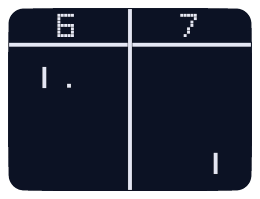
101 Computing
This tutorial is the first tutorial in a series of five Pygame tutorials: Pong Tutorial 1: Getting Started Pong Tutorial 2: Adding the Paddles Pong Tutorial 3: Controlling the Paddles Pong Tutorial 4: Adding a Bouncing Ball Pong Tutorial 5: Adding a Scoring system Extra: Pygame How To's? Pong is one of the earliest arcade video games, first rele...
Just follow this pong tutorial and most of your questions will be answered (assuming you are using pygame).
dawn quiver
Hello, does someone made following camera in pygame?
restive lantern
dawn quiver
Hello, does someone made following camera in pygame?
In order to do that you need to play with the surfaces
dawn quiver
you mean if character x+10, then other objects x-10?
dawn quiver
Oh surface is a method? never used it before
restive lantern
Surface are objects in pygame
dawn quiver
restive lantern
Make a surface where you draw everything then make a rectangle that follows the player and then make a subsurface of that rectangle and then blit that subsurface to the screen
dawn quiver
I dont get it sorry, win = pygame.display.set_mode((WIDTH,HEIGHT)) this is my main surface where i have everything drawn yes?
restive lantern
Well you have to make a diferent surface to blit all the sprites then you blit the subsurface into the window main surface
Just change everything from the main surface to another new surface
 open epoch
Anyone know of any games made using Kivy?
dawn quiver
restive lantern
Well you have to make a diferent surface to blit all the sprites then you blit t...
to be sure if my map image is 6000x3000, and I'll do it, then I will see other piece of my map than in first "shoot"?
open epoch
I have seen the ones on the gallery of their website, but I want to find out if there is anything else.
restive lantern
dawn quiver
to be sure if my map image is 6000x3000, and I'll do it, then I will see other p...
Yea kind of
You dont want to draw the game objects into the main screen what you want in the main screen is the image of a rectangle that follow the character
But if you are not blitting the game objects in the main surface then you have to draw them somewhere else
That means they have to be in a diferente surface
dawn quiver
okey, I will try it, thank you! 🙂
proper peak
in short, no
dawn zinc
fuxk
how can i make a game and put it in google play
please i beg you
i am stuck
a 2d one
similar to chess
proper peak
you'd have to use a framework for developing android apps in Python - there are a few, like Beeware or Kivy.
The way they work, though, is essentially by translating Python code to Java through a few intermediate representations. No idea how much pain it is working with it.
See, say,
https://stackoverflow.com/questions/49955489/how-to-develop-android-app-completely-using-python
open epoch
Kivy
proper peak
no idea if pycharm has special integration with kivy, but not sure what you mean by it being compatible - at worst, you'd have to run the conversion manually from console
open epoch
We have used it before. I was actually looking for projects to check out
looking online it seems some people have integrated Pycharm and Kivy
open epoch
It seems to be a matter of setting up a project and installing all the pip
dawn zinc
have hearb about kivy alot
sometimes its overwhelming to me as a 16 year old guy
its like, i have a question
i get the answer
and i get like another 10 questions
endlessly
for example guys
how do you sketch the frontend before coding
it
adobe xd?
open epoch
That is purely up to you I know people that still work off grid paper
dawn zinc
ty
 oblique aspen
Hey guys
I am love using Python but I don't know if I should use it for game development (I want to do 2d). I know PyGame and I've played around with it before, but I'm on the fence. I also know C# and I am thinking about using a game engine
Is it a good idea?
proper peak
Note that if you plan to develop anything even mildly serious, you'll probably want a framework other than pygame - pygame does rendering on the CPU, only, without touching your GPU at all.
so it's pretty good for learning game development, not so much if you want to not drop to 5 fps the moment you start having a bunch of effects
unreal river
normal silo
Do you know how to make a moving object?
Yes sorry for late reply
normal silo
unreal river
Yes sorry for late reply
Do you actually need a load bar? Are spending a lot of time loading?
 gusty wave
does anyone know how to make a fps counter? like it will show the fps on the title
unreal river
Yes
normal silo
Are you loading in the main loop?
unreal river
normal silo
Are you loading in the main loop?
YES I know pygame alot :v
gusty wave
I was planning on doing this
set_caption("Ree Game " + "FPS - " fps)
but I dont know how to store the fps in a variable
normal silo
unreal river
YES I know pygame alot :v
Do you know how to get a delta time (in seconds)?
unreal river
normal silo
Do you know how to get a delta time (in seconds)?
YES
normal silo
ok so what are you struggling with?
unreal river
Like the animation of the load bar while moving the bar
gusty wave
so uh, does anyone know how to get fps?
unreal river
gusty wave
so uh, does anyone know how to get fps?
wait
gusty wave
k
normal silo
When loading, you have the current percentage done and the previous percentage done. You can draw the length of the loading bar based on these percentages.
gusty wave
normal silo
When loading, you have the current percentage done and the previous percentage d...
are you talking to me?
normal silo
gusty wave
are you talking to me?
no, to Omar
gusty wave
ok
unreal river
do ```py
fps = clock.get_fps()
@normal silo ty
normal silo
unreal river
Like the animation of the load bar while moving the bar
Can you get the current percentile and the previous percentile?
unreal river
normal silo
Can you get the current percentile and the previous percentile?
wdym
normal silo
Like prev_percentage = 10/ 18, current_percentage = 11 / 18, if you are loading say 18 items.
Basically the progress as a value between 0 and 1.
unreal river
I know how to make a health bar is that like that?
normal silo
Yes
unreal river
Oh.
normal silo
The rectangle width is based on the percentage * max_width
unreal river
ok
normal silo
So if percentage is 100% (full, so 1), then the bar will be max_width long.
gusty wave
unreal river
do ```py
fps = clock.get_fps()
```
 unreal river
gusty wave
unreal river
gusty wave
did you define clock?
normal silo
If it's 0% (empty, so 0), then the bar will be not visible.
gusty wave
wait
unreal river
normal silo
If it's 0% (empty, so `0`), then the bar will be not visible.
ty i get it
gusty wave
I think I fixed it
unreal river
clock = pygame.time.Clock()
gusty wave
 unreal river
is that in the while loop?
unreal river
can you send me the code?
gusty wave
well part of it
 while True:
        for event in pygame.event.get():
            if event.type == pygame.QUIT:
                pygame.quit()
                quit()

            pygame.display.set_caption("Rusted Engine " + "FPS - " + fps)
import pygame
from pygame.locals import *

from OpenGL.GL import *
from OpenGL.GLU import *

from constants import *

clock = pygame.time.Clock()

fps = clock.get_fps()
def main():
    pygame.init()
    display = (1200,900)
    pygame.display.set_mode(display, DOUBLEBUF|OPENGL)

    icon = pygame.image.load("icons/logo.png")
    pygame.display.set_icon(icon)

    gluPerspective(45, (display[0]/display[1]), 0.1, 50.0)

    glTranslatef(0,0, -10)

    glRotatef(25, 2, 1, 0)
ok
unreal river
are you using clock.tick(fps)?
gusty wave
unreal river
are you using clock.tick(fps)?
no
unreal river
convert the fps to int
gusty wave
wdym
unreal river
pygame.display.set_caption(str(int(fps)))
make the fps integer so it doesn't show the decimal and make it a string
gusty wave
ok
gusty wave
1 slight issue
unreal river
what
unreal river
maybe your computer is to powerful xD
 gusty wave
unreal river
maybe your computer is to powerful xD
gusty wave
unreal river
maybe your computer is to powerful xD
0 FPS = RX 580, Ryzen 3 3200G, 16GB ram
XD
gusty wave
??????
unreal river
fix your indentation
gusty wave
?
pygame.display.set_caption("Rusted Engine - " + "FPS - " + str(int(fps)))
thats the current one
unreal river
while True:
        for event in pygame.event.get():
            if event.type == pygame.QUIT:
                pygame.quit()
                quit()

        pygame.display.set_caption("Rusted Engine " + "FPS - " + fps)
got to be outside the for loop
gusty wave
pygame.display.set_caption("Rusted Engine " + "FPS - " + fps)
TypeError: can only concatenate str (not "float") to str
yikes
unreal river
xD
unreal river
pygame.display.set_caption("Rusted Engine - " + "FPS - " + str(int(fps)))
pygame.display.set_caption(f"Rusted Engine - Fps - {int(fps)}")
```trypygame have unlimited i think
unreal river
try to ```py
clock.tick(60)
kkk
gusty wave
where in the world should I put
unreal river
try to print the fps
gusty wave
ok
unreal river
it's still 0?
unreal river
clock = pygame.time.Clock()

while True:
  print(clock.get_fps())
```is this what's in your code?do the ```py
clock.get_fps()
amazing
gusty wave
ty
unreal river
np
unreal river
?
gusty wave
now this is just confusing
unreal river
kkk
gusty wave
pygame logic "It will work with printing"
unreal river
when i set the caption in the while loop it works :v
gusty wave
I will try something
fps = clock.get_fps()
pygame.display.set_caption("Rusted Engine - " + "FPS - " + str(int(fps)))
wow
thats all I had to do
I feel salty now
I found out by leaving clock.tick empty
it gives me unlimited frames
how nice
unreal river
xD
gusty wave
I dont even regret using pygame and opengl for a python game engine
 rocky terrace
I can't seem to open up a picture of something on pygame, can someone help?
unreal river
rocky terrace
I can't seem to open up a picture of something on pygame, can someone help?
image = pygame.image.load(image)
exactly what I did
unreal river
it gives you an errro?
unreal river
does the file exist?

 rocky terrace
 unreal river
did you do ```py
pygame.init()

 unreal river
wtf
rocky terrace
something wrong?
unreal river
image = pygame.image.load("EarthCharacter.png")
rocky terrace
yeah, I did that
unreal river
can you DM me the code?
rocky terrace
sure
restive lantern
lol Skylario with that profile pic it looks like he is always answering angry
 cyan canopy
How do I make it so the image moves when I press keys?
 tiny notch
cyan canopy
How do I make it so the image moves when I press keys?
tiny notch
cyan canopy
How do I make it so the image moves when I press keys?
Have you created a function or variable for pressing keys on the keyboard?
dawn quiver
cyan canopy
How do I make it so the image moves when I press keys?
@cyan canopy
you just create a variable that records the coordinates of the image when you first draw it on the screen. lets assume you wish to move the image towards the left or right depending on which arrow keys you press.
Now, when you record events,
`#(in the main game loop)
for event in pygame.event.get():
if event.type == pygame.KEYDOWN:
if event.key == pygame.K_RIGHT:
image_x += 10
elif event.key == pygame.K_LEFT:
image_x -= 10
now call the function to draw the image
example: pygame.surface.blit(image, image_x, image_y .. .. .. )
`
so that the image gets blit onto the screen at the image_x and image_y coordinates.
and do remember to call pygame.display.flip() to refresh the display and draw the image with the new coordinates (more like screen refresh)!
similarly if you want the image to go up or down, you simply record the image_y coordinate and just increment it or decrement it depending on where you want to image to go, up or down!
@cyan canopy
dawn quiver
rocky terrace
yeah, I did that
maybe try mentioning the full path of the image, like C:/Users/Username/--/EarthCharacter.png
That should help @rocky terrace
teal ember
what should i do for smooth keyboard response? like when the user presses the right arrow key and then immediately presses the next, my current program cant respond to the next key, i am doing this in the game loop- py for event in pygame.event.get(): if event.type == QUIT: running = False if event.type == KEYDOWN: alien.moving = True key_direcs = {K_DOWN: "v", K_UP: "^", K_RIGHT: ">", K_LEFT: "<"} if c := key_direcs.get(event.key): alien.direction = c else: alien.moving = False if event.type == KEYUP: alien.moving = False
all the updates are done based upon if the alien object's moving attribute is True or not
hm maybe i should make self.moving a dict for every four directions
so that it doesnt stop moving on the keyup of some other key
welp now i am getting other bugs and it still isnt that smooth
unreal river
teal ember
welp now i am getting other bugs and it still isnt that smooth
you can try thispy keys = pygame.key.get_pressed() if keys[pygame.K_UP]: pass or```py
for event in pygame.event.get():
if event.type == pygame.KEYDOWN:
if event.key == pygame.K_UP:
pass
np
@teal ember wait use the first method ```py
keys = pygame.key.get_pressed()
if keys[pygame.K_UP]:
pass
alright
teal ember
hooray it works smoothly now
hmm another thing, how do i slower the rate of updating for my sprite? like, if i lower the fps then everything else becomes slow, and currently the sprite has 3 frames for each step, but when i move the steps update too fast
i want to update the step once per move
idk how to explain properly
last moon
teal ember
what should i do for smooth keyboard response? like when the user presses the ri...
ok so I probably overdid it but I had the keydown/keyup signals put into a queue and updated my player based on however many signals there were active
teal ember
oh
currently i just used .get_pressed and a single bool attr which determines if the sprite is moving or not
and it works fairly well
last moon
q = queue.Queue()
if keydown:
  q.put(event_dict.get(key), True)
elif keyup:
  q.put(event_dict.get(key), False)

class Controller:
  move_dict = {"up": False, "down": False, "left": False, "right": False}
  smoves = {"up": (0, 1)...}

  def update():
    while not q.empty:
      key, value = q.get()
      self.move_dict[key] = value

    for move, value in self.move_dict.items():
      if value:
        pos += self.smoves[move]```
last moon
it'd be better if it was handled on a separate thread but idk how to do that
also probably unnecessary
teal ember
hmm so these are the problems i currently have, first, the sprite has a green bg even though the spritesheet is transparent, and second i want the movements to be a bit slower

like the arms and legs move too fast, dont know how do i slower that individually and not the whole fps
fervent rose
Is it fully transparent?
teal ember
yes
fervent rose
Weird
teal ember
 last moon
id say use dt and decrement a 'timer' but idk how you'd do that with pygame
teal ember
hmm
last moon
async timer maybe?
 snow glacier
last moon
id say use dt and decrement a 'timer' but idk how you'd do that with pygame
snow glacier
last moon
id say use dt and decrement a 'timer' but idk how you'd do that with pygame
Try
threading.Timer(<ms>, <function>, <*args>)
im familiar with the function yes
but is there a way to do it without comparing the time it takes to draw yourself?
snow glacier
elaborate on (the time it takes to draw yourself?)
last moon
current_time = time.time()
if current_time - past_time - dt <= time_to_wait:
  draw()
else:
  dt -= current_time - past_time
past_time = current_time```smthing like that
a timer
snow glacier
So no comparisons
import time

tvec = time.time()
enlapsed = 0
while enlapsed < 1:
  enlapsed = time.time()-tvec
like this
ok
last moon
no? that would block the app
last moon
snow glacier
So no comparisons
```py
import time
tvec = time.time()
enlapsed = 0
while enlap...
this one?
snow glacier
time.sleep() is inaccurate
in all cases when the deltatime < 0.001
or lower
its system dependant
 narrow kestrel
cant we make games in tkinter ?
what is special in pygame
it does not even provide 3d view
snow glacier
import threading
import time


class Invoke(threading.Thread):
    def __init__(self, dt, function, args: tuple):
        threading.Thread.__init__(self)
        self.alive = True

        self.dt = dt
        self.function = function
        self.args = args

        self.start()

    def run(self) -> None:
        mon = time.time()

        while time.time()-mon <= self.dt:
            pass

        self.function(*self.args)
@last moon
snow glacier
narrow kestrel
it does not even provide 3d view
yes it does pygame supports Py OpenGL
tkinter has 0 support for 3D
its even bad for 2D
narrow kestrel
hmm can you please tell me how can i use 3d
using Py Opengl in pygame @snow glacier
snow glacier

In this tutorial, we learn some basics of OpenGL using PyOpenGL, which is a Python module for working with OpenGL, along with using PyGame, which is a popular gaming module for Python. PyOpenGL works with many other Python modules as well. In this example, we work on how to program a 3D cube, and how we can move around and rotate the cube.
PyO...
@narrow kestrel
 lofty saffron
Hello, I'm new here, is it okay if I link my program here for a code review? It is a beginner's project (Number Guessing Game)? ...Or am I in the wrong channel...
dawn quiver
hello anyone know about python3 games like simple gui/ graphical user interfaces making a timer count down like "5,4,3,2,1 Go!"
ruby flame
File "C:\Users\IvanV\PycharmProjects\pythonProject\Main.py", line 103, in <module>
    main()
  File "C:\Users\IvanV\PycharmProjects\pythonProject\Main.py", line 79, in main
    enemy = game_logic.Enemy(random.randrange(100,width-100),(random.randrange(-1500,-100),random.choice("type1","type2")))
TypeError: choice() takes 2 positional arguments but 3 were given
``` I have only given two choices for the random.choice function and it think's three were givenis not it hard ?
 steel wing
what is the main library of game developing on python
I don't have an experience
but i wanna start
 finite karma
I'm making snake for my school project and a part of my code is unreachable can anyone help me?
 worldly flare
finite karma
I'm making snake for my school project and a part of my code is unreachable can ...
worldly flare
finite karma
I'm making snake for my school project and a part of my code is unreachable can ...
define "unreachable".
worldly flare
steel wing
what is the main library of game developing on python
pygame (I think)
finite karma
I mean just unrecheable
worldly flare
u wanna use code from another file right?
I mean another .py file.
if u wanna do so, then just import filename
filename is the name of .py file
finite karma
No, I just end my loop, at the very end it highlights it and says unreachable
 tall canopy
Hello, is it possible to do simple typing inputs in pygame for a maths game?
For example screen shows 10x10, user can type 100 and answer is correct
 dusk sage
i am a begginer that litteraly started today with a little expirience in other languages and currently im kind of able to get a while loop able to work but then i cant access the other scripts
like the lines below
for example
while thing is thing:
thing thing
thing thing
print (test)
and it dosent print
worldly flare
I am making a dungeon crawler and I have done all the basic stuff (the player,tile,collision etc.) and now I wanna make a test level for which I have to make a BOSS I have created the sprite of the boss but IDK how to implement the AI for boss as I never did these kinda stuff ( I am using pygame) so please help me.
worldly flare
dusk sage
while thing is thing:
thing thing
thing thing
print (test)
u have to write the print()test inside the loop
its outside the loop
and grab some tutorial about indentation in python
dusk sage
worldly flare
u have to write the print()test inside the loop
yeah i need it to be outside
dusk sage
i just need the code to pass on to the next line but still continue the while loop
worldly flare
while thing is thing: thing thing thing thing print (test)
dusk sage
no i know it will repeat
i need it to print once
and that didnt answer my question of how to pass to the next line unfortunately
worldly flare
dusk sage
and that didnt answer my question of how to pass to the next line unfortunately
I didnt understood the question and u could ask this in #python-discussion
they are more active
worldly flare
and question is more related to python not specifically to pygame.
hence I said to ask in #python-discussion
dusk sage
ok
dawn quiver
does anyone wanna help me with python