#game-development
1 messages · Page 23 of 1
 snow oyster
 reef helm
I'd like to discuss in detail
 amber portal
snow oyster
how i can inject a python code in valorant ?
amber portal
snow oyster
how i can inject a python code in valorant ?
I don't think you can
and also
!rule 5
 frank fieldBOT
5. Do not provide or request help on projects that may violate terms of service, or that may be deemed inappropriate, malicious, or illegal.
 noble dune
How can I perfectly start with pygame?
 unreal river
noble dune
How can I perfectly start with pygame?
unreal river
noble dune
How can I perfectly start with pygame?
there's no "perfect" way to learn pygame, but I suggest watching youtube tutorials
noble dune
unreal river
there's no "perfect" way to learn pygame, but I suggest watching youtube tutoria...
which channels?
unreal river
noble dune
which channels?
Clear Code has great tutorials
unreal river
unreal river
Clear Code has great tutorials

In this tutorial you will learn to create a runner game in Python with Pygame. The game itself isn't the goal of the video. Instead, I will use the game to go through every crucial aspect of Pygame that you need to know to get started. By the end of the video, you should know all the basics to start basically any 2D game, starting from Pong and ...
noble dune
thanks man
 vital saddle
unreal river
Clear Code has great tutorials
vital saddle
unreal river
Clear Code has great tutorials
Yeah that guy is amazing
 tropic snow
 hollow shuttle
sonic might be a little bit acoustic
 brazen condor
Is game development much different from writing normal console programs?
Or gui apps
 limber veldt
Beyond the physics and logic of moving and colliding things, probably not
 brisk yew
brazen condor
Is game development much different from writing normal console programs?
brisk yew
brazen condor
Is game development much different from writing normal console programs?
yes, it's event-driven, so really a lot different, not that different from gui apps, but a lot of stuff you wouldn't use in gui dev
 vagrant spindle
game
is
butufil
1
2
3
4
5
6
7
8
9
0
these numbers are important in life
yk why
idk
 golden moon
Hello, im attempting to create a platformer styled multiplayer game for a school project and was wondering if anyone could give me any info specifically on the multiplayer aspect of the game as i have the least knowledge on this, basically close to no experience.
 vagrant saddle
golden moon
Hello, im attempting to create a platformer styled multiplayer game for a school...
vagrant saddle
golden moon
Hello, im attempting to create a platformer styled multiplayer game for a school...
split-screen multiplayer or online multiplayer ? this is radically different
splitscreen is easier, it is usually just running two copies of same game side by side and sharing all world info and handling players positions beetween them
golden moon
id say an online multiplayer over a LAN??
 dapper mantle
What to enter so that numpy performs the function of the numpy module.enter here(keyboard.press('shift'))
hollow shuttle
how can i merge multiple pygame masks
brisk yew
hollow shuttle
how can i merge multiple pygame masks
could you elaborate? like what are the inputs and the expected output for example
 steel thorn
does anyone have any good advice for progressing further in pygame like i know the basics such as: making a window drawing an object moving the player. but i dont know how to improve do i just keep watching tutorials? or do i do something else?
 normal silo
steel thorn
does anyone have any good advice for progressing further in pygame like i know t...
normal silo
steel thorn
does anyone have any good advice for progressing further in pygame like i know t...
Make a classic game, like pong, snake, tetris, mario, galaga, etc.
 meager plover
steel thorn
does anyone have any good advice for progressing further in pygame like i know t...
meager plover
steel thorn
does anyone have any good advice for progressing further in pygame like i know t...
idk i think ,multiplayer online game with server... its good chalange . for record such a rank in game or doing activity game multiplayer.
steel thorn
meager plover
idk i think ,multiplayer online game with server... its good chalange . for reco...
.
are you joking or being serious?
meager plover
golden moon
Hello, im attempting to create a platformer styled multiplayer game for a school...
if your create an offline multiplayer....maybe you will create 2 Controler at 1 Keyboard system....but If you gonna create an ONline multiplayer game...You should Understand about Networking and socket..... to save your data game that will appear on other display client,
if you have a trouble on network and need some advice you can go to #networks and talking with them. my project game rnow its still offline. hope your projeect well
meager plover
steel thorn
.
it was last game dev. we should be. but its ok if not going ther. ...
i think the improve is learn more about pygame. from now i still dont understand about pygame.KEYINPUT
trick on pygame that i was now when i was searching...i hope it will help newbie.
- if you upload an image dont forget to use .convert_alpha(use your display main setting).
- dont forget to use .fill(and use pygame.BLENDMODE_NONE) on main set display
- put Your controler setup on last line code or at for event in pygame.event.get()
limber veldt
steel thorn
does anyone have any good advice for progressing further in pygame like i know t...
Have you followed many tutorials? I usually need a project of my own to apply the ideas I discover in tutorials, like some classic game usually
frank fieldBOT
:incoming_envelope: :ok_hand: applied timeout to @dawn quiver until <t:1707904486:f> (10 minutes) (reason: duplicates spam - sent 4 duplicate messages).
The <@&831776746206265384> have been alerted for review.
hollow shuttle
brisk yew
could you elaborate? like what are the inputs and the expected output for exampl...
I have mutliple tile classes with images for each one and i need to make it into one big map_mask
 rose hornet
Is there anyone who knows pygame
 vapid basin
Can someone help me with a code?
 night tundra
vapid basin
Can someone help me with a code?
night tundra
vapid basin
Can someone help me with a code?
yea send it
night tundra
rose hornet
Is there anyone who knows pygame
i know smth
 winged badger
I've been stuck trying to figure this one out. The board itself loads perfectly fine, I am just not able to move any of the pieces. Also the collision print statement never executes so I am assuming it is the way I am detecting collisions. Any help would be appreciated!
I am making a chess game in Pygame
limber veldt
winged badger
I am making a chess game in Pygame
This is not what you're looking for but I thought I'd share how I would make the pieces and move them, or one of the ways I'd try. Here's your code with a lot of it commented out but some piece objects instead of just images https://paste.pythondiscord.com/ZTKQ They can be picked up and dropped with a click, there is no collision detection or any of that, but the images move using the mouse
The pieces need a lot more functionality, a snap_to() method so when dropped, they auto snap to the center of the grid square, for instance
But just an idea of picking up and moving and dropping images
Pygame Sprites and Groups make everything easier
 rigid briar
heloo
is there any way i can convert pygame to apk?
i tried the buildozer but it always fails
vagrant saddle
rigid briar
is there any way i can convert pygame to apk?
if you just want an easy way to run game on mobile use pygame-web ( pygame-ce + pygbag ) eg https://pygame-web.github.io/showroom/pygame-scripts/org.pygame.touchpong.html
rigid briar
 shadow horizon
are there other libraries then pygame for games
shadow horizon
are there other libraries then pygame for games
i see, which ones do you recommend?
vagrant saddle
rigid briar
i see, which ones do you recommend?
if you want to run on mobile Pygame / Panda3D are safe bets
rigid briar
vagrant saddle
if you want to run on mobile Pygame / Panda3D are safe bets
oh okay, current one I made was on pygame, however I tried using the Google colab thing using buildozer to convert to apk but it always kept failing
do I need to do something related to kivy? because it was mentioned couple of times
vagrant saddle
python-for-android part, kivy also uses that
but don't bundle kivy when you build a pygame app
rigid briar
oh okay
 woven glacier
does anyone know of a good msvcrt equivalent for mac?
 harsh star
shadow horizon
are there other libraries then pygame for games
harsh star
shadow horizon
are there other libraries then pygame for games
Idk how popular it is on here, but I am personally using the python binding for raylib
 raven kernel
Raylib is cool
vagrant saddle
btw raypyc bindings on web https://pygame-web.github.io/showroom/pygame-scripts/raypyc.html
 thorn crypt
Attention game developers!
I am making a 2d game engine with python, called PyManEngine (PME). It is supposed to be a straight and simple game engine. If you guys wanna contribute to the project, then feel free to DM me.
Regards @thorn crypt
vagrant saddle
don't you want engine developpers instead ? afaik game dev. make games not engines 😄
 dawn quiver
idk if python is the best language for a game engine
vagrant saddle
for scripting it is ok, but yeah lua or javascript will have better chances to be faster at runtime
thorn crypt
vagrant saddle
don't you want engine developpers instead ? afaik game dev. make games not engin...
Well... I use unreal engine for game dev. The reason why I am making a game engine is because I want to as you know just experimenting
 marble jewel
Isometria Devlog 41 - Quadtrees, Mage Armor, Better Movement Code, And Crit Chance! https://youtu.be/YEfP9G9zAVo
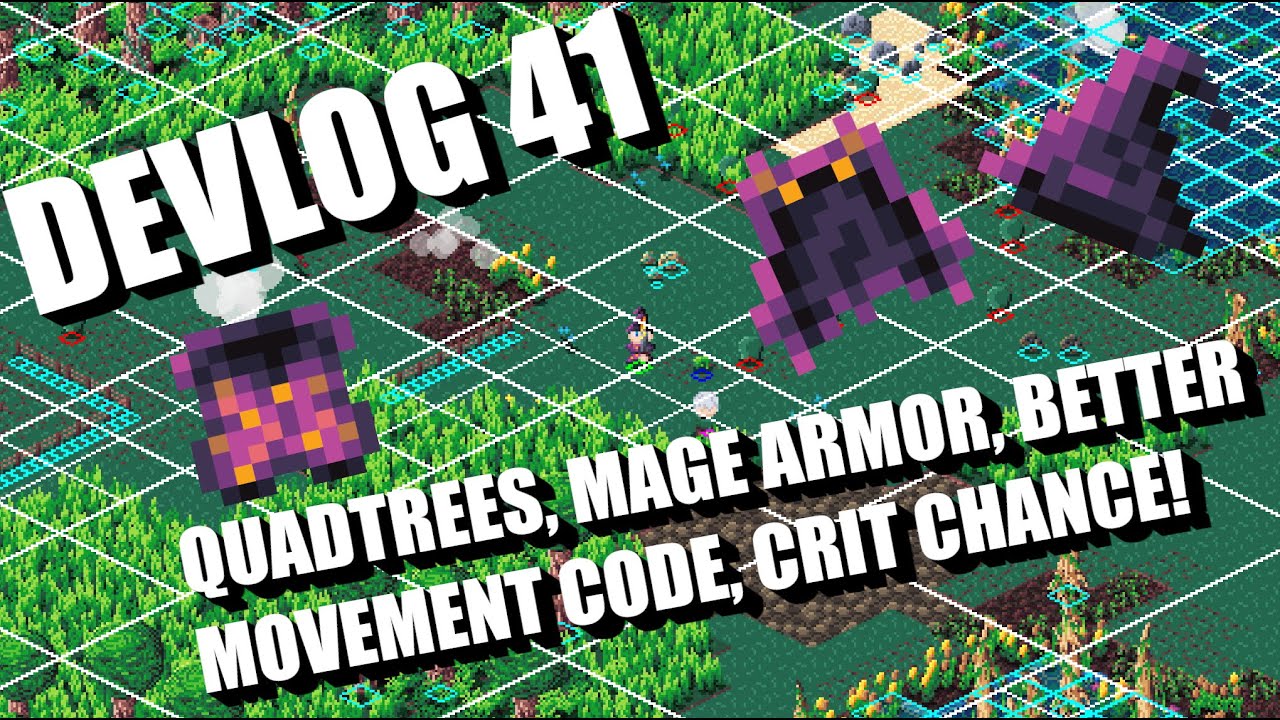
Wishlist and play the Isometria demo here: https://store.steampowered.com/app/2596940/Isometria
https://bigwhoopgames.itch.io/isometria-demo
In this week's dev log I will show you the changes made to the collision detection algorithm and associated movement code. I will also show you the mage armor, and new critical chances on items. Other min...
 split folio
I don't know anybody who actually uses python for game dev
woven glacier
does anyone know of a good msvcrt equivalent for mac?
 proper peak
woven glacier
does anyone know of a good msvcrt equivalent for mac?
proper peak
woven glacier
does anyone know of a good msvcrt equivalent for mac?
msvcrt has like two dozen very different functions - what do you need to replicate?
woven glacier
proper peak
`msvcrt` has like two dozen very different functions - what do you need to repli...
getting keypresses
proper peak
Most libraries dealing with input provide a way of doing so, e.g. pygame or pynput. Or if want a console-specific one, blessed.
 gritty gorge
Anyone know any libraries for making 3d games with pygame?
brisk yew
gritty gorge
Anyone know any libraries for making 3d games with pygame?
Panda3D and Ursina (wrapper around the former)
gritty gorge
brisk yew
Panda3D and Ursina (wrapper around the former)
There was a pygame 3d library but i forgot what it was
gritty gorge
nvm this actually may work
gritty gorge
how do i set any properties of the window bc i can't figure this out
normal silo
gritty gorge
how do i set any properties of the window bc i can't figure this out
With what? Pygame?
gritty gorge
normal silo
With what? Pygame?
no panda3d
normal silo
gritty gorge
no panda3d
Depending on what you want to set, you can do it through the global config, or by setting properties with WindowProperties. Config example: ```py
from panda3d.core import loadPrcFileData
loadPrcFileData('', 'fullscreen true')
i'm trying to set stuff like the title and the icon
gritty gorge
i'm gonna need to see code examples
normal silo
gritty gorge
i'm gonna need to see code examples
import panda3d.core as p3d
from direct.showbase.ShowBase import ShowBase

app = ShowBase()

props = p3d.WindowProperties()
props.setTitle("Foo")
props.setIconFilename("test.png")

app.win.requestProperties(props)

app.run()
thx
normal silo
gritty gorge
thx
You can also do it via lines like p3d.loadPrcFileData('', 'window-title Foo').
(List of all available config settings are in the docs)
gritty gorge
the background color isn't being set to the color i'm setting it to
vagrant saddle
gritty gorge
the background color isn't being set to the color i'm setting it to
you will find all samples here https://github.com/panda3d/panda3d/tree/master/samples
and you can have runnable gist
gritty gorge
I'm talking about the background color of the window
vagrant saddle
base.setBackgroundColor(r, g, b, a) or base.set_background_color(r, g, b, a)
r/g/b/a in [0.0 - 1.0]
gritty gorge
ik but when i set it the background stays white
from direct.showbase.ShowBase import ShowBase
import panda3d.core as pd

class MyApp(ShowBase):

    def __init__(self):
        ShowBase.__init__(self)
        self.render2d

app = MyApp()
props = pd.WindowProperties()
props.setTitle("Make Craft")
app.setBackgroundColor(153,255,255)
app.win.requestProperties(props)
app.run()
the max value is 1 or 10?
 versed aurora
been a while since ive talked here, i might try recoding 2048 some time
now that i have actual sprite code
the graphics for my original 2048 implementation were fucked.
by 2048 i mean 2048 from scratch
also huh panda3d, didnt know about that
i might have to give that a look
gritty gorge
Ye it's not bad
gritty gorge
I am getting this error when i try to set the pressEffect for my DirectButton but i am gettng this error
Cannot configure initialisation option "pressEffect" for DirectButton
vagrant saddle
gritty gorge
```python
from direct.showbase.ShowBase import ShowBase
import panda3d.core as p...
they are float < 1.0 so this way https://pygame-web.github.io/showroom/pypad.html?-i#https://pmp-p.ddns.net/pygbag/paste/devlop.py
 woven tartan
i need help with a bot im writing
the thing im having trouble with is: how do i send a click to a inactive window ? tried sendmessange, postmessage and the click works but not when the window is inactive (using win32api)
vagrant saddle
activate the window first
dawn quiver
versed aurora
been a while since ive talked here, i might try recoding 2048 some time
sprite code? Is it going to run in a command prompt or is this with a graphics library?
versed aurora
cmd
dawn quiver
Oh very cool
 teal cargo
Hello everybody!
I'm very new to gamedev, and I am working on game ideas,
but first of all, I need some help on choosing my lib.
Any ideas?
proper peak
pygame-ce is alright.
teal cargo
proper peak
pygame-ce is alright.
Ahh yes, the community edition of pygame (of which the original is currently down for a reason i know not of, and ignore my english), but I was wondering if I would have to do any sorts of prep.
I'm sure I need to download pygame-ce on its own, right?
proper peak
Well, you pip install pygame-ce and start writing code? I'm not sure I understand what prep you mean.
teal cargo
proper peak
Well, you `pip install pygame-ce` and start writing code? I'm not sure I underst...
Should I do a course?
Follow a few tutorials?
Do some exercises?
proper peak
Ah, I see what you mean. Yeah, there's a few tutorials, though it's mostly "absolute basics" and "obscure advanced topics" and not much in between: https://pyga.me/docs/#tutorials
teal cargo
So I should just look at the docs then?
I don't have any game ideas either.
I don't understand how game devs are able to think of a theme.
proper peak
I don't have any game ideas either.
Yeah, this is how it often goes. For this reason it doesn't matter much what engine or language you choose, because no matter what, quite a lot of the difficulty will be the "game design" part - figuring out what mechanics to implement.
As a exercise you could make your own version of some game you know. Maybe something as simple as snake, even.
teal cargo
Sure, I have seen this cute little video where somebody made the offline dino game but with capybaras
I'm sure i could probably do that
limber veldt
Any game with capybaras is cool with me
versed aurora
ooh i got a cool idea for my redo of 2048
i could make it so when you lose, all the tiles kinda fall off the screen
i'd need to implement partial drawing of sprites though which shouldn't be too hard
i just need to sort of clip the strings
 vague marlin
 primal wedge
it's a small issue
primal wedge
it's a small issue
i'm scrared
 leaden bane
primal wedge
hello can someone help me with a pygame code?
leaden bane
primal wedge
hello can someone help me with a pygame code?
we need your code in order to help
meager plover
teal cargo
So I should just look at the docs then?
if you want to find the idea of game just find on the object you like it...
example a HOUSE.....
then create a title of a game like House of ... ...
then create some design on how it will be playing...
you can chouse and idea like create or build or design it. or destroy it or make a wonderfull
it will go to game designer
if you go to solo game dev. just create a small game finish.
but if you follow a genre you can see a game play on that
brazen condor
Guys I was wondering how can I place rect in rect in pygame
and make them responsible
to work like onclick
any ideas how to do it?
vagrant saddle
brazen condor
any ideas how to do it?
that's called a button, here's an example https://github.com/pygame-examples/pygame-examples/tree/main/pgex/examples/buttons
 surreal furnace
big wins for the quadtree community
runs at about 140 fps
it's using the experimental _sdl2 module from pygame-ce
 runic prism
Hello, i have a board game made in nodejs. I want to create bots for the same, for that i want to create tensorflow model. What should be i my beginners steps. Also, apart from this can i implement minmax with algorithm pruning (my game layers of choices also it's 4 player game). What would be best approach?
 pine plinth
surreal furnace
big wins for the quadtree community
pine plinth
surreal furnace
big wins for the quadtree community
this looks so satisfying...
brazen condor
 brave arch
I have the same problem too, have you found the solution?
brave arch
I have the same problem too, have you found the solution?
I havent
surreal furnace
pine plinth
this looks so satisfying...
thank you!
it was on a 1k x 1k grid which is why it was so slow, but ordinarily it's much faster than that
oh also in the first video the grain isn't random, the different materials are textured via a clipping mask type of thing
 verbal bloom
hello ummm im very new to this but umm where do i find bmp images 😭
brisk yew
vagrant saddle
that's called a button, here's an example https://github.com/pygame-examples/pyg...
pgex mentioned in the wild 
brisk yew
surreal furnace
big wins for the quadtree community
this is so cool
brave arch
brazen condor
I havent
haven't you found the solution yet?
brazen condor
Yep
brave arch
brazen condor
Yep
ok
surreal furnace
Have to figure out how to convert the rects from my quadtree into larger polygons (not exciting)
I could make a list of the vertices on the rects and delete any that occur 4 times since they'd be in the middle
But idk how to deal with holes
 peak marsh
I am trying to build a texted based adventure game with branching outcomes. I am having trouble with adding an audio to a scene that already has an audio. Example, the narrator for the game talks and I need a second audio for the NPC to play right after but the narrator plays and not the NPC audio. Any help is appreciated.
 dry cloak
peak marsh
I am trying to build a texted based adventure game with branching outcomes. I am...
dry cloak
peak marsh
I am trying to build a texted based adventure game with branching outcomes. I am...
Its going to be very hard for someone to help going off only that
What libraries are you using? What is your code?
pine plinth
🥳 quadtree

so satisfying

it even fits in a discord message: ```py
from future import annotations
from dataclasses import dataclass
CAPACITY=1
@dataclass
class XY:
x:float
y:float
def matmul(self,other):return XY((self.x+other.x)/2,(self.y+other.y)/2)
@property
def tuple(self):return self.x,self.y
@dataclass
class XYXY:
p00:XY
p11:XY
@property
def p01(self):return XY(self.p00.x,self.p11.y)
@property
def p10(self):return XY(self.p11.x,self.p00.y)
def contains(self,p):return isinstance(p,XY) and self.p00.x<=p.x<self.p11.x and self.p00.y<=p.y<self.p11.y
@dataclass
class Node[T]:
pos:XY
value:T
class QT[T]:
def init(self,area):
self.leaf=True
self.area=area
self.c00=self.c01=self.c10=self.c11=None
self.nodes=[]
def _subdivide(self):
a=self.area
self.c00=QT(XYXY(a.p00,a.p00 @ a.p11))
self.c01=QT(XYXY(a.p00 @ a.p01,a.p01 @ a.p11))
self.c10=QT(XYXY(a.p00 @ a.p10,a.p10 @ a.p11))
self.c11=QT(XYXY(a.p00 @ a.p11,a.p11))
for node in self.nodes:
self.c00.insert(node)
self.c01.insert(node)
self.c10.insert(node)
self.c11.insert(node)
self.nodes=None
self.leaf=False
def insert(self,node):
if node.pos not in self.area:
return
if self.leaf:
if len(self.nodes)<CAPACITY:
self.nodes.append(node)
return
self._subdivide()
self.c00.insert(node)
self.c01.insert(node)
self.c10.insert(node)
self.c11.insert(node)
def draw(s,qt):
if qt.leaf:
pg.draw.polygon(s,(63,63,63),[qt.area.p00.tuple,qt.area.p01.tuple,qt.area.p11.tuple,qt.area.p10.tuple,qt.area.p00.tuple],width=1)
for node in qt.nodes:
s.set_at(node.pos.tuple,(255,0,0))
else:
draw(s,qt.c00)
draw(s,qt.c01)
draw(s,qt.c10)
draw(s,qt.c11)
import pygame as pg
N=512
s=pg.display.set_mode((N+1,N+1))
qt=QT(XYXY(XY(0,0),XY(N,N)))
while True:
for e in pg.event.get():
if e.type==pg.MOUSEMOTION:
n=Node(XY(*e.pos),None)
try:
qt.insert(n)
except Exception:
pass
s.fill((0,0,0))
draw(s,qt)
pg.display.update()
that indentation 
surreal furnace
I assumed it was discord doing that to it
Also what are the [T] things after your class definitions?
pine plinth
3.12 typevars
this is what i have now: https://paste.pythondiscord.com/22FQ
looks like this
to draw use left mouse button
to change green area size use mouse wheel
 surreal furnace
pine plinth
3.12 typevars
surreal furnace
pine plinth
3.12 typevars
ahhh that's why it wouldn't run I'm still using 3.11
surreal furnace
pine plinth
looks like this
to draw use left mouse button
to change green area size use mous...
I didn't zoom in on this earlier so I didn't notice but holy shit that is a lot of particles
pine plinth
surreal furnace
what do they do?
!pep 695
frank fieldBOT

Status
Final
Python-Version
3.12
Created
15-Jun-2022
Type
Standards Track
surreal furnace
pine plinth
!pep 695
thanks!
 high iron
mouse.position is suposed to be a tuple
 spare canyon
 sterile nest
surreal furnace
big wins for the quadtree community
sterile nest
surreal furnace
big wins for the quadtree community
Thats awesome!
About to try and implement a quadtree for collision in an iso game.
surreal furnace
sterile nest
Thats awesome!
About to try and implement a quadtree for collision in an iso gam...
oh nice!
 gloomy nebula
I am trying to learn how to python through making a pygame game, would someone be willing to tutor me on what I might be doing wrong for a couple minutes? I've been watching YouTube videos on how to do it, and I can copy them to make it work, but when I try to combine them so I can get more features it all falls apart. I am trying to make the button text change color on hover.
 grim abyss
gloomy nebula
I am trying to learn how to python through making a pygame game, would someone b...
grim abyss
gloomy nebula
I am trying to learn how to python through making a pygame game, would someone b...
check #❓|how-to-get-help show your code. There should be a method on the button widget to set the color of the text that it's displaying? In the game loop check if the mouse cursor position(X,Y) is inside the button widget?
gloomy nebula
grim abyss
check <#704250143020417084> show your code. There should be a method on the but...
Thanks for the tip! I am aware of what you're talking about, I attempted to implement that exactly but failed for some reason.
I would post my code there after I poke at it a while more, good idea
grim abyss
gloomy nebula
Thanks for the tip! I am aware of what you're talking about, I attempted to impl...
sure bud. what libs are you importing? pygame?
 final depot
hey guys! i'm a web game developer and I recently discovered Pyxel, in order to use it as the main technology for my course completion work.
I have in mind to create an interactive game, which throughout the stages and challenges tells a story to the player, in addition to dialogues (something like "Ys Origin" or "Castlevania", you know?).
Is it possible to develop this feature using Pyxel? Create a text box for stories and dialogue?
gloomy nebula
grim abyss
sure bud. what libs are you importing? pygame?
Yeah Pygame and Sys only. I made a button class too that I'm importing into a main game py file. It works until I start doing my own thing and combining things I saw on YouTube lol
grim abyss
gloomy nebula
Yeah Pygame and Sys only. I made a button class too that I'm importing into a ma...
there's params for text and button color on that button widget
@gloomy nebula what's your button class look like?
!pypi pygame_widgets
frank fieldBOT

Widgets for use with Pygame
pine plinth
i found an issue in pygame: https://github.com/pygame-community/pygame-ce/issues/2727
GitHub
Environment: pygame-ce 2.4.1 (SDL 2.28.5, Python 3.12.0): Current behavior: Consider this code: import pygame as pg s = pg.display.set_mode((250, 250)) # draw the outline where other circles will (...
grim abyss
so now we have pygame, pygame-ce and pygame-sdl2....?
pine plinth
pine plinth
i found an issue in pygame: https://github.com/pygame-community/pygame-ce/issues...
i found this when i was testing my quadtree with elliptic search areas
apparently it was pretty easy to implement


and then noticed this when search area width became negative
 brisk yew
grim abyss
so now we have pygame, pygame-ce and pygame-sdl2....?
brisk yew
grim abyss
so now we have pygame, pygame-ce and pygame-sdl2....?
I know of only pygame-ce and pygame
grim abyss
brisk yew
I know of only `pygame-ce` and `pygame`
first time ive seen pygame-sdl2. im running mxlinux23
 brisk yew
interesting
grim abyss
brisk yew
interesting
i'll have to use pip to get pygame-ce. is pygame not maintained anymore?
i see what the deal is from the pygame-ce github page...
brisk yew
grim abyss
i'll have to use pip to get pygame-ce. is pygame not maintained anymore?
well, last commit was 2 months ago, but also there's only pretty much only one person doing everything, so yeah
grim abyss
impossible challenges?
grim abyss
brisk yew
well, last commit was 2 months ago, but also there's only pretty much only one p...
ahh ok
surreal furnace
grim abyss
so now we have pygame, pygame-ce and pygame-sdl2....?
pretty sure there's only the ._sdl2 module?
surreal furnace
pine plinth
i found this when i was testing my quadtree with elliptic search areas
apparentl...
how's the performance on those?
I'd imagine it would be incredibly slow
just because it's an ellipse
 warm oracle
grim abyss
so now we have pygame, pygame-ce and pygame-sdl2....?
warm oracle
grim abyss
so now we have pygame, pygame-ce and pygame-sdl2....?
what are the difference between thosE?
teal cargo
Pygame is the original
Pygame-ce is the community edition
Pygame-sdl2 is the sdl2 vers ig.
SDL: Simple DirectMedia Layer is a cross-platform software development library designed to provide a hardware abstraction layer for computer multimedia hardware components.
surreal furnace
teal cargo
Pygame-sdl2 is the sdl2 vers ig.
it's in development still but it's gpu accelerated
not very good at drawing primitives but very good at drawing textures
teal cargo
surreal furnace
it's in development still but it's gpu accelerated
noice
surreal furnace
and it can rotate and scale for free
teal cargo
That sounds pretty good
surreal furnace
alr
it's very different from normal pygame tho
windows are initialised differently
it doesnt use surfaces anymore
etc
teal cargo
icic
I main pygame-ce since pygame is down rn.
pygame sdl2 sounds like a good alternative as well.
surreal furnace
teal cargo
I main pygame-ce since pygame is down rn.
its way faster too
surreal furnace
teal cargo
pygame sdl2 sounds like a good alternative as well.
sdl2 is a module from pygame-ce
you import it using import pygame._sdl2 so you already have it installed
teal cargo
I see
limber veldt
The examples in pygame-ce are pretty cool, not sure if any of them are demonstrating sdl2 usage though, checking them out...
pine plinth
surreal furnace
how's the performance on those?
not much worse than rectangle
surreal furnace
limber veldt
The examples in pygame-ce are pretty cool, not sure if any of them are demonstra...
I have an example demonstrating it 😁 the project im working rn uses it
lemme screen record rq
the world is all textured using images
so the noise texture isn't generated at runtime
I'm using the draw() feature from sdl2 to make basically a clipping mask
limber veldt
There's one called video.py using sdl2, neat but experimental
Reminds me of Worms, the old game, how the ground took damage
surreal furnace
limber veldt
There's one called video.py using sdl2, neat but experimental
is that the font one?
surreal furnace
limber veldt
Reminds me of Worms, the old game, how the ground took damage
yeah it was inspired by that 😁
I'm using a quadtree and all sorts of hellish optimisation techniques that I dragged out of the pits of hell to get a stable 144 fps when the player isnt drawing
this is the quadtree view
 limber veldt
The video.py one demonstrates opening a couple of windows and draws some lines, not much
surreal furnace
limber veldt
The video.py one demonstrates opening a couple of windows and draws some lines, ...
ah ok
yeah the primitives are rlly slow for some reason
even just drawing those rects for the quad outlines is super laggy
brings my fps from 300 to 100
limber veldt
I haven't implemented any quadtrees yet but some day I'll tackle it
surreal furnace
it's pretty fun
there's a lot of things you can do to optimise it which seem kinda minor but which really aren't
limber veldt
My Arkanoid could probably use some of that
surreal furnace
like caching and dirty quads
limber veldt
For culling collisions
surreal furnace
limber veldt
My Arkanoid could probably use some of that
is that the robot game?
limber veldt
Nah
surreal furnace
what's arkanoid?
ahhh it's brick breaker
yeah the quadtree could def help you
the world in the video is 256x256 and I'm culling collisions using the quadtree
limber veldt
surreal furnace
a chunk system cuold work fine for your kinda game tho
surreal furnace
limber veldt
https://discordapp.com/channels/267624335836053506/660625198390837248/1191737147...
that looks really cool actually
limber veldt
It runs fine without it, but it would run better with it
And that's just a quick demo, every brick doesn't actually have a powerup
surreal furnace
idk man merging the quads isn't a very fast function
maybe at a lower scale it would be fine idk
if you had a ton of them it could be worth it
    def fastMergeChildren(self) -> NoReturn:
        if not self.dirty:
            return

        self.dirty = False
        self.quad_cache_dirty = True

        # Return if the current quad has no children
        if not self.children:
            return

        # Recursively try to merge children first
        for child in self.children:
            child.fastMergeChildren()

        # Check if all children have the same tile type
        children_types = np.array([child.tile_type for child in self.children])
        if np.all(children_types == children_types[0]) and self.children[0].tile_type is not None:
            # Merge children into one node and remove them
            self.setTileType(self.children[0].tile_type)
            self.children = None
``` here's how I do it atmI've done a few retro classics, they're fun
surreal furnace
yeah and with new technology you can take them so much further
teal cargo
surreal furnace
yeah and with new technology you can take them so much further
Tetris but with more shapes!!
 hearty radish
can someone tell me what im doing wrong i can't get the user's input and the computers input together

 tough coral
Hi everyone, my name is livly and I'm a Python programmer. I've been working with Python for 10 years and I'm passionate about helping others learn and use this powerful programming language. I'm excited to get to know everyone on this server and to share my knowledge and experience. I'm always happy to answer questions and help out in any way I can. Thanks for having me!
 wild flame
tough coral
Hi everyone, my name is livly and I'm a Python programmer. I've been working wit...
wild flame
tough coral
Hi everyone, my name is livly and I'm a Python programmer. I've been working wit...

im trying to make a nokia styled snake game, can anyone help me figure out why snake's body (list called segments) isnt following the head?
i have the code on this website
tough coral
Okay, let me check it
 tough coral
I can certainly try to help you figure out what's causing the issue with your snake game! Can you provide a bit more information about your code and how the snake is not following the head? For example, is the snake supposed to move when the player presses a certain key, or does it move automatically? Also, are you using any specific libraries or game engines, or are you coding everything from scratch? The more information you can provide, the easier it will be to troubleshoot the issue.
I noticed that you included a link to your code - is that the full code or just a snippet?
 glacial grail
hearty radish
can someone tell me what im doing wrong i can't get the user's input and the com...
glacial grail
hearty radish
can someone tell me what im doing wrong i can't get the user's input and the com...
try printing out computer and user input to see if it's getting it correctly
 granite shale
Is anyone familiar with working in hyperbolic space? I’m trying to work out how gravity would function. In games like Mario the ground is simply flat and gravity just pulls down, but it seems like the speed you are moving left to right actually affects the VERTICAL speed you will have by the time you hit the ground
As in, a bouncing ball with no horizontal movement works similarly, but if you make a bouncing ball move to the left, it bounces higher and higher each time because it hits the ground with a higher vertical speed than when it last left it
And I believe it ALSO hits the ground at a sharper angle because of holonomy, so each time it hits the ground it also adds horizontal speed?
 prime bison
I am making a game for the rpi sense hat and its running into a issue where it wont render correctly
its probably in relation to the fact that it can run up to 2000 fps due to it being very barebones
surreal furnace
can you enable vsync?
prime bison
surreal furnace
can you enable vsync?
its for the raspberry pi sense hat
the issue happens on both the sense emu and that sense hat
surreal furnace
what specifically is the rendering problem you're having?
prime bison
surreal furnace
what specifically is the rendering problem you're having?
things dont render fully
and some things dont even render at all
surreal furnace
I don't think that's related to the fps then
prime bison
Well when it renders it calls every function, but then dont complete by the time the next frame or object to render comes around
so it does have a large relation too that
surreal furnace
oh are you using threading?
prime bison
no
prime bison

GitHub
Contribute to Cgamess/RPIhat-game development by creating an account on GitHub.
the only use that threading will have is to be used in a movement controller
 sinful field
anyone knows about the zeroconf module ? i have issues with it
 cinder light
e
wild flame
can anyone help me out with this #1211776285009911869
 glacial lichen
does pygame have issues with concurrency or its own concurrency methods?
 short widget
if im making game mods may i post in here?
glacial lichen
brisk yew
could you elaborate on what issues you're facing?
def main():
    print("Initializing world")
    world_instance = World(640, 480)

    print("Generating Humans")
    world_instance.generatePeople()
    world_instance.generatePeople()

    print("people generated: {}".format(world_instance.people))

    game_loop_thread = threading.Thread(target=world_instance.game_loop)

    # Start the game loop in a separate thread
    game_loop_thread.start()
this was working fine before changing it to threading, changing it to threading still created everything then it goes not responding untill it crashes
Process finished with exit code -805306369 (0xCFFFFFFF)
so i thought the thread would of just started a concurrent processor/thread but is there an additional loop that gets created or something im missing
i've used concurrency before and it worked fine just havnt used it with pygame
    def game_loop(self):
        running = True
        while running:
            for event in pygame.event.get():
                if event.type == pygame.QUIT:
                    running = False
            self.draw_world()
        pygame.quit()
oh, right, well, there might be certain things that need to be called from the same thread as other things, some event stuff perhaps although that might work fine in a threaded environment as well? not entirely sure, I just know there used to be a special wrapper to handle this, but I think it got fixed, so... yeah
well, there's other stuff still, why are you starting the game loop in a separate thread anyway?
glacial lichen
brisk yew
oh, right, well, there might be certain things that need to be called from the s...
trying to setup a simulation environment with just a 2d overlay for position and activity tracking so i can try to use an ai implementation to simulate behaviour
was more of just an experimental project to see how in depth i could use ai
basically the threading was to keep things operating at the same time
brisk yew
for instance event.pump should be called from the same thread that called set_mode
it's implicitly (by default) called by event.get, so consequently it also needs to be called from the same thread that called set_mode
glacial lichen
so everything is being called from a main method which creates a world object and world object has people object
brisk yew
glacial lichen
trying to setup a simulation environment with just a 2d overlay for position an...
how about running the ai in a thread instead?
glacial lichen
brisk yew
how about running the ai in a thread instead?
thats probably gonna be a better idea tbh
im essentially setting it up like a factory or builder pattern
so was just first way that popped into my head but yeah i think thats gonna work better thanks
 bleak condor
Hi!
I`ve just started programming. Can anyone pls suggest a good software for game development using python?
raven kernel
bleak condor
Hi!
I`ve just started programming. Can anyone pls suggest a good software for ga...
arcade, raylib, pyglet are all really good
i use pygame though
bleak condor
ok
 golden sun
anyone know how to make connect 4 using tkinter??
 idle valley
turtle graphics
 meager thicket
golden sun
anyone know how to make connect 4 using tkinter??
meager thicket
golden sun
anyone know how to make connect 4 using tkinter??
I don't think tkinter is the best to create a game, but if you must work with it, you can create a canvas that fills your whole window, and then draw whatever your want on this canvas

 grim abyss
short widget
grim abyss
short widget
what are you up to?
short widget
modding playstation 1 games
grim abyss
short widget
modding playstation 1 games
you said that, lol. but how are you doing it with Python?
short widget
reading and writing memory adresses from ram
grim abyss
short widget
reading and writing memory adresses from ram
what are you using? beetle provides a python api?
short widget
cheat engine to find the memory addresses and python to manipulate the adresses
brisk yew
just keep in mind rule 5
short widget
😦
 glass stream
!rule 5
frank fieldBOT
5. Do not provide or request help on projects that may violate terms of service, or that may be deemed inappropriate, malicious, or illegal.
 uneven ruin
would simulations fall under game development ?
 short tapir
game of life
grim abyss
arcade is such a nice lib
 valid bobcat
import requests


session = requests.Session()
headers = {
    "Content-Type": "application/x-www-form-urlencoded",
    "Authorization": "Basic eHl6YTc4OTF6clRYTllNbhbbbbbbbbbbbbh"
}

data = {
    "scope":"basic_profile:friends_list:presence",
    "grant_type": "client_credentials",
    "password": "vgutgvu@123",
    "username": "fyccccc"

}

response = session.post("https://account-public-service-prod.ol.epicgames.com/account/api/oauth/token", headers=headers, data=data)

print(response.text)

headers = {
        "Authorization": "bearer "+response.json()["access_token"]
}
uer = session.get(" https://account-public-service-prod.ol.epicgames.com/account/api/public/account/displayName/vghhgv",headers=headers)


print(uer.text)
 ivory cobalt
I need help with something, I'm trying to eval a python file located in another path how can I specify this path?
meager thicket
ivory cobalt
I need help with something, I'm trying to eval a python file located in another ...
is it a relative path or an absolute?
ivory cobalt
meager thicket
is it a relative path or an absolute?
it's like C:\users\etc
meager thicket
so an absolute
ivory cobalt
meager thicket
so an absolute
ye
unreal river
ivory cobalt
I need help with something, I'm trying to eval a python file located in another ...
you mean like run it? how is this related to game dev?
ivory cobalt
unreal river
you mean like run it? how is this related to game dev?
yes
ivory cobalt
unreal river
you mean like run it? how is this related to game dev?
now i only write the text
unreal river
ivory cobalt
yes
this is a general question, there are many answers, try asking to other channels. but, here's what I'll do.
with open(r"c:\path\to\file") as f:
    exec(f.read())
Isometria Devlog 42 - Sharks, Chest Loot, Better Tiles, and Cozy Buffs! https://youtu.be/pY7UHbRJ0c4

Wishlist and play the Isometria demo here: https://store.steampowered.com/app/2596940/Isometria
https://bigwhoopgames.itch.io/isometria-demo
In this week's dev log I will show you the shark and baby spoder units, a few new items, updates to the cave biomes, a new buff, and changes to tiles.
Thank you all so much for your support. Stay tuned f...
ivory cobalt
unreal river
this is a general question, there are many answers, try asking to other channels...
with open("C:\User\path\to\file", "r") as file: eval(file.read()) this is what i write
ivory cobalt
unreal river
this is a general question, there are many answers, try asking to other channels...
how did you put this?
unreal river
ivory cobalt
with open("C:\\User\\path\\to\\file", "r") as file: ...
oops my bad, i forgot "r":
with open(r"c:\path\to\file", "r") as f:
    eval(f.read())
don't forgot to add r before "c:\path\to\file", this will prevent the escape syntax, and replace the path to your python file
pine plinth
alternatively use \\
brisk yew
valid bobcat
```py
import requests
session = requests.Session()
headers = {
"Content-Ty...
why are you sharing auth tokens, password, and username?
you should change those now if they're your actual ones, also what is your question?
brisk yew
ivory cobalt
I need help with something, I'm trying to eval a python file located in another ...
why are you trying to exec it?
ivory cobalt
when I run the file, after it says the error in the file
ivory cobalt
pine plinth
alternatively use \\\\
tried already
 dim lantern
yo guys, im making game launcher and sad i got this error
TypeError: GameLauncher.launch_game() takes 0 positional arguments but 1 was given
grim abyss
dim lantern
yo guys, im making game launcher and sad i got this error
`TypeError: GameLaunc...
Are you passing an argument to GameLauncher.launch_game()? show the relevant code.
unreal river
dim lantern
that looks nice! try expanding it, make it like a todo-list but game-list
golden sun
guys, how do i connect 2 files of codes??
i tried calling the function but it doesnt work
dawn quiver
golden sun
guys, how do i connect 2 files of codes??
I think you should learn the fundamentals of Python first before going into #game-development .
Suppose you have one file:
calculator.py
import otherfile

print(otherfile.add(1, 1))
and a second file
otherfile.py
def add(first_number, second_number):
    return first_number + second_number
A function allows you to reduce similar code and clutter.
A Python file can also be called a module.
You can import other modules using the import keyword.
The other Python file has to be in the same folder, though. ||(unless you have it installed using pip etc.)||
Also make sure to leave out the .py extension when importing
dim lantern
yo guys, whats the module name for this code
from distutils.core import setup
import py2exe

setup(
    windows=['Window.py'],
    options={'py2exe': {'includes': ['pygame'], 'bundle_files': 1}},
    data_files=[('', ['GDC HUB GDPS\GDC hub PS.exe*', 'GDC HUB GDPS\Resources*'])],
)```


It says `ImportError: No module named pygame`nvm
 obsidian spear
Come check out my mobile game OverLayne it's fully made with pygame. Try it and give feedback ! https://yan-le-bambi.itch.io/overlayne-mobile
 sterile nest

@obsidian spear . I dont think the box drops fast enough. There are certain areas that are impossible to get close to
very cool tho
obsidian spear
thx
pine plinth
crazy fps
 frigid jewel
sterile nest
frigid jewel
sterile nest
That's a lot of tiles.
frigid jewel
sterile nest
Have you seen the python-opengl version of minecraft tutorial? I'm wondering if he did anything with chunking. If you haven't seen any of the series it's worth a watch.
episode 8 looks like chunking: https://www.youtube.com/watch?v=5URiEpC5PGw&list=PL6_bLxRDFzoKjaa3qCGkwR5L_ouSreaVP&index=11

Episode 9: https://youtu.be/rB6bGqc7kOE
Introduction episode: https://youtu.be/YgvNuY8Iq6Q
Episode 7: https://youtu.be/fMc1v9r8gko
GitHub link: https://github.com/obiwac/python-minecraft-clone/tree/master/episode-8
Discord server (if you need any help, don't hesitate to ask!): https://discord.gg/Rd5cKzn
Further reading:
Backface culling: http...
Although you might want to start at the first episode for context.
pine plinth
wtf

 sterile nest
frigid jewel
Have you seen the python-opengl version of minecraft tutorial? I'm wondering if ...
sterile nest
frigid jewel
Have you seen the python-opengl version of minecraft tutorial? I'm wondering if ...
sadly he doesnt show how he stores them. It also looks like hes generating small chunks for his examples. Like ..just random noise, then storing them in his RAM
I dont think hes actually loading from a file
and also, the tiles being a lot isnt an issue really, It runs at 500 fps fine since I render correclty. Its just accessing them and storing
surreal furnace
sterile nest
sadly he doesnt show how he stores them. It also looks like hes generating small...
my experiences with generating things with noise in python have been that it's extremely slow, so I'm curious as to how he'd achieve runtime generation at a reasonable speed
ofc I could have just been implementing it badly
sterile nest
surreal furnace
my experiences with generating things with noise in python have been that it's e...
I hate to say this, but I think you might have implemented it badly...im sorry....but it should be reletively fast
surreal furnace
I was using this
def noise_terrain_generation(world, screensize, seed):
    print("Generating noise terrain...")
    for x in tqdm(range(screensize.width)):
        for y in tqdm(range(screensize.height), leave=False):
            noise_val = noise.snoise2(x * FREQUENCY[0] + seed, y * FREQUENCY[1] + seed)
            noise_val += (y / screensize.height) ** 2 - 0.2
            if noise_val > 0.2:
                world.insert((x, y), tiles.STONE)
            elif noise_val > -0.1:
                world.insert((x, y), tiles.DIRT)
so I can't see many massive points of issue
except maybe world.insert is slow
it shouldn't be though
pine plinth
looping over pixels in python is a bad idea almost always
sterile nest
I mean...thats widthxheight
surreal furnace
It's a quadtree
surreal furnace
I could have a look at parallelisation maybe
yeah
because the world is that dense
each pixel is a tile
it's fine at runtime it's just the worldgen that's slow
there's not rlly another way to do it afaik
sterile nest
do you have dynamic world gen?>
surreal furnace
nope
it's just at startup
so its not that much of an issue
it doesn't rlly take that long here
but that's on my pc
and it could be faster yk
the world's only 256x256
sterile nest
ill implement noise gen into mine
surreal furnace
if you're using the noise library, I've found that snoise2 is leagues faster than pnoise2 and has really similar results
screw perlin noise simplex noise is my new best friend
sterile nest
bruh I cant even find the docs for this lib
sterile nest
And on thier page they say to use help(noise) only to be greated by the worlds most ambigous help message
yes
sterile nest
can you send me it?
surreal furnace
I mean I didnt use actual docs
I used the pycharm hints
and the documentation in the actual functions
sterile nest
bruh
surreal furnace
but basically
noise.snoise2 or whatever form of noise you want to use (p/s noise and then the number that idk what it means) can have 1 or 2 numbers passed in as a position
so you could just do noise.snoise2(x) or noise.snoise2(x, y)
sterile nest
def noise2(self, x, y):
its only x, y
sterile nest
idk.. im looking through src code rn
surreal furnace
maybe I'm on a deprecated version rn
sterile nest
GitHub
Perlin noise library for Python. Contribute to caseman/noise development by creating an account on GitHub.
sterile nest
line 155
surreal furnace
ah ok so the number is the amount of arguments
I must have remembered wrong then idk
soz
sterile nest
import noise


for i in range(10):
    x = noise.pnoise2(1+i,2)
    print(x)
# 0,0,0,0,0,0....

``` getting all 0sbad lib
sterile nest
lame
 half flare
Hello. I'm having a bit of a dilemma. I can't decide if I wanna use pygame to make my game or use something like PyQt or tkinter and like, write everything from the ground up. The obvious choice would be to use pygame. I was thinking of making something like the classic DOS SimAnt game by Maxis(?). SO I wanna use the same type of thing with the multiple windows that you had in game and such. Can anyone give me a few pointers, please ?
vagrant saddle
half flare
Hello. I'm having a bit of a dilemma. I can't decide if I wanna use pygame to ma...
The obvious choice is to use pygame-ce , and probably pygame_gui for the gui parts
half flare
vagrant saddle
The obvious choice is to use pygame-ce , and probably pygame_gui for the gui pa...
Okay so it can do all that ? I don't have to like, cross over libraries and make things unnecessarily complicated ?
I wouldn't say I'm new to python and pygame. I have tons of failed projects. I just struggle to get into the direction to get started.
vagrant saddle
no cross over, no porting nightmare, and web play for free
half flare
vagrant saddle
no cross over, no porting nightmare, and web play for free
That's great to know. Thank you. I appreciate the help.
vagrant saddle
( just don't nest update loops, use game states )
half flare
I'll get that sorted when I get to it. xD
 shut geyser
hi how do i drop in a python or text file o show the code
 lunar venture
shut geyser
hi how do i drop in a python or text file o show the code
lunar venture
shut geyser
hi how do i drop in a python or text file o show the code
!paste
frank fieldBOT
Pasting large amounts of code
If your code is too long to fit in a codeblock in Discord, you can paste your code here:
https://paste.pythondiscord.com/
After pasting your code, save it by clicking the Paste! button in the bottom left, or by pressing CTRL + S. After doing that, you will be navigated to the new paste's page. Copy the URL and post it here so others can see it.
shut geyser
i did use that but it says its too long
lunar venture
There should be a button to copy a URL which you share in this channel
Not the code within the platform
lunar venture
What about it
shut geyser
it freezes every time i run it
can you help me fix it chatgt 4 won't fix it properly for some reason
lunar venture
Well I don't see the main loop function being called so that may be it
shut geyser
oh ok
lunar venture
What do you mean by freezing though
Currently it's just setting up a screen and two turtles, one for the snake, one for the fruit
shut geyser
like when i paste it into python and run it, it crashes
lunar venture
lunar venture
Currently it's just setting up a screen and two turtles, one for the snake, one ...
Oh and scores
shut geyser
hmm whats wrong with scores
lunar venture
shut geyser
like when i paste it into python and run it, it crashes
Is there any error? Does the window just close?
lunar venture
shut geyser
hmm whats wrong with scores
Nothing
shut geyser
this is the error code https://paste.pythondiscord.com/7JCQ
lunar venture
You need to save your code in a .py file and run the .py file
shut geyser
oh ok
now the python file isnt working i saved the code as a .py buts it keeps closing
lunar venture
Any error?
shut geyser
no it just closes as soon as i open it
unreal river
shut geyser
this is the error code https://paste.pythondiscord.com/7JCQ
why are you running it through IPython instead in a file?
shut geyser
hmm whats ipython
unreal river
shut geyser
this is the error code https://paste.pythondiscord.com/7JCQ
it's an indentation error
unreal river
shut geyser
hmm whats ipython
when you type python in the terminal and paste your code
shut geyser
oh then what do i do
unreal river
shut geyser
oh then what do i do
place the code in a file and run it via python your_file.py
shut geyser
in what file
unreal river
shut geyser
in what file
create a file with any name then paste the code in it
 scenic bison
what are ways to implement ludo board game

 fading whale
scenic bison
what are ways to implement ludo board game
fading whale
scenic bison
what are ways to implement ludo board game
The first thing I'd focus on is deciding how to represent a state of the game.
I'd probably represent a state by the positions of each of the tokens.
I actually think it might make sense to represent the position of a token by how many steps of progress it has made from its starting position. (0 means the token is not in play yet; 1 means it's on the corresponding starting square; 2 means it's in the square after the starting square; etc. And 59 would mean the token has reached the finishing square in the middle.)
That would make it easy to advance a token along its route, but it does make it more difficult to determine whether two tokens of different colours occupy the same location.
But you could write a function for that, like: ```py
type Color = str
type Progress = int
type TokenState = tuple[Color, Progress]
def same_square(token1: TokenState, token2: TokenState) -> bool:
...
You'd probably want a function to map a token's state to its global position: ```py
def position(token: TokenState) -> int:
...
The global position doesn't have to be an integer; it could be represented some other way.
 ivory remnant
hello:)
I want to make a natural selection simulator, and i don't know where to start can enyone help me?
fading whale
ivory remnant
I want to make a natural selection simulator, and i don't know where to start ca...
This looks like a fun way to learn about genetic algorithms: https://www.codingame.com/playgrounds/334/genetic-algorithms/history

CodinGame
Explore this playground and try new concepts right into your browser
This YouTube channel also has videos on this kind of thing, although I think they're more high-level rather than getting into implementation details: https://www.youtube.com/@PrimerBlobs/videos


There is an interactive simulation: https://labs.minutelabs.io/evolution-simulator
And an overview video of that simulator: https://youtu.be/6nMo8T3T0L4
A few places to learn more about evolution and natural selection:
https://evolution.berkeley.edu/evolibrary/misconceptions_faq.php
https://www.khanacademy.org/science/biology/her
Any intro biol...
 neon flame
maybe someone is interested in this, i finished it recently: https://github.com/772/waypoint_based_destructible_terrain
shut geyser
hi I wanted to add sound effects to my game but when i added in the function it crashed the game when i open it
shut geyser
ok one sec
dawn quiver
was it pygame.mixer.Sound()
shut geyser
shut geyser
dawn quiver
was it pygame.mixer.Sound()
yes
shut geyser
it just crashes when i open it
dawn quiver
Any error messages?
I think the only thing wrong with the code is that the file path of the sounds are too complex
Put them in the same file as your game
If that doesn't work, find a new sound effect
Can someone help me on how to rotate a sprite in pygame so it doesn't distort its pixels and lag the game
unreal river
shut geyser
hi I wanted to add sound effects to my game but when i added in the function it ...
You're calling a function named gameLoop which isn't defined, is that everything in the code?
unreal river
shut geyser
https://paste.pythondiscord.com/2TPQ
I also saw that there's another while-loop in a possible while-loop ig
 proven shore
Hi, I want to make a game that the player tries to draw on screen, then compare that draw to another,
How to do that comparation?
dawn quiver
Make a normal pygame game loop without the screen fill and draw a circle everytime the mouse is pressed
The thing i don't know is how to change the color of the circle using a slider
 ivory dragon
hearty radish
can someone tell me what im doing wrong i can't get the user's input and the com...
ivory dragon
hearty radish
can someone tell me what im doing wrong i can't get the user's input and the com...
computer = random.choice(['rock', 'paper', 'scissors'])
 ornate ocean
hearty radish
can someone tell me what im doing wrong i can't get the user's input and the com...
ornate ocean
hearty radish
can someone tell me what im doing wrong i can't get the user's input and the com...
u have to set computer to random.choice
hearty radish
Thank you
dawn quiver
How do i randomize a timer in pygame?
vagrant saddle
dawn quiver
How do i randomize a timer in pygame?
only one ?
vagrant saddle
you better use an alarm clock then
alarm = now + random(delay) ; if now > alarm: do thing, set new alarm
dawn quiver
How do i use alarm in pygame
vagrant saddle
make one with time.time(), here's one https://github.com/pygame-web/pygbag/blob/96543b864887cc45abe08833d9915d5eddd4a66f/src/pygbag/aio.py#L68
dawn quiver
I think i have to research more
vagrant saddle
alarm clock is simpler because it does not involve threads and it will also work in async code
dawn quiver
but will it freeze
Freeze the game while the things are being repeated
I use the other time methods and it freezes the game
Talk to you later
vagrant saddle
yes you should investigate async programming
where you can span a task on mulitple frames without stopping main render
dawn quiver
How does async programming work
 obtuse patio
guys can someone hop on a call w/ me so they can help me with why my pygame images are not blitting to the screen
just dm me so we can call, would really appreciate it.
limber veldt
dawn quiver
How do i use alarm in pygame
Clear Code has a second youtube channel named Atlas. On that channel are many short tutorials, one of them is a Timer() class for pygame, look it up, it isn't so complicated as the one shared above
grim abyss
giving turtle a workout!
I finally was able to get planar working so I can continue to work on this some more...
vagrant saddle
limber veldt
Clear Code has a second youtube channel named Atlas. On that channel are many sh...
though it is best to avoid timer class for portability and future usage, learning async is mandatory for games
limber veldt
I disagree for pygame
vagrant saddle
maybe for pygame but my assert is true for pygame-ce
limber veldt
pygame-ce is included in my disagreement
vagrant saddle
btw i'm maintening the wasm part of pygame-ce
limber veldt
And as far as I can tell, most youtube tutorials also disagree, since none of them use it
limber veldt
vagrant saddle
btw i'm maintening the wasm part of pygame-ce
Lemme also say thank you to all those giving us their hardwork, I love pygame...ce too
vagrant saddle
the ideal way would be alarm clock => async task , it helps solve a lot of problems later, Timer being in C it is hard to adapt it to real needs
limber veldt
Perhaps as I continue learning, these advantages will become more clear to me, you're obviously more skilled than me and I'm open to learning how to use this, do you have any tutorials showing how to implement it?
vagrant saddle
not sure about tutorials, but i guess problems with timers are likely to be studied in any networked game that requires clock sync, ( maybe a racing game tutorial ? )
limber veldt
I'll keep an eye out for something then, it's interesting
I know how to use custom events and pygame.time and how to make a timer class, but more options is good
vagrant saddle
i'll try to make a sample for a networked clock if there's nothing about around
limber veldt
That would be nice, maybe a quick demo of simply displaying some text or changing a color on a timer
 mossy helm
What libraries to use for python snake game except keyboard, os and time?
vagrant saddle
for this snake, you only need Panda3D 😄

Slither and sneak your way through Sumo Digital's awesome new physics-based platformer. Here's a sneak peek at one of the many levels awaiting you on this highly-anticipated indie title. Try the game yourself when it releases on March 28th (AKA today!).
For more Snake Pass: http://www.snake-pass.com/
Subscribe to GeForce! https://www.youtube.c...
 umbral girder
is storing save data in multiple text files (5-20) bad?
asking based on opinion rather than sheer technicality
 young gate
umbral girder
is storing save data in multiple text files (5-20) bad?
asking based on opinion ...
young gate
umbral girder
is storing save data in multiple text files (5-20) bad?
asking based on opinion ...
if by text files you mean .txt files then yes 1000%
it is bad
it makes your game so easily hackable
umbral girder
i do Not care about "hackability"
it's a singleplayer game
 whole gull
Hi
young gate
umbral girder
i do Not care about "hackability"
it's a singleplayer game
in that case, it's largely up to you
the main problem with lots of files is that loading and saving will become slow if there are too many large files
why do you need 5-20 save files?
is it like generating worlds like minecraft or something?
umbral girder
i'm working on a "port" of rimworld to a python console
i'm currently working on storing colonist stats persistently, along with stats about the colony
young gate
umbral girder
i'm working on a "port" of rimworld to a python console
i'm currently working on...
"port" as in a rimworld clone?? goddamn that is a big project
if so sure
it's not like you would ever have all that many colonists
I doubt each individual text file would grow beyond a few KBs
it should be alright
colonists are basically just disposable serfs anyways lol so most of the time they don't live long
umbral girder
i plan on balancing the game for 10-20 colonists rather than 4-6
young gate
so they won't accumulate too much data
young gate
young gate
colonists are basically just disposable serfs anyways lol so most of the time th...
in my experience at least
umbral girder
young gate
colonists are basically just disposable serfs anyways lol so most of the time th...
dear god. i suffer emotional damage when one of my tamed dogs die, let alone a colonist
young gate
umbral girder
i plan on balancing the game for 10-20 colonists rather than 4-6
yeah that probably won't take too much
whole gull
When you create a game how you do with the graphics please I 'm very bad in art 🎨 😅
young gate
umbral girder
dear god. i suffer emotional damage when one of my tamed dogs die, let alone a c...
my playstyle for dwarf fortress and most colony games is the same - onwards, my brave dwarven ~~slaves ~~citizens!
there will always be more migrants after all
umbral girder
i've got this MASSIVE base stats generator that is just a brick wall of...
pseudocode because i'm lazy,
TEMP_SHOOTING = random(0,4) - random(0,quality)
TEMP_MELEE = random(0,4) - random(0,quality)
so on and so forth
for every stat
young gate
in dwarf fortress tho this causes problems with dozens of corpses causing unhappy thoughts
young gate
umbral girder
i've got this MASSIVE base stats generator that is just a brick wall of...
pseu...
well damn
that could be done with a loop couldn't it??
store the stats in a dictionary and try looping through it
umbral girder
for a base "modern" type colonist, i'm having different base ranges for different stats
for example, cooking will be 1-6, and "quality" will INCREASE such a skill
but shooting will be 0-4, and be DECREASED by quality
umbral girder
young gate
store the stats in a dictionary and try looping through it
it is stored in a dictionary, thankfully
i have the dictionary set as like. TEMP_STATS or something
when i handle a colonist's stats, i will load from their named text file (e.g. Markus.txt) and push it into TEMP_STATS for certain calculations like combat and working
TEMP_STATS also carries the values for generating a new pawn
(since only one function actually happens at a time i'm not worried about another function "corrupting" the temp data)
are you typing an essay or are you flabberghasted
young gate
well i don't understand the source code
but maybe i will have a better understanding soon
i am planning on a dwarf fortress "clone" (basically just a very barebones version of it)
i love the way each dwarf citizen has their own thoughts, likes, dislikes, skills and relations and can even change their personality based on the latest events
I remember there being a 10 year old child who went insane because he was not getting enough booze in one of my fortresses
umbral girder
based
young gate
so i solved the problem
umbral girder
did you send them on a trip into a cave, or give them booze
young gate
by having my workers build a wall around him and let him slowly starve to death
young gate
umbral girder
did you send them on a trip into a cave, or give them booze
nothing so merciful as the cave
that's a quick death
troublemakers must suffer
umbral girder
you aren't allowed within 20 miles of my text-based rimworld colony
young gate
umbral girder
you aren't allowed within 20 miles of my text-based rimworld colony
ha ha
the main thing in these colony sims is the stories after all
there's no story without a little catastrophe or trauma
umbral girder
true!
fun fact: prisoners can get a hold of orbital targetters
You get a report from the appointed Administrator of the colony.
"Theta, an orbital bombardment targeter is missing from storage after the prison break, and..."

Your aerial radar lights up with a cloud of blips.
oh damn that's cool
like the "hitchhiker's guide to the galaxy" game
umbral girder
yes!
umbral girder
in my "port" you are an AI core
depending on the start you choose, you may be worshipped as a god by tribals, or you may be part of a ship that crashed and the survivors decide to keep you around
umbral girder
young gate
gtg now
bye
eeee
obtuse patio
guys can someone hop on a call w/ me so they can help me with why my pygame images are not blitting to the screen
 fair dust
Hello I'm new to python and I'm want to build a simple game where should i start, any advice?
meager thicket
fair dust
Hello I'm new to python and I'm want to build a simple game where should i start...
start with pygame, a simple project like a flappy bird or a snake
fair dust
meager thicket
start with pygame, a simple project like a flappy bird or a snake
I'm using Pydroid 3 on my mobile phone as an IDE can i do it using mobile phone?
meager thicket
I don't think it is possible
unreal river
fair dust
I'm using Pydroid 3 on my mobile phone as an IDE can i do it using mobile phone?
it is possible, I have tried it a few years ago, you just have to make some optimizations
fair dust
unreal river
it is possible, I have tried it a few years ago, you just have to make some opti...
ok thanks
vagrant saddle
fair dust
I'm using Pydroid 3 on my mobile phone as an IDE can i do it using mobile phone?
on mobile you can use pygame-web to deploy your project eg https://pygame-web.github.io/showroom/pygame-scripts/org.pygame.touchpong.html
 fair dust
vagrant saddle
on mobile you can use pygame-web to deploy your project eg https://pygame-web.g...
fair dust
vagrant saddle
on mobile you can use pygame-web to deploy your project eg https://pygame-web.g...
Thanks
 simple summit
can you make mods using python?
 tranquil girder
mods for what?
meager thicket
simple summit
can you make mods using python?
mods for which game?
meager thicket
it depends if the game engine/modding tools support python
But I don't think so, because python is not really popular in game dev
brisk yew
vagrant saddle
make one with time.time(), here's one https://github.com/pygame-web/pygbag/blob/...
why not just use pygame.time.get_ticks() or event scheduling 
vagrant saddle
brisk yew
why not just use `pygame.time.get_ticks()` or event scheduling <:sobbing:1107868...
async event scheduling is ok
brisk yew
I more meant pygame.time.set_timer
peak marsh
I have a game project i'm doing just for fun and its basically the heads up game, you pick a category and your team has to get you to guess the word that shows up. I have most of it working to my liking but the game doesn't remember the words that show up and sometimes displays them twice across two rounds. So for example if you pick the category "music" it does a good job randomizing the list and not repeating but if another team picks that same category the program doesn't remember what it showed the first team. I tried asking chatgpt but everything it suggests doesn't seem to work. I am using Python and not pygame if anyone can give me direction that'll be great. Also to be honest I am relatively new.
simple summit
meager thicket
it depends if the game engine/modding tools support python
But I don't think so,...
ok
vagrant saddle
meager thicket
it depends if the game engine/modding tools support python
But I don't think so,...
so to make it more popular pygame-web now supports raylib + gles 3 see https://pygame-web.github.io/showroom/pypad_git.html?python3.13#src/test_raylib_es3.py (shader from planetis-m)
 meager thicket
Oh I didn't know
Good to know, thx
vagrant saddle
it is
simple summit
oh my god
vagrant saddle
and also serverless
vagrant saddle
why no ?
vagrant saddle
serverless has less cost for brewing mmo , you don' t need expensive server
simple summit
wdym?
vagrant saddle
and you can connect more users
vagrant saddle
mesh topology (p2p) instead or star topology ( server centric )
vagrant saddle
well networking is another world after coding 😄
simple summit
lol
meager thicket
The connections are only between client, not rdlated to a centre server
simple summit
oh i think i get it
so you would be basically running the server off of your computer
right?
vagrant saddle
yeah you could
vagrant saddle
yeah i need to make a network sample
simple summit
whatever that means ok. what libraries would be needed. I might be able to quickly cook up something in pygame
lol
vagrant saddle
just make a small ecs where each entity is a moving square
simple summit
oh wait hang on
vagrant saddle
i'll take care of netcode
meager thicket
I think I'm currently with too much projects, so it would be hard for me
But I think, in order to progess efficiently, you should start with a simple game and then add a network feature
simple summit
how would we share code?
simple summit
meager thicket
I think I'm currently with too much projects, so it would be hard for me
But I t...
yeah
vagrant saddle
gist.github.com is pygame-web runnable, rawgit too
meager thicket
@vagrant saddle are you the pygame-web developer ?
vagrant saddle
meager thicket
<@334096250897170433> are you the pygame-web developer ?
i'm author of pygbag, and also an emscripten cpython referenced expert
pygame-web is a mix of various projects, some as old as 2016 Panda3D port to web
meager thicket
Okk
 haughty anvil
Hello Everyone , I am a student in my 2nd year of engineering . I have ok-ish knowledge of game development but good knowledge in c,c++ , python and a little bit of ML . This is my first trying GSOC . Can anyone help me on how do i apply and how do i contribute?? and how does the process go in general?
trying to apply for enigma but am open to others
 raven acorn
Hi everyone, does anyone know How to add cut scenes using pygame with slightly or almost not modifying the rest of my code lol
 sand stump
hello
dawn quiver
Just use variables
Can someone help me how to code invisibility frames everytime a sprite is hit by another sprite and that sprite flashes red
dry cloak
raven acorn
Hi everyone, does anyone know How to add cut scenes using pygame with slightly o...
"Can anyone tell me how to add a feature without writing more code"
It depends entirely on how you have structured your code as to how much needs to be done
gloomy nebula
Can someone help me figure out why I am unable to get my movement system working properly? It's supposed to be similar to "Fire emblem" where you can click the player and drag him onto any square on the grid where he stays until the next turn (like chess). I can drag the player around the grid, but it hovers over the wrong grid square when moving slightly too far to the right side of any particular square... It just looks janky

GitHub
Publicly shared code. Contribute to Winiski/Share development by creating an account on GitHub.
 split oasis
Anyone have a playlist for beginners
gloomy nebula
split oasis
Anyone have a playlist for beginners
There is a youtube video series by "KidsCanCode" that is great for beginners
Check out his playlists
 vital hamlet
Can't decide between using terminal, tkinter or pygame for making a retro text adventure rpg. Terminal the simplest prolly?
Or simpler to emulate / fake a terminal in pygame for the retro effect? 🤣
brisk yew
That's not going to be simpler than just using an existing terminal
umbral girder
can't go wrong with classic terminal
but if you want some Special Effects or 4th wall shenanigans, you'll want something else
PHYS
Basic physical impacts. Sharp, blunt, or other, as well as missing parts.

ADDITIONS
Implants, bionic limbs, etcetera.

PAIN
Pain from physical injuries. Directly resulting from physical injuries, but effects are calculated after bionic enhancements.

PSYCH
Physical influences from psychological sources, such as mood or inspiration.

CHEMICAL
Stat impacts from drugs and chemical imbalances, such as clinical depression, adrenaline from combat/injuries, or drug withdrawals. Far more powerful than being "determined" or being in a bad mood, for better or worse.
Will likely culminate in work speed or mood fx outside of combat.
copied this from my design doc
Health Differentials, or HeDiffs: Rather than storing every stat about every pawns’ health situations at all times, we only grab things from a library of injury types that make them mechanically different from the baseline state.
writing up a table of hediff types for handling health.
i am taking "inspiration" from RimWorld here, but i'm not simulating every left pinky toe or differentiating between gunshots and stab wounds
does it make sense so far?
vagrant saddle
vital hamlet
Can't decide between using terminal, tkinter or pygame for making a retro text a...
terminal ftw ! https://github.com/salt-die/batgrl also pygame-ce has a terminal emulator on which zengl can apply any retro shader you want 😉

GitHub
badass terminal graphics library. Contribute to salt-die/batgrl development by creating an account on GitHub.
 worldly jay
please try not to break your tongue
from random import randint
item = int
playerPos = 1
mapull = []
for i in range(int(input('размер поля: '))):
mapull.append(randint(1, 9))
mapull.append(0)
print('поле созданно')
while playerPos != len(mapull):
print(f'{str(mapull[0:playerPos])} | {str(mapull[playerPos:len(mapull)])} ; {item}')
goto = input('player| ')
if goto == '<':
playerPos -= mapull[playerPos - 1]
elif goto == '>':
playerPos += mapull[playerPos]
elif goto == '<<':
item = mapull[playerPos - 1]
elif goto == '>>':
item = mapull[playerPos]
elif goto == '<<<':
playerPos -= mapull[item - 1]
item = int
elif goto == '>>>':
playerPos += mapull[item]
item = int
if playerPos > len(mapull) or playerPos <=0:
print('Проигрыш')
exit()
else:
print('Ты победил!!! Вот печенька')
 slow copper
worldly jay
please try not to break your tongue
from random import randint
item = int
play...
slow copper
worldly jay
please try not to break your tongue
from random import randint
item = int
play...
Started questioning my existence after seeing the second line itself
worldly jay
slow copper
Started questioning my existence after seeing the second line itself
Code:
x = int
print(x)
run:
class int
Done program
slow copper
but why
 stiff star
Hello, everyone
hollow shuttle
isn't this kinda illegal 💀
is there a better way to implement y axis collisions so that the player does not fall through the ground tiles
        for obj in game.objects:
            if isinstance(obj, Tile):
                if self.mask.overlap(obj.mask, (self.x - obj.x, self.y - obj.y)) and self.speed[1] >= 0:
                    self.speed[1] = 0
                    self.y = obj.y - self.image.get_height()

                else:
                    self.speed[1] += 0.1
            if isinstance(obj, BaseLevelEnemy):
                if self.state["Combat"] == "Attack" and abs(int(self.x - obj.x)) <= 100:
                    game.objects.append(Text(f"You killed {obj}", 500, 300, 50))
                    game.objects.remove(obj)
                    self.state["Combat"] = "Idle"

                if self.mask.overlap(obj.mask, (self.x - obj.x, self.y - obj.y)):
game.objects.append(Text(f"You died", 500, 300, 50))```this is the bug i have with this code
meager thicket
this is clearly a cheat programm
Or at least botting in a game which do not authorize it
worldly jay
slow copper
but why
потому, что это бета версия моей игры и проще написать 'int' и не париться вместо '0' и исправлять баги.
 lost apex
hi i'm currently trying to make a simple platformer game and my jump isn't working properly and i have been trying to fix this for ages. would anyone be able to help?
here's the code
class Character(pygame.sprite.Sprite):
    def __init__(self, image_path, width, height, speed, gravity, jump_height):
        super().__init__()
        self.image = pygame.image.load(image_path).convert_alpha()  # Load image
        self.image = pygame.transform.scale(self.image, (width, height))  # Scale image to desired dimensions
        self.image.set_colorkey(WHITE)  # Set white as transparent color
        self.rect = self.image.get_rect()  # Get rect of the image
        self.speed = speed  # Set speed
        self.gravity = gravity  # Set gravity
        self.vertical_speed = 0  # Set vertical speed
        self.jump_height = jump_height  # Set maximum jump height
        self.is_jumping = False  # Initialize jumping state

    def moveLeft(self):
        self.rect.x -= self.speed

    def moveRight(self):
        self.rect.x += self.speed

    def startJump(self):
        if not self.is_jumping:
            self.is_jumping = True
            self.vertical_speed = -self.speed  # Move up with speed

    def endJump(self):
        if self.vertical_speed < 0:
            self.vertical_speed = 0  # Stop moving up if jump is ended prematurely

    def update(self):
        # Apply gravity
        self.vertical_speed += self.gravity
        self.rect.y += self.vertical_speed

        # Check for collisions with platforms
        platform_collisions = pygame.sprite.spritecollide(self, platforms, False)
        for platform in platform_collisions:
        # If character is moving downward, stop falling and set character above the platform
            if self.vertical_speed > 0:
                self.rect.bottom = platform.rect.top
                self.vertical_speed = 0
                self.is_jumping = False
            # If character is moving upward, stop jumping
            elif self.vertical_speed < 0:
                self.rect.top = platform.rect.bottom
                self.vertical_speed = 0
       # Boundaries for the screen
        if self.rect.left < 0:  # Left boundary
            self.rect.left = 0
        elif self.rect.right > screen_width:  # Right boundary
            self.rect.right = screen_width
        if self.rect.top < 0:  # Top boundary
            self.rect.top = 0
        elif self.rect.bottom > screen_height:  # Bottom boundary
            self.rect.bottom = screen_height
            self.is_jumping = False  # Reset jumping state if touching bottom of the screen


# Create player character
player = Character('grey mouse.png', 50, 50, 5, 0.2, 30)
# player2 = Character('brown mouse.png', 50, 50, 5, 0.2, 10)

# Define platform class
class Platform(pygame.sprite.Sprite):
    def __init__(self, x, y, image):
        super().__init__()
        self.image = image
        self.rect = self.image.get_rect()
        self.rect.x = x
        self.rect.y = y

# Create platforms
platforms = pygame.sprite.Group()

def generate_platforms():
    platforms.empty()
    # Define specific coordinates for each platform
    platform_coords = [
        (0, 487),
        (300, 400),
        (150, 450),
        (400, 100),
        (500, 500)
    ]
    for x, y in platform_coords:
        platform = Platform(x, y, platform_image)
        platforms.add(platform)


generate_platforms()

# Game loop
running = True
clock = pygame.time.Clock()
allspritesList = pygame.sprite.Group()
allspritesList.add(player)
# allspritesList.add(player2)
while running:
    for event in pygame.event.get():
        if event.type == pygame.QUIT:
            running = False
        elif event.type == pygame.KEYDOWN:
            if event.key == pygame.K_UP:
                player.startJump()

    keys = pygame.key.get_pressed()
    if keys[pygame.K_LEFT] and player.rect.x >= 0:
        player.moveLeft()
    if keys[pygame.K_RIGHT] and player.rect.x <= screen_width - 50:
        player.moveRight()

    allspritesList.update()
    player.update()  # Pass platforms group to the update method

    screen.fill(WHITE)
    screen.blit(g_screen, (0, 0))

    allspritesList.draw(screen)
    platforms.draw(screen)

    pygame.display.flip()
    clock.tick(60)  # Limit frame rate to 60 FPS
 worldly meadow
so im sad to see this happen. not sure if anyone follows, but this woman spent 10 years making this game, and she had an epic launch campaign, even creating a real life launch trailer. If anyone can support her, yay. https://www.tiktok.com/t/ZPRT1fxCQ/

TikTok
236 likes, 34 comments. “Thanks, EA. In one fell swoop, you managed to bury all of my hard work on marketing Potions: A Curious Tale.”

Purchase Potions: A Curious Tale on Steam: https://store.steampowered.com/app/378690/Potions_A_Curious_Tale/
Potions: A Curious Tale is an adventure-crafting game where your wits are your greatest weapons and combat is not always the answer. Encounter fairy tale characters and stories from around the world as you play as Luna, a young witch who...
 rare lily
did anyone know how i can run localhost a exported game with pygbag? So i can included it on a js (vue) webside?
 safe maple
worldly meadow
so im sad to see this happen. not sure if anyone follows, but this woman spent 1...
safe maple
worldly meadow
so im sad to see this happen. not sure if anyone follows, but this woman spent 1...
What if she's just using it to gain attention and followers? I mean EA doesn't care about small timers
Ngl it's a rather nice game lot of effort was put into it
surreal furnace
rare lily
did anyone know how i can run localhost a exported game with pygbag? So i can in...
socket?
rare lily
?
surreal furnace
safe maple
What if she's just using it to gain attention and followers? I mean EA doesn't c...
I mean she did show a screenshot of her game being bumped down by all the ea releases
surreal furnace
rare lily
?
the library
or module idk
ah hold on my internets cutting out sorry
ok yeah
hold on

In this in-depth tutorial, you'll learn how to build a socket server and client with Python. By the end of this tutorial, you'll understand how to use the main functions and methods in Python's socket module to write your own networked client-server applications.
 bleak moat
try playing my first game on play store, this is a relaxing casual game 👌🏻
 tranquil girder
Cool. Did you make it with Python?
 north fjord
Здарова шелуха
 tiny oyster
anyone familiar with spatial hashing and c++ here?
 stone ibex
could someone help me? I'm trying to make a repeating box but it stops after it shows the second one.
I've put this in update
box.x -= 10
if box.x == -500:
boxx = random.randint(1100,2000)
box.x = boxx
brisk yew
tiny oyster
anyone familiar with spatial hashing and c++ here?
this is a Python server, but I can point you to this resource: https://conkerjo.wordpress.com/2009/06/13/spatial-hashing-implementation-for-fast-2d-collisions/
limber veldt
stone ibex
could someone help me? I'm trying to make a repeating box but it stops after it ...
You set the new x position randomly but only reset on an 'is equal to -500' condition. What if the new random position doesn't end with 0? It will never get to -500
Either change the condition or change the randomness. Maybe multiply random.randint(110, 200) * 10 to make sure your box.x stays on increments of 10 pixels
 hasty void
Hi. Im trying to make a silly game that start with three carrots on the screen, and rhe user is suposed to eat those carrots, and whenever we eat one, it turns gray and a new carrot adds up. Now the carrots that we turn gray, we cant eat them and they'll make the game stop. The used must alwayb be in movement as the player only controls the direction. Could I send the code I made so far? Its not working but, but I ope I'd get help with it
I'll send it anyway
import pygame as pg
from pygame.locals import (K_UP, K_DOWN, K_LEFT, K_RIGHT)
import math as m
import random as rd

vindu = pg.display.set_mode([600,500])


class Spilleren:
    def __init__(self, x, y, fart, farge, radius, vinduet):
        self.x = x
        self.y = y
        self.fart = fart
        self.farge = farge
        self.radius = radius
        self.vinduet = vinduet


    def figuren(self):
        pg.draw.circle(self.vinduet, self.farge, (self.x, self.y), self.radius)

    def finnAvstand(self, carrotx, carroty):

        xAvstand2 = (self.x - carrotx)**2  # x-avstand i andre
        yAvstand2 = (self.y - carroty)**2  # y-avstand i andre
        sentrumsavstand = m.sqrt(xAvstand2 + yAvstand2)

        radiuser = self.radius
        avstand = sentrumsavstand - radiuser

        return avstand
    def flytt(self, taster):
        if taster[K_UP]:
            self.y -= self.fart
        if taster[K_DOWN]:
            self.y += self.fart
        if taster[K_LEFT]:
            self.x -= self.fart
        if taster[K_RIGHT]:
            self.x += self.fart

class Carrot():
    def __init__(self, farge, corner1, corner2, corner3, vinduet):
        self.farge = farge
        self.corner1 = corner1
        self.corner2 = corner2
        self.corner3 = corner3
        self.vinduet = vinduet
    def figuren(self):
        pg.draw.polygon(self.vinduet, self.farge, ((self.corner1),(self.corner2),(self.corner3)))
spiller = Spilleren(300, 250,0.1, (225, 225, 225), 20, vindu)
spillerbaby = Spilleren(300, 230, 0.1, (225, 225, 225), 14, vindu)

sonic = Carrot((225, 127, 39), (200,180), (225, 180), (230,220), vindu)
fulan = Carrot((225, 127, 39), (350,420), (375, 420), (380,460), vindu)
sivqwert = Carrot((225, 127, 39), (500,60), (525, 60), (530, 100), vindu)

fortsett = True
while fortsett:
    for event in pg.event.get():
        if event.type == pg.QUIT:
            fortsett = False

    vindu.fill((0,0,0))
    trykkede_taster = pg.key.get_pressed()
    sonic.figuren()
    fulan.figuren()
    sivqwert.figuren()

    spiller.figuren()
    spiller.flytt(trykkede_taster)
    spillerbaby.figuren()
    spillerbaby.flytt(trykkede_taster)

    hinder = []

    xretning = rd.randint(10,100)
    yretning = rd.randint(10,100)

    for carrot in [sonic, fulan, sivqwert]:
        avstand = spiller.finnAvstand(carrot.corner2[0], carrot.corner3[1])
        if avstand <= 0:
            carrot.farge = (50,50,50)
            pg.draw.polygon(vindu, (225, 127, 39),(500-xretning,60-yretning), ((525-xretning, 60-yretning), (530-xretning, 100-yretning)))
            if carrot.farge == (50,50,50):
                hinder.append(carrot)
   for ond in hinder:
      avstanden = spiller.finnAvstand(ond.corner2[0], ond.corner3[1])
      if avstanden <= 0:
        fortsett = False
   pg.display.flip()
pg.quit()
tysm no it works
dawn quiver
Can someone help me how to code a code where the player shoots a bullet and the bullet moves in a direction based on its rotation
dry cloak
dawn quiver
Can someone help me how to code a code where the player shoots a bullet and the...
2d rotational movement can be achieved by
x += math.sin(rotation) * movement_speed
y += math.cos(rotation) * movement_speed
Im sorry but i do not understand what you are trying to say
What do you mean by you want to apply the x and y in rotation?
pine plinth
dry cloak
2d rotational movement can be achieved by
```py
x += math.sin(rotation) * moveme...
this isnt correct, i think
dry cloak
pine plinth
this isnt correct, i think
Depends
You would want to subtract from the y if y is up
But normally y is down
marble jewel
Isometria Devlog 43 - Guns, Crabber, Context Steering, Better Trees! https://youtu.be/4RiVSdrxs1Q

Wishlist and play the Isometria demo here: https://store.steampowered.com/app/2596940/Isometria
https://bigwhoopgames.itch.io/isometria-demo
This week I'll show you Crabber the new giant crab that inhabits the beach. I'll show some new ranged weapons such as the pea shooter, the resolver, the boomer, as well as the torchwand. I've also updated...
 abstract forum
marble jewel
Isometria Devlog 43 - Guns, Crabber, Context Steering, Better Trees! https://you...
abstract forum
marble jewel
Isometria Devlog 43 - Guns, Crabber, Context Steering, Better Trees! https://you...
Just subscribed and liked good vlogs but make them longer than five minute like 8 and it’s way too calm and the more you post it’s gonna get recommended also good game
abstract forum
marble jewel
and by calm you mean my voice?
No the video
marble jewel
you want graphics and things zooming around more or just more action in general?
abstract forum
It’s like calming reminds me of decduck
abstract forum
marble jewel
you want graphics and things zooming around more or just more action in general?
No look a am not a YouTuber or influencer or nothing but look at bigger ones like Dani and dev duck and banji and try to find a middle
abstract forum
marble jewel
so wait being "way to calm" is a good thing here?
Yeah kind of
But I mean try to be more characterful than a robot
No offense
abstract forum
Just feedback
abstract forum
marble jewel
gotcha
Good luck though
marble jewel
I could be a bit more self critical, maybe that could be humorous or vibrant
abstract forum
marble jewel
I could be a bit more self critical, maybe that could be humorous or vibrant
Yeah
Just to be more entertaining
I like the style it’s calm and you shouldn’t change all of it if you look at someone like Dani a really popular dev vloger you will see he has a lot of character and you just lack that a little but keep your style being like calm means good sometimes
 fallen atlas
Sup humans! Btw it's my first time learning python, I been working on a game, for maybe 2 or 3 days haha, so ye
limber veldt
Yummy, pi > cake
gloomy nebula
Oh hey y'all, I am trying to create a movement system in pygame for a turn based strategy game similar to Fire Emblem. I managed to get it generating a movement radius around my player sprite on a tile map but then it can move anywhere on the map with another click instead of just within the movement radius. Would someone be interested in helping me figure out what I'm doing wrong?
 cunning thorn
 cunning thorn
cunning thorn
cunning thorn
what i have to do ?
 unreal heath
did you initialize it?
sterile nest
marble jewel
thanks, what would you extend them with?
I think maybe going over the more technical changes and maybe talking more in depth. I like what you have atm, but it feels like a super quick devlog, which is nice, but I think you get perks at 8 min mark? Im not sure
marble jewel
perks?
dawn quiver
How do i code a pygame code where multiple instances of a sprite target an instance of another sprite with a specific ID number.
And then the sprites move towards that one sprite and destroy it
limber veldt
dawn quiver
How do i code a pygame code where multiple instances of a sprite target an insta...
That depends on a few things. Like, do you already have sprites moving on screen, are you adding them to a sprite group(s), among others
I use vectors in almost all of my moving sprites' movement codes, they make it pretty easy to do most movement behaviors, including seek
gloomy nebula
I am still trying to figure out how to accomplish building a fire-emblem esque turn based strategy game movement system in pygame, if anyone is interested in helping me debug that kind of thing. I feel like this code has improved so much but it still doesn't work lol
pine plinth
i have two pygame surfaces, and i want to make a mixed version of them
i want something like s1 * 0.3 + s2 * 0.7, but i dont see any function like this in pygame.transform module
how to do that?
unreal river
pine plinth
i have two pygame surfaces, and i want to make a mixed version of them
i want so...
ok, are you trying to chnage the size of the surface?
limber veldt
pine plinth
i have two pygame surfaces, and i want to make a mixed version of them
i want so...
Pygame surfaces have get_at() and set_at() methods, maybe one could use those to read image values, do math, and set them on another surface
brisk yew
pine plinth
i have two pygame surfaces, and i want to make a mixed version of them
i want so...
currently I can offer a surfarray solution (uses numpy)
import pygame


s1 = pygame.Surface((30, 30))
s1.fill("red")
s2 = pygame.Surface((30, 30))
s2.fill("blue")

s1_pixels = pygame.surfarray.pixels3d(s1)
s2_pixels = pygame.surfarray.pixels3d(s2)
s3 = pygame.surfarray.make_surface((s1_pixels * 0.3 + s2_pixels * 0.7).astype(int))
del s1_pixels, s2_pixels

screen = pygame.display.set_mode((90, 30), flags=pygame.SCALED)
screen.blit(s1, (0, 0))
screen.blit(s2, (30, 0))
screen.blit(s3, (60, 0))

pygame.display.flip()
input()
 undone knoll
Hello guys
dawn quiver
brisk yew
currently I can offer a `surfarray` solution (uses `numpy`)
```py
import pygame
...
wouldn't alpha blending work?
like, you could set the alpha value of second surface to s2.set_alpha(int(0.7*255))?
and then s1.blit(s2, (0,0))?
brisk yew
I don't think it's exactly that simple but probably doable
I can see like a 3 step way of using blend flags as well, but the surfarray solution is more general, just need to cap values at 255, but otherwise the sum of the coefficients can be greater than 1
 ebon anvil
Hello, I have an issue with OpenGL and textures : #user-interfaces message
Maybe here someone will have the answer
pine plinth
limber veldt
Pygame surfaces have get_at() and set_at() methods, maybe one could use those to...
touching pixels one by one in pure python is a bad idea
pine plinth
brisk yew
currently I can offer a `surfarray` solution (uses `numpy`)
```py
import pygame
...
this is perfect, thank you
limber veldt
pine plinth
touching pixels one by one in pure python is a bad idea
Yeah, for sure, especially in any kind of game loop, just an idea though
 manic egret
ramadan karem
cunning thorn
Hey guys n-1 concept is use in for loop
but , for i in range(5,-1,-1): as -1 -1 = -2
not make sense
pine plinth
it is not n-1, it is n-step
 sacred bane
can we do 3d games in python?
pine plinth
yes
 olive parcel
sacred bane
can we do 3d games in python?
olive parcel
sacred bane
can we do 3d games in python?
yes, see Panda3D or Ursina
vagrant saddle
split oasis
To be specific 2d animations
use a sprite sheet, like frames of a minimovie and display them in loop
 dim raptor
IS GAME DEV HARD
pine plinth
DEPENDS
split oasis
vagrant saddle
use a sprite sheet, like frames of a minimovie and display them in loop
So can i use aseprite
Iam already a 2d animator
Or there is a specific app
brisk yew
split oasis
Or there is a specific app
Aseprite is definitely one of the special apps meant for that
split oasis
brisk yew
Aseprite is definitely one of the special apps meant for that
Ok is there any kind of importer for pygames
Srry for alot of questions
brisk yew
mmm, none that I know of, but you can configure aseprite to export the animation in a spritesheet form, make it also export a json file with frame confing along it and then just read from that and load
I can send an implementation of how I do it sometime later
split oasis
brisk yew
mmm, none that I know of, but you can configure aseprite to export the animation...
Ok thx will try that
split oasis
brisk yew
I can send an implementation of how I do it sometime later
Ok thanks again for information
raven kernel
@split oasis Once youve got the spritesheet ready this video covers loading them up pretty well
https://youtu.be/M6e3_8LHc7A?si=xxtjFwX5XoT7bvnU

In this video I will explain how to extract individual images from a spritesheet in PyGame. I am going to explain how to load a spritesheet, create a function to extract an image from it and finally create a class that can be imported into project
Code and assets on github:
https://github.com/russs123/pygame_tutorials/tree/main/sprite_tutoria...
split oasis
raven kernel
<@458603244063686656> Once youve got the spritesheet ready this video covers lo...
thanks you so much
Btw i already made some sonic animation also steve from Minecraft
Trying to make a platformer fighter like super smash bros
 dry fossil
which is python game editor
pine plinth
notepad
dawn quiver
dry fossil
which is python game editor
i haven't seen one. just use a regular python ide ig
dawn quiver
How do i make a dialogue system like in rpg games using python
 jade latch
Does anyone need python developer?
dawn quiver
I dont understand why people make games with python why dont u use roblox its 10x easier and u get more money and the game are fun to play
meager thicket
dawn quiver
I dont understand why people make games with python why dont u use roblox its 10...
because they may want a freedom that roblox cannot give
 spiral cove
dawn quiver
I dont understand why people make games with python why dont u use roblox its 10...
spiral cove
dawn quiver
I dont understand why people make games with python why dont u use roblox its 10...
Because:
A. They each have their own positives and negatives, for example, you can't work with files and such in Roblox, but you can with Python
B. Some users may not have access to Roblox
C. Some users dont like Roblox
Also, you are unlikely to ever make more than a negligible amount of Robux from making a game in Roblox
Additionally, some people prefer the style of python-made games better :p
 bronze niche
im making a minecraft bot based on minescript - mod, baritone, but that leaves the hole of crafting: I figured out that i can move the mouse cursor but i cant install the mouse libary (pip install mouse) can someone help me to move my mouse on the screen with python?
bronze niche
the only problem is that i cant use pyautogui

thats the problem
pip install pyautogui in the terminal of vs-code
??
i installed it via microsoft store
ok
 noble socket
are there any game engine using python other than pygame
noble socket
bronze niche
i installed it via microsoft store
don’t install python in ms store
olive parcel
noble socket
are there any game engine using python other than pygame
Arcade, pyglet, Panda3D, ursina, Kivy
jade latch
Does anyone need game developer?
 fresh haven
i'm making a motocross terminal game is it bad that my countdown before races is 8 lines
 balmy pendant
making 3d game in python like doom using grid based map and DDA raycasting but I need help fixing my function to render the enemies
the like shrink weird like i dont have the distance right idk what im doing
pine plinth
gravity sim
 dawn quiver
How do i make a gravity sim like that? Did you use pymunk or just made your own physics engine
And i don't know how to make a dialogue system like in rpg games
meager thicket
pine plinth
gravity sim
what is the complexity?
do you iterate, for each ball, on every others to get attraction force?
pine plinth
complexity is n^2, not optimal
but changing it would require a lot of work
meager thicket
okk
 lapis estuary
oh hallo guys
 tender hawk
can somoane teach me how to code?
vital saddle
This channel is just bloated with shitty questions 💀
proper peak
pine plinth
complexity is n^2, not optimal
but changing it would require a lot of work
it's less complicated than one might think; i have an old proof of concept on my github: https://github.com/RundownRhino/fastgravity
 untold fossil
Сдесь есть русские?
dawn quiver
Which one would have higher FPS?
(AM4) Ryzen 5 5600 + RX 7800 XT
or
(AM5) Ryzen 5 7600 + RX 7700 XT
(same price)
fresh haven
i would go with the am5 one simply because am5 will be around for a while and the fps will be about the same maybe even better depending on what your playing
 ember steeple
go with the better graphics card
the difference in cpu in gaming is likely less than the difference in gpu
 pine kayak
pygame / pybag bug:
Collecting pygbag
  Downloading pygbag-0.9.0-py3-none-any.whl.metadata (7.4 kB)
Downloading pygbag-0.9.0-py3-none-any.whl (1.7 MB)
   ---------------------------------------- 1.7/1.7 MB 4.8 MB/s eta 0:00:00
Installing collected packages: pygbag
ERROR: Could not install packages due to an OSError: [Errno 2] No such file or directory: 'C:\\Users\\allan\\anaconda3\\envs\\vub\\Lib\\site-packages\\pygbag\\pygbag\\pygbag\\pygbag\\pygbag\\pygbag\\pygbag\\pygbag\\pygbag\\pygbag\\pygbag\\pygbag\\pygbag\\pygbag\\pygbag\\pygbag\\pygbag\\pygbag\\pygbag\\pygbag\\pygbag\\pygbag\\pygbag\\pygbag\\pygbag\\pygbag\\pygbag\\pygbag\\filtering.py'


(vub) C:\Users\allan\OneDrive\Documents\_VUB\Programeerconcepten\project2>
(vub) C:\Users\allan\OneDrive\Documents\_VUB\Programeerconcepten\project2>python -m pybag main
Traceback (most recent call last):
  File "<frozen runpy>", line 189, in _run_module_as_main
  File "<frozen runpy>", line 148, in _get_module_details
  File "<frozen runpy>", line 112, in _get_module_details
  File "C:\Users\allan\anaconda3\envs\vub\Lib\site-packages\pybag\__init__.py", line 39, in <module>
    dbgdir = find_dbgdir()
             ^^^^^^^^^^^^^
  File "C:\Users\allan\anaconda3\envs\vub\Lib\site-packages\pybag\__init__.py", line 36, in find_dbgdir
    raise RuntimeError("Windbg install directory not found!")
RuntimeError: Windbg install directory not found!'''```

How can I fix this?simple, add a g to pybag to get "-m pygbag"

note that pygbag is not meant for use in venv / docker or other python than official cpython, it is meant for user install in system python
but obviously the wheel is bad, packaging tools are getting worse they follow recursive symlinks
vagrant saddle
pine kayak
pygame / pybag bug:
```(vub) C:\Users\allan\OneDrive\Documents\_VUB\Programeer...
install should be fixed now ( 0.9.1 ), thanks for that report
 golden vale
Any good pointers on how to use music? Like background music for a platform game. Restart music between levels? Fade or fade in music? Abrupt sound effect when level is cleared? Hmm 🤔
raven kernel
golden vale
Any good pointers on how to use music? Like background music for a platform game...
Any particular library you're using?
Hmm are you asking about what type of audio to have in a game?
golden vale
just some basic 101, we have an annoying melody, so the question is if we can jus tplay that on repeat throughout the whole game or if it should restart on level change ^^'
raven kernel
I see both, I think you should choose whichever you find sounds better!
I do see music restarting on level pretty often though
And I think it goes well with selling the effect of having started again
All my games are single-big-level so I havent had the opportunity to explore haha
brisk yew
raven kernel
All my games are single-big-level so I havent had the opportunity to explore hah...
axedit has a bunch of levels you can choose from
no bg music for that though...
raven kernel
true, time to start making music for it
split oasis
split oasis
thanks you so much
Btw i already made some sonic animation also steve from Min...
Any tips , fellas?
pine kayak
how can I install pygame_sdl2
raven kernel
pine kayak
how can I install pygame_sdl2
You just need to import pygame._sdl2 at the top
pine kayak
okay thanks
raven kernel
Infact it seems like if you import pygame._sdl2 you needn't import pygame separately
 toxic river
Hello, there is this amazing work - https://github.com/LingDong-/shan-shui-inf/blob/master/index.html. For my research paper I wish to create a project where a certain art can be fed to the computer and **PROCEDURAL GENERATION** can make similar types of infinite arts. Kinda like the DaVinci project but using procedural generation without big/no dataset. To keeps the project scale controlled, I aim to create something like 1 type of painting only, not different types. I wish to create something similar to this project has made but this project is very vast and I have no understanding of JS/frontend dev/ Full-Stack etc. Can someone help me please? Any help is appreciated. I hope to create a good project
 magic lynx
How to reduce the bot's movement speed in the game?
When you press the button, the bot moves not by 1, but by 3-5 cells

I'm not fluent in English, I communicate through a translator
proper peak
magic lynx
How to reduce the bot's movement speed in the game?
When you press the button, t...
Instead of checking if the button is pressed, do movement when you get an event saying this button was just pressed. So move this code into the event loop, and modify it like
if event.type == pygame.KEYDOWN:
    if event.key == pygame.K_a and player_cell_x > 0:
        player_cell_x -= 1
    # and so on
 grand jewel
toxic river
Hello, there is this amazing work - https://github.com/LingDong-/shan-shui-inf/b...
grand jewel
toxic river
Hello, there is this amazing work - https://github.com/LingDong-/shan-shui-inf/b...
check out the python library streamlit, pretty easy to use and ideal for exposing python based apps on the web without having to delve into any JS or front end
fresh haven
Is there anyway to make code restart from a certain line, for example i need my code to repeat if i say my IGN is wrong
vagrant saddle
use a loop
dawn quiver
Can someone help me how to make an n-body simulation here
 coarse ferry
Anyone know how to use box2D with pygame
 pine grotto
i just downloaded assasins creed valhalla on windows 11 and its not using my amd gpu even though i turned it on in my settings
someone help i wanna have more than 3 fps
pine grotto
?
 summer arch
pine grotto
i just downloaded assasins creed valhalla on windows 11 and its not using my amd...
summer arch
pine grotto
i just downloaded assasins creed valhalla on windows 11 and its not using my amd...
Is your GPU visible when you open task manager?
dawn quiver
Anyone wanna make textual games with tkinter and shell?
I got some stuff going on. Check the esoteric channel for the repo

 zenith oar
dawn quiver
yo guys
zenith oar
dawn quiver
yo guys
and yes i might. python.org has pretty much anything you're looking for
 vivid mural
Can anyone suggest a DirectX binding for Python? I do mean DirectX, not a general-purpose renderer with a DirectX backend.
vagrant saddle
dawn quiver
i need a scoreboard
which one ? those are online services ...
vagrant saddle
dawn quiver
How do I make a video game
with a game idea and a text editor, here's a collaborative editor https://etherpad.wikimedia.org/p/pygbag which everyone can run with https://pygame-web.github.io/showroom/pythongit.html?cpython3.13&-i&https://etherpad.wikimedia.org/p/pygbag/export/txt# @dawn quiver there may be a scoreboard in that poc 😄
 night tapir
How can I use pgzero? I have already installed it but it doesn’t work
 shy shoal
night tapir
How can I use pgzero? I have already installed it but it doesn’t work
shy shoal
night tapir
How can I use pgzero? I have already installed it but it doesn’t work
It happens for me too
vagrant saddle
night tapir
How can I use pgzero? I have already installed it but it doesn’t work
does "pgzrun" command work from your command line ?
vagrant saddle
shy shoal
No
it should, maybe you have installed it in a venv or a in python that is not in the PATH
shy shoal
vagrant saddle
it should, maybe you have installed it in a venv or a in python that is not in t...
I used pip install pygame and pip install pgzero