#user-interfaces
1 messages · Page 91 of 1
 sharp plover
import tkinter as tk

class App(tk.Tk):
    def __init__(self):
        super().__init__()
        ...

app = App()

app.mainloop()```I may or may not have stuffed that up, I'm on my phone. Writing things this way vs what I see a lot of with tkinter examples I feel is probably a better pattern.It looks confusing at first.
 versed dew
sharp plover
```py
import tkinter as tk
class App(tk.Tk):
def __init__(self):
su...
versed dew
sharp plover
```py
import tkinter as tk
class App(tk.Tk):
def __init__(self):
su...
looks good from a beginner coder/programmer perspective, but not understandable lol
sharp plover
Class is to blueprint as class instance is to a thing created from that template.
versed dew
im sorry, huh? 😅
sharp plover
Like a button widget blueprint then the actual buttons themselves that behave in the way you designed the blueprint.
versed dew
that puts down the toughness-o-meter a little bit
sharp plover
So tkinter.Button is the blueprint, then you instantiate, create instances of, that class. Then you tkinter pack them to make them actually show up.
versed dew
so tkinter.button is basically your idea of creating let's say a mechanical clock, then creating instances is gathering the parts for that clock, and packing is to put that clock together and make it function, if im right?
sharp plover
Or you can write your own subclass of it. A copy of the that you then overlay/overwrite behaviours over the copy.
sharp plover
versed dew
so tkinter.button is basically your idea of creating let's say a mechanical cloc...
Yes.
versed dew
sharp plover
Or you can write your own subclass of it. A copy of the that you then overlay/ov...
subclass seems like a whole new dimension, i haven't heard of that before
sharp plover
Python is an object oriented language. Every object is of a class, a type.
sharp plover
Everything in Python that isn't syntax is an object or a reference to an object.
versed dew
with me i just write it down and debug it, then call it a program lol
i never actually think of what it means
sharp plover
versed dew
so like functions, operators stuff like that
Functions are objects, operators are syntax, but are governed by magic methods aka dunder methods aka double underscore methods, which are objects.
versed dew
would a function be "if"?
sharp plover
Keyword. Syntax.
sharp plover
Some objects are both keyword and object, which annoys me, but there you go.
Things like True, False and None.
versed dew
those would be Boolean values
sharp plover
Classes are how Python thinks, so it's really good to understand their workings, because it just opens up a lot of doors into how tkinter or any other code operates.
versed dew
right
python basically thinks in virtual
well ofc it does it is virtual
but things that are not there to it?
sharp plover
Pardon?
versed dew
i was thinking you were going to say that
so classes are things that are not there? it's confusing
sharp plover
Classes are objects.
sharp plover
They have to exist within your code for class instances to be created from them.
But I did say that all objects are of a class, didn't I?
versed dew
yes, it's just really confusing because im figuring all of this out now
sharp plover
Class' type, their class, is type.
type is also a class, an object.
It's type is type.
Just to make it even more confusing.
versed dew
mind reader lol
sharp plover
So whenever you have a widget template class in tkinter that you want to modify the base behaviour of, subclassing, taking the base class and augmenting a copy, is a pattern I've found very handy, especially with the root tkinter.Tk widget...or maybe I'm thinking tkinter.Frame.
I haven't had breakfast, yet.
versed dew
oh it's morning for you?
sharp plover
So I'll go do that now. We may or may not cross paths again. I'll see if I can get my tkinter straight.
sharp plover
versed dew
oh it's morning for you?
Almost not.
versed dew
sharp plover
So I'll go do that now. We may or may not cross paths again. I'll see if I can g...
i think we probably will. i've seen your username in a couple of help channels, im also very active in this server, especially now im learning all of this new stuff i may be particularly active in this channel
sharp plover
Ta-ta.
versed dew
chiao
 pulsar cipher
Hey
 restive jetty
hey, i've installed opencv, and i figured ou the issues with PyCharm and getting the import cv2 code to work, but now certain functions for cv2 are not being recognized
when I type
img = cv2.imread
the .imread function is not being recognized
 mighty rock
restive jetty
hey, i've installed opencv, and i figured ou the issues with PyCharm and getting...
mighty rock
restive jetty
hey, i've installed opencv, and i figured ou the issues with PyCharm and getting...
Seems like an #editors-ides problem
 digital steeple
Does anyone know how to tell what is the dimensions of a text by just the font size (need this for pygame so it is kinda related)?
 tribal path
depends on font itself as well, would look for a render size (or use pil I suppose)
 thorny flower
Using argparse I want to denote object which commands relate to by for instance:
vehicle move <some_specific move params>
My current approach:
vehicle_parser = subparsers.add_parser('vehicle')
vehicle_subparser = vehicle_parser.add_subparsers()
cmd_vehicle_move = vehicle_subparser.add_parser('move')
cmd_vehicle_move.add_argument("frame", nargs=1, type=str)
cmd_vehicle_move.set_defaults(func=cmd_vehicle_move_impl)
This seemingly works! inputting vehicle move calls the -h. However, argparse also allows for input like vehicle. Is there any way of being able to say vehicle is invalid on its own by default?
 sudden coral
thorny flower
Using `argparse` I want to denote object which commands relate to by for instanc...
sudden coral
thorny flower
Using `argparse` I want to denote object which commands relate to by for instanc...
You can manually check if one is present and the other is missing, and then show an error using ArgumentParser.error("...")
Actually, since this is a subparser, maybe what you're after is add_subparsers(required=True)
thorny flower
sudden coral
Actually, since this is a subparser, maybe what you're after is `add_subparsers(...
Awesome, that one did the trick, thanks!
sudden coral
No problem!
 hearty bone
Is there a way to create something like a menu in Qt Designer/PyQt? (What I mean is you have a main menu screen that has different options and when you click on one of the button widgets it will take you to a new page inside that button? Then have a back button to go back to the main menu. If I exampled it bad let me know and I'll try to explain further.)
 mighty frigate
@hearty boneI'm not sure I perfectly understood what you wanted but it sounds like a few QPushButton with a few QWidget
you can take a look at QTabWidget also, you can do nice things with it (with a bit of styling)
 stiff topaz
Help required with GUI(Tkinter)
I need help with adjusting the horizontal length of the labels. I wanna make sure they are all aligned. I did use padx but it doesn't make their length the same. Is there a way to fix the labels so that their length doesn't keep changing? Help would be appreciated.

 glossy hemlock
Is there anyone familiar with PyQt and Qt Designer?
I need some help over at #help-kiwi.
 lament loom
Guys, How to GUI python for projects ?
tribal path
find a library and read the docs, a few mentioned in channel description
 silver wadi
stiff topaz
Help required with GUI(Tkinter)
I need help with adjusting the horizontal length...
silver wadi
stiff topaz
Help required with GUI(Tkinter)
I need help with adjusting the horizontal length...
Did you try creating little blue frames all the same size? and then adding the label text on top, not sure if this will impact how fast things will run when you run the script
stiff topaz
silver wadi
Did you try creating little blue frames all the same size? and then adding the l...
Yes. I made the padx the same
But it still shows differently
silver wadi
want to send me some code I can try something, not sure if I can fix it but let's see
silver wadi
stiff topaz
Yes. I made the padx the same
you can message me directly
stiff topaz
Yep
 small oak
is there anyway to get my user interface from tkinter black or in a different color ? :d
 ripe shuttle
You can use ttk or customtkinter
Or you can set color properties of the widgets individually.
 hexed olive
Hello
Is there any one who is good on tkinter please
I don't know how to expand the xscrollbar
 mighty rock
@stiff topaz you need to set width, not padding. Widths for text widgets is in characters, not pixels, by the way
 sinful pendant
hexed olive
I don't know how to expand the xscrollbar
sinful pendant
hexed olive
I don't know how to expand the xscrollbar
fill= X while packing
 buoyant fulcrum
Could someone help me with this issue please?
 sand pine
want to get into learning how to use GUIs but there's so many options I'm a bit overwhelmed on what to pick to start out with tbh
 west wharf
Is there a GUI library that's modern, and I can make GUI dynamically
mighty frigate
GUI dynamically
no clue what you mean by that
Qt has a lot of features and isn't that hard to get into.Since it's well known there's a lot of ressources and documentation too
small oak
very specific question I guess, is it possible to do it that in a userinterface I can just write letters in a specific grid ? :d
I know it´s possible that you can only write numbers but is it possible to do the same with letters, if yes how ?
 hasty tapir
Label(window,text='web',font=("Small Fonts", 30))
Tk doesnt see this font, I dont know why.
 high ocean
how to convert pyqt5 wondow user interface to a .ui file
mighty frigate
@high oceanfrom code to .ui file ? can't afaik
 slim cairn
i am making custom colorchooser which will provide user realtime update of change of colors in UI and user will have some options of colorwheels to choose from.
the feature i want to add is that when there is no argument provided it creates a new window showing colorchooser
for example:
widget = ColorChooser(master=None, some_paramteters_to_be_Added_in_future)
when user provides master for the widget (ie user want to place colorpicker into his window) he provides master argument
for example:
abc = tk.WIDGET(...) # WIDGET can be Frame, LabelFrame, Canvas, Label object
abc.pack(...)

wid = ColorChooser(master=abc, some_paramteters_to_be_Added_in_future)
wid.pack(...)
this will let user to choose color from its own window
the problem is that i cant decide that how i goona implement both feature in a single class
 dreamy leaf
Hi, how can I do to add a button that selects all the check box items ?

 austere solstice

 hexed olive
Hello
Did someone know how can I remove the highlight around buttons in tkinter please ?

 fallen stirrup
Hi there, for any notion users, i made a graph view for your notion pages / notes (similar to how obsidian.md does it). feel free to open issues or contact me otherwise if you have a feature in mind https://github.com/dominiquegarmier/notion-graph/

GitHub
graph view of your notion pages. Contribute to DominiqueGarmier/notion-graph development by creating an account on GitHub.
this is how it looks right now

 sacred dirge
I'm kind of stuck in deciding how to design a GUI for my applications
Previously I was using the gooey module to generate a basic GUI based on the command line arguments that the program accepts, but it's very rigid and can't really have elements change dynamically
I worked with PyQT / PySide before, but development for it is quite a pain
Then I came across the PySimpleGUI library, which attempts to standardize the usage of the major existing GUI libraries (Tkinter, PyQT, WxPython, and a basic web GUI through Remi)
As nice as it is, and with it simplifying a lot of the code of the other major libraries, it's still a pain to design something since you actively have to open/close the app to see your changes. There's no real way to draw a mockup like you could with Qt Designer, so it's all just trial and error
So now I'm pondering if I should bother sticking with PySimpleGUI, or just look into developing a full-stack localhost web server with some JS framework like React for the frontend
Even though that would also be complicated, it'd be easier to transfer boilerplate code between any of my applications, instead of having to redesign the GUI for each and every app
Does anyone have any insight or suggestions for this? I'm trying to maximize my time and make the code as reusable as possible, while still having a dynamic and reactive frontend
slim cairn
the one thing i agree that for changes to be shown we have to open and close the application. In my current project i also have same issue as i want that a user can have changes shown and applied in realtime without exiting the application. since this will be the end part of stage 1, havent thought of any solution. the solution comes to my mind is to have a function or might be seperate class but still unclear about the complexity i might face.
sacred dirge
There also seems to be the cli2gui library which is basically gooey in terms of creating GUI elements based on command line arguments, but is built ontop of PySimpleGUI
Which unfortunately brings me back around to my initial issue with gooey where you can't update the GUI dynamically
mighty frigate
@sacred dirgeQt is definitively the more evolved solution out there.
 lone axle
what would be the best library for making uis in async
slim cairn
😇 made a custom color display
 mighty frigate
gg
sacred dirge
mighty frigate
<@224326807955046410>Qt is definitively the more evolved solution out there.
Like I said, it's a pain in the ass to work with, and PySimpleGUI does have abstractions for making a Qt interface, but even that is still hard to work with
 remote cape
not sure if this is the right place to showcase my work ( technically it's ui related )
but anywho: https://github.com/shinyzenith/nextwm writing a wayland compositor in python 😁

GitHub
Wayland compositing window manager written in python. - GitHub - Shinyzenith/NextWM: Wayland compositing window manager written in python.
 digital rose
remote cape
not sure if this is the right place to showcase my work ( technically it's ui re...
digital rose
remote cape
not sure if this is the right place to showcase my work ( technically it's ui re...

 random falcon
could anyone help me make a user interface by using numbers
example: if i typed 1 it would change the console
 queen trout
does anyone know how I can make an expandable text box in tkinter? I have the height set at one, and I want the text box to add a new line bassicly when the user goes over the limit. I made my own little code to do this but its very complicated and messy doing the calculations manually and was wondering if anyone had any other solutions

Pastebin
Pastebin.com is the number one paste tool since 2002. Pastebin is a website where you can store text online for a set period of time.
thats what I am currently doing for user input, its a huge mess
 somber hemlock
queen trout
does anyone know how I can make an expandable text box in tkinter? I have the he...
somber hemlock
queen trout
does anyone know how I can make an expandable text box in tkinter? I have the he...
Which geometry manager are you using
queen trout
im using frames and grid
slim cairn
can i control the position of mouse in tkinter?
like the speed factor or the location(on tk screen) factor
 dawn coral
Guys, what do you think about the UI of my library?
https://github.com/Animatea/tense
GitHub
Time Processing Tool. Contribute to Animatea/tense development by creating an account on GitHub.
mighty rock
slim cairn
can i control the position of mouse in tkinter?
like the speed factor or the loc...
It's something you can read logically unless you mean to carry the information to other programs
 young sedge
sacred dirge
I'm kind of stuck in deciding how to design a GUI for my applications
Previously...
young sedge
sacred dirge
I'm kind of stuck in deciding how to design a GUI for my applications
Previously...
If u would decide to go into direction of setting up Frontend web server, I am highly recommending to go for Vue.js first. It is simpler than React, less choices to make in libraries to have full functionality, and just more enjoyable
And if u wish to have more boilerplate code to go, u can also add CSS framework like bootstrap to it 
I tried all that GUI stuff u mentioned too(pysimplegui, pyqt and etc). I think vue.js is best option to go
 quartz dust
Currently the sendBtn button and the username input box are not center aligned with the message text area, how would I do this in html, css, or java script? Thank you in advance.
 sinful pendant
quartz dust
Currently the sendBtn button and the username input box are not center aligned w...
sinful pendant
quartz dust
Currently the sendBtn button and the username input box are not center aligned w...
Ask #web-development
Maybe put all in a div and centre the div 🤔
 prisma citrus
Any idea how to make a File Chooser in Toga?
somber hemlock
prisma citrus
Any idea how to make a File Chooser in Toga?
It can use native OS ones afaik
Or just use the ones with tkinter
prisma citrus
?
quartz dust
sinful pendant
Ask <#366673702533988363>
I have but sadly no one has even attempted to help me.
I asked almost 2 days ago as well.
I tried to re post something else, so maybe someone can help me now.
 maiden goblet
i miss the old mc ui
 static cove
maiden goblet
i miss the old mc ui
static cove
maiden goblet
i miss the old mc ui
This is not on topic and just pointless noise.
maiden goblet
okay
creating ui with pygame is different than using arcade
but they’re both pretty simple
but it feels a little different while creating shapes and using sprites for them
digital rose
static cove
This is not on topic and just pointless noise.
Oui, he is human
digital rose
maiden goblet
but they’re both pretty simple
true
 rustic hearth
Can someone recommend a good GUI framework? I have used wxPython in the past, but since it does not ship a wheel, I dont want to include it in our repo
 river ether
Does anybody know if there is a barebones text editor like 4coder but for Python and on windows? I'm tired of bloat, really wanna move away from IDE's or editors with added functionality like VS CODE
If I can find something like 4coder, that would be beautiful
mighty rock
Have you tried the one that is shipped with Python, IDLE?
And this is an #editors-ides question by the way
river ether
mighty rock
Have you tried the one that is shipped with Python, IDLE?
Love IDLE, but looking for an alternative now
river ether
mighty rock
And this is an <#813178633006350366> question by the way
Thank you, I'll check there
 weak tree
I'm looking for a way to have an image resize accordingly with the size of the window, while maintaining the image's aspect ratio.
If the image is larger than the label, it will get cropped, or if scaledContents is used, it will get stretched (both of which are not what I'm looking for)
What I want is to have the image fit the frame it's in while keeping its aspect ratio.
Does anyone have a way of doing that?
NOTE: I'm using PyQt5 for this
 magic thorn
Does anybody know what causes my function exception closes the qthread
 barren venture
Hey what's better to place widgets in a Tikinter app? .grid() or .place() ? And why?
quartz dust
Hey can someone please help me in #help-bagel, it has to do with Flask and a Chat Apps formatting issues.
 queen spade
@slim cairnin your chess program (right? thats what you'er using tkinter for?) what would you use the ability to control the mouse for?
sinful pendant
weak tree
I'm looking for a way to have an image resize accordingly with the size of the w...
Dont know about the PyQt5, but for image to rescale the image has to change its resolution (if pyqt5 dont provides image scaling)
sinful pendant
queen spade
<@690813136835575810>in your chess program (right? thats what you'er using tkint...
Ohh i was making custom color picker for my chess so that user can see the color changing realtime while tweaking the looks of gui, since the color wheel dont shows all the colors i thought to fill that gap by slowing moise cursor and to interpolate between the color,
If u use blender3d then u might have know that while dragging if u press shift jey the cursor slows down giving u smooth and precise cursor movement
queen spade
@sinful pendantsounds like it could work as a design tool
some sort of animation of the color (when the user wants to change the color) that goes back and forth between the old color and the color the user is considering
@slim cairn maybe the idea of the color animation would be somethign you could use too
slim cairn
instant swapping between colors might not be good idea when user wants to see the color he selected on board, currently no plan for this type of thing
 mint mango
How to create your own Question-Answering system from a google sheet easily with python and design an interface?
queen spade
sounds like a description of a complete project to me
@mint mangoso you probably need to make sure you know python pretty well, and for the interface part you need to pick one possible interface framework and work with it, learn it like you would a language (like python)... because it is... and then, take some design courses
@mint mangoafter all that work you should be able to design an interface, and build something that responds to the user, using that interface. probably take you about 3 or 4 months, with the python part probably being the easiest
 robust latch
Is there any way to place ads to my PyQt5 App?
queen spade
let me understand... you -want- to post ads, or you -don't- want to post ads?
 river turtle
Hi everyone,
We are planning on developing an app which will have a facial recognition aspect and some machine learning aspects. This is a senior design project for our class so none of us are exactly experts. But we are trying!
I have done many ML projects but never an app using python. Our professor suggested using Flutter as its cross platform. But from what I am reading it may not be the best option for python APIs.
Could you let me know what your thoughts are for mobile development what should we use if we are decided on python APIs already?
 mortal herald
would anyone be able to give me some feedback on a simple PySimpleGUI application that i am working on?
digital rose
river turtle
Hi everyone,
We are planning on developing an app which will have a facial reco...
You are right, PyQt6 would be the best library to use in GUI applications it is cross-platform and have a lot of futures and it is very simple.
digital rose
robust latch
Is there any way to place ads to my PyQt5 App?
I think there is a way using QWebEngineView.
https://doc.qt.io/qt-5/qwebengineview.html
robust latch
queen spade
let me understand... you -want- to post ads, or you -don't- want to post ads?
i want to place ads like websites
river turtle
digital rose
You are right, PyQt6 would be the best library to use in GUI applications it is ...
Thanks a lot for your help. I am looking into it
digital rose
You are welcome
 sturdy maple
river turtle
Hi everyone,
We are planning on developing an app which will have a facial reco...
sturdy maple
river turtle
Hi everyone,
We are planning on developing an app which will have a facial reco...
kivy
digital rose
robust latch
i want to place ads like websites
You can create your own website or any website that show ads then put it in the QWebEngineView.
digital rose
sturdy maple
kivy
That also an available option.
digital rose
how can i set the width/height of a pysimplegui tab?
river turtle
sturdy maple
kivy
thanks a lot. I am looking into it
 glacial trail
hey, does anyone know how to use something like sleep() and not have it freeze the entire window? lol
 steep crystal
Hey, im using Pyinstaller for a project of mine
Everything works fine except I am using the --splash option
The splash screen Opens fine, and then so does my actual program, but The splash screen never closes. I understand the splash screen is an experimental option, but I would really like to figure out a way to make this work, can anyone give some guideance to this?
slim cairn
glacial trail
hey, does anyone know how to use something like sleep() and not have it freeze t...
threading is the way
the function having sleep is to be runned by thread
glacial trail
slim cairn
threading is the way
Ok this makes sense thank you
digital rose
glacial trail
Ok this makes sense thank you
import threading

def thread_function():
  sleep(9)
  # Do stuff...

x = threading.Thread(target=thread_function, daemon=True)
x.start()

# Do another stuff.
 soft patio
Has much changed in python gui builders in the last, say, 3 years?
I'm looking into which gui to choose for my app, and there are lots of pros/cons articles, but they are up to 5 years old, and I want to know if there's been any big changes
It seems that if I want to get an app working as fast as possible and with little background in python that tkinter is the simplest/most examples and thus my case-winner
I take it back. pysimplegui looks even easier (or at least claims to be)
sturdy maple
@wise path scam 🥲
 wise path
sturdy maple
<@253696366952316929> scam 🥲
wise path
sturdy maple
<@253696366952316929> scam 🥲
please ping the Moderators role instead of individual moderators.
steep crystal
Hey, so, for My web browser project im working on (on PyQt5)
A friend of mine suggest I add Picture-In-Picture mode to it, would anyone who is more experienced than myself have any advice on how to do that?
 thorny lichen
Hello, I'm working with PyQt5 and I've been googling for an hour but cannot figure this out. I have a QTreeWidget, and I would like to add a checkbox to the toplevelitem, but in column 2, not column 0. I've copied and pasted code from stack overflow so many times that I don't remember which example I used to get a checkbox into column 0 of the top level item, but I was able to at least get that working before (I don't have that code anymore, and don't remember to do that again), but regardless I'm trying to place a checkbox into column 2.
I have this so far, but it's not working:
item_0 = QTreeWidgetItem(self.ui.tree_widget_path_config)
item_0.setFlags(item_0.flags() | Qt.ItemIsTristate | Qt.ItemIsUserCheckable)
item_0.setCheckState(0, Qt.Unchecked)
Can anyone point me to an example of how to do what I'm trying to do?
 subtle stratus
Hello anyone who can help?
mighty rock
glacial trail
hey, does anyone know how to use something like sleep() and not have it freeze t...
If you're using tkinter, there's a function for running a function after a certain amount of milliseconds
Tk.after
 hidden tulip
Hey, So is there any function for clearing all the Widgets in a running window and refresh it with new widgets
mighty frigate
@thorny lichen
from PyQt5.QtCore import *
from PyQt5.QtGui import *
from PyQt5.QtWidgets import *
import sys

app = QApplication(sys.argv)

mw = QMainWindow()
tree = QTreeWidget()

for i in range(50):
    item = QTreeWidgetItem(tree)
    item.setText(0, f"test {i}")
    item.setCheckState(0, Qt.Checked)

mw.setCentralWidget(tree)
mw.show()

app.exec_()

@hidden tulipyou didn't specified which UI lib you were using...
@subtle stratusdon't ask to ask pls
just ask
hidden tulip
mighty frigate
<@708961740120915968>you didn't specified which UI lib you were using...
oops.. tkinter
 vapid bear
Hello, I'm quite new to python, and I would like to learn how to use gui's and/or tkinter. Does anyone know a good guide for it?
hidden tulip
vapid bear
Hello, I'm quite new to python, and I would like to learn how to use gui's and/o...
official documentation and YouTube ig
magic thorn
i do have this little program which use mysql connector to connect to database the function run well in command line but when i compile the exe and running the exe and when an exception meets in pyqt5 the app just closes?
what is wrong with the code
 proven basinBOT
Hey @magic thorn!
You either uploaded a .txt file or entered a message that was too long. Please use our paste bin instead.
digital rose
i got a tkinter question
can you make an... uh... "hole" in a widget like this?

cause i wanna make a simple ui that u can show / hide using a button and that button shouldnt take too much space in the root window
 lofty pond
@digital rose that would require the place method when you add the widgets on the gui, it's harder to use but you can get those fine looking guis
 sage crag
how could i acess an await function in kivy using kv string?
 trim heath
I'm completely new in terms of GUIs, is it recommended to use tools like PAGE (Python Automatic GUI Generator) to "simplify" the coding process of a GUI using tkinter? Or should I just code it myself, using tutorials and stuff
 spring drift
trim heath
I'm completely new in terms of GUIs, is it recommended to use tools like PAGE (P...
spring drift
trim heath
I'm completely new in terms of GUIs, is it recommended to use tools like PAGE (P...
i usually make my tkinter applications in the following way
class Application:
    def __init__(self):
        """
        Initializes the application.
        """
        self.root = tkinter.Tk()
        self.root.title("minecraft calculator")
        self.root.geometry("900x500")
        self.root.resizable(False, False)

        # var
        self.blocks = get_blocks()
        self.data = []

    def _main(self):
        """
        Constructs the main window.
        """
        main = tkinter.Frame(self.root, width=900, height=500)
        main.configure(background="#000000")
        main.pack()
        main.pack_propagate(0)

        # components
        def _canvas():
            ...
        def _menu():
            ...

        # build
        _canvas()
        _menu()

    def _update(self):
        """
        Updates the canvas.
        """

        # clear
        self.canvas.delete("all")

        # get data
        with open("data.json", "r") as f:
            try:
                self.data = json.load(f)
            except json.decoder.JSONDecodeError:
                self.data = []
                return

    def event_handler(self, event: str, *args):
        """
        Handles events.
        """

        if event == "input":
            ...
        elif event == "clear-all":
            ...
        def run(self):
        """
        Runs the Application.
        """
        self._main()
        self._update()
        self.root.mainloop()
and event calls usually look like:
widget.bind("<Button-1>", lambda event: self.event_handler("input"))
main function:
def main() -> int:
    """
    Main function.
    """

    # init
    app = Application()
    app.run()

    # return
    return 0
 high shard
SourceCode:
import tkinter as tk
from tkinter import ttk
from tkinter import *
from tkinter import messagebox

root=tk.Tk()
root.title("Kail-Roid")
dialog_button=ttk.Button(text="info",command=(lambda:messagebox.showinfo("test","test")))
dialog_button.pack(side=LEFT)
root.mainloop()
 glacial sand
I don't know if I'm right here. If not please correct me where I should send my message.
I want to automate interactions with applications in windows. For example send a message on the windows whatsapp App every hour. If possible I would like to not give the script control over my mouse and keyboard.
Does anyone has an idea how I can do this?
 vivid gulch
Medium level newb, trying to teach myself some GUI at the moment by doing little projects. I've made a little BMI calculator but it seems inelegant.
Here it is

Question: What is a better way to grab input from entry boxes? The way I'm dealing with it now would get super clunky if I had more entries (passing each piece of data on to next function)
I guess I could declare global variables inside the function so I could grab the data from anywhere. Is that best practice?
 timid meteor
vivid gulch
I guess I could declare global variables inside the function so I could grab the...
timid meteor
vivid gulch
I guess I could declare global variables inside the function so I could grab the...
global variables are never best practice. at most a good practice, when this global are constant. if your window is represented in a class, your input fields will be accessible within the scope of the class.
vivid gulch
timid meteor
global variables are never best practice. at most a good practice, when this glo...
Thanks!
proven basinBOT
:incoming_envelope: :ok_hand: applied mute to @strange otter until <t:1657092464:f> (9 minutes and 59 seconds) (reason: duplicates rule: sent 4 duplicated messages in 10s).
 tawdry mulch
glacial trail
hey, does anyone know how to use something like sleep() and not have it freeze t...
tawdry mulch
glacial trail
hey, does anyone know how to use something like sleep() and not have it freeze t...
use after method
 sturdy narwhal
Hi, I'm trying to send a message to Discord without opening the window. I am currently using pywinauto, but I can't seem to find the correct element to send text to. Unlike an app like Notepad, I only see Pane windows for Discord.
 blissful wraith
📨 👌
proven basinBOT
:incoming_envelope: :ok_hand: applied mute to @bitter notch until <t:1657137342:f> (9 minutes and 59 seconds) (reason: duplicates rule: sent 4 duplicated messages in 10s).
digital rose
can someone tell me libraries just like tkinter i can work with
 vale wadi
Guys i am with problem in qfiledialog stay opening some windows anyone can help me?
digital rose
sturdy narwhal
Hi, I'm trying to send a message to Discord without opening the window. I am cur...
Use requests.
 ivory mica
hi
i am trying to make an exe file run in the background
i don
i donot know where to ask so i put the question here
so is there any way to make an exe file at the background using cmd or python?
digital rose
You can use a pyc file to make it run in the background I think, idr.
I think that is it.
mighty frigate
@vale wadican you rephrase pls
vale wadi
mighty frigate
<@901859028852940831>can you rephrase pls
of course,in my program i am using qfiledialog for save a file and e when clicked in ok or cancel more of 1 time stay opening windows of agree with quantity of times was clicked, you can help me?
 signal nebula
there isn't much talk about GTK in this channel, it's mostly Qt and tkinter
after trying out GTK in python i think i understand why
PyGObject is just a horribly thin layer on top of the native library 😅
vale wadi
signal nebula
there isn't much talk about GTK in this channel, it's mostly Qt and tkinter
afte...
understand, i am new here , the PyQt5 give much problems😭
 hidden magnet
after trying out gtk i think i understand why people hate gnome so much
mighty frigate
@vale wadiwhere are you from
vale wadi
mighty frigate
<@901859028852940831>where are you from
my friend i live in brazil
earth of Ronaldinho, Ronaldo country of football
 blazing fiber
Hello: Trying to use Win32com with Python and using my own app in Python. I want raise events from a separate SAPI module running independently and have my app fire on those events. Or have the SAPI code generate the events and my app fire on them.
 past cradle
Hi,
I need to create big menu using PyQt5 (PyQt5.QtWidgets.QMenuBar) and currently I'm creating it using dict and for loop but to achieve what I need I would have to create almost new library (which will check if item should be checked or not, adding icon for item, disabling/enabling position etc).
Anyone of you know simple solution to create big menu using dictionary or some library which will help?
I don't want to create hundreds of lines of code just to create a menu and my solution is not complete.
 wind spire
anyone ever used a recv socket inside Tkinter's event loop
basically I have 3 buttons in my GUI that send requests to a server
and then I need to keep my recv function online while recv
However I'm using a while True loop in my socket
and I don't want the GUI to freeze
while receiving data
lofty pond
@wind spire with tkinter you need to make sure if you want to run a blocking code (like a while loop) you want to put it on another thread, using threading to start another one or multiprocessing
wind spire
Okay
So I put it on another thread and it's still locking up
i'll post the code in one sec
nevermind
I got it working lol
Thanks
mighty frigate
@past cradlecan you provide a small sample of your input dict, as well as what the resulting QMenuBar would be pls ?
past cradle
mighty frigate
<@875167119308882001>can you provide a small sample of your input dict, as well ...
I'm new in PyQt5 (just started) and this is more test/learning project so I'll need to refactor this code.
    self.menu: List[Dict[str, Dict[str, Any]]] = list(dict())
    self.menu = [
        {'File':            {'submenu': 'MenuBar', 'action': lambda: self.info(), 'menu': True, }},
        {'Edit':            {'submenu': 'MenuBar', 'action': lambda: self.info(), 'menu': True, }},
        {'Select':          {'submenu': 'MenuBar', 'action': lambda: self.info(), 'menu': True, }},
        {'View':            {'submenu': 'MenuBar', 'action': lambda: self.info(), 'menu': True, }},
        {'Tools':           {'submenu': 'MenuBar', 'action': lambda: self.info(), 'menu': True, }},
        {'New dataset':     {'submenu': 'File',    'action': lambda: self.tab_widget_add_new_tab('New'), 'shortcut': 'Ctrl+D'}},
        {'New multiset':    {'submenu': 'File',    'action': lambda: self.tab_widget_add_new_mtab('New'), 'shortcut': 'Ctrl+M'}},
        {'-':               {'submenu': 'File'}},
        {'Open':            {'submenu': 'File',    'action': lambda: self.info(), 'shortcut': 'Ctrl+O'}},
        {'Open recent':     {'submenu': 'File',    'action': lambda: self.info(), 'menu': True, }},
        {'Hide Toolbar':    {'submenu': 'View',    'action': lambda: self.change_toolbar_visibility(), 'shortcut': 'F6', 'checkable': True}},
        {'Hide Statusbar':  {'submenu': 'View',    'action': lambda: self.change_statusbar_visibility(), 'checkable': True}},
    }
    self.generate_menu(self.menu)
def create_menu_bar_submenu(self, parent: Union[str, Union[QMenuBar, QMenuBar]], name: str):
    true_parent = self.menu_bar_submenus.get(parent, self.menu_bar)
    self.menu_bar_submenus[name] = QMenu(true_parent)
    self.menu_bar_submenus[name].setObjectName(f"menu_{name.lower().replace(' ', '_')}")
    self.menu_bar_submenus[name].setTitle(name)
    true_parent.addAction(self.menu_bar_submenus[name].menuAction())

def generate_menu(self, menu: list[Dict[str, Dict[str, Any]]]) -> None:
    self.menu_bar.setObjectName('menu_bar')
    self.main_window.setMenuBar(self.menu_bar)
    self.menu_bar.clear()

    for item in menu:
        for key, value in item.items():
            if value.get('menu', False):
                self.create_menu_bar_submenu(value['submenu'], key)
            elif key == '-':
                if not self.menu_bar_submenus.get(value['submenu'], False):
                    self.create_menu_bar_submenu(self.menu_bar, value['submenu'])
                self.menu_bar_submenus[value['submenu']].addSeparator()
            else:
                self.menu_bar_items[key] = QAction(self.main_window, checkable=value.get('checkable', False))
                self.menu_bar_items[key].setText(self.translator.translate(self.preferred_language, key))
                self.menu_bar_items[key].setObjectName(f"action_{key.lower().replace(' ', '_')}")
                self.menu_bar_items[key].triggered.connect(value['action'])
                if value.get('shortcut', None) and value.get('shortcut', None) != '':
                    self.menu_bar_items[key].setShortcut(value['shortcut'])

                self.menu_bar_submenus[value['submenu']].addAction(self.menu_bar_items[key])
I'm looking for ready-to-use solution.
In case of creating it myself I prefer to create new component class which will create menu based on dictionary. So this code will be refactored 🙂
For now it's more like Proof of Concept code because I'm still learning PyQt5 🙂
 torn belfry
hi anyone here well versed in pyside? having some issues with QListView and QStandardItem. Text changes size in the QStandardItem for some reason when I hover
here is a screen recording of the issue
 keen prawn
hey guys, i code tools that provide services for apps and need to make a gui but have no knowledge in that category, rn its in a simple batch print command but would love to have a gui, if anyone could teach or point me in the right direction would be great, thanks
 signal hound
i would recommend pysimplegui, i've just started with python and i've found it pretty easy to pick up
 thick roost
Theres also tkinter. Maybe a little mkre complex but still quite easy
Imo you will need some basic knowledge about oop and async programming for tk
 eager verge
yo
dunno if i should be asking it here
i want to create a google site,actually an small ecommerce shop selling game items and google site is free so im gonna use that
but i need like a legit payment method like they show in website,checkout with visa etc
i tried stripe but they asked for bank
while i only have visa card
anyone here can guide me on how to setup a payment gateaway which accept visa as payout.
 upper crow
You know how
widgets.destroy()
will remove labels inside the specify frame. However, it doesn't remove entry boxes. How do you destroy an entry box and not just clear the contents of an entry box?
While just using tkinter
 unique mural
I'm using tkinter and trying to set the grid of my entry but no matter how I set the row and column values, it stays the same.
It's currently set to row 5 and column 5 but stuck here in the corner.
 signal hound
do the other rows/columns need some sort of content to pad them out?
digital rose
unique mural
It's currently set to row 5 and column 5 but stuck here in the corner.
If that 1-4 don't have any widgets the grid manager system will automatically set your Entry at 1, 1.
What you should do is putting something in that 1-4.
like Labels, tk.Label(root).grid(row=n, column=n) where n is {1, 2, 3, 4}.
unique mural
Okay I'll try that
digital rose
I didn't use grid before but if the grid system count and consider 0 that n should have 0.
unique mural
digital rose
I didn't use grid before but if the grid system count and consider 0 that n shou...
So it needs to have 2 widgets or the first widget will default to the top corner until another widget is implemented?
After putting in another widget (label), it worked perfectly.
digital rose
unique mural
So it needs to have 2 widgets or the first widget will default to the top corner...
as i think you can put 1 label but you should set "rowspan" or something to 4
unique mural
Thank you!
digital rose
Nope
 river steeple
anyone knows how can i pull the data that is in input text box in dearpygui?
 hushed magnet
Should I got with dearpygui or tkinter for something user-friendly ?
signal hound
i would say pysimplegui, mainly as it's all i've used so far lol
river steeple
why does dearpygui render text like this

i tried encodings
and its not working
 chilly needle
hushed magnet
Should I got with dearpygui or tkinter for something user-friendly ?
chilly needle
hushed magnet
Should I got with dearpygui or tkinter for something user-friendly ?
if you are trying to make a very highly functional, responsive app, i would recommend not tkinter. If you are doing something fairly simple like, a databasing app or using a specific protocol or something, just for a user to click buttons and enter things, use tkinter. simple stuff is simple, but don't try to make it look nice or go too crazy with much
hushed magnet
i ended up choosing to make it a web app
proven basinBOT
:incoming_envelope: :ok_hand: applied mute to @heady jasper until <t:1657426814:f> (9 minutes and 59 seconds) (reason: duplicates rule: sent 4 duplicated messages in 10s).
digital rose
hushed magnet
Should I got with dearpygui or tkinter for something user-friendly ?
If you are searching for great GUI app and i mean by that some futures and etc, you should not use tkinter. tkinter is for very simple gui apps and it is very limited since tkinter is only new Tk. for that reason use something easier and better and cross platform like PyQt.
 willow wigeon
Morning, is anyone here familiar with Customtkinter?
 devout shale
Does anyone use IronPython? I'm trying to use this in VSC (Visual Studio Community 20XX)
I installed it properly, but this crap won't show anywhere in the projects tab as an IronPython WPF Project
I tried on 2017, 2019, 2022... lol
I give up, I have no idea what is going wrong and I've been at this for a few days now.
I just need to develop a functional fucking gui and the python user interface libraries, SUCK.ASS. And the only thing that can have any sense in all of this mess is IronPython.
 eager beacon
devout shale
I just need to develop a functional fucking gui and the python user interface li...
eager beacon
devout shale
I just need to develop a functional fucking gui and the python user interface li...
Have you looked at the PySide/PyQt bindings? There isn't much you can't do with Qt.
devout shale
@eager beacon the learning curve for a python gui library is steep as hell
whereas I already know the wpf libraries
and I could not find any guibuilder for python that has the same power as the .net one
there's nothing as easy to use as the .NET, you create the object and the properties of the object are easy to access, modify and so on
eager beacon
devout shale
whereas I already know the wpf libraries
okay, makes sense you want to stick with something you already know. I've never used VSC with IronPython, so I probably won't be much help 😦
eager beacon
devout shale
there's nothing as easy to use as the .NET, you create the object and the proper...
Can you give me an example?
devout shale
i don't even understand how the python gui libraries handle method handlers
like in C# you could handle the .click event of an element with a delegate
in python it's chaos
how can I even humanely design a gui with the hopes that someone can read this?
eager beacon
well, TKinter is a mess, so don't make a judgement based on that alone.
eager beacon
devout shale
how can I even humanely design a gui with the hopes that someone can read this?
Use PyQt6. It has a drag and drop GUI editor. Events are handled with a signal/slot pattern.

Qt Creator is a fully loaded cross-platform IDE that enables embedded software development, has a spectrum of mobile development tools, & more!
devout shale
don't I need to buy QT to use that?
eager beacon
Not necessarily.
The Qt licensing is actually pretty decent
There is Qt Designer, which is pretty much the same thing as Creator, at least as far as the design process goes.
devout shale
Ah I see
Qt Designer uses Windows Forms basically
Kind of a disadvantage
Meh, I'll look into it
Not many strong tools with this language
eager beacon
The designer app exports an XML file that you can convert to Python with pyuic.
eager beacon
devout shale
Not many strong tools with this language
I mean, it really doesn't get a lot better than Qt
If you want to be able to develop a cross platform app is by far the best choice
devout shale
I guess my best option is to create my GUI in C# and create logic for interacting with the interpreter for running python code, by creating procedural python code using C# using my libraries
Feels so homebrew tho
But I guess the user doesn't have to see the interpreter open at all in a terminal, since I can hide it, so ¯_(ツ)_/¯
I'm dead set on using python for the backend and C# for the frontend .NET
Selenium and PyWinAuto are too strong of tools in python (even though Selenium is in C# as well)
Selenium feels a whole lot different in Python
lol
eager beacon
devout shale
Feels so homebrew tho
I don't understand what issues are blocking you from just using python and ditching C# all together
eager beacon
devout shale
Maleability
Why involve Python at all then?
devout shale
PyWinAuto
mainly
I could probably replicate my python Selenium code in C# as well, but Python saves me a lot of typing the code
eager beacon
devout shale
PyWinAuto
surely there is a C# alternative, no?
devout shale
couldn't find one 😦
eager beacon
Is there a reason you don't want to use ahk?
Isn't that the goto automation tool for windows
signal nebula
devout shale
couldn't find one 😦
i though there was python as well integrated with the .net framework 🤔
so that you can mix it with other languages like C#
devout shale
i only know of ironpython
signal nebula
oh, maybe, i though python was included among the languages supported within .net
and the one of selling points of .net was that you could mix languages within a project quite freely
but excuse my ignorance, i'm a full time linux user since many years
devout shale
i found python.net as well @signal nebula
but it isn't a complete implementation that harmonizes with .NET
it's better to just do it in C# and just pass to the interpreter the commands, python.net does the same
for example you can't make a python WPF project, you have to do everything manually from code behind, including designing the interface, no XAML friendliness
so it's still better to use C# for the frontend and handlers and use python to run the code
you'll understand why this implementation is needed
if I explain my project
I want to make an RPA software, this RPA software needs to package executables that run automations
Doing this with python is very easy with pyinstaller
So I can just use the C# framework as the master, and python as the slave
It's easy to generate code procedurally in python with the libraries I wrote in python
So it links together nicely
And doing this, I don't even have to expose my python libraries to users to modify or steal
eager beacon
devout shale
I'm dead set on using python for the backend and C# for the frontend .NET
If this isn't time sensitive, i think this could be a good opportunity to learn Qt. If you already have a good understanding of GUI design patterns already it probably wouldn't take more than an hour or two to get comfortable.
devout shale
I can just hardcode it in the application.
It is time sensitive unfortunately
And besides python syntax, basic stuff, I don't know much of python
I don't think this solution is nasty though
I can definitely work like this
With no weird knowledge walls to go along the way
eager beacon
devout shale
I don't think this solution is nasty though
assuming it is a smallish app you can probably get away with it without much trouble
devout shale
Yeah, it isn't too complicated
It's basically UiPath
You drag and drop shit in a canvas
Then behind it, code is written procedurally
Then when you compile to run it, the python interpreter will take it
Mostly selenium and pywinauto
eager beacon
devout shale
You drag and drop shit in a canvas
The only advice i have is to take your time when implementing UI and backend interaction. This sounds like it could have some unexpected issues if you aren't careful.
hushed magnet
digital rose
If you are searching for great GUI app and i mean by that some futures and etc, ...
can't go more cross-platform then a web app 💁♂️
signal nebula
devout shale
i found python.net as well <@936769916072259654>
yeah, saw that one as well, but though that wasn't the same thing and not what you where looking for
 green olive
Hey there, I'm trying to create a simple 5x5 grid UI with PySimpleGUI which consists of buttons which when click would set the text inside of the box to some text/number but I'm not really sure how to achieve this.
This is what I'm aiming for:
 signal hound
green olive
Hey there, I'm trying to create a simple 5x5 grid UI with PySimpleGUI which cons...
signal hound
green olive
Hey there, I'm trying to create a simple 5x5 grid UI with PySimpleGUI which cons...
so the N's are on buttons ?
then you could probably just update the text on click with something like:
if event == 'btn_name':
    window[btn_name'].Update("some text / number")
is the text/number linked to the button that's clicked or random ?
green olive
the way i want it to work is the user will be presented by a random generated number and they’ll have to select an unoccupied grid tile to place the number in
signal hound
then i guess you'd store the random number in a variable and then update the text in the same way
just using the variable in place of "some text/number"
signal hound
something like this perhaps:
import PySimpleGUI as sg
from random import randrange

row1 = [sg.Button("N", k='btn_1.1'), sg.Button("N", k='btn_1.2'), sg.Button("N", k='btn_1.3'), sg.Button("N", k='btn_1.4'), sg.Button("N", k='btn_1.5')]
row2 = [sg.Button("N", k='btn_2.1'), sg.Button("N", k='btn_2.2'), sg.Button("N", k='btn_2.3'), sg.Button("N", k='btn_2.4'), sg.Button("N", k='btn_2.5')]
row3 = [sg.Button("N", k='btn_3.1'), sg.Button("N", k='btn_3.2'), sg.Button("N", k='btn_3.3'), sg.Button("N", k='btn_3.4'), sg.Button("N", k='btn_3.5')]
row4 = [sg.Button("N", k='btn_4.1'), sg.Button("N", k='btn_4.2'), sg.Button("N", k='btn_4.3'), sg.Button("N", k='btn_4.4'), sg.Button("N", k='btn_4.5')]
row5 = [sg.Button("N", k='btn_5.1'), sg.Button("N", k='btn_5.2'), sg.Button("N", k='btn_5.3'), sg.Button("N", k='btn_5.4'), sg.Button("N", k='btn_5.5')]
row6 = [sg.Text(" ")]
row7 = [sg.Push(), sg.Text("Random number:"), sg.Input("x", key='rand_num', size=(2,1), justification='center'), sg.Push()]
row8 = [sg.Push(), sg.Button("Generate", k='gen'), sg.Push()]

layout = [[row1], [row2], [row3], [row4], [row5], [row6], [row7], [row8]]

window = sg.Window("5x5", layout,  no_titlebar = True, grab_anywhere = True, finalize=True)

window['rand_num'].update(randrange(10))

while True:             # Event Loop
    event, values = window.read()
    print(event, values)

    if event == sg.WIN_CLOSED or event == 'btn_quit':
        break

    if event == 'gen':
        window['rand_num'].update(randrange(10))

    if event.startswith('btn_'):
        btn_val = values['rand_num']
        window[event].update(btn_val)
        window['rand_num'].update(randrange(10))

window.close()

 wanton vessel
signal hound
something like this perhaps:
```py
import PySimpleGUI as sg
from random import ...
wanton vessel
signal hound
something like this perhaps:
```py
import PySimpleGUI as sg
from random import ...
I think you could have simplified those rows with a loop?
 rich agate
is Tkinter still the go to python beginner gui @ me for maximum effect
 outer grove
Okay so lately I've been trying to make UI's to my scripts, makes them more user friendly yada yada
I've come across an issue in one of my scripts
For context
The script consists of reading a directory of files
Hashing a bunch of game archives and hash them
Update the game
Check archive hashes for changes and extract only archives of the game that have been changed
Extract the files using the game's executable which provides a tool that turns archives into the individual files
Hash files in directory before and after extracted to make a directory just for changes and removals
etc etc etc, optimize the extraction process that usually just takes place in the whole game but it's highly inneficient and slow to do so, so I use hashes to skip over unchanged archives
The issue I've ran to is that
While using PyQT5
I created a QRunnable object which runs the extraction of each archive that I user selected and I checked hashes for
this QRunnable is then thrown into a QThreadPool
HOWEVER
some of these (namely the ones which extractions are biggest) take an immense amount of time or even don't complete at all
at first I thought it was that the process of extracting was being bottlenecked by the parallel ones (even if threading is supposed to take care of that?)
I ran that extraction as a single one and still got stuck and didn't complete, the process of extracting that folder is usually up to a minute but I went about 2 hours of waiting to see if it was just slow and it just didn't complete
Here's the code, note that I am new to PyQt and threading as whole, please don't be mean but point out any mistakes I made
https://mystb.in/JuicePixDeposits.python
I'd also like to add that this script without the threading and what not, does run fine and super quick...this is not a new thing I am trying to do, as I mentioned I am converting my existing scripts to UI
I feel like my mistake is how I am handling the threading and subprocessing but I have spent hours trying to read online documentations and articles and I've just been unable to pin point the problem with my implementation
not all Runnables fail though
@mention if you got anything to add to my issue because imma keep trying to research it a bit
https://mystb.in/JuicePixDeposits.python#L192-205
https://mystb.in/JuicePixDeposits.python#L344-375
the parts of the script that don't work well are here...namely the part where I fire up the subprocess (second URL)
 coral bay
someone help me make a calculator with user input
 plush stream
devout shale
Not many strong tools with this language
plush stream
devout shale
Not many strong tools with this language
wait until you heard about qml
they come with pyqt/pyside
very easy to use and it's hardware accelerated
devout shale
plush stream
wait until you heard about qml
Holy fuck
A javascript powered xaml clone
With python backend
God damn
plush stream
how come?
 hidden tinsel
has anyone here had experience with the GuiZero module?
digital rose
coral bay
someone help me make a calculator with user input
I can help you out, ask your question.
and i think you have demand to be specific instead of a question.
coral bay
digital rose
I can help you out, ask your question.
Ok
So I need it user input to work with my calculator so if I chose 2 number to divide multiply add and subtract It should be able to do that
digital rose
Yeah, you mean 1 user input that do any calculating operations inside it.
like this app:
------------------ + - x-
__________   __________
|2/2+3   | = | 4      |
ــــــــــ   ــــــــــ
-------------------------
?
@coral bay
coral bay
Yes basically @digital rose
digital rose
coral bay
Yes basically <@456226577798135808>
Did you choose a library to start with?
coral bay
Sorry I am new to python what is a library
digital rose
coral bay
Sorry I am new to python what is a library
a module that collect all functions and classes.
i mean it is just some thing you can use it via import keyword.
coral bay
No what should i need to import
digital rose
First, you should know python fundamental components.
Second, try searching "GUI python libraries" you can see a list of all GUI (Graphical User Interface) libraries that supports python, every one of them have its own futures, information, etc. pick up what you want, i advice you in PyQt.
Third, learning the GUI library you picked up.
Fourth, start creating your app.
@coral bay
digital rose
hidden tinsel
has anyone here had experience with the GuiZero module?
Never heard of that module, what it is ? why you should use it ?
 past fractal
Question I was watching a video and I'm wondering does Python have its own way to render graphics? I was wondering how this user interface was made

Or is it normal practice to use a framework like React for the front end?
eager beacon
There are a few different GUI libraries for desktop applications in Python. PyQt/Tkinter are probably the most common
 bitter marsh
past fractal
Question I was watching a video and I'm wondering does Python have its own way t...
bitter marsh
past fractal
Question I was watching a video and I'm wondering does Python have its own way t...
It looks like tkinter
hidden tinsel
digital rose
Never heard of that module, what it is ? why you should use it ?
its a gui Module that we used at school. why we use it well because im very inexperienced and have only used this one before. Im pretty sure they teach it because it creates very basic guis
digital rose
hidden tinsel
its a gui Module that we used at school. why we use it well because im very inex...
i see. i thought you want to use it
digital rose
past fractal
Question I was watching a video and I'm wondering does Python have its own way t...
It's made by using libraries that provide simple classes to use and render.
hidden tinsel
digital rose
i see. i thought you want to use it
well i am using it because its the only way i know of to make guis
but it just feels very inefficient and limiting
and its messing with my ocd cause its very difficult to get elements of your gui to line up
digital rose
hidden tinsel
well i am using it because its the only way i know of to make guis
the only way ?
hidden tinsel
only way i have learnt
digital rose
uh ok
hidden tinsel
yeah lol anyway its fine
digital rose
ok, i think there is no guy here in this server deal with "ZeroGUI"
hidden tinsel
im just going to use it for this major then prob never again and if i ever need to make a new app ill learn tkinter
all goods
digital rose
hidden tinsel
im just going to use it for this major then prob never again and if i ever need ...
in a lot of situation learning PyQt is better than learning tkinter.
hidden tinsel
ok why is that?
digital rose
hidden tinsel
ok why is that?
because tkinter is also so limited and not cross-platform (without Android and IOS).
digital rose
hidden tinsel
ahh right
Moreover PyQt has a lot of fancy futures and components and it's also advanced GUI library and almost the best GUI library also it's cross-platform.
digital rose
hidden tinsel
alright well thanks for your help
Np
proven basinBOT
:incoming_envelope: :ok_hand: applied mute to @azure flume until <t:1657620692:f> (9 minutes and 59 seconds) (reason: duplicates rule: sent 4 duplicated messages in 10s).
 echo vine
has anyone used PySimpleGUI here?
signal hound
ya
digital rose
Yeah we will.
Rule 6
Do not post unapproved advertising.
 steel yoke
ok, sorry
we're a team of 4 people, working hard, distributing our software for free, and it is entirely open source
but if I broke rule 6, I can simply remove my post, no problem.
voila. Sorry for the inconvenience.
digital rose
Hello. Is there any way to implement png image to Tkinter app so it doesn’t have a white background?
Thanks.
digital rose
I got rid of it, but apparently tkinter doesn’t support images without background; every png without bg in tkinter displays as image with white/black background
signal hound
weird, i use pysimplegui which i understand is a wrapper for tkinter and it uses transparent pngs without problems
maybe they're doing something in the code behind the scenes
sturdy maple
just use kivy its way better
digital rose
signal hound
weird, i use pysimplegui which i understand is a wrapper for tkinter and it uses...
Tkinter can do transparent pngs but it's can't remove completely the bg.
You just put a color that compatible with the window bg.
signal hound
ah fair enough, maybe thats what pysimplegui is doing, just setting it to the window bg in the background
somber hemlock
digital rose
Tkinter can do transparent pngs but it's can't remove completely the bg.
Tkinter cannot that's why you need PIL
 hazy oriole
somber hemlock
Tkinter cannot that's why you need PIL
hazy oriole
somber hemlock
Tkinter cannot that's why you need PIL
Tkinter can but it'd be very bad
somber hemlock
Tkinter is trash
digital rose
digital rose
You just put a color that compatible with the window bg.
Yes, that is good idea but my window background is a mix of multiple colors.
I'll try with PIL
mighty rock
digital rose
because tkinter is also so limited and not cross-platform (without Android and I...
Pydroid lets you use tkinter
 vale obsidian
Is their any other UI library thats not tkinter?
 obtuse thistle
there's a few, pyqt and kivy are some popular ones
vale obsidian
nice
 timid dust
@spring drift How is lambda e: func(e) different from func, and how would it avoid bugs
(context: #help-cheese message)
Discord
Discord is the easiest way to communicate over voice, video, and text. Chat, hang out, and stay close with your friends and communities.
Discord, the only platform which embeds itself on itself
timid dust
I'm asking about your example, the one you've shown
If you want to change the signature of the callback, that's a different deal
And it's not related to tkinter
spring drift
it wouldn't really matter in this case but lambda will handle call backs better than just a bare function
timid dust
That's just wrong. Dropping a "it's always best to use lambads" with that example is misleading at best. If you're running into issues where you want to change the signature of the function, or pass a local variable, then yeah lambda could be the right tool. Lambdas won't magically make every function they touch better, such as in your example
digital rose
somber hemlock
Tkinter cannot that's why you need PIL
I don't mean tkinter literally i mean it can in any way.
digital rose
mighty rock
Pydroid lets you use tkinter
I didn't know that.
 desert meteor
Hello, what do you think about learning the whole python tkinter module?
slim cairn
things are limited and you get an old looking interface. if you are making app which needs to have an attractive interface then tkinter not the choice. there is so many widgets option but there is not much flexibility for change. It is decent to provide u a good looking interface.
tkinter is easy to learn
tkinter can be lil more beautiful if u use some extrnal tools for interface
somber hemlock
desert meteor
Hello, what do you think about learning the whole python tkinter module?
Fucked up from its core. Outdated design. Seriously slow. Powered by an equally trash language nobody pays attention to (Tcl/Tk). Getting attractive GUIs is one thing but getting it to work with your code is another and its pretty bad at that.
Compared to something like WPF or Avalonia its complete trash, use a design pattern for working with GUIs. Use OOP, Tkinter was made with nothing of that sort in mind
You can't test your UI or your code because those two are coupled in Tkinter.
mighty rock
slim cairn
things are limited and you get an old looking interface. if you are making app w...
Tkinter's looks can be customized with stylish themes.
slim cairn
not sufficient in eyes of me, ttk theme are ... 
digital rose
desert meteor
Hello, what do you think about learning the whole python tkinter module?
Don't.
 hearty matrix
can i post my question here
digital rose
Yes
hearty matrix
my help channel became dormant
alright hold on

import tkinter as tk

main = tk.Tk()

#GRIDS!

grid1 = tk.Label(main, text = 'this is positioned at 0,0 and has a columnspan of 2', bg = 'green')
grid2 = tk.Label(main, text = 'this is positioned at 0,1', bg = 'red')
grid3 = tk.Label(main, text = 'this is a huge widget what is it even doing here', bg = 'blue')
grid4 = tk.Label(main, text = 'this is positioned at 1,1', bg = 'yellow')
grid5 = tk.Label(main, text = 'this is positioned at 1,2', bg = 'gold')

frame = tk.Frame(main, bg = 'purple')

grid1.grid(row = 0, column = 0, columnspan = 2, sticky = 'ew')
grid2.grid(row = 0, column = 2)
frame.grid(row = 1, column = 0, sticky = 'nsew')
#grid3.grid(row = 1, column = 0, sticky = 'nsew')
grid4.grid(row = 1, column = 1)
grid5.grid(row = 1, column = 2)

main.mainloop()```this tkinter with grid system right ?
digital rose
hearty matrix
```python
import tkinter as tk
main = tk.Tk()
#GRIDS!
grid1 = tk.Label(main, ...
i see
hearty matrix
why isn't the frame taking up more space, despite using nsew?
how do i make it occupy the full area of the cell 1,0?
hearty matrix
digital rose
this tkinter with grid system right ?
yep
i mean
it's more of a general doubt than an error
digital rose
hearty matrix
why isn't the frame taking up more space, despite using nsew?
how do i make it ...
perhaps frame.grid_propagate(False)
hearty matrix
what does that do?
digital rose
hearty matrix
what does that do?
it's turn off the automatic layout edit.
i mean the grid
hearty matrix
ok hold on let me try it
digital rose
so you should put some width and height in frame = tk.Frame(main, width=200, height=200, bg = 'purple').
hearty matrix
digital rose
so you should put some `width` and `height` in `frame = tk.Frame(main, width=200...
hmm
so that means
there is a default width and height of a cell?
digital rose
It's not the ideal solution.
hearty matrix
because when i'm not using sticky at all, then the frame isn't even showing
but the next label is still occupying the same amount of space
digital rose
hearty matrix
there is a default width and height of a cell?
not really, you can see that every cell in a grid do resize the widget if there is any changes in the window.
hearty matrix
digital rose
not really, you can see that every cell in a grid do resize the widget if there ...
hmm
but then why is the frame widget taking only that exact amount of space?
digital rose
hearty matrix
but then why is the frame widget taking only *that* exact amount of space?
because you didn't put width and height ?
hearty matrix
digital rose
because you didn't put `width` and `height` ?
so it's the default?
because the cell above has columnspan has 2
digital rose
hearty matrix
so it's the default?
as i see yes
digital rose
Nope, i did nothing.
digital rose
Say
digital rose
Ok
hearty matrix
i think i might finally be able to place some stuff
digital rose
Nice.
hearty matrix
i want to confirm something
when i create a grid
and place something in the first cell, is a second cell automatically created?
digital rose
hearty matrix
and place something in the first cell, is a second cell automatically created?
No, the grid should maximize to the whole window
hearty matrix
digital rose
No, the grid should maximize to the whole window
then
(one sec)

why is that happening?
i've set the pink label's sticky to ew as well
and that space is getting filled up when i add another widget
 hearty matrix
what?
digital rose
i mean the second cell is not created, when you see that the space filled up because the space in the original cell, try to type more text to the first frame's label and see if there is any space.
hearty matrix
digital rose
i mean the second cell is not created, when you see that the space filled up bec...
this worked
hearty matrix
hearty matrix
but shouldn't that be filled anyways if i use sticky ``ew``?
but this?
hearty matrix
oh alright
so somehow sticky is not working when I'm placing stuff inside frames
weird
thanks anyhow
digital rose
You are welcome.
 final breach
So this is a really strange issue, whenever I press the button 'Snip', I get a silent error where nothing happens, and nothing happens in the console as well
The snipping tool:
https://paste.pythondiscord.com/onadaganul
The gui (in pyqt5):
https://paste.pythondiscord.com/ronojovohu
 desert meteor
digital rose
Don't.
desert meteor
digital rose
Don't.
so which module should I learn?
sturdy maple
Kivy is good
 remote light
Hiya, can i put a python tkinter question here?
I am trying to make a class based tkinter form, which loads in frames based on classes.. But i got some troubles, and can't find my problem
digital rose
desert meteor
so which module should I learn?
PyQt, Kivy, etc.
digital rose
remote light
Hiya, can i put a python tkinter question here?
Ask
remote light
digital rose
Ask
it was in #help-corn, but i already solved it
digital rose
Ok
remote light
I had to give the new loaded frames some .grid(), else it wouldn't position
but if you mind, you can take a look at it, maybe i'm doing inefficient shit
digital rose
Send the code
remote light
import tkinter as tk
from PIL import ImageTk, Image

class App(tk.Tk):
    def __init__(self):
        tk.Tk.__init__(self)
        self.title("v0.0.1")
        self.geometry("1000x500")

        # Set all frames which are always there
        self.top_frame = tk.Frame(self.master, width=500, height=100, padx=5, pady=10)
        self.menu_frame = tk.Frame(self.master, bg='green', width=100, height=350, padx=3, pady=3)
        self.bottom_frame = tk.Frame(self.master, bg='blue', width=500, height=50, pady=3)
        self.center_frame = tk.Frame(self.master, bg='red', width=500, height=50, pady=3)
        self.grid_rowconfigure(1, weight=1)
        self.grid_columnconfigure(1, weight=1)

        # Give all frames a position
        self.top_frame.grid(row=0, column=0, columnspan=2, sticky="ew")
        self.center_frame.grid(row=1, column=1, columnspan=1, sticky="nsew")
        self.menu_frame.grid(row=1, column=0, columnspan=1, sticky="nsw")
        self.bottom_frame.grid(row=2, columnspan=2, sticky="ew")

        # Load in Logo
        self.logo_path = ImageTk.PhotoImage(Image.open('images/logo.png').resize((158, 73)))
        self.logo = tk.Label(self.top_frame, image=self.logo_path).grid(row=0, column=0)


        # Open start page
        self.load_menu(Menu)
        self.switch_frame(StartPage)

    def load_menu(self, menu_class):
        # Destroys current frame and replaces it with a new one
        new_frame = menu_class(self)
        if self.menu_frame is not None:
            self.menu_frame.destroy()
        self.menu_frame = new_frame
        self.menu_frame.grid(row=1, column=0, columnspan=1, sticky="nsw")

    def switch_frame(self, frame_class):
        # Destroys current frame and replaces it with a new one
        new_frame = frame_class(self)
        if self.center_frame is not None:
            self.center_frame.destroy()
        self.center_frame = new_frame
        self.center_frame.grid(row=1, column=1, columnspan=1, sticky="nsew")
class Menu(tk.Frame):
    def __init__(self, master):
        tk.Frame.__init__(self, master)
        tk.Label(self, text="Menu:").grid(row=0, column=0, padx=10, pady=2)
        tk.Button(self, text="Start", command=lambda: master.switch_frame(StartPage)).grid(row=1, column=0, padx=10, pady=2, sticky='WE')
        tk.Button(self, text="Pagina 1", command=lambda: master.switch_frame(PageOne)).grid(row=2, column=0, padx=10, pady=2, sticky='WE')
        tk.Button(self, text="Pagina 2", command=lambda: master.switch_frame(PageTwo)).grid(row=3, column=0, padx=10, pady=2, sticky='WE')

class StartPage(tk.Frame):
    def __init__(self, master):
        tk.Frame.__init__(self, master)
        tk.Label(self, text="This is the start page").grid(row=0, column=0)

class PageOne(tk.Frame):
    def __init__(self, master):
        tk.Frame.__init__(self, master)
        tk.Label(self, text="This is page one").grid(row=0, column=0)

class PageTwo(tk.Frame):
    def __init__(self, master):
        tk.Frame.__init__(self, master)
        tk.Label(self, text="This is page two").grid(row=0, column=0)

if __name__ == "__main__":
    app = App()
app.mainloop()```i've done it in two parts since else it's too much :p
digital rose
I can't see something not good, every thing ok i guess
remote light
Ah perfect, first time working with class inheritance etc
digital rose
I don't know why you guys use grid a lot
remote light
Cause uh, grid is sort kinda 'visual' to me
with packing i'm not exactly getting what i'm doing
but am working first time with tkinter aswell
digital rose
remote light
Cause uh, grid is sort kinda 'visual' to me
i see place is better
remote light
but place is like, x/y coordinates?
digital rose
yes
remote light
but that doesn't make your app 'hybrid' if you wanna scale right?
digital rose
and relwidth, relheight, relx, rely.
digital rose
remote light
and rel = relative?
yeah kinda
digital rose
remote light
relative to what? the canvas size?
to window
remote light
mhm
digital rose
if window resize it will resize yk
remote light
yea exactly
nah, for now its doing what i want and need
its not gonne be a big app tho
but more cause my colleagues can't work with python terminal :p
so i'll try it this way first ahah
digital rose
as you wish, i see that place is more tidy.
remote light
Do u have a small example?
digital rose
since ETK uses only place
digital rose
remote light
Do u have a small example?
example of putting widget in the center by x and the always in the bottom: .place(x=-widthOfWidget, y=-heightOfWidget, relx=0.5, rely=1.0).
remote light
mhm okay
Thanks for the mention, i'll dive in it later
First i have to make it work ASAP so they can work with it, and will rewrite tidy that way 🙂
digital rose
As you wish.
remote light
digital rose
As you wish.
ok, im now already done with grid 🥲
so, place its gonna be i guess
hearty matrix
do the elements inside the frame decide the dimensions of the frame? (tkinter)
hearty matrix
the width of the green frame has been defined as 300, and the width of the label with text 'zero' is 40, why is it stretching out and not fitting into the frame?

 heavy ingot
Hey , I want to build a gui app to plot real time data that runs on a raspberry pi , so which framework should i go for ? Kivy , pyqt or any other suggestions ?
digital rose
remote light
so, place its gonna be i guess
Nice
sinful pendant
hearty matrix
the width of the green frame has been defined as 300, and the width of the label...
Aah there is lot of struggling while making complex layout, u just have to be calm while doing this
digital rose
heavy ingot
Hey , I want to build a gui app to plot real time data that runs on a raspberry ...
Qt is a good choice
hearty matrix
sinful pendant
Aah there is lot of struggling while making complex layout, u just have to be c...
yes :<
placing sucks
 rancid glacier
digital rose
Qt is a good choice
rancid glacier
digital rose
Qt is a good choice
qt is the best choice by for. in particular, pyside6 for the more permissive licensing on it.
rancid glacier
heavy ingot
Hey , I want to build a gui app to plot real time data that runs on a raspberry ...
what OS are you using? you need to be using Manjaro or another distribution that has the pyside6 binaries. rasberryOS does not

Qt Forum
I have installed the QT Creator on my Raspberry pi, but can't seem to install PySide 6 on it using this command: pip install pyside6-essentials I get this error: ERROR: Could not find a version that satisfies the requirement pyside6-essentials ERROR: No...
 radiant dirge
I just asked how I can set the background color of a custom widget in PyQT in the #help-falafel channel. Could someone help me please?
heavy ingot
rancid glacier
https://forum.qt.io/topic/135892/installing-pyside-on-a-raspberry-pi
Thinking about going with Kivy
mighty frigate
@radiant dirgethe common way is to use stylesheet, something like myWidget->setStylesheet("QWidget { background-color: white; }");
for a custom widget, you can sometimes have problems with the stylesheet. The solution is to make the custom widget style-aware
 void CustomWidget::paintEvent(QPaintEvent *)
 {
     QStyleOption opt;
     opt.init(this);
     QPainter p(this);
     style()->drawPrimitive(QStyle::PE_Widget, &opt, &p, this);
 }
this is cpp but it's pretty much the same
digital rose
any good tui frameworks? i was looking at textual and it looks really good, but the lack of documenation makes it unusable
signal hound
i'd say pysimplegui, decent documentation and they're good with issues and questions on the github
but other may have other options
digital rose
i would like a tui tho
signal nebula
signal hound
i'd say pysimplegui, decent documentation and they're good with issues and quest...
tui as in Text User Interface, not gui, it wasn't a typo
signal hound
ah, my bad soz
digital rose
Hello, i am having this same exact problem with my Raspberry pi
if anybody knows any solution to this, Please Let me know
https://unix.stackexchange.com/questions/550472/qt-qpa-screen-could-not-connect-to-display-error-when-run-python-script-at-bo

Unix & Linux Stack Exchange
I have searched this problem online but could not resolve it. Excuse my inexperience.
I am trying to run a python script on startup which uses PyQt5 library to create a window. I am using a raspbe...
digital rose
Do you have to learn the .kv language in order to make some more complex guis in kivy or does it just make it easier to write?
tawdry mulch
hearty matrix
do the elements inside the frame decide the dimensions of the frame? (tkinter)
By default, yes
tawdry mulch
digital rose
i see place is better
Place is inconsistent. Grid is more accurate.
It is like using absolute position in CSS
hearty matrix
tawdry mulch
By default, yes
i see
wait so
suppose i turned on propagate to false on a frame
but i want to center elements in it
how do i do so?
and do i make widgets fit inside it?
tawdry mulch
hearty matrix
suppose i turned on propagate to false on a frame
First of all, once u turn propagate to false, ull need to make sure the height and width you specify is enough to show all your widgets. Then centering the items depends on the geometry manager you use
tawdry mulch
hearty matrix
grid
Do you have like an example layout
hearty matrix
tawdry mulch
Do you have like an example layout
uhh
let me see
oh you want the layout
tawdry mulch
hearty matrix
oh you want the layout
Yea to understand what you mean by center
hearty matrix
sure hold on
this is it currently

I'll share only the code for the green frame
#navigation tab
left_frame = tk.Frame(main, height = 650, width = 300, bg = 'green')
left_frame.grid_propagate(0)```#elements inside the green frame
zero_button = tk.Label(left_frame, text = 'zero', width = 40, height = 5, bg = 'red')
one_button = tk.Label(left_frame, text = 'one', width = 40, bg = 'pink')
two_button = tk.Label(left_frame, text = 'two', width = 40, bg = 'blue')
three_button = tk.Label(left_frame, text = 'three', width = 20, bg = 'purple')```#placing the widgets
zero_button.grid(row = 0, column = 0, columnspan = 2)
one_button.grid(row = 1, column = 0)
two_button.grid(row = 2, column = 0)
three_button.grid(row = 2, column = 1)
left_frame.grid(row = 1, column = 0, padx = 3)
that's about it
tawdry mulch
hearty matrix
Which widget do you want to be centered
hearty matrix
tawdry mulch
Which widget do you want to be centered
firstly, i want to fit in all the buttons
how do i do that?
tawdry mulch
hearty matrix
how do i do that?
Remove propagate?
hearty matrix
tawdry mulch
Remove propagate?
i could do that
but i want the frame to remain this size only
wait wait i thought of something
hold on
no :<
when i use the width parameter for something inside the frame, it's not working ;-;
i mean
it's scaling differently
digital rose
tawdry mulch
It is like using absolute position in CSS
Is using CSS better than X,Y way ?
tawdry mulch
hearty matrix
when i use the width parameter for something inside the frame, it's not working ...
Inside the frame?
tawdry mulch
digital rose
Is using CSS better than X,Y way ?
I don't understand what you mean. But I meant absolute positioninf disregards the presence of the other elements. Just like using place with x,y
hearty matrix
tawdry mulch
Inside the frame?
yep
tawdry mulch
hearty matrix
yep
It depends on your widgets. Widgets like buttons and entry widgets don't use width in pixels. It uses in a different unit
tawdry mulch
I think it uses the width of the '0' of the font and does the calculation.
hearty matrix
and also about centering, then i can just use grid stuff right?
hearty matrix
tawdry mulch
I think it uses the width of the '0' of the font and does the calculation.
thanks!
that helps a LOT
tawdry mulch
hearty matrix
and also about centering, then i can just use grid stuff right?
I think you need to look into weight
tawdry mulch
Conversion of?
tawdry mulch
hearty matrix
of width for labels and frames?
not really
hearty matrix
oh
tawdry mulch
hearty matrix
i will
basically you can turn of propagate and then use weights. Let me see if I can build an example
hearty matrix
thanks :)
tawdry mulch
hearty matrix
thanks :)
from tkinter import *

root = Tk()

frame = Frame(root, bg="red", width=500, height=500)
frame.grid_propagate(0)
frame.pack(padx=50, pady=50)

Button(frame, text="This is a button").grid(row=0, column=0)

# Weight is like a way to manage empty space. It says the column/row to grow id there is empty space
frame.columnconfigure(0, weight=1)
frame.rowconfigure(0, weight=1)

root.mainloop()
Once you remove <column/row>_configure it will show how it supposed to look originally
A very detailed answer ~ https://stackoverflow.com/a/45850468

Stack Overflow
I've been searching different websites trying to find out what weight does in tkinter. I got this from TkDocs:
Every column and row has a "weight" grid option associated with it, which tells it ...
There is a dedicated tkinter server were you could get better help
hearty matrix
tawdry mulch
There is a dedicated tkinter server were you could get better help
could you link me to it?
and thanks for the code example
 kindred mist
anyone have experience with QPainter and Handdrawing? I have an Coordinate Problem. And after 3hours ive realy done 😦
mighty frigate
@kindred mistplease elaborate
kindred mist
@mighty frigate i have a Code, if that helps,
but the main problem is:
i would paint on an canvas(pixmap) if i do this in the designer perfect on the upper left corner (0,0)
I can paint perfectly in it. But if move it to the place i need, i have to pain on the top left corner, to get in the painting canvas.
here is the code:
https://stackoverflow.com/questions/73037754/painting-with-pyqt-mouseevent-uses-wrong-coordinates
Stack Overflow
My Problem is: The coordinates where my mouse is and where the painting starts is wrong.
The Canvas starts on the top left corner (0,0) but the label are on somewhere at 250,500(Because ive done this
i think, its a coordinate problem from the mouse event or from the pixmap
mighty frigate
you probably need to map your coordinates from one widget to the other
there's a collection of functions that do that, depending on what you actually need
I can't run your code because of the designer thing, but from what I've read on your stackoverflow post, you probably need to map your corrdinate from the QMainWindow to your labelSign
@kindred mist
mighty frigate
alternatively, you can subclass labelSign and override its mouseMoveEvent
you won't have to map your corrdinates then
kindred mist
how?
mighty frigate
look at the link I gave you, there's all the mapping functions in there
it's c++ but it doesn't matter, it works all the same
kindred mist
na, it doesnt because the syntax from c++ is weird 😄
mighty frigate
it doesn't matter.
the functions have the same names, the arguments are the same, the returns are the same
it's functionnally the exact same as the Qt python binding
kindred mist
the problem ist, where to map, not what to map. I know the problem with the coordniates.
But i didnt know where to map that things
mighty frigate
from what I've saw, your coordinates comes from the QMainWindow
but you've created the QPainter as a child of labelSign, so it will use the origin and the size of it
kindred mist
painter = QtGui.QPainter(self.main.labelSign.pixmap()) this?
kindred mist
yes
mighty frigate
have you actually managed to draw anything inside the QLabel that way ?
kindred mist
yes
 mighty frigate
I wish I could run that code to be sure before talking
kindred mist
i can pack you all that stuff
mighty frigate
give me a sec
proven basinBOT
Hey @kindred mist!
It looks like you tried to attach file type(s) that we do not allow (.zip). We currently allow the following file types: .gif, .jpg, .jpeg, .mov, .mp4, .mpg, .png, .mp3, .wav, .ogg, .webm, .webp, .flac, .m4a, .csv, .json.
Feel free to ask in #community-meta if you think this is a mistake.
kindred mist
ive tried to move it in code, but same results, the painter uses the 0,0 start coordinate
mighty frigate
ok I got it to work
it's funny it's working tho, I guess I learned something today
anyway
what's not working again ?
kindred mist
I can draw on the left upper corner ( so it starts on the 0,0 coordinate)
if u move the label field to somewhere else
mighty frigate
ah yes
kindred mist
i can draw in it, when i move the mouse the upper left corner
mighty frigate
because coords aren't mapped
kindred mist
yes
my problem is, i dont know how to do that (and i dont understand the documentation well)
kindred mist
i think its somewhere here: painter = QtGui.QPainter(self.main.labelSign.pixmap())
mighty frigate
against all odds, that's actually correct
I don't understand why but it does work
one could have though that pixmap was const, or at the very least a copy
so drawing in it would either crash or do nothing
but it works
kindred mist
ya i know, thats what i know 1 hour ago 😄 but the warming burns my IQ away today so i dont get solution ^^
@mighty frigate .... i got it
mighty frigate
you do ?
kindred mist
my brain works after a cold shower ^^
        painter = QtGui.QPainter(self.main.labelSign.pixmap())
        painter_map = self.main.labelSign.geometry()
        painter.setWindow(painter_map)
I'm trying to convince Qt to go with global mapping and localizing it again but so far it doesn't cooperate
kindred mist
QPainter have to you an Viewport and an Window, so the Window in QPainter ist the active drawing canvas -.-
what an dramatic disaster -.- sorry
mighty frigate
wth
how do you come up with those kind of fix
why does this even works
anyway, the fix with coordinates mapping
class MainWindow(QMainWindow):
    def __init__(self, parent = None):
        super().__init__(parent)
        self.central_widget = QWidget()
        self.setCentralWidget(self.central_widget)
        self.layout = QHBoxLayout(self.central_widget)
        self.label = QLabel(self)
        self.label.setPixmap(QPixmap("C:/Users/amx/Pictures/ct_logo.png"))
        self.layout.addWidget(QLabel("hello"))
        self.layout.addWidget(self.label)
        self.layout.addWidget(QLabel("world"))
        self.drawing = False
        self.brushSize = 2
        self.brushColor = Qt.black
        self.brushStyle = Qt.SolidLine
        self.brushCap = Qt.RoundCap
        self.brushJoin = Qt.RoundJoin
        self.last_x, self.last_y = None, None

    def mouseMoveEvent(self, e):
        if self.last_x is None: # First event.
            global_p =  self.central_widget.mapToGlobal(e.pos())
            local_p =  self.label.mapFromGlobal(global_p)
            self.last_x = local_p.x()
            self.last_y = local_p.y()
            return # Ignore the first time.
        print(self.last_x, self.last_y)
        global_p =  self.central_widget.mapToGlobal(e.pos())
        local_p =  self.label.mapFromGlobal(global_p)
        painter = QPainter(self.label.pixmap())
        painter.setPen(QPen(self.brushColor, self.brushSize, self.brushStyle, self.brushCap, self.brushJoin))
        painter.drawLine(self.last_x, self.last_y, local_p.x(), local_p.y())
        painter.end()
        self.update()
        # Update the origin for next time.
        self.last_x = local_p.x()
        self.last_y = local_p.y()
    def mouseReleaseEvent(self, e):
        self.last_x = None
        self.last_y = None

# Open and Exit main Window
if __name__ == "__main__":
    app = QApplication(sys.argv)
    window = MainWindow()
    window.show()
    sys.exit(app.exec_())
sry for the formating, it was too long
tbh honnest I think your fix is better
I would never though of that
kindred mist
mighty frigate
how do you come up with those kind of fix
i read the deep documenation of QPainter, somewhere there was a thing about setWindow and SetGeometry thing
global_p = self.central_widget.mapToGlobal(e.pos())
local_p = self.label.mapFromGlobal(global_p)
That is the mapping function right?
Thanks for that, i need this l8ter again 😄
 shy compass
hi, I'm using PySimpleGUI for an interface, but whenever I click outside the window, it doesn't minimize, it simply disappears. How can I treat this event for making it remain minimized instead of closing?
 rapid elbow
anyone used 'eel' for a desktop app?
python: with html, css and js
digital rose
shy compass
hi, I'm using PySimpleGUI for an interface, but whenever I click outside the win...
outside the window should not make the window close. the new selected window will show up over your window, your window should be still there ?
shy compass
digital rose
outside the window should not make the window close. the new selected window wil...
I mean, when I have an open window, not in full screen, and I click anywhere outside that window, the program doesn't minimize, instead, it just disappears and the program in my terminal isn't shown as ended as if you had clicked to close it
the program gets minimized when I click - , like any other app/window:
 digital rose
Ah i see
digital rose
is there any online gui maker for python or any drag and drop one?
 broken shard
digital rose
is there any online gui maker for python or any drag and drop one?
broken shard
digital rose
is there any online gui maker for python or any drag and drop one?
yeah but not good ones
so the only good gui drag and drop programm is Qt designer
but PyQt is more complex than tkinter I guess
digital rose
what should i do now? so far all i have done is learn a few basics for pyqt5 and made a calculator and a note program. What should i do next?
mighty frigate
@digital rosewhat's your goal ? learning more about Qt ?
mighty frigate
imo there's key concepts that any devs using QtWidgets should know about : Signal/Slots, Events, and Model/View
signals/slots and events, you've probably seen already
so you might want to take a look to the model/view concept of Qt
for example, you can make a file explorer
 rocky dragon
How are Qt palettes inherited/passed around? I have a widget I want to set the background on without affecting the background of its children (same type of widget), all of them have auto fill background set. But if I don't set the Window color role on palette of the child widgets to a different color, the change to the parent is also done on all of its children. For example with https://i.imgur.com/hY50bev.png (widgets are what you'd expect from the frames), coloring the outermost widget colors everything else if the palette is not changed, or if it is a palette with the same color set for Window as the default color
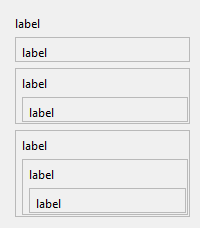 digital rose
is there any online gui maker for python or any drag and drop one?
digital rose
digital rose
is there any online gui maker for python or any drag and drop one?
online gui maker ?
mighty frigate
@rocky dragonI wouldn't recommand playing with QPalette, you'll break all your stylesheets
what you can do is setting a name to your widget (https://doc.qt.io/qt-6/qobject.html#objectName-prop) and setting a stylesheet to your widgets by selecting them by those names :
label = QLabel()
label.setObjectName("LabelName")
label.setStyleSheet("QLabel#LabelName { background-color: blue; }")
you can find more infos on that here : https://doc.qt.io/qt-5/stylesheet-syntax.html
Also, I don't know what you're trying to do here, but this looks like a tree to me. There's components built-in for trees in Qt : QTreeWidget and QTreeView (using Qt MVC)
 final escarp
any tutor about building apps with Qt in Gnome?
mighty frigate
why in gnome specificaly ? Qt is multiplatform, you shouldn't need anything special to run a Qt app in gnome.
afaik anyway
rocky dragon
mighty frigate
Also, I don't know what you're trying to do here, but this looks like a tree to ...
I though of the tree at first but doing it through a view looked like I'd have to figure out the widget myself through a delegate?
mighty frigate
@rocky dragonQt's model/view can be tricky at first, but most of the time it's the best way to go
what do you want to achieve exactly ?
if you don't want to customize the looks of your item in the tree, you don't need a delegate
you need a view and a model
namely, a QTreeView and a QAbstractItemModel subclass
if your tree will only contains simple data (like a tree of strings), a QTreeWidget and a collection of QTreeWidgetItem will do the job
rocky dragon
mighty frigate
what do you want to achieve exactly ?
so far, a widget like on the screenshot above with a couple more labels that and a layout that holds other widgets of the same type
mighty frigate
do you need those borders ?
rocky dragon
I need some easy way for users to differentiate between what belongs to what widget
rocky dragon
I suppose it would
mighty frigate
do you want to be able to expand and collapse your labels ?
 dense vessel
Hi
rocky dragon
Yes, I collapse a widget's children and then the whole widget including labels except one
mighty frigate
Will you use complex datas ?
Status, icons, search, filters,...
Or do you just need to display a string and or an icon ?
Also do you need to edit the datas
rocky dragon
I believe it should just be a couple of separate strings and a button in there for every (non collapsed) widget
dense vessel
I just want to ask what are the necessary things that I have to download on my computer to start programming?????
I am new here
mighty frigate
@rocky dragonI personnaly would go with model/view, but you can also set a button on QTreeWidgetItem. it's slower but if you don't have a big tree it's fine
proven basinBOT
Resources
The Resources page on our website contains a list of hand-selected learning resources that we regularly recommend to both beginners and experts.
signal nebula
dense vessel
I just want to ask what are the necessary things that I have to download on my c...
for general python questions #python-discussion is probably more appropriate
digital rose
digital rose
online gui maker ?
Yes or even download too but it should be easy to use and not heavy
 lament timber
I'm trying to use tkinter to make a little graphing calculator-type thing, and I want one of the frames to have a little terminal prompt where I can enter inputs. Could anyone point me towards a good reference for putting a terminal in a tk frame? It just seems to prompt my computer's terminal instead of opening a window inside my program
 jagged moss
Can anyone help me with a Kivy problem?
tribal path
whats the problem?
rocky dragon
mighty frigate
<@184351770636582913>I personnaly would go with model/view, but you can also set...
I've made an example that I think is close to what I ultimately want at https://github.com/Numerlor/recursive-call-tracker/blob/test-branch/recursive_call_tracker/gui/window.py with a window that looks something like this https://i.imgur.com/PswI5Nu.png, probably don't need the button I was thinking of either. How would something like this work in the tree view? Like I mentioned when I looked at the model/view system it looked like I'd have to do the drawing myself and figure out how to lay things out, am I missing some simpler approach to that?

one feature that's missing is hiding intermediate widgets if it's too deep and scrolling through them instead in some way where only one would be active up to a given depth
mighty frigate
@rocky dragonI don't know how you can achieve that coloring with a tree
like, the background of the parent including the childrens
that aside, it's definitively possible. As for hiding intermediate widgets, i'm not sure what you mean by that, but in a tree you have the control of the expand states of its items
The multiline is also possible, for example (using QTreeWidget) : https://stackoverflow.com/questions/2370014/how-to-word-wrap-a-qtreewidgetitem
with QTreeView, you'll probably have to use a delegate and draw the text yourself
if trees dont meet your need, then the first solution you were going after is the only way forward, but it's a painful road. You'll have to handle everything yourself
 twilit lava

