#game-development
1 messages · Page 18 of 1
 lunar venture
You need to offset the sprite somehow
Unless the hands being the center is fine by you
 astral pike
The cube button right to the close button
 mellow imp
You mean the maximize window ? Pm me ill show you the solution
 shrewd python
So i found a tileset id like to use for my map in pygame
but im having an issue finding out the px size i need
How do i know what i need exactly?
I want the game to be as if its zoomed in and centered around the player character
And when the character moves the whole map moves

 brisk yew
your art resolution should be constant across all assets is really the only thing you need to care about for the most part, especially for smaller sizes
 hexed hound
btw
if anyone is looking for an assistant in pygame
or a person who knows pygame and can work in your project
I am all in.
I have been learning pygame for like last 5 months and want to test/check my practical skills
it will benefit me too.
 vagrant saddle
hexed hound
btw
if anyone is looking for an assistant in pygame
or a person who knows pygame...
vagrant saddle
hexed hound
btw
if anyone is looking for an assistant in pygame
or a person who knows pygame...
well if you want to help pygbag from pygame-ce/pygame-web community, the new multiplayer module would need a generic lobby really irc like where rooms are games, and user are players. in a split screen where the right part would be game details , player details or matchmaking with private chat for a selected game
the really tricky part is to make that fit on 1024x600 and still being readable and touch aware
 honest drift
Thinking name the cyberpunk top down shooter gamee I'm making for theme: the unknown, "spag bol" after the expert way I've constructed everything
I'm crying deep inside my soul
well it didn't embed ....
 honest drift
yo anyone got experience with pygbag?
vagrant saddle
honest drift
yo anyone got experience with pygbag?
me maybe
honest drift
vagrant saddle
me maybe
what have you made with it?
vagrant saddle
various collections like pygame-ce and Panda3D and some wasm port of modules
 raven kernel
he made it
vagrant saddle
yes also that 😄
also some weird experiments like driving a robot arm from a webpage with camera feedback
honest drift
vagrant saddle
yes also that 😄
so sorry, do you mind me asking some novice questions. I'm trying to intergrate it with this dumb game I've been working on but the countdown keeps closing the app
vagrant saddle
honest drift
so sorry, do you mind me asking some novice questions. I'm trying to intergrate ...
did you already convert your main loop to async ?
pygame-web.github.io
Run python and pygame code in your html
honest drift
I copied the code from this address: https://pypi.org/project/pygbag/
 honest drift
vagrant saddle
did you already convert your [main loop to async](https://pygame-web.github.io/w...
honest drift
vagrant saddle
did you already convert your [main loop to async](https://pygame-web.github.io/w...
sorry forgot the reply
vagrant saddle
in that one when countdown reaches 0 , return is called : that force exits the main async loop
honest drift
ahh thanks, I deleted that and it worked xD I can be dumb at times
honest drift
vagrant saddle
in that one when countdown reaches 0 , return is called : that force exits the m...
forgive me, one last thing. I know it must be iritating explaining your product to a noob but I really appreicate you taking the time to help me. I'm trying to build in command but its not compiling to HTML
vagrant saddle
--html is for making experimental pygame-scripts just remove that from cmdline
honest drift
aahhh okay
vagrant saddle
for itch you want --archive and for github pages --build but first test locally without any special flags
honest drift
awsome, thank you. sorry found the documentation a little confusing. I have been up since 3am coding though, so my brain is jelly xD
vagrant saddle
well you're welcome to edit the confusing portions
but after a good sleep of course 🤣
honest drift
thanks, I can do that if you want. I have a good knack for explaining complicated things in simplier language

been stuck on this for 5 mins?
vagrant saddle
where did you find 127.0.0.1 ?
honest drift
cmd
vagrant saddle
no i mean where did you read it, i thought i've fixed all docs to clearly mention localhost
honest drift
1 sec
vagrant saddle
normal use : http://localhost:8000 and debug mode with xterm http://localhost:8000?-i
honest drift
 honest drift
ahhh that debug is good feeature
yeah
localhost worked better but

I think this is a fuck up on my part
vagrant saddle
yeah read more documentation because you are porting a windows source code to posix
\ => / and use relative path only, no BMP no WAV but png/ogg
porting linux or mac is more straightforward
honest drift
yeah no, I used the wwrong symbol in my code. suprised it ran at all xD
sorry, again I'm out of it. forgive me if I'm being a nusiance
vagrant saddle
just take your time, also in some cases it can be very hard to port sync code to web ( windows or other the same) especially if you have nested pygame.display.update() (or flip) loops
honest drift
my code is spagette code, I think its working fine though. I like that it will still compile in VSC and HTML. I havee some bugs in my code that I need to iron out but pygbag works fine. THANK YOU!!! so much for helping me out xD
vagrant saddle
yw
honest drift
I can send you my code, if you want though but it is disgusting xD I don't expect you to go through it at all but I thought I'd offer since you've helped me alot
vagrant saddle
put it on itch and drop the link here
honest drift
Well it's for a gamejam on itch, which ends in 3 days. I kinda don't want to upload just yet but I'll send you a link when finished and polished somewhat
vagrant saddle
sure
honest drift
Thanks again man
brisk yew
vagrant saddle
no i mean where did you read it, i thought i've fixed all docs to clearly mentio...
isn't that the same thing? 127.0.0.1 and localhost or is that like platform-dependent or sth?
vagrant saddle
brisk yew
isn't that the same thing? 127.0.0.1 and localhost or is that like platform-depe...
for the browser only /localhost/ in the url bar server part unlock secured features, and there's a lot of them
 prisma frost
Hi ! I am currently working on a project with the pygame library. I have to create a replica of a game called antivirus(https://www.smartgames.eu/uk/try-smartgames-online/one-player-games/anti-virus). I have a major issue, the assests with the piece of the game are not well edited so the hitbox is too large. Since it's a png image with transparent background i didn't achieve to edited it. So here my question, is there a way to make simple custom hitboxes ? Or do you have an easy way to edit those images ? Or there is another way ? (I am relative beginner with this library btw) (code https://pastebin.com/fTeCdw8S) (feel free to ping when you answer me)
 frank kiln
can you interact with fonts in pygame? say like you click it and then it disappears and the game will proceed? or does it have to be a sprite/actor? and can you do the same with backhrounds?
brisk yew
frank kiln
can you interact with fonts in pygame? say like you click it and then it disappe...
you have to implement that yourself, but it's possible, yeah
and yeah, it will be a sprite then, a button in this case ig
brisk yew
prisma frost
Hi ! I am currently working on a project with the pygame library. I have to crea...
you can just use like any image editor to just edit those images, I'd suggest paint.net (for it's simplicity and effectiveness), but there's a ton of others out there
prisma frost
brisk yew
you can just use like any image editor to just edit those images, I'd suggest pa...
I know but cant find a way to remove the invisible background of the png pictures
brisk yew
you just need to crop the image
brisk yew
yeah
it's simple, you just select the area you want to keep, then you click on the crop button and done
prisma frost
Otherwise, can i get rid of the rectangular hitboxes ?
prisma frost
brisk yew
it's simple, you just select the area you want to keep, then you click on the cr...
Thanks !
brisk yew
prisma frost
Otherwise, can i get rid of the rectangular hitboxes ?
there's surf.get_bounding_rect
but rn I'm too lazy to explain what to do with it, so...
mby later
prisma frost
brisk yew
but rn I'm too lazy to explain what to do with it, so...
read the docs ?
brisk yew
sure, but it may not help that much, but mby you can figure it out
you just will need to have two separate positions/rects basically, one for the drawing position and the other for collisions and such
and like you need to keep that offset there and if the bounding rect between images changes then, uhh...
fun times, it'd probably be easier to just crop those images, just usually you crop them such that they are all the same size btw
prisma frost
Thanks a lot, can i come back to you when my modification will be finished ?
brisk yew
you can just ask the question here or join the pygame community discord server and ask it there in a help forum channel, mby someone else can help you at that time
prisma frost
Ok thanks !
brisk yew
 dawn quiver
Like a course
dawn quiver
Like a course
youtube
search for Clear Code and/or DaFluffyPotato and/or Coding With Russ
dawn quiver
brisk yew
youtube
search for Clear Code and/or DaFluffyPotato and/or Coding With Russ
Got it
 strange grove
whats the best way to draw a board you can move around in python? this is what i got rn and i shift the player by the 2d list coords I am SURE there is a better way lol
board = [[wall*16],
         [wall*1, bush*13, player, wall*1],
         [wall*1, bush*14, wall*1],
         [wall*1, bush*14, wall*1],
         [wall*1, bush*14, wall*1],
         [wall*1, bush*14, wall*1],
         [wall*1, bush*14, wall*1],
[wall*16]]```*no pygame or tkinter this is terminal
or i can get creative
idk
brisk yew
I'm not asking for work, just teasing them... 😐
 hot kernel
this seems like the right place for this so anyway im new to coding and ive been trying to make a Rock Paper Scissor game and i already created one but i typed each scenario and i tried to do it with just three win/lose/tie and i also wanted it to display what you and the computer played in the message and the score i kept learning and learned how to use lists and i made it work with some other cool stuff my brother helped me with https://paste.pythondiscord.com/MOHQ
honest drift
@vagrant saddle Hey man. Sorry to bother you. Ermm with compiling packages how flexible is pygbag? Can I add third party gui menu imports and will they compile html with pygame or is there compatibility issues???
vagrant saddle
honest drift
<@334096250897170433> Hey man. Sorry to bother you. Ermm with compiling package...
i did not test lot of gui yet but you should try pygame_gui it has currently the best pygame-ce support
honest drift
vagrant saddle
i did not test lot of gui yet but you should try pygame_gui it has currently the...
Okay sure. Thank you. Also if there's any docs you want me to look at and see if I can make simpler feel free to message me
vagrant saddle
there's also the SDL2+cpython port of https://sim.lvgl.io/v7/micropython/ports/javascript/bundle_out/index.html but not sure it is really easy to handle in a pygame context
honest drift
Okay I'll have a look, currently on a endorphin + transmitter high from rejoining gym, brain is scrambled rn xD
vagrant saddle
honest drift
Okay sure. Thank you. Also if there's any docs you want me to look at and see i...
GUI and network are lacking a lot of documentation and starter samples
honest drift
vagrant saddle
GUI and network are lacking a lot of documentation and starter samples
Awesome, I'm strong with those
Just send what ya got and I'll look at it and write stuff on it. However most of my focus is gonna be on the gamejam ending Sunday so I'll scan it now but will properly do some stuff with it later
 mellow imp
Looking for people to join my team for this game jam, PM if interested: https://itch.io/jam/game-off-2023

itch.io
A game jam from 2023-11-01 to 2024-01-08 hosted by GitHub & Lee Reilly. Game Off is GitHub's annual game jam challenging individuals and teams to build a game during the month of November. Use whatever programming language...
shrewd python
So I used the library pytmx to load my tileMap.tmx.
I have four different layers, when printing out print(game_map.layers) it says: [<TiledTileLayer[2]: "Base">, <TiledTileLayer[4]: "Level 2">, <TiledTileLayer[3]: "Walls">, <TiledTileLayer[5]: "properties">] The Walls and properties are the layers I want to collide with my character.
Now the question is, how should i proceed from here ?
I read somewhere that im supposed to retrieve data from the layers and create objects and then use rect() to collide with my character. Is this true and is this efficient?
 modest token
shrewd python
So I used the library `pytmx` to load my `tileMap.tmx`.
I have four different ...
modest token
shrewd python
So I used the library `pytmx` to load my `tileMap.tmx`.
I have four different ...
For walls have your surface render. Use something like Entity class which inherit s Sprite.
And either you can use sprite collide any method or what I use is check if player position is inside tile sprite rect
I will post a better answer later from computer tag me when You come onlinee
def get_blocking_tile(self, tile_x: int, tile_y: int) -> Optional[Tile]:
        """
        Get the Tile from the 'Collisions' layer that would block movement at the given tile coordinates.
        :param tile_x: Tile X coordinate
        :param tile_y: Tile Y coordinate
        :return: The blocking Tile, or None if there is no blocking Tile.
        """
        collisions_layer = self.tiledmap.get_layer_by_name('Collisions')
        for tile in collisions_layer.tiles():
            if tile[0] == tile_x and tile[1] == tile_y:
                return tile
        return None
Will you be using pygame ?
brisk yew
hot kernel
this seems like the right place for this so anyway im new to coding and ive been...
cool stuff
btw, list is not the data structure to use for this, use dictionaries

and why are you using lists for player and pc?
 pine plinth
brisk yew
and why are you using lists for player and pc?
pine plinth
brisk yew
and why are you using lists for player and pc?
some cool stack state machine stuff :)
 potent pebble
Can someone tell me here how i can create a normal python game and what librarys to use?
 plain kraken
potent pebble
Can someone tell me here how i can create a normal python game and what librarys...
plain kraken
potent pebble
Can someone tell me here how i can create a normal python game and what librarys...
what kind of games?
number guesser (needs random)
2d games(tic-tac-toe --needs pygame)
or much more
potent pebble
well idk i just learning python and i really confused how i can combination all functions to can create game
plain kraken
thier is youtube video of freecodecamp of nearly 5 hours which will teach you basic of python with making games
plain kraken
potent pebble
well idk i just learning python and i really confused how i can combination all ...
you should watch that
potent pebble
plain kraken
you should watch that
okay ty
hot kernel
brisk yew
cool stuff
btw, list is not the data structure to use for this, use dictionaries
thanks
i use list for player and pc because i need to know what the numbers are to calculate who won and what they chose so i can print it at the end so basically need a variable with two meaning and i didnt learn dictionaries yet so ye
brisk yew
hot kernel
thanks
i use list for player and pc because i need to know what the numbers are ...
you could just use two variables for each
hot kernel
brisk yew
you could just use two variables for each
how would i do that?
dawn quiver
Where do I get started ( course video)
brisk yew
hot kernel
how would i do that?
just have like a player_choice and a player_score, same for the enemy
 celest osprey
if i run this code then my character does not move but still dissapears after 7 seconds.
code: def rotate(self):
# calculate distance to next waypoint
dist = self.target - self.pos
# use distance to calculate angle
self.angle = math.degrees(math.atan2(-dist[1], dist[0]))
# rotate image and update rectangle
self.image = pg.transform.rotate(self.original_image, self.angle)
self.rect = self.image.get_rect()
self.rect.center = self.pos
hot kernel
brisk yew
just have like a `player_choice` and a `player_score`, same for the enemy
i still dont understand how that would work would you be able to just do it and show it to me if its okay of course
dawn quiver
dawn quiver
Where do I get started ( course video)
Bump
pine plinth
dawn quiver
Bump
!res and check pins
 frank fieldBOT
Resources
The Resources page on our website contains a list of hand-selected learning resources that we regularly recommend to both beginners and experts.
dawn quiver
pine plinth
!res and check pins
A tutorial compatible with mobile cuz my pc broken
honest drift
@vagrant saddle hey are you about?
vagrant saddle
honest drift
<@334096250897170433> hey are you about?
i'm around
you should not need to restart the game loop, do you use gamestates (finite state machine) ?
honest drift
I know what a finite state machine is but I haven't set anything up for it
shiiiiiiiiiiiiiiiiiiiiiiiiiiit
vagrant saddle
this one is close to textbook for game states https://github.com/pmp-p/pygame-breakout-wasm/tree/main
honest drift
screw it, its a shit game with shit code. I'm just gonna freeze lock it on stats
Sorry just stressed out and I've got 10 hours left xD
 steady zenith
Can anyone become a strong game developer only using python?
 vital saddle
steady zenith
Can anyone become a strong game developer only using python?
vital saddle
steady zenith
Can anyone become a strong game developer only using python?
Not strong but you can become one for sure. You may become a strong one if u use something like pyopengl and learn how everything works using that but I don't know for sure. But for most of the game dev companies: they don't use python. They almost always use c++
steady zenith
@vital saddle is just enough
vital saddle
steady zenith
<@1168798734650449992> is just enough
What
steady zenith
@vital saddle is c++ just enough to become a strong game developer
vital saddle
steady zenith
<@1168798734650449992> is c++ just enough to become a strong game developer
Nothing is enough to become a strong game dev. It's up to you and your skills and your dedication.
vital saddle
steady zenith
<@1168798734650449992> I believe we need advance c++ for game dev
No that's not needed. Like I said python is also a choice. It's up to your skills and dedication. If the dedication sucks, then you're not gonna become a good game dev.
steady zenith
@vital saddle got it
brisk yew
dawn quiver
A tutorial compatible with mobile cuz my pc broken
it's gonna be a pain to write code on mobile btw
but just pick any pygame(-ce) tutorial from yt and you're set (sort of)
I'd suggest Clear Code, DaFluffyPotato or Coding With Russ
 neat blade
Hey guys
 meager plover
yes heys whats up
neat blade
I'm new to coding so I'm think about learning python first then wanna go to c++ eventually because I heard it's easier to learn how to code overall should I continue or just dive into learning c++
And plus for school I'm gonna go for a cybersecurity job
But I wanna make games as a hobby
And apparently pygame isn't good as c++
meager plover
its back to your chuice dude every code lang its good, but sometime every coders have a choice to love and pick
neat blade
It's a matter of which ome to learn first one for skl and my potential job vs as a hobby
meager plover
i canot give you a suggest but if you new begining you can check every thread on here. to learn more about python
neat blade
Ok
Ig I'll continued to start off with python
I already started I'm learning bout functions
meager plover
gl n have fun with your code...
neat blade
Thx
meager plover
ywlcm
meager plover
vital saddle
No that's not needed. Like I said python is also a choice. It's up to your skill...
i was learning pygame about 1 years and its getting clear and good, this module is realy hard if you are not python programer. and iam agre about dedication needed.
could be now i can create 2D game with fun that i was create. i gonna share my work for your referens of using pygame, when finish.
neat blade
Okay appreciate that
vital saddle
meager plover
i was learning pygame about 1 years and its getting clear and good, this module ...
Yeah I know. I started the same way 3 years ago. No python experience and pygame. It was really hard because I didn't understand a thing that was happening in the tutorial.
meager plover
vital saddle
Yeah I know. I started the same way 3 years ago. No python experience and pygame...
i have a basic about python when i try to learn more deep about pygame its realy core enought to create game for what you want.
and you should learn about pyinstaller to test your game in other computer and yea you was create a game cool stuff
i was learning about game platformer jump 2D and its cool, how about you?
vagrant saddle
meager plover
i have a basic about python when i try to learn more deep about pygame its realy...
for testing in other computers including mobile you can use pygame-ce WebAssembly and host the game on itch or github pages. No need to install anything on device url or qrcode is just what you need
meager plover
vagrant saddle
for testing in other computers including mobile you can use pygame-ce WebAssembl...
iamnot realy learn about pygame-ce, how its work is that for, but iam gonna try it someday, ok ty
vital saddle
meager plover
i was learning about game platformer jump 2D and its cool, how about you?
I was learning about 2d platformer style shooter
vital saddle
meager plover
i have a basic about python when i try to learn more deep about pygame its realy...
Oh I learned like almost all python concepts, how to use things and how things work. After that almost every programming language or game engine was easy for me
vagrant saddle
meager plover
iamnot realy learn about pygame-ce, how its work is that for, but iam gonna try ...
you don't need to learn it or install it, if your pygame code is valid it will run on web (the packager take care of picking pygame-ce at runtime )
meager plover
vagrant saddle
you don't need to learn it or install it, if your pygame code is valid it will r...
ohk so its just like that, so i just copy pasted my code
ok i got it, iam gonna try it.
meager plover
vital saddle
I was learning about 2d platformer style shooter
waw its cool iam still strugling using pymath if i create 2d shoter like that can i see your sample game that you was create ? its gonna be cool
vital saddle
meager plover
waw its cool iam still strugling using pymath if i create 2d shoter like that ca...
There is no real math there actually
Lol
But I don't have the example anymore
I didn't know what git was at the time and the files are stuck om my old laptop which has a fried gpu
meager plover
vital saddle
There is no real math there actually
is the controler using mouse shoter need a direction 360
meager plover
vital saddle
But I don't have the example anymore
ahk i think you have a sample that game could be good to see it
i gonna share my work on you wanna see it ?
vital saddle
meager plover
is the controler using mouse shoter need a direction 360
No it's not using the mouse at all
vital saddle
meager plover
ahk i think you have a sample that game could be good to see it
Uhmm I have a game engine that's built on python and pygame idk if that will help
meager plover
vital saddle
No it's not using the mouse at all
ohk ok soo that game is only using straigh shoting bullet isn it?
meager plover
vital saddle
Uhmm I have a game engine that's built on python and pygame idk if that will hel...
no i just need to see a game play, not a code you create
vital saddle
meager plover
no i just need to see a game play, not a code you create
Oooh
Sorry I don't have it anymore
I can't recover those files due to the GPU being fried and it can't boot
meager plover
vital saddle
Oooh
my work sample almost done, now i gonna to set a sound on it, and it gonna be a cool game
vital saddle
meager plover
my work sample almost done, now i gonna to set a sound on it, and it gonna be a ...
Wow that looks really cool! I do recommend creating a camera and connecting it to the player because it's a little hard to see the player and you see the world but it's up to you. With a camera it would be a little better.
meager plover
vital saddle
Wow that looks really cool! I do recommend creating a camera and connecting it t...
yeah its still devlop.....not ready yet to play. it still alot of work. i hope this progress will done and you can play it and tasted how smoth a game is this on your pc.
😅
neat blade
vital saddle
Oh I learned like almost all python concepts, how to use things and how things w...
That's my plan rn
vital saddle
neat blade
That's my plan rn
Cool
dawn quiver
brisk yew
it's gonna be a pain to write code on mobile btw
but just pick any pygame(-ce) t...
Ok
vital saddle
meager plover
yeah its still devlop.....not ready yet to play. it still alot of work. i hope t...
I'm waiting for it!
meager plover
vital saddle
I'm waiting for it!
sure i realy happy for this day, finaly i can create idle system for character
 grand apex
What libraries could be used as an alternative to pygame?
 proper peak
Unless you count pygame-ce - arcade, I guess, maybe pyglet.
brisk yew
Panda3D and Ursina too
vital saddle
meager plover
Cool
grand apex
proper peak
Unless you count `pygame-ce` - `arcade`, I guess, maybe `pyglet`.
Thanks, this might seem like a strange question, but, if you had to say, which library would you have an easier time coding a ray-casting engine in?
vagrant saddle
grand apex
Thanks, this might seem like a strange question, but, if you had to say, which l...
i guess none and use a shading lang on gpu for that https://www.shadertoy.com/view/ttyXRR but pygame is ok too https://itch.io/queue/c/2563651/pygame-wasm?game_id=2036706

itch.io
brisk yew
grand apex
Thanks, this might seem like a strange question, but, if you had to say, which l...
raycasting is primarily a ton of math, so... if possible use the DDA algorithm and utilize numba for speed or just write the thing in C and make it a Python extension or just use a library someone else wrote in C
 normal silo
grand apex
Thanks, this might seem like a strange question, but, if you had to say, which l...
normal silo
grand apex
Thanks, this might seem like a strange question, but, if you had to say, which l...
Taichi.
 marble jewel
Isometria Devlog 33 - Gobby Gear, Line of Sight, Biome Rework, Etc! - Made with Pygame and Python - https://youtu.be/32JiOUNlckY
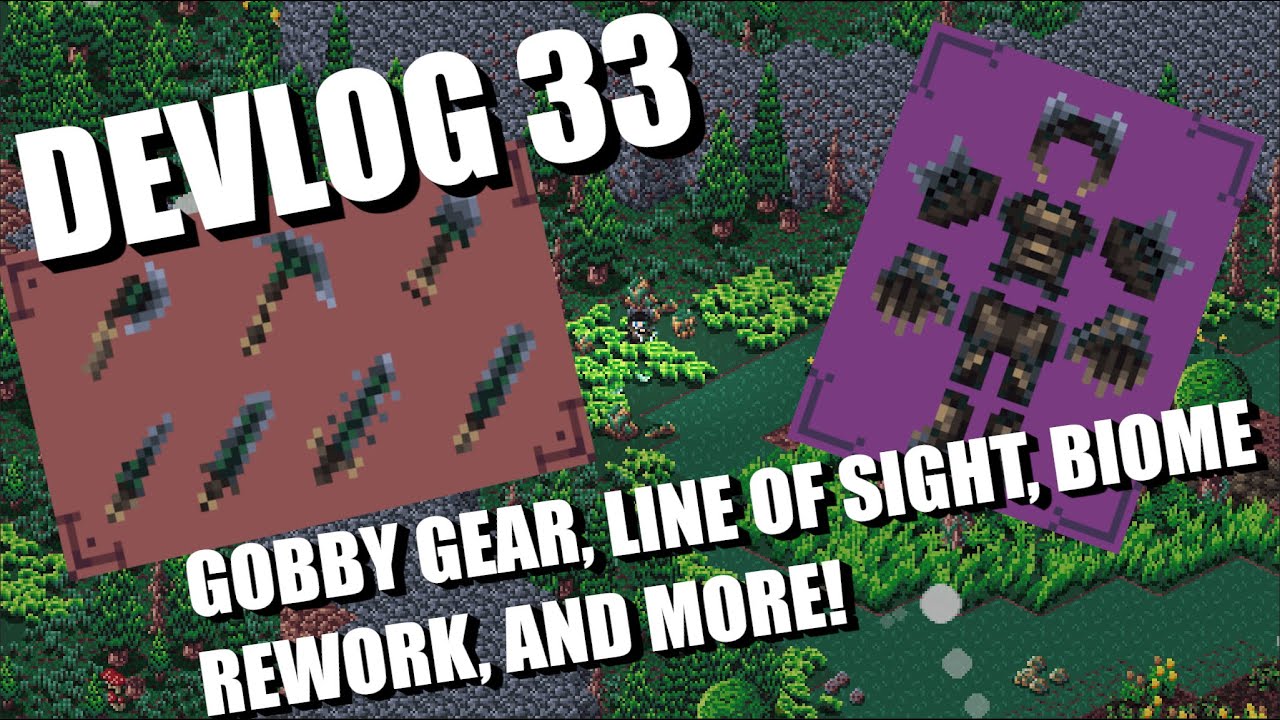
Wishlist Isometria here: https://store.steampowered.com/app/2596940/Isometria
In this week's devlog I show you new items, tombstones, line of sight for enemy AI, updated sound effects, biome rework, updated artwork, and more.
Thank you all so much for your support. Stay tuned for more!
Be sure to like and subscribe and feel free to follow me ...
 river flint
How do I make minecraft mods with python
 tranquil girder
What did you try?
 quartz fossil
Isn't Minecraft Java territory?
brisk yew
you can do something with Python in it, not sure if mods, but something
vagrant saddle
if mods are in java jython could probably do it but it is py2 😦
 ebon ether
I was learning on pygame, the file worked perfectly but I opened it today and it throw errors on me saying that "the path doesn't exist" although I'm sure that the path is there.
I made the font None and now it throws an error on images.
brisk yew
ebon ether
I was learning on pygame, the file worked perfectly but I opened it today and it...
the issue is probably that the path is incorrect relative to the cwd
ebon ether
brisk yew
the issue is probably that the path is incorrect relative to the cwd
I'm sure that the path is correct, but how can I fix the problem?
ebon ether
brisk yew
what about vc?
okay, but this account is from my laptop so the microphone is trash, I have to talk through my phone and share from my laptop screen
brisk yew
eh, it's probably gonna be quick anyway
ebon ether
alright
ebon ether
give me a minute
brisk yew
@ebon ether can you like send that error you're getting?
ebon ether
okay
pygame 2.5.2 (SDL 2.28.3, Python 3.11.5)
Hello from the pygame community. https://www.pygame.org/contribute.html
Traceback (most recent call last):
  File "d:\Education\Python\py.game\Blade Runner 2049.py", line 8, in <module>
    test_font = pygame.font.Font('../font/horror_korpus/fonti.otf', 50)
                ^^^^^^^^^^^^^^^^^^^^^^^^^^^^^^^^^^^^^^^^^^^^^^^^^^^^^^^
FileNotFoundError: No file '../font/horror_korpus/fonti.otf' found in working directory 'D:\Education\Python'.```I need 50 messages I guess
no hold on
no I can't talk because discord settings and I can't share screen
how do I give you the code?
from sys import exit

pygame.init()
screen = pygame.display.set_mode((800,400))
pygame.display.set_caption('Blade Runner 2049')
clock = pygame.time.Clock()
test_font = pygame.font.Font('../font/horror_korpus/fonti.otf', 50)

sky_surface = pygame.image.load('../graphics/wallpaper game.png')
ground_surface = pygame.image.load('../graphics/ground.png')
text_surface = test_font.render('Man', False, 'Black')

while True:
    for event in pygame.event.get():
        if event.type == pygame.QUIT:
            pygame.quit()
            exit()

    screen.blit(sky_surface, (0,0))
    screen.blit(ground_surface, (0,300))
    screen.blit(text_surface, (300, 50))

    pygame.display.update()
clock.tick(60)```what is the absolute path to your assets?
ebon ether
give me a moment
brisk yew
and did you mby mean to use a single .
ebon ether
D:\Education\Python\py.game this is the path to all files, including the code,
ebon ether
brisk yew
and did you mby mean to use a single `.`
I searched how can I put the asset without using writing the whole path, this is what came up and I used it and it worked
brisk yew
correct me if I'm wrong but is the path to the font this
D:/Education/Python/py.game/font/horror_korpus/fonti.otf
or this
D:/Education/Python/font/horror_korpus/fonti.otf
ebon ether
this is the whole path for the font D:\Education\Python\py.game\font
brisk yew
is your code located in a directory inside py.game?
ebon ether
and the horror horror korpus is inside the path, and fontie is inside it
ebon ether
brisk yew
is your code located in a directory inside `py.game`?
what do you mean?
oh yeah
D:\Education\Python\py.game\Blade Runner 2049
brisk yew
ebon ether
```PS D:\Education\Python> & "C:/Program Files/Python311/python.exe" "d:/Educati...
so basically the path is relative to the cwd, it's telling you what your cwd is here
your cwd should be the directory with your code
you should cd to that then
brisk yew
ebon ether
D:\Education\Python\py.game\Blade Runner 2049
in the terminal do
cd "D:\Education\Python\py.game\Blade Runner 2049"
and then run your Python code again
ebon ether
it won't write the directory in the terminal, I even tried to press tab multiple times
it's like it isn't there
ebon ether
yes, vscodium
brisk yew
and you have like the terminal there and you can't type anything in it?
 ebon ether
Hello from the pygame community. https://www.pygame.org/contribute.html
Traceback (most recent call last):
  File "d:\Education\Python\py.game\Blade Runner 2049.py", line 8, in <module>
    test_font = pygame.font.Font('./font/horror_korpus/fonti.otf', 50)
                ^^^^^^^^^^^^^^^^^^^^^^^^^^^^^^^^^^^^^^^^^^^^^^^^^^^^^^
FileNotFoundError: No file './font/horror_korpus/fonti.otf' found in working directory 'D:\Education\Python'.```yes I did
ebon ether
ps?
brisk yew
I'm guessing this has to do with your project config
when you click on the green arrow or wherever (f5 mby), it just sets the cwd as your project dir during that
idk
ebon ether
and how to fix it so that I can run it from vscodium?
instead of writing python everytime?
brisk yew
I have like no clue, you're gonna have to google around for how to config what the green arrow or whatever does exactly
ebon ether
man
alright, thank you for your help 🌹
hold on
the arrow worked
what?!
programming is really a magic
brisk yew
crazy
potent pebble
Someone know is for start create a game i need a folder for that game and than to use import pygame?
quartz fossil
ebon ether
programming is really a magic
You speak words and they make things happen; Yes, that's a kind of magic.
...and making a game is literally to create a world.
 quasi hull
potent pebble
Someone know is for start create a game i need a folder for that game and than t...
quasi hull
potent pebble
Someone know is for start create a game i need a folder for that game and than t...
in order to import pygame you first need to install it using pip commands
as it's not included with python like libraries such as random, math, os, etc...
 runic prism
Hello folks, i created a board game in unity with backend in nodejs, now i want to create bots that can think for themselves. For that where should i start my research i also have experience in python, Suggest me best practice. Thanks!
potent pebble
quasi hull
in order to import pygame you first need to install it using pip commands
oh okay,ty
brisk yew
!rules 9 btw
meager plover
runic prism
Hello folks, i created a board game in unity with backend in nodejs, now i want ...
sry i cant answear about it, but could be is starting from reading about introduction of pygame and read some doc basic then got to about a game you need, it was a difrent state coding, on pygame and unity. but i think the best practice is trying some tutorial game from pygame so you will understand how it works...
quartz fossil
runic prism
Hello folks, i created a board game in unity with backend in nodejs, now i want ...
Graph search. You'll want to know about transposition tables, backpropagation, and minimax. If you want to be cutting edge, use depth-first search with iterative deepening.
If you're abstract about it, you can throw enough modularity in there for economics students to game theory out their games for decades to come.
 little apex
how do you organize you're files when exporting a game?
meager plover
little apex
how do you organize you're files when exporting a game?
exporting a game you mean a file game ? like a code?
it back to your code
iam usually using import myfile as mf
 mortal rock
hi?
meager plover
yes can i help you ?
meager plover
you can pasted your code here
mortal rock
meager plover
you can pasted your code here
My line of code is too long
meager plover
mortal rock
My line of code is too long
wew realy so you dm to me to see your code?
mortal rock
ok
meager plover
what is the problem of pygame you was create ?
or you just want to make some move on your game,that your code didnt get that ?
you better share on here so anyone who know will give help result
 soft lion
Hi. I'm new to Pygame. I'm wondering how can u reduce the speed of something to less than 60px per second when u set clock.tick(60). Is there any technique?
meager plover
soft lion
Hi. I'm new to Pygame. I'm wondering how can u reduce the speed of something to ...
you mean frame rate..?
iam just reduce that clock.tick(),
becouse iam using 2D Game graphic.
idk if using 3D i dont wanna try i afraid to my pc.
iam alway using 60 fps for my game that i was create...idk if other, difrent game dev always difren
soft lion
I have a enemy foo that has a speed of 1px. So, if the clock is 60, he moves 60px per second. I was wondering how can you reduce his speed to lets say, 30px per second.
pine plinth
move it 0.5px per frame?
soft lion
i think u cant use floats. I just tried, and still get 60px per second.
brisk yew
soft lion
i think u cant use floats. I just tried, and still get 60px per second.
you can
obviously
there's like no reason you wouldn't be able to
soft lion
I didnt get any error by using floats, but < 0.5 the foo doesnt move, and > 0.5 he keeps 60px per second.
pine plinth
i guess you are changing position on screen that gets rounded, then reading it again and adding 0.5 to it
consider using variable for position
meager plover

dawn quiver
hi when developing game engine is it a strict rule to make draw command in one place?
in context of pygame blit() method
especially when making debugging functionality sometimes i need to make blit command out of game draw method
pine plinth
no, its fine to blit wherever you want
refreshing screen in several places feels odd, but blitting is ok
in game engine you have to blit in lots of places to draw different things (bg, objects, ui, debug things, ...)
 pearl totem

Dribbble
little apex
meager plover
exporting a game you mean a file game ? like a code?
it back to your code
I just mean like sharing it
 dense thistle
Am a professional resume writer and expertise in job search and LinkedIn optimization that will land you to your dream job
meager plover
little apex
I just mean like sharing it
iam usualy using pyinstaller for share my game offline so anyone can install it on pc, some people using online mode but i never try n idk to use it.
like running a game in the browser
vagrant saddle
little apex
I just mean like sharing it
to share python games online ( made upon pygame-ce, panda3d ... ) you may want to try pygbag and you can find lot of examples on github including how to publish/host game from a CI (free)
vital saddle
dense thistle
Am a professional resume writer and expertise in job search and LinkedIn optimiz...
Wtf is this ad dude 💀
meager plover
😂 idk its looks like ads discord version could be....
 wild mirage
prisma frost
Hello everyone ! I am working on a board game. My issue is that i need the pink and red piece to have a smaller hitbox so they can pas through the two white block. To run hitboxes I am actually using Rect and collide list ? Any idea of another way to process the hitboxes ?
 quartz fossil
Is there a sphere and/or capsule available?
brisk yew
soon a circle might become available
for now tho, a smaller rect should suffice
although you can ofc do circle-circle collisions yourself
and/or masks
 limber veldt
Just implementing spawn patterns, totally a work in progress
The paths themselves may yet be tweaked but the placeholders are working, I can fine tune the content after the functionaility
limber veldt
Right on, and it was too impressive, thanks!
 round obsidian
Some brave soul had dumped the ROM and written a detailed disassembly of the game, describing its behaviors. So I used that as a guide to recreating it
limber veldt
I followed a C++ tutorial for some of the logic
Of course, logic is logic, regardless of language
round obsidian
exactly!
limber veldt
My recent struggle was those double file paths. I used a path_runner instead of sending the enemies directly along the path, they are now constrained to a path runner
This way the rank stays aligned as if one path was longer or shorter than the other in order to send two enemies along two paths, the enemies fall out of rank on the turns
round obsidian
I can only imagine what this was like in assembly. Just hard-coded I guess
limber veldt
Projecting 90 degreess of direction is easy though
Oh man
I did Defender
And my guide or at least some source of info was its disassembly
And it wa amazing
round obsidian
when I was reading about games like Asteroids or Battle Zone or Tempest, they basically precomputed all the vectors for the game on a PDP
limber veldt
Absiluty fucking astonishing
They pushed pixels directly to the screen ram
I love vectors, now that I pretty well know how to use them, I didn't until about three years ago, I love them, this is the magic that made those old games, and even new games, work
limber veldt
prisma frost
Hello everyone ! I am working on a board game. My issue is that i need the pink ...
I'm not sure collisions are even necessary for a board game, it's a grid right? It can be represented by a 2d list and that populated with objects with attributes describing what is in them
dawn quiver
Hi i have questions
If I wanted to start creating games without knowing programming, where would I start?
?
 cosmic vale
dawn quiver
If I wanted to start creating games without knowing programming, where would I s...
cosmic vale
dawn quiver
If I wanted to start creating games without knowing programming, where would I s...
Then start with learning how to program
 sharp bison
I want to change the textures of a game but I don't know how
vital saddle
dawn quiver
If I wanted to start creating games without knowing programming, where would I s...
Gdevelop, or learn to program and then learn pygame
dawn quiver
what i study game development or web development
quartz fossil
...for games? Seems like an obvious choice.
meager plover
sharp bison
I want to change the textures of a game but I don't know how
what kind of engine or module game you use ?
meager plover
vital saddle
😂
Google Docs
could be you wanna try my game that i was create.. i hope it working well
vital saddle
meager plover
could be you wanna try my game that i was create.. i hope it working well
i can try it in a hour, i will tag you when i will be trying
meager plover
vital saddle
i can try it in a hour, i will tag you when i will be trying
thankyou for that becarefull enjoy that game and have fun 😂
vital saddle
meager plover
thankyou for that becarefull enjoy that game and have fun 😂
yes sir 🫡
meager plover
vital saddle
yes sir 🫡
if the game not playing well just tell me bro .thankyou
quartz fossil
meager plover
https://drive.google.com/file/d/1hVuIgq-MQAIlH8R8C5T1Jl1wqtsdRnFx/view?usp=shari...
There's no .py file at all, and nothing marked as executable.
vital saddle
meager plover
https://drive.google.com/file/d/1hVuIgq-MQAIlH8R8C5T1Jl1wqtsdRnFx/view?usp=shari...
Could you maybe send in a other format instead of rar? I'm on mac so I can't unzip it
meager plover
quartz fossil
There's no .py file at all, and nothing marked as executable.
there was popplatform.exe
meager plover
vital saddle
Could you maybe send in a other format instead of rar? I'm on mac so I can't unz...
ok wait a minute
quartz fossil
Ah, there it is. Not marked as executable, though. I'll check whether I can run it on wine.
meager plover
iwas extract in my pc and it was working but idk if other pc could be working well or didn.
quartz fossil
I assume your PC is running Windows though. 😛
quartz fossil
$ wine ./popplatform/popplatform.exe
001f:err:xrandr:xrandr12_init_modes Failed to get primary CRTC info.
000d:err:xrandr:xrandr12_init_modes Failed to get primary CRTC info.
002d:err:xrandr:xrandr12_init_modes Failed to get primary CRTC info.
pygame 2.5.1 (SDL 2.28.2, Python 3.11.5)
Hello from the pygame community. https://www.pygame.org/contribute.html
Traceback (most recent call last):
  File "popplatform.py", line 26, in <module>
pygame.error: No displays available
[44] Failed to execute script 'popplatform' due to unhandled exception!
ok wait i gonna try not to compresed to much a file
sharp bison
meager plover
what kind of engine or module game you use ?
Not sure about either, I got the game on steam, "Last Horizon"
meager plover
vital saddle
Could you maybe send in a other format instead of rar? I'm on mac so I can't unz...
meager plover
sharp bison
Not sure about either, I got the game on steam, "Last Horizon"
Horible
meager plover
sharp bison
What
you you wanna change a texture i just ask what kind engine do you use becouse python have many module game engine so we dont know to correctly about to change
sharp bison
Well I came here because I figured you guys would know the most about file types
meager plover
sharp bison
Well I came here because I figured you guys would know the most about file types
ohk so the file type you mean is create a texture on game isnt it ? is that 2D or 3D object?
i realy dont know about 3D iam sry
sharp bison
It's a sprite
2D
But I don't know where the file that holds the sprite
My best lead is the dll file it has
meager plover
ohk 2D ok let me now if you want a using 2D texture i gonna create some trick for you but it gonna alot work, if you want to use texture on 2D mix the alpha. and blend into transparancy.
you can use blit(yourfile,(yourpos.x,yourpos.y))
and many technic in somewhere for create a good visual 2D iam not an expert
sharp bison
The game is finished, it's not mine, and it should just be a png or something I can replace
But I don't know where this png is stored
meager plover
heks why you want to replace it ?
if game was made it will be encrypted you cant edited that game.
to hide a a good owrk on coding gamedev.
work*
sharp bison
Well at the same time, there are games that I can get the files out of because they're sitting out in the open
meager plover
yea it was difrent game dev some game can replacing like that some it not
 wind juniper
meager plover
could be you wanna try my game that i was create.. i hope it working well
wind juniper
meager plover
could be you wanna try my game that i was create.. i hope it working well
the start game itself does not work
meager plover
wind juniper
the start game itself does not work
that game is only for training stage
if i doing startgame alone i gonna be dying for everyday doing solo game dev that game
becouse design a level stage is not easy bro
wind juniper
meager plover
that game is only for training stage
the level fills the entire screen, player centred camera would be better
wind juniper
meager plover
becouse design a level stage is not easy bro
i agree
meager plover
wind juniper
the level fills the entire screen, player centred camera would be better
yea i gonna do that when start game was ready yet to play
i was thinking about how this game i more chalanging and lot of fun
and the answear is i cant doing game dev solo
so i just check my progress on my coding iam using that asett from itch.io
and pygame work well game smoth and i love it
if i gonna continue this game tobe a real COMERCIAL GAME
wind juniper
ooo cool cool
meager plover
it will bring many worker
wind juniper
meager plover
if i gonna continue this game tobe a real COMERCIAL GAME
good luck it has very good potential
meager plover
wind juniper
good luck it has very good potential
yea but costing time and money bro, i cant move it alone.
i just trying my code to create a game someday could be
i gonna create a real stage platformer....
ijust create 1 stage oon training stage and it so hurt full damn not again i wont to work again
thankyou for try my game
.thanks it was work well. my software game... finaly haha
vital saddle
meager plover
https://upfiles.com/Vxb1
I have two questions: What did you use to package this and I cant run it because im on mac
nevermind its running
@meager plover what are the controlls? i have new game selected but i dont know what the key is to start it
meager plover
vital saddle
nevermind its running
key is w,a,s,d for move left and right for button
vital saddle
meager plover
key is w,a,s,d for move left and right for button
And how to select new game in the menu? Maybe this is a wine issue idk
meager plover
vital saddle
And how to select new game in the menu? Maybe this is a wine issue idk
this game is only for training stage, iam not create a game full
vital saddle
meager plover
this game is only for training stage, iam not create a game full
Huh I tried to run it then a menu came up and I wanted to click on new game but it didn't work
meager plover
vital saddle
Huh I tried to run it then a menu came up and I wanted to click on new game but ...
yea it wasn, its only training stage , start game and continue its not ready yet
vital saddle
meager plover
yea it wasn, its only training stage , start game and continue its not ready yet
Oh okay
meager plover
vital saddle
Oh okay
iam gonna, pending that game progress. and try create another cool game from good asset that i was found.
dawn quiver
Is pygame good for game development
vagrant saddle
dawn quiver
Is pygame good for game development
 dawn quiver
Thx
dawn quiver
can godot run python codes ?
quartz fossil
AFAIK Godot uses its own Python-like language. If you want to do 3D stuff with Python, I recommend Panda3D. pygame is, as far as I have heard, good for doing 2D stuff in Python.
brisk yew
dawn quiver
can godot run python codes ?
gdscript is already pretty similar to Python, so just mby learn that...
brisk yew
shoot
 thick carbon
hey anyone have like a basis code I could borrow for a basic crazy taxi type game?
 fallow finch
meager plover
https://drive.google.com/file/d/1hVuIgq-MQAIlH8R8C5T1Jl1wqtsdRnFx/view?usp=shari...
fallow finch
meager plover
https://drive.google.com/file/d/1hVuIgq-MQAIlH8R8C5T1Jl1wqtsdRnFx/view?usp=shari...
i have a weird animation
in menu
and no key appears to work to select one of the things
marble jewel
Isometria Devlog 34 - Chat Window, In Game Music, Demo Soon! - Made with Pygame and Python - https://youtu.be/wqKff6F9JUk

Wishlist Isometria here: https://store.steampowered.com/app/2596940/Isometria
In this week's devlog I show you the new chat and message window that players can use to talk to each other. I also talk about implementing the music system and show the volume controls. Also, expect a demo in the coming weeks after Steam approves everything!
Thank y...
meager plover
fallow finch
i have a weird animation
can you record some vid when a game play was running ?
yea they controler is move :w,a,s,d button:left,right
fallow finch
meager plover
can you record some vid when a game play was running ?
yea they controler is mo...
i wasnt able to click start
no key seems to work
meager plover
fallow finch
i wasnt able to click start
ohk its ok couldbe technical eror on os platf,key
are you using a windows?
thats game is only for windows i cant try on another os
fallow finch
meager plover
ohk its ok couldbe technical eror on os platf,key
are you using a windows?
well you sent a exe
so its obviously windows
how do i select
 meager plover
fallow finch
well you sent a exe
meager plover
fallow finch
well you sent a exe
ohk using left arow
fallow finch
thats the most counter-intuitive thing i've ever seen
meager plover
my bad sry
meager plover
fallow finch
there's also no way to edit controls
iam still beginer indie game dev 🥲 , using edit controler could be next year.
fallow finch
just leave a json file somewhere
so i can change controls manually at least
how to escape this screen
left doesnt work
 meager plover
using right arow
fallow finch

meager plover
😂
fallow finch
wait
i didnt mean escape
like how do i play the game
is the game just this screen
meager plover
go to stage training
fallow finch
first time i see this 
just start the game with tutorial tbh (and you have a continue button)
meager plover
dude come on it just for next update, could be some day
fallow finch
i wanted to go back to menu to see options to see how to jump
meager plover
😅
meager plover
esc is for leave game
fallow finch
i thought it would get back to menu
like in most games
if you don't have time to implement control settings just leave a json somewhere
so we can still edit them
meager plover
sure just try it could be that game not well. or bad rating. iam not gonna going progress
meager plover
fallow finch
is jumping a feature acually
yeah like that just jumping, and going to finish.
fallow finch
LEFT key to JUMP 
meager plover
😂 should be using joystick, so it is a new brand from keyboard
fallow finch
fallow finch
LEFT key to JUMP <:Cat:797232745847062539>
even flash games were not doing this lul
meager plover
fallow finch
even flash games were not doing this lul
pygame 1 year
iam still learning
meager plover
fallow finch
if you don't have time to implement control settings just leave a json somewhere
iam not learn about json for now i just focus on my game to be good enought to play and confert on gameplay
fallow finch
json can just be a python dict
{
 'jump': value of pygame.K_SPACE,
 'select': value of pygame.K_RETURN,
 ...
}
like this
you load it when the game starts so controls are configurable
meager plover
fallow finch
```py
{
'jump': value of pygame.K_SPACE,
'select': value of pygame.K_RETURN,
...
ohk yeah i think i should learn form out of python.
yea it gonna be set
fallow finch
json is in standard library of python
json.load/loads and json.dump/dumps to convert a json to dict and dict to json
meager plover
ohk so the implement is somethink kind of that
meager plover
i think i should be create some list for controler on pygame
no it wasnt share on public code
yea its gonna be easy to create controler but idk its so lazy
i should be practice next week
 exotic lance
Hello what type of can I make in pygame
meager plover
exotic lance
Hello what type of can I make in pygame
a game ? sure many tutorial on pygame book on itch .io
meager plover
did anyone have try to create an game online on pygame ?
raven kernel
meager plover
did anyone have try to create an game online on pygame ?
it has been done
https://youtu.be/_hh7Oe1ohQU
also https://www.youtube.com/watch?v=vUcLkhdD6IU&pp=ygUaZGFmbHVmZnlwb3RhdG8gbXVsdGlwbGF5ZXI%3D

Online multiplayer game development can be surprisingly easy if you have a good framework for the job!
My Discord (ask questions here):
https://discord.gg/fluffland-554137097229959188
Background Music:
Pixkartz OST - Title (by bouncytorch)
https://bouncytorch.xyz/
Patreon:
https://www.patreon.com/dafluffypotato
My Website (links to games):
h...
vital saddle
meager plover
i should buy raspbery Pi-server
uhmm depend what you want to do
 cosmic oxide
@jade latch This server isn't the place to post advertisements looking for work, you'd be much better off looking on actual dedicated jobs boards or websites.
!rule 9 6
frank fieldBOT
6. Do not post unapproved advertising.
9. Do not offer or ask for paid work of any kind.
limber veldt
Making more progress, fighter dives, the morphing animation while subtle in the original, is still missing in mine, I think I need it, even if it's barely noticeable
marble jewel
Got boss music working! Check it out here: https://youtu.be/HwNAd0IIc2o
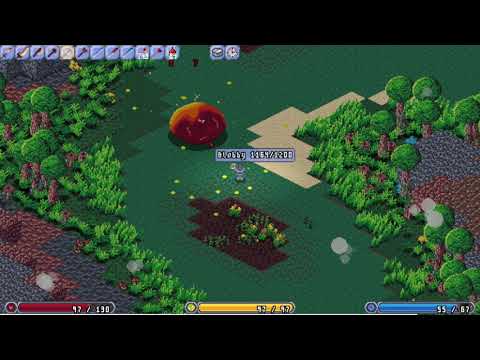
Wishlist Isometria here: https://store.steampowered.com/app/2596940/Isometria
Fighting Blobby, now with some boss music!
Thank you all so much for your support. Stay tuned for more!
Be sure to like and subscribe and feel free to follow me on twitter here: https://twitter.com/BigWhoopGames
#indiegamedev #gamedev #gamedevelopment #indiedev #py...
 spiral elbow
@twilit summit hi
 random oyster
to make games in python you use pygame right?
brisk yew
random oyster
to make games in python you use pygame right?
There are a bit more options than that, but pygame(-ce) is a popular one, I'd suggest using the pygame-ce version of pygame.
Other options are pyglet, arcade, renpy (for visual novels), Panda3D, ursina
random oyster
thanks
 charred sigil
Yo guys so I’m tryna make this doodle jump game and it’s going pretty good but I’m stuck at the point where I’m trying to make it so that when the character hits the orange platforms it loses a life and after losing all 3 the games ends but it just isn’t working
Just ping me to talk so I can find this place again lol
Nvm the issue has been resolved but if anyone wants to see my game I’ll send the code for it (:
 dawn nacelle
I have finally released my first (pygame) game on itch.io. Free to download and play (Mac and Windows):
This is a highly challenging 80's style retro shooter game. Here is a link to the How to Play video:
https://www.youtube.com/watch?v=nX_oFR27g2g
Please check it out. I hope you enjoy it.


This video explains the basic user interface of the game of Rats.
The game is a complete rewrite and re-imagining (in Python with pygame) of a game that was available on Convergent Technologies computers many years ago.
The game is implemented with extensive use of object-oriented programming (OOP).
 twilit summit
spiral elbow
<@95622542965866496> hi
twilit summit
spiral elbow
<@95622542965866496> hi
????
spiral elbow
twilit summit
????
u here too bro?
meager plover
vital saddle
uhmm depend what you want to do
yea it gonna be cool for placing database user.
meager plover
dawn nacelle
I have finally released my first (pygame) game on itch.io. Free to download and...
nice and cool is that using python module ?
its only 19.35MB
dawn quiver
Hello guys, I have questions about creating a game (I’m writing something for the first time) and I don’t know where to turn, should I write about it in this channel?
 leaden bane
dawn quiver
Hello guys, I have questions about creating a game (I’m writing something for th...
leaden bane
dawn quiver
Hello guys, I have questions about creating a game (I’m writing something for th...
yeah
 ancient solar
i wish we had more options like java does
leaden bane
ancient solar
i wish we had more options like java does
wdym
ancient solar
well if you want to work on game development in python, its really not that big of a setback if you make your own engine system
but if you were working with java or c# there are some complex library and engines to work with in them
obviously though its not that big of a deal because moving between languages isnt a large issue
and each language has its downsides and advantages
quartz fossil
WTF? I'd need ages to come up with something like Panda3D, but I can pip install it in mere seconds just fine.
dawn nacelle
meager plover
nice and cool is that using python module ?
its only 19.35MB
The game is written in pure Python with the pygame module. It also uses two packages that I built: pygwidgets and pyghelpers, that are freely downloadable from github, and are free and open source. The game is my best attempt yet to show off the power of object-oriented programming. Glad to hear that you liked it.
 stoic harbor
just made my first adventure game in python!
quartz fossil
Well? Show us then! 😛
stoic harbor
its from the beaches on d-day
ancient solar
quartz fossil
WTF? I'd need ages to come up with something like Panda3D, but I can pip install...
thats a good point
meager plover
dawn nacelle
The game is written in pure Python with the pygame module. It also uses two pac...
yea i was suprised becouse iam using pygame my game is alwasy could be almost 30~ without asset music etc. and with asset coulbe more than 30
good a progress
dawn nacelle
meager plover
yea i was suprised becouse iam using pygame my game is alwasy could be almost 30...
My assets are rather small. Only about 2GB of images and just under 5 GB of sounds. All the rest is code. Heavily object-oriented. I hope you enjoy playing it.
 molten juniper
does anyone use ursina
dawn quiver
ive never heard of it
quartz fossil
dawn quiver
ive never heard of it
It's @tranquil girder's abstraction layer on top of Panda3D. They have their own Discord server, there'll you'll definitely find users, @molten juniper
molten juniper
ok
stoic harbor
quartz fossil
Well? Show us then! 😛
i think i got it
meager plover
molten juniper
does anyone use ursina
iam not using ursina tutorial is still low on search website
ancient solar
did ursina engine get new documentation?
or maybe i am mistaking it for something else
looks much more improved now
 meager plover
ancient solar
looks much more improved now
meager plover
ancient solar
looks much more improved now
ahk i was chek it too now yea it was improved. best choice for 3D game. panda or ursina
ancient solar
i would assume ursina
ancient solar
stoic harbor
its kinda bulky but thats something i fix later
thats cool
meager plover
iam not ready yet to create 3D game iam still improve on 2D game
meager plover
i cant learn 3D for now
i think i need more 1 year learn for 2D pygame 1st.
after that i gonna try to learn 3D
there was more option good on 3D
i hear about blender and UPBGE
that was good option for selling a game 3D Game
ancient solar
yeah
personally i suck with blender
but if you are comfortable with it
it definitely sounds like a good option
meager plover
😂 3d game engine back to newbie again
and using blender create some minecraft object
iam not going to 3d becouse of test game of 3d
i should have a good spect pc for render
 cold storm
I had been working on world design for like years
here is my project
now I have it, and I revisted game logic
about 3d / 2d games - just keep doodeling and eventually you will find your style @meager plover @ancient solar
meager plover
cold storm
about 3d / 2d games - just keep doodeling and eventually you will find your styl...
yea we are. iam loving for 2d becouse of my pc. so scary to make 3d
heres is my project now
meager plover
animation its still need to be improve with a button
cold storm
yeah it is
stoic harbor
python for me is just text
cold storm
its upbge fork and everything is py
meager plover
stoic harbor
is that in python?
why i was share not in python
ofcourse it was python
stoic harbor
well hwo did you make it a scene with objects
meager plover
stoic harbor
python for me is just text
😅
stoic harbor
idk i started yesterday
cold storm
@stoic harbor upbge fork
of blender
it makes game development in py much much easier

I run the upbge discord, and have a few smol patches to the source
(exposing openXR to the game engine)
meager plover
stoic harbor
well hwo did you make it a scene with objects
it was bug when jump i was testing my main character right now
need to be fix tomorow
iam still not understand fow to using blits.
ancient solar
cold storm
about 3d / 2d games - just keep doodeling and eventually you will find your styl...
😭 the one time coding isnt the hardest part
cold storm
@ancient solar take some tutorials for blender / game design and get started
with almost everything the hard part is getting started
limber veldt
Progress, short gameplay demo, still lacks enemy firing but getting there, all the stages are working, challenge stages too. I just added those little scoring sprites, among other things
I basically just need to write the die method, it'll need a little logic since there are sometimes two ships
Like ships already can die and explode but the level needs to handle them, making the correct one go away and the remaining active
Like in the arcade original, if you kill a captured ship's captor, it's boss, while it is in formation, it becomes an enemy in formation that will eventually dive and shoot at the player. If player kills it, they get extra score, if they let it go and it finishes its dive, it will respawn with the enemies at the next stage and return to formation, giving you another chance to save it by killing its boss on a dive instead of in formation
marble jewel
Isometria Demo is now live on itch, get it here: https://bigwhoopgames.itch.io/isometria-demo

itch.io
An open world isometric pixel art sandbox game made using python and pygame-ce.
meager plover
marble jewel
Isometria Demo is now live on itch, get it here: https://bigwhoopgames.itch.io/i...
waw conggrats 🍻
marble jewel
thanks hope you enjoy
meager plover
everythink going well, cool ! iam using old pc
 marble jewel
nice
I know I need to add a guide or some npc to tell you how to do things
but the demo is basically just the swamp biome, no caves or dungeons and one boss which you can summon
dawn quiver
meager plover
everythink going well, cool ! iam using old pc
what kind of thing did you use to make the game?
marble jewel
this is all pygame and python
marble jewel
thanks
meager plover
dawn quiver
what kind of thing did you use to make the game?
i was playing and it was cool is multiplayer was working ?
dawn quiver
meager plover
i was playing and it was cool is multiplayer was working ?
I haven't played the game, but it looks pretty sickk

marble jewel
multiplayer works, you'll need to forward ports on your router if you want to play with people over the internet, but via LAN you should just be able to connect to an ip
meager plover
dawn quiver
I haven't played the game, but it looks pretty sickk
yea it was. it realy cool game cant wait , i wanna create multiplayer online too but still learning now

 meager plover
😅 i think you was go to pygame doc.
fell wanna going to #networks so scary...
someday create coding for multiplayer game online
after my pygame skill done
dawn quiver
meager plover
after my pygame skill done
wishing for your succes big bro 💪
quartz fossil
Anybody here know a good GLSL course? I'm familiar with the basics, and have written a few very simple shaders, but now I want to really understand all the nuts and bolts.
meager plover
dawn quiver
wishing for your succes big bro 💪
thankyou, you should did it too
ancient solar
marble jewel
Isometria Demo is now live on itch, get it here: https://bigwhoopgames.itch.io/i...
works great on linux
stoic harbor
just getting used to turtle

 glossy crane
Does anyone here know what six mens morris is?
stoic harbor
just added a multiplier
brisk yew
If you like game dev the most, you should probably be looking at C++/C#, although Godot with its GDScript whose syntax is very similar to Python is also a good option ig
generally you'd have to learn the basic stuff of a language ofc, but it's a lot about game design itself which is a language-agnostic topic anyway, I've heard GDC talks are a good source (on yt (that's where I know to find it, mby they have them somewhere else too))
 willow axle
Hello
normal silo
Pick a popular game engine (e.g. Godot or Unity or Unreal) and then learn whatever language that engine uses for scripting (first step). Programming is only part of the problem, you need to learn some mathematics needed for game development (see Freya Holmer's series on math for game devs (on YT)).
Popular game engines will usually have a bunch of documentation that probably also has some tutorials in them, read the documentation / tutorials / samples.
Try to figure things out yourself first by reading the documentation before looking elsewhere for answers.
 lean trout
is there's anybody here that can speak arabic?
vagrant saddle
speak or read/write ? ( and not me both)
pine plinth
question about gui libraries: #user-interfaces message
reposting here because this channel is also kinda related
vagrant saddle
pine plinth
question about gui libraries: https://discord.com/channels/267624335836053506/33...
good python integration + fast means drawing must be offloaded to C/C++ or GPU shaders. Maybe look for something like LVGL(C actively maintened) Panda3D-DirectGUI/LUI(python/C++/GLSL but DIY https://www.youtube.com/watch?v=Y3r4JrTHZAA )

Old project from me, using Direct GUI
Music from https://www.youtube.com/watch?v=Bln0BEv5AJ0
all of those can run on web/webgl btw
Harfang3D has decent imgui/python integration but i did not use it much so i don't know what you can do with it
 astral cargo
@fallow storm #1176206889562951730 message
didn't have time to read your answer before the thread closed, but it turns out you were more or less correct
like you pointed out, i was using different formulas for setting the size of the surface and for iteratively blitting each line onto it
in one calculation i had included only line spacing and not line height, while the other had both. this led to the text being squashed together when blitting each line, whereas the surface itself was actually the "proper" size
thank you so much for your help. i was stuck on this for days lol
 fallow storm
👍
dawn quiver
Guys i wanna make a clicker game, How could i go about this? anyone got pygame docs? etc etc
brisk yew
dawn quiver
Guys i wanna make a clicker game, How could i go about this? anyone got pygame d...
le docs for pygame-ce: https://pyga.me/docs/
quartz fossil
dawn quiver
Guys i wanna make a clicker game, How could i go about this? anyone got pygame d...
This course is probably required reading: https://gamebalanceconcepts.wordpress.com/2010/07/07/level-1-intro-to-game-balance/

Class Announcements I have to admit I was a little surprised to see that people were still signing up for the paid course after it started, but I suppose it’s common enough for people to join a cla…
 unkempt lintel
Do mods count as games
 bright moss
hi everyone
i need some help regarding discord account please anyone from NA can Dm em
 bright plover
bright moss
i need some help regarding discord account please anyone from NA can Dm em
bright plover
bright moss
i need some help regarding discord account please anyone from NA can Dm em
!rule 5
Asking people to DM you about their account is extremely weird.
That's how 99% of Discord phishing scams start.
If there's something you need you can let us know here, in the server, and we can try and direct you to the right place.
frank fieldBOT
5. Do not provide or request help on projects that may violate terms of service, or that may be deemed inappropriate, malicious, or illegal.
 thorny atlas
Hello, can I get some pointers on what I can do to improve this code for a card game pls? The code is as followed.
Import random
class Player:
def init(self, name):
self.name = name
self.score = 0
class Game:
def init(self):
self.players = []
self.round_limit = 0
self.rounds_played = 0
self.deck = self.create_deck()
def create_deck(self):
    ranks = ['2', '3', '4', '5', '6', '7', '8', '9', '10', 'Jack', 'Queen', 'King', 'Ace']
    suits = ['Hearts', 'Diamonds', 'Clubs', 'Spades']
    deck = [{'rank': rank, 'suit': suit} for rank in ranks for suit in suits]
    random.shuffle(deck)
    return deck

def add_player(self, name):
    self.players.append(Player(name))

def set_round_limit(self, limit):
    self.round_limit = limit

def draw_card(self, player):
    if self.deck:
        card = self.deck.pop()
        return card
    else:
        print("The deck is empty.")
        return None

def play_round(self):
    for player in self.players:
        card = self.draw_card(player)
        if card:
            print(f"{player.name} drew {card['rank']} of {card['suit']}")
    self.update_scores()
    self.display_scores()
    self.rounds_played += 1

def update_scores(self):
    for player in self.players:
        player.score += 1

def display_scores(self):
    print("\nCurrent Scores:")
    for player in self.players:
        print(f"{player.name}: {player.score}")
    print()
def main():
# Create game
game = Game()
# Get player names
for i in range(2):
    name = input(f"Enter name for player {i + 1}: ")
    game.add_player(name)

# Get round limit
round_limit = int(input("Enter the round limit: "))
game.set_round_limit(round_limit)

# Main game loop
while game.rounds_played < game.round_limit:
    print(f"\n--- Round {game.rounds_played + 1} ---")
    game.play_round()

# Announce overall winner
game.display_scores()
overall_winner = max(game.players, key=lambda player: player.score)
print(f"{overall_winner.name} is the overall winner!")
if name == "main":
main()
quartz fossil
thorny atlas
Import random
class Player:
def __init__(self, name):
self.name = n...
- Putting triple backticks around it, with
pythonafter the upper ones, so that Discord formats the code properly. 2) Improve how? What is broken? What is suboptimal? What are the hindrances to further development?
pine plinth
i dont understand why beginners are commenting every single line of code. it is not necessary, do not do that
(maybe it is from chatgpt? it tends to do that by default)
brisk yew
pine plinth
i dont understand why beginners are commenting every single line of code. it is ...
these comments in particular seem to be from CGPT
 ruby hemlock
When should I comment, and when I should not?
quartz fossil
Do not comment bits of code that make it super-obvious what they do by just reading them. Comment on blocks large enough so that you can summarize what they do in a single sentence. Definitely comment stuff where you do something clever and non-obvious, like math.
quartz fossil
Another rule of thumb: There will come a day from which on you won't be looking at your code for months at a time, and when you come back, it will be either because there is a bug you want to fix, or because you want to overhaul the whole project. Write the comments that you will want to read at that pojnt, because you will have forgotten every detail.
 buoyant lance
hello. i try to figure out how to fix my issue. mayby there is a person who meet this problem or know the solutions? So i make a hobby game based on python in renpy. Renpy is a "engine" to show pictures in real simple term. I think about future development and i meet with unsolved problem. Lets introduce concept. Most of games of i play has a one/two background picture of location what show above things you can click like picture of room and there is a bed, computer, doors and random stuff. In these games you able to change location by click door and from room you get teleported to corridor. Change background on corridor and we r in corridor. So this simple example is show how its make. But for me its very not satysfying method. I would like to make a step of player possible so i try to manage location as a grid of cells and player will by move change a cell in a location but this method is well known from isometric tile games known as rpg style games but i would like to have first person view in renpy 😅 so i am very far in developing editor for locations as a grid with connections between cells as a room is 5x5 grid and it makes connections between cells closing to 8 directions by cell (45 deg is enough) and i assume that player by step can change cell horizontally vertically and by 45deg cross. I build whole structures of data for this what's matter for me. But! Concept for me is first person. And from this the things comes tricky. I dont know how to figure out the transistion from 2d grid to 3d wiev. grid based game make me to render minimum 8 pictures of single cell and it get worse with every single idea.. I try to find smart way to get rid of static methods to render everything as is like picture have room (walls, bed, posters on walls) as a one picture from 45 angle of grid 1x3. I want to get something what will read actual grid and calculate location as a one and read stuff in it like 5x5 room has a border...
buoyant lance
in cell 1.1 when two walls meets north one and west one read so there is a corner.. and i am closing myself in box when i try to figure out to not render 8 pictures by cell of whole room in this perspective coz i dont know how to find solution. Single bed in room is a problem becouse if player will change the tile/cell the degree of see of the bed is changed from every single cell. One time will be from side one time from front and one time from cross view. So i decide to try something like sprite. Show everything as a sprite changed based by angle of wiev. So if the player get in to the room in 1x1cell and see bed on 3x5 cell so he is see it by some angle what i dont know how to measure to answer the system to show sprite of the bed on the angle... and i am stuck in this idea... I know it is wrong.. or maybe not resolved yet
and the best part is... i try to make a game without a libs. I am not learning librays so i write my own code. like time and calendar from scratch xD
quartz fossil
So you are trying to add a kind of first-person view to a framework made for generic visual novels? That's... ambitious. I'd recommend asking on the Ren'Py Discord server, it's linked on their homepage.
I don't know whether they make it possible, but this sounds like a case where you want to switch between different game loops.
quartz fossil
buoyant lance
and the best part is... i try to make a game without a libs. I am not learning l...
I would recommend rethinking that stance. Game development is hard enough already without reinventing all the wheels.
buoyant lance
yes. i understand your worry about it but exacly only my code is a code what i understand ^^
quartz fossil
Then learn reading manuals, API docs, and source. It will turbocharge your progress.
buoyant lance
i am asking for way of concept.
about solutions.. not again advices like "learn manuals".
to be honest. Most of code produce gpt. I try to make it pleasure not crawling in mud xD

Complete Pygame Tutorial on a 3D Game in Python (pseudo 3D) from Scratch. We will take the Wolfenstein 3D game (raycasting technique) as a basis and stylize it as a Doom game.
Github:
https://github.com/StanislavPetrovV/DOOM-style-Game
Assets:
https://spritedatabase.net/game/760
00:00 Intro
01:00 Initial Setup
07:49 Ray Casting
13:05 3D Proje...
i could.. but i am not 100% sure in pseudo 3d. I am in renpy
yes. like always 🙂 alone..
vagrant saddle
buoyant lance
i am asking for way of concept.
use async+a compositor( Panda3D of course is the best for that - who can do the most can do the less) , virtualize all inputs and blit all your game engineS renderingS into surfaceS that way you can have text mode, renpy , 3d and more all at the same time. Schwarzbaer is right, you want to integrate multiple game loops ( the rendering ones, not the logic one that you want to keep control of in"your code" )
vagrant saddle
buoyant lance
i could.. but i am not 100% sure in pseudo 3d. I am in renpy
iirc renpy uses pygame ( or something close), you can use a software rasterizer in place of pseudo 3D https://github.com/rkibria/pyrasterize
GitHub
A software 3d rasterizer for pygame (no other dependencies, e.g. numpy) - GitHub - rkibria/pyrasterize: A software 3d rasterizer for pygame (no other dependencies, e.g. numpy)
fusing 3d with novels ... That sounds a lot like making a story boarding tool (as used in movie production) in the end. You should dive into Panda3D for that it has been done before with success but i would not count too much on IA generated code
vital saddle
buoyant lance
https://youtu.be/ECqUrT7IdqQ?si=FSEtkOW1ZaHVv7kJ
lmao i watched that yesterday
buoyant lance
thank for answer. Now i will dig into what u propose. see and look.

 dry cloak
Itd be funny if the number changed each time you guessed a number
Wh.. how is that i so tall
Am i going crazy?
İ > i
 honest ridge
I WANT CODINGS FOR CREATING A DRAWING IN PYTHON CAN ANYBODY HELP ME IN THIS IM A BASIC FULL GUY IN PYTHONNN
vagrant saddle
honest ridge
I WANT CODINGS FOR CREATING A DRAWING IN PYTHON CAN ANYBODY HELP ME IN THIS IM A...
maybe try the turtle here https://think.cs.vt.edu/blockpy/blockpy/
BlockPy Server
BlockPy is a web-based Python environment that lets you work with blocks, text, or both. Designed for Data Science and equipped with powerful tools like the State Explorer and Guided Feedback, the goal of BlockPy is to let you solve authentic, real-world problems.
 woven scaffold
Damn that turtle
I lost 3 months working on a 2d game on it and it goes me crazy
🤣
ancient solar
marble jewel
multiplayer works, you'll need to forward ports on your router if you want to pl...
Ik this is early in development but, modding support when?
 bold radish
can anybody tell whats wrong here?

 next pine
bold radish
can anybody tell whats wrong here?
next pine
bold radish
can anybody tell whats wrong here?
You don't have a varibale called img_name
bold radish
next pine
You don't have a varibale called img_name
how can i fix it
next pine
bold radish
how can i fix it
You have to replace it with with the name of the image that you are trying load dah
bold radish
next pine
You have to replace it with with the name of the image that you are trying load ...
thx
next pine
 empty beacon
Can you help me
empty beacon
Can you help me
In what
empty beacon
I created a python game but it has an error
I will share with u the code and the error


 vagrant saddle
empty beacon
vagrant saddle
empty beacon
it is __import__('pygame').transform.rotate(image, ....) not image.rotate
empty beacon
 vagrant saddle
and one image(surface) from images at a time not the whole collection object
brisk yew
empty beacon
I will share with u the code and the error
It'd be great if you could not dump a whole ton of pictures of your code
Pictures/screenshots of code are generally discouraged in the first place, you should send code as text, you can use a pasting service like paste.pythondiscord.com for that
Same with the error messages
vital saddle
empty beacon
You're giving a lot images at a time, you should give one at a time
limber veldt
Should use the paste link yeah...anyway, progress on my Galaga....maybe
 prisma olive
in pygame how would i clear the previous image of a jump animation without filling in the whole screen?
vagrant saddle
prisma olive
in pygame how would i clear the previous image of a jump animation without filli...
that depends on how the background of jump zone was generated, brute force method would be copy the whole block for restore (minus next new jump zone eventually depends on sprite shape and alpha channel)
 fiery night
I DID IT i figured out after a month of researching maths how to create a 3d engine in pygame
 sudden sinew
my snake game is stranger
import pygame, random
janela = pygame.display.set_mode((300, 300))
pontos = 0
tam = []
x = y = 0
x1 = random.randint(0, 300)
y1 = random.randint(0, 300)
q = "baixo"
qq = pygame.time.Clock()
while True:
tam.append((x, y))
qq.tick(20)
p = pygame.event.get()
for i in p:
i = str(i)
if i == "<Event(769-KeyUp {'unicode': 'a', 'key': 97, 'mod': 4096, 'scancode': 4, 'window': None})>":
q = "esquerda"
if i == "<Event(769-KeyUp {'unicode': 's', 'key': 115, 'mod': 4096, 'scancode': 22, 'window': None})>":
q = "baixo"
if i == "<Event(769-KeyUp {'unicode': 'd', 'key': 100, 'mod': 4096, 'scancode': 7, 'window': None})>":
q = "direta"
if i == "<Event(769-KeyUp {'unicode': 'w', 'key': 119, 'mod': 4096, 'scancode': 26, 'window': None})>":
q = "cima"
janela.fill((0,0,0))
s = pygame.event.get()
#cabeça
if q == "baixo":
y += 10
if q == "cima":
y -= 10
if q == "esquerda":
x -= 10
if q == "direta":
x += 10
pop = pygame.draw.rect(janela, (255, 0, 255), (x, y, 10, 10))
#morrer
if x > 310 or x < 0 or y > 310 or y < 0:
print(pygame.mouse.get_pos())
pygame.quit()
fruta = pygame.draw.rect(janela, (255, 0, 0), (x1, y1, 10, 10))
if fruta.colliderect(pop):
pontos += 1
x1 = random.randint(0, 200)
y1 = random.randint(0, 200)
fruta = pygame.draw.rect(janela, (255, 0, 0), (x1, y1, 10, 10))
#corpo
o = tam
o.reverse()
tt = []
if pontos > 0:
for i in range(pontos):
tt.append(o[i])
for k in tt:
ll = pygame.draw.rect(janela, (0, 255, 0), (k[0], k[1], 10, 10))
for i in range(pontos):
if (x, y) == (o[i][0], o[i][1]):
pygame.quit()
print(x1, y1)
pygame.display.update()
#swss
 long blaze
GUys i need help.
lunar venture
sudden sinew
import pygame, random
janela = pygame.display.set_mode((300, 300))
pontos = 0
ta...
I think this is the wrong way to check for events
You're comparing what is likely a pygame object to a string which seems like a repr of one
sudden sinew
but it works
 half rapids
cursed pygame code be like
 boreal stump
Use event.type and event.key...
brisk yew
sudden sinew
but it works
that just does not matter, what matters is readability and uhh practices, besides this does not seem reliable
you should also name your variables properly, single character names are just not readable
it should be
events = pygame.event.get()
for event in events:
    if event.type == pygame.KEYUP:
        if event.key == pygame.K_a:
            q = "esquerda"
        elif event.key == pygame.K_s:
            q = "baixo"
        ...
if you really want to stick with what you have, you should at least use match/case:
events = pygame.event.get()
for event in events:
    match event:
        case pygame.Event(type=pygame.KEYUP, key=pygame.K_a):
            q = "esquerda"
        case pygame.Event(type=pygame.KEYUP, key=pygame.K_a):
            q = "baixo"
        ...
Turn
    p = pygame.event.get()
    for i in p:
        i = str(i)
        if i == "<Event(769-KeyUp {'unicode': 'a', 'key': 97, 'mod': 4096, 'scancode': 4, 'window': None})>":
            q = "esquerda"
        if i == "<Event(769-KeyUp {'unicode': 's', 'key': 115, 'mod': 4096, 'scancode': 22, 'window': None})>":
            q = "baixo"
        if i == "<Event(769-KeyUp {'unicode': 'd', 'key': 100, 'mod': 4096, 'scancode': 7, 'window': None})>":
            q = "direta"
        if i == "<Event(769-KeyUp {'unicode': 'w', 'key': 119, 'mod': 4096, 'scancode': 26, 'window': None})>":
            q = "cima"
into
for event in pygame.event.get():
    if event.type == pygame.KEYUP:
        if event.key == pygame.K_a:
            q = "esquerda" # also, get rid of single-letter variable names. It's never a good choice
        elif event.key == pygame.K_s:
            q = "baixo"
        elif event.key == pygame.K_d:
            q = "direta"
        elif event.key == pygame.K_w:
            q = "cima"
also get rid of this line s = pygame.event.get()
brisk yew
prisma olive
in pygame how would i clear the previous image of a jump animation without filli...
why do you want to do that?
prisma olive
brisk yew
why do you want to do that?
forgot, solved it ages ago
quartz fossil
fiery night
I DID IT i figured out after a month of researching maths how to create a 3d eng...
Was that for the benefit of learning the math, or for actually doing something 3D? If the former, now make the lens non-orthogonal. If the latter, why not just use Panda3D?
limber veldt
I'd like to explore more state machines for games, does anyone have a small example they might share?
I'm currently just using a dict to store state names as keys and methods as values then calling like so self.states[self.state](dt) in the update()
I use mine a lot, it makes the logic easier for me to simply change state
sudden sinew
@boreal stump tava com preguiça de pesquisar no youtube
quartz fossil
limber veldt
I'd like to explore more state machines for games, does anyone have a small exam...
"AI and Games" has a video on Hierarchical Finite State Machines in Doom 2016, if that helps. Panda3D's manual has a small tutorial on regular FSMs: https://docs.panda3d.org/1.10/python/programming/finite-state-machines/fsm-introduction
sudden sinew
I would like to know how to make an object with two colors without an external image in the pygame.sprite class
brisk yew
sudden sinew
<@636392618867032085> tava com preguiça de pesquisar no youtube
don't have to look on youtube, you can just look at the docs (which is where you should be looking at anyway): https://pyga.me/docs/
and please stick to English
fiery night
quartz fossil
Was that for the benefit of learning the math, or for actually doing something 3...
I wamt to make my own 3d engine so thats why i made it and sure ill try making it non-orthogonal
Ob wait i think it already is if you cjange one vertex it expands the shape
Or are you talking about if multiple cubes collide?
quartz fossil
No, I mean that with the video you provided, the camera projection is orthogonal, as if 3D space was projected flatly onto a 2D plane, instead of using a point lens to capture a frustum of space.
 astral flame
I'm not sure if this is the place to ask, but is there anyone willing to DM or VC with me to help me with pygame? I am trying to make a top down rpg and I will need help from someone on more than one occasion, if anyone could help please send me a friend request. Thanks.
I just don't know how to do camera stuff
dawn quiver
How do you change the camera view so its lookin upside? and not from the side :S
brisk yew
dawn quiver
How do you change the camera view so its lookin upside? and not from the side :S
could you elaborate
marble jewel
Isometria Devlog 35 - Demo Released, More Options, Basic Foods - Made with Pygame and Python https://youtu.be/jIQa19aAaDI
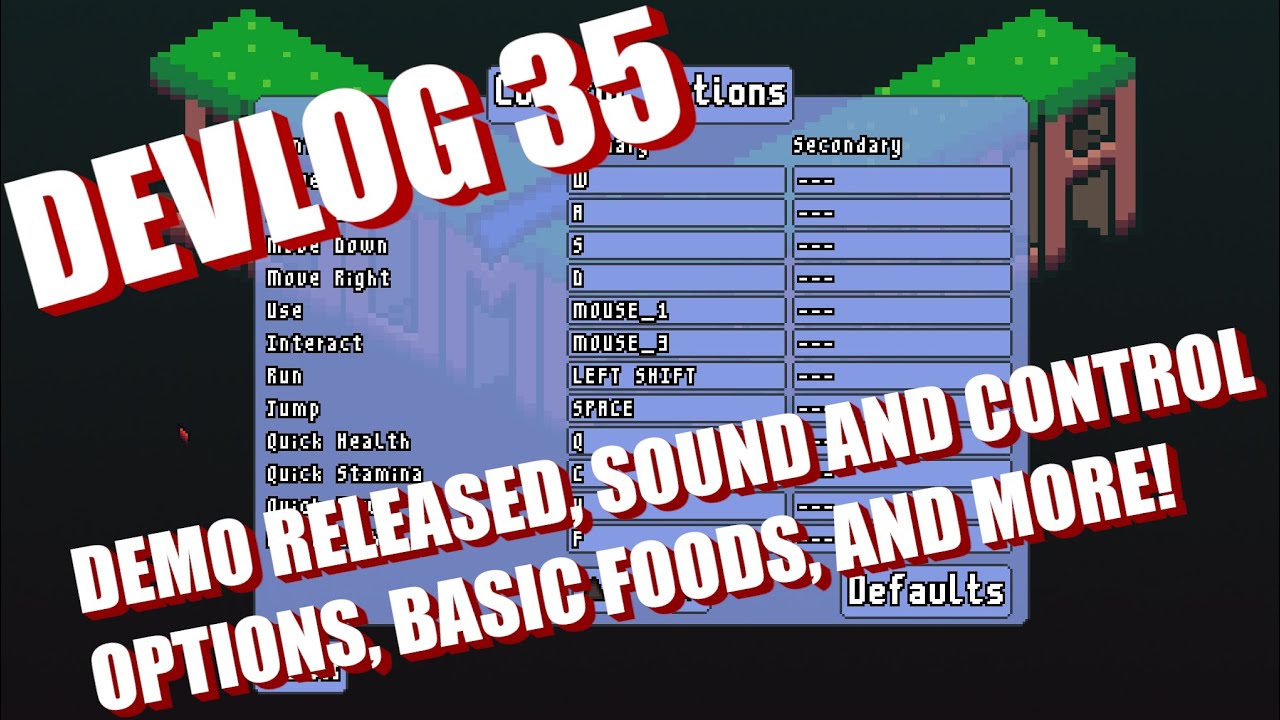
Wishlist and play the Isometria demo here: https://store.steampowered.com/app/2596940/Isometria
In this week's devlog I talk about the demo release and show remappable controls and new sound options. I also show some music improvements while fighting bosses. I discuss the addition of tooltips, some new items, and changes to stamina and power am...
cold storm
I need the equation to rotate a vector by a euler
(and a inverted euler)
To backport some candy to blender 2.79.6 from 4.0
Decals
marble jewel
import numpy as np

def rotate_vector(vector, euler_angles):
    roll, pitch, yaw = euler_angles
    rotation_matrix = (
        np.array([
            [1, 0, 0],
            [0, np.cos(roll), -np.sin(roll)],
            [0, np.sin(roll), np.cos(roll)]
        ]) @
        np.array([
            [np.cos(pitch), 0, np.sin(pitch)],
            [0, 1, 0],
            [-np.sin(pitch), 0, np.cos(pitch)]
        ]) @
        np.array([
            [np.cos(yaw), -np.sin(yaw), 0],
            [np.sin(yaw), np.cos(yaw), 0],
            [0, 0, 1]
        ])
    )
    rotated_vector = rotation_matrix @ vector
    return rotated_vector

def rotate_vector_inverse(vector, euler_angles):
    roll, pitch, yaw = euler_angles
    inverse_rotation_matrix = (
        np.array([
            [1, 0, 0],
            [0, np.cos(roll), np.sin(roll)],
            [0, -np.sin(roll), np.cos(roll)]
        ]) @
        np.array([
            [np.cos(pitch), 0, -np.sin(pitch)],
            [0, 1, 0],
            [np.sin(pitch), 0, np.cos(pitch)]
        ]) @
        np.array([
            [np.cos(yaw), np.sin(yaw), 0],
            [-np.sin(yaw), np.cos(yaw), 0],
            [0, 0, 1]
        ])
    )
    rotated_vector = inverse_rotation_matrix @ vector
    return rotated_vector
thats according to chatgpt
brisk yew
Also for working with single matrices like this, you probably would want to use pyglm or just do math using pure Python stuff, cuz yk, numpy being slow with small arrays and such
bold radish
yo what is wrong here

here is the full code
class Tilemap:
def init(self, game, tile_size=16):
self.game = game
self.tile_size = tile_size
self.tilemap = {}
self.offgrid_tiles = []
    for i in range(10):
        self.tilemap[str(3 + i) + ';10'] = {'type': 'grass', 'variant': 1, 'pos': (3 + i + 10)}
        self.tilemap['10:' + str(i + 5)] = {'type': 'stone', 'variant': 1, 'pos': (10, 5 + i)}

def render(self, surf):
    for tile in self.offgrid_tiles:
        surf.blit(self.game.assets[tile['type']][tile['variant']], tile['pos'])

    for loc in self.tilemap:
        tile = self.tilemap[loc]
        surf.blit(self.game.assets[tile['type']][tile['variant']], (tile['pos'][0] * self.tile_size, tile['pos'][1] * self.tile_size))
'pos': (3 + i + 10)
 final star
im trying to unpack a .obb file from a game and i figured out that it's a .wad file; how do i open this? it's not from doom or half life. hope this is kinda relevant
 narrow scroll
hey guys can you test my ping pong game i made using python
vagrant saddle
narrow scroll
hey guys can you test my ping pong game i made using python
is it pygame ?
quartz fossil
bold radish
yo what is wrong here
What is the third/fifth/nth element of a natural number?
 trail wadi
hey everyone! will learning game development be a great way to start out with software creation? or is game development coding very different to regular standard coding, and because of that it wont help to learn?
quartz fossil
trail wadi
hey everyone! will learning game development be a great way to start out with so...
It is a good choice because game development is very rewarding once you actually do see things move on the screen. It is a bad choice because even a relatively simple game, seen through to the end, will be a major endeavor. There is no difference in how you program (though you might have to get a bit creative with debugging), but there is a vast difference in what domain you apply that knowledge to. An example of a typical programming project would be a web application, so you'll eventually learn about HTTP and SQL. With game development you might one day find yourself studying numerical simulations of fluid dynamics because that is still simpler than magnetohydrodynamics, but still good enough to paint an aurora on the sky; Either way it will make you reminisce about the days where you thought learning SQL to store game data in a database was a head scratcher.
 wicked void
hello, does anybody knows how can i make short game using pygame any knowledge
 gentle tulip
wicked void
hello, does anybody knows how can i make short game using pygame any knowledge
gentle tulip
wicked void
hello, does anybody knows how can i make short game using pygame any knowledge
i would prob start with the screen size and character movement
thats a pretty decent start, depending on what you would like to code ofc
brisk yew
wicked void
hello, does anybody knows how can i make short game using pygame any knowledge
you could make pong
 frosty pulsar
Hello. I'm new with game development in python. I have a project where I need to make a game that uses algorithms. Its much better if it can be applied in a real life scenarios. Any help it much appreciated ❤️
quartz fossil
"[a program] that uses algorithms" is basically "water that is wet".
But you might start at writing a Nim game, and then give it an AI.
frosty pulsar
frosty pulsar
Hello. I'm new with game development in python. I have a project where I need to...
It has to use the short path algorithm for the game. Ty
quartz fossil
Ah! How about a twin stick shooter where you run over a map with lots of barriers on it, but the NPCs always take the shortest path to you?
frosty pulsar
Is a game where train tracks need to be arranged correctly in order for the train to reach its goal possible in python? How can i make it?
bold radish
Yo can any of u giv me an idea to make a game about
brisk yew
bold radish
Yo can any of u giv me an idea to make a game about
make a game about a ball getting abused, it gets hit by paddles all the time
I'm thinking the game could be called pong
limber veldt
That's a good idea, learn to make a game loop and draw things moving on the screen, a ball and paddles
I've worked out demo states and the switcher, still some kinks but still making progress too
Like killing those bullets and explosions when demo gameplay initializes
brisk yew
it looks amazing
limber veldt
I need to set up the gameplay demo to include a ship capture and release, using a dt counter to trigger the shots at enemies so I just need to populate the list that triggers the shots
There seems some wiggle room in it, not completely reliable yet
As is now, that list has all relative values, as in time between jumping to the next index, maybe I should make it absolute
trail wadi
hey everyone 🙂 i hope you're having a good day
I'm still at the very VERY basics and im struggling with making a tic tac toe game. I can play on the grid but only in the first row? i think there is something wrong with my event handling . can i share my code here for some help or is there a different chanel?
limber veldt
Every time the index increments, I'm also zeroing the timer so it should be pretty reliable but not quite
Do you know https://paste.pythondiscord.com/ ? Good for sharing codes
trail wadi
Hm I haven't heard of it before. I'll check it out rn, thank you
limber veldt
It might be better to just paste your code there, save it and copy/paste the link here with your question
trail wadi
ahh this is so helpful lol ty man. here is the code relating to my question https://paste.pythondiscord.com/5Q3Q
limber veldt
Your markers list seems to be working, perhaps a closer look at the drawing
And I found it
In line 39 you have y_pos+= 1 unindent it so it's aligned with the if statement just above it
Also, seems you have extra spaces in both lines 38 and 39
You want to increase y for every row, not for every element in the row with a value of -1
trail wadi
BROO you are so smart lol it worksss

im still getting used to the whole indent thing 💀 didn't realize its that significant
limber veldt
Other than that small error, well done. Any ideas for your next project?
Maybe you could add win detection and draw the line when game ends
And even a play again prompt
 pallid cloud
Keep score if you're playing with two people

 viral burrow
Hi everyone
Can you share game mechanic database, i want to implement some game mechanic but does not know where to start
potent pebble
 median linden
Nicee start!
trail wadi
limber veldt
Other than that small error, well done. Any ideas for your next project?
Definitely, but it was such a challenge to create just that I had to use each and every brain cell I had lol. So I think I’m just taking a couple days to properly cover the basics first like control flow statements and problem solving
trail wadi
median linden
Nice!
quartz fossil
viral burrow
Hi everyone
Can you share game mechanic database, i want to implement some game ...
The closest thing to a mechanics database would be https://ludes.cos.ufrj.br/wp-content/uploads/2017/11/Game_Mechanics_Ontology.pdf
viral burrow
quartz fossil
The closest thing to a mechanics database would be https://ludes.cos.ufrj.br/wp-...
thank you very much, but i want more to do point list like:
- snake game
- tetris
- same game[bejewelled/candy crush]
- etc
quartz fossil
There is a structured list of fundamental mechanics in there.
viral burrow
ok, let me learn about that paper first
bold radish
brisk yew
make a game about a ball getting abused, it gets hit by paddles all the time
I'm...
can u clear it a little bit more pls
is there any better platform for python game development other than pygame
quartz fossil
Depends on your needs, abilities, and interests. The channel topic lists a few frameworks.
brisk yew
bold radish
can u clear it a little bit more pls
just make pong
quartz fossil
Not unless you show them to us.
 quartz fossil
- That's a screenshot, not text, I can't run that locally, and so 2) I can't see any error message and stack trace there.
 little galleon
uh
median linden
Actually I fixed it
 blazing void
After a few hours, experience from my old project and chatgpt I got this. Now I just need to make the walls (the white stuff) bigger and check whether in all 4 directions is enough space. Then I can test path finding algorithm, with the knowledge I will choose which one I will use for my ant simulation

My ant simulation was my main project, then I got the idea "Building an own labyrinth for path finding algorithm" would be easy.......... not with my too less lazy ideas like "absolute random labyrinth"


 quartz fossil
I see your images, but I do not know what on them is supposed to be interesting.
 chrome abyss
quartz fossil
I see your images, but I do not know what on them is supposed to be interesting.
chrome abyss
quartz fossil
I see your images, but I do not know what on them is supposed to be interesting.
This is a default for u?
quartz fossil
What "this"?
dawn quiver
what is this error?

 neon ferry
chrome abyss
Best programming expirience
neon ferry
chrome abyss
Best programming expirience
Nahhh 3 screens and one vertical.
quartz fossil
dawn quiver
what is this error?
A typo. You wrote "formaL" instead of "formaT".
limber veldt
Three day grind but I got it pretty good, and by that, I mean a reliably repeatable demo mode
I ended up implementing a frame counter to sync shots with movements of some enemies
My first couple attempt were naive, but I learned that for so much movement and so fast, using dt counters alone is not enough precision
Gotta have some 'keyframes' too
quartz fossil
limber veldt
Three day grind but I got it pretty good, and by that, I mean a reliably repeata...
That's pretty amazing, actually.
limber veldt
Thanks, I'll spend the next three days refactoring it but it's pretty clean
I tend to leave fragments of failed attempts until I get working attempts, leaving dangling attributes here and there, gotta refactor
Nothing there happens randomly, every shot and every move is choreographed yet it still looks organic enough, maybe could use some tweaks on that part
In retrospect, that's a lot of functionality coming together to make that happen
limber veldt
Sorting videos, this one came along, one of my boids sims, thought I'd share
They get so heavy, iterating every boid against every other boid for distances
 broken garden
Hey I’m a 13 year old pygame programmer looking to gain experience
limber veldt
Demo loop finished
 shell nexus
hello... i've been having a Error in Window's Event Viewer from python: https://bpa.st/ZD2Q
Anyone know what is wrong?
quartz fossil
broken garden
Hey I’m a 13 year old pygame programmer looking to gain experience
Then code, and widen your horizon with the problems that you encounter.
quartz fossil
shell nexus
Anyone know what is wrong?
You are probably using SDL2 incorrectly, but there might also be a bug in it. Other than that, I can extract no information, and the next step would be to attach a debugger.
quartz fossil
limber veldt
Sorting videos, this one came along, one of my boids sims, thought I'd share
Thanks, now I want to do boids again, too. 😛 Probably in compute shaders this time around, though.
 feral breach
Master the creation of a classic Tetris game using Pygame with this step-by-step tutorial. Learn to handle game logic, user input, and rendering while building your own customizable Tetris clone in Python.
i tried running the code from this website but for some reason the left side isnt bounded
curious how i could fix it. im assuming the problem is within
 def valid_move(self, piece, x, y, rotation):
     """Check if the piece can move to the given position"""
     for i, row in enumerate(piece.shape[(piece.rotation + rotation) % len(piece.shape)]):
         for j, cell in enumerate(row):
             try:
                 if cell == 'O' and (self.grid[piece.y + i + y][piece.x + j + x] != 0):
                     return False
             except IndexError:
                 return False
     return True
also is there a way for holding down a key to be a bit slower?
for example
        if going_down == True:
            if game.valid_move(game.current_piece, 0, 1, 0):
                game.current_piece.y += 1 # Move the piece down
                game.score_add(1)
is going too quickluy
limber veldt
feral breach
also is there a way for holding down a key to be a bit slower?
for example
```...
I'd put a counter somewhere in the code, like in update() so it increments every frame, when it reaches some limit, reset it to 0. Then in the event loop, where I'm reading the input, only read it (or respond to it, or whatever) when that counter has a specific value. You are using a frame limiter, right?
One could also implement a custom userevent but I think it's unnecessary for this
feral breach
limber veldt
I'd put a counter somewhere in the code, like in update() so it increments every...
So im basically just making a timer that only allows going down to be true on certain intervals?
Idk ab a frame limiter
feral breach
im unsure of how to implement that. update only really does stuff every time i hit down
limber veldt
Yes, and by frame limiter, I mean using pygame.time.Clock().tick(<frames per second>) in your update() method (or whatever you call your main game loop). Like, a counter will do no good for tracking time if your code is running wildly at 300-1000 frames per second
feral breach
i got it working but is there a way to make a general form for a held key?
feral breach
feral breach
i tried running the code from this website but for some reason the left side isn...
and can someone help with this issue
limber veldt
The youtube channel Programming With Nick also has a decent Tetris tutorial if you wanted to take a look at it
I am in no way associated with the channel but I did the tutorial a few months ago
feral breach
im mostly modeling a puyo puyo game off of that code rn
feral breach
nvm got it fixed
 grand raven
who uses turtle py to make games
pine plinth
i hope nobody
 round shell
import robloxpy

GroupId = 12497268
TargetId = 679467633

robloxpy.User.Groups.External.GetGroups(TargetId)
Why its errors ?
requests.exceptions.ConnectionError: HTTPSConnectionPool(host='api.roblox.com', port=443): Max retries exceeded with url: /users/679467633/groups (Caused by NameResolutionError("<urllib3.connection.HTTPSConnection object at 0x0000020A87E22090>: Failed to resolve 'api.roblox.com' ([Errno 11001] getaddrinfo failed)"))
bright plover
You're not connected to the internet

... or they arent
That website doesn't exist
round shell
My internet works fine
round shell
bright plover
That website doesn't exist
What do you mean ?
bright plover
round shell
What do you mean ?
Open up your web browser, and try to go to https://api.roblox.com/
round shell
bright plover
Open up your web browser, and try to go to https://api.roblox.com/

what happened ?
bright plover
round shell
what happened ?
It doesn't exist
You can't connect to something that doesn't exist
round shell
bright plover
It doesn't exist
 round shell
bright plover
You can't connect to something that doesn't exist
round shell
bright plover
You can't connect to something that doesn't exist
oh
round shell
bright plover
It doesn't exist
AI told me these

 round shell
bruhh
bright plover
You'll need a newer package that's actually up-to-date
round shell
oh alright
 manic bronze
hey so im new to python can someone tell how to possibly make simulations like this im trying to study collisions
Follow me on social media!
Facebook: Project.jdm
Instagram: project.jdm
TikTok: project.jdm
 pulsar dragon
Hello everyone, i was wondering how or if i can publish games made using python to the google play store, ive done some research but i cant find a simple explanation
thanks
tranquil girder
pulsar dragon
Hello everyone, i was wondering how or if i can publish games made using python ...
I think both pygame and kivy supports building for android. panda3d will too in the next version. What framework are you using?
I've actually published a game on Play store myself: https://play.google.com/store/apps/details?id=com.amlandinteractive.cmykswap&hl=en_US
However, it's not really fully featured Python, because it uses a custom language I made that's almost identical to Python, but not a 100%. It lacks some feature and have some python don't. I've written games that works in both languages though. If you want to try it it's here: https://pokepetter.github.io/taptapir/docs/index.html
grand raven
grand raven
who uses turtle py to make games
answer
proper peak
manic bronze
https://www.youtube.com/watch?v=FwIV-hSDL_A
For this particular task it'd work to just blit the two squares (at their current positions) onto a canvas each frame without clearing the canvas. Pygame should be fine for it, say.
 valid bobcat
@dimkauzh#0
 cunning sail
gue
like girl I don't know
what you talkin about
but I like the way you say it
I guess
I am just trying to get 50 messages
to talk on the vc
I really don't know what to say
somebody help
I can't stop typing
Idk what the hell is happening
send help
dawn quiver
Real
proper peak
cunning sail
I am just trying to get 50 messages
fun fact, this can get you banned from voice.
 fringe briar
 coarse lichen
I might have messed up a bit ;_D
 obsidian spear
I just finished a little game fully in python that playes on multiple windows with tkinter. Check it out and tell me what you think : https://yan-le-bambi.itch.io/window-warfare
 grand raven
ok who is joining mini jam