#microcontrollers
1 messages · Page 20 of 1
 rapid escarp
 wraith crag
Hey folks I am very new to python and i am working on a problem that I need help with. The topic is communication. I am trying to write a python script that will receive data either via tcp/ip socket messaging or via GPIO pins and use that logic to communicate to a device via serial. To start with I wanna use serial straight up but enable bluetooth functionality. I was thinking something on raspberry pi
I will have to deal with 2 different protocols. so I am unsure how that setup looks like and how complicated it would be
 severe warren
I just got two of these today - really impressed.
severe warren
wraith crag
Hey folks I am very new to python and i am working on a problem that I need help...
This should be a relatively straight forward thing to do but depends on you programming ability. IMO you would be best getting a good grasp of python basics before venturing into sockets
 turbid patio
I'm new to all this. How can I use a Python library in MicroPython?
wraith crag
severe warren
This *should* be a relatively straight forward thing to do but depends on you pr...
any particular place to start?
i have been looking into some youtube videos
Also is there a coding excercise or challenge I could work towards?
 spark robin
turbid patio
I'm new to all this. How can I use a Python library in MicroPython?
spark robin
turbid patio
I'm new to all this. How can I use a Python library in MicroPython?
just import them...
not all are available tho, and some have 'u' prefix before them,
http://docs.micropython.org/en/latest/library/index.html#python-standard-libraries-and-micro-libraries
use this link to refer libraries.
 opal furnace
do all micropython devices use little endian?
 craggy ember
@opal furnace to my knowledge yes as all of the architectures I know of using MicroPython are little endian.
opal furnace
thanks
craggy ember
Welcome!
 stuck thicket
DESK OF LADYADA - It's an RP2040 & Pico Party! https://youtu.be/jIUV9gYLYpk

Can you believe it was only Wednesday when the Raspberry Pi Pico/RP2040 was released? We'll chat about this chip and some of the board designs we've come up with over the last few weeks we've had with it. Also, we've got CircuitPython support available in our mainline branch. Come on by with any RP2040 questions ya got!
The Great Search - Solde...
 white spade
YES! Though I dont think it's the plugin in my case
If you have any experiences with it to share I'd love to hear
Trying to acomplish Azure IoT integration over LTE myself
 floral mantle
white spade
If you have any experiences with it to share I'd love to hear
floral mantle
white spade
If you have any experiences with it to share I'd love to hear
been working with them for over a year now. feel free to send me a DM or hit me up over at the PyCom forum.
 neat pine
Anyone with power issues with Micropython over Arudino?
 main ridge
How to send a float using USART, other way than using sprintf? for atmega32
craggy ember
@neat pine I have not seen any.
 wide stream
oop
spark robin
How do I uninstall micropython from esp8266 and reinstall the original firmware to reuse arduino programs...?
I'm using Nodemcu esp8266
the Chip is ESP8266EX
if it is of any more convenience.
 fast elm
you mean to use it as a modem for an arduino? Or have it being able to run arduino programs?
@spark robin
craggy ember
@spark robin the easiest thing would be to download the Arduino IDE https://www.arduino.cc/en/software and then you can simply flash any of the example programs.

Open-source electronic prototyping platform enabling users to create interactive electronic objects.
neat pine
 hallow igloo
Working on building an autonomous UAV
hallow igloo
Working on building an autonomous UAV
On what platform?
spark robin
This is comming when I do That
@craggy ember
@craggy ember Kevin Thomas
These are my settings
craggy ember
@spark robin did you install the esp32 or esp8266 package in Arduino IDE? Here is a great tutorial on how to get the libraries set up. https://randomnerdtutorials.com/installing-the-esp32-board-in-arduino-ide-windows-instructions/

Learn how to install the ESP32 board add-on in Arduino IDE in less than 1 minute. This guides works in any operating system: Windows PC, Mac OS X, and Linux.
 kind ice
Picos were in stock again at Adafruit. They sold out in less than 2 hours but I managed to squeak an order in before they did.
I always get the alerts at the worst times. LOL
They are trickling in, get on the notification list if you want one.
spark robin
craggy ember
<@!607747117137788944> did you install the esp32 or esp8266 package in Arduino I...
Yes I did....
And also I have uses esp8266 before on the same system...
before I installed micropython....
 fierce needle
Hey, I am thinking about RPi Pico - is it ready to develop it in MicroPython?
kind ice
fierce needle
Hey, I am thinking about RPi Pico - is it ready to develop it in MicroPython?
Gonna find out soon, got Picos on the way.
fierce needle
kind ice
Gonna find out soon, got Picos on the way.
Yay, nice!
 hardy skiff
oooooooooo aaaaaaaahhh
 calm folio
what is micro python?
 violet matrix
calm folio
what is micro python?
violet matrix
calm folio
what is micro python?
https://micropython.org/ Pretty cool, I'm finally really reading about it now.

MicroPython is a lean and efficient
implementation of the Python 3 programming language
that includes a small subset of the Python standard library and is
optimised to run on microcontrollers and in constrained environments.
calm folio
oh ok thx
 shy ember
Hello
I need to use a flask web server to read data from my sensors and sent it to my MYSQL databse.
1: I noticed that my Flask server only starts without my sensor (code commented), and when I allow my sensor to read data my server doesn't start, how do I do both?
2: How do I sent my sensor data/readings to my MYSQL database?
Thanks
 edgy oxide
@shy ember your sensor code is in an infinite loop, so the flask code never runs
if your intention is to have the sensor data requestable via an endpoint, then i would add a flask endpoint that calls the .read function and returns its results
shy ember
edgy oxide
<@!366599747760291851> your sensor code is in an infinite loop, so the flask cod...
Ah ok, I'll see what I can do, thanks!
stuck thicket
WE ARE LIVE! SHOW AND TELL! https://youtu.be/8V6kqSBPj_U

Visit the Adafruit shop online - http://www.adafruit.com
LIVE CHAT IS HERE! http://adafru.it/discord
Adafruit on Instagram: https://www.instagram.com/adafruit
Subscribe to Adafruit on YouTube: http://adafru.it/subscribe
New tutorials on the Adafruit Learning System: http://learn.adafruit.com/
-------...
stuck thicket
WE ARE LIVE! ASK AN ENGINEER! https://youtu.be/bRtn4PzyE2U

ASK AN ENGINEER 1/27/2021 LIVE!
#adafruit #askanengineer #eletronics
Visit the Adafruit shop online - http://www.adafruit.com
LIVE CHAT IS HERE! http://adafru.it/discord
Adafruit on Instagram: https://www.instagram.com/adafruit
Subscribe to Adafruit on YouTube: http://adafru.it/subscribe
New tutor...
hallow igloo
question my dudes
is it worth using python for embedded systems because isn't it more of an Mathematical language like for computational not low level work
I'm basically just saying it worth it at all to try out python on like raspberry pico or learn Low level languages
Ping me
kind ice
You know, for such a tiny device, a Trinket M0 has a LOT of the magic smoke in it . . .
kind ice
Just ordered a replacement. If I didn't already have the board built I'd just substitute something else, but it's not worth going back to the drawing board now, I'll just replace the Trinket and proceed.
kind ice
 hybrid kraken
Hello i'm new to microcontrollers.
does any body know where i can get a microphone that i can put on an Arduino
 errant wigeon
@hybrid kraken https://www.adafruit.com/product/1063 that should work

Add an ear to your project with this well-designed electret microphone amplifier. This fully assembled and tested board comes with a 20-20KHz electret microphone soldered on. For the ...
adafruit is a great company and has plenty of tutorials to help you use it
@kind ice Oh what are you building? And how did you let out the magic smoke?
@hallow igloo Both MicroPython and CircuitPython have been working on making sure they function with the pico if I recall correctly, and it should be decently easy to get it up and running. It's a new bit of tech though so there'll probably be hiccups, but if you just want to see what you can do with a pico, python would be a good place to start, and if you enjoy the experience and need to squeeze more out of it you could always switch to lower level languages
The pico is a microcontroller though, not embedded linux like a raspberry pi, so if you've never played with arduino's or feathers or the like, it might somewhat of a new experience
hallow igloo
@errant wigeon Thanks man can I ask question about embedded systems
errant wigeon
of course! I'm not the best but worst comes to worse I can point you in a direction
hybrid kraken
errant wigeon
<@!571294682664140800> https://www.adafruit.com/product/1063 that should work
thank you
hallow igloo
errant wigeon
of course! I'm not the best but worst comes to worse I can point you in a direct...
no all good you seem to know things, I'm just confused on the tools to use for embedded system like for example
when learning to build website, application, game, do data science, etc
there's a layout for that a many people show different packages frameworks and tools to use
but for embedded system it's amazing because you can do about anything. But with that comes insane confusion
because if if someones had a lot of experience with arduino feel like it lacks for future projects they will have to learn a whole different language and way to design the system
depending on the microcontroller they want or what specs etc
for me honestly I get really confused on how to actually program different chips
Sorrry for making this so long
🥲
errant wigeon
Don't worry, it makes perfect sense!
Ok so I think a good way to think about exploring embedded systems is to think about 'around the house' projects you're interested in. Things you can build and interact with. That's a good starting point. So for example Say you have a coffee pot and you want to text it to turn on, or lights that you want to blink when you get an email.
It's a physical project that interacts with the real world, and it gives you constraints. Those constraints help you pick a microcontroller
If you're a company there's more complex constraints, like volume, total cost per part, cost of added things, etc. That's where most of the diversity in the microcontroller world comes from. As a hobbiest, you probably won't need to worry about that. So when you see all that complexity, know that most of it isn't something you really need to worry about
hallow igloo
errant wigeon
It's a physical project that interacts with the real world, and it gives you con...
I see true true, also because I hear that c/c++ is like the go to for embedded systems would every microcontroller or microprocessor work on it to compile data.
errant wigeon
yes! And assembly if you're REALLY squeezing pennies or speed or power
hallow igloo
ya I wanna learn assembly soon
errant wigeon
But that's driven because companies need to save money, or time, or power.
to dip your toes into the water, starting with Circuit Python or microPython is a fine first step
it'll give you experience with interfacing with things like sensors, LEDs, Servos, etc
then you can explore writing C to do the same thing
hallow igloo
I wanna use python more even though I've tired arduino, i'd just use python for data science with embedded systems
hallow igloo
errant wigeon
it'll give you experience with interfacing with things like sensors, LEDs, Servo...
True because I feel like even though python would lack in some things likes speed. You'd still get that foundation for understanding each components function. Along with the fundamentals of how to program the devices.
errant wigeon
yeah. There's a lot that you won't get much experience with using micro or circuit python (To my knowledge--I've only played with circuit python thus far, I need to expand to micropython soon to see what that environment is like), but it's a great place to start, and then you can explore a lot of the more nuanced things afterwards.
For me I use it because I have more fun writing python than I do writing C, and I hate debugging C way more than python. Most of my around the house projects don't need to squeeze every penny, so I choose circuit python because I can quickly and enjoyably spin up a little toy without much frustration.
If I hit a wall I can swap to c, but byinlarge I don't need to, and the Pico makes it even cheaper to buy a fairly large microcontroller
But if you don't have a project to build, the pico (and other micorcontrollers) might not be enjoyable.
They're devices to run 'specific task' programs, and can't run a ton at once as easily as a raspberry pi would.
In all, I think circuit python or micro python are good choices to begin learning about embedded systems, and the pico is both cheap and designed with learning in mind. The embedded implementations of python have their limit, but if you're just looking to learn about the embedded world, I'd recommend starting here
craggy ember
Really well said @errant wigeon I would also say that micro:bit is a great way to learn MicroPython for new folks.
errant wigeon
Oh I didn't know about that! Thanks! I'm going to go through that later on myself 😄
craggy ember
@errant wigeon I have a tutorial for the micro:bit if you are interested. https://github.com/mytechnotalent/MicroPython-For-micro-bit

GitHub
A FREE MicroPython course designed to teach MicroPython with specific application to the micro:bit V2. - mytechnotalent/MicroPython-For-micro-bit
errant wigeon
Thank you! This will be great to go through!
craggy ember
Pleasure!
 velvet wedge
How do I fix unused variable guild
 still dome
@craggy ember how does micropython compare with coding in C for an ESP or microbit controller?
craggy ember
@still dome The difference is literally breathtaking. The xtensa C is so much more complicated than the MicroPython for the ESP-32 that is is worlds apart. Now, when taking about the micro:bit we are referring to the codal (version 2) can dal (version 1) both very powerful but the MicroPython implementations are significantly more powerful when it comes to code development ease and scalability.
C is the parent of CPython and is to hold the deepest respect but unless you are developing real-time sensitive code, MicroPython is the better solution period.
still dome
@craggy ember thanks for your answer! what about power consumption/ram is it affected at all by micropython?
 mint kite
new pi controller 😮
they missed their chance to call it the "pi slice"
that wouldve been sick
craggy ember
@still dome It depends. There is a low power mode that you can read on here. I would say if you can use interrupts rather than a larger series of loops that would help as well with power. https://docs.micropython.org/en/latest/esp8266/tutorial/powerctrl.html
kind ice
errant wigeon
<@!571294682664140800> https://www.adafruit.com/product/1063 that should work
A perfect storm of fatigue, impatience and small blunders swirled together. Long story short, I inadvertently connected a power supply that I thought had been switched back to 5V but was instead still set on 12V.
Not sure what the maximum voltage tolerance of the Trinket M0 is, but I'm satisfied it is not in fact 12V.
errant wigeon
ahh I know that storm and the smell of the magic blue smoke that follows it well
bummer it happened, but hopefully the replacement gets there quickly and wasn't too expensive
kind ice
The device will activate a set of solenoids in a repeating pattern. The solenoids run on 12V, hence the relays.
errant wigeon
ah very nice
I fried a few controllers from not properly isolating a solenoid's flyback some years ago, I like the relay choice in your build
 spice lagoon
hey, what is the best type of raspberry pi to use for computer vision projects?
any recommendations?
 rough harbor
Wooooo I got a pico
 rigid pecan
Is this the place to ask about raspberry pies?
rigid pecan
rough harbor
Wooooo I got a pico
What are you using it for?
The pico is for controlling hardware right? Like lights
rigid pecan
im trying to simply run/host a discord bot on a pi zero W, should i go javascript, python or C# or another language? which is the best language to setup/use on raspberry pi's?
 sudden hamlet
Python is a good option
rough harbor
@rigid pecan the only idea so far was some bread board office temp measuring/recording. I’m curious if I can use it to program eeproms though 🤔
rigid pecan
rough harbor
<@218455068242870274> the only idea so far was some bread board office temp meas...
The Pico's are for hardware programming right?
You can't let's say host a discord bot them
rough harbor
followed the steps for the Pico SDK micropython build and got things going fine
hmm i did not anticipate how i'd expect the data
hallow igloo
hey guys! one simple question. I just got an Arduino Uno, and i have an ESP8226 with me. I couldn't find any tutorials about it at all (on youtube). How do you guys search for the documentation and such for libraries? Also, can you code in microcontrollers using python and if so, is everything supported, or is it just specific libraries?
rigid pecan
I got a pi zero W but I don’t have a Bluetooth mouse/keyboard. Is there anything I can do or do I need to invest in one
 ornate bear
rigid pecan
I got a pi zero W but I don’t have a Bluetooth mouse/keyboard. Is there anything...
ornate bear
rigid pecan
I got a pi zero W but I don’t have a Bluetooth mouse/keyboard. Is there anything...
usb to microusb adaptor
Plus a usb hub
rigid pecan
Ah that’s smart
rough harbor
Or enable ssh and just connect it to wifi then ssh in
Treat it like a headless server
rigid pecan
rough harbor
followed the steps for the Pico SDK micropython build and got things going fine
Is micro python like normal python? Aka: can you use it with modules such as sockets and discord.py
Cause if i can, it’s the cheaper option for hosting a discord bot
rough harbor
Someone far smarter than I would know but my gut instinct says no
I think discord.py would fill the memory on the pico alone
 wheat loom
Micropython doesn't exactly follow the Python implementation, so you can't really expect libraries as complicated as d.py to work flawlessly
And the stdlib isn't the exact same
 frank hinge
So
I was trying to make MU work with my Micro:bit v2
But it gives me an error because it isn't on MicroPython V2
How do I put the v2 beta in Mu Code Editor?
frank hinge
I need help because
Mu isn't working as inteded
it isn't getting the embeded micropython version
 steel sable
so not really a microcontroller -- but are there languages for the RPi as good as Python?
I'll take that one step further - are there any compiled languages that are good to use on the RPi? (for gui design specifically)
 hollow crescent
guys
i have disassembled a headphone and i want to connect its PCB to my raspberry pi
to play with it a bit
but how can i do it
what are the requirements
 daring raven
Hi, I am running a MicroPython script which is throwing a NameError inside of a thread, and I am not sure if I need to do something special to define this name inside of the thread.
Unhandled exception in thread started by <function button_reader_thread at 0x20006ad0>
Traceback (most recent call last):
File "<stdin>", line 17, in button_reader_thread
NameError: name 'button' isn't defined
led_red = machine.Pin(15, machine.Pin.OUT)
led_yellow = machine.Pin(14, machine.Pin.OUT)
led_green = machine.Pin(13, machine.Pin.OUT)
button = machine.Pin(16, machine.Pin.IN)
buzzer = machine.Pin(12, machine.Pin.OUT)
global button_pressed
button_pressed = False
def button_reader_thread():
global button_pressed
while True:
if button.value() == 1:
button_pressed = True
_thread.start_new_thread(button_reader_thread, ())
I've omitted some stuff before and after this section of code--I think this captures the problematic secion
I bolded the line that throws the NameError
steel sable
daring raven
Hi, I am running a MicroPython script which is throwing a NameError inside of a ...
my guess is that button isn't defined 
daring raven
You can see it defined above
steel sable
where?
daring raven
i just bolded it
steel sable
that's not defining button
that's trying to get the value from a button that should already be defined
you need a "button = ..." somewhere or similar
daring raven
I'm lost
it is defined
button = machine.Pin(16, machine.Pin.IN)
just a few lines above
steel sable
print button afterward, is it "None" type?
steel sable
oh I just realized it's in a separate thread
daring raven
yeah
steel sable
are you giving the thread access to that variable?
steel sable
yeah no worries
make sure you make it thread safe as well - although I assume since it's a button it's basically read-only
daring raven
Well that value needs to be available to the main program, too
This is literally the tutorial from the Pico book lol
So as far as I'm concerned, the book is wrong
steel sable
are you sure they aren't making the button global?
steel sable
seems odd to me that they would put this in there then - do they continue the example later?
daring raven
No, this is the culmination of the tutorial
And the behavior is not consistent, either
So I can get the program to run OK but then the first time I press the button, it throws the namerror
I tried rewiring the button, I replaced the button with a different button, I think the hardware is OK
kind ice
rough harbor
Or enable ssh and just connect it to wifi then ssh in
Also, all my Zeros and Zero Ws are set up as USB gadgets. Easy to do, and gives me the option of SSH without wifi signal.
steel sable
no I assume it's a program error, not a hardware error
daring raven
Yeah, I agree
daring raven
tried that, too
Traceback (most recent call last):
File "<stdin>", line 8
SyntaxError: invalid syntax
putting global before the button line errors immediately with that traceback when the program is run
steel sable
do you do this? py global button button = ...
daring raven
just tried that, back to the nameerror
steel sable
did you try putting the global in both the thread and the base code
like they do with button_pressed?
the same way as what I just posted
steel sable
well that's a good start
daring raven
I think... it works now
ah sh*t now its acting up again
i need to add some print statements
im getting phantom presses
steel sable
that could be button debouncing too
daring raven
oh
daring raven
can you point me in the right direction on that?
steel sable
you can kind of fudge a debouncer with a slight stall/delay
in other words don't read the button for like, 10ms after it's pressed, or whatever
daring raven
the mp docs say to build it into a function
def wait_pin_change(pin):
# wait for pin to change value
# it needs to be stable for a continuous 20ms
cur_value = pin.value()
active = 0
while active < 20:
if pin.value() != cur_value:
active += 1
else:
active = 0
pyb.delay(1)
steel sable
yeah that works too
its setting a bounce value of 20, saying if it reads a button bouncing more than 20 times, it will activate another press, but you have to be careful how you implement this
you'll figure it out, I'm sure
if you didn't know, this is basically what bouncing is, in terms of the current flow
the button is a real thing, so it won't give you a perfect graph/square wave
daring raven
This button is super unreliable lol
it is triggering randomly
ahh
Thanks @steel sable
You have been more helpful than the Pico's documentation
steel sable
no problem
if you want a way to remember the global thing, just remember that you have to define it as a global inside of another function/thread because you "could" have another variable "a" that is a local variable - and assumes you mean that until you specify you want the global one
good luck with the rest of it 🙂
daring raven
the book explicitly said you only needed to do that if you were changing the variable
steel sable
the book is dumb
daring raven
Quote from the tutorial: “You’ll see you didn’t need the line global button_pressed to check the status of the variable in the conditional; it’s only needed when you want to change the variable and have that change affect other parts of your program.”
steel sable
¯_(ツ)_/¯
daring raven
So that advice is apparently not true
steel sable
yeah you could have "passed in" another variable called button
and then it wouldn't know which one you were talking about
daring raven
@steel sable I found a thread on the RPi forums about the floating button issue with that tutorial in the book, for which they’ve already released an updated PDF version, but my other NameError issue hasn’t been acknowledged yet. I feel bad for any kids with the paper copy of the first edition of that book
Turns out the pull down resistor isn’t on by default, you have to add another argument when setting up the button to specify it to be pull down, and then the button works great
stuck thicket
DESK OF LADYADA - Stemma Sunday returns... with a CO2 monitor and TCA8418 Keyboard Breakout https://youtu.be/VpVMo1Qf-GA

Whew that was a week - but we're finally wrapping up January and what better way to hunker down in preparation for a snowstorm than to bring up another STEMMA QT board? this week its the TCA8418 keyboard matrix driver which is also going to make an appearance in a new mystery board we'll sneak-peak. We also have a cool CO2 monitor project coming...
craggy ember
GitHub
A fun IoT RFID project which uses an MFRC522 RFID read and write sensor which interfaces with the Adafruit IO in the cloud! - mytechnotalent/MicroPython-IoT-RFID-Reader
GitHub
A fun IoT Thermometer which uses an MPU6050 temperature, accelerometer and gyroscope sensor which interfaces with the Adafruit IO in the cloud! - mytechnotalent/MicroPython-IoT-Thermometer
white spade
async?
 dusty geode
hello guys
craggy ember
hi
 mellow moss
Hi everyone. I m new and i just started coding python. Can someone tell me or give some tips where i should start and the direction i should go?
 errant nexus
!topic
 hasty zealotBOT
Off-topic channels
There are three off-topic channels:
• #ot0-psvm’s-eternal-disapproval
• #ot1-perplexing-regexing
• #ot2-never-nester’s-nightmare
Their names change randomly every 24 hours, but you can always find them under the OFF-TOPIC/GENERAL category in the channel list.
 bright elk
I've been looking into using micropython for an upcoming project I have planned, but I'm seeing Circuit Python showing up in the pinned messages almost exclusively. Would folks recommend opting for CircutPython over MicroPython?
rough harbor
both would serve you well honestly
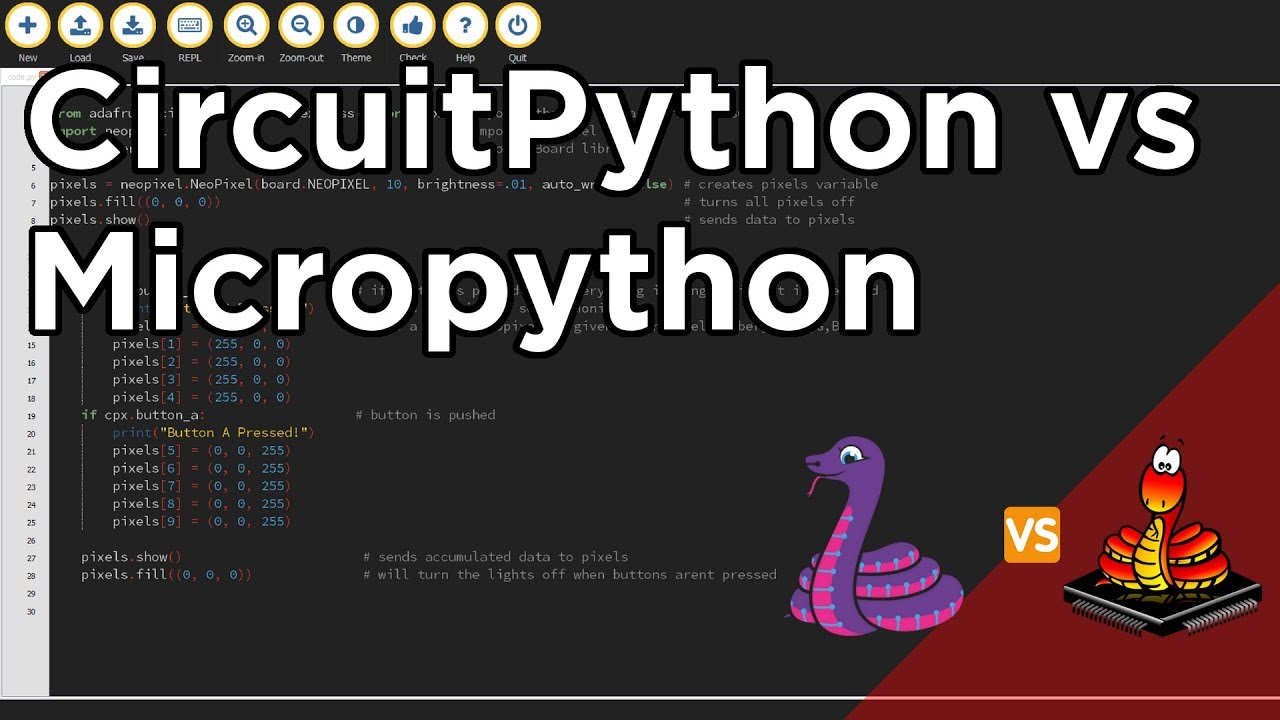
Have you ever wanted to program your microcontrollers with Python instead of Arduino? MicroPython and CircuitPython bring the ease of Python to microcontrollers by adding hardware support! In MicroPython, Python is largely unchanged other than the added functionality to interface with hardware.
CircuitPython is a derivative of MicroPython that ...
rigid pecan
stuck thicket
DESK OF LADYADA - Stemma Sunday returns... with a CO2 monitor and TCA8418 Keyboa...
is that guy designing a SBC
 violet valve
@bright elk It depends entirely on what you want to do. There are things MicroPython does that we have not implemented in CircuitPython, however, there is almost always another way to do it in CircuitPython. CircuitPython is easier to use in a lot of ways, but there are also a lot of similarities. What is the project?
hallow igloo
I'm new to microelectronics. Any advice on how to get started ?
rigid pecan
can you run multiple threads on a single CORE?
 half wraith
if i upload micropython code to a board, does the board need to be connected to a pc so the code can be interpreted, or does it get translated to machine-like code, im a bit confused
@ me
sudden hamlet
@half wraith micropython runs exclusively on the board
you could put the board on a mountain then run away giggling and it will still work
as long as it has power
your python program is compiled to bytecode (not quite machine code) which is interpreted in real-time by the pyboard
 near stone
Do any of you know of some data acquisition hardware can have data read in by python
Preferably with 16 channels
sudden hamlet
no idea if they're any good but picoscope have lots of loggers and i believe there are python wrappers for their sdk
near stone
Ok thank you 🙂
bright elk
violet valve
<@!98514364717367296> It depends entirely on what you want to do. There are thin...
Thanks for the reply! I'm looking to use something like a MIDI file to generate output from a STM32 microcontroller.
violet valve
@bright elk Ooh, outside my wheelhouse. But, I think CircuitPython could handle it, however, I believe our STM32 support is limited. So, that might answer your question - if your microcontroller isn't supported in CircuitPython, then obviously you wouldn't be able to go that route. Here are the boards we support: https://circuitpython.org/downloads?q=stm32

The easiest way to program microcontrollers
I guess it's not as limited as I thought!
bright elk
I saw the STM32 was in the list for both CircuitPython and MicroPython. But I'll have a look at the link you've shared, thanks!
violet valve
You're welcome!
stuck thicket
ASK AN ENGINEER 2/3/2021 LIVE! https://youtu.be/YXPaL3dlmqc

ASK AN ENGINEER 2/3/2021 LIVE!
#adafruit #askanengineer #diy
Visit the Adafruit shop online - http://www.adafruit.com
LIVE CHAT IS HERE! http://adafru.it/discord
Adafruit on Instagram: https://www.instagram.com/adafruit
Subscribe to Adafruit on YouTube: http://adafru.it/subscribe
New tutorials on t...
 jagged carbon
I working some project using relay with raspberry pi. The relay is running on 5v and when I use multimeter, the IN pin (The data pin) is at 5V. Do I need logic level shifter for this or not? Thank you
sudden hamlet
are you asking what you need to switch a relay using a raspberry pi?
bright elk
I've run into an issue while trying to build CircuitPython. When I try to build I'm getting an Index Error. I am following the adafruit guide for this so I'm not sure what's going wrong. If anyone could provide some insight, I would appreciate it.
 gentle vapor
bright elk
I've run into an issue while trying to build CircuitPython. When I try to build ...
gentle vapor
bright elk
I've run into an issue while trying to build CircuitPython. When I try to build ...
you'll have better chances on the adafruit discord
(not from me, I've barely touched the subject but there's a bunch of people)
bright elk
Right on, I'll stop by there and see if they can help.
 sinful sparrow
when I tired to install python from source, yesterday(it didn't install the modules I needed)
Python build finished successfully!
The necessary bits to build these optional modules were not found:
_bz2                  _curses               _curses_panel
_dbm                  _gdbm                 _hashlib
_lzma                 _sqlite3              _ssl
_tkinter              _uuid                 readline
To find the necessary bits, look in setup.py in detect_modules() for the module's name.


The following modules found by detect_modules() in setup.py, have been
built by the Makefile instead, as configured by the Setup files:
_abc                  atexit                pwd
time


Failed to build these modules:
_ctypes


Could not build the ssl module!
Python requires an OpenSSL 1.0.2 or 1.1 compatible libssl with X509_VERIFY_PARAM_set1_host().
LibreSSL 2.6.4 and earlier do not provide the necessary APIs, https://github.com/libressl-portable/portable/issues/381```mainly these
I also installed over the default python3
sinful sparrow
does anyone have an update to date guide for it?
 rapid marsh
Hello! Not sure if this is the right channel to ask this question so just let me know if i should ask in a different channel...
Anyways, I am about to start a project that i need a microcontroller for. It will mostly involve programming LED strip lights along with analyzing and processing audio data. I was wondering how one determines what microcontroller that one will need as far as processing power and memory goes. I am thinking about getting the d-series pyboard as it seems to have all the peripherals i'll need. But I have know way to know if it has the processing power or memory capable of doing what I need it to do. Any insight would be greatly appreciated!
gentle vapor
rapid marsh
Hello! Not sure if this is the right channel to ask this question so just let me...
I think that board is quite capable enough for your project, but what I would do if I were you, is look for similar projects online, see what they use and if they document any difficulty with it.
rapid marsh
gentle vapor
I think that board is quite capable enough for your project, but what I would do...
Awesome! Thanks. I am trying to find a project similar to mine
gentle vapor
that pyboard is an M7, that might even be overpowered depending on what processing you want to do. A samd21 with a microphone can manage a VU-meter with a neopixel strip. And that's an M0.
not that there's anything wrong with overpowered though 😉
rapid marsh
That's fair ha. I am basically going to have an audio input of very simple music (single notes at a time) and have them processed and analyzed so that they be translated/mapped onto the LED strip I am using. i.e. certain notes will correspond to certain LEDs. There will be some additional things i will add on down the line but that's the first thing i need to get working.
gentle vapor
oh yeah that's way more complicated
rapid marsh
Do you think the d-series board i mentioned earlier would be capable of that and maybe a little more?
gentle vapor
my experience with sound processing is very limited
anyway, that seems like a fun project 👍
 cedar granite
Hello,
I'm trying to figure out the best way to measure the time taken to send 2kB of data through UDP socket:
I've got 2 esp8266 Boards with microPython.
Those 2 boards are connected to a common hotspot and send data to one another. I need to see how fast i can send 2kB of data relatively reliably.
At the moment, i've tried to test it with a python program running on my computer, reading from 2 serial ports (one for each ESP) , one of the ESP sends a random byte when it starts sending the 2k, That byte received on the computer starts the time in the python program. When the other ESP receives it, it also sends a random byte to tell the computer program to end the time.
Here's the prog on the computer
    times = []
    with serial.Serial('COM17', 115200) as serverCOM: #server
        with serial.Serial('COM9', 115200) as clientCOM: #client
            for x in range(NBR_MESURE):
                while True:
                    val = clientCOM.read().decode()
                    if  val == 'k':
                        break
                start = time.perf_counter()

                while True:
                    val = serverCOM.read().decode()
                    if val == ".":
                        break
                end = time.perf_counter()

                print(f"{x} - {end - start} Seconds elapsed")
                times.append(end - start)
And I'm not really sure its the best way to do it. Any ideas? or suggestions
Thx
wheat loom
sinful sparrow
when I tired to install python from source, yesterday(it didn't install the modu...
Which ones do you need? It is usually failing because you are missing shared libraries. For example, you need libcurses in order to build _curses
kind ice
Well I learned an interesting fact. Read a tutorial where it espoused renaming CIRCUITPY directory on CircuitPython devices connected to windows. So I did and it worked like a charm, with different windows easily distinguished from each other. Until I started Mu, which gave me the finger. It can't find the device if it's not the default name of CIRCUITPY.
You have to click 'open' and find code.py on the device yourself. Which is not a big deal but it kinda cuts negates the advantage of individual device names a bit. Just thought I'd share in case anyone else decides to try this. I think I'm going to go back to the default names.
gentle vapor
I almost always rename my CIRCUITPY devices, but I don't use Mu, I just open the files from the board with my default python editor
 gritty crow
stuck thicket
gritty crow
stuck thicket
DESK OF LADYADA - Another Snowy Sunday - A revision-full weekend! https://youtu.be/78x0Tvbjfgc

This week we took a break from new designs and instead started working on some revisions: the Ultimate GPS module will be discontinued but we have found an alternative that is drop-in compatible so we had to do a lot of testing to verify the same software works. We also got some really odd NeoPixel dots that we spotted on social media, these are...
sinful sparrow
wheat loom
Which ones do you need? It is usually failing because you are missing shared lib...
uh, can give me the command for all the shared libaries? so I am good? and can compile it, if you have a list, can you DM me it?
if so thank you
wheat loom
Hmm I’ll try to see if there’s a list somewhere, but I doubt it
sinful sparrow
wheat loom
Hmm I’ll try to see if there’s a list somewhere, but I doubt it
do you have a list?
wheat loom
What OS are you on?
sinful sparrow
wheat loom
What OS are you on?
that was for rasberry pi
I am on windows right now talking
but the rasberry pi is where I was installing the python
wheat loom
Alright, on the rpi you can do apt build-dep python3.7
sinful sparrow
wheat loom
Alright, on the rpi you can do `apt build-dep python3.7`
I mainly want python3.8 or up
wheat loom
For installing the build dep it will be the same, but 3.8 might not be in the repository
sinful sparrow
python compatitbly
sinful sparrow
wheat loom
For installing the build dep it will be the same, but 3.8 might not be in the re...
I tried installing from the python source
for python3.9
sinful sparrow
wheat loom
Yes, just run that command
uh
Reading package lists... Done
E: You must put some 'source' URIs in your sources.list
Ah, you need to configure your apt sources then
wheat loom
sinful sparrow
wheat loom
See https://www.raspbian.org/RaspbianRepository
I did wget
but uh
deb doesn't work lol
deb http://archive.raspbian.org/raspbian wheezy main contrib non-free
deb-src http://archive.raspbian.org/raspbian wheezy main contrib non-free```That should be good now
sinful sparrow
ok
oh come on
Reading package lists... Done
E: You must put some 'source' URIs in your sources.list
ugh...
sinful sparrow
@wheat loom welp..
 zealous fox
I am new to micro-python and ised C/C++ in the past. For my personal project I like to use python, but concerned about speed and other factors. Hope for hobby project micro-python is sufficient
craggy ember
@zealous fox I would be surprised if you had issues with the speed of MicroPython if you are using non-realtime situations. What does your personal project contain?
 clever tiger
In case this is of interest:
this is a contest in getting access to an industrial microcontroller
for the best idea and know-how for preventing injuries in factories: https://makeprojects.com/yokogawa-contest?utm_source=make_newsletter_community_link&utm_medium=mc&utm_campaign=community&utm_content=link&vgo_ee=9ox6KSCYY2hpTZyiX2uxc%2FlMy%2BOWWuyaZunZiCXh6gI%3D
sudden hamlet
us and mexico only
sinful sparrow
sinful sparrow
<@!407110650217627658> welp..
hmm
 jolly thicket
 jade orchid
Does anybody know a micropython compatible dev board with lot's of GPIO ? I only played with wemos mini so far, but need way more IO...
wheat loom
You can use a multiplexer interface
 pulsar thistle
Hello guys, do you know any good tutorial for autopilot and object detection?
jade orchid
@wheat loom Yeah, after some digging I guess that's the best solution. The most IO I found is the Adafruit Grand Central M4 Express but it seems waaaay overkill...
 karmic ice
Would anyone who is familiar with interacting with bluetooth LE services through Python (any library) be willing to help me?
I have my service UUIDs ID's but not surue how to read from them
hallow igloo
is ye language actuall good for microcontrollers
 twin roost
@hallow igloo "ye"?
hallow igloo
The
errant wigeon
@hallow igloo it depends on what you're after. If you need something to just work it's pretty good. If you want an introduction to microcontrollers, and peripherals that are fairly common, it's also a good starting point. If you need time sensitive code execution, it's not always as ideal. To be fair though, I'd encourage programmers start with micro python or circuit python over arduino if they're familiar with python, and not familiar with embedded electronics. There's a wealth of reasons to not use micro or circuit python--but if you're up against those reasons, you probably already understand the pros and cons. And if you don't, it's a gentle way to start programming low level peripherals
stuck thicket
Smorgasboard Sunday at Ladyada's desk - Stemma, RP2040, mailbag and more! https://youtu.be/LHpxr_BgBhU

This Sunday is a smorgasbord of engineering! We've got a STEMMA Sunday with a new breakout designed using the TCA4307 I2C hot-swap buffer. A mailbag unboxing of the cuuuuutest little hot-plate you've ever seen! do not eat! Plus a look at the new RP2040 QT Py we soldered up and a new CircuitPython PR for adding RGB Matrix support (a.k.a ProtoMatt...
 viscid jolt
whats a good microcontroller for beginners
hallow igloo
Depends on what you want to do
 versed mountain
anyone can help me .... where to start embedded programming
craggy ember
@versed mountain What would you like to do with embedded programming? I would think about CircuitPython as there are a ton of great options for you.

Adafruit Learning System
New to CircuitPython? This is the place to start.
opal furnace
How can I get the current time with an ESP32 running micropython?
I have tried machine.RTC() and utime.gmtime, but both are about 21 years behind.
white spade
opal furnace
I have tried `machine.RTC()` and `utime.gmtime`, but both are about 21 years beh...
You need to sync the RTC
Should be RTC.sync_ntp or something like that
Check the docs
opal furnace
thanks!
 tacit oracle
Hey there I use esp8266 with uPycraft I was able to connect to port3, without problem and since now I get open serial error, please try again.
though, I found why, it's because it open a WiFi connection but I have no idea how it does it.. so anyone have an idea how to settle this problem please?
 fossil verge
Noob here with firmware concepts. I have a couple Espressif ESP32's w/o Circuit/MicroPython. When Circuit/MicroPython is flashed onto one of these, is that any different than how "code" from the Arduino IDE is laid down to flash? Or does installing *Py erase/overwrite "more"? Please @ mention me when replying. Thx!
craggy ember
@fossil verge when you flash CP or MP onto the device it removes the file system so it would remove any Arduino C++ libs or code.
fossil verge
craggy ember
<@!479439198676320259> when you flash CP or MP onto the device it removes the fi...
👍
craggy ember
Welcome to the world of MP & CP! There are amazing things here for you!
fossil verge
@craggy ember Thanks. I guess that flash process (either way) always removes any partitioning/SPIFFS/etc too?
craggy ember
Yes so the .bin is going to be the OS in essence. It will wipe a reliant file system.
fossil verge
Noob question too... What does MP/CP run "on top of"? Is it different for each MCU?
craggy ember
If you are moving one MP version to another (.bin) it can leave it in tact in certain circumstances due to where it write to the flash does that make sense?
fossil verge
For example, for Espressif MCUs does it run on top of FreeRTOS?
craggy ember
The beauty of MP/CP is the core runs on all ports (in MP look for the ports folder, CP look for the ports folder).
I can't say enough about MP/CP I just simply can't.
This flexibility gives development opportunities a new level of possibility.
fossil verge
I'm just curious about all the layers involved. 😹
craggy ember
MP firmware is going to compile down to a ARM32 or Tenslica32 (etc..) binary.
If you freeze the Python files it will put the MP bytecode in the binary.
Currently there is no disassembler for MP so you will have to use bc0.h to find the Bytecode Assembly info.
It is C that builds the MP VM.
fossil verge
🥴 👍 😄
gentle vapor
fossil verge
For example, for Espressif MCUs does it run on top of FreeRTOS?
yes, at least for Circuitpython it runs as a task in the ESP-IDF FreeRTOS, which will be handling the low level networking too, but that is completely invisible from python, but on the others it's on its own, though I'm not sure about the nrf52
stuck thicket
WE ARE LIVE! SHOW AND TELL! https://youtu.be/tRBJzmZZHwU

Visit the Adafruit shop online - http://www.adafruit.com
LIVE CHAT IS HERE! http://adafru.it/discord
Adafruit on Instagram: https://www.instagram.com/adafruit
Subscribe to Adafruit on YouTube: http://adafru.it/subscribe
New tutorials on the Adafruit Learning System: http://learn.adafruit.com/
-------...
 pseudo wren
fossil verge
pseudo wren
fossil verge
(noob to MP/CP) What's some good methods to remotely debug running code? (both LAN & WAN) If this is challenging, what about an environment to just do remote logging such as a remote serial monitor? Please @mention or "reply". Thx!
 bleak grotto
Came a few days ago!
 gentle vapor
fossil verge
(noob to MP/CP) What's some good methods to remotely debug running code? (both L...
gentle vapor
fossil verge
(noob to MP/CP) What's some good methods to remotely debug running code? (both L...
micropython has the webrepl on ESP32... that's all I can think of
 left fable
bleak grotto
Came a few days ago!
left fable
bleak grotto
Came a few days ago!
Oh rasbwryy 😄
 cobalt hazel
rasberry pi
 fickle kettle
hallow igloo
i need some help
fickle kettle
hallow igloo
i need some help
how so?
 pliant grotto
does anyone know if you can run python on an arduino
 light grove
maybe there is someway but tbh its doesn't seem hard to learn arduino
 lilac ruin
pliant grotto
does anyone know if you can run python on an arduino
lilac ruin
pliant grotto
does anyone know if you can run python on an arduino
Arduinos aren't exactly powerful enough to pull it off properly, lacking speed and memory. You'll have to write in C or assembly on those.
hallow igloo
raspberry pi
for some reason I can't access my Pi server thing on my browser and I am connected to the same home network as it, I am newish to this and don't really understand what the problem is, I typed my pi's ip in correctly to my browser and it couldn't connect
can someone please help me
ping me🏓
gentle vapor
pliant grotto
does anyone know if you can run python on an arduino
AVR Arduinos can't run python, but some models like the Arduino Zero are supported. There are many other boards that run micropython or circuitpython pretty well though. The upcoming rp2040 based Arduino board certainly will too.
 humble kraken
@pliant grotto you can run it on most esp32 boards, or an RPi Pico
stuck thicket
Sample Sunday & Mega Mailbag on the Desk of Ladyada https://youtu.be/y923x_FRSM4

Oh my we got through a bunch more samples this weekend, from a slinky sensor to some new Espressif samples! Let's checkout the ESP32-C3, ESP32-S3 and even the ESP32-S2FR to learn about all the big new developments in WiFi chipsets. We've also got a demo of the Pi Pico playing some audio files, we merged support into CircuitPython this week! And ...
 lone heron
anyone one here uses Pyfirmatta and Arduino Uno
 gloomy flint
lone heron
anyone one here uses Pyfirmatta and Arduino Uno
gloomy flint
lone heron
anyone one here uses Pyfirmatta and Arduino Uno
i also like to know about it
i am really messing with c in arduino uno
 unborn monolith
Does anyone know a good temperature sensor for raspberry pi ? I currently have a dht11 and it's pretty inconsistent with it's readings ,i tried to make it read 10 values and average them but still sometimes it will read stuff like 7.8 when it's around 22.0 and it brings my average way lower than it should
 feral jacinth
lone heron
anyone one here uses Pyfirmatta and Arduino Uno
feral jacinth
lone heron
anyone one here uses Pyfirmatta and Arduino Uno
I do.
the module is pretty simple.
hallow igloo
hi
lone heron
feral jacinth
I do.
could you send me tutorial on how to use it
 lucid rain
 steep dune
any one try a raspi pico yet ?
 raw veldt
Hello...I'm trying to learn Raspberry Pi for the the first time. I can't get my LED to light up and I'm trying to narrow down what it could be. Can I use Thonny to get access to the GPIO pins, or is it just the Terminal that has access to it?
 echo shore
 valid quest
Might I ask, what is Rasberry PI used for?
valid quest
Might I ask, what is Rasberry PI used for?
Raspberry pi is a Micro Controller That Allows U To Control Real Life Things with Python code
valid quest
Ok
 lilac lark
ordered a breadbox and wire kit wish me luck
 restive fjord
ordered a breadbox too, think it was labelled like whole wheat or something? not sure
lilac lark
it's sourdough
 weak basin
Is there some convenient library for defining binary message schemas?
I need to talk to a bunch of devices over USB, and I don't want to manually encode/decode each message
Is this https://kaitai.io/ something worth looking into?
sudden hamlet
protobuf, or struct.pack/unpack if you haven't already found them
weak basin
sudden hamlet
protobuf, or struct.pack/unpack if you haven't already found them
I think I'll go with struct, or maybe I'll make a small utility
fickle kettle
Is it possible to code an arduino nano with Python rather than C?
gentle vapor
fickle kettle
Is it possible to code an arduino nano with Python rather than C?
that's an atmega328, Micropython can't run on those
and there are no other way that I know of to program them in python
fickle kettle
ok, thank you!
 gloomy oxide
I'm trying to run a game I made in Python on a Raspberry Pi using Raspbian.
However, I'm getting import errors for various modules I need, sometimes installing pygame fails, sometimes it's librosa or other dependencies. I developed the game on Windows using a standard PyCharm project, which has a venv folder and a data folder (the latter you can see in the screenshot below)
I've struggled for weeks and tried everything I could, even creating a virtual environment from scratch and running the game on my Ubuntu system - which worked but doesn't really help me, copying the entire thing over to Raspbian didn't work either. Does anyone know how I can get my program to run - as a .py file or otherwise?
 hallow igloo
what are the import errors?
gloomy oxide
I don't have the RPi since it's a group project, but it seems to be errors inside the modules I'm importing
Syntax errors for example
Which really confuses me since there's nothing I can do about that
hallow igloo
you could edit the module files installed on your computer but thats a pain in the ass
gloomy oxide
I'm coding on Windows but it has to run on some sort of distro that RPi supports
So I was planning to just copy the data over into a venv on the Pi
But obviously that doesn't help me if I can't install modules
If there's a way I can combine my entire project including dependencies into some sort of executable that would be perfect too
 full sable
lone heron
full sable
lone heron
Does anyone have a good recommendation for an Arduino uno starter kit (DM me the recommendation)
hallow igloo
gloomy oxide
I'm coding on Windows but it has to run on some sort of distro that RPi supports
If you are coding on windows then running on linux one big difference is the way linux and windows handle directories
since windows uses \ instead of /
Could be that the dependency is getting a file location in the wrong format
There is a module that can help fix this, but I forget what its called
os.path i think
but that might not be the problem
we'd need to see the error message
As far as executables there is this
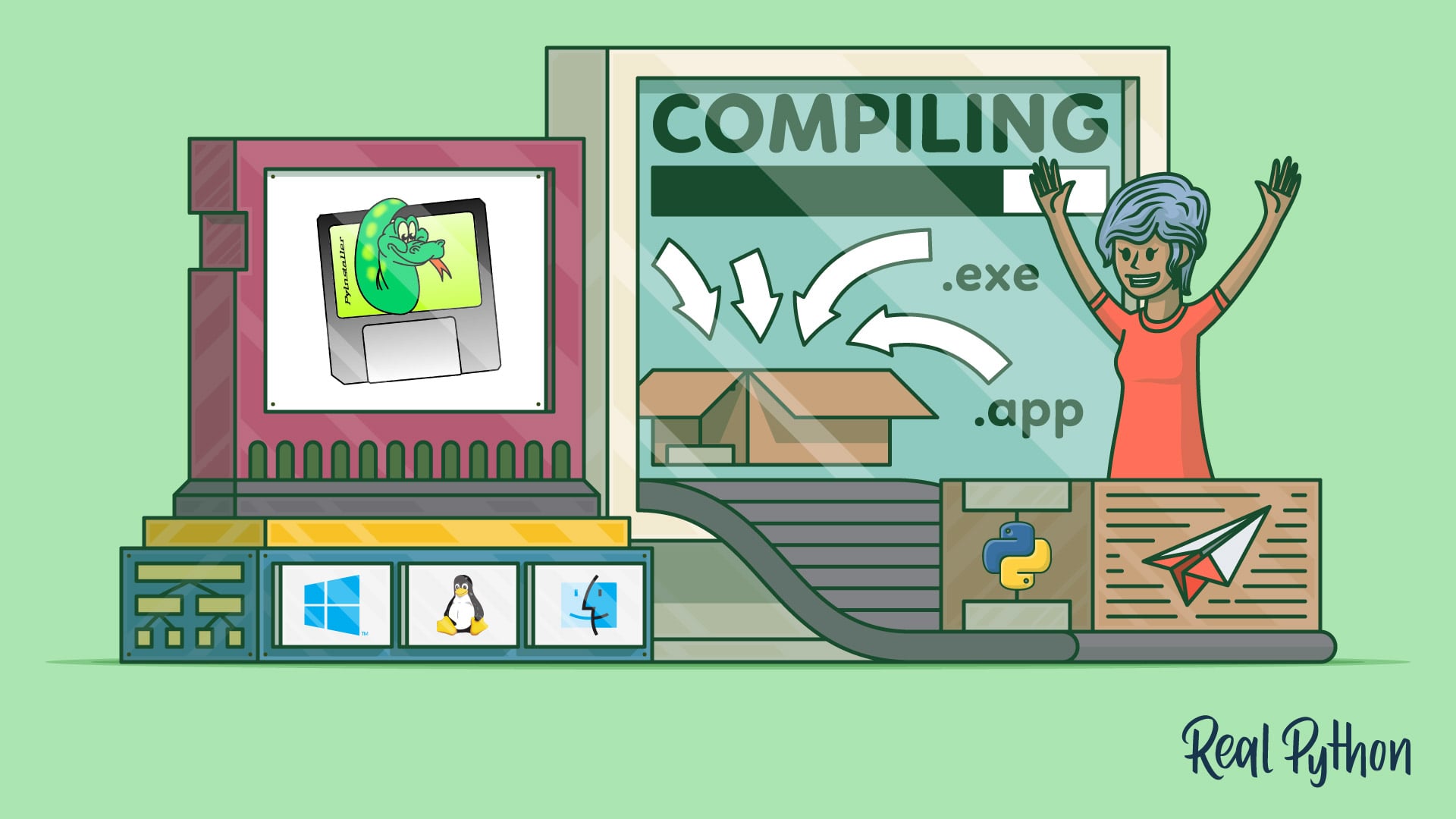
In this step-by-step tutorial, you'll learn how to use PyInstaller to turn your Python application into an executable with no dependencies or installation required. This is great if you want to distribute applications to users who may or may not be Python developers.
gloomy oxide
@hallow igloo Thank you for your response! I've created the entire project and venv again on Ubuntu and only copied the actual .py files and assets (images, sounds, etc.) As I explained above, this works fine and I can run my code without problems. However, when I copy this project over to the Pi (running Raspbian) I get import errors. I'll test some more things when I get access to the Pi again.
hallow igloo
If you can show those errors I can probably help
The dependencies might be different/just not work on raspberry os
 mystic jetty
my raspberry pi zero w camera port cover thingy broke
is there a way i can buy a new one
because ive tried looking but no luck
 brisk trout
any beginner tutorial list i can start with for this python microcontroller tutorial?
 halcyon vine
can two devices with software i2c and hardware i2c communicate or are they incompatible?
and can two different devices (esp32 and arduino nano) communicate over hardware i2c or software i2c only?
pulsar thistle
brisk trout
any beginner tutorial list i can start with for this python microcontroller tuto...
if python microcontroller, i prefer read books first
or read on website
feral jacinth
mystic jetty
is there a way i can buy a new one
Buy a 3d printer
mystic jetty
feral jacinth
Buy a 3d printer
i have one
i tried to make a cover but uh
im not the best at modeling properly
it didnt fit
sudden hamlet
gloomy oxide
<@456226577798135808> Thank you for your response! I've created the entire proje...
you can't copy and paste your venv from one operating system to another
you should keep a requirements.txt for the project, and a separate venv on each computer
feral jacinth
mystic jetty
im not the best at modeling properly
Then find and download a source model.
I guess you know where to search.
feral jacinth
Bruh
@mystic jetty https://grabcad.com/library/raspberry-pi-camera-module-v2-1 maybe this helps.
The GrabCAD Library offers millions of free CAD designs, CAD files, and 3D models. Join the GrabCAD Community today to gain access and download!
stuck thicket
Desk of Ladyada - RP2040 Feather prepares to take flight! https://youtu.be/qkN2TXqj59M

Come on by to see what's on our desk tonite: Some Quectel cellular modules came in, these may be used in our next-gen FONA boards. We also are getting ready to launch the RP2040 Feather - let's take a look at our nice silkscreen PCBs, and also how we're going to test and program these boards on the production line. There's some things we learned...
brisk trout
pulsar thistle
if python microcontroller, i prefer read books first
Thanks, any recommendation for the website and books?
pulsar thistle
well actually there are a lot of stuff, but I read arduino for dummies and if the python, I am still studying about pid in someone project 😅
hallow igloo
brisk trout
Thanks, any recommendation for the website and books?
Just google exactly what you want to do.
I think I am halfway decent with microelectronics and that's still what I do.
fossil verge
When connect to https websites on ESP32, does the RTC/clock need to by synced (like via NTP) before doing any https/SSL web requests?
feral jacinth
@brisk trout you may also read documentation/s of the library/ies you use.
 pure osprey
anyone know how I would write a GUI for a rotary encoder on a OLED display? Something about the multi-page logic eludes me.
Im on micropython
hasty zealotBOT
Resources
The Resources page on our website contains a list of hand-selected learning resources that we regularly recommend to both beginners and experts.
https://pythondiscord.com/pages/resources
sudden hamlet
pure osprey
anyone know how I would write a GUI for a rotary encoder on a OLED display? Some...
What specifically are you struggling with
pure osprey
I dont know how to code a rotary encoder to change items on screen without locking up the controller, and I wanted to make a menu for the OLED screen
see this for the layout:
 pure osprey
The upper right is a menu that pops up when you click the encoder and it has left/right controls. Previous screen, action on current screen, next screen.
sudden hamlet
yoop
so you need two main things
firstly a way of keeping track which menu you're in and what its state is
and secondly a way of drawing whatever menu you're in with its state every time something changes (when the screen needs to be updated)
 pure osprey
sudden hamlet
and secondly a way of drawing whatever menu you're in with its state every time ...
pure osprey
sudden hamlet
and secondly a way of drawing whatever menu you're in with its state every time ...
OK
would class systems work? Or am I thinking of the wrong thing?
also, Could I do the interface with three buttons (left, right, enter)?
sudden hamlet
well you need more of a framework than 'using classes' 😄
but yeah you could use classes as part of it i guess
pure osprey
if I cant fit a rotary encoder
sudden hamlet
well it's the same inputs i guess
pure osprey
true
sudden hamlet
just depends on whether you're happy with it for the user
pure osprey
Im the user
sudden hamlet
and for testing definitely
pure osprey
so yeah
sudden hamlet
be happy :)
pure osprey
yup
So what kind of code would work best for this idea?
I got the whole keeping track, and drawing the screen part.
What kind of framework are we talking about?
This is the OLED module I'm using: https://github.com/peterhinch/micropython-nano-gui

GitHub
A lightweight MicroPython GUI library for display drivers based on framebuf class - peterhinch/micropython-nano-gui
sudden hamlet
so the application of classes would be that
you need to turn the up/down/enter input into something that goes up/down/selects the option
so you could have a separate bit of code for every single menu that handles that
but i think a better idea would be to make subclasses for each menu of a base class, which handles the selector going up/down or pressing enter
pure osprey
ok...
sudden hamlet
but you could do it without that for a few menus without it being a problem
don't worry if that seems a bit overwhelming or complex
i would probably just do it the simpler way unless i had tons of menus
pure osprey
true
I kinda wanted to see if I could make it sortof app-based, where there is an underlying framework, then each page just pluggs into it. Is that too much for an esp32?
sudden hamlet
hmm not sure
but that was my thinking with the class system
that it could be extremely extensible
and you wouldn't have to hard-code everything
pure osprey
exaclty. I don't want to relearn it every time I decide to add to it.
cause I will not remember what hard coded stuff I need to do like 3 months from when I write it
I guess my main question now is how do interrupts in code work?
Most of the stuff I've coded is very linear
sudden hamlet
ah
i don't think they'll really be interrupts in python, more like callbacks
although it's a similar idea
interrupts are more for machine code running on the cpu
so
let me take a look at the micropython docs so i can see the specific uses
oh they do call them interrupts
could you show me the documentation you're using
sudden hamlet
well both
sudden hamlet
the micropython documentation for the board you'r[e using
ah yeah i couldn't see anything about interrupts there
pure osprey
everything under the ESP32 section
 pure osprey

Learn how to configure and handle interrupts using MicroPython firmware with ESP32 and ESP8266 boards. You'll also build a project example with a PIR sensor.
So I would write a funtion that calls he menu class when the encoder button is pressed?
and when it rotates the menu would change?
and then Im guessing after a delay it goes back to the screen I was on without the menu
sudden hamlet
well if you want
or you have a 'back' option in every submenu
that would be another advantage of the structured system
the class says what menu options it has and gets a function called when each of them is selected
pure osprey
true
that would work
hmm
the screen ID then woud be called according to the screen layout, and then it could keep track of where it is and move accordingly
maybe a tiered list or dictionary system?
to keep track of the screens and their function names?
hasty zealotBOT
Hey @pure osprey!
It looks like you tried to attach a Python file - please use a code-pasting service such as https://paste.pythondiscord.com
pure osprey
Maybe like this: https://paste.pythondiscord.com/apefalodel.php
well, not quite like that...
More the moving in and out of the lists code.
sudden hamlet
I can try to put together an example
pure osprey
I dont have my ESP32 on me at the moment, Ill have to test it later.
pure osprey
OK cool. Ill try out some stuff when I get home.
 pastel stratus
Noice
sudden hamlet
https://paste.pythondiscord.com/robeyewaco.rb @pure osprey
hallow igloo
@pure osprey what kind of project are you wroking on?
hallow igloo
Does anybody know any decent motor controllers for a raspberry pi? I just want to control some little DC ones
Also for an interface to control the motors wirelessly could I just use the built in Bluetooth and wifi or would I need to get a reciever as well
pure osprey
hallow igloo
<@!441724734833688576> what kind of project are you wroking on?
An ESP32 based smartwatch
sudden hamlet
did you see my example code
pure osprey
yup. Looking at it now.
I dropped it into https://repl.it to test it out. Didnt know there was an example module called ABC in python...

repl.it
Repl.it is a simple yet powerful online IDE, Editor, Compiler, Interpreter, and REPL. Code, compile, run, and host in 50+ programming languages.
pure osprey
sudden hamlet
did you see my example code
its doing a weird thing...
When I choose "back" in the dog list, it goes to the main menu, but renders the dog list untill I choose up or down.
sudden hamlet
huh
i had that bug but i thought i fixed it
also ABC there is completely optional, it basically lets you make base classes that require their subclasses to define things
https://paste.pythondiscord.com/ropumipimo.py @pure osprey
should be fixed
it would be nicer to call main_menu.render in the main control loop but i imagine you only want to redraw the screen when something has changed
pure osprey
Yes
I can also call render when the time updates.
or on the GPS screen when the position updates
sudden hamlet
yep
and the render calls bubble down, so you can just call render on main_menu and it will draw the current menu
but if you want a permanent status thing on all screens then you could do that just after calling render
pure osprey
True
Can I still do the idea I had with the popup menu at the bottom on each screen?
Im guessing I'd modify the render function?
sudden hamlet
yeah so i would have another render function which calls render on the main_menu, then draws all the extra stuff
pure osprey
hmm. I found someone a long time ago that made something similar to the idea I had, kind of inspired it, but I cant find it. I know he had the code in github.
it was arduino though
hasty zealotBOT
Hey @pure osprey!
It looks like you tried to attach file type(s) that we do not allow (.ino). We currently allow the following file types: .gif, .jpg, .jpeg, .mov, .mp4, .mpg, .png, .mp3, .wav, .ogg, .webm, .webp, .flac, .m4a.
Feel free to ask in #community-meta if you think this is a mistake.
Hey @pure osprey!
Uh-oh! It looks like your message got zapped by our spam filter. We currently don't allow .txt attachments, so here are some tips to help you travel safely:
• If you attempted to send a message longer than 2000 characters, try shortening your message to fit within the character limit or use a pasting service (see below)
• If you tried to show someone your code, you can use codeblocks
(run !code-blocks in #bot-commands for more information) or use a pasting service like:
pure osprey
and I found his code and copied it here: https://paste.pythondiscord.com/nemusoyabe.cpp
hallow igloo
Anyone use an adafruit display here? I'm trying to write a script to try and get and output the cpu temp on it. This is what im currently using but it refuses to display the temp
cmd = os.popen('vcgencmd measure_temp').readline()
CPU_TEMP = cmd.replace("temp=","Temp:").replace("'C\n","C")```which display? 128x64, or 128x128?
hallow igloo
pure osprey
which display? 128x64, or 128x128?
128x32
the thin monochrome one. SSD1306
hallow igloo
Yeah im trying to. This is what i have going so far
Pastebin
Pastebin.com is the number one paste tool since 2002. Pastebin is a website where you can store text online for a set period of time.
i was able to get everything else working but the temp just refuses to display
pure osprey
you using this: https://github.com/adafruit/micropython-adafruit-ssd1306 ?

GitHub
MicroPython driver for SSD1306 OLED displays. Contribute to adafruit/micropython-adafruit-ssd1306 development by creating an account on GitHub.
pure osprey
Ohh our using raspberry pi
hallow igloo
yea
pure osprey
ok, drop this in the same function that draws the text on screen. If it prints all of these, then its an issue with the screen. If not, there's an issue with how your getting the data.
print(str(CPU))
print(str(CPU_TEMP))
print(str(MemUsage))
print(str(Disk))
print(str(IP))
let me know what happens, and i can help you out
hallow igloo
so its displaying it but its blinking on and off now
hallow igloo
no just those parts, the temp and stuff
hallow igloo
The temp and the network
pure osprey
how quickly is it blinking? slowish? or like strobing?
hallow igloo
it goes off then goes on with the updates value
pure osprey
hmm
It may be that you are requesting the temp too quickly.
you looked into the psutil module?
its a python module that gets system info
hallow igloo
yea.
pure osprey
your using bash commands
if you use native python rather than relying on bash, it will be more stable.
pure osprey
try this: https://pastebin.com/i9Qr58Gf
Pastebin
Pastebin.com is the number one paste tool since 2002. Pastebin is a website where you can store text online for a set period of time.
I changed it all out to psutil
Let me know if it errors
hallow igloo
CPU_TEMP = psutil.sensors_temperatures()['coretemp'].current
TabError: inconsistent use of tabs and spaces in indentation```line 55.
pure osprey
uhhh what?
Pastebin
Pastebin.com is the number one paste tool since 2002. Pastebin is a website where you can store text online for a set period of time.
i used tab instead of space
🤦♂️
hallow igloo
Happens to the best of us xD
hallow igloo
Traceback (most recent call last):
  File "/home/cmarkows/RGB_Cooling_HAT/oled.py", line 55, in <module>
    CPU_TEMP = psutil.sensors_temperatures()['coretemp'].current
KeyError: 'coretemp' ```it seems to work except for thisHmm
Are you using something like Thonny on the pi?
in the python shell, run:
import psutil
psutil.sensors_temperatures()
and give me the output
hallow igloo
import psutil
psutil.sensors_temperatures()
{'cpu_thermal': [shwtemp(label='', current=50.634, high=None, critical=None)]}
hallow igloo
instead of psutil?
pure osprey
Pastebin
Pastebin.com is the number one paste tool since 2002. Pastebin is a website where you can store text online for a set period of time.
nope. Updated.
try the above code
hallow igloo
CPU_TEMP = psutil.sensors_temperatures()['cpu_thermal'].current
AttributeError: 'list' object has no attribute 'current' ```hm
hallow igloo
Thank you so much for taking your time to do all of this by the way. You're a life saver
pure osprey
Pastebin
Pastebin.com is the number one paste tool since 2002. Pastebin is a website where you can store text online for a set period of time.
Your welcome.
lmk if it works
hallow igloo
It’s blinking back and forth between the temp and everything else. It does display the temp this time though
hallow igloo
it displays the temp along with everything else so it does what its supposed to do. I was hoping for the temp to be laid out under everything else and have it as one thing but i dont want to be a burden and such.
pure osprey
What is the b'<etc>on the second screen?
hallow igloo
That i dont know. I've been trying to figure that out
its displaying more than one output of cpu_thermal. does it have more than one output?
pure osprey
hmm
try running this in python shell:
import psutil
psutil.sensors_temperatures()['cpu_thermal'][0].current
import psutil
psutil.sensors_temperatures()['cpu_thermal'][0].current
50.147
pure osprey
psutil.virtual_memory().percent
 pure osprey
 zinc flax
guys gimme a Link to phyton pls
zinc flax
guys gimme a Link to phyton pls
 pure osprey
hallow igloo
> import psutil
> >>> psutil.sensors_temperatures()['cpu_thermal'][0].current
> ...
pure osprey
hallow igloo
> import psutil
> >>> psutil.sensors_temperatures()['cpu_thermal'][0].current
> ...
run this now:
import psutil
psutil.virtual_memory().percent
K thx
hallow igloo
pure osprey
run this now:
```
import psutil
psutil.virtual_memory().percent
```
import psutil
psutil.virtual_memory().percent
6.7
pure osprey
ok, Now this:
psutil.disk_usage('/').percent
psutil.disk_usage('/').percent
10.8
hallow igloo
psutil.net_if_addrs()['wlan0'][0].address
Traceback (most recent call last):
File "<stdin>", line 1, in <module>
KeyError: 'wlan0'
hallow igloo
psutil.net_if_addrs()
{'lo': [snicaddr(family=<AddressFamily.AF_INET: 2>, address='127.0.0.1', netmask='255.0.0.0', broadcast=None, ptp=None), snicaddr(family=<AddressFamily.AF_INET6: 10>, address='::1', netmask='ffff:ffff:ffff:ffff:ffff:ffff:ffff:ffff', broadcast=None, ptp=None), snicaddr(family=<AddressFamily.AF_PACKET: 17>, address='00:00:00:00:00:00', netmask=None, broadcast=None, ptp=None)], 'eth0': [snicaddr(family=<AddressFamily.AF_INET: 2>, address='192.168.1.208', netmask='255.255.255.0', broadcast='192.168.1.255', ptp=None), snicaddr(family=<AddressFamily.AF_INET6: 10>, address='fe80::a30d:2bb2:211c:4e64%eth0', netmask='ffff:ffff:ffff:ffff::', broadcast=None, ptp=None), snicaddr(family=<AddressFamily.AF_PACKET: 17>, address='dc:a6:32:b2:c3:96', netmask=None, broadcast='ff:ff:ff:ff:ff:ff', ptp=None)]}
pure osprey
WHOA
hallow igloo
thats what i said
pure osprey
oh duh your using ethernet
hallow igloo
yea xD
pure osprey
https://pastebin.com/NhA90NUf this is the fully working one
Pastebin
Pastebin.com is the number one paste tool since 2002. Pastebin is a website where you can store text online for a set period of time.
lmk if the screen flashes anymore
it was printing the error on the OLED
ha
hallow igloo
pure osprey
Pastebin
Pastebin.com is the number one paste tool since 2002. Pastebin is a website where you can store text online for a set period of time.
try it now
hallow igloo
File "/home/cmarkows/RGB_Cooling_HAT/oled.py", line 59
Disk = "Disk:"+str(psutil.disk_usage('/').percent)+"%"
TabError: inconsistent use of tabs and spaces in indentation
pure osprey
AUUGHGH
Pastebin
Pastebin.com is the number one paste tool since 2002. Pastebin is a website where you can store text online for a set period of time.
tabs vs spaces again...
it doesn't show you when they're different!
hallow igloo
hasty zealotBOT
@zinc flax Please don't try to ping @everyone or @here. Your message has been removed. If you believe this was a mistake, please let staff know!
pure osprey
hallow igloo
Pastebin
Pastebin.com is the number one paste tool since 2002. Pastebin is a website where you can store text online for a set period of time.
try that
I ran it through a win to unix converter, could have had some line endings that are weird
hallow igloo
No difference. Still shows the two different info sets
pure osprey
huh
hallow igloo
it blinks faster now tho
pure osprey
huh
erg
that's frustrating.
You sure you dont have another script running?
try rebooting the Pi if you can
I've had issues where it was something cached on the pi that caused weird things
LMK if it changes after a reboot
hallow igloo
that did it!! 2 of my failed attempts of this code were running in the background
sigh
hallow igloo
Yeah its fun for me too.
except for when its something system critical like this xD
pure osprey


Working on this atm
its a pi zero portable thing
the circuit is for the OTG to work on the same port that charges it
hallow igloo
Nice! thats a FAT battery for a pi zero. i thought they didnt take much power
pure osprey
its actually from a v20 phone
its pretty slim. about 2.5-3mm
its on glass. reflection.
it took me FOREVER to figure out that circuit.
pure osprey
Q1 is what's called a JFET, or basically a normally closed MOSFET
I didn't know they existed and I originally had this:

the new one is ALOT less complicated.
hallow igloo
Wow talk about a good consolidation job. I love it when im able to do more or the same with much less. I've spent hours tweaking this pi just to get an extra second shaved off the boot time cuz its just fun to deal with command lines and stuff
pure osprey
thats actually pretty cool
never thought of doing that...
just curios, is it possible to run pygame without the desktop version of raspbian?
as in raspbian lite?
hallow igloo
yeah. Thats why i use a command line instead of raspian or noobs. Why would you need a desktop interface if you're only gonna use to it open the terminal anyway.
i'm not sure. maybe
pure osprey
Oh wait, nvm. I forgot I wanted it available for my pi zero...
I have an HDMI output
dur
ben heck used to make so many cool pi portables...
hallow igloo
I've heard of him. Havent seen much of him though. Isnt everyhting prebuilt now? They have like prebuilt cases for gameboy emulators where you just add the battery and slide the PI in
pure osprey
yeah, bu they be expensive.
hallow igloo
^
hallow igloo
man some of these title seem interesting. Might hop onto one of them for a watch and copy him. xD
hallow igloo
Thats fine. ive made accounts just to get downloads. I usually make burner emails just for that purpose. Well, i gotta go now. I gotta actually deploy this PI. Thank you so much for the help today.
 steady flare
anyone have a simple turtorial on how to use a basic lcd screen with the raspberry pi
i've been trying to find a simple turtorial but a lot are confusing
 cyan ruin
hey there
someone who can help me with assembler code?

output should be :
>A =
>B =
>A + B =
>A - B =
but i don't get it why i can't take the value A,B
i tried 0x0F / 0x25 but is not working
cyan ruin
sudden hamlet
wait are you writign this in hex
Well this is very primitive assembly
And yes it is hex ...
I need this for an exercise from the university
stuck thicket
WE ARE LIVE! ASK AN ENGINEER! https://youtu.be/28ogibtce-w

ASK AN ENGINEER 3/3/2021 LIVE!
Visit the Adafruit shop online - http://www.adafruit.com
LIVE CHAT IS HERE! http://adafru.it/discord
Adafruit on Instagram: https://www.instagram.com/adafruit
Subscribe to Adafruit on YouTube: http://adafru.it/subscribe
New tutorials on the Adafruit Learning System: h...
hallow igloo
Crap I just missed it
Anyhow
I want to control some smaller motors using a raspberry pi
What motor driver should I get
If possible I would like variable speeds
 rotund swallow
a l293 wont work?
hallow igloo
 robust orbit
how to change heap size in mpy_cross?
i tried:
py -m mpy_cross heapsize=1000k data.py
but it gives me "multiple input files" error
 hybrid current
how do I stream my usb webcam onto html for a webserver using flask? (Raspberry pi 4)
 old mountain
Hey guys
So how can Micropython be used to compile Data from Sensors (Ex: BMP280) (just a newbie to microcontrollers)
 sturdy ridge
@old mountain Need to read the BMP280 data sheet, figure out relevant I2C addresses and start an I2C class
sturdy ridge
hallow igloo
https://www.amazon.com/dp/B01DG61YRM/ref=cm_sw_r_cp_apa_fabc_CS1BC1JYBJYMFCGG2PM...
That's for an arduino, you'll want one specific to raspis
hallow igloo
ok
hallow igloo
hybrid current
how do I stream my usb webcam onto html for a webserver using flask? (Raspberry ...
That's a pretty complicated question
You want to livestream your camera to a flask server?
The easiest way would be to stream to twitch then have an iframe with the twitch link
but that will have a lot of latency
If you want to host the stream yourself you will need to go deep down the google rabbit hole
There are plenty of guids for streaming to flask out there

I'm sure by now you know that I have released a book and a couple of videos on Flask in cooperation with O'Reilly Media. While the coverage of the Flask framework in these is fairly complete, there…
sudden hamlet
uh
why not just use something like nginx for the video stream then have a video tag in html which points to it
old mountain
sturdy ridge
<@!713732201232990279> Need to read the BMP280 data sheet, figure out relevant I...
Thanks, btw, If I may ask, what is a I2C address?
hybrid current
sudden hamlet
why not just use something like nginx for the video stream then have a video tag...
why use nginx? Is it better? thank you
 iron vale
Alright guys, can anyone help me out with this

So i know i need to soilder the cable, but, I can't get the metal part to "fit into" the casing

Doesn't screw in, i pressed really hard, and nothing
halcyon vine
is it possible to communicate between an arduino nano and an esp32 running micropython? I can't get it to work using machine.I2C and the Wire library
 lime grotto
Never done that but the Arduino is 5V and the ESP32 3.3V. May that be your Problem?
halcyon vine
I'm using a logic level converter between them
lime grotto
Ok, I'm out then i guess
hallow igloo
@halcyon vine for using i2c you need a master and a slave. The arduino and esp32 are both masters so I don't think you can communicate between them with i2c
halcyon vine
doesn't the arduino wire library have a slave function
hallow igloo
probably but you need to set it up right
can I see the code your using?
And can you give me more details of your project? Maybe you can be doing what your trying to do using data pins
halcyon vine
I'm trying to transfer IR codes over to the arduino for transmission
all whole numbers
do you want me to upload the file or copy-paste
halcyon vine
#include <IRremote.h>
#include <Wire.h>

IRsend irsend;
unsigned int irSignal[259];
char irBytes[518];
unsigned int currentSpot = 0; //integer used to determine next available spot in char (byte) array
bool readyToSend = false; //bool used to determine if irSignal is full and ready to be transmitted

void setup()
{
  Serial.begin(115200);
  Wire.setClock(100000);
  Wire.begin(4);                // join i2c bus with address #4
  Wire.onReceive(receiveEvent); // register event
}

void loop() {
  if (readyToSend)
  {
    int khz = 38; // 38kHz carrier frequency for the NEC protocol
    irsend.sendRaw(irSignal, sizeof(irSignal) / sizeof(irSignal[0]), khz); //Note the approach used to automatically calculate the size of the array.
    readyToSend = false;
  }
}

void receiveEvent(int howMany)
{
  while(Wire.available())
  {
    char c = Wire.read(); // receive byte as a character
    irBytes[currentSpot] = c;
    currentSpot += 1;
    Serial.println(currentSpot);
  }
  if (currentSpot >= 518)
  {
    currentSpot = 0;
    unsigned int x = 0;
    for (unsigned int i = 0; i < 259; i+=2)
    {
      irSignal[x] = irBytes[i]|irBytes[i+1]<<8;
      x += 1;
    }
    readyToSend = true;
  }
}
btw what transmission are you doing? like serial transmition back to a computer?
hallow igloo
whats an aircon?
halcyon vine
air conditioner
hallow igloo
wtf does an air conditioner need ir codes for?
halcyon vine
to recieve commands from the remote
hallow igloo
like a smart house?
halcyon vine
I guess
but that's kinda the point of the project, to send the IR codes without actually being there to press buttons on the remote
hallow igloo
i c
halcyon vine
so any issues with the i2c that you see
hallow igloo
I think your if statement needs to be in the while loop no?
in the function receive
halcyon vine
the while loop should break when there are no more bytes coming over, and then the if statement is to check if the full code has been sent (because of the 32 byte limit imposed by the wire library)
also, just to clarify, the big problem is that I can't even get the esp32 to find the arduino with the i2c library. the .scan() function just returns an empty list
hallow igloo
1 char is 1 byte right?
halcyon vine
yeah
hallow igloo
ok well your i2c pins are sda and scl right
hallow igloo
and you also have to connect grounds together
halcyon vine
through the level converter or directly?
halcyon vine
this is the one I'm using right now:
https://core-electronics.com.au/logic-level-converter-bi-directional.html

Core Electronics
Have your Raspberry Pi and Arduino talking to each other in no time. This device will let you safely communicate between two devices that use different logic levels (3.3V and 5V for example).
hallow igloo
did connecting grounds together make a difference?
halcyon vine
oh I haven't tried
hallow igloo
well try it
halcyon vine
okay
hallow igloo
try a scan with the grounds connected
halcyon vine
nothing
hallow igloo
crap
halcyon vine
I need to go now, I'll be back later on
edgy oxide
@halcyon vine if you're still working on this i may be able to help, i have similar hardware here. Ping me
halcyon vine
@edgy oxide I'm probably late to the party but I might as well ask
edgy oxide
So you need to make sure that your slave i2c and your master i2c are running at the same speed
edgy oxide
Other than that make sure that both SDA and SCL are connected. Power and Ground can be to any valid ground and Power pin (provided the pin gives enough v)
And the device wasn't visible when scanning at all?
halcyon vine
nope
halcyon vine
okay hold on
edgy oxide
Also, providing your wiring is correct, what does the code on the slave device look like
halcyon vine
edgy oxide
Ok
How does the wiring look
Also for testing sake, can you comment out the code for IR sending
(IR sending works with precise timings that can mess with other stuff)
halcyon vine
is this okay?
 edgy oxide
Ah you have it all soldered already
Thought it would be on a breadboard tbh
Can you upload test master-slave i2c code to each to test the connection?
halcyon vine
the code I have already or another test thing?
edgy oxide
Something that is confirmed to work that just works with I2C
Or write some code to check the pins directly
Cause I have a feeling something is up there
halcyon vine
it's not working, I need to check my wiring hold on
halcyon vine
okay so there was a loose wire, I fixed that and both the pins can receive signals now, but i2c still isn't working
 verbal karma
Is there something (a program) With That i can Simulate a curcuit?
sturdy ridge
Digital -> logisim
Analogue -> LTSpice
hallow igloo
is there any way to use python code on an arduino nano
ping me when theres an answer i
hybrid current
How to I change the speed of my dc motors? (Raspberry pi)
sturdy ridge
How are you driving your DC motor
hybrid current
sturdy ridge
How are you driving your DC motor
Using a L298n motor driver
 naive ruin
could you just add more resistance also?
I'm working on a similar project with a pi and motor
sturdy ridge
@naive ruin They want to control the motor speed using the raspberry pi, adding resistance is a static thing
But also no, that's now how you change speed using motors.
It does work sort of, but it's static, then you're losing a lot of energy in the resistor (assuming you have a resistor the right wattage to handle that), and as your load changes your speed changes more
naive ruin
oo ok thank you
opal furnace
With microPython on an ESP32, how difficult would it be to check an email account for new emails? I don't need to open or read them yet, just know when they have arrived.
sturdy ridge
At that point, just get a raspberry pi @opal furnace
edgy oxide
Can ESP32 access the internet?
sturdy ridge
It can but it's more low level
sturdy ridge
opal furnace
With microPython on an ESP32, how difficult would it be to check an email accoun...
Learn how to send emails with ESP32 using an SMTP Server with Arduino IDE. You'll send emails with HTML, Raw Text and attachments (like images and .txt files).
It's for sending but you can modify that
You want the SMTP details of your email provider
And use the relevant library
sturdy ridge
Don't think anyone's implemented an SMTP library for micropython
opal furnace
that's sad
sturdy ridge
Eh, basically nobody uses micropython in the real world except hobbyists
Most things have little to no micropython support
opal furnace
blech
 craggy grove
sup fam
 neon compass
hey guys! im' really interested in learnign about microcontrollers, arduinos and the like. does anyone have any good resources on learning arduino/raspberry pi with python?
sturdy ridge
neon compass
hey guys! im' really interested in learnign about microcontrollers, arduinos and...
Arduinos don't really use python (in general nobody uses python for microcontrollers other than python hobbyists), you'll need to get a micropython specific microcontroller
If this is for career reasons, give up on python entirely because nobody uses python on microcontrollers in the real world. If hobbyist reasons, grab a micropython supporting board
neon compass
sturdy ridge
Arduinos don't really use python (in general nobody uses python for microcontrol...
oh ok, i was mainly planning on using python because i'm enjoying it so far, would using something lower level like c be a better option then?
sturdy ridge
Arduinos use C++ with Arduino specific libraries
What's your goal?
Career? Hobbyist?
The two are vastly different paths
neon compass
man, i just want to mess around with microcontrollers and have some fun with them, i'm pretty young as well so i'd say i'm a hobbyist
sturdy ridge
neon compass
man, i just want to mess around with microcontrollers and have some fun with the...
In that case, arduino with the normal Arduino stuff is fine. Lots of tutorials and it's not really hard to learn
stuck thicket
Desk of Ladyada - Cyber Sunday on The Desk of Ladyada https://youtu.be/44UlA9iT_Ts

The Great Search with Digi-Key : Cherry MX switches & Hot-Swap sockets
https://www.digikey.com/short/bv29r5qt
Jack into the Matrix with us this Sunday night as we check out these sweet Cyberdeck PCBs we just got in. They're ready for fabrication this week, let's take a look at the silkscreen PaintYourDragon put together. We also respun our QT Py...
 long rover
Can someone help me? I am getting the error math domain error

 opaque ginkgo
is microservices related to this channel ?
sturdy ridge
No
hybrid current
How do I host a server on my raspberry pi using phone data
or anyother WiFi I can use outside my phone
Trying to controll a rc car outside my home?
hallow igloo
Either you connect the pi to an external server so you can send commands through that, or you give the pi a static IP
hybrid current
Sorry, I got my raspberry pi a few days ago, will this be laggy?
hallow igloo
The controls will be near instantaneous. If you want to transmit video that might be a little laggy depending on the connection and the way you do it. But it is possible to get the video latency to be under a second, or even less
There is a robot streaming site called remo.tv that can help with this. They have software to connect the pi to a their streaming server and its all free.
hallow igloo
I stream a raspberry pi robot there using cellular reception
hybrid current
yeah I'm planning to do that, because I can't port forward on a phone
hallow igloo
I've also used sockets to connect to one of my servers to control the robot. I'm still figuring out how to host my own video feed.
you shouldn't have to port forward I dont think
hybrid current
Can I stream using a raspberry pi camera module or USB webcam?
hallow igloo
either is fine
hallow igloo
how do you plan on streaming?