#data-science-and-ml
1 messages · Page 236 of 1
 digital juniper
also if you have any advice on the next steps, i could use some help. like i have an accuracy of 90% but idk how to improve it or think about improving it, other than just using different or more features
 blazing osprey
Hi guys! I have a quick question about sklearn’s classification report
When I look at the values, should I mainly look at the macro avg instead of values for the positive label? Was wondering because by default, precision_score and recall_score outputs values for the positive label
I wanna compare simulations. Some have high values for the positive label, some have really low. Is it better to compare using the avg?
 flat quest
Probably transfer learning @digital juniper
That’s using a basically a super fine tuned model. It’s either that or training your own large custom model, which will take days or weeks.
digital juniper
i mean i'm just trying to learn so idk where to go from here
like this is just a dataset i found on kaggle that i'm messing around with, not sure what to do next
blazing osprey
@digital juniper you can use plot_confusion_matrix to see the labels but the matrix should be [[TN FP][FN TP]]
blazing osprey
Arxiv?
 bitter harbor
ah perfect thanks
 modest rune
Just when I thought I almost figured everything out... I hit a roadblock. Pandas can be so frustrating. I hoping you all can help me out with this one.
import pandas as pd

stock_data=pd.DataFrame(
    columns=['Ticker','putCall','State','Shares','Cost'],
    data=  [[  'NFLX',    'PUT',    'A',   100.0,  0.10],
            [  'AAPL',    'PUT',    'B',   150.0,  0.20],
            [  'GOOG',    'PUT',    'B',   500.0,  5.10],
            [     'F',   'CALL',    'B',    70.0,  7.10],
            [  'BKSR',   'CALL',    'C',   130.0,  0.90],
            [  'AMZN',   'CALL',    'C',    90.0,  5.10]])

series_info=pd.Series(data = [0.1, 0.5, 0.3],
                    index  = ['x', 'y', 'z'],
                    name   = 'Scenarios')

# Desired Output, when putCall == PUT & State == B
stock_data=pd.DataFrame(
    columns=['Ticker','putCall','State','Shares','Cost','x','y','z'],
    data=  [[  'NFLX',    'PUT',    'A',   100.0,  0.10,NaN,NaN,NaN],
            [  'AAPL',    'PUT',    'B',   150.0,  0.20,0.1,0.5,0.3],
            [  'GOOG',    'PUT',    'B',   500.0,  5.10,0.1,0.5,0.3],
            [     'F',   'CALL',    'B',    70.0,  7.10,NaN,NaN,NaN],
            [  'BKSR',   'CALL',    'C',   130.0,  0.90,NaN,NaN,NaN],
            [  'AMZN',   'CALL',    'C',    90.0,  5.10,NaN,NaN,NaN]])
I cannot for the life of me figure out how to do this... I have a feeling, there is a way.
 desert oar
Do you want to "nullify" some entries?
modest rune
No. I want to add columns. I will eventually fill in all of the NaNs, but it will take 4 or 5 more iterations with series_info changing each iteration.
desert oar
Oh i see
modest rune
I can use loc to narrow down to the right set of rows, but, then I lose the ability to assign back to the bigger stock_data dataframe
I just saw the where function. I am hoping that will do it.
 arctic cliff
I'm totally lost, I heard that I should learn some specific maths topics like linear algebra but the question is
How will I be able to apply the complicated maths I learn in ds ?
desert oar
How?
As you learn more about how the models work
You will need the math to understand
@modest rune yes loc is perfect
modest rune
I don't think where is going to get me where I want to go.
desert oar
You can assign to loc
arctic cliff
So should i continue focusing on the coding side till I reach math topics ?
Im sorry for interrupting btw ..
desert oar
df.loc[my_bool_vec, ['a', 'b']] = None
Maybe I don't know how to use loc properly. I'll go read the docs again and see if I missed something.
desert oar
@arctic cliff are you currently learning from a book or course or something?
arctic cliff
A book
Just finished numpy
desert oar
@modest rune the question is what do you want in the non null rows
df[['a', 'b']] = None
should work
@arctic cliff I recommend focusing on learning the basic concepts of statistics and ML. You will learn the code as you go along, and you will immediately start to see the gaps in your math understanding
modest rune
@desert oar I feel like we are on different pages... I am not understanding how that helps me.
desert oar
Maybe I don't understand what you want to achieve
arctic cliff
Alright! Thank you
modest rune
I have the initial dataframe. It is missing columns x,y,z. I have a series that contains the data I want populated in the the initial dataframe, but I only want to populate it on a subset of the rows. The values of the columns in the rows not covered by my conditional statement can be empty.
And, this is the conditional statement I want to use putCall == PUT & State == B
for stock_data rows where (putCall == PUT & State == B) is True, join series_info to them
Ok, hopefully this is more clear...
import pandas as pd

df=pd.DataFrame(
    columns=['Ticker','putCall','State','Shares','Cost'],
    data=  [[  'NFLX',    'PUT',    'A',   100.0,  0.10],
            [  'AAPL',    'PUT',    'B',   150.0,  0.20],
            [  'GOOG',    'PUT',    'B',   500.0,  5.10],
            [     'F',   'CALL',    'B',    70.0,  7.10],
            [  'BKSR',   'CALL',    'C',   130.0,  0.90],
            [  'AMZN',   'CALL',    'C',    90.0,  5.10]])

s=pd.Series(data = [0.1, 0.5, 0.3],
                    index  = ['x', 'y', 'z'],
                    name   = 'Scenarios')

# Desired Output, when putCall == PUT & State == B
'''
stock_data=pd.DataFrame(
    columns=['Ticker','putCall','State','Shares','Cost','x','y','z'],
    data=  [[  'NFLX',    'PUT',    'A',   100.0,  0.10,NaN,NaN,NaN],
            [  'AAPL',    'PUT',    'B',   150.0,  0.20,0.1,0.5,0.3],
            [  'GOOG',    'PUT',    'B',   500.0,  5.10,0.1,0.5,0.3],
            [     'F',   'CALL',    'B',    70.0,  7.10,NaN,NaN,NaN],
            [  'BKSR',   'CALL',    'C',   130.0,  0.90,NaN,NaN,NaN],
            [  'AMZN',   'CALL',    'C',    90.0,  5.10,NaN,NaN,NaN]])
'''
df = df.loc[(df['putCall'] == 'PUT') & (df['State']== 'B')].join(s.to_frame().T)
print(df)
Output
  Ticker putCall State  Shares  Cost   x   y   z
1   AAPL     PUT     B   150.0   0.2 NaN NaN NaN
2   GOOG     PUT     B   500.0   5.1 NaN NaN NaN
Notice how I am missing rows AND the data under x, y, z is not the series data.
I think I understand why I am getting the output I am getting. (a) Missing Rows: Because df.loc is only returning those rows. (b) Missing x,y,z: Because the index of s.to_frame() does not match up with any of the indices of the results of the df.loc returned values
But... I am totally drawing a blank as to how to pull this off.
 chrome barn
df.loc[(df["State"] == 'B') & (df["putCall"] == 'PUT'), "x"] = 0.1
df.loc[(df["State"] == 'B') & (df["putCall"] == 'PUT'), "y"] = 0.5
df.loc[(df["State"] == 'B') & (df["putCall"] == 'PUT'), "z"] = 0.3
@chrome barn That would work, but I cannot do it that way. WHy? Because the series s is 100 elements long, and is programmatically derived. AND, to do it that way, i would have to loop through each of the 100 elements, which I already know is too slow.
desert oar
Looping over columns isn't slow
Pre assign your bool vector
Also just pre assign the columns as all nulls
Then fill in the required rows with non null data
Im on mobile so its hard to post code examples
chrome barn
@modest rune maybe filter your rows with the filter condition into a new dataframe and apply the s series too all of them as new columns with the values and rejoin them again tot the original dataframe
dunno how much faster that will be
modest rune
OK, @chrome barn and @desert oar knowing that there isn't some other one liner way to do it is actually helpful. I will rethink the solution and try to come at it from a different perspective. I think I have an idea.
OK, this worked, and it will work nicely in my larger app, because I can do things in a way where I do the concat all and once and never have any of those NaNs
import pandas as pd

df=pd.DataFrame(
    columns=['Ticker','putCall','State','Shares','Cost'],
    data=  [[  'NFLX',    'PUT',    'A',   100.0,  0.10],
            [  'AAPL',    'PUT',    'B',   150.0,  0.20],
            [  'GOOG',    'PUT',    'B',   500.0,  5.10],
            [     'F',   'CALL',    'B',    70.0,  7.10],
            [  'BKSR',   'CALL',    'C',   130.0,  0.90],
            [  'AMZN',   'CALL',    'C',    90.0,  5.10]])

s=pd.Series(data = [0.1, 0.5, 0.3],
                    index  = ['x', 'y', 'z'],
                    name   = 'Scenarios')

temp = df.loc[(df['putCall'] == 'PUT') & (df['State']== 'B')]
count = temp.shape[0]
s_df = pd.concat([s.T] * count, axis=1, ignore_index=True).transpose()
s_df.index = temp.index

concated_df = pd.concat([df,s_df], axis=1)

print('s_df:')
print(s_df)
print()
print('df')
print(df)
print()
print('concated_df')
print(concated_df)
Output:
s_df:
     x    y    z
1  0.1  0.5  0.3
2  0.1  0.5  0.3

df
  Ticker putCall State  Shares  Cost
0   NFLX     PUT     A   100.0   0.1
1   AAPL     PUT     B   150.0   0.2
2   GOOG     PUT     B   500.0   5.1
3      F    CALL     B    70.0   7.1
4   BKSR    CALL     C   130.0   0.9
5   AMZN    CALL     C    90.0   5.1

concated_df
  Ticker putCall State  Shares  Cost    x    y    z
0   NFLX     PUT     A   100.0   0.1  NaN  NaN  NaN
1   AAPL     PUT     B   150.0   0.2  0.1  0.5  0.3
2   GOOG     PUT     B   500.0   5.1  0.1  0.5  0.3
3      F    CALL     B    70.0   7.1  NaN  NaN  NaN
4   BKSR    CALL     C   130.0   0.9  NaN  NaN  NaN
5   AMZN    CALL     C    90.0   5.1  NaN  NaN  NaN
I am guessing there is a more elegant way to do this with groupby()
However, I am making that elegance statement with respect to my whole app... not sure my comment makes sense in the distilled version of my problem.
chrome barn
@modest rune https://pandas.pydata.org/pandas-docs/stable/user_guide/enhancingperf.html if you want to look into more performance enhancements for pandas
modest rune
Thanks @chrome barn, been looking at that. It has helped. But, mostly, doing some to_numpy() calls and reducing/eliminating looping in my code has done wonders.
 misty cargo
`for index, image in enumerate(os.walk(os.path.join('Data/CatsAndDogs/training_set/cats'))):
with open(str(image)) as img:
img_arr = Image.open(img)
img_arr = img_arr.resize((128, 80))
img_arr = np.asarray(img_arr)
catsimgs.append(img_arr)`
i saw someone on stackoverflow using os.walk but i have no idea how to use it there
in this directory training_set/cats is a dir full of images
bitter harbor
glob'd be useful for that
misty cargo
how would you use it to iterate? can you give an example?
bitter harbor
paths = [glob.glob("c:/.../training_set/cats/*"]
for path in paths:
...``` void dagger
first you define a class because everything has to be object, just like in java
bitter harbor
what're you talking about?
void dagger
then you just type os.system("exit")
what're you talking about?
@bitter harbor he is my friend im just joking with him, im in a call with him lol
bitter harbor
ah I was gonna say if you're making comparisons to java, you're probably doing something wrong 😆
void dagger
yes ofc lmaoo, at first I started with java, then switched to python. I hated everyday of my life during those dark times
bitter harbor
ya i get that, im trying to learn c++ for ue5 when it comes out
it's really nice python's got a decent discord server
void dagger
for game design?
bitter harbor
yep
void dagger
thats nice to hear. I used to be interested in game design too, but slowly lost interest as I got more into ML
bitter harbor
ah see I learnt python for ml/data-science
and i cba to learn django/web stuff
also ue5 looks sick
void dagger
you have previous experience with ue4?
void dagger
Im around a year on py programming(just rn learning about classes because i never really used em) and around 7th month on maths behind ML
bitter harbor
ya I watched 3blue1browns ml/linear algebra series' and like understood it instantly
still don't know how to use async/classes/regex/pandas/etc
void dagger
So did I, except I didnt understand anything and I went on a calculus course, and now I know calculus in much more depth
bitter harbor
i've found linear algebra to be super easy idk why
i don't think im even taking a class until next year
void dagger
havent gotten yet to linear algebra, have been procrastinating on calculus for a straight up 4months
bitter harbor
calculus is painful
void dagger
yes, but the course is really good and explains everything as beginner friendly as possible
i can link you the course but it takes time to finish
bitter harbor
3b1b's got a series on it so I'm probably good lol
void dagger
that series just scratches the surface but it might be good enough for ML
bitter harbor
it probably does/is but idk I haven't had to use much in the couple projects i've done
misty cargo
3b1b is for building intuition and understanding
not gonna learn you all calc obviously
but it will give you a broad idea
bitter harbor
well ya but ml doesn't require all of calculus either
void dagger
are you a hs student?
bitter harbor
hs?
void dagger
high school
misty cargo
well ya but ml doesn't require all of calculus either
@bitter harbor depends on the level of complexity
bitter harbor
I graduated in January
void dagger
because calculus is taught on college on detail and some high schools
misty cargo
ofc you can use keras without knowing any math
bitter harbor
^^
idk I took like half a calc class and had to drop it
the rest of what i've learnt has just been through doing research
void dagger
ahh nice
modest rune
Hopefully this is an easy question:
This used to work
profit_df[profit_df < 0] = 0
where profit_df was a table full of float64s
and the code would set any negative element to zero.
But, I concated profit_df with another dataframe, using multiindex to keep the data segregated.
           Info,                 profit
  Ticker, Price,    A,    B,    C,    D
1   GOOG, 192.0, -0.5,  0.6,  0.1,  0.2
2   NFLX, 304.0, -0.1,  0.7, -0.2,  0.2
3   AAPL, 199.0,  0.6, -1.3,  0.4,  0.3
           Info,                 profit
  Ticker, Price,    A,    B,    C,    D
1   GOOG, 192.0,  0.0,  0.6,  0.1,  0.2
2   NFLX, 304.0,  0.0,  0.7,  0.0,  0.2
3   AAPL, 199.0,  0.6,  0.0,  0.4,  0.3
This line is my best guess, but not work
new_df['profit'][new_df['profit'] < 0] = 0
I think part of the problem is that in the past, the dataframe was all floats. Now it is a mixed value dataframe.
bitter harbor
So I'm starting to build a cribbage game, I've found that the total number of combinations possible while discarding cards is 15525. What would be the best algorithm to choose which cards to dispose? My original thought was minimax or a variation of it but it's not turn based. On top of that it has to find the min or max possible score based on whose crib it is
or ig even a list of game theory related algorithms would help
desert oar
@modest rune do you want to zero every column in the data frame, or just one column?
modest rune
@desert oar every column under 'profit'.
I found a workaround. I'll tell you one thing... I have a very low opinion of multi-index. I am thinking of completely stripping it out of my code.
Having lots of little problems indexing... and those problems aren't happening with single layer indexing.
 lapis sequoia
hi
I'm looking for an easy way of writing this
sub3['Label'] = (sub3['Label1'] * 0.9) + (sub3['Label2'] * 0.2) #blend 1
basically, I don't want to do this operation when the value is close is above 0.8.. because that would mean the results are over 1.x
in those cases, I only want sub3['label'] to be sub3[label1]
what's a good way to write this
I used npwhere.. but I'm not sure if that's optimal
sub3['Label'] = (sub3['Label1'] * 0.9) + (sub3['Label2'] * 0.2) #blend 1
sub3['Label'] = np.where(sub3['Label'] > 1, sub3['Label1'], sub3['Label'])
 jovial lintel
opened_file = open('AppleStore.csv')
from csv import reader
read_file = reader(opened_file)
apps_data = list(read_file)
genre_counting ={}
for row in apps_data[1:]:
genre = row[11]
if genre in genre_counting:
genre_counting[genre] +=1
else:
genre_counting[genre] = 1
print(genre_counting)
can some explain to me why u do genre_counting[genre] +=1
why do i have to include genre in the incrimintation
 candid carbon
offsets = struct.unpack('<%sH' % n, data[2:2+2*n]) could someone please provide clarity on what the % is doing? Also does sH mean its converting the 2byte data into 2 ascii characters? thanks! the only thing I'm certain of is < little endian unsigned short.
 dull turtle
how i can reduce my val_loss here python Epoch 25/30 32/32 [==============================] - 3s 81ms/step - loss: 0.0095 - accuracy: 1.0000 - val_loss: 3.3848 - val_accuracy: 0.6518 Epoch 26/30 32/32 [==============================] - 3s 80ms/step - loss: 0.0105 - accuracy: 0.9980 - val_loss: 1.6171 - val_accuracy: 0.6075 Epoch 27/30 32/32 [==============================] - 2s 78ms/step - loss: 0.0137 - accuracy: 0.9980 - val_loss: 3.1615 - val_accuracy: 0.6355 Epoch 28/30 32/32 [==============================] - 2s 77ms/step - loss: 0.0065 - accuracy: 1.0000 - val_loss: 2.1009 - val_accuracy: 0.6916 Epoch 29/30 32/32 [==============================] - 2s 78ms/step - loss: 0.0056 - accuracy: 1.0000 - val_loss: 4.9436 - val_accuracy: 0.5888 Epoch 30/30 32/32 [==============================] - 3s 84ms/step - loss: 0.0076 - accuracy: 1.0000 - val_loss: 2.9547 - val_accuracy: 0.6636
dull turtle
when i remove regularizer then i get above results
 acoustic halo
@dull turtle Your model is overfitting for a start, reduce the number of epochs, complexity of the model and maybe add dropout
dull turtle
@acoustic halo how we know that our model is overfitting?
by looking at our val_loss and val_acc `
acoustic halo
Because your accuracy is 100% on the training data and not on the validation data
acoustic halo
Your model has learn patterns in the training data that are meaningless other than for predicting the training data, which is why it predicts training so well but not the validation data.
So in an essence, yes
If you make the model less complex, eg removing layers or reducing layer size, the model has to learn more general patterns to make predictions that are more likely to apply to the validation data
dull turtle
see here when i use 3 layers of droput (0.3) i get this @acoustic halo python Epoch 75/80 32/32 [==============================] - 2s 75ms/step - loss: 0.1461 - accuracy: 0.9470 - val_loss: 1.7284 - val_accuracy: 0.6484 Epoch 76/80 32/32 [==============================] - 3s 81ms/step - loss: 0.0992 - accuracy: 0.9686 - val_loss: 2.3449 - val_accuracy: 0.6719 Epoch 77/80 32/32 [==============================] - 2s 77ms/step - loss: 0.1223 - accuracy: 0.9509 - val_loss: 3.9502 - val_accuracy: 0.6484 Epoch 78/80 32/32 [==============================] - 2s 78ms/step - loss: 0.1389 - accuracy: 0.9473 - val_loss: 2.3917 - val_accuracy: 0.6484 Epoch 79/80 32/32 [==============================] - 2s 75ms/step - loss: 0.1264 - accuracy: 0.9627 - val_loss: 1.0788 - val_accuracy: 0.6562 Epoch 80/80 32/32 [==============================] - 3s 79ms/step - loss: 0.1298 - accuracy: 0.9607 - val_loss: 5.0456 - val_accuracy: 0.6484
acoustic halo
what size are the layers?
dull turtle
also 2 conv and 2 maxpool iam using
see here ```python
model = Sequential()
    model.add(Convolution2D(16, 2, 2, input_shape = ( 64, 64, 3), activation = 'relu'))

    model.add(MaxPooling2D(pool_size = (2,2)))

    model.add(Dropout(0.3))

    model.add(Convolution2D(32, 3, 3, activation = 'relu'))

    model.add(MaxPooling2D(pool_size = (2,2)))

    model.add(Flatten())

    model.add(Dropout(0.3))

    model.add(Dense(output_dim= 64, activation='relu' ))

    model.add(Dropout(0.3))

    output_dim = os.listdir(r'E:/paymentz/'+country+'/training')
    #print(len(output_dim))
    output_dim = len(output_dim)
    #sgd = SGD(lr=0.1, momentum=0.9)
    model.add(Dense(output_dim , activation = 'softmax'))
    #model.add(BatchNormalization())
    model.compile(optimizer = 'adam', loss = 'categorical_crossentropy', metrics =['accuracy'])```
@acoustic halo
acoustic halo
How big is the training set?
dull turtle
i have less data
in my training data i am having 20 images
in testing data i have 5 images say
dull turtle
i will explain u about my objective here first
i have to save image in training folder then it starts training a model
i have 3 classes
i have to recognise as "passport image", "driving licence image" and "invalid iamge"
acoustic halo
You train a model every single time you save a new image?
dull turtle
everytime when i get new image it should start training a model of that respected folder
acoustic halo
Why would you want to do this?
dull turtle
for e.g. say if i get image of "albania_passport" then it first saves image in "albania_passport" folder and then it should train a model of that country
see my folder structure @acoustic halo
acoustic halo
You should have all your training data before you train a model, thats the whole point of training data
dull turtle
in my case it saves a image in "albania_passport" folder
then it strts training a model
acoustic halo
Okay well in either case, if you don't have many images when you try to train, you probably wont get good results
acoustic halo
get more training data, there's not much else you can do
dull turtle
yes you are right
passport and driving licence are personal docs
as u also know well
no one will share that to build CNN
@acoustic halo see here python Epoch 135/140 32/32 [==============================] - 3s 89ms/step - loss: 0.1976 - accuracy: 0.9234 - val_loss: 3.2601 - val_accuracy: 0.6016 Epoch 136/140 32/32 [==============================] - 3s 89ms/step - loss: 0.1888 - accuracy: 0.9273 - val_loss: 2.4905 - val_accuracy: 0.5859 Epoch 137/140 32/32 [==============================] - 3s 89ms/step - loss: 0.2528 - accuracy: 0.9077 - val_loss: 3.1635 - val_accuracy: 0.6016 Epoch 138/140 32/32 [==============================] - 3s 79ms/step - loss: 0.2106 - accuracy: 0.9219 - val_loss: 3.4398 - val_accuracy: 0.6172 Epoch 139/140 32/32 [==============================] - 3s 78ms/step - loss: 0.2434 - accuracy: 0.9136 - val_loss: 5.6586 - val_accuracy: 0.6172 Epoch 140/140 32/32 [==============================] - 3s 78ms/step - loss: 0.3033 - accuracy: 0.8834 - val_loss: 5.8653 - val_accuracy: 0.609
what u can say herte bro @acoustic halo
acoustic halo
Not much ekse, you wont get anything better
dull turtle
what i can try to fix this?
Epoch 99/200
32/32 [==============================] - 2s 74ms/step - loss: 0.0284 - accuracy: 0.9941 - val_loss: 3.1374 - val_accuracy: 0.6641
Epoch 100/200
32/32 [==============================] - 2s 76ms/step - loss: 0.0358 - accuracy: 0.9843 - val_loss: 2.9131 - val_accuracy: 0.6484``` see herewhen i use droput(0.5) i get python Epoch 39/40 32/32 [==============================] - 4s 111ms/step - loss: 1.2071 - accuracy: 0.5430 - val_loss: 1.2499 - val_accuracy: 0.5900 Epoch 40/40 32/32 [==============================] - 3s 84ms/step - loss: 1.1773 - accuracy: 0.5513 - val_loss: 1.1860 - val_accuracy: 0.5800 this @acoustic halo
is their any other way for it
dull turtle
my loss and accuracy [4.310509204864502, 0.5258620977401733] how i can fix this?
Epoch 61/140
32/32 [==============================] - 3s 80ms/step - loss: 1.8055 - accuracy: 0.3481 - val_loss: 2.5444 - val_accuracy: 0.5200
Epoch 62/140
32/32 [==============================] - 2s 75ms/step - loss: 1.7826 - accuracy: 0.3843 - val_loss: 2.6671 - val_accuracy: 0.4600```please stop spamming the channel with almost the same message, if somebody has a suggestion for you they will post it or reach out to you
dull turtle
but it is not same message bro
results are changed see
training accuracy is more than validation accuracy
chrome barn
agreed the message is different but the problem or the why that it is causing it hasn't been changed: namely that probably your training dataset is not big enough ,so you can tweek the paramaters of the model all you want and the loss and accurancy will go up and down but aslong as the number of images won't increase you will still have the same problem
dull turtle
oh i see
when i keep epoch = 100 i get [0.8998671770095825, 0.6638655662536621]
Epoch 99/100
32/32 [==============================] - 3s 79ms/step - loss: 0.2772 - accuracy: 0.9060 - val_loss: 2.0184 - val_accuracy: 0.6214
Epoch 100/100
32/32 [==============================] - 2s 75ms/step - loss: 0.2629 - accuracy: 0.9040 - val_loss: 8.6224 - val_accuracy: 0.6699```how i can tweek parameters?
chrome barn
look at the documentation of the framework that your using
look for there are research papers out there that replicate the problem that you are trying to solve and if there is try to replicate the model they used if they where successful
dull turtle
i am using keras
chrome barn

GitHub
Classify images, specifically document images like ID cards, application forms, and cheque leafs, using CNN and the Keras libraries. - IBM/image-classification-using-cnn-and-keras
maybe this can help you
the links are related i think to your subject area now try to figure out if they contain something useful for you
https://www.picturando.com/fake/passports/ maybe a fake website or id generator could maybe also be helpful depending on the application of what your building to up the number of pictures you can train on

Create fake international passports. Select state, add picture and details, get your free passports in minutes
dull turtle
is val_loss > val_acc we want ? @chrome barn
chrome barn
in general you want with each epoch the loss to go down and the acc to go up
 long ore
@dull turtle Arent you supposed to minimaze the loss ??
@dull turtle A dude posted his video about neural networks yesterday and it was pretty good for a beginner
I learned so new stuff since i knew little to nothing about neural nets
dull turtle
can u share the video which u were u talking?
long ore

Hello!
Today we start a new adventure where we will be expanding on the JoelNet library with the ultimate goal of deploying our own MNIST web classifier (and maybe attacking it using some simple adversarial attacks). The idea is to model the library around the scikit-learn api...
@dull turtle By the way,are you albanian ??
And learn calculus 1 and 2 well
Then jump to linear algebra
To understand it all
Maybe add some statistic too
acoustic halo
read deep learning with python by francois chollet, that will help you understand how to use neural nets without all the complicated maths
long ore
@dull turtle what type of data set are you looking for
dull turtle
43 imaGES in training and 12 images in testing
i have "albania_passport", "albania_driving_licence", "invalid images" in training
also "albania_passport", "albania_driving_licence", "invalid images" in testing
@long ore
long ore
Ow so you have your custom dataset
dull turtle
see this way
long ore
Yes i did
dull turtle
Ow so you have your custom dataset
@long ore yes
but less in quantity
do u get my point bro @long ore
dull turtle
Epoch 67/125
32/32 [==============================] - 3s 83ms/step - loss: 0.7508 - accuracy: 0.7137 - val_loss: 2.0242 - val_accuracy: 0.5472``` see thisWhat about it?
dull turtle
model = Sequential()

        model.add(Convolution2D(16, 2, 2, input_shape = ( 64, 64, 3), activation = 'relu'))

        model.add(MaxPooling2D(pool_size = (2,2)))

        model.add(Dropout(0.5))

        model.add(Convolution2D(32, 3, 3, activation = 'relu'))

        model.add(MaxPooling2D(pool_size = (2,2)))

        model.add(Flatten())

        model.add(Dropout(0.5))

        model.add(Dense(output_dim= 64, activation='relu' ))

        model.add(Dropout(0.5))

        output_dim = os.listdir(r'E:/paymentz/'+country+'/training')
        #print(len(output_dim))
        output_dim = len(output_dim)
        #sgd = SGD(lr=0.1, momentum=0.9)
        model.add(Dense(output_dim , activation = 'softmax'))
        #model.add(BatchNormalization())
model.compile(optimizer = 'adam', loss = 'categorical_crossentropy', metrics =['accuracy'])``` @long ore seeok
dull turtle
i already hav images
chrome barn
@dull turtle did you also use a classication/confusion matrix too see if there is an image in your dataset which could be causing trouble in your dataset for the model
chrome barn
google or stackoverflow it should not be that hard
dull turtle
what i can google ? @chrome barn
chrome barn
something like this keras image classification confusion matrix
 desert parcel
I wanna get into this
could someone quickly say which is better
PyTorch or Tensor
acoustic halo
@desert parcel Yes
acoustic halo
Easiest think to use is keras
acoustic halo
if your on windows you cant just pip torch
acoustic halo
Keras is built into tf if you go that route, and the models are easier to build from scratch
desert parcel
but Tensor doesn't work on my WSL or windows for some weird
reason I am really not sure what
acoustic halo
Works fine on my windows machine so no ideas
acoustic halo
just 3.7
desert parcel
huh
dull turtle
can anyone help me here to understand this python Epoch 20/25 32/32 [==============================] - 3s 86ms/step - loss: 0.0301 - accuracy: 0.9941 - val_loss: 1.9713 - val_accuracy: 0.6460 Epoch 21/25 32/32 [==============================] - 3s 81ms/step - loss: 0.0236 - accuracy: 0.9980 - val_loss: 2.1846 - val_accuracy: 0.6018 Epoch 22/25 32/32 [==============================] - 3s 78ms/step - loss: 0.0483 - accuracy: 0.9961 - val_loss: 1.9409 - val_accuracy: 0.5221 Epoch 23/25 32/32 [==============================] - 3s 85ms/step - loss: 0.0157 - accuracy: 0.9980 - val_loss: 2.0524 - val_accuracy: 0.6549 Epoch 24/25 32/32 [==============================] - 3s 81ms/step - loss: 0.0211 - accuracy: 0.9961 - val_loss: 2.9607 - val_accuracy: 0.6726 Epoch 25/25 32/32 [==============================] - 2s 77ms/step - loss: 0.0188 - accuracy: 0.9980 - val_loss: 2.5057 - val_accuracy: 0.5487
training loss is decresing and traininig accuracy incresing
but val_loss is incresing and val_accuracy decresing
how i can fix this
i am using 2 dropot(0.5) layers
epoch = 25
what parameters i can change or tune here ?
acoustic halo
Google overfitting
dull turtle
yes
now i am getting training_loss < training_accuracy
but val_loss > val_acc
incresed dropout to (0.6)
dull turtle
batch_size = 16 i kept
Epoch 55/60
33/33 [==============================] - 3s 84ms/step - loss: 0.0802 - accuracy: 0.9754 - val_loss: 3.0885 - val_accuracy: 0.6744
Epoch 56/60
33/33 [==============================] - 3s 82ms/step - loss: 0.0432 - accuracy: 0.9829 - val_loss: 3.7922 - val_accuracy: 0.6589
Epoch 57/60
33/33 [==============================] - 3s 78ms/step - loss: 0.0229 - accuracy: 0.9943 - val_loss: 3.5150 - val_accuracy: 0.6512
Epoch 58/60
33/33 [==============================] - 3s 80ms/step - loss: 0.0281 - accuracy: 0.9943 - val_loss: 2.8400 - val_accuracy: 0.6899
Epoch 59/60
33/33 [==============================] - 3s 78ms/step - loss: 0.0305 - accuracy: 0.9943 - val_loss: 2.2245 - val_accuracy: 0.6744
Epoch 60/60
33/33 [==============================] - 3s 86ms/step - loss: 0.0129 - accuracy: 0.9981 - val_loss: 13.6644 - val_accuracy: 0.6744
training completed...2
Epoch 1/1
10/10 [==============================] - 1s 71ms/step - loss: 4.0513 - accuracy: 0.5448
score : [0.641608476638794, 0.6137930750846863]````still val_loss is not decresing what else i can try?
acoustic halo
What sort of results would you actually be happy with?
acoustic halo
These are 2 completely different metrics you can't compare them like that
acoustic halo
Models will always overfit to some degree eventually, the more epochs you run, the more it will overfit. When a model overfits the valiudation loss will increase
You need to stop the model when the validation loss starts to increase
dull turtle
ok
when i train model when val_loss starts incresing till it reaches the epoch
so it overfits
acoustic halo
val loss should go down at first then up again
acoustic halo
You tell me, your the one running it, it depends on the model
For example:
Epoch 31/1000 80/80 [==============================] - 3s 34ms/step - loss: 0.1352 - acc: 0.9704 - val_loss: 0.3685 - val_acc: 0.9496 Epoch 32/1000 80/80 [==============================] - 3s 34ms/step - loss: 0.1293 - acc: 0.9716 - val_loss: 0.3673 - val_acc: 0.9506 Epoch 33/1000 80/80 [==============================] - 3s 34ms/step - loss: 0.1201 - acc: 0.9740 - val_loss: 0.3704 - val_acc: 0.9512
You stop at epoch 32
dull turtle
ok
but in my case see
Epoch 20/25
34/34 [==============================] - 3s 80ms/step - loss: 0.1004 - accuracy: 0.9720 - val_loss: 0.8173 - val_accuracy: 0.7194
Epoch 21/25
34/34 [==============================] - 3s 75ms/step - loss: 0.1081 - accuracy: 0.9583 - val_loss: 2.4564 - val_accuracy: 0.6875
Epoch 22/25
34/34 [==============================] - 3s 86ms/step - loss: 0.0914 - accuracy: 0.9683 - val_loss: 4.0718 - val_accuracy: 0.7050
Epoch 23/25
34/34 [==============================] - 3s 81ms/step - loss: 0.1254 - accuracy: 0.9627 - val_loss: 2.0050 - val_accuracy: 0.7194
Epoch 24/25
34/34 [==============================] - 3s 83ms/step - loss: 0.0980 - accuracy: 0.9706 - val_loss: 0.8317 - val_accuracy: 0.6978
Epoch 25/25
34/34 [==============================] - 3s 82ms/step - loss: 0.0613 - accuracy: 0.9830 - val_loss: 3.6826 - val_accuracy: 0.7122
training completed...2
Epoch 1/1
10/10 [==============================] - 1s 73ms/step - loss: 2.2126 - accuracy: 0.6129
score : [2.090351104736328, 0.6709677577018738]```butpython Epoch 20/25 34/34 [==============================] - 3s 80ms/step - loss: 0.1004 - accuracy: 0.9720 - val_loss: 0.8173 - val_accuracy: 0.7194
acoustic halo
It's jumping up and down so much because there isn't enough training data, but if you HAVE to pick, pich epoch 20 because thats the best
acoustic halo
you need to use callbacks
You can do something like this:
callback_list = [EarlyStopping(monitor='val_loss', patience=10), # Will stop the model 10 epochs after the best ModelCheckpoint(filepath='my_model.h5', monitor='val_loss', save_best_only=True)] # Saves the best model
Then model.fit(train, epochs=1000, validation_data=dev, callbacks=callback_list, shuffle=True)
Then after the model ends you can load the best model model.load_weights('my_model.h5')
dull turtle
ok
acoustic halo
and use that to make predictions
acoustic halo
callback list before model.fit
then change your model.fit to include the callback parameter
then load the saved best model after fit
dull turtle
hi
actually i got confused here
can u help me how i can put in my code here @acoustic halo ```python
callback_list = [EarlyStopping(monitor='val_loss', patience=20), # Will stop the model 20 epochs after the best
model.fit_generator(
training_set,
validation_data = test_set,
samples_per_epoch = training_count,
epochs = epochs,
validation_steps = validation_steps,
steps_per_epoch = steps_per_epoch)
    print("training completed...2")


    score = model.fit(test_set)
    score= model.evaluate_generator(test_set)
    print("score : " ,score)

    #return score

    save_path = r'E://paymentz//'+country+'/'
    #print("save_path")
    #if score[0] < 0.1 and score[1] >.60:
    model.save_weights(save_path+country+"model.h5")
    model.save_weights(save_path+country+".model")
    print("model saved...1")```
You have fit and fit_generator, you only need one but hold on
dull turtle
ok sure
acoustic halo
``callback_list = [EarlyStopping(monitor='val_loss', patience=20), # Will stop the model 20 epochs after the best
ModelCheckpoint(filepath='my_model.h5', monitor='val_loss',save_best_only=True)] # Saves the best model
model.fit_generator(
training_set,
validation_data=test_set,
samples_per_epoch=training_count,
epochs=epochs,
validation_steps=validation_steps,
steps_per_epoch=steps_per_epoch, callbacks=callback_list)
print("training completed...2")
model.load_weights('my_model.h5')
score = model.fit(test_set) # YOU DONT NEED THIS AND fit_generator
score = model.evaluate_generator(test_set)
print("score : ", score)
return score
save_path = r'E://paymentz//' + country + '/'
print("save_path")
if score[0] < 0.1 and score[1] >.60:
model.save_weights(save_path + country + "model.h5")
model.save_weights(save_path + country + ".model")
print("model saved...1")``
dull turtle
can i directly use this @acoustic halo
acoustic halo
you might need to change the indenting but should be ok, also add from tensorflow.keras.callbacks import EarlyStopping, ModelCheckpoint
Is this a personal project, for school or for work?
acoustic halo
why doesnt it work?
dull turtle
means bro?
acoustic halo
Does it work?
acoustic halo
Oh, okay yes, it's simple. At end of every epoch, the callbacks are run
so for early stopping it checks validation loss every epoch, patience is how many more epochs it will run before stopping after the last best val_loss value
if you get a new best, the countdown resets
i would change patience to 10 at most
Model checkpoints saves the model every epoch if the validation loss is the best
so if it gets worse, you can reload the best model for predicting
dull turtle
what if i given epoch = 30 and at epoch = 20 it gets best val_loss what happen here?
acoustic halo
it will still stop at 30
so change it to a high number like 100
but it will still save the model at epoch 20
dull turtle
``callback_list = [EarlyStopping(monitor='val_loss', patience=20), # Will stop the model 20 epochs after the best
ModelCheckpoint(filepath='my_model.h5', monitor='val_loss',save_best_only=True)] # Saves the best model
model.fit_generator(
training_set,
validation_data=test_set,
samples_per_epoch=training_count,
epochs=epochs,
validation_steps=validation_steps,
steps_per_epoch=steps_per_epoch, callbacks=callback_list)print("training completed...2")
model.load_weights('my_model.h5')score = model.fit(test_set) # YOU DONT NEED THIS AND fit_generator
score = model.evaluate_generator(test_set)
print("score : ", score)return score
save_path = r'E://paymentz//' + country + '/'
print("save_path")
if score[0] < 0.1 and score[1] >.60:
model.save_weights(save_path + country + "model.h5")
model.save_weights(save_path + country + ".model")
print("model saved...1")``
@acoustic halo also herefilepath='my_model.h5i want it asfilepath=country.model.h5how i can do this here?
my_model.h5 is replaced by country_name?
acoustic halo
You treat it like a normal string
so you could do filepath='{}_model.h5'.format(country)
dull turtle
Traceback (most recent call last):
  File "C:\Users\Admin\anaconda3\lib\site-packages\flask\app.py", line 1949, in full_dispatch_request
    rv = self.dispatch_request()
  File "C:\Users\Admin\anaconda3\lib\site-packages\flask\app.py", line 1935, in dispatch_request
    return self.view_functions[rule.endpoint](**req.view_args)
  File "C:\Users\Admin\anaconda3\lib\site-packages\flask_restful\__init__.py", line 468, in wrapper
    resp = resource(*args, **kwargs)
  File "C:\Users\Admin\anaconda3\lib\site-packages\flask\views.py", line 89, in view
    return self.dispatch_request(*args, **kwargs)
  File "C:\Users\Admin\anaconda3\lib\site-packages\flask_restful\__init__.py", line 583, in dispatch_request
    resp = meth(*args, **kwargs)
  File "E:\paymentz\image_save_api.py", line 346, in post
    self.trainmodel(country, epochs)
  File "E:\paymentz\image_save_api.py", line 190, in trainmodel
    steps_per_epoch=steps_per_epoch, callbacks=callback_list)
  File "C:\Users\Admin\anaconda3\lib\site-packages\keras\legacy\interfaces.py", line 91, in wrapper
    return func(*args, **kwargs)
  File "C:\Users\Admin\anaconda3\lib\site-packages\keras\engine\training.py", line 1732, in fit_generator
    initial_epoch=initial_epoch)
  File "C:\Users\Admin\anaconda3\lib\site-packages\keras\engine\training_generator.py", line 292, in fit_generator
    callbacks._call_end_hook('train')
  File "C:\Users\Admin\anaconda3\lib\site-packages\keras\callbacks\callbacks.py", line 112, in _call_end_hook
    self.on_train_end()
  File "C:\Users\Admin\anaconda3\lib\site-packages\keras\callbacks\callbacks.py", line 229, in on_train_end
    callback.on_train_end(logs)
  File "C:\Users\Admin\anaconda3\lib\site-packages\tensorflow\python\keras\callbacks.py", line 940, in on_train_end
    if self.model._ckpt_saved_epoch is not None:
AttributeError: 'Sequential' object has no attribute '_ckpt_saved_epoch'``` @acoustic haloYou did the wrong import
You probably did from tensorflow.python.keras.callbacks import EarlyStopping, ModelCheckpoint
acoustic halo
do from tensorflow.keras.callbacks import EarlyStopping, ModelCheckpoint
no python
You need to learn to use stack overflow, it's literally the first result
dull turtle
i have used this only from tensorflow.keras.callbacks import EarlyStopping, ModelCheckpoint
acoustic halo
Your error says File "C:\Users\Admin\anaconda3\lib\site-packages\tensorflow\python\keras\callbacks.py", line 940, in on_train_end
dull turtle
same error againpython Traceback (most recent call last): File "C:\Users\Admin\anaconda3\lib\site-packages\flask\app.py", line 1949, in full_dispatch_request rv = self.dispatch_request() File "C:\Users\Admin\anaconda3\lib\site-packages\flask\app.py", line 1935, in dispatch_request return self.view_functions[rule.endpoint](**req.view_args) File "C:\Users\Admin\anaconda3\lib\site-packages\flask_restful\__init__.py", line 468, in wrapper resp = resource(*args, **kwargs) File "C:\Users\Admin\anaconda3\lib\site-packages\flask\views.py", line 89, in view return self.dispatch_request(*args, **kwargs) File "C:\Users\Admin\anaconda3\lib\site-packages\flask_restful\__init__.py", line 583, in dispatch_request resp = meth(*args, **kwargs) File "E:\paymentz\image_save_api.py", line 346, in post self.trainmodel(country, epochs) File "E:\paymentz\image_save_api.py", line 190, in trainmodel steps_per_epoch=steps_per_epoch, callbacks=callback_list) File "C:\Users\Admin\anaconda3\lib\site-packages\keras\legacy\interfaces.py", line 91, in wrapper return func(*args, **kwargs) File "C:\Users\Admin\anaconda3\lib\site-packages\keras\engine\training.py", line 1732, in fit_generator initial_epoch=initial_epoch) File "C:\Users\Admin\anaconda3\lib\site-packages\keras\engine\training_generator.py", line 292, in fit_generator callbacks._call_end_hook('train') File "C:\Users\Admin\anaconda3\lib\site-packages\keras\callbacks\callbacks.py", line 112, in _call_end_hook self.on_train_end() File "C:\Users\Admin\anaconda3\lib\site-packages\keras\callbacks\callbacks.py", line 229, in on_train_end callback.on_train_end(logs) File "C:\Users\Admin\anaconda3\lib\site-packages\tensorflow\python\keras\callbacks.py", line 940, in on_train_end if self.model._ckpt_saved_epoch is not None: AttributeError: 'Sequential' object has no attribute '_ckpt_saved_epoch'
acoustic halo
show imports
dull turtle
from flask import Flask, flash, request, redirect, url_for
from werkzeug.utils import secure_filename
from flask_restful import Resource, Api
from werkzeug.exceptions import BadRequest
from flask import Flask, request, jsonify
import base64, io, pycountry, os
from pathlib import Path
import tensorflow as tf
from keras.models import Sequential
from keras.layers import Convolution2D
from keras.layers import MaxPooling2D
from keras.layers import Flatten
from keras.layers import Dropout
from keras.layers import Dense
from keras.preprocessing.image import ImageDataGenerator, image
import numpy as np
from typing import Tuple
from pathlib import Path
from keras.models import load_model
from keras import regularizers
from keras.regularizers import l2
from keras.layers import BatchNormalization
from keras.optimizers import SGD
from tensorflow.keras.callbacks import EarlyStopping, ModelCheckpoint```Okay change it to just from keras.callbacks import EarlyStopping, ModelCheckpoint
dull turtle
ok done
see python Epoch 20/25 34/34 [==============================] - 3s 79ms/step - loss: 0.1792 - accuracy: 0.9363 - val_loss: 2.6708 - val_accuracy: 0.6901 Epoch 21/25 34/34 [==============================] - 3s 78ms/step - loss: 0.1233 - accuracy: 0.9669 - val_loss: 2.3836 - val_accuracy: 0.6458 Epoch 22/25 34/34 [==============================] - 3s 84ms/step - loss: 0.1487 - accuracy: 0.9499 - val_loss: 2.0629 - val_accuracy: 0.6479 Epoch 23/25 34/34 [==============================] - 3s 80ms/step - loss: 0.1323 - accuracy: 0.9722 - val_loss: 4.3450 - val_accuracy: 0.6761 Epoch 24/25 34/34 [==============================] - 3s 82ms/step - loss: 0.1327 - accuracy: 0.9685 - val_loss: 2.5001 - val_accuracy: 0.6620 Epoch 25/25 34/34 [==============================] - 3s 85ms/step - loss: 0.1187 - accuracy: 0.9592 - val_loss: 3.5196 - val_accuracy: 0.6549 training completed...2 score : [2.6278350353240967, 0.6772152185440063]
@acoustic halo
acoustic halo
You change the model.load_weights to the right name?
dull turtle
which line @acoustic halo ?
acoustic halo
model.load_weights('my_model.h5')
if you change ModelCheckpoint file name, you need to change this name too
otherwise it loads old model
dull turtle
see this one u talking```python
    model = tf.keras.models.load_model(r'E:/paymentz/'+country+'/'+country+'.model.h5')
    print("model_loaded...", model )```m @acoustic halo
yes that one
acoustic halo
Move it to before the print("training completed...2") line
acoustic halo
reread
dull turtle
what bro?
acoustic halo
Show me the code again so I can see what youve done
dull turtle
callback_list = [EarlyStopping(monitor='val_loss', patience=20), # Will stop the model 20 epochs after the best
        ModelCheckpoint('{}model.h5'.format(country), monitor='val_loss',save_best_only=True)]  # Saves the best model
        model.fit_generator(
            training_set,
            validation_data=test_set,
            samples_per_epoch=training_count,
            epochs=epochs,
            validation_steps=validation_steps,
            steps_per_epoch=steps_per_epoch, callbacks=callback_list)

        print("training completed...2")
        model.load_weights('{}model.h5'.format(country))

        # score = model.fit(test_set) # YOU DONT NEED THIS AND fit_generator
        score = model.evaluate_generator(test_set)
        print("score : ", score)

        # return score

        save_path = r'E://paymentz//' + country + '/'
        # print("save_path")
        # if score[0] < 0.1 and score[1] >.60:
        # model.save_weights(save_path + country + "model.h5")
        # model.save_weights(save_path + country + ".model")
        print("model saved...1")

       # else:
            #data["epoch"]+=100
            #epochs = epochs + 20
            #print("model retrained...")
            #print("epochs 2",epochs)
            #model.save(save_path+country+'.model')
           # model.save(save_path+country+'.model.h5')
            #print("model saved...after retraining")
            #self.trainmodel(self, country,data['epoch'])
        self.trainmodel(country, epochs)

        result = "model retrained..."
        return result
print("model retrained",result )```data = request.get_json()
country = data["country"].lower()
abc = os.listdir(r'E:/paymentz/'+country+'/training')
model_path = r''+country+'model.h5'
result1 = training_set.class_indices
print("class labels : ",result1)
model = tf.keras.models.load_model(r'E:/paymentz/'+country+'/'+country+'.model.h5')
print("model_loaded...", model )```@acoustic halo
acoustic halo
okay and run it?
dull turtle
see here
Epoch 20/25
34/34 [==============================] - 3s 78ms/step - loss: 0.3524 - accuracy: 0.8889 - val_loss: 1.3217 - val_accuracy: 0.6573
Epoch 21/25
34/34 [==============================] - 3s 78ms/step - loss: 0.3504 - accuracy: 0.8805 - val_loss: 1.8522 - val_accuracy: 0.6944
Epoch 22/25
34/34 [==============================] - 3s 87ms/step - loss: 0.3948 - accuracy: 0.8638 - val_loss: 1.0539 - val_accuracy: 0.6713
Epoch 23/25
34/34 [==============================] - 3s 86ms/step - loss: 0.3001 - accuracy: 0.9099 - val_loss: 2.2222 - val_accuracy: 0.6853
Epoch 24/25
34/34 [==============================] - 3s 83ms/step - loss: 0.3158 - accuracy: 0.8833 - val_loss: 2.6360 - val_accuracy: 0.6434
Epoch 25/25
34/34 [==============================] - 3s 84ms/step - loss: 0.3091 - accuracy: 0.8963 - val_loss: 2.4312 - val_accuracy: 0.7063
training completed...2
score : [1.410416841506958, 0.5911949872970581]```Epoch 17/25
34/34 [==============================] - 3s 79ms/step - loss: 0.4309 - accuracy: 0.8519 - val_loss: 0.8882 - val_accuracy: 0.6713```@acoustic halo
are u there bro?
acoustic halo
Strange
dull turtle
what bro?
acoustic halo
delete, old .h5 files
dull turtle
ok then ?
acoustic halo
run again
acoustic halo
That is why it isn't working then
dull turtle
what is the reason for it here @acoustic halo ?
acoustic halo
No idea, google it
desert oar
@modest rune oh, you have multi-indexed columns. yes... it's not the best i agree
new_df[new_df['profit'] < 0, 'profit'] = 0
does this work or no?
ah wait
new_df['profit'] is a dataframe
that's your problem
you need a series
the unambiguously selects rows
modest rune
@desert oar I had multi-indexed rows and columns. Now, I only a have multi-indexed columns. But, I will probably get rid of those too eventually. They are a mess.
Everything is working now. Thanks for being so willing to help @desert oar .
desert oar
Ah, multi indexed rows work better than columns in my experience. But glad you figured it out
I like to help with things that are on the edges of my own understanding so i can learn too
 mellow spruce
Hey guys I need help to solve this issue. Let's say I have a table that looks like this
   John|Fixing|hammer|7/20/2020 11:00:00|7/20/2020 14:00:00
   Mary|Fixing|screwD|7/20/2020 10:00:00|7/20/2020 15:00:00
   Peter|Fixing|drill|7/20/2020 9:00:00|7/20/2020 12:00:00
   John|cleaning|broom|7/20/2020 14:00:00|7/20/2020 17:00:00
   Peter|cleaning|wipes|7/20/2020 12:00:00|7/20/2020 14:00:00
   Mary|cleaning|duster|7/20/2020 15:00:00|7/20/2020 20:00:00```          and so on for a very large data set.  I want to find out if there are clusters of tools in the data. I.e if there is a higher chance that someone who fixed with a hammer would clean with a broom and if someone who fixed with a drill would be more likely to clean with wipes later.  The output of this would be groups of tools that are likely to be chosen on the same routing of activities. Like:                                                                                ```Activities|Tool
   fixing | drill
   cleanning|wipes
cooking| pan ``` for each cluster of tools. Is something like this possible if so how? Thanks!Guys how can I delete the NaN and other values that is not a number from my csv file with python
also can you guys advice pandas tutorial which is not on jupyter notebook
 fierce saffron
Anyone know why a pandas describe would fail on dataframes with ndarrays in a cell sometimes but work other times?
 hardy shale
@lapis sequoia Why don't you just read it into a df then do .dropna() then export it back out to a new .csv
lapis sequoia
But its not just NaN or NoN things
There are some "or" values
How can I delete them @hardy shale
fierce saffron
SUPER weird error that I don't understand. Hope someone can help me. THIS breaks, but if you uncomment adding the second row, it doesn't break.
import pandas as pd
import numpy as np

df = pd.DataFrame(columns=['Example'])
df.loc[0] = {'Example': np.array([[0.0, 1.0, 2.0], [2.0, 1.0, 0.0]])}
# df.loc[1] = {'Example': np.array([[0.1, 0.2, 0.3], [0.4, 0.5, 0.6]])}

df.describe(include='all')

...
TypeError: unhashable type: 'numpy.ndarray'
@fierce saffron can't reproduce your error. my only guess is that you forgot the : part and it's trying to create a set instead of a dict
ahhhh wait
hm
yeah no
can't reproduce
can you show the full error traceback?
 earnest oxide
    db = sqlite3('currency')
    c = db.cursor()
    c.excute("""
    create table if not exists currency(
    user INT
    )
    """)
would something like
user INT
work?
nvm
fierce saffron
@desert oar go look in the help-copper channel, we've been discussing it for about an hour and think it may be a pandas bug
 drowsy kite
Hey guys have a problem with a data set i'm working with. The data set is 2G in a csv format and when I try to create dummy variables for the feature columns my entire computer crashes
Im currently running everything in jupyter
for reference this is the data set im using - https://www.kaggle.com/hm-land-registry/uk-housing-prices-paid

Records of all individual transactions in England and Wales since 1995
desert oar
2G is a lot
i recommend doing your data exploration with a sample
especially if you're a novice and you're just learning how everything works
lapis sequoia
Hi, what mean this error : TypeError: count() got an unexpected keyword argument 'axis'
lapis sequoia
any good editors for data sci that isnt jupyter and colab?
desert oar
@lapis sequoia im looking for one myself. I don't know that one exists, even as a paid product
Rstudio is good for R but only for R
Spyder is alright
lapis sequoia
i dont really like jupyter and colab
desert oar
Juno for Julia is bleh
lapis sequoia
but then colab allows u to use googles hardware
which is much better than my computer
desert oar
But also costs money
lapis sequoia
the free version isnt that great
 coarse spire
I'm trying to do some twitch chat NLP where they have a bunch of keywords that the site turns into emojis. What's the best way to make add these new words to a dictionary like WordNet?
bitter harbor
pre-existing emojis?
dull turtle
how i can reduce val_loss in my casepython Epoch 35/40 35/35 [==============================] - 3s 85ms/step - loss: 0.0355 - accuracy: 0.9875 - val_loss: 1.3223 - val_accuracy: 0.7415 Epoch 36/40 35/35 [==============================] - 3s 79ms/step - loss: 0.0424 - accuracy: 0.9857 - val_loss: 4.1921 - val_accuracy: 0.7143 Epoch 37/40 35/35 [==============================] - 3s 78ms/step - loss: 0.0562 - accuracy: 0.9768 - val_loss: 1.6858 - val_accuracy: 0.7415 Epoch 38/40 35/35 [==============================] - 3s 80ms/step - loss: 0.0398 - accuracy: 0.9911 - val_loss: 0.8985 - val_accuracy: 0.7211 Epoch 39/40 35/35 [==============================] - 3s 79ms/step - loss: 0.0577 - accuracy: 0.9875 - val_loss: 3.3077 - val_accuracy: 0.7619 Epoch 40/40 35/35 [==============================] - 3s 76ms/step - loss: 0.0325 - accuracy: 0.9964 - val_loss: 2.0435 - val_accuracy: 0.7211 training completed...2 Epoch 1/1 11/11 [==============================] - 1s 72ms/step - loss: 2.4201 - accuracy: 0.6196 score : [0.2989371120929718, 0.7177914381027222]
i made my 1 convolution layer(32) to (16) now validation_loss is reducing but again it is incresing
how i can fix this?
Epoch 55/60
35/35 [==============================] - 3s 75ms/step - loss: 0.0626 - accuracy: 0.9839 - val_loss: 0.0425 - val_accuracy: 0.7114
Epoch 56/60
35/35 [==============================] - 2s 67ms/step - loss: 0.0553 - accuracy: 0.9812 - val_loss: 2.1967 - val_accuracy: 0.7250
Epoch 57/60
35/35 [==============================] - 3s 77ms/step - loss: 0.0421 - accuracy: 0.9839 - val_loss: 3.1839 - val_accuracy: 0.6711
Epoch 58/60
35/35 [==============================] - 2s 69ms/step - loss: 0.0771 - accuracy: 0.9793 - val_loss: 1.6158 - val_accuracy: 0.7517
Epoch 59/60
35/35 [==============================] - 3s 72ms/step - loss: 0.0562 - accuracy: 0.9857 - val_loss: 2.8279 - val_accuracy: 0.7181
Epoch 60/60
35/35 [==============================] - 3s 73ms/step - loss: 0.0338 - accuracy: 0.9927 - val_loss: 1.1154 - val_accuracy: 0.6913
training completed...2
Epoch 1/1
11/11 [==============================] - 1s 76ms/step - loss: 2.1672 - accuracy: 0.6303
score : [1.26206374168396, 0.7090908885002136]```after 60 epoch i got score : [0.3609797954559326, 0.7048192620277405] loss and accuracy respectively
bitter harbor
@coarse spire if you're looking for emojis that already exist, use unicode conversion
if it's twitch specific idk sorry
coarse spire
@bitter harbor ah good idea. I was also have issues with unicode characters. That's another problem though.
Yeah, I heard someone classified the twitch emojis for sentiment but for this kind of stuff...idk. maybe make them synonymous with other words?
bitter harbor
What kind of issues were you having with unicode
because if it's api related I'm next to useless
coarse spire
@bitter harbor oh I just saved it I'm utf8 and it screwed up some stuff. Like it used a different symbol for apostrophes and pokemon had the é.
I have not done any cleaning yet
bitter harbor
like defining a unicode emoji to the keyword
dull turtle
can i use same image multiple times to train a cnn model, because i have less data?
 gaunt tusk
i'm no machine learning expert
but i would expect that to end badly
it would end up doing well on the training examples
but then poorly on data its never seen
i may be wrong but i suspect thats the case
and is the reason you need a heap of data to train your models
 limpid raft
I'm working on a CNN 2D model which I'm trying to improve even though it's already pretty good. Can anyone give me tips/tools to do so?
Currently I have tampered with Kernel Size, kernel initializer, maxpooling, filter size (small to big), dense layer (at the end with relus), dropout, compile optimizer. Anything else that could help?
 spark stag
@dull turtle your using keras right? i'm pretty sure keras has some image processing tools built in to slighly modify images by doing things like roatating it or reflecting it so although it is the same image, it gets lightly transformed, this means the model can learn the patterns from that image without looking at the exact same image, although completely unique data is preferable, this can be used if you don't have much training data
I don't know of what the functions are of the top of my head but i'm pretty sure I have sen something like it in the keras docs
bitter harbor
can i use same image multiple times to train a cnn model, because i have less data?
@dull turtle if you use the exactly the same image multiple times, you end up restricting your model a lot
kinda like learning python by typing print("Hello world") over and over again
you/your model won't 'learn' anything new
 slim quartz
hi i have really weird problem with my loop
the loop works only a few seconds I don't know why
desert oar
!ask
 arctic wedgeBOT
Asking good questions will yield a much higher chance of a quick response:
• Don't ask to ask your question, just go ahead and tell us your problem.
• Don't ask if anyone is knowledgeable in some area, filtering serves no purpose.
• Try to solve the problem on your own first, we're not going to write code for you.
• Show us the code you've tried and any errors or unexpected results it's giving.
• Be patient while we're helping you.
You can find a much more detailed explanation on our website.
slim quartz
#!/usr/bin/python3
import re
import socket
def urt_to_ip(url):
url_split = url.split("/")
if url_split[0] == "http:":
try:
return (socket.gethostbyname(url_split[2]))
except:
return "it cannot be converted into ip address"
elif url_split[0] == "https:":
try:
return (socket.gethostbyname(url_split[2]))
except:
return "it cannot be converted into ip address"
else:
try:
return (socket.gethostbyname(url_split[0]))
except:
return "it cannot be converted into ip address"
def find_url(string):
regex = r"(?i)\b((?:https?://|www\d{0,3}[.]|[a-z0-9.-]+[.][a-z]{2,4}/)(?:[^\s()<>]+|(([^\s()<>]+|(([^\s()<>]+)))))+(?:(([^\s()<>]+|(([^\s()<>]+))))|[^\s`!()[]{};:'".,<>?«»“”‘’]))"
url = re.findall(regex, string)
return [x[0] for x in url]
def list_txt(Source):
with open(Source) as infile:
for line in infile:
url = find_url(line)
for i in url:
print(i)
ip = urt_to_ip(i)
print(ip)
x = str(input("insert path to your file: "))
list_txt(x)
desert oar
@slim quartz this doesn't look like a data science problem. i recommend asking in a help channel, following the instructions here #❓|how-to-get-help
also read this for better formatting:
!code-block
arctic wedgeBOT
Discord has support for Markdown, which allows you to post code with full syntax highlighting. Please use these whenever you paste code, as this helps improve the legibility and makes it easier for us to help you.
To do this, use the following method:
```python
print('Hello world!')
```
Note:
• These are backticks, not quotes. Backticks can usually be found on the tilde key.
• You can also use py as the language instead of python
• The language must be on the first line next to the backticks with no space between them
This will result in the following:
print('Hello world!')
!paste
arctic wedgeBOT
Pasting large amounts of code
If your code is too long to fit in a codeblock in discord, you can paste your code here:
https://paste.pydis.com/
After pasting your code, save it by clicking the floppy disk icon in the top right, or by typing ctrl + S. After doing that, the URL should change. Copy the URL and post it here so others can see it.
slim quartz
@desert oar thank you new here 😅
desert oar
no problem
 mortal dove
Can you predict probability of cardiovascular disease when a dataset has either 1 or 0 for having it or not by multiplying it by 100 and then running your regression/anova/potential outcomes approach on it, or is that not statistically sound?
desert oar
sounds like a linear probability model
and there are big issues with those
you can do potential outcomes with binary variables. you just can't use OLS
mortal dove
Not trying to be very accurate, uni project where kind of have to compare and discuss anova, linear regression and potential outcomes - we have to find our own dataset to use though and I'm struggling to find a nice one to use
desert oar
linear probability models are just bad
you're interested in Average Treatment Effect?
mortal dove
I agree, but I do have to discuss the causal effects for each of those three on the same dataset
desert oar
think of it this way: you need to estimate the mean outcome conditional on T=1 and T=0
right?
to do that with a binary outcome Y, the mean is P(Y=1)
this is basically the definition of logistic regression
mortal dove
Project states we have to use a linear regression, lol.
This is basically what I need to do, I'm fine with the programming side and discussing everything, just struggling to find a decent dataset on kaggle atm.
mellow spruce
Hey guys I need help to solve this issue. Let's say I have a table that looks like this
John|Fixing|hammer|7/20/2020 11:00:00|7/20/2020 14:00:00
Mary|Fixing|screwD|7/20/2020 10:00:00|7/20/2020 15:00:00
Peter|Fixing|drill|7/20/2020 9:00:00|7/20/2020 12:00:00
John|cleaning|broom|7/20/2020 14:00:00|7/20/2020 17:00:00
Peter|cleaning|wipes|7/20/2020 12:00:00|7/20/2020 14:00:00
Mary|cleaning|duster|7/20/2020 15:00:00|7/20/2020 20:00:00``` and so on for a very large data set. I want to find out if there are clusters of tools in the data. I.e if there is a higher chance that someone who fixed with a hammer would clean with a broom and if someone who fixed with a drill would be more likely to clean with wipes later. I massaged the data a bit and got a list that has each trasnfer of tools in the routing of activities but I am not sure how to proceed from here. Would a pie chart showcase this data? maybe a network graph for each name and establish common routings that way? What I have right now looks something like this ``` Transfer| Counts
(drill, wipes)| 2170
(wipes, pan) |1955``` any help is appreciated frank bone
Does anyone understand linux filesystem (using XFS)? I just unzipped a 4GB zip folder and after unzipping the folder is 27GB on disk
However i lost 36GB according to df -h
Where are those 9GB gone?
bitter harbor
have a look at that
OSs don't actually use GB but rather GiB which is the same as 1073741824 bytes not 1000000000 bytes
frank bone
Can make „cluster size“ smaller to free up space? I have millions of folders in there
bitter harbor
Well the issue is the size of the fixed sectors/blocks on your drive
if a file doesn't use all of it, the rest is wasted
"So if you have a chunk of data that’s (say) 1500 bytes - then when it’s written to disk, it’ll consume 2048 bytes because that’s the next multiple of 1024. So 548 bytes of space will be wasted."
frank bone
Can you make that smaller?
frank bone
I have 4096 default
lapis sequoia
hi, i need help : ValueError: Shape of passed values is (3, 1), indices imply (3, 3)
bitter harbor
@lapis sequoia check out one of the available help channels, you'll be able to get some help there
It looks like you can
but it looks like there's a decent risk of corruption
you'd probably want to save/clone your drive onto another
frank bone
Link? Couldnt find anything on xfs
bitter harbor
You can change block size from 4K to 64K to get a better performance if you need to store big file such as game, 3D movie, HD Photo on the disk. Learn how to do it here.
I'd do some more research into it tho before you change anything
frank bone
Backup for sure
But that title says increase, so shrinking works as well? Didnt read ur link yet tho
bitter harbor
ya it would, the block size really depends on what kind of files your drive has tho
because the issue that you have rn will still happen the other way aorund
like you can't avoid lost space
frank bone
My issue is i have many folders that take a lot of space
bitter harbor
*from my understanding of drives
frank bone
Small folders
bitter harbor
hmm ya Idk
frank bone
And each time i lose 4KB
bitter harbor
maybe see if you can find a hardware tech server?
frank bone
If its very small
bitter harbor
they'd probably be able to help more
bitter harbor
np
lapis sequoia
@bitter harbor What you mean : a decent risk of corruption
bitter harbor
because if you mess around with how your files are stored and if you've got 500 gb of data, there's a chance that they won't convert properly
and if they don't convert properly, they won't be able to be read
hense corruption
*from my understanding of drives
 mellow wraith
Hi, I'm having some trouble as a new python user trying to coerse my data into the right format. I've followed this notebook (https://www.tensorflow.org/hub/tutorials/tf2_arbitrary_image_stylization) which worked fantastically, but the examples are all designed for loading .jpg. The input format critera is defined as Where content_image, style_image, and stylized_image are expected to be 4-D Tensors with shapes [batch_size, image_height, image_width, 3]. but my image library is a bunch of .png. Is it possible to load a PNG into this 4-D tensor format or do I need to convert them to .jpg beforehand?
bitter harbor
what size are your pngs
mellow wraith
Totally random, though resizing them wouldn't be an issue
bitter harbor
Do you know what structure/architecture your project is going to be?
mellow wraith
Yeah, effectively I'm trying to use style-transfer to spice up some game textures in an interesting way. All of my textures are .png's but they don't really have any other format constraints. Since the textures are already .png's I figured I might as well homogenize the style to be a png as well
I'm not sure if that really answered your question actually
lol.,
bitter harbor
Ok ya sorry I just read the docs you sent, I thought you were trying to do like perceptron stuff
I think you should be alright
”PNG stands for Portable Network Graphics, with so-called “lossless” compression. That means that the image quality was the same before and after the compression. JPEG or JPG stands for Joint Photographic Experts Group, with so-called “lossy” compression.”
mellow wraith
It definitely seems possible, but their method of loading the file is img = plt.imread(image_path).astype(np.float32)[np.newaxis, ...] which seems to ruin the .png file
  [1. 1. 1. 0.]
  [1. 1. 1. 0.]
  ...
  [1. 1. 1. 0.]
  [1. 1. 1. 0.]
[1. 1. 1. 0.]]]```as opposed to a tensor I guess shape=(600, 600, 3, 3), dtype=float64)
bitter harbor
What do your images look like?
No opening imgs like that creates a tensor
The dtype just specified to create a double-precision float
mellow wraith
The full preprocessor is this
def load_image(image_path, image_size=(256, 256), preserve_aspect_ratio=True):
  """Loads and preprocesses images."""
  # Load and convert to float32 numpy array, add batch dimension, and normalize to range [0, 1].
  img = plt.imread(image_path).astype(np.float32)[np.newaxis, ...]
  if img.max() > 1.0:
    img = img / 255.
  if len(img.shape) == 3:
    img = tf.stack([img, img, img], axis=-1)
  img = crop_center(img)
  img = tf.image.resize(img, image_size, preserve_aspect_ratio=True)
  return img
but it does not work on .png
bitter harbor
Where’d you get that from
mellow wraith
that's from the notebook
bitter harbor
but it does not work on .png
bitter harbor
Oh ok well then convert them
mellow wraith
tensorflow.python.framework.errors_impl.InvalidArgumentError: input depth must be evenly divisible by filter depth: 4 vs 3
this is what I end up with running .pngs through it
bitter harbor
Oh ok well then convert them
mellow wraith
That does indeed work, cheers.
arctic cliff
I don't get the usage of this func:
numpy.invert
desert oar
@arctic cliff are you familiar with the idea that numbers in computers are represented as a sequence of "bits" i.e. 1s and 0s?
arctic cliff
I am
desert oar
this takes the sequence of bits for each number in the array, and flips it
so all the 0s become 1s and vice versa
it's equivalent to ~ on numbers in regular python
but numpy uses ~ for logical negation
arctic cliff
For numpy it's the same idea ?
desert oar
!e ```python
print( ~3 )
@desert oar :white_check_mark: Your eval job has completed with return code 0.
-4
np.invert(np.array([3]))
should return array([-4])
desert oar
if you have to ask, you don't need it 🙂
note that the results from numpy.invert probably depend on the specific dtype of the array
desert oar
ydata = [{'a': 1, 'b': 2}, {'a': 3, 'd': 4}, None]
yindex = [50, 51, 52]
y = pd.Series(ydata, name='y', index=pd.Index(yindex, name='i'))
what's the most idiomatic/efficient way to derive a dataframe from y that looks like the following?
      a    b    d
i
50  1.0  2.0  NaN
51  3.0  NaN  4.0
52  NaN  NaN  NaN
one naive and imo ugly option:
pd.DataFrame([rec if rec else {} for rec in y.tolist()],
             index=y.index)
 slate scroll
I would try to use from_dict but you'll need to fix the empty row
ydata = [{'a': 1, 'b': 2}, {'a': 3, 'd': 4}, {}]
df = pd.DataFrame.from_dict(ydata, orient="columns")
df.index = yindex
In [22]: df
Out[22]:
      a    b    d
50  1.0  2.0  NaN
51  3.0  NaN  4.0
52  NaN  NaN  NaN
You could do it with a generator: df = pd.DataFrame.from_dict((x if x is not None else {} for x in ydata), orient="columns")
desert oar
@slate scroll i should clarify that i get y as is
i don't have data, although i could always access it with .to_list()
slate scroll
Yeah I don't think there's much you can do with a Series of dicts besides pull it apart.
slate scroll
May not be possible, but creating the Series will be pretty unnecessary.
desert oar
aw from_dict doesn't accept an index= parameter
this works but it just feels so ugly
from math import isnan
import pandas as pd

def is_scalar_null(x):
    return x is None or (isinstance(x, float) and isnan(x))

def series_of_dicts_to_df(s):
    return pd.DataFrame(
        [rec if not is_scalar_null(rec) else {} for rec in s.tolist()],
        index=s.index
    )
Yeah I think that's going to be the best you can do, maybe use a generator instead.
Stackoverflow agrees: https://stackoverflow.com/a/29685357

Stack Overflow
I have a Pandas dataframe:
type(original)
pandas.core.frame.DataFrame
which includes the series object original['user']:
type(original['user'])
pandas.core.series.Series
original['user'] points...
desert oar
does the dataframe init accept a generator?
heh
i wonder if .tolist is preferred over list() or if it doesn't matter
slate scroll
df = pd.DataFrame((rec if rec is not None else {} for rec in y.tolist()), index=y.index)
nice, it accepts a generator now. in the past if i remember correctly it used to fail on a generator
slate scroll
My guess would be that either one will use __iter__ so it won't matter.
desert oar
alright i'll settle for this
def series_of_dicts_to_df(s):
    return pd.DataFrame(
        (rec if not is_scalar_null(rec) else {} for rec in s.tolist()),
        index=s.index
    )
thanks for the insight
slate scroll
No problem!
desert oar
it also looks like s.apply(pd.Series) works, but can be slow
that's kind of black magic even if it looks prettier
slate scroll
Yeah not surprised that something magical like that is not performant
dull turtle
@spark stag can u help me how i can do image processing, i have done roatating images already
what is mean by python Epoch 15/25 8/8 [==============================] - 1s 129ms/step - loss: 0.4971 - accuracy: 0.6094 - val_loss: 3.6527 - val_accuracy: 0.0000e+00 this here
what is mean byval_accuracy: 0.0000e+00 here?
dull turtle
!pastebin
arctic wedgeBOT
Pasting large amounts of code
If your code is too long to fit in a codeblock in discord, you can paste your code here:
https://paste.pydis.com/
After pasting your code, save it by clicking the floppy disk icon in the top right, or by typing ctrl + S. After doing that, the URL should change. Copy the URL and post it here so others can see it.
lapis sequoia
Hey can I get some help? I'm trying to make it so that my code prints like this:
print(commands[0:number])```Basically it prints from the first to the last number
lapis sequoia
hm
 glad plume
my bad, I dont even know the error, but I guess that line is fine
lapis sequoia
o k thank you sir
 unique wolf
I have a list of first names and I want to remove names that contain certain letters in them.
these letters to be exact [b, d, g, j, c, o, p, q, t, v, w, x, z]
 silk axle
That's not relevant to this channel either @molten pier. Are you using Python for this? If not then this should be in an off-topic channel
!off-topic
arctic wedgeBOT
Off-topic channels
There are three off-topic channels:
• #ot0-psvm’s-eternal-disapproval
• #ot1-perplexing-regexing
• #ot2-never-nester’s-nightmare
Their names change randomly every 24 hours, but you can always find them under the OFF-TOPIC/GENERAL category in the channel list.
 eager glen
could anyone tell me how to get into datascience
bitter harbor
@eager glen data science is a pretty big field, what’s your end goal/what interests you?
 keen root
Hi, does anyone know any online course about to start on machine learning with python?
bitter harbor
It might be easier to learn how ml works in general before implementing it in python
 trail hazel
Hi, does anyone know any online course about to start on machine learning with python?
@keen root Udemy has some very good courses. Machine learning with python and R would be a good one. But if you want a smaller one then machine leanring boot camp with python is also good
bitter harbor
If you don't want to pay for it i'd recommend starting with 3blue1brown's series
desert oar
!ask @subtle silo
arctic wedgeBOT
Asking good questions will yield a much higher chance of a quick response:
• Don't ask to ask your question, just go ahead and tell us your problem.
• Don't ask if anyone is knowledgeable in some area, filtering serves no purpose.
• Try to solve the problem on your own first, we're not going to write code for you.
• Show us the code you've tried and any errors or unexpected results it's giving.
• Be patient while we're helping you.
You can find a much more detailed explanation on our website.
 subtle silo
im supposing to have 2000 iterations but the code is giving only 18 iterations,why?
desert parcel
could someone tell me the difference between the 3 prints?
I really don't see the difference
and y_train and y_eval as well I don't really see the difference
lapis sequoia
Hi guys. For some reason when using pd.concat, pandas takes values from col A if Col B is NaN, but doesn't take col B if A is NaN
Knowing I'm not smarter than 16k contributers, I'd say this is expected and has a workaround
desert oar
@lapis sequoia you need to provide a reproducible example
lapis sequoia
If I say df["C"] = pd.concat([df["A"], df["B"]], axis=1, join="inner") and call df["C"], the result is going to be "C": [1, 2, NaN]
I found a workaround by saying df["C"] = df["A"].fillna(df["B"]) but that still doesn't explain why concat puts NaN on A over value from B if the opposite is not true
desert oar
im surprised that concat code works at all
concat with axis=1 should be returning the equivalent of df[['A', 'B']]
which should not be assignable to df['C']
arctic cliff
Hope I'm not interrupting
numpy.searchsorted
What's the usage of it ?
Checked the doc but didn't understand a thing
desert oar
that is a tricky one
let's say you have an array [1, 2, 4, 5]
data = [1, 2, 4, 5]
insert_val = 3

np.searchsorted(data, insert_val)
returns 2, because if you did data.insert(2, insert_val) then data would remain in sorted order
does that make sense?
arctic cliff
Not at all ..
desert oar
try it
on paper
[1, 2, 4, 5] where would you insert 3 here such that the list stays in numerical order?
arctic cliff
Oh
OH
I see !
Let me show you a complicated example that I don't understand ..
np.random.seed(42)
x = np.random.randn(100)
bins = np.linspace(-5, 5, 20)
counts = np.zeros_like(bins)
i = np.searchsorted(bins, x)
np.add.at(counts, i, 1)
array([-5.        , -4.47368421, -3.94736842, -3.42105263, -2.89473684,
       -2.36842105, -1.84210526, -1.31578947, -0.78947368, -0.26315789,
        0.26315789,  0.78947368,  1.31578947,  1.84210526,  2.36842105,
        2.89473684,  3.42105263,  3.94736842,  4.47368421,  5.        ])
what's the context for this code in the book?
arctic cliff
A histogram computed by hand
desert oar
yep cool
arctic cliff
arctic cliff
I started to hate this book not gonna lie -_-
desert oar
what book is this
seems like theyre being fancy just for the sake of being fancy
is this the complete code?
arctic cliff
Python Data Science Handbook
ESSENTIAL TOOLS FOR WORKING WITH DATA
arctic cliff
It is if i'm not wrong, Then there's a line for plotting
desert oar
ok good
arctic cliff
I'm still a beginner ..
arctic cliff
So no need to hurt my head with it ?
desert oar
ok good
they are just using this as an excuse to teach you numpy tricks
im ok with that then
arctic cliff
So just ignore it ?
desert oar
you dont need to sweat over these advanced numpy sections, but you will learn if you can sit down and puzzle through them
arctic cliff
I see !
Thanks I was really worried about it
desert oar
this code is quite clever

try something like this, print the output at each step
i will add comments
1 sec
arctic cliff
Was gonna ask something but I will wait the comments
desert oar
ok see if they are updated
desert oar
going from -2 to 2
arctic cliff
Hm let me ask a question first
What's the difference between
np.sort
and
np.searchsorted
desert oar
np.sort just sorts the data x. np.searchsorted says where the elements of y would go, if inserted into a sorted x.
arctic cliff
OH!
MAN!
This makes a whole sense to me now !
Let me print out your code again to compare
If I get this
I will cry xD
arctic cliff
AttributeError: module 'numpy.random' has no attribute 'rn'
desert oar
ok, let's go through an example just to make 1000% sure.
data:
[ 0.39836997 -0.56282334  0.58883494  0.0421181  -1.57090052  1.00165475
 -0.09787619  0.61980221  1.83683215  0.26842997]
bins:
[-2. -1. 0. 1. 2.]
where would you insert -1.57090052 into bins, such that the bins data stays ordered?
desert oar
yes
desert oar
yes that's correct. between -2 and -1
which is the 1 position
so you'd then do counts[1] += 1
arctic cliff
To get how many it repeated ?
desert oar
that means there's 1 data point in that bin
desert oar
counts is your final histogram data
arctic cliff
Then there's 3 data points ?
arctic cliff
Bins are the indexes ?
desert oar
yeah it's using the positions in count as bins
bins and counts
bins:     [-2. -1.  0.  1.  2.]
counts: [ 0   1   2   5   2 ]
I see !
desert oar
the count is the # of data points to the left of the upper bound of the bin
see how i offset them?
implicitly the leftmost bin is (-inf, -2]
desert oar
what do you mean?
desert oar
yes, np.add.at(counts, i, 1) is the same as counts[i] += 1
it's adding 1 to the same index over and over
there are 2 elements in the (-1, 0] bin and 2 elements in the (1, 2] bin
arctic cliff
I will take it step by step again ..
x [ 0.39836997 -0.56282334  0.58883494  0.0421181  -1.57090052  1.00165475
 -0.09787619  0.61980221  1.83683215  0.26842997]
bins [-2. -1. 0. 1. 2.]```We sort x first
-2 -1 0 1 2
0 1 3 8 9
Right ?
arctic cliff
Oh
desert oar
but bins is already sorted so we dont care
desert oar
where do you get the 10?
desert oar
yeah but you dont have 10 elements between 1 and 2...
arctic cliff
It's 0.26842997 not 2 ?
desert oar
im not sure what you're referring to
-2 -1 0 1 2
0 2 2 5 10
im looking at this output you posted
and im not sure what its supposed to mean
arctic cliff
10 should be after the last element
Because the last element is 0.26842997
behind it is 1 ?
arctic cliff
Yeah
desert oar
find the indices in bins for each element of x
you are finding the indices in x for each element of bins
arctic cliff
I see
 -0.09787619  0.61980221  1.83683215  0.26842997]
bins [-2. -1. 0. 1. 2.]```3 2 3 3 1 4 2 3 4 3
Now how do I get the counts?
Count every indices ?
0 1 2 5 2
O
OH !
I GOT IT
I can't believe this xDDDDDDD
 stoic furnace
desert oar
stoic furnace
desert oar
@arctic cliff congrats 🙂
arctic cliff
You're the best, Thanks alot
 weary dune
How can I call the sample function multiple times from a dataframe and not get any repeats?
bitter harbor
can you be more specific?
weary dune
So if I have a dataframe with one column being names of people, and the second column being their age, how could I write a function that will randomly pick 2 names, and then randomly pick 2 names again without getting any duplicates
desert oar
you'd have to remove the first 2 names before sampling again
preferably by index and not by value
bitter harbor
I think using random.choice and pop(ing) the value would work
weary dune
So if I wanted the removal and everything to happen automatically inside of the function, how would I call the random names’ indexes. Would I want to use the .drop() function?
Doesn’t .pop() only remove the last elements though?
weary dune
How would I get my function to read the index of the selected names and then put into one of the methods
desert oar
sampled_idx = data.sample(2, replace=False).index
sample_data = data.loc[sampled_idx]
data = data.drop(sampled_idx)
^ that is my recommendation
 royal sluice
A good source to learn about the math behind deep q learning and rl?
weary dune
for my example
def pick_name:
  sampled_idx = data.sample(2, replace=False).index
  sample_data = data.loc[sampled_idx]
  data = data.drop(sampled_idx)
  if name['Age'] < 18:
    sampled_idx = data.sample(2, replace=False).index
    sample_data = data.loc[sampled_idx]
    data = data.drop(sampled_idx)
would that work?
lapis sequoia
@royal sluice research papers are best for math ig
any tips for a kaggle beginner guys :3
royal sluice
research papers are best for kaggle ig
mellow spruce
Hello all, I have a dictionary that has a name as a key and a data frame related to that name as content created using this method f={} i=0 for name in list_of_names: f[i]=grouped.get_group(lot) f[i]=.reset_index(drop=True, inplace=True) i=i+1 now these data frames have two columns called processstart and processend that have time stamps and I want to create another column that is the difference between the process end of the row and the process start of the next row. I plan on using something like df['Time_diff]=df[processstart].diff(-1).df.total_seconds().div(60) but I don't know how to iterate this over each key individiually
lapis sequoia
enumerate()?
desert oar
f[i] is a df
so you can use all the normal methods and syntax on f[i]
e.g. f[i]['Time_diff'] or df = f[i]; df['Time_diff']
mellow spruce
Thanks!!
I tried this but it gives me this error. DataFrameGroupBy object does not support item assigment
desert oar
oh
can you provide some sample data
and some working code that reproduces the error above
mellow spruce
Sure let me work on it a little bit to create something similar
desert oar
thanks. @ me when you have it
mellow spruce
   'tool':['Hammer', 'Drill','Wipes', 'Driver', 'Drill','Wipes','Hammer', 'Driver','Driver', 'Drill','Hammer', 'Drill', 'Drill','Wipes','Hammer', 'Driver'],

   'Time':['13:40:31','13:20:33','13:05:00','12:15:28','12:00:00','11:43:35','11:27:35','11:17:22','11:10:10','10:59:11','10:22:15','10:12:10','10:00:00','09:55:05','09:45:45','09:16:35']}

lf=pd.DataFrame(data=d)

lf['Time']=pd.to_timedelta(lf['Time'])

groups=lf.groupby('name')


list_of_names=lf['name'].unique()


k={}

j=0


for name in list_of_names:

    k[j]=groups.get_group(name)

    k[j].reset_index(drop=True, inplace=True)

    j=j+1


for key in k.keys():

groups['Time_diff']=groups['Time'].diff(-1)```@desert oar
the actual data has a time stamp tho not a time delta
flat quest
you can't use assignment for groups @mellow spruce
for key in k.keys():
  groups['time_diff']
this part is assigning groups['time_diff'] to a value (groups['time'].diff(-1)
if you're given the start and end times for each person
I would get the difference in time beforehand, and just group afterwords
mellow spruce
I am given that. How you prevent from mixing up the names tho?
flat quest
well no, since you have the start time and end time for each entry, you could simply do subtraction along the index and it would give the time_diff for each entry.
Unless you're not given the time for each table entry?
desert oar
fyi you can do this
groups = lf.groupby('name')
k = {}
for j, (name, groupdata) in enumerate(groups):
    k[j] = groupdata.reset_index(drop=True)
i'm still not really sure how the whole time diff thing fits in
you just want to compute the diff within each group?
time_diff_byname = lf.groupby('name').apply(lambda df: df['Time'].diff(-1))
lf = lf.join(time_diff_byname.reset_index(level='name', drop=True))
well no, since you have the start time and end time for each entry, you could simply do subtraction along the index and it would give the time_diff for each entry.
Unless you're not given the time for each table entry?
@flat quest What i want tho is to have the time difference between process end of a row and the process start of the next row
mellow spruce
yess!
desert oar
oh better yet
time_diff_byname = lf.groupby('name')['Time'].apply(lambda y: y.diff(-1))
lf = lf.join(time_diff_byname.reset_index(level='name', drop=True))
I will and let you know how it works!
mellow spruce
oh better yet
time_diff_byname = lf.groupby('name')['Time'].apply(lambda y: y.diff(-1))
lf = lf.join(time_diff_byname.reset_index(level='name', drop=True))
@desert oar I tried this and output 'Requested level (name) does not match index name(None)'
mellow spruce
columns overlap but no suffix specified: Index(['Time']), dtype=object
desert oar
oh you need to rename it too
time_diff_byname = lf.groupby('name')['Time'].apply(lambda y: y.diff(-1))
lf['Time_Diff'] = time_diff_byname.reset_index(level=-1, drop=True)
time_diff_byname = lf.groupby('name')['Time'].apply(lambda y: y.diff(-1))
lf['Time_Diff'] = time_diff_byname.reset_index(level=-1, drop=True)
@desert oar That worked out. Thank you so much!!
desert oar
pip install rpy2

does Sktime have one? https://towardsdatascience.com/sktime-a-unified-python-library-for-time-series-machine-learning-3c103c139a55

Medium
The “sklearn” for time series forecasting, classification, and regression
don't you need to just fit an AR(1) model, then look up the critical value for the AR parameter?
for DF/ADF
that's what you get for using statsmodels
actually statsmodels is kind of a tragic library. they put all this work in
and its just... bad
what does statsmodels adfuller do? can you do it manually w/ their ARIMA model?
although honestly their ARIMA might break too
im a little surprised its using 32 gb of ram to fit an AR(1) model on 200k 64 bit floats and then look up a critical value
good luck...
if you really cant get it working with statsmodels maybe sktime has what you need
and rpy2 is always there...
oh the ADF test uses a bigger model
still shouldn't use 32 GB of memory
yeah what
i hope not
why would you keep all those models in memory until the end
and not just take the test statistic value
drowsy kite
is anyone familiar with kaggle's api? im tring to call in the data set with the function:
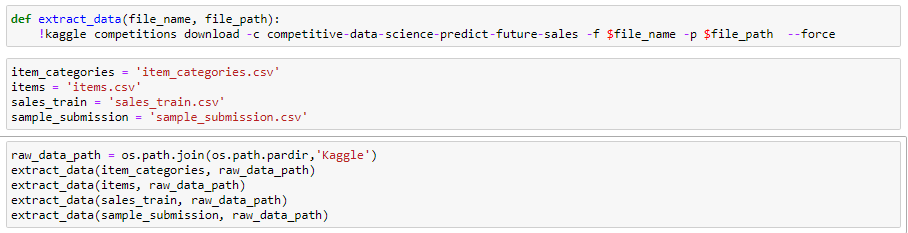

but only one file unzips
which would be the first one
 coral walrus
can anyone explain to me why this:
#pandas df
a = df.iloc[0, 0]
b = df.iloc[0, 1]
c = df.iloc[0, 2]
d = df.iloc[0, 3]
e = df.iloc[0, 4]

#pyautogui
pag.leftClick(2794, 15)
pag.typewrite(d)
returns 'numpy.int64' object is not iterable'
it seems pyautogui can only pass strings if I want to typewrite variables
nvm fixed
desert oar
...i don't think you can put ! ipython syntax in a python function
@drowsy kite
or can you? if so that's totally insane
 quasi jolt
Hey guys, not a technical question. I wanted to know whether in a data science course, do they teach the entirety of ml and ai or only a percentage of it. I've taken data science as my college course but wanted to learn ml in detail, hence was wondering whether will I be taught everything an ml engineer learns or only the amount that's required for data sc. Any insight into this will be appreciated.
drowsy kite
you can @desert oar this is the only time ive ever seen it
also i fixed it
pandas can unzip files via compression method
pandas is insane
slate scroll
@quasi jolt Your question is a bit vague but I'll take a stab, as someone with a PhD in ML you can get all the way through grad school and not learn "the entirety of ml". The field is just way too large. You also reference what an ml engineer knows and I'll say that for the most part, most ML engineers don't know that much ML. MLEs know enough ML to get by but they know lots of other stuff (APIs, performance, deployment, infrastructure, distributed computing, data pipelining etc). Data scientists and research staff usually do deep ML work. The best MLEs emerge from data scientists, data engineers or software engineers with a desire to learn more about other fields. Source: I'm a lead MLE at a fortune 500 company currently expanding my team.
Also, this discussion is probably better suited for #career-advice
frank bone
Couldnt find it anywhere else maybe somebody here can help me..in the standard debian based distro installers, how do you modify default block size? Like what‘s the location of that config file in the iso?
Always goes for 4096 and doesnt let you choose...so annoying
flat quest
yup can second what @slate scroll said. ML is way too large of a field for one single person to cover, and is becoming increasingly more vast in both its applicability and broadness. Even researchers only know a portion of the field, and even that portion is rapidly changing and evolving.
As for MLE's vs researchers vs data engineer like rob said MLE's are more focused on the API development, deplomyment, and infrastructure of ML models and programs. Data engineers generally work on manipulating data whether that cleaning, feature engineering, and also work heavily on data analysis. Researchers generally have a strong knowledge in both practical and theoretical ML, and usually come from a strong mathematical background. They're the ones developing new architectures and models, which then get utilized by MLE's if they preform well.
Its possible that you can be both a strong MLE and a researcher, but its not too common. It takes a while to become a competent researcher or an MLE. That's not to say tho that you shouldn't try implementing your own ideas.
A number of toy research ideas have eventually worked their ways into major areas of research.
As for the DS course, not sure which one it is, but if you want to get an introductory knowledge of ML take it. But it will only cover the basics. The rest you'll have to learn from other people's code, reading articles, or papers from researchers.
slate scroll
I'm a fan of this representation of the current data science landscape: https://www.datarevenue.com/en-blog/hiring-machine-learning-engineers-instead-of-data-scientists

Many companies hired Data Scientists to build AI products but only ended up with PoCs. Now they’re hiring machine learning engineers instead.
Namely, this image:
 flint pendant
Anyone here have strong Pandas knowledge that can help answer my question in #help-pie ?
frank bone
Anyone idea about changing default block size in linux installer? Sorry couldnt find answer anywhere else..
frank bone
Figured it out just format before installer and it wont reformat
 limpid oak
`def f(row):
try:
return arcpy.Polygon(arcpy.Array([arcpy.Point(pt['Longitude'],pt['Latitude']) for pt in json.loads(row['PlotGeoFence'])]))
except:
    return numpy.nan`
getting output as empty dict, any suggestions
 jade walrus
Anyone ever tried using AMD GPU for machine learning on python using keras/tensorflow? Is it workable?
Is Nvidia GPU the only choice today for machine learning using python?
 hidden halo
I'm doing the following operation in numpy:
all_xirr = []
for i in np.unique(result[:,0]):
    df = result[result[:,0]==i,1:3]
    x = xirr_np(df[:,0], df[:,1])
    all_xirr.append((i, x))
It's basically equivalent to grouping by the first column and then applying the xirr_np function using the values of 2nd and 3rd columns. I was wondering if there is a more efficient way to do this using numpy split or something else.
flat quest
I may be wrong but as far I know tf and pytorch depend on nvidias cuda software
I don’t know if a similar one exists for amd, but I don’t think it’s possible currently. Might be worth checking on tf docs @jade walrus
 quartz stream
I am blow away seeing the GPT-3 Perform
If anyone has access to beta I would like to see it action
quartz stream
 olive moat
@jade walrus Tensorflow has some sort of ROCm support
You'd have to build it yourself or use Docker however
And I don't know how well it works
Possibly not at all
desert parcel
could someone explain these lines
I'm not sure what x_train, and x_test are same for the y variations
spark stag
x_train and x_test is the data the algorithm will use to train and make predections on respectivly, y_train and y_test are the labels (real values) for that data, this is what it will compre its predictions against to evalute how good those predictions were
desert parcel
so the X values are the predictions the Y values is just to compare the answers?
If I can use that analogy thing
spark stag
x values aren't the predicions, but its the data that the model will use to make its own prediction but y is basically the answers
desert parcel
so y is based on x
spark stag
if for example your model was tring to predict the weights of people, it may have data such as [[170, 0, 25], ... ] for height, gender (as a numerical value), age, y could be something like 75 if that persons weight is 75kg
desert parcel
alright
so it uses data in x to make predictions
so x_train is the taking in data part
x_test is showing the results?
maybe you could break it down for me?
the video doesn't explain that
spark stag
x_test is the data it uses after it has trained to make sure that the model can make accurate predictions on new data it hasn't seen before, y_train is the real values / results of the data in x_train