#discord-bots
1 messages · Page 1129 of 1
 paper sluice
 cloud dawn
🐒
cloud dawn
What is the command you used?
paper sluice
try python -m pip install ...
 shadow vigil
okay do you know events? of coure you know
i will exmple it the simplest way i could do.
    def dispatch(self, event_name: str, /, *args: Any, **kwargs: Any) -> None:
        # super() will resolve to Client
        super().dispatch(event_name, *args, **kwargs)  # type: ignore
        ev = 'on_' + event_name
        self.webhookEvents(event_name, *args, **kwargs)
        for event in self.extra_events.get(ev, []):
            self._schedule_event(event, ev, *args, **kwargs)  # type: ignore
this func handle your bot events i wnat to know how _schedule_event works so i can know how i must pass the args and how do i run async func, events funcs are async funcs but i don't know how to run them
cloud dawn
..?
 slate swan
lmao
shadow vigil
shadow vigil
okay do you know events? of coure you know
i will exmple it the simplest way i ...
huh i am bad at exmpling
and bad at english too
paper sluice
python -m pip install py-cord and then to run ur file you type python filename,py
slate swan
shadow vigil
okay do you know events? of coure you know
i will exmple it the simplest way i ...
thats a method in that class, look at the source code, it basically calls all the listeners
paper sluice
slate swan
ryuga the imports will bug due to namespace issues
it shouldn't say module not found tho
paper sluice
paper sluice
`python -m pip install py-cord` and then to run ur file you type `python filenam...
did u do this?
cloud dawn
shadow vigil
okay do you know events? of coure you know
i will exmple it the simplest way i ...
I'm sorry but I don't know what you mean by giving it to another class. You want to have all the events in some kind of custom class?
shadow vigil
slate swan
thats a method in that class, look at the source code, it basically calls all th...
yes i know but i don't know where is it i treid to find it in bot.py but didn't find it. and in the core file but nothing
slate swan
shadow vigil
yes i know but i don't know where is it i treid to find it in bot.py but didn't ...
ctrl+f ...
shadow vigil
slate swan
ctrl+f ...
... that exacly what i did
slate swan
and why do you want to use the internals?
Google for get-pip.py for python3.10 and run that file
 dusky pine
shadow vigil
okay do you know events? of coure you know
i will exmple it the simplest way i ...
dusky pine
shadow vigil
okay do you know events? of coure you know
i will exmple it the simplest way i ...
Why do I see camelCase in there
slate swan
ignore that, its not related
 vocal snow
why is it in the Music directory 🤨
paper sluice
dude just make a venv and do things there
shadow vigil
slate swan
ctrl+f ...
uh okay i am making a custem bot that intercat with anther bot but i want to get the events and give it to the other bot
shadow vigil
shadow vigil
uh okay i am making a custem bot that intercat with anther bot but i want to get...
but the quesc how do i get the events?
slate swan
shadow vigil
uh okay i am making a custem bot that intercat with anther bot but i want to get...
use that bot's bot.dispatch method then, no need to mess with internals
paper sluice
PS E:\Computer Science\Python\Game\Discord> mkdir temp && cd temp && py -m venv p

    Directory: E:\Computer Science\Python\Game\Discord

Mode                 LastWriteTime         Length Name
----                 -------------         ------ ----
d----           6/30/2022  3:10 PM                temp

PS E:\Computer Science\Python\Game\Discord\temp> .\p\Scripts\activate
(p) PS E:\Computer Science\Python\Game\Discord\temp> python -m pip install py-cord
Collecting py-cord
  ...

(p) PS E:\Computer Science\Python\Game\Discord\temp> python
Python 3.10.0 (tags/v3.10.0:b494f59, Oct  4 2021, 19:00:18) [MSC v.1929 64 bit (AMD64)] on win32
Type "help", "copyright", "credits" or "license" for more information.
>>> import discord
>>> discord.__version__
'1.7.3'
see how easy it is with a venv
slate swan
you're coding in 3.9 and running with 3.10
It says C:\Users\AppData\Local\Programs\Python`Python310`\python.exe: can't open file 'C:\U....
shadow vigil
slate swan
use that bot's bot.dispatch method then, no need to mess with internals
how the bot is not a discord bot
shadow vigil
slate swan
the call the event functions with arguments provided manually
are you sure?. i want to get all the evnts possible, theren't a way to listen to all events at the same time?
slate swan
is an event
shadow vigil
slate swan
is an event
oh. how it works ?
slate swan
just a minute
slate swan
bruh
shadow vigil
!d discord
 unkempt canyonBOT
In order to work with the library and the Discord API in general, we must first create a Discord Bot account.
Creating a Bot account is a pretty straightforward process.
Similar names: disnake.discord, nextcord.discord
shadow vigil
slate swan
https://discordpy.readthedocs.io/en/stable/api.html#discord.on_socket_raw_send
oh thanks that was helpful
shadow vigil
slate swan
https://discordpy.readthedocs.io/en/stable/api.html#discord.on_socket_raw_send
how could i use it ?
commands.Cog.listener()
async def on_socket_raw_send(self,payload):
    print(payload)
 dapper trail
hey quick question how do i change path in terminal of vscode?
i dont wanna raise a channel for it
 tropic burrow
no errors, nothing at all is sent
@client.command()
@commands.cooldown(1,10,commands.BucketType.user)
async def bounty(ctx):
  worth = random.randint(1000,100000)
  rounded = str(round(worth,-3))

  print(rounded)
  if bounty <= 10000:
    mbed1 = discord.Embed(
      title="noob monke. imagine low bounty",
      description=f"{ctx.author} is worth {rounded} monkeybux!"
    )
    await ctx.send(embed=mbed1)

  elif bounty >= 10000:
   mbed2 = discord.Embed(
     title="u are good but not enough to be pro monke",
     description=f"{ctx.author} is worth {rounded} monkeybux!"
   )
   await ctx.send(embed=mbed2)
  elif bounty >= 50000:
    mbed3 = discord.Embed(
      title="pro monke, must've done some bad things to get this bounty",
      description=f"{ctx.author} is worth {rounded} monkeybux!"
    )
    await ctx.send(embed=mbed3)
  elif bounty >= 75000:
    mbed4 = discord.Embed(
      title="damn, certified pro monke. I wonder what you did to have such a bounty",
      description=f"{ctx.author} is worth {rounded} monkeybux!"
    )
    await ctx.send(embed=mbed4)
  elif bounty == 100000:
    mbed5 = discord.Embed(
      title="OUR LORD AND SAVIOR.  WE SHALL MAKE A CREW AFTER YOU: MONKE PIRATES. WE SHALL PROTECC DA CAPTAIN!!!",
      description=f"{ctx.author} is worth {rounded} monkeybux!"
    )
    await ctx.send(embed=mbed5)
but the bounty is printed
dapper trail
MONKE
 shrewd apex
dapper trail
hey quick question how do i change path in terminal of vscode?
i dont wanna rais...
shrewd apex
dapper trail
hey quick question how do i change path in terminal of vscode?
i dont wanna rais...
use shell commands
shadow vigil
dapper trail
hey quick question how do i change path in terminal of vscode?
i dont wanna rais...
os.chdir?
dapper trail
shrewd apex
use shell commands
im a newbie
shrewd apex
File & Directory Commands
To navigate into the root directory, use "cd /"
To navigate to your home directory, use "cd" or "cd ~"
To navigate up one directory level, use "cd .."
To navigate to the previous directory (or back), use "cd -"
in terminal
dapper trail
k thanks
shadow vigil
shadow vigil
how could i use it ?
```py
commands.Cog.listener()
async def on_socket_raw_send(...
OKAY its "on_socket_event_type"
slate swan
shrewd apex
```
File & Directory Commands
To navigate into the root directory, use "cd /"
To...
!rule 7
unkempt canyonBOT
7. Keep discussions relevant to the channel topic. Each channel's description tells you the topic.
shrewd apex
rip
slate swan
your fault
shrewd apex
slate swan
!rule 7
u are no longer a kid mentally
slate swan
smh
 austere gust
Yo. Today suddenly all my commands stopped working no idea why
slate swan
austere gust
Yo. Today suddenly all my commands stopped working no idea why
that's cool
 maiden fable
austere gust
Yo. Today suddenly all my commands stopped working no idea why
maiden fable
austere gust
Yo. Today suddenly all my commands stopped working no idea why
Did u update ur module version?
maiden fable
What type of commands?
austere gust
all of them
austere gust
context?
maiden fable
User and message commands
maiden fable
What module u using?
austere gust
python 3.10
maiden fable
Module
slate swan
maiden fable
Text, context or slash
context commands?
maiden fable
maiden fable
User and message commands
^^^
austere gust
EH
paper sluice
austere gust
EH
hes asking what module do you use, like discord.py or disnake
austere gust
I am not using disnake or things like that
eh.. I started the bot on my pc and the commands were working
when I started it on the vps, the commands stopped working
now everything stopped working expect on_raw_reaction_add events..
 robust fulcrum
Guys like i have a embed comamnd
embed = discord.Embed(title="test", description="1:hello 2:bye", color=#fffff)
How can I make the description in the next line like
1:hello 2:bye
robust fulcrum
Not like that
austere gust
no idea
robust fulcrum
For ex: 1:test 2:test
And i have to do
1:test
2:test
austere gust
yep idk
robust fulcrum
!paste
unkempt canyonBOT
Pasting large amounts of code
If your code is too long to fit in a codeblock in discord, you can paste your code here:
https://paste.pythondiscord.com/
After pasting your code, save it by clicking the floppy disk icon in the top right, or by typing ctrl + S. After doing that, the URL should change. Copy the URL and post it here so others can see it.
austere gust
eh ty
 visual island
robust fulcrum
Guys like i have a embed comamnd
```py
embed = discord.Embed(title="test", desc...
visual island
robust fulcrum
Guys like i have a embed comamnd
```py
embed = discord.Embed(title="test", desc...
use \n I guess?
visual island
that works for strings
robust fulcrum
Ok
austere gust
and how can I make this big distance between words

cuz now it is like this

I would like to make the names far from each other
austere gust
like on the first picture
 slate swan
?
austere gust
austere gust
and how can I make this big distance between words
I want to make this in an embed messgae
slate swan
Well _ _ _ _ _ _ _ _ _ _ _ _ that works in embed too I guess 
austere gust
like this
 austere gust
slate swan
Well _ _ _ _ _ _ _ _ _ _ _ _ that works in embed too I guess <a:shrug:8677855380...
austere gust
slate swan
Well _ _ _ _ _ _ _ _ _ _ _ _ that works in embed too I guess <a:shrug:8677855380...
noo I tried
slate swan
I'm pretty ready to bet it works
austere gust
I tried
slate swan
What have you tried, most likely the wrong way
Send here what you've tried as normal message
Like this hello _ _ _ _ _ _ _ _ _ _ world
austere gust
value = " ".join(data2)
slate swan
And the output?
robust fulcrum
slate swan
Well _ _ _ _ _ _ _ _ _ _ _ _ that works in embed too I guess <a:shrug:8677855380...
Ye
It works
austere gust
wwait a sec
robust fulcrum
slate swan
Yeah it does that's what I know
robust fulcrum
slate swan
That's why I ask for the output
austere gust
how you guys send blank messages
 velvet compass
Zero width character probably
dusky pine
austere gust
how you guys send blank messages
_ _
austere gust
slate swan
And the output?
u mean what it shows on the embed?
dusky pine
two underscores with a space in between
slate swan
velvet compass
Zero width character probably
Yeah this Hello _ _ _ _ _ _ _ _ _ _ world actually
austere gust
ohh
slate swan
Horrible, but works
austere gust
I spammed space lmao
slate swan
Yeah that will just be shrunk to one space
I believe at least
Yeah not these messages whatever
Bot messages probably
maiden fable
maiden fable
Ikr
austere gust
eh it is still like this
 slate swan
austere gust
like this
slate swan
austere gust
like this
Is that from another bot or something?
austere gust
slate swan
Is that from another bot or something?
this is my bot
and the example was from an other bot
slate swan
The one above with the spaces
austere gust
(not mine)
austere gust
austere gust
like this
this is the other bot
 hushed galleon
austere gust
like this
hushed galleon
austere gust
like this
looks like they're using three fields with two of them having invisible titles
its what i do for my server statuses
austere gust
hushed galleon
its what i do for my server statuses
oo
dusky pine
wait in theory you can do table design using fields
hushed galleon
for the second and third fields you can type '\u200b' to get a blank title
slate swan
whats wrong with direct spaces tho.?
?
i meant can't they "Mate. Mylan."?
They get shrunk to one single space at the end
Try it yourself
austere gust
slate swan
i meant can't they "Mate. Mylan."?
I think they can't

 modern dagger
Hello, i got a problem to solve, i have a command !play to play a game but i only want the next event to run when somebody typed !play before, so if somebody random write HEAD nothing would happend
async def play(ctx):
    channel = client.get_channel(988434979493122138)

    await channel.send('Are you ready to lose everything {}?\nIf yes, type HEAD or TAIL after this message!'.format(ctx.message.author.mention))

@client.event
async def on_message(message):
    coin_toss_list = ["HEAD", "TAIL"]
    channel = client.get_channel(988434979493122138)
    if message.content == 'HEAD':

        random1 = random.choice(coin_toss_list)
        if random1 == "HEAD":

            await channel.send("You got some luck mate{}! ".format(message.author.mention))
        else:

            await channel.send("Not everybody born to be a winner{}... ".format(message.author.mention))


    if message.content == 'TAIL':

        random2 = random.choice(coin_toss_list)
        if random2 == "TAIL":

            await channel.send("You got some luck mate{}!".format(message.author.mention))
        else:

await channel.send("Not everybody born to be a winner{}...".format(message.author.mention))```weird-er, this appears with spaces on android but with no spaces on desktop
slate swan
modern dagger
Hello, i got a problem to solve, i have a command !play to play a game but i onl...
!d discord.ext.commands.Bot.wait_for use this for events related to commands
unkempt canyonBOT
wait_for(event, /, *, check=None, timeout=None)```
This function is a [*coroutine*](https://docs.python.org/3/library/asyncio-task.html#coroutine).

Waits for a WebSocket event to be dispatched.

This could be used to wait for a user to reply to a message, or to react to a message, or to edit a message in a self-contained way.

The `timeout` parameter is passed onto [`asyncio.wait_for()`](https://docs.python.org/3/library/asyncio-task.html#asyncio.wait_for "(in Python v3.10)"). By default, it does not timeout. Note that this does propagate the [`asyncio.TimeoutError`](https://docs.python.org/3/library/asyncio-exceptions.html#asyncio.TimeoutError "(in Python v3.10)") for you in case of timeout and is provided for ease of use.

In case the event returns multiple arguments, a [`tuple`](https://docs.python.org/3/library/stdtypes.html#tuple "(in Python v3.10)") containing those arguments is returned instead. Please check the [documentation](https://discordpy.readthedocs.io/en/latest/api.html#discord-api-events) for a list of events and their parameters.

This function returns the **first event that meets the requirements**...
 slate swan
I want it bigger but how? https://i.gyazo.com/5194825a3631d015a8bc00782fd35d72.p...
slate swan
slate swan
I want it bigger but how? https://i.gyazo.com/5194825a3631d015a8bc00782fd35d72.p...
use
"```\ntext\n````"
instead of whatever youre using
I use f"{release_Date}
Then use
....
Which is with three back ticks instead of only one
And a newline indicator after the first three back ticks and before the last three (\n)
f"```\nstuff\n```"
Also a big creativity and originality from your side
Hi
How's the code jam qualifier going
👀
Wasn't it Sparky who wanted the role to appear 'cool'?
i think so
Aight just wanted to be sure
i just have the role cuz i actually want to try out code jam lol
I don't like code jams kek
So if I solve and submit it I will get in, which I don't want
slate swan
slate swan
So if I solve and submit it I will get in, which I don't want
no?
"Code Jam Participants" - that's the role
you submit your qualifier and you have the role and you qualified but later on you need to fill out a form if youre actually going to participate so you can be a green bean like me
So I believe that yes, your participation is counted
slate swan
slate swan
you submit your qualifier and you have the role and you qualified but later on y...
Yeah that's just like saying 100 times you will come to a party and at the end the day before you say you don't come, it's just disrespectful towards the organizers in my opinion.
i doubt they really mind, after all the only thing they encourage is for people to try it out.
slate swan
slate swan
Wasn't it Sparky who wanted the role to appear 'cool'?
No
I want to participate
I believe you said the role was cool and you wanted it
Now people interpret it the way they want
Apparently I'm not the only one that interpreted it that you want the role kek
slate swan
slate swan
I want it bigger but how? https://i.gyazo.com/5194825a3631d015a8bc00782fd35d72.p...
why do I get this, although I get a response from the bot? https://i.gyazo.com/9277080236bf58a12f3a45fe06d30159.png

You're obviously not getting a response in that screenshot
slate swan
slate swan
I believe you said the role was cool and you wanted it
Ye I said that but I also want to participate
slate swan
slate swan
You're probably just sending a message in the channel and not responding to the interaction
Ye
code pls
It's probably something like .reply or something similar
ok fixed it
Or .send but on the interaction object
Good to know
Ye
had to use await interaction.response.send_message
Yes
slate swan
slate swan
Yes
haha
Yeah, is that some third party add-on?
Haven't seen a library using send_message for ages
hushed galleon
its part of dpy 2.0's interactions
slate swan
ye
hushed galleon
several libraries fork from 2.0 too
slate swan
No way they're still using that as name, yikes
hushed galleon
!d discord.InteractionResponse.send_message
unkempt canyonBOT
await send_message(content=None, *, embed=..., embeds=..., file=..., files=..., view=..., tts=False, ephemeral=False, allowed_mentions=..., suppress_embeds=False)```
This function is a [*coroutine*](https://docs.python.org/3/library/asyncio-task.html#coroutine).

Responds to this interaction by sending a message.response.send_message^
oh lordy lord
the most weird one was Client.say
Yeah okay that's another level
slate swan
slate swan
No way they're still using that as name, yikes
They do disnake do
hushed galleon
interactions have multiple ways to be responded to, maybe that's why they used send_message
slate swan
slate swan
They do disnake do
disnake I think you can just use i.send, unless they also changed
we are talking about response message right
About responding to an interaction, in that case a slash command.
hushed galleon
disnake has Interaction.send() to correctly use either the interaction/followup webhook
slate swan
So it's basically a short way to make your life easier
 dull terrace
that feeling when you clean up a piece of code from 93 lines down to 43 
slate swan
Sometimes it might not even be a cleanup
But brings more issues later on or make the code horrible to re-read later
@slate swan how long are u in programming?
?
Early verified bot developer
😅
Oh you mean how long I've been coding for?
slate swan
dull terrace
that feeling when you clean up a piece of code from 93 lines down to 43 <:2524_c...
black - lemme change it to 120
Ye
Probably a month or two
how u got that badge then 💀
 jaunty wedge
@slate swan i think he is owner of flantic
 slate swan
how u got that badge then 💀
slate swan
slate swan
how u got that badge then 💀
badges, well..
slate swan
jaunty wedge
<@456226577798135808> i think he is owner of flantic
Probably not since I've never heard of that name before
slate swan
slate swan
badges, well..
I mean we're they that popular on those days?
If it's a bot, then never heard of it
jaunty wedge
@slate swan i said ig because i thought owner of flantic was krypton i just didnt knew tag
slate swan
ah okay
slate swan
slate swan
If it's a bot, then never heard of it
😭it has failed my nukes
then it's not me
slate swan
slate swan
I mean we're they that popular on those days?
yeah, you got one easily if you created a bot application and managed to get it added in specific amount of servers
🐢 the reason why they don't give dev badges anymore
That is actually wrong
slate swan
slate swan
yeah, you got one easily if you created a bot application and managed to get it ...
They should have a test or something
They didn't and still don't verify bots for being in ghost servers
now
slate swan
slate swan
They didn't and still don't verify bots for being in ghost servers
Ye
You'll either get flagged for inorganic or suspicious growths
Discord
Everybody who is interested in that topic know already what happened. If not: Discord removed the developer badge for everyone who applied after august 19th.
I understand why this step was necessar...
Same when it was first introduced
jaunty wedge
Lol i also had early verified bot dev id earlier it got tokken grabbed sadly
slate swan
wo cool
jaunty wedge
It was not my id anyway i also grabbed it
slate swan
slate swan
https://support.discord.com/hc/en-us/community/posts/360051569573-Developer-Badg...
Yeah, that's the reason why they stopped giving it
However you've said
[...] you got one easily if you created a bot application and managed to get it added in specific amount of servers [...]
Which is wrong
You wouldn't get the badge at all if you were doing this
jaunty wedge
Yep now each bot takes a long time to get verified
slate swan
You would get declined and that's it. They simply got to decline way too many - which led to huge waiting time for legitimate bots.
i wasn't talking about the fact that what kind of server it required to be, there were no verification system for intents and other things right? cause I've seen many users who have 0 programming knowledge but the badge
jaunty wedge
First they need to touch around 100 servers because thats limit then only we can apply for it to get verified
slate swan
slate swan
i wasn't talking about the fact that what kind of server it required to be, ther...
That's because the people who were added in the team of the bot in the developer portal also got the badge
oh
People just asked their friend who had a legitimate bot to add them in their team for the badge
jaunty wedge
slate swan
i wasn't talking about the fact that what kind of server it required to be, ther...
Its not their ids some ppl buy ealry dev id and some token grab them/hack them
slate swan
They should check the bots traffic
Typical behavior for sad badge hunters
and remove all self bots
slate swan
jaunty wedge
Its not their ids some ppl buy ealry dev id and some token grab them/hack them
Yeah that too
slate swan
slate swan
and remove all self bots
Self bots are hard to distinguish
jaunty wedge
I also token grabbed a early dev id
slate swan
👀 what you tryna do ✨
robust fulcrum
Guys how we can add reaction to message?
slate swan
slate swan
Self bots are hard to distinguish
Ye sad
slate swan
robust fulcrum
Guys how we can add reaction to message?
Message.add_reaction(emoji)
slate swan
robust fulcrum
Guys how we can add reaction to message?
!d discord.Message.add_reaction
unkempt canyonBOT
await add_reaction(emoji, /)```
This function is a [*coroutine*](https://docs.python.org/3/library/asyncio-task.html#coroutine).

Adds a reaction to the message.

The emoji may be a unicode emoji or a custom guild [`Emoji`](https://discordpy.readthedocs.io/en/latest/api.html#discord.Emoji "discord.Emoji").

You must have the [`read_message_history`](https://discordpy.readthedocs.io/en/latest/api.html#discord.Permissions.read_message_history "discord.Permissions.read_message_history") permission to use this. If nobody else has reacted to the message using this emoji, the [`add_reactions`](https://discordpy.readthedocs.io/en/latest/api.html#discord.Permissions.add_reactions "discord.Permissions.add_reactions") permission is required.

Changed in version 2.0: `emoji` parameter is now positional-only.

Changed in version 2.0: This function will now raise [`TypeError`](https://docs.python.org/3/library/exceptions.html#TypeError "(in Python v3.10)") instead of `InvalidArgument`.Fine im late
jaunty wedge
slate swan
👀 what you tryna do ✨
L i dont yave knowledge about coding i am just a skid
slate swan
robust fulcrum
Guys how we can add reaction to message?
Hover on the message and add a reaction, that's how we can add a reaction /s
robust fulcrum
@slate swan whats the argument after emoji?
the (emoji,/) the /
slate swan
That's nothing you need to worry about
Simply put the emoji as argument and that's it
robust fulcrum
Ok
slate swan
robust fulcrum
<@456226577798135808> whats the argument after emoji?
the `(emoji,/)` the ` / `
/ means positional arguments, basically you can't do Message.add_reaction(emoji= ...), you need to Message.add_reaction(...)
slate swan
robust fulcrum
Ok
it's just to enforce the arguments before it to be made positional, and has nothing to do with as krypton said
nvm
robust fulcrum
:) me near to done with Asher's challenge!
slate swan
great! what was it though?
 sick birch
jaunty wedge
I also token grabbed a early dev id
sick birch
jaunty wedge
I also token grabbed a early dev id
Let’s not talk about that here please, thanks
robust fulcrum
slate swan
great! what was it though?
Poll command upto 10 options with reactions
slate swan
My phone just got randomly off, nice
jaunty wedge
sick birch
Let’s not talk about that here please, thanks
Yep i am just talking about how polluted dc com is noe legit ppl with early verified devs id dont know a shit about coding
slate swan

slate swan
robust fulcrum
Poll command upto 10 options with reactions
oh that's cool, good luck
await ctx.channel.purge(limit=limit)
discord.ext.commands.errors.CommandInvokeError: Command raised an exception: AttributeError: 'PartialMessageable' object has no attribute 'purge'
2.0
slate swan
robust fulcrum
Poll command upto 10 options with reactions
👌 good luck!
slate swan
slate swan
```python
await ctx.channel.purge(limit=limit)
```
```discord.ext.commands.error...
was the command used in dms?
no
what mind of channel was that?
text channel
no wait
its a slash command right?
no
!d discord.ext.commands.Context.channel wait
unkempt canyonBOT
Returns the channel associated with this context’s command. Shorthand for Message.channel.
robust fulcrum
slate swan
oh that's cool, good luck
Challenge is 90% done
Only reactions left even i tested command and it worked
Actually I was asking for slash commands today for this challenge but i made with prefix comamnd now
slate swan
robust fulcrum
Challenge is 90% done
Only reactions left even i tested command and it worked
amazing!
Isn't that just a string split and reaction add?
krypton 💀 yes
slate swan
slate swan
no
ctx.channel won't return a PartialMessageable
you either messed with the intents, or ctx there is an interaction
just asking, might've been something else
like with time ending, saving the results, etc.
that's quite messy, tried to make it but uhhh
slate swan
slate swan
ctx.channel won't return a PartialMessageable
you either messed with the intents...
@commands.command(name="purge")
    async def purge(self, ctx, limit=5):
        await ctx.channel.purge(limit=limit)
i'm in cogs
show intents
robust fulcrum
@slate swan
async def reaction(message,number):
    if number == 1:
        await message.add_reaction(1️⃣)
Is reaction thing correct?
slate swan
robust fulcrum
<@456226577798135808>
```py
async def reaction(message,number):
if number =...
emoji has to be inside strings
robust fulcrum
Ok
slate swan
slate swan
show intents
intents = discord.Intents()
intents.message_content = True
intents.guild_messages = True
intents.members = True
'' or ""?
slate swan
slate swan
```python
intents = discord.Intents()
intents.message_content = True
intents.gui...
yeah its the intents, change discord.Intents to discord.Intents.default()
another funny case where dpy messed.
robust fulcrum
async def reaction(message,number):
    if number == 2:
        await message.add_reaction('1️⃣')
Now?
slate swan
slate swan
```python
intents = discord.Intents()
intents.message_content = True
intents.gui...
btw you can use discord.Intents.all() since you're using them all and set .presence to false later
robust fulcrum
Ye
slate swan
robust fulcrum
```py
async def reaction(message,number):
if number == 2:
await mess...
yes.
robust fulcrum
slate swan
btw you can use discord.Intents.all() since you're using them all and set .prese...
discord.Intents.all()
Am i right?
slate swan
robust fulcrum
discord.Intents.all()
Am i right?
yes sir.
 velvet compass
We have a poll command if you wanted to take a look at one implementation of it
unkempt canyonBOT
Command: vote
Build a quick voting poll with matching reactions with the provided options.
Source Code
bot/exts/utils/utils.py:185
unkempt canyonBOT
bot/exts/utils/utils.py lines 205 to 206
for reaction in options:
await message.add_reaction(reaction)```bot/exts/utils/utils.py line 198
if len(options) > 20:```Oh
the bot can add upto 20 reactions for a poll
Ye it's enough
i think its because of discord limits, there's a limit to how many emojis can be added as a message reaction
lemme run the poll command code cause i wanna test something
unkempt canyonBOT
bot/exts/utils/utils.py line 202
options = {chr(i): f"{chr(i)} - {v}" for i, v in enumerate(options, start=codepoint_start)}```yeah you can only add 20 reaction emojis to the message 😔
slate swan
slate swan
https://github.com/python-discord/bot/blob/b5ab79aea21ae38fad942cc98e36c2bfe2b24...
!e ```py
l = ["first", "second", "third"]
for i, a in enumerate(l, start=1):
print(i, a)
@slate swan :white_check_mark: Your eval job has completed with return code 0.
001 | 1 first
002 | 2 second
003 | 3 third
Ohk now I understood thanks
paper sluice
👋
slate swan
Hunter gave me complications on understanding enumerate 😔
paper sluice
slate swan
ryuga why slap 😔
 slate swan
thats what you expect from a god
slate swan
slate swan
thats what you expect from a god
Agreed.
slate swan
paper sluice
https://tenor.com/view/scared-tiger-booo-suprised-shocked-gif-17203252
so uwu 😔
paper sluice
slate swan
Hunter gave me complications on understanding enumerate 😔
def enumerator(iterable, start=0):
    for item in iterable:
        yield start, item
        start += 1
++ moment 💀
slate swan
lmao
https://github.com/python-discord/bot/blob/b5ab79aea21ae38fad942cc98e36c2bfe2b24e30/bot/exts/utils/utils.py#L201-L203 they using the 1️⃣ emoji uncodes, sick
unkempt canyonBOT
bot/exts/utils/utils.py lines 201 to 203
codepoint_start = 127462  # represents "regional_indicator_a" unicode value
options = {chr(i): f"{chr(i)} - {v}" for i, v in enumerate(options, start=codepoint_start)}
embed = Embed(title=title, description="\n".join(options.values()))```I see
slate swan
paper sluice
👋
👋
slate swan
paper sluice
```py
def enumerator(iterable, start=0):
for item in iterable:
yield...
 wot
wot
shrewd apex
👋
slate swan
slap 😔
shrewd apex
rip
maiden fable
paper sluice
```py
def enumerator(iterable, start=0):
for item in iterable:
yield...
Seems a good way ngl
maiden fable
?
maiden fable
!ot
unkempt canyonBOT
Off-topic channel: #ot2-never-nester’s-nightmare
Please read our off-topic etiquette before participating in conversations.
slate swan
joe mama
paper sluice
paper sluice
```py
def enumerator(iterable, start=0):
for item in iterable:
yield...
unkempt canyonBOT
Objects/clinic/enumobject.c.h line 36
fastargs = _PyArg_UnpackKeywords(_PyTuple_CAST(args)->ob_item, nargs, kwargs, NULL, &_parser, 1, 2, 0, argsbuf);```🤯
slate swan
It's C after all
can some1 format this for me? always get the error: Not a well formed URL
stockx_url = "https://stockx.com/search?s=" + product_name + color
Look how the URL needs to be formatted and compare with a print() of sockx_url. Note that you probably need to URL encode spaces and other similar characters in product_name and color with, for example, urllib.parse.quote("...")
 modern fiber
Is there you can make a command so it bans all users from a specific time they joined? Because servers are getting botted and yk I am trying to help
sick birch
modern fiber
Is there you can make a command so it bans all users from a specific time they j...
Sure. Loop through all members of a guild, check the datetime they joined. If it's after a specific interval, ban them. Make sure to add a sleep in between each ban, so you don't get rate limited
 spring flax
!d discord.Member.joined_at
unkempt canyonBOT
An aware datetime object that specifies the date and time in UTC that the member joined the guild. If the member left and rejoined the guild, this will be the latest date. In certain cases, this can be None.
slate swan
slate swan
Look how the URL needs to be formatted and compare with a `print()` of `sockx_ur...
ok I know the problem now. there must be "%20" for every space between the words. how can I put that between the words?
sick birch
The urllib library should be able to do that for you
slate swan
See my example above
maiden fable
sick birch
The `urllib` library should be able to do that for you
How?
Someone is used to an eval
slate swan
!e
import urllib.parse
print(urllib.parse.quote("Hello world"))
unkempt canyonBOT
@slate swan :white_check_mark: Your eval job has completed with return code 0.
Hello%20world
?
My eval was with return so I got used to it
robust fulcrum
@shrewd apex challenge done!
slate swan
🎉
slate swan
Na
shrewd apex
robust fulcrum
<@656838010532265994> challenge done!
🎉
shrewd apex
maiden fable
<#987738466362195988>?
no command challenge
maiden fable
Wtf discord
slate swan
robust fulcrum
Poll command upto 10 options with reactions
That
shrewd apex
poll command with graph
robust fulcrum
shrewd apex
🎉
I'll post code lator i gtg for now
maiden fable
It opened Navi's profile and clicked the link in his About Me
robust fulcrum
shrewd apex
poll command with graph
Oof i forgot graph
shrewd apex
okay
robust fulcrum
Can I do graph tommorow
robust fulcrum
Command is done without graph
shrewd apex
it's ur challenge 😜
maiden fable
maiden fable
It opened Navi's profile and clicked the link in his About Me
And I thought someone got access to my user token and made me join that server 😐
robust fulcrum
maiden fable
It opened Navi's profile and clicked the link in his About Me
Thats my server link for advertising 😂
slate swan
yoikes
maiden fable
Haha
robust fulcrum
 robust fulcrum
shrewd apex
it's ur challenge 😜
robust fulcrum
shrewd apex
it's ur challenge 😜
I'll do it's easy
maiden fable
👀
 swift pumice
how can i check a user?
like whats the if statement called?
paper sluice
what check do you want to do?
swift pumice
if a user is a user yk?
maiden fable
!d isinstance
unkempt canyonBOT
isinstance(object, classinfo)```
Return `True` if the *object* argument is an instance of the *classinfo* argument, or of a (direct, indirect, or [virtual](https://docs.python.org/3/glossary.html#term-abstract-base-class)) subclass thereof. If *object* is not an object of the given type, the function always returns `False`. If *classinfo* is a tuple of type objects (or recursively, other such tuples) or a [Union Type](https://docs.python.org/3/library/stdtypes.html#types-union) of multiple types, return `True` if *object* is an instance of any of the types. If *classinfo* is not a type or tuple of types and such tuples, a [`TypeError`](https://docs.python.org/3/library/exceptions.html#TypeError "TypeError") exception is raised.

Changed in version 3.10: *classinfo* can be a [Union Type](https://docs.python.org/3/library/stdtypes.html#types-union).
Similar names: 2to3fixer.isinstance
slate swan
^
maiden fable
if isinstance(ctx.author, discord.User):
swift pumice
like the command will only process if im the user if not it will run my else:
thank you :)
maiden fable
if ctx.author.id == your_id:
slate swan
Add a decorator for that I guess
slate swan
swift pumice
like the command will only process if im the user if not it will run my else:
just a conditional would work...?
swift pumice
maiden fable
`if ctx.author.id == your_id:`
helpful :)
maiden fable
Or commands.owner_only()
swift pumice
thanks
maiden fable
Forgot what it was called
paper sluice
is_owner()
slate swan
Yeah it's that I think
maiden fable
That, yea
robust fulcrum
slate swan
Make the graph without any library
Can you make? Huh see that you can make before telling to others
@shrewd apex can you have me. Any idea how would I add graphs to my command?
Pyplot?
shrewd apex
yeah u can or just generate an image
or just use reactions for bargraph like a progress bar
robust fulcrum
shrewd apex
yeah u can or just generate an image
I am not able to understand how would I update the graph when someone add reaction
slate swan
As I said, I started coding 1-2 months ago. Have you ever heard of sarcasm? If not I recommend this wonderful article explaining it https://wikipedia.org/wiki/Sarcasm
robust fulcrum
Idk how to use on_reaction event
shrewd apex
🟥 🟥 🟥 🟥 🟥⬜
robust fulcrum
shrewd apex
🟥 🟥 🟥 🟥 🟥⬜
Hmm it's ugly
slate swan
oh you mean a graph like that
robust fulcrum
I'll prefer bar graph
shrewd apex
if u can alr
slate swan
well for that you don't need a library either way 
robust fulcrum
shrewd apex
if u can alr
Can you help me at one thing
How can I do that when someone add reaction the graph gets updated?
slate swan
Listen to the event and edit the message, store the message ID and channel ID in beforehand so that you can use them in the event
robust fulcrum
slate swan
Listen to the event and edit the message, store the message ID and channel ID in...
Can you give me example of the event?
unkempt canyonBOT
discord.on_raw_reaction_add(payload)```
Called when a message has a reaction added. Unlike [`on_reaction_add()`](https://discordpy.readthedocs.io/en/latest/api.html#discord.on_reaction_add "discord.on_reaction_add"), this is called regardless of the state of the internal message cache.

This requires [`Intents.reactions`](https://discordpy.readthedocs.io/en/latest/api.html#discord.Intents.reactions "discord.Intents.reactions") to be enabled.!d discord.on_raw_reaction_add
unkempt canyonBOT
discord.on_raw_reaction_add(payload)```
Called when a message has a reaction added. Unlike [`on_reaction_add()`](https://discordpy.readthedocs.io/en/latest/api.html#discord.on_reaction_add "discord.on_reaction_add"), this is called regardless of the state of the internal message cache.

This requires [`Intents.reactions`](https://discordpy.readthedocs.io/en/latest/api.html#discord.Intents.reactions "discord.Intents.reactions") to be enabled.It works like any other event
robust fulcrum
How to use it?
slate swan
Add the decorator, create the function, add the parameter it needs and then put your if statement to check if the message ID is the right one, then edit the message based on the ID you've saved before
robust fulcrum
It's very confusing 😵
slate swan
You can get the message ID to reaction got added to with payload.message_id as the documentation says
robust fulcrum
😵💫
slate swan
First add the event so that you see it triggered
Then just print the message ID
Then you can continue by adding a check to see if the message ID is the message ID of the poll
slate swan
robust fulcrum
It's very confusing 😵
@bot.listen("on_raw_reaction_add")
async def rrad(payload: discord.RawReactionActionEvent) -> None:
  if payload.message_id == your_message_id:
    #do stuff
you require Intents.reactions for this
don't see anything confusing right here
robust fulcrum
slate swan
```py
@bot.listen("on_raw_reaction_add")
async def rrad(payload: discord.RawReac...
How can I get message id of the poll comamnd?
slate swan
It is confusing if you don't have enough background in python
slate swan
robust fulcrum
How can I get message id of the poll comamnd?
Save it somewhere when you create the poll
^
robust fulcrum
Like i used poll comamnd it's id is 12547837
And i used it again 53883838
So the first one poll comamnd would be useless
slate swan
You send the message with the poll somewhere, assign that to a variable and then you can get the ID of that message
Like
x = await ...send(...)
x.id
Ik that but
paper sluice
robust fulcrum
Like i used poll comamnd it's id is 12547837
And i used it again 53883838
So the...
are u using cogs?
slate swan
Then you have to save that to use it later
robust fulcrum
paper sluice
are u using cogs?
Yes
paper sluice
robust fulcrum
Yes
just make a class attr and store it there
robust fulcrum
Ok
slate swan
Class attr?
paper sluice
slate swan
Class attr?
storing the message id in a class attr to use in the listener
slate swan
wtf then if the bot shuts down, the effort would be useless
slate swan
paper sluice
storing the message id in a class attr to use in the listener
Example?
robust fulcrum
Guys i have a simple question can I ask?
slate swan
robust fulcrum
Guys i have a simple question can I ask?
absolutely
robust fulcrum
Like i used poll comamnd it's id is 12547837
And i used it again 53883838
So the first one poll comamnd would be useless
So if i want if i add reaction in both poll message the graph get updated so how can I do that?
slate swan
Dictionaries/lists exist for saving multiple message IDs of these polls
paper sluice
slate swan
Example?
class MyCog:
     @command()
     async def ...():
        self.msg_id = message.id

    @commands.Cog.listener("on_raw_reaction_add"))
    async def rrad(self, payload: discord.RawReactionActionEvent) -> None:
        if payload.message_id == self.msg_id:
u might have to handle some things, but this should work
paper sluice
yup
slate swan
At least the example
I'd put either an array or dictionary
Sorting the message ID of the poll and the message ID to edit, if they're not the same
And even that, if the bot restarts it's gone, that's when a database would become useful
modern fiber
sick birch
Sure. Loop through all members of a guild, check the datetime they joined. If it...
Thanks, is there any documentation or tutorial on this?
Not really sure where to start from.
slate swan
The library documentation
Where you can see the attributes of each object
And research what could help you
paper sluice
slate swan
I'd put either an array or dictionary
class Menu(menus.Menu):
    async def send_initial_message(self, ctx, channel):
        self.m = f'Hello {ctx.author}'
        return await ctx.send(self.m)

    @menus.button('👍')
    async def on_thumbs_up(self, payload):
        ...

    @menus.button('❌')
    async def on_stop(self, payload):
        self.stop()


class MenuCog(Cog):
    def __init__(self, bot: Bot) -> None:
        self.bot: Bot = bot

    @commands.command()
    async def hello(self, ctx):
        await Menu().start(ctx)
or they can use menus, it creates a new instance every time function is called, so don't have to do any checks
slate swan
For your example - You need every member of a guild, so let's start by searching for the Guild object in the documentation.
After you've found it you can look at an attribute that could give the members list of that guild.
Once you've found that you can search for an attribute on a discord Member object in the documentation that would give the date when they joined.
Now you're just missing how to get a Guild object, a Context (often shortened as ctx) is also on the documentation, so you can take a look at it and see what could give a Guild object.
Then you're done with getting the information and it all comes to making the final logic.
slate swan
paper sluice
```py
class Menu(menus.Menu):
async def send_initial_message(self, ctx, cha...
yeah but for a poll with up to 10 options i'd rather use a select menu
paper sluice
ya that works as well
 still swan
hi, my bot command is slow, is there a way to fix that? may someone help me please?
slate swan
Are you running it on your computer or where are you running it
still swan
on my computer
slate swan
Maybe dumb question but, is your computer performant enough and has a decent connection
Otherwise you'd need to share your code for the command
still swan
slate swan
Maybe dumb question but, is your computer performant enough and has a decent con...
the first command is working well but the second command is taking long time...
slate swan
Yeah then you'd need to share code of your second command
paper sluice
still swan
the first command is working well but the second command is taking long time...
what does the second command do?
slate swan
Might be something time consuming
still swan
@cooldown()
async def voicechannel(ctx: commands.Context) -> None:
    if not JsonAttrs.CommandsManager.VoiceChannel.from_owner_id(ctx.author.id):
        await ctx.reply(f'There were no **temporarily voice channels** owned by you.\n_For better explanation use ``{JsonAttrs.prefix}{bot.help_command._command_impl} {ctx.command}``_')
        raise ErrorHandlerException()

    if len(ctx.message.content.split(' ')) == 1:
        await ctx.send_help(ctx.command)

@voicechannel.error
async def on_voicechannel_command_error(ctx: commands.Context, error: commands.CommandInvokeError) -> None:
    if isinstance(error.original, ErrorHandlerException):
        return
    raise error

@voicechannel.command(syntax_examples=['{usual}'], description='1')
@cooldown()
async def lock(ctx: commands.Context, option: Optional[str.lower]) -> None:
    obj = JsonAttrs.CommandsManager.VoiceChannel.from_owner_id(ctx.author.id)
    channel = await bot.fetch_channel(obj.channel_id)
    everyone_overwrite = channel.overwrites_for(channel.guild.roles[0])
    author_overwrite = channel.overwrites_for(ctx.author)

    async def lock_voice():
        everyone_overwrite.connect = False
        await channel.set_permissions(target=channel.guild.roles[0], overwrite=everyone_overwrite)

        author_overwrite.connect = True
        await channel.set_permissions(target=ctx.author, overwrite=author_overwrite)

        obj.lock.voice = True

    async def lock_chat():
        everyone_overwrite.send_messages = False
        everyone_overwrite.add_reactions = False
        await channel.set_permissions(target=channel.guild.roles[0], overwrite=everyone_overwrite)

        author_overwrite.send_messages = True
        author_overwrite.add_reactions = True
        await channel.set_permissions(target=ctx.author, overwrite=author_overwrite)

        obj.lock.chat = True

    if not option:
        await lock_voice()
        await lock_chat()
        return await ctx.reply(f'both **chat** and **voice** for <#{channel.id}> have been locked.')

    elif option.startswith('v') and not obj.lock.voice:
        await lock_voice()
        return await ctx.reply(f'<#{channel.id}> **voice** has been locked.')

    elif option.startswith('v') and obj.lock.voice:
        return await ctx.reply(f'<#{channel.id}> **voice** is already locked.')

    elif option.startswith('c') and not obj.lock.chat:
        await lock_chat()
        return await ctx.reply(f'<#{channel.id}> **chat** has been locked.')

    elif option.startswith('c') and obj.lock.chat:
        return await ctx.reply(f'<#{channel.id}> **chat** is already locked.')
when i use the command .vc lock
its taking long time, like 3 or 4 seconds
slate swan
Well first I'd type hint to a channel object instead of a string lowered
Then you don't need to make an API call with fetch_
As you already have the object
still swan
how
still swan
no the option is like, if its going to lock the voice or the chat
temp voice channels that owned by someone etc
slate swan
ah yeah got confused with the parameter name
still swan
xd...
still swan
still swan
```py
@cooldown()
async def voicechannel(ctx: commands.Context) -> None:
if ...
but this command is slow idk why...
slate swan
Well yeah shouldn't be slow. have you compared with your other faster command, if it's the unlock command
still swan
slate swan
Well yeah shouldn't be slow. have you compared with your other faster command, i...
i didnt make unlock command yet but everything is working good except this
slate swan
I'd take a random guess and say the JsonAttrs thingy might slow it down
still swan
i only have this command tbh XD, but .vc command is working good, also the task loop but .vc lock isnt...
still swan
slate swan
I'd take a random guess and say the `JsonAttrs` thingy might slow it down
Its just a class that control the json file etc
getting the data and changing it
slate swan
You can try put some print statement before and after your code does something, to see approximately how long that took to execute
slate swan
still swan
Its just a class that control the json file etc
Yeah well depending on how to read and change it, it can take some time
I'd just check quickly
still swan
oh
still swan
slate swan
You can try put some print statement before and after your code does something, ...
okay xd, 1sec
cloud dawn
 steep pelican
is it possible to use wait_for in an on_message?
steep pelican
is it possible to use wait_for in an on_message?
I don't see why not but it's a bit odd.
sick birch
Good question actually. The wait for may pick up the message that triggered the on_message
slate swan
The on_message is already waiting for a message anyways
steep pelican
ok thx
slate swan
Might trigger it twice
cloud dawn
Robin you got some time for my question? 🙏
steep pelican
i womder what i did wrong
slate swan
Once for the global event and one for the wait_for
still swan
slate swan
You can try put some print statement before and after your code does something, ...
i think its because the computer xd
sick birch
cloud dawn
Robin you got some time for my question? 🙏
Sure, I'll take a look
slate swan
Possible yeah
cloud dawn
sick birch
Sure, I'll take a look
It's in #help-coconut :3
sick birch
Alright I'll be there in a min
steep pelican
another question
 warped mirage
embed.add_field(name="Created At", value=datetime.strftime(member.created_at, "%A, %B %-d, %Y"))
ValueError: Invalid format string``` any ideas?when i react to the message
slate swan
Does %-d even exist?
steep pelican
why doesnt it work
warped mirage
idk
steep pelican
like
slate swan
it doesnt
warped mirage
what should i try then
steep pelican
hold on
slate swan
Remove the -
warped mirage
ok
warped mirage
alright
steep pelican
slate swan
please write your question in one message
yes sry
        try:
            reaction, user = await ctx.wait_for("reaction_add")
        except:
            pass
        else:
            user_roles = user.author.roles
            print(user_roles)
            permitted = False
            for i in ["Operator", "📛 Executive Operator📛", "🛑Moderator🛑"]:
                if i in user_roles:
                    permitted = True
                    break

            if permitted:
                print("so this happened")
                await ctx.remove_roles(991367608324608061)  # Removes unverified role
                await ctx.add_role(991622560519311401)
await ctx.reply("You are now verified!")```why doesnt the else statement run when i react on the message
slate swan
Well one reason is pretty simple
user.author.roles returns a list of role objects, checking if a string is in a list of role objects will always return false
steep pelican
ohhh
slate swan
Hence permitted will always be false
So it probably goes into the else statement, just doesn't do anything
steep pelican
how do i make it so that it returns a list of the roles as a string
slate swan
You can create a new list that contains the name of the role
One liner or whatever you want with r.name, r being an iterated role object
userroles = [a.name for a in user.author.roles]
slate swan
unkempt canyonBOT
The name of the role.
shrewd apex
slate swan
userroles = [a.name for a in user.author.roles]
roles*
steep pelican
not very good with list comprehensions
slate swan
for a in user.author.roles:
    print(a.name)
its a class property
steep pelican
ok
slate swan
unkempt canyon
And .name will be that attribute
steep pelican
ok got it
slate swan
shrewd apex
roles*
On mobile 📱 💀
steep pelican
imma try the bot now
shrewd apex
slate swan
On mobile 📱 💀
¯_(ツ)_/¯
slate swan
slate swan
And `.name` will be that attribute
Thanks for explaining him
steep pelican
so i tried it
shrewd apex
slate swan
Thanks for explaining him
sparky no take part in jam?
steep pelican
the else statement still didnt run
slate swan
user is already a user/member object
shrewd apex
steep pelican
the else statement still didnt run
syntax for both if and else in a list comp is a bit diff
steep pelican
slate swan
It's just `user.roles`
so like [a.name for a in user.roles]?
slate swan
Yeah
steep pelican
shrewd apex
syntax for both if and else in a list comp is a bit diff
ye
slate swan
ctx.add_roles doesn't exist - it would be user.add_roles
 heady sluice
member 🙂
slate swan
user
steep pelican
i forgot to mention that was the main problem but somehow this convo it shifted to the user_roles xd
slate swan
That's how they named their variable if you read the code.
steep pelican
still thanks tho
shrewd apex
!d discord.Member.add_roles
unkempt canyonBOT
await add_roles(*roles, reason=None, atomic=True)```
This function is a [*coroutine*](https://docs.python.org/3/library/asyncio-task.html#coroutine).

Gives the member a number of [`Role`](https://discordpy.readthedocs.io/en/latest/api.html#discord.Role "discord.Role")s.

You must have the [`manage_roles`](https://discordpy.readthedocs.io/en/latest/api.html#discord.Permissions.manage_roles "discord.Permissions.manage_roles") permission to use this, and the added [`Role`](https://discordpy.readthedocs.io/en/latest/api.html#discord.Role "discord.Role")s must appear lower in the list of roles than the highest role of the member.that's a naming convention 🙂
steep pelican
slate swan
`ctx.add_roles` doesn't exist - it would be `user.add_roles`
nono i made a ctx var
slate swan
That doesn't matter
shrewd apex
user is for dms i think member being for servers
slate swan
Just saddening to see how this channel hasn't changed for the past months
heady sluice
it hasn't, we like good code 🙂
steep pelican
slate swan
Just saddening to see how this channel hasn't changed for the past months
wdym
slate swan
steep pelican
```py
try:
reaction, user = await ctx.wait_for("reaction_add...
names = [role.name for role in user.author.roles]
permitted = any(m for ["operator", ...] in names)

if permitted:
  ...
this could be better and faster than a for loop tbh
nvm
too late already ig
heady sluice
I see the for loop
slate swan
dude
heady sluice
🙂
steep pelican
any fix for the else statement not running?
shrewd apex
steep pelican
any fix for the else statement not running?
send ur code
steep pelican
k hold on
steep pelican
        try:
            reaction, user = await ctx.wait_for("reaction_add")
        except:
            pass
        else:
            user_roles = [a.name for a in user.roles]
            print(user_roles)
            permitted = False
            for i in ["Operator", "📛 Executive Operator📛", "🛑Moderator🛑"]:
                if i in user_roles:
                    permitted = True
                    break

            if permitted:
                print("so this happened")
                await ctx.remove_roles(991367608324608061)  # Removes unverified role
                await ctx.add_role(991622560519311401)
                await ctx.reply("You are now verified!")
Same
steep pelican
i should learn how to use list comps 😔
shrewd apex
[operator] is this list of role names?
heady sluice
any(m for ["operator", ...] in names) what's that even supposed to mean
slate swan
steep pelican
```py
try:
reaction, user = await ctx.wait_for("reaction_add...
use the finally keyword instead of else or unindent the code after removing else
steep pelican
shrewd apex
[operator] is this list of role names?
ye
steep pelican
slate swan
use the `finally` keyword instead of `else` or unindent the code after removing ...
ohh ok
slate swan
heady sluice
`any(m for ["operator", ...] in names)` what's that even supposed to mean
if any name in your_specific_role_names in role_names
shrewd apex
checks = set(["Operator", "📛 Executive Operator📛", "🛑Moderator🛑"])
user_roles = set([a.name for a in user.roles])
if checks & user_roles:
    print('Present')
else:
    print('Absent')
isn't that
any(name in ["operator", ...] for name in names)
steep pelican
wai
slate swan
heady sluice
isn't that
`any(name in ["operator", ...] for name in names)`
works for me dunno
heady sluice
!d for I gotta go back in time and take a look at this now
unkempt canyonBOT
cloud dawn
 real grail
How do i know if a person has nitro?
real grail
How do i know if a person has nitro?
You can't
slate swan
rip
slate swan
cloud dawn
You can't
you can panda
steep pelican
alright it works
cloud dawn
You can see if they have boosted the server.
cloud dawn
slate swan
you can panda
Bet show..
steep pelican
problem is
slate swan
click on profile then see the nitro badge
slate swan
cloud dawn
Bet show..
check user badges?
heady sluice
real grail
discord.py
.
real grail
slate swan
check user badges?
Yes
steep pelican
UnboundLocalError: local variable 'user' referenced before assignment
 heady sluice
same goes to you Ashley F. Ketchum
cloud dawn
slate swan
check user badges?
It's not a badge accessible by the bot api afaik
maiden fable
slate swan
check user badges?
no direct way to check for nitro sub
slate swan
slate swan
Actually i didn't got that msg my WiFi sucks
 quick gust
slate swan
you can panda
quick gust
slate swan
you can panda
nope
slate swan
cloud dawn
It's not a badge accessible by the bot api afaik
sheesh
steep pelican
in reaction, user = await ctx.wait_for("reaction_add") the user var is the one that reacted right?
cloud dawn
Hunter are you good with asyncpg?
maiden fable
never used postgres, sorry
cloud dawn
:(
slate swan
Hunter's a God, Panda 😔
cloud dawn
My brain is having a fatal error.
maiden fable
But u might wanna try yr luck in #databases or #❓|how-to-get-help
real grail
real grail
How do i know if a person has nitro?
help
cloud dawn
maiden fable
But u might wanna try yr luck in <#342318764227821568> or <#704250143020417084>
I already did the #❓|how-to-get-help 
maiden fable
Sad
 cloud dawn
But I always ask difficult questions apparently it's coconut.
cloud dawn
heady sluice
proud of this part of my code
yikes a run until complete
heady sluice

slate swan
cloud dawn
But I always ask difficult questions apparently it's coconut.
ask easier questions next time :)
cloud dawn
slate swan
ask easier questions next time :)
Just for fun lmao.
slate swan
cloud dawn
Just for fun lmao.
yup cz why not
slate swan
slate swan
Yes?
stop making me think that I'm hallucinating
heady sluice
hallulla abdallah vallah you're thinging to yourself imaginary stuff
slate swan
heady sluice
proud of this part of my code
why use run_until_complete tho
heady sluice
it's long and I like long stuff
slate swan
sus, and nice.
cloud dawn
I just violated rule 9, living on the edge 
 heady sluice
!rule 9
slate swan
slate swan
stop making me think that I'm hallucinating
thing
steep pelican
why am i getting Local variable 'user' might be referenced before assignment error
        try:
            reaction, user = await ctx.wait_for("reaction_add")
        except:
            pass
        finally:
user_roles = [i.name for i in user.roles]```there was an exception
heady sluice
that's the worst try except I've ever seen
maiden fable
^
steep pelican
im sorry 💀
maiden fable
u should not use a bare except
slate swan
slate swan
stop making me think that I'm hallucinating

Whom ur talking to?
...? nvm
slate swan
paper sluice
```py
class MyCog:
@command()
async def ...():
self.msg_id = m...
I am navi'alt
I wanted to ask if I used the command and the ID is 5939938 and I use again and I'd is 6378288 so when I'll reasct to first one it will not work . So how can we make all work
heady sluice
just don't use try either
steep pelican
oh
shrewd apex
slate swan
ashley on drugs
steep pelican
i thought i needed to use a try except statement for wait_for
maiden fable
shrewd apex
ashley on drugs
u might wanna take this to an ot tbh
shrewd apex
steep pelican
i thought i needed to use a try except statement for wait_for
u need try except when u use a timeout
steep pelican
shrewd apex
u need try except when u use a timeout
oh
shrewd apex
maiden fable
u might wanna take this to an ot tbh
rip just one message
shrewd apex
steep pelican
oh
like asyncio.TimeoutError
slate swan
slate swan
I am navi'alt
I wanted to ask if I used the command and the ID is 5939938 and I...
@shrewd apex tell me what would I do to make it work
If there is no solution for this
I would lose the challenge
maiden fable
shrewd apex
rip just one message
the convo gonna go on and on and on and on and on and.....
on
shrewd apex
hunter looks into the future
slate swan
Ye

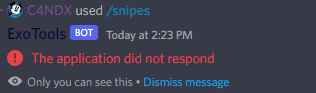
 quick gust
ot again lol
shrewd apex
slate swan
<@656838010532265994> tell me what would I do to make it work
If there is no so...
work what?
slate swan
 slate swan
Like I used the command and message I'd is 45584938 and I store into variable
shrewd apex
mhm
slate swan
And if I use poll command again and store 73883838 message id into variable the first one ID would stop working
shrewd apex
remind me why u are not using a json again?
slate swan
I am not able to understand the strategy
slate swan
shrewd apex
remind me why u are not using a json again?
Can yiu have a idea what you are telling me
shrewd apex
wait a sec
slate swan
Ok
shrewd apex
slate swan
Ok
GitHub
Build discord bot using discord.py based on images. - Discord.py-Bot-Series/poll.py at main · DevStrikerTech/Discord.py-Bot-Series
real grail
if member.premium_type >= 1:```
Why does not it work? uneven crest
Compare it with PremiumType enum
real grail
uneven crest
Compare it with PremiumType enum
How can I do that?
slate swan
real grail
```python
if member.premium_type >= 1:```
Why does not it work?
Member class has no premium_type attribute, what do you want to check?
real grail
slate swan
`Member` class has no premium_type attribute, what do you want to check?
I've been looking all day for a way to check if a user has nitro
slate swan
the api provides you no way of doing that, you can just make some guesses, like checking if the User's avatar is animated, they have a custom banner, or if they are boosting a server
steep pelican
What does ctx.author print
real grail
slate swan
the api provides you no way of doing that, you can just make some guesses, like ...
And the attributes in discord.Profile like premium and nitro that return True or False, they don't give anything?
real grail
steep pelican
What does ctx.author print
ctx.author.mention or ctx.author.name
steep pelican
I mean like what does it print
slate swan
steep pelican
What does ctx.author print
name#discriminator
steep pelican
Ok thanks
slate swan
real grail
And the attributes in discord.Profile like premium and nitro that return True or...
!d discord.Member.profile
unkempt canyonBOT
I'm sorry Dave, I'm afraid I can't do that.
No documentation found for the requested symbol.
slate swan
its deprecated
 cold tide
Can some make me a discord bot? I cant invite bots for some reason.
slate swan
how can you trust some random person on making a bot, and can't invite and use a public bot?
real grail
ok
heady sluice
do you have to implement it
slate swan
What was the way btw?
paper sluice
can't you look for badges?
slate swan
No
real grail
I didn't find nitro in public flags
slate swan
it doesnt detect nitro but flags like hypesquad and other things
Ye
!d discord.Member.public_flags
unkempt canyonBOT
property public_flags```
Equivalent to [`User.public_flags`](https://discordpy.readthedocs.io/en/latest/api.html#discord.User.public_flags "discord.User.public_flags") pliant gulch
There is no way in the API to reliably check if a user is nitro
slate swan
it was deprecated since 1.7.3
slate swan
slate swan
the api provides you no way of doing that, you can just make some guesses, like ...
i think thats the only way, if someone is aware of others please add up
paper sluice
bro i spam clicked and download a 5gb video 10 times 💀 💀
slate swan
!d discord.UserFlags.premium_promo_dismissed
unkempt canyonBOT
The user has dismissed the Discord Nitro promotion.
slate swan
well, the doc says pretty much what it does
pliant gulch
This is for promotions such as the epic games thing
Also, there is a way to check whether or not a user is nitro. But this requires you to use oauth2 scopes, meaning you'll pretty much never end up getting this information with a regular bot
Perhaps in a dashboard where you ask people to login, or some sorts
real grail
why is there no normal way to check in api? userflags for example?
pliant gulch
I'm gonna assume it was designed in that way to stop advertising or something? Like official discord developers actively tell people not to give rewards for invites, I'm assuming it's something like that
slate swan
maybe because of privacy and thats really not something related to bots, similarly you can't even get a user's About Me
did they ever allowed checking that  ?
?
real grail
pliant gulch
I'm gonna assume it was designed in that way to stop advertising or something? L...
How does this affect privacy?? This is public info
pliant gulch
I never said anything about privacy?
slate swan
 it was me
real grail
slate swan
<:ASscary:581268401599807499> it was me
ops, yes
I will then make a user feature checker with nitro
._.
paper sluice
i can think of one, bots that dm nitro users to boost a server
slate swan
paper sluice
i can think of one, bots that dm nitro users to boost a server
would be bad
sick birch
real grail
How does this affect privacy?? This is public info
Not really, when you consider you can automate bots but not users
For example if you've got a bot in a large server with potentially thousands of members, a bot can easily get all of their about me's, while a user really can't do that manually without a lot of work
real grail
sick birch
Not really, when you consider you can automate bots but not users
already understood
heady sluice
sick birch
For example if you've got a bot in a large server with potentially thousands of ...
that's the point of a bot
we like bots
not music bots tho
pliant gulch
I barely use bots for the very reason that makes them great, the events stuff
Most importantly MESSAGE_CREATE, I like to keep my messages to myself and the people I specifically send them too
Kind of ironic, being that the platform is discord where pretty much you are monitored
 gloomy plinth
can you do slash commands with discord py?
heady sluice
yes
gloomy plinth
interseting
gloomy plinth
oh they just added them, cool
slate swan
heady sluice
second last pinned message
"second last" 😔
slate swan
 blissful drum
i have an error message
blissful drum
i have an error message
that is?
blissful drum
?
slate swan
the first thing ill suggest is to learn by docs instead of youtube tutorials because most of them suck.
 scarlet sorrel
I'm confused, is there no way to fetch message object from message id?
blissful drum
@slate swan Hello?
slate swan
blissful drum
what did you mean by already copied
i have your token, go reset it.
blissful drum
ok
slate swan
scarlet sorrel
I'm confused, is there no way to fetch message object from message id?
!d discord.TextChannel.fetch_message
unkempt canyonBOT
await fetch_message(id, /)```
This function is a [*coroutine*](https://docs.python.org/3/library/asyncio-task.html#coroutine).

Retrieves a single [`Message`](https://discordpy.readthedocs.io/en/latest/api.html#discord.Message "discord.Message") from the destination.the twoth written source of the lasts made to be remembered in this specific writing session of ours
scarlet sorrel
slate swan
!d discord.TextChannel.fetch_message
is there no way to fetch a message object from just the id of the message?
heady sluice
are you happy
blissful drum
slate swan
i have your token, go reset it.
done
slate swan
heady sluice
the twoth written source of the lasts made to be remembered in this specific wri...
slate swan
heady sluice
the twoth written source of the lasts made to be remembered in this specific wri...
Amen.
slate swan
slate swan
i have your token, go reset it.
already invalidated it
 coral vessel
did u guys familiar with command, "crushxx" or "crash+" something like that...
all my channels just disappeared with command like that & deleted by itself, did u guys know WHY thats happen?
heady sluice
what
slate swan
scarlet sorrel
is there no way to fetch a message object from just the id of the message?
what library are you using
heady sluice
we are making discord bots, not nuking our own servers with premade ones
scarlet sorrel
slate swan
what library are you using
discord
blissful drum
slate swan
i have your token, go reset it.
done
scarlet sorrel
slate swan
what library are you using
iom fine with using a different library, im just doing like one small thing
slate swan
blissful drum
done
now start with making a basic bot, learning how to respond to messages and events, how cogs work ( because how the tutorial is doing it is def not how it works ) and then look forward for a music bot and get !ytdled
heady sluice
!ytdl
unkempt canyonBOT
Per Python Discord's Rule 5, we are unable to assist with questions related to youtube-dl, pytube, or other YouTube video downloaders, as their usage violates YouTube's Terms of Service.
For reference, this usage is covered by the following clauses in YouTube's TOS, as of 2021-03-17:
The following restrictions apply to your use of the Service. You are not allowed to:

1. access, reproduce, download, distribute, transmit, broadcast, display, sell, license, alter, modify or otherwise use any part of the Service or any Content except: (a) as specifically permitted by the Service;  (b) with prior written permission from YouTube and, if applicable, the respective rights holders; or (c) as permitted by applicable law;

3. access the Service using any automated means (such as robots, botnets or scrapers) except: (a) in the case of public search engines, in accordance with YouTube’s robots.txt file; (b) with YouTube’s prior written permission; or (c) as permitted by applicable law;

9. use the Service to view or listen to Content other than for personal, non-commercial use (for example, you may not publicly screen videos or stream music from the Service)
dont you have the channel id though?
scarlet sorrel
slate swan
now start with making a basic bot, learning how to respond to messages and event...
lol i never learned what cogs are, i just have everything in a 3k line file
scarlet sorrel
slate swan
dont you have the channel id though?
no
paper sluice
scarlet sorrel
lol i never learned what cogs are, i just have everything in a 3k line file
I highly recommend learning them.
slate swan
!d disnake.Client.get_message exists but works only when the message was sent during tuntime
unkempt canyonBOT
get_message(id)```
Gets the message with the given ID from the bot’s message cache.yea cant do that
pliant gulch
Using the API to fetch a message without a channel ID is impossible
The endpoint URL Is formed with the channel ID after all
scarlet sorrel
all ids are unique, how can there not be a way to fetch it
slate swan
well then fetch uses the channel.id in its route
blissful drum
im confused
slate swan
scarlet sorrel
all ids are unique, how can there not be a way to fetch it
there is, but do you wanna loop on all channels your bot can see and make requests to them?
paper sluice
Yo andy, do you know any good nvim rust plugins which like show the errors on screen and highlight stuff?
scarlet sorrel
slate swan
there is, but do you wanna loop on all channels your bot can see and make reques...
sure
pliant gulch
paper sluice
Yo andy, do you know any good nvim rust plugins which like show the errors on sc...
nvim-lspconfig
scarlet sorrel
ill need to do it about 100 times for like 1000 channels but all g
pliant gulch
Setup a rust language server to lint or something
scarlet sorrel
scarlet sorrel
ill need to do it about 100 times for like 1000 channels but all g
its a one time thing
pliant gulch
pliant gulch
Setup a rust language server to lint or something
require('lspconfig')['rust_analyzer'].setup{
    on_attach = on_attach,
    flags = lsp_flags,
    -- Server-specific settings...
    settings = {
      ["rust-analyzer"] = {}
    }
}
ah nice, thanks
real grail
What method can be used to check if a user's banner is animated? Or just a custom banner
blissful drum
slate swan
now start with making a basic bot, learning how to respond to messages and event...
im confused
scarlet sorrel
slate swan
there is, but do you wanna loop on all channels your bot can see and make reques...
sorry, how do i loop over all the channels the bot can see? (answer after these other peeps ay)
slate swan
!d discord.Client.guilds
unkempt canyonBOT
property guilds```
The guilds that the connected client is a member of.!d discord.Guild.text_channels
unkempt canyonBOT
property text_channels```
A list of text channels that belongs to this guild.

This is sorted by the position and are in UI order from top to bottom.!ytd; read this
unkempt canyonBOT
Per Python Discord's Rule 5, we are unable to assist with questions related to youtube-dl, pytube, or other YouTube video downloaders, as their usage violates YouTube's Terms of Service.
For reference, this usage is covered by the following clauses in YouTube's TOS, as of 2021-03-17:
The following restrictions apply to your use of the Service. You are not allowed to:

1. access, reproduce, download, distribute, transmit, broadcast, display, sell, license, alter, modify or otherwise use any part of the Service or any Content except: (a) as specifically permitted by the Service;  (b) with prior written permission from YouTube and, if applicable, the respective rights holders; or (c) as permitted by applicable law;

3. access the Service using any automated means (such as robots, botnets or scrapers) except: (a) in the case of public search engines, in accordance with YouTube’s robots.txt file; (b) with YouTube’s prior written permission; or (c) as permitted by applicable law;

9. use the Service to view or listen to Content other than for personal, non-commercial use (for example, you may not publicly screen videos or stream music from the Service)
!d discord.Client.get_all_channels
unkempt canyonBOT
for ... in get_all_channels()```
A generator that retrieves every [`abc.GuildChannel`](https://discordpy.readthedocs.io/en/latest/api.html#discord.abc.GuildChannel "discord.abc.GuildChannel") the client can ‘access’.

This is equivalent to:

```py
for guild in client.guilds:
    for channel in guild.channels:
        yield channel
```   Note

Just because you receive a [`abc.GuildChannel`](https://discordpy.readthedocs.io/en/latest/api.html#discord.abc.GuildChannel "discord.abc.GuildChannel") does not mean that you can communicate in said channel. [`abc.GuildChannel.permissions_for()`](https://discordpy.readthedocs.io/en/latest/api.html#discord.abc.GuildChannel.permissions_for "discord.abc.GuildChannel.permissions_for") should be used for that.!d discord.Asset.is_animated
unkempt canyonBOT
is_animated()```
[`bool`](https://docs.python.org/3/library/functions.html#bool "(in Python v3.10)"): Returns whether the asset is animated.i just thought they wont need to get thevoice, stage and category channels ;-;
scarlet sorrel
slate swan
!d discord.Client.guilds
oh so i loop over all guilds and all text channels, thanks
 lethal drift
I found out what was wrong in my code and apparently the wait_for kept coming up as a cancelled task but I tried this (below) and it still isn't working, any help?
 try:
        ll = await shield(bot.wait_for("message", timeout=1800))
 except asyncio.TimeoutError:
        async with chn.typing():
            await asyncio.sleep(random.choice(times))
        embed = discord.Embed(...)
        # more code
The best way I can explain is that the wait_for seems stop midway through the process and just doesn't do anything when it finishes, as if the timeout is too long.
But when it's a short time, for example, 30 seconds or even 5 minutes (300 seconds), it does everything correctly.
It doesn't work with long periods of times like 3600 seconds
blissful drum
slate swan
!ytd; read this
what does it mean
blissful drum
blissful drum
what does it mean
i read it
slate swan
lethal drift
The best way I can explain is that the `wait_for` seems stop midway through the ...
maybe your bot listens to another some other message in that time being?
pliant gulch
slate swan
i just thought they wont need to get thevoice, stage and category channels ;-;
Oh right they are looking for text channels specifically
 glad cradle
blissful drum
what does it mean
glad cradle
blissful drum
what does it mean
creating a discord bot that plays music via YouTube is against YouTube's terms of service
blissful drum
ohh
slate swan
blissful drum
what does it mean
music bots are against youtube's ToS, so we dont provide help with that.
blissful drum
ok
scarlet sorrel
slate swan
i just thought they wont need to get thevoice, stage and category channels ;-;
i think i will have to use that, since i also want to be able to check dms, ONLY BECAUSE IM CHECKING IF THE BOT HAS SENT SOMETHING SPECIFIC IN THE CHANNEL im not spamming i swear 😭
blissful drum
thank you
real grail
How then to independently check the banner and avatar for animation?
scarlet sorrel
real grail
How then to independently check the banner and avatar for animation?
man you asking the hard questions
lethal drift
So if the message isn't from that channel, it ignores it
scarlet sorrel
there is no way in heaven or hell you code like that
slate swan
scarlet sorrel
i think i will have to use that, since i also want to be able to check dms, ONLY...
are you doing that for just checking a message, no intents of making a bot run or something?
lethal drift
scarlet sorrel
there is no way in heaven or hell you code like that
Damn, give a beginner a chance-
slate swan
the wait_for message could be any message since you aint using a check
real grail
real grail
How then to independently check the banner and avatar for animation?
if member.avatar_url.is_animated() == True or member.banner_url.is_animated() == True```
Dont worked ._.well yea, i want to find every channel where someone has said a specific string (that my bot has allready stored so no need to request discord) then after i collect all those channels i will do something
slate swan
real grail
```python
if member.avatar_url.is_animated() == True or member.banner_url.is_ani...
banner wasnt even added in 1.7.3
 placid verge
real grail
```python
if member.avatar_url.is_animated() == True or member.banner_url.is_ani...
placid verge
real grail
```python
if member.avatar_url.is_animated() == True or member.banner_url.is_ani...
maybe get their avatar url and check if it ends with .gif
slate swan
scarlet sorrel
well yea, i want to find every channel where someone has said a specific string ...
use hikari then. it has a RESTBot which can do this stuff easily
slate swan
placid verge
maybe get their avatar url and check if it ends with .gif
they can also end with .webp
placid verge
slate swan
they can also end with .webp
👍
real grail
placid verge
maybe get their avatar url and check if it ends with .gif
member.is_avatar_animated()
placid verge
 subtle spade
`on_message() missing 1 required positional argument: 'ctx'`
subtle spade
`on_message() missing 1 required positional argument: 'ctx'`
async def on_message(ctx) :