#discord-bots
1 messages · Page 980 of 1
 slate swan
@supple thorn Sent it in DMs.
 frozen patio
Yeah, if they do not say Ps5 it will raise an error in the console
 grave summit
i dont think i do anymore
grave summit
bot = commands.Bot(command_prefix = "!")
sold = sold.replace(" ", "+")
r = requests.session()
client = discord.Client()
@client.event
async def on_ready():
print('we are logged in')
@client.bot()
async def ebay(ctx, item):
await ctx.send(f"https://www.ebay.co.uk/sch/i.html?_from=R40&_trksid=p2334524.m570.l1313&_nkw={sold}&_sacat=0&LH_TitleDesc=0&rt=nc&_odkw=elden+ring+ultimate&_osacat=0&LH_Complete=1&LH_Sold=1")
Find great deals on eBay for {sold}. Shop with confidence.
 supple thorn
grave summit
getting commands is not defined for commands.bot
supple thorn
grave summit
getting commands is not defined for commands.bot
You didn't import commands
Import it from discord.ext
Like ```py
from discord.ext import commands
That is wrong.
In a few places
grave summit
rip
frozen patio
Ima put this into VSC rq
grave summit
the sold.replace doesnt work anymore
as i made the code just to work in terminal and had sold as an input
wait dm ive confused myself ngl
supple thorn
You can replace sold as item
frozen patio
grave summit
wait dm ive confused myself ngl
Maybe restart the code some
grave summit
yeah so i wanted to replace "sold" in the url as the item, but had the issue of spaces being inserted into the url and i had to change them to + for the ebay url to work
and now my heads exploded
all the discord bot stuff i followed from youtube, im not even sure what i would change tbh
it dm dont wanna bother you guys too much, do you know where i can find actual educational stuff rather than me just copying from youtube and learning bad code
 grave summit
ive got all the imports above its just my discord token was there so i didnt copy so requests would work
sold i need to figure out how to still convert spaces in the !ebay playstation 5 thing
frozen patio
grave summit
ive got all the imports above its just my discord token was there so i didnt cop...
I fixed some of it, but I cannot define sold for you
grave summit
so it would be !ebay playstation+5, so that would go into the url instead of a space
grave summit
frozen patio
I fixed some of it, but I cannot define `sold` for you
yeah thats fine haha ill take a few hours to figure that one out myself😂
frozen patio
grave summit
yeah thats fine haha ill take a few hours to figure that one out myself😂
I could, but they way you have now is not really working
grave summit
yeah no worries i will probs remove that
 frozen patio
Ask away
grave summit
how will i convert spaces in the command to +
as i basically want what the user inputs in discord to be put straight into a url
grave summit
yeah but specifically for sold listings
frozen patio
I made a google search one
frozen patio
grave summit
yeah but specifically for sold listings
Easy
But I would recommand you learn some things first, I did mine with a url button
frozen patio
I am getting ready to go for the night
 pliant gulch
grave summit
how will i convert spaces in the command to +
pliant gulch
grave summit
how will i convert spaces in the command to +
!e ```py
string = "foo bar"
print(string.replace(" ", "+"))
 unkempt canyonBOT
@pliant gulch :white_check_mark: Your eval job has completed with return code 0.
foo+bar
I probably could i'm here most of the time
frozen patio
supple thorn
I probably could i'm here most of the time
I made mine with a url button, took me 2 hours to make it
grave summit
pliant gulch
!e ```py
string = "foo bar"
print(string.replace(" ", "+"))
``` if that's what y...
i think thats what im looking for but im honestly not sure if that would work with swapping out a particular part of a url?
would it?
pliant gulch
Depends on the website/API
You'll just need to try and see, there is also other websites that generate URL safe strings but, not sure exactly what you'd do
grave summit
its just like ebay.com/sold/ps5
and i would want to swap user input for ps5
and if it had spaces in it
i would need them to be converted to a '+'
pliant gulch
Try it and see; also make sure Ebay allows you to do whatever you are attemping to do right now
Some services don't allow automated services, so
You're kind of in a grey area, unless otherwise stated in the ToS. negatively or positively
grave summit
this is just for my personal server they wouldnt be able to figure that out surely
frozen patio
I will help tomorrow 😅. I am tired
frozen patio
grave summit
this is just for my personal server they wouldnt be able to figure that out sure...
Still
if you are trying to do things against ToS of anywhere
we will not help you
grave summit
oh right nah im actually not haha
its legit for me doing !ebay playstation 5
and getting sent the sold listings
so i can check prices of what theyre selling at
frozen patio
I kinda did this for a button 😅
 grave summit
cant imagine any kind of automation for ebay would be of use tbh, but its more for me to learn coding and do a project that is barely useful
frozen patio
But I would not try using it
grave summit
oh ah ok
well thank you guys for the help im gonna try figure this out so i can learn a thing or two
 wispy crane
!resources
unkempt canyonBOT
Resources
The Resources page on our website contains a list of hand-selected learning resources that we regularly recommend to both beginners and experts.
grave summit
have a good night
grave summit
gonna go have a look at this now
frozen patio
Took me 2 months
grave summit
its 3am here in uk
frozen patio
to understand Python
grave summit
4am, jesus i been doin it too long
grave summit
frozen patio
to understand Python
yeah i am completely lost 3 days in but made some useful things for myself and loving it
grave summit
yeah no problemo, ill be in chat asking stupid questions
 high ivy
Hey guys is there an event or a way to get discord bot to start a task loop when on_ready() fires where I can get a channel context? What I'm trying to do is when the bot starts and logs in and is ready i want it to start a task which throws some message into the channel every X number of seconds...
I got it to work if I explicitly start the task myself with a command but I don't want to issue a command for it to start..
slate swan
high ivy
I got it to work if I explicitly start the task myself with a command but I don'...
you could use the get_channel method to get the TextChannel object and use the send method on it to send your message rather than fetching the context, you can add a wait_until_ready to make your bot run the task when the bot is ready and you can start the task before you run your bot
@event
async def on_ready(): ...

Bot.channel = Bot.get_channel(channel_id)

@tasks.loop(seconds=10)
async def msg_loop():
     await Bot.wait_until_ready()
     await Bot.channel.send("uwu")

msg_loop.start()
Bot.run()
hm welcome
slate swan
slate swan
you could use the `get_channel` method to get the TextChannel object and use the...
won't work....
Bot.channel would always be None
 rapid jetty
someone here uses discord.py?
slate swan
almost everyone who chats in this channel
slate swan
slate swan
Bot.channel would always be None
because the clients cache hasnt been populated right
slate swan
slate swan
because the clients cache hasnt been populated right
Yessir, get_x methods work only after the cache is ready
high ivy
I was about to ask where does 'channel_id' come from
slate swan
slate swan
You're cool
what can i say i got it from you😉
you insert your channel_id there
whatever channel you want the bot.channel to bind with
rapid jetty
slate swan
almost everyone who chats in this channel
I'm seeing lots of nextcord thing on the chat
high ivy
I thought so.. how do i procure the channel ID i want to send to? that info can be gotta right out of discord ? or is it by name?
slate swan
!d discord.ext.commands.Bot.get_channel
unkempt canyonBOT
get_channel(id, /)```
Returns a channel or thread with the given ID.

Changed in version 2.0: `id` parameter is now positional-only.well, people here mostly use Disnake or discord.py
A few of them use nextcord and pycord
And the super rare cases like me use hikari
a positional argument only that must be an id/int/snowflake
slate swan
slate swan
well, people here *mostly* use Disnake or discord.py
A few of them use nextcord ...
the super chads using hikari
Indeed
i would change but rewrites!
use hikari, be a chad
slate swan
slate swan
i would change but rewrites!
😳 you may get some prs from me if you start a hikari rewrite...
slate swan
slate swan
😳 you may get some prs from me if you start a hikari rewrite...
i dont do bot dev anymore😔
i do allot of things but i quit bot dev
Relatable, I don't make any public bots anymore
same
just maintaining custom bots for some servers
testing stuff, who cares if I just nuked their server
supple thorn
slate swan
i do allot of things but i quit bot dev
What are the things
supple thorn
Hello
slate swan
we are friends
supple thorn
We are?
slate swan
supple thorn
We are?
yes
slate swan
slate swan
web dev, api related stuff and other things
you have an api ?
slate swan
slate swan
you have an api ?
no but i can make one, i mostly wrap apis
slate swan
slate swan
no but i can make one, i mostly wrap apis
which have you done so far
high ivy
Sorry-- if I call get_channel to get the channel object to send to i still need to pass the channel ID as a paramter don't I.. I guess im not understanding how to get that ID
slate swan
slate swan
which have you done so far
too many to count!
nowadays I'm just looking into hikari source code and trying to sharpen my python skills , Especially oop and decorator concepts
Imma make a custom command handler for hikari later after exams
supple thorn
high ivy
Sorry-- if I call get_channel to get the channel object to send to i still need ...
You can get it here in discord
If you have developer thing turned on
slate swan
high ivy
Sorry-- if I call get_channel to get the channel object to send to i still need ...
the method returns a channel object yes?
whats the difference between wrapper and actual api?
high ivy
slate swan
the method returns a channel object yes?
Presumably, yes
slate swan
slate swan
whats the difference between wrapper and actual api?
an api is used to communicate between stuff maybe programs or websites and wrappers make commands for each endpoints in a programming language
I see
slate swan
slate swan
whats the difference between wrapper and actual api?
they are 2 different things,
you send requests to an API , it returns some data or does some stuff
an API wrapper is just a helper type of thing which helps you in making those requests
so like tweepy is a wrapper
you can use APIs without a wrapper too, except for that fact that it sucks
supple thorn
slate swan
so like tweepy is a wrapper
Discord.py is a wrapper
slate swan
we cant really explain allot because its such a large topic
Anyone know how to format images in md?
slate swan
slate swan
you can use APIs without a wrapper too, except for that fact that it sucks
parsing!
supple thorn
slate swan
Anyone know how to format images in md?
high ivy
supple thorn
You can get it here in discord
I was looking at the channel properties.. I don't think i have the developer thing turned on.. the id is an int-- don't see any numbers assoiciated with the channel here in the client
slate swan
supple thorn
Readme.md?
markdown, yeah
supple thorn
high ivy
I was looking at the channel properties.. I don't think i have the developer thi...
Yeah you gotta turn it on to see the options
supple thorn
If you're on mobile you can turn it on in the behavior settings
high ivy
I think i just switched it on
supple thorn
I don't know about pc though
high ivy
supple thorn
Try and get a channel's id
Ok yeah i see it now... at the bottom of the context menu -- "Copy ID"
slate swan
you can turn on dev mode from accessibility settings
sarthak
yes oki
wrap the discord api
ill contribute😳
too lazy to learn websockets
slate swan
slate swan
too lazy to learn websockets
bro its not hard
lets just use aiohttps websocket support
I mean
I already made a rest client once
so we dont need to use keepalive to send hbs
slate swan
slate swan
I already made a rest client once
😏
Would have to look into aiohttp docs
mhm
got you covered😉
Anyone wanna work on a fairly simple bot with me?
What would itsfunctionality be
supple thorn
slate swan
Anyone wanna work on a fairly simple bot with me?
Sure
slate swan
slate swan
What would itsfunctionality be
@slate swan
slate swan
slate swan
make a bot that acts like postman in discord
Make a bot which copies okimii
slate swan
slate swan
<@456226577798135808>
pretty simple, just retrieving stats from an api
slate swan
slate swan
Make a bot which copies okimii
too hard to make such a big algo😉
Not really
slate swan
slate swan
pretty simple, just retrieving stats from an api
I see what Api?
slate swan
slate swan
pretty simple, just retrieving stats from an api
make a rest client!
slate swan
slate swan
Not really
am i really that boring
supple thorn
slate swan
am i really that boring
It's mostly sussy messages
slate swan
slate swan
I see what Api?
Hypixel
slate swan
slate swan
am i really that boring
😳 not gonna answer this
slate swan
slate swan
make a rest client!
what is that
slate swan
slate swan
Hypixel
Alright if you're planning to make a GitHub repo or something I may contribute
slate swan
supple thorn
It's mostly sussy messages
dont expose me bro
slate swan
slate swan
😳 not gonna answer this
😏
slate swan
slate swan
what is that
a client for RESTful apis!
slate swan
slate swan
Alright if you're planning to make a GitHub repo or something I may contribute
Will defitenly make a github for it
slate swan
slate swan
Will defitenly make a github for it
Feel free to drop the repository url in my dms
Talking about rest, why does bot.http does not have thisssss https://www.hikari-py.dev/hikari/impl/rest.html#hikari.impl.rest.RESTClientImpl

A Discord Bot framework for modern Python and asyncio built on good intentions
Could have saved a lot of get_x
 meager quartz
Hello I need help 😐
slate swan
Yeah sure
meager quartz
How to make a muting command
like
i have a muted role
and how to use get so i can get the role with id and add role to member
slate swan
slate swan
Talking about rest, why does bot.http does not have thisssss https://www.hikari-...
because dpy bad😔
 native wedge
make a command to where you mention the user as an argument
add role to the person mentioned @meager quartz
meager quartz
ok..
slate swan
native wedge
make a command to where you mention the user as an argument
add role to the pers...
no
meager quartz
Any code reference?
slate swan
use the timeout endpoint
meager quartz
ok.
slate swan
!d discord.Member.timeout
unkempt canyonBOT
await timeout(until, /, *, reason=None)```
This function is a [*coroutine*](https://docs.python.org/3/library/asyncio-task.html#coroutine).

Applies a time out to a member until the specified date time or for the given [`datetime.timedelta`](https://docs.python.org/3/library/datetime.html#datetime.timedelta "(in Python v3.10)").

You must have the [`moderate_members`](https://discordpy.readthedocs.io/en/master/api.html#discord.Permissions.moderate_members "discord.Permissions.moderate_members") permission to use this.

This raises the same exceptions as [`edit()`](https://discordpy.readthedocs.io/en/master/api.html#discord.Member.edit "discord.Member.edit").hmm ok
Any code for it using discord.py anyone can give me 🙂 😄
slate swan
docs!
meager quartz
ok
native wedge
meager quartz
Any code for it using discord.py anyone can give me 🙂 😄
i dont think discord.py has timeout
slate swan
it does, but you need to use the master branch
slate swan
native wedge
i dont think discord.py has timeout
4 messages above lmfao
never doubt what oki says
 maiden fable
You can also use Member.edit
slate swan
slate swan
never doubt what oki says
they doubt me because no helper role😔
slate swan
maiden fable
You can also use Member.edit
why would you
native wedge
slate swan
4 messages above lmfao
sorry i have a mental disorder where i forget stuff, sorry i am mentally stupid
slate swan
slate swan
why would you
Because that's the same endpoint that member.timeout uses
slate swan
native wedge
sorry i have a mental disorder where i forget stuff, sorry i am mentally stupid
i dont blame you
 slate swan
Because that's the same endpoint that member.timeout uses
slate swan
slate swan
Because that's the same endpoint that member.timeout uses
ik. but why use edit when you already have a whole coroutine!
maiden fable
Cz timeout also calls the edit method in the backend
slate swan
Cause you can perform other operations at the same time, like Changing the members name to "this dumbo was spamming" with the same.method
slate swan
maiden fable
Cz timeout also calls the edit method in the backend

GitHub
Pycord, a maintained fork of discord.py, is a python wrapper for the Discord API - pycord/member.py at master · Pycord-Development/pycord
you sound like you made this
slate swan
slate swan
you sound like you made this
unkempt canyonBOT
discord/member.py line 957
await self.edit(timed_out_until=timed_out_until, reason=reason)```shhhhhh
i know🙄
i wonder why the method doesnt return a member object?
it returns None
bro thats my point
why would it
slate swan
slate swan
why would it
because you just timed out a member🗿
it would be a bit handy tho
well, they could have just ```py
return await self.edit(timed_out_until=timed_out_until, reason=reason)
yeah
since the edit method returns Member | None it would return same
 bitter perch
because if you're calling a method on a member object you already have the member?
therefore the member obj will be updated
high ivy
supple thorn
Try and get a channel's id
Its working-- thank you very much!
slate swan
bitter perch
therefore the member obj will be updated
yes but in some situations it could be used
in which cases i dont know of
slate swan
bitter perch
because if you're calling a method on a member object you already have the membe...
sometimes its better for them to return the member object, especially for people who use chaining
vaskel does have a point of updating the object yes but it would be a bit useful to return the updated member object no?
supple thorn
high ivy
Its working-- thank you very much!
You're welcome if you need any more help hit my dm i'm usually here for 12 hours everyday so a good chance you won't see me offline
slate swan
slate swan
vaskel does have a point of updating the object yes but it would be a bit useful...
it reminds me of the method iirc it was pop or something like that a method of the list object which doesnt return a updated list but it returns None
i mean, whats the point of returning it in the .edit method and not in .timeout
you just need to a single return
maiden fable
slate swan
it reminds me of the method iirc it was pop or something like that a method of t...
Yup, pop and get for dict
slate swan
maiden fable
Yup, pop and get for dict
yeah
maiden fable
!d dict.pop
unkempt canyonBOT
pop(key[, default])```
If *key* is in the dictionary, remove it and return its value, else return *default*. If *default* is not given and *key* is not in the dictionary, a [`KeyError`](https://docs.python.org/3/library/exceptions.html#KeyError "KeyError") is raised.!d dict.get
unkempt canyonBOT
get(key[, default])```
Return the value for *key* if *key* is in the dictionary, else *default*. If *default* is not given, it defaults to `None`, so that this method never raises a [`KeyError`](https://docs.python.org/3/library/exceptions.html#KeyError "KeyError").it just updates them and doesnt return the updated ver
maiden fable
There was another method, which returns None but also removes the value
slate swan
slate swan
list.delete
ofc it would return None youre deleting the list.
slate swan
does cog_check apply to slash?
 boreal ravine
slate swan
does cog_check apply to slash?
boreal ravine
slate swan
does cog_check apply to slash?
Nope
maybe it would for d.py since it has "hybrid" commands but I'm not too sure
 lyric apex
boreal ravine
lyric apex
boreal ravine
dict(member.guild_permissions)
 vast gale
boreal ravine
```py
dict(member.guild_permissions)
```
vast gale
boreal ravine
```py
dict(member.guild_permissions)
```
this is implemented?
unkempt canyonBOT
disnake/flags.py lines 144 to 150
def __iter__(self) -> Iterator[Tuple[str, bool]]:
    for name, value in self.__class__.__dict__.items():
        if isinstance(value, alias_flag_value):
            continue

        if isinstance(value, flag_value):
            yield (name, self._has_flag(value.flag))```
 formal basin
How can I dump more than 1 thing in a json file
e.g {channel_name: test, test, test channel_id: 24334788888, 757455545556566, 867767565565
slate swan
formal basin
How can I dump more than 1 thing in a json file
e.g {channel_name: test, test,...
you could create a nested dict
slate swan
slate swan
hello
heyo eito
slate swan
slate swan
heyo eito
ayo helo ashley :>
slate swan
formal basin
How can I dump more than 1 thing in a json file
e.g {channel_name: test, test,...
{
"12234566": {
"channel_name": "uwu",
"channel_id: "9966546777"
      }
}
uwu
slate swan
vast gale
uwu
yes you
vast gale
smh
formal basin
slate swan
```json
{
"12234566": {
"channel_name": "uwu",
"channel_id: "9966546777"
}...
That’s not dumping more than 1 thing
maiden fable
formal basin
That’s not dumping more than 1 thing
You gotta append to the dict everytime
slate swan
formal basin
That’s not dumping more than 1 thing
with open(file) as f:
data = json.load(f)
data[str(guild_id)] = {}
data[(str(guild_id)]["key_1"] = "value_1"
with open(file, 'w') as f:
json.dump(data, f)```
you can create keys like this hasty stump
user cant see the channel when they create a new channel

 sullen pewter
for filename in os.listdir("./cogs"):
    if filename.endswith(".py"):
        client.load_extension(f"cogs.{filename[:-3]}")```
How to convert this code to dpy 2.0Error?
hasty stump
formal basin
Error?
no
slate swan
sullen pewter
```py
for filename in os.listdir("./cogs"):
if filename.endswith(".py"):
...
💀 it is not related to discord.py
slate swan
slate swan
💀 it is not related to discord.py
it should work for all lmao
sullen pewter
 slate swan
sullen pewter
slate swan
sullen pewter
see your spelling
sullen pewter
How should I define client
slate swan
spelling
sullen pewter
Bruh
slate swan
in argument it is cleint and there your'e using client
sullen pewter
Ty
hasty stump
formal basin
Error?
there is no error, when they creates a channel it dont show up to them
permission issue probably
formal basin
hasty stump
no
Change {member.mention} to {user.mention}
 sullen pewter
import discord
from discord.ext import commands

class help(commands.Cog):

    def __init__(self, client):
        self.client = client


    @commands.command()
    async def help(self, ctx):
        help = discord.Embed(color=discord.Color.orange())
        help.set_author(name="Warrior bot help", icong_url="")
        help.add_field(name='`help`', value='This command took you here!', inline=False)
        help.add_field(name='`giveaway`',
                        value='Can only be accessed by users with administrator permissions.\nStarts a giveaway for the server! This command will ask the host 3 questions.  The host will have 30 seconds per question to answer or they will be timed out!',
                        inline=False)
        help.add_field(name='`reroll #channel_name message id`',
                        value='Can only be accessed by users with administrator permissions.\nThey must follow the command with the copied message id from the giveaway.',
                        inline=False)
        help.add_field(name='`ticket`',
                        value='Can only be accessed by users with administrator permissions.\nWe will figure that out later',
                        inline=False)
        help.add_field(name='`kick`',
                        value='Can only be accessed by users with administrator permissions.\nWe will figure that out later',
                        inline=False)
        help.add_field(name='`ban`',
                    value='Can only be accessed by users with administrator permissions.\nWe will figure that out later',
                    inline=False)
        help.set_footer(text='Use the prefix "!" before all commands!')
        await ctx.send(embed=help)

def setup(client):
    client.add_cog(help(client))```
Is there something wrong with this commandThere are no errors
But command help doesn't work
sullen pewter
Ooh
slate swan
sullen pewter
```py
import discord
from discord.ext import commands
class help(commands.Cog)...
in your main.py file.. do ```py
bot.remove_command('help')
nope
 sullen pewter
slate swan
in your main.py file.. do ```py
bot.remove_command('help')
``` idk if this is th...
sullen pewter
slate swan
in your main.py file.. do ```py
bot.remove_command('help')
``` idk if this is th...
I alr have it in my main file
slate swan
sullen pewter
I alr have it in my main file
🤔
Ands it's better to subclass the Help command , quite easy task
hasty stump
sullen pewter
```py
import discord
from discord.ext import commands
class help(commands.Cog)...
in discord.Embed,, try adding title and description
slate swan
Title and description doesn't matter
hasty stump
show the errors

 formal basin
hasty stump
nope
formal basin
hasty stump
nope
Change it back to member
hasty stump
ok
hasty stump
sullen pewter
It's prob bc of the name
no,, i added custom help in bot.py folder/main folder
i am not sure about that
formal basin
hasty stump
ok
Oh this is cogs
sullen pewter
Yes
hasty stump
sullen pewter
extension prob
slate swan
sullen pewter
r u using some custom class? 🤔
formal basin
I don’t use cogs
sullen pewter
Yes
hasty stump
formal basin
Oh this is cogs
yeah
hasty stump
formal basin
I don’t use cogs
oh
boreal ravine
sullen pewter
it's a coroutine in 2.0
hasty stump
hasty stump
user cant see the channel when they create a new channel
anyone knows that?
slate swan
boreal ravine
it's a coroutine in 2.0
but load_extension isn't a coroutine :'/ i'm using 2.0
boreal ravine
it is
unkempt canyonBOT
class discord.ext.commands.Bot(command_prefix, *, help_command=<default-help-command>, tree_cls=<class 'discord.app_commands.tree.CommandTree'>, description=None, intents, **options)```
Represents a discord bot.

This class is a subclass of [`discord.Client`](https://discordpy.readthedocs.io/en/master/api.html#discord.Client "discord.Client") and as a result anything that you can do with a [`discord.Client`](https://discordpy.readthedocs.io/en/master/api.html#discord.Client "discord.Client") you can do with this bot.

This class also subclasses [`GroupMixin`](https://discordpy.readthedocs.io/en/master/ext/commands/api.html#discord.ext.commands.GroupMixin "discord.ext.commands.GroupMixin") to provide the functionality to manage commands.

Unlike [`discord.Client`](https://discordpy.readthedocs.io/en/master/api.html#discord.Client "discord.Client"), This class does not require manually setting a [`CommandTree`](https://discordpy.readthedocs.io/en/master/interactions/api.html#discord.app_commands.CommandTree "discord.app_commands.CommandTree") and is automatically set upon instantiating the class.error never lies
slate swan
!d discord.ext.commands.Bot.load_extension
unkempt canyonBOT
await load_extension(name, *, package=None)```
This function is a [*coroutine*](https://docs.python.org/3/library/asyncio-task.html#coroutine).

Loads an extension.

An extension is a python module that contains commands, cogs, or listeners.

An extension must have a global function, `setup` defined as the entry point on what to do when the extension is loaded. This entry point must have a single argument, the `bot`.

Changed in version 2.0: This method is now a [coroutine](https://docs.python.org/3/glossary.html#term-coroutine "(in Python v3.10)").🤔
boreal ravine

slate swan
wait.. which lib it is?
boreal ravine
sullen pewter
Is it bc I am using dpy 2.0
boreal ravine
boreal ravine
it's a coroutine in 2.0
@sullen pewter
sullen pewter
boreal ravine
<@725355495229227048>
Wdym
boreal ravine
it means you have to await load_extension
sullen pewter
Idk coroutine 2.0
 brittle flume
This error is raising since I'm using a task while closing the bot
Traceback (most recent call last):
  File "/data/data/com.termux/files/home/codes/otaku/venv/lib/python3.10/site-packages/discord/ext/tasks/__init__.py", line 266, in _loop
    raise exc
  File "/data/data/com.termux/files/home/codes/otaku/venv/lib/python3.10/site-packages/discord/ext/tasks/__init__.py", line 241, in _loop
    await self.coro(*args, **kwargs)
  File "/data/data/com.termux/files/home/codes/otaku/extensions/chat_ping.py", line 11, in chat_revive
    general = await self.bot.fetch_channel(config.general_chat)
  File "/data/data/com.termux/files/home/codes/otaku/venv/lib/python3.10/site-packages/discord/client.py", line 1688, in fetch_channel
    data = await self.http.get_channel(channel_id)
  File "/data/data/com.termux/files/home/codes/otaku/venv/lib/python3.10/site-packages/discord/http.py", line 439, in request
    async with self.__session.request(method, url, **kwargs) as response:
  File "/data/data/com.termux/files/home/codes/otaku/venv/lib/python3.10/site-packages/aiohttp/client.py", line 1138, in __aenter__
    self._resp = await self._coro
  File "/data/data/com.termux/files/home/codes/otaku/venv/lib/python3.10/site-packages/aiohttp/client.py", line 399, in _request
    raise RuntimeError("Session is closed")
RuntimeError: Session is closed
I did
 boreal ravine
sullen pewter
I did
boreal ravine
sullen pewter
I did
you didn't
sullen pewter
In the cog file or in the main file
boreal ravine
where you load your cogs
sullen pewter
@client.command
async def load(ctx, extension):
    client.load_extension(f"cogs.{extension}")
    await ctx.send("Loaded {extension}")

@client.command
async def unload(ctx, extension):
    client.unload_extension(f"cogs.{extension}")
    await ctx.send("Unloaded {extension}")```
It's this thingI am loading them
boreal ravine
yes.. await load_extension/reload_extension
boreal ravine
yes
sullen pewter
Oh ok
boreal ravine
sullen pewter
```py
@client.command
async def load(ctx, extension):
client.load_extension(...
@client.command()
Help
boreal ravine
brittle flume
This error is raising since I'm using a task while closing the bot
```
Traceback...
show the task
brittle flume
boreal ravine
show the task
class ChatPing(commands.Cog):
    def __init__(self, bot):
        self.bot = bot
        self.chat_revive.start()

    @tasks.loop()
    async def chat_revive(self):
        general = await self.bot.fetch_channel(config.general_chat)
        try:
            await self.bot.wait_for('message', timeout=config.ping_timer, check=lambda x: x.channel.id==general.id)
        except:
            await general.send('<@&964751954104422451> time do you stuff!')
hm
sullen pewter
boreal ravine
```py
@client.command()
```
for filename in os.listdir("./cogs"):
    if filename.endswith(".py"):
        client.load_extension(f"cogs.{filename[:-3]}")```
what should I do hereawait load_extension
sullen pewter
Ok
sullen pewter
boreal ravine
await load_extension
But await only works in async function
slate swan
+^1 :")
brittle flume
sullen pewter
But await only works in async function
Use it in a function called setup_hook
sullen pewter
How
brittle flume
Subclass commands.Bot
sullen pewter
brittle flume
Subclass commands.Bot
In cogs file
brittle flume
And add a method inside it named setup_hook
sullen pewter
brittle flume
And add a method inside it named setup_hook
How?
sullen pewter
Ok
 visual island
brittle flume
```py
class ChatPing(commands.Cog):
def __init__(self, bot):
self.bo...
visual island
brittle flume
```py
class ChatPing(commands.Cog):
def __init__(self, bot):
self.bo...
You're probably making to many request at a time, until it crashes and closes the session. You need to set the loop with a specific interval.
brittle flume
Ok
slate swan
:")
brittle flume
Lol
brittle flume
sullen pewter
Ok
class MyBot(commands.Bot):
    def __init__(self):
        intent = discord.Intents.default()
        intent.message_content = True
        super().__init__(command_prefix=commands.when_mentioned, intents=intent)

    async def on_ready(self):
        print(f"Logged in as {bot.user}(ID: {bot.user.id})")

    async def setup_hook(self):
        for filename in os.listdir("./cogs"):
            if filename.endswith(".py"):
                await client.load_extension(f"cogs.{filename[:-3]}")

client = MyBot()
Oh wait, I missed something, it only happens while closing the bot. You can use on_disconnect event to check whether it is disconnecting, and cancel the task there using task.cancel(). Then, you can start it again in on_connect event.
brittle flume
Ok lemme try
sullen pewter
brittle flume
```py
class MyBot(commands.Bot):
def __init__(self):
intent = discor...
If I have intents in my main file do I need to write it in my cogs file?
 brittle flume
sullen pewter
If I have intents in my main file do I need to write it in my cogs file?
brittle flume
sullen pewter
If I have intents in my main file do I need to write it in my cogs file?
No
sullen pewter
Ok
sullen pewter
brittle flume
```py
class MyBot(commands.Bot):
def __init__(self):
intent = discor...
I have to delete this fin my main file
 sullen pewter
brittle flume
```py
class MyBot(commands.Bot):
def __init__(self):
intent = discor...
sullen pewter
brittle flume
```py
class MyBot(commands.Bot):
def __init__(self):
intent = discor...
Cuz there's is already in cog
 formal basin
@client.event
async def on_message(message):
    if message.author.id == client.user.id:
                return
    msg_content = message.content.lower()


    if message.author.guild_permissions.administrator:
       return

    if message.author.bot:
        return


    links = ['http', 'discord.gg']

    with open('antilink.json', 'r') as f:
        key = json.load(f)
    if f'{message.guild.id}' not in key:
       pass
    else:
       if any(word in message.content for word in links):
           await message.delete()
           await message.channel.send(f"{message.author.mention} No Links/discord invites allowed in this channel.")
    await client.process_commands(message)
My commands aren’t working
brittle flume
brittle flume
```py
class ChatPing(commands.Cog):
def __init__(self, bot):
self.bo...
Use this @sullen pewter
brittle flume
formal basin
My commands aren’t working
Any errors?
formal basin
brittle flume
Any errors?
No but I did put await client.process_commands(message)
formal basin
formal basin
No but I did put await client.process_commands(message)
And idk why it’s not working
brittle flume
Hmm lemme try
boreal ravine
brittle flume
Subclass commands.Bot
they don't need to
brittle flume
boreal ravine
they don't need to
They should
boreal ravine
sullen pewter
do this ```py
async def func():
# load cogs here
client.setup_hook = func
Anyone know how I can make a whitelisting system using json
formal basin
formal basin
```
@client.event
async def on_message(message):
if message.author.id == cl...
For this
supple thorn
formal basin
Anyone know how I can make a whitelisting system using json
Why json
formal basin
Because I’m not using db yet
supple thorn
formal basin
Because I’m not using db yet
Suffer the consequences
brittle flume
visual island
Oh wait, I missed something, it only happens _while closing the bot_. You can us...
Like this?
async def setup(bot):
    @tasks.loop()
    async def chat_revive():
        general = await bot.fetch_channel(config.general_chat)
        try:
            await bot.wait_for('message', timeout=config.ping_timer, check=lambda x: x.channel.id==general.id)
        except:
            await general.send('<@&964751954104422451> time do you stuff!')

    @bot.event
    async def on_connect():
        await chat_revive.start()

    async def on_disconnect():
        await chat_revive.cancel()
avoid bad practices for the moment
supple thorn
 dusty python
ANy of yall who can help in web scrapping data?
dusty python
ANy of yall who can help in web scrapping data?
That isn't related to discord bots
slate swan
scrapping
slate swan
brittle flume
Like this?
```py
async def setup(bot):
@tasks.loop()
async def chat_revi...
ew what is that?
slate swan
and idk if that would work, since you are nesting tasks and events in one function
slate swan
brittle flume
I got rid of it
good to see
maiden fable
slate swan
ew what is that?
If u think that's ew, then don't look at this: https://github.com/DevDungeon/Cathy/blob/master/cathy/__init__.py#L98-L151
GitHub
Artificial intelligence (AI) chat bot for Discord written in Python 3 - Cathy/init.py at master · DevDungeon/Cathy
visual island
brittle flume
Like this?
```py
async def setup(bot):
@tasks.loop()
async def chat_revi...
Okay so, I've tested something and you actually do not stuff like on_disconnect, you simply need to do task.add_exception_type(RuntimeError) and it should be good.
brittle flume
visual island
Okay so, I've tested something and you actually do not stuff like `on_disconnect...
In the init method?
visual island
Anywhere you like, but make sure that function got executed before your program ended.
slate swan
is discord embed color use hex?
slate swan
How can I use a variable for my color
brittle flume
visual island
Okay so, I've tested something and you actually do not stuff like `on_disconnect...
Now it says
Task was destroyed but it is pending! task: <Task pending name='Task-4' coro=<Loop._loop() running at /data/data/com.termux/files/home/codes/otaku/venv/lib/python3.10/site-packages/discord/ext/tasks/__init__.py:247> wait_for=<Future pending cb=[Task.task_wakeup()]> cb=[gather.<locals>._done_callback() at /data/data/com.termux/files/usr/lib/python3.10/asyncio/tasks.py:720]>
Hello?
visual island
brittle flume
Now it says
```
Task was destroyed but it is pending! ...
Can you show your code? I can't actually reproduce this.
brittle flume
Here
class ChatPing(commands.Cog):
    def __init__(self, bot):
        self.bot = bot
        self.chat_revive.start()
        self.chat_revive.add_exception_type(RuntimeError)

    def cog_unload(self):
        self.chat_revive.cancel()

    @tasks.loop()
    async def chat_revive(self):
        general = await self.bot.fetch_channel(config.general_chat)
        try:
            await self.bot.wait_for('message', timeout=config.ping_timer, check=lambda x: x.channel.id==general.id)
        except:
            pass
            # await general.send('<@&964751954104422451> time do you stuff!')

async def setup(bot):
    await bot.add_cog(ChatPing(bot))
I still can't reproduce the problem, it worked fine in my end.
 brittle flume
visual island
I still can't reproduce the problem, it worked fine in my end.
brittle flume
visual island
I still can't reproduce the problem, it worked fine in my end.
Here's a screenshot
 brittle flume
visual island
I still can't reproduce the problem, it worked fine in my end.
brittle flume
visual island
I still can't reproduce the problem, it worked fine in my end.
First of all it turns after using Ctrl+C twice
visual island
brittle flume
Here's a screenshot
Okay so this is quite unexpected but for the last time could you try something like this? And why do you want to suppress these kinds of errors though?
 slate swan
.
 paper sluice
.
slate swan
maiden fable
If u think that's ew, then don't look at this: https://github.com/DevDungeon/Cat...
beautiful
paper sluice
hi
maiden fable
slate swan
beautiful
Eh, there is too much useless code in there ngl
slate swan
maiden fable
Eh, there is too much useless code in there ngl
half of it doesnt even make sense but lets not talk about that, ill go bleach my eyes
maiden fable
Well, it isn't really maintained anymore. Still uses dpy v1.7 haha
I have a PR opened but the owner doesn't have time to review and merge it, moreover as long as it runs, no one gives a fuck
slate swan
righty
slate swan
maiden fable
Well, it isn't really maintained anymore. Still uses dpy v1.7 haha
for ch in []:
     text.replace```
😔a for loop every message so uwu
maiden fable
Lol
high ivy
Hey folks-- with the async keyword.. how does this actually work.. is it like a fork almost where the main loop continues to run splitting time with whatever the async function is doing-- thereby giving a discord bot for example the ability to process multiple requests simultaneously.. am I understanding this correctly?
supple thorn
Man you love hyphens
sullen pewter
How to send a lot of text by using one command
slate swan
wha
sullen pewter
@client.command()
async def hi(ctx):
  await ctx.send("")

 sullen pewter
Then
slate swan
then do a multiline string
sullen pewter
Ok
slate swan
and send(chat_rules)
slate swan
does it not send?
sullen pewter
It doesn't

 sullen pewter
My bot doesn't respond to any commands
sullen pewter
slate swan
I don't think the problem is in the text
slate swan
u using the right prefix?
 granite parcel
how to connect asyncpg
sullen pewter
It worked
slate swan
what was the problem?
slate swan
granite parcel
how to connect asyncpg
use create_pool method
and connect it with correct credentials :'/
granite parcel
slate swan
and connect it with correct credentials :'/
error is coming
slate swan
granite parcel
error is coming
show the error
sullen pewter
How can I make the bot respond without sending channel and message id?
@client.command()
@commands.has_permissions(administrator=True)
async def reroll(ctx, channel: discord.TextChannel, id_: int):
    # Reroll command requires the user to have a "Giveaway Host" role to function properly
    try:
        new_message = await channel.fetch_message(id_)
    except:
        await ctx.send("Incorrect id.")
        return

    # Picks a new winner
    users = [user for reactions in new_message.reactions
        async for user in reactions.users()
        if user != client.user]
    winner = random.choice(users)

    # Announces the new winner to the server
    reroll_announcement = discord.Embed(color=discord.Color.orange())
    reroll_announcement.set_author(name=f'The giveaway was re-rolled by the host!',
                                   icon_url='https://i.imgur.com/DDric14.png')
    reroll_announcement.add_field(name=f'🥳 New Winner:', value=f'{winner.mention}', inline=False)
    await channel.send(embed=reroll_announcement)

@giveaway.error
async def giveaway_error(ctx, error):
    if isinstance(error, commands.BadArgument):
        embed = discord.Embed(title=f"Failed.", description=f"Your time contained letters.", colour = discord.Colour.red())
await ctx.send(embed=embed)```OSError: Multiple exceptions: [Errno 111] Connect call failed ('::1', 5432, 0, 0), [Errno 111] Connect call failed ('127.0.0.1', 5432)```u sure that port number is correct?
also
send whole traceback along with code so that i can look into it :'/
granite parcel
i didnt entered port number
async def create_db_pool():
    bot.db = await asyncpg.create_pool(database="catchydb",user="postgres",password="golugolu")

bot.loop.run_until_complete(create_db_pool())```this is my code
paper sluice
high ivy
Hey folks-- with the async keyword.. how does this actually work.. is it like a ...
Pretty much, if u want to learn more about asynchronous programming in python, check the pinned messages in #async-and-concurrency
slate swan
granite parcel
i didnt entered port number
you've to pass port too
granite parcel
slate swan
you've to pass port too
how? where will i get the port number
slate swan
granite parcel
how? where will i get the port number
in 2nd line ```py
bot.db = await asyncpg.create_pool(database="catchydb",user="postgres",password="golugolu", port = "6969", host = "127.0.0.1")
i have to use this port number
slate swan
where 6969 is just an example
granite parcel
slate swan
where 6969 is just an example
i dont know where it shows
slate swan
like do u have it installed? on your pc? postgresql
granite parcel
slate swan
like do u have it installed? on your pc? postgresql
yes
how do i check my port
slate swan
google says that default port number is 5432 for postgresql@granite parcel if u haven't changed it
granite parcel
i havent changed lemmie check
granite parcel
added host will be same ?
slate swan
granite parcel
added host will be same ?
yeah.. like 127.0.0.1 is same as localhost
and since its installed in your pc.. so that should be it
sullen pewter
sullen pewter
How can I make the bot respond without sending channel and message id?
```py
@cl...
Can someone help me
granite parcel
    raise OSError(err, f'Connect call failed {address}')
ConnectionRefusedError: [Errno 111] Connect call failed ('127.0.0.1', 5432)```show me traceback
and btw do u have your postgresql open? if not, then try to run file again after opening it
granite parcel
opened
slate swan
🤔 try to do again
 shrewd wren
maybe try 'localhost' for host
slate swan
🤔 could be
slate swan
again same error?
granite parcel
yes
granite parcel
no
slate swan
then do it & try again
granite parcel
ok
slate swan
:'/
granite parcel
in _get_new_connection
    con = await connection.connect(
TypeError: connect() got an unexpected keyword argument 'localhost'
container@pterodactyl~ Server marked as offline...```oh
shrewd wren
@granite parcel are you sure the postgresql server is actually running?
granite parcel
shrewd wren
<@951819397973041213> are you sure the postgresql server is actually running?
yes
it showed server connected
granite parcel
yes
slate swan
slate swan
and since its installed in your pc.. so that should be it
installed on your pc
slate swan
slate swan
*installed on your pc*
thank you :")
slate swan
slate swan
*thank you :")*
my intention wasnt to correct prepositions but anyways
lmao
that's all okay lmao
 green bluff
sullen pewter
How can I make the bot respond without sending channel and message id?
```py
@cl...
green bluff
sullen pewter
How can I make the bot respond without sending channel and message id?
```py
@cl...
i can help
sullen pewter
green bluff
i can help
Ooh ty
slate swan
beside
lmao behind
idk
installed under your pc
about hardware and stuff
💀 bro, u doctor strange or wot?
LMAO 😂
:>
paper sluice
slate swan
helo ryuga :>
slate swan
sullen pewter
How can I make the bot respond without sending channel and message id?
```py
@cl...
you need the bot to save it when you first run the command, the one that makes the rolling thing or whatever
so like, when you do /giveaway or idk get both channel id and message id
sullen pewter
slate swan
you need the bot to save it when you first run the command, the one that makes t...
Ty, but I alr resolved the problem
slate swan
oh good
 scarlet aurora
            title=f"",
            description=f"",
            set_thumbnail="./tmgmidvitelogonowords.png",
            colour=0xffffff
        )
await ctx.send(embed=embed)``` how do I set the thumbnail? this isn't workingIn embed.url: Scheme "./tmgmidvitelogonowords.png" is not supported. Scheme must be one of ('http', 'https').```alr
sullen pewter
@client.command()
@commands.has_permissions(administrator=True)
async def giveaway(ctx):
    # Giveaway command requires the user to have permissions to function properly

    # Stores the questions that the bot will ask the user to answer in the channel that the command was made
    # Stores the answers for those questions in a different list
    giveaway_questions = ['Which channel will I host the giveaway in?', 'What is the prize?',
                          'How long should the giveaway run for (in seconds)?', ]
    giveaway_answers = []

    # Checking to be sure the author is the one who answered and in which channel
    def check(m):
        return m.author == ctx.author and m.channel == ctx.channel

    # Askes the questions from the giveaway_questions list 1 by 1
    # Times out if the host doesn't answer within 30 seconds
    for question in giveaway_questions:
        await ctx.send(question)
        try:
            message = await client.wait_for('message', timeout=30.0, check=check)
        except asyncio.TimeoutError:
            await ctx.send(
                'You didn\'t answer in time.  Please try again and be sure to send your answer within 30 seconds of the question.')
            return
        else:
            giveaway_answers.append(message.content)

    # Grabbing the channel id from the giveaway_questions list and formatting is properly
    # Displays an exception message if the host fails to mention the channel correctly
    try:
        c_id = int(giveaway_answers[0][2:-1])
    except:
        await ctx.send(f'You failed to mention the channel correctly.  Please do it like this: {ctx.channel.mention}')
        return

    # Storing the variables needed to run the rest of the commands
    channel = client.get_channel(c_id)
    prize = str(giveaway_answers[1])
    time = int(giveaway_answers[2])

# Sends a message to let the host know that the giveaway was started properly```give = discord.Embed(color=discord.Color.orange())
give.set_author(name=f'Giveaway!', icon_url='https://i.imgur.com/VaX0pfM.png')
give.add_field(name=f'Prize: {prize}!',
value=f'React with 🎉 to enter!\n Ends in {round(time / 60, 2)} minutes!', inline=False)
end = datetime.datetime.utcnow() + datetime.timedelta(seconds=time)
give.set_footer(text=f'Giveaway ends at {end} UTC!')
my_message = await channel.send(embed=give)
# Reacts to the message
await my_message.add_reaction("🎉")
await asyncio.sleep(time)
new_message = await channel.fetch_message(my_message.id)
# Picks a winner
users = [user for reactions in new_message.reactions
async for user in reactions.users()
if user != client.user]
winner = random.choice(users)
print(users)
How can I make it so time is not only in second
So instead of second I could type 1m or 1 day
 brave flare
There is this btw 4 real https://developer.4d.com/docs/en/Concepts/about.html

The 4D built-in language, consisting of more than 1300 commands, makes 4D a powerful development tool for web, mobile, or desktop applications. You can use the 4D language for many different tasks—from performing simple calculations to creating complex custom user interfaces. For example, you can:
 silk zenith
hey can anyone help me with this:
I want to store a user's information like giving them a wallet and then adding some money to it every time they use a certain command. I want to store all of this in the replit database, is there a way to do it?
formal basin
Guys is there an event where when a member joins a voice channel
boreal ravine
silk zenith
hey can anyone help me with this:
I want to store a user's information like givi...
yes
silk zenith
boreal ravine
yes
okay
so, how do I add a databse in replit db for the user?
and add some value to that database when needed
boreal ravine
from replit import db
replit's db is just a JSON file, just index it and asign a value to a key
 sharp snow
Is the mathjspy package reliable for implementing a calculator function in a discord bot?
boreal ravine
sharp snow
Is the mathjspy package reliable for implementing a calculator function in a dis...
sure
maybe your bot doesn't have member intents
 brave forge
@boreal ravinein what sense?
boreal ravine
any errors?
brave forge
@boreal ravinethat's the problem, even there are no errors
await bot.process_commands(message)
maybe you need to add this line here, just replace the word commands with events ??
 pure sparrow
hi guys do you know how a bot can delete a specific message when a user reacts to the emoji that the bot added ?
brave forge
@pure sparrow await message.delete()
pure sparrow
brave forge
<@805059874609823744> await message.delete()
oh cool many thanks. and we must get the message id for that ?
boreal ravine
no
brave forge
how to make DISCORD.PY read the code from one code file and passed it to another, namely to separate event and commands ??
that is, divide the decorators into two files and transfer them to the third
supple thorn
brave forge
``` await bot.process_commands(message)```
maybe you need to add this line he...
Definitely not
frozen patio
Hey coke
brave forge
that's the problem, even there are no errors
slate swan
Hello, I have a discord bot which has a voting system where users vote 👍 or 👎 how can I make it so the users can react 👍 or 👎 to other messages without the vote counting for the vote?
brave forge
@slate swan it's unlikely that they will help you here in the next few hours, so it's better to duplicate your message in a couple of hours.
frozen patio
slate swan
Hello, I have a discord bot which has a voting system where users vote 👍 or 👎...
What do you mean?
slate swan
frozen patio
What do you mean?
Hello, I have a discord bot which has a voting system where users vote 👍 or 👎 how can I make it so the users can react 👍 or 👎 to other messages without the vote counting for the vote?
I don't know what needs explaining. Elaborate.
frozen patio
I don’t need to see it again.
slate swan
How was I suppose to know that.
frozen patio
You want the users to react with the reactions
slate swan
Yes.
brave forge
@frozen patio help!!!
slate swan
You need intents.
frozen patio
slate swan
Yes.
Then make an event where the bot adds them
And then the users can react
slate swan
frozen patio
Then make an event where the bot adds them
No shit sherlock.
frozen patio
slate swan
No shit sherlock.
Then what do you need help with?
frozen patio
Yeah
slate swan
slate swan
This is a poll.
(I can't react but pretend theres 2 reacts on this message 👎 and 👍 )
brave forge
@slate swan I have been writing the same question for several days in a row and everyone is silent or ignoring...
frozen patio
Do an on_message event
slate swan
brave forge
<@456226577798135808> I have been writing the same question for several days in ...
I've answered the question.
You need intents.
slate swan
frozen patio
Do an on_message event
And do what in it?
frozen patio
slate swan
(I can't react but pretend theres 2 reacts on this message 👎 and 👍 )
Yeah, the bot can do it with a simple on_message event
frozen patio
slate swan
And do what in it?
I am on my phone so I cannot write the script for you
But I can explain it
slate swan
You are not elaborating.
frozen patio
I will try to
frozen patio
slate swan
You are not elaborating.
I told you what you need to do
slate swan
You did not tell me.
frozen patio
Make an event when someone sends a message it adds the reactions
slate swan
An on_message isn't required for that.
An on_raw_reaction_add is.
on_raw_reaction_add Will cast a vote to any message that has a thumbs up or down emoji added
frozen patio
Yea, I thought it needed an on_message event
frozen patio
slate swan
on_raw_reaction_add Will cast a vote to any message that has a thumbs up or down...
Yea but you want it to be automatic no?
slate swan
@client.event
async def on_raw_reaction_add(payload):
  if (payload.member.id == 9625895xx07190xx02):
    return

  if (payload.emoji.name == "👎"):
      // add the vote.
  elif (payload.emoji.name == "👍"):
      // add the vote.
  else:
      pass
If I react thumbs up or down to any message but the poll, it will add the vote, how can I prevent this.
frozen patio
Why are you doing a member Id
slate swan
That's the bot ID.
frozen patio
Mmm
slate swan
@brave forge Add the intents.
frozen patio
slate swan
If I react thumbs up or down to any message but the poll, it will add the vote, ...
Maybe set it to a specific channel 🤔
slate swan
frozen patio
Maybe set it to a specific channel 🤔
Right... But that channel will be removed and added multiple times.
It's like a private vote for a select members.
Sorry I didn't clarify that!!!
frozen patio
Well anyone who can see a channel can react if there is already reactions.
slate swan
I do not understand what you have just said sorry.
frozen patio
slate swan
I do not understand what you have just said sorry.
I retyped it
slate swan
Got it.
frozen patio
👍
slate swan
I still don't understand what you meant.
frozen patio
Anyone who can see this specific channel of yours can click your the reactions of they are there.
slate swan
Hold on, I've just thought of something, can I somehow get the contents of the reacted message and check if it contains words like "New Poll" etc?
How can I get the content of a reacted message via on_raw_reaction_add?
frozen patio
slate swan
Hold on, I've just thought of something, can I somehow get the contents of the r...
Yeah
<@&831776746206265384>
slate swan

 hollow quarry
!mute 419481276765175808 Take a break and think about if you really want to be here.
unkempt canyonBOT
:incoming_envelope: :ok_hand: applied mute to @brave forge until <t:1650116240:f> (59 minutes and 59 seconds).
frozen patio
slate swan
Hold on, I've just thought of something, can I somehow get the contents of the r...
You could use a filter for that ig
frozen patio
hollow quarry
!mute 419481276765175808 Take a break and think about if you really want to be h...
Thank you.
slate swan
frozen patio
You could use a filter for that ig
Yep, thats what I was thinking.
Like a message scan filter thing.
frozen patio
Yea I use it in my server
When someone cussed it deletes it and sends a warning message.
supple thorn
slate swan
Like a message scan filter thing.
You could also check the message id
slate swan
frozen patio
When someone cussed it deletes it and sends a warning message.
That's different.
slate swan
supple thorn
You could also check the message id
Match it with what?
supple thorn
slate swan
Match it with what?
Set the message id in a database with the message you sent
slate swan
Ahh that's given me an idea! I forgot but earlier I had saved the vote message id.
slate swan
supple thorn
Set the message id in a database with the message you sent
Yep, smart.
supple thorn
slate swan
Yep, smart.
I was gonna say it earlier
frozen patio
Yea coke better at python than me
supple thorn
I was actually typing it but docs were slow af
supple thorn
And i wanted to be right
slate swan
slate swan
~~I really wanna make an offensive joke~~
Ok.
frozen patio
slate swan
<@927200461377929246> <@381799048228896788> Thank you.
Anytime pal 😉
supple thorn
frozen patio
Yea coke better at python than me
I was actually gonna suggest both your thing and my thing
slate swan

supple thorn
slate swan
<@927200461377929246> <@381799048228896788> Thank you.
You're welcome
supple thorn
slate swan
~~I really wanna make an offensive joke~~
Dm me it
frozen patio
supple thorn
I was actually gonna suggest both your thing and my thing
Really? :OOO
supple thorn
Curios on what you were gonna say
slate swan
supple thorn
Dm me it
uh sure
supple thorn
frozen patio
Really? :OOO
Actually your thing was my first idea
But i saw you suggested it
So i had to think of a better one
frozen patio
supple thorn
So i had to think of a better one
Yea 😂
supple thorn
Why are docs slow for me
slate swan
Hi
supple thorn
😔
frozen patio
Got to 1 up me
slate swan
say hello to yt
slate swan
supple thorn
Curios on what you were gonna say
nah it wont make much sense now
supple thorn
slate swan
nah it wont make much sense now
Say it
frozen patio
slate swan
say hello to yt
Mk
slate swan
slate swan
nah it wont make much sense now
yes ashley what are you afraid of, JUST SAY IT!!!!!!!!!!!
frozen patio
Xd sparky
supple thorn
slate swan
nah it wont make much sense now
Lmao
slate swan
slate swan
yes ashley what are you afraid of, JUST SAY IT!!!!!!!!!!!
I got scared after reading your message no shit
supple thorn
I don't think the mods would like that
unkempt canyonBOT
Off-topic channel: #ot2-never-nester’s-nightmare
Please read our off-topic etiquette before participating in conversations.
slate swan
supple thorn
I don't think the mods would like that
fr, gonna tag it as discouraging and rude
frozen patio
I did for a reason like 10 minutes ago
 slate swan
Hunter pops
supple thorn
It's a topic channel
slate swan
maiden fable
This is a discussion cum help channel
did you mean that or that
frozen patio
We can discuss and help
supple thorn
Topic chat/help
maiden fable

supple thorn
Thank you hunter
maiden fable
slate swan
did you mean that or that
No pun intended
frozen patio
Helpful person
 tacit storm
if none of this is on-topic for this channel, go to the off topic channels.
this channel is not made for regular discussion but instead help with discord.py and it's forks.
slate swan
.topic
 lament depotBOT
**What feature would you like to see added to the library? What feature in the library do you think is redundant?**
Suggest more topics here!
supple thorn
Time to procastinate me making the duck wrapper for a duck api
slate swan
maiden fable
No pun intended
right
supple thorn
I'm out also hello kayya
grave summit
is there somewhere i can learn how to make a discord bot from scratch
ive check online and theyre either missing imports or diff discord packages etc
supple thorn
grave summit
is there somewhere i can learn how to make a discord bot from scratch

A tutorial on how to use discord.py to create your own Discord bot in Python, written to fix the flaws of many other popular tutorials.
frozen patio
grave summit
is there somewhere i can learn how to make a discord bot from scratch
Hey hazbob!
grave summit
hey man did you have a good night
supple thorn
Bro i was struggling with vcokltfre's name
frozen patio
No
grave summit
😂
frozen patio
supple thorn
Bro i was struggling with vcokltfre's name
Same
slate swan
guys after staying in cyro-pod for 1 year i get to know discord py devs finally decided to update their lib, can some1 give me link for the latest docs
!d docs
unkempt canyonBOT
Documentation#
• Documentation style contains everything you need to know about writing docstrings, which are rendered to produce HTML documentation using Sphinx
• Rendering Documentation with Sphinx it’s important to check how changes to the documentation render before merging a PR; this document explains how you can do that
 edgy wave
@slate swan I'm just tired of writing the same question already. And when I answered a little rudely I got a mute
slate swan
edgy wave
<@456226577798135808> I'm just tired of writing the same question already. And w...
what's your question man, tell me
supple thorn
edgy wave
<@456226577798135808> I'm just tired of writing the same question already. And w...
Then don't be a little rude then
slate swan
these people are jealous of you, don't worry just tell me, @edgy wave
frozen patio
slate swan
these people are jealous of you, don't worry just tell me, <@964847989719973908>
No I just can’t read what he says
slate swan
frozen patio
No I just can’t read what he says
what he says?
frozen patio
@slate swan this
frozen patio
Cogs buddy
supple thorn
Kayya is first
slate swan
 frozen patio
xD
slate swan
Вы можете сделать это легко, используя функцию "cogs", и, черт возьми, эти люди не говорят здесь по-русски, поэтому, пожалуйста, постарайтесь вести разговор только на английском языке.
I think its network issue cuz I'm not in my home rn
he won't speak russian now
Imagine Russian reply*
@edgy wave мы сейчас в порядке?
edgy wave
@slate swanthank you very much)
slate swan
Nice
frozen patio
Yeah I can’t understand Russian xD
slate swan
Google translate exists
slate swan
slate swan
Imagine Russian reply*

@edgy wave let me know if you need help with anything
I hate that loop
🔄
frozen patio
What
slate swan
slate swan
Wow how
settings
frozen patio
I banned him from my server for disrespecting members
frozen patio
slate swan
settings
Mmmm I need to do that
slate swan
frozen patio
Mmmm I need to do that
 frozen patio
That language python dude
slate swan
c'mon guys he could be new, let's just forget about it
frozen patio
Yeah what’s done is done
 frozen patio
There is no promotion LMAO
slate swan
a bot that can control my pc
it's very useful for me when i have to control my pc using my phone
frozen patio
I finally learned how to make my bot send a DM when someone is kicked/banned
slate swan
None ;")
slate swan
slate swan
a bot that can control my pc
it's very useful for me when i have to control my p...

slate swan
frozen patio
I finally learned how to make my bot send a DM when someone is kicked/banned
Oh cool, though that works only if the bot has atleast 1 mutual server with the bot
slate swan
frozen patio
I finally learned how to make my bot send a DM when someone is kicked/banned
it's simple, just run the send-message function before the ban
slate swan
slate swan
<:ducky_maul:640137724958867467>

frozen patio
slate swan
it's simple, just run the send-message function before the ban
Yea I learned that 😶
slate swan

slate swan
lament depot
Im proud to send the msg hello world
frozen patio
slate swan
Oh cool, though that works only if the bot has atleast 1 mutual server with the ...
The bot is in my server where I ban, so it sends it then bans
slate swan
..
lament depotBOT
**What feature would you be the most interested in making?**
Suggest more topics here!
slate swan
🐢I focus on making my bot bases first
all the classes, dataclasses, database etc
by that time i forget that I'm making a discord bot
slate swan
frozen patio
K
,say thanks u XD
frozen patio
lament depot
A mute system where it gives you a timeout
slate swan
..
frozen patio
Cannot seem to figure that out yet
slate swan
lament depot
ctx.send()
slate swan
frozen patio
A mute system where it gives you a timeout
! discord.Member.timeout you can do it with discord.py master :D
the pain we 'russians are in' is f*cking up my brain day-by-day
scarlet aurora
how can I make tempmute? py @commands.command() @commands.has_permissions(manage_messages=True) async def tempmute(self, ctx, user: discord.Member, *, duration="", reason="Reason unspecified"): embed = discord.Embed( title=f"Mute: {user.name}", duration=f"Duration: {duration}", description=f"Reason: {reason}\nBy: {ctx.author.mention}") await ctx.message.delete() mutedRole = discord.utils.get(ctx.guild.roles, name="Muted") await user.add_roles(mutedRole) await ctx.channel.send(embed=embed)
slate swan
!d discord.Member.timeout
unkempt canyonBOT
await timeout(until, /, *, reason=None)```
This function is a [*coroutine*](https://docs.python.org/3/library/asyncio-task.html#coroutine).

Applies a time out to a member until the specified date time or for the given [`datetime.timedelta`](https://docs.python.org/3/library/datetime.html#datetime.timedelta "(in Python v3.10)").

You must have the [`moderate_members`](https://discordpy.readthedocs.io/en/master/api.html#discord.Permissions.moderate_members "discord.Permissions.moderate_members") permission to use this.

This raises the same exceptions as [`edit()`](https://discordpy.readthedocs.io/en/master/api.html#discord.Member.edit "discord.Member.edit").Yea 🤔
 shut violet
How do I make a custom rich presence status for my bot?
scarlet aurora
good idea actually
slate swan
shut violet
How do I make a custom rich presence status for my bot?
Well, discord allows you to change the playing, listening etc for a bot
But you can't have a rich presence
shut violet
slate swan
Well, discord allows you to change the playing, listening etc for a bot
But you ...
I mean the listening
slate swan
shut violet
I mean the listening
!d discord.ActivityType.listening
unkempt canyonBOT
A “Listening” activity type.
shut violet
Thanks
slate swan
Use this as type in discord.Activity
google translate someone messes with languages, you should maybe try there if it's not currently drunk
.topic
lament depotBOT
**What's one feature you wish more developers had in their bots?**
Suggest more topics here!
slate swan
lament depot
just try to speak English at your best level, you don't need it to be perfectly correct
!rule 4
unkempt canyonBOT
4. Use English to the best of your ability. Be polite if someone speaks English imperfectly.
slate swan
Tho
Ohok
my family travels the world, and most of us know english, i wanna go back home to russia(stuck in sydney) but as you know the crysis is hitting, ru & ukraine, i hope the war end soon
btw guys
do you use github copilot while coding?
shut violet
slate swan
!d discord.ActivityType.listening
It actually works now, thanks a lot 😄
slate swan
frozen patio
I am not a lazy coder
it's not about being "lazy" it helps you code, by suggesting you, and it's up to you if you wanna use it's code or stick with yours, but overall it has helped me a lot
frozen patio
slate swan
it's not about being "lazy" it helps you code, by suggesting you, and it's up to...
Yeah I just do not like it
I need you to get faster at typing too
slate swan
slate swan
do you use github copilot while coding?
nah, I find that annoying and never helpful for me
 slate swan
do you use github copilot while coding?
slate swan
slate swan
do you use github copilot while coding?
tabnine for me
it helped me a lot with commands & features but honestly i never felt lazy or anything it suggests me what i know, and it's really good if you wanna just save your time
slate swan
slate swan
tabnine for me
tabnine uses a lot of my memory
 winged bone
Hi, what does the discord userid have to do with the creation date again?
slate swan
slate swan
tabnine uses a lot of my memory
same but its all I need ig
slate swan
winged bone
Hi, what does the discord userid have to do with the creation date again?
nothing
 final iron
slate swan
nothing
final iron
slate swan
nothing
It does
slate swan
slate swan
same but its all I need ig
you should give github copilot a try, you know trying something isn't bad, just give it a shot
winged bone
slate swan
nothing
I'm pretty sure I heard something like this on this server
But the id is way too big for a timestamp
slate swan
final iron
It does
oh nvm, I took it the wrong way
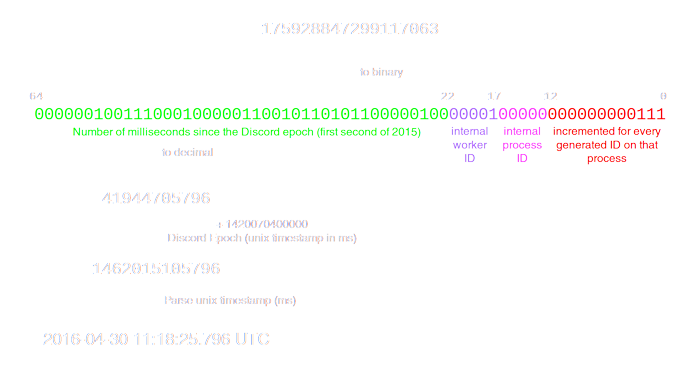 winged bone
final iron
https://discord.com/assets/94722171abc49573d1a129e2264da4ad.png
winged bone
final iron
https://discord.com/assets/94722171abc49573d1a129e2264da4ad.png
thanks 💙
discord epoch xD
final iron
I would explain it to you further but idk
winged bone
I think the picture explains it pretty well
supple thorn
Wasn't it something like this
final iron
All I know is you have to use the bitshift operator to get the date an account was created from their id
 sweet pilot
slate swan
tabnine for me
sweet pilot
slate swan
tabnine for me
do u use vscode?
 sick birch
final iron
All I know is you have to use the bitshift operator to get the date an account w...
sick birch
final iron
All I know is you have to use the bitshift operator to get the date an account w...
Created at works
And you bitshift right 22
Then add discord epoch
supple thorn
Oops
sweet pilot
slate swan
it helped me a lot with commands & features but honestly i never felt lazy or an...
dw bro just cz u use gh copilot doesn't mean u can't code lol
i too setted it up never coded sine then :)
winged bone
final iron
All I know is you have to use the bitshift operator to get the date an account w...
def id_to_datetime(id: int):
return datetime.datetime.fromtimestamp((id >> 22) + 1420070400000)```are bitwise operators really useful?
supple thorn
!e ```py
from datetime import datetime
timestamp = ((381799048228896788 >> 22) + 1420070400000) / 1000
print(datetime.fromtimestamp(timestamp))
@supple thorn :white_check_mark: Your eval job has completed with return code 0.
2017-11-19 13:33:06.581000
Sometimes
supple thorn
Yeah this thing
final iron
But not often
sweet pilot
for wut?
sick birch
sweet pilot
are bitwise operators really useful?
Sure are
sweet pilot
i can't think of a scenario of me using them
sick birch
Bitwise operators are the best
sick birch
They’re faster than doing regular arithmetic
Computers are incredibly good at flipping bits
slate swan
sweet pilot
do u use vscode?
mostly
supple thorn
winged bone
```py
def id_to_datetime(id: int):
return datetime.datetime.fromtimestamp((i...
Don't you also need to divide by 1000 since it's in ms
sweet pilot
sick birch
They’re faster than doing regular arithmetic
how'd u take advantage of thier fast nature?
supple thorn
Or am i just stupid
sick birch
sweet pilot
how'd u take advantage of thier fast nature?
Instead of doing regular arithmetic like adding; subtracting you can use bitwise to do them instead
slate swan
sweet pilot
dw bro just cz u use gh copilot doesn't mean u can't code lol
@sweet pilot man i can't understand what you just said here
sweet pilot
slate swan
mostly
u could use intellisese ryt?
slate swan
if you use python extension with vscode intellisense is already a part of it

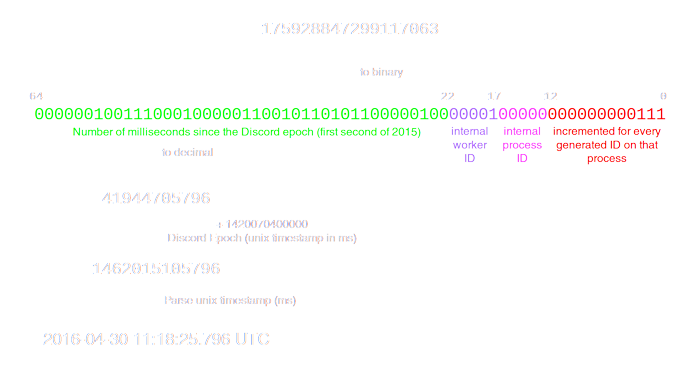 supple thorn
slate swan
<@719396558323318785> man i can't understand what you just said here
supple thorn
slate swan
<@719396558323318785> man i can't understand what you just said here
Do not worry my brethren, just because you use GithubCopilot doesn't mean you cannot program laughing out loud

slate swan
sweet pilot
u could use intellisese ryt?
yeah I do
sweet pilot
supple thorn
Do not worry my brethren, just because you use GithubCopilot doesn't mean you ca...
just because you use (not cannot) lol
sick birch
I recently used bitwise operator: was making a bot for my dashboard, and only want to show guilds where the user had “manage server” permission in, so I requested all guilds from the proper endpoint. The permissions are given as an integer though, so I had to use bitwise and to see if the user has the right permissions from that integer
slate swan
I got copilot and still keep it off 🗿
slate swan
supple thorn
Do not worry my brethren, just because you use GithubCopilot doesn't mean you ca...
thanks i finally understood
sweet pilot
oh u meant u don't understand the word simplifications 😂
sry bro just forced of habit
slate swan
@sweet pilot i gave my personal opinion to someone who thought it makes them lazy, not suggesting just telling them, it helps me code faster
supple thorn
sweet pilot
just because you use (not cannot) lol
I was thinking of the "doesn't mean you cannoy program" when i was writing that part and used cannot
sweet pilot
slate swan
<@719396558323318785> i gave my personal opinion to someone who thought it makes...
ohhhh
gotchcha
sweet pilot
sick birch
I recently used bitwise operator: was making a bot for my dashboard, and only wa...
r u able to show any code?
to better understand the usecase
slate swan
'Command' object has no attribute 'strip'
why do I get that when running
sick birch
sweet pilot
r u able to show any code?
Yeah sure, I’m not on my computer but I’ll look
slate swan
slate swan
'Command' object has no attribute 'strip'
why do I get that when running
the command object doesnt have that attr only strs
It gave me that on bot.run(token) tho lol