
#discord-bots
1 messages · Page 634 of 1
 slate swan
it doesnt work
the button either doesnt shot, or it shows like ((function etc...
show*
 maiden fable
Do view=self
slate swan
ight
slate swan
maiden fable
What do u wanna do?
so basically
the message
that was sent by clicking on a button
to have a button too
maiden fable
O
slate swan
but the second time its going to send an embed
Whats the code to add buttons on the bots status. I forgot lol
maiden fable
!d discord.Interaction.original_message
 unkempt canyonBOT
await original_message()```
This function is a [*coroutine*](https://docs.python.org/3/library/asyncio-task.html#coroutine).

Fetches the original interaction response message associated with the interaction.

If the interaction response was [`InteractionResponse.send_message()`](https://discordpy.readthedocs.io/en/master/api.html#discord.InteractionResponse.send_message "discord.InteractionResponse.send_message") then this would return the message that was sent using that response. Otherwise, this would return the message that triggered the interaction.

Repeated calls to this will return a cached value.You can't, discord limitations
slate swan
maiden fable
!d discord.Interaction.original_message
so can you help me or not
 maiden fable
slate swan
so can you help me or not
maiden fable
slate swan
so can you help me or not
Well, sorry bruv. I never used nextcord
 hollow agate
class PersistentViewBot(slash_util.Bot):
    def __init__(self):
        super().__init__(command_prefix=commands.when_mentioned_or('.'), owner_id=503641822141349888, intents=intents)
        self.persistent_views_added = False

    async def on_ready(self):
        if not self.persistent_views_added:
            self.add_view(PersistentView())
            self.persistent_views_added = True
            activity = discord.Game(name="fc.coolmcgames.xyz", type=3)
            await self.change_presence(status=discord.Status.online,
                                        activity=activity)

        print(f'Signed in as {self.user}')

bot = PersistentViewBot()

class SlashCog(slash_util.ApplicationCog):
    def __init__(self, bot):
        super().__init__(bot)
        self.bot = bot

    @slash_util.slash_command(guild_id=774501063557382155)
    async def hello(self, ctx):
        await ctx.send('hi')

bot.add_cog(SlashCog(bot))``` Anyone know why the slash command doesn't appear?Traceback (most recent call last):
File "C:\Users\Windows\AppData\Local\Programs\Python\Python39\lib\site-packages\nextcord\ui\view.py", line 359, in _scheduled_task
await item.callback(interaction)
File "c:\Users\Windows\OneDrive\Desktop\Bot\cogs\mainhelp.py", line 35, in helpb
view = Sbdrugs()
TypeError: Sbdrugs() missing 1 required positional argument: 'ctx'
its the forked version of discord.py
basically the same tbh
 sage otter
slate swan
this button. whats the code to add it
sage otter
slate swan
this button. whats the code to add it
There is no code.
You go to the dev portal and add it.
maiden fable
slate swan
this button. whats the code to add it
You have to go to discord dev portal, oauth and general
slate swan
@maiden fable
 sage otter
oAuth
slate swan
and where after
maiden fable
slate swan
basically the same tbh
Well different forks have edited those things, do I don't really know, sorry
maiden fable
slate swan
and where after
OAuth2
slate swan
maiden fable
Well different forks have edited those things, do I don't really know, sorry
its alright
maiden fable
General
slate swan
 maiden fable
Yea
slate swan
where do I press
maiden fable
None
slate swan
is there any way the bot can somehow save the transcript of the dms and send it? or is that not possible?
maiden fable
At the bottom
slate swan
custom url?
maiden fable
slate swan
custom url?
Nope, the other one
maiden fable
slate swan
is there any way the bot can somehow save the transcript of the dms and send it?...
!d discord.DMChannel.history
unkempt canyonBOT
async for ... in history(*, limit=100, before=None, after=None, around=None, oldest_first=None)```
Returns an [`AsyncIterator`](https://discordpy.readthedocs.io/en/master/api.html#discord.AsyncIterator "discord.AsyncIterator") that enables receiving the destination’s message history.

You must have [`read_message_history`](https://discordpy.readthedocs.io/en/master/api.html#discord.Permissions.read_message_history "discord.Permissions.read_message_history") permissions to use this.

Examples

Usage...in app authorization?
 quick gust
set it to the in app auth so that people can invite the bot without leaving discord
maiden fable
slate swan
in app authorization?
Yea
slate swan
unkempt canyon
they can do this in dms with someone?
maiden fable
slate swan
they can do this in dms with someone?
The bot needs a DMChannel object for doing this
slate swan
maiden fable
The bot needs a DMChannel object for doing this
ahh, might be a little lost here lol, let me still give it a try thanks brother
maiden fable
slate swan
ahh, might be a little lost here lol, let me still give it a try thanks brother
!d discord.User.dm_channel
unkempt canyonBOT
property dm_channel: Optional[DMChannel]```
Returns the channel associated with this user if it exists.

If this returns `None`, you can create a DM channel by calling the [`create_dm()`](https://discordpy.readthedocs.io/en/master/api.html#discord.User.create_dm "discord.User.create_dm") coroutine function.So this
slate swan
umhmm
so how does this work? Does it send back a transcript of the conversation it had w the person?
maiden fable
U can do,
async for msg in user.dm_channel.history(...):
    print(msg)
Now it's a for loop and the list it's looping is the list of messages in the DM
slate swan
oh, so the entire thing will have to go in the for loop?
maiden fable
Wym
slate swan
I'll show you my code
maiden fable
I edited the above code, @slate swan try running that once. It will print every messages in that channel
slate swan
pretty long lol
in short, its basically a help bot that dms you if your message anywhere includes 'help' or 'staff'
like automated bestbuy or amazon customer service bot
@maiden fable im still typing the elif statements if the user replies with 'yes'
hollow agate
hollow agate
```py
class PersistentViewBot(slash_util.Bot):
def __init__(self):
s...
bump hehe
unkempt canyonBOT
Pasting large amounts of code
If your code is too long to fit in a codeblock in discord, you can paste your code here:
https://paste.pythondiscord.com/
After pasting your code, save it by clicking the floppy disk icon in the top right, or by typing ctrl + S. After doing that, the URL should change. Copy the URL and post it here so others can see it.
slate swan
slate swan
use a pastebin please
im sorry, let me do that
no problem
Can someone tell me how i can possibly get the transcript of the dms the bot has with people?
?rtfm channel.history
!d discord.User.dm_channel
unkempt canyonBOT
property dm_channel: Optional[DMChannel]```
Returns the channel associated with this user if it exists.

If this returns `None`, you can create a DM channel by calling the [`create_dm()`](https://discordpy.readthedocs.io/en/master/api.html#discord.User.create_dm "discord.User.create_dm") coroutine function.wouldn't this just give the bot's messages?
or would it give both bot and the user in the dms?
both
perfect, I'll read it thanks
just remove this check ya? if message.author == client.user:
slate swan
slate swan
just remove this check ya? `if message.author == client.user:`
get rid of it?
 tiny ibex
Is it possible to get the banner of the user??
slate swan
Eyyo help me
if ctx.reference is not None:
print()
When someone replied to anyone's msgs it prints but I only want someone to reply to my bot,then it will print
 silver wolf
tiny ibex
Is it possible to get the banner of the user??
silver wolf
tiny ibex
Is it possible to get the banner of the user??
Depends on what library ur using. If ur still using discord.py u can’t get it
U have to use a fork that has implemented it
tiny ibex
slate swan
Wow,I'm sure he has solved it
Name one
tiny ibex
slate swan
Wow,I'm sure he has solved it
I haven't
slate swan
Oh
silver wolf
tiny ibex
Name one
A lot ppl are using pycord now
slate swan
Wow what a cool name
tiny ibex
silver wolf
A lot ppl are using pycord now
Does it have that feature
And pycord still have bugs in their Slash branch
I am using disnake rn
silver wolf
tiny ibex
Does it have that feature
Yes. discord.Member.banner
And double check disnake docs, they might have it
tiny ibex
silver wolf
And double check disnake docs, they might have it
Yeah I will
slate swan
And they lived happily ever after.
if ctx.reference is not None:
print()
When someone replied to anyone's msgs it prints but I only want someone to reply to my bot,then it will print
How do I do it?
 wild oak
thats so cool
slate swan
Would the if statements inside the yes if statement work?
why is :
not working?
what's the dm variable?
alright
 solemn citrus
uh why?

 arctic gyro
bot = commands.Bot(command_prefix = ';')
from discord.ext import commands
@bot.command()
async def clear(ctx, amount):
await ctx.channel.purge(limit=int(amount)+1)
Can anybody tell me if somethinge's wrong with this code cuz my bot aint deleting a message..
slate swan
did you Add a Bot from the bot option?
 slate swan
arctic gyro
bot = commands.Bot(command_prefix = ';')
from discord.ext import commands
@bot...
slate swan
arctic gyro
bot = commands.Bot(command_prefix = ';')
from discord.ext import commands
@bot...
lucas code hm , did you run the bot?
arctic gyro
slate swan
lucas code hm , did you run the bot?
yes
it aint deleting the message idk why
slate swan
solemn citrus
not that , go to the bot section and click add bot
slate swan
arctic gyro
it aint deleting the message idk why
any errors?
 reef shell
arctic gyro
it aint deleting the message idk why
reef shell
arctic gyro
it aint deleting the message idk why
if you have any error handler for the command try commenting out that and try the command again
arctic gyro
import discord
import random
from keep_alive import keep_alive
client = discord.Client()
@client.event
async def on_ready():
print('We have logged in as {0.user}'.format(client))
@client.event
async def on_message(message):
mention = f'<@!{client.user.id}>'
if mention in message.content:
await message.channel.send("Hey There! I am made by BeeJar. If you need support please contact BeeJar")
bot = commands.Bot(command_prefix = ';')
from discord.ext import commands
@bot.command()
async def clear(ctx, amount):
await ctx.channel.purge(limit=int(amount)+1)
keep_alive()
client.run(TOKEN)
reef shell
then check the console
arctic gyro
reef shell
if you have any error handler for the command try commenting out that and try th...
ok
slate swan
add await bot.process_commands(message) at the end of your on_message event
solemn citrus
thanks fixed it!
arctic gyro
slate swan
add `await bot.process_commands(message)` at the end of your on_message event
ok thx
reef shell
await bot.process_commands(message)

 sullen ermine
how to make a discord bot 24/7 ?
slate swan
sullen ermine
how to make a discord bot 24/7 ?
host it on a vps or webserver
reef shell
sullen ermine
how to make a discord bot 24/7 ?
you run the script 24/7
slate swan
or selfhost it yourself
reef shell
arctic gyro
import discord
import random
from keep_alive import keep_alive
client = discord....
from where did you copy this horrible code
sullen ermine
slate swan
host it on a vps or webserver
how? I made it on replit
arctic gyro
reef shell
from where did you copy this horrible code
im new to this ... this is my first time making a bot so i saw a yt video
reef shell
arctic gyro
im new to this ... this is my first time making a bot so i saw a yt video
yt tutorials are horrible
https://vcokltfre.dev/

A tutorial on how to use discord.py to create your own Discord bot in Python, written to fix the flaws of many other popular tutorials.
arctic gyro
sullen ermine
how to make a discord bot 24/7 ?
try using uptime robot
reef shell
follow this tutorial
arctic gyro
reef shell
follow this tutorial
ok thx m8
sullen ermine
ok.
slate swan
reef shell
from where did you copy this horrible code
looks like a mix of lucas and codecamp lol
slate swan
arctic gyro
ok thx
and you dont run the bot variable , which means the command does not get added
arctic gyro
slate swan
and you dont run the `bot` variable , which means the command does not get added
so should I use client cuz my other ping fuction was not working while using client?
slate swan
arctic gyro
so should I use client cuz my other ping fuction was not working while using cli...
remove the client = discord.Client
move your on_message event below bot=.....
and replace client.event with bot.event
and at last , replace client.run with bot.run
arctic gyro
slate swan
remove the client = discord.Client
move your on_message event below `bot=.....`...
okk
reef shell
freecodecamp and lucas and any other yt tutorials are extremely horrible or outdated
it's better if you don't follow them
slate swan
especially ones using .Client 😶
hey @slate swan

counter = 0
async for message in dm.history():
    if message.author == client.user:
        counter += 1
messages = await dm.history().flatten()
#send history in channel?
Im a little confused by the docs tbh lol
i tried to understand but there wasn't enough info
And there isn't enough info on the internet either surprisingly
slate swan
slate swan
```py
counter = 0
async for message in dm.history():
if message.author == cl...
what do you want to do exactly?
and what is the error?
 brave flint
Can anyone tell me the docs?
 slate swan
I haven't even tried yet, I'm still trying to understand how this works
So does this make a for loop and goes through every message?
slate swan
brave flint
Can anyone tell me the docs?
not sure about discord, i know about nextcord, see if this will be helpful:
https://github.com/nextcord/nextcord/tree/master/examples/views
have a look at dropdown.py

GitHub
A maintained fork of Danny's discord.py. Contribute to nextcord/nextcord development by creating an account on GitHub.
brave flint
slate swan
not sure about discord, i know about nextcord, see if this will be helpful:
http...
Tq
slate swan
slate swan
So does this make a for loop and goes through every message?
why not try it and find out?
slate swan
slate swan
why not try it and find out?
lemme try

if ctx.reference is not None:
print()
When someone replied to anyone's msgs it prints but I only want someone to reply to my bot,then it will print
How do I do it?
solemn citrus
why is this 😭
 slate swan
if ctx.reference is not None:
print()
When someone replied to anyone's msgs...
slate swan
slate swan
if ctx.reference is not None:
print()
When someone replied to anyone's msgs...
That doesn't make any sense? "When someone replied to anyone's msgs it prints but I only want someone to reply to my bot,then it will print"
slate swan
slate swan
if ctx.reference is not None:
print()
When someone replied to anyone's msgs...
you check if the referenced message author is your bot
slate swan
slate swan
That doesn't make any sense? "When someone replied to anyone's msgs it prints bu...
Like it must only print out if someone replies to the bot's msgs not someone's msgs
slate swan
slate swan
you check if the referenced message author is your bot
Oh ok
slate swan
solemn citrus
why is this 😭
are you sure its passing the token?
try printing os.getenv(secret token)
solemn citrus
slate swan
are you sure its passing the token?
try printing os.getenv(secret token)
nope
slate swan
solemn citrus
nope
nope?
solemn citrus
slate swan
nope?
it didnt work
slate swan
solemn citrus
it didnt work
and hence you have your problem
solemn citrus
slate swan
and hence you have your problem
wha-
slate swan
solemn citrus
why is this 😭
try putting your token directly in bot.run
slate swan
slate swan
<:thatsrightbud:854198006981984256>
ahh, message.author == client.user basically makes the bot the author
solemn citrus
slate swan
try putting your token directly in bot.run
got it
slate swan
slate swan
ahh, message.author == client.user basically makes the bot the author
yes
i think i got it
 obsidian ledge
how do i make my bot ping the user who interacted with a button?
or alteast show the user who interacted with it in a footer
obsidian ledge
yep
slate swan
obsidian ledge
how do i make my bot ping the user who interacted with a button?
interaction.user
slate swan
obsidian ledge
yep
embed.set_author
im sorry i cant link to the documentation for it, i dont know how the rtfm works here
obsidian ledge
alr
reef shell
slate swan
im sorry i cant link to the documentation for it, i dont know how the rtfm works...
!d discord.Embed.set_footer
unkempt canyonBOT
set_footer(*, text=Embed.Empty, icon_url=Embed.Empty)```
Sets the footer for the embed content.

This function returns the class instance to allow for fluent-style chaining.set_author*


 dusk pumice
?
 visual island
!d discord.Embed.set_author
unkempt canyonBOT
set_author(*, name, url=Embed.Empty, icon_url=Embed.Empty)```
Sets the author for the embed content.
This function returns the class instance to allow for fluent-style chaining. graceful mulch
hello

 wary ice
now 4 prob del comma
graceful mulch
wary ice
now 4 prob del comma
?
wary ice
 wary ice
that in the settings what is meant
graceful mulch
embed=discord.Embed(title="Blah",description="Lorem Ipsum")
embed.set_author(name="blah")
?
 velvet tinsel
Hello
velvet tinsel
graceful mulch
```py
embed=discord.Embed(title="Blah",description="Lorem Ipsum")
embed.set_auth...
that looks like a set_footer()
can you do a set_author()? sweet
😭
obsidian ledge
how do i make the bot like count how many times this user has pressed the button each time the button gets sent??
like if the button has been sent 5 times and this user has pressed it 3 times and the other use has pressed it 2 times, do how i make that?
velvet tinsel
obsidian ledge
how do i make the bot like count how many times this user has pressed the button...
errr

 dusky pine
Show us your code
slate swan
dusky pine
Show us your code
 dusky pine
Unindent that line
slate swan
dusky pine
Unindent that line
Means
dusky pine
Remove the extra 4 spaces before that line
dusky pine
screenshot the error again
slate swan
dusky pine
screenshot the error again
 dusky pine
Unindent again
slate swan
Means?
dusky pine
dusky pine
Remove the extra 4 spaces before that line
.
slate swan
dusky pine
.
Already did
dusky pine
Again
slate swan
 slate swan
dusky pine
Again
slate swan
dusky pine
Again
Line 64
 dusky pine
You didn't indent line 64
slate swan
dusky pine
You didn't indent line 64
How to do that?
dusky pine
Put 4 spaces before line 64
slate swan
dusky pine
Put 4 spaces before line 64
 dusky pine
what the fuck
dusky pine
atp just invite me to your repl
slate swan
dusky pine
atp just invite me to your repl
Dm
dusky pine
ok
solemn citrus
?
 wary ice
At line:1 char:6
+  c:; cd 'c:\Users\user\OneDrive\πολογιστής\Bots'; & 'C:\Users\user\Ap ...
+      ~~~~~~~~~~~~~~~~~~~~~~~~~~~~~~~~~~~~~~~~~~~
    + CategoryInfo          : ObjectNotFound: (C:\Users\user\OneDrive\πολογιστής\Bots:String) [Set-Location], ItemNotFoundException
    + FullyQualifiedErrorId : PathNotFound,Microsoft.PowerShell.Commands.SetLocationCommand

Traceback (most recent call last):
  File "C:\Users\user\AppData\Local\Programs\Python\Python310\lib\runpy.py", line 196, in _run_module_as_main
    return _run_code(code, main_globals, None,
  File "C:\Users\user\AppData\Local\Programs\Python\Python310\lib\runpy.py", line 86, in _run_code
    exec(code, run_globals)
  File "c:\Users\user\.vscode\extensions\ms-python.python-2021.11.1422169775\pythonFiles\lib\python\debugpy\__main__.py", line 45, in <module>
    cli.main()
  File "c:\Users\user\.vscode\extensions\ms-python.python-2021.11.1422169775\pythonFiles\lib\python\debugpy/..\debugpy\server\cli.py", line 444, in main
    run()
  File "c:\Users\user\.vscode\extensions\ms-python.python-2021.11.1422169775\pythonFiles\lib\python\debugpy/..\debugpy\server\cli.py", line 285, in run_file
    runpy.run_path(target_as_str, run_name=compat.force_str("__main__"))
  File "C:\Users\user\AppData\Local\Programs\Python\Python310\lib\runpy.py", line 268, in run_path
    code, fname = _get_code_from_file(run_name, path_name)
  File "C:\Users\user\AppData\Local\Programs\Python\Python310\lib\runpy.py", line 237, in _get_code_from_file
    with io.open_code(decoded_path) as f:
FileNotFoundError: [Errno 2] No such file or directory: 'c:\\Users\\user\\OneDrive\\πολογιστής\\Bots\\main.py'
PS C:\Users\user\OneDrive\Υπολογιστής\Bots> ``` errorHow to make buttons help menu in py ?? Source code ??
wary ice

 vague grove
so, I currently have code to get all pins in a channel and repost + pin in another location for a coming server move
discord.py grabs pins from NEWEST to OLDEST, can i make it oldest to newest?
code here:
@client.command()
async def pins(ctx):
    pins = await ctx.channel.pins()
    await ctx.channel.purge(limit=1)
    print(pins)
    channel = client.get_channel(876290314036461569)
    y = 0
    for rePin in pins:
        y +=1
        if y == 5:
            break
        mat = rePin.attachments
        if len(mat) == 0:
            message = await channel.send(rePin.content)
            await message.pin()
        else:
            message = await channel.send(mat[0].url)
            await message.pin()
I thought to make it all into a list and reverse it, but im not sure how to do that.
slate swan
Why client.get_guild returning none??
hollow agate
So, I have a cog folder with a file named slash.py and outside of that folder I have two files. One named main.py that handles most of my stuff and slash_utils.py that is for slash commands. How would I import the slash_utils.py folder to my slash.py cog file?
sage otter
slate swan
Why client.get_guild returning none??
Because that guild isn’t in cache.
slate swan
sage otter
Because that guild isn’t in cache.
oh should I use for loop once?
sage otter
hollow agate
So, I have a cog folder with a file named `slash.py` and outside of that folder ...
You seriously asking how to import things?
slate swan
hollow agate
So, I have a cog folder with a file named `slash.py` and outside of that folder ...
sage otter
slate swan
oh should I use for loop once?
What? 
 upbeat otter
Guys, is there a way to read messages in a text channel and get their authors?
 keen talon
sage otter
You seriously asking how to import things?
keen talon
sage otter
You seriously asking how to import things?
👀
unkempt canyonBOT
async for ... in history(*, limit=100, before=None, after=None, around=None, oldest_first=None)```
Returns an [`AsyncIterator`](https://discordpy.readthedocs.io/en/master/api.html#discord.AsyncIterator "discord.AsyncIterator") that enables receiving the destination’s message history.

You must have [`read_message_history`](https://discordpy.readthedocs.io/en/master/api.html#discord.Permissions.read_message_history "discord.Permissions.read_message_history") permissions to use this.

Examples

Usage...Why did u use purge for one message lol
vague grove
keen talon
Why did u use purge for one message lol
cause im cool
keen talon
vague grove
cause im cool
😬
sage otter
Once you iterate over that you’ll get message objects. Which you can of course use the .author attr.
sage otter
keen talon
Why did u use purge for one message lol
Probably doesn’t know you can use ctx.message.delete()
keen talon
Or they can use discord.utils.get
keen talon
sage otter
Probably doesn’t know you can use `ctx.message.delete()`
Yeah 😂
 tawdry perch
I use purge so some snipe commannds can't get the message content thing
 tawdry perch
Normally when you delete message and someone wants to find out what you deleted, purge somehow works so they can't view it
sage otter
vague grove
I thought to make it all into a list and reverse it, but im not sure how to do t...
Have you read docs at all?
Message.pins() returns a list of message objects
and reverse it with pythons reverse function.
keen talon
Function 👀
vague grove
sage otter
Message.pins() returns a list of message objects
o ok
slate swan
tawdry perch
I use purge so some snipe commannds can't get the message content thing
you want to get the purged message's contents?
tawdry perch
Nope
sage otter
tawdry perch
I use purge so some snipe commannds can't get the message content thing
some snipe commands purging still makes on_bulk_message_delete() dispatch. Some snipe commands actually use that event. Why they do is beyond me.
velvet tinsel
Hi @sage otter @tawdry perch @slate swan
tawdry perch
Hello 👋
tawdry perch
sage otter
**some snipe commands** purging still makes `on_bulk_message_delete()` dispatch....
Gotta remember that ,thx
tawdry perch
velvet tinsel
Hai
How you doing?
velvet tinsel
tawdry perch
How you doing?
Using json as a database 👍😫
There’s a error but I’m too busy
tawdry perch
Json 😮💨
 cedar stream
Well, you have channel with that id only in one guild
slate swan
@slate swan
slate swan
velvet tinsel
Hi <@284102119408140289> <@!534738044004335626> <@456226577798135808>
hey , sup
sage otter
velvet tinsel
Using json as a database 👍😫
There’s a error but I’m too busy
You must be trying to trigger my dpy support server ptsd.

Too many people use json for things it’s not meant to be used for.
tawdry perch
Sadly
slate swan
channel = client.get_channel(914409887948222494)
            messages = await dm.history().flatten()

            with open(f'{channel}_messages.txt', 'a+', encoding='utf-8') as f:
                print(f"\nTranscript Saved.\n\n", file=f)
                for message in messages:
                    embed = ""
                    if len(message.embeds) != 0:
                        embed = message.embeds[0].description
                        print(f"{message.author.name} - {embed}", file=f)
                    print(f"{message.author.name} - {message.content}", file=f)
            await channel.send(f"{message.author.mention}, Transcript saved.")
            history = discord.File(fp=f'{channel}_messages.txt', filename=None)
            await channel.send(file=history)
does anyone know why this saves a copy of the transcript on my computer as well?
velvet tinsel
sage otter
You must be trying to trigger my dpy support server ptsd.
No
Goddammit tylerr
I can exploit json however I like
slate swan
velvet tinsel
Goddammit tylerr
I can exploit json however I like
Hey, can you help?
velvet tinsel
slate swan
Hey, can you help?
What
slate swan
channel = client.get_channel(914409887948222494)
            messages = await dm.history().flatten()

            with open(f'{channel}_messages.txt', 'a+', encoding='utf-8') as f:
                print(f"\nTranscript Saved.\n\n", file=f)
                for message in messages:
                    embed = ""
                    if len(message.embeds) != 0:
                        embed = message.embeds[0].description
                        print(f"{message.author.name} - {embed}", file=f)
                    print(f"{message.author.name} - {message.content}", file=f)
            await channel.send(f"{message.author.mention}, Transcript saved.")
            history = discord.File(fp=f'{channel}_messages.txt', filename=None)
            await channel.send(file=history)
What are you even trying to do?
slate swan
This basically saves a file on my compuyer first and then exports it from there onto the specific channel. Is there no way to avoid saving it onto my computer?
velvet tinsel
I think something is saved
tawdry perch
velvet tinsel
I’m in a lesson
Discord while I'm middle of lesson is best thing ever
sage otter
saves a computer on my file
velvet tinsel
tawdry perch
Discord while I'm middle of lesson is best thing ever
Yes
slate swan
sage otter
**saves a computer on my file**
file on computer, sorry!
velvet tinsel
slate swan
This basically saves a file on my compuyer first and then exports it from there ...
Saves a computer on my file?
Sweet
sage otter
slate swan
This basically saves a file on my compuyer first and then exports it from there ...
So you don’t want the file to be saved
slate swan
sage otter
So you don’t want the file to be saved
on my computer no, its basically like the ticket bot, saves the transcript of the chat and sends it
I dont want it to save on my computer, however
Just want to directly send it to the channel
sage otter
Find a way to format all of those messages into a string.
Use io.BytesIO() on the string and make sure the encoding is utf-8
This is kinda confusing so I’ll give an example
slate swan
slate swan
<@456226577798135808>
yes?
slate swan
slate swan
yes?
i figured it out, but it saves file computer first and then prints it in chat
slate swan
slate swan
i figured it out, but it saves file computer first and then prints it in chat
file is text or image?
slate swan
slate swan
file is text or image?
text
slate swan
slate swan
file is text or image?
channel = client.get_channel(914409887948222494)
            messages = await dm.history().flatten()

            with open(f'{channel}_messages.txt', 'a+', encoding='utf-8') as f:
                print(f"\nTranscript Saved.\n\n", file=f)
                for message in messages:
                    embed = ""
                    if len(message.embeds) != 0:
                        embed = message.embeds[0].description
                        print(f"{message.author.name} - {embed}", file=f)
                    print(f"{message.author.name} - {message.content}", file=f)
            await channel.send(f"{message.author.mention}, Transcript saved.")
            history = discord.File(fp=f'{channel}_messages.txt', filename=None)
            await channel.send(file=history)

sage otter
discord.File(io.BytesIO(transcriptstring.encode("utf-8")), "transcript.txt")
slate swan
sage otter
discord.File(io.BytesIO(transcriptstring.encode("utf-8")), "transcript.txt")
is it needed?
they can just append it to a list (store it in memory) in whatever format they want and send that
sage otter
sage otter
discord.File(io.BytesIO(transcriptstring.encode("utf-8")), "transcript.txt")
Pass this into TextChannel.send()'s file kwarg
slate swan
slate swan
they can just append it to a list (store it in memory) in whatever format they w...
nvm its not working lmaoo, it's all messed up lol
 twin moon
users[str(user)]["economy"]["money"] -= amount users[str(member1)]["economy"]["money"] += amount doesent work
cedar stream
twin moon
`users[str(user)]["economy"]["money"] -= amount
users[str(member1)]["economy"][...
Can usend ss of whole function
It’ s hard to read codeblocks on mobile
twin moon
cedar stream
Can usend ss of whole function
@client.command()
@commands.cooldown(1,30,commands.BucketType.user)
async def give(ctx,member:nextcord.Member,amount:str,what:str="money"):
    user = await check_account(ctx,ctx.author)
    member1 = await check_account(ctx,member)
    with open("users.json","r") as f:
        users = json.load(f)
    try:
        amount = int(amount)
        insideuserbank = users[str(user)]["economy"]["money"]
        if amount >= insideuserbank:
            amount = insideuserbank
        if what == "money":
            users[str(user)]["economy"]["money"] -= amount
            users[str(member1)]["economy"]["money"] += amount
        await ctx.send(f"Gave {member1} {amount} {what}")
    except:
pass```Screen shot
twin moon
no error
 brisk helm
twin moon
`users[str(user)]["economy"]["money"] -= amount
users[str(member1)]["economy"][...
brisk helm
twin moon
`users[str(user)]["economy"]["money"] -= amount
users[str(member1)]["economy"][...
ton use json as db
cedar stream
Take a screen shot of the function in ide and send it here
 smoky olive
How do I access only the text written by a user? I want to save all messages in a text file but this won't save the message itself:
@bot.event
async def on_message(message):
    f = open("d.txt", "w+")
    f.write(str(message))
    f.close()
  await bot.process_commands(message)
async def check_user(ctx,user):
    with open("logins.json","r") as f:
        logins = json.load(f)
    if not str(user.id) in logins:
        msg = f"{user.mention} Make an account or log in."
        await ctx.send(msg)
        return 0
    else:
        User = logins[str(user.id)]
        return User

async def check_account(ctx,user):
    with open("logins.json","r") as f:
        logins = json.load(f)
    user = await check_user(ctx,user)
    if user == 0:
        return
    else:
return user```Do you know what a screen shot is?
Print screen
Idk how u call it
twin moon
why should I?
cedar stream
Cus It’ s easier for me to read on mobile
twin moon
cedar stream
Do you know what a screen shot is?
there is no error
slate swan
 cedar stream
Ty
slate swan
cedar stream
Cus It’ s easier for me to read on mobile
i can understand the pain
smoky olive
Could someone help me? I think it's a very basic problem
cedar stream
slate swan
i can understand the pain
Can you ss the json file
slate swan
which file
cedar stream
smoky olive
Could someone help me? I think it's a very basic problem
Dont ask if someone can help u, just send the question
cedar stream
slate swan
which file <a:pd_athonking:853268147637321758>
Where u store users
slate swan
cedar stream
Where u store users
i dont have that mate
otter needs help, i just snapped the code block for you
smoky olive
cedar stream
Dont ask if someone can help u, just send the question
I already asked
cedar stream
slate swan
i dont have that mate
otter needs help, i just snapped the code block for you
Ohhhhh
slate swan
smoky olive
How do I access only the text written by a user? I want to save all messages in ...
you check if message.author is the user
cedar stream
@twin moon is ur json a list of dicts?
cedar stream
smoky olive
How do I access only the text written by a user? I want to save all messages in ...
This will save a message object as string
smoky olive
slate swan
you check if message.author is the user
i meant the content of the message, by I found out I need message.content
twin moon
cedar stream
<@770210759359070209> is ur json a list of dicts?
},
  "IDK": {
    "username": "IDK",
    "password": "IDK",
    "creator": "770210759359070209",
    "level": {
      "experience": 0,
      "level": 0
    },
    "economy": {
      "money": 0,
      "bank": 0,
      "inventory": {}
    }
}```U need to do message.content
cedar stream
twin moon
```json
},
"IDK": {
"username": "IDK",
"password": "IDK",
"creator...
You should have a different structure
It should be a list of dicts
slate swan
Someone help to fix a code??
cedar stream
cedar stream
It should be a list of dicts
If u rly insist on using json
cedar stream
cedar stream
Dont ask if someone can help u, just send the question
@slate swan
twin moon
cedar stream
You should have a different structure
one more {} before it
cedar stream
twin moon
one more {} before it
It should be [] before not {}
It should be [] full of {}
slate swan
cedar stream
<@456226577798135808>
Actually i am sending the replit link i cant rectify my error
cedar stream
slate swan
Actually i am sending the replit link i cant rectify my error
Just send ss of the code
I’ m on mobile and It’ s easier that way
slate swan
cedar stream
Just send ss of the code
To big code
 cedar stream
Is it multi page?
slate swan
cedar stream
Is it multi page?
Yes
smoky olive
Unfortunately my code still doesn't work, I don'get why. with !newdate [date] a textfile should be created and every message written in a specific channel should be saved in that text file. It creates the text file but it doesn't save the messages:
bot = Bot("!")
bot.remove_command('help')
global f
global enabled
enabled = 0

@bot.command()
async def newdate(ctx, text):
    global f
    global enabled
    f = open(text + ".txt", "w+")
    enabled = 1
    await ctx.send("New textfile created.")

@bot.event
async def on_message(message):
  global f
  global enabled
  if(enabled == 1):
    f.write(str(message.content))
  await bot.process_commands(message)
Ok just send the link to replit 😂
slate swan
cedar stream
Ok just send the link to replit 😂
Ok dm
cedar stream
slate swan
Ok dm
Ok
twin moon
cedar stream
It should be [] before not {}
no?
cedar stream
twin moon
no?
Yes
twin moon
cedar stream
Yes
different error
cedar stream
If you rly insist on using json, that is how It’ s done
sage otter
twin moon
```py
@client.command()
@commands.cooldown(1,30,commands.BucketType.user)
async ...
Because you're not even writing to the file. How are is it supposed to change if you're only reading the file. You just indexing the info and subtracting or adding whatever to it. You’re not changing the value in the actual file itself.
twin moon
sage otter
Because you're not even writing to the file. How are is it supposed to change if...
what did I just say?
twin moon
twin moon
w
write
sage otter
That’s not what that says in the code block
smoky olive
How do I tell
@bot.event
async def on_message(message):
to only listen to a specific channel?
sage otter
with open("users.json", "r")
cedar stream
smoky olive
How do I tell
@bot.event
async def on_message(message):
to only listen to a ...
If message.channel.id == id
smoky olive
👍 thanks mate
cedar stream
Np
sage otter
smoky olive
How do I tell
@bot.event
async def on_message(message):
to only listen to a ...
that’s not really telling it to only listen to only a single channel.
upbeat otter
twin moon
```py
@client.command()
@commands.cooldown(1,30,commands.BucketType.user)
async ...
You need to dump the amount back
sage otter
on_message() gets fired every time a message is sent anywhere the bot can see.
smoky olive
sage otter
that’s not really telling it to only listen to only a single channel.
yeah but it does its job I guess
sage otter
You can’t change that
smoky olive
sage otter
You can’t change that
thanks for the info, but I think it solves my problem nevertheless 👍
sage otter
smoky olive
yeah but it does its job I guess
🤷♂️
cedar stream
sage otter
that’s not really telling it to only listen to only a single channel.
You cant make it trigger for only one channel, you can just execute whats in it if message has been sent in specific channel
sage otter
Yeah that’s partly what I said
sage otter
sage otter
on_message() gets fired every time a message is sent anywhere the bot can see.
.
sage otter
sage otter
You can’t change that
.
cedar stream
sage otter
.
It took me too long to write, so b4 I was done u alr wrote that 😂
 opal skiff
how do i send a message with buttons?
 lament mesa
!d discord.abc.Messageable.send
unkempt canyonBOT
await send(content=None, *, tts=None, embed=None, embeds=None, file=None, files=None, stickers=None, delete_after=None, nonce=None, allowed_mentions=None, reference=None, mention_author=None, view=None)```
This function is a [*coroutine*](https://docs.python.org/3/library/asyncio-task.html#coroutine).

Sends a message to the destination with the content given.

The content must be a type that can convert to a string through `str(content)`. If the content is set to `None` (the default), then the `embed` parameter must be provided.

To upload a single file, the `file` parameter should be used with a single [`File`](https://discordpy.readthedocs.io/en/master/api.html#discord.File "discord.File") object. To upload multiple files, the `files` parameter should be used with a [`list`](https://docs.python.org/3/library/stdtypes.html#list "(in Python v3.9)") of [`File`](https://discordpy.readthedocs.io/en/master/api.html#discord.File "discord.File") objects. **Specifying both parameters will lead to an exception**.

To upload a single embed, the `embed` parameter should be used with a single [`Embed`](https://discordpy.readthedocs.io/en/master/api.html#discord.Embed "discord.Embed") object. To upload multiple embeds, the `embeds` parameter should be used with a [`list`](https://docs.python.org/3/library/stdtypes.html#list "(in Python v3.9)") of [`Embed`](https://discordpy.readthedocs.io/en/master/api.html#discord.Embed "discord.Embed") objects. **Specifying both parameters will lead to an exception**.the view parameter
maiden fable
opal skiff
how do i define a button?
!d discord.ui.Button
unkempt canyonBOT
class discord.ui.Button(*, style=<ButtonStyle.secondary: 2>, label=None, disabled=False, custom_id=None, url=None, emoji=None, row=None)```
Represents a UI button.

New in version 2.0.ok ty
cedar stream
maiden fable
!d discord.ui.Button
Doy supports that?
maiden fable
cedar stream
Doy supports that?
It supports components, yes
cedar stream
Never noticed
sage otter
only on the master branch tho 👌
cedar stream
Ohhh
sage otter
Not accessible through any of the versions you can get on pip.
opal skiff
what is button row?
cedar stream
opal skiff
what is button row?
Action row u mean?
opal skiff
cedar stream
Action row u mean?
row=None
cedar stream
opal skiff
row=None
Discord Developer Portal
Integrate your service with Discord — whether it's a bot or a game or whatever your wildest imagination can come up with.
opal skiff
ok ty
cedar stream
It’ s probably just which row the button will be
cedar stream
cedar stream
https://discord.com/developers/docs/interactions/message-components
Still useful to read
opal skiff
await message.channel.send(view=discord.ui.Button(custom_id="testid",row=1)) this doesnt work it tells me module 'discord' has no attribute 'ui'
sage otter
sage otter
only on the master branch tho 👌
……….
And that’s not even how you do it man.
Consider looking at these

GitHub
An API wrapper for Discord written in Python. Contribute to Rapptz/discord.py development by creating an account on GitHub.
cedar stream
sage otter
And that’s not even how you do it man.
@opal skiff
If u want support for components use disnake or master branch of dpy
opal skiff
how do i do that?
sage otter
switching to fork seems like a drastic measure compared to just using the repos master branch
but if he doesn’t have git then that’s whatever then
cedar stream
sage otter
*switching to fork seems like a drastic measure compared to just using the repos...
The fork has almost same api
lament mesa
all wrappers use the same api
cedar stream
lament mesa
all wrappers use the same api
Not the api they use, api they have
lament mesa
the version might differ
visual island
cedar stream
The fork has almost same api
*functions
cedar stream
visual island
*functions
Yes and no
sage otter
Those came out after Danny stepped down.
cedar stream
Idk, mby they will add em
maiden fable
sage otter
Are any of the forms actually keeping up with discords changes?
!pypi disnake
unkempt canyonBOT

A Python wrapper for the Discord API
velvet tinsel
Hi
cedar stream
Hi
cedar stream
All new stuff?
lament mesa
cedar stream
Not the api they use, api they have
ah, you are talking about the interface the forks provide
velvet tinsel
What happened to Danny?
cedar stream
lament mesa
ah, you are talking about the interface the forks provide
Yes that api, not discords api
velvet tinsel
velvet tinsel
What happened to Danny?
?
velvet tinsel
Oh lmao
slate swan
wild oak
thats so cool
Thank u so much
velvet tinsel
Well at least he gave us the privilege of an amazing API
cedar stream
Fr, they rly fucking with stuff by adding message content intent
sage otter
velvet tinsel
Well at least he gave us the privilege of an amazing API
I mean any self-respectable chat service/platform could do that.
Revolt already has an open one.
However the app itself is in really really early release.
cedar stream
The library does have a great api
opal skiff
await message.channel.send(view=discord.ui.button(custom_id="testid",row=1)) how do i fix this error discord.errors.InvalidArgument: view parameter must be View not <class 'function'> ?
sage otter
Are you reading any of the things we sent you earlier
Most notably the examples.
Also it’s Button()caps matter
opal skiff
sage otter
Are you reading any of the things we sent you earlier
oh? there were examples? i didnt see them. sorry
velvet tinsel
Hi
opal skiff
oh
velvet tinsel
How is everyone
sage otter
sleepy… 5:30 in the morning and out of all things I could be doing right now I decided to come help in this server
velvet tinsel
sage otter
*sleepy… 5:30 in the morning and out of all things I could be doing right now I ...
…
I woke up at 7 and hopped on my laptop
Like I should be doing that
It’s 10:34
slate swan
Hello guys, why cant i add a button to a message that comes from a button?
 velvet tinsel
slate swan
Hello guys, why cant i add a button to a message that comes from a button?
velvet tinsel
slate swan
Hello guys, why cant i add a button to a message that comes from a button?
add a button to a message that comes from a button
slate swan
how its an error wtf
 velvet tinsel
And you can just do client.remove_command() instead of making your own help
velvet tinsel
slate swan
how its an error wtf
You indented it wrong
slate swan
wjat
slate swan
velvet tinsel
And you can just do `client.remove_command()` instead of making your own help
i dont get it
slate swan
i thgink my python broke
velvet tinsel
slate swan
i dont get it
I dont do nextcord
slate swan

slate swan
slate swan
wjat
either its to much space from left or not enough
velvet tinsel
slate swan
i thgink my python broke
It didnt break, you just dont know simple python syntax
velvet tinsel
slate swan
either its to much space from left or not enough
I’m going to look some stuff up for you
slate swan
velvet tinsel
I’m going to look some stuff up for you
Thanks
slate swan
slate swan
either its to much space from left or not enough
wat
velvet tinsel

Stack Overflow
I'm currently coding a quizz bot and I came up with this code:
class answers(nextcord.ui.View):
def init(self, ans1, ans2, ans3):
super().init(timeout=None)
self.ans1 = ...
You mean it doesnt show up?
velvet tinsel
slate swan
wat
I think the error is self-explanatory
slate swan
heres fine
 velvet tinsel
slate swan
heres fine
velvet tinsel
slate swan
heres fine
That’s not the error
Show me line…940….
On the roll function
slate swan
 velvet tinsel
slate swan
velvet tinsel
slate swan
Show me more
I think there is a space behind async
Delete the space behind async
You’re supposed to use tabs
Like this
From about here to here
the space in between is a tab
however this is a normal Space
slate swan
theres no space
slate swan
velvet tinsel
You mean it doesnt show up?
yes
velvet tinsel
Stack Overflow
I'm currently coding a quizz bot and I came up with this code:
class answers(nextcord.ui.View):
def init(self, ans1, ans2, ans3):
super().init(timeout=None)
self.ans1 = ...
velvet tinsel
Supposed to be a tab
 tidal hawk
correct
slate swan
velvet tinsel
Then try https://stackoverflow.com/questions/69751351/multiple-button-not-showin...
alr thanks
velvet tinsel
I dont think they have a tab on their keyboard
tidal hawk
sucks to be them
slate swan
bro
velvet tinsel
DM_help=False
tidal hawk
i wonder what it means
slate swan
i legit just entered
velvet tinsel
They still DM me
velvet tinsel
slate swan
and i see error
I said tab not enter
tidal hawk
They don't know what bools are
slate swan
i think my python broke ig
velvet tinsel
No
Your python did not break
Python ||almost|| never breaks
Not in my experience
slate swan
bro there was no error yesterday
today it just out of nowhere
and i never touched that command
tidal hawk
You have to rewrite your code, maybe it works then
tidal hawk
what error
tidal hawk
we all start somewhere xd
velvet tinsel
🤷♂️
slate swan
velvet tinsel
Imagine not knowing how to code
bro its just came out of nowhere
opal skiff
I still cant figure it out how to use buttons.
slate swan
even tho i didnt touched that code
velvet tinsel
slate swan
bro its just came out of nowhere
It can’t come out of nowhere
velvet tinsel
slate swan
even tho i didnt touched that code
*haven’t touched
tidal hawk
opal skiff
I still cant figure it out how to use buttons.
Are u using discord-components?
velvet tinsel
tidal hawk
Are u using discord-components?
Disnake
slate swan
velvet tinsel
*haven’t touched
do not fix my grammar 
velvet tinsel
Well that’s impossible for your code to break
opal skiff
tidal hawk
Are u using discord-components?
no i dont think so. i found something like .add_item(discord.ui.Button(label='Click Here')) btw
velvet tinsel
opal skiff
no i dont think so. i found something like `.add_item(discord.ui.Button(label='C...
Errr
slate swan
velvet tinsel
Well that’s impossible for your code to break
but never 0%
velvet tinsel
Disnake
unkempt canyonBOT
Here's how to format Python code on Discord:
```py
print('Hello world!')
```
These are backticks, not quotes. Check this out if you can't find the backtick key.
slate swan
k fine but its poor quality 
@bot.command()
async def roll(ctx, minnumb:int, maxnumb:int):
  rollmsg = random.randint(minnumb, maxnumb)

  if minnumb<0:
        Er1 = discord.Embed(title = "Roll Error", description = f"Amount must be positive!")
        await ctx.reply(embed = Er1)
        return
  if maxnumb<0:
        Er2 = discord.Embed(title = "Roll Error", description = f"Amount must be positive!")
        await ctx.reply(embed = Er2)
        return


  Roll1 = discord.Embed(title = "Rolling.")
  editmsg = await ctx.reply(embed = Roll1)
  await asyncio.sleep(0.75)
  Roll2 = discord.Embed(title = "Rolling..")
  await editmsg.edit(embed = Roll2)
  await asyncio.sleep(0.75)
  Roll3 = discord.Embed(title = "Rolling...")
  await editmsg.edit(embed = Roll3)
  await asyncio.sleep(0.75)
  Roll4 = discord.Embed(title = f"Rolled {rollmsg}")
await editmsg.edit(embed = Roll4)```dude still doesn't know how to use ducking tabs
slate swan
i legit use tabs
tidal hawk
i see half a tab in 3rd row
velvet tinsel
It’s supposed to be 4 I think
slate swan
but how tf it can break out of nowhere even tho i didnt touched it
velvet tinsel
Or 8
slate swan
slate swan
k fine but its poor quality <:xdd:744847702399123528>
```py
@bot.command()
asyn...
what's the problem with the code tho?
slate swan
you copy pasted it from somewhere?
velvet tinsel
slate swan
you copy pasted it from somewhere?
Maybe
 slate swan
you copy pasted it from somewhere?
slate swan
slate swan
you copy pasted it from somewhere?
@slate swan
slate swan
SyntaxError: invalid syntax
velvet tinsel
Maybe it’s in the wrong place
Send the entire piece of code as a screenshot
It looks like it’s been indented
slate swan
 slate swan
bro
velvet tinsel
Problem solved
slate swan
alr bet
velvet tinsel
*1 tab
slate swan
 velvet tinsel
…
slate swan
950+ lines of code , cogs be like : 
 shadow wraith
how do i make it so that my command is usable to a specific role
slate swan
slate swan
950+ lines of code , cogs be like : <:shipit:826492371813400637>
lazy to do it 
velvet tinsel
shadow wraith
how do i make it so that my command is usable to a specific role
has_role()
slate swan
shadow wraith
how do i make it so that my command is usable to a specific role
!d discord.ext.commands.has_role
unkempt canyonBOT
@discord.ext.commands.has_role(item)```
A [`check()`](https://discordpy.readthedocs.io/en/master/ext/commands/api.html#discord.ext.commands.check "discord.ext.commands.check") that is added that checks if the member invoking the command has the role specified via the name or ID specified.

If a string is specified, you must give the exact name of the role, including caps and spelling.

If an integer is specified, you must give the exact snowflake ID of the role.

If the message is invoked in a private message context then the check will return `False`.

This check raises one of two special exceptions, [`MissingRole`](https://discordpy.readthedocs.io/en/master/ext/commands/api.html#discord.ext.commands.MissingRole "discord.ext.commands.MissingRole") if the user is missing a role, or [`NoPrivateMessage`](https://discordpy.readthedocs.io/en/master/ext/commands/api.html#discord.ext.commands.NoPrivateMessage "discord.ext.commands.NoPrivateMessage") if it is used in a private message. Both inherit from [`CheckFailure`](https://discordpy.readthedocs.io/en/master/ext/commands/api.html#discord.ext.commands.CheckFailure "discord.ext.commands.CheckFailure").

Changed in version 1.1: Raise [`MissingRole`](https://discordpy.readthedocs.io/en/master/ext/commands/api.html#discord.ext.commands.MissingRole "discord.ext.commands.MissingRole") or [`NoPrivateMessage`](https://discordpy.readthedocs.io/en/master/ext/commands/api.html#discord.ext.commands.NoPrivateMessage "discord.ext.commands.NoPrivateMessage") instead of generic [`CheckFailure`](https://discordpy.readthedocs.io/en/master/ext/commands/api.html#discord.ext.commands.CheckFailure "discord.ext.commands.CheckFailure")Yes
slate swan
it can be the role name or the id
velvet tinsel
I mean ah ah tabbed it wrong I guess
shadow wraith
slate swan
it can be the role name or the id
so like @commands.has_role(id here) or the id is in a string?
slate swan
I PRESSED TAB ONCE
tidal hawk
shadow wraith
so like `@commands.has_role(id here)` or the id is in a string?
role id goes there
slate swan
: : i am joke to u?
shadow wraith
o
velvet tinsel
Unless it’s in a class
slate swan
shadow wraith
so like `@commands.has_role(id here)` or the id is in a string?
if you provide a name it must be string
else id py @has_role(id) @has_role('rolename')
velvet tinsel
slate swan
`:` : i am joke to u?
I meant the function
😂
The function shouldn’t be tabbed
shadow wraith
slate swan
if you provide a name it must be string
else id ```py
@has_role(id)
@has_role('r...
oh
velvet tinsel
Unless your IDE is weird
shadow wraith
well how do i make my event on_message so theres an if message.content but it can only be triggered by a specific role
velvet tinsel
shadow wraith
well how do i make my event `on_message` so theres an `if message.content` but i...
ctx.author
has_role()
shadow wraith
no it's on_messae
velvet tinsel
I’m on a phone 😭
shadow wraith
message*
slate swan
i rewrited the function and uhh
 slate swan
shadow wraith
well how do i make my event `on_message` so theres an `if message.content` but i...
slate swan
shadow wraith
well how do i make my event `on_message` so theres an `if message.content` but i...
if role in message.author.roles
still same crap
velvet tinsel
shadow wraith
no it's on_messae
message.author()?
velvet tinsel
slate swan
i rewrited the function and uhh
You changed the the name
shadow wraith
oh wait
slate swan
velvet tinsel
You changed the the name
the the
slate swan
the red line keeps moving down until your bot.run , bet
velvet tinsel
😭 can you understand
slate swan
slate swan
the red line keeps moving down until your bot.run , bet
yes.
tidal hawk
atleast it's entertaining
tawdry perch
how can I view audit log with bot, I forgot
velvet tinsel
tidal hawk
atleast it's entertaining
Yeah it is funny
velvet tinsel
velvet tinsel
Than help a beginner with indent errors
That’s literally simple syntax
tidal hawk
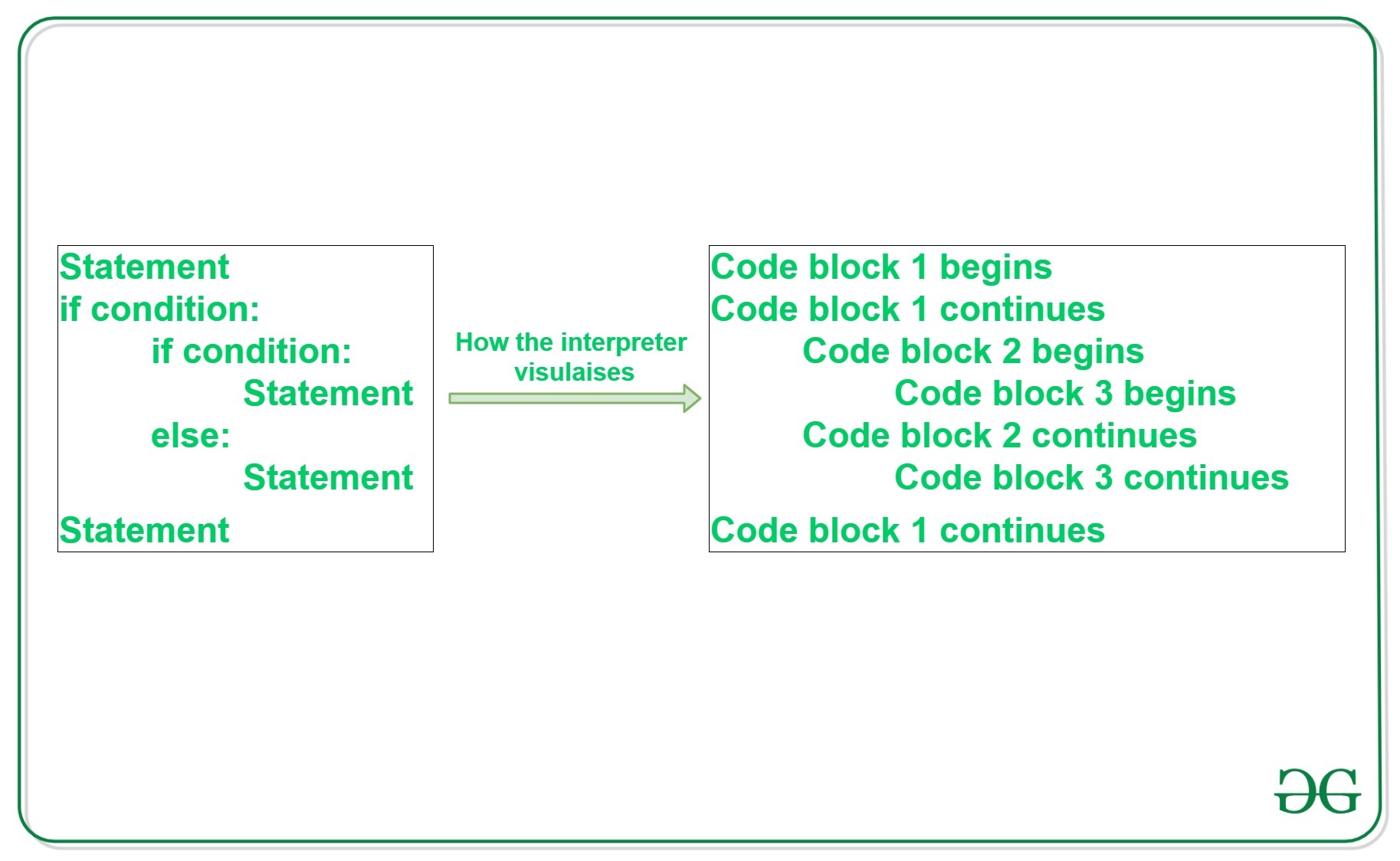
GeeksforGeeks
A Computer Science portal for geeks. It contains well written, well thought and well explained computer science and programming articles, quizzes and practice/competitive programming/company interview Questions.
homework @slate swan
slate swan
tawdry perch
how can I view audit log with bot, I forgot
!d discord.Guild.audit_logs
unkempt canyonBOT
async for ... in audit_logs(*, limit=100, before=None, after=None, oldest_first=None, user=None, action=None)```
Returns an [`AsyncIterator`](https://discordpy.readthedocs.io/en/master/api.html#discord.AsyncIterator "discord.AsyncIterator") that enables receiving the guild’s audit logs.

You must have the [`view_audit_log`](https://discordpy.readthedocs.io/en/master/api.html#discord.Permissions.view_audit_log "discord.Permissions.view_audit_log") permission to use this.

Examples

Getting the first 100 entries:

```py
async for entry in guild.audit_logs(limit=100):
    print(f'{entry.user} did {entry.action} to {entry.target}')
```...i said that error came out of nowhere even tho i didnt touched it
velvet tinsel
You don’t want to delete the tab behind the function
tawdry perch
slate swan
!d discord.Guild.audit_logs
thx!
slate swan
yesterday it was fine but today it doesnt wanna work
velvet tinsel
slate swan
yesterday it was fine but today it doesnt wanna work
I told you the answer
slate swan
tawdry perch
thx!
yw
tidal hawk
Hahhaa
velvet tinsel
velvet tinsel
You don’t want to delete the tab behind the function
…
Delete the tab
slate swan
theres no tab
velvet tinsel
Please 😭
velvet tinsel
slate swan
theres no tab
There is 😭
slate swan
ah , ah
you didnt answered if you copy pasted something :)
if you just remove it , the code gets fixed
slate swan
slate swan
ah , ah
you didnt answered if you copy pasted something \:)
i writed myself?
or typed
whatever
LMFAO
velvet tinsel
Space
Or whatever there seems to be a space

What is that
Is there a tab or something
😭
slate swan
uhh wat
 slate swan
velvet tinsel
😭
slate swan
velvet tinsel
😭
ok
 velvet tinsel
roll invalid now?
velvet tinsel
No
slate swan
whats the parameter for member leave
velvet tinsel
Is there tab at rollmsg?
maiden fable
slate swan
ok
U have an unclosed bracket somewhere above that line
velvet tinsel
slate swan
whats the parameter for member leave
on_member_leave
slate swan
velvet tinsel
on_member_leave
is it not on_member_remove?
maiden fable
slate swan
is it not on_member_remove?
Yes it is
slate swan
ah
velvet tinsel
slate swan
is it not on_member_remove?
It’s when it’s removed, but sure
maiden fable
!d discord.on_member_remove
unkempt canyonBOT
discord.on_member_join(member)``````py

discord.on_member_remove(member)```
Called when a [`Member`](https://discordpy.readthedocs.io/en/master/api.html#discord.Member "discord.Member") leaves or joins a [`Guild`](https://discordpy.readthedocs.io/en/master/api.html#discord.Guild "discord.Guild").

This requires [`Intents.members`](https://discordpy.readthedocs.io/en/master/api.html#discord.Intents.members "discord.Intents.members") to be enabled.LFAMOOOOOO
maiden fable
velvet tinsel
It’s when it’s removed, but sure
.....? There's nothing like member_leave
maiden fable
slate swan
LFAMOOOOOO
Works now?
slate swan
us trying to solve the problem :
velvet tinsel
maiden fable
.....? There's nothing like member_leave
😭 no?
slate swan
i am dying from laughing
maiden fable
I hope I fixed your Python after it broke? @slate swan
velvet tinsel
Haha close bracket go brrrr
maiden fable
velvet tinsel
😭 no?
!d discord.on_member_leave nope
unkempt canyonBOT
Out of the question.
No documentation found for the requested symbol.
slate swan
how i didnt noticed 
maiden fable
Well 🤷♂️
slate swan
skill issue? well yeah...
velvet tinsel
maiden fable
Common mistakes
My code goes crazy when that happens
maiden fable
😐
velvet tinsel
Moving on…
 proven ore
maiden fable
Against this server rules ngl
proven ore
maiden fable
Against this server rules ngl
oh sorry
velvet tinsel
How are you HTH?
maiden fable
Fine 😶
velvet tinsel
If you sat !ot my god I will make you pay
maiden fable
velvet tinsel
If you sat !ot my god I will make you pay
!ot
unkempt canyonBOT
Off-topic channels
There are three off-topic channels:
• #ot2-never-nester’s-nightmare
• #ot1-perplexing-regexing
• #ot0-psvm’s-eternal-disapproval
Their names change randomly every 24 hours, but you can always find them under the OFF-TOPIC/GENERAL category in the channel list.
Please read our off-topic etiquette before participating in conversations.
slate swan
alr thanks for help but it was actually funny
maiden fable
(:
maiden fable
slate swan
alr thanks for help but it was actually funny <:xdd:744847702399123528>
Lol
velvet tinsel
maiden fable
!ot
Goddammit Hunter
maiden fable
(:
 dire folio
So i have a this:
    forward = True
    general_channel = client.get_channel(914302945351311360)
    if message.content.startswith('$uuhc'):
        await message.channel.send('Which scenarios?')
        def check(message:message):
              return message.author == message.author and message.channel == message.channel
        response = await client.wait_for('message', check=check)

        try:
              response = await client.wait_for('message', check=check, timeout=90) #90 seconds timeout before the response errors)
        except asyncio.TimeoutError: #captures the error
            await message.channel.send('Oh no! You did not respond in time')
            forward = False

        if response.content == '':
              forward = False
        else:
            scenarios = Convert(response.content)
but it makes me give a response twice for it to work
opal skiff
await message.channel.send(embed=discord.Embed(description="test"),view=View().add_item(Button(label="test")))```the bot sends the embed but there isnt a button or an error messageThe check and try block are both waiting for message, it might be the problem
slate swan
hay how to make warn command?
tidal hawk
Can the discord bot check, if the message was sent from Mobile or Computer?
slate swan
slate swan
hay how to make warn command?
only warn command not warn list or clear warns
tidal hawk
def is_on_mobile
slate swan
hey how to make warn command?
dire folio
tawdry perch
The check and try block are both waiting for message, it might be the problem
how would i fix this?
tawdry perch
Remove the wait for message from check function
tawdry perch
slate swan
hay how to make warn command?
Do you know sql?
tidal hawk
dire folio
how would i fix this?
You have two client.wait_for
slate swan
em
slate swan
tawdry perch
Do you know sql?
sorry but what is it
dire folio
slate swan
sorry but what is it
smth to do with databases i think it is a library
tawdry perch
sql is a language to communicate with database
 radiant horizon
 radiant horizon
radiant horizon
radiant horizon
what does the colon do?
dire folio
tidal hawk
You have two `client.wait_for`
wait where? i cannot see it
tidal hawk
there's one under def check() and another one in try except block
slate swan
radiant horizon
what does the colon do?
indicates what a argument/variable type is
slate swan
dire folio
smth to do with databases i think it is a library
but i dont know how to make a warn command bro
tawdry perch
radiant horizon
what does the colon do?
It tells the type of user is discord.User
tawdry perch
slate swan
but i dont know how to make a warn command bro
You would need to know snow sql
radiant horizon
slate swan
indicates what a argument/variable type is
so what is the difference between using a colon and a =
slate swan
radiant horizon
what does the colon do?
async def test(ctx, user: discord.User):``` here, discord will automatically try to convert user to a discord.user objectyou cant use = for a object type lmao
a = int
a: int
slate swan

slate swan
tawdry perch
You would need to know snow sql
but i dont know how to start and end the warn command
etd
tawdry perch
well... do you know sql at all?
if yes, I can easily help you. If no, I can try to find resources for you
 rare saddle
cedar stream
Well, you have channel with that id only in one guild
rare saddle
cedar stream
Well, you have channel with that id only in one guild
How to check that if a member's ID is in the member key, then display a message to him that he is in the black list

 slate swan
tawdry perch
well... do you know sql at all?
slate swan
tawdry perch
well... do you know sql at all?
nope
but i just wonna make only warm command thats only warn sameone
slate swan
+warn @slate swan resson and it says warned user resson
but the with mentioned user and with the resson
adn the admin or somethhing like that can use the command
tawdry perch
start by making a simple command with parameters of ctx, member: discord.Member, *, reason: str
then send a message with mention of member & reason
and after you done with that ping me, I will be looking for docs to limit the command for admins
slate swan
ok
tawdry perch
slate swan
tho there's no need to typehint to str
tawdry perch
I'm just used to it
slate swan

tawdry perch
without that I would get confused for no reason
tawdry perch
slate swan
but witch permenesions i need to add to the code for warn command
wym?
you don't usually do that
slate swan
kick member or ban member or something like
I'd make it based on roles
a warn won't kick members
tawdry perch
slate swan
kick member or ban member or something like
don't do that at all
slate swan
maybe if a second warn kicks the member, I'd probably check for kick_members permission

tawdry perch
first warn = ban
slate swan
wat
tawdry perch
nothing
slate swan
await self.bot.db.execute("INSERT INTO messages VALUES (%s , %s)",ctx.author.id,message)
is it something like that ?
    @commands.command(aliases=['store_messages'])
    async def store(self,ctx,message=None):
        if message is None : return await ctx.send('add a message to store')
        await self.bot.db.execute("INSERT INTO messages VALUES (%s , %s)",ctx.author.id,message)
await ctx.send(f'Done inserting {message} into the database') ```seems good to me
slate swan
its more related to dpy since i'm using bot.db i've defined it , not sure if this is how it works
tawdry perch
me neither, give it a try. The syntax of sql looks good tho
slate swan
async def create_db_pool():
    bot.db = await asyncpg.create_pool(database="Test_database", user="postgres", password="password")
bot.loop.run_until_complete(create_db_pool())```Just because you're doing whatever this is inside of a bot does not make it dpy related.
"i have a toaster in my house, do i ask a carpenter how to fix it?" - Laggy
oh alright , is it really worth it to hide my db password ?
yes
fair
showing information of databases is bad
people could just delete the whole db
yes, nvm
huh its not even working ?

 tawdry perch
add print before doing anything else
slate swan
slate swan
huh its not even working ?
Whats ur bot supposed to do?
slate swan
slate swan
```py
@commands.command(aliases=['store_messages'])
async def store(self...
here

 opal skiff
how do i fix my code to display a button? py if message.content == "T!tiktaktoe": await message.channel.send(embed=discord.Embed(description="test"),view=View().add_item(discord.ui.Button(label="test",custom_id="testid")))
velvet tinsel
My most used word today is “Alexa skip”
I swear to god the taste in music of other people
tawdry perch
inserts !ot
tawdry perch
whos code?
tawdry perch
mayhaps
velvet tinsel
tawdry perch
whos code?
Yours
tawdry perch
I don't want to count the total of lines
but I would guess it's somehwere cloe to 2k lines or smth
here are most of commands

 supple thorn
What does nitro do
tawdry perch
👀
supple thorn

tawdry perch
just sends a fake nitro gift image
tawdry perch
of my bot?
supple thorn
No the command
tawdry perch
I will maybe find it later
supple thorn
Just interested in commands that arent common
I keep forgetting to not be bored to make button commands
tawdry perch
supple thorn
Just interested in commands that arent common
pretty simple
 velvet tinsel
tawdry perch
pretty simple
velvet tinsel
tawdry perch
pretty simple
BucketType
tawdry perch
whhy
velvet tinsel
Because yes
tawdry perch
sad
velvet tinsel
Goddammit cyberweapon just put a buckettype please
tawdry perch
no
velvet tinsel
But
tawdry perch
if it has worked so far, it will work later as well
velvet tinsel
💀 ok
 tough lance
Lmao
tough lance
Indeed
supple thorn
tawdry perch
pretty simple
I meant your source command
velvet tinsel
supple thorn
I meant your source command
He wants to copy and paste it
opal skiff
can someone please give me an code example of how to send an embed with multiple buttons using master branch of discord py
supple thorn
velvet tinsel
He wants to copy and paste it
What
velvet tinsel
opal skiff
can someone please give me an code example of how to send an embed with multiple...
Code?
opal skiff
yes because i cant get it to work
opal skiff
i dont understand how disnake works
opal skiff
ok
tawdry perch
oh
radiant horizon
as its not working properly
tawdry perch
velvet tinsel
He wants to copy and paste it
I can see it
upbeat otter
radiant horizon
how do i run a fuction in another function with discord.py
async def foo():
  def fooo():
    #do some stuff
  fooo()
yes but what if that function is another discord.py command
upbeat otter
radiant horizon
yes but what if that function is another discord.py command
that's not gonna work, commands inside commands?
radiant horizon
ok
there is a problem
when someone does the command
it stores the ID ina a db
upbeat otter
radiant horizon
it stores the ID ina a db
yes?
upbeat otter
radiant horizon
then it also needs to send them a dm
send your current code (a screenshot preferably)
tough lance
radiant horizon
then it also needs to send them a dm
What if the user has disabled DMs from the server?
radiant horizon
tough lance
What if the user has disabled DMs from the server?
thats not the point
velvet tinsel
tough lance
What if the user has disabled DMs from the server?
An error maybe
radiant horizon
im trying it on myself
upbeat otter
upbeat otter
send your current code (a screenshot preferably)
.
radiant horizon
upbeat otter
send your current code (a screenshot preferably)
 velvet tinsel
Nesting functions don’t work I think
upbeat otter
radiant horizon
that wont work, make either a helper function
you've labeled dmkey as a command using a command decorator
slate swan
velvet tinsel
Maybe an error would occur
He should maybe make an if else statement for that so that it prints an ephemeral message for him „cant dm user“
velvet tinsel
slate swan
He should maybe make an if else statement for that so that it prints an ephemera...
It may, but sometimes it won’t work
Or maybe it will
velvet tinsel
Error handlers
tough lance
slate swan
He should maybe make an if else statement for that so that it prints an ephemera...
A try except statement
Will do
velvet tinsel
I don’t trust try except anymore
slate swan
tough lance
A try except statement
I dont really get the difference tbh
velvet tinsel
It doesn’t work on discord py for cool down
radiant horizon
upbeat otter
you've labeled `dmkey` as a command using a command decorator
i get this error
velvet tinsel
So I have to use an error handler
slate swan
slate swan
k fine but its poor quality <:xdd:744847702399123528>
```py
@bot.command()
asyn...
dude...
@bot.command()
async def roll(ctx,mnnumb:int,maxnumb:int):
    rollmsg = random.randint(minnumb, maxnumb)

    if minnumb<0:
        Er1 = discord.Embed(title = "Roll Error", description = f"Amount must be positive!")
        await ctx.reply(embed = Er1)
        return
    if maxnumb<0:
        Er2 = discord.Embed(title = "Roll Error", description = f"Amount must be positive!")
        await ctx.reply(embed = Er2)
        return


    Roll1 = discord.Embed(title = "Rolling.")
    editmsg = await ctx.reply(embed = Roll1)
    await asyncio.sleep(0.75)
    Roll2 = discord.Embed(title = "Rolling..")
    await editmsg.edit(embed = Roll2)
    await asyncio.sleep(0.75)
    Roll3 = discord.Embed(title = "Rolling...")
    await editmsg.edit(embed = Roll3)
    await asyncio.sleep(0.75)
    Roll4 = discord.Embed(title = f"Rolled {rollmsg}")
    await editmsg.edit(embed = Roll4)
 tough lance
slate swan
I dont really get the difference tbh
tough lance
slate swan
I dont really get the difference tbh
If someone's DMS are closed the ln an error is raised, try except statement can catch that error but if else wont
radiant horizon
velvet tinsel
You have to pass an argument
🤣 have you seen the code
upbeat otter
radiant horizon
dmkey requires another argument
velvet tinsel
I have
velvet tinsel
upbeat otter
`dmkey` requires another argument

upbeat otter
radiant horizon
🤣 have you seen the code
dont make fun of him, you're wrong lmao
velvet tinsel
Is what I’m trying to say
radiant horizon
upbeat otter
`dmkey` requires another argument
yes it the parameters are ctx, user messafe