#user-interfaces
1 messages · Page 20 of 1
 glossy burrow
 austere trout
glossy burrow
yea I have zero intention on asking chatgpt to make something for me but I may c...
austere trout
glossy burrow
yea I have zero intention on asking chatgpt to make something for me but I may c...
I didn’t have it make it for me, more so teach me specifically what I wanted to learn
I’m using ttkbootstrap
as well as tkinter
glossy burrow
not familiar with what ttkbootstrap is specifically
austere trout
glossy burrow
not familiar with what ttkbootstrap is specifically
Modern framework built upon tkinter
glossy burrow
hmm
glossy burrow
ah that bootstrap, yes I do
austere trout
yeah the web design thing
ttkbootstrap is basically just a nicer skin for tkinter
ask chatgpt
he knows a lot abt it
glossy burrow
Hmm thats interesting I will check it out. because the dated feel of tkinter was another reason I was consiering changing. I picked it for it being more simple but I didnt expect to have these kinds of issues with it
austere trout
glossy burrow
Hmm thats interesting I will check it out. because the dated feel of tkinter wa...
yeah ttkbootstrap helps a lot
tkinter is generally the easiest ui tool imo
glossy burrow
I mean it is indeed simple, the biggest gripe is their docs are really not learning friendly and the tutorial/getting started stuff is very very basic
austere trout
glossy burrow
I mean it is indeed simple, the biggest gripe is their docs are really not learn...
chatgpt
knows
hes pro
only reason I managed
glossy burrow
sure ive just got beef with needing to do that for a library when there are other options. But either way time to make dinner and such now. take care, hope your pc is up and running again soon
austere trout
glossy burrow
sure ive just got beef with needing to do that for a library when there are othe...
should’ve probably had one of these
def confirm_dangerous_action():
warning_text = "I ACKNOWLEDGE THIS ACTION MAY CAUSE IRREVERSIBLE DATA LOSS"
input_text = input_entry.get()
if input_text.strip() == warning_text:
proceed_with_robocopy()
else:
messagebox.showwarning("Aborted", "Confirmation phrase incorrect. Operation cancelled.")
before I decided to send my ssd spiraling
 full pebble
hey guys, is it allowed to as for GUI ideas here?
austere trout
glossy burrow
sure ive just got beef with needing to do that for a library when there are othe...
I've made a dedicated scary tab

took my an hour to fix my pc

you have to be seriously mentally deficient if you fuck up this
I am NOT taking any chances
 digital rose
guys can i share you my ui design
based on it i would love to get feedback and suggestions
digital rose
 austere jacinth
does someone have a premium plan of chatgpt? if yes, can you dm me? then i will send a file and a prompt
glossy burrow
austere trout
I've made a dedicated scary tab
lol its like the 'dangerous' scetion on Git
glossy burrow
full pebble
hey guys, is it allowed to as for GUI ideas here?
As long as you read and follow the rules its fine. It is best if you have something you started already and are looking for feedback. But also try to provide more details like what your project is, what you've done, etc
edit and also the best place to start is to find examples of UIs that you like to use for applications or systems that are similar to what yours is or will be like. And then make notes to yourself of what it is about those UI that you like to use, what is good, what would you change, etc. It can get you started quite well.
Unless you are asking about which gui library to use in which case just ask the questions, etc (along with like how familiary you are with python for example)
austere trout
glossy burrow
lol its like the 'dangerous' scetion on Git
very scary stuff
finally finished the storage section
theres always improvement
but I’m done with it
glossy burrow
hmm ok ttkinterbootstrap does look pretty cool. need to read into it more to see what changes ill need to make
 royal cape
 candid fern
the image wont load
candid fern
the image wont load
is the image defined inside a function? if so, that might be the problem
tkinter has a weird quirk with images, if you define them inside a local scope (e.g. a function) and that scope ends, the image gets garbage collected and silently disappears from your UI:
https://docs.python.org/3/library/tkinter.html#images
The image object can then be used wherever an image option is supported by some widget (e.g. labels, buttons, menus). In these cases, Tk will not keep a reference to the image. When the last Python reference to the image object is deleted, the image data is deleted as well, and Tk will display an empty box wherever the image was used.
to avoid that, you should store your image anywhere outside of your function, like in a global variable: ```py
my_image = PhotoImage(...)
def add_label():
label = Label(..., image=my_image)
label.grid()```
candid fern
it is in the def
digital rose
Guys here I am facing a issue
There are some images that I have kept under a folder and for file path i gave folder/image.png like this and when i am running my program in vs code then all images are visible but when I run directly it's not showing images thought i i a super folder under which my source code and image folder is kept
candid fern
royal cape
tkinter has a weird quirk with images, if you define them inside a local scope (...
sign_in_image = ImageTk.PhotoImage(Image.open("humanpet.png"))
image_label = Label(image=sign_in_image)
        image_label.pack()

 austere trout

GitHub
Run diagnostics, network tests, and storage scans in one place. View system info and explore Windows internals easier than ever before. Built for power users, sysadmins, and engineers. - iaxivers/W...

this is my first proper python application
digital rose
Any developer who is familiar with pyside6 as I am facing a issue on a open source project
 mighty rock
digital rose
There are some images that I have kept under a folder and for file path i gave f...
mighty rock
digital rose
There are some images that I have kept under a folder and for file path i gave f...
Specify absolute paths or resolve your relative paths into absolute paths and use those in order for your program to access its required resources in any context.
Programs run in contextualized environments in which working directories are configured and from which relative paths are resolved.
When running your program from your project's working environment in Visual Studio Code, the working directory is probably set as the workspace folder. When it's from anywhere other than that, it's going to be either the calling program's working directory or a default directory.
digital rose
mighty rock
Specify absolute paths or resolve your relative paths into absolute paths and us...
😔 dude I am #vibecoder
mighty rock
What does that mean?
 somber hemlock
mighty rock
What does that mean?
somber hemlock
mighty rock
What does that mean?
they don't know what they did
digital rose

GitHub
This project converts video lectures into clear, organized notes that are detailed enough to stand on their own. Even if you skip watching the video, the notes provide all the essential information...
 vestal frigate
Where would I go for a CLI based coding project what channel would I talk in
glossy burrow
vestal frigate
Where would I go for a CLI based coding project what channel would I talk in
as in like a CLI gui or just general project? if it aligns with a topic in one of the topic channels you would do that one. or general, or open a help thread for specific help.
glossy burrow
digital rose
Any developer who is familiar with pyside6 as I am facing a issue on a open sour...
just ask the question directly and provide information or follow the #❓|how-to-get-help
candid fern
How can I add matplotlib to my root?
vestal frigate
glossy burrow
as in like a CLI gui or just general project? if it aligns with a topic in one ...
Like a tool that could be ran in a cli
glossy burrow
vestal frigate
Like a tool that could be ran in a cli
vestal frigate
glossy burrow
<#463035462760792066> <#267624335836053506> or <#704250143020417084>
thanks
candid fern
How can I use key binds
 neon ibex
I created a list with a bunch of entries in tkinter. For each entry I want to add an indvidual text_variable, I dont want to use the same textvariable for each one since every entry will take different values. How do i do this?
this is snippet of code
self.revisions = StringVar()
...
def func(): # Trace function here
  self.revisions.get()
        if self.revisions.get() != "":
            if int(self.revisions.get()) > 0:
                for i in range(int(self.revisions.get())):
                    self.add_labels.append(Label(self.master, text = f"Addendum Num for Rev {alphabet[i]}"))
                    self.add_entries.append(Entry(self.master, textvariable= notsure))
                    self.add_labels[i].grid(row = i+5, column = 0, padx=5, pady=5)
                    self.add_entries[i].grid(row = i+5, column = 1, padx=5, pady = 5)
...
the text variable will reference a StringVar() class, but I need to create multiple instances of string var classes
actually i think I just figured it out
see when you ask a question soemtimes it just forces you to think more
you create a list and in each iteration you append a StringVar() object to it
and then you use textvariable as the i'th index in the list you created
so a list of stringvar objects
i think it works
yeah it does
verrry guud
thanks guys
glossy burrow
candid fern
How can I use key binds
you mean like shortcuts? depends a lot on context and library you are using, etc.
Like for tkinter https://www.geeksforgeeks.org/how-to-activate-tkinter-menu-and-toolbar-with-keyboard-shortcut-or-binding/
GeeksforGeeks
Your All-in-One Learning Portal: GeeksforGeeks is a comprehensive educational platform that empowers learners across domains-spanning computer science and programming, school education, upskilling, commerce, software tools, competitive exams, and more.
glossy burrow
neon ibex
and then you use textvariable as the i'th index in the list you created
heh yea this is similar to what I ended up doing and then you can also just create the stringvar later. Though I also discovered that I didnt actually need the string var myself as I can just use set() or get() to change or retrieve the values of each box and parse them using a list of objects I create whenever an instance is created
neon ibex
yes
candid fern
glossy burrow
you mean like shortcuts? depends a lot on context and library you are using, et...
How can I combine binds
glossy burrow
candid fern
How can I combine binds
what do you mean? each bind ties a shortcut to a function.
candid fern
Like CLR+ c = copie
I = inspect
glossy burrow
candid fern
Like CLR+ c = copie
I = inspect
well whatever function you have that does inspection is what you tie each one too as explained.
app.bind("<control-i>", inspect_function)
app.bind("<control-c>", copy_funciton)```But what are you trying to do with that exactly? what thing are you actually trying to combine?
candid fern
The bindings like CTL+ C
For coping
Or
windows + shift + s for screen shoting
 brave current
Hello, I wan't build and app for a raspberry 3 using the 3 inch display, I want to show some text and icons, I know c# but and a little of python , using c# or python how can I do a graphical app? Using a library? , can you helpme with some tips? Thanks
glossy burrow
candid fern
The bindings like CTL+ C
For coping
Or
windows + shift + s for screen shoting
Sorry but I am not really following, like you are trying to override the default windows keybinds with your own? I mean simply binding them should do that as long as your app window has focus
glossy burrow
brave current
Hello, I wan't build and app for a raspberry 3 using the 3 inch display, I want ...
might want to try the #microcontrollers channel as its more dedicated to stuff like that. iirc those pi accessories usually have links to the libraries you can use to interact with them linked on their website
 worldly light
Is there any way for me to Style my python app using HTML and css?
mighty rock
I think there are still some frameworks that support something like that
worldly light
mighty rock
I think there are still some frameworks that support something like that
Well.
what?
 proven basinBOT
:incoming_envelope: :ok_hand: applied timeout to @distant garden until <t:1748686283:f> (10 minutes) (reason: duplicates spam - sent 4 duplicate messages).
The <@&831776746206265384> have been alerted for review.
 strange copper
Guys, I am not able to think a design for my mobile app, and due to it my I am not able to move ahead at the coding part.
I want some idea regarding the design how what I should make,
I am making a mobile app for hostel mess or PG where the students can inform about the presence in advanced, Like if they are going to come for lunch or not. Can anyone give idea what kind of Color pallete and design I should go for?
 sand night
strange copper
Guys, I am not able to think a design for my mobile app, and due to it my I am n...
sand night
strange copper
Guys, I am not able to think a design for my mobile app, and due to it my I am n...
Would this be for a particular school in mind, or is it just off the top of the head type of project?
 worn marten
strange copper
Guys, I am not able to think a design for my mobile app, and due to it my I am n...
worn marten
strange copper
Guys, I am not able to think a design for my mobile app, and due to it my I am n...
Go on coloor.com for a color pallete
Or is it coloour
Idrk
But just look up color pallete snd youll find it
strange copper
sand night
Would this be for a particular school in mind, or is it just off the top of the ...
Now I am thinking of making it SaaS type thing, right now starting from my school only
worn marten
Other than that, just build out the backend first
strange copper
worn marten
Other than that, just build out the backend first
My Friend is working on backend
I thought till that I make the basic structure and design part and all
sand night
strange copper
Now I am thinking of making it SaaS type thing, right now starting from my schoo...
You could use the colors from your school, whatever the mascot is. That's what I would personally do
strange copper
sand night
You could use the colors from your school, whatever the mascot is. That's what I...
No but I don't want that it shows that it belongs to my school, its like I want to make something so that daily food waste get reduced.
Any sugesstion what colors I should go for ?
strange copper
worn marten
Go on coloor.com for a color pallete
I tried it, but I want suggeston should I go for Orange ?
sand night
To be fair, the color palette is up to you. It's a matter of personal preference for every individual
 pliant dagger
 candid fern
root.bind("<control=Return>",transfer_information)
 dusty plover
are there any people here who know how to create a application for a bot becouse i am not able to create if it always crashes
glossy burrow
dusty plover
are there any people here who know how to create a application for a bot becouse...
Just ask your question and provide information on what you have so far, what you tried, errors etc. Also if this is your first time using python a discord bot is not the best start. Otherwise you should try #❓|how-to-get-help
dusty plover
thanks
 neat fog
(pyside6): My ScrollArea is sqeezing the Qlabel widgets together to fit them in the "space", instead of allowing me to scroll through them. (my scrollarea is "unscrollable"). Thoughts?

(the widget in quistion is the one under the days of the week labels.)
glossy burrow
neat fog
what is the code for the hour/time widget? sounds like you need to set its size directly
neat fog
glossy burrow
what is the code for the hour/time widget? sounds like you need to set its size...
They are a bunch of Qlabels on a Grid layout that is set as the layout of the ScrollArea widget. Would you like a screenshot of code?
glossy burrow
no, actual code
neat fog
I cant, too long of a message, (need discord nitro)
The best i can do is screenshot

@glossy burrow
glossy burrow
!paste
proven basinBOT
Pasting large amounts of code
If your code is too long to fit in a codeblock in Discord, you can paste your code here:
https://paste.pythondiscord.com/
After pasting your code, save it by clicking the Paste! button in the bottom left, or by pressing CTRL + S. After doing that, you will be navigated to the new paste's page. Copy the URL and post it here so others can see it.
neat fog
proven basinBOT
neat fog
Click here to see this code in our pastebin.
neat fog
glossy burrow
!paste
ight, there you go
glossy burrow
neat fog
ight, there you go
Still pretty new to QT myself but pretty sure you need to add a property for setVerticalPolicy for the calendar area to fixed the resize just controls what the user can do to the window. and not preent the window from expanding to fit all the widgets you add to it.
Well and possibly setHorizontalPolicy as well depending on how you want it to look
or QSizePolicy.Maximum depending on your goal
neat fog
glossy burrow
Still pretty new to QT myself but pretty sure you need to add a property for `se...
How would i do this?
glossy burrow
neat fog
How would i do this?
I think based on your code something like
self.calendar.sizePolicy.setVerticalPolicy(QSizePolicy.Maximum(300,300)
 halcyon agate
is there a tui library that i can make something that looks like this (old, ncurses style stuff) but without the pain of using curses

im thinking of using textual but im afraid it might just look like a mobile app with the huge buttons
halcyon agate
Did someone ping me
 slender oak
No
candid fern
#database frame buttons
            btnnotes = Button(Button_frame,
                              text="notes",
                              bg = "green",
                              fg= "white",
                              font=standerd_font,
                        width=23,                          height=12,                          padx=2,
pady=6)

#database frame buttons
            btnnotes.grid(row=0,
                          column=0)
interesting tab count choice there :3
candid fern
Well discord didn't want to paste it correctly and I was editing it
glossy burrow
oh boy, QT main window class getting large. Though I do like this library waaay better than tkinter
 royal gull
glossy burrow
oh boy, QT main window class getting large. Though I do like this library waaay...
royal gull
glossy burrow
oh boy, QT main window class getting large. Though I do like this library waaay...
This is the reason I tend to make components or utility functions for things. For example, here's one for a label. This helps at least with reducing boilerplate.
def create_label(text: str, *, bold: bool = False, ...) -> QLabel:
  label = QLabel(text)
  font = label.font()
  font.setWeight(...) # some enum value for bold
  label.setFont(font)
  return label
I 've also recently started to emphasize separating UI and logic since it makes things more maintainable.
class WindowUI:
  def setup_ui(self, window) -> None:
    ... # do ui things

class Window(QMainWindow):
  def __init__(self) -> None:
    super().__init__()

    self.ui = WindowUI()
    self.ui.setup_ui(self)

    # then actual logic would go here
Yea that certainly makes sense on the separation. Very new to PyQt6, and while I love it the bloat on the components grows quickly and still learning the best places to break things up as well. I have a sizeable class for the pandas table view so thats handled but the main window with the menus, toollbar, etc is going to get large so Ill need to break that off too I think. probably even a separate file I think
 sleek hollow
@restive frigate I saw your question about pyqt methods. Which method are you referring to specifically?
many methods with specific names are called during certain interactions with the UI, such as mousePressEvent. If you were to change the method name, it would no longer work. It's a very specific name tied to that event
 restive frigate
sleek hollow
many methods with specific names are called during certain interactions with the...
restive frigate
sleek hollow
many methods with specific names are called during certain interactions with the...
Yeah i think this is what im referring to. So how does this work? I imagine this only works if the method is in a subclass of a QWidget? So how does the library call the method everytime i give a input?
sleek hollow
restive frigate
Yeah i think this is what im referring to. So how does this work? I imagine this...
QApplication handles all the events and sends them to the required instances (anything that inherits QObject)
A guide to event handling in Qt.
glossy burrow
glossy burrow
Yea that certainly makes sense on the separation. Very new to PyQt6, and while ...
Well for now my focus will just be on functionality since I have a lot of work to do and breaking things out after it all works will functionally be easiery unless I run into other needs for it sooner
glossy burrow
royal gull
This is the reason I tend to make components or utility functions for things. Fo...
also the -> None etc is tyope casting or something right? never done anything with that myself. probably should
royal gull
glossy burrow
also the `-> None` etc is tyope casting or something right? never done anything...
It doesn't really cast things, it's a type hint. It's there to serve as a hint of what a value is supposed to be and that hint gets used by type checkers for validation.
glossy burrow
or right type hint not cast
I suppose that also makes it easier to double check or read your own code too.
glossy burrow
Well I moved the tab builder out which cut the number of lines there by like 60% so thats a start
well it only half works so I guess more work to be done, heh
 safe hull
https://github.com/IronxBARK/image_converter.git
i have made this image converter and bg remover
can someone tell me improvements and ways to achieve -
- key bindings
- grid layout for dynamic size for every window
- picture preview after adding
GitHub
Contribute to IronxBARK/image_converter development by creating an account on GitHub.
 celest python
Any thoughts on this ui i’ve got right now?
 glossy burrow
celest python
Any thoughts on this ui i’ve got right now?
glossy burrow
celest python
Any thoughts on this ui i’ve got right now?
nice looking, so this is like a packet viewer you made?
royal gull
Seems like a wireshark type thing, looks great
glossy burrow
Agreed, Interface as layed out well and sizing is very readable
celest python
glossy burrow
nice looking, so this is like a packet viewer you made?
this is just one feature but yeah
it’s gonna be an all in one networking app that can do everything really
glossy burrow
celest python
it’s gonna be an all in one networking app that can do everything really
lofty goal, I like it.
celest python
Construct packets from scratch and automate sending, firewall rules like netlimiter, and an area where you can modify packets in your capture before they get sent back out
just like anything network related I can think of
i’ll add
celest python
royal gull
Seems like a wireshark type thing, looks great
thank you!
the previous version of the ui was pretty awful I just remade it yesterday
glossy burrow
cool! and I feel ya on the ui issues, just started redoing my UI cause I hated it though my app is far from very usable still, heh. Looks good though, do you plan to add like REST support for other firewall products as well or things like that?
celest python
i’m very new to networking so i’m not too sure what that is haha
i’ll have to look into it
celest python
glossy burrow
cool! and I feel ya on the ui issues, just started redoing my UI cause I hated ...
what you using for ui?
glossy burrow
celest python
what you using for ui?
switching from tkinter to pyqt6. love it way more and its documentation is actually usable
celest python
I use pyQT6 for mine
gotta say I really like it
very customizable
very easy
if you don’t mind sharing what type of app you making?
glossy burrow
budget/expense tracking app. cause I disliked all other offerings especially commercial ones and I found this was the perfect excuse to truly learn python
glossy burrow
celest python
I use pyQT6 for mine
actually something I am having trouble with is dynamically updating the table view when I am trying to change the source data. I am finding the documentation a bit confusing in that regard as I am using the QAbstractTableModel which seems a bit less straighftorward about it.
 lofty pond
safe hull
https://github.com/IronxBARK/image_converter.git
i have made this image convert...
lofty pond
safe hull
https://github.com/IronxBARK/image_converter.git
i have made this image convert...
For keybindings it will be binding it to the root IIRC (not sure if Canvas may have some oddities).
Example:
root.bind("<Escape>", escape_me)
root.bind("<Enter>", enter_sequence)
A complete list of the keybindings can be found here:
https://www.tcl-lang.org/man/tcl8.7/TkCmd/keysyms.html
As for the grid layout/or dynamic resizing you would have to write that manually as because you are using canvas the items are static, but take a look at this:
https://stackoverflow.com/a/22837522
Lastly the picture preview would be taking the image and converting the bytes into a Pillow image and put that to a ImageTk.PhotoImage to display onto the canvas
glossy burrow
glossy burrow
actually something I am having trouble with is dynamically updating the table vi...
omfg it was because I still had a freaking line in the rowCount() and columnCount() functions to reject bad indexes when I was testing other components and never knew that was stopping everything from working.... fml lol
 winged raven
How do I make a python script loop
glossy burrow
simplest way is to just put while true: at the top, then put all your code under that indented out and it will run until you cancel it. but there are many other methods as well
candid fern
Is it possible to make the window round?
candid fern
im having troble with this program im using myseq and its ben giving me problems problems are attached
 pliant fractal
WIP project using customtkinter
 mighty rock
Cool
candid fern
res = tk.call(*(args + options))
^^^^^^^^^^^^^^^^^^^^^^^^^^
_tkinter.TclError: Invalid column index nop
neat fog
How to insert an image into a Qbutton? i tried using a image path though despite doing it to the best of my knowledge, the image path was incorrect or smth.
sleek hollow
neat fog
How to insert an image into a Qbutton? i tried using a image path though despite...
You have to use setIcon and provide a QIcon
neat fog
sleek hollow
You have to use setIcon and provide a QIcon
Yeah i got that far: icon = QIcon(QPixmap())
self.settings.setIcon(icon)
sleek hollow
Yes
neat fog
Got an error, This is the path i used: "C:\Users\john_\OneDrive\Desktop\Settings.png". wrong format?
sleek hollow
You need to use a raw string if you're going to use \ in your path
Put an r at the start of the string
neat fog
just like "rC:\Users\john_\OneDrive\Desktop\Settings.png"?
sleek hollow
Before the "
sleek hollow
Yeah like that
Should really make a proper folder for this so you're not just pulling files from your desktop
sleek hollow
Unfortunately no
You can get the image size, and then set a fixed size to the button based on that
You also need to match it with setIconSize on the button
candid fern
How can I make a filter so I can look for a specific file?
glossy burrow
candid fern
How can I make a filter so I can look for a specific file?
in what?
candid fern
My user interface python so I can look for a txt files if it's a text editor that I'm making
candid fern
glossy burrow
in what?
TKinter
glossy burrow
candid fern
TKinter
in the file dialogue object just add filetypes = (("Text files", "*.txt") as a parameter
i.e.
filedialog.askopenfilename(title="Select Text File", filetypes = (("Text files", "*.txt")))
If it's in a definition do I add it to a different definition within that definition
glossy burrow
candid fern
If it's in a definition do I add it to a different definition within that defini...
Not sure what you mean, share the code you are asking about. its a property of the filedialog.askopenfilename, and you can do multiple entries to modify the drop down filter
glossy burrow
I don't honestly see in that file anything about opening a file?
nor is the error referencing a line from that file
candid fern
glossy burrow
candid fern
https://paste.pythondiscord.com/EFMA
yes so the line 61, if that is the one you are asking about. You can either add extensions to it. like
filetypes = ((,"*fasta, *.txt, *.doc")) etc
or if you want it as different type filters:
filetypes = ((,"*fasta"), ("text","*.txt))
candid fern
I didn't know if I needed to have the definition for faster just like how there's text for a txt file
glossy burrow
candid fern
I didn't know if I needed to have the definition for faster just like how there'...
technically its not needed but its good for user experience if you expect specific files it helps to filter out ones you dont use. I certainly use the filter to restrict it to files I support
candid fern
glossy burrow
technically its not needed but its good for user experience if you expect specif...
Now I have the main program in a definition because I tried to make a signing area where you would put in a password and a username
Chachi BT had to write and format that part most of it is written by me some people have made edits/ suggestions
But the main one was having the sign in button do I put the definition within the definition to make it concurrent though or do I can I place it somewhere else inside the class and use it as the command for using the button for genetics also how can I make it so that it's not small
glossy burrow
candid fern
Chachi BT had to write and format that part most of it is written by me some peo...
not sure about what small issue you are talking about but if you are needing a separate file import dialogue than the one you currently have then a separate function would be ideal. Or if you plan to have many different file open options with different filetypes creating a class for the filedialog box might be better if you are comfortable with that level of code. otherwise you can just keep it simple. If it is not the same file as your fasta file then it should not be in the same place
glossy burrow
Hmm I am having a weird issue with a tableview in pyqt6. with the following code it basically imports a CSV and populates the table with it. which works just fine however the editTriggers doesnt seem to function and I am not sure why
                self.main_tabs.setCurrentWidget(self.data_tab_widget)
                expenses = handlers.import_file_dialogue(import_filename[0])
                print("Data import complete")
                try:
                    self.data_table_model.update_table_from_dataframe(expenses)
                    self.data_table_view.resizeColumnsToContents()
                    self.data_table_view.setEditTriggers(
                        QTableView.EditTrigger.DoubleClicked
                        | QTableView.EditTrigger.AnyKeyPressed
                    )  # this doesnt work here either
                    print(self.data_table_view.editTriggers())
                except Exception as e:
                    print(e)
And the property is getting set correctly afaik because the print statement does return
Data import complete
EditTrigger.AnyKeyPressed|DoubleClicked
And yet nothing I do lets me edit the cells. Even trying with a blank single row dataset before import I cant edit them.
The other two functions in there do indeed work, both the call to the function to update the dataframe as does the resizecolumns method. and the set triggers clearly sets them but they still are not editable
royal gull
glossy burrow
Hmm I am having a weird issue with a tableview in pyqt6. with the following cod...
If you're setting the edit triggers, make sure that the cells have the Qt.ItemFlag.ItemIsEditable flag set which, if you're using a model, you can add in the flags() method.
glossy burrow
royal gull
If you're setting the edit triggers, make sure that the cells have the `Qt.ItemF...
hmm I didnt see where to set that. and I dont think I have that set. This is being all populated by a pandas dataframe in one go as opposed to cell by cell.
royal gull
glossy burrow
hmm I didnt see where to set that. and I dont think I have that set. This is b...
You would do it in the model that is being shown in the view.
class TableModel(QAbstractTableModel):
  # ...
  def flags(self, index) -> Qt.ItemFlag:
    return Qt.ItemFlag.ItemIsSelectable | Qt.ItemFlag.ItemIsEnabled | Qt.ItemFlag.ItemIsEditable
omg the flag function. I knew I was missing something when I redid the class. thanks. that did the trick
candid fern
glossy burrow
yes so the line 61, if that is the one you are asking about. You can either add...
Can I have it working in a function in a different file because the program I have is a large one and I want to break it up into separate files making it a little easier to manage
glossy burrow
candid fern
Can I have it working in a function in a different file because the program I ha...
Sure you can do that with pretty much any function
candid fern
Do I have to import TK into the module so that can open the desktop or can I just add that code run it and then when it comes to the main program with TK in it because it wouldn't present a loop where it might disable the program or hurt its effective
candid fern
glossy burrow
yes so the line 61, if that is the one you are asking about. You can either add...
How can I get the file type and use the filter do I have to put it before the ask dialog that opens
glossy burrow
candid fern
Do I have to import TK into the module so that can open the desktop or can I jus...
The tkinter Import must be in the file where it is used. So you would need to import filedialogue in the sub file
glossy burrow
candid fern
How can I get the file type and use the filter do I have to put it before the as...
You have to put it in the filedialog.askopenfilename() like I mentioned above
candid fern
I have it's working perfectly
Except it's giving me a problem on the comand
def genetic_button():
    filedialog.askopenfilename(title="genetic file reqest",
filetypes=("genetic files", "*fasta"))```@glossy burrow
glossy burrow
candid fern
```py
def genetic_button():
filedialog.askopenfilename(title="genetic file r...
what is the problem it is giving you?
candid fern
_tkinter.TclError: bad file type "*fasta", should be "typeName {extension ?extensions ...?} ?{macType ?macTypes ...?}?"
fasta is a dna type file
glossy burrow
candid fern
_tkinter.TclError: bad file type "*fasta", should be "typeName {extension ?exten...
oh it should be "*.fasta" probably, because it expected file extension types as a filter. its not like a wildcard search
so if you are doing like "yourpets.dna" then the filter should be ("genetic files","*.dna")
candid fern
its from bio python
glossy burrow
well it doesnt technically matter the source, all that matters is you are saving the file with a specific file extension that you can then use in your open file dialog type filter to find it again. even if you do a custom one
candid fern
print(record.format("fasta"))
glossy burrow
candid fern
```py
def genetic_button():
filedialog.askopenfilename(title="genetic file r...
change this to:
def genetic_button():
    filedialog.askopenfilename(title="genetic file reqest",
                               filetypes=(("genetic files", "*fasta")))
and see what happens. though you probably still need to do the period since its using the builtin OS dialog box which is looking at file extensions specifically
candid fern
s = master.tk.call(self.command, *master._options(self.options))
^^^^^^^^^^^^^^^^^^^^^^^^^^^^^^^^^^^^^^^^^^^^^^^^^^^^^^^^^^^^
_tkinter.TclError: bad file type "*fasta", should be "typeName {extension ?extensions ...?} ?{macType ?macTypes ...?}?"
glossy burrow
yup, you need to add the period then like I was saying. *fasta is not a filetype, *.fasta is
candid fern
tkinter.TclError: bad file type "*fasta", should be "typeName {extension ?extensions ...?} ?{macType ?macTypes ...?}?"
def genetic_button():
    filedialog.askopenfilename(title="genetic file reqest",
                               filetypes=(("genetic files", "*.fasta")))
is this explaning okey
glossy burrow
You forgot the * it's "*.fasta"
candid fern
def genetic_button():
    filedialog.askopenfilename(title="genetic file reqest",
                               filetypes=(("genetic files", "*.fasta")))
I didn't but discord wouldn't let me py
glossy burrow
candid fern
I didn't but discord wouldn't let me ```py```
sorry I missed there wasnt a comma there
    file_path = filedialog.askopenfilename(
        initialdir="/",  # You can set a different initial directory, e.g., os.getcwd()
        title="Select a File",
        filetypes=(("genetic files", "*.fasta"),),
    )

or as a list works too
    file_path = filedialog.askopenfilename(
        initialdir="/",  # You can set a different initial directory, e.g., os.getcwd()
        title="Select a File",
        filetypes=([("genetic files", "*.fasta")]))
What is the directory for documents?
glossy burrow
candid fern
What is the directory for documents?
In modern windows (for python)it's usually like C:/Users/<your username>/Documents
candid fern
How can I get the user name?
glossy burrow
candid fern
How can I get the user name?
There are ways using the os library I think and perhaps environmental variables but I don't remember them offhand and I'm not at my computer anymore
candid fern
I'm sorry I'm just trying to make it so if I download this onto a different computer I don't have to manually go into the code and change it every single freaking time
glossy burrow
I understand. Quick Google says it is os.getlogin() returns the username which should work but can't verify that. But usually you will also want to do the os.path.join to put it all together.
Like
user_documents= os.path.join("C:", "Users", os.getlogin(), "Documents") and then you use user_documents in the initialdir=user_documents. You will need to do much more if you want it to work in Linux or older versions of Windows but that should work for anything like Win7 or newer for sure.
And also of course you need import os in your program too
mighty rock
candid fern
What is the directory for documents?
You may as well just do this if you are targeting the Windows documents folder: initialdir=r"%userprofile%\Documents"
It's a Windows environment variable so it's automatically resolved by Windows. This requires no additional imports and no function calls, just that the environment variable is set, which may not always be the case as it's technically a volatile environment variable
glossy burrow
Yea if you only care about windows this is the much smoother way to do it
candid fern
tkinter.TclError: bad file type "*.fasta", should be "typeName {extension ?extensions ...?} ?{macType ?macTypes ...?}?"
def genetic_button():
    filedialog.askopenfilename(initialdir="%userpofile%\Documents",
                               title="genetic file reqest",
                               filetypes=(("genetic files", "*.fasta")))
 s = master.tk.call(self.command, *master._options(self.options))
        ^^^^^^^^^^^^^^^^^^^^^^^^^^^^^^^^^^^^^^^^^^^^^^^^^^^^^^^^^^^^
_tkinter.TclError: bad file type "*.fasta", should be "typeName {extension ?extensions ...?} ?{macType ?macTypes ...?}?"
@glossy burrow
glossy burrow
candid fern
<@308963648636715011>
I provided the solution yesterday in response
#user-interfaces message
#user-interfaces message
candid fern
ive ben tinkering and it is giving me a headache i put in Documents for the initdr and it dosent it gose to One drive sorry if im being a vampire but 6 months ive ben workin on this
glossy burrow
candid fern
ive ben tinkering and it is giving me a headache i put in Documents for the ini...
so you corrected the filetype but the %userprofile%\Documents opens OneDrive?
sounds like windows shenanigans
candid fern
yes
glossy burrow
%userprofile%\Documents opens My Documents on my computer and not OneDrive so unfortunately it sounds like something related to your computer
candid fern
glossy burrow
candid fern
https://discord.com/channels/267624335836053506/412357430186344448/1384910349530...
yup this is caused by you having onedrive linked and enabled. As onedrive replaces most links to profile folders. So if you want it to open local My Docs no matter what you will probably have to do the os lbrary method I mentioned above Roie
or you could try it like initialdir=C:\Users\%username%\Documents first, if that works you should be fine
glossy burrow
the os one should certainly work and would allow you to also adapt for other OS platforms if you wanted to
candid fern
def genetic_button():
    user_documents = os.path.join("C:", "Users", os.getlogin(), "Documents")

    file_path = filedialog.askopenfilename(
        initialdir=user_documents,
        title="Genetic file request",
        filetypes=[("Genetic files", "*.fasta")]
    )

return file_path```still dose not work
glossy burrow
candid fern
```py
def genetic_button():
user_documents = os.path.join("C:", "Users", os....
define 'does not work' what folder does it open?
candid fern
One drive I tell you I'm losing my mind
glossy burrow
If you just goto start>run and type in C:\Users\yourusername\Documents and hit run does it open onedrive?
because I am quite sure this is not a code issue at this point but an issue unique to your computer or similar.
Because if I do C:\Users\my_user\Documents it opens my local documents, and if I do C:\Users\my_user\OneDrive\Documents it opens one drive.
@candid fern
candid fern
glossy burrow
because I am quite sure this is not a code issue at this point but an issue uniq...
i dont know how do stop one drive
glossy burrow
candid fern
i dont know how do stop one drive
Well if you dont use it just sign out of it. But really what happens when you do the start>run test, because its not like onedrive deletes your local documents or anything
edit even on my company computer, which has very aggressive onedrive settings I can directly access both folders via commandline and python without issue
candid fern
glossy burrow
Well if you dont use it just sign out of it. But really what happens when you d...
got the One drive off
and its going to gallery now
glossy burrow
candid fern
got the One drive off
and its going to gallery now
Honestly it sounds like something is very wrong with your windows profile or there is some other detail being left out here. Because that is literally not how file paths work. What version of windows are you on because C:\Users\User\Documents != C:\Users\User\Pictures or whatever other folder you are managing to open.
candid fern
Microsoft Windows 11 Home
glossy burrow
candid fern
Microsoft Windows 11 Home
and what happens when you do the start>run test like I asked
candid fern
?
candid fern
glossy burrow
and what happens when you do the start>run test like I asked
Don't put that in terminal?
glossy burrow
candid fern
Don't put that in terminal?
well terminal could work too as long as its not within python
or even the address bar of a windows explorer window works too
candid fern
So I put start and then run and then the file name
glossy burrow
no the command itself C:\Users%username%\Documents nothing to do with python for this or the progrtam
candid fern
glossy burrow
no the command itself C:\Users\%username%\Documents nothing to do with python ...
C:\Users%username%\Documents
C:\Users%username%\Documents : The term 'C:\Users%username%\Documents' is not recognized as the name of a cmdlet,
function, script file, or operable program. Check the spelling of the name, or if a path was included, verify that the
path is correct and try again.
At line:1 char:1
- C:\Users%username%\Documents
-
  + CategoryInfo          : ObjectNotFound: (C:\Users%username%\Documents:String) [], CommandNotFoundException
  + FullyQualifiedErrorId : CommandNotFoundException
I can't believe I got an error again
 candid fern
glossy burrow
I can since that was the terrminal, just use the run prompt in the start menu
candid fern
glossy burrow
I can since that was the terrminal, just use the run prompt in the start menu
 glossy burrow
you left out one of the backslashes
candid fern

I'm doing everything and yeah it's not even bringing this up is it bad that I want to just quit when I'm coding and move on
glossy burrow
candid fern
I'm doing everything and yeah it's not even bringing this up is it bad that I wa...
I mean realistically your program should still work and you need to solve the folder path issue some other time
glossy burrow
candid fern
also just hit enter and ignore the search thing but yea if that doesnt even open anything then there is certainly something wrong with your computer and it has nothing to do with python
royal gull
!pip platformdirs -- this might be handy for things like this
proven basinBOT

A small Python package for determining appropriate platform-specific dirs, e.g. a `user data dir`.
Released on <t:1746658062:D>.
candid fern
glossy burrow
also just hit enter and ignore the search thing but yea if that doesnt even open...
I guess it's good for now still have to work on the mysql but that's a job for another hour
glossy burrow
royal gull
!pip platformdirs -- this might be handy for things like this
interesting library though it feels more like in this person's case that the issue is at their system level and not a python level given that basic things like a hardcode to C:\User\blah\Documents doesnt actually open their documents even outside of python
royal gull
If they're using OneDrive, then yeah, their user documents folder would be within that.
glossy burrow
royal gull
If they're using OneDrive, then yeah, their user documents folder would be withi...
They had other issues as well but yea I did explain that part to them too. However on my other computer I use one drive and I can still open my local docs or my onedrive docs by specificying the relevant path
glossy burrow
royal gull
You would do it in the model that is being shown in the view.
```py
class TableM...
Well finally got around to building out the save to db components and it seems while I can 'edit' the fields it doesnt actually change what is displayed so that is another problem to solve. heh
ahah, another missing method I hadnt recreated
 modest apex
Is there anyway I can use a circle using rich or any other library in Python, I basically just want it inside my Panel on rich to display stats.
glossy burrow
modest apex
Is there anyway I can use a circle using `rich` or any other library in Python, ...
what kind of circle do you mean? like a circle chart? pie chart? just a circle with a label?
glossy burrow
candid fern
I guess it's good for now still have to work on the mysql but that's a job for a...
for me the sqlite part has been among the simplest problems to solve so far. the gui has been a big challenge, XD
modest apex
glossy burrow
what kind of circle do you mean? like a circle chart? pie chart? just a circle ...
well circle chart, or pie chart.
I really just want a chart of some sort so I can display stats in the rich layout, I will would like to test any of them really to see how they fit together with the rest of my layout/dashboard.
But I think pie chart is what im looking for.
Nvm I meant pie chart all along but my english isn't the best, never knew it's called a pie chart, in my language a direct translation would be circle chart or circle diagram.
glossy burrow
modest apex
Nvm I meant pie chart all along but my english isn't the best, never knew it's c...
no problem on the language, there are just many different graphical charts that one needs to be sure. I know that Qt has pie charts as I am literally just starting to create one myself for my application but I can't offer much beyond that currently as I dont have personal experience with it. chart.js is a very common web library for charts, but obviously that is for web and probably not worth trying to embed that into a python gui app
modest apex
Yeah, either way I don't want a GUI as I currently want a TUI, but I'm definitely considering to just port it to the web.
Honestly is way better and way more flexible and then I can use some very nice frontend libraries like shadcn, daisyUI, MUI, etc.
glossy burrow
Yeah I plan to make a web version of my app eventually as well both for functionality as well as appearence. There are just so many libraries and components available to make web UIs look really nice and are not that complex. Even just HTMX+Bootstrap can take things above and beyond.
neat fog
I want my image and my Qbutton to be the same size i know the pixel size of the images but Qbuttens and other pyside widgets use .size which is not pixel size, thoughts?
sleek hollow
neat fog
I want my image and my Qbutton to be the same size i know the pixel size of the ...
There's always going to be a bit of a border for the button styling. What exactly are you trying to accomplish?
Do you still want the button styling?
neat fog
sleek hollow
Do you still want the button styling?
Yeah that's fine
neat fog
sleek hollow
There's always going to be a bit of a border for the button styling. What exactl...
Have the image on my button fit to the button and vice versa.
Aka evenly take up the space in the button
 hearty jay
Is there anyone who are experienced with vb.net? I need help on making a functional calendar. All I have made so far is this
 mighty rock
Could've maybe helped if it involved Python
Are you having trouble resizing or something?
hearty jay
mighty rock
Are you having trouble resizing or something?
yup the sizing.
hearty jay
mighty rock
Could've maybe helped if it involved Python
I'm using microsoft visual studio
glossy burrow
hearty jay
I'm using microsoft visual studio
Their point is that this is a python server, probably not going to get much people with vb.net knowledge in here.
sleek hollow
neat fog
Have the image on my button fit to the button and vice versa.
What issue are you running into with it? You can set the button size and the icon size. Does it not match?
hearty jay
glossy burrow
Their point is that this is a python server, probably not going to get much peop...
my bad.
 proven ermine
Hi everyone! I'm building a desktop Python app (targeting both macOS and Windows) using PySide6 for the GUI, and using SQLite3 and JSON files to store data that gets updated during runtime.
I plan to bundle the app using PyInstaller, and I’m having some confusion about how best to handle user data that needs to be written at runtime.
Right now, on macOS, after building the .app (using one-file mode), I found that if I manually move my data folder into:
MyApp.app/Contents/Frameworks/folder_with_data
...then the app is able to write to those files during runtime, and it works.
I’d appreciate it if anyone could guide me on whether there are any standard practices for handling user data in Python app development, if there are any open-source projects that demonstrate this well, and if anyone could help me figure out how to handle it correctly in my app.
Hope this is the right topical chat for this
 dire barn
It is not alright, see our rules on advertising.
glossy burrow
proven ermine
Hi everyone! I'm building a desktop Python app (targeting both macOS and Windows...
Why not just use your database and create a new table to use for user data? Or is it that you are maybe having file permission issues once you have packaged the app?
I personally plan to use this method to store user settings and preferences once I get to that point. That way I dont have to worry about extra files
proven ermine
glossy burrow
Why not just use your database and create a new table to use for user data? Or ...
yes, it is a file permission problem (once made into an app, the contents become read-only during runtime). I think Windows and macOS have specific file locations to store this kind of data.
looked at the above chats — planning to look into the platformdirs module to help with this.
also, do you know of any open-source projects using a Python GUI with a backend-like structure? would love to see how they implement file storage and how it works after being compiled.
glossy burrow
proven ermine
also, do you know of any open-source projects using a Python GUI with a backend-...
you mean something like this?
https://github.com/veusz/veusz it is a packaged app that uses PyQt and sqlite and such.

GitHub
Veusz scientific plotting application. Contribute to veusz/veusz development by creating an account on GitHub.
proven ermine
glossy burrow
you mean something like this?
https://github.com/veusz/veusz it is a packaged ap...
Yes, this seems very helpful I will look into it
candid fern
Has anyone ever made their own gps?
 grizzled monolith
Hello. Anyone has an example of flat design with TkInter ?
Or maybe using webview ? Any hints ?
glossy burrow
grizzled monolith
Hello. Anyone has an example of flat design with TkInter ?
what do you mean by 'flat design' exactly?
royal cape
grizzled monolith
Hello. Anyone has an example of flat design with TkInter ?
if you're looking for different tkinter styles, you might be interested in ttkbootstrap:
https://ttkbootstrap.readthedocs.io/en/latest/
 glossy burrow
Yea ttkbootsrap is pretty cool though I already reached frustration level with tkinter and moved to qt myself, 🙂
 tepid osprey
glossy burrow
Yea ttkbootsrap is pretty cool though I already reached frustration level with t...
tepid osprey
glossy burrow
Yea ttkbootsrap is pretty cool though I already reached frustration level with t...
Same, went to pyside (qt)
glossy burrow
tepid osprey
Same, went to pyside (qt)
yea I went to PyQt6 specifically.
 vestal carbon
I'm developing a full-featured visual UI engine built on PyQt6. It allows users to design application interfaces visually, with support for advanced layout control, smart snapping, resizable split panels, layer-based widget management, and dynamic property editing. The system generates clean PyQt6 code behind the scenes, enabling developers to export functional prototypes or full app screens directly. It’s designed to streamline UI creation without sacrificing flexibility or structure. Besides what I have explained, what are other key features you would have loved was available?
 dense charm
candid fern
dense charm
candid fern
Does anyone know how to make a file search engine
mighty rock
vestal carbon
I'm developing a full-featured visual UI engine built on PyQt6. It allows users ...
Does it have testing and hot-reloading?
I vaguely remember QtEditor only lays everything out and you still have to wire things up to make buttons functional. Maybe you could also let people program interactable widgets in-editor somehow at least to some degree so you don't have to do boilerplate wiring
vestal carbon
mighty rock
Does it have testing and hot-reloading?
I vaguely remember QtEditor only lays ev...
Yes it does. It's far from a finished product. I have a small, but working skeleton for a blueprint system (similar to Unreal Engine) connecting nodes to add logic. I am not trying to compete with QT Designer. I got a lot of flac when I made a post on Reddit. "This looks like QT Designer". This is a side-project I decided to not throw in the bin. My vision is to make a UI Sandbox/Engine where you very simply drag stuff around, resize, change properties and have the ability to add logic without needing code, (but can code to)
mighty rock
Could add the ability to change window title and icon maybe
vestal carbon
This is a quick example. I have placeholder code for adding icons. You can change window title. I want blueprints to work before I proceed much further. I want to make blueprints robust while keeping it easy to use. You can add more visual styling inside properties for each widget.


 cyan island
Hey guys.
Just wanted to know, if you guys have some tricks for applications using tkinter, to use overrideredirect in Linux, and still be able to receive keyboard inputs normally?
And is transparency achievable in tkinter?
(This is for a UI Shell kinda hobby project that I am doing. )
(Please ping me for responses, that way I can notice it)
candid fern
https://paste.pythondiscord.com/W746ZFH5WWH7N6IHQSKEU3OFFU
how can i fix this error
mighty rock
cyan island
Hey guys.
Just wanted to know, if you guys have some tricks for applications usi...
Shouldn't overredirect basically toggle intuitive window management? What keyboard input aren't you receiving "normally"? What are you doing not "normally" so you do?
If I remember correctly, tkinter transparency is set for individual top-level windows, but is limited to be inherited for every widget in them so it's like all or none of the window parts. You can set it by window["-alpha"] = 0.5 for half transparency. Beyond a certain threshold, too transparent values may render the window uninteractable.
cyan island
mighty rock
Shouldn't overredirect basically toggle intuitive window management? What keyboa...
In Linux, no keyboard inputs work with windows that do with overrideredirect, for the tkinter.Entry widget.
I have to make a custom class that enables focus_force whenever mouse is pressed on it (mouse works)
Also, I am not able to use this kind of transparency for whole window, I just want to make some few widgets transparent, but if it's not possible, it's fine.
 zealous robin
where can i learn some tkinter? i wanna do interfaces
 wooden needle
zealous robin
where can i learn some tkinter? i wanna do interfaces
wooden needle
zealous robin
where can i learn some tkinter? i wanna do interfaces
This website is helpfull
https://www.pythontutorial.net/tkinter/
This Tkinter tutorial helps you learn how to develop beautiful GUI applications from scratch with step-by-step guidance.
zealous robin
wooden needle
This website is helpfull
https://www.pythontutorial.net/tkinter/
tysm!
 modest dove
zealous robin
where can i learn some tkinter? i wanna do interfaces
modest dove
zealous robin
where can i learn some tkinter? i wanna do interfaces
You should consider ctk or pyqt6
 tiny creek
 mighty rock
I'm assuming the problem is that no ants show up in the canvas. Show the code that's responsible for drawing them on the canvas.
 old tinsel
CarbonKivy - Carbon Design Kivy
CarbonKivy is an open-source Python library that integrates IBM’s open-source Carbon Design System to the Kivy framework. It empowers developers to create modern, accessible, and visually consistent applications across platforms—desktop, Android, and iOS—using Python.
CarbonKivy Documentation
A Library providing IBM’s Carbon Design Components for Kivy. Carbon Design Examples Introduction: CarbonKivy is a Python library that integrates IBM’s Carbon Design System with the Kivy framework. ...

Medium
Are you a Python developer looking to build stunning, professional, and cross-platform apps with ease? Meet CarbonKivy—the bridge between…
 warped whale
For anyone interested: I'm coding a markdown editor based on PyQt6. PRs are appreciated https://github.com/ygz213/X-Pad
GitHub
A Markdown editor that aims to be lightweight and user-friendly. - ygz213/X-Pad
digital rose
For anyone interested I think this classes as a 'user interface'. It uses the AI model of your choice Gemini Pro, Claude, ChatGPT, Grok and even local models in LM Studio to not only write Python code, but to execute it.. It will actually install Python for you too.. Not only does it install Python at your request, write and execute the code, but it also sends any Python output back to the model as a prompt creating an intelligent feed back loop allowing the model to learn and self correct it's mistakes without human interaction. When executing Python if there are any missing dependencies it will respond to the error generated and install what is necessary. These probably sound like BIG claims so heres a demo video.
https://www.youtube.com/watch?v=muuiWoub5Sg
I'm excited to share this, it is a totally free tool I developed to help rapid development in Python .
Any feedback appreciated

🖥️ Download today at: https://powershellgpt.com/?ref=https://www.youtube.com/watch?v=muuiWoub5Sg
PowershellGPT: Your Voice-Controlled AI Windows Assistant
PowershellGPT is a revolutionary Windows application that bridges conversational AI with system automation, allowing you to control your PC through natural language voice commands in o...
cyan island
cyan island
In Linux, no keyboard inputs work with windows that do with overrideredirect, fo...
Any updates on this guys? anyone got a clue? a work around atleast?
 bleak nymph
digital rose
For anyone interested I think this classes as a 'user interface'. It uses the AI...
bleak nymph
digital rose
For anyone interested I think this classes as a 'user interface'. It uses the AI...
need internet so no use! that is a pity
 vale dawn
Hello, can you help me with pywin32? I created this python script with chatgpt but after several attempts I can't resolve the error at launch. The error: PS C:\Users####> & C:/Users/####/AppData/Local/Programs/Python/Python312/python.exe "c:/Users/####/Desktop/Nouveau dossier/test_interface.py"
Traceback (most recent call last):
File "c:\Users####\Desktop\Nouveau dossier\test_interface.py", line 1154, in <module>
app = LanceurApp()
^^^^^^^^^^^^
File "c:\Users####\Desktop\Nouveau dossier\test_interface.py", line 856, in init
self.changer_categorie("Applis")
File "c:\Users####\Desktop\Nouveau dossier\test_interface.py", line 1073, in changer_categorie
self.afficher_raccourcis()
File "c:\Users####\Desktop\Nouveau dossier\test_interface.py", line 983, in afficher_raccourcis
icone_img = get_icon_system_windows(info.get("chemin", ""))
^^^^^^^^^^^^^^^^^^^^^^^^^^^^^^^^^^^^^^^^^^^^^^^
File "c:\Users####\Desktop\Nouveau dossier\test_interface.py", line 756, in get_icon_system_windows
if not is_windows() or not win32con:
^^^^^^^^
UnboundLocalError: cannot access local variable 'win32con' where it is not associated with a value https://pastebin.com/dKyipuHd
Pastebin
Pastebin.com is the number one paste tool since 2002. Pastebin is a website where you can store text online for a set period of time.
 dapper osprey
vale dawn
Hello, can you help me with pywin32? I created this python script with chatgpt b...
dapper osprey
vale dawn
Hello, can you help me with pywin32? I created this python script with chatgpt b...
this error occurs, when you use a local variable, before its first assignment
you dont need to reimport modules inside functions, you can just import them once at the beginning of the file
this reimport is causing the error
vale dawn
dapper osprey
this reimport is causing the error
If you want, come to https://discord.com/channels/267624335836053506/1035199133436354600 I posted it too, it will be easier to talk to each other
vale dawn
dapper osprey
this reimport is causing the error
You can come to my post to explain to me in more detail what I need to delete or modify.
ping me when you answer me
 hoary canopy
So ive moved on to React and Django for GUIs but decided to make a small tool to help with my media server. Would it be worth gutting the core functionality i have here and create some kind of gui maker for tkinter?
GitHub
A simple gui for updating tv shows using the tvdb api. - msrogers2015/TVDB-GUI
old tinsel

GitHub
Instantly load your app on mobile via QR code or Server URL. Experience blazing-fast Kivy app previews on Android with KvDeveloper Client, It’s the Expo Go for Python devs—hot reload without the ha...

KvDeveloper Client – Hot Reload Kivy Apps on Mobile Using QR Code | Novfensec Inc.
Say hello to KvDeveloper Client, a game-changing hot-reload solution for Kivy app developers—built with mobility and speed in mind by Kartavya Shukla (https://github.com/Novfensec). Inspired by the flexibility of Expo Go for React Native, this lightweight cli...
 urban pine
Hi people! Hopefully not a dumb question but I'm trying to write a very basic program that displays GUI/text (as shown in this mock-up photo I made). I'm a little overwhelmed trying to find a library that allows transparency and can be overlayed over other windows / the taskbar even when out of focus. Does anyone have any suggestions or opinions on the best library suited for this?
 mighty rock
Tkinter can but probably with rectangular corners
 steep hatch
I am looking for a real time GUI Framework for the project about i development which would most preferred to learn
It should be used development sectors as well real time
Any suggestions let me know please 🙏
mighty rock
 obtuse acorn
Pop-out code editors, good or bad design?
obtuse acorn
Pop-out code editors, good or bad design?
Dockable windows are great in my opinion
mighty rock
steep hatch
Any suggestions let me know please 🙏
PySide6
steep hatch
I am looking for best chart module that would sync with PySide 6
obtuse acorn
Ssshhh I know animations are bad design but the user is supposed to edit the dashboard with WTFScript anyway
 little wedge
Is using TKinter as frowned upon as my buddy suggests? haha
royal gull
little wedge
Is using TKinter as frowned upon as my buddy suggests? haha
It works for simple things but for more complex apps you will probably benefit from a more robust framework such as PySide6 (Qt) or PyGObject (GTK).
obtuse acorn
Theming tk/ttk is hard
Qt or a web-based gui is probably best for learning in the long run
steep hatch
Where i can learn Pyside6
sleek hollow
steep hatch
Where i can learn Pyside6
I recommend pythonguis.com
steep hatch
sleek hollow
I recommend pythonguis.com
Yeah I just explored when I was googling then i found it
 young sparrow
steep hatch
Where i can learn Pyside6
young sparrow
steep hatch
Where i can learn Pyside6
The official documentation also hás good resources and simple examples.
 hoary walrus
.
 hardy quartz
Hi, can Tkinter make GUI for Android ? :v
 dusty flare
hardy quartz
Hi, can Tkinter make GUI for Android ? :v
dusty flare
hardy quartz
Hi, can Tkinter make GUI for Android ? :v
Tkinter itself cannot be used to make GUIs for Android. It’s a Python library designed primarily for desktop apps on Windows, macOS, and Linux.
Why?
-
Tkinter depends on the Tcl/Tk GUI toolkit, which isn’t supported on Android.
-
Android has its own UI frameworks based on Java/Kotlin and the Android SDK.
but you can do Python GUIs on Android with other tools!
with Kivy | Beeware | Chaquopy
@hardy quartz
glossy burrow
obtuse acorn
Theming tk/ttk is hard
There is tkbootstrap which is kinda of nice for theming it better but in the end I gave up on tkinter completely for PyQt6 myself and like it better overall (better docs too)
obtuse acorn
glossy burrow
There is tkbootstrap which is kinda of nice for theming it better but in the end...
I wrote an entire theme selection / application base system for ttk at one point, just not worth the time sink for such an ugly gui though
 night silo
dusty flare
with **Kivy** | **Beeware** | **Chaquopy**
night silo
dusty flare
with **Kivy** | **Beeware** | **Chaquopy**
Also flet and FletX allow to create Cross-Platform App with python including Android and iOS Apps...
dusty flare
night silo
Also **flet** and **FletX** allow to create Cross-Platform App with python inclu...
i yhimk so
dense charm
Take a look at this animation done within 30 lines of code in Python using Alloy UI Framework.
mighty rock
Cool
hardy quartz
dusty flare
with **Kivy** | **Beeware** | **Chaquopy**
oh thank you too much
hardy quartz
night silo
Also **flet** and **FletX** allow to create Cross-Platform App with python inclu...
thanks you too
 graceful osprey
dense charm
Take a look at this animation done within 30 lines of code in Python using Alloy...
graceful osprey
dense charm
Take a look at this animation done within 30 lines of code in Python using Alloy...
cool
 visual flume
Is CustomTkinter safe to use?😅
mighty rock
Why the doubt
visual flume
Because it's an external lib and I'm a tad new to python 🙂
Just wanna make sure
mighty rock
It has a great reputation
 strong hinge
Yes
 buoyant cosmos
neat fog
buoyant cosmos
neat fog
how to make code in pyside6 create an additional new Qlabel each time i click a Qpushbutton (and assign dictated properties and location etc)
 young rivet
made tkinter custom window for more customization and dark mode, it has basic window buttons, resizing and moving the windows feature.
Code: https://gist.github.com/blacksteel3/07c5ac24f6079bdb9c78969a045abffc
 young rivet
mighty rock
So widgets inherit this theme? Very well done
young rivet
mighty rock
So widgets inherit this theme? Very well done
whether you inherit this theme or not depends on you. I just made it with dark version because it's easy on the eyes. But you can choose any color theme you like (just change the references and it's very easy). And for using, you can just put the tkcustomwindow.py to one file and then import in your main.py and use the CWindow. It's not anymore limited to just hold icon, title and window buttons. You can put there the main tabs of your program e.g. File, Edit, View etc. same as other softwares like VS Code do. Or maybe center the App Title. In short, whatever you like. It's easily customizable via root._title_bar, root._title, root._icon.
 slender elk
What do you recommend for starting automation in Python?
 glass kite
Any recommendations for UI in python? Currently using customtkinter and love how quick everything is, but wish I could make things look a little better.
 glad trout
You could use pyqt5 i used it web engine for my browser project
cyan island
Could I share a project of mine here, done with tkinter? Or is this not the place?
 inner yarrow
cyan island
Could I share a project of mine here, done with tkinter? Or is this not the plac...
inner yarrow
cyan island
Could I share a project of mine here, done with tkinter? Or is this not the plac...
yeah, you can share
 plucky rivet
working on an image viewer, using pyqt6

 still mica
does any one know where i can find some CSS Website Layout
 rugged vale
still mica
does any one know where i can find some CSS Website Layout
rugged vale
still mica
does any one know where i can find some CSS Website Layout
wordpress
 hearty cargo
m currently making a study planner using tkinter for a project, and im including all the basic features that a study planner should have (like to-do list, goal tracker, streak trackers for subjects, and weekly analyses)
the project guidelines say that my project would be better if i included some unique element, that stands out from other projects.
i would really appreciate if anyone had ideas for some cool or interesting features i could add to the planner, thanks
cyan island
inner yarrow
yeah, you can share
yea sure
https://github.com/Viswas-Programs/ParodyWindows11/tree/dev 😄
It's basically like a shitty parody of a shell environment. I named it ParodyWindows like 3 years ago 💀 🙏
GitHub
A parody of an operating system. the name I chose is Windows 11 - GitHub - Viswas-Programs/ParodyWindows11 at dev
 static lantern
plucky rivet
working on an image viewer, using pyqt6
static lantern
plucky rivet
working on an image viewer, using pyqt6
nice! thanks for making it in dark mode
plucky rivet
it has color themes with dark/light variants!
cyan island
cyan island
yea sure
https://github.com/Viswas-Programs/ParodyWindows11/tree/dev 😄
It's b...
If anyone'd like they can review the source and provide feedbacks. I know this is a dumb idea of a project but eh I just did it for fun :troll : (please add a troll emoji 🥀 )
 dawn notch

 steady abyss
hi guys i am new to this server, i am pretty fluent in python and hope to you know get some poeple and build projects and solve problems together
 spare coral
@hallow rune the best way to make android apps in python is not kivy, not qt, or these python apk builders
There is a project called Flet
This flet is python binding with flutter
It is relatively new but it promises the capabilities of flutter that is on par with react native (it looks better by default)
There are rarely videos about it but it is good to try out
Flutter is very good at mobile UI
 hallow rune
spare coral
<@671318664280145920> the best way to make android apps in python is not kivy, n...
hallow rune
spare coral
<@671318664280145920> the best way to make android apps in python is not kivy, n...
ok ?
hallow rune
cool ? but why you mentioning me dawg 💀
inner yarrow
Material palette Generator gives you material palette based on original material palette generation algorithm.
It's available in Github and PyPI
It's going to be a great tool for those who want to make their own UI theme based on any GUI toolkit such as tkinter, kivy, pygame, pyqt5 or anything else.

GitHub
Generate Material 2 color palettes in Python. From a base hex color, you can generate primary, complementary, analogous and triadic palettes and preview them. - blacksteel3/material-palette-generator
 split oyster
friends i have a question
i have been developing something like a basic game engine in python but i just found out that i cant use tkinter for the gui.wat can i do
glossy burrow
split oyster
i have been developing something like a basic game engine in python but i just f...
there are plenty other UI options. I like PyQT myself. but why 'cant' you use tkinter?
split oyster
because tkinter and pygame use different threads or in my understanding i cant have both things in the same window
sleek hollow
split oyster
because tkinter and pygame use different threads or in my understanding i cant h...
why do you need a separate gui? Can't you make a gui in pygame?
split oyster
Brother I don't know how
sleek hollow
There's never been a better time to learn then
 tiny warren
Does anyone know any python cli tools? Like interactive cli tools opens an interactive session? I know they exist just drawing a blank.
 lapis hull
tiny warren
Does anyone know any python cli tools? Like interactive cli tools opens an inter...
lapis hull
tiny warren
Does anyone know any python cli tools? Like interactive cli tools opens an inter...
For building CLI UIs? I think I've seen praise for rich/textual
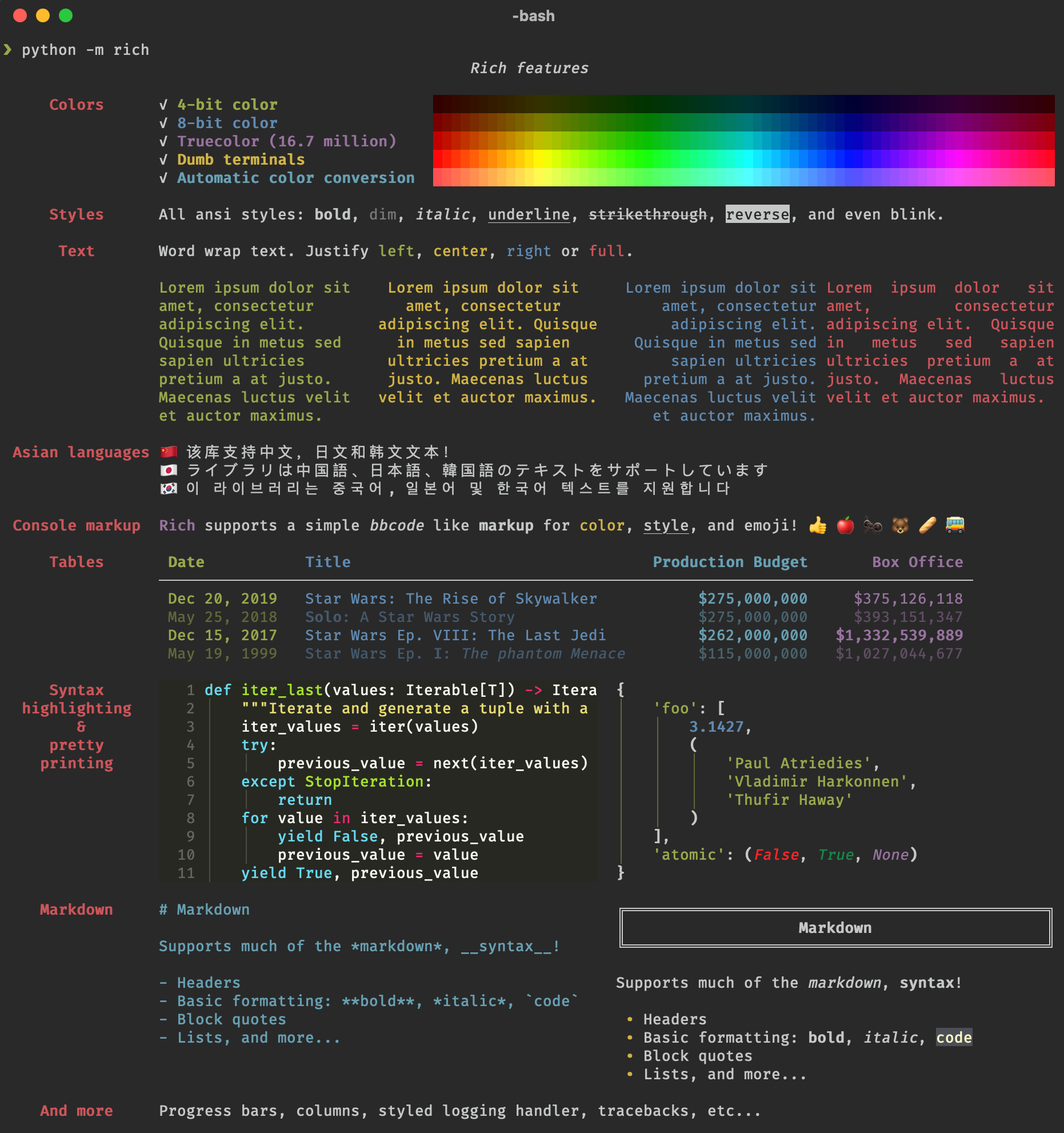
GitHub
Rich is a Python library for rich text and beautiful formatting in the terminal. - Textualize/rich
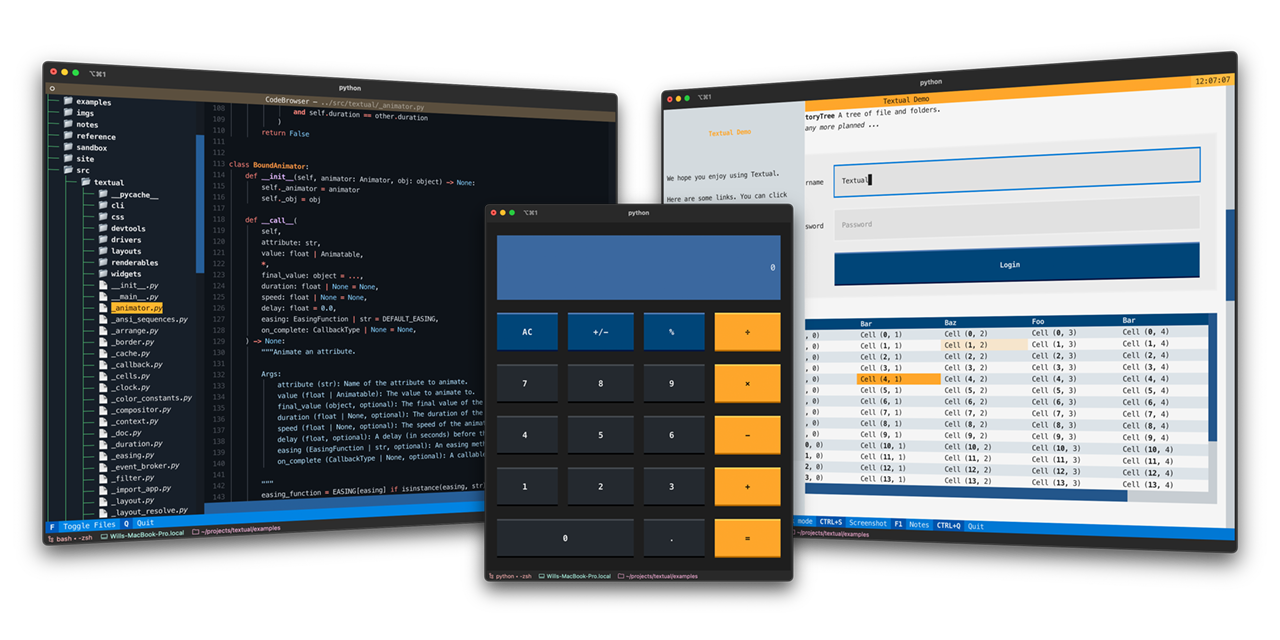
Textual Documentation
Textual is a TUI framework for Python, inspired by modern web development.
 tacit owl
lapis hull
For building CLI UIs? I think I've seen praise for rich/textual
- https://github...
tacit owl
lapis hull
For building CLI UIs? I think I've seen praise for rich/textual
- https://github...
I would be surprised if someone made a webview-like widget in textual
 finite pendant
how to make ui in a simple way
cyan island
finite pendant
how to make ui in a simple way
you can easily do GUIs in python with tkinter man
finite pendant
cyan island
you can easily do GUIs in python with tkinter man
ok thanks
 tawdry dust
Does anyone have any experience with Mesa?
dawn notch
What's that
 warm drift
finite pendant
how to make ui in a simple way
warm drift
finite pendant
how to make ui in a simple way
Web or desktop app?
 raw otter
Hello everyone, I am developing a little app with Tkinter, but I have some issues. Basically, at some point in my code I need to do some actions in a loop. The problem is that the moment when I enter the loop my UI freezes. Is there a way I could make the loop in my code work without freezing the Tkinter app?
sleek hollow
raw otter
Hello everyone, I am developing a little app with Tkinter, but I have some issue...
Depends what these actions are and what else your UI needs to be able to do while these actions are happening
raw otter
The only thing that the ui must be able to do is to quit the loop.
The actions have no impact at all on the ui
sleek hollow
Can you be more specific?
raw otter
The actions in the loop include: writing data to json file, running some commands using subprocess, playing audio using pygame, and sending notifications.
sleek hollow
The answer will be threading then
UIs (tkinter included) run on a main event loop and anything that interrupts that loop (such as a long running task) will block the loop from being able to process anything else in the UI until it finishes
you can send that task to another thread though which won't block the UI while it runs
raw otter
That's what I had in mind. Thanks a lot!
 half helm
hi. how do i make a pyqt QStandardItemModel with custom drag and drop behavior? i honestly dont know how to start off from subclassing it. i just want the item's children to NOT become a parent when i try to organize them via drag and drop
 stark canyon
Subclassing QStandardItemModel for Custom Drag-and-Drop
- Subclass QStandardItemModel
- Enable Drag and Drop
- Override dropMimeData to Control Drop Logic
- Optional: Customize Mime Handling
sleek hollow
half helm
hi. how do i make a pyqt QStandardItemModel with custom drag and drop behavior? ...
I believe that would be the responsibility of the view, not the model? What view are you working with? Tree?
half helm
sleek hollow
I believe that would be the responsibility of the view, not the model? What view...
yes
sleek hollow
half helm
yes
It wouldn't be about subclassing the model then. You need to overwrite the dropEvent of the view class (by subclassing that)
 silver furnace
https://abdullach56.pythonanywhere.com/ hello can you open this tool which made by me
 sharp plover
Hey everyone 👋 Has anyone already used customtkinter ? I'm trying to add a simple button, but it doesn't appear. I can click on the button and thats all. It does what it's supposed to do when clicked

    btn_read = ctk.CTkButton(
        app,
        text="Read JSON",
        command=btn_read_json,
        width=140,
        height=28,
        fg_color="blue",
        text_color="white"
    )
btn_read.pack(side="top", fill="x", padx=20, pady=20)````Here is how i added it
 hybrid solar
hello
 inner granite
is it ok to have a cart wrapped in a singleton?
 torpid pewter
Guys hi.
Shall i learn all python lessons? I use TKinter.
and I'm beginner.
 uneven bear
Aha! So there is a Tkinter channel.
I'm mid development on a library I started building back in 2019 to make Tkinter... A bit less 1991. (the actual year Tk first shipped) By which I mean -- To make it modern, skinnable, support widget-level sibling transparency, and performant.
Today's a big day for me. I just cracked Scroll handling. And I mean, I destroyed it. 120fps, smooth as butter with over a hundred widgets assigned to the scroll area. I'm chuffed at this one!
Here's a screenshot of the testbed I'm developing on.

My graphics are all oversized right now, figuring to build for 4k and then scale down. I've made just enough little glyphs for the sake of testing and proving what works. But transparency has been online for a while now. And you can drag that circle in the top center around the screen to prove the transparency is real. 😉
Proud enough of it today to join a new server, just looking for any human being who might be able to appreciate that Tkinter doesn't do this. But I've made it do this! lol
torpid pewter
uneven bear
Aha! So there *is* a Tkinter channel.
I'm mid development on a library I started...
Is this by phone or Pc? It's horrible :v
 boreal pier
uneven bear
Aha! So there *is* a Tkinter channel.
I'm mid development on a library I started...
boreal pier
uneven bear
Aha! So there *is* a Tkinter channel.
I'm mid development on a library I started...
Try looking into DearPyGUI, it does all of this pretty well too, you might like it more or be able to take inspiration from it.
 rotund flax
torpid pewter
Is this by phone or Pc? It's horrible :v
rotund flax
torpid pewter
Is this by phone or Pc? It's horrible :v
Not an appropriate response to someone posting a project, having constructive criticism of things is fine but for someone to join the server and be presented with that it's not really appropriate or in line with behaviour we expect under our Code of Conduct.
uneven bear
boreal pier
Try looking into DearPyGUI, it does all of this pretty well too, you might like ...
Well, the goal of this project is accomplish all this using Python's Tkinter -- and ZERO dependencies. No PIL or NumPy even. That's the fun challenge of it, really!
A quick look at DearPyGUI and it seems to run on a GUI system for C++. Which would make it a LOT more powerful, and easier to accomplish all this stuff, no doubt. But I want to get there with just Tk, and no libraries beyond my own entirely-Python code needed.
And after this victory with the scroll system, I think I've proven it can be done. Tk can provide a modern UI experience.
sleek hollow
uneven bear
Well, the goal of this project is accomplish all this using Python's Tkinter -- ...
tkinter really struggles with cross platform which is a good reason to use a more robust library
uneven bear
sleek hollow
tkinter really struggles with cross platform which is a good reason to use a mor...
I'm personally not that concerned with cross compatibility. But Tk was made as a cross platform system. So, if you stay within the boundaries of what it set out, you can actually squeeze a lot out of it. That's the miracle of what I'm doing, really. The potential has been under the hood. But it's not been well used, implemented, or documented.
Most people think that Tk simple can't do the things that I've got it doing now; or can do it, but at too slow a framerate; or without the features of a more modern toolkit.
I'm no defender of Tk or Tkinter, either. If anything, I'm proving what was always here, that the maintiners - in 30-some years - never exposed in a way that was usable to the average dev.
I mean... Imagine this: Python, without anything other than Python itself (in terms of C libraries) containing a fast and capable Window manager interface that can look like whatever you want. No being stuck to even the OS' choices.
That's the dream. And I've been working on it long enough, no one's talking me out of it -- thanks. It speaks to the state of Tkinter that in an official Python forum of like 30,000 people, in the the #user-interfaces channel, no one thinks its worth using. 🤣
That's what I hope to fix.
sleek hollow
uneven bear
That's the dream. And I've been working on it long enough, no one's talking me o...
I'll use it if I need to send a friend a script that requires zero other dependencies and they don't really know python. Otherwise, I'm using pyside
uneven bear
Ah! Qt... I've been less than impressed with it where I see it. It certainly gets the job done. And honestly, I don't intend to meet what Qt can pull off with my library any time soon. That said -- every app that I find out runs on Qt is one I have personal quams with.
OBS for instance, provides a system for docking and configuring your workspace the way you want it. A powerful feature. Except that it all has to exist in relation to a static, non-configurable space that will either define a complete row or a complete column. And this one Achilles heal makes that whole system a tug of war and a mess to get the results you want. They've got a button hidden in there to switch which axis should be considered the primary one, to try and help, and if you toggle it on, it DESTROYS the layout you've already built. Real mess.
The other one is SMPlayer. And it's the best, most configurable media player I've found for Windows. (Less consistent on Linux, honestly.) I love it. But I have the same kind of friction and gripes with it. Is it configurable? Incredibly! Is it intuitive to configure? Not really. Does it fulfill the promise and provide the expected results when you change a setting? Coin-flip.
Qt is certinaly an improvement on the old cross-platform model... But I feel it's still a heavily opinionated system that prefers its own internal logic over trying to meet reasonable user expectations.
sleek hollow
uneven bear
Ah! Qt... I've been less than impressed with it where I see it. It certainly get...
not everything needs to be a big complex system though. I personally really like the support it has for drag/drop events, and custom graphics
 spare badger
I love you. Sammy.
Gggggggggg
torpid pewter
@rotund flax 🙏🏻
uneven bear
Here's a little sample of where I am in the development of my Tkinter-extending library.
uneven bear
Made some nice progress on today's stream. New, simpler, system for creating animation cycles and conforming input parameters to the framerate and deltas requested. Now you get back the exact delta of pixels you requested, absolutely, and only the duration of the animation skews to match the nearest frame margin.
Also patched out a bug in a really satisfying way... The fix managed to deprecate two separate calls to a method that performed 5 slow winfo() polls, replacing it with just this:
return True if rx+rh > x >= rx and ry+rh > y >= ry else False
That deprecated function was for gathering local mouse coordinates, and I was able to get the same coords from the event packet instead.
Good day.
Which I now see, reading it back here, doesn't really need the if/else. lol
...Well, its a lot easier to code on stream by being verbose and explicit.
uneven bear
Guess this is just my channel then. 😉
Today, I refined what we did on stream, implementing Bresenham's formula for linear rasterization. It results in a reliably even distribution of any remainder after finding the root delta -- or base-level rate of change. Looks like this:
        steps = round(delay_ms / self.parent.smooth_rate)   # 9
        base = delta_px // steps    # 23
        excess = delta_px % steps   # 1
        animation = []

        # Bresenham's distributed linear rasterization method.
        error = 0
        for i in range(steps):
            error += excess
            if error >= steps:
                error -= steps
                animation.append(base+1)
            else: animation.append(base)

        return tuple(animation)  # [23, 23, 23, 23, 23, 23, 23, 23, 24]
Then I implemented 'instant scrolling.' Which is just an alternate configuration for a scroll bar, where when you click on the trough, you go directly to the equivalent location in the content.
 placid patio
Anyone here also learning JavaScript and wants to practice together?
uneven bear
As of yesterday, MouseWheel scrolling is online and I'm millimeters from feature-complete scroll handling. This was the big job, too. It's all downhill from here. You simply can't understand how troublesome scrollable areas are until you've had to create them from scratch. This is the second time I've invented this particular wheel. And its certainly been a smoother ride, and has resulted in cleaner code and way better performance -- the second time around.
But its still tricky stuff, made all the more difficult to juggle due to the delay in propagation between Tk and the OS. At any point, you can ask winfo() about an object's geometry and be handed a copy of yesterday's newspaper. Old, unrefreshed data. So you either have to coordinate the timings of everything like an orchestra... avoiding superfluous updates/idletasks like the plague... Or better: just maintain your own internally managed geometry. 😉
Wait! Actually this is the 3rd time around!
Once for the first incarnation of this library, and twice for the v2.
There's nothing like doing it over and over to refine the end result, I guess!
candid fern
#application window
import tkinter as tk
from tkinter import ttk


#file_system
import os

#data
import mysql.connector

from c import *

class Pet_Registration_aplication:

    def __init__ (self,root):
        self.root = root

        self.root.geometry(main_geometry)


root = tk.Tk()
application = Pet_Registration_aplication(root)

root.mainloop()```Did I say it was more complicated than you think?

Cuz it is!
This is the last big hurdle to clear. The scrollbars must appear, disappear, and resize auto-magically -- depending on the configuration you've chosen. I'm trying to support forced off, forced on, and automatic... where the bar appears only if the content extends beyond the viewable area.
It's a lot of criss-crossing algebra, mixed in with those nasty timing issues I was talking about before. It's very difficult to keep a single source of geometry-truth functioning in Tk. And unless you have the exact latest size of the scrollPlate versus the exact latest size of the scrollFrame... Well, it gets nasty like this.
I'm leaving the cleanup for tomorrow.
 uneven bear
 forest cloud
hello there. Any downsides of pyWebView I should be aware of? Started tinkering with it this morning and I really like it. HTML/CSS plus Python? hard to beat.
 daring yew
I'm glad you asked because i was literally looking for something like it. I wanted to make a simple data exploring website (such as reading from a source folder of paragraphs, etc) where all the pages are procedurally generated but done on the fly rather than pre-generating them
 analog panther
Whats it about
 fierce cipher
It's an automated self money making business machine
analog panther
Ok
uneven bear
Realized today that Tk suffers from 'magic numbers' when it comes to its event scheduling system. The .after() method gets aggressively throttled by the OS (presumably) such that scheduling an event to happen 17ms from now frequently happens more like 30ms from now. The system just doesn't wake up when the alarm goes off. It hits snooze.
Some drift like this is fair and to be expected. But the kicker comes when you lock in on one of those 'magic numbers' I mentioned. On Windows, asking for an event 17ms later is pretty much a coin toss. But if, instead, you ask it to wake up 15ms from now -- it's virtually guaranteed.
A change of just 2ms locks into the butter zone between Tk and the OS, and what used to be a stuttering, random, uneven event cycle... becomes buttery smooth and predictable. Wild stuff.
 lethal idol
!rule 6 | We don't allow self-promotion
Your message has been removed
uneven bear
I don't know what that was about, but I think I'm done with this server. Someting like 30,000 connected, and its dead as a cemetery in here. Moderation is... let's say, aggressive, about a set of policies that are... let's say, corporate, in nature.
And where I came seeking like-minded people who had an interest in Python UI, and could appreciate - and might be interested in - the moves I'm putting on Tkinter -- I've found no such individuals here. The few responses I received have been recommendations to just NOT engage with Python's own built-in GUI system.
So, to my mind, this server achieves nothing of merit. The tone policing and censorship is cranked up to eleven, such that no one seems to feel free speaking about anything, really. And the 30.000 or so in attendance have no particular appreciation for, or interest in, the language itself.
Seems like a nice place for kids to get someone else to do their homework, when AI can't do it for them. Beyond that... I don't get it. So bye.
forest cloud
I'm having serious issues getting pywebview to build under linux (at least when WSL-ing).
forest cloud
omfg, I got it to work. Only had to install the entirety of kde-plasma in my wsl debian
 stiff mist
how does this look?
pycharm or vs code was too heavy. using 2-5gb ram for it alone.
so I made a python emulator for myself. which only has features which I need.
No extra features to cause any lag or overcrowd it with too many features
its fully working and perfect. and i can run any code on it.

the good thing is that. this runs on less than 50mb ram
and very smooth. with few AI features also
i faced a problem. when i was coding. I usually changed scripts or edited. it which resulted in me losing the code. or having a script with errors. which are hard to solve
so this emulator. saves your script every 5 minutes. in a folder for the scripts in which you are working. and saves it every time you run the code.
 coral swan
Besides the white line running horizontally above the tabs, it looks like something I would present students with to learn how to code in their first semester. Personally not a fan of tabs in my editors, but that's preference.
stiff mist
coral swan
Besides the white line running horizontally above the tabs, it looks like someth...
yeah. I was thinking about that.
will fix it or make it better. when I add updates and features to it in the evening
stiff mist
stiff mist
how does this look?
pycharm or vs code was too heavy. using 2-5gb ram for it al...
I wanted to share this emulator with some of my friends. So they can also use it.
I did not wanted to give all the scripts to them.
But creating exe file manually is too hard. Too many problems, its very basic and I can only create a exe file with one script
So, simply spent 1 week and made a exe converter.

in which i can add as many script, image, video files. or any other file if it is needed in my program.
and it sometimes even bypass the antivirus software also.
 daring coral
stiff mist
yeah. I was thinking about that.
will fix it or make it better. when I add updat...
daring coral
stiff mist
yeah. I was thinking about that.
will fix it or make it better. when I add updat...
I am very interested in seeing your updates to the Editor UI!
stiff mist
daring coral
I am very interested in seeing your updates to the Editor UI!
ty
I made a new UI design. which is better than previous version
just scripting the functions now. like terminal. find, replace and the extra things i have added.
terminal would be hard to add though. watching yt tutorials for it.
and adding 20-30 basic commands like zoom in and out. ctrl +
added 5-6 commands for now. I am still adding more into the program
by morning. i think i would probably add half of these changes.
 daring coral
I like it more this way. And awesome new features! I would only recommend adding image icons, even placeholder ones, rather than emoticons for the buttons 😄
stiff mist
daring coral
I like it more this way. And awesome new features! I would only recommend adding...
its fine though I like it this way.
fun fact- the only reason i am making this program is
that python idle is horrible
and when i install pycharm in my laptop it creates too much lag. uses 2-5gb ram. and sometimes makes my laptop crash
my new program only uses 50-60mb ram
daring coral
that is much better. I do wonder how it will handle larger files! have you tried opening a LONG text file of any kind?
stiff mist
daring coral
that is much better. I do wonder how it will handle larger files! have you tried...
it can hanlde anything.
i opened my library management system with it. which i created a month ago. it
that library management system has 5 differnt .py files. and has combined 8-9k lines
that ran smoothly and instantly
daring coral
does it maintain any syntax highlighting yet?
sorry -- looked above, answered already!
that's really cool, nice work though
stiff mist
yup.
it shows all syntax erros with red swigly line.
so it saves a lot of time.
to run the program and tons of syntax error messages.
it also has auto suggest feature to tell from python library(it was easy to add)

 stiff mist
daring coral
does it maintain any syntax highlighting yet?
stiff mist
daring coral
does it maintain any syntax highlighting yet?
I thought all about it.
Whenever I create something. I create it perfectly.
daring coral
very nice!
stiff mist
any suggestions of features to add in this program?
daring coral
i personally like plugins a lot, so maybe a way to extend the program itself with a custom API
stiff mist
the best feature about this program is. which is not in any python editor is version history
to create a duplicate copy of your program every 5 min. and every time you run the program
so if you mess up your script you can just use the version history one.
got idea for this from roblox studio. when i was building my own roblox game. funny enough which is also completed
daring coral
that would be awesome if you made it! but definitely challenging
stiff mist
too challenging I would say.
i dont think. i can even create in a month
stiff mist
daring coral
that would be awesome if you made it! but definitely challenging
what programming language do you use.
daring coral
python, HTML/CSS + JS, a bit of HOI4 Script and I dabble in GML
stiff mist
i just do python and lua
daring coral
both solid
stiff mist
just like creating apps. with python
and like creating game with lua. in roblox
stiff mist
daring coral
both solid
i created a library mangement system. which is the most complex script i have ever done
its version 1 took 1.5 months of thinking and scripting for 2-5 hours daily
and its version 2 took like a week
it got good modern GUI
got system for admins and users(students, and others)
got datbaase
create database for everything
create a new book id for every book added. creates a qr code for every book
got very very advance sign in and sign out system
use matplolib to create graphs for the data
best features
can use excel. can transfer/export all the books, users, issue, return, history, all graphs etc data into excel
and can import these also. so you can import data of thousands of books or users data from excel into the system at once
and more features. which i cant even tell
 cobalt sky
Should I use pyqt or pyside nowadays?
 winged moth
cobalt sky
Should I use pyqt or pyside nowadays?
winged moth
cobalt sky
Should I use pyqt or pyside nowadays?
PySide6. It's developed by the Qt Company officially, and has a more permissive licensing scheme.
stiff mist
cobalt sky
Should I use pyqt or pyside nowadays?
yeah, you should use pyqt or pyside for projects which needs advance and modern looking GUI.
But for simple projects, which can work with basic GUI also, then use Tkinter.
cobalt sky
stiff mist
yeah, you should use pyqt or pyside for projects which needs advance and modern...
I don't really like tkinter grid/pack style, just a bit nuh uh for me
stiff mist
cobalt sky
I don't really like tkinter grid/pack style, just a bit nuh uh for me
That's why. U said for small project
I myself use pyside6 and pyqt5
 stark wren
I'm trying to get jupyter notebooks to work in Pycharm, I've run the pip install notebook command, but I can't find the way to create a jupyter project the way the website shows it.
https://www.jetbrains.com/help/pycharm/editing-jupyter-notebook-files.html
I don't even see the sidebard on the right in the first image shown.

PyCharm Help
stiff mist
stark wren
I'm trying to get jupyter notebooks to work in Pycharm, I've run the `pip instal...
you must have miseed a few steps. watch a youtube tutorial.
pycharm is horrible, too hard to install, too laggy. uses 2-5gb ram
and its installing is too hard
thats why, I made my own python emulator like pycharm and Vscode but my emulator only has the features which I need
stark wren
I got it sorted in another channel, but noted.

 viscid gorge
stiff mist
How does the UI look?
viscid gorge
stiff mist
How does the UI look?
Blue writing on the grey background isn’t that readable. E.g., Files, Current Folder etc.
stiff mist
viscid gorge
Blue writing on the grey background isn’t that readable. E.g., Files, Current Fo...
That's a easy thing change. Will do
 rugged tinsel
stiff mist
I made a new UI design. which is better than previous version
just scripting the...
rugged tinsel
stiff mist
I made a new UI design. which is better than previous version
just scripting the...
hey im not a youtuber
but i wan't to download it and make a video on it
stiff mist
rugged tinsel
but i wan't to download it and make a video on it
Wow, ty
I made a app to convert pythons files to exe. I will convert all the scripts into a exe file. And send it to you
I got more better and advance GUI apps other than this. I can show those to you also
stiff mist
rugged tinsel
hey im not a youtuber
I would be really happy to help you in it. Dm me.
boreal pier
stiff mist
How does the UI look?
Looks interesting, maybe some more syntax highlighting?
stiff mist
boreal pier
Looks interesting, maybe some more syntax highlighting?
Yuh.
I am trying to add a feature. where there will be a "Fix" Button. when you press it. it will recheck all your scripts which you have selected. search them. find syntax errors and all logical issues. like mismatch code, wrong variables, connection if wrong. spelling mistake. or anything like that. it would understand the code. and it will fix the code in just a few seconds.
25 percent of it is already completed
my code can detect all syntax errors and logical issues. and tell what is wrong with it
but the rest of the super hard part is left though. which rewrite and fixes the code.
works.
atleast it detects it.
 stiff mist
boreal pier
Looks interesting, maybe some more syntax highlighting?
stiff mist
boreal pier
Looks interesting, maybe some more syntax highlighting?
Btw that is already there. It add red swigly lines. if the code has any kind of syntax error. So while writing any script. You can instantly know. when you are doing something wrong. So no need to run the script again and again for you to see syntax errors.

 tiny forum
what's my best bet for Gui that needs extensive customization? e.g. animation and stuff? I wanted to try Kivy but it semed too complicated for my liking
 dawn briar
tiny forum
what's my best bet for Gui that needs extensive customization? e.g. animation an...
dawn briar
tiny forum
what's my best bet for Gui that needs extensive customization? e.g. animation an...
try dearpygui or PyQT / PySide
boreal pier
Can confirm DPG is pretty awesome
Once you get the hang of it you can do just about whatever you need to do
 still marsh
Can anyone tell me where i can learn tkinter
mighty rock
still marsh
Can anyone tell me where i can learn tkinter
I personally find Tutorials Point to be a really good resource now for Python GUI programming: https://www.tutorialspoint.com/python/python_gui_programming.htm
Python provides various options for developing graphical user interfaces (GUIs). The most important features are listed below.
still marsh
mighty rock
I personally find Tutorials Point to be a really good resource now for Python GU...
Thank you so much!
 rugged pike
I wrote a simple python package completely from scratch because I was bored once, it included various things like its own argument parser, an error logger, and various silly ways to interact and input options into programs, it took me a while to create, a couple months.
My phone automatically deleted all the files for it in like 2 minutes. Moral of the story: always keep backups kids
oh wait
wrong channel btw
sorry
mighty rock
Moral of the story: use GitHub/GitLab
stiff mist
rugged pike
I wrote a simple python package completely from scratch because I was bored once...
how is that even possible
you made the python program in your pc. You would probably have it on your pc.
So deleting a copy of your program does not even matter.
check your email, as you would have shared the program from your pc to mobile through it
rugged pike
stiff mist
how is that even possible
you made the python program in your pc. You would prob...
no i have not i have made it on my phone in termux
Brother assumed I had a pc
New idea transferring files from phone to pc in the stupidest useless and ultimately inefficient way possible
I will see you guys after I make this
Im bored and useless so dont tell me that tgis already exists because I dont care
stiff mist
that is awful scripting on phone
 summer knoll
https://paste.pythondiscord.com/ZJXQ
https://paste.pythondiscord.com/C2TQ So Im just getting started withhy kivy, but renamed class from LinePlayground to Drawline itll just be a black screen. If I control z a couple times back, itll load up with the buttons/etc. Its not a huge deal but its got me intrigued why it happened?
I think I figured it out with the schematic at top
 abstract vapor
Anyone know any good sites or tutorials for learning tkinter? I need to learn it for GCSE and want to get ahead lol
dawn notch
Welcome to AnvPy – a powerful new way to build Android apps faster, smarter, and easier than ever before!
In this video, I’ll introduce you to AnvPy, walk you through its core features, and explain how it can simplify app development for beginners and professionals alike.
🔹 Chapters
0:00 – Is Python capable of Android development?
0:3...
Check this out !!!
stiff mist
abstract vapor
Anyone know any good sites or tutorials for learning tkinter? I need to learn it...
don't learn tkinter
its easy but very simple to learn but the UI looks too basic
and it does not have modern GUI features
stiff mist
abstract vapor
Anyone know any good sites or tutorials for learning tkinter? I need to learn it...
Learn pyslide6 instead
forest cloud
Respectfully, mr/ms Gigachad, you are not answering the question.
Unfortunately I don't have any tutorials either, but my persistent advice to these question is that you'll learn more from thinking up an app and trying to build it than from following tutorials.
abstract vapor
stiff mist
Learn pyslide6 instead
I need tkinter for GCSE for my Computer Science Qualification though
abstract vapor
forest cloud
Respectfully, mr/ms Gigachad, you are not answering the question.
Unfortunately...
Thanks
forest cloud
We're here to help with any questions if you get stuck.
winged moth
abstract vapor
Anyone know any good sites or tutorials for learning tkinter? I need to learn it...
Check out pythonguis.com
abstract vapor
winged moth
Check out pythonguis.com
I will, thanks!
abstract vapor
Does anyone know how to change the visibility of a window? (Using tkinter)
 pseudo sorrel
abstract vapor
Does anyone know how to change the visibility of a window? (Using tkinter)
pseudo sorrel
abstract vapor
Does anyone know how to change the visibility of a window? (Using tkinter)
what do you mean by visibility?
pseudo sorrel
abstract vapor
Does anyone know how to change the visibility of a window? (Using tkinter)
This might help u: https://www.geeksforgeeks.org/python/hide-and-unhide-the-window-in-tkinter-python/

GeeksforGeeks
Your All-in-One Learning Portal: GeeksforGeeks is a comprehensive educational platform that empowers learners across domains-spanning computer science and programming, school education, upskilling, commerce, software tools, competitive exams, and more.
Looks like these functions in particular might be what u want:
withdraw() (Hide the window)
deiconify() (Show the window)
abstract vapor
Thanks!
 steady jacinth
in my python learning route, i wanted to make my own task manager that looks like a CRT styled gui, ignoring all that, i hope this is the right channel for this but i cant seem to get cpu temp to work (this works fine in linux) but in windows however very tricky.
if someone can point me to a python module THAT doesn't involve having the program run in admin privileges, or have a big brain method to access the multiple sub depths of wmi to get a temp average that live updates would be nice. currently mainly using psutil to grab all this info you see 

 stray cliff
looks cool
 vast kestrel
steady jacinth
in my python learning route, i wanted to make my own task manager that looks lik...
vast kestrel
steady jacinth
in my python learning route, i wanted to make my own task manager that looks lik...
Now you need scan-lines and edge distortion! Already cool.
 gentle robin
steady jacinth
in my python learning route, i wanted to make my own task manager that looks lik...
gentle robin
steady jacinth
in my python learning route, i wanted to make my own task manager that looks lik...
why is there a ahego peimon
xD
love it
steady jacinth
gentle robin
why is there a ahego peimon
it was the only available .ico at the time ahahaha tyty
 solemn nimbus
Hi I need help
 pine arrow
was looking for some ideas on PDF books on Tkinter GUI layout
 quick depot
hi 🙂 im new to python and just wanted to find a community to chill with as i continue to learn
 onyx ether
quick depot
hi 🙂 im new to python and just wanted to find a community to chill with as i co...
onyx ether
quick depot
hi 🙂 im new to python and just wanted to find a community to chill with as i co...
Hi, nice to see that youve found your way around this server.
quick depot
thanks! i guess i can start with a question
im using a basic UI refresh rate in an attempt to keep QtWidgets "updated" but im starting to think there is a better way
google says "Instead of constant, manual updates, there are several more efficient and scalable ways to stream data to a Python widget. These methods avoid freezing the application's user interface (UI) by separating data processing from UI updates and only sending new information when needed. "
im exploring ideas on my own but would love some feedback from you guys. thanks in advance!
vast kestrel
re: UIs and Python and data etc, I still really like this https://streamlit.io

Streamlit is an open-source Python framework for data scientists and AI/ML engineers to deliver interactive data apps – in only a few lines of code.
royal gull
quick depot
im using a basic UI refresh rate in an attempt to keep QtWidgets "updated" but i...
!pastebin Can you share a small example of how you're doing this?
proven basinBOT
Pasting large amounts of code
If your code is too long to fit in a codeblock in Discord, you can paste your code here:
https://paste.pythondiscord.com/
After pasting your code, save it by clicking the Paste! button in the bottom left, or by pressing CTRL + S. After doing that, you will be navigated to the new paste's page. Copy the URL and post it here so others can see it.
royal gull
The Qt way of doing this would probably be using signals, or if you're running operations on the UI thread, using runnables/threads.
https://www.pythonguis.com/tutorials/pyside6-signals-slots-events/
https://www.pythonguis.com/tutorials/multithreading-pyside6-applications-qthreadpool/
quick depot
awesome thanks for the tip
dawn briar
 wanton locust
for ios and android.
wanton locust
for ios and android.
its really hard to build executables for phones ngl
ive seen a lotta people do with bulldozer and stuff and fail but you can still try tho
personally i would just use some sdk like flutter if i were to make apps for phones
wanton locust
oh ok thank you, i just chose kivy because the language was fairly easy
dawn briar
also for ios you gotta pay for some dev license to actually install and test your app on it (or something of that sort)
im pretty sure flutter has some virtual testing enviornment for ios and andriod where you can test it on your pc itself
wanton locust
flutter it is then, thank you ill do some research
dawn briar
👍🏿
you can still do kivy and make gui apps for pcs, i think it's pretty decent for that
 edgy quiver
dawn briar
ive seen a lotta people do with bulldozer and stuff and fail but you can still t...
edgy quiver
dawn briar
ive seen a lotta people do with bulldozer and stuff and fail but you can still t...
making me go crazy over it
all the progress
wanton locust
wouldnt i need to use flet in order to use flutter, if i want to do the logic in python.
 agile grove
Hello anyone here who are from India
 stark saddle
Yes bro @agile grove
Good for you that you didn't encounter anyone of your own country @verbal needle here
sleek hollow
!ban 1275723291687911506 racism
proven basinBOT
:incoming_envelope: :ok_hand: applied ban to @verbal needle permanently.
candid fern
Does anyone know how to make an expanding window?
candid fern
['0x0', '1x1', '2x2', '3x3', '4x4', '5x5', '6x6', '7x7', '8x8', '9x9', '10x10','11x11']#there a lot more

Window = tkinter.Tk()
Window.config(background="black")

def bootup_animation():
    global index

    Width, Height = map(int, size_change[index].split("x"))

    Window.geometry(f"{Width}x{Height}")

    index += 1

    if index < len(size_change):
        Window.after(delay, bootup_animation)


def activation_anamation():
    global index

    Width, Height = map(int, size_change[index].split("x"))

    Window.geometry(f"{Width + 500}x{Height + 3}")

    index += 1

    if index < len(size_change):
        Window.after(delay, activation_anamation)


bootup_animation()

password = int(input("password:"))

if password == "1234":
    activation_anamation()

Window.mainloop()
wrong
onyx ether
digital rose
wrong
wdym wrong? If there is some error with someone's code, perhaps tell them where the error is?!
candid fern
Fixed it.
 vast tinsel
WIP bluesky client and the ui design app i made to develop it

 flat sorrel
hi, does anyone know how to debug a wayland ui library in python?
well, events and stuff like that, i'm maybe saying input automation
stiff mist
How it looks?
 stiff mist
vast tinsel
WIP bluesky client and the ui design app i made to develop it
stiff mist
vast tinsel
WIP bluesky client and the ui design app i made to develop it
looks cool, I was also thinking of making a GUI design to code app with pyslide6
And its gui interface like roblox studio.
 wooden vapor
Hi there.
Which toolkits have a WYSIWYG editor, like Qt Creator Studio?
 manic widget
Has anyone made a discord UI?
wooden vapor
manic widget
Has anyone made a discord UI?
Depends what you mean. For what use case, platform and language?
In Python? No, not that I know.
Doing so is in violation of the TOS of Discord, by the way.
manic widget
No it uses discord.py library. It uses discord buttons so I dont think it would be a problem. Is that an issue?
Its not changing discord.
It uses a nav bar and 5 buttons
manic widget
wooden vapor
Depends what you mean. For what use case, platform and language?
In Python? No,...
And doesnt affect discord itself. It affects my bots output to discord. What do you think?
wooden vapor
I have too less knowledge about that, so maybe wait for somebody else.
You do know about Vencord?
It has a modding API, but I feel like thats eventually just in Typescript.
manic widget
Ahh. No i dont
 vital elm
manic widget
Ahh. No i dont
vital elm
manic widget
Ahh. No i dont
Discord client modification service that allows add-ons themes among other stuff
It does break the discord ToS though.
manic widget
vital elm
Discord client modification service that allows add-ons themes among other stuff
Thank you. Meant like. In discord. Mods im sharing this as an example of what i mean by UI for discord.

Its modeled after a fallout Pip Boy
vital elm
That look extremely fancy and thus I am ridiculously invested as of now
Id that an image?
I swear if you say it's text I'm going to lose it like whaat
manic widget
Yeah. My bot sends 60 frame GIFs for each page. Because its a gif it counts as 1 message
So its an animated terminal interface
And it sends every 1.1 seconds in batches so it respects rate limits
vital elm
Would editing the image work better though?
vital elm
How many FPS are you looking for
manic widget
I do 12 fps but neon has a biological phosphor effect and makes your eye interpolate
So it looks like 24 to 30
I run this off my phone
I figured out how to host a server in termux
Swear
5 day run is my record without crash
If I was on a computer id up the fps
vital elm
I made a bot that streams my screen at a steady 1fps by simply editing the image (taking a new image and replacing the old one), this is limited by a sleep function so I don't know it's full potential but I think you could make something rather fast with it
The only concer would be your internet
manic widget
vital elm
I made a bot that streams my screen at a steady 1fps by simply editing the image...
If you did it in clips you could do like a couple second long gifs in 60 fps. And edit the message. It woild be similar to my setup. I just have low targets because im using a phone
vital elm
Oh that's fine then
Can I ask
What are you using to generate the image? (Neo colors and such)
vital elm
manic widget
If you did it in clips you could do like a couple second long gifs in 60 fps. An...
Best of luck
manic widget
vital elm
What are you using to generate the image? (Neo colors and such)
PIL and this repo i made

GitHub
Professional terminal-style animation renderer with team-themed colors, visual effects, markdown support, and emoji rendering. Optimized for Discord GIF animations at 12 FPS. - DaSettingsPNGN/PNGN-...
vital elm
I'll check it out :)
manic widget
vital elm
I'll check it out :)
Thanks! Lemme know if you have feedback or need any help!
stiff mist
How is the GUI?
I made this app.
 manic widget
stiff mist
How is the GUI?
I made this app.
manic widget
stiff mist
How is the GUI?
I made this app.
Pretty good. Good enough that I was surprised by the quality. Nice work
I dont like the title. A little robotic. Everything else is nice
stiff mist
ok
the main thing is the app really. which works perfectly
i can talk to mutliple ai models at once and compare them
manic widget
stiff mist
ok
the main thing is the app really. which works perfectly
i can talk to mutlipl...
Yeah it looks really nice. My only constructive criticism is a larger, more descriptive title. Maybe one that describes how all the content relates.
I think it looks nice. I would try it based on that UI
stiff mist
manic widget
Yeah it looks really nice. My only constructive criticism is a larger, more desc...
How does it look now?
I add compare, so you can see which model gave the best result, and change the border color of those panel, and see the summary when you hover over the rankings.
 manic widget
stiff mist
How does it look now?
I add compare, so you can see which model gave the best re...
manic widget
stiff mist
How does it look now?
I add compare, so you can see which model gave the best re...
That looks really good! Nice job. Im impressed 👏
Do you get to pick the colors? Or do you pick the colors?
stiff mist
No actually, there is just dark themw for now, but will add setting for light and dark mode , and advanced setting to change anything, Id you want to change font size, button color style border color anything, so it is customisable and those people who don't like my app for its look will start using my app.
stiff mist
manic widget
That looks really good! Nice job. Im impressed 👏
So people never complain about colors
stiff mist
manic widget
Do you get to pick the colors? Or do you pick the colors?
I really like the gold, silver bronze color for ranking
manic widget
stiff mist
I really like the gold, silver bronze color for ranking
Could you match the UI to that?
stiff mist
manic widget
Could you match the UI to that?
Can you explain what do mean by that
manic widget
stiff mist
Can you explain what do mean by that
The button colors. Your UI should be consistent. Gold silver and bronze are nice i would make the buttons similar
 tall iris
hello
manic widget
tall iris
hello
Heyo
stiff mist
manic widget
The button colors. Your UI should be consistent. Gold silver and bronze are nice...
That gold silver bronze are text label not buttons. And they only when when you click on compare. To find the best answer
stiff mist
stiff mist
How is the GUI?
I made this app.
Normally GUI looks like that, but with compare button
manic widget
Its just a thought about consistency. I think you did a good job 👌
 quick swallow
What do you guys think about NiceGUI
tall iris
so what are you guys talking about
stiff mist
tall iris
so what are you guys talking about
Just talking about a app that I built
tall iris
from tkinter import *

window = Tk()

window.mainloop()```this creates a simple tkinter window
and
@stiff mist do you use tkinter or a more anvanced version of tkinter
stiff mist
tall iris
this creates a simple tkinter window
i used to use tkinter,
some years ago
but now i use pyslide6, as it is so so much better and more advance than tkinter, it has every gui feautre someone needs to make any app
stiff mist
tall iris
<@813803226226884689> do you use tkinter or a more anvanced version of tkinter
looks like you are starting to learn tkiner
i would say skip it go directly to pyslide6
with pyslide6 you can make any modern app, like gui
at the end its your choice learn tkiner or pyslide6
little wedge
quick swallow
What do you guys think about NiceGUI
I too would like to know people’s thoughts on NiceGUI? Would you go to prod with it?
tall iris
stiff mist
looks like you are starting to learn tkiner
i would say skip it go directly to...
i will pick pysilde6
 obtuse elbow
Wallet app UI 🤏🏼
 stiff mist
obtuse elbow
Wallet app UI 🤏🏼
stiff mist
obtuse elbow
Wallet app UI 🤏🏼
Which programming language you use to create web apps?
or you use a website or app to create teh GUI?
dire barn
!kick 436442558806228994 You've been told before not to share your survey here
proven basinBOT
:incoming_envelope: :ok_hand: applied kick to @strong parcel permanently.
stiff mist
How is the GUI?
finally after 30+ hours of scripting
made scroll bar work for html/css tables in python
which gives 0 lag.

For anyone who will say it all feels cramped, and hard to read
then there is expand view

How it looks?
I am thinking of adding light and dark mode,
currently just dark mode
 normal root
A teaser of my pure Python DataGridView
Coming soon !!
 tight ice
normal root
A teaser of my pure Python DataGridView
Coming soon !!
tight ice
normal root
A teaser of my pure Python DataGridView
Coming soon !!
How does it work with large data? Does it load the entire file into memory or buffer it?
I have that problem with viewers all the time
normal root
tight ice
How does it work with large data? Does it load the entire file into memory or bu...
It uses several trickery in order to accomplish this functionality, at first it loads data in chunks
As the demo show it has no issues with a 570,000 lines CSV ,so I think it can handle quite large datasets
stiff mist
normal root
A teaser of my pure Python DataGridView
Coming soon !!
What is hard in it? What is unique about this data table?
Anyone can make it.
stiff mist
normal root
It uses several trickery in order to accomplish this functionality, at first it ...
So just lazy loading
Or chunk based loading, for optimization. And features to edit the data
normal root
stiff mist
Anyone can make it.
Have you made one and I don't know it?
stiff mist
normal root
Have you made one and I don't know it?
I have too much experience with optimization, and database
stiff mist
normal root
Have you made one and I don't know it?
see this app
It has database for everything, it contains tables, code blocks, frames, other data
it is full of database
stiff mist
normal root
Have you made one and I don't know it?
I made a library management system with database, where you can store students or user data, add books remove them edit them.
add pdf, documents, images, pages, (auto generated qr code), to the database
it has feature of excel import and export data, so suppose you are in a school
then you can export all you students data directly to my program,
and if you have a data of what books you have in library in excel
then you can import it directly also
it is full of datbase,
normal root
Well it seems like a nice application but I don't think is like my own, for example have you tested it with huge datasets?
From the screenshots I see maybe 20 rows how about half a million?
If its capable then share it so other people can use it and I keep closed source mine or abandon it
stiff mist
normal root
Well it seems like a nice application but I don't think is like my own, for exam...
I have not tested that with a huge dataset I tested this app with a huge dataset instead
his program uses a database to store information.
If you don't want to read all.
Summary- it can handle tens of thousands of tables, thousands of panels, tens of thousands of code blocks, messages, etc.
can work with hundreds of millions to billions of characters.
I tested it with about 2million lines of messages, it got aroudn 100k+fps
when i give a prompt, it get send to all the panels, and stored in database
then
ai gives response in words,
then i store the response and convert it to html, and add coloring, style etc
and then raw text to database, and store html inside cache
if it gives me a script to write, i put it inside a code blocks, you can see in the able like that html code block, they also get stored in the database
if i need ai gives response, it somtimes convert it to tables, html tables.
ai gives response in raw data, english, it get converted to table
the text is stored into database, and the table is stored in the cache for faster loading
the optimization that i added, added a horizontal scroll bar to the table and code block, so text don't go out of frame, with html/css/javascript/python
it only loads what you are seeing, so my app will not load panels which you are not seeing
this is same for each panel also, it only loads what is on your screen
so my overall optimization is so good
it can handle thousands of panels at once, if a person want he can add 1-1K+ panels at once
and in each panel, thousands of frames, thousands of code blocks, millions of text/html/css/python/normal, thousands of scroll bar and buttons
thousands of table
for each panel
i tested my app, it was able to open 1billion characters
and opened the app instantly
all the optimiszations added in a way, that to load this much data and things nomrally would require 10gb+ ram
my app does that in less than 150mb, or max 200mb or even less
i tested it with a test script it got 123000 fps

 normal root
stiff mist
his program uses a database to store information.
If you don't want to read all...
stiff mist
normal root
normal root
stiff mist
his program uses a database to store information.
If you don't want to read all...
stiff mist
normal root
ok
 lunar urchin
Hiya everyone! I made this simple Pomodoro app with tkinter and pyinstaller in one day. I'm new to Python so I'm pretty proud of myself! https://youtu.be/YWMC7ZyKpU0

Just thought I'd share, if you have any feedback I'd love to hear it :D
 patent basin
Does anyone know of a better GUI module than tkinter? Especially for making the interface responsive and adaptative
normal root
ttkbootstrap seems to do the job and looks just enough
Have you checked my DataGridView
stiff mist
patent basin
Does anyone know of a better GUI module than tkinter? Especially for making the ...
Pyside6
obtuse elbow
Framer website WIP. Fully responsive and optimized for all break points. Desktop, Tablet and Phone
 stiff mist
obtuse elbow
Framer website WIP. Fully responsive and optimized for all break points. Desktop...
stiff mist
obtuse elbow
Framer website WIP. Fully responsive and optimized for all break points. Desktop...
wow
stiff mist
obtuse elbow
Framer website WIP. Fully responsive and optimized for all break points. Desktop...
which website or which programming language you used to create desktop, table and phone app or website?
you created a different gui for each device?
Or you just created one GUI and the app adjusted it for other
it is a website or a app?
obtuse elbow
Website not app
 hollow lake
What packages do you guys use usually?
 patent cave
Been looking at adding a simple web frontend for a pretty complex iOS application I have. The backend is in FastAPI. I despise everything to do with JS and have been looking for a solution that would allow me to not touch JS. I heard about NiceGUI (https://nicegui.io/) on a podcast and it looks pretty nice. Does anyone have any comments about that? I don't need loads of animations or complicated visuals, it's mostly a CRUD thing related to managing some hobby supplies.
I only need a desktop web thing, the mobile needs are handled by by SwiftUI app.
NiceGUI is an easy-to-use, Python-based UI framework, which shows up in your web browser. You can create buttons, dialogs, Markdown, 3D scenes, plots and much more.
 cursive bay
patent cave
Been looking at adding a simple web frontend for a pretty complex iOS applicatio...
cursive bay
patent cave
Been looking at adding a simple web frontend for a pretty complex iOS applicatio...
Try Flet it's close to flutter and you can develop for iOS, android, desktop and web just like flutter
patent cave
@cursive bay Is Flet better or does it just allow me to target more OS:es? I already have an old iOS app that's fine and Android isn't really interesting (no money to be had there).
cursive bay
patent cave
<@964816219016421396> Is Flet better or does it just allow me to target more OS:...
Flet is better
patent cave
Ok. Anything in particular? I have not yet started my web version so I can still switch.
cursive bay
patent cave
Ok. Anything in particular? I have not yet started my web version so I can still...
you can check here for the docs:
flet.dev
And here for a few tutorials you may get any use case:
https://youtube.com/@oxygenlabs-rj12?si=Bs974BujKDswVMF3

YouTube
Welcome to Oxygen Labs;
On this channel, I share tutorials and hands-on projects covering both frontend and backend development. You’ll learn how to build modern and responsive applications from scratch using clean code and practical examples.
Whether it’s experimenting with UI design, exploring different modern frameworks, or developing...
patent cave
I've seen the docs and the first tutorial parts. I was mostly curious as to why you consider it to be better.
neat fog
 azure trout
hi all , im having an issue where my ui is not displaying the text input fields in 2 tabs but it wors in the others, the code seems fine but im not sure where to fix
issue in question
 cursive bay
I made this in Flet python
https://youtu.be/JBGrDiau5Os

In this video, I'll show you how to createa Custom OTP veification UI in Flet(Python Flutter)
Features✨:
🌟Clean Modern UI Frontend
😎Handle input and validation
💻with professional and responsive look
⚡entirely built in Flet with Python
Source Code on Github:
👉https://github.com/Oxygen12-cyber/otp_page
join our Telegram f...
candid fern
#==={import}===#
import tkinter as tk
from tkinter import ttk
from tkinter import messagebox

import random

import time
import datetime

from engien import *

import mysql.connector
#==============#

class Pet_registration:
    def __init__(self,root):

        self.root = root
        self.root.geometry(size)

        pet_registration_title = tk.Label(root,
                               text= Title_text,
                               font= Title_font,
                               relief= "ridge",
                               foreground= "#d43707",
                               border=25).pack(side= "top",fill= "x")
        #===================
        Data_frame = tk.Frame(self.root,
                              border=20,
                              relief="ridge").place(x= 0,
                                                    y= 130,
                                                    width= 1530,
                                                    height= 400)

        Data_frame_left = tk.LabelFrame(Data_frame,
                                        border=10,
                                        relief="ridge",padx= 10,
                                        font= Pet_registration,
                                        text=frame_text).place(x= 0,
                                                               y= 5,
                                                               width= 980,
                                                               height= 350)


root = tk.Tk()
oj = Pet_registration(root)
root.mainloop()
how do i fix this error?
candid fern

 shadow mist
I.....
<@&831776746206265384> well it fits the channel at least but seems to also fit #cybersecurity :^)
!rule 2 and that one
proven basinBOT
2. Follow the Discord Community Guidelines and Terms of Service.
lethal idol
!rule 5
Testing purposes or not, we don't allow discussing programs that are malicious or inappropriate.
Your message has been deleted.
proven basinBOT
5. Do not provide or request help on projects that may violate terms of service, or that may be deemed inappropriate, malicious, or illegal.
cursive bay
Splash screen in flet
https://youtu.be/O7KPX-tLPFc

In this video you'll learn how to create Splash Screens for desktop apps
Features✨:
🌟Clean Modern UI Frontend
😎Adaptive with OS
💻very Responsive UI
⚡AND entirely built in Flet with Python
🎯Subscribe for more tutorials and videos on Flet and App development with Python
👍Like, share and comment to support my channel
🔔And ...
stiff mist
How does the GUI look now?
any suggestions to imporve this GUI?
like font, design, layout or any other change which i should add in this app?
later gonna add light theme also, so other than that any change needed?
 mighty rock
For user experience, add the ability to hover over around the sides of the chat list and press to scroll intuitively.
stiff mist
mighty rock
For user experience, add the ability to hover over around the sides of the chat ...
there are already all hover features
when you hover over user message/prompt it shows, tokens, copy and time(both date and time if you hover over time). you can see it in the image also
it shows 3 dots in each chat, which you can click. With which you can rename, delete and export chat in 5 different formats.
every single button has hover feature, shows or change color or something.
@mighty rock any other suggestion for improving the GUI other than hover features?
mighty rock
A UI guide would be nice. It feels like I need to study this UI in order to use it because many buttons are on the screen at once. For aesthetics, you could add a backlight effect for the list on the left
stiff mist
mighty rock
A UI guide would be nice. It feels like I need to study this UI in order to use ...
yeah I can add light backlight to some buttons when you hover over them
and can add a light color change or backlight to the panel in which person is scrolling.
Btw this is a desktop app and not a website.
any change i should do on code block design or scroll bar?

 zinc kayak
Tkinter - widgets on a card getting clipped
Problem:
The bottom buttons are getting clipped, as seen in the picture.
What am I doing wrong?
If height of the card is 225 or 300, it works fine, if 250, they're clipping.
Idea:
All widgets on a card except DETAILS have static size.
DETAILS can either be empty, have a little text or a lot of text.
If there is a lot of text, I want to limit how much of it is shown so the card/frame containing all those widgets can have static height.
That is why I calculate remaining_height, to see how many pixels are left.
I then get the linespace of the font I am using for the DETAILS.
Lastly, I set DETAILS' height = remaining_height // linespace.
Code:
https://paste.pythondiscord.com/HV4A
No more code is related to these.
I am also open for better ideas / approaches.
Thanks in advance.
 zinc kayak
Solution found:
Add the big text last (specifically after the buttons) and let it fill="both".
 frail pollen
lethal idol
!rule 5
Testing purposes or not, we don't allow discussing programs that are mal...
frail pollen
lethal idol
!rule 5
Testing purposes or not, we don't allow discussing programs that are mal...
rlly???? wtf
 stiff blade
i found an advanced math solver app for mathematics as open-source. Also it s developed by full of Python and its libraries.
https://github.com/mathpathconsole/mathpath
on google play store:
https://play.google.com/store/apps/details?id=org.mathconsole_lite.mathconsole_lite&gl=TR&pli=1
GitHub
Mathpath: Math solver. Contribute to mathpathconsole/mathpath development by creating an account on GitHub.

MathPath is a pure and advanced mathematical solver and console.
patent basin
I'm trying to create an app in python (with maybe the idea for monetization down the way, not sure yet), and I was wondering what python module would be best for the user interface.
I've used TkInter and it's a nightmare, then I switched to Qt (Pyside6), which is less of a nightmare, but still there are too many things I don't really understand and the documentation for it is a bit weird.
I'm also considering using Django or other web inteface, but I'm not sure if it's gonna be more or less work down the line.
 tall anvil
im trying to create an weather app with tkinter but i dont know were to start and wich api to use and be free can someone guide me through?
cursive bay
patent basin
I'm trying to create an app in python (with maybe the idea for monetization down...
Use Flet
patent basin
cursive bay
Use Flet
What's flet?
This https://flet.dev/ ?
Build multi-platform apps in Python powered by Flutter.
Seems interesting, but I'm starting to enter the sunken cost fallacy... I've been at this for a lot of time, and now it annoys me to start anew 🤦
neat fog
How do i keep calendar events from being created on my calendar on top/under a widget? if the user clicks on a line over which there is already one of the user's events? code:
proven basinBOT
neat fog
How do i keep calendar events from being created on my calendar on top/under a w...
Click here to see this code in our pastebin.
neat fog
Fixed it nvm
dawn notch
@patent basin use web mode under anvpy
patent basin
dawn notch
<@396032316935503872> use web mode under anvpy
What's that?
dawn notch
dm me
 humble pike
Hi everyone I want to know a better package than tkinter for GUI
 wet crater
Im new to python an im trying to learn how to use GTK 4 but im struggling with internet searches and docs
 supple veldt
humble pike
Hi everyone I want to know a better package than tkinter for GUI
supple veldt
humble pike
Hi everyone I want to know a better package than tkinter for GUI
defined "better", more design freedom?
 strange quartz
humble pike
Hi everyone I want to know a better package than tkinter for GUI
strange quartz
humble pike
Hi everyone I want to know a better package than tkinter for GUI
try PyQt. If you want Tkinter to look better then try CustomTkinter.
 thorn rune
anyone want to help me finish this VS Code theme. in the end it will be clean AF.

Im trying to get it to look like (i have a background png simliar to theirs):
 stiff mist
which design looks better?
trying to pick a good design for my app setting.
or any other suggestions?

 thorn rune
stiff mist
which design looks better?
trying to pick a good design for my app setting.
or ...
thorn rune
stiff mist
which design looks better?
trying to pick a good design for my app setting.
or ...
#2
stiff mist
thorn rune
#2
at the end picking up this and making thisF

it was a new design, but it looked the best from all others
 eager laurel
stiff mist
at the end picking up this and making thisF
eager laurel
stiff mist
at the end picking up this and making thisF
What is this done in?
eager laurel
Looks clean. I've been working with Flet for a few years, so was thinking this was one of the other frameworks out there?
 forest briar
Professional Multi-Device Phone Control System by PAMM DEC
Visite it it demo of multi phone control that help to put our peer device id and control it over net and it responsive ui pleas view if good support
This app work like automiton to increas and work with multiple device at same time
 hoary grove
Hello, I have a crazy business/project idea that will be including a website, but I am unsure how to start off by picturing or drawing the look of the UI to get a feel of how I'd want it to look like. Besides, I also have a few questions about UI/UX of Web Designing.
- What makes a user stay within the website for longer related to the UI/UX?
- How do you know that you are not over doing with the UI/UX?
- How would you know what color pallet fits best for your project?
- What are some "wow" factors that could be implemented into a UI/UX of a website?
sleek hollow
hoary grove
Hello, I have a crazy business/project idea that will be including a website, bu...
Most of these are answered over a series of iterations. No one just sketches out a perfect UI on their first go. Start with some rough ideas, and then make adjustments/changes to things until you're eventually happy with the result
hoary grove
sleek hollow
Most of these are answered over a series of iterations. No one just sketches out...
Hmm, alright thank you.
candid fern
If my program has a def that requires materials as soon as a button is hit do I pass that through the command
neat fog
In pyside6 id I have a bunch of widgets all called one thing because of creating them using a function, how do I do where you can click on a PREVIOUSLY created one have it do things, I can only figure out where you can like on the most recent one and have it do things
Thoughts? Suggestions? All help is appreciated
royal gull
<@&831776746206265384>
stiff mist

 mighty rock
neat fog
In pyside6 id I have a bunch of widgets all called one thing because of creating...
mighty rock
neat fog
In pyside6 id I have a bunch of widgets all called one thing because of creating...
Store the widgets in a list so you can refer back to any of them.
 bronze geyser
stiff mist
bronze geyser
stiff mist
pretty cool, what lib do you use for ui? pyqt?
bronze geyser
stiff mist
Any suggestions?
um, i think you should try to add app icon, or you can disable windows default app frame and do custom
stiff mist
bronze geyser
um, i think you should try to add app icon, or you can disable windows default a...
that is a very basic and a 5 minute thing.
I have not even thought what name i should give to my app.
I will create a icon for my app and decide its name after it is completed
stiff mist
bronze geyser
pretty cool, what lib do you use for ui? pyqt?
i just use pyside6.
and use html/css for some parts

 bronze geyser
idk all seems really cool
stiff mist
bronze geyser
idk all seems really cool
❤️
neat fog
mighty rock
Store the widgets in a list so you can refer back to any of them.
How should I do this, with all of them being named the same thing? Would it be easier to when the function creates each widget it uses some sort of system to create a slightly different name for each one and create a event handler for it (each one as I creates them) (To mouseclickevent I'm using)
@mighty rock
mighty rock
You could do that, and then store the names and their corresponding widget objects in a dictionary, but can't you just use the widget objects themselves rather than involve widget names?
 tired storm
Hello, I have an object detection model running on a raspberry pi. I want to create some kind of UI/GUI to allow friendly user interaction. I wanted some ideas, what kind of "app" would be suit me here, I want something simple but friendly. I don't really want a web app though, more of a desktop app.
Now, I want to create an app that I can use it on my laptop, connect to the raspberry pi wifi then be able to control the app. Is that possible?
Like assume we are building a desktop app. I have that app on my laptop, I connect my laptop with the raspberry pi using an ethernet cable. Now that app can run the application specifically for this pi.
(would really appreciate if someone can recommend me a framework/library to be used pls)
sleek hollow
neat fog
How should I do this, with all of them being named the same thing? Would it be e...
When a signal is emitted, you can find out who sent the signal with self.sender()
tired storm
digital rose
sorry, what does the raspberry do?
it's connected to a robot that will move things
digital rose
What does the robot do?
neat fog
mighty rock
You could do that, and then store the names and their corresponding widget objec...
What do you mean the widget objects?
tired storm
digital rose
What does the robot do?
detect object and grap the objects and put them somewhere else
tired storm
Hello, I was just reading about the event loop and why it matters in field like CS. At first, I thought that the event loop was only related to javascript since when I first started learning it, I often came across the term "Event loop in JS". But now I wanted to try some GUIs in python to build desktop app and came across the term event loop in python self.
Did a bit of research and I came across a nice answer in this reddit post:
I wanted some other opinions about the event loop if there is something that hasn't been mentioned in this post and if someone can explain this part:
What does the user mean by "magic" here and about the compiler splitting the functions pls.
Reddit
Explore this post and more from the explainlikeimfive community
sleek hollow
neat fog
What do you mean the widget objects?
Are you familiar with Object Oriented Programming?
mighty rock
tired storm
Hello, I was just reading about the event loop and why it matters in field like ...
Event loops check for events and run things when events are then received.
For asyncio, this means checking for pending tasks to resume and doing just that, though I'd imagine it's more complex than just this for asyncio internally because of things like event loop policies, different executors and contexts and things like handling task cancellation and process signals.
async/await doesn't have anything to do with asyncio in particular. You can see alternative packages like trio or anyio on PyPi with different APIs/implementations. It's just about cooperative multitasking, in other words, you explicitly mark points in your program where you think you're going to be idly waiting (that's done with await) and at that point the async framework is able to tend to other tasks that have been put on hold and need to continue their work.
More relevantly, GUI program event loops check for system and user events related to the application. Once an event is received, it is passed to the application for processing. This is how window events are handled like keyboard events, window resize and drawing events, etc.
In asyncio, event loops are started with things like asyncio.run. In tkinter, event loops are started with things like widget.mainloop
tired storm
yep I see, thanks !
neat fog
sleek hollow
Are you familiar with Object Oriented Programming?
I don't believe so
sleek hollow
neat fog
I don't believe so
Learning the basics of this will make working with pyside so much easier
neat fog
sleek hollow
Learning the basics of this will make working with pyside so much easier
Ok thanks
neat fog
Here is the code for the issue that i was speaking about earlier, (unable to go back and resize a previously created "event" on the calendar, only able to resize the most previously created one).
proven basinBOT
neat fog
Here is the code for the issue that i was speaking about earlier, (unable to go ...
Click here to see this code in our pastebin.
neat fog
Btw, as previously encouraged/mentioned, i am watching some videos on Object Oriented Programming in python
cursive bay
Navigation and Routing in Flet YouTube tutorial out now ‼️
https://youtu.be/djJ8osH3F2o
In this video you'll learn how to Navigate between pages/Views in Flet Python
Features as usual✨:
🌟Clean Modern UI Frontend
😎Mobile approach
💻very Responsive UI
⚡AND entirely built in Flet with Python
🎯Subscribe for more tutorials and videos on Flet and App development with Python
👍Like, share and comment to support my cha...
neat fog
<@&831776746206265384>
sleek hollow
neat fog
Btw, as previously encouraged/mentioned, i am watching some videos on Object Ori...
You'll start to see why I always gave you notes to use your classes in a specific way
 junior temple
in the #networks channel i sent the old code of my server manager client and now i did't make a "new" function but this:
 class lobby:
      def __init__(self, ram, max_ram):
          self.ram = ram
          self.max_ram = max_ram
      def lobbyramentry(name, col, ro):
          name = tk.Entry(new)
          name.lobby_ram_entry.insert(0, f"{name.ram}")
          name.lobby_ram_entry.grid(row=ro, column=col)
      def lobbymaxramentry(name, col, ro):
          name = tk.Entry(new)
          name.lobby_max_ram_entry.insert(0, f"{name.max_ram}")
          name.lobby_max_ram entry.grid(row=ro, column=col)

lobby1 = lobby("1G", "2G")
lobby.lobbyramentry(lobby1, 1, 1)
Yeah

 crude fox
sleek hollow
Are you familiar with Object Oriented Programming?
crude fox
sleek hollow
Are you familiar with Object Oriented Programming?
The single reason I chose python
 vapid mulch
I'm building a pyside6 layout for a music ai app project, what am I missing on this wireframe?

more contrasty colors and all layers:
 stiff mist
vapid mulch
stiff mist
vapid mulch
You are just using scale instead of offset
vapid mulch
wdym
stiff mist
vapid mulch
I am saying this is the most easiest thing to do.
vapid mulch
wdym
 dire violet
has anyone here used pyqt5 and pyqt5 designer?
would anyone be able to recommend one for a file processing application?
the files would be dataframes
and the user would be able to select individual files to perform cleaning operations
or select multiple files to perform collations/aggregations
im still fleshing the details out
but ive never done GUI development on python before and i wanted the easiest way to do it
royal gull
dire violet
has anyone here used pyqt5 and pyqt5 designer?
If you're going to do Qt, I'd recommend using PySide6. It's not too different from PyQt. You have to be cautious when using Qt Designer because it's only intended to generate UI code for you which you later load into your app using Qt or compile using Qt uic. One common mistake I see is people taking the Python file made by uic and just working within the file. That's not how you're supposed to use uic outputs, you are supposed to work on top of that in a separate class.
You can also just not use Designer and simply handwrite the UI yourself, preferably separating the UI logic from the business logic in the same way that Qt Designer intends to do that. To learn PySide6, I like to recommend https://pythonguis.com for a general overview.
dire violet
Mmm yeah I sorta had the feeling that designer wouldn’t work for stuff that needed to be generated at runtime
I’m trying to hack together a program for my dissertation so it looking professional isn’t the biggest deal
It’s more about the features and whether it works
I saw ppl saying QT had a higher learning curve
So I’m leaning towards tkitner since my functionality isn’t super advance
It’s just loading a bunch of csv files and letting users perform data processing operations on them
Swapping out values, merging csv togethers, etc
Won’t be interacting with a database or anything like that
digital rose
i do not think dealing with qt is harder than deaing with tkinter or any other gui library, they are all similar in nature and logic
dire violet
So would you recommend just learning qt since it’s better supported and more modern?
royal gull
Probably, though do note that it's fairly OOP heavy so yeah. GUI development is a great way of practicing OOP, but if you aren't familiar with it, then it might feel a bit overwhelming at the start.
sleek hollow
Inheritance started to click for me when I started learning pyside
 remote sky
Attempting to push Streamlit beyond the standard Data Science look. 🧪
I’m working on a local RAG engine and wanted a specific anime aesthetic without switching to a frontend framework like React.
I relied heavily on st.markdown with custom CSS injection to override the default padding/fonts and built the **Receipt **component using Playwright (rendering HTML-to-Image in the background).
Question for UI folks: Does the UI style hurt readability here, or does the hierarchy still work?
I’ve been staring at it for weeks so I can't tell if it's Cool or just **Cluttered **anymore. Feedback appreciated!

 candid fern
Has anyone ever made a seed ordering website
 tidal socket
I need helps boys and girls my UI isn't working. I need something to view images and possible videos and beyond on the main canvas. Im using textual but its just not working for my needs

im awful with UI as Ive never played around with it
why obviously other bugs to work out . I could use suggestions.

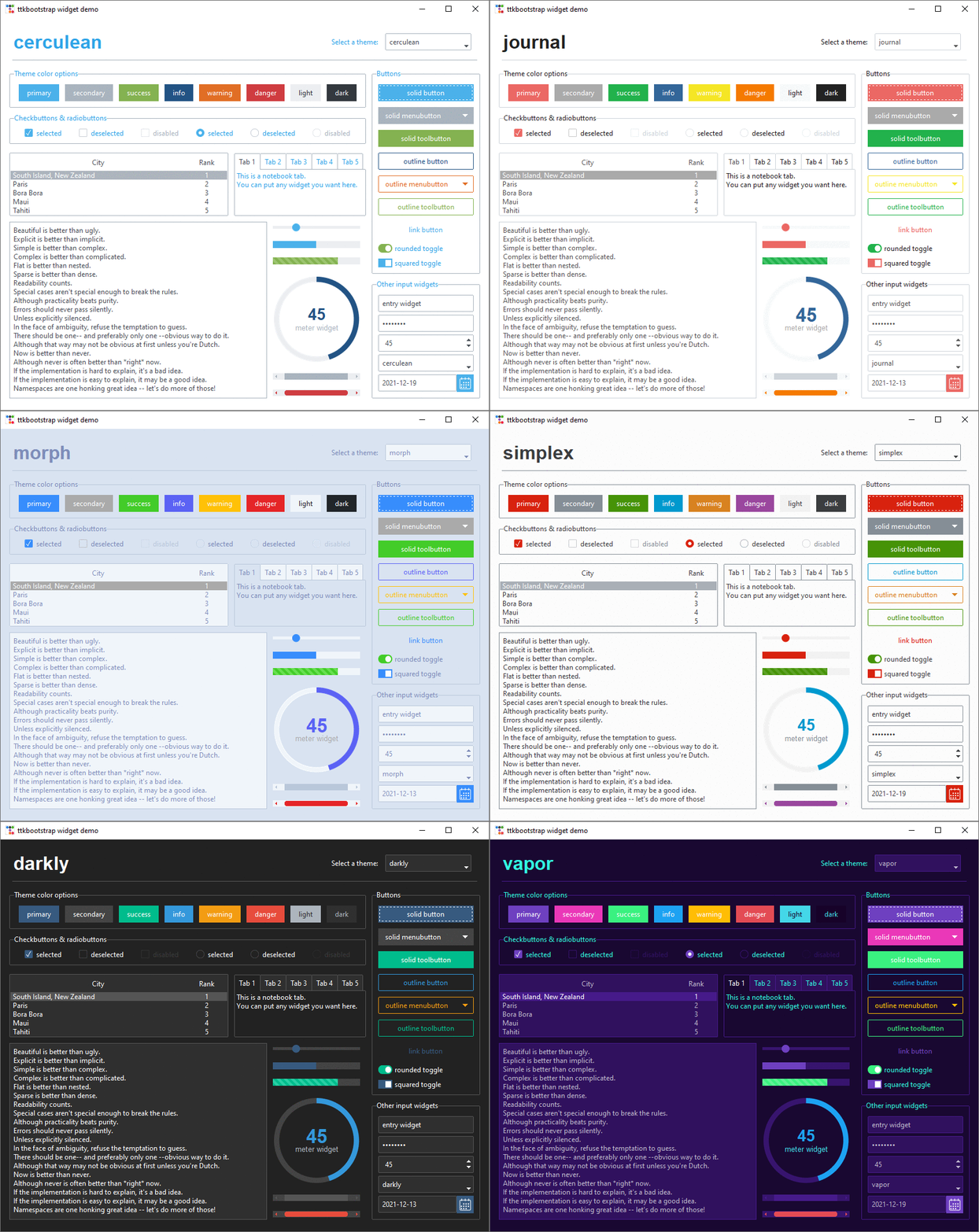 wooden vapor
tidal socket
I need helps boys and girls my UI isn't working. I need something to view image...
wooden vapor
tidal socket
I need helps boys and girls my UI isn't working. I need something to view image...
If you wanna that kind of interface, I can point you to Textual, its an amazing library
tidal socket
wooden vapor
If you wanna that kind of interface, I can point you to Textual, its an amazing ...
I really like textual also, but i ended up going with chainlit