Can someone please answer this reddit post, thank you: https://www.reddit.com/r/webdev/comments/w5tm96/a_box_with_messages_not_working_properly/
#user-interfaces
1 messages · Page 1 of 1 (latest)
 quartz dust
 uneven panther
quartz dust
Can someone please answer this reddit post, thank you: https://www.reddit.com/r...
uneven panther
quartz dust
Can someone please answer this reddit post, thank you: https://www.reddit.com/r...
I think your code is PHP and someone with PHP knowledge will help you. Mentioning this so anyone with PHP knowledge can answer this.
quartz dust
uneven panther
I think your code is PHP and someone with PHP knowledge will help you. Mentionin...
It’s actually JS but ty I really need some help with this.
uneven panther
Got it, so to solve your problem someone might need to access other files of your program. I am relatively new to the world of IT and don't really know anything other than Python so, I can't help you. Also, Post this on Stack Overflow since someone there might know the answer.
 main oasis
I've been trying to create a to do list using tkinter but to no success. I've seperated my code into 2 frames, the header frame and the tasks frame.
However I wasn't able to make my tasks show up, because as the tasks' list got updated, the Event Frame didn't reload. So it only sees an empty dict. How can I append my tasks to the tasks dict and also reload the execution of the EventsFrame class?
class HeaderFrame(ttk.Frame):
    def __init__(self, container):
        super().__init__(container)
        # set up grid layout
        self.columnconfigure(0, weight=1)
        self.columnconfigure(0, weight=3)
        self.columnconfigure(0, weight=2)
        self.__create_header_widgets()

    def __create_header_widgets(self):

        # Global Settings
        options={'padx':20, 'pady':10}
        glob_font={'font':('Segoue UI', 35)}

        # Time User Input
        hours = tk.IntVar()
        minutes = tk.IntVar()
        seconds = tk.IntVar()

        event = tk.StringVar()


        ttk.Label(self, text='To-Do List', **glob_font).grid(row=0,column=0,columnspan=2, **options, sticky='W')

        def add_to_lists(event_text, hrs_text, minutes_text, seconds_text):
            tasks[event_text] = [hrs_text, minutes_text, seconds_text]
            task_entry.delete(0, tk.END)
            print(tasks)

        ttk.Button(self,text='Add Event',width=13, command= lambda: add_to_lists(event.get(), hours.get(),minutes.get(), seconds.get())).grid(row=1, column=0, sticky='W', **options)```
class EventsFrame(ttk.Frame):
    def __init__(self, container):
        super().__init__()
        inc = 0
        for task, dur in tasks.items():
            self.rowconfigure(0, weight=1)
ttk.Label(self, text='{} {:02d}:{:02d}:{:02d}'.format(task, dur[0], dur[1], dur[2])).pack()```The main function and the tasks list
tasks = {}
class App(tk.Tk):
def __init__(self):
super().__init__()
# main window configuration setting
def window_config():
self.iconbitmap('icons\logo.ico') # small icon
self.title('strictly | A miminalist todo and timer')
window_width = 850
window_height = 400
self.geometry(f'{window_width}x{window_height}+{1050}+{50}')
self.minsize(width=500, height=200)
window_config()
self.rowconfigure(0, weight=3)
self.rowconfigure(0, weight=2)
self.rowconfigure(0, weight=1)
self.__create_widgets()
def __create_widgets(self):
headerframe = HeaderFrame(self)
eventsFrame = EventsFrame(self)
headerframe.grid(row=0, column=0, sticky='NW')
eventsFrame.grid(row=1, column=0, sticky='NW')``` gilded tangle
anyone familiar with the textual and rich packages for making terminal/console apps/
 lilac plank
How can i compile/package .py into executable cross-platform?
 plush stream
I you're using pyqt/pyside there's Qt Designer
 glacial dirge
Hey
I have a question
I wrote a general python code... now I want to use it in Tkinter.... It is like a question and answer based code... where the display box will ask you few question and you need to provide input as per it ...... but I am confused how can I make the display box in Tkinter to display the questions and then act as an text box that can accept input as well?
If you need code.. I can provide it
 proven basinBOT
:incoming_envelope: :ok_hand: applied mute to @glacial mauve until <t:1658747815:f> (9 minutes and 59 seconds) (reason: duplicates rule: sent 4 duplicated messages in 10s).
proven basinBOT
:incoming_envelope: :ok_hand: applied mute to @digital rose until <t:1658758024:f> (9 minutes and 59 seconds) (reason: duplicates rule: sent 4 duplicated messages in 10s).
 agile storm
is kivy a good choice for a modern designed software nowadays?
 balmy echo
Who knows how to hack wifi here
proven basinBOT
5. Do not provide or request help on projects that may break laws, breach terms of services, or are malicious or inappropriate.
balmy echo
 mighty frigate
!rule 5
mighty frigate
!rule 5
🤭
 final breach
my cb_value is PERMANENTLY 0, why is this happening?
cb_value = IntVar()
def cb_check():
if cb_value.get() == 0:
print('on')
if cb_value.get() == 1:
print('off')
overlay = ttk.Checkbutton(frame, text = 'Turn on screen overlay while snipping?', variable = cb_value, onvalue = 0, offvalue = 1, command = cb_check)
overlay.pack(anchor = 'n')
overlay.bind('<<ComboSelected>>', cb_check)``` sonic swallow
Hello, I want to know if I use PyQT **open-source version **for creating apps in Python, am I legally allowed to publish apps?
mighty frigate
@sonic swallowbefore looking for an answer, how how you planning to distribute your app ?
PyQt opensource is under GPL
sonic swallow
mighty frigate
<@995357524435931266>before looking for an answer, how how you planning to distr...
Perhaps thinking on Play Store/App Store, but wanted to confirm the limits.
sonic swallow
mighty frigate
PyQt opensource is under GPL
Thanks.
Also, is it possible to build elegant apps like Notion/Evernote in Python TKinter(if not exactly, then which library to be used?)
 ionic nacelle
https://paste.pythondiscord.com/elucujuroh
@static cove
 static cove
ionic nacelle
https://paste.pythondiscord.com/elucujuroh
<@212644551926611969>
static cove
ionic nacelle
https://paste.pythondiscord.com/elucujuroh
<@212644551926611969>
ooooooooh, okay. I see now. So the function you want to run is in a different class than the subclassed QThread, right?
ionic nacelle
static cove
ooooooooh, okay. I see now. So the function you want to run is in a different cl...
yep
how do I fix it
static cove
So, for this I wouldn't subclass QThread because the function won't live in QThread.
You want to use this kind of pattern instead:
class Worker(QObject):
    signal_thing = pyqtSignal()

    def long_running(self):
        print("Do the thing you need to do")
        print("You can pass full functions and their args if you set it up right")

my_thread = QThread()
worker = Worker()

# We're connecting things to the correct spots
worker.moveToThread(my_thread)
worker.signal_thing.connect(whatever_you_want)
my_thread.strted.connect(worker.long_running)

my_thread.start()
So you have a worker object that will actually run your code, you move that object to a thread (it'll now run in the thread loop, not the main event loop). You can not connect to the correct signals and then you start it.
I usually use QRunnables + QThreadPool, you can see a full-up guide for that here: https://www.pythonguis.com/tutorials/multithreading-pyqt-applications-qthreadpool/
ionic nacelle
static cove
So, for this I wouldn't subclass QThread because the function won't live in QThr...
the long running task is a method from another class, that shouldn't be an issue
?
static cove
ionic nacelle
the long running task is a method from another class, that shouldn't be an issue
So for that part, that's where I would use the approach in the pythonguis link, they have it setup so it can take in an arbitrary function and execute it
ionic nacelle
so should I use qrunnable or qobject @static cove
static cove
ionic nacelle
so should I use qrunnable or qobject <@212644551926611969>
That's up to you. If you use QThread then you don't need QRunnable. Either way both solutions use QObject for the worker portion
ionic nacelle
https://paste.pythondiscord.com/cekowojute
I've done what you said but it's still not working @static cove
 graceful wind
a or b?

 ionic nacelle
https://paste.pythondiscord.com/cekowojute
I've done what you said but it's stil...
ionic nacelle
ionic nacelle
https://paste.pythondiscord.com/cekowojute
I've done what you said but it's stil...
https://paste.pythondiscord.com/rabuyovayu
so ive found out what causing the problem
- I have another window that opens up with the progress bar and im trying to update it using a different window
any suggestions how I can do this
 versed vessel
not really related to user interfaces but how can i stop my tkinter gui to be detected as a virus when I build it as an exe with pyinstaller?
 verbal ridge
versed vessel
not really related to user interfaces but how can i stop my tkinter gui to be de...
verbal ridge
versed vessel
not really related to user interfaces but how can i stop my tkinter gui to be de...
I think you have to compile your own bootloader
https://python.plainenglish.io/pyinstaller-exe-false-positive-trojan-virus-resolved-b33842bd3184

Medium
A step-by-step guide on how to resolve the False Positive Virus Flags on your custom EXE files you’ve created with Pyinstaller and Python.
 final escarp
alr my bad, thanks. Also why in gnome, cause Im using it and pretty I kinda like the UI of it, so yeah. I'm asking bc I want to have that gnome design in my app 
sonic swallow
Hello, have a quick query. I am building a text editor in TKinter, how to change the font weight for the future text that you would type if nothing is selected to be made bold?
 plucky briar
working on tool (streamlit meets typeform) and would love some honest feedback from ppl building interfaces with python. anyone up for it?
plucky briar
glacial dirge
I wrote a general python code... now I want to use it in Tkinter.... It is like ...
does it have to be tkinter? would something that looks and feels like typeform (but python) do the trick?
glacial dirge
hmm well actually I want it in a GUI format cause I am trying to make an application hence
 trim heath
How does one install and use third party ttk themes like awdark and such?
sonic swallow
Hello, on a completely unrelated note, I am open for any more company feedback surveys. Please DM me.
ionic nacelle
Is there a way in pyqt5 that I can scale my application with % of the screen? instead of pixels. eg What if I program it for 1080p but someone wants to use 4k
 kindred mist
mb someone can help me here. i mainly use python for programming my Management Desktop app. I have no memory problems, only the start is a bit slow (like 5-6 seconds)
The last i was thinking about to switch from python to c# and rewrite my whole programm( 8 month work in python till first release)
Whats your opinion guys?
uneven panther
kindred mist
mb someone can help me here. i mainly use python for programming my Management D...
do you use pyinstaller to pack it up?
if so, do you use onefile mode or not?
kindred mist
onefile, yeah that enpacking takes some time
 spice depot
from tkinter import *
from PIL import ImageTk

food = ["Tacos","Pizza","Pasticcio"]

def order():
    if(x.get()==0):
        print("You ordered Tacos!")
    elif(x.get()==1):
        print("You ordered a Pizza!")
    elif(x.get()==2):
        print("You ordered a Pasticcio!")
    else:
        print("huh?")

window = Tk()

TacosImage = ImageTk.PhotoImage(file="tacosE.png")
PizzaImage = ImageTk.PhotoImage(file='pizzaE.png')
PasticcioImage = ImageTk.PhotoImage(file='pasticcioE.png')
photoImage = [TacosImage,PizzaImage,PasticcioImage]

x = IntVar()

for index in range(len(food)):
    radiobutton = Radiobutton(window, text=food[index],variable=x,value=index,padx = 25,font=("Impact",50), image = photoImage[index], compound = 'left', command=order
                              )
    radiobutton.pack(anchor=W)
window.mainloop()
Traceback (most recent call last):
  File "c:\Users\mohamed abdou\Coding\cod\coding\coding\main\PRACTICING.py", line 18, in <module>
    TacosImage = ImageTk.PhotoImage(file="tacosE.png")
  File "C:\Users\mohamed abdou\AppData\Local\Programs\Python\Python310\lib\site-packages\PIL\ImageTk.py", line 117, in init
    image = _get_image_from_kw(kw)
  File "C:\Users\mohamed abdou\AppData\Local\Programs\Python\Python310\lib\site-packages\PIL\ImageTk.py", line 59, in _get_image_from_kw
    return Image.open(source)
  File "C:\Users\mohamed abdou\AppData\Local\Programs\Python\Python310\lib\site-packages\PIL\Image.py", line 3092, in open
    fp = builtins.open(filename, "rb")
FileNotFoundError: [Errno 2] No such file or directory: 'tacosE.png'
Exception ignored in: <function PhotoImage.del at 0x00000235B68329E0>
Traceback (most recent call last):
  File "C:\Users\mohamed abdou\AppData\Local\Programs\Python\Python310\lib\site-packages\PIL\ImageTk.py", line 146, in del
    name = self.photo.name
AttributeError: 'PhotoImage' object has no attribute '_PhotoImagephoto'
PS C:\Users\mohamed abdou\Coding\cod\coding\coding>
Some help plssssssssss🙏
a friend : I have no idea why you're getting that error. It works fine
the code works good with me in pycharm but not the same in vscode
some solution pls
 modern girder
spice depot
some solution pls
spice depot
modern girder
spice depot
some solution pls
spice depot
NAH
spice depot
modern girder
have you tried https://stackoverflow.com/questions/50662773/attributeerror-photo...
But now I'm working good with the same code but in pycharm so the problem is in vscode
mighty frigate
@spice depotchances are it isn't a bug in vscode
maybe pycharm and vscode aren't using the same python or something
spice depot
mighty frigate
maybe pycharm and vscode aren't using the same python or something
no i use the same
but no problem i delete vs code hhhh and now I'm coding in pycharm
 obtuse stone
I need help with using Github, not sure where is appropriate to ask.
I'm included in a repo that is private and will be deleted soon. I want to essentially clone that repo into my own repo (including all the commits made) so I can include it on my Github page. I can't fork (i dont really understand that) and I'm not sure if branching is the way to go.
I've been advised that I want to pull the original repo, make a new repo, change the remote and then push the original repo into the new repo.
I can't pull the original repo, perhaps I'm doing it wrong but I just don't have the option to pull.
Any help is appreciated!
 brisk sleet
Does anyone know of a library I can just give some tabular data and then it spits out one of those TUIs that you can click to change the order? I saw that Rich has support for tabular but seems to be non interactive
 signal nebula
obtuse stone
I need help with using Github, not sure where is appropriate to ask.
I'm inclu...
signal nebula
obtuse stone
I need help with using Github, not sure where is appropriate to ask.
I'm inclu...
try to clone the private repo into a new local directory
also:#tools-and-devops might be the correct channel for this question
 digital rose
status = True

is_on_is_off_label = Label(app,
    text = "The Switch Is On!",
    fg = "green",
    font = ("Helvetica", 10))

is_on_is_off_label.place(x=125, y=90)


def Switch():
    global status
    if status:
        Label.config(text = "Switch is Off", fg = "grey")
        status = False
    else:
        Label.config(text = "Switch is On", fg = "green")
        status = True

button = Button(app, command=Switch, text="Off/On", fg="purple", bg="grey", relief=RIDGE, font=("arial", 12, "bold"))
button.place(x=125, y=130)
I get this TypeError: configure() missing 1 required positional argument: 'self'
I am trying to make it so when I click the button
it says off
instead of on
 timid dust
It'd help if you share the full error
It'd tell us which line this is on
In this case, Label.config is a method which operates on a label instance
(such as is_on_off_label)
Not the class itself
 eternal kestrel
Hi, would it be possible to ask questions about tkinter here? I think I understood how to create buttons etc, but now I need to tell my GUI what motors are available. My motors are from another class. How can I feed them into a GUI? Via new input parameters?
I don't think my GUI should inherit anything from the motors, just use them and their functionalities.
Many thanks for your help.
eternal kestrel
Maybe this tkinter oder a webinterface ?
 tight ice
 tight imp
what is the best ui other the pyqt5
tight imp
what is the best ui other the pyqt5
pyqt5 is the best for python
if you want good ui go to c++
or some other language like that
tight imp
tight ice
pyqt5 is the best for python
ya but you need license for
it
I am considering pyside or kivy
tight ice
tight imp
ya but you need license for
?
pyside2 is basically the same as pyqt5 but different licensing
quartz dust
Does anyone here know how to change the background colour of a video widget in PyQt5 to black instead of invisible? Thank you.
tight ice
quartz dust
Does anyone here know how to change the background colour of a video widget in P...
i know nothing about video widgets but have you tried settings the stylesheet with the background colour being black?
quartz dust
tight ice
i know nothing about video widgets but have you tried settings the stylesheet wi...
okay so how exactly do I change the colour property. py app.setStyleSheet()
tight ice
quartz dust
okay so how exactly do I change the colour property. ```py
app.setStyleSheet()`...
it mimics css
background-colour: black;
quartz dust
tight ice
it mimics css
oh okay, so like this. py app.setStyleSheet(QVideoWidget { background-colour: black; })
Wait, it doesn't work.
Why is that.
Oh I fixed it, nvm
app.setStyleSheet("QVideoWidget { background-color: black; }")```tysm!
tight ice
quartz dust
tysm!
np
quartz dust
:)
 slender cape
What are some good ui libraries to make a interface for a chat
 wraith plover
slender cape
What are some good ui libraries to make a interface for a chat
wraith plover
slender cape
What are some good ui libraries to make a interface for a chat
PyQt6 if you're a beginner
but if you wan't next level customization you can go with pygame
i would personally go with pygame since it allows you to choose framerate(which is necessary to update the gui) you also get animations and much other options
ionic nacelle
why does my pyqt application lose css sometimes. I am using multi threading (just letting you know)
digital rose
how to bind scale widget to right and left arrow keys to change its value
frequencyslider=Scale(window,from_=88,to=108,resolution=0.1,orient=HORIZONTAL,length=750) frequencyslider.pack()
 ruby surge
Hello
can someone help me
from tkinter import *


def btn_clicked():
    print("Button Clicked")

window = Tk()

window.geometry("1000x600")
window.configure(bg="#ffffff")
canvas = Canvas(window, bg="#ffffff", height=600, width=1000, bd=0, highlightthickness=0, relief="ridge")
canvas.place(x=0, y=0)

background_img = PhotoImage(file=f"assets/background.png")
background = canvas.create_image(504.0, -1348.0, image=background_img)

entry0_img = PhotoImage(file=f"img_textBox0.png")
entry0_bg = canvas.create_image(721.5, -1475.5, image=entry0_img)

entry0 = Entry(bd=0, bg="#e9e9e9", highlightthickness=0)
entry0.place(x=587.5, y=-1501, width=268.0, height=49)

entry1_img = PhotoImage(file=f"img_textBox1.png")
entry1_bg = canvas.create_image(721.5, -1373.5, image=entry1_img)
entry1 = Entry(bd=0, bg="#e9e9e9", highlightthickness=0)
entry1.place(x=587.5, y=-1399, width=268.0, height=49)


entry2_img = PhotoImage(file=f"img_textBox2.png")
entry2_bg = canvas.create_image(721.5, -1266.5, image=entry2_img)
entry2 = Entry(bd=0, bg="#e9e9e9", highlightthickness=0)
entry2.place(x=587.5, y=-1292, width=268.0, height=49)
img0 = PhotoImage(file=f"img0.png")
b0 = Button(image=img0, borderwidth=0, highlightthickness=0, command=btn_clicked, relief="flat")
b0.place(x=640, y=-1167, width=161, height=53)

window.resizable(False, False)
window.mainloop()
When I run this it´s only a white screen
digital rose
Is it possible to use rich html when using a QStandardItemModel with PyQt5? I tried using delegates, custom models, a table widget (didn't work out because I'm inserting rows from a different thread, even when using QThread and signals it just wouldn't work), etc. Literally can't figure it out 😦 (please ping me if you reply)
proven basinBOT
:incoming_envelope: :ok_hand: applied mute to @high vigil until <t:1659305309:f> (9 minutes and 59 seconds) (reason: duplicates rule: sent 4 duplicated messages in 10s).
 candid tangle
Hello, hoping someone can help me with just conceptually thinking through what I'm trying to research.
Looking to create a UI that essentially takes in a dataframe with columnar color values, displays those values as a color map with column and row labels, and allows the user to interact/change the colors through a dropdown. Is this something that's worth checking out Pyautogui/tkinter for? I'm just trying to figure out exactly what it is I'm looking for
candid tangle
So I figured out the question I'm trying to ask - is there a way to make a seaborn heatmap interactive for a user? IE they can click on individual cells and change the color?
obtuse stone
signal nebula
try to clone the private repo into a new local directory
also:<#4630354627607920...
thank you! I think I may have tried this but didn't work. I'll chevk again
 marble path
I saw some projects about solving calculus equations using Python (ipynb). I would like to know if it's possible to do it in pycharm? Like making an application that can generate answers after typing the equation in a text box.
 tribal linden
so i tried pytermgui and Textual. They work GREAT on linux, and fail hard on windows
is there anything like this that work great on windows as well?
kindred mist
Heyas, anyone have knowledge about QT with python with there licences?
I know there are GPL and LGPL
But my Question is, hypothesis example: If i made and Windows Application with PySide ( because pyqt its such an money waste) (Its QT) and would sell it without giving away my Sourcode. What kind of licences i need? Or what should i do?
mighty frigate
@kindred mistcan't do that without paying a Qt license afaik
@kindred mistok so
so you actually can use it for a commercial software
mighty frigate
but you need to disclose the source code
if you don't want to -> commercial licence
kindred mist
and QT commcercial = 300$ per Month
mighty frigate
in the Qt doc, it's pretty clear tbh
@kindred mistQt is a major sets of libraries built over 2 decades. Why would you not pay the people who did it ?
kindred mist
Thats not the problem to pay for it, its the amount of price for it for an startup
its min 300$/Per Month
mighty frigate
you can contact them
or dev your app on the opensource licence and buy a license when you want to distribute your product
or there's also tons of other libs out there
kindred mist
My plan was - the Programm are free, only the support and custom changes are on price
But know, i thinking about to change the language to C#
mighty frigate
Qt isn't available in C# afaik
kindred mist
na but other GUI tools
mighty frigate
ah ok
kindred mist
like WPF
kindred mist
yeah, i still use Python for background work and use c# for the front end
i think thats the better solution
mighty frigate
I'll be honnest I don't really understand why you would use Python for a UI application
kindred mist
me too, was my first language, and my appliaction run now for 1 year in live in a test ^^
mighty frigate
but you can't really distribute it can you
kindred mist
so my coworkers use it everyday for free to test the internals.
But i will change that to C#. thats better 😄
mighty frigate
can't really distribute the scripts files
can compile in an exe files but with very poor performance
I genuinly don't understand why one would use python for a commercial UI app
kindred mist
ya, the perfoamcen is meh
mighty frigate
not the startup
the startup performance of a pyinstaller exe is really, really bad
especially with big libraries like Qt
kindred mist
but thats the point, and have to so say big thank you for the decision to push the project to c#.
Python was a easy start, and my fav language, but for Applications its not the best
mighty frigate
it's good for prototyping and testing
at least that's what I'm doing with it
but all our products are in C++
kindred mist
ya, i was thinking about to learn c++, but the syntax :D. And i think C# its a good alternativ
mighty frigate
I don't know much about C#, I guess if portability isn't a big concern for you it's fine
kindred mist
yeah a bit to learn, but its ok. Programming language are not that hard
the hardest part of the languages in c# and c++ are that inherited things
in python -> easy
C# -> what?
C++ -> &!"%§$
mighty frigate
inherited ? you mean OOP ?
kindred mist
ya
mighty frigate
C++ OOP is not much harder than in any language in my opinion
the real struggle - for me at least - comes with templates, concepts, and metaprogramming
kindred mist
public class Adult : Person i think such things are confusing, how is this in c++?
mighty frigate
in cpp
class Adult : public Person {
in python
class Adult(Person):
it's really not that different
 spring drift
@forest lantern https://github.com/5licee/minecraft-block-calculator

GitHub
make a list of all blocks you need for a building project - GitHub - 5licee/minecraft-block-calculator: make a list of all blocks you need for a building project
 forest lantern
lets see
spring drift
(do not get into the bugs i know that there are plenty)
 stone walrus
Hi I am building a GUI with pyqt5. Somehow I got a lot of classes that only exists in another class. Now I have the problem, that I need to pass a information from the most nestedclass, to another class on a totaly different tribe. I am not a professional in any way, so I have no idea what could be possible or if I just wrote bad code. Any Tips how to handle such a thing?
 gusty patrol
@stone walrus with using a global variable it May be easy to , maybe creating a New class that takes input, and making the New class inheret relation with the nested ones, maybe e
 upbeat pendant
yess im heere!
static cove
hi! Okay, let me type this up
So, the trick with this is two things!
For you have your
for index in range(len(food)):
    radio_btn = RadioButton(...)
you want to replace value=x with value=index!
right now, value will be StringVar(), which makes it tricky to check against. If it changes to index, then the value will be "0", "1", "2", etc.
Then the second trick, the quotes around the numbers above is intentional. Turns out that tkinter will convert the value to a str for StringVar -_-.
So you have 2 options:
-
Change your if-statement checks to check for the string version of the numbers (i.e.
if (x.get() == "0"): -
Re-work your if-statements to look like the following:
def order():
    choice = int(x.get())
    if choice == 0:
        print("You have chosen cheese.")
    # etc
^ check above and lmk if anything isn't clear
upbeat pendant
will let you know ^-^
upbeat pendant
static cove
So, the trick with this is two things!
For you have your
```py
for index in rang...
im really sorry , im getting error(PYVARO) for the 2nd one and for the first one its printing only curry
static cove
upbeat pendant
im really sorry , im getting error(PYVARO) for the 2nd one and for the first one...
can you share your current code?
upbeat pendant
from tkinter import *


food= ["cheese","coffee","paneer","curd","curry"]

def order():
     if (x.get()=="0"):
        print("you have chosen cheese")
     elif(x.get()=="1"):
        print("you have chosen coffee")
     elif(x.get()=="2"):
        print("you have chosen paneer")
     elif(x.get()=="3"):
        print("you have chosen curd")
     else:
        print("you have chosen curry")


window = Tk()

cheese = PhotoImage(file='download.png')
coffee = PhotoImage(file='istockphoto-1176056830-612x612.png')
paneer = PhotoImage(file='istockphoto-1283967153-170667a.png')
curd = PhotoImage(file='yogurt-icon-jar-with-a-milk-drink-on-white-vector-34167706.png')
curry = PhotoImage(file='istockphoto-1283737516-170667a.png')

food_images = [cheese,coffee,paneer,curd,curry]


x =StringVar()

for index in range(len(food)):
    radio_btn= Radiobutton(window,
                         text=food[index],  #adds text to radio buttons
                         variable=x,        #groups radio buttons if they share the same variable
                         value = x,         #assigns each radio button a different value
                         compound='left',
                         font=('Impact',30,'bold'),
              fg='#00e3e3',
              bg="#292b2b",
              relief=RAISED,
              activeforeground="#292b2b",
              activebackground="#00e3e3",
              padx=20, #adds padding
              pady=20,
              image = food_images[index], #adds image to radiobutton
              indicatoron=0,              #removes the circle in which we tick mark it
              width=500,                  #sets width of radio button
              command=order
              )


    radio_btn.pack(anchor=W)


window.mainloop()

exit()```ignore the comments , coz im a beginner and want to understand each line of code
static cove
upbeat pendant
```py
from tkinter import *
food= ["cheese","coffee","paneer","curd","curry"]
...
ah! when you create your radio_button, change value=x to value=index
upbeat pendant
wow , its working!!!1 , thanks for spending your time on me , means alot!!
do you mind ,if i ask more query
static cove
upbeat pendant
do you mind ,if i ask more query
go for it~ happy to help
upbeat pendant
so my current output looks like this , and i want to add scroll bar coz i need to choose the other two option which is hidden .... the size of the images are pretty big (i can still make it small and get the other two options to be visible) ,but i want to create a scroll bar as it'll be helpful in future!
 static cove
So, I would probably try to re-size the images to all be the same size, that would be the first thing I do.
But also, you can totally add a scrollbar. This is a good site to use as a reference, check it out: https://www.pythontutorial.net/tkinter/tkinter-scrollbar/
upbeat pendant
static cove
So, I would probably try to re-size the images to all be the same size, that wou...
okiii , thank you!!!!!
and can you please tell me some websites for my practice , i need to get my fundamentals strong
static cove
hmmmm, you can try exercism.io, otherwise just keep building and making stuff!
upbeat pendant
from tkinter import *
from tkinter import ttk


food= ["cheese","coffee","paneer","curd","curry"]

def order():
     if (x.get()=="0"):
        print("you have chosen cheese")
     elif(x.get()=="1"):
        print("you have chosen coffee")
     elif(x.get()=="2"):
        print("you have chosen paneer")
     elif(x.get()=="3"):
        print("you have chosen curd")
     else:
        print("you have chosen curry")


window = Tk()

cheese = PhotoImage(file='download.png')
coffee = PhotoImage(file='istockphoto-1176056830-612x612.png')
paneer = PhotoImage(file='istockphoto-1283967153-170667a.png')
curd = PhotoImage(file='yogurt-icon-jar-with-a-milk-drink-on-white-vector-34167706.png')
curry = PhotoImage(file='istockphoto-1283737516-170667a.png')

food_images = [cheese,coffee,paneer,curd,curry]

x =StringVar()

def menu():

 for index in range(len(food)):
    radio_btn= Radiobutton(window,
                         text=food[index],
                         variable=x,
                         value = index,
                         compound='left',
                         font=('Impact',30,'bold'),
              fg='#00e3e3',
              bg="#292b2b",
              relief=RAISED,
              activeforeground="#292b2b",
              activebackground="#00e3e3",
              padx=20, #adds padding
              pady=20,
              image = food_images[index],
              indicatoron=0,
              width=500,
              command=order
              )
    root =Tk()
    root.resizable(False,False)
    root.title("MENU!")

    root.grid_columnconfigure(0,weight=1)
    root.grid_rowconfigure(0,weight=1)

    text2= menu()

    scrollbar = ttk.Scrollbar(
    window,
    orient='vertical',
    command=radio_btn.yview)

    scrollbar.grid(row=0,cloumn=1,sticky=NS)

    text2['yscrollcommand'] = scrollbar.set

 radio_btn.pack(anchor=W)

    menu()
window.mainloop()
exit()```@static cove so i kinda messed up pretty bad
🥲
i didnt understand what each line of code was doing (scroll bar part)
static cove
upbeat pendant
```py
from tkinter import *
from tkinter import ttk
food= ["cheese","coffee","...
is that indentation correct?
upbeat pendant
static cove
is that indentation correct?
i think so , there was no error , only a blank window popped with nothing in it
 static cove
upbeat pendant
i think so , there was no error , only a blank window popped with nothing in it
static cove
upbeat pendant
i think so , there was no error , only a blank window popped with nothing in it
so, I don't think your indentation is correct. It won't error, but it's not correct. You have most of your stuff under the menu() function, including where you actually call menu(). So, take a look again and see what actually needs to be indented under that function.
Also! When you see in the tutorial they have root = Tk(), you don't need that. You want to use your existing window = Tk() and apply those concepts to that
upbeat pendant
static cove
so, I don't think your indentation is correct. It won't error, but it's not corr...
i tried pretty much everything in my knowledge to fix it , i cant do it 😢 ,

im checking yt now for more light on this topic
 midnight pecan
how difficult is to create a nice-to-see interactive UI
digital rose
Hi guys, I'm an javascript developer and I made a game that needs you to click on the stop button when the player circle collides with a red one. I'm trying to learn python and the question is, which library would be the best for tracking the collision moment and hits the stop button? ;D

 mighty rock
How did you do it in JavaScript? You can always check whether the bounding x position values of each shape ever intersect
digital rose
mighty rock
How did you do it in JavaScript? You can always check whether the bounding `x` p...
but i dont want to make it inside a browser, more likely to "inject" python into the window and track this green circle
mighty rock
Have you heard of PyScript?
digital rose
yep
 jovial verge
do do yo know way to get input of mouse wheel?
it's rare applications and can't find answer on internet
mighty rock
digital rose
yep
Well, then, you won't need anything other than PyScript, I think. I don't know how PyScript interacts with the DOM, though
mighty rock
jovial verge
do do yo know way to get input of mouse wheel?
I think you can only get the amount of displacement from rolling (delta)
jovial verge
so only speed?
mighty rock
As fast as a Python loop can be, I guess
Maybe you can use a module that queues several inputs in one call so it seems more responsive
jovial verge
I need to know how far user zoomed out since beggining
mighty rock
You will have to keep track then
Since a beginning value
Whatever it may mean to you
midnight pecan
how difficult is to create a nice-to-see interactive UI
tight ice
midnight pecan
how difficult is to create a nice-to-see interactive UI
not overly difficult
jovial verge
mighty rock
You will have to keep track then
how percise it it?
tight ice
for example, if you used qt you can render ui files with stylesheets that mimic css, and there are also designers such as the qt designer which is pretty easy to use
midnight pecan
tight ice
not overly difficult
where can I see examples of nice UI's ?
and what packages will I be using?
mighty rock
jovial verge
how percise it it?
There is no reason it will be imprecise. It's measured in screen pixels, probably.
 tight ice
midnight pecan
and what packages will I be using?
tight ice
midnight pecan
and what packages will I be using?
!pypi pyqt5
proven basinBOT

Python bindings for the Qt cross platform application toolkit
tight ice
this most likely
unless you want a different license in which case its
!pypi pyside2
proven basinBOT
Python bindings for the Qt cross-platform application and UI framework
mighty rock
They want to see examples of nice user interfaces
tight ice
you would probably use the qt designer to generate ui files
tight ice
mighty rock
They want to see examples of nice user interfaces
are those apps not examples?
mighty rock
I was just saying it because you started giving PyPi pages
tight ice
mighty rock
I was just saying it because you started giving PyPi pages
because they said
What packages will I be using?
mighty rock
Well, you can arguably create nicely looking GUIs with tkinter
tight ice
I would disagree strongly with this
midnight pecan
tight ice
unless you want a different license in which case its
what do you mean by license?
I wont crat games it'll be a simple app tbh
not EXTREMELY simple, but something someone with decent experience can create
tight ice
midnight pecan
what do you mean by license?
I can't remember exactly, but there are some license catches
tight ice
midnight pecan
I wont crat games it'll be a simple app tbh
it's your choice, tkinter is nice and beginner friendly but qt is more professional looking with a designer and styling
midnight pecan
something like this? https://docs.cidaas.com/assets/App Settings Overviewss.png
 tight ice
yeah you would probably not want tkinter for that
proven basinBOT
For little HTML GUI applications, with easy Python/JS interop
midnight pecan
tight ice
you could also use `eel`instead of qt
what would you use? 🤔
note that I only used python, I dont know any js for example
tight ice
probably qt, primarily because i have more experience with it
midnight pecan
midnight pecan
something like this? https://docs.cidaas.com/assets/App%20Settings%20Overviewss....
will I need to learn new languages to create something like this?
tight ice
probably a bit of js and a decent amount of css styling
midnight pecan
tight ice
probably qt, primarily because i have more experience with it
I see... but will you limit yourself because you resigned to eel?
midnight pecan
tight ice
probably a bit of js and a decent amount of css styling
rip
css ok, not difficult as far as I'm concerned, but js is a complete different language
css is styling only
tight ice
midnight pecan
css ok, not difficult as far as I'm concerned, but js is a complete different la...
js is pretty similiar and easy to start with
tight ice
midnight pecan
I see... but will you limit yourself because you resigned to eel?
i don't understand
if i were to make a project, i would go with whatever is best for the project
and discard experience to a certain extent
!pypi flexx
proven basinBOT
Write desktop and web apps in pure Python.
tight ice
there is also this :D
midnight pecan
midnight pecan
something like this? https://docs.cidaas.com/assets/App%20Settings%20Overviewss....
for example if I use tkinter I wont be able to code something like this. tkinter would be limiting me, if you use qt will that limit you?
midnight pecan
midnight pecan
something like this? https://docs.cidaas.com/assets/App%20Settings%20Overviewss....
so umm for this you would recommend qt, css and js?
tight ice
midnight pecan
for example if I use tkinter I wont be able to code something like this. tkinter...
probably not, qt is quite extensive so would probably do the job
midnight pecan
I'll ask a friend to do the js part for me lmao
midnight pecan
tight ice
probably not, qt is quite extensive so would probably do the job
okay
tight ice
midnight pecan
so umm for this you would recommend qt, css and js?
no, qt is completely seperate to css and js
there are 2 different packages
eel
and
pyqt5
eel uses css and js
pyqt5 uses ui
ill recommend pyqt5
mighty rock
midnight pecan
for example if I use tkinter I wont be able to code something like this. tkinter...
I don't see a reason why you couldn't reproduce this in tkinter. Well, you will probably not have shadows
tight ice
mighty rock
I don't see a reason why you couldn't reproduce this in tkinter. Well, you will ...
what styling methods does tkinter implement
midnight pecan
tight ice
no, qt is completely seperate to css and js
oh I'd like to use python the most and avoid using other languages, but if using other languages is compulsory, then well I'll learn it
tight ice
midnight pecan
oh I'd like to use python the most and avoid using other languages, but if using...
then you'd use qt
mighty rock
tight ice
what styling methods does tkinter implement
Themes.
midnight pecan
tight ice
then you'd use qt
pyqt5, you mean?
mighty rock
tight ice
what styling methods does tkinter implement
A Style object in tkinter.ttk for creating styles for (tkinter.ttk) widgets (there are namespaces and stuff so it's not like you have to use a style for an entire widget type)
tight ice
midnight pecan
pyqt5, you mean?
yes
tight ice
midnight pecan
and what about pyqt6?
there arent many major differences but from what i can tell pyqt5 is used more
tight ice
np
ionic nacelle
how would I make the brown background touch the corners of the application. PyQt5

 rocky dragon
ionic nacelle
how would I make the brown background touch the corners of the application. PyQt...
rocky dragon
ionic nacelle
how would I make the brown background touch the corners of the application. PyQt...
change the margins of the layout it's in
ionic nacelle
rocky dragon
change the margins of the layout it's in
thanks
proven basinBOT
@vital coral Per Rule 6, your invite link has been removed. If you believe this was a mistake, please let staff know!
Our server rules can be found here: https://pythondiscord.com/pages/rules
upbeat pendant
tight ice
it's your choice, tkinter is nice and beginner friendly but qt is more professio...
im sorry to come out of nowhere , my question is , is html more convenient than using the module "tkinter" ?
modern girder
upbeat pendant
im sorry to come out of nowhere , my question is , is html more convenient than ...
well html is a mark-up language for websites, it is very different in use-cases and technology with the Python package tkinter for making desktop GUI's.
modern girder
not quite, you use html to write the structure of a website, while widgets are a part of tkinter.
It's very theoretical like this, follow a tutorial or two and it will make more sense
upbeat pendant
okiii thanks!
upbeat pendant
static cove
so, I don't think your indentation is correct. It won't error, but it's not corr...
i again tried today , i cant understand which function i should use for the variables , and .yview is always giving the error "has no attribute"
 brisk crag
Uhh how change text color?
mighty frigate
@brisk cragdepends on what lib you're using....
 weak tree
Does anyone know how to enable/disable a widget in PyGObject, similar to how PyQt5 has thr setEnabled() command?
mighty frigate
wtf is PyGObject
@weak tree
ah GTK based thingy, ok
I though it was Qt realated, my bad.
eternal kestrel
Hi all,
I was told I should ask such questions here.
I got a basic gui with tkinter
I have a ttk.combobox. I can select the current value with ttk.combobox.get().
Now, I bound the selectioin to a method. But I want to pass the value of the selection to a new method in my controller.
self.view.sidepanel.motor_sel_combo.bind("<<ComboboxSelected>>", partial(self.motor_selection, self.view.sidepanel.motor_sel_combo.get()) )
It does not work. I get an empty string back.
I would like to pass this argument through to a method in my controller class.
 def motor_selection(self,event, mot_selected):
        print(f'{mot_selected} is selected!')
 ## Bound method:
self.view.sidepanel.motor_sel_combo.bind("<<ComboboxSelected>>", partial(self.motor_selection,  self.view.sidepanel.motor_sel_combo.get()) )
self.view.sidepanel.motor_sel_combo.get() holds the value of the combobox.
If I would do:
self.view.sidepanel.motor_sel_combo.bind("<<ComboboxSelected>>", self.motor_selection)
 def motor_selection(self,event):
        mot_selected= self.view.sidepanel.motor_sel_combo.get()
        print(f'{mot_selected} is selected!')
it works, but this is not a good style I think. Using partial from functools seems to be an option.
I am scared of lambda functions, but I saw on stackoverflow some examples with partial from functools.
digital rose
what do you think about this UI which improvements it needs
 eternal kestrel
Dear all, would somebody mind to explain to me tkinter bind https://docs.python.org/3/library/tkinter.html?highlight=bind#bindings-and-events-1 It does not show an example how to pass values to it
brisk crag
Just play fortnite instead
spice depot
´´´py
window=Tk()
window_width=500
window_height=500
screen_width=window.winfo_screenwidth()
screen_height=window.winfo_screenheight()
x=str((screen_width / 2)-(window_width / 2))
y=str((screen_height / 2)-(window_height / 2))
window.geometry("{}x{}+{}{}".format(window_width,window_height,x,y))
window.mainloop()
Traceback (most recent call last):
File "C:\Users\mohamed abdou\Desktop\mypyProjects\Practicing.py", line 52, in <module>
window.geometry("{}x{}+{}+{}".format(window_width,window_height,x,y)) #(window_width,window_height,x,y))
File "C:\Users\mohamed abdou\AppData\Local\Programs\Python\Python39\lib\tkinter__init__.py", line 2036, in wm_geometry
return self.tk.call('wm', 'geometry', self._w, newGeometry)
_tkinter.TclError: bad geometry specifier "500x500+518.0+182.0"
´´
some help
modern girder
spice depot
´´´py
window=Tk()
window_width=500
window_height=500
screen_width=window.winfo...
I suspect the issue is with 518.0 and 182.0
after all, how can you have a partial pixel ? (.0) Can you try with 518 and 182 instead ?
digital rose
@amber gulch :)
 amber gulch
uhm
spice depot
modern girder
I suspect the issue is with 518.0 and 182.0
after all, how can you have a partia...
should i use the int() function????
tight ice
spice depot
should i use the int() function????
can do
 vast tiger
I cannot get the kivy-ios installed
I ran toolchain build kivy and it always errors

Same thing with toolchain build python3
 thick yacht
Hey guys, I wanted to make an ui using flutter for a py script, it's not related to web-development or something like that. I use the python script for web scrapping
thick yacht
thick yacht
Hey guys, I wanted to make an ui using flutter for a py script, it's not related...
There is a cool module called Flet that uses Flutter with python if anyone is interested on the matter.
digital rose
start_label = Label(root, text = 'My Program', font = ('Arial',12), bg= 'white'.grid(row=0, coloumn = 0))
start_label.pack()
error: str has no attribute grid
Could use some help with that.
modern girder
digital rose
start_label = Label(root, text = 'My Program', font = ('Arial',12), bg= 'white'...
you're trying to set a grid on the string 'white', that's not possible
maybe the . was meant as a , ?
digital rose
modern girder
you're trying to set a grid on the string 'white', that's not possible
maybe the...
nope
i tried moving the grid() to the front but it still didnt work
i will tinker around with it until i find a fix
modern girder
digital rose
i tried moving the grid() to the front but it still didnt work
to the front where ? if you put it after 'My Program' you will get the same error
digital rose
modern girder
to the front where ? if you put it after 'My Program' you will get the same erro...
ok then.
so
i cant use the grid
because i need it
for my tk window
the white is a string
so i cant do that
hmmm
ok
so i fixed that
but now im getting a error
start_label.pack()
AttributeError: 'NoneType' object has no attribute 'pack'
i have found the fix
thank you @modern girder
 covert dock
hi
im new to python
im trying to learn how to make a GUI
but i cant seem to learn how to
someone tell me how
eternal kestrel
Does somebody know what this alternate status for a checkbutton in tkinter means, please? What are the onvalues, please, and their difference to the variable, please?
digital rose
covert dock
hi
tkinter
covert dock
ok
proven basinBOT
:incoming_envelope: :ok_hand: applied mute to @pine edge until <t:1659802929:f> (9 minutes and 59 seconds) (reason: duplicates rule: sent 4 duplicated messages in 10s).
eternal kestrel
Hi everybody. I am currently working with tkinter. I understand I cannot mix pack and grid for widgets when the share the same master or are attached to the same master. But what happens when I make a new class and hand over the ttk.Frame with widget on it using pack? Still bound to pack for new widget?
 wanton pulsar
i guess
try to add it to one mainloop
like root.mainloop()
every class pack with that root mainloop
then it will maybe work
i am not sure
if it doesn't work i am so sorry
eternal kestrel
Did somebody use for tkinter in the past maybe the showwarning window? A window appears, nice. But when I close it, I wish the current function is left. Anybody know what to google for, please? I would like to leave the current workflow that was before executed.
 indigo crane
question needs elaboration
indigo crane
eternal kestrel
Hi everybody. I am currently working with tkinter. I understand I cannot mix pac...
you cannot use both pack and grid on widgets of the same master
but you can if the widgets have different masters, depends on other child widgets on respective master
eternal kestrel
Thank you. Then I need to clarify what is a master. Can you help me to understand.
indigo crane
eternal kestrel
Thank you. Then I need to clarify what is a master. Can you help me to understan...
master is not a keyword, just a metasyntactic variable, its the parent window the widget is sitting under, you pass it as a parameter to the widget
eternal kestrel
I have a self.master=tk.Tk(). On it is a set.frame=tk.Frame(self.master). My other parts of my GUI are classes. I hand over for example
self.sidepanel = SidePanel(self._master)
The SidePanel Class gets then this self._master
indigo crane
eternal kestrel
I have a self.master=tk.Tk(). On it is a set.frame=tk.Frame(self.master). My oth...
the sidepanel widget now have self._master as its parent
eternal kestrel
But then does not everything sits under the the same frame?
And if I use on the parent already pack, can the child use grid ?
I mean all widgets on Sidepanel, doe they have to use now pack as well, please?
indigo crane
import tkinter as tk

root = tk.Tk()

frame1 = tk.Frame(root)
frame1.pack()
frame2 = tk.Frame(root)
frame2.pack()

frame3 = tk.Frame(frame1)
frame3.grid()
frame4 = tk.Frame(frame1)
frame4.grid()
see what i did there, if a child of a parent uses pack manager, all other child widgets are supposed to use pack too
indigo crane
eternal kestrel
I mean all widgets on Sidepanel, doe they have to use now pack as well, please?
nope
indigo crane
eternal kestrel
And if I use on the parent already `pack`, can the child use `grid` ?
yes
eternal kestrel
Great news. Then I need to understand why my entry boxes are not showing up on the sidepanel. One moment please
indigo crane
probably forgot to pack/grid
eternal kestrel
But before frame3 is a child of parent frame1, pelase?
eternal kestrel
indigo crane
probably forgot to pack/grid
No, I don;t think so.
indigo crane
eternal kestrel
But before frame3 is a child of parent frame1, pelase?
oh?
eternal kestrel
class MotorPanel():
    #You cannot use both pack and grid on widgets that have the same master.
    def __init__(self, root, model):
        self.frame4=tk.Frame(root)
        entries = []
        for column in range(3):
            entry = ttk.Entry(self.frame4, font=('Calibri', 7))
            entry.grid(row=0, column=column, sticky="nswe")
            entries.append(entry)
I beg your pardon? Was I wrong with my statement? I wanted to check if I got the child/parent concept
indigo crane
you didnt pack/grid self.frame4
eternal kestrel
This code above does not show up for some reason.
indigo crane
so its child widgets are not visible too
eternal kestrel
But now I need to say self.frame4.grid() ?
indigo crane
class MotorPanel():
    #You cannot use both pack and grid on widgets that have the same master.
    def __init__(self, root, model):
        self.frame4=tk.Frame(root)
        self.frame4.pack() # or grid()
        entries = []
        for column in range(3):
            entry = ttk.Entry(self.frame4, font=('Calibri', 7))
            entry.grid(row=0, column=column, sticky="nswe")
            entries.append(entry)
I got also a weired message when I tried to setup the columns, and rows.
@indigo crane But when I now pack the frame4 with pack, and use on the ttk.Entry widgets grid, why does it work please?
Is this not the mix ?
Wow. I can see them, but the are at the bottom of the panel. Not at the top.
If I use pack() on frame4, all childs need to use pack as well, please?
indigo crane
- frame4 have root as its parent -- every child of root is using pack, so frame4 can be packed
- entries created have frame4 as their parent -- every child of frame4 is using grid, so entry can be grid'ed
indigo crane
eternal kestrel
If I use pack() on frame4, all childs need to use pack as well, please?
no
eternal kestrel
I get now TclError: cannot use geometry manager grid inside .!frame2 which already has slaves managed by pack
with :
class MotorPanel():
    #You cannot use both pack and grid on widgets that have the same master.
    def __init__(self, root, model):
        self.frame4=tk.Frame(root)
        self.frame4.grid() # or grid() or pack()  #Error was: forgot to pack() frame4. so its child widgets are not visible too
        entries = []
        for column in range(3):
            entry = ttk.Entry(self.frame4, font=('Calibri', 7))
            entry.grid(row=0, column=column, sticky="nswe")
            entries.append(entry)
with .pack it works. It seems frame4 is allowed to have pack, but the ttk.Entry widgets can use grid().
indigo crane
the manager used for parent doesnt affect the manager to be used for child
not related
eternal kestrel
indigo crane
- frame4 have root as its parent -- every child of root is using pack, so frame4...
Thank you. I have to use for all childs of root pack, because at the start I used the pack method on root?
indigo crane
root is tk.Tk i assume, so you dont have to pack/grid it
remember this, if you packed a child widget, all other child widgets of that master needs to be packed
BUT that doesnt mean you will have to pack the child widgets of a child here
eternal kestrel
One moment, roughly like this:
class MainWindow()
  self._master = tk.Tk()
  self._frame = tk.Frame(self._master)
  self.sidepanel = SidePanel(self._master)
In SidePanel class:
class SidePanel():
    def __init__(self, root):
        self._model=model
        self._frame2 = tk.Frame(root)
        self._frame2.pack(side=tk.LEFT, fill=tk.BOTH, expand=1)
        self.motorpanel= MotorPanel(self._frame2)

class MotorPanel():
    #You cannot use both pack and grid on widgets that have the same master.
    def __init__(self, root, model):
        self.frame4=tk.Frame(root)
        self.frame4.grid() # or grid() or pack()  #Error was: forgot to pack() frame4. so its child widgets are not visible too
        entries = []
        for column in range(3):
            entry = ttk.Entry(self.frame4, font=('Calibri', 7))
            entry.grid(row=0, column=column, sticky="nswe")
            entries.append(entry)
"the manager used for parent doesnt affect the manager to be used for child" - could we go through this again please?
remember this, if you packed a child widget, all other child widgets of that master needs to be packed
Nope. I am sorry. When is a widget a parent, when a parent?
indigo crane
SidePanel._frame2 is a child of MainWindow._master
MotorPanel.frame4 is a child of MainWindow._master too
both have same parent, both needs to use either pack or grid
eternal kestrel
But we said that other widets that access frame4, can use grid.
Because the manager of this child is not affected by the manager of the parent?
eternal kestrel
indigo crane
`SidePanel._frame2` is a child of `MainWindow._master`
`MotorPanel.frame4` is a ...
And the manager is determined by the first time I apply grid() or pack() to the this parent.
I will try out to arrange the ttk.Entries in column, row.
I did not understand the what is here the container please
container.columnconfigure(index, weight)
container.rowconfigure(index, weight)
@indigo crane Can I ask you please something else. I have so far my methods that operate on my GUI under the class MainWindow(). I understood in Python methods kept private with one underscore. Can I still have methods for example under Sidepanel and access them from somewhere else, please?
My Controller only calls the MainWindow but then all SidePanel is also in MainWindow
eternal kestrel
indigo crane
question needs elaboration
You asked me for elboration. If some checkboxes are not activated, I can pop up a new window with showwarningmessage . A new window pop ups, the user closes it. But this appears in a workflow, that was started by a button action. Now I want to leave this workflow basically and not to continue, when the users closes the popup window.
indigo crane
eternal kestrel
You asked me for elboration. If some checkboxes are not activated, I can pop up ...
what do you mean by a workflow? a thread?
eternal kestrel
Do we call this a thread that follows after an event is started through a button action?
indigo crane
eternal kestrel
I will try out to arrange the ttk.Entries in column, row.
I did not understand ...
these are to give them weights, if two rows have equal weights, they will divide the space 1:1
the more weight, the more space they will take
eternal kestrel
I have a button to which a function is bound. I think this is the callback. Within the callback is a process started, just a procedure. If other items on my GUI are not selected, the process won't work. So I wanted to check what is selected by the user. If something is missing, the callback should stop and not continue.
eternal kestrel
indigo crane
these are to give them weights, if two rows have equal weights, they will divide...
Thank you. And what is the container, please? The reference to the ttk.Entry?
indigo crane
iterate and check all the checkboxes, and if any are not selected, return
eternal kestrel
indigo crane
iterate and check all the checkboxes, and if any are not selected, return
Do I really have to iterate? I have all checkbox-Variables in a dict, I can acess. If all values are 0, I know the user does not have selected any. I want to leave then the current method, but I don't know how. Is there a exit() command?
||if not self.view.get_motor_selection():
            self.view.no_motor_selected()
        else:
            mot_selected=self.view.get_motor_selection()
            print(f"Selected motor for scan is {mot_selected}.")||
I don't know what to put in the first part of the if-statement after self.view.no_motor_selected() to exit.
indigo crane
return
eternal kestrel
Oh, sorry. I did really not know. But I guess it makes sense as it is a normal method. 🥰
eternal kestrel
@indigo crane I am just seeing that on ttk.Entry are a lot of methods available? Do you know by chance a good docu, please?
eternal kestrel
Hi, I found this on StackOverflow as an example.
https://stackoverflow.com/questions/33646605/how-to-access-variables-from-different-classes-in-tkinter
Is the StartApp what they call controller, please?

Stack Overflow
I have been searching a lot and I still don't know how you access variables from different classes in python. In this case I want to access the variable self.v from PageOne class to PageTwo class.
...
 soft patio
Is it possible to state which UI frameworks should NOT be used? I'm a little overwhelmed by the options, just started python (though thousands of hours in other languages), and I just need a stupidly simple app with like drop downs, text fields, ability to access an online database and be made stupid simple for someone with no code background to use
The worst and best part about python is having so many different options and not knowing what is the best for a project lol
eternal kestrel
I am also a newbie with Python GUI. There is a podcast episode about GUI in talk python to me. It is mostly about wxPython
 gritty apex
soft patio
Is it possible to state which UI frameworks should NOT be used? I'm a little ove...
gritty apex
soft patio
Is it possible to state which UI frameworks should NOT be used? I'm a little ove...
Use tkinter, comes built in, you're probably making a desktop app so Tkinter comes built in, makes it feel native, but it isn't
Use the themed widgets (ttk), maybe this for a Widows 11 feel https://github.com/rdbende/Sun-Valley-ttk-theme
Or any other theme from here https://rdbende.github.io/tkinter-docs/resources/list-of-ttk-themes.html

GitHub
A gorgeous theme for ttk, based on Microsoft's Sun Valley visual styles ✨ - GitHub - rdbende/Sun-Valley-ttk-theme: A gorgeous theme for ttk, based on Microsoft's Sun Valley visual styles ✨
List of ttk themes.
I've been investigating this all day and came to the conclusion that If I make a python UI is bc I want to make some desktop utility, so it's either that or wxPython, the later being harder to use and the only solution with real native widgets, if you use wx with python 3.10 use the latest build as shown here https://www.daniweb.com/programming/threads/537799/python-3-10-and-wxpython-compatibility

DaniWeb
I discovered, after upgrading to Python 3.10, that wxPython no longer worked. Fortunately, a kind soul at wxpython.org suggested I try installing a snapshot ...
eternal kestrel
Python GUIs
Comparing the Python GUI libraries available in 2022. Python is a popular programming used for everything from scripting routine tasks to building websites and performing complex data analysis.
gritty apex
eternal kestrel
<@205506148667883520> https://www.pythonguis.com/faq/which-python-gui-library/
The ones using Qt are quite overkill, Davinci Resolve uses Qt for example, the rest have more particular use cases, like kivy being more focused on android
eternal kestrel
Am I correct, that if I have a ttk.Entry, it is mostly important to track the textvariable because it contains the input value? Opposite I care less to deal with the variable name of ttk.Entry.
handle=ttk.Entry(textvariable=var1)
So I am mostly interested in var1 as tk.Variable. And I care less about the handle. Is this correct?
I went with tkinter because it was pure python and it seemed doable. People seem to be in favor with flask
I had a quick glance at wxPython. The principle seemed very similar as in tkinter.
There are also Galaxyservers as GUI.s
gritty apex
eternal kestrel
Am I correct, that if I have a ttk.Entry, it is mostly important to track the te...
If you're making something more complex might be better to keep track of that, indeed
eternal kestrel
Okay. And I realised I have for example two options to access the value. Either with handle.get() or var1.get()
gritty apex
Wish all this was as easy as with js frameworks
eternal kestrel
Is there any preference?
I have no experience with js.frameworks.
I started to save all textvariables/variables of the widgets in dicts.
gritty apex
eternal kestrel
Okay. And I realised I have for example two options to access the value. Either ...
idk, I've been using this for a couple of days, but I guess wathever you feel keeps you more organized
eternal kestrel
What does idk mean please?
gritty apex
IDK is short for I don't know
eternal kestrel
@gritty apex But you agree, the results should be the same value?
gritty apex
eternal kestrel
<@205506148667883520> But you agree, the results should be the same value?
Yeah, they're binded after all. You might be using that var1 in a label or another input (would be weird having two textboxs for the same things, but that's the idea)
eternal kestrel
Nice. I think I understand it better now.
gritty apex
eternal kestrel
I have no experience with js.frameworks.
yeah, maybe you're more familiar with html and css, there you can separate the inputs (in html) from the colors and layout (in css), althought in html you're already making some layout decisions by the ordering of the widgets
eternal kestrel
I have not tried it, but could one also access the textvariable via handle["textvariable"]
gritty apex
eternal kestrel
I have not tried it, but could one also access the textvariable via handle["text...
Idk, but I've been looking at implementing hover styles and they used that kind of syntax for the styles (second answer)
```` e.widget['background'] = 'green'```
https://stackoverflow.com/questions/49888623/tkinter-hovering-over-button-color-change
Stack Overflow
Is there a possibility to change the background-color of a Button after hovering on it? What is the code for this in Tkinter?
I've been trying to reset an input (after clicking a button) and didn't find a way to
digital rose
From where can I learn tkinter? (except Youtube)
gritty apex
digital rose
From where can I learn tkinter? (except Youtube)
This lookied quite nice, compared to the terrible looking official docs https://www.pythontutorial.net/tkinter/tkinter-hello-world/
Also here: https://pythonguides.com/category/python-tutorials/python-tkinter/
https://rdbende.github.io/thttps://rdbende.github.io/
https://tkdocs.com/

In this tutorial, you'll learn step by step how to develop the Tkinter "Hello, World!" program.
Python Guides
Keep reading to know more about Python GUI programming and Python Tkinter controls examples like Python Tkinter message box, button, frame, menu bar, check button, radio button, entry, and label, etc.
TkDocs features tutorials and other material for modern Tk GUI development, using Python/Tkinter, Tcl, Ruby, and Perl/Tkx.
eternal kestrel
gritty apex
Idk, but I've been looking at implementing hover styles and they used that kind ...
Yes, that is what I noticed. I will try it ould in the code.
That is the official doc? Ui, I don't like it
digital rose
gritty apex
This lookied quite nice, compared to the terrible looking official docs https://...
tyty
eternal kestrel
I liked this one https://anzeljg.github.io/rin2/book2/2405/docs/tkinter/index.html
Describes the Tkinter widget set for constructing graphical user interfaces (GUIs) in the Python programming language. Includes coverage of the ttk themed widgets. This publication is available in Web form and also as a PDF document. Please forward any comments to tcc-doc@nmt.edu.
gritty apex
eternal kestrel
I liked this one https://anzeljg.github.io/rin2/book2/2405/docs/tkinter/index.ht...
Another ugly one that looks streight out of the 90s 😆
might be good, idk
eternal kestrel
After seeing this one, I realised how good numpy doc is
and I though numpy is tricky, no this one is more challenging
I mean tkinter
soft patio
gritty apex
This lookied quite nice, compared to the terrible looking official docs https://...
Oh wow nice! Lots of good resources from youu
If tkinter is so badly documented then why not something like pysimplegui? Eh they all seem fairly easy to work with, so I can play with them all
And see which ones I hate as I try to implement things
gritty apex
soft patio
If tkinter is so badly documented then why not something like pysimplegui? Eh th...
pySimpleGUI only has one look, and I've seen it used all over that program that adds shaders to games and random openGL demos
Tkinter despite being simple, is built in, which is a nice pro, feels close enough to native and has a fair amount of tutorials and a very good amount of themes
soft patio
I'm gonna need to interface with a cloud based database so idk... Seems like Qt stuff if better
soft patio
gritty apex
Tkinter despite being simple, is built in, which is a nice pro, feels close enou...
Why is built in such a pro? I'm going to need other libraries anyway :)
gritty apex
The nice thing about Qt is it has good drag and drop editors
soft patio
That and maybe being able to view the database in-app is really nice
gritty apex
soft patio
Why is built in such a pro? I'm going to need other libraries anyway :)
Well, if you want someone else to use a gui for simple stuff while only using other stuff in the std lib is great
soft patio
My coworker wants a web based app, but idfk how to make it secure... And that scares me
gritty apex
Something like a file renamer or some calculator, etc
soft patio
The front-end is simple but the backend is not in my case
gritty apex
soft patio
My coworker wants a web based app, but idfk how to make it secure... And that sc...
Yeah, in js, your api keys are never 100% secure, you can use .env filebut even then, you're better providing data directly from the backend
soft patio
99% sure but asking just in case. I could access a relational database on the cloud or (sadly atm) an excel doc on the cloud yes?
That's just backend stuff that you could do in normal python
gritty apex
soft patio
The front-end is simple but the backend is not in my case
I'm just into front-end, I've been investigating into python GUIs a couple days for making some utility for myself (I did a while back as well, so I'm more like refreshing things)
soft patio
gritty apex
I'm just into front-end, I've been investigating into python GUIs a couple days ...
Yeah your help is appreciated!
Any reason Flask hasn't entered the discussion?
gritty apex
I know 0 about backend, I only know to consume APIs, that's it hahah
gritty apex
soft patio
Yeah your help is appreciated!
Any reason Flask hasn't entered the discussion?
I was asking in this web dev server yerterday about what to pick, they liked flask for quick propotypes, but hated Django, they didn't use any node and told me to go with Go since you can pretty much use the std lib to do everything https://discord.gg/wD8h4fNn
Any python docs, and specially the GUI docs are so ugly, compared to any js framework or even the smallest library, you can tell js/css frameworks are made for people making GUIs on the web, well, the docs themselves have to be pretty if they're indeed made by a front-end dev 😆
soft patio
Oh shit Qt stuff, at lest 6, is 360 a month for commercial
soft patio
gritty apex
I was asking in this web dev server yerterday about what to pick, they liked fla...
Very nice ty
soft patio
gritty apex
I was asking in this web dev server yerterday about what to pick, they liked fla...
Node as in node.js? I'd rather stay in python if possible lol
gritty apex
soft patio
Oh shit Qt stuff, at lest 6, is 360 a month for commercial
Yeah, that's the only problem with it xd
soft patio
Idk... Maybe the tech support would be worth it. I think Flask is great eniugh and I found this https://www.fullstackpython.com/flask.html

Flask is a popular, extensible web microframework for building web applications with Python.
Which links to
 gritty apex
soft patio
Node as in node.js? I'd rather stay in python if possible lol
gritty apex
soft patio
Node as in node.js? I'd rather stay in python if possible lol
yeah, node.js, I think node might be good since is js as in the front, and frameworks might take ideas from the front-end frameworks, either that, go, or flask would be my next thing to learn hahha
Oh my... I hate those buzz terms like I18n A11y and so
soft patio
gritty apex
yeah, node.js, I think node might be good since is js as in the front, and frame...
I doubt adding JS to learn would make things EASIER. God thereshould be a limit on the number of type of libraries. They should have to fight to the death after, say, three
soft patio
gritty apex
Oh my... I hate those buzz terms like I18n A11y and so
Lol idk what they are. I just like the first few entries is all
gritty apex
A11y is Accesibility, I18n is internacionalization (wathever you spell it)
soft patio
I'm a godamn color scientist / R&D programmer, not a true programmer and especially not app development
gritty apex
soft patio
I'm a godamn color scientist / R&D programmer, not a true programmer and especia...
Interesting, sent you a friend reuest
Anyway, it's late and despite the hot weather, I'm getting sleepy now, see ya
soft patio
Bye bye!
 glad mountain
Hey guys how's going i have a bug or a feature i fr don't know, XD the png has content inside howevery when load with Imagetk.PhotoImage() the GUI it's just white

 somber hemlock
glad mountain
Hey guys how's going i have a bug or a feature i fr don't know, XD the png has c...
somber hemlock
glad mountain
Hey guys how's going i have a bug or a feature i fr don't know, XD the png has c...
Is the instance created in a class? If yes store it in an instance variable
Tkinter bug which causes to GC images without checking for refcount
 distant swift
i have a serious doubt. Is it possible to make a widget in windows using python? is there any module for that ?
modern girder
distant swift
i have a serious doubt. Is it possible to make a widget in windows using python?...
sure tkinter and PyQT5 for example
eternal kestrel
Hi everybody. When I validate my entry for a ttk.Entry I can get the Widget name back. It shows like !frame!frame2!entry , can I access this somehow else, please? I don't know what to search for
distant swift
modern girder
sure tkinter and PyQT5 for example
i have made apps with it. but i don't know how to make widgets can you send me a tutorial
modern girder
distant swift
i have made apps with it. but i don't know how to make widgets can you send me a...
distant swift
what i mean by widgets is something like a clock in the home screen of a phone and speech recognition widget and xbox game bar widgets etc
mighty rock
Those are windows without the menu
They are possible to create in tkinter, as far as I know, by doing Tk/Toplevel.overrideredirect(True)
indigo crane
eternal kestrel
<@699589680408297553> I am just seeing that on ttk.Entry are a lot of methods av...
gritty apex
indigo crane
https://anzeljg.github.io/rin2/book2/2405/docs/tkinter/ttk-Entry.html
I can't believe not even the official docs have explicitely a page for the entry widget, here's a list as well, but apparently, just for the non ttk version https://www.tutorialspoint.com/python/tk_entry.htm
Python - Tkinter Entry, The Entry widget is used to accept single-line text strings from a user.
eternal kestrel
Yes @indigo crane
I found this too
I think now I reached my limits
Could I ask for help please>
My simulatioin GUI is working
But when I do a scan ( a motor moves per step via a scan_iter+ yield) and I want to update any other field at the same time, tkinter stops.
I tried to build in the scan command, but it has a decorator on the function definition, I don't get this into my class
Is this where I have to look into threading, please?
or is there an easy way to understand how to get this dectorator and the class it originates from into my own class, please?
@gritty apex there is also ttk.LabelEntry
 thorny zephyr
Hi! How could I add an option to the Windows Context Menu that executes a specified Python program?
midnight pecan
Is there any Discord server for PySide/Pyqt?
midnight pecan
mighty frigate
The Qt discord server
tysm!
gritty apex
There's little info in the pinned comments about different UI libraries, I came to the conclusion that tkinter is the best tradeoff of being easy, configurable, good looking and (yes) good documented
DearPyGUI
Binding for C++ Dear ImGUI. Very performant, GPU based, ability to create complex widgets, you might have seen it before everytime someone makes a raytracer, a simulation engine
https://dearpygui.readthedocs.io/en/latest/
Kivy: Cross-platform mobile apps, nice documentation on tkinter level
https://kivy.org/
Toga A newcomer library using native desktop widgets by the Beeware team, now being funded by anaconda
I link to the authors homepage so you can look at their other projects
https://beeware.org/
HTML/CSS Based Most popular is Eel, there are others like flexx or PySciter
https://github.com/ChrisKnott/Eel
https://github.com/flexxui/flexx
https://github.com/sciter-sdk/pysciter
If you want more specific needs you can check a very complete list here https://wiki.python.org/moin/GuiProgramming
eternal kestrel
I think it is also thanks to Bryan Oakleyon stackoverflow. He wrote many good answers
for tkinter usage
gritty apex
@eternal kestrel I've used stack overflow a bit when using tkinter, he probably was on some questions I've looked, also being the built in package helps...
Can someone pin that comment? I've been comparing and looking for a few days and that's very concise info, if you have something else to say I can modify it
gritty apex
gritty apex
**DearPyGUI**
Binding for C++ Dear ImGUI. Very performant, GPU based, ability to...
<@&831776746206265384> Can you pin this?
 latent cape
You're better off asking in #community-meta rather than pinging the mods. 🙂
 azure talon
I'm messing with tkinter and when I make a button to add another text box to the screen, after a few it starts not rendering the first couple. I can still tab back up to them and they show. Should I put an extra loop to something so it renders everything?
Or something recommendations to something other then tkinter for surface level data entry?
gritty apex
azure talon
I'm messing with tkinter and when I make a button to add another text box to the...
maybe using themed ttk widgets or the non themed ones could help?
azure talon
maybe
gritty apex
I'm using Tkinter and calling functions from both command and bind. To don't get errors I have to define the functions with one input event parameter, then on the "command" attribute use a lambda and call the function with a dummy 'e' string parameter, it feels super hacky, but I don't know about a better option...
azure talon
Yea I'm not having issues calling the functions or anything. Just when it loads in another text box, visually some of the others disappear. If I tab back to where they should be they are still there and then show up. It's strange.
 cobalt oxide
gritty apex
**DearPyGUI**
Binding for C++ Dear ImGUI. Very performant, GPU based, ability to...
cobalt oxide
gritty apex
**DearPyGUI**
Binding for C++ Dear ImGUI. Very performant, GPU based, ability to...
pysimplegui is also... Um hard to read if you need to view its code
Like it's 25,000 lines in one single file that makes up the module
gritty apex
azure talon
Yea I'm not having issues calling the functions or anything. Just when it loads ...
Might be some tkinter bug, are you using object oriented or straight functions? Proably you should avoid deeply nesting widgets, idk really thought, maybe something easy that doesn't use Tkinter under the hood, but the easiest might be kivy and the html/css based ones before going fully into the big Qt ones, some wxPython wrapper like wax might be other option
gritty apex
cobalt oxide
Like it's 25,000 lines in _one single file_ that makes up the module
The docs are the same, a very long single page, or very few single pages 😆
pysimplegui also seems bloated with so many ugly themes, also the autocomplete takes a while to load, I even have to restart vscode
cobalt oxide
gritty apex
The docs are the same, a very long single page, or very few single pages 😆
You should see the comment at the top of pysimplegui which is a lengthy explanation and apology for the code being ugly
gritty apex
cobalt oxide
You should see the comment at the top of pysimplegui which is a lengthy explanat...
lmao, they also say it creates very pretty UIs when is just legacy W95 looking tkinter, I know it has it's place for people that want a gui with the least possible code, but... 🙄
cobalt oxide
The interesting thing about tkinter is that tcl/tk was written in the same year as perl. I just find it amusing that it has found new life.
gritty apex
Python and Perl also came around in the 80s right? Also the "cannonical" tcl docs are terrible, super long lines, serif font, no spacing, absolute claustrofobic
cobalt oxide
Perl and TCL were '84
Not sure about python
@gritty apex I noticed you mentioned kivvy but left out beeware. Any reason?
I mean I know beeware is alpha software.. but it has a lot of promise for native mobile widgets
cobalt oxide
gritty apex
Python and Perl also came around in the 80s right? Also the "cannonical" tcl doc...
Python 1991
gritty apex
cobalt oxide
Python 1991
91'? Almost 😛
I hadn't seen beeware, will take a look
cobalt oxide
Beeware.org I have an app that I wrote on my phone using beeware at present
gritty apex
Just added it, the webpage is pretty good looking
This past week I've been very active here, cause I've been taking a break from front-end, I wanted too look at how to make native android apps, but thought about making UIs in python since I used tkinter before...
Idk why but even the gif branch of this tkinter theme is slow, and that's one of the most slick looking themes https://github.com/rdbende/Sun-Valley-ttk-theme
GitHub
A gorgeous theme for ttk, based on Microsoft's Sun Valley visual styles ✨ - GitHub - rdbende/Sun-Valley-ttk-theme: A gorgeous theme for ttk, based on Microsoft's Sun Valley visual styles ✨
cobalt oxide
gritty apex
This past week I've been very active here, cause I've been taking a break from f...
One of the interesting things about beeware is anaconda are funding them now
gritty apex
That's very nice to know, I added that as well
 summer vigil
gritty apex
Idk why but even the gif branch of this tkinter theme is slow, and that's one of...
summer vigil
gritty apex
Idk why but even the gif branch of this tkinter theme is slow, and that's one of...
me when I get a "No module named 'sv_ttk'" Error
gritty apex
summer vigil
me when I get a "No module named 'sv_ttk'" Error
It's not a default theme, you have to install it first with pip
summer vigil
I did
summer vigil
gritty apex
It's not a default theme, you have to install it first with pip
Used cmd prompt but no go B(
gritty apex
summer vigil
Used cmd prompt but no go B(
I only needed to do this
import sv_ttk
# right after window config
sv_ttk.set_theme('light')
 eager viper
Is there any major different between a toolbar and a menu bar?
eager viper
Is there any major different between a toolbar and a menu bar?
As I user I would say toolbar is for buttons and tools, as the name impilies, and menu bar, should add a menu on mac, so is more about text menu entries and dropdowns...
 snow talon
gritty apex
**DearPyGUI**
Binding for C++ Dear ImGUI. Very performant, GPU based, ability to...
snow talon
gritty apex
**DearPyGUI**
Binding for C++ Dear ImGUI. Very performant, GPU based, ability to...
Thanks for the descriptions, I have a couple of little comments, that hopefully can help to improve them further:
- Maybe 'Toga' (the UI library from Beeware) needs it's own section, instead of only being a side comment from Kivy (which is unrelated).
- Also, Beeware is not founded by Anaconda (maybe you meant 'funded' like support money), it's currently partially 'funded' by them, because they hired the main developer and 'founder'.
- You mention 'look native' and 'native'. I guess you can be explicit with the 'native widgets' -> 'widgets written purely in python', and 'look native' -> 'look native (related to your OS style)'
RE pySide/pyQT:
- The capitalization seems a bit odd, It should be 'PySide' and 'PyQt'
- It's possible to have commercial applications if you follows LGPLv3, without paying for a license. Maybe it's worth mentioning the license of the modules, with a link to the descriptions, so folks can read the differences.
- what's 'ui builder' ? you mean Qt Designer?
- and I think there is a misconception regarding the term 'compilation' in case it's that, it's just a conversion from XML -> Python, no compilation involved.
- 'hard to use', I understand that depending on the people confronting the different modules the experience is different, but I'm not sure if it's good for a general description to give our opinions, rather than being explicit on "why it's hard for you". Maybe you were referring about some details? maybe something like "having too many classes might be complicated" or "due to the many modules, it might be confusing", etc
eager viper
gritty apex
As I user I would say toolbar is for buttons and tools, as the name impilies, an...
Thanks!
Follow up question
Is it possible to customize a window's top bar? In google chrome for example, the top bar plays host to tabs in addition to the close+minimize+maximize buttons
By customize, I'm not just referring to adding dropsdowns, but also editing its basic layout and styling
 magic thorn
Does anybody know how to emit error signal in PyQt5
gritty apex
snow talon
Thanks for the descriptions, I have a couple of little comments, that hopefully ...
Thanks , I've changed it a bit, now I need two messagges, so second part now
Tkinter: Built in, easy, windows, linux and Mac, themeable (using ttk widgets), can pass as native except on linux(user themes), easiest to use after pysimplegui, if you're used to front-end work (html and css) unnoficial documentation seems ok-ish but is actually quite nice compared to other python GUIs. The only good designer with all options is pygubu. Can be made prettier with little code changes using CustomTkinter by @\tttx3
Some good looking docs:
https://tkdocs.com/
https://www.pythontutorial.net/tkinter/
A more complete one:
https://anzeljg.github.io/rin2/book2/2405/docs/tkinter/index.html
The best UI designer:
https://github.com/alejandroautalan/pygubu-designer
PySimpleGUI: Easiest to use trading not being not very configurable (use it only if you don't want to mess with positioning), bad looking: wrapper around tkinter (mostly using legacy tk widgets) and plan for other libraries like Qt. All the code is in a single module, so the source code is hard to read and autocomplete takes a while.
https://www.pysimplegui.org/en/latest/
PyQt/PySide: Each one uses a different license, so if you want to use it commercially, I recommend reading this https://embeddeduse.com/2021/04/18/using-qt-5-15-and-qt-6-under-lgplv3/
if you use ui builder like Qt Designer you need to convert to python, which is extra steps and might be more involved, pretty good looking, performant, looks native to the platform, but being a bigger library can be harder to use.
https://www.qt.io/qt-for-python
https://riverbankcomputing.com/software/pyqt/intro
wxPython: Actual native desktop widgets, harder to use, but lots of official examples. Other native libraries include pyforms or wax, the later being a high level wraper over this library
https://www.wxpython.org/
There's a very nice UI builder producing quite clean code called wxFormBuilder, here you can check some others
https://www.tutorialspoint.com/wxpython/wxpython_gui_builder_tools.htm
gritty apex
eager viper
Is it possible to customize a window's top bar? In google chrome for example, th...
pySimpleGUI can color it, but moving it becomes glitchy, that's as far as I know
eager viper
In theory, I don't even need to use wxPython
I just need something I can embed a cefPython browser into
For all its faults, wx is a B E A S T
gritty apex
Trying to apply some web design concepts like containers and columns, very minimal but focusing on small details like padding and margins (Tkinter uses the pady/padx property inside pack method as margins, instead of the same properties in the widget). Used ttkbootstrap https://ttkbootstrap.readthedocs.io/en/latest/
 gritty apex
the only thing I miss having negative padding to the two column layout was aligned more easily
summer vigil
gritty apex
I only needed to do this
```py
import sv_ttk
# right after window config
sv_ttk...
uhhh
 dawn hazel
gritty apex
**DearPyGUI**
Binding for C++ Dear ImGUI. Very performant, GPU based, ability to...
dawn hazel
gritty apex
**Tkinter:** Built in, easy, windows, linux and Mac, themeable (using ttk widget...
dawn hazel
gritty apex
**DearPyGUI**
Binding for C++ Dear ImGUI. Very performant, GPU based, ability to...
dawn hazel
gritty apex
**Tkinter:** Built in, easy, windows, linux and Mac, themeable (using ttk widget...
 grizzled creek
gritty apex
Trying to apply some web design concepts like containers and columns, very minim...
grizzled creek
gritty apex
Trying to apply some web design concepts like containers and columns, very minim...
that's pretty
 lofty pond
Also dearpygui is also a great gui library with more complex widgets
indigo crane
gritty apex
I can't believe not even the official docs have explicitely a page for the entry...
yep python docs dont cover it, but ttk widgets may be there
i just use https://anzeljg.github.io/rin2/book2/2405/docs/tkinter/index.html for all cases
Describes the Tkinter widget set for constructing graphical user interfaces (GUIs) in the Python programming language. Includes coverage of the ttk themed widgets. This publication is available in Web form and also as a PDF document. Please forward any comments to tcc-doc@nmt.edu.
indigo crane
gritty apex
**Tkinter:** Built in, easy, windows, linux and Mac, themeable (using ttk widget...
kivy link doesnt look right, but yes dearpygui also deserves a position in list
 bitter stone
Guys
gritty apex
indigo crane
kivy link doesnt look right, but yes dearpygui also deserves a position in list
Yeah, I had some problems when editing, now it's fixed
cobalt oxide
bitter stone
Is there a way to make realtime database in sqlite
What do you mean by "realtime"?
gritty apex
I was moving to wx and some code here doesn't work lol https://www.tutorialspoint.com/wxpython/wx_boxsizer.htm#
This is much better https://iamsorush.com/posts/python-wxpython-boxsizer/
summer vigil
should I use Sun-Valley or dearPyGUI? cant decide..
gritty apex
summer vigil
should I use Sun-Valley or dearPyGUI? cant decide..
If your ui doesn't need 60fps, I'd use Sun Valley
You also have a very nice designer for tk called pygubu which outputs very aceptable code (for example, you can't leave some size empty)
https://github.com/alejandroautalan/pygubu-designer
gritty apex
I'm following this tutorial here https://rdbende.github.io/tkinter-docs/tutorials/how-to-use-themes.html
Downloaded this theme in their tutorial and is not working https://github.com/rdbende/Azure-ttk-theme
style = ttk.Style()
self.toplevel1.call('source', 'c:/Users/Daniel/Desktop/azure.tcl')
style.theme_use("azure")
nvm, the instructions on the theme page worked
 worthy ridge
eager viper
Is it possible to customize a window's top bar? In google chrome for example, th...
worthy ridge
eager viper
Is it possible to customize a window's top bar? In google chrome for example, th...
yes but its a messy solution that only works for windows
eager viper
worthy ridge
yes but its a messy solution that only works for windows
Gross
summer vigil
gritty apex
nvm, the instructions on the theme page worked
Me trying to use sun valley
Can’t find a proper way to actually use the theme
gritty apex
summer vigil
Can’t find a proper way to actually use the theme
Is just installing, importing and this line should do the trick
sv_ttk.set_theme("light")
summer vigil
No like idk what are the commands to use the widgets 🗿
Pretty sure it’s different from the original
gritty apex
just use the ttk widgets
midnight pecan
Do you know any website or video that could teach me how to build something like this?

cause qt designer is a bit confusing to start with
 glossy wedge
Hi all, I have a tkinter Text widget and a scrollbar (to scroll the text vertically). But when there is a lot of text (thousands of bytes) it becomes very slow and the program can get stuck. Any idea?
Never mind, I found this -> https://stackoverflow.com/questions/66613428/tkinter-text-scroll-lag-issue which should solve it (hopefully)
Stack Overflow
I have this super simple implementation of a textBox:
root = Tk()
root.geometry('1650x900')
center_windows(root)
root.resizable(0, 0)
scrollbar = Scrollbar(root)
old_xml_text = Text(root, wrap=WORD,
gritty apex
Do you know any website or video that could teach me how to build something like this?
@midnight pecan
There's a tkinter designer which can translate figma files, but if you want lots of animations and screens might not scale well
midnight pecan
gritty apex
> Do you know any website or video that could teach me how to build something li...
not so many animations tbh, but yes lots of screens prolly
gritty apex
not so many animations tbh, but yes lots of screens prolly
@midnight pecan Maybe the html/css based tools night be a good option, you have lots of tutorials for web design
midnight pecan
midnight pecan
https://images-ext-1.discordapp.net/external/VmkmYBpDwaphR4UPKWrCCx1wgtuGCuoGpIS...
I got told this can be done in qt with no problem
but tbh I dont know how to do it, obviously I dont cause I'm new to this but I've been through a couple of tutorials and this isnt intuitive at all
gritty apex
@midnight pecan I saw this discord clone recently https://youtu.be/3CbN21f_sD0
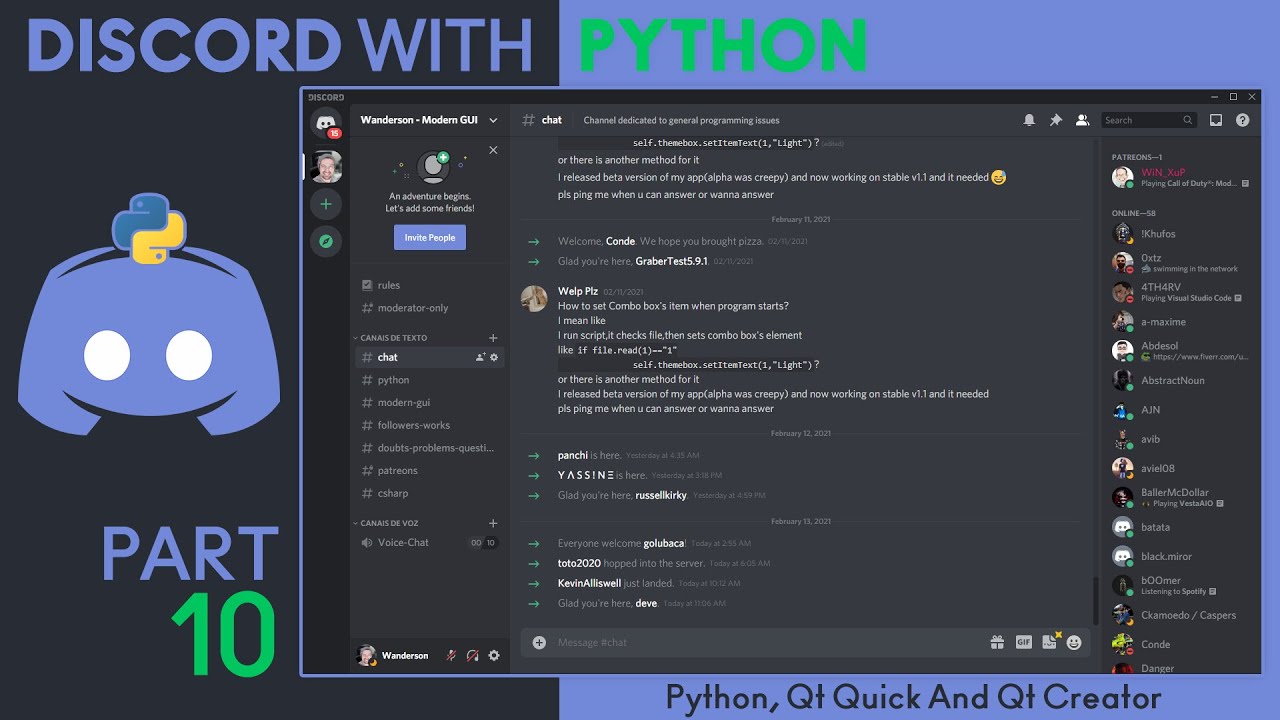
Update!
I will no longer post the entire process, but whenever possible I will record updates for this project and make the source code available to Patreon supporters!
SOURCE CODE:
🔗 Patreon: https://www.patreon.com/WandersonIsMyName
TOOLS:
Python 3.8.2
PySide2 version 5.15.2
Qt Creator Community 4.14.0 (Open Source)
//// DONATE ////
🔗 Donat...
 safe urchin
How can I get the HWND of a QMainWindow in PyQT6? I'm trying to make a win32 API call to give myself a dark taskbar, but I can't seem to figure out how to get these two different parts to "talk to" each other.
I believe the .winId() and/or .effectiveWinId() methods are somewhat related here, but I'm clueless as to how I can turn that into something I can pass along to ctypes.windll.user32.GetParent.

(or or is this a question better suited for #c-extensions?)
Update: Issue resolved! For anyone who may have this issue in future, user32.GetParent isn't needed at all, unlike with tkinter - just int(window.winId()) got me the HWND.
 crimson latch
is it possible to combine tkinter and imgui?
midnight pecan
whata better, pyside or pyqt
 cobalt idol
midnight pecan
whata better, pyside or pyqt
cobalt idol
midnight pecan
whata better, pyside or pyqt
I think pyqt5 is better
gritty apex
safe urchin
Update: Issue resolved! For anyone who may have this issue in future, `user32.Ge...
Now I wanna know how do you exactly do it on tkinter to change the taskbar what module do I need for that "user32.GetParent"
mighty rock
safe urchin
Update: Issue resolved! For anyone who may have this issue in future, `user32.Ge...
You can get a window's HWND in tkinter using the winfo_id attribute
mighty rock
gritty apex
Now I wanna know how do you exactly do it on tkinter to change the taskbar what ...
from ctypes import windll
user32 = windll.user32
or
from ctypes import WinDLL
user32 = WinDLL("user32")
(Windows only obviously)
safe urchin
Is there some way with PyQT5 I can create a window, without actually displaying it on the screen? I need the window to be instantiated so I can get its HWND, but I also don't want to render it immediately, as there is an ugly white flash as I switch over to dark mode.
safe urchin
Also, what is the best way to make a query to a REST API, and display the results in the GUI? I'm not sure whether to use some built-in PyQT functionality, just regular requests, or some asyncio aiohttp stuff
rocky dragon
qt has network stuff through QtNetwork but it's a bit of a pita with all the callbacks
midnight pecan
cobalt idol
I think pyqt5 is better
tysm!
safe urchin
rocky dragon
qt has network stuff through QtNetwork but it's a bit of a pita with all the cal...
Would you recommend using aiohttp instead of it then?
I've been really down on my luck trying to find any information online on PyQT stuff, and it looks like the type stubs are all wrong as well, which isn't helping at all
from what I have gathered though, it seems like it doesn't really play nice with external requests libraries, because they're either blocking or they require hacky event loop stuff
 eager beacon
There is a ton of PyQt information out there. What type of things are you looking for?
As far as stubs go, use https://pypi.org/project/IceSpringPySideStubs-PyQt6/
 safe urchin
Ooh, that could be very useful - thank you!
safe urchin
eager beacon
There is a ton of PyQt information out there. What type of things are you lookin...
For example, I can't seem to find a QSS specification / reference anywhere - it's all been guesswork up until here by referring to examples at https://doc.qt.io/qt-6/stylesheet-examples.html
eager beacon
eager beacon
Your google skills are probably fine, that one is just buried and hard to find unless you actually take the time to read the stylesheet docs carefully and completely
If you scroll to the end of that page, there are some pagination links that might bring up a couple of other related pages you've missed
I think those are the ones that explain exactly what a sub-control is, which makes life with qss less confusing
safe urchin
That'll definitely come in handy, thanks!
eager beacon
sure
safe urchin
One last thing - are you aware of any forks/clones of the Sass compiler, for QSS? I've found one Spyder repository, but that's outdated and the code no longer works.
eager beacon
No, sorry I've never found the need to use one.
What would the benefit be exactly?
Keep in mind that qss != css, so there is a ton of stuff that you can't do with qss that you can with css. This is especially true for any css features that are even remotely new.
safe urchin
eager beacon
What would the benefit be exactly?
It's partially for some syntactic sugar, but the main reason is that I'm able to use modules and conditionals for a light and dark theme without a lot of repetition.
eager beacon
Hmm, well you can make it a little easier without one.
Do you know how to use pyqtProperties ?
safe urchin
I've searched it up, and it'll help with the light/dark mode switching, but I think I may just stick to having the sass compiler on my side for now just for the syntactic sugar.
There's only two syntax mismatches, that being the gradient functions and the exclamation mark for negation. Those could be resolved with a very simple substitution though
eager beacon
Okay, its probably easier if you see them in action than if I explain it.
1 moment
import sys

from PyQt6.QtGui import *
from PyQt6.QtWidgets import *
from PyQt6.QtCore import *

app = QApplication(sys.argv)
app.setStyleSheet("QWidget[white=true]{background-color: #f0f0f0}"
                  "QWidget[red=true]{background: #f44336}")

win = QMainWindow()
central = QWidget()
w1 = QWidget()
w1.setProperty("white", True)
w2 = QWidget()
w2.setProperty("red", True)

layout = QVBoxLayout()
layout.addWidget(w1)
layout.addWidget(w2)
win.setCentralWidget(central)
central.setLayout(layout)

win.setCentralWidget(central)
win.show()

app.exec()
for some reason the stylesheet reference does not cover the property syntax
You can get a lot done with this, especially if you combine properties with the stylesheet PaletteRole.
the properties aren't bound to being a bool either, you can use strings and I believe integers as well but you'd have to double check me on that
safe urchin
Ah, so setObjectName and setProperty are similar to HTML IDs and data attributes respectively - that makes sense
Sorry for the late reply, but thank you very much for all the help to this point!
rocky dragon
safe urchin
Would you recommend using aiohttp instead of it then?
I think using requests/an async lib in an another thread may be nicer in some ways, but then you also have stuff running in an another thread which has its own potential complications
safe urchin
rocky dragon
I think using requests/an async lib in an another thread may be nicer in some wa...
Is there a "standard" way to do this, or is it up to personal preferences or on a case-by-case basis?
rocky dragon
I don't think there's any standard way that's followed, but I think using python tools in an another thread and only sending the results through a signal is the more common approach
for qt's approach I have this util function, but with a chain of requests the callbacks break things up in maybe a bit unnatural ways
def make_network_request(
    url: str,
    *,
    params: collections.abc.Mapping = {},  # noqa: B006
    finished_callback: collections.abc.Callable[[QtNetwork.QNetworkReply], t.Any],
) -> QtNetwork.QNetworkReply:
    """Make a network request to `url` with a `params` query and connect its reply to `finished_callback`."""
    log.debug(f"Sending request to {url} with {params=}")
    if params:
        url += "?" + urllib.parse.urlencode(params)
    qurl = QtCore.QUrl(url)
    request = QtNetwork.QNetworkRequest(qurl)
    request.set_header(QtNetwork.QNetworkRequest.UserAgentHeader, f"{APP}/{VERSION}")
    reply = get_network_mgr().get(request)
    reply.finished.connect(partial(finished_callback, reply))

    return reply
It's of course only for the get and missing some things you may need, but that's roughly how it looks like
 shy torrent
Is there any performance bonus of memory usage boon or so in using the concurrency of Qt compared to just using the ones of python itself?
safe urchin
eager beacon
As far as stubs go, use https://pypi.org/project/IceSpringPySideStubs-PyQt6/
I seem to be having some issues with these stubs as well:

Is there something I'm doing wrong here, or do the stubs need a little tweaking?
eager beacon
safe urchin
I seem to be having some issues with these stubs as well:
If you have a different stub file installed, you probably need to remove it and then reinstall the icespring stubs.
at one point there were some notes on the repos page about issues but from what I remember those were centered around use in PyCharm
safe urchin
eager beacon
If you have a different stub file installed, you probably need to remove it and ...
I have followed the instructions to the letter, including removing PyCharm skeletons/stubs and making the directory read-only. However, the issue appears to be with the IceSpringPySide stubs
It thinks that the types of all the enums are Qt | Qt
 eager beacon
Oh that! Sorry, I thought you were showing me that the docs strings weren't rendering on mouse over.
Yeah, so that had to do with the transition between versions 5 and 6. In version 5 PyQt had its own way of handling typing. In version 6 it was changed to use Python's Enum. The part where it says Qt | Qt is because the window type is an Enum which doesn't work with bitwise operators like |.
safe urchin
Ah, that makes sense then
I had a nosey around online and found https://github.com/python-qt-tools/PyQt6-stubs, which is not on PyPI but seems to work so far for me
eager beacon
I think I had to change it to use a different type of enum. When I finish cooking dinner I'll send you the file I made the changes in.
It won't fix everything, since I only changed one or two of them where the highlighting was driving me crazy
eager beacon
safe urchin
I had a nosey around online and found https://github.com/python-qt-tools/PyQt6-s...
does this have doc strings?
safe urchin
No, it doesn't
However, I've got f1 assigned to automatically open the Qt online docs, so I've been fine without them
eager beacon
Ahh okay. That's pretty much the only reason I use the ice spring stubs because I hate having 5 tabs of docs open or having to use Dash constantly to do a quick lookup
Using cmd/ctrl+click on the function definition and having instant access to the docs has spoiled me
safe urchin
that's fair, I've gotten used to having a browser open at all times by now though
Thank you very much for all your help up until this point, hopefully that's typing issues resolved from here onwards!
 lime dagger
uhm
safe urchin
lime dagger
uhm
you alright?
lime dagger
does anyone here wanna vc
safe urchin
Is it possible to somehow apply a style to only part of a QLineEdit's contents? I'm trying to create an autocomplete, and I'm looking for some way to "shadow" the predicted text using a dimmer font colour.
Never mind, this seems way too overcomplicated so I'll just do without it for now 😅
eager beacon
ehh, qss isn't great with stuff like that. The easiest thing I can think of would be to create a QLineEdit and change the color using the paintEvent .
You may be able to use QStyle to pull it off in a subclass also, but I don't know enough about that.
safe urchin
Could someone please explain what the difference between layout.addLayout() and layout.addWidget(widget); widget.setLayout() is please? The second just seems like an extra intermediary step, but I don't quite understand the benefits of it
 frail vault
Hi, i'm trying to create a date and time selector popup window in pyqt5. I managed to make a text input popup, but still can't figure out how to do it with the QDateEdit widget in a separate window. Any direction or examples would be appreciated.
Here's the code for the text input:
text, ok = QtWidgets.QInputDialog.getText(self, 'Input Dialog', 'Enter text:')
if ok:
    print(text)
 unique mural
Anyone familiar with tkinter?
gritty apex
unique mural
Anyone familiar with tkinter?
Ask!
gritty apex
Dark title bar in windows! Pass the root element to the function https://gist.github.com/Olikonsti/879edbf69b801d8519bf25e804cec0aa
 soft pike
So i have query with tkinter
i have this app

where i removed the title bar
but is it possible if i can remove the black background or make it transparent

ive seemed to do it slightly but it affects the actual logo
which i do not want
 frank moth
Are there any curses users here? I have a probably obvious question about checking getch against a list of valid characters. I think it doesn't work because getch returns the ascii code. I'm not using getkey because for some reason it interferes with the display, makes things slow.
Current code:
legal = ['A','B','C','D','E','F','G','H','I','J','K','L','M','N','O','P','Q','R','S','T','U','V','W','X','Y','Z','a','b','c','d','e','f','g','h','i','j','k','l','m','n','o','p','q','r','s','t','u','v','w','x','y','z','0','1','2','3','4','5','6','7','8','9']

key = stdscr.getch()

if key in legal:
  printKey = True
Kinda rubber ducked it here. If I wrap my legal characters in ord() it will work. Is there a more elegant way to do this? legal = [ord('A'),ord('B'),...]
eager beacon
safe urchin
Could someone please explain what the difference between `layout.addLayout()` an...
A layout used to organize and position widgets. A widget is a component that can be added to a layout. The main difference between layout.addLayout() and layout.addWidget(widget) is that layout.addLayout() adds a layout to another layout, while widget.setLayout() sets a layout for a particular widget. Unless you are dynamically replacing a layout, like if you wanted to change the what your widget renders, you would only use widget.setLayout() once in the beginning.
safe urchin
That makes sense, thank you!
summer vigil
soft pike
Just make the original image transparent
hella late reply but people barely use this
 obtuse thistle
frank moth
Are there any `curses` users here? I have a probably obvious question about chec...
obtuse thistle
frank moth
Are there any `curses` users here? I have a probably obvious question about chec...
you can map ord to your characters:
legal = set(map(ord, "ABCDEFGHIJKLMNOPQRSTUVWXYZabcdefghijklmnopqrstuvwxyz1234567890"))
Thanks much!
 jade siren
is anyone familiar with curses?
I'm trying to make like a search field in a command line terminal but it's not working out
 jovial depot
Hi, I'm working on a Kivymd app. I have an text input, which calls my search function on every character added or removed. This is the behaviour I want, but there is a glaring problem. With every character I add, the API which does the searching gets called, which can take some time. And during this waiting time, my text input is completly frozen... Is there a way to still call the API, but also not let the text input freeze?
eager beacon
Check to see if the input has a returnPressed signal or something to allow you to only start the search when enter is pressed.
summer vigil
yoo https://icons8.com/lunacy this be useful

Lunacy by Icons8 is free graphic design software for Windows, macOS, Linux. Open, edit sketch files with ease. Built-in vector, photos, UI kits, and more.
to design before you code 👍
 glacial summit
I need help on PyQt5.
I am trying create a project that send mail
I can write a program that sends mail. But I can't make it on PyQt5 form. Can you help me on this?
I can share my screen or share codes I run. Or how you want
mighty frigate
@glacial summituse #❓|how-to-get-help and ask your question. You can ping me. I won't watch your screen tho, send a small sample of your problem and ask questions.
glacial summit
mighty frigate
<@740888683808555039>use <#704250143020417084> and ask your question. You can p...
ok
 turbid charm
Hello there
I want to creat 5 painting windows with a button in each window by kivy library. Then connect windows with screen manager. In other words, when I'm clicking button, new painting window open and so on.
But I can't find any similar code like what I mean.
Do you have any idea that can help me to build such app?
When I put a button in painting window, I can't use on press of button to go to the next window.
digital rose
I want to use pyqt5 and requests modules.
I will be downloading a fe using requests.get and want to be able to display a progress bar on the ui. Is that possible? I am hoping to use requests module and not urlib.requests
rocky dragon
What's this about? It popped up after I connected the result signal to a method
*** Sort Warning ***
Signals and slots in QMetaObject 'NeutronTab' are not ordered correctly, this may lead to issues.
1  Slot   _get_route()
2  Slot   _display_nearest_window()
3  Slot   _set_submit_sensitive()
4  Slot   _set_range(int)
5! Signal result_signal(PyObject)
6! Slot   _update_from_loadout(PyObject)
is the issue that I connect signals to slots of the object after a signal from it is connected (why?)?
eager beacon
rocky dragon
What's this about? It popped up after I connected the result signal to a method
...
rocky dragon
I don't think I have any duplicate class names
there is maybe weird multiple inheritance but that should be linearized by python so I don't think that could be the issue?
eager beacon
I'm not really sure, I've only seen that once before and thats when I was trying to use connectSlotsByName and messed up
rocky dragon
this is the class https://github.com/Numerlor/Auto_Neutron/blob/bug-branch/auto_neutron/windows/new_route_window_tabs.py#L42, if I connect the result_signal to a method in the window that creates this and after that run https://github.com/Numerlor/Auto_Neutron/blob/bug-branch/auto_neutron/windows/new_route_window_tabs.py#L233-L238 it starts popping up with the warnings and the signal doesn't work
proven basinBOT
auto_neutron/windows/new_route_window_tabs.py line 42
class Tab(TabBase):```
`auto_neutron/windows/new_route_window_tabs.py` lines 233 to 238
```py
(
    journal.loadout_sig.connect(self._update_from_loadout),
    journal.system_sig.connect(self._update_from_location),
    journal.target_signal.connect(self._update_from_target),
    journal.cargo_signal.connect(self._update_from_cargo),
)```If they use something similar to the behavior of a trie to resolve the names, I could see that being it, maybe.
How much work would it be to change one of the class names for a test?
eager beacon
Figures it wouldn't be that simple
given that _get_route(self) is mentioned with a ! next to it, and theres one in each tab and 3 of them emit something from inside the method.
I'd start there
rocky dragon
I think that's it just showing out of order entries, as with all the connections it shows
1  Slot   _get_route()
2  Slot   _display_nearest_window()
3  Slot   _set_submit_sensitive()
4! Signal result_signal(PyObject)
5! Slot   _update_from_loadout(PyObject)
6! Slot   _update_from_location(PyObject)
7! Slot   _update_from_target(PyObject)
8! Slot   _update_from_cargo(int)
I'll try to get a mre in a bit, though I don't really know what it could be as the only out of ordinary thing is the inheritance
eager beacon
Yeah, it's pretty hard to keep track of what each class in both files inherits, and their signals and slots .
rocky dragon
It looks like it's because of multiple QObject classes which may be doing something when the type is created?
from PySide6 import QtCore

class Object(QtCore.QObject):
    signal = QtCore.Signal()

class OtherObject(QtCore.QObject):
    0

class SubclassObject(OtherObject, Object):
    def slot(self):
        0


app = QtCore.QCoreApplication()
obj = SubclassObject()
app.aboutToQuit.connect(obj.slot)  # random signal
obj.signal.connect(print)
app.aboutToQuit.connect(obj.slot)  # random signal
app.exec()
reproduces it
rocky dragon
eager beacon
Yeah, it's pretty hard to keep track of what each class in both files inherits, ...
I'm trying to make things more reusable as the behaviour was previously all just a huge class that I put off refactoring for over a year, but the subclassing I have going on is a more complex even if it's more extensible, if you have any suggestions on how to structure things in a nicer way I'm open to them
huh it works if it inherits from (Object, OtherObject) instead of what it is above
eager beacon
Oh, yeah.... I remember something along those lines. Like when you use inheritence you can't have widget,object, or maybe its the other way around(cant remember). So It wouldn't surprise me if the example you posted does cause issues.
Was it just trial and error, or how did you figure it out?
rocky dragon
inheritance was the only thing that came to mind, so I replicated that and then chopped it down
seems to be working fine with the inheritance reordered but that also messes up what I had in mind with it
eager beacon
which class did you have to change?
rocky dragon
the Tab subclasses to have Tab first instead of second
but that also has me passing args in their init that should be handled by the other inherited class
eager beacon
The part about the args is worth adding a comment if you're not the only maintainer
and maybe even worth it if you are
lofty pond
What is the difference in performance, changes or others between PyQt5 and PyQt6? Thinking of making a project and wondering which I should use
 kindred minnow
theres like a billion libraries in the pinned can someone tell me which would be nice for a beginner
 granite garden
kindred minnow
theres like a billion libraries in the pinned can someone tell me which would be...
granite garden
kindred minnow
theres like a billion libraries in the pinned can someone tell me which would be...
When I started out learning about UI I used pyqt5 mainly due to the GUI designer it came with. It is Huge library can get hectic at some point but it has everything you need.
granite garden
kindred minnow
or well works
it works well, But I think it might be harder than the other libraries out there but personally, i think it is worth learning
granite garden
lofty pond
What is the difference in performance, changes or others between PyQt5 and PyQt6...
read this article bout it link:https://www.pythonguis.com/faq/pyqt5-vs-pyqt6/. It says if you know pyqt5 really well, go ahead and upgrade
Python GUIs
What are the differences, and is it time to upgrade?. If you are already developing Python GUI apps with PyQt5, you might be asking yourself whether it's time to upgrade to PyQt6 and use the latest version of the Qt library.
kindred minnow
@granite garden can you help me
gritty apex
kindred minnow
theres like a billion libraries in the pinned can someone tell me which would be...
Tkinter, no doubt, that or eel if you're confortable with front-end, it opens a webview, well, and pySimpleGUI, you can read it says "Easiest to use" but it's a wrapper for old non-themed tkinter widgets
kindred minnow
well idk tkinter weird it no work
 rugged aspen
Hi, I'm looking to develop a small TUI apps, but I might need to show images in it. I cannot seem to find any framework that support this. Am I missing something ?
 tribal path
how would/should the images look in a tui?
obtuse thistle
rugged aspen
Hi, I'm looking to develop a small TUI apps, but I might need to show images in ...
!pypi nurses_2
proven basinBOT
A widgetful and async-centric library for terminal graphics.
obtuse thistle
though, tbf, it's missing widgets for text inputs
summer vigil
yoo this look easy enough to understand? (any tips be better)

(the middle is when they actually put something from their photos)
(the right is when they set they password and it check if it matches and displays a message)
(The left is just what they see before they import something)
Me thinking of using Kivy (as I can use it to make UI/apps for mobile)
summer vigil
Just realized the design is mid 💀
 hollow wadi
rugged aspen
Hi, I'm looking to develop a small TUI apps, but I might need to show images in ...
hollow wadi
rugged aspen
Hi, I'm looking to develop a small TUI apps, but I might need to show images in ...
!pypi textual
proven basinBOT
Text User Interface using Rich
rugged aspen
@hollow wadi @obtuse thistle thank you for your sugestion, but I will need to display images with more than 500x500 and I don't think theses library can do it.
obtuse thistle
rugged aspen
<@328484067819520002> <@431341013479718912> thank you for your sugestion, but ...
nurses_2 can display images or videos:
resolution will be reduced so the terminal can render them
rugged aspen
@obtuse thistle This is the issue I am trying to solve, being able to render good enough image in the terminal. Unfortunately, I need a better resolution that what nurses_2 or other framework offers.
obtuse thistle
rugged aspen
<@431341013479718912> This is the issue I am trying to solve, being able to rend...
There are terminals with sixel graphics that can do resolution about 6x2 times better, but past that this is a limitation of using unicode characters for every "pixel"
 buoyant goblet
yo guys i have a question
digital rose
Does anyone know whether PyQt's threads crash when it sees events from non-PyQt threads modifying PyQt objects
that's the best guess as to why my whole project is going full NASA Challenger on me
 pliant pike
Could someone explain why pyqt6 isn't opening the new sales window when I press the button (it isn't giving me any error or anything either, but it was working fine for my other purchase window)
"""Simplied code for the class"""
class SalesWindow(QMainWindow):
    def __init__(self, database_conn, cursor):
        """
        database_conn: MySQLConnection
        cursor: MySQLCursor
        """
        super().__init__()

        self.conn = database_conn
        self.cursor = cursor

        self.central_widget = QLabel("Test")
        self.setCentralWidget(self.central_widget)
I'm trying to open this sales window from another file on a button press
@pyqtSlot()
def show_sales_record_window(self):
    window = SalesWindow(database_conn=self.conn, cursor=self.cursor)
    window.show()
Simply doing
@pyqtSlot()
def test(self):
  print("Button Works")
  window = QLabel("Test")
  window.show()
doesn't open a window either but the signal works cause the print statement gets called.
plush stream
@pliant pike try window.setAttribute(Qt.WindowType.Window)?
pliant pike
window.setAttribute(Qt.WindowType.Window)
TypeError: setAttribute(self, Qt.WidgetAttribute, on: bool = True): argument 1 has unexpected type 'WindowType'
zsh: abort      python main_window.py
Huh
pliant pike
not sure what that does
pliant pike
Hmm still seems to be the same
pliant pike
still not doing anything
pliant pike
I'll try that
pliant pike
plush stream
`window = QLabel("test", self)`
hmm still the same
pliant pike
pliant pike
hmm still the same
Oh wait this worked!
The window showed up, lemme try this on my actual class
pliant pike
plush stream
`window = QLabel("test", self)`
Ahh thank you! This worked!
plush stream
nice!
 grave flame
(PyQt6)
So I have a dialog box with label, a combobox and ok and cancel buttons. I'd like to obtain selected choice from the combobox when user clicks ok. How?
 median bridge
Anyone know how I can fix this issue? I'm slowly learning tkinter and using the TreeView widget

    def display_database_treeview(self):
        title_database = ("Title", "Programming \n Language", "Date Started", "Target Date", "Completed")
        database_tree = ttk.Treeview(self.database_frame, columns=title_database, show="headings")
        style = ttk.Style()
        style.theme_use('default')
        style.configure('Treeview.Heading', size = 25)
        style.configure("Treeview",
        background="#D3D3D3",
        foreground="black",
        rowheight=25,
        fieldbackground="#D3D3D3")
        # database_tree ("Title", "Programming Language", "Date Started", "Target Date", "Completed")
        for x in range(len(title_database)):
            if title_database[x] == "Date Started" or title_database[x] == "Target Date":
                database_tree.column(title_database[x], width=100, anchor = W)
                database_tree.heading(title_database[x], text = title_database[x])
            elif title_database[x] == "Completed":
                database_tree.column(title_database[x], width=100, anchor = E)
                database_tree.heading(title_database[x], text = title_database[x])
            else:
                database_tree.column(title_database[x], width=150, anchor = W)
                database_tree.heading(title_database[x], text = title_database[x])

        database_tree.pack()
        return database_tree

    def create_database_frame(self):
        frame = tk.Frame(self.window, height = 250, width = 200, bg="grey")
        frame.pack(fill="both")
        return frame
I'm trying to match up the background of a widget inside of a QTabWidget with that tab widget's background color, but changing the Window role of the palette makes widgets within that widget's layout lose styling, what could be the issue there? e.g. with the palette unchanged a line edit looks like https://i.imgur.com/ydm1uP2.png (but with the wrong background color) and adding the palette turns it to https://i.imgur.com/9cSzJKW.png




 grave flame
mighty frigate
<@656617935376220160> https://doc.qt.io/qt-6/qcombobox.html#currentText-prop
grave flame
mighty frigate
<@656617935376220160> https://doc.qt.io/qt-6/qcombobox.html#currentText-prop
Thank you
mighty frigate
@rocky dragonstyles and palettes don't work together, you have to choose one or the other
grave flame
@mighty frigate the issue is that QDialog#exec returns only selected button, not combo box choice
I don't know how to make it return both button and combobox choice
mighty frigate
@grave flameshow me some code
grave flame
class RemoveFolderDialog(QDialog):

    def __init__(self, folders_list):

        super().__init__()
        self.setWindowTitle("Remove folder")

        QBtn = QDialogButtonBox.StandardButton.Ok | QDialogButtonBox.StandardButton.Cancel

        self.buttonBox = QDialogButtonBox(QBtn)
        self.buttonBox.accepted.connect(self.accept)
        self.buttonBox.rejected.connect(self.reject)

        self.layout = QVBoxLayout()
        message = QLabel("Which folder would you like to remove?")
        self.layout.addWidget(message)

        self.comboBox = QComboBox()
        for folder in folders_list:
            self.comboBox.addItem(folder)

        self.layout.addWidget(self.comboBox)
        self.layout.addWidget(self.buttonBox)
        self.setLayout(self.layout)
and here I am calling it upon someone clicking the Remove folder button
def remove_folder_button_dialog(self):

        if len(self.folders_list) == 0:
            return

        dlg = RemoveFolderDialog(self.folders_list)
        button = dlg.exec()
        # by default, #exec returns either 0 or 1 depending on if I clicked Ok or Cancel button
@mighty frigate ^
If I click Ok button, it's supposed to return 1 and combobox choice
mighty frigate
dlg isn't destroyed after the exec, you can still retrieve the combobox
dlg.comboBox.currentText()
@grave flame
rocky dragon
mighty frigate
<@184351770636582913>styles and palettes don't work together, you have to choose...
Are they? I meant the application style (set to fusion); it works everywhere else except the widget in the scroll area
In what way do you find it terrible? The normal Qt documentstion is generally great from my experience
mighty frigate
@rocky dragon@worn viperthat's odd because the Qt documentation is probably one of the best you'll ever find. A very large part of Qt is well documented, and there's tons of examples. Yes it's in C++ but it doesn't matter as the framework is the same in C++ and in python, with very few differences.
if you really want a documentation in python for Qt, here's one but I warn you, it's significantly worse : https://www.riverbankcomputing.com/static/Docs/PyQt5/
@rocky dragonshow me some code about your problem pls, preferably the smallest sample you can do
 molten latch
obtuse thistle
nurses_2 can display images or videos:
resolution will be reduced so the termina...
molten latch
obtuse thistle
nurses_2 can display images or videos:
resolution will be reduced so the termina...
.pin
 tawdry mulch
median bridge
Anyone know how I can fix this issue? I'm slowly learning tkinter and using the ...
tawdry mulch
median bridge
Anyone know how I can fix this issue? I'm slowly learning tkinter and using the ...
What issue
rocky dragon
mighty frigate
<@184351770636582913>show me some code about your problem pls, preferably the sm...
Looking at it more in depth, it looks like the widgets are using the Window color role for edges, which I was overriding on the parent so the outlines disappeared or were muted. Not really sure how to have it use the tab's background color in a nice way
I suppose I could set the palette to the default one on every child to prevent them using the scroll area widget's palette
median bridge
tawdry mulch
What issue
The top bit so it covers the grey area. I created a frame for the treeview, but it isnt using the whole frame
tawdry mulch
median bridge
The top bit so it covers the grey area. I created a frame for the treeview, but ...
Are you using pack or grid
median bridge
tawdry mulch
Are you using pack or grid
I'm using pack for both
Would using grid be better?
tawdry mulch
median bridge
Would using grid be better?
Try using the fill property
median bridge
tawdry mulch
Try using the `fill` property
On the frame or on the treeview?
tawdry mulch
fill='y'
tawdry mulch
median bridge
On the frame or on the treeview?
Both I suppose
median bridge
Didn't work :(
median bridge
tawdry mulch
Both I suppose
I just found out removing the elif == "Completed ends up filling the whole thing
idk how tho
tawdry mulch
median bridge
I just found out removing the `elif == "Completed` ends up filling the whole thi...
Ah well, I don't have a runnable example, that's y Idk the reason
median bridge
tawdry mulch
Ah well, I don't have a runnable example, that's y Idk the reason
Should I send you my code?
tawdry mulch
median bridge
Should I send you my code?
Everyhelp within the channel only
buoyant goblet
does anyone know how can i make a game overlay like steam for ex using pyqt
i want to make a ui that i can access inside the game without leaving
mighty frigate
@rocky dragonit's hard to tell without seing what is actually happening
@buoyant gobletthere's 3 main things you need to do :
- register a global shortcut (for example : https://pypi.org/project/global-hotkeys/)
- access the properties of the focused window : (for example : https://stackoverflow.com/questions/7142342/get-window-position-size-with-python)
- you'll need to set some specific window flags to your QMainWindow to hide the windows control :(see https://doc.qt.io/qt-6/qwidget.html#windowFlags-prop and https://doc.qt.io/qt-5/qt.html#WindowType-enum)
From there you should be able to make whatever you want. This will only works on windows.
rocky dragon
mighty frigate
<@184351770636582913>it's hard to tell without seing what is actually happening
The tab widget renders its background with a modified button color, but the scroll area uses the Window color - I want it to be transparent or use the same color as the tab for its background
from PySide6 import QtGui, QtWidgets
from __feature__ import snake_case, true_property  # noqa: F401

class Window(QtWidgets.QMainWindow):
    def __init__(self):
        super().__init__()
        self.tab = QtWidgets.QTabWidget(self)
        self.set_central_widget(self.tab)

        self.scroll_area = QtWidgets.QScrollArea(self)
        self.scroll_area.frame_shape = QtWidgets.QFrame.Shape.NoFrame

        self.widget_in_scroll_area = QtWidgets.QWidget(self)
        self.scroll_area.set_widget(self.widget_in_scroll_area)

        self.widget_with_scroll = QtWidgets.QWidget()
        self.layout_in_widget_with_scroll = QtWidgets.QVBoxLayout(self.widget_with_scroll)
        self.layout_in_widget_with_scroll.add_widget(self.scroll_area)
        self.tab.add_tab(self.widget_with_scroll, "")

app = QtWidgets.QApplication()
app.set_style("Fusion")
pal = app.palette()
pal.set_color(pal.Button, QtGui.QColor(50,50,50))
app.set_palette(pal)
window = Window()
window.show()
app.exec()
the scroll area sets autofillbackground to true for the widget added to it, but changing that back to false had no effect
digital rose
tkinter, i need to find a way to make it so a image can be a button?
mighty frigate
@rocky dragonhonnestly I don't know how to use palettes because I never use them, but it looks like to me you could use stylesheet
try this
from PySide6 import QtGui, QtWidgets
from __feature__ import snake_case, true_property  # noqa: F401

class Window(QtWidgets.QMainWindow):
    def __init__(self):
        super().__init__()
        self.tab = QtWidgets.QTabWidget(self)
        self.set_central_widget(self.tab)

        self.scroll_area = QtWidgets.QScrollArea(self)
        self.scroll_area.frame_shape = QtWidgets.QFrame.Shape.NoFrame

        self.widget_in_scroll_area = QtWidgets.QWidget(self)
        self.widget_in_scroll_area.setStyleSheet("background-color: transparent;")
        self.scroll_area.set_widget(self.widget_in_scroll_area)

        self.widget_with_scroll = QtWidgets.QWidget()
        self.layout_in_widget_with_scroll = QtWidgets.QVBoxLayout(self.widget_with_scroll)
        self.layout_in_widget_with_scroll.add_widget(self.scroll_area)
        self.tab.add_tab(self.widget_with_scroll, "")

app = QtWidgets.QApplication()
app.set_style("Fusion")
window = Window()
window.setStyleSheet("QPushButton {background-color: rgb(50,50,50);}")
window.show()
app.exec()
wait you want to change the tab background, right
basicaly
tabWidget = QTabWidget()
tabWidget.setStyleSheet("QTabBar::tab { background-color: transparent;"}
something like this
grave flame
@mighty frigate hey, do you know how can I set vertical scrollbar to bottom in QTextEdit?
mighty frigate
@grave flameisn't there a scroll() func or something ?
@grave flametake a look at QTextEdit and QScrollBar documentation
it's in there somewhere
grave flame
I did, couldn't really find anything
mighty frigate
@grave flameQTextEdit has a verticalScrollbar() getter (https://doc.qt.io/qt-6/qtextedit-members.html), which has a scroll() function (https://doc.qt.io/qt-6/qscrollbar-members.html)
grave flame
uh
mighty frigate
QWidget also has a scroll() function (https://doc.qt.io/qt-6/qwidget.html#scroll-1)
grave flame
I couldn't find that here https://doc.qt.io/qtforpython/PySide6/QtWidgets/QTextEdit.html?highlight=qtextedit
mighty frigate
@grave flamedo yourself a favor and use the cpp documentation
I keep telling it to ppl and they never listen
grave flame
Okay
mighty frigate
it doesn't matter it's cpp, the calls are the same, the structures are the sames, the flags are the sames
buoyant goblet
mighty frigate
<@363209581108658177>there's 3 main things you need to do :
- register a globa...
thanks for help i will try that
💜
 turbid crow
Hello I have a problem with filling in this shape with a color

I would like the whole shape to be red on the inside, but it's only filling in the area between points
I've made the code as short as possible while also being runnable, and I'm hoping somebody will spot the mistake here
I've also tried toFillPolygon, which gives this:
self.scene.addPolygon(path.toFillPolygon(), brush=br)
 quartz dust
Hey there so I'm trying to make ca calculator in python and tkinter an I've added almost everything that I've wanted except one thing; being able to add custom powers to equations, what I mean by custom powers is not just being able to do x to the power of 2, so you could do x to the power of y; you would choose both numbers, I've tried updating each label and updating the out put but I just can't figure out how to do it, please help. Here is the script: https://pastebin.com/WAq8U3QS
buoyant goblet
@mighty frigate bro am not a spammer i got hacked before thats why
 past herald
quartz dust
Hey there so I'm trying to make ca calculator in python and tkinter an I've adde...
past herald
quartz dust
Hey there so I'm trying to make ca calculator in python and tkinter an I've adde...
Is the problem the calculation, or the ui showing it properly?
My first idea is to implement a boolean like : isWaitingForCustomPower
That gets set to true when you press the x**y button
So the next number(s) you type are spawned at the top
mighty frigate
@buoyant gobletidk if I'm being honnest I just don't like pm from strangers. As I said if you want help, just explains your problem and ping me. i'll take a look when I have the chance.
 real jackal
I'm having some issues installing pyqt5 when I found out that pyqt6 is a thing. I've never really built any GUI application in python before, only in C# using windows forms.
I'm not sure how to ask this as you can really make anything work but, is pyqt6 a viable way to create GUI apps with 3.10?
 buoyant fulcrum
I’m getting this error in my exe app, which I wasn’t getting in my script. Could someone please help me?

Does Tkinter fuck up when placed in an exe?
I added a “From Tkinter import message box” to my code now. But since I have from Tkinter import star, I didn’t think it would matter.
mighty frigate
@real jackalyes ? why not ?
I'd probably use PySide6 tho
also you need to ask yourself how you're planning to distribute your app and to whom
because imo python apps aren't made to be distributed to non technical clients
buoyant fulcrum
buoyant fulcrum
I added a “From Tkinter import message box” to my code now. But since I have fro...
This didn’t help
Could someone please help me?
 celest ledge
have you imported messagebox?
buoyant fulcrum
It works in the coding environment
buoyant fulcrum
celest ledge
have you imported messagebox?
Yes
Twice tbh once as a star import and then I just tried doing it separately too
rocky dragon
How would I correctly create a dynamic QCompleter for a line edit? I'm making query requests with the line edit's text and updating the model from their results, but the completer doesn't show new suggestions from that when the model is updated through a slot that's called later. e.g. here it doesn't work with the timer (i.e. request finished signal), but works if called directly
from PySide6 import QtCore, QtWidgets
from __feature__ import snake_case, true_property  # noqa: F401

class Window(QtWidgets.QMainWindow):
    def __init__(self):
        super().__init__()
        self.main_widget = QtWidgets.QWidget(self)
        self.set_central_widget(self.main_widget)
        self.layout_ = QtWidgets.QVBoxLayout(self.main_widget)

        self.line_edit = QtWidgets.QLineEdit(self)
        self.layout_.add_widget(self.line_edit)

        self.completer_model = QtCore.QStringListModel(self)
        self.completer = QtWidgets.QCompleter(self.completer_model, self)
        self.line_edit.textEdited.connect(self.update_model)

        self.line_edit.set_completer(self.completer)

    def update_model(self, query: str):
        QtCore.QTimer.single_shot(0, lambda: self.completer_model.set_string_list([query + "completedtext"]))
        #self.completer_model.set_string_list([query + "completedtext"])

app = QtWidgets.QApplication()
window = Window()
window.show()
app.exec()
tkinter.messagebox is a package that's lazily loaded, try importing it directly in your script, or adding it to pyinstaller's hidden imports (if you're using pyinstaller)
buoyant fulcrum
Ooo
I’ve just tried a direct import by doing “Tkinter.messegebox as messsgebox”
But I’ll try pyinstallers hidden imports if that doesn’t work. (I have no idea how to do that, but I’m sure google can help lol)
Thank you
buoyant fulcrum
buoyant fulcrum
I’ve just tried a direct import by doing “Tkinter.messegebox as messsgebox”
It worked, thank you
buoyant fulcrum
rocky dragon
tkinter.messagebox is a package that's lazily loaded, try importing it directly ...
Do you think this could apply to other libraries that are having random issues that only exist in exe?
mighty frigate
@rocky dragondo you know the string list you want to complete the lineedit before typing ?
rocky dragon
No, it's created from the text in the line edit
mighty frigate
Ok I need to do a bit of research then
I think the problem is that the slot is called after the text is edited
meaning you're modifying the model when the completion is already done
for example, if you type "t" then "c"
it completes with "tcompletedtext"
changing the signal connected from textEdited to textChanged fixes the issue
but in my experience you could have unwanted triggering with textChanged , you'll need to try for yourself @rocky dragon
rocky dragon
mighty frigate
changing the signal connected from textEdited to textChanged fixes the issue
isn't that post saying the opposite?
mighty frigate
ah yes it does I can't read
rocky dragon
but anyway it doesn't seem to change anything
mighty frigate
anyway, it's working with textChanged soo
it's working for me with textChanged
I'm using PyQt5 tho
rocky dragon
maybe something changed then with qt6 or how the signals are set up by the different bindings
mighty frigate
there's ways, but it's kind of ugly
rocky dragon
What I found online seems to suggest something like the above should work, but yeah
mighty frigate
first thing that comes to mind is overloading QLineEdit, overloading the keyPressEvent, and feed your completer there before calling the primitive of QLineEdit
basically
class PrecompletedLineEdit(QLineEdit):
    def __init__(self):
        super(QLineEdit).__init__(self)
    def keyPressEvent(self, event):
         if completer():
             completer.model().setStringList(event.key()) # or something
         QLineEdit.keypressEvent(self, event)
ps it's untested pseudocode, pls dont trust me on its validity
but that's the idea
rocky dragon
I can't really update the model on the event because the completion list is from a request to a remote server
rocky dragon
It's what the timer simulates. The chain of events is textEdited->make_request_with_text->update_model_from_response
mighty frigate
I think I might have something
rocky dragon
you can install an event filter on the text edit's viewport or whatever actually receives the wheel events
mighty frigate
Views are simple, Models are not
QTreeWidget or QListWidget might be more like what you want
@rocky dragon
from PyQt5.QtCore import *
from PyQt5.QtGui import *
from PyQt5.QtWidgets import *
from PyQt5.QtCore import Qt as Qt
import sys


class Window(QMainWindow):
    def __init__(self):
        super().__init__()
        self.main_widget = QWidget(self)
        self.setCentralWidget(self.main_widget)
        self.layout_ = QVBoxLayout(self.main_widget)

        self.line_edit = QLineEdit(self)
        self.line_edit.textEdited.connect(self.update_model)
        self.layout_.addWidget(self.line_edit)

        self.completer_model = QStringListModel(["test", "tata"],self)
        self.completer = QCompleter(self)
        self.completer.setModel(self.completer_model)
        self.line_edit.setCompleter(self.completer)
        self.completer.popup().installEventFilter(self)

    def eventFilter(self, a0: 'QObject', a1: 'QEvent') -> bool:
        if a0 == self.completer.popup() and a1.type() == QEvent.Hide:
            self.completer.setModel(None)
        return super().eventFilter(a0, a1)

    def remove_completer_model(self):
        self.completer.setModel(None)

    def feed_completer(self):
        res = [self.line_edit.text() + "completedtext"]
        self.completer_model.setStringList(res)
        self.completer.setModel(self.completer_model)
        self.completer.popup().show()

    def update_model(self, query: str):
        QTimer.singleShot(300, self.feed_completer)

app = QApplication(sys.argv)
window = Window()
window.show()
app.exec()
i'm so close
the popup isn't at its right position and not the right size either
but it works
rocky dragon
I've noticed that it appears if I remove text with backspace, assuming it's because it's matching what's in the model before it's updated maybe I could have some dummy value in the model that'd always match
but then it may also appear when there's no completions available
rocky dragon
I've noticed the complete method of the completer that I managed to miss two times which mostly does what I need, but it causes flicker as the popup is hidden and then shown when updated