#support
1 messages · Page 648 of 1
 slow jacinth
 iron remnant
Can we link patreon page on Bots' topgg description?
 cobalt sleet
Yes
iron remnant
Thanks! 👌
 mighty heart
hi it redirects me to an error page whenever i try to get premium ? website told me to ask support
 green hinge
why does my bot gets rejected and i get no answer why?
 stoic socket
green hinge
why does my bot gets rejected and i get no answer why?
stoic socket
green hinge
why does my bot gets rejected and i get no answer why?

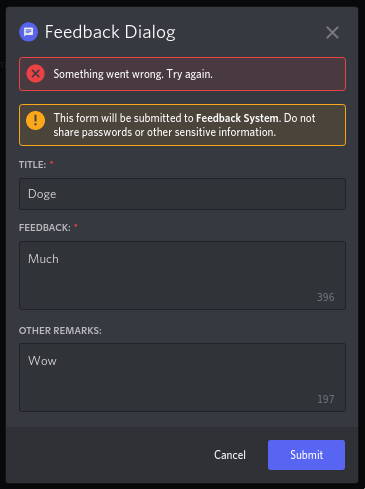
https://media.discordapp.net/attachments/787720264342437889/949897820360544316/unknown.png first time

https://i.imgur.com/XavY3Fa.png second time
 green hinge
ok thanks
 rigid valley
green hinge
ok thanks
rigid valley
green hinge
ok thanks
For future reference, any blue text in #mod-logs is a link that you can click
That is where we would put any relevant Screen Shots of our denial
green hinge
thanks
green hinge
stoic socket
https://capy-cdn.xyz/0LRcooKk.png?
now it works fine, can i submit it again?
stoic socket
Yes
Discord
Discord is the easiest way to communicate over voice, video, and text. Chat, hang out, and stay close with your friends and communities.
green hinge
stoic socket
Yes
did 🙂 
slow jacinth
cobalt sleet
Yes
Hi mac, see this: #support message
cobalt sleet
Your report has already been counted
slow jacinth
oke
mighty heart
Is there a way to change what bots show up in the "bots in this server" section in our page?
 jovial lintel
my bot finally got approved
 ruby nacelle
jovial lintel
my bot finally got approved<:happy_pepe:874413778123513937>
ruby nacelle
jovial lintel
my bot finally got approved<:happy_pepe:874413778123513937>
congrats....
 sturdy swan
Please keep this for actual support 
sturdy swan
mighty heart
Is there a way to change what bots show up in the "bots in this server" section ...
No there is not
 hidden pier
I would like to know if that's something any of the support team or developers can help with
The DDoS protection of top.gg often gets me stuck in a loop and I can't access anything there
This happened many times, is there anything I can do about it? Especially considering it's a cloudfare service, I wonder if I can be helped
 long ferry
Likely something cloudflare related then, perhaps try disabling VPNs/Extensions that might interfere with it
hidden pier
Well I don't use any VPNs at all
I get stuck here and when it stays it's gonna redirect me it repeats all over
 long ferry
could you try a different browser perhaps? Looks like an unusual browser that might also have a user-agent (aka the browser telling the site what it is) that is unusual to cloudflare
 long ferry
yeah nothing we can help with then, try asking cloudflare about it perhaps
hidden pier
It's understandable if I can't be helped, although truly is weird
 low mango
Whoever the fuck tested my bot is a moron

 long ferry
Please consider contacting the reviewer in a friendly manner
Also, there's an image attached to the decline, it may give you some insights on why it did not work during reviewing
low mango
@brazen geyser my help command does work. ALL commands work
long ferry
Yup, feel free to contact them through direct messages 
long ferry
Elaborate "code bots"
 long ferry
I'm still not sure what you're referring to with code bot
cobalt sleet
 ornate monolith
lit
sturdy swan
long ferry
I'm still not sure what you're referring to with code bot
I mean {code bots}that publish codes Like javascript and python
Is it banned from discord?
long ferry
Am not aware of anything that might forbid that
Unless it is sharing stuff like TOS-breaking code snippets, then questionable
ornate monolith
aka no raid stuffs lol
sturdy swan
My bot does not violate any conditions. I hope it does not have any problems
 minor karma
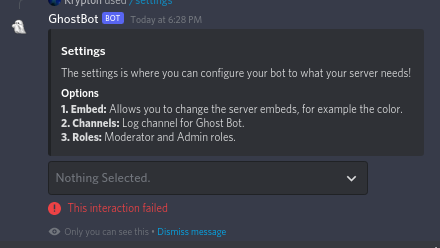
https://i.imgur.com/8VmtVL1.png so i was sent this when i submitted my bot (decline message: #mod-logs message) but the command works for me in my server
Discord
Discord is the easiest way to communicate over voice, video, and text. Chat, hang out, and stay close with your friends and communities.

could it be somethin with the server, or maybe luck wasnt on my side and my bot had a small downtime then?
 cerulean ember
minor karma
https://i.imgur.com/8VmtVL1.png so i was sent this when i submitted my bot (decl...
cerulean ember
minor karma
https://i.imgur.com/8VmtVL1.png so i was sent this when i submitted my bot (decl...
Please contact the bot reviewer who declined your bot for detailed information!
minor karma
ok
sturdy swan
Hey guys, sorry for the (probably) dumb question, but I seem to be unable to add my server on top.gg
i added the bot to the server and stuff
but it doesn't show up in the list of my servers
a few other servers do show up, but they want me to add my own bot or something
and i didn't have to do that to add my other servers
i just clicked my account, and then profile
it shows a bunch of them, 4 which i own and 1 in which i'm not mod
i don't have a bot i want to advertise, i just want my server to show up in the top.gg server listing
long ferry
Are you the user with the ownership on that server you're trying to add
 teal barn
@brazen geyser hey can you confirm the problem with /setup command?
it has issues when selecting roles ?
 gloomy shell
-wrongserver
 wild stoneBOT
Hey! We think you have our server mistaken. We do not provide support, help, or advice for any bot. You need to click on the "Discord" button on the bot's page of the bot you need support for, not the "Join Discord" button at the top of our website. If there isn't a button that says "Discord" or nothing else mentioned about a support server, the server invite is invalid or you were banned from the bot's support server, then we can't help you. Sorry :(

 hushed basalt
If i change my bot name, should a delete it and submit it again on here, or its automatic change the name in Topgg?
 candid mica
press the refresh data button and wait 30 min
hushed basalt
Ah I see thanks
 bright moss
Yeah doesn't work, I used Opera, Brave, Opera GX, Internet and google and non worked
What's weird is I see the bot in my authorized apps but not logged into the website
 runic phoenix
minor karma
if you dont have no issues pls go to <#264445053596991498> (sorry im mini moddin...
runic phoenix
minor karma
if you dont have no issues pls go to <#264445053596991498> (sorry im mini moddin...
Sorry, did not see channel name.
teal barn
gloomy shell
-wrongserver
uh it was for review 😅
 teal barn
gloomy shell
-wrongserver
teal barn
gloomy shell
-wrongserver

 wispy warren
can some teach me how to make a bot that returns gif
sturdy swan
sturdy swan
sturdy swan
https://cdn.discordapp.com/attachments/719100151146348544/951561774426103868/Scr...
what happened here?
long ferry
Disable your browser notifications for now, we're aware
 sage monolith
why am i unable to delete an announcement made on topgg?
long ferry
Clear your cache after doing so
long ferry
-cacheclear
wild stoneBOT
In order to clear your cache for the site, press CTRL+F5.
If this does not work, try one of these resources below:
Instructions on Microsoft Edge
Instructions on Google Chrome
Instructions on Mozilla Firefox
Instructions on Safari
Instructions on Opera
Instructions on Brave
sage monolith
long ferry
Clear your cache after doing so
not working ..
when i am clicking delete button
there is nothing happening only
 hollow berry
my bot here dont have img, its normal?
 wild stoneBOT
In order to fetch your new bot avatar / name, please use the Refresh Data button on the right sidebar. If it still doesn't seem to change, make sure you actually changed the bot avatar on your Discord Developer Portal and not the application icon / make sure you have changed the bot name and not the application name.
💡 Please note: It may take between 30 minutes to an hour for the site-cache to also update. During this time, your changes may not be immediately reflected on the site. Please wait for an hour, clear your cache and reload the page.
 sage monolith
hollow berry
my bot here dont have img, its normal?
sage monolith
hollow berry
my bot here dont have img, its normal?
umm it will load after refreshing

 lean meteor
i am trying to add bots to the site but they are not being added
cobalt sleet
You submitted this one about an hour ago

 torn storm
wild stone
torn storm
wild stone
Is this Available in Mobile?
stoic socket
Yes
teal barn
the bot queue got fixed on website, can we see it? [from pins]
torn storm
Where tho?
cerulean ember
 stoic socket
teal barn
the bot queue got fixed on website, can we see it? [from pins]
stoic socket
teal barn
the bot queue got fixed on website, can we see it? [from pins]
Queue is never public anymore
teal barn
oh, can you please update the pins
cobalt sleet
I don't believe it's planned. Instead we're trying our best to recruit and train more bot reviewers so queue times stay at around more or less a week.
sturdy swan
how is this done?
 cerulean ember
-htmldesc @sturdy swan
wild stoneBOT
@sturdy swan
You can achieve this using Markdown or HTML in your bot's description. You can ask in #development for help or use this HTML and Markdown cheatsheet for more resources.
 unkempt solstice
There are a ton of servers in my Discord Servers list that I no longer have access to and it's rather annoying. Any way I can fix this?
The Refresh Servers button doesn't work and logging out and back in doesn't work either.
cerulean ember
unkempt solstice
There are a ton of servers in my Discord Servers list that I no longer have acce...
Delete them
unkempt solstice
cerulean ember
Delete them
wdym?
stoic socket
cerulean ember
Delete them
I think they mean on https://top.gg/servers/new
Discord
Discord is the easiest way to communicate over voice, video, and text. Chat, hang out, and stay close with your friends and communities.
I have the same issue
unkempt solstice
no I don't
 stoic socket
Yeah that’s the issue I have, Random servers I left or deleted like 6+ months ago still appear
unkempt solstice
besides that there are also deleted servers in that list
that have never been added to top.gg
Oh and https://auctions.top.gg/product/:id/delete STILL doesn't work!
cerulean ember
You can try deleting them that's data from months ago, i don't think that'll affect anything but not sure. I'll forward this to mods!
unkempt solstice
cerulean ember
You can try deleting them that's data from months ago, i don't think that'll aff...
I still have no idea how I'm supposed to delete them
long ferry
Are you able to edit these?
 stoic socket
I can confirm the issue exists too, I have servers which were raided and deleted in July last year which still show up
unkempt solstice
deleted servers, servers I don't have access to, etc. are all there
ever after logging out, refreshing, clearing cache, ...
long ferry
Again, are you able to access these on top.gg
Or what are you referring to with deleted? The discord server or the listing
unkempt solstice
They have never been added to top.gg
the server itself was deleted
other servers in the list are not deleted but I just don't have access to
stoic socket
for me its servers that
- have never been listed on top.gg
- actual servers were deleted
i did bring this up in october or some shit and i remember i was told it was a known issue
long ferry
Known issue then, showing the servers that were previously deleted, which should normally be fixed by refresh servers, logging out and back in aswell as clearing cache
unkempt solstice
I'm really repeating myself here

On top of the problem above, this still isn't fixed either:
https://auctions.top.gg/product/:id/delete
 long ferry
Can't help then
unkempt solstice
I know you can't, but I've reported half a year ago already
and it still isn't fixed
my auctions product selector is full of products and servers that I don't need/don't have access to, it's really annoying.
I've found yet another issue, I was added to a team as an admin that has one server in it.
I can't edit that server, access it via auctions, etc.
In fact, the server shows up as not added to top.gg

 hidden pier
i confirm the issue
 sweet tiger
I need halp
candid mica
sweet tiger
I need halp
about what?
sweet tiger
Wait
 wanton meadow
How long does it take to refresh the bot name?
candid mica
wanton meadow
How long does it take to refresh the bot name?
30 mins to an hour after pressing the refresh data button

 silent zealot
My main account banned this server?
stoic socket
silent zealot
My main account banned this server?
What’s the accounts ID
cobalt sleet
silent zealot
My main account banned this server?
-appeal
wild stoneBOT
@silent zealot
If someone you know has been banned here, then direct them to open a support ticket (select Account/Login issues and then Ban Appeals).
Here's more resources to read through regarding appeals: Ban Appeals
cobalt sleet
silent zealot
My main account banned this server?
What's the main account's ID?
 true citrus
Hey guys, I’m trying to figure out how can I change the profile picture for my bot on the list? It wouldn’t let me change it and it’s stuck at the default, can someone help out
 winter walrus
true citrus
Hey guys, I’m trying to figure out how can I change the profile picture for my b...
winter walrus
true citrus
Hey guys, I’m trying to figure out how can I change the profile picture for my b...
change the profile picture of your bot in developer portal and then click "refresh data" button on your bot's page
true citrus
winter walrus
change the profile picture of your bot in developer portal and then click "refre...
Still not working
winter walrus
true citrus
Still not working
wait for around 30 mins after clicking the refresh data
true citrus
winter walrus
wait for around 30 mins after clicking the refresh data
Let’s gooo it worked well, thanks I appreciate it

winter walrus
sturdy swan
can footer icon be a gif for approval of top.gg discord bot
Yes, bots can have any footer as long as the Gif is not epileptic
sturdy swan
winter walrus
Yes, bots can have any footer as long as the Gif is not epileptic
epileptic means??
winter walrus
sturdy swan
epileptic means??
Any kind of flashy / rainbowy gifs
sturdy swan
kk
 fringe pivot
How do I fix the logo not showing Up. I tried refresh data and clearing cache
 cerulean ember
How much times it's been since you used refresh data? @fringe pivot
 frail moat
Hello. I'm trying to deploy some slash commands and I always get 'DiscordAPIError[50001]: Missing Access', even though I already put applications.commands in the URL scope. Any idea what it could be?
cerulean ember
-support @frail moat
wild stoneBOT
@frail moat
This channel is for support/help with top.gg. It is not for general conversation (move to #general) or development support (move to #development). Please keep this channel on topic!
 eager drift
why can't i edit the server, while the server is on my name
fringe pivot
cerulean ember
How much times it's been since you used refresh data? <@846270805863301130>
been almost an hour
wild stoneBOT
In order to fetch your new bot avatar / name, please use the Refresh Data button on the right sidebar. If it still doesn't seem to change, make sure you actually changed the bot avatar on your Discord Developer Portal and not the application icon / make sure you have changed the bot name and not the application name.
💡 Please note: It may take between 30 minutes to an hour for the site-cache to also update. During this time, your changes may not be immediately reflected on the site. Please wait for an hour, clear your cache and reload the page.
fringe pivot
cerulean ember
Maybe try again? One.more time
It worked
cerulean ember
Okay
eager drift
also when i got to my top.gg profile the server is not there
while if you are on the servers page, the server does stands on my name
<@&817055174613794826> anyone?
@cobalt sleet can you help me, sorry for the ping. but while the page states me as the creator, i can't edit the server on top.gg
 restive sun
How do I stop inviting my bot to other servers?
It got 100 servers in 3 days and now verification team tells we can verify you cus of promotion
Pls help
 cobalt sleet
restive sun
cobalt sleet
restive sun
Do I ask there?
cobalt sleet
Yep you'll have to code something
eager drift
mac can you help me? cuz i can't edit my own server
cobalt sleet
I don't know what the solution would be sorry. Someone else might have the answer. Just be patient.
 cobalt sleet
 blazing torrent
While I was trying to reapply.
blazing torrent
While I was trying to reapply.
Was your bot declined less than an hour ago?
blazing torrent
cobalt sleet
Was your bot declined less than an hour ago?
Hm it's EmpireBot.
 cobalt sleet
eager drift
it says this on my top.gg page, while the server is already on top.gg
cobalt sleet
eager drift
it says this on my top.gg page, while the server is already on top.gg
Try clicking refresh servers
eager drift
i have, doesn't work
cobalt sleet
blazing torrent
Idk when it was declined.
Yeah it was declined less than an hour ago. Please wait for up to 1h for cache to clear.
cobalt sleet
eager drift
i have, doesn't work
What's the ID?
eager drift
of the server?
cobalt sleet
Yes
eager drift
742033495706173480

Top.gg
Pokemon and Anime based community server, with a lot of fun & misc!
cobalt sleet
eager drift
<@!491002268401926145> can you help me, sorry for the ping. but while the page s...
It says you edited the page about 20 minutes ago according to our logs
And again 1h before that
What do you mean by "can't edit"? What happens?
eager drift
eager drift
it says this on my top.gg page, while the server is already on top.gg
then why does it says on my bot page this
not the normal, view and edit buttons
cobalt sleet
Try logging out and back in
But that's clearly just a visual bug
Not a big issue tbh
eager drift
cobalt sleet
What do you mean by "can't edit"? What happens?
the creator controls where gone for awhile but now the are back again.
 cobalt sleet
What are you trying to do?
cobalt sleet
You own the server? Not just an admin?
eager drift
im not the owner of the server
sturdy swan
You need to be owner to add webhooks
eager drift
but i could do it before, and i wasn't owner then
eager drift
like 30m ago lol
eager drift
it said saved succesfully, but now the webhook is gone so idk
cobalt sleet
Yeah because it didn't actually let you save it. Ask the server owner to add the webhook.
eager drift
the creator buttons are gone now too
cobalt sleet
Please be clearer when describing your issues. Saying "can't edit" when you actually can it's just the button doesn't appear on your profile, and "i was able to update webhooks" when the changes didn't actually save doesn't help us help you.
eager drift
no i truely wasn't able to edit the bot, cuz the creator buttons are gone
eager drift
eager drift
why can't i edit the server, while the server is on my name
@cobalt sleet see this
cobalt sleet
Clear your cache
eager drift
how to do that
cobalt sleet
And if that doesn't work, get the server owner to do it. And if they can't do it, open a ticket.
-cacheclear
wild stoneBOT
In order to clear your cache for the site, press CTRL+F5.
If this does not work, try one of these resources below:
Instructions on Microsoft Edge
Instructions on Google Chrome
Instructions on Mozilla Firefox
Instructions on Safari
Instructions on Opera
Instructions on Brave
cobalt sleet
Refresh the page
 unborn lodge
cobalt sleet
Refresh the page
unborn lodge
cobalt sleet
Refresh the page
okay ty
blazing torrent
cobalt sleet
Yeah it was declined less than an hour ago. Please wait for up to 1h for cache t...
Reapplied, thx.
 grave star
Hi, I found a bug on your page, I can turn the whole page into my own or some random website. Who do I need to contact for this?
cobalt sleet
Hey please describe the issue in my DMs
stoic socket
Just seen #site-status - will there be a fix anytime soon which will address how slow it is to access profile pages?
its taking 30-60seconds to get to my own profile page
 gray kernel
stoic socket
Just seen <#769566680807899156> - will there be a fix anytime soon which will a...
gray kernel
stoic socket
Just seen <#769566680807899156> - will there be a fix anytime soon which will a...
this has been flagged and devs are looking into it, but i don't have an ETA, unfortunately 😦
stoic socket
:((
what about #logs, we still can't see that (site-news mentioned it being fixed, thats why i'm curious)
gray kernel
stoic socket
what about #logs, we still can't see that (site-news mentioned it being fixed, t...
the team is still working on this, so can't advise on this either 😦
stoic socket
alrighty
green hinge
how long does a verification usually take?
gray kernel
green hinge
how long does a verification usually take?
-upto
wild stoneBOT
@green hinge
The average up-to-date approval times are stated [here](#support message).
This does not mean it will take the same amount of time someone else's bot took to be reviewed and does not mean your bot is guaranteed to be reviewed within that time frame.
There is no exact time for how long bot approval will take.
There is a queue and you're not first, nor are you last.
Read more about our reviewal process here
green hinge
ok thanks
hidden pier
cobalt sleet
You need to get the server owner to do it then
Small note that making a team supposedly solves that, but by far isn't working at all
Such is my current issue
 dusty mountain
I got a question. When I apply does my bot need to stay online 24/7? Or only during time of reviewing?
long ferry
There's no reason to submit your bot when it won't be usable most of its time, but yes it has to be online during reviewing
dusty mountain
Ok cuz I can’t find a hosting service that I like for it
 sturdy swan
sturdy swan
sturdy swan
-refreshdata
wild stoneBOT
@sturdy swan
In order to fetch your new bot avatar / name, please use the Refresh Data button on the right sidebar. If it still doesn't seem to change, make sure you actually changed the bot avatar on your Discord Developer Portal and not the application icon / make sure you have changed the bot name and not the application name.
💡 Please note: It may take between 30 minutes to an hour for the site-cache to also update. During this time, your changes may not be immediately reflected on the site. Please wait for an hour, clear your cache and reload the page.
sturdy swan
sturdy swan
-refreshdata
it's not working already tried it

You need to wait around 30 minutes to an hour after clicking the button
i Haven't changed the bots avatar recently
it's the same before i applied for the bot 
sturdy swan
sturdy swan
You need to wait around 30 minutes to an hour after clicking the button
but stills I'll wait and see if things get resolved after tapping that button once more
sturdy swan
long ferry
<@456226577798135808> try making an edit on it
now I'll try anything after 30 mins
long ferry
nah just go ahead and edit something, editing should iirc also invalidate the cache and show updates on your bot page
sturdy swan
okay
sturdy swan
long ferry
nah just go ahead and edit something, editing should iirc also invalidate the ca...
didn't work
sturdy swan
wait I'll just reopen my tab
@long ferry hey thanks buddy it worked

I'll give you 5 star rating for helping me so fast

@long ferry can you tell me one more thing how can i add server count on the top.gg bot profile
long ferry
-servercount
wild stoneBOT
To have your bot's server count displayed on Top.gg, please read the documentation on server/shard posting.
sturdy swan
long ferry
-servercount
thank you 😊
 quaint escarp
Hi. I have a confusion. I applied for a bot reviewer before a month or 2. Still didn't get any reply.
Please ping when reply
cobalt sleet
If it's been 2 months and you didn't hear from us, your application was likely rejected. We only contact applicants we're interested in working with.
quaint escarp
cobalt sleet
If it's been 2 months and you didn't hear from us, your application was likely r...
Ok and when can I apply again?
cobalt sleet
There'll be a new applications form for Spring 2022 posted soon
quaint escarp
cobalt sleet
There'll be a new applications form for Spring 2022 posted soon
Ok and how will I know that application is posted?
cobalt sleet
It'll be posted and pinned in #announcements
 floral osprey
if my bot gets 100 votes I get 15$ to spend on the auction right?
sturdy swan
Correct
floral osprey
thanks :D
 mental forum
Hi I am wondering Is someone is able 2 help me on how to set up the bot in my own server
cobalt sleet
Which bot do you need help with?
mental forum
Yugioh one
cobalt sleet
-wrongserver
wild stoneBOT
Hey! We think you have our server mistaken. We do not provide support, help, or advice for any bot. You need to click on the "Discord" button on the bot's page of the bot you need support for, not the "Join Discord" button at the top of our website. If there isn't a button that says "Discord" or nothing else mentioned about a support server, the server invite is invalid or you were banned from the bot's support server, then we can't help you. Sorry :(
quaint escarp
cobalt sleet
It'll be posted and pinned in <#285458046006591499>
Ok
 neon lance
How do people put styled long descriptions on their bot page? like : https://top.gg/bot/555955826880413696

Top.gg
A simple RPG with dungeons, armors, swords, PvP, leaderboards, gambling and memes
long ferry
using css
wild stoneBOT
You can achieve this using Markdown or HTML in your bot's description. You can ask in #development for help or use this HTML and Markdown cheatsheet for more resources.
neon lance
long ferry
using css
thanks, assuming that's in the lnog description box
long ferry
the long description supports html and thus css aswell using style tags
long ferry
-servercount
wild stoneBOT
To have your bot's server count displayed on Top.gg, please read the documentation on server/shard posting.
 terse hatch
ive read that and know what server count is and all but i cant find where to add it to my top.gg page
 mortal marsh
I’m trying to post an announcement on my bots page but i keep getting an error and i can’t delete previous announcements when i hit delete announcement
long ferry
You need to post your servercount through requests, read the bots section on the docs
terse hatch
oh ok thanks sorry for sounding rude
mortal marsh
mortal marsh
I’m trying to post an announcement on my bots page but i keep getting an error a...
^^
stoic socket
mortal marsh
I’m trying to post an announcement on my bots page but i keep getting an error a...
they take 30+ mins to delete usually
thats just caching for you
mortal marsh
stoic socket
they take 30+ mins to delete usually
ah
mortal marsh
stoic socket
thats just caching for you
they deleted now thanks
 hallow cliff
Oops didn't read the channel name
 waxen lantern
sturdy swan
Correct
waxen lantern
sturdy swan
Correct
Well i have 250 votes but my wallet is empty
candid mica
waxen lantern
Well i have 250 votes but my wallet is empty
have you claimed them?
waxen lantern
candid mica
have you claimed them?
How to claim
candid mica
you can claim your credit at the beginning of the next month
 azure nimbus
How do I make my discord bot application ID public?
candid mica
azure nimbus
How do I make my discord bot application ID public?
check this on your developer portal on the bot section
 stoic socket
 thorny sable
This guy keeps sending me dm ads: 797592824693522462
thorny sable
This guy keeps sending me dm ads: 797592824693522462
send proof
 stoic socket
@zinc oracle
azure nimbus
candid mica
check this on your developer portal on the bot section
Still didn't work though when I tried adding the bot on top.gg
candid mica
azure nimbus
Still didn't work though when I tried adding the bot on top.gg
try again in 30 mins or an hour it maybe the cache
azure nimbus
candid mica
try again in 30 mins or an hour it maybe the cache
Alright, thanks
 fallen canopy
azure nimbus
Still didn't work though when I tried adding the bot on top.gg
fallen canopy
azure nimbus
Still didn't work though when I tried adding the bot on top.gg
the site sometimes having a hard time so yea just wait
azure nimbus
All good, thanks dude!
 red moat
Hello, I'm having problems with the bot on my server, I use the /lofi command and it doesn't work at all, can anyone help?
 cerulean ember
-wrongserver @red moat
wild stoneBOT
@red moat
Hey! We think you have our server mistaken. We do not provide support, help, or advice for any bot. You need to click on the "Discord" button on the bot's page of the bot you need support for, not the "Join Discord" button at the top of our website. If there isn't a button that says "Discord" or nothing else mentioned about a support server, the server invite is invalid or you were banned from the bot's support server, then we can't help you. Sorry :(
red moat
sorry for the mistake, thanks!
 granite solar
How do I make the bot remove the voter role after a time period?
 wary coyote
I can't get past step 2 of the server setup process. Clicking the "Next Step" button does nothing.

 sturdy swan
Not crash, but cache
cerulean ember
 carmine zinc
it's crash right? xd
carmine zinc
it's crash right? xd
These stats are from last 7 days, but in 2nd ss those votes are total votes of this month! Both are different
carmine zinc
cerulean ember
These stats are from last 7 days, but in 2nd ss those votes are total votes of t...
oh ok
carmine zinc
 crystal apex
<@!921401592228479046>
crystal apex
<@!921401592228479046>
yes?
carmine zinc
crystal apex
how to bid
wha?
crystal apex
how to bid
carmine zinc
crystal apex
how to bid
idk xd
crystal apex
carmine zinc
idk xd
why you alive xD
sturdy swan
My bot 874400416731922432 dosen't have profile picture on his page :/
cerulean ember
-refreshdata @sturdy swan
wild stoneBOT
@sturdy swan
In order to fetch your new bot avatar / name, please use the Refresh Data button on the right sidebar. If it still doesn't seem to change, make sure you actually changed the bot avatar on your Discord Developer Portal and not the application icon / make sure you have changed the bot name and not the application name.
💡 Please note: It may take between 30 minutes to an hour for the site-cache to also update. During this time, your changes may not be immediately reflected on the site. Please wait for an hour, clear your cache and reload the page.
sturdy swan

what do i do??
read the error
i dont understand it
refresh the page
i did that
wild stoneBOT
In order to clear your cache for the site, press CTRL+F5.
If this does not work, try one of these resources below:
Instructions on Microsoft Edge
Instructions on Google Chrome
Instructions on Mozilla Firefox
Instructions on Safari
Instructions on Opera
Instructions on Brave
long ferry
Though should mostly be resolved by just refreshing
 long ferry
Site being cached, causing the csrf token to be cached aswell
You're accessing something that doesn't exist, if it is a server then go through the add server floe
flow
As the only server you have added to top.gg was deleted by you in December
sturdy swan
it worked ty
and if i change my server name and logo it will change in the website also??
and how long will it take to update it there??
sturdy swan
long ferry
As the only server you have added to top.gg was deleted by you in December
yaaa that server was not working so i deleted it
after change when someone tries to vote

on profile it is changed
 sturdy swan
kk
i cleared the whole history in Microsoft edge but not working
i used brave to setup tho
long ferry
shouldn't make a difference, the icon is likely cached
 silk pewter
Hlo
sturdy swan
long ferry
shouldn't make a difference, the icon is likely cached
So what do I do now???
long ferry
its still cached as already said
both show correctly for me, its the cache on your end
sturdy swan
On logo right???
long ferry
 sturdy swan
It changed and sorry if it disturb you so much i am trying it for first time
Ty for help
@long ferry HOW TO ADD creators of the server
wild stoneBOT
How do I create a team?
This article describes the process of creating a team, customizing your team and adding members to it:
Teams Overview
sturdy swan
long ferry
You cant, consider creating a team instead
ha yeh i did
long ferry
You cant have them show up as the creators, only the team
sturdy swan
long ferry
You cant have them show up as the creators, only the team
yeh i created and add but not showing that member as a creator
 drifting turret
where it says click here to regenerate this token, the token is not refreshed when I click
long ferry
refresh the page once and it should show the regenerated token
sturdy swan
long ferry
you cannot have them appear as the creators, only the team itself
yeh bro i did botnot comming
long ferry
Am not sure what you're referring to
Are you getting an error when trying to add your bot?
long ferry
what error are you getting on your server then?
 long ferry
Yeah, you cannot change that when the server is in a team
sturdy swan
long ferry
Yeah, you cannot change that when the server is in a team
i want to set member in that place
long ferry
you cannot change that when the server is in a team
sturdy swan
i want to show creators
sturdy swan
long ferry
> you cannot change that when the server is in a team
but how to add member in creators
long ferry
You cannot, it would only show the owner normally
that was a thing before but not anymore, creators are somewhat deprecated and you can only have the team show up there
 long ferry
that was a thing before but not anymore
sturdy swan
long ferry
> that was a thing before but not anymore
what ??
long ferry
it was something that previously existed but doesn't anymore
you cannot modify who shows up there
sturdy swan
now its not existed ??
long ferry
known issue right now
sturdy swan
long ferry
known issue right now
what ??
long ferry
there is no time on when that is fixed
sturdy swan
long ferry
there is no time on when that is fixed
it will be not fix ??
sturdy swan
long ferry
there is just no time when
hww no time ??
sturdy swan
oh i think it may be long process
 stiff geyser
good day, I have a question. to be able to vote for a bot, or create the bot voting function and check if it works, the bot must be first approved or it does work in the meanwhile?
Thanks for the help!
long ferry
A bot has to be approved first before being able to use the API or the vote webhooks features
stiff geyser
i see, thank you very much for the fast answer 🙂
 warm sapphire
 cerulean ember
-botlive @warm sapphire
wild stoneBOT
@warm sapphire
If your bot was recently approved, it may take 1 - 3 days to get indexed in search. Please try searching again later.
💡 If your bot was approved over 3 days ago, you can safely ignore this notification!

 hard horizon
Is there an error in editing bot information? It does not save the changes made!
long ferry
is it not saving or what error are you seeing?
Also since I'm seeing a bunch of submissions from you with very similar bots, consider reading https://support.top.gg/support/solutions/articles/73000502502-bot-guidelines

Top.gg
On your bot page, you are not allowed to: Include spam/junk, or completely irrelevant/nonsensical characters or phrases in your bot description or intentionally use up characters to reach the 300 character limit Mention NSFW or include any NSF...
Top.gg
On your bot page, you are not allowed to: Include spam/junk, or completely irrelevant/nonsensical characters or phrases in your bot description or intentionally use up characters to reach the 300 character limit Mention NSFW or include any NSF...
 amber trout
Who can help me with a votechecker?
Its isnt catching the vote test 😐
long ferry
testing votes may not work, try an actual vote occasionally
sturdy swan
i keep getting an error once i try to add my bot
long ferry
What error are you getting
sturdy swan
it addes but it keeps saying pending
long ferry
-upto
wild stoneBOT
The average up-to-date approval times are stated [here](#support message).
This does not mean it will take the same amount of time someone else's bot took to be reviewed and does not mean your bot is guaranteed to be reviewed within that time frame.
There is no exact time for how long bot approval will take.
There is a queue and you're not first, nor are you last.
Read more about our reviewal process here
sturdy swan
is there anyway someone can test it?
long ferry
your bot requires going through queue
amber trout
long ferry
testing votes may not work, try an actual vote occasionally
hmm oke im gonna try
sturdy swan
ohh
amber trout
i only have 1 alt account where i havent vote with xd
cerulean ember
-upto
wild stoneBOT
The average up-to-date approval times are stated [here](#support message).
This does not mean it will take the same amount of time someone else's bot took to be reviewed and does not mean your bot is guaranteed to be reviewed within that time frame.
There is no exact time for how long bot approval will take.
There is a queue and you're not first, nor are you last.
Read more about our reviewal process here
sturdy swan
okok
long ferry
amber trout
i only have 1 alt account where i havent vote with xd
You could otherwise try making manual requests to the webhook using something like postman for example including the data top.gg sends
amber trout
long ferry
You could otherwise try making manual requests to the webhook using something li...
real vote didnt work
i just want to make it with express and top.gg api
long ferry
then thats your webhook not working properly yet, see https://docs.top.gg and ask in #topgg-api for possible help
 amber trout
i dont understand why its not working
cus my real ip is a other ip that i get in the console when i log my ipaddress with the nodemodule ip
 idle vale
Hey, do you know if the advertisement page id working?
long ferry
amber trout
cus my real ip is a other ip that i get in the console when i log my ipaddress w...
again ask in #topgg-api then and wait for someone who can help

 cerulean ember
-upto @winged oriole
wild stoneBOT
@winged oriole
The average up-to-date approval times are stated [here](#support message).
This does not mean it will take the same amount of time someone else's bot took to be reviewed and does not mean your bot is guaranteed to be reviewed within that time frame.
There is no exact time for how long bot approval will take.
There is a queue and you're not first, nor are you last.
Read more about our reviewal process here
 winged oriole
cerulean ember
-upto <@778730545139941376>
winged oriole
cerulean ember
-upto <@778730545139941376>
What is that?
winged oriole
long ferry
read the message
Ok
long ferry
 rustic charm
GUYS CAN ANYONE MAKE MY SERVER ON TOP.GG PLS I BEG U
rustic charm
GUYS CAN ANYONE MAKE MY SERVER ON TOP.GG PLS I BEG U
Top.gg
Important Reminder You need to be the owner of the server to add your server - once you've done so, you'll be able to add it to a team for others to collaborate. Users can list their Discord server on Top.gg in just four easy steps. To see...
rustic charm
long ferry
https://support.top.gg/support/solutions/articles/73000178063-how-to-add-your-se...
bro can u do im nub
i tryed every way
rustic charm
long ferry
https://support.top.gg/support/solutions/articles/73000178063-how-to-add-your-se...
pls bro
ur pro
u do
long ferry
the documentation should help you along it, I cannot help myself as I am not the owner of that server
rustic charm
long ferry
the documentation should help you along it, I cannot help myself as I am not the...
i will make u
come
pls
 rustic charm
cerulean ember
https://youtu.be/0ntAPsZ3Wok
rustic charm
cerulean ember
https://youtu.be/0ntAPsZ3Wok
abey no
long ferry
I can merely provide you documentation for it, we cannot add it on behalf of you
rustic charm
let dhe pro
long ferry
check the video above and read the support article
rustic charm
k
long ferry
watch the video
long ferry
See above
rustic charm
rustic charm
i told im nub
?
long ferry
The help is on the video
we cannot add the server on your behalf, you have to do it yourself
 paper hazel
Can someone refresh my bot's profile picture on top.gg? https://top.gg/bot/888484118852145182
cerulean ember
-refreshdata @paper hazel
wild stoneBOT
@paper hazel
In order to fetch your new bot avatar / name, please use the Refresh Data button on the right sidebar. If it still doesn't seem to change, make sure you actually changed the bot avatar on your Discord Developer Portal and not the application icon / make sure you have changed the bot name and not the application name.
💡 Please note: It may take between 30 minutes to an hour for the site-cache to also update. During this time, your changes may not be immediately reflected on the site. Please wait for an hour, clear your cache and reload the page.

 winged oriole
I want someone to vote for my right bot to send in a room?
 hollow raft
why does my bot still not activated on searching it have been more than 3 days ??
paper hazel
hollow raft
why does my bot still not activated on searching it have been more than 3 days ?...
me too, its not real

 hollow raft
paper hazel
hollow raft
paper hazel
yea
cerulean ember
winged oriole
I want someone to vote for my right bot to send in a room?
You can try using test button in webhooks category to test vote logs
cerulean ember
hollow raft
why does my bot still not activated on searching it have been more than 3 days ?...
It's a known issue, tho you can try editing bot page and save it, that may help you otherwise just wait.
sturdy swan
-dblsecret
sturdy swan
cerulean ember
-refreshdata <@390265556357611521>
hello
cerulean ember
Yes?
sturdy swan
cerulean ember
Yes?
where is a dbl scret on top.gg please
cobalt sleet
Is this for the voting webhook?
sturdy swan
 sturdy swan
cobalt sleet
Is this for the voting webhook?
sturdy swan
cobalt sleet
Is this for the voting webhook?
yes
cobalt sleet
You can use whatever you want
Just make sure to set it on your bot's settings page
The url is right there in your example screenshot
sturdy swan
where is this ?
 cobalt sleet
You make it whatever you want. It's like a password you'll use to verify the request.
floral osprey
am I allowed to have nsfw commands?
sturdy swan
yes but it should be locked to nsfw channels, no minor nsfw and your bots desc shouldnt contain any nsfw commands
sturdy swan
that too
 manic crown
@gloomy shell what kind of service you are talking about? #mod-logs message
I don’t promote any service
gloomy shell
you had your other botlist/serverlist widgets visible on your iframe
we dont allow that
manic crown
gloomy shell
you had your other botlist/serverlist widgets visible on your iframe
Hmmmm ok
 tulip solar
what does this mean?
 sturdy swan
tulip solar
what does this mean?
sturdy swan
tulip solar
what does this mean?
bot server count
 sturdy swan
tulip solar
Also why is my bot logo not showing up?
sturdy swan
tulip solar
Also why is my bot logo not showing up?
click the refresh data button
sturdy swan
wait 30 minute idk
tulip solar
ok
long ferry
caching
sturdy swan
mortal marsh
ah
pq gimes
 shy carbon
site is taking forever to load...
sturdy swan
Team is aware of that issue
shy carbon
so fix when?
 river whale
 sturdy swan
I can't seem to access my profile
Look right above
For both of you 
ok 
why are you putign emojis ever sentence
oop profile just loaded
oh nice so my bot is live
sturdy swan
How can i be sure that my bot application was sent? The website was being laggy so im not sure.
I don't wish to send another application which could be viewed as spamming 🤷♂️
it should say Pending on your bot
in your profile
sturdy swan
sturdy swan
it should say *Pending* on your bot
I Don't see it in my profile, I only see my old ones 🤔
I will assume it did not send and I'm going to make a new one
cerulean ember
From what i can see your bot didn't got submitted
sturdy swan
cerulean ember
From what i can see your bot didn't got submitted
Yeah it's alright I'll just do it again 😅
rip
I'm trying to use a badly made voting code snippet...and it's in spanish
the struggle is real
 wide jay
 sturdy swan
tbh I don't know if I could do better >_>
wide jay
How do I find this for my server Friends I know?
cerulean ember
-support @sturdy swan
wild stoneBOT
@sturdy swan
This channel is for support/help with top.gg. It is not for general conversation (move to #general) or development support (move to #development). Please keep this channel on topic!
sturdy swan
sturdy swan
???
As the embed says: for development questions, go to #development
sturdy swan
cerulean ember
-support <@456226577798135808>
useful command
minor karma
how can i talk to the guy that reviewed my bot? i have his top.gg profile but thats it.
minor karma
oh thanks
 quasi vector
Hi, I added a bot called RolePlayer Bot#4616 to your site a few months ago. I changed the library of my bot. I would like to ask you to confirm this bot, RolePlayer Bot#2768, and relay RolePlayer Bot#4616
sturdy swan
You can delete your previous bot and submit your new bot by yourself.
quasi vector
Ha okay
sturdy swan
sturdy swan
its very slow
For me, accessing the profile page took forever.
Not sure if others are also having this issue.
sturdy swan
sturdy swan
its very slow
same. cloudflare keeps saying the site is down heres offline version blah blah blah...
gloomy shell
sturdy swan
For me, accessing the profile page took forever.
accessing the profile page takes a long time to load all the time, theres a bug with it
other pages should be fine though
sturdy swan
gloomy shell
accessing the profile page takes a long time to load all the time, theres a bug ...
Alright.
sturdy swan
sturdy swan
same. cloudflare keeps saying the site is down heres offline version blah blah b...
Yeah I also got this. It said it allowed me to interact with it in offline mode though.
sturdy swan
gloomy shell
other pages should be fine though
my bot page was slow
gloomy shell
im able to access a bunch of pages almost instantly, bots, servers, etc
 grand ravine
just tested on anonymous tab, no lag in any page here
sturdy swan
it may be resolved now
 toxic hill
Hi, here can i use md ?
 gloomy shell
yes you can use markdown
toxic hill
Thank you
toxic hill
gloomy shell
yes you can use markdown
Here what i need to put ?
 gloomy shell
You don't have to put anything there- but its for if you have a server on top.gg that is for your bot (like a support server)
it has to be on top.gg already
toxic hill
oh
toxic hill
gloomy shell
You don't have to put anything there- but its for if you have a server on top.gg...
im obligatory to put anything here i think
 gloomy shell
nope those are optional
long ferry
they should be in a category named "Optional"
you fyi
anything within that is not required
toxic hill
because when i put next step and put continue in 3 step this return to 2 step
long ferry
what exactly are you clicking
toxic hill
see
long ferry
the whole category is named "optional", anything within it is not required
 toxic hill
and that return to second step

 long ferry
pressing the second one returns to the previous step?
check for any errors on any field
 long ferry
try a different browser then idk
toxic hill
uh
long ferry
am not able to see that on my end, literally only filled out the required fields and thats it
toxic hill
long ferry
am not able to see that on my end, literally only filled out the required fields...
i need to put exactly 12 categories ?
 zinc oracle
a minimum of one, a maximum of 12
floral osprey
how do i make the discription of my bot like this? https://top.gg/bot/668075833780469772

Top.gg
Dive into a Football / Soccer Bot with Predictions / Live Scores / FUT / FIFA cards & more. Use our currency to build your Ultimate XI.
 tulip jungle
Why is the site so god damn slow jesus christ
long ferry
We're not seeing the same thing unfortunately, we already had a dev looking into it, seems like either an issue on your end or something on cloudflare maybe
sturdy swan
floral osprey
how do i make the discription of my bot like this? https://top.gg/bot/6680758337...
-htmldesc
wild stoneBOT
@floral osprey
You can achieve this using Markdown or HTML in your bot's description. You can ask in #development for help or use this HTML and Markdown cheatsheet for more resources.
tulip jungle
long ferry
We're not seeing the same thing unfortunately, we already had a dev looking into...
if it would be a error of mine, other sites would be slow as well but its only your botlist
 tight bridge
Hi everyone, I hope someone will be able to help me.
I recently got hacked and the hacker transferred the property of my application to his account, I'd like to get it back but I don't know how ? My bot was certified so it is normally registered under my real name
sturdy swan
tight bridge
Hi everyone, I hope someone will be able to help me.
I recently got hacked and t...
What is the bot's id?
tight bridge
sturdy swan
What is the bot's id?
630131061657042945
sturdy swan
tight bridge
Hi everyone, I hope someone will be able to help me.
I recently got hacked and t...
-notdiscord
wild stoneBOT
@tight bridge
We do not represent Discord, nor are we affiliated with them. We merely use their service.
If you have any questions and/or suggestions regarding Discord itself, or wish to report any violations to the Terms of Service, you can use any of these links:
How to leave feedback/suggestions to Discord
How to report bugs/issues to Discord
How to report a violation of the Terms of Service to Discord
How to contact Discord for general inquiries
sturdy swan
i think they're talking about transferring their bot to a different team
tight bridge
I know you do not represent discord but I don't know where to start to get my app back
sturdy swan
See the last link, contact Discord.
try going to discord developers server
They will tell you exactly the same, to contact Discord via a support ticket.
tight bridge
I'm banned from it because the hacker did some s*** with my account
sturdy swan
Again, contact Discord at https://dis.gd/contact
tight bridge
sturdy swan
Again, contact Discord at https://dis.gd/contact
Yeah thanks
floral osprey
sturdy swan
-htmldesc
ooh so i just do this in the description part?
sturdy swan
Exactly
floral osprey
alr thanks :D
 languid matrix
i got my bot approved, but i dont have the role
 stoic socket
 ruby ermine
why my nick is gus?
ruby ermine
why my nick is gus?
Your username was probably Gus at some point
ruby ermine
stoic socket
Your username was probably Gus at some point
yes, but how can i refresh my profile?
stoic socket

Discord
Discord is the easiest way to communicate over voice, video, and text. Chat, hang out, and stay close with your friends and communities.
ruby ermine
 wary coyote
I can't get past step 2 of the server setup process. Clicking the "Next Step" bu...
wary coyote
wary coyote
I can't get past step 2 of the server setup process. Clicking the "Next Step" bu...
It's been 13 hours and I'm still having this problem.
 dreamy abyss
wary coyote
It's been 13 hours and I'm still having this problem.
dreamy abyss
wary coyote
It's been 13 hours and I'm still having this problem.
Do you have any JavaScript in the description?
Mind taking a screenshot?
wary coyote
No, there is no code in the description.
dreamy abyss
Could you take a screenshot of the page so we can see what you have filled in?
wary coyote
 dreamy abyss
If you know how to open the browsers developer tools, could you see if there is any console or network errors?
If not, could you try on a different browser or device?
Apologies for the inconvenience
wary coyote
 gloomy shell
Are you the owner of the server on discord or an Administrator?
wary coyote
I'm just an admin
gloomy shell
Okay, can you try making a different invite link and putting it there and see if you get the same error in the console
gloomy shell
okay- i will let an engineer know about this issue. it may be because you are not the owner and we have a bug in how administrators add servers.
I will get back to you ASAP!
but it will probably not be until monday 
wary coyote
Ok, thank you.
I actually just tried it on a server I own and it has the same problem.
gloomy shell
Does it give you a similar error in the console?
wary coyote
Yes, same error.
 mental portal
Is support@top.gg the only way to get in touch with the team?
Our server got locked 3 months ago, sent a ticket to their email in December but no feedback yet
Pretty sure we got spam reported by a group of people we banned for spamming kys memes
gloomy shell
whats your server ID
wary coyote
868178186272407602
gloomy shell
I don't see a server with that ID on our website 👀
if it were locked, i would be able to see it
I also don't see any logs of it being added to our site
are you sure thats the correct ID?
wary coyote
yeah I'm trying to add it right now
gloomy shell
oh
wary coyote
yes that is the correct id
wary coyote
oh lmao
gloomy shell
mental portal
Is support@top.gg the only way to get in touch with the team?
Our server got loc...
your server was locked for NSFW pictures/emotes, which looking through now i dont see any
so ive removed the lock
mental portal
awesome thanks bro
gloomy shell
yw!
and sorry for the late response on our tickets, we recently switched ticket tools and maybe yours was lost :(
mental portal
no worries just glad it got resolved
 forest obsidian
I'm new to Top.gg , And I cant find where to invite the bot to my server. Could I get a link or instructions on how to?
gloomy shell
if you want to invite @small lantern bot?
forest obsidian
yess
gloomy shell
If you go to https://top.gg/servers/new you can select your server and it should prompt you to add the bot
Discord
Discord is the easiest way to communicate over voice, video, and text. Chat, hang out, and stay close with your friends and communities.
forest obsidian
Okay tysm!
gloomy shell
youre welcome!
gloomy shell
We don't add bots to this server
 hearty fulcrum
Ok thanks @gloomy shell
sturdy swan
@sturdy swan could we talk tomorrow about why my bot was rejected? if you are free tomorrow
neon lance
my bot got denied. do I have to go all the way back through the "add process" or is there somewhere i can press re-submit? It does not show up under my Discord Bots on my profile page
gloomy shell
You have to add again
neon lance
Ok thank you. On the invite url field: "If you have a custom invite URL paste it here. Otherwise, we will use your default invite URL." is the default URL what i set in my OAuth2 panel on the developer portal?

this thing?
candid mica
yeah, the oauth link
 snow mantle
My bot got declined because of Sendung nsfw thumbnails with the /play command
How can I change that
stoic socket
Either make it only show thumbnails in nsfw channels or remove the thumbnail feature completely
snow mantle
Ok
 candid mica
 pulsar moss
Can I withdraw my money?
pulsar moss
Can I withdraw my money?
it is a vote credit, you can only use them in auctions
sturdy swan
Hey um heads up poketwo is down but looks online and some people are voting and don't get their reward. Is there a way to fix it so they can vote again when the bot is up? Like disable the vote for that bot until it's up or they have to wait 2 hours again?
wild stoneBOT
@sturdy swan
Hey! We think you have our server mistaken. We do not provide support, help, or advice for any bot. You need to click on the "Discord" button on the bot's page of the bot you need support for, not the "Join Discord" button at the top of our website. If there isn't a button that says "Discord" or nothing else mentioned about a support server, the server invite is invalid or you were banned from the bot's support server, then we can't help you. Sorry :(
 rancid delta
some reason i cant authenticate my discord account
it doesnt let me click
like i click the authentication button but nothing happens
cerulean ember
rancid delta
like i click the authentication button but nothing happens
Oh you are not able to login on site?
Maybe try different browser
 acoustic coyote
hi do my vote credits rollover?
if i make $20 last month and nothing this month will i still have $20 next month?
cerulean ember
-credits @acoustic coyote
wild stoneBOT
@acoustic coyote
Auction Credits
What are they?
- If enough people vote for your bot or server per month, you have the ability to get credits that you can then use for auctions.
- Don’t know what auctions is? See here to learn more and here to participate.
- These auction credits can be used to pay for any winning bids you may make
- You CANNOT “withdraw” them for real money
How does the System Work?
- Each month, bot monthly votes reset
- If you get 100 votes on your bot in the month, you can redeem $15 worth of voting credits (can’t redeem till you actually get 101 votes)
- Any vote after 100 will be worth $1 per 1000 votes (or $.001 per 1 vote)
How Can I Redeem Them?
- At the end of the month, you will be eligible to redeem your credits (you redeem them on your bot or server's Votes page on your bot’s dashboard). You will have 30 days to redeem them before they expire.
- After you redeem them, you have 31 days to use them before they expire (so you can technically stack 2 months worth)
**How can I Use them to Pay? **
- When you pay for your winning bid, you have the option to use your credits
- If your winning bid cost is more than the amount of credits you have, make sure to apply the credits **first **and then pay the rest with the supported payment providers
If you wish to read more about auctions, check out our support articles about auctions.
acoustic coyote
damn
 tawdry fjord
quick question... i saw that my bot has entered the verification server, but has been in there a couple days now. i was wondering how long it took after joining to get a response
cerulean ember
tawdry fjord
quick question... i saw that my bot has entered the verification server, but has...
Heyy sometimes due to some reasons bot reviewer may not declined/approve bot instantly after inviting it to verification centre it may take time.
tawdry fjord
gotcha, thank you 🙂
 runic frigate
hellloo
something bad here.. in this
just a min
i cant find the role i created here

@cerulean ember hey
cerulean ember
runic frigate
i cant find the role i created here
Clear cache and make sure top.gg bot's role is higher then that role
runic frigate
is that because of permissions?
runic frigate
cerulean ember
Clear cache and make sure top.gg bot's role is higher then that role
OH
yea
runic frigate
cerulean ember
Clear cache and make sure top.gg bot's role is higher then that role
how do i clear cakes
cerulean ember
-cacheclear @runic frigate
wild stoneBOT
@runic frigate
In order to clear your cache for the site, press CTRL+F5.
If this does not work, try one of these resources below:
Instructions on Microsoft Edge
Instructions on Google Chrome
Instructions on Mozilla Firefox
Instructions on Safari
Instructions on Opera
Instructions on Brave
runic frigate
oh
 sweet kayak
runic frigate
sweet kayak
runic frigate
anyone if some invited me to team how to accep da thing @cerulean ember
got it nvm
if i am admin why cant access the server settings
@cerulean ember hello
cerulean ember
Server admin or team admin?
 cerulean ember
You can, try clearing cache?
cerulean ember
runic frigate
From this ss it seems like you didn't got added
runic frigate
bruh tf i even got the invite and i accepted
cerulean ember
Try login or logout nd maybe clear cache, it maybe due to site cache
Just wait for few minutes
cerulean ember
If you are admin in team you have all access to page, except deleting bot/server.
runic frigate
cerulean ember
If you are admin in team you have all access to page, except deleting bot/server...
oh thats good
runic frigate
cerulean ember
If you are admin in team you have all access to page, except deleting bot/server...
can i add webbooks and add the vote tracker etc??
cerulean ember
Yep
runic frigate
cerulean ember
Yep
oh i just need to wait my friend/owner to add me or im added but bugged
cerulean ember
I don't know, it maybe site cache or you may accidentally rejected invite, after 1h if you don't get added to team then ask them to add you again!
runic frigate
cerulean ember
I don't know, it maybe site cache or you may accidentally rejected invite, after...
can u send me an example of the invite pls..
cerulean ember
Example of what?
runic frigate
cerulean ember
Example of what?
of how an invite is..
if i rejected it how i have access to this page??
 cerulean ember
Ahm idk wdym, still if you want to know more about team this article will help you!!
-team
wild stoneBOT
How do I create a team?
This article describes the process of creating a team, customizing your team and adding members to it:
Teams Overview
 tacit fossil
Hello. I know this is probably the most asked question around here but just wanted to get some clarity.
I understand that it takes around 1-2 weeks normally for a bot to get approved, and I submitted my bot around 12 days ago. Wanted to know how the current queue situation is. Is it gonna take more than 2 weeks for approval based on current queue?
sturdy swan
It's around 1-2 weeks, can take some more days if needed. So like 15 days or something similar can be possible.
tacit fossil
ohh Ok... thanks for the info
 neon summit
in how much time does ur bot get checked in now? before it was 1 week, can someone tell me what it is now?
cobalt sleet
It's less than a week now. More likely 2 to 3 days probably.
neon summit
cobalt sleet
It's less than a week now. More likely 2 to 3 days probably.
is that a good sign or a bad?
neon summit
sturdy swan
Is waiting only 2-3 days instead of 1-2 weeks good or bad <a:fastnod:83740703586...
it could also mean less bots are being added daily which could lead to a dead server and dead community
cobalt sleet
No we just have more BRs and they're doing more queue
sturdy swan
Or more reviewers and more active reviewers
neon summit
cobalt sleet
No we just have more BRs and they're doing more queue
ah i get it
sturdy swan
Can take a look at #mod-logs if you think it's 'dead'
Some filters in search can show you how many bots get declined per day
cobalt sleet
Last month we reviewed 5,000 bots 
sturdy swan

neon summit
cobalt sleet
Last month we reviewed 5,000 bots <:dog_Happy:875431019040366682>
from which 3/4 were declined;>
no hate just yk
i didnt mean to start fight
just asked
cobalt sleet
It might have been more than 3/4 
sturdy swan
I mean, that's not our problem. We have guidelines that need to be followed
neon summit
sturdy swan
I mean, that's not our problem. We have guidelines that need to be followed
true.
runic frigate
sturdy swan
I mean, that's not our problem. We have guidelines that need to be followed
hey
why cant i acces my friends server im both admin in server and top.gg
neon summit
runic frigate
why cant i acces my friends server im both admin in server and top.gg
only owner
runic frigate
 neon summit
i think
sturdy swan
You need to be the server owner
runic frigate
sturdy swan
You need to be the server owner
bruh i am admin in the team why can i access it??
sturdy swan
What do you mean with 'access it'?
runic frigate
sturdy swan
What do you mean with 'access it'?
i want to manage webhooks and etc
of the server
sturdy swan
On discord?
neon summit
sturdy swan
On discord?
on top.gg..
runic frigate
sturdy swan
On discord?
no no top.gg
cobalt sleet
That's not possible @runic frigate you need to be the owner. This is a security measure.
neon summit
cobalt sleet
That's not possible <@799904330069049354> you need to be the owner. This is a se...
Yep
sturdy swan
Yeah, what I said
runic frigate
cobalt sleet
That's not possible <@799904330069049354> you need to be the owner. This is a se...
:/
neon summit
neon summit
only owner
thats what i told 2 mins before
neon summit
runic frigate
what can i access of the server on top.gg while i am an admin?
nothing actually
owner has the perms
unless u hack into his acc or he gives it to u
u cant do anything
would not prefer hacking it tho
was just an example
runic frigate

neon summit
id be a good mod for this server 😂
runic frigate
cobalt sleet
That's not possible <@799904330069049354> you need to be the owner. This is a se...
btw i cld add the server and i had ALL the perms as the owner i cant get it back now 
i mean i added the server myself
cobalt sleet
Because you don't own the team
neon summit
Hello
wild stoneBOT
This channel is for support/help with top.gg. It is not for general conversation (move to #general) or development support (move to #development). Please keep this channel on topic!
neon summit
i know, i thought he had a problem with something


 neon summit
runic frigate
f***
neon summit
runic frigate
f***
ay no cursing
runic frigate

runic frigate
okk lol
 shy egret
👀
neon summit
is there like a system to see how many bots left until ur bot is reviewed or thats only available by bot reviewers?.
sturdy swan
only to brs
 broken pulsar
Reviews need an auto moderation system immediately, I’m sick of the things being posted about me, I need contact with a member of staff because I’m done with this false stuff being said about me.
The reviews are about me not the bot and they’re totally unfair
@real laurel I see you’re online, would you be able to help here?
neon summit
broken pulsar
Reviews need an auto moderation system immediately, I’m sick of the things being...
i checked ur bot reviews, they are pretty positive..
 real laurel
you can send me dms of the reviews with links but no guarantee i can check them right away or that action will be taken (they'll need to be reviewed)
neon summit
 broken pulsar
real laurel
you can send me dms of the reviews with links but no guarantee i can check them ...
broken pulsar
real laurel
you can send me dms of the reviews with links but no guarantee i can check them ...
Ok
broken pulsar
neon summit
There are some less positive ones down the line
neon summit
broken pulsar
There are some less positive ones down the line
i see. well just know ur bots great.
broken pulsar
neon summit
i see. well just know ur bots great.
Thanks : )
neon summit
broken pulsar
Thanks : )
np!
 latent tartan
How can I get my friend unbanned so he can vote for the bonuses from discord bots?
cerulean ember
-appeal @latent tartan
wild stoneBOT
@latent tartan
If someone you know has been banned here, then direct them to open a support ticket (select Account/Login issues and then Ban Appeals).
Here's more resources to read through regarding appeals: Ban Appeals
latent tartan
cerulean ember
-appeal <@384360037151408129>
thanks
sturdy swan
ok
neon summit
sturdy swan
ok
sturdy swan
ok
candid mica
 tender hornet
hey, how do people embed their website into top.gg description?
tender hornet
hey, how do people embed their website into top.gg description?
iframe
tender hornet
oh
 light salmon
Excited by peeking under the hood? You should join us at https://jobs.lever.co/Medal?department=Top.gg, make sure to mention this header!

Job openings at Medal
sturdy swan
light salmon
Excited by peeking under the hood? You should join us at https://jobs.lever.co/M...
lmao
light salmon
idk
cerulean ember
sturdy swan
hi I have a bot on top.gg can I change the bot client id to the new one?
You need to submit new one!
And delete previous one if both are same
sturdy swan
:(
What are you trying to do that requires a new bot?
verification request denied last time I tried again and it got verified but with new bot
sturdy swan
cerulean ember
And delete previous one if both are same
where i can delete it?
sturdy swan
there is no delete button