
#topgg-api
1 messages · Page 180 of 1
 teal nymph
const Topgg = require('@top-gg/sdk')
const topgg = new Topgg.Api(process.env.ggToken)
const votedUser = await topgg.getUser(mMember.id)
 smoky marten
Create a webhook server
Save Date.now() when someone votes in db
then Fetch it
like
...
//Webhook on vote: (vote) => {
  db.set(vote.user, Date.now())
...
Later
lastVote = db.get(user.id)
 mortal herald
I'm using the dotnet SDK to update the server count but it hasn't been updating for the last month or so. No errors or anything. Can anyone help me troubleshoot?
 sly rain
 vagrant lava
is #site-status also effecting the API?
 spark bronze
vagrant lava
is <#769566680807899156> also effecting the API?
spark bronze
vagrant lava
is <#769566680807899156> also effecting the API?
yes
 scarlet cobalt
mortal herald
I'm using the dotnet SDK to update the server count but it hasn't been updating ...
scarlet cobalt
mortal herald
I'm using the dotnet SDK to update the server count but it hasn't been updating ...
One message removed from a suspended account.
One message removed from a suspended account.
One message removed from a suspended account.
One message removed from a suspended account.
spark bronze
is 5 minutes count as api abuse?
spark bronze
spark bronze
is 5 minutes count as api abuse?
counted*
 willow sphinx
@modern crown yo my man I think your bot is querying stats in a while loop I don't think you need to send 22k request to your stats endpoint in 30 mins
 ashen heron
 rain heart
Inb4 that's the root cause of the site going brr
rain heart
Inb4 that's the root cause of the site going brr
The sites getting ddosed regularly isn't it?
mortal herald
scarlet cobalt
One message removed from a suspended account.
For every GuildJoined and GuildLeave event trigger
willow sphinx
rain heart
Inb4 that's the root cause of the site going brr
hahah no, it's all blocked by cloudflare but I saw it while checking up
rain heart

 half onyx
O
smoky marten
 old kernel
TopGGAPIError: 400 Bad Request
old kernel
TopGGAPIError: 400 Bad Request
Your request was invalid
 latent narwhal
The webhook just keeps sending test requests?

 torpid gust
 sullen nymph
Can we?


 restive otter
rain heart
Just wait
restive otter
rain heart
Just wait
okay
const DBL = require("top.gg");
const dbl = new DBL('token', {
    webhookPort: 2381,
    webhookAuth: 'What should i pass here?',
  client
});```top.gg is not the official module
and its a password you choose
restive otter
restive otter
top.gg is not the official module
what's the official
restive otter
restive otter
what's the official

npm
Official Top.gg Node SDK. Latest version: 3.1.3, last published: 4 months ago. Start using @top-gg/sdk in your project by running npm i @top-gg/sdk. There are 7 other projects in the npm registry using @top-gg/sdk.
ty
restive otter
const webhook = new Topgg.Webhook('topggauth123')```top.gg token?
or Authorization
smoky marten
restive otter
```js
const webhook = new Topgg.Webhook('topggauth123')```
auth token
you set it at Webhook page of your bot
restive otter
Webhook URL ?
restive otter
restive otter
or Authorization
smoky marten
restive otter
>
Auth == Authorization
restive otter
yes i did
smoky marten
then it should be working
restive otter
app.post('/dblwebhook', webhook.listener(vote => {
  console.log(vote)
}))

app.listen(3000)
not logging anything when send a test
smoky marten
what did you put at Webhook URL ?
restive otter
smoky marten
what did you put at `Webhook URL` ?
in the website?
smoky marten
yes
smoky marten
.....
restive otter
but i don't know what is it for
smoky marten
bruh
restive otter
it was about a year ago
smoky marten
restive otter
what should i put :)
put something like
http://<Your_IP_Address>:3000/dblwebhook
example:
http://69.69.69.69:3000/dblwebhook
from the official docs
 restive otter
http://69.69.69.69:3000/dblwebhook
this look good
restive otter
smoky marten
from the official docs
do i have to put topgg token anywhere?
cause still not working
const express = require('express');
const Topgg = require('@top-gg/sdk');

const app = express();

const webhook = new Topgg.Webhook('theAuth');

app.post('/dblwebhook', webhook.listener(vote => {
  console.log(vote)
}))

app.listen(3000)
 \
\
smoky marten
restive otter
do i have to put topgg token anywhere?
cause still not working
no ?
the code is fine
if you set up the server the way I said then it's fine too
where're you hosting/running the code ?
restive otter
smoky marten
where're you hosting/running the code ?
i did it somehow, ty
smoky marten
oh that's good
 lost thorn
why am i getting a 401 unauthorized for trying to check if someone has voted.
the token im using is correct
im using the .hasVoted() method of java library
 whole crystal
i'm also getting 401 unauthorized, was anything changed recently?
not using any wrapper
lmao im posting to https://discordbots.org/api/bots/454145330347376651/stats, that's probably the issue
sullen nymph
 jaunty plank
no ones currently maintaining it
jaunty plank
no ones currently maintaining it
Didn't Faith take over
teal nymph
how can i get last vote date ?
willow sphinx
what the hell why does it say official module
 restive otter
lmao
rain heart
time to sue
sullen nymph
willow sphinx
what the hell why does it say official module
Been like that for years now
Lovely isn't it
restive otter
Sup!
Is https://npmjs.com/topgg-autoposter the official stats uploader for top gg?
npm
Auto-Poster for Top.gg. Latest version: 2.0.1, last published: 4 months ago. Start using topgg-autoposter in your project by running npm i topgg-autoposter. There is 1 other project in the npm registry using topgg-autoposter.
restive otter
restive otter
Is https://npmjs.com/topgg-autoposter the official stats uploader for top gg?
yes
Okay thanks
 weak fiber
Play
willow sphinx
not official
 stone cobalt
Good day, its been about 2 weeks since i got informed that it might take about 2 weeks for my bot to appear in the search index....still nothing. Any news on the matter?
 strange tangle
you do have the bot dev role tho
restive otter
stone cobalt
Good day, its been about 2 weeks since i got informed that it might take about 2...
stone cobalt
thx reis ill ask there 🙂
 cunning sonnet
Was this already fixed?
scarlet cobalt
One message removed from a suspended account.
scarlet cobalt
One message removed from a suspended account.
One message removed from a suspended account.
cunning sonnet
yes?
restive otter
Can my Discord bot use a few vote locked commands with the Top.GG API? That's allowed right?
I know how to do it but it's allowed right?
yes
Okay
 obtuse relic
 teal nymph
botInfo.points is total votes or reset each month?
 smoky marten
teal nymph
botInfo.points is total votes or reset each month?
smoky marten
teal nymph
botInfo.points is total votes or reset each month?
monthlyPoints is monthly
points is total

 rain heart
restive otter
Can my Discord bot use a few vote locked commands with the Top.GG API? That's al...
rain heart
restive otter
Can my Discord bot use a few vote locked commands with the Top.GG API? That's al...
As long as you're not votelocking the majority of features/the entirety of your bot
restive otter
rain heart
As long as you're not votelocking the majority of features/the entirety of your ...
Oh okay, thanks
restive otter

 rain heart
Hm not sure what your issue is, could you please state it
restive otter
rain heart
Hm not sure what your issue is, could you please state it
When i vote my bot it sent the vote message 3 times
rain heart
Are you properly responding to the webhook requests? Read the docs about retrial
restive otter
rain heart
Are you properly responding to the webhook requests? Read the docs about retrial
As you see i do?
rain heart
It seems like you're only logging it
Or are you using the webhook from topgg sdk
Then idk, perhaps some proxy sending the vote multiple times?
restive otter
rain heart
It seems like you're only logging it
Yes logging it does it one time not three
I get this webhoom from my bot's topgg page
It happened just one time probably topgg errored at that time
 reef void
how do i make it for ex if someone votes my bot it will send a message in the channel with the webhook attached
mine isn't working 🤔
jaunty plank
Like using discord webhooks directly?
Topgg webhooks do not work with discord webhooks directly
jaunty plank
You can use third party services, such as vote tracker(a bot) or https://webhook-topgg.com/
Simplifying top.gg webhooks for all users, allowing non-developers and developers to use webhooks for their bot and server without confusing configuration.
reef void
its safe right?
jaunty plank
Both should be safe
reef void
jaunty plank
Both should be safe
is it on 24/7?
jaunty plank
Well, full disclosure I'm the dev for webhook-topgg.com
The backend uses cloudflare workers which means serverless and theoretically zero downtime.
In practice it can be down for a few seconds at a time, but it generally comes up while retrial ends.
https://docs.top.gg/resources/webhooks/#retrial
Vote tracker is also pretty reliable afaik.
 jaunty plank
I'm free to do what I want with it too
 mossy drift
jaunty plank
Well, full disclosure I'm the dev for webhook-topgg.com
The backend uses cloudf...
mossy drift
jaunty plank
Well, full disclosure I'm the dev for webhook-topgg.com
The backend uses cloudf...
hey woo its me ocryol but in another account, how can i make like a vote only command
for example
if i want to use the play command
it would say
to use this command please vote the bot and bla bla bla
how can i do that in top.gg
smoky marten
mossy drift
how can i do that in top.gg
HOW TO CREATE VOTE ONLY COMMANDS WITH TOP.GG
#1 Create a webhook server
- For topggpy (Python): https://dblpy.readthedocs.io/en/latest/api.html#topgg.WebhookManager.dbl_webhook
- For
@topgg/sdk(NodeJS) :
https://topgg.js.org/#webhook-server - If you're one of the zero dependency people: https://docs.top.gg/resources/webhooks/
#2 When someone votes:
- Save their id
- And probably time
- Maybe log the user's id / name in the terminal or send a dm to thank them
- idk use your creativity
#3 When someone uses the premium commands:
- Check if the user has voted before (from database)
- if the user has voted before but More than 12 / 24 hours ago
- Tell him to vote again
- if the user has never voted in his entire life
- Give him a more explaining error like "pwease vote to uwuse the cowommand uwu"
- else execute the command
- if the user has voted before but More than 12 / 24 hours ago
Here's an implementation of JavaScript: https://gist.github.com/moyshik7/6d61e5a5c4307038103a769b137c50eb
If you're lazy as hell and don't know how to code also can't hire anyone to do your stuff
Go to https://webhook-topgg.com
Does not require coding at all
rain heart
smoky marten
__**HOW TO CREATE VOTE ONLY COMMANDS WITH TOP.GG**__
__**#1 Create a webhook s...
Why not lmao
Could you perhaps also include a section on there for people that just want logging (including the webhooksgg thing by woo there)
plz vote to uwuse cowommand uwu
restive otter
Hello, I have been getting this error for several weeks, I changed the token many times, but the error did not go away, can you help?
opGGAPIError: 401 Unauthorized (You need a token for this endpoint)
    at Api._request (C:\Users\k-van\Desktop\Cloudy\node_modules\@top-gg\sdk\dist\structs\Api.js:76:19)
    at processTicksAndRejections (node:internal/process/task_queues:96:5)
    at async Api.postStats (C:\Users\k-van\Desktop\Cloudy\node_modules\@top-gg\sdk\dist\structs\Api.js:99:9) {
  response: Response {
    size: 0,
    timeout: 0,
    [Symbol(Body internals)]: { body: [PassThrough], disturbed: true, error: null },
    [Symbol(Response internals)]: {
      url: 'https://top.gg/api/bots/stats',
      status: 401,
      statusText: 'Unauthorized',
      headers: [Headers],
      counter: 0
    }
  }
}
have you refreshed the page after regenerating the token?
mossy drift
smoky marten
__**HOW TO CREATE VOTE ONLY COMMANDS WITH TOP.GG**__
__**#1 Create a webhook s...
do you know anyone that has done it on discord.py im not very good with databases and json stuff
rain heart
you can simply use the json package on python, not that difficult to get started with
haven't worked on databases myself yet, only sqlite ones in context of work
mossy drift
rain heart
you can simply use the json package on python, not that difficult to get started...
Im just getting the hang of discord.py i haven't really done any advanced stuff
and the thing
seems pretty advanced
restive otter
rain heart
have you refreshed the page after regenerating the token?
yes
smoky marten
rain heart
Could you perhaps also include a section on there for people that just want logg...
Like dm the user when they votes or like send a message to a channel/ maybe log in terminal ? ?
 subtle lily
Cf
 plucky imp
im not getting webhook token option

 random zenith
where can I find the receiving payload of the webhooks?
random zenith
 golden adder
https://docs.top.gg/resources/webhooks/#bot-webhooks
golden adder
https://docs.top.gg/resources/webhooks/#bot-webhooks
how exactly is the data structured as a JSON array?
random zenith
is it just as I can assume
{
"bot":botID,
"user":userID,
"type":"type",
"isWeekend":true,
"query":"query"
}```?
golden adder
Yes
random zenith
alright 
golden adder
You can just listen to the port, log any received payloads and use the test button on the webhooks page to see an example webhook in console.
random zenith
golden adder
You can just listen to the port, log any received payloads and use the test butt...
np, thanks for the info
golden adder
No problem! 
 lethal sand
When configuring Webhook in code, does the "/dblwebhook" stay like that or should I replace it with my Webhook URL?
example: topgg.WebhookManager(self.bot).dbl_webhook("/dblwebhook"
jaunty plank
@lethal sand that field is for webhook path, not the url.
/dblwebhook would be the path
lethal sand
Is /dblwebhook setup somewhere or does it need to be configured somewhere?
restive otter
{"error":"Unexpected token s in JSON at position 0"}
Why am I getting this error when trying to send server count data?
 jaunty plank
 grim igloo
right here?
grim igloo
grim igloo
right here?
grim igloo
oh ty lol
rain heart
restive otter
```
{"error":"Unexpected token s in JSON at position 0"}
```
Why am I getting th...
your response likely has some non json data
mortal herald

suddenly I'm getting this error when executing Task<IDblSelfBot> GetMeAsync()
it was working an hour ago and nothing has changed
mortal herald
thanks
restive otter
TopGGAPIError: 408 Request Timeout
    at Api._request (/home/container/node_modules/@top-gg/sdk/dist/structs/Api.js:76:19)
    at runMicrotasks (<anonymous>)
    at processTicksAndRejections (node:internal/process/task_queues:96:5)
    at async Api.postStats (/home/container/node_modules/@top-gg/sdk/dist/structs/Api.js:99:9) {
  response: Response {
    size: 0,
    timeout: 0,
    [Symbol(Body internals)]: { body: [PassThrough], disturbed: true, error: null },
    [Symbol(Response internals)]: {
      url: 'https://top.gg/api/bots/stats',
      status: 408,
      statusText: 'Request Timeout',
      headers: [Headers],
      counter: 0
    }
  }
}```Any Python engineers available?
lethal sand
My webhook question. I’ve tried every variation of the webhook documentation I could think of for topggpy but it’s not working
I tagged but it’s this question
“Could I have some assistance in configuring topggpy webhook api for my bot? I have the webhook working on top.gg and the tests are sending the vote message to the proper channel. But, the topggpy configuration for the webhook isn't working.”
 river summit
Hey, I am using a raspberry pi to host my bot, and I want to receive votes. The API says I need to configure a webhook server, but I have no idea what to put there. Can someone help me?
smoky marten
river summit
Hey, I am using a raspberry pi to host my bot, and I want to receive votes. The ...
river summit
thank you!
is there also a structure to just check the existing votes of a user rather than using a listener?
river summit
why not?
smoky marten
 river summit
the problem is that i don't want to automatically do something when a user votes, i want to wait for the user to claim that they voted, and then check if they actually did
smoky marten
river summit
why not?
IDK
It sometimes stops working
out of nowhere
river summit
i see
smoky marten
- you might get ratelimites
river summit
so i guess i have to cache the votes and then check the cache
river summit
smoky marten
+ you might get ratelimites
do the ratelimits also apply to the listeners?
smoky marten
river summit
so i guess i have to cache the votes and then check the cache
why cache ?
just save in a database
smoky marten
river summit
do the ratelimits also apply to the listeners?
you mean webhooks?
NO
river summit
smoky marten
why cache ?
just save in a database
i mean i could. that's just a lot more things to store considering i won't need it all
river summit
smoky marten
you mean webhooks?
NO
okay, good
smoky marten

river summit
smoky marten
https://docs.top.gg/api/bot/#individual-user-vote
my problem with this right now is that it's missing the javascript structure. i know how to make a new Autoposter and a new Webhook based on the two examples given, but how do i make the basic client from which i can request individual users?
smoky marten
you can try using the js library
smoky marten
Documentation for @top-gg/sdk
river summit
ah great, thats what i was looking for
smoky marten

river summit
smoky marten
https://docs.top.gg/resources/webhooks
Start by setting up your webhook URL in the edit form of your bot on this site
My problem is that i don't know what webhook URL to put there if i have a raspberry pi or my home computer that I am running this from
can someone help me with this? what do i put for the Webhook URL?
i am so lost :(
Can anyone help me? I really don't know what to do
@smoky marten you've been so much help so far, do you have another second to spare?
 jaunty salmon
Then it’s your IP address that you are referring to
(If you don’t own a server or something else)
river summit
jaunty salmon
Then it’s your IP address that you are referring to
ok, but the URL example was:
http://your.server.ip:80/dblwebhook
do i just choose a random port? what about the path, is that also not important?
jaunty salmon
If that was the recommended port, try to use it. As far as I know, the docs state which ports you can use
rain heart
Also when using 80, no need to provide a port
river summit
what does that mean?
rain heart
http:// is 80 by default when not providing a port
rain heart
If that port is already used, then no
river summit
what about the path after the IP? do i have to set up something there?
rain heart
Also perhaps use a non privileged port (above 1024)
jaunty salmon
“The port must be a number between 1024 and 49151.”
river summit
oh okay
okay wait so
first of all, how do i know if a port is used
second of all, what about the path after the port
river summit
i tried to
but im not experienced with servers
im using this site https://topgg.js.org/classes/webhook
Documentation for @top-gg/sdk
its just not giving me a whole lot of info
this site i dont understand at all
it says:
Start by setting up your webhook URL in the edit form of your bot on this site
but this doesn't answer my questions
jaunty salmon
Don’t wanna sound rude or something but than this shouldn’t be your starting point 😅
I remember that someone had a webhook page for Top.gg though
river summit
its telling me a lot about schemas and formats and acknowledgements etc after i already put in a URL
jaunty salmon
Simplifying top.gg webhooks for all users, allowing non-developers and developers to use webhooks for their bot and server without confusing configuration.
river summit
jaunty salmon
Don’t wanna sound rude or something but than this shouldn’t be your starting poi...
well, i already have a whole bot and everything that is working fine for over a year. i just wanna get votes working right now
jaunty salmon
Where do you host your bot?
river summit
on a raspberry pi
jaunty salmon
Well, as we stated: Start by just giving your IP and the port, send out a test vote and see if it works
That’s step by step work :)
river summit
people back then told me that my first programming project shouldn't be a discord bot, but it worked out fine after i learned it all. you can't learn if you don't try. i just don't know how servers and such work, but that doesn't mean i can't learn it if i have the right resource
rain heart
I really suggest you looking into the very basics of networking in http if you're really confused by that process

Read about what a webhook is, how it can be used with your apps, and how to get started using webhook APIs.
river summit
jaunty salmon
Well, as we stated: Start by just giving your IP and the port, send out a test v...
ah right, next question: how do i send a test vote? i already voted normally, i saw something mentioned about testvoting, how do i do that?
jaunty salmon
It’s on the Top.gg bot page. “Edit” your bot and you’ll see the corresponding category
river summit
and if i just put an ip and a port, what do i put in app.post()? in the docs they put /dblwebhook but if i dont put that in my webhook URL, i don't know if that'll just work
jaunty salmon
“/dblwebhook” is the only thing you put there, if I remember correctly
river summit
jaunty salmon
It’s on the Top.gg bot page. “Edit” your bot and you’ll see the corresponding ca...
can you give me some directions? i don't know why i can't find it. it's not under "votes" there it just tells me about credits
 river summit
jaunty salmon
“/dblwebhook” is the only thing you put there, if I remember correctly
river summit
jaunty salmon
“/dblwebhook” is the only thing you put there, if I remember correctly
but then i also have to put that in my webhook URL, right?
jaunty salmon
“Webhooks”?
river summit
jaunty salmon
“Webhooks”?
i still don't see a testvote button
jaunty salmon
Show me the page
river summit
 jaunty salmon
Yes, because you haven’t filled out all those things yet
Insert them as the site states
river summit
ah, i see. thanks
jaunty salmon
The Authorization can be something that you choose it to be
river summit
yes, so far i've gathered
well, so far the test didnt work
https://ipaddress:3000/dblwebhook
replace ip address with my computers ip address on which i am running this test code:
const app = express();
const wh = new Topgg.Webhook('webhookauth123');

app.post('/dblwebhook', wh.listener(async vote => {
    console.log(vote);
}));

app.listen(3000);```yes, my authentication is webhookauth123 (for now)
 fluid venture
river summit
`https://ipaddress:3000/dblwebhook`
replace ip address with my computers ip addr...
fluid venture
river summit
`https://ipaddress:3000/dblwebhook`
replace ip address with my computers ip addr...
ig u can use localhost for testing 🤔
river summit
https://localhost:3000/dblwebhook ?
river summit
no changes
fluid venture
river summit
no changes
wot error/problem u getting?
fluid venture
river summit
did u fill out all of these?
river summit
yes
URL is https://localhost:3000/dblwebhook
auth is webhookauth123
Code is ```js
const app = express();
const wh = new Topgg.Webhook('webhookauth123');
app.post('/dblwebhook', wh.listener(async vote => {
console.log(vote);
}));
app.listen(3000);```
fluid venture
u saved the changes on the page right?
fluid venture
express is integrated in/with the bot folder/files?
river summit
via npm i express, then const express = require('express');
fluid venture
river summit
via `npm i express`, then `const express = require('express');`
where are u initializing the express?
river summit
at the top of the file
river summit
well i have this all in a voteshandler file, that is initialized from within my discord ready listener
fluid venture
hmm
river summit
so once the bot is ready, it initializes this file which then starts const app = express(), app.post() app.listen() etc
fluid venture
yea
river summit
before that is the Autoposter, that one works fine
river summit
hm thats unfortunate
fluid venture
river summit
hm thats unfortunate
can u show ur ready code? and the votehandler file code
river summit
im still confused about the whole port and path thing so maybe i did something wrong there
fluid venture
like whole file
river summit
yes, hold on a second
ready:
const serverModel = require('../models/serverModel');
const createGuild = require('../utils/createGuild');

module.exports = {
    name: 'ready',
    once: true,
    async execute(client) {

        console.log('Paw and Paper is online!');
        client.user.setActivity('this awesome RPG :)\nrp help', { type: 'PLAYING' });

        for (const file of ['commands', 'votes', 'profiles', 'servers']) {

            require(`../handlers/${file}`).execute(client);
        }

        for (const [, guild] of await client.guilds.fetch()) {

            const serverData = await serverModel.findOne({
                serverId: guild.id,
            });

            if (!serverData) {

                await createGuild(client, guild);
            }
        }
    },
};```handlers/votes.js:
const bfd = require('bfd-api-redux');
const { AutoPoster } = require('topgg-autoposter');
const Topgg = require('@top-gg/sdk');
const express = require('express');

module.exports = {
    execute(client) {

        const bfdClient = new bfd(client.votes.bfd, client.user.id);
        client.votes.bfd = bfdClient;

        const serverCount = client.guilds.cache.size;
        client.votes.bfd.setServers(serverCount);

        // client.votes.bfd.checkVote('268402976844939266').then(vote => {
        //
        //  console.log(vote);
        // });
        /*
        Structure:
            {
                voted: true,
                votes: [ { userid: '268402976844939266', expires: '1649111130698' } ]
            }
        Questions:
            Does "voted" turn false after 12h?
            Are new votes appearing at the front of the votes array or at the end?
        */

        AutoPoster(client.votes.top, client)
            .on('posted', () => {
                console.log('Posted stats to Top.gg!');
            });

        // first, create the webhook (this requires a URL that i don't have):

        const app = express();
        const wh = new Topgg.Webhook('webhookauth123');

        app.post('/dblwebhook', wh.listener(async vote => {
            // vote is your vote object e.g
            console.log(vote);
            // replace client.votes.top.users[userid] with this newest vote
            // later, this could be checked to see if this user has voted recently. if its empty, then do a manual check:

            // await client.votes.api.hasVoted(userid)
            // => true or false
        }));

        app.listen(3000);
        // In this situation, your TopGG Webhook dashboard should look like
        // URL = http://your.server.ip:80/dblwebhook
        // Authorization: webhookauth123

        const topApi = new Topgg.Api(client.votes.top);


    },
};```apologies for the messiness of the votes js haha, im just trying to figure it out for now and remove the mess later
fluid venture
hmm
river summit
looks fine to you?
i suspect that i did something wrong with the whole webhookURL thing
since this is the only part that im not getting
fluid venture
i cant really figure out too
river summit
are you sure that https://localhost:3000/dblwebhook in the webhook URL field would work?
fluid venture
was working for me
river summit
if not, do i put my ip4 address, right?
fluid venture
river summit
are you sure that `https://localhost:3000/dblwebhook` in the webhook URL field w...
like i just did this
const { Listener } = require("discord-akairo");
const express = require('express');

class Ready extends Listener {
  constructor() {
    super("ready", {
      emitter: "client",
      event: "ready",
    });
  }

  exec() {
    console.log(`Yuna is Ready! Guilds: ${this.client.guilds.cache.size}`);
    this.client.user.setActivity("prefix: y!", { type: "LISTENING" })
    let app = express();
    app.use('/webhook', require('../routes/webhook'));
    const PORT = process.env.PORT || 3000;
    app.listen(PORT, () => console.log(`Server started at Port ${PORT}`));
  }
}

module.exports = Ready;
``` ignore the handlerand it worked for me
river summit
should i add the console log to the app.listen as well to see if thats working?
fluid venture
sure ig u can try
river summit
it does send server started
so does this completely ensures us that the webhook URL on the server has nothing to do with this?
with the wh.listener, it for sure sends something when i send test?
fluid venture
river summit
so does this completely ensures us that the webhook URL on the server has nothin...
wym
river summit
fluid venture
like i just did this
```js
const { Listener } = require("discord-akairo");
cons...
why do you use app.use instead of app.post?
fluid venture
river summit
why do you use app.use instead of app.post?
i am just requiring the file
express routers
this is my other file
const express = require('express');
const router = express.Router();
const Topgg = require('@top-gg/sdk');
const config = require('../config.json');
const userSchema = require('../schemas/userSchema');
const { client } = require('../index');

const webhook = new Topgg.Webhook(config.topggAuth);

router.post('/', webhook.listener(async vote => {
    await userSchema.findOneAndUpdate({userId: vote.user }, {
        $inc: {
            souls: 1
        }
    })
    const guild = client.guilds.cache.get("923658805789741096");
    const channel = guild.channels.cache.get("937905372692353056");
    const member = client.users.cache.get(vote.user);
    await channel.send(`${member.tag} Thank you for voting.`)
}))

module.exports = router;
i was suggesting that maybe the webhookURL i saved on top.gg was faulty. but if app.listen reacts to the port, does this ensure that this is not a mistake with the webhookURL?
fluid venture
the webhookUrl and port are unrelated tho
fluid venture
river summit
are you sure that `https://localhost:3000/dblwebhook` in the webhook URL field w...
o wait
u gotta
use
http
not https
river summit
the thing is, i am running this via a testbot rather than via the actual bot, but i dont see how that could be the issue? since it doesn't ask me for the client anywhere
river summit
fluid venture
o wait
oh
fluid venture
💀
river summit
still doesnt work
fluid venture
bruhga
river summit
fluid venture
💀
force of habit lmao
fluid venture
river summit
still doesnt work
idk then
river summit
odd stuff
fluid venture
ig localhost doesnt work then try putting ur ip
river summit
i did already
river summit
yeah i did with http
fluid venture
not working?
river summit
http://192.168.x.xxx:3210/webhook censored because yk
the tests are not coming through
yes i changed the thing from dblwebhook to webhook in my code and the port from 3000 to 3210
fluid venture
did u changed the route in both page and express app?
river summit
yes
river summit
app.post('/webhook', wh.listener(async vote => {
    console.log('test');
}));

app.listen(3210);```my app is just built different
smoky marten
river summit
`http://192.168.x.xxx:3210/webhook` censored because yk
use your public ip
not private one
 river summit
https://www.whatismypublicip.com/ should show the right one, right?

What Is My IP
Lookup your IP Address, perform whois lookup, speedtest, ping, traceroute, trace
smoky marten
Your IP Address plus Port Scanners, Traceroute, HTTP Compression Test, Ping, Whois, DNS, IP Geo Location, Password Generator and many more tools and how-to's
It came from Google search
smoky marten
ff
smoky marten
I ran part of your code myself and it worked somehow
river summit
so
it is my webhook URL
?
i mean it must be
test
i cant send my message
ok im posting everything again:
const bfd = require('bfd-api-redux');
const { AutoPoster } = require('topgg-autoposter');
const Topgg = require('@top-gg/sdk');
const express = require('express');

module.exports = {
    execute(client) {

        AutoPoster(client.votes.top, client);

        // first, create the webhook (this requires a URL that i don't have):

        const app = express();
        const wh = new Topgg.Webhook('1234');

        app.post('/webhook', wh.listener(async vote => {
            console.log('test');
            // vote is your vote object e.g
            console.log(vote);
            // replace client.votes.top.users[userid] with this newest vote
            // later, this could be checked to see if this user has voted recently. if its empty, then do a manual check:

            // await client.votes.api.hasVoted(userid)
            // => true or false
        }));

        app.listen(3210);
        // In this situation, your TopGG Webhook dashboard should look like
        // URL = http://your.server.ip:80/dblwebhook
        // Authorization: webhookauth123

        // const topApi = new Topgg.Api(client.votes.top);
        // client.votes.top = topApi;
    },
};```


in top.gg settings:
Webhook URL: http://xx.xxx.xxx.xxx:3210/webhook replace xxx's with ip from https://www.whatsmyip.org/
Authorization: 1234Your IP Address plus Port Scanners, Traceroute, HTTP Compression Test, Ping, Whois, DNS, IP Geo Location, Password Generator and many more tools and how-to's
now
ok question
if this is my code:
app.post('/', (req, res) => {
    console.log('POST Request Called');
});

app.listen(3000);

app.get('*', function(req, res) {
    res.status(200).send('ok');
});```and i got to http://localhost:3000/
then i see "ok" on the website, like i should
but shouldn't this send POST Request Called
if i do
curl -X POST http://localhost:3000
in my terminal
it does send that console log
but if i configure top.gg to send to http://localhost:3000, it doesn't work
anyone?
 wet ledge
Can anyone give me a sample code in python of how to check if someone just voted the bot? Thanks
river summit
im literally so lost
can someone maybe go in a vc with me and do this step by step?
really wanna fix this but i have no idea what to do
or like, help me in some other way, idk
anyone, please
river summit
im pretty sure i am not inputting the correct IP address into the webhookURL, but i'm not sure what to put there
i have the following code:
app.post('*', () => {
    console.log('test');
});

app.listen(3000);

app.get('*', function(req, res) {
    res.status(200).send('ok');
});
visiting http://localhost:3000 or my local IP4 address gives me the site with the content ip
it also sends "test" as a console log
opening a terminal and writing curl -X POST http://localhost:3000 gives the same result
it outputs ok into the terminal, and console logs "test"
fluid venture
wet ledge
Can anyone give me a sample code in python of how to check if someone just voted...
GitHub
A simple API wrapper for top.gg written in Python. Contribute to top-gg/python-sdk development by creating an account on GitHub.
river summit
so if i write http://localhost:3000 as the webhookURL and do click the "send test" button, shouldnt this also console log "test"?
can someone test if this works?
@fluid venture , am i correct with my assumptions here?
literally everything works other than these stupid webhooks
 plucky lance
river summit
so if i write `http://localhost:3000` as the webhookURL and do click the "send t...
plucky lance
river summit
so if i write `http://localhost:3000` as the webhookURL and do click the "send t...
No. Localhost is just an alias for your local machine.
river summit
so what do i have to put there?
plucky lance
You need to enter the public IP(v4/6) of the system you’re running your code on
plucky lance
When ordering something in the ‘net you can’t say ship it to ‘here’ instead you need to tell them your exact address or the parcel will never arrive
river summit
yes, alright, i figured, glitter just told me that that would work too
nevertheless, my code isn't working.
plucky lance
river summit
also, why can't i do curl with my public ip4 address?
Your router needs to support ‘hair pinning’ in order to be able to resolve your own public IP address for internal requests (requests from inside your LAN)
river summit
how do i enable that?
plucky lance
river summit
yes, alright, i figured, glitter just told me that that would work too
Yeah he’s fatally wrong on that
plucky lance
river summit
how do i enable that?
You can’t most cheap consumer hardware doesn’t support that
But that’s not your issue
river summit
so do i try from a device that isn't connected to my LAN?
plucky lance
You need to add a rule in the firewall for the incoming request from topgg for the port you specified
river summit
the routers firewall?
plucky lance
And secondly tell your router to forward the request on that port to your local device
If the router supports port forwarding
plucky lance
These are the downsides of hosting at home
plucky lance
I assume you’re running the code on a Windows PC?
plucky lance
Check the default policy for INBOUND connections
river summit
right now its manjaro for testing, but later it will be sent to my raspberry pi where it's running on raspberry pi OS
river summit
plucky lance
Check the default policy for INBOUND connections
where do i do that?
plucky lance
Is it a CLI based OS or GUI?
river summit
GUI
plucky lance
Errr oof you gotta need to google then
Not Sure about it then
But make sure the router forwards requests on port XX to this local device at first before continuing
plucky lance
Port type is TCP
river summit
works fine on my phone lmfao
river summit
plucky lance
Port type is TCP
thakns
plucky lance
Probably an unsupported browser on your PC then
river summit
firefox?
plucky lance
Most router GUIs I saw are cheaply built out of JS or Lua or php
plucky lance
river summit
firefox?
Hmm ok that’s weird then
But if it works on your phone… then choose that way 
plucky lance
Hmm lol
river summit
alright, i have arrived at the "Port activation" site of my router settings
plucky lance
The router may also tell you your public IP address, if not you can also get it from here:
plucky lance
river summit
alright, i have arrived at the "Port activation" site of my router settings
Ok now add a new rule for your TCP port to forward requests to your local device
You will have to choose the local device from a list or need to enter its local IP
Which is different from router to router
plucky lance
river summit
yes i already have it :)
You got port forwarding set up already?
river summit
plucky lance
Ok now add a new rule for your TCP port to forward requests to your local device
im honestly unsure what to put there
this is how it looks right now

i know the ip address from topgh
plucky lance
Which port did you choose in your code?
river summit
does it go in the second field?
river summit
plucky lance
Which port did you choose in your code?
3000, that one?
river summit
i chose 3000 in my code
plucky lance
Then enter 3000 once on both sides
plucky lance
That’s the port coming from outside and the forwarded port inside
plucky lance
Nope just 3000 on both sides bot 3000-3000
river summit
x-y -> z
plucky lance
Replace the 80
river summit
alright, replaced the two 80s
plucky lance
You can specify a source IP of the request but you don’t need to
If you want to the topgg IP can be found in the docs
plucky lance
Yes or any source on that port
It’s up to you
It’s not really a security issue to open this port with just your code reacting to it
river summit
wait wait wait
are we still talking about the port forwarding
or about the firewall
plucky lance
now i need to make an exception in the firewall
plucky lance
Did you restrict port forwarding for a specific IP?
river summit
no
plucky lance
Okay
 plucky lance
Hmm doesn’t seem to be supported by your router anyways
river summit
i dont think firewall settings are supported either
or could that setting be under a more specific name?
actually
this seemed to have done it
i just sent a test
and it went through
so just the port activation was enough
thank you! you are a life saver
plucky lance
Alright I’m back
Ahh okay
Looks like your default inbound policy isn’t drop then on your device
plucky lance
river summit
thank you! you are a life saver
Keep in mind that your public IP can change, some ISPs cycle them every 24h
You will have to reenter the right one on topgg then if this happens
river summit
plucky lance
You will have to reenter the right one on topgg then if this happens
true, there was a setting for that. is there some way i can automate this?
plucky lance
If you haven’t a static IP then no
But you can get in use of a dynamic hostname
aka dyndns
If your router supports sending its current IP address to a service provider which gives you hostname as target
But that’s once more something you need to figure out if your router supports that
Can’t tell you that unfortunately
I mean there are also apps doing it for you you can install on your system
river summit
the only thing i found so far is dynamic port activations
plucky lance
But in general I would recommend to move that code to an actual server instead of hosting it at home
plucky lance
river summit
the only thing i found so far is dynamic port activations
Nah that’s something completely different tho
river summit
plucky lance
But in general I would recommend to move that code to an actual server instead o...
the problem is that this is much cheaper for me
plucky lance
river summit
the problem is that this is much cheaper for me
Yeah but you have to live with the down sides then
river summit
that is supported
plucky lance
river summit
dynamic dns
Yes
river summit
 river summit
plucky lance
Yeah but you have to live with the down sides then
river summit
plucky lance
Yeah but you have to live with the down sides then
yes, it is what it is. im running on a budget
do i have to make an account at dyndns?
plucky lance
Omg a speedport
plucky lance
There are bad routers, very bad router, a long time nothing and then finally Telecom routers
river summit
i know
they are terrible
nothing but issues
my internet is dropping half the time
but oh well
plucky lance
Check the list of dyndns providers
river summit
 plucky lance
Most are free but require you to verify your account every 30d or so
river summit
as long as i get a reminder per mail i dont mind
plucky lance
You simply register an account, set up a domain name, enter the credentials in your router and that’s it
river summit
which one do you recommend?
plucky lance
Replace the entered IP on topgg with the hostname you selected
I think they all practice the same
If have used dyndns 10y ago
it works which is all what matters I guess
But I can’t tell you which one offers service longer without paying or reminder emails
river summit
plucky lance
_it works which is all what matters I guess_
true
plucky lance
I think picking dyndns or no-ip are the best options here
You read through their websites
Alright be right back, need to cook something or I will die 
river summit
yeah i also just got done cooking. thank you so much for your help!
plucky lance
Np
river summit
Everything seems to work perfectly 👍
plucky lance
Great!
mossy drift
how can i make a vote only command in python
if anyone has made it or knows how to (step by step)
please message me
smoky marten
mossy drift
how can i make a vote only command in python
you've already asked the same thing a few times already
asking it again won't make anyone code it for you

I already told you how to do it tho
#topgg-api message
mossy drift
smoky marten
you've already asked the same thing ~~a few~~ times already
asking it again won...
yeah i've asked a few times but i tried doing it, and gave me errors
thats why im asking for help again
if it wasn't giving me errors
i wouldn't go ask people again
but im getting loads of errors
smoky marten
mossy drift
yeah i've asked a few times but i tried doing it, and gave me errors
just say what errors you get
instead of can anyone help me
mossy drift
smoky marten
just say what errors you get
instead of `can anyone help me`
Got it 👍
 white epoch
How can I get the bot api? can you help me?
restive otter

 urban edge
Have the issues with the java 401 been resolved yet?
white epoch
restive otter
https://docs.top.gg
 restive otter
what
white epoch
restive otter
what
I can not enter the site
site gives 404 error
I don't understand how to get the api
plucky lance
Then clear your browser cache or use a different browser
The docs don’t throw a 404
 fringe edge
So I’m using Express and @surreal seal-gg/ask for my voting logger and I wanna use localhost but thing is that won’t work because localhost won’t work when i input into the webhook url box, so what url should i use?
plucky lance
Your public IP address of the system you’re running that code on
You will also require port forwarding most likely when hosting at home if I understood you right
You can get more details any following the latest explanation
lethal sand
If I make an API call to see if a user voted for my bot I get an voter json with 0 or 1 in response. Is there a way I can make a call to get streak data as well?
restive otter
lethal sand
If I make an API call to see if a user voted for my bot I get an voter json with...
youll do that yourself by using webhooks
fringe edge
plucky lance
You will also require port forwarding most likely when hosting at home if I unde...
yeah since my url rn for my host at home is http://localhost:1234 and since localhost won’t work for the thing, and if i understood you i would need my public IP wifi? in formatted like this for the url http://ip.ip.ip:1234
or would i need my computers public IP
plucky lance
fringe edge
or would i need my computers public IP
The public IP of your LAN devices are all the same as you’re in the same network
You can get your public IP from here
But as I said you will probably need to tell your router to forward the port 1234 to your local device as this doesn’t happen by default
At least not for this port
 lapis maple
bot.topgg_webhook = topgg.WebhookManager(bot).dbl_webhook("/dblwebhook", "password")
do i just type "password" there or what should i type?
 empty urchin
"topgg-autoposter" is recording the servers of a single shard what should I do?
smoky marten
empty urchin
"topgg-autoposter" is recording the servers of a single shard what should I do?
add the code in all shards
or do it manually idk
empty urchin
smoky marten
or do it manually idk
I made shard.fetchValues("guilds.cache.size") from inside the module file
.then() et cetera
when is it renewed? @smoky marten
ee this is broken i guess 😄
 smoky marten
empty urchin
when is it renewed? <@!584309117380853770>
smoky marten
empty urchin
when is it renewed? <@!584309117380853770>
probably every hour
Also I guess you need a verified bot for that
restive otter
        const app = express();
        const parser = bodyParser.json();
        app.use(bodyParser.urlencoded({ extended: false }));
        app.use(parser);

        app.get('/', function(_req, res) {
            res.send('App is running');
        });

        app.post(`/${this.path}`, parser, (req) => {
            const data = {
                bot: req.body.bot || null,
                user: req.body.user || null,
                query: req.body.query || [],
                isWeekend: req.body.isWeekend || false,
            };

            callback(data);
        });
        app.listen(this.port);```
pretty sure it isn't me sending POST request to the set URL in top.gg
the path on the url is actively used even though i pressed "Test" once
also yes the server IP is 159.203.105.187 so it's top.gg
wet ledge
Can anyone help me? I try this but it did not work
from discord.ext import commands, tasks
import topgg
from config import *

class TopGG(commands.Cog):
    def __init__(self, bot):
        self.client = bot
        self.token = DBL_TOKEN # set this to your DBL token
        self.dblpy = topgg.DBLClient(self.client, self.token, autopost=True)


    @commands.Cog.listener()
    async def on_dbl_vote(self, data):
        """An event that is called whenever someone votes for the bot on top.gg."""
        print("Received an upvote:", "\n", data)

def setup(bot):
    bot.add_cog(TopGG(bot))
Check the docs about retrial
empty urchin
smoky marten
probably every hour
thanks 🙂
lethal sand
restive otter
youll do that yourself by using webhooks
Webhooks are the only way to check vote streaks in topgg api?
jaunty plank
youll need to track streaks yourself using webhooks yes
lethal sand
With bots being worker process types, do you guys have any documentation or know anyone who would know how to add a web process type in Procfile to allow for Heroku to receive POST request for webhook to bot?
smoky marten
lethal sand
With bots being worker process types, do you guys have any documentation or know...
web: npm start ???
grim igloo
const webhook = new Topgg.Webhook(client.config.topggauth)

app.post("/dblwebhook", webhook.listener(vote => {

  console.log(vote.user)
}))
app.listen(1460)
for some reason this doesn't work
it doesn't log anything when i test it
jaunty plank
grim igloo
```js
const webhook = new Topgg.Webhook(client.config.topggauth)
app.post("/dbl...
did you fill in the webhook and auth with the url to your server?
grim igloo
yea
jaunty plank
you didnt use a discord webhook correct?
grim igloo
yea, im just logging when a user votes
btw for the "Webhook URL"
its https://myIP:PORT/dblwebhook

right?
jaunty plank
http://myIP:PORT/dblwebhook not https://myIP:PORT/dblwebhook
https only is if you have ssl
cunning sonnet
scarlet cobalt
One message removed from a suspended account.
And what did they say?
scarlet cobalt
cunning sonnet
And what did they say?
One message removed from a suspended account.
One message removed from a suspended account.
One message removed from a suspended account.
One message removed from a suspended account.
One message removed from a suspended account.
 earnest bramble
jaunty plank
`http://myIP:PORT/dblwebhook` not `https://myIP:PORT/dblwebhook`
earnest bramble
jaunty plank
`http://myIP:PORT/dblwebhook` not `https://myIP:PORT/dblwebhook`
For my IP would it by my external or internal?
jaunty plank
External
jaunty plank
80 can be fine, but it is a protected port so it may not function, anything over 2000 should work fine if 80 doesn't work.
If you're using this at home you'll also need to port forward
earnest bramble
I'll use 2333 then, <- should work if i use that port when using localhost right?
jaunty plank
Using local host as the url?
Local host will never work with topgg.
Topgg needs to send the webhook to you, the url is how the site knows where to send it.
Putting localhost just sends it to topgg itself which means it will never reach your home server
empty urchin
smoky marten
Also I guess you need a verified bot for that
I have a verified bot thanks 🙂
smoky marten
empty urchin
I have a verified bot thanks 🙂
Then why is your name white ?
smoky marten

empty urchin

cunning sonnet
scarlet cobalt
One message removed from a suspended account.
I see
So tell me @scarlet cobalt what are you working on?
 frozen knot
Hi
restive otter
How to make Vote required commands ( Discord.py )
scarlet cobalt
cunning sonnet
So tell me <@301379068941828096> what are you working on?
One message removed from a suspended account.
cunning sonnet
scarlet cobalt
One message removed from a suspended account.
well you're a developer so I'm just asking what you're up to?
restive otter
restive otter
How to make Vote required commands ( Discord.py )
..
scarlet cobalt
cunning sonnet
well you're a developer so I'm just asking what you're up to?
One message removed from a suspended account.
cunning sonnet
restive otter
..
probably this can help https://docs.top.gg/libraries/python/#examples
 cunning sonnet
scarlet cobalt
One message removed from a suspended account.
cunning sonnet
scarlet cobalt
One message removed from a suspended account.
Oh okay
lapis maple
client = commands.Bot(command_prefix = '!')
topgg_client = topgg.DBLClient(client, getTopggToken())
class OnDBLVote(commands.Cog):
    def __init__(self, client):
        self.client = client

    @commands.Cog.listener()
    async def on_dbl_vote(self, data):

        print(data)

        if data['type'] == 'test':
            return

        await self.client.get_channel(channel_id).send(f'Received a vote: \n{data}')


def setup(client):
    client.add_cog(OnDBLVote(client))
how should it be coded? cuz this code doesnt work 
 elfin lichen
what was the Top.gg IP address to whitelist for Webhook Post requests
found em: 159.203.105.187
 untold venture
ah yes. my token is
 rain heart
refresh
 keen gull
I cannot get feedback in webhook posts. I tried the same codes from topgg.js.org and other sources but it did not work. It is because of me or the api?
restive otter
keen gull
I cannot get feedback in webhook posts. I tried the same codes from topgg.js.org...
if you mean reviews, top.gg doesnt post reviews by webhook
 woeful gale
Can I suppress these error messages? Clogging up the terminal lol
 restive otter
woeful gale
Can I suppress these error messages? Clogging up the terminal lol
restive otter
woeful gale
Can I suppress these error messages? Clogging up the terminal lol
handle your errors ™️
woeful gale
restive otter
handle your errors ™️
Well I tried a try-catch..
Didn't work, just went through it lmao
restive otter
I will write a code as I can't use commands without voting, I need voting API, can anyone give it?
restive otter
restive otter
I will write a code as I can't use commands without voting, I need voting API, c...
 warm warren
my question is not about the api itself but rather about that "testing" feature.
I enabled it but how do I test my vote callback now?
river summit
Hey all, I have a little bit of an issue.
I am hosting my bot from home. I have built a script to receive votes from top.gg, and when I run it on my every day computer, it works perfectly fine.
But when I run the code on my raspberry pi, where it sits every day, it just doesn't receive anything. Opening a port, it does appear to run when visiting localhost with the port, but it just doesn't seem to receive anything other than that.
I use a noip account as well, and when i run the script on my everyday computer and visit the port via the allocated hopto.org address, it works just fine.
But running the script on my raspberry pi, the address appears as offline just as if no script was running at all.
does anyone have any ideas?
And yes, I did port forward the port to my raspberry pi as well.
 iron mural
What to do?
river summit
?

 river summit
that doesn't have anything to do with my problem
iron mural
i need help dude
river summit
yeah me too
warm warren
river summit
Hey all, I have a little bit of an issue.
I am hosting my bot from home. I have ...
I highly recommend not to open ports at home, that's a really high security risk, you always have to watch out that every single package/piece of code on your raspberry pi and your router software is 100% up to date
so that all security patches are applied
river summit
warm warren
I highly recommend not to open ports at home, that's a really high security risk...
thank you for your advice, but at this moment i have no other option. this doesn't fix my issue
 ancient pawn
do you need to apply any kind of port forwarding rules
river summit
i don't know, do i?
ancient pawn
if your home network has a router then the answer is probably yes
plucky lance
So… looks like I don’t need to reply to your DM anymore
river summit
i mean i have port forwarding on
plucky lance
You’re sure the raspberry hasn’t a firewall running?
river summit
as said originally
ancient pawn
there should have been a port forwarding rule applied for it to work at all on your pc
river summit
plucky lance
You’re sure the raspberry hasn’t a firewall running?
i'm not sure but i also couldnt find one and also the internet says there is none soo
idk though
plucky lance
Did you check iptables, ufw etc for its status?
river summit
ancient pawn
there should have been a port forwarding rule applied for it to work at all on y...
well, on my pc it also didnt work until i applied the port forwarding rule :)
river summit
plucky lance
Did you check iptables, ufw etc for its status?
yes
ancient pawn
you need to change the port forwarding rule to point to your pi if you haven’t done that
river summit
whenever i run it on my normal pc, the port is open
warm warren
river summit
thank you for your advice, but at this moment i have no other option. this doesn...
Just rent a server, it's not that expensive 💀
river summit
whenever i run it on my raspy, the port is closed
river summit
warm warren
Just rent a server, it's not that expensive 💀
that still doesn't solve my issue
warm warren
probably some security settings
warm warren
river summit
that still doesn't solve my issue
this would solve your issue
river summit
ok, send me some money over
warm warren
C'mon it's literally 1$ per month
ancient pawn
ancient pawn
you need to change the port forwarding rule to point to your pi if you haven’t d...
did you do this
river summit
i did
warm warren
It's probably some low level firewall security on your rpi where you need to change stuff
ancient pawn
can you try ufw status on the pi
river summit
that sounds realistic, i just don't know of any firewall on my pi and i couldn't find anything about it
river summit
ancient pawn
can you try `ufw status` on the pi
command is not found, hold on
river summit
yes
the answer i find online is that the firewall is turned off by default. so i really don't know how it can be that, but i also don't know how it can be something else
maybe something with node? idk
jaunty plank
river summit
Hey all, I have a little bit of an issue.
I am hosting my bot from home. I have ...
so it works with localhost?
what about from the main computer to the pi?
river summit
jaunty plank
so it works with localhost?
what about from the main computer to the pi?
what do you mean?
plucky lance
river summit
the answer i find online is that the firewall is turned off by default. so i rea...
Can you send me the response for the iptables -L -v
Just to make sure
river summit
plucky lance
Can you send me the response for the iptables -L -v
actually, i overread the iptables part, i didnt check that yet. but it just tells me that i must be root
let me see real quick how to fix that
nvm i just needed sudo lol
Chain INPUT (policy ACCEPT 0 packets, 0 bytes)
pkts bytes target prot opt in out source destination
Chain FORWARD (policy ACCEPT 0 packets, 0 bytes)
pkts bytes target prot opt in out source destination
Chain OUTPUT (policy ACCEPT 0 packets, 0 bytes)
pkts bytes target prot opt in out source destination
@plucky lance
according to the internet this means everything is off
plucky lance
It's not off but accept all connections, means it doesn't filter any connection
river summit
yeah, semantics
so the question is, how deep can the problem go? could it be with the way i installed node? something about my router? the question is really where can the problem be at this point
since localhost works just fine, but using the hopto.org link doesn't, i feel like it can't be with node
there's really only two options:
something in my router is blocking the raspberry from working correctly
something in my raspberry is not working with my router
right?
 wind flame
Due to some reason on Topgg it's not showing the right guild count, the bot is sharded
const shard_id = client.shard.ids[0];
const shard_count = client.shard.count;
const server_count = client.guilds.cache.size;

fetch(`https://top.gg/api/bots/718501137484873748/stats`, {
  method: "POST",
  headers: {
   Authorization: "",
   "Content-Type": "application/json"
  },
  body: JSON.stringify({ shard_id, shard_count, server_count })
}).then(response => response.text())
  .then(console.log).catch(console.error);

 plucky lance
river summit
there's really only two options:
something in my router is blocking the raspberr...
plucky lance
river summit
there's really only two options:
something in my router is blocking the raspberr...
Hmm I'm not entirely sure at this point to be honest...
river summit
i take any suggestion no matter how silly
plucky lance
Check once again if port forwarding is set up correctly pointing to your raspberry device IP
Also make sure to not use a reserved port
(TCP)
river summit
i set up a port just for this test that i enabled on every device - let me send you a picture

 plucky lance
wind flame
Due to some reason on Topgg it's not showing the right guild count, the bot is s...
plucky lance
wind flame
Due to some reason on Topgg it's not showing the right guild count, the bot is s...
The currently visible number on the website might still be a cached value you see...
jaunty plank
things I would check.
internal connection(can you access the pi on another local machine).
if that works, does it work with your external network ip.
if that works, its likely hopto causing the issue.
plucky lance
OH NO ANOTHER TELECOM ROUTER
wind flame
plucky lance
The currently visible number on the website might **still** be a cached value yo...
Uhm let me check from incognito
river summit
i am using ssh to access the machine
plucky lance

river summit
plucky lance
OH NO ANOTHER TELECOM ROUTER
you said the same last time xD and an old one at that
wind flame
nah still not

Top.gg
RILP BOT helps you with moderation, invite tracking, giveaway, welcome and leave messages, and many more.
can you check what it shows
jaunty plank
the site has an internal cache aswell
plucky lance
You may wanna check the count in about an hour again, please
If it's still wrong after that you should get in touch with staff in here again
wind flame
okay
river summit
jaunty plank
things I would check.
internal connection(can you access the pi on another loca...
and no, using my public ip address instead of the hopto link doesnt work. i think thats what you mean at least
plucky lance
river summit
Choose a different port for the devices, not the same
river summit
plucky lance
Choose a different port for the devices, not the same
alright
jaunty plank
op yeah that would do it 👀
plucky lance
Priority wise the stupid telecom router may just pick the first rule
 plucky lance
You usually only forward the entire traffic to one device
river summit
thank you so much guys. i didn‘t know that wasnt possible 😭
this took me one day but it was so worth it. thank you so so so much
well, lesson learned!
plucky lance
UDP should be able to handle to forward it to multiple devices as it's a connectionless stateless protocol but just keep away from trying it
alright
np
river summit
yes. thank you so much.
plucky lance
But I doubt consumer hardware is able to do that sort of "load balancing", ESPECIALLY TELECOM ROUTERS
They are only able to frustrate their owners
river summit
the reason it initially didnt work was the same then. when i set up the manjaro, i thought „why not set up for the raspberry as well and save some time“ and since it didnt make any issues then, i didnt think this was the issue
river summit
plucky lance
They are only able to frustrate their owners
oh yeah i could talk about it all day
sadly, in germany telekom has a monopoly
basically if you use any other internet provider it just uses telekoms stuff with a different coating
plucky lance
If you need the request on multiple devices you should be able to use a proxy
plucky lance
Or simply send the request to one device then on success internally send another request to a different device
ah ok
nvm then
river summit
but thanks for the suggestion, if i do need it i will look into that :D
plucky lance
fine
if something else is going on, just ping me in here
that's more useful for others with similar issues then DMs
plucky lance
👍
jaunty plank
restive otter
uhm so i listen to GET /webhook/topgg
and top.gg would post to it when someone votes?
got it
iron mural
restive otter
got it
Tell me if it works
restive otter
restive otter
uhm so i listen to GET /webhook/topgg
youll have to listen for post requests not get requests
iron mural
and then no need to use this code?
 restive otter
iron mural
and then no need to use this code?
restive otter
iron mural
and then no need to use this code?
what
iron mural
restive otter
youll have to listen for post requests not get requests
u mean like this??
 restive otter
no
 nova sierra
does anyone know why this error exists
 restive otter
nova sierra
does anyone know why this error exists
restive otter
nova sierra
does anyone know why this error exists
handle your errors
iron mural
restive otter
no
then how?? can u help?
iron mural
restive otter
handle your errors
xD
restive otter
iron mural
then how?? can u help?
read the docs™
 restive otter
where are you hosting your bot
restive otter
youll need to port forward it then
 restive otter
can i use the api to track another a servers votes, if the bot has permissions in the server
restive otter
restive otter
can i use the api to track another a servers votes, if the bot has permissions i...
no
figured out how i could do that
plucky lance
nova sierra
does anyone know why this error exists
An internal server error of topgg.
You gotta expect that the endpoint is unreachable sometimes
iron mural
It's A sub package. Nvm about it
+nvm I've done the vote tracker using heroku + websocket
 glad prairie
hello
I think my topggpy webhooks are stopping randomly
dbl_token = ""  # set this to your bot's Top.gg token
client.topggpy = topgg.DBLClient(client, dbl_token)

client.topgg_webhook = topgg.WebhookManager(client)
client.topgg_webhook.webserver.router.add_post(path="/dbl", handler=bot_vote_handler)

client.topgg_webhook.run(5000)```

I have all this in my on_shard_ready event, but randomly it will start sending these errors;

```py
Traceback (most recent call last):
  File "/usr/local/lib/python3.8/dist-packages/aiohttp/web_protocol.py", line 314, in data_received
    messages, upgraded, tail = self._request_parser.feed_data(data)
  File "aiohttp/_http_parser.pyx", line 546, in aiohttp._http_parser.HttpParser.feed_data
aiohttp.http_exceptions.BadStatusLine: 400, message="Bad status line 'invalid HTTP method'"```It's some random bs sending weird requests
glad prairie
sullen nymph
It's some random bs sending weird requests
would it be in the handler?
sullen nymph
Not exactly, no. You're receiving weird requests, not sending
 untold ferry
I’m using topggpy for discord.py, and I’m not getting any events for on_dbl_vote. I have it DM me when there is a vote with the data and stuff and it doesn’t work when I vote for my own bot. I do have the client.topggpy(…) stuff that has my top.gg token and what not.
 mystic meteor
I set the "Authorization" option in my bot's Webhooks settings to a random password, but it doesn't seem to be coming through when someone votes my application.
 untold ferry
I’m using topggpy for discord.py, and I’m not getting any events for `on_dbl_vot...
untold ferry
untold ferry
I’m using topggpy for discord.py, and I’m not getting any events for `on_dbl_vot...
Can anyone help?
jaunty plank
untold ferry
I’m using topggpy for discord.py, and I’m not getting any events for `on_dbl_vot...
did you fill in the webhook url and auth on topgg?
you didnt use a discord webhook correct?
untold ferry
jaunty plank
did you fill in the webhook url and auth on topgg?
you didnt use a discord webh...
im not wanting to do the webhook
i just want my bot to send me a dm when someone votes
jaunty plank
on_dbl_vote only works with webhooks
untold ferry
oh
how do I get when a user actually votes? like how other bots do it: e.g. dank memer
mystic meteor
mystic meteor
I set the "Authorization" option in my bot's Webhooks settings to a random passw...
?
jaunty plank
mystic meteor
I set the "Authorization" option in my bot's Webhooks settings to a random passw...
are you using special/accented characters in your auth?
special/accented characters can prevent the auth from being sent.
mystic meteor
jaunty plank
are you using special/accented characters in your auth?
special/accented charact...

Nope

Yes, it is saved
jaunty plank
thats really strange
how are you logging that?
potentially auth is a protected header?
mystic meteor
nvm it's definitely on my side
Just have to find what the problem on my side is lol
untold ferry
jaunty plank
https://docs.top.gg/resources/webhooks/
But even when I try and print the data, it doesn’t print anything
Like in the examples
untold ferry
Like how could I customize what happens instead of using webhooks
jaunty plank
untold ferry
But even when I try and print the data, it doesn’t print anything
did you fill in the webhook url and auth on topgg?
you didnt use a discord webhook correct?
untold ferry
jaunty plank
> did you fill in the webhook url and auth on topgg?
>
> you didnt use a discor...
No because I didn’t know I needed to
I’ve already said this: I want to have the bot DM me when a user votes
jaunty plank
yeah you need to fill it in with the url to your server and the auth you set in code.
just to clarify, the webhook sent from topgg goes to your server and fires the on_dbl_vote event, not discord.
untold ferry
Then how does Dank Memer do it. Dank memer dms you when a user votes
jaunty plank
dank memer receives the webhook via a webhook listener, then sends a dm with the bot.
untold ferry
Is that something custom they did? The webhook listener?
Cuz from what I hear, webhooks are sent messages in channels from webhooks.
jaunty plank
you're confusing topgg webhooks with discord webhooks
topgg webhooks do not work with discord webhooks
untold ferry
OHHHH I see what you mean now
Topgg webhooks
I thought you meant discord webhooks
So how do I get the data from the topgg webhook?
Is it from on_dbl_vote?
jaunty plank
yeah
untold ferry
Oh I see
jaunty plank
youll need to fill in the url and auth on your bots edit page in the "webhooks" section
jaunty plank
it depends on your host.
if your host provides an ip it will be
http://ServerIP:Port/Path
port and path are defined in code.
untold ferry
Can I DM you my host port and stuff and you could show me how I format it? We can continue the convo here if you want tho. Just don’t want to send that info here.
jaunty plank
sure
 drowsy spruce
yo why am i getting { error: 'Unauthorized' }
drowsy spruce
nvm figured it out
 jaunty plank
 severe dawn
why there are cloudflare protection for api
severe dawn
why there are cloudflare protection for api
What endpoint/domain?
 civic glacier
Is the API down, all my bots are now throwing errors
ashen heron
civic glacier
Is the API down, all my bots are now throwing errors
wierd
civic glacier
Well that is useful.
ashen heron
civic glacier
Well that is useful.
I think top.gg needs better servers, they are running them on Intel celerons
restive otter
lol
 merry swallow
xD
severe dawn
jaunty plank
What endpoint/domain?
https://top.gg/api/bots/:bot_id/check
 gusty thunder
How do I set server count on the bot page?
 sage raft
is there any rust wrapper for topgg
restive otter
i host my own bot, is it possible to log topgg votes? and what ip do i need for that
 distant oak
Why nobody reads the documentation?
jaunty plank
restive otter
i host my own bot, is it possible to log topgg votes? and what ip do i need for ...
jaunty plank
sage raft
is there any rust wrapper for topgg
not that I'm aware of
gusty thunder
ty
jaunty plank
severe dawn
```
https://top.gg/api/bots/:bot_id/check
```
I'm not able to replicate it strange.
https://i.imgur.com/i2IiFTF.png
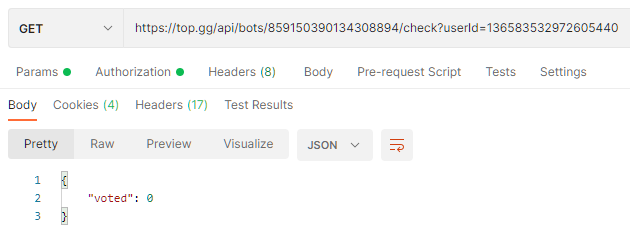 sage raft
jaunty plank
not that I'm aware of
sage raft
jaunty plank
not that I'm aware of
welp how am i supposed to do the voting stuff now 
also if i make one, can i apply for getting it added onto the top-gg organisation?
jaunty plank
our docs cover the structure of the api/webhooks. https://docs.top.gg/resources/webhooks/
it provides enough information to make what you need.
I'm not sure how you would get it added to the github.
jaunty plank
 worldly tendon
jaunty plank
https://docs.top.gg/resources/webhooks/#bot-webhooks
worldly tendon
jaunty plank
https://docs.top.gg/resources/webhooks/#bot-webhooks
does that link also have how to connect webhooks?
 jaunty plank
what do you mean connect?
a webhook is just a webserver.
in that area you put the url to your webserver. the url you use depends on your host and your code.
worldly tendon
what would I put if i use railway?
jaunty plank
I dont use railway, if you have any questions about their service best to use their documentation(seems to cover everything you need) or ask their customer support.
sage raft
jaunty plank
our docs cover the structure of the api/webhooks. https://docs.top.gg/resources/...
oh ty ty
 night flower
hey

top.gg autoposter not working
It was working fine on replit
but not on vps
@jaunty plank
hmm
 visual verge
so im tryna code a vote only cmd but im getting 401 unauthorized error
distant oak
Is your token valid?
visual verge
distant oak
Is your token valid?
webhook token?
distant oak
this one
 distant oak
are you using the webhook or the /check endpoint?
visual verge
distant oak
are you using the webhook or the /check endpoint?
uhh
sry im new wit top.gg's api 😅
distant oak
can you show me your code please? (don't forgot to remove your token)
visual verge
distant oak
can you show me your code please? (don't forgot to remove your token)
ok
const { Api } = require('@top-gg/sdk');
client.topgg = new Api(process.env.TOPGGAPI)
//TopGG vote based cmds
  let voted = client.topgg.hasVoted(message.author.id)
  if(command.voteBased && !voted) {
    if(!voted) return message.reply({ embeds: [{
      title: 'Looks like you haven\'t voted me :(',
      color: process.env.COLOR,
      description: 'This is a vote only cmd, vote me on [top.gg\](https://top.gg/bot/844294068016381982/vote) to gain access to this command ^^'
    }]})
  }
voteBased: true,
well, everything seems right
just something, hasVoted return a promise, you should await it
visual verge
distant oak
just something, hasVoted return a promise, you should await it
done lets see
visual verge
distant oak
well, everything seems right
ok so the cmd stopped executing which is good but not getting the you have to vote embed plus still getting the error
distant oak
weird
 distant oak
sorry i am a bit useless but i cant find the problem 💀
visual verge
distant oak
sorry i am a bit useless but i cant find the problem 💀
its ok
atleast the cmd stopped executing after u helped
distant oak
visual verge
was this supposed to look like this to everyone?
looks like that for me

 visual verge
distant oak
did you change something?
visual verge
distant oak
did you change something?
yea
regened the token couple of more times n reloaded the page
realized that the current token doesnt shows until u dont refresh the page
distant oak
okay lmao
distant oak
np
 glad walrus


