#topgg-api
1 messages · Page 13 of 1
 celest hill
go
go
ko
ko
jo
ko
jo
jo
go
go
in
why in
im in
now why in
then go in like how soon
im ready like rn
 icy aurora
@rustic whale spam


 warm latch
Now that my bot is approved how do I get the api
warm latch
ok
 warped sand
Hey, how do I get my APIKEY?
icy aurora
icy aurora
https://top.gg/bot/yourbotid/webhooks
@warped sand
warped sand
icy aurora
<@876801702051856424>
Okay I'll check, ty
warped sand
icy aurora
<@876801702051856424>
Is it that?

@icy aurora
ping me if u have an answer
icy aurora
warped sand
Is it that?
Yes
 untold ferry
warped sand
Is it that?
untold ferry
warped sand
Is it that?
Yes that's your token.
 late flint
If the bot I’m working on is meant for a single server; am I eligible to get an api key ?
icy aurora
late flint
If the bot I’m working on is meant for a single server; am I eligible to get an ...
hell no
your bot must be in multiple servers and been approved by topgg reviewers
late flint
Topgg bot is like slow or stuck with assigning voter role
I figured probably let the server’s bot do the assigning
icy aurora
late flint
Topgg bot is like slow or stuck with assigning voter role
you dont need "api" for that.
late flint
icy aurora
you dont need "api" for that.
would you kindly explain?
icy aurora
late flint
would you kindly explain?
webhook
late flint
icy aurora
webhook
thank you, i reviewed the documentation, it seems i can't do it with the nocode platform im using, will require some nodejs to listen then reformat it for the platform. its good news either way 🙂
 ancient isle
Someone here who could help me with the api?
 slender basalt
ancient isle
Someone here who could help me with the api?
slender basalt
ancient isle
Someone here who could help me with the api?
What is api?
ancient isle
slender basalt
What is api?
With the top gg api
slender basalt
ancient isle
With the top gg api
What is top gg api??
ancient isle
slender basalt
What is top gg api??
You’re kidding me?
 scarlet cobalt
One message removed from a suspended account.
icy aurora


slender basalt
...
slender basalt
scarlet cobalt
One message removed from a suspended account.
Don't laugh
slender basalt
icy aurora
<:dogeHaHa:895685973097205822> <:KEKW:1146893526509047928>
Don't laugh
scarlet cobalt
slender basalt
Don't laugh
One message removed from a suspended account.
icy aurora
slender basalt
Don't laugh
im allowed to.
 chilly hill
bot.topgg_webhook = topgg.WebhookManager(bot)\
                    .dbl_webhook("/dbl", "dbl_auth")\
                    .dsl_webhook("/dsl", "dsl_auth")```

ok so this adds routes to listen tobut whats the base webhook url
how do u get that
 jaunty plank
chilly hill
but the post requests aarent being processed
jaunty plank
chilly hill
but the post requests aarent being processed
http not https if you don't have a domain and SSL.
If you're using an IP at home make sure you're port forwarded
slender basalt
scarlet cobalt
One message removed from a suspended account.
Ty^^
scarlet cobalt
slender basalt
Ty^^
One message removed from a suspended account.
slender basalt
scarlet cobalt
One message removed from a suspended account.
Ok ty for telling me ^^
chilly hill
jaunty plank
http not https if you don't have a domain and SSL.
If you're using an IP at hom...
how do i port forward
jaunty plank
It'll depend on your router.
https://portforward.com/router.htm
portforward
Open ports on your router with our port forwarding guides. We have guides specific to your router.
chilly hill
jaunty plank
It'll depend on your router.
https://portforward.com/router.htm
so should i forward from the port i set in the webhook to the same port of my computer's public ip ?
is there any way to even check if the request is reaching my router/server
 solid imp
chilly hill
is there any way to even check if the request is reaching my router/server
solid imp
chilly hill
is there any way to even check if the request is reaching my router/server
are you running a web server like nginx or apache?
oh nvm looks like you want to port forward
chilly hill
solid imp
are you running a web server like nginx or apache?
its thru the topggpy webhookmanager which sets up its own web application
and the test post request \isnt coming thru
solid imp
chilly hill
its thru the topggpy webhookmanager which sets up its own web application
i'm not sure about port forwarding that much, prolly youtube it or read the document that woo linked
if you're using it for testing, consider using a free application like ngrok that assigns public urls which map to your local network
(kinda like port forwarding but you don't have to configure anything)
 quick knoll
I want to make the add link command a topgg vote requirement in my bot, but I don't understand the document. Can anyone send me the code?
@solid imp
solid imp
quick knoll
I want to make the add link command a topgg vote requirement in my bot, but I do...
check the pins of this channel
you only get a possible approach of implementations, not code
there's no universal way to do it, check your requirements and what works best for your application
quick knoll

chilly hill
solid imp
if you're using it for testing, consider using a free application like ngrok tha...
do u use the python sdk or the actual api
solid imp
chilly hill
do u use the python sdk or the actual api
Actual api
No abstractions = lesser overhead as long as you know what you’re doing
chilly hill
ok it finally works ! thanks for the help sohunn and woo
chilly hill
solid imp
Actual api
is it possible to specify a subdomain on the ngrok-free.app domain on the free plan
solid imp
chilly hill
is it possible to specify a subdomain on the ngrok-free.app domain on the free p...
Im not sure, I’ve never actually tried it
 spark iris
chilly hill
is it possible to specify a subdomain on the ngrok-free.app domain on the free p...
spark iris
chilly hill
is it possible to specify a subdomain on the ngrok-free.app domain on the free p...
iirc no
thats a paid feature
to have static subdomain names
chilly hill
spark iris
iirc no
They do allow one static subdomain that they generate
spark iris
chilly hill
They do allow one static subdomain that they generate
oh well why is it even an issue?
chilly hill
It was when I asked lmao then I figured it out
 lone blade
TopGGAPIError: 401 Unauthorized (You need a token for this endpoint)
    at Api._request (/root/discord/mursy/node_modules/@top-gg/sdk/dist/structs/Api.js:61:19)
    at processTicksAndRejections (node:internal/process/task_queues:96:5)
    at async Api.postStats (/root/discord/mursy/node_modules/@top-gg/sdk/dist/structs/Api.js:86:9) {
  response: {
    statusCode: 401,
    headers: {
      date: 'Thu, 28 Dec 2023 04:39:06 GMT',
      'content-type': 'application/json; charset=utf-8',
      'content-length': '24',
      connection: 'keep-alive',
      'access-control-allow-origin': '*',
      'access-control-allow-headers': 'Authorization',
      etag: 'W/"18-XPDV80vbMk4yY1/PADG4jYM4rSI"',
      'set-cookie': [Array],
      'cache-control': 'private',
      'cf-cache-status': 'DYNAMIC',
      'strict-transport-security': 'max-age=15552000; includeSubDomains; preload',
      'x-content-type-options': 'nosniff',
      server: 'cloudflare',
      'cf-ray': '83c71e192f7e7a48-DUS',
      'alt-svc': 'h3=":443"; ma=86400'
    },
    trailers: {},
    opaque: null,
    body: BodyReadable {
      _readableState: [ReadableState],
      _read: [Function: bound resume],
      _events: [Object: null prototype],
      _eventsCount: 3,
      _maxListeners: undefined,
      [Symbol(kCapture)]: false,
      [Symbol(abort)]: [Function (anonymous)],
      [Symbol(kConsume)]: [Object],
      [Symbol(kBody)]: null,
      [Symbol(kContentType)]: 'application/json; charset=utf-8',
      [Symbol(kReading)]: false
    },
    context: undefined
  }
}```

started getting this error once my bot was verified with discord, I don't think its related but was working before hand and I haven't changed anything

```js
require('dotenv').config();
const errorLog = require('/root/discord/mursy/Files/Modules/errorlog.js');
const client = new Discord.Client(
  {
    shards: 'auto',
    intents: ['GUILD_VOICE_STATES', 'GUILDS', 'GUILD_MESSAGES', 'GUILD_MEMBERS', 'DIRECT_MESSAGES', 'DIRECT_MESSAGE_REACTIONS'],
    partials: ["MESSAGE", "CHANNEL", "REACTION", "CHANNEL", "USER", "MEMBER"]
  }
);
const { AutoPoster } = require('topgg-autoposter')

try {
const ap = AutoPoster(process.env.TOPGG_TOKEN, client)

ap.on('posted', () => {
  const currentDate = new Date()
  console.log(`[${currentDate.toLocaleString()}][Mursy Systems] Posted stats to Top.gg!`)
})

} catch (e) {
  errorLog(e)
}```Please ping with Response
 sterile ice
Hello, would like clarification on sending bot stats to the api. Docs aren't super clear on sharding and how user count is rendered on the site.
I have two shards that are unaware of each other's server's count. Setting server_count as a number, shard_count as 2, and shard_id to either 0 or 1 depending on the shard
I expect that the server counts get added together to be shown on the bot webpage, and that the # of shards is also shown. However, my bot's page is showing only one of the server counts, but is correctly showing 2 shards
What's the correct combination of params that need to be sent between these fields?
 sand pendant
sterile ice
Hello, would like clarification on sending bot stats to the api. Docs aren't sup...
sand pendant
sterile ice
Hello, would like clarification on sending bot stats to the api. Docs aren't sup...
i think autoposter automatically adds the server counts of all shards for you when sending the data
const ap = AutoPoster(topgg, manager);
as long as the manager is set to shardingmanager so like i have it to
const manager = new ShardingManager('./bot.js', { token: token });
i just use autoposter
🤷
sand pendant
lone blade
```json
TopGGAPIError: 401 Unauthorized (You need a token for this endpoint)
...
check to see if your top.gg token was changed on the webhooks area maybe verification changed it?
sterile ice
Mmm I don’t have a JavaScript bot but looking at the implementation it just looks like the data it’s sending is the server_count and shard_count 🤔
lone blade
sand pendant
check to see if your top.gg token was changed on the webhooks area maybe verific...
Checked, I regenerated it, and put the new token and still same error
 odd yew
hi. i am using aoi.js as coding library. but i don't know how to use api. can you help me?
 deft nimbus
it it possible to get server vote logs like something similar to bot votes
 runic creek
deft nimbus
it it possible to get server vote logs like something similar to bot votes
runic creek
deft nimbus
it it possible to get server vote logs like something similar to bot votes
Only with webhooks
There is no api for servers i guess
sand pendant
lone blade
Checked, I regenerated it, and put the new token and still same error
Then idk
 fleet flower
does anyone here have experience with development of a python webhook for the event when someone votes for your bot on topgg?
quick knoll
await dbl.getVotes().then((x) => {
          if (command.dbl && !x.filter((y) => y.id === interaction.user.id).length)
            return interaction.reply({embeds: [Oy], components: [OyVer]})
else command.execute(client, interaction, dbl)```Can't votes be checked with getVotes?
icy aurora
quick knoll
```js
await dbl.getVotes().then((x) => {
if (command.dbl && !x.filter(...
it's hasVoted not getVotes
runic creek
hasVoted() checks if the user has voted and changes the value of voted after 12 hours so the user would have to vote every 12 hours. getVotes() retrieves 1000 votes in a month. From the code he provided here, it looks like he is filtering these 1000 votes in search of the person who used the command.
I have no idea if this is the intended effect, but it is definitely a way to check if someone voted for the bot during the current month
You probably need to do some debugging to check if this filtering works at all, what x is and so on
jaunty plank
runic creek
`hasVoted()` checks if the user has voted and changes the value of `voted` after...
I think getvotes has a much stricter rate limit. So its not ideal without significant caching. however it can be great with that caching.
The only concern with so much caching is people not showing up as voted for awhile.
 icy laurel
quick knoll
```js
await dbl.getVotes().then((x) => {
if (command.dbl && !x.filter(...
icy laurel
quick knoll
```js
await dbl.getVotes().then((x) => {
if (command.dbl && !x.filter(...
Try this , create a function
topgg.js
const {
  EmbedBuilder,
  ActionRowBuilder,
  ButtonBuilder,
  ButtonStyle,
} = require("discord.js");
const axios = require("axios");
const apiToken = require("../config.js").topGG; // your topGG token
module.exports = {
  voteCheck: async function (interaction) {
    try {
      const userId = interaction.user.id;
      const response = await axios.get(
        `https://top.gg/api/bots/BOT_ID/check?userId=${userId}`,
        {
          headers: {
            Authorization: apiToken,
          },
        }
      );
      if (response.data.voted < 1) {
        const voteLink = "https://top.gg/bot/BOT_ID/vote";
        const embed = new EmbedBuilder()
          .setColor(0x00ffff)
          .setDescription("### Vote if you want to use this command.");

          const row = new ActionRowBuilder().addComponents(
          new ButtonBuilder()
            .setLabel("Vote for me")
            .setURL(voteLink)
            .setEmoji("🔗")
            .setStyle(ButtonStyle.Link)
        );
       interaction.reply({
          embeds: [embed],
          components: [row],
          ephemeral: true,
        });
        return false;
      } else {
        return true;
      }
    } catch (e) {
    }
  },

};```
and use it in your commands like this :
ping.js
```js
const { SlashCommandBuilder } = require("discord.js");
const { voteCheck } = require("../functions/topgg.js");
module.exports = {
  data: new SlashCommandBuilder()
    .setName("ping")
    .setDescription("Pong!")
    ,
    async execute(interaction, abot) {
        const vote = await voteCheck(interaction);
        if (vote != true) {
            console.log('Bouta get a vote');
            return;
        }
     interaction.reply({content: `Pong 🏓`,  ephemeral: true})
    }
 };
Dont forget to do
npm i axios
And replace BOT_ID with your bot's ID
 pearl pewter
how do I get the server count of a specific discord bot (importing into webpage)
 restive otter
Can anyone help me to create like when any owner added my bot he got dm like Thanks for adding, Vote me Like tht + I need Smth so I can get vote [my bot is chat bot wht I should do 😭]
runic creek
restive otter
Can anyone help me to create like when any owner added my bot he got dm like Tha...
It depends on the language in which you write the bot. Generally, the process is the same: you get a guild object from the event that fires when someone adds your bot, this object has the value owner containing the owner's id, you fetch the user from the cache or api and send him a dm
Remember that the person who adds your bot is not always the owner. Often, ownership of the server is transferred to the alt account
As for the second part of the message, I don't quite understand what you mean
restive otter
runic creek
As for the second part of the message, I don't quite understand what you mean
Like if u got invite tracker bot or moderation bot u can add some specific command , to use it u need to vote , but I got chat bot what can I do in it?
runic creek
I have no idea how your bot works, what commands it has and so on. You can always add something to the bot, but if all it does is respond to users' messages, there are not many commands that may require voting
 lime chasm
where can i find topgg token?
it says page settings under Webhooks but the page is 404
icy aurora
lime chasm
where can i find topgg token?
you must have a bot has been aproved in topgg
lime chasm
alr
jaunty plank
 slate halo
how to get total vote count
slate halo
how to get total vote count
of a bot, or a user?
 rugged gorge
slate halo
how to get total vote count
rugged gorge
slate halo
how to get total vote count
Save it in your own database
rugged gorge
jaunty plank
of a bot, or a user?
He is asking about total vote count by user
icy aurora
rugged gorge
He is asking about total vote count by user
mostly he probably not asking for that who knows

 fresh oriole
Is it possible to hide the server & shard count on a bot that's posted through the api?
 neat fox
Upp
icy aurora
fresh oriole
Is it possible to hide the server & shard count on a bot that's posted through t...
no
fresh oriole
runic creek
Just don't post it
A bit too late
 eternal crater
When I press 'send test' for maybe like the 4th times because the previous times I pressed it, my project didn't work due to my stupidity — I received an error saying it cannot process my request. I was assuming maybe I was ratelimited. How long will I need to wait?
It worked now! 
eternal crater
@chilly light So you want to know who voted. That's why I said check pinned messages.
 chilly light
I want to see it from the link
runic creek
Use this https://top.gg/api/bots/bot_id/check?userId=ID where bot_id is the id of your bot and ID is the id of the user you want to check if he voted for your bot
There is also this

So make sure you authorize yourself correctly
chilly light
runic creek
Use this `https://top.gg/api/bots/bot_id/check?userId=ID` where `bot_id` is the ...
That would help me, but how do I find out if you just voted for the moment?
jaunty plank
chilly light
That would help me, but how do I find out if you just voted for the moment?
You want an event? youll want to use webhooks
https://docs.top.gg/resources/webhooks/
chilly light
 jolly hare
CAN ANYONE HELP ME THE CODE IS NOT WORKING I DONT KNOW WHY LIKE I HAVE TO ADD ANY WEBHOOK OR PASSWORD?
import topgg

# This example uses topggpy's webhook system.
bot_topgg_webhook = topgg.WebhookManager(bot).dbl_webhook("/dblwebhook", "password")

# The port must be a number between 1024 and 49151.
bot_topgg_webhook.run(5000)  # this method can be awaited as well


@bot.event
async def on_dbl_vote(data):
    """An event that is called whenever someone votes for the bot on Top.gg."""
    if data["type"] == "test":
        # this is roughly equivalent to
        # `return await on_dbl_test(data)` in this case
        return bot.dispatch("dbl_test", data)

    print(f"Received a vote:\n{data}")


@bot.event
async def on_dbl_test(data):
    """An event that is called whenever someone tests the webhook system for your bot on Top.gg."""
    print(f"Received a test vote:\n{data}")
Did you fill in the webhook url and auth? Not a Discord webhook
fill it in on top.gg*
jolly hare
?
jolly hare
jaunty plank
Did you fill in the webhook url and auth? Not a Discord webhook
This one
 jaunty plank
Thats for webhook-topgg, a third party service.
a webhook sends a request one place, since you're using their url it goes to them rather than your webhook server
jolly hare
jaunty plank
Thats for webhook-topgg, a third party service.
a webhook sends a request one p...
So from where I can get a correct webhook
jaunty plank
The bottom section of this message: #topgg-api message
The url will depend on your hosting location(the public ip, ports available, http vs https) for your code.
icy aurora
jaunty plank
Thats for webhook-topgg, a third party service.
a webhook sends a request one p...

cathat
jaunty plank
👀
chilly light
I'm doing it, but it doesn't work because it's in [], how can I fix it?
{"error":"Unauthorized"}
how do i solve this problem
icy aurora
chilly light
{"error":"Unauthorized"}
You need your api token
icy aurora
icy aurora
You need your api token
which you need your bot to be approved
chilly light
icy aurora
which you need your bot to be approved
How so?
icy aurora
chilly light
How so?
Good question you tell me
 ruby shore
I get it this way but the bot sends 2 messages sometimes, what could be the reason? Is top.gg sending the same request twice?

 tidal idol
ruby shore
I get it this way but the bot sends 2 messages sometimes, what could be the reas...
tidal idol
ruby shore
I get it this way but the bot sends 2 messages sometimes, what could be the reas...
You need to send a 200 response back
runic creek
Webhook listener should take care of it by itself
If it didn't respond to the webhook appropriately, the webhook would spam with these requests
But the sending time of these messages is identical, so I don't know if it's such a big problem
jolly hare
0|meko  | Error making Top.gg API request: 504, message='Gateway Time-out', url=URL('https://top.gg/api/bots/1168296808741613598/check?userId=1122550707741020160')
0|meko  | Error making Top.gg API request: 504, message='Gateway Time-out', url=URL('https://top.gg/api/bots/1168296808741613598/check?userId=1170985971542654988')
0|meko  | Error making Top.gg API request: 504, message='Gateway Time-out', url=URL('https://top.gg/api/bots/1168296808741613598/check?userId=1170985971542654988')
0|meko  | Error making Top.gg API request: 504, message='Gateway Time-out', url=URL('https://top.gg/api/bots/1168296808741613598/check?userId=901158094531358750')
0|meko  | Error making Top.gg API request: 504, message='Gateway Time-out', url=URL('https://top.gg/api/bots/1168296808741613598/check?userId=1170985971542654988')
0|meko  | Error making Top.gg API request: 503, message='Service Unavailable', url=URL('https://top.gg/api/bots/1168296808741613598/check?userId=1170985971542654988')
0|meko  | Error making Top.gg API request: 504, message='Gateway Time-out', url=URL('https://top.gg/api/bots/1168296808741613598/check?userId=1023563939075870800')
0|meko  | Error making Top.gg API request: 503, message='Service Unavailable', url=URL('https://top.gg/api/bots/1168296808741613598/check?userId=1113831005262991390')
0|meko  | Error making Top.gg API request: 504, message='Gateway Time-out', url=URL('https://top.gg/api/bots/1168296808741613598/check?userId=1170985971542654988')
0|meko  | Error making Top.gg API request: 504, message='Gateway Time-out', url=URL('https://top.gg/api/bots/1168296808741613598/check?userId=1113739022741811232')
0|meko  | Error making Top.gg API request: 504, message='Gateway Time-out', url=URL('https://top.gg/api/bots/1168296808741613598/check?userId=920221158362714134')
0|meko  | Error making Top.gg API request: 504, message='Gateway Time-out', url=URL('https://top.gg/api/bots/1168296808741613598/check?userId=1170985971542654988')
can anyone help me about this
 small nymph
topgg servers crashed
jolly hare
small nymph
topgg servers crashed
ok its mean my code is correct the issue with top.gg?
jolly hare
small nymph
yeap
ok thanks for help
jolly hare
small nymph
my commands also not working rn

small nymph
jolly hare
ok thanks for help
You are welcome
 normal sierra
I'm still getting 502 when I POST https://top.gg/api/bots/886196406761693204/stats since 8am to 9am AEDT
 deft gorge
normal sierra
I'm still getting 502 when I POST https://top.gg/api/bots/886196406761693204/sta...
deft gorge
normal sierra
I'm still getting 502 when I POST https://top.gg/api/bots/886196406761693204/sta...
cant go in
still being banned🥲
normal sierra
deft gorge
cant go in
still being banned🥲
banned?
ur getting a 429
I'm getting 502s
you should be able to just wait it out
deft gorge
normal sierra
you should be able to just wait it out
ok thanks you
Hopefully u are right
 abstract mothBOT
 We are presently encountering a service disruption.
For additional details, kindly refer to the #site-status channel.
To receive notifications regarding future incidents or updates, you may assign the "Site Status" role to yourself by going here: id:customize.
restive otter
jolly hare
```
0|meko | Error making Top.gg API request: 504, message='Gateway Time-out', ...
Our website is down
 inner arch
error 502 Bad Gateway

 vestal wasp
inner arch
error 502 Bad Gateway
vestal wasp
restive otter
Our website is down
vestal wasp
inner arch
error 502 Bad Gateway
vestal wasp
restive otter
Our website is down
and literally message above^
 kindred lava
is that why some bots are down?
scarlet cobalt
kindred lava
is that why some bots are down?
One message removed from a suspended account.
One message removed from a suspended account.
One message removed from a suspended account.
kindred lava
we need a: https://http.cat/status/200
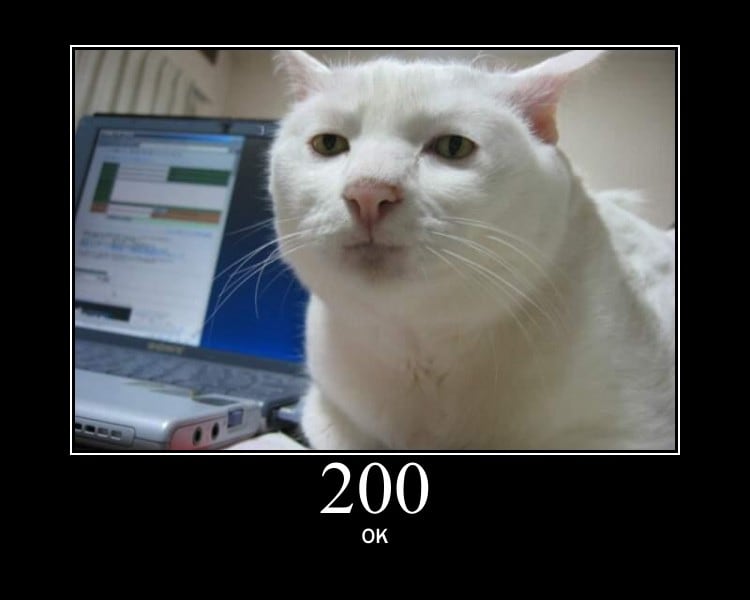
HTTP Cat for status 200 OK
kindred lava
bots are back
runic creek
kindred lava
is that why some bots are down?
I doubt that was the reason. If this is the case, the bot should not rely entirely on the top.gg API because it can throw 5xx errors quite often
scarlet cobalt
One message removed from a suspended account.
One message removed from a suspended account.
scarlet cobalt
One message removed from a suspended account.
icy aurora
scarlet cobalt
One message removed from a suspended account.
you should make bot about Fathie
scarlet cobalt
One message removed from a suspended account.
icy aurora
about you
scarlet cobalt
One message removed from a suspended account.
scarlet cobalt
One message removed from a suspended account.
One message removed from a suspended account.
scarlet cobalt
One message removed from a suspended account.
icy aurora
bros gonna come up here to beat my ass
scarlet cobalt
One message removed from a suspended account.
icy aurora
it was a joke
 dim hatch
normal sierra
I'm still getting 502 when I POST https://top.gg/api/bots/886196406761693204/sta...
dim hatch
normal sierra
I'm still getting 502 when I POST https://top.gg/api/bots/886196406761693204/sta...
how do you add it?
i only have shards with my bot
dim hatch
i want to have the other parameters like server_count
icy aurora
dim hatch
i want to have the other parameters like server_count
what's your bot coded in
dim hatch
With nodejs using discord.js
icy aurora
dim hatch
With nodejs using discord.js

npm
Auto-Poster for Top.gg. Latest version: 2.0.1, last published: 2 years ago. Start using topgg-autoposter in your project by running npm i topgg-autoposter. There are 4 other projects in the npm registry using topgg-autoposter.
dim hatch
Oh thanks
icy aurora
youre welcome
 rich gale

it get poseted but it dosen't shows in my top.gg webpage
or dbl statics
how can i fix it
?
dim hatch
rich gale
it get poseted but it dosen't shows in my top.gg webpage
If nothing comes up, check that you have correctly indicated the topgg token or that the Client you have passed to it is the correct one.
If you use shards you have to pass the variable that the shardmanager has
rich gale
dim hatch
If you use shards you have to pass the variable that the shardmanager has
Oh I use hybrid sharding
dim hatch
rich gale
Oh I use hybrid sharding
It's the same, I've never used hybrid sharding but from what I see it has a function called ClusterManager, just store it in a variable and then use the autoposter
const poster = AutoPoster('topggtoken', shard-variable)
k
 cedar abyss
Alguém Sup que entende português?
 untold sparrow
icy laurel
is there any way I can fetch my bot's reviews from top.gg ?
untold sparrow
icy laurel
is there any way I can fetch my bot's reviews from top.gg ?
An official API endpoint for that is not supported unfortunately
runic creek
 snow parrot
does python `topgg` library support nextcord?
snow parrot
does python `topgg` library support nextcord?
I have no idea but you don't need a library for most things. This is the most normal API that can be fetched via a link
snow parrot
runic creek
I have no idea but you don't need a library for most things. This is the most no...
well, tbh i was planning on using topgg.WebhookManager but not quite sure how to do so with aiohttp||library|| alone
runic creek
I don't know much about Python, but in each case the foundation is the same: you need an API that will accept POST requests and then you provide a link to this API in the settings on top.gg. Libraries only simplify it - even without much coding knowledge you can create a webhook, but you can do everything yourself without them
It will require a bit more work, that's for sure
 lilac summit
!claim
icy laurel
untold sparrow
An official API endpoint for that is not supported unfortunately
it would be so cool tho, I wanted to add the bot reviews on my website ;/
well , at least consider it as a new suggestion
snow parrot
runic creek
I don't know much about Python, but in each case the foundation is the same: you...
thanx, imma look more into it then
snow parrot
could someone tell me what url i should add in https://top.gg/bot/{bot_id}/webhooks
im using the topggpy library and that is the last thing left to do
runic creek
In most cases it's http://your_vps_ip:port/dblwebhook
Of course, you can name the route whatever you want, this is just an example
snow parrot
runic creek
In most cases it's `http://your_vps_ip:port/dblwebhook`
could u tell me a fix for testing things out while im running it locally?
snow parrot
runic creek
Of course, you can name the route whatever you want, this is just an example
ok
runic creek
You would need to port forward your router if you do not have a public IP address
 boreal salmon
?
 restive otter
boreal salmon
?
restive otter
boreal salmon
?
I get the same
 dawn ginkgo
:P
 tidal idol
yes site is down so the API won't work
thats why your requests will return 5XX errors
 wooden olive


 swift haven
TopGGAPIError: 504 Gateway Timeout```When the site is open and the API is working correctly, the status will be 200?
ruby shore
Ty
icy laurel
so my bot's commands are used so much that I got rate limited from topgg api and in result the bot commands will crash. how many requests per seccond can the https://top.gg/api/bots/1018890617373335564/check?userId=${userId} handle ?
it has to be this issue, since the only errors I am getting on my console for the last day is only from top.gg api
TopGGAPIError: 504 Gateway Timeout
icy laurel
tidal idol
yes site is down so the API won't work
ohhhh so that was the error
 storm bronze
Site is down still ;-;
 gusty locust
storm bronze
Site is down still ;-;
tidal idol
icy laurel
`TopGGAPIError: 504 Gateway Timeout`
gusty locust
storm bronze
Site is down still ;-;
tidal idol
icy laurel
`TopGGAPIError: 504 Gateway Timeout`
thats not a ratelimit error
if you were ratelimited you would see 429 not 504
icy laurel
tidal idol
if you were ratelimited you would see `429` not `504`
Thanks for letting me know
 boreal vapor
Can we please get a webhook to notify us of outage as this is causing issues for my voting requirement features
 quiet blaze
boreal vapor
Can we please get a webhook to notify us of outage as this is causing issues for...
quiet blaze
boreal vapor
Can we please get a webhook to notify us of outage as this is causing issues for...
^ second this
outage again and it’s affecting our vote leaderboard
jaunty plank
boreal vapor
Can we please get a webhook to notify us of outage as this is causing issues for...
I'd suggest tracking outages yourself rather than depending on a webhook.
If we used a webhook to notify of site outages the webhook could also go down, even if isolated.
 limber junco
boreal vapor
Can we please get a webhook to notify us of outage as this is causing issues for...
limber junco
boreal vapor
Can we please get a webhook to notify us of outage as this is causing issues for...
So, I suggest trying it following way:
- As you are using API then I think you will be also using it to update server count which is every now and then. If it fails you will know the site is down and for sometime auto turn off the vote req and once a successful request happens you can again turn on and that will be done by code itself. I have given the logic if still it's unclear please feel free to ask.
- If you want coding part:
bot.site_down=False
try:
  make_request()
  if bot.site_down:
    bot.site_down=False
except Exception as e:
  # perform other logics on e here to check if really down
  bot.site_down=True
  pass
- So when you have commands which require top.gg vote well check for the
bot.site_downvariable and if it is true then override vote req
tidal idol
Or, migrate from any need to rely on topgg api
Use webhooks for voting and store votes in your database instead of requesting vote status or vote list
boreal vapor
tidal idol
Use webhooks for voting and store votes in your database instead of requesting v...
I require voting for a feature 12 hour duration
tidal idol
That still works
Store votes from webhooks in a database, just query that and check when they last voted and if 12 hours has passed since then
jaunty plank
^ at some point you'll need to move to that system anyway. the api endpoint for checking for votes has a ratelimit, as your bot grows youll start hitting our ratelimit.
 ember tundra
Ew SQL
jaunty plank
nosql works too
 spiral roost
Does anyone know that how to message the user, who has voted for the bot?
icy aurora
spiral roost
Does anyone know that how to message the user, who has voted for the bot?
const user = client.users.cache.get(vote.user)
user.send({embeds: [], content: " " })
spiral roost
icy aurora
const user = client.users.cache.get(vote.user)
user.send({embeds: [], content: ...
How to get that vote object?
Like this, or is there another way too?
const express = require("express");
const Topgg = require("@top-gg/sdk");

const app = express(); // Your express app

const webhook = new Topgg.Webhook("topggauth123"); // add your Top.gg webhook authorization (not bot token)

app.post(
  "/dblwebhook",
  webhook.listener((vote) => {
    // vote is your vote object
    console.log(vote.user); // 221221226561929217
  })
); // attach the middleware

app.listen(3000); // your port
Code from docs
@icy aurora you there?
jaunty plank
Look at the code you provided. It shows vote being defined and being used.
icy aurora
spiral roost
How to get that vote object?
Like this, or is there another way too?
```js
con...
There’s few different ways to do this, mine is completely different because sharding manager so
i will rather listen to @jaunty plank
also sorry for late response im trying buy tux
spiral roost
icy aurora
also sorry for late response im trying buy tux
Np, just wanna ask that, what should I put in webhook url in top.gg? Discord webhook link or something other than that?
And inside the auth, what should I put?
jaunty plank
the webhook url is the url to the web server your code is hosted on and the path the webserver is on.
For example, http://myVPSip:3000/webhook
The auth can be anything you want, you're the web host in this case so you define it.
 gaunt steeple
hmm
I don't recommend pointing webhooks right at your vps, mask it with cloudflare
jaunty plank
Most people dont have domains here
gaunt steeple
if top.gg is ever hacked or if a mod ever goes rogue (never say never) all those who put direct IPs have leaked their bots hosting ip
you can get a free domain to cloak your webhooks
a .cx or something
it's not easy or cheap to change a vps ip (can cost money to change server)
jaunty plank
yeah for sure, I just dont think its feasible to teach people all of these things in the context of an api support channel.
Mods dont have access to webhook info
icy aurora
jaunty plank
Most people dont have domains here
like me
I dont have domains because Im poor and jobless but im using my credit card pay for hosting
dim hatch
What is the npm that handles voting events?
 balmy hamlet
is anyone currently maintaining the go-sdk ? or is it just so dead that nobody really cares
 fiery crown
balmy hamlet
is anyone currently maintaining the go-sdk ? or is it just so dead that nobody r...
fiery crown
balmy hamlet
is anyone currently maintaining the go-sdk ? or is it just so dead that nobody r...
you can PR if you want to and start maintaining it, @untold sparrow can walk you through it
fiery crown
dim hatch
What is the npm that handles voting events?
https://docs.top.gg/resources/webhooks/ and maybe you're looking for
Documentation for @top-gg/sdk
scarlet cobalt
balmy hamlet
is anyone currently maintaining the go-sdk ? or is it just so dead that nobody r...
One message removed from a suspended account.
icy aurora
scarlet cobalt
One message removed from a suspended account.
i use https://topgg.js.org/
Documentation for @top-gg/sdk
scarlet cobalt
One message removed from a suspended account.
One message removed from a suspended account.
icy aurora
ik
scarlet cobalt
One message removed from a suspended account.
balmy hamlet
damn
scarlet cobalt
One message removed from a suspended account.
One message removed from a suspended account.
One message removed from a suspended account.
One message removed from a suspended account.
One message removed from a suspended account.
One message removed from a suspended account.
One message removed from a suspended account.
scarlet cobalt
One message removed from a suspended account.
dim hatch
Can i add two webhooks to my app?
sand pendant
dim hatch
Can i add two webhooks to my app?
no i donnt think so
only 1
why would u need 2
🤔
runic creek
Possibly for the bot and the server
And yes, it is possible, you just need to specify a different port
All bots that offer vote tracking work on the same principle
dim hatch
sand pendant
why would u need 2
One for the server to send a message and the other for the bot to emit an event
But I think I can simplify it by combining the 2 into one xd
The bot receives the original webhook and sends it to the webhook of the webhooks for servers and that's it.
fiery crown
 zenith geyser
how i can get my bot api
zenith geyser
how i can get my bot api
https://top.gg/bot/<your bot id here>/webhooks
icy laurel
spiral roost
How to get that vote object?
Like this, or is there another way too?
```js
con...
u get the user's id , just make a function that will have the logic of finding the user with his ID and dm the user. then use the function on the webhook listener ? something like await dmUser(vote.user);
 spring bolt
we dont allow browser cookies to be used as authorization
what who the declined my bot limao is a skin checker bot so it need autorization 🤦♂️
jaunty plank
spring bolt
we dont allow browser cookies to be used as authorization
what who the declined...
reach out to the bot reviewer that declined it
spring bolt
idgaf
jaunty plank
please be respectful, I have nothing to do with your bot being declined
spring bolt
sorry
 cloud sandal
My bot had votes in the 40s in the past days, but the votes were reset to zero even though it was not the beginning of the month. I thought it was a DDoS attack, but there are still no votes.
@signal hawk
 radiant pasture
please read #announcements and #site-status
cloud sandal
I read it and the moderators said it would pass soon. When will it pass? Will additional days be given? (To prevent votes from being reset)
@radiant pasture
radiant pasture
keep an eye out in those channels, you will get a ping when there's any update
cloud sandal
okey, thanks.
So, will the votes we cast now be added to our previous votes? @radiant pasture
cloud sandal
cloud sandal
So, will the votes we cast now be added to our previous votes? <@394594679221518...
Last question
radiant pasture
yes
cloud sandal
okey, thanks
 modern terrace
i send mesage
 wicked spruce
hi is there a way to get all reviews of my bot?
from https://top.gg/api/client/entities/972795104525975622/reviews i can only see top 20s
runic creek
wicked spruce
from https://top.gg/api/client/entities/972795104525975622/reviews i can only se...
Well, this is not a documented endpoint, so it is possible that it will not be available in the future, but after a short search of the messages on this server, it turns out that you can add ?page=2 to the link to get reviews from the second page
scarlet cobalt
One message removed from a suspended account.
One message removed from a suspended account.
runic creek
Same
restive otter
I don’t get it how to reset your member count so confusing 
wicked spruce
runic creek
Well, this is not a documented endpoint, so it is possible that it will not be a...
thankss
scarlet cobalt
restive otter
I don’t get it how to reset your member count so confusing <a:bonk:7675763561622...
One message removed from a suspended account.
One message removed from a suspended account.
restive otter
uh
So my server member count
Isn’t updating on top.gg
it says I got 0 members but I got 2k
scarlet cobalt
One message removed from a suspended account.
restive otter
A server
Yea
yea that
I Js don’t get it why I got redirected here to change it in api or Smr
But I will Js wait for the bot
To go online
scarlet cobalt
One message removed from a suspended account.
scarlet cobalt
One message removed from a suspended account.
restive otter
damn yea my bad I will Js wait
scarlet cobalt
One message removed from a suspended account.
One message removed from a suspended account.
tidal idol
scarlet cobalt
One message removed from a suspended account.
me neither 
well no i think it existed a while back because there was a vuln with it
but yeah dont use it, it's intentionally not documented because it would allow people to incentivise reviews (not a good thing)
restive otter
restive otter
damn yea my bad I will Js wait
Termed 😋
 placid hazel
im trying to setup a vote reward event and i have this
const express = require('express');
const bodyParser = require('body-parser');
const { Webhook } = require('@top-gg/sdk');
const userModel = require("/home/container/src/models/userModel");

const webhook = new Webhook('top-gg token');

async function vote(vote) {

  const userId = vote.user;

  const coins = Math.floor(Math.random() * 2000) + 1;

  // Update user's coins

  const user = await userModel.findOne({ UserID: userId }).exec();

  if (user) {

    user.credits += coins;

    await user.save().catch(err => console.error(err));

  }

  // Send a message to a channel

  const channel = client.channels.cache.get('1196187591385563227');

  if (channel) {
    channel.send(`Thank you, <@${userId}>, for voting! Here's your reward for voting: ${coins} coins.`);

  }

}

express()
  .use(bodyParser.json())
  .post('/topgg-webhook', webhook.listener(vote))
  .listen(3000, () => {
    console.log('Webhook server is running on port 3000');

  });
But nothing get sent to the channel
jaunty plank
placid hazel
But nothing get sent to the channel
is the vote function running or just no message being sent?
did you fill out the webhook url and auth on the website?
placid hazel
jaunty plank
is the vote function running or just no message being sent?
did you fill out th...
the function is running but no message being sent
and i did fill the webhook url
But not the auth
jaunty plank
The auth needs to be filled in:
The authorization is sent by top.gg in webhook requests the @top-gg/sdk library rejects all requests that they are not the same between the website and the library https://docs.top.gg/resources/webhooks/#security
 rough creek
Hello, so I have a problem, how do I access the top.gg api, I need to know what to put after https://top.gg/api
icy aurora
rough creek
Hello, so I have a problem, how do I access the top.gg api, I need to know what ...
what are you trying to do?
rough creek
icy aurora
what are you trying to do?
authenticate myself to release the top.gg api
@icy aurora
icy aurora
rough creek
authenticate myself to release the top.gg api
like post stats or?
only way to authenticate yourself is your topgg bot token and post or get information
rough creek
icy aurora
only way to authenticate yourself is your topgg bot token and post or get inform...
That's exactly what I'm trying to do.
URL: https://top.gg/api
Https Headers: Authorization: (mybottoken)
did I make something wrong?
The strangest thing is that when I go to test it, I get this error:

 rough creek
I'm following this site: https://docs.top.gg/api/@reference/#authentication
icy aurora
rough creek
I'm following this site: https://docs.top.gg/api/@reference/#authentication
that’s base api url
rough creek
icy aurora
that’s base api url
OK, but how do I authenticate?
icy aurora
keep read the documents it would tell you on bots page
scarlet cobalt
rough creek
OK, but how do I authenticate?
One message removed from a suspended account.
One message removed from a suspended account.
One message removed from a suspended account.
One message removed from a suspended account.
One message removed from a suspended account.
One message removed from a suspended account.
 woeful berry
Hi, I tried using @top-gg/sdk but I don't get any interaction when I test send.

const Topgg = require("@top-gg/sdk");
const express = require('express')
const app = express()
const webhook = new Topgg.Webhook("topggauth");
app.post("/vote", webhook.listener(async (vote) => {
console.log("oy verdi")
console.log(vote);
})
);
app.listen(30081);
this code
@old forge
@radiant pasture
radiant pasture
woeful berry
<@394594679221518336>
yes?
please don't ping people, they will help you if they know the answer
woeful berry
radiant pasture
please don't ping people, they will help you if they know the answer
Oky thnks
Sorry if I tag you in case you know.
 velvet compass
woeful berry
Sorry if I tag you in case you know.
velvet compass
woeful berry
Sorry if I tag you in case you know.
have you set the correct url for the webhook?
woeful berry
Yes
velvet compass
port 30081 ?
woeful berry
Yes
velvet compass
why not 3000
woeful berry
I wanted to do something different, would you mind if I did that?
velvet compass
no
 woeful berry
Ok, I'll try it when the power comes.
velvet compass
woeful berry
Ok, I'll try it when the power comes.
It seems like your code is set up to listen for POST requests at the "/vote" endpoint and use the Top.gg SDK's webhook functionality. If you are not seeing any logs when a vote occurs, there could be several reasons for this.
Here are some things you can check:
-
Webhook Configuration:
- Make sure that the webhook is properly set up on the Top.gg website with the correct URL (e.g.,
https://yourdomain.com/vote) and secret.
- Make sure that the webhook is properly set up on the Top.gg website with the correct URL (e.g.,
-
Correct Endpoint:
- Ensure that the endpoint in your code (
/vote) matches the one you set up on the Top.gg website.
- Ensure that the endpoint in your code (
-
Express Middleware:
- Check if your Express app is properly configured to parse JSON. You may need to add the following middleware:
app.use(express.json());
- Check if your Express app is properly configured to parse JSON. You may need to add the following middleware:
-
Port and Firewall:
- Ensure that the port (30081 in your case) is open and accessible. Check your server's firewall settings.
-
Logs for Errors:
- Add error handling to your code to log any potential errors:
app.post("/vote", webhook.listener(async (vote) => {
    try {
        console.log("oy verdi");
        console.log(vote);
    } catch (error) {
        console.error("Error processing vote:", error);
    }
}));
- Add error handling to your code to log any potential errors:
-
Check Top.gg Webhook Logs:
- Check the Top.gg webhook logs for any errors or information regarding the delivery of the webhook.
After checking these points, you should have a better idea of what might be going wrong. If the issue persists, you may want to check the documentation of the Top.gg SDK or seek support from the Top.gg community for specific troubleshooting steps related to their SDK.
velvet compass
const { Webhook , Api } = require('@top-gg/sdk')
const {WebhookClient} = require('discord.js')
const express = require('express')

        const app = express()
        const webhook = new Webhook(process.env.webhookAuth)
        app.post('/top-votes', webhook.listener(vote => {
           client.voted(vote)
        }))
        app.listen(3001)
        console.log(`Top.gg webhook listening on port 3001`)
    ```
this is my code btw, compare it to yoursDid you put token instead of auth?
velvet compass
process.env.webhookAuth = my auth token
woeful berry
ok thank you again
velvet compass
np
 old forge
@velvet compass stop with the gpt responses
velvet compass
old forge
<@868630660586307584> stop with the gpt responses
well, that's my code
 spring pebble
woeful berry
const Topgg = require("@top-gg/sdk");
const express = require('express')
const a...
spring pebble
woeful berry
const Topgg = require("@top-gg/sdk");
const express = require('express')
const a...
Change topggauth to the authentication code you put on the website and also port 30081 is quite an unusual port for receiving post requests make sure your port is open and is accessible by “outsiders”
woeful berry
spring pebble
Change topggauth to the authentication code you put on the website and also port...
I tried to change the port to 3000 but it didn't work again
icy aurora
velvet compass
well, that's my code
Cap
velvet compass
icy aurora
Cap
IT IS mine lol
icy aurora
ghost ping ???
spring pebble
woeful berry
I tried to change the port to 3000 but it didn't work again
why didint it work
give an error
give us something
icy aurora
spring pebble
give an error
What’s the error
spring pebble
icy aurora
What’s the error
Idk
They didnt give an error
They just said it doesnt work
woeful berry
spring pebble
give us something
it doesn't give any error
spring pebble
woeful berry
it doesn't give any error
well theres a few possibilities you're gonna have to check
- Your program isn't being run. Change your app.listen(port) to app.listen(port, () => console.log("Listening on port port")) this way you'll know that your app is indeed listening on the port
- Your authentication is wrong
- Your port is closed
jaunty plank
woeful berry
it doesn't give any error
Did you fill in the url and auth on top.gg?
 woeful berry

const Topgg = require("@top-gg/sdk");
const express = require('express')
const app = express()
const webhook = new Topgg.Webhook("kitty3008");
app.post("/vote", webhook.listener(async (vote) => {
console.log("oy verdi")
console.log(vote);
}));
app.listen(3000, () => {
console.log("app listening: 3000")
});
jaunty plank
are you using a local computer to host this?
woeful berry
yes my own computer
jaunty plank
Have you port forwarded?
woeful berry
I also tried it on the virtual server, there is the same problem, it does not throw an error.
jaunty plank
I would recommend using something like: https://www.yougetsignal.com/tools/open-ports/
to check if requests are getting through
Port checker is a utility used to identify your external IP address and detect open ports on your connection. This tool is useful for finding out if your port forwarding is setup correctly or if your server applications are being blocked by a firewall.
(it sends a remote request to check what happens)
woeful berry
 jaunty plank
are you sure you port forwarded in your router settings?
woeful berry
I ran the infrastructure and used it
woeful berry
jaunty plank
are you sure you port forwarded in your router settings?
I connect and use phone internet
jaunty plank
I dont think phone internet can be port forwarded 🤔
woeful berry
 jaunty plank
I think 95% of phone providers will block things like this
jaunty plank
jaunty plank
I would recommend using something like: https://www.yougetsignal.com/tools/open-...
did the website give the same port 3000 is closed message?
I dont think anything is wrong with your code, or anything like that.
Just a firewall is blocking the request somewhere.
typically its just a process called port forwarding, but it sounds like their home network is using a mobile provider. Which typically blocks this type of stuff.
Hopefully their virtual server(I assume VPS) its just UFW or a local firewall blocking the requests.
o, thats a pain
I got lucky with mine I guess, I can just edit my firewall rules on the fly
I open mine for a couple hours at most, then turn it back off just because leaving a port open on a home network isnt the best solution.
 ivory spade
jaunty plank
I open mine for a couple hours at most, then turn it back off just because leavi...
ivory spade
jaunty plank
I open mine for a couple hours at most, then turn it back off just because leavi...
Why?
jaunty plank
Its essentially taking away one major layer of protection(and the first) for your home network.
Anyone from outside of your network will just be told "no nothing is here" when no port forwarding is used.
When you port forward something anything on that port will be allowed to pass to the computer you forwarded to, any possible vulnerability on that system needs to monitored closely, otherwise you risk outside sources accessing the system, your network, or other things.
On an old computer I had it would wake up during the night all the time. turns out I had wake on lan on that pc and a port forwarded.
It would wake because people would send requests to that port randomly.
Anyone can send a request at any time, malicious, or just because, its just something everyone should be aware of.
woeful berry
thank you for your help, you said something was blocking it. i had to add it from azure portal. thank you again for your help <3
@restive otter@jaunty plank@spring pebble
 jaunty plank
perfect!
velvet compass
yw np
jaunty plank
Port forwarding depends on your specific router, so it can be really hard to help with.
In my router its in the "WAN" > "Port Forwarding" section.
setting my local machines IP(internal network IP) and the local port and protcol and saving.
However, your router may be different. This website lists pretty much every router that you could think of and has a tutorial for it. https://portforward.com/router.htm
If your router isnt listed one from the same brand should be listed.
jaunty plank
tcp
jaunty plank
deleted because of the leak
you're probably using http not https, your url will probably need to be http://
Is the path set in code the same one you use in your url?
const webhook = new Topgg.Webhook("authhere"); //authhere
app.post("/vote" // path here
any other potential firewalls? Host, or OS side?
Do you mind if I send a request to your system?
Is the auth still the same as before? or just empty
I'm just getting no response at all it just times out
Yeah, weird.
Linux machine? check UFW
Typically the program will crash if a port is already in use
If its windows, windows firewall might also be blocking it
or maybe you need udp for some reason
your express server is using 3389, so it shouldnt be needed
scarlet cobalt
One message removed from a suspended account.
One message removed from a suspended account.
jaunty plank
Saddly I'm going to have to get off, I've been on for a long time
runic creek
There is no API for servers
If you want to receive votes from the server, you must use a webhook
 patent hill
runic creek
If you want to receive votes from the server, you must use a webhook
patent hill
runic creek
If you want to receive votes from the server, you must use a webhook
Can i get The Link?
 left thunder
Where can i get/create a webhook url?
 jaunty plank
left thunder
Where can i get/create a webhook url?
jaunty plank
left thunder
Where can i get/create a webhook url?
The url is something you already "have"
Its just formatting it correctly, for most people(who don't own a domain) it will be http://TheIPOfYourHost:PORT/path
left thunder
jaunty plank
The url is something you already "have"
Its just formatting it correctly, for mo...
Where can I find that or use that?
and is there a way I could use flash for this or to create my own domain
jaunty plank
flash?
left thunder
jaunty plank
flash?
flask*
jaunty plank
flask is fine
a domain isnt needed strictly, but its generally recommended(for ssl support).
Most people dont use a domain for their top.gg webhook however
left thunder
and I would need to make the flask app public right?
left thunder
jaunty plank
a domain isnt needed strictly, but its generally recommended(for ssl support).
M...
tbh, I'm sorta new to the whole post request and what not, so I'm hoping to play around with it so I can get the hang of it
left thunder
jaunty plank
Yeah, it would need to be accessable by top.gg to send the webhook
How would I do that?
jaunty plank
left thunder
tbh, I'm sorta new to the whole post request and what not, so I'm hoping to play...
Sounds like you're ahead of most people. Most people just want it to work, and they dont care how 😄
jaunty plank
left thunder
How would I do that?
making it public?
Just making sure your flask program isnt being blocked by any firewalls.
left thunder
yh, Ik i'm basically asking to be spoon fed, but not entirely. I need to know how the code works for future reference along with any incoming errors, so ik where it's coming from.
but I'm down to be led by a video or docs that just walks me through the process
once it's not all over the place
jaunty plank
Hopefully we will have videos eventually
left thunder
jaunty plank
making it public?
Just making sure your flask program isnt being blocked by any...

left thunder
jaunty plank
Hopefully we will have videos eventually
I'm surprised there still hasn't been any
jaunty plank
the docs are not too helpful with configuration of everything. The docs were written with the expectation of people knowing how web requests work already.
I'm hoping we can write more guide style content soon
But here it is:
https://docs.top.gg/resources/webhooks/
https://docs.top.gg/libraries/python/
jaunty plank
left thunder
I'm surprised there still hasn't been any
I'm surprised someone hasnt done it on their own tbh.
left thunder
jaunty plank
the docs are not too helpful with configuration of everything. The docs were wri...
Well, I have been poking around for quite a while. I get the gist of how the request is made and received, idk anything further, but rn I'm just stuck at getting a webhook url
jaunty plank
What are you using to host?
Home? a vps? dedicated server? something else?
left thunder
jaunty plank
I'm surprised someone hasnt done it on their own tbh.
must be bc everyone operates like "once I figure it out, I am gone."
jaunty plank
yeah true
left thunder
I'd imagine it's smth like that
left thunder
jaunty plank
What are you using to host?
Home? a vps? dedicated server? something else?
home/local
jaunty plank
So itll be your homes public ip
http://YourHomeIP:PORT/PATH
Port and path you'll setup in flask.
With a home network youll need to port forward on your router.
Port and path you'll setup in flask.
or if you use our lib it can be set there too
left thunder
jaunty plank
So itll be your homes public ip
`http://YourHomeIP:PORT/PATH`
Port and path yo...
in dumb dumb terms now 
left thunder
jaunty plank
So itll be your homes public ip
`http://YourHomeIP:PORT/PATH`
Port and path yo...
What is the PORT?
and the PATH
jaunty plank
a port is a number between 1 and 60000~
Its part of a network request, it just lets a single system have multiple things hosted on it.
3000 is commonly used
however, it doesnt really matter as long as its not used by something else.
app.run(port=port_number)
or
app.run(port=3000)
Path is the end part of the url.
https://top.gg/user/me
https://top.gg is the main part of the URL
/user/me would be the path.
In this situation path can be anything you want(within reason)
Both will be things you would set in flask
left thunder
jaunty plank
a port is a number between 1 and 60000~
Its part of a network request, it just l...
ohh ok. I get it
How would this work with my flash though?
I get the theory, but not so much the practical
jaunty plank
Sadly I'm not a py dev, and I've never used flask.
a lot of the practical will have to come from you.
https://flask.palletsprojects.com/en/3.0.x/quickstart/
I'd say look at our library to learn from, but it uses aiohttp
https://github.com/top-gg/python-sdk/blob/master/topgg/http.py
If you just want to get it to work for now our py library could be your best bet
https://docs.top.gg/libraries/python/
Or maybe someone comes around who can help with flask.
left thunder
jaunty plank
Or maybe someone comes around who can help with flask.
I could ask around in the python server and try my luck there. But rn, I the python lib code is of no help until I get the webhook url.
Thank your time though
really appreciated.
patent hill
How Can i Make Webhook Send? And where I can Put it So when Someone Voted It will Trigger?
runic creek
patent hill
How Can i Make Webhook Send? And where I can Put it So when Someone Voted It wil...
Create a webhook (aka web server) according to the documentation, enter the link to this webhook in your server settings (https://top.gg/servers/id/webhooks), click "Send Test" to send a test request
The rest depends on what programming language you use to create such a webhook
You have to write the entire logic of checking whether the request comes from top.gg, responding to the request and saving data from the request in the database yourself
patent hill
runic creek
Create a webhook (aka web server) according to the documentation, enter the link...
Does the "~webhooks" on the last Argument of the link is the Webhook Code or The https://webhook something smth?
patent hill
runic creek
Create a webhook (aka web server) according to the documentation, enter the link...
btw what webhook are you talking about? Like a Message Discord webhook?
runic creek
Nope
You can't use the Discord webhook
You need to write your own webhook, which is a web server to which top.gg will be able to send a request when someone votes for your server
If you don't know how to write such a webhook, read the pinned messages, there is a website created by one of the top.gg moderators that allows you to use Discord webhooks to send embeds
Remember that if you use that website, we won't help you with it here, you will have to write on their support server
patent hill
Is there a Setuped Webhook I can try
Because I don't know What Webhook link Looks like
runic creek
If you want to create a webhook yourself, the link to it will look like this: http://yourvpsip:port/dblwebhook
patent hill
On https://webhook-topgg.com/ How am I Able To Customize one Not Just Picking on Types?
Simplifying top.gg webhooks for all users, allowing non-developers and developers to use webhooks for their bot and server without confusing configuration.
eternal crater
Join their official server. Webhook Topgg dot com is not an official Top.gg tool, it was made by a community member.
patent hill
eternal crater
Join their official server. Webhook Topgg dot com is not an official Top.gg tool...
Is there a Top.gg Official Web Hook tool?
eternal crater
As I know, nope. But that one works very well.
The Top.gg API itself is the official tool, so be creative with it if you want.
patent hill
we'll do you know Other Platform for It?
jaunty plank
eternal crater
As I know, nope. But that one works very well.
It's kinda going downhill, I haven't been maintaining it well :/
I really should throw it out and remake it.
runic creek
jaunty plank
It's kinda going downhill, I haven't been maintaining it well :/
I really shoul...

icy aurora
eternal crater
https://discord.gg/tUSjPNp7R9
AD jkkkk
patent hill
jaunty plank
It's kinda going downhill, I haven't been maintaining it well :/
I really shoul...
Noo Please don't Its Cool
scarlet cobalt
One message removed from a suspended account.
One message removed from a suspended account.
One message removed from a suspended account.
One message removed from a suspended account.
One message removed from a suspended account.
One message removed from a suspended account.
One message removed from a suspended account.
One message removed from a suspended account.
One message removed from a suspended account.
One message removed from a suspended account.
icy aurora
 unique vortex
im getting 401 error when trying to post server count
unique vortex
im getting 401 error when trying to post server count
that makes your token is not worthy
Try regenerative new token
patent hill
Is there Another Website for Webhook but not webhook-topgg?
unique vortex
icy aurora
that makes your token is not worthy
Oh
runic creek
patent hill
Is there Another Website for Webhook but not webhook-topgg?
Nope
There are probably a few bots that offer to receive votes through them
patent hill
runic creek
Nope
oh, Because The developer ain't Replying to me Since yesterday, They said I got Temp ban And I tried redoing it last 3 hrs and now, Sad
balmy hamlet
ahh, gotta love inconsistencies

 jolly phoenix
Is there and endpoint to check if my server has been voted?? I only find endpoints for bots, but not for servers
jaunty plank
Youll have to use websockets and save voter information in a database
We have no server api
jolly phoenix
jaunty plank
Youll have to use websockets and save voter information in a database
So top.gg has a websocket server? where do i find information about that
jaunty plank
sorry, webhook. I mistyped
I was writing a websocket for something else unrelated at the same time
jolly phoenix
Ok ty
 thin fossil
Hello can anyone help me setting up a killfeed bot for rust console ?
 somber anvil
I generated a fresh top.gg API token but when I use it for axios, it gives me 401 Unauthorized
somber anvil
somber anvil
I generated a fresh top.gg API token but when I use it for axios, it gives me 40...
I made another and still the same
somber anvil
ok nvm, using node-fetch solves this
restive otter
Hi! I am trying to create a vote only command. My code can be found here, https://pastebin.com/F8z0cxDm. The bot always reply's with There was an error fetching votes. Please try again later. Any help would be amazing thanks!
icy laurel
jaunty plank
https://docs.top.gg/api/bot/#post-stats
with http headers being authorization & token right ?
runic creek
restive otter
Hi! I am trying to create a vote only command. My code can be found here, <https...
I may be wrong, but I don't think you read the documentation fully. When a user votes for your bot, the value for voted is 1 which is a number. In your code you check whether the value is "1" which will always equal false because the digit will never be a string
There is a difference between =, == and === which you should read about because it may be useful to you in the future
Actually, you don't need all these equal signs because 1 means true and 0 means false, so this should work
if(data.voted) {
// user voted
}

if(!data.voted) {
// the user did not vote
}
Then let me know if it helped you because I'm going to sleep now and I won't get up until probably 9 hours later

 lapis quartz
What is the api to vote
I want to create a bot that will auto-vote for me every 12h
gaunt steeple
is it possible that top.gg could add an API endpoint for "has user left review" basically returns a list of user IDs that have reviewed a bot?
important to NOT give the rating they left. this could be open to abuse, e.g. "please leave a 5* review to unlock this command".
instead I would want to reward users for leaving a review, positive or negative is irrelevant.
this is different from encouraging ongoing voting, the reviews can be used for iterative improvement to a bot like how reviews are on app stores, but right now it's a hard task to get anyone to review.
runic creek
lapis quartz
I want to create a bot that will auto-vote for me every 12h
It's impossible, the voting API simply does not exist
lapis quartz
Oh, doesn't the website issue a api request when u click the vote button?
runic creek
Yes, but I doubt anyone can send requests using this enpoint. Top.gg has probably thought about this situation and is protecting this endpoint
tidal idol
gaunt steeple
is it possible that top.gg could add an API endpoint for "has user left review" ...
its possible to get reviews via api
its just an undocumented endpoint
but it returns top.gg userid not discord id
scarlet cobalt
gaunt steeple
is it possible that top.gg could add an API endpoint for "has user left review" ...
One message removed from a suspended account.
tidal idol
the new API version was never released
scarlet cobalt
One message removed from a suspended account.
restive otter
runic creek
Actually, you don't need all these equal signs because `1` means `true` and `0` ...
I tried it and even after I have voted it doesn't let me run the command and runs the code in if(!data.voted)
 narrow zenith
what exactly are you trying to do?
restive otter
restive otter
I tried it and even after I have voted it doesn't let me run the command and run...
I fixed it. There was an quotation mark in the URL where there shouldn't be.
 fervent gale
When looking at and trying the python docs of the api it just gives me an error
  File "/home/runner/topgg-bull-shit/main.py", line 11, in <module>
    bot.topgg = topgg.DBLClient(bot, dbl_token)
  File "/home/runner/topgg-bull-shit/.pythonlibs/lib/python3.10/site-packages/topgg/client.py", line 98, in __init__
    self.http = HTTPClient(token, loop=self.loop, session=kwargs.get("session"))
  File "/home/runner/topgg-bull-shit/.pythonlibs/lib/python3.10/site-packages/topgg/http.py", line 84, in __init__
    self.session = kwargs.get("session") or aiohttp.ClientSession(loop=self.loop)
  File "/home/runner/topgg-bull-shit/.pythonlibs/lib/python3.10/site-packages/aiohttp/client.py", line 242, in __init__
    loop = get_running_loop(loop)
  File "/home/runner/topgg-bull-shit/.pythonlibs/lib/python3.10/site-packages/aiohttp/helpers.py", line 301, in get_running_loop
    if not loop.is_running():
  File "/home/runner/topgg-bull-shit/.pythonlibs/lib/python3.10/site-packages/discord/client.py", line 140, in __getattr__
    raise AttributeError(msg)
AttributeError: loop attribute cannot be accessed in non-async contexts. Consider using either an asynchronous main function and passing it to asyncio.run or using asynchronous initialisation hooks such as Client.setup_hook```One message removed from a suspended account.
One message removed from a suspended account.
scarlet cobalt
One message removed from a suspended account.
restive otter
How to use topgg api?
runic creek
Just read documentation
If you have used any api before you should have no problem using this api
thin fossil
Anyone help me with setting up a RCE killfeed bot for my rust server, or point me in the right direction??
scarlet cobalt
One message removed from a suspended account.
 granite plume
import discord
from discord.ext import commands
import topgg

bot = commands.Bot(command_prefix="!", intents=discord.Intents.default().all())

bot_token = ''
dbl_token = ''

@bot.event
async def on_ready():
    print(f'Logged in as {bot.user.name} ({bot.user.id})')
    print('------')

    webhook_route = "/dblwebhook"
    bot.topgg_webhook = topgg.WebhookManager(bot).dbl_webhook(webhook_route, dbl_token)
    await bot.topgg_webhook.run(5000)

@bot.event
async def on_dbl_vote(data):
    if data["type"] == "test":
        return bot.dispatch("dbl_test", data)

    print(f"Received a vote:\n{data}")

@bot.event
async def on_dbl_test(data):
    print(f"Received a test vote:\n{data}")

bot.run(bot_token)
``` I was just messing around and taking a look at the API and I noticed that the events aren't triggered (the on_dbl_test) when i go onto the dashboard and do a testvote?Do proper votes work? Or neither work?
granite plume
jaunty plank
Do proper votes work? Or neither work?
I havent tried proper ones, but test votes dont work
jaunty plank
Did you fill in the webhook url and auth?
granite plume
jaunty plank
Did you fill in the webhook url and auth?
webhook url replaces the webhook_route?
jaunty plank
The route within your program needs to be a route.
The url on top.gg needs to be a url.
granite plume
jaunty plank
The route within your program needs to be a route.
The url on top.gg needs to b...
and what is the specified route
jaunty plank
You're acting as the webhook host, so you set the route to any url route you want.
scarlet cobalt
jaunty plank
You're acting as the webhook host, so you set the route to any url route you wan...
One message removed from a suspended account.
jaunty plank
yes
 dusk shuttle
Why i got undefined?
 dusk shuttle
jaunty plank
Have you posted your server count to your bot?
dusk shuttle
jaunty plank
Have you posted your server count to your bot?
Amm, nope
icy laurel
dusk shuttle
Amm, nope
do you need help with that ? its easy
dusk shuttle
icy laurel
do you need help with that ? its easy
Yea, i write u in DM
icy laurel
Is it possible to check how many times a user has voted for the bot
jaunty plank
icy laurel
Is it possible to check how many times a user has voted for the bot
Thats something youll need to track in your own database.
 abstract light
is the API having issues? i often get error 504 https://ss.stefdp.is-a.dev/u/1aHc34tiVcjK.png (in the last week i saw it atleast once if not more every time i opened the console on different days)

1aHc34tiVcjK.png (opera_2024-01-30_11∶02∶21.364_PM.png)
I uploaded this on 1/30/2024, 11:02:21 PM UTC+1
runic creek
abstract light
is the API having issues? i often get error 504 https://ss.stefdp.is-a.dev/u/1aH...
The website has problems, so the API will not work either
vestal wasp
abstract light
is the API having issues? i often get error 504 https://ss.stefdp.is-a.dev/u/1aH...
Just handle and ignore 500 class errors, nothing you will ever be able to do anything about
restive otter
how do you make it so commands are only usable if they vote for the bot?
runic creek
Read pinned messages
 strange tangle
bro its weird but sometimes it gives error
still updates
is there a way to opress the error?
 wicked dagger
hello, the server_count is not written in the data of my bot, and although it is certified, it says certificate false
patent hill
API help!
What API I can use For https Result as Checking how many Votes My bot received on total or this month?
 sturdy sinew
I need a slot games winner comment api
runic creek
patent hill
**API help!**
What API I can use For https Result as Checking how many Votes My ...
https://top.gg/api/bots/:bot_id and there is monthlyPoints field for the number of votes during this month or points field for the total number of votes
Or you can track this by yourself in your database if you are going to request this data quite often. It's up to you
patent hill
runic creek
`https://top.gg/api/bots/:bot_id` and there is `monthlyPoints` field for the num...
So like Https Get and https://top.gg/api/bots/:bot_ID
and Get Result for MonthlyPoints??
runic creek
Yep
patent hill
runic creek
Yep
Do i need to Like The Authorization Thing, Like "authorize":"BOT_TOKEN" something like that
runic creek
Of course
 wary gazelle
hey
i have a wierd problem
seems like Topgg webhook is firing 4 responses
am I missing smth which have been changed ?
@mention me when replying
This is how I handle it on express:
app.post('/vote', webhook.listener(async (vote, req, res) => { //ending url
            let value = vote.user;

            console.log(`<@value> has voted for your bot`);
            res.status(200).end();
    }));
 hearty lintel
wary gazelle
hey
i have a wierd problem
seems like Topgg webhook is firing 4 responses
am I m...
hearty lintel
wary gazelle
hey
i have a wierd problem
seems like Topgg webhook is firing 4 responses
am I m...
try not doing res.status.end(), the hook does it for you
not sure if that would be causing it but that top.gg repeats requests on failed webhooks and that might be it
wary gazelle
hearty lintel
try not doing res.status.end(), the hook does it for you
i added it later on
when it started
but this didn't helped
 gleaming verge
jaunty plank
Any port you want
gleaming verge
jaunty plank
Any port you want
80 no longer used?
jaunty plank
80 is a standard http port, 443 for https.
You can use the standard ports too yeah.
gleaming verge
jaunty plank
80 is a standard http port, 443 for https.
You can use the standard ports too ye...
Oks
 lucid nova
(python) could there have been an error with autopost that stopped it from running? I can't check the console for errors anymore since it looks like it stopped on 2/6/24.
 solemn dust
 glacial adder
I replace your.server.ip with my bot id right?
 jaunty plank
Nope, its an Ip address, not a bot ID
glacial adder
Oh ok good thanks
What information can I get with the API other than the user ID?
I would like to show how many votes we have this month (discord.js)
untold sparrow
glacial adder
What information can I get with the API other than the user ID?
You can see all available endpoints on https://docs.top.gg
glacial adder
Should the “Send Test” button work on the webhook?
He tells me that he sent the message but nothing comes
 exotic falcon
glacial adder
Should the “Send Test” button work on the webhook?
exotic falcon
glacial adder
Should the “Send Test” button work on the webhook?
what did you put here

 formal perch
need help with updating member count
how do i log onto my bot with api
and then update member count
glacial adder
exotic falcon
what did you put here
http://ip.adress:3000/webhook
icy aurora
glacial adder
``http://ip.adress:3000/webhook``
your server IP address
glacial adder
Yes
glacial adder
Ik
icy aurora
fake ip
192.23.23.1 or whatever
glacial adder
Have I done
glacial adder
I have it
icy aurora
did you try test vote?
glacial adder
In my code and in my Dashboard
glacial adder
icy aurora
did you try test vote?
Yes, he says he sent the message, but that doesn’t work
Cool, the site is offline
Oh, here we go again
formal perch
can anyone help?
formal perch
hello?
 chilly terrace
formal perch
can anyone help?
chilly terrace
formal perch
can anyone help?
Tell me, maybe I can help you?
when an user vote your bot it will liik like this
 formal perch
chilly terrace
Tell me, maybe I can help you?
formal perch
chilly terrace
Tell me, maybe I can help you?
i need help logging onto my bot with api
like with python
i know this
{"authentication":token here
}
but idk where to put it
or what to do with it
chilly terrace
Have you set some authentication token in the server's API?
chilly terrace
formal perch
i know this
{"authentication":token here
}
Have you set some authentication token in the server's API?
formal perch
chilly terrace
Have you set some authentication token in the server's API?
ye
i have a token for my bot
i have it
formal perch
formal perch
i know this
{"authentication":token here
}
i juist dont know what to put this in
chilly terrace
put any thing
formal perch
no
like how do i actually logon
if i just put this in my code it wont do anything
formal perch
chilly terrace
you need to create a post route to recive data from top.gg
like who votes your b...
its not for votes
i want topgg to have how many servers use the bot
runic creek
formal perch
i want topgg to have how many servers use the bot
Just google "how to add authorization to post request python"
You will definitely find your answer
formal perch
requests.post("https://top.gg/api/bots/:id/stats", data = {"server_count": len(self.guilds)}, headers = {"Authorization": os.environ["TOPGG_API_KEY"]})
chat gpt gave me this code
will it work
runic creek
Find out
formal perch
how about u do it
runic creek
No, because I don't use python so this code is useless for me
formal perch
runic creek
No, because I don't use python so this code is useless for me
js is dead
runic creek
Ok
formal perch
"
scarlet cobalt
One message removed from a suspended account.
glacial adder
When doing the webhook (for my bot), do I have to insert the code into exactly this bot or can it also be added to my private bot?
I'm slowly starting to despair because this isn't working and I don't know why
jaunty plank
glacial adder
When doing the webhook (for my bot), do I have to insert the code into exactly t...
webhooks can be received by any program that supports being an http server, however giving rewards on a second bot can break our guidelines depending on the implementation.
glacial adder
I just want a voter message but somehow it doesn't work
jaunty plank
glacial adder
I use this
 glacial adder
jaunty plank
Have you configured top.gg to send the webhook?
Ie placed the url and auth on to...
glacial adder
jaunty plank
Have you configured top.gg to send the webhook?
Ie placed the url and auth on to...
Yes
jaunty plank
Did you fill in your IP in the url?
The public IP, not an internal IP.
or using a properly configured domain*
glacial adder
Yes
jaunty plank
using http correct? not https
glacial adder
http://myip:3000/dblwebhook
glacial adder
jaunty plank
using http correct? not https
Yes http
icy aurora
jaunty plank
using http correct? not https
maybe hes using wrong port number for his server
jaunty plank
is this on a local computer? or a vps/dedicated server paid for from a hosting company?
glacial adder
I also tried Send Test, it says it sent it but nothing was logged
glacial adder
jaunty plank
is this on a local computer? or a vps/dedicated server paid for from a hosting c...
I'm currently doing this in VSCode
jaunty plank
Yeah, send test wont work either, both will fail until the configuration issue is figured out.
jaunty plank
glacial adder
I'm currently doing this in VSCode
To run this locally you'll need to port forward your router.
Its not really reccomended, but not hard to do.
icy aurora
glacial adder
I'm currently doing this in VSCode
hey, localhost will not work
icy aurora
jaunty plank
To run this locally you'll need to port forward your router.
Its not really recc...
dont delete this
icy aurora
@glacial adder i got 2 ways to dblwebhook,
https://oliverbot.xyz/api/dblwebhook
and my ip one i cant show
so
glacial adder
jaunty plank
To run this locally you'll need to port forward your router.
Its not really recc...
I have the IP address on my hosting server and then :XXXXX is that the port number that I also have to use for the webhook?
icy aurora
might want get vps or a shared server and cuz they dont use localhost they used a ip or shared ip with a port number
jaunty plank
I think they're just testing right now webster
icy aurora
jaunty plank
I think they're just testing right now webster
probably
glacial adder
icy aurora
might want get vps or a shared server and cuz they dont use localhost they used ...
Ok, I'll try something
jaunty plank
glacial adder
I have the IP address on my hosting server and then :XXXXX is that the port numb...
yeah, so http://yourhostip:3000/dblwebhook
as the url
then just make sure the app.listen(3000) line uses 3000 as well.
icy aurora
jaunty plank
yeah, so `http://yourhostip:3000/dblwebhook`
as the url
then just make sure the ...
one question
sense i got https://oliverbot.xyz/api/dblwebhook do i need my port number or nah
jaunty plank
http and https have an implicit port.
http is 80, https is 443.
You technically dont need the port on either a domain, or for IP based webhooks.
The reason we typically use a different port on IPs is because of configuration on the server side.
glacial adder
Yes, no, it remains unchanged
icy aurora
jaunty plank
http and https have an implicit port.
http is 80, https is 443.
You technically...
cuz i got it configed to http and https
jaunty plank
My point was more, even if you dont list a port you're using one.
as long as it works, you dont need to explicitly list one
icy aurora
glacial adder
Yes, no, it remains unchanged
delete auth and show us screenshot on top.gg webhook on the site
icy aurora
jaunty plank
as long as it works, you dont need to explicitly list one
ah
brb i just got home
glacial adder

The blue field is the ip
My Code:
const express = require("express");
const Topgg = require("@top-gg/sdk");

const app = express();
const webhook = new Topgg.Webhook("topggauth123");

app.post("/dblwebhook",
    webhook.listener((vote) => {
        console.log(vote.user);
    })
);

app.listen(50001);```are you still using vscode?
glacial adder
I switched to my hosting server (the IP address is from my hosting server)
icy aurora
hm
jaunty plank
👀 did you allow the port through the firewall?
It'll depend on your host, they should have support articles/docs/guides on it.
glacial adder
Oh, do I have to do that?
glacial adder
jaunty plank
It'll depend on your host, they should have support articles/docs/guides on it.
Oh ok ups
jaunty plank
By default most hosts custom firewalls will block all non ssh ports.
glacial adder
I'm hosting on a friend's server who hosts himself, can you allow this somewhere without being an admin?
jaunty plank
It would depend on the server/host configuration. We cant really answer that
glacial adder
Ok then I'll wait for my friend. But thank you very much for the help!
glacial adder
Worm thank you very much, it was due to the firewall now it works. Now I only have one more question (I hope I can still ask it here). You said if I use the private bot for this, rewards for voting against the guidelines can be. I would like to assign rolls from a certain number of votes. Is this against the guidelines?
jaunty plank
glacial adder
Worm thank you very much, it was due to the firewall now it works. Now I only ha...
It depends. If the roles are given in the support server of the main bot its okay.
The reason for the role is to prevent users from voting for a different application than the one they want rewards for.
For example, if the intention behind it is to get people to vote for your bot for rewards for a server unrelated to the bot they voted for its against the guideline.
glacial adder
Okay, well, thanks for the information!
glacial adder
One more thing, I don't fully understand this, how do I get the number of current votes for the month (like in the picture)?
 jaunty plank
 glacial adder
Yes, I can't find anything about it there
I can only get the list of all voters or the votes that a user has
jaunty plank
The find one bot returns the bot structure: https://docs.top.gg/api/bot/#bot-structure
 vestal wasp
just wait
scarlet cobalt
restive otter
Erro ao enviar estatísticas para top.gg: Error: 504 Gateway Timeout
help <:anger...
One message removed from a suspended account.

 deft moss
who can help me plz ?
I want to make a python discord bot with a cog command that requires voting in top.gg.
dim hatch
i think that the web is down
deft moss
dim hatch
i think that the web is down
ddos ?
he is very slow for me
but the web is not down
restive otter
How can I get in touch with a developer about getting access to their bot on discord. Their bot is on topp and the name is .cryptogoku#0. I really want Bart bingo bot but it won’t let me get it and says to contact the developer but no way to get in touch with them. Thanks
 wild jolt
yo guys,
wanna ask by which time zone this website decides thats its a weekend or not ?
runic creek
restive otter
How can I get in touch with a developer about getting access to their bot on dis...
You can try adding him as a friend on Discord since you know his username
But I doubt you can do anything about it, it looks like the bot is simply not developed anymore
 rancid kraken
How can I create my own Bot?
 idle charm
I would like information on how to do that function that gives access to specific commands for a time when the bot is voted and so on. how you do it? and if you could explain it to me thank you very much :D
rancid kraken
Could someone advise me to be able to do my Bot well?
idle charm
is there a way to send a notification on a channel when someone votes the server?
radiant pasture
rancid kraken
How can I create my own Bot?
watch yt videos and use docs like discordjs guide
rancid kraken
radiant pasture
watch yt videos and use docs like discordjs guide
OK, thank you
radiant pasture
idle charm
is there a way to send a notification on a channel when someone votes the server...
You can use something like https://webhook-topgg.com/ to only send a message into a channel when someone has voted for your bot. This is not an official tool provided by Top.gg but provided by a volunteer of the staff team.
Simplifying top.gg webhooks for all users, allowing non-developers and developers to use webhooks for their bot and server without confusing configuration.
idle charm
radiant pasture
You can use something like https://webhook-topgg.com/ to only send a message int...
thank you so much ^^
radiant pasture

radiant pasture
 lucid void
good evening, I need help, how do I get the top.gg token?
lucid void
good evening, I need help, how do I get the top.gg token?
it can be found on your bots edit page in the webhook section
 still knoll
TopGGAPIError: 404 Not Found
    at Api._request (/root/bots/arena-support/node_modules/@top-gg/sdk/dist/structs/Api.js:61:19)
    at process.processTicksAndRejections (node:internal/process/task_queues:95:5)
    at async /root/bots/arena-support/server.js:24:29
    at async /root/bots/arena-support/node_modules/@top-gg/sdk/dist/structs/Webhook.js:106:17 {
  response: {
    statusCode: 404,
    headers: {
      date: 'Mon, 19 Feb 2024 16:54:07 GMT',
      'content-type': 'application/json; charset=utf-8',
      'content-length': '21',
      connection: 'keep-alive',
      'access-control-allow-origin': '*',
      'access-control-allow-headers': 'Authorization',
      etag: 'W/"15-bm7tJgu8FHlq5QU+Y6gDxOGPfRc"',
      'set-cookie': [Array],
      'cache-control': 'private',
      'cf-cache-status': 'DYNAMIC',
      'strict-transport-security': 'max-age=15552000; includeSubDomains; preload',
      'x-content-type-options': 'nosniff',
      server: 'cloudflare',
      'cf-ray': '858007a39d1984fb-BOM',
      'alt-svc': 'h3=":443"; ma=86400'
    },
    trailers: {},
    opaque: null,
    body: BodyReadable {
      _events: [Object],
      _readableState: [ReadableState],
      _read: [Function: bound resume],
      _maxListeners: undefined,
      _eventsCount: 3,
      [Symbol(shapeMode)]: true,
      [Symbol(kCapture)]: false,
      [Symbol(abort)]: [Function (anonymous)],
      [Symbol(kConsume)]: [Object],
      [Symbol(kBody)]: null,
      [Symbol(kContentType)]: 'application/json; charset=utf-8',
      [Symbol(kReading)]: false
    },
    context: undefined
  }
}
anyone ??
icy laurel
still knoll
anyone ??
That happens when topGG is down
 spark bronze
did i do voting wrong?
const TOPGGAPI = new Topgg.Api(config.TopggToken)

TOPGGAPI.on('vote', (voter) => {
  const VoteChannel = client.channels.cache.get("1207774395268079657")

  if (VoteChannel) {
    try {
      const embed = new EmbedBuilder()
      .setTitle("New Vote")
      .setDescription(`Thank you, ${voter.username}, for voting! 🎉`)
      .setColor("Green")


      VoteChannel.send({ embeds: [embed]})
    } catch (error) {
      console.log(`Top.gg Vote Error: ${error}`)
    }
  }
})
DUDE
are you joking
icy aurora
spark bronze
did i do voting wrong?
```js
const TOPGGAPI = new Topgg.Api(config.TopggToken)
...
@jaunty plank @silk idol @scarlet cobalt look at this
icy aurora
spark bronze
<@481068576363773972> ur ass refused to help me
npm
Official Top.gg Node SDK. Latest version: 3.1.6, last published: 5 months ago. Start using @top-gg/sdk in your project by running npm i @top-gg/sdk. There are 11 other projects in the npm registry using @top-gg/sdk.
spark bronze
icy aurora
<@136583532972605440> <@873368320756318229> <@301379068941828096> look at this
fuck u
tidal idol
icy aurora
<@136583532972605440> <@873368320756318229> <@301379068941828096> look at this
???
why are you being rude 
tidal idol
spark bronze
did i do voting wrong?
```js
const TOPGGAPI = new Topgg.Api(config.TopggToken)
...
<Api>.on isn't a feature that works - you need to use webhooks and direct requests there
const express = require("express");
const { Webhook } = require("@top-gg/sdk");

const app = express();
const wh = new Webhook("webhookauth123");

app.post("/dblwebhook", wh.listener((vote) => {
  // vote is your vote object e.g
  console.log(vote.user); // => 321714991050784770
}));

app.listen(80);```

this is the example code - within `app.post("/dblwebhook", wh.listener((vote) => {` is where you would put code like thatlooking at my code i use a package i made so i can't really give the code for that - don't wanna self promo or give code that may not necessarily work. i would look at https://docs.top.gg/libraries/javascript/#webhooks and follow the example code, and look at https://docs.top.gg/resources/webhooks/#bot-webhooks for what data is returned via vote webhooks - <vote>.username isn't returned so check what adjustments need to be made
 silk idol
icy aurora
<@136583532972605440> <@873368320756318229> <@301379068941828096> look at this
silk idol
icy aurora
<@136583532972605440> <@873368320756318229> <@301379068941828096> look at this
Yeah I do not understand
spark bronze
tidal idol
```js
const express = require("express");
const { Webhook } = require("@top-gg/s...
Ah thanks bun i`ll fix it
spark bronze
tidal idol
```js
const express = require("express");
const { Webhook } = require("@top-gg/s...
do i need express?
tidal idol
For this package, yes
spark bronze
tidal idol
For this package, yes
ok
 paper fable
s
icy aurora
tidal idol
```js
const express = require("express");
const { Webhook } = require("@top-gg/s...
@ashen veldt
 icy aurora
@ashen veldt your http://yourserverip:port/dblwebhook
 ashen veldt
or /vote it doesn't matter?
icy aurora
It doesn’t matter
ashen veldt
alr
ashen veldt
icy aurora
You need your password your put on webhook(“”)
so i tried and doesn't return anything nor there are errors 
but bot turns on
 atomic nacelle
I'm not getting the monthly and total votes
const voteCheckUrl = `https://top.gg/api/bots/${client.user.id}/check?userId=${userId}`;
const voteCheckResponse = await fetch(voteCheckUrl);
const voteCheckData = await voteCheckResponse.json();
const botInfoUrl = `https://top.gg/api/bots/${client.user.id}`;
const botInfoResponse = await fetch(botInfoUrl);
const botInfo = await botInfoResponse.json();
const embed = new EmbedBuilder()
.setTitle("Votes")
.setURL("https://top.gg/bot/1016392200516550736/vote")
.setDescription(`${VoteUser} voted for the bot mention`)
.addFields(
{ name: "Voted At", value: `${new Date().toLocaleString()}`, inline: true },
{ name: "Can vote again in", value: "12 Hrs", inline: true },
{ name: "Total Votes", value: `${TOPGG.totalVotes}`, inline: true },
{ name: "Current Streak", value: `${TOPGG.currentStreak}`, inline: true },
{ name: "Bot Total Votes", value: `${botInfo.points}`, inline: true },
{ name: "Bot Monthly Votes", value: `${botInfo.monthlyPoints}`, inline: true },
{ name: "User Voted", value: `${userVoted ? "Yes" : "No"}`, inline: true }
)
.setColor("#7289da")
.setTimestamp();
await channel.send({ embeds: [embed]});``` orchid pasture
How do I register for this service?
 ebon vigil

atomic nacelle
atomic nacelle
I'm not getting the monthly and total votes
```js
const voteCheckUrl ...
Can anyone help me in this??
runic creek
But it's so wrong. You are making 2 requests to API instead of using webhook for votes
I wouldn't be surprised if this second request simply exceeds the ratelimit
 random merlin
Helloz
 ember pulsar
 grizzled skiff
Hello everyone
gaunt steeple
herro
exotic falcon
am i the only one who has infinite loading in webhooks
 random plank
umm what ?
 untold sparrow
random plank
umm what ?
untold sparrow
random plank
umm what ?
Site is down
 storm hound
When will the site downgrade be resolved ?
 latent trench
storm hound
When will the site downgrade be resolved ?
latent trench
storm hound
When will the site downgrade be resolved ?
 never
never
 unique garnet
topgg says i need to logon in. is this a problem? never had to for vites before
restive otter


 restive otter
untold sparrow
Site is down
restive otter
untold sparrow
Site is down
So the site is down? Because I can not log in or logout how long will it be down for
scarlet cobalt
One message removed from a suspended account.
untold sparrow
restive otter
So the site is down? Because I can not log in or logout how long will it be down...
team is aware, there's the ETA
scarlet cobalt
untold sparrow
team is aware, there's the ETA
One message removed from a suspended account.
scarlet cobalt
One message removed from a suspended account.
One message removed from a suspended account.
 regal minnow
I can use a discord webhook right?
sand pendant
regal minnow
I can use a discord webhook right?
no top.gg doesnt communicate data in a way that discord webhooks understand