
#topgg-api
1 messages · Page 3 of 1
 gray juniper
 solid imp
on your web server
solid imp
uhh, a quick google search will provide you some resources
 jaunty plank
A webhook is like a website but two servers communicating not a browser and server.
So topgg sends a web request to your server(not a discord server, but a webserver) with the relevant data/security headers and your server processes them.
gray juniper
jaunty plank
A webhook is like a website but two servers communicating not a browser and serv...
ok thx for the clarification
ill figure it out eventually ig
jaunty plank
If you have any specific questions I am able to answer most things.
 solid imp
 placid mist
Hi i try to resetup vote webhook for my bot but test button give me nothing <:Th...
placid mist
Hi i try to resetup vote webhook for my bot but test button give me nothing <:Th...
are you sure your webhook url is setup correctly?
placid mist
Yep
solid imp
also, just to make sure, you aren’t posting a discord webhook url, correct?
solid imp
alright, have you setup your firewall to allow incoming requests from top.gg’s IP?
it is mentioned on the docs
placid mist
Hum
solid imp
must be that, most likely
placid mist
maybe
solid imp
check this out, try whitelisting this IP and let me know if it fixes it
 placid mist
How i manage my firewall 
solid imp
you most likely need to edit a configuration file on your server to whitelist that IP
placid mist
I don't find firewall on my vps 
solid imp
placid mist
I don't find firewall on my vps <:Thonkang:251464735202082816>
do one thing, try to test it locally, install ngrok, this will simply provide you with a public url that maps to your local machine and see if top.gg is sending you webhook payloads
if you receive test data, then it’s most likely something on your end from your vps
jaunty plank
looks like your webhook url might be setup wrong, it looks like its going to your website not a webhook.

 rain heart
-api
 abstract mothBOT
 This channel is for suggestions, help, and bugs related to our official API libraries and documentation found at https://docs.top.gg/
If you need help with other development, please use #development.
 sharp pumice
I have a question how can I receive webhooks in my bot code that I know who has voted. Is there an example code for it or something?
solid imp
sharp pumice
I have a question how can I receive webhooks in my bot code that I know who has ...
-pins
abstract mothBOT
@sharp pumice
Your question is likely answered by one of pinned messages.
Please take time to read the pinned messages by clicking on this icon.

 restive otter
How do I make if someone voted for the bot, the bot sends it a private message?
<@&817055174613794826>
solid imp
restive otter
How do I make if someone voted for the bot, the bot sends it a private message?
check the pins, you get information about who voted for your bot/server
you can do whatever you want with it, if you want to know how to dm users, you can ask in #development
 jaunty badger
i have these idk what the top one is for anyone know
Request request = new Request.Builder()
                .url("https://top.gg/bot/[REDACTED]/webhooks")
                .header("Authorization", "[REDACTED]")
                .build();
DiscordBotListAPI api = new DiscordBotListAPI.Builder()
                .token("[REDACTED]")
                .botId("[REDACTED]")
                .build();
 rocky ferry
Hey, I'm currently processing my top.gg votes from my bot via php.
I am trying to decode the post query. My code accepts the request and processes it, but it tells me that $_POST is empty.
How can I get the user ID from the user then?
jaunty plank
rocky ferry
Hey, I'm currently processing my top.gg votes from my bot via php.
I am trying ...
Hey, I've never used php so bare with me.
Isn't the post variable for forms not post requests?
Top.gg sends json not a form.
https://www.w3schools.com/Php/php_superglobals_post.asp

W3Schools offers free online tutorials, references and exercises in all the major languages of the web. Covering popular subjects like HTML, CSS, JavaScript, Python, SQL, Java, and many, many more.
Last time someone asked for php help I think we ran into the same issue.
 plucky lance
$_POST only handles form data, you cannot use it to receive any other data
restive otter
what I write
 plucky lance
rocky ferry
Hey, I'm currently processing my top.gg votes from my bot via php.
I am trying ...
plucky lance
rocky ferry
Hey, I'm currently processing my top.gg votes from my bot via php.
I am trying ...
Instead you use the following to read the stream contents
$data = file_get_contents( "php://input" );
 stray halo
What can I use this api for?
plucky lance
You may wanna read the docs
stray halo
where can I find that?
plucky lance
It’s part of the channel description
stray halo
ok thank you
 stray halo
plucky lance
Stop constantly pinging the support team
stray halo
plucky lance
Stop constantly pinging the support team
let him lol he can find out what happens
restive otter
plucky lance
Stop constantly pinging the support team
this is the first time 😑
plucky lance
You insert your endpoint (URL) to receive the webhook topgg sends
plucky lance
An authorization code aka password if you like to set one
stray halo
can it be a FakE one? (pune intended)
plucky lance
Whatever you like
restive otter
plucky lance
An authorization code aka password if you like to set one
Ok
Did you send this in Webhook URL

??
plucky lance
stray halo
can it be a FakE one? (pune intended)
You will have to use the same one in your webhook code as well
plucky lance
restive otter
Ok
Did you send this in Webhook URL
https://top.gg/bot/825983055717597185
The URL is the one to your endpoint, most likely your IP, port and path
restive otter
I'm an Arab, it's hard for me to understand this
plucky lance
Like http://server-ip:port/dblwebhook
I get that but I don’t speak your language so… it won’t get easier unfortunately to explain stuff
restive otter
👍
 woven coral
will fetching top discord bots and/or servers be a part of the public API in the future? i mean you guys already have https://top.gg/api/client/entities/search?entityType=bot&platform=discord&newSortingOrder=TOP so why not make it public
 gusty mantle
how do i make something like someone votes
my bot sends msg in a channel
solid imp
gusty mantle
how do i make something like someone votes
my bot sends msg in a channel
-pins
abstract mothBOT
@gusty mantle
Your question is likely answered by one of pinned messages.
Please take time to read the pinned messages by clicking on this icon.
gusty mantle
solid imp
-pins
ok
but what is this bot.topgg_webhook = topgg.WebhookManager(bot).dbl_webhook("/dblwebhook", "password")
solid imp
gusty mantle
but what is this `bot.topgg_webhook = topgg.WebhookManager(bot).dbl_webhook("/db...
bot.topgg_webhook is whatever topgg.WebhookManager(bot).dbl_webhook("/dblwebhook", "password") returns, most likely an instance to interact with the api. password is the one you provide on your votes page and bot is your client
gusty mantle
solid imp
`bot.topgg_webhook` is whatever `topgg.WebhookManager(bot).dbl_webhook("/dblwebh...
so do i need to change anything except passwd and client
solid imp
gusty mantle
so do i need to change anything except passwd and client
don't think so, you can try it and see
gusty mantle
solid imp
don't think so, you can try it and see
alr
gusty mantle
@solid imp what do i need to put in the url ?
solid imp
gusty mantle
<@620226249448488981> what do i need to put in the url ?
it’s a webhook url of your server which is listening to POST requests from top.gg
gusty mantle
solid imp
it’s a webhook url of your server which is listening to POST requests from top.g...
is there any example of it?
solid imp
gusty mantle
is there any example of it?
gusty mantle
solid imp
https://dblpy.readthedocs.io/en/latest/api.html#topgg.WebhookManager.dbl_webhook
no like example
how to even do it
u need flask or something?
solid imp
gusty mantle
no like example
how to even do it
u need flask or something?
yes you need a web framework like flask
it’s like express.js for javascript
gusty mantle
solid imp
yes you need a web framework like flask
it’s like express.js for javascript
hmm
its complex than i thought
solid imp
tldr; top.gg makes a POST request with the data containing who voted for your bot/server to the url you specify. this should be a web server having an endpoint that listens for incoming requests.
you can do whatever a typical backend server would do with this data
restive otter
async function updateTopGGStats() {
    const topGGTOKEN = process.env.TOPGG_API_TOKEN;
    const TOPGGURI = process.env.TOPGG_URI || "https://top.gg/api/bots/734513783338434591/stats";
    const resGuilds = await manager.fetchClientValues("guilds.cache.size").catch(() => null) || [0];
    const guilds = (resGuilds||[]).reduce((p, n) => p + n, 0);
    const params = new URLSearchParams({
        server_count: guilds,
        shard_count: manager.totalShards
    });
    logger.custom("TOP-GG-UPDATER", "UPDATING TOPGG STATS: ", params);
    return await fetch(TOPGGURI, {
        method: "POST",
        headers: { "Authorization": `${topGGTOKEN}`, },
        body: params
    }).then(() => logger.custom(`TOP-GG-UPDATER`, `Updated the Stats`))
    .catch(e => logger.custom(`TOP-GG-UPDATER`, `Error while updating the Stats`, String(e?.message ? e?.message : e)))
}
This is my code for posting Bot Stats
As you can see fro mthe Console Log, it's valid.
However there are never bot guild counts appearing on my bot page.
 solid imp
restive otter
```js
async function updateTopGGStats() {
const topGGTOKEN = process.env.TOP...
solid imp
restive otter
```js
async function updateTopGGStats() {
const topGGTOKEN = process.env.TOP...
likely due to caching, give it some time to show properly
restive otter
solid imp
likely due to caching, give it some time to show properly
How many days?
solid imp
days? that’s weird, when was the last time you posted?
restive otter
solid imp
days? that’s weird, when was the last time you posted?
I'm posting every hour, since juli
solid imp
restive otter
I'm posting every hour, since juli
and the site’s never showed the count you’re sending?
 solid imp
restive otter
solid imp
restive otter
that isn't your server count btw
this is

couldn't reproduce the "error" you're facing btw, i just posted those stats and it was instant
restive otter
solid imp
that isn't your server count btw
okay so where do I see this
solid imp
restive otter
okay so where do I see this
try searching for your bot

 plain panther
What should I put in url section if I'm hosting it on a vps? For vote
solid imp
plain panther
What should I put in url section if I'm hosting it on a vps? For vote
if you don't have a domain, you can use put up something like https://IP-HERE:PORT/ENDPOINT-NAME or if you have a domain, https://example.com/api/ENDPOINT-NAME
woven coral
woven coral
will fetching top discord bots and/or servers be a part of the public API in the...
? 
woven coral
okay i don't think this will ever get an answer
jaunty plank
I would think so, but its probably not going to be for awhile.
We have a search endpoint, which I think only gives top bots and doesn't work too well.
woven coral
jaunty plank
I would think so, but its probably not going to be for awhile.
We have a search...
The search endpoint requires a query though
jaunty plank
I don't think it actually accounts for the search string right now.
Even if you put something in it
restive otter
Does top want gg api token?
solid imp
restive otter
Does top want gg api token?
what do you mean?
restive otter
solid imp
what do you mean?
Does it want api key?
solid imp
restive otter
Does it want api key?
yes, you will need an api key to access the endpoints. Do note that, only approved bots are currently allowed to access the api.
 nocturne magnet
Failed to post server count
TypeError: stats or guild_count must be provided.
    async def on_ready(self):
        try:
            await self.bot.topggpy.post_guild_count()
            print(f"Posted server count ({self.bot.topggpy.guild_count})")
        except Exception as e:
            print(f"Failed to post server count\n{e.__class__.__name__}: {e}")
        print("dn")
``` only using on ready so i can test fasterhelp plz ty in advance
@solid imp perhaps you can help?
sorry for ping
solid imp
nocturne magnet
<@620226249448488981> perhaps you can help?
https://topggpy.readthedocs.io/en/stable/api.html#topgg.DBLClient.post_guild_count takes an argument, you aren't providing any
solid imp
await self.bot.topggpy.post_guild_count() this line here
nocturne magnet
sorry so i add an arg in there?
await self.bot.topggpy.post_guild_count(self)
did this
solid imp
no, as per the docs guild_count: Optional[Union[int, List[int]]]
says it optional, but looks like it isn't taking it from your self.bot, try adding that and see if it works
nocturne magnet
await self.bot.topggpy.post_guild_count(guild_count: Optional[Union[int, List[int]]])
maybe this self, bot_id: Optional[int] = None
solid imp
await self.bot.topggpy.post_guild_count(guild_count=len(self.bot.guilds))
nocturne magnet
AttributeError: 'DBLClient' object has no attribute 'guild_count'
class Topgg(commands.Cog):
    """Handles interactions with the top.gg API"""

    def __init__(self, bot):
        self.bot = bot
        dbl_token = 'no u cant have my token'
        self.bot.topggpy = topgg.DBLClient(dbl_token, autopost=True)

    @commands.Cog.listener()
    async def on_autopost_success(self):
        print(
            f"Posted server count ({self.bot.topggpy.guild_count}), shard count ({self.bot.shard_count})"
        )

    @commands.Cog.listener()
    async def on_ready(self):
        try:
            await self.bot.topggpy.post_guild_count(guild_count=len(self.bot.guilds))
            print(f"Posted server count ({self.bot.topggpy.guild_count})")
        except Exception as e:
            print(f"Failed to post server count\n{e.__class__.__name__}: {e}")
        print("dn")


def setup(bot):
    bot.add_cog(Topgg(bot))
AttributeError: 'DBLClient' object has no attribute 'guild_count'
solid imp
nocturne magnet
```
class Topgg(commands.Cog):
"""Handles interactions with the top.gg API""...
await self.bot.topggpy.post_guild_count(self.guild_count) my bad, this should hopefully fix that
nocturne magnet
Gonna try that ina sec
Failed to post server count
AttributeError: 'Topgg' object has no attribute 'guild_count'
    async def on_ready(self):
        try:
            await self.bot.topggpy.post_guild_count(self.guild_count)
            print(f"Posted server count ({self.bot.topggpy.guild_count})")
        except Exception as e:
            print(f"Failed to post server count\n{e.__class__.__name__}: {e}")
        print("dn")
        ```
Failed to post server count
AttributeError: 'Topgg' object has no attribute 'guild_count'@solid imp still no
    async def on_ready(self):
        try:
            await self.bot.topggpy.post_guild_count(self.bot.guilds)
            print(f"Posted server count ({self.bot.topggpy.guild_count})")
        except Exception as e:
            print(f"Failed to post server count\n{e.__class__.__name__}: {e}")
        print("dn")
``` not work eitherautopost worked tho
some how
so forget it
ty tho
 desert crater
👋
I am trying to use instructions from https://docs.top.gg/libraries/python/
and getting
AttributeError: 'ClientSession' object has no attribute '_connector'```intents = discord.Intents.default()
intents.message_content = True
bot = discord.Client(intents=intents)
bot.topggpy = topgg.DBLClient(bot, dbl_token, autopost=True, post_shard_count=True)
@bot.event
async def on_autopost_success():
print(
f"Posted server count ({bot.topggpy.guild_count}), shard count ({bot.shard_count})"
)
I would just like get the list of voters thats all 🙂
also do the examples from github repo topggpy still work?
or ?
nocturne magnet
Ah
 twin walrus
how do i send a message to a discord channel when a user voted for the bot?
solid imp
twin walrus
how do i send a message to a discord channel when a user voted for the bot?
-pins
abstract mothBOT
@twin walrus
Your question is likely answered by one of pinned messages.
Please take time to read the pinned messages by clicking on this icon.
twin walrus
const express = require('express')
const Topgg = require('@top-gg/sdk')

const app = express() // Your express app

const webhook = new Topgg.Webhook('topggauth123') // add your Top.gg webhook authorization (not bot token)

app.post('/dblwebhook', webhook.listener(vote => {
  // vote is your vote object
  console.log(vote.user) // 221221226561929217
})) // attach the middleware

app.listen(3000) // your port```

so i can paste my discord channel's webhook url in the `app.post` part?no, that url should be your webhook server url
twin walrus
then how do i post the message to a discord channel ._.
solid imp
an api endpoint to be precise
top.gg will make a request to that url for eg https://example.com/api/dblwebhook and you need to write the logic for sending messages in that callback handler/function
twin walrus
so basically i need a api for this
twin walrus
alright, understood now
desert crater
Anyone here who can assist me with topggpy package?
jaunty badger
jaunty badger
i have these idk what the top one is for anyone know
```java
Request request = n...
?
rain heart
jaunty badger
?
re-read the docs
jaunty badger
It's not in the docs I'm just confused to what it's for
 regal valley
how i can get my bot server counting and display it in my website

 old kernel
twin walrus
old kernel
twin walrus
You requested for two times
twin walrus
no i didn't
plucky lance
Do you use an own webhook listener or the topgg sdk one?
If you’re using your own one make sure to respond with a 2xx status code
regal valley
-help
abstract mothBOT
Bot Commands
Commands for Your Role:
avatar
botinfo
help
ping
roleinfo
serverinfo
userinfo
regal valley
!help
 golden adder
-servercount
abstract mothBOT
To have your bot's server count displayed on Top.gg, please read the documentation on server/shard posting.
golden adder
Please read the docs
desert crater
Hey all I am trying to PUT stats through API and I get 404 error
  body = {'server_count': 55}
  api_link = "https://top.gg/api/bots/914858496716054538/stats"
  req = requests.put(url=api_link, json=body, headers={'Authorization': self.api_key})
any ideas why?
restive otter
-ping
abstract mothBOT
restive otter
-ping
pong
restive otter
-help
abstract mothBOT
Bot Commands
Commands for Your Role:
avatar
botinfo
help
ping
roleinfo
serverinfo
userinfo
restive otter
-botinfo
abstract mothBOT
 You need to provide a bot to find
restive otter
-botinfo 1008635555145326612
abstract mothBOT


En easy to use high quality music bot with slash commands, which supports YouTube, Spotify, SoundCloud and more.
ID
1008635555145326612
Username
Neon Music
Prefix
/
Server Count
0 servers
Monthly Votes
4 monthly votes
Total Votes
12 total votes
Tags
247-music, music-bots, discord-music-bot, music, 247-msuic, fast, high-quality, free, youtube
Owners
@hallow spindle
abstract mothBOT
Bot Commands
Commands for Your Role:
avatar
botinfo
help
ping
roleinfo
serverinfo
userinfo
restive otter
-avatar
abstract mothBOT
 restive otter
-serverinfo
abstract mothBOT
» Server Name
» Server ID
264445053596991498
» Total Members
175,539
» Verification Level
High
» Owner
» Total Roles
65
» Channels
177
» Boost Tier (30)
Tier 3 :level3:
» Server Creation Date
<t:1483119014:F> <t:1483119014:R>
» Luca's Join Date
<t:1483206530:F> <t:1483206530:R>

 !nsane#0828
·
desert crater
!nsane#0828
·
desert crater
-botinfo 914858496716054538
abstract mothBOT


X-Network P2P payment and merchant solution for Discord.
ID
914858496716054538
Username
X-Payment
Prefix
/slash commands
Server Count
0 servers
Monthly Votes
128 monthly votes
Total Votes
128 total votes
Tags
bitcoin, blockchain, crypto-airdrop, cryptocurrency, fintech, giveaway, giveaways, micropayments, multipurpose, p2p, payments, privacy
Owners
@desert crater
desert crater
-botinfo 914858496716054538
abstract mothBOT
X-Network P2P payment and merchant solution for Discord.
ID
914858496716054538
Username
X-Payment
Prefix
/slash commands
Server Count
55 servers
Monthly Votes
129 monthly votes
Total Votes
129 total votes
Tags
bitcoin, blockchain, crypto-airdrop, cryptocurrency, fintech, giveaway, giveaways, micropayments, multipurpose, p2p, payments, privacy
Owners
@desert crater
This channel is for suggestions, help, and bugs related to our official API libraries and documentation found at https://docs.top.gg/
If you need help with other development, please use #development.
rain heart
desert crater
Hey all I am trying to PUT stats through API and I get 404 error
```py
body ...
it's post
not put
re-read the docs
desert crater
Yeah just figgured that out that i chose the wrong one thanks 🙂
 slow hill
How to make top.gg api webhooks which will give the user a role when they vote the server
solid imp
slow hill
How to make top.gg api webhooks which will give the user a role when they vote t...
-pins
abstract mothBOT
@slow hill
Your question is likely answered by one of pinned messages.
Please take time to read the pinned messages by clicking on this icon.
 stone jay
-botinfo 1001589387336876062
rain heart
-botcommands
abstract mothBOT
Hey! Bots aren't given permissions to send responses in this channel. Please use #commands to run commands.
 rare storm
-botinfo 1017479191719071787
abstract mothBOT
 I couldn't find that bot listed on our site! It may not have been approved yet
rare storm
-botinfo 755035798797156422
rare storm
stone jay
-botinfo 1001589387336876062
?
stone jay
?
rain heart
-botcommands
abstract mothBOT
Hey! Bots aren't given permissions to send responses in this channel. Please use #commands to run commands.
rain heart
next one to still send another command may get muted, so stop doing so
thanks
use #commands instead
solid imp
@forest roost cc
#support message
It’s most likely that you’re not posting your bot stats to top.gg properly. Are you getting any errors?
 forest roost
solid imp
<@894794517079793704> cc
https://discord.com/channels/264445053596991498/714045...
forest roost
solid imp
<@894794517079793704> cc
https://discord.com/channels/264445053596991498/714045...
what do you mean "posting"
im not doing anything special nor am i even using the api itself.
solid imp
forest roost
im not doing anything special nor am i even using the api itself.
You will have to use the api to post your server count. Top.gg does not automatically do it for you
solid imp
You can check the pinned messages in this channel 
restive otter
-botinfo 1011674034339053648
forest roost
https://sawsha-is.gay/xfczosrc2.png okay so im trying to update it, but im clearly doing something wrong because its not actually updating
 nocturne magnet
hello, i am using the topggpy library and i had some questions related to the topgg.DBLClient(bot,dbl_token, autopost=True)
when i run this code i get the bot.topggpy = topgg.DBLClient(bot,dbl_token, autopost=True) TypeError: DBLClient.__init__() takes 2 positional arguments but 3 were given
and even if i remove lets say autopost, i still receive the 3 given
@solid imp would appreciate if you could help!
solid imp
forest roost
https://sawsha-is.gay/xfczosrc2.png okay so im trying to update it, but im clear...
Not quite sure if params is appending it to the url as a query string but the endpoint takes in a json body
forest roost
ahhh
solid imp
nocturne magnet
<@620226249448488981> would appreciate if you could help!
Sorry! Not really sure why that’s happening, I’m not super familiar with the library and python in general, someone will answer you when they can!
 timber basin
-botinfo 264811613708746752
nocturne magnet
maybe webrel
solid imp
timber basin
-botinfo 264811613708746752
nocturne magnet
@rain heart sorry for ping while ur away hope you can get to this soon!
timber basin
solid imp
<#265156286406983680> next time please. This channel is meant for top.gg api que...
Sry
desert crater
forest roost
https://sawsha-is.gay/xfczosrc2.png okay so im trying to update it, but im clear...

And for body use
body = {'server_count': server_count}
Ill release to public github today simple api wrapper first version
Api key you can get from top.gg bot profile you own
In edit section i think it was…
@forest roost let me know it will worked
 upbeat knoll
-botinfo 932957267194691635
abstract mothBOT
I couldn't find that bot listed on our site! It may not have been approved yet
restive otter
what's the ip top.gg sends their webhook posts requests
I wanna do an ip specific firewall..
solid imp
restive otter
what's the ip top.gg sends their webhook posts requests
> I wanna do an ip speci...
159.203.105.187
restive otter
solid imp
`159.203.105.187
`
THX
 dense juniper
 jaunty salmon
Please stop spamming
jaunty salmon
Please stop spamming
sry
 fluid venture
💀
 smoky marten
rain heart
last warning for the next person trying to use commands here
smoky marten
rain heart
last warning for the next person trying to use commands here
!ban @rain heart
rain heart
yes
 fallow sparrow
 plucky lance
down times happen
fallow sparrow
yeah, I just wanted to know if its an issue on my side
 quiet pendant

 tidal idol
site down #site-status
quiet pendant
oh ok , it is not stopping my bot
 steady cove
nocturne magnet
hello, i am using the topggpy library and i had some questions related to the ``...
steady cove
nocturne magnet
hello, i am using the topggpy library and i had some questions related to the ``...
@rain heart perhaps u can help?
rain heart
I cannot help
 hasty thistle
Hey, I can't test that out right now myself due to the downtime, but maybe someone can help me:
During testing, as type test is returned as type from the webhook. What is the result on a fine vote?
{
  "user": "909885919463620659",
  "type": "test",
  "query": "",
  "guild": "xxxxxxxxxxxxxxxxxx"
}
 waxen burrow
For some reason my bots console is filled with really long html errors that roughly say The web server reported a gateway time-out error. is there a way to mute these errors?
Please ping me when replying
solid imp
waxen burrow
For some reason my bots console is filled with really long html errors that roug...
As per #site-status there was an outage. It looks like these issues have been fixed now.
waxen burrow
solid imp
As per <#769566680807899156> there was an outage. It looks like these issues hav...
Ah alright, is there something I can do to silence these types of errors from topgg? Or any errors of possible?
solid imp
waxen burrow
Ah alright, is there something I can do to silence these types of errors from to...
You can handle these errors by checking to see the status code, if it’s a 5xx, you could just ignore it as they’re all server errors
But do note that it’s not recommended to silence errors since it would be hard to debug
waxen burrow
Yea I get that, its just the extremely long html errors don't help with debugging other errors let alone that error itself
solid imp
Then you can simply check to see the status codes and ignore them
desert crater
Is there API issue?
when I try to get vote count it return me 239 total votes
while on the web page it shows over 300 🤔
solid imp
desert crater
while on the web page it shows over 300 🤔
Likely due to caching, better to rely on what the API is returning to you i.e 239 votes
fallow sparrow
How can I check if a User ID can vote?
solid imp
fallow sparrow
How can I check if a User ID can vote?
you will have to track that yourself, check the pinned messages in this channel for more info
jaunty plank
do you mean for @wild lantern ?
 thin field
what is his prefix
thin field
jaunty plank
we dont offer bumps
oh
jaunty plank
we use voting
 agile quail
Why in the world does setting shard count multiply the sent server count?
rain heart
 agile quail
Huh. Fun
 mellow prawn
how can i log in
 solid imp
mellow prawn
how can i log in
plucky lance
solid imp
mellow prawn
how can i log in
plucky lance
Another few api timeouts and no status information… smh
desert crater
rain heart
https://docs.top.gg/api/bot/#bot-stats
Why there is a difference in amount of votes returned by the api in comparison to the web page? Api returns about 300 votes while web page of my bot profile shows over 400 votes? Tried clearing the cache and everything...nothing works. I need it so i can select winners from total votes
rain heart
it is server-side cache, on my end the bot page itself and the API reported both the same amount, the most accurate one is the one returned by the API
rain heart
desert crater
Why there is a difference in amount of votes returned by the api in comparison t...
or is this referring to you using the votes endpoint for the last 1000?
note the following text on that endpoint in the docs:
This endpoint only returns unique votes, it does not include double votes (weekend votes).
meaning if users voted during the weekend, it will only show up as one entry within the votes endpoint, not as 2
desert crater
rain heart
note the following text on that endpoint in the docs:
> This endpoint only retur...
aaa ok
🤔
still I am not even close to 1000 votes
and yes endpoint for votes
How I would be able to track those if I may ask?
rain heart
using Webhooks instead
 solid imp
@viral girder that is the url of your webhook server which top.gg will make a post request to
http://example.com/api/dbl-webhook
this should be your server url which would be listening to POST requests on the dbl-webhook endpoint
it can be anything, not necessary to have it structured the way i mentioned above. Note that it cannot be localhost, it must be a public url
 viral girder
Can anyone help me in dm?
 arctic rivet
Is there a way to get notified when my votes are reseted ?
Because i want to sent a notification whenever votes are reseted
 hushed acorn
no you have to track that yourself im pretty sure
arctic rivet
hushed acorn
no you have to track that yourself im pretty sure
How ??
hushed acorn
with a database
arctic rivet
hushed acorn
with a database
Completely non sense
hushed acorn
what
 vestal quartz
ig this goes here, but I've been seeing this badge instead of the normal non-error one
 rain heart
arctic rivet
Completely non sense
rain heart
arctic rivet
Completely non sense
You can just fire an event on 0:00 UTC on the first day of the month
rain heart
vestal quartz
ig this goes here, but I've been seeing this badge instead of the normal non-err...
is it a bot or a server of what you're trying to get the widget of
arctic rivet
rain heart
You can just fire an event on 0:00 UTC on the first day of the month
Is your api provides it ?? Because i saw sometimes the vote reset so late
So that's why i want correct time because I'm making a vote system in dashboard that user should vote and earn some money
Also i want to reset users vote when topgg vote will reset
rain heart
arctic rivet
Is your api provides it ?? Because i saw sometimes the vote reset so late
It does not provide it, it resets at 0:00 UTC internally, there's no need to provide it separately on an endpoint
It may still show your vote count but that's reset after the next vote ignoring caching too
rain heart
vestal quartz
bot
dunno why it says servers there, replace "servers" with "bot"
arctic rivet
rain heart
It may still show your vote count but that's reset after the next vote ignoring ...
Ohh
restive otter
yo how to have our token please ?
solid imp
restive otter
yo how to have our token please ?
-pins
abstract mothBOT
@restive otter
Your question is likely answered by one of pinned messages.
Please take time to read the pinned messages by clicking on this icon.
restive otter
thank you
restive otter
const { Api, Webhook } = require('@top-gg/sdk')
const express = require('express')
const app = express()
const dblApi = new Api("here the token webhook ?");
const dblWebhook = new Webhook("the url whebook ?")
app.post('/dblwebhook', dblWebhook.listener(vote => {
    console.log(vote.user)
    client.guilds.cache.get("925484977045532733").channels.cache.get("1018949793088811038").send(`User <@${vote.user}> just voted for the bot. Thanks :heart:`)
}))

const postStats = function () {
    dblApi.postStats({
        serverCount: client.guilds.cache.size,
        shardCount: client.options.shardCount
    })
}
client.on('ready', () => {
    setInterval(() => postStats(), 1800000)
})``` why nothing else please ?what isn't working? posting stats or webhook?
 fallen thunder
Anyone knows any https api for watch is you voted the bot?
rain heart
thats called webhooks, https://docs.top.gg
fallen thunder
rain heart
thats called webhooks, https://docs.top.gg
I never used API, I Don't Know very well how to use it
restive otter
solid imp
what isn't working? posting stats or webhook?
nothing
solid imp
restive otter
nothing
any errors?
restive otter
i voted but nothing appeard
jaunty salmon
@restive otter I would not post my whole webhook token here. Please re-generate it if possible 😅
restive otter
yes yes sorry
 stuck gyro
I need help how to make a link give info I voted
This i did https://normal-api.ml/topgg/hasvoted?bot=(sampleID)&user=(sampleID&token=(sampletoken)
solid imp
stuck gyro
I need help how to make a link give info I voted
Couldn’t quite understand that, could you elaborate?
restive otter
const Topgg = require('@top-gg/sdk')
const express = require('express')
const app = express()
const dblWebhook = new Topgg.Webhook("mypassword")
app.post('/dblwebhook', dblWebhook.listener(vote => {
    console.log(vote.user);
}))``` i dont understand why when i send a test he dosent log anything...Did you fill in your webhook url and auth on topgg?
restive otter
yes
 jaunty plank
Are you sure the webhook url is correct?
restive otter
i have my 2 application bot for test and its in my index
jaunty plank
The webhook code needs to be running for it to work.
Are you running the test at home?
jaunty plank
Did you port forward? Home networks require port forwarding for web services.
restive otter
no idk whats this
jaunty plank
Port forwarding tells your router which device to send requests to.
restive otter
how do i do please ?
jaunty plank
It will depend on your router model.
https://portforward.com/how-to-port-forward/
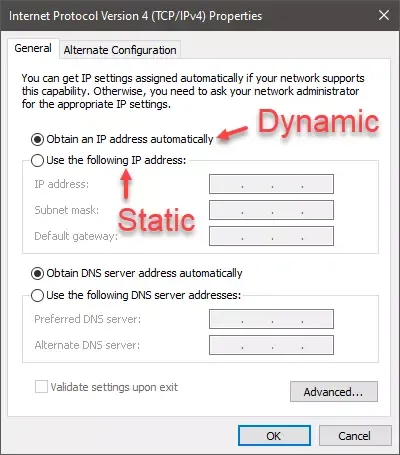
Port Forward
How to set up port forwarding in your router. General guide to configuring port forwards in your router to allow remote access to a device on your network.
restive otter
ok thx
restive otter
jaunty plank
It will depend on your router model.
https://portforward.com/how-to-port-forward...
and where do i set this please ?
restive otter
im not will changing my deskop setting
restive otter
my bot is hosting now
solid imp
@restive otter check the pins in this channel
stuck gyro
solid imp
Couldn’t quite understand that, could you elaborate?
It saying unauthorized
rain heart
stuck gyro
https://top.gg/api/bots/(botID)/check?userId=(userID)/token=(token)
that is not a thing on the top.gg api
please read the docs under https://docs.top.gg
stuck gyro
rain heart
that is not a thing on the top.gg api
It work but im trying to make it authorize
rain heart
 rain heart
you will not be able to authorize it by just providing a get parameter in the url
stuck gyro
rain heart
you will **not** be able to authorize it by just providing a get parameter in th...
idk why my bot think it's not authorized
Http result not giving
stuck gyro
I put the token
rain heart
could you post your code, replacing the API token with "api_token"
rain heart
-api
abstract mothBOT
This channel is for suggestions, help, and bugs related to our official API libraries and documentation found at https://docs.top.gg/
If you need help with other development, please use #development.
stuck gyro
$httpAddHeader[Authorization; api_token]
$httpGetRequest[https://top.gg/api/bots/850256665378422794/check?userId=$get-userID]
stuck gyro
Ok
rain heart
so you are getting the unauthorized error? can you check what headers you're sending
rain heart
Go to the page you obtained your top.gg API token from before
press the regenerate button, refresh the page, then copy paste that token that you see after refreshing
stuck gyro
Ok
stuck gyro
rain heart
Go to the page you obtained your top.gg API token from before
Thx it work its authorization token problem
solid imp
Make sure to pass your top.gg token in the Authorization headers while sending your request
solid imp
restive otter
Still
Show me what your code looks like?
Also, do not post the token while you do so
restive otter
solid imp
Show me what your code looks like?
Also, do **not** post the token while you do ...
$httpGet[https://top.gg/api/bots/$botID/check?userId=$authorID&token=tokenhere]
$httpResult
You do not pass your token in your query string
Need to pass it as headers
stuck gyro
Why authorization different from webhook and bot token
stuck gyro
Is there where to put the authorization token for webhook
And authorization token for bot
stuck gyro
I mean I have a top gg bot token
stuck gyro
solid imp
Your bot token is from discord and top.gg tokens, are well, from top.gg. They ar...
Idk where to put the webhook token
solid imp
stuck gyro
Idk where to put the webhook token
You don’t need any webhook token
stuck gyro
Oh
My webhook test not working without it
My bot top gg token in authorization cause it used for checking if user voted
solid imp
The webhook url isn’t your discord webhook url
It should be a url to your server listening to requests from top.gg
stuck gyro
Oh
solid imp
Whenever a user votes, top.gg makes a post request to the url you provide with the data containing the user who voted
stuck gyro
I made a top gg webhook in webhook top gg
stuck gyro
solid imp
Whenever a user votes, top.gg makes a post request to the url you provide with t...
On webhook top gg
Saying to pu the url on webhook url slot in top gg
And auth at the bottom of it
solid imp
stuck gyro
On webhook top gg
Saying to pu the url on webhook url slot in top gg
And auth a...
stuck gyro
Oh
stuck gyro
solid imp
Auth is just a password you define, it’s not going to be issued by top.gg. This ...

This sample it gave me
On authorization I put token for this bot
I didn't copy the auth
From webhook top gg site
solid imp
click on copy auth from the left screen and paste it on the right
stuck gyro
But it's in used by my bot checking if user voted
There no other authorization slot
For webhook
solid imp
stuck gyro
But it's in used by my bot checking if user voted
The Authorization you see on the webhook page is used only when top.gg sends webhook requests to your webhook url. Not while making normal requests
stuck gyro
I'm trying to make top gg send webhook request
To webhook url
While not touching the authorization since it's in used by bot
Like giving rewards
As checking vote it requires authorization token of bot topgg
solid imp
That is not the authorisation your bot uses. That’s only for webhooks.
Go to your bot page, click on webhooks and then you’ll see token
They are not the same
stuck gyro
Oh

 restive otter
solid imp
These 2 are not the same
restive otter
solid imp
These 2 are not the same
How to log votes from users?
solid imp
stuck gyro
Ohh
solid imp
restive otter
How to log votes from users?
Check the pinned messages in this channel, they have all the information you need 
stuck gyro
I see
 subtle ingot
Hi all, I've been lost for over a day with this issue. I get Error R10 (Boot timeout) -> Web process failed to bind to $PORT within 60 seconds of launch when I try to launch the bot on heroku (local works fine). I've read about PORT needing to be variable etc., but I've been using the same code for weeks and it only stopped working now. I have no idea if something changed or what, here's the code I use:
bot.topgg_webhook = topgg.WebhookManager(bot).dbl_webhook("/dblwebhook", "<password>")

@bot.event
async def on_ready():
    await bot.topgg_webhook.run(int(os.environ.get("PORT", 5000)))
Any help is greatly appreciated!
jaunty plank
subtle ingot
Hi all, I've been lost for over a day with this issue. I get `Error R10 (Boot ti...
Is it possible the web dyno was disabled?
subtle ingot
Disabled as in no longer available?
Heroku shuts down free dynos in November so I should have time
jaunty plank
did you turn it off, or run out of hours.
subtle ingot
When I turn it on, I get the R10 error, for the meantime I switched to worker dynos, so my hours are fine as well
jaunty plank
So the web dyno is disabled?
subtle ingot
Well yes in this moment, but I know that I can't work with webhooks without it
jaunty plank
Heroku doesn't provide a bindable port for worker dynos, so that would explain the error.
subtle ingot
Yes but I get that error while using web dynos
jaunty plank
🤔 maybe it's the other way around then?
Did you remove the webhook while being on web dynos?
Maybe the error is on heroku saying your code never bound to a port.
 split chasm
Ahh
subtle ingot
How can a webhook be removed?
jaunty plank
Removed from your code.
Ie no longer trying to start the webserver for your webhook.
subtle ingot
Hmm I'll check on the web server but I haven't changed any of relevant code in weeks
the bot can survive for 30 minutes without web server though
jaunty plank
If you are swapping to worker dynos it's probably unessecary to do anything else, just swapping over should fix the error.
subtle ingot
I tried that this morning, I swapped back to web dynos after giving it a day to "fix itself"
jaunty plank
What was the error with workers?
subtle ingot
there were none, just the webserver returning 503 since the web dyno was disabled
but I can't process votes without web dynos so I don't want to keep worker for longer
now it's just to keep the rest of the bot functions online
jaunty plank
Oh I see, you're moving back to web.
Yeah, just make sure the webserver starts & binds within 60 seconds of startup. That should be the solution.
subtle ingot
I'll try to do a manual request from the web server, I can't think of anything else
welp I get timeouted
the bot startup is really slow though on my PC
maybe that affected something
jaunty plank
a url is just a way to tell a server to connect somewhere.
Your home network should have an ip which can be used in a url
for example. http://YOURHOMEIP:port/path
Youll need to configure port forwarding
 south rose
oh ok thanks!
restive otter
Hu
 untold ferry
What is the event name for topggpy (python) where someone votes for my bot, that’s where I want to be able to add a role to them.
untold ferry
plucky lance
<https://docs.top.gg/libraries/python/#examples>
So I do it in there?
plucky lance
It creates a webhook listener aka webserver listening for post requests
You can do that within your bot’s code or externally
You somehow need access to your logged in client instance to fetch an user and send him a message
So including it in your code might be the easiest solution
Creating the webhook listener once the client is ready is your way to go if you wanna do it that way
south rose
how do i set server count?
rain heart
-servercount
abstract mothBOT
To have your bot's server count displayed on Top.gg, please read the documentation on server/shard posting.
south rose
rain heart
-servercount
im coding in python, is there a way to implement server count without using the discord library (im using hikari)
 raven birch
Hey, is it possible to allow users to vote for my bot via a button on a command?
solid imp
raven birch
Hey, is it possible to allow users to vote for my bot via a button on a command?
you can add a link style button which links to your bot page, there isn't a way to do it from discord if that's what you're asking
raven birch
That's what I have. I was just wondering if it was possible
subtle ingot
jaunty plank
Oh I see, you're moving back to web.
Yeah, just make sure the webserver starts ...
I just realized, my bot started to load really slow the past few days, maybe that is behind these issues, but I don't know what is causing that either
 autumn echo
How can I get webhookPort and webhookAuth?
jaunty plank
autumn echo
How can I get webhookPort and webhookAuth?
Webhook port will be decided by you and your hosting method, and and must be an available port.
The auth you decide, but it must be the same between your code and the field on topgg
autumn echo
jaunty plank
Webhook port will be decided by you and your hosting method, and and must be an ...
how about hosting method?
Do I have to host something for this to work?
jaunty plank
autumn echo
Do I have to host something for this to work?
Yeah, how else will you receive the webhook?
Some hosts have restrictions on what port you can use, or will provide it in an environment variable.
jaunty plank
subtle ingot
I just realized, my bot started to load really slow the past few days, maybe tha...
As bots grow their startup time slows.
Start the webhook before your bot.
autumn echo
jaunty plank
Yeah, how else will you receive the webhook?
Some hosts have restrictions on wh...
I don't understand very well, but there is no way to send it from the bot, imagine someone votes for my bot, and then my bot sends a message in the chat, is there a way?
jaunty plank
yeah, you need webhooks to do that.
Topgg sends the webhook to your webhook listener(that you need to program), then you can send a message when a webhook is received.
jaunty plank
a webhook
autumn echo
@jaunty plank
jaunty plank
What do you mean by that?
like where do you need to put it in code?
autumn echo
jaunty plank
What do you mean by that?
like where do you need to put it in code?
For example, to get the Auth webhook you need to host something right?
rain heart
you need to host a webhook
autumn echo
rain heart
you need to host a webhook
Where?
jaunty plank
Most people host it with their bot, in the same process
autumn echo
jaunty plank
Most people host it with their bot, in the same process
Is there a video to explain?
jaunty plank
Any video explaining webhooks will work.
Topgg webhooks are not unique in any way.
just standard webhooks
subtle ingot
jaunty plank
As bots grow their startup time slows.
Start the webhook before your bot.
Yes, but my startup time jumped from not even 10s to 60s, there must be something other behind that. I'll look into starting the webhook sooner, thank you
subtle ingot
jaunty plank
As bots grow their startup time slows.
Start the webhook before your bot.
I managed to fix it, thank you so much for your help!
 upbeat bay
Isn’t there a way to have the notification for them to vote to come directly to a certain channel in your server? They referred me here for the api however don’t know what that is 🥹
steady cove
If ur using python and pycord u. An disable guild chunk reducing startup time
solid imp
upbeat bay
Isn’t there a way to have the notification for them to vote to come directly to ...
There is not. That would narrow down functionality. Not everyone would want vote notifications to be sent to a discord channel “only”. To make it flexible, it allows developers to use vote data however they want by the concept of webhooks
jaunty plank
If you want just a message; many sites can turn topgg webhooks into messages in a discord channel.
You'll just need to look around on Google for them.
restive otter
jaunty plank
If you want just a message; many sites can turn topgg webhooks into messages in ...
Uh?
 heavy crater
rain heart
heavy crater
rain heart
the API is http-based, it depends on the Library that is implementing it
solid imp
 slate roost
from <#714045415707770900>
slate roost
from <#714045415707770900>
the webhook url needs to be your public server url. Top.gg will make a post request to that endpoint with the data containing information on who voted
In a nutshell
User votes -> top.gg makes POST request to your endpoint -> you process that data however you want
slate roost
solid imp
the webhook url needs to be your public server url. Top.gg will make a post requ...
wdym by public server url though, like how do i create a public server so i can get the url
slate roost
can a http server do the work?
slate roost
hmm
restive otter
Can probably use something like Vercel idk
slate roost
lemme try it 
slate roost
restive otter
Can probably use something like Vercel idk
never heard about that, could you provide the docs about just in case i need it
restive otter
slate roost
restive otter
That's the thing you actually *need*
It shows this: (image) on my server i made though,
this is my current server: ```js
const http = require("http");
const { logInfo, logError } = require("../util/commands/log");
const server = http.createServer((req, res) => {
res.setHeader("Content-Type", "application/json");
if (req.method !== "POST" || req.url !== "/user") {
res.statusCode = 405;
return;
}
let body = "";
req.on("data", (data) => {
body += data;
});
req.on("end", () => {
let parsed;
try {
  parsed = JSON.parse(body);
} catch (e) {
  res.statusCode = 400;
  res.end('{"error":"CANNOT_PARSE"}');
}

res.end(
  JSON.stringify({
    error: false,
    username: parsed.username,
  })
);
});
});
server.listen(3000, () => {
logInfo("Server", "Connected");
});
 restive otter
Do you even have a handler for /?
if (req.method !== "POST" || req.url !== "/user")
Seems like you only allow post requests to /user? Making a get request on / most likely won't work
slate roost
restive otter
Do you even have a handler for `/`?
No, don't have one, mainly i JavaScript,
Not much idea about it
restive otter
Then you should probably go in #development and ask there as it's no longer related to the API but general development of a website
slate roost
restive otter
```js
if (req.method !== "POST" || req.url !== "/user")
```
Commented it out for now,
Could you tell me what should i fix
slate roost
restive otter
Then you should probably go in <#272764566411149314> and ask there as it's no lo...
Oh, sure
restive otter
Can we fetch vote, server count and comments from top.gg and add to custom webpage ?
restive otter
Votes yes (https://docs.top.gg/api/bot/#find-one-bot field monthlyPoints or points), server count yes (https://docs.top.gg/api/bot/#bot-stats field server_count) if you've posted it via your bot (https://docs.top.gg/api/bot/#post-stats) and comments aka reviews no
solid imp
 covert saddle
top.gg which api is actively using
covert saddle
top.gg which api is actively using
what do you mean?
solid imp
if you mean which js library, you have https://npmjs.com/@top-gg/sdk

npm
Official Top.gg Node SDK. Latest version: 3.1.3, last published: 10 months ago. Start using @top-gg/sdk in your project by running npm i @top-gg/sdk. There are 6 other projects in the npm registry using @top-gg/sdk.
covert saddle
👍
restive otter
restive otter
Votes yes (<https://docs.top.gg/api/bot/#find-one-bot> field `monthlyPoints` or ...
thanks
 narrow pasture
I want to give a temporary premium for my bot whenever a user vote, what's the correct endpoint to do that?
solid imp
narrow pasture
I want to give a temporary premium for my bot whenever a user vote, what's the c...
You could use https://docs.top.gg/api/bot/#last-1000-votes but i recommend you using webhooks for your use case
Docs for webhooks: https://docs.top.gg/resources/webhooks/
narrow pasture
gotcha, thanks
restive otter
Can I check if a user has already voted for my server?
rain heart
servers does not have an api like bots do, you can use webhooks instead
restive otter
rain heart
servers does not have an api like bots do, you can use webhooks instead
How does that work? The webhook will dispatch info to my bot?
If my bot is offline at that point it wont be able to check previous votes?
rain heart
you will not be, no
 rain heart
editing webhooks is only something the owner can do
dunno why that can be accessed though
restive otter
Oh
 quiet harbor
Are there any official URLs we can use for our webhooks - I’m not sure what URL to use for top.gg to send me a POST request on?
tidal idol
quiet harbor
Are there any official URLs we can use for our webhooks - I’m not sure what URL ...
https://webhook-topgg.com is a good no code solution
Simplifying top.gg webhooks for all users, allowing non-developers and developers to use webhooks for their bot and server without confusing configuration.
quiet harbor
tidal idol
https://webhook-topgg.com is a good no code solution
I want to code though
jaunty plank
quiet harbor
*I want to code though*
then no, the URL will be the URL to your server.
restive otter
what is the ratelimits of api.getVotes function
restive otter
Hi, wehn trying to post my server count to top gg, I recieve Failed to post server count ClientConnectorCertificateError: Cannot connect to host top.gg:443 ssl:True [SSLCertVerificationError: (1, "[SSL: CERTIFICATE_VERIFY_FAILED] certificate verify failed: Hostname mismatch, certificate is not valid for 'top.gg'. (_ssl.c:997)")]
rain heart
restive otter
rain heart
<#412006692125933568>
huh?
rain heart
oh nvm havent checked the channel
restive otter
ah ok, I get that error when using the example shown on the documentation
rain heart
could you post the code you're using
restive otter
rain heart
could you post the code you're using
@tasks.loop(minutes=30)
async def update_stats():
    """This function runs every 30 minutes to automatically update your server count."""
    try:
        await client.topggpy.post_guild_count()
        print(f"Posted server count ({client.topggpy.guild_count})")
    except Exception as e:
        print(f"Failed to post server count\n{e.__class__.__name__}: {e}")

async def main():
    async with ClientSession(connector=TCPConnector(resolver=AsyncResolver(), family=socket.AF_INET)) as http_session:
        async with client:
            client.http_session = http_session
            token_fetch = internal(self=client)
            await client.ipc.start()
            dbl_token = 'token'
            client.topggpy = topgg.DBLClient(client, dbl_token)
            update_stats.start()
            await client.start(token_fetch)
asyncio.run(main())
I'm thinking thats caused by the library you're using, the ClientSession
dunno otherwise, the certificate is valid
restive otter
rain heart
I'm thinking thats caused by the library you're using, the ClientSession
even when I remove it and use something like this,
class Webhook(commands.Cog):
    def __init__(self, bot):
        self.bot = bot
        self.update_stats.start()

    @tasks.loop(minutes=30)
    async def update_stats(self):
        dbl_token = 'token'
        topggpy = topgg.DBLClient(self.bot, dbl_token)
        """This function runs every 30 minutes to automatically update your server count."""
        try:
            await topggpy.post_guild_count()
            print(f"Posted server count ({topggpy.guild_count})")
        except Exception as e:
            print(f"Failed to post server count\n{e.__class__.__name__}: {e}")


def setup(bot):
    bot.add_cog(Webhook(bot))
I still recieve:
ClientConnectorCertificateError: Cannot connect to host top.gg:443 ssl:True [SSLCertVerificationError: (1, "[SSL: CERTIFICATE_VERIFY_FAILED] certificate verify failed: Hostname mismatch, certificate is not valid for 'top.gg'. (_ssl.c:997)")]```hm
 abstract swift
Im having some hard time trying to setup a webhook so my bot would send a message when someone in my server votes for the server... could someone help me out please
 spark bronze
abstract swift
Im having some hard time trying to setup a webhook so my bot would send a messag...
spark bronze
abstract swift
Im having some hard time trying to setup a webhook so my bot would send a messag...
can you show me?
abstract swift
I dont even know what to show you. Idk what to do lmfao
spark bronze
did you add any code?
abstract swift
where? lmfao
spark bronze
@abstract swift for an idea i would use this rn https://webhook-topgg.com
Simplifying top.gg webhooks for all users, allowing non-developers and developers to use webhooks for their bot and server without confusing configuration.
 spark sundial
Where can I find the api of my bot?
restive otter
There is not API of your bot if you haven't coded it yourself
Though you can use Top.gg's API to gather various information, see the documentation at https://docs.top.gg
 indigo monolith
for the last 1000 votes i need to use
https://top.gg/api/bots/:BOT_ID/votes``` but where can i find my bot id is it my client id or what is it dim kettle
indigo monolith
for the last 1000 votes i need to use
```js
https://top.gg/api/bots/:BOT_ID/vote...
dim kettle
indigo monolith
for the last 1000 votes i need to use
```js
https://top.gg/api/bots/:BOT_ID/vote...
That’s the same one you find in the URL on your bots Top.gg page
As you mentioned it should be the same as the application ID
indigo monolith
dim kettle
That’s the same one you find in the URL on your bots Top.gg page
As you mentione...
i get the error { error: 'Unauthorized' } how can i fix this
dim kettle
indigo monolith
i get the error ``{ error: 'Unauthorized' }`` how can i fix this
Make sure you are sending the Auth header as shown here: https://docs.top.gg/api/@reference/#authentication
indigo monolith
Ik using node fetch so how can i then send the auth header
 dense acorn
-cat
indigo monolith
i want to make a discord bot that when someone votes it will auto send a message with thankyou for voting but how can i make a eventlistener if someone new votes. I can check per user what isnt smart. Or i can get the last 1000 votes but i cant see a timestamp on there so what can i do?
solid imp
indigo monolith
i want to make a discord bot that when someone votes it will auto send a message...
webhooks solve this, you can take a look at the pinned messages of this channel for implementation with common api libraries and can also refer to https://docs.top.gg/resources/webhooks/
 restive otter
suggestion about installing topggpy
dont have it force install discord.py, it conflicts with people using other discord.py forks (nextcord, pycord, hikari etc...) I tried installing the voice support for nextcord and it broke because topggpy installed discord.py
restive otter
restive otter
suggestion about installing topggpy
dont have it force install discord.py, it c...
Does it really force install? https://github.com/top-gg/python-sdk/commit/13b1024740652f4eeab06b9b569d741f574f2517
Yeah it does 
Super weird because it only uses the discord import in examples
Yeah then I also agree that it shouldn't install it by default, though I don't see where that option is set
solid imp
 teal yacht
on localhost
teal yacht
on localhost
you could use something like https://ngrok.com/
ngrok is the fastest way to put anything on
the internet with a single command.
teal yacht
Dm?
restive otter
restive otter
Yeah then I also agree that it shouldn't install it by default, though I don't s...
https://github.com/top-gg/python-sdk/blob/e009cf375f2c961ad3192c34d7cb6780cdf811bb/examples/discordpy_example/requirements.txt its here in requirements

GitHub
A simple API wrapper for top.gg written in Python. Contribute to top-gg/python-sdk development by creating an account on GitHub.
erm eait
nvm ur right
idk
How do I add shards and server count like this? https://media.discordapp.net/attachments/714045415707770900/1024807305742647326/IMG_0146.png
 rain heart
-servercount
abstract mothBOT
To have your bot's server count displayed on Top.gg, please read the documentation on server/shard posting.
rain heart
please attempt reading it first
restive otter
where do I put this code?
const { AutoPoster } = require('topgg-autoposter')

AutoPoster('topgg-token', client)
  .on('posted', () => {
    console.log('Posted stats to Top.gg!')
  })
I get an error because I already have a discord client
jaunty salmon
-servercount
abstract mothBOT
To have your bot's server count displayed on Top.gg, please read the documentation on server/shard posting.
 elfin forge
i think they're trying to get the data, not publish the data, no? The docs link is still relevant, just the wrong section.
solid imp
slate roost
Hello, how do i get my bot info from top.gg api like total vote counts, etc.
The correct API endpoint would be https://docs.top.gg/api/bot/#find-one-bot
restive otter
Could someone guide me on how to get my top.gg token
Wait im checking pins

Get to your bot's page, then "Edit" and "Webhooks"
Should then appear 
Will it show that after the verification process is done?

solid imp
restive otter
Will it show that after the verification process is done?
Yes, only approved bots are allowed to use the api

 wind olive
-help
I need to make top.gg autoposter
For that I need to get top.gg autoposter version to put it in my package.json
Can some one help me
solid imp
wind olive
For that I need to get top.gg autoposter version to put it in my package.json
What do you mean by get the version? You can just install it from npm and it will install the latest version
npm
Auto-Poster for Top.gg. Latest version: 2.0.1, last published: 10 months ago. Start using topgg-autoposter in your project by running npm i topgg-autoposter. There is 1 other project in the npm registry using topgg-autoposter.
wind olive
solid imp
What do you mean by get the version? You can just install it from npm and it wil...
No I am hosting so I need version of it so I can add it to my package.json
solid imp
wind olive
No I am hosting so I need version of it so I can add it to my package.json
The latest version is 2.0.1
wind olive
Okay Can I get what to write in package.json ?
solid imp
Instead of taking that approach, I would suggest you to run npm init and then install your packages
Tampering your package.json like that isn’t the right way to install things
wind olive
    "name": "-asdf",
    "version": "1.0.0",
    "description": "",
    "main": "index.js",
    "scripts": {
      "start": "node index.js"
    },
    "engines": {
      "node": "16.x"
    },
    "author": "",
    "license": "ISC",
    "dependencies": {
      "aoi.js": "^5.5.5",
 "dbdjs.db": "^2.0.2",
    "discord.js": "^12.5.3",
    "express": "^4.17.1",
    "ytdl-core-discord": "^1.3.1"
    }
}```This is my package.json
Now what I need to do ?
solid imp
Just do, npm i topgg-autoposter
wind olive
solid imp
Just do, `npm i topgg-autoposter`
const Topgg = require('@top-gg/sdk')

const app = express() // Your express app

const webhook = new Topgg.Webhook('topggauth123') // add your Top.gg webhook authorization (not bot token)

app.post('/dblwebhook', webhook.listener(vote => {
  // vote is your vote object
  console.log(vote.user) // 221221226561929217
})) // attach the middleware

app.listen(3000) // your port```IDK about this
In app.post what I need to put
solid imp
Nothing, that looks fine, you need a public url which you need to paste on the site in the webhook url section
Top.gg will then attempt to make a post request to that url whenever someone votes
And you can process that data however you wish
wind olive
In webhook section I need to add my discoed webhook
 solid imp
Not discord webhook, a public url of your webhook server
For example http://example.com/api/dblwebhook
solid imp
wind olive
```const express = require('express')
const Topgg = require('@top-gg/sdk')
cons...
This code over here is creating that webhook server for you
wind olive
solid imp
This code over here is creating that webhook server for you
Hmm It's asking for domain I don't have
solid imp
You can use it without a domain, by using the public ip address of your server
A domain just masks that up, for ease of access
 dawn nexus
Would there be any regulation preventing me from writing my own topgg API wrapper for a language that already has a wrapper?
dim kettle
dawn nexus
Would there be any regulation preventing me from writing my own topgg API wrappe...
Nah, feel free to create a new one :)
Just make sure to not market it as a "official top.gg" wrapper to avoid confusion :)
dawn nexus

 dawn nexus
i doubt you use java xD
 scarlet cobalt
One message removed from a suspended account.
One message removed from a suspended account.
dawn nexus
dawn nexus
Would there be any regulation preventing me from writing my own topgg API wrappe...
I stated that here, i just wanna do my own for fun, if that's not forbidden
oh nice
scarlet cobalt
One message removed from a suspended account.
One message removed from a suspended account.
One message removed from a suspended account.
One message removed from a suspended account.
dawn nexus
It won't be competitive dw, just wanna wrap an api again lol, been a while since i did my last wrapper
scarlet cobalt
One message removed from a suspended account.
dawn nexus
scarlet cobalt
One message removed from a suspended account.
Yeah ofc not
scarlet cobalt
One message removed from a suspended account.
scarlet cobalt
One message removed from a suspended account.
restive otter
dawn nexus
Would there be any regulation preventing me from writing my own topgg API wrappe...
Remake the Java library to something more modern 
And something actually maintained by someone
 restive otter
i will fully support you

 dawn nexus
i will code it once, implement 69 errors, and leave it unmaintained forever, just pushing new commits where i changed absolutely nothing to make it look like it gets updated every day
restive otter
Add some spaces in the readme 
rain heart
dawn nexus
i will code it once, implement 69 errors, and leave it unmaintained forever, jus...
if you do decide on wanting to maintain the official one and take it over, feel free to implement the webhook handler that I made longer ago https://github.com/Hopeful-Developers/topggwebhooks4j
GitHub
Java Webhook Library for Top.gg. Contribute to Hopeful-Developers/topggwebhooks4j development by creating an account on GitHub.
LMAO the social image is still there
also no ads intended uwu
restive otter
cringe.dev
dawn nexus
2 years ago seems pretty active, request approved
restive otter
But yeah, actually add webhooks
rain heart
even if 2 years ago, still works fine
restive otter
Something that still isn't in the main one
dawn nexus
well guys at first i need to get my bot listed so i can test everything  till then i can just dream
restive otter
Alex first actual maintainer 
rain heart
dawn nexus
well guys at first i need to get my bot listed so i can test everything <:lmao:1...
may or may not be able to get a api test bot approved

restive otter
Having someone making a more modern one and maintaining it, with webhooks inside it would be pretty nice
rain heart
but yeah the java-sdk is dead much
wanted to take it over at some point, but then internship
restive otter

dawn nexus
rain heart
*may or may not be able to get a api test bot approved*
i'm actually working on a real bot which is almost finished 
rain heart
pog pog
restive otter

scarlet cobalt
rain heart
wanted to take it over at some point, but then internship
One message removed from a suspended account.
One message removed from a suspended account.
rain heart
barely have time to
scarlet cobalt
One message removed from a suspended account.
scarlet cobalt
One message removed from a suspended account.
One message removed from a suspended account.
rain heart
if @dawn nexus really would want to contribute to/maintain, could bring it up with xiuh
scarlet cobalt
One message removed from a suspended account.
One message removed from a suspended account.
dawn nexus
How up to date compared to the current API is this years old wrapper actually, i haven't completly finished looking at it
dawn nexus
Well i usually write my API wrappers differently but that's just everyones preference
How far are we away from the "V1" API stated in the docs if anyone knows that?
dawn nexus
Hmmm i don't think officially rewriting the wrapper would make sense, cuz the people relying on it still need it. That's something that could be done for V1. I'll have a look at everything tomorrow, i'm kinda dead atm.

u should probably take a break too lmao
 rugged orchid
I want to know how to do this
 dawn nexus
dawn nexus
dawn nexus
What programming language are you using
dawn nexus
Do you use the top.gg javascript library too?
i have no clue about javascript, but check this out
Documentation for @top-gg/sdk
The thing you saw with the bot sending a message every time being sent once a user votes is done with a webhook, which is also explained on the site
 dawn nexus

Good choice
I'll talk more about that wrapper stuff tomorrow, i'm tired now and will erase for 8 hours now.
rugged orchid
 plucky lance
By fetching the user from discord using the user ID the topgg api provided through your application
rugged orchid
plucky lance
By fetching the user from discord using the user ID the topgg api provided throu...

@plucky lance I want the person's name to appear, how do I write?
plucky lance
I have no clue what this is youre looking at
But mentioning an user will show his name as long as he is a member in the server
 plucky lance
Yeah you need to fetch the user using the ID the api provides you
The topgg api does not provide an user name or tag
Fetch the user through your discord bot and send this message
dawn nexus
The API provides the ID
And then should be something called getUserById() or getMemberById in discord js
 deft hollow
How can get user who vote my bot in top gg?
When I sent test by webhook but nothing showed in channel why?

 misty peak
How do I make a button to vote for the bot or is that not possible
And how do I get the bot to say when someone votes
solid imp
misty peak
How do I make a button to vote for the bot or is that not possible
this isn't possible, you can just add a link button that would link to the vote page of your bot/server
solid imp
misty peak
And how do I get the bot to say when someone votes
-pins -d
nvm
check the pinned messages in this channel
 shut hill
✅
 humble ermine
why do i get a 404 error while using getUser
deft hollow
How can get Id of user who voted my bot?
rain heart
the userid is present on the vote webhook
also you cannot use the API until your bot is approved
humble ermine
rain heart
likely the user provided never used top.gg
The user provided is me💀
deft hollow
const express = require("express")

const app = express()

const webhook = new Topgg.Webhook("your webhook auth")

app.post("/dblwebhook", webhook.listener(async(vote) => {console.log(vote.user) ```what is mean about your webhook auth?The passphrase you enter here
 deft hollow
Oh thank you
solid imp
No problem
indigo monolith
how can i make a webhook?
misty peak
How do I send a message to the server through the web hook when someone votes
solid imp
misty peak
How do I send a message to the server through the web hook when someone votes
-pins
Ah nevermind, Luca still down
Check the pins in this channel please
indigo monolith
const dbl = new DBL("332v#aJ", { webhookPort: 5000, webhookAuth: '' });
dbl.webhook.on('ready', hook => {
  console.log(`Webhook running at http://${hook.hostname}:${hook.port}${hook.path}`);
});
dbl.webhook.on('vote', vote => {
  console.log(`User with ID ${vote.user} just voted!`);
});```i get in console webhook running but i dont get a message when a user votesCan you provide me a screenshot of how your webhook url looks like?
indigo monolith
http://0.0.0.0:5000/dblwebhook
solid imp
misty peak
It don’t even log it
Instead of logging it, you just need to do the processing there in order to send it to a channel of your choice
solid imp
indigo monolith
``http://0.0.0.0:5000/dblwebhook``
Localhost does not work, needs to be a public url
indigo monolith
indigo monolith
```js
const dbl = new DBL("332v#aJ", { webhookPort: 5000, webhookAuth: '' });
db...
is this all the code, beacause this is all i've. I dont got discord.js or anythis so is this correct
and how can i send it to a channel
its my fist time using webhooks
solid imp
indigo monolith
its my fist time using webhooks
The url you have pasted on the site needs to be a public url of your server which is listening to post requests on the /dblwebhook route
Top.gg will make a post request to this url whenever someone voted for your bot/server
You can then process this data however you wish, and in turn execute a discord webhook to post in a specific channel
indigo monolith
solid imp
The url you have pasted on the site needs to be a public url of your server whic...
I understand what ur saying but i dont know how to do it
so how do i change it so a specific channel
do i also need to install djs
solid imp
For instance, you can make a direct request to discord
https://discord.com/developers/docs/resources/webhook#execute-webhook
Discord Developer Portal
Integrate your service with Discord — whether it's a bot or a game or whatever your wildest imagination can come up with.
indigo monolith
solid imp
For instance, you can make a direct request to discord
https://discord.com/dev...
So lets I want to get a user that voted for me and then log the user how should i do that?
the npm top.gg documentations says this
onst DBL = require('top.gg');
const dbl = new DBL(yourDBLTokenHere, { webhookPort: 5000, webhookAuth: 'password' });
dbl.webhook.on('ready', hook => {
  console.log(`Webhook running at http://${hook.hostname}:${hook.port}${hook.path}`);
});
dbl.webhook.on('vote', vote => {
  console.log(`User with ID ${vote.user} just voted!`);
});```but what is ``yourDBLTokenHere`` and``webhookAuth`` is webhook auth the token of the webhook or is it the auth that i set on the topp.gg website?yourDBLTokenHere is the bot token and webhookAuth is the password you can set yourself
yourDBLTokenHere

webhookAuth
 indigo monolith
Ok so i've now set my auth and token, how can i now connect it to my discord webhook to send a message in a channel for example
restive otter
You will need to use Discord's webhooks
So essentially you create a webhook in a discord channel and then send a message via that webhook to the channel
It's a simple POST request to the webhook URL and then with the content needed
indigo monolith
restive otter
You will need to use Discord's webhooks
const DBL = require('top.gg');
const dbl = new DBL(yourDBLTokenHere, { webhookPort: 5000, webhookAuth: 'password' });
dbl.webhook.on('ready', hook => {
  console.log(`Webhook running at http://${hook.hostname}:${hook.port}${hook.path}`);
});
dbl.webhook.on('vote', vote => {
  console.log(`User with ID ${vote.user} just voted!`);
});
```for now i only want to console.log if a user has voted but mine in running in localHost how can i change that? because my console.log said this ``Webhook running at http://0.0.0.0:5000/dblwebhook``So first things first, Top.gg cannot access localhost as you've said so you will need to host this code somewhere so that it gets a publicly available URL
Then, if you want to send a message in a Discord channel when a user votes for your bot, you will need to make a POST request to a Discord webhook URL which can be created in a Discord channel's settings
indigo monolith
the post request do i need like express for that or not?
restive otter
Not really no, you can use XMLHttpRequest
Doesn't really matter, as long as you make a POST request with the content needed to Discord's webhook it's fine
Something like that should be fine
var r = new XMLHttpRequest();
r.open("POST", "Discord-Webhook-Url");
r.setRequestHeader('Content-type', 'application/json');
var p = {
  content: "A user voted for my bot"
}
r.send(JSON.stringify(p));
To know what you can place in p you can see the documentation here https://discord.com/developers/docs/resources/webhook#execute-webhook-jsonform-params
humble ermine
rain heart
then you haven't talked to the correct endpoint
But it works for other user
restive otter
@twin oxide you need to host your code somewhere, Top.gg - just like any other user/service - cannot make requests to your localhost running server
You'd need to host on a web server somewhere on the internet, maybe you find free services but I don't think they will be reliable
 twin oxide
restive otter
You'd need to host on a web server somewhere on the internet, maybe you find fre...
twin oxide
restive otter
You'd need to host on a web server somewhere on the internet, maybe you find fre...
free is no more
replit gone
glitch gone
heroku soon gone
other petro hosts are also gone
idk any other free host
restive otter
In that case, you'd need to pay for a hosting provider or selfhost on something like a raspberry pi
twin oxide
thats 14k
restive otter
No, it's as low as 2$/month for hosting and raspberry pi are like 40$
Otherwise there's also https://webhook-topgg.com/ but no idea how that works
Simplifying top.gg webhooks for all users, allowing non-developers and developers to use webhooks for their bot and server without confusing configuration.
twin oxide
thats a logger?
twin oxide
ig ill leave the testing and trust my code
restive otter
restive otter
Otherwise there's also https://webhook-topgg.com/ but no idea how that works
Might be worth looking at this, how to use it is probably self explaining
twin oxide
restive otter
Might be worth looking at this, how to use it is probably self explaining
If you want to give a user a reward you'll want to create your own webhook
restive otter
Yeah then make your own webhook and host it publicly 
restive otter
You can test using the test webhook button on the bot's page

Unless you do it locally of course
That case you can just replicate the schema of the data sent to the webhook
quiet harbor
Anyone know why I’m getting the following error:
Traceback (most recent call last):
  File "/home/container/.local/lib/python3.9/site-packages/discord/cog.py", line 743, in _load_from_module_spec
    setup(self)
  File "/home/container/cogs/topgg-vote.py", line 21, in setup
    bot.add_cog(Topgg(bot))
  File "/home/container/cogs/topgg-vote.py", line 10, in __init__
    bot.topggpy = topgg.DBLClient(bot, os.getenv('TOPGG'), autopost = True, post_shard_count = True)
TypeError: __init__() takes 2 positional arguments but 3 were given
The above exception was the direct cause of the following exception:
Traceback (most recent call last):
  File "/home/container/main.py", line 37, in <module>
    bot = Bot()
  File "/home/container/main.py", line 22, in __init__
    self.load_extension(f'cogs.{filename[:-3]}')
  File "/home/container/.local/lib/python3.9/site-packages/discord/cog.py", line 867, in load_extension
    self._load_from_module_spec(spec, name)
  File "/home/container/.local/lib/python3.9/site-packages/discord/cog.py", line 748, in _load_from_module_spec
    raise errors.ExtensionFailed(key, e) from e
discord.errors.ExtensionFailed: Extension 'cogs.topgg-vote' raised an error: TypeError: __init__() takes 2 positional arguments but 3 were given
Here’s my code:
import discord
import topgg
import os

from discord.ext import tasks, commands

class Topgg(commands.Cog):
    def __init__(self, bot):
        self.bot = bot
        bot.topggpy = topgg.DBLClient(bot, os.getenv('TOPGG'), autopost = True, post_shard_count = True)

    @tasks.loop(minutes = 30)
    async def update_topgg_stats(self):
        try:
            await bot.topggpy.post_guild_count()
            print("Successfully updated bot stats on top.gg!")
        except Exception as e:
            print(str(e).capitalize())

def setup(bot):
    bot.add_cog(Topgg(bot))
I made it and have no idea how it works.
quiet harbor
fr??
rain heart
could you remove post_shard_count and see what that does
restive otter
jaunty plank
I made it and have no idea how it works.

 idle wraith
I want vote logs with webhook can anyone ?
restive otter
You can use https://webhook-topgg.com/ for the easiest way, though I have no idea how it works
Simplifying top.gg webhooks for all users, allowing non-developers and developers to use webhooks for their bot and server without confusing configuration.
Might be self explaining though
idle wraith
@restive otter bro this is not working i already tried 😭
restive otter
What doesn't work? Can you be more specific so that someone can help you 
idle wraith
@restive otter bro is have permanent vote logs without issues
Sry for disturbing too much
jaunty plank
idle wraith
<@456226577798135808> bro this is not working i already tried 😭
🤔 in what way is it not working?
idle wraith
jaunty plank
🤔 in what way is it not working?
When i send test it will work after they give url and author code i copied and paste in top.gg server edit, and after i vote the server the webhook was not showing logs
idle wraith
restive otter
You can use https://webhook-topgg.com/ for the easiest way, though I have no ide...
Bro but this site not official of top.gg
restive otter
That doesn't matter? It's a tool used by lots of people and made by Woo, a staff member
jaunty plank
If you want to go through offical methods youll need to hire a developer to make what you want.
idle wraith
Ohh
idle wraith
restive otter
You can use https://webhook-topgg.com/ for the easiest way, though I have no ide...
Ok will try this site once more and after i will tell
restive otter
Awesome 
 restive otter
Have you copied the URL and the Authorization?
idle wraith
restive otter
Have you copied the URL and the Authorization?
Yes
idle wraith
jaunty plank
copy the url and auth to topgg
Done bro but not working
Yes done bro but....
See bro @restive otter @jaunty plank
jaunty plank
deleted for private information in the image
jaunty plank
click save, then refresh the page, then click send test.
https://i.imgur.com/z0SikEB.png


 idle wraith
idle wraith
idle wraith
But again same problem next button not working @jaunty plank
idle wraith
Ohh
Then is this work now properly
Yah hoooo tnx bro its working now only my frnd voted its show logs @jaunty plank @restive otter
restive otter
Glad to hear that
 iron sparrow

I'm trying to add a vote requirement to the command, there is a token in the webhooks section instead of the DBL token, I say look at it, copy it, and it doesn't work.
@jaunty plank
jaunty plank
iron sparrow
I'm trying to add a vote requirement to the command, there is a token in the web...
Regenerate the token, refresh the page then copy it
iron sparrow
Ok
iron sparrow
jaunty plank
Regenerate the token, refresh the page then copy it

I will copy the token here?
iron sparrow
jaunty plank
Regenerate the token, refresh the page then copy it
Thank you
idle wraith
Hello can anyone give bot code like carl bot replit.
rain heart
we do not provide ready to use code, you're on the wrong server
also, may be declinable in queue
twin oxide
Code: js let voted = await axios.get(`https://top.gg/api/bots/${client.user.id}/check?userId=${user.id}`); console.log(voted);
Request failed with status code 401
hmmmmmmmmmmmmmmmm
It seems it requires authorization
rain heart
correct, re-read the docs
 waxen saddle
how to like check who voted for your bot?
like dank memer does
so i can give rewards
rain heart
by using the API: https://docs.top.gg
 regal osprey
I can't find Webhooks
 regal osprey
jaunty plank
There is no next page
regal osprey
jaunty plank
There is no next page
help
jaunty plank
Its on your bots edit page, however its only accessible after your bot is approved.
regal osprey
jaunty plank
Its on your bots edit page, however its only accessible after your bot is approv...
okay
@jaunty plank
Where do I get the bot acceptance letter?
abstract mothBOT
Bot Review Notifications
If your bot is approved:
You'll get a DM from @abstract moth, a ping in #logs and you'll be assigned the <@&265125253443878912> role here.
If your bot is declined:
You'll get a DM from @abstract moth and you'll also get a ping in #mod-logs.
💡 Please make sure you have your DMs activated for this server.
jaunty plank
youll get a dm from @abstract moth
 sullen mortar
i am trying to use top gg api but not working
but doing nothing

using this code but probably there is here a timeout because two parts not working
 restive otter
sullen mortar
i am trying to use top gg api but not working
sullen mortar
restive otter
This is the server for Top.gg, not bot.gg - might want to join their server inst...
restive otter
sullen mortar
i am trying to use top gg api but not working
sullen mortar
restive otter
This is the server for Top.gg, not bot.gg - might want to join their server inst...
sorry i was used wrong name
i am using top gg api
hasvoted bool is null
