#bug-discussion
1 messages · Page 170 of 1
 slow trench
 wary helm
Joined a mission and fell through the map lol
 true pulsar
got a bug in Drilldoser where the Fuel canister ghosts to beginning of map and you cannot continue the mission
happened in a normal game, and the Elite Deep Dive
 subtle coyote
Known. Best solution is dont let high ping players pick up the canister
 marsh parcel
The game is now blue screening my computer
 fallen hill
What does the bluescreen error code say?
 balmy ocean
Yesterday I was playing a game in Radioactive Exclusion Zone with beast master perk. It was all fine and dandy, then I heard Steeve die to some random something. Okay, no worries, I will tame another. I could not tame another Steeve for the rest of the game. Is it possible that if Steeve dies to environmental damage, radiation in this case, the game does not registers it as a death to use the perk again?
I cannot confirm that Steeve died to that, but at a glance, that might be the best theory about it that I could come up with.
 scenic onyx
balmy ocean
Yesterday I was playing a game in Radioactive Exclusion Zone with beast master p...
scenic onyx
balmy ocean
Yesterday I was playing a game in Radioactive Exclusion Zone with beast master p...
Unable to reproduce this, but the charm cooldown is pretty long. Did you make sure to wait for the cooldown before getting a new steeve?
balmy ocean
Yeah, the skill indicator did not have cooldown on it, and any time I tried it did not give me the charm prompt.
scenic onyx
hmm, was this multiplayer, were you the host, and did steeve die far away from you?
balmy ocean
It was a two-player game, I was not the host.
Steeve died rather close to me, as I heard the bug death noises, but I did not see where it died. Character made the remark about it dying too.
 raven wind
Has anyone else had an issue with hats disappearing? My uniform beret for my Gunner class is missing from my inventory, checked the shop and it's not there either. Send halp.
 timber skiff
I have the Big Bertha overclock and the tighter barrel alignment mod and it was showing the cursors spread as the default, I'm pretty sure it was acting correctly just the ui was off

 pearl laurel
I'm still looking for help with this since at the current moment I actually cannot play the game
 wheat violet
Does your computer audio ever stop during Deep Rock Galactic? I've never really had that happen outside of the game, so I'm wondering if I'm not the only one.
wary helm
wtf the last two times I tried to join a game it switched me to engie and immediately loaded me into the cave without dropping me
 feral scaffold
Hello trying to log in from my PC to DRG anyone else getting a 0x80004005 Error? Seems to be microsoft related but can't figure it out
marsh parcel
@fallen hill it says KERNAL_SECURITY_CHECK_ERROR
 fiery pasture
For the love of Karl Mistress , why is the doretta canister bug still not FIXED ? ??
any way to fix it or ?
subtle coyote
Because it is a network desync issue. Its something difficult (if possible) to fix
 long elk
Hey, so there is an issue with the server in the playthrough I'm doing with my friends. It warns us whenever we get on with each other that it's a modded server, and it won't give us achievements. The thing is, we have no mods. My friends played with mods for a bit, but quickly uninstalled them. They were silly too, like playing Payday music during boss battles. Yet when I joined, despite the mods not downloaded or active anymore, it warned me I was joining a modded server. We're kind of achievement hunters, so we've been trying to get this fixed, but we don't know where to start.
 austere coral
your friend is on a sandbox save
long elk
really? how do we fix that?
austere coral
by going into settings, manage saves, and changing to one that isn't sandbox.
long elk
okay, cool. thank you.
 jaunty hare
So I'm having a slight issue, I played for the first time with the modding update a couple days ago, loved it I had a blast. I'm loading it up today and had steam give be the "unable to sync" warning, I went in to play anyways and once it the game runs fine.. But opening the server list it's an infinite loading circle. I attempted to verify integrity of files, after about 10 minutes with no progress I'm a bit stumped.
I did check my saves, which I only have one since I haven't touched sandbox mods.
austere coral
It's Tuesday. https://steamstat.us/

Steam Status
Displays status of Steam client, Steam store, Steam community, Dota 2, TF2 and CSGO
jaunty hare
Ah gotcha, thank! I had no idea this was a thing.
I'm just glad it's not a issue with my PC/The game :D
fallen hill
marsh parcel
<@!533245835706630146> it says KERNAL_SECURITY_CHECK_ERROR
Try to check for any Windows Updates and download them
 celest hawk
Hey I just promoted all my classes to gold and I didn't get the Pro team achievement. Any ideas on why its not popping?
 azure vigil
celest hawk
Hey I just promoted all my classes to gold and I didn't get the Pro team achieve...
azure vigil
celest hawk
Hey I just promoted all my classes to gold and I didn't get the Pro team achieve...
do you have any mods installed?
celest hawk
azure vigil
do you have any mods installed?
Yeah, I just turned them off and it popped. Thanks Amanda!
 open mist
Is it known that not being host on escort missions makes the health bar show as full ALWAYS
Sounds like DRG-3754

 placid orchid
I didn't get an achievement that I should have
scenic onyx
Which one?
subtle coyote
Do you have mods enabled? Where you host?
placid orchid
It was the one for the BET-C and i have bo mods and i was not the host
subtle coyote
Achievments are bugged for clients
subtle coyote
placid orchid
It was the one for the BET-C and i have bo mods and i was not the host
You'll probably have to do it again as the host
marsh parcel
@fallen hill I didn’t have any updates, I’m fully updated including the drivers
 limber night
Does DRG have Steam "Recently Played With" compatibility?
limber night
Seems like an issue then. 
It would be great if this could be fixed then, I'm meeting a lot of great people in-game, and it's a hassle to go through the search engine to look for them. Especially when the people in question have non-Roman characters.
subtle coyote
Steam friend codes?
limber night
Problem with that is the inability to copy/paste, but it works.
 tawdry arch
hello I've been told to ask for support here even-though it isn't really a bug, but in-game my CPU temps go pretty high and CPU fan goes full speed every few minutes... especially strange since I'm having no such thing happen when playing intensive games such as Battlefield and COD or GTA etc...
CPU usage rarely exceeds 50% while playing and I have an intel core i7 9700k
anyone know what I could do?
marsh parcel
I dont know why im still crashing :/
Havent found any solutions and i cant really refund the game now cause ive been trying to troubleshoot it for hours
austere coral
Best I've got is Pinned messages for FAQ and Troubleshooting
 glacial terrace
He already tried all troubleshooting in pinned messages
subtle coyote
Then as ranger has said before, there isnt much we can do.
it turns from "help me with DRG" to "Help me fix my PC"
marsh parcel
Its only this game thats having issues
Everything else works fine and every time i crash it has something to do with the ghost ship crash helper
Im gonna play rn and see if it crashes again
LoginId:fe5076e643561b2258b22f8b4a1e9d33
EpicAccountId:
Unhandled Exception: EXCEPTION_ACCESS_VIOLATION reading address 0xcc0f1598
FSD_Win64_Shipping
FSD_Win64_Shipping
FSD_Win64_Shipping
FSD_Win64_Shipping
FSD_Win64_Shipping
FSD_Win64_Shipping
FSD_Win64_Shipping
FSD_Win64_Shipping
FSD_Win64_Shipping
FSD_Win64_Shipping
kernel32
ntdll
 sudden chasm
Just had an issue where the drop pod was essentially nonexistent, could zipline to it but then went through it and also fell through the ramp repeatedly
@obtuse verge
 flint loom
Hey for some reason my Gear modifications seem to be "Unselecting" themselves from the terminal?, As in they'll just be empty, even after I switch loadouts. I have to reselect them everytime
Think I put this in the wrong place, oh well.
austere coral
Screenshot your wardrobe.
flint loom
austere coral
Screenshot your wardrobe.
Figured it out, Gonna delete all this, basically I downloaded a mod that I didn't realise I had downloaded. and it basically majorly screwed up the whole Shabang. I'll be able to fix this myself with a lil' bit of knowledge on modding. My b coach.
 formal ermine
Anyone else having problems with the game starting up?
glacial terrace
What's the problem?
 storm rivet
When i restart the game or quit the game and launch it the next day it acts like i am not connected to the discord server. Does this count as a bug and is there any solutions to it?
subtle coyote
Pinned messages in #interplanetary-miners-union
storm rivet
subtle coyote
Pinned messages in <#610403873697300480>
So they are still broken, wonderfull thank you for the help tho. Have a great day!
 desert swallow
I all of a sudden cant do assignments. It says im either not on Internet or my firewall is blocking. None of those are my issues, so what gives?
subtle coyote
They are rotating for the week
 slim vigil
I am getting so many UE4 crashes the last 2 months. It is driving me crazy. All driver updated, files validated, yadayadayada. Not the exact same message each time. Happens mid-mission usually, to my extreme irritation.
AMD 6900Xt and Ryzen 5900x, 64GB RAM. DRG is the only game that's doing this to me out of multiple UE4 games.
glacial terrace
@slim vigil Check pinned messages for troubleshooting
slim vigil
None as far as I've been able to tell. Also not overclocked or anything.
Nothing in the pinned messages is helpful
formal ermine
glacial terrace
What's the problem?
everytime i try to start up the game i get the loading screen for a while until it cuts to black, when i go to task manager it displays the crash reporter but im not able to open the crash reporter
i was able to locate the reporters files though
glacial terrace
Did you checked pinned messages for troubleshooting?
formal ermine
No I haven’t
formal ermine
yeah nothing works
 zenith hull
marsh parcel
LoginId:fe5076e643561b2258b22f8b4a1e9d33
EpicAccountId:
Unhandled Exception: EX...
zenith hull
marsh parcel
LoginId:fe5076e643561b2258b22f8b4a1e9d33
EpicAccountId:
Unhandled Exception: EX...
I’m having this exact error - I’m super excited to try mods but the game is borderline unplayable at this point. If it matters I’m on a 2070 MaxQ machine
@marsh parcel What is your system configuration? (Graphics card/processor/etc)
marsh parcel
@zenith hull I actually fixed my issue and I was running a 3070ti, Ryzen 7 3700 and 32GB of ram
Try the last fox
Fix
Sorry it’s under the “Look for Disk Problems” section
 crimson coyote
apparently when the host selects a mission when you are in the equipment terminal, this happens

(at least with the mods im using it happens)
subtle coyote
I believe its a mod thing, especially seeing as you have UI mods
 jade spear
I've been playing DRG for a while now, am about 600 hours in and love the game. Recently, seemingly after the most recent patch, the game started crashing for me after loading up - I'd be in the space rig or starting a mission and the video would freeze for a second, then the game would close with no indication of why and no crash reporter and I'd be staring at my desktop. It is unplayable, and crashes seconds to a minute or two after I load in. Here is what I've tried:
- Did a clean install of my GPU drivers and restart
- Did an uninstall/install of DRG
- Verifying integrity of game files via Steam
- Ran the latest DirectX installer
- Tried running in DX11 and DX12 modes
- Tried starting the game with "-regenerateinis" flag
- Removed my saved game files until the game started up in tutorial mode (so, completely fresh startup)
In all of these cases the crash/close happens the same as I described above. I am at a loss for other things to try. Every other game on my system works perfectly, it runs stable, no overclocks at all, and no mods in DRG (I have always run it vanilla and never messed with the files). Can anyone help me get it up and running? I love the game so much that I bought all the DLC but now I can't even play it. 😦
jade spear
I have to go but if someone along the lines of dev/support could @ me or send a DM with any ideas you may have, I would really appreciate it. Can't play the game at all sadly and it's my go-to
crimson coyote
@jade spear check pinned
 jolly pumice
hello i have problem with my character, i play with gunner but when i join a mission it give me scout voice with gunner equipment 😂
 ruby cobalt
So uh
Running mods basically makes it impossible to join games now?
I just get spinning joining wheel of death
jolly pumice
jolly pumice
hello i have problem with my character, i play with gunner but when i join a mis...
glitch fixed by it self
 visual furnace
ruby cobalt
I just get spinning joining wheel of death
visual furnace
ruby cobalt
I just get spinning joining wheel of death
assuming it worked once? -- basically atm you can join 1 game.. and it correctly says 'hey you have mods, we're gonna disable them to join this game'.... but the 2nd time you join a game in that session, it doesn't notice and locks up.
basically; restart the game after every mission. Gotta love it.
((And no, doing a 2nd 'disband team' doesn't work either to prevent the issue ))
 dense kettle
Very mean bug that invalidates poor Hawkeye system : if you target a Menace and that menaces teleports, the turret(s) will keep targetting the terrain and waste a good amount of ammo.
limber night
My turret ammo count UI often disappears, any fix?
subtle coyote
iirc thats another bug on the 'long list' of Desync bugs, so im afraid not
limber night
Like it wasn't enough of a hassle keeping turrets topped up without being unable to see how little ammo they have left as well as what I have in reserve. Is it a client side issue only?
subtle coyote
Yes, thats why its a desync issue.
Same as the UI not updating for dotty which is what leads me to believe this is the same case
limber night
The difference is that as an engineer the UI just disappears.
 fresh zephyr
hey my progresss seems to keep resetting how do i fix this?
subtle coyote
Go to options and click on the save menu. Hit restore
jade spear
@crimson coyote I did check pinned, as well as common troubleshooting steps on the DRG forums/site. I thought I covered the pinned suggestions in my list of things that I tried. Is there something specifically that I missed from the pinned posts that could be a potential solution?
crimson coyote
there's a lot more troubleshooting steps on there than that list :p
other than that suggestion idk how the help you. im not one of the crash helps peeps
 glad parcel
My game is just keep loading loading and loading it wasn't like this before today.
 pliant fulcrum
loading the game or the servers
glad parcel
Servers.
pliant fulcrum
stuck loading them or servers don't appear
glad parcel
Stuck loading them after I clicked join in server browser.
pliant fulcrum
I guess you reset the game and your pc
glad parcel
I did.
pliant fulcrum
I would recommend the usual, disabling the firewall and see if it is the problem
maybe is blocking a port who knows
glad parcel
I do have mods will that be the problem?
subtle coyote
Not unless your joining and its stuck on a loop
pliant fulcrum
have you disable all the mods
glad parcel
subtle coyote
Not unless your joining and its stuck on a loop
It is my situation.
glad parcel
pliant fulcrum
have you disable all the mods
Nope, will try that now.
subtle coyote
Do -disablemodding in launch properties
glad parcel
It is fixed now, thanks.
 gaunt oyster
weird visual bug on the assignment board. Session is modded, but only visual. I wonder if this is caused by the mods or something else

it's not morkite mission icon, it's something else. Besides, there are two of them, which isn't possible if it was a morkite mission.
glacial terrace
Not caused by mods
 open maple
Just promoted my gunner to its first gold tier, achievement didnt pop. I do have only verified/approved mods for aesthetics on, is this a known bug? It isnt my sandbox account. Gold-Tier Employee
 main ember
go home drunk you are drg
 austere coral
open maple
Just promoted my gunner to its first gold tier, achievement didnt pop. I do have...
austere coral
open maple
Just promoted my gunner to its first gold tier, achievement didnt pop. I do have...
Not a bug, the only mods that allow for achievements are verified mods.
open maple
Alright, I'll have to make sure I just turn everything off when I get my next gold. Thanks for the info
 barren owl
does anyone know why a quarter of the time after a mission fails the game locks up on the load screen
and I have to use task manager to close it
zenith hull
@marsh parcel Thanks for the links - working to get it fixed now. Did just running the command do it for you?
 lime sorrel
Have you ever been unable to click on the miner community
 subtle coyote
open maple
Alright, I'll have to make sure I just turn everything off when I get my next go...
subtle coyote
open maple
Alright, I'll have to make sure I just turn everything off when I get my next go...
Turn off your mods. Reload. Profit
 wary lotus
Has anyone had a problem with the screen being 100% black and not loading? I can hear sounds but it won't display anything
austere coral
pinned messages for FAQ
wary lotus
Thanks
jade spear
Fixed my problem from above, all you have to do is reinstall your OS and all of your other games from scratch, or get a new computer
This was the only game I had the problem with, what the problem was I don't know
 mossy breach
ok I tried to install better drills mod, and it crashed
and now I don't have a non sandbox save anymore
AND
all of my savegames in the restore save menu are all sandbox saves as well
I've tried enabling another sandbox mod and disabling it, to get my profile out of sandbox mode, but no luck.
so as you can see, my (Main Save) was turned into a sandbox save
subtle coyote
pinned messages
Amanda pinned a fix, iirc
though I believe that involves emailing her your save file for her to fix it.
have you tried also doing -disablemodding in launch properties? I think that also fixes it
mossy breach
mossy breach
subtle coyote
though I believe that involves emailing her your save file for her to fix it.
...
will try
mossy breach
subtle coyote
though I believe that involves emailing her your save file for her to fix it.
...
nope, didn't fix it
have sent her my savegames folder tho
 somber locust
stuck in "joining" screen after clicking to join a mission
subtle coyote
its a mod thing, do -disablemodding in your launch properties
 warm root
Howdy yall, was wondering if any of yall know if DRG keeps logs when it crashes? I have a bug but it likely wont be fixed because im using proton to make the game run
subtle coyote
yes, it keeps it somewhere in the steam local files
i dont remember exactly where but I could probably dig it up
but, before he shows up-
as you said, DRG doesnt officially support linux, so you are right its unlikely to be fixed
warm root
Ahh, well i just did an index search and apparently there are two log files
Guess ill have to sift through and figure out what magical stuff I need to do
warm root
Alright, well I figured out what the problem was, game actually works past the splash screen now and all textures aren't made shiny, very nice
 pearl tusk
is the union screen in game down?
marsh parcel
@zenith hull I actually still have an issue with my game after I did the fix. It worked for a couple games then crashed again unfortunately:(
subtle coyote
pearl tusk
is the union screen in game down?
pinned messages in #interplanetary-miners-union
 fringe parrot
I found a glitch lol you can get outside of the lobby place with a barrel it can push you through walls
 red quest
does anybody have a problem joining games? It loads for a really long time with no result. Not sure if my mods cause this
subtle coyote
red quest
does anybody have a problem joining games? It loads for a really long time with ...
Its mods.
-disablemodding in launch properties
glacial terrace
Infinite joining issue was reported already
red quest
thanks for the help
 lucid dagger
DRG is not allowing me to do weekly or deep dives, says i need internet or i have to disable my firewall. how do i fix this? googled it earlier and it said to run on directx 12, i did and it worked, but now the problem is on both normal and directx 12 version
fixxed it by verifying game integrity and restarting the game alot >.<
 mental geyser
the visual effect of regenerative bugs rotates with the bug that's regenerating, causing q'ronars to look absolutely ridiculous
a possible fix would be to change it so that its anchored to the bug's position but not to the model
though i have no idea how the code actually works
somber locust
glacial terrace
Infinite joining issue was reported already
do you think it'll be fixed without having to disable mods?
lucid dagger
i only got one cosmetic mod installed, never touched it while fixing this
mental geyser
weird terrain gen on stage 2 of the deep dive this week
 glacial terrace
somber locust
do you think it'll be fixed without having to disable mods?
glacial terrace
somber locust
do you think it'll be fixed without having to disable mods?
No, there's no fix yet
 low dune
Hey anyone else having the legs on Scout's Dawn of the Dread spazz like crazy too when walking around?

(was walking while playing music from the Jukebox incase that helps)
 crystal condor
server list suddenly not working , infinite load , 2nd time i have this issue, i used -disablemodding, didnt fix . steam having issues or is there another possible cause?
crystal condor
after an hour the problem spontaneously fixed again
glacial terrace
crystal condor
server list suddenly not working , infinite load , 2nd time i have this issue, i...
crystal condor
i suspect steamworks, is that possible?
its not mod related in my case
another concurrent issue with this is that the miners guild display only shows generic messages
subtle coyote
pinned in #interplanetary-miners-union for the Union Terminal
thats just the game resetting your config. just set it back
the push to talk
uncheck the push to talk and re-check it so the game acknowledges you have it on
 spice umbra
I have a problem where my mouse cursor appears on the side of the screen and disconnects from the game, so I can't do anything and have to spam click to make it go back into the game. Does anyone know why this is happening?
subtle coyote
thats not a bug
spice umbra
It's like the mouse alt tabs out but my keyboard keeps working
subtle coyote
just click "lock cursor to window" in options
spice umbra
Under graphics tab?
subtle coyote
believe so
 pallid hornet
So this is a problem for controllers not sure if anyone has mentioned it. but whenever you are playing with the driller, if you have to grab a zipline, or skate on a pipe or anything involving pressing the pickup key (x button on xbox controller) if you have the cryo cannon with the snowball or ice spear overclock. it will shoot the special shot along with connecting to the line.
and due to its nature it is VERY heavy on ammo consumption due to this can become an issue quickly when needing to traverse on pipes or lines.
it happens with all the weapons, drilling bits, pistol...but the animations dont use ammo (the drilling animation can get annoying when trying to ride on ziplines all the time) but doesn't consume ammo.
(Edit: does not happen when picking up fossil and plants)
 cyan trail
After quitting customisation and immoderately sprinting camera glitches for a sec. Minor bug, but you should prob know
 storm tendon
cyan trail
After quitting customisation and immoderately sprinting camera glitches for a s...
storm tendon
cyan trail
After quitting customisation and immoderately sprinting camera glitches for a s...
glitching how ?
 crisp brook
my mainsave is now my sandbox save
and my main save is now a level 1 save
storm tendon
crisp brook
my mainsave is now my sandbox save
and my main save is now a level 1 save
check the first pinned message to see if you can find a solution there
 fluid plover
I'm using Steam's Family mode, it appears as though mods won't load for me. I suspect there might be a conflict here, has anyone else has issues trying to load mods in Family mode?
crisp brook
Yeah. i DMed QA-manda my save and it seems like they're busy
storm tendon
fluid plover
I'm using Steam's Family mode, it appears as though mods won't load for me. I su...
I strongly suspect it's the case. I don't know how the family mod interact with the mod support but it's safe to assume it hasn't been thought for that
storm tendon
crisp brook
Yeah. i DMed QA-manda my save and it seems like they're busy
it's 1am for the devs so yeah, busy is the word 😄
fluid plover
Bummer, hopefully they can get this fixed
storm tendon
fluid plover
Bummer, hopefully they can get this fixed
you can try asking about it in #modded-drg-chat since the modding community worked with the devs a lot
so you might get an answer
storm tendon
crisp brook
Yeah. i DMed QA-manda my save and it seems like they're busy
also keep in mind you won't likely get an answer tomorrow either as it'll be a Sunday.
Expect an answer Monday during daytime.
crisp brook
ill wait as long as it takes
fluid plover
Looks like people with Steam Family activated can't join modded games either
austere coral
 ionic comet
promotion assignment unlock voiceline playing when host hits level 25
 languid isle
Hi all, my DRG keeps crashing and I have no idea where to turn. I've disabled ansel, I've done a clean install of the latest NVIDIA drivers, and even more I wiped my PC, though that was due to an unrelated issue. Any ideas/pointers/help?
austere coral
Pinned messages for FAQ
 sage verge
Having an issue where Ghost Bug never shows on haunted cave. Occured on level 4 morkite mission Xbox. Has occurred twice in last two weeks. Salt pits.
subtle coyote
unfortunately that doesnt mean anything without the screenshot of the escape menu, but you can check the #jira-bug-reporter to see if somethings similar has been said
 misty cloak
hi today I opened drg and cant join any game, the field with modding is thicked there "sandbox" but i cant unthick is shadowbanned, so whenever I try to join server only shows sandbox games, when i opened game it aske me for some save and i gave it a name.
 flint sparrow
Is it intentional for Electric effects to be inconsistent?
Oppressors can get slowed and damaged by shock crystals and turret arc OC, but stubby, electric reload, and electric focus shot won't apply the electric DoT (forgot to test BRT electro minelets). I assume it's the same for both pill bugs, but they're much harder to test. This seems strange when no other damage effect has to deal with hard immunities.
 frozen shadow
Got two problems; One is that my save was labeled as Sandbox while not having any sandbox mods installed, happened after i joined a friend who also had mods installed but no sandbox mods only verified and approved; The other might be my fault for not noticing a button or whatever but i cant save different mods on separate save file, like having only verified mods on my main save and everything else on my other save
storm tendon
misty cloak
hi today I opened drg and cant join any game, the field with modding is thicked ...
check the pinned message
storm tendon
frozen shadow
Got two problems; One is that my save was labeled as Sandbox while not having an...
see above
crisp brook
my mainsave a sandbox save and everything in pinned messages hasn't helped
subtle coyote
define switched.
you picked scout and then suddenly morphed into an engi?
 jovial jay
I remember reading that you could press q or e while loading into an ongoing mission to switch classes. Maybe that’s what happened
subtle coyote
that too, its possible you fatfingered your Q or E key while putting your fingers on WASD when you saw you where about to join
 vivid mesa
Hey guys, i'm trying to run the game, after pressing PLAY button it gives me 3 options, game, directx12 game, directx11 game, but regardless of what i choose - button changes it's text to CANCEL, but after 2-3 seconds back to PLAY. And game never runs. is there somebody who ran into this error?
subtle coyote
im gonna say check the messages for Pinned FAQ because ive not ever heard of that one before bud
 snow trout
Are achievements bugged right now cause I have completed many missions for the Legendary Miner and I have had 487 before the moding update and since after the update It has not ticked up once as well as me not being able to get any other achievements. Note: I do not have any mods subscribed or enabled its just the base game.
subtle coyote
are you hosting these games
snow trout
solo
subtle coyote
weird, then im not sure
 blissful ridge
My assignments/deep dives aren't available and there are no servers on the server list
I restarted Steam and my PC multiple times
This is the first time this has happened
subtle coyote
sounds like a firewall issue, I think thats covered in the Pinned FAQ from Ranger
Check there
blissful ridge
There doesn't seem to be an issue on the firewall's end
subtle coyote
Then im not sure, sorry. Usually it is a firewall issue but if its not then im not too sure
 slate temple
Hey guys, my FPS is capped at 64 frames no matter what settings I have, has anyone else had this problem and what've you guys done to fix it?
subtle coyote
have you tried booting in DX11? it might not be a DX issue but i dont recall
slate temple
Let me try.
It's still capped at 64 frames
Dunno why that is, before the update I didn't have this problem
subtle coyote
uh, if your using NVIDA do you have your frames capped there?
do you have your frames capped in game?
is V-Sync on
slate temple
Yeah I checked the NVIDA stuff, maxed it out there and all that stuff. V-Sync is not on
subtle coyote
thats all I can think off hand
take a gander at the Pinned FAQ, Ranger has loads of fixes there
slate temple
Will do, thanks
subtle coyote
Found a solution for you @slate temple
try that
specifically Ranger's suggestion to remove Razer stuff
subtle coyote
Yeah
subtle coyote
if anything you should tip Ranger the 5$, he's the one who said it first lmao
glad you got it fixed though
slate temple
Amen to that, I wonder why that was an issue
subtle coyote
in Ranger's wise words:
Razer is poorly coded Malware
slate temple
Yeah that sucks, going to have to go for a different brand next time I get a new colorful keyboard, you're awesome. Thanks for pointing me in the right direction
 rigid karma
subtle coyote
define switched.
you picked scout and then suddenly morphed into an engi?
rigid karma
subtle coyote
define switched.
you picked scout and then suddenly morphed into an engi?
yeah
but driller
went out of the space statrion as drill
landed as engie
I also am hard locked at 59-60 fps no matter what I do
it isnt locked in other games either just drg
subtle coyote
boy do I HAVE A SOLUTION FOR YOU
scroll up like, 8 whole messages my man
and you'll fix it in no time
subtle coyote
as for earlier, im still betting you just hit Q or E while loading and swapped without realizing
but if it happens again, try and tkae note of what happened
rigid karma
that does something?
subtle coyote
it swaps your class
rigid karma
just search files and delete?
subtle coyote
..do you not know how to uninstall things from your computer?
rigid karma
I do
subtle coyote
like, outright uninstall the Razer stuff is the solution here
subtle coyote
nah, just get rid of that shit, its always had issues with DRG
 winged lion
I've had another Dreadnaught Incident on solo, and this time I have photos. What should I do
 scenic rapids
incident?
scenic rapids
yeah those can happen on any mission type with a low probability iirc
winged lion
scenic rapids
yeah those can happen on any mission type with a low probability iirc
The wiki states it's not supposed to happen on solo missions tho
Dreadnought Attack: (1/65 (1.53%) ; 0% for solo)
scenic rapids
oh really? I've had them show up in solo games many times lol
well the wiki also says
"It can also appear very rarely in place of a Swarm."
subtle coyote
winged lion
I've had another Dreadnaught Incident on solo, and this time I have photos. What...
post the screenshot of the esc-menu here
winged lion
 subtle coyote
scenic rapids
oh really? I've had them show up in solo games many times lol
subtle coyote
scenic rapids
oh really? I've had them show up in solo games many times lol
they arent supposed to spawn solo. outright. "rarely in place of a swarm" means the dreadnought wave that shouldnt be spawning
also note friends-only isnt solo, only launching solo solo is
subtle coyote
winged lion
i'll replicate this in a minute. you wouldnt happen to have any mods that change spawns would you?
winged lion
nope, haven't used mods yet
languid isle
austere coral
Pinned messages for FAQ
after going through it, none of the FAQ solutions could fix my problem. Where should I turn next?
scenic rapids
that's genuinely interesting, have had them spawn on solo PE many times
usually 10-15 min on haz 3/4
subtle coyote
languid isle
after going through it, none of the FAQ solutions could fix my problem. Where sh...
prayers.
not sure myself, id recommend just looking at the forums and reddit for other fixes to your issue if possible
languid isle
Ugh, thanks I guess. This is happening with Sea of Thieves, too. Their discord was so unhelpful
I think it has to do with UE4, but at the same time I have other UE4 games that run perfectly
subtle coyote
probably because we're just people dude, we only know so much
I dont even remember what your issue was
subtle coyote
languid isle
Hi all, my DRG keeps crashing and I have no idea where to turn. I've disabled an...
id check for updates, All that shabang, im sorry the game is just failing you like this
languid isle
lol, sorry I realize that came off as rude I'm just frustrated since I've been battling this for a few weeks
subtle coyote
its all good
@winged lion @scenic rapids thank you two. the Wiki was wrong as it turns out and hadnt been updated, its not a bug afterall
this has since been fixed, rock and stone
scenic rapids
so dreads can in fact spawn in solo? good to confirm that 
winged lion
Alright
subtle coyote
ehh,, not confirmed, we know it can happen and its not a bug but we have no %s
scenic rapids
alright coolio
mossy breach
Is there a known issue where the game freezes and won't let you move and no inputs work at all. I can't even Ctrl-Alt-Del or anything. I have to hard power down the PC.
austere coral
subtle coyote
if anything you should tip Ranger the 5$, he's the one who said it first lmao
Its not my fix. I'm too busy to troubleshoot problems these days. All I do is identify solutions and put them in the FAQ.
austere coral
languid isle
after going through it, none of the FAQ solutions could fix my problem. Where sh...
At the bottom of the FAQ is a troubleshooting list.
 mint grail
hey, you guys have any idea why my game would be capping out at 65 fps? havent played in a while, used to run 144fps no problem
austere coral
Pinned messages for FAQ
crisp brook
my main save is a sandbox save
after following the instructions on the FAQ, it's still a sandbox save
 subtle coyote
Then you're lying
The pinned messages have a dev telling you to DM them your save for this specific bug
crisp brook
i have DMed them and they haven't responded to me
this was about 2 days ago
@subtle coyote
 subtle coyote
They're in Denmark iirc..your timezone and theirs is much different. Not to mention you arent the only person doing this ontop of them working. Be patient because its the only fix we HAVE at the moment
Well, only 100% safe fix
crisp brook
i wait
for rock and stone
subtle coyote
Hope it gets resolved soon
 twilit ingot
everytime in deep dive your sentries will get refill as engineer back to 100%
and you can damage hiveguard once you kill all sentinels for short duration time before his shield comes up
 tawny plover
Hey!
In case anyone is getting the same problem, I think I solved mine.
After doing EVERYTHING the troobleshooting path says to, I've encountered some crashes with Cyberpunk. With the help of a redditor, they've come up with testing the CPU with OCCT. And it appeared that a Core was at fault, doing instant errors.
So I've redone the testing without XMP, 100% stock BIOS options, and nothing. So basicaly I had to make my chip stable by bumping some voltages (Vcore to 1.1 most notable, with others) and decreased the CCX#1 (with the faulty core) by 100mhz. And it worked!
So diagnosing with OCCT is a very good way to aknowledge chips with stability issues at stock, and in my case it caused the crashes without bug report.
So yeah, I insist, OCCT for the win here.
 latent timber
Hey, not sure if this the correct place. But has anyone encountered this bug? Playing on PC through Game Pass. Been playing for a long time and first time seeing it.
Error code on launch:
No applicable app license found.``` cloud warren
Generally you can find the sentinels somewhere nearby if you look hard enough. Also sentinels can dig so in theory they should find their way to you. But waiting around on stage 2 of EDD isn’t always practical.
There’s no way to respawn the sentinels that I’m aware of, it’s just part of the boss cycle and if you can’t find them you’re softlocked and have to restart
 young atlas
cloud warren
Generally you can find the sentinels somewhere nearby if you look hard enough. A...
young atlas
cloud warren
Generally you can find the sentinels somewhere nearby if you look hard enough. A...
sometimes they can spawn and not properly catch aggression. Something like a lure or pheremones might help as a last resort, not sure, but searching the surrounding caves would be the only remedy in that situation, unless they outright did not spawn at all
I wonder, if you manage to use some method of attack cancelling - stun, fear from some revives or a shield, etc - would you be able to replicate that bug?
 vital sand
Anyone else experiencing problems with the autocannon's base spread if you use the Big Bertha overclock and the Tighter Barrel Alignment mod? In some mission my base spread remains unchanged.
austere coral
it's a visual issue with the crosshair
 remote knot
after depositing large, carried objects (e.g., compressed gold), if you immediately pick up another carried object, the player drops/throws it instantly instead of holding onto it
flint sparrow
remote knot
after depositing large, carried objects (e.g., compressed gold), if you immediat...
Tap ctrl (laser pointer) to cancel the deposit animation. I would like the issue fixed in the future, but at least we have a way around the auto throw issue for now. 🙂
subtle coyote
@novel acorn #bug-discussion message
said strange-dorretta room i mentioned
 tired rune
shouldn't dotty pathfind to all the rooms in the entire cave system
 novel acorn
That's funky as hell
tired rune
ah
well bugs are fun
deep rock seriously needs to invest in some better equipment, just for things like this
novel acorn
Is that the map with all the thorns
novel acorn
I was gunna say
tired rune
Mr. Novi, should this happen again, make sure to screencap the escape menu and put it inside this channel. Thanks, and ima head out now
subtle coyote
its new and buggy, thats reason enough
<@&296918282403840000>
stinky bot
no likey
 ocean dagger
anybody know what to do about certain achivements not unlocking? i got my first gold promotion today but i didnt get the achievement for it.
glacial terrace
@ocean dagger did you have install any mod?
ocean dagger
glacial terrace
<@!281263812395401216> did you have install any mod?
yes, but only approved mods
glacial terrace
approved mods are disabling achievements
ocean dagger
glacial terrace
approved mods are disabling achievements
all achievements? because i just got the achievement for completing 500 missions two days ago, and i was using mods then.
glacial terrace
I'm not sure is all the achievements
Maybe you can ask in the modding discussion
subtle coyote
yes
all (sort of, it just makes em buggier than normal)
disable your mods and reload
profit
ocean dagger
well i reloaded an old save and disabled my mods before promoting, and the achievement worked. too bad i lost 3 hours of progress.
subtle coyote
shame, but now you know
 ruby star
ive been having problems with crashing for a long while now, and the new update didnt help any, ive done all the standard troubleshooting before
Fatal error!
Unhandled Exception: EXCEPTION_ACCESS_VIOLATION reading address 0xffffffff
0x00007ff68f7eabb2 FSD-Win64-Shipping.exe!UnknownFunction []
0x00007ff68f288915 FSD-Win64-Shipping.exe!UnknownFunction []
0x00007ff68f28b54b FSD-Win64-Shipping.exe!UnknownFunction []
0x00007ff68f292e56 FSD-Win64-Shipping.exe!UnknownFunction []
0x00007ff68f07bd0f FSD-Win64-Shipping.exe!UnknownFunction []
0x00007ff68f084ee7 FSD-Win64-Shipping.exe!UnknownFunction []
0x00007ff68e88595c FSD-Win64-Shipping.exe!UnknownFunction []
0x00007ff68e887f4c FSD-Win64-Shipping.exe!UnknownFunction []
0x00007ff68e9c89eb FSD-Win64-Shipping.exe!UnknownFunction []
0x00007ff68e9c3ea1 FSD-Win64-Shipping.exe!UnknownFunction []
0x00007fff58aa7034 KERNEL32.DLL!UnknownFunction []
0x00007fff59c42651 ntdll.dll!UnknownFunction []
Crash in runnable thread TaskGraphThreadNP 0
this is what the crash log is
ruby star
ill try them again maybe something new has been posted since i last looked
it says to try running it under vulcan, but it says that should be done for older versions of windows, i am at windows 10
subtle coyote
are you running it on linux?
austere coral
I need to edit that section to clarify that it can run on win 10 too and isn’t only for older operating systems.
ruby star
subtle coyote
are you running it on linux?
i am not
formal ermine
I tried all the fixes in the pinned message and they won’t work
The crash reporter doesn’t even show up for me
 winter summit
Anybody ever have the Drilldozer health stuck at 100% even when being attacked, and it doesn't let you repair when there's visible damage?
austere coral
UI bug for clients
winter summit
So that's already listed somewhere?
formal ermine
I tried running the FSD win64 as administrator but now it gives me the can’t connect to steam, even though I launched it through steam
austere coral
That's because you're launching it as admin. Don't do that.
 spice hare
dunno if its a bug but i'm just getting a black screen when i try to launch
 limber yarrow
Would whoever keeps reporting spellings they don't like as bugs kindly knock it off, or at least take it to a localization chat.
 fallow copper
Is it a known bug that, when you disconnect and reconnect to a game, you get your abilities back
like iron will or quick revive
Also, sometimes when you hold down the mouse button, it doesn't register. I've noticed this particularly with the cryo cannon.
 hot sable
greetings, I had got my roommate into to game but he keep getting somekindof connection problem.
He will randomly got disconnect when he join a game, sometimes right after the loading screen, sometimes in the middle of the game and sometimes he can finish the whole run without any problem. I had him to join my game twice and both got disconnected in different timing.
We are in the same network and I never get this problem. All we know is it seems never happen on the space rig.
Do anyone got idea what's going on?
subtle coyote
The pinned FAQ by ranger might have a solution
 sterile needle
more of an oversight than a bug but completing machine events will open dreadnought cocoons within a pretty large radius
 paper stratus
devs aware of that endless "joining" screen?
basically you select lobby with mods and on that "mods loading screen" while it initializing quickly right click mouse to disconnect
you won't be able to connect again until game restart
or join lobby without mods while have mods active
and on that warning screen right click
novel acorn
oh, people are talking about what i was just about to mention
yeahhh cant load into matches nor click cancle.
subtle coyote
paper stratus
basically you select lobby with mods and on that "mods loading screen" while it ...
Yes
 terse dawn
why i cant join bro
austere coral
you're going to need to be a lot more specific than that
terse dawn
ok wait me second
you cannot join a sever without mods on a modded save game
you must disable all sandbox mods and switch to an unmodded save game before joining this sever
😦
austere coral
pinned messages for FAQ
azure vigil
paper stratus
devs aware of that endless "joining" screen?
We are aware and were working on a fix.
formal ermine
austere coral
That's because you're launching it as admin. Don't do that.
tried disabling the run as admin but it still gives me the user account control window saying "Do you want this app from an unkown publisher to make changes on your computer"
I even tried restarting my PC, restarting steam, uninstalling and reinstalling
tawny plover
austere coral
pinned messages for FAQ
Hey, hum, about that.
It seems like stability-induced issues could really be a problem or a not-so-rare possibility.
Do you think an OCCT run could be incorporated into the troubleshooting routine just to be sure?
 random shoal
hello, I got some trouble with hyper propelant overclock... I can't do as damage as before and I shoot at the weak point... I almost can't kill anything with it even normal bugs !!! there is a real issue here ! somebody got the same or is it just me ?
subtle coyote
Could you send me a screenshot of your PGL loadout?
 river coyote
I’m in need of support. I’ve had this issue for months now. Something happend to my game, when I launch the game it won’t load past the white guy who’s running, he keeps running until the screen goes black and then I have to Ctrl+alt+Del to end task. This issue has been consistent for a few months. I have uninstalled and reinstalled but the issue is still there, I have tried to mess with the firewall settings but I don’t know what I’m doing there and I have disabled my windows defender and tried to launch the game but it didn’t work. I’m using steam and that is the platform which isn’t working, however, I also have xbox gamepass ultimate and when I installed the game through gamepass it worked just fine. I don’t want to use gamepass though. I have purchased this game for myself and my two kids, to play together.
Can you help me?
the issue is with the steam version
 graceful yarrow
@subtle coyotethis is for anyone with a bug
river coyote
and i did ask it in that channel
graceful yarrow
lay off the backseat moderating
subtle coyote
im just repeating what ive seen said, didnt mean any harm
subtle coyote
river coyote
I’m in need of support. I’ve had this issue for months now. Something happend to...
Have you tried launching with DX11 instead of 12 on the steam port?
river coyote
subtle coyote
Have you tried launching with DX11 instead of 12 on the steam port?
hmm no, how do i do that?
subtle coyote
you're going to need to launch the game like normal (duh lol)
make sure you click play, and dont launch it from your hotbar

and then just launch with DX11
 river coyote
subtle coyote
and then just launch with DX11
river coyote
subtle coyote
and then just launch with DX11
i have launched it this way and i have never seen this screen.
 river coyote
no, it just plays
subtle coyote
weird, so im betting the DX error could be your issue
river coyote
but the game launches
it just doesn't get past the loading screen with the man running
subtle coyote
im just goin with the most obvious one here,
There is a bunch of fixes for things (including a whole FAQ) in the pinned messages of this channel however
river coyote
i reinstalled it and tried it your way, i see the direct x screen. gonna try it
river coyote
subtle coyote
and then just launch with DX11
tried it with dx11 and it did the same thing
subtle coyote
Then it must be something else, I do reccomend checking out the pins
austere coral
formal ermine
tried disabling the run as admin but it still gives me the user account control ...
Complete step 5 of the advanced troubleshooting section in the FAQ. Also sounds like your permissions may be screwed up.
austere coral
tawny plover
Hey, hum, about that.
It seems like stability-induced issues could really be a ...
If it isn't a one off then sure. The solutions in the FAQ are for repeat problems.
river coyote
austere coral
Complete step 5 of the advanced troubleshooting section in the FAQ. Also sounds ...
i am looking for the FAX but i'm not seeing it.
austere coral
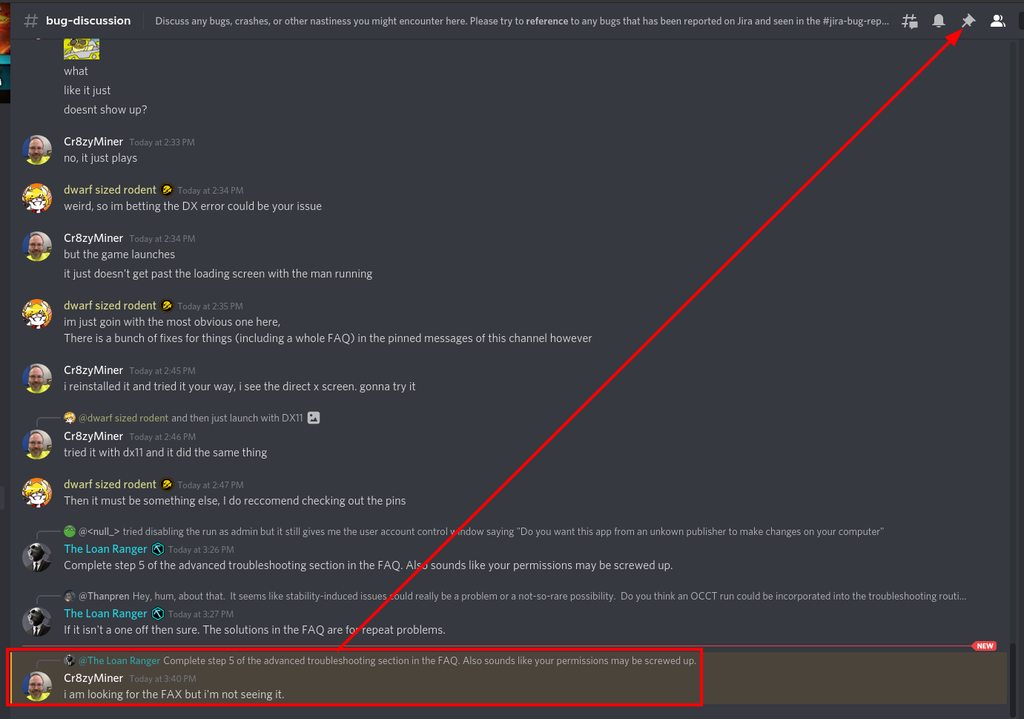 river coyote
OOOh ok thank you
austere coral
Just a heads up for folks. The latest steam beta is changing how file verification functions. They're altering it to attempt to reuse as much as the corrupted file as possible. This is a good idea to save bandwidth especially if the corrupt file is large. It's a change to an existing system that works just fine so bear in mind that if you're running the steam client beta, file verification may not solve your issue in which case I'd recommend reinstalling the game (all 3 GB of it).
ruby star
austere coral
I need to edit that section to clarify that it can run on win 10 too and isn’t o...
should i try this then?
austere coral
if you want, it's up to you
 prime notch
is the exception_access_violation crash related to the update? ive had like ~13 crashes with this error
i've resorted to running deep rock with dx11 but i don't know if that fixed it, since the crashes are random
subtle coyote
If you dont know, its probably fixed. Sounds like it WAS a DX error
tawny plover
austere coral
If it isn't a one off then sure. The solutions in the FAQ are for repeat problem...
I discussed with a regular and they said it may be a path to explore. So that's just a suggestion in case there's indeed a need for it, which there very well might/should.
prime notch
subtle coyote
If you dont know, its probably fixed. Sounds like it WAS a DX error
problem is, i could have a few good games without crashing. ive had one game since switching to dx11, idk if i got lucky or if i actually fixed the issue
i think i might play a few more rn to see if it crashes again
mossy breach
Is it a known issue that on xbox series x the game fails to let you create or join online lobbies?
If you try to host an online game nobody can join, and trying to join a game makes you load in the server browser until you cancel
Restarting the game doesn't fix it
 fair halo
so my game keeps switching to borderless fullscreen without me asking and its causing deadzones at the edges of the screen (=> Mouseclicks sometimes dont get registered in combat). Any way to prevent that? Is it a known issue?
 obtuse oriole
Can anyone tell me how to open up some way to see metrics/console to see what’s happening under the hood? I want to better understand certain a leadstorm glitch.
and learn how to exploit it better
 manic thicket
heyyyy has anyone gotten stuck on a pumpjack before? I grappled onto one and now I seem to have fused to the machinery. I cannot move or jump. I cannot grapple off. Trying to grapple to the ground causes severe injury and dying does not save me from this situation
 south acorn
heyo I haven't been getting certain achievements? Specifically Bring your A-Game, Barrel Rider, and Foreign objects in the Launchbay. I was with a group and they all got the achivements but i didnt, tho im not doing anything different - please help?
subtle coyote
manic thicket
heyyyy has anyone gotten stuck on a pumpjack before? I grappled onto one and now...
Yes
subtle coyote
south acorn
heyo I haven't been getting certain achievements? Specifically Bring your A-Game...
Achievments are bugged for clients
manic thicket
what do what do?
subtle coyote
obtuse oriole
~~and learn how to exploit it better~~
I dont think the game has a console afaik
south acorn
subtle coyote
Achievments are bugged for clients
what do you mean?
subtle coyote
manic thicket
what do what do?
Dont think you can get unstuck afaik
manic thicket
also the grappling to ground causing death is really bizarre
subtle coyote
south acorn
what do you mean?
You arent hosting. Achievements will be bugged and might not properly unlock
subtle coyote
Also beware mods bug them too, but if you disable them they'll unlock no issue after
obtuse oriole
subtle coyote
I dont think the game has a console afaik
sadness
manic thicket
okay, so point of interest - the more "down" you grapple the more damage you take
obtuse oriole
manic thicket
okay, so point of interest - the more "down" you grapple the more damage you tak...
Might the game think you are still “falling”?
subtle coyote
manic thicket
okay, so point of interest - the more "down" you grapple the more damage you tak...
Think of it as slingshotting yourself at mach 8. Iirc the game DOES thing your still falling and building momentum, but also acknowledges you are 'stuck'
The devs are aware if it and Working on a fix though
manic thicket
thank you dorf friend 🤍
obtuse oriole
Anyhow, the reason I want to find out about how the game does certain things is because of some macro exploits I found long ago. I just want to find out exactly how B-hops work. how the lead storm RoF bug works, and how the instant deposit bug works.
subtle coyote
obtuse oriole
Anyhow, the reason I want to find out about how the game does certain things is ...
Bhopping is like in a source game iirc.
If your talking about the clickstorm bug you just click really fast and get better results than its default RoF as the clicks fire 1 bullet each
Not sure about the depo bug
Can probably just look up reddit threads
manic thicket
hey should I try and recreate the bug?
subtle coyote
Pretty sure theres already tons on the #jira-bug-reporter
Its a very easy bug to replicate
manic thicket
okie never mind then
subtle coyote
Yup. Feel free to check anyways, people dont always file a bug
obtuse oriole
subtle coyote
Bhopping is like in a source game iirc.
If your talking about the clickstorm bug...
Yeah. I know. I encountered a bit of a overflow with clickstorm tho? at some point the minigun will start shooting slower again, and from then on, if you hold down the trigger you will not shoot any bullets, but stil generate heat.
There also seems to be two different “tiers” of b-hop. One which is retains some momentum, and one which retains all momentum.
Insta depo is basically just clickstorm. I have theories of ”how” it might be caused, but I’m not certain.
 wispy sluice
would someone mind helping me test if a bug is just me or actually in the game?
actually nvm, glacial strata is locked now
map rotation is so annoying for testing biome specific enemies
austere coral
what's the issue?
wispy sluice
I was attempting to mod the frost praetorian's frost breath, when I noticed that the frost praet's breath did nothing to me. i assumed this was the mod i was working on, so i turned it off to test. breath still did nothing. so then i turned off every mod and deleted my WIP mod from the folder entirely. frost breath still does nothing to me
austere coral
bug introduced in U34
wispy sluice
oh so that's known? it literally just doesn't work right now?
austere coral
yup
wispy sluice
wow. well thank you very much for letting me know
ruby cobalt
Every time I try and join a game and get a failed join, it reloads the rig... any idea?
Immediately goes "multiplayer session ended" when... I never joined one


 radiant hedge
I feel like glypid grunts look a bit to basic
Also nerf the small flying fucks
Bugs
subtle coyote
As pounce has said before me
this is not the channel for that, please dont clutter the ~most useful channel~ here with the same joke that millions have made before and millions will make after
subtle coyote
radiant hedge
Also nerf the small flying fucks
i mean this one could literally go in suggestions
scenic rapids
is it worth reporting seeds where mini mule legs are in the ceiling or nah?
austere coral
Yes

 mental geyser
you cant rock and stone during the drill's "reload" animation
 ionic scarab
Back when Azure Weald was introduced, there was a bug that caused all the ping lines to be delayed.
This was fixed for the most part, but it still happens when you ping the Cave Angels
mental geyser
MC's text box isnt going away

stage 3 of the regular deep dive this week
i dont know what caused it
subtle coyote
Pausing while solo does that
 late basin
bug happened to me twice last night where the game quit to desktop without warning during an escort mission and no error code afterwards, like the game was never on. Both times it happened as soon as I had reached the ommaron heart stone.
 shrewd owl
Yo can anyone help me with this issue?

I'm online on both steam, and obvious DRG, but I am not getting access to the missions
Like, what?
OH steam just doens't wanna work for me nice
 earnest fossil
I don't know why I died I'm thinking it's because switching models and got glitched in terminal? Apologies for language in advance. Was hilarious either way https://clips.twitch.tv/TameAlluringBadgerNotLikeThis-spSEOpXr_t2Tc5yM
 glacial terrace
@shrewd owl Wait for tomorrow, assignment will refresh
 pale bolt
Im wondering if there is any way to get the sandbox tag removed from my save? I didnt realize it would make the save ineligible for achieves?
I really only used stuff like shiny fossils and some wonky mods, I didnt powerlevel or anything nutty
austere coral
pinned messages for FAQ
pale bolt
I didnt see this mentioned? the pin took me to random messages
Oh nevermind I found it, sorry
river coyote
need support, when i push the ESC button in game, my game freezes and crashes
looks like when i join a modded server and its trying to load the mods, it freezes and crashes
formal ermine
well i put the game on a different drive, but now im back to square one
 glass lance
is it a known problem that attempting to join a game seems to freeze a lot more often since the introduction of mods?
 ocean onyx
So @minor rover & I found a bug in the deep dive on escort

 hexed girder
for the love of good can we get the union board fixed like holy shit
reloaded 4 times and STILL cnat press E on the board. a constant issue
austere coral
pinned messages #interplanetary-miners-union or #drg-chat
scenic rapids
ocean onyx
So <@!263262671942582273> & I found a bug in the deep dive on escort
This is a common occurrence when someone with high ping lags with a fuel canister
 mellow oyster
im currently on the discordserver, i even joined the cave-crawler faction, but today the game suddenly said that i have to join the discord server but because i already joined the server, i cant use the invitation anymore
does anyone know what i should do?
austere coral
pinned messages #interplanetary-miners-union or #drg-chat
mellow oyster
austere coral
pinned messages <#610403873697300480> or <#257785731072786435>
thanks
 rotund swift
Is it a known issue that this setting doesn't stick? Nvm it was being disabled by the Dynamic Resolution mod

 night epoch
Binding weapons or utility tools to scroll wheel disables the zoom feature in the terrain scanner.
I'd love it if using the terrain scanner took priority and wasn't closed in favor of selecting the other scroll bind.
 ashen bloom
there is a bug with mule that he goes back and forth
its the 3rd time this is happening
 austere coral
pinned messages for FAQ
ashen bloom
austere coral
pinned messages for FAQ
?
 outer kelp
does anyone know if there is a reason that the community terminal wont open anymore?
nevermind i just had to stare at it for a few minutes
 sick thunder
outer kelp
does anyone know if there is a reason that the community terminal wont open anym...
sick thunder
outer kelp
does anyone know if there is a reason that the community terminal wont open anym...
I can't interact with it either
If waiting is the fix, that's pretty funny
 rocky dove
any mouse clicking intermittent issues that are known>?
hey can someone whos been playing this for a while help me out
im a very long time fan of the game and will praise it till the end of time, i used to play xbox, but now im pc, ive been having a issuse for a while now that makes it hard to play
ive done almost all debug options, but as i play DRG on pc with the xbox compatible version, very rarely and somewhat on/off but has beed the downfalll of some games, my mouse will continue to track... but the mouse buttons will refuse to work, and i can click away and when the system feels like ive suffered enough my mouse will work again, i use logitech G502 lightspeed, but ivve also had this issue on my G703 lightspeed
im a high end scout main, and diying to fall damage because my grapple either didn't fire when clicked, or i could not switch weapons because my mouse buttons where not responding, ive tried two different mouse's, and lots of trubble shoooting
this only happens on this game, i play pc on the xbox version so i can play with friends, im sad i dont get mods
austere coral
Pinned messages for FAQ
austere coral
sick thunder
I can't interact with it either
Pinned messages #interplanetary-miners-union or #drg-chat
rocky dove
@austere coral my issue is not in the pinned section
austere coral
Inconsistent mouse clicks? It’s in the FAQ because I put it in there.
rocky dove
can you link?
austere coral
It’s in pinned messages
rocky dove
so the fix is to run at native res?..... i have a 4k tv, and a not 4k capable card in my pc, i run everything at 1080p, to get a good experence
so am i just f***ed?
and that fix is for the steam version, i use xbox
@austere coral
i need a fix for the windows version
austere coral
I referenced a solution that isn’t unique to the steam version (except for the file setting edits). You shouldn’t be using a different resolution anyways, not when there’s the capability to scale resolution. 1080p is 25% of 2160p.
 rotund parrot
do uh mactara grabbers usually drag you through the floor into a completely closed of section of the map or is that a bug
 storm tendon
novel acorn
if someone leaves while holding the canister it just disappears
storm tendon
novel acorn
if someone leaves while holding the canister it just disappears
yeah it's known
 dawn spire
im simply just unable to claim union rewards
austere coral
Pinned messages #interplanetary-miners-union or #drg-chat
 valid vigil
hey, i have a problem getting into the game by myself
i can join whenever someone invites me, but i try to boot it up myself, i just get "steam fails to load" infinite screen
i followed every step. still doesnt work
(yeah it's in italian but you can see that i've allowed it)

 main oar
Hey guys a quick question. Didn't play DRG for a while, now I got back but I lost a lot of progress (from 102 lvl to 72) is it normal and / or can I somehow get it back?
I'm afraid that steam cloud sync had an issue and it's gone, but at least it's worth to ask
glacial terrace
@main oar In game ESC menu -> settings -> save menu -> restore save
main oar
Helped, thanks a lot
 worthy root
Just had an interesting issue with the Union Terminal. I know the union/discord integration is buggy and all but this had nothing to do with it. I couldn't interact with the terminal whatsoever. No prompt to "Hit E" came up at all and pressing E while looking at it did nothing. All other terminals/interactables on the space rig worked fine.
I finally fixed it by hitting "Disband Team" which then let me access the terminal but it seems I have to do this everytime I relaunch the game. I initially found this while my game was modded so that may have some impact, but I replicated it several time with every mod disabled. Don't know if this is something that others have run into but I figured I'd share my experiences here just in case.
edit: (now that I've properly read the report a bug section, I'm filling out a JIRA report for it so it's properly reported)
 wanton stump
since I'm waiting for my jira account to be reactivated, I'll post this cosmetic bug here in the meantime. Drop pods can sever pipelines in onsite refining missions. Sorry for the potato-quality screen grab, our exit on that mission was a tad... precarious:

 ember silo
When previewing the Beer victory dance, the dwarf model will stop moving and only the beer will animate.
austere coral
wanton stump
since I'm waiting for my jira account to be reactivated, I'll post this cosmetic...
Pipes being broken by the pod isn’t a bug. It’s working as intended. If they weren’t broken then it would be possible to block the entrance to the pod.
mossy breach
tnx mods
young atlas
wanton stump
since I'm waiting for my jira account to be reactivated, I'll post this cosmetic...
if it hits right then it can break the pipe but leave the node and you can build a pipe into the drop pod it's funny
glacial terrace
@vernal robin <- <@&296918282403840000>
 restive ridge
Anyone know why the miner's union terminal suddenly stopped recognising I'm a member?
Keeps asking me to join the discord when I'm already here
glacial terrace
@restive ridge check pinned messages in #interplanetary-miners-union
 glacial terrace
That's known
formal ermine
what happens if the crash reporter doesnt come up? I can see it in task manager but when i click on it it doesnt pop up. I cant even alt tab back into the game
valid vigil
valid vigil
hey, i have a problem getting into the game by myself
so... is anyone going to help me with this?
 hasty garden
@valid vigil Have you verified your steam files?
valid vigil
hasty garden
<@!289143561327476738> Have you verified your steam files?
yessir
hasty garden
hmmm
Made any hardware changes?
had a similar problem and my hard drive was bad
the thing that gets me here is that you can still be invited.
valid vigil
hasty garden
Made any hardware changes?
nope any of it
valid vigil
hasty garden
the thing that gets me here is that you can still be invited.
yeah that REALLY weird...
works fine when it do
hasty garden
which option do you choose when you launch? DirectX 11, 12 or neither?
valid vigil
neither
hasty garden
maybe try one of the other options?
valid vigil
welp i would love to try it if my friend was online so i could enter the game proprerly
hasty garden
interesting
valid vigil
hasty garden
which option do you choose when you launch? DirectX 11, 12 or neither?
still doesnt work, i've tried
storm tendon
valid vigil
i can join whenever someone invites me, but i try to boot it up myself, i just g...
there's a FAQ in the pinned message, start with that
valid vigil
which channel?
storm tendon
this channel
 mossy tusk
Just had an issue with the pipelines - I seem to have gotten glitched inside the pipeline and couldn't move - I tried using Dash and C4-ing myself, but to no avail, had to abort the mission - seems like it happens whenever you jump off the pipeline and it's near a wall or other object, the collision causes you to get stuck in between the rail and the actual pipe
anyone else had this happen?
mossy breach
Glitched under the table trying to jump over it and the rail

 cosmic wren
So my game bugged out after reinstall. Had to use the save-file option in game to fix it but that screwed up my Miner community thing. The board will only send me to discord but doesnt let me see the groups anymore.
glacial terrace
@cosmic wren check pinned messages in #interplanetary-miners-union
cosmic wren
That sounds like a fix, thanks!
 proper idol
Hello, i have an assignment that wont progress. i've done the required mission multiple times as well as aborted and started the assignment. No matter what when i revisit the assignment board, i am still on the first diamond. I've also restarted game and computer multiple times since i've seen this.
scenic rapids
which assignment is it?
austere coral
Let me take a wild guess. Hazard 5 lethal unlock?
 grand wraith
They fixed the permanent tiny glitch I am fuming
Our days of space rig hide and seek are over
idk if it was causing bigger problems or something but I'm so sad
 wintry goblet
Hello, yesterday I found out that one of the oldest minor bugs in the game is still here after years.
Whenever a mission starts there is a visual bug if you salute just as the drop pod is opening its door where your gun will appear to be attached to the end of your pickaxe, it’s a minor bug but it’s been in the game for so long.
storm tendon
yeah, because it's very low priority and not game breaking
we have much more important bugs to fix still 😄
 old bramble
Hello, i have quick question - does playing modded DRG (only verified mods - no sandbox) stops the achievements? I had 2 gold classes and my achievement progression was 1/4, but after i disabled all mods steam started showing 2 / 4 correctly. I am working to get the 100% achievs but love playing with some mods so its kinda important for me.
storm tendon
old bramble
Hello, i have quick question - does playing modded DRG (only verified mods - no ...
Sandbox does stop you from getting achievements. Not sure for Approved.
old bramble
Yeah, that would be weird bcuz I still get the progression on the approved. I earned gold promotion while modded and steam only refreshed achievement status once I got back to no mods
So this looks like a bug for me
 next plank
Hey all, has anyone experienced any missed inputs lately? I did a search of the Discord and it seems like one or two people might have experienced the same thing
I've been playing DRG since early access, and the past few months I have noticed that DRG occasionally misses my mouse clicks. Infrequently but still noticeable. Maybe 10 times per mission
It started happening after I built my new computer. I use this computer all day every day, and play other games on it. DRG is the only application that does this. All my drivers are up to date. I've reinstalled Windows. I'm using a Logitech G600 (I played DRG with this mouse on my prior PC with no issues)
My new GPU is way faster than my old one, so I'm wondering if my higher FPS might have something to do with it? Strange but that's the only thing I can think of
storm tendon
next plank
Hey all, has anyone experienced any missed inputs lately? I did a search of the ...
it's a known issue
One way to fix it I know of is running the game in fullscreen
in case it persists, you should get everything you need here : https://steamcommunity.com/sharedfiles/filedetails/?id=2559182673
 fossil warren
thought it was worth posting: friend and I had to dig through a wall to get to doretta's drop zone on this map

 proper idol
austere coral
Let me take a wild guess. Hazard 5 lethal unlock?
proper idol
austere coral
Let me take a wild guess. Hazard 5 lethal unlock?
yep
proper idol
scenic rapids
which assignment is it?
Lethal unlock
scenic rapids
you have to complete the missions on haz 4 to progress the assignment
proper idol
scenic rapids
you have to complete the missions on haz 4 to progress the assignment
ah ok, seems like that messaging should be surfaced lol
scenic rapids
it is but very discrete and could definitely be more obvious
 inland glen
TLDR: If mods are not loading and one is subscribed to over 100 mods, unsubscribe to mods until you are subscribed to 100 or fewer mods.
The prompt when joining a modded lobby but one has too many mods:
https://steamcommunity.com/sharedfiles/filedetails/?id=2620543583
What the Modding window looks like when you have too many mods:
https://steamcommunity.com/sharedfiles/filedetails/?id=2621512279
https://steamcommunity.com/sharedfiles/filedetails/?id=2621511863
Evidence when coupled with the above that 100 is the hidden mod cap:
https://steamcommunity.com/sharedfiles/filedetails/?id=2621515706
https://steamcommunity.com/sharedfiles/filedetails/?id=2621515348
Life Story:
Since two people whom are mod heavy akin to myself pinged me about this today I figured I would post something here regarding it.
I suspect there is a bug causing a mod limit in which one can only be subscribed up to 100 mods, anything over causes mods to not load the next time one starts the game.
Mod.io seems to be delayed in reporting the number of mods I am subscribed to in-game as it was reporting I only had 98 mods while in testing I added and removed different mods and it came clear it seems not to be the result of any particular mod but rather if one has 1 too many mods... of which since then it has updated and it is clear 101 or more subscribed mods breaks modding as the image shows.
My friends did an unsubscribe purge akin to what I did and the issue came to be resolved for them. The problem herein is at least one of them acquired over 100 mods by merely joining modded lobbies and not actively subscribing to anything... thus this might become a bigger issue for players that like joining lobbies with (verified/approved) mods.
Anyone care to create a mod that have cave leeches move around the ceiling like a claw game? I need this game to become even more of an endless onslaught mode than I already have enabled via mods... especially if there was a toybox themed reskin & audio mod.
 next plank
@storm tendon Thanks! I'll go ahead and do that. Rock and Stone
austere coral
inland glen
TLDR: If mods are not loading and one is subscribed to over 100 mods, unsubscrib...
scenic rapids
Care to provide more details on the issue you’re having?
fiery pasture
Just promoted the engi , went in to make a backup save , it doesn't let me , i deleted 3 save files , 9 left , cannot name a save file , i cannot click on it
scenic rapids
Hmm, interesting. I’m not too familiar with game saves, so I’ll leave it up to someone who knows about such
 eager solar
I emailed support but an automated reply said to come to the Discord server.
I have 173 hours of gameplay in DRG and I just logged in on a new computer and all of it is gone. I had several classes maxed, 40 achievements completed, special event items unlocked, etc. I just signed on and the game put me through the tutorial then once back at the station, everything was reset to 0. Is there anyway I can get my stuff back?
storm tendon
eager solar
I emailed support but an automated reply said to come to the Discord server.
I h...
did you try to restore your save in the options yet ?
eager solar
storm tendon
did you try to restore your save in the options yet ?
Welp, that was easy. Thank you!
storm tendon
eager solar
Welp, that was easy. Thank you!
no problem
 potent nymph
it is easy 🙂
 outer tree
I have a weird bug. All my mods turned off and when I try to turn on blueprint mod manager, the game crashes.

Ah I see the issue.
All the mods need to update to the new version.
 past lagoon
outer tree
All the mods need to update to the new version.
past lagoon
outer tree
All the mods need to update to the new version.
nope it is not about BPMM being not updated
if it crashes when you click "yes" in this prompt, it is likely the game's fault
outer tree
Yeah, the game crashes when I click yes.
past lagoon
AFAIK mod does not take any action until you click "Apply Changes" in the bottom.
outer tree
It keeps crashing every time I try to activate it.
It seems other mods work when I try to activate them. Blueprint Mod Manager seems to be the only one that crashes when I try to active it.
past lagoon
It one of the very few dependency mods
Another dependency mod is DRG Lib but to my knowledge it is not really popular yet.
outer tree
I also can't active some mods due to dependency.
past lagoon
Well that is the BPMM
I'm personally waiting for them to revert the today's update on public branch.
outer tree
Custom Enemy Cap, Display Events, Generous Management, SpaceRigDecorator, Speedster, Swarm Control, can't activate.
 past lagoon
outer tree
Custom Enemy Cap, Display Events, Generous Management, SpaceRigDecorator, Speeds...
past lagoon
outer tree
Custom Enemy Cap, Display Events, Generous Management, SpaceRigDecorator, Speeds...
They all depend on BPMM so I assume it is intended
past lagoon
For decorator you need DRG Lib AFAIK
past lagoon
outer tree
Welp I guess I have to wait for Blueprint to fix itself.
It is not BPMM's fault at all
 past shoal
so uh? im getting a discord SDK plugin error thats not allowing me to play the game at all?
is this just a me problem at the momment or is it hopefully gonna be fixed?

And its happening with normal direct 11 and 12
@dusky garnet
storm tendon
Pinging the moderators ain't gonna help you with technical problems, you know ? 😛
check the FAQ in the pinned message first
past shoal
i know but i dont wanna be rude and @ a dev since im just a pleb
so @ a mod since they would know more then my normal ass xD
past shoal
fair enough then ((i aint been in discord for a while so im just not sure the lay of te land you know?
storm tendon
first thing to do is to check the FAQ anyway, it covers most problems
past shoal
storm tendon
first thing to do is to check the FAQ anyway, it covers most problems
as in the suggestions tab of QA
past shoal
cheers mate xD
dosnt look like my bugs any where in there and i did the normal shutdown restart verify all that still crashing on me
past shoal
past shoal
@potent nymph
 past shoal
aplogies if this aint your sector mate i just saw QA in your name ad thought youd maybe be able to help?
potent nymph
alright mate. I dont know what specific one, but i bet someone else will respond soon enough
past shoal
potent nymph
alright mate. I dont know what specific one, but i bet someone else will respond...
fair enough then i geuss to hope il get some awnsers in the morning
once again alogies for @ you outta no where i just wasnt sure whom to @ in the developer or mod chain of command
potent nymph
its alright mate, hopefully someone knows. normally only ping me if you want to join my church of RGB, we meet on tuesdays and drink the blood of heretics..sometimes mountain dew aswell
past shoal
potent nymph
its alright mate, hopefully someone knows. normally only ping me if you want to ...
🤣 aye fair enough if i wasnt working those days id happily join ya
storm tendon
Talking about religion ? That's it, I'm calling the mods 
potent nymph
its not a religion, its a cult
glacial terrace
@past shoal Hey, did you try to reinstall discord and game?
past shoal
glacial terrace
<@!224386589403512832> Hey, did you try to reinstall discord and game?
il do that if nothing else works but i wanna wait to see if its something else
 small estuary
anyone know how i can change my mainsave from sandbox to a non sandbox save?
 prime folio
Had no interact prompt

I stepped away after someone else activated it and then approached from the same angle as them, then I could open it.

 glacial terrace
Do you using mod?
 fallen kestrel
Y'all, all my mods disappeared for no reason, anyone know why it could've happened?
austere coral
fiery pasture
it says max 12 , i got 9 saves
I haven't tested it myself and didn't get a true confirmation from the other person with this issue. It appears that when you delete a save from the save menu, for one reason or another, it doesn't delete the save file in steamapps\common\Deep Rock Galactic\FSD\Saved\SaveGames
You'll need to navigate there, make a backup of the folder, then delete the save files which you believe you have already deleted.
austere coral
fallen kestrel
Y'all, all my mods disappeared for no reason, anyone know why it could've happen...
austere coral
small estuary
anyone know how i can change my mainsave from sandbox to a non sandbox save?
pinned messages for FAQ
fallen kestrel
austere coral
<#367226824721301504>
Oh ok that makes sense, thamk
austere coral
past shoal
so uh? im getting a discord SDK plugin error thats not allowing me to play the g...
I believe that's a discord error. I haven't seen that issue in a long time. You'll need to search this channel for others with the problem and the specific solution provided.
austere coral
past lagoon
It is not BPMM's fault at all
When there's an update, it's the responsibility of the mod author to ensure compatibility. Game updates have the potential to break mods, this is not unique to DRG.
fiery pasture
austere coral
I haven't tested it myself and didn't get a true confirmation from the other per...
Thank you , well i deleted almost all saves from the folder , only my main save is left
so i just make new backups now
past lagoon
austere coral
When there's an update, it's the responsibility of the mod author to ensure comp...
Once again. That crash was not caused by the mod. It was crashing before the mod files were actually loaded.
I know it is the mod author responsibility to update and assure. But I also know that the mod had no chance to crash the game this way, provided that the game worked as intended. And in fact BPMM is one of the most stable mods that is the least likely to cause issues on updates.
Like, I'm a modder, I use BPMM and have a bit of understanding of the mechanisms. Including the fact that mod is not intended to start working before a scene reload in that case.
formal ermine
my game is still black screening upon launchng it, the inros wil play and then a loading screen will pop up for a few seconds and then go away. There's no crash reporter as well despite my task manager showing CrashReportClient in processes below DRG.
i have a video of the startup and a screenshot of the task manager
scenic rapids
are you launching the game in dx11 or dx12?
I ask because iirc dx12 can cause that sort of problem
 foggy prism
Im checking my video drivers and the dx installation as well. Not sure what exactly is causing it, but whenever I swap between menu interfaces, the screen goes black for about 4 seconds then fixes itself
should in theory be running dx12?
Yea no, not sure what's happening there
Huh. Windowed fullscreen seems to have fixed it
formal ermine
both had the same result for me
scenic rapids
hmm. have you tried all the regular fixes like verifying game files on steam?
formal ermine
yep
 wild root
I have a issue when i boot up DRG. everytime i try to update and open it says disk write error. My hard drive has tons of space and all of my drivers are updated.
anyone know anything about that
 mental sparrow
sometimes enemies such as oppressor, mactera spawn, or praetorians glow and look like their textures are bugged. They kinda flash a bit, and sometimes end up meshing (oppresors turn flesh colored, mactera yellow, praetorians green)
anyone got a fix for it?
austere coral
pinned messages for FAQ
storm tendon
mental sparrow
anyone got a fix for it?
use dx11 launch option and turn off dx12 in the options
mental geyser
there's a pocket of cave completely disconnected from the main area
 rigid karma
All the exploders, radioactive and regular are missing their secondary texture so they are just glowing super brightly.
And an additional bug, I saved my game at one point. I dont run modded but now every time I go into the menu it tells me I am not playing on the save with the most progress. I am. And I cant remove, load, or save over any of my two options in the save menu.
rigid karma
which bug
the sploader
or the save
also I have been on 12 for hundreds of hours
this is real new
noticed it yesterday
storm tendon
rigid karma
All the exploders, radioactive and regular are missing their secondary texture s...
use dx11
rigid karma
okay but why would this just start being an issue
storm tendon
rigid karma
okay but why would this just start being an issue
dx12 became the default option with U34
rigid karma
I have had it on
dx12 anyways for months
this is a new issue wasn't an issue 3 days ago
I play on the current version
it happened after the first mod patch but I dont know if I played once after it was patched or not
storm tendon
I have no clue, I'm just providing the solution
rigid karma
okay just wanted to make sure you have all the info because it is a new issue
And an additional bug, I saved my game at one point. I dont run modded but now every time I go into the menu it tells me I am not playing on the save with the most progress. I am. And I cant remove, load, or save over any of my two options in the save menu.
storm tendon
I don't have any for the modded bug
rigid karma
it isnt modded
storm tendon
make sure to check the pinned message though
austere coral
Pinned messages for FAQ
 sly zinc
rip no mods for me I guess

 autumn gulch
Did anyone experience a bug where you don't have the host's voice high pitched in a mission with the Rich Atmosphere modifier? Every other player's voice was high pitch, but the host wasn't.
scenic rapids
did you latejoin the mission?
autumn gulch
Yes. Not that late, if it does matter how late I joined in. It was an escort mission and Doretta wasn't activated yet.
scenic rapids
from my experience, joining anytime after the mission is already in progress that seems to happen for some reason
autumn gulch
Are the devs notified of it? Otherwise I'd report it. Just looked through the #jira-bug-reporter and didn't find anything that seems to report it.
scenic rapids
if there isn't a jira report already, go ahead and fill one out!
autumn gulch
Got it, thank you brother! Rock and Stone!
 terse temple
DRG can't find my cloud saves - is there anything more I can do beside restarting the game to watch it fail the check over and over?
We're talking something upwards of 200 hours here, gone.
austere coral
pinned messages for FAQ
terse temple
FAQ partially worked, but pointed me in the right direction - Saves were located on a separate drive.
I didn't realize steam had installed DRG onto my D: Drive instead of my C: Drive.
 eternal plover
Why do I have to reload the space rig when I fail to join a multiplayer game?
 frosty valley
my drg keeps fucking with discord
cannot play drg
for discord keeps fucking with it
 silent timber
i have the same issue has anyone found any ways to solve it yet?
just @me if a solution is found please
mossy breach
What is happening to my game right now?:
My game wont load any lobbies when I open the server list. Same goes for Deep Dives.
And when I un-filter everything, it only shows 2 lobbies with afk hosts and they haven't chosen a mission yet.
I have a video of this if Devs want it.
 still zodiac
Same issue as @sly zinc
still zodiac
@sly zinc
For me it was family view, disable and try again in 20 minutes
sly zinc
I have family view off
It worked eventually though, but only after I clicked both of the buttons once and it proceeded at some point
 pulsar tree
Has anyone else lost their progress after reinstalling? I uninstalled on my D: drive and reinstalled on my C:. I have no backup saves in my NEW savegame folder. The old savegame folder got deleted when I uninstalled the game.. I logged into my steam cloud and only have one cloud save, and its from when I launched the game after reinstalling it.. it seems to have not been backing up to steam cloud?
 sly leaf
My game keeps freezing after a few minutes - tabbing out for 10-15 seconds fixes it but only temporarily until it comes back anywhere from 15 seconds to 2 minutes.
The only support thread I found talks about AMD system but I'm running Intel. Any ideas?
 restive condor
Which intel cpu are you running?
sly leaf
9600k
restive condor
And what background programs?
sly leaf
discord, steam
sly leaf
looks like I have a GPU driver update, im going to try that out real quick
restive condor
It’s a bit dated, but it beats the recommended settings for sure. have you downloaded a lengthy amount of mods?
sly leaf
none whatsoever
restive condor
And it’s never done this before? Where does CPU usage normally sit
sly leaf
i dont remember - I usually dont keep track
restive condor
Try this for me really quick, so I can narrow it down. While the game is running, open your task manager and set the game’s priority to high
I want to see if there’s something else going on that your cpu is focusing on, causing the freezing. I’m thinking that’s the case since when you alt-tab and come back it works fine for 15 or so seconds until it freezes again.
sly leaf
naw looks like a driver update fixed it
and typically games I already set to high/realtime
scenic rapids
pulsar tree
Has anyone else lost their progress after reinstalling? I uninstalled on my D: d...
Nothing in the restore save menu?
I'm assuming you've already checked that
storm tendon
Friendly reminder that there's a FAQ for troubleshooting in the pinned message.
pulsar tree
no it only has the cloud save from when I reinstalled there
 potent eagle
I have had 2 months brek from DRG after 4 yeaars aand 2800 hour plus. Loaded up the game today and have lost all my progess. Cloud server is cant connect aand save files are corrupt.
is there anyone that can help me
It has happened to other tried some old save rewrites but nothing helps
did all the restarts and repairs. to no end still gone
can anyone help me
same as eggy above looks like
no cloud response , and im left with as a ranked player of 683 with no promotions
hey eggy steam could is stuffed
cloud is stuff
i think sandbox mod support screwed me over , stuffed everyting up
 sacred salmon
dont know if this is a bug, i went into a mission yesterday with a friend and our dropod killed a gold detonator at the start of the mission


it killed it as we were dropping, didnt get a chance to do anything with it
storm tendon
sacred salmon
it killed it as we were dropping, didnt get a chance to do anything with it
what do you mean do anything with it ? 😛
sacred salmon
it blew up instantly, couldn't get it into a better spot for more gold, we were in the decending animation when it blew up, doors hadn't even opened on the pod.
as i said, not sure if this would be a bug
as its just a bug spawning in a certain spot
storm tendon
that's still a nice amount of gold for free 
 agile temple
I don’t think this is technically classified as a bug but I don’t know where else to ask. If this is the wrong place, please redirect me. I recently had a disk write error on Steam as i tried to update DRG, and I uninstalled and reinstalled the game. When i reinstalled it, my progress was gone and my steam cloud saves had all disappeared. Is there a way i can restore some semblance of my old progress?
Thank you. Please help.
glacial terrace
@agile temple In game ESC menu -> settings -> save menu -> restore save
 austere wharf
okay so im not sure if this is a network issue or a modding issue
but whenever i try to join a game i get join failed and booted into the spacerig
i disabled all my cosmetic mods but it still doesn't work
network stats showing 0kb in or out, in spacerig. is that normal? i don't think it is
glacial terrace
Try to join another server
glacial terrace
Did you try restart PC?
 tawny sluice
am I the only one having a lot of trouble trying to join other lobbies lately?
it always says "falied to join" and I'm kicked back into the spawn bedroom as if I was kicked off of a multiplayer session
 chilly ice
Oh, yeah I'm having issues too @tawny sluice
Thought I got hacked by this Chinese player or something, and I couldn't join servers anymore 😅 . He kept asking really personal random questions, wasn't sure why someone all the way there would join in US server with 300 ping
Something is def going wrong
 slim scroll
Oh dear, I think something's REALLY gone wrong
Every time I boot the game, it gives me the Discord error screen:

Restarting Steam rn to see if that fixes it, will keep you updated
 humble oyster
HI
agile temple
glacial terrace
<@!485002879070109696> In game ESC menu -> settings -> save menu -> restore save
Hello. No saves except the completely new save are there. I checked my steam cloud saves and found that there are no saves from the past either. The only things which have semblance to a save are the .sav files in my saved games folder which don’t show up anywhere in the Restore Save list.
austere coral
pinned messages for FAQ
chilly ice
I was finally able to connect to an existing lobby
scenic rapids
slim scroll
Every time I boot the game, it gives me the Discord error screen:
try disabling the discord overlay, that should help
slim scroll
Couple restarts, verifying files, and clearing the cache fixed it, looks like it was a Steam issue
scenic rapids
as long as it worked
 jaunty spindle
I have an issue, and maybe someone could assist.
This is a black screen issue. I own the game through steam, however am trying to play though the windows store. The game runs perfect on steam, no issue. However, the windows store version will go the loading screen with the man running, and then go black directly after.
I have cleared my window cache, I have updated windows, my GPU drivers are up to date, I even forced GPU scaling in-case it was a resolution issue.
Reinstalled multiple times, through both XBOX app and the windows store app. Any possible solutions would be amazing
Have attempted to delete the three movie files, however even after taking ownership of the folder AND using fileassassin they still will not delete.
austere coral
You’ll have better luck with troubleshooting the Microsoft version in #xbox-and-windows-store most of the guides in here are for the steam version.
jaunty spindle
ty
 hasty prawn
Hey not really bug, just wanted to ask if anyone knows a way to get back old progress when I haven't played game in a while and its jsut reset all my progress?
 round trellis
open esc -> options -> save menu -> restore save
 jolly lagoon
I'm on Windows 11 and when I launch the game and click "continue" after I see the changes made, my game just stops running.
 wintry bramble
When engineer repositions sentry (without calling it back), its outline is headed in random direction, and when it arrives, its headed in another random direction. Is it a bug or a feature? This behavior existed for years
hasty prawn
round trellis
open esc -> options -> save menu -> restore save
yeah sadly theres notihng there. Guess I'll just need to start afresh
barren owl
Is the game suppose to not use the gpu while using dx12 because it was running fine without it somehow other then enemy weakpoints flashing
storm tendon
hasty prawn
yeah sadly theres notihng there. Guess I'll just need to start afresh
you don't have the saves in the local files ?
hasty prawn
storm tendon
you don't have the saves in the local files ?
Sadly seems not. guess it wasn't saved by steams cloud 😦
storm tendon
hasty prawn
Sadly seems not. guess it wasn't saved by steams cloud 😦
wouldn't hurt to check though
also the cloud is sometimes a bit capricious
 misty shoal
hasty prawn
Sadly seems not. guess it wasn't saved by steams cloud 😦
misty shoal
hasty prawn
Sadly seems not. guess it wasn't saved by steams cloud 😦
you could send a message to a dev, ive lost my non modded save due to the cloud, they might be able to help
storm tendon
misty shoal
you could send a message to a dev, ive lost my non modded save due to the cloud,...
please, don't :[
You can try DMing the QA rather than the developers, but I would advise to wait until tomorrow at least
storm tendon
all good
misty shoal
thanks though
limber yarrow
Anyone know how to fix what’s wrong with my union terminal? Stuck on “join our disc” screen even though I’m in here and I didn’t get the monthly rewards on Oct 1
glacial terrace
@limber yarrow check pinned messages in #interplanetary-miners-union
limber yarrow
glacial terrace
<@!209037725452599296> check pinned messages in <#610403873697300480>
Thanks Vasquez. Has it seriously been broken for a year without a fix?
glacial terrace
No fix yet, hopefully a fix will come soon but I'm not sure
storm tendon
limber yarrow
Thanks Vasquez. Has it seriously been broken for a year without a fix?
it used to be the passion project of a dev that left the company since so they don't really have anybody working on it really
And it's not a big thing at all, especially considering it was an experiment to begin with
limber yarrow
“Here are monthly rewards!” “yoink” feels like a big deal to me. I feel cheated. If they aren’t going to support it they should at least remove it; it would have the virtue of honesty.
storm tendon
limber yarrow
“Here are monthly rewards!” “*yoink*” feels like a big deal to me. I feel cheate...
it's worth one mission
 odd gyro
Are the regular missions always generated the same?
Like if two people played it separately
If so, then the liquid morality mission has 2 alien fossils super close together and hidden in a side pocket ceiling
Wrong chat lol sry
austere coral
Everything is RNG except for deep dives.


 trail stump
does anyone know how to fix this? when i open the game and try to load into the space rig my game crashes
 trail stump
oh never mind i fixed it
storm tendon
wild root
does anyone know anything about disk write errors
https://steamcommunity.com/app/226860/discussions/1/2149847423930552702/
hopefully this can help you
azure vigil
misty shoal
sorry i thought QA was dev
We are 😄 But def. the ones to poke about bugs and stuff.
 hallow smelt
storm tendon
it used to be the passion project of a dev that left the company since so they d...
hallow smelt
storm tendon
it used to be the passion project of a dev that left the company since so they d...
That reply is actually helpful. +1. I still vote easiest fix is disable the screen and instead display rolling static. Over a "No connection" image or something
 rustic ember
Hi, what can we do if DGR cannot find cloud saves ? I'v changed my computer but I havn't my save :/
storm tendon
rustic ember
Hi, what can we do if DGR cannot find cloud saves ? I'v changed my computer but ...
hope for the best that the cloud starts working
or click the restore save button in the save option
rustic ember
didn't work :/
austere coral
pinned messages for FAQ
 untold citrus
@trail stump hey i have the exact same problem just wondering if anyone knows a fix
untold citrus
untold citrus
<@708332465311318097> hey i have the exact same problem just wondering if anyone...
it’s slightly different actually i will grab a screenshot when im@home
 coarse hemlock
I can't promote and am in a solo lobby
austere coral
Did you complete the promotion assignment?
 cinder widget
How can I make Steam memorize my selection and not ask this question every single time?
 storm tendon
cinder widget
How can I make Steam memorize my selection and not ask this question every singl...
storm tendon
cinder widget
How can I make Steam memorize my selection and not ask this question every singl...
you don't need to
if you want to launch with dx11, just launch it once and turn dx12 off in the options
cinder widget
I do need to, I assure you. Every time I try to launchh the game, it asks me.
Anyway... anyone know how make Steam memorize my selection and not ask this question every single time?
storm tendon
cinder widget
I do need to, I assure you. Every time I try to launchh the game, it asks me.
it'll keep asking you every time yes
I don't think this can be changed
cinder widget
It probably can.
By a command line or something
I just need to know what to type in there
Anyway... anyone know how make Steam memorize my selection and not ask this question every single time?
austere coral
pinned messages
glacial terrace
@cinder widget Try to open on desktop by clicking game shortcut
cinder widget
I don't do desktop sortcuts. I really just want a launch option command or something
But thanks anyway
eternal plover
@cinder widget You can launch Deep Rock without the prompt from the system tray, too

Alternatively, you could use a Start menu shortcut. They act the same.
cinder widget
eternal plover
<@!177603355823177728> You can launch Deep Rock without the prompt from the syst...
that works for me, thanks
round trellis
i think you can disable the prompt with steamedit tool
round trellis
nuuuuu my free discord nitra