#bug-discussion
1 messages · Page 169 of 1


 candid quarry
thern there is nothing wrong with the config the only other this could be like i said a driver issue did you update it if yes try to update again or install a older one otherwise i as non techie cant imagine much other quick solutions myself 🙂
lmao same goes imo for kaspersky internet security broke my entire system one time cuz it prevented windows updates and removed system files on its own without having any malware before and had a ton of crashes with it since i use win defender everything works fine but yeah he should get off any unnecessary programs (i use logitech gaming software only for my 7.1 headset) noting else is installed beside basic drivers wich runs in the background on startup
candid quarry
 mental geyser
then you havent seen anything ^^ i had a 180 degree turn while its drill being 90 degrees turned into the air 😄
mental geyser
candid quarry
then you havent seen anything ^^ i had a 180 degree turn while its drill being 9...
impressive!
 cloud warren
I run Razer Synapse for my Tartarus (can’t really program it without Synapse) and have no issues with FPS on a 3070
 thick jay
 lilac meadow
that was the problem, thanks man
lilac meadow
that was the problem, thanks man
Was it really razed synapse?? I run that too. Never had this issue before with any game while running synapse
 subtle coyote
Just because it can be an issue doesnt mean it always causes it
lilac meadow
thick jay
Was it really razed synapse?? I run that too. Never had this issue before with a...
Never had this issue before too. But in that case it was the problem and immediately after closing razer the problem was gone
 atomic lily

 kind phoenix
Hello. My group has an issue with steam achievements. We most of time play 4-players group, and it happened more than once that only 3 in the party got achievement. Lately it happened for performing our first hazard 5 together.
I can try to list the few it did the same, aka unlocking ach for 3 out of 4.

 worn fern
Hey guys, I did a deep dive and during it I had gotten a blank core, a cosmetic and an OC I hard already gotten. When I completed it though the blank core and the cosmetic were nowhere to be found (as well as the OC I had already gotten but that might be normal). I got xp and my buddy I was playing with got his stuff. Has anyone run into this?
 glacial terrace
@kind phoenix There's an issue with achievements sync for clients and this was known I guess
 hardy kelp
Hey all! My game won’t launch. I’m using windows 10 steam, and I’ve tried just about everything. I’ve added -dx12 to the launch properties, I’ve restarted just about everything I can, but the game just won’t launch. I’ll click play on steam and it’ll load, and then nothing will happen. Any ideas?
 mystic tapir
@hardy kelp have you checked the faq yet?
hardy kelp
i have not! new here, sorry!
hardy kelp
mystic tapir
<@!446156245628616704> have you checked the faq yet?
is it in pinned messages?
subtle coyote
yes
hardy kelp
Fixed it! Thanks! 
 main summit
Not sure if its a bug or a feature... did they change all the in game sounds/effects? Everything sounds weird now. Like the drilling of the drop pod sounds really tinny?
 topaz sundial
main summit
Not sure if its a bug or a feature... did they change all the in game sounds/eff...
topaz sundial
main summit
Not sure if its a bug or a feature... did they change all the in game sounds/eff...
Not sure if this helps but had the same thing occur to me...turns out I just accidentally unplugged my headphones just a tiny bit
 manic palm
can anyone help me? my PC's boot drive gave up and after logging in to steam on another PC, my player level progess knocked back to greenbread. lol
manic palm
fixed. cloud save got my progress last week thank the heavens
 drifting hedge
spawned in what seems like a cut-off drop pod entry hole above the minehead and the rest of the team

buggiest PE I ever played lol
 glacial terrace
@drifting hedge next time include esc menu screen please
drifting hedge
oh ok, mb
 honest glade
I confirm now it is fixed. Thank you!
 mossy breach
Not necessarily a bug, but has anyone else had problems with the mouse moving onto a second display during play?
subtle coyote
Theres a setting to lock it to the window
mossy breach
Thank you.

 austere coral
someone is still joining your lobby, that's normal
 snow elbow
oh okay thanks
 gritty wadi
The laser beam didn't disappear after the laser tower got destroyed

 versed lintel
Effect radius for incendiary grenade says 430m not 4.3m
 subtle coyote
#420195388675588096
thats something to be put in JIRA, not here
versed lintel
ah, it's here now anyway
 jovial jay
versed lintel
ah, it's here now anyway
jovial jay
versed lintel
ah, it's here now anyway
Found it on jira, is this version 34? is it the same in 34.5?
subtle coyote
its U34. it would be the same on u34.5 regardless
 plain wigeon
Ran into this bug with a group of miners during a deep dive. The hive guard went invincible, but never did the call animation so it kept invulnerable through the whole mission. We killed the other dread to see if it helped but no luck. There weren't any of the secondary hive guards, we fanned across the whole map to no avail. Ended up having to just all ko to fail the mission.

No esc menu photo sadly, first time reporting a bug.
subtle coyote
Known issue, dont worry too much
Im sure the devs have a handful of other cases to go off of
 bold grove
Hello, don't have any documentation or error code: I bought this game for my friend and he cannot stay connected to my game. When I invite him, at first he can connect but then loses connection as soon as a public player joins, or will disconnect randomly. He has tried switching from ethernet to WiFi, to using his cellular hotspot (so a completely different connection separate from his home internet.) This happens on both computers in his house, one AMD one Intel (we had slightly better luck with his Intel, for some reason.) This is on the Steam version of the game. He says his Network Adaptor drivers are up to date, he's not running anti-virus or firewall software. I have hosted and joined many many public games with no issue. Tonight was the first time we were able to play an entire mission together: only because I set it to Friends Only mode. We then tried the next mission public, and as soon as someone tried to join he was disconnected and could not reconnect. Is this a known bug, or are there any suggestions I can pass along to him? I.E. ports to open, conflicting software to shut down, tests to run, etc? We are normally able to do peer-to-peer apps such as private FTP just fine.
For the record I don't believe he has even tried playing a public game on his own, he's only interested in playing when I come on afaik.
Also I have another friend who bought the game for me and we have played together several times with zero issues. Hoping to get this fixed, this is my favorite game I've found in a long long time!
austere coral
Well that's almost perfect timing. Networking issues is the next thing I was going try to find workarounds for. Anyways here's the page for the ports steam utilizes. You can try forwarding the p2p ports. https://help.steampowered.com/en/faqs/view/2EA8-4D75-DA21-31EB
Other options are in https://steamcommunity.com/app/548430/discussions/2/1642039362993864094/
 limber yarrow
Re: the Bosco defending Doretta post: I don’t think that’s a bug, youre just forgetting to hit X to order Bosco back to you before you head for the drop pod
jovial jay
Yeah, that is a solution, but similar to how if bosco finishes mining gold, he comes back you to you, if Doretta is destroyed, shouldn’t bosco come back?
austere coral
pinned messages for FAQ
that one isn't covered by FAQ because I never found a solution
subtle coyote
jovial jay
Yeah, that is a solution, but similar to how if bosco finishes mining gold, he c...
No because dotty stays static as an object. Its an oversight if anything, not a bug
jovial jay
subtle coyote
No because dotty stays static as an object. Its an oversight if anything, not a ...
Ohhh, similar to pinging a wall, bosco will light it up forever.
 late lily
my game is stuck at 64 fps anyone know how to fix?
austere coral
yup pinned messages for FAQ
late lily
where is that channel?
austere coral
 late lily
but it worked before when i had razer but it just started doing it
oh nvm i just have to close it thanks
austere coral
That's the fix. If you want a framerate greater than 64 then kill or uninstall the program. Otherwise leave it as is.
austere coral
what's your integrated gpu and are you using dx12?
 latent timber
Hey guys, I've found my 3rd loot crate while playing online with friends. My friend got an emote, and a skin. I got a popup saying I got that same emote, and a M1000 skin. However, in wardrobe or equipment I don't see any of these. They just don't appear after game for me. I only get the popup while looting the crate, nothing else. Anyone experienced the same?
 mighty crypt
Hello miners
I have the classic "waiting for steam to load message". I tried everything, I check forums, youtube videos, reddit, but nothing is working. I definitly can't play this game.
Someone can help me ?
 ebon vault
so, my mule got stuck on herself

she doesn't move at all
and there's this oxygen logo as well
oh I fixed, so if anyone gets this bug, just platform her, she'll go upwards an somehow break free
 steel stump
they bug out on machine events
ebon vault
it wasnt even in the machine, it just stopped moving
I tried digging, but it didnt work she just went on ground and stopped moving again
steel stump
no but they get stuck near it
happened multiple times to me
not multiple
just couple actually
ebon vault
oh, yeah, I just platformed her and she got unstuck somehow
steel stump
hey the dark future paintjob for gunner isnt showing up, has it happened to anyone and if so do you have a fix
 dawn lotus
Impossible to find the core infuser to start the event, might have been "eaten" by terrain generation

 steel stump
subtle coyote
reboot your game?
steel stump
subtle coyote
reboot your game?
done all
 hidden turtle
@slender warren Did disabling Nahimic really fix your crashes? Somehow I started to get similar crashes in the last 2 weeks with EXCEPTION_ACCESS_VIOLATION, the address is always different. I like Nahimic, I hear spitters and exploders crawling around me thanks to it. Although, I'm not surprised Nahimic interfered with some other software again.
 tight sonnet
My progress reset and I don't know what to do
I don't have permission to attach files so I can't show my levels
 storm tendon
tight sonnet
I don't have permission to attach files so I can't show my levels
storm tendon
tight sonnet
I don't have permission to attach files so I can't show my levels
get a role in #welcome-and-rules to get permissions for screenshots
storm tendon
I didn't do much but no problem 
mental geyser
i dont know if this is a bug or not but the outline of the onsite refinery never goes away, and it makes it a lot harder to look at things that're positioned between me and the refinery
is there any way to make that not happen?
 shrewd bridge
For some reason my game keeps crashing in an egg hunt, solo specifically, I was driller and for some reason I can't even play the mission since it randomly crashes
it crashed twice, once while getting Apoca blooms
the other time, it was when i was getting them again
mental geyser
is it the same mission?
shrewd bridge
yes
Salt Pits, Haz 2
I am just starting from a wiped save since U34 somehow wiped my previous save
only mission I did prior was as Engineer and in a normal Mining Expedition
it's prolly cause I have things open
storm tendon
shrewd bridge
For some reason my game keeps crashing in an egg hunt, solo specifically, I was ...
are you using DX11 or 12 ?
storm tendon
shrewd bridge
wait, it was set to DX12 for some reason
U34 changed the default option as dx12
that's probably why it was on
Hopefully it fixes the crashes.
If it doesn't, we have a FAQ in the pinned message for troubleshooting
shrewd bridge
disabling DX12 fixed the crash
storm tendon
shrewd bridge
disabling DX12 fixed the crash
nice
 valid python
ebon vault
so, my mule got stuck on herself
valid python
ebon vault
so, my mule got stuck on herself
I got this bug today too, but the drop pod opened its doors 5 seconds before finishing the countdown.
 novel flame
Oiii! Game crashing to Access Violation, how to fix that? Doesn't look like there are matching things in the Common Issues. And it crashes without even starting at all~
 warm talon
Hello, dont know if it is considered as a bug, but something happened last 2-3 wekes (probably since last update). Something happened with "network code" I suppose. I play with my friend, Moscow-Brisbane. We played 300 hours+, and everything was fine, but not all the actions, except shooting, happens with delay of 2+ seconds. Even jumping is bugged now. All others too, throwing grenades, scout's rope, throwing aquarqs. Even bartender in lobby froze, when my friend ordered a beer while was connected to me.
novel flame
novel flame
Oiii! Game crashing to Access Violation, how to fix that? Doesn't look like ther...
So how it happens is: game is launched, it stays transparent for several seconds and then crashes. Didn't do anything bad to game files, the files seem to be fine after I checked them, game crashes in both experimental and normal with the same crash output. There it is:
Unhandled Exception: EXCEPTION_ACCESS_VIOLATION reading address 0x00000080

nvwgf2umx
nvwgf2umx
nvwgf2umx
nvwgf2umx
nvwgf2umx
nvwgf2umx
nvwgf2umx
D3D12Core
D3D12Core
dxgi
dxgi
dxgi
dxgi
dxgi
dxgi
dxgi
gameoverlayrenderer64
FSD_Win64_Shipping
FSD_Win64_Shipping
FSD_Win64_Shipping
FSD_Win64_Shipping
FSD_Win64_Shipping
FSD_Win64_Shipping
FSD_Win64_Shipping
FSD_Win64_Shipping
FSD_Win64_Shipping
kernel32
ntdll
 valid river
Yo spent a while digging around and can't find anything concrete.
Got the Hiveguard bug where it doesn't spawn sentinels. Think I might've blown through it's HP too quickly or something. Ran around the whole map, couldn't find anything. Even dug some tunnels of myself around the edges in case they somehow glitched into a wall, still couldn't find anything.
Is there any way to force spawn the Sentinels or is this mission a bust?
mystic tapir
novel flame
So how it happens is: game is launched, it stays transparent for several seconds...
From the stack trace you provided, I can guess you are using DX12. Can you confirm?
novel flame
mystic tapir
From the stack trace you provided, I can guess you are using DX12. Can you confi...
Uhh, I was trying to play default DRG, then DX12 and then DX11. That trace is from DX12, yes.
mystic tapir
Then try to put the game running on DX11. DX12 causes some bugs on deep rock right now, changing its version might help
And I think default drg just sets the dx version to the last one you used. If you haven't used any specific version yet, then it's because drg defaults to dx12
novel flame
It's weird.. I tried DX11 but it was crashing too. I tried it now and it worked.. Huh.. Thanks..?
mystic tapir
Shit happens lol
subtle coyote
novel flame
It's weird.. I tried DX11 but it was crashing too. I tried it now and it worked....
no, what you where playing was still DX12. DRG has a weird issue where sometimes DX11 boots as DX12, thats why theres a button in the options in-game to disable DX12. im betting that it still booted and crashed if suddenly DX11 worked.
Speaking of, I reccomend you turn off that option if DX12 crashes you
storm tendon
valid river
Yo spent a while digging around and can't find anything concrete.
Got the Hiveg...
it's a known bug. Sadly there's no way force spawn the sentinels.
 unreal turret
im having an issue where deep pockets doesnt increase my carrying capacity
restarted the game, its still not adding any capacity
mental geyser
have you tried unequipping it, going into a mission, then re-equipping it after?
 acoustic scaffold
cant move anymore at all, but game is stioll running as normal

mouse is also not fixed in the middle but rather I can move it around
and before walking into a wall, my character just walked into one direction
 fading rover
^thanks, first time i've seen that
 dusty lion
just loaded up the game and all progress is lost, save files all grayed out, everything gone
austere coral
pinned messages for FAQ
dusty lion
where do i check D:\Steam\steamapps\common\Deep Rock Galactic\FSD\Saved\SaveGames
wait i fixed it nvm
 bright pagoda
Hello, I don't know if this is a DRG bug, but I'm no longer able to invite people through Discord. Does anyone knows how to fix this?
cloud warren
bright pagoda
Hello, I don't know if this is a DRG bug, but I'm no longer able to invite peopl...
There are a couple of pinned messages in the #lfg-steam channel that may help
In short, link discord to Steam, and make sure discord can see/show your game activity
bright pagoda
cloud warren
There are a couple of pinned messages in the <#258990175810617344> channel that ...
Thanks man, that helped a lot!
 versed lagoon
dusty lion
wait i fixed it nvm
versed lagoon
dusty lion
wait i fixed it nvm
glad to hear it worked out
glacial terrace
@shut juniper #420195388675588096
 exotic schooner
visual bug. i think the drop pod landed on a cryo bomb causing this animation to play infinitely. causing no lag as far as i can tell. just thought people would want to see it
 open echo
5 people on 1 team today
subtle coyote
known bug
versed lagoon
It should be a feature
subtle coyote
no, it shouldnt. it would break balancing because 4 dwarves=4 players. Its just a bug they dont have any interest in patching afaik
 vernal estuary
i heard my teammates lead storm firing nonstop even though he's not using it it goes away when he uses the gun again
that an old bug?
storm tendon
not old, but I heard about it
 scenic rapids
 broken brook
small visual thing with overlapping text on the board thingy

 teal shard
EpicAccountId:f8e22d0cb44542b792f233eef4a54a43

Unhandled Exception: EXCEPTION_ACCESS_VIOLATION reading address 0xffffffff

FSD_Win64_Shipping
FSD_Win64_Shipping
FSD_Win64_Shipping
FSD_Win64_Shipping
FSD_Win64_Shipping
FSD_Win64_Shipping
FSD_Win64_Shipping
FSD_Win64_Shipping
FSD_Win64_Shipping
FSD_Win64_Shipping
FSD_Win64_Shipping
kernel32
ntdll```does anyone know why?

 potent nymph
when/how? if you get the crash reporter, write something in the box so i can find it
potent nymph
try the 2 different Dx version and see if one works
teal shard
Neither dx11 nor dx12 can be executed
subtle coyote
Verify your files then?
Sounds a bit like something is missing if you cant run either version
subtle coyote
If neither DX11 or DX12 can be executed, something must be missing
So verify your files through steam and see if that fixes anything
teal shard
I'll upload this file since it might help
and until the 34 update, the game went well without any problems
 regal nest
ever since I downloaded the newest update I can't join my friends or vice versa. I already verified my files thru steam and nothing is the matter. Help?
subtle coyote
teal shard
and until the 34 update, the game went well without any problems
The u34 update was months ago. If youve verified your files and nothing works, the loan ranger has a FAQ in the pinned messages of this channel.
Same for you @regal nest
 lilac cloud
uh. got locked out from the modding tab here, anyone has the same issue here?
regal nest
subtle coyote
The u34 update was months ago. If youve verified your files and nothing works, t...
there was a download today that I installed and the thing that I mentioned above happened. Not the u34
subtle coyote
lilac cloud
uh. got locked out from the modding tab here, anyone has the same issue here?
I think QA-Amanda had solved this in #modded-drg-chat or somewhere in this channel, try searching
subtle coyote
regal nest
there was a download today that I installed and the thing that I mentioned above...
I was implying the pinned faq, not it being u34.
regal nest
subtle coyote
I was implying the pinned faq, not it being u34.
ah I see. Thank you very much
subtle coyote
lilac cloud
uh. got locked out from the modding tab here, anyone has the same issue here?
It seems like the bug is on mod.io 's side of things
- They've requested that anyone experiencing this bug contact them on support@mod.io - so they can debug directly
lilac cloud
Copy that, will try.
subtle coyote
Amanda said that in the #experimental-bug-discussion, my bad. Glad to have helped.
If it doesnt work search there instead of here or #modded-drg-chat
This also means for future refrence use #experimental-bug-discussion but i can understand coming here first
 azure vigil
lilac cloud
Copy that, will try.
azure vigil
lilac cloud
Copy that, will try.
Also try following:
- unsub to all mods on mod.io and delete account
- launch game with -disablemodding in launch options
- exit to desktop and delete -disablemodding from launch options
- go to "C:\Users\YourUser\AppData\Local delete mod.io folder
- go to "C:\Users\Public" delete mod.io folder
- (Check "C:\ProgramData" and see if there's a mod.io folder - if there is - then delete it)
- then launch the game
lilac cloud
eh, its not working for me.
azure vigil
lilac cloud
eh, its not working for me.
Can you take a screenshot of what you see?
lilac cloud
azure vigil
Can you take a screenshot of what you see?
Hang on 4 a while

Attempting access to mod.io w/o proxy now
@azure vigil sry for the ping, I got "ERR_CONNECTION_REFUSED" while trying access to mod.io
with my browser
azure vigil
Are you on a vpn or in china?
lilac cloud
yea
azure vigil
Yes to which of them?
lilac cloud
azure vigil
Yes to which of them?
both
lilac cloud
azure vigil
Yes to which of them?
VPN on within the Browser not the whole system though.
lilac cloud
Well... bummer. no fix for that right?
BTW all the Chinese players are affected IIRC
jovial jay
Would a VPN work if it were on the whole system? Or am I misunderstanding something?
lilac cloud
jovial jay
Would a VPN work if it were on the whole system? Or am I misunderstanding someth...
Switchyomega w/ Shadowsocks
azure vigil
I would suggest you try to reach out to mod.io on support@mod.io they might have a work around for you. What win version er you on?
lilac cloud
Windows 10 21H1 Build 19043.1165
Crist. I hope mod.io would do something about it
sigh maybe I should say something about that :/
potent nymph
i mean send them a mail 🙂 they will help if they are able to
lilac cloud
potent nymph
i mean send them a mail 🙂 they will help if they are able to
Already did, sigh btw I have to warn your guys about incoming waves of negative reviews due to that problem.
potent nymph
what did they say?
potent nymph
to be fair, its not the games problem, and we cannot control it, so a negative review is not really in order i would say
lilac cloud
Well I understand that... Nothing we could do ey?
potent nymph
isnt win 10 modern?
lilac cloud
Crist They thought I am on Win7 and I didnt mention that at the 1st place
potent nymph
then maybe they misunderstood the issue, i will just ask them if they are aware
lilac cloud
I am resending a new email now, hopefully we can get that fixed.
potent nymph
try that, lets see how it goes. i also asked them
lilac cloud
Well I guess I may need to keep some of the Content creator on bilibili now if I saw something related to that.
@potent nymph I got a reply, "Hi
mod.io is not available in China due to restrictions imposed by the
government in that region beyond our control.
Thanks,
potent nymph
sure, but maybe a VPN could make it work, i dont know, but that is what i would like to know
lilac cloud
Well I donno if there will be a get-around by someone later
lilac cloud
potent nymph
sure, but maybe a VPN could make it work, i dont know, but that is what i would ...
I am wondering about one thing, is loading mods requires connection to mod.io?
potent nymph
i think you can still technically do it the old way, but you lose access to all the mod.io features we made
lilac cloud
Well, I think my save may be ended up with a sandbox one right?
potent nymph
not sure
subtle coyote
Irrc just loading a .pak counts as autosandboxing
lilac cloud
Thats true.
teal shard
SCS_Node /Game/Game/BP_GameMode.BP_GameMode_C:SimpleConstructionScript_1.SCS_Node_2: Serial size mismatch: Got 650, Expected 168


0x00007ffe0d8a4ed9 KERNELBASE.dll!UnknownFunction []
0x00007ff740b41d46 FSD-Win64-Shipping.exe!UnknownFunction []
0x00007ff740b000ed FSD-Win64-Shipping.exe!UnknownFunction []
0x00007ff740b82937 FSD-Win64-Shipping.exe!UnknownFunction []
0x00007ff740b914bc FSD-Win64-Shipping.exe!UnknownFunction []
0x00007ff740b7770c FSD-Win64-Shipping.exe!UnknownFunction []
0x00007ff740b90670 FSD-Win64-Shipping.exe!UnknownFunction []
0x00007ff740b9b999 FSD-Win64-Shipping.exe!UnknownFunction []
0x00007ff740b981f0 FSD-Win64-Shipping.exe!UnknownFunction []
0x00007ff740b5254b FSD-Win64-Shipping.exe!UnknownFunction []
0x00007ff740b4da01 FSD-Win64-Shipping.exe!UnknownFunction []
0x00007ffe0fa07034 KERNEL32.DLL!UnknownFunction []
0x00007ffe0fec2651 ntdll.dll!UnknownFunction []

Crash in runnable thread FAsyncLoadingThread```the game error is related to the serial number, but I don't know how to solve it
😢
potent nymph
@lilac cloud which VPN are you using?
lilac cloud
potent nymph
<@!287213794436841472> which VPN are you using?
Shadowsocks. Was trying to edit a PAC file but I dont know why soo...
teal shard
teal shard
```LowLevelFatalError [File:Unknown] [Line: 3143]
SCS_Node /Game/Game/BP_GameMo...
 lilac cloud
potent nymph
<@!287213794436841472> which VPN are you using?
lilac cloud
potent nymph
<@!287213794436841472> which VPN are you using?
Using a VPN is working btw,
potent nymph
?
 gilded hearth
my game says my main save is sandbox but i have no mods installed
I've tried:
unsubscribing all my mods
Uninstalling the game and reinstalling while backing up my saves
I can't create a non sandbox save to load back ups into
 outer urchin
I'm having the same issue
lilac cloud
potent nymph
?
Tried to use that in "All mode"
subtle coyote
gilded hearth
my game says my main save is sandbox but i have no mods installed
I've tried:
un...
Have you loaded any paks the ye old way and theyre residual in your files?
lilac cloud
and its working.
potent nymph
ah nice, let other people know if you see they need help! 🙂
lilac cloud
potent nymph
ah nice, let other people know if you see they need help! 🙂
I guess maybe wait for someone who made some tools, maybe.
 empty oar
note: if you decide to wipe your modio and drg mods folder, it takes around 5 entire minites for it to stop giving download errors, i deleted screenshot due to that
gilded hearth
subtle coyote
Have you loaded any paks the ye old way and theyre residual in your files?
doubt it but uninstalling should fix that yes?
also would using a save file editor to remove some minerals some other guy glitched in be causing this?
empty oar
uhhhhhhhh, whenever i try to load mods again after deleting modio and mods folder in steamapps, it wont download properly anymore
i only got 3/24 mods back from subscribed
subtle coyote
gilded hearth
doubt it but uninstalling should fix that yes?
also would using a save file edit...
Probably and probably
subtle coyote
empty oar
i only got 3/24 mods back from subscribed
probably cuz you wiped instead of just uninstalling.
Uninstall properly and reinstall from mod menu
gilded hearth
subtle coyote
Probably and probably
so am i stuck forever on a sandbox save?
subtle coyote
gilded hearth
so am i stuck forever on a sandbox save?
Beats me? Im betting it was the save editor doing it.
But an uninstall and restore save should work
gilded hearth
subtle coyote
Beats me? Im betting it was the save editor doing it.
But an uninstall and resto...
i cant restore a non sandbox save on a sandbox save and i dont have any non sandbox saves
subtle coyote
gilded hearth
i cant restore a non sandbox save on a sandbox save and i dont have any non sand...
Yeahhh uh. Hm.
You dont have too much progress do you? You might have to restart entirely unless you can find another fix online
subtle coyote
empty oar
so i have to click each mod unsub/resub each individually?
Official support rolls out today. Im sure they'll have more QOL features roll with it
outer urchin
woof. i've got 520 hours into this game
gilded hearth
subtle coyote
Yeahhh uh. Hm.
You dont have too much progress do you? You might have to restar...
ive got 333 hours on the game and almost all weapon mods, i dont really want to restart
thanks for your help though
subtle coyote
gilded hearth
ive got 333 hours on the game and almost all weapon mods, i dont really want to ...
Yeesh. Uh, hm. Defo look for a fix, and maybe try and backup your save incase
outer urchin
my main save says sandbox which is the current active save
azure vigil
gilded hearth
my game says my main save is sandbox but i have no mods installed
I've tried:
un...
can you send me a screenshot of the save menu and maybe also your savefiles?
azure vigil
outer urchin
my main save says sandbox which is the current active save
Same for you: A screenshot from the save menu and your save files
Also @outer urchin and @gilded hearth do any of you have mods installed?
teal shard
SCS_Node /Game/Game/BP_GameMode.BP_GameMode_C:SimpleConstructionScript_1.SCS_Node_2: Serial size mismatch: Got 650, Expected 168```

how do i solve this problem?😢at the moment i have no mods installed, my paks folder is empty and my mod.io modding page has no mods installed
azure vigil
teal shard
```LowLevelFatalError [File:Unknown] [Line: 3143]
SCS_Node /Game/Game/BP_GameMo...
You will need to tell a bit more about what the problem is before we can answer
you can dm me the saves 🙂
outer urchin
the only non sandbox saves are cloud saves and they are greyed out
azure vigil
Did you have any mods installed before the update?
gilded hearth
azure vigil
can you send me a screenshot of the save menu and maybe also your savefiles?


 lone marsh
my main save has somehow become a sandbox main save and i am unable to restore to the last version of the save before it having any mods, any ideas on how to get a non sandbox save back with my progression?
^^^ litterally the same issue im having
teal shard
azure vigil
You will need to tell a bit more about what the problem is before we can answer
an error occurs when playing a game
34.5 There was no problem before the update
Neither dx12 nor dx11 can be executed
azure vigil
If you are experiencing the bug where your main save has turned in to a SANDBOX SAVE dm me your SaveGame folder AND a screenshot ingame of the Save Menu AND a screenshot(s) of what the full list of when you click "Restore Save" in the Save Menu (Need to see the bottom of the list 🙂 ).
You find this folder by right clicking DRG in steam
go to local files
click browse>FSD>Saved>SaveGames
@lone marsh Send the SaveGames Folder.
azure vigil
azure vigil
If you are experiencing the bug where your main save has turned in to a SANDBOX ...
lone marsh
should have all my saves in there
lilac cloud
@azure vigil Okay I think I got that working with a program called steamcommunity302
sry for bothering btw
 scenic onyx
@noble goblet did you play on experimental branch before?
potent nymph
@teal shard try this
- unsub to all mods on mod.io and delete account
- launch game with -disablemodding in launch options
- exit to desktop and delete -disablemodding from launch options
- go to "C:\Users\YourUser\AppData\Local delete mod.io folder
- go to "C:\Users\Public" delete mod.io folder - (Check "C:\ProgramData" and see if there's a mod.io folder
- if there is - then delete it)
- then launch the game
lone marsh
where is launch options?
austere coral
 lone marsh
thx
cloud warren

Data collection options are greyed out. I actually had these permitted in U34, U34.5 appears to have introduced this change - any tips on why it's no longer available?
austere coral
are you on a sandbox save and/or do you have any mods enabled?
cloud warren
Not sandbox, but do have 9 verified or approved mods installed
I'll disable mods real quick and see if it comes back
OK, disabling the nine verified/approved mods I had active brought it back
maybe it's intentional
though it seems like GSG is going to lose a lot of data
it did untick the boxes though, didn't recheck them when I disabled mods
austere coral
some overall data loss vs existing data being contaminated
cloud warren
yeah
though one would think the telemetry could include mods vs. not and allow them to look at what was relevant
but maybe they're not set up for that currently and didn't want to mess with it
even enabling verified mods causes it to turn off though
I'll file a bug
bleh. anyone else having issues logging in to jira? I click login button off the upper left grid button, and it basically just refreshes the page, no login screen
same problem if I test in a private browser session with no cookies
ah, sign in button in upper right seems to work
 cinder raven
mods r cool i guess
 azure vigil
User generated content - we can't do version control on all mods.
 inland glade
Anyone else get stuck infinite "Joining..." ? Any idea how to fix?
 potent sandal
inland glade
Anyone else get stuck infinite "Joining..." ? Any idea how to fix?
potent sandal
inland glade
Anyone else get stuck infinite "Joining..." ? Any idea how to fix?
Same.
I'm on XBOX One and my husband and I are very upset/discouraged.
Ages ago we bought the game on both of our Live accounts to play together.
It worked for a time.
But a year or so ago now I reported that he and I could see one another in the game but neither of us could join the other's game.
It was suggested that it was caused by us being on the same IP address (to DRG's servers).
We futzed around with our networks but to no avail. My husband became so frustrated that he dropped the game. I tried playing solo but even that can become boring after a while.
I just came back to the game.
We tried again.
Still no dice.
...any suggestions?? Anyone? Please?
We are on the same router, different networks and Xbox ones, decent internet connection across the board.
We can play Halo: MCC no problem. Even Borderlands 1 & 2 are working.
But not my beloved DRG.
 bronze cobalt
Can I get my More FOV on my normal progression ? seems hrash to force that into a modded save
subtle coyote
Not a Bug. Wrong channel
subtle coyote
potent sandal
We are on the same router, different networks and Xbox ones, decent internet con...
Try playing on the same internet, but if that doesnt work no clue. Try asking in #xbox-and-windows-store instead, this is more for steam bugs, help is limited here compared to a channel full of xbox and xbox port users
 gray junco
When hosting a modded game, all keybind change to the US layout default value after loading the mission, it can happen several time in a single session, but only affect the clients, not the host.
Going into Options > Controls > Mouse/Keyboard Bindings>Customize Controls is enough to fix the issue (even without changing anything there, it displays default US layout keys here).
glacial terrace
inland glade
Anyone else get stuck infinite "Joining..." ? Any idea how to fix?
Are you joining modded lobby? And Have you installed any mods?
 river crane
hey i found a massive bug that i don't think meany people have fond. so what happen was i and a friend where on a escort mission along with some randoms. and so what happen was at the end of the mission i was kicked out of it not by my friend who was the host but by some thing else. either way when he would send me a invite the game would load but then it would stop at about 80 to 90%. the it would stay there for a few minutes then just state to a a crash report screen. it did this twice to me so the i tried to join manually but then released that the mission which to clarify i was doing a weekly core mission had changed which meant that i could not join him nor could i find the sever he was in. but it gets wired because he was not alone one other person did not get kicked yet i and another did. so i don't know but the game is still working and is ruing fine i just thought that this should be know probably wont happen aging.
 earnest rivet
Just had a bug in our doretta mission where the fuel canister disappeared, it appeared on the scanner to teleport to the landing zone, but when we went there we couldn't find it.
subtle coyote
known bug. dont let high ping people pick it up
 harsh mica
I'm part of this discord sever and was a part of the miners union but after a while i have to sign up in this sever but I'm already in this sever any suggestions on how to fix?
mental geyser
harsh mica
I'm part of this discord sever and was a part of the miners union but after a wh...
i believe there's something in the pinned messages of #interplanetary-miners-union for this
 thorny pond
Whenever I try joining a game It fails and me back in the miners room
 zealous igloo
hello, i seem to be having issues with joining on windows pc on xbox services
glacial terrace
@zealous igloo @thorny pond Are you joining modded lobby? And Have you installed any mods?
thorny pond
glacial terrace
<@!329022972863971329> <@!626560072285159425> Are you joining modded lobby? And ...
Im running the game vanilla
zealous igloo
nope no mods
thorny pond
glacial terrace
Try to restart game
Already tried that
zealous igloo
looks like it might be an xbox issue party chat is broken too
 visual furnace
glacial terrace
<@!329022972863971329> <@!626560072285159425> Are you joining modded lobby? And ...
visual furnace
glacial terrace
<@!329022972863971329> <@!626560072285159425> Are you joining modded lobby? And ...
Hiyas; I have the same issue. I was using only verified mods. I followed steps in the modding discord pertaining to an issue others were having.. basically a FULL reset; I deleted ALL mods, confirmed ingame that I had nothing installed. Restarted the game again, and am still unable to join any game (Join Failed msg, and it resets/reloads the station when I click ok. It also pops up with a 'multiplayer session ended' that I must confirm as well before the reset completes.)
I also allowed steam to update and restart, and tried again.
This is on PC/Steam. Not on Xbox, if that matters.
 ancient anvil
Guys. DDE S2 in them No M.U.L.E.S... bug it. i am looking long.
 jagged apex
Im having a mouse lag issue, not running windowed, seems to be about 1/2 a second behind when i move
 stray lynx
Anyone else no longer able to join any game since the mod update?
storm tendon
stray lynx
Anyone else no longer able to join any game since the mod update?
there's a steam maintenance right now if I'm not mistaken. That might be why you don't see any lobbies.
stray lynx
storm tendon
there's a steam maintenance right now if I'm not mistaken. That might be why you...
I see lobbies just fine, I can no longer join any game though, it hangs at the joining screen
 flint meadow
there's some weird shenanigans going on with the saves... I'm loading the first one in the list but it actually loads the third one... and then it says both files are the active save.

 shut drum
So somehow my main save got marked as sandbox so it wont let me restore a my older non sandboxed versions at all, is there any way to recover?
 flint meadow
I just fixed my own issue with the "restore save" function, maybe you can try that too
storm tendon
otherwise, you can try that :
#1 make a secondary save of your sandbox main game.
#2 reset the progress of the secondary save
#3 restore save, on the secondary save to an older backed up version of the main save that has no sandbox.
#4 now you have a fixed copy of your main save.
shut drum
I tried that but i get "cannot restore a non sandbox save onto a sandbox save"
shut drum
storm tendon
otherwise, you can try that :
#1 make a secondary save of your sandbox main gam...
That worked! thank you, is there currently any way to change what save is the main save?
storm tendon
not that I know of
shut drum
oh well, at least my 80 hour save isnt completely borked, thanks a ton!
storm tendon
glad it could help
potent nymph
@potent sandal It is likely because Playfab.api is not allowed through your VPN, ISP or firewall, try to look around and see if you can find a way to whitelist it
@cinder raven likely one of your mods are broken, try this and adding them 1 by 1, then report the broken mod on mod.io
try this
- unsub to all mods on mod.io and delete account
- launch game with -disablemodding in launch options
- exit to desktop and delete -disablemodding from launch options
- go to "C:\Users\YourUser\AppData\Local delete mod.io folder
- go to "C:\Users\Public" delete mod.io folder - (Check "C:\ProgramData" and see if there's a mod.io folder
- if there is - then delete it)
- then launch the game
flint meadow
shut drum
oh well, at least my 80 hour save isnt completely borked, thanks a ton!
If you go in the folder where the saves are located you can change the name of the saves. Basically you swap the names of the files and you can make whatever save you want your main save.
I advise making a backup of the folder beforehand just in case
 sly tulip
hey, I have a problem
The only modding I have done in my account has been in the experimental branch of the game, testing the 34.5 patch.
Having said that, my main player save is marked as sandbox, and I don't know why. The (MODDED) tag has been appearing for some time before update 34.5, but I thought it was due to me opening the game with directX 12 or something
I thought main player saves could not be sandboxed?
 royal flame
storm tendon
otherwise, you can try that :
#1 make a secondary save of your sandbox main gam...
royal flame
storm tendon
otherwise, you can try that :
#1 make a secondary save of your sandbox main gam...
Worked for me too, thankyou!
azure vigil
flint meadow
If you go in the folder where the saves are located you can change the name of t...
Just a note: Changing names of saves can cause a lot of issues with the Save system.
azure vigil
sly tulip
hey, I have a problem
The only modding I have done in my account has been in the...
You said it showed up before the update? When?
sly tulip
azure vigil
You said it showed up before the update? When?
I believe around update 34's launch
maybe 33
I didn't pay attention to it
azure vigil
Hmm did you play experimental for 34?
sly tulip
azure vigil
Hmm did you play experimental for 34?
I believe so? I am not sure
sly tulip
azure vigil
Hmm did you play experimental for 34?
I don't remember concretely, but I usually try all exp branches
azure vigil
Okay dm me your SaveGames folders and i'll fix it 🙂
 coral knoll
Has anyone ever seen an issue like this where the mule cant reach the droppod

 manic thicket
So I have something I thought was,,, more a curious thing I founds out than an actual bug - more to do with the physics rather than anything that breaks the game? where can I chat about that?
potent nymph
and will never change - we promised
 sullen torrent
I'm stuck in sandbox mode, tried to restore saves, but it looks like this to me
 storm tendon
sullen torrent
I'm stuck in sandbox mode, tried to restore saves, but it looks like this to me
storm tendon
sullen torrent
I'm stuck in sandbox mode, tried to restore saves, but it looks like this to me
got through those steps in order :
#1 make a secondary save of your sandbox main game.
#2 reset the progress of the secondary save
#3 restore save, on the secondary save to an older backed up version of the main save that has no sandbox.
#4 now you have a fixed copy of your main save.
sometimes the cloud is a bit capricious though
manic thicket
I am more talking about how... when you undermine most things they collapse and get destroyed, right?
manic thicket
except for these structures. You can break off every single supporting structure and it'll just float

is that due to its size?
subtle coyote
No. It means theres either a microthread or you missed a spot
everything will collapse.
potent nymph
everything
manic thicket
subtle coyote
No. It means theres either a microthread or you missed a spot
next time I come across one of these I'll... make sure 👀 even though I was pretty certain I got everything
storm tendon
manic thicket
except for these structures. You can break off every single supporting structure...
I know for a fact that they collapse because I've mined them out and collapsed them before

sullen torrent
storm tendon
got through those steps in order :
#1 make a secondary save of your sandbox mai...
I made a new save, restored it, but I can't get the last save without sandbox mode 😦
 subtle coyote
<@&296918282403840000>
Get his ass
azure vigil
sullen torrent
I made a new save, restored it, but I can't get the last save without sandbox mo...
How many backups and saves did you make ? 😮 - send me your SaveGames folder and I'll fix it.
Some fixes for mod issues: https://steamcommunity.com/app/548430/discussions/1/3044985412487214673/

Attention, Miners! Although we strive to deliver a flawless gaming experience in the depths of Hoxxes IV, we can’t guarantee you won’t encounter a crash or a compatibility issue at some point while playing with user-generated mods. Currently, Deep Rock Galactic automatically detects if an installed mod causes a crash and disables them on subsequ...
azure vigil
azure vigil
Some fixes for mod issues: https://steamcommunity.com/app/548430/discussions/1/3...
 bleak musk
Hello guys! Can you help resolve my issue?
It seems that starting the game on steam does not work fine for me. It says that I don't have a DirectX Runtime installed when it is. A window pops up everytime i start the game and asks me if I should install it.
I tried the launch option dx11 and dx12 fix but it doesn't work. I also tried reinstalling but to no avail.
Reinstalling/updating dx runtime does not work since I am already up to date.
bleak musk
Not really so I don't have any .inis generated. Its just stuck on the directx runtime error
 leaden peak
theres apparently a pinned faq and someone said that this is under number 5. let me read through that and see if i can get us to the right issue
bleak musk
I also installed/reinstalled the UE4 prerequisites when I choose the YES option for the error if I want to install dx runtime
austere coral
what is the exact error message you're receiving?
leaden peak
so this is the FAQ troubleshooting page thats pinned here. perhaps we can use it to get you some results https://steamcommunity.com/sharedfiles/filedetails/?id=2559182673
bleak musk
austere coral
what is the exact error message you're receiving?
Error
The following component(s) are required to run this program:
DirectX Runtime
Would you like to install them now?
bleak musk
leaden peak
so this is the FAQ troubleshooting page thats pinned here. perhaps we can use it...
Thanks dude, I'll do the ones listed in here that I haven't tried yet
leaden peak
so you said earlier you tried reinstalling
do you mean you reinstalled DRG or directx runtime?
what i'd try if you haven't yet is to do a clean install of directx runtime
bleak musk
Both. I donwloaded the latest dx runtime from the Microsoft website
I've read you can't uninstall it though
leaden peak
never tried myself
leaden peak
someone previously suggested that audio one for your problem. it doesnt make sense to me why that would work, but the person with complaints didnt seem to post any more
bleak musk
Yeah it doesn't make sense to me either haha. I'll just give them all a try
 tulip umbra
My X key is bound to call out, as default (With me! I know the way! Help! etc). But when I am in a mission, X instead pulls out the laser pointer. However, when I am on the space rig, it results in a cough, as intended. I have checked the key bindings.
The part about it working on the space rig but not in a mission means it's 100% a bug. I just haven't filed it on Jira because i have no idea what caused it
Anyone heard of this?
austere coral
Enter a mission, check the key bindings inside the mission, then try again. What keyboard layout are you using and what language is the game using?
 narrow marten
Good day
I noticed that after the modding support update, I have been averaging about half my frames I usually get. I always got 60-65fps and now its 30-35fps. Lowering my graphics does increase fps but it is very slight. I especially noticed bigger frame drops if I press the Escape button and look at the menu that says "Manual, Options and Modding,Etc" where I get even 18-27 fps. I have tested this. I restarted my pc numerous times, no driver updates available, I have no other programs running in the background. The only time the game ran at its normal fps of 60-65 was the first time I launched it after the update and after pressing Escape, the frames never recovered and drop even more when in that Escape menu
I dont know if anyone else has been experiencing this but if any help could be given it would be greatly appreciated.
BTW I am a vanilla player I have not done any sketchy stuff
storm tendon
narrow marten
Good day
I noticed that after the modding support update, I have been averaging...
are you using DX11 or DX12 ?
 twilit ingot
hello
after the modding update i only have sandbox profiles and no non sandbox profiles so i cant play the normal vannila DRG.
and i cant even load a non sandbox profile on a sandbox profile
storm tendon
twilit ingot
hello
after the modding update i only have sandbox profiles and no non sandbox ...
#1 make a secondary save of your sandbox main game.
#2 reset the progress of the secondary save
#3 restore save, on the secondary save to an older backed up version of the main save that has no sandbox.
#4 now you have a fixed copy of your main save.
try this ^
twilit ingot
it did work thanks 🙂
 peak viper
does the Mustacho achievement only count forged mustaches or something
narrow marten
storm tendon
are you using DX11 or DX12 ?
Not sure, how do I tell? When that option came into play I only ever clicked on "Play"
 tropic turtle
narrow marten
Not sure, how do I tell? When that option came into play I only ever clicked on ...
tropic turtle
narrow marten
Not sure, how do I tell? When that option came into play I only ever clicked on ...
inside the game I think on options, in the graphics option it appears if you use DX11 or 12, looking if the dx12 box is selected or not
subtle coyote
narrow marten
Not sure, how do I tell? When that option came into play I only ever clicked on ...
Click play on steam. It should say
"Launch drg
Launch dx12
Launch dx12"
DRG uses dx12 by default.
subtle coyote
tropic turtle
inside the game I think on options, in the graphics option it appears if you use...
No. That option is to use DX12 or not as a failsafe iirc, since the game by default uses dx12
tropic turtle
oh ok
btw I think it's a bug that now spanish (spain) translation has english lines from time to time that before were in spanish?
subtle coyote
tropic turtle
btw I think it's a bug that now spanish (spain) translation has english lines fr...
Would be a bug. Report them on JIRA
tropic turtle
I'm new to that of reporting bugs and so, sorry, I can have some info on how to do it?
narrow marten
subtle coyote
Click play on steam. It should say
"Launch drg
Launch dx12
Launch dx12"
DRG use...
Then it should be dx12 because I always said "Launch drg"
subtle coyote
tropic turtle
I'm new to that of reporting bugs and so, sorry, I can have some info on how to ...
subtle coyote
narrow marten
Then it should be dx12 because I always said "Launch drg"
Then try launching in DX11 next time
tropic turtle
subtle coyote
<#420195388675588096>
oki, later I'll do it, thanks
storm tendon
subtle coyote
Would be a bug. Report them on JIRA
it's not a bug
storm tendon
tropic turtle
btw I think it's a bug that now spanish (spain) translation has english lines fr...
It's because the translation is not complete. All translation work is done by the community, with all that it implies. So they are a constant Work In Progress. Some language more than others obviously, as it's really dependant on the game's popularity in each country.
storm tendon
narrow marten
Not sure, how do I tell? When that option came into play I only ever clicked on ...
Now that you're familiar with the launch options : try using DX11 and see if it improves your FPS.
subtle coyote
storm tendon
it's not a bug
I assumed that if the Lines where correct before and wherent now itd bd a bug, Spanish is one of our more done languages isnt it?
storm tendon
subtle coyote
I assumed that if the Lines where correct before and wherent now itd bd a bug, S...
Depends which Spanish.
Spanish is done at 95% but Modern Spanish is done at 54%
subtle coyote
oh lawrd
tropic turtle
storm tendon
It's because the translation is not complete. All translation work is done by th...
I mean lines that were already on spanish
storm tendon
tropic turtle
I mean lines that were already on spanish
Also, there has been a LOT of typo fixes from GSG recently and every string fixed got pushed back into Crowdin and has to be re-translated again.
tropic turtle
aah oki
storm tendon
That would explain why those lines got reverted.
tropic turtle
I see, I understand then
storm tendon
To give you an idea, it was about 1200-1400 strings that got fixed.
And have to be translated again
subtle coyote

Feel bad for Mark, Know hes been doin a good bit of those fixes
Worse for the Lads in Babel Lounge since they have to fix them AGAIN
storm tendon
subtle coyote
<:dderp:540499957631811594>
Feel bad for Mark, Know hes been doin a good bit of...
We're used to this
And yeah, Mark has been doin' some awesome work to help us so props to him
narrow marten
storm tendon
Now that you're familiar with the launch options : try using DX11 and see if it ...
I launched in dx11 and its still the same, 35fps. In the Esc menu its 20-25fps
storm tendon
narrow marten
I launched in dx11 and its still the same, 35fps. In the Esc menu its 20-25fps
ok can you then try to dive into your NVIDIA Control panel and see if you've somehow enabled a FPS cap somewhere in there ?
narrow marten
storm tendon
ok can you then try to dive into your NVIDIA Control panel and see if you've som...
I have checked with my radeon software and no there is no frame cap enabled. I only have a frame cap in DRG to not go over 65fps
tropic turtle
storm tendon
And have to be translated again
ooh I see, well it wasn't really that bad that lines tbh if I remember but good that they care about making the translations as polished as it can be
maybe for now I'll play on english or so, I know english so is not a problem for me
I just thought it was a bug, sorry
storm tendon
narrow marten
I have checked with my radeon software and no there is no frame cap enabled. I o...
Do you have any razer software installed ?
storm tendon
tropic turtle
I just thought it was a bug, sorry
no problem ^^
narrow marten
storm tendon
Do you have any razer software installed ?
Nope
storm tendon
narrow marten
Nope
Drivers up to date ?
narrow marten
storm tendon
Drivers up to date ?
Yes
Nothing has changed since the last time I played this game
Besides the modding
Like I said, after the update it was still fine until I opened the Esc menu
No its not, if I have it enabled then it has this weird flowy effect
I tried the Vsync but it doesnt change from its 30-35fps
 storm panther
Hey all, I'm having the worst luck getting mods to work. The game seems to get stuck on some kind of "downloading - extracting" repeated loop for any mod, and if I restart the game while it's stuck in this state I get locked out of the mod menu with the message "You must agree to the terms of use to gain access". Deleting the mod.io folder lets me back into the modding menu, but it quickly ends up in the broken state again
glacial terrace
@storm panther Do these steps:
- Unsub to all mods on modio site and delete account
- Launch game with -disablemodding in launch options
- Exit to desktop and delete -disablemodding from launch options
- Go to "C:\Users\YourUser\AppData\Local delete modio folder
- Go to "C:\Users\Public" delete modio folder
- (Check "C:\ProgramData" and see if there's a modio folder, if there is - then delete it)
- Launch the game
storm panther
glacial terrace
<@!256105865512222720> Do these steps:
1. Unsub to all mods on modio site and d...
Alright did all of the above and can get into the mod menu... Should I login to mod.io and subscribe to a mod from the steam overlay browser?
glacial terrace
Yeah you should
storm panther
Created mod.io account, subscribed to blueprint mod manager, and it's stuck going between downloading and extracting again 😭
glacial terrace
Hm... try to just delete modio folders from step 4 and 5, don't delete account
Then launch the game again
storm panther
Does modio always create the folder in C:\Users\Public? I've never seen one there
glacial terrace
If there's, delete it
storm panther
No dice. I'm wondering if that missing folder in Public is a sign of something...
 patent raptor
I have been having the same problem for the last 3 hours im at the same step where a mod is stuck extracting then downloading
I also dont have a mod.io in Public also
storm panther
I'm checking with some other computers to see if my Public folder has corrupted permissions somehow
patent raptor
I just checked my entire c drive and desktop for anything named mod.io looks like I only ever have one when I recreate the bug and its in AppData/local
storm panther
GOT IT WORKING
It was the missing folder in Public
Had to fix permissions for the Public folder, somehow mine were screwed up
Can't share a screenshot here, dang...
patent raptor
what did you allow? cause I had mine cause of a bricked windows update years ago that locked my main user profile
storm panther
I think the easiest would be to give Everyone Full Control
It's not accurate to a real windows install, but the real permissions are rather complicated
Actually, give Everyone everything except full control
glacial terrace
You need to select role in #welcome-and-rules for share images
 polar flax
why cant my friend join me 😦 we both skipped tutorial and invite friends isnt working
storm tendon
polar flax
why cant my friend join me 😦 we both skipped tutorial and invite friends isnt w...
Are you both using the same version ? FYI, steam users can't play with microsoft users.
 rugged patrol
Uhhh so, I tried launching the game via desktop to skip the 'choose Direct X' option. Game froze. I went back to steam to launch normally, game wouldnt launch. I did a repair and it said everything was valid. So I did a reinstall. Now the game has be at level 334 with dwarves to match, when I was at 449.... any ideas?
This was taken 3 days ago and I was 435 https://i.imgur.com/WZ4q5Q8.png
subtle coyote
thats just save restores being fucky, I dont think theres anything you can do about that
patent raptor
cant fix the problem with the public profile must be something else in relation to the missing mod.io in public will try again tomorrow
rugged patrol
Im trying something from the dev board from 3 years ago, see if it works. Cant connect to steam tho so maybe thats it lmao.
Guess I'll wait
Okay, got it. Removed all steam files minus games to let it redownload itself. It connected to the cloud and I got my save.
stray lynx
Constantly getting join failed messages and the game telling me session has ended on every server I try to connect to
This is random and out of nowhere, as I was playing earlier fine. No changes to game, no modding
Having severe issues ever since new mod update
storm tendon
I don't think having 0 credits and xp from the secondary is normal, especially when we actually completed it
 subtle coyote
 digital igloo
I thought sandbox mods couldn't be on your main save??? But now they are somehow and I can't join players in regular games
 austere coral
Do you have any mods installed in the PAK folder?
digital igloo
I'll check, where's the PAK?
austere coral
I'm on my phone and I don't have the directory memorized.
 austere coral
Pinned messages
 inland lynx
Any info for not being able to join other's games w/ any mods at all? (Including joining vanilla games w/ only verified mods)
 mighty schooner
Dear Ghost Ship Games,
I am Ultra Silvafine and I am writing to you in dire need of help. Please help me!
Please help me in restoring my original save game back to its normal state. It seems like, after the mod support update, my original save game has been changed by the game client and now I cannot see or join the unmodded server list where the wonderful community of Deep Rock Galactic are playing right now.
It all happened after I tried a modded version of the game. I’ve read through the news and it seems straight forward to me. So I went ahead and test some of the mods that was available on mod.io. After testing, the game instructs me to save the modded version of my game play in a separate save file, which Is fine by me. I then later procced to disable the mods that I have downloaded and load my original (unmodded) game file.
When I join a host game, weirdly enough, the game informs me that I am about to join a game that is unmodded and all of my mods that I have installed will be disable. Confidently, I clicked proceed and had 2 wonderful game with the host. Later, the host disbanded the team and I receive a notification saying that I need to save my progress. I save my progress using my original game file (unmodded) which I am confidently enough will not get altered.
But sadly, it did. Now my original game file has a sandbox status on it and I now cannot join the wonderful community of DRG. I tried to somewhat repair the game file after doing some research on Google but I have fail in doing so. I didn’t break my save game. It still works as intended but still, I cannot see the general server list.
Please help me in removing the sandbox status on my save game file! Please help. I really love this game! I’ve logged about 607 hours on Steam and I am about to get my third Silver star promotion (all classes) and my personal level is 197, coming close to 200.
copied for email sent to DRG support
inland lynx
inland lynx
Any info for not being able to join other's games w/ any mods at all? (Including...
update: i can join sandbox games on a sandbox save
digital igloo
check the pins on this channel, just fixed this exact issue for myself
storm tendon
mighty schooner
Dear Ghost Ship Games,
I am Ultra Silvafine and I am writing to you in dire nee...
try this :
#1 make a secondary save of your sandbox main game.
#2 reset the progress of the secondary save
#3 restore save, on the secondary save to an older backed up version of the main save that has no sandbox.
#4 now you have a fixed copy of your main save.
 torn knoll
dear people that can help i am not able to open up drg ive done everything imaginable and need help
pm me
im gettin the ux64
code
mighty schooner
@storm tendon, thanks i'll try that, my concern is will it reset my progress too?
storm tendon
mighty schooner
<@!355302423247585280>, thanks i'll try that, my concern is will it reset my pro...
No, it shouldn't
mighty schooner
okay, i'll try it now, brb with the result
inland lynx
inland lynx
update: i can join sandbox games on a sandbox save
update: I can join 100% vanilla games with no mods
 leaden plaza
Hey so...was there a complete reset of this game at some point? Why have I lost all my progress and levels 😦
mighty schooner
@storm tendon it says "cannot restore a sandbox save onto a non sandbox save" there is a much older version of a save file dated August, by my personal progress drops by 45 and my credits drops by 200,000, not sure about the equiptments though (like OC and skins)
torn knoll
my game will not launch ive changed drives uninstalled and reinstalled multiple times. error reads as follows
the following componets are required to run this program
microsoft visual c++ 2015 runtime
would you like to install them now
so i then go to install them and it fails to install and no one in bug knows what to do so ireally need a hand from higher up. this all happened after the mod support update
thank you for reading and pleasew get back to me
austere coral
mighty schooner
Dear Ghost Ship Games,
I am Ultra Silvafine and I am writing to you in dire nee...
pinned messages
austere coral
torn knoll
my game will not launch ive changed drives uninstalled and reinstalled multiple ...

Thanks to System Era (Makers of Astroneer), for having found a way to solve this issue, this is a direct quote from their forums For those of you affected by the 2015 C++ Runtime Bug that is causing the game not to run for you, we may have a solution. Try out the below steps as we've been able to remedy this issue on our end with these methods. ...
torn knoll
im on windows 10
mighty schooner
@austere coral. Thank you for pinning my message, ROCK AND STONE BROTHER!! I really appreciate it. I've also sent my save game file to DRG support. All 3 of em. If possible please restore my save game file. i really enjoy this game and later, i have my weekly rendezvous with some friends from Denmark and Indonesia for our weekly core hunt, Deep Dive and Elite Deep Dive.
torn knoll
austere coral
https://steamcommunity.com/app/548430/discussions/2/1483235412203501698/
ive tried the windows 10 support and still hasnt changed anything
 grizzled willow
hello, i've a problem may be someone can help me. I'm on windows, i play with the free version on the Xbox game pass. On the game, i don't have any slot to change the "push to talk" button. Is it normal ?!
mighty schooner
Thank you @storm tendon and @digital igloo for helping me out. I’ve checked the pins on this channel and I’ve followed one of the pin’s instruction and to be honest it only got me half way. My progress was not completely restored due to the fact that I didn’t made a save point or back up save prior to this incident and that is totally my fault.
I am now happily to announce that my issue has been resolve and that It took me a while to figure it out but I have solve my own problem. This is how I do it :
#1 Download a save editor from https://github.com/robertnunn/DRG-Save-Editor
#2 Backup the entire DRG save file and copied it to a separate folder on a separate location.
#3 Run the save file editor and open the latest, altered save file that you have back up.
#4 Make a note or written record you may say on Microsoft Word (because it has a table function) of the progress for all classes, minerals, perk points, flora, Overclocks and credits that I manage to accumulate for the entirety of my DRG gameplay. Unfortunately, you cannot see any cosmetic OC that you have received.
#5 Follow to the letter the solution on pin https://steamcommunity.com/app/548430/discussions/1/3044985412487214673/
#6 Once done, run the game and you will notice that your progress is downgraded to your last save point but this can be restored.
#7 Close the game
#8 Open the Microsoft Word record that you’ve taken at #4
#8 Run save file editor and open the restored DRG save file at your DRG directory
#9 Insert back the values from your Microsoft Word document into your newly restored save file
#10 Save the file and Voila!!!
Note : I did miss use the save game editor to increase (just a little bit) my minerals and my credits. This is due to the fact that I need to re-forge my missing OCs and re-buy my missing cosmetics.
thank you all, good luck on your DD and EDD, ROCK AND STONE!!! Time to turn some aliens into thin green paste!!!
azure vigil
mighty schooner
<@164467504893132800>. Thank you for pinning my message, ROCK AND STONE BROTHER!...
For the future: It is easier to get in touch with us here on Discord than through email 🙂 (There was also a pinned message in this channel to send you files to me - we can revert .sav files back in a safe way)
While I am happy to hear that you managed to fix the problem - I will note that the use of save editors can mess up the .sav files and cause issue in the long run.
And in general, when it comes to stuff like a sav it is safer to try to ping us here.
subtle coyote
leaden plaza
Hey so...was there a complete reset of this game at some point? Why have I lost...
Go to options. Go to saves. Restore save
 subtle coyote
 soft pulsar
since the update I crash after luanch
soft pulsar
since the update I crash after luanch
Pinned FAQ for troubleshooting
 spiral comet
as above, crash upon start-up, was fine yesterday, only after hotfix minutes ago does it now crash
subtle coyote
Youre not gonna believe it
Pinned FAQ
With such a vague "crash on startup" thats all I can really say
subtle coyote
Im not a developer in Unreal engine. That garble of code means absolutely nothing to me
spiral comet
be quiet then and let someone who knows how to help help
subtle coyote
I am directing you to the Pinned FAQ full of fixes by the Devs and the Community
soft pulsar
you hardly directed
subtle coyote
That is possibly the best help you are going to recieve, because the devs have done nothing but pin fixes for the recent update crashes (namely Amanda who has been doing a lot of save fixing as of late) and Loan Ranger who has a whole list from updates prior
That is the best as a random dude on his phone can do for you at this moment
glacial terrace
@soft pulsar @spiral comet Try launch game with -disablemodding in launch options
soft pulsar
ill try that ty
that did the trick! thanks so much bro ❤️
@spiral comet you might wanna try that also
glacial terrace
Glad to it worked
soft pulsar
This is interesting, so I obv cant use mods with this launch option, but it allowed me to open the game
I then closed the game, removed the launch options and relaunched and I could navigate to the mod menu
The interesting thing is, all the modded games I tried to join, the game attempts to mount all those mods.
So I hit "apply" to reinstall all of them and the game crashed lol
So I guess the lesson here is, a massive amount of mods will just crash the game?
just spitballing here to inform anyone else who faces these same issues
subtle coyote
That was known yes, there is/was a hard cap of mods
Irrc it was added because too many will just make the game shit itself
spiral comet
hard cap for multiplayer, not having installed
soft pulsar
regardless of it being there, too many mods still get mounted
subtle coyote
I think that can be fixed by just uninstalling em from Mod.Io or uh, not joining modded games? Definantly something that needs to be looked into
Id report that to the JIRA ( #420195388675588096 ) because its something that can be replicated
 chilly walrus
Disable Custom Enemy Cap + Enemy Counter, it seems to be the cause of the issue.
Reproed 2/2 just now by Rauliken and I.
subtle coyote
You positive? I was playing with that the other day and I had no issues
Weird
azure vigil
soft pulsar
since the update I crash after luanch
You have mods installed - try uninstalling / unsubcribing - or launch with -disabledmodding
subtle coyote
Late response Amanda, but thank you lol
subtle coyote
soft pulsar
So I hit "apply" to reinstall all of them and the game crashed lol
Are you guys aware of the issue he found here?
azure vigil
yeah a bit late 😄
And yeah it happens with some mods - don't know how many he has installed or what.
Not all mods work together and it can crash the game.
Mods that installed and then crashing the game should automatically be disabled on next launch - so you can try one at the time to figure out if it was any particular mod or just because it was a lot for your computer to handle at one time.
subtle coyote
Hell yeah. Love the work you guys are puttin in as of late
spiral comet
I've not seen any auto-disabling of mods that caused crashes btw, anecdotal of course. Are any tools coming to help find conflicts in mods as trial/error will put people off bothering
answers from anyone but dwarf sized rodent please
azure vigil
spiral comet
I've not seen any auto-disabling of mods that caused crashes btw, anecdotal of c...
If you have not seen it it is a bug, depending on how many mods you have installed it might take a few restart attempts to get them disabled, since it runs through the list of mods you have and if one crashes the game - it will be disabled on next restart. But if you have a lot of mods, a few of them are crashing it can take a couple of attempts.
subtle coyote
spiral comet
I've not seen any auto-disabling of mods that caused crashes btw, anecdotal of c...

Meant to disable the @. Oops
spiral comet
I have about 30 mods installed and use the full 25 when i host, in this case and as Greyhound suggested, the issue is Custom Custom Enemy Cap + Enemy Counter as once unsubbed no crashes.
subtle coyote
Weird, contact the mod author and see if they are aware of the issue. Something like that shoulsnt be crashing the game on start up at least
spiral comet
conflicts that cause crashes, when the in game stuff doesn't help, please be quiet
spiral comet
subtle coyote
Weird, contact the mod author and see if they are aware of the issue. Something ...
really, there was little old stupid me just thinking about keeping the problem to myself...
subtle coyote
Dude we have people who dont know you need a role to post images and have to be told to get one. You are making it very hard for me to stay polite when ive not meant to intentionally upset you.
I am trying to help because I know how frustrating it can be to need help on a game and not receive it, and especially with some people new into modding DRG, you may not know you even can contact the author. Stop being an ass to me because you didnt like my tone earlier
chilly walrus
It's not a mod conflict. Something happened to the file that Custom Enemy Cap edits. This mod is very sensitive to game updates.
ArcticEcho is aware because there are comments under the mod and reports in DRG Modding of it not working, hopefully he'll fix it soon enough.
Also, you two should probably block each other and be done with it otherwise I might have to call in moderators.
subtle coyote
I wasnt going to further it. Its good the mod author is aware of the issue
spiral comet
I've messaged ArticEcho on Mod-io and reference the useful bits of this discusssion
as an alternative i've tried Higher Enemy Cap by NaturalBornCamper and it causes a similar CTD
chilly walrus
They edit the same file, so that's unfortunately not surprising... Thanks for testing that in advance, actually. I'm sure no one would bother and/or notice unless the author himself tried it again.
 split mirage
spiral comet
I've messaged ArticEcho on Mod-io and reference the useful bits of this discusss...
split mirage
spiral comet
I've messaged ArticEcho on Mod-io and reference the useful bits of this discusss...
The mod should be fixed now.
Unfortunately this mod is pretty sensitive to game updates. I'm looking into rewriting the mod to be more resilient in the future.
spiral comet
Rock and Stone brother! 🖖
 bronze dome
Not sure which chat to ask this in but I'm having an issue with modding the game, I have signed into mod io, linked my steam to it and subscribed to some mods but nothing loads into the modding menu in game it just says install mods and if I click it, it just takes me to the mod io page on the steam overlay (I did sign there as well), when I back out to the game still no mods just the same button with a loading icon that never loads (I let it run for an hour and still nothing), any ideas?
azure vigil
bronze dome
Not sure which chat to ask this in but I'm having an issue with modding the game...

Attention, Miners! Although we strive to deliver a flawless gaming experience in the depths of Hoxxes IV, we can’t guarantee you won’t encounter a crash or a compatibility issue at some point while playing with user-generated mods. Currently, Deep Rock Galactic automatically detects if an installed mod causes a crash and disables them on subsequ...
 night laurel
hey, not sure if this is considered a bug, but anyways
sometimes when i try to join someone else's game, i get stuck on the loading screen. it only shows "joining..." and never loads, what should i do?
glacial terrace
@night laurel I reported this issue, just restart your game
 sly valve
hey! so my friend bought the game and it locks at 64fps. no matter what we have tried it won't get higher. my friend has a high end pc with a 144hz monitor so it's not bearable for him to play this game at 64 fps. we have tried all the basic solutions. going into invidia control panel, double checking the in game settings, vsync etc. Please if someone can help let me know!
austere coral
pinned messages for FAQ
sly valve
well there is no asolution for such a problem. i have seen other people on reddit and on steam discussions have this similar problem with no solution.
austere coral
There is because I entered it in myself.
leaden plaza
subtle coyote
Go to options. Go to saves. Restore save
I eventually found out that it was the saves last night. Kinda surprised someone still puts saves in the actual install directory 😄 I installed to a different drive this time around.
 glacial saddle
Are the community challenges broken? Just get the PSA screen
austere coral
pinned messages #interplanetary-miners-union or #drg-chat
bronze dome
azure vigil
https://steamcommunity.com/app/548430/discussions/1/3044985412487214673/
Fixed, had to delete the mod io folder from AppData, thank you for the help 😊
 oak blade
not sure where to ask, but i cant get an unmodded save game to play Approved games...i had some installed long time and now my Save is Sandbox event i deleted all mods
austere coral
pinned messages
night laurel
glacial terrace
<@!239739977100034048> I reported this issue, just restart your game
but i have to restart like, everytime lol
isn't there a way to fix this?
glacial terrace
There's no fix yet, "mods installed" popup is broken sometimes
 tawny saffron
night laurel
but i have to restart like, everytime lol
isn't there a way to fix this?
tawny saffron
night laurel
but i have to restart like, everytime lol
isn't there a way to fix this?
I've been having the same problem, force quitting 6-7 times inside an hour just trying to join others to get one weekly mission done.
night laurel
exact same thing in here
 timid dock
the freakin machine event bug returned? Crash on failed event when your teams all down
 loud otter
why is my game locked at 64 fps w a 3080 and 5600x
austere coral
pinned messages for FAQ
loud otter
could u # the channel
austere coral
this one
 shrewd owl
Yo anyone have any advice surrounding a bug which the main save becoming Rank 2?
austere coral
pinned messages for FAQ
shrewd owl
austere coral
pinned messages for FAQ
Thank you my dude
FAQ didn't answer the questions
austere coral
#15
shrewd owl
Well the issue with that one my friend is that the backup would have also been written with the most recent information. I found a backup I made from a couple days again and renamed it.
mental geyser
for some reason if you get downed while reloading you finish reloading before doing the downed animation
also it seems that pgl grenades pass through bosco
which is weird, considering that bullets and flares both can hit him
 rapid dagger
discuss
 austere coral
I hate to sound like an ass, but you're not the first person to make a "bug" joke in here. It isn't original and it isn't funny.
rapid dagger
wdym
this is the place to discuss the glyphids right
and their balance?
or am i stupid
mental geyser
rapid dagger
or am i stupid
it seems that the latter is the case
storm tendon
Just don't clog the most helpful channel in the whole discord with useless stuff please...
 lean spear
So I cant remove this mod

Cant find it in the game files either
(any mod btw)
Cant join my friend due to this
glacial terrace
@lean spear check "Steam\steamapps\common\Deep Rock Galactic\FSD\Content\Paks" and if there's mod file, delete it
night laurel
night laurel
but i have to restart like, everytime lol
isn't there a way to fix this?
had to restart the game whenever i joined a new match. how do i fix this?
glacial terrace
@night laurel There's no fix yet, this is happening because "mods installed" popup doesn't show up
 west mortar
Is there a way to identify if my game save was converted to sandbox? I've never touched modding but there's like 6 total hosted games across the world haz 1-5 selected which is sus.
subtle coyote
yes. does your save say sandbox
if it just looks like this and doesnt have a big (SANDBOX) tag, its not a sandboxed save

also make sure that your 'server mods' are checked

If your looking for just vanilla or verified games, theres gonna be very little because everyones toying with their new mods n such, you know?
west mortar
I checked the progression mods but not the sandbox mods because I don't want my game changed.
I still only find 5 worldwide hosted games across all hazard levels
subtle coyote
 subtle coyote
thats weird
storm tendon
west mortar
I checked the progression mods but not the sandbox mods because I don't want my ...
are you sure all the mods were actually approved/verified and not [aimedforapproved] ?
west mortar
Maybe I need to uninstall and reinstall
I have zero mods on mod.io. I've never even used that site
i have zero paks in the pak folder
well i have the 1 necessary pak
storm tendon
the 1 necessary pak ?
west mortar
the windows one that the instructions says to not delete
subtle coyote
well then im not sure what your issue is.
subtle coyote
I would say Just check your firewall, Restart your game and check for updates, all basic shit-
west mortar
it started before i added that flag
but i can delete it and see
sorry it was -disablemodding to be exact
subtle coyote
It seems rational to me. It wont display modded games because you cant use mods, otherwise im not too sure what would be causing it
west mortar
I uninstalled and deleted all content (while backing up my save folder) I'll try it from scratch
glacial terrace
west mortar
FSD-WindowsNoEditor
This is game pak file, don't delete it
west mortar
I know that's the one I didn't delete. I have no other paks so no mods
Welp I uninstalled and reinstalled. copied save folder over and now everything works again. No idea what it was but it's good now.
subtle coyote
well, if it works right?
west mortar
Yep. I feel bad for those 6 servers of 1-2 players each I saw before. They're probably in the same limbo I was in.
sly valve
still haven't found a solution to the 64 fps lock. my friend want to refund the game because of it 😦
austere coral
Pinned messages for FAQ
sly valve
what do you mean i don't see any FAQ channel
austere coral
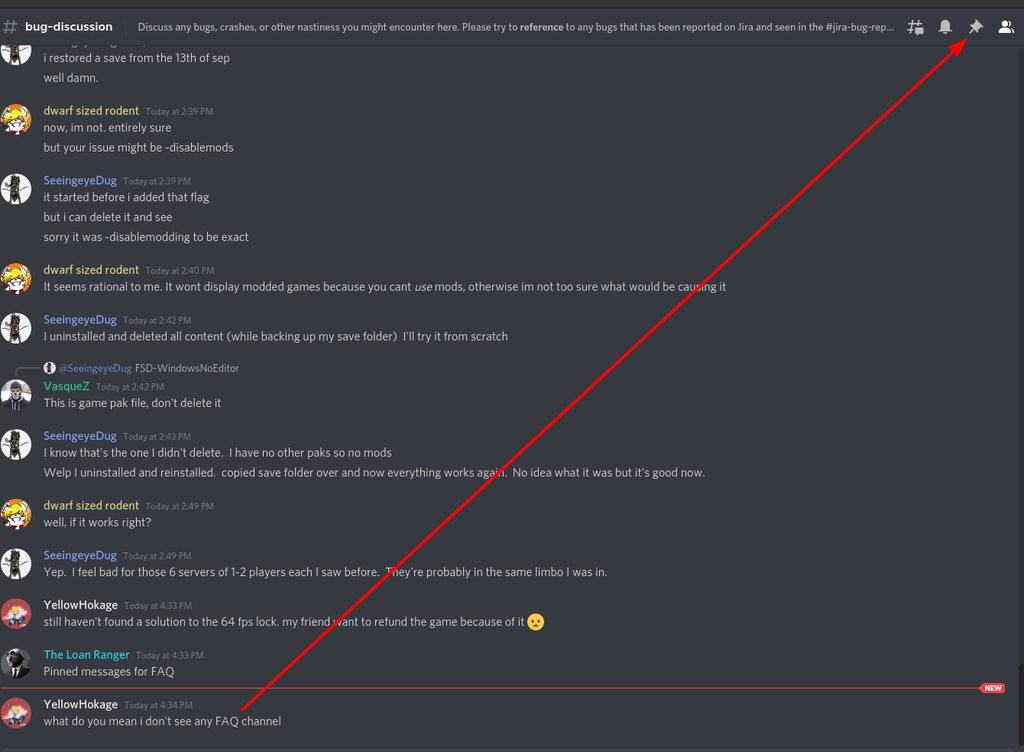 sly valve
ohh ok i finally understood what you mean!
here says that it's razer synapse problem
how is that even possible!
i'll have my friend try it tomorrow though
austere coral
Because razer software is poorly coded and borderline malware.
sly valve
i hope this will work
austere coral
I think there was an instance last year where they were caught with a keylogger in their software
sly valve
this is awful
i have been using it for a long time but never new such a thing existed
so after deleting synapse should we re install the game again or tune any othher setting? or will the game be playable normally in an instant?
austere coral
exiting the program should resolve it, but it should just be permanently uninstalled. Nothing needs to be done to DRG.
vernal estuary
whenever i power attack the pickaxe went backwards
like in the animation of the attack
subtle coyote
Thats..normal?
subtle coyote
<@&296918282403840000> MA! THE SCAM BOTS ARE BACK!
and somebody fell for it. cringe
night laurel
glacial terrace
<@!239739977100034048> There's no fix yet, this is happening because "mods insta...
Yeah, I've imagined that it was due to the popup. Anyways, I just disabled mods until this is fixed, thanks!
rapid dagger
Molly keeps getting stuck 😢
subtle coyote
known. pod opens at ~15 seconds as a failsafe
 hard forge
for some reason my game crashed during screen loading a before start of mission

first time for 75+ hours
because of mods maybe, idk
subtle coyote
do -disablemodding in your launch properties
Its a bug with modding at the moment (Which really dont like multiplayer)
hard forge
I installed these 2 today
 subtle coyote
I think that specific one is caused by over 25 mods in multiplayer where the game crashes, but thats a loose guess
it doesnt matter what you have installed so much as what the HOST and you have installed
hard forge

I try disable 2 of them
Well, I don't use any approved/sandbox mods
I was host during this session
subtle coyote
still, Theres a limit of 25 mods during multiplayer.
There could be mod conflicts. you have 2 that modifiy the same file in that one screenshot
 open mist
subtle coyote
still, Theres a limit of 25 mods during multiplayer.
There could be mod conflic...
open mist
subtle coyote
still, Theres a limit of 25 mods during multiplayer.
There could be mod conflic...
Is that limit only multiplayer?
subtle coyote
yes
open mist
Singleplayer time baybee
subtle coyote
Its a limit put in place for multiplayer because the devs found it caused crashes, It will be raised when they find a fix
 formal tundra
i have a question whenever i launch the game it just crashes
subtle coyote
are you using mods
 keen wren
hi guyz
my friend just bought deep rock
the moment he loaded the game
its black screen
we already updated windows, updated driver and rolled back to previous driver
but so far nothing works
can anyone help???
hello?
glacial terrace
@keen wren Check pinned messages for FAQ
keen wren
okk
 green pond
 mystic tapir
Check if jira has that bug there. If it hasn't, put it there
 hard compass
yo so my drg in game isnt showing that im in the discord, is that normal or nah?
subtle coyote
pinned #interplanetary-miners-union
rapid dagger
subtle coyote
known. pod opens at ~15 seconds as a failsafe
Yuh, I know, made the mistake of not knowing and going back to free Molly. Luckily my wife was already by the pod so we didn’t fail the mission
 errant monolith
So my game crashed during a mission, after reporting the crash went back to reload and my progress got reset back to overall level 46 when I was level 99. Just wondering if there was a way to get it back or if I have to grind back up?
glacial terrace
@errant monolith In game ESC -> options -> save menu -> restore save
errant monolith
glacial terrace
<@!389577636860395523> In game ESC -> options -> save menu -> restore save
Thank you very much I will give this a try
 calm hatch
hard compass
yo so my drg in game isnt showing that im in the discord, is that normal or nah?
calm hatch
hard compass
yo so my drg in game isnt showing that im in the discord, is that normal or nah?
Drg cant tell if your using discord but discord can tell when you are playing Drg, which is why you can join games through discord
cloud warren
keen wren
tried all faq
Can you name a few things that you tried? Most of the recommendations here would repeat what’s in the FAQ
subtle coyote
if iirc if he's supposedly tried everything in Ranger's FAQ, Then there isnt a fix for him
something like that
cloud warren
Certainly beyond that FAQ it swerves outside the realm of “help me with DRG” and into “help me fix my gaming PC”
oak blade
is this a common problem atm? Textures buggged - nod mods installed at all
 storm tendon
oak blade
is this a common problem atm? Textures buggged - nod mods installed at all
storm tendon
oak blade
is this a common problem atm? Textures buggged - nod mods installed at all
it's a DX12 problem
switch to dx11
 subtle ermine
Unhandled Exception: (MODDED GAME) EXCEPTION_ACCESS_VIOLATION reading address 0x613dd520
crashed
My game always crashes at startup with an error message which refers to the mods. Can I delete the mods in Windows explorer?
glacial terrace
@subtle ermine Try launch game with -disablemodding in launch options
subtle ermine
Thank you
 lone comet
not sure if this is a bug or not, but i feel like a 50% mission shouldn't be this interesting
 subtle coyote
thats a HP bar bug
which I believe is known
unless there was multiple weeds,
then its some sort of mod
lone comet
i counted two weeds before we all tapped out
so at minimum, that, which i can reason with
 outer dew
Not sure if I'm allowed to post videos here. I ran into some trouble with Molly. I was waiting at the end after an Escort mission, and I look back to find Molly isn't moving. She had ended up getting stuck somehow and placing a ton of nodes in the same place over and over. (Video is very loud because of this).
https://streamable.com/8p8syv
Is this a common issue? I'd like to know how to avoid this happening in the future.
outer dew
Is Driller able to dig her out?
subtle coyote
the failsafe the devs have in place is for the doors to open at ~15 seconds
You can try and dig her out, but it doesnt always work
outer dew
oh..
I wish I had known that.
Well thanks for letting me know. Sorry for posting here about something already known.
storm tendon
outer dew
Not sure if I'm allowed to post videos here. I ran into some trouble with Molly....
to add to that : you can get a role in #welcome-and-rules to post videos and screenshots
 woeful lily
Been having a bug when trying to join lobbies while playing with approved mods, You know how when you have mods and you try to join a vanilla lobby and you get a box saying "mods not active on host will be disabled. [cancel] [join]" ? Well it only shows up the first time for me and after that if I try to join another server that box doesn't come up and I'm stuck on an infinite joining screen and it doesn't end unless I right click and it cancels the join attempt. I can restart the game and It'll work again but only the first time. Is this a known bug?
woeful lily
Oh just looked through the jira log, you can delete my previous post if it's clutter but +1 for users experiencing bug DRG-3729
sly tulip
hey, is there a steam command to set the game to automatically launch with direct x 12, instead of asking each time? I am trying to google it but can't find anything
storm tendon
sly tulip
hey, is there a steam command to set the game to automatically launch with direc...
dx12 is on by default if you never chose the dx11 launch. You can also check the box for dx12 in the game options.
sly tulip
huh, what does the direct x launch option do then? is it redundant?
storm tendon
sly tulip
huh, what does the direct x launch option do then? is it redundant?
it's for when you crash on startup
subtle coyote
youve got a mod that has sandboxed your save
 meager wadi
yeah I had some mods on last week and logged back on today
guess I have to do some sort of reset. Already got rid of the mods in the folder
hard forge
after I abandoned mission I can't choose anything on map

bug?
wtf is "locked" icons everywhere
now its back to normal
subtle coyote
someone was loading in
your engi was probably loading in while you opened the map and when you closed it+reopened he had loaded in fully
 pearl laurel
every time I launch the game, the game simply closes itself while its showing the Coffee Stain logo. I've tried restarting, reinstalling, changing my admin privileges, disabling antivirus, updating my directx, I've done it all. any help with this issue would be appreciated
it doesnt show an error log or anything, the game simply closes itself after showing the logo
 wary trail


 paper stratus

how long should i wait?
it's like 10 minutes already
so delete C:\Users\Public\mod.io is the only way
 lavish sonnet
I still haven't made any progress on desandboxifying my main save, any way I can do it myself instead of trying to have someone on the other side of the world do it for free when they have a job
 boreal creek
went to dfeposit some minerals and my game crashed went back in and tried to do it againm and the game crashed again only happened today
anyone else having problems?
austere coral
lavish sonnet
I still haven't made any progress on desandboxifying my main save, any way I can...
Pinned messages
 trim patio
One message removed from a suspended account.
One message removed from a suspended account.
One message removed from a suspended account.
One message removed from a suspended account.
 craggy forge
probably wont help much, but instead of using default can you cycle until you get your actual mic input source?
trim patio
One message removed from a suspended account.
One message removed from a suspended account.
austere coral
That percent indicator is not a slider and it is presently bugged. The game utilizes steam works for voice. Configure your settings there.
craggy forge
that makes it easy then, and if you max out your settings in steam and they still cant hear you, you'd need to reset steams settings to default and open your microphone properties and enable dB boost if not already, most systems need +10 or 20. Then start over with steams settings to avoid being too loud
trim patio
One message removed from a suspended account.
formal tundra
does anyone know why ingames y i cant see the miner community rewards?
subtle coyote
pinned messages in #interplanetary-miners-union
 swift compass
night laurel
hey, not sure if this is considered a bug, but anyways
sometimes when i try to j...
swift compass
night laurel
hey, not sure if this is considered a bug, but anyways
sometimes when i try to j...
This seems to happen to me as well. I've only been able to alt-f4 and restart the game. I wish there was a cancel button on this screen
mental geyser
having enough of a secondary objective's item in your bag when you enter the drop pod doesn't complete that objective (ie: having a few bolo in your inv with 19/20 collected wont complete the secondary objective if you dont deposit them before getting in the pod)
subtle coyote
thats not a bug, thats intentional
mental geyser
it is?
subtle coyote
yes
mental geyser
why?
subtle coyote
do i look like a developer?
if I had to guess its at the very least an oversight because other minerals do the same
mental geyser
subtle coyote
do i look like a developer?
no, but if you heard that its intentional i'd imagine that you might've also heard why
subtle coyote
nope. ive just heard it was intentional and iirc was a thing since at least u33 maybe u32
subtle coyote
ah, yeah. it was added with deep dives, so its for sure intentional because they would have to have added it directly
subtle coyote
everything else deposits but mission objectives. Extra Morkite, Dystrum, Caps. Blooms, Fossils, etc.. dont do it
mental geyser
i wonder why they made that decision
 hearty lake
mods not downloading after clicking subscribe "This mod will be automatically installed when you are logged into mod.io in-game." popping up, Bug or have i just messed up somewhere?
outer dew
are there some steps I can take to prevent crashes in solo play? I haven't crashed in multiplayer a single time, but it happens way too often when playing by myself.
glacial terrace
@outer dew There's any crash error message or popup? You can check pinned messages for FAQ
outer dew
no but I think it has something to do with light sources, it happens after i throw enough flares
subtle coyote
then its a DX issue. launch in DX11
mossy breach
User Interface for DrillDozer health doesn't/didn't update during a drop-in-mid-game play.
e.g is at 34% but shows me 100%
subtle coyote
known. its a desync issue
drifting hedge
sometime when I join a game I find myself unable to move and limited to a sub-180 degrees of view as if I was still in the mini drop pod I came in. The gunner and driller tried to gun me down and I was hoping they could rez me to fix the problem but I think I'm invulnerable to damage in this state because I didn't even freeze from the driller's cryo cannon. Has anyone else experienced this?


also ever since the mod-support update sometimes it takes ages to join a game
just happened again rn


 still arch
@solemn leaf hello, i bought the game on steam with my gf yersterday. played some rounds, now her progress is gone. we tried to get the backup from the save menu, but it wasnt there. also checked for a backup file in steam library, but nothing.
@potent nymph
glacial terrace
@still arch Hi, can you check these solutions? (15-16) https://steamcommunity.com/sharedfiles/filedetails/?id=2559182673
glacial terrace
It's not a bug
 wispy elbow
@potent nymph Hello, I'm a fan of DRG in South Korea but there're some troubles to me while playing DRG thesedays. I can't join another server after a host closes the last server of the game, the game just stops at joining(just before selecting characters, I think it's because of checking mods). So, I always have to end DRG and restart since 34.5 mod update was installed. Moreover, after I rejoin another server of the game, my ping goes up around 300ms only in DRG but not any other games nor a latency test in web browsers, it is generally around 15~30ms. I haven't found out the cause and I'm thinking to quit playing DRG if this trouble remains further.
glacial terrace
@wispy elbow Don't ping devs please, have you installed any approved or sandbox mod?
wispy elbow
@glacial terraceyes some of approved but no sanbox things
glacial terrace
This issue was reported in jira, hope it will be fixed next hotfix
wispy elbow
@glacial terraceThank you so much
 bitter wave
Just had my weapons disappear for a good 5-10 seconds during the ommoran hearthstone stage, I think I power attacked and then just just didn't come back out, no weapon in hand indication and no visual effect when I fired.
I didn't really manage to notice if it was killing enemies or using up ammo
Frustratingly I can't give much more detailed information since it was such a quick bug and went away in 10 seconds but it contributed noticeably to losing the round
 compact ocean
I cant tell if this is a bug or a settings issue however mouse look works fine however in menus and UI elements there is a unplayable mouse lag as in the cursor only moves about one seconf after the mouse moves
using a Razer Lancehead
 tulip quartz
Any idea how to disable mods on steam, and remove them? , Game's unplayable with crashes since i tried to join a modded server earlier
storm tendon
tulip quartz
Any idea how to disable mods on steam, and remove them? , Game's unplayable with...
you can deactivate them in the modding menu and unsubscribe to them. Alternatively, you can remove them from the files IIRC.
tulip quartz
thanks, they're not showing in the mod menu but i can see the files, i'll just delete them.
austere coral
Pinned messages
valid python
My missions counter on steam achievements just stop working, I'm stuck at 464 missions, but I'm over 500.
 rose star
Our mactera cursite grinder event glitched again for the second time. leaving us with no more mactera with about 80seconds left

 winged lion
The wiki states that the Dreadnought Attack is (1/65 (1.53%) ; 0% for solo). I'm on solo and just got one. would that be a bug or is the wiki incorrect
subtle coyote
you're not solo
if you're playing friends only, but solo with bosco thats not the same thing
winged lion
I was, I only do solo bcause I can't pause when friends only
subtle coyote
then its a bug, i suppose. do you have a screenshot of the escape menu?
winged lion
I don't, I thought I took one, but I can't find it now
subtle coyote
then there isnt much that can be done, sorry. no means to replicate the mission
winged lion
oh well
 charred pasture
rose star
Our mactera cursite grinder event glitched again for the second time. leaving us...
charred pasture
rose star
Our mactera cursite grinder event glitched again for the second time. leaving us...
I've also had Kursite event stop spawning Kursite bugs halfway through.
 hot garden
if you salute and then run into the dance zone while music is playing a small model of your pickaxe will be present in your head

 turbid heath
wondering if any1 might know of this issue im having, i currently have 0 mods loaded but when i host a game it keeps asking ther person joining if they are ok with joining a modded lobby.
austere coral
You’re on a sandbox save, switch to a non sandbox save.
turbid heath
hopfully that will work
 slender hedge
idk why but all my progression got deleted i lost everything and im sad
turbid heath
thank you @austere coral think we got it fixed
@slender hedge did you go into options and Save menu and change you save profile?
turbid heath
rather strange, friend of mine had the same problem about 4 months back and had to speak with a Dev to restore it
slender hedge
yea i message a dev im w8ting for a answer
turbid heath
it can take awhile they are very busy and when they do get online they get bombarded with msgs
slender hedge
yea thank you tho
turbid heath
tried 😦
slender hedge
austere coral
I recommend #420195388675588096
austere coral
Well of what you unlocked was on a sandbox save separate from your main save then you're not getting it transferred. What you can do is make a bug report so assignments being completed globally regardless of save is resolved.
I'm on my phone. I'm not typing out a long winded reason as to why you should submit a bug report for a bug. You're the one experiencing an issue. Want it fixed? #420195388675588096
 proven urchin
Did the Xbox unlimited money glitch get patched yet I reported it like 2 months ago
And I cannot find it in the big archives
austere coral
No idea, you can check your original report to see if it was resolved and #patch-notes-steam to see if it has been pushed to the live branch.
hard forge
wtf. crashed again today
and when I almost finished mission
I have same mods as before, why this happening 2nd time T_T
mossy breach
hello i think i have bug and i dont know what to do i cant open modding menu because i just have this: "You must agree to the Terms of Use to gain access." nothing is showing im clicking nothing i reinstalled it and i dont have any idea how to repair this
 hard forge
ok, now I have only characters icons mod left. Idk whats problem.
cloud warren
mossy breach
hello i think i have bug and i dont know what to do i cant open modding menu bec...
One tip, make sure you haven’t disabled Steam Overlay
mossy breach
cloud warren
One tip, make sure you haven’t disabled Steam Overlay
my steam overlay is working only one problem is that the terms of service arent showing to accept them
glacial terrace
@mossy breach Do these steps:
- unsub to all mods on modio site and delete account
- launch game with -disablemodding in launch options
- exit to desktop and delete -disablemodding from launch options
- go to "C:\Users\YourUser\AppData\Local delete modio folder
- go to "C:\Users\Public" delete modio folder
- (Check "C:\ProgramData" and see if there's a modio folder, if there is - then delete it)
- launch the game
mossy breach
glacial terrace
<@456226577798135808> Do these steps:
1. unsub to all mods on modio site and de...
Bro i love u it worked Thanks a lot and have a fantastic day
azure vigil
glacial terrace
<@456226577798135808> Do these steps:
1. unsub to all mods on modio site and de...
we should make a bot that post this once an hour or two. 😄
glacial terrace
yeah maybe it could be nice 😄
storm tendon
azure vigil
we should make a bot that post this once an hour or two. 😄
could we have the same for the union fix message ?
jk
 manic girder
Hello. I am a new player and I've noticed a few issues while using the Steam Controller, which I use exclusively because I have RSI in both of my wrists(can't mouse any longer). Anyway, the biggest issue is that adjusting the mouse sensitivity in-game doesn't seem to do anything at all. Is this a known issue?
 limber night
I have voice set to toggle, but when i start the game, the mic is always fully open unless I press the toggle key to turn it off again. Why does it do this?
 sharp oasis
Is anyone seem an issue where razor synapse sees DRG in steam but not DRG windows store?
 glossy owl
Hi everyone!
My DRG frequently doesn't save my game when I left, so I had to start manually creating backups. Is there any common solution for that?
austere coral
pinned messages for FAQ
glossy owl
I only found cases that you lost your save and you need to search for it. My problem is that the game sometimes simply doesn't save, so I got scared of losing progress and started creating mannual backups everytime
Or did I miss it? D:
glossy owl
Found it! Thaaanks!
 marsh parcel
Hi everyone, I just purchased Deep rock and have noticed that my game continues to crash every 10-15 minutes of playing and sometimes less, I have a Ryzen 5 2600, 3060 12GB, 32GB RAM and it still continues to crash
Im not sure if theres a solution but I have tried disabling anti-aliasing, changing the image sharpening and nothing is fixing it
glacial terrace
Do you get any crash message?
marsh parcel
Sometimes yes sometimes no
LowLevelFatalError [File:Unknown] [Line: 855]
Rendering thread exception:
Fatal error!
Unhandled Exception: EXCEPTION_ACCESS_VIOLATION reading address 0x30b90dd8
0x00007ff6c24a6eeb FSD-Win64-Shipping.exe!UnknownFunction []
0x00007ff6c3501ae3 FSD-Win64-Shipping.exe!UnknownFunction []
0x00007ff6c37cf1e9 FSD-Win64-Shipping.exe!UnknownFunction []
0x00007ff6c37d524f FSD-Win64-Shipping.exe!UnknownFunction []
0x00007ff6c37c2ac6 FSD-Win64-Shipping.exe!UnknownFunction []
0x00007ff6c1f00036 FSD-Win64-Shipping.exe!UnknownFunction []
0x00007ff6c1f00133 FSD-Win64-Shipping.exe!UnknownFunction []
0x00007ff6c2e407b2 FSD-Win64-Shipping.exe!UnknownFunction []
0x00007ff6c2e40a93 FSD-Win64-Shipping.exe!UnknownFunction []
0x00007ff6c2042f8b FSD-Win64-Shipping.exe!UnknownFunction []
0x00007ff6c203e441 FSD-Win64-Shipping.exe!UnknownFunction []
0x00007fffba2b7034 KERNEL32.DLL!UnknownFunction []
0x00007fffbb1c2651 ntdll.dll!UnknownFunction []
This is what i get
now it crashes every 5 minutes
glacial terrace
Check pinned messages for FAQ and I hope it will be fixed
 prisma tulip
glacial terrace
Do you get any crash message?
prisma tulip
glacial terrace
Do you get any crash message?
i never get crash messasge, my game just crashes and thats it
 indigo ice
cloud warren
One tip, make sure you haven’t disabled Steam Overlay
indigo ice
cloud warren
One tip, make sure you haven’t disabled Steam Overlay
Thanks I was going insane trying to figure how why the button Install Mods wasn't working
Uhmmm sadly mods aren't appearing anyway 😟
I subbed to 3 mods but none of them show up
 shy fern
Does anyone know a fix for DRG acting similarly to Task Manager's "always on top" option? I am unable to use any sort of overlay, the in-game modio popup doesn't work, I can't change window modes through settings, F11, or launch parameters and the game constantly pulls my mouse from other applications. This started on my old computer and persists on a new computer with a fresh install. I am beginning to wonder if it is somehow a save game issue as even deleting and getting new configs for settings don't work either. I've tried changing settings for fullscreen compatibility, settings through GeForce Experience, my Windows settings, etc. I'm kind of just at a loss on this one.
indigo ice
shy fern
Does anyone know a fix for DRG acting similarly to Task Manager's "always on top...
I just put it in the Borderless Windowed mode and it works
indigo ice
glacial terrace
<@456226577798135808> Do these steps:
1. unsub to all mods on modio site and de...
Anyway I fixed my problem thanks to this guide
shy fern
Yeah, that doesn't work for me anymore. I had to do that every time that I launched the game because the problem persisted between game starts, but this fix actually no longer works at all anymore. The game pulling my mouse cursor can be fixed if I only do something while I have the pause menu open.
marsh parcel
my game continues to crash 😦
glacial terrace
Did you try reinstall the game?
marsh parcel
yes
 fallow spire
"Bosco you're the best" achievement not unlocking. Is this a bug? Do I have to grind 100 solo missions again?
glacial terrace
marsh parcel
yes
Report this issue in jira hope your game will fix soon
 formal ermine
My game wont start up, it keeps having the loading screen for a while and then cuts to black. No crash report shows up and when i try to open the crash reporter through task manager it wont work
I also reinstalled and even tried the intalling UE4 in the extras file
subtle coyote
fallow spire
"Bosco you're the best" achievement not unlocking. Is this a bug? Do I have to g...
Did you do them solo or friends only?
Also sometimes irrc it happens a little after 100
fallow spire
subtle coyote
Did you do them solo or friends only?
Also sometimes irrc it happens a little af...
I did them all solo. I'll try to reach 110 and hope that it'll unlock
does verified and approved mods affect the achievements?
glacial terrace
Approved yes
fallow spire
ohh yeah turns out I only have to disable my approved mods and do another solo mission to unlock it.
 viscid wigeon
Getting random CTDs, Windows logs are not showing anything relevant where can I find crashlogs or error codes?
cloud warren
viscid wigeon
Getting random CTDs, Windows logs are not showing anything relevant where can I ...
Many CTDs don’t generate useful errors unfortunately. The pinned messages for this channel contains a FAQ for troubleshooting DRG crashes though.