
#bug-discussion
1 messages · Page 161 of 1
 river torrent
@crystal aurora I believe that's the area the molly crane is supposed to carve out
 crystal aurora
river torrent
<@261374822305628161> I believe that's the area the molly crane is supposed to c...
crystal aurora
river torrent
<@261374822305628161> I believe that's the area the molly crane is supposed to c...
ohhh i see, thank you :3
 stone hatch
just had a mission where the entire party was falling through the drop pod. this ever happen to anyone else?
 worldly raven
Is anyone using starship trooper mod ? My game alway crash with LowLevelFatalError. It only works normally when i deleted the mod from the paks folder.
 austere coral
you need to take that up with the mod author. GSG isn't really responsible for issues created by mods.
river torrent
stone hatch
just had a mission where the entire party was falling through the drop pod. this...
Did you fail the mission?
Oh wait didnt see the end
stone hatch
also sorry if i did a terrible job with my jira report, couldve elaborated more on a few bits
 austere birch
Sup fellow dwarfs! Issue with the game starting:
- I click the Play button from steam.
- Game logo & Coffee Stain are shown.
- Before the bubbles finish covering the words Coffee Stain, the game process is killed. (Viewed from task manager).
Troubleshooting I've done:
- Restarted Steam
- Restarted Computer
- Uninstalled / Reinstalled the game
- Verified game files
- Ran UE4PrereqSetup_x64.exe (as admin)
- Added "-dx12" to the launch options to force DirectX12
- Quietly started crying in a corner because I can't play the new update.
This issue only happened after the newest update. Any help would be appreciated.
UPDATE
Adding "-regenerateinis" to the launch options made it work! Just resets all options in game to default it seems.
 pale sandal
the cylinder strikes again
 austere coral
The CUBE CYLINDER
austere coral
stone hatch
just had a mission where the entire party was falling through the drop pod. this...
a potential fix is to down a teammate and revive them. It isn't guaranteed to work.
pinned messages for troubleshooting - specifically the steam based one
If you have KB5001330 or KB5001337 installed, uninstall them. Microsoft regularly screws up their updates and those two can cause significant issues.
Sounds like you just forgot you had them up for promotion. I wouldn't worry about it unless they mysteriously jumped several promotion tiers in one promotion.
 flat copper
are achievements known to be buggy? the deep dive gave me the "just another bug hunt" achievement, but there was only 1 dread. it was my second time running it
 mossy breach
broo im fighting a hiveguard right now and its not spawning its sentinels so i cant kill it
 storm tendon
mossy breach
broo im fighting a hiveguard right now and its not spawning its sentinels so i c...
storm tendon
mossy breach
broo im fighting a hiveguard right now and its not spawning its sentinels so i c...
Sentinels might be spawning in another room
It happens
search the level
mossy breach
it spawned at the other end of the cave after i got there 15 mins later
i finished the mission just now
storm tendon
nice
 compact mortar
 chilly walrus
@compact mortar Is that Haz 5 solo? Because if that's the case, that's indeed too much damage. You should have taken 98 damage, but that was a 1-shot (indicating 150+).
storm tendon
chilly walrus
<@!232929683942014976> Is that Haz 5 solo? Because if that's the case, that's in...
If you pause the video at the right time, you can see the spitballer shot turning into something a bit weird too ? (reminds me of the swarm bladder the OG dread can throw at you) => https://youtu.be/hPHK3FHhg_s?t=1
The velocity of the shot itself seems out of place as well, even for haz 5 at this distance but that could just be me.
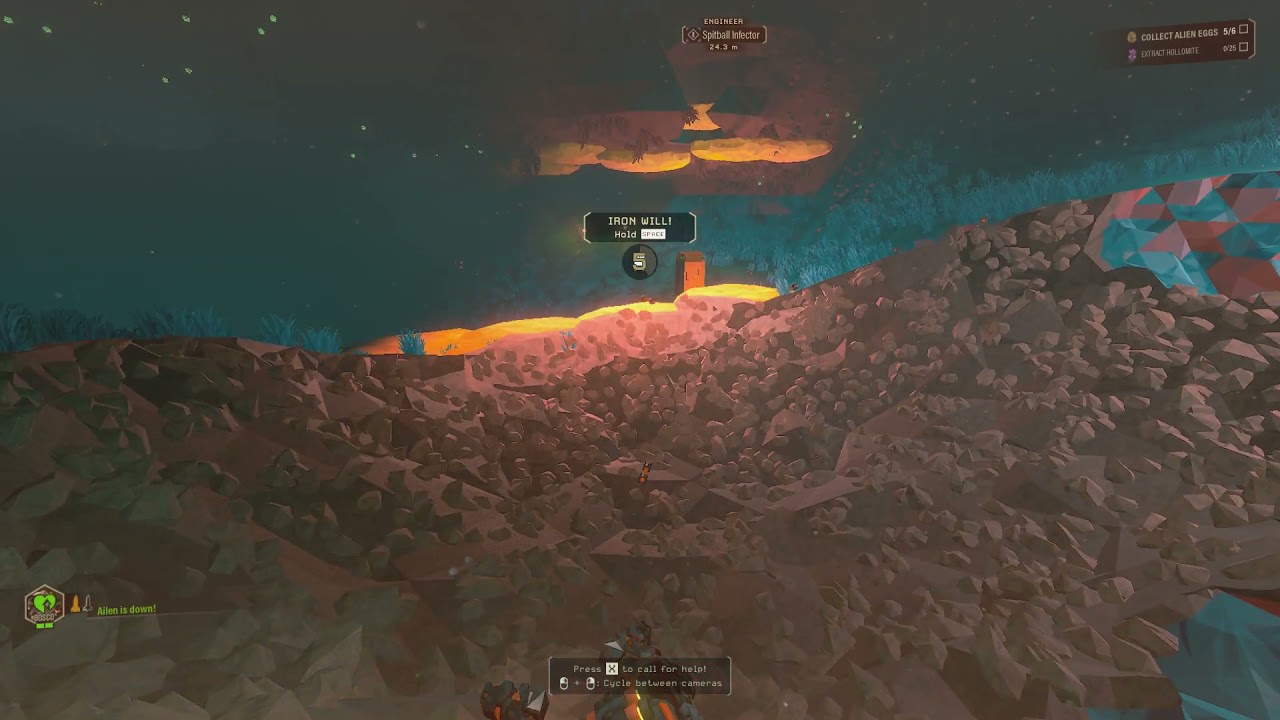
 dusky depot
storm tendon
If you pause the video at the right time, you can see the spitballer shot turnin...
dusky depot
storm tendon
If you pause the video at the right time, you can see the spitballer shot turnin...
Looks like an acid spitter got him just as the spitballer did.
compact mortar
chilly walrus
<@!232929683942014976> Is that Haz 5 solo? Because if that's the case, that's in...
Yep.
compact mortar
dusky depot
Looks like an acid spitter got him just as the spitballer did.
Maybe. But isn't acid spitter must spit into someone's dead body? Because it didn't.
 pulsar parrot
@burnt hill @silent vine You can try, if haven't, switch color skins, then disband team in case. That category seems to affect all others.
Not sure if it's reported in #jira-bug-reporter , which is the ideal place to report it.
 silent vine
It would take some time to do that bug report and I dont really have much input to give on it other than my specs I guess
I have tried everything this is seems to be a bigger issue than just changing the skin and disbanding
pulsar parrot
Bigger issue now, I guess. Hopefully devs will get to it.
 tribal salmon
Hey guys, quick question
I have an annoying bug when the gun randomly stop firing when I keep the mouse button pressed. Every friend that I play with encounters the same issue
I've been experiencing this for the last months and I didn't see any discussion about it
Is that a known bug? Is there a fix?
 undone river
So I encountered a problem on DRG and i was wondering why it happened for a while now and today, I was able to find out what happened.
Whenever I put Deep Rock Galactic on Fullscreen (not No Border window but real fullscreen) the whole game appeared clinched, like.. everything wass really narrow and stuff. Was a real bummer cause somehow I need fullscreen for my 144Hz zu work properly. Anyway, I am using a 144Hz Monitor and a TV that shows the same image, so, yknow, i can watch movies when i go to sleep and such. But I think DRG tries to stretch the whole game over both screens, then it is super long and it clinches it to fit in the normal 16:9 aspect ration when it really is 32:9.
Today I experimnentally told my pc to extend the image instead of mirroring it to both screens and then fullscreen worked as intended
So yeah. I hope this gets a fix?
 gloomy cedar
I don't know if this goes here, but.
Is the phantom bullet problem ever going to be fixed with zuks and leadstorm? (Where only half the bullets you shoot actually do something, meaning you have half fire rate and ammo.)
The only problem with fixing that is that it would literally double the damage they deal. And they already deal decent damage as is.
Unless the ammo and firerate cut in half as well to compensate, to make it the same as what it was before
chilly walrus
Not a bug. This is intended. As far as I know, the developers couldn't get Minigun and Zhukovs to behave well with rate of fire above 20 (crashes and such), so they designed this system of firing 2 ammo per shot to simulate fast RoF weapon feeling.
gloomy cedar
huh, odd
 slim flare
Idk how to report this, but whenever i start my game, theres a chance that its just frozen not doing anything. Instantly as a click "stop" on steam, it starts doing its thing (and then it stops when steam stop command comes through)
pulsar parrot
@slim flare What's your CPU?
 dawn lotus
Explosive Drones from OMEN Modular Exterminator are way faster than they should be. Was on a solo mission in Salt Pits when this happened. Didn't think to take a screenshot so I'll keep looking for the same event.
Egg Hunt, Haz 4, Complexity 2 iirc, the OMEN was at the bottom of a huge pit.
slim flare
Barely runs the game;
Intel(R) Core(TM) i5-4670 CPU @ 3.40GHz
NVIDIA GeForce GTX 760
Didnt happen preupdate tho. Could it be related to the dx11-12 thing i see in my eyecorner?
pulsar parrot
@slim flare Yeah pretty likely. Can try that and wondering if Master EQ is enabled in your game?
slim flare
idk and it happens not often enough for me to do anything.. ;s
dawn lotus
dawn lotus
Explosive Drones from OMEN Modular Exterminator are way faster than they should ...
EDIT : It happened again, and this time I have a screenshot of my ESC menu

These things are zooming.
But if they're supposed to be that way then by all means, keep them as is
pulsar parrot
@slim flare Just have it disabled in case, located in the Audio settings.
 tired fulcrum
Is anyone else having an issue that means DRG won't run? it goes to the coffee stain publishing screen and immediately crashes to desktop. No issues on Monday when we last played.
tired fulcrum
tired fulcrum
Is anyone else having an issue that means DRG won't run? it goes to the coffee s...
successfully sorted by using the "-dx11" command in steam run commands.
 keen pebble
Is it just me or has anyone else noticed that the ambient waves are much smaller and their spawn timer is longer on Haz 5 after hotfix 2? I played a bunch of haz 5 games with the same group and we were all wondering where the enemies were. We even had an aquarq swarm during a machine event and it felt like the music was bugged there were so few enemies.
Specifically salvage felt like hazard 2
 unreal jay


I checked the magnet is still there, but the blue glowy bit is missing

there's the mission's seed but I doubt it will help as it's just the basic drop pod having to do with the arm thing
 crimson prism
A lot of people have been encountering that bug i think it started when the latest hot-fix came out
unreal jay
100%
 burnt hill
pulsar parrot
<@132453933087064064> <@109761704639909888> You can try, if haven't, switch colo...
burnt hill
pulsar parrot
<@132453933087064064> <@109761704639909888> You can try, if haven't, switch colo...
I've tried resetting costume many times, disband team, etc. It seems to affect a fair few people in games when I host too. I do run a torch brightness mod, I have tried removing that and still the same - when I join another's game, I have default skin. It kinda sucks cos I paid for skins but honestly it's not the end of the world and there's bigger bugs to crush.
pulsar parrot
@burnt hill If you want to DM me a whole list of everything you have tried, all your settings in game settings (just in case), of you've done it in host and client and anything else you got.
I agree, there's more bugs to squash, but I see this issue as one, and it's been too damn long since.
The devs pretty much need an easy way to replicate it, and then BOOM, gone hopefully
 carmine hawk
keen pebble
Is it just me or has anyone else noticed that the ambient waves are much smaller...
carmine hawk
keen pebble
Is it just me or has anyone else noticed that the ambient waves are much smaller...
they didn't seem smaller to me tbh
keen pebble
carmine hawk
they didn't seem smaller to me tbh
Yea i was wondering if it was just our host or what was going on.
carmine hawk
keen pebble
Yea i was wondering if it was just our host or what was going on.
check it out with other hosts
unreal jay
We started calling the untextured cylinder Kevin, I'll miss him when he get's fixed
 static hemlock
tribal salmon
Hey guys, quick question
static hemlock
tribal salmon
Hey guys, quick question
I get the non-responsive mouse-click problem ALL THE TIME, multiple times in a mission. I've died because of it, I've failed missions because of it. Is there a known fix?
 sturdy bridge
3rd or 4th time now that the game has crashed HARD. And I mean rock hard. I have to turn off the computer with the power switch to unfreeze my computer.
Keep this up and you might break my Windows install at some point, no bueno.
This has been the most unstable update so far, before this one the game would just crash to desktop. But not this time.
austere coral
static hemlock
I get the non-responsive mouse-click problem ALL THE TIME, multiple times in a m...
run the game in exclusive fullscreen at your native resolution
austere coral
sturdy bridge
3rd or 4th time now that the game has crashed HARD. And I mean rock hard. I have...
Yeah that's not the game, that's hardware instability. Monitor system resources and temperatures.
If your system is locking up there's a high probability of a power delivery failure or issue with ram. That or there's something wrong with your install of windows.
sturdy bridge
I'll keep an eye on that. But you'd think that thisnwould happen every time and not just every once in a while.
Also. Shouldn't critical Temps give bsods?
austere coral
in a perfect world sure, but this is windows we're talking about. I've had overheating issues manifest themselves in many ways ranging from a straight shutdown to a hard freeze of the system to a simple crash of the application causing the problem.
sturdy bridge
Alright, so, you may be on to something here. I did re-seat the CPU a while back because my brother had a busted CPU, we tested it in my computer to confirm then I reinstalled mine. This may have messed with the fan surface contact and/or the thermal paste.
The game froze again and the cpu showed 88° when I booted into windows again and immediately opened HWMonitor.
Its down to 59° now, stock fan and all.
So I cant say for sure if this is it.
austere coral
the game does use a good chunk of the cpu. Never reuse thermal paste. If the cooler comes off, old paste must be cleaned off and new paste applied. Depending on the cooler it may be easy to verify if it's adequately tightened on the mount.
sturdy bridge
Its the shitty Intel stock cooler with the plastic things that you push on to snap it into place, I dont have any extra thermal paste lying around but I know that putting on new paste is good practice.
Ill try to find some kind of CPU stress test to see how high itll go and if the computer freezes again, then its time to check the fan. And maybe dig through my computer stuff, might have a syringe with thermal paste lying around altho it could be somewhat old at this point.
OK, the stress test got the CPU to 100° in less than a minute, something aint right. The stock fan is crappy, but its not THAT crappy.
austere coral
I'd recommend investing in any cooler that isn't the stock intel one. They're complete junk outside of basic office work. If you've got the spare cash I'd recommend getting anything as it'll be better than the stock cooler. Air coolers sometimes come with their own small tube of thermal paste, read reviews and package contents.
sturdy bridge
Ive had this computer for about 5 years now and its never given me any trouble, so Im hesitant to upgrade unless I really have to. One or two more years and Ill invest in a brand new computer, new everything, so upgrading now doesnt feel necessary.
I found new thermal paste anyways, we'll see how good it is.
But yes, I agree theyre junk. My brother replaces his busted motherboard and CPU with a new motherboard and a Ryzen CPU and the stock cooler on that seems much much better, night and day really. This one youd think was a one-time-use kind of deal, once you take it off and try to re-seat it you question just how good contact you get with the plastic things in the corners. Ryzen cooler? Screwed down to the CPU/motherboard base plate, rock steady.
Wow, so the stock paste was just... Splotchy, no good coverage, dried out etc. Reapplied new paste, pea sized blob of it, time to run the CPU stress test again.
sturdy bridge
austere coral
I'd recommend investing in any cooler that isn't the stock intel one. They're co...
Yeah it's not going above 75° now, thanks for pointing me in the right direction! The crashing kind of coincided with the U34 patch and I figured that was the problem. The game has been prone to crashing after new updates before, so that was the connection I made. But this makes sense though, since I took out the CPU, cooler and all and never re-applied new paste. The old paste was just real shitty. Hopefully this solved it. 5 mins of stress testing now and it's not going above 75, whereas it went to 100 in less than a minute before.
 thick forge
spotted a texture bug on DropPod crane earlier
 burnt hill
pulsar parrot
<@132453933087064064> If you want to DM me a whole list of everything you have t...
burnt hill
pulsar parrot
<@132453933087064064> If you want to DM me a whole list of everything you have t...
is there an easy way to share my settings?
 elfin nest
ok good the weird textures arent just me
pale sandal
the C Y L I N D E R
 pulsar parrot
@long mirage Do you have DX12 enabled?
 dim oak
sturdy bridge
Yeah it's not going above 75° now, thanks for pointing me in the right direction...
dim oak
sturdy bridge
Yeah it's not going above 75° now, thanks for pointing me in the right direction...
Think you weren't wrong about it being the update actually. I've never had crashes on DRG until this update... it has crashed 3 times within 15 minutes
Something is definitely unstable as all hell with this last patch
3rd time I didn't even get the crash reporter popup
dim oak
4 times in 25, even after doing a graphics card update*
pale sandal
dim oak
4 times in 25, even after doing a graphics card update*
amd or nvidia card
pulsar parrot
It might be DX12 if that hasn't been checked yet. This update, they automatically enable it, so you gotta manually disable it again.
dim oak
pale sandal
amd or nvidia card
NVIDIA
dim oak
pulsar parrot
It might be DX12 if that hasn't been checked yet. This update, they automaticall...
I'll try that: thanks for the tip!
mossy breach
A dreadnought spawned during a wave in a mining mission on haz 4
static hemlock
austere coral
run the game in exclusive fullscreen at your native resolution
I already had these settings, but since it's computers, I turned them off and on... and it seems to have worked. 😆
 frail moat
i had to format my pc and didnt have a backup now all my characters are back at level 1 and theres no cloud save of my old characters that i put many many hours into
what can i do
do i have to start from scratch again
pulsar parrot
@frail moat I can possibly create a savefile with what progress you had. DM me if interested.
frail moat
yes please
frail moat
pulsar parrot
<@190000763194441728> I can possibly create a savefile with what progress you ha...
my in game name is mycarsux2
 pearl mango
Tonight we were a team of 4 dwarves and we encountered the invincibility bug with the arbalest (yellow) after killing the other one.
(he was invincible for maybe 1-2 minutes for no apparent reason)
dusky depot
Found a bug for shaped shells where the crosshair is still thicc af

 tardy holly
untextured crane bug

 halcyon oxide
dim oak
Something is definitely unstable as all hell with this last patch
halcyon oxide
dim oak
Something is definitely unstable as all hell with this last patch
Agreed. I'm getting all kinds of glitches and bugs. And not the kind I can kill. ^^;
Having a pretty serious one where there appears to be a constant swarm throughout the whole mission. Seems to show up more often when elites appear.
 distant escarp
Is it a known bug where the background music appears to be playing twice? Like there's two separate background tracks playing in this game.
halcyon oxide
distant escarp
Is it a known bug where the background music appears to be playing twice? Like t...
I was actually getting that a lot earlier today as well.
chilly walrus
My quick and dirty solution to the issue was to lower the music volume to 0. Not great, but avoids the irritation.
 dreamy quail
I've been using that solution for 6 months 
 stone glacier
grabber getting frozen while carrying dwarf = game crash
 calm mica
im having an annoying problem where im suddenly incapable of talking to people with voice chat and looking at the audio options my input slider was a 1% when i was told i was quiet and after checking it and trying to turn it up its now stuck at 0%
mossy breach
Have you guys had the bug of one of the twins dreadnoughts staying immune to damage after the other dreadnought was killed?
This fixes itself after the dreadnought hides underground and then comes back, however it can be annoying.
 obtuse compass
 storm tendon
calm mica
im having an annoying problem where im suddenly incapable of talking to people w...
storm tendon
calm mica
im having an annoying problem where im suddenly incapable of talking to people w...
the thing staying at 0% is apparently a visual bug (according to a dev) so turning it up should technically be working.
calm mica
So it is actually turning up like a slider normally would but isn’t displaying it is?
storm tendon
apparently
calm mica
I’ll have to test tomorrow, too late for anymore of the game today
I was sure it was stuck at 0 since I got booted from a lobby I was in for not responding after trying to turn it up and it displaying it was at 0% when I checked after the kick
storm tendon
Well I'm just giving out information. It's very possible there might be another problem on top of that one tbh. DRG is known for being finicky with microphones 😄
Try checking out this message. Maybe it can help with something ?
#bug-discussion message
calm mica
It was working perfectly fine for every match before that one too but someone said I was extremely quiet so I checked and tried changing it
I’ll have to try that tomorrow if it isn’t fixed
storm tendon
Good luck. Hope it'll work out for you
silent vine
burnt hill
I've tried resetting costume many times, disband team, etc. It seems to affect a...
Flashlight brightness mod could be it
Causing my dwarf to appear default
but I have removed it before and was still default so it must infect your install lol
burnt hill
silent vine
Flashlight brightness mod could be it
I did remove the mod before, but it didn't work. This time I have removed the mod, uninstalled the game, then reinstalled it. This appears to have done the trick and my skins now appear when i join other people's games. I'm no coder but my best guess is maybe some supporting code for the modding update, included in this latest release, might be messing something up?
storm tendon
burnt hill
I did remove the mod before, but it didn't work. This time I have removed the mo...
The game updated, the mod wasn't up to date. Some mods have a tendency to stick to your install, even though you think you uninstalled those.
Thus causing the problem
silent vine
burnt hill
I did remove the mod before, but it didn't work. This time I have removed the mo...
I choose seeing over the drip
shoot me
 formal wave
Yeah ehm whut? Can't start the new Deep Dives because the old ones are still there :/
 storm tendon
formal wave
Yeah ehm whut? Can't start the new Deep Dives because the old ones are still the...
storm tendon
formal wave
Yeah ehm whut? Can't start the new Deep Dives because the old ones are still the...
Restart the lobby/the game
formal wave
storm tendon
Restart the lobby/the game
Did work thx, just wanted to report it here 🙂
silent vine
burnt hill
I did remove the mod before, but it didn't work. This time I have removed the mo...
I checked and it has been updated and after a quick look it seems to fix it
chilly walrus
Small issue: the description for the new mod (Disabled Inertia Inhibitor) has "useful" misspelled as usefull.
pulsar parrot
@hidden yew Should be fixed from hotfix 2. I'm not able to replicate it, since it doesnt effect me for some reason, but others are saying it has fixed it.
 hidden yew
pulsar parrot
<@361476868064673792> Should be fixed from hotfix 2. I'm not able to replicate i...
hidden yew
pulsar parrot
<@361476868064673792> Should be fixed from hotfix 2. I'm not able to replicate i...
nice, thanks for the answer
oh crap
I logged into the game againt
the pickaxes are fixed
but not the perk
ARGAHGHAHGHA
this drives me insane
nevermind
it actually works now
the stats screen just didnt show it somehow
 buoyant kestrel
the game seems to be crashing more than usual
carmine hawk
driller's drill is making extra wide tunnels

i was in a star ship trooper modded server
or is this a bug?
carmine hawk
never mind it was part of the mod lol
 wintry goblet
Hey has anyone already reported the visual bug that occurs when you salute just as the drop pod is touching down
Whatever weapon you have will appear attached to the end of your pickaxe
 bleak helm
my game just crashed 4 times in a row
pulsar parrot
@bleak helm Instantly?
bleak helm
no
i was playing multiplayer with a friend and it crashed, i joined again and it crashed within 1minute
 neat girder
possibly incidental, but had an experience where a swarm occurred during hiveguard fight in the second stage of the elite deep dive, after today's patch that specifically said that that was fixed.
pulsar parrot
@neat girder What was the mission?
neat girder
second stage of the elite deep dive
neat girder
iirc, the second stage was 7 aquarq primary objective, with eliminate 1 dreadnaught (hiveguard) as secondary objective.
we'd gotten all 7 aquarqs, and were well into the fight against the hiveguard when the wave triggered.
pulsar parrot
Yeah, PE has been known for a long time to stack waves, ever since Machine Events were added in I believe
Sent fixes for it, but still persists
pulsar parrot
Point Extraction wave systems have a timer. So wave comes in a duration. Usually, players like to wait for the wave to pop in, deal with it, and then focus on the bigger deal, like Dreads, Korloks or Machine Events.
So, I'm guessing the devs left it intended that the timer of PE waves still overlap whatever type of mission it is, if it's the main objective, of course.
 nocturne otter


 glacial terrace
@nocturne otter that's known
 slate jetty
oppressor stuck on the mine head, he can move on the mine head but can't get off it, he will attack me if i'm close enough, but if i'm not he'll just dig like this

edit: he eventually got off the mine head, i lured him in another way to try, and it worked

 turbid heath
OK some explain to me how we do a HAZ 5 with two modifiers and then dreadnaut twins aswell and only 12k XP
 pulsar parrot
@turbid heath The Dread Twins being a random encounter, right?
 frail oxide
 turbid heath
yeah they came after about 10 min in the mission
frail oxide

wtf is this
my game crashes after the coffee stain logo
i hope reinstalling works
this happened before. constant reinstalling helped
idk about now
pulsar parrot
@frail oxide Couldve been DX12 issue like many other people are dealing with. They autonatically enable it, but not many people's pcs are compatible.
frail oxide
pulsar parrot
<@335288749523206146> Couldve been DX12 issue like many other people are dealing...
how do i disable it?
pulsar parrot
 pulsar parrot
@turbid heath Seems to check out fine from basic math.
Refinery mission is 1,750 experience, and times that by the total of the hazard bonus, 198%, 5,215 xp total. Then the same for the rest. Refinery is sadly not a huge payout as it should be. I think I saw a Jira report that it should cost more for hard work.
 uneven granite
from the effort we had to put in, that was atleast 25k xp. minimum
pulsar parrot
True, and I don't think random Dread encounters are extra bonus as well. Maybe +1 extra kill, as Gimli says
Like Point Extraction as well, 1750 xp. These two missions are meant to be quickly done. I think that's their intention
 exotic jewel
- Fixed enemy waves able to trigger while fighting dreadnought in deep dives.
we just had a swarm during the Dreadnought fight in EDD stage 2.
 molten fern
I don't now where else should i ask this, so i am gonna continue here.
Greetings. I have been met with a problem, which is whenever I try to launch the game, a bit of the intro shows up, and then the game suddenly crashes with no error message!
I have tried to verify integrity (which found no problem), I have reinstalled the game anyway but it still didn't work, also i logged out and back into steam, and finally I rebooted my computer.
none of those above worked... The strangest thing, is that when i got the game, I launched it and it worked fine, i was walking arround the lobby place thingy, and it wasn't lagging or anything.
Does anyone know how to solve this problem?
molten fern
Amazing, what did that actually do though?
i mean it worked but i still wonder what caused the problem
pulsar parrot
It disabled DirectX 12, which the devs enabled it automatically. So you just rolled back to DirectX 11.
No idea what the main cause is from DirectX 12 that is crashing many people's games, but rolling back is pretty much the main fix for now.
Maybe a overload. It's still being updated, like some graphics glitching or missing, even for those that can run DX12.
 tame skiff
Aw man... I really liked that feature. It let me soften up harder materials and mine them faster at the cost of heavier platform use.

I hope one day it could be turned into an upgrade at some point
"Softening Agent" or something
 split spade
i have a bug of mollie getting stuck walking back in forth in one area of the map near the very beginning it's happend a few times
 queen crest
anyone else getting "connection lost" issues when joining a game(so not a game crash)? never happened to me until the update today.
 merry copper
split spade
i have a bug of mollie getting stuck walking back in forth in one area of the ma...
merry copper
split spade
i have a bug of mollie getting stuck walking back in forth in one area of the ma...
I had this happen at the end of an Escort mission; Molly would walk at normal speed laterally, but going forward would be like 0.25x moonwalking
had to call it a few times to reset the pathfinding and make sure it was going in the direction I wanted, rather than trying to depend on being able to turn properly
split spade
i have to move all the way across the map cause she gets stuck walking in place and if i'm not far enough away she doesn't auto path to me
 long sleet
hello, can you guys help me with this, cannot find a game since yesterday

 slender flame
my friend's ENTIRE save file got deleted, he was level 315, had every weapon overclock, tons of progress made, all gone... how can this be fixed?
Edit: his character progress is back now actually, but it reverted back to an older save from earlier today so it doens't show he did his DD, EDD, or weeklies
austere coral
long sleet
hello, can you guys help me with this, cannot find a game since yesterday
pinned messages for FAQ
 robust osprey
anyone have audio muffling issue? Sometimes by random the audio just gets muffled and I'm not sure how to fix
 finite fable
 dreamy schooner
Got this bug with a exploder on one mission. It would sometimes flash between how it looks in this screenshot and how they should look
 austere coral
pinned messages for FAQ
mossy breach
Don't know who I would talk to about this but I'm in a mission with a friend and we're fighting the Dreadnought Hiveguard, and the guys he spawned got bugged and never spawned. We've been looking for them for the past 20 mins and had to abandon the mission because they never spawned in.
 ornate ermine
The sentinel spawned in a wall
I've heard of that happening before
dreamy quail
Pinging devs is not exactly a good idea, and Pedro can't do anything about it
 rotund adder
My game is insanely laggy and no settings will adjust it.
mossy breach
ornate ermine
The sentinel spawned in a wall
I've heard of that happening before
Yeah we had looked around the entire area and I even dug into some of the walls near where they would've spawned but I heard nor saw anything
 steady shale
Has anyone encountered issues with pressing E to carry large objects and instantly dropping the item after the animation?
crimson prism
steady shale
Has anyone encountered issues with pressing E to carry large objects and instant...
Yeah i think that happens when you deposit/drop a large item and quickly pick another one up it still thinks it’s the first one and drops it
steady shale
crimson prism
Yeah i think that happens when you deposit/drop a large item and quickly pick an...
Dunno, seems to happen when only one large object is present too. Also just occurred on a Fuel Canister that caused it to disappear completely for all players. Had to abort the mission.
 frozen knot
my game crashes on startup due to an issue not related to dx12. The error message reads: "Unhandled Exception: EXCEPTION_ACCESS_VIOLATION reading address 0x00000080". Any help?
frozen knot
tried verifying, reinstalling, updated drivers, disabled dx12 in launch options and in config, tried regenerating inits, still crashing
storm tendon
rotund adder
My game is insanely laggy and no settings will adjust it.
try switching to DX11 if you're using DX12 and vice-versa
storm tendon
mossy breach
Yeah we had looked around the entire area and I even dug into some of the walls ...
they can also spawn at the other side of the level for some reasons
mossy breach
During an escort mission, we encountered a sandblast wind tunnel that would not go away when driving through it, maybe you could add a way that it would disable after a certain amount of blocks around it were mined.
Or it would be a biological wind blaster that you would need to mine with a pick or a drill.
Or incased around stone that would take alot of time to mine, but not for the dozer, loads of ideas my man,


 dim oak
@subtle snow it's a known one from what I've heard.
 subtle snow
alrighty
storm tendon
It is indeed
 oblique hull
Cargo Crate says I've got all skins, but i'm missing the Scale Brigade for the revolver

 calm mica
I tried the suggested fix for my mic not working in game but no luck, it’s still stuck at 0%. Confirmed it with friends and randoms
pulsar parrot
@oblique hull Do you have any mods running by chance?
oblique hull
I've got one that allows me to change the colours on molly
Wait, just checked my pak folder, it seems like my little brother was messing around on my account and shoved some mods on and forgot to remove a few of them, one of which the double treasures mod
pulsar parrot
there you go
oblique hull
welp
pulsar parrot
Try it without the mods on
oblique hull
ye
pulsar parrot
calm mica
I tried the suggested fix for my mic not working in game but no luck, it’s still...
That's mentioning the suggestions from pinned messages? How about the voice settings from Steam?
 glad parrot
lost a ebonite mutation when they just decided to stop spawning
calm mica
yeah, i also went into my pc sound settings and my headset is also the only device it can use. the games built in sound slider for my microphone is in fact stuck at 0 and testing with steam overlay it is registering my mic
pulsar parrot
Are you using PTT or open mic?
calm mica
push to talk i havent tested open mic but it was working perfectly fine before i tried turning my mic up
broke in the same game i attempted to turn it up
instead of going up when i tried increasing the slider it turned down from 1% to 0 and i got kicked for not responding to the other people since my mic no longer had any volume for other people to hear and theres no button to reset the setting either
pulsar parrot
to clarify if I'm reading you right, the slider is like a mic test to let you know if your mic input is going through.
So when speaking, the percentage would start moving with it
oblique hull
got me skins now
calm mica
ill go in and check that but if thats the case why was it at 1% when i went to check it after i was told i was really quiet and completely inaudible after i tried to change it
pulsar parrot
Probably still a ui error for some people
#bug-discussion message
But the game does make your mic very low, and dealing with that is even more annoying
I'm looking up other people i helped that has worked for them. Mostly dealing with Windows audio settings
calm mica
if its just a ui error how do i change the slider? because i tried turning it up and either it does nothing or doesnt register any changes
ok so that is extremely misleading
it IS a mic test bar
calm mica
but also nobody can hear me in game anymore so i have no idea how to fix that and it only happened after i attempted to move that slider that isnt a slider
it might help if i increase my mic gain? cause id have to be yelling for it to be above ten percent on there and id turned that down to make it less loud
pulsar parrot
@calm mica Maybe. What's your mic brand? Is it usb or Aux? Does it come with a software?
calm mica
oh
i see what it is, push to talk is now completely broken for me apparently
wait but push to talk doesnt work while in menus anyway so theres no actual way for me to test that either DX
pulsar parrot
You using the default keybind or..?
calm mica
its v for me
much more comfortable and easy to use then z when doing anything other then standing still
pulsar parrot
@calm mica Curious. You got any program you use often that also requires you to use your mic or PTT?
calm mica
i use discord for voice chat all the time and every game i play multiplayer that has it i use ptt
this is the first game so far ive had this issue with
pulsar parrot
So maybe 2 things:
-
Discord and DRG get finicky randomly. Might have adjust the audio settings from Discord, or something. I'm not sure how else people do it, because messing with the Discord audio settings fixed it for them.
-
Maybe try running DRG as admin. That way, DRG has higher priority than other programs.
calm mica
the thing is its not working even when im not in a discord call? or does that not matter
pulsar parrot
does not matter
calm mica
ill try increasing its priority first
rotund adder
storm tendon
try switching to DX11 if you're using DX12 and vice-versa
i have it set to -dx11 because 12 crashes my machine - it was working just fine for a bit, but i think there might have been a smaller update that messed something upo
storm tendon
rotund adder
i have it set to -dx11 because 12 crashes my machine - it was working just fine ...
It's entirely possible indeed. Thus is the way of the computers... Hopefully somebody can help fix this as I'm myself not very tech savy.
Still try to give a round for the usual fixes through the FAQ in the pinned message. It might help now that DX11 is helping stabilising the whole thing, I don't know.
calm mica
just got confirmation, my push to talk is completely inaudible by my normal audio is quiet
pulsar parrot
@calm mica Honestly, my ptt broke years ago in this game. Open mic only works work for me. I do have a list of extra methods or suggestions to try out, and if haven't tried out yet, that I can DM you if interested.
 crimson imp
i can't open the game, it gets to the cofee logo end dies
pulsar parrot
@crimson imp https://media.discordapp.net/attachments/835664387489529856/835665123770892328/DRG_DX11_Fix2.gif
crimson imp
thanks
calm mica
making deep rock galactic higher priority did not help
pulsar parrot
Sent you a DM
 neon solar
 undone river
I had that a few days ago with my gunner shooting the top off and it still shooting the laser
 tired spindle
Hey, is there something wrong with the C4 ? I now have something like 2 seconds delay between activation and throwing a new one, for some reason. Is that intended, or nah ?
 feral coyote
@pulsar parrot @crimson imp I'm getting the same issue. I've just added that launch option but it still crashes at the same point when you try to start the game
 polar fjord
Has anyone else gotten the bug in salvage missions where connecting the power causes the power cable to shoot off far in the distance?
pulsar parrot
@feral coyote It could be a firewall issue. If that's not it, check out the troubleshooting in pinned messages
feral coyote
I've tried all the troubleshooting but unfortunately it's still not working. I've never had a problem with the game until now. Since it installed the Hotfix 3 update it will no longer load properly. It gets past the intro beer screen and onto the news page, but when you click continue it starts loading and crashes to desktop. Might just need to wait for another hotfix!
pulsar parrot
Damn. And who knows when the next hotfix comes out. Just to confirm the -dx11 did work, you can go to this path:
Steam Library/Manage/Browse local files/FSD/Saved/Config/WindowsNoEditor/Open up GameUserSettings.ini
Find:
[D3DRHIPreference]
bPreferD3D12InGame=False
If it's false, then DX12 is disabled.
feral coyote
Fixed it
Entering -dx11 in the launch options within Steam doesn't appear to do anything to that file, however I've manually changed bPreferD3D12InGame from true to false within the text file and that's got it working
 remote rover
<posted to bug reports>
pulsar parrot
@feral coyote Odd. Good to hear
feral coyote
Useful to know in case anyone else asks. Might be more reliable to manually edit that file as a temporary workaround, rather than changing the launch options through Steam
pulsar parrot
remote rover
<posted to bug reports>
Yeah. I've reported it to the devs
feral coyote
Thanks for your help
 light moat
hey guys, is this problem happening a lot? Unhandled Exception: EXCEPTION_ACCESS_VIOLATION reading address 0x00000000
pulsar parrot
@light moat A bit often. This one could be either a DirectX 12 issue, like many others have had, CPU/RAM issue or just need to verify integrity game files.
Try this for the DirectX 12 issue https://media.discordapp.net/attachments/835664387489529856/835665123770892328/DRG_DX11_Fix2.gif
light moat
dont work out, but thks ;-;
 wheat aurora
Is anyone else having issues when you join a friends session? Friends join mine and then lose connection randomly even though my wifi is completely fine, and when I join theirs, I lose connection.
Theres just a load of weird issues and it happens to most of the friends I play with but some are completely fine
 tardy cape
Does anyone know why the game suddenly crashes on the game's load screen? For some reason, the game is consistently crashing on the coffee stain logo screen
pulsar parrot
tardy cape
Does anyone know why the game suddenly crashes on the game's load screen? For so...
Most likely a DirectX 12 issue. Try this: (this gif gonna cover the whole channel one day)
https://media.discordapp.net/attachments/835664387489529856/835665123770892328/DRG_DX11_Fix2.gif
 void burrow
yo are they spiders ort ants
tardy cape
Thank you so much! I was getting worried that I was going to have to reinstall the game 😅
pulsar parrot
void burrow
yo are they spiders ort ants
they be spiders. Also wasps and centipedes and more
light moat
87h in game and now just crash every time 🤡
 jaunty garnet

 gloomy wing
I'm getting a lot of crashes since this last patch
never had any problems before now
1000 hrs
pulsar parrot
@gloomy wing @light moat https://media.discordapp.net/attachments/835664387489529856/835665123770892328/DRG_DX11_Fix2.gif
 neon sigil
so i can play normal misons with no bugs or crashes what so ever but when go to deep dive second loading phase my secreen fps drops to 1 and stays that way and even it load i can only get black screen with game sounds. It bugs me out i had to abandon my team everytime i cant recconnet or load to the game it just i cant play deep dives anymore only missions. After the april 24 patch my game is like this any solitions?
dunno why it happens
light moat
gloomy wing
never had any problems before now
same
light moat
pulsar parrot
<@!106140209543925760> <@!601788419982753792> https://media.discordapp.net/attac...
this dont work for me
 granite cloak

The purple thing of the EPC is not moving with the gun when I move into a direction. I have everything put to low.
It follows but a bit late, as in the picture where I am moving to the left
 wet lark
im experience a bug where I cant access the union chapters ingame after picking my chapter. I get sent to the "join the DRG discord" page everytime even though im here not to interrupt
 fresh night
Lost 116hrs of progress. No local file saves or Steam cloud saves when i had to uninstall and reinstall... any ideas?
slim flare
Would this smooth wall be considdered a bug?
 burnt hill
wet lark
im experience a bug where I cant access the union chapters ingame after picking ...
burnt hill
wet lark
im experience a bug where I cant access the union chapters ingame after picking ...
It's because you are set to invisible in discord
wet lark
burnt hill
It's because you are set to invisible in discord
Im do not disturb, not invisible
chilly walrus
wet lark
im experience a bug where I cant access the union chapters ingame after picking ...
Check pinned messages in #interplanetary-miners-union, if that doesn't help - tough luck, the bot has been acting up ever since about November and devs are on it (something to do with Discord's backend iirc).
 buoyant oyster
perma beam seems like the popular bug lately

Initially power attacked it, then it got drilled away, still beamy
 pliant grail
I have this issue, The game stutters like crazy because my CPU is getting killed by DRG, its an AMD A10 9700, I never had a prob with DRG ever.
 pulsar parrot
@light moat Then try it this way. This guy had the same issue, and launch options didn't work, but going into the files manually did.
#bug-discussion message
pulsar parrot
pliant grail
I have this issue, The game stutters like crazy because my CPU is getting killed...
Do you have Master EQ disabled in the Audio category?
pliant grail
I cant even enter the game, it crashes to desktop after this screen if I even manage to get the arrow to select language with no error pop up.
 clear kiln
i keep getting kicked out off the game when i instantly start it anyone know why?
glacial terrace
@clear kiln do you get any error message pop up?
clear kiln
no iy just goes t the coffe stain logo intro and then shuts of
glacial terrace
Verify you game files and try this: https://media.discordapp.net/attachments/835664387489529856/835665123770892328/DRG_DX11_Fix2.gif
pulsar parrot
pliant grail
I cant even enter the game, it crashes to desktop after this screen if I even ma...

Hi all Some users are experiencing stuttering/low fps/freezes and Alt+Tab issues when using a combination of AMD FX Series CPU's and Realtek Audio sound, it has also been observed on other combinations, f.eks Intel and Realtek Audio. If you are having issues as described above, please try this workaround and see if it helps. Step 1 Close DRG if ...
pliant grail
Nope, nothing, just had to kill it now because it had my PC slow af, did drop a crash report so I send it sigh* seriously frustrating :/
pulsar parrot
Damn. What are you specs?
pliant grail
AMD A10 9700
16gb RAM Corsairs 3200mhz they are capped at 2400mhz since the A10 doesnt go beyond
B450 MSI
You think its the integrated failing me? I never had this issue with DRG, before the last update it even loaded smoother than when I 1st played. At 1st it crashed, did a drivers check, install/uninstall game, the dx11 launch thing, reboot etc etc-
pulsar parrot
@pliant grail Honestly, don't have a exact idea. I know that, with this game, having high graphic settings and max FPS, even for a long while, will eventually start causing problems and becomes nearly unplayable. This game doesn't like cpu/gpu 's no matter.
It's something that you would have to check on all drivers for all specs, or rollback a driver update. It defers for everyone.
And seeing that you have a AMD cpu, the most cause would be the Master EQ feature, where the audio system between Unreal and AMD have trouble.
pliant grail
I never had any issue with DRG, really frustrates me that point tbh.
pulsar parrot
Do you have anti-lag enabled in your AMD software? @pliant grail
 hidden elm
While playing as client one of the terminals on the core infuser was spawned incorrectly.

escape menu if that helps
 pulsar parrot
@hidden elm Intentional for Ebonite event
pulsar parrot
 silk heart
so huh, what's this weapon paintjob ?
silk heart
so huh, what's this weapon paintjob ?
A buggy default color for the scale brigade. I think it pops up most often when you use the default color for it, for any weapon, and eventually bugs out.
silk heart
thanks for the explanation
hidden elm
pulsar parrot
<@!130474731152343040> Intentional for Ebonite event
But why was I the only one able to see it? There was another client too and he couldn't see it.
pulsar parrot
@hidden elm Oh oops. I didn't see it, cause of the laser pointer mark. Yeah no idea why that happens.
light moat
pulsar parrot
<@!601788419982753792> Then try it this way. This guy had the same issue, and la...
I tried this yesterday, but
"[reference D3DRHIP]
bPreferD3D12InGame = False"
does not exist in my file
pulsar parrot
@light moat It's usually located all the way bottom of the file. So then, you might have to manually write it, and exactly how it is typed, in to the file.
Just like how it is typed in the red box here:

 pine pivot
burnt hill
I've tried resetting costume many times, disband team, etc. It seems to affect a...
pine pivot
burnt hill
I've tried resetting costume many times, disband team, etc. It seems to affect a...
I'm having the exact same issue. Default skin in the space rig until I go in and reset my cosmetics in the wardrobe, but then as soon as I join a mission, default again.
Really frustrating, because same as you, I paid for skins, but now I'm permanently default for all my loadouts
 drifting schooner

been getting this past 2 weeks
i've tried everything i just wanna play
can someone pls help 😦
pulsar parrot
drifting schooner
It could either be a firewall/antiviru/vpn preventing it, need to verify integrity game files or DIrectX 12 crashing
drifting schooner
i don't use a vpn or antivirus and i verified the game files and tried the -dx11 thing nothing works i have 250 hours on this game first time happening
:0 i solved it wait alot of people have been getting this we should tell them
i deleted a folder in content that had some mods i used and verified the game files and it did like an update and it worked
pliant grail
Well I didnt download a single mod, still the game wont start properly :/
pulsar parrot
this game ,I swear
glacial terrace
@pliant grail did you try open wih -dx11?
pliant grail
Tried almost every mentioned workaround, the game starts but with low FPS, and you cant get past the select language screen because of the low frames
Something to do with last update, 185hs in the game and not a problem tbh
pulsar parrot
@pliant grail What graphics settings and fps did you have, if I could ask?
If high graphic settings, you can go into the usergamesetting files to manually lower them
pliant grail
Sigh* It makes sense, but at the same time lowering the graphics because of one update is frustrating to no end
pulsar parrot
This game
has shitty performance, very unstable
at any point, for any user, it can break
For many people I know that has played for 1,000s of hours, they eventually had to lower their settings, because when a update rolls in, it gets worse
It's worth a shot to see if that is even the problem, and actually load in to the game
But understandable if it's too much.
wheat aurora
I still am having issues with the fact im getting connection issues and no one has had any advice or insight to offer on why thats the case. Its never been like this until the recent update, and now I just get randomly disconnected from any session I join
pulsar parrot
@wheat aurora Apologies. It could be many reasons why this is happening suddenly.
Check firewall(or any antivirus or vpn you have) that they are allowed to run, just to double check.
You might have to run Steam or Game as admin (I had to, but after a few days, I stopped it and was back to normal).
Possibly have to change Steam region location settings.
wheat aurora
Its never had this issue until the most recent patch. I dont know where to change running the game in admin or the region location settings
@pulsar parrot
pulsar parrot
Yeah. It can happen abruptly.
Right Click Steam and right click Steam again on the options until it pops up a option for "Properties". Then navigate to "Compatibility" and checkmark the box "Run this program as an administrator". Apply and close.
wheat aurora
Gotcha
Ill get back with you on if it works
Did not work.
@pulsar parrot
I never have any connection issues on any other game besides this one, and it was only after the patch
I dont understand
pulsar parrot
Yeah, it's this game
Try switching download region:
Steam/Settings/Downloads/ Under Download Region, select a different region, ok and try it.
brb
wheat aurora
Nothing worked
mossy breach
I have 3 of an ore and the icon is a silver cage, and when I scroll over it it says ERR://23squareY%/. Any idea what this is or where it came from? It only shows when im in the cosmetic shop, not on any other screens. I don’t play with mods... vanilla.
 wheat aurora
@mossy breach Thats an error cube
Just a rare mineral that you can find sometimes. No purpose.... yet
pulsar parrot
@wheat aurora Probably my last option is to Reinstall the game if haven't yet
But I recommend backing up your savefile manually. Even with Cloud sync, there's a chance everything can reset.
mossy breach
Interesting
 minor holly
I'm running into an issue where DRG isn't using my graphics card. I had a 980TI, then that got fried, and replaced it with my old Radeon HD 5700. DRG ran fine yesterday on low graphics. Today after a start from hibernation (and after a PC restart) DRG refuses to use the graphics card, and instead uses the CPU for everything.
Within the AMD Catalyst Control Center I've tried (within 3D application settings) adding both FSD.exe and FSD-Win64-Shipping.exe to the application list. I've tried running DRG and changed graphics settings from Low to Ultra to see if that would maybe force it to restart in the same way that it started initially where it used my graphics card (before the hibernate).
Both of those yielded the same results
which was that it didn't use the graphics card
wheat aurora
pulsar parrot
<@!229706612418412547> Probably my last option is to Reinstall the game if haven...
I already did this
It did nothing
minor holly
@pliant grail sounds like we have the same issue
The CPU gets killed because it's responsible for drawing everything, and the graphics card isn't being used
@pliant grail when did the issue start for you? For me it was working yesterday, then this morning the issue started
pliant grail
Since last update, like 4 days before and it seemed to work smoothly, then I started to check the elites and stuff, at 1st it crashed when entering the space rig, then it just plainly dropped FPS without loading.
light moat
pulsar parrot
<@601788419982753792> It's usually located all the way bottom of the file. So th...
dont work
 bronze glacier
Had a bug in an escort mission, the mule was walking in place on flat ground, it wouldn't move if I called it or not. I was able to fix it by mining out under it, but still don't know why it could've happened.
 shut fossil
My friends and I were playing the regular deep dive just now and on the last stage the uplink just stopped registering us as in the field and started to fail, and we lost the mission. My friend also fired a nuke and the radiation damage instantly killed two people, even though the initial explosion hit nothing except for bugs.
 bitter stratus
Anyone else have this issue?
I dont know if this has been addressed already or not...but it seems like when I hold my left shift (run), I am only able to tap fire my guns. Like with the flamethrower on the driller, it cancels the stream.
I assume this is why my grappling hook fails at times, going to test it following this post.
"Hold to sprint" makes it so my gun wont fire at all while running, but still makes my drills click fire and stop immediately.
Haven't played gunner or engineer since I noticed what was causing my issues, but they too may have reflections of the problem.
Potential solution...make mouse buttons the dominant command input, or offer setting to do so in options.
I am guessing this might be an idea towards not having an "always run" implemented in the game, but I see it as a flaw.
 honest garden
typo in the stock ticker: says "looses" a fortune instead of "loses" a fortune
 feral flower
get this 2 out of my malt stars

 steady cobalt
Jesus Christ
storm tendon
mossy breach
I have 3 of an ore and the icon is a silver cage, and when I scroll over it it s...
check the pinned messages too
mossy breach
Oh didn’t even think to check if there were any! Good cal Ser
pliant grail
By Carl I have the game working again ffs... did a clean reinstall of my audio driver along with the graphics one, deleted the Ini file, check for restore from Steam and presto... yesterday was a frustrating one tbh...
Both drivers downloaded from the MSI motherboard (The one I currently have a B450) support webpage, it even runs smoother sigh*
 gaunt oyster

 muted bloom
This was interesting, it crashed on me while trying to load into a mission, probably happened to everyone except the host since he was still loading correctly it seemed. everyone else (including myself) had some kind of loading issue at first. Thought it was just taking a while to load.

 hollow wyvern
https://ghostshipgames.atlassian.net/browse/DRG-1469 - what now? this is a pretty prominent gameplay bug when menaces are present, and i've been hoping it gets fixed, but update after update i get reminded of its existence because of how common it is with my freezing loadouts
mossy breach
I see they finally fixed the two tier twenty five perks for the armor rigs
For the longest time the aoe discharge and electrical discharge upon shield break straight up didn’t work
 keen plover
this might be more if a windows issue, but anyone know why DRG would automatically lower my pc's master volume down to 50%? speaker properties has the exclusive control setting turned off, as well as "Do Nothing" for the communication tab in Control Panel -> Sounds.
 cerulean girder
Hi, i'm new in the channel, i have a question if Has anyone got the bug that the game when starting only shows you the small deep rock window and then it closes?
 fiery token
Says this bug has been fixed
but i now just ran into it

Canister is missing and happen to be spawned right on top of where the drop pod came down
even says on the top left that gunner was carrying both which he wasnt
pulsar parrot
@cerulean girder It might be a DirectX 12 issue, that the game automatically enables. So try this:
https://media.discordapp.net/attachments/835664387489529856/835665123770892328/DRG_DX11_Fix2.gif
cerulean girder
@pulsar parrot Ty i Will try
cerulean girder
pulsar parrot
<@492488716707692545> It might be a DirectX 12 issue, that the game automaticall...
That Fix it
 echo echo
hi, im new here but my squad encountered a pretty serious bug with the heartstone and those yellow platforms
i need to upload the video somewhere first though
 worldly agate
if the video is under 25mb, assuming you aren't using nitro, it can be uploaded to discord.
If it's bigger than that just use https://streamable.com/ or youtube
echo echo
i dont think i can upload videos because im new here or something but thats the link to it
since it wont embed
worldly agate
oh my, that's very bad.
echo echo
yeahhh
we had to fail out the mission, it was just gone
@ me if yall need any more info on this or w/e
 fallen hill
echo echo
@ me if yall need any more info on this or w/e
fallen hill
echo echo
@ me if yall need any more info on this or w/e
My guess it the platform pushed it out of the level. Did you check the Terrain Scanner for it? Usually when gems like the Heartstone are squeezed out of the level, they emerge in another cave somewhere close.
And also welcome to Deep Rock Galactic! Rock & Stone! 😄
echo echo
Thanks
echo echo
fallen hill
And also welcome to Deep Rock Galactic! Rock & Stone! 😄
We checked there entire rest of the cave area and it was completely gone. Scanner showed nothing at all for it. Unless it spawned far outside the hearths cave, it was definitely completely gone
I can show a video of showing the scanner when we where looking for it, let me know if you want it
pulsar parrot
@echo echo When they clip through, they usually pop out on the lowest elevation in that area. I think in Heartstone room, it could also clip through heartstone ground. Sometimes environmental stuff or like mini mules can spawn inside it.
I also tested what the Engineer did and couldn't replicate it. The host could not see it either, right? It may be a desync with clients
echo echo
Yeah not even the host could see it. We dug around the hearth crystals and saw nothing physically or on the scanner . I’ll upload all the video I have of the issue in a little while
 untold igloo
anyone else having this problem where i cant load/find any games?

 quick trail
reloading the game fixes it
quick trail
I am noticing a strange anomaly today however where DRG would just randomly close, No crash report or anything,
untold igloo
It’s been like this for atleast 3 days I’ve tried that plus some other things and none have worked
 bold crater
I remember one game a few months ago I had that I forgot to report but.. we managed a game where we had 5 dwarves? was pretty rad.. but I don't think it's intended, heh. I had screenshots of it
storm tendon
bold crater
I remember one game a few months ago I had that I forgot to report but.. we mana...
it's a known bug
bold crater
ah, ty
pulsar parrot
@untold igloo You've tried running Steam as Admin, switch Steam Download Regions, resync Windows clock or switching to Experimental branch and then back?
 marble crystal
Hi,
my Deep Rock Galactic is starting, but after the Coffee steam logo it got closed
nothing is working,
I deleted steam and DRG and install it new
i downloaded Epic Game Launcher and i have the actuell version of drive x 12
I deleted my windows updates and downloaded it new.
The Data shows no fault if I check it on Steam
I don´t know what i Can do 😄
The Clashreportclient shows no reason...
Can anyone help me 😄
pulsar parrot
@marble crystal Yo.
I'm not sure why it is not running, even when having DirectX 12. Main issue may be the game itself.
Many people has had the same problem and this as shown on the gif, at least helps run the game.
https://media.discordapp.net/attachments/835664387489529856/835665123770892328/DRG_DX11_Fix2.gif
 real barn
guys my friend is having a problem with deep rock
he can play solo but when he tries to join another persons session he gets an infinite black screen and if he presses something his game closes. we're both from the xbox game pass on pc
pulsar parrot
@real barn Hey. It could be a communication restriction? Your friend could try the troubleshooting listed in the #xbox-and-windows-store channel, under pinned messages.
marble crystal
ok solved one problem, crated another one 😄
now it shows, Waiting for loading steam
i can show a screenshot, but i can post someone here...
can´t
pulsar parrot
I know what you mean. One sec
It could be you just need to simply wait or:
- Run Steam as Admin (and I think you can switch back after a while)
- Resync Windows clock
- Switch Download Regions. Connectivity could be bugging out.
- I think firewall/antivirus/vpn preventing some of the game files to run. Check that.
marble crystal
isn´t working...
 steel ravine
bronze glacier
Had a bug in an escort mission, the mule was walking in place on flat ground, it...
steel ravine
bronze glacier
Had a bug in an escort mission, the mule was walking in place on flat ground, it...
same, happened more than once since the last update wave
 young atlas
yeah the mule does that in escort duty
normally I see it happen around the cargo drop
pulsar parrot
@marble crystal You might have to disable firewall at that point, only to see if it does load.
Also, check if the game running in task manager, even if it's closed. End task and then launch it again. (The game I think shows up as "FSD.exe" or close to that, fyi)
 cloud warren
@marble crystal Also try a reboot, Steam just gets janky sometimes
marble crystal
i stopped my firewall and started the game, but the screen is come again.
i deleted steam already and install it new
pulsar parrot
What's your graphics card?
 sturdy crow
hey all! i keep having random CTD's, as well as what could only be described as lag spikes, where the world around me freezes but my friend (the host, i can't host for whatever reason) seems to be able to carry on playing, sometimes i'll get booted, other times it'll catch up 🙂
marble crystal
intel(r) uhd graphics 620
pulsar parrot
@marble crystal Gotcha. I asked, because Nvidia has a interface called Resizable BAR that can be the problem. No idea if Intel has something like that.
This is a shitty solution, but reinstalling graphic drivers is another I can think of.
storm tendon
steel ravine
same, happened more than once since the last update wave
it's known
pulsar parrot
@marble crystal Forgot to also mention these other stuff.
- Any other servers running from other games, can be conflicting it. Close them if any.
- Verifying integrity game files as well.
- Or a pc restart. Hopefully a refresh helps.
marble crystal
All other games are Runnig without a problem. How can O Verifying integrity game files?
I Restarted it allready 😄
austere coral
Are you launching directly through the steam client or using a desktop shortcut?
pulsar parrot
(This game is the main problem. Simple verify, I'm just looking up what has helped other people)
minor holly
@pliant grail thanks! my problem where it wasn't using the graphics card at all was solved by simply deleting the following 2 files from the Deep Rock Galactic folder directory under Steam:
Engine.ini
GameUserSettings.ini
 olive hare
Hey anyone else experienced this, you use a wormhole special, and if you get teleported out of the rig the gravity doesn't affect you
Made it near impossible to get in the drop pod
storm tendon
olive hare
Hey anyone else experienced this, you use a wormhole special, and if you get tel...
it's known
 frigid eagle
olive hare
Hey anyone else experienced this, you use a wormhole special, and if you get tel...
frigid eagle
olive hare
Hey anyone else experienced this, you use a wormhole special, and if you get tel...
its been a problem for a while and is pretty common
 fast glade
hello, i have a problem with the multiplayer. Every time i enter in the game, he say me:" multiplayer session ended". Can someone help me pls? I play on pc with the xbox app
???
olive hare
@frigid eagle cool to know, just experienced it for the first tolime wanted to check
 viral fjord
So I beleve I have a Bug, but who knows. I was playing a game last night and in the middle of the event the enemies just stopped spawning. We failed the event. is this an known issue?
storm tendon
viral fjord
So I beleve I have a Bug, but who knows. I was playing a game last night and in ...
they probably spawned in a nearby room or corridors
viral fjord
yes we tried tht and searched all over and found none. it was odd because the event started fine (killing those yellow bugs for yellow stones) and we got 7/14, but then it just stopped suddenly.
sturdy crow
I keep getting CTD'S every 5 ish minds i'll just randomly crash
bronze glacier
On a mining mission in the crystalline caverns, I saw this weird sort of projection of a cylinder where the mule was being deployed at the start of the mission. It disappeared just after I took this screenshot, it was only there for a second or two, but I don't think it's intentional, is it?
 storm tendon
bronze glacier
On a mining mission in the crystalline caverns, I saw this weird sort of project...
storm tendon
bronze glacier
On a mining mission in the crystalline caverns, I saw this weird sort of project...
it's known
It's just a model that broke in a recent hotfix
pulsar parrot
@sturdy crow Do you have "Disable Master EQ" checked, located in game Audio settings? That has caused problems for some people.
pulsar parrot
Supposedly no. Can try it to test.
Is it lagging crazy even in lobby or in servers? Server connectivity has been pretty bad lately, even when P2P host is close to you.
And Im sure you have at least 6GB RAM?
sturdy crow
Nope, no issues in lobby, defo got more than 6gb ram, or i'll be having words with the company i bought my PC from 😛
 sudden warren
so uuh

i power attacked its tip and it didnt stop shooting the lazer, mined it out completely and it still didnt go away (didnt fail the mission because it was haz 2 lol)
quick trail
I found out why my game was just randomly closing, apparently my display driver became corrupted and became unresponsive at times, surprised it didn't give me a BSOD
 north sierra
"I wanna punch the guy in R&D who programmed Molly!"
 young atlas
these always happen on escort duties and every image has low ammo, low health and the rest of the team downed
 hollow cradle
Is the wave spawn when fighting dreadnought in deep dives fixed or nah? Because it just happened to me again and I'm wondering whats going on. Is this intended to happen or am i having some bad luck
storm tendon
hollow cradle
Is the wave spawn when fighting dreadnought in deep dives fixed or nah? Because ...
That's not a bug. Enemies won't spawn if the primary objectives is a dread but they'll keep spawning if the dread is the secondary objective.
hollow cradle
Thank you, that actually explains a lot
storm tendon
no problem
 shell nacelle
is the online still not working?
Already have: resync clock, allowed firewall, run as admin, uninstalled/reinstalled more than 5 times. Still not working
 rugged ginkgo
Has anyone had their game crashing without warning since update 33?
 calm pumice
Hi there, would anyone know if there is a resource for common bugs and solutions to these common bugs? I just installed DRG on a brand new computer with the latest graphics drivers and it won't launch through Steam. I'm sure this is nothing more than a missing redistributable package that most people have, but I don't because this is the first game I have installed on this computer.
storm tendon
@rugged ginkgo @calm pumice
have you tried this ?
#bug-discussion message
Also, you can check the pinned message for troubleshooting
 willow sequoia
Squirty I do know some games get pissy when you install new cards as they seem to hold on to old info. Had absolutely horrible experince when i changed to AMD 5700xt in the end the solution was new profile even after weeks of DDU runs reinstalls, swear words, power cable changes, reseasting etc
calm pumice
storm tendon
<@!399020976127344650> <@!112618486726918144>
have you tried this ?
https://di...
That’s likely it, thanks!
storm tendon
calm pumice
That’s likely it, thanks!
nice
calm pumice
willow sequoia
Squirty I do know some games get pissy when you install new cards as they seem t...
This is a laptop, so no card existed previously, all fresh and new
young atlas
I presume the bug where the killing blow on a mactera goo bomber being the one that destroys its remaining weak point causes neither death animation to play and it to just vanish is known, or is it just accepted that goo bombers get deleted from time to time?
calm pumice
calm pumice
That’s likely it, thanks!
Whoops, it looked promising but I spoke too soon. I’ll look through the pinned messages of this channel. Please let me know if there is anywhere else I can look for troubleshooting tips before needing to submit a Jira.
Hmm. I've found the link to the Steam Forum's "Common Issues & How To Fix Them" thread, but most of these issue refer to a log that I can get through the crash reporter. Unfortunately the crash reporter does not appear for me when I try to launch the game. Does anyone happen to know where log files are stored?
Ah, I found where the redistributables are located by reading through the "Common Issues & How To Fix Them" Steam Forum thread -- After installing these, the game is launching fine. Thanks! (It was "UE4PrereqSetup_x64.exe as Administrator located in steamapps\common\Deep Rock Galactic\Engine\Extras\Redist\en-us" that fixed my issue, which is the redistributable files that I was expecting I was missing with my brand new computer)
 earnest steppe
hey, has anyone had their game crash on boot since update 33?
storm tendon
earnest steppe
hey, has anyone had their game crash on boot since update 33?
Try this #bug-discussion message
also check the pinned message for troubleshooting
storm tendon
calm pumice
Whoops, it looked promising but I spoke too soon. I’ll look through the pinned m...
:/
storm tendon
calm pumice
Ah, I found where the redistributables are located by reading through the "Commo...
Glad you could make it work though
mossy breach
So I was leaned up against a piece of the bone like structure in the edd and mined it and right after it instantly downed me
 nimble galleon
- Fixed enemy waves able to trigger while fighting dreadnought in deep dives.

 safe garnet
has anyone else been having problems with the drills? before the update, my drills functioned fine, but now when i drill enemies, the fuel gets consumed insanely quickly. it often takes 2-3 fuel to kill one frozen glyphid grunt, which takes under a second to do. also, sometimes the drill fuel hits zero, but when i equip a different gun then go back it suddenly has one more fuel left. i'm pretty sure this is a bug, unless gsg went overboard with driller nerfs and didn't mention this in the patch notes
stone glacier
New bug has been introduced to on site refining, the broken pipe locations on the map are always in the wrong location. It's due to some problem with the map zooming. Try zooming in and out when pipes are broken and you'll see.
mossy breach
Does anyone have the issue where the MULE is stuck the whole game after being spawned?
can't move it by calling it
softlocks the mission basically
storm tendon
earnest steppe
hey, that worked
nice
 prime jay
@austere coral I've been told you use Linux, and could help me. Do you know how to get audio input working in DRG? I launch the game through steam and get a grayed out audio input. I use pulseaudio and ingame voicechat works in other games, but not this one.
 azure vigil
mossy breach
azure vigil
mossy breach
What type of mission was this in?
mossy breach
Deposit Morkite
 north brook
Dottie and I almost made it🤕

 tulip flicker
anyone having a problem launching deep rock?
every time I try starting up the game, a few seconds later, the game would closes itself
 potent nymph
have you tried opening it with dx11?
willow sequoia
Just had a second occurance of an old issue. Run mission get killed getting transported back to hospital and game locks up. Thinking the host has rage quit and it has a open condition or exception waiting till i end task it.
austere coral
prime jay
<@!164467504893132800> I've been told you use Linux, and could help me. Do you k...
I’m on vacation and away from my computer so I have no way to search through settings. On windows that happens when your audio quality is set too high. If able, lower it below 32 bit 192000 hz.
potent nymph
have a great vacation ranger!
storm tendon
 bruh
bruh
potent nymph
bro
storm tendon
Just remove it's name of your message to start with
Okay, first thing : stop spreading cheat mods in this channel.
 steel spear
I never read any cheat mod. As stated above, I was introduced to this from a friend. She never stayed where this mod came from
steel spear
If using the name is a big issue I will just delete the messages entirely
storm tendon
I can answer to you for your issue in general, just edit the name out ^^
You cannot be banned for using cheats
And if you don't want to keep all of that, you should be able to restore your save to a previous states in the options
steel spear
But then I would also lose all the cool shit i got right?
storm tendon
from the cheats ? yeah
I mean, you can do whatever you want with your save as long as you're not ruining people's saves and not spreading cheats around.
steel spear
I guess that's the main thing I was looking for
storm tendon
From my point of view you're only hurting your own enjoyment but different people enjoy different things. If there's no harm done to others, it's not a problem
steel spear
Alright. Thats what I was only looking for to be covered. Gameplay advantage cheats are like my biggest pet peeves so I apologize.for posting my previous message. But shit for cosmetics and such don't really hit my anger bell
storm tendon
About the anticheat as a whole : I suppose theoretically, the devs could do something against cheats but :
- anticheats that are efficient are intrusive
- it will cause trouble with the P2P nature of the game and connection in general
- it's development time taken away from making cool things and fixing bugs
- cheaters would still keep cheating anyway
steel spear
Lol I guess I kinda fucked up my own beliefs in solo gameplay of these admins report to the devs. Not to mention the thousnds of others using this the same way as me
storm tendon
Instead the devs prefers to trust people on their sense of responsibilities as owners of their own saves. It's not a perfect system but it's working so far and there are options to back out from those troubles.
But yeah, they are aware of people using cheats, don't worry.
Also about mods in general, we have an update coming up sometimes in the coming months for mod support.
steel spear
As I said before, using these cheats for solo play is not an issue.. I play SEA and I get a shit ton of Chinese players shooting their minigun the entire game without reloading .. and even though I use the same shit offline it just seems ridiculous when I'm reloading and this other Gunner has an unlimited ammo box
storm tendon
steel spear
As I said before, using these cheats for solo play is not an issue.. I play SEA ...
I get what you're saying. Mod support will (hopefully) help us in getting people using mods out of our games
potent nymph
just to be clear, mods are not cheating, cheating is cheating
storm tendon
(which brings me to this : talking about mods is not allowed at the time in this discord, oops  )
)
storm tendon
potent nymph
just to be clear, mods are not cheating, cheating is cheating
Agreed but I try to keep it short for clarity so I only use the word as a general concept
steel spear
just to be clear, mods are not cheating, cheating is cheating
@potent nymph I do agree with this. I wanted to put this in the suggestion thread but I didn't know how to transition it. Separate offline saves from online saves
But from the minimum about of IT classes I took in schooling I bet this would have taken alot of f'in work
potent nymph
i know but i find it counterproductive, since we actually want people to play with mods, because mods can be fun. So i prefer just calling it cheating
storm tendon
make sense
steel spear
I can follow this.
@storm tendon sorry if I have posted something I shouldn't have.. I'm not used to this discord shit.
But thank you for this discussion
storm tendon
Don't worry, I'm not a mod or anything. Besides, you removed the part that was problematic.
Rock and stone 
slim flare
Ive got a weird bug that whenever i exit a menu on the spacerig, my camera after a second flicks to a random location, almost as if my mouse had dpi issues (once, always same time period after menu exit)
^seems its not random, if i dont move my mouse, it flicks to the same area ish (almost 180 degrees, goes a bit up and "to the right" of 180 turn) - Escape menu does not do this, however alttabbing and going back into focus does this aswell. I play in fullscreen windowed - when tabbing back in, its instant without a delay
I changed character, and it still worked, however i looked at missions, and now the bug doesnt happen anymore
 abstract grove
found this GAME-BREAKING and UNPLAYABLE bug with Scale Brigade for the Bulldog
storm tendon
abstract grove
found this GAME-BREAKING and UNPLAYABLE bug with Scale Brigade for the Bulldog
nice catch 😄
prime jay
austere coral
I’m on vacation and away from my computer so I have no way to search through set...
So that's good to know that someone on Linux does have it working; it might be able to be fixed then.
My default settings for pulse are 16 bit 44100 hz
And here's the grayed out option - I can't change either the default device, or the slider
 austere coral
You’ll have to wait a week until I’m at my Linux machine. In the meantime you can check to see if your mic is working in steam settings. Test out different proton versions including glorious egg roll. I’d also make sure you’re using dx11. 12 works via proton, but not very well.
 potent sandal
Hello, I have an issue on xbox one- no matter what 100% of the time I cannot join (and/or my husband cannot join me) in games. The xbox ones have two different IPs, we have both un-installed/re-installed the game and all dlc, disconnected the xbox ones from power for a brief time and turned them back on, checked for general xbox one updates, and mo matter WHAT the "Join Game" option through xbox live is greyed-out. We can form a party but that doesn't help the issue. In DRG the "Press (Y) to Invite Friends" does not react at all. I cannot turn on the voluntary permission for providing additional play data either.
 torn hemlock
Not really a bug, but i found a neat way to get yourself VERY stuck https://www.dropbox.com/s/qhf50u6to90plq8/2021-05-04 17-14-26.mp4
 ivory wraith
I just had a mission where the drop pod was essentially inaccessible at the end; I'm on the end screen so (1) is this worth reporting and (2) is there a way to get the seed since I can't get to the ESC menu normally? EDIT: Well, submitted what I could
prime jay
austere coral
You’ll have to wait a week until I’m at my Linux machine. In the meantime you ca...
I tried proton GE 6.5 and it works - thank you!
 sullen matrix
 stuck dock
Hello, I am unable to join a game through discord because it says game has ended but, it hasn't.
Actually, for any invite in #lfg-steam I just see "Game has ended"
 daring bluff
I played the game earlier today but just now i tried to start it up but it keeps instantly crashing.
the startup screen just flickers then stops
daring bluff
I fixed it useing -dx11 in launch option did it for me saw it in the forums
bronze glacier
Footprints appearing on the fuel line in a salvage mission when the ground below it has been stepped on

 winter moss
Has anyone reported the issue with the steam overlay not working in Deep Rock Galactic after the most recent update to the game?
crimson prism
From what i could tell the three point landing has an interesting effect on the Dawn of the dread armour when switching to different animations
 night tangle
Little "Strings" of the Salt Pyramids in the Salt Pits. (the white line on the Screen)

Happened on this weeks Deep Dive
They are mineable if you manage to hit them. Doesnt really affect Gameplay but looks weird
 storm tendon
night tangle
Little "Strings" of the Salt Pyramids in the Salt Pits. (the white line on the S...
storm tendon
night tangle
Little "Strings" of the Salt Pyramids in the Salt Pits. (the white line on the S...
I think it's known and they want to fix it, it's just not top priority right now ^^
night tangle
I do realize that. Just didnt see this being mentioned with a Screenshot
It Protudes from one of the Corners and staying in Line with one Edge going Clockwise if looking at it from above
It also seems to be one specific size of those
Those that are maybe 0.7-0.8 Dwarfs in height
 dense talon
Doretta dug through a sand geyser.. shouldn't they like.. disappear?

 teal schooner
Hello does someone know what can be the problem to not be able to join a friend?
Everytime we get an error with multiplayer session closed
 fallen torrent
i just encountered a bug that makes the mule stuck on the place randomly. Also i have some crashes today randomly and reported them via ue4 crash report system. Good luck squashing them!
young atlas
dense talon
Doretta dug through a sand geyser.. shouldn't they like.. disappear?
sand geysers don't go away no matter what you do to them for some reason
azure vigil
teal schooner
Hello does someone know what can be the problem to not be able to join a friend?
Have you checked that both of you hare on the correct version/latest update of the game?
dense talon
young atlas
sand geysers don't go away no matter what you do to them for some reason
They honestly should. Kinda silly how there's just a burst of wind and sand coming out of the thin air.. in the middle of a big tunnel.
young atlas
it's also very annoying when the geyser is where you need to constantly pass, yet no matter what you do - destroying all the terrain around it, blowing it up, plugging it with platforms - it still just constantly goes. Also applies to glacial strata heat and ice vents, and makes working to alter the terrain less rewarding and functional
 paper stratus
i did a progression reset yesterday and now i think ive found a bug? or its known bug? so tl;dr when on gunner on weapon "bulldog" you use first single mod "quickfire enjector" in maps game feels like seepds up a bit, like you playing on 1.2x speed on weapon reaload and that weird bug lasts like 2 seconds after reload
looks like ALL animations speeds up
this mod
https://i.imgur.com/5IJp9ik.jpg
i don't have any mods or hacks installed. can do game files verification in steam, all files are correct according to steam
 crimson prism
 crystal ridge
That happens when someone is loading in
crimson prism
paper stratus
i did a progression reset yesterday and now i think ive found a bug? or its know...
Where you in a mission with rich atmosphere?
paper stratus
no
pulsar parrot
@paper stratus You weren't in someone else's server, right?
paper stratus
solo missions hazard 3
pulsar parrot
I'm not seeing that at all. I'm doing a same replica you shared and only feeling the quickfire ejector mod effect only. So if you're certain you have no mods in the Paks folder, maybe a clip of it can help if it happens again.
paper stratus
mb its just visual feeling from quick reloading, no idea
i think animation needs reworks for that weapon mod, instead of speed up 😛
pulsar parrot
I'd vote on that, actually.
paper stratus
but i still think its animations bug 😛
 fluid copper
Hello everyone, i've recently discovered few bugs
One of them being that Zhukovs still don't detonate Embed Dets when out of ammo (Though i believe devs told us they fixed it in patchnotes??)
Other one is that music still cuts of in the middle when swarm is ended or whatever action is over (Though i again believe devs said that they fixed that).
Any info on that being acknowledged?
 vital pivot
Hi, does anybody knows if the snowball bug(shot goes to a random direction) had been fixed?
 rocky solar
I have weird lag spikes. They always happen on Deep Dive stage 2 or 3. Even after leaving it the game lags in Rig (even though before that it was smooth as butter). I think Deep Dive don't clear last map memory or something.
I wondered if other have something similar to that. Playing for two years and this happened only after the update
 vestal flame
Just wanna post seed here.
Had Ghost mission but Ghost didnt spawn at all.
Also Mule glitched at start of mission and was taken up with Drop Pod - Few seconds later she respawned at her ussual spot
 storm tendon
vestal flame
Just wanna post seed here.
Had Ghost mission but Ghost didnt spawn at all.
Also ...
storm tendon
vestal flame
Just wanna post seed here.
Had Ghost mission but Ghost didnt spawn at all.
Also ...
seems to be a recurrent problem recently. That's not the first time I head this happening
(for the ghost not showing up. The mule glitching is known)
cloud warren
vital pivot
Hi, does anybody knows if the snowball bug(shot goes to a random direction) had ...
Devs marked the gunner sticky grenade problem (DRG-3226 and other duplicates) as fixed on 4/26 according to Jira. I /think/ this also fixed the driller axe, snowball, and other similar projectile issues for clients. Patch notes are unclear though. Personally I haven’t seen it happen in over a week of play.
vital pivot
uhm, ok. thx for the reply.😋
dim oak
Something broke this hotfix for me. Now I can't launch the game without it softlocking or crashing in the loading section. Verified file integrity, and now I get the error attached. This isn't just my PC being a potato, I've never gotten any error like this before the hotfix today.

Have tried manually turning down settings: no dice
dim oak
Update, full restart of PC may have fixed it. shrugs Still no clue what happened (other games were running fine) but whatevs
pulsar parrot
@dim oak Previous person that had this, doing the -dx11 in launch options fixed it. Also, gotta have minimum of 6GB RAM.
#bug-discussion message
dim oak
@pulsar parrot dx11 was off and my computer has more than the minimum specs.
Restart fixed it so whatever. Definitely skeptical of the patch after that though.
pulsar parrot
Expect it. Each update breaks something.
dim oak
Yes, thus I mentioned it here
bronze glacier
If you press the reload button while you have the driller's hand drills out, then quickly switch to another weapon, he'll still go through the same animation with all the particle effects and sounds

Spotted a gunk seed that couldn't be interacted with floating in the air after the drop pod left, it looked like it was exactly in the center of where the drop pod had been
 young atlas
both of these are known
the driller's drill thing also has a bit where switching back to them continues the spin, which similarly works with the lead storm
 lavish yarrow
The perks don't display correctly after switching loadouts while looking at a gun then backing out. I'm about to see if this happens with every gun/character.
It happens with every character if anything is open. (Pickaxe, flare, shield, etc.)
 stable cloud
I popped a sack on the Unknown Horror. Intentional, or bug?
 fervent dew
Is the light on the top of the drop pod in the space rig off center any of you?
 vast garnet
I've been having this problem with bright lights for ages now (from light sources, to reflections, to even flares, but that's uncommon). I tried re validating my files, I changed my graphics options, but nothing seems to work. If anyone can help me with this, I'd be very grateful. Alternatively, please tell me if this is intentional. (🛑 WARNING: FLASHING LIGHTS🛑 )
mossy breach
how is -115% weakpoint damage bonus a positive thing?
 willow sequoia
Holdit cant kick free beer signs unless im host. How am I supposed lock people in their dorms with barrels and signs jammed inthe door.Yeah they love it
mossy breach
guys, is anyone having issues with the grappling hook lately?
storm tendon
mossy breach
guys, is anyone having issues with the grappling hook lately?
we'll need more details ^^
mossy breach
uh, i'll try to provide a video ig
anyway, occasionally the hook doesn't work at all, it acts like if you didn't hold down the mouse button, and it's frustrating, especially when you die due to that
Then something else
storm tendon
mossy breach
uh, i'll try to provide a video ig
anyway, occasionally the hook doesn't work at...
are you hosting ?
bronze glacier
Got this message after morkite refining finished
 young atlas
that happens on Deep Dives, not sure why
cloud warren
mossy breach
uh, i'll try to provide a video ig
anyway, occasionally the hook doesn't work at...
Yes, have had that happen for all weapons, not just grapple, and only as client. Had a match where it hit everyone at once and no clients could use any weapons for a couple of seconds. Guessing massive host network lag or host CPU spike or something.
storm tendon
cloud warren
Yes, have had that happen for all weapons, not just grapple, and only as client....
that's probably the reason yeah
 cerulean nacelle
Did they broke Fuel Cells in last updates?
We connect it first, then dig under it
 mossy breach
yeah i also noticed that lol
cerulean nacelle
Also, at the end of the mission screen, dwarves are so quiet, when they pose 
cloud warren
cerulean nacelle
Did they broke Fuel Cells in last updates?
Seems that way, see https://ghostshipgames.atlassian.net/browse/DRG-3295
Feel free to add your own evidence to that bug
cloud warren
cerulean nacelle
We connect it first, then dig under it
out of curiosity, can you still complete the mission when that happens? or does it revert back to "connect the fuel cells"
that bug would be a real pain if you killed a bulk near the fuel cells (and lived)
cerulean nacelle
cloud warren
out of curiosity, can you still complete the mission when that happens? or does ...
Yes you can complete the mission
 oak mango
Spelling typo in the tier 5 Disabled Inertia Prohibitor mod for the Deepcore PGL, useful should have 1 L
 frosty sparrow
I joined discord, but the panel on base still says I still need to join.... What should I do?
storm tendon
frosty sparrow
I joined discord, but the panel on base still says I still need to join.... What...
you need to be online on both Steam and Discord
And the bot is half-broken, so it's only working half of the time
frosty sparrow
thats sad:(
 round trellis
PGL's Disabled Inertia Inhibitor doesn't work on clients
when you shoot you can see projectile going in right direction for few frames but then it gets "corrected"
 junior light
I've encountered this a few times, not sure if it's logged already, but sometimes during an escort mission the UI for Doretta will state she's at 100% when she's damaged (ie. she's showing damage and is repairable)
oak mango
junior light
I've encountered this a few times, not sure if it's logged already, but sometime...
I’ve had that happen once. Can confirm.
junior light
Is there any debug information I have access to that I can provide to the dev team?
storm tendon
junior light
Is there any debug information I have access to that I can provide to the dev te...
no idea tbh
The bug is known though I believe
junior light
OK cool
 sand glen
Hey! A friend of mine can't launch the game, the game keeps crashing during the initial loading screens. Does anybody know of a fix?
It crashes back to desktop
cloud warren
sand glen
Hey! A friend of mine can't launch the game, the game keeps crashing during the ...
Edit launch options for the game in Steam, set to:
-dx11
This fixes the vast majority of crash-on-startup and graphical glitch issues.
 austere merlin
I just got a new screen and the game started crashing
1440p 240hz
anyone else has an issue like mine?
 wide finch
yeah mine started crashing aswell after the recent update
also the game just freezes my whole pc post mission end screen
played two games and it happened twice so far
cloud warren
austere merlin
I don't get any crash report tho
Tried the catch-all fallback to dx11?
 robust notch
LowLevelFatalError [File:Unknown] [Line: 1157] GameThread timed out waiting for RenderThread after 120.00 secs
😦
 timber vale
It might have been a problem for this match alone, but in it, whenever I placed a single turret down, the ammo always went down to 15, no matter how much ammo I had. Restocks didn't fix it either.
Unfortunately I don't have a screen shot of it
 undone ridge
robust notch
LowLevelFatalError [File:Unknown] [Line: 1157] GameThread timed out waiting for ...
undone ridge
robust notch
LowLevelFatalError [File:Unknown] [Line: 1157] GameThread timed out waiting for ...
i had the error more that 70 times, i lost count
glacial terrace
night tangle
Little "Strings" of the Salt Pyramids in the Salt Pits. (the white line on the S...
I wonder, how your drop pod light is green?
night tangle
Salvage Mission
light moat
pulsar parrot
<@601788419982753792> It's usually located all the way bottom of the file. So th...
I uninstalled, deleted all DRG files from the pc, restarted, installed with -dx11 and it worked, thanks!
 full canyon
So i'm having two problems with the games performance
I get like 80 fps stable in a normal mission, but when I first shoot/open map/call bosco I get a FPS drop
And I can't play the game in windowed mode, If I do the game crashes for no apparent reason
 stiff coyote
been crashing ever since this update
wtf
this has never happened to me in the past
 glacial magnet
My game crashes whenever i press escape while in the space rig.
Whenever im in a mission. It crashes when i go in the options tab
glacial magnet
Anything that also involves a transaction e.g i buy a buff-beer, weapon upgrade, grenades, promotions. Freezes my game.
Anything that involves me jumping into a different menu e.g the main menu, the mission terminal. Freezes my game.
I need to use task manager to close DRG because there is no way of recovery.
Not only that but anything i did in that time that may progress me in a game just reverts my save
chilly walrus
Try this post for all sorts of general troubleshooting: #bug-discussion message
I'd suggest verifying game files if you're on Steam and putting -dx11 in the launch options if you haven't done so yet.
 sly swallow
Another instance of getting stuck on top of a pumpjack. https://www.youtube.com/watch?v=Qs1ASv99hUw I was a scout and even the grappling hook was unable to pull me off, neither was mashing jump or anything else I tried over the course of 30 minutes.
This was a Solo lvl1 since I was just experimenting with pipes. I got stuck like this after trying to mine some gold above the pumpjack and falling down onto it by accident: https://i.imgur.com/ozU4ECa.jpg
Without oppressors being able to spawn and no shellbacks showing up I almost gave up, but I got lucky that it was close enough to a wall where a praetorian was finally able to push me off: https://youtu.be/5ZSqgmmmrng
The issue for this DRG-2183 is marked as closed due to it being marked as a duplicate of DRG-2101 where a character gets stuck inside the pump jack after grinding to the end of the pipe.
I believe DRG-2183 is not a duplicate of DRG-2101, and should also not be marked as closed, as the issue is still persisting.
 chilly gull
I have a problem with my game which wont let me start up it up. When i click play in The steam library I get a glimpse of the “press any key” screen then it immediately shuts down without any crash report. I have updated my drivers as well as gone into the game files in order to delete the introduction files ( the start up logos and such) and it still won’t work.
 celest hawk
Hey i get a message that says "join failed"whenever i attempt to connect to a lobby, any ideas. it was working half an hour ago. Cheers
It works for DD's but not normal missions
 mystic lake
chilly gull
I have a problem with my game which wont let me start up it up. When i click pla...
mystic lake
chilly gull
I have a problem with my game which wont let me start up it up. When i click pla...
are you using dx11 or dx12?
As GreyHound said, try putting -dx11 in Steam launch options
cloud warren
sly swallow
The issue for this DRG-2183 is marked as closed due to it being marked as a dupl...
Make sure you add comments to the Jira ticket instead of only posting here
 solar quail
Perma void bug is still a thing

 twin dragon
we're working on submitting a report to the Jira with a video clip of what happened. But the refuel was not counting despite us being inside of the field. it ended up ticking all the way down and we lost the mission. It started off fine, we got halfway through the refuel before it stopped working. And then even if we all were in the field, it thought we weren't and wouldn't count it

 slender void
Anyone had issues joining a union? Interacting with the board ingame lets me choose to join the discord server in the app and on the browser but I can't seem to join a union after I join discord.
chilly gull
mystic lake
As GreyHound said, try putting -dx11 in Steam launch options
Yes i tried This and it works now.
Thank you very much😊
sly swallow
cloud warren
Make sure you add comments to the Jira ticket instead of only posting here
Yep, if you had opened the ticket you would have seen a comment was already added with the same video links
 ionic yoke
so after the recent update my girlfriend's game crashes to desktop when she tries to boot up the game
not sure what to do to fix it
ionic yoke
@storm tendon she is getting an error that is saying steam is having trouble loading from it
storm tendon
well dunno how to help with that though
 storm tendon
oh that's a classic one
Make a search for it, you should find a fix in this channel
 river wren
Hi gang
I'vve been having a recent issue where every time I alt tab my game crashes... this was never an issue before and its only DRG. Kind of a problem since I usually host games 😦
AND NOW I CANT LAUNCH THE GAME
omg
it's my clipping software somehow
lowkey.gg running crashes the game
PAIN
storm tendon
river wren
AND NOW I CANT LAUNCH THE GAME
did you try this already ?
stuck dock
Hi, whenever I look to join a group through the discord invite system, all I see is "Game has ended". The problem is, they haven't. I talked to people as they lanched a game and invited me, and it still said game ended.

 brave creek
im having a serious problem.i can not access the game.it force quits shortly after the first logo appears
stuck dock
Yeah this - We cant revive him.
 glacial magnet
mystic lake
As GreyHound said, try putting -dx11 in Steam launch options
glacial magnet
mystic lake
As GreyHound said, try putting -dx11 in Steam launch options
-dx11 launch options didn't change much. Game still freezes whenever a transaction is made or a menu is open.
brave creek
i saw that and have no ideawhere it is
cloud warren
brave creek
i saw that and have no ideawhere it is
Try adding -dx11 to game launch options.
See https://support.steampowered.com/kb_article.php?ref=1040-JWMT-2947
The text you put into the launch options section is simply:
-dx11
brave creek
I'll give it a try
 neat hazel
Im not sure if this is a bug or not
But like,
My deep dive didnt have a ceiling on a low gravity mission
I wanted to see how high I could get
Then I just... froze. Im stuck in a permanent limbo atm.
 glacial bronze
anyone got an issue of bluetooth audio going to static after completing a mission?
 dense kettle
Technically a bug but it's not game breaking or annoying (actually it's kind of fun) but I'll post it nonetheless. It's a well known phenomenon though : Molly is still defying gravity like a goddess


Might be clearer from this angle
 tired spindle
Unavailable assignments because I either have no connexion or either because my firewall blocking the game.
Well, I'm playing multiplayer right now, so that isn't possible...

 crimson coyote
stuck dock
Hi, whenever I look to join a group through the discord invite system, all I see...
crimson coyote
stuck dock
Hi, whenever I look to join a group through the discord invite system, all I see...
try some of the pins in lfg
 shell basin
Did they nerf Bosco or it is a bug that he gets super mega extra slow when giving him work to do? I let him build pipelines and he moves like in sticky-goo. he builds or mine with normal speed but moves slow to it.
when i call him to my side he goes back to normal speed again
 sand wave
Now that "Made Elites exclusive to missions with Elite Threat Warning." is a thing the description for elite threat in the miners manual doesnt match up : "elite enemies are more common than usual. make every bullet count!"
 icy parrot
On my Gunner I have an identical auto-cannon in build slot 2 and 3.
Both have Big Bertha and both have Tighter Barrel Alignment
I’ve noticed that on my first round of the day, the auto-cannon doesn’t get the bonus from Tighter Barrel Alignment until I swap the accuracy mod off and back on
It seems If I swap the mod on/off for one or both build slots I can recreate the no-accuracy effect as well
Seems like having these builds be identical is somehow making the mod selection for accuracy toggle on/ off across both build slots.
Anyone else experience a similar issue?
 wraith maple
Just lost a haz 4 mission due to the fuel cell dropping on an ammo resupply softlocking the mission :/
austere coral
icy parrot
Seems like having these builds be identical is somehow making the mod selection ...
carmine hawk
icy parrot
On my Gunner I have an identical auto-cannon in build slot 2 and 3.
Both have __...
i get that issue too, but without big bertha. The crosshair sometimes is the incorrect one, the larger one. But I've noticed the bullet spread is the smaller one, which is correct
the mod is working fine, just using the wrong crosshair
icy parrot
next time i get the bug i'll have to check to see if the bullet spread is correct or not 🤔
 thorn skiff
Whenever I dismount from a zipline or grab a ledge, it has a chance of removing my flare gauge and grenade ammo counter from my screen. The UI for it is still there but it just becomes an empty box until I throw a grenade or resupply. Makes it hard to tell how many grenades I have at any given moment. Anyone else having this issue?
carmine hawk
thorn skiff
Whenever I dismount from a zipline or grab a ledge, it has a chance of removing ...
do you have them set to dynamic?
thorn skiff
I haven't played around with any of those options yet, it should still be what it sets to as default
carmine hawk
have a look, but it sounds like a bug
potent sandal
Hello, I have an issue on xbox one- no matter what 100% of the time I cannot join (and/or my husband cannot join me) in games. The xbox ones have two different IPs, we have both un-installed/re-installed the game and all dlc, disconnected the xbox ones from power for a brief time and turned them back on, checked for general xbox one updates, and no matter WHAT the "Join Game" option through xbox live is greyed-out. We can form a party but that doesn't help the issue. In DRG the "Press (Y) to Invite Friends" does not react at all. I cannot turn on the voluntary permission for providing additional play data either.
My hubby and I couldn't play together at all, which is what we had planned for our anniversary....
ionic yoke
so my girlfriend has tried all of these solutions for the steam waiting to load but her game is still waiting to load
 glass delta
I got a friend who crashes a few seconds after he gets control of his character in the Space Rig. He has tried many, many, many different things to fix it, including "-dx11", running as administrator, updating drivers, reinstalling the game, verifying integrity of files, and some more. Does anyone know of a fix?
pulsar parrot
@potent sandal Sorry to hear that. Wondering if you have tried some of the methods in the pinned messages of #xbox-and-windows-store channel?
@ionic yoke How about some of these solutions?
- End task Steam from task manager.
- run steam app as admin.
- Check if the game (probably shows up as "FSD") is running in the background, in task manager. End task and launch the game again.
- no other dedicated server games running in the background.
- check task manager if the game is already running, end task.
- check firewall/antivirus if it's preventing the game to load.
- change steam Download Region settings.
- if you have a 30xx series, verify your Resizable Bar that it is working.
- Verifying integrity game files as well.
- Doing a fresh restart after any of these methods usually has helped other people.
ionic yoke
@pulsar parrot changing the download region worked, thank you so so much
pulsar parrot
@glass delta Maybe their firewall/antivirus/vpn is preventing at a certain point to run? Can check that. Does your friend get any crash report window?
glass delta
No crash report window
potent sandal
pulsar parrot
<@551944683732074507> Sorry to hear that. Wondering if you have tried some of th...
I'm pretty sure I did, but I will go through it again. Can't hurt. Thanks for the reply! I will update when I know more!
 leaden pendant
getting stuck in pipes had to redo the same mission 3 times now 4
 exotic torrent
hey, having issues joining a union, it sends me to discord, but that's all that happens. I looked up suggestions here and people say to check out the pinned message in #interplanetary-miners-union, but I don't seem to be able to see that channel, any suggestions? can I get added to that channel?
pulsar parrot
@potent sandal Sadly, many people have been having joining issues no matter the circumstance, for months. You can discuss your issue in #xbox-and-windows-store , where someone there might have more knowledge on it.
One solution I found is to probably have one of you to set your game open lobby and then the other has to find it on the server list and join.
@exotic torrent Here you go
 potent sandal
pulsar parrot
<@551944683732074507> Sadly, many people have been having joining issues no matt...
potent sandal
pulsar parrot
<@551944683732074507> Sadly, many people have been having joining issues no matt...
We will try that next, probably in the next 24hrs.
You are a very helpful zamboni.
exotic torrent
pulsar parrot
<@197906655524945920> Here you go
that worked, thanks!
 dense gazelle
My PTT isnt working or giving me any mic % input
 pearl tusk
how do i contact support? emailed support for an auto responce directing me to this discord?
 graceful yarrow
 full galleon
Has anyone had an issue with the Kursite or Ebonite Mutation events where not enough bugs show up to complete it? Not sure if it's because I'm only playing with one other person and not a full team, but lately we've failed a few of these because of it. Standing around for a good 30 seconds at a time with nothing showing up.
 lyric egret
Hi, I'm having trouble connecting to my friend's game even though we've been playing together for days, it keeps saying Multiplayer Session Ended, any advice?
 restive cedar

stucked on the drilldozer's container, cant gapple/move out of it
This location specifically
 chilly walrus
Bug: people who latejoin into an escape sequence cannot see the drop pod return timer sometimes.
 mighty rock
Bug I am experiencing, my game will crash on the intro sequence, I am in need of help as a cannot play with anyone or do anything really kinda regretting spending $45 dollars on a game that won’t start
dreamy quail
do you get a crash report
mighty rock
No
dreamy quail
https://i.imgur.com/DQWpQFU.png try step 13
mighty rock
Could you tell me what it says
My eye sight isn’t that great nor is my phone resolution
dreamy quail
put -dx11 into the game's launch options on steam
mighty rock
Thx
 stoic cave
Hi everyone, I have a question after I have been left confuse. A friend and I tried the last stage of EDD(lethal ennemies) yesterday. While the Wiki and the In game miner manual say that only melee samage gets affected by Lethal ennemies warning; we experienced far supperior damage from the Twin Dreads. The ability 'Shochwave' that should do 64 damage in EDD 2 player one shoot the entire health bar of my friend(we both had healthy armor mod, but he probably wasnt full shield) and I got left with rly low HP myself while being full health and shield the second before. We only got hit by the middle column, not the left or right. My question is : Are Dreadnought (non melee) attacks affected by Lethal ennemies warning, and should they be? Or am I just missing something here (like wiki number not accurate or each column dealing 2 instance of damage?) Thx for reading
chilly walrus
Shockwave is the triple wave spike attack by the Lacerator attack right? There's an undocumented bug (or interaction) that this attack can do more than 1 damage instance at once sometimes, potentially easily 1-shotting players. Been on the receiving end of it, not fun.
stoic cave
chilly walrus
Shockwave is the triple wave spike attack by the Lacerator attack right? There's...
It's that exact attack, well that did end that try when everything was going so smooth 😄 thx for replying
slim flare
Bug: i died to supply drop when placing fuelpipe for salvage, when i then try to place fuelline again it bugs and cant place, like im 100 meters away (visually it goes really far away into the wall)
 strange topaz
I switched my audio output device and now the game runs at below 1 frame per second
river wren
mystic lake
are you using dx11 or dx12?
ill try it but can u ELI5 that fix for me?
 left vine
I've got an issue where after the update a couple weeks ago I cannot start the game on Steam. I open it and get about a second into the Coffee Stain Games logo animation before the game automatically closes and stops running. I've installed all the hotfixes to date and tried uninstalling and reintstalling the game after a restart of my computer but the error persists in the same form. I emailed support but haven't heard anything yet, has anyone seen this issue?
robust notch
Is there a fix for the win64shipping bug? I'm using -dx11
 copper apex
@left vine I've got this issue aswell, any luck fixing it?
pulsar parrot
@left vine @copper apex You both might have to try this if haven't
https://media.discordapp.net/attachments/835664387489529856/835665123770892328/DRG_DX11_Fix2.gif
@robust notch Yours might be an issue with your firewall/antivirus/vpn preventing the game files running. Check on that if haven't
robust notch
pulsar parrot
<@349360713132670976> <@183839970023178240> You both might have to try this if h...
The game runs fine, just randomly crashes after like 30 minutes. I've just replaced my RAM, will see if that fixes anything. Been having memory related errors in other places too.
pulsar parrot
Gotcha
left vine
@pulsar parrot @copper apex That worked just fine for me
potent sandal
pulsar parrot
Gotcha
Sorry, we have not tested your suggestion yet.
Mother's day in the States so cooking and not mining <grumbles>
robust osprey
anyone's game crashes when you fail an event?
 pastel elk
when i lost connection to the server holding an oil canister, apparently it bugged out and cant be picked up, softlocking our escort mission, even if i joined back it still wouldnt budge

 swift gate
Hey there. Running to drop pod at end of mission. Drop pod landed in the ceiling of a large cavern instead of on the ground. Ramps 30 ft up and no walls around. Mule scaled the past-vertical cliff. I was soloing as the engineer so I got left behind. Scout probably could have made it. 45 minutes down the drain
 valid viper
if you finish an event in the middle of a korlok tyrant weed it automatically kills 2 of the 3 phases
 azure vigil
swift gate
Hey there. Running to drop pod at end of mission. Drop pod landed in the ceiling...
azure vigil
swift gate
Hey there. Running to drop pod at end of mission. Drop pod landed in the ceiling...
Did it land mid air?
 polar ether
Hi, it's not really a bug but I hope you'll forgive me and maybe have the same problem. I have slight performance problems since update 34. I don't have the best laptop but DRG was always between 50-60 fps which was fine for me. Now it sometimes goes down to 30fps.I've been reading through Discord for the last few weeks and I've picked up that maybe it's dx11/dx12. I played around with it but it didn't help. It would be enough for me if someone has had the same experience and maybe it is due to the optimisation of the update and in 1-2 months everything is ok again.
slim flare
help
i cant call with all objectives completed
the button isnt interactible
is this known, and is there a fix?
dreamy quail
are you doing a salvage mission?
slim flare
egg
we kicked the guy just after he deposited an egg cuz he made double swarm, being the last egg, can that be the issue?

 dreamy quail
host can't push it either?
dreamy quail
you'd have to check jira, but it's definitely not very common
slim flare
theres also no egg on the map, if that means something (in case it falsely registered the deposit)
 rapid merlin
The driller mined 5 eggs in quick succession and I kicked him after dunking the last egg. Would have done it sooner but he was so fast I didn't exactly have time to figure out who is getting the eggs while the rest of us were busy fighting double swarm.
pulsar parrot
@slim flare It might be a desync issue. Your ping is 105 ms. So there's a chance where some things you wont interact nornally in time.
rapid merlin
@pulsar parrot Unless the said desync issue can ruin the run for all of us, I don't think that was it. I was the host and had the same problem, as well as the third guy in the pod. We just couldn't interact with the button no matter what we tried.
pulsar parrot
Gotcha. This had to do with something, but Ive gotta do some business first. Or a QA can look into it.
slim flare
- we could deposit
atleast i deposited a jadiz and barley bub after objectives were completed
swift gate
azure vigil
Did it land mid air?
It was so high up I couldn't actually tell. It may have been. Honestly, I was so busy trying to get to the lander with platforms I didn't get a good look.
 woeful thorn
Not strictly a bug but if my game froze and gave an error report - and on trying to reconnect it says the MP session has ended, do you think everyone including the host crashed due to something? Just curious because I feel bad for my comrades as we were on our way to the drop pod.
Wondering if anyones ran into something similar
 zealous wedge
Has anyone else had a problem where jumping or bumping into an object causes you to start walking backwards? I’m holding walk forward key but now walking backwards. I always re-bind my movement keys to arrow keys, never liked WASD.
This seems worse on maps with very Uneven ground or lots of jumping at ledges. It’s as if the bump from physics is reversing my movement direction.
crimson coyote
@zealous wedge try a different keyboard. this sounds like a keyboard issue if im honest
zealous wedge
Not sure why my question got deleted?
The movement bug I’m getting is not my keyboard otherwise it would happen in other games.
 pulsar parrot
@zealous wedge I see it. The arrow keys I think are also oddly already binded to the walking forward,backward,sideways. It's probably having overlaping issues or something like that.
Like holding x pulls out your laser pointer or one the numpad keys activates your active perk. Really weird binds
zealous wedge
Thanks, definitely something weird going on with key binding. I also get flash light Turing off from just moving around. Like I said can’t be my keyboard as nothing like this ever happens in other games.
pulsar parrot
Yeah, it's likely having different keybinds like you have, is overlapping some default binded ones that are hidden to the player
zealous wedge
Interesting you said that arrow keys are already set to movement. I had to bind them to get them working.
Hope this can be sorted, love playing this game, but it make it incredibly frustrating.
pulsar parrot
So, you tested other games after noticing that, right?
zealous wedge
I play lots of games , always re-bind movement. Never had a problem. I don’t have any conflicts with regard to primary and secondary button binding. Like I said in the original post it seems to be when I bump into terrain or jump at a ledge the reversal in movement happens.
I fact the backwards movement still happens after I stop pressing.
pulsar parrot
And what I'm trying to say is make sure if your keyboard does need a update or not. You play lots of games, but after noticing what happened in DRG, we do not know.
And like I said, it could the keybinds you set up differently than normally, some are probably overlapping.
zealous wedge
I will check, but I’m sure it’s not keyboard. Never had anything like this happen in other games.
pulsar parrot
@slim flare @rapid merlin It's what I was thinking actually. A desync issue happened with the Driller probably. Kind of like disconnecting from escort mission and holding the cannister, but when after depositing the eggs. He wasnt holding the button when you kicked him, right?
I'm trying to find a report I read similar to this, to see if there was a actual workaround.
rapid merlin
@pulsar parrot I can't say if he was holding the button or not, but the kick happened pretty soon after the objective complete confirmation popped so it's possible he also tried to call the drop pod while being kicked.
vast garnet
Hey again. Sorry for the repost, but I really, REALLY want to know if there is any solution to this bug, or if it's intentional
#bug-discussion message
glacial terrace
@vast garnet I will try to reproduce this and if I reproduce this, I will report in jira
vast garnet
Alright, thank you. If it means anything, it seems to be really bad with lights and lasers (Lights on Molly, turrets and the lights around the Abyss Bar, the ME lasers, and sometimes light reflections on the ground)
copper apex
@pulsar parrot Adding the -dx11 launch parameters fixed it, thanks!
slim flare
@vast garnet i have also had this happen, also common with machine events and also not exclusive to it
muted bloom
Strange interconnected cave generation gave Dorreta issues figuring out what was a solid surface and which way was up. The first 3 caves were openly connected with a straight forward path to actually "drilling" to the next cave.

 topaz nest
Is some kind of bug causing the rounds of the Neurotoxin Payload to be the same basic yellow colored instead of the amazing poison green colored?
glacial terrace
3 Stuck menace nice
 mossy breach


I got stuck in the jackpump on a mission... Could not get away from it even when i tried to use the graphing hook. We also tried to use the the gunners tool without that helping at all. It kinda was my fault since i jumped on it to try to mine something on the wall but this was kinda annoying. My buddy had to finish the round without me.

 wary carbon
I wish they would fix this, it has been in the game since they implemented Drilldozers. If you break a pillar fast before it does the beam, it just does the beam the entire time no matter what

 slim thistle
has that happened with you guys before? where the game goes to windowed fullscreen after crashing and rebooting it?
i mean sure it's an easy fix, but at the same time i be suffering from OCD/mental problems so i tend to go back and fourth between it to get it right
 fair smelt
Anyone seen this before? Not only dreadnoughts, but macteras and exploders have this graphical glitch. Enemies that have a glow to them. It started some days ago, and I haven't changed any of my settings or hardware.
 dreamy quail
Are you running dx12
fair smelt
dreamy quail
Are you running dx12
Yes
 deft willow
I didn't get "Deep for speed" success 😢
 austere coral
fair smelt
Yes
austere coral
fair smelt
Yes
There’s your problem, turn it off in settings.
austere coral
deft willow
I didn't get "Deep for speed" success 😢
Achievement unlocks are unreliable for clients.


 river torrent
M1k Flare loekey looks amazing
restive cedar
 steep plank
i have a problem withe the hazard level 5 i fishied the first mission of the assigment several times now but never goes up to the second mission i always have to do the first again
does anyone know how to fix that ^^
 steady lintel
Left click input dropping, AM USING FULLSCREEN MODE WITH MY NATIVE MONITOR RESOLUTION
I've seen several others report this issue, but they said that it got fixed by using fullscreen mode with the native resolution of the monitor. I matched everything there, but I still get frequent input drops. It is getting very irritating, and i have lost multiple haz 4 and deep dives because of it. Pls help. game is nearly unplayable in this state.
chilly walrus
steep plank
does anyone know how to fix that ^^
Missions for the "Unlock Hazard 5" assignment have to be done on Hazard 4. Lower hazards won't give you progress.
 hidden stirrup
Ok so does anyone else notice that when multiple people try to repair the drilldozer, that the repair rate doesn't go any faster? In fact if one person is already repairing, if someone else starts to "help" the repair tick resets. As in you might be about to repair some health, but if someone starts to also repair before it gets healed, the duration resets?
steady lintel
pretty sure it deosnt do that
hidden stirrup
I'm almost certain it does
 rain parrot
Yes, multiple people repairing doesn't repair the dozer any faster than just one.
austere coral
steady lintel
Left click input dropping, AM USING FULLSCREEN MODE WITH MY NATIVE MONITOR RESOL...
pinned messages for FAQ
hidden stirrup
Is it intentional? I could see how quadruple the current repair rate could be op, but it is annoying when I'm repairing the dozer at low health, and other people think (to no fault of their own) that they should help, but it would be better if they removed the bugs/rocks/beamers instead since it doesn't speed up repairs.