#dusk-modding
1 messages · Page 11 of 1
 muted glacier
 opaque moat
are you on windows?
if so theres a batch rename utility in microsoft powertoys and a software called "bulk rename utility" which is more in-depth
muted glacier
I'm on windows yes, but I had to rename Minecraft's textures so that I'm still able to identify them, but also for them to fit the character limit. I finished last night after a 3-hour slog. I'll be uploading the texture wad here at some point. I need to fix transparency on water and glass textures.
 split sapphire
Is the Full SDK ever coming out?
 molten socket
maybe
 honest stag
split sapphire
Is the Full SDK ever coming out?
honest stag
split sapphire
Is the Full SDK ever coming out?
I dont see why it wouldn't
opaque moat
-6.0db feels like a comfortable volume for ambient music
 torn agate
I can't find much formal documentation going over the full capabilities of DUSK modding, does it currently consist of adding new maps, textures, or sounds? I was hoping to make a minor gameplay change, but I don't know if it's feasible.
 ancient depot
torn agate
I can't find much formal documentation going over the full capabilities of DUSK ...
ancient depot
torn agate
I can't find much formal documentation going over the full capabilities of DUSK ...
In the current build it is maps, textures, sounds, some models. Scripting support is coming in a large update that has been in the works for a while. Currently you can technically do minor gameplay mods using more traditional Unity game modding methods like BepInEx, MelonLoader, etc, but we don't provide any support for that (so a mod that does that could break at any time) and there isn't a way to ship a mod like that on the workshop
torn agate
Okay, thank you.
Unrelated note, is the furry ban based on some incident in the past, or was it a pre-emptive thing? Kind of stood out amongst the other discord rules, if I'm going to be honest.
ancient depot
It's been so long I genuinely have no idea lmao
That rule probably dates back to like 2016
molten socket
ancient depot
In the current build it is maps, textures, sounds, some models. Scripting suppor...
I was meaning to ask about using ambient_generic
when I use a trigger to activate for example an ambient sound it doesnt play it
even if the sound is in a correct folder etc
ancient depot
Can you give an example of where the sound was placed, and how the entity was set up?
ancient depot
Sure
molten socket
Aight
muted glacier
ancient depot
In the current build it is maps, textures, sounds, some models. Scripting suppor...
How would that work? Would that be like a .dll file you have to manually put in the game files? Or would it still go in the modding folder?
ancient depot
The former
muted glacier
Oof. Doesn't sound worth it for the time being. 🤮 I can wait for functionality to be added
opaque moat
god i wish you could resize grouped brushes from outside the group in trenchbroom
muted glacier
weird question. do I not need sky brushes anymore? i have my world spawn Key "sky_back" and the Value "textures/sky_texturename_bk.png" and the skybox is in game without me placing any brushes down??
nevermind. im dumb. the map wasnt sealing
muted glacier
can you make a door not make a door opening noise when opened by a trigger?
ancient depot
Set its sound to an empty value (different from it not having a sound at all)
opaque moat
where do i put the pak that comes with the fgd? i just noticed in the log its saying it couldnt load files from directories within it
honest stag
are you using the quake preset when making a map or generic
opaque moat
quake
honest stag
alright, then go into whatever folder you have set up here

make a folder inside of it named id1
and put the .pak into it
then restart tb
opaque moat
works, thanks
muted glacier
 opaque moat
green really fits that shape
molten socket
muted glacier
why are the textures so cooked, do you have -notex disabled?
muted glacier
I'm not sure I know what you mean. This was compiled with textures, yes. If you're talking about the mountain face, I haven't finished texturing it yet.
molten socket
i see
this is offtopic, but would it be possible to make pistons that move up and down
 west wasp
muted glacier
west wasp
muted glacier
why does that looks like another giant robot leg
molten socket
it reminds me of the stargate
west wasp
dunno that
muted glacier
molten socket
this is offtopic, but would it be possible to make pistons that move up and down
Eh, you could get them to move once. As far as I'm aware, we're not able to achieve anything that has looping movement because we don't have func_vehicle/func_train.
Like if you make a door target another door when triggered, and the triggered door targets the original door, the game just crashes.
ancient depot
molten socket
why are the textures so cooked, do you have -notex disabled?
In the current build WAD textures should be given higher priority than embedded ones, iirc
so -notex is mostly a size optimization
muted glacier
molten socket
it reminds me of the stargate
It's actually based on a building that used to appear in recurring nightmares I had as a kid. Here's the sketch that I based this off:
Basic AF lol.
 west wasp
muted glacier
Basic AF lol.
west wasp
muted glacier
Basic AF lol.
looks like that sword from Halo
muted glacier
You know what, I can see that 😂 just imagine it skyscraper sized, and made of concrete
molten socket
can someone help me to make light cones/rays
i tried using rendermode and renderamt but it doesnt really work
molten socket
well technically yes it works, i can create an illusionary brush and make it transparent
but I cant seem to change its color
using rendercolor
or anything at all
honest stag
makre sure you take a close look at rendermode on valve's goldsrc dev wiki
in case your are missing something
 wet marlinBOT
@hybrid summit, please keep all discussions in English.
molten socket
Okay Ill do that
 candid ivy
 tropic field
 half dust
Check the pins
 stone spoke
Is there a way to get files for the Steam workshop maps?
I bought from another store.
molten socket
 molten socket
 icy wind
Are we able to save during modded runs?
icy wind
Are we able to save during modded runs?
yeah, you can
icy wind
molten socket
yeah, you can
You can? I keep getting a message saying I can’t save in this mode. I’m not playing Endless mode.
icy wind
I have one mod installed from the Workshop (Mynx voice replacement). I’d like to play through Dusk with that mod and still be allowed to save my progress.
icy wind
Anyone have any guidance for this issue?
 nimble prawn
icy wind
I have one mod installed from the Workshop (Mynx voice replacement). I’d like to...
nimble prawn
icy wind
I have one mod installed from the Workshop (Mynx voice replacement). I’d like to...
yooo that's mine
glad you enjoy it
nimble prawn
btw what is the current status of the SDK? is the realmsdeep update still the most recent? steamdb says there was an update 9 days ago but I doubt it was the SDK
molten socket
Well its not fully out yet
The last update was something about a lot of HD objects/props
I think..
For example for trenchbroom there is still a lot of unavailable content
I dont know about other programs like JACK etc..
nimble prawn
okay I could have just taken a look at steam announcements for dusk
last update was feb 26th
icy wind
Hooray 8)
molten socket
is there a way to fix the bug where water moves if a door is triggered inside of it
 blissful lion
maybe you need a dont link spawnflag
on the door or the water
idk cus i havent made a map in 2 tears
half dust
I just checked mine and I have Don't Link enabled
honest stag
This is correct yeah
 gusty sierra
does anyone know why i dont have "textures collection" button? (I set everything up as in the steam guide in pinned)
 molten socket
gusty sierra
does anyone know why i dont have "textures collection" button? (I set everything...
molten socket
gusty sierra
does anyone know why i dont have "textures collection" button? (I set everything...
its new UI
its called texture browser now, youre good
gusty sierra
ok, thanks
 primal venture
I'd mod Dusk for 900 dollars.
 sly tundra
primal venture
I'd mod Dusk for 900 dollars.
sly tundra
primal venture
I'd mod Dusk for 900 dollars.
ur name makes sense
 unique marten
whats dusk modding
 bold orbit
You mod DUSK.
 ancient monolith
Video game modding (short for "modification") is the process of alteration by players or fans of one or more aspects of a video game, such as how it looks or behaves, and is a sub-discipline of general modding. Mods may range from small changes and tweaks to complete overhauls, and can extend the replay value and interest of the game.
Modding a ...
gusty sierra
are there any ways to make a daytime lightning on your map, or its necessary to fill the whole map with light entities?
muted glacier
"before you start, you need sky brushes - basically a block in the sky that works as a celling with a texture that has to start with sky as the texture name
to have that brush emit sunglight - have a light entity with a property _sun set to 1, and make it target any info_null entity
all the properties of your light entity will be what the sky brushes emit in the same direction as the sun is targeting the info_null
but if you want your map to have both sunlight and avoid awful pitch black shadows, you also need _sunlight2 as a property on worldspawn
the value of it will determine it's intensity (works the same as light intensity on normal lights), and _sunlight2_color does exactly what you think it does, changes the color of this ambient light
illustration of how sky brushes emit sunlight"

 gusty sierra
molten socket
gusty sierra
molten socket
💀
unique marten
whats dusk?
molten socket
unique marten
whats dusk?
darker stage of twilight
unique marten
ok
molten socket
basically sunsetting
 thorn oasis
are there any already dead corpse entities? cant tell if im just blind, or if they dont exist
also, is there a way to place a sprite that rotates to follow the player, but only along the horizontal axis? like from doom
thorn oasis
sorry to bump this ancient message, but i finally picked this project back up lol
anyway, is there some limitations or expectations with how a .wav file should be? quality, stereo vs mono, etc. i've got the sound key set to sounds/DSSECRET.wav, but it's still just playing the typical vanilla sound effect
same question for the doors, but i'd imagine its the same answer
ancient depot
thorn oasis
sorry to bump this ancient message, but i finally picked this project back up lo...
Shouldn't be any limitations
thorn oasis
and i've got the path format correct, right? don't need a leading slash or anything?
ancient depot
sounds/ is technically optional, the game will already check sound/ and sounds/, and the file extension should also be optional
The only other thing I can think of is that it's case-sensitive
If your file name is not exactly DSSECRET.wav, it won't be found
thorn oasis
nah, i've got the capitalization right
thorn oasis
swag ty
so just making sure it'll start working once the fix is out, it's just any ol wav file in the sounds directory of my mod?
thorn oasis
oh sick that sounds great
ancient depot
could you send me SDK/bin/win_x64/DUSK_Data/Managed/NewBlood.dll?
I currently have a dev version installed and don't wanna go and reset it to get the release version to patch lol
thorn oasis
i dont have file perms, should i just dm you?
ancient depot
yup
thorn oasis
lol fair
ancient depot
@thorn oasis This should work
thorn oasis
hmm. now its just not playing any sound at all. but only on the secret. the door is still just playing the regular sound
ancient depot
oh I only changed trigger_secret
thorn oasis
ah that makes sense
ancient depot
for doors it should be noise1
thorn oasis
the key name?
thorn oasis
gotta love it
okay yeah for the door too, it's not playing the vanilla sound anymore, but its just silent
ancient depot
odd. What if you use a .flac or .ogg instead?
ancient depot
and the sounds folder is all lowercase, and the casing of the file name matches exactly? That's so strange
Does it work if you try one of the sounds that exist in the base game?
 ancient depot
nope, you just got the first member role (happens automatically)
thorn oasis
thorn oasis
still nothin
as an silent nothing
lol, figured id have talked enough for that sooner or later
ancient depot
what if you just do altar_recharge
thorn oasis
still silent
i'll try verifying my files? there's been some drive bullshit that's gone on with my pc. but idk
ancient depot
What if you make a sound folder instead of sounds, and then put your custom sound in there
and then use just the sound name
if that works, I think I might know what it is
thorn oasis
yeah yeah
thorn oasis
do you remember what you did to fix this?
remaking the secret isn't helping for me
thorn oasis
for anybody searching this channel later, the issue with my door sounds was the folder being titled sound OR sounds. renamed it to snd (but presumably anything else would work) and now its all good
thorn oasis
is there a way to change what items an enemy drops? i feel like i saw something about that before, but i cant find it now
honest stag
Not that i know of
i guess you can teleport items in but they will be in preset spawn positions
honest stag
thorn oasis
do you remember what you did to fix this?
remaking the secret isn't helping for...
Lemme go take a look at the solution for this real quick
thorn oasis
it goes away when i delete a nearby door, but the door is the secret lol
thorn oasis
i mean like in a level design context, the door hides the secret. and deleting the door makes the secret trigger not-solid like it should be. but obviously i cant just expose the secret lol
thorn oasis
still broken
enemies can walk through it fine, and i can shoot through it too
and even though it stretches floor to ceiling, i can crouch under it. if i stand up inside it, it activates and goes away
thorn oasis
also, my mages aren't spawning where i put them?


oh they probably dont wanna spawn on top of a door, do they
oh yeah thats it lol
thorn oasis
anyway after nearly a year of procrastinating barely a day's worth of work, here's E1M1
if i cant figure out how to fix that secret being solid i'll probably just have to delete it unfortunately
but who cares
anyway i'll upload it to the workshop tomorrow
honest stag
I'll be able to take a look at your .map file for that secret in a day or so
molten socket
thorn oasis
for anybody searching this channel later, the issue with my door sounds was the ...
Oh my god thank you so much
Ive been looking for ages to figure out how to change door sounds
molten socket
thorn oasis
anyway after nearly a year of procrastinating barely a day's worth of work, here...
Are you going to remake all of the levels? This looks amazing
thorn oasis
molten socket
Are you going to remake all of the levels? This looks amazing
mayyyybe but probably not. I only did this cus I made a HLDM port to use as a base
then again, things should go faster now that I've actually done it once
thorn oasis
honest stag
I'll be able to take a look at your .map file for that secret in a day or so
if i assign the secret trigger a clip texture, it's not solid. but then it doesnt trigger at all, rendering it kinda pointless lol
tried giving it a water texture, but that's still solid
honestly if i could just trigger a secret with a trigger_once that would work. could be other uses for trigger-able secrets too
thorn oasis
yall think this is better than not having the sprites at all?
idk i dont like it but figured i'd get feedback
just two func walls
 frigid sluice
thorn oasis
yall think this is better than not having the sprites at all?
frigid sluice
thorn oasis
yall think this is better than not having the sprites at all?
I think it looks good
thorn oasis
my mod's description isn't showing up in game, but im not sure what i've got wrong here

 thorn oasis
oh the content field actualy has a list of tags, its not just another text box

 honest stag
@thorn oasis If you want, i can try and take a look at your secret soon here. You can dm me your .map file where you were having issues
half dust
thorn oasis
do you remember what you did to fix this?
remaking the secret isn't helping for...
Never did
thorn oasis
OH SO THIS WASNT A ME ISSUE
 thorn oasis
actually, doesn't look like it's fixed? pretty sure im on the latest patch, game files are verified and all that


and speaking of the patch notes, custom secret sound effects don't seem to be working either? noise1, sound, and sounds, none of em do anything
hell, the current patch is a regression lol. the previous version would at least mute the vanilla sound effect when i put a value in sound. so i could just trigger a far off door to make the sound
ancient depot
That doesn't seem right, I tested it before release and it seemed to work. God this shit is cursed lol
ancient depot
thorn oasis
actually, doesn't look like it's fixed? pretty sure im on the latest patch, game...
can you compare that to the same map loaded into a quake source port?
thorn oasis
ancient depot
can you compare that to the same map loaded into a quake source port?
im compiling for half life, which now that i say it could be the root of all my problems. there it's a pixel line that's probably a different bug in goldsrc. oddly enough it doesn't happen in the software renderer


left is opengl right is software
ancient depot
The left is a pretty common precision issue in OpenGL
thorn oasis
yeah ive seen it lots of places
ancient depot
As long as what you see in dusk matches what you see in quake/goldsrc though, then it's likely a precision issue in the map compiling tools
but if dusk produces an offset texture compared to them, it's a bug in dusk
ancient depot
the UV generation is very sensitive to floating point precision fuckery so it could be related to that
I could've sworn I fixed it though
maybe something about this setup exposes another place it can occur
ancient depot
UV generation within dusk, I should clarify
thorn oasis
ah
ancient depot
BSPs don't store regular UVs in the model data, so you have to compute them yourself from planar coordinates
It's a nightmare for lightmap UVs especially, even some Quake ports don't handle it properly
thorn oasis
oh now why the fuck are you like that

i was gonna say "oh its not some wildly large number, shouldnt be floating point bullshit"
wait thats x, not y
shouldnt be the issue in that case but who knows
yeah still happens even with that 0ed out
ancient depot
ancient depot
It's a nightmare for lightmap UVs especially, even some Quake ports don't handle...
for example, a dusk custom map loaded into darkplaces:

same map, loaded into quakespasm

it also looks correct in dusk, but didn't originally, because it didn't do the math with a higher level of precision
ancient depot
thorn oasis
i was gonna say "oh its not some wildly large number, shouldnt be floating point...
The actual location of the geometry in the world has more impact here, because of how texture coordinates work in the final BSP
So the further the level is from 0,0,0, the higher the chances of UV issues
thorn oasis
oh i ran this thing through an automatic doom > goldsrc conversion, the bsp is all sorts of fucked up
ancient depot
It being off by 1 specifically is suspicious though
thorn oasis
but it's centered on 0,0 so idk
thorn oasis
other textures probably, i'd have to take a closer look
ancient depot
The bug that was fixed originally was every texture
thorn oasis
but there were a few that were also off
i only noticed on those ones because goldsrc requires textures to be a power of 16, when doom didnt, so i added some magenta pixels to certain textures
ancient depot
dusk can technically handle NPOT textures if you can convince tools to make WADs/BSPs that contain them
it's not a very well-tested scenario though because most tools don't like that
thorn oasis
thorn oasis
but there were a few that were also off
yeah still an issue here too

for this spot i just lowered the ceiling by one and a half units
because all the textures are up by 1.5x
ancient depot
interesting, can you DM me the affected map? In both bsp and map format, ideally
thorn oasis
since thats the map scale
actually that could also be the issue
1.5x scaling on the textures
ancient depot
if it's only off by 1 in dusk then there's some kind of bug in dusk either way
thorn oasis
yeah, just thinkin out loud what i've done so you know where to look
ancient depot
currently testing another potential fix for the sound issue too
that one is so weird
@thorn oasis see if this fixes the sounds
praying rn 🙏
ancient depot
hell yeah
thorn oasis
 honest stag
Good to have someone else makin levels for a change lol
thorn oasis
oh i cant level design for shit lol, my next plans were to backport modern cs maps to goldsrc for the HLDM server im gonna try and spin up
but now that i think about it... cs maps in endless...
 modest bridge
thorn oasis
but now that i think about it... cs maps in endless...
modest bridge
thorn oasis
but now that i think about it... cs maps in endless...
That was literally my first thought when DUSK synchronized with my GoldSrc maps. All you need is add a skybox, music and enemy spawners. That would have been awesome
 toxic cosmos
not really a mod related question but does anyone know where in the files I can find the images used on the level select screens for each episode? I think they're real neat and wanna see them without all the level graphics

 ionic stream
Coming back to update some bits on my level and saw in the patch notes that the light shaft on the lamp posts is fixed, but it's super off center in-game :/ I can't attach any pictures cos I don't have a rank role yet lol. Has anyone else had the same issue?
ancient depot
ionic stream
Coming back to update some bits on my level and saw in the patch notes that the ...
Can you DM me a screenshot?
ionic stream
yea ok
ancient depot
ok... it looks like the update wasn't actually set live somehow... we'll fix that lol
this explains a LOT
 ancient depot
env_fog
Properties
startdist: The starting distance of linear fog, in map units.enddist: The stopping distance of linear fog, in map units.density: The density of exponential fog. Set this to zero to use linear fog.rendercolor: The color of the fog.fogStartDistance: Alias forstartdist.fogStopDistance: Alias forenddist.iuser1: Alias forstartdist. Causes theenv_fogentity to mimic SvenCoop behavior.iuser3: Alias forenddist. Causes theenv_fogentity to mimic SvenCoop behavior.
Spawn Flags
1: When in SvenCoop mode, will cause fog to be disabled at map start.
Behavior
Triggering this entity will toggle fog on and off. Using different env_fog entities will not cause the fog settings to change when they are triggered. If you wish to have multiple fog configurations, place a single env_fog in your map (for toggling fog on and off) alongside several trigger_fog entities (for changing fog settings).
trigger_fog
Properties
startdist: The starting distance of linear fog, in map units.enddist: The stopping distance of linear fog, in map units.density: The density of exponential fog. Set this to zero to use linear fog.rendercolor: The color of the fog.
Behavior
Triggering this entity will change the map's current fog settings to those defined by the trigger. Fog will not be enabled or disabled when triggering this entity, use an env_fog entity to control the active state of fog.
Fog entity docs
ionic stream
hell yeaaa 
 daring star
waht happend to the dusk?
half dust
Allot of props still don't have collision.
half dust
Okay, I'll keep holding on. Hope you can get it sorted.
ancient depot
The actual update 
Turns out we didn't actually ship the update properly and that's why stuff wasn't actually working
The off by one pixel fix should be there now too
thorn oasis
lmaooo
thorn oasis
oh well that's not good
on the new patch, all of my secrets are completely solid
instead of just the one being half solid and i can kinda phase through it if i try hard enough
aaand then while i was gettin footage of that, i got another bug with the nuke pool continuing to damage me even when i left???
that one was probably just me entering and exiting it within a tick or some bullshit like that
and if you notice on the kill screen, despite the text and sound effect, the secrets werent technically triggering
ancient depot
Secrets being solid is weird because none of that code changed at all lol
I think there is some kind of evil spirit haunting your map tbh
thorn oasis
this is why i hate computers
thorn oasis
ancient depot
I think there is some kind of evil spirit haunting your map tbh
the evil spirit is apparently named gordon freeman
i knewwww compiling for half life was gonna bite me in the ass at some point, but its gonna be annoying to move to quake compilation
gusty sierra
maybe its a dumb question, but what should i do to access the SDK update? i currently dont have env_fog in my entity browser
ionic stream
gusty sierra
maybe its a dumb question, but what should i do to access the SDK update? i curr...
drag in any entity from the browser and replace the classname with 'env_fog', then just add in the new properties you need for it
honest stag
gusty sierra
maybe its a dumb question, but what should i do to access the SDK update? i curr...
You wont have it and have to add it yourself - the fgd hasnt been updated for it
honest stag
ionic stream
drag in any entity from the browser and replace the classname with 'env_fog', th...
just do that
gusty sierra
thanks
 normal otter
Alrighty fellas, heard a new update was out for the SDK. Ive been meaning to make a mod/map pack for the game but i could never find a good guide on how to make it. Im pretty alright with using Hammer? Should i just make them there and port them over to Dusk or should i use something actually good?
i really cannot find any guides... the one that i did was outdated and just let me to the server
 vapid sierra
@honest stag ok idk if you know but your map for the flesh castle has some clipping issues
here are they
you can easily walk off the map which i doubt was intended


 honest stag
Yea thatll be patched later
half dust
ancient depot
I think there is some kind of evil spirit haunting your map tbh
It's the same in my map
And I use Quake compiler
ionic stream
normal otter
i really cannot find any guides... the one that i did was outdated and just let ...
did you use the outdated one on the steam guides? when i setup trenchbroom last year I used that along with videos from dumptruck_ds and managed to get it working
normal otter
ionic stream
did you use the outdated one on the steam guides? when i setup trenchbroom last ...
I tried doing the same thing but i swear it didnt work, half the stuff wasnt there
is there any
up-to-date guide?
ionic stream
i don't think so, give me a dm and I can try help you out
thorn oasis
half dust
It's the same in my map
oh thank god so its not just me
before the most recent patch, only G was broken. but now the H and J secrets are solid too. IF i comple for half life
if i compile for quake, then G goes back to being the only broken one. but then i would need to redo all of the lighting, and a few faces are invisible for some reason. so i'd need to figure that out too

honestly, since it's happening in quake compilation too, it might be easier to just make it so we can trigger secrets remotely with a trigger_once
like yeah thats not the best way to fix it, but we all know how computers are. this seems like a really annoying bug to fix
normal otter
ionic stream
i don't think so, give me a dm and I can try help you out
you got it boss
 steel vale
is there a new guide to dusk map making because the steam page is outdated
gusty sierra
steel vale
is there a new guide to dusk map making because the steam page is outdated
The only thing that is outdated is link for compiling GUI, but you can just download it from github
honest stag
yea everything in that guide works just fine
 hasty marlin
hi, could someone help me real quick? my game is in chinese (i think) for some reason and i can't figure out where I change the language settings
 gritty forge
hasty marlin
hi, could someone help me real quick? my game is in chinese (i think) for some r...
gritty forge
hasty marlin
hi, could someone help me real quick? my game is in chinese (i think) for some r...
close dusk
go to Dusk\config
delete dusk.ini
open dusk
half dust
One of my secrets that was not previously solid has now become solid
In fact the only time I can pass through any secret trigger now is if I go from underneath
Or if I teleport inside it
ancient depot
Can you send me a map to test with?
Secrets turning solid is really weird, I wonder if the game is throwing an exception while marking them as triggers or something
muted glacier
Hallelujah! The "off by one pixel" bug is fixed!!!!
 ancient depot
cc @half dust and @thorn oasis
There is now a public sdk_testing branch, it has a new build on it that should fix the solid triggers issue
thorn oasis
ohhh fuck yes ty
toxic cosmos
toxic cosmos
not really a mod related question but does anyone know where in the files I can ...
found the pictures - in the files they are named: e[episode number]_map.png
 rough atlas
muted glacier
Hallelujah! The "off by one pixel" bug is fixed!!!!
rough atlas
muted glacier
Hallelujah! The "off by one pixel" bug is fixed!!!!
YAYY
 glossy dock
nahhh
muted glacier
@thorn oasis so, since youre working on DOOM maps, I have something that may be helpful. A couple years ago, someone (I want to say @vast palm ) gave me files for the dooms maps that were converted straight from the doom wads. I have the map files for all of episode one, and I also have versions that are already textured. 3-4 of the levels have broken floor geometry in some places that I never bothered to fix, and the maps that feature said broken geometry are named (broken).
thorn oasis
oooh
i can already spit out .maps in like two seconds with the tool i have (sectorcut) but i've been meaning to put together a complete wad
instead of just the textures in e1m1
muted glacier
now, none of these maps feature enemies, buttons, triggers, secret triggers or items. but theyre fully textured for the most part ( and I included untextured maps incase someone wanted to duskify them)
I included the wad in the zip file. Im assuming its all of the textures, but havent checked. I have so much shit on my hard drive that I never got around to, so i figured someone here could use it.
thorn oasis
honestly i need to figure out how to code, so i can at least get it to automatically place dummy entities around the map in the right spots
muted glacier
Just checked the doom wad. pretty sure, not only does it have Doom 1 textures, Im pretty sure it has doom 2 and maybe wolfenstein textures? The Icon of Sin and a Swastika texture are in there, but I dont remember hate symbols in doom (Unless theres a wolfenstein secret I dont know about)
thorn oasis
oh yeah, doom 2's two secret maps are wolf3d levels
muted glacier
okay that makes sense then. I may have to convert the textures, because I dont think they have any transparency where they're supposed to. There are a couple grates from E1M2 or 3 that are just black where youre supposed to be able to see through.
thorn oasis
yup, my wad i was working on replaced any transparent texture with one telling you to check the wad
since transparent textures need to have a { at the start
so an automatic conversion won't do that
muted glacier
yeah I encountered similar issues when converting Minecrafts textures. on top of that, I had to manually go through and rename all 900 textures so that they fit within the 16 character limit and appeared properly in TB. it was excruciating.
thorn oasis
ooooh a minecraft wad? i saw someone a while ago who made an automatic minecraft > goldsrc converter, but i'd need to dig that back up... (or was that you LOL)
muted glacier
that was not me, Im still in the early stages. just finished the textures

the transparency on this tree makes me fucking sick.
thorn oasis

Pretty sure that's not what they meant when they said "Worldcraft"
been wanting to dig through here and see if i can brute force my way into making it work, since it's self described as "not ready for use"
muted glacier
thats so cool. Only 1 comment on it, not alot of exposure. some of the stuff people do in their spare time is criminally underrated
ancient depot
lmao that's awesome
 nova shadow
E
gusty sierra
are there any ways of making the sky brush invisible or something like it? cuz this looks ugly


 alpine depot
i believe the skybox brush is broken; it should be invisible like a real skybox brush but it doesnt do that currently
so all maps boxed in with skyboxes have pitch black skies as a result for now
gusty sierra
alpine depot
i believe the skybox brush is broken; it should be invisible like a real skybox ...
but what about for example City Lockdown? it clearly has light and shadows without any black sky brushes
 honest stag
gusty sierra
are there any ways of making the sky brush invisible or something like it? cuz t...
honest stag
gusty sierra
are there any ways of making the sky brush invisible or something like it? cuz t...
seal your map
that's one
i think the texture has to start with "sky" as well
but sealing the map is important
@gusty sierra
molten socket
gusty sierra
are there any ways of making the sky brush invisible or something like it? cuz t...
You only put 1 skybox brush above, you need to create a literal box out of 1 brush
Then go to map settings and set each individual skybox property (top, bottom, left, right...) so it matches the texture in the texture folder
Note that in TB the left and right skybox keys are inverted
 eternal spear
that's still not fixed? 
molten socket
:"")
ancient depot
They're not inverted
It's the actual files in the game that are named wrong
I'm waiting to fix that in the larger SDK update where it's safer to break more stuff, because if I fix it now then everyone's existing maps will have broken skies lol
gusty sierra
molten socket
Note that in TB the left and right skybox keys are inverted
i set everything up as you said but it still doesn't seem to work


gusty sierra
gusty sierra
honest stag
send me the .map file
.
honest stag
gimme a minute here
try getting this .wad and replace the sky tex with this one

so it looks like such
 ionic stream
^^ Yea that's how I had my skybox set up in city lockdown (before I changed it recently) @gusty sierra
gusty sierra
honest stag
try getting this .wad and replace the sky tex with this one
that worked! thank you


 runic condor
muted glacier
runic condor
muted glacier
Well, I would start by checking in the ultrakill channel 😂
muted glacier
@honest stag I just played the Fallen Deuces level....holy shit. That has to be one of, if not the coolest levels I've ever played. Fantastic, clean brush work.
muted glacier
Campaign. I didn't have time to start an endless game earlier when I played
muted glacier
Bro I need to stop making these masochistic ass projects and not finishing them. Someone hold me accountable. I WILL release this map.
honest stag
gonna need to see at least 1 more level uploaded to the workshop before i get old
molten socket
its slowly coming together.. just 2 more maps
eternal spear
i keep opening trenchbroom for 30 minutes to work on a neat idea before realising i can't really execute it that well and scrapping everything
one day i will actually release a map
ancient depot
consider: make good map get hired get access to new blood games early
the pipeline
thorn oasis
finally got around to pushing the update to my doom map lol
you might need to unsubscribe and resubscribe to get it to redownload the file
thorn oasis
didnt seem to for me, but also computers just seem to hate me for no reason
ancient depot
I don't think I implemented workshop updates into the game itself, so you have to rely on the steam client doing it while the game is closed
(it won't do it while the game is open because it doesn't know if the game is using the files or not, hence why games need to implement support for that cooperatively)
muted glacier
@ancient depot dumb question,but I haven't seen it talked about in a long time and my PC was out of commission all of 2023 basically. Do we have any updates on particles (rain, snow, fog,etc) or func_train?
ancient depot
fog is in the latest update, nothing to report on the other stuff currently
custom particles are a thing in the bigger update (particles have been exported to an external format you can fully customize)
muted glacier
Thanks for the update. I just read about the fog. That's exciting. Can't wait to be at the point where I implement it.
muted glacier
Ȅ̶͑t̴̏̎e̴͚͂r̶̈́͝ǹ̵̑ȧ̷́l̸͂ Malice
 muted glacier
Oh God. I need to be up in 5 hours for work, but im up making shit like this instead.
ionic stream
relatable 😫
 balmy vigil
This is kindof an out of the blue question, (and I basically never talk here but hi) but im curious how similar trenchboom and hammer editor are. Im familiar with the latter and am curious to try mapmaking for Dusk
 quaint heath
I haven't spent a lot of time mapping, but they both stem from the same "family" of tools, namely quake/ID engine map editors.
by this I mean - HL1's GoldSRC was a heavily modified quake engine, Half Life 2's source built a lot more on top of that but still has some similar quirks
Trenchbroom will likely do its map logic with different entities and more limitations compared to what you can get in HL2's Hammer
ancient depot
Ultimately though, as long as you can produce a compatible BSP, you can use any mapping tool you want for DUSK
balmy vigil
ancient depot
Ultimately though, as long as you can produce a compatible BSP, you can use any ...
Oh dope
balmy vigil
quaint heath
I haven't spent a lot of time mapping, but they both stem from the same "family"...
And thanks, yeah makes sense
muted glacier
ancient depot
Ultimately though, as long as you can produce a compatible BSP, you can use any ...
Kind of pertaining to this, is it possible to backwards engineer a bsp file and like, decompile it back into a .map file? I found an old bsp on my computer, but no longer have the map file to edit or do anything with it in TB.
honest stag
i definetly used a tool of that sort before
but i remember it was not perfect results
ancient depot
muted glacier
Kind of pertaining to this, is it possible to backwards engineer a bsp file and ...
It depends on the format of the BSP file
With Quake 1 BSP, Half-Life BSP and BSP2 it is impossible to recover the original brushwork
(Unless the map was compiled with brushlist)
You can at best get an approximation of the brushwork but it's very unreliable and usually low quality
Pretty much all other BSP formats store the original brushes so you can almost reconstruct the whole thing, just usually light entities are removed after compilation so you may lose those
 keen urchin
ancient monolith
keen urchin
ancient monolith
discord pins
half dust
@ancient depot I no longer collide with the triggers but it doesn't count secrets anymore.
 quiet stump
Hey, I'm having a weird problem. My doors aren't making any noise. They don't use custom sounds, they don't default to the dusk door sounds, they're just totally silent. I tried scouring this discord and google, and can't seem to find any explanation.
Other sounds (player grunts, gunshots) all seem to work fine.
Is there an extra step for applying door sounds?
quiet stump
wait never mind. I just needed to update the SDK.
 lean moss
Does anyone have problems with the modio folder? Because when I put some mods and load up DUSK, they don't show up in the modding menu.
I feel like it might have something to do with the fact that the mods I'm putting in it are from years, but I doubt it would've had any issues since these are just either textures, sounds, or both.
lean moss
Also, sort of unrelated, but replacing any of the Scientist voice lines besides the death sound doesn't do anything because the original sound effect still plays.
ancient depot
Some sounds can't be replaced in the current build
ancient depot
half dust
<@124710273368981505> I no longer collide with the triggers but it doesn't count...
I might have to investigate this one after PAX, but I'll see if I can try to squeeze it in before I fly to Melbourne
ancient depot
lean moss
Does anyone have problems with the modio folder? Because when I put some mods an...
the modio folder isn't implemented, you want to put mods in local
modio is intended for when we have native integration with mod.io in the game, and mods downloaded through the game go in there
lean moss
ancient depot
Some sounds can't be replaced in the current build
Damn.
gusty sierra
how to make a rotating door work?
lean moss
icy wind
I have one mod installed from the Workshop (Mynx voice replacement). I’d like to...
It seems to be just an issue with the SDK. It might get patched the next time it updates.
(Late response)
I don't think your mods are causing this issue.
muted glacier
gusty sierra
how to make a rotating door work?
If I remember correctly, make a brush that is a func_rotating door func_door_rotating, make a 1x1 brush textured with a texture called origin, and place that where you want the door to hinge. Group them and change the properties of the door to what you want (speed, being speed of door; angle,being the direction the door opens, etc). That should work, but it's been forever since I messed with rotating doors.
gritty forge
quick question does the sdk work on linux or do i need a windows machine
ancient depot
It should work under Proton
gritty forge
i was going to start learning it
wet marlinBOT
@marble copper, please keep all discussions in English.
 amber cliff
M
molten socket
For Jakob or all monsters? Cant wait for braz. boneball
balmy vigil
So I'm trying to figure out how to start mapping for Dusk. Got Trenchbroom downloaded but the info I found online seems to be an old outdated reddit post https://www.reddit.com/r/Dusk_The_Game/comments/f33t7u/how_to_make_maps_for_dusk/
is there an up-to-date one I'm just not finding?
Main thing is that Dusk.wad page doesnt seem to exist anymore
eternal spear
balmy vigil
is there an up-to-date one I'm just not finding?
the guide thats pinned in this channel is still only minimally outdated and should work perfectly fine to get you started
#dusk-modding message
balmy vigil
eternal spear
the guide thats pinned in this channel is still only minimally outdated and shou...
I kinda forget pinned messages are a thing on Discord. I find the gui for this platform incredibly overwhelming at times so thank you ^^
ionic stream
so I've seen that ambient_generic is supported, but could anyone give me a quick rundown on how to get it working? not sure if I'm using the wrong properties on the entity, or if I'm triggering it wrong lol.
currently I've got a 'sounds' key, with the value being 'sounds/ambient/sewer.flac' & and a trigger that's linked to the entity :/
 tired grove
Im looking for some infos related the latest Sdk, seem that some old levels downloaded in the past are broken in some ways? (Secrets zones with impassible collision, invisible ladders, broken events.) A lot of the levels on steam workshop seem to have suffered the same fate as well.. So id like to know if there is a way to fix those weirdness or a way to downgrade the Sdk so it work like it used to before?
ancient depot
tired grove
Im looking for some infos related the latest Sdk, seem that some old levels down...
Ladders being invisible is a problem with the maps themselves, technically speaking, they need to be updated to use separate visual and collision brushes
The secret trigger issue is a bug that's fixed on the public testing branch, will be in the next patch but you can use the branch for now if you want
Can you elaborate on what you mean by broken events?
ancient depot
ionic stream
so I've seen that ambient_generic is supported, but could anyone give me a quick...
The sound file name goes in the message key
Not the first person to have that issue, is there documentation somewhere that suggested using a "sounds" key?
molten socket
Hello are there any better instructions for env_fog? So far it only creates a powerful "light" and not a fog I don't know how to use it...
ancient depot
ancient depot
# env_fog
### Properties
* `startdist`: The starting distance of linear fog, in...
@molten socket
ionic stream
ancient depot
Not the first person to have that issue, is there documentation somewhere that s...
I came across a page yesterday saying to use a 'sound' key, so I just assumed it was 'sounds' as that was coming up when I typed it in on trenchbroom lol.
But I've literally just seen this one, saying to use message, so I assume it uses all/ most of these keys too? https://twhl.info/wiki/page/ambient_generic
ancient depot
Yup, the implementation is based on the GoldSrc one
Not all of those are supported but the intention is that it mirrors goldsrc
ionic stream
cool ok, thank you 👍
quiet stump
I remade the first level of Blood (1997) in Dusk.
It's my first Dusk map, so any feedback would be greatly appreciated.
I've also included the .map file, in case anyone wants to play with it.
You can also play the level on Steam. https://steamcommunity.com/sharedfiles/filedetails/?id=3350355216
honest stag
nice
quiet stump
Thanks 😊
tired grove
ancient depot
Ladders being invisible is a problem with the maps themselves, *technically* spe...
hooo, so how do I do that? Betas and sdk_testing? And yes some sequence that did not seem to activate... Also some trees and all trash cans that usually can be destroyed now you can just pass through..
honest stag
when you have a ladder, you need two brushes
one that visually represents your ladder and isnt a special brush in any way
and another invisible one that actually has the functionality of a ladder by being func_ladder
and yea try goin onto the sdk testing and seeing if some of that stuff works
tired grove
honest stag
when you have a ladder, you need two brushes
you should put that on the steam forum so peoples who upload their maps there know about it so they can update. haha
honest stag
that's how ladders work in half life
bunch of stuff in the sdk is half life functionality
tired grove
You honestly don't need to tell me that, I don't build maps.. XD
I just want the maps I download to be functional..
honest stag
ah, i misunderstood then
tired grove
honest stag
ah, i misunderstood then
Still: Demios — Today at 12:35 PM
you should put that on the steam forum so peoples who upload their maps there know about it so they can update. haha
gritty forge
any mods that make the game good?
tired grove
ok.. time to go science this new bleeding edge Sdk see if it fixes em secrets shenanigans!
Yay secrets can be entered now! ^^ That still havent fixed white pines and trash can collision/ not destructible though BUT one take what he can get.. ^^
gusty sierra
muted glacier
If I remember correctly, make a brush that is a ~~func_rotating door~~ *func_do...
hmm, it doesn't seem like i have texture called "origin" in my texture browser (sorry, didn't have time to answer earlier)
honest stag
you dont need the origin texture
im like 99% sure of that
instead of a 1x1 brush you can use a point entity
like an info_null
and then give the func_door_rotating an "origin" property set to the coordinates of that info_null
ancient depot
if all else fails, you just need to get a .wad that has an origin texture in it
any goldsrc tool texture wad should work for that
gusty sierra
ancient depot
any goldsrc tool texture wad should work for that
for some reason my trenchbroom doesn't want to load halflife.wad
honest stag
if you're usin the quake preset for your map then it wont load it
try converting it to the valve map format
 dawn granite
modding dusk is hard
gusty sierra
i found out that my door is actually connected to a hinge and goes around it but...
nimble prawn
gusty sierra
i found out that my door is actually connected to a hinge and goes around it but...
aight I'mma head out
 grand raft
gusty sierra
i found out that my door is actually connected to a hinge and goes around it but...
grand raft
gusty sierra
i found out that my door is actually connected to a hinge and goes around it but...
hey can you open the door for me?
 dark comet
gritty forge
any mods that make the game good?
dark comet
gritty forge
any mods that make the game good?
What... Did you just say
 crisp raven
@honest stag Yo Vriska could you recommend some decent fog settings?
honest stag
if you have unity installed you can actually fiddle with them and see what kind of setting you want
and then just copypaste values into an .ent file so you dont have to recompile
zom outlined the conversion values, lemme check
found it
To match Unity fog setting values to env_fog values:
startdist = fog start distance * 32
enddist = fog end distance * 32
density = fog density / 32
you can find fog in unity by going into "Rendering" on top and then "Lighting" i think
crisp raven
I see thank you
 tight hedge
honest stag
if you have unity installed you can actually fiddle with them and see what kind ...
tight hedge
honest stag
if you have unity installed you can actually fiddle with them and see what kind ...
wait.. there's fog now???
honest stag
Has been for like over a month
 rancid moss
n
 desert ivy
dwdWAD
 gray wasp
I like my channels dead brah
gritty forge
What do I assign this to?
 honest stag
doesnt matter, it's just where your finished .bsp gets put
however it never worked for me, i just use the working folder
gritty forge
Little test map that I made in jack hammer
 gritty forge
Is there a way to make a proper skybox?
gritty forge
Figured it out
 gritty forge
Hope this helps anyone wanting to map for dusk in jack hammer


I knew that was gonna happen lol
honest stag
there's a little jack miniguide in pins
 last talon
lil' jack
 tropic steeple
wrong chat srry
gritty forge
I'm struggling to put a skybox on my map rn.

I legit don't know what to put in here
gritty forge
Does anyone have a .map file that has a skybox so I can take a look at it?
With music too
I wanna see if I can open it in jack and see how the values are stored in the map properties


 honest stag
I dont get what you mean by skybox
There are two different interpretations
Either youre trying to visually change the skys texture or make a functional quake sky with sunlight brushes and whatnot
gritty forge
Visually change the sky texture
honest stag
@gritty forge
Refer here
Also
Basically every other map in dusk.mod.io includes a source .map
gritty forge
Oh thanks
gritty forge
How do I get the origin texture without the compiling going to shit?
I can't compile the map into a bsp regularly if I just use a HL wad with the origin texture
ancient depot
The only important thing is that the texture is called origin, so if HL wads are somehow an issue you could make a dummy Quake wad with an origin texture
gritty forge
I see
ancient depot
gritty forge
refusing to compile into a bsp
What kind of error are you getting?
gritty forge


 ancient depot
You should probably avoid having files in OneDrive
It confuses a lot of software
Try moving it somewhere else, that might fix it
gritty forge
Well idk where else to put them because my entire desktop is on onedrive
ancient depot
The exact same error, or is it referring to files in C:\DuskMapping now?
gritty forge
Same error
ancient depot
You might need to open your .map file in a text editor like notepad and update the WAD paths
It's probably pointing to the OneDrive folder instead of C:\DuskMapping
(Also make sure it's saving your BSP somewhere other than the OneDrive folder too)
gritty forge
 ancient depot
No other errors before that?


 gritty forge
 ancient depot
Sorry I meant the raw file, like in notepad
gritty forge
I don't know how to open that
gritty forge
 ancient depot
Ok, I can think of two things to try here
- Replace
/with\in the paths forwadthere
- Split
wadinto twowadentries, like this:
"wad" "C:/DuskMapping/Textures/dusk_transparent.wad"
"wad" "C:/DuskMapping/Textures/origintexture.wad"
Still getting the same errors
ancient depot
What about the earlier error about a bad path?
ancient depot
gritty forge
No problem, I mean the first screenshot here
gritty forge
Yeah still getting it
ancient depot
The problem seems to be that when the compiler is making your BSP file, it's opening WADs wrong, so it gives up
And then since there's no BSP file, it fails further down the chain
gritty forge
So what would be a good fix
ancient depot
ancient depot
2. Split `wad` into two `wad` entries, like this:
```
"wad" "C:/DuskMapping/Text...
These are supposed to fix it, but you said it didn't change the error
Which is odd
gritty forge
Everytime I compile the map the .map file seems to revert back
ancient depot
Maybe your editor is saving over it or something
A really hacky workaround would be to edit dusk_transparent.wad to add the origin texture there, so you only have one wad file
but that kinda sucks
gritty forge
I've actually tried that
ancient depot
It seems that the compiler you're using doesn't like having a single entry in the map for "wad"
Since it's treating the whole thing as one file, instead of a bunch of files separated by ;
gritty forge
But when I went the game the door still acted haywire
Let me try it one more time to make sure
Strange
I added the texture in but it's not showing up now
Both png and mip
Oh wait
I forgot I cloned the wad files
mb
ancient depot
Also you're compiling with ericw-tools, right?
gritty forge

 gritty forge
ancient depot
Also you're compiling with ericw-tools, right?
gritty forge
ancient depot
Also you're compiling with ericw-tools, right?
Built-in J.A.C.K compiler
ancient depot
That's even weirder then, you'd think J.A.C.K. would produce a .map that the compiler it bundles can properly read...
Since J.A.C.K. is Hammer-inspired, it might have a built-in way to change the origin of a brush
Maybe you can use that
gritty forge
So assign a brush to be the origin of the door?
ancient depot
If that's how it works in JACK yeah
gritty forge
Idk how it works either lol
ancient depot
Might as well give it a shot then I guess lol
gritty forge
What is this lip option?
 ancient depot
Lip is related to how far the door moves
It's basically "how much more or less distance do you want the door to move compared to how it normally would"
gritty forge
I'm going to try more attempts to get a door working tomorrow. For now I'll have the jmf and map file posted here for anyone who wants to go ahead and see if they can help me on trying to make a working door.
gritty forge
I'll probably come up with an alternative for now
Maybe like a explodable wall or something
honest stag
why not directly input the origin coordinate
into the origin key
isntead of having a brush there
gritty forge
Origin key?

 honest stag
and what about that brush you're using with the origin texture?
can you show that too
gritty forge
I've created and destroyed it so many times but usually it's over here

 honest stag
okay here's what i want you to try
make some point entity, doesnt matter which - info_null for example
and put it exactly where your origin brush would be
then open the properties of it
gritty forge
 honest stag
it should have an "origin" property, which is the coordinates of it, three numbers
is that right?
gritty forge
Should I add one?
 honest stag
uhhh fuck idk how you get coordinates in jack
but you gotta know the coordinates of that specific point in the map
1 sec

ok cool you should see them there
copy them or write them down
gritty forge
X: -596
Y: -4
Z: 68
honest stag
ok cool, so now what i want you to do is to add an "origin" property to your func_door_rotating
and type those numbers in with spaces as the property
so just
origin -596 -4 68
mind you idk if any of this is gonna work
after you've done that save the map and try it
my expectation is that either it will work out of the box or the door will not be there anymore
and if it isnt we'll have to do another thing
gritty forge
For some reason when I add an origin property it doesn't show up but when I make it again it shows up as this
 honest stag
i assume that means jack hides some properties?
is there any way you know of that shows all properties of an object?
gritty forge
honest stag
i assume that means jack hides some properties?
Probably
gritty forge
Moddb one

ModDB
J.A.C.K. (previously known as Jackhammer) is a brand new level editor for games with a quake-style BSP architecture (Half-Life, Quake, Quake II, Quake III, Gunman Chronicles). The aim is to develop a convenient cross-platform tool capable of incorporating...
honest stag
ok cool
lemme grab it rq
this makes me think it's hiding that property for a reason
im not familiar with how half life handles rotating doors so im tryin to do it the quake-to-dusk way
we'll see if it works
hm yeah i cant find a way to reveal all properties
gritty forge
What's the other solution you had in mind?
honest stag
there isnt one, this was the way to go but i had no idea jack has an origin property for brush entities
let alone a hidden one lol
that also makes sense since the info_null didnt show an origin property either
it's there it's just hidden
gritty forge
I see
honest stag
do you have trenchbroom installed by any chance?
you could try just going there for that one reason - to change the origin property, save the map and compile
but that's a bit too much hassle i imagine
gritty forge
Yeah that's what I was thinking
importing a working door from trenchbroom into jack
honest stag
well the thin is
in tb, the rotating door must be placed at 0,0,0
so dead center of the map
and then it gets transported to your origin when the map loads
gritty forge
 golden mantle
Just played and finished dusk and opened this chat for the first time how do I play mods!!!
 topaz haven
what if you played as v1 in dusk
 serene lodge
i don’t know what would happen, depends on of v1 is worthy or not
crisp raven
 serene lodge
crisp raven
serene lodge
crisp raven
looks peak
crisp raven
 ionic stream
Holy shit that looks cool 👀
 desert crane
crisp raven
desert crane
crisp raven
yooooooo
 sharp trail
last talon
sharp trail
last talon
👌 the good stuff
bold orbit
Torii try not to cook challenge (impossible)
ancient monolith
why do the trees have no roots underground?
ancient depot
evil cult magic eliminated the need for roots
 fierce rapids
i know this may sound silly but how do you actually delete things in trenchbroom?
fierce rapids
ok thanks 🙂
ancient monolith
wouldnt that be like the first thing to try?
second thing would be checking the options menu where you can rebind controls
fierce rapids
ancient monolith
wouldnt that be like the first thing to try?
i'm gonna be honest with you i didn't even know that the delete key existed
last talon
wot
what kind of keyboards are you guys running if you didnt know delete exists
....what the fuck do you normally use for deleting shit?
ancient monolith
select with mouse and backspace I assume
fierce rapids
hey so like whats the legality of using textures from the internet? specifically these texture: https://www.quaddicted.com/forum/viewtopic.php?id=1280
fierce rapids
in the read me file it says that "ll credits belongs to authors of textures even content is free released by autors and/or creators". so is it ok if i just say that and maybe pin the website from wich i got the textures from ?
ancient depot
yeah just provide credit for the resources you use
fierce rapids
ok
ancient monolith
As long as you arent making money off it, nobody really cares
 teal fjord
how do you add ambient music and trigger combat music?
molten socket
teal fjord
how do you add ambient music and trigger combat music?
Depends on the level editor
If TB you add an info_null and change it to ambient_generic, then add a value called "message" and into that value you input your ambient sound (it has to have a .ogg or .flac added to it)
music is triggered by changing an info_null into a "trigger_changemusic" then you add a "music" value to it and do the same, .ogg or .mp3 or whatever file type
tight hedge
do we have particles for the SDK yet?
ancient depot
Next update
teal fjord
molten socket
music is triggered by changing an info_null into a "trigger_changemusic" then yo...
thanks, and change door sounds? like the metal one
tight hedge
o yea also
Ive been out of mapping since the workshop update
how abouts would I go about making my map steam worshop ready?
honest stag
you just need to have it setup as a mod for dusk
and then you use the workshop uploader
it tells u everythin u need in the uploader
 twilit depot
e
 mystic terrace
How do i get dusk hd on? i just bought dusk
quaint heath
mystic terrace
How do i get dusk hd on? i just bought dusk
This is for STEAM :

you'll see this appear when launching DUSK from the library
quaint heath
quaint heath
you'll see this appear when launching DUSK from the library
if, for some reason, this is being skipped, then find the Launch options :

( right click on DUSK )
ancient monolith
Dont you also need dusk hd dlc in your library? https://store.steampowered.com/app/2717300/DUSK_HD/
quaint heath
ancient monolith
Dont you also need dusk hd dlc in your library? <https://store.steampowered.com/...
I keep forgetting it might not show up for some 
 void wind
quaint heath
if, for some reason, this is being skipped, then find the Launch options :
void wind
quaint heath
if, for some reason, this is being skipped, then find the Launch options :
is there the same thing but wit ultrakill cuz ngl i wanna mod ultrakill
honest stag
look one channel down
gritty forge
Not sure if this has been answered before but is there a way to edit the maps already in the game? I'd be cool to mess around with and to see how they work.
blissful lion
dusk ported to quake???!!!
muted glacier
blissful lion
dusk ported to quake???!!!
I've bounced that idea around before. Using screenshots and videos, I've made the first level before, but at the time, I didn't know what I was doing in trenchbroom, so its been left abandoned at the bottom of one of my hard drives.
 dusk zenith
quask
 honest stag
everyone eventually does
one guy whom i watched play never did and just bruteforced it
which is valid but like... turn around
gritty forge
How do you mod sounds for dusk?
gritty forge
I figured out how but now I have to trial and error which sounds are actually in the game or not
gritty forge
 frail marsh
dusking ™️
 brisk yarrow
 meager sundial
hey all, I'm interested in trying to create a basic randomizer (probably items-only to begin with) and I pulled down the SDK, but upon examining it, it looks to be just the assets of the game, rather than any example levels.
- I presume that if I wanted to randomize the base game, I'd have to be able to parse through the level files (which I think are
level0,level1, etc in the Dusk_Data folder) - create an item array/pool
- randomize with logic to prevent softlocks
- create a modified version of said levels to reinject into the game
Has the dev expressed any wish that this NOT happen? would prefer to not do something expressly against the dev's wishes
gritty forge
Anyone know how to rearrange the trenchbroom ui? because I'm not navigating this nightmare.

1280x720 resolution is a pain in the ass to deal with
last talon
wdym that looks like a normal UI to me
 gritty forge
That's J.A.C.K
last talon
no shit
gritty forge
Everything is super compressed and small on my end because of my aspect ratio
last talon
I think that is tied to your windows UI size
dunno how small you can make it in that resolution
then again the fuck do I know
gritty forge
Gonna see if I can find a solution
If I can't I might have to deal with trenchbroom being like this
crisp raven
gritty forge
Anyone know how to rearrange the trenchbroom ui? because I'm not navigating this...
Click the viewport you want (probably the 3D one) and press control + 4 then control + 5 then control + space (control + alt + T to hide the toolbar as well)
This can all be found under the view tab at the top
Furthermore, you can always press f1 to bring up the Trenchbroom manual
 crisp raven
gritty forge
What's a good scale for a door?
crisp raven
gritty forge
What's a good scale for a door?
Usually about six units high if you're using the 16 size grid (the default)
gritty forge
Struggling with rotating doors again
honest stag
gritty forge
Anyone know how to rearrange the trenchbroom ui? because I'm not navigating this...
you're not really meant to use the 2d views in tb much
not like you cant but i and many others work exclusively in the 3d mode
you should give it a shot
ancient depot
meager sundial
hey all, I'm interested in trying to create a basic randomizer (probably items-o...
You could definitely play around with that, but it wouldn't be workshop compatible. You might want to wait for the next SDK update which brings custom scripting to the game
gusty sierra
gritty forge
Struggling with rotating doors again
 gritty forge
honest stag
you're not really meant to use the 2d views in tb much
gritty forge
honest stag
you're not really meant to use the 2d views in tb much
I'm using it because of my familiarity with J.A.C.K so I can slowly ease my way into using it
 dull fox
gritty forge
dull fox
gritty forge

 stark ivy
Wish there were more custom levels for Dusk, The American Nightmare is pretty cool even if a lil broken
honest stag
check out dusk.mod.io for some older levels that didnt get ported to the workshop
stark ivy
Aren't those often more broken due to being older?
honest stag
not really
honest stag
I don't think anyone else has done many connected levels
Map jams ate a great thing to try though
gritty forge
I really want to try dusk mods but most of them lag like hell on my steam deck
I want to try city lockdown when I get a new computer so I don't have to play it at 20 fps
stark ivy
honest stag
Map jams ate a great thing to try though
O yeah I've seen them, I should try them
Wonder if there'll ever be more recent jams
gritty forge
What breaks when you save on a custom map?
stark ivy
honest stag
Prolly once the sdk update comes out
There's gonna be a new sdk update??
gritty forge
Is the sdk getting its own editor or nah?
honest stag
No
gritty forge
How much people are currently working on the sdk?
honest stag
Zombie is the mastermind of it
stark ivy
honest stag
its an entirely rewritten sdk
Holy
ancient depot
gritty forge
What breaks when you save on a custom map?
In the current version? A lot. Right now saving in custom levels basically creates a mini .map file that is almost like what you'd get if you had mapped the level in that state to begin with
But naturally there's a lot of stuff that can't be controlled that way, so it doesn't save properly
stark ivy
I saw on modio that the new sdk has stuff like scripting and custom models, so we could def get custom enemies, bosses and/or weapons, which sounds awesome
ancient depot
Yup, it's being modelled after gmod somewhat
stark ivy
Gdusk, now with 50% more ragdolls
ionic stream
honest stag
I don't think anyone else has done many connected levels
I'm currently working on a little mini campaign. Just taking me FOREVER lol
stark ivy

stark ivy
ionic stream
I'm currently working on a little mini campaign. Just taking me *FOREVER* lol
I'd def wanna play it, what's it about?
ionic stream
stark ivy
I'd def wanna play it, what's it about?
It's a continuation from my city lockdown level. Got maybe 4ish levels planned for the whole thing. Story wise - it's basically a cult doing evil cultish things lmao, I have an idea of the whole storyline but kinda chopping and changing things as i go along
i'm about midway through creating the 2nd level now, it's just finding the time to make it between work and life lol
stark ivy
 true glade
The moddable version of dusk refuses to run on my computer
true glade
The moddable version of dusk refuses to run on my computer
Verify integrity of the files, if that doesn't work reinstall
stark ivy
ionic stream
It's a continuation from my city lockdown level. Got maybe 4ish levels planned f...
Oh shit city lockdown was you???
ionic stream
yeaaa
stark ivy

toxic cosmos
hi guys
I've been lurking here for the past few weeks and reading up on a lot of stuff
I've made a test level to practice mapmaking in TB and am planing to make my first real* level

Made a test level to learn how to use DUSK's janky entities (pice by piece). This was a great excercise honestly and having a level like this to use just as refference will make mapmaking a lot less frustrating.
files and documentation in the comments below
it doesn't have a layout or anything - I tried not to focus on the visuals, just on the functionality of the entities, but I'd still love to hear your thoughts and suggestions!
while I was making it I also wrote down how most of the stuff in the level was made (mostly just copied explanations from here)
also here are the files:
And I do have a few questions I'd like to ask :
- How do you make a texture wad without quake's palette restrictions?
2.Can you make it so bullet holes don't appear on the skybox?
- How to make a trigger_counter not display the message "sequence complete"
toxic cosmos
Thank you! I put a lot of effort into this little map
toxic cosmos
I had a lot of fun making this. Before I started I made a whole checklist of entities which are really common to see in maps and I tackled them piece by piece, which helped make the learning process be a lot less frustrating
I've actually made maps before but I always got sidetracked by aesthetics before I had even done the layout so never really finished them
 onyx jay
Good shit
stark ivy
toxic cosmos
this is it https://youtu.be/djvHTj2lnSI?si=zsR2xY1sQFXot4bf
Amazing
Looking forward to more stuff
 lapis seal
Hey there guys, just getting into making maps on Dusk there and I'm wondering what the story is with the bin folder with these tools? I've noticed a lot of tutorials talking about it but it doesn't seem to be there for myself. Would post an image but uhh no image perms aaaa
Huh seems to compile fine but can't run the game itself from the CompilingGUI
serene lodge
i wanna see if i’m smart enough to make dusk maps (i’m probably not)
isn’t trenchbroom the recommended program
serene lodge
lapis seal
Hey there guys, just getting into making maps on Dusk there and I'm wondering wh...
seems like you have image perms
lapis seal
Ah cheers thanks for the heads up, aye as you can see I don't seem to have a bin folder for the ericw tools folder, not sure if it's a different folder I'd need to select now if it was updated or not
 lapis seal
serene lodge
isn’t trenchbroom the recommended program
lapis seal
serene lodge
isn’t trenchbroom the recommended program
Yeah Trenchbroom is the one I've been hearing about, from the very limited amount of time I've spent with it, it feels pretty intuitive
crisp raven
lapis seal
Ah cheers thanks for the heads up, aye as you can see I don't seem to have a bin...
Could be you downloaded the wrong thing. But if you can compile map then it's all good 🤷
toxic cosmos
I'm still really curious how you make custom textures without quake's color restrictions - like the textures in dusk_transparent.wad
for the textures in my test map I used TexMex - do I need to use a different program or do I just need to switch some settings around?
also unrelated: I got the scarecrow pole to work
this is how it works; I used a trigger_remove_target point entity to destroy the prop version of the scarecrow and then teleported a real scarecrow in the same spot (+ added some invisible breakables to sell the effect)
 muted glacier
toxic cosmos
I'm still really curious how you make custom textures without quake's color rest...
muted glacier
toxic cosmos
I'm still really curious how you make custom textures without quake's color rest...
I dm'd you
ancient depot
toxic cosmos
also unrelated: I got the scarecrow pole to work
This is genius lmao
Nice work
lapis seal
Hey there, was just wondering if theres a way to adjust the intensity of a light source in Trenchbroom or nah
ancient depot
That is controlled by the "light" property on a light
gritty forge
How do I make this door go down?

 ancient depot
You can set angle to -2
Or you can remove angle and add angles with a value of 0 0 -1
onyx jay
gritty forge
How do I make this door go down?
Didn't realize you were using this channel lol
onyx jay
Didn't see it anyway
 kind berry
@distant kindle Just a suggestion but in the play as V2 mod can you make it so you have the option to throw all 4 coins in rapid succesion like the real V2 does?
ancient depot
Did you mean to post in #ultrakill-modding?
kind berry
yes
toxic cosmos
ancient depot
Nice work
Eyo! glad you like my scarecrow setup! I got a question about makewad tho - I've downloaded the executable on 2 different machines (win10 and win 11) and in both cases I couldn't get it to run (also my antivirus REALLY hates it for some reason) - it either doesn't boot up or it opens a small window and then instantly closes itself. pls help
toxic cosmos
I've also tried running it as administrator and with different compatibility modes with no luck
muted glacier
It's a command line tool, so it doesn't open an executable.
Hold Windows+R keys to open command prompt, type CMD in the box and press enter.
Once the command prompt is open, navigate to the folder/location makewad.exe is in by using the cd command (cd C:\path\to\makewad\folder)
You use it by passing it the path of a folder containing PNGs, and the name of the WAD it should output
toxic cosmos
Alright ima trying it out right now, just a minute
muted glacier
i.e. makewad.exe G:\mapping\textures\my_wad_textures G:\mapping\my_wad.wad
If you are having a hard time navigating to it in the command line, make sure makewad.exe is in a folder, not just straight in the root drive
toxic cosmos
yea I am having a bit of a hard time - not really used to doing stuff in the command prompt
muted glacier
That's fine. I'll dm you give me a minute
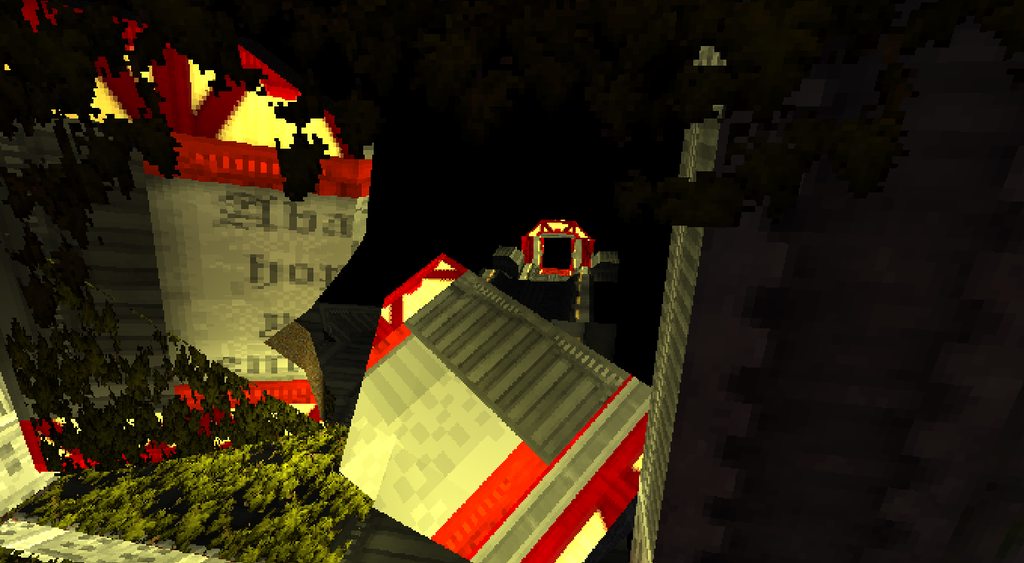


 trail valve
mod the og doom campaign into dusk
ionic stream
muted glacier
some W.I.P screengrabs of the map im working on rn:
That's looking incredible so far
muted glacier
trail valve
mod the og doom campaign into dusk
Somebody already is in the process actually: #dusk-modding message
onyx jay
every single level?
stark ivy
muted glacier
Somebody already is in the process actually: https://discord.com/channels/240195...
Based
molten socket
We need particle effects
gritty forge
What are good side textures for a door?
gritty forge
Is this too big or is the proportions correct for something like this?
onyx jay
gritty forge
Is this too big or is the proportions correct for something like this?
Feel like that's alot of empty space
stark ivy
gritty forge
Is this too big or is the proportions correct for something like this?
looks a lil too empty yeah, some props would help
like a table, or a room partition
gritty forge
I will add more props but I'm just concerned if the scale of the room is too big as I don't want the player feeling like an ant
stark ivy
send another vid with a more average FOV and weapon scaling
I think rooms always look bigger when the FOV is huge
and also having tiny weapons also makes it feel bigger
onyx jay
I always made sure to account for fov whenever muyb sent a recording but just lowering it would definitely make it easier
gritty forge
What are the default values again?
muted glacier
onyx jay
every single level?
I've got the .map files for all the levels in Knee Deep in the Dead's episode, but I've never textured or formatted them to play for Dusk. Somebody else was a few months ago but I havent seen any updates.
muted glacier
gritty forge
Is this too big or is the proportions correct for something like this?
In terms of proportions, the optimum door size is 64x96, and you can base room proportions off of that math, if you think it looks too big.
Room sizes can vary, it just depends on what you're going for. If you're going for claustrophobic ambush/jumpscare levels, smaller, tighter rooms are better. If it's a fighting focused map, you want wider, open rooms for ease of mobility and combat.
stark ivy
And if you hate the player you want openroom combat in a close quarters environment
Woe, cowgirls in cramped spaces be upon ye
molten socket
Next SDK update when?:")
muted glacier
Soon™️
lapis seal
Hi there, didn't see anything on it by searching here but how would I go about making a breakable vent? ty
Ah nvm I got it - for anyone that's reading this in the future idk here - https://www.reddit.com/r/quake/comments/6wp90a/how_to_make_doors_in_trenchbroom/
muted glacier
It should? I'm pretty sure Zombie or 500_pts have mentioned its functionality in the past.
gritty forge
I tried but it didn't work out
ancient depot
I used BepInEx to make a wallhack for speedrunners lol
gritty forge
Yeah I saw it in this channel and I'm looking at the source code as a reference to set up my mod
Hopefully I can get it to work now
 coral dragon
Greetings
I do have problems with triggers in Trenchbroom for Dusk. They don't work and I don't know why. I double checked by trying it in Quake, where it works fine. Is there something I have to consider when making maps for Dusk?
ancient depot
Triggers don't work any differently in Dusk, can you elaborate on what you mean by they don't work?
Also what trigger type etc
coral dragon
i.e. trigger_once to provoke an enemy. the arrowed line is drawn from the trigger to the entity. the trigger has the correct value in the property "target", likewise the entity in the property "targetname". it shows me the message, that i wrote, but the enemy wont attack me.
ancient depot
I don't think enemies are set up to be alerted when triggered currently
coral dragon
ffs. i tried to make it work for the past six hours or so. well, thanks for the answer, zombie.
gritty forge
Zombie would it be okay if I use the source code of the wall hack as a base for my mod?
ancient depot
gritty forge
Zombie would it be okay if I use the source code of the wall hack as a base for ...
sure idc
consider that code public domain